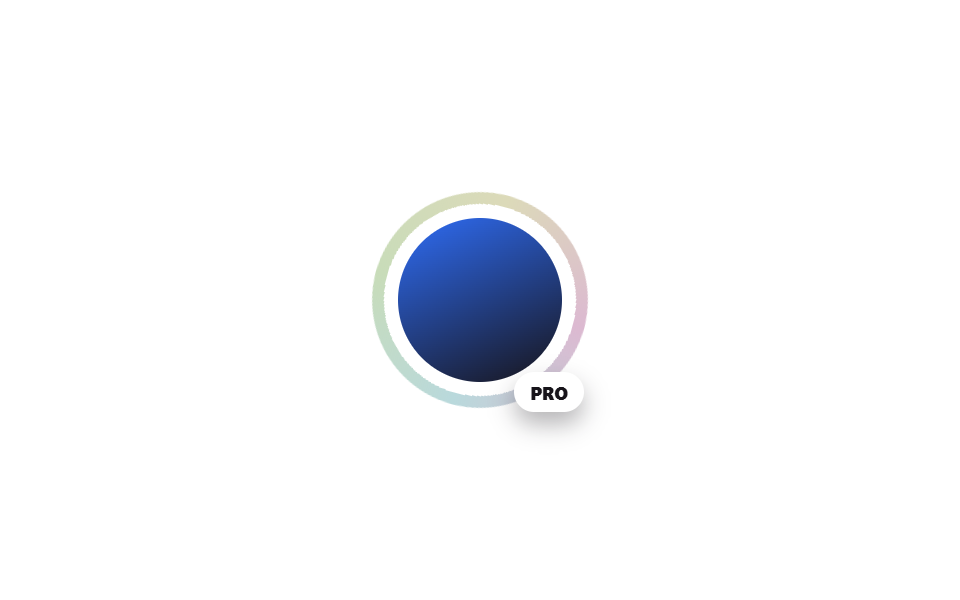
08Vòng trạng thái holographic quanh avatar
Một vòng conic-gradient xoay chậm quanh avatar hồ sơ để báo hiệu trạng thái đặc biệt như 'premium' hay 'đang live'.
Dùng choKhung avatar thành viên premium, báo hiệu đang livestream, huy hiệu hồ sơ VIP
conic-gradient 링mask: radial-gradient@keyframes rotate
<main class="stage">
  <div class="avatar-wrap">
    <span class="avatar-wrap__ring" aria-hidden="true"></span>
    <span class="avatar-wrap__avatar" role="img" aria-label="Ảnh hồ sơ"></span>
    <span class="avatar-wrap__tag">PRO</span>
  </div>
</main>
@use "../../../../site/static/demo-tokens" as *;
$duration: $dur-loop; // 링이 한 바퀴 도는 시간
$easing: linear;
$color: $subject-blue; // 아바타 배경 그라디언트 색
@include stage($stage-paper);
.avatar-wrap {
position: relative;
width: min(108px, 36vw);
aspect-ratio: 1;
display: grid;
place-items: center;
}
.avatar-wrap__ring {
position: absolute; inset: 0;
border-radius: $r-pill;
background: conic-gradient(from 0deg, #dcb9d1, #b9d9dc, #c8dcb9, #dcdab9, #dcb9d1);
-webkit-mask: radial-gradient(farthest-side, transparent calc(100% - 6px), #000 calc(100% - 6px));
mask: radial-gradient(farthest-side, transparent calc(100% - 6px), #000 calc(100% - 6px));
animation: ring-spin $duration $easing infinite;
}
.avatar-wrap__avatar {
position: relative; z-index: 1;
width: 76%; aspect-ratio: 1;
border-radius: $r-pill;
background: linear-gradient(155deg, $color 0%, $stage-ink 100%);
}
.avatar-wrap__tag {
position: absolute; bottom: -2px; right: 2px; z-index: 2;
font-size: 9px; font-weight: 800; color: $stage-ink;
background: $stage-paper; padding: $sp-1 $sp-2; border-radius: $r-pill;
box-shadow: $shadow-press;
}
@keyframes ring-spin { to { transform: rotate(360deg); } }
@media (prefers-reduced-motion: reduce) {
.avatar-wrap__ring { animation: none; }
}html, body {
margin: 0;
overflow: hidden;
}
.stage {
box-sizing: border-box;
min-height: 100vh;
display: grid;
place-items: center;
margin: 0;
background: #ffffff;
font-family: -apple-system, "Segoe UI", "Noto Sans KR", sans-serif;
padding: clamp(8px, 4vw, 24px);
}
.avatar-wrap {
position: relative;
width: min(108px, 36vw);
aspect-ratio: 1;
display: grid;
place-items: center;
}
.avatar-wrap__ring {
position: absolute;
inset: 0;
border-radius: 999px;
background: conic-gradient(from 0deg, #dcb9d1, #b9d9dc, #c8dcb9, #dcdab9, #dcb9d1);
-webkit-mask: radial-gradient(farthest-side, transparent calc(100% - 6px), #000 calc(100% - 6px));
mask: radial-gradient(farthest-side, transparent calc(100% - 6px), #000 calc(100% - 6px));
animation: ring-spin 2s linear infinite;
}
.avatar-wrap__avatar {
position: relative;
z-index: 1;
width: 76%;
aspect-ratio: 1;
border-radius: 999px;
background: linear-gradient(155deg, #2f6df6 0%, #17141a 100%);
}
.avatar-wrap__tag {
position: absolute;
bottom: -2px;
right: 2px;
z-index: 2;
font-size: 9px;
font-weight: 800;
color: #17141a;
background: #ffffff;
padding: 4px 8px;
border-radius: 999px;
box-shadow: 0 6px 12px rgba(23, 20, 26, 0.32);
}
@keyframes ring-spin {
to {
transform: rotate(360deg);
}
}
@media (prefers-reduced-motion: reduce) {
.avatar-wrap__ring {
animation: none;
}
}import type { CSSProperties } from "react";
import styles from "./AvatarStatusRing.module.scss";
export type AvatarStatusRingProps = {
alt: string;
tag: string;
/** 링이 한 바퀴 도는 시간 (기본 2000ms) */
duration?: number;
easing?: string;
/** 아바타 배경 그라디언트 색 */
color?: string;
};
type Vars = CSSProperties & { "--duration"?: string; "--easing"?: string; "--color"?: string };
export default function AvatarStatusRing({
alt,
tag,
duration = 2000,
easing = "linear",
color = "#2f6df6",
}: AvatarStatusRingProps) {
const vars: Vars = { "--duration": `${duration}ms`, "--easing": easing, "--color": color };
return (
<div className={styles.wrap} style={vars}>
<span className={styles.ring} aria-hidden="true" />
<span className={styles.avatar} role="img" aria-label={alt} />
<span className={styles.tag}>{tag}</span>
</div>
);
}08 Vòng trạng thái holographic quanh avatar — Diện tích đo được 1.451% · khung hình chuyển động 23/23Nguyên tác GODRICH · SCSS và React nằm trong tệp zip · 9 hiệu ứng CSS Holographic Card Effect copy-paste
Bài viết chứa demo này
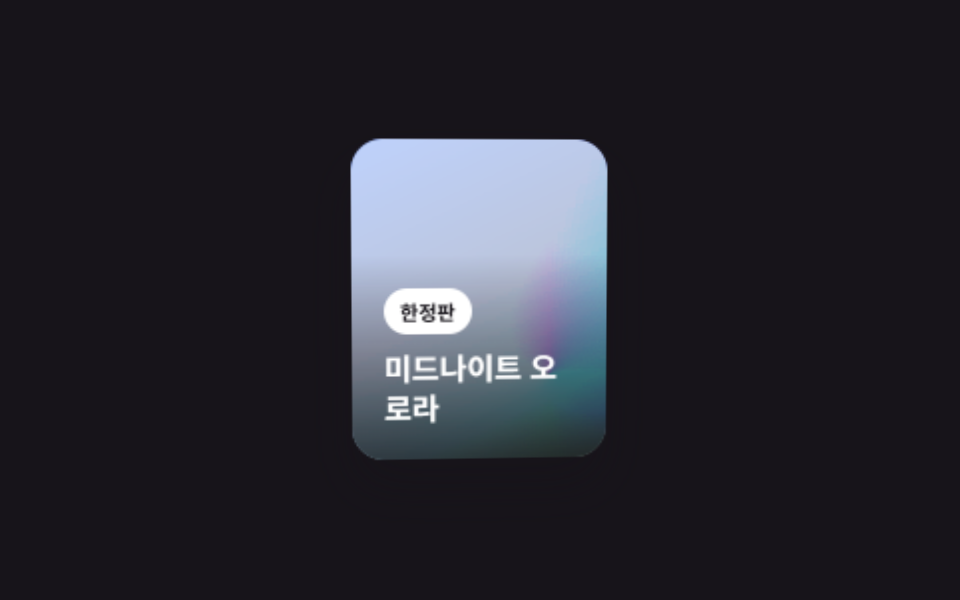 9 hiệu ứng CSS Holographic Card Effect copy-pasteHiệu ứng css holographic card effect giả lập cách lá thiếc phản chiếu ánh sáng theo góc nhìn, chỉ bằng CSS — lấp lánh nh Xem tất cả demo trong bài này