05Xoay vòng (kurukuru)
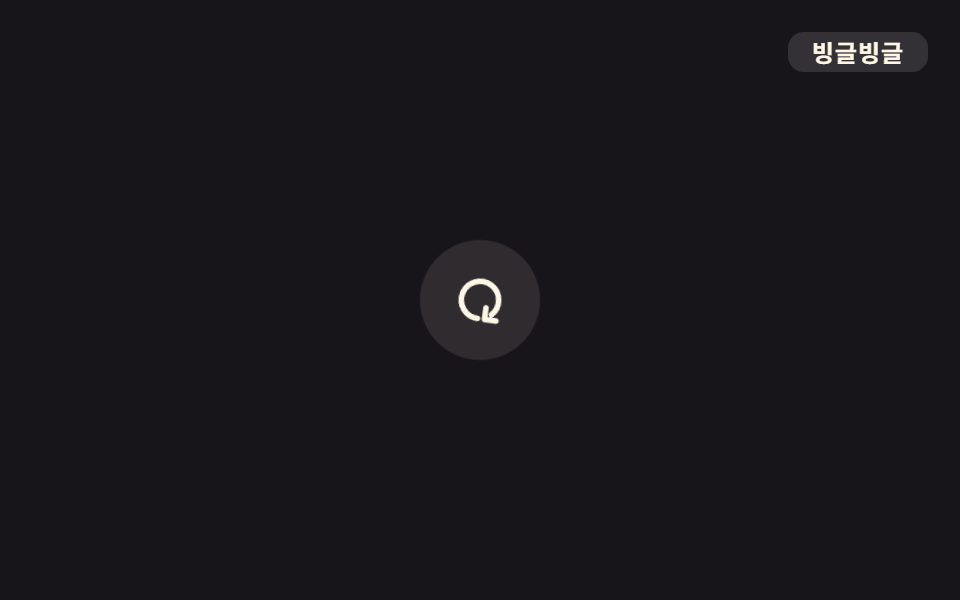
`.o-kuru` nối 360 độ rotate bằng các cubic-bezier khác nhau cho từng chặng, tạo icon refresh bật theo nhịp thay vì xoay linear đều đều.
Dùng choNút refresh, icon loading, icon đồng bộ
rotate 360deg구간별 easing1.6s
<main class="stage">
  <button class="icon o-kuru is-demo" type="button" aria-label="Làm mới">
    <svg viewBox="0 0 24 24" width="28" height="28" aria-hidden="true"><path d="M20 12a8 8 0 1 1-2.34-5.66" fill="none" stroke="currentColor" stroke-width="2.4" stroke-linecap="round"/><path d="M20 4v5h-5" fill="none" stroke="currentColor" stroke-width="2.4" stroke-linecap="round" stroke-linejoin="round"/></svg>
  </button>
  <span class="tag">Xoay tít</span>
</main>
@use "../../../../site/static/demo-tokens" as *;
// ── 변수 3개 ──────────────────────────────────────────
$duration: 1.6s;
$easing: cubic-bezier(.65, 0, .35, 1);
$color: $subject-cream;
// ── 데모 무대 ───────────────────────────────
@include stage($stage-ink);
.stage { position: relative; }
.icon {
width: 60px;
height: 60px;
border: 0;
border-radius: 50%;
display: grid;
place-items: center;
background: rgba(255, 247, 230, .1);
color: $color;
cursor: pointer;
}
.tag {
position: absolute;
top: $sp-4;
right: $sp-4;
padding: $sp-1 $sp-3;
border-radius: $r-sm;
background: rgba(255, 255, 255, .12);
color: $subject-cream;
font-weight: 700;
font-size: 12px;
line-height: 1;
font-family: inherit;
letter-spacing: .04em;
}
// ── linear 대신 구간마다 다른 지점을 지나게 해 한 박자 튕기는 듯한 회전을 만든다 ─────
.o-kuru {
animation: o-kuru $duration $easing infinite;
}
@keyframes o-kuru {
0% { transform: rotate(0deg); }
55% { transform: rotate(230deg); }
80% { transform: rotate(330deg); }
100% { transform: rotate(360deg); }
}
// ── 접근성 ──────────────────────────────────────────
@media (prefers-reduced-motion: reduce) {
.o-kuru { animation: none; }
}html, body {
margin: 0;
overflow: hidden;
}
.stage {
box-sizing: border-box;
min-height: 100vh;
display: grid;
place-items: center;
margin: 0;
background: #17141a;
font-family: -apple-system, "Segoe UI", "Noto Sans KR", sans-serif;
padding: clamp(8px, 4vw, 24px);
}
.stage {
position: relative;
}
.icon {
width: 60px;
height: 60px;
border: 0;
border-radius: 50%;
display: grid;
place-items: center;
background: rgba(255, 247, 230, 0.1);
color: #fff7e6;
cursor: pointer;
}
.tag {
position: absolute;
top: 16px;
right: 16px;
padding: 4px 12px;
border-radius: 8px;
background: rgba(255, 255, 255, 0.12);
color: #fff7e6;
font-weight: 700;
font-size: 12px;
line-height: 1;
font-family: inherit;
letter-spacing: 0.04em;
}
.o-kuru {
animation: o-kuru 1.6s cubic-bezier(0.65, 0, 0.35, 1) infinite;
}
@keyframes o-kuru {
0% {
transform: rotate(0deg);
}
55% {
transform: rotate(230deg);
}
80% {
transform: rotate(330deg);
}
100% {
transform: rotate(360deg);
}
}
@media (prefers-reduced-motion: reduce) {
.o-kuru {
animation: none;
}
}import type { CSSProperties, MouseEvent } from "react";
import styles from "./SpinRefreshIcon.module.scss";
export type SpinRefreshIconProps = {
label?: string;
/** 한 바퀴 도는 데 걸리는 시간 (기본 1600ms) */
duration?: number;
easing?: string;
color?: string;
onClick?: (e: MouseEvent<HTMLButtonElement>) => void;
};
type Vars = CSSProperties & {
"--duration"?: string;
"--easing"?: string;
"--color"?: string;
};
export default function SpinRefreshIcon({
label = "새로고침",
duration = 1600,
easing = "cubic-bezier(.65,0,.35,1)",
color = "#fff7e6",
onClick,
}: SpinRefreshIconProps) {
const vars: Vars = {
"--duration": `${duration}ms`,
"--easing": easing,
"--color": color,
};
return (
<button type="button" className={styles.icon} style={vars} aria-label={label} onClick={onClick}>
<svg viewBox="0 0 24 24" width="28" height="28" aria-hidden="true">
<path d="M20 12a8 8 0 1 1-2.34-5.66" fill="none" stroke="currentColor" strokeWidth={2.4} strokeLinecap="round" />
<path d="M20 4v5h-5" fill="none" stroke="currentColor" strokeWidth={2.4} strokeLinecap="round" strokeLinejoin="round" />
</svg>
</button>
);
}05 Xoay vòng (kurukuru) — Diện tích đo được 0.403% · khung hình chuyển động 23/23Nguyên tác GODRICH · SCSS và React nằm trong tệp zip · 9 css bounce animation — dán một dòng là chạy
Bài viết chứa demo này
 9 css bounce animation — dán một dòng là chạycss bounce animation là chuyển động cho phần tử nổi lên, nảy, rung và đung đưa như đang sống. Chín mục gọi theo từ tượng Xem tất cả demo trong bài này