06Thẻ xếp lớp
Ba thẻ xếp chồng lên nhau bong ra với tốc độ khác nhau mỗi khi bạn cuộn, để lộ chiều sâu.
Dùng choThẻ giới thiệu tính năng, so sánh gói giá
scale 단계별animation-timeline: scroll(root)translateY
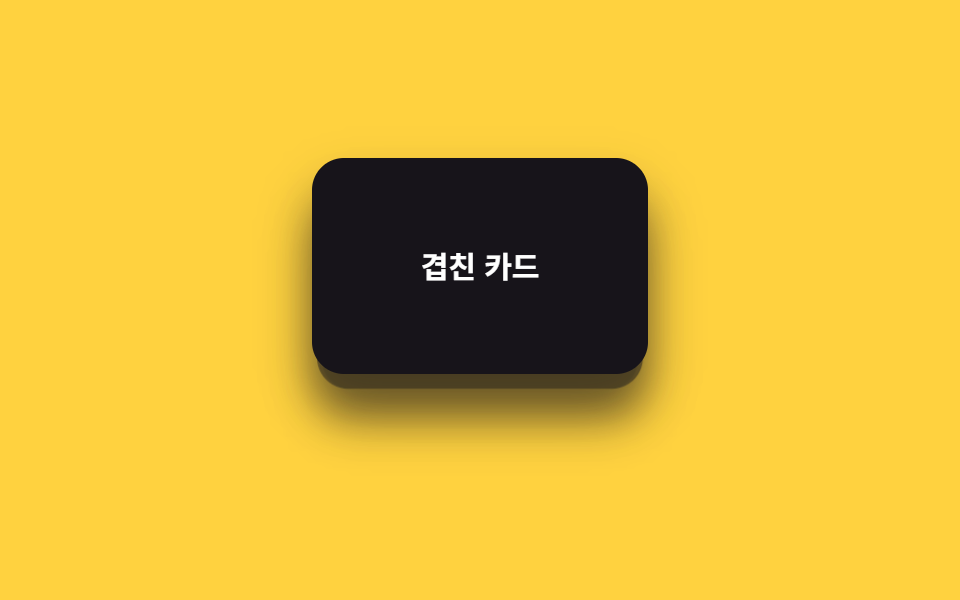
<main class="stage is-demo">
  <div class="depthcards">
    <div class="depthcards__card depthcards__card--3" aria-hidden="true"></div>
    <div class="depthcards__card depthcards__card--2" aria-hidden="true"></div>
    <div class="depthcards__card depthcards__card--1">
      <span>Thẻ xếp lớp</span>
    </div>
  </div>
</main>
@use "../../../../site/static/demo-tokens" as *;
// ── 변수 3개. 변형은 이것만 바꾼다 ──────────────────────────
$peel: 34px; // 맨 앞 카드가 밀려나는 거리
$scale-step: .06; // 뒤 카드일수록 커지는 폭
$color: $subject-ink; // 카드 색 (yellow 무대라 ink)
@include stage($stage-yellow);
.depthcards {
position: relative;
width: 100%;
height: 100%;
display: grid;
place-items: center;
}
.depthcards__card {
position: absolute;
width: 168px;
height: 108px;
border-radius: $r-card;
box-shadow: $shadow-raised;
display: grid;
place-items: center;
font: 700 clamp(13px, 4vw, 15px)/1 -apple-system, "Segoe UI", "Noto Sans KR", sans-serif;
&--3 {
background: rgba($color, .28);
transform: translateY(18px) scale(.88);
@supports (animation-timeline: scroll()) { animation: peel-3 linear both; animation-timeline: scroll(root); }
}
&--2 {
background: rgba($color, .58);
transform: translateY(9px) scale(.94);
@supports (animation-timeline: scroll()) { animation: peel-2 linear both; animation-timeline: scroll(root); }
}
&--1 {
background: $color;
color: #fff;
@supports (animation-timeline: scroll()) { animation: peel-1 linear both; animation-timeline: scroll(root); }
}
}
// ── 실제 사용 코드: 앞 카드일수록 더 멀리, 더 빨리 밀려난다 ──
@keyframes peel-1 { from { transform: translateY(0) scale(1); } to { transform: translateY(-#{$peel}) scale(1); } }
@keyframes peel-2 { from { transform: translateY(9px) scale(.94); } to { transform: translateY(9px - $peel) scale(.94 + $scale-step); } }
@keyframes peel-3 { from { transform: translateY(18px) scale(.88); } to { transform: translateY(18px - $peel * 1.4) scale(.88 + $scale-step * 2); } }
// ── 데모(.is-demo): 왕복 루프로 흉내 ────────
.stage.is-demo .depthcards__card--1 { animation: loop-1 $dur-loop ease-in-out infinite; }
.stage.is-demo .depthcards__card--2 { animation: loop-2 $dur-loop ease-in-out infinite; }
.stage.is-demo .depthcards__card--3 { animation: loop-3 $dur-loop ease-in-out infinite; }
@keyframes loop-1 { 0%, 100% { transform: translateY(0) scale(1); } 50% { transform: translateY(-$peel) scale(1); } }
@keyframes loop-2 { 0%, 100% { transform: translateY(9px) scale(.94); } 50% { transform: translateY(9px - $peel) scale(.94 + $scale-step); } }
@keyframes loop-3 { 0%, 100% { transform: translateY(18px) scale(.88); } 50% { transform: translateY(18px - $peel * 1.4) scale(.88 + $scale-step * 2); } }
@media (prefers-reduced-motion: reduce) {
.depthcards__card--1, .depthcards__card--2, .depthcards__card--3,
.stage.is-demo .depthcards__card--1, .stage.is-demo .depthcards__card--2, .stage.is-demo .depthcards__card--3 {
animation: none !important;
}
.depthcards__card--1 { transform: translateY(0) scale(1); }
.depthcards__card--2 { transform: translateY(9px) scale(.94); }
.depthcards__card--3 { transform: translateY(18px) scale(.88); }
}html, body {
margin: 0;
overflow: hidden;
}
.stage {
box-sizing: border-box;
min-height: 100vh;
display: grid;
place-items: center;
margin: 0;
background: #ffd23f;
font-family: -apple-system, "Segoe UI", "Noto Sans KR", sans-serif;
padding: clamp(8px, 4vw, 24px);
}
.depthcards {
position: relative;
width: 100%;
height: 100%;
display: grid;
place-items: center;
}
.depthcards__card {
position: absolute;
width: 168px;
height: 108px;
border-radius: 16px;
box-shadow: 0 14px 24px rgba(23, 20, 26, 0.32);
display: grid;
place-items: center;
font: 700 clamp(13px, 4vw, 15px)/1 -apple-system, "Segoe UI", "Noto Sans KR", sans-serif;
}
.depthcards__card--3 {
background: rgba(23, 20, 26, 0.28);
transform: translateY(18px) scale(0.88);
}
@supports (animation-timeline: scroll()) {
.depthcards__card--3 {
animation: peel-3 linear both;
animation-timeline: scroll(root);
}
}
.depthcards__card--2 {
background: rgba(23, 20, 26, 0.58);
transform: translateY(9px) scale(0.94);
}
@supports (animation-timeline: scroll()) {
.depthcards__card--2 {
animation: peel-2 linear both;
animation-timeline: scroll(root);
}
}
.depthcards__card--1 {
background: #17141a;
color: #fff;
}
@supports (animation-timeline: scroll()) {
.depthcards__card--1 {
animation: peel-1 linear both;
animation-timeline: scroll(root);
}
}
@keyframes peel-1 {
from {
transform: translateY(0) scale(1);
}
to {
transform: translateY(-34px) scale(1);
}
}
@keyframes peel-2 {
from {
transform: translateY(9px) scale(0.94);
}
to {
transform: translateY(-25px) scale(1);
}
}
@keyframes peel-3 {
from {
transform: translateY(18px) scale(0.88);
}
to {
transform: translateY(-29.6px) scale(1);
}
}
.stage.is-demo .depthcards__card--1 {
animation: loop-1 2s ease-in-out infinite;
}
.stage.is-demo .depthcards__card--2 {
animation: loop-2 2s ease-in-out infinite;
}
.stage.is-demo .depthcards__card--3 {
animation: loop-3 2s ease-in-out infinite;
}
@keyframes loop-1 {
0%, 100% {
transform: translateY(0) scale(1);
}
50% {
transform: translateY(-34px) scale(1);
}
}
@keyframes loop-2 {
0%, 100% {
transform: translateY(9px) scale(0.94);
}
50% {
transform: translateY(-25px) scale(1);
}
}
@keyframes loop-3 {
0%, 100% {
transform: translateY(18px) scale(0.88);
}
50% {
transform: translateY(-29.6px) scale(1);
}
}
@media (prefers-reduced-motion: reduce) {
.depthcards__card--1, .depthcards__card--2, .depthcards__card--3,
.stage.is-demo .depthcards__card--1, .stage.is-demo .depthcards__card--2, .stage.is-demo .depthcards__card--3 {
animation: none !important;
}
.depthcards__card--1 {
transform: translateY(0) scale(1);
}
.depthcards__card--2 {
transform: translateY(9px) scale(0.94);
}
.depthcards__card--3 {
transform: translateY(18px) scale(0.88);
}
}import type { CSSProperties, ReactNode } from "react";
import styles from "./DepthCards.module.scss";
export type DepthCardsProps = {
/** 맨 앞 카드 라벨 */
children: ReactNode;
/** 맨 앞 카드가 밀려나는 거리 (기본 34px) */
peel?: number;
/** 뒤 카드일수록 커지는 폭 (기본 .06) */
scaleStep?: number;
className?: string;
};
type Vars = CSSProperties & { "--peel"?: string; "--scale-step"?: string };
export default function DepthCards({
children,
peel = 34,
scaleStep = 0.06,
className = "",
}: DepthCardsProps) {
const vars: Vars = { "--peel": `${peel}px`, "--scale-step": `${scaleStep}` };
return (
<div className={`${styles.wrap} ${className}`} style={vars}>
<div className={`${styles.card} ${styles.card3}`} aria-hidden="true" />
<div className={`${styles.card} ${styles.card2}`} aria-hidden="true" />
<div className={`${styles.card} ${styles.card1}`}>{children}</div>
</div>
);
}06 Thẻ xếp lớp — Diện tích đo được 16.794% · khung hình chuyển động 23/23Nguyên tác GODRICH · SCSS và React nằm trong tệp zip · 9 hiệu ứng css parallax scrolling, không cần JS
Bài viết chứa demo này
 9 hiệu ứng css parallax scrolling, không cần JSCSS parallax scrolling là cách tạo cảm giác chiều sâu khi cuộn trang, bằng cách cho các lớp — nền, chữ, thẻ — di chuyển Xem tất cả demo trong bài này