09CTA phát sáng
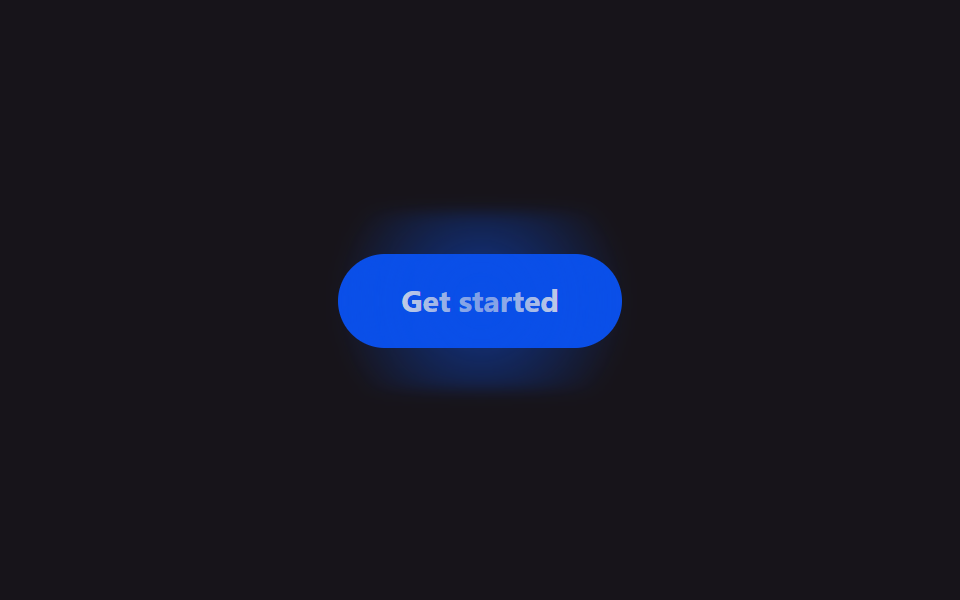
Sau nút thanh toán, một quầng sáng dịu phồng lên rồi lắng xuống theo chu kỳ, lặng lẽ chỉ ra chỗ cần bấm.
Dùng choNút thanh toán·đăng ký dưới cùng bảng giá, CTA trên landing page
radial-gradientscale1.8s
<main class="stage">
  <button class="cg-btn" type="button">Get started</button>
</main>
@use "../../../../site/static/demo-tokens" as *;
// ── 변수 3개 ──────────────────────────────────────────
$duration: 1.8s;
$easing: $ease-spring;
$color: $subject-blue-deep; // 크림 글자가 얹히므로 진한 파랑
@include stage($stage-ink);
.cg-btn {
position: relative;
border: 0;
border-radius: $r-pill;
padding: $sp-4 $sp-8;
background: $color;
color: $subject-cream;
font: 700 15px/1 -apple-system, "Segoe UI", sans-serif;
cursor: pointer;
}
// 글로우 — 버튼 뒤에 흐린 원, opacity·scale 만 움직인다 (filter 값 자체는 고정)
.cg-btn::before {
content: "";
position: absolute;
inset: -#{$sp-3};
border-radius: $r-pill;
background: radial-gradient(circle, rgba($color, .9), transparent 65%);
filter: blur(3px);
opacity: .2;
transform: scale(1);
}
// 자동 재생 — 결제 버튼은 항상 은은하게 맥동한다
.cg-btn::before {
animation: cg-pulse $duration $easing infinite;
}
@keyframes cg-pulse {
0%, 100% { transform: scale(1); opacity: .2; }
50% { transform: scale(1.45); opacity: .95; }
}
@media (prefers-reduced-motion: reduce) {
.cg-btn::before { animation: none !important; opacity: .2 !important; transform: scale(1) !important; }
}html, body {
margin: 0;
overflow: hidden;
}
.stage {
box-sizing: border-box;
min-height: 100vh;
display: grid;
place-items: center;
margin: 0;
background: #17141a;
font-family: -apple-system, "Segoe UI", "Noto Sans KR", sans-serif;
padding: clamp(8px, 4vw, 24px);
}
.cg-btn {
position: relative;
border: 0;
border-radius: 999px;
padding: 16px 32px;
background: #0a4fe8;
color: #fff7e6;
font: 700 15px/1 -apple-system, "Segoe UI", sans-serif;
cursor: pointer;
}
.cg-btn::before {
content: "";
position: absolute;
inset: -12px;
border-radius: 999px;
background: radial-gradient(circle, rgba(10, 79, 232, 0.9), transparent 65%);
filter: blur(3px);
opacity: 0.2;
transform: scale(1);
}
.cg-btn::before {
animation: cg-pulse 1.8s cubic-bezier(0.2, 0.8, 0.2, 1) infinite;
}
@keyframes cg-pulse {
0%, 100% {
transform: scale(1);
opacity: 0.2;
}
50% {
transform: scale(1.45);
opacity: 0.95;
}
}
@media (prefers-reduced-motion: reduce) {
.cg-btn::before {
animation: none !important;
opacity: 0.2 !important;
transform: scale(1) !important;
}
}import { CSSProperties } from "react";
import styles from "./CtaGlow.module.scss";
export interface CtaGlowProps {
duration?: string;
easing?: string;
label?: string;
}
export default function CtaGlow({
duration = "1.8s",
easing = "cubic-bezier(.2, 1.4, .4, 1)",
label = "Get started",
}: CtaGlowProps) {
const style = { "--duration": duration, "--easing": easing } as CSSProperties;
return (
<button className={styles.btn} style={style} type="button">
{label}
</button>
);
}09 CTA phát sáng — Diện tích đo được 6.998% · khung hình chuyển động 9/23Nguyên tác GODRICH · SCSS và React nằm trong tệp zip · 9 mẫu css pricing table animation copy-paste
Bài viết chứa demo này
 9 mẫu css pricing table animation copy-pasteCss pricing table là khối hiển thị các gói giá xếp cạnh nhau trên một trang. Chín animation cho bảng giá dưới đây viết g Xem tất cả demo trong bài này