05Thanh chia đoạn theo bậc
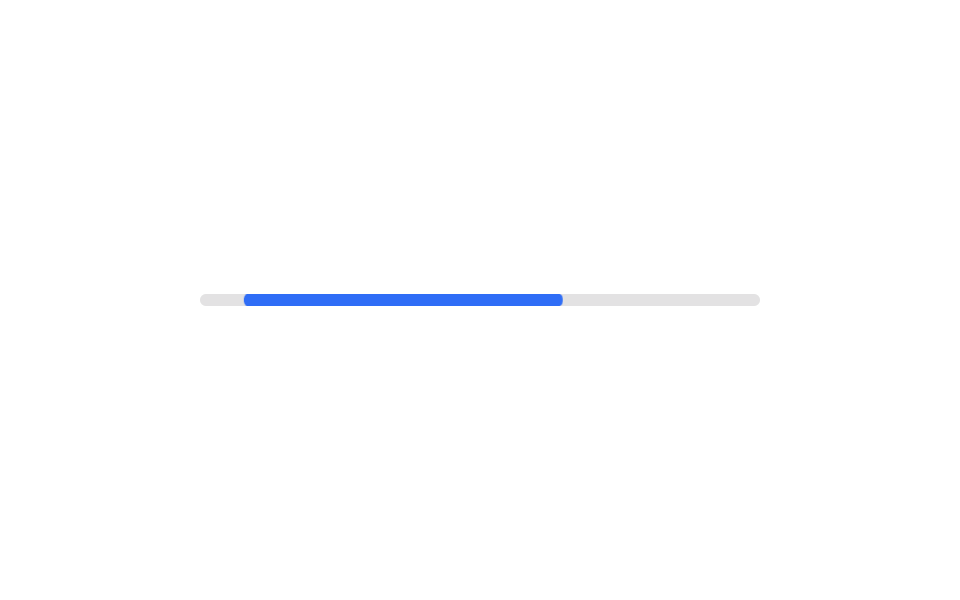
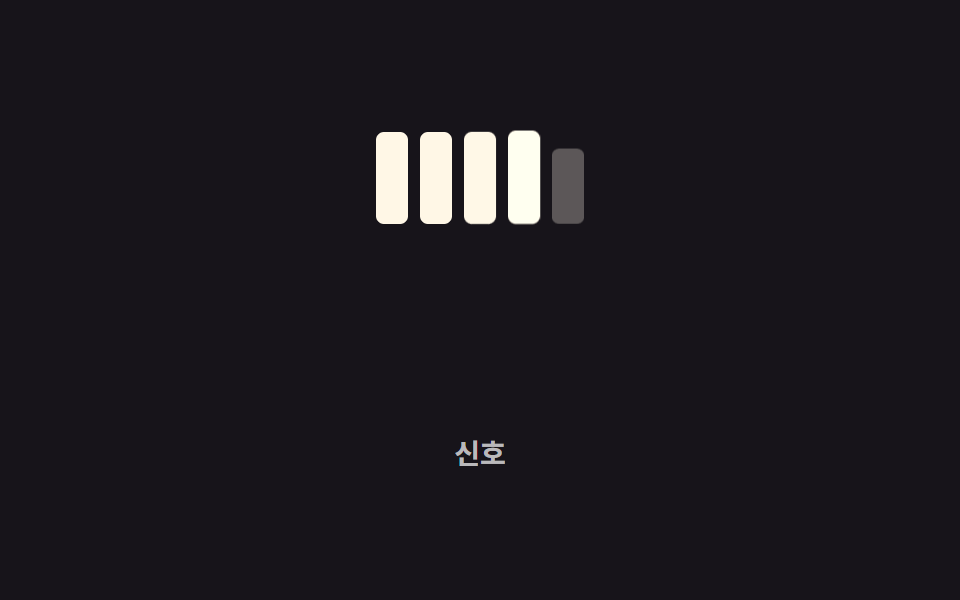
Thay vì một thanh liền mạch, track chia thành nhiều khối, sáng dần từng khối một theo thứ tự khi giá trị tăng.
Dùng choHiển thị cường độ tín hiệu, thanh máu hoặc gauge trong UI game
opacity 단계 전환animation-delay조각 5개
<main class="stage">
  <div class="segs is-demo" role="progressbar" aria-valuemin="0" aria-valuemax="5" aria-valuenow="3" aria-label="Tín hiệu">
    <span class="seg"></span><span class="seg"></span><span class="seg"></span><span class="seg"></span><span class="seg"></span>
  </div>
  <p class="cap">Tín hiệu</p>
</main>
@use "../../../../site/static/demo-tokens" as *;
// ── 변수 3개 ──────────────────────────────────────────
$duration: 260ms; // 조각 하나가 켜지는 시간
$easing: $ease-pop;
$color: $subject-cream; // 켜진 조각 색
@include stage($stage-ink);
.segs {
display: flex;
align-items: flex-end;
gap: 6px;
}
.seg {
width: 16px;
height: 46px;
border-radius: 4px;
background: rgba(255, 255, 255, .14);
opacity: .35;
transform: scaleY(.7);
transform-origin: bottom; // 규칙8: 아래서 차오름
}
// 조각마다 시작 시점을 다르게 — 하나로 이어진 바가 아니라 순서대로 켜지는 신호처럼
.segs.is-demo .seg { animation: light 2s $easing infinite; }
.segs.is-demo .seg:nth-child(1) { animation-delay: 0ms; }
.segs.is-demo .seg:nth-child(2) { animation-delay: 160ms; }
.segs.is-demo .seg:nth-child(3) { animation-delay: 320ms; }
.segs.is-demo .seg:nth-child(4) { animation-delay: 480ms; }
.segs.is-demo .seg:nth-child(5) { animation-delay: 640ms; }
@keyframes light {
0%, 60%, 100% { opacity: .35; transform: scaleY(.7); background: rgba(255, 255, 255, .14); }
20%, 45% { opacity: 1; transform: scaleY(1); background: $color; }
}
.cap {
margin: 14px 0 0;
color: rgba(255, 255, 255, .7);
font: 600 clamp(12px, 3.2vw, 14px)/1 -apple-system, "Segoe UI", "Noto Sans KR", sans-serif;
}
@media (prefers-reduced-motion: reduce) {
.segs.is-demo .seg { animation: none; opacity: 1; transform: scaleY(1); background: $color; }
}html, body {
margin: 0;
overflow: hidden;
}
.stage {
box-sizing: border-box;
min-height: 100vh;
display: grid;
place-items: center;
margin: 0;
background: #17141a;
font-family: -apple-system, "Segoe UI", "Noto Sans KR", sans-serif;
padding: clamp(8px, 4vw, 24px);
}
.segs {
display: flex;
align-items: flex-end;
gap: 6px;
}
.seg {
width: 16px;
height: 46px;
border-radius: 4px;
background: rgba(255, 255, 255, 0.14);
opacity: 0.35;
transform: scaleY(0.7);
transform-origin: bottom;
}
.segs.is-demo .seg {
animation: light 2s cubic-bezier(0.2, 1.4, 0.4, 1) infinite;
}
.segs.is-demo .seg:nth-child(1) {
animation-delay: 0ms;
}
.segs.is-demo .seg:nth-child(2) {
animation-delay: 160ms;
}
.segs.is-demo .seg:nth-child(3) {
animation-delay: 320ms;
}
.segs.is-demo .seg:nth-child(4) {
animation-delay: 480ms;
}
.segs.is-demo .seg:nth-child(5) {
animation-delay: 640ms;
}
@keyframes light {
0%, 60%, 100% {
opacity: 0.35;
transform: scaleY(0.7);
background: rgba(255, 255, 255, 0.14);
}
20%, 45% {
opacity: 1;
transform: scaleY(1);
background: #fff7e6;
}
}
.cap {
margin: 14px 0 0;
color: rgba(255, 255, 255, 0.7);
font: 600 clamp(12px, 3.2vw, 14px)/1 -apple-system, "Segoe UI", "Noto Sans KR", sans-serif;
}
@media (prefers-reduced-motion: reduce) {
.segs.is-demo .seg {
animation: none;
opacity: 1;
transform: scaleY(1);
background: #fff7e6;
}
}import type { CSSProperties } from "react";
import styles from "./SegmentedSteps.module.scss";
export type SegmentedStepsProps = {
/** 켜진 조각 수 (0~total) */
active: number;
total?: number;
duration?: number;
easing?: string;
color?: string;
label?: string;
};
type Vars = CSSProperties & {
"--duration"?: string;
"--easing"?: string;
"--color"?: string;
};
export default function SegmentedSteps({
active,
total = 5,
duration = 220,
easing = "cubic-bezier(.2,1.4,.4,1)",
color = "#fff7e6",
label,
}: SegmentedStepsProps) {
const vars: Vars = { "--duration": `${duration}ms`, "--easing": easing, "--color": color };
return (
<div
className={styles.segs}
style={vars}
role="progressbar"
aria-valuemin={0}
aria-valuemax={total}
aria-valuenow={active}
aria-label={label}
>
{Array.from({ length: total }, (_, i) => (
<span key={i} className={i < active ? `${styles.seg} ${styles.on}` : styles.seg} />
))}
</div>
);
}05 Thanh chia đoạn theo bậc — Diện tích đo được 2.794% · khung hình chuyển động 20/23Nguyên tác GODRICH · SCSS và React nằm trong tệp zip · 9 CSS Progress Bar Circle Gauges — chỉ cần đổi số
Bài viết chứa demo này
 9 CSS Progress Bar Circle Gauges — chỉ cần đổi sốCSS progress bar circle là thanh và vòng tiến trình chỉ cần đổi một con số để vẽ lại toàn bộ. Chín kiểu dưới đây đều chạ Xem tất cả demo trong bài này