09Gauge hình pin
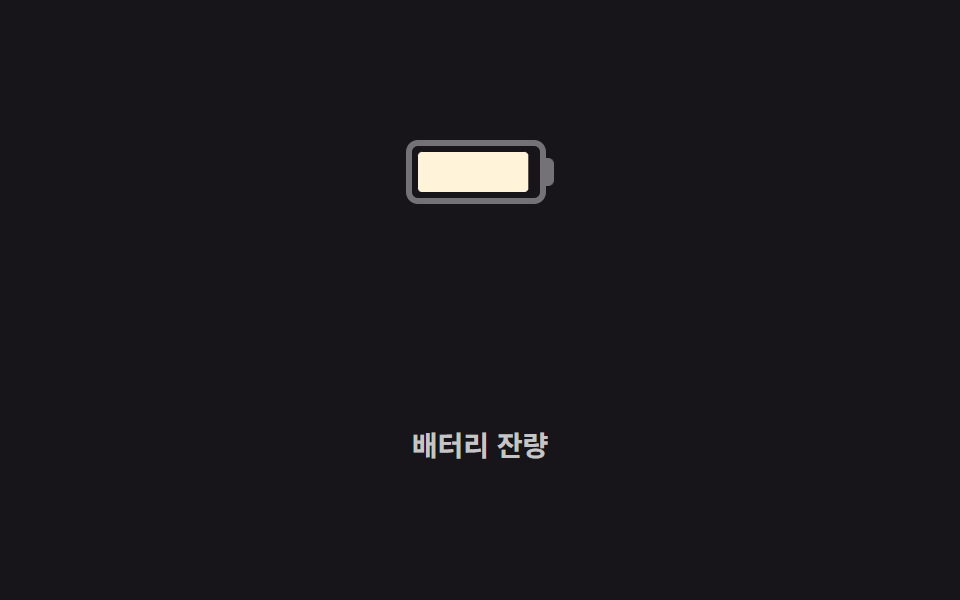
Phần chạy đầy bên trong khung hình pin co giãn qua scaleX, chuyển từ màu kem sang vàng rồi sang đỏ gạch khi mức giảm, viền nhấp nháy nhẹ khi sắp cạn.
Dùng choHiển thị pin thiết bị, widget cảnh báo tài nguyên sắp cạn
scaleX색 임계값 전환테두리 펄스
<main class="stage">
  <div class="battery" role="progressbar" aria-valuemin="0" aria-valuemax="100" aria-valuenow="18" aria-label="Pin còn lại">
    <div class="battery__cell is-demo">
      <div class="battery__fill"></div>
    </div>
    <div class="battery__nub"></div>
  </div>
  <p class="cap">Pin còn lại</p>
</main>
@use "../../../../site/static/demo-tokens" as *;
// ── 변수 3개 ──────────────────────────────────────────
$duration: $dur-loop; // 100 → 낮음까지 소진되는 시간
$easing: linear;
$color: $subject-cream; // 가득 찼을 때 색
@include stage($stage-ink);
@property --percent {
syntax: "<number>";
inherits: false;
initial-value: 100;
}
.battery { display: flex; align-items: center; }
.battery__cell {
width: 70px;
height: 32px;
border: 3px solid rgba(255, 255, 255, .4);
border-radius: 6px;
padding: 3px;
box-sizing: border-box;
overflow: hidden;
}
.battery__nub { width: 4px; height: 14px; background: rgba(255, 255, 255, .4); border-radius: 0 3px 3px 0; }
.battery__fill {
--percent: 100;
height: 100%;
border-radius: 2px;
background: $color;
transform-origin: left center; // 규칙8: 좌변서 차오름
transform: scaleX(calc(var(--percent) / 100));
animation: drain $duration $easing infinite;
}
// 남은 양이 줄수록 색이 임계값마다 바뀐다 (초록 대신 브랜드 색 → 경고색, 토큰 밖 hex 를 새로 쓰지 않는다)
@keyframes drain {
0% { --percent: 100; background: #{$color}; }
55% { --percent: 35; background: #{$stage-yellow}; }
100% { --percent: 8; background: #{$error}; }
}
// 잔량이 낮아지는 마지막 구간에만 테두리가 살짝 깜빡인다
.battery__cell.is-demo { animation: pulse .6s ease-in-out infinite; animation-delay: 1.4s; }
@keyframes pulse { 0%, 100% { opacity: 1; } 50% { opacity: .55; } }
.cap {
margin: 14px 0 0;
color: rgba(255, 255, 255, .75);
font: 600 clamp(12px, 3.2vw, 14px)/1 -apple-system, "Segoe UI", "Noto Sans KR", sans-serif;
}
@media (prefers-reduced-motion: reduce) {
.battery__fill { animation: none; --percent: 18; background: #{$error}; }
.battery__cell.is-demo { animation: none; }
}html, body {
margin: 0;
overflow: hidden;
}
.stage {
box-sizing: border-box;
min-height: 100vh;
display: grid;
place-items: center;
margin: 0;
background: #17141a;
font-family: -apple-system, "Segoe UI", "Noto Sans KR", sans-serif;
padding: clamp(8px, 4vw, 24px);
}
@property --percent {
syntax: "<number>";
inherits: false;
initial-value: 100;
}
.battery {
display: flex;
align-items: center;
}
.battery__cell {
width: 70px;
height: 32px;
border: 3px solid rgba(255, 255, 255, 0.4);
border-radius: 6px;
padding: 3px;
box-sizing: border-box;
overflow: hidden;
}
.battery__nub {
width: 4px;
height: 14px;
background: rgba(255, 255, 255, 0.4);
border-radius: 0 3px 3px 0;
}
.battery__fill {
--percent: 100;
height: 100%;
border-radius: 2px;
background: #fff7e6;
transform-origin: left center;
transform: scaleX(calc(var(--percent) / 100));
animation: drain 2s linear infinite;
}
@keyframes drain {
0% {
--percent: 100;
background: #fff7e6;
}
55% {
--percent: 35;
background: #ffd23f;
}
100% {
--percent: 8;
background: #c2361a;
}
}
.battery__cell.is-demo {
animation: pulse 0.6s ease-in-out infinite;
animation-delay: 1.4s;
}
@keyframes pulse {
0%, 100% {
opacity: 1;
}
50% {
opacity: 0.55;
}
}
.cap {
margin: 14px 0 0;
color: rgba(255, 255, 255, 0.75);
font: 600 clamp(12px, 3.2vw, 14px)/1 -apple-system, "Segoe UI", "Noto Sans KR", sans-serif;
}
@media (prefers-reduced-motion: reduce) {
.battery__fill {
animation: none;
--percent: 18;
background: #c2361a;
}
.battery__cell.is-demo {
animation: none;
}
}import type { CSSProperties } from "react";
import styles from "./BatteryGauge.module.scss";
export type BatteryGaugeProps = {
/** 0~100 */
percent: number;
duration?: number;
easing?: string;
colorFull?: string;
colorMid?: string;
colorLow?: string;
label?: string;
};
type Vars = CSSProperties & {
"--duration"?: string;
"--easing"?: string;
"--percent"?: number;
"--fill"?: string;
};
export default function BatteryGauge({
percent,
duration = 600,
easing = "linear",
colorFull = "#fff7e6",
colorMid = "#ffd23f",
colorLow = "#c2361a",
label,
}: BatteryGaugeProps) {
const p = Math.max(0, Math.min(100, percent));
const fill = p > 55 ? colorFull : p > 20 ? colorMid : colorLow;
const vars: Vars = { "--duration": `${duration}ms`, "--easing": easing, "--percent": p, "--fill": fill };
return (
<div
className={p <= 15 ? `${styles.battery} ${styles.low}` : styles.battery}
style={vars}
role="progressbar"
aria-valuemin={0}
aria-valuemax={100}
aria-valuenow={p}
aria-label={label}
>
<div className={styles.cell}>
<div className={styles.fill} />
</div>
<div className={styles.nub} />
</div>
);
}09 Gauge hình pin — Diện tích đo được 1.205% · khung hình chuyển động 23/23Nguyên tác GODRICH · SCSS và React nằm trong tệp zip · 9 CSS Progress Bar Circle Gauges — chỉ cần đổi số
Bài viết chứa demo này
 9 CSS Progress Bar Circle Gauges — chỉ cần đổi sốCSS progress bar circle là thanh và vòng tiến trình chỉ cần đổi một con số để vẽ lại toàn bộ. Chín kiểu dưới đây đều chạ Xem tất cả demo trong bài này