06Cài đặt CSS Modules + SCSS
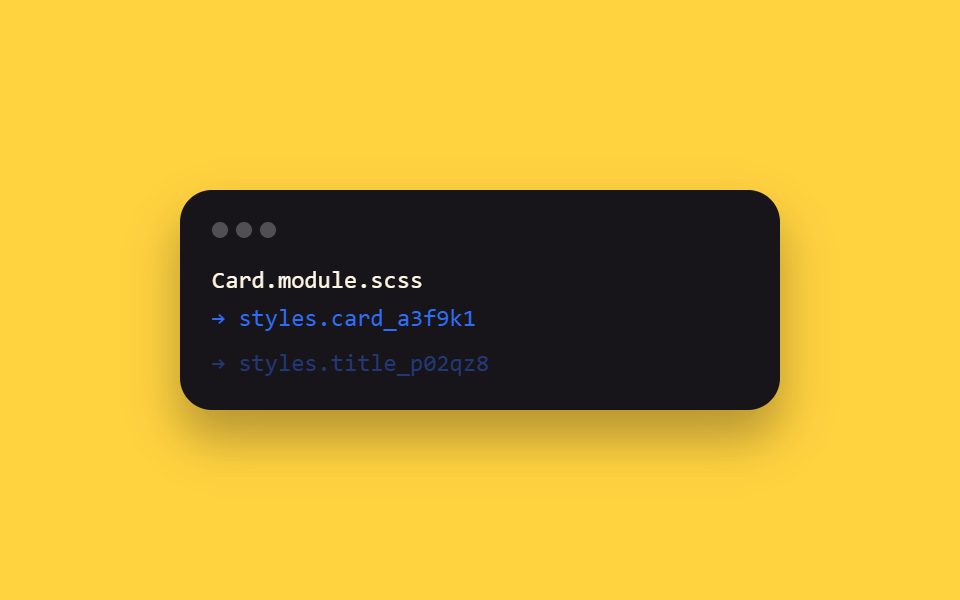
Đây là mục meta — bộ build thật mà cả chín thư mục react/ trong bài dựa vào: file *.module.scss biên dịch thành classname cục bộ kiểu styles.foo, style bị nhốt trong từng component, không xung đột toàn cục.
Dùng choMọi dự án React muốn dùng SCSS theo phạm vi component
*.module.scssstyles.cardscoped classname
<main class="stage">
  <div class="cm-term is-demo">
    <div class="cm-term__bar"><span></span><span></span><span></span></div>
    <div class="cm-term__line cm-term__line--1">Card.module.scss</div>
    <div class="cm-term__line cm-term__line--2">→ styles.card_a3f9k1</div>
    <div class="cm-term__line cm-term__line--3">→ styles.title_p02qz8</div>
  </div>
</main>
@use "../../../../site/static/demo-tokens" as *;
// ── 변수 3개 ──────────────────────────────────────────
$duration: $dur-quick;
$easing: $ease-out;
$color: $subject-blue;
@include stage($stage-yellow);
.cm-term {
width: min(300px, 90vw);
box-sizing: border-box;
padding: $sp-4;
border-radius: $r-card;
background: $subject-ink;
box-shadow: $shadow-raised;
font: 500 12px/1.6 "SFMono-Regular", Consolas, monospace;
color: $subject-cream;
}
.cm-term__bar {
display: flex;
gap: $sp-1;
margin-bottom: $sp-3;
span {
width: $sp-2; height: $sp-2; border-radius: $r-pill;
background: rgba(255, 255, 255, .25);
}
}
.cm-term__line {
opacity: 0;
transform: translateY(4px);
}
.cm-term__line--2 { color: $color; }
.cm-term__line--3 { color: $color; }
// 실사용 원리: *.module.scss 는 빌드 시 클래스명을 styles.foo → foo_a3f9k1 같은
// 지역 스코프 해시로 바꿔 컴파일한다. 여기서는 그 컴파일 로그가 한 줄씩 찍히는 걸 보여준다.
@keyframes cm-line {
0%, 8% { opacity: 0; transform: translateY(4px); }
20%, 92% { opacity: 1; transform: none; }
100% { opacity: 0; transform: translateY(4px); }
}
.cm-term.is-demo .cm-term__line--1 { animation: cm-line $dur-loop $easing infinite; animation-delay: 0ms; }
.cm-term.is-demo .cm-term__line--2 { animation: cm-line $dur-loop $easing infinite; animation-delay: 220ms; }
.cm-term.is-demo .cm-term__line--3 { animation: cm-line $dur-loop $easing infinite; animation-delay: 440ms; }
@media (prefers-reduced-motion: reduce) {
.cm-term.is-demo .cm-term__line { animation: none !important; opacity: 1; transform: none; }
}html, body {
margin: 0;
overflow: hidden;
}
.stage {
box-sizing: border-box;
min-height: 100vh;
display: grid;
place-items: center;
margin: 0;
background: #ffd23f;
font-family: -apple-system, "Segoe UI", "Noto Sans KR", sans-serif;
padding: clamp(8px, 4vw, 24px);
}
.cm-term {
width: min(300px, 90vw);
box-sizing: border-box;
padding: 16px;
border-radius: 16px;
background: #17141a;
box-shadow: 0 14px 24px rgba(23, 20, 26, 0.32);
font: 500 12px/1.6 "SFMono-Regular", Consolas, monospace;
color: #fff7e6;
}
.cm-term__bar {
display: flex;
gap: 4px;
margin-bottom: 12px;
}
.cm-term__bar span {
width: 8px;
height: 8px;
border-radius: 999px;
background: rgba(255, 255, 255, 0.25);
}
.cm-term__line {
opacity: 0;
transform: translateY(4px);
}
.cm-term__line--2 {
color: #2f6df6;
}
.cm-term__line--3 {
color: #2f6df6;
}
@keyframes cm-line {
0%, 8% {
opacity: 0;
transform: translateY(4px);
}
20%, 92% {
opacity: 1;
transform: none;
}
100% {
opacity: 0;
transform: translateY(4px);
}
}
.cm-term.is-demo .cm-term__line--1 {
animation: cm-line 2s ease-out infinite;
animation-delay: 0ms;
}
.cm-term.is-demo .cm-term__line--2 {
animation: cm-line 2s ease-out infinite;
animation-delay: 220ms;
}
.cm-term.is-demo .cm-term__line--3 {
animation: cm-line 2s ease-out infinite;
animation-delay: 440ms;
}
@media (prefers-reduced-motion: reduce) {
.cm-term.is-demo .cm-term__line {
animation: none !important;
opacity: 1;
transform: none;
}
}import { CSSProperties } from "react";
import styles from "./CssModulesSetup.module.scss";
export interface CssModulesSetupProps {
duration?: string;
easing?: string;
}
// This item is meta: styles.card and styles.title below aren't hardcoded strings —
// they're exactly what CSS Modules generated from the classnames in
// CssModulesSetup.module.scss at build time (e.g. "card_a3f9k1"). Rendering them is
// literally what this whole post's react/ folder relies on.
export default function CssModulesSetup({
duration = "220ms",
easing = "ease-out",
}: CssModulesSetupProps) {
const style: CSSProperties & { "--duration"?: string; "--easing"?: string } = {
"--duration": duration,
"--easing": easing,
};
return (
<div className={styles.term} style={style}>
<div className={styles.bar}><span /><span /><span /></div>
<div className={styles.line}>Card.module.scss</div>
<div className={styles.accent}>styles.card → "{styles.card}"</div>
<div className={styles.accent}>styles.title → "{styles.title}"</div>
</div>
);
}06 Cài đặt CSS Modules + SCSS — Diện tích đo được 1.792% · khung hình chuyển động 9/23Nguyên tác GODRICH · SCSS và React nằm trong tệp zip · 9 hiệu ứng react css animation không cần library
Bài viết chứa demo này
 9 hiệu ứng react css animation không cần libraryReact css animation là cách thêm chuyển động cho component bằng chính CSS, không cần cài library. Chín hiệu ứng dưới đây Xem tất cả demo trong bài này