03Lắc lư như jello
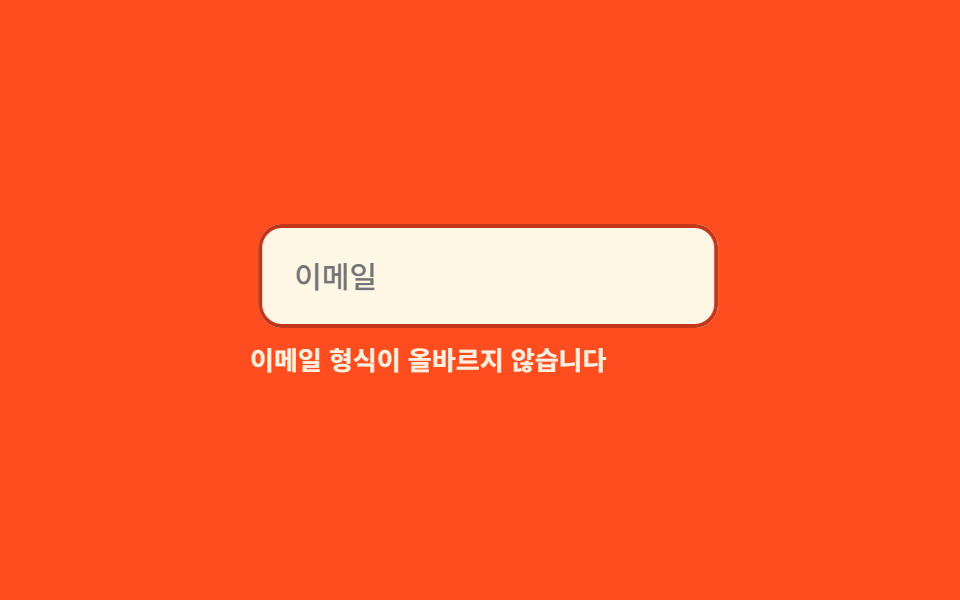
Nút lưu thất bại lắc lư như thạch bằng keyframe jello xen kẽ skewX với skewY, rồi từ từ lặng xuống.
Dùng choNút lưu lỗi, badge báo thanh toán thất bại
skewXskewY800ms

<main class="stage">
  <div class="je is-demo">
    <button class="je__btn" type="button">Lưu</button>
    <p class="je__msg">Không lưu được. Vui lòng thử lại</p>
  </div>
</main>
@use "../../../../site/static/demo-tokens" as *;
$duration: 800ms; // 출렁임이 잦아드는 데 걸리는 시간
$easing: $ease-out;
$color: $error;
@include stage($stage-orange);
.je { width: min(240px, 86vw); display: flex; flex-direction: column; align-items: center; gap: $sp-3; }
.je__btn {
box-sizing: border-box;
padding: $sp-2 $sp-6;
border: 0;
border-radius: $r-control;
background: $subject-ink;
color: $subject-cream;
font-weight: 600;
font-size: 14px;
line-height: 1;
font-family: inherit;
transform-origin: center;
}
.je__msg { margin: 0; color: $subject-ink; font-weight: 500; font-size: 11px; line-height: 1.3; font-family: inherit; text-align: center; }
@keyframes je-jello {
0%, 100% { transform: none; }
15% { transform: skewX(-9deg) skewY(-9deg); }
30% { transform: skewX(7deg) skewY(7deg); }
45% { transform: skewX(-5deg) skewY(-5deg); }
60% { transform: skewX(3deg) skewY(3deg); }
75% { transform: skewX(-2deg) skewY(-2deg); }
90% { transform: skewX(1deg) skewY(1deg); }
}
// 실제 동작: 저장 실패 응답을 받으면 .je--jello 가 한 번 붙는다
.je__btn.je--jello { animation: je-jello $duration $easing; }
// 데모 루프
.je.is-demo .je__btn { animation: je-jello $duration $easing infinite; }
@media (prefers-reduced-motion: reduce) {
.je__btn.je--jello,
.je.is-demo .je__btn { animation: none !important; }
}html, body {
margin: 0;
overflow: hidden;
}
.stage {
box-sizing: border-box;
min-height: 100vh;
display: grid;
place-items: center;
margin: 0;
background: #ff4d1f;
font-family: -apple-system, "Segoe UI", "Noto Sans KR", sans-serif;
padding: clamp(8px, 4vw, 24px);
}
.je {
width: min(240px, 86vw);
display: flex;
flex-direction: column;
align-items: center;
gap: 12px;
}
.je__btn {
box-sizing: border-box;
padding: 8px 24px;
border: 0;
border-radius: 12px;
background: #17141a;
color: #fff7e6;
font-weight: 600;
font-size: 14px;
line-height: 1;
font-family: inherit;
transform-origin: center;
}
.je__msg {
margin: 0;
color: #17141a;
font-weight: 500;
font-size: 11px;
line-height: 1.3;
font-family: inherit;
text-align: center;
}
@keyframes je-jello {
0%, 100% {
transform: none;
}
15% {
transform: skewX(-9deg) skewY(-9deg);
}
30% {
transform: skewX(7deg) skewY(7deg);
}
45% {
transform: skewX(-5deg) skewY(-5deg);
}
60% {
transform: skewX(3deg) skewY(3deg);
}
75% {
transform: skewX(-2deg) skewY(-2deg);
}
90% {
transform: skewX(1deg) skewY(1deg);
}
}
.je__btn.je--jello {
animation: je-jello 800ms ease-out;
}
.je.is-demo .je__btn {
animation: je-jello 800ms ease-out infinite;
}
@media (prefers-reduced-motion: reduce) {
.je__btn.je--jello,
.je.is-demo .je__btn {
animation: none !important;
}
}import { useState } from "react";
import type { CSSProperties } from "react";
import styles from "./JelloWobble.module.scss";
export type JelloWobbleProps = {
duration?: number;
easing?: string;
color?: string;
};
type Vars = CSSProperties & { "--duration"?: string; "--easing"?: string; "--color"?: string };
export default function JelloWobble({ duration = 800, easing = "ease-out", color = "#c2361a" }: JelloWobbleProps) {
const [run, setRun] = useState(0);
const vars: Vars = { "--duration": `${duration}ms`, "--easing": easing, "--color": color };
return (
<div className={styles.je} style={vars}>
<button key={run} type="button" className={`${styles.btn} ${styles.jello}`} onClick={() => setRun((n) => n + 1)}>
저장
</button>
<p className={styles.msg}>저장하지 못했습니다. 다시 시도하세요</p>
</div>
);
}03 Lắc lư như jello — Diện tích đo được 1.069% · khung hình chuyển động 23/23Nguyên tác GODRICH · SCSS và React nằm trong tệp zip · 9 css shake animation — hiệu ứng rung báo lỗi form
Bài viết chứa demo này
 9 css shake animation — hiệu ứng rung báo lỗi formBạn từng thấy ô mật khẩu rung qua rung lại khi gõ sai chưa? Đó là css shake animation — vài dòng CSS, không cần JS, đủ b Xem tất cả demo trong bài này