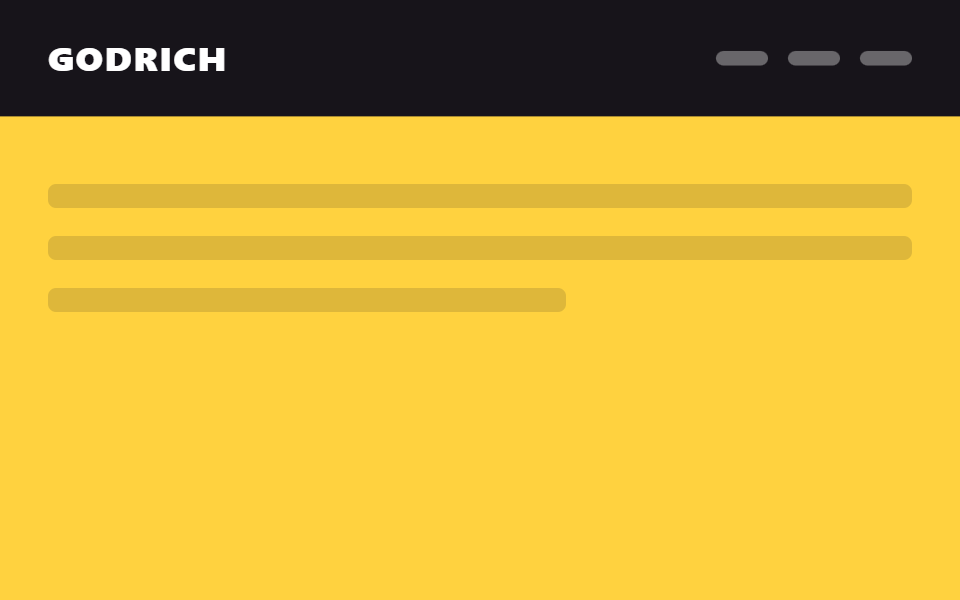
08Nút CTA trượt vào
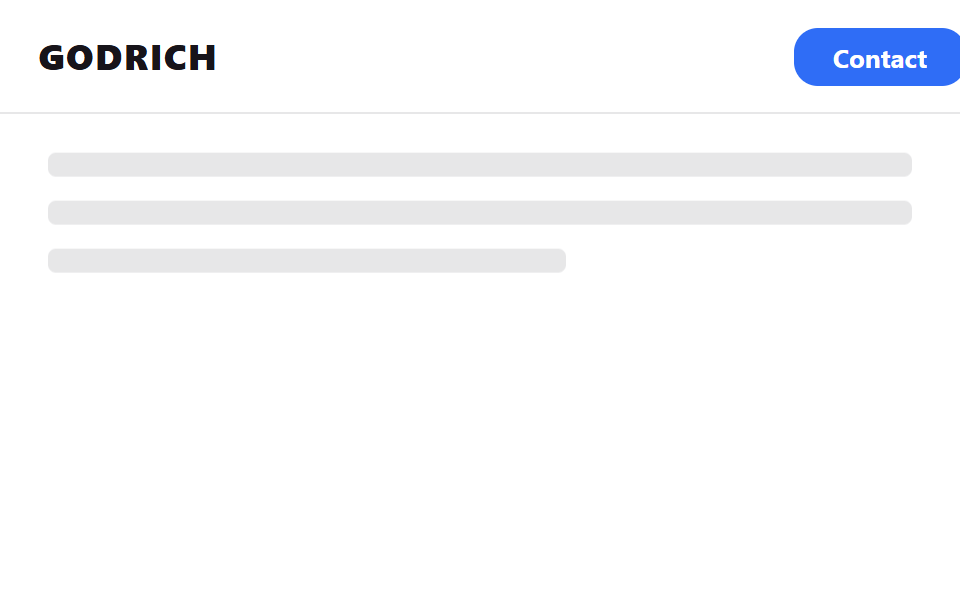
Phải cuộn qua một ngưỡng nhất định thì nút mua hàng hay liên hệ mới trượt từ ngoài màn hình vào nằm ở mép phải header.
Dùng choThúc đẩy mua hàng ở trang landing, đăng ký tư vấn ở trang bán hàng
translateX(100%)→0스크롤 임계값transform만
<main class="stage">
  <header class="head is-demo">
    <span class="head__logo">GODRICH</span>
    <button class="head__cta" type="button" tabindex="-1">Contact</button>
  </header>
  <div class="page">
    <p class="page__line"></p>
    <p class="page__line"></p>
    <p class="page__line short"></p>
  </div>
</main>
@use "../../../../site/static/demo-tokens" as *;
// ── 변수 3개. 변형은 이것만 바꾼다 ──────────────────────────
$duration: $dur-base; // 버튼이 들어오는 시간
// 관성 lerp — p += (목표-p) * .32 를 20스텝 반복한 계산 결과를 커브로 굽는다 (형태 2차, 사용자 2026-09-14)
$easing: linear(0, .32, .538, .686, .786, .855, .901, .933, .954, .969, .979, .986, .99, .993, .995, .997, .998, .999, .999, .999, 1);
$easing-content: linear(0, .18, .328, .449, .548, .629, .696, .751, .796, .832, .863, .887, .908, .924, .938, .949, .958, .966, .972, .977, 1); // 알파 .18 — CTA보다 느리게 따라잡아 시차가 생긴다
$dur-content: $dur-base * 1.4;
$color: $subject-blue; // CTA 배경
// ── 데모 무대 ──────────────────────────────────────────
html, body { margin: 0; overflow: hidden; }
.stage {
min-height: 100vh;
margin: 0;
overflow: hidden; // CTA 는 평상시 translateX(140%) 로 화면 밖에 쉰다 — html,body 의 overflow:hidden 은
// 자기 자신에게만 scrollWidth 를 clientWidth 로 눌러줄 뿐, body.scrollWidth 는 여전히
// 실제 콘텐츠 폭(581px@480 · 409px@320)을 그대로 보고한다 (실측, 128-08). .stage 자체를 잘라야 한다.
background: $stage-paper;
font-family: -apple-system, "Segoe UI", "Noto Sans KR", sans-serif;
}
.head {
position: sticky;
top: 0;
height: 56px;
display: flex;
align-items: center;
justify-content: space-between;
gap: $sp-3;
padding: 0 clamp(12px, 4vw, 24px);
background: $stage-paper;
border-bottom: 1px solid rgba($stage-ink, .1);
&__logo { color: $stage-ink; font-weight: 800; font-size: 18px; line-height: 1; font-family: inherit; letter-spacing: .04em; }
&__cta {
flex: 0 0 auto;
padding: $sp-2 clamp($sp-3, 4vw, $sp-5);
border: 0;
border-radius: $r-control;
background: $color;
color: $stage-paper;
font-weight: 700;
font-size: 13px;
line-height: 1;
font-family: inherit;
cursor: pointer;
transform: translateX(140%);
transition: transform $duration $easing;
}
// 실제 사용: 120px 넘게 스크롤해야 버튼이 화면 밖에서 미끄러져 들어온다
&.is-scrolled &__cta { transform: translateX(0); }
}
// ── 데모(.is-demo): 버튼이 나갔다 들어왔다 2초 루프 ──────
.head.is-demo .head__cta {
animation: cta-slide $dur-loop $easing infinite;
}
@keyframes cta-slide {
0%, 10% { transform: translateX(140%); }
40%, 65% { transform: translateX(0); }
95%, 100% { transform: translateX(140%); }
}
// 콘텐츠는 CTA 들어옴보다 늦게 따라온다 — 시차 스크롤
.head.is-scrolled ~ .page { transform: translateY(-8px); }
.head.is-demo ~ .page { animation: page-parallax $dur-loop $easing-content infinite; }
@keyframes page-parallax {
0%, 10% { transform: translateY(0); }
40%, 65% { transform: translateY(-8px); }
95%, 100% { transform: translateY(0); }
}
// ── 배경: 문서처럼 보이는 자리 ─────────────────────────
.page {
padding: $sp-6 $sp-6 0;
transform: translateY(0);
transition: transform $dur-content $easing-content;
}
.page__line {
height: 12px;
margin: 0 0 $sp-3;
border-radius: $r-xs;
background: rgba($stage-ink, .1);
&.short { width: 60%; }
}
// ── 접근성: 움직임 줄이기 설정이면 즉시 상태만 바뀐다 ────────
@media (prefers-reduced-motion: reduce) {
.head__cta { transition: none; }
.head.is-demo .head__cta { animation: none !important; transform: translateX(0); }
.page { transition: none; }
.head.is-demo ~ .page { animation: none !important; transform: translateY(0); }
}html, body {
margin: 0;
overflow: hidden;
}
.stage {
min-height: 100vh;
margin: 0;
overflow: hidden;
background: #ffffff;
font-family: -apple-system, "Segoe UI", "Noto Sans KR", sans-serif;
}
.head {
position: sticky;
top: 0;
height: 56px;
display: flex;
align-items: center;
justify-content: space-between;
gap: 12px;
padding: 0 clamp(12px, 4vw, 24px);
background: #ffffff;
border-bottom: 1px solid rgba(23, 20, 26, 0.1);
}
.head__logo {
color: #17141a;
font-weight: 800;
font-size: 18px;
line-height: 1;
font-family: inherit;
letter-spacing: 0.04em;
}
.head__cta {
flex: 0 0 auto;
padding: 8px clamp(12px, 4vw, 20px);
border: 0;
border-radius: 12px;
background: #2f6df6;
color: #ffffff;
font-weight: 700;
font-size: 13px;
line-height: 1;
font-family: inherit;
cursor: pointer;
transform: translateX(140%);
transition: transform 300ms linear(0, 0.32, 0.538, 0.686, 0.786, 0.855, 0.901, 0.933, 0.954, 0.969, 0.979, 0.986, 0.99, 0.993, 0.995, 0.997, 0.998, 0.999, 0.999, 0.999, 1);
}
.head.is-scrolled .head__cta {
transform: translateX(0);
}
.head.is-demo .head__cta {
animation: cta-slide 2s linear(0, 0.32, 0.538, 0.686, 0.786, 0.855, 0.901, 0.933, 0.954, 0.969, 0.979, 0.986, 0.99, 0.993, 0.995, 0.997, 0.998, 0.999, 0.999, 0.999, 1) infinite;
}
@keyframes cta-slide {
0%, 10% {
transform: translateX(140%);
}
40%, 65% {
transform: translateX(0);
}
95%, 100% {
transform: translateX(140%);
}
}
.head.is-scrolled ~ .page {
transform: translateY(-8px);
}
.head.is-demo ~ .page {
animation: page-parallax 2s linear(0, 0.18, 0.328, 0.449, 0.548, 0.629, 0.696, 0.751, 0.796, 0.832, 0.863, 0.887, 0.908, 0.924, 0.938, 0.949, 0.958, 0.966, 0.972, 0.977, 1) infinite;
}
@keyframes page-parallax {
0%, 10% {
transform: translateY(0);
}
40%, 65% {
transform: translateY(-8px);
}
95%, 100% {
transform: translateY(0);
}
}
.page {
padding: 24px 24px 0;
transform: translateY(0);
transition: transform 420ms linear(0, 0.18, 0.328, 0.449, 0.548, 0.629, 0.696, 0.751, 0.796, 0.832, 0.863, 0.887, 0.908, 0.924, 0.938, 0.949, 0.958, 0.966, 0.972, 0.977, 1);
}
.page__line {
height: 12px;
margin: 0 0 12px;
border-radius: 4px;
background: rgba(23, 20, 26, 0.1);
}
.page__line.short {
width: 60%;
}
@media (prefers-reduced-motion: reduce) {
.head__cta {
transition: none;
}
.head.is-demo .head__cta {
animation: none !important;
transform: translateX(0);
}
.page {
transition: none;
}
.head.is-demo ~ .page {
animation: none !important;
transform: translateY(0);
}
}// 실제 페이지: 스크롤을 120px 넘게 내려야 구매·문의 버튼이 화면 밖에서 들어온다 (7줄)
var head = document.querySelector('.head');
window.addEventListener('scroll', function () {
head.classList.toggle('is-scrolled', window.scrollY > 120);
}, { passive: true });import { useEffect, useState } from "react";
import type { CSSProperties } from "react";
import styles from "./CtaHeader.module.scss";
export type CtaHeaderProps = {
logo: string;
label: string;
/** 이 값(px)을 넘게 스크롤해야 버튼이 들어온다 (기본 120) */
threshold?: number;
/** 버튼이 들어오는 시간 (기본 300ms) */
duration?: number;
/** 관성 lerp 커브(p += (목표-p)*.32 를 20스텝 반복해 구운 linear()) — 기본값이 vanilla 와 같다 */
easing?: string;
color?: string;
};
// vanilla 128 과 같은 관성 lerp 커브 — p += (목표-p)*.32 를 20스텝 반복해 구운 linear()
const LERP_EASING = "linear(0, .32, .538, .686, .786, .855, .901, .933, .954, .969, .979, .986, .99, .993, .995, .997, .998, .999, .999, .999, 1)";
type Vars = CSSProperties & { "--duration"?: string; "--easing"?: string; "--color"?: string };
export default function CtaHeader({
logo,
label,
threshold = 120,
duration = 300,
easing = LERP_EASING,
color = "#2f6df6",
}: CtaHeaderProps) {
const [visible, setVisible] = useState(false);
const vars: Vars = { "--duration": `${duration}ms`, "--easing": easing, "--color": color };
useEffect(() => {
function onScroll() {
setVisible(window.scrollY > threshold);
}
window.addEventListener("scroll", onScroll, { passive: true });
return () => window.removeEventListener("scroll", onScroll);
}, [threshold]);
return (
<header className={styles.head} style={vars}>
<span className={styles.logo}>{logo}</span>
<button
type="button"
className={visible ? `${styles.cta} ${styles.visible}` : styles.cta}
tabIndex={visible ? 0 : -1}
>
{label}
</button>
</header>
);
}08 Nút CTA trượt vào — Diện tích đo được 14.556% · khung hình chuyển động 12/23Nguyên tác GODRICH · SCSS và React nằm trong tệp zip · 9 mẫu css sticky header — copy-paste là chạy
Bài viết chứa demo này
 9 mẫu css sticky header — copy-paste là chạyCss sticky header là cách giữ hàng menu trên cùng bám mãi trên màn hình dù cuộn xuống đâu, chỉ một dòng position: sticky Xem tất cả demo trong bài này