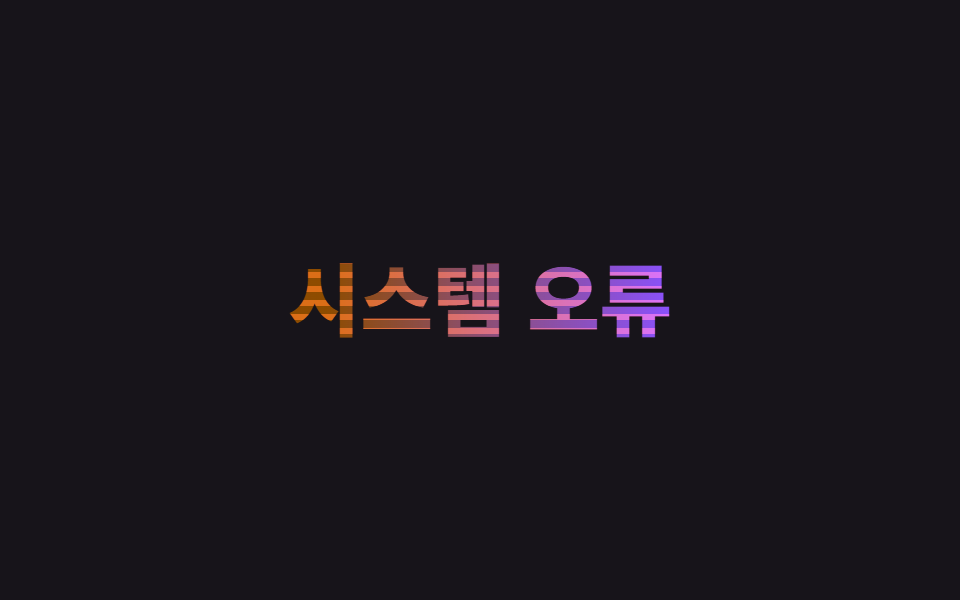
05Chữ glitch
Hai lớp màu khác nhau xếp chồng, vị trí của mask-image dải ngang nhảy cóc theo timing steps() làm scanline vỡ vụn, cùng lúc filter:hue-rotate giật ngắn khiến màu lệch tức thời — không cắt mảnh bằng clip-path.
Dùng choTiêu đề banner lỗi và cảnh báo, thông báo bảo trì hệ thống
mask-image steps()hue-rotate스캔라인
<main class="stage">
  <h1 class="glitch" data-text="Lỗi hệ thống">
    <span class="glitch__base">Lỗi hệ thống</span>
    <span class="glitch__r" aria-hidden="true">Lỗi hệ thống</span>
    <span class="glitch__b" aria-hidden="true">Lỗi hệ thống</span>
  </h1>
</main>
@use "../../../../site/static/demo-tokens" as *;
$duration: $dur-loop; // 스캔라인이 어긋났다 돌아오는 한 주기
$easing: steps(2, jump-none); // 부드럽게 잇지 않고 뚝뚝 끊겨야 글리치답다
$color: $error; // 어긋나는 레이어 한쪽 색
@include stage($stage-ink);
.glitch {
position: relative;
margin: 0;
font-weight: 800; font-size: clamp(26px, 8.2vw, 42px); line-height: 1.2; font-family: inherit;
text-align: center;
}
.glitch__base, .glitch__r, .glitch__b {
display: block;
grid-area: 1 / 1;
}
.glitch { display: grid; }
.glitch__base {
background: linear-gradient(90deg, $color, $subject-blue);
-webkit-background-clip: text;
background-clip: text;
color: transparent;
-webkit-text-fill-color: transparent;
animation: hue-jump $duration $easing infinite;
}
// clip-path 로 조각내 밀어내는 대신, 가로줄 mask 를 뚝뚝 끊어 옮겨 스캔라인이 깨지는 것처럼 보이게 한다
.glitch__r, .glitch__b {
position: absolute; inset: 0;
mix-blend-mode: screen;
-webkit-mask-image: repeating-linear-gradient(to bottom, #000 0 3px, transparent 3px 7px);
mask-image: repeating-linear-gradient(to bottom, #000 0 3px, transparent 3px 7px);
}
.glitch__r { color: $color; animation: mask-jump-r $duration $easing infinite; }
.glitch__b { color: $subject-blue; animation: mask-jump-b $duration $easing infinite; }
@keyframes mask-jump-r {
0%, 40%, 100% { -webkit-mask-position: 0 0; mask-position: 0 0; opacity: 0; }
45%, 55% { -webkit-mask-position: 0 3px; mask-position: 0 3px; opacity: .9; }
}
@keyframes mask-jump-b {
0%, 60%, 100% { -webkit-mask-position: 0 0; mask-position: 0 0; opacity: 0; }
65%, 75% { -webkit-mask-position: 0 -3px; mask-position: 0 -3px; opacity: .9; }
}
@keyframes hue-jump {
0%, 48%, 52%, 100% { filter: hue-rotate(0deg); }
50% { filter: hue-rotate(35deg); }
}
@media (prefers-reduced-motion: reduce) {
.glitch__base { animation: none; }
.glitch__r, .glitch__b { animation: none; opacity: 0; }
}html, body {
margin: 0;
overflow: hidden;
}
.stage {
box-sizing: border-box;
min-height: 100vh;
display: grid;
place-items: center;
margin: 0;
background: #17141a;
font-family: -apple-system, "Segoe UI", "Noto Sans KR", sans-serif;
padding: clamp(8px, 4vw, 24px);
}
.glitch {
position: relative;
margin: 0;
font-weight: 800;
font-size: clamp(26px, 8.2vw, 42px);
line-height: 1.2;
font-family: inherit;
text-align: center;
}
.glitch__base, .glitch__r, .glitch__b {
display: block;
grid-area: 1/1;
}
.glitch {
display: grid;
}
.glitch__base {
background: linear-gradient(90deg, #c2361a, #2f6df6);
-webkit-background-clip: text;
background-clip: text;
color: transparent;
-webkit-text-fill-color: transparent;
animation: hue-jump 2s steps(2, jump-none) infinite;
}
.glitch__r, .glitch__b {
position: absolute;
inset: 0;
mix-blend-mode: screen;
-webkit-mask-image: repeating-linear-gradient(to bottom, #000 0 3px, transparent 3px 7px);
mask-image: repeating-linear-gradient(to bottom, #000 0 3px, transparent 3px 7px);
}
.glitch__r {
color: #c2361a;
animation: mask-jump-r 2s steps(2, jump-none) infinite;
}
.glitch__b {
color: #2f6df6;
animation: mask-jump-b 2s steps(2, jump-none) infinite;
}
@keyframes mask-jump-r {
0%, 40%, 100% {
-webkit-mask-position: 0 0;
mask-position: 0 0;
opacity: 0;
}
45%, 55% {
-webkit-mask-position: 0 3px;
mask-position: 0 3px;
opacity: 0.9;
}
}
@keyframes mask-jump-b {
0%, 60%, 100% {
-webkit-mask-position: 0 0;
mask-position: 0 0;
opacity: 0;
}
65%, 75% {
-webkit-mask-position: 0 -3px;
mask-position: 0 -3px;
opacity: 0.9;
}
}
@keyframes hue-jump {
0%, 48%, 52%, 100% {
filter: hue-rotate(0deg);
}
50% {
filter: hue-rotate(35deg);
}
}
@media (prefers-reduced-motion: reduce) {
.glitch__base {
animation: none;
}
.glitch__r, .glitch__b {
animation: none;
opacity: 0;
}
}import type { CSSProperties } from "react";
import styles from "./GlitchText.module.scss";
export type GlitchTextProps = {
text: string;
/** 스캔라인이 어긋났다 돌아오는 한 주기 (기본 2000ms) */
duration?: number;
easing?: string;
/** 어긋나는 레이어 한쪽 색 */
color?: string;
};
type Vars = CSSProperties & { "--duration"?: string; "--easing"?: string; "--color"?: string };
export default function GlitchText({
text,
duration = 2000,
easing = "steps(2, jump-none)",
color = "#c2361a",
}: GlitchTextProps) {
const vars: Vars = { "--duration": `${duration}ms`, "--easing": easing, "--color": color };
return (
<h1 className={styles.glitch} style={vars}>
<span className={styles.base}>{text}</span>
<span className={styles.r} aria-hidden="true">{text}</span>
<span className={styles.b} aria-hidden="true">{text}</span>
</h1>
);
}05 Chữ glitch — Diện tích đo được 2.345% · khung hình chuyển động 6/23Nguyên tác GODRICH · SCSS và React nằm trong tệp zip · 9 CSS Text Shine Animation — dán 1 dòng là chạy
Bài viết chứa demo này
 9 CSS Text Shine Animation — dán 1 dòng là chạyCSS text shine animation là các hiệu ứng CSS thuần khiến chữ phát sáng hoặc đổi màu liên tục, không cần ảnh hay JavaScri Xem tất cả demo trong bài này