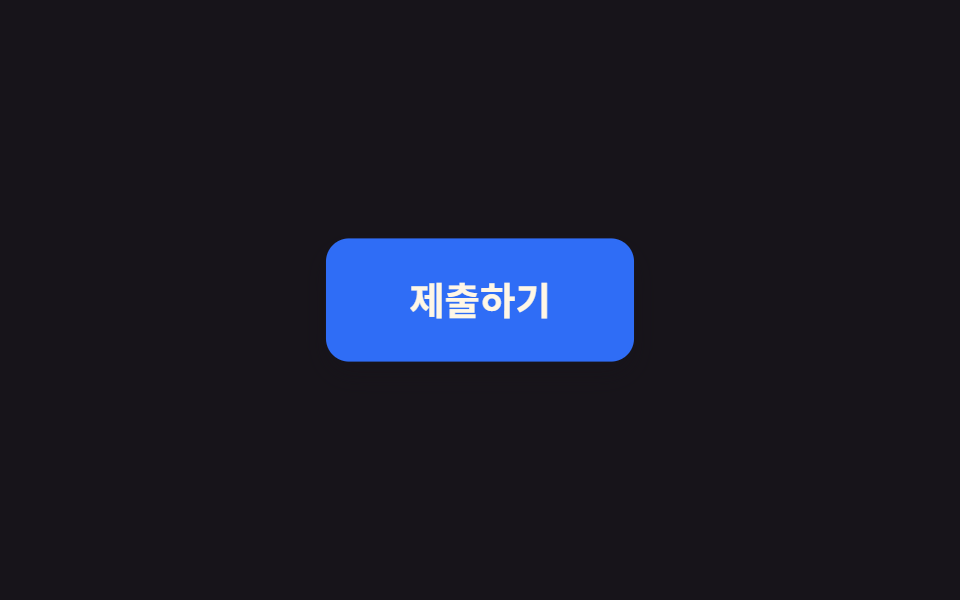
01Nút lún xuống khi nhấn
Nút co lại còn scale(0.96) ngay khi bạn nhấn giữ và bật lại kiểu lò xo khi thả tay, cho cảm giác đã bấm trúng.
Dùng choNút gửi, thẻ có thể bấm, nút icon
scale(0.96)스프링 이징active 상태

<main class="stage">
  <button class="btn is-demo" type="button">Gửi</button>
</main>
@use "../../../../site/static/demo-tokens" as *;
// ── 변수 3개. 변형은 이것만 바꾼다 ──────────────────────────
$duration: $dur-quick; // 눌렸다 돌아오는 시간
$easing: $ease-spring; // 처음 빠르고 끝은 스프링처럼
$color: $subject-blue; // 버튼 색
// ── 데모 무대 ──────────────────────────────────────────
@include stage($stage-ink);
.btn {
border: 0;
border-radius: $r-control;
padding: clamp(14px, 5vw, 22px) clamp(28px, 9vw, 56px);
font-weight: 700;
font-size: clamp(15px, 4.4vw, 20px);
line-height: 1;
font-family: inherit;
color: $subject-cream;
background: $color;
cursor: pointer;
-webkit-tap-highlight-color: transparent;
transform: scale(1);
box-shadow: $shadow-raised;
transition: transform $duration $easing, box-shadow $duration $easing;
&:active {
transform: scale(.96);
box-shadow: $shadow-press;
}
// 데모 · 문서용: 스스로 눌렸다 돌아오길 2초마다 반복한다
&.is-demo {
animation: press-loop $dur-loop $easing infinite;
}
}
@keyframes press-loop {
0%, 12% { transform: scale(1); box-shadow: $shadow-raised; }
22% { transform: scale(.96); box-shadow: $shadow-press; }
38%, 100% { transform: scale(1); box-shadow: $shadow-raised; }
}
// ── 접근성: 움직임 줄이기 설정이면 순간 전환만 ────────────
@media (prefers-reduced-motion: reduce) {
.btn { transition: none; }
.btn.is-demo { animation: none; }
.btn:active { transform: none; box-shadow: $shadow-press; }
}html, body {
margin: 0;
overflow: hidden;
}
.stage {
box-sizing: border-box;
min-height: 100vh;
display: grid;
place-items: center;
margin: 0;
background: #17141a;
font-family: -apple-system, "Segoe UI", "Noto Sans KR", sans-serif;
padding: clamp(8px, 4vw, 24px);
}
.btn {
border: 0;
border-radius: 12px;
padding: clamp(14px, 5vw, 22px) clamp(28px, 9vw, 56px);
font-weight: 700;
font-size: clamp(15px, 4.4vw, 20px);
line-height: 1;
font-family: inherit;
color: #fff7e6;
background: #2f6df6;
cursor: pointer;
-webkit-tap-highlight-color: transparent;
transform: scale(1);
box-shadow: 0 14px 24px rgba(23, 20, 26, 0.32);
transition: transform 220ms cubic-bezier(0.2, 0.8, 0.2, 1), box-shadow 220ms cubic-bezier(0.2, 0.8, 0.2, 1);
}
.btn:active {
transform: scale(0.96);
box-shadow: 0 6px 12px rgba(23, 20, 26, 0.32);
}
.btn.is-demo {
animation: press-loop 2s cubic-bezier(0.2, 0.8, 0.2, 1) infinite;
}
@keyframes press-loop {
0%, 12% {
transform: scale(1);
box-shadow: 0 14px 24px rgba(23, 20, 26, 0.32);
}
22% {
transform: scale(0.96);
box-shadow: 0 6px 12px rgba(23, 20, 26, 0.32);
}
38%, 100% {
transform: scale(1);
box-shadow: 0 14px 24px rgba(23, 20, 26, 0.32);
}
}
@media (prefers-reduced-motion: reduce) {
.btn {
transition: none;
}
.btn.is-demo {
animation: none;
}
.btn:active {
transform: none;
box-shadow: 0 6px 12px rgba(23, 20, 26, 0.32);
}
}// 실제 클릭에선 :active 만으로 눌림이 즉시 반응한다. 데모(.is-demo)는 손을 대면 자동 루프를 멈춘다.
document.querySelector('.btn').addEventListener('pointerdown', function (e) {
e.currentTarget.classList.remove('is-demo');
});import type { CSSProperties, MouseEvent, ReactNode } from "react";
import styles from "./PressScaleButton.module.scss";
export type PressScaleButtonProps = {
children: ReactNode;
/** 눌렸다 돌아오는 시간 (기본 220ms) */
duration?: number;
/** CSS easing (기본 스프링) */
easing?: string;
/** 버튼 색 */
color?: string;
onClick?: (e: MouseEvent<HTMLButtonElement>) => void;
type?: "button" | "submit";
className?: string;
};
type Vars = CSSProperties & {
"--duration"?: string;
"--easing"?: string;
"--color"?: string;
};
export default function PressScaleButton({
children,
duration = 220,
easing = "cubic-bezier(.2,.8,.2,1)",
color = "#2f6df6",
onClick,
type = "button",
className = "",
}: PressScaleButtonProps) {
const vars: Vars = {
"--duration": `${duration}ms`,
"--easing": easing,
"--color": color,
};
return (
<button type={type} className={`${styles.btn} ${className}`} style={vars} onClick={onClick}>
{children}
</button>
);
}01 Nút lún xuống khi nhấn — Diện tích đo được 1.256% · khung hình chuyển động 7/23Nguyên tác GODRICH · SCSS và React nằm trong tệp zip · 9 micro interactions css — dán 1 dòng chạy ngay
Bài viết chứa demo này
 9 micro interactions css — dán 1 dòng chạy ngayMicro interactions css là những phản hồi cực nhỏ trên giao diện — nút lún xuống, icon đổi hình, toast xếp chồng — báo ch Xem tất cả demo trong bài này