06Pointer attraction — a pulled bridge that tears
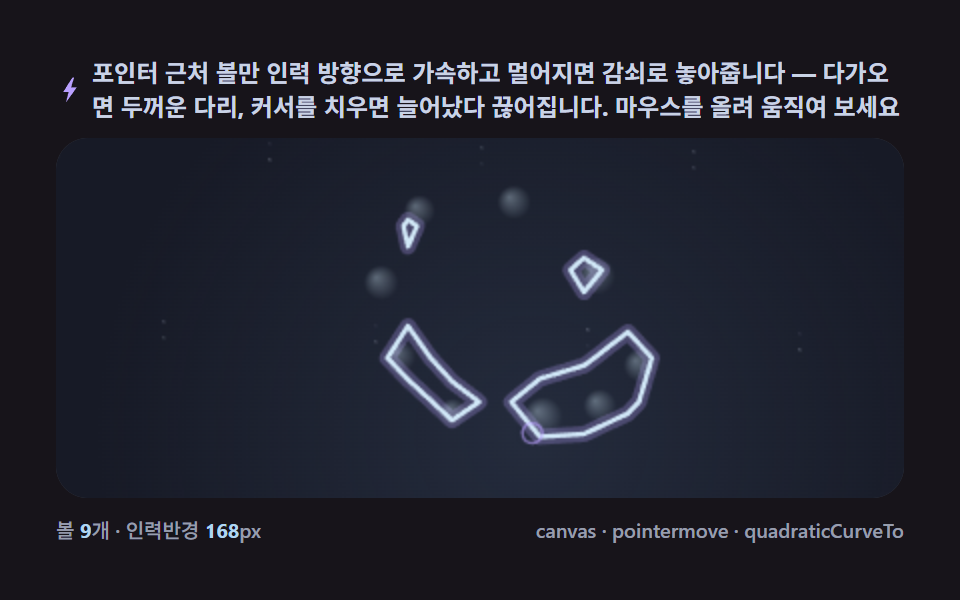
Accelerate only balls near the pointer toward it and release the rest with damping — a thick bridge forms on approach and stretches until it snaps the moment the cursor leaves, all from arithmetic.
Best forTouch-responsive intros and playful landings
addEventListenerrequestAnimationFramequadraticCurveTo
<main class="stage">
<div class="cd is-demo" id="cdRoot">
  <p class="cd__hint">
    <svg class="cd__ico" viewBox="0 0 256 256" aria-hidden="true"><path fill="currentColor" d="M150 14 66 146h49l-24 96 99-138h-52l28-90z"/></svg>
    <span>Only the balls near the pointer accelerate toward it, then ease off as it moves away — get close and a thick bridge forms; pull the cursor off and it stretches until it snaps. Hover and move your mouse to try it</span>
  </p>
  <div class="cd__field" id="cdField" role="application" aria-label="Pointer-Attraction Metaball test panel" tabindex="0">
    <canvas class="cd__cv" id="cdCv"></canvas>
  </div>
  <div class="cd__bar">
    <span class="cd__meta">balls <b class="cd__val" id="cdN">9</b>count · attraction radius <b class="cd__val">168</b>px</span>
    <span class="cd__meta cd__meta--dim">canvas · pointermove · quadraticCurveTo</span>
  </div>
</div>
</main>
@use "../../../../site/static/demo-tokens" as *;
// 포인터 인력(06). @keyframes 를 아예 두지 않는다 —
// 움직임은 전부 캔버스 rAF 루프(포인터 인력 가속 + 마칭 스퀘어 재추출)가 만든다.
// 무대는 잉크(06 = ink, BD11 순환). pointermove 없는 렌더 환경은 원운동 자동 순찰이 대신한다.
$duration: $dur-loop;
$easing: $ease-spring;
$color: $subject-sky;
@include stage($stage-ink);
// ── 편 공통 파스텔 팔레트(317 전 항목 동일 — JS 가 --pull-* 로 읽는다) ──
$pull-ink: #171a26; // 어스름 무대 — 잉크보다 한 단계 남색 기운
$pull-dusk: #3d4d68; // 인력장 안개 — 포인터 주변이 밝아지는 색
$pull-body: #b0d6f1; // 액체 본체 — 하늘색
$pull-hi: #d8f0ff; // 하이라이트·테두리 — 연하늘
$pull-ring: #b9a0ff; // 포인터 링·글로우 — 라일락
$pull-mist: #c9d3e6; // 먼지·보조 글자
.cd {
// 렌더러가 읽는 색 — JS 는 getComputedStyle 로 --pull-* 를 받아 쓴다
--pull-ink: #{$pull-ink};
--pull-dusk: #{$pull-dusk};
--pull-body: #{$pull-body};
--pull-hi: #{$pull-hi};
--pull-ring: #{$pull-ring};
--pull-mist: #{$pull-mist};
display: flex; flex-direction: column; gap: $sp-2;
width: 100%; max-width: 424px;
}
.cd__hint {
display: flex; align-items: center; gap: $sp-1; margin: 0;
font-weight: 700; font-size: clamp(10px, 2.8vw, 12px); line-height: 1.35;
color: $pull-mist; // 잉크 무대 위 — 먼 먼지 톤 글자
}
.cd__ico { width: 14px; height: 14px; flex: none; color: $pull-ring; }
.cd__field {
position: relative; height: 180px;
border-radius: $r-card; overflow: hidden;
background: $pull-ink;
box-shadow: inset 0 0 0 1px rgba($pull-mist, .18);
cursor: pointer;
}
.cd__field:focus-visible { outline: 2px solid $pull-ring; outline-offset: 2px; }
.cd__cv { display: block; width: 100%; height: 100%; }
.cd__bar { display: flex; align-items: baseline; justify-content: space-between; gap: $sp-2; }
.cd__meta { font-size: 10px; font-weight: 500; color: rgba($pull-mist, .72); }
.cd__val { color: $pull-body; font-weight: 700; } // 잉크 위 하늘색 라벨
.cd__meta--dim { font-size: 10px; }
@media (max-width: 340px) {
.cd { gap: $sp-1; }
.cd__field { height: 100px; }
.cd__meta--dim { display: none; }
}
// reduce — rAF 없이 시뮬레이션 몇 걸음 뒤의 한 장.
@media (prefers-reduced-motion: reduce) {
.cd.is-still .cd__field { cursor: default !important; }
}html, body {
margin: 0;
overflow: hidden;
}
.stage {
box-sizing: border-box;
min-height: 100vh;
display: grid;
place-items: center;
margin: 0;
background: #17141a;
font-family: -apple-system, "Segoe UI", "Noto Sans KR", sans-serif;
padding: clamp(8px, 4vw, 24px);
}
.cd {
--pull-ink: #171a26;
--pull-dusk: #3d4d68;
--pull-body: #b0d6f1;
--pull-hi: #d8f0ff;
--pull-ring: #b9a0ff;
--pull-mist: #c9d3e6;
display: flex;
flex-direction: column;
gap: 8px;
width: 100%;
max-width: 424px;
}
.cd__hint {
display: flex;
align-items: center;
gap: 4px;
margin: 0;
font-weight: 700;
font-size: clamp(10px, 2.8vw, 12px);
line-height: 1.35;
color: #c9d3e6;
}
.cd__ico {
width: 14px;
height: 14px;
flex: none;
color: #b9a0ff;
}
.cd__field {
position: relative;
height: 180px;
border-radius: 16px;
overflow: hidden;
background: #171a26;
box-shadow: inset 0 0 0 1px rgba(201, 211, 230, 0.18);
cursor: pointer;
}
.cd__field:focus-visible {
outline: 2px solid #b9a0ff;
outline-offset: 2px;
}
.cd__cv {
display: block;
width: 100%;
height: 100%;
}
.cd__bar {
display: flex;
align-items: baseline;
justify-content: space-between;
gap: 8px;
}
.cd__meta {
font-size: 10px;
font-weight: 500;
color: rgba(201, 211, 230, 0.72);
}
.cd__val {
color: #b0d6f1;
font-weight: 700;
}
.cd__meta--dim {
font-size: 10px;
}
@media (max-width: 340px) {
.cd {
gap: 4px;
}
.cd__field {
height: 100px;
}
.cd__meta--dim {
display: none;
}
}
@media (prefers-reduced-motion: reduce) {
.cd.is-still .cd__field {
cursor: default !important;
}
}// 포인터 인력 메타볼(06). 포인터(또는 자동 모드의 가상 포인터) 반경 안의 볼만 인력 방향으로
// 가속하고, 반경 밖으로 나가면 감쇠하며 원래 궤도로 놓아준다. 필드는 마칭 스퀘어로 매 프레임
// 경계를 다시 추출해 quadraticCurveTo 로 잇는다 — 볼이 몰리면 두꺼운 다리가, 흩어지면 가는 목이
// 늘어나다 끊어진다(임계값을 넘던 셀이 넘지 못하면 다리가 자연히 사라진다). pointermove 없으면
// (렌더 환경) 원운동 자동 순찰 경로를 따라가는 가상 포인터가 같은 인력을 만든다(is-demo 자동 모드).
(function () {
// ── 변형 상수 블록 — 아래 값 하나만 바꿔 변형을 만든다 ──
var N_BALLS = 9; // balls 수
var PULL_R = 168; // 인력 반경(px)
var PULL_K = 3.4; // 인력 가속 배율
// ────────────────────────────────────────────────────
var GRID = 22; // 마칭 스퀘어 격자(px)
var THR = 1.05; // 임계값
var root = document.getElementById('cdRoot');
var field = document.getElementById('cdField');
var cv = document.getElementById('cdCv');
var ctx = cv.getContext('2d');
var nOut = document.getElementById('cdN');
// 시드 고정 PRNG — mulberry32
function makeRand(seed) {
var st = seed >>> 0;
return function () {
st = (st + 0x6D2B79F5) >>> 0;
var t = st;
t = Math.imul(t ^ (t >>> 15), t | 1);
t ^= t + Math.imul(t ^ (t >>> 7), t | 61);
return ((t ^ (t >>> 14)) >>> 0) / 4294967296;
};
}
var rand = makeRand(0x317A06);
// 색은 CSS 커스텀 프로퍼티(--pull-*)에서 getComputedStyle 로 읽는다
var css = getComputedStyle(root);
function tokRGB(name) {
var s = css.getPropertyValue(name).trim();
var hx = s.length === 4
? s.charAt(1) + s.charAt(1) + s.charAt(2) + s.charAt(2) + s.charAt(3) + s.charAt(3)
: s.slice(1);
return [parseInt(hx.slice(0, 2), 16), parseInt(hx.slice(2, 4), 16), parseInt(hx.slice(4, 6), 16)];
}
var C_INK = tokRGB('--pull-ink');
var C_DUSK = tokRGB('--pull-dusk');
var C_BODY = tokRGB('--pull-body');
var C_HI = tokRGB('--pull-hi');
var C_RING = tokRGB('--pull-ring');
var C_MIST = tokRGB('--pull-mist');
var TAU = Math.PI * 2;
var reduce = window.matchMedia('(prefers-reduced-motion: reduce)').matches;
var W = 0, H = 0;
var raf = 0, t0 = -1;
var STILL_T = 1.4;
var balls = [];
var hasPointer = false; // pointermove 를 한 번이라도 받았는가
var ptrX = 0, ptrY = 0;
var cols = 0, rows = 0, fieldGrid = null;
function build() {
balls = [];
for (var i = 0; i < N_BALLS; i++) {
var ang = (i / N_BALLS) * TAU;
var rad = Math.min(W, H) * (0.24 + rand() * 0.14);
balls.push({
homeX: W * 0.5 + Math.cos(ang) * rad,
homeY: H * 0.5 + Math.sin(ang) * rad,
x: W * 0.5 + Math.cos(ang) * rad,
y: H * 0.5 + Math.sin(ang) * rad,
r: 12 + rand() * 7,
vx: 0, vy: 0,
ph: rand() * TAU
});
}
cols = Math.ceil(W / GRID) + 1;
rows = Math.ceil(H / GRID) + 1;
fieldGrid = new Float32Array(cols * rows);
ptrX = W * 0.5; ptrY = H * 0.5;
}
function fieldAt(px, py) {
var s = 0;
for (var i = 0; i < balls.length; i++) {
var b = balls[i];
var dx = px - b.x, dy = py - b.y;
var q = (dx * dx + dy * dy) / (b.r * b.r);
s += 1 / (1 + q);
}
return s;
}
function sampleGrid() {
for (var j = 0; j < rows; j++) {
for (var i = 0; i < cols; i++) {
fieldGrid[j * cols + i] = fieldAt(i * GRID, j * GRID);
}
}
}
function lerpPt(x1, y1, v1, x2, y2, v2) {
var t = (THR - v1) / (v2 - v1 || 1e-6);
t = Math.max(0, Math.min(1, t));
return [x1 + (x2 - x1) * t, y1 + (y2 - y1) * t];
}
// ── 마칭 스퀘어 — 16경우 테이블로 경계 세그먼트를 뽑는다 ──
function march() {
var segs = [];
for (var j = 0; j < rows - 1; j++) {
for (var i = 0; i < cols - 1; i++) {
var x = i * GRID, y = j * GRID;
var vTL = fieldGrid[j * cols + i];
var vTR = fieldGrid[j * cols + i + 1];
var vBR = fieldGrid[(j + 1) * cols + i + 1];
var vBL = fieldGrid[(j + 1) * cols + i];
var code = (vTL > THR ? 8 : 0) | (vTR > THR ? 4 : 0) | (vBR > THR ? 2 : 0) | (vBL > THR ? 1 : 0);
if (code === 0 || code === 15) continue;
var top = lerpPt(x, y, vTL, x + GRID, y, vTR);
var right = lerpPt(x + GRID, y, vTR, x + GRID, y + GRID, vBR);
var bottom = lerpPt(x + GRID, y + GRID, vBR, x, y + GRID, vBL);
var left = lerpPt(x, y + GRID, vBL, x, y, vTL);
switch (code) {
case 1: case 14: segs.push([left, bottom]); break;
case 2: case 13: segs.push([bottom, right]); break;
case 3: case 12: segs.push([left, right]); break;
case 4: case 11: segs.push([top, right]); break;
case 6: case 9: segs.push([top, bottom]); break;
case 7: case 8: segs.push([left, top]); break;
case 5: segs.push([left, top]); segs.push([bottom, right]); break;
case 10: segs.push([top, right]); segs.push([left, bottom]); break;
}
}
}
return segs;
}
function rgba(c, a) { return 'rgba(' + c[0] + ',' + c[1] + ',' + c[2] + ',' + a + ')'; }
function mix(c1, c2, k) {
return [c1[0] + (c2[0] - c1[0]) * k, c1[1] + (c2[1] - c1[1]) * k, c1[2] + (c2[2] - c1[2]) * k];
}
function update(t, dt) {
// 자동 모드 — pointermove 가 없으면 원운동 순찰 경로를 가상 포인터로 쓴다
if (!hasPointer) {
var a = t * 0.7;
ptrX = W * 0.5 + Math.cos(a) * W * 0.34;
ptrY = H * 0.5 + Math.sin(a * 1.15) * H * 0.32;
}
var m = 16;
for (var i = 0; i < balls.length; i++) {
var b = balls[i];
var dx = ptrX - b.x, dy = ptrY - b.y;
var d = Math.hypot(dx, dy) || 1;
if (d < PULL_R) {
var pull = (1 - d / PULL_R) * PULL_K;
b.vx += (dx / d) * pull * 60 * dt;
b.vy += (dy / d) * pull * 60 * dt;
} else {
// 감쇠 — 홈 위치로 서서히 되돌아간다
b.vx += (b.homeX - b.x) * 0.9 * dt;
b.vy += (b.homeY - b.y) * 0.9 * dt;
}
// 살짝 배회 — 정지 상태를 피한다
b.vx += Math.cos(t * 0.8 + b.ph) * 3 * dt;
b.vy += Math.sin(t * 0.9 + b.ph) * 3 * dt;
b.vx *= 0.9; b.vy *= 0.9;
b.x += b.vx * dt; b.y += b.vy * dt;
if (b.x < m) { b.x = m; b.vx *= -0.4; }
if (b.x > W - m) { b.x = W - m; b.vx *= -0.4; }
if (b.y < m) { b.y = m; b.vy *= -0.4; }
if (b.y > H - m) { b.y = H - m; b.vy *= -0.4; }
}
}
function draw(t) {
ctx.globalCompositeOperation = 'source-over';
ctx.fillStyle = rgba(C_INK, 1);
ctx.fillRect(0, 0, W, H);
// 인력장 안개 — 포인터 주변이 은은히 밝다(배경도 함께 숨쉰다)
var fog = ctx.createRadialGradient(ptrX, ptrY, 0, ptrX, ptrY, PULL_R * 1.3);
fog.addColorStop(0, rgba(C_DUSK, 0.34));
fog.addColorStop(1, rgba(C_DUSK, 0));
ctx.fillStyle = fog;
ctx.fillRect(0, 0, W, H);
sampleGrid();
var segs = march();
var path = new Path2D();
for (var s = 0; s < segs.length; s++) {
var sg = segs[s];
path.moveTo(sg[0][0], sg[0][1]);
path.quadraticCurveTo(sg[0][0], sg[0][1], (sg[0][0] + sg[1][0]) / 2, (sg[0][1] + sg[1][1]) / 2);
path.lineTo(sg[1][0], sg[1][1]);
}
// 글로우 겹
ctx.strokeStyle = rgba(C_RING, 0.28);
ctx.lineWidth = 8;
ctx.lineCap = 'round';
ctx.stroke(path);
// 본체
ctx.fillStyle = rgba(C_BODY, 0.9);
ctx.strokeStyle = rgba(C_HI, 0.95);
ctx.lineWidth = 2.4;
ctx.stroke(path);
// balls 하이라이트
for (var i = 0; i < balls.length; i++) {
var b = balls[i];
var rr = b.r * 0.55;
var g = ctx.createRadialGradient(b.x - rr * 0.3, b.y - rr * 0.3, 0, b.x, b.y, rr);
g.addColorStop(0, rgba(C_HI, 0.35));
g.addColorStop(1, rgba(C_HI, 0));
ctx.fillStyle = g;
ctx.fillRect(b.x - rr, b.y - rr, rr * 2, rr * 2);
}
// 포인터 표시 — 자동/실제 공통
ctx.beginPath();
ctx.arc(ptrX, ptrY, 5, 0, TAU);
ctx.strokeStyle = rgba(C_RING, 0.6);
ctx.lineWidth = 1.4;
ctx.stroke();
// 먼지
for (var k = 0; k < 16; k++) {
var a = 0.05 + 0.2 * (0.5 + 0.5 * Math.sin(t * (0.7 + k * 0.13) + k));
var px = ((k * 53) % W); var py = ((k * 91) % H);
ctx.fillStyle = rgba(C_MIST, a);
ctx.fillRect(px, py, 1.4, 1.4);
}
}
function fit() {
var r = field.getBoundingClientRect();
W = Math.max(2, Math.round(r.width));
H = Math.max(2, Math.round(r.height));
cv.width = W; cv.height = H;
}
// 포인터 — 첫 이동부터 추적. field 밖으로 나가도 마지막 좌표를 유지한다
field.addEventListener('pointermove', function (ev) {
var r = field.getBoundingClientRect();
ptrX = ev.clientX - r.left;
ptrY = ev.clientY - r.top;
hasPointer = true;
});
field.addEventListener('pointerleave', function () {
hasPointer = false; // 커서를 치우면 다시 자동 순찰로 — 다리가 늘어났다 끊어진다
});
function frame(now) {
if (t0 < 0) t0 = now;
var t = (now - t0) / 1000;
var dt = Math.min(0.05, (now - (frame.prev || now)) / 1000);
frame.prev = now;
update(t, dt);
draw(t);
raf = requestAnimationFrame(frame);
}
window.addEventListener('resize', function () {
fit(); build();
if (reduce) draw(STILL_T);
});
fit();
build();
nOut.textContent = String(N_BALLS);
if (reduce) {
for (var q = 0; q < 40; q++) update(STILL_T, 1 / 60);
draw(STILL_T);
root.classList.add('is-still');
} else {
raf = requestAnimationFrame(frame);
}
})();// PointerAttract — vanilla 판(run/317/demo/06-metaball-pointer-attract-split/index.html) 의 React 포트.
// 포인터 인력 — 포인터(또는 자동 모드의 가상 포인터) 반경 안의 볼만 인력 방향으로 가속하고,
// 반경 밖으로 나가면 감쇠하며 원래 궤도로 놓아준다. 필드는 마칭 스퀘어로 매 프레임 경계를 다시
// 추출해 quadraticCurveTo 로 잇는다 — 볼이 몰리면 두꺼운 다리가, 흩어지면 가는 목이 늘어나다 끊어진다.
// pointermove 없으면(렌더 환경) 원운동 자동 순찰 경로를 따라가는 가상 포인터가 같은 인력을 만든다.
import { useEffect, useRef, useState } from "react";
import type { CSSProperties } from "react";
import styles from "./PointerAttract.module.scss";
export type PointerAttractProps = {
duration?: string;
easing?: string;
color?: string;
count?: number; // 볼 수
pullRadius?: number; // 인력 반경(px)
pullStrength?: number; // 인력 가속 배율
};
type Vars = CSSProperties & { "--duration"?: string; "--easing"?: string; "--color"?: string };
type Box<T> = { current: T };
type RGB = [number, number, number];
type Pt = [number, number];
type Ball = { homeX: number; homeY: number; x: number; y: number; r: number; vx: number; vy: number; ph: number };
const FIELD_LABEL = "포인터 인력 메타볼 실험판";
const TAU = Math.PI * 2;
const GRID = 22;
const THR = 1.05;
function makePRNG(seed: number): () => number {
let s = seed >>> 0;
return function () {
s = (s + 0x6d2b79f5) >>> 0;
let t = s;
t = Math.imul(t ^ (t >>> 15), t | 1);
t ^= t + Math.imul(t ^ (t >>> 7), t | 61);
return ((t ^ (t >>> 14)) >>> 0) / 4294967296;
};
}
export default function PointerAttract({
duration = "2s",
easing = "cubic-bezier(.2, .8, .2, 1)",
color = "#6ec8ff",
count = 9,
pullRadius = 168,
pullStrength = 3.4,
}: PointerAttractProps) {
const rootRef = useRef<HTMLDivElement | null>(null);
const fieldRef = useRef<HTMLDivElement | null>(null);
const cvRef = useRef<HTMLCanvasElement | null>(null);
const ctxRef = useRef<CanvasRenderingContext2D | null>(null);
const sizeRef = useRef({ w: 0, h: 0 }) as Box<{ w: number; h: number }>;
const colRef = useRef<Record<string, RGB> | null>(null);
const ballsRef = useRef<Ball[]>([]) as Box<Ball[]>;
const ptrRef = useRef({ x: 0, y: 0, has: false }) as Box<{ x: number; y: number; has: boolean }>;
const dimsRef = useRef({ cols: 0, rows: 0 }) as Box<{ cols: number; rows: number }>;
const fieldGridRef = useRef<Float32Array | null>(null);
const countRef = useRef(count) as Box<number>;
const pullRRef = useRef(pullRadius) as Box<number>;
const pullKRef = useRef(pullStrength) as Box<number>;
const rafRef = useRef(0) as Box<number>;
const [label, setLabel] = useState(String(count));
const [still, setStill] = useState(false);
const vars: Vars = { "--duration": duration, "--easing": easing, "--color": color };
function reduced(): boolean {
return window.matchMedia("(prefers-reduced-motion: reduce)").matches;
}
function build(): void {
const { w: W, h: H } = sizeRef.current;
if (W <= 0) return;
const rand = makePRNG(0x317a06);
const balls: Ball[] = [];
for (let i = 0; i < countRef.current; i++) {
const ang = (i / countRef.current) * TAU;
const rad = Math.min(W, H) * (0.24 + rand() * 0.14);
const hx = W * 0.5 + Math.cos(ang) * rad;
const hy = H * 0.5 + Math.sin(ang) * rad;
balls.push({ homeX: hx, homeY: hy, x: hx, y: hy, r: 12 + rand() * 7, vx: 0, vy: 0, ph: rand() * TAU });
}
ballsRef.current = balls;
dimsRef.current.cols = Math.ceil(W / GRID) + 1;
dimsRef.current.rows = Math.ceil(H / GRID) + 1;
fieldGridRef.current = new Float32Array(dimsRef.current.cols * dimsRef.current.rows);
ptrRef.current.x = W * 0.5;
ptrRef.current.y = H * 0.5;
}
// 필드 값 — 스무스 커널 r²/(r²+d²)
function fieldAt(px: number, py: number): number {
const balls = ballsRef.current;
let s = 0;
for (let i = 0; i < balls.length; i++) {
const b = balls[i];
const dx = px - b.x, dy = py - b.y;
const q = (dx * dx + dy * dy) / (b.r * b.r);
s += 1 / (1 + q);
}
return s;
}
function sampleGrid(): void {
const fg = fieldGridRef.current;
const { cols, rows } = dimsRef.current;
if (!fg) return;
for (let j = 0; j < rows; j++) {
for (let i = 0; i < cols; i++) {
fg[j * cols + i] = fieldAt(i * GRID, j * GRID);
}
}
}
function lerpPt(x1: number, y1: number, v1: number, x2: number, y2: number, v2: number): Pt {
let t = (THR - v1) / (v2 - v1 || 1e-6);
t = Math.max(0, Math.min(1, t));
return [x1 + (x2 - x1) * t, y1 + (y2 - y1) * t];
}
// ── 마칭 스퀘어 — 16경우 테이블로 경계 세그먼트를 뽑는다 ──
function march(): Pt[][] {
const fg = fieldGridRef.current;
const { cols, rows } = dimsRef.current;
if (!fg) return [];
const segs: Pt[][] = [];
for (let j = 0; j < rows - 1; j++) {
for (let i = 0; i < cols - 1; i++) {
const x = i * GRID, y = j * GRID;
const vTL = fg[j * cols + i];
const vTR = fg[j * cols + i + 1];
const vBR = fg[(j + 1) * cols + i + 1];
const vBL = fg[(j + 1) * cols + i];
const code = (vTL > THR ? 8 : 0) | (vTR > THR ? 4 : 0) | (vBR > THR ? 2 : 0) | (vBL > THR ? 1 : 0);
if (code === 0 || code === 15) continue;
const top = lerpPt(x, y, vTL, x + GRID, y, vTR);
const right = lerpPt(x + GRID, y, vTR, x + GRID, y + GRID, vBR);
const bottom = lerpPt(x + GRID, y + GRID, vBR, x, y + GRID, vBL);
const left = lerpPt(x, y + GRID, vBL, x, y, vTL);
switch (code) {
case 1: case 14: segs.push([left, bottom]); break;
case 2: case 13: segs.push([bottom, right]); break;
case 3: case 12: segs.push([left, right]); break;
case 4: case 11: segs.push([top, right]); break;
case 6: case 9: segs.push([top, bottom]); break;
case 7: case 8: segs.push([left, top]); break;
case 5: segs.push([left, top]); segs.push([bottom, right]); break;
case 10: segs.push([top, right]); segs.push([left, bottom]); break;
}
}
}
return segs;
}
function rgba(c: RGB, a: number): string {
return `rgba(${c[0]},${c[1]},${c[2]},${a})`;
}
function update(t: number, dt: number): void {
const { w: W, h: H } = sizeRef.current;
const ptr = ptrRef.current;
// 자동 모드 — pointermove 가 없으면 원운동 순찰 경로를 가상 포인터로 쓴다
if (!ptr.has) {
const a = t * 0.7;
ptr.x = W * 0.5 + Math.cos(a) * W * 0.34;
ptr.y = H * 0.5 + Math.sin(a * 1.15) * H * 0.32;
}
const m = 16;
const PULL_R = pullRRef.current, PULL_K = pullKRef.current;
const balls = ballsRef.current;
for (let i = 0; i < balls.length; i++) {
const b = balls[i];
const dx = ptr.x - b.x, dy = ptr.y - b.y;
const d = Math.hypot(dx, dy) || 1;
if (d < PULL_R) {
const pull = (1 - d / PULL_R) * PULL_K;
b.vx += (dx / d) * pull * 60 * dt;
b.vy += (dy / d) * pull * 60 * dt;
} else {
// 감쇠 — 홈 위치로 서서히 되돌아간다
b.vx += (b.homeX - b.x) * 0.9 * dt;
b.vy += (b.homeY - b.y) * 0.9 * dt;
}
// 살짝 배회 — 정지 상태를 피한다
b.vx += Math.cos(t * 0.8 + b.ph) * 3 * dt;
b.vy += Math.sin(t * 0.9 + b.ph) * 3 * dt;
b.vx *= 0.9; b.vy *= 0.9;
b.x += b.vx * dt; b.y += b.vy * dt;
if (b.x < m) { b.x = m; b.vx *= -0.4; }
if (b.x > W - m) { b.x = W - m; b.vx *= -0.4; }
if (b.y < m) { b.y = m; b.vy *= -0.4; }
if (b.y > H - m) { b.y = H - m; b.vy *= -0.4; }
}
}
function draw(t: number): void {
const ctx = ctxRef.current;
const col = colRef.current;
const { w: W, h: H } = sizeRef.current;
if (!ctx || !col) return;
const C_INK = col.ink, C_DUSK = col.dusk, C_BODY = col.body;
const C_HI = col.hi, C_RING = col.ring, C_MIST = col.mist;
const ptr = ptrRef.current;
ctx.globalCompositeOperation = "source-over";
ctx.fillStyle = rgba(C_INK, 1);
ctx.fillRect(0, 0, W, H);
// 인력장 안개 — 포인터 주변이 은은히 밝다(배경도 함께 숨쉰다)
const fog = ctx.createRadialGradient(ptr.x, ptr.y, 0, ptr.x, ptr.y, pullRRef.current * 1.3);
fog.addColorStop(0, rgba(C_DUSK, 0.34));
fog.addColorStop(1, rgba(C_DUSK, 0));
ctx.fillStyle = fog;
ctx.fillRect(0, 0, W, H);
sampleGrid();
const segs = march();
const path = new Path2D();
for (let s = 0; s < segs.length; s++) {
const sg = segs[s];
path.moveTo(sg[0][0], sg[0][1]);
path.quadraticCurveTo(sg[0][0], sg[0][1], (sg[0][0] + sg[1][0]) / 2, (sg[0][1] + sg[1][1]) / 2);
path.lineTo(sg[1][0], sg[1][1]);
}
// 글로우 겹
ctx.strokeStyle = rgba(C_RING, 0.28);
ctx.lineWidth = 8;
ctx.lineCap = "round";
ctx.stroke(path);
// 본체
ctx.strokeStyle = rgba(C_HI, 0.95);
ctx.lineWidth = 2.4;
ctx.stroke(path);
// 볼 하이라이트
const balls = ballsRef.current;
for (let i = 0; i < balls.length; i++) {
const b = balls[i];
const rr = b.r * 0.55;
const g = ctx.createRadialGradient(b.x - rr * 0.3, b.y - rr * 0.3, 0, b.x, b.y, rr);
g.addColorStop(0, rgba(C_HI, 0.35));
g.addColorStop(1, rgba(C_HI, 0));
ctx.fillStyle = g;
ctx.fillRect(b.x - rr, b.y - rr, rr * 2, rr * 2);
}
// 포인터 표시 — 자동/실제 공통
ctx.beginPath();
ctx.arc(ptr.x, ptr.y, 5, 0, TAU);
ctx.strokeStyle = rgba(C_RING, 0.6);
ctx.lineWidth = 1.4;
ctx.stroke();
// 먼지
for (let k = 0; k < 16; k++) {
const a = 0.05 + 0.2 * (0.5 + 0.5 * Math.sin(t * (0.7 + k * 0.13) + k));
const px = (k * 53) % W;
const py = (k * 91) % H;
ctx.fillStyle = rgba(C_MIST, a);
ctx.fillRect(px, py, 1.4, 1.4);
}
}
function fit(): void {
const field = fieldRef.current;
const cv = cvRef.current;
if (!field || !cv) return;
const ctx = cv.getContext("2d");
if (!ctx) return;
const r = field.getBoundingClientRect();
sizeRef.current = { w: Math.max(2, Math.round(r.width)), h: Math.max(2, Math.round(r.height)) };
cv.width = sizeRef.current.w;
cv.height = sizeRef.current.h;
ctxRef.current = ctx;
}
let t0 = -1;
let prev = 0;
function frame(now: number): void {
if (t0 < 0) t0 = now;
const t = (now - t0) / 1000;
const dt = Math.min(0.05, (now - (prev || now)) / 1000);
prev = now;
update(t, dt);
draw(t);
rafRef.current = requestAnimationFrame(frame);
}
useEffect(() => {
const root = rootRef.current;
const field = fieldRef.current;
if (!root || !field) return;
countRef.current = count;
pullRRef.current = pullRadius;
pullKRef.current = pullStrength;
const cs = getComputedStyle(root);
const tokRGB = (name: string): RGB => {
const s = cs.getPropertyValue(name).trim();
const hx = s.length === 4
? s.charAt(1) + s.charAt(1) + s.charAt(2) + s.charAt(2) + s.charAt(3) + s.charAt(3)
: s.slice(1);
return [parseInt(hx.slice(0, 2), 16), parseInt(hx.slice(2, 4), 16), parseInt(hx.slice(4, 6), 16)];
};
colRef.current = {
ink: tokRGB("--pull-ink"),
dusk: tokRGB("--pull-dusk"),
body: tokRGB("--pull-body"),
hi: tokRGB("--pull-hi"),
ring: tokRGB("--pull-ring"),
mist: tokRGB("--pull-mist"),
};
fit();
build();
setLabel(String(count));
// 포인터 — 첫 이동부터 추적. field 밖으로 나가면 자동 순찰로 돌아간다
const fld = field;
function onMove(ev: PointerEvent): void {
const r = fld.getBoundingClientRect();
ptrRef.current.x = ev.clientX - r.left;
ptrRef.current.y = ev.clientY - r.top;
ptrRef.current.has = true;
}
function onLeave(): void {
ptrRef.current.has = false; // 커서를 치우면 다시 자동 순찰로 — 다리가 늘어났다 끊어진다
}
function onResize(): void {
fit();
build();
if (reduced()) draw(1.4);
}
fld.addEventListener("pointermove", onMove);
fld.addEventListener("pointerleave", onLeave);
window.addEventListener("resize", onResize);
if (reduced()) {
for (let q = 0; q < 40; q++) update(1.4, 1 / 60);
draw(1.4);
setStill(true);
} else {
rafRef.current = requestAnimationFrame(frame);
}
return () => {
fld.removeEventListener("pointermove", onMove);
fld.removeEventListener("pointerleave", onLeave);
window.removeEventListener("resize", onResize);
cancelAnimationFrame(rafRef.current);
};
// eslint-disable-next-line react-hooks/exhaustive-deps
}, [count, pullRadius, pullStrength]);
const rootCls = still ? `${styles.root} ${styles.isStill}` : styles.root;
return (
<main className={styles.stage}>
<div className={rootCls} ref={rootRef} style={vars}>
<p className={styles.hint}>
<svg className={styles.ico} viewBox="0 0 256 256" aria-hidden="true"><path fill="currentColor" d="M150 14 66 146h49l-24 96 99-138h-52l28-90z"/></svg>
<span>포인터 근처 볼만 인력 방향으로 가속하고 멀어지면 감쇠로 놓아줍니다 — 다가오면 두꺼운 다리, 커서를 치우면 늘어났다 끊어집니다. 마우스를 올려 움직여 보세요</span>
</p>
<div
className={styles.field}
ref={fieldRef}
role="application"
aria-label={FIELD_LABEL}
tabIndex={0}
>
<canvas className={styles.cv} ref={cvRef}></canvas>
</div>
<div className={styles.bar}>
<span className={styles.meta}>볼 <b className={styles.val}>{label}</b>개 · 인력반경 <b className={styles.val}>{pullRadius}</b>px</span>
<span className={styles.metaDim}>canvas · pointermove · quadraticCurveTo</span>
</div>
</div>
</main>
);
}06 Pointer attraction — a pulled bridge that tears — Measured area 32.608% · moving frames 23/23Original by GODRICH · SCSS and React ship in the zip · 9 Metaball Effect Scenes, Marching Squares Canvas
The post this demo lives in
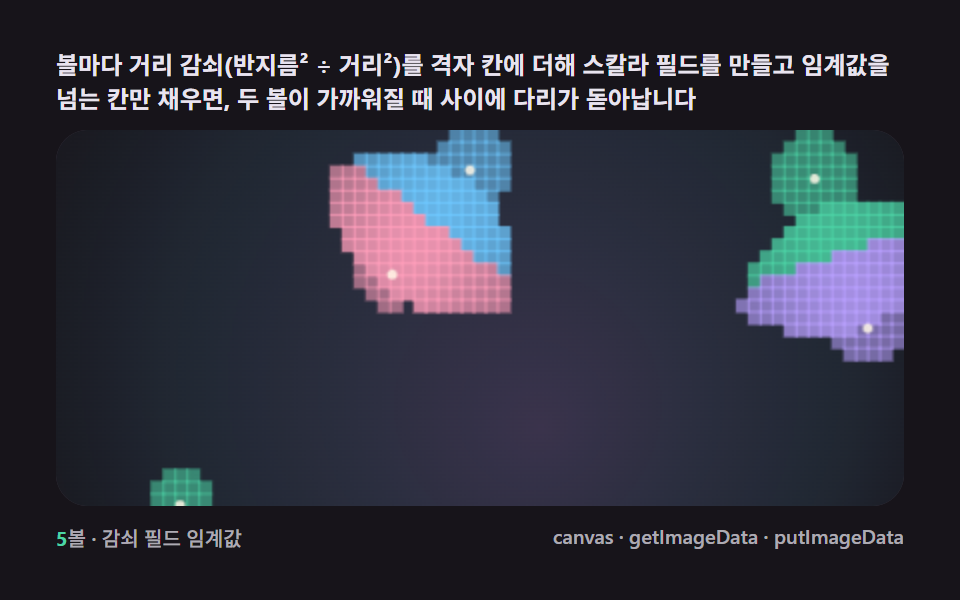 9 Metaball Effect Scenes, Marching Squares CanvasNo library, no WebGL — marching squares links grid cells whose field crosses one threshold, and blobs merge and split li See all demos in this post
If you like this effect - similar demos
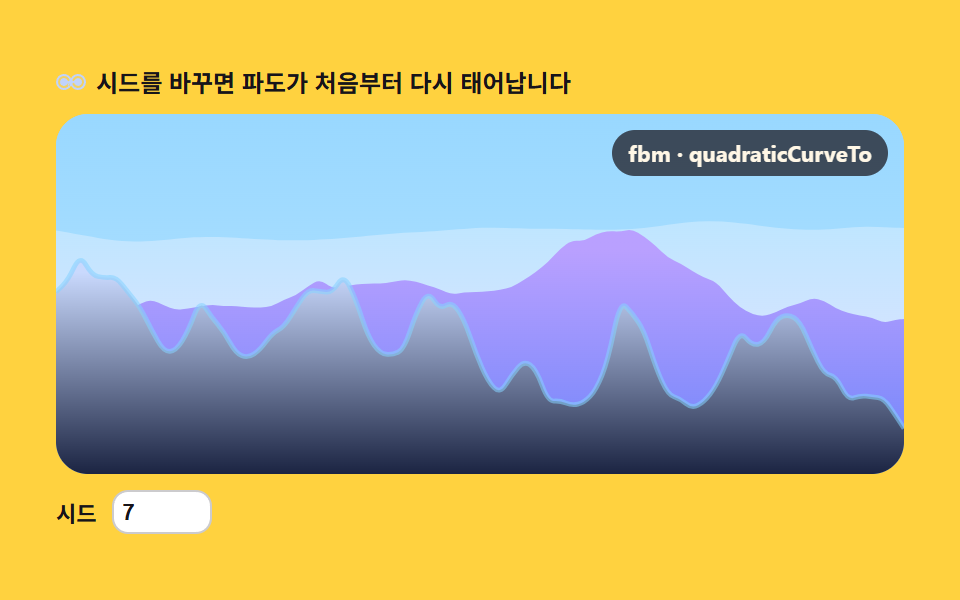 Creative UI04 Sea swell — noise wave-height profile9 Perlin Noise Animations, No Libraries, Pure Math
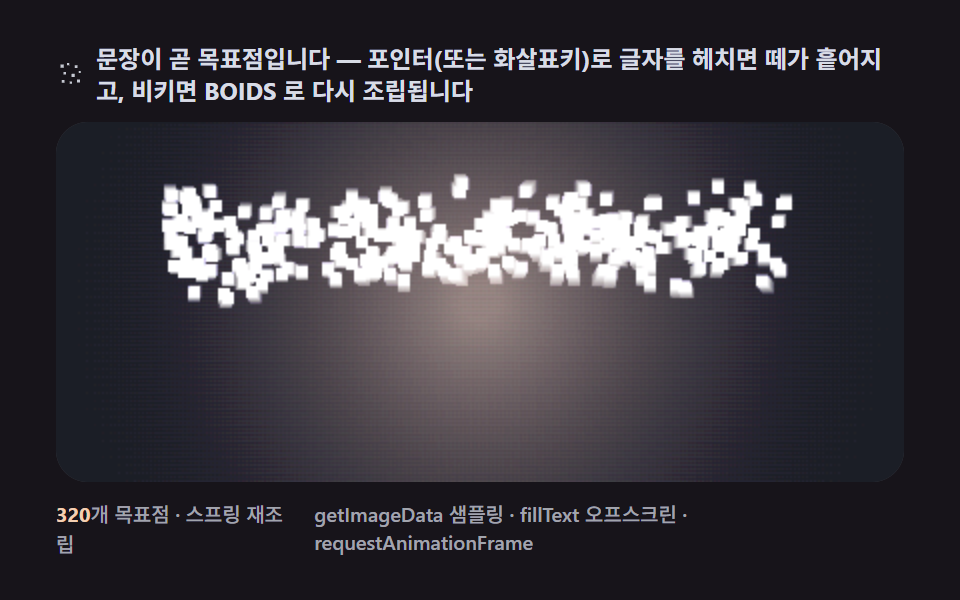 Creative UI09 A flock that spells — a sentence assembling while dodging the pointer9 Canvas Boids Algorithm Flocking Birds Simulation
 Creative UI04 Pointer food or repellent — the network grows toward or flees your clickSlime Mold Simulation, 9 Ways (No Library)