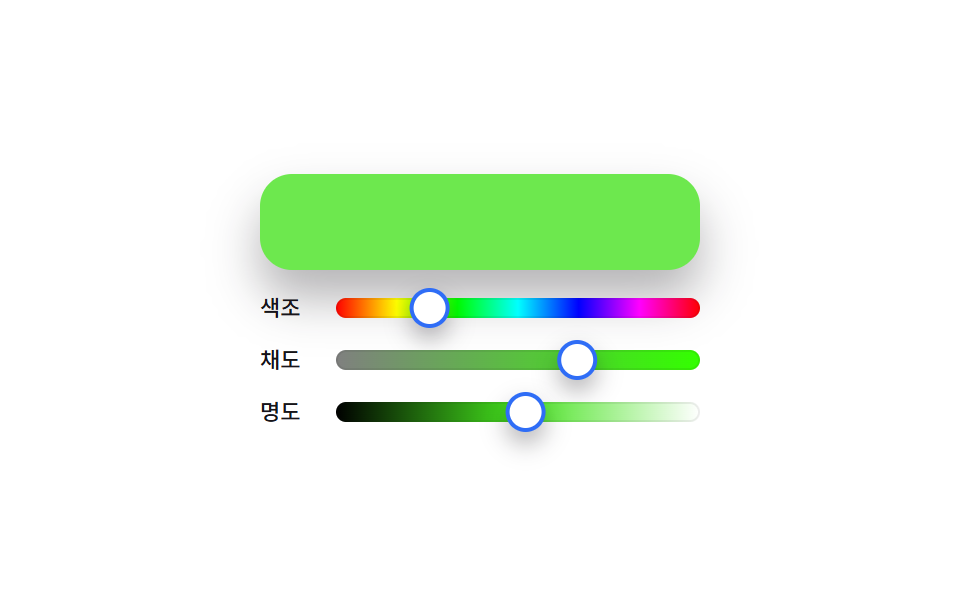
06HSL sliders — a color picker that redraws track gradients whenever the hue value changes
Every time the hue slider's value changes, the background gradient of the saturation and lightness slider tracks gets recalculated and redrawn so only the color range matching the current hue shows.
Best forPrecision color-tuning panels, brand palette editing tools
hslbuildGradientGRADIENT_STEPS
<main class="stage">
<section class="panel">
  <div class="preview" id="preview"></div>
  <div class="row">
    <span class="rowLabel">Hue</span>
    <div class="track hueTrack" id="hTrack">
      <div class="thumb" id="hThumb" role="slider" aria-label="Hue" aria-valuemin="0" aria-valuemax="360" aria-valuenow="0"></div>
    </div>
  </div>
  <div class="row">
    <span class="rowLabel">Saturation</span>
    <div class="track" id="sTrack">
      <div class="thumb" id="sThumb" role="slider" aria-label="Saturation" aria-valuemin="0" aria-valuemax="100" aria-valuenow="0"></div>
    </div>
  </div>
  <div class="row">
    <span class="rowLabel">Lightness</span>
    <div class="track" id="lTrack">
      <div class="thumb" id="lThumb" role="slider" aria-label="Lightness" aria-valuemin="0" aria-valuemax="100" aria-valuenow="0"></div>
    </div>
  </div>
</section>
</main>
@use "../../../../site/static/demo-tokens" as *;
@include stage($stage-paper);
.panel {
display: flex;
flex-direction: column;
align-items: stretch;
gap: $sp-3;
width: 100%;
max-width: 220px;
}
.preview {
height: 48px;
border-radius: $r-card;
box-shadow: $shadow-raised;
}
.row {
display: flex;
align-items: center;
gap: $sp-2;
}
.rowLabel {
flex: 0 0 auto;
width: 30px;
color: $subject-ink;
font-family: -apple-system, "Segoe UI", "Noto Sans KR", sans-serif;
font-weight: 500;
font-size: 11px;
line-height: 1.3;
}
.track {
position: relative;
flex: 1 1 auto;
height: 10px;
border-radius: $r-pill;
background: rgba($subject-ink, .1);
box-shadow: inset 0 0 0 1px rgba($subject-ink, .08);
}
.hueTrack {
background: linear-gradient(
to right,
hsl(0, 100%, 50%), hsl(60, 100%, 50%), hsl(120, 100%, 50%),
hsl(180, 100%, 50%), hsl(240, 100%, 50%), hsl(300, 100%, 50%), hsl(360, 100%, 50%)
);
}
.thumb {
position: absolute;
top: 50%;
left: 0;
width: 16px;
height: 16px;
border-radius: $r-pill;
background: $stage-paper;
border: 2px solid $subject-blue;
box-shadow: $shadow-press;
}
@media (max-width: 340px) {
.panel { max-width: 168px; }
.preview { height: 40px; }
.rowLabel { width: 24px; font-size: 10px; }
}
@media (prefers-reduced-motion: reduce) {
.thumb { transition: none; }
}html, body {
margin: 0;
overflow: hidden;
}
.stage {
box-sizing: border-box;
min-height: 100vh;
display: grid;
place-items: center;
margin: 0;
background: #ffffff;
font-family: -apple-system, "Segoe UI", "Noto Sans KR", sans-serif;
padding: clamp(8px, 4vw, 24px);
}
.panel {
display: flex;
flex-direction: column;
align-items: stretch;
gap: 12px;
width: 100%;
max-width: 220px;
}
.preview {
height: 48px;
border-radius: 16px;
box-shadow: 0 14px 24px rgba(23, 20, 26, 0.32);
}
.row {
display: flex;
align-items: center;
gap: 8px;
}
.rowLabel {
flex: 0 0 auto;
width: 30px;
color: #17141a;
font-family: -apple-system, "Segoe UI", "Noto Sans KR", sans-serif;
font-weight: 500;
font-size: 11px;
line-height: 1.3;
}
.track {
position: relative;
flex: 1 1 auto;
height: 10px;
border-radius: 999px;
background: rgba(23, 20, 26, 0.1);
box-shadow: inset 0 0 0 1px rgba(23, 20, 26, 0.08);
}
.hueTrack {
background: linear-gradient(to right, hsl(0, 100%, 50%), hsl(60, 100%, 50%), hsl(120, 100%, 50%), hsl(180, 100%, 50%), hsl(240, 100%, 50%), hsl(300, 100%, 50%), hsl(0, 100%, 50%));
}
.thumb {
position: absolute;
top: 50%;
left: 0;
width: 16px;
height: 16px;
border-radius: 999px;
background: #ffffff;
border: 2px solid #2f6df6;
box-shadow: 0 6px 12px rgba(23, 20, 26, 0.32);
}
@media (max-width: 340px) {
.panel {
max-width: 168px;
}
.preview {
height: 40px;
}
.rowLabel {
width: 24px;
font-size: 10px;
}
}
@media (prefers-reduced-motion: reduce) {
.thumb {
transition: none;
}
}// HSL 슬라이더(06) — Hue 슬라이더 값이 바뀔 때마다 Saturation·Lightness 트랙의 배경 그라디언트를
// GRADIENT_STEPS colors 정지점으로 다시 계산해 그린다. 실키·실서버 요청 없음.
(function () {
var previewEl = document.getElementById('preview');
var hTrack = document.getElementById('hTrack');
var sTrack = document.getElementById('sTrack');
var lTrack = document.getElementById('lTrack');
var hThumb = document.getElementById('hThumb');
var sThumb = document.getElementById('sThumb');
var lThumb = document.getElementById('lThumb');
if (!previewEl || !hTrack || !sTrack || !lTrack || !hThumb || !sThumb || !lThumb) return;
var reduce = window.matchMedia('(prefers-reduced-motion: reduce)').matches;
var CYCLE_MS = 3000;
var TRACK_W = 156;
var GRADIENT_STEPS = 20;
function buildGradient(stopFn) {
var stops = [];
for (var i = 0; i < GRADIENT_STEPS; i++) {
var ratio = i / (GRADIENT_STEPS - 1);
stops.push(stopFn(ratio) + ' ' + (ratio * 100).toFixed(1) + '%');
}
return 'linear-gradient(to right, ' + stops.join(', ') + ')';
}
function setThumb(thumbEl, ratio) {
var x = ratio * TRACK_W;
thumbEl.style.transform = 'translate(calc(-50% + ' + x.toFixed(2) + 'px), -50%)';
}
function apply(t) {
var p = t / CYCLE_MS;
var hue = (p * 360) % 360;
var sat = 55 + Math.sin(p * Math.PI * 2 * 1.3) * 35;
var light = 50 + Math.sin(p * Math.PI * 2 * .9 + 1) * 25;
setThumb(hThumb, hue / 360);
setThumb(sThumb, sat / 100);
setThumb(lThumb, light / 100);
sTrack.style.background = buildGradient(function (r) {
return 'hsl(' + hue.toFixed(1) + 'deg ' + (r * 100).toFixed(1) + '% 50%)';
});
lTrack.style.background = buildGradient(function (r) {
return 'hsl(' + hue.toFixed(1) + 'deg ' + sat.toFixed(1) + '% ' + (r * 100).toFixed(1) + '%)';
});
previewEl.style.background = 'hsl(' + hue.toFixed(1) + 'deg ' + sat.toFixed(1) + '% ' + light.toFixed(1) + '%)';
hThumb.setAttribute('aria-valuenow', String(Math.round(hue)));
sThumb.setAttribute('aria-valuenow', String(Math.round(sat)));
lThumb.setAttribute('aria-valuenow', String(Math.round(light)));
}
if (reduce) {
apply(0);
return;
}
var start = null;
function loop(ts) {
if (start === null) start = ts;
var t = (ts - start) % CYCLE_MS;
apply(t);
requestAnimationFrame(loop);
}
requestAnimationFrame(loop);
})();import { useEffect, useRef } from "react";
import styles from "./ColorPickerHslSliders.module.scss";
// HSL 슬라이더 — 색조 슬라이더 값이 바뀔 때마다 채도·명도 트랙의 배경 그라디언트를
// GRADIENT_STEPS 개 정지점으로 다시 계산해 그린다. 실키·실서버 요청 없음.
const CYCLE_MS = 3000;
const TRACK_W = 156;
const GRADIENT_STEPS = 20;
function buildGradient(stopFn: (ratio: number) => string) {
const stops: string[] = [];
for (let i = 0; i < GRADIENT_STEPS; i++) {
const ratio = i / (GRADIENT_STEPS - 1);
stops.push(`${stopFn(ratio)} ${(ratio * 100).toFixed(1)}%`);
}
return `linear-gradient(to right, ${stops.join(", ")})`;
}
export default function ColorPickerHslSliders() {
const previewRef = useRef<HTMLDivElement>(null);
const sTrackRef = useRef<HTMLDivElement>(null);
const lTrackRef = useRef<HTMLDivElement>(null);
const hThumbRef = useRef<HTMLDivElement>(null);
const sThumbRef = useRef<HTMLDivElement>(null);
const lThumbRef = useRef<HTMLDivElement>(null);
useEffect(() => {
const preview = previewRef.current;
const sTrack = sTrackRef.current;
const lTrack = lTrackRef.current;
const hThumb = hThumbRef.current;
const sThumb = sThumbRef.current;
const lThumb = lThumbRef.current;
if (!preview || !sTrack || !lTrack || !hThumb || !sThumb || !lThumb) return;
const reduce = window.matchMedia("(prefers-reduced-motion: reduce)").matches;
function setThumb(thumbEl: HTMLDivElement, ratio: number) {
const x = ratio * TRACK_W;
thumbEl.style.transform = `translate(calc(-50% + ${x.toFixed(2)}px), -50%)`;
}
function apply(t: number) {
const p = t / CYCLE_MS;
const hue = (p * 360) % 360;
const sat = 55 + Math.sin(p * Math.PI * 2 * 1.3) * 35;
const light = 50 + Math.sin(p * Math.PI * 2 * .9 + 1) * 25;
setThumb(hThumb!, hue / 360);
setThumb(sThumb!, sat / 100);
setThumb(lThumb!, light / 100);
sTrack!.style.background = buildGradient((r) => `hsl(${hue.toFixed(1)}deg ${(r * 100).toFixed(1)}% 50%)`);
lTrack!.style.background = buildGradient((r) => `hsl(${hue.toFixed(1)}deg ${sat.toFixed(1)}% ${(r * 100).toFixed(1)}%)`);
preview!.style.background = `hsl(${hue.toFixed(1)}deg ${sat.toFixed(1)}% ${light.toFixed(1)}%)`;
hThumb!.setAttribute("aria-valuenow", String(Math.round(hue)));
sThumb!.setAttribute("aria-valuenow", String(Math.round(sat)));
lThumb!.setAttribute("aria-valuenow", String(Math.round(light)));
}
if (reduce) {
apply(0);
return;
}
let start: number | null = null;
let raf = 0;
function loop(ts: number) {
if (start === null) start = ts;
const t = (ts - start) % CYCLE_MS;
apply(t);
raf = requestAnimationFrame(loop);
}
raf = requestAnimationFrame(loop);
return () => cancelAnimationFrame(raf);
}, []);
return (
<div className={styles.stage}>
<section className={styles.panel}>
<div className={styles.preview} ref={previewRef} />
<div className={styles.row}>
<span className={styles.rowLabel}>색조</span>
<div className={`${styles.track} ${styles.hueTrack}`}>
<div className={styles.thumb} ref={hThumbRef} role="slider" aria-label="색조" aria-valuemin={0} aria-valuemax={360} aria-valuenow={0} />
</div>
</div>
<div className={styles.row}>
<span className={styles.rowLabel}>채도</span>
<div className={styles.track} ref={sTrackRef}>
<div className={styles.thumb} ref={sThumbRef} role="slider" aria-label="채도" aria-valuemin={0} aria-valuemax={100} aria-valuenow={0} />
</div>
</div>
<div className={styles.row}>
<span className={styles.rowLabel}>명도</span>
<div className={styles.track} ref={lTrackRef}>
<div className={styles.thumb} ref={lThumbRef} role="slider" aria-label="명도" aria-valuemin={0} aria-valuemax={100} aria-valuenow={0} />
</div>
</div>
</section>
</div>
);
}06 HSL sliders — a color picker that redraws track gradients whenever the hue value changes — Measured area 15.53% · moving frames 23/23Original by GODRICH · SCSS and React ship in the zip · 9 Color Picker Design Patterns (Copy-Paste)
The post this demo lives in
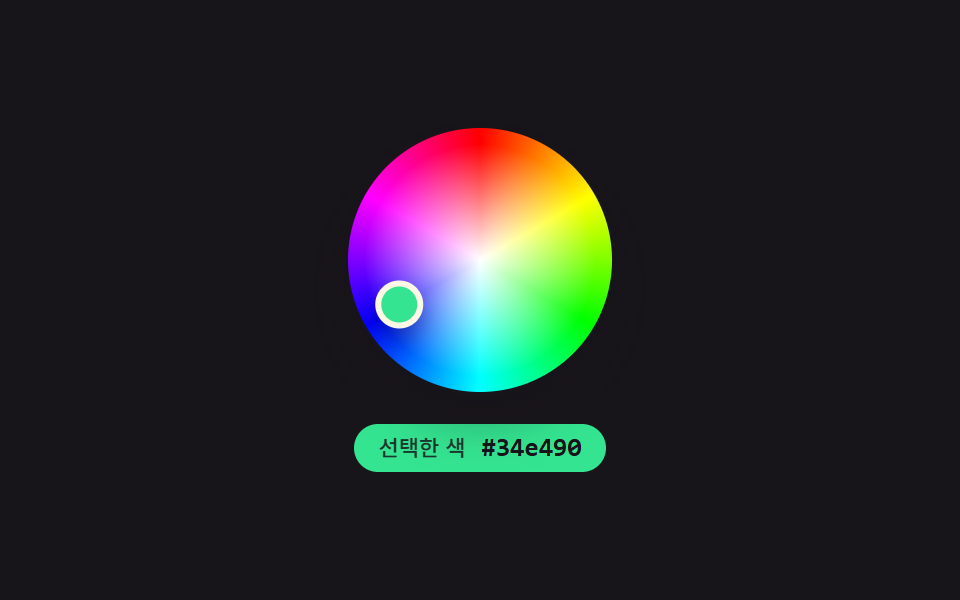 9 Color Picker Design Patterns (Copy-Paste)Nine color-picker UIs that compute: a point's angle turns into a hue, swatch brightness flips the check-icon color, and See all demos in this post
If you like this effect - similar demos
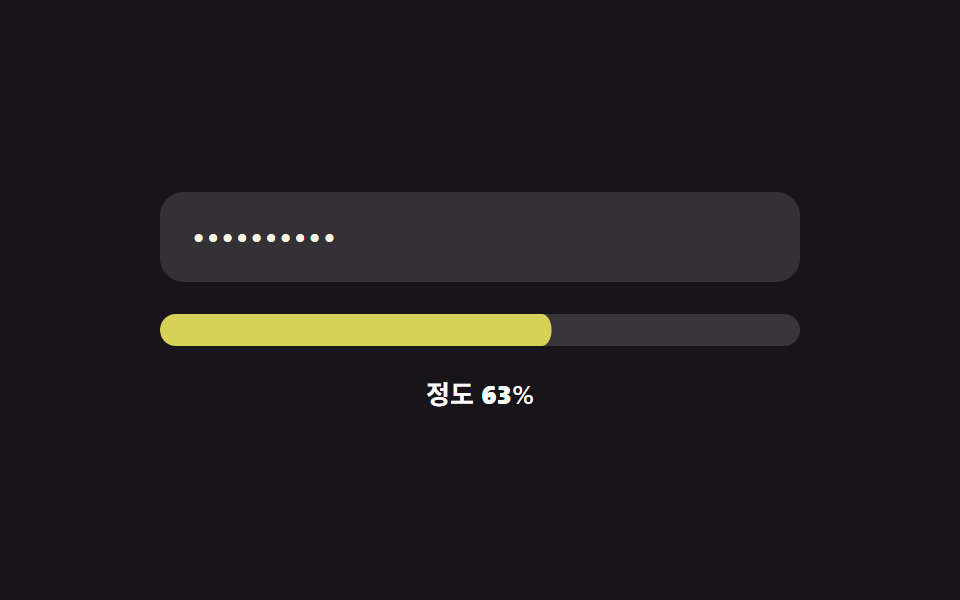 Inputs09 Continuous color-value morph — the strength value changes continuously instead of jumping between stages, with its mapped color value shifting smoothly alongPassword Strength Meter UI: 9 Calculation Patterns
 Inputs09 Panel That Skips the Open Animation After Detecting a Reduced-Motion ValueEmoji Picker: 9 Patterns by One Value
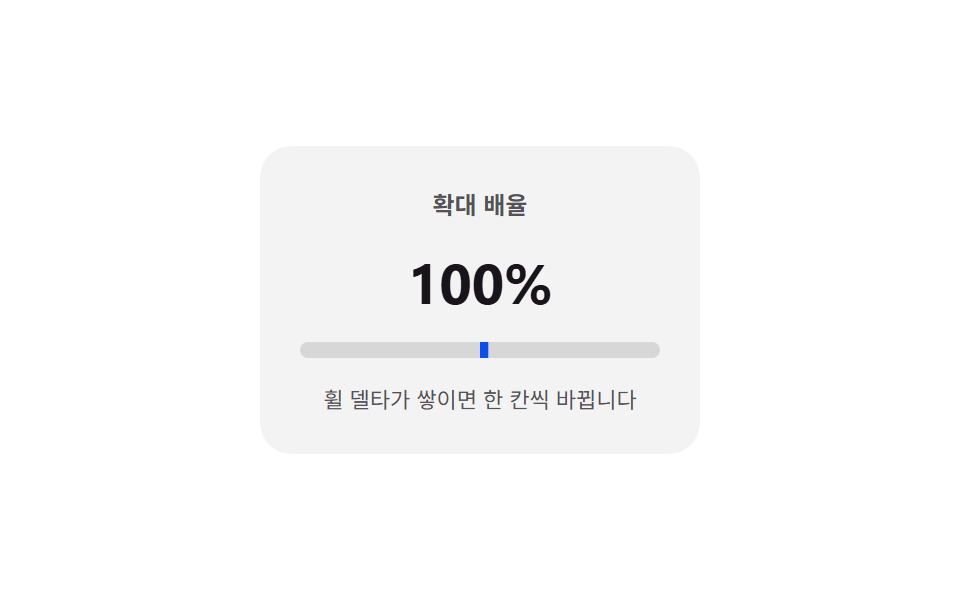 Inputs04 Wheel delta — a stepper whose value changes by the amount and direction the wheel moves over itNumber Stepper UI: 9 Interaction Patterns