03Fallback selection — a card that leaves a manual path when the fast one fails
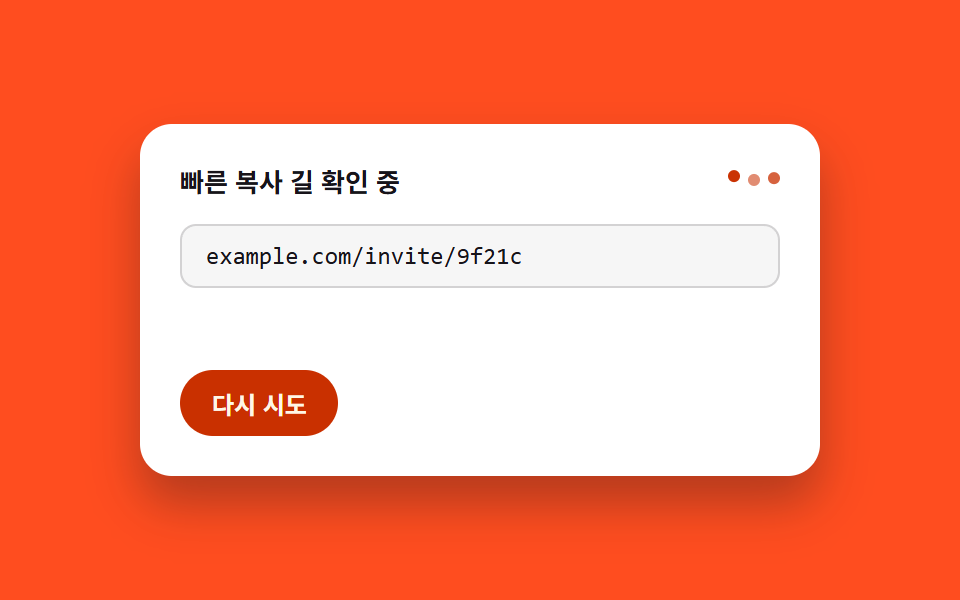
When the fast copy path is unavailable, the card switches to a two-step form: the text is pre-selected as a range so a manual route stays open, and the range width is measured to check the notice fits on one line.
Best forShare cards that hedge old browsers, payment notices needing a safety net
getBoundingClientRectcreateRangescrollWidth
<main class="stage">
<section class="card" id="card">
  <div class="statusRow">
    <p class="status" id="status">Checking the fast copy path</p>
    <span class="spinner" id="spinner" aria-hidden="true">
      <span class="dot" data-dot></span>
      <span class="dot" data-dot></span>
      <span class="dot" data-dot></span>
    </span>
  </div>
  <div class="field" id="field">
    <span class="text" id="selText">example.com/invite/9f21c</span>
  </div>
  <p class="notice" id="notice">This text is already selected — press Ctrl+C to copy</p>
  <button class="retryBtn" id="retryBtn" type="button">Retry</button>
</section>
</main>
@use "../../../../site/static/demo-tokens" as *;
@include stage($stage-orange);
.card {
display: flex;
flex-direction: column;
align-items: stretch;
gap: $sp-3;
width: 300px;
background: $stage-paper;
border-radius: $r-card;
padding: $sp-5;
box-shadow: $shadow-raised;
}
.statusRow {
display: flex;
align-items: center;
justify-content: space-between;
gap: $sp-2;
}
.status {
margin: 0;
color: $subject-ink;
font-family: -apple-system, "Segoe UI", "Noto Sans KR", sans-serif;
font-weight: 600;
font-size: 13px;
line-height: 1.4;
}
.spinner {
display: inline-flex;
align-items: center;
gap: $sp-1;
flex: none;
}
.spinner .dot {
width: 6px;
height: 6px;
border-radius: $r-pill;
background: $subject-orange-deep;
}
.field {
box-sizing: border-box;
width: 100%;
overflow: hidden;
border-radius: $r-sm;
border: 1px solid rgba($subject-ink, .16);
padding: $sp-2 $sp-3;
background: rgba($subject-ink, .04);
}
.text {
display: block;
max-width: 100%;
font-family: "SFMono-Regular", Consolas, monospace;
font-size: 12px;
color: $subject-ink;
white-space: nowrap;
overflow: hidden;
text-overflow: ellipsis;
}
.notice {
margin: 0;
color: rgba($subject-ink, .72);
font-family: -apple-system, "Segoe UI", "Noto Sans KR", sans-serif;
font-size: 12px;
line-height: 1.4;
white-space: pre-line;
opacity: 0;
transform: translateY(4px);
transition: opacity $dur-quick $ease-out, transform $dur-quick $ease-out;
}
.card.stack .notice {
white-space: pre-line;
}
.card.inline .notice {
white-space: nowrap;
overflow: hidden;
text-overflow: ellipsis;
}
.retryBtn {
align-self: flex-start;
border: 0;
border-radius: $r-pill;
padding: $sp-2 $sp-4;
background: $subject-orange-deep;
color: $subject-cream;
font-family: -apple-system, "Segoe UI", "Noto Sans KR", sans-serif;
font-weight: 600;
font-size: 12px;
cursor: pointer;
}
@media (max-width: 340px) {
.card {
width: 260px;
padding: $sp-4;
gap: $sp-2;
}
}
@media (prefers-reduced-motion: reduce) {
.card * {
transition: none;
}
}html, body {
margin: 0;
overflow: hidden;
}
.stage {
box-sizing: border-box;
min-height: 100vh;
display: grid;
place-items: center;
margin: 0;
background: #ff4d1f;
font-family: -apple-system, "Segoe UI", "Noto Sans KR", sans-serif;
padding: clamp(8px, 4vw, 24px);
}
.card {
display: flex;
flex-direction: column;
align-items: stretch;
gap: 12px;
width: 300px;
background: #ffffff;
border-radius: 16px;
padding: 20px;
box-shadow: 0 14px 24px rgba(23, 20, 26, 0.32);
}
.statusRow {
display: flex;
align-items: center;
justify-content: space-between;
gap: 8px;
}
.status {
margin: 0;
color: #17141a;
font-family: -apple-system, "Segoe UI", "Noto Sans KR", sans-serif;
font-weight: 600;
font-size: 13px;
line-height: 1.4;
}
.spinner {
display: inline-flex;
align-items: center;
gap: 4px;
flex: none;
}
.spinner .dot {
width: 6px;
height: 6px;
border-radius: 999px;
background: #c93000;
}
.field {
box-sizing: border-box;
width: 100%;
overflow: hidden;
border-radius: 8px;
border: 1px solid rgba(23, 20, 26, 0.16);
padding: 8px 12px;
background: rgba(23, 20, 26, 0.04);
}
.text {
display: block;
max-width: 100%;
font-family: "SFMono-Regular", Consolas, monospace;
font-size: 12px;
color: #17141a;
white-space: nowrap;
overflow: hidden;
text-overflow: ellipsis;
}
.notice {
margin: 0;
color: rgba(23, 20, 26, 0.72);
font-family: -apple-system, "Segoe UI", "Noto Sans KR", sans-serif;
font-size: 12px;
line-height: 1.4;
white-space: pre-line;
opacity: 0;
transform: translateY(4px);
transition: opacity 220ms ease-out, transform 220ms ease-out;
}
.card.stack .notice {
white-space: pre-line;
}
.card.inline .notice {
white-space: nowrap;
overflow: hidden;
text-overflow: ellipsis;
}
.retryBtn {
align-self: flex-start;
border: 0;
border-radius: 999px;
padding: 8px 16px;
background: #c93000;
color: #fff7e6;
font-family: -apple-system, "Segoe UI", "Noto Sans KR", sans-serif;
font-weight: 600;
font-size: 12px;
cursor: pointer;
}
@media (max-width: 340px) {
.card {
width: 260px;
padding: 16px;
gap: 8px;
}
}
@media (prefers-reduced-motion: reduce) {
.card * {
transition: none;
}
}// 폴백 선택 안내 — 빠른 복사 길이 막히면 안내 문구를 미리 범위로 선택해 두고,
// 선택 영역의 실측 폭과 안내 문구의 실측 폭을 더해 카드 너비 안에 들어가는지 계산해
// 한 줄(inline)·두 줄(stack) 레이아웃을 고른다. 확인 중에는 점 3개가 매 프레임 위상을
// 다시 계산해(사인파) 파동으로 움직이고, 전환은 CSS 트랜지션으로 이어 붙인다.
// 계산 겹: 매 프레임 사인파 위상 재계산(스피너) + Range.getBoundingClientRect 로 선택 폭
// 실측 → 안내문 폭 실측 → 합산 비교(레이아웃). 실사용자 리스너 있음(Retry 버튼).
// 실 클립보드 API 호출 없음 — Selection API 만 사용.
(function () {
var card = document.getElementById('card');
var status = document.getElementById('status');
var dots = Array.prototype.slice.call(document.querySelectorAll('[data-dot]'));
var field = document.getElementById('field');
var selText = document.getElementById('selText');
var notice = document.getElementById('notice');
var retryBtn = document.getElementById('retryBtn');
if (!card || !status || !dots.length || !field || !selText || !notice || !retryBtn) return;
var SPIN_PERIOD_MS = 900;
function spin(t) {
for (var i = 0; i < dots.length; i++) {
var phase = (t / SPIN_PERIOD_MS + i / dots.length) * Math.PI * 2;
var wave = Math.abs(Math.sin(phase));
dots[i].style.opacity = (0.32 + wave * 0.68).toFixed(3);
dots[i].style.transform = 'translateY(' + (-wave * 3).toFixed(2) + 'px)';
}
}
function selectRangeWidth() {
var range = document.createRange();
range.selectNodeContents(selText);
var sel = window.getSelection();
if (sel) {
sel.removeAllRanges();
sel.addRange(range);
}
var rect = range.getBoundingClientRect();
return rect.width;
}
function layoutFallback() {
var rangeWidth = selectRangeWidth();
var noticeWidth = notice.scrollWidth;
var containerWidth = field.clientWidth;
var fits = rangeWidth <= containerWidth && noticeWidth <= containerWidth;
card.classList.toggle('stack', !fits);
card.classList.toggle('inline', fits);
return fits;
}
function setPhase(phase) {
card.dataset.phase = phase;
if (phase === 'checking') {
status.textContent = 'Checking the fast copy path';
notice.style.opacity = '0';
notice.style.transform = 'translateY(4px)';
} else if (phase === 'fallback') {
status.textContent = 'The fast copy path didn\'t open';
var fits = layoutFallback();
notice.style.opacity = '1';
notice.style.transform = 'translateY(0)';
notice.textContent = fits
? 'This text is already selected — press Ctrl+C to copy'
: 'The text is selected' + String.fromCharCode(10) + 'Press Ctrl+C to copy';
}
}
setPhase('checking');
var CYCLE_MS = 2000;
var CHECK_MS = 650;
var reduce = window.matchMedia('(prefers-reduced-motion: reduce)').matches;
var start = null;
function autoLoop(ts) {
if (start === null) start = ts;
var t = (ts - start) % CYCLE_MS;
var phase = t < CHECK_MS ? 'checking' : 'fallback';
if (card.dataset.phase !== phase) setPhase(phase);
if (phase === 'checking') spin(t);
requestAnimationFrame(autoLoop);
}
var autoRaf = 0;
if (!reduce) autoRaf = requestAnimationFrame(autoLoop);
retryBtn.addEventListener('click', function () {
if (autoRaf) { cancelAnimationFrame(autoRaf); autoRaf = 0; }
setPhase('checking');
var clickStart = null;
function userSpin(ts) {
if (clickStart === null) clickStart = ts;
var t = ts - clickStart;
if (t < CHECK_MS) {
spin(t);
requestAnimationFrame(userSpin);
} else {
setPhase('fallback');
}
}
requestAnimationFrame(userSpin);
});
})();import { useEffect, useRef } from "react";
import styles from "./CopyFallbackSelect.module.scss";
// 폴백 선택 안내 — 빠른 복사 길이 막히면 안내 문구를 미리 범위로 선택해 두고,
// 선택 영역의 실측 폭과 안내 문구의 실측 폭을 더해 카드 너비 안에 들어가는지 계산해
// 한 줄(inline)·두 줄(stack) 레이아웃을 고른다. 확인 중에는 점 3개가 매 프레임 위상을
// 다시 계산해(사인파) 파동으로 움직이고, 전환은 CSS 트랜지션으로 이어 붙인다.
// 계산 겹: 매 프레임 사인파 위상 재계산(스피너) + Range.getBoundingClientRect 로 선택 폭
// 실측 → 안내문 폭 실측 → 합산 비교(레이아웃). 실사용자 리스너 있음(다시 시도 버튼).
// 실 클립보드 API 호출 없음 — Selection API 만 사용.
const CYCLE_MS = 2000;
const CHECK_MS = 650;
const SPIN_PERIOD_MS = 900;
const NOTICE_FIT = "이 문구가 이미 선택돼 있어요 — Ctrl+C 로 복사하세요";
const NOTICE_STACK = "문구가 선택돼 있어요\nCtrl+C 로 복사하세요";
// ambient 가 얇아 배열 ref 의 "possibly null" 을 못 좁힌다 — 로컬 Box 로 우회
type Box<T> = { current: T };
type Phase = "checking" | "fallback";
export default function CopyFallbackSelect() {
const cardRef = useRef<HTMLDivElement>(null);
const statusRef = useRef<HTMLParagraphElement>(null);
const dotRefs = useRef<(HTMLSpanElement | null)[]>([]) as unknown as Box<(HTMLSpanElement | null)[]>;
const fieldRef = useRef<HTMLDivElement>(null);
const selTextRef = useRef<HTMLSpanElement>(null);
const noticeRef = useRef<HTMLParagraphElement>(null);
const retryRef = useRef<HTMLButtonElement>(null);
useEffect(() => {
const card = cardRef.current;
const status = statusRef.current;
const field = fieldRef.current;
const selText = selTextRef.current;
const notice = noticeRef.current;
const retryBtn = retryRef.current;
if (!card || !status || !field || !selText || !notice || !retryBtn) return;
function spin(t: number) {
dotRefs.current.forEach((dot, i) => {
if (!dot) return;
const phase = (t / SPIN_PERIOD_MS + i / dotRefs.current.length) * Math.PI * 2;
const wave = Math.abs(Math.sin(phase));
dot.style.opacity = (0.32 + wave * 0.68).toFixed(3);
dot.style.transform = `translateY(${(-wave * 3).toFixed(2)}px)`;
});
}
function selectRangeWidth() {
const range = document.createRange();
range.selectNodeContents(selText!);
const sel = window.getSelection();
if (sel) {
sel.removeAllRanges();
sel.addRange(range);
}
return range.getBoundingClientRect().width;
}
function layoutFallback() {
const rangeWidth = selectRangeWidth();
const noticeWidth = notice!.scrollWidth;
const containerWidth = field!.clientWidth;
const fits = rangeWidth <= containerWidth && noticeWidth <= containerWidth;
card!.classList.toggle(styles.stack, !fits);
card!.classList.toggle(styles.inline, fits);
return fits;
}
let phase: Phase = "checking";
function setPhase(next: Phase) {
phase = next;
card!.dataset.phase = next;
if (next === "checking") {
status!.textContent = "빠른 복사 길 확인 중";
notice!.style.opacity = "0";
notice!.style.transform = "translateY(4px)";
} else {
status!.textContent = "빠른 복사 길이 열리지 않았어요";
const fits = layoutFallback();
notice!.style.opacity = "1";
notice!.style.transform = "translateY(0)";
notice!.textContent = fits ? NOTICE_FIT : NOTICE_STACK;
}
}
setPhase("checking");
const reduce = window.matchMedia("(prefers-reduced-motion: reduce)").matches;
let start: number | null = null;
let autoRaf = 0;
function autoLoop(ts: number) {
if (start === null) start = ts;
const t = (ts - start) % CYCLE_MS;
const next: Phase = t < CHECK_MS ? "checking" : "fallback";
if (phase !== next) setPhase(next);
if (next === "checking") spin(t);
autoRaf = requestAnimationFrame(autoLoop);
}
if (!reduce) autoRaf = requestAnimationFrame(autoLoop);
function onRetry() {
if (autoRaf) {
cancelAnimationFrame(autoRaf);
autoRaf = 0;
}
setPhase("checking");
let clickStart: number | null = null;
function userSpin(ts: number) {
if (clickStart === null) clickStart = ts;
const t = ts - clickStart;
if (t < CHECK_MS) {
spin(t);
requestAnimationFrame(userSpin);
} else {
setPhase("fallback");
}
}
requestAnimationFrame(userSpin);
}
retryBtn.addEventListener("click", onRetry);
return () => {
if (autoRaf) cancelAnimationFrame(autoRaf);
retryBtn.removeEventListener("click", onRetry);
};
}, []);
return (
<div className={styles.stage}>
<section ref={cardRef} className={styles.card}>
<div className={styles.statusRow}>
<p ref={statusRef} className={styles.status}>빠른 복사 길 확인 중</p>
<span className={styles.spinner} aria-hidden="true">
{[0, 1, 2].map((i) => (
<span
key={i}
ref={(el: HTMLSpanElement | null) => {
dotRefs.current[i] = el;
}}
className={styles.dot}
/>
))}
</span>
</div>
<div ref={fieldRef} className={styles.field}>
<span ref={selTextRef} className={styles.text}>example.com/invite/9f21c</span>
</div>
<p ref={noticeRef} className={styles.notice}>이 문구가 이미 선택돼 있어요 — Ctrl+C 로 복사하세요</p>
<button ref={retryRef} className={styles.retryBtn} type="button">다시 시도</button>
</section>
</div>
);
}03 Fallback selection — a card that leaves a manual path when the fast one fails — Measured area 15.438% · moving frames 14/23Original by GODRICH · SCSS and React ship in the zip · 9 Copy Button CSS UI Patterns (Copy to Clipboard)
The post this demo lives in
 9 Copy Button CSS UI Patterns (Copy to Clipboard)Nine copy-button UIs: one splits the result across two buttons, one fills its progress by the character count it just co See all demos in this post
If you like this effect - similar demos
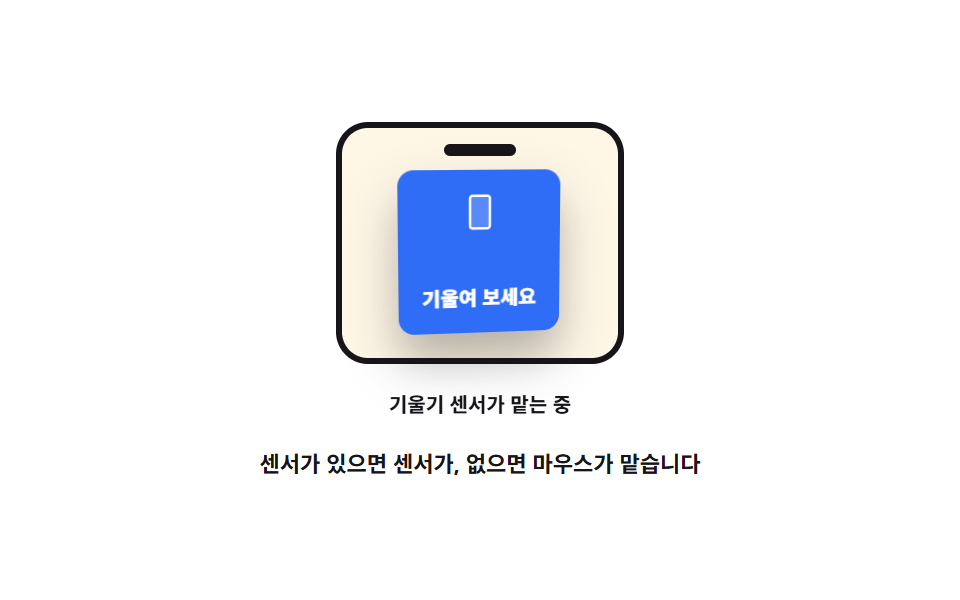 Interactions08 Fallback that hands over to the tilt sensor3D Hover Effect CSS: 9 Pointer-Following Scenes
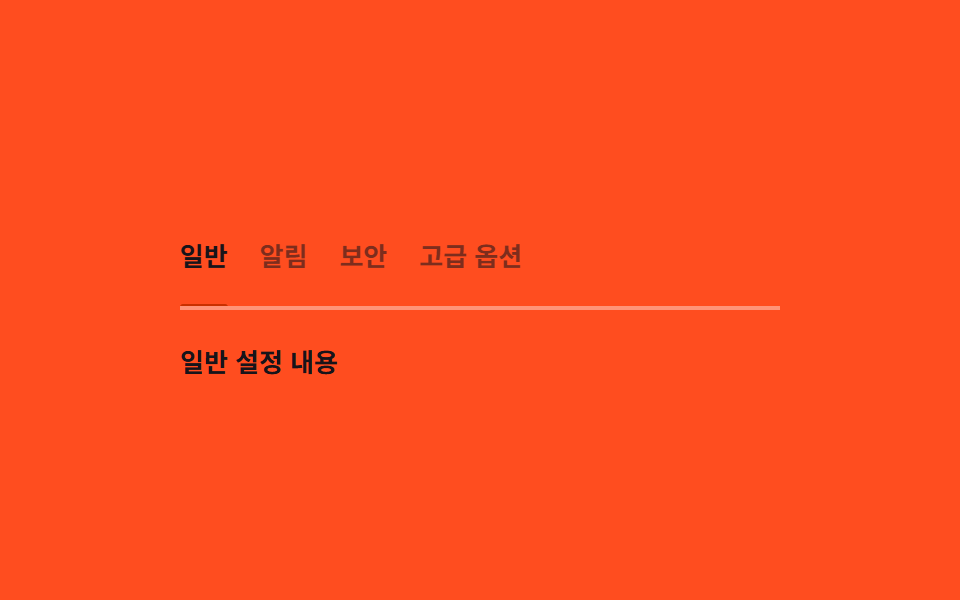 Interactions03 Keyboard tabs — a tab list recomputing its underline position from the active valueMicro Interactions: 9 Essential UI Patterns
 Interactions05 Width-aware auto truncation9 Breadcrumb UI Patterns That Survive Deep Paths