08Fallback that hands over to the tilt sensor
On devices without a mouse, the same scene turns from how the device is tilted.
Best forA product preview opened on a phone, a tablet kiosk screen
deviceorientationDeviceOrientationEventpointermove
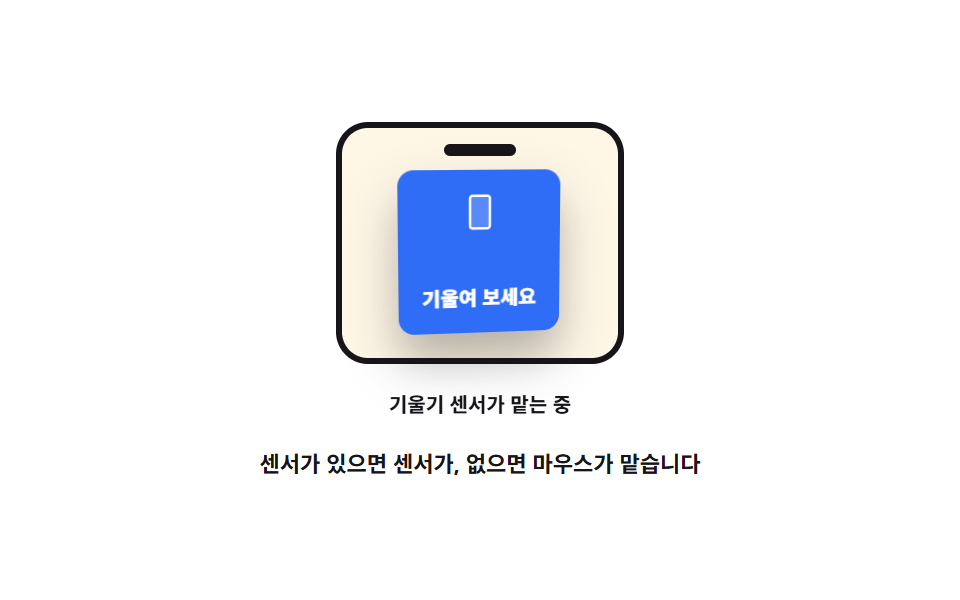
<main class="stage">
<div class="gy is-demo" id="gy">
  <div class="gy__phone" id="phone" role="img" aria-label="A card inside a phone screen turning with the tilt">
    <span class="gy__notch" aria-hidden="true"></span>
    <div class="gy__scene">
      <div class="gy__card" id="card">
        <svg xmlns="http://www.w3.org/2000/svg" viewBox="0 0 256 256" class="gy__ico" aria-hidden="true"><g fill="currentColor"><path d="M176 24H80a16 16 0 0 0-16 16v176a16 16 0 0 0 16 16h96a16 16 0 0 0 16-16V40a16 16 0 0 0-16-16" opacity=".2"/><path d="M176 16H80a24 24 0 0 0-24 24v176a24 24 0 0 0 24 24h96a24 24 0 0 0 24-24V40a24 24 0 0 0-24-24m8 200a8 8 0 0 1-8 8H80a8 8 0 0 1-8-8V40a8 8 0 0 1 8-8h96a8 8 0 0 1 8 8Z"/></g></svg>
        <span class="gy__face">Tilt it</span>
      </div>
    </div>
  </div>
  <p class="gy__badge" id="badge">
    <span class="gy__mode gy__mode--mouse">Pointer is driving</span>
    <span class="gy__mode gy__mode--tilt">Tilt sensor is driving</span>
  </p>
  <p class="gy__hint">The sensor drives it when there is one; otherwise the pointer does</p>
</div>
</main>
@use "../../../../site/static/demo-tokens" as *;
// 기울기 센서로 넘어가는 폴백 — 센서가 있으면 deviceorientation 의 beta·gamma 가, 없으면 포인터가 같은 각도를 만든다.
// 라벨은 실제로 무엇이 맡고 있는지를 그때그때 보여 준다(JS 가 글자를 바꾼다).
// 격자 미리보기(.is-demo)는 두 라벨을 steps(1, end) 로 갈아 끼우고 카드는 같은 범위(rotateX ±12도 · rotateY ±18도)로 기운다.
$duration: $dur-loop;
$easing: linear;
$color: $subject-ink;
@include stage($stage-paper);
.gy { display: grid; justify-items: center; gap: $sp-3; width: 100%; }
.gy__phone {
position: relative; box-sizing: border-box;
display: grid; justify-items: center; gap: $sp-2;
width: clamp(112px, 30vw, 144px);
padding: $sp-4 $sp-2 $sp-2;
border-radius: $r-card;
border: 3px solid $color;
background: $subject-cream;
}
.gy__phone:focus-visible { outline: 3px solid $subject-blue; outline-offset: $sp-2; }
.gy__notch {
position: absolute; left: 50%; top: $sp-2;
width: 36px; height: 6px; margin-left: -18px;
border-radius: $r-pill;
background: $color;
}
.gy__scene { width: 100%; height: clamp(72px, 19vw, 92px); display: grid; place-items: center; perspective: 480px; }
.gy__card {
display: grid; place-items: center; gap: $sp-1;
width: clamp(64px, 17vw, 84px); height: clamp(64px, 17vw, 84px);
border-radius: $r-sm;
background: $subject-blue; color: $stage-paper;
box-shadow: $shadow-raised;
transform: rotateX(0deg) rotateY(0deg);
}
.gy__ico { width: 20px; height: 20px; }
.gy__face { font-weight: 800; font-size: clamp(9px, 2.4vw, 10px); }
.gy__badge {
position: relative; margin: 0; min-height: 18px; width: min(100%, 280px); white-space: nowrap;
color: $color; font-weight: 700; font-size: clamp(9px, 2.2vw, 10px); text-align: center;
}
// 실제 화면에서는 지금 맡고 있는 쪽 하나만 보인다 — 센서 라벨은 JS 가 글자를 바꿔 넣을 때 나타난다
.gy__mode--tilt { display: none; }
.gy__hint {
margin: 0; max-width: 260px; text-align: center;
color: $color; font-weight: 700; font-size: clamp(9px, 2.4vw, 11px); line-height: 1.4;
}
// ── 미리보기 루프: 앞절반은 마우스가, 뒷절반은 센서가 맡는 장면을 컷으로 갈아 끼운다
.gy.is-demo .gy__card {
animation-name: gyTilt;
animation-duration: $duration;
animation-timing-function: $easing;
animation-iteration-count: infinite;
}
@keyframes gyTilt {
0% { transform: rotateX(8deg) rotateY(-18deg); }
8% { transform: rotateX(6deg) rotateY(-8deg); }
26% { transform: rotateX(2deg) rotateY(-2deg); }
44% { transform: rotateX(-2deg) rotateY(3deg); }
52% { transform: rotateX(-9deg) rotateY(12deg); }
58% { transform: rotateX(-12deg) rotateY(18deg); }
66% { transform: rotateX(-8deg) rotateY(9deg); }
84% { transform: rotateX(0deg) rotateY(0deg); }
94% { transform: rotateX(6deg) rotateY(-9deg); }
100% { transform: rotateX(8deg) rotateY(-18deg); }
}
.gy.is-demo .gy__mode {
display: block; position: absolute; left: 0; right: 0;
animation-duration: $duration;
animation-timing-function: steps(1, end);
animation-iteration-count: infinite;
}
.gy.is-demo .gy__mode--mouse { animation-name: gyModeMouse; }
.gy.is-demo .gy__mode--tilt { animation-name: gyModeTilt; }
// 한 프레임에 갈아 끼운다 — 두 라벨이 반투명하게 겹치는 프레임이 생기지 않는다
@keyframes gyModeMouse {
0%, 46% { opacity: 1; }
50%, 100% { opacity: 0; }
}
@keyframes gyModeTilt {
0%, 46% { opacity: 0; }
50%, 100% { opacity: 1; }
}
@media (max-width: 340px) {
.gy__phone { padding: $sp-4 $sp-1 $sp-1; }
.gy__hint { max-width: 200px; }
}
@media (prefers-reduced-motion: reduce) {
.gy.is-demo .gy__card,
.gy.is-demo .gy__mode { animation: none !important; }
// 움직임 없이 기운 상태로 세우고, 라벨은 마우스 쪽 하나만 남긴다
.gy.is-demo .gy__card { transform: rotateX(6deg) rotateY(-14deg) !important; }
.gy.is-demo .gy__mode--mouse { opacity: 1 !important; }
.gy.is-demo .gy__mode--tilt { opacity: 0 !important; }
}html, body {
margin: 0;
overflow: hidden;
}
.stage {
box-sizing: border-box;
min-height: 100vh;
display: grid;
place-items: center;
margin: 0;
background: #ffffff;
font-family: -apple-system, "Segoe UI", "Noto Sans KR", sans-serif;
padding: clamp(8px, 4vw, 24px);
}
.gy {
display: grid;
justify-items: center;
gap: 12px;
width: 100%;
}
.gy__phone {
position: relative;
box-sizing: border-box;
display: grid;
justify-items: center;
gap: 8px;
width: clamp(112px, 30vw, 144px);
padding: 16px 8px 8px;
border-radius: 16px;
border: 3px solid #17141a;
background: #fff7e6;
}
.gy__phone:focus-visible {
outline: 3px solid #2f6df6;
outline-offset: 8px;
}
.gy__notch {
position: absolute;
left: 50%;
top: 8px;
width: 36px;
height: 6px;
margin-left: -18px;
border-radius: 999px;
background: #17141a;
}
.gy__scene {
width: 100%;
height: clamp(72px, 19vw, 92px);
display: grid;
place-items: center;
perspective: 480px;
}
.gy__card {
display: grid;
place-items: center;
gap: 4px;
width: clamp(64px, 17vw, 84px);
height: clamp(64px, 17vw, 84px);
border-radius: 8px;
background: #2f6df6;
color: #ffffff;
box-shadow: 0 14px 24px rgba(23, 20, 26, 0.32);
transform: rotateX(0deg) rotateY(0deg);
}
.gy__ico {
width: 20px;
height: 20px;
}
.gy__face {
font-weight: 800;
font-size: clamp(9px, 2.4vw, 10px);
}
.gy__badge {
position: relative;
margin: 0;
min-height: 18px;
width: min(100%, 280px);
white-space: nowrap;
color: #17141a;
font-weight: 700;
font-size: clamp(9px, 2.2vw, 10px);
text-align: center;
}
.gy__mode--tilt {
display: none;
}
.gy__hint {
margin: 0;
max-width: 260px;
text-align: center;
color: #17141a;
font-weight: 700;
font-size: clamp(9px, 2.4vw, 11px);
line-height: 1.4;
}
.gy.is-demo .gy__card {
animation-name: gyTilt;
animation-duration: 2s;
animation-timing-function: linear;
animation-iteration-count: infinite;
}
@keyframes gyTilt {
0% {
transform: rotateX(8deg) rotateY(-18deg);
}
8% {
transform: rotateX(6deg) rotateY(-8deg);
}
26% {
transform: rotateX(2deg) rotateY(-2deg);
}
44% {
transform: rotateX(-2deg) rotateY(3deg);
}
52% {
transform: rotateX(-9deg) rotateY(12deg);
}
58% {
transform: rotateX(-12deg) rotateY(18deg);
}
66% {
transform: rotateX(-8deg) rotateY(9deg);
}
84% {
transform: rotateX(0deg) rotateY(0deg);
}
94% {
transform: rotateX(6deg) rotateY(-9deg);
}
100% {
transform: rotateX(8deg) rotateY(-18deg);
}
}
.gy.is-demo .gy__mode {
display: block;
position: absolute;
left: 0;
right: 0;
animation-duration: 2s;
animation-timing-function: steps(1, end);
animation-iteration-count: infinite;
}
.gy.is-demo .gy__mode--mouse {
animation-name: gyModeMouse;
}
.gy.is-demo .gy__mode--tilt {
animation-name: gyModeTilt;
}
@keyframes gyModeMouse {
0%, 46% {
opacity: 1;
}
50%, 100% {
opacity: 0;
}
}
@keyframes gyModeTilt {
0%, 46% {
opacity: 0;
}
50%, 100% {
opacity: 1;
}
}
@media (max-width: 340px) {
.gy__phone {
padding: 16px 4px 4px;
}
.gy__hint {
max-width: 200px;
}
}
@media (prefers-reduced-motion: reduce) {
.gy.is-demo .gy__card,
.gy.is-demo .gy__mode {
animation: none !important;
}
.gy.is-demo .gy__card {
transform: rotateX(6deg) rotateY(-14deg) !important;
}
.gy.is-demo .gy__mode--mouse {
opacity: 1 !important;
}
.gy.is-demo .gy__mode--tilt {
opacity: 0 !important;
}
}var gy = document.getElementById('gy');
var phone = document.getElementById('phone');
var card = document.getElementById('card');
var badge = document.getElementById('badge');
var MOUSE_LABEL = 'Pointer is driving';
var TILT_LABEL = 'Tilt sensor is driving';
// iOS 13+ 는 DeviceOrientationEvent.requestPermission 을 사람이 누른 뒤에만 준다 — 그 전까지는 마우스가 맡는다
var hasSensor = typeof window.DeviceOrientationEvent !== 'undefined' && typeof window.DeviceOrientationEvent.requestPermission !== 'function';
function tilt(rx, ry, label) {
gy.classList.remove('is-demo');
card.style.transform = 'rotateX(' + rx.toFixed(1) + 'deg) rotateY(' + ry.toFixed(1) + 'deg)';
badge.textContent = label;
}
if (hasSensor) {
window.addEventListener('deviceorientation', function (e) {
var beta = e.beta === null ? 0 : e.beta; // 앞뒤 기울기
var gamma = e.gamma === null ? 0 : e.gamma; // 좌우 기울기
tilt(Math.max(-12, Math.min(12, (beta - 40) * 0.4)), Math.max(-18, Math.min(18, gamma * 0.6)), TILT_LABEL);
});
}
phone.addEventListener('pointermove', function (e) {
var r = phone.getBoundingClientRect();
var nx = Math.max(-1, Math.min(1, (e.clientX - r.left) / r.width * 2 - 1));
var ny = Math.max(-1, Math.min(1, (e.clientY - r.top) / r.height * 2 - 1));
tilt(-ny * 12, nx * 18, MOUSE_LABEL);
});
// 키보드 경로: 화살표가 기울기를 6도씩 준다
phone.setAttribute('tabindex', '0');
var keyX = 0, keyY = 0;
phone.addEventListener('keydown', function (e) {
var keys = { ArrowLeft: [0, -6], ArrowRight: [0, 6], ArrowUp: [6, 0], ArrowDown: [-6, 0] };
var move = keys[e.key];
if (!move) { return; }
e.preventDefault();
keyX = Math.max(-12, Math.min(12, keyX + move[0]));
keyY = Math.max(-18, Math.min(18, keyY + move[1]));
tilt(keyX, keyY, MOUSE_LABEL);
});// GyroFallback — vanilla 판(run/290/demo/08-pointer-3d-gyro-fallback/index.html) 의 React 포트.
// 기울기 센서가 있으면 deviceorientation 의 beta·gamma 가, 없으면 포인터 좌표가 같은 각도(rotateX ±12도 · rotateY ±18도)를 만든다.
// 지금 무엇이 맡고 있는지를 라벨이 그때그때 보여 준다. 값·수치는 vanilla 와 같다.
import { useEffect, useRef, useState } from "react";
import type { CSSProperties, PointerEvent as ReactPointerEvent } from "react";
import styles from "./GyroFallback.module.scss";
export type GyroFallbackProps = {
duration?: number;
easing?: string;
color?: string;
};
type Vars = CSSProperties & { "--duration"?: string; "--easing"?: string; "--color"?: string };
// useRef 는 T | null 을 돌려준다. 처음부터 값이 있고 절대 비지 않는 상자는 이렇게 좁혀 쓴다
type Box<T> = { current: T };
// 전역 DOM 타입에 기대지 않는다 — 기울기 이벤트와 키보드 이벤트에서 실제로 읽는 것만 적는다
type TiltEvt = { beta: number | null; gamma: number | null };
type KeyEvt = { key: string; preventDefault(): void };
type OrientationCtor = { requestPermission?: () => unknown };
type WindowWithOrientation = { DeviceOrientationEvent?: OrientationCtor };
const MOUSE_LABEL = "마우스가 맡는 중";
const TILT_LABEL = "기울기 센서가 맡는 중";
const PHONE_LABEL = "휴대폰 화면 속 카드가 기울기에 따라 도는 모형";
const FACE_LABEL = "기울여 보세요";
const HINT = "센서가 있으면 센서가, 없으면 마우스가 맡습니다";
const KEY_STEPS: { [key: string]: [number, number] } = {
ArrowLeft: [0, -6],
ArrowRight: [0, 6],
ArrowUp: [6, 0],
ArrowDown: [-6, 0],
};
// iOS 13+ 는 DeviceOrientationEvent.requestPermission 을 사람이 누른 뒤에만 준다 — 그 전까지는 마우스가 맡는다
function sensorReady(): boolean {
const scope = window as unknown as WindowWithOrientation;
return typeof scope.DeviceOrientationEvent !== "undefined" && typeof scope.DeviceOrientationEvent.requestPermission !== "function";
}
export default function GyroFallback({
duration = 2000,
easing = "linear",
color = "#17141a",
}: GyroFallbackProps) {
const phoneRef = useRef<HTMLDivElement | null>(null);
const cardRef = useRef<HTMLDivElement | null>(null);
const keyXRef = useRef<number>(0) as Box<number>;
const keyYRef = useRef<number>(0) as Box<number>;
const [demo, setDemo] = useState(true);
const [label, setLabel] = useState(MOUSE_LABEL);
const vars: Vars = { "--duration": `${duration}ms`, "--easing": easing, "--color": color };
function tilt(rx: number, ry: number, next: string): void {
const card = cardRef.current;
if (!card) return;
setDemo(false);
card.style.transform = "rotateX(" + rx.toFixed(1) + "deg) rotateY(" + ry.toFixed(1) + "deg)";
setLabel(next);
}
useEffect(() => {
if (!sensorReady()) return;
function onOrientation(event: Event): void {
const source = event as unknown as TiltEvt;
const beta = source.beta === null ? 0 : source.beta; // 앞뒤 기울기
const gamma = source.gamma === null ? 0 : source.gamma; // 좌우 기울기
tilt(Math.max(-12, Math.min(12, (beta - 40) * 0.4)), Math.max(-18, Math.min(18, gamma * 0.6)), TILT_LABEL);
}
window.addEventListener("deviceorientation", onOrientation);
return () => window.removeEventListener("deviceorientation", onOrientation);
}, []);
function onPointerMove(event: ReactPointerEvent<HTMLDivElement>): void {
const phone = phoneRef.current;
if (!phone) return;
const r = phone.getBoundingClientRect();
const nx = Math.max(-1, Math.min(1, ((event.clientX - r.left) / r.width) * 2 - 1));
const ny = Math.max(-1, Math.min(1, ((event.clientY - r.top) / r.height) * 2 - 1));
tilt(-ny * 12, nx * 18, MOUSE_LABEL);
}
// 키보드 경로: 화살표가 기울기를 6도씩 준다
function onKeyDown(event: KeyEvt): void {
const move = KEY_STEPS[event.key];
if (!move) return;
event.preventDefault();
keyXRef.current = Math.max(-12, Math.min(12, keyXRef.current + move[0]));
keyYRef.current = Math.max(-18, Math.min(18, keyYRef.current + move[1]));
tilt(keyXRef.current, keyYRef.current, MOUSE_LABEL);
}
const cls = [styles.root, demo ? styles.isDemo : ""].filter(Boolean).join(" ");
return (
<main className={styles.stage}>
<div className={cls} style={vars}>
<div
className={styles.phone}
ref={phoneRef}
role="img"
aria-label={PHONE_LABEL}
tabIndex={0}
onPointerMove={onPointerMove}
onKeyDown={onKeyDown}
>
<span className={styles.notch} aria-hidden="true"></span>
<div className={styles.scene}>
<div className={styles.card} ref={cardRef}>
<svg xmlns="http://www.w3.org/2000/svg" viewBox="0 0 256 256" className={styles.ico} aria-hidden="true"><g fill="currentColor"><path d="M176 24H80a16 16 0 0 0-16 16v176a16 16 0 0 0 16 16h96a16 16 0 0 0 16-16V40a16 16 0 0 0-16-16" opacity=".2"/><path d="M176 16H80a24 24 0 0 0-24 24v176a24 24 0 0 0 24 24h96a24 24 0 0 0 24-24V40a24 24 0 0 0-24-24m8 200a8 8 0 0 1-8 8H80a8 8 0 0 1-8-8V40a8 8 0 0 1 8-8h96a8 8 0 0 1 8 8Z"/></g></svg>
<span className={styles.face}>{FACE_LABEL}</span>
</div>
</div>
</div>
<p className={styles.badge}>
{demo ? (
<>
<span className={`${styles.mode} ${styles.modeMouse}`}>{MOUSE_LABEL}</span>
<span className={`${styles.mode} ${styles.modeTilt}`}>{TILT_LABEL}</span>
</>
) : (
label
)}
</p>
<p className={styles.hint}>{HINT}</p>
</div>
</main>
);
}08 Fallback that hands over to the tilt sensor — Measured area 1.713% · moving frames 23/23Original by GODRICH · SCSS and React ship in the zip · 3D Hover Effect CSS: 9 Pointer-Following Scenes
The post this demo lives in
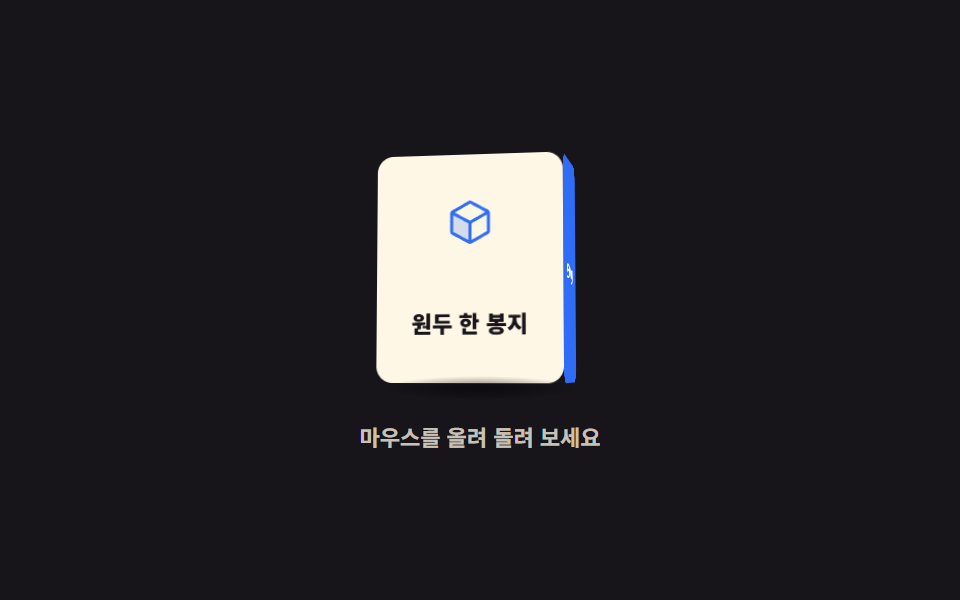 3D Hover Effect CSS: 9 Pointer-Following ScenesA 3D hover effect turns a scene toward your pointer with CSS 3D rotation. These nine "3d hover effect css" scenes use on See all demos in this post
If you like this effect - similar demos
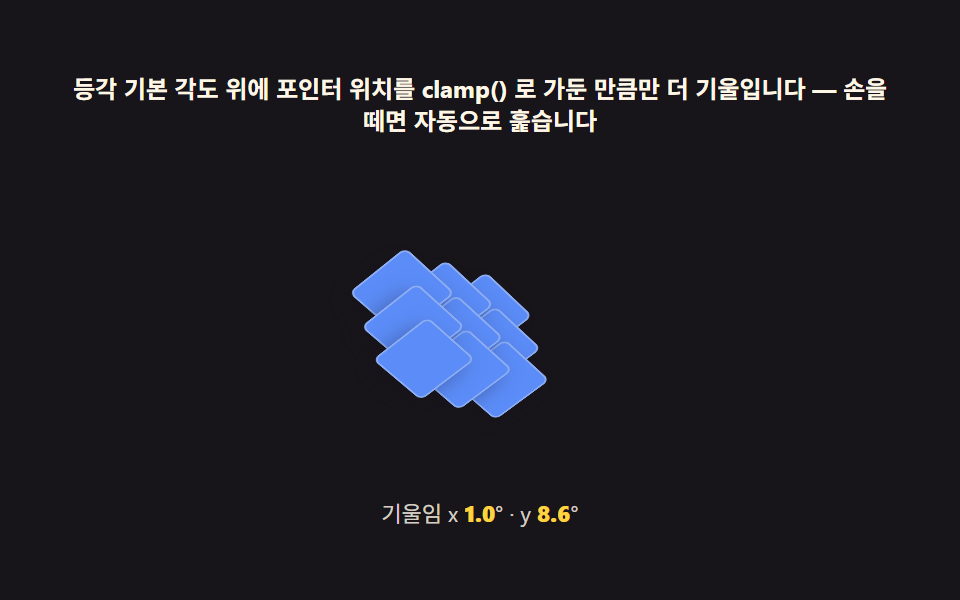 Interactions05 Pointer parallax — the math behind a diorama that gently followsIsometric CSS: 9 True-Projection 3D Dioramas
 Interactions01 Follow basics — the lagged chaseMouse Follow Effect CSS — 9 Cursor Chasers
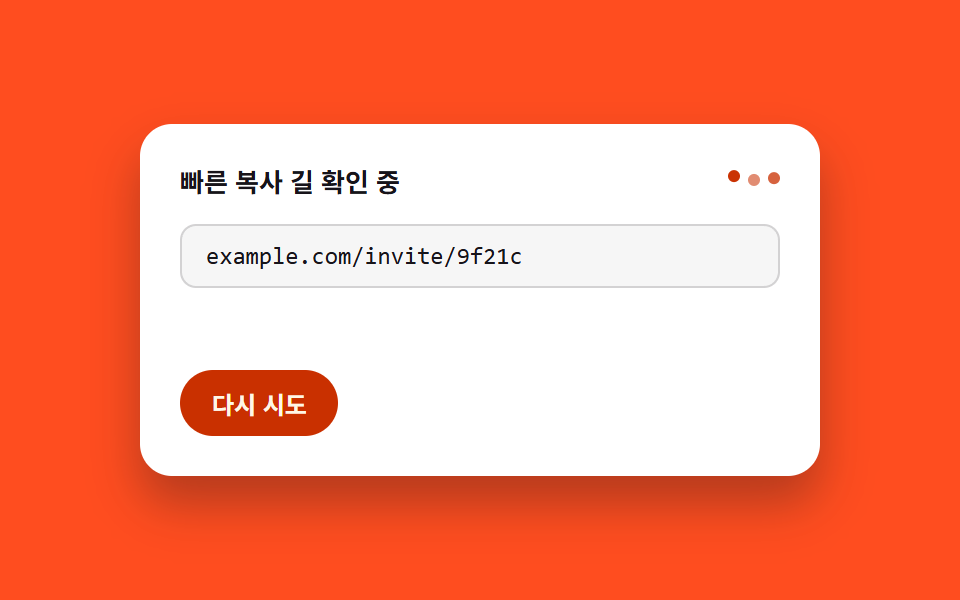 Interactions03 Fallback selection — a card that leaves a manual path when the fast one fails9 Copy Button CSS UI Patterns (Copy to Clipboard)