04Magnetic
The button drifts toward the cursor when it gets close.
Best forThe single CTA on a landing page
0.35강하게 0.6반경 120px
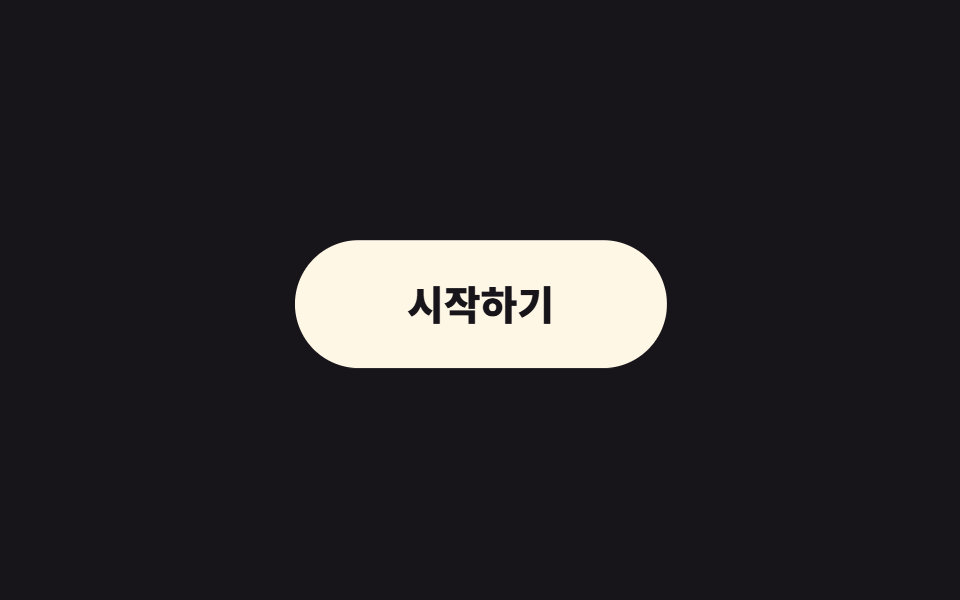
<main class="stage">
  <span class="cursor is-demo" aria-hidden="true"></span>
  <button class="btn is-demo" type="button">Get started</button>
</main>
// ── 변수 3개 (JS 가 --radius --strength 를 읽는다) ─────────
$radius: 120px; // 이 안에 들어오면 끌린다
$strength: .35; // 1 이면 커서에 붙는다
$duration: 160ms;
html, body { margin: 0; overflow: hidden; } // iframe 안에서 스크롤바가 생기지 않게 (실측 2026-09-09: body 여백 8px 이 100vh 를 넘겼다)
.stage { min-height: 100vh; display: grid; place-items: center; margin: 0; background: #17141a; font-family: -apple-system, "Segoe UI", "Noto Sans KR", sans-serif; position: relative; }
.btn {
--radius: #{$radius};
--strength: #{$strength};
border: 0;
border-radius: 999px;
padding: 22px 56px;
font-weight: 800;
font-size: 20px;
line-height: 1;
font-family: inherit;
color: #17141a;
background: #fff7e6;
cursor: pointer;
will-change: transform;
transition: transform $duration ease-out; // 커서를 따라가는 부드러움
&.is-demo { animation: magnet-loop 2s ease-in-out infinite; }
}
// 데모용 가짜 커서. zip 에서는 지운다
.cursor {
position: absolute;
left: 50%; top: 50%;
width: 14px; height: 14px;
border-radius: 50%;
background: #d2c7a4;
pointer-events: none;
&.is-demo { animation: cursor-loop 2s ease-in-out infinite; }
}
@keyframes magnet-loop {
0% { transform: translate(0, 0); }
30% { transform: translate(18px, -10px); }
60% { transform: translate(-14px, 12px); }
100% { transform: translate(0, 0); }
}
@keyframes cursor-loop {
0% { transform: translate(-50%, -50%) translate(0, 0); }
30% { transform: translate(-50%, -50%) translate(52px, -28px); }
60% { transform: translate(-50%, -50%) translate(-40px, 34px); }
100% { transform: translate(-50%, -50%) translate(0, 0); }
}
@media (prefers-reduced-motion: reduce) {
.btn, .btn.is-demo, .cursor.is-demo { transition: none; animation: none; transform: none !important; }
}html, body {
margin: 0;
overflow: hidden;
}
.stage {
min-height: 100vh;
display: grid;
place-items: center;
margin: 0;
background: #17141a;
font-family: -apple-system, "Segoe UI", "Noto Sans KR", sans-serif;
position: relative;
}
.btn {
--radius: 120px;
--strength: 0.35;
border: 0;
border-radius: 999px;
padding: 22px 56px;
font-weight: 800;
font-size: 20px;
line-height: 1;
font-family: inherit;
color: #17141a;
background: #fff7e6;
cursor: pointer;
will-change: transform;
transition: transform 160ms ease-out;
}
.btn.is-demo {
animation: magnet-loop 2s ease-in-out infinite;
}
.cursor {
position: absolute;
left: 50%;
top: 50%;
width: 14px;
height: 14px;
border-radius: 50%;
background: #d2c7a4;
pointer-events: none;
}
.cursor.is-demo {
animation: cursor-loop 2s ease-in-out infinite;
}
@keyframes magnet-loop {
0% {
transform: translate(0, 0);
}
30% {
transform: translate(18px, -10px);
}
60% {
transform: translate(-14px, 12px);
}
100% {
transform: translate(0, 0);
}
}
@keyframes cursor-loop {
0% {
transform: translate(-50%, -50%) translate(0, 0);
}
30% {
transform: translate(-50%, -50%) translate(52px, -28px);
}
60% {
transform: translate(-50%, -50%) translate(-40px, 34px);
}
100% {
transform: translate(-50%, -50%) translate(0, 0);
}
}
@media (prefers-reduced-motion: reduce) {
.btn, .btn.is-demo, .cursor.is-demo {
transition: none;
animation: none;
transform: none !important;
}
}// 커서가 반경(radius) 안에 오면 버튼이 커서 쪽으로 strength 만큼 끌려온다. 값은 CSS 변수로 읽는다.
var btn = document.querySelector('.btn'), cur = document.querySelector('.cursor');
var cs = getComputedStyle(btn);
var radius = parseFloat(cs.getPropertyValue('--radius')) || 120;
var strength = parseFloat(cs.getPropertyValue('--strength')) || 0.35;
document.addEventListener('pointermove', function (e) {
btn.classList.remove('is-demo'); cur.classList.remove('is-demo'); cur.style.display = 'none';
var r = btn.getBoundingClientRect();
var dx = e.clientX - (r.left + r.width / 2), dy = e.clientY - (r.top + r.height / 2);
var d = Math.hypot(dx, dy);
if (d < radius) btn.style.transform = 'translate(' + dx * strength + 'px,' + dy * strength + 'px)';
else btn.style.transform = '';
});import { useEffect, useRef } from "react";
import type { CSSProperties, ReactNode } from "react";
import styles from "./MagneticButton.module.scss";
export type MagneticButtonProps = { children: ReactNode; radius?: number; strength?: number; duration?: number; onClick?: () => void };
export default function MagneticButton({ children, radius = 120, strength = 0.35, duration = 160, onClick }: MagneticButtonProps) {
const ref = useRef<HTMLButtonElement>(null);
useEffect(() => {
const el = ref.current;
if (!el) return;
const move = (e: PointerEvent) => {
const r = el.getBoundingClientRect();
const dx = e.clientX - (r.left + r.width / 2), dy = e.clientY - (r.top + r.height / 2);
el.style.transform = Math.hypot(dx, dy) < radius ? `translate(${dx * strength}px, ${dy * strength}px)` : "";
};
document.addEventListener("pointermove", move);
return () => document.removeEventListener("pointermove", move);
}, [radius, strength]);
const vars = { "--duration": `${duration}ms` } as CSSProperties;
return (
<button ref={ref} type="button" className={styles.btn} style={vars} onClick={onClick}>
{children}
</button>
);
}04 Magnetic — Measured area 9.387% · moving frames 23/23Original by GODRICH · SCSS and React ship in the zip · 9 CSS Button Animations (SCSS + React, copy-paste)
The post this demo lives in
 9 CSS Button Animations (SCSS + React, copy-paste)A CSS button animation is a small motion that tells the user a button noticed them: hover, press, wait, fail, or confirm See all demos in this post