04Media block baseline — a frame that keeps images and video from overflowing their parent
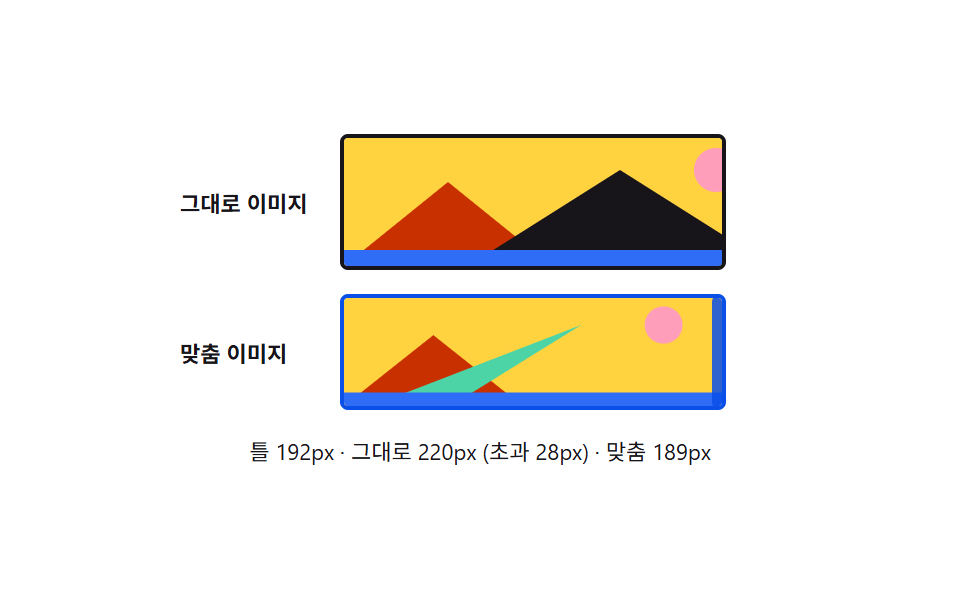
Images and video, normally treated like inline text with stray gaps beneath them, are set to fill their parent's width while keeping their original aspect ratio, with no overflow.
Best forA blog-post image, a thumbnail video inside a card
max-width: 100%height: autogetBoundingClientRect
<main class="stage">
<div class="wrap is-demo" id="wrap">
  <div class="row">
    <span class="rowLabel">Image as-is</span>
    <div class="frame rawFrame" id="rawFrame">
      <img class="rawImg" id="rawImg" alt="Sample landscape image" src="data:image/svg+xml;utf8,<svg xmlns='http://www.w3.org/2000/svg' width='220' height='64'><rect width='220' height='64' fill='%23ffd23f'/><circle cx='186' cy='16' r='11' fill='%23ff9ebb'/><polygon points='0,64 52,22 104,64' fill='%23c93000'/><polygon points='62,64 138,16 214,64' fill='%2317141a'/><rect y='56' width='220' height='8' fill='%232f6df6'/></svg>">
    </div>
  </div>
  <div class="row">
    <span class="rowLabel">Fitted image</span>
    <div class="frame fitFrame" id="fitFrame">
      <img class="fitImg" id="fitImg" alt="Sample landscape image" src="data:image/svg+xml;utf8,<svg xmlns='http://www.w3.org/2000/svg' width='220' height='64'><rect width='220' height='64' fill='%23ffd23f'/><circle cx='186' cy='16' r='11' fill='%23ff9ebb'/><polygon points='0,64 52,22 104,64' fill='%23c93000'/><polygon points='62,64 138,16 16,64' fill='%234cd4a6'/><rect y='56' width='220' height='8' fill='%232f6df6'/></svg>">
      <div class="handle" id="handle" role="separator" aria-label="Adjust frame width"></div>
    </div>
  </div>
  <div class="readout" id="readout">Frame —px</div>
</div>
</main>
@use "../../../../site/static/demo-tokens" as *;
// 계산 겹은 index.html 의 apply() 에 있다 — 틀 너비가 실시간으로 줄어들 때 그대로 이미지는
// 자연 폭(220px)을 지키다 틀 밖으로 삐져나가고(초과 px 를 문구로 세준다), 맞춤 이미지는
// max-width: 100% 로 틀 안으로 줄어든다. 실측은 getBoundingClientRect 로 매 프레임 다시.
@include stage($stage-paper);
.wrap {
width: 300px;
display: flex;
flex-direction: column;
gap: $sp-3;
}
.row {
display: flex;
align-items: center;
gap: $sp-2;
}
.rowLabel {
width: 72px;
flex: 0 0 auto;
color: $subject-ink;
font-size: 11px;
font-weight: 700;
}
.frame {
position: relative;
border: 2px solid $subject-ink;
border-radius: $r-xs;
overflow: hidden;
transition: width $dur-base $ease-out;
}
.fitFrame { border-color: $subject-blue-deep; }
// 리셋 항목의 주인공 — img { max-width: 100%; } 를 .fitImg 에만 걸어 나란히 비교한다
.fitImg {
display: block;
max-width: 100%;
height: auto;
}
.rawImg {
display: block;
}
.handle {
position: absolute;
top: -2px;
right: -9px;
width: 14px;
height: calc(100% + 4px);
border-radius: $r-xs;
background: $subject-blue-deep;
cursor: ew-resize;
opacity: .85;
transition: opacity $dur-instant $ease-out;
&::after {
content: "";
position: absolute;
top: 50%;
left: 50%;
width: 2px;
height: 14px;
border-radius: $r-xs;
background: $subject-cream;
transform: translate(-50%, -50%);
}
&:hover { opacity: 1; }
}
.readout {
color: $subject-ink;
font-size: 11px;
text-align: center;
}
@media (max-width: 340px) {
.wrap { width: 260px; }
.rowLabel { width: 60px; font-size: 10px; }
}
@media (prefers-reduced-motion: reduce) {
// reduce: 자동 루프의 사인 진동만 멈춘다(핸들로 하는 실사용 조절은 즉시 반영)
.frame { transition: none; }
}html, body {
margin: 0;
overflow: hidden;
}
.stage {
box-sizing: border-box;
min-height: 100vh;
display: grid;
place-items: center;
margin: 0;
background: #ffffff;
font-family: -apple-system, "Segoe UI", "Noto Sans KR", sans-serif;
padding: clamp(8px, 4vw, 24px);
}
.wrap {
width: 300px;
display: flex;
flex-direction: column;
gap: 12px;
}
.row {
display: flex;
align-items: center;
gap: 8px;
}
.rowLabel {
width: 72px;
flex: 0 0 auto;
color: #17141a;
font-size: 11px;
font-weight: 700;
}
.frame {
position: relative;
border: 2px solid #17141a;
border-radius: 4px;
overflow: hidden;
transition: width 300ms ease-out;
}
.fitFrame {
border-color: #0a4fe8;
}
.fitImg {
display: block;
max-width: 100%;
height: auto;
}
.rawImg {
display: block;
}
.handle {
position: absolute;
top: -2px;
right: -9px;
width: 14px;
height: calc(100% + 4px);
border-radius: 4px;
background: #0a4fe8;
cursor: ew-resize;
opacity: 0.85;
transition: opacity 140ms ease-out;
}
.handle::after {
content: "";
position: absolute;
top: 50%;
left: 50%;
width: 2px;
height: 14px;
border-radius: 4px;
background: #fff7e6;
transform: translate(-50%, -50%);
}
.handle:hover {
opacity: 1;
}
.readout {
color: #17141a;
font-size: 11px;
text-align: center;
}
@media (max-width: 340px) {
.wrap {
width: 260px;
}
.rowLabel {
width: 60px;
font-size: 10px;
}
}
@media (prefers-reduced-motion: reduce) {
.frame {
transition: none;
}
}(function () {
var MIN_FRAME_PX = 130;
var MAX_FRAME_PX = 230;
var reduce = window.matchMedia('(prefers-reduced-motion: reduce)').matches;
var wrap = document.getElementById('wrap');
var rawFrame = document.getElementById('rawFrame');
var rawImg = document.getElementById('rawImg');
var fitFrame = document.getElementById('fitFrame');
var fitImg = document.getElementById('fitImg');
var handle = document.getElementById('handle');
var readout = document.getElementById('readout');
var isDemo = true;
var frameW = 180;
function apply() {
rawFrame.style.width = frameW + 'px';
fitFrame.style.width = frameW + 'px';
// 실측 — 두 이미지의 실제 렌더 폭을 매 프레임 다시 잰다 (자연 폭 220px 는 svg width 에서 온다)
var fitW = fitImg.getBoundingClientRect().width;
var rawW = rawImg.getBoundingClientRect().width;
var over = Math.max(0, Math.round(rawW - frameW));
readout.textContent = 'Frame ' + Math.round(frameW) + 'px · as-is ' + Math.round(rawW) +
'px (overflow ' + over + 'px) · fitted ' + Math.round(fitW) + 'px';
}
var start = 0;
function loop(ts) {
if (!start) start = ts;
if (isDemo && !reduce) { frameW = 180 + 50 * Math.sin((ts - start) / 900); }
apply();
requestAnimationFrame(loop);
}
function human() { if (isDemo) { wrap.classList.remove('is-demo'); isDemo = false; } }
function onMove(e) {
var rect = fitFrame.getBoundingClientRect();
frameW = Math.min(MAX_FRAME_PX, Math.max(MIN_FRAME_PX, e.clientX - rect.left));
}
function onUp() {
window.removeEventListener('pointermove', onMove);
window.removeEventListener('pointerup', onUp);
}
handle.addEventListener('pointerdown', function (e) {
human();
e.preventDefault();
onMove(e);
window.addEventListener('pointermove', onMove);
window.addEventListener('pointerup', onUp);
});
requestAnimationFrame(loop);
})();// MediaBlock — vanilla 판(run/376/demo/04-media-block/index.html) 의 React 포트.
// 틀 너비를 핸들로 끌면 두 이미지의 실제 렌더 폭(getBoundingClientRect)을 다시 재
// "그대로 이미지" 는 자연 폭을 지키다 넘치고 "맞춤 이미지" 는 max-width:100% 로 줄어드는
// 차이를 초과 px 문구로 보여준다.
import { useEffect, useRef } from "react";
import styles from "./MediaBlock.module.scss";
type Box<T> = { current: T };
const MIN_FRAME_PX = 130;
const MAX_FRAME_PX = 230;
const SAMPLE_SVG =
"data:image/svg+xml;utf8,<svg xmlns='http://www.w3.org/2000/svg' width='220' height='64'><rect width='220' height='64' fill='%23ffd23f'/><circle cx='186' cy='16' r='11' fill='%23ff9ebb'/><polygon points='0,64 52,22 104,64' fill='%23c93000'/><polygon points='62,64 138,16 214,64' fill='%2317141a'/><rect y='56' width='220' height='8' fill='%232f6df6'/></svg>";
export default function MediaBlock() {
const wrapRef = useRef(null) as unknown as Box<HTMLDivElement>;
const rawFrameRef = useRef(null) as unknown as Box<HTMLDivElement>;
const rawImgRef = useRef(null) as unknown as Box<HTMLImageElement>;
const fitFrameRef = useRef(null) as unknown as Box<HTMLDivElement>;
const fitImgRef = useRef(null) as unknown as Box<HTMLImageElement>;
const handleRef = useRef(null) as unknown as Box<HTMLDivElement>;
const readoutRef = useRef(null) as unknown as Box<HTMLDivElement>;
const rafRef = useRef(0) as unknown as Box<number>;
useEffect(() => {
const reduce = window.matchMedia("(prefers-reduced-motion: reduce)").matches;
const wrap = wrapRef.current;
const rawFrame = rawFrameRef.current;
const rawImg = rawImgRef.current;
const fitFrame = fitFrameRef.current;
const fitImg = fitImgRef.current;
const handle = handleRef.current;
const readout = readoutRef.current;
if (!wrap || !rawFrame || !rawImg || !fitFrame || !fitImg || !handle || !readout) return;
let isDemo = true;
let frameW = 180;
function apply() {
rawFrame!.style.width = frameW + "px";
fitFrame!.style.width = frameW + "px";
const fitW = fitImg!.getBoundingClientRect().width;
const rawW = rawImg!.getBoundingClientRect().width;
const over = Math.max(0, Math.round(rawW - frameW));
readout!.textContent = "틀 " + Math.round(frameW) + "px · 그대로 " + Math.round(rawW) +
"px (초과 " + over + "px) · 맞춤 " + Math.round(fitW) + "px";
}
let start = 0;
function loop(ts: number) {
if (!start) start = ts;
if (isDemo && !reduce) { frameW = 180 + 50 * Math.sin((ts - start) / 900); }
apply();
rafRef.current = requestAnimationFrame(loop);
}
function human() { if (isDemo) { wrap!.classList.remove(styles.isDemo); isDemo = false; } }
function onMove(e: PointerEvent) {
const rect = fitFrame!.getBoundingClientRect();
frameW = Math.min(MAX_FRAME_PX, Math.max(MIN_FRAME_PX, e.clientX - rect.left));
}
function onUp() {
window.removeEventListener("pointermove", onMove);
window.removeEventListener("pointerup", onUp);
}
function onDown(e: PointerEvent) {
human();
e.preventDefault();
onMove(e);
window.addEventListener("pointermove", onMove);
window.addEventListener("pointerup", onUp);
}
handle.addEventListener("pointerdown", onDown as unknown as EventListener);
rafRef.current = requestAnimationFrame(loop);
return () => {
handle!.removeEventListener("pointerdown", onDown as unknown as EventListener);
window.removeEventListener("pointermove", onMove);
window.removeEventListener("pointerup", onUp);
cancelAnimationFrame(rafRef.current);
};
}, []);
return (
<main className={styles.stage}>
<div className={styles.wrap + " " + styles.isDemo} ref={wrapRef}>
<div className={styles.row}>
<span className={styles.rowLabel}>그대로 이미지</span>
<div className={styles.frame + " " + styles.rawFrame} ref={rawFrameRef}>
<img className={styles.rawImg} ref={rawImgRef} alt="풍경 샘플 이미지" src={SAMPLE_SVG} />
</div>
</div>
<div className={styles.row}>
<span className={styles.rowLabel}>맞춤 이미지</span>
<div className={styles.frame + " " + styles.fitFrame} ref={fitFrameRef}>
<img className={styles.fitImg} ref={fitImgRef} alt="풍경 샘플 이미지" src={SAMPLE_SVG} />
<div className={styles.handle} ref={handleRef} role="separator" aria-label="틀 너비 조절"></div>
</div>
</div>
<div className={styles.readout} ref={readoutRef}>틀 —px</div>
</div>
</main>
);
}04 Media block baseline — a frame that keeps images and video from overflowing their parent — Measured area 11.703% · moving frames 18/23Original by GODRICH · SCSS and React ship in the zip · CSS Reset: 9 Patterns From Basics to Safe-Area
The post this demo lives in
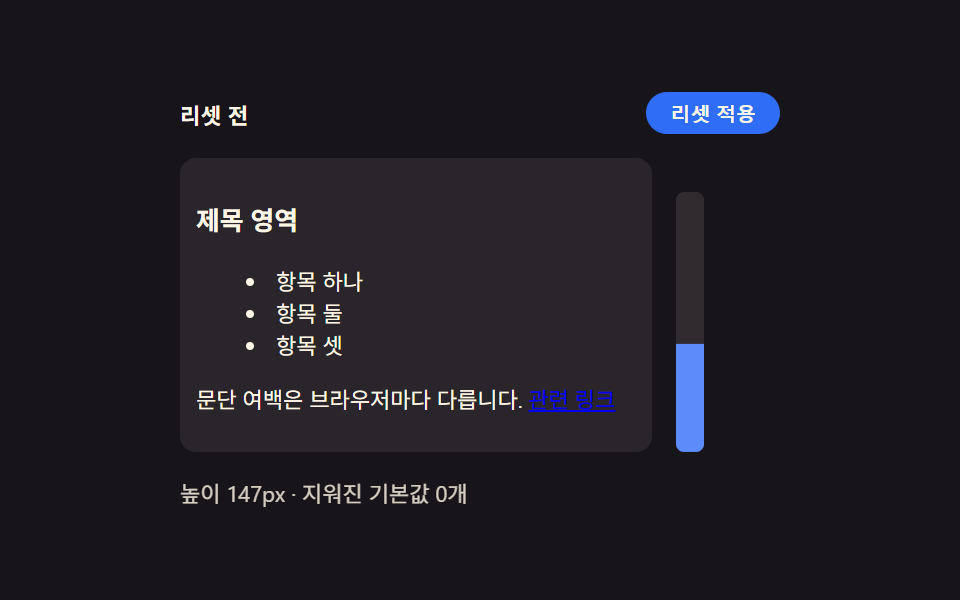 CSS Reset: 9 Patterns From Basics to Safe-AreaNine css reset patterns: one recalculates padding for the safe area, one shrinks transition duration near zero when moti See all demos in this post
If you like this effect - similar demos
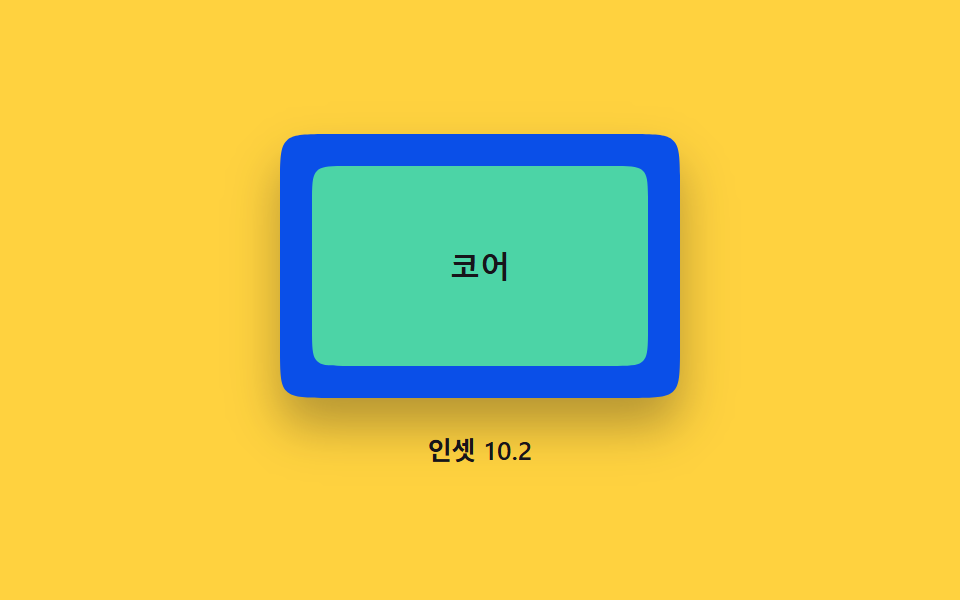 base09 Inset frame — an outer curve value and an inner curve value sit apart, forming a double borderCSS corner-shape: 9 Corner Cutting Patterns
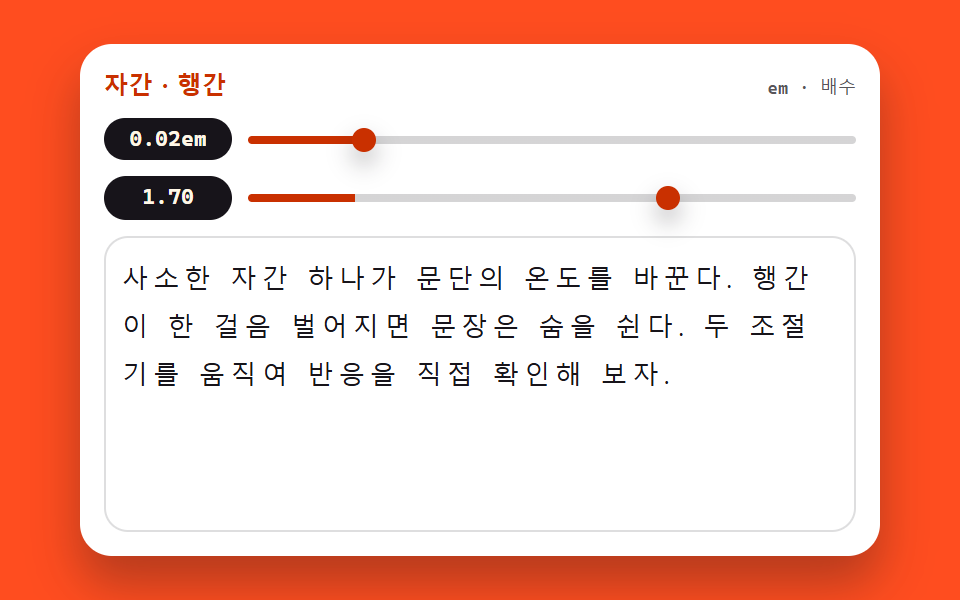 base03 Tracking and leading tunerCSS Typography Playground: 9 Demos, No Webfonts
 Embeds01 YouTube responsive embed — a video frame that recomputes its ratio from the available width9 YouTube Embed Code UI Patterns (Copy-Paste)