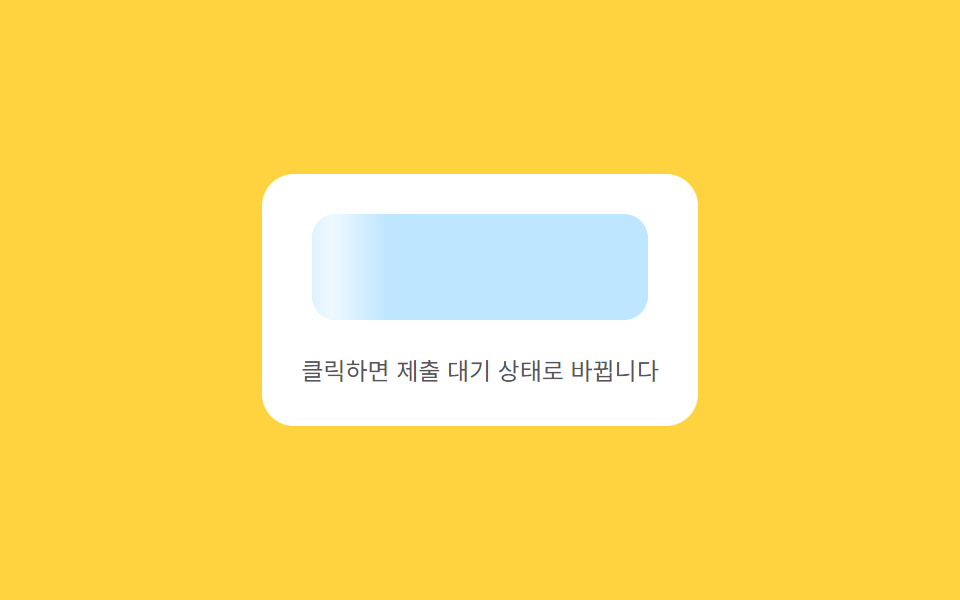
08Flowing wait — a button whose surface brightness value sweeps in one direction while content isn't ready
While the content is in a not-ready state, the surface's brightness value repeatedly sweeps from one end to the other, and once the content reaches a ready state the sweep stops and the real content appears.
Best forAn async-data-loading button, a form-submission wait button
BAND=34CYCLE=1100easeInOutSine
<main class="stage">
<div class="ctaskm is-demo" id="ctaskm">
  <div class="ctaskm__panel">
    <button class="ctaskm__btn ctaskm__btn--loading" id="ctaskmBtn" type="button">
      <span class="ctaskm__sweep" id="ctaskmSweep"></span>
      <span class="ctaskm__label" id="ctaskmLabel">Submit the form</span>
    </button>
    <span class="ctaskm__hint">Click and it switches to a submission-pending state</span>
  </div>
</div>
</main>
@use "../../../../site/static/demo-tokens" as *;
// 계산 겹(sweep 위치의 sin 가감속)은 JS 에 있다 — 여기는 정적 배치만.
@include stage($stage-yellow);
.stage { position: relative; }
.ctaskm__panel {
display: flex;
flex-direction: column;
align-items: center;
gap: $sp-4;
padding: $sp-5;
border-radius: $r-card;
background: $stage-paper;
}
.ctaskm__btn {
position: relative;
overflow: hidden;
border: 0;
border-radius: $r-control;
background: $subject-sky;
color: $subject-ink;
font-family: inherit;
font-weight: 700;
font-size: 15px;
padding: $sp-4 $sp-5;
min-width: 168px;
cursor: pointer;
}
.ctaskm__btn--loading {
background: rgba($subject-sky, .45);
}
.ctaskm__sweep {
position: absolute;
top: 0;
bottom: 0;
left: 0;
width: 34%;
background: linear-gradient(90deg, rgba(255, 255, 255, 0) 0%, rgba(255, 255, 255, .75) 50%, rgba(255, 255, 255, 0) 100%);
pointer-events: none;
}
.ctaskm__label {
position: relative;
transition: opacity $dur-quick $ease-out;
}
.ctaskm__hint {
color: rgba($subject-ink, .72);
font-size: 12px;
text-align: center;
}
@media (max-width: 340px) {
.ctaskm__panel { padding: $sp-4; gap: $sp-3; }
.ctaskm__btn { padding: $sp-3 $sp-4; font-size: 14px; min-width: 148px; }
}
@media (prefers-reduced-motion: reduce) {
.ctaskm__label { transition: none !important; }
}html, body {
margin: 0;
overflow: hidden;
}
.stage {
box-sizing: border-box;
min-height: 100vh;
display: grid;
place-items: center;
margin: 0;
background: #ffd23f;
font-family: -apple-system, "Segoe UI", "Noto Sans KR", sans-serif;
padding: clamp(8px, 4vw, 24px);
}
.stage {
position: relative;
}
.ctaskm__panel {
display: flex;
flex-direction: column;
align-items: center;
gap: 16px;
padding: 20px;
border-radius: 16px;
background: #ffffff;
}
.ctaskm__btn {
position: relative;
overflow: hidden;
border: 0;
border-radius: 12px;
background: #6ec8ff;
color: #17141a;
font-family: inherit;
font-weight: 700;
font-size: 15px;
padding: 16px 20px;
min-width: 168px;
cursor: pointer;
}
.ctaskm__btn--loading {
background: rgba(110, 200, 255, 0.45);
}
.ctaskm__sweep {
position: absolute;
top: 0;
bottom: 0;
left: 0;
width: 34%;
background: linear-gradient(90deg, rgba(255, 255, 255, 0) 0%, rgba(255, 255, 255, 0.75) 50%, rgba(255, 255, 255, 0) 100%);
pointer-events: none;
}
.ctaskm__label {
position: relative;
transition: opacity 220ms ease-out;
}
.ctaskm__hint {
color: rgba(23, 20, 26, 0.72);
font-size: 12px;
text-align: center;
}
@media (max-width: 340px) {
.ctaskm__panel {
padding: 16px;
gap: 12px;
}
.ctaskm__btn {
padding: 12px 16px;
font-size: 14px;
min-width: 148px;
}
}
@media (prefers-reduced-motion: reduce) {
.ctaskm__label {
transition: none !important;
}
}(function () {
var root = document.getElementById('ctaskm');
var btn = document.getElementById('ctaskmBtn');
var sweep = document.getElementById('ctaskmSweep');
var label = document.getElementById('ctaskmLabel');
// 계산 겹: sweep 의 가로 위치 값을 ease-in-out(사인 곡선)으로 매 프레임 계산해
// 한쪽 끝(-BAND)에서 반대쪽 끝(100+BAND)까지 흐르게 한다 — 등속 CSS keyframe 이 아니라
// 위치 자체를 sin() 로 가감속시킨다.
var BAND = 34, CYCLE = 1100;
var raf = null, startT = 0, loading = false;
function easeInOutSine(t) { return -(Math.cos(Math.PI * t) - 1) / 2; }
function frame(now) {
var t = ((now - startT) % CYCLE) / CYCLE;
var e = easeInOutSine(t);
var pos = -BAND + e * (100 + BAND * 2);
sweep.style.transform = 'translateX(' + pos.toFixed(1) + '%)';
if (loading) { raf = requestAnimationFrame(frame); } else { raf = null; }
}
function startLoading() {
if (loading) { return; }
loading = true;
btn.classList.add('ctaskm__btn--loading');
label.style.opacity = '0';
startT = performance.now();
raf = requestAnimationFrame(frame);
setTimeout(function () {
loading = false;
btn.classList.remove('ctaskm__btn--loading');
label.style.opacity = '1';
label.textContent = 'Submission complete';
setTimeout(function () { label.textContent = 'Submit the form'; }, 500);
}, 1400);
}
function wireReal() {
btn.addEventListener('click', function () { root.classList.remove('is-demo'); stopAutoplay(); startLoading(); });
}
wireReal();
var autoplayTimer = null;
function stopAutoplay() { if (autoplayTimer) { clearInterval(autoplayTimer); autoplayTimer = null; } }
var reduce = window.matchMedia('(prefers-reduced-motion: reduce)').matches;
if (!reduce) { startLoading(); autoplayTimer = setInterval(startLoading, 2000); }
})();import { useEffect, useRef } from "react";
import styles from "./CtaBtnSkeletonShimmer.module.scss";
export type CtaBtnSkeletonShimmerProps = {
color?: string;
};
export default function CtaBtnSkeletonShimmer({
color = "#8fd3ff",
}: CtaBtnSkeletonShimmerProps) {
const rootRef = useRef<HTMLDivElement | null>(null);
useEffect(() => {
const root = rootRef.current;
if (!root) return;
const btn = root.querySelector<HTMLButtonElement>(`.${styles.btn}`);
const sweep = root.querySelector<HTMLSpanElement>(`.${styles.sweep}`);
const label = root.querySelector<HTMLSpanElement>(`.${styles.label}`);
if (!btn || !sweep || !label) return;
// 계산 겹: sweep 의 가로 위치 값을 ease-in-out(사인 곡선)으로 매 프레임 계산해
// 한쪽 끝(-BAND)에서 반대쪽 끝(100+BAND)까지 흐르게 한다 — 등속 CSS keyframe 이 아니라
// 위치 자체를 sin() 로 가감속시킨다.
const BAND = 34, CYCLE = 1100;
let raf: number | null = null, startT = 0, loading = false;
function easeInOutSine(t: number) { return -(Math.cos(Math.PI * t) - 1) / 2; }
function frame(now: number) {
const t = ((now - startT) % CYCLE) / CYCLE;
const e = easeInOutSine(t);
const pos = -BAND + e * (100 + BAND * 2);
sweep!.style.transform = "translateX(" + pos.toFixed(1) + "%)";
raf = loading ? requestAnimationFrame(frame) : null;
}
function startLoading() {
if (loading) return;
loading = true;
btn!.classList.add(styles.isLoading);
label!.style.opacity = "0";
startT = performance.now();
raf = requestAnimationFrame(frame);
window.setTimeout(() => {
loading = false;
btn!.classList.remove(styles.isLoading);
label!.style.opacity = "1";
label!.textContent = "제출 완료";
window.setTimeout(() => { label!.textContent = "양식 제출하기"; }, 500);
}, 1400);
}
function onClick() { stopAutoplay(); startLoading(); }
btn.addEventListener("click", onClick);
let autoplayTimer: number | null = null;
function stopAutoplay() { if (autoplayTimer !== null) { window.clearInterval(autoplayTimer); autoplayTimer = null; } }
const reduce = window.matchMedia("(prefers-reduced-motion: reduce)").matches;
if (!reduce) { startLoading(); autoplayTimer = window.setInterval(startLoading, 2000); }
return () => {
stopAutoplay();
if (raf !== null) cancelAnimationFrame(raf);
btn.removeEventListener("click", onClick);
};
}, []);
return (
<div ref={rootRef} className={styles.stage}>
<div className={styles.panel}>
<button className={`${styles.btn} ${styles.isLoading}`} type="button" style={{ background: color }}>
<span className={styles.sweep} />
<span className={styles.label}>양식 제출하기</span>
</button>
<span className={styles.hint}>클릭하면 제출 대기 상태로 바뀝니다</span>
</div>
</div>
);
}08 Flowing wait — a button whose surface brightness value sweeps in one direction while content isn't ready — Measured area 6.108% · moving frames 20/23Original by GODRICH · SCSS and React ship in the zip · CTA Button Design: 9 Interaction Patterns
The post this demo lives in
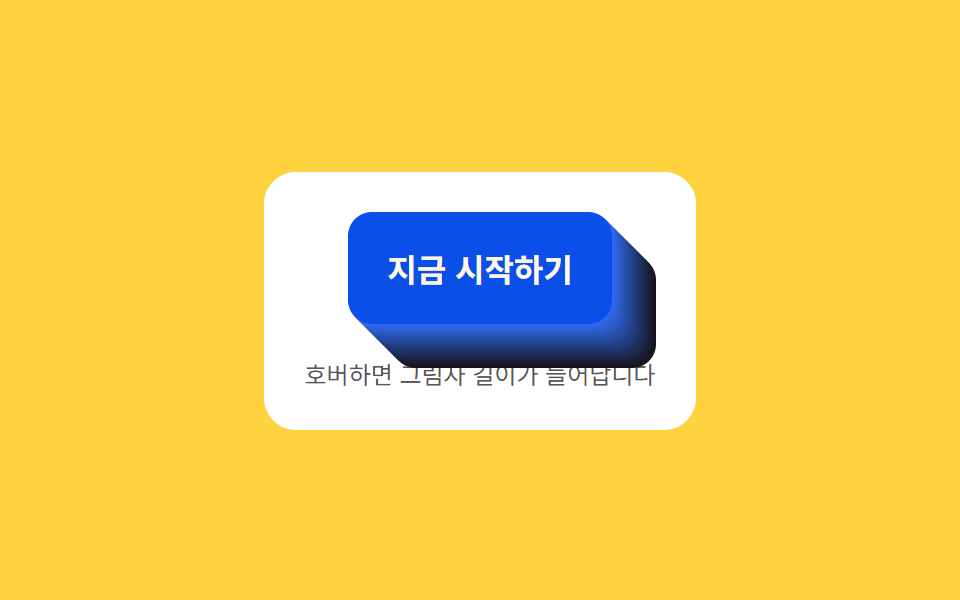 CTA Button Design: 9 Interaction PatternsOne shadow length value grows and shrinks with hover state, one perimeter progress value depletes to zero over time, and See all demos in this post
If you like this effect - similar demos
 Buttons01 Accordion-reveal value toggle — when the button's open value changes, its rounding and shadow values change along, presenting the content belowExpanding Button UI: 9 Shape-Morph Patterns
 Buttons04 Exclusive pressed state — when one button's pressed value turns on, every other button's pressed value turns off at the same instantButton Group CSS: 9 Adjoined Patterns
 Buttons01 Button Whose Glow Widens With the Distance ValueCSS Button Hover Effects — 9 Proximity Patterns