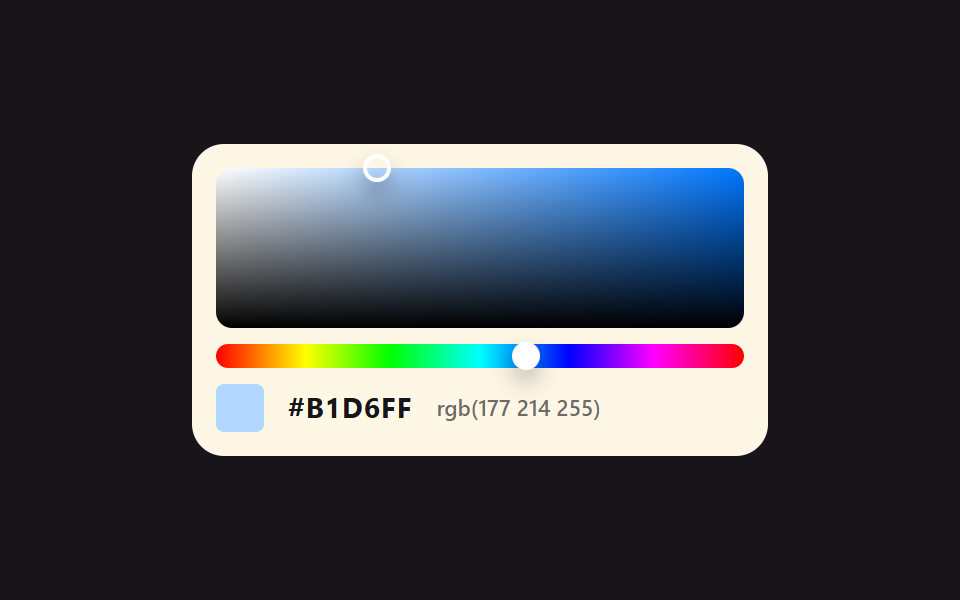
01Saturation and brightness square you drag
Drag across the square: sideways reads as saturation, up and down as brightness, and the HEX text under it changes in the same instant.
Best forColor picking in design tools, theme editors
setPointerCapturecounter-set@property

<main class="stage">
  <div class="pk is-demo">
    <div class="pk__sv" id="svArea" role="slider" tabindex="0"
         aria-label="Pick saturation and brightness"
         aria-valuemin="0" aria-valuemax="100" aria-valuenow="20"
         aria-valuetext="Saturation 20%, brightness 100%, #CCE4FF">
      <span class="pk__dot" aria-hidden="true"></span>
    </div>
    <div class="pk__hue" id="hueBar" role="slider" tabindex="0"
         aria-label="Pick hue"
         aria-valuemin="0" aria-valuemax="360" aria-valuenow="212"
         aria-valuetext="Hue 212 degrees">
      <span class="pk__knob" aria-hidden="true"></span>
    </div>
    <div class="pk__read">
      <span class="pk__chip" aria-hidden="true"></span>
      <span class="pk__hex" aria-hidden="true"></span>
      <span class="pk__rgb" aria-hidden="true"></span>
    </div>
  </div>
</main>
@use "../../../../site/static/demo-tokens" as *;
// 채도·명도 사각형 — 가로 264px 이 채도 0~1, 세로 80px 이 명도 1~0 이다.
// 손잡이를 끌면 JS 가 그 자리의 HSV 를 RGB 로 바꿔 --r --g --b 에만 넣는다. 칩 색도, HEX 글자도,
// rgb() 글자도 전부 그 세 값에서 나온다 — counter-set 이 값을 계수기에 옮기고 @counter-style hx 의
// 16진 눈금이 두 자리로 찍는다. 글자를 JS 가 따로 쓰지 않으니 색과 글자가 어긋날 수가 없다.
// 미리보기 루프도 같은 세 값을 애니메이션해서 poster 의 색과 HEX 가 언제나 같은 순간을 가리킨다.
// 루프 경로는 색이 위치에 선형으로 대응하는 두 변만 쓴다 — 윗변(명도 1)과 채도 0.94 세로선.
// 그 두 변 위에서 HSV→RGB 는 1차식이라, 위치 보간값과 색 보간값이 정확히 같은 점을 가리킨다.
$duration: $dur-loop;
$easing: $ease-spring;
$color: $subject-blue;
@include stage($stage-ink);
@property --r { syntax: "<integer>"; inherits: true; initial-value: 204; }
@property --g { syntax: "<integer>"; inherits: true; initial-value: 228; }
@property --b { syntax: "<integer>"; inherits: true; initial-value: 255; }
// 0~15 를 16진 한 자리로 찍는 계수기 눈금. pad 2 "0" 이 0F 처럼 앞자리를 채운다
@counter-style hx {
system: numeric;
symbols: "0" "1" "2" "3" "4" "5" "6" "7" "8" "9" "A" "B" "C" "D" "E" "F";
pad: 2 "0";
}
.pk {
box-sizing: border-box;
width: 288px;
max-width: 100%;
padding: $sp-3;
border-radius: $r-card;
background: $subject-cream;
color: $subject-ink;
font-family: inherit;
--hue: 212;
}
.pk * { box-sizing: border-box; }
.pk__sv {
position: relative;
height: 80px;
border-radius: $r-sm;
cursor: crosshair;
touch-action: none;
background-color: hsl(var(--hue) 100% 50%);
background-image:
linear-gradient(to top, #000000, rgba(0, 0, 0, 0)),
linear-gradient(to right, #ffffff, rgba(255, 255, 255, 0));
}
.pk__sv:focus-visible { outline: 3px solid $color; outline-offset: 3px; }
.pk__dot {
position: absolute;
left: 0;
top: 0;
width: 14px;
height: 14px;
border-radius: 50%;
border: 2px solid #ffffff;
box-shadow: $shadow-press;
// 손잡이는 자기 중심이 고른 점 위에 놓인다 — 좌표 이동 뒤 자기 크기의 절반만큼 되민다
transform: translate(52.8px, 0) translate(-50%, -50%);
}
.pk__hue {
position: relative;
height: 12px;
margin-top: $sp-2;
border-radius: $r-pill;
cursor: pointer;
touch-action: none;
background-image: linear-gradient(to right,
#ff0000 0%, #ffff00 17%, #00ff00 33%, #00ffff 50%, #0000ff 67%, #ff00ff 83%, #ff0000 100%);
}
.pk__hue:focus-visible { outline: 3px solid $color; outline-offset: 3px; }
.pk__knob {
position: absolute;
top: 50%;
left: 58.9%;
width: 14px;
height: 14px;
border-radius: 50%;
background: #ffffff;
box-shadow: $shadow-press;
transform: translate(-50%, -50%);
}
.pk__read {
display: flex;
align-items: center;
gap: $sp-3;
margin-top: $sp-2;
}
.pk__chip {
width: 24px;
height: 24px;
border-radius: $r-xs;
background: rgb(var(--r) var(--g) var(--b));
}
// HEX·rgb() 글자 — 값은 --r --g --b 하나뿐이고 계수기가 표기만 둘로 나눈다
.pk__hex {
counter-set: cr calc(var(--r)) cg calc(var(--g)) cb calc(var(--b));
font-size: 14px;
font-weight: 700;
line-height: 1.2;
letter-spacing: .04em;
}
.pk__hex::after { content: "#" counter(cr, hx) counter(cg, hx) counter(cb, hx); }
.pk__rgb {
counter-set: cr calc(var(--r)) cg calc(var(--g)) cb calc(var(--b));
font-size: 11px;
font-weight: 500;
line-height: 1.2;
color: rgba(23, 20, 26, .62);
}
.pk__rgb::after { content: "rgb(" counter(cr) " " counter(cg) " " counter(cb) ")"; }
// ── 미리보기 루프(정적 규칙 먼저, 그 위에 덧씌움) ─────────────────
// 손잡이와 색을 같은 키프레임 퍼센트·같은 이징으로 돌린다. 두 애니메이션의 보간 비율이 같으니
// 어느 프레임에서도 손잡이가 선 자리의 색과 칩·글자의 색이 같은 값이다.
.pk.is-demo .pk__dot {
animation-name: pkDot;
animation-duration: $duration;
animation-timing-function: $easing;
animation-iteration-count: infinite;
}
.pk.is-demo {
animation-name: pkColor;
animation-duration: $duration;
animation-timing-function: $easing;
animation-iteration-count: infinite;
}
// 채도 0.20 → 0.94 (윗변) → 명도 1 → 0.55 (세로선) → 같은 길을 되짚어 돌아온다. 90% 에 제자리
@keyframes pkDot {
0% { transform: translate(52.8px, 0) translate(-50%, -50%); }
30%, 40% { transform: translate(248.2px, 0) translate(-50%, -50%); }
60%, 70% { transform: translate(248.2px, 36px) translate(-50%, -50%); }
80% { transform: translate(248.2px, 0) translate(-50%, -50%); }
90%, 100% { transform: translate(52.8px, 0) translate(-50%, -50%); }
}
// 색상 212도의 순색은 rgb(0 119 255) 다. 윗변에서는 흰색과의 1차 혼합, 세로선에서는 그 값의 배수다
@keyframes pkColor {
0% { --r: 204; --g: 228; --b: 255; }
30%, 40% { --r: 15; --g: 127; --b: 255; }
60%, 70% { --r: 8; --g: 70; --b: 140; }
80% { --r: 15; --g: 127; --b: 255; }
90%, 100% { --r: 204; --g: 228; --b: 255; }
}
@media (prefers-reduced-motion: reduce) {
.pk.is-demo,
.pk.is-demo .pk__dot {
animation: none !important;
}
}html, body {
margin: 0;
overflow: hidden;
}
.stage {
box-sizing: border-box;
min-height: 100vh;
display: grid;
place-items: center;
margin: 0;
background: #17141a;
font-family: -apple-system, "Segoe UI", "Noto Sans KR", sans-serif;
padding: clamp(8px, 4vw, 24px);
}
@property --r {
syntax: "<integer>";
inherits: true;
initial-value: 204;
}
@property --g {
syntax: "<integer>";
inherits: true;
initial-value: 228;
}
@property --b {
syntax: "<integer>";
inherits: true;
initial-value: 255;
}
@counter-style hx {
system: numeric;
symbols: "0" "1" "2" "3" "4" "5" "6" "7" "8" "9" "A" "B" "C" "D" "E" "F";
pad: 2 "0";
}
.pk {
box-sizing: border-box;
width: 288px;
max-width: 100%;
padding: 12px;
border-radius: 16px;
background: #fff7e6;
color: #17141a;
font-family: inherit;
--hue: 212;
}
.pk * {
box-sizing: border-box;
}
.pk__sv {
position: relative;
height: 80px;
border-radius: 8px;
cursor: crosshair;
touch-action: none;
background-color: hsl(var(--hue), 100%, 50%);
background-image: linear-gradient(to top, #000000, rgba(0, 0, 0, 0)), linear-gradient(to right, #ffffff, rgba(255, 255, 255, 0));
}
.pk__sv:focus-visible {
outline: 3px solid #2f6df6;
outline-offset: 3px;
}
.pk__dot {
position: absolute;
left: 0;
top: 0;
width: 14px;
height: 14px;
border-radius: 50%;
border: 2px solid #ffffff;
box-shadow: 0 6px 12px rgba(23, 20, 26, 0.32);
transform: translate(52.8px, 0) translate(-50%, -50%);
}
.pk__hue {
position: relative;
height: 12px;
margin-top: 8px;
border-radius: 999px;
cursor: pointer;
touch-action: none;
background-image: linear-gradient(to right, #ff0000 0%, #ffff00 17%, #00ff00 33%, #00ffff 50%, #0000ff 67%, #ff00ff 83%, #ff0000 100%);
}
.pk__hue:focus-visible {
outline: 3px solid #2f6df6;
outline-offset: 3px;
}
.pk__knob {
position: absolute;
top: 50%;
left: 58.9%;
width: 14px;
height: 14px;
border-radius: 50%;
background: #ffffff;
box-shadow: 0 6px 12px rgba(23, 20, 26, 0.32);
transform: translate(-50%, -50%);
}
.pk__read {
display: flex;
align-items: center;
gap: 12px;
margin-top: 8px;
}
.pk__chip {
width: 24px;
height: 24px;
border-radius: 4px;
background: rgb(var(--r), var(--g), var(--b));
}
.pk__hex {
counter-set: cr calc(var(--r)) cg calc(var(--g)) cb calc(var(--b));
font-size: 14px;
font-weight: 700;
line-height: 1.2;
letter-spacing: 0.04em;
}
.pk__hex::after {
content: "#" counter(cr, hx) counter(cg, hx) counter(cb, hx);
}
.pk__rgb {
counter-set: cr calc(var(--r)) cg calc(var(--g)) cb calc(var(--b));
font-size: 11px;
font-weight: 500;
line-height: 1.2;
color: rgba(23, 20, 26, 0.62);
}
.pk__rgb::after {
content: "rgb(" counter(cr) " " counter(cg) " " counter(cb) ")";
}
.pk.is-demo .pk__dot {
animation-name: pkDot;
animation-duration: 2s;
animation-timing-function: cubic-bezier(0.2, 0.8, 0.2, 1);
animation-iteration-count: infinite;
}
.pk.is-demo {
animation-name: pkColor;
animation-duration: 2s;
animation-timing-function: cubic-bezier(0.2, 0.8, 0.2, 1);
animation-iteration-count: infinite;
}
@keyframes pkDot {
0% {
transform: translate(52.8px, 0) translate(-50%, -50%);
}
30%, 40% {
transform: translate(248.2px, 0) translate(-50%, -50%);
}
60%, 70% {
transform: translate(248.2px, 36px) translate(-50%, -50%);
}
80% {
transform: translate(248.2px, 0) translate(-50%, -50%);
}
90%, 100% {
transform: translate(52.8px, 0) translate(-50%, -50%);
}
}
@keyframes pkColor {
0% {
--r: 204;
--g: 228;
--b: 255;
}
30%, 40% {
--r: 15;
--g: 127;
--b: 255;
}
60%, 70% {
--r: 8;
--g: 70;
--b: 140;
}
80% {
--r: 15;
--g: 127;
--b: 255;
}
90%, 100% {
--r: 204;
--g: 228;
--b: 255;
}
}
@media (prefers-reduced-motion: reduce) {
.pk.is-demo,
.pk.is-demo .pk__dot {
animation: none !important;
}
}(function () {
var root = document.querySelector('.pk');
var svArea = document.getElementById('svArea');
var hueBar = document.getElementById('hueBar');
var dot = root.querySelector('.pk__dot');
var knob = root.querySelector('.pk__knob');
var svFormat = 'Saturation %s%, brightness %v%, %x';
var hueFormat = 'Hue %h degrees';
var hue = 212, sat = 0.2, val = 1;
// HSV(0~360, 0~1, 0~1) → RGB(0~255). 육각형 여섯 구간을 표로 펴서 분기 없이 고른다
function hsvToRgb(h, s, v) {
var c = v * s, x = c * (1 - Math.abs(((h / 60) % 2) - 1)), m = v - c;
var face = [[c, x, 0], [x, c, 0], [0, c, x], [0, x, c], [x, 0, c], [c, 0, x]][Math.floor(h / 60) % 6];
return face.map(function (n) { return Math.round((n + m) * 255); });
}
function toHex(rgb) {
return '#' + rgb.map(function (n) { return n.toString(16).padStart(2, '0'); }).join('').toUpperCase();
}
// 글자는 JS 가 쓰지 않는다 — --r --g --b 세 개만 넘기면 counter-set 이 HEX·RGB 를 찍는다
function applyColor() {
var rgb = hsvToRgb(hue, sat, val);
root.style.setProperty('--r', rgb[0]);
root.style.setProperty('--g', rgb[1]);
root.style.setProperty('--b', rgb[2]);
svArea.style.setProperty('--hue', hue);
dot.style.transform = 'translate(' + (sat * 264).toFixed(1) + 'px, ' + ((1 - val) * 80).toFixed(1) + 'px) translate(-50%, -50%)';
knob.style.left = (hue / 360 * 100).toFixed(1) + '%';
svArea.setAttribute('aria-valuenow', Math.round(sat * 100));
svArea.setAttribute('aria-valuetext', svFormat.replace('%s', Math.round(sat * 100)).replace('%v', Math.round(val * 100)).replace('%x', toHex(rgb)));
hueBar.setAttribute('aria-valuenow', Math.round(hue));
hueBar.setAttribute('aria-valuetext', hueFormat.replace('%h', Math.round(hue)));
}
function pickAt(e) {
var box = svArea.getBoundingClientRect();
sat = Math.min(1, Math.max(0, (e.clientX - box.left) / box.width));
val = 1 - Math.min(1, Math.max(0, (e.clientY - box.top) / box.height));
applyColor();
}
function pickHue(e) {
var box = hueBar.getBoundingClientRect();
hue = Math.min(360, Math.max(0, (e.clientX - box.left) / box.width * 360));
applyColor();
}
function bindDrag(el, handler) {
el.addEventListener('pointerdown', function (e) {
root.classList.remove('is-demo');
el.setPointerCapture(e.pointerId); // 칸 밖으로 끌어도 이 요소가 계속 포인터를 받는다
handler(e);
});
el.addEventListener('pointermove', function (e) {
if (el.hasPointerCapture(e.pointerId)) { handler(e); }
});
}
bindDrag(svArea, pickAt);
bindDrag(hueBar, pickHue);
svArea.addEventListener('keydown', function (e) {
var step = e.shiftKey ? 0.1 : 0.02;
if (e.key === 'ArrowRight') { sat = Math.min(1, sat + step); }
else if (e.key === 'ArrowLeft') { sat = Math.max(0, sat - step); }
else if (e.key === 'ArrowUp') { val = Math.min(1, val + step); }
else if (e.key === 'ArrowDown') { val = Math.max(0, val - step); }
else { return; }
e.preventDefault();
root.classList.remove('is-demo');
applyColor();
});
hueBar.addEventListener('keydown', function (e) {
var step = e.shiftKey ? 15 : 3;
if (e.key === 'ArrowRight') { hue = Math.min(360, hue + step); }
else if (e.key === 'ArrowLeft') { hue = Math.max(0, hue - step); }
else { return; }
e.preventDefault();
root.classList.remove('is-demo');
applyColor();
});
applyColor();
})();// SvSquareDrag — vanilla 판(run/286/demo/01-color-picker-sv-square-drag) 의 React 포트.
// 변수 3개(duration·easing·color)는 props 로 받아 CSS 변수(var(--duration) 등)로 들어온다.
// 상태는 hue·sat·val 세 숫자뿐이다. RGB 는 그때그때 계산해 --r --g --b 로만 넘기고,
// HEX·rgb() 글자는 module.scss 의 counter-set + @counter-style 이 찍는다 — JS 가 글자를 쓰지 않는다.
import { useRef, useState } from "react";
import type { CSSProperties, PointerEvent as ReactPointerEvent } from "react";
import styles from "./SvSquareDrag.module.scss";
type KeyEvt = { key: string; shiftKey: boolean; preventDefault(): void };
export type SvSquareDragProps = {
svLabel?: string;
hueLabel?: string;
/** "채도 %s%, 명도 %v%, %x" 처럼 자리표시자 셋을 가진 틀 */
svFormat?: string;
/** "색상 %h도" 처럼 자리표시자 하나를 가진 틀 */
hueFormat?: string;
/** 격자 미리보기용 2초 자동 루프. 사람이 손대면 꺼진다 */
demo?: boolean;
duration?: number;
easing?: string;
color?: string;
};
type Vars = CSSProperties & {
"--duration"?: string;
"--easing"?: string;
"--color"?: string;
"--hue"?: number;
"--r"?: number;
"--g"?: number;
"--b"?: number;
};
const SV_WIDTH = 264;
const SV_HEIGHT = 80;
// HSV(0~360, 0~1, 0~1) → RGB(0~255). 육각형 여섯 구간을 표로 펴서 분기 없이 고른다
function hsvToRgb(h: number, s: number, v: number): number[] {
const c = v * s;
const x = c * (1 - Math.abs(((h / 60) % 2) - 1));
const m = v - c;
const faces: number[][] = [[c, x, 0], [x, c, 0], [0, c, x], [0, x, c], [x, 0, c], [c, 0, x]];
return faces[Math.floor(h / 60) % 6].map((n) => Math.round((n + m) * 255));
}
function toHex(rgb: number[]): string {
return "#" + rgb.map((n) => n.toString(16).padStart(2, "0")).join("").toUpperCase();
}
function clamp01(n: number): number {
return Math.min(1, Math.max(0, n));
}
export default function SvSquareDrag({
svLabel = "채도와 명도 고르기",
hueLabel = "색상 고르기",
svFormat = "채도 %s%, 명도 %v%, %x",
hueFormat = "색상 %h도",
demo = true,
duration = 2000,
easing = "cubic-bezier(.2, .8, .2, 1)",
color = "#2f6df6",
}: SvSquareDragProps) {
const [live, setLive] = useState(demo);
const [hue, setHue] = useState(212);
const [sat, setSat] = useState(0.2);
const [val, setVal] = useState(1);
const svRef = useRef<HTMLDivElement>(null);
const hueRef = useRef<HTMLDivElement>(null);
const rgb = hsvToRgb(hue, sat, val);
const vars: Vars = {
"--duration": `${duration}ms`,
"--easing": easing,
"--color": color,
"--hue": hue,
"--r": rgb[0],
"--g": rgb[1],
"--b": rgb[2],
};
function applySquare(e: ReactPointerEvent<HTMLDivElement>) {
const node = svRef.current;
if (!node) return;
const box = node.getBoundingClientRect();
setSat(clamp01((e.clientX - box.left) / box.width));
setVal(1 - clamp01((e.clientY - box.top) / box.height));
}
function applyHue(e: ReactPointerEvent<HTMLDivElement>) {
const node = hueRef.current;
if (!node) return;
const box = node.getBoundingClientRect();
setHue(clamp01((e.clientX - box.left) / box.width) * 360);
}
function startSquare(e: ReactPointerEvent<HTMLDivElement>) {
setLive(false);
// 칸 밖으로 끌어도 이 요소가 계속 포인터를 받는다
e.currentTarget.setPointerCapture(e.pointerId);
applySquare(e);
}
function startHue(e: ReactPointerEvent<HTMLDivElement>) {
setLive(false);
e.currentTarget.setPointerCapture(e.pointerId);
applyHue(e);
}
function dragSquare(e: ReactPointerEvent<HTMLDivElement>) {
if (e.currentTarget.hasPointerCapture(e.pointerId)) applySquare(e);
}
function dragHue(e: ReactPointerEvent<HTMLDivElement>) {
if (e.currentTarget.hasPointerCapture(e.pointerId)) applyHue(e);
}
function keySquare(e: KeyEvt) {
const step = e.shiftKey ? 0.1 : 0.02;
if (e.key === "ArrowRight") setSat(clamp01(sat + step));
else if (e.key === "ArrowLeft") setSat(clamp01(sat - step));
else if (e.key === "ArrowUp") setVal(clamp01(val + step));
else if (e.key === "ArrowDown") setVal(clamp01(val - step));
else return;
e.preventDefault();
setLive(false);
}
function keyHue(e: KeyEvt) {
const step = e.shiftKey ? 15 : 3;
if (e.key === "ArrowRight") setHue(Math.min(360, hue + step));
else if (e.key === "ArrowLeft") setHue(Math.max(0, hue - step));
else return;
e.preventDefault();
setLive(false);
}
const svText = svFormat
.replace("%s", String(Math.round(sat * 100)))
.replace("%v", String(Math.round(val * 100)))
.replace("%x", toHex(rgb));
const hueText = hueFormat.replace("%h", String(Math.round(hue)));
const dotStyle: CSSProperties = {
transform: `translate(${(sat * SV_WIDTH).toFixed(1)}px, ${((1 - val) * SV_HEIGHT).toFixed(1)}px) translate(-50%, -50%)`,
};
return (
<div className={[styles.pk, live ? styles.isDemo : ""].filter(Boolean).join(" ")} style={vars}>
<div
ref={svRef}
className={styles.sv}
role="slider"
tabIndex={0}
aria-label={svLabel}
aria-valuemin={0}
aria-valuemax={100}
aria-valuenow={Math.round(sat * 100)}
aria-valuetext={svText}
onPointerDown={startSquare}
onPointerMove={dragSquare}
onKeyDown={keySquare}
>
<span className={styles.dot} style={dotStyle} aria-hidden="true" />
</div>
<div
ref={hueRef}
className={styles.hue}
role="slider"
tabIndex={0}
aria-label={hueLabel}
aria-valuemin={0}
aria-valuemax={360}
aria-valuenow={Math.round(hue)}
aria-valuetext={hueText}
onPointerDown={startHue}
onPointerMove={dragHue}
onKeyDown={keyHue}
>
<span className={styles.knob} style={{ left: `${((hue / 360) * 100).toFixed(1)}%` }} aria-hidden="true" />
</div>
<div className={styles.read}>
<span className={styles.chip} aria-hidden="true" />
<span className={styles.hex} aria-hidden="true" />
<span className={styles.rgb} aria-hidden="true" />
</div>
</div>
);
}01 Saturation and brightness square you drag — Measured area 2.738% · moving frames 18/23Original by GODRICH · SCSS and React ship in the zip · Custom Color Picker: 9 JS Parts, No Library
The post this demo lives in
 Custom Color Picker: 9 JS Parts, No LibraryA custom color picker is a control for choosing a color on screen and getting a HEX code back. This page runs nine such See all demos in this post
If you like this effect - similar demos
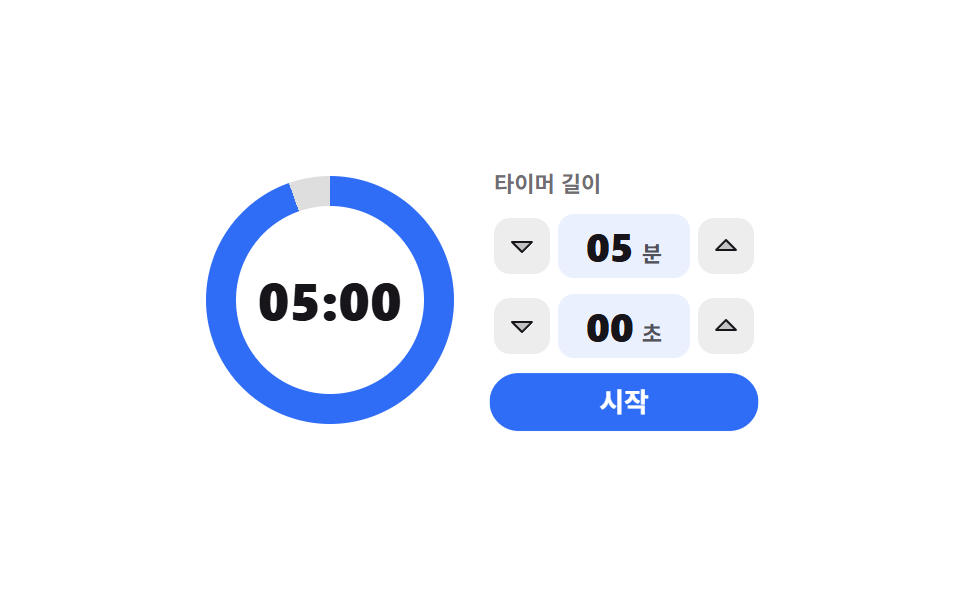 Pickers08 Countdown whose ring starts when you dial minutes9 time picker ui patterns, from a point to a span
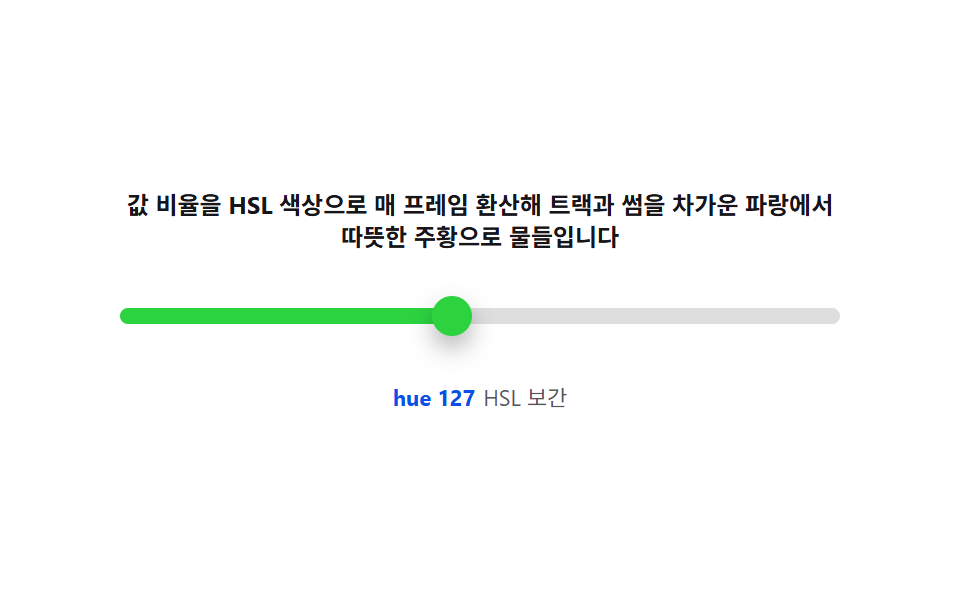 Pickers08 Color-temperature track — interpolating hue and saturation from the value ratioCSS Range Slider: 9 Physics-Grade Custom Sliders
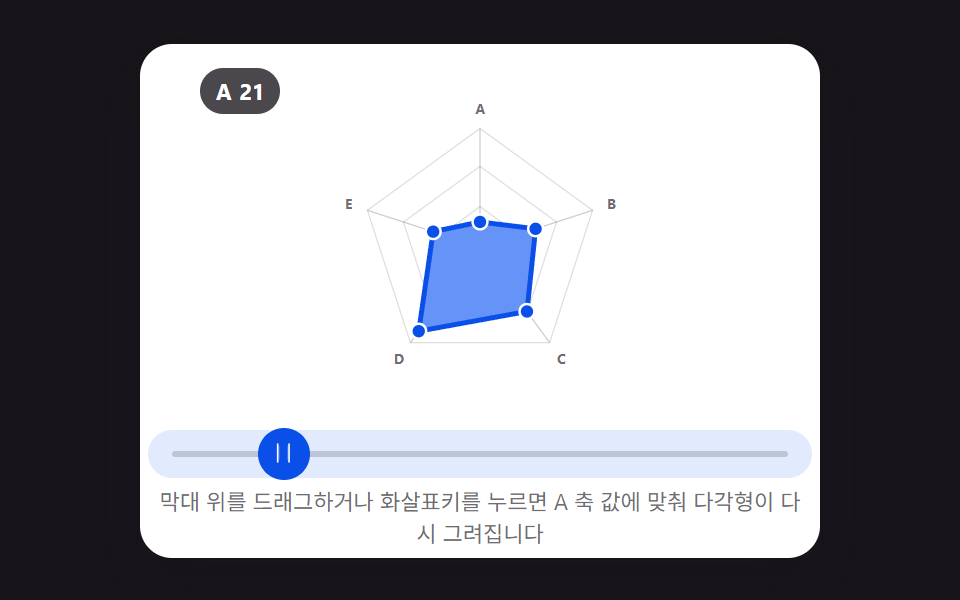 Pickers05 Picker Whose Radar Shape Redraws as You Drag Each Axis Point9 Graph Animation CSS Pickers With Live Recompute