07Range Slider That Snaps to Ticks in Steps of 10
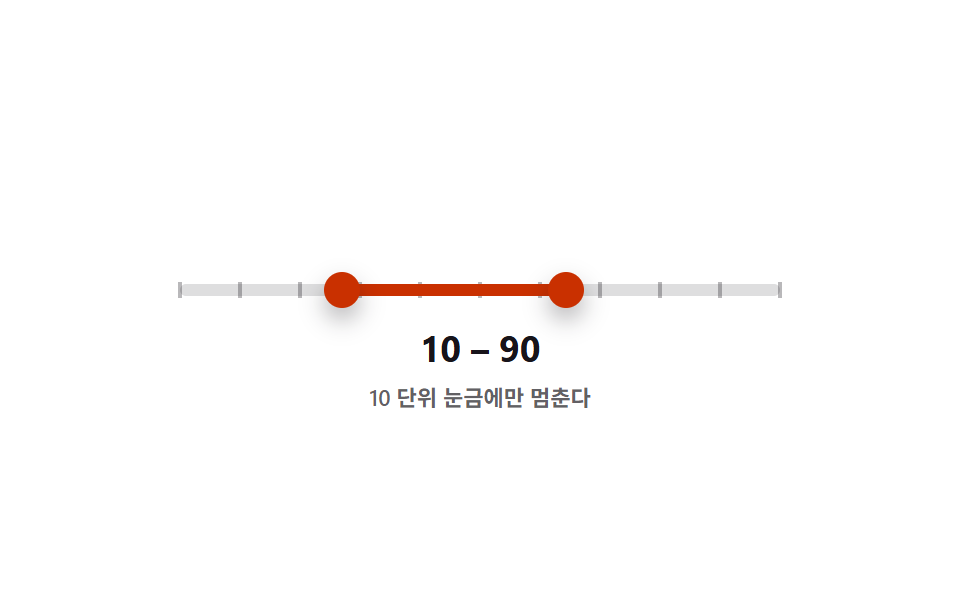
The moment a handle moves it rounds to the nearest tick in steps of 10, and the low and high values are continuously compared so neither can cross the other.
Best forA quantity filter that only accepts values in fixed steps
STEP=10getBoundingClientRectrole=slider
<main class="stage">
<div class="ds is-demo" id="ds">
  <div class="ds__track" id="track">
    <div class="ds__ticks" id="ticks" aria-hidden="true"></div>
    <div class="ds__fill" id="fill"></div>
    <button type="button" class="ds__thumb ds__thumb--lo" id="thumbLo" role="slider"
      aria-label="Minimum value" aria-valuemin="0" aria-valuemax="100" aria-valuenow="20" aria-valuetext="20" tabindex="0"></button>
    <button type="button" class="ds__thumb ds__thumb--hi" id="thumbHi" role="slider"
      aria-label="Maximum value" aria-valuemin="0" aria-valuemax="100" aria-valuenow="70" aria-valuetext="70" tabindex="0"></button>
  </div>
  <p class="ds__readout"><span id="loOut">20</span> – <span id="hiOut">70</span></p>
  <p class="ds__caption">Stops only on ticks in steps of 10</p>
</div>
</main>
@use "../../../../site/static/demo-tokens" as *;
// 변수 3개
$duration: $dur-loop;
$easing: $ease-pop;
$color: $subject-orange-deep;
// 계산 겹: 값을 STEP=10 단위로 반올림(snap)해 고정하고, 눈금은 getBoundingClientRect 실측 px 로 배치한다.
@include stage($stage-paper);
.ds { width: min(300px, 86vw); color: $subject-ink; text-align: center; }
.ds__track {
position: relative; height: 6px; border-radius: $r-pill;
background: rgba($subject-ink, .14); margin: $sp-12 0 $sp-4;
}
.ds__ticks { position: absolute; inset: 0; pointer-events: none; }
.ds__tick {
position: absolute; top: 50%; width: 2px; height: 8px;
background: rgba($subject-ink, .3); transform: translate(-50%, -50%);
}
.ds__fill {
position: absolute; top: 0; bottom: 0; left: 20%; width: 50%;
background: $color; border-radius: $r-pill;
}
.ds__thumb {
position: absolute; top: 50%; left: 20%; width: 18px; height: 18px;
appearance: none; border: 0; border-radius: 50%; background: $color;
box-shadow: $shadow-press; cursor: grab; touch-action: none; padding: 0;
transform: translate(-50%, -50%); z-index: 2;
}
.ds__thumb--hi { left: 70%; }
.ds__thumb:focus-visible { outline: 2px solid $subject-blue-deep; outline-offset: 2px; }
.ds__thumb:active { cursor: grabbing; }
.ds__readout { margin: 0; font-weight: 700; font-size: 18px; line-height: 1.2; font-variant-numeric: tabular-nums; }
.ds__caption { margin: $sp-1 0 0; font-weight: 600; font-size: 11px; color: rgba($subject-ink, .68); }
.ds.is-demo .ds__thumb,
.ds.is-demo .ds__fill {
transition: left $duration $easing, width $duration $easing;
}
@media (max-width: 340px) {
.ds { width: min(250px, 82vw); }
.ds__readout { font-size: 16px; }
}
@media (prefers-reduced-motion: reduce) {
.ds.is-demo .ds__thumb, .ds.is-demo .ds__fill { transition: none; }
}html, body {
margin: 0;
overflow: hidden;
}
.stage {
box-sizing: border-box;
min-height: 100vh;
display: grid;
place-items: center;
margin: 0;
background: #ffffff;
font-family: -apple-system, "Segoe UI", "Noto Sans KR", sans-serif;
padding: clamp(8px, 4vw, 24px);
}
.ds {
width: min(300px, 86vw);
color: #17141a;
text-align: center;
}
.ds__track {
position: relative;
height: 6px;
border-radius: 999px;
background: rgba(23, 20, 26, 0.14);
margin: 48px 0 16px;
}
.ds__ticks {
position: absolute;
inset: 0;
pointer-events: none;
}
.ds__tick {
position: absolute;
top: 50%;
width: 2px;
height: 8px;
background: rgba(23, 20, 26, 0.3);
transform: translate(-50%, -50%);
}
.ds__fill {
position: absolute;
top: 0;
bottom: 0;
left: 20%;
width: 50%;
background: #c93000;
border-radius: 999px;
}
.ds__thumb {
position: absolute;
top: 50%;
left: 20%;
width: 18px;
height: 18px;
appearance: none;
border: 0;
border-radius: 50%;
background: #c93000;
box-shadow: 0 6px 12px rgba(23, 20, 26, 0.32);
cursor: grab;
touch-action: none;
padding: 0;
transform: translate(-50%, -50%);
z-index: 2;
}
.ds__thumb--hi {
left: 70%;
}
.ds__thumb:focus-visible {
outline: 2px solid #0a4fe8;
outline-offset: 2px;
}
.ds__thumb:active {
cursor: grabbing;
}
.ds__readout {
margin: 0;
font-weight: 700;
font-size: 18px;
line-height: 1.2;
font-variant-numeric: tabular-nums;
}
.ds__caption {
margin: 4px 0 0;
font-weight: 600;
font-size: 11px;
color: rgba(23, 20, 26, 0.68);
}
.ds.is-demo .ds__thumb,
.ds.is-demo .ds__fill {
transition: left 2s cubic-bezier(0.2, 1.4, 0.4, 1), width 2s cubic-bezier(0.2, 1.4, 0.4, 1);
}
@media (max-width: 340px) {
.ds {
width: min(250px, 82vw);
}
.ds__readout {
font-size: 16px;
}
}
@media (prefers-reduced-motion: reduce) {
.ds.is-demo .ds__thumb, .ds.is-demo .ds__fill {
transition: none;
}
}(function () {
var MIN = 0, MAX = 100, STEP = 10;
var root = document.getElementById('ds');
var track = document.getElementById('track');
var ticksBox = document.getElementById('ticks');
var fill = document.getElementById('fill');
var lo = document.getElementById('thumbLo');
var hi = document.getElementById('thumbHi');
var loOut = document.getElementById('loOut');
var hiOut = document.getElementById('hiOut');
var v = { lo: 20, hi: 70 };
var ticks = [];
for (var n = MIN; n <= MAX; n += STEP) {
var t = document.createElement('span');
t.className = 'ds__tick';
ticksBox.appendChild(t);
ticks.push({ el: t, value: n });
}
// 계산 겹: 눈금을 %가 아니라 트랙의 실측 픽셀 폭(getBoundingClientRect)으로 위치를 다시 계산해 배치한다.
function layoutTicks() {
var r = track.getBoundingClientRect();
ticks.forEach(function (t) {
var x = r.width * (t.value - MIN) / (MAX - MIN);
t.el.style.left = Math.round(x) + 'px';
});
}
function snap(n) { return Math.max(MIN, Math.min(MAX, Math.round(n / STEP) * STEP)); }
function paint() {
lo.style.left = v.lo + '%'; hi.style.left = v.hi + '%';
fill.style.left = v.lo + '%'; fill.style.width = (v.hi - v.lo) + '%';
lo.setAttribute('aria-valuenow', String(v.lo)); hi.setAttribute('aria-valuenow', String(v.hi));
lo.setAttribute('aria-valuetext', String(v.lo)); hi.setAttribute('aria-valuetext', String(v.hi));
loOut.textContent = String(v.lo); hiOut.textContent = String(v.hi);
}
function setLo(n) { v.lo = Math.min(snap(n), v.hi); paint(); }
function setHi(n) { v.hi = Math.max(snap(n), v.lo); paint(); }
function pctFromX(x) {
var r = track.getBoundingClientRect();
return Math.round(Math.max(0, Math.min(100, ((x - r.left) / r.width) * 100)));
}
function human() { root.classList.remove('is-demo'); clearInterval(timer); }
function drag(thumb, setter, isLo) {
thumb.addEventListener('pointerdown', function (e) {
human(); thumb.setPointerCapture(e.pointerId);
function move(ev) { setter(pctFromX(ev.clientX)); }
function up() { thumb.removeEventListener('pointermove', move); thumb.removeEventListener('pointerup', up); }
thumb.addEventListener('pointermove', move); thumb.addEventListener('pointerup', up);
});
thumb.addEventListener('keydown', function (e) {
var step = { ArrowRight: STEP, ArrowLeft: -STEP, ArrowUp: STEP, ArrowDown: -STEP }[e.key];
if (step !== undefined) { e.preventDefault(); human(); setter((isLo ? v.lo : v.hi) + step); }
else if (e.key === 'Home') { e.preventDefault(); human(); setter(isLo ? MIN : v.lo); }
else if (e.key === 'End') { e.preventDefault(); human(); setter(isLo ? v.hi : MAX); }
});
}
drag(lo, setLo, true); drag(hi, setHi, false);
window.addEventListener('resize', layoutTicks);
var presets = [[0, 100], [30, 60], [10, 90], [40, 50], [20, 80]];
var pi = 0;
function tick() {
var p = presets[pi % presets.length]; pi++;
v.lo = p[0]; v.hi = p[1]; paint();
}
var reduce = window.matchMedia('(prefers-reduced-motion: reduce)').matches;
var timer = reduce ? null : setInterval(tick, 480);
layoutTicks();
paint();
}());import { useEffect, useRef } from 'react';
import styles from './DualSliderSnapStepTicks.module.scss';
const MIN = 0;
const MAX = 100;
const STEP = 10;
const TICK_MS = 480;
const TICK_VALUES: number[] = [];
for (let n = MIN; n <= MAX; n += STEP) TICK_VALUES.push(n);
const PRESETS: [number, number][] = [[0, 100], [30, 60], [10, 90], [40, 50], [20, 80]];
export default function DualSliderSnapStepTicks() {
const rootRef = useRef<HTMLDivElement>(null);
const trackRef = useRef<HTMLDivElement>(null);
const fillRef = useRef<HTMLDivElement>(null);
const loRef = useRef<HTMLButtonElement>(null);
const hiRef = useRef<HTMLButtonElement>(null);
const loOutRef = useRef<HTMLSpanElement>(null);
const hiOutRef = useRef<HTMLSpanElement>(null);
const tickRefs = useRef<HTMLSpanElement[]>([]);
useEffect(() => {
const root = rootRef.current;
const track = trackRef.current;
const fill = fillRef.current;
const lo = loRef.current;
const hi = hiRef.current;
const loOut = loOutRef.current;
const hiOut = hiOutRef.current;
if (!root || !track || !fill || !lo || !hi || !loOut || !hiOut || !tickRefs.current) return undefined;
const ticks = tickRefs.current;
const v = { lo: 20, hi: 70 };
// 계산 겹: 눈금을 %가 아니라 트랙의 실측 픽셀 폭(getBoundingClientRect)으로 위치를 다시 계산해 배치한다.
function layoutTicks() {
const r = track!.getBoundingClientRect();
ticks.forEach((el, i) => {
const x = r.width * (TICK_VALUES[i] - MIN) / (MAX - MIN);
el.style.left = Math.round(x) + 'px';
});
}
function snap(n: number) { return Math.max(MIN, Math.min(MAX, Math.round(n / STEP) * STEP)); }
function paint() {
lo!.style.left = v.lo + '%'; hi!.style.left = v.hi + '%';
fill!.style.left = v.lo + '%'; fill!.style.width = (v.hi - v.lo) + '%';
lo!.setAttribute('aria-valuenow', String(v.lo)); hi!.setAttribute('aria-valuenow', String(v.hi));
lo!.setAttribute('aria-valuetext', String(v.lo)); hi!.setAttribute('aria-valuetext', String(v.hi));
loOut!.textContent = String(v.lo); hiOut!.textContent = String(v.hi);
}
function setLo(n: number) { v.lo = Math.min(snap(n), v.hi); paint(); }
function setHi(n: number) { v.hi = Math.max(snap(n), v.lo); paint(); }
function pctFromX(x: number) {
const r = track!.getBoundingClientRect();
return Math.round(Math.max(0, Math.min(100, ((x - r.left) / r.width) * 100)));
}
let timer = 0;
function human() { root!.classList.remove(styles['is-demo']); window.clearInterval(timer); }
function bindDrag(thumb: HTMLButtonElement, setter: (n: number) => void, isLo: boolean) {
function onDown(e: PointerEvent) {
human(); thumb.setPointerCapture(e.pointerId);
function move(ev: PointerEvent) { setter(pctFromX(ev.clientX)); }
function up() { thumb.removeEventListener('pointermove', move); thumb.removeEventListener('pointerup', up); }
thumb.addEventListener('pointermove', move); thumb.addEventListener('pointerup', up);
}
function onKey(e: KeyboardEvent) {
const step = ({ ArrowRight: STEP, ArrowLeft: -STEP, ArrowUp: STEP, ArrowDown: -STEP } as Record<string, number>)[e.key];
if (step !== undefined) { e.preventDefault(); human(); setter((isLo ? v.lo : v.hi) + step); }
else if (e.key === 'Home') { e.preventDefault(); human(); setter(isLo ? MIN : v.lo); }
else if (e.key === 'End') { e.preventDefault(); human(); setter(isLo ? v.hi : MAX); }
}
thumb.addEventListener('pointerdown', onDown);
thumb.addEventListener('keydown', onKey);
return () => { thumb.removeEventListener('pointerdown', onDown); thumb.removeEventListener('keydown', onKey); };
}
const offLo = bindDrag(lo, setLo, true);
const offHi = bindDrag(hi, setHi, false);
window.addEventListener('resize', layoutTicks);
let pi = 0;
function tick() {
const p = PRESETS[pi % PRESETS.length]; pi++;
v.lo = p[0]; v.hi = p[1]; paint();
}
const reduce = window.matchMedia('(prefers-reduced-motion: reduce)').matches;
if (!reduce) timer = window.setInterval(tick, TICK_MS);
layoutTicks();
paint();
return () => { offLo(); offHi(); window.removeEventListener('resize', layoutTicks); window.clearInterval(timer); };
}, []);
return (
<main className={styles.stage}>
<div className={styles.ds + ' ' + styles['is-demo']} ref={rootRef}>
<div className={styles.dsTrack} ref={trackRef}>
<div className={styles.dsTicks} aria-hidden="true">
{TICK_VALUES.map((n, i) => (
<span key={n} className={styles.dsTick} ref={(el: HTMLSpanElement | null) => { if (el && tickRefs.current) tickRefs.current[i] = el; }} />
))}
</div>
<div className={styles.dsFill} ref={fillRef} />
<button type="button" className={styles.dsThumb + ' ' + styles.dsThumbLo} ref={loRef} role="slider"
aria-label="최소값" aria-valuemin={0} aria-valuemax={100} aria-valuenow={20} aria-valuetext="20" tabIndex={0} />
<button type="button" className={styles.dsThumb + ' ' + styles.dsThumbHi} ref={hiRef} role="slider"
aria-label="최대값" aria-valuemin={0} aria-valuemax={100} aria-valuenow={70} aria-valuetext="70" tabIndex={0} />
</div>
<p className={styles.dsReadout}><span ref={loOutRef}>20</span> – <span ref={hiOutRef}>70</span></p>
<p className={styles.dsCaption}>10 단위 눈금에만 멈춘다</p>
</div>
</main>
);
}07 Range Slider That Snaps to Ticks in Steps of 10 — Measured area 5.147% · moving frames 21/23Original by GODRICH · SCSS and React ship in the zip · Dual Range Slider UI — 9 Two-Handle Patterns
The post this demo lives in
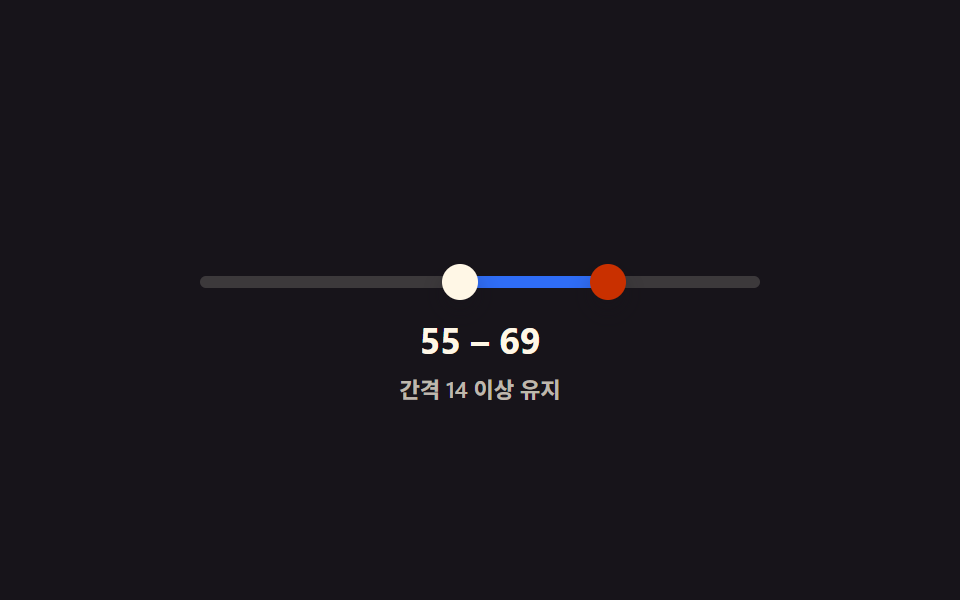 Dual Range Slider UI — 9 Two-Handle PatternsAmong nine dual range slider patterns, one blocks its two handles from crossing, one merges their value bubbles when clo See all demos in this post
If you like this effect - similar demos
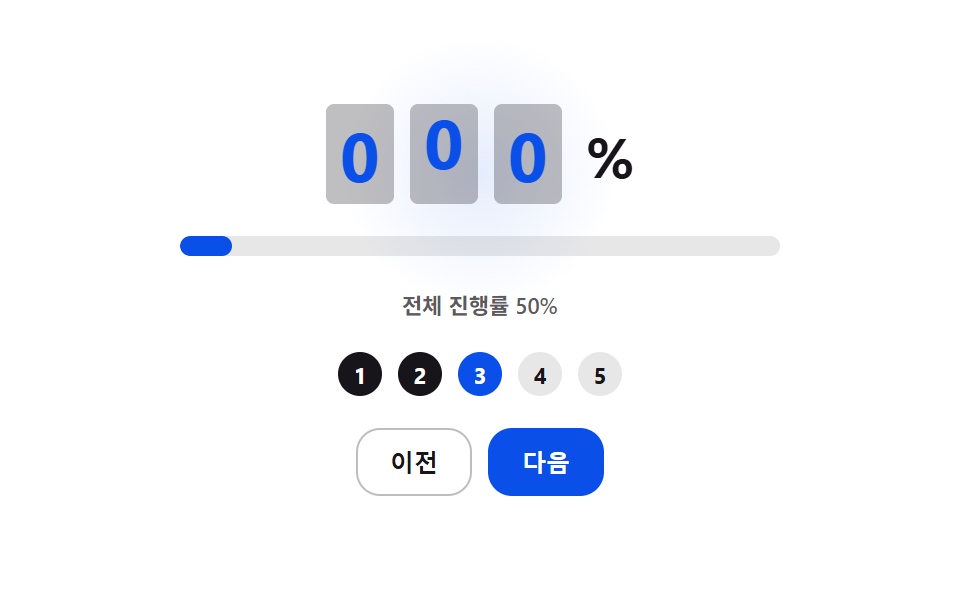 Inputs08 Overall Progress Number That Rolls Up as Steps CompleteStep Indicator UI: 9 Physics-Based Patterns
 Inputs01 Next button that stays locked until the rules are met9 Multi Step Form UI Patterns — Branch and Resume
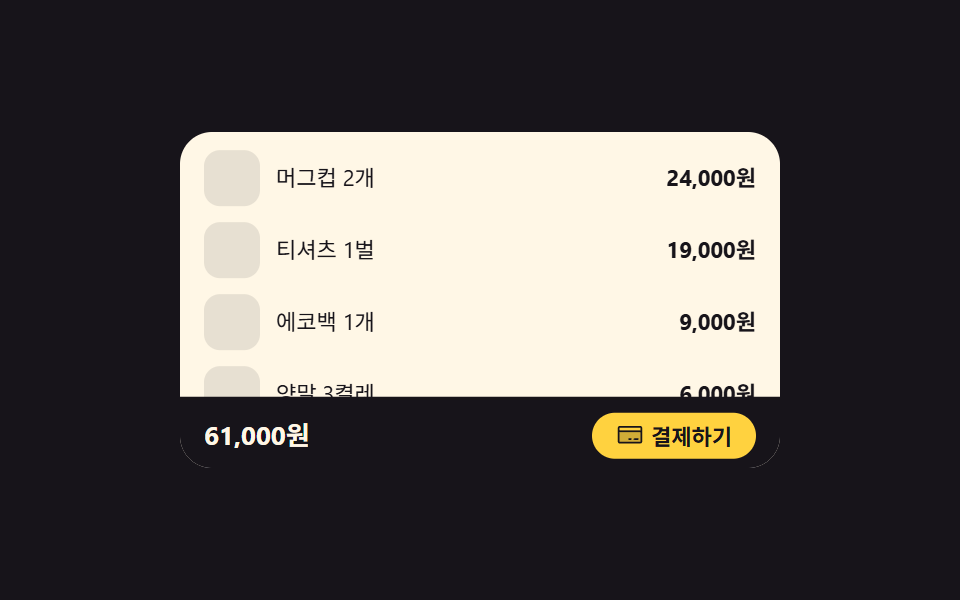 Inputs09 Bottom pay bar that steps aside once the summary is on screenCheckout Page Design — 9 Cart Patterns, No Library