08Insert That Lands Exactly at a Saved Cursor-Position Value
The cursor-position value right before the input loses focus is saved, and picking an emoji returns to the character gap that value pointed to and inserts it there, so the cursor never just gets pushed to the end.
Best forLong comment or message inputs where emoji land mid-sentence
savedStartselectionStartsetSelectionRange
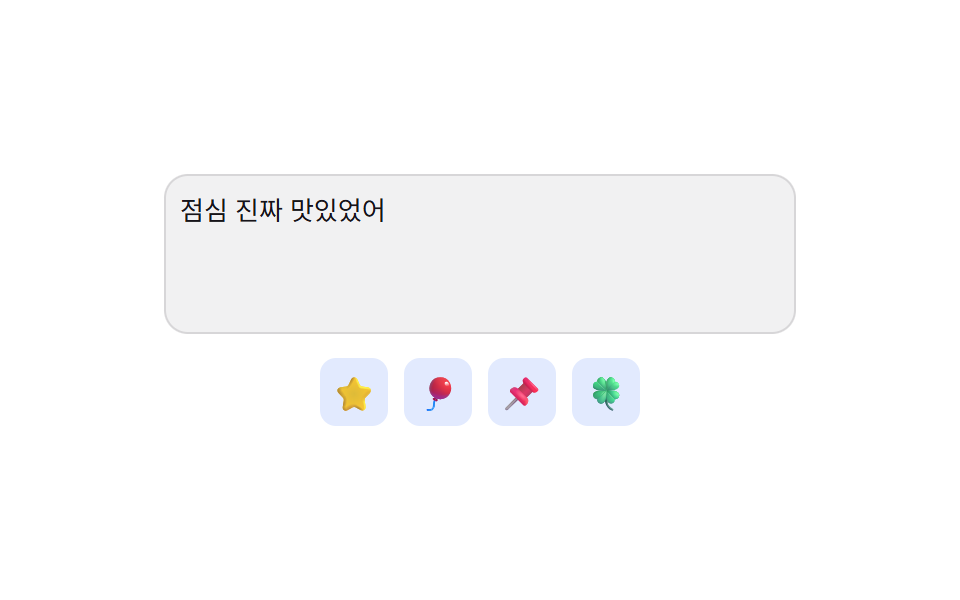
<main class="stage">
<div class="ip is-demo" id="ip">
<textarea class="ip__field" id="ipField" rows="3" aria-label="Message input"></textarea>
<div class="ip__panel" role="group" aria-label="Insert emoji">
<button class="ip__pick" type="button" aria-label="Star">⭐</button>
<button class="ip__pick" type="button" aria-label="Balloon">🎈</button>
<button class="ip__pick" type="button" aria-label="Pushpin">📌</button>
<button class="ip__pick" type="button" aria-label="Four-leaf clover">🍀</button>
</div>
<p class="ip__sr" role="status" aria-live="polite" id="ipLive"></p>
</div>
</main>@use "../../../../site/static/demo-tokens" as *;
// 계산 겹: index.html 이 blur 시각의 selectionStart/selectionEnd 값을 저장해 두고,
// 이모지를 고르면 그 값이 가리키던 글자 사이로 되돌아가 끼워 넣는다 — 끝에 붙이지 않는다.
@include stage($stage-paper);
.ip { display: flex; flex-direction: column; align-items: center; gap: $sp-3; width: 100%; padding: 0 $sp-3; }
.ip__field {
width: 100%; max-width: 300px; min-height: 64px; border: none; border-radius: $r-control;
background: rgba($subject-ink, .06); color: $subject-ink; font-size: 13px; line-height: 1.6;
padding: $sp-2; resize: none; box-shadow: 0 0 0 1px rgba($subject-ink, .12) inset;
font-family: inherit;
}
.ip__field:focus-visible { outline: 2px solid $subject-blue; outline-offset: 2px; }
.ip__panel { display: flex; gap: $sp-2; }
.ip__pick {
width: 34px; height: 34px; border: none; border-radius: $r-sm; background: rgba($subject-blue, .14);
font-size: 17px; cursor: pointer; display: flex; align-items: center; justify-content: center;
transform: scale(1); transition: transform $dur-quick $ease-spring, background $dur-quick $ease-out;
}
.ip__pick:hover, .ip__pick:focus-visible { background: rgba($subject-blue, .26); transform: scale(1.12); }
.ip__pick--pop { animation: ipPop $dur-quick $ease-pop; }
.ip__sr { position: absolute; width: 1px; height: 1px; overflow: hidden; clip: rect(0 0 0 0); margin: -1px; padding: 0; border: 0; }
@keyframes ipPop {
0% { transform: scale(.7); }
60% { transform: scale(1.22); }
100% { transform: scale(1); }
}
@media (max-width: 340px) {
.ip__field { max-width: 260px; min-height: 56px; font-size: 12px; }
.ip__pick { width: 28px; height: 28px; font-size: 14px; }
}
@media (prefers-reduced-motion: reduce) {
.ip__pick { transition: none; }
.ip__pick--pop { animation: none; }
}html, body {
margin: 0;
overflow: hidden;
}
.stage {
box-sizing: border-box;
min-height: 100vh;
display: grid;
place-items: center;
margin: 0;
background: #ffffff;
font-family: -apple-system, "Segoe UI", "Noto Sans KR", sans-serif;
padding: clamp(8px, 4vw, 24px);
}
.ip {
display: flex;
flex-direction: column;
align-items: center;
gap: 12px;
width: 100%;
padding: 0 12px;
}
.ip__field {
width: 100%;
max-width: 300px;
min-height: 64px;
border: none;
border-radius: 12px;
background: rgba(23, 20, 26, 0.06);
color: #17141a;
font-size: 13px;
line-height: 1.6;
padding: 8px;
resize: none;
box-shadow: 0 0 0 1px rgba(23, 20, 26, 0.12) inset;
font-family: inherit;
}
.ip__field:focus-visible {
outline: 2px solid #2f6df6;
outline-offset: 2px;
}
.ip__panel {
display: flex;
gap: 8px;
}
.ip__pick {
width: 34px;
height: 34px;
border: none;
border-radius: 8px;
background: rgba(47, 109, 246, 0.14);
font-size: 17px;
cursor: pointer;
display: flex;
align-items: center;
justify-content: center;
transform: scale(1);
transition: transform 220ms cubic-bezier(0.2, 0.8, 0.2, 1), background 220ms ease-out;
}
.ip__pick:hover, .ip__pick:focus-visible {
background: rgba(47, 109, 246, 0.26);
transform: scale(1.12);
}
.ip__pick--pop {
animation: ipPop 220ms cubic-bezier(0.2, 1.4, 0.4, 1);
}
.ip__sr {
position: absolute;
width: 1px;
height: 1px;
overflow: hidden;
clip: rect(0 0 0 0);
margin: -1px;
padding: 0;
border: 0;
}
@keyframes ipPop {
0% {
transform: scale(0.7);
}
60% {
transform: scale(1.22);
}
100% {
transform: scale(1);
}
}
@media (max-width: 340px) {
.ip__field {
max-width: 260px;
min-height: 56px;
font-size: 12px;
}
.ip__pick {
width: 28px;
height: 28px;
font-size: 14px;
}
}
@media (prefers-reduced-motion: reduce) {
.ip__pick {
transition: none;
}
.ip__pick--pop {
animation: none;
}
}(function () {
var root = document.getElementById('ip');
var field = document.getElementById('ipField');
var live = document.getElementById('ipLive');
var synthetic = false;
function human() { if (synthetic) return; if (root.classList.contains('is-demo')) root.classList.remove('is-demo'); }
// 계산 겹: 입력창이 초점을 잃기 직전(blur)에 selectionStart/selectionEnd 값을 저장해 두고,
// 이모지를 고르는 순간 그 값이 가리키던 chars 사이에 정확히 끼워 넣어 커서를 그 자리로 되돌린다.
// (끝에 이어붙이면 값을 안 쓴 것과 같다 — 저장된 위치 값을 실제로 읽어 쓰는 것이 계산 겹이다.)
var savedStart = 0;
var savedEnd = 0;
field.addEventListener('blur', function () {
savedStart = field.selectionStart;
savedEnd = field.selectionEnd;
});
field.addEventListener('input', function () {
live.textContent = 'chars ' + field.value.length + ' , cursor ' + field.selectionStart + 'th';
});
var picks = Array.prototype.slice.call(document.querySelectorAll('.ip__pick'));
picks.forEach(function (btn) {
btn.addEventListener('click', function () {
human();
var emoji = btn.textContent;
var value = field.value;
var before = value.slice(0, savedStart);
var after = value.slice(savedEnd);
field.value = before + emoji + after;
var landAt = savedStart + emoji.length;
field.focus({ preventScroll: true });
field.setSelectionRange(landAt, landAt);
savedStart = landAt;
savedEnd = landAt;
live.textContent = before.length + '-th character, cursor ' + landAt + '-th position';
btn.classList.add('ip__pick--pop');
window.setTimeout(function () { btn.classList.remove('ip__pick--pop'); }, 260);
});
});
var reduce = window.matchMedia('(prefers-reduced-motion: reduce)').matches;
var DEMO_TEXT = 'Lunch was really good';
var MID = 5;
var step = 0, loopTimer = 0;
function runStep() {
if (!root.classList.contains('is-demo')) return;
synthetic = true;
if (step % 2 === 0) {
field.value = DEMO_TEXT;
field.focus({ preventScroll: true });
field.setSelectionRange(MID, MID);
field.blur();
} else {
var idx = (step / 2) % picks.length | 0;
picks[idx].dispatchEvent(new MouseEvent('click', { bubbles: true }));
}
synthetic = false;
step++;
loopTimer = window.setTimeout(runStep, 620);
}
if (!reduce) { loopTimer = window.setTimeout(runStep, 480); }
else { root.classList.remove('is-demo'); }
})();// EmojiPickerInsertCursorPositionPreserve — vanilla 판(run/402/demo/08-.../index.html) 의 React 포트.
// 계산 겹: 입력창이 blur 되는 순간의 selectionStart/selectionEnd 값을 저장해 두고, 이모지를
// 고르면 그 값이 가리키던 글자 사이로 되돌아가 끼워 넣는다 — 끝에 이어붙이지 않는다.
import { useEffect, useRef, useState } from "react";
import styles from "./EmojiPickerInsertCursorPositionPreserve.module.scss";
type Box<T> = { current: T };
const PICKS = [
{ ch: "⭐", label: "별" },
{ ch: "\u{1F388}", label: "풍선" },
{ ch: "\u{1F4CC}", label: "압정" },
{ ch: "\u{1F340}", label: "네잎클로버" },
];
const DEMO_TEXT = "점심 진짜 맛있었어";
const MID = 5;
export default function EmojiPickerInsertCursorPositionPreserve() {
const [isDemo, setIsDemo] = useState(true);
const [value, setValue] = useState("");
const [live, setLive] = useState("");
const [popIndex, setPopIndex] = useState(-1);
const isDemoRef = useRef(true) as unknown as Box<boolean>;
const synthRef = useRef(false) as unknown as Box<boolean>;
const valueRef = useRef("") as unknown as Box<string>;
const savedStartRef = useRef(0) as unknown as Box<number>;
const savedEndRef = useRef(0) as unknown as Box<number>;
const fieldRef = useRef(null) as unknown as Box<HTMLTextAreaElement>;
const loopTimerRef = useRef(0) as unknown as Box<number>;
const popTimerRef = useRef(0) as unknown as Box<number>;
function human() {
if (synthRef.current) return;
if (isDemoRef.current) { isDemoRef.current = false; setIsDemo(false); }
}
function onBlur() {
const el = fieldRef.current;
if (!el) return;
savedStartRef.current = el.selectionStart;
savedEndRef.current = el.selectionEnd;
}
function onInput(e: { target: { value: string; selectionStart: number | null } }) {
valueRef.current = e.target.value;
setValue(e.target.value);
setLive("글자 " + e.target.value.length + "개, 커서 " + (e.target.selectionStart ?? 0) + "번째");
}
function pick(i: number) {
human();
const emoji = PICKS[i].ch;
const start = savedStartRef.current;
const end = savedEndRef.current;
const cur = valueRef.current;
const before = cur.slice(0, start);
const after = cur.slice(end);
const next = before + emoji + after;
valueRef.current = next;
setValue(next);
const landAt = start + emoji.length;
savedStartRef.current = landAt;
savedEndRef.current = landAt;
setLive(before.length + "번째 글자 뒤에 끼워짐, 커서 " + landAt + "번째로 이동");
const el = fieldRef.current;
if (el) {
window.setTimeout(() => {
el.focus({ preventScroll: true });
el.setSelectionRange(landAt, landAt);
}, 0);
}
setPopIndex(i);
window.clearTimeout(popTimerRef.current);
popTimerRef.current = window.setTimeout(() => setPopIndex(-1), 260);
}
useEffect(() => {
const reduce = window.matchMedia("(prefers-reduced-motion: reduce)").matches;
let step = 0;
function runStep() {
if (!isDemoRef.current) return;
synthRef.current = true;
if (step % 2 === 0) {
valueRef.current = DEMO_TEXT;
setValue(DEMO_TEXT);
const el = fieldRef.current;
if (el) {
el.focus({ preventScroll: true });
el.setSelectionRange(MID, MID);
el.blur();
} else {
savedStartRef.current = MID;
savedEndRef.current = MID;
}
} else {
const idx = Math.floor(step / 2) % PICKS.length;
pick(idx);
}
synthRef.current = false;
step++;
loopTimerRef.current = window.setTimeout(runStep, 620);
}
if (!reduce) { loopTimerRef.current = window.setTimeout(runStep, 480); }
else { isDemoRef.current = false; setIsDemo(false); }
return () => { window.clearTimeout(loopTimerRef.current); window.clearTimeout(popTimerRef.current); };
// eslint-disable-next-line react-hooks/exhaustive-deps
}, []);
return (
<main className={styles.stage}>
<div className={styles.ip + " " + (isDemo ? styles.isDemo : "")}>
<textarea
className={styles.field}
rows={3}
aria-label="메시지 입력"
ref={fieldRef}
value={value}
onChange={onInput}
onBlur={onBlur}
/>
<div className={styles.panel} role="group" aria-label="이모지 삽입">
{PICKS.map((p, i) => (
<button
key={i}
type="button"
className={styles.pick + " " + (popIndex === i ? styles.pickPop : "")}
aria-label={p.label}
onClick={() => pick(i)}
>
{p.ch}
</button>
))}
</div>
<p className={styles.sr} role="status" aria-live="polite">{live}</p>
</div>
</main>
);
}08 Insert That Lands Exactly at a Saved Cursor-Position Value — Measured area 2.754% · moving frames 8/23Original by GODRICH · SCSS and React ship in the zip · Emoji Picker: 9 Patterns by One Value
The post this demo lives in
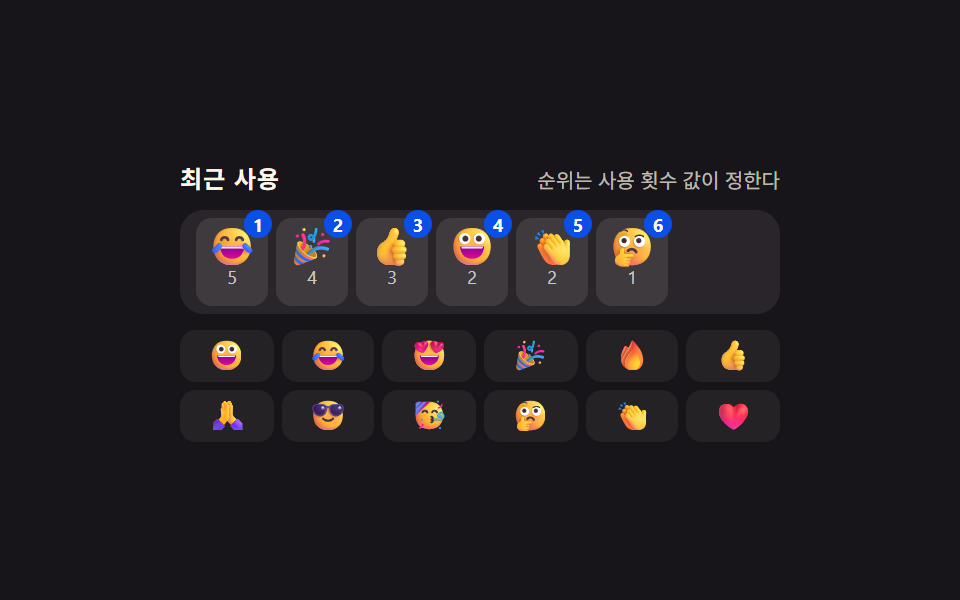 Emoji Picker: 9 Patterns by One ValueNine emoji picker patterns: The panel flips upward only when the space-below value is smaller than its height, variants See all demos in this post
If you like this effect - similar demos
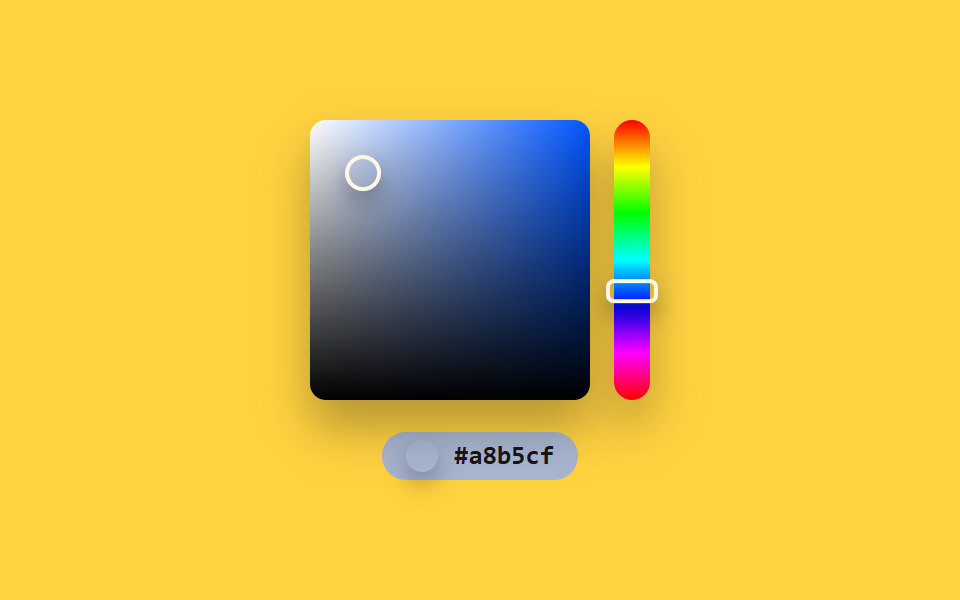 Inputs03 Windows spectrum — a color picker that splits a 2D position into saturation and lightness9 Color Picker Design Patterns (Copy-Paste)
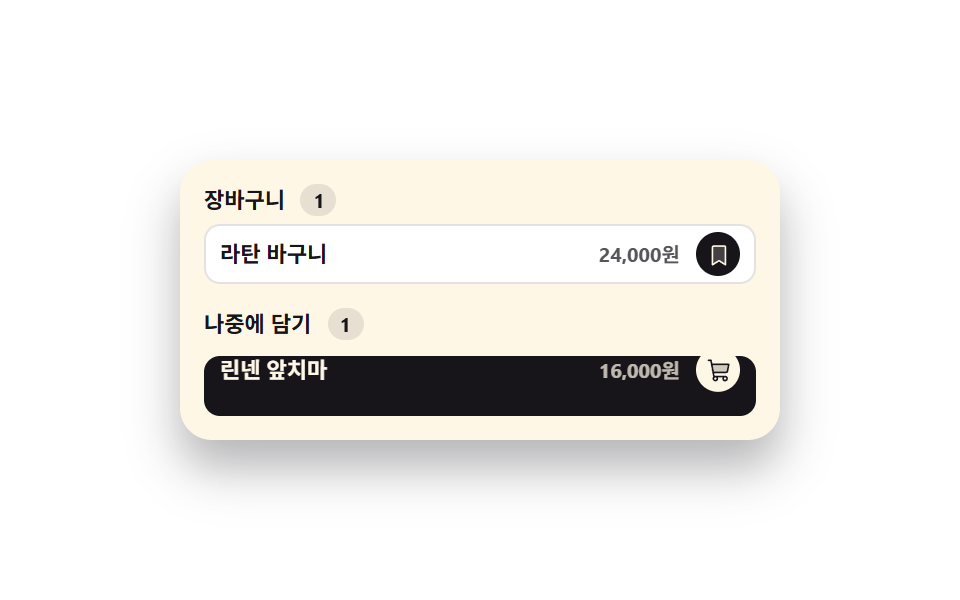 Inputs02 Line item that slides down into the saved-for-later groupCheckout Page Design — 9 Cart Patterns, No Library
 Inputs03 Limit bounce — a stepper value that overshoots its min or max slightly before settling along a spring curveNumber Stepper UI: 9 Interaction Patterns