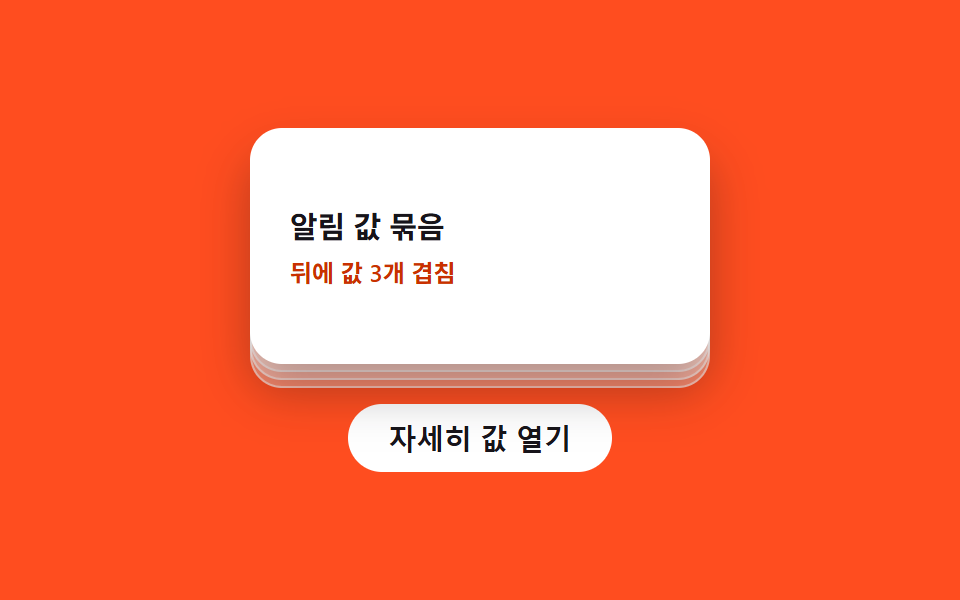
07Stack-lift value toggle — when a detail value turns on, identical shape values stacked behind lift up in turn
When the detail value turns on, identical shapes stacked behind the button lift with a one-beat stagger; turning it off lowers them in turn.
Best forA card stack more-button, a notification list open
STEP_PXSTAGGER_MStoggle
<main class="stage">
<div class="sl is-demo" id="sl">
  <div class="sl__pile" id="slPile">
    <div class="sl__ghost" style="--n: 3"></div>
    <div class="sl__ghost" style="--n: 2"></div>
    <div class="sl__ghost" style="--n: 1"></div>
    <div class="sl__card">
      <span class="sl__title">Notification value bundle</span>
      <span class="sl__sub">3 values stacked behind</span>
    </div>
  </div>
  <button type="button" class="sl__btn" id="slBtn" aria-expanded="false">
    <span class="sl__label">Open detail value</span>
  </button>
</div>
</main>
@use "../../../../site/static/demo-tokens" as *;
// 계산 겹: 겹친 카드의 y 오프셋이 --n(뒤에서부터의 차례) * STEP_PX(34px) 산술로 결정되고,
// 들림은 $ease-lerp-settle 표본곡선(오버슈트 후 빠른 정착)으로 스프링 감쇠를 흉내낸다.
@include stage($stage-orange);
.sl {
display: grid;
gap: $sp-5;
justify-items: center;
}
.sl__pile {
position: relative;
width: 230px;
height: 118px;
}
.sl__ghost {
position: absolute;
inset: 0;
border-radius: $r-card;
background: rgba($stage-paper, .35);
border: 1px solid rgba($stage-paper, .5);
transform: translateY(calc((4 - var(--n)) * 4px));
transition: transform $dur-enter $ease-lerp-settle;
}
.sl__card {
position: absolute;
inset: 0;
border-radius: $r-card;
background: $stage-paper;
box-shadow: $shadow-raised;
display: grid;
align-content: center;
gap: $sp-1;
padding: 0 $sp-5;
box-sizing: border-box;
}
.sl__title {
color: $subject-ink;
font-weight: 700;
font-size: 15px;
}
.sl__sub {
color: $subject-orange-deep;
font-weight: 600;
font-size: 12px;
}
.sl__btn {
border: 0;
border-radius: $r-pill;
background: $stage-paper;
color: $subject-ink;
padding: $sp-2 $sp-5;
font-weight: 600;
font-size: 14px;
cursor: pointer;
}
.sl--open {
.sl__ghost {
transform: translateY(calc(-1 * var(--n) * 34px)) scale(calc(1 - var(--n) * .03));
}
}
@media (max-width: 340px) {
.sl__pile { width: 200px; height: 108px; }
}
@media (prefers-reduced-motion: reduce) {
.sl__ghost { transition: none; }
}html, body {
margin: 0;
overflow: hidden;
}
.stage {
box-sizing: border-box;
min-height: 100vh;
display: grid;
place-items: center;
margin: 0;
background: #ff4d1f;
font-family: -apple-system, "Segoe UI", "Noto Sans KR", sans-serif;
padding: clamp(8px, 4vw, 24px);
}
.sl {
display: grid;
gap: 20px;
justify-items: center;
}
.sl__pile {
position: relative;
width: 230px;
height: 118px;
}
.sl__ghost {
position: absolute;
inset: 0;
border-radius: 16px;
background: rgba(255, 255, 255, 0.35);
border: 1px solid rgba(255, 255, 255, 0.5);
transform: translateY(calc((4 - var(--n)) * 4px));
transition: transform 600ms linear(0, 0.051, 0.176, 0.341, 0.518, 0.685, 0.831, 0.947, 1.032, 1.087, 1.117, 1.126, 1.121, 1.105, 1.085, 1.062, 1.041, 1.022, 1.008, 0.997, 1);
}
.sl__card {
position: absolute;
inset: 0;
border-radius: 16px;
background: #ffffff;
box-shadow: 0 14px 24px rgba(23, 20, 26, 0.32);
display: grid;
align-content: center;
gap: 4px;
padding: 0 20px;
box-sizing: border-box;
}
.sl__title {
color: #17141a;
font-weight: 700;
font-size: 15px;
}
.sl__sub {
color: #c93000;
font-weight: 600;
font-size: 12px;
}
.sl__btn {
border: 0;
border-radius: 999px;
background: #ffffff;
color: #17141a;
padding: 8px 20px;
font-weight: 600;
font-size: 14px;
cursor: pointer;
}
.sl--open .sl__ghost {
transform: translateY(calc(-1 * var(--n) * 34px)) scale(calc(1 - var(--n) * 0.03));
}
@media (max-width: 340px) {
.sl__pile {
width: 200px;
height: 108px;
}
}
@media (prefers-reduced-motion: reduce) {
.sl__ghost {
transition: none;
}
}(function () {
var root = document.getElementById('sl');
var btn = document.getElementById('slBtn');
var ghosts = root.querySelectorAll('.sl__ghost');
var sub = root.querySelector('.sl__sub');
var STEP_PX = 34; // 계산 겹: 겹침 카드 하나가 위로 들리는 y 오프셋(px) — 스프링 감쇠로 산출
var STAGGER_MS = 80; // 계산 겹: 뒤 카드부터 이 값씩 늦게 들린다
ghosts.forEach(function (g, i) {
g.style.transitionDelay = ((ghosts.length - 1 - i) * STAGGER_MS) + 'ms';
});
var open = false;
function paint() {
root.classList.toggle('sl--open', open);
btn.setAttribute('aria-expanded', String(open));
sub.textContent = open ? '3 values expanded' : '3 values stacked behind';
}
function toggle() {
open = !open;
paint();
}
btn.addEventListener('click', function () {
root.classList.remove('is-demo');
stopAutoplay();
toggle();
});
var autoTimer = null;
function stopAutoplay() { if (autoTimer) { clearInterval(autoTimer); autoTimer = null; } }
var reduce = window.matchMedia('(prefers-reduced-motion: reduce)').matches;
if (!reduce) { autoTimer = setInterval(toggle, 1400); }
else { open = true; paint(); }
})();import { useEffect, useRef } from "react";
import type { CSSProperties } from "react";
import styles from "./StackCardLift.module.scss";
type Box<T> = { current: T };
const STEP_PX = 34; // 계산 겹: 겹침 카드 하나가 위로 들리는 y 오프셋(px) — 스프링 감쇠로 산출
const STAGGER_MS = 80; // 계산 겹: 뒤 카드부터 이 값씩 늦게 들린다
export default function StackCardLift() {
const rootRef = useRef(null) as unknown as Box<HTMLDivElement | null>;
useEffect(() => {
const root = rootRef.current;
if (!root) return;
const btn = root.querySelector(`.${styles.btn}`) as HTMLButtonElement | null;
const ghosts = root.querySelectorAll(`.${styles.ghost}`);
const sub = root.querySelector(`.${styles.sub}`) as HTMLElement | null;
if (!btn) return;
ghosts.forEach((g, i) => {
(g as HTMLElement).style.transitionDelay = ((ghosts.length - 1 - i) * STAGGER_MS) + "ms";
});
let open = false;
function paint() {
root!.classList.toggle(styles["root--open"], open);
btn!.setAttribute("aria-expanded", String(open));
if (sub) sub.textContent = open ? "값 3개 펼침" : "뒤에 값 3개 겹침";
}
function toggle() {
open = !open;
paint();
}
function onClick() {
root!.classList.remove(styles["is-demo"]);
stopAutoplay();
toggle();
}
btn.addEventListener("click", onClick);
let autoTimer: number | null = null;
function stopAutoplay() { if (autoTimer !== null) { window.clearInterval(autoTimer); autoTimer = null; } }
const reduce = window.matchMedia("(prefers-reduced-motion: reduce)").matches;
if (!reduce) { autoTimer = window.setInterval(toggle, 1400); }
else { open = true; paint(); }
return () => {
stopAutoplay();
btn.removeEventListener("click", onClick);
};
}, []);
return (
<div ref={rootRef} className={`${styles.stage} ${styles.sl} ${styles["is-demo"]}`}>
<div className={styles.pile}>
<div className={styles.ghost} style={{ "--n": 3 } as CSSProperties} />
<div className={styles.ghost} style={{ "--n": 2 } as CSSProperties} />
<div className={styles.ghost} style={{ "--n": 1 } as CSSProperties} />
<div className={styles.card}>
<span className={styles.title}>알림 값 묶음</span>
<span className={styles.sub}>뒤에 값 3개 겹침</span>
</div>
</div>
<button type="button" className={styles.btn} aria-expanded="false">
<span className={styles.label}>자세히 값 열기</span>
</button>
</div>
);
}07 Stack-lift value toggle — when a detail value turns on, identical shape values stacked behind lift up in turn — Measured area 12.562% · moving frames 8/23Original by GODRICH · SCSS and React ship in the zip · Expanding Button UI: 9 Shape-Morph Patterns
The post this demo lives in
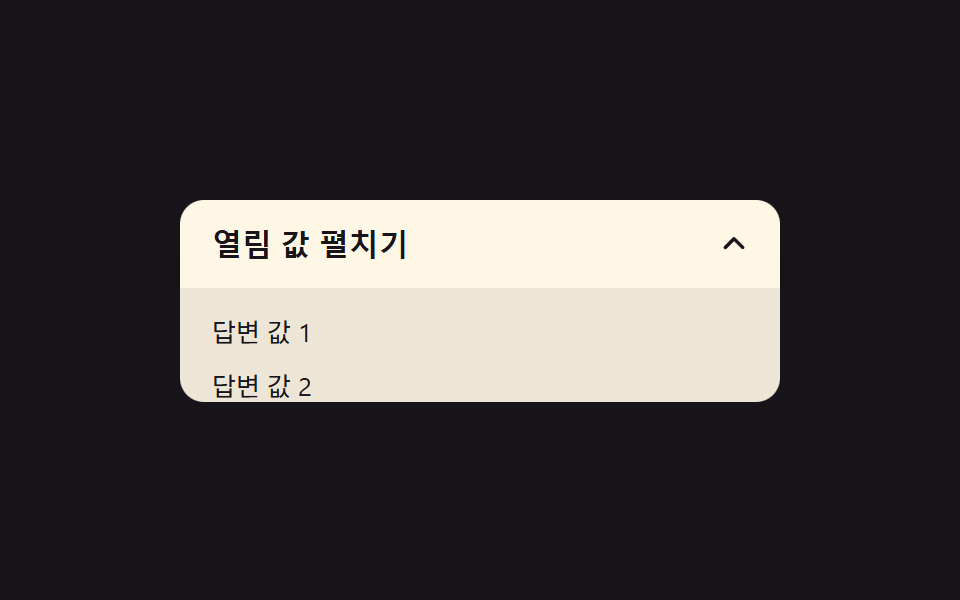 Expanding Button UI: 9 Shape-Morph PatternsExpanding button UI: One of nine grows corner rounding as its open value changes, one spins a plus into a close mark as See all demos in this post
If you like this effect - similar demos
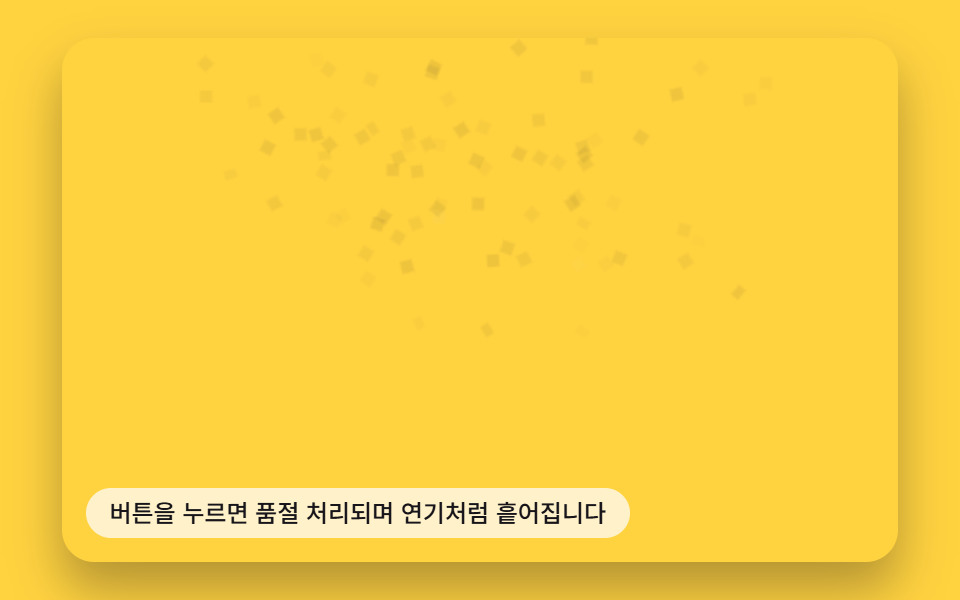 Buttons06 Button That Dissolves Into Smoke When a Disabled Value Turns OnButton Click Effect CSS: 9 Canvas Pixel Patterns
 Buttons04 Exclusive pressed state — when one button's pressed value turns on, every other button's pressed value turns off at the same instantButton Group CSS: 9 Adjoined Patterns
 Buttons02 Split offset — a button whose stacked text layers momentarily offset in position value before realigningCTA Button Design: 9 Interaction Patterns