09Responsive clamp() scale
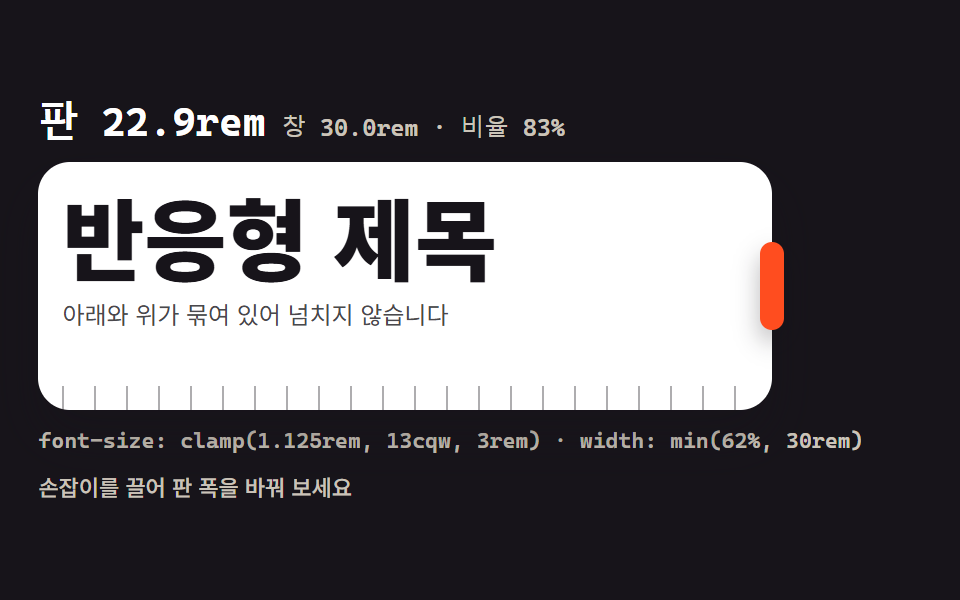
Drag the frame's edge and the viewport width reads out in rem while the heading scales smoothly inside its clamp() range, with min() shown as the way to bind the floor and the ceiling at once.
Best forDesigning a responsive heading scale
clamp()innerWidthmin()
<main class="stage">
<div class="cf is-demo" id="cf">
  <div class="cf__reads">
    <span class="cf__big" id="big">Panel 17.9rem</span>
    <span class="cf__sub" id="sub">Window 30rem · ratio 62%</span>
  </div>
  <div class="cf__frame" id="frame">
    <div class="cf__inner">
      <h2 class="cf__title">Responsive heading</h2>
      <p class="cf__lede">Bound below and above, so it never overflows</p>
    </div>
    <span class="cf__ruler" aria-hidden="true"></span>
    <button class="cf__grip" id="grip" type="button" aria-label="Adjust panel width"></button>
  </div>
  <p class="cf__formula">font-size: clamp(1.125rem, 13cqw, 3rem) · width: min(62%, 30rem)</p>
  <p class="cf__note">Drag the handle to change the panel width</p>
</div>
</main>
@use "../../../../site/static/demo-tokens" as *;
// 반응형 clamp() 스케일 — 무대는 480×300 고정이라 "창" 대신 판 안의 리사이즈 상자로 흉내 낸다.
// 상자에 container-type: inline-size 를 걸어 제목 크기가 clamp(1.125rem, 13cqw, 3rem) 로
// 상자 폭을 따라가게 한다. 창 폭은 window.innerWidth 를 실제로 읽어 rem 로 환산해 함께 찍는다.
// min() 은 판 폭의 윗묶음(62% 와 30rem 중 작은 쪽)으로 함께 쓴다.
// 미리보기 루프는 판 폭을 % 로 부드럽게 늘였다 줄인다 — cqw 로 잰 제목이 구간 안에서 따라온다.
$duration: $dur-base;
$easing: $ease-spring;
$color: $stage-paper;
$mono: ui-monospace, "Cascadia Mono", Consolas, "Courier New", monospace;
$tick: rgba(23, 20, 26, .35);
@include stage($stage-ink);
.cf {
display: flex; flex-direction: column; gap: $sp-2;
box-sizing: border-box; width: min(100%, 448px);
}
// ── 판 숫자: 판 폭(rem) · 창 폭(innerWidth → rem) · 무대 대비 비율
.cf__reads { display: flex; flex-wrap: wrap; align-items: baseline; gap: $sp-2; }
.cf__big { color: $stage-paper; font-family: $mono; font-weight: 700; font-size: 20px; line-height: 1.2; }
.cf__sub { color: rgba(255, 247, 230, .78); font-family: $mono; font-weight: 500; font-size: 12px; line-height: 1.4; }
// ── 판: 이 상자가 곧 좁은 뷰포트 역할. cqw 단위가 이 상자 폭을 본다
.cf__frame {
position: relative;
container-type: inline-size;
width: min(62%, 30rem);
box-sizing: border-box;
padding: $sp-3 $sp-3 0;
border-radius: $r-card;
background: $stage-paper; box-shadow: $shadow-raised;
}
.cf__inner { min-height: 92px; }
.cf__title {
margin: 0; color: $subject-ink;
font-weight: 800; font-size: clamp(1.125rem, 13cqw, 3rem); line-height: 1.15;
}
.cf__lede { margin: 0; margin-top: $sp-1; color: rgba(23, 20, 26, .78); font-weight: 400; font-size: clamp(.75rem, 3.4cqw, .875rem); line-height: 1.5; }
// 눈금자: 한 눈금이 1rem(16px) — 판이 늘면 눈금이 그만큼 더 보인다
.cf__ruler {
display: block; height: 12px; margin-top: $sp-2;
background: repeating-linear-gradient(90deg, $tick 0 1px, transparent 1px 16px);
}
// ── 끌기 손잡이: 판의 오른쪽 변에 붙는다
.cf__grip {
position: absolute; top: 50%; right: -6px;
width: 12px; height: 44px;
border: 0; border-radius: $r-pill;
background: $stage-orange; box-shadow: $shadow-press;
cursor: ew-resize; touch-action: none;
transform: translateY(-50%);
}
.cf__grip:focus-visible { outline: 2px solid $stage-yellow; outline-offset: 2px; }
.cf__formula { margin: 0; color: rgba(255, 247, 230, .78); font-family: $mono; font-weight: 500; font-size: 11px; line-height: 1.4; }
.cf__note { margin: 0; color: rgba(255, 247, 230, .78); font-weight: 500; font-size: 11px; line-height: 1.4; }
// ── 격자 미리보기 루프 (2초)
// 판 폭이 56% → 100% 로 자라 46% 로 줄어 56% 로 돌아온다. 폭은 % 로 — cqw 제목이 구간 안에서 따라온다.
.cf.is-demo .cf__frame {
animation-name: cfFrame; animation-duration: $dur-loop; animation-timing-function: $ease-out;
animation-iteration-count: infinite;
}
// 손잡이는 폭이 멈춰 있는 구간에 한 번씩 부풀어 "여기가 끌린다" 를 알린다 (자기 중심에서)
.cf.is-demo .cf__grip {
animation-name: cfGrip; animation-duration: $dur-loop; animation-timing-function: $easing;
animation-iteration-count: infinite;
}
@keyframes cfFrame {
0%, 6% { width: 56%; }
40%, 46% { width: 100%; }
86%, 92% { width: 46%; }
100% { width: 56%; }
}
@keyframes cfGrip {
0%, 41% { transform: translateY(-50%) scaleX(1); }
43.5% { transform: translateY(-50%) scaleX(1.4); }
46%, 100% { transform: translateY(-50%) scaleX(1); }
}
// ── 좁은 화면: 읽칸과 크기를 줄인다 (값을 올리지 않고 내린다)
@media (max-width: 340px) {
.cf { gap: $sp-1; }
.cf__big { font-size: 16px; }
.cf__sub, .cf__formula { font-size: 10px; }
.cf__note { display: none; }
.cf__frame { padding: $sp-2 $sp-2 0; }
.cf__inner { min-height: 64px; }
.cf__title { font-size: clamp(1rem, 11cqw, 2.25rem); }
.cf__grip { height: 36px; }
}
@media (prefers-reduced-motion: reduce) {
.cf.is-demo .cf__frame { animation: none !important; }
.cf.is-demo .cf__grip { animation: none !important; transform: translateY(-50%) !important; }
}html, body {
margin: 0;
overflow: hidden;
}
.stage {
box-sizing: border-box;
min-height: 100vh;
display: grid;
place-items: center;
margin: 0;
background: #17141a;
font-family: -apple-system, "Segoe UI", "Noto Sans KR", sans-serif;
padding: clamp(8px, 4vw, 24px);
}
.cf {
display: flex;
flex-direction: column;
gap: 8px;
box-sizing: border-box;
width: min(100%, 448px);
}
.cf__reads {
display: flex;
flex-wrap: wrap;
align-items: baseline;
gap: 8px;
}
.cf__big {
color: #ffffff;
font-family: ui-monospace, "Cascadia Mono", Consolas, "Courier New", monospace;
font-weight: 700;
font-size: 20px;
line-height: 1.2;
}
.cf__sub {
color: rgba(255, 247, 230, 0.78);
font-family: ui-monospace, "Cascadia Mono", Consolas, "Courier New", monospace;
font-weight: 500;
font-size: 12px;
line-height: 1.4;
}
.cf__frame {
position: relative;
container-type: inline-size;
width: min(62%, 30rem);
box-sizing: border-box;
padding: 12px 12px 0;
border-radius: 16px;
background: #ffffff;
box-shadow: 0 14px 24px rgba(23, 20, 26, 0.32);
}
.cf__inner {
min-height: 92px;
}
.cf__title {
margin: 0;
color: #17141a;
font-weight: 800;
font-size: clamp(1.125rem, 13cqw, 3rem);
line-height: 1.15;
}
.cf__lede {
margin: 0;
margin-top: 4px;
color: rgba(23, 20, 26, 0.78);
font-weight: 400;
font-size: clamp(0.75rem, 3.4cqw, 0.875rem);
line-height: 1.5;
}
.cf__ruler {
display: block;
height: 12px;
margin-top: 8px;
background: repeating-linear-gradient(90deg, rgba(23, 20, 26, 0.35) 0 1px, transparent 1px 16px);
}
.cf__grip {
position: absolute;
top: 50%;
right: -6px;
width: 12px;
height: 44px;
border: 0;
border-radius: 999px;
background: #ff4d1f;
box-shadow: 0 6px 12px rgba(23, 20, 26, 0.32);
cursor: ew-resize;
touch-action: none;
transform: translateY(-50%);
}
.cf__grip:focus-visible {
outline: 2px solid #ffd23f;
outline-offset: 2px;
}
.cf__formula {
margin: 0;
color: rgba(255, 247, 230, 0.78);
font-family: ui-monospace, "Cascadia Mono", Consolas, "Courier New", monospace;
font-weight: 500;
font-size: 11px;
line-height: 1.4;
}
.cf__note {
margin: 0;
color: rgba(255, 247, 230, 0.78);
font-weight: 500;
font-size: 11px;
line-height: 1.4;
}
.cf.is-demo .cf__frame {
animation-name: cfFrame;
animation-duration: 2s;
animation-timing-function: ease-out;
animation-iteration-count: infinite;
}
.cf.is-demo .cf__grip {
animation-name: cfGrip;
animation-duration: 2s;
animation-timing-function: cubic-bezier(0.2, 0.8, 0.2, 1);
animation-iteration-count: infinite;
}
@keyframes cfFrame {
0%, 6% {
width: 56%;
}
40%, 46% {
width: 100%;
}
86%, 92% {
width: 46%;
}
100% {
width: 56%;
}
}
@keyframes cfGrip {
0%, 41% {
transform: translateY(-50%) scaleX(1);
}
43.5% {
transform: translateY(-50%) scaleX(1.4);
}
46%, 100% {
transform: translateY(-50%) scaleX(1);
}
}
@media (max-width: 340px) {
.cf {
gap: 4px;
}
.cf__big {
font-size: 16px;
}
.cf__sub, .cf__formula {
font-size: 10px;
}
.cf__note {
display: none;
}
.cf__frame {
padding: 8px 8px 0;
}
.cf__inner {
min-height: 64px;
}
.cf__title {
font-size: clamp(1rem, 11cqw, 2.25rem);
}
.cf__grip {
height: 36px;
}
}
@media (prefers-reduced-motion: reduce) {
.cf.is-demo .cf__frame {
animation: none !important;
}
.cf.is-demo .cf__grip {
animation: none !important;
transform: translateY(-50%) !important;
}
}var cf = document.getElementById('cf');
var frame = document.getElementById('frame');
var big = document.getElementById('big');
var sub = document.getElementById('sub');
var grip = document.getElementById('grip');
var lastW = -1;
// Panel 폭(rem)·Window 폭(innerWidth 을 rem 으로 환산)·무대 대비 비율을 다시 쓴다.
// 루프가 Panel 폭을 움직일 때도 ResizeObserver 가 잡아 숫자가 따라온다.
function update() {
var w = frame.offsetWidth;
if (w === lastW) return;
lastW = w;
var winRem = window.innerWidth / 16;
var ratio = Math.round(w / cf.clientWidth * 100);
big.textContent = 'Panel ' + (w / 16).toFixed(1) + 'rem';
sub.textContent = 'Window ' + winRem.toFixed(1) + 'rem · ratio ' + ratio + '%';
}
if ('ResizeObserver' in window) {
new ResizeObserver(update).observe(frame);
new ResizeObserver(update).observe(cf);
}
window.addEventListener('resize', update);
(function tick() { update(); requestAnimationFrame(tick); })();
update();
// 손잡이 드래그 — 포인터 캡처로 마우스·터치·펜이 같은 길을 쓴다
var dragging = false;
var startX = 0;
var startW = 0;
grip.addEventListener('pointerdown', function (e) {
dragging = true;
startX = e.clientX;
startW = frame.offsetWidth;
cf.classList.remove('is-demo');
grip.setPointerCapture(e.pointerId);
e.preventDefault();
});
grip.addEventListener('pointermove', function (e) {
if (!dragging) return;
var w = Math.min(Math.max(startW + (e.clientX - startX), 176), cf.clientWidth);
frame.style.width = w + 'px';
});
function endDrag() { dragging = false; }
grip.addEventListener('pointerup', endDrag);
grip.addEventListener('pointercancel', endDrag);
// 키보드는 한 칸에 1rem(16px) 씩
grip.addEventListener('keydown', function (e) {
var step = 0;
if (e.key === 'ArrowLeft' || e.key === 'ArrowDown') step = -16;
if (e.key === 'ArrowRight' || e.key === 'ArrowUp') step = 16;
if (!step) return;
cf.classList.remove('is-demo');
e.preventDefault();
var w = Math.min(Math.max(frame.offsetWidth + step, 176), cf.clientWidth);
frame.style.width = w + 'px';
});// ClampFluidScale — vanilla 판(run/074/demo/09-clamp-fluid-scale/index.html) 의 React 포트.
// 판(리사이즈 상자)에 container-type: inline-size 를 걸어 제목이 clamp(1.125rem, 13cqw, 3rem) 로
// 판 폭을 따라가게 한다. 창 폭은 window.innerWidth 를 실제로 읽어 rem 로 환산해 찍는다.
// 미리보기 루프가 판 폭을 움직일 때는 ResizeObserver 가 잡아 숫자가 따라온다.
import { useEffect, useRef, useState } from "react";
import type { CSSProperties } from "react";
import styles from "./ClampFluidScale.module.scss";
export type ClampFluidScaleProps = {
duration?: number;
easing?: string;
color?: string;
};
type Vars = CSSProperties & { "--duration"?: string; "--easing"?: string; "--color"?: string };
// useRef<T> 는 T | null 을 돌려준다 — ambient 타입에 맞춰 상자 타입을 따로 둔다
type Box<T> = { current: T | null };
type DragState = { on: boolean; x: number; w: number };
type DragBox = { current: DragState };
type PtrEvt = { clientX: number; pointerId: number; preventDefault(): void };
type KeyEvt = { key: string; preventDefault(): void };
type RO = { observe(t: unknown): void };
const BIG_PREFIX = "판 ";
const SUB_WIN = "창 ";
const SUB_RATIO = "rem · 비율 ";
const TITLE = "반응형 제목";
const LEDE = "아래와 위가 묶여 있어 넘치지 않습니다";
const FORMULA = "font-size: clamp(1.125rem, 13cqw, 3rem) · width: min(62%, 30rem)";
const NOTE = "손잡이를 끌어 판 폭을 바꿔 보세요";
const GRIP_ARIA = "판 폭 조절";
const MIN_W = 176;
export default function ClampFluidScale(props: ClampFluidScaleProps) {
const duration = props.duration ?? 300;
const easing = props.easing ?? "cubic-bezier(.2, .8, .2, 1)";
const color = props.color ?? "#ffffff";
const [preview, setPreview] = useState<boolean>(true);
const [reads, setReads] = useState<string>("판 17.9rem");
const [subReads, setSubReads] = useState<string>("창 30rem · 비율 62%");
const rootRef = useRef<HTMLDivElement>(null) as Box<HTMLDivElement>;
const frameRef = useRef<HTMLDivElement>(null) as Box<HTMLDivElement>;
const drag = useRef<DragState>({ on: false, x: 0, w: 0 }) as DragBox;
// 판 폭(rem)·창 폭(innerWidth → rem)·무대 대비 비율을 다시 쓴다
useEffect(() => {
const frame = frameRef.current;
const root = rootRef.current;
if (!frame || !root) return;
let lastW = -1;
const update = () => {
const w = frame.offsetWidth;
if (w === lastW || !root) return;
lastW = w;
const winRem = window.innerWidth / 16;
const ratio = Math.round((w / root.clientWidth) * 100);
setReads(BIG_PREFIX + (w / 16).toFixed(1) + "rem");
setSubReads(SUB_WIN + winRem.toFixed(1) + SUB_RATIO + ratio + "%");
};
update();
if (typeof ResizeObserver !== "undefined") {
const ro: RO = new ResizeObserver(update);
ro.observe(frame);
ro.observe(root);
}
window.addEventListener("resize", update);
let raf = 0;
const tick = () => { update(); raf = requestAnimationFrame(tick); };
raf = requestAnimationFrame(tick);
return () => {
window.removeEventListener("resize", update);
cancelAnimationFrame(raf);
};
}, []);
const setWidth = (w: number) => {
const frame = frameRef.current;
const root = rootRef.current;
if (!frame || !root) return;
frame.style.width = Math.min(Math.max(w, MIN_W), root.clientWidth) + "px";
};
const vars: Vars = { "--duration": duration + "ms", "--easing": easing, "--color": color };
return (
<main className={styles.stage}>
<div
ref={rootRef}
className={styles.root + (preview ? " " + styles.isDemo : "")}
style={vars}
>
<div className={styles.reads}>
<span className={styles.big}>{reads}</span>
<span className={styles.sub}>{subReads}</span>
</div>
<div ref={frameRef} className={styles.frame}>
<div className={styles.inner}>
<h2 className={styles.title}>{TITLE}</h2>
<p className={styles.lede}>{LEDE}</p>
</div>
<span className={styles.ruler} aria-hidden="true" />
<button
className={styles.grip}
type="button"
aria-label={GRIP_ARIA}
onPointerDown={(e: PtrEvt) => {
drag.current = { on: true, x: e.clientX, w: (frameRef.current as HTMLDivElement).offsetWidth };
setPreview(false);
e.preventDefault();
}}
onPointerMove={(e: PtrEvt) => {
if (!drag.current.on) return;
setWidth(drag.current.w + (e.clientX - drag.current.x));
}}
onPointerUp={() => { drag.current.on = false; }}
onPointerCancel={() => { drag.current.on = false; }}
onKeyDown={(e: KeyEvt) => {
let step = 0;
if (e.key === "ArrowLeft" || e.key === "ArrowDown") step = -16;
if (e.key === "ArrowRight" || e.key === "ArrowUp") step = 16;
if (!step) return;
setPreview(false);
e.preventDefault();
setWidth((frameRef.current as HTMLDivElement).offsetWidth + step);
}}
/>
</div>
<p className={styles.formula}>{FORMULA}</p>
<p className={styles.note}>{NOTE}</p>
</div>
</main>
);
}09 Responsive clamp() scale — Measured area 30.844% · moving frames 21/23Original by GODRICH · SCSS and React ship in the zip · CSS Typography Playground: 9 Demos, No Webfonts
The post this demo lives in
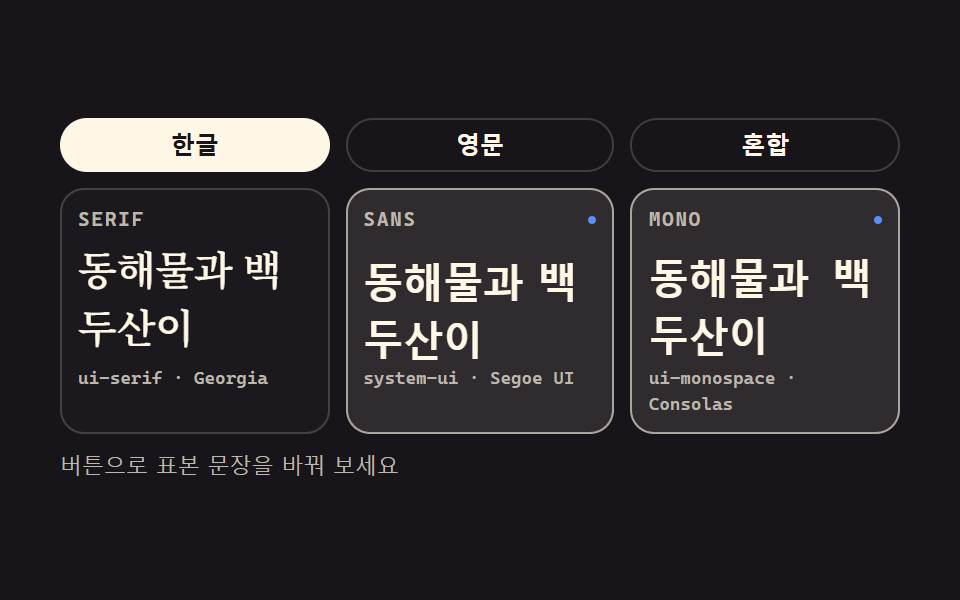 CSS Typography Playground: 9 Demos, No Webfontscss typography is setting type with CSS: which family, how heavy, how far apart, how large. These nine playgrounds do al See all demos in this post
If you like this effect - similar demos
 base01 Squircle card — a superellipse exponent value flows between circle and square while the card's corner ridge changesCSS corner-shape: 9 Corner Cutting Patterns
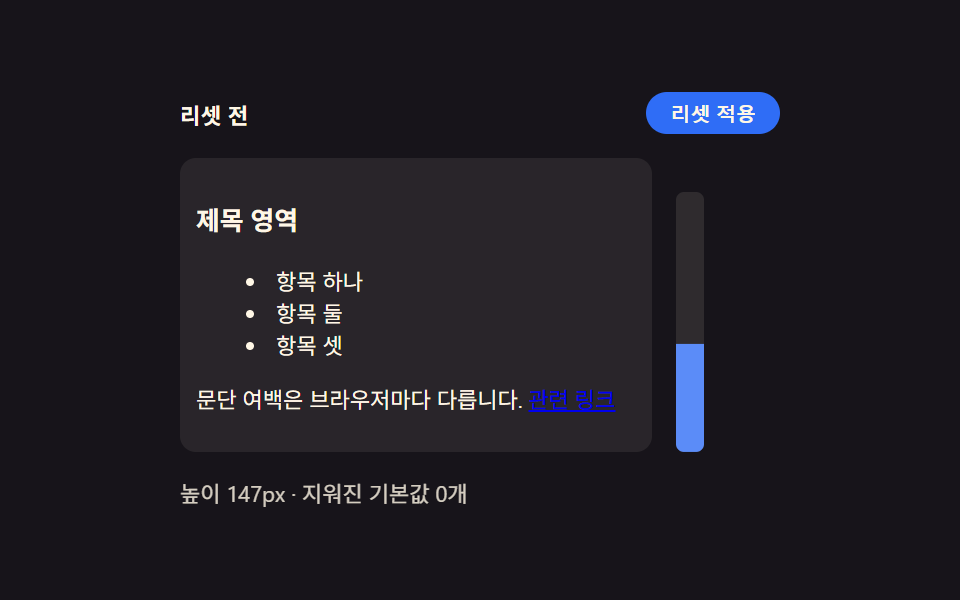 base01 Browser default reset — a starting point that unifies inconsistent spacing and list markersCSS Reset: 9 Patterns From Basics to Safe-Area
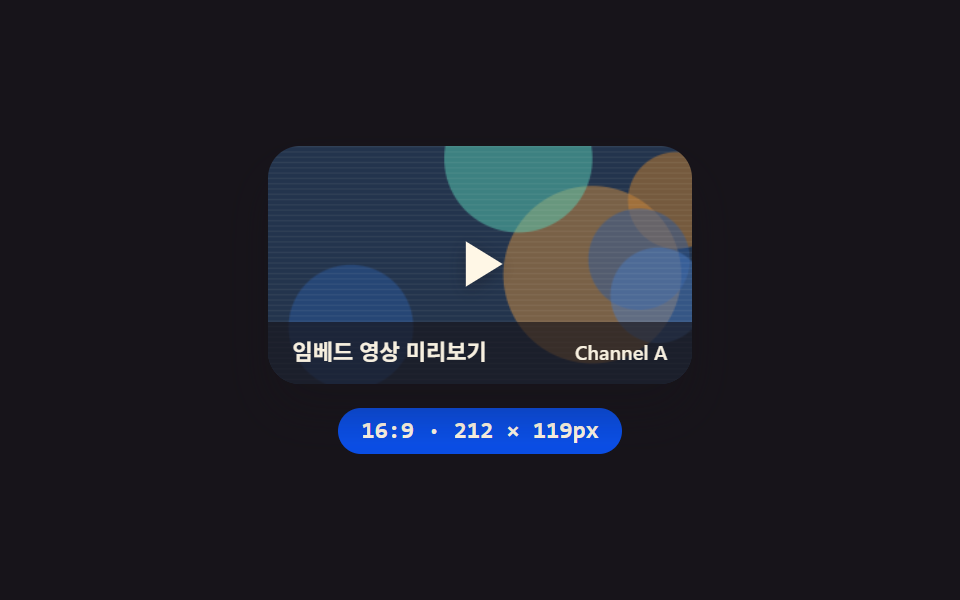 Embeds01 YouTube responsive embed — a video frame that recomputes its ratio from the available width9 YouTube Embed Code UI Patterns (Copy-Paste)