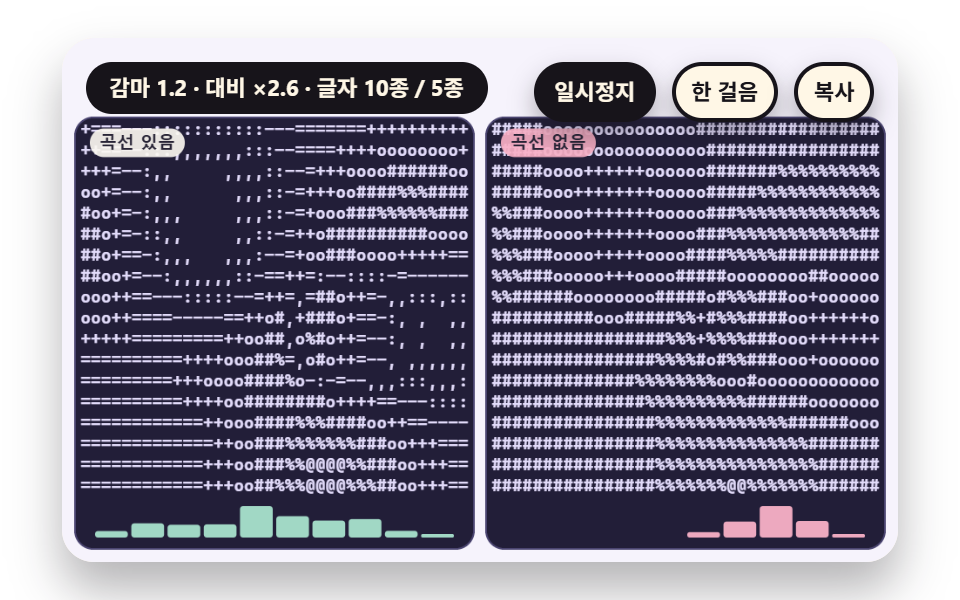
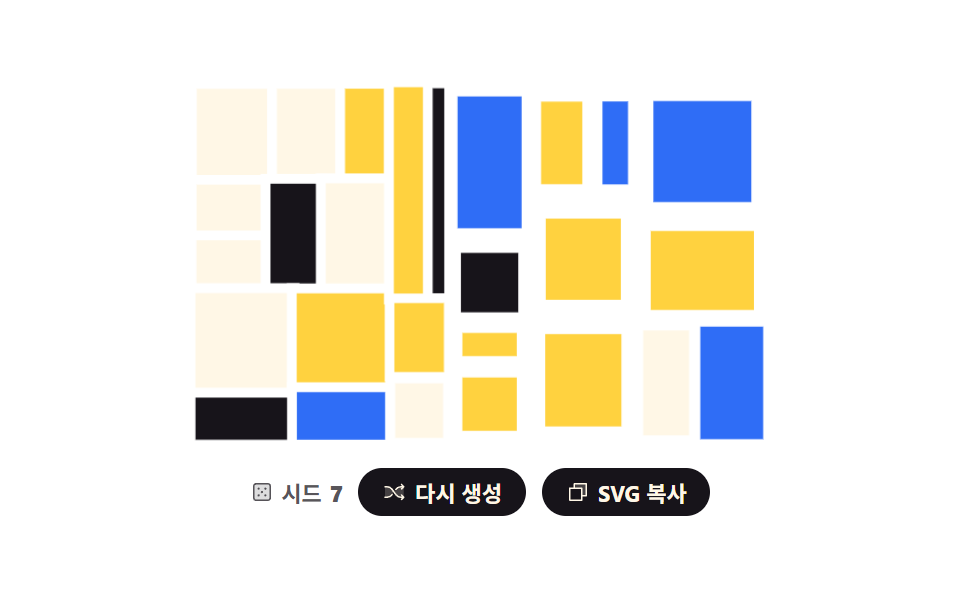
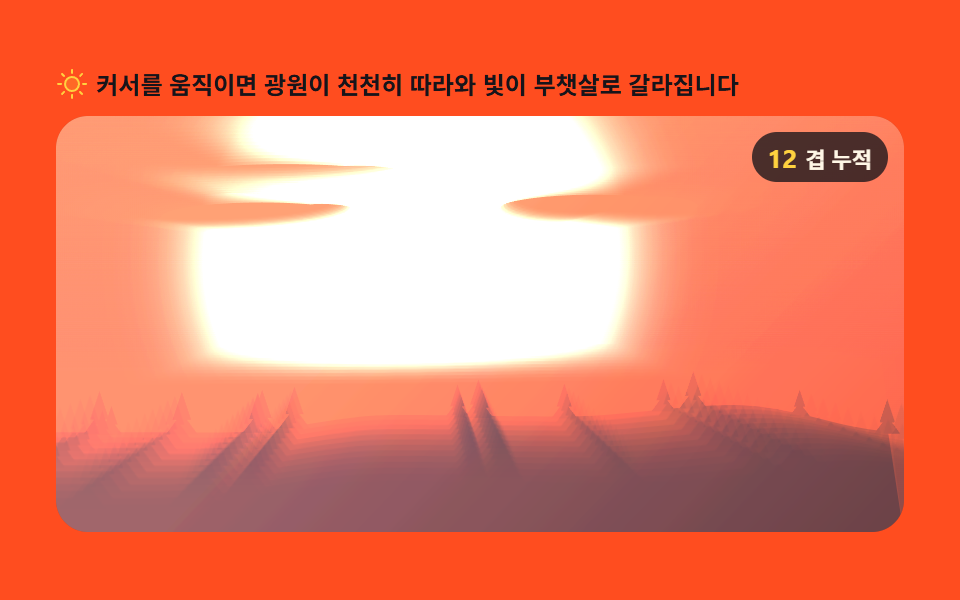
05A Plain Mix Beside a Gamma-Corrected Mix
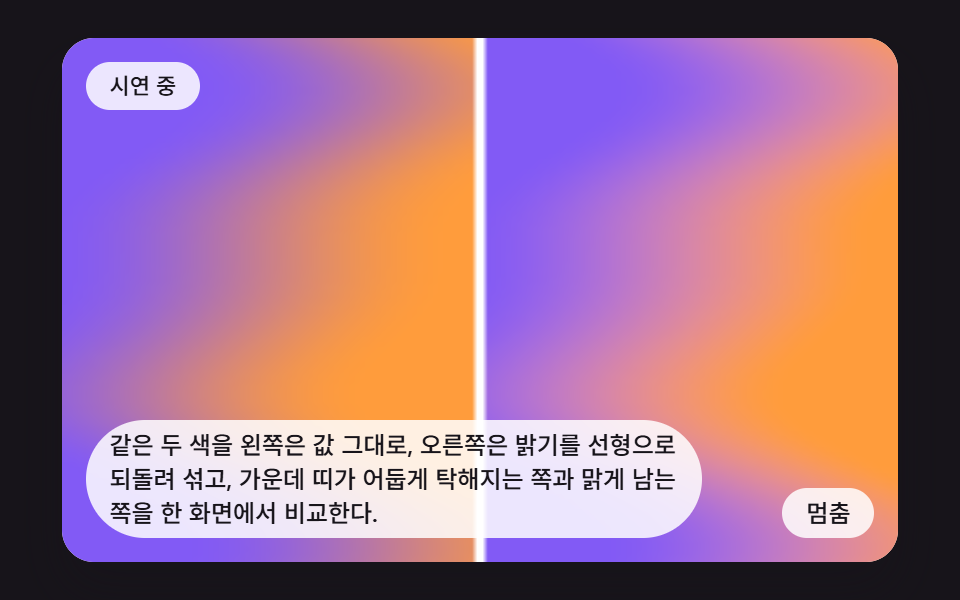
The same two colors are mixed as raw values on the left and in linear light on the right, so one canvas shows which middle band turns dark and muddy and which stays clear.
Best forChecking why the middle of two hues turns muddy
GAMMACOLOR_ACOLOR_BHALF
<main class="stage">
<div class="mg is-demo" id="mgRoot">
  <canvas class="mg__canvas" id="mgCanvas" width="160" height="100" tabindex="0" aria-label="The same two colours are mixed as raw values on the left and in linear light on the right, so one canvas shows which middle band turns dark and muddy and which stays clear."></canvas>
  <p class="mg__status" id="mgStatus" aria-live="polite">Demo running</p>
  <button class="mg__btn" id="mgBtn" type="button">Pause</button>
  <p class="mg__caption">The same two colours are mixed as raw values on the left and in linear light on the right, so one canvas shows which middle band turns dark and muddy and which stays clear.</p>
</div>
</main>
@use "../../../../site/static/demo-tokens" as *;
@include stage($stage-ink);
.mg {
position: relative;
width: min(92vw, calc(160vh - 12.8vw));
aspect-ratio: 480 / 300;
margin: 0 auto;
border-radius: $r-card;
overflow: hidden;
box-shadow: $shadow-raised;
background: $subject-cream;
}
.mg__canvas {
display: block;
width: 100%;
height: 100%;
touch-action: none;
}
.mg__canvas:focus-visible {
outline: 2px solid rgba(23, 20, 26, .85);
outline-offset: -6px;
}
.mg__status {
position: absolute;
left: $sp-3;
top: $sp-3;
max-width: 70%;
margin: 0;
padding: $sp-1 $sp-3;
border-radius: $r-pill;
background: rgba(255, 255, 255, .85);
color: $subject-ink;
font-weight: 500;
font-size: 11px;
line-height: 1.4;
pointer-events: none;
}
.mg__btn {
position: absolute;
right: $sp-3;
bottom: $sp-3;
margin: 0;
padding: $sp-1 $sp-3;
border: 0;
border-radius: $r-pill;
background: rgba(255, 255, 255, .85);
color: $subject-ink;
font: inherit;
font-weight: 500;
font-size: 12px;
line-height: 1.4;
cursor: pointer;
}
.mg__btn:focus-visible {
outline: 2px solid $subject-ink;
outline-offset: 2px;
}
.mg__caption {
position: absolute;
left: $sp-3;
bottom: $sp-3;
max-width: 68%;
margin: 0;
padding: $sp-1 $sp-3;
border-radius: $r-pill;
background: rgba(255, 255, 255, .85);
color: $subject-ink;
font-weight: 500;
font-size: 12px;
line-height: 1.4;
pointer-events: none;
}
@media (max-width: 340px) {
.mg__caption, .mg__btn { font-size: 10px; padding: $sp-1 $sp-2; }
.mg__status { font-size: 10px; }
}
@media (prefers-reduced-motion: reduce) {
.mg { cursor: default; }
}html, body {
margin: 0;
overflow: hidden;
}
.stage {
box-sizing: border-box;
min-height: 100vh;
display: grid;
place-items: center;
margin: 0;
background: #17141a;
font-family: -apple-system, "Segoe UI", "Noto Sans KR", sans-serif;
padding: clamp(8px, 4vw, 24px);
}
.mg {
position: relative;
width: min(92vw, 160vh - 12.8vw);
aspect-ratio: 480/300;
margin: 0 auto;
border-radius: 16px;
overflow: hidden;
box-shadow: 0 14px 24px rgba(23, 20, 26, 0.32);
background: #fff7e6;
}
.mg__canvas {
display: block;
width: 100%;
height: 100%;
touch-action: none;
}
.mg__canvas:focus-visible {
outline: 2px solid rgba(23, 20, 26, 0.85);
outline-offset: -6px;
}
.mg__status {
position: absolute;
left: 12px;
top: 12px;
max-width: 70%;
margin: 0;
padding: 4px 12px;
border-radius: 999px;
background: rgba(255, 255, 255, 0.85);
color: #17141a;
font-weight: 500;
font-size: 11px;
line-height: 1.4;
pointer-events: none;
}
.mg__btn {
position: absolute;
right: 12px;
bottom: 12px;
margin: 0;
padding: 4px 12px;
border: 0;
border-radius: 999px;
background: rgba(255, 255, 255, 0.85);
color: #17141a;
font: inherit;
font-weight: 500;
font-size: 12px;
line-height: 1.4;
cursor: pointer;
}
.mg__btn:focus-visible {
outline: 2px solid #17141a;
outline-offset: 2px;
}
.mg__caption {
position: absolute;
left: 12px;
bottom: 12px;
max-width: 68%;
margin: 0;
padding: 4px 12px;
border-radius: 999px;
background: rgba(255, 255, 255, 0.85);
color: #17141a;
font-weight: 500;
font-size: 12px;
line-height: 1.4;
pointer-events: none;
}
@media (max-width: 340px) {
.mg__caption, .mg__btn {
font-size: 10px;
padding: 4px 8px;
}
.mg__status {
font-size: 10px;
}
}
@media (prefers-reduced-motion: reduce) {
.mg {
cursor: default;
}
}(function () {
var root = document.getElementById('mgRoot');
var canvas = document.getElementById('mgCanvas');
var statusEl = document.getElementById('mgStatus');
var btnEl = document.getElementById('mgBtn');
function main(root, canvas, statusEl, btnEl) {
var ctx0 = canvas.getContext('2d');
if (!ctx0) {
return function () { return; };
}
var ctx = ctx0;
var CALC_W = 160, CALC_H = 100;
var FIXED_DT = 16;
var REDUCE_STEP_MS = 900;
var reduce = window.matchMedia('(prefers-reduced-motion: reduce)').matches;
if (reduce)
root.classList.remove('is-demo');
var paused = false;
var elapsed = 0, rafId = 0;
var cleaners = [];
function listen(target, type, fn) {
target.addEventListener(type, fn);
cleaners.push(function () { target.removeEventListener(type, fn); });
}
function clamp(v, lo, hi) { return v < lo ? lo : (v > hi ? hi : v); }
function lerp(a, b, k) { return a + (b - a) * k; }
function smooth(x) { var c = clamp(x, 0, 1); return c * c * (3 - 2 * c); }
function setStatus(msg) { statusEl.textContent = msg; }
// 시드 고정 난수 (mulberry32) — 같은 시드는 언제나 같은 수열이다
function seedRand(seed) {
var s = seed >>> 0;
return function () {
s = (s + 0x6D2B79F5) >>> 0;
var z = s;
z = Math.imul(z ^ (z >>> 15), z | 1);
z ^= z + Math.imul(z ^ (z >>> 7), z | 61);
return ((z ^ (z >>> 14)) >>> 0) / 4294967296;
};
}
// 파스텔 여섯 색 — 분홍·라일락·하늘·민트·살구·버터
var PAL = [[255, 152, 178], [182, 152, 255], [122, 200, 255], [122, 222, 186], [255, 196, 140], [255, 228, 130]];
// 색 목록을 원형으로 읽는다. pos 의 정수부는 몇 번째 색, 소수부는 다음 색으로 넘어가는 정도
function pick(pal, pos, out) {
var n = pal.length;
var i0 = Math.floor(pos);
var f = pos - i0;
var a = pal[((i0 % n) + n) % n];
var b = pal[(((i0 + 1) % n) + n) % n];
out[0] = lerp(a[0], b[0], f);
out[1] = lerp(a[1], b[1], f);
out[2] = lerp(a[2], b[2], f);
}
function put(d, x, y, r, g, b) {
var o = (y * CALC_W + x) * 4;
d[o] = r;
d[o + 1] = g;
d[o + 2] = b;
d[o + 3] = 255;
}
canvas.width = CALC_W;
canvas.height = CALC_H;
var img = ctx.createImageData(CALC_W, CALC_H);
var px = img.data;
// 05 감마 보정 섞기 — 왼쪽 절반은 값 그대로, 오른쪽 절반은 선형 밝기로 되돌려 섞는다 (같은 보라·주황)
var REDUCE_MS = 800;
var COLOR_A = [130, 90, 245];
var COLOR_B = [255, 156, 60];
var GAMMA = 2.2;
var linA = [Math.pow(COLOR_A[0] / 255, GAMMA), Math.pow(COLOR_A[1] / 255, GAMMA), Math.pow(COLOR_A[2] / 255, GAMMA)];
var linB = [Math.pow(COLOR_B[0] / 255, GAMMA), Math.pow(COLOR_B[1] / 255, GAMMA), Math.pow(COLOR_B[2] / 255, GAMMA)];
var HALF = CALC_W / 2;
function paint(t, d) {
for (var y = 0; y < CALC_H; y += 1) {
var v = y / (CALC_H - 1);
for (var x = 0; x < CALC_W; x += 1) {
var right = x >= HALF;
var lx = (right ? x - HALF : x) / (HALF - 1);
// 두 색 사이의 비율 s — 양쪽 절반이 같은 값 s 를 쓴다
var s = smooth(lx + 0.22 * Math.sin(6.2832 * (v * 1.1 + t * 0.5)) + 0.1 * Math.sin(6.2832 * (v * 2.3 - t * 0.35)));
var r, g, b;
if (!right) {
r = lerp(COLOR_A[0], COLOR_B[0], s);
g = lerp(COLOR_A[1], COLOR_B[1], s);
b = lerp(COLOR_A[2], COLOR_B[2], s);
}
else {
r = 255 * Math.pow(lerp(linA[0], linB[0], s), 1 / GAMMA);
g = 255 * Math.pow(lerp(linA[1], linB[1], s), 1 / GAMMA);
b = 255 * Math.pow(lerp(linA[2], linB[2], s), 1 / GAMMA);
}
if (x === Math.floor(HALF) || x === Math.floor(HALF) - 1) {
r = 255;
g = 255;
b = 255;
}
put(d, x, y, r, g, b);
}
}
}
function draw() {
paint(elapsed / 1000, px);
ctx.putImageData(img, 0, 0);
}
var lastTs = null;
var accMs = 0;
function tick(ts) {
if (lastTs === null) {
lastTs = ts;
}
var frameDt = Math.min(ts - lastTs, 48);
lastTs = ts;
if (!paused) {
accMs += frameDt;
while (accMs >= FIXED_DT) {
elapsed += FIXED_DT;
accMs -= FIXED_DT;
}
draw();
}
rafId = requestAnimationFrame(tick);
}
function onButton() {
root.classList.remove('is-demo');
if (reduce) {
elapsed += REDUCE_STEP_MS;
draw();
setStatus('Stepping one scene at a time');
return;
}
paused = !paused;
btnEl.textContent = paused ? 'Play' : 'Pause';
setStatus(paused ? 'Paused' : 'Demo running');
}
draw();
listen(btnEl, 'click', function () { onButton(); });
listen(canvas, 'pointerdown', function () { onButton(); });
listen(canvas, 'keydown', function (e) {
var k = e.key;
if (k === 'Enter' || k === ' ') {
e.preventDefault();
onButton();
}
});
if (reduce) {
elapsed = REDUCE_MS;
draw();
btnEl.textContent = 'Next scene';
setStatus('Stepping one scene at a time');
}
else {
rafId = requestAnimationFrame(tick);
}
function destroy() {
cancelAnimationFrame(rafId);
for (var i = 0; i < cleaners.length; i += 1) {
cleaners[i]();
}
}
return destroy;
}
main(root, canvas, statusEl, btnEl);
})();import { useEffect, useRef } from "react";
import styles from "./MgLinearLightVsSrgbMixSplit.module.scss";
function main(root: HTMLDivElement, canvas: HTMLCanvasElement, statusEl: HTMLElement, btnEl: HTMLButtonElement): () => void {
var ctx0 = canvas.getContext('2d');
if (!ctx0) { return function (): void { return; }; }
var ctx: CanvasRenderingContext2D = ctx0;
var CALC_W = 160, CALC_H = 100;
var FIXED_DT = 16;
var REDUCE_STEP_MS = 900;
var reduce = window.matchMedia('(prefers-reduced-motion: reduce)').matches;
if (reduce) root.classList.remove('is-demo');
var paused = false;
var elapsed = 0, rafId = 0;
var cleaners: Array<() => void> = [];
function listen(target: EventTarget, type: string, fn: (e: Event) => void): void {
target.addEventListener(type, fn);
cleaners.push(function (): void { target.removeEventListener(type, fn); });
}
function clamp(v: number, lo: number, hi: number): number { return v < lo ? lo : (v > hi ? hi : v); }
function lerp(a: number, b: number, k: number): number { return a + (b - a) * k; }
function smooth(x: number): number { var c = clamp(x, 0, 1); return c * c * (3 - 2 * c); }
function setStatus(msg: string): void { statusEl.textContent = msg; }
// 시드 고정 난수 (mulberry32) — 같은 시드는 언제나 같은 수열이다
function seedRand(seed: number): () => number {
var s = seed >>> 0;
return function (): number {
s = (s + 0x6D2B79F5) >>> 0;
var z = s;
z = Math.imul(z ^ (z >>> 15), z | 1);
z ^= z + Math.imul(z ^ (z >>> 7), z | 61);
return ((z ^ (z >>> 14)) >>> 0) / 4294967296;
};
}
// 파스텔 여섯 색 — 분홍·라일락·하늘·민트·살구·버터
var PAL: number[][] = [[255, 152, 178], [182, 152, 255], [122, 200, 255], [122, 222, 186], [255, 196, 140], [255, 228, 130]];
// 색 목록을 원형으로 읽는다. pos 의 정수부는 몇 번째 색, 소수부는 다음 색으로 넘어가는 정도
function pick(pal: number[][], pos: number, out: number[]): void {
var n = pal.length;
var i0 = Math.floor(pos);
var f = pos - i0;
var a = pal[((i0 % n) + n) % n];
var b = pal[(((i0 + 1) % n) + n) % n];
out[0] = lerp(a[0], b[0], f);
out[1] = lerp(a[1], b[1], f);
out[2] = lerp(a[2], b[2], f);
}
function put(d: Uint8ClampedArray, x: number, y: number, r: number, g: number, b: number): void {
var o = (y * CALC_W + x) * 4;
d[o] = r;
d[o + 1] = g;
d[o + 2] = b;
d[o + 3] = 255;
}
canvas.width = CALC_W;
canvas.height = CALC_H;
var img = ctx.createImageData(CALC_W, CALC_H);
var px = img.data;
// 05 감마 보정 섞기 — 왼쪽 절반은 값 그대로, 오른쪽 절반은 선형 밝기로 되돌려 섞는다 (같은 보라·주황)
var REDUCE_MS = 800;
var COLOR_A: number[] = [130, 90, 245];
var COLOR_B: number[] = [255, 156, 60];
var GAMMA = 2.2;
var linA: number[] = [Math.pow(COLOR_A[0] / 255, GAMMA), Math.pow(COLOR_A[1] / 255, GAMMA), Math.pow(COLOR_A[2] / 255, GAMMA)];
var linB: number[] = [Math.pow(COLOR_B[0] / 255, GAMMA), Math.pow(COLOR_B[1] / 255, GAMMA), Math.pow(COLOR_B[2] / 255, GAMMA)];
var HALF = CALC_W / 2;
function paint(t: number, d: Uint8ClampedArray): void {
for (var y = 0; y < CALC_H; y += 1) {
var v = y / (CALC_H - 1);
for (var x = 0; x < CALC_W; x += 1) {
var right = x >= HALF;
var lx = (right ? x - HALF : x) / (HALF - 1);
// 두 색 사이의 비율 s — 양쪽 절반이 같은 값 s 를 쓴다
var s = smooth(lx + 0.22 * Math.sin(6.2832 * (v * 1.1 + t * 0.5)) + 0.1 * Math.sin(6.2832 * (v * 2.3 - t * 0.35)));
var r: number, g: number, b: number;
if (!right) {
r = lerp(COLOR_A[0], COLOR_B[0], s);
g = lerp(COLOR_A[1], COLOR_B[1], s);
b = lerp(COLOR_A[2], COLOR_B[2], s);
} else {
r = 255 * Math.pow(lerp(linA[0], linB[0], s), 1 / GAMMA);
g = 255 * Math.pow(lerp(linA[1], linB[1], s), 1 / GAMMA);
b = 255 * Math.pow(lerp(linA[2], linB[2], s), 1 / GAMMA);
}
if (x === Math.floor(HALF) || x === Math.floor(HALF) - 1) { r = 255; g = 255; b = 255; }
put(d, x, y, r, g, b);
}
}
}
function draw(): void {
paint(elapsed / 1000, px);
ctx.putImageData(img, 0, 0);
}
var lastTs: number | null = null;
var accMs = 0;
function tick(ts: number): void {
if (lastTs === null) { lastTs = ts; }
var frameDt = Math.min(ts - lastTs, 48);
lastTs = ts;
if (!paused) {
accMs += frameDt;
while (accMs >= FIXED_DT) {
elapsed += FIXED_DT;
accMs -= FIXED_DT;
}
draw();
}
rafId = requestAnimationFrame(tick);
}
function onButton(): void {
root.classList.remove('is-demo');
if (reduce) {
elapsed += REDUCE_STEP_MS;
draw();
setStatus('한 장면씩 넘기는 중');
return;
}
paused = !paused;
btnEl.textContent = paused ? '재생' : '멈춤';
setStatus(paused ? '일시정지됨' : '시연 중');
}
draw();
listen(btnEl, 'click', function (): void { onButton(); });
listen(canvas, 'pointerdown', function (): void { onButton(); });
listen(canvas, 'keydown', function (e: Event): void {
var k = (e as KeyboardEvent).key;
if (k === 'Enter' || k === ' ') { e.preventDefault(); onButton(); }
});
if (reduce) {
elapsed = REDUCE_MS;
draw();
btnEl.textContent = '다음 장면';
setStatus('한 장면씩 넘기는 중');
} else {
rafId = requestAnimationFrame(tick);
}
function destroy(): void {
cancelAnimationFrame(rafId);
for (var i = 0; i < cleaners.length; i += 1) { cleaners[i](); }
}
return destroy;
}
export default function MgLinearLightVsSrgbMixSplit() {
const rootRef = useRef<HTMLDivElement | null>(null);
const canvasRef = useRef<HTMLCanvasElement | null>(null);
const statusRef = useRef<HTMLParagraphElement | null>(null);
const btnRef = useRef<HTMLButtonElement | null>(null);
useEffect(() => {
const root = rootRef.current;
const canvas = canvasRef.current;
const statusEl = statusRef.current;
const btnEl = btnRef.current;
if (!root || !canvas || !statusEl || !btnEl) return;
return main(root, canvas, statusEl, btnEl);
}, []);
return (
<main className={styles.stage}>
<div className={`${styles.mg} is-demo`} ref={rootRef}>
<canvas className={styles.mg__canvas} ref={canvasRef} width={160} height={100} tabIndex={0} aria-label="같은 두 색을 왼쪽은 값 그대로, 오른쪽은 밝기를 선형으로 되돌려 섞고, 가운데 띠가 어둡게 탁해지는 쪽과 맑게 남는 쪽을 한 화면에서 비교한다." />
<p className={styles.mg__status} ref={statusRef} aria-live="polite">시연 중</p>
<button className={styles.mg__btn} ref={btnRef} type="button">멈춤</button>
<p className={styles.mg__caption}>같은 두 색을 왼쪽은 값 그대로, 오른쪽은 밝기를 선형으로 되돌려 섞고, 가운데 띠가 어둡게 탁해지는 쪽과 맑게 남는 쪽을 한 화면에서 비교한다.</p>
</div>
</main>
);
}05 A Plain Mix Beside a Gamma-Corrected Mix — Measured area 64.516% · moving frames 23/23Original by GODRICH · SCSS and React ship in the zip · Mesh Gradient Background: 9 Canvas Animations
The post this demo lives in
 Mesh Gradient Background: 9 Canvas AnimationsA mesh gradient looks finished once a few colors are blurred together, until the middle turns muddy and dark areas split See all demos in this post