07Card hover effect — glow ring and magnet
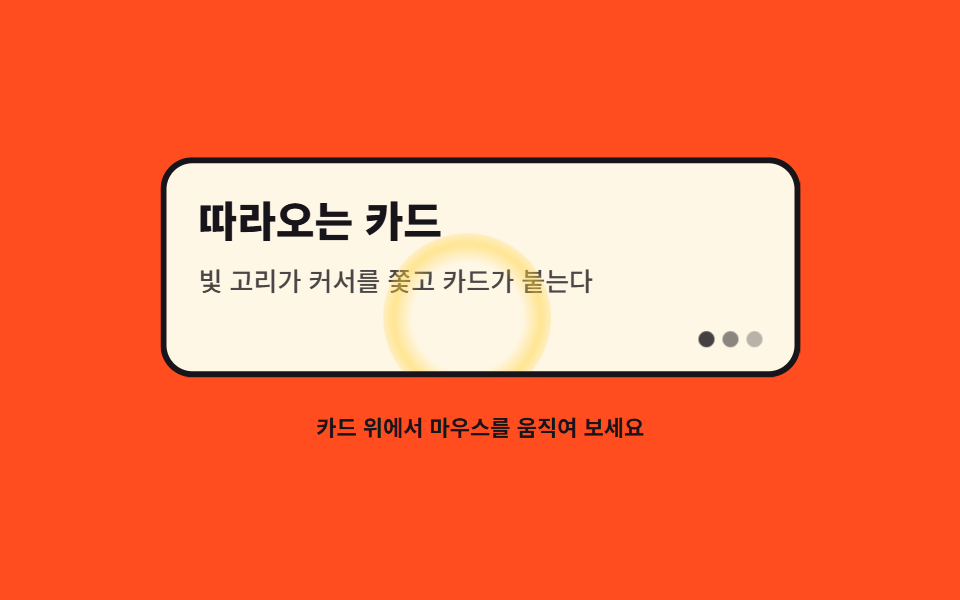
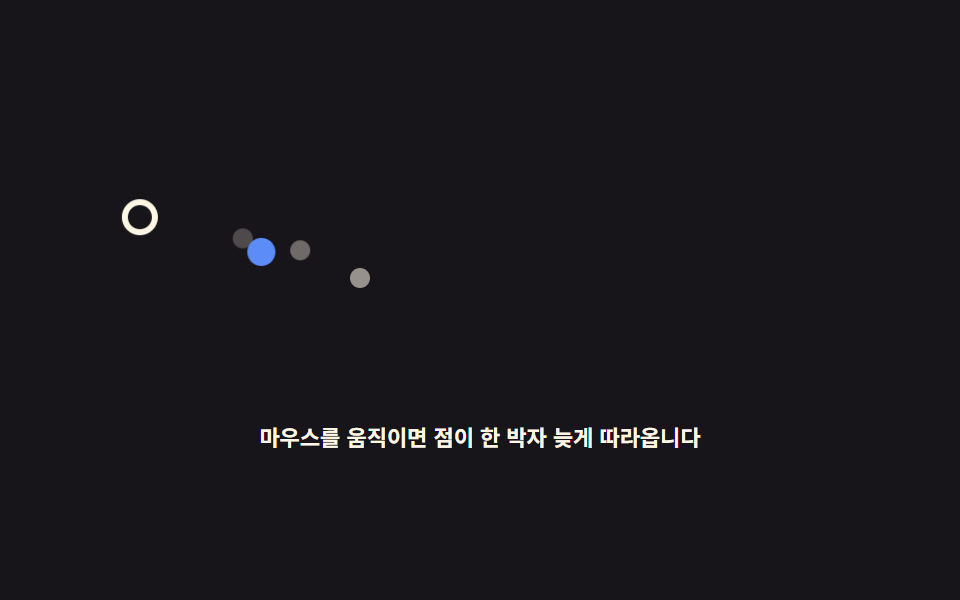
A radial-gradient glow ring chases the cursor inside the card via var(--gx), and the card itself leans toward it with translate3d only — no 3D tilt.
Best forFeature card grid, pricing cards
pointermoveradial-gradientvar(--gx)
<main class="stage">
<div class="cg is-demo" id="cg">
  <div class="cg__wrap" role="img" aria-label="A glow ring chases the cursor inside the card while the card leans toward it">
    <div class="cg__card" id="cgCard">
      <span class="cg__ring" id="cgRing" aria-hidden="true"></span>
      <p class="cg__title">The following card</p>
      <p class="cg__desc">A glow ring chases the cursor and the card sticks to it</p>
      <span class="cg__dots" aria-hidden="true"><i></i><i></i><i></i></span>
    </div>
  </div>
  <p class="cg__hint">Move the mouse over the card</p>
</div>
</main>
@use "../../../../site/static/demo-tokens" as *;
// 카드 오버 이펙트 — radial-gradient 글로우 링이 var(--gx)/var(--gy) 로 커서를 쫓고
// 카드는 translate3d 만으로 커서 쪽에 최대 7px 붙는다 (3D 기울임 rotateX/rotateY 는 쓰지 않는다).
// 격자 미리보기(.is-demo)는 링이 카드 안을 타원으로 도는 루프를 @keyframes 로 돌린다.
$duration: $dur-loop;
$easing: $ease-out;
$color: $subject-ink;
@include stage($stage-orange);
.cg { display: grid; justify-items: center; gap: $sp-4; width: 100%; }
.cg__wrap { width: min(100%, 320px); }
.cg__card {
--gx: 50;
--gy: 50;
position: relative; overflow: hidden;
box-sizing: border-box;
width: 100%; height: clamp(110px, 32vh, 156px);
padding: $sp-4;
background: $subject-cream;
border: 3px solid $color; border-radius: $r-card;
will-change: transform;
}
// 글로우 링 — 커서를 쫓는 빛 고리. left/top 대신 translate 로만 움직인다
.cg__ring {
position: absolute; left: 0; top: 0;
width: 84px; height: 84px;
box-sizing: border-box;
background: radial-gradient(circle, rgba($stage-yellow, 0) 46%, rgba($stage-yellow, .5) 62%, rgba($stage-yellow, 0) 78%);
border-radius: 50%;
transform: translate3d(calc(var(--gx) * 1px - 42px), calc(var(--gy) * 1px - 42px), 0);
will-change: transform;
}
.cg__title {
margin: 0 0 $sp-2;
color: $color;
font-weight: 800; font-size: clamp(16px, 4.4vw, 21px); line-height: 1.2;
}
.cg__desc { margin: 0; color: rgba($color, .78); font-weight: 500; font-size: clamp(11px, 3vw, 13px); line-height: 1.5; }
// 장식 점 세 개 — 카드 밑단
.cg__dots { position: absolute; right: $sp-4; bottom: $sp-3; display: flex; gap: $sp-1; }
.cg__dots i { width: 8px; height: 8px; border-radius: 50%; background: $color; opacity: .8; }
.cg__dots i:nth-child(2) { opacity: .5; }
.cg__dots i:nth-child(3) { opacity: .3; }
.cg__hint { margin: 0; color: $color; font-weight: 700; font-size: clamp(9px, 2.4vw, 11px); }
// ── 미리보기 루프: 링이 카드 안을 타원으로 돌고 카드가 사탕발림으로 붙었다 놓아진다
.cg.is-demo .cg__ring { animation: cgOrbit $duration $easing infinite; }
.cg.is-demo .cg__card { animation: cgPull $duration $easing infinite; }
@keyframes cgOrbit {
0%, 6% { transform: translate3d(36px, 18px, 0); }
30%, 36% { transform: translate3d(214px, 60px, 0); }
56%, 62% { transform: translate3d(120px, 92px, 0); }
84%, 100% { transform: translate3d(36px, 18px, 0); }
}
@keyframes cgPull {
0%, 6% { transform: translate3d(-3px, -2px, 0); }
30%, 36% { transform: translate3d(5px, 2px, 0); }
56%, 62% { transform: translate3d(0px, 5px, 0); }
84%, 100% { transform: translate3d(-3px, -2px, 0); }
}
@media (max-width: 340px) {
.cg { gap: $sp-2; }
.cg__card { height: clamp(96px, 28vh, 126px); padding: $sp-3; }
.cg.is-demo .cg__ring { animation-name: cgOrbitNarrow; }
}
@keyframes cgOrbitNarrow {
0%, 6% { transform: translate3d(24px, 14px, 0); }
30%, 36% { transform: translate3d(150px, 44px, 0); }
56%, 62% { transform: translate3d(84px, 66px, 0); }
84%, 100% { transform: translate3d(24px, 14px, 0); }
}
@media (prefers-reduced-motion: reduce) {
.cg.is-demo .cg__ring,
.cg.is-demo .cg__card { animation: none !important; }
// reduce 에서는 고리가 카드 오른쪽 아래에 조용히 머문다
.cg.is-demo .cg__ring { transform: translate3d(170px, 60px, 0) !important; }
}html, body {
margin: 0;
overflow: hidden;
}
.stage {
box-sizing: border-box;
min-height: 100vh;
display: grid;
place-items: center;
margin: 0;
background: #ff4d1f;
font-family: -apple-system, "Segoe UI", "Noto Sans KR", sans-serif;
padding: clamp(8px, 4vw, 24px);
}
.cg {
display: grid;
justify-items: center;
gap: 16px;
width: 100%;
}
.cg__wrap {
width: min(100%, 320px);
}
.cg__card {
--gx: 50;
--gy: 50;
position: relative;
overflow: hidden;
box-sizing: border-box;
width: 100%;
height: clamp(110px, 32vh, 156px);
padding: 16px;
background: #fff7e6;
border: 3px solid #17141a;
border-radius: 16px;
will-change: transform;
}
.cg__ring {
position: absolute;
left: 0;
top: 0;
width: 84px;
height: 84px;
box-sizing: border-box;
background: radial-gradient(circle, rgba(255, 210, 63, 0) 46%, rgba(255, 210, 63, 0.5) 62%, rgba(255, 210, 63, 0) 78%);
border-radius: 50%;
transform: translate3d(calc(var(--gx) * 1px - 42px), calc(var(--gy) * 1px - 42px), 0);
will-change: transform;
}
.cg__title {
margin: 0 0 8px;
color: #17141a;
font-weight: 800;
font-size: clamp(16px, 4.4vw, 21px);
line-height: 1.2;
}
.cg__desc {
margin: 0;
color: rgba(23, 20, 26, 0.78);
font-weight: 500;
font-size: clamp(11px, 3vw, 13px);
line-height: 1.5;
}
.cg__dots {
position: absolute;
right: 16px;
bottom: 12px;
display: flex;
gap: 4px;
}
.cg__dots i {
width: 8px;
height: 8px;
border-radius: 50%;
background: #17141a;
opacity: 0.8;
}
.cg__dots i:nth-child(2) {
opacity: 0.5;
}
.cg__dots i:nth-child(3) {
opacity: 0.3;
}
.cg__hint {
margin: 0;
color: #17141a;
font-weight: 700;
font-size: clamp(9px, 2.4vw, 11px);
}
.cg.is-demo .cg__ring {
animation: cgOrbit 2s ease-out infinite;
}
.cg.is-demo .cg__card {
animation: cgPull 2s ease-out infinite;
}
@keyframes cgOrbit {
0%, 6% {
transform: translate3d(36px, 18px, 0);
}
30%, 36% {
transform: translate3d(214px, 60px, 0);
}
56%, 62% {
transform: translate3d(120px, 92px, 0);
}
84%, 100% {
transform: translate3d(36px, 18px, 0);
}
}
@keyframes cgPull {
0%, 6% {
transform: translate3d(-3px, -2px, 0);
}
30%, 36% {
transform: translate3d(5px, 2px, 0);
}
56%, 62% {
transform: translate3d(0px, 5px, 0);
}
84%, 100% {
transform: translate3d(-3px, -2px, 0);
}
}
@media (max-width: 340px) {
.cg {
gap: 8px;
}
.cg__card {
height: clamp(96px, 28vh, 126px);
padding: 12px;
}
.cg.is-demo .cg__ring {
animation-name: cgOrbitNarrow;
}
}
@keyframes cgOrbitNarrow {
0%, 6% {
transform: translate3d(24px, 14px, 0);
}
30%, 36% {
transform: translate3d(150px, 44px, 0);
}
56%, 62% {
transform: translate3d(84px, 66px, 0);
}
84%, 100% {
transform: translate3d(24px, 14px, 0);
}
}
@media (prefers-reduced-motion: reduce) {
.cg.is-demo .cg__ring,
.cg.is-demo .cg__card {
animation: none !important;
}
.cg.is-demo .cg__ring {
transform: translate3d(170px, 60px, 0) !important;
}
}var root = document.getElementById('cg');
var card = document.getElementById('cgCard');
var ring = document.getElementById('cgRing');
var reduce = window.matchMedia('(prefers-reduced-motion: reduce)').matches;
function lerp(a, b, k) { return a + (b - a) * k; }
// 링의 목표(카드 H 좌표)와 지금 위치, 카드가 붙을 방향
var t = { x: 0, y: 0 };
var p = { x: 0, y: 0 };
var pull = { x: 0, y: 0 };
var pullNow = { x: 0, y: 0 };
function setTarget(cx, cy) {
var r = card.getBoundingClientRect();
t.x = Math.min(r.width, Math.max(0, cx - r.left));
t.y = Math.min(r.height, Math.max(0, cy - r.top));
// 카드 중심에서 커서 쪽으로 최대 7px 만 붙는다 (3D 기울임 없이 이동만)
pull.x = Math.max(-7, Math.min(7, (t.x - r.width / 2) * 0.09));
pull.y = Math.max(-7, Math.min(7, (t.y - r.height / 2) * 0.12));
}
function draw() {
// --gx/--gy 는 링 '자신'에게 설정한다 (부모에 두면 상속 규칙에 걸린다)
ring.style.setProperty('--gx', p.x.toFixed(1));
ring.style.setProperty('--gy', p.y.toFixed(1));
card.style.transform = 'translate3d(' + pullNow.x.toFixed(1) + 'px,' + pullNow.y.toFixed(1) + 'px,0)';
}
function tick() {
p.x = lerp(p.x, t.x, 0.14);
p.y = lerp(p.y, t.y, 0.14);
pullNow.x = lerp(pullNow.x, pull.x, 0.1);
pullNow.y = lerp(pullNow.y, pull.y, 0.1);
draw();
requestAnimationFrame(tick);
}
function home() {
var r = card.getBoundingClientRect();
t = { x: r.width * 0.5, y: r.height * 0.5 };
p = { x: r.width * 0.5, y: r.height * 0.5 };
pull = { x: 0, y: 0 };
pullNow = { x: 0, y: 0 };
}
window.addEventListener('pointermove', function (e) {
root.classList.remove('is-demo');
setTarget(e.clientX, e.clientY);
});
window.addEventListener('pointerdown', function (e) {
root.classList.remove('is-demo');
setTarget(e.clientX, e.clientY);
});
home();
draw();
if (reduce) {
// reduce 에서는 고리가 카드 한가운데에 머물고 카드는 움직이지 않는다
window.addEventListener('pointermove', function (e) { setTarget(e.clientX, e.clientY); p = { x: t.x, y: t.y }; pull = { x: 0, y: 0 }; pullNow = { x: 0, y: 0 }; draw(); });
} else {
requestAnimationFrame(tick);
}// CardGlowMagnet — vanilla 판(run/079/demo/07-follow-card-glow-magnet/index.html) 의 React 포트.
// radial-gradient 글로우 링이 var(--gx)/var(--gy) 로 커서를 쫓고(lerp 0.14),
// 카드는 translate3d 만으로 커서 쪽에 최대 7px 붙는다 (3D 기울임 rotateX/rotateY 는 쓰지 않는다).
// --gx/--gy 는 링 '자신'에게 설정한다 (부모에 두면 상속 규칙에 걸린다). 값은 vanilla 와 같다.
import { useEffect, useRef, useState } from "react";
import type { CSSProperties } from "react";
import styles from "./CardGlowMagnet.module.scss";
export type CardGlowMagnetProps = {
duration?: number;
easing?: string;
color?: string;
};
type Vars = CSSProperties & { "--duration"?: string; "--easing"?: string; "--color"?: string };
// useRef 는 T | null 을 돌려준다. 처음부터 값이 있고 절대 비지 않는 상자는 이렇게 좁혀 쓴다
type Box<T> = { current: T };
// 전역 DOM 타입에 기대지 않는다 — 포인터 이벤트에서 실제로 읽는 것만 적는다
type PtrEvt = { clientX: number; clientY: number };
const WRAP_LABEL = "카드 안에서 빛 고리가 커서를 쫓고 카드가 커서 쪽으로 살짝 붙는 그림";
const TITLE = "따라오는 카드";
const DESC = "빛 고리가 커서를 쫓고 카드가 붙는다";
const HINT = "카드 위에서 마우스를 움직여 보세요";
// lerp: 매 프레임 남은 거리의 일부만 더 가는 선형 보간
function lerp(a: number, b: number, k: number): number {
return a + (b - a) * k;
}
export default function CardGlowMagnet({
duration = 2000,
easing = "ease-out",
color = "#17141a",
}: CardGlowMagnetProps) {
const cardRef = useRef<HTMLDivElement | null>(null) as Box<HTMLDivElement>;
const ringRef = useRef<HTMLSpanElement | null>(null);
const [demo, setDemo] = useState(true);
const vars: Vars = { "--duration": `${duration}ms`, "--easing": easing, "--color": color };
useEffect(() => {
const card = cardRef.current;
if (!card) return;
const reduce = window.matchMedia("(prefers-reduced-motion: reduce)").matches;
// 링의 목표(카드 안 좌표)와 지금 위치, 카드가 붙을 방향
const t = { x: 0, y: 0 };
const p = { x: 0, y: 0 };
const pull = { x: 0, y: 0 };
const pullNow = { x: 0, y: 0 };
function setTarget(cx: number, cy: number): void {
const r = card.getBoundingClientRect();
t.x = Math.min(r.width, Math.max(0, cx - r.left));
t.y = Math.min(r.height, Math.max(0, cy - r.top));
// 카드 중심에서 커서 쪽으로 최대 7px 만 붙는다 (3D 기울임 없이 이동만)
pull.x = Math.max(-7, Math.min(7, (t.x - r.width / 2) * 0.09));
pull.y = Math.max(-7, Math.min(7, (t.y - r.height / 2) * 0.12));
}
function draw(): void {
const ring = ringRef.current;
if (ring) {
// --gx/--gy 는 링 '자신'에게 설정한다 (부모에 두면 상속 규칙에 걸린다)
ring.style.setProperty("--gx", p.x.toFixed(1));
ring.style.setProperty("--gy", p.y.toFixed(1));
}
card.style.transform = "translate3d(" + pullNow.x.toFixed(1) + "px," + pullNow.y.toFixed(1) + "px,0)";
}
function tick(): void {
p.x = lerp(p.x, t.x, 0.14);
p.y = lerp(p.y, t.y, 0.14);
pullNow.x = lerp(pullNow.x, pull.x, 0.1);
pullNow.y = lerp(pullNow.y, pull.y, 0.1);
draw();
raf = requestAnimationFrame(tick);
}
function home(): void {
const r = card.getBoundingClientRect();
t.x = r.width * 0.5;
t.y = r.height * 0.5;
p.x = r.width * 0.5;
p.y = r.height * 0.5;
pull.x = 0;
pull.y = 0;
pullNow.x = 0;
pullNow.y = 0;
}
function onMove(event: PtrEvt): void {
setDemo(false);
setTarget(event.clientX, event.clientY);
if (reduce) {
// reduce 에서는 고리가 카드 한가운데에 머물고 카드는 움직이지 않는다
p.x = t.x;
p.y = t.y;
pull.x = 0;
pull.y = 0;
pullNow.x = 0;
pullNow.y = 0;
draw();
}
}
function onDown(event: PtrEvt): void {
setDemo(false);
setTarget(event.clientX, event.clientY);
}
window.addEventListener("pointermove", onMove);
window.addEventListener("pointerdown", onDown);
let raf = 0;
home();
draw();
if (!reduce) raf = requestAnimationFrame(tick);
return () => {
window.removeEventListener("pointermove", onMove);
window.removeEventListener("pointerdown", onDown);
cancelAnimationFrame(raf);
};
}, []);
return (
<main className={styles.stage}>
<div className={styles.root + (demo ? " " + styles.isDemo : "")} style={vars}>
<div className={styles.wrap} role="img" aria-label={WRAP_LABEL}>
<div className={styles.card} ref={cardRef}>
<span className={styles.ring} aria-hidden="true" ref={ringRef}></span>
<p className={styles.title}>{TITLE}</p>
<p className={styles.desc}>{DESC}</p>
<span className={styles.dots} aria-hidden="true"><i></i><i></i><i></i></span>
</div>
</div>
<p className={styles.hint}>{HINT}</p>
</div>
</main>
);
}07 Card hover effect — glow ring and magnet — Measured area 17.272% · moving frames 19/23Original by GODRICH · SCSS and React ship in the zip · Mouse Follow Effect CSS — 9 Cursor Chasers
The post this demo lives in
 Mouse Follow Effect CSS — 9 Cursor ChasersA mouse follow effect css reads the pointer each frame and lets an element trail it by a beat — the core is one lerp lin See all demos in this post