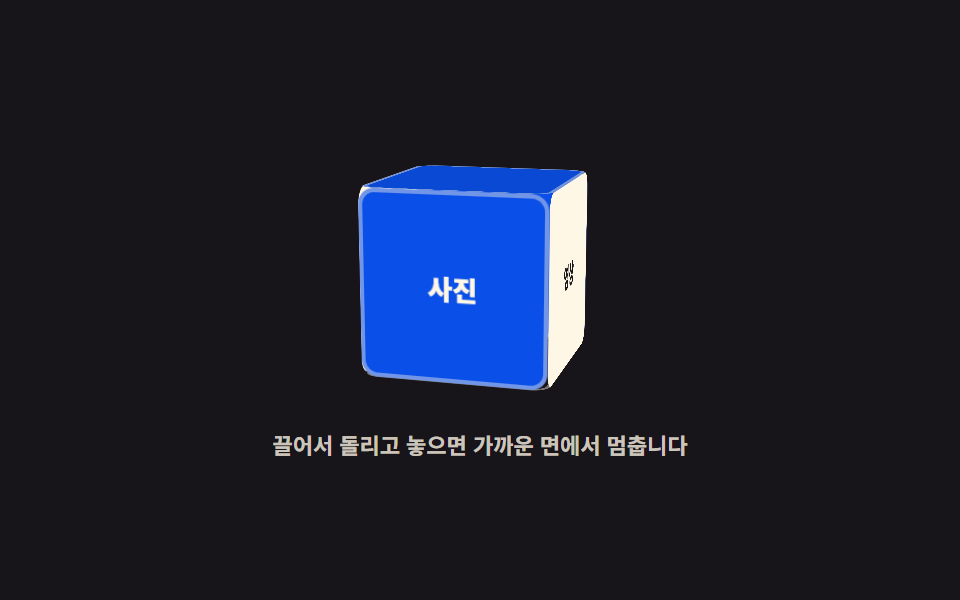
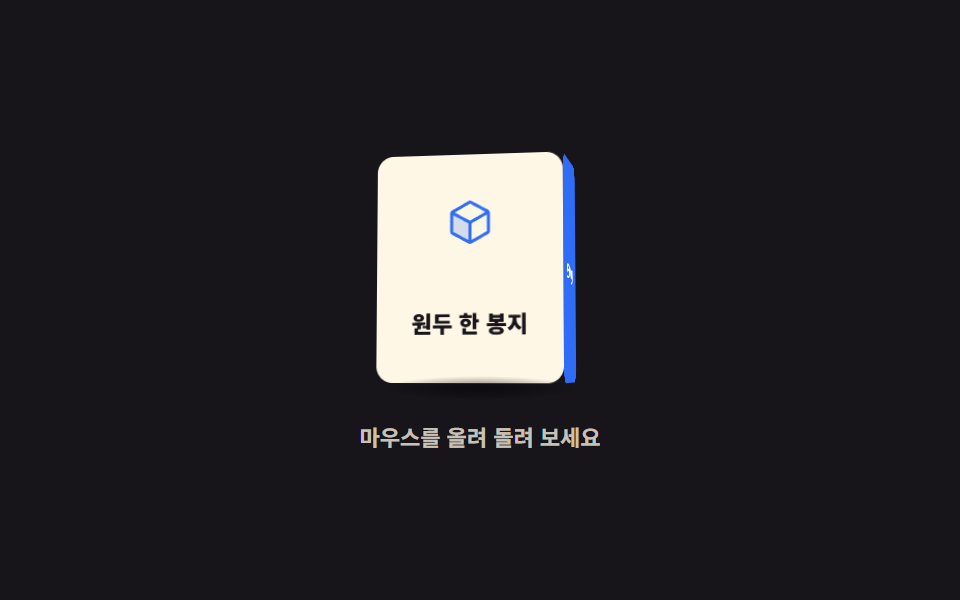
03Six-faced box you drag to spin
Drag and the box follows, then coasts on release and settles on the nearest face.
Best forA screen for picking among six categories, a rotating panel in an exhibition intro
rotateXpointermovesetPointerCapture
<main class="stage">
<div class="cb is-demo" id="cb">
  <div class="cb__scene" id="scene" role="img" aria-label="A box with a category on each of its six faces, dragged to spin">
    <div class="cb__cube" id="cube">
      <div class="cb__face cb__face--f"><span>Photos</span></div>
      <div class="cb__face cb__face--r"><span>Video</span></div>
      <div class="cb__face cb__face--b"><span>Writing</span></div>
      <div class="cb__face cb__face--l"><span>Audio</span></div>
      <div class="cb__face cb__face--u"></div>
      <div class="cb__face cb__face--d"></div>
    </div>
  </div>
  <p class="cb__hint">Drag to spin; release and it settles on the nearest face</p>
</div>
</main>
@use "sass:color";
@use "../../../../site/static/demo-tokens" as *;
// 드래그로 돌리는 여섯 면 상자 — 실제 회전은 JS 가 드래그 거리(dx)를 각도로 바꿔 인라인 transform 으로 준다.
// 놓으면 남은 속도로 더 돌다가 90도 눈금으로 당겨져 멈춘다(관성 + 스냅).
// 격자 미리보기(.is-demo)는 그 손놀림 한 번을 @keyframes 로 재현한다 — 한 면 넘기고, 튕겼다가, 제자리로.
$duration: $dur-loop;
$easing: linear;
$color: $subject-cream;
@include stage($stage-ink);
.cb { display: grid; justify-items: center; gap: $sp-4; width: 100%; }
.cb__scene {
display: grid; place-items: center;
width: clamp(104px, 27vw, 132px); height: clamp(104px, 27vw, 132px);
perspective: 560px;
cursor: grab;
touch-action: none;
}
.cb__scene:active { cursor: grabbing; }
.cb__scene:focus-visible { outline: 3px solid $subject-blue; outline-offset: $sp-2; border-radius: $r-sm; }
.cb__cube {
--s: clamp(72px, 19vw, 92px);
position: relative; width: var(--s); height: var(--s);
transform-style: preserve-3d;
transform: rotateX(-12deg) rotateY(0deg);
}
.cb__face {
position: absolute; inset: 0;
display: grid; place-items: center;
box-sizing: border-box;
border: 2px solid rgba($subject-cream, .42);
border-radius: $r-sm;
// 크림 글자가 기본 파랑 위에서 4.25:1 이라 AA(4.5:1)에 못 미쳤다 — 면을 한 단계 내린다
background: color.adjust($subject-blue, $lightness: -10%);
color: $color;
font-weight: 800; font-size: clamp(11px, 2.8vw, 13px);
}
// 여섯 면은 같은 정사각형을 반 변(--s / 2)만큼 바깥으로 밀어 세운 것이다
.cb__face--f { transform: translateZ(calc(var(--s) / 2)); }
.cb__face--r { transform: rotateY(90deg) translateZ(calc(var(--s) / 2)); background: $subject-cream; color: $subject-ink; }
.cb__face--b { transform: rotateY(180deg) translateZ(calc(var(--s) / 2)); }
.cb__face--l { transform: rotateY(-90deg) translateZ(calc(var(--s) / 2)); background: $subject-cream; color: $subject-ink; }
.cb__face--u { transform: rotateX(90deg) translateZ(calc(var(--s) / 2)); background: color.adjust($subject-blue, $lightness: -14%); }
.cb__face--d { transform: rotateX(-90deg) translateZ(calc(var(--s) / 2)); background: $subject-ink; }
.cb__hint {
margin: 0; max-width: 280px; text-align: center;
color: rgba($subject-cream, .78); font-weight: 700; font-size: clamp(9px, 2.4vw, 11px); line-height: 1.4;
}
// ── 미리보기 루프: 한 면(90도) 넘기고 6도 지나쳤다가 눈금으로 당겨지고, 뒷절반에 제자리로 되돌아온다.
// 되돌아오는 길도 같은 스냅을 거치므로 루프 이음매(0% = 100%)에서 튀지 않는다
.cb.is-demo .cb__cube {
animation-name: cbSpin;
animation-duration: $duration;
animation-timing-function: $easing;
animation-iteration-count: infinite;
}
@keyframes cbSpin {
0%, 8% { transform: rotateX(-12deg) rotateY(0deg); }
30% { transform: rotateX(-12deg) rotateY(-96deg); }
38%, 58% { transform: rotateX(-12deg) rotateY(-90deg); }
80% { transform: rotateX(-12deg) rotateY(6deg); }
88%, 100% { transform: rotateX(-12deg) rotateY(0deg); }
}
@media (max-width: 340px) {
.cb { gap: $sp-3; }
.cb__hint { max-width: 200px; }
}
@media (prefers-reduced-motion: reduce) {
// 움직임 없이 두 면이 함께 보이는 각도로 세운다
.cb.is-demo .cb__cube { animation: none !important; transform: rotateX(-12deg) rotateY(-38deg) !important; }
}html, body {
margin: 0;
overflow: hidden;
}
.stage {
box-sizing: border-box;
min-height: 100vh;
display: grid;
place-items: center;
margin: 0;
background: #17141a;
font-family: -apple-system, "Segoe UI", "Noto Sans KR", sans-serif;
padding: clamp(8px, 4vw, 24px);
}
.cb {
display: grid;
justify-items: center;
gap: 16px;
width: 100%;
}
.cb__scene {
display: grid;
place-items: center;
width: clamp(104px, 27vw, 132px);
height: clamp(104px, 27vw, 132px);
perspective: 560px;
cursor: grab;
touch-action: none;
}
.cb__scene:active {
cursor: grabbing;
}
.cb__scene:focus-visible {
outline: 3px solid #2f6df6;
outline-offset: 8px;
border-radius: 8px;
}
.cb__cube {
--s: clamp(72px, 19vw, 92px);
position: relative;
width: var(--s);
height: var(--s);
transform-style: preserve-3d;
transform: rotateX(-12deg) rotateY(0deg);
}
.cb__face {
position: absolute;
inset: 0;
display: grid;
place-items: center;
box-sizing: border-box;
border: 2px solid rgba(255, 247, 230, 0.42);
border-radius: 8px;
background: rgb(3.9360260233%, 31.0508719617%, 90.965934761%);
color: #fff7e6;
font-weight: 800;
font-size: clamp(11px, 2.8vw, 13px);
}
.cb__face--f {
transform: translateZ(calc(var(--s) / 2));
}
.cb__face--r {
transform: rotateY(90deg) translateZ(calc(var(--s) / 2));
background: #fff7e6;
color: #17141a;
}
.cb__face--b {
transform: rotateY(180deg) translateZ(calc(var(--s) / 2));
}
.cb__face--l {
transform: rotateY(-90deg) translateZ(calc(var(--s) / 2));
background: #fff7e6;
color: #17141a;
}
.cb__face--u {
transform: rotateX(90deg) translateZ(calc(var(--s) / 2));
background: rgb(3.6042287883%, 28.433360441%, 83.297731996%);
}
.cb__face--d {
transform: rotateX(-90deg) translateZ(calc(var(--s) / 2));
background: #17141a;
}
.cb__hint {
margin: 0;
max-width: 280px;
text-align: center;
color: rgba(255, 247, 230, 0.78);
font-weight: 700;
font-size: clamp(9px, 2.4vw, 11px);
line-height: 1.4;
}
.cb.is-demo .cb__cube {
animation-name: cbSpin;
animation-duration: 2s;
animation-timing-function: linear;
animation-iteration-count: infinite;
}
@keyframes cbSpin {
0%, 8% {
transform: rotateX(-12deg) rotateY(0deg);
}
30% {
transform: rotateX(-12deg) rotateY(-96deg);
}
38%, 58% {
transform: rotateX(-12deg) rotateY(-90deg);
}
80% {
transform: rotateX(-12deg) rotateY(6deg);
}
88%, 100% {
transform: rotateX(-12deg) rotateY(0deg);
}
}
@media (max-width: 340px) {
.cb {
gap: 12px;
}
.cb__hint {
max-width: 200px;
}
}
@media (prefers-reduced-motion: reduce) {
.cb.is-demo .cb__cube {
animation: none !important;
transform: rotateX(-12deg) rotateY(-38deg) !important;
}
}var cb = document.getElementById('cb');
var scene = document.getElementById('scene');
var cube = document.getElementById('cube');
var angle = 0, spin = 0, lastX = 0, dragging = false, running = false;
function paint() { cube.style.transform = 'rotateX(-12deg) rotateY(' + angle.toFixed(2) + 'deg)'; }
// 놓은 뒤에는 남은 속도로 더 돌다가(관성) 90도 눈금 중 가장 가까운 쪽으로 당겨져 멈춘다
function step() {
if (dragging) { running = false; return; }
var snap = Math.round(angle / 90) * 90;
spin = spin * 0.92 + (snap - angle) * 0.08;
angle += spin;
paint();
if (Math.abs(spin) < 0.05 && Math.abs(snap - angle) < 0.3) { angle = snap; paint(); running = false; return; }
requestAnimationFrame(step);
}
function start() { if (!running) { running = true; requestAnimationFrame(step); } }
scene.addEventListener('pointerdown', function (e) {
cb.classList.remove('is-demo');
dragging = true; lastX = e.clientX; spin = 0;
scene.setPointerCapture(e.pointerId);
});
scene.addEventListener('pointermove', function (e) {
if (!dragging) { return; }
var dx = e.clientX - lastX;
lastX = e.clientX;
spin = dx * 0.55;
angle += spin;
paint();
});
window.addEventListener('pointerup', function () { if (dragging) { dragging = false; start(); } });
// 키보드 경로: 좌우 화살표가 한 면씩(90도) 돌린다
scene.setAttribute('tabindex', '0');
scene.addEventListener('keydown', function (e) {
var turn = e.key === 'ArrowLeft' ? -90 : e.key === 'ArrowRight' ? 90 : 0;
if (!turn) { return; }
e.preventDefault();
cb.classList.remove('is-demo');
angle = Math.round(angle / 90) * 90 + turn;
paint();
});// CubeDragSpin — vanilla 판(run/290/demo/03-pointer-3d-cube-drag-spin/index.html) 의 React 포트.
// 끄는 동안에는 드래그 거리(dx)에 0.55 를 곱해 각도를 바로 더하고, 놓은 뒤에는 남은 속도로 더 돌다가
// 90도 눈금 중 가장 가까운 쪽으로 당겨져 멈춘다(마찰 0.92 + 스냅 0.08). 값·수치는 vanilla 와 같다.
import { useEffect, useRef, useState } from "react";
import type { CSSProperties, PointerEvent as ReactPointerEvent } from "react";
import styles from "./CubeDragSpin.module.scss";
export type CubeDragSpinProps = {
duration?: number;
easing?: string;
color?: string;
};
type Vars = CSSProperties & { "--duration"?: string; "--easing"?: string; "--color"?: string };
// useRef 는 T | null 을 돌려준다. 처음부터 값이 있고 절대 비지 않는 상자는 이렇게 좁혀 쓴다
type Box<T> = { current: T };
// React 의 KeyboardEvent 제네릭이 없는 환경이라 필요한 것만 로컬로 선언한다
type KeyEvt = { key: string; preventDefault(): void };
const SCENE_LABEL = "여섯 면에 분류가 적힌 상자, 끌어서 돌린다";
const QUARTER = 90; // 키보드 경로: 좌우 화살표가 한 면씩(90도) 돌린다
export default function CubeDragSpin({
duration = 2000,
easing = "linear",
color = "#fff7e6",
}: CubeDragSpinProps) {
const sceneRef = useRef<HTMLDivElement | null>(null);
const cubeRef = useRef<HTMLDivElement | null>(null);
const angleRef = useRef<number>(0) as Box<number>;
const spinRef = useRef<number>(0) as Box<number>;
const lastXRef = useRef<number>(0) as Box<number>;
const draggingRef = useRef<boolean>(false) as Box<boolean>;
const runningRef = useRef<boolean>(false) as Box<boolean>;
const frameRef = useRef<number>(0) as Box<number>;
const [demo, setDemo] = useState(true);
const vars: Vars = { "--duration": `${duration}ms`, "--easing": easing, "--color": color };
function paint(): void {
const cube = cubeRef.current;
if (!cube) return;
cube.style.transform = "rotateX(-12deg) rotateY(" + angleRef.current.toFixed(2) + "deg)";
}
// 놓은 뒤에는 남은 속도로 더 돌다가(관성) 90도 눈금 중 가장 가까운 쪽으로 당겨져 멈춘다
function step(): void {
if (draggingRef.current) {
runningRef.current = false;
return;
}
const snap = Math.round(angleRef.current / QUARTER) * QUARTER;
spinRef.current = spinRef.current * 0.92 + (snap - angleRef.current) * 0.08;
angleRef.current += spinRef.current;
paint();
if (Math.abs(spinRef.current) < 0.05 && Math.abs(snap - angleRef.current) < 0.3) {
angleRef.current = snap;
paint();
runningRef.current = false;
return;
}
frameRef.current = requestAnimationFrame(step);
}
function start(): void {
if (!runningRef.current) {
runningRef.current = true;
frameRef.current = requestAnimationFrame(step);
}
}
useEffect(() => {
function onWindowPointerUp(): void {
if (draggingRef.current) {
draggingRef.current = false;
start();
}
}
window.addEventListener("pointerup", onWindowPointerUp);
return () => {
window.removeEventListener("pointerup", onWindowPointerUp);
cancelAnimationFrame(frameRef.current);
};
}, []);
function onPointerDown(event: ReactPointerEvent<HTMLDivElement>): void {
const scene = sceneRef.current;
if (!scene) return;
setDemo(false);
draggingRef.current = true;
lastXRef.current = event.clientX;
spinRef.current = 0;
scene.setPointerCapture(event.pointerId);
}
function onPointerMove(event: ReactPointerEvent<HTMLDivElement>): void {
if (!draggingRef.current) return;
const dx = event.clientX - lastXRef.current;
lastXRef.current = event.clientX;
spinRef.current = dx * 0.55;
angleRef.current += spinRef.current;
paint();
}
function onKeyDown(event: KeyEvt): void {
const turn = event.key === "ArrowLeft" ? -QUARTER : event.key === "ArrowRight" ? QUARTER : 0;
if (!turn) return;
event.preventDefault();
setDemo(false);
angleRef.current = Math.round(angleRef.current / QUARTER) * QUARTER + turn;
paint();
}
const cls = [styles.root, demo ? styles.isDemo : ""].filter(Boolean).join(" ");
return (
<main className={styles.stage}>
<div className={cls} style={vars}>
<div
className={styles.scene}
ref={sceneRef}
role="img"
aria-label={SCENE_LABEL}
tabIndex={0}
onPointerDown={onPointerDown}
onPointerMove={onPointerMove}
onKeyDown={onKeyDown}
>
<div className={styles.cube} ref={cubeRef}>
<div className={`${styles.face} ${styles.faceF}`}><span>사진</span></div>
<div className={`${styles.face} ${styles.faceR}`}><span>영상</span></div>
<div className={`${styles.face} ${styles.faceB}`}><span>글</span></div>
<div className={`${styles.face} ${styles.faceL}`}><span>소리</span></div>
<div className={`${styles.face} ${styles.faceU}`}></div>
<div className={`${styles.face} ${styles.faceD}`}></div>
</div>
</div>
<p className={styles.hint}>끌어서 돌리고 놓으면 가까운 면에서 멈춥니다</p>
</div>
</main>
);
}03 Six-faced box you drag to spin — Measured area 9.347% · moving frames 18/23Original by GODRICH · SCSS and React ship in the zip · 3D Hover Effect CSS: 9 Pointer-Following Scenes
The post this demo lives in
 3D Hover Effect CSS: 9 Pointer-Following ScenesA 3D hover effect turns a scene toward your pointer with CSS 3D rotation. These nine "3d hover effect css" scenes use on See all demos in this post