06Button Where a Press-depth Value Springs Back
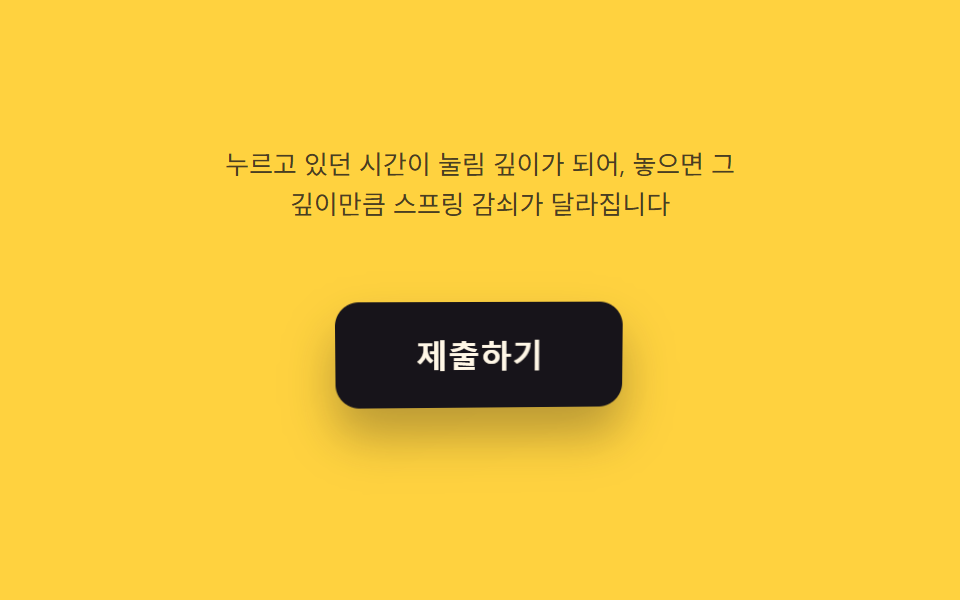
A press-depth value jumps to its maximum the instant the button is clicked to make it look pushed in, and on release it follows a spring-damping calculation that overshoots the original thickness before settling.
Best forForm-submit buttons and confirm buttons
PRESS_DEPTH_CAPDAMP_BASESTIFFNESS
<main class="stage">
<div class="pj is-demo" id="pj">
  <p class="pj__hint"><span>How long you held it becomes the press depth, and releasing it changes the spring damping by that depth</span></p>
  <div class="pj__scene" id="scene">
    <button class="pj__btn" id="btn" type="button" aria-label="Submit — button that springs back by how deep it was pressed">
      <span class="pj__label">Submit</span>
    </button>
  </div>
</div>
</main>
@use "../../../../site/static/demo-tokens" as *;
@include stage($stage-yellow);
.pj {
display: grid;
gap: $sp-4;
justify-items: center;
}
.pj__hint {
margin: 0;
font-size: 13px;
line-height: 1.5;
text-align: center;
max-width: 260px;
color: rgba($subject-ink, .78);
}
.pj__scene {
perspective: 640px;
padding: $sp-6;
}
.pj__btn {
position: relative;
border: 0;
cursor: pointer;
padding: $sp-4 $sp-10;
border-radius: $r-control;
background: $subject-ink;
color: $subject-cream;
font-size: 16px;
font-weight: 700;
transform-style: preserve-3d;
will-change: transform;
}
.pj__btn:focus-visible {
outline: 2px solid $subject-ink;
outline-offset: 3px;
}
.pj__label {
position: relative;
z-index: 1;
}
@media (prefers-reduced-motion: reduce) {
.pj__btn { transition: none; }
}html, body {
margin: 0;
overflow: hidden;
}
.stage {
box-sizing: border-box;
min-height: 100vh;
display: grid;
place-items: center;
margin: 0;
background: #ffd23f;
font-family: -apple-system, "Segoe UI", "Noto Sans KR", sans-serif;
padding: clamp(8px, 4vw, 24px);
}
.pj {
display: grid;
gap: 16px;
justify-items: center;
}
.pj__hint {
margin: 0;
font-size: 13px;
line-height: 1.5;
text-align: center;
max-width: 260px;
color: rgba(23, 20, 26, 0.78);
}
.pj__scene {
perspective: 640px;
padding: 24px;
}
.pj__btn {
position: relative;
border: 0;
cursor: pointer;
padding: 16px 40px;
border-radius: 12px;
background: #17141a;
color: #fff7e6;
font-size: 16px;
font-weight: 700;
transform-style: preserve-3d;
will-change: transform;
}
.pj__btn:focus-visible {
outline: 2px solid #17141a;
outline-offset: 3px;
}
.pj__label {
position: relative;
z-index: 1;
}
@media (prefers-reduced-motion: reduce) {
.pj__btn {
transition: none;
}
}(function () {
var root = document.getElementById('pj');
var scene = document.getElementById('scene');
var btn = document.getElementById('btn');
var reduce = window.matchMedia('(prefers-reduced-motion: reduce)').matches;
var PERIOD = 2.4; // 합성 시연 한 주기(초)
var STIFFNESS = 0.28;
var DAMP_BASE = 0.60; // 감쇠 하한 — 얕게 누르면 빨리 정착
var DAMP_DEPTH_RANGE = 0.32; // 눌림 깊이가 더할수록 감쇠가 늘어 더 크게 튄다
var PRESS_DEPTH_CAP = 480; // 이 시간(ms) 이상 누르면 깊이 1
var MAX_DEG = 6;
var LERP = 0.16;
var targetNX = 0, targetNY = 0, curNX = 0, curNY = 0;
var hasPointer = false;
var pressedReal = false;
var wasHeld = false;
var pressStartNow = 0;
var damping = DAMP_BASE;
var aimZ = 0, curZ = 0, velZ = 0;
function clamp(v, lo, hi) { return Math.max(lo, Math.min(hi, v)); }
function syntheticTarget(t) { return [Math.sin(t * 0.7 + 1.1), Math.sin(t * 0.5)]; }
// 눌리는 지속시간이 다른 합성 사이클을 반복해 눌림 깊이 차이를 보여준다(고정 시드)
function syntheticHold(t) {
var cycle = Math.floor(t / PERIOD);
var phase = t - cycle * PERIOD;
var holdFrac = 0.14 + 0.18 * (0.5 + 0.5 * Math.sin(cycle * 1.7));
return phase < PERIOD * holdFrac;
}
function render(nx, ny, z) {
var rotY = nx * MAX_DEG;
var rotX = -ny * MAX_DEG;
btn.style.transform = 'rotateX(' + rotX.toFixed(2) + 'deg) rotateY(' + rotY.toFixed(2) + 'deg) translateZ(' + z.toFixed(2) + 'px)';
var shadowScale = clamp(1 + z / 60, 0.35, 1.25);
btn.style.boxShadow = '0 ' + (14 * shadowScale).toFixed(1) + 'px ' + (24 * shadowScale).toFixed(1) + 'px rgba(23,20,26,.30)';
}
var t0 = null;
function loop(now) {
if (t0 === null) t0 = now;
var t = (now - t0) / 1000;
var heldSynthetic = false;
if (!hasPointer && !reduce) {
var s = syntheticTarget(t);
targetNX = s[0]; targetNY = s[1];
heldSynthetic = syntheticHold(t);
}
var held = pressedReal || heldSynthetic;
if (held && !wasHeld) { pressStartNow = now; }
if (!held && wasHeld) {
var heldMs = now - pressStartNow;
var depth = clamp(heldMs / PRESS_DEPTH_CAP, 0, 1);
damping = DAMP_BASE + depth * DAMP_DEPTH_RANGE;
}
wasHeld = held;
aimZ = held ? -14 : 0;
curNX += (targetNX - curNX) * LERP;
curNY += (targetNY - curNY) * LERP;
velZ = (velZ + (aimZ - curZ) * STIFFNESS) * damping;
curZ += velZ;
render(curNX, curNY, curZ);
requestAnimationFrame(loop);
}
function pointFromEvent(e) {
var r = scene.getBoundingClientRect();
var nx = ((e.clientX - r.left) / r.width) * 2 - 1;
var ny = ((e.clientY - r.top) / r.height) * 2 - 1;
return [clamp(nx, -1, 1), clamp(ny, -1, 1)];
}
scene.addEventListener('pointermove', function (e) {
hasPointer = true;
root.classList.remove('is-demo');
var p = pointFromEvent(e);
targetNX = p[0]; targetNY = p[1];
});
scene.addEventListener('pointerleave', function () {
hasPointer = false;
targetNX = 0; targetNY = 0;
pressedReal = false;
});
btn.addEventListener('pointerdown', function () {
root.classList.remove('is-demo');
hasPointer = true;
pressedReal = true;
if (reduce) { render(targetNX, targetNY, -14); }
});
btn.addEventListener('pointerup', function () {
pressedReal = false;
if (reduce) { render(targetNX, targetNY, 0); }
});
btn.addEventListener('click', function () {
root.classList.remove('is-demo');
});
btn.addEventListener('keydown', function (e) {
if (e.key === ' ' || e.key === 'Enter') {
root.classList.remove('is-demo');
hasPointer = true;
pressedReal = true;
if (reduce) { render(targetNX, targetNY, -14); }
}
});
btn.addEventListener('keyup', function (e) {
if (e.key === ' ' || e.key === 'Enter') {
pressedReal = false;
if (reduce) { render(targetNX, targetNY, 0); }
}
});
if (reduce) {
render(0.3, 0.2, -14);
} else {
requestAnimationFrame(loop);
}
})();// PressSpringButton — vanilla 판(run/393/demo/06-pointer-tilt-3d-press-release-spring/index.html) 의 React 포트.
// 누르고 있던 시간을 눌림 깊이(0~1)로 바꾸고, 놓는 순간 그 깊이로 스프링 감쇠(damping)를 정해
// velocity·damping 한 식으로 관성과 오버슛을 만든다. 값·수치는 vanilla 와 같다.
import { useEffect, useRef, useState } from "react";
import type { PointerEvent as ReactPointerEvent } from "react";
import styles from "./PressSpringButton.module.scss";
type Box<T> = { current: T };
type KeyEvt = { key: string; preventDefault(): void };
const PERIOD = 2.4;
const STIFFNESS = 0.28;
const DAMP_BASE = 0.6;
const DAMP_DEPTH_RANGE = 0.32;
const PRESS_DEPTH_CAP = 480;
const MAX_DEG = 6;
const LERP = 0.16;
const LABEL = "제출하기 — 누른 깊이만큼 스프링으로 튕겨 돌아오는 버튼";
function clamp(v: number, lo: number, hi: number): number {
return Math.max(lo, Math.min(hi, v));
}
function syntheticTarget(t: number): [number, number] {
return [Math.sin(t * 0.7 + 1.1), Math.sin(t * 0.5)];
}
function syntheticHold(t: number): boolean {
const cycle = Math.floor(t / PERIOD);
const phase = t - cycle * PERIOD;
const holdFrac = 0.14 + 0.18 * (0.5 + 0.5 * Math.sin(cycle * 1.7));
return phase < PERIOD * holdFrac;
}
export default function PressSpringButton() {
const sceneRef = useRef<HTMLDivElement | null>(null);
const btnRef = useRef<HTMLButtonElement | null>(null);
const targetXRef = useRef<number>(0) as Box<number>;
const targetYRef = useRef<number>(0) as Box<number>;
const curXRef = useRef<number>(0) as Box<number>;
const curYRef = useRef<number>(0) as Box<number>;
const hasPointerRef = useRef<boolean>(false) as Box<boolean>;
const pressedRealRef = useRef<boolean>(false) as Box<boolean>;
const wasHeldRef = useRef<boolean>(false) as Box<boolean>;
const pressStartRef = useRef<number>(0) as Box<number>;
const dampingRef = useRef<number>(DAMP_BASE) as Box<number>;
const aimZRef = useRef<number>(0) as Box<number>;
const curZRef = useRef<number>(0) as Box<number>;
const velZRef = useRef<number>(0) as Box<number>;
const frameRef = useRef<number>(0) as Box<number>;
const t0Ref = useRef<number>(0) as Box<number>;
const [demo, setDemo] = useState(true);
const [reduce, setReduce] = useState(false);
function render(nx: number, ny: number, z: number): void {
const btn = btnRef.current;
if (!btn) return;
const rotY = nx * MAX_DEG;
const rotX = -ny * MAX_DEG;
btn.style.transform = "rotateX(" + rotX.toFixed(2) + "deg) rotateY(" + rotY.toFixed(2) + "deg) translateZ(" + z.toFixed(2) + "px)";
const shadowScale = clamp(1 + z / 60, 0.35, 1.25);
btn.style.boxShadow = "0 " + (14 * shadowScale).toFixed(1) + "px " + (24 * shadowScale).toFixed(1) + "px rgba(23,20,26,.30)";
}
useEffect(() => {
setReduce(window.matchMedia("(prefers-reduced-motion: reduce)").matches);
}, []);
useEffect(() => {
if (reduce) {
render(0.3, 0.2, -14);
return;
}
function loop(now: number): void {
if (t0Ref.current === 0) t0Ref.current = now;
const t = (now - t0Ref.current) / 1000;
let heldSynthetic = false;
if (!hasPointerRef.current) {
const s = syntheticTarget(t);
targetXRef.current = s[0];
targetYRef.current = s[1];
heldSynthetic = syntheticHold(t);
}
const held = pressedRealRef.current || heldSynthetic;
if (held && !wasHeldRef.current) {
pressStartRef.current = now;
}
if (!held && wasHeldRef.current) {
const heldMs = now - pressStartRef.current;
const depth = clamp(heldMs / PRESS_DEPTH_CAP, 0, 1);
dampingRef.current = DAMP_BASE + depth * DAMP_DEPTH_RANGE;
}
wasHeldRef.current = held;
aimZRef.current = held ? -14 : 0;
curXRef.current += (targetXRef.current - curXRef.current) * LERP;
curYRef.current += (targetYRef.current - curYRef.current) * LERP;
velZRef.current = (velZRef.current + (aimZRef.current - curZRef.current) * STIFFNESS) * dampingRef.current;
curZRef.current += velZRef.current;
render(curXRef.current, curYRef.current, curZRef.current);
frameRef.current = requestAnimationFrame(loop);
}
frameRef.current = requestAnimationFrame(loop);
return () => cancelAnimationFrame(frameRef.current);
}, [reduce]);
function pointFromEvent(event: ReactPointerEvent<HTMLDivElement>): [number, number] {
const scene = sceneRef.current;
if (!scene) return [0, 0];
const r = scene.getBoundingClientRect();
const nx = ((event.clientX - r.left) / r.width) * 2 - 1;
const ny = ((event.clientY - r.top) / r.height) * 2 - 1;
return [clamp(nx, -1, 1), clamp(ny, -1, 1)];
}
function onPointerMove(event: ReactPointerEvent<HTMLDivElement>): void {
hasPointerRef.current = true;
setDemo(false);
const p = pointFromEvent(event);
targetXRef.current = p[0];
targetYRef.current = p[1];
}
function onPointerLeave(): void {
hasPointerRef.current = false;
targetXRef.current = 0;
targetYRef.current = 0;
pressedRealRef.current = false;
}
function onPointerDown(): void {
setDemo(false);
hasPointerRef.current = true;
pressedRealRef.current = true;
if (reduce) render(targetXRef.current, targetYRef.current, -14);
}
function onPointerUp(): void {
pressedRealRef.current = false;
if (reduce) render(targetXRef.current, targetYRef.current, 0);
}
function onKeyDown(event: KeyEvt): void {
if (event.key === " " || event.key === "Enter") {
setDemo(false);
hasPointerRef.current = true;
pressedRealRef.current = true;
if (reduce) render(targetXRef.current, targetYRef.current, -14);
}
}
function onKeyUp(event: KeyEvt): void {
if (event.key === " " || event.key === "Enter") {
pressedRealRef.current = false;
if (reduce) render(targetXRef.current, targetYRef.current, 0);
}
}
const cls = [styles.pj, demo ? styles.isDemo : ""].filter(Boolean).join(" ");
return (
<main className={styles.stage}>
<div className={cls}>
<p className={styles.hint}>
<span>누르고 있던 시간이 눌림 깊이가 되어, 놓으면 그 깊이만큼 스프링 감쇠가 달라집니다</span>
</p>
<div className={styles.scene} ref={sceneRef} onPointerMove={onPointerMove} onPointerLeave={onPointerLeave}>
<button
className={styles.btn}
ref={btnRef}
type="button"
aria-label={LABEL}
onPointerDown={onPointerDown}
onPointerUp={onPointerUp}
onKeyDown={onKeyDown}
onKeyUp={onKeyUp}
>
<span className={styles.label}>제출하기</span>
</button>
</div>
</div>
</main>
);
}06 Button Where a Press-depth Value Springs Back — Measured area 3.7% · moving frames 23/23Original by GODRICH · SCSS and React ship in the zip · 9 CSS 3D Button Effects — Copy-paste Ready
The post this demo lives in
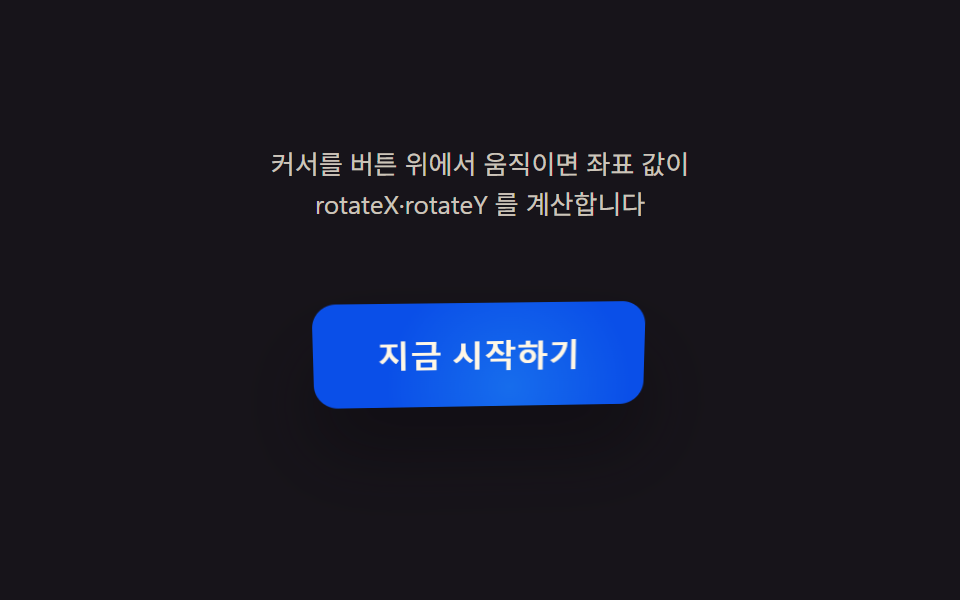 9 CSS 3D Button Effects — Copy-paste ReadyNine css 3d button effect demos. What turns a flat button into depth? A cursor-driven angle value sets rotateX/rotateY, See all demos in this post
If you like this effect - similar demos
 Buttons01 Press-value overshoot — the pressed value passes its target value and swings back, repeating while the swing shrinksButton Press Animation UI: 9 Calculation Patterns
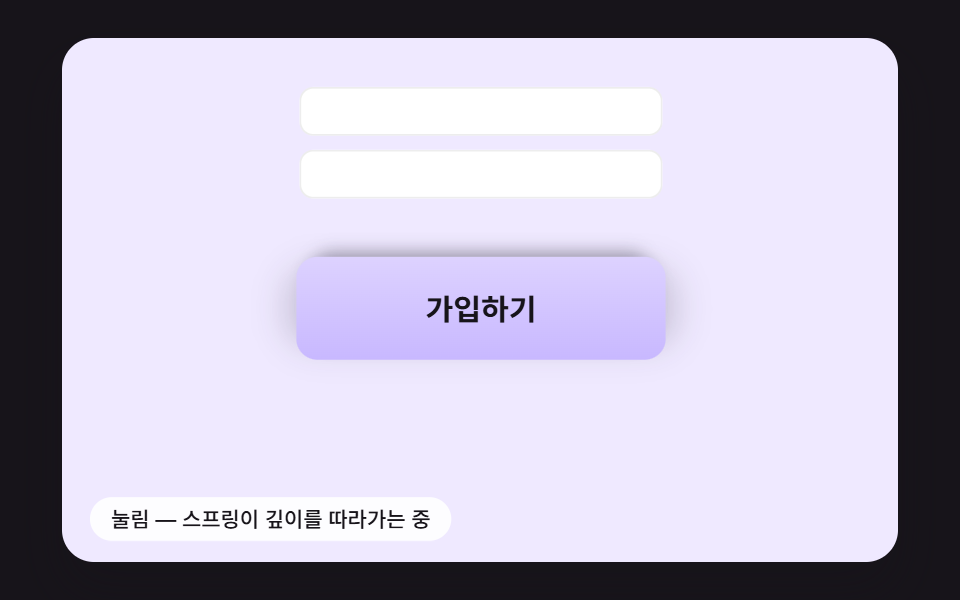 Buttons02 A Submit Button That Springs Back While Its Shadow Tracks the HeightSend Button Animation CSS: 9 Fold-and-Fly Buttons
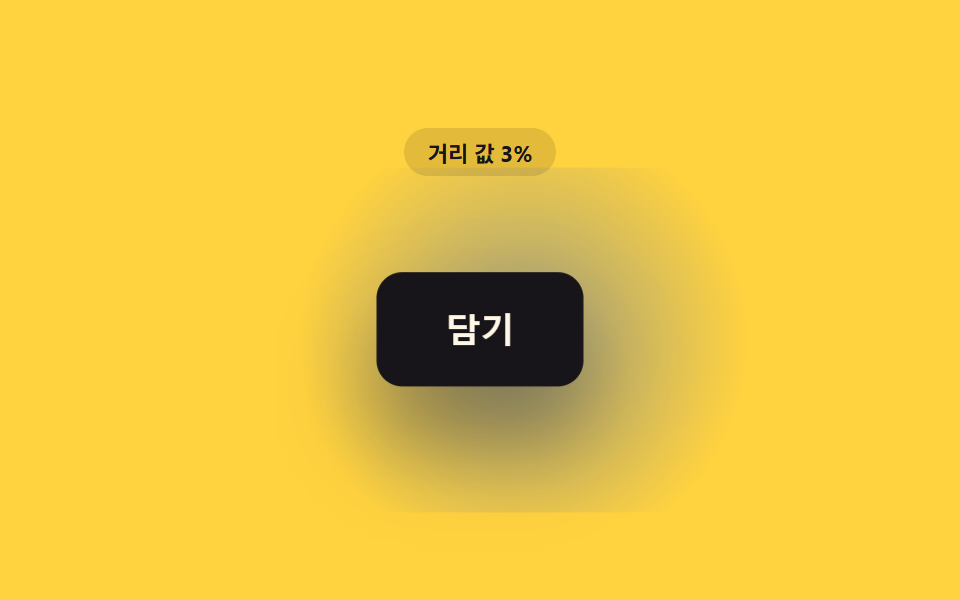 Buttons02 Button That Gradually Grows as the Distance Value ShrinksCSS Button Hover Effects — 9 Proximity Patterns