9 Promotion Landing Page Templates — Copy-Paste
A promotion landing page template packages the sections a campaign launch runs on — countdown, proof, pricing, sign-up — and one of the nine below recalculates
 01 promo-countdown-hero
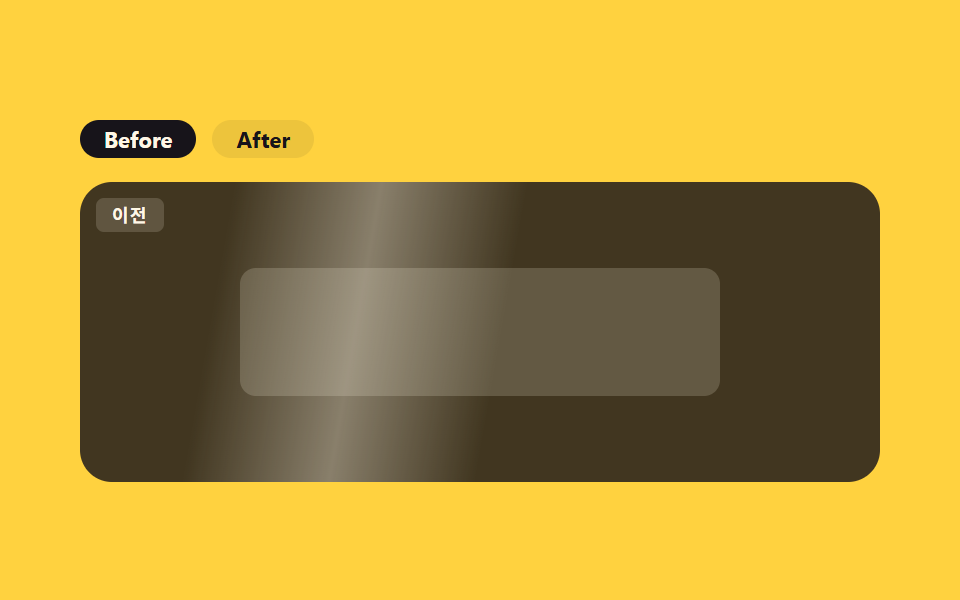 02 promo-before-after
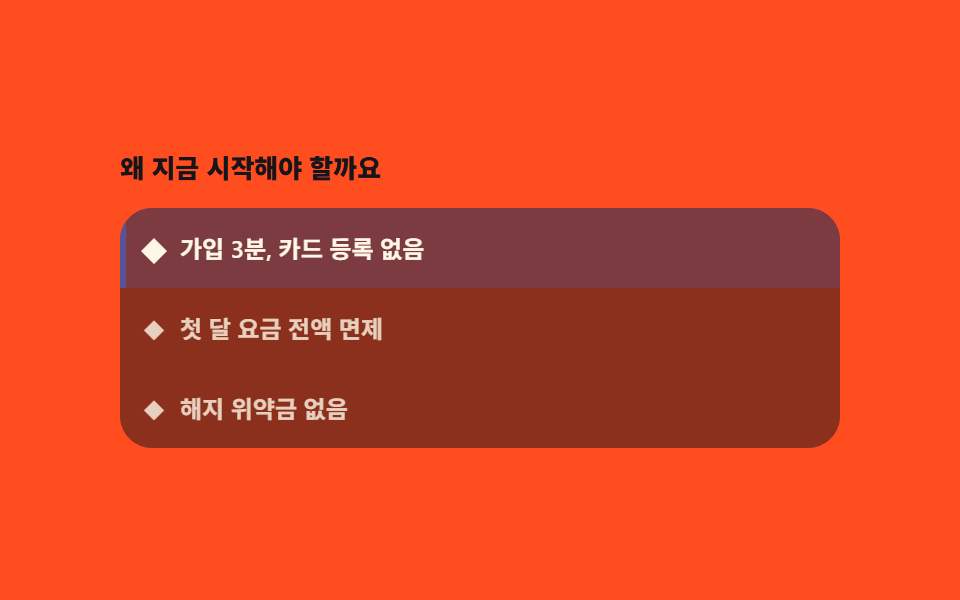 03 promo-feature-highlight
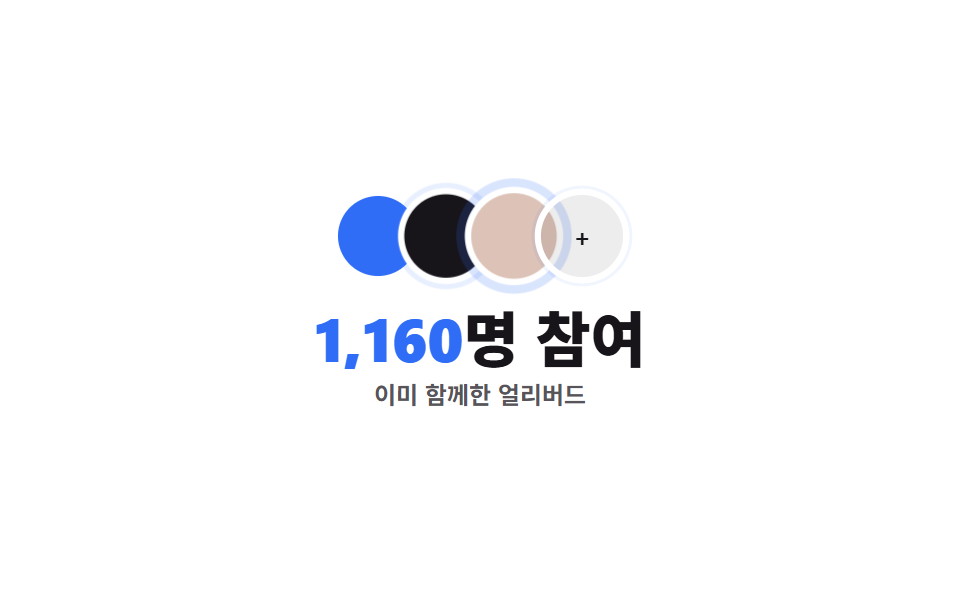 04 promo-social-proof
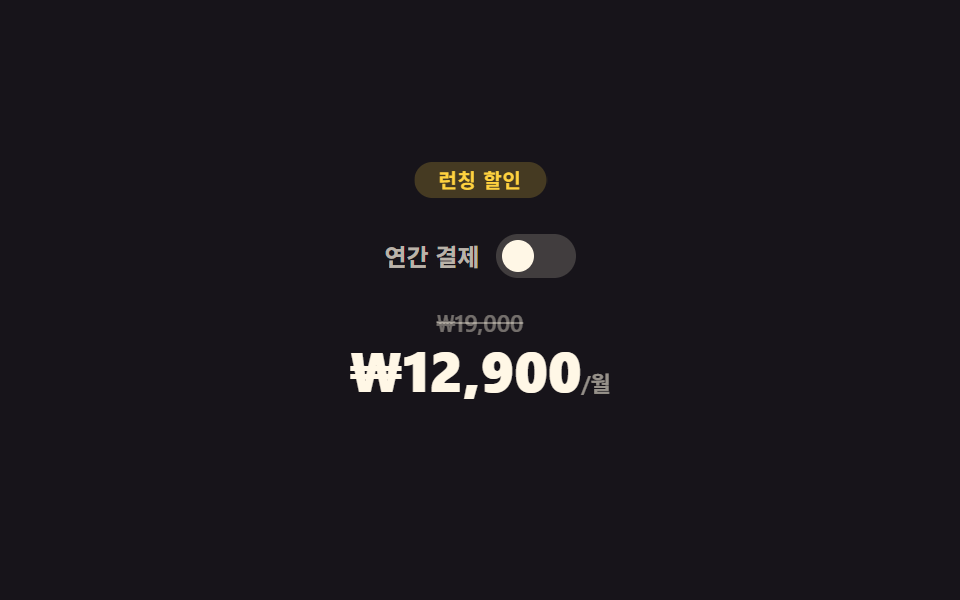 05 promo-discount-pricing
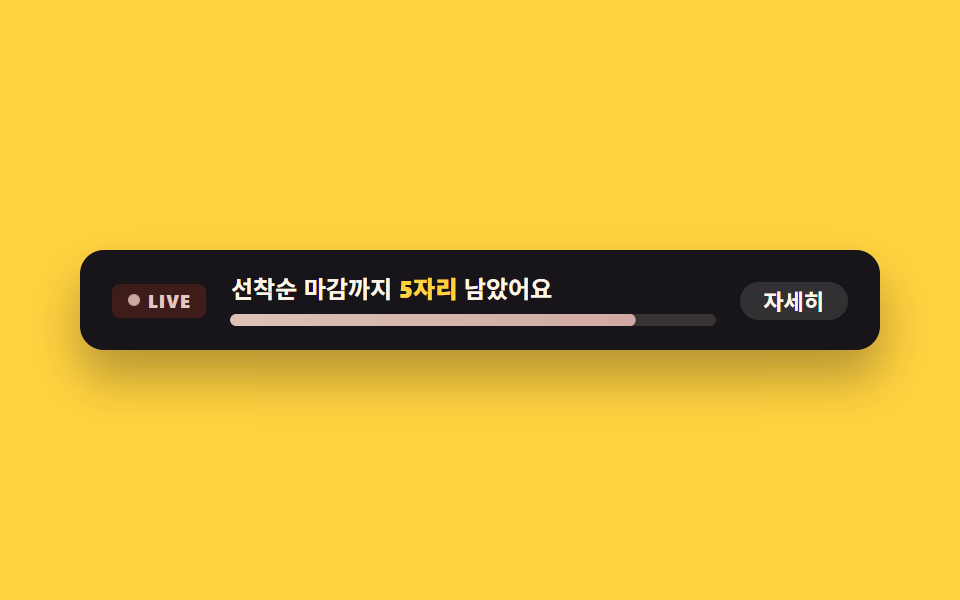 06 promo-urgency-banner
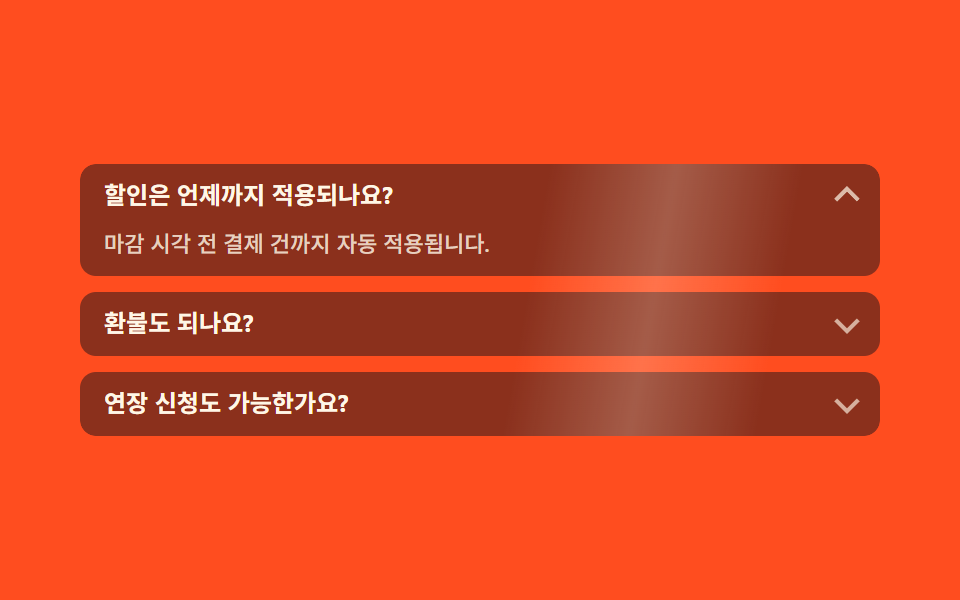 07 promo-faq
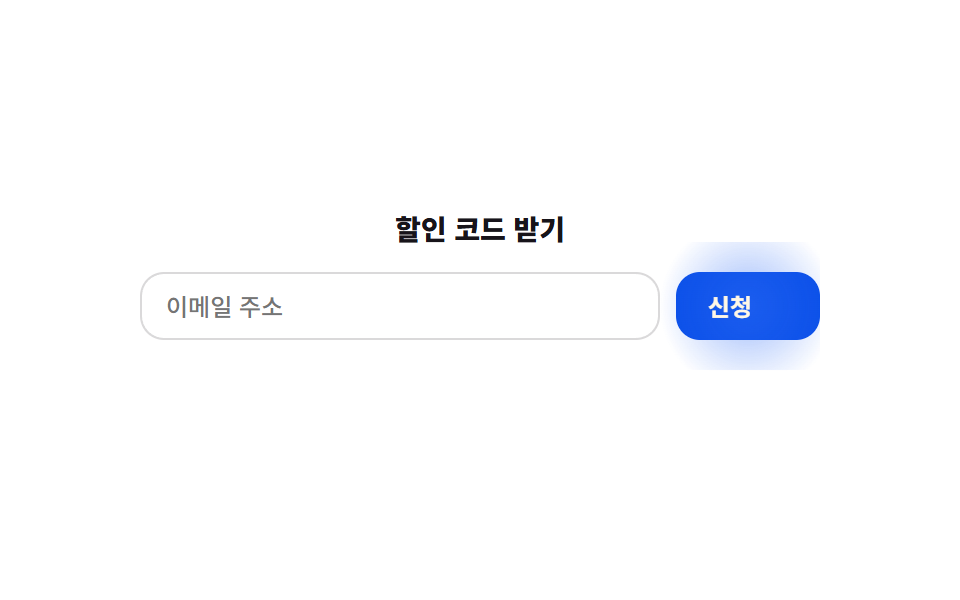 08 promo-signup-form
 09 promo-footer
Auto-plays · click a tile to jump to its section · all nine in one zip
- 01 Countdown hero
- 02 Before / after
- 03 Feature highlight
- 04 Social proof strip
- 05 Discount pricing
- 06 Urgency banner
- 07 Promo FAQ
- 08 Sign-up form
- 09 Promo footer
The order below follows how a visitor actually scrolls a campaign page rather than any ranking. A countdown hero grabs attention with a deadline first, a before/after block proves the result is real, a feature highlight walks through the benefits one at a time, a social proof strip backs that up with a headcount, a discount price panel puts a number on the offer, an urgency banner presses on the deadline once more, an FAQ clears the last objection, a sign-up form collects the actual commitment, and a footer keeps the relationship going after that. Every avatar, badge, and icon shape here is drawn only from this site's own $subject-ink, $subject-blue, and $subject-cream tokens — there's no real photo, logo, or brand color anywhere in the nine, so dropping in real assets later is a straight swap that leaves the layout and the JavaScript untouched. For a page that persuades with the work rather than the discount, the project showcase templates are that arrangement, and building belief without cutting the price belongs to the landing sections that build trust.
01Countdown hero
A campaign landing page hero
A headline and subhead sit above a single row that holds the countdown and its CTA button side by side, not stacked as two separate blocks.
<main class="stage">
  <section class="ph">
    <span class="ph__blob ph__blob--a" aria-hidden="true"></span>
    <span class="ph__blob ph__blob--b" aria-hidden="true"></span>
    <div class="ph__text">
      <p class="ph__eyebrow">Launch promo</p>
      <h1 class="ph__title">Early bird 30% off</h1>
      <p class="ph__sub">Price returns to normal after this</p>
    </div>
    <div class="ph__panel">
      <div class="ph__row" role="timer" aria-live="off">
        <div class="ph__unit"><span class="ph__num" data-u="d">02</span><span class="ph__unit-label">Days</span></div>
        <span class="ph__sep">:</span>
        <div class="ph__unit"><span class="ph__num" data-u="h">14</span><span class="ph__unit-label">Hrs</span></div>
        <span class="ph__sep">:</span>
        <div class="ph__unit"><span class="ph__num" data-u="m">36</span><span class="ph__unit-label">Min</span></div>
        <span class="ph__sep">:</span>
        <div class="ph__unit"><span class="ph__num ph__num--s" data-u="s">09</span><span class="ph__unit-label">Sec</span></div>
      </div>
      <button type="button" class="ph__cta" aria-pressed="false">Join now</button>
    </div>
  </section>
</main>
@use "../../../../site/static/demo-tokens" as *;
// ── 변수 3개 ──────────────────────────────────────────
$duration: $dur-quick; // CTA 눌림 전환
$easing: $ease-pop;
$color: $subject-blue; // 강조색
@include stage($stage-ink);
.ph {
position: relative;
box-sizing: border-box; // width 에 패딩을 포함 — 아니면 320px 에서 패딩만큼 넘친다(실측 2026-09-10)
width: min(420px, 96vw);
display: flex;
flex-direction: column;
gap: $sp-4;
padding: $sp-5;
border-radius: $r-card;
background: linear-gradient(135deg, rgba(47, 109, 246, .16), rgba(23, 20, 26, 0));
isolation: isolate;
overflow: hidden;
}
.ph__blob {
position: absolute;
z-index: -1;
border-radius: $r-pill;
animation: ph-drift 3.4s ease-in-out infinite;
}
.ph__blob--a { width: 120px; height: 120px; left: -30px; top: -30px; background: rgba(47, 109, 246, .35); }
.ph__blob--b { width: 90px; height: 90px; right: -20px; bottom: -24px; background: rgba(255, 210, 63, .28); animation-delay: -1.6s; }
@keyframes ph-drift {
0%, 100% { transform: translate(0, 0) scale(1); opacity: .7; }
50% { transform: translate(6px, -8px) scale(1.12); opacity: 1; }
}
.ph__text { display: flex; flex-direction: column; gap: $sp-1; }
.ph__eyebrow { margin: 0; font-weight: 700; font-size: 10px; line-height: 1; font-family: inherit; letter-spacing: .12em; text-transform: uppercase; color: $subject-cream; } // 어두운 패널 위 — AA 4.5 (파랑은 이 면에서 2.63:1)
.ph__title { margin: 0; font-weight: 800; font-size: clamp(17px, 5vw, 21px); line-height: 1.15; font-family: inherit; color: $subject-cream; }
.ph__sub { margin: 0; font-weight: 500; font-size: 12px; line-height: 1.4; font-family: inherit; color: rgba(255, 247, 230, .65); }
.ph__panel { display: flex; align-items: center; justify-content: space-between; gap: $sp-3; flex-wrap: wrap; }
.ph__row { display: flex; align-items: center; gap: $sp-2; }
.ph__unit { display: flex; flex-direction: column; align-items: center; gap: $sp-1; }
.ph__num {
display: block;
min-width: 32px;
padding: $sp-1;
border-radius: $r-sm;
background: rgba(255, 247, 230, .1);
color: $subject-cream;
font: 800 15px/1 "Space Mono", monospace;
font-variant-numeric: tabular-nums;
}
.ph__num--s { background: rgba(47, 109, 246, .26); animation: ph-tick 1s $easing infinite; transform-origin: center; }
@keyframes ph-tick {
0%, 55% { transform: translateY(0) scale(1); }
78% { transform: translateY(-3px) scale(1.1); }
100% { transform: translateY(0) scale(1); }
}
.ph__unit-label { font-weight: 600; font-size: 8px; line-height: 1; font-family: inherit; color: rgba(255, 247, 230, .5); }
.ph__sep { font-weight: 700; font-size: 13px; line-height: 1; font-family: inherit; color: rgba(255, 247, 230, .6); margin-top: -$sp-3; } // AA 4.5 — .3 은 2.61:1
.ph__cta {
border: 0;
cursor: pointer;
padding: $sp-2 $sp-4;
border-radius: $r-control;
background: $subject-blue-deep;
color: $subject-cream;
font-weight: 700; font-size: 12px; line-height: 1; font-family: inherit;
transition: transform $duration $easing, background $duration $easing;
}
.ph__cta[aria-pressed="true"] { background: #6c81b6; transform: scale(.96); }
.ph__cta:hover { transform: translateY(-1px); }
// ── 접근성 ──────────────────────────────────────────
@media (prefers-reduced-motion: reduce) {
.ph__blob, .ph__num--s { animation: none !important; }
.ph__cta { transition: none !important; }
}
// ── 반응형(320×200) ──────────────────────────────────
@media (max-width: 340px), (max-height: 220px) {
.ph__sub, .ph__eyebrow, .ph__unit-label { display: none; }
.ph { padding: $sp-3; gap: $sp-2; }
.ph__panel { flex-direction: column; align-items: stretch; gap: $sp-2; }
.ph__row { justify-content: center; }
.ph__num { min-width: 24px; padding: $sp-1; font-size: 12px; }
.ph__cta { padding: $sp-1 $sp-3; }
}html, body {
margin: 0;
overflow: hidden;
}
.stage {
box-sizing: border-box;
min-height: 100vh;
display: grid;
place-items: center;
margin: 0;
background: #17141a;
font-family: -apple-system, "Segoe UI", "Noto Sans KR", sans-serif;
padding: clamp(8px, 4vw, 24px);
}
.ph {
position: relative;
box-sizing: border-box;
width: min(420px, 96vw);
display: flex;
flex-direction: column;
gap: 16px;
padding: 20px;
border-radius: 16px;
background: linear-gradient(135deg, rgba(47, 109, 246, 0.16), rgba(23, 20, 26, 0));
isolation: isolate;
overflow: hidden;
}
.ph__blob {
position: absolute;
z-index: -1;
border-radius: 999px;
animation: ph-drift 3.4s ease-in-out infinite;
}
.ph__blob--a {
width: 120px;
height: 120px;
left: -30px;
top: -30px;
background: rgba(47, 109, 246, 0.35);
}
.ph__blob--b {
width: 90px;
height: 90px;
right: -20px;
bottom: -24px;
background: rgba(255, 210, 63, 0.28);
animation-delay: -1.6s;
}
@keyframes ph-drift {
0%, 100% {
transform: translate(0, 0) scale(1);
opacity: 0.7;
}
50% {
transform: translate(6px, -8px) scale(1.12);
opacity: 1;
}
}
.ph__text {
display: flex;
flex-direction: column;
gap: 4px;
}
.ph__eyebrow {
margin: 0;
font-weight: 700;
font-size: 10px;
line-height: 1;
font-family: inherit;
letter-spacing: 0.12em;
text-transform: uppercase;
color: #fff7e6;
}
.ph__title {
margin: 0;
font-weight: 800;
font-size: clamp(17px, 5vw, 21px);
line-height: 1.15;
font-family: inherit;
color: #fff7e6;
}
.ph__sub {
margin: 0;
font-weight: 500;
font-size: 12px;
line-height: 1.4;
font-family: inherit;
color: rgba(255, 247, 230, 0.65);
}
.ph__panel {
display: flex;
align-items: center;
justify-content: space-between;
gap: 12px;
flex-wrap: wrap;
}
.ph__row {
display: flex;
align-items: center;
gap: 8px;
}
.ph__unit {
display: flex;
flex-direction: column;
align-items: center;
gap: 4px;
}
.ph__num {
display: block;
min-width: 32px;
padding: 4px;
border-radius: 8px;
background: rgba(255, 247, 230, 0.1);
color: #fff7e6;
font: 800 15px/1 "Space Mono", monospace;
font-variant-numeric: tabular-nums;
}
.ph__num--s {
background: rgba(47, 109, 246, 0.26);
animation: ph-tick 1s cubic-bezier(0.2, 1.4, 0.4, 1) infinite;
transform-origin: center;
}
@keyframes ph-tick {
0%, 55% {
transform: translateY(0) scale(1);
}
78% {
transform: translateY(-3px) scale(1.1);
}
100% {
transform: translateY(0) scale(1);
}
}
.ph__unit-label {
font-weight: 600;
font-size: 8px;
line-height: 1;
font-family: inherit;
color: rgba(255, 247, 230, 0.5);
}
.ph__sep {
font-weight: 700;
font-size: 13px;
line-height: 1;
font-family: inherit;
color: rgba(255, 247, 230, 0.6);
margin-top: -12px;
}
.ph__cta {
border: 0;
cursor: pointer;
padding: 8px 16px;
border-radius: 12px;
background: #0a4fe8;
color: #fff7e6;
font-weight: 700;
font-size: 12px;
line-height: 1;
font-family: inherit;
transition: transform 220ms cubic-bezier(0.2, 1.4, 0.4, 1), background 220ms cubic-bezier(0.2, 1.4, 0.4, 1);
}
.ph__cta[aria-pressed=true] {
background: #6c81b6;
transform: scale(0.96);
}
.ph__cta:hover {
transform: translateY(-1px);
}
@media (prefers-reduced-motion: reduce) {
.ph__blob, .ph__num--s {
animation: none !important;
}
.ph__cta {
transition: none !important;
}
}
@media (max-width: 340px), (max-height: 220px) {
.ph__sub, .ph__eyebrow, .ph__unit-label {
display: none;
}
.ph {
padding: 12px;
gap: 8px;
}
.ph__panel {
flex-direction: column;
align-items: stretch;
gap: 8px;
}
.ph__row {
justify-content: center;
}
.ph__num {
min-width: 24px;
padding: 4px;
font-size: 12px;
}
.ph__cta {
padding: 4px 12px;
}
}// 실제 동작: 목표 시각(지금부터 정확히 2Days 14시간 36Min 9Sec 뒤)까지 1초마다 실제로 줄어든다.
var target = Date.now() + ((2 * 24 * 60 * 60) + (14 * 60 * 60) + (36 * 60) + 9) * 1000;
var els = {
d: document.querySelector('[data-u="d"]'),
h: document.querySelector('[data-u="h"]'),
m: document.querySelector('[data-u="m"]'),
s: document.querySelector('[data-u="s"]')
};
function pad(n) { return String(Math.max(0, n)).padStart(2, '0'); }
function tick() {
var diff = Math.max(0, target - Date.now());
var s = Math.floor(diff / 1000);
els.d.textContent = pad(Math.floor(s / 86400));
els.h.textContent = pad(Math.floor((s % 86400) / 3600));
els.m.textContent = pad(Math.floor((s % 3600) / 60));
els.s.textContent = pad(s % 60);
}
tick();
setInterval(tick, 1000);
var cta = document.querySelector('.ph__cta');
cta.addEventListener('click', function () {
var on = cta.getAttribute('aria-pressed') === 'true';
cta.setAttribute('aria-pressed', String(!on));
cta.textContent = on ? 'Join now' : 'Joined ✓';
});import { useEffect, useState } from "react";
import type { CSSProperties } from "react";
import styles from "./PromoCountdownHero.module.scss";
function pad(n: number) {
return String(Math.max(0, n)).padStart(2, "0");
}
export type PromoCountdownHeroProps = { duration?: number; easing?: string; color?: string; targetMs?: number };
type Vars = CSSProperties & { "--duration"?: string; "--easing"?: string; "--color"?: string };
export default function PromoCountdownHero({
duration = 220,
easing = "cubic-bezier(.2,1.4,.4,1)",
color = "#2f6df6",
targetMs = Date.now() + ((2 * 24 * 60 * 60) + (14 * 60 * 60) + (36 * 60) + 9) * 1000,
}: PromoCountdownHeroProps) {
const [left, setLeft] = useState(Math.max(0, targetMs - Date.now()));
const [pressed, setPressed] = useState(false);
const vars: Vars = { "--duration": `${duration}ms`, "--easing": easing, "--color": color };
useEffect(() => {
const id = setInterval(() => setLeft(Math.max(0, targetMs - Date.now())), 1000);
return () => clearInterval(id);
}, [targetMs]);
const s = Math.floor(left / 1000);
const d = Math.floor(s / 86400);
const h = Math.floor((s % 86400) / 3600);
const m = Math.floor((s % 3600) / 60);
const sec = s % 60;
return (
<section className={styles.ph} style={vars}>
<span className={`${styles.blob} ${styles.blobA}`} aria-hidden="true" />
<span className={`${styles.blob} ${styles.blobB}`} aria-hidden="true" />
<div className={styles.text}>
<p className={styles.eyebrow}>런칭 프로모션</p>
<h1 className={styles.title}>얼리버드 30% 할인</h1>
<p className={styles.sub}>이 시간 이후 정가로 돌아갑니다</p>
</div>
<div className={styles.panel}>
<div className={styles.row} role="timer" aria-live="off">
<div className={styles.unit}><span className={styles.num}>{pad(d)}</span><span className={styles.unitLabel}>일</span></div>
<span className={styles.sep}>:</span>
<div className={styles.unit}><span className={styles.num}>{pad(h)}</span><span className={styles.unitLabel}>시</span></div>
<span className={styles.sep}>:</span>
<div className={styles.unit}><span className={styles.num}>{pad(m)}</span><span className={styles.unitLabel}>분</span></div>
<span className={styles.sep}>:</span>
<div className={styles.unit}><span className={`${styles.num} ${styles.numS}`}>{pad(sec)}</span><span className={styles.unitLabel}>초</span></div>
</div>
<button
type="button"
className={styles.cta}
aria-pressed={pressed}
onClick={() => setPressed((v) => !v)}
>
{pressed ? "참여 완료 ✓" : "지금 참여하기"}
</button>
</div>
</section>
);
}01 · Countdown hero — Measured area 7.657% · moving frames 21/23Original by GODRICH · SCSS and React ship in the zip · See the password
What each second does
Each second card nudges up and scales for a beat as the real deadline counts down, and the CTA flips a genuine aria-pressed value and relabels itself on every click.
var target = Date.now() + ((2 * 24 * 60 * 60) + (14 * 60 * 60) + (36 * 60) + 9) * 1000;
function tick() {
  var diff = Math.max(0, target - Date.now());
  var s = Math.floor(diff / 1000);
  els.d.textContent = pad(Math.floor(s / 86400));
  els.h.textContent = pad(Math.floor((s % 86400) / 3600));
  els.m.textContent = pad(Math.floor((s % 3600) / 60));
  els.s.textContent = pad(s % 60);
}
tick();
setInterval(tick, 1000);
02Before / after
An exclusive toggle, not a class swap
Clicking either button in the role="group" toggle exclusively flips aria-pressed and cross-fades the two panels through opacity.
<main class="stage">
  <section class="ba">
    <div class="ba__toggle" role="group" aria-label="See comparison">
      <button type="button" class="ba__btn" data-panel="before" aria-pressed="true">Before</button>
      <button type="button" class="ba__btn" data-panel="after" aria-pressed="false">After</button>
    </div>
    <div class="ba__frame">
      <div class="ba__panel ba__panel--before" data-panel="before">
        <span class="ba__badge">Before</span>
        <span class="ba__shape"></span>
      </div>
      <div class="ba__panel ba__panel--after" data-panel="after">
        <span class="ba__badge ba__badge--after">After</span>
        <span class="ba__shape ba__shape--after"></span>
      </div>
      <span class="ba__shimmer" aria-hidden="true"></span>
    </div>
  </section>
</main>
@use "../../../../site/static/demo-tokens" as *;
// ── 변수 3개 ──────────────────────────────────────────
$duration: $dur-enter; // 패널 크로스페이드
$easing: $ease-spring;
$color: $subject-blue;
@include stage($stage-yellow);
.ba { width: min(400px, 96vw); display: flex; flex-direction: column; gap: $sp-3; }
.ba__toggle { display: flex; gap: $sp-2; }
.ba__btn {
border: 0;
cursor: pointer;
padding: $sp-1 $sp-3;
border-radius: $r-pill;
background: rgba(23, 20, 26, .08);
color: $subject-ink;
font-weight: 700; font-size: 11px; line-height: 1; font-family: inherit;
transition: background $dur-quick $ease-out, color $dur-quick $ease-out;
}
.ba__btn[aria-pressed="true"] { background: $subject-ink; color: $subject-cream; }
.ba__frame {
position: relative;
width: 100%;
height: 150px;
border-radius: $r-card;
overflow: hidden;
isolation: isolate;
}
.ba__panel {
position: absolute;
inset: 0;
display: grid;
place-items: center;
padding: $sp-3;
box-sizing: border-box;
opacity: 0;
transition: opacity $duration $easing;
}
.ba__panel.is-active { opacity: 1; }
.ba__panel--before { background: rgba(23, 20, 26, .82); opacity: 1; } // 기본 활성
.ba__panel--after { background: linear-gradient(160deg, $subject-ink, #24304f); }
.ba__badge {
position: absolute;
top: $sp-2;
left: $sp-2;
padding: $sp-1 $sp-2;
border-radius: $r-xs;
background: rgba(255, 247, 230, .16);
color: $subject-cream;
font-weight: 700; font-size: 9px; line-height: 1; font-family: inherit;
letter-spacing: .06em;
}
.ba__badge--after { background: rgba(47, 109, 246, .3); }
.ba__shape {
width: 64%;
height: 64px;
border-radius: $r-sm;
background: rgba(255, 247, 230, .18);
}
.ba__shape--after { background: rgba(47, 109, 246, .5); box-shadow: $shadow-raised; }
// 무대 장식: 어느 패널이 켜져 있든 항상 보이도록 프레임 위(두 패널의 형제, z-index 위)에 둔다 —
// 처음엔 .ba__panel--after 안에 넣었더니 그 패널이 opacity:0(기본은 before 활성)이라 함께 숨어 측정값이 0 이었다.
.ba__shimmer {
position: absolute;
inset: -20% -60%;
z-index: 2;
pointer-events: none;
background: linear-gradient(100deg, transparent 42%, rgba(255, 247, 230, .42) 50%, transparent 58%);
animation: ba-shimmer 2.4s linear infinite;
}
@keyframes ba-shimmer {
0% { transform: translateX(-30%); opacity: 0; }
10% { opacity: .9; }
60% { opacity: .9; }
100% { transform: translateX(30%); opacity: 0; }
}
// ── 접근성 ──────────────────────────────────────────
@media (prefers-reduced-motion: reduce) {
.ba__shimmer { animation: none !important; opacity: 0 !important; }
.ba__panel, .ba__btn { transition: none !important; }
}
// ── 반응형(320×200) ──────────────────────────────────
@media (max-width: 340px), (max-height: 220px) {
.ba__frame { height: 108px; }
.ba__shape { height: 44px; }
}html, body {
margin: 0;
overflow: hidden;
}
.stage {
box-sizing: border-box;
min-height: 100vh;
display: grid;
place-items: center;
margin: 0;
background: #ffd23f;
font-family: -apple-system, "Segoe UI", "Noto Sans KR", sans-serif;
padding: clamp(8px, 4vw, 24px);
}
.ba {
width: min(400px, 96vw);
display: flex;
flex-direction: column;
gap: 12px;
}
.ba__toggle {
display: flex;
gap: 8px;
}
.ba__btn {
border: 0;
cursor: pointer;
padding: 4px 12px;
border-radius: 999px;
background: rgba(23, 20, 26, 0.08);
color: #17141a;
font-weight: 700;
font-size: 11px;
line-height: 1;
font-family: inherit;
transition: background 220ms ease-out, color 220ms ease-out;
}
.ba__btn[aria-pressed=true] {
background: #17141a;
color: #fff7e6;
}
.ba__frame {
position: relative;
width: 100%;
height: 150px;
border-radius: 16px;
overflow: hidden;
isolation: isolate;
}
.ba__panel {
position: absolute;
inset: 0;
display: grid;
place-items: center;
padding: 12px;
box-sizing: border-box;
opacity: 0;
transition: opacity 600ms cubic-bezier(0.2, 0.8, 0.2, 1);
}
.ba__panel.is-active {
opacity: 1;
}
.ba__panel--before {
background: rgba(23, 20, 26, 0.82);
opacity: 1;
}
.ba__panel--after {
background: linear-gradient(160deg, #17141a, #24304f);
}
.ba__badge {
position: absolute;
top: 8px;
left: 8px;
padding: 4px 8px;
border-radius: 4px;
background: rgba(255, 247, 230, 0.16);
color: #fff7e6;
font-weight: 700;
font-size: 9px;
line-height: 1;
font-family: inherit;
letter-spacing: 0.06em;
}
.ba__badge--after {
background: rgba(47, 109, 246, 0.3);
}
.ba__shape {
width: 64%;
height: 64px;
border-radius: 8px;
background: rgba(255, 247, 230, 0.18);
}
.ba__shape--after {
background: rgba(47, 109, 246, 0.5);
box-shadow: 0 14px 24px rgba(23, 20, 26, 0.32);
}
.ba__shimmer {
position: absolute;
inset: -20% -60%;
z-index: 2;
pointer-events: none;
background: linear-gradient(100deg, transparent 42%, rgba(255, 247, 230, 0.42) 50%, transparent 58%);
animation: ba-shimmer 2.4s linear infinite;
}
@keyframes ba-shimmer {
0% {
transform: translateX(-30%);
opacity: 0;
}
10% {
opacity: 0.9;
}
60% {
opacity: 0.9;
}
100% {
transform: translateX(30%);
opacity: 0;
}
}
@media (prefers-reduced-motion: reduce) {
.ba__shimmer {
animation: none !important;
opacity: 0 !important;
}
.ba__panel, .ba__btn {
transition: none !important;
}
}
@media (max-width: 340px), (max-height: 220px) {
.ba__frame {
height: 108px;
}
.ba__shape {
height: 44px;
}
}// 실제 동작: 버튼 클릭 Hrs 두 패널 중 하나만 opacity:1 로 크로스페이드, aria-pressed 가 배타적으로 갱신된다.
var btns = document.querySelectorAll('.ba__btn');
var panels = document.querySelectorAll('.ba__panel');
btns.forEach(function (btn) {
btn.addEventListener('click', function () {
var name = btn.getAttribute('data-panel');
btns.forEach(function (b) { b.setAttribute('aria-pressed', String(b === btn)); });
panels.forEach(function (p) { p.classList.toggle('is-active', p.getAttribute('data-panel') === name); });
});
});import { useState } from "react";
import type { CSSProperties } from "react";
import styles from "./BeforeAfter.module.scss";
export type BeforeAfterProps = { duration?: number; easing?: string; color?: string };
type Vars = CSSProperties & { "--duration"?: string; "--easing"?: string; "--color"?: string };
type Panel = "before" | "after";
export default function BeforeAfter({ duration = 600, easing = "cubic-bezier(.2,.8,.2,1)", color = "#2f6df6" }: BeforeAfterProps) {
const [active, setActive] = useState<Panel>("before");
const vars: Vars = { "--duration": `${duration}ms`, "--easing": easing, "--color": color };
return (
<section className={styles.ba} style={vars}>
<div className={styles.toggle} role="group" aria-label="비교 보기">
<button type="button" className={styles.btn} aria-pressed={active === "before"} onClick={() => setActive("before")}>Before</button>
<button type="button" className={styles.btn} aria-pressed={active === "after"} onClick={() => setActive("after")}>After</button>
</div>
<div className={styles.frame}>
<div className={`${styles.panel} ${styles.before} ${active === "before" ? styles.active : ""}`}>
<span className={styles.badge}>이전</span>
<span className={styles.shape} />
</div>
<div className={`${styles.panel} ${styles.after} ${active === "after" ? styles.active : ""}`}>
<span className={`${styles.badge} ${styles.badgeAfter}`}>이후</span>
<span className={`${styles.shape} ${styles.shapeAfter}`} />
</div>
<span className={styles.shimmer} aria-hidden="true" />
</div>
</section>
);
}02 · Before / after — Measured area 41.445% · moving frames 23/23Original by GODRICH · SCSS and React ship in the zip · See the password
A highlight that never stops
A diagonal highlight keeps sweeping across the top of the frame no matter which panel is showing.
// stays visible regardless of which panel is active — nesting it inside
// .ba__panel--after hid it, since that panel starts at opacity: 0
.ba__shimmer {
  position: absolute;
  inset: -20% -60%;
  z-index: 2;
  background: linear-gradient(100deg, transparent 42%, rgba(255, 247, 230, .42) 50%, transparent 58%);
  animation: ba-shimmer 2.4s linear infinite;
}
03Feature highlight
A spotlight read from real geometry
A spotlight glides between three benefit rows using a translateY value read straight from getBoundingClientRect().
<main class="stage">
  <section class="fh">
    <p class="fh__title">Why start now</p>
    <ul class="fh__list" role="list">
      <span class="fh__spot" aria-hidden="true"><span class="fh__spot-fill"></span></span>
      <li class="fh__row is-active" data-i="0" tabindex="0" role="button" aria-pressed="true">
        <span class="fh__icon">◆</span><span class="fh__label">3-min signup, no card needed</span>
      </li>
      <li class="fh__row" data-i="1" tabindex="0" role="button" aria-pressed="false">
        <span class="fh__icon">◆</span><span class="fh__label">First month free</span>
      </li>
      <li class="fh__row" data-i="2" tabindex="0" role="button" aria-pressed="false">
        <span class="fh__icon">◆</span><span class="fh__label">No cancellation fee</span>
      </li>
    </ul>
  </section>
</main>
@use "../../../../site/static/demo-tokens" as *;
// ── 변수 3개 ──────────────────────────────────────────
$duration: $dur-base; // 스포트라이트 이동
$easing: $ease-spring;
$color: $subject-blue;
@include stage($stage-orange);
.fh { width: min(360px, 96vw); }
.fh__title { margin: 0 0 $sp-3; font-weight: 800; font-size: 13px; line-height: 1.3; font-family: inherit; color: $subject-ink; } // 주황 면 위 크림 3.11:1 → 잉크 5.50:1 (패턴 ③)
.fh__list {
position: relative;
list-style: none;
margin: 0;
padding: 0;
border-radius: $r-card;
background: rgba($subject-ink, .5);
overflow: hidden;
}
// 행 높이를 고정해야 .fh__spot 의 translateY 계산이 실측과 어긋나지 않는다 (BD19 와 같은 원리 — 세로판)
.fh__row {
position: relative;
z-index: 1;
display: flex;
align-items: center;
gap: $sp-2;
height: 40px;
box-sizing: border-box;
padding: 0 $sp-3;
cursor: pointer;
outline-offset: -2px;
}
.fh__icon { font-size: 10px; color: rgba(255, 247, 230, .8); transition: color $duration $easing, transform $duration $easing; }
.fh__row.is-active .fh__icon { color: $subject-cream; transform: scale(1.3); }
.fh__label { font-weight: 600; font-size: 12px; line-height: 1.3; font-family: inherit; color: rgba(255, 247, 230, .8); transition: color $duration $easing; }
.fh__row.is-active .fh__label { color: $subject-cream; }
// 위치(JS 의 translateY)와 장식용 펄스(CSS scaleX)를 같은 요소의 transform 에 같이 쓰면
// 펄스 keyframe 이 매 주기마다 transform 전체를 덮어써 translateY 가 0 으로 튄다 — 바깥(위치)·안(펄스) 두 겹으로 나눈다.
.fh__spot {
position: absolute;
z-index: 0;
left: 0;
top: 0;
width: 100%;
height: 40px;
transition: transform $duration $easing;
}
.fh__spot-fill {
display: block;
width: 100%;
height: 100%;
background: rgba(47, 109, 246, .3);
border-left: 3px solid $subject-blue;
box-sizing: border-box;
transform-origin: left center; // 규칙8: 스포트라이트 좌변 펄스
animation: fh-pulse 1.8s ease-in-out infinite;
}
// 진폭을 크게(투명도 + 크기) — .85→1 정도의 미세한 opacity 만으로는 픽셀문턱(12/255) 을 못 넘었다(실측 0.06%)
@keyframes fh-pulse {
0%, 100% { opacity: .4; transform: scaleX(1); }
50% { opacity: 1; transform: scaleX(1.02); }
}
// ── 접근성 ──────────────────────────────────────────
@media (prefers-reduced-motion: reduce) {
.fh__spot { animation: none !important; transition: none !important; }
.fh__icon, .fh__label { transition: none !important; }
}
// ── 반응형(320×200) ──────────────────────────────────
@media (max-width: 340px), (max-height: 220px) {
.fh__row, .fh__spot, .fh__spot-fill { height: 34px; }
.fh__title { margin-bottom: $sp-2; }
}html, body {
margin: 0;
overflow: hidden;
}
.stage {
box-sizing: border-box;
min-height: 100vh;
display: grid;
place-items: center;
margin: 0;
background: #ff4d1f;
font-family: -apple-system, "Segoe UI", "Noto Sans KR", sans-serif;
padding: clamp(8px, 4vw, 24px);
}
.fh {
width: min(360px, 96vw);
}
.fh__title {
margin: 0 0 12px;
font-weight: 800;
font-size: 13px;
line-height: 1.3;
font-family: inherit;
color: #17141a;
}
.fh__list {
position: relative;
list-style: none;
margin: 0;
padding: 0;
border-radius: 16px;
background: rgba(23, 20, 26, 0.5);
overflow: hidden;
}
.fh__row {
position: relative;
z-index: 1;
display: flex;
align-items: center;
gap: 8px;
height: 40px;
box-sizing: border-box;
padding: 0 12px;
cursor: pointer;
outline-offset: -2px;
}
.fh__icon {
font-size: 10px;
color: rgba(255, 247, 230, 0.8);
transition: color 300ms cubic-bezier(0.2, 0.8, 0.2, 1), transform 300ms cubic-bezier(0.2, 0.8, 0.2, 1);
}
.fh__row.is-active .fh__icon {
color: #fff7e6;
transform: scale(1.3);
}
.fh__label {
font-weight: 600;
font-size: 12px;
line-height: 1.3;
font-family: inherit;
color: rgba(255, 247, 230, 0.8);
transition: color 300ms cubic-bezier(0.2, 0.8, 0.2, 1);
}
.fh__row.is-active .fh__label {
color: #fff7e6;
}
.fh__spot {
position: absolute;
z-index: 0;
left: 0;
top: 0;
width: 100%;
height: 40px;
transition: transform 300ms cubic-bezier(0.2, 0.8, 0.2, 1);
}
.fh__spot-fill {
display: block;
width: 100%;
height: 100%;
background: rgba(47, 109, 246, 0.3);
border-left: 3px solid #2f6df6;
box-sizing: border-box;
transform-origin: left center;
animation: fh-pulse 1.8s ease-in-out infinite;
}
@keyframes fh-pulse {
0%, 100% {
opacity: 0.4;
transform: scaleX(1);
}
50% {
opacity: 1;
transform: scaleX(1.02);
}
}
@media (prefers-reduced-motion: reduce) {
.fh__spot {
animation: none !important;
transition: none !important;
}
.fh__icon, .fh__label {
transition: none !important;
}
}
@media (max-width: 340px), (max-height: 220px) {
.fh__row, .fh__spot, .fh__spot-fill {
height: 34px;
}
.fh__title {
margin-bottom: 8px;
}
}// 실제 동작: 1.6초마다 다음 행으로 스포트라이트가 자동 이동하고, 행을 클릭·Enter 하면 그 행으로 바로 이동한다.
var rows = Array.prototype.slice.call(document.querySelectorAll('.fh__row'));
var spot = document.querySelector('.fh__spot');
var current = 0;
function go(i) {
current = i;
rows.forEach(function (r, idx) {
var on = idx === i;
r.classList.toggle('is-active', on);
r.setAttribute('aria-pressed', String(on));
});
// 실제 렌더 높이를 잰다 — 고정값을 짐작하면 반응형 구간에서 스포트라이트가 어긋난다(BD19 와 같은 병)
var offset = rows[i].getBoundingClientRect().top - rows[0].getBoundingClientRect().top;
spot.style.transform = 'translateY(' + offset + 'px)';
}
rows.forEach(function (r) {
r.addEventListener('click', function () { go(Number(r.getAttribute('data-i'))); resetTimer(); });
r.addEventListener('keydown', function (e) {
if (e.key === 'Enter' || e.key === ' ') { e.preventDefault(); go(Number(r.getAttribute('data-i'))); resetTimer(); }
});
});
var timer;
function resetTimer() {
clearInterval(timer);
timer = setInterval(function () { go((current + 1) % rows.length); }, 1600);
}
resetTimer();import { useEffect, useRef, useState } from "react";
import type { CSSProperties } from "react";
import styles from "./FeatureHighlight.module.scss";
export type FeatureHighlightProps = { duration?: number; easing?: string; color?: string };
type Vars = CSSProperties & { "--duration"?: string; "--easing"?: string; "--color"?: string };
const FEATURES = ["가입 3분, 카드 등록 없음", "첫 달 요금 전액 면제", "해지 위약금 없음"];
export default function FeatureHighlight({ duration = 300, easing = "cubic-bezier(.2,.8,.2,1)", color = "#2f6df6" }: FeatureHighlightProps) {
const [active, setActive] = useState(0);
const [offset, setOffset] = useState(0);
const rowRefs = useRef<(HTMLLIElement | null)[]>([]);
const vars: Vars = { "--duration": `${duration}ms`, "--easing": easing, "--color": color };
function go(i: number) {
setActive(i);
}
function setRowRef(i: number) {
return (el: HTMLLIElement | null) => {
const rows = rowRefs.current || [];
rows[i] = el;
rowRefs.current = rows;
};
}
// 실제 렌더 높이를 잰다 — 고정값을 짐작하면 반응형 구간에서 스포트라이트가 어긋난다(BD19 와 같은 병)
useEffect(() => {
const rows = rowRefs.current || [];
const row = rows[active];
const first = rows[0];
if (row && first) setOffset(row.getBoundingClientRect().top - first.getBoundingClientRect().top);
}, [active]);
useEffect(() => {
const id = setInterval(() => setActive((i) => (i + 1) % FEATURES.length), 1600);
return () => clearInterval(id);
}, []);
return (
<section className={styles.fh} style={vars}>
<p className={styles.title}>왜 지금 시작해야 할까요</p>
<ul className={styles.list} role="list">
<span className={styles.spot} style={{ transform: `translateY(${offset}px)` }} aria-hidden="true">
<span className={styles.spotFill} />
</span>
{FEATURES.map((label, i) => (
<li
key={label}
ref={setRowRef(i)}
className={`${styles.row} ${i === active ? styles.active : ""}`}
tabIndex={0}
role="button"
aria-pressed={i === active}
onClick={() => go(i)}
onKeyDown={(e: any) => { if (e.key === "Enter" || e.key === " ") { e.preventDefault(); go(i); } }}
>
<span className={styles.icon}>◆</span><span className={styles.label}>{label}</span>
</li>
))}
</ul>
</section>
);
}03 · Feature highlight — Measured area 9.529% · moving frames 12/23Original by GODRICH · SCSS and React ship in the zip · See the password
Auto-advance until you click
It auto-advances every 1.6 seconds until a click or an Enter/Space keypress jumps it to a row and restarts that timer.
// position (JS-driven translateY) and the decorative pulse (CSS scaleX)
// can't share one element's transform, or the pulse overwrites it every cycle
.fh__spot {
  position: absolute;
  height: 40px;
  transition: transform $duration $easing;
}
.fh__spot-fill {
  transform-origin: left center;
  animation: fh-pulse 1.8s ease-in-out infinite;
}
@keyframes fh-pulse {
  0%, 100% { opacity: .4; transform: scaleX(1); }
  50%      { opacity: 1; transform: scaleX(1.02); }
}
04Social proof strip
Four circles pulsing off-beat
Three overlapping avatars plus a stacked "+N" badge — four circles in total — pulse a soft box-shadow ring on staggered negative animation-delay values, while the big number beside them climbs from zero to its real target the instant the page loads.
<main class="stage">
  <section class="sp">
    <div class="sp__avatars" aria-hidden="true">
      <span class="sp__avatar"></span>
      <span class="sp__avatar"></span>
      <span class="sp__avatar"></span>
      <span class="sp__avatar sp__avatar--more">+</span>
    </div>
    <p class="sp__count"><span class="sp__num" data-target="2431">0</span>joined</p>
    <p class="sp__label">Early birds already in</p>
  </section>
</main>
@use "../../../../site/static/demo-tokens" as *;
// ── 변수 3개 ──────────────────────────────────────────
$duration: $dur-enter; // 카운트업 대역(장식 펄스 기준)
$easing: $ease-spring;
$color: $subject-blue;
@include stage($stage-paper);
.sp { width: min(320px, 94vw); text-align: center; }
.sp__avatars { display: flex; justify-content: center; margin-bottom: $sp-3; }
.sp__avatar {
width: 40px; height: 40px;
border-radius: 50%;
background: $subject-blue;
border: 3px solid $stage-paper;
margin-left: -$sp-3;
box-shadow: $shadow-press;
animation: sp-pulse 2.4s ease-in-out infinite;
}
.sp__avatar:first-child { margin-left: 0; }
.sp__avatar:nth-child(2) { background: $subject-ink; animation-delay: -.6s; }
.sp__avatar:nth-child(3) { background: #dcc2b7; animation-delay: -1.2s; }
.sp__avatar--more {
display: grid; place-items: center;
background: rgba(23, 20, 26, .08);
color: $subject-ink;
font-weight: 700; font-size: 12px; line-height: 1; font-family: inherit;
animation-delay: -1.8s;
}
@keyframes sp-pulse {
0%, 100% { transform: scale(1); box-shadow: 0 0 0 0 rgba(47, 109, 246, 0); }
50% { transform: scale(1.07); box-shadow: 0 0 0 4px rgba(47, 109, 246, .18); }
}
.sp__count { margin: 0; font-weight: 800; font-size: clamp(22px, 8vw, 30px); line-height: 1.1; font-family: inherit; color: $subject-ink; }
.sp__num { font-variant-numeric: tabular-nums; color: $subject-blue; }
.sp__label { margin: $sp-1 0 0; font-weight: 600; font-size: 12px; line-height: 1.3; font-family: inherit; color: rgba(23, 20, 26, .72); } // AA 4.5 (blog-design 글자 대비)
// ── 접근성 ──────────────────────────────────────────
@media (prefers-reduced-motion: reduce) {
.sp__avatar { animation: none !important; }
}
// ── 반응형(320×200) ──────────────────────────────────
@media (max-width: 340px), (max-height: 220px) {
.sp__avatar { width: 32px; height: 32px; }
.sp__avatars { margin-bottom: $sp-2; }
}html, body {
margin: 0;
overflow: hidden;
}
.stage {
box-sizing: border-box;
min-height: 100vh;
display: grid;
place-items: center;
margin: 0;
background: #ffffff;
font-family: -apple-system, "Segoe UI", "Noto Sans KR", sans-serif;
padding: clamp(8px, 4vw, 24px);
}
.sp {
width: min(320px, 94vw);
text-align: center;
}
.sp__avatars {
display: flex;
justify-content: center;
margin-bottom: 12px;
}
.sp__avatar {
width: 40px;
height: 40px;
border-radius: 50%;
background: #2f6df6;
border: 3px solid #ffffff;
margin-left: -12px;
box-shadow: 0 6px 12px rgba(23, 20, 26, 0.32);
animation: sp-pulse 2.4s ease-in-out infinite;
}
.sp__avatar:first-child {
margin-left: 0;
}
.sp__avatar:nth-child(2) {
background: #17141a;
animation-delay: -0.6s;
}
.sp__avatar:nth-child(3) {
background: #dcc2b7;
animation-delay: -1.2s;
}
.sp__avatar--more {
display: grid;
place-items: center;
background: rgba(23, 20, 26, 0.08);
color: #17141a;
font-weight: 700;
font-size: 12px;
line-height: 1;
font-family: inherit;
animation-delay: -1.8s;
}
@keyframes sp-pulse {
0%, 100% {
transform: scale(1);
box-shadow: 0 0 0 0 rgba(47, 109, 246, 0);
}
50% {
transform: scale(1.07);
box-shadow: 0 0 0 4px rgba(47, 109, 246, 0.18);
}
}
.sp__count {
margin: 0;
font-weight: 800;
font-size: clamp(22px, 8vw, 30px);
line-height: 1.1;
font-family: inherit;
color: #17141a;
}
.sp__num {
font-variant-numeric: tabular-nums;
color: #2f6df6;
}
.sp__label {
margin: 4px 0 0;
font-weight: 600;
font-size: 12px;
line-height: 1.3;
font-family: inherit;
color: rgba(23, 20, 26, 0.72);
}
@media (prefers-reduced-motion: reduce) {
.sp__avatar {
animation: none !important;
}
}
@media (max-width: 340px), (max-height: 220px) {
.sp__avatar {
width: 32px;
height: 32px;
}
.sp__avatars {
margin-bottom: 8px;
}
}// 실제 동작: 페이지가 뜨자마자 0 → 실제 목표값(2,431)까지 requestAnimationFrame 으로 실측 카운트업된다.
var el = document.querySelector('.sp__num');
var target = Number(el.getAttribute('data-target'));
var start = null;
var DUR = 1200;
function frame(ts) {
  if (!start) start = ts;
  var p = Math.min(1, (ts - start) / DUR);
  var eased = 1 - Math.pow(1 - p, 3);
  el.textContent = Math.round(eased * target).toLocaleString('ko-KR');
  if (p < 1) requestAnimationFrame(frame);
}
requestAnimationFrame(frame);import { useEffect, useRef, useState } from "react";
import type { CSSProperties } from "react";
import styles from "./SocialProof.module.scss";
export type SocialProofProps = { duration?: number; easing?: string; color?: string; target?: number };
type Vars = CSSProperties & { "--duration"?: string; "--easing"?: string; "--color"?: string };
export default function SocialProof({ duration = 600, easing = "cubic-bezier(.2,.8,.2,1)", color = "#2f6df6", target = 2431 }: SocialProofProps) {
const [count, setCount] = useState(0);
const vars: Vars = { "--duration": `${duration}ms`, "--easing": easing, "--color": color };
const startRef = useRef<number | null>(null);
useEffect(() => {
let raf = 0;
const DUR = 1200;
function frame(ts: number) {
if (startRef.current === null) startRef.current = ts;
const p = Math.min(1, (ts - startRef.current) / DUR);
const eased = 1 - Math.pow(1 - p, 3);
setCount(Math.round(eased * target));
if (p < 1) raf = requestAnimationFrame(frame);
}
raf = requestAnimationFrame(frame);
return () => cancelAnimationFrame(raf);
}, [target]);
return (
<section className={styles.sp} style={vars}>
<div className={styles.avatars} aria-hidden="true">
<span className={styles.avatar} />
<span className={styles.avatar} />
<span className={styles.avatar} />
<span className={`${styles.avatar} ${styles.more}`}>+</span>
</div>
<p className={styles.count}><span className={styles.num}>{count.toLocaleString("ko-KR")}</span>명 참여</p>
<p className={styles.label}>이미 함께한 얼리버드</p>
</section>
);
}04 · Social proof strip — Measured area 5.21% · moving frames 23/23Original by GODRICH · SCSS and React ship in the zip · See the password
An eased climb, not a tick
That climb runs on a cubed ease-out curve inside requestAnimationFrame, not a linear tick, and lands exactly on 2,431 with no overshoot.
var el = document.querySelector('.sp__num');
var target = Number(el.getAttribute('data-target'));
var start = null;
var DUR = 1200;
function frame(ts) {
if (!start) start = ts;
var p = Math.min(1, (ts - start) / DUR);
var eased = 1 - Math.pow(1 - p, 3);
el.textContent = Math.round(eased * target).toLocaleString('ko-KR');
if (p < 1) requestAnimationFrame(frame);
}
requestAnimationFrame(frame);
05Discount pricing
A switch that flips aria-checked
A role="switch" toggle flips aria-checked for real and cross-fades the monthly and yearly price panels through opacity, sliding its own knob with transform: translateX().
<main class="stage">
  <section class="dp">
    <span class="dp__badge">Launch discount</span>
    <div class="dp__switch-row">
      <span class="dp__switch-label">Billed yearly</span>
      <button type="button" class="dp__switch" role="switch" aria-checked="false"><span class="dp__knob"></span></button>
    </div>
    <div class="dp__price-wrap">
      <div class="dp__price dp__price--monthly is-active">
        <span class="dp__old">₩19,000</span>
        <span class="dp__now">₩12,900<small>/mo</small></span>
      </div>
      <div class="dp__price dp__price--yearly">
        <span class="dp__old">₩228,000</span>
        <span class="dp__now">₩9,900<small>/mo</small></span>
      </div>
    </div>
  </section>
</main>
@use "../../../../site/static/demo-tokens" as *;
// ── 변수 3개 ──────────────────────────────────────────
$duration: $dur-base; // 가격판 크로스페이드
$easing: $ease-spring;
$color: $subject-blue;
@include stage($stage-ink);
.dp { position: relative; width: min(300px, 94vw); text-align: center; padding-top: $sp-5; }
.dp__badge {
position: absolute;
top: 0; left: 50%;
transform: translateX(-50%);
padding: $sp-1 $sp-3;
border-radius: $r-pill;
background: rgba(255, 210, 63, .2);
color: $stage-yellow;
font-weight: 700; font-size: 10px; line-height: 1; font-family: inherit;
letter-spacing: .04em;
animation: dp-badge 2.2s ease-in-out infinite;
}
@keyframes dp-badge {
0%, 100% { transform: translateX(-50%) scale(1); }
50% { transform: translateX(-50%) scale(1.08); }
}
.dp__switch-row { display: flex; align-items: center; justify-content: center; gap: $sp-2; margin: $sp-4 0; }
.dp__switch-label { font-weight: 600; font-size: 12px; line-height: 1; font-family: inherit; color: rgba(255, 247, 230, .7); }
.dp__switch {
position: relative;
width: 40px; height: 22px;
border: 0;
border-radius: $r-pill;
background: rgba(255, 247, 230, .18);
cursor: pointer;
transition: background $duration $easing;
}
.dp__switch[aria-checked="true"] { background: $subject-blue; }
.dp__knob {
position: absolute;
top: 3px; left: 3px;
width: 16px; height: 16px;
border-radius: 50%;
background: $subject-cream;
transition: transform $duration $easing;
}
.dp__switch[aria-checked="true"] .dp__knob { transform: translateX(18px); }
.dp__price-wrap { position: relative; height: 64px; }
.dp__price {
position: absolute;
inset: 0;
display: flex;
flex-direction: column;
align-items: center;
gap: $sp-1;
opacity: 0;
transition: opacity $duration $easing;
}
.dp__price.is-active { opacity: 1; }
.dp__old { font-weight: 600; font-size: 12px; line-height: 1; font-family: inherit; color: rgba(255, 247, 230, .4); text-decoration: line-through; }
.dp__now { font-weight: 800; font-size: clamp(22px, 7vw, 28px); line-height: 1; font-family: inherit; color: $subject-cream; }
.dp__now small { font-weight: 600; font-size: 11px; line-height: 1; font-family: inherit; color: rgba(255, 247, 230, .55); }
// ── 접근성 ──────────────────────────────────────────
@media (prefers-reduced-motion: reduce) {
.dp__badge { animation: none !important; }
.dp__switch, .dp__knob, .dp__price { transition: none !important; }
}
// ── 반응형(320×200) ──────────────────────────────────
@media (max-width: 340px), (max-height: 220px) {
.dp { padding-top: $sp-4; }
.dp__switch-row { margin: $sp-3 0; }
}html, body {
margin: 0;
overflow: hidden;
}
.stage {
box-sizing: border-box;
min-height: 100vh;
display: grid;
place-items: center;
margin: 0;
background: #17141a;
font-family: -apple-system, "Segoe UI", "Noto Sans KR", sans-serif;
padding: clamp(8px, 4vw, 24px);
}
.dp {
position: relative;
width: min(300px, 94vw);
text-align: center;
padding-top: 20px;
}
.dp__badge {
position: absolute;
top: 0;
left: 50%;
transform: translateX(-50%);
padding: 4px 12px;
border-radius: 999px;
background: rgba(255, 210, 63, 0.2);
color: #ffd23f;
font-weight: 700;
font-size: 10px;
line-height: 1;
font-family: inherit;
letter-spacing: 0.04em;
animation: dp-badge 2.2s ease-in-out infinite;
}
@keyframes dp-badge {
0%, 100% {
transform: translateX(-50%) scale(1);
}
50% {
transform: translateX(-50%) scale(1.08);
}
}
.dp__switch-row {
display: flex;
align-items: center;
justify-content: center;
gap: 8px;
margin: 16px 0;
}
.dp__switch-label {
font-weight: 600;
font-size: 12px;
line-height: 1;
font-family: inherit;
color: rgba(255, 247, 230, 0.7);
}
.dp__switch {
position: relative;
width: 40px;
height: 22px;
border: 0;
border-radius: 999px;
background: rgba(255, 247, 230, 0.18);
cursor: pointer;
transition: background 300ms cubic-bezier(0.2, 0.8, 0.2, 1);
}
.dp__switch[aria-checked=true] {
background: #2f6df6;
}
.dp__knob {
position: absolute;
top: 3px;
left: 3px;
width: 16px;
height: 16px;
border-radius: 50%;
background: #fff7e6;
transition: transform 300ms cubic-bezier(0.2, 0.8, 0.2, 1);
}
.dp__switch[aria-checked=true] .dp__knob {
transform: translateX(18px);
}
.dp__price-wrap {
position: relative;
height: 64px;
}
.dp__price {
position: absolute;
inset: 0;
display: flex;
flex-direction: column;
align-items: center;
gap: 4px;
opacity: 0;
transition: opacity 300ms cubic-bezier(0.2, 0.8, 0.2, 1);
}
.dp__price.is-active {
opacity: 1;
}
.dp__old {
font-weight: 600;
font-size: 12px;
line-height: 1;
font-family: inherit;
color: rgba(255, 247, 230, 0.4);
text-decoration: line-through;
}
.dp__now {
font-weight: 800;
font-size: clamp(22px, 7vw, 28px);
line-height: 1;
font-family: inherit;
color: #fff7e6;
}
.dp__now small {
font-weight: 600;
font-size: 11px;
line-height: 1;
font-family: inherit;
color: rgba(255, 247, 230, 0.55);
}
@media (prefers-reduced-motion: reduce) {
.dp__badge {
animation: none !important;
}
.dp__switch, .dp__knob, .dp__price {
transition: none !important;
}
}
@media (max-width: 340px), (max-height: 220px) {
.dp {
padding-top: 16px;
}
.dp__switch-row {
margin: 12px 0;
}
}// 실제 동작: 스위치를 누르면 aria-checked 가 실제로 바뀌고 월간/연간 가격판이 opacity 로 크로스페이드된다.
var sw = document.querySelector('.dp__switch');
var monthly = document.querySelector('.dp__price--monthly');
var yearly = document.querySelector('.dp__price--yearly');
sw.addEventListener('click', function () {
var on = sw.getAttribute('aria-checked') === 'true';
sw.setAttribute('aria-checked', String(!on));
monthly.classList.toggle('is-active', on);
yearly.classList.toggle('is-active', !on);
});import { useState } from "react";
import type { CSSProperties } from "react";
import styles from "./DiscountPricing.module.scss";
export type DiscountPricingProps = { duration?: number; easing?: string; color?: string };
type Vars = CSSProperties & { "--duration"?: string; "--easing"?: string; "--color"?: string };
export default function DiscountPricing({ duration = 300, easing = "cubic-bezier(.2,.8,.2,1)", color = "#2f6df6" }: DiscountPricingProps) {
const [yearly, setYearly] = useState(false);
const vars: Vars = { "--duration": `${duration}ms`, "--easing": easing, "--color": color };
return (
<section className={styles.dp} style={vars}>
<span className={styles.badge}>런칭 할인</span>
<div className={styles.switchRow}>
<span className={styles.switchLabel}>연간 결제</span>
<button type="button" className={styles.switch} role="switch" aria-checked={yearly} onClick={() => setYearly((v) => !v)}>
<span className={styles.knob} />
</button>
</div>
<div className={styles.priceWrap}>
<div className={`${styles.price} ${!yearly ? styles.active : ""}`}>
<span className={styles.old}>₩19,000</span>
<span className={styles.now}>₩12,900<small>/월</small></span>
</div>
<div className={`${styles.price} ${yearly ? styles.active : ""}`}>
<span className={styles.old}>₩228,000</span>
<span className={styles.now}>₩9,900<small>/월</small></span>
</div>
</div>
</section>
);
}05 · Discount pricing — Measured area 0.458% · moving frames 17/23Original by GODRICH · SCSS and React ship in the zip · See the password
A badge that keeps pulsing
A "launch discount" badge keeps pulsing above the switch the whole time.
.dp__switch {
  width: 40px; height: 22px;
  border-radius: $r-pill;
  background: rgba(255, 247, 230, .18);
  transition: background $duration $easing;
}
.dp__switch[aria-checked="true"] { background: $subject-blue; }
.dp__knob {
  position: absolute;
  transition: transform $duration $easing;
}
.dp__switch[aria-checked="true"] .dp__knob { transform: translateX(18px); }
06Urgency banner
Urgency for a flash sale landing page
A role="progressbar" fill bar wobbles gently between two scaleX values while a LIVE dot blinks beside it, both running on their own regardless of any visitor action.
<main class="stage">
  <section class="ub">
    <span class="ub__live" aria-hidden="true"><span class="ub__dot"></span>LIVE</span>
    <div class="ub__body">
      <p class="ub__msg">Only <strong>5 spots</strong> left</p>
      <div class="ub__bar" role="progressbar" aria-valuenow="82" aria-valuemin="0" aria-valuemax="100" aria-label="Spots filled">
        <span class="ub__fill"></span>
      </div>
    </div>
    <button type="button" class="ub__more" aria-pressed="false">Details</button>
  </section>
</main>
@use "../../../../site/static/demo-tokens" as *;
// ── 변수 3개 ──────────────────────────────────────────
$duration: $dur-quick; // "자세히" 전환
$easing: $ease-pop;
$color: $error;
@include stage($stage-yellow);
.ub {
box-sizing: border-box; // width 에 패딩을 포함 — 아니면 320px 에서 패딩만큼 넘친다(실측 2026-09-10)
width: min(400px, 96vw);
display: flex;
align-items: center;
gap: $sp-3;
padding: $sp-3 $sp-4;
border-radius: $r-control;
background: $subject-ink;
box-shadow: $shadow-raised;
}
.ub__live {
display: flex;
align-items: center;
gap: $sp-1;
flex: 0 0 auto;
padding: $sp-1 $sp-2;
border-radius: $r-xs;
background: rgba(194, 54, 26, .22);
color: #e0c8c1;
font-weight: 800; font-size: 9px; line-height: 1; font-family: inherit;
letter-spacing: .06em;
}
.ub__dot { width: 6px; height: 6px; border-radius: 50%; background: #d1a9a1; animation: ub-blink 1.2s ease-in-out infinite; }
@keyframes ub-blink {
0%, 100% { opacity: 1; transform: scale(1); }
50% { opacity: .35; transform: scale(.8); }
}
.ub__body { flex: 1 1 auto; min-width: 0; }
.ub__msg { margin: 0 0 $sp-1; font-weight: 600; font-size: 12px; line-height: 1.3; font-family: inherit; color: $subject-cream; }
.ub__msg strong { color: $stage-yellow; }
.ub__bar { height: 6px; border-radius: $r-xs; background: rgba(255, 247, 230, .14); overflow: hidden; }
.ub__fill {
display: block;
height: 100%;
width: 100%;
border-radius: $r-xs;
background: linear-gradient(90deg, #dcc2b7, #d1a9a1);
transform: scaleX(.82);
transform-origin: left center; // 규칙8: 재고 막대 왼쪽 채움
animation: ub-fill 2.4s $easing infinite;
}
@keyframes ub-fill {
0%, 100% { transform: scaleX(.78); }
50% { transform: scaleX(.92); }
}
.ub__more {
flex: 0 0 auto;
border: 0;
cursor: pointer;
padding: $sp-1 $sp-3;
border-radius: $r-pill;
background: rgba(255, 247, 230, .12);
color: $subject-cream;
font-weight: 700; font-size: 11px; line-height: 1; font-family: inherit;
transition: background $duration $easing;
}
.ub__more[aria-pressed="true"] { background: rgba(255, 247, 230, .28); }
// ── 접근성 ──────────────────────────────────────────
@media (prefers-reduced-motion: reduce) {
.ub__dot, .ub__fill { animation: none !important; }
.ub__more { transition: none !important; }
}
// ── 반응형(320×200) ──────────────────────────────────
@media (max-width: 340px), (max-height: 220px) {
.ub { flex-wrap: wrap; padding: $sp-2 $sp-3; }
.ub__more { display: none; }
}html, body {
margin: 0;
overflow: hidden;
}
.stage {
box-sizing: border-box;
min-height: 100vh;
display: grid;
place-items: center;
margin: 0;
background: #ffd23f;
font-family: -apple-system, "Segoe UI", "Noto Sans KR", sans-serif;
padding: clamp(8px, 4vw, 24px);
}
.ub {
box-sizing: border-box;
width: min(400px, 96vw);
display: flex;
align-items: center;
gap: 12px;
padding: 12px 16px;
border-radius: 12px;
background: #17141a;
box-shadow: 0 14px 24px rgba(23, 20, 26, 0.32);
}
.ub__live {
display: flex;
align-items: center;
gap: 4px;
flex: 0 0 auto;
padding: 4px 8px;
border-radius: 4px;
background: rgba(194, 54, 26, 0.22);
color: #e0c8c1;
font-weight: 800;
font-size: 9px;
line-height: 1;
font-family: inherit;
letter-spacing: 0.06em;
}
.ub__dot {
width: 6px;
height: 6px;
border-radius: 50%;
background: #d1a9a1;
animation: ub-blink 1.2s ease-in-out infinite;
}
@keyframes ub-blink {
0%, 100% {
opacity: 1;
transform: scale(1);
}
50% {
opacity: 0.35;
transform: scale(0.8);
}
}
.ub__body {
flex: 1 1 auto;
min-width: 0;
}
.ub__msg {
margin: 0 0 4px;
font-weight: 600;
font-size: 12px;
line-height: 1.3;
font-family: inherit;
color: #fff7e6;
}
.ub__msg strong {
color: #ffd23f;
}
.ub__bar {
height: 6px;
border-radius: 4px;
background: rgba(255, 247, 230, 0.14);
overflow: hidden;
}
.ub__fill {
display: block;
height: 100%;
width: 100%;
border-radius: 4px;
background: linear-gradient(90deg, #dcc2b7, #d1a9a1);
transform: scaleX(0.82);
transform-origin: left center;
animation: ub-fill 2.4s cubic-bezier(0.2, 1.4, 0.4, 1) infinite;
}
@keyframes ub-fill {
0%, 100% {
transform: scaleX(0.78);
}
50% {
transform: scaleX(0.92);
}
}
.ub__more {
flex: 0 0 auto;
border: 0;
cursor: pointer;
padding: 4px 12px;
border-radius: 999px;
background: rgba(255, 247, 230, 0.12);
color: #fff7e6;
font-weight: 700;
font-size: 11px;
line-height: 1;
font-family: inherit;
transition: background 220ms cubic-bezier(0.2, 1.4, 0.4, 1);
}
.ub__more[aria-pressed=true] {
background: rgba(255, 247, 230, 0.28);
}
@media (prefers-reduced-motion: reduce) {
.ub__dot, .ub__fill {
animation: none !important;
}
.ub__more {
transition: none !important;
}
}
@media (max-width: 340px), (max-height: 220px) {
.ub {
flex-wrap: wrap;
padding: 8px 12px;
}
.ub__more {
display: none;
}
}// 실제 동작: "Details" 를 누르면 aria-pressed 가 바뀌고 알림 문구가 실제로 펼쳐진다.
var btn = document.querySelector('.ub__more');
var msg = document.querySelector('.ub__msg');
var base = msg.textContent;
btn.addEventListener('click', function () {
var on = btn.getAttribute('aria-pressed') === 'true';
btn.setAttribute('aria-pressed', String(!on));
msg.innerHTML = on ? 'Only <strong>5 spots</strong> left' : 'Only <strong>5 spots</strong> left · full price after the deadline';
});import { useState } from "react";
import type { CSSProperties } from "react";
import styles from "./UrgencyBanner.module.scss";
export type UrgencyBannerProps = { duration?: number; easing?: string; color?: string; spotsLeft?: number };
type Vars = CSSProperties & { "--duration"?: string; "--easing"?: string; "--color"?: string };
export default function UrgencyBanner({ duration = 220, easing = "cubic-bezier(.2,1.4,.4,1)", color = "#c2361a", spotsLeft = 5 }: UrgencyBannerProps) {
const [expanded, setExpanded] = useState(false);
const vars: Vars = { "--duration": `${duration}ms`, "--easing": easing, "--color": color };
return (
<div className={styles.ub} style={vars}>
<span className={styles.live} aria-hidden="true"><span className={styles.dot} />LIVE</span>
<div className={styles.body}>
<p className={styles.msg}>
선착순 마감까지 <strong>{spotsLeft}자리</strong> 남았어요{expanded ? " · 마감 후 정가 복귀" : ""}
</p>
<div className={styles.bar} role="progressbar" aria-valuenow={82} aria-valuemin={0} aria-valuemax={100} aria-label="선착순 마감률">
<span className={styles.fill} />
</div>
</div>
<button type="button" className={styles.more} aria-pressed={expanded} onClick={() => setExpanded((v) => !v)}>
자세히
</button>
</div>
);
}06 · Urgency banner — Measured area 0.192% · moving frames 21/23Original by GODRICH · SCSS and React ship in the zip · See the password
What the details button rewrites
Clicking the "details" button flips its own aria-pressed and rewrites the paragraph next to it with an added clause — the button's label never changes, only the message text does.
.ub__dot { animation: ub-blink 1.2s ease-in-out infinite; }
@keyframes ub-blink {
  0%, 100% { opacity: 1; transform: scale(1); }
  50%      { opacity: .35; transform: scale(.8); }
}
.ub__fill {
  transform: scaleX(.82);
  transform-origin: left center;
  animation: ub-fill 2.4s $easing infinite;
}
@keyframes ub-fill {
  0%, 100% { transform: scaleX(.78); }
  50%      { transform: scaleX(.92); }
}
07Promo FAQ
One answer open at a time
A single-open accordion expands its answer through a grid-template-rows: 0fr to 1fr transition and closes whichever question was open before it.
<main class="stage">
  <section class="pf">
    <ul class="pf__list">
      <span class="pf__scan" aria-hidden="true"></span>
      <li class="pf__item is-open">
        <button type="button" class="pf__q" aria-expanded="true">How long does the discount last?</button>
        <div class="pf__a"><p>Applied automatically to any order before the deadline.</p></div>
      </li>
      <li class="pf__item">
        <button type="button" class="pf__q" aria-expanded="false">Can I get a refund?</button>
        <div class="pf__a"><p>Full refund within 7 days of payment.</p></div>
      </li>
      <li class="pf__item">
        <button type="button" class="pf__q" aria-expanded="false">Can I request an extension?</button>
        <div class="pf__a"><p>Reopen before the deadline and you'll see an extension option.</p></div>
      </li>
    </ul>
  </section>
</main>
@use "../../../../site/static/demo-tokens" as *;
// ── 변수 3개 ──────────────────────────────────────────
$duration: $dur-base; // 답변 펼침
$easing: $ease-spring;
$color: $subject-blue;
@include stage($stage-orange);
.pf { width: min(400px, 96vw); }
.pf__list { position: relative; list-style: none; margin: 0; padding: 0; display: flex; flex-direction: column; gap: $sp-2; overflow: hidden; border-radius: $r-sm; }
// 무대 장식: 목록 전체를 가로지르는 하이라이트 띠. 화살표 넛지(작은 요소)만으로는 픽셀문턱을 겨우 넘거나 못 넘었다(실측 0.05%) — 면적이 큰 띠를 더했다
.pf__scan {
position: absolute;
inset: 0;
z-index: 1;
pointer-events: none;
background: linear-gradient(100deg, transparent 35%, rgba(255, 247, 230, .22) 50%, transparent 65%);
animation: pf-scan 2.4s linear infinite;
}
@keyframes pf-scan {
0% { transform: translateX(-120%); }
100% { transform: translateX(120%); }
}
.pf__item {
border-radius: $r-sm;
background: rgba($subject-ink, .5);
overflow: hidden;
}
.pf__q {
position: relative;
display: block;
width: 100%;
box-sizing: border-box;
border: 0;
cursor: pointer;
text-align: left;
padding: $sp-2 $sp-8 $sp-2 $sp-3;
background: transparent;
color: $subject-cream;
font-weight: 700; font-size: 12px; line-height: 1.3; font-family: inherit;
}
.pf__q::after {
content: "";
position: absolute;
right: $sp-3;
top: 50%;
width: 7px; height: 7px;
border-right: 2px solid rgba(255, 247, 230, .7);
border-bottom: 2px solid rgba(255, 247, 230, .7);
transform: translateY(-65%) rotate(45deg);
transition: transform $duration $easing;
animation: pf-nudge 2.2s ease-in-out infinite;
}
.pf__item.is-open .pf__q::after { transform: translateY(-35%) rotate(-135deg); animation: none; }
@keyframes pf-nudge {
0%, 100% { opacity: .55; }
50% { opacity: 1; }
}
.pf__a {
display: grid;
grid-template-rows: 0fr;
// 접힌 답변은 높이 0 으로 잘려 눈에 안 보인다 — visibility 로 못 읽게까지 막는다 (스크린리더·대비 스캐너 둘 다)
visibility: hidden;
transition: grid-template-rows $duration $easing, visibility 0s linear $duration;
}
.pf__item.is-open .pf__a { grid-template-rows: 1fr; visibility: visible; transition: grid-template-rows $duration $easing, visibility 0s; }
.pf__a p {
margin: 0;
min-height: 0;
overflow: hidden;
padding: 0 $sp-3;
font-weight: 500; font-size: 11px; line-height: 1.5; font-family: inherit;
color: rgba(255, 247, 230, .8); // 펼쳐지면 어두운 항목 면(rgba(ink,.5)) 위 5.56:1 — 접혀 있을 때만 무대 주황이 뒤로 읽힌다
}
.pf__item.is-open .pf__a p { padding: 0 $sp-3 $sp-2; }
// ── 접근성 ──────────────────────────────────────────
@media (prefers-reduced-motion: reduce) {
.pf__q::after { animation: none !important; transition: none !important; }
.pf__a { transition: none !important; }
.pf__scan { animation: none !important; }
}
// ── 반응형(320×200) ──────────────────────────────────
@media (max-width: 340px), (max-height: 220px) {
.pf__list { gap: $sp-1; }
.pf__q { padding: $sp-1 $sp-8 $sp-1 $sp-2; }
}html, body {
margin: 0;
overflow: hidden;
}
.stage {
box-sizing: border-box;
min-height: 100vh;
display: grid;
place-items: center;
margin: 0;
background: #ff4d1f;
font-family: -apple-system, "Segoe UI", "Noto Sans KR", sans-serif;
padding: clamp(8px, 4vw, 24px);
}
.pf {
width: min(400px, 96vw);
}
.pf__list {
position: relative;
list-style: none;
margin: 0;
padding: 0;
display: flex;
flex-direction: column;
gap: 8px;
overflow: hidden;
border-radius: 8px;
}
.pf__scan {
position: absolute;
inset: 0;
z-index: 1;
pointer-events: none;
background: linear-gradient(100deg, transparent 35%, rgba(255, 247, 230, 0.22) 50%, transparent 65%);
animation: pf-scan 2.4s linear infinite;
}
@keyframes pf-scan {
0% {
transform: translateX(-120%);
}
100% {
transform: translateX(120%);
}
}
.pf__item {
border-radius: 8px;
background: rgba(23, 20, 26, 0.5);
overflow: hidden;
}
.pf__q {
position: relative;
display: block;
width: 100%;
box-sizing: border-box;
border: 0;
cursor: pointer;
text-align: left;
padding: 8px 32px 8px 12px;
background: transparent;
color: #fff7e6;
font-weight: 700;
font-size: 12px;
line-height: 1.3;
font-family: inherit;
}
.pf__q::after {
content: "";
position: absolute;
right: 12px;
top: 50%;
width: 7px;
height: 7px;
border-right: 2px solid rgba(255, 247, 230, 0.7);
border-bottom: 2px solid rgba(255, 247, 230, 0.7);
transform: translateY(-65%) rotate(45deg);
transition: transform 300ms cubic-bezier(0.2, 0.8, 0.2, 1);
animation: pf-nudge 2.2s ease-in-out infinite;
}
.pf__item.is-open .pf__q::after {
transform: translateY(-35%) rotate(-135deg);
animation: none;
}
@keyframes pf-nudge {
0%, 100% {
opacity: 0.55;
}
50% {
opacity: 1;
}
}
.pf__a {
display: grid;
grid-template-rows: 0fr;
visibility: hidden;
transition: grid-template-rows 300ms cubic-bezier(0.2, 0.8, 0.2, 1), visibility 0s linear 300ms;
}
.pf__item.is-open .pf__a {
grid-template-rows: 1fr;
visibility: visible;
transition: grid-template-rows 300ms cubic-bezier(0.2, 0.8, 0.2, 1), visibility 0s;
}
.pf__a p {
margin: 0;
min-height: 0;
overflow: hidden;
padding: 0 12px;
font-weight: 500;
font-size: 11px;
line-height: 1.5;
font-family: inherit;
color: rgba(255, 247, 230, 0.8);
}
.pf__item.is-open .pf__a p {
padding: 0 12px 8px;
}
@media (prefers-reduced-motion: reduce) {
.pf__q::after {
animation: none !important;
transition: none !important;
}
.pf__a {
transition: none !important;
}
.pf__scan {
animation: none !important;
}
}
@media (max-width: 340px), (max-height: 220px) {
.pf__list {
gap: 4px;
}
.pf__q {
padding: 4px 32px 4px 8px;
}
}// 실제 동작: 질문을 클릭하면 그 항목만 실제로 펼쳐지고 나머지는 닫힌다(단일 오픈).
var items = document.querySelectorAll('.pf__item');
items.forEach(function (item) {
var q = item.querySelector('.pf__q');
q.addEventListener('click', function () {
var willOpen = !item.classList.contains('is-open');
items.forEach(function (i) {
i.classList.remove('is-open');
i.querySelector('.pf__q').setAttribute('aria-expanded', 'false');
});
if (willOpen) { item.classList.add('is-open'); q.setAttribute('aria-expanded', 'true'); }
});
});import { useState } from "react";
import type { CSSProperties } from "react";
import styles from "./PromoFaq.module.scss";
export type PromoFaqProps = { duration?: number; easing?: string; color?: string };
type Vars = CSSProperties & { "--duration"?: string; "--easing"?: string; "--color"?: string };
const ITEMS = [
{ q: "할인은 언제까지 적용되나요?", a: "마감 시각 전 결제 건까지 자동 적용됩니다." },
{ q: "환불도 되나요?", a: "결제 후 7일 이내 전액 환불됩니다." },
{ q: "연장 신청도 가능한가요?", a: "마감 전 재접속하면 자동으로 연장 안내가 뜹니다." },
];
export default function PromoFaq({ duration = 300, easing = "cubic-bezier(.2,.8,.2,1)", color = "#2f6df6" }: PromoFaqProps) {
const [open, setOpen] = useState(0);
const vars: Vars = { "--duration": `${duration}ms`, "--easing": easing, "--color": color };
return (
<section className={styles.pf} style={vars}>
<ul className={styles.list}>
<span className={styles.scan} aria-hidden="true" />
{ITEMS.map((item, i) => (
<li key={item.q} className={`${styles.item} ${open === i ? styles.isOpen : ""}`}>
<button
type="button"
className={styles.q}
aria-expanded={open === i}
onClick={() => setOpen(open === i ? -1 : i)}
>
{item.q}
</button>
<div className={styles.a}><p>{item.a}</p></div>
</li>
))}
</ul>
</section>
);
}07 · Promo FAQ — Measured area 36.616% · moving frames 17/23Original by GODRICH · SCSS and React ship in the zip · See the password
A band sweeping the whole list
A highlight band sweeps the entire list on a constant loop, and a closed question's arrow keeps a gentle opacity nudge going until that question opens. To carry the offer through scroll as a sequence of scenes, the scrollytelling section patterns take that staging.
.pf__scan {
  position: absolute;
  inset: 0;
  background: linear-gradient(100deg, transparent 35%, rgba(255, 247, 230, .22) 50%, transparent 65%);
  animation: pf-scan 2.4s linear infinite;
}
@keyframes pf-scan {
  0%   { transform: translateX(-120%); }
  100% { transform: translateX(120%); }
}
.pf__q::after { animation: pf-nudge 2.2s ease-in-out infinite; }
08Sign-up form
A genuine regex on submit
Submitting the email field runs a genuine regex check rather than pretending to validate — a pass draws a checkmark onto the button with stroke-dashoffset, a fail shakes the input left and right with translateX.
<main class="stage">
  <form class="sf" novalidate>
    <p class="sf__title">Get the discount code</p>
    <div class="sf__row">
      <input class="sf__input" type="email" placeholder="Email address" aria-label="Email address">
      <button type="submit" class="sf__btn">
        <span class="sf__btn-label">Submit</span>
        <svg class="sf__check" viewBox="0 0 24 24" width="14" height="14" aria-hidden="true">
          <polyline points="4,13 9,18 20,6" />
        </svg>
      </button>
    </div>
    <p class="sf__status" role="status" aria-live="polite"></p>
  </form>
</main>
@use "../../../../site/static/demo-tokens" as *;
// ── 변수 3개 ──────────────────────────────────────────
$duration: $dur-base; // 체크 드로잉
$easing: $ease-pop;
$color: $subject-blue;
@include stage($stage-paper);
.sf { width: min(340px, 94vw); overflow: hidden; } // 버튼 글로우(::before, inset:-10px)가 320px 에서 바깥으로 번져 body.scrollWidth 를 넘겼다 — 실측 2026-09-10
.sf__title { margin: 0 0 $sp-3; font-weight: 800; font-size: 14px; line-height: 1.3; font-family: inherit; color: $subject-ink; text-align: center; }
.sf__row { display: flex; gap: $sp-2; }
.sf__input {
flex: 1 1 auto;
min-width: 0;
box-sizing: border-box;
padding: $sp-2 $sp-3;
border: 1px solid rgba(23, 20, 26, .16);
border-radius: $r-control;
font-weight: 500; font-size: 12px; line-height: 1; font-family: inherit;
color: $subject-ink;
background: #fff;
}
.sf__input.shake { animation: sf-shake .4s $easing; }
@keyframes sf-shake {
0%, 100% { transform: translateX(0); }
25% { transform: translateX(-6px); }
75% { transform: translateX(6px); }
}
.sf__btn {
position: relative;
isolation: isolate; // z-index:-1 글로우를 이 컨텍스트 안에 가둔다(없으면 무대 배경 아래로 가라앉는다)
flex: 0 0 auto;
display: flex;
align-items: center;
gap: $sp-1;
border: 0;
cursor: pointer;
padding: $sp-2 $sp-4;
border-radius: $r-control;
background: $subject-blue-deep;
color: $subject-cream;
font-weight: 700; font-size: 12px; line-height: 1; font-family: inherit;
}
// 무대 장식: 버튼 바깥으로 번지는 글로우 링. 처음엔 .sf__btn 에 overflow:hidden 을 줬더니
// 불투명한 배경과 같은 박스 안에서 글로우가 그대로 가려져 측정값이 0 이었다 — overflow 를 없애고 밖으로 번지게 뒀다.
.sf__btn::before {
content: "";
position: absolute;
inset: -10px;
z-index: -1;
border-radius: inherit;
background: radial-gradient(circle, rgba(47, 109, 246, .55), transparent 70%);
animation: sf-glow 1.8s ease-in-out infinite;
}
@keyframes sf-glow {
0%, 100% { opacity: .35; transform: scale(1); }
50% { opacity: 1; transform: scale(1.25); }
}
.sf__check { position: relative; z-index: 1; }
.sf__btn.is-done { background: #51a477; }
.sf__check { stroke: currentColor; stroke-width: 3; fill: none; stroke-linecap: round; stroke-linejoin: round; stroke-dasharray: 24; stroke-dashoffset: 24; }
.sf__btn.is-done .sf__check { animation: sf-check $duration $easing forwards; }
@keyframes sf-check { to { stroke-dashoffset: 0; } }
.sf__status { min-height: 16px; margin: $sp-2 0 0; font-weight: 600; font-size: 11px; line-height: 1.4; font-family: inherit; color: rgba(23, 20, 26, .6); text-align: center; }
// ── 접근성 ──────────────────────────────────────────
@media (prefers-reduced-motion: reduce) {
.sf__btn::before, .sf__input.shake, .sf__btn.is-done .sf__check { animation: none !important; }
.sf__btn.is-done .sf__check { stroke-dashoffset: 0; }
}
// ── 반응형(320×200) ──────────────────────────────────
@media (max-width: 340px), (max-height: 220px) {
.sf__title { margin-bottom: $sp-2; }
}html, body {
margin: 0;
overflow: hidden;
}
.stage {
box-sizing: border-box;
min-height: 100vh;
display: grid;
place-items: center;
margin: 0;
background: #ffffff;
font-family: -apple-system, "Segoe UI", "Noto Sans KR", sans-serif;
padding: clamp(8px, 4vw, 24px);
}
.sf {
width: min(340px, 94vw);
overflow: hidden;
}
.sf__title {
margin: 0 0 12px;
font-weight: 800;
font-size: 14px;
line-height: 1.3;
font-family: inherit;
color: #17141a;
text-align: center;
}
.sf__row {
display: flex;
gap: 8px;
}
.sf__input {
flex: 1 1 auto;
min-width: 0;
box-sizing: border-box;
padding: 8px 12px;
border: 1px solid rgba(23, 20, 26, 0.16);
border-radius: 12px;
font-weight: 500;
font-size: 12px;
line-height: 1;
font-family: inherit;
color: #17141a;
background: #fff;
}
.sf__input.shake {
animation: sf-shake 0.4s cubic-bezier(0.2, 1.4, 0.4, 1);
}
@keyframes sf-shake {
0%, 100% {
transform: translateX(0);
}
25% {
transform: translateX(-6px);
}
75% {
transform: translateX(6px);
}
}
.sf__btn {
position: relative;
isolation: isolate;
flex: 0 0 auto;
display: flex;
align-items: center;
gap: 4px;
border: 0;
cursor: pointer;
padding: 8px 16px;
border-radius: 12px;
background: #0a4fe8;
color: #fff7e6;
font-weight: 700;
font-size: 12px;
line-height: 1;
font-family: inherit;
}
.sf__btn::before {
content: "";
position: absolute;
inset: -10px;
z-index: -1;
border-radius: inherit;
background: radial-gradient(circle, rgba(47, 109, 246, 0.55), transparent 70%);
animation: sf-glow 1.8s ease-in-out infinite;
}
@keyframes sf-glow {
0%, 100% {
opacity: 0.35;
transform: scale(1);
}
50% {
opacity: 1;
transform: scale(1.25);
}
}
.sf__check {
position: relative;
z-index: 1;
}
.sf__btn.is-done {
background: #51a477;
}
.sf__check {
stroke: currentColor;
stroke-width: 3;
fill: none;
stroke-linecap: round;
stroke-linejoin: round;
stroke-dasharray: 24;
stroke-dashoffset: 24;
}
.sf__btn.is-done .sf__check {
animation: sf-check 300ms cubic-bezier(0.2, 1.4, 0.4, 1) forwards;
}
@keyframes sf-check {
to {
stroke-dashoffset: 0;
}
}
.sf__status {
min-height: 16px;
margin: 8px 0 0;
font-weight: 600;
font-size: 11px;
line-height: 1.4;
font-family: inherit;
color: rgba(23, 20, 26, 0.6);
text-align: center;
}
@media (prefers-reduced-motion: reduce) {
.sf__btn::before, .sf__input.shake, .sf__btn.is-done .sf__check {
animation: none !important;
}
.sf__btn.is-done .sf__check {
stroke-dashoffset: 0;
}
}
@media (max-width: 340px), (max-height: 220px) {
.sf__title {
margin-bottom: 8px;
}
}// 실제 동작: 제출 Hrs 정규식으로 이메일 형식을 검사한다. 통과하면 SVG 체크가 stroke-dashoffset 으로 그려지고, 실패하면 입력칸이 좌우로 흔들린다.
var form = document.querySelector('.sf');
var input = document.querySelector('.sf__input');
var btn = document.querySelector('.sf__btn');
var status = document.querySelector('.sf__status');
var RE = /^[^\s@]+@[^\s@]+\.[^\s@]+$/;
form.addEventListener('submit', function (e) {
  e.preventDefault();
  if (RE.test(input.value)) {
    btn.classList.remove('is-error');
    btn.classList.add('is-done');
    status.textContent = 'Signed up — your code is on the way';
  } else {
    btn.classList.remove('is-done');
    input.classList.remove('shake'); void input.offsetWidth;
    input.classList.add('shake');
    status.textContent = 'Check the email format';
  }
});import { useState } from "react";
import type { CSSProperties } from "react";
import styles from "./SignupForm.module.scss";
export type SignupFormProps = { duration?: number; easing?: string; color?: string };
type Vars = CSSProperties & { "--duration"?: string; "--easing"?: string; "--color"?: string };
const RE = /^[^\s@]+@[^\s@]+\.[^\s@]+$/;
export default function SignupForm({ duration = 300, easing = "cubic-bezier(.2,1.4,.4,1)", color = "#0a4fe8" }: SignupFormProps) {
const [email, setEmail] = useState("");
const [status, setStatus] = useState<"idle" | "error" | "done">("idle");
const [shakeKey, setShakeKey] = useState(0);
const vars: Vars = { "--duration": `${duration}ms`, "--easing": easing, "--color": color };
function onSubmit(e: any) {
e.preventDefault();
if (RE.test(email)) {
setStatus("done");
} else {
setStatus("error");
setShakeKey((k) => k + 1);
}
}
return (
<form className={styles.sf} style={vars} onSubmit={onSubmit}>
<p className={styles.title}>할인 코드 받기</p>
<div className={styles.row}>
<input
key={shakeKey}
className={`${styles.input} ${status === "error" ? styles.shake : ""}`}
type="email"
placeholder="이메일 주소"
aria-label="이메일 주소"
value={email}
onChange={(e: any) => setEmail(e.target.value)}
/>
<button type="submit" className={`${styles.btn} ${status === "done" ? styles.done : ""}`}>
<span className={styles.btnLabel}>신청</span>
<svg className={styles.check} viewBox="0 0 24 24" width="14" height="14" aria-hidden="true">
<polyline points="4,13 9,18 20,6" />
</svg>
</button>
</div>
<p className={styles.status} role="status" aria-live="polite">
{status === "done" ? "신청 완료 — 코드가 곧 도착합니다" : status === "error" ? "이메일 형식을 확인해 주세요" : ""}
</p>
</form>
);
}08 · Sign-up form — Measured area 1.704% · moving frames 11/23Original by GODRICH · SCSS and React ship in the zip · See the password
Why isolation beats overflow
A glow ring bleeds past the button's own edges the whole time, contained by isolation: isolate rather than overflow: hidden.
var RE = /^[^\s@]+@[^\s@]+\.[^\s@]+$/;
form.addEventListener('submit', function (e) {
e.preventDefault();
if (RE.test(input.value)) {
btn.classList.remove('is-error');
btn.classList.add('is-done');
status.textContent = 'Signed up — your code is on the way';
} else {
btn.classList.remove('is-done');
input.classList.remove('shake'); void input.offsetWidth;
input.classList.add('shake');
status.textContent = 'Check the email format';
}
});
09Promo footer
A footer that starts open
The link list starts open by default, and a thin highlight line keeps sweeping left to right across the top edge no matter what state the footer is in.
<main class="stage">
  <footer class="pt">
    <span class="pt__sheen" aria-hidden="true"></span>
    <div class="pt__top">
      <span class="pt__mark" aria-hidden="true"></span>
      <p class="pt__tagline">Still useful after the campaign ends</p>
    </div>
    <div class="pt__group">
      <button type="button" class="pt__group-toggle" aria-expanded="true">Quick links</button>
      <div class="pt__links-wrap is-open">
        <ul class="pt__links">
          <li><a href="#">Pricing</a></li>
          <li><a href="#">Terms</a></li>
          <li><a href="#">Contact us</a></li>
        </ul>
      </div>
    </div>
  </footer>
</main>
@use "../../../../site/static/demo-tokens" as *;
// ── 변수 3개 ──────────────────────────────────────────
$duration: $dur-base; // 링크 목록 펼침
$easing: $ease-spring;
$color: $subject-blue;
@include stage($stage-ink);
.pt {
position: relative;
width: min(400px, 96vw);
padding-top: $sp-4;
overflow: hidden;
}
.pt__sheen {
position: absolute;
top: 0; left: 0; right: 0;
height: 2px;
background: linear-gradient(90deg, transparent, $subject-blue, transparent);
animation: pt-sheen 2.6s linear infinite;
}
@keyframes pt-sheen {
0% { transform: translateX(-100%); opacity: 0; }
15% { opacity: 1; }
85% { opacity: 1; }
100% { transform: translateX(100%); opacity: 0; }
}
.pt__top { display: flex; align-items: center; gap: $sp-2; margin-bottom: $sp-3; }
.pt__mark { width: 22px; height: 22px; border-radius: $r-sm; background: $subject-blue; }
.pt__tagline { margin: 0; font-weight: 600; font-size: 11px; line-height: 1.3; font-family: inherit; color: rgba(255, 247, 230, .55); }
.pt__group { border-top: 1px solid rgba(255, 247, 230, .12); padding-top: $sp-2; }
.pt__group-toggle {
display: block;
width: 100%;
box-sizing: border-box;
text-align: left;
border: 0;
cursor: pointer;
padding: $sp-1 0;
background: transparent;
color: $subject-cream;
font-weight: 700; font-size: 11px; line-height: 1; font-family: inherit;
letter-spacing: .04em;
}
.pt__links-wrap {
display: grid;
grid-template-rows: 0fr;
transition: grid-template-rows $duration $easing;
}
.pt__links-wrap.is-open { grid-template-rows: 1fr; }
.pt__links { list-style: none; margin: 0; padding: 0; overflow: hidden; }
.pt__links li { padding-top: $sp-2; }
.pt__links a {
color: rgba(255, 247, 230, .68);
text-decoration: none;
font-weight: 500; font-size: 12px; line-height: 1.6; font-family: inherit;
}
// ── 접근성 ──────────────────────────────────────────
@media (prefers-reduced-motion: reduce) {
.pt__sheen { animation: none !important; opacity: 0 !important; }
.pt__links-wrap { transition: none !important; }
}
// ── 반응형(320×200) ──────────────────────────────────
@media (max-width: 340px), (max-height: 220px) {
.pt__tagline, .pt__mark { display: none; }
.pt { padding-top: $sp-2; }
.pt__top { margin-bottom: $sp-2; }
.pt__group { padding-top: $sp-1; }
.pt__links li { padding-top: $sp-1; }
.pt__links a { font-size: 11px; }
}html, body {
margin: 0;
overflow: hidden;
}
.stage {
box-sizing: border-box;
min-height: 100vh;
display: grid;
place-items: center;
margin: 0;
background: #17141a;
font-family: -apple-system, "Segoe UI", "Noto Sans KR", sans-serif;
padding: clamp(8px, 4vw, 24px);
}
.pt {
position: relative;
width: min(400px, 96vw);
padding-top: 16px;
overflow: hidden;
}
.pt__sheen {
position: absolute;
top: 0;
left: 0;
right: 0;
height: 2px;
background: linear-gradient(90deg, transparent, #2f6df6, transparent);
animation: pt-sheen 2.6s linear infinite;
}
@keyframes pt-sheen {
0% {
transform: translateX(-100%);
opacity: 0;
}
15% {
opacity: 1;
}
85% {
opacity: 1;
}
100% {
transform: translateX(100%);
opacity: 0;
}
}
.pt__top {
display: flex;
align-items: center;
gap: 8px;
margin-bottom: 12px;
}
.pt__mark {
width: 22px;
height: 22px;
border-radius: 8px;
background: #2f6df6;
}
.pt__tagline {
margin: 0;
font-weight: 600;
font-size: 11px;
line-height: 1.3;
font-family: inherit;
color: rgba(255, 247, 230, 0.55);
}
.pt__group {
border-top: 1px solid rgba(255, 247, 230, 0.12);
padding-top: 8px;
}
.pt__group-toggle {
display: block;
width: 100%;
box-sizing: border-box;
text-align: left;
border: 0;
cursor: pointer;
padding: 4px 0;
background: transparent;
color: #fff7e6;
font-weight: 700;
font-size: 11px;
line-height: 1;
font-family: inherit;
letter-spacing: 0.04em;
}
.pt__links-wrap {
display: grid;
grid-template-rows: 0fr;
transition: grid-template-rows 300ms cubic-bezier(0.2, 0.8, 0.2, 1);
}
.pt__links-wrap.is-open {
grid-template-rows: 1fr;
}
.pt__links {
list-style: none;
margin: 0;
padding: 0;
overflow: hidden;
}
.pt__links li {
padding-top: 8px;
}
.pt__links a {
color: rgba(255, 247, 230, 0.68);
text-decoration: none;
font-weight: 500;
font-size: 12px;
line-height: 1.6;
font-family: inherit;
}
@media (prefers-reduced-motion: reduce) {
.pt__sheen {
animation: none !important;
opacity: 0 !important;
}
.pt__links-wrap {
transition: none !important;
}
}
@media (max-width: 340px), (max-height: 220px) {
.pt__tagline, .pt__mark {
display: none;
}
.pt {
padding-top: 8px;
}
.pt__top {
margin-bottom: 8px;
}
.pt__group {
padding-top: 4px;
}
.pt__links li {
padding-top: 4px;
}
.pt__links a {
font-size: 11px;
}
}// 실제 동작: "Quick links" 를 누르면 aria-expanded 가 바뀌고 링크 목록이 실제로 접히고 펼쳐진다(모바일 푸터 패턴).
var toggle = document.querySelector('.pt__group-toggle');
var links = document.querySelector('.pt__links-wrap');
toggle.addEventListener('click', function () {
var open = toggle.getAttribute('aria-expanded') === 'true';
toggle.setAttribute('aria-expanded', String(!open));
links.classList.toggle('is-open', !open);
});import { useState } from "react";
import type { CSSProperties } from "react";
import styles from "./PromoFooter.module.scss";
export type PromoFooterProps = { duration?: number; easing?: string; color?: string };
type Vars = CSSProperties & { "--duration"?: string; "--easing"?: string; "--color"?: string };
export default function PromoFooter({ duration = 300, easing = "cubic-bezier(.2,.8,.2,1)", color = "#2f6df6" }: PromoFooterProps) {
const [open, setOpen] = useState(true);
const vars: Vars = { "--duration": `${duration}ms`, "--easing": easing, "--color": color };
return (
<footer className={styles.pt} style={vars}>
<span className={styles.sheen} aria-hidden="true" />
<div className={styles.top}>
<span className={styles.mark} aria-hidden="true" />
<p className={styles.tagline}>캠페인이 끝나도 계속 씁니다</p>
</div>
<div className={styles.group}>
<button type="button" className={styles.groupToggle} aria-expanded={open} onClick={() => setOpen((v) => !v)}>
바로가기
</button>
<div className={`${styles.linksWrap} ${open ? styles.isOpen : ""}`}>
<ul className={styles.links}>
<li><a href="#">요금제</a></li>
<li><a href="#">이용약관</a></li>
<li><a href="#">문의하기</a></li>
</ul>
</div>
</div>
</footer>
);
}09 · Promo footer — Measured area 0.556% · moving frames 22/23Original by GODRICH · SCSS and React ship in the zip · See the password
A line sweeping the top edge
Clicking "expand" flips a genuine aria-expanded value and folds or unfolds the list through grid-template-rows, which is exactly what a mobile-style collapsible footer needs.
.pt__sheen {
  position: absolute;
  height: 2px;
  background: linear-gradient(90deg, transparent, $subject-blue, transparent);
  animation: pt-sheen 2.6s linear infinite;
}
@keyframes pt-sheen {
  0%   { transform: translateX(-100%); opacity: 0; }
  15%  { opacity: 1; }
  85%  { opacity: 1; }
  100% { transform: translateX(100%); opacity: 0; }
}
Where it breaks — the trap
A transform written twice
The one bug that took real debugging on this batch sat in the feature highlight (03), not the countdown or the form. Its spotlight's position comes from JavaScript writing a translateY value onto .fh__spot after every click, auto-advance tick, or keypress, and an early draft also put the decorative pulse's @keyframes — a scaleX wobble — directly on that same element. Every 1.8-second cycle, the keyframe rewrote the whole transform property from scratch and reset the position to zero, so the spotlight would snap back to row one mid-pulse and then jump forward again once the script ran. Nothing caught it in this canvas's automated capture, because the active row during that pass happened to already be row zero, making the reset and the correct value identical by coincidence — a click on row two would have shown the snap instantly. Splitting the position (.fh__spot, moved only by JS) from the pulse (.fh__spot-fill, a child carrying only the @keyframes) removed the conflict for good.
A glow clipped by overflow
The sign-up form's glow ring (08) failed for a quieter reason. An early draft gave .sf__btn an overflow: hidden to keep its own corners tidy, which also clipped the z-index: -1 glow sitting just outside the button's box — the ring was still rendering, just entirely underneath the button's own opaque blue background, so the capture read zero. Swapping that overflow: hidden for isolation: isolate keeps the glow's stacking context contained without clipping anything meant to spill past the edge. Open the zip with 3jnnueud typed exactly as it appears here and every one of the nine matches this description, spotlight split and glow ring included.
A deadline counter reading differently for every visitor is the same clock-source problem the command palette search UI faces when it answers keystrokes instantly.
Accessibility (reduced-motion)
What each section keeps
Every one of the nine responds to prefers-reduced-motion: reduce by dropping its own decorative loop while keeping whatever real state it's in — the countdown hero (01) stops nudging its seconds card but keeps the digits themselves updating under a role="timer" with aria-live="off", the social proof counter (04) stops only the avatar pulse since the number climbing is information rather than decoration, the promo FAQ (07) drops its sweeping highlight band along with the closed-question arrow and the expand transition, and the sign-up form (08) forces a completed check to stay drawn at stroke-dashoffset: 0 instead of animating it in.
Where the full spec lives
MDN's reference on the media feature covers what a full implementation should look like. More landing-page sections and static templates live on the template category hub, and what this site does and doesn't sell is on the about page.
FAQ
Does this promo page template countdown reset on every reload?
Yes — the target time is Date.now() plus a fixed offset calculated the moment the script runs, not stored anywhere, so reloading always restarts the same roughly two-and-a-half-day window from a fresh "now." Wiring it to a real campaign means replacing that offset with one fixed timestamp shared across every visitor, so everyone counts down to the same deadline instead of their own load time.
Why does the discount pricing switch cross-fade the panels instead of just swapping the numbers?
Because aria-checked on the switch already tells assistive tech which plan is active without any visual cue, cross-fading through opacity mainly protects sighted users from the layout jump a straight display: none swap would cause between two price blocks of different width. Turning that transition off under prefers-reduced-motion still lands on the correct price instantly, since the state change itself carries the meaning, not the fade.
How different is the React version from the plain CSS one?
The behavior matches item for item — which panel is active, which switch is checked, which question is open, and the countdown's remaining seconds all live in useState and a useEffect interval instead of DOM classes and attributes, and the three SCSS variables (duration, easing, color) arrive as props forwarded onto CSS custom properties. The social proof counter's requestAnimationFrame loop is the one place the two diverge in substance: the React version wraps it in a useEffect that calls cancelAnimationFrame on cleanup, so navigating away mid-count can't leave a stray frame queued the way a plain script tag could.
You might also like
 Landing sections9 Landing Page Sections That Build Trust
 Landing sections9 Event Landing Page Templates — Copy-Paste
 Landing sections9 Media Page Templates — Copy-Paste
 Landing sections9 Project Showcase Section Templates — Copy-Paste
 Landing sectionsLanding Page Conversion: 9 Sections That Convert
 Landing sectionsHero Section Design: 9 Patterns, No JS Libraries
 Landing sectionsTestimonial Section Design: 9 Social Proof Blocks
 Landing sectionsWebsite Footer Design: 9 Copy-Paste Patterns
 Landing sectionsBlockquote CSS: 9 Quote Box Designs (Copy-Paste)
 Landing sectionsCSS Card Design Examples — 9 Content Card Types