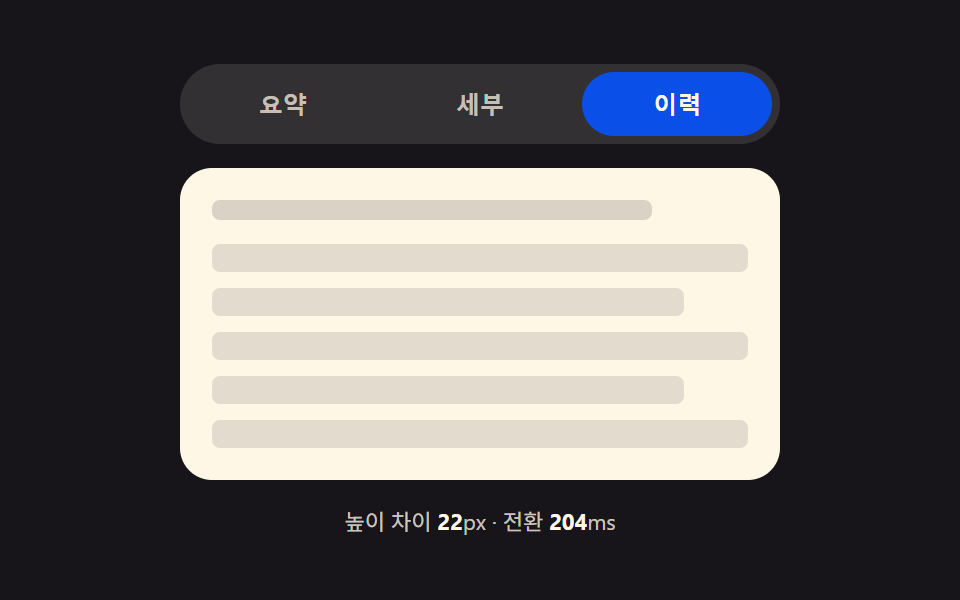
01Tab Container a Measured Height Gap Stretches
The measured heights of the outgoing and incoming panel are read just before the swap, and the gap between them (in px) drives the container height as it interpolates to the next panel's height during the transition.
Best forSettings screens, profile tabs, FAQ sections
getBoundingClientRect()wrap.style.height180~620ms
<main class="stage">
<div class="tp is-demo" id="tp">
  <div class="tp__tabs" role="tablist" aria-label="Settings tabs">
    <button type="button" class="tp__tab is-active" role="tab" id="tp-tab-0" aria-selected="true" aria-controls="tp-panel-0" data-idx="0">Summary</button>
    <button type="button" class="tp__tab" role="tab" id="tp-tab-1" aria-selected="false" aria-controls="tp-panel-1" data-idx="1" tabindex="-1">Details</button>
    <button type="button" class="tp__tab" role="tab" id="tp-tab-2" aria-selected="false" aria-controls="tp-panel-2" data-idx="2" tabindex="-1">History</button>
  </div>
  <div class="tp__wrap" id="tpWrap">
    <div class="tp__panel" id="tp-panel-0" role="tabpanel" aria-labelledby="tp-tab-0" tabindex="0">
      <p class="tp__line tp__line--a"></p>
      <p class="tp__line tp__line--b"></p>
    </div>
    <div class="tp__panel" id="tp-panel-1" role="tabpanel" aria-labelledby="tp-tab-1" tabindex="0" hidden>
      <p class="tp__line tp__line--a"></p>
      <p class="tp__line tp__line--b"></p>
      <p class="tp__line tp__line--c"></p>
      <div class="tp__bars"><span></span><span></span><span></span><span></span></div>
    </div>
    <div class="tp__panel" id="tp-panel-2" role="tabpanel" aria-labelledby="tp-tab-2" tabindex="0" hidden>
      <p class="tp__line tp__line--a"></p>
      <ul class="tp__list">
        <li></li><li></li><li></li><li></li><li></li>
      </ul>
    </div>
  </div>
  <p class="tp__meta" id="tpMeta">Height diff <b id="tpDiff">0</b>px · transition <b id="tpDur">0</b>ms</p>
</div>
</main>@use "../../../../site/static/demo-tokens" as *;
// 계산 겹: index.html select() 가 getBoundingClientRect 로 숨은/보이는 패널의 실측 높이를 재
// 그 차이(px)를 BASE_MS + diff*MS_PER_PX 식에 넣어 전환 시간을 정하고, wrap 의 height 를 그 시간 동안
// 이전 값에서 다음 패널 높이로 트랜지션한다 — 차이가 클수록 천천히, 작으면 짧게 늘어난다.
@include stage($stage-ink);
.tp { width: min(100%, 300px); display: flex; flex-direction: column; gap: $sp-3; }
.tp__tabs { display: flex; gap: $sp-1; background: rgba($subject-cream, .12); padding: $sp-1; border-radius: $r-pill; }
.tp__tab {
flex: 1 1 0; border: none; background: transparent; border-radius: $r-pill; cursor: pointer;
padding: $sp-2 $sp-3; font-size: 12px; font-weight: 700; color: rgba($subject-cream, .72);
}
.tp__tab.is-active { background: $subject-blue-deep; color: $subject-cream; }
.tp__tab:focus-visible { outline: 2px solid $subject-cream; outline-offset: 2px; }
.tp__wrap {
position: relative; overflow: hidden; border-radius: $r-card; background: $subject-cream;
transition: height var(--tp-dur, #{$dur-base}) $ease-out;
}
.tp__panel { padding: $sp-4; box-sizing: border-box; }
.tp__line { height: 10px; border-radius: $r-xs; background: rgba($subject-ink, .16); margin: 0 0 $sp-2; }
.tp__line--a { width: 82%; }
.tp__line--b { width: 58%; }
.tp__line--c { width: 68%; }
.tp__bars { display: flex; gap: $sp-2; margin-top: $sp-3; align-items: flex-end; height: 44px; }
.tp__bars span { flex: 1 1 0; border-radius: $r-xs $r-xs 0 0; background: $subject-blue; }
.tp__bars span:nth-child(1) { height: 60%; }
.tp__bars span:nth-child(2) { height: 100%; }
.tp__bars span:nth-child(3) { height: 40%; }
.tp__bars span:nth-child(4) { height: 78%; }
.tp__list { list-style: none; margin: $sp-3 0 0; padding: 0; display: flex; flex-direction: column; gap: $sp-2; }
.tp__list li { height: 14px; border-radius: $r-xs; background: rgba($subject-ink, .12); }
.tp__list li:nth-child(2n) { width: 88%; }
.tp__meta { margin: 0; font-size: 11px; color: rgba($subject-cream, .78); text-align: center; }
.tp__meta b { color: $subject-cream; font-weight: 700; }
@media (max-width: 340px) {
.tp { width: 100%; }
.tp__tab { font-size: 11px; padding: $sp-1 $sp-2; }
}
@media (prefers-reduced-motion: reduce) {
.tp__wrap { transition: none; }
}html, body {
margin: 0;
overflow: hidden;
}
.stage {
box-sizing: border-box;
min-height: 100vh;
display: grid;
place-items: center;
margin: 0;
background: #17141a;
font-family: -apple-system, "Segoe UI", "Noto Sans KR", sans-serif;
padding: clamp(8px, 4vw, 24px);
}
.tp {
width: min(100%, 300px);
display: flex;
flex-direction: column;
gap: 12px;
}
.tp__tabs {
display: flex;
gap: 4px;
background: rgba(255, 247, 230, 0.12);
padding: 4px;
border-radius: 999px;
}
.tp__tab {
flex: 1 1 0;
border: none;
background: transparent;
border-radius: 999px;
cursor: pointer;
padding: 8px 12px;
font-size: 12px;
font-weight: 700;
color: rgba(255, 247, 230, 0.72);
}
.tp__tab.is-active {
background: #0a4fe8;
color: #fff7e6;
}
.tp__tab:focus-visible {
outline: 2px solid #fff7e6;
outline-offset: 2px;
}
.tp__wrap {
position: relative;
overflow: hidden;
border-radius: 16px;
background: #fff7e6;
transition: height var(--tp-dur, 300ms) ease-out;
}
.tp__panel {
padding: 16px;
box-sizing: border-box;
}
.tp__line {
height: 10px;
border-radius: 4px;
background: rgba(23, 20, 26, 0.16);
margin: 0 0 8px;
}
.tp__line--a {
width: 82%;
}
.tp__line--b {
width: 58%;
}
.tp__line--c {
width: 68%;
}
.tp__bars {
display: flex;
gap: 8px;
margin-top: 12px;
align-items: flex-end;
height: 44px;
}
.tp__bars span {
flex: 1 1 0;
border-radius: 4px 4px 0 0;
background: #2f6df6;
}
.tp__bars span:nth-child(1) {
height: 60%;
}
.tp__bars span:nth-child(2) {
height: 100%;
}
.tp__bars span:nth-child(3) {
height: 40%;
}
.tp__bars span:nth-child(4) {
height: 78%;
}
.tp__list {
list-style: none;
margin: 12px 0 0;
padding: 0;
display: flex;
flex-direction: column;
gap: 8px;
}
.tp__list li {
height: 14px;
border-radius: 4px;
background: rgba(23, 20, 26, 0.12);
}
.tp__list li:nth-child(2n) {
width: 88%;
}
.tp__meta {
margin: 0;
font-size: 11px;
color: rgba(255, 247, 230, 0.78);
text-align: center;
}
.tp__meta b {
color: #fff7e6;
font-weight: 700;
}
@media (max-width: 340px) {
.tp {
width: 100%;
}
.tp__tab {
font-size: 11px;
padding: 4px 8px;
}
}
@media (prefers-reduced-motion: reduce) {
.tp__wrap {
transition: none;
}
}(function () {
var BASE_MS = 180; // 계산 겹 상수: 높이 차이가 0px 이어도 최소한의 스무딩을 준다
var MS_PER_PX = 1.1; // 계산 겹 상수: Height diff 1px 마다 전환 시간이 이만큼 늘어난다
var MIN_MS = 180, MAX_MS = 620;
var HOLD_MS = 760; // 자동 순환이 탭 하나에 머무는 시간
var COUNT = 3;
var reduce = window.matchMedia('(prefers-reduced-motion: reduce)').matches;
var root = document.getElementById('tp');
var wrap = document.getElementById('tpWrap');
var diffEl = document.getElementById('tpDiff');
var durEl = document.getElementById('tpDur');
var tabs = [0, 1, 2].map(function (i) { return document.getElementById('tp-tab-' + i); });
var panels = [0, 1, 2].map(function (i) { return document.getElementById('tp-panel-' + i); });
var isDemo = true;
var active = 0;
var busy = false;
function rectHeight(idx) {
// 계산 겹: 숨은 패널도 잠깐 측정 가능한 상태로 만들어 getBoundingClientRect 로 실측한다 — 짐작값을 쓰지 않는다
var p = panels[idx];
var wasHidden = p.hasAttribute('hidden');
if (wasHidden) {
p.style.visibility = 'hidden';
p.style.position = 'absolute';
p.style.width = wrap.clientWidth + 'px';
p.removeAttribute('hidden');
}
var h = p.getBoundingClientRect().height;
if (wasHidden) {
p.setAttribute('hidden', '');
p.style.visibility = '';
p.style.position = '';
p.style.width = '';
}
return h;
}
function human() {
if (isDemo) { root.classList.remove('is-demo'); isDemo = false; }
}
function select(idx) {
if (idx === active || busy) return;
busy = true;
var fromH = rectHeight(active);
var toH = rectHeight(idx);
var diff = Math.abs(toH - fromH); // 계산 겹: 두 패널의 실측 Height diff(px)
var dur = Math.min(MAX_MS, Math.max(MIN_MS, BASE_MS + diff * MS_PER_PX)); // 계산 겹: 차이가 클수록 전환이 길다
wrap.style.setProperty('--tp-dur', dur.toFixed(0) + 'ms');
wrap.style.height = fromH.toFixed(2) + 'px';
wrap.getBoundingClientRect(); // 강제 리플로우 — 시작 높이를 확정한 뒤에 목표 높이를 건다
tabs[active].classList.remove('is-active');
tabs[active].setAttribute('aria-selected', 'false');
tabs[active].setAttribute('tabindex', '-1');
panels[active].setAttribute('hidden', '');
tabs[idx].classList.add('is-active');
tabs[idx].setAttribute('aria-selected', 'true');
tabs[idx].setAttribute('tabindex', '0');
panels[idx].removeAttribute('hidden');
requestAnimationFrame(function () {
wrap.style.height = toH.toFixed(2) + 'px';
});
diffEl.textContent = Math.round(diff);
durEl.textContent = Math.round(dur);
active = idx;
window.setTimeout(function () {
busy = false;
wrap.style.height = panels[active].getBoundingClientRect().height + 'px';
}, dur + 40);
}
tabs.forEach(function (t, i) {
t.addEventListener('click', function () { human(); select(i); });
});
root.addEventListener('keydown', function (e) {
var idx = tabs.indexOf(document.activeElement);
if (idx === -1) return;
var next = null;
if (e.key === 'ArrowRight') next = (idx + 1) % COUNT;
else if (e.key === 'ArrowLeft') next = (idx - 1 + COUNT) % COUNT;
else if (e.key === 'Home') next = 0;
else if (e.key === 'End') next = COUNT - 1;
if (next === null) return;
e.preventDefault();
human();
tabs[next].focus({ preventScroll: true });
select(next);
});
function loop() {
if (!isDemo) return;
select((active + 1) % COUNT);
window.setTimeout(loop, HOLD_MS);
}
wrap.style.height = rectHeight(0) + 'px';
if (!reduce) {
window.setTimeout(loop, HOLD_MS);
} else {
root.classList.remove('is-demo');
}
})();// TabHeightAutoMorph — vanilla 판(run/394/demo/01-tab-panel-height-auto-morph/index.html) 의 React 포트.
// select() 가 getBoundingClientRect 로 숨은/보이는 패널의 실측 높이를 재 그 차이(px)를
// BASE_MS + diff*MS_PER_PX 식에 넣어 전환 시간을 정하고, wrap 의 height 를 그 시간 동안 트랜지션한다.
import { useEffect, useRef } from "react";
import styles from "./TabHeightAutoMorph.module.scss";
type Box<T> = { current: T };
const BASE_MS = 180; // 계산 겹 상수: 높이 차이가 0px 이어도 최소한의 스무딩을 준다
const MS_PER_PX = 1.1; // 계산 겹 상수: 높이 차이 1px 마다 전환 시간이 이만큼 늘어난다
const MIN_MS = 180, MAX_MS = 620;
const HOLD_MS = 760; // 자동 순환이 탭 하나에 머무는 시간
const COUNT = 3;
export default function TabHeightAutoMorph() {
const rootRef = useRef(null) as unknown as Box<HTMLDivElement>;
const wrapRef = useRef(null) as unknown as Box<HTMLDivElement>;
const diffRef = useRef(null) as unknown as Box<HTMLElement>;
const durRef = useRef(null) as unknown as Box<HTMLElement>;
const tabRefs = useRef([null, null, null]) as unknown as Box<(HTMLButtonElement | null)[]>;
const panelRefs = useRef([null, null, null]) as unknown as Box<(HTMLDivElement | null)[]>;
const timerRef = useRef(0) as unknown as Box<number>;
useEffect(() => {
const reduce = window.matchMedia("(prefers-reduced-motion: reduce)").matches;
let isDemo = true;
let active = 0;
let busy = false;
function rectHeight(idx: number): number {
const p = panelRefs.current[idx];
const wrap = wrapRef.current;
if (!p || !wrap) return 0;
const wasHidden = p.hasAttribute("hidden");
if (wasHidden) {
p.style.visibility = "hidden";
p.style.position = "absolute";
p.style.width = wrap.clientWidth + "px";
p.removeAttribute("hidden");
}
const h = p.getBoundingClientRect().height;
if (wasHidden) {
p.setAttribute("hidden", "");
p.style.visibility = "";
p.style.position = "";
p.style.width = "";
}
return h;
}
function human() {
if (isDemo) { rootRef.current?.classList.remove(styles.isDemo); isDemo = false; }
}
function select(idx: number) {
if (idx === active || busy) return;
busy = true;
const wrap = wrapRef.current;
const fromH = rectHeight(active);
const toH = rectHeight(idx);
if (!wrap) return;
const diff = Math.abs(toH - fromH); // 계산 겹: 두 패널의 실측 높이 차이(px)
const dur = Math.min(MAX_MS, Math.max(MIN_MS, BASE_MS + diff * MS_PER_PX)); // 계산 겹: 차이가 클수록 전환이 길다
wrap.style.setProperty("--tp-dur", dur.toFixed(0) + "ms");
wrap.style.height = fromH.toFixed(2) + "px";
wrap.getBoundingClientRect(); // 강제 리플로우
const prevTab = tabRefs.current[active], nextTab = tabRefs.current[idx];
const prevPanel = panelRefs.current[active], nextPanel = panelRefs.current[idx];
prevTab?.classList.remove(styles.isActive);
prevTab?.setAttribute("aria-selected", "false");
prevTab?.setAttribute("tabindex", "-1");
prevPanel?.setAttribute("hidden", "");
nextTab?.classList.add(styles.isActive);
nextTab?.setAttribute("aria-selected", "true");
nextTab?.setAttribute("tabindex", "0");
nextPanel?.removeAttribute("hidden");
requestAnimationFrame(() => { wrap.style.height = toH.toFixed(2) + "px"; });
if (diffRef.current) diffRef.current.textContent = String(Math.round(diff));
if (durRef.current) durRef.current.textContent = String(Math.round(dur));
active = idx;
window.setTimeout(() => {
busy = false;
const p = panelRefs.current[active];
if (wrap && p) wrap.style.height = p.getBoundingClientRect().height + "px";
}, dur + 40);
}
function onKeydown(e: KeyboardEvent) {
const idx = tabRefs.current.indexOf(document.activeElement as HTMLButtonElement);
if (idx === -1) return;
let next: number | null = null;
if (e.key === "ArrowRight") next = (idx + 1) % COUNT;
else if (e.key === "ArrowLeft") next = (idx - 1 + COUNT) % COUNT;
else if (e.key === "Home") next = 0;
else if (e.key === "End") next = COUNT - 1;
if (next === null) return;
e.preventDefault();
human();
tabRefs.current[next]?.focus({ preventScroll: true });
select(next);
}
function onTabClick(i: number) { return () => { human(); select(i); }; }
const clickHandlers = [0, 1, 2].map(onTabClick);
tabRefs.current.forEach((t, i) => t?.addEventListener("click", clickHandlers[i]));
rootRef.current?.addEventListener("keydown", onKeydown);
function loop() {
if (!isDemo) return;
select((active + 1) % COUNT);
timerRef.current = window.setTimeout(loop, HOLD_MS);
}
const wrap = wrapRef.current;
if (wrap) wrap.style.height = rectHeight(0) + "px";
if (!reduce) {
timerRef.current = window.setTimeout(loop, HOLD_MS);
} else {
rootRef.current?.classList.remove(styles.isDemo);
}
return () => {
window.clearTimeout(timerRef.current);
tabRefs.current.forEach((t, i) => t?.removeEventListener("click", clickHandlers[i]));
rootRef.current?.removeEventListener("keydown", onKeydown);
};
}, []);
return (
<main className={styles.stage}>
<div className={styles.tp + " " + styles.isDemo} ref={rootRef}>
<div className={styles.tabs} role="tablist" aria-label="설정 탭">
<button type="button" className={styles.tab + " " + styles.isActive} role="tab" aria-selected="true" aria-controls="rtp-panel-0" data-idx="0"
ref={(el: HTMLButtonElement | null) => { tabRefs.current[0] = el; }}>요약</button>
<button type="button" className={styles.tab} role="tab" aria-selected="false" aria-controls="rtp-panel-1" data-idx="1" tabIndex={-1}
ref={(el: HTMLButtonElement | null) => { tabRefs.current[1] = el; }}>세부</button>
<button type="button" className={styles.tab} role="tab" aria-selected="false" aria-controls="rtp-panel-2" data-idx="2" tabIndex={-1}
ref={(el: HTMLButtonElement | null) => { tabRefs.current[2] = el; }}>이력</button>
</div>
<div className={styles.wrap} ref={wrapRef}>
<div className={styles.panel} id="rtp-panel-0" role="tabpanel" tabIndex={0}
ref={(el: HTMLDivElement | null) => { panelRefs.current[0] = el; }}>
<p className={styles.lineA} />
<p className={styles.lineB} />
</div>
<div className={styles.panel} id="rtp-panel-1" role="tabpanel" tabIndex={0} hidden
ref={(el: HTMLDivElement | null) => { panelRefs.current[1] = el; }}>
<p className={styles.lineA} />
<p className={styles.lineB} />
<p className={styles.lineC} />
<div className={styles.bars}><span /><span /><span /><span /></div>
</div>
<div className={styles.panel} id="rtp-panel-2" role="tabpanel" tabIndex={0} hidden
ref={(el: HTMLDivElement | null) => { panelRefs.current[2] = el; }}>
<p className={styles.lineA} />
<ul className={styles.list}>
<li /><li /><li /><li /><li />
</ul>
</div>
</div>
<p className={styles.meta}>
높이 차이 <b ref={diffRef}>0</b>px · 전환 <b ref={durRef}>0</b>ms
</p>
</div>
</main>
);
}01 Tab Container a Measured Height Gap Stretches — Measured area 42.901% · moving frames 9/23Original by GODRICH · SCSS and React ship in the zip · 9 CSS Tab Panel Transition Patterns to Copy
The post this demo lives in
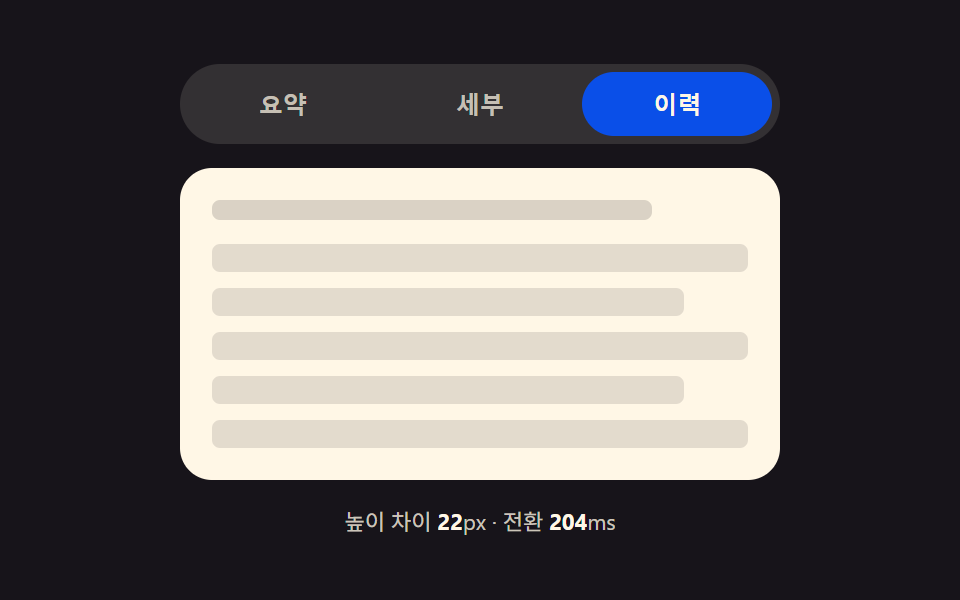 9 CSS Tab Panel Transition Patterns to CopyA css tab panel roundup: Height-morph times its stretch by the pixel gap between panels; stack shrinks by index distance See all demos in this post
If you like this effect - similar demos
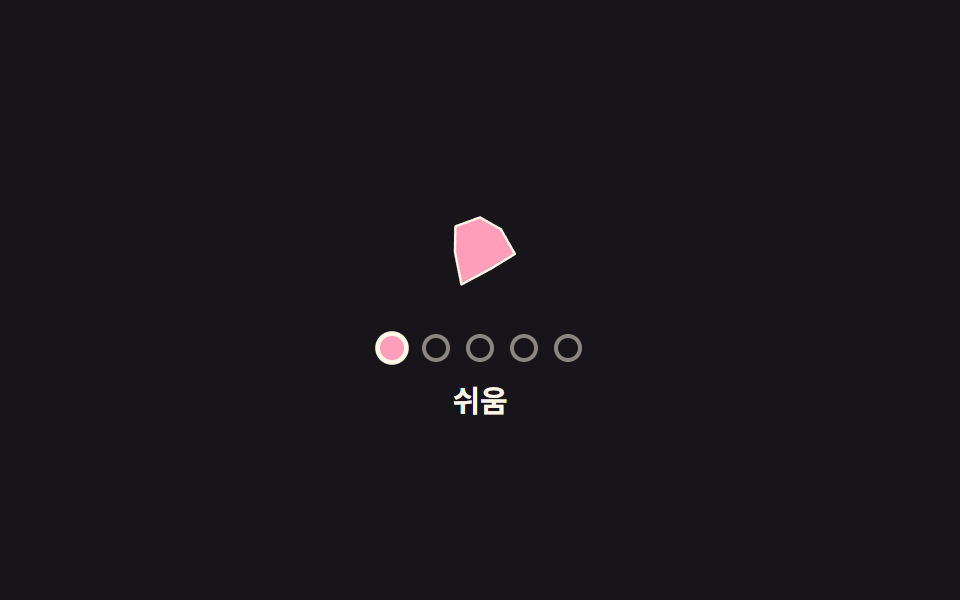 Pickers05 Difficulty Selector Whose Icon Shape Morphs Per TierDifficulty Selector UI — 9 Computed Patterns
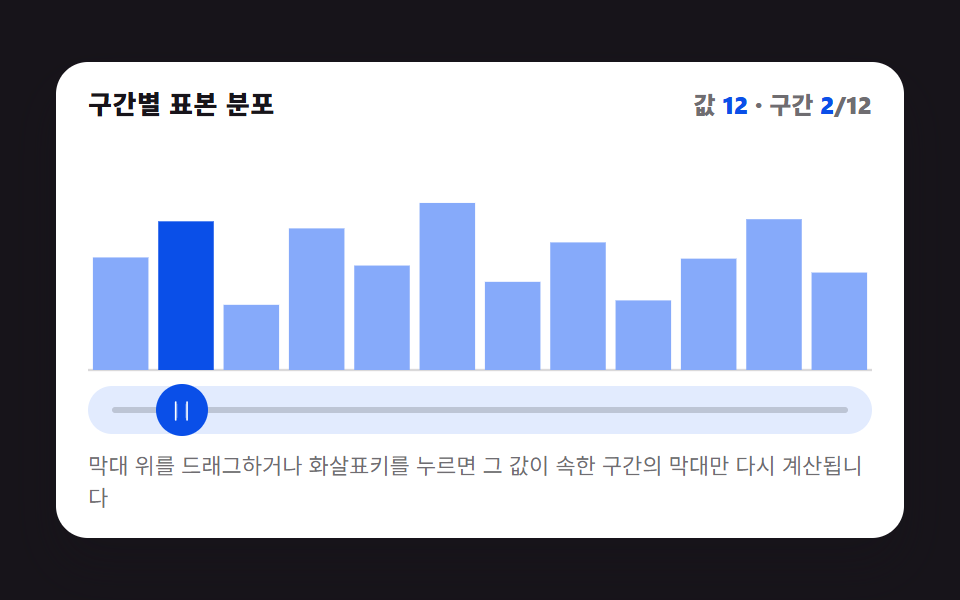 Pickers01 Picker Whose Histogram Bars Recompute Height With Every Drag9 Graph Animation CSS Pickers With Live Recompute
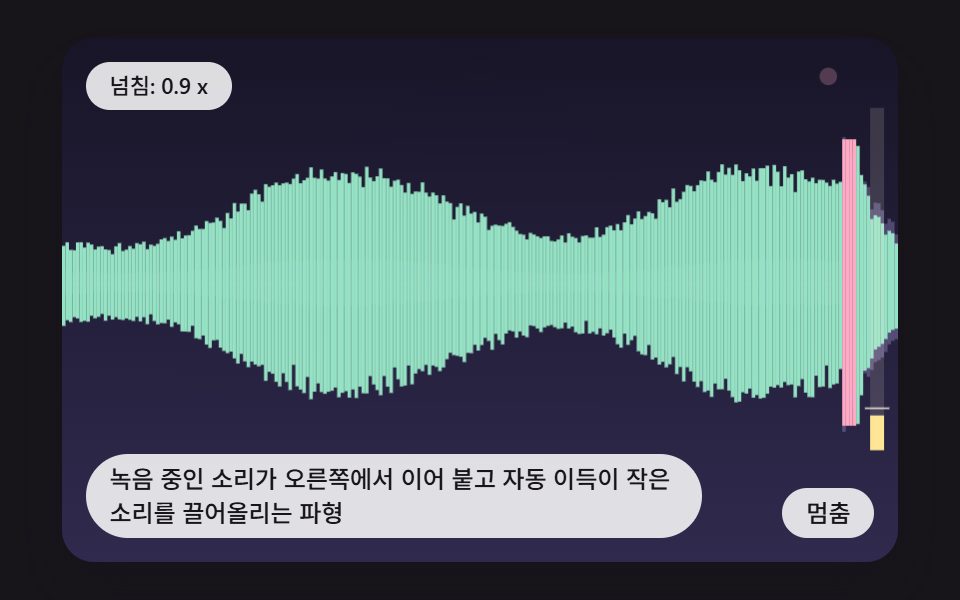 Pickers09 A Waveform Where Live Recording Appends on the Right and Auto Gain Lifts Quiet SoundsCSS Waveform: 9 Peak Columns and Trim Pickers