文字 物理 演算 9種 — 落ちて積もり揺れる文字をコードで
見出しの文字を床に落とすと、ふつうはどれも同じように跳ねます。ここでは01番が角から着いた文字を回して積み、03番はぶつかった速さの分だけゼリーのようにつぶれてふくらみ、05番は沈んだ面積の分だけ水に浮かびます。
九組の文字を落とし、吊るし、水に浮かべてみる舞台
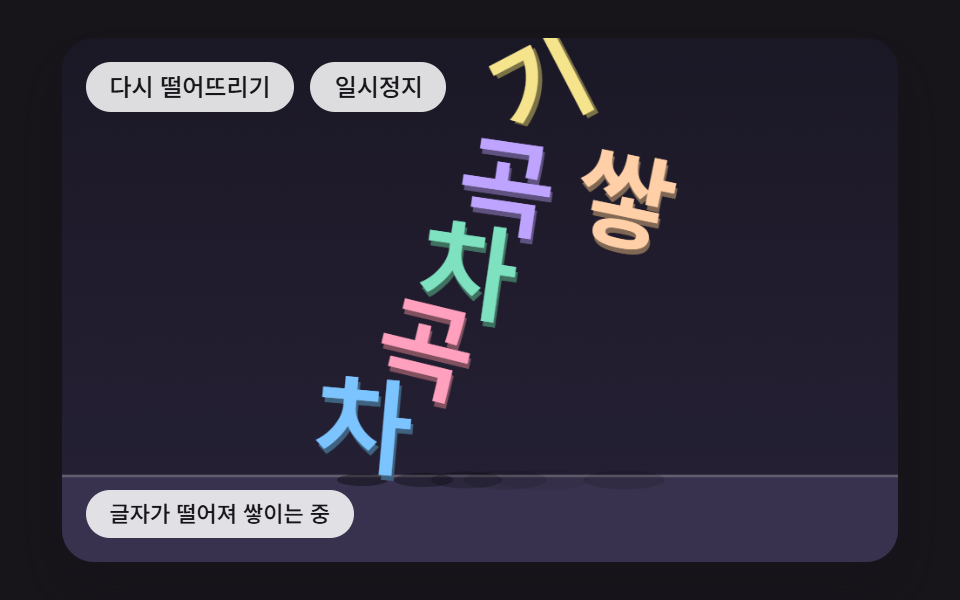 01 tx-phys-drop-pile-corner-spin
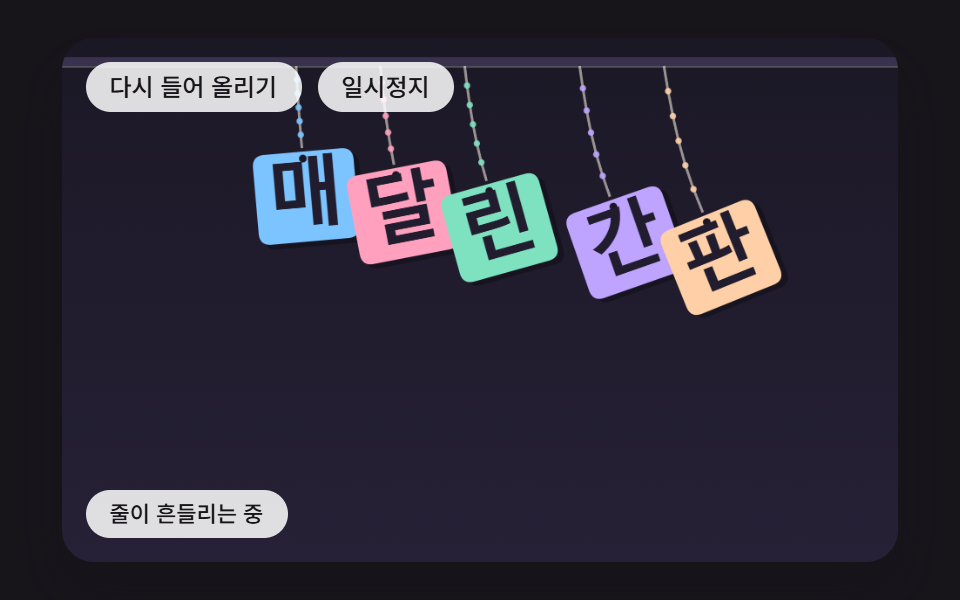 02 tx-phys-rope-hung-swing
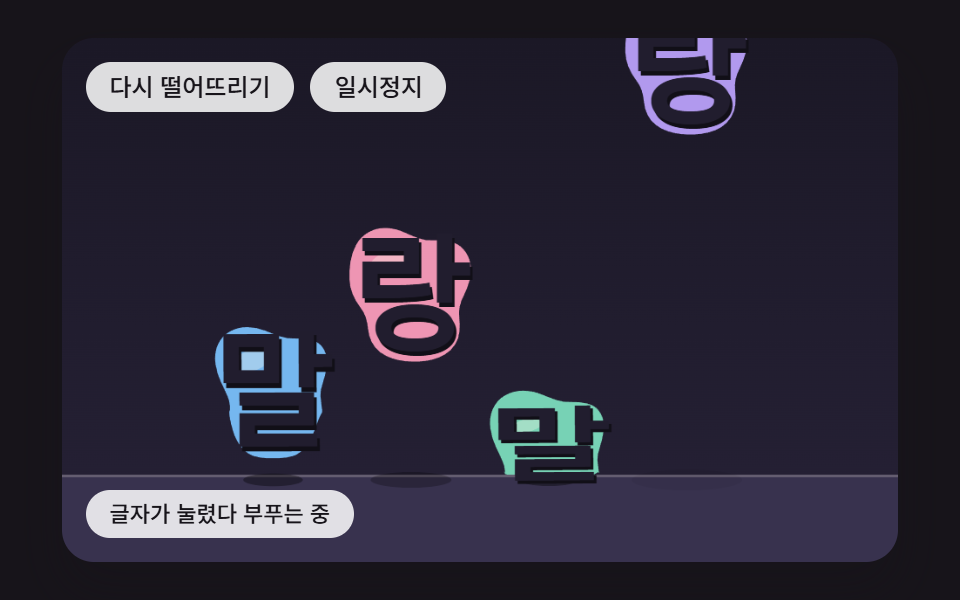 03 tx-phys-jelly-impact-squash
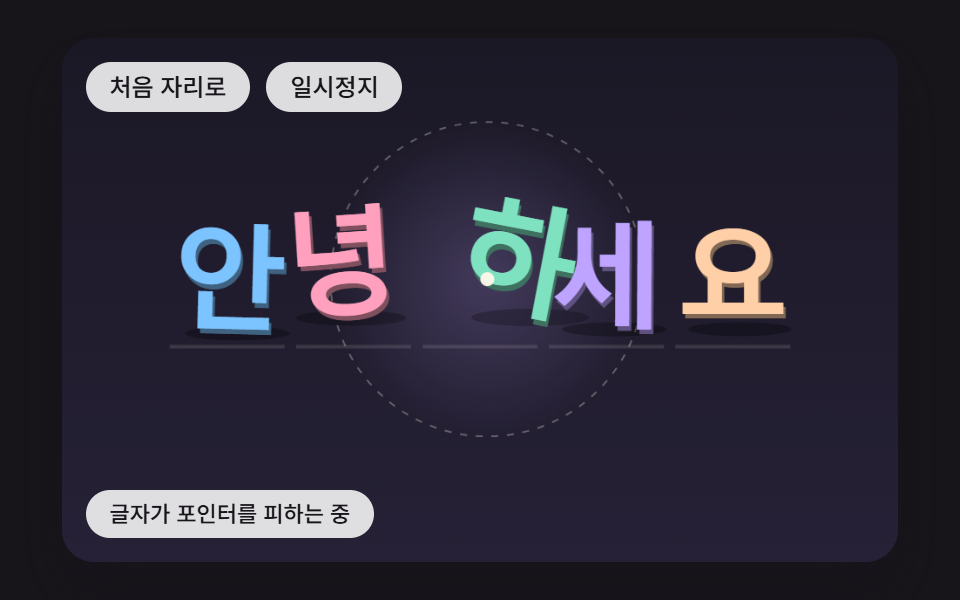 04 tx-phys-pointer-dodge-spring-home
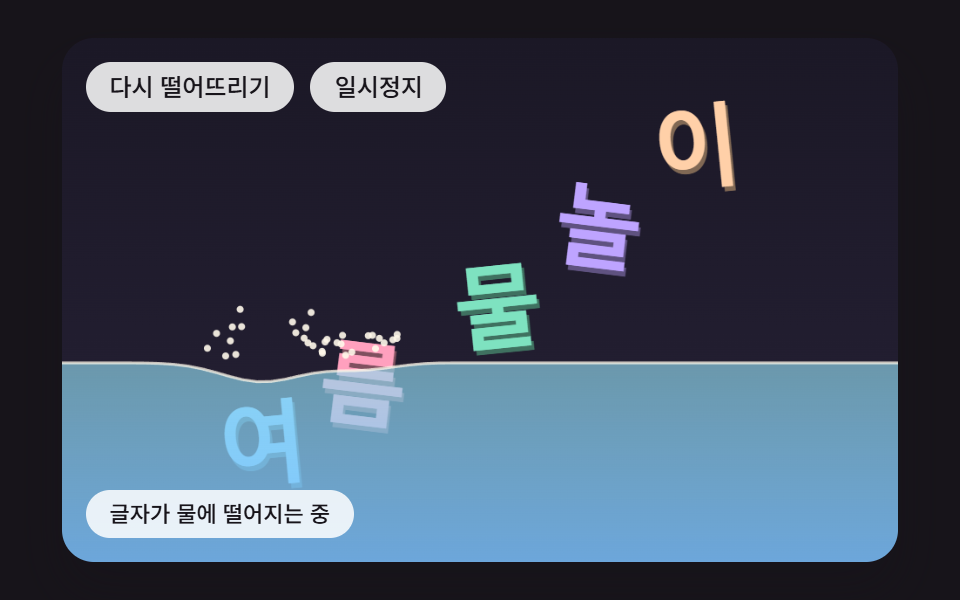 05 tx-phys-water-buoyancy-wave
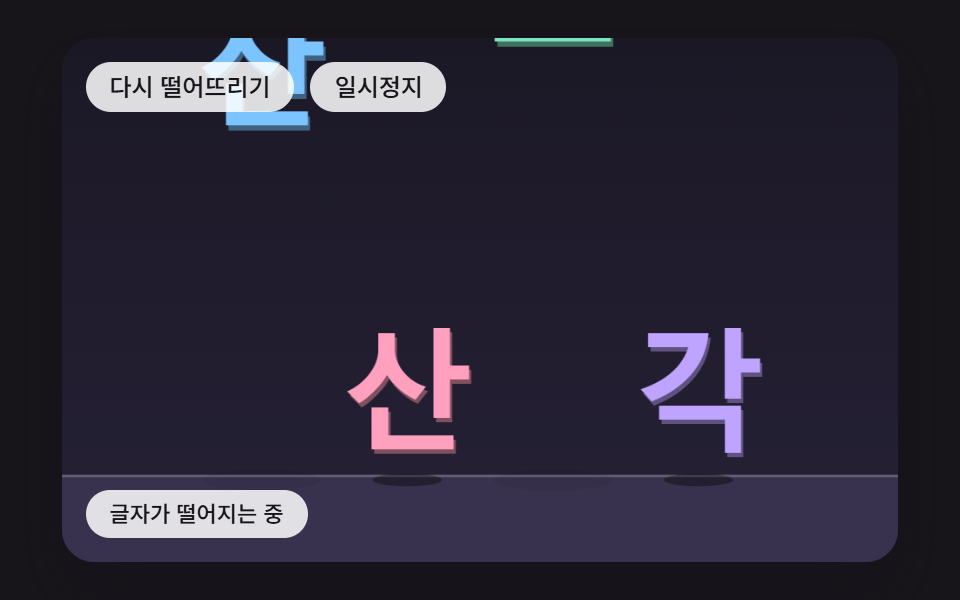 06 tx-phys-impact-shatter-shards
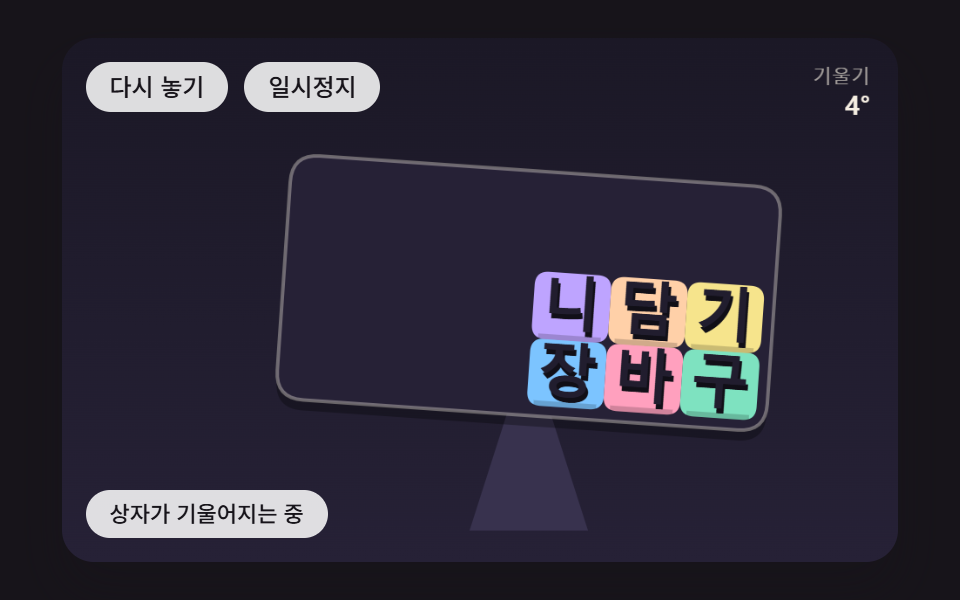 07 tx-phys-tilt-box-slide
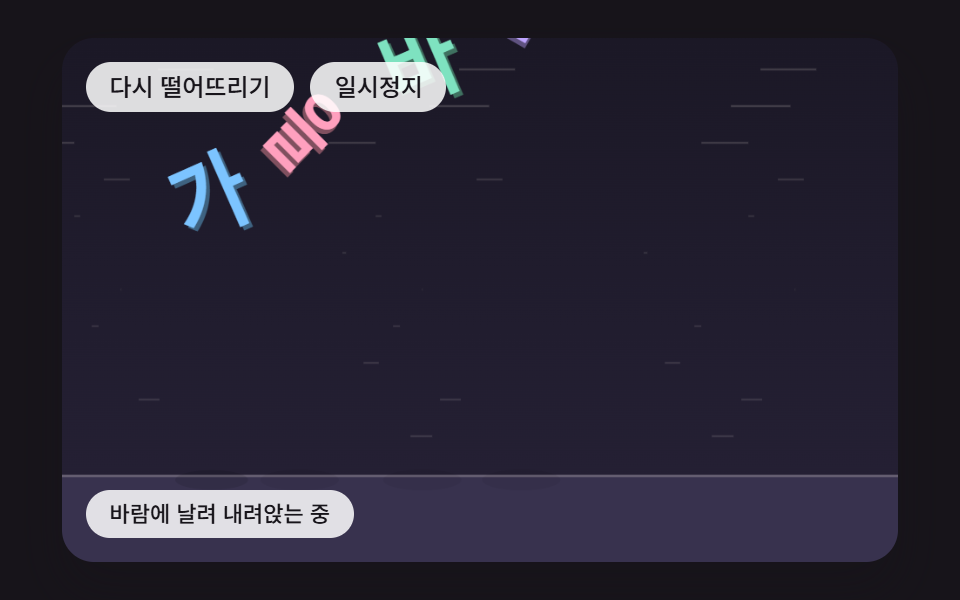 08 tx-phys-wind-flutter-drift
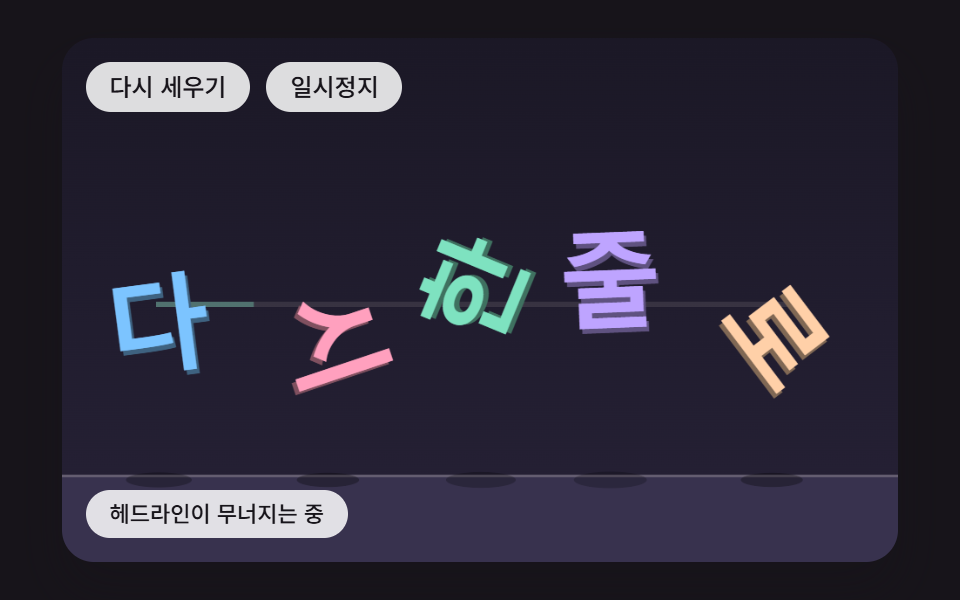 09 tx-phys-hero-collapse-realign
自動再生 · タイルを押すとその項目へ · すべて1つのzip
- 01 角から着くと回りながら積もる文字
- 02 紐に吊るされて揺れる文字
- 03 ぶつかった速さの分だけゼリーのようにつぶれてふくらむ文字
- 04 ポインターをよけてばねで元の位置へ戻る文字
- 05 水に落ちて沈んだ面積の分だけ浮かび上がる文字
- 06 強くぶつかると砕けて散る文字
- 07 傾く箱の中で片側へ寄っていく文字
- 08 風に飛ばされ木の葉のように揺れて舞い降りる文字
- 09 崩れ落ちてからまた一列に並び直すヒーロー見出し
キャンバスは一枚ずつ横480・縦300の座標を持ち、日本語のページで舞台に上がる文字は「つみかさね」「ぶらさがり」「ぷにぷに」「こんにちは」「なつのみず」「こなごな」「カートに入れる」「あきのかぜ」「もういちど」の九つです。最初は自動で回る実演が3,400msごとに場面を初めの状態へ戻し、キャンバスを押すか、フォーカスを置いてキーを押した最初の入力で実演の表示が外れて、手で扱う状態に切り替わります。マスの下にあるボタン二つは場面を初めに戻すボタンと一時停止のボタンで、キャンバスにフォーカスがあればEnterとSpaceが同じ役目を受け持ちます。
マスごとの触り方
| 場面 | ポインター | キーボード |
|---|---|---|
| 01 積もる | 押した場所の文字をはじく | ←・→で揺らす、↑で浮かせる |
| 02 紐 | ドラッグ中は半径22pxの円が紐を押しのける | ←・→で揺らす |
| 03 ゼリー | 近くの文字をはじく | ↓で叩きつける、↑で浮かせる |
| 04 よける | 動かすだけでポインターになる | 矢印キーで22pxずつ動くキーボードのポインター、Escで消す |
| 05 水 | 押した場所の水面を押す | ↓で水に沈める、←・→で押す |
| 06 かけら | 押した文字を叩きつける | ↓でしきい値より速く叩きつける |
| 07 箱 | 横の位置がそのまま傾きになる | ←・→で4°ずつ傾ける、Escで自動に戻す |
| 08 風 | 押した場所の文字を浮かせる | ←・→で突風、↑で全部浮かせる |
| 09 見出し | 押すとすぐに崩す | ↓で崩す、↑で戻す |
文字 アニメーション 作成はキーフレームでもできるのに、なぜここでは速さと力を毎ティック計算するのか?
キーフレームは前もって書いた道筋を時間どおりに再生するしくみなので、文字どうしがぶつかってどの角度で止まるかを書いておく方法がありません。01の文字の山は止まった角度が0・89・89・1・137・323°と一文字ずつ違い(韓国語版の六文字で測った値)、ポインターでひとつはじけば、その先の並びははじいた瞬間の位置と速さで決まります。こうした結果は、今の位置と速さから次の位置を求める計算を繰り返さないと出てきません。そのため九つの場面のスタイルシートに@keyframesはひとつもなく、動きといえるのはボタンの背景色の切り替えひとつだけです。
文字 アニメーション web の多くは決まった道筋をなぞる作りで、その側から組みたいならCSSの文字アニメーション9選がキーフレームの跳ね返りを扱っています。この編はその逆で、道筋は決めずに力だけを決めます。
1フレームで追いつくのは6ステップまでという時計
スクリプトはrequestAnimationFrameが渡す時刻の差をためておき、16msの固定ステップ(FIXED_DT)に切り分けて回します。1フレームでためられる時間は100msまでなので、追いつくステップも最大6回です。ステップの長さが画面のリフレッシュレートに左右されないので、60Hzの画面でも120Hzの画面でも同じ順番で計算が進むと考えられます。
同じシードから同じ文字の山ができる
並びは式かシード固定の乱数(makeRngの4721・4725・4726+i・4727・4729)だけで決め、Math.randomとDate.nowは九つのソースのどこにも出てきません。固定ステップとシードが組になっているので、手を触れずにもう一度落とせば同じ場所に同じ形で積もります。落とし直した直後の200ms(LEAD_MS)はステップが何もしないので、文字は置かれた場所で一瞬止まってから動き出します。
文字 物理 演算 9種 — 積もる・紐に吊るす・ゼリー・よける・浮かぶ・砕ける・傾く箱・風・ヒーロー見出し
硬い箱がひとつ落ちて積もる01が土台で、02はその箱を紐に掛け、03は箱のかわりにやわらかい体を与えます。04は落ちずにポインターをよけるほう、05は床のかわりに水、06はぶつかった強さで割れるかどうかが分かれるほうです。07は床そのものが傾き、08は重力より風と抵抗が主役で、09は01の箱の計算で崩した見出しを読む順番どおりに戻します。
項目の節に書いた時刻・速さ・角度は、韓国語版の文字で場面の関数を直接呼び出して測った値です。文字の数や「1文字目」のような順番も、その版の並びを指しています。
2秒のキャプチャ24枚で数えた画面の変化
480×300の大きさで2秒間に撮った24枚を隣どうしで見比べ、そこで数えた23回の変化を分母にしています。
| 場面 | 累積面積 | 動いたフレーム | 強度の平均 |
|---|---|---|---|
| 01 角から回って積もる | 24.1% | 21/23 | 101.0 |
| 02 紐に吊るした看板 | 16.6% | 23/23 | 121.3 |
| 03 ゼリーのつぶれ | 23.0% | 23/23 | 104.3 |
| 04 ポインターよけ | 52.1% | 23/23 | 67.3 |
| 05 水に浮かぶ | 27.1% | 22/23 | 88.5 |
| 06 砕ける | 21.9% | 15/23 | 117.2 |
| 07 傾く箱 | 26.9% | 23/23 | 94.0 |
| 08 風に舞う | 22.6% | 23/23 | 90.4 |
| 09 崩れて並ぶ | 26.9% | 20/23 | 105.1 |
累積面積がいちばん広い04は、仮のポインターが8の字の曲線で舞台を横切り、半径の円と五つの文字をいっしょに引き連れて回るためと考えられます。06が15枚にとどまったのは、しきい値の下で落ちた二文字と散ったかけらが床で止まると画面がほとんど変わらなくなるためと考えられます。累積面積が10%を下回った場面はありません。
こんな画面に置く
新製品を初めて見せるランディングのトップには、01のように見出しがこぼれ落ちて積もるか、09のように崩れてから一列に立ち直るほうが似合い、イベント案内のバナーには02の吊り看板が合います。子ども向けアプリのスタート画面には03、夏のイベントページのタイトルには05、秋のシーズンセールのバナーには08が、季節や雰囲気をそのまま伝えてくれます。
文字 動き web で探すような、ポインターに合わせて反応する演出がほしいポートフォリオのあいさつには04を置きます。ゲーム結果画面のスコアの文字は、06のように強く落ちたものだけ割れるようにすると高得点の演出に使いやすく、07の傾く箱は、カートに商品が入ったことを知らせる小さな絵として短く出すのに向いています。
文字をひとつの箱とみなす当たり判定と、角から着地したときに回転を生む撃力
measureTextで測る文字の箱
九つの場面はどれも、layoutWordが原文をArray.fromで一文字ずつに分け、measureTextで文字ごとの幅を測ります。行全体が決めた幅より長ければ文字の大きさを同じ割合で縮め、箱の幅は測った幅(ごく細い文字は文字の大きさの0.34倍)、高さは文字の大きさの0.9倍、文字の間は大きさの0.1倍で、スペースは箱を持たずに場所だけを取ります。01で測ると、韓国語版の六文字は58pxで箱の幅がすべて58、英語版は55.1pxでIの19.2pxからAの41.3pxまで幅が散らばり、日本語の「つみかさね」は縮まずに74pxのまま、箱の幅も74でした。
文字はfillTextで同じ文字を0.5倍暗い色にして右へ1.4px・下へ2.8pxずらして一度描き、その上に本来の色を重ねて厚みを出します。書体は太さ800のシステムフォントの並びで、ウェブフォントは読み込みません。
面積で決める質量と回転のしにくさ
01と09の文字の箱は、面積を900で割った値を質量に、m×(w²+h²)÷12を回転の慣性に持ちます。幅の広い文字ほど重くて回りにくく、英字のIの箱は同じ高さのAの箱の0.46倍の幅なので、質量もその分だけ軽くなります。
角の接点が撃力を回転に変える式
接点は、箱の頂点が床や壁の外に出たり、ほかの箱の中に入ったりした場所に生まれ、めり込みの浅い軸が押し返す向き(法線)になります。effMassは質量の逆数に、(接点−重心)と法線の外積の二乗を回転の慣性で割った値を足します。接点が重心の真下ならこの外積が0なので撃力はすべて上へ押すのに使われ、角のように横へずれていれば同じ撃力の一部が角速度に回ります。触れる直前の法線方向の速さが1ティックあたり1.2pxより速く迫っていれば、その0.32倍で跳ね返ることを目標にし、遅ければ目標を0にして、積もった文字を静かに座らせます。
九つの場面が1ティックで何を計算し、何が動きを収めていくのかは次のように分かれます。
| 場面 | 1ティックの計算 | 動きを収めるもの |
|---|---|---|
| 01 | 重力の積分を1ティックに2回、頂点の接点、撃力6回 | 跳ね返り0.32、摩擦0.55 |
| 02 | 前の位置との差でつなぐ積分、節の長さの合わせ直し8回 | 空気の減衰0.012 |
| 03 | 形を合わせる回転角、形のばね0.45、圧力0.8 | 点の減衰0.02、床で縦×−0.1 |
| 04 | 元の位置へのばね0.05、距離の逆数の反発 | 速さ×0.88 |
| 05 | 柱のばねと隣への受け渡し2回、標本20点の沈んだ割合 | 波の減衰0.02、水中の抵抗 |
| 06 | 重力0.5、最初の衝突の速さとしきい値9の比較 | かけらは床で×−0.3、横×0.7 |
| 07 | 箱の角度で回した重力、押し出し4回 | ティックごとに一度×0.96 |
| 08 | 値ノイズの風、速さの二乗の抵抗、傾きによる滑空 | 抵抗0.02、角速度の減衰0.06 |
| 09 | 01の箱の計算のあと0.9秒からの戻りばね | 減衰2√0.03 |
01角から着くと回りながら積もる文字
韓国語版の六文字は真ん中に寄せられたまま上下に62pxあまりの間隔で重なって落ち、角から着いた文字は回って倒れ、平らに着いた文字はそのまま座って、止まった角度が0・89・89・1・137・323°に散らばります。接点ごとに6回繰り返すsolveContactは、たまった撃力が0を下回らないように切って箱どうしが引き合わないようにし、滑る向きの撃力は押す撃力の0.55倍の内側に収めます。最初に床へ着いたのは768ms、いちばん速い回転は1ティックあたり16.7°、六文字が最後まで止まったのは2,688msで、山の高さは文字の高さ52.2pxの1.48倍にあたる77.1pxでした。
<main class="stage">
<div class="pc is-demo" id="pc">
  <p class="pc__sr" data-role="word">つみかさね</p>
  <canvas class="pc__canvas" data-role="canvas" width="480" height="300" tabindex="0" aria-label="文字の箱が落ち、角から着くと回りながら床に積もる場面。押すとその場の文字をはじき、左右の矢印キーで揺らし、上矢印キーで浮かせ、Enterでもう一度落とし、Spaceで一時停止します。"></canvas>
  <p class="pc__status" data-role="status" aria-live="off">文字が落ちて積もっています</p>
  <div class="pc__tools">
    <button class="pc__btn" data-role="restart" type="button">もう一度落とす</button>
    <button class="pc__btn" data-role="pause" type="button" aria-pressed="false">一時停止</button>
  </div>
</div>
</main>
@use "../../../../site/static/demo-tokens" as *;
@include stage($stage-ink);
.pc {
position: relative;
width: min(92vw, calc(160vh - 12.8vw));
aspect-ratio: 480 / 300;
margin: 0 auto;
border-radius: $r-card;
overflow: hidden;
box-shadow: $shadow-raised;
background: $subject-ink;
}
.pc__canvas {
display: block;
width: 100%;
height: 100%;
cursor: pointer;
}
.pc__canvas:focus-visible {
outline: 2px solid rgba(255, 255, 255, .85);
outline-offset: -6px;
}
// 원문 한 줄 — 화면에는 숨기고 화면 낭독기에만 남긴다(낱글자는 캔버스 그림이라 따로 읽히지 않는다)
.pc__sr {
position: absolute;
width: 1px;
height: 1px;
margin: -1px;
padding: 0;
border: 0;
overflow: hidden;
clip-path: inset(50%);
white-space: nowrap;
}
.pc__status {
position: absolute;
left: $sp-3;
bottom: $sp-3;
box-sizing: border-box;
max-width: 46%;
margin: 0;
padding: $sp-1 $sp-3;
border-radius: $r-control;
background: rgba(255, 255, 255, .85);
color: $subject-ink;
font-weight: 500;
font-size: 11px;
line-height: 1.4;
pointer-events: none;
}
// 버튼은 왼쪽 위 칸에 두고, 좁으면 줄을 바꿔 무대를 덮지 않는다
.pc__tools {
position: absolute;
left: $sp-3;
top: $sp-3;
box-sizing: border-box;
max-width: 46%;
display: flex;
flex-wrap: wrap;
gap: $sp-2;
}
.pc__btn {
margin: 0;
padding: $sp-1 $sp-3;
border: 0;
border-radius: $r-pill;
background: rgba(255, 255, 255, .85);
color: $subject-ink;
font: inherit;
font-weight: 500;
font-size: 12px;
line-height: 1.4;
cursor: pointer;
transition: background-color $dur-quick ease-out;
}
.pc__btn:hover {
background: $subject-cream;
}
.pc__btn[aria-pressed="true"] {
background: $subject-mint;
}
.pc__btn:focus-visible {
outline: 2px solid rgba(255, 255, 255, .95);
outline-offset: 2px;
}
// 손가락 가로 끌기는 이 캔버스가 받고, 세로 쓸기는 브라우저에 남겨 페이지 스크롤이 막히지 않게 한다
.pc__canvas { touch-action: pan-y; }
@media (max-width: 340px) {
.pc__btn { font-size: 10px; padding: $sp-1 $sp-2; }
.pc__status { font-size: 10px; padding: $sp-1 $sp-2; }
}
@media (prefers-reduced-motion: reduce) {
.pc__btn { transition: none; }
}html, body {
margin: 0;
overflow: hidden;
}
.stage {
box-sizing: border-box;
min-height: 100vh;
display: grid;
place-items: center;
margin: 0;
background: #17141a;
font-family: -apple-system, "Segoe UI", "Noto Sans KR", sans-serif;
padding: clamp(8px, 4vw, 24px);
}
.pc {
position: relative;
width: min(92vw, 160vh - 12.8vw);
aspect-ratio: 480/300;
margin: 0 auto;
border-radius: 16px;
overflow: hidden;
box-shadow: 0 14px 24px rgba(23, 20, 26, 0.32);
background: #17141a;
}
.pc__canvas {
display: block;
width: 100%;
height: 100%;
cursor: pointer;
}
.pc__canvas:focus-visible {
outline: 2px solid rgba(255, 255, 255, 0.85);
outline-offset: -6px;
}
.pc__sr {
position: absolute;
width: 1px;
height: 1px;
margin: -1px;
padding: 0;
border: 0;
overflow: hidden;
clip-path: inset(50%);
white-space: nowrap;
}
.pc__status {
position: absolute;
left: 12px;
bottom: 12px;
box-sizing: border-box;
max-width: 46%;
margin: 0;
padding: 4px 12px;
border-radius: 12px;
background: rgba(255, 255, 255, 0.85);
color: #17141a;
font-weight: 500;
font-size: 11px;
line-height: 1.4;
pointer-events: none;
}
.pc__tools {
position: absolute;
left: 12px;
top: 12px;
box-sizing: border-box;
max-width: 46%;
display: flex;
flex-wrap: wrap;
gap: 8px;
}
.pc__btn {
margin: 0;
padding: 4px 12px;
border: 0;
border-radius: 999px;
background: rgba(255, 255, 255, 0.85);
color: #17141a;
font: inherit;
font-weight: 500;
font-size: 12px;
line-height: 1.4;
cursor: pointer;
transition: background-color 220ms ease-out;
}
.pc__btn:hover {
background: #fff7e6;
}
.pc__btn[aria-pressed=true] {
background: #4cd4a6;
}
.pc__btn:focus-visible {
outline: 2px solid rgba(255, 255, 255, 0.95);
outline-offset: 2px;
}
.pc__canvas {
touch-action: pan-y;
}
@media (max-width: 340px) {
.pc__btn {
font-size: 10px;
padding: 4px 8px;
}
.pc__status {
font-size: 10px;
padding: 4px 8px;
}
}
@media (prefers-reduced-motion: reduce) {
.pc__btn {
transition: none;
}
}(function () {
const root = document.getElementById("pc");
if (!root) return;
const W = 480;
const H = 300;
const FIXED_DT = 16;
const TAU = Math.PI * 2;
const DEG = Math.PI / 180;
// 바닥 높이 — 왼쪽 아래 상태 줄 위에서 글자가 멈추도록 바닥을 띄워 둔다
const FLOOR = 250;
// 다시 떨어뜨린 뒤 첫 200ms 는 그대로 둔다 — 첫 변화가 200ms 뒤에 오게
const LEAD_MS = 200;
// 파스텔 팔레트 — 어두운 무대 위에 밝은 글자를 얹어 명도 차로 글자 경계가 읽힌다
const BG = [27, 24, 38];
const BG_LOW = [38, 33, 54];
const FLOOR_COL = [56, 50, 78];
const INK = [33, 29, 46];
const PAPER = [255, 248, 234];
const PAL = [
[124, 196, 255],
[255, 160, 190],
[126, 226, 192],
[190, 164, 255],
[255, 208, 168],
[246, 228, 140],
[150, 222, 236],
[232, 182, 228],
[196, 220, 160],
];
function clamp(v, lo, hi) { return v < lo ? lo : (v > hi ? hi : v); }
function lerp(a, b, k) { return a + (b - a) * k; }
function smooth(x) { const c = clamp(x, 0, 1); return c * c * (3 - 2 * c); }
function rgba(c, a) {
return 'rgba(' + Math.round(clamp(c[0], 0, 255)) + ',' + Math.round(clamp(c[1], 0, 255)) + ',' + Math.round(clamp(c[2], 0, 255)) + ',' + clamp(a, 0, 1).toFixed(3) + ')';
}
function shadeRGB(c, k) { return [c[0] * k, c[1] * k, c[2] * k]; }
// 시드 고정 난수 — 같은 시드면 같은 배치가 다시 나온다 (32비트 정수 섞기)
function makeRng(seed) {
let s = seed >>> 0;
return function () {
s = (s + 0x6d2b79f5) >>> 0;
let t = s;
t = Math.imul(t ^ (t >>> 15), t | 1);
t ^= t + Math.imul(t ^ (t >>> 7), t | 61);
return ((t ^ (t >>> 14)) >>> 0) / 4294967296;
};
}
const canvasEl = root.querySelector('[data-role="canvas"]');
const statusEl = root.querySelector('[data-role="status"]');
const wordEl = root.querySelector('[data-role="word"]');
const ctxRaw = canvasEl ? canvasEl.getContext('2d') : null;
if (!canvasEl || !ctxRaw || !statusEl || !wordEl) {
return;
}
const cv = canvasEl;
const ctx = ctxRaw;
const status = statusEl;
// 원문 한 줄 — 화면 낭독기는 이 문장만 한 번 읽는다. 캔버스에 그린 낱글자는 접근성 트리에 들어가지 않는다
const WORD = (wordEl.textContent || '').trim();
const restartBtn = root.querySelector('[data-role="restart"]');
const pauseBtn = root.querySelector('[data-role="pause"]');
const reduceQuery = window.matchMedia('(prefers-reduced-motion: reduce)');
// 페이지를 연 채 동작 줄이기 설정을 바꿔도 아래 change 리스너가 이 값을 다시 읽는다
let still = reduceQuery.matches;
// 자동 시연 중인가 — 사람이 처음 만지는 순간 시연을 멈추고 상태 줄을 읽어 주기 시작한다
let demo = root.classList.contains('is-demo');
function wake() {
if (!demo) {
return;
}
demo = false;
root.classList.remove('is-demo');
status.setAttribute('aria-live', 'polite');
}
function say(text) {
if (status.textContent !== text) {
status.textContent = text;
}
}
function fitCanvas() {
// 배율은 2 에서 자른다 — 배율 3 기기에서 화소가 2.25배로 늘어 프레임마다 일이 그만큼 커지지 않게
const dpr = Math.min(window.devicePixelRatio || 1, 2);
cv.width = Math.round(W * dpr);
cv.height = Math.round(H * dpr);
ctx.setTransform(dpr, 0, 0, dpr, 0, 0);
}
// 화면 좌표(CSS px) → 장면 좌표(480x300). 리사이즈 뒤에도 그때그때 현재 크기로 다시 잰다
function toScene(ev) {
const r = cv.getBoundingClientRect();
return [((ev.clientX - r.left) / r.width) * W, ((ev.clientY - r.top) / r.height) * H];
}
const FONT_FAMILY = '"Segoe UI", "Malgun Gothic", "Hiragino Sans", "Noto Sans KR", sans-serif';
// 글자 사이 간격 — 글자 크기에 대한 비율
const GLYPH_GAP = 0.1;
function fontAt(px) { return '800 ' + px.toFixed(1) + 'px ' + FONT_FAMILY; }
function layoutWord(text, sizeMax, maxW, cx, cy) {
const chars = Array.from(text);
ctx.font = fontAt(sizeMax);
const ws = [];
let total = 0;
for (let i = 0; i < chars.length; i += 1) {
const m = chars[i].trim() === '' ? sizeMax * 0.3 : ctx.measureText(chars[i]).width;
ws.push(m);
total += m;
}
total += GLYPH_GAP * sizeMax * Math.max(0, chars.length - 1);
// 줄이 maxW 보다 길면 글자 크기를 같은 비율로 줄인다 — 언어마다 글자 수가 달라도 무대 안에 든다
const k = total > maxW ? maxW / total : 1;
const size = sizeMax * k;
const out = [];
let x = cx - (total * k) / 2;
let n = 0;
for (let i = 0; i < chars.length; i += 1) {
const w = ws[i] * k;
if (chars[i].trim() !== '') {
out.push({ ch: chars[i], w: Math.max(w, size * 0.34), h: size * 0.9, hx: x + w / 2, hy: cy, size: size, col: PAL[n % PAL.length], i: n });
n += 1;
}
x += w + GLYPH_GAP * size;
}
return out;
}
// 글자 하나 그리기 — 같은 글자를 어둡게 한 번 아래로 비켜 찍어 두께를 만든 뒤 제 색으로 덮는다
function drawGlyph(g, x, y, a, sx, sy, fill) {
ctx.save();
ctx.translate(x, y);
ctx.rotate(a);
ctx.scale(sx, sy);
ctx.font = fontAt(g.size);
ctx.textAlign = 'center';
ctx.textBaseline = 'middle';
ctx.fillStyle = rgba(shadeRGB(fill, 0.5), 1);
ctx.fillText(g.ch, 1.4, g.size * 0.04 + 2.8);
ctx.fillStyle = rgba(fill, 1);
ctx.fillText(g.ch, 0, g.size * 0.04);
ctx.restore();
}
// 모서리가 둥근 사각형 경로 — 가운데 (0,0) 기준 폭 w·높이 h
function roundRectPath(x, y, w, h, r) {
const rr = Math.min(r, w / 2, h / 2);
ctx.beginPath();
ctx.moveTo(x + rr, y);
ctx.lineTo(x + w - rr, y);
ctx.quadraticCurveTo(x + w, y, x + w, y + rr);
ctx.lineTo(x + w, y + h - rr);
ctx.quadraticCurveTo(x + w, y + h, x + w - rr, y + h);
ctx.lineTo(x + rr, y + h);
ctx.quadraticCurveTo(x, y + h, x, y + h - rr);
ctx.lineTo(x, y + rr);
ctx.quadraticCurveTo(x, y, x + rr, y);
ctx.closePath();
}
// 바닥 그림자 — 글자 아래끝이 바닥에서 멀수록 옅고 넓게. 높이 값 하나로 크기와 진하기를 함께 정한다
function floorShadow(x, bottom, w) {
const lift = clamp((FLOOR - bottom) / 160, 0, 1);
ctx.fillStyle = rgba([0, 0, 0], 0.34 * (1 - lift) + 0.05);
ctx.beginPath();
ctx.ellipse(x, FLOOR + 3, w * (0.5 + 0.4 * lift), 3.5 + 2.5 * lift, 0, 0, TAU);
ctx.fill();
}
function clearStage() {
const g = ctx.createLinearGradient(0, 0, 0, H);
g.addColorStop(0, rgba(BG, 1));
g.addColorStop(1, rgba(BG_LOW, 1));
ctx.fillStyle = g;
ctx.fillRect(0, 0, W, H);
}
function drawFloor() {
ctx.fillStyle = rgba(FLOOR_COL, 1);
ctx.fillRect(0, FLOOR, W, H - FLOOR);
ctx.fillStyle = rgba(PAPER, 0.22);
ctx.fillRect(0, FLOOR, W, 1.5);
}
const TXT_PAUSE = '一時停止中 — Spaceで再開';
// 시계 — clock 은 시연 시계, age 는 다시 떨어뜨린 뒤 흐른 시간(ms). 둘 다 16ms 고정 스텝으로만 늘어난다
let paused = false;
let clock = 0;
let age = 0;
function setPaused(v) {
paused = v;
if (pauseBtn) {
pauseBtn.setAttribute('aria-pressed', v ? 'true' : 'false');
}
}
function restart() {
age = 0;
onRestart();
}
function tick() {
age += FIXED_DT;
step();
}
function report() { say(paused ? TXT_PAUSE : stateText()); }
function render() {
draw();
report();
}
// 시연 — DEMO_LOOP_MS 마다 처음부터 다시 떨어뜨린다
let demoCycle = -1;
function demoTick(t) {
const cyc = Math.floor(t / DEMO_LOOP_MS);
if (cyc !== demoCycle) {
demoCycle = cyc;
restart();
}
demoDrive(t - cyc * DEMO_LOOP_MS);
}
// 동작 줄이기 — 움직임을 그리지 않고 SETTLE_TICKS 스텝을 한 번에 계산해 내려앉은 결과만 그린다
const SETTLE_TICKS = 360;
function settle() {
for (let k = 0; k < SETTLE_TICKS; k += 1) {
tick();
}
}
// 입력 한 번 뒤 — 동작 줄이기면 그 입력이 낳은 결과까지 바로 계산해 그린다
function after() {
if (still) {
settle();
}
render();
}
cv.addEventListener('pointerdown', function (ev) {
wake();
if (cv.setPointerCapture) {
cv.setPointerCapture(ev.pointerId);
}
const p = toScene(ev);
onPointer('down', p[0], p[1]);
after();
});
cv.addEventListener('pointermove', function (ev) {
const p = toScene(ev);
if (onPointer('move', p[0], p[1])) {
wake();
after();
}
});
cv.addEventListener('pointerup', function (ev) {
const p = toScene(ev);
onPointer('up', p[0], p[1]);
});
cv.addEventListener('pointercancel', function () { onPointer('up', -1, -1); });
cv.addEventListener('pointerleave', function () {
if (onPointer('leave', -1, -1)) {
after();
}
});
cv.addEventListener('keydown', function (ev) {
const k = ev.key;
if (k === 'Enter') {
restart();
}
else if (k === ' ') {
setPaused(!paused);
}
else if (!onKey(k)) {
return;
}
ev.preventDefault();
wake();
after();
});
if (restartBtn) {
restartBtn.addEventListener('click', function () { wake(); restart(); after(); });
}
if (pauseBtn) {
pauseBtn.addEventListener('click', function () { wake(); setPaused(!paused); after(); });
}
// 한 틱을 두 번으로 나눠 옮긴다 — 빠르게 떨어진 글자가 다른 글자를 뚫고 지나가지 않게
const SUBSTEPS = 2;
// 접점 충격량을 되풀이해 맞추는 횟수
const SOLVER_ITERATIONS = 6;
// 이보다 느리게 닿으면 되튀지 않는다 — 쌓인 글자가 제자리에서 떨지 않게(px/틱)
const BOUNCE_MIN = 1.2;
// 이만큼(px)까지 파고든 것은 그냥 둔다 — 밀어내기가 접점을 매번 끊었다 붙였다 하지 않게
const SLOP = 0.4;
const WALL_L = 8;
const WALL_R = W - 8;
function makeBody(g, x, y, a) {
// 질량은 상자 넓이에 비례, 회전 관성은 상자 공식 m(w²+h²)/12
const m = (g.w * g.h) / 900;
const inertia = (m * (g.w * g.w + g.h * g.h)) / 12;
return { g: g, x: x, y: y, vx: 0, vy: 0, a: a, w: 0, hw: g.w / 2, hh: g.h / 2, im: 1 / m, ii: 1 / inertia, free: true };
}
function corners(b) {
const c = Math.cos(b.a);
const s = Math.sin(b.a);
const out = [];
const sx = [-1, 1, 1, -1];
const sy = [-1, -1, 1, 1];
for (let k = 0; k < 4; k += 1) {
const lx = sx[k] * b.hw;
const ly = sy[k] * b.hh;
out.push([b.x + lx * c - ly * s, b.y + lx * s + ly * c]);
}
return out;
}
function addContact(out, a, b, px, py, nx, ny, pen) {
out.push({ a: a, b: b, px: px, py: py, nx: nx, ny: ny, pen: pen, target: 0, jn: 0, jt: 0 });
}
// 꼭짓점 하나가 다른 상자 안에 들어갔는가 — 들어갔으면 덜 파고든 축을 법선으로 삼는다(그쪽으로 빼는 게 가장 짧다)
function cornerInBox(out, a, p, b) {
const dx = p[0] - b.x;
const dy = p[1] - b.y;
const c = Math.cos(b.a);
const s = Math.sin(b.a);
const lx = dx * c + dy * s;
const ly = -dx * s + dy * c;
const ox = b.hw - Math.abs(lx);
const oy = b.hh - Math.abs(ly);
if (ox <= 0 || oy <= 0) {
return;
}
let nlx = 0;
let nly = 0;
let pen = 0;
if (ox < oy) {
nlx = lx < 0 ? -1 : 1;
pen = ox;
}
else {
nly = ly < 0 ? -1 : 1;
pen = oy;
}
addContact(out, a, b, p[0], p[1], nlx * c - nly * s, nlx * s + nly * c, pen);
}
function findContacts(bodies) {
const out = [];
for (let i = 0; i < bodies.length; i += 1) {
const a = bodies[i];
if (!a.free) {
continue;
}
const cs = corners(a);
for (let k = 0; k < 4; k += 1) {
const p = cs[k];
if (p[1] > FLOOR) {
addContact(out, a, null, p[0], p[1], 0, -1, p[1] - FLOOR);
}
if (p[0] < WALL_L) {
addContact(out, a, null, p[0], p[1], 1, 0, WALL_L - p[0]);
}
if (p[0] > WALL_R) {
addContact(out, a, null, p[0], p[1], -1, 0, p[0] - WALL_R);
}
}
for (let j = i + 1; j < bodies.length; j += 1) {
const b = bodies[j];
if (!b.free) {
continue;
}
const reach = Math.hypot(a.hw, a.hh) + Math.hypot(b.hw, b.hh);
if (Math.abs(a.x - b.x) > reach || Math.abs(a.y - b.y) > reach) {
continue;
}
for (let k = 0; k < 4; k += 1) {
cornerInBox(out, a, cs[k], b);
}
const cb = corners(b);
for (let k = 0; k < 4; k += 1) {
cornerInBox(out, b, cb[k], a);
}
}
}
return out;
}
// 접점 속도 — 무게중심 속도 + 각속도 x 무게중심에서 접점까지의 거리
function pointVel(b, px, py) {
return [b.vx - b.w * (py - b.y), b.vy + b.w * (px - b.x)];
}
function relVel(c) {
const va = pointVel(c.a, c.px, c.py);
if (!c.b) {
return va;
}
const vb = pointVel(c.b, c.px, c.py);
return [va[0] - vb[0], va[1] - vb[1]];
}
// 접점이 무게중심에서 벗어난 거리(r x n)가 클수록 같은 충격량이 회전으로 더 많이 간다
    function effMass(c, dx, dy) {
        const ra = (c.px - c.a.x) * dy - (c.py - c.a.y) * dx;
        let k = c.a.im + ra * ra * c.a.ii;
        if (c.b) {
            const rb = (c.px - c.b.x) * dy - (c.py - c.b.y) * dx;
            k += c.b.im + rb * rb * c.b.ii;
        }
        return k;
    }
function applyImpulse(b, px, py, jx, jy) {
b.vx += jx * b.im;
b.vy += jy * b.im;
b.w += ((px - b.x) * jy - (py - b.y) * jx) * b.ii;
}
function pushPair(c, jx, jy) {
applyImpulse(c.a, c.px, c.py, jx, jy);
if (c.b) {
applyImpulse(c.b, c.px, c.py, -jx, -jy);
}
}
function solveContact(c, fric) {
const rel = relVel(c);
const vn = rel[0] * c.nx + rel[1] * c.ny;
const jn0 = c.jn;
c.jn = Math.max(jn0 + (c.target - vn) / effMass(c, c.nx, c.ny), 0);
const dj = c.jn - jn0;
pushPair(c, c.nx * dj, c.ny * dj);
// 마찰 — 미끄러지는 방향 충격량은 누르는 충격량 x fric 을 넘지 못한다
const tx = -c.ny;
const ty = c.nx;
const rel2 = relVel(c);
const vt = rel2[0] * tx + rel2[1] * ty;
const lim = fric * c.jn;
const jt0 = c.jt;
c.jt = clamp(jt0 - vt / effMass(c, tx, ty), -lim, lim);
const djt = c.jt - jt0;
pushPair(c, tx * djt, ty * djt);
}
function rigidStep(bodies, grav, rest, fric) {
for (let s = 0; s < SUBSTEPS; s += 1) {
for (let i = 0; i < bodies.length; i += 1) {
const b = bodies[i];
if (!b.free) {
continue;
}
b.vy += grav / SUBSTEPS;
b.x += b.vx / SUBSTEPS;
b.y += b.vy / SUBSTEPS;
b.a += b.w / SUBSTEPS;
}
const cs = findContacts(bodies);
for (let k = 0; k < cs.length; k += 1) {
const c = cs[k];
const rel = relVel(c);
const vn = rel[0] * c.nx + rel[1] * c.ny;
// 되튐 목표 — 닿기 직전 법선 속도의 rest 배만큼 반대로. 느린 접촉은 0
c.target = vn < -BOUNCE_MIN ? -rest * vn : 0;
}
for (let it = 0; it < SOLVER_ITERATIONS; it += 1) {
for (let k = 0; k < cs.length; k += 1) {
solveContact(cs[k], fric);
}
}
// 파고든 깊이는 질량 역수 비율로 나눠 밖으로 뺀다
for (let k = 0; k < cs.length; k += 1) {
const c = cs[k];
const sum = c.a.im + (c.b ? c.b.im : 0);
const corr = (Math.max(c.pen - SLOP, 0) * 0.45) / sum;
c.a.x += c.nx * corr * c.a.im;
c.a.y += c.ny * corr * c.a.im;
if (c.b) {
c.b.x -= c.nx * corr * c.b.im;
c.b.y -= c.ny * corr * c.b.im;
}
}
}
for (let i = 0; i < bodies.length; i += 1) {
const b = bodies[i];
if (!b.free) {
continue;
}
b.vx *= 0.998;
b.w *= 0.985;
}
}
function drawBody(b) { drawGlyph(b.g, b.x, b.y, b.a, 1, 1, b.g.col); }
function bodyBottom(b) {
return b.y + Math.abs(Math.sin(b.a)) * b.hw + Math.abs(Math.cos(b.a)) * b.hh;
}
// 중력 — 틱(16ms)마다 속도에 더하는 값(px/틱²)
const GRAVITY = 0.45;
// 되튐 — 닿기 직전 법선 방향 속도의 이 비율만큼 반대로 튀어 오른다
const RESTITUTION = 0.32;
// 마찰 — 미끄러지는 방향 충격량은 누르는 충격량 x 이 값을 넘지 못한다
const FRICTION = 0.55;
// 누른 자리에서 이 거리(px) 안의 글자를 튕긴다
const POKE_R = 90;
const DEMO_LOOP_MS = 3400;
const TXT_RUN = '文字が落ちて積もっています';
const TXT_REST = '積もりました — Enterでもう一度';
const GLYPHS = layoutWord(WORD, 74, 400, 240, 120);
let bodies = [];
function onRestart() {
const rng = makeRng(4721);
bodies = GLYPHS.map(function (g, i) {
// 가운데로 모아 떨어뜨린다 — 겹쳐 떨어져야 모서리로 닿고 서로 위에 쌓인다
const x = 240 + (g.hx - 240) * 0.28 + (rng() - 0.5) * 18;
const y = -g.h - i * 62 - rng() * 24;
const b = makeBody(g, x, y, (rng() - 0.5) * 0.8);
b.vx = (rng() - 0.5) * 1.4;
return b;
});
}
function step() {
if (age < LEAD_MS) {
return;
}
rigidStep(bodies, GRAVITY, RESTITUTION, FRICTION);
}
function resting() {
for (let i = 0; i < bodies.length; i += 1) {
const b = bodies[i];
if (b.y < 0 || Math.hypot(b.vx, b.vy) > 0.08 || Math.abs(b.w) > 0.004) {
return false;
}
}
return true;
}
function stateText() { return resting() ? TXT_REST : TXT_RUN; }
function draw() {
clearStage();
drawFloor();
for (let i = 0; i < bodies.length; i += 1) {
floorShadow(bodies[i].x, bodyBottom(bodies[i]), bodies[i].hw);
}
for (let i = 0; i < bodies.length; i += 1) {
drawBody(bodies[i]);
}
}
function demoDrive(t) { }
// 누른 자리에서 가까운 글자일수록 세게, 바깥·위로 튕기고 누른 쪽 반대로 돌린다
function poke(x, y) {
for (let i = 0; i < bodies.length; i += 1) {
const b = bodies[i];
const dx = b.x - x;
const dy = b.y - y;
const d = Math.max(Math.hypot(dx, dy), 1);
if (d > POKE_R) {
continue;
}
const k = 1 - d / POKE_R;
b.vx += (dx / d) * 6 * k;
b.vy -= 9 * k;
b.w += (dx < 0 ? -1 : 1) * 0.14 * k;
}
}
function onPointer(type, x, y) {
if (type === 'down') {
poke(x, y);
}
return false;
}
function onKey(k) {
if (k === 'ArrowLeft' || k === 'ArrowRight') {
const s = k === 'ArrowLeft' ? -1 : 1;
for (let i = 0; i < bodies.length; i += 1) {
bodies[i].vx += 4 * s;
bodies[i].vy -= 3;
}
return true;
}
if (k === 'ArrowUp') {
for (let i = 0; i < bodies.length; i += 1) {
bodies[i].vy -= 8;
bodies[i].w += (i % 2 ? 0.1 : -0.1);
}
return true;
}
return false;
}
function onResize() {
fitCanvas();
render();
}
fitCanvas();
window.addEventListener('resize', onResize);
let rafId = 0;
let lastTs = -1;
let acc = 0;
function frame(ts) {
if (still) {
rafId = 0;
return;
}
if (lastTs < 0) {
lastTs = ts;
}
// 탭이 숨었다 돌아와도 한 번에 100ms 까지만 따라잡는다 — 순간이동 대신 이어서 움직인다
acc += Math.min(ts - lastTs, 100);
lastTs = ts;
let n = 0;
while (acc >= FIXED_DT && n < 6) {
if (!paused) {
clock += FIXED_DT;
if (demo) {
demoTick(clock);
}
tick();
}
acc -= FIXED_DT;
n += 1;
}
render();
rafId = window.requestAnimationFrame(frame);
}
function startLoop() {
if (rafId) {
return;
}
lastTs = -1;
acc = 0;
rafId = window.requestAnimationFrame(frame);
}
// 동작 줄이기 설정이 페이지를 연 채 바뀌면 — 켜지면 루프를 멈추고 내려앉은 결과로, 꺼지면 루프를 다시 돈다
function onMotionPref() {
still = reduceQuery.matches;
if (still) {
if (rafId) {
window.cancelAnimationFrame(rafId);
rafId = 0;
}
after();
}
else {
startLoop();
}
}
if (typeof reduceQuery.addEventListener === 'function') {
reduceQuery.addEventListener('change', onMotionPref);
}
restart();
if (still) {
after();
}
else {
render();
startLoop();
}
return function () {
window.cancelAnimationFrame(rafId);
window.removeEventListener('resize', onResize);
if (typeof reduceQuery.removeEventListener === 'function') {
reduceQuery.removeEventListener('change', onMotionPref);
}
};
})();// DropPileCornerSpin - vanilla 판(01-tx-phys-drop-pile-corner-spin) 의 React 포트. 같은 계산을 useEffect 안에서 돌린다.
import { useEffect, useRef } from "react";
import styles from "./DropPileCornerSpin.module.scss";
const cx = (s: string): string => s.split(" ").map((n) => styles[n] ?? n).join(" ");
export default function DropPileCornerSpin() {
const rootRef = useRef<HTMLDivElement | null>(null);
useEffect(() => {
const rootEl = rootRef.current;
if (!rootEl) return;
const root: HTMLElement = rootEl;
type RGB = [number, number, number];
type Pt = [number, number];
const W = 480;
const H = 300;
const FIXED_DT = 16;
const TAU = Math.PI * 2;
const DEG = Math.PI / 180;
// 바닥 높이 — 왼쪽 아래 상태 줄 위에서 글자가 멈추도록 바닥을 띄워 둔다
const FLOOR = 250;
// 다시 떨어뜨린 뒤 첫 200ms 는 그대로 둔다 — 첫 변화가 200ms 뒤에 오게
const LEAD_MS = 200;
// 파스텔 팔레트 — 어두운 무대 위에 밝은 글자를 얹어 명도 차로 글자 경계가 읽힌다
const BG: RGB = [27, 24, 38];
const BG_LOW: RGB = [38, 33, 54];
const FLOOR_COL: RGB = [56, 50, 78];
const INK: RGB = [33, 29, 46];
const PAPER: RGB = [255, 248, 234];
const PAL: RGB[] = [
[124, 196, 255],
[255, 160, 190],
[126, 226, 192],
[190, 164, 255],
[255, 208, 168],
[246, 228, 140],
[150, 222, 236],
[232, 182, 228],
[196, 220, 160],
];
function clamp(v: number, lo: number, hi: number): number { return v < lo ? lo : (v > hi ? hi : v); }
function lerp(a: number, b: number, k: number): number { return a + (b - a) * k; }
function smooth(x: number): number { const c = clamp(x, 0, 1); return c * c * (3 - 2 * c); }
function rgba(c: RGB, a: number): string {
return 'rgba(' + Math.round(clamp(c[0], 0, 255)) + ',' + Math.round(clamp(c[1], 0, 255)) + ',' + Math.round(clamp(c[2], 0, 255)) + ',' + clamp(a, 0, 1).toFixed(3) + ')';
}
function shadeRGB(c: RGB, k: number): RGB { return [c[0] * k, c[1] * k, c[2] * k]; }
// 시드 고정 난수 — 같은 시드면 같은 배치가 다시 나온다 (32비트 정수 섞기)
function makeRng(seed: number): () => number {
let s = seed >>> 0;
return function (): number {
s = (s + 0x6d2b79f5) >>> 0;
let t = s;
t = Math.imul(t ^ (t >>> 15), t | 1);
t ^= t + Math.imul(t ^ (t >>> 7), t | 61);
return ((t ^ (t >>> 14)) >>> 0) / 4294967296;
};
}
const canvasEl = root.querySelector('[data-role="canvas"]') as HTMLCanvasElement | null;
const statusEl = root.querySelector('[data-role="status"]') as HTMLElement | null;
const wordEl = root.querySelector('[data-role="word"]') as HTMLElement | null;
const ctxRaw = canvasEl ? canvasEl.getContext('2d') : null;
if (!canvasEl || !ctxRaw || !statusEl || !wordEl) { return; }
const cv: HTMLCanvasElement = canvasEl;
const ctx: CanvasRenderingContext2D = ctxRaw;
const status: HTMLElement = statusEl;
// 원문 한 줄 — 화면 낭독기는 이 문장만 한 번 읽는다. 캔버스에 그린 낱글자는 접근성 트리에 들어가지 않는다
const WORD = (wordEl.textContent || '').trim();
const restartBtn = root.querySelector('[data-role="restart"]') as HTMLButtonElement | null;
const pauseBtn = root.querySelector('[data-role="pause"]') as HTMLButtonElement | null;
const reduceQuery = window.matchMedia('(prefers-reduced-motion: reduce)');
// 페이지를 연 채 동작 줄이기 설정을 바꿔도 아래 change 리스너가 이 값을 다시 읽는다
let still = reduceQuery.matches;
// 자동 시연 중인가 — 사람이 처음 만지는 순간 시연을 멈추고 상태 줄을 읽어 주기 시작한다
let demo = root.classList.contains('is-demo');
function wake(): void {
if (!demo) { return; }
demo = false;
root.classList.remove('is-demo');
status.setAttribute('aria-live', 'polite');
}
function say(text: string): void {
if (status.textContent !== text) { status.textContent = text; }
}
function fitCanvas(): void {
// 배율은 2 에서 자른다 — 배율 3 기기에서 화소가 2.25배로 늘어 프레임마다 일이 그만큼 커지지 않게
const dpr = Math.min(window.devicePixelRatio || 1, 2);
cv.width = Math.round(W * dpr);
cv.height = Math.round(H * dpr);
ctx.setTransform(dpr, 0, 0, dpr, 0, 0);
}
// 화면 좌표(CSS px) → 장면 좌표(480x300). 리사이즈 뒤에도 그때그때 현재 크기로 다시 잰다
function toScene(ev: PointerEvent): Pt {
const r = cv.getBoundingClientRect();
return [((ev.clientX - r.left) / r.width) * W, ((ev.clientY - r.top) / r.height) * H];
}
// 글자 상자 — measureText 로 잰 폭과 글자 크기로 상자를 잡고, 원래 읽는 순서대로 자리(hx, hy)를 매긴다
type Glyph = { ch: string; w: number; h: number; hx: number; hy: number; size: number; col: RGB; i: number };
const FONT_FAMILY = '"Segoe UI", "Malgun Gothic", "Hiragino Sans", "Noto Sans KR", sans-serif';
// 글자 사이 간격 — 글자 크기에 대한 비율
const GLYPH_GAP = 0.1;
function fontAt(px: number): string { return '800 ' + px.toFixed(1) + 'px ' + FONT_FAMILY; }
function layoutWord(text: string, sizeMax: number, maxW: number, cx: number, cy: number): Glyph[] {
const chars = Array.from(text);
ctx.font = fontAt(sizeMax);
const ws: number[] = [];
let total = 0;
for (let i = 0; i < chars.length; i += 1) {
const m = chars[i].trim() === '' ? sizeMax * 0.3 : ctx.measureText(chars[i]).width;
ws.push(m);
total += m;
}
total += GLYPH_GAP * sizeMax * Math.max(0, chars.length - 1);
// 줄이 maxW 보다 길면 글자 크기를 같은 비율로 줄인다 — 언어마다 글자 수가 달라도 무대 안에 든다
const k = total > maxW ? maxW / total : 1;
const size = sizeMax * k;
const out: Glyph[] = [];
let x = cx - (total * k) / 2;
let n = 0;
for (let i = 0; i < chars.length; i += 1) {
const w = ws[i] * k;
if (chars[i].trim() !== '') {
out.push({ ch: chars[i], w: Math.max(w, size * 0.34), h: size * 0.9, hx: x + w / 2, hy: cy, size: size, col: PAL[n % PAL.length], i: n });
n += 1;
}
x += w + GLYPH_GAP * size;
}
return out;
}
// 글자 하나 그리기 — 같은 글자를 어둡게 한 번 아래로 비켜 찍어 두께를 만든 뒤 제 색으로 덮는다
function drawGlyph(g: Glyph, x: number, y: number, a: number, sx: number, sy: number, fill: RGB): void {
ctx.save();
ctx.translate(x, y);
ctx.rotate(a);
ctx.scale(sx, sy);
ctx.font = fontAt(g.size);
ctx.textAlign = 'center';
ctx.textBaseline = 'middle';
ctx.fillStyle = rgba(shadeRGB(fill, 0.5), 1);
ctx.fillText(g.ch, 1.4, g.size * 0.04 + 2.8);
ctx.fillStyle = rgba(fill, 1);
ctx.fillText(g.ch, 0, g.size * 0.04);
ctx.restore();
}
// 모서리가 둥근 사각형 경로 — 가운데 (0,0) 기준 폭 w·높이 h
function roundRectPath(x: number, y: number, w: number, h: number, r: number): void {
const rr = Math.min(r, w / 2, h / 2);
ctx.beginPath();
ctx.moveTo(x + rr, y);
ctx.lineTo(x + w - rr, y);
ctx.quadraticCurveTo(x + w, y, x + w, y + rr);
ctx.lineTo(x + w, y + h - rr);
ctx.quadraticCurveTo(x + w, y + h, x + w - rr, y + h);
ctx.lineTo(x + rr, y + h);
ctx.quadraticCurveTo(x, y + h, x, y + h - rr);
ctx.lineTo(x, y + rr);
ctx.quadraticCurveTo(x, y, x + rr, y);
ctx.closePath();
}
// 바닥 그림자 — 글자 아래끝이 바닥에서 멀수록 옅고 넓게. 높이 값 하나로 크기와 진하기를 함께 정한다
function floorShadow(x: number, bottom: number, w: number): void {
const lift = clamp((FLOOR - bottom) / 160, 0, 1);
ctx.fillStyle = rgba([0, 0, 0], 0.34 * (1 - lift) + 0.05);
ctx.beginPath();
ctx.ellipse(x, FLOOR + 3, w * (0.5 + 0.4 * lift), 3.5 + 2.5 * lift, 0, 0, TAU);
ctx.fill();
}
function clearStage(): void {
const g = ctx.createLinearGradient(0, 0, 0, H);
g.addColorStop(0, rgba(BG, 1));
g.addColorStop(1, rgba(BG_LOW, 1));
ctx.fillStyle = g;
ctx.fillRect(0, 0, W, H);
}
function drawFloor(): void {
ctx.fillStyle = rgba(FLOOR_COL, 1);
ctx.fillRect(0, FLOOR, W, H - FLOOR);
ctx.fillStyle = rgba(PAPER, 0.22);
ctx.fillRect(0, FLOOR, W, 1.5);
}
const TXT_PAUSE = '일시정지 — Space 로 이어서';
// 시계 — clock 은 시연 시계, age 는 다시 떨어뜨린 뒤 흐른 시간(ms). 둘 다 16ms 고정 스텝으로만 늘어난다
let paused = false;
let clock = 0;
let age = 0;
function setPaused(v: boolean): void {
paused = v;
if (pauseBtn) { pauseBtn.setAttribute('aria-pressed', v ? 'true' : 'false'); }
}
function restart(): void {
age = 0;
onRestart();
}
function tick(): void {
age += FIXED_DT;
step();
}
function report(): void { say(paused ? TXT_PAUSE : stateText()); }
function render(): void {
draw();
report();
}
// 시연 — DEMO_LOOP_MS 마다 처음부터 다시 떨어뜨린다
let demoCycle = -1;
function demoTick(t: number): void {
const cyc = Math.floor(t / DEMO_LOOP_MS);
if (cyc !== demoCycle) {
demoCycle = cyc;
restart();
}
demoDrive(t - cyc * DEMO_LOOP_MS);
}
// 동작 줄이기 — 움직임을 그리지 않고 SETTLE_TICKS 스텝을 한 번에 계산해 내려앉은 결과만 그린다
const SETTLE_TICKS = 360;
function settle(): void {
for (let k = 0; k < SETTLE_TICKS; k += 1) { tick(); }
}
// 입력 한 번 뒤 — 동작 줄이기면 그 입력이 낳은 결과까지 바로 계산해 그린다
function after(): void {
if (still) { settle(); }
render();
}
cv.addEventListener('pointerdown', function (ev: PointerEvent): void {
wake();
if (cv.setPointerCapture) { cv.setPointerCapture(ev.pointerId); }
const p = toScene(ev);
onPointer('down', p[0], p[1]);
after();
});
cv.addEventListener('pointermove', function (ev: PointerEvent): void {
const p = toScene(ev);
if (onPointer('move', p[0], p[1])) {
wake();
after();
}
});
cv.addEventListener('pointerup', function (ev: PointerEvent): void {
const p = toScene(ev);
onPointer('up', p[0], p[1]);
});
cv.addEventListener('pointercancel', function (): void { onPointer('up', -1, -1); });
cv.addEventListener('pointerleave', function (): void {
if (onPointer('leave', -1, -1)) { after(); }
});
cv.addEventListener('keydown', function (ev: KeyboardEvent): void {
const k = ev.key;
if (k === 'Enter') { restart(); }
else if (k === ' ') { setPaused(!paused); }
else if (!onKey(k)) { return; }
ev.preventDefault();
wake();
after();
});
if (restartBtn) { restartBtn.addEventListener('click', function (): void { wake(); restart(); after(); }); }
if (pauseBtn) { pauseBtn.addEventListener('click', function (): void { wake(); setPaused(!paused); after(); }); }
// 단단한 상자 — 글자 하나를 measureText 폭 x 글자 높이 상자로 보고 위치·속도·각도·각속도를 들고 다닌다 (01·09 가 쓴다)
type Body = { g: Glyph; x: number; y: number; vx: number; vy: number; a: number; w: number; hw: number; hh: number; im: number; ii: number; free: boolean };
// 한 틱을 두 번으로 나눠 옮긴다 — 빠르게 떨어진 글자가 다른 글자를 뚫고 지나가지 않게
const SUBSTEPS = 2;
// 접점 충격량을 되풀이해 맞추는 횟수
const SOLVER_ITERATIONS = 6;
// 이보다 느리게 닿으면 되튀지 않는다 — 쌓인 글자가 제자리에서 떨지 않게(px/틱)
const BOUNCE_MIN = 1.2;
// 이만큼(px)까지 파고든 것은 그냥 둔다 — 밀어내기가 접점을 매번 끊었다 붙였다 하지 않게
const SLOP = 0.4;
const WALL_L = 8;
const WALL_R = W - 8;
function makeBody(g: Glyph, x: number, y: number, a: number): Body {
// 질량은 상자 넓이에 비례, 회전 관성은 상자 공식 m(w²+h²)/12
const m = (g.w * g.h) / 900;
const inertia = (m * (g.w * g.w + g.h * g.h)) / 12;
return { g: g, x: x, y: y, vx: 0, vy: 0, a: a, w: 0, hw: g.w / 2, hh: g.h / 2, im: 1 / m, ii: 1 / inertia, free: true };
}
function corners(b: Body): Pt[] {
const c = Math.cos(b.a);
const s = Math.sin(b.a);
const out: Pt[] = [];
const sx = [-1, 1, 1, -1];
const sy = [-1, -1, 1, 1];
for (let k = 0; k < 4; k += 1) {
const lx = sx[k] * b.hw;
const ly = sy[k] * b.hh;
out.push([b.x + lx * c - ly * s, b.y + lx * s + ly * c]);
}
return out;
}
type Contact = { a: Body; b: Body | null; px: number; py: number; nx: number; ny: number; pen: number; target: number; jn: number; jt: number };
function addContact(out: Contact[], a: Body, b: Body | null, px: number, py: number, nx: number, ny: number, pen: number): void {
out.push({ a: a, b: b, px: px, py: py, nx: nx, ny: ny, pen: pen, target: 0, jn: 0, jt: 0 });
}
// 꼭짓점 하나가 다른 상자 안에 들어갔는가 — 들어갔으면 덜 파고든 축을 법선으로 삼는다(그쪽으로 빼는 게 가장 짧다)
function cornerInBox(out: Contact[], a: Body, p: Pt, b: Body): void {
const dx = p[0] - b.x;
const dy = p[1] - b.y;
const c = Math.cos(b.a);
const s = Math.sin(b.a);
const lx = dx * c + dy * s;
const ly = -dx * s + dy * c;
const ox = b.hw - Math.abs(lx);
const oy = b.hh - Math.abs(ly);
if (ox <= 0 || oy <= 0) { return; }
let nlx = 0;
let nly = 0;
let pen = 0;
if (ox < oy) { nlx = lx < 0 ? -1 : 1; pen = ox; } else { nly = ly < 0 ? -1 : 1; pen = oy; }
addContact(out, a, b, p[0], p[1], nlx * c - nly * s, nlx * s + nly * c, pen);
}
function findContacts(bodies: Body[]): Contact[] {
const out: Contact[] = [];
for (let i = 0; i < bodies.length; i += 1) {
const a = bodies[i];
if (!a.free) { continue; }
const cs = corners(a);
for (let k = 0; k < 4; k += 1) {
const p = cs[k];
if (p[1] > FLOOR) { addContact(out, a, null, p[0], p[1], 0, -1, p[1] - FLOOR); }
if (p[0] < WALL_L) { addContact(out, a, null, p[0], p[1], 1, 0, WALL_L - p[0]); }
if (p[0] > WALL_R) { addContact(out, a, null, p[0], p[1], -1, 0, p[0] - WALL_R); }
}
for (let j = i + 1; j < bodies.length; j += 1) {
const b = bodies[j];
if (!b.free) { continue; }
const reach = Math.hypot(a.hw, a.hh) + Math.hypot(b.hw, b.hh);
if (Math.abs(a.x - b.x) > reach || Math.abs(a.y - b.y) > reach) { continue; }
for (let k = 0; k < 4; k += 1) { cornerInBox(out, a, cs[k], b); }
const cb = corners(b);
for (let k = 0; k < 4; k += 1) { cornerInBox(out, b, cb[k], a); }
}
}
return out;
}
// 접점 속도 — 무게중심 속도 + 각속도 x 무게중심에서 접점까지의 거리
function pointVel(b: Body, px: number, py: number): Pt {
return [b.vx - b.w * (py - b.y), b.vy + b.w * (px - b.x)];
}
function relVel(c: Contact): Pt {
const va = pointVel(c.a, c.px, c.py);
if (!c.b) { return va; }
const vb = pointVel(c.b, c.px, c.py);
return [va[0] - vb[0], va[1] - vb[1]];
}
// 접점이 무게중심에서 벗어난 거리(r x n)가 클수록 같은 충격량이 회전으로 더 많이 간다
function effMass(c: Contact, dx: number, dy: number): number {
const ra = (c.px - c.a.x) * dy - (c.py - c.a.y) * dx;
let k = c.a.im + ra * ra * c.a.ii;
if (c.b) {
const rb = (c.px - c.b.x) * dy - (c.py - c.b.y) * dx;
k += c.b.im + rb * rb * c.b.ii;
}
return k;
}
function applyImpulse(b: Body, px: number, py: number, jx: number, jy: number): void {
b.vx += jx * b.im;
b.vy += jy * b.im;
b.w += ((px - b.x) * jy - (py - b.y) * jx) * b.ii;
}
function pushPair(c: Contact, jx: number, jy: number): void {
applyImpulse(c.a, c.px, c.py, jx, jy);
if (c.b) { applyImpulse(c.b, c.px, c.py, -jx, -jy); }
}
function solveContact(c: Contact, fric: number): void {
const rel = relVel(c);
const vn = rel[0] * c.nx + rel[1] * c.ny;
const jn0 = c.jn;
c.jn = Math.max(jn0 + (c.target - vn) / effMass(c, c.nx, c.ny), 0);
const dj = c.jn - jn0;
pushPair(c, c.nx * dj, c.ny * dj);
// 마찰 — 미끄러지는 방향 충격량은 누르는 충격량 x fric 을 넘지 못한다
const tx = -c.ny;
const ty = c.nx;
const rel2 = relVel(c);
const vt = rel2[0] * tx + rel2[1] * ty;
const lim = fric * c.jn;
const jt0 = c.jt;
c.jt = clamp(jt0 - vt / effMass(c, tx, ty), -lim, lim);
const djt = c.jt - jt0;
pushPair(c, tx * djt, ty * djt);
}
function rigidStep(bodies: Body[], grav: number, rest: number, fric: number): void {
for (let s = 0; s < SUBSTEPS; s += 1) {
for (let i = 0; i < bodies.length; i += 1) {
const b = bodies[i];
if (!b.free) { continue; }
b.vy += grav / SUBSTEPS;
b.x += b.vx / SUBSTEPS;
b.y += b.vy / SUBSTEPS;
b.a += b.w / SUBSTEPS;
}
const cs = findContacts(bodies);
for (let k = 0; k < cs.length; k += 1) {
const c = cs[k];
const rel = relVel(c);
const vn = rel[0] * c.nx + rel[1] * c.ny;
// 되튐 목표 — 닿기 직전 법선 속도의 rest 배만큼 반대로. 느린 접촉은 0
c.target = vn < -BOUNCE_MIN ? -rest * vn : 0;
}
for (let it = 0; it < SOLVER_ITERATIONS; it += 1) {
for (let k = 0; k < cs.length; k += 1) { solveContact(cs[k], fric); }
}
// 파고든 깊이는 질량 역수 비율로 나눠 밖으로 뺀다
for (let k = 0; k < cs.length; k += 1) {
const c = cs[k];
const sum = c.a.im + (c.b ? c.b.im : 0);
const corr = (Math.max(c.pen - SLOP, 0) * 0.45) / sum;
c.a.x += c.nx * corr * c.a.im;
c.a.y += c.ny * corr * c.a.im;
if (c.b) {
c.b.x -= c.nx * corr * c.b.im;
c.b.y -= c.ny * corr * c.b.im;
}
}
}
for (let i = 0; i < bodies.length; i += 1) {
const b = bodies[i];
if (!b.free) { continue; }
b.vx *= 0.998;
b.w *= 0.985;
}
}
function drawBody(b: Body): void { drawGlyph(b.g, b.x, b.y, b.a, 1, 1, b.g.col); }
function bodyBottom(b: Body): number {
return b.y + Math.abs(Math.sin(b.a)) * b.hw + Math.abs(Math.cos(b.a)) * b.hh;
}
// 중력 — 틱(16ms)마다 속도에 더하는 값(px/틱²)
const GRAVITY = 0.45;
// 되튐 — 닿기 직전 법선 방향 속도의 이 비율만큼 반대로 튀어 오른다
const RESTITUTION = 0.32;
// 마찰 — 미끄러지는 방향 충격량은 누르는 충격량 x 이 값을 넘지 못한다
const FRICTION = 0.55;
// 누른 자리에서 이 거리(px) 안의 글자를 튕긴다
const POKE_R = 90;
const DEMO_LOOP_MS = 3400;
const TXT_RUN = '글자가 떨어져 쌓이는 중';
const TXT_REST = '다 쌓였어요 — Enter 로 다시';
const GLYPHS: Glyph[] = layoutWord(WORD, 74, 400, 240, 120);
let bodies: Body[] = [];
function onRestart(): void {
const rng = makeRng(4721);
bodies = GLYPHS.map(function (g: Glyph, i: number): Body {
// 가운데로 모아 떨어뜨린다 — 겹쳐 떨어져야 모서리로 닿고 서로 위에 쌓인다
const x = 240 + (g.hx - 240) * 0.28 + (rng() - 0.5) * 18;
const y = -g.h - i * 62 - rng() * 24;
const b = makeBody(g, x, y, (rng() - 0.5) * 0.8);
b.vx = (rng() - 0.5) * 1.4;
return b;
});
}
function step(): void {
if (age < LEAD_MS) { return; }
rigidStep(bodies, GRAVITY, RESTITUTION, FRICTION);
}
function resting(): boolean {
for (let i = 0; i < bodies.length; i += 1) {
const b = bodies[i];
if (b.y < 0 || Math.hypot(b.vx, b.vy) > 0.08 || Math.abs(b.w) > 0.004) { return false; }
}
return true;
}
function stateText(): string { return resting() ? TXT_REST : TXT_RUN; }
function draw(): void {
clearStage();
drawFloor();
for (let i = 0; i < bodies.length; i += 1) { floorShadow(bodies[i].x, bodyBottom(bodies[i]), bodies[i].hw); }
for (let i = 0; i < bodies.length; i += 1) { drawBody(bodies[i]); }
}
function demoDrive(t: number): void { /* 시연은 떨어뜨리기만 한다 — 다시 떨어뜨리는 때는 demoTick 이 정한다 */ }
// 누른 자리에서 가까운 글자일수록 세게, 바깥·위로 튕기고 누른 쪽 반대로 돌린다
function poke(x: number, y: number): void {
for (let i = 0; i < bodies.length; i += 1) {
const b = bodies[i];
const dx = b.x - x;
const dy = b.y - y;
const d = Math.max(Math.hypot(dx, dy), 1);
if (d > POKE_R) { continue; }
const k = 1 - d / POKE_R;
b.vx += (dx / d) * 6 * k;
b.vy -= 9 * k;
b.w += (dx < 0 ? -1 : 1) * 0.14 * k;
}
}
function onPointer(type: string, x: number, y: number): boolean {
if (type === 'down') { poke(x, y); }
return false;
}
function onKey(k: string): boolean {
if (k === 'ArrowLeft' || k === 'ArrowRight') {
const s = k === 'ArrowLeft' ? -1 : 1;
for (let i = 0; i < bodies.length; i += 1) { bodies[i].vx += 4 * s; bodies[i].vy -= 3; }
return true;
}
if (k === 'ArrowUp') {
for (let i = 0; i < bodies.length; i += 1) { bodies[i].vy -= 8; bodies[i].w += (i % 2 ? 0.1 : -0.1); }
return true;
}
return false;
}
function onResize(): void {
fitCanvas();
render();
}
fitCanvas();
window.addEventListener('resize', onResize);
let rafId = 0;
let lastTs = -1;
let acc = 0;
function frame(ts: number): void {
if (still) { rafId = 0; return; }
if (lastTs < 0) { lastTs = ts; }
// 탭이 숨었다 돌아와도 한 번에 100ms 까지만 따라잡는다 — 순간이동 대신 이어서 움직인다
acc += Math.min(ts - lastTs, 100);
lastTs = ts;
let n = 0;
while (acc >= FIXED_DT && n < 6) {
if (!paused) {
clock += FIXED_DT;
if (demo) { demoTick(clock); }
tick();
}
acc -= FIXED_DT;
n += 1;
}
render();
rafId = window.requestAnimationFrame(frame);
}
function startLoop(): void {
if (rafId) { return; }
lastTs = -1;
acc = 0;
rafId = window.requestAnimationFrame(frame);
}
// 동작 줄이기 설정이 페이지를 연 채 바뀌면 — 켜지면 루프를 멈추고 내려앉은 결과로, 꺼지면 루프를 다시 돈다
function onMotionPref(): void {
still = reduceQuery.matches;
if (still) {
if (rafId) { window.cancelAnimationFrame(rafId); rafId = 0; }
after();
} else {
startLoop();
}
}
if (typeof reduceQuery.addEventListener === 'function') { reduceQuery.addEventListener('change', onMotionPref); }
restart();
if (still) {
after();
} else {
render();
startLoop();
}
return function (): void {
window.cancelAnimationFrame(rafId);
window.removeEventListener('resize', onResize);
if (typeof reduceQuery.removeEventListener === 'function') { reduceQuery.removeEventListener('change', onMotionPref); }
};
}, []);
return (
<div className={cx("pc") + " is-demo"} ref={rootRef}>
<p className={cx("pc__sr")} data-role="word">차곡차곡 쌓기</p>
<canvas className={cx("pc__canvas")} data-role="canvas" width={480} height={300} tabIndex={0} aria-label="글자 상자가 떨어져 모서리로 닿으면 돌면서 바닥에 쌓이는 장면. 누르면 그 자리 글자를 튕기고, 옆 방향키로 흔들고, 위 방향키로 띄우고, Enter 로 다시 떨어뜨리고, Space 로 일시정지한다"></canvas>
<p className={cx("pc__status")} data-role="status" aria-live="off">글자가 떨어져 쌓이는 중</p>
<div className={cx("pc__tools")}>
<button className={cx("pc__btn")} data-role="restart" type="button">다시 떨어뜨리기</button>
<button className={cx("pc__btn")} data-role="pause" type="button" aria-pressed="false">일시정지</button>
</div>
</div>
);
}01 · 角から着くと回りながら積もる文字 — 計測 累積面積 24.095% · 動いたフレーム 21/23GODRICH オリジナル · SCSS と React は zip に同梱 · パスワードを見る
function effMass(c, dx, dy) {
const ra = (c.px - c.a.x) * dy - (c.py - c.a.y) * dx;
let k = c.a.im + ra * ra * c.a.ii;
if (c.b) {
const rb = (c.px - c.b.x) * dy - (c.py - c.b.y) * dx;
k += c.b.im + rb * rb * c.b.ii;
}
return k;
}
    function solveContact(c, fric) {
        const rel = relVel(c);
        const vn = rel[0] * c.nx + rel[1] * c.ny;
        const jn0 = c.jn;
        c.jn = Math.max(jn0 + (c.target - vn) / effMass(c, c.nx, c.ny), 0);
        const dj = c.jn - jn0;
        pushPair(c, c.nx * dj, c.ny * dj);
        // 摩擦 — 滑る向きの撃力は押す撃力 x fric を超えられない
        const tx = -c.ny;
        const ty = c.nx;
        const rel2 = relVel(c);
        const vt = rel2[0] * tx + rel2[1] * ty;
        const lim = fric * c.jn;
        const jt0 = c.jt;
        c.jt = clamp(jt0 - vt / effMass(c, tx, ty), -lim, lim);
        const djt = c.jt - jt0;
        pushPair(c, tx * djt, ty * djt);
    }
02紐に吊るされて揺れる文字
五文字が46pxから10pxずつ長くなる五本の紐の先に掛かり、右へ30°持ち上げた姿勢から放されると、紐ごとに違う周期で波のようにずれながら揺れます。節の点は今の位置と前の位置の差に0.988を掛けて速さとして受け継ぎ、fixSegmentを8回回して二点を質量の逆数の比(掛け具0・紐1・先端0.3)で分け、節の長さを戻します。紐の伸びは最大2.57%、最後の文字の傾きは最大33.6°で、揺れが1ティックあたり0.05pxを下回ったまま落ち着くまで7,984msかかりました。
<main class="stage">
<div class="pc is-demo" id="pc">
  <p class="pc__sr" data-role="word">ぶらさがり</p>
  <canvas class="pc__canvas" data-role="canvas" width="480" height="300" tabindex="0" aria-label="紐に吊るされた文字の看板が、持ち上げて放されたあと揺れる場面。ドラッグで紐を押しのけ、左右の矢印キーで揺らし、Enterでもう一度持ち上げ、Spaceで一時停止します。"></canvas>
  <p class="pc__status" data-role="status" aria-live="off">紐が揺れています</p>
  <div class="pc__tools">
    <button class="pc__btn" data-role="restart" type="button">もう一度持ち上げる</button>
    <button class="pc__btn" data-role="pause" type="button" aria-pressed="false">一時停止</button>
  </div>
</div>
</main>
@use "../../../../site/static/demo-tokens" as *;
@include stage($stage-ink);
.pc {
position: relative;
width: min(92vw, calc(160vh - 12.8vw));
aspect-ratio: 480 / 300;
margin: 0 auto;
border-radius: $r-card;
overflow: hidden;
box-shadow: $shadow-raised;
background: $subject-ink;
}
.pc__canvas {
display: block;
width: 100%;
height: 100%;
cursor: pointer;
}
.pc__canvas:focus-visible {
outline: 2px solid rgba(255, 255, 255, .85);
outline-offset: -6px;
}
// 원문 한 줄 — 화면에는 숨기고 화면 낭독기에만 남긴다(낱글자는 캔버스 그림이라 따로 읽히지 않는다)
.pc__sr {
position: absolute;
width: 1px;
height: 1px;
margin: -1px;
padding: 0;
border: 0;
overflow: hidden;
clip-path: inset(50%);
white-space: nowrap;
}
.pc__status {
position: absolute;
left: $sp-3;
bottom: $sp-3;
box-sizing: border-box;
max-width: 46%;
margin: 0;
padding: $sp-1 $sp-3;
border-radius: $r-control;
background: rgba(255, 255, 255, .85);
color: $subject-ink;
font-weight: 500;
font-size: 11px;
line-height: 1.4;
pointer-events: none;
}
// 버튼은 왼쪽 위 칸에 두고, 좁으면 줄을 바꿔 무대를 덮지 않는다
.pc__tools {
position: absolute;
left: $sp-3;
top: $sp-3;
box-sizing: border-box;
max-width: 46%;
display: flex;
flex-wrap: wrap;
gap: $sp-2;
}
.pc__btn {
margin: 0;
padding: $sp-1 $sp-3;
border: 0;
border-radius: $r-pill;
background: rgba(255, 255, 255, .85);
color: $subject-ink;
font: inherit;
font-weight: 500;
font-size: 12px;
line-height: 1.4;
cursor: pointer;
transition: background-color $dur-quick ease-out;
}
.pc__btn:hover {
background: $subject-cream;
}
.pc__btn[aria-pressed="true"] {
background: $subject-mint;
}
.pc__btn:focus-visible {
outline: 2px solid rgba(255, 255, 255, .95);
outline-offset: 2px;
}
// 손가락 가로 끌기는 이 캔버스가 받고, 세로 쓸기는 브라우저에 남겨 페이지 스크롤이 막히지 않게 한다
.pc__canvas { touch-action: pan-y; }
@media (max-width: 340px) {
.pc__btn { font-size: 10px; padding: $sp-1 $sp-2; }
.pc__status { font-size: 10px; padding: $sp-1 $sp-2; }
}
@media (prefers-reduced-motion: reduce) {
.pc__btn { transition: none; }
}html, body {
margin: 0;
overflow: hidden;
}
.stage {
box-sizing: border-box;
min-height: 100vh;
display: grid;
place-items: center;
margin: 0;
background: #17141a;
font-family: -apple-system, "Segoe UI", "Noto Sans KR", sans-serif;
padding: clamp(8px, 4vw, 24px);
}
.pc {
position: relative;
width: min(92vw, 160vh - 12.8vw);
aspect-ratio: 480/300;
margin: 0 auto;
border-radius: 16px;
overflow: hidden;
box-shadow: 0 14px 24px rgba(23, 20, 26, 0.32);
background: #17141a;
}
.pc__canvas {
display: block;
width: 100%;
height: 100%;
cursor: pointer;
}
.pc__canvas:focus-visible {
outline: 2px solid rgba(255, 255, 255, 0.85);
outline-offset: -6px;
}
.pc__sr {
position: absolute;
width: 1px;
height: 1px;
margin: -1px;
padding: 0;
border: 0;
overflow: hidden;
clip-path: inset(50%);
white-space: nowrap;
}
.pc__status {
position: absolute;
left: 12px;
bottom: 12px;
box-sizing: border-box;
max-width: 46%;
margin: 0;
padding: 4px 12px;
border-radius: 12px;
background: rgba(255, 255, 255, 0.85);
color: #17141a;
font-weight: 500;
font-size: 11px;
line-height: 1.4;
pointer-events: none;
}
.pc__tools {
position: absolute;
left: 12px;
top: 12px;
box-sizing: border-box;
max-width: 46%;
display: flex;
flex-wrap: wrap;
gap: 8px;
}
.pc__btn {
margin: 0;
padding: 4px 12px;
border: 0;
border-radius: 999px;
background: rgba(255, 255, 255, 0.85);
color: #17141a;
font: inherit;
font-weight: 500;
font-size: 12px;
line-height: 1.4;
cursor: pointer;
transition: background-color 220ms ease-out;
}
.pc__btn:hover {
background: #fff7e6;
}
.pc__btn[aria-pressed=true] {
background: #4cd4a6;
}
.pc__btn:focus-visible {
outline: 2px solid rgba(255, 255, 255, 0.95);
outline-offset: 2px;
}
.pc__canvas {
touch-action: pan-y;
}
@media (max-width: 340px) {
.pc__btn {
font-size: 10px;
padding: 4px 8px;
}
.pc__status {
font-size: 10px;
padding: 4px 8px;
}
}
@media (prefers-reduced-motion: reduce) {
.pc__btn {
transition: none;
}
}(function () {
const root = document.getElementById("pc");
if (!root) return;
const W = 480;
const H = 300;
const FIXED_DT = 16;
const TAU = Math.PI * 2;
const DEG = Math.PI / 180;
// 바닥 높이 — 왼쪽 아래 상태 줄 위에서 글자가 멈추도록 바닥을 띄워 둔다
const FLOOR = 250;
// 다시 떨어뜨린 뒤 첫 200ms 는 그대로 둔다 — 첫 변화가 200ms 뒤에 오게
const LEAD_MS = 200;
// 파스텔 팔레트 — 어두운 무대 위에 밝은 글자를 얹어 명도 차로 글자 경계가 읽힌다
const BG = [27, 24, 38];
const BG_LOW = [38, 33, 54];
const FLOOR_COL = [56, 50, 78];
const INK = [33, 29, 46];
const PAPER = [255, 248, 234];
const PAL = [
[124, 196, 255],
[255, 160, 190],
[126, 226, 192],
[190, 164, 255],
[255, 208, 168],
[246, 228, 140],
[150, 222, 236],
[232, 182, 228],
[196, 220, 160],
];
function clamp(v, lo, hi) { return v < lo ? lo : (v > hi ? hi : v); }
function lerp(a, b, k) { return a + (b - a) * k; }
function smooth(x) { const c = clamp(x, 0, 1); return c * c * (3 - 2 * c); }
function rgba(c, a) {
return 'rgba(' + Math.round(clamp(c[0], 0, 255)) + ',' + Math.round(clamp(c[1], 0, 255)) + ',' + Math.round(clamp(c[2], 0, 255)) + ',' + clamp(a, 0, 1).toFixed(3) + ')';
}
function shadeRGB(c, k) { return [c[0] * k, c[1] * k, c[2] * k]; }
// 시드 고정 난수 — 같은 시드면 같은 배치가 다시 나온다 (32비트 정수 섞기)
function makeRng(seed) {
let s = seed >>> 0;
return function () {
s = (s + 0x6d2b79f5) >>> 0;
let t = s;
t = Math.imul(t ^ (t >>> 15), t | 1);
t ^= t + Math.imul(t ^ (t >>> 7), t | 61);
return ((t ^ (t >>> 14)) >>> 0) / 4294967296;
};
}
const canvasEl = root.querySelector('[data-role="canvas"]');
const statusEl = root.querySelector('[data-role="status"]');
const wordEl = root.querySelector('[data-role="word"]');
const ctxRaw = canvasEl ? canvasEl.getContext('2d') : null;
if (!canvasEl || !ctxRaw || !statusEl || !wordEl) {
return;
}
const cv = canvasEl;
const ctx = ctxRaw;
const status = statusEl;
// 원문 한 줄 — 화면 낭독기는 이 문장만 한 번 읽는다. 캔버스에 그린 낱글자는 접근성 트리에 들어가지 않는다
const WORD = (wordEl.textContent || '').trim();
const restartBtn = root.querySelector('[data-role="restart"]');
const pauseBtn = root.querySelector('[data-role="pause"]');
const reduceQuery = window.matchMedia('(prefers-reduced-motion: reduce)');
// 페이지를 연 채 동작 줄이기 설정을 바꿔도 아래 change 리스너가 이 값을 다시 읽는다
let still = reduceQuery.matches;
// 자동 시연 중인가 — 사람이 처음 만지는 순간 시연을 멈추고 상태 줄을 읽어 주기 시작한다
let demo = root.classList.contains('is-demo');
function wake() {
if (!demo) {
return;
}
demo = false;
root.classList.remove('is-demo');
status.setAttribute('aria-live', 'polite');
}
function say(text) {
if (status.textContent !== text) {
status.textContent = text;
}
}
function fitCanvas() {
// 배율은 2 에서 자른다 — 배율 3 기기에서 화소가 2.25배로 늘어 프레임마다 일이 그만큼 커지지 않게
const dpr = Math.min(window.devicePixelRatio || 1, 2);
cv.width = Math.round(W * dpr);
cv.height = Math.round(H * dpr);
ctx.setTransform(dpr, 0, 0, dpr, 0, 0);
}
// 화면 좌표(CSS px) → 장면 좌표(480x300). 리사이즈 뒤에도 그때그때 현재 크기로 다시 잰다
function toScene(ev) {
const r = cv.getBoundingClientRect();
return [((ev.clientX - r.left) / r.width) * W, ((ev.clientY - r.top) / r.height) * H];
}
const FONT_FAMILY = '"Segoe UI", "Malgun Gothic", "Hiragino Sans", "Noto Sans KR", sans-serif';
// 글자 사이 간격 — 글자 크기에 대한 비율
const GLYPH_GAP = 0.1;
function fontAt(px) { return '800 ' + px.toFixed(1) + 'px ' + FONT_FAMILY; }
function layoutWord(text, sizeMax, maxW, cx, cy) {
const chars = Array.from(text);
ctx.font = fontAt(sizeMax);
const ws = [];
let total = 0;
for (let i = 0; i < chars.length; i += 1) {
const m = chars[i].trim() === '' ? sizeMax * 0.3 : ctx.measureText(chars[i]).width;
ws.push(m);
total += m;
}
total += GLYPH_GAP * sizeMax * Math.max(0, chars.length - 1);
// 줄이 maxW 보다 길면 글자 크기를 같은 비율로 줄인다 — 언어마다 글자 수가 달라도 무대 안에 든다
const k = total > maxW ? maxW / total : 1;
const size = sizeMax * k;
const out = [];
let x = cx - (total * k) / 2;
let n = 0;
for (let i = 0; i < chars.length; i += 1) {
const w = ws[i] * k;
if (chars[i].trim() !== '') {
out.push({ ch: chars[i], w: Math.max(w, size * 0.34), h: size * 0.9, hx: x + w / 2, hy: cy, size: size, col: PAL[n % PAL.length], i: n });
n += 1;
}
x += w + GLYPH_GAP * size;
}
return out;
}
// 글자 하나 그리기 — 같은 글자를 어둡게 한 번 아래로 비켜 찍어 두께를 만든 뒤 제 색으로 덮는다
function drawGlyph(g, x, y, a, sx, sy, fill) {
ctx.save();
ctx.translate(x, y);
ctx.rotate(a);
ctx.scale(sx, sy);
ctx.font = fontAt(g.size);
ctx.textAlign = 'center';
ctx.textBaseline = 'middle';
ctx.fillStyle = rgba(shadeRGB(fill, 0.5), 1);
ctx.fillText(g.ch, 1.4, g.size * 0.04 + 2.8);
ctx.fillStyle = rgba(fill, 1);
ctx.fillText(g.ch, 0, g.size * 0.04);
ctx.restore();
}
// 모서리가 둥근 사각형 경로 — 가운데 (0,0) 기준 폭 w·높이 h
function roundRectPath(x, y, w, h, r) {
const rr = Math.min(r, w / 2, h / 2);
ctx.beginPath();
ctx.moveTo(x + rr, y);
ctx.lineTo(x + w - rr, y);
ctx.quadraticCurveTo(x + w, y, x + w, y + rr);
ctx.lineTo(x + w, y + h - rr);
ctx.quadraticCurveTo(x + w, y + h, x + w - rr, y + h);
ctx.lineTo(x + rr, y + h);
ctx.quadraticCurveTo(x, y + h, x, y + h - rr);
ctx.lineTo(x, y + rr);
ctx.quadraticCurveTo(x, y, x + rr, y);
ctx.closePath();
}
// 바닥 그림자 — 글자 아래끝이 바닥에서 멀수록 옅고 넓게. 높이 값 하나로 크기와 진하기를 함께 정한다
function floorShadow(x, bottom, w) {
const lift = clamp((FLOOR - bottom) / 160, 0, 1);
ctx.fillStyle = rgba([0, 0, 0], 0.34 * (1 - lift) + 0.05);
ctx.beginPath();
ctx.ellipse(x, FLOOR + 3, w * (0.5 + 0.4 * lift), 3.5 + 2.5 * lift, 0, 0, TAU);
ctx.fill();
}
function clearStage() {
const g = ctx.createLinearGradient(0, 0, 0, H);
g.addColorStop(0, rgba(BG, 1));
g.addColorStop(1, rgba(BG_LOW, 1));
ctx.fillStyle = g;
ctx.fillRect(0, 0, W, H);
}
function drawFloor() {
ctx.fillStyle = rgba(FLOOR_COL, 1);
ctx.fillRect(0, FLOOR, W, H - FLOOR);
ctx.fillStyle = rgba(PAPER, 0.22);
ctx.fillRect(0, FLOOR, W, 1.5);
}
const TXT_PAUSE = '一時停止中 — Spaceで再開';
// 시계 — clock 은 시연 시계, age 는 다시 떨어뜨린 뒤 흐른 시간(ms). 둘 다 16ms 고정 스텝으로만 늘어난다
let paused = false;
let clock = 0;
let age = 0;
function setPaused(v) {
paused = v;
if (pauseBtn) {
pauseBtn.setAttribute('aria-pressed', v ? 'true' : 'false');
}
}
function restart() {
age = 0;
onRestart();
}
function tick() {
age += FIXED_DT;
step();
}
function report() { say(paused ? TXT_PAUSE : stateText()); }
function render() {
draw();
report();
}
// 시연 — DEMO_LOOP_MS 마다 처음부터 다시 떨어뜨린다
let demoCycle = -1;
function demoTick(t) {
const cyc = Math.floor(t / DEMO_LOOP_MS);
if (cyc !== demoCycle) {
demoCycle = cyc;
restart();
}
demoDrive(t - cyc * DEMO_LOOP_MS);
}
// 동작 줄이기 — 움직임을 그리지 않고 SETTLE_TICKS 스텝을 한 번에 계산해 내려앉은 결과만 그린다
const SETTLE_TICKS = 360;
function settle() {
for (let k = 0; k < SETTLE_TICKS; k += 1) {
tick();
}
}
// 입력 한 번 뒤 — 동작 줄이기면 그 입력이 낳은 결과까지 바로 계산해 그린다
function after() {
if (still) {
settle();
}
render();
}
cv.addEventListener('pointerdown', function (ev) {
wake();
if (cv.setPointerCapture) {
cv.setPointerCapture(ev.pointerId);
}
const p = toScene(ev);
onPointer('down', p[0], p[1]);
after();
});
cv.addEventListener('pointermove', function (ev) {
const p = toScene(ev);
if (onPointer('move', p[0], p[1])) {
wake();
after();
}
});
cv.addEventListener('pointerup', function (ev) {
const p = toScene(ev);
onPointer('up', p[0], p[1]);
});
cv.addEventListener('pointercancel', function () { onPointer('up', -1, -1); });
cv.addEventListener('pointerleave', function () {
if (onPointer('leave', -1, -1)) {
after();
}
});
cv.addEventListener('keydown', function (ev) {
const k = ev.key;
if (k === 'Enter') {
restart();
}
else if (k === ' ') {
setPaused(!paused);
}
else if (!onKey(k)) {
return;
}
ev.preventDefault();
wake();
after();
});
if (restartBtn) {
restartBtn.addEventListener('click', function () { wake(); restart(); after(); });
}
if (pauseBtn) {
pauseBtn.addEventListener('click', function () { wake(); setPaused(!paused); after(); });
}
// 줄 하나를 나누는 마디 수 — 점은 마디 수 + 1 개(맨 위 점은 걸이에 고정)
const ROPE_SEGMENTS = 6;
// 한 틱에 마디 길이를 되맞추는 횟수 — 적으면 줄이 고무줄처럼 늘어난다
const CONSTRAINT_ITERATIONS = 8;
// 공기 저항 — 이전 위치와의 차(속도)에서 틱마다 이 비율만큼 덜어 낸다
const AIR_DAMPING = 0.012;
const ROPE_GRAVITY = 0.32;
// 줄 길이 — 왼쪽부터 조금씩 길어진다. 길이가 다르면 흔들리는 주기가 달라 물결처럼 어긋난다
const ROPE_LEN_MIN = 46;
const ROPE_LEN_STEP = 10;
// 놓기 전 자세 — 줄을 곧게 펴 이 각도만큼 오른쪽으로 들어 올린다
const RELEASE_ANGLE = 30 * DEG;
// 끝 점(글자)의 질량 역수 — 줄 마디(1)보다 무거워 마디를 맞출 때 덜 끌려간다
const LETTER_INV_MASS = 0.3;
const RAIL_Y = 16;
// 손가락·포인터가 줄을 밀어내는 반지름(px)
const PUSH_R = 22;
const DEMO_LOOP_MS = 3400;
const TXT_RUN = '紐が揺れています';
const TXT_REST = '揺れが収まりました — Enterでもう一度';
const GLYPHS = layoutWord(WORD, 44, 400, 240, 0);
let ropes = [];
let hand = { on: false, x: 0, y: 0 };
function onRestart() {
ropes = GLYPHS.map(function (g, i) {
const rest = (ROPE_LEN_MIN + i * ROPE_LEN_STEP) / ROPE_SEGMENTS;
const r = { g: g, ax: g.hx, px: [], py: [], ox: [], oy: [], rest: rest };
for (let k = 0; k <= ROPE_SEGMENTS; k += 1) {
const x = g.hx + Math.sin(RELEASE_ANGLE) * rest * k;
const y = RAIL_Y + Math.cos(RELEASE_ANGLE) * rest * k;
r.px.push(x);
r.py.push(y);
r.ox.push(x);
r.oy.push(y);
}
return r;
});
}
function invMass(k) {
if (k === 0) {
return 0;
}
return k === ROPE_SEGMENTS ? LETTER_INV_MASS : 1;
}
// 마디 하나의 길이를 rest 로 되돌린다 — 두 점을 질량 역수 비율로 나눠 당기거나 민다
    function fixSegment(r, k) {
        const dx = r.px[k + 1] - r.px[k];
        const dy = r.py[k + 1] - r.py[k];
        const d = Math.max(Math.hypot(dx, dy), 0.0001);
        const wa = invMass(k);
        const wb = invMass(k + 1);
        const diff = (d - r.rest) / d / (wa + wb);
        r.px[k] += dx * diff * wa;
        r.py[k] += dy * diff * wa;
        r.px[k + 1] -= dx * diff * wb;
        r.py[k + 1] -= dy * diff * wb;
    }
// 이웃 글자끼리 겹치면 옆으로 나눠 민다 — 매달린 간판끼리 부딪히는 자리
function separateNeighbors() {
for (let i = 0; i + 1 < ropes.length; i += 1) {
const a = ropes[i];
const b = ropes[i + 1];
const n = ROPE_SEGMENTS;
const minD = (a.g.w + b.g.w) / 2 + 6;
const dx = b.px[n] - a.px[n];
if (Math.abs(b.py[n] - a.py[n]) > (a.g.h + b.g.h) / 2 || Math.abs(dx) >= minD) {
continue;
}
const push = ((minD - Math.abs(dx)) / 2) * (dx < 0 ? -1 : 1);
a.px[n] -= push;
b.px[n] += push;
}
}
function step() {
if (age < LEAD_MS) {
return;
}
for (let i = 0; i < ropes.length; i += 1) {
const r = ropes[i];
// 위치 적분 — 이전 위치와의 차를 속도로 이어 받고, 공기 저항만큼 덜어 낸 뒤 중력을 더한다
for (let k = 1; k <= ROPE_SEGMENTS; k += 1) {
const vx = (r.px[k] - r.ox[k]) * (1 - AIR_DAMPING);
const vy = (r.py[k] - r.oy[k]) * (1 - AIR_DAMPING);
r.ox[k] = r.px[k];
r.oy[k] = r.py[k];
r.px[k] += vx;
r.py[k] += vy + ROPE_GRAVITY;
}
}
for (let it = 0; it < CONSTRAINT_ITERATIONS; it += 1) {
for (let i = 0; i < ropes.length; i += 1) {
const r = ropes[i];
r.px[0] = r.ax;
r.py[0] = RAIL_Y;
for (let k = 0; k < ROPE_SEGMENTS; k += 1) {
fixSegment(r, k);
}
if (hand.on) {
for (let k = 1; k <= ROPE_SEGMENTS; k += 1) {
const dx = r.px[k] - hand.x;
const dy = r.py[k] - hand.y;
const d = Math.hypot(dx, dy);
if (d < PUSH_R && d > 0.001) {
r.px[k] = hand.x + (dx / d) * PUSH_R;
r.py[k] = hand.y + (dy / d) * PUSH_R;
}
}
}
}
separateNeighbors();
}
}
// 글자 傾き — 마지막 마디 방향을 글자의 아래쪽으로 삼는다
function tiltOf(r) {
const n = ROPE_SEGMENTS;
return Math.atan2(-(r.px[n] - r.px[n - 1]), r.py[n] - r.py[n - 1]);
}
function swingSpeed() {
let m = 0;
for (let i = 0; i < ropes.length; i += 1) {
const r = ropes[i];
const n = ROPE_SEGMENTS;
m = Math.max(m, Math.hypot(r.px[n] - r.ox[n], r.py[n] - r.oy[n]));
}
return m;
}
function stateText() { return still || (age > LEAD_MS && swingSpeed() < 0.05) ? TXT_REST : TXT_RUN; }
function draw() {
clearStage();
ctx.fillStyle = rgba(FLOOR_COL, 1);
ctx.fillRect(0, RAIL_Y - 5, W, 5);
ctx.fillStyle = rgba(PAPER, 0.25);
ctx.fillRect(0, RAIL_Y, W, 1);
for (let i = 0; i < ropes.length; i += 1) {
const r = ropes[i];
ctx.strokeStyle = rgba(PAPER, 0.55);
ctx.lineWidth = 1.5;
ctx.beginPath();
ctx.moveTo(r.px[0], r.py[0]);
for (let k = 1; k <= ROPE_SEGMENTS; k += 1) {
ctx.lineTo(r.px[k], r.py[k]);
}
ctx.stroke();
// 마디 점 — ROPE_SEGMENTS 를 바꾸면 점 수가 바로 보인다
ctx.fillStyle = rgba(r.g.col, 0.9);
for (let k = 1; k < ROPE_SEGMENTS; k += 1) {
ctx.beginPath();
ctx.arc(r.px[k], r.py[k], 1.8, 0, TAU);
ctx.fill();
}
}
for (let i = 0; i < ropes.length; i += 1) {
const r = ropes[i];
const n = ROPE_SEGMENTS;
const g = r.g;
const tw = g.w + 14;
const th = g.h + 12;
ctx.save();
ctx.translate(r.px[n], r.py[n]);
ctx.rotate(tiltOf(r));
// 간판 그림자 — 기운 만큼 옆으로 비켜 떨어진다
ctx.fillStyle = rgba([0, 0, 0], 0.28);
roundRectPath(-tw / 2 + 3, 5, tw, th, 7);
ctx.fill();
ctx.fillStyle = rgba(g.col, 1);
roundRectPath(-tw / 2, 2, tw, th, 7);
ctx.fill();
ctx.fillStyle = rgba(BG, 1);
ctx.beginPath();
ctx.arc(0, 6, 2.2, 0, TAU);
ctx.fill();
ctx.restore();
drawTagLetter(r, th);
}
if (hand.on) {
ctx.strokeStyle = rgba(PAPER, 0.5);
ctx.lineWidth = 1.5;
ctx.beginPath();
ctx.arc(hand.x, hand.y, PUSH_R, 0, TAU);
ctx.stroke();
}
}
function drawTagLetter(r, th) {
const n = ROPE_SEGMENTS;
const a = tiltOf(r);
const cx = r.px[n] - Math.sin(a) * (2 + th / 2);
const cy = r.py[n] + Math.cos(a) * (2 + th / 2);
ctx.save();
ctx.translate(cx, cy);
ctx.rotate(a);
ctx.font = fontAt(r.g.size);
ctx.textAlign = 'center';
ctx.textBaseline = 'middle';
ctx.fillStyle = rgba(INK, 1);
ctx.fillText(r.g.ch, 0, r.g.size * 0.04);
ctx.restore();
}
function demoDrive(t) { }
let dragging = false;
function onPointer(type, x, y) {
if (type === 'down') {
dragging = true;
hand = { on: true, x: x, y: y };
return false;
}
if (type === 'move' && dragging) {
hand = { on: true, x: x, y: y };
return true;
}
if (type === 'up' || type === 'leave') {
dragging = false;
hand = { on: false, x: 0, y: 0 };
}
return false;
}
// 방향키 — 글자(끝 점)의 이전 위치를 반대로 옮겨 그만큼 옆 속도를 준다
function onKey(k) {
if (k !== 'ArrowLeft' && k !== 'ArrowRight') {
return false;
}
const s = k === 'ArrowLeft' ? -1 : 1;
for (let i = 0; i < ropes.length; i += 1) {
ropes[i].ox[ROPE_SEGMENTS] -= 7 * s;
}
if (age < LEAD_MS) {
age = LEAD_MS;
}
return true;
}
function onResize() {
fitCanvas();
render();
}
fitCanvas();
window.addEventListener('resize', onResize);
let rafId = 0;
let lastTs = -1;
let acc = 0;
function frame(ts) {
if (still) {
rafId = 0;
return;
}
if (lastTs < 0) {
lastTs = ts;
}
// 탭이 숨었다 돌아와도 한 번에 100ms 까지만 따라잡는다 — 순간이동 대신 이어서 움직인다
acc += Math.min(ts - lastTs, 100);
lastTs = ts;
let n = 0;
while (acc >= FIXED_DT && n < 6) {
if (!paused) {
clock += FIXED_DT;
if (demo) {
demoTick(clock);
}
tick();
}
acc -= FIXED_DT;
n += 1;
}
render();
rafId = window.requestAnimationFrame(frame);
}
function startLoop() {
if (rafId) {
return;
}
lastTs = -1;
acc = 0;
rafId = window.requestAnimationFrame(frame);
}
// 동작 줄이기 설정이 페이지를 연 채 바뀌면 — 켜지면 루프를 멈추고 내려앉은 결과로, 꺼지면 루프를 다시 돈다
function onMotionPref() {
still = reduceQuery.matches;
if (still) {
if (rafId) {
window.cancelAnimationFrame(rafId);
rafId = 0;
}
after();
}
else {
startLoop();
}
}
if (typeof reduceQuery.addEventListener === 'function') {
reduceQuery.addEventListener('change', onMotionPref);
}
restart();
if (still) {
after();
}
else {
render();
startLoop();
}
return function () {
window.cancelAnimationFrame(rafId);
window.removeEventListener('resize', onResize);
if (typeof reduceQuery.removeEventListener === 'function') {
reduceQuery.removeEventListener('change', onMotionPref);
}
};
})();// RopeHungSwing - vanilla 판(02-tx-phys-rope-hung-swing) 의 React 포트. 같은 계산을 useEffect 안에서 돌린다.
import { useEffect, useRef } from "react";
import styles from "./RopeHungSwing.module.scss";
const cx = (s: string): string => s.split(" ").map((n) => styles[n] ?? n).join(" ");
export default function RopeHungSwing() {
const rootRef = useRef<HTMLDivElement | null>(null);
useEffect(() => {
const rootEl = rootRef.current;
if (!rootEl) return;
const root: HTMLElement = rootEl;
type RGB = [number, number, number];
type Pt = [number, number];
const W = 480;
const H = 300;
const FIXED_DT = 16;
const TAU = Math.PI * 2;
const DEG = Math.PI / 180;
// 바닥 높이 — 왼쪽 아래 상태 줄 위에서 글자가 멈추도록 바닥을 띄워 둔다
const FLOOR = 250;
// 다시 떨어뜨린 뒤 첫 200ms 는 그대로 둔다 — 첫 변화가 200ms 뒤에 오게
const LEAD_MS = 200;
// 파스텔 팔레트 — 어두운 무대 위에 밝은 글자를 얹어 명도 차로 글자 경계가 읽힌다
const BG: RGB = [27, 24, 38];
const BG_LOW: RGB = [38, 33, 54];
const FLOOR_COL: RGB = [56, 50, 78];
const INK: RGB = [33, 29, 46];
const PAPER: RGB = [255, 248, 234];
const PAL: RGB[] = [
[124, 196, 255],
[255, 160, 190],
[126, 226, 192],
[190, 164, 255],
[255, 208, 168],
[246, 228, 140],
[150, 222, 236],
[232, 182, 228],
[196, 220, 160],
];
function clamp(v: number, lo: number, hi: number): number { return v < lo ? lo : (v > hi ? hi : v); }
function lerp(a: number, b: number, k: number): number { return a + (b - a) * k; }
function smooth(x: number): number { const c = clamp(x, 0, 1); return c * c * (3 - 2 * c); }
function rgba(c: RGB, a: number): string {
return 'rgba(' + Math.round(clamp(c[0], 0, 255)) + ',' + Math.round(clamp(c[1], 0, 255)) + ',' + Math.round(clamp(c[2], 0, 255)) + ',' + clamp(a, 0, 1).toFixed(3) + ')';
}
function shadeRGB(c: RGB, k: number): RGB { return [c[0] * k, c[1] * k, c[2] * k]; }
// 시드 고정 난수 — 같은 시드면 같은 배치가 다시 나온다 (32비트 정수 섞기)
function makeRng(seed: number): () => number {
let s = seed >>> 0;
return function (): number {
s = (s + 0x6d2b79f5) >>> 0;
let t = s;
t = Math.imul(t ^ (t >>> 15), t | 1);
t ^= t + Math.imul(t ^ (t >>> 7), t | 61);
return ((t ^ (t >>> 14)) >>> 0) / 4294967296;
};
}
const canvasEl = root.querySelector('[data-role="canvas"]') as HTMLCanvasElement | null;
const statusEl = root.querySelector('[data-role="status"]') as HTMLElement | null;
const wordEl = root.querySelector('[data-role="word"]') as HTMLElement | null;
const ctxRaw = canvasEl ? canvasEl.getContext('2d') : null;
if (!canvasEl || !ctxRaw || !statusEl || !wordEl) { return; }
const cv: HTMLCanvasElement = canvasEl;
const ctx: CanvasRenderingContext2D = ctxRaw;
const status: HTMLElement = statusEl;
// 원문 한 줄 — 화면 낭독기는 이 문장만 한 번 읽는다. 캔버스에 그린 낱글자는 접근성 트리에 들어가지 않는다
const WORD = (wordEl.textContent || '').trim();
const restartBtn = root.querySelector('[data-role="restart"]') as HTMLButtonElement | null;
const pauseBtn = root.querySelector('[data-role="pause"]') as HTMLButtonElement | null;
const reduceQuery = window.matchMedia('(prefers-reduced-motion: reduce)');
// 페이지를 연 채 동작 줄이기 설정을 바꿔도 아래 change 리스너가 이 값을 다시 읽는다
let still = reduceQuery.matches;
// 자동 시연 중인가 — 사람이 처음 만지는 순간 시연을 멈추고 상태 줄을 읽어 주기 시작한다
let demo = root.classList.contains('is-demo');
function wake(): void {
if (!demo) { return; }
demo = false;
root.classList.remove('is-demo');
status.setAttribute('aria-live', 'polite');
}
function say(text: string): void {
if (status.textContent !== text) { status.textContent = text; }
}
function fitCanvas(): void {
// 배율은 2 에서 자른다 — 배율 3 기기에서 화소가 2.25배로 늘어 프레임마다 일이 그만큼 커지지 않게
const dpr = Math.min(window.devicePixelRatio || 1, 2);
cv.width = Math.round(W * dpr);
cv.height = Math.round(H * dpr);
ctx.setTransform(dpr, 0, 0, dpr, 0, 0);
}
// 화면 좌표(CSS px) → 장면 좌표(480x300). 리사이즈 뒤에도 그때그때 현재 크기로 다시 잰다
function toScene(ev: PointerEvent): Pt {
const r = cv.getBoundingClientRect();
return [((ev.clientX - r.left) / r.width) * W, ((ev.clientY - r.top) / r.height) * H];
}
// 글자 상자 — measureText 로 잰 폭과 글자 크기로 상자를 잡고, 원래 읽는 순서대로 자리(hx, hy)를 매긴다
type Glyph = { ch: string; w: number; h: number; hx: number; hy: number; size: number; col: RGB; i: number };
const FONT_FAMILY = '"Segoe UI", "Malgun Gothic", "Hiragino Sans", "Noto Sans KR", sans-serif';
// 글자 사이 간격 — 글자 크기에 대한 비율
const GLYPH_GAP = 0.1;
function fontAt(px: number): string { return '800 ' + px.toFixed(1) + 'px ' + FONT_FAMILY; }
function layoutWord(text: string, sizeMax: number, maxW: number, cx: number, cy: number): Glyph[] {
const chars = Array.from(text);
ctx.font = fontAt(sizeMax);
const ws: number[] = [];
let total = 0;
for (let i = 0; i < chars.length; i += 1) {
const m = chars[i].trim() === '' ? sizeMax * 0.3 : ctx.measureText(chars[i]).width;
ws.push(m);
total += m;
}
total += GLYPH_GAP * sizeMax * Math.max(0, chars.length - 1);
// 줄이 maxW 보다 길면 글자 크기를 같은 비율로 줄인다 — 언어마다 글자 수가 달라도 무대 안에 든다
const k = total > maxW ? maxW / total : 1;
const size = sizeMax * k;
const out: Glyph[] = [];
let x = cx - (total * k) / 2;
let n = 0;
for (let i = 0; i < chars.length; i += 1) {
const w = ws[i] * k;
if (chars[i].trim() !== '') {
out.push({ ch: chars[i], w: Math.max(w, size * 0.34), h: size * 0.9, hx: x + w / 2, hy: cy, size: size, col: PAL[n % PAL.length], i: n });
n += 1;
}
x += w + GLYPH_GAP * size;
}
return out;
}
// 글자 하나 그리기 — 같은 글자를 어둡게 한 번 아래로 비켜 찍어 두께를 만든 뒤 제 색으로 덮는다
function drawGlyph(g: Glyph, x: number, y: number, a: number, sx: number, sy: number, fill: RGB): void {
ctx.save();
ctx.translate(x, y);
ctx.rotate(a);
ctx.scale(sx, sy);
ctx.font = fontAt(g.size);
ctx.textAlign = 'center';
ctx.textBaseline = 'middle';
ctx.fillStyle = rgba(shadeRGB(fill, 0.5), 1);
ctx.fillText(g.ch, 1.4, g.size * 0.04 + 2.8);
ctx.fillStyle = rgba(fill, 1);
ctx.fillText(g.ch, 0, g.size * 0.04);
ctx.restore();
}
// 모서리가 둥근 사각형 경로 — 가운데 (0,0) 기준 폭 w·높이 h
function roundRectPath(x: number, y: number, w: number, h: number, r: number): void {
const rr = Math.min(r, w / 2, h / 2);
ctx.beginPath();
ctx.moveTo(x + rr, y);
ctx.lineTo(x + w - rr, y);
ctx.quadraticCurveTo(x + w, y, x + w, y + rr);
ctx.lineTo(x + w, y + h - rr);
ctx.quadraticCurveTo(x + w, y + h, x + w - rr, y + h);
ctx.lineTo(x + rr, y + h);
ctx.quadraticCurveTo(x, y + h, x, y + h - rr);
ctx.lineTo(x, y + rr);
ctx.quadraticCurveTo(x, y, x + rr, y);
ctx.closePath();
}
// 바닥 그림자 — 글자 아래끝이 바닥에서 멀수록 옅고 넓게. 높이 값 하나로 크기와 진하기를 함께 정한다
function floorShadow(x: number, bottom: number, w: number): void {
const lift = clamp((FLOOR - bottom) / 160, 0, 1);
ctx.fillStyle = rgba([0, 0, 0], 0.34 * (1 - lift) + 0.05);
ctx.beginPath();
ctx.ellipse(x, FLOOR + 3, w * (0.5 + 0.4 * lift), 3.5 + 2.5 * lift, 0, 0, TAU);
ctx.fill();
}
function clearStage(): void {
const g = ctx.createLinearGradient(0, 0, 0, H);
g.addColorStop(0, rgba(BG, 1));
g.addColorStop(1, rgba(BG_LOW, 1));
ctx.fillStyle = g;
ctx.fillRect(0, 0, W, H);
}
function drawFloor(): void {
ctx.fillStyle = rgba(FLOOR_COL, 1);
ctx.fillRect(0, FLOOR, W, H - FLOOR);
ctx.fillStyle = rgba(PAPER, 0.22);
ctx.fillRect(0, FLOOR, W, 1.5);
}
const TXT_PAUSE = '일시정지 — Space 로 이어서';
// 시계 — clock 은 시연 시계, age 는 다시 떨어뜨린 뒤 흐른 시간(ms). 둘 다 16ms 고정 스텝으로만 늘어난다
let paused = false;
let clock = 0;
let age = 0;
function setPaused(v: boolean): void {
paused = v;
if (pauseBtn) { pauseBtn.setAttribute('aria-pressed', v ? 'true' : 'false'); }
}
function restart(): void {
age = 0;
onRestart();
}
function tick(): void {
age += FIXED_DT;
step();
}
function report(): void { say(paused ? TXT_PAUSE : stateText()); }
function render(): void {
draw();
report();
}
// 시연 — DEMO_LOOP_MS 마다 처음부터 다시 떨어뜨린다
let demoCycle = -1;
function demoTick(t: number): void {
const cyc = Math.floor(t / DEMO_LOOP_MS);
if (cyc !== demoCycle) {
demoCycle = cyc;
restart();
}
demoDrive(t - cyc * DEMO_LOOP_MS);
}
// 동작 줄이기 — 움직임을 그리지 않고 SETTLE_TICKS 스텝을 한 번에 계산해 내려앉은 결과만 그린다
const SETTLE_TICKS = 360;
function settle(): void {
for (let k = 0; k < SETTLE_TICKS; k += 1) { tick(); }
}
// 입력 한 번 뒤 — 동작 줄이기면 그 입력이 낳은 결과까지 바로 계산해 그린다
function after(): void {
if (still) { settle(); }
render();
}
cv.addEventListener('pointerdown', function (ev: PointerEvent): void {
wake();
if (cv.setPointerCapture) { cv.setPointerCapture(ev.pointerId); }
const p = toScene(ev);
onPointer('down', p[0], p[1]);
after();
});
cv.addEventListener('pointermove', function (ev: PointerEvent): void {
const p = toScene(ev);
if (onPointer('move', p[0], p[1])) {
wake();
after();
}
});
cv.addEventListener('pointerup', function (ev: PointerEvent): void {
const p = toScene(ev);
onPointer('up', p[0], p[1]);
});
cv.addEventListener('pointercancel', function (): void { onPointer('up', -1, -1); });
cv.addEventListener('pointerleave', function (): void {
if (onPointer('leave', -1, -1)) { after(); }
});
cv.addEventListener('keydown', function (ev: KeyboardEvent): void {
const k = ev.key;
if (k === 'Enter') { restart(); }
else if (k === ' ') { setPaused(!paused); }
else if (!onKey(k)) { return; }
ev.preventDefault();
wake();
after();
});
if (restartBtn) { restartBtn.addEventListener('click', function (): void { wake(); restart(); after(); }); }
if (pauseBtn) { pauseBtn.addEventListener('click', function (): void { wake(); setPaused(!paused); after(); }); }
// 줄 하나를 나누는 마디 수 — 점은 마디 수 + 1 개(맨 위 점은 걸이에 고정)
const ROPE_SEGMENTS = 6;
// 한 틱에 마디 길이를 되맞추는 횟수 — 적으면 줄이 고무줄처럼 늘어난다
const CONSTRAINT_ITERATIONS = 8;
// 공기 저항 — 이전 위치와의 차(속도)에서 틱마다 이 비율만큼 덜어 낸다
const AIR_DAMPING = 0.012;
const ROPE_GRAVITY = 0.32;
// 줄 길이 — 왼쪽부터 조금씩 길어진다. 길이가 다르면 흔들리는 주기가 달라 물결처럼 어긋난다
const ROPE_LEN_MIN = 46;
const ROPE_LEN_STEP = 10;
// 놓기 전 자세 — 줄을 곧게 펴 이 각도만큼 오른쪽으로 들어 올린다
const RELEASE_ANGLE = 30 * DEG;
// 끝 점(글자)의 질량 역수 — 줄 마디(1)보다 무거워 마디를 맞출 때 덜 끌려간다
const LETTER_INV_MASS = 0.3;
const RAIL_Y = 16;
// 손가락·포인터가 줄을 밀어내는 반지름(px)
const PUSH_R = 22;
const DEMO_LOOP_MS = 3400;
const TXT_RUN = '줄이 흔들리는 중';
const TXT_REST = '흔들림이 잦아들었어요 — Enter 로 다시';
const GLYPHS: Glyph[] = layoutWord(WORD, 44, 400, 240, 0);
type Rope = { g: Glyph; ax: number; px: number[]; py: number[]; ox: number[]; oy: number[]; rest: number };
let ropes: Rope[] = [];
let hand = { on: false, x: 0, y: 0 };
function onRestart(): void {
ropes = GLYPHS.map(function (g: Glyph, i: number): Rope {
const rest = (ROPE_LEN_MIN + i * ROPE_LEN_STEP) / ROPE_SEGMENTS;
const r: Rope = { g: g, ax: g.hx, px: [], py: [], ox: [], oy: [], rest: rest };
for (let k = 0; k <= ROPE_SEGMENTS; k += 1) {
const x = g.hx + Math.sin(RELEASE_ANGLE) * rest * k;
const y = RAIL_Y + Math.cos(RELEASE_ANGLE) * rest * k;
r.px.push(x);
r.py.push(y);
r.ox.push(x);
r.oy.push(y);
}
return r;
});
}
function invMass(k: number): number {
if (k === 0) { return 0; }
return k === ROPE_SEGMENTS ? LETTER_INV_MASS : 1;
}
// 마디 하나의 길이를 rest 로 되돌린다 — 두 점을 질량 역수 비율로 나눠 당기거나 민다
function fixSegment(r: Rope, k: number): void {
const dx = r.px[k + 1] - r.px[k];
const dy = r.py[k + 1] - r.py[k];
const d = Math.max(Math.hypot(dx, dy), 0.0001);
const wa = invMass(k);
const wb = invMass(k + 1);
const diff = (d - r.rest) / d / (wa + wb);
r.px[k] += dx * diff * wa;
r.py[k] += dy * diff * wa;
r.px[k + 1] -= dx * diff * wb;
r.py[k + 1] -= dy * diff * wb;
}
// 이웃 글자끼리 겹치면 옆으로 나눠 민다 — 매달린 간판끼리 부딪히는 자리
function separateNeighbors(): void {
for (let i = 0; i + 1 < ropes.length; i += 1) {
const a = ropes[i];
const b = ropes[i + 1];
const n = ROPE_SEGMENTS;
const minD = (a.g.w + b.g.w) / 2 + 6;
const dx = b.px[n] - a.px[n];
if (Math.abs(b.py[n] - a.py[n]) > (a.g.h + b.g.h) / 2 || Math.abs(dx) >= minD) { continue; }
const push = ((minD - Math.abs(dx)) / 2) * (dx < 0 ? -1 : 1);
a.px[n] -= push;
b.px[n] += push;
}
}
function step(): void {
if (age < LEAD_MS) { return; }
for (let i = 0; i < ropes.length; i += 1) {
const r = ropes[i];
// 위치 적분 — 이전 위치와의 차를 속도로 이어 받고, 공기 저항만큼 덜어 낸 뒤 중력을 더한다
for (let k = 1; k <= ROPE_SEGMENTS; k += 1) {
const vx = (r.px[k] - r.ox[k]) * (1 - AIR_DAMPING);
const vy = (r.py[k] - r.oy[k]) * (1 - AIR_DAMPING);
r.ox[k] = r.px[k];
r.oy[k] = r.py[k];
r.px[k] += vx;
r.py[k] += vy + ROPE_GRAVITY;
}
}
for (let it = 0; it < CONSTRAINT_ITERATIONS; it += 1) {
for (let i = 0; i < ropes.length; i += 1) {
const r = ropes[i];
r.px[0] = r.ax;
r.py[0] = RAIL_Y;
for (let k = 0; k < ROPE_SEGMENTS; k += 1) { fixSegment(r, k); }
if (hand.on) {
for (let k = 1; k <= ROPE_SEGMENTS; k += 1) {
const dx = r.px[k] - hand.x;
const dy = r.py[k] - hand.y;
const d = Math.hypot(dx, dy);
if (d < PUSH_R && d > 0.001) {
r.px[k] = hand.x + (dx / d) * PUSH_R;
r.py[k] = hand.y + (dy / d) * PUSH_R;
}
}
}
}
separateNeighbors();
}
}
// 글자 기울기 — 마지막 마디 방향을 글자의 아래쪽으로 삼는다
function tiltOf(r: Rope): number {
const n = ROPE_SEGMENTS;
return Math.atan2(-(r.px[n] - r.px[n - 1]), r.py[n] - r.py[n - 1]);
}
function swingSpeed(): number {
let m = 0;
for (let i = 0; i < ropes.length; i += 1) {
const r = ropes[i];
const n = ROPE_SEGMENTS;
m = Math.max(m, Math.hypot(r.px[n] - r.ox[n], r.py[n] - r.oy[n]));
}
return m;
}
function stateText(): string { return still || (age > LEAD_MS && swingSpeed() < 0.05) ? TXT_REST : TXT_RUN; }
function draw(): void {
clearStage();
ctx.fillStyle = rgba(FLOOR_COL, 1);
ctx.fillRect(0, RAIL_Y - 5, W, 5);
ctx.fillStyle = rgba(PAPER, 0.25);
ctx.fillRect(0, RAIL_Y, W, 1);
for (let i = 0; i < ropes.length; i += 1) {
const r = ropes[i];
ctx.strokeStyle = rgba(PAPER, 0.55);
ctx.lineWidth = 1.5;
ctx.beginPath();
ctx.moveTo(r.px[0], r.py[0]);
for (let k = 1; k <= ROPE_SEGMENTS; k += 1) { ctx.lineTo(r.px[k], r.py[k]); }
ctx.stroke();
// 마디 점 — ROPE_SEGMENTS 를 바꾸면 점 수가 바로 보인다
ctx.fillStyle = rgba(r.g.col, 0.9);
for (let k = 1; k < ROPE_SEGMENTS; k += 1) {
ctx.beginPath();
ctx.arc(r.px[k], r.py[k], 1.8, 0, TAU);
ctx.fill();
}
}
for (let i = 0; i < ropes.length; i += 1) {
const r = ropes[i];
const n = ROPE_SEGMENTS;
const g = r.g;
const tw = g.w + 14;
const th = g.h + 12;
ctx.save();
ctx.translate(r.px[n], r.py[n]);
ctx.rotate(tiltOf(r));
// 간판 그림자 — 기운 만큼 옆으로 비켜 떨어진다
ctx.fillStyle = rgba([0, 0, 0], 0.28);
roundRectPath(-tw / 2 + 3, 5, tw, th, 7);
ctx.fill();
ctx.fillStyle = rgba(g.col, 1);
roundRectPath(-tw / 2, 2, tw, th, 7);
ctx.fill();
ctx.fillStyle = rgba(BG, 1);
ctx.beginPath();
ctx.arc(0, 6, 2.2, 0, TAU);
ctx.fill();
ctx.restore();
drawTagLetter(r, th);
}
if (hand.on) {
ctx.strokeStyle = rgba(PAPER, 0.5);
ctx.lineWidth = 1.5;
ctx.beginPath();
ctx.arc(hand.x, hand.y, PUSH_R, 0, TAU);
ctx.stroke();
}
}
function drawTagLetter(r: Rope, th: number): void {
const n = ROPE_SEGMENTS;
const a = tiltOf(r);
const cx = r.px[n] - Math.sin(a) * (2 + th / 2);
const cy = r.py[n] + Math.cos(a) * (2 + th / 2);
ctx.save();
ctx.translate(cx, cy);
ctx.rotate(a);
ctx.font = fontAt(r.g.size);
ctx.textAlign = 'center';
ctx.textBaseline = 'middle';
ctx.fillStyle = rgba(INK, 1);
ctx.fillText(r.g.ch, 0, r.g.size * 0.04);
ctx.restore();
}
function demoDrive(t: number): void { /* 시연은 들어 올린 줄을 놓기만 한다 */ }
let dragging = false;
function onPointer(type: string, x: number, y: number): boolean {
if (type === 'down') { dragging = true; hand = { on: true, x: x, y: y }; return false; }
if (type === 'move' && dragging) { hand = { on: true, x: x, y: y }; return true; }
if (type === 'up' || type === 'leave') { dragging = false; hand = { on: false, x: 0, y: 0 }; }
return false;
}
// 방향키 — 글자(끝 점)의 이전 위치를 반대로 옮겨 그만큼 옆 속도를 준다
function onKey(k: string): boolean {
if (k !== 'ArrowLeft' && k !== 'ArrowRight') { return false; }
const s = k === 'ArrowLeft' ? -1 : 1;
for (let i = 0; i < ropes.length; i += 1) { ropes[i].ox[ROPE_SEGMENTS] -= 7 * s; }
if (age < LEAD_MS) { age = LEAD_MS; }
return true;
}
function onResize(): void {
fitCanvas();
render();
}
fitCanvas();
window.addEventListener('resize', onResize);
let rafId = 0;
let lastTs = -1;
let acc = 0;
function frame(ts: number): void {
if (still) { rafId = 0; return; }
if (lastTs < 0) { lastTs = ts; }
// 탭이 숨었다 돌아와도 한 번에 100ms 까지만 따라잡는다 — 순간이동 대신 이어서 움직인다
acc += Math.min(ts - lastTs, 100);
lastTs = ts;
let n = 0;
while (acc >= FIXED_DT && n < 6) {
if (!paused) {
clock += FIXED_DT;
if (demo) { demoTick(clock); }
tick();
}
acc -= FIXED_DT;
n += 1;
}
render();
rafId = window.requestAnimationFrame(frame);
}
function startLoop(): void {
if (rafId) { return; }
lastTs = -1;
acc = 0;
rafId = window.requestAnimationFrame(frame);
}
// 동작 줄이기 설정이 페이지를 연 채 바뀌면 — 켜지면 루프를 멈추고 내려앉은 결과로, 꺼지면 루프를 다시 돈다
function onMotionPref(): void {
still = reduceQuery.matches;
if (still) {
if (rafId) { window.cancelAnimationFrame(rafId); rafId = 0; }
after();
} else {
startLoop();
}
}
if (typeof reduceQuery.addEventListener === 'function') { reduceQuery.addEventListener('change', onMotionPref); }
restart();
if (still) {
after();
} else {
render();
startLoop();
}
return function (): void {
window.cancelAnimationFrame(rafId);
window.removeEventListener('resize', onResize);
if (typeof reduceQuery.removeEventListener === 'function') { reduceQuery.removeEventListener('change', onMotionPref); }
};
}, []);
return (
<div className={cx("pc") + " is-demo"} ref={rootRef}>
<p className={cx("pc__sr")} data-role="word">매달린 간판</p>
<canvas className={cx("pc__canvas")} data-role="canvas" width={480} height={300} tabIndex={0} aria-label="줄에 매달린 글자 간판들이 들어 올렸다 놓인 뒤 흔들리는 장면. 끌면 줄을 밀어내고, 옆 방향키로 흔들고, Enter 로 다시 들어 올리고, Space 로 일시정지한다"></canvas>
<p className={cx("pc__status")} data-role="status" aria-live="off">줄이 흔들리는 중</p>
<div className={cx("pc__tools")}>
<button className={cx("pc__btn")} data-role="restart" type="button">다시 들어 올리기</button>
<button className={cx("pc__btn")} data-role="pause" type="button" aria-pressed="false">일시정지</button>
</div>
</div>
);
}02 · 紐に吊るされて揺れる文字 — 計測 累積面積 16.641% · 動いたフレーム 23/23GODRICH オリジナル · SCSS と React は zip に同梱 · パスワードを見る
function fixSegment(r, k) {
const dx = r.px[k + 1] - r.px[k];
const dy = r.py[k + 1] - r.py[k];
const d = Math.max(Math.hypot(dx, dy), 0.0001);
const wa = invMass(k);
const wb = invMass(k + 1);
const diff = (d - r.rest) / d / (wa + wb);
r.px[k] += dx * diff * wa;
r.py[k] += dy * diff * wa;
r.px[k + 1] -= dx * diff * wb;
r.py[k + 1] -= dy * diff * wb;
}
03ぶつかった速さの分だけゼリーのようにつぶれてふくらむ文字
四文字は画素のまわりを28方向の光線でなぞって拾った輪郭の点28個が体になり、床に速くぶつかるほど平たくつぶれてからふくらみます。poseが元の形を今の点にいちばんよく重ねる回転角を求めると、点ごとにその角の0.85倍だけ回した元の形のほうへ0.45だけ引いてまっすぐ立とうとする力を作り、減った面積の割合×0.8×2だけ外へ押します。最初の衝突が1ティックあたり7.42・9.35・11.41・13.09pxのとき、いちばん低くなった高さは元の0.706・0.623・0.599・0.594倍で、0.58倍より下は床の側を基準に伸ばして合わせます。
<main class="stage">
<div class="pc is-demo" id="pc">
  <p class="pc__sr" data-role="word">ぷにぷに</p>
  <canvas class="pc__canvas" data-role="canvas" width="480" height="300" tabindex="0" aria-label="文字を包むゼリーの体が床に着いた速さの分だけつぶれ、ふくらみ直す場面。押すと近くの文字をはじき、下矢印キーで叩きつけ、上矢印キーで浮かせ、Enterでもう一度落とし、Spaceで一時停止します。"></canvas>
  <p class="pc__status" data-role="status" aria-live="off">文字がつぶれてふくらんでいます</p>
  <div class="pc__tools">
    <button class="pc__btn" data-role="restart" type="button">もう一度落とす</button>
    <button class="pc__btn" data-role="pause" type="button" aria-pressed="false">一時停止</button>
  </div>
</div>
</main>
@use "../../../../site/static/demo-tokens" as *;
@include stage($stage-ink);
.pc {
position: relative;
width: min(92vw, calc(160vh - 12.8vw));
aspect-ratio: 480 / 300;
margin: 0 auto;
border-radius: $r-card;
overflow: hidden;
box-shadow: $shadow-raised;
background: $subject-ink;
}
.pc__canvas {
display: block;
width: 100%;
height: 100%;
cursor: pointer;
}
.pc__canvas:focus-visible {
outline: 2px solid rgba(255, 255, 255, .85);
outline-offset: -6px;
}
// 원문 한 줄 — 화면에는 숨기고 화면 낭독기에만 남긴다(낱글자는 캔버스 그림이라 따로 읽히지 않는다)
.pc__sr {
position: absolute;
width: 1px;
height: 1px;
margin: -1px;
padding: 0;
border: 0;
overflow: hidden;
clip-path: inset(50%);
white-space: nowrap;
}
.pc__status {
position: absolute;
left: $sp-3;
bottom: $sp-3;
box-sizing: border-box;
max-width: 46%;
margin: 0;
padding: $sp-1 $sp-3;
border-radius: $r-control;
background: rgba(255, 255, 255, .85);
color: $subject-ink;
font-weight: 500;
font-size: 11px;
line-height: 1.4;
pointer-events: none;
}
// 버튼은 왼쪽 위 칸에 두고, 좁으면 줄을 바꿔 무대를 덮지 않는다
.pc__tools {
position: absolute;
left: $sp-3;
top: $sp-3;
box-sizing: border-box;
max-width: 46%;
display: flex;
flex-wrap: wrap;
gap: $sp-2;
}
.pc__btn {
margin: 0;
padding: $sp-1 $sp-3;
border: 0;
border-radius: $r-pill;
background: rgba(255, 255, 255, .85);
color: $subject-ink;
font: inherit;
font-weight: 500;
font-size: 12px;
line-height: 1.4;
cursor: pointer;
transition: background-color $dur-quick ease-out;
}
.pc__btn:hover {
background: $subject-cream;
}
.pc__btn[aria-pressed="true"] {
background: $subject-mint;
}
.pc__btn:focus-visible {
outline: 2px solid rgba(255, 255, 255, .95);
outline-offset: 2px;
}
// 손가락 가로 끌기는 이 캔버스가 받고, 세로 쓸기는 브라우저에 남겨 페이지 스크롤이 막히지 않게 한다
.pc__canvas { touch-action: pan-y; }
@media (max-width: 340px) {
.pc__btn { font-size: 10px; padding: $sp-1 $sp-2; }
.pc__status { font-size: 10px; padding: $sp-1 $sp-2; }
}
@media (prefers-reduced-motion: reduce) {
.pc__btn { transition: none; }
}html, body {
margin: 0;
overflow: hidden;
}
.stage {
box-sizing: border-box;
min-height: 100vh;
display: grid;
place-items: center;
margin: 0;
background: #17141a;
font-family: -apple-system, "Segoe UI", "Noto Sans KR", sans-serif;
padding: clamp(8px, 4vw, 24px);
}
.pc {
position: relative;
width: min(92vw, 160vh - 12.8vw);
aspect-ratio: 480/300;
margin: 0 auto;
border-radius: 16px;
overflow: hidden;
box-shadow: 0 14px 24px rgba(23, 20, 26, 0.32);
background: #17141a;
}
.pc__canvas {
display: block;
width: 100%;
height: 100%;
cursor: pointer;
}
.pc__canvas:focus-visible {
outline: 2px solid rgba(255, 255, 255, 0.85);
outline-offset: -6px;
}
.pc__sr {
position: absolute;
width: 1px;
height: 1px;
margin: -1px;
padding: 0;
border: 0;
overflow: hidden;
clip-path: inset(50%);
white-space: nowrap;
}
.pc__status {
position: absolute;
left: 12px;
bottom: 12px;
box-sizing: border-box;
max-width: 46%;
margin: 0;
padding: 4px 12px;
border-radius: 12px;
background: rgba(255, 255, 255, 0.85);
color: #17141a;
font-weight: 500;
font-size: 11px;
line-height: 1.4;
pointer-events: none;
}
.pc__tools {
position: absolute;
left: 12px;
top: 12px;
box-sizing: border-box;
max-width: 46%;
display: flex;
flex-wrap: wrap;
gap: 8px;
}
.pc__btn {
margin: 0;
padding: 4px 12px;
border: 0;
border-radius: 999px;
background: rgba(255, 255, 255, 0.85);
color: #17141a;
font: inherit;
font-weight: 500;
font-size: 12px;
line-height: 1.4;
cursor: pointer;
transition: background-color 220ms ease-out;
}
.pc__btn:hover {
background: #fff7e6;
}
.pc__btn[aria-pressed=true] {
background: #4cd4a6;
}
.pc__btn:focus-visible {
outline: 2px solid rgba(255, 255, 255, 0.95);
outline-offset: 2px;
}
.pc__canvas {
touch-action: pan-y;
}
@media (max-width: 340px) {
.pc__btn {
font-size: 10px;
padding: 4px 8px;
}
.pc__status {
font-size: 10px;
padding: 4px 8px;
}
}
@media (prefers-reduced-motion: reduce) {
.pc__btn {
transition: none;
}
}(function () {
const root = document.getElementById("pc");
if (!root) return;
const W = 480;
const H = 300;
const FIXED_DT = 16;
const TAU = Math.PI * 2;
const DEG = Math.PI / 180;
// 바닥 높이 — 왼쪽 아래 상태 줄 위에서 글자가 멈추도록 바닥을 띄워 둔다
const FLOOR = 250;
// 다시 떨어뜨린 뒤 첫 200ms 는 그대로 둔다 — 첫 변화가 200ms 뒤에 오게
const LEAD_MS = 200;
// 파스텔 팔레트 — 어두운 무대 위에 밝은 글자를 얹어 명도 차로 글자 경계가 읽힌다
const BG = [27, 24, 38];
const BG_LOW = [38, 33, 54];
const FLOOR_COL = [56, 50, 78];
const INK = [33, 29, 46];
const PAPER = [255, 248, 234];
const PAL = [
[124, 196, 255],
[255, 160, 190],
[126, 226, 192],
[190, 164, 255],
[255, 208, 168],
[246, 228, 140],
[150, 222, 236],
[232, 182, 228],
[196, 220, 160],
];
function clamp(v, lo, hi) { return v < lo ? lo : (v > hi ? hi : v); }
function lerp(a, b, k) { return a + (b - a) * k; }
function smooth(x) { const c = clamp(x, 0, 1); return c * c * (3 - 2 * c); }
function rgba(c, a) {
return 'rgba(' + Math.round(clamp(c[0], 0, 255)) + ',' + Math.round(clamp(c[1], 0, 255)) + ',' + Math.round(clamp(c[2], 0, 255)) + ',' + clamp(a, 0, 1).toFixed(3) + ')';
}
function shadeRGB(c, k) { return [c[0] * k, c[1] * k, c[2] * k]; }
// 시드 고정 난수 — 같은 시드면 같은 배치가 다시 나온다 (32비트 정수 섞기)
function makeRng(seed) {
let s = seed >>> 0;
return function () {
s = (s + 0x6d2b79f5) >>> 0;
let t = s;
t = Math.imul(t ^ (t >>> 15), t | 1);
t ^= t + Math.imul(t ^ (t >>> 7), t | 61);
return ((t ^ (t >>> 14)) >>> 0) / 4294967296;
};
}
const canvasEl = root.querySelector('[data-role="canvas"]');
const statusEl = root.querySelector('[data-role="status"]');
const wordEl = root.querySelector('[data-role="word"]');
const ctxRaw = canvasEl ? canvasEl.getContext('2d') : null;
if (!canvasEl || !ctxRaw || !statusEl || !wordEl) {
return;
}
const cv = canvasEl;
const ctx = ctxRaw;
const status = statusEl;
// 원문 한 줄 — 화면 낭독기는 이 문장만 한 번 읽는다. 캔버스에 그린 낱글자는 접근성 트리에 들어가지 않는다
const WORD = (wordEl.textContent || '').trim();
const restartBtn = root.querySelector('[data-role="restart"]');
const pauseBtn = root.querySelector('[data-role="pause"]');
const reduceQuery = window.matchMedia('(prefers-reduced-motion: reduce)');
// 페이지를 연 채 동작 줄이기 설정을 바꿔도 아래 change 리스너가 이 값을 다시 읽는다
let still = reduceQuery.matches;
// 자동 시연 중인가 — 사람이 처음 만지는 순간 시연을 멈추고 상태 줄을 읽어 주기 시작한다
let demo = root.classList.contains('is-demo');
function wake() {
if (!demo) {
return;
}
demo = false;
root.classList.remove('is-demo');
status.setAttribute('aria-live', 'polite');
}
function say(text) {
if (status.textContent !== text) {
status.textContent = text;
}
}
function fitCanvas() {
// 배율은 2 에서 자른다 — 배율 3 기기에서 화소가 2.25배로 늘어 프레임마다 일이 그만큼 커지지 않게
const dpr = Math.min(window.devicePixelRatio || 1, 2);
cv.width = Math.round(W * dpr);
cv.height = Math.round(H * dpr);
ctx.setTransform(dpr, 0, 0, dpr, 0, 0);
}
// 화면 좌표(CSS px) → 장면 좌표(480x300). 리사이즈 뒤에도 그때그때 현재 크기로 다시 잰다
function toScene(ev) {
const r = cv.getBoundingClientRect();
return [((ev.clientX - r.left) / r.width) * W, ((ev.clientY - r.top) / r.height) * H];
}
const FONT_FAMILY = '"Segoe UI", "Malgun Gothic", "Hiragino Sans", "Noto Sans KR", sans-serif';
// 글자 사이 간격 — 글자 크기에 대한 비율
const GLYPH_GAP = 0.1;
function fontAt(px) { return '800 ' + px.toFixed(1) + 'px ' + FONT_FAMILY; }
function layoutWord(text, sizeMax, maxW, cx, cy) {
const chars = Array.from(text);
ctx.font = fontAt(sizeMax);
const ws = [];
let total = 0;
for (let i = 0; i < chars.length; i += 1) {
const m = chars[i].trim() === '' ? sizeMax * 0.3 : ctx.measureText(chars[i]).width;
ws.push(m);
total += m;
}
total += GLYPH_GAP * sizeMax * Math.max(0, chars.length - 1);
// 줄이 maxW 보다 길면 글자 크기를 같은 비율로 줄인다 — 언어마다 글자 수가 달라도 무대 안에 든다
const k = total > maxW ? maxW / total : 1;
const size = sizeMax * k;
const out = [];
let x = cx - (total * k) / 2;
let n = 0;
for (let i = 0; i < chars.length; i += 1) {
const w = ws[i] * k;
if (chars[i].trim() !== '') {
out.push({ ch: chars[i], w: Math.max(w, size * 0.34), h: size * 0.9, hx: x + w / 2, hy: cy, size: size, col: PAL[n % PAL.length], i: n });
n += 1;
}
x += w + GLYPH_GAP * size;
}
return out;
}
// 글자 하나 그리기 — 같은 글자를 어둡게 한 번 아래로 비켜 찍어 두께를 만든 뒤 제 색으로 덮는다
function drawGlyph(g, x, y, a, sx, sy, fill) {
ctx.save();
ctx.translate(x, y);
ctx.rotate(a);
ctx.scale(sx, sy);
ctx.font = fontAt(g.size);
ctx.textAlign = 'center';
ctx.textBaseline = 'middle';
ctx.fillStyle = rgba(shadeRGB(fill, 0.5), 1);
ctx.fillText(g.ch, 1.4, g.size * 0.04 + 2.8);
ctx.fillStyle = rgba(fill, 1);
ctx.fillText(g.ch, 0, g.size * 0.04);
ctx.restore();
}
// 모서리가 둥근 사각형 경로 — 가운데 (0,0) 기준 폭 w·높이 h
function roundRectPath(x, y, w, h, r) {
const rr = Math.min(r, w / 2, h / 2);
ctx.beginPath();
ctx.moveTo(x + rr, y);
ctx.lineTo(x + w - rr, y);
ctx.quadraticCurveTo(x + w, y, x + w, y + rr);
ctx.lineTo(x + w, y + h - rr);
ctx.quadraticCurveTo(x + w, y + h, x + w - rr, y + h);
ctx.lineTo(x + rr, y + h);
ctx.quadraticCurveTo(x, y + h, x, y + h - rr);
ctx.lineTo(x, y + rr);
ctx.quadraticCurveTo(x, y, x + rr, y);
ctx.closePath();
}
// 바닥 그림자 — 글자 아래끝이 바닥에서 멀수록 옅고 넓게. 높이 값 하나로 크기와 진하기를 함께 정한다
function floorShadow(x, bottom, w) {
const lift = clamp((FLOOR - bottom) / 160, 0, 1);
ctx.fillStyle = rgba([0, 0, 0], 0.34 * (1 - lift) + 0.05);
ctx.beginPath();
ctx.ellipse(x, FLOOR + 3, w * (0.5 + 0.4 * lift), 3.5 + 2.5 * lift, 0, 0, TAU);
ctx.fill();
}
function clearStage() {
const g = ctx.createLinearGradient(0, 0, 0, H);
g.addColorStop(0, rgba(BG, 1));
g.addColorStop(1, rgba(BG_LOW, 1));
ctx.fillStyle = g;
ctx.fillRect(0, 0, W, H);
}
function drawFloor() {
ctx.fillStyle = rgba(FLOOR_COL, 1);
ctx.fillRect(0, FLOOR, W, H - FLOOR);
ctx.fillStyle = rgba(PAPER, 0.22);
ctx.fillRect(0, FLOOR, W, 1.5);
}
const TXT_PAUSE = '一時停止中 — Spaceで再開';
// 시계 — clock 은 시연 시계, age 는 다시 떨어뜨린 뒤 흐른 시간(ms). 둘 다 16ms 고정 스텝으로만 늘어난다
let paused = false;
let clock = 0;
let age = 0;
function setPaused(v) {
paused = v;
if (pauseBtn) {
pauseBtn.setAttribute('aria-pressed', v ? 'true' : 'false');
}
}
function restart() {
age = 0;
onRestart();
}
function tick() {
age += FIXED_DT;
step();
}
function report() { say(paused ? TXT_PAUSE : stateText()); }
function render() {
draw();
report();
}
// 시연 — DEMO_LOOP_MS 마다 처음부터 다시 떨어뜨린다
let demoCycle = -1;
function demoTick(t) {
const cyc = Math.floor(t / DEMO_LOOP_MS);
if (cyc !== demoCycle) {
demoCycle = cyc;
restart();
}
demoDrive(t - cyc * DEMO_LOOP_MS);
}
// 동작 줄이기 — 움직임을 그리지 않고 SETTLE_TICKS 스텝을 한 번에 계산해 내려앉은 결과만 그린다
const SETTLE_TICKS = 360;
function settle() {
for (let k = 0; k < SETTLE_TICKS; k += 1) {
tick();
}
}
// 입력 한 번 뒤 — 동작 줄이기면 그 입력이 낳은 결과까지 바로 계산해 그린다
function after() {
if (still) {
settle();
}
render();
}
cv.addEventListener('pointerdown', function (ev) {
wake();
if (cv.setPointerCapture) {
cv.setPointerCapture(ev.pointerId);
}
const p = toScene(ev);
onPointer('down', p[0], p[1]);
after();
});
cv.addEventListener('pointermove', function (ev) {
const p = toScene(ev);
if (onPointer('move', p[0], p[1])) {
wake();
after();
}
});
cv.addEventListener('pointerup', function (ev) {
const p = toScene(ev);
onPointer('up', p[0], p[1]);
});
cv.addEventListener('pointercancel', function () { onPointer('up', -1, -1); });
cv.addEventListener('pointerleave', function () {
if (onPointer('leave', -1, -1)) {
after();
}
});
cv.addEventListener('keydown', function (ev) {
const k = ev.key;
if (k === 'Enter') {
restart();
}
else if (k === ' ') {
setPaused(!paused);
}
else if (!onKey(k)) {
return;
}
ev.preventDefault();
wake();
after();
});
if (restartBtn) {
restartBtn.addEventListener('click', function () { wake(); restart(); after(); });
}
if (pauseBtn) {
pauseBtn.addEventListener('click', function () { wake(); setPaused(!paused); after(); });
}
// 모양 스프링 — 점마다 지금 몸통 자세로 옮긴 제자리와의 차의 이 비율만큼 틱마다 속도를 당긴다
const SPRING_STIFFNESS = 0.45;
// 압력 — 넓이가 처음보다 줄어든 비율에 이 값을 곱해 점을 바깥(법선)으로 민다
const PRESSURE = 0.8;
// 납작함 상한 — 높이가 처음 높이의 (1 - 이 값) 아래로는 눌리지 않는다
const SQUASH_LIMIT = 0.42;
const JELLY_GRAVITY = 0.42;
// 외곽 점 수 — 글자 가운데에서 같은 각도 간격으로 쏜 광선이 글자 화소에 마지막으로 닿은 자리
const HULL_POINTS = 28;
// 외곽 점을 글자 밖으로 띄우는 여백(px)
const HULL_PAD = 6;
const JELLY_DAMPING = 0.02;
// 바로 서려는 힘 — 모양 스프링의 목표 각도를 지금 각도의 (1 - 이 값) 배로 잡는다
const UPRIGHT_PULL = 0.15;
const DEMO_LOOP_MS = 3400;
const TXT_RUN = '文字がつぶれてふくらんでいます';
const TXT_REST = 'やわらかく着地 — Enterでもう一度';
const GLYPHS = layoutWord(WORD, 72, 380, 240, 120);
// 글자 외곽 점 뽑기 — 화면 밖 캔버스에 글자를 그리고, 가운데에서 쏜 광선마다 바깥에서 안으로 훑어 처음 만난 글자 화소를 고른다
function sampleHull(g) {
const side = Math.ceil(g.size * 1.5);
const off = document.createElement('canvas');
off.width = side;
off.height = side;
const octx = off.getContext('2d');
const rs = [];
const fallback = Math.min(g.w, g.h) / 2;
let data = null;
if (octx) {
octx.font = fontAt(g.size);
octx.textAlign = 'center';
octx.textBaseline = 'middle';
octx.fillStyle = '#000';
octx.fillText(g.ch, side / 2, side / 2 + g.size * 0.04);
data = octx.getImageData(0, 0, side, side).data;
}
for (let k = 0; k < HULL_POINTS; k += 1) {
const a = (k / HULL_POINTS) * TAU;
let hit = fallback;
if (data) {
for (let r = side / 2 - 1; r > 0; r -= 0.5) {
const x = Math.round(side / 2 + Math.cos(a) * r);
const y = Math.round(side / 2 + Math.sin(a) * r);
if (x >= 0 && y >= 0 && x < side && y < side && data[(y * side + x) * 4 + 3] > 60) {
hit = r;
break;
}
}
}
rs.push(Math.max(hit, g.size * 0.18) + HULL_PAD);
}
// 이웃 반지름과 두 번 고르게 섞는다 — 획 사이 틈에서 광선이 쑥 들어간 자리가 뾰족하게 남지 않게
for (let pass = 0; pass < 2; pass += 1) {
const c = rs.slice();
for (let k = 0; k < HULL_POINTS; k += 1) {
rs[k] = 0.25 * c[(k + HULL_POINTS - 1) % HULL_POINTS] + 0.5 * c[k] + 0.25 * c[(k + 1) % HULL_POINTS];
}
}
const qx = [];
const qy = [];
let mx = 0;
let my = 0;
for (let k = 0; k < HULL_POINTS; k += 1) {
const a = (k / HULL_POINTS) * TAU;
qx.push(Math.cos(a) * rs[k]);
qy.push(Math.sin(a) * rs[k]);
mx += qx[k] / HULL_POINTS;
my += qy[k] / HULL_POINTS;
}
// 점들의 평균을 원점으로 옮긴다 — 평균이 0 이 아니면 모양 스프링이 몸통 전체를 한쪽으로 끄는 힘이 된다.
// 글자 가운데는 그만큼 반대쪽(gox, goy)에 남는다
for (let k = 0; k < HULL_POINTS; k += 1) {
qx[k] -= mx;
qy[k] -= my;
}
return { qx: qx, qy: qy, gox: -mx, goy: -my };
}
const HULLS = GLYPHS.map(sampleHull);
function polyArea(xs, ys) {
let s = 0;
for (let k = 0; k < xs.length; k += 1) {
const j = (k + 1) % xs.length;
s += xs[k] * ys[j] - xs[j] * ys[k];
}
return Math.abs(s) / 2;
}
function extentOf(xs, ys, theta, cx, cy) {
const c = Math.cos(theta);
const s = Math.sin(theta);
let x0 = 1e9;
let x1 = -1e9;
let y0 = 1e9;
let y1 = -1e9;
for (let k = 0; k < xs.length; k += 1) {
const dx = xs[k] - cx;
const dy = ys[k] - cy;
const lx = dx * c + dy * s;
const ly = -dx * s + dy * c;
x0 = Math.min(x0, lx);
x1 = Math.max(x1, lx);
y0 = Math.min(y0, ly);
y1 = Math.max(y1, ly);
}
return [x1 - x0, y1 - y0];
}
// 떨어지는 높이를 글자마다 다르게 — 바닥에 닿는 속도가 달라 납작한 정도가 갈린다
const DROP_Y = [150, -40, 60, -170, 100, -100, 20, -130, 130];
let jellies = [];
function onRestart() {
jellies = GLYPHS.map(function (g, i) {
const q = HULLS[i];
const cy = DROP_Y[i % DROP_Y.length];
const j = { g: g, qx: q.qx, qy: q.qy, gox: q.gox, goy: q.goy, px: [], py: [], vx: [], vy: [], area0: polyArea(q.qx, q.qy), ext: extentOf(q.qx, q.qy, 0, 0, 0), theta: 0, cx: g.hx, cy: cy, sx: 1, sy: 1, impact: 0 };
for (let k = 0; k < HULL_POINTS; k += 1) {
j.px.push(g.hx + q.qx[k]);
j.py.push(cy + q.qy[k]);
j.vx.push(0);
j.vy.push(0);
}
return j;
});
}
// 몸통 자세 — 무게중심과, 제자리 모양(q)을 지금 점들에 가장 잘 겹치는 회전각
    function pose(j) {
        let cx = 0;
        let cy = 0;
        for (let k = 0; k < HULL_POINTS; k += 1) {
            cx += j.px[k];
            cy += j.py[k];
        }
        cx /= HULL_POINTS;
        cy /= HULL_POINTS;
        let num = 0;
        let den = 0;
        for (let k = 0; k < HULL_POINTS; k += 1) {
            const dx = j.px[k] - cx;
            const dy = j.py[k] - cy;
            num += j.qx[k] * dy - j.qy[k] * dx;
            den += j.qx[k] * dx + j.qy[k] * dy;
        }
        j.cx = cx;
        j.cy = cy;
        j.theta = Math.atan2(num, den);
}
function stepJelly(j) {
pose(j);
// 제자리 모양은 지금 기운 각도보다 조금 덜 기운 자세로 놓는다 — 그 차가 글자를 바로 세우는 힘이 된다
const c = Math.cos(j.theta * (1 - UPRIGHT_PULL));
const s = Math.sin(j.theta * (1 - UPRIGHT_PULL));
const area = polyArea(j.px, j.py);
const deficit = (j.area0 - area) / j.area0;
for (let k = 0; k < HULL_POINTS; k += 1) {
// 모양 스프링 — 지금 자세로 옮긴 제자리 쪽으로
const gx = j.cx + j.qx[k] * c - j.qy[k] * s;
const gy = j.cy + j.qx[k] * s + j.qy[k] * c;
j.vx[k] += (gx - j.px[k]) * SPRING_STIFFNESS;
j.vy[k] += (gy - j.py[k]) * SPRING_STIFFNESS + JELLY_GRAVITY;
// 압력 — 이웃 두 점을 잇는 방향에 수직인 바깥쪽으로, 줄어든 넓이 비율만큼
const a = (k + HULL_POINTS - 1) % HULL_POINTS;
const b = (k + 1) % HULL_POINTS;
let nx = j.py[b] - j.py[a];
let ny = -(j.px[b] - j.px[a]);
const nl = Math.max(Math.hypot(nx, ny), 0.0001);
nx /= nl;
ny /= nl;
if (nx * (j.px[k] - j.cx) + ny * (j.py[k] - j.cy) < 0) {
nx = -nx;
ny = -ny;
}
j.vx[k] += nx * deficit * PRESSURE * 2;
j.vy[k] += ny * deficit * PRESSURE * 2;
j.vx[k] *= 1 - JELLY_DAMPING;
j.vy[k] *= 1 - JELLY_DAMPING;
}
let maxY = -1e9;
let minY = 1e9;
for (let k = 0; k < HULL_POINTS; k += 1) {
j.px[k] += j.vx[k];
j.py[k] += j.vy[k];
if (j.py[k] > FLOOR) {
// 바닥에 닿은 첫 순간의 속도를 남겨 둔다 — 납작함이 이 속도에서 나온다
if (j.vy[k] > j.impact) {
j.impact = j.vy[k];
}
j.py[k] = FLOOR;
j.vy[k] *= -0.1;
j.vx[k] *= 0.8;
}
j.px[k] = clamp(j.px[k], 4, W - 4);
maxY = Math.max(maxY, j.py[k]);
minY = Math.min(minY, j.py[k]);
}
// 납작함 상한 — 높이가 하한 아래면 바닥 쪽(maxY)을 기준으로 위로 늘려 하한에 맞춘다
const minH = (1 - SQUASH_LIMIT) * j.ext[1];
const hgt = maxY - minY;
if (hgt < minH && hgt > 0.0001) {
const k2 = minH / hgt;
for (let k = 0; k < HULL_POINTS; k += 1) {
j.py[k] = maxY - (maxY - j.py[k]) * k2;
if (j.vy[k] > 0) {
j.vy[k] *= 0.5;
}
}
}
pose(j);
const e = extentOf(j.px, j.py, j.theta, j.cx, j.cy);
j.sx = e[0] / j.ext[0];
j.sy = e[1] / j.ext[1];
}
function step() {
if (age < LEAD_MS) {
return;
}
for (let i = 0; i < jellies.length; i += 1) {
stepJelly(jellies[i]);
}
}
function wobble() {
let m = 0;
for (let i = 0; i < jellies.length; i += 1) {
const j = jellies[i];
for (let k = 0; k < HULL_POINTS; k += 1) {
m = Math.max(m, Math.abs(j.vx[k]) + Math.abs(j.vy[k]));
}
}
return m;
}
function stateText() { return still || (age > LEAD_MS + 400 && wobble() < 0.6) ? TXT_REST : TXT_RUN; }
// 외곽 점 사이 가운데를 지나는 2차 곡선으로 닫는다 — 꼭짓점이 각지지 않고 젤리처럼 둥글게
function hullPath(j) {
const n = HULL_POINTS;
ctx.beginPath();
ctx.moveTo((j.px[n - 1] + j.px[0]) / 2, (j.py[n - 1] + j.py[0]) / 2);
for (let k = 0; k < n; k += 1) {
const b = (k + 1) % n;
ctx.quadraticCurveTo(j.px[k], j.py[k], (j.px[k] + j.px[b]) / 2, (j.py[k] + j.py[b]) / 2);
}
ctx.closePath();
}
function draw() {
clearStage();
drawFloor();
for (let i = 0; i < jellies.length; i += 1) {
const j = jellies[i];
floorShadow(j.cx, j.cy + (j.ext[1] * j.sy) / 2, (j.ext[0] * j.sx) / 2);
}
for (let i = 0; i < jellies.length; i += 1) {
const j = jellies[i];
hullPath(j);
ctx.fillStyle = rgba(j.g.col, 0.92);
ctx.fill();
// 윤기 — 몸통이 납작해질수록 옆으로 퍼진다(가로·세로 늘림을 그대로 받는다)
ctx.save();
ctx.translate(j.cx, j.cy);
ctx.rotate(j.theta);
ctx.fillStyle = rgba(PAPER, 0.32);
ctx.beginPath();
ctx.ellipse(-j.ext[0] * 0.18 * j.sx, -j.ext[1] * 0.26 * j.sy, j.ext[0] * 0.16 * j.sx, j.ext[1] * 0.08 * j.sy, -0.3, 0, TAU);
ctx.fill();
ctx.restore();
// 글자 가운데 — 몸통 무게중심에서 제자리 차(gox, goy)를 지금 자세로 돌리고 늘린 자리
const c = Math.cos(j.theta);
const s = Math.sin(j.theta);
const ox = j.gox * j.sx;
const oy = j.goy * j.sy;
drawGlyph(j.g, j.cx + ox * c - oy * s, j.cy + ox * s + oy * c, j.theta, j.sx, j.sy, INK);
}
}
function demoDrive(t) { }
// 누른 자리 가까운 젤리를 위로 튕긴다 — 점마다 같은 속도를 더해 모양은 그대로 날아오른다
function onPointer(type, x, y) {
if (type !== 'down') {
return false;
}
for (let i = 0; i < jellies.length; i += 1) {
const j = jellies[i];
if (Math.hypot(j.cx - x, j.cy - y) > 70) {
continue;
}
j.impact = 0;
for (let k = 0; k < HULL_POINTS; k += 1) {
j.vy[k] -= 10;
j.vx[k] += (j.cx - x) * 0.04;
}
}
return false;
}
// 아래 방향키 — 모두 아래로 세게 내리꽂아 크게 눌리게, 위 방향키 — 위로 튕기기
function onKey(k) {
if (k !== 'ArrowDown' && k !== 'ArrowUp') {
return false;
}
const v = k === 'ArrowDown' ? 9 : -10;
for (let i = 0; i < jellies.length; i += 1) {
const j = jellies[i];
j.impact = 0;
for (let p = 0; p < HULL_POINTS; p += 1) {
j.vy[p] += v;
}
}
if (age < LEAD_MS) {
age = LEAD_MS;
}
return true;
}
function onResize() {
fitCanvas();
render();
}
fitCanvas();
window.addEventListener('resize', onResize);
let rafId = 0;
let lastTs = -1;
let acc = 0;
function frame(ts) {
if (still) {
rafId = 0;
return;
}
if (lastTs < 0) {
lastTs = ts;
}
// 탭이 숨었다 돌아와도 한 번에 100ms 까지만 따라잡는다 — 순간이동 대신 이어서 움직인다
acc += Math.min(ts - lastTs, 100);
lastTs = ts;
let n = 0;
while (acc >= FIXED_DT && n < 6) {
if (!paused) {
clock += FIXED_DT;
if (demo) {
demoTick(clock);
}
tick();
}
acc -= FIXED_DT;
n += 1;
}
render();
rafId = window.requestAnimationFrame(frame);
}
function startLoop() {
if (rafId) {
return;
}
lastTs = -1;
acc = 0;
rafId = window.requestAnimationFrame(frame);
}
// 동작 줄이기 설정이 페이지를 연 채 바뀌면 — 켜지면 루프를 멈추고 내려앉은 결과로, 꺼지면 루프를 다시 돈다
function onMotionPref() {
still = reduceQuery.matches;
if (still) {
if (rafId) {
window.cancelAnimationFrame(rafId);
rafId = 0;
}
after();
}
else {
startLoop();
}
}
if (typeof reduceQuery.addEventListener === 'function') {
reduceQuery.addEventListener('change', onMotionPref);
}
restart();
if (still) {
after();
}
else {
render();
startLoop();
}
return function () {
window.cancelAnimationFrame(rafId);
window.removeEventListener('resize', onResize);
if (typeof reduceQuery.removeEventListener === 'function') {
reduceQuery.removeEventListener('change', onMotionPref);
}
};
})();// JellyImpactSquash - vanilla 판(03-tx-phys-jelly-impact-squash) 의 React 포트. 같은 계산을 useEffect 안에서 돌린다.
import { useEffect, useRef } from "react";
import styles from "./JellyImpactSquash.module.scss";
const cx = (s: string): string => s.split(" ").map((n) => styles[n] ?? n).join(" ");
export default function JellyImpactSquash() {
const rootRef = useRef<HTMLDivElement | null>(null);
useEffect(() => {
const rootEl = rootRef.current;
if (!rootEl) return;
const root: HTMLElement = rootEl;
type RGB = [number, number, number];
type Pt = [number, number];
const W = 480;
const H = 300;
const FIXED_DT = 16;
const TAU = Math.PI * 2;
const DEG = Math.PI / 180;
// 바닥 높이 — 왼쪽 아래 상태 줄 위에서 글자가 멈추도록 바닥을 띄워 둔다
const FLOOR = 250;
// 다시 떨어뜨린 뒤 첫 200ms 는 그대로 둔다 — 첫 변화가 200ms 뒤에 오게
const LEAD_MS = 200;
// 파스텔 팔레트 — 어두운 무대 위에 밝은 글자를 얹어 명도 차로 글자 경계가 읽힌다
const BG: RGB = [27, 24, 38];
const BG_LOW: RGB = [38, 33, 54];
const FLOOR_COL: RGB = [56, 50, 78];
const INK: RGB = [33, 29, 46];
const PAPER: RGB = [255, 248, 234];
const PAL: RGB[] = [
[124, 196, 255],
[255, 160, 190],
[126, 226, 192],
[190, 164, 255],
[255, 208, 168],
[246, 228, 140],
[150, 222, 236],
[232, 182, 228],
[196, 220, 160],
];
function clamp(v: number, lo: number, hi: number): number { return v < lo ? lo : (v > hi ? hi : v); }
function lerp(a: number, b: number, k: number): number { return a + (b - a) * k; }
function smooth(x: number): number { const c = clamp(x, 0, 1); return c * c * (3 - 2 * c); }
function rgba(c: RGB, a: number): string {
return 'rgba(' + Math.round(clamp(c[0], 0, 255)) + ',' + Math.round(clamp(c[1], 0, 255)) + ',' + Math.round(clamp(c[2], 0, 255)) + ',' + clamp(a, 0, 1).toFixed(3) + ')';
}
function shadeRGB(c: RGB, k: number): RGB { return [c[0] * k, c[1] * k, c[2] * k]; }
// 시드 고정 난수 — 같은 시드면 같은 배치가 다시 나온다 (32비트 정수 섞기)
function makeRng(seed: number): () => number {
let s = seed >>> 0;
return function (): number {
s = (s + 0x6d2b79f5) >>> 0;
let t = s;
t = Math.imul(t ^ (t >>> 15), t | 1);
t ^= t + Math.imul(t ^ (t >>> 7), t | 61);
return ((t ^ (t >>> 14)) >>> 0) / 4294967296;
};
}
const canvasEl = root.querySelector('[data-role="canvas"]') as HTMLCanvasElement | null;
const statusEl = root.querySelector('[data-role="status"]') as HTMLElement | null;
const wordEl = root.querySelector('[data-role="word"]') as HTMLElement | null;
const ctxRaw = canvasEl ? canvasEl.getContext('2d') : null;
if (!canvasEl || !ctxRaw || !statusEl || !wordEl) { return; }
const cv: HTMLCanvasElement = canvasEl;
const ctx: CanvasRenderingContext2D = ctxRaw;
const status: HTMLElement = statusEl;
// 원문 한 줄 — 화면 낭독기는 이 문장만 한 번 읽는다. 캔버스에 그린 낱글자는 접근성 트리에 들어가지 않는다
const WORD = (wordEl.textContent || '').trim();
const restartBtn = root.querySelector('[data-role="restart"]') as HTMLButtonElement | null;
const pauseBtn = root.querySelector('[data-role="pause"]') as HTMLButtonElement | null;
const reduceQuery = window.matchMedia('(prefers-reduced-motion: reduce)');
// 페이지를 연 채 동작 줄이기 설정을 바꿔도 아래 change 리스너가 이 값을 다시 읽는다
let still = reduceQuery.matches;
// 자동 시연 중인가 — 사람이 처음 만지는 순간 시연을 멈추고 상태 줄을 읽어 주기 시작한다
let demo = root.classList.contains('is-demo');
function wake(): void {
if (!demo) { return; }
demo = false;
root.classList.remove('is-demo');
status.setAttribute('aria-live', 'polite');
}
function say(text: string): void {
if (status.textContent !== text) { status.textContent = text; }
}
function fitCanvas(): void {
// 배율은 2 에서 자른다 — 배율 3 기기에서 화소가 2.25배로 늘어 프레임마다 일이 그만큼 커지지 않게
const dpr = Math.min(window.devicePixelRatio || 1, 2);
cv.width = Math.round(W * dpr);
cv.height = Math.round(H * dpr);
ctx.setTransform(dpr, 0, 0, dpr, 0, 0);
}
// 화면 좌표(CSS px) → 장면 좌표(480x300). 리사이즈 뒤에도 그때그때 현재 크기로 다시 잰다
function toScene(ev: PointerEvent): Pt {
const r = cv.getBoundingClientRect();
return [((ev.clientX - r.left) / r.width) * W, ((ev.clientY - r.top) / r.height) * H];
}
// 글자 상자 — measureText 로 잰 폭과 글자 크기로 상자를 잡고, 원래 읽는 순서대로 자리(hx, hy)를 매긴다
type Glyph = { ch: string; w: number; h: number; hx: number; hy: number; size: number; col: RGB; i: number };
const FONT_FAMILY = '"Segoe UI", "Malgun Gothic", "Hiragino Sans", "Noto Sans KR", sans-serif';
// 글자 사이 간격 — 글자 크기에 대한 비율
const GLYPH_GAP = 0.1;
function fontAt(px: number): string { return '800 ' + px.toFixed(1) + 'px ' + FONT_FAMILY; }
function layoutWord(text: string, sizeMax: number, maxW: number, cx: number, cy: number): Glyph[] {
const chars = Array.from(text);
ctx.font = fontAt(sizeMax);
const ws: number[] = [];
let total = 0;
for (let i = 0; i < chars.length; i += 1) {
const m = chars[i].trim() === '' ? sizeMax * 0.3 : ctx.measureText(chars[i]).width;
ws.push(m);
total += m;
}
total += GLYPH_GAP * sizeMax * Math.max(0, chars.length - 1);
// 줄이 maxW 보다 길면 글자 크기를 같은 비율로 줄인다 — 언어마다 글자 수가 달라도 무대 안에 든다
const k = total > maxW ? maxW / total : 1;
const size = sizeMax * k;
const out: Glyph[] = [];
let x = cx - (total * k) / 2;
let n = 0;
for (let i = 0; i < chars.length; i += 1) {
const w = ws[i] * k;
if (chars[i].trim() !== '') {
out.push({ ch: chars[i], w: Math.max(w, size * 0.34), h: size * 0.9, hx: x + w / 2, hy: cy, size: size, col: PAL[n % PAL.length], i: n });
n += 1;
}
x += w + GLYPH_GAP * size;
}
return out;
}
// 글자 하나 그리기 — 같은 글자를 어둡게 한 번 아래로 비켜 찍어 두께를 만든 뒤 제 색으로 덮는다
function drawGlyph(g: Glyph, x: number, y: number, a: number, sx: number, sy: number, fill: RGB): void {
ctx.save();
ctx.translate(x, y);
ctx.rotate(a);
ctx.scale(sx, sy);
ctx.font = fontAt(g.size);
ctx.textAlign = 'center';
ctx.textBaseline = 'middle';
ctx.fillStyle = rgba(shadeRGB(fill, 0.5), 1);
ctx.fillText(g.ch, 1.4, g.size * 0.04 + 2.8);
ctx.fillStyle = rgba(fill, 1);
ctx.fillText(g.ch, 0, g.size * 0.04);
ctx.restore();
}
// 모서리가 둥근 사각형 경로 — 가운데 (0,0) 기준 폭 w·높이 h
function roundRectPath(x: number, y: number, w: number, h: number, r: number): void {
const rr = Math.min(r, w / 2, h / 2);
ctx.beginPath();
ctx.moveTo(x + rr, y);
ctx.lineTo(x + w - rr, y);
ctx.quadraticCurveTo(x + w, y, x + w, y + rr);
ctx.lineTo(x + w, y + h - rr);
ctx.quadraticCurveTo(x + w, y + h, x + w - rr, y + h);
ctx.lineTo(x + rr, y + h);
ctx.quadraticCurveTo(x, y + h, x, y + h - rr);
ctx.lineTo(x, y + rr);
ctx.quadraticCurveTo(x, y, x + rr, y);
ctx.closePath();
}
// 바닥 그림자 — 글자 아래끝이 바닥에서 멀수록 옅고 넓게. 높이 값 하나로 크기와 진하기를 함께 정한다
function floorShadow(x: number, bottom: number, w: number): void {
const lift = clamp((FLOOR - bottom) / 160, 0, 1);
ctx.fillStyle = rgba([0, 0, 0], 0.34 * (1 - lift) + 0.05);
ctx.beginPath();
ctx.ellipse(x, FLOOR + 3, w * (0.5 + 0.4 * lift), 3.5 + 2.5 * lift, 0, 0, TAU);
ctx.fill();
}
function clearStage(): void {
const g = ctx.createLinearGradient(0, 0, 0, H);
g.addColorStop(0, rgba(BG, 1));
g.addColorStop(1, rgba(BG_LOW, 1));
ctx.fillStyle = g;
ctx.fillRect(0, 0, W, H);
}
function drawFloor(): void {
ctx.fillStyle = rgba(FLOOR_COL, 1);
ctx.fillRect(0, FLOOR, W, H - FLOOR);
ctx.fillStyle = rgba(PAPER, 0.22);
ctx.fillRect(0, FLOOR, W, 1.5);
}
const TXT_PAUSE = '일시정지 — Space 로 이어서';
// 시계 — clock 은 시연 시계, age 는 다시 떨어뜨린 뒤 흐른 시간(ms). 둘 다 16ms 고정 스텝으로만 늘어난다
let paused = false;
let clock = 0;
let age = 0;
function setPaused(v: boolean): void {
paused = v;
if (pauseBtn) { pauseBtn.setAttribute('aria-pressed', v ? 'true' : 'false'); }
}
function restart(): void {
age = 0;
onRestart();
}
function tick(): void {
age += FIXED_DT;
step();
}
function report(): void { say(paused ? TXT_PAUSE : stateText()); }
function render(): void {
draw();
report();
}
// 시연 — DEMO_LOOP_MS 마다 처음부터 다시 떨어뜨린다
let demoCycle = -1;
function demoTick(t: number): void {
const cyc = Math.floor(t / DEMO_LOOP_MS);
if (cyc !== demoCycle) {
demoCycle = cyc;
restart();
}
demoDrive(t - cyc * DEMO_LOOP_MS);
}
// 동작 줄이기 — 움직임을 그리지 않고 SETTLE_TICKS 스텝을 한 번에 계산해 내려앉은 결과만 그린다
const SETTLE_TICKS = 360;
function settle(): void {
for (let k = 0; k < SETTLE_TICKS; k += 1) { tick(); }
}
// 입력 한 번 뒤 — 동작 줄이기면 그 입력이 낳은 결과까지 바로 계산해 그린다
function after(): void {
if (still) { settle(); }
render();
}
cv.addEventListener('pointerdown', function (ev: PointerEvent): void {
wake();
if (cv.setPointerCapture) { cv.setPointerCapture(ev.pointerId); }
const p = toScene(ev);
onPointer('down', p[0], p[1]);
after();
});
cv.addEventListener('pointermove', function (ev: PointerEvent): void {
const p = toScene(ev);
if (onPointer('move', p[0], p[1])) {
wake();
after();
}
});
cv.addEventListener('pointerup', function (ev: PointerEvent): void {
const p = toScene(ev);
onPointer('up', p[0], p[1]);
});
cv.addEventListener('pointercancel', function (): void { onPointer('up', -1, -1); });
cv.addEventListener('pointerleave', function (): void {
if (onPointer('leave', -1, -1)) { after(); }
});
cv.addEventListener('keydown', function (ev: KeyboardEvent): void {
const k = ev.key;
if (k === 'Enter') { restart(); }
else if (k === ' ') { setPaused(!paused); }
else if (!onKey(k)) { return; }
ev.preventDefault();
wake();
after();
});
if (restartBtn) { restartBtn.addEventListener('click', function (): void { wake(); restart(); after(); }); }
if (pauseBtn) { pauseBtn.addEventListener('click', function (): void { wake(); setPaused(!paused); after(); }); }
// 모양 스프링 — 점마다 지금 몸통 자세로 옮긴 제자리와의 차의 이 비율만큼 틱마다 속도를 당긴다
const SPRING_STIFFNESS = 0.45;
// 압력 — 넓이가 처음보다 줄어든 비율에 이 값을 곱해 점을 바깥(법선)으로 민다
const PRESSURE = 0.8;
// 납작함 상한 — 높이가 처음 높이의 (1 - 이 값) 아래로는 눌리지 않는다
const SQUASH_LIMIT = 0.42;
const JELLY_GRAVITY = 0.42;
// 외곽 점 수 — 글자 가운데에서 같은 각도 간격으로 쏜 광선이 글자 화소에 마지막으로 닿은 자리
const HULL_POINTS = 28;
// 외곽 점을 글자 밖으로 띄우는 여백(px)
const HULL_PAD = 6;
const JELLY_DAMPING = 0.02;
// 바로 서려는 힘 — 모양 스프링의 목표 각도를 지금 각도의 (1 - 이 값) 배로 잡는다
const UPRIGHT_PULL = 0.15;
const DEMO_LOOP_MS = 3400;
const TXT_RUN = '글자가 눌렸다 부푸는 중';
const TXT_REST = '말랑하게 내려앉음 — Enter 로 다시';
const GLYPHS: Glyph[] = layoutWord(WORD, 72, 380, 240, 120);
type Jelly = { g: Glyph; qx: number[]; qy: number[]; gox: number; goy: number; px: number[]; py: number[]; vx: number[]; vy: number[]; area0: number; ext: Pt; theta: number; cx: number; cy: number; sx: number; sy: number; impact: number };
// 글자 외곽 점 뽑기 — 화면 밖 캔버스에 글자를 그리고, 가운데에서 쏜 광선마다 바깥에서 안으로 훑어 처음 만난 글자 화소를 고른다
function sampleHull(g: Glyph): Hull {
const side = Math.ceil(g.size * 1.5);
const off = document.createElement('canvas');
off.width = side;
off.height = side;
const octx = off.getContext('2d');
const rs: number[] = [];
const fallback = Math.min(g.w, g.h) / 2;
let data: Uint8ClampedArray | null = null;
if (octx) {
octx.font = fontAt(g.size);
octx.textAlign = 'center';
octx.textBaseline = 'middle';
octx.fillStyle = '#000';
octx.fillText(g.ch, side / 2, side / 2 + g.size * 0.04);
data = octx.getImageData(0, 0, side, side).data;
}
for (let k = 0; k < HULL_POINTS; k += 1) {
const a = (k / HULL_POINTS) * TAU;
let hit = fallback;
if (data) {
for (let r = side / 2 - 1; r > 0; r -= 0.5) {
const x = Math.round(side / 2 + Math.cos(a) * r);
const y = Math.round(side / 2 + Math.sin(a) * r);
if (x >= 0 && y >= 0 && x < side && y < side && data[(y * side + x) * 4 + 3] > 60) { hit = r; break; }
}
}
rs.push(Math.max(hit, g.size * 0.18) + HULL_PAD);
}
// 이웃 반지름과 두 번 고르게 섞는다 — 획 사이 틈에서 광선이 쑥 들어간 자리가 뾰족하게 남지 않게
for (let pass = 0; pass < 2; pass += 1) {
const c = rs.slice();
for (let k = 0; k < HULL_POINTS; k += 1) {
rs[k] = 0.25 * c[(k + HULL_POINTS - 1) % HULL_POINTS] + 0.5 * c[k] + 0.25 * c[(k + 1) % HULL_POINTS];
}
}
const qx: number[] = [];
const qy: number[] = [];
let mx = 0;
let my = 0;
for (let k = 0; k < HULL_POINTS; k += 1) {
const a = (k / HULL_POINTS) * TAU;
qx.push(Math.cos(a) * rs[k]);
qy.push(Math.sin(a) * rs[k]);
mx += qx[k] / HULL_POINTS;
my += qy[k] / HULL_POINTS;
}
// 점들의 평균을 원점으로 옮긴다 — 평균이 0 이 아니면 모양 스프링이 몸통 전체를 한쪽으로 끄는 힘이 된다.
// 글자 가운데는 그만큼 반대쪽(gox, goy)에 남는다
for (let k = 0; k < HULL_POINTS; k += 1) { qx[k] -= mx; qy[k] -= my; }
return { qx: qx, qy: qy, gox: -mx, goy: -my };
}
type Hull = { qx: number[]; qy: number[]; gox: number; goy: number };
const HULLS: Hull[] = GLYPHS.map(sampleHull);
function polyArea(xs: number[], ys: number[]): number {
let s = 0;
for (let k = 0; k < xs.length; k += 1) {
const j = (k + 1) % xs.length;
s += xs[k] * ys[j] - xs[j] * ys[k];
}
return Math.abs(s) / 2;
}
function extentOf(xs: number[], ys: number[], theta: number, cx: number, cy: number): Pt {
const c = Math.cos(theta);
const s = Math.sin(theta);
let x0 = 1e9;
let x1 = -1e9;
let y0 = 1e9;
let y1 = -1e9;
for (let k = 0; k < xs.length; k += 1) {
const dx = xs[k] - cx;
const dy = ys[k] - cy;
const lx = dx * c + dy * s;
const ly = -dx * s + dy * c;
x0 = Math.min(x0, lx);
x1 = Math.max(x1, lx);
y0 = Math.min(y0, ly);
y1 = Math.max(y1, ly);
}
return [x1 - x0, y1 - y0];
}
// 떨어지는 높이를 글자마다 다르게 — 바닥에 닿는 속도가 달라 납작한 정도가 갈린다
const DROP_Y = [150, -40, 60, -170, 100, -100, 20, -130, 130];
let jellies: Jelly[] = [];
function onRestart(): void {
jellies = GLYPHS.map(function (g: Glyph, i: number): Jelly {
const q = HULLS[i];
const cy = DROP_Y[i % DROP_Y.length];
const j: Jelly = { g: g, qx: q.qx, qy: q.qy, gox: q.gox, goy: q.goy, px: [], py: [], vx: [], vy: [], area0: polyArea(q.qx, q.qy), ext: extentOf(q.qx, q.qy, 0, 0, 0), theta: 0, cx: g.hx, cy: cy, sx: 1, sy: 1, impact: 0 };
for (let k = 0; k < HULL_POINTS; k += 1) {
j.px.push(g.hx + q.qx[k]);
j.py.push(cy + q.qy[k]);
j.vx.push(0);
j.vy.push(0);
}
return j;
});
}
// 몸통 자세 — 무게중심과, 제자리 모양(q)을 지금 점들에 가장 잘 겹치는 회전각
function pose(j: Jelly): void {
let cx = 0;
let cy = 0;
for (let k = 0; k < HULL_POINTS; k += 1) { cx += j.px[k]; cy += j.py[k]; }
cx /= HULL_POINTS;
cy /= HULL_POINTS;
let num = 0;
let den = 0;
for (let k = 0; k < HULL_POINTS; k += 1) {
const dx = j.px[k] - cx;
const dy = j.py[k] - cy;
num += j.qx[k] * dy - j.qy[k] * dx;
den += j.qx[k] * dx + j.qy[k] * dy;
}
j.cx = cx;
j.cy = cy;
j.theta = Math.atan2(num, den);
}
function stepJelly(j: Jelly): void {
pose(j);
// 제자리 모양은 지금 기운 각도보다 조금 덜 기운 자세로 놓는다 — 그 차가 글자를 바로 세우는 힘이 된다
const c = Math.cos(j.theta * (1 - UPRIGHT_PULL));
const s = Math.sin(j.theta * (1 - UPRIGHT_PULL));
const area = polyArea(j.px, j.py);
const deficit = (j.area0 - area) / j.area0;
for (let k = 0; k < HULL_POINTS; k += 1) {
// 모양 스프링 — 지금 자세로 옮긴 제자리 쪽으로
const gx = j.cx + j.qx[k] * c - j.qy[k] * s;
const gy = j.cy + j.qx[k] * s + j.qy[k] * c;
j.vx[k] += (gx - j.px[k]) * SPRING_STIFFNESS;
j.vy[k] += (gy - j.py[k]) * SPRING_STIFFNESS + JELLY_GRAVITY;
// 압력 — 이웃 두 점을 잇는 방향에 수직인 바깥쪽으로, 줄어든 넓이 비율만큼
const a = (k + HULL_POINTS - 1) % HULL_POINTS;
const b = (k + 1) % HULL_POINTS;
let nx = j.py[b] - j.py[a];
let ny = -(j.px[b] - j.px[a]);
const nl = Math.max(Math.hypot(nx, ny), 0.0001);
nx /= nl;
ny /= nl;
if (nx * (j.px[k] - j.cx) + ny * (j.py[k] - j.cy) < 0) { nx = -nx; ny = -ny; }
j.vx[k] += nx * deficit * PRESSURE * 2;
j.vy[k] += ny * deficit * PRESSURE * 2;
j.vx[k] *= 1 - JELLY_DAMPING;
j.vy[k] *= 1 - JELLY_DAMPING;
}
let maxY = -1e9;
let minY = 1e9;
for (let k = 0; k < HULL_POINTS; k += 1) {
j.px[k] += j.vx[k];
j.py[k] += j.vy[k];
if (j.py[k] > FLOOR) {
// 바닥에 닿은 첫 순간의 속도를 남겨 둔다 — 납작함이 이 속도에서 나온다
if (j.vy[k] > j.impact) { j.impact = j.vy[k]; }
j.py[k] = FLOOR;
j.vy[k] *= -0.1;
j.vx[k] *= 0.8;
}
j.px[k] = clamp(j.px[k], 4, W - 4);
maxY = Math.max(maxY, j.py[k]);
minY = Math.min(minY, j.py[k]);
}
// 납작함 상한 — 높이가 하한 아래면 바닥 쪽(maxY)을 기준으로 위로 늘려 하한에 맞춘다
const minH = (1 - SQUASH_LIMIT) * j.ext[1];
const hgt = maxY - minY;
if (hgt < minH && hgt > 0.0001) {
const k2 = minH / hgt;
for (let k = 0; k < HULL_POINTS; k += 1) {
j.py[k] = maxY - (maxY - j.py[k]) * k2;
if (j.vy[k] > 0) { j.vy[k] *= 0.5; }
}
}
pose(j);
const e = extentOf(j.px, j.py, j.theta, j.cx, j.cy);
j.sx = e[0] / j.ext[0];
j.sy = e[1] / j.ext[1];
}
function step(): void {
if (age < LEAD_MS) { return; }
for (let i = 0; i < jellies.length; i += 1) { stepJelly(jellies[i]); }
}
function wobble(): number {
let m = 0;
for (let i = 0; i < jellies.length; i += 1) {
const j = jellies[i];
for (let k = 0; k < HULL_POINTS; k += 1) { m = Math.max(m, Math.abs(j.vx[k]) + Math.abs(j.vy[k])); }
}
return m;
}
function stateText(): string { return still || (age > LEAD_MS + 400 && wobble() < 0.6) ? TXT_REST : TXT_RUN; }
// 외곽 점 사이 가운데를 지나는 2차 곡선으로 닫는다 — 꼭짓점이 각지지 않고 젤리처럼 둥글게
function hullPath(j: Jelly): void {
const n = HULL_POINTS;
ctx.beginPath();
ctx.moveTo((j.px[n - 1] + j.px[0]) / 2, (j.py[n - 1] + j.py[0]) / 2);
for (let k = 0; k < n; k += 1) {
const b = (k + 1) % n;
ctx.quadraticCurveTo(j.px[k], j.py[k], (j.px[k] + j.px[b]) / 2, (j.py[k] + j.py[b]) / 2);
}
ctx.closePath();
}
function draw(): void {
clearStage();
drawFloor();
for (let i = 0; i < jellies.length; i += 1) {
const j = jellies[i];
floorShadow(j.cx, j.cy + (j.ext[1] * j.sy) / 2, (j.ext[0] * j.sx) / 2);
}
for (let i = 0; i < jellies.length; i += 1) {
const j = jellies[i];
hullPath(j);
ctx.fillStyle = rgba(j.g.col, 0.92);
ctx.fill();
// 윤기 — 몸통이 납작해질수록 옆으로 퍼진다(가로·세로 늘림을 그대로 받는다)
ctx.save();
ctx.translate(j.cx, j.cy);
ctx.rotate(j.theta);
ctx.fillStyle = rgba(PAPER, 0.32);
ctx.beginPath();
ctx.ellipse(-j.ext[0] * 0.18 * j.sx, -j.ext[1] * 0.26 * j.sy, j.ext[0] * 0.16 * j.sx, j.ext[1] * 0.08 * j.sy, -0.3, 0, TAU);
ctx.fill();
ctx.restore();
// 글자 가운데 — 몸통 무게중심에서 제자리 차(gox, goy)를 지금 자세로 돌리고 늘린 자리
const c = Math.cos(j.theta);
const s = Math.sin(j.theta);
const ox = j.gox * j.sx;
const oy = j.goy * j.sy;
drawGlyph(j.g, j.cx + ox * c - oy * s, j.cy + ox * s + oy * c, j.theta, j.sx, j.sy, INK);
}
}
function demoDrive(t: number): void { /* 시연은 떨어뜨리기만 한다 */ }
// 누른 자리 가까운 젤리를 위로 튕긴다 — 점마다 같은 속도를 더해 모양은 그대로 날아오른다
function onPointer(type: string, x: number, y: number): boolean {
if (type !== 'down') { return false; }
for (let i = 0; i < jellies.length; i += 1) {
const j = jellies[i];
if (Math.hypot(j.cx - x, j.cy - y) > 70) { continue; }
j.impact = 0;
for (let k = 0; k < HULL_POINTS; k += 1) { j.vy[k] -= 10; j.vx[k] += (j.cx - x) * 0.04; }
}
return false;
}
// 아래 방향키 — 모두 아래로 세게 내리꽂아 크게 눌리게, 위 방향키 — 위로 튕기기
function onKey(k: string): boolean {
if (k !== 'ArrowDown' && k !== 'ArrowUp') { return false; }
const v = k === 'ArrowDown' ? 9 : -10;
for (let i = 0; i < jellies.length; i += 1) {
const j = jellies[i];
j.impact = 0;
for (let p = 0; p < HULL_POINTS; p += 1) { j.vy[p] += v; }
}
if (age < LEAD_MS) { age = LEAD_MS; }
return true;
}
function onResize(): void {
fitCanvas();
render();
}
fitCanvas();
window.addEventListener('resize', onResize);
let rafId = 0;
let lastTs = -1;
let acc = 0;
function frame(ts: number): void {
if (still) { rafId = 0; return; }
if (lastTs < 0) { lastTs = ts; }
// 탭이 숨었다 돌아와도 한 번에 100ms 까지만 따라잡는다 — 순간이동 대신 이어서 움직인다
acc += Math.min(ts - lastTs, 100);
lastTs = ts;
let n = 0;
while (acc >= FIXED_DT && n < 6) {
if (!paused) {
clock += FIXED_DT;
if (demo) { demoTick(clock); }
tick();
}
acc -= FIXED_DT;
n += 1;
}
render();
rafId = window.requestAnimationFrame(frame);
}
function startLoop(): void {
if (rafId) { return; }
lastTs = -1;
acc = 0;
rafId = window.requestAnimationFrame(frame);
}
// 동작 줄이기 설정이 페이지를 연 채 바뀌면 — 켜지면 루프를 멈추고 내려앉은 결과로, 꺼지면 루프를 다시 돈다
function onMotionPref(): void {
still = reduceQuery.matches;
if (still) {
if (rafId) { window.cancelAnimationFrame(rafId); rafId = 0; }
after();
} else {
startLoop();
}
}
if (typeof reduceQuery.addEventListener === 'function') { reduceQuery.addEventListener('change', onMotionPref); }
restart();
if (still) {
after();
} else {
render();
startLoop();
}
return function (): void {
window.cancelAnimationFrame(rafId);
window.removeEventListener('resize', onResize);
if (typeof reduceQuery.removeEventListener === 'function') { reduceQuery.removeEventListener('change', onMotionPref); }
};
}, []);
return (
<div className={cx("pc") + " is-demo"} ref={rootRef}>
<p className={cx("pc__sr")} data-role="word">말랑말랑</p>
<canvas className={cx("pc__canvas")} data-role="canvas" width={480} height={300} tabIndex={0} aria-label="글자를 감싼 젤리 몸통이 바닥에 닿은 속도만큼 눌렸다가 부푸는 장면. 누르면 가까운 글자를 튕기고, 아래 방향키로 내리꽂고, 위 방향키로 띄우고, Enter 로 다시 떨어뜨리고, Space 로 일시정지한다"></canvas>
<p className={cx("pc__status")} data-role="status" aria-live="off">글자가 눌렸다 부푸는 중</p>
<div className={cx("pc__tools")}>
<button className={cx("pc__btn")} data-role="restart" type="button">다시 떨어뜨리기</button>
<button className={cx("pc__btn")} data-role="pause" type="button" aria-pressed="false">일시정지</button>
</div>
</div>
);
}03 · ぶつかった速さの分だけゼリーのようにつぶれてふくらむ文字 — 計測 累積面積 22.985% · 動いたフレーム 23/23GODRICH オリジナル · SCSS と React は zip に同梱 · パスワードを見る
function pose(j) {
let cx = 0;
let cy = 0;
for (let k = 0; k < HULL_POINTS; k += 1) {
cx += j.px[k];
cy += j.py[k];
}
cx /= HULL_POINTS;
cy /= HULL_POINTS;
let num = 0;
let den = 0;
for (let k = 0; k < HULL_POINTS; k += 1) {
const dx = j.px[k] - cx;
const dy = j.py[k] - cy;
num += j.qx[k] * dy - j.qy[k] * dx;
den += j.qx[k] * dx + j.qy[k] * dy;
}
j.cx = cx;
j.cy = cy;
j.theta = Math.atan2(num, den);
    function stepJelly(j) {
        pose(j);
        // 元の形は今の傾きより少しだけ傾きの浅い姿勢に置く — その差が文字をまっすぐ立たせる力になる
        const c = Math.cos(j.theta * (1 - UPRIGHT_PULL));
        const s = Math.sin(j.theta * (1 - UPRIGHT_PULL));
        const area = polyArea(j.px, j.py);
        const deficit = (j.area0 - area) / j.area0;
        for (let k = 0; k < HULL_POINTS; k += 1) {
            // 形のばね — 今の姿勢へ移した元の形のほうへ
            const gx = j.cx + j.qx[k] * c - j.qy[k] * s;
            const gy = j.cy + j.qx[k] * s + j.qy[k] * c;
            j.vx[k] += (gx - j.px[k]) * SPRING_STIFFNESS;
            j.vy[k] += (gy - j.py[k]) * SPRING_STIFFNESS + JELLY_GRAVITY;
        // つぶれの上限 — 高さが下限を下回ったら床の側(maxY)を基準に上へ伸ばして下限に合わせる
        const minH = (1 - SQUASH_LIMIT) * j.ext[1];
        const hgt = maxY - minY;
        if (hgt < minH && hgt > 0.0001) {
            const k2 = minH / hgt;
            for (let k = 0; k < HULL_POINTS; k += 1) {
                j.py[k] = maxY - (maxY - j.py[k]) * k2;
                if (j.vy[k] > 0) {
                    j.vy[k] *= 0.5;
                }
            }
        }
04ポインターをよけてばねで元の位置へ戻る文字
五文字がポインターの半径90pxの中で押しのけられ、0.05の強さのばねで元の位置へ戻り、元の位置から離れるほど影が離れて文字が最大1.12倍まで大きくなります。押す力は44×(1÷距離−1÷90)なので半径の端で0になり、12pxより近い距離は見ないため、ポインターが文字の真ん中を通っても力が限りなく大きくはなりません。8の字に回る仮のポインターで真ん中の文字は63.1px、両端の文字は8.9px押され、ポインターを消すと624msで0.5px以内に戻ってそのまま留まりました。
<main class="stage">
<div class="pc is-demo" id="pc">
  <p class="pc__sr" data-role="word">こんにちは</p>
  <canvas class="pc__canvas" data-role="canvas" width="480" height="300" tabindex="0" aria-label="文字がポインターをよけ、ばねで元の位置へ戻る場面。ポインターを動かすか矢印キーでキーボードのポインターを動かし、Escでポインターを消し、Enterで最初の位置に戻し、Spaceで一時停止します。"></canvas>
  <p class="pc__status" data-role="status" aria-live="off">元の位置 — ポインターを近づけてみてください</p>
  <div class="pc__tools">
    <button class="pc__btn" data-role="restart" type="button">最初の位置へ</button>
    <button class="pc__btn" data-role="pause" type="button" aria-pressed="false">一時停止</button>
  </div>
</div>
</main>
@use "../../../../site/static/demo-tokens" as *;
@include stage($stage-ink);
.pc {
position: relative;
width: min(92vw, calc(160vh - 12.8vw));
aspect-ratio: 480 / 300;
margin: 0 auto;
border-radius: $r-card;
overflow: hidden;
box-shadow: $shadow-raised;
background: $subject-ink;
}
.pc__canvas {
display: block;
width: 100%;
height: 100%;
cursor: pointer;
}
.pc__canvas:focus-visible {
outline: 2px solid rgba(255, 255, 255, .85);
outline-offset: -6px;
}
// 원문 한 줄 — 화면에는 숨기고 화면 낭독기에만 남긴다(낱글자는 캔버스 그림이라 따로 읽히지 않는다)
.pc__sr {
position: absolute;
width: 1px;
height: 1px;
margin: -1px;
padding: 0;
border: 0;
overflow: hidden;
clip-path: inset(50%);
white-space: nowrap;
}
.pc__status {
position: absolute;
left: $sp-3;
bottom: $sp-3;
box-sizing: border-box;
max-width: 46%;
margin: 0;
padding: $sp-1 $sp-3;
border-radius: $r-control;
background: rgba(255, 255, 255, .85);
color: $subject-ink;
font-weight: 500;
font-size: 11px;
line-height: 1.4;
pointer-events: none;
}
// 버튼은 왼쪽 위 칸에 두고, 좁으면 줄을 바꿔 무대를 덮지 않는다
.pc__tools {
position: absolute;
left: $sp-3;
top: $sp-3;
box-sizing: border-box;
max-width: 46%;
display: flex;
flex-wrap: wrap;
gap: $sp-2;
}
.pc__btn {
margin: 0;
padding: $sp-1 $sp-3;
border: 0;
border-radius: $r-pill;
background: rgba(255, 255, 255, .85);
color: $subject-ink;
font: inherit;
font-weight: 500;
font-size: 12px;
line-height: 1.4;
cursor: pointer;
transition: background-color $dur-quick ease-out;
}
.pc__btn:hover {
background: $subject-cream;
}
.pc__btn[aria-pressed="true"] {
background: $subject-mint;
}
.pc__btn:focus-visible {
outline: 2px solid rgba(255, 255, 255, .95);
outline-offset: 2px;
}
// 손가락 가로 끌기는 이 캔버스가 받고, 세로 쓸기는 브라우저에 남겨 페이지 스크롤이 막히지 않게 한다
.pc__canvas { touch-action: pan-y; }
@media (max-width: 340px) {
.pc__btn { font-size: 10px; padding: $sp-1 $sp-2; }
.pc__status { font-size: 10px; padding: $sp-1 $sp-2; }
}
@media (prefers-reduced-motion: reduce) {
.pc__btn { transition: none; }
}html, body {
margin: 0;
overflow: hidden;
}
.stage {
box-sizing: border-box;
min-height: 100vh;
display: grid;
place-items: center;
margin: 0;
background: #17141a;
font-family: -apple-system, "Segoe UI", "Noto Sans KR", sans-serif;
padding: clamp(8px, 4vw, 24px);
}
.pc {
position: relative;
width: min(92vw, 160vh - 12.8vw);
aspect-ratio: 480/300;
margin: 0 auto;
border-radius: 16px;
overflow: hidden;
box-shadow: 0 14px 24px rgba(23, 20, 26, 0.32);
background: #17141a;
}
.pc__canvas {
display: block;
width: 100%;
height: 100%;
cursor: pointer;
}
.pc__canvas:focus-visible {
outline: 2px solid rgba(255, 255, 255, 0.85);
outline-offset: -6px;
}
.pc__sr {
position: absolute;
width: 1px;
height: 1px;
margin: -1px;
padding: 0;
border: 0;
overflow: hidden;
clip-path: inset(50%);
white-space: nowrap;
}
.pc__status {
position: absolute;
left: 12px;
bottom: 12px;
box-sizing: border-box;
max-width: 46%;
margin: 0;
padding: 4px 12px;
border-radius: 12px;
background: rgba(255, 255, 255, 0.85);
color: #17141a;
font-weight: 500;
font-size: 11px;
line-height: 1.4;
pointer-events: none;
}
.pc__tools {
position: absolute;
left: 12px;
top: 12px;
box-sizing: border-box;
max-width: 46%;
display: flex;
flex-wrap: wrap;
gap: 8px;
}
.pc__btn {
margin: 0;
padding: 4px 12px;
border: 0;
border-radius: 999px;
background: rgba(255, 255, 255, 0.85);
color: #17141a;
font: inherit;
font-weight: 500;
font-size: 12px;
line-height: 1.4;
cursor: pointer;
transition: background-color 220ms ease-out;
}
.pc__btn:hover {
background: #fff7e6;
}
.pc__btn[aria-pressed=true] {
background: #4cd4a6;
}
.pc__btn:focus-visible {
outline: 2px solid rgba(255, 255, 255, 0.95);
outline-offset: 2px;
}
.pc__canvas {
touch-action: pan-y;
}
@media (max-width: 340px) {
.pc__btn {
font-size: 10px;
padding: 4px 8px;
}
.pc__status {
font-size: 10px;
padding: 4px 8px;
}
}
@media (prefers-reduced-motion: reduce) {
.pc__btn {
transition: none;
}
}(function () {
const root = document.getElementById("pc");
if (!root) return;
const W = 480;
const H = 300;
const FIXED_DT = 16;
const TAU = Math.PI * 2;
const DEG = Math.PI / 180;
// 바닥 높이 — 왼쪽 아래 상태 줄 위에서 글자가 멈추도록 바닥을 띄워 둔다
const FLOOR = 250;
// 다시 떨어뜨린 뒤 첫 200ms 는 그대로 둔다 — 첫 변화가 200ms 뒤에 오게
const LEAD_MS = 200;
// 파스텔 팔레트 — 어두운 무대 위에 밝은 글자를 얹어 명도 차로 글자 경계가 읽힌다
const BG = [27, 24, 38];
const BG_LOW = [38, 33, 54];
const FLOOR_COL = [56, 50, 78];
const INK = [33, 29, 46];
const PAPER = [255, 248, 234];
const PAL = [
[124, 196, 255],
[255, 160, 190],
[126, 226, 192],
[190, 164, 255],
[255, 208, 168],
[246, 228, 140],
[150, 222, 236],
[232, 182, 228],
[196, 220, 160],
];
function clamp(v, lo, hi) { return v < lo ? lo : (v > hi ? hi : v); }
function lerp(a, b, k) { return a + (b - a) * k; }
function smooth(x) { const c = clamp(x, 0, 1); return c * c * (3 - 2 * c); }
function rgba(c, a) {
return 'rgba(' + Math.round(clamp(c[0], 0, 255)) + ',' + Math.round(clamp(c[1], 0, 255)) + ',' + Math.round(clamp(c[2], 0, 255)) + ',' + clamp(a, 0, 1).toFixed(3) + ')';
}
function shadeRGB(c, k) { return [c[0] * k, c[1] * k, c[2] * k]; }
// 시드 고정 난수 — 같은 시드면 같은 배치가 다시 나온다 (32비트 정수 섞기)
function makeRng(seed) {
let s = seed >>> 0;
return function () {
s = (s + 0x6d2b79f5) >>> 0;
let t = s;
t = Math.imul(t ^ (t >>> 15), t | 1);
t ^= t + Math.imul(t ^ (t >>> 7), t | 61);
return ((t ^ (t >>> 14)) >>> 0) / 4294967296;
};
}
const canvasEl = root.querySelector('[data-role="canvas"]');
const statusEl = root.querySelector('[data-role="status"]');
const wordEl = root.querySelector('[data-role="word"]');
const ctxRaw = canvasEl ? canvasEl.getContext('2d') : null;
if (!canvasEl || !ctxRaw || !statusEl || !wordEl) {
return;
}
const cv = canvasEl;
const ctx = ctxRaw;
const status = statusEl;
// 원문 한 줄 — 화면 낭독기는 이 문장만 한 번 읽는다. 캔버스에 그린 낱글자는 접근성 트리에 들어가지 않는다
const WORD = (wordEl.textContent || '').trim();
const restartBtn = root.querySelector('[data-role="restart"]');
const pauseBtn = root.querySelector('[data-role="pause"]');
const reduceQuery = window.matchMedia('(prefers-reduced-motion: reduce)');
// 페이지를 연 채 동작 줄이기 설정을 바꿔도 아래 change 리스너가 이 값을 다시 읽는다
let still = reduceQuery.matches;
// 자동 시연 중인가 — 사람이 처음 만지는 순간 시연을 멈추고 상태 줄을 읽어 주기 시작한다
let demo = root.classList.contains('is-demo');
function wake() {
if (!demo) {
return;
}
demo = false;
root.classList.remove('is-demo');
status.setAttribute('aria-live', 'polite');
}
function say(text) {
if (status.textContent !== text) {
status.textContent = text;
}
}
function fitCanvas() {
// 배율은 2 에서 자른다 — 배율 3 기기에서 화소가 2.25배로 늘어 프레임마다 일이 그만큼 커지지 않게
const dpr = Math.min(window.devicePixelRatio || 1, 2);
cv.width = Math.round(W * dpr);
cv.height = Math.round(H * dpr);
ctx.setTransform(dpr, 0, 0, dpr, 0, 0);
}
// 화면 좌표(CSS px) → 장면 좌표(480x300). 리사이즈 뒤에도 그때그때 현재 크기로 다시 잰다
function toScene(ev) {
const r = cv.getBoundingClientRect();
return [((ev.clientX - r.left) / r.width) * W, ((ev.clientY - r.top) / r.height) * H];
}
const FONT_FAMILY = '"Segoe UI", "Malgun Gothic", "Hiragino Sans", "Noto Sans KR", sans-serif';
// 글자 사이 간격 — 글자 크기에 대한 비율
const GLYPH_GAP = 0.1;
function fontAt(px) { return '800 ' + px.toFixed(1) + 'px ' + FONT_FAMILY; }
function layoutWord(text, sizeMax, maxW, cx, cy) {
const chars = Array.from(text);
ctx.font = fontAt(sizeMax);
const ws = [];
let total = 0;
for (let i = 0; i < chars.length; i += 1) {
const m = chars[i].trim() === '' ? sizeMax * 0.3 : ctx.measureText(chars[i]).width;
ws.push(m);
total += m;
}
total += GLYPH_GAP * sizeMax * Math.max(0, chars.length - 1);
// 줄이 maxW 보다 길면 글자 크기를 같은 비율로 줄인다 — 언어마다 글자 수가 달라도 무대 안에 든다
const k = total > maxW ? maxW / total : 1;
const size = sizeMax * k;
const out = [];
let x = cx - (total * k) / 2;
let n = 0;
for (let i = 0; i < chars.length; i += 1) {
const w = ws[i] * k;
if (chars[i].trim() !== '') {
out.push({ ch: chars[i], w: Math.max(w, size * 0.34), h: size * 0.9, hx: x + w / 2, hy: cy, size: size, col: PAL[n % PAL.length], i: n });
n += 1;
}
x += w + GLYPH_GAP * size;
}
return out;
}
// 글자 하나 그리기 — 같은 글자를 어둡게 한 번 아래로 비켜 찍어 두께를 만든 뒤 제 색으로 덮는다
function drawGlyph(g, x, y, a, sx, sy, fill) {
ctx.save();
ctx.translate(x, y);
ctx.rotate(a);
ctx.scale(sx, sy);
ctx.font = fontAt(g.size);
ctx.textAlign = 'center';
ctx.textBaseline = 'middle';
ctx.fillStyle = rgba(shadeRGB(fill, 0.5), 1);
ctx.fillText(g.ch, 1.4, g.size * 0.04 + 2.8);
ctx.fillStyle = rgba(fill, 1);
ctx.fillText(g.ch, 0, g.size * 0.04);
ctx.restore();
}
// 모서리가 둥근 사각형 경로 — 가운데 (0,0) 기준 폭 w·높이 h
function roundRectPath(x, y, w, h, r) {
const rr = Math.min(r, w / 2, h / 2);
ctx.beginPath();
ctx.moveTo(x + rr, y);
ctx.lineTo(x + w - rr, y);
ctx.quadraticCurveTo(x + w, y, x + w, y + rr);
ctx.lineTo(x + w, y + h - rr);
ctx.quadraticCurveTo(x + w, y + h, x + w - rr, y + h);
ctx.lineTo(x + rr, y + h);
ctx.quadraticCurveTo(x, y + h, x, y + h - rr);
ctx.lineTo(x, y + rr);
ctx.quadraticCurveTo(x, y, x + rr, y);
ctx.closePath();
}
// 바닥 그림자 — 글자 아래끝이 바닥에서 멀수록 옅고 넓게. 높이 값 하나로 크기와 진하기를 함께 정한다
function floorShadow(x, bottom, w) {
const lift = clamp((FLOOR - bottom) / 160, 0, 1);
ctx.fillStyle = rgba([0, 0, 0], 0.34 * (1 - lift) + 0.05);
ctx.beginPath();
ctx.ellipse(x, FLOOR + 3, w * (0.5 + 0.4 * lift), 3.5 + 2.5 * lift, 0, 0, TAU);
ctx.fill();
}
function clearStage() {
const g = ctx.createLinearGradient(0, 0, 0, H);
g.addColorStop(0, rgba(BG, 1));
g.addColorStop(1, rgba(BG_LOW, 1));
ctx.fillStyle = g;
ctx.fillRect(0, 0, W, H);
}
function drawFloor() {
ctx.fillStyle = rgba(FLOOR_COL, 1);
ctx.fillRect(0, FLOOR, W, H - FLOOR);
ctx.fillStyle = rgba(PAPER, 0.22);
ctx.fillRect(0, FLOOR, W, 1.5);
}
const TXT_PAUSE = '一時停止中 — Spaceで再開';
// 시계 — clock 은 시연 시계, age 는 다시 떨어뜨린 뒤 흐른 시간(ms). 둘 다 16ms 고정 스텝으로만 늘어난다
let paused = false;
let clock = 0;
let age = 0;
function setPaused(v) {
paused = v;
if (pauseBtn) {
pauseBtn.setAttribute('aria-pressed', v ? 'true' : 'false');
}
}
function restart() {
age = 0;
onRestart();
}
function tick() {
age += FIXED_DT;
step();
}
function report() { say(paused ? TXT_PAUSE : stateText()); }
function render() {
draw();
report();
}
// 시연 — DEMO_LOOP_MS 마다 처음부터 다시 떨어뜨린다
let demoCycle = -1;
function demoTick(t) {
const cyc = Math.floor(t / DEMO_LOOP_MS);
if (cyc !== demoCycle) {
demoCycle = cyc;
restart();
}
demoDrive(t - cyc * DEMO_LOOP_MS);
}
// 동작 줄이기 — 움직임을 그리지 않고 SETTLE_TICKS 스텝을 한 번에 계산해 내려앉은 결과만 그린다
const SETTLE_TICKS = 360;
function settle() {
for (let k = 0; k < SETTLE_TICKS; k += 1) {
tick();
}
}
// 입력 한 번 뒤 — 동작 줄이기면 그 입력이 낳은 결과까지 바로 계산해 그린다
function after() {
if (still) {
settle();
}
render();
}
cv.addEventListener('pointerdown', function (ev) {
wake();
if (cv.setPointerCapture) {
cv.setPointerCapture(ev.pointerId);
}
const p = toScene(ev);
onPointer('down', p[0], p[1]);
after();
});
cv.addEventListener('pointermove', function (ev) {
const p = toScene(ev);
if (onPointer('move', p[0], p[1])) {
wake();
after();
}
});
cv.addEventListener('pointerup', function (ev) {
const p = toScene(ev);
onPointer('up', p[0], p[1]);
});
cv.addEventListener('pointercancel', function () { onPointer('up', -1, -1); });
cv.addEventListener('pointerleave', function () {
if (onPointer('leave', -1, -1)) {
after();
}
});
cv.addEventListener('keydown', function (ev) {
const k = ev.key;
if (k === 'Enter') {
restart();
}
else if (k === ' ') {
setPaused(!paused);
}
else if (!onKey(k)) {
return;
}
ev.preventDefault();
wake();
after();
});
if (restartBtn) {
restartBtn.addEventListener('click', function () { wake(); restart(); after(); });
}
if (pauseBtn) {
pauseBtn.addEventListener('click', function () { wake(); setPaused(!paused); after(); });
}
// 피하는 반경(px) — 포인터와 글자 가운데 거리가 이 안이면 밀어낸다
const REPEL_RADIUS = 90;
// 반발 세기 — 힘 = REPEL_FORCE x (1/거리 - 1/반경). 가까울수록 커지고 반경 끝에서 0
const REPEL_FORCE = 44;
// 제자리 스프링 — 원래 자리에서 벗어난 거리의 이 비율만큼 틱마다 당긴다
const RETURN_SPRING = 0.05;
// 감쇠 — 틱마다 속도에서 이 비율만큼 덜어 낸다
const DAMPING = 0.12;
// 거리가 이보다 작으면 이 값으로 본다 — 1/거리가 끝없이 커지지 않게(px)
const MIN_DIST = 12;
// 가상 포인터가 8자 곡선을 한 바퀴 도는 시간(ms)
const PATH_MS = 3000;
const KEY_STEP = 22;
const DEMO_LOOP_MS = 3400;
const TXT_NEAR = '文字がポインターをよけています';
const TXT_BACK = '元の位置へ戻っています';
const TXT_HOME = '元の位置 — ポインターを近づけてみてください';
const GLYPHS = layoutWord(WORD, 66, 400, 240, 140);
let movers = [];
let pointer = { on: false, x: 240, y: 140 };
function onRestart() {
movers = GLYPHS.map(function (g) { return { g: g, x: g.hx, y: g.hy, vx: 0, vy: 0, a: 0 }; });
if (demo) {
pointer = { on: false, x: 240, y: 140 };
}
}
function step() {
for (let i = 0; i < movers.length; i += 1) {
const m = movers[i];
let ax = -(m.x - m.g.hx) * RETURN_SPRING;
let ay = -(m.y - m.g.hy) * RETURN_SPRING;
if (pointer.on) {
const dx = m.x - pointer.x;
const dy = m.y - pointer.y;
const d = Math.max(Math.hypot(dx, dy), MIN_DIST);
if (d < REPEL_RADIUS) {
const f = REPEL_FORCE * (1 / d - 1 / REPEL_RADIUS);
ax += (dx / d) * f;
ay += (dy / d) * f;
}
}
m.vx = (m.vx + ax) * (1 - DAMPING);
m.vy = (m.vy + ay) * (1 - DAMPING);
m.x += m.vx;
m.y += m.vy;
// 傾き — 옆으로 움직이는 속도를 따라 기울었다가 멈추면 바로 선다
m.a = lerp(m.a, clamp(m.vx * 0.07, -0.5, 0.5), 0.2);
}
}
function offsetOf(m) { return Math.hypot(m.x - m.g.hx, m.y - m.g.hy); }
function stateText() {
let off = 0;
for (let i = 0; i < movers.length; i += 1) {
off = Math.max(off, offsetOf(movers[i]));
}
if (pointer.on && off > 1) {
return TXT_NEAR;
}
return off > 0.5 ? TXT_BACK : TXT_HOME;
}
function draw() {
clearStage();
// 원래 자리 — 옅은 밑줄로 남겨 글자가 어디로 돌아오는지 보이게
for (let i = 0; i < movers.length; i += 1) {
const g = movers[i].g;
ctx.fillStyle = rgba(PAPER, 0.12);
ctx.fillRect(g.hx - g.w / 2, g.hy + g.h / 2 + 6, g.w, 2);
}
if (pointer.on) {
const rg = ctx.createRadialGradient(pointer.x, pointer.y, 0, pointer.x, pointer.y, REPEL_RADIUS);
rg.addColorStop(0, rgba(PAL[3], 0.22));
rg.addColorStop(1, rgba(PAL[3], 0));
ctx.fillStyle = rg;
ctx.beginPath();
ctx.arc(pointer.x, pointer.y, REPEL_RADIUS, 0, TAU);
ctx.fill();
ctx.strokeStyle = rgba(PAPER, 0.3);
ctx.setLineDash([4, 5]);
ctx.lineWidth = 1;
ctx.stroke();
ctx.setLineDash([]);
}
for (let i = 0; i < movers.length; i += 1) {
const m = movers[i];
// 벗어난 거리만큼 떠올라 보이게 — 그림자가 멀어지고 글자가 조금 커진다
const lift = clamp(offsetOf(m) / 50, 0, 1);
ctx.fillStyle = rgba([0, 0, 0], 0.3 - 0.12 * lift);
ctx.beginPath();
ctx.ellipse(m.x + 4 + 8 * lift, m.y + m.g.h * 0.45 + 6 * lift, m.g.w * 0.45 * (1 + 0.3 * lift), 4 + 2 * lift, 0, 0, TAU);
ctx.fill();
const sc = 1 + 0.12 * lift;
drawGlyph(m.g, m.x, m.y, m.a, sc, sc, m.g.col);
}
if (pointer.on) {
ctx.fillStyle = rgba(PAPER, 0.95);
ctx.beginPath();
ctx.arc(pointer.x, pointer.y, 4, 0, TAU);
ctx.fill();
}
}
// 시연 — 포인터가 없으니 8자 곡선을 도는 가상 포인터를 지나가게 한다
function demoDrive(t) {
if (t < LEAD_MS) {
pointer = { on: false, x: 40, y: 140 };
return;
}
const u = (t - LEAD_MS) / PATH_MS;
pointer = { on: true, x: 240 - 200 * Math.cos(TAU * u), y: 140 + 46 * Math.sin(TAU * 2 * u) };
}
function onPointer(type, x, y) {
if (type === 'leave') {
pointer = { on: false, x: pointer.x, y: pointer.y };
return true;
}
if (type === 'down' || type === 'move') {
pointer = { on: true, x: x, y: y };
return type === 'move';
}
return false;
}
// 방향키로 키보드 포인터를 옮긴다 — Escape 는 포인터를 치운다
function onKey(k) {
const p = pointer.on ? pointer : { on: true, x: 240, y: 140 };
let x = p.x;
let y = p.y;
if (k === 'ArrowLeft') {
x -= KEY_STEP;
}
else if (k === 'ArrowRight') {
x += KEY_STEP;
}
else if (k === 'ArrowUp') {
y -= KEY_STEP;
}
else if (k === 'ArrowDown') {
y += KEY_STEP;
}
else if (k === 'Escape') {
pointer = { on: false, x: p.x, y: p.y };
return true;
}
else {
return false;
}
pointer = { on: true, x: clamp(x, 0, W), y: clamp(y, 0, H) };
return true;
}
function onResize() {
fitCanvas();
render();
}
fitCanvas();
window.addEventListener('resize', onResize);
let rafId = 0;
let lastTs = -1;
let acc = 0;
function frame(ts) {
if (still) {
rafId = 0;
return;
}
if (lastTs < 0) {
lastTs = ts;
}
// 탭이 숨었다 돌아와도 한 번에 100ms 까지만 따라잡는다 — 순간이동 대신 이어서 움직인다
acc += Math.min(ts - lastTs, 100);
lastTs = ts;
let n = 0;
while (acc >= FIXED_DT && n < 6) {
if (!paused) {
clock += FIXED_DT;
if (demo) {
demoTick(clock);
}
tick();
}
acc -= FIXED_DT;
n += 1;
}
render();
rafId = window.requestAnimationFrame(frame);
}
function startLoop() {
if (rafId) {
return;
}
lastTs = -1;
acc = 0;
rafId = window.requestAnimationFrame(frame);
}
// 동작 줄이기 설정이 페이지를 연 채 바뀌면 — 켜지면 루프를 멈추고 내려앉은 결과로, 꺼지면 루프를 다시 돈다
function onMotionPref() {
still = reduceQuery.matches;
if (still) {
if (rafId) {
window.cancelAnimationFrame(rafId);
rafId = 0;
}
after();
}
else {
startLoop();
}
}
if (typeof reduceQuery.addEventListener === 'function') {
reduceQuery.addEventListener('change', onMotionPref);
}
restart();
if (still) {
after();
}
else {
render();
startLoop();
}
return function () {
window.cancelAnimationFrame(rafId);
window.removeEventListener('resize', onResize);
if (typeof reduceQuery.removeEventListener === 'function') {
reduceQuery.removeEventListener('change', onMotionPref);
}
};
})();// PointerDodgeSpringHome - vanilla 판(04-tx-phys-pointer-dodge-spring-home) 의 React 포트. 같은 계산을 useEffect 안에서 돌린다.
import { useEffect, useRef } from "react";
import styles from "./PointerDodgeSpringHome.module.scss";
const cx = (s: string): string => s.split(" ").map((n) => styles[n] ?? n).join(" ");
export default function PointerDodgeSpringHome() {
const rootRef = useRef<HTMLDivElement | null>(null);
useEffect(() => {
const rootEl = rootRef.current;
if (!rootEl) return;
const root: HTMLElement = rootEl;
type RGB = [number, number, number];
type Pt = [number, number];
const W = 480;
const H = 300;
const FIXED_DT = 16;
const TAU = Math.PI * 2;
const DEG = Math.PI / 180;
// 바닥 높이 — 왼쪽 아래 상태 줄 위에서 글자가 멈추도록 바닥을 띄워 둔다
const FLOOR = 250;
// 다시 떨어뜨린 뒤 첫 200ms 는 그대로 둔다 — 첫 변화가 200ms 뒤에 오게
const LEAD_MS = 200;
// 파스텔 팔레트 — 어두운 무대 위에 밝은 글자를 얹어 명도 차로 글자 경계가 읽힌다
const BG: RGB = [27, 24, 38];
const BG_LOW: RGB = [38, 33, 54];
const FLOOR_COL: RGB = [56, 50, 78];
const INK: RGB = [33, 29, 46];
const PAPER: RGB = [255, 248, 234];
const PAL: RGB[] = [
[124, 196, 255],
[255, 160, 190],
[126, 226, 192],
[190, 164, 255],
[255, 208, 168],
[246, 228, 140],
[150, 222, 236],
[232, 182, 228],
[196, 220, 160],
];
function clamp(v: number, lo: number, hi: number): number { return v < lo ? lo : (v > hi ? hi : v); }
function lerp(a: number, b: number, k: number): number { return a + (b - a) * k; }
function smooth(x: number): number { const c = clamp(x, 0, 1); return c * c * (3 - 2 * c); }
function rgba(c: RGB, a: number): string {
return 'rgba(' + Math.round(clamp(c[0], 0, 255)) + ',' + Math.round(clamp(c[1], 0, 255)) + ',' + Math.round(clamp(c[2], 0, 255)) + ',' + clamp(a, 0, 1).toFixed(3) + ')';
}
function shadeRGB(c: RGB, k: number): RGB { return [c[0] * k, c[1] * k, c[2] * k]; }
// 시드 고정 난수 — 같은 시드면 같은 배치가 다시 나온다 (32비트 정수 섞기)
function makeRng(seed: number): () => number {
let s = seed >>> 0;
return function (): number {
s = (s + 0x6d2b79f5) >>> 0;
let t = s;
t = Math.imul(t ^ (t >>> 15), t | 1);
t ^= t + Math.imul(t ^ (t >>> 7), t | 61);
return ((t ^ (t >>> 14)) >>> 0) / 4294967296;
};
}
const canvasEl = root.querySelector('[data-role="canvas"]') as HTMLCanvasElement | null;
const statusEl = root.querySelector('[data-role="status"]') as HTMLElement | null;
const wordEl = root.querySelector('[data-role="word"]') as HTMLElement | null;
const ctxRaw = canvasEl ? canvasEl.getContext('2d') : null;
if (!canvasEl || !ctxRaw || !statusEl || !wordEl) { return; }
const cv: HTMLCanvasElement = canvasEl;
const ctx: CanvasRenderingContext2D = ctxRaw;
const status: HTMLElement = statusEl;
// 원문 한 줄 — 화면 낭독기는 이 문장만 한 번 읽는다. 캔버스에 그린 낱글자는 접근성 트리에 들어가지 않는다
const WORD = (wordEl.textContent || '').trim();
const restartBtn = root.querySelector('[data-role="restart"]') as HTMLButtonElement | null;
const pauseBtn = root.querySelector('[data-role="pause"]') as HTMLButtonElement | null;
const reduceQuery = window.matchMedia('(prefers-reduced-motion: reduce)');
// 페이지를 연 채 동작 줄이기 설정을 바꿔도 아래 change 리스너가 이 값을 다시 읽는다
let still = reduceQuery.matches;
// 자동 시연 중인가 — 사람이 처음 만지는 순간 시연을 멈추고 상태 줄을 읽어 주기 시작한다
let demo = root.classList.contains('is-demo');
function wake(): void {
if (!demo) { return; }
demo = false;
root.classList.remove('is-demo');
status.setAttribute('aria-live', 'polite');
}
function say(text: string): void {
if (status.textContent !== text) { status.textContent = text; }
}
function fitCanvas(): void {
// 배율은 2 에서 자른다 — 배율 3 기기에서 화소가 2.25배로 늘어 프레임마다 일이 그만큼 커지지 않게
const dpr = Math.min(window.devicePixelRatio || 1, 2);
cv.width = Math.round(W * dpr);
cv.height = Math.round(H * dpr);
ctx.setTransform(dpr, 0, 0, dpr, 0, 0);
}
// 화면 좌표(CSS px) → 장면 좌표(480x300). 리사이즈 뒤에도 그때그때 현재 크기로 다시 잰다
function toScene(ev: PointerEvent): Pt {
const r = cv.getBoundingClientRect();
return [((ev.clientX - r.left) / r.width) * W, ((ev.clientY - r.top) / r.height) * H];
}
// 글자 상자 — measureText 로 잰 폭과 글자 크기로 상자를 잡고, 원래 읽는 순서대로 자리(hx, hy)를 매긴다
type Glyph = { ch: string; w: number; h: number; hx: number; hy: number; size: number; col: RGB; i: number };
const FONT_FAMILY = '"Segoe UI", "Malgun Gothic", "Hiragino Sans", "Noto Sans KR", sans-serif';
// 글자 사이 간격 — 글자 크기에 대한 비율
const GLYPH_GAP = 0.1;
function fontAt(px: number): string { return '800 ' + px.toFixed(1) + 'px ' + FONT_FAMILY; }
function layoutWord(text: string, sizeMax: number, maxW: number, cx: number, cy: number): Glyph[] {
const chars = Array.from(text);
ctx.font = fontAt(sizeMax);
const ws: number[] = [];
let total = 0;
for (let i = 0; i < chars.length; i += 1) {
const m = chars[i].trim() === '' ? sizeMax * 0.3 : ctx.measureText(chars[i]).width;
ws.push(m);
total += m;
}
total += GLYPH_GAP * sizeMax * Math.max(0, chars.length - 1);
// 줄이 maxW 보다 길면 글자 크기를 같은 비율로 줄인다 — 언어마다 글자 수가 달라도 무대 안에 든다
const k = total > maxW ? maxW / total : 1;
const size = sizeMax * k;
const out: Glyph[] = [];
let x = cx - (total * k) / 2;
let n = 0;
for (let i = 0; i < chars.length; i += 1) {
const w = ws[i] * k;
if (chars[i].trim() !== '') {
out.push({ ch: chars[i], w: Math.max(w, size * 0.34), h: size * 0.9, hx: x + w / 2, hy: cy, size: size, col: PAL[n % PAL.length], i: n });
n += 1;
}
x += w + GLYPH_GAP * size;
}
return out;
}
// 글자 하나 그리기 — 같은 글자를 어둡게 한 번 아래로 비켜 찍어 두께를 만든 뒤 제 색으로 덮는다
function drawGlyph(g: Glyph, x: number, y: number, a: number, sx: number, sy: number, fill: RGB): void {
ctx.save();
ctx.translate(x, y);
ctx.rotate(a);
ctx.scale(sx, sy);
ctx.font = fontAt(g.size);
ctx.textAlign = 'center';
ctx.textBaseline = 'middle';
ctx.fillStyle = rgba(shadeRGB(fill, 0.5), 1);
ctx.fillText(g.ch, 1.4, g.size * 0.04 + 2.8);
ctx.fillStyle = rgba(fill, 1);
ctx.fillText(g.ch, 0, g.size * 0.04);
ctx.restore();
}
// 모서리가 둥근 사각형 경로 — 가운데 (0,0) 기준 폭 w·높이 h
function roundRectPath(x: number, y: number, w: number, h: number, r: number): void {
const rr = Math.min(r, w / 2, h / 2);
ctx.beginPath();
ctx.moveTo(x + rr, y);
ctx.lineTo(x + w - rr, y);
ctx.quadraticCurveTo(x + w, y, x + w, y + rr);
ctx.lineTo(x + w, y + h - rr);
ctx.quadraticCurveTo(x + w, y + h, x + w - rr, y + h);
ctx.lineTo(x + rr, y + h);
ctx.quadraticCurveTo(x, y + h, x, y + h - rr);
ctx.lineTo(x, y + rr);
ctx.quadraticCurveTo(x, y, x + rr, y);
ctx.closePath();
}
// 바닥 그림자 — 글자 아래끝이 바닥에서 멀수록 옅고 넓게. 높이 값 하나로 크기와 진하기를 함께 정한다
function floorShadow(x: number, bottom: number, w: number): void {
const lift = clamp((FLOOR - bottom) / 160, 0, 1);
ctx.fillStyle = rgba([0, 0, 0], 0.34 * (1 - lift) + 0.05);
ctx.beginPath();
ctx.ellipse(x, FLOOR + 3, w * (0.5 + 0.4 * lift), 3.5 + 2.5 * lift, 0, 0, TAU);
ctx.fill();
}
function clearStage(): void {
const g = ctx.createLinearGradient(0, 0, 0, H);
g.addColorStop(0, rgba(BG, 1));
g.addColorStop(1, rgba(BG_LOW, 1));
ctx.fillStyle = g;
ctx.fillRect(0, 0, W, H);
}
function drawFloor(): void {
ctx.fillStyle = rgba(FLOOR_COL, 1);
ctx.fillRect(0, FLOOR, W, H - FLOOR);
ctx.fillStyle = rgba(PAPER, 0.22);
ctx.fillRect(0, FLOOR, W, 1.5);
}
const TXT_PAUSE = '일시정지 — Space 로 이어서';
// 시계 — clock 은 시연 시계, age 는 다시 떨어뜨린 뒤 흐른 시간(ms). 둘 다 16ms 고정 스텝으로만 늘어난다
let paused = false;
let clock = 0;
let age = 0;
function setPaused(v: boolean): void {
paused = v;
if (pauseBtn) { pauseBtn.setAttribute('aria-pressed', v ? 'true' : 'false'); }
}
function restart(): void {
age = 0;
onRestart();
}
function tick(): void {
age += FIXED_DT;
step();
}
function report(): void { say(paused ? TXT_PAUSE : stateText()); }
function render(): void {
draw();
report();
}
// 시연 — DEMO_LOOP_MS 마다 처음부터 다시 떨어뜨린다
let demoCycle = -1;
function demoTick(t: number): void {
const cyc = Math.floor(t / DEMO_LOOP_MS);
if (cyc !== demoCycle) {
demoCycle = cyc;
restart();
}
demoDrive(t - cyc * DEMO_LOOP_MS);
}
// 동작 줄이기 — 움직임을 그리지 않고 SETTLE_TICKS 스텝을 한 번에 계산해 내려앉은 결과만 그린다
const SETTLE_TICKS = 360;
function settle(): void {
for (let k = 0; k < SETTLE_TICKS; k += 1) { tick(); }
}
// 입력 한 번 뒤 — 동작 줄이기면 그 입력이 낳은 결과까지 바로 계산해 그린다
function after(): void {
if (still) { settle(); }
render();
}
cv.addEventListener('pointerdown', function (ev: PointerEvent): void {
wake();
if (cv.setPointerCapture) { cv.setPointerCapture(ev.pointerId); }
const p = toScene(ev);
onPointer('down', p[0], p[1]);
after();
});
cv.addEventListener('pointermove', function (ev: PointerEvent): void {
const p = toScene(ev);
if (onPointer('move', p[0], p[1])) {
wake();
after();
}
});
cv.addEventListener('pointerup', function (ev: PointerEvent): void {
const p = toScene(ev);
onPointer('up', p[0], p[1]);
});
cv.addEventListener('pointercancel', function (): void { onPointer('up', -1, -1); });
cv.addEventListener('pointerleave', function (): void {
if (onPointer('leave', -1, -1)) { after(); }
});
cv.addEventListener('keydown', function (ev: KeyboardEvent): void {
const k = ev.key;
if (k === 'Enter') { restart(); }
else if (k === ' ') { setPaused(!paused); }
else if (!onKey(k)) { return; }
ev.preventDefault();
wake();
after();
});
if (restartBtn) { restartBtn.addEventListener('click', function (): void { wake(); restart(); after(); }); }
if (pauseBtn) { pauseBtn.addEventListener('click', function (): void { wake(); setPaused(!paused); after(); }); }
// 피하는 반경(px) — 포인터와 글자 가운데 거리가 이 안이면 밀어낸다
const REPEL_RADIUS = 90;
// 반발 세기 — 힘 = REPEL_FORCE x (1/거리 - 1/반경). 가까울수록 커지고 반경 끝에서 0
const REPEL_FORCE = 44;
// 제자리 스프링 — 원래 자리에서 벗어난 거리의 이 비율만큼 틱마다 당긴다
const RETURN_SPRING = 0.05;
// 감쇠 — 틱마다 속도에서 이 비율만큼 덜어 낸다
const DAMPING = 0.12;
// 거리가 이보다 작으면 이 값으로 본다 — 1/거리가 끝없이 커지지 않게(px)
const MIN_DIST = 12;
// 가상 포인터가 8자 곡선을 한 바퀴 도는 시간(ms)
const PATH_MS = 3000;
const KEY_STEP = 22;
const DEMO_LOOP_MS = 3400;
const TXT_NEAR = '글자가 포인터를 피하는 중';
const TXT_BACK = '제자리로 돌아오는 중';
const TXT_HOME = '제자리 — 포인터를 가까이 가져가 보기';
const GLYPHS: Glyph[] = layoutWord(WORD, 66, 400, 240, 140);
type Mover = { g: Glyph; x: number; y: number; vx: number; vy: number; a: number };
let movers: Mover[] = [];
let pointer = { on: false, x: 240, y: 140 };
function onRestart(): void {
movers = GLYPHS.map(function (g: Glyph): Mover { return { g: g, x: g.hx, y: g.hy, vx: 0, vy: 0, a: 0 }; });
if (demo) { pointer = { on: false, x: 240, y: 140 }; }
}
function step(): void {
for (let i = 0; i < movers.length; i += 1) {
const m = movers[i];
let ax = -(m.x - m.g.hx) * RETURN_SPRING;
let ay = -(m.y - m.g.hy) * RETURN_SPRING;
if (pointer.on) {
const dx = m.x - pointer.x;
const dy = m.y - pointer.y;
const d = Math.max(Math.hypot(dx, dy), MIN_DIST);
if (d < REPEL_RADIUS) {
const f = REPEL_FORCE * (1 / d - 1 / REPEL_RADIUS);
ax += (dx / d) * f;
ay += (dy / d) * f;
}
}
m.vx = (m.vx + ax) * (1 - DAMPING);
m.vy = (m.vy + ay) * (1 - DAMPING);
m.x += m.vx;
m.y += m.vy;
// 기울기 — 옆으로 움직이는 속도를 따라 기울었다가 멈추면 바로 선다
m.a = lerp(m.a, clamp(m.vx * 0.07, -0.5, 0.5), 0.2);
}
}
function offsetOf(m: Mover): number { return Math.hypot(m.x - m.g.hx, m.y - m.g.hy); }
function stateText(): string {
let off = 0;
for (let i = 0; i < movers.length; i += 1) { off = Math.max(off, offsetOf(movers[i])); }
if (pointer.on && off > 1) { return TXT_NEAR; }
return off > 0.5 ? TXT_BACK : TXT_HOME;
}
function draw(): void {
clearStage();
// 원래 자리 — 옅은 밑줄로 남겨 글자가 어디로 돌아오는지 보이게
for (let i = 0; i < movers.length; i += 1) {
const g = movers[i].g;
ctx.fillStyle = rgba(PAPER, 0.12);
ctx.fillRect(g.hx - g.w / 2, g.hy + g.h / 2 + 6, g.w, 2);
}
if (pointer.on) {
const rg = ctx.createRadialGradient(pointer.x, pointer.y, 0, pointer.x, pointer.y, REPEL_RADIUS);
rg.addColorStop(0, rgba(PAL[3], 0.22));
rg.addColorStop(1, rgba(PAL[3], 0));
ctx.fillStyle = rg;
ctx.beginPath();
ctx.arc(pointer.x, pointer.y, REPEL_RADIUS, 0, TAU);
ctx.fill();
ctx.strokeStyle = rgba(PAPER, 0.3);
ctx.setLineDash([4, 5]);
ctx.lineWidth = 1;
ctx.stroke();
ctx.setLineDash([]);
}
for (let i = 0; i < movers.length; i += 1) {
const m = movers[i];
// 벗어난 거리만큼 떠올라 보이게 — 그림자가 멀어지고 글자가 조금 커진다
const lift = clamp(offsetOf(m) / 50, 0, 1);
ctx.fillStyle = rgba([0, 0, 0], 0.3 - 0.12 * lift);
ctx.beginPath();
ctx.ellipse(m.x + 4 + 8 * lift, m.y + m.g.h * 0.45 + 6 * lift, m.g.w * 0.45 * (1 + 0.3 * lift), 4 + 2 * lift, 0, 0, TAU);
ctx.fill();
const sc = 1 + 0.12 * lift;
drawGlyph(m.g, m.x, m.y, m.a, sc, sc, m.g.col);
}
if (pointer.on) {
ctx.fillStyle = rgba(PAPER, 0.95);
ctx.beginPath();
ctx.arc(pointer.x, pointer.y, 4, 0, TAU);
ctx.fill();
}
}
// 시연 — 포인터가 없으니 8자 곡선을 도는 가상 포인터를 지나가게 한다
function demoDrive(t: number): void {
if (t < LEAD_MS) { pointer = { on: false, x: 40, y: 140 }; return; }
const u = (t - LEAD_MS) / PATH_MS;
pointer = { on: true, x: 240 - 200 * Math.cos(TAU * u), y: 140 + 46 * Math.sin(TAU * 2 * u) };
}
function onPointer(type: string, x: number, y: number): boolean {
if (type === 'leave') { pointer = { on: false, x: pointer.x, y: pointer.y }; return true; }
if (type === 'down' || type === 'move') { pointer = { on: true, x: x, y: y }; return type === 'move'; }
return false;
}
// 방향키로 키보드 포인터를 옮긴다 — Escape 는 포인터를 치운다
function onKey(k: string): boolean {
const p = pointer.on ? pointer : { on: true, x: 240, y: 140 };
let x = p.x;
let y = p.y;
if (k === 'ArrowLeft') { x -= KEY_STEP; }
else if (k === 'ArrowRight') { x += KEY_STEP; }
else if (k === 'ArrowUp') { y -= KEY_STEP; }
else if (k === 'ArrowDown') { y += KEY_STEP; }
else if (k === 'Escape') { pointer = { on: false, x: p.x, y: p.y }; return true; }
else { return false; }
pointer = { on: true, x: clamp(x, 0, W), y: clamp(y, 0, H) };
return true;
}
function onResize(): void {
fitCanvas();
render();
}
fitCanvas();
window.addEventListener('resize', onResize);
let rafId = 0;
let lastTs = -1;
let acc = 0;
function frame(ts: number): void {
if (still) { rafId = 0; return; }
if (lastTs < 0) { lastTs = ts; }
// 탭이 숨었다 돌아와도 한 번에 100ms 까지만 따라잡는다 — 순간이동 대신 이어서 움직인다
acc += Math.min(ts - lastTs, 100);
lastTs = ts;
let n = 0;
while (acc >= FIXED_DT && n < 6) {
if (!paused) {
clock += FIXED_DT;
if (demo) { demoTick(clock); }
tick();
}
acc -= FIXED_DT;
n += 1;
}
render();
rafId = window.requestAnimationFrame(frame);
}
function startLoop(): void {
if (rafId) { return; }
lastTs = -1;
acc = 0;
rafId = window.requestAnimationFrame(frame);
}
// 동작 줄이기 설정이 페이지를 연 채 바뀌면 — 켜지면 루프를 멈추고 내려앉은 결과로, 꺼지면 루프를 다시 돈다
function onMotionPref(): void {
still = reduceQuery.matches;
if (still) {
if (rafId) { window.cancelAnimationFrame(rafId); rafId = 0; }
after();
} else {
startLoop();
}
}
if (typeof reduceQuery.addEventListener === 'function') { reduceQuery.addEventListener('change', onMotionPref); }
restart();
if (still) {
after();
} else {
render();
startLoop();
}
return function (): void {
window.cancelAnimationFrame(rafId);
window.removeEventListener('resize', onResize);
if (typeof reduceQuery.removeEventListener === 'function') { reduceQuery.removeEventListener('change', onMotionPref); }
};
}, []);
return (
<div className={cx("pc") + " is-demo"} ref={rootRef}>
<p className={cx("pc__sr")} data-role="word">안녕하세요</p>
<canvas className={cx("pc__canvas")} data-role="canvas" width={480} height={300} tabIndex={0} aria-label="글자가 포인터를 피했다가 스프링으로 제자리에 돌아오는 장면. 포인터를 움직이거나 방향키로 키보드 포인터를 옮기고, Esc 로 포인터를 치우고, Enter 로 처음 자리로 돌리고, Space 로 일시정지한다"></canvas>
<p className={cx("pc__status")} data-role="status" aria-live="off">제자리 — 포인터를 가까이 가져가 보기</p>
<div className={cx("pc__tools")}>
<button className={cx("pc__btn")} data-role="restart" type="button">처음 자리로</button>
<button className={cx("pc__btn")} data-role="pause" type="button" aria-pressed="false">일시정지</button>
</div>
</div>
);
}04 · ポインターをよけてばねで元の位置へ戻る文字 — 計測 累積面積 52.056% · 動いたフレーム 23/23GODRICH オリジナル · SCSS と React は zip に同梱 · パスワードを見る
    function step() {
        for (let i = 0; i < movers.length; i += 1) {
            const m = movers[i];
            let ax = -(m.x - m.g.hx) * RETURN_SPRING;
            let ay = -(m.y - m.g.hy) * RETURN_SPRING;
            if (pointer.on) {
                const dx = m.x - pointer.x;
                const dy = m.y - pointer.y;
                const d = Math.max(Math.hypot(dx, dy), MIN_DIST);
                if (d < REPEL_RADIUS) {
                    const f = REPEL_FORCE * (1 / d - 1 / REPEL_RADIUS);
                    ax += (dx / d) * f;
                    ay += (dy / d) * f;
                }
            }
            m.vx = (m.vx + ax) * (1 - DAMPING);
            m.vy = (m.vy + ay) * (1 - DAMPING);
            m.x += m.vx;
            m.y += m.vy;
            // 傾き — 横へ動く速さにつれて傾き、止まるとまっすぐ立つ
            m.a = lerp(m.a, clamp(m.vx * 0.07, -0.5, 0.5), 0.2);
        }
    }
05水に落ちて沈んだ面積の分だけ浮かび上がる文字
五文字が8px間隔の柱61本に分けた水面に落ちて波を立て、文字の箱の中の標本20点のうち水面より下に入った点の割合だけ浮力を受けて浮かび上がります。柱は高さに比例して戻る力を受け、隣との高さの差に0.24を掛けて両隣へ渡す処理を1ティックに二回行うので、一本の揺れが1ティックで二本先まで広がります。文字は736〜928msのあいだに1ティックあたり13.16〜17.34pxで水に入り、水面はいちばん深いところで23.9px押し下げられ、ひところは水しぶきが78個浮いていました。
<main class="stage">
<div class="pc is-demo" id="pc">
  <p class="pc__sr" data-role="word">なつのみず</p>
  <canvas class="pc__canvas" data-role="canvas" width="480" height="300" tabindex="0" aria-label="文字が水に落ちて波を立て、沈んだ分だけ浮かび上がる場面。押すとその場の水面を押し、下矢印キーで文字を水に沈め、左右の矢印キーで押し、Enterでもう一度落とし、Spaceで一時停止します。"></canvas>
  <p class="pc__status" data-role="status" aria-live="off">文字が水に落ちています</p>
  <div class="pc__tools">
    <button class="pc__btn" data-role="restart" type="button">もう一度落とす</button>
    <button class="pc__btn" data-role="pause" type="button" aria-pressed="false">一時停止</button>
  </div>
</div>
</main>
@use "../../../../site/static/demo-tokens" as *;
@include stage($stage-ink);
.pc {
position: relative;
width: min(92vw, calc(160vh - 12.8vw));
aspect-ratio: 480 / 300;
margin: 0 auto;
border-radius: $r-card;
overflow: hidden;
box-shadow: $shadow-raised;
background: $subject-ink;
}
.pc__canvas {
display: block;
width: 100%;
height: 100%;
cursor: pointer;
}
.pc__canvas:focus-visible {
outline: 2px solid rgba(255, 255, 255, .85);
outline-offset: -6px;
}
// 원문 한 줄 — 화면에는 숨기고 화면 낭독기에만 남긴다(낱글자는 캔버스 그림이라 따로 읽히지 않는다)
.pc__sr {
position: absolute;
width: 1px;
height: 1px;
margin: -1px;
padding: 0;
border: 0;
overflow: hidden;
clip-path: inset(50%);
white-space: nowrap;
}
.pc__status {
position: absolute;
left: $sp-3;
bottom: $sp-3;
box-sizing: border-box;
max-width: 46%;
margin: 0;
padding: $sp-1 $sp-3;
border-radius: $r-control;
background: rgba(255, 255, 255, .85);
color: $subject-ink;
font-weight: 500;
font-size: 11px;
line-height: 1.4;
pointer-events: none;
}
// 버튼은 왼쪽 위 칸에 두고, 좁으면 줄을 바꿔 무대를 덮지 않는다
.pc__tools {
position: absolute;
left: $sp-3;
top: $sp-3;
box-sizing: border-box;
max-width: 46%;
display: flex;
flex-wrap: wrap;
gap: $sp-2;
}
.pc__btn {
margin: 0;
padding: $sp-1 $sp-3;
border: 0;
border-radius: $r-pill;
background: rgba(255, 255, 255, .85);
color: $subject-ink;
font: inherit;
font-weight: 500;
font-size: 12px;
line-height: 1.4;
cursor: pointer;
transition: background-color $dur-quick ease-out;
}
.pc__btn:hover {
background: $subject-cream;
}
.pc__btn[aria-pressed="true"] {
background: $subject-mint;
}
.pc__btn:focus-visible {
outline: 2px solid rgba(255, 255, 255, .95);
outline-offset: 2px;
}
// 손가락 가로 끌기는 이 캔버스가 받고, 세로 쓸기는 브라우저에 남겨 페이지 스크롤이 막히지 않게 한다
.pc__canvas { touch-action: pan-y; }
@media (max-width: 340px) {
.pc__btn { font-size: 10px; padding: $sp-1 $sp-2; }
.pc__status { font-size: 10px; padding: $sp-1 $sp-2; }
}
@media (prefers-reduced-motion: reduce) {
.pc__btn { transition: none; }
}html, body {
margin: 0;
overflow: hidden;
}
.stage {
box-sizing: border-box;
min-height: 100vh;
display: grid;
place-items: center;
margin: 0;
background: #17141a;
font-family: -apple-system, "Segoe UI", "Noto Sans KR", sans-serif;
padding: clamp(8px, 4vw, 24px);
}
.pc {
position: relative;
width: min(92vw, 160vh - 12.8vw);
aspect-ratio: 480/300;
margin: 0 auto;
border-radius: 16px;
overflow: hidden;
box-shadow: 0 14px 24px rgba(23, 20, 26, 0.32);
background: #17141a;
}
.pc__canvas {
display: block;
width: 100%;
height: 100%;
cursor: pointer;
}
.pc__canvas:focus-visible {
outline: 2px solid rgba(255, 255, 255, 0.85);
outline-offset: -6px;
}
.pc__sr {
position: absolute;
width: 1px;
height: 1px;
margin: -1px;
padding: 0;
border: 0;
overflow: hidden;
clip-path: inset(50%);
white-space: nowrap;
}
.pc__status {
position: absolute;
left: 12px;
bottom: 12px;
box-sizing: border-box;
max-width: 46%;
margin: 0;
padding: 4px 12px;
border-radius: 12px;
background: rgba(255, 255, 255, 0.85);
color: #17141a;
font-weight: 500;
font-size: 11px;
line-height: 1.4;
pointer-events: none;
}
.pc__tools {
position: absolute;
left: 12px;
top: 12px;
box-sizing: border-box;
max-width: 46%;
display: flex;
flex-wrap: wrap;
gap: 8px;
}
.pc__btn {
margin: 0;
padding: 4px 12px;
border: 0;
border-radius: 999px;
background: rgba(255, 255, 255, 0.85);
color: #17141a;
font: inherit;
font-weight: 500;
font-size: 12px;
line-height: 1.4;
cursor: pointer;
transition: background-color 220ms ease-out;
}
.pc__btn:hover {
background: #fff7e6;
}
.pc__btn[aria-pressed=true] {
background: #4cd4a6;
}
.pc__btn:focus-visible {
outline: 2px solid rgba(255, 255, 255, 0.95);
outline-offset: 2px;
}
.pc__canvas {
touch-action: pan-y;
}
@media (max-width: 340px) {
.pc__btn {
font-size: 10px;
padding: 4px 8px;
}
.pc__status {
font-size: 10px;
padding: 4px 8px;
}
}
@media (prefers-reduced-motion: reduce) {
.pc__btn {
transition: none;
}
}(function () {
const root = document.getElementById("pc");
if (!root) return;
const W = 480;
const H = 300;
const FIXED_DT = 16;
const TAU = Math.PI * 2;
const DEG = Math.PI / 180;
// 바닥 높이 — 왼쪽 아래 상태 줄 위에서 글자가 멈추도록 바닥을 띄워 둔다
const FLOOR = 250;
// 다시 떨어뜨린 뒤 첫 200ms 는 그대로 둔다 — 첫 변화가 200ms 뒤에 오게
const LEAD_MS = 200;
// 파스텔 팔레트 — 어두운 무대 위에 밝은 글자를 얹어 명도 차로 글자 경계가 읽힌다
const BG = [27, 24, 38];
const BG_LOW = [38, 33, 54];
const FLOOR_COL = [56, 50, 78];
const INK = [33, 29, 46];
const PAPER = [255, 248, 234];
const PAL = [
[124, 196, 255],
[255, 160, 190],
[126, 226, 192],
[190, 164, 255],
[255, 208, 168],
[246, 228, 140],
[150, 222, 236],
[232, 182, 228],
[196, 220, 160],
];
function clamp(v, lo, hi) { return v < lo ? lo : (v > hi ? hi : v); }
function lerp(a, b, k) { return a + (b - a) * k; }
function smooth(x) { const c = clamp(x, 0, 1); return c * c * (3 - 2 * c); }
function rgba(c, a) {
return 'rgba(' + Math.round(clamp(c[0], 0, 255)) + ',' + Math.round(clamp(c[1], 0, 255)) + ',' + Math.round(clamp(c[2], 0, 255)) + ',' + clamp(a, 0, 1).toFixed(3) + ')';
}
function shadeRGB(c, k) { return [c[0] * k, c[1] * k, c[2] * k]; }
// 시드 고정 난수 — 같은 시드면 같은 배치가 다시 나온다 (32비트 정수 섞기)
function makeRng(seed) {
let s = seed >>> 0;
return function () {
s = (s + 0x6d2b79f5) >>> 0;
let t = s;
t = Math.imul(t ^ (t >>> 15), t | 1);
t ^= t + Math.imul(t ^ (t >>> 7), t | 61);
return ((t ^ (t >>> 14)) >>> 0) / 4294967296;
};
}
const canvasEl = root.querySelector('[data-role="canvas"]');
const statusEl = root.querySelector('[data-role="status"]');
const wordEl = root.querySelector('[data-role="word"]');
const ctxRaw = canvasEl ? canvasEl.getContext('2d') : null;
if (!canvasEl || !ctxRaw || !statusEl || !wordEl) {
return;
}
const cv = canvasEl;
const ctx = ctxRaw;
const status = statusEl;
// 원문 한 줄 — 화면 낭독기는 이 문장만 한 번 읽는다. 캔버스에 그린 낱글자는 접근성 트리에 들어가지 않는다
const WORD = (wordEl.textContent || '').trim();
const restartBtn = root.querySelector('[data-role="restart"]');
const pauseBtn = root.querySelector('[data-role="pause"]');
const reduceQuery = window.matchMedia('(prefers-reduced-motion: reduce)');
// 페이지를 연 채 동작 줄이기 설정을 바꿔도 아래 change 리스너가 이 값을 다시 읽는다
let still = reduceQuery.matches;
// 자동 시연 중인가 — 사람이 처음 만지는 순간 시연을 멈추고 상태 줄을 읽어 주기 시작한다
let demo = root.classList.contains('is-demo');
function wake() {
if (!demo) {
return;
}
demo = false;
root.classList.remove('is-demo');
status.setAttribute('aria-live', 'polite');
}
function say(text) {
if (status.textContent !== text) {
status.textContent = text;
}
}
function fitCanvas() {
// 배율은 2 에서 자른다 — 배율 3 기기에서 화소가 2.25배로 늘어 프레임마다 일이 그만큼 커지지 않게
const dpr = Math.min(window.devicePixelRatio || 1, 2);
cv.width = Math.round(W * dpr);
cv.height = Math.round(H * dpr);
ctx.setTransform(dpr, 0, 0, dpr, 0, 0);
}
// 화면 좌표(CSS px) → 장면 좌표(480x300). 리사이즈 뒤에도 그때그때 현재 크기로 다시 잰다
function toScene(ev) {
const r = cv.getBoundingClientRect();
return [((ev.clientX - r.left) / r.width) * W, ((ev.clientY - r.top) / r.height) * H];
}
const FONT_FAMILY = '"Segoe UI", "Malgun Gothic", "Hiragino Sans", "Noto Sans KR", sans-serif';
// 글자 사이 간격 — 글자 크기에 대한 비율
const GLYPH_GAP = 0.1;
function fontAt(px) { return '800 ' + px.toFixed(1) + 'px ' + FONT_FAMILY; }
function layoutWord(text, sizeMax, maxW, cx, cy) {
const chars = Array.from(text);
ctx.font = fontAt(sizeMax);
const ws = [];
let total = 0;
for (let i = 0; i < chars.length; i += 1) {
const m = chars[i].trim() === '' ? sizeMax * 0.3 : ctx.measureText(chars[i]).width;
ws.push(m);
total += m;
}
total += GLYPH_GAP * sizeMax * Math.max(0, chars.length - 1);
// 줄이 maxW 보다 길면 글자 크기를 같은 비율로 줄인다 — 언어마다 글자 수가 달라도 무대 안에 든다
const k = total > maxW ? maxW / total : 1;
const size = sizeMax * k;
const out = [];
let x = cx - (total * k) / 2;
let n = 0;
for (let i = 0; i < chars.length; i += 1) {
const w = ws[i] * k;
if (chars[i].trim() !== '') {
out.push({ ch: chars[i], w: Math.max(w, size * 0.34), h: size * 0.9, hx: x + w / 2, hy: cy, size: size, col: PAL[n % PAL.length], i: n });
n += 1;
}
x += w + GLYPH_GAP * size;
}
return out;
}
// 글자 하나 그리기 — 같은 글자를 어둡게 한 번 아래로 비켜 찍어 두께를 만든 뒤 제 색으로 덮는다
function drawGlyph(g, x, y, a, sx, sy, fill) {
ctx.save();
ctx.translate(x, y);
ctx.rotate(a);
ctx.scale(sx, sy);
ctx.font = fontAt(g.size);
ctx.textAlign = 'center';
ctx.textBaseline = 'middle';
ctx.fillStyle = rgba(shadeRGB(fill, 0.5), 1);
ctx.fillText(g.ch, 1.4, g.size * 0.04 + 2.8);
ctx.fillStyle = rgba(fill, 1);
ctx.fillText(g.ch, 0, g.size * 0.04);
ctx.restore();
}
// 모서리가 둥근 사각형 경로 — 가운데 (0,0) 기준 폭 w·높이 h
function roundRectPath(x, y, w, h, r) {
const rr = Math.min(r, w / 2, h / 2);
ctx.beginPath();
ctx.moveTo(x + rr, y);
ctx.lineTo(x + w - rr, y);
ctx.quadraticCurveTo(x + w, y, x + w, y + rr);
ctx.lineTo(x + w, y + h - rr);
ctx.quadraticCurveTo(x + w, y + h, x + w - rr, y + h);
ctx.lineTo(x + rr, y + h);
ctx.quadraticCurveTo(x, y + h, x, y + h - rr);
ctx.lineTo(x, y + rr);
ctx.quadraticCurveTo(x, y, x + rr, y);
ctx.closePath();
}
// 바닥 그림자 — 글자 아래끝이 바닥에서 멀수록 옅고 넓게. 높이 값 하나로 크기와 진하기를 함께 정한다
function floorShadow(x, bottom, w) {
const lift = clamp((FLOOR - bottom) / 160, 0, 1);
ctx.fillStyle = rgba([0, 0, 0], 0.34 * (1 - lift) + 0.05);
ctx.beginPath();
ctx.ellipse(x, FLOOR + 3, w * (0.5 + 0.4 * lift), 3.5 + 2.5 * lift, 0, 0, TAU);
ctx.fill();
}
function clearStage() {
const g = ctx.createLinearGradient(0, 0, 0, H);
g.addColorStop(0, rgba(BG, 1));
g.addColorStop(1, rgba(BG_LOW, 1));
ctx.fillStyle = g;
ctx.fillRect(0, 0, W, H);
}
function drawFloor() {
ctx.fillStyle = rgba(FLOOR_COL, 1);
ctx.fillRect(0, FLOOR, W, H - FLOOR);
ctx.fillStyle = rgba(PAPER, 0.22);
ctx.fillRect(0, FLOOR, W, 1.5);
}
const TXT_PAUSE = '一時停止中 — Spaceで再開';
// 시계 — clock 은 시연 시계, age 는 다시 떨어뜨린 뒤 흐른 시간(ms). 둘 다 16ms 고정 스텝으로만 늘어난다
let paused = false;
let clock = 0;
let age = 0;
function setPaused(v) {
paused = v;
if (pauseBtn) {
pauseBtn.setAttribute('aria-pressed', v ? 'true' : 'false');
}
}
function restart() {
age = 0;
onRestart();
}
function tick() {
age += FIXED_DT;
step();
}
function report() { say(paused ? TXT_PAUSE : stateText()); }
function render() {
draw();
report();
}
// 시연 — DEMO_LOOP_MS 마다 처음부터 다시 떨어뜨린다
let demoCycle = -1;
function demoTick(t) {
const cyc = Math.floor(t / DEMO_LOOP_MS);
if (cyc !== demoCycle) {
demoCycle = cyc;
restart();
}
demoDrive(t - cyc * DEMO_LOOP_MS);
}
// 동작 줄이기 — 움직임을 그리지 않고 SETTLE_TICKS 스텝을 한 번에 계산해 내려앉은 결과만 그린다
const SETTLE_TICKS = 360;
function settle() {
for (let k = 0; k < SETTLE_TICKS; k += 1) {
tick();
}
}
// 입력 한 번 뒤 — 동작 줄이기면 그 입력이 낳은 결과까지 바로 계산해 그린다
function after() {
if (still) {
settle();
}
render();
}
cv.addEventListener('pointerdown', function (ev) {
wake();
if (cv.setPointerCapture) {
cv.setPointerCapture(ev.pointerId);
}
const p = toScene(ev);
onPointer('down', p[0], p[1]);
after();
});
cv.addEventListener('pointermove', function (ev) {
const p = toScene(ev);
if (onPointer('move', p[0], p[1])) {
wake();
after();
}
});
cv.addEventListener('pointerup', function (ev) {
const p = toScene(ev);
onPointer('up', p[0], p[1]);
});
cv.addEventListener('pointercancel', function () { onPointer('up', -1, -1); });
cv.addEventListener('pointerleave', function () {
if (onPointer('leave', -1, -1)) {
after();
}
});
cv.addEventListener('keydown', function (ev) {
const k = ev.key;
if (k === 'Enter') {
restart();
}
else if (k === ' ') {
setPaused(!paused);
}
else if (!onKey(k)) {
return;
}
ev.preventDefault();
wake();
after();
});
if (restartBtn) {
restartBtn.addEventListener('click', function () { wake(); restart(); after(); });
}
if (pauseBtn) {
pauseBtn.addEventListener('click', function () { wake(); setPaused(!paused); after(); });
}
// 물 밀도 — 부력 = 잠긴 넓이 비율 x WATER_DENSITY x 중력. 1 보다 크면 일부만 잠긴 채 뜬다
const WATER_DENSITY = 1.7;
// 물결 퍼짐 — 이웃 기둥과의 높이 차의 이 비율을 틱마다 양옆으로 넘긴다
const WAVE_SPREAD = 0.24;
// 튀김 세기 — 물에 들어간 속도 x 이 값을 그 자리 기둥 속도에 더해 수면을 누른다
const SPLASH_FORCE = 0.3;
const WATER_Y = 186;
// 수면 기둥 — 8px 간격
const COLS = 61;
const COL_W = W / (COLS - 1);
// 기둥 스프링 — 제 높이로 돌아가려는 세기와 감쇠
const WAVE_K = 0.025;
const WAVE_DAMP = 0.02;
const FLOAT_GRAVITY = 0.4;
// 잠긴 넓이를 재는 표본 — 글자 상자 안 5 x 4 점
const SAMPLE_X = 5;
const SAMPLE_Y = 4;
const DEMO_LOOP_MS = 3400;
const TXT_RUN = '文字が水に落ちています';
const TXT_REST = '水に浮かんでいます — Enterでもう一度';
const GLYPHS = layoutWord(WORD, 52, 400, 240, 0);
let floaters = [];
let colH = [];
let colV = [];
let drops = [];
let splashRng = makeRng(4725);
function onRestart() {
floaters = GLYPHS.map(function (g, i) {
return { g: g, x: g.hx, y: -g.h - i * 46, vx: 0, vy: 0, a: (i % 2 ? 0.12 : -0.1), w: 0, frac: 0, wet: false };
});
colH = [];
colV = [];
for (let k = 0; k < COLS; k += 1) {
colH.push(0);
colV.push(0);
}
drops = [];
splashRng = makeRng(4725);
}
// 수면 높이 — 이웃 두 기둥 사이를 직선으로 잇는다
function surfaceAt(x) {
const u = clamp(x / COL_W, 0, COLS - 1.001);
const k = Math.floor(u);
return WATER_Y + lerp(colH[k], colH[k + 1], u - k);
}
function nearCols(x, half, fn) {
const k0 = Math.max(0, Math.floor((x - half) / COL_W));
const k1 = Math.min(COLS - 1, Math.ceil((x + half) / COL_W));
for (let k = k0; k <= k1; k += 1) {
const wgt = 1 - Math.min(Math.abs(k * COL_W - x) / Math.max(half, 1), 1);
if (wgt > 0) {
fn(k, wgt);
}
}
}
function stepWater() {
for (let k = 0; k < COLS; k += 1) {
colV[k] += -WAVE_K * colH[k] - WAVE_DAMP * colV[k];
colH[k] += colV[k];
}
// 이웃 확산 — 두 번 돌려 물결이 한 틱에 두 기둥까지 번진다
for (let pass = 0; pass < 2; pass += 1) {
const lD = [];
const rD = [];
for (let k = 0; k < COLS; k += 1) {
lD.push(k > 0 ? WAVE_SPREAD * (colH[k] - colH[k - 1]) : 0);
rD.push(k < COLS - 1 ? WAVE_SPREAD * (colH[k] - colH[k + 1]) : 0);
}
for (let k = 0; k < COLS; k += 1) {
if (k > 0) {
colV[k - 1] += lD[k];
colH[k - 1] += lD[k];
}
if (k < COLS - 1) {
colV[k + 1] += rD[k];
colH[k + 1] += rD[k];
}
}
}
}
function stepFloater(f) {
const c = Math.cos(f.a);
const s = Math.sin(f.a);
// 잠긴 넓이 — 상자 안 표본 점 가운데 수면 아래 것의 비율과, 그 점들의 가운데
let n = 0;
let sx = 0;
for (let iy = 0; iy < SAMPLE_Y; iy += 1) {
for (let ix = 0; ix < SAMPLE_X; ix += 1) {
const lx = ((ix + 0.5) / SAMPLE_X - 0.5) * f.g.w;
const ly = ((iy + 0.5) / SAMPLE_Y - 0.5) * f.g.h;
const wx = f.x + lx * c - ly * s;
const wy = f.y + lx * s + ly * c;
if (wy > surfaceAt(wx)) {
n += 1;
sx += wx;
}
}
}
const frac = n / (SAMPLE_X * SAMPLE_Y);
// 물에 막 들어간 순간 — 들어간 속도만큼 그 자리 기둥을 누르고 물방울을 튀긴다
if (frac > 0 && !f.wet && f.vy > 0) {
const v = f.vy;
nearCols(f.x, f.g.w * 0.7, function (k, wgt) { colV[k] += v * SPLASH_FORCE * wgt; });
const count = Math.min(16, Math.round(v * 1.4));
for (let d = 0; d < count; d += 1) {
const side = d % 2 ? 1 : -1;
drops.push({ x: f.x + side * f.g.w * 0.4 * splashRng(), y: WATER_Y - 2, vx: side * (0.6 + 2.2 * splashRng()), vy: -(1.5 + splashRng() * v * 0.45), life: 1 });
}
}
f.wet = frac > 0;
f.frac = frac;
const lift = frac * WATER_DENSITY * FLOAT_GRAVITY;
f.vy += FLOAT_GRAVITY - lift;
// 잠긴 점들의 가운데가 몸 가운데에서 비켜 있으면 부력이 몸을 돌린다
if (n > 0) {
f.w -= ((sx / n - f.x) * lift) / (f.g.w * f.g.w) * 1.2;
}
// 물속 저항과 똑바로 서려는 힘 — 잠긴 만큼만
f.vx *= 1 - 0.05 * frac;
f.vy *= 1 - 0.08 * frac;
f.w = (f.w - f.a * 0.012 * frac) * (1 - 0.1 * frac);
// 떠 있는 동안 위아래로 움직인 만큼 둘레 수면도 함께 밀린다
if (frac > 0 && frac < 1) {
const pv = f.vy;
nearCols(f.x, f.g.w * 0.5, function (k, wgt) { colV[k] += pv * 0.04 * wgt; });
}
f.x = clamp(f.x + f.vx, f.g.w / 2 + 2, W - f.g.w / 2 - 2);
f.y += f.vy;
f.a += f.w;
}
function step() {
if (age < LEAD_MS) {
return;
}
stepWater();
for (let i = 0; i < floaters.length; i += 1) {
stepFloater(floaters[i]);
}
// 이웃 글자끼리 겹치면 옆으로 나눠 민다
for (let i = 0; i + 1 < floaters.length; i += 1) {
const a = floaters[i];
const b = floaters[i + 1];
const minD = (a.g.w + b.g.w) / 2 + 2;
const dx = b.x - a.x;
if (Math.abs(dx) < minD && Math.abs(b.y - a.y) < (a.g.h + b.g.h) / 2) {
const p = (minD - Math.abs(dx)) / 2;
a.x -= p;
b.x += p;
}
}
for (let d = drops.length - 1; d >= 0; d -= 1) {
const p = drops[d];
p.vy += FLOAT_GRAVITY;
p.x += p.vx;
p.y += p.vy;
if (p.y > surfaceAt(p.x) && p.vy > 0) {
drops.splice(d, 1);
}
}
}
function stateText() {
if (still) {
return TXT_REST;
}
for (let i = 0; i < floaters.length; i += 1) {
const f = floaters[i];
if (!f.wet || Math.abs(f.vy) > 0.15) {
return TXT_RUN;
}
}
return TXT_REST;
}
function draw() {
clearStage();
for (let i = 0; i < floaters.length; i += 1) {
const f = floaters[i];
drawGlyph(f.g, f.x, f.y, f.a, 1, 1, f.g.col);
}
// 물 — 글자 위에 반투명하게 덮어 잠긴 부분만 물색으로 물든다
ctx.beginPath();
ctx.moveTo(0, H);
for (let k = 0; k < COLS; k += 1) {
ctx.lineTo(k * COL_W, WATER_Y + colH[k]);
}
ctx.lineTo(W, H);
ctx.closePath();
const g = ctx.createLinearGradient(0, WATER_Y - 20, 0, H);
g.addColorStop(0, rgba(PAL[6], 0.62));
g.addColorStop(1, rgba(PAL[0], 0.82));
ctx.fillStyle = g;
ctx.fill();
ctx.strokeStyle = rgba(PAPER, 0.75);
ctx.lineWidth = 1.6;
ctx.beginPath();
for (let k = 0; k < COLS; k += 1) {
const y = WATER_Y + colH[k];
if (k === 0) {
ctx.moveTo(0, y);
}
else {
ctx.lineTo(k * COL_W, y);
}
}
ctx.stroke();
ctx.fillStyle = rgba(PAPER, 0.9);
for (let d = 0; d < drops.length; d += 1) {
ctx.beginPath();
ctx.arc(drops[d].x, drops[d].y, 2, 0, TAU);
ctx.fill();
}
}
function demoDrive(t) { }
// 누른 자리 둘레 수면을 눌러 물결을 만들고, 가까운 글자는 물속으로 민다
function onPointer(type, x, y) {
if (type !== 'down') {
return false;
}
nearCols(x, 30, function (k, wgt) { colV[k] += 6 * wgt; });
for (let i = 0; i < floaters.length; i += 1) {
const f = floaters[i];
if (Math.abs(f.x - x) < 40) {
f.vy += 5;
}
}
if (age < LEAD_MS) {
age = LEAD_MS;
}
return false;
}
// 아래 방향키 — 모두 물속으로 눌러 넣기, 옆 방향키 — 옆으로 밀기
function onKey(k) {
for (let i = 0; i < floaters.length; i += 1) {
const f = floaters[i];
if (k === 'ArrowDown') {
f.vy += 6;
}
else if (k === 'ArrowLeft') {
f.vx -= 3;
}
else if (k === 'ArrowRight') {
f.vx += 3;
}
else {
return false;
}
}
if (age < LEAD_MS) {
age = LEAD_MS;
}
return true;
}
function onResize() {
fitCanvas();
render();
}
fitCanvas();
window.addEventListener('resize', onResize);
let rafId = 0;
let lastTs = -1;
let acc = 0;
function frame(ts) {
if (still) {
rafId = 0;
return;
}
if (lastTs < 0) {
lastTs = ts;
}
// 탭이 숨었다 돌아와도 한 번에 100ms 까지만 따라잡는다 — 순간이동 대신 이어서 움직인다
acc += Math.min(ts - lastTs, 100);
lastTs = ts;
let n = 0;
while (acc >= FIXED_DT && n < 6) {
if (!paused) {
clock += FIXED_DT;
if (demo) {
demoTick(clock);
}
tick();
}
acc -= FIXED_DT;
n += 1;
}
render();
rafId = window.requestAnimationFrame(frame);
}
function startLoop() {
if (rafId) {
return;
}
lastTs = -1;
acc = 0;
rafId = window.requestAnimationFrame(frame);
}
// 동작 줄이기 설정이 페이지를 연 채 바뀌면 — 켜지면 루프를 멈추고 내려앉은 결과로, 꺼지면 루프를 다시 돈다
function onMotionPref() {
still = reduceQuery.matches;
if (still) {
if (rafId) {
window.cancelAnimationFrame(rafId);
rafId = 0;
}
after();
}
else {
startLoop();
}
}
if (typeof reduceQuery.addEventListener === 'function') {
reduceQuery.addEventListener('change', onMotionPref);
}
restart();
if (still) {
after();
}
else {
render();
startLoop();
}
return function () {
window.cancelAnimationFrame(rafId);
window.removeEventListener('resize', onResize);
if (typeof reduceQuery.removeEventListener === 'function') {
reduceQuery.removeEventListener('change', onMotionPref);
}
};
})();// WaterBuoyancyWave - vanilla 판(05-tx-phys-water-buoyancy-wave) 의 React 포트. 같은 계산을 useEffect 안에서 돌린다.
import { useEffect, useRef } from "react";
import styles from "./WaterBuoyancyWave.module.scss";
const cx = (s: string): string => s.split(" ").map((n) => styles[n] ?? n).join(" ");
export default function WaterBuoyancyWave() {
const rootRef = useRef<HTMLDivElement | null>(null);
useEffect(() => {
const rootEl = rootRef.current;
if (!rootEl) return;
const root: HTMLElement = rootEl;
type RGB = [number, number, number];
type Pt = [number, number];
const W = 480;
const H = 300;
const FIXED_DT = 16;
const TAU = Math.PI * 2;
const DEG = Math.PI / 180;
// 바닥 높이 — 왼쪽 아래 상태 줄 위에서 글자가 멈추도록 바닥을 띄워 둔다
const FLOOR = 250;
// 다시 떨어뜨린 뒤 첫 200ms 는 그대로 둔다 — 첫 변화가 200ms 뒤에 오게
const LEAD_MS = 200;
// 파스텔 팔레트 — 어두운 무대 위에 밝은 글자를 얹어 명도 차로 글자 경계가 읽힌다
const BG: RGB = [27, 24, 38];
const BG_LOW: RGB = [38, 33, 54];
const FLOOR_COL: RGB = [56, 50, 78];
const INK: RGB = [33, 29, 46];
const PAPER: RGB = [255, 248, 234];
const PAL: RGB[] = [
[124, 196, 255],
[255, 160, 190],
[126, 226, 192],
[190, 164, 255],
[255, 208, 168],
[246, 228, 140],
[150, 222, 236],
[232, 182, 228],
[196, 220, 160],
];
function clamp(v: number, lo: number, hi: number): number { return v < lo ? lo : (v > hi ? hi : v); }
function lerp(a: number, b: number, k: number): number { return a + (b - a) * k; }
function smooth(x: number): number { const c = clamp(x, 0, 1); return c * c * (3 - 2 * c); }
function rgba(c: RGB, a: number): string {
return 'rgba(' + Math.round(clamp(c[0], 0, 255)) + ',' + Math.round(clamp(c[1], 0, 255)) + ',' + Math.round(clamp(c[2], 0, 255)) + ',' + clamp(a, 0, 1).toFixed(3) + ')';
}
function shadeRGB(c: RGB, k: number): RGB { return [c[0] * k, c[1] * k, c[2] * k]; }
// 시드 고정 난수 — 같은 시드면 같은 배치가 다시 나온다 (32비트 정수 섞기)
function makeRng(seed: number): () => number {
let s = seed >>> 0;
return function (): number {
s = (s + 0x6d2b79f5) >>> 0;
let t = s;
t = Math.imul(t ^ (t >>> 15), t | 1);
t ^= t + Math.imul(t ^ (t >>> 7), t | 61);
return ((t ^ (t >>> 14)) >>> 0) / 4294967296;
};
}
const canvasEl = root.querySelector('[data-role="canvas"]') as HTMLCanvasElement | null;
const statusEl = root.querySelector('[data-role="status"]') as HTMLElement | null;
const wordEl = root.querySelector('[data-role="word"]') as HTMLElement | null;
const ctxRaw = canvasEl ? canvasEl.getContext('2d') : null;
if (!canvasEl || !ctxRaw || !statusEl || !wordEl) { return; }
const cv: HTMLCanvasElement = canvasEl;
const ctx: CanvasRenderingContext2D = ctxRaw;
const status: HTMLElement = statusEl;
// 원문 한 줄 — 화면 낭독기는 이 문장만 한 번 읽는다. 캔버스에 그린 낱글자는 접근성 트리에 들어가지 않는다
const WORD = (wordEl.textContent || '').trim();
const restartBtn = root.querySelector('[data-role="restart"]') as HTMLButtonElement | null;
const pauseBtn = root.querySelector('[data-role="pause"]') as HTMLButtonElement | null;
const reduceQuery = window.matchMedia('(prefers-reduced-motion: reduce)');
// 페이지를 연 채 동작 줄이기 설정을 바꿔도 아래 change 리스너가 이 값을 다시 읽는다
let still = reduceQuery.matches;
// 자동 시연 중인가 — 사람이 처음 만지는 순간 시연을 멈추고 상태 줄을 읽어 주기 시작한다
let demo = root.classList.contains('is-demo');
function wake(): void {
if (!demo) { return; }
demo = false;
root.classList.remove('is-demo');
status.setAttribute('aria-live', 'polite');
}
function say(text: string): void {
if (status.textContent !== text) { status.textContent = text; }
}
function fitCanvas(): void {
// 배율은 2 에서 자른다 — 배율 3 기기에서 화소가 2.25배로 늘어 프레임마다 일이 그만큼 커지지 않게
const dpr = Math.min(window.devicePixelRatio || 1, 2);
cv.width = Math.round(W * dpr);
cv.height = Math.round(H * dpr);
ctx.setTransform(dpr, 0, 0, dpr, 0, 0);
}
// 화면 좌표(CSS px) → 장면 좌표(480x300). 리사이즈 뒤에도 그때그때 현재 크기로 다시 잰다
function toScene(ev: PointerEvent): Pt {
const r = cv.getBoundingClientRect();
return [((ev.clientX - r.left) / r.width) * W, ((ev.clientY - r.top) / r.height) * H];
}
// 글자 상자 — measureText 로 잰 폭과 글자 크기로 상자를 잡고, 원래 읽는 순서대로 자리(hx, hy)를 매긴다
type Glyph = { ch: string; w: number; h: number; hx: number; hy: number; size: number; col: RGB; i: number };
const FONT_FAMILY = '"Segoe UI", "Malgun Gothic", "Hiragino Sans", "Noto Sans KR", sans-serif';
// 글자 사이 간격 — 글자 크기에 대한 비율
const GLYPH_GAP = 0.1;
function fontAt(px: number): string { return '800 ' + px.toFixed(1) + 'px ' + FONT_FAMILY; }
function layoutWord(text: string, sizeMax: number, maxW: number, cx: number, cy: number): Glyph[] {
const chars = Array.from(text);
ctx.font = fontAt(sizeMax);
const ws: number[] = [];
let total = 0;
for (let i = 0; i < chars.length; i += 1) {
const m = chars[i].trim() === '' ? sizeMax * 0.3 : ctx.measureText(chars[i]).width;
ws.push(m);
total += m;
}
total += GLYPH_GAP * sizeMax * Math.max(0, chars.length - 1);
// 줄이 maxW 보다 길면 글자 크기를 같은 비율로 줄인다 — 언어마다 글자 수가 달라도 무대 안에 든다
const k = total > maxW ? maxW / total : 1;
const size = sizeMax * k;
const out: Glyph[] = [];
let x = cx - (total * k) / 2;
let n = 0;
for (let i = 0; i < chars.length; i += 1) {
const w = ws[i] * k;
if (chars[i].trim() !== '') {
out.push({ ch: chars[i], w: Math.max(w, size * 0.34), h: size * 0.9, hx: x + w / 2, hy: cy, size: size, col: PAL[n % PAL.length], i: n });
n += 1;
}
x += w + GLYPH_GAP * size;
}
return out;
}
// 글자 하나 그리기 — 같은 글자를 어둡게 한 번 아래로 비켜 찍어 두께를 만든 뒤 제 색으로 덮는다
function drawGlyph(g: Glyph, x: number, y: number, a: number, sx: number, sy: number, fill: RGB): void {
ctx.save();
ctx.translate(x, y);
ctx.rotate(a);
ctx.scale(sx, sy);
ctx.font = fontAt(g.size);
ctx.textAlign = 'center';
ctx.textBaseline = 'middle';
ctx.fillStyle = rgba(shadeRGB(fill, 0.5), 1);
ctx.fillText(g.ch, 1.4, g.size * 0.04 + 2.8);
ctx.fillStyle = rgba(fill, 1);
ctx.fillText(g.ch, 0, g.size * 0.04);
ctx.restore();
}
// 모서리가 둥근 사각형 경로 — 가운데 (0,0) 기준 폭 w·높이 h
function roundRectPath(x: number, y: number, w: number, h: number, r: number): void {
const rr = Math.min(r, w / 2, h / 2);
ctx.beginPath();
ctx.moveTo(x + rr, y);
ctx.lineTo(x + w - rr, y);
ctx.quadraticCurveTo(x + w, y, x + w, y + rr);
ctx.lineTo(x + w, y + h - rr);
ctx.quadraticCurveTo(x + w, y + h, x + w - rr, y + h);
ctx.lineTo(x + rr, y + h);
ctx.quadraticCurveTo(x, y + h, x, y + h - rr);
ctx.lineTo(x, y + rr);
ctx.quadraticCurveTo(x, y, x + rr, y);
ctx.closePath();
}
// 바닥 그림자 — 글자 아래끝이 바닥에서 멀수록 옅고 넓게. 높이 값 하나로 크기와 진하기를 함께 정한다
function floorShadow(x: number, bottom: number, w: number): void {
const lift = clamp((FLOOR - bottom) / 160, 0, 1);
ctx.fillStyle = rgba([0, 0, 0], 0.34 * (1 - lift) + 0.05);
ctx.beginPath();
ctx.ellipse(x, FLOOR + 3, w * (0.5 + 0.4 * lift), 3.5 + 2.5 * lift, 0, 0, TAU);
ctx.fill();
}
function clearStage(): void {
const g = ctx.createLinearGradient(0, 0, 0, H);
g.addColorStop(0, rgba(BG, 1));
g.addColorStop(1, rgba(BG_LOW, 1));
ctx.fillStyle = g;
ctx.fillRect(0, 0, W, H);
}
function drawFloor(): void {
ctx.fillStyle = rgba(FLOOR_COL, 1);
ctx.fillRect(0, FLOOR, W, H - FLOOR);
ctx.fillStyle = rgba(PAPER, 0.22);
ctx.fillRect(0, FLOOR, W, 1.5);
}
const TXT_PAUSE = '일시정지 — Space 로 이어서';
// 시계 — clock 은 시연 시계, age 는 다시 떨어뜨린 뒤 흐른 시간(ms). 둘 다 16ms 고정 스텝으로만 늘어난다
let paused = false;
let clock = 0;
let age = 0;
function setPaused(v: boolean): void {
paused = v;
if (pauseBtn) { pauseBtn.setAttribute('aria-pressed', v ? 'true' : 'false'); }
}
function restart(): void {
age = 0;
onRestart();
}
function tick(): void {
age += FIXED_DT;
step();
}
function report(): void { say(paused ? TXT_PAUSE : stateText()); }
function render(): void {
draw();
report();
}
// 시연 — DEMO_LOOP_MS 마다 처음부터 다시 떨어뜨린다
let demoCycle = -1;
function demoTick(t: number): void {
const cyc = Math.floor(t / DEMO_LOOP_MS);
if (cyc !== demoCycle) {
demoCycle = cyc;
restart();
}
demoDrive(t - cyc * DEMO_LOOP_MS);
}
// 동작 줄이기 — 움직임을 그리지 않고 SETTLE_TICKS 스텝을 한 번에 계산해 내려앉은 결과만 그린다
const SETTLE_TICKS = 360;
function settle(): void {
for (let k = 0; k < SETTLE_TICKS; k += 1) { tick(); }
}
// 입력 한 번 뒤 — 동작 줄이기면 그 입력이 낳은 결과까지 바로 계산해 그린다
function after(): void {
if (still) { settle(); }
render();
}
cv.addEventListener('pointerdown', function (ev: PointerEvent): void {
wake();
if (cv.setPointerCapture) { cv.setPointerCapture(ev.pointerId); }
const p = toScene(ev);
onPointer('down', p[0], p[1]);
after();
});
cv.addEventListener('pointermove', function (ev: PointerEvent): void {
const p = toScene(ev);
if (onPointer('move', p[0], p[1])) {
wake();
after();
}
});
cv.addEventListener('pointerup', function (ev: PointerEvent): void {
const p = toScene(ev);
onPointer('up', p[0], p[1]);
});
cv.addEventListener('pointercancel', function (): void { onPointer('up', -1, -1); });
cv.addEventListener('pointerleave', function (): void {
if (onPointer('leave', -1, -1)) { after(); }
});
cv.addEventListener('keydown', function (ev: KeyboardEvent): void {
const k = ev.key;
if (k === 'Enter') { restart(); }
else if (k === ' ') { setPaused(!paused); }
else if (!onKey(k)) { return; }
ev.preventDefault();
wake();
after();
});
if (restartBtn) { restartBtn.addEventListener('click', function (): void { wake(); restart(); after(); }); }
if (pauseBtn) { pauseBtn.addEventListener('click', function (): void { wake(); setPaused(!paused); after(); }); }
// 물 밀도 — 부력 = 잠긴 넓이 비율 x WATER_DENSITY x 중력. 1 보다 크면 일부만 잠긴 채 뜬다
const WATER_DENSITY = 1.7;
// 물결 퍼짐 — 이웃 기둥과의 높이 차의 이 비율을 틱마다 양옆으로 넘긴다
const WAVE_SPREAD = 0.24;
// 튀김 세기 — 물에 들어간 속도 x 이 값을 그 자리 기둥 속도에 더해 수면을 누른다
const SPLASH_FORCE = 0.3;
const WATER_Y = 186;
// 수면 기둥 — 8px 간격
const COLS = 61;
const COL_W = W / (COLS - 1);
// 기둥 스프링 — 제 높이로 돌아가려는 세기와 감쇠
const WAVE_K = 0.025;
const WAVE_DAMP = 0.02;
const FLOAT_GRAVITY = 0.4;
// 잠긴 넓이를 재는 표본 — 글자 상자 안 5 x 4 점
const SAMPLE_X = 5;
const SAMPLE_Y = 4;
const DEMO_LOOP_MS = 3400;
const TXT_RUN = '글자가 물에 떨어지는 중';
const TXT_REST = '물 위에 떠 있어요 — Enter 로 다시';
const GLYPHS: Glyph[] = layoutWord(WORD, 52, 400, 240, 0);
type Floater = { g: Glyph; x: number; y: number; vx: number; vy: number; a: number; w: number; frac: number; wet: boolean };
type Drop = { x: number; y: number; vx: number; vy: number; life: number };
let floaters: Floater[] = [];
let colH: number[] = [];
let colV: number[] = [];
let drops: Drop[] = [];
let splashRng = makeRng(4725);
function onRestart(): void {
floaters = GLYPHS.map(function (g: Glyph, i: number): Floater {
return { g: g, x: g.hx, y: -g.h - i * 46, vx: 0, vy: 0, a: (i % 2 ? 0.12 : -0.1), w: 0, frac: 0, wet: false };
});
colH = [];
colV = [];
for (let k = 0; k < COLS; k += 1) { colH.push(0); colV.push(0); }
drops = [];
splashRng = makeRng(4725);
}
// 수면 높이 — 이웃 두 기둥 사이를 직선으로 잇는다
function surfaceAt(x: number): number {
const u = clamp(x / COL_W, 0, COLS - 1.001);
const k = Math.floor(u);
return WATER_Y + lerp(colH[k], colH[k + 1], u - k);
}
function nearCols(x: number, half: number, fn: (k: number, wgt: number) => void): void {
const k0 = Math.max(0, Math.floor((x - half) / COL_W));
const k1 = Math.min(COLS - 1, Math.ceil((x + half) / COL_W));
for (let k = k0; k <= k1; k += 1) {
const wgt = 1 - Math.min(Math.abs(k * COL_W - x) / Math.max(half, 1), 1);
if (wgt > 0) { fn(k, wgt); }
}
}
function stepWater(): void {
for (let k = 0; k < COLS; k += 1) {
colV[k] += -WAVE_K * colH[k] - WAVE_DAMP * colV[k];
colH[k] += colV[k];
}
// 이웃 확산 — 두 번 돌려 물결이 한 틱에 두 기둥까지 번진다
for (let pass = 0; pass < 2; pass += 1) {
const lD: number[] = [];
const rD: number[] = [];
for (let k = 0; k < COLS; k += 1) {
lD.push(k > 0 ? WAVE_SPREAD * (colH[k] - colH[k - 1]) : 0);
rD.push(k < COLS - 1 ? WAVE_SPREAD * (colH[k] - colH[k + 1]) : 0);
}
for (let k = 0; k < COLS; k += 1) {
if (k > 0) { colV[k - 1] += lD[k]; colH[k - 1] += lD[k]; }
if (k < COLS - 1) { colV[k + 1] += rD[k]; colH[k + 1] += rD[k]; }
}
}
}
function stepFloater(f: Floater): void {
const c = Math.cos(f.a);
const s = Math.sin(f.a);
// 잠긴 넓이 — 상자 안 표본 점 가운데 수면 아래 것의 비율과, 그 점들의 가운데
let n = 0;
let sx = 0;
for (let iy = 0; iy < SAMPLE_Y; iy += 1) {
for (let ix = 0; ix < SAMPLE_X; ix += 1) {
const lx = ((ix + 0.5) / SAMPLE_X - 0.5) * f.g.w;
const ly = ((iy + 0.5) / SAMPLE_Y - 0.5) * f.g.h;
const wx = f.x + lx * c - ly * s;
const wy = f.y + lx * s + ly * c;
if (wy > surfaceAt(wx)) { n += 1; sx += wx; }
}
}
const frac = n / (SAMPLE_X * SAMPLE_Y);
// 물에 막 들어간 순간 — 들어간 속도만큼 그 자리 기둥을 누르고 물방울을 튀긴다
if (frac > 0 && !f.wet && f.vy > 0) {
const v = f.vy;
nearCols(f.x, f.g.w * 0.7, function (k: number, wgt: number): void { colV[k] += v * SPLASH_FORCE * wgt; });
const count = Math.min(16, Math.round(v * 1.4));
for (let d = 0; d < count; d += 1) {
const side = d % 2 ? 1 : -1;
drops.push({ x: f.x + side * f.g.w * 0.4 * splashRng(), y: WATER_Y - 2, vx: side * (0.6 + 2.2 * splashRng()), vy: -(1.5 + splashRng() * v * 0.45), life: 1 });
}
}
f.wet = frac > 0;
f.frac = frac;
const lift = frac * WATER_DENSITY * FLOAT_GRAVITY;
f.vy += FLOAT_GRAVITY - lift;
// 잠긴 점들의 가운데가 몸 가운데에서 비켜 있으면 부력이 몸을 돌린다
if (n > 0) { f.w -= ((sx / n - f.x) * lift) / (f.g.w * f.g.w) * 1.2; }
// 물속 저항과 똑바로 서려는 힘 — 잠긴 만큼만
f.vx *= 1 - 0.05 * frac;
f.vy *= 1 - 0.08 * frac;
f.w = (f.w - f.a * 0.012 * frac) * (1 - 0.1 * frac);
// 떠 있는 동안 위아래로 움직인 만큼 둘레 수면도 함께 밀린다
if (frac > 0 && frac < 1) {
const pv = f.vy;
nearCols(f.x, f.g.w * 0.5, function (k: number, wgt: number): void { colV[k] += pv * 0.04 * wgt; });
}
f.x = clamp(f.x + f.vx, f.g.w / 2 + 2, W - f.g.w / 2 - 2);
f.y += f.vy;
f.a += f.w;
}
function step(): void {
if (age < LEAD_MS) { return; }
stepWater();
for (let i = 0; i < floaters.length; i += 1) { stepFloater(floaters[i]); }
// 이웃 글자끼리 겹치면 옆으로 나눠 민다
for (let i = 0; i + 1 < floaters.length; i += 1) {
const a = floaters[i];
const b = floaters[i + 1];
const minD = (a.g.w + b.g.w) / 2 + 2;
const dx = b.x - a.x;
if (Math.abs(dx) < minD && Math.abs(b.y - a.y) < (a.g.h + b.g.h) / 2) {
const p = (minD - Math.abs(dx)) / 2;
a.x -= p;
b.x += p;
}
}
for (let d = drops.length - 1; d >= 0; d -= 1) {
const p = drops[d];
p.vy += FLOAT_GRAVITY;
p.x += p.vx;
p.y += p.vy;
if (p.y > surfaceAt(p.x) && p.vy > 0) { drops.splice(d, 1); }
}
}
function stateText(): string {
if (still) { return TXT_REST; }
for (let i = 0; i < floaters.length; i += 1) {
const f = floaters[i];
if (!f.wet || Math.abs(f.vy) > 0.15) { return TXT_RUN; }
}
return TXT_REST;
}
function draw(): void {
clearStage();
for (let i = 0; i < floaters.length; i += 1) {
const f = floaters[i];
drawGlyph(f.g, f.x, f.y, f.a, 1, 1, f.g.col);
}
// 물 — 글자 위에 반투명하게 덮어 잠긴 부분만 물색으로 물든다
ctx.beginPath();
ctx.moveTo(0, H);
for (let k = 0; k < COLS; k += 1) { ctx.lineTo(k * COL_W, WATER_Y + colH[k]); }
ctx.lineTo(W, H);
ctx.closePath();
const g = ctx.createLinearGradient(0, WATER_Y - 20, 0, H);
g.addColorStop(0, rgba(PAL[6], 0.62));
g.addColorStop(1, rgba(PAL[0], 0.82));
ctx.fillStyle = g;
ctx.fill();
ctx.strokeStyle = rgba(PAPER, 0.75);
ctx.lineWidth = 1.6;
ctx.beginPath();
for (let k = 0; k < COLS; k += 1) {
const y = WATER_Y + colH[k];
if (k === 0) { ctx.moveTo(0, y); } else { ctx.lineTo(k * COL_W, y); }
}
ctx.stroke();
ctx.fillStyle = rgba(PAPER, 0.9);
for (let d = 0; d < drops.length; d += 1) {
ctx.beginPath();
ctx.arc(drops[d].x, drops[d].y, 2, 0, TAU);
ctx.fill();
}
}
function demoDrive(t: number): void { /* 시연은 떨어뜨리기만 한다 */ }
// 누른 자리 둘레 수면을 눌러 물결을 만들고, 가까운 글자는 물속으로 민다
function onPointer(type: string, x: number, y: number): boolean {
if (type !== 'down') { return false; }
nearCols(x, 30, function (k: number, wgt: number): void { colV[k] += 6 * wgt; });
for (let i = 0; i < floaters.length; i += 1) {
const f = floaters[i];
if (Math.abs(f.x - x) < 40) { f.vy += 5; }
}
if (age < LEAD_MS) { age = LEAD_MS; }
return false;
}
// 아래 방향키 — 모두 물속으로 눌러 넣기, 옆 방향키 — 옆으로 밀기
function onKey(k: string): boolean {
for (let i = 0; i < floaters.length; i += 1) {
const f = floaters[i];
if (k === 'ArrowDown') { f.vy += 6; }
else if (k === 'ArrowLeft') { f.vx -= 3; }
else if (k === 'ArrowRight') { f.vx += 3; }
else { return false; }
}
if (age < LEAD_MS) { age = LEAD_MS; }
return true;
}
function onResize(): void {
fitCanvas();
render();
}
fitCanvas();
window.addEventListener('resize', onResize);
let rafId = 0;
let lastTs = -1;
let acc = 0;
function frame(ts: number): void {
if (still) { rafId = 0; return; }
if (lastTs < 0) { lastTs = ts; }
// 탭이 숨었다 돌아와도 한 번에 100ms 까지만 따라잡는다 — 순간이동 대신 이어서 움직인다
acc += Math.min(ts - lastTs, 100);
lastTs = ts;
let n = 0;
while (acc >= FIXED_DT && n < 6) {
if (!paused) {
clock += FIXED_DT;
if (demo) { demoTick(clock); }
tick();
}
acc -= FIXED_DT;
n += 1;
}
render();
rafId = window.requestAnimationFrame(frame);
}
function startLoop(): void {
if (rafId) { return; }
lastTs = -1;
acc = 0;
rafId = window.requestAnimationFrame(frame);
}
// 동작 줄이기 설정이 페이지를 연 채 바뀌면 — 켜지면 루프를 멈추고 내려앉은 결과로, 꺼지면 루프를 다시 돈다
function onMotionPref(): void {
still = reduceQuery.matches;
if (still) {
if (rafId) { window.cancelAnimationFrame(rafId); rafId = 0; }
after();
} else {
startLoop();
}
}
if (typeof reduceQuery.addEventListener === 'function') { reduceQuery.addEventListener('change', onMotionPref); }
restart();
if (still) {
after();
} else {
render();
startLoop();
}
return function (): void {
window.cancelAnimationFrame(rafId);
window.removeEventListener('resize', onResize);
if (typeof reduceQuery.removeEventListener === 'function') { reduceQuery.removeEventListener('change', onMotionPref); }
};
}, []);
return (
<div className={cx("pc") + " is-demo"} ref={rootRef}>
<p className={cx("pc__sr")} data-role="word">여름 물놀이</p>
<canvas className={cx("pc__canvas")} data-role="canvas" width={480} height={300} tabIndex={0} aria-label="글자가 물에 떨어져 물결을 일으키고 잠긴 만큼 떠오르는 장면. 누르면 그 자리 수면을 누르고, 아래 방향키로 글자를 물속으로 누르고, 옆 방향키로 밀고, Enter 로 다시 떨어뜨리고, Space 로 일시정지한다"></canvas>
<p className={cx("pc__status")} data-role="status" aria-live="off">글자가 물에 떨어지는 중</p>
<div className={cx("pc__tools")}>
<button className={cx("pc__btn")} data-role="restart" type="button">다시 떨어뜨리기</button>
<button className={cx("pc__btn")} data-role="pause" type="button" aria-pressed="false">일시정지</button>
</div>
</div>
);
}05 · 水に落ちて沈んだ面積の分だけ浮かび上がる文字 — 計測 累積面積 27.119% · 動いたフレーム 22/23GODRICH オリジナル · SCSS と React は zip に同梱 · パスワードを見る
    function stepWater() {
        for (let k = 0; k < COLS; k += 1) {
            colV[k] += -WAVE_K * colH[k] - WAVE_DAMP * colV[k];
            colH[k] += colV[k];
        }
        // 隣への広がり — 二回回して、波が1ティックで二本先の柱まで広がる
        for (let pass = 0; pass < 2; pass += 1) {
            const lD = [];
            const rD = [];
            for (let k = 0; k < COLS; k += 1) {
                lD.push(k > 0 ? WAVE_SPREAD * (colH[k] - colH[k - 1]) : 0);
                rD.push(k < COLS - 1 ? WAVE_SPREAD * (colH[k] - colH[k + 1]) : 0);
            }
            for (let k = 0; k < COLS; k += 1) {
                if (k > 0) {
                    colV[k - 1] += lD[k];
                    colH[k - 1] += lD[k];
                }
                if (k < COLS - 1) {
                    colV[k + 1] += rD[k];
                    colH[k + 1] += rD[k];
                }
            }
        }
    }
06強くぶつかると砕けて散る文字
四文字を高い場所と床の60px上から交互に落とすので、最初の衝突が1ティックあたり18.5・19.5pxの1文字目と3文字目は砕け、8.0pxの残り二つはしきい値9を下回って跳ねるだけです。かけらは初期化のときに文字を画面外のキャンバスに描き、画素ごとにいちばん近い種の点(12個)の番号を付けて分けた面で、割れるときにはかけらの中心が文字の中心からずれた向きへ衝突の速さに比例して飛びます。種は12個ですが、初期化のときに分けておいたかけらは1文字目が10個、4文字目が11個で、いちばん速いかけらの回転は上限0.32の内側の1ティックあたり0.299radでした。
<main class="stage">
<div class="pc is-demo" id="pc">
  <p class="pc__sr" data-role="word">こなごな</p>
  <canvas class="pc__canvas" data-role="canvas" width="480" height="300" tabindex="0" aria-label="高くから落ちた文字は床にぶつかって砕け、低く落ちた文字は跳ねるだけの場面。文字を押すか下矢印キーで強く叩きつけ、Enterでもう一度落とし、Spaceで一時停止します。"></canvas>
  <p class="pc__status" data-role="status" aria-live="off">文字が落ちています</p>
  <div class="pc__tools">
    <button class="pc__btn" data-role="restart" type="button">もう一度落とす</button>
    <button class="pc__btn" data-role="pause" type="button" aria-pressed="false">一時停止</button>
  </div>
</div>
</main>
@use "../../../../site/static/demo-tokens" as *;
@include stage($stage-ink);
.pc {
position: relative;
width: min(92vw, calc(160vh - 12.8vw));
aspect-ratio: 480 / 300;
margin: 0 auto;
border-radius: $r-card;
overflow: hidden;
box-shadow: $shadow-raised;
background: $subject-ink;
}
.pc__canvas {
display: block;
width: 100%;
height: 100%;
cursor: pointer;
}
.pc__canvas:focus-visible {
outline: 2px solid rgba(255, 255, 255, .85);
outline-offset: -6px;
}
// 원문 한 줄 — 화면에는 숨기고 화면 낭독기에만 남긴다(낱글자는 캔버스 그림이라 따로 읽히지 않는다)
.pc__sr {
position: absolute;
width: 1px;
height: 1px;
margin: -1px;
padding: 0;
border: 0;
overflow: hidden;
clip-path: inset(50%);
white-space: nowrap;
}
.pc__status {
position: absolute;
left: $sp-3;
bottom: $sp-3;
box-sizing: border-box;
max-width: 46%;
margin: 0;
padding: $sp-1 $sp-3;
border-radius: $r-control;
background: rgba(255, 255, 255, .85);
color: $subject-ink;
font-weight: 500;
font-size: 11px;
line-height: 1.4;
pointer-events: none;
}
// 버튼은 왼쪽 위 칸에 두고, 좁으면 줄을 바꿔 무대를 덮지 않는다
.pc__tools {
position: absolute;
left: $sp-3;
top: $sp-3;
box-sizing: border-box;
max-width: 46%;
display: flex;
flex-wrap: wrap;
gap: $sp-2;
}
.pc__btn {
margin: 0;
padding: $sp-1 $sp-3;
border: 0;
border-radius: $r-pill;
background: rgba(255, 255, 255, .85);
color: $subject-ink;
font: inherit;
font-weight: 500;
font-size: 12px;
line-height: 1.4;
cursor: pointer;
transition: background-color $dur-quick ease-out;
}
.pc__btn:hover {
background: $subject-cream;
}
.pc__btn[aria-pressed="true"] {
background: $subject-mint;
}
.pc__btn:focus-visible {
outline: 2px solid rgba(255, 255, 255, .95);
outline-offset: 2px;
}
// 손가락 가로 끌기는 이 캔버스가 받고, 세로 쓸기는 브라우저에 남겨 페이지 스크롤이 막히지 않게 한다
.pc__canvas { touch-action: pan-y; }
@media (max-width: 340px) {
.pc__btn { font-size: 10px; padding: $sp-1 $sp-2; }
.pc__status { font-size: 10px; padding: $sp-1 $sp-2; }
}
@media (prefers-reduced-motion: reduce) {
.pc__btn { transition: none; }
}html, body {
margin: 0;
overflow: hidden;
}
.stage {
box-sizing: border-box;
min-height: 100vh;
display: grid;
place-items: center;
margin: 0;
background: #17141a;
font-family: -apple-system, "Segoe UI", "Noto Sans KR", sans-serif;
padding: clamp(8px, 4vw, 24px);
}
.pc {
position: relative;
width: min(92vw, 160vh - 12.8vw);
aspect-ratio: 480/300;
margin: 0 auto;
border-radius: 16px;
overflow: hidden;
box-shadow: 0 14px 24px rgba(23, 20, 26, 0.32);
background: #17141a;
}
.pc__canvas {
display: block;
width: 100%;
height: 100%;
cursor: pointer;
}
.pc__canvas:focus-visible {
outline: 2px solid rgba(255, 255, 255, 0.85);
outline-offset: -6px;
}
.pc__sr {
position: absolute;
width: 1px;
height: 1px;
margin: -1px;
padding: 0;
border: 0;
overflow: hidden;
clip-path: inset(50%);
white-space: nowrap;
}
.pc__status {
position: absolute;
left: 12px;
bottom: 12px;
box-sizing: border-box;
max-width: 46%;
margin: 0;
padding: 4px 12px;
border-radius: 12px;
background: rgba(255, 255, 255, 0.85);
color: #17141a;
font-weight: 500;
font-size: 11px;
line-height: 1.4;
pointer-events: none;
}
.pc__tools {
position: absolute;
left: 12px;
top: 12px;
box-sizing: border-box;
max-width: 46%;
display: flex;
flex-wrap: wrap;
gap: 8px;
}
.pc__btn {
margin: 0;
padding: 4px 12px;
border: 0;
border-radius: 999px;
background: rgba(255, 255, 255, 0.85);
color: #17141a;
font: inherit;
font-weight: 500;
font-size: 12px;
line-height: 1.4;
cursor: pointer;
transition: background-color 220ms ease-out;
}
.pc__btn:hover {
background: #fff7e6;
}
.pc__btn[aria-pressed=true] {
background: #4cd4a6;
}
.pc__btn:focus-visible {
outline: 2px solid rgba(255, 255, 255, 0.95);
outline-offset: 2px;
}
.pc__canvas {
touch-action: pan-y;
}
@media (max-width: 340px) {
.pc__btn {
font-size: 10px;
padding: 4px 8px;
}
.pc__status {
font-size: 10px;
padding: 4px 8px;
}
}
@media (prefers-reduced-motion: reduce) {
.pc__btn {
transition: none;
}
}(function () {
const root = document.getElementById("pc");
if (!root) return;
const W = 480;
const H = 300;
const FIXED_DT = 16;
const TAU = Math.PI * 2;
const DEG = Math.PI / 180;
// 바닥 높이 — 왼쪽 아래 상태 줄 위에서 글자가 멈추도록 바닥을 띄워 둔다
const FLOOR = 250;
// 다시 떨어뜨린 뒤 첫 200ms 는 그대로 둔다 — 첫 변화가 200ms 뒤에 오게
const LEAD_MS = 200;
// 파스텔 팔레트 — 어두운 무대 위에 밝은 글자를 얹어 명도 차로 글자 경계가 읽힌다
const BG = [27, 24, 38];
const BG_LOW = [38, 33, 54];
const FLOOR_COL = [56, 50, 78];
const INK = [33, 29, 46];
const PAPER = [255, 248, 234];
const PAL = [
[124, 196, 255],
[255, 160, 190],
[126, 226, 192],
[190, 164, 255],
[255, 208, 168],
[246, 228, 140],
[150, 222, 236],
[232, 182, 228],
[196, 220, 160],
];
function clamp(v, lo, hi) { return v < lo ? lo : (v > hi ? hi : v); }
function lerp(a, b, k) { return a + (b - a) * k; }
function smooth(x) { const c = clamp(x, 0, 1); return c * c * (3 - 2 * c); }
function rgba(c, a) {
return 'rgba(' + Math.round(clamp(c[0], 0, 255)) + ',' + Math.round(clamp(c[1], 0, 255)) + ',' + Math.round(clamp(c[2], 0, 255)) + ',' + clamp(a, 0, 1).toFixed(3) + ')';
}
function shadeRGB(c, k) { return [c[0] * k, c[1] * k, c[2] * k]; }
// 시드 고정 난수 — 같은 시드면 같은 배치가 다시 나온다 (32비트 정수 섞기)
function makeRng(seed) {
let s = seed >>> 0;
return function () {
s = (s + 0x6d2b79f5) >>> 0;
let t = s;
t = Math.imul(t ^ (t >>> 15), t | 1);
t ^= t + Math.imul(t ^ (t >>> 7), t | 61);
return ((t ^ (t >>> 14)) >>> 0) / 4294967296;
};
}
const canvasEl = root.querySelector('[data-role="canvas"]');
const statusEl = root.querySelector('[data-role="status"]');
const wordEl = root.querySelector('[data-role="word"]');
const ctxRaw = canvasEl ? canvasEl.getContext('2d') : null;
if (!canvasEl || !ctxRaw || !statusEl || !wordEl) {
return;
}
const cv = canvasEl;
const ctx = ctxRaw;
const status = statusEl;
// 원문 한 줄 — 화면 낭독기는 이 문장만 한 번 읽는다. 캔버스에 그린 낱글자는 접근성 트리에 들어가지 않는다
const WORD = (wordEl.textContent || '').trim();
const restartBtn = root.querySelector('[data-role="restart"]');
const pauseBtn = root.querySelector('[data-role="pause"]');
const reduceQuery = window.matchMedia('(prefers-reduced-motion: reduce)');
// 페이지를 연 채 동작 줄이기 설정을 바꿔도 아래 change 리스너가 이 값을 다시 읽는다
let still = reduceQuery.matches;
// 자동 시연 중인가 — 사람이 처음 만지는 순간 시연을 멈추고 상태 줄을 읽어 주기 시작한다
let demo = root.classList.contains('is-demo');
function wake() {
if (!demo) {
return;
}
demo = false;
root.classList.remove('is-demo');
status.setAttribute('aria-live', 'polite');
}
function say(text) {
if (status.textContent !== text) {
status.textContent = text;
}
}
function fitCanvas() {
// 배율은 2 에서 자른다 — 배율 3 기기에서 화소가 2.25배로 늘어 프레임마다 일이 그만큼 커지지 않게
const dpr = Math.min(window.devicePixelRatio || 1, 2);
cv.width = Math.round(W * dpr);
cv.height = Math.round(H * dpr);
ctx.setTransform(dpr, 0, 0, dpr, 0, 0);
}
// 화면 좌표(CSS px) → 장면 좌표(480x300). 리사이즈 뒤에도 그때그때 현재 크기로 다시 잰다
function toScene(ev) {
const r = cv.getBoundingClientRect();
return [((ev.clientX - r.left) / r.width) * W, ((ev.clientY - r.top) / r.height) * H];
}
const FONT_FAMILY = '"Segoe UI", "Malgun Gothic", "Hiragino Sans", "Noto Sans KR", sans-serif';
// 글자 사이 간격 — 글자 크기에 대한 비율
const GLYPH_GAP = 0.1;
function fontAt(px) { return '800 ' + px.toFixed(1) + 'px ' + FONT_FAMILY; }
function layoutWord(text, sizeMax, maxW, cx, cy) {
const chars = Array.from(text);
ctx.font = fontAt(sizeMax);
const ws = [];
let total = 0;
for (let i = 0; i < chars.length; i += 1) {
const m = chars[i].trim() === '' ? sizeMax * 0.3 : ctx.measureText(chars[i]).width;
ws.push(m);
total += m;
}
total += GLYPH_GAP * sizeMax * Math.max(0, chars.length - 1);
// 줄이 maxW 보다 길면 글자 크기를 같은 비율로 줄인다 — 언어마다 글자 수가 달라도 무대 안에 든다
const k = total > maxW ? maxW / total : 1;
const size = sizeMax * k;
const out = [];
let x = cx - (total * k) / 2;
let n = 0;
for (let i = 0; i < chars.length; i += 1) {
const w = ws[i] * k;
if (chars[i].trim() !== '') {
out.push({ ch: chars[i], w: Math.max(w, size * 0.34), h: size * 0.9, hx: x + w / 2, hy: cy, size: size, col: PAL[n % PAL.length], i: n });
n += 1;
}
x += w + GLYPH_GAP * size;
}
return out;
}
// 글자 하나 그리기 — 같은 글자를 어둡게 한 번 아래로 비켜 찍어 두께를 만든 뒤 제 색으로 덮는다
function drawGlyph(g, x, y, a, sx, sy, fill) {
ctx.save();
ctx.translate(x, y);
ctx.rotate(a);
ctx.scale(sx, sy);
ctx.font = fontAt(g.size);
ctx.textAlign = 'center';
ctx.textBaseline = 'middle';
ctx.fillStyle = rgba(shadeRGB(fill, 0.5), 1);
ctx.fillText(g.ch, 1.4, g.size * 0.04 + 2.8);
ctx.fillStyle = rgba(fill, 1);
ctx.fillText(g.ch, 0, g.size * 0.04);
ctx.restore();
}
// 모서리가 둥근 사각형 경로 — 가운데 (0,0) 기준 폭 w·높이 h
function roundRectPath(x, y, w, h, r) {
const rr = Math.min(r, w / 2, h / 2);
ctx.beginPath();
ctx.moveTo(x + rr, y);
ctx.lineTo(x + w - rr, y);
ctx.quadraticCurveTo(x + w, y, x + w, y + rr);
ctx.lineTo(x + w, y + h - rr);
ctx.quadraticCurveTo(x + w, y + h, x + w - rr, y + h);
ctx.lineTo(x + rr, y + h);
ctx.quadraticCurveTo(x, y + h, x, y + h - rr);
ctx.lineTo(x, y + rr);
ctx.quadraticCurveTo(x, y, x + rr, y);
ctx.closePath();
}
// 바닥 그림자 — 글자 아래끝이 바닥에서 멀수록 옅고 넓게. 높이 값 하나로 크기와 진하기를 함께 정한다
function floorShadow(x, bottom, w) {
const lift = clamp((FLOOR - bottom) / 160, 0, 1);
ctx.fillStyle = rgba([0, 0, 0], 0.34 * (1 - lift) + 0.05);
ctx.beginPath();
ctx.ellipse(x, FLOOR + 3, w * (0.5 + 0.4 * lift), 3.5 + 2.5 * lift, 0, 0, TAU);
ctx.fill();
}
function clearStage() {
const g = ctx.createLinearGradient(0, 0, 0, H);
g.addColorStop(0, rgba(BG, 1));
g.addColorStop(1, rgba(BG_LOW, 1));
ctx.fillStyle = g;
ctx.fillRect(0, 0, W, H);
}
function drawFloor() {
ctx.fillStyle = rgba(FLOOR_COL, 1);
ctx.fillRect(0, FLOOR, W, H - FLOOR);
ctx.fillStyle = rgba(PAPER, 0.22);
ctx.fillRect(0, FLOOR, W, 1.5);
}
const TXT_PAUSE = '一時停止中 — Spaceで再開';
// 시계 — clock 은 시연 시계, age 는 다시 떨어뜨린 뒤 흐른 시간(ms). 둘 다 16ms 고정 스텝으로만 늘어난다
let paused = false;
let clock = 0;
let age = 0;
function setPaused(v) {
paused = v;
if (pauseBtn) {
pauseBtn.setAttribute('aria-pressed', v ? 'true' : 'false');
}
}
function restart() {
age = 0;
onRestart();
}
function tick() {
age += FIXED_DT;
step();
}
function report() { say(paused ? TXT_PAUSE : stateText()); }
function render() {
draw();
report();
}
// 시연 — DEMO_LOOP_MS 마다 처음부터 다시 떨어뜨린다
let demoCycle = -1;
function demoTick(t) {
const cyc = Math.floor(t / DEMO_LOOP_MS);
if (cyc !== demoCycle) {
demoCycle = cyc;
restart();
}
demoDrive(t - cyc * DEMO_LOOP_MS);
}
// 동작 줄이기 — 움직임을 그리지 않고 SETTLE_TICKS 스텝을 한 번에 계산해 내려앉은 결과만 그린다
const SETTLE_TICKS = 360;
function settle() {
for (let k = 0; k < SETTLE_TICKS; k += 1) {
tick();
}
}
// 입력 한 번 뒤 — 동작 줄이기면 그 입력이 낳은 결과까지 바로 계산해 그린다
function after() {
if (still) {
settle();
}
render();
}
cv.addEventListener('pointerdown', function (ev) {
wake();
if (cv.setPointerCapture) {
cv.setPointerCapture(ev.pointerId);
}
const p = toScene(ev);
onPointer('down', p[0], p[1]);
after();
});
cv.addEventListener('pointermove', function (ev) {
const p = toScene(ev);
if (onPointer('move', p[0], p[1])) {
wake();
after();
}
});
cv.addEventListener('pointerup', function (ev) {
const p = toScene(ev);
onPointer('up', p[0], p[1]);
});
cv.addEventListener('pointercancel', function () { onPointer('up', -1, -1); });
cv.addEventListener('pointerleave', function () {
if (onPointer('leave', -1, -1)) {
after();
}
});
cv.addEventListener('keydown', function (ev) {
const k = ev.key;
if (k === 'Enter') {
restart();
}
else if (k === ' ') {
setPaused(!paused);
}
else if (!onKey(k)) {
return;
}
ev.preventDefault();
wake();
after();
});
if (restartBtn) {
restartBtn.addEventListener('click', function () { wake(); restart(); after(); });
}
if (pauseBtn) {
pauseBtn.addEventListener('click', function () { wake(); setPaused(!paused); after(); });
}
// 조각 수 — 글자 상자 안에 뿌린 씨앗 점 수. 화소는 가장 가까운 씨앗의 조각이 된다
const SHARD_COUNT = 12;
// 깨지는 속도 문턱(px/틱) — 바닥에 닿는 속도가 이보다 빠르면 조각난다
const IMPACT_SPEED = 9;
// 조각 회전 상한(rad/틱) — 조각마다 -값 ~ +값 사이에서 돈다
const SHARD_SPIN = 0.32;
const SHATTER_GRAVITY = 0.5;
// 화면 밖 캔버스 배율 — 조각 가장자리가 흐리지 않게 두 배로 그려 쪼갠다
const SHARD_SCALE = 2;
const DEMO_LOOP_MS = 3400;
const TXT_RUN = '文字が落ちています';
const TXT_REST = '着地 — 下矢印キーで強く落とす';
const GLYPHS = layoutWord(WORD, 76, 380, 240, 0);
// 조각 만들기 — 글자를 화면 밖 캔버스에 그린 뒤, 화소마다 가장 가까운 씨앗 점을 찾아 그 조각 그림에 옮긴다
function buildShards(g, seed) {
const side = Math.ceil(g.size * 1.4) * SHARD_SCALE;
const off = document.createElement('canvas');
off.width = side;
off.height = side;
const octx = off.getContext('2d');
if (!octx) {
return [];
}
octx.font = fontAt(g.size * SHARD_SCALE);
octx.textAlign = 'center';
octx.textBaseline = 'middle';
octx.fillStyle = rgba(g.col, 1);
octx.fillText(g.ch, side / 2, side / 2 + g.size * 0.04 * SHARD_SCALE);
        const src = octx.getImageData(0, 0, side, side);
        const rng = makeRng(seed);
        const seeds = [];
        for (let k = 0; k < SHARD_COUNT; k += 1) {
            seeds.push([side / 2 + (rng() - 0.5) * g.w * SHARD_SCALE, side / 2 + (rng() - 0.5) * g.h * SHARD_SCALE]);
        }
        const label = new Int16Array(side * side).fill(-1);
        const box = [];
        for (let k = 0; k < SHARD_COUNT; k += 1) {
            box.push([side, side, -1, -1]);
        }
        for (let y = 0; y < side; y += 1) {
            for (let x = 0; x < side; x += 1) {
                const p = y * side + x;
                if (src.data[p * 4 + 3] < 8) {
                    continue;
                }
                let best = 0;
                let bd = 1e12;
                for (let k = 0; k < SHARD_COUNT; k += 1) {
                    const dx = x - seeds[k][0];
                    const dy = y - seeds[k][1];
                    const d = dx * dx + dy * dy;
                    if (d < bd) {
                        bd = d;
                        best = k;
                    }
                }
                label[p] = best;
const b = box[best];
b[0] = Math.min(b[0], x);
b[1] = Math.min(b[1], y);
b[2] = Math.max(b[2], x);
b[3] = Math.max(b[3], y);
}
}
const out = [];
for (let k = 0; k < SHARD_COUNT; k += 1) {
const b = box[k];
if (b[2] < 0) {
continue;
}
const sw = b[2] - b[0] + 1;
const sh = b[3] - b[1] + 1;
const img = document.createElement('canvas');
img.width = sw;
img.height = sh;
const ictx = img.getContext('2d');
if (!ictx) {
continue;
}
const part = ictx.createImageData(sw, sh);
for (let y = 0; y < sh; y += 1) {
for (let x = 0; x < sw; x += 1) {
const p = (y + b[1]) * side + (x + b[0]);
if (label[p] !== k) {
continue;
}
const q = (y * sw + x) * 4;
part.data[q] = src.data[p * 4];
part.data[q + 1] = src.data[p * 4 + 1];
part.data[q + 2] = src.data[p * 4 + 2];
part.data[q + 3] = src.data[p * 4 + 3];
}
}
ictx.putImageData(part, 0, 0);
// 조각 상자 가운데가 글자 가운데에서 얼마나 떨어졌나(장면 px) — 흩어질 방향이 여기서 나온다
out.push({ img: img, sw: sw / SHARD_SCALE, sh: sh / SHARD_SCALE, ox: (b[0] + sw / 2 - side / 2) / SHARD_SCALE, oy: (b[1] + sh / 2 - side / 2) / SHARD_SCALE, x: 0, y: 0, vx: 0, vy: 0, a: 0, w: 0 });
}
return out;
}
const SHARD_SETS = GLYPHS.map(function (g, i) { return buildShards(g, 4726 + i); });
// 떨어뜨리는 높이 — 짝수 번째는 높이(문턱보다 빠르게 닿는다), 홀수 번째는 낮게(문턱보다 느리게)
function startY(i, g) { return i % 2 === 0 ? -g.h - 60 - i * 20 : FLOOR - g.h / 2 - 60; }
let pieces = [];
let burstRng = makeRng(4727);
function onRestart() {
burstRng = makeRng(4727);
pieces = GLYPHS.map(function (g, i) {
return { g: g, x: g.hx, y: startY(i, g), vy: 0, broken: false, hit: 0, flash: 0, shards: SHARD_SETS[i] };
});
}
// 깨기 — 조각마다 글자 가운데에서 바깥쪽으로 충돌 속도에 비례한 속도와, SHARD_SPIN 이하의 회전을 준다
function shatter(p, speed) {
p.broken = true;
p.flash = 1;
for (let k = 0; k < p.shards.length; k += 1) {
const s = p.shards[k];
const d = Math.max(Math.hypot(s.ox, s.oy), 1);
const out = speed * (0.16 + 0.2 * burstRng());
s.x = p.x + s.ox;
s.y = p.y + s.oy;
s.vx = (s.ox / d) * out + (burstRng() - 0.5);
s.vy = (s.oy / d) * out * 0.5 - speed * (0.2 + 0.22 * burstRng());
s.a = 0;
s.w = (burstRng() * 2 - 1) * SHARD_SPIN;
}
}
function stepPiece(p) {
if (p.flash > 0) {
p.flash = Math.max(0, p.flash - 0.04);
}
if (p.broken) {
for (let k = 0; k < p.shards.length; k += 1) {
const s = p.shards[k];
const r = Math.min(s.sw, s.sh) * 0.4;
s.vy += SHATTER_GRAVITY;
s.x += s.vx;
s.y += s.vy;
s.a += s.w;
if (s.y + r > FLOOR) {
s.y = FLOOR - r;
s.vy = Math.abs(s.vy) > 1 ? -s.vy * 0.3 : 0;
s.vx *= 0.7;
s.w *= 0.6;
}
if (s.x < 6 || s.x > W - 6) {
s.vx = -s.vx * 0.5;
s.x = clamp(s.x, 6, W - 6);
}
}
return;
}
p.vy += SHATTER_GRAVITY;
p.y += p.vy;
if (p.y + p.g.h / 2 > FLOOR) {
p.y = FLOOR - p.g.h / 2;
// 첫 충돌 속도만 남긴다 — 깨질지 말지는 이 한 번으로 정해진다
if (p.hit === 0) {
p.hit = p.vy;
}
if (p.vy > IMPACT_SPEED) {
shatter(p, p.vy);
}
else {
p.vy = Math.abs(p.vy) > 0.8 ? -p.vy * 0.42 : 0;
}
}
}
function step() {
if (age < LEAD_MS) {
return;
}
for (let i = 0; i < pieces.length; i += 1) {
stepPiece(pieces[i]);
}
}
function stateText() {
for (let i = 0; i < pieces.length; i += 1) {
const p = pieces[i];
if (!p.broken && (p.vy !== 0 || p.y + p.g.h / 2 < FLOOR - 0.5)) {
return TXT_RUN;
}
if (p.broken) {
for (let k = 0; k < p.shards.length; k += 1) {
if (Math.abs(p.shards[k].vx) > 0.05 || p.shards[k].vy !== 0) {
return TXT_RUN;
}
}
}
}
return TXT_REST;
}
function draw() {
clearStage();
drawFloor();
for (let i = 0; i < pieces.length; i += 1) {
const p = pieces[i];
if (p.flash > 0) {
// 충돌 고리 — 깨진 자리에서 퍼지며 옅어진다. 반지름과 진하기 모두 남은 flash 값 하나에서
ctx.strokeStyle = rgba(p.g.col, p.flash * 0.8);
ctx.lineWidth = 2;
ctx.beginPath();
ctx.ellipse(p.x, FLOOR, p.g.w * (0.6 + (1 - p.flash) * 1.6), 6 + (1 - p.flash) * 10, 0, 0, TAU);
ctx.stroke();
}
if (p.broken) {
for (let k = 0; k < p.shards.length; k += 1) {
const s = p.shards[k];
ctx.save();
ctx.translate(s.x, s.y);
ctx.rotate(s.a);
ctx.drawImage(s.img, -s.sw / 2, -s.sh / 2, s.sw, s.sh);
ctx.restore();
}
}
else {
floorShadow(p.x, p.y + p.g.h / 2, p.g.w / 2);
drawGlyph(p.g, p.x, p.y, 0, 1, 1, p.g.col);
}
}
}
function demoDrive(t) { }
// 누른 글자가 멀쩡하면 문턱보다 빠르게 내리꽂는다
function slam(p) {
if (p.broken) {
return;
}
p.y = Math.min(p.y, FLOOR - p.g.h / 2 - 1);
p.vy = IMPACT_SPEED + 4;
}
function onPointer(type, x, y) {
if (type !== 'down') {
return false;
}
for (let i = 0; i < pieces.length; i += 1) {
const p = pieces[i];
if (Math.abs(p.x - x) < p.g.w / 2 + 8 && Math.abs(p.y - y) < p.g.h / 2 + 30) {
slam(p);
}
}
if (age < LEAD_MS) {
age = LEAD_MS;
}
return false;
}
function onKey(k) {
if (k !== 'ArrowDown') {
return false;
}
for (let i = 0; i < pieces.length; i += 1) {
slam(pieces[i]);
}
if (age < LEAD_MS) {
age = LEAD_MS;
}
return true;
}
function onResize() {
fitCanvas();
render();
}
fitCanvas();
window.addEventListener('resize', onResize);
let rafId = 0;
let lastTs = -1;
let acc = 0;
function frame(ts) {
if (still) {
rafId = 0;
return;
}
if (lastTs < 0) {
lastTs = ts;
}
// 탭이 숨었다 돌아와도 한 번에 100ms 까지만 따라잡는다 — 순간이동 대신 이어서 움직인다
acc += Math.min(ts - lastTs, 100);
lastTs = ts;
let n = 0;
while (acc >= FIXED_DT && n < 6) {
if (!paused) {
clock += FIXED_DT;
if (demo) {
demoTick(clock);
}
tick();
}
acc -= FIXED_DT;
n += 1;
}
render();
rafId = window.requestAnimationFrame(frame);
}
function startLoop() {
if (rafId) {
return;
}
lastTs = -1;
acc = 0;
rafId = window.requestAnimationFrame(frame);
}
// 동작 줄이기 설정이 페이지를 연 채 바뀌면 — 켜지면 루프를 멈추고 내려앉은 결과로, 꺼지면 루프를 다시 돈다
function onMotionPref() {
still = reduceQuery.matches;
if (still) {
if (rafId) {
window.cancelAnimationFrame(rafId);
rafId = 0;
}
after();
}
else {
startLoop();
}
}
if (typeof reduceQuery.addEventListener === 'function') {
reduceQuery.addEventListener('change', onMotionPref);
}
restart();
if (still) {
after();
}
else {
render();
startLoop();
}
return function () {
window.cancelAnimationFrame(rafId);
window.removeEventListener('resize', onResize);
if (typeof reduceQuery.removeEventListener === 'function') {
reduceQuery.removeEventListener('change', onMotionPref);
}
};
})();// ImpactShatterShards - vanilla 판(06-tx-phys-impact-shatter-shards) 의 React 포트. 같은 계산을 useEffect 안에서 돌린다.
import { useEffect, useRef } from "react";
import styles from "./ImpactShatterShards.module.scss";
const cx = (s: string): string => s.split(" ").map((n) => styles[n] ?? n).join(" ");
export default function ImpactShatterShards() {
const rootRef = useRef<HTMLDivElement | null>(null);
useEffect(() => {
const rootEl = rootRef.current;
if (!rootEl) return;
const root: HTMLElement = rootEl;
type RGB = [number, number, number];
type Pt = [number, number];
const W = 480;
const H = 300;
const FIXED_DT = 16;
const TAU = Math.PI * 2;
const DEG = Math.PI / 180;
// 바닥 높이 — 왼쪽 아래 상태 줄 위에서 글자가 멈추도록 바닥을 띄워 둔다
const FLOOR = 250;
// 다시 떨어뜨린 뒤 첫 200ms 는 그대로 둔다 — 첫 변화가 200ms 뒤에 오게
const LEAD_MS = 200;
// 파스텔 팔레트 — 어두운 무대 위에 밝은 글자를 얹어 명도 차로 글자 경계가 읽힌다
const BG: RGB = [27, 24, 38];
const BG_LOW: RGB = [38, 33, 54];
const FLOOR_COL: RGB = [56, 50, 78];
const INK: RGB = [33, 29, 46];
const PAPER: RGB = [255, 248, 234];
const PAL: RGB[] = [
[124, 196, 255],
[255, 160, 190],
[126, 226, 192],
[190, 164, 255],
[255, 208, 168],
[246, 228, 140],
[150, 222, 236],
[232, 182, 228],
[196, 220, 160],
];
function clamp(v: number, lo: number, hi: number): number { return v < lo ? lo : (v > hi ? hi : v); }
function lerp(a: number, b: number, k: number): number { return a + (b - a) * k; }
function smooth(x: number): number { const c = clamp(x, 0, 1); return c * c * (3 - 2 * c); }
function rgba(c: RGB, a: number): string {
return 'rgba(' + Math.round(clamp(c[0], 0, 255)) + ',' + Math.round(clamp(c[1], 0, 255)) + ',' + Math.round(clamp(c[2], 0, 255)) + ',' + clamp(a, 0, 1).toFixed(3) + ')';
}
function shadeRGB(c: RGB, k: number): RGB { return [c[0] * k, c[1] * k, c[2] * k]; }
// 시드 고정 난수 — 같은 시드면 같은 배치가 다시 나온다 (32비트 정수 섞기)
function makeRng(seed: number): () => number {
let s = seed >>> 0;
return function (): number {
s = (s + 0x6d2b79f5) >>> 0;
let t = s;
t = Math.imul(t ^ (t >>> 15), t | 1);
t ^= t + Math.imul(t ^ (t >>> 7), t | 61);
return ((t ^ (t >>> 14)) >>> 0) / 4294967296;
};
}
const canvasEl = root.querySelector('[data-role="canvas"]') as HTMLCanvasElement | null;
const statusEl = root.querySelector('[data-role="status"]') as HTMLElement | null;
const wordEl = root.querySelector('[data-role="word"]') as HTMLElement | null;
const ctxRaw = canvasEl ? canvasEl.getContext('2d') : null;
if (!canvasEl || !ctxRaw || !statusEl || !wordEl) { return; }
const cv: HTMLCanvasElement = canvasEl;
const ctx: CanvasRenderingContext2D = ctxRaw;
const status: HTMLElement = statusEl;
// 원문 한 줄 — 화면 낭독기는 이 문장만 한 번 읽는다. 캔버스에 그린 낱글자는 접근성 트리에 들어가지 않는다
const WORD = (wordEl.textContent || '').trim();
const restartBtn = root.querySelector('[data-role="restart"]') as HTMLButtonElement | null;
const pauseBtn = root.querySelector('[data-role="pause"]') as HTMLButtonElement | null;
const reduceQuery = window.matchMedia('(prefers-reduced-motion: reduce)');
// 페이지를 연 채 동작 줄이기 설정을 바꿔도 아래 change 리스너가 이 값을 다시 읽는다
let still = reduceQuery.matches;
// 자동 시연 중인가 — 사람이 처음 만지는 순간 시연을 멈추고 상태 줄을 읽어 주기 시작한다
let demo = root.classList.contains('is-demo');
function wake(): void {
if (!demo) { return; }
demo = false;
root.classList.remove('is-demo');
status.setAttribute('aria-live', 'polite');
}
function say(text: string): void {
if (status.textContent !== text) { status.textContent = text; }
}
function fitCanvas(): void {
// 배율은 2 에서 자른다 — 배율 3 기기에서 화소가 2.25배로 늘어 프레임마다 일이 그만큼 커지지 않게
const dpr = Math.min(window.devicePixelRatio || 1, 2);
cv.width = Math.round(W * dpr);
cv.height = Math.round(H * dpr);
ctx.setTransform(dpr, 0, 0, dpr, 0, 0);
}
// 화면 좌표(CSS px) → 장면 좌표(480x300). 리사이즈 뒤에도 그때그때 현재 크기로 다시 잰다
function toScene(ev: PointerEvent): Pt {
const r = cv.getBoundingClientRect();
return [((ev.clientX - r.left) / r.width) * W, ((ev.clientY - r.top) / r.height) * H];
}
// 글자 상자 — measureText 로 잰 폭과 글자 크기로 상자를 잡고, 원래 읽는 순서대로 자리(hx, hy)를 매긴다
type Glyph = { ch: string; w: number; h: number; hx: number; hy: number; size: number; col: RGB; i: number };
const FONT_FAMILY = '"Segoe UI", "Malgun Gothic", "Hiragino Sans", "Noto Sans KR", sans-serif';
// 글자 사이 간격 — 글자 크기에 대한 비율
const GLYPH_GAP = 0.1;
function fontAt(px: number): string { return '800 ' + px.toFixed(1) + 'px ' + FONT_FAMILY; }
function layoutWord(text: string, sizeMax: number, maxW: number, cx: number, cy: number): Glyph[] {
const chars = Array.from(text);
ctx.font = fontAt(sizeMax);
const ws: number[] = [];
let total = 0;
for (let i = 0; i < chars.length; i += 1) {
const m = chars[i].trim() === '' ? sizeMax * 0.3 : ctx.measureText(chars[i]).width;
ws.push(m);
total += m;
}
total += GLYPH_GAP * sizeMax * Math.max(0, chars.length - 1);
// 줄이 maxW 보다 길면 글자 크기를 같은 비율로 줄인다 — 언어마다 글자 수가 달라도 무대 안에 든다
const k = total > maxW ? maxW / total : 1;
const size = sizeMax * k;
const out: Glyph[] = [];
let x = cx - (total * k) / 2;
let n = 0;
for (let i = 0; i < chars.length; i += 1) {
const w = ws[i] * k;
if (chars[i].trim() !== '') {
out.push({ ch: chars[i], w: Math.max(w, size * 0.34), h: size * 0.9, hx: x + w / 2, hy: cy, size: size, col: PAL[n % PAL.length], i: n });
n += 1;
}
x += w + GLYPH_GAP * size;
}
return out;
}
// 글자 하나 그리기 — 같은 글자를 어둡게 한 번 아래로 비켜 찍어 두께를 만든 뒤 제 색으로 덮는다
function drawGlyph(g: Glyph, x: number, y: number, a: number, sx: number, sy: number, fill: RGB): void {
ctx.save();
ctx.translate(x, y);
ctx.rotate(a);
ctx.scale(sx, sy);
ctx.font = fontAt(g.size);
ctx.textAlign = 'center';
ctx.textBaseline = 'middle';
ctx.fillStyle = rgba(shadeRGB(fill, 0.5), 1);
ctx.fillText(g.ch, 1.4, g.size * 0.04 + 2.8);
ctx.fillStyle = rgba(fill, 1);
ctx.fillText(g.ch, 0, g.size * 0.04);
ctx.restore();
}
// 모서리가 둥근 사각형 경로 — 가운데 (0,0) 기준 폭 w·높이 h
function roundRectPath(x: number, y: number, w: number, h: number, r: number): void {
const rr = Math.min(r, w / 2, h / 2);
ctx.beginPath();
ctx.moveTo(x + rr, y);
ctx.lineTo(x + w - rr, y);
ctx.quadraticCurveTo(x + w, y, x + w, y + rr);
ctx.lineTo(x + w, y + h - rr);
ctx.quadraticCurveTo(x + w, y + h, x + w - rr, y + h);
ctx.lineTo(x + rr, y + h);
ctx.quadraticCurveTo(x, y + h, x, y + h - rr);
ctx.lineTo(x, y + rr);
ctx.quadraticCurveTo(x, y, x + rr, y);
ctx.closePath();
}
// 바닥 그림자 — 글자 아래끝이 바닥에서 멀수록 옅고 넓게. 높이 값 하나로 크기와 진하기를 함께 정한다
function floorShadow(x: number, bottom: number, w: number): void {
const lift = clamp((FLOOR - bottom) / 160, 0, 1);
ctx.fillStyle = rgba([0, 0, 0], 0.34 * (1 - lift) + 0.05);
ctx.beginPath();
ctx.ellipse(x, FLOOR + 3, w * (0.5 + 0.4 * lift), 3.5 + 2.5 * lift, 0, 0, TAU);
ctx.fill();
}
function clearStage(): void {
const g = ctx.createLinearGradient(0, 0, 0, H);
g.addColorStop(0, rgba(BG, 1));
g.addColorStop(1, rgba(BG_LOW, 1));
ctx.fillStyle = g;
ctx.fillRect(0, 0, W, H);
}
function drawFloor(): void {
ctx.fillStyle = rgba(FLOOR_COL, 1);
ctx.fillRect(0, FLOOR, W, H - FLOOR);
ctx.fillStyle = rgba(PAPER, 0.22);
ctx.fillRect(0, FLOOR, W, 1.5);
}
const TXT_PAUSE = '일시정지 — Space 로 이어서';
// 시계 — clock 은 시연 시계, age 는 다시 떨어뜨린 뒤 흐른 시간(ms). 둘 다 16ms 고정 스텝으로만 늘어난다
let paused = false;
let clock = 0;
let age = 0;
function setPaused(v: boolean): void {
paused = v;
if (pauseBtn) { pauseBtn.setAttribute('aria-pressed', v ? 'true' : 'false'); }
}
function restart(): void {
age = 0;
onRestart();
}
function tick(): void {
age += FIXED_DT;
step();
}
function report(): void { say(paused ? TXT_PAUSE : stateText()); }
function render(): void {
draw();
report();
}
// 시연 — DEMO_LOOP_MS 마다 처음부터 다시 떨어뜨린다
let demoCycle = -1;
function demoTick(t: number): void {
const cyc = Math.floor(t / DEMO_LOOP_MS);
if (cyc !== demoCycle) {
demoCycle = cyc;
restart();
}
demoDrive(t - cyc * DEMO_LOOP_MS);
}
// 동작 줄이기 — 움직임을 그리지 않고 SETTLE_TICKS 스텝을 한 번에 계산해 내려앉은 결과만 그린다
const SETTLE_TICKS = 360;
function settle(): void {
for (let k = 0; k < SETTLE_TICKS; k += 1) { tick(); }
}
// 입력 한 번 뒤 — 동작 줄이기면 그 입력이 낳은 결과까지 바로 계산해 그린다
function after(): void {
if (still) { settle(); }
render();
}
cv.addEventListener('pointerdown', function (ev: PointerEvent): void {
wake();
if (cv.setPointerCapture) { cv.setPointerCapture(ev.pointerId); }
const p = toScene(ev);
onPointer('down', p[0], p[1]);
after();
});
cv.addEventListener('pointermove', function (ev: PointerEvent): void {
const p = toScene(ev);
if (onPointer('move', p[0], p[1])) {
wake();
after();
}
});
cv.addEventListener('pointerup', function (ev: PointerEvent): void {
const p = toScene(ev);
onPointer('up', p[0], p[1]);
});
cv.addEventListener('pointercancel', function (): void { onPointer('up', -1, -1); });
cv.addEventListener('pointerleave', function (): void {
if (onPointer('leave', -1, -1)) { after(); }
});
cv.addEventListener('keydown', function (ev: KeyboardEvent): void {
const k = ev.key;
if (k === 'Enter') { restart(); }
else if (k === ' ') { setPaused(!paused); }
else if (!onKey(k)) { return; }
ev.preventDefault();
wake();
after();
});
if (restartBtn) { restartBtn.addEventListener('click', function (): void { wake(); restart(); after(); }); }
if (pauseBtn) { pauseBtn.addEventListener('click', function (): void { wake(); setPaused(!paused); after(); }); }
// 조각 수 — 글자 상자 안에 뿌린 씨앗 점 수. 화소는 가장 가까운 씨앗의 조각이 된다
const SHARD_COUNT = 12;
// 깨지는 속도 문턱(px/틱) — 바닥에 닿는 속도가 이보다 빠르면 조각난다
const IMPACT_SPEED = 9;
// 조각 회전 상한(rad/틱) — 조각마다 -값 ~ +값 사이에서 돈다
const SHARD_SPIN = 0.32;
const SHATTER_GRAVITY = 0.5;
// 화면 밖 캔버스 배율 — 조각 가장자리가 흐리지 않게 두 배로 그려 쪼갠다
const SHARD_SCALE = 2;
const DEMO_LOOP_MS = 3400;
const TXT_RUN = '글자가 떨어지는 중';
const TXT_REST = '내려앉음 — 아래 방향키로 세게 떨어뜨리기';
const GLYPHS: Glyph[] = layoutWord(WORD, 76, 380, 240, 0);
type Shard = { img: HTMLCanvasElement; sw: number; sh: number; ox: number; oy: number; x: number; y: number; vx: number; vy: number; a: number; w: number };
type Piece = { g: Glyph; x: number; y: number; vy: number; broken: boolean; hit: number; flash: number; shards: Shard[] };
// 조각 만들기 — 글자를 화면 밖 캔버스에 그린 뒤, 화소마다 가장 가까운 씨앗 점을 찾아 그 조각 그림에 옮긴다
function buildShards(g: Glyph, seed: number): Shard[] {
const side = Math.ceil(g.size * 1.4) * SHARD_SCALE;
const off = document.createElement('canvas');
off.width = side;
off.height = side;
const octx = off.getContext('2d');
if (!octx) { return []; }
octx.font = fontAt(g.size * SHARD_SCALE);
octx.textAlign = 'center';
octx.textBaseline = 'middle';
octx.fillStyle = rgba(g.col, 1);
octx.fillText(g.ch, side / 2, side / 2 + g.size * 0.04 * SHARD_SCALE);
const src = octx.getImageData(0, 0, side, side);
const rng = makeRng(seed);
const seeds: Pt[] = [];
for (let k = 0; k < SHARD_COUNT; k += 1) {
seeds.push([side / 2 + (rng() - 0.5) * g.w * SHARD_SCALE, side / 2 + (rng() - 0.5) * g.h * SHARD_SCALE]);
}
const label = new Int16Array(side * side).fill(-1);
const box: number[][] = [];
for (let k = 0; k < SHARD_COUNT; k += 1) { box.push([side, side, -1, -1]); }
for (let y = 0; y < side; y += 1) {
for (let x = 0; x < side; x += 1) {
const p = y * side + x;
if (src.data[p * 4 + 3] < 8) { continue; }
let best = 0;
let bd = 1e12;
for (let k = 0; k < SHARD_COUNT; k += 1) {
const dx = x - seeds[k][0];
const dy = y - seeds[k][1];
const d = dx * dx + dy * dy;
if (d < bd) { bd = d; best = k; }
}
label[p] = best;
const b = box[best];
b[0] = Math.min(b[0], x);
b[1] = Math.min(b[1], y);
b[2] = Math.max(b[2], x);
b[3] = Math.max(b[3], y);
}
}
const out: Shard[] = [];
for (let k = 0; k < SHARD_COUNT; k += 1) {
const b = box[k];
if (b[2] < 0) { continue; }
const sw = b[2] - b[0] + 1;
const sh = b[3] - b[1] + 1;
const img = document.createElement('canvas');
img.width = sw;
img.height = sh;
const ictx = img.getContext('2d');
if (!ictx) { continue; }
const part = ictx.createImageData(sw, sh);
for (let y = 0; y < sh; y += 1) {
for (let x = 0; x < sw; x += 1) {
const p = (y + b[1]) * side + (x + b[0]);
if (label[p] !== k) { continue; }
const q = (y * sw + x) * 4;
part.data[q] = src.data[p * 4];
part.data[q + 1] = src.data[p * 4 + 1];
part.data[q + 2] = src.data[p * 4 + 2];
part.data[q + 3] = src.data[p * 4 + 3];
}
}
ictx.putImageData(part, 0, 0);
// 조각 상자 가운데가 글자 가운데에서 얼마나 떨어졌나(장면 px) — 흩어질 방향이 여기서 나온다
out.push({ img: img, sw: sw / SHARD_SCALE, sh: sh / SHARD_SCALE, ox: (b[0] + sw / 2 - side / 2) / SHARD_SCALE, oy: (b[1] + sh / 2 - side / 2) / SHARD_SCALE, x: 0, y: 0, vx: 0, vy: 0, a: 0, w: 0 });
}
return out;
}
const SHARD_SETS: Shard[][] = GLYPHS.map(function (g: Glyph, i: number): Shard[] { return buildShards(g, 4726 + i); });
// 떨어뜨리는 높이 — 짝수 번째는 높이(문턱보다 빠르게 닿는다), 홀수 번째는 낮게(문턱보다 느리게)
function startY(i: number, g: Glyph): number { return i % 2 === 0 ? -g.h - 60 - i * 20 : FLOOR - g.h / 2 - 60; }
let pieces: Piece[] = [];
let burstRng = makeRng(4727);
function onRestart(): void {
burstRng = makeRng(4727);
pieces = GLYPHS.map(function (g: Glyph, i: number): Piece {
return { g: g, x: g.hx, y: startY(i, g), vy: 0, broken: false, hit: 0, flash: 0, shards: SHARD_SETS[i] };
});
}
// 깨기 — 조각마다 글자 가운데에서 바깥쪽으로 충돌 속도에 비례한 속도와, SHARD_SPIN 이하의 회전을 준다
function shatter(p: Piece, speed: number): void {
p.broken = true;
p.flash = 1;
for (let k = 0; k < p.shards.length; k += 1) {
const s = p.shards[k];
const d = Math.max(Math.hypot(s.ox, s.oy), 1);
const out = speed * (0.16 + 0.2 * burstRng());
s.x = p.x + s.ox;
s.y = p.y + s.oy;
s.vx = (s.ox / d) * out + (burstRng() - 0.5);
s.vy = (s.oy / d) * out * 0.5 - speed * (0.2 + 0.22 * burstRng());
s.a = 0;
s.w = (burstRng() * 2 - 1) * SHARD_SPIN;
}
}
function stepPiece(p: Piece): void {
if (p.flash > 0) { p.flash = Math.max(0, p.flash - 0.04); }
if (p.broken) {
for (let k = 0; k < p.shards.length; k += 1) {
const s = p.shards[k];
const r = Math.min(s.sw, s.sh) * 0.4;
s.vy += SHATTER_GRAVITY;
s.x += s.vx;
s.y += s.vy;
s.a += s.w;
if (s.y + r > FLOOR) {
s.y = FLOOR - r;
s.vy = Math.abs(s.vy) > 1 ? -s.vy * 0.3 : 0;
s.vx *= 0.7;
s.w *= 0.6;
}
if (s.x < 6 || s.x > W - 6) { s.vx = -s.vx * 0.5; s.x = clamp(s.x, 6, W - 6); }
}
return;
}
p.vy += SHATTER_GRAVITY;
p.y += p.vy;
if (p.y + p.g.h / 2 > FLOOR) {
p.y = FLOOR - p.g.h / 2;
// 첫 충돌 속도만 남긴다 — 깨질지 말지는 이 한 번으로 정해진다
if (p.hit === 0) { p.hit = p.vy; }
if (p.vy > IMPACT_SPEED) { shatter(p, p.vy); }
else { p.vy = Math.abs(p.vy) > 0.8 ? -p.vy * 0.42 : 0; }
}
}
function step(): void {
if (age < LEAD_MS) { return; }
for (let i = 0; i < pieces.length; i += 1) { stepPiece(pieces[i]); }
}
function stateText(): string {
for (let i = 0; i < pieces.length; i += 1) {
const p = pieces[i];
if (!p.broken && (p.vy !== 0 || p.y + p.g.h / 2 < FLOOR - 0.5)) { return TXT_RUN; }
if (p.broken) {
for (let k = 0; k < p.shards.length; k += 1) {
if (Math.abs(p.shards[k].vx) > 0.05 || p.shards[k].vy !== 0) { return TXT_RUN; }
}
}
}
return TXT_REST;
}
function draw(): void {
clearStage();
drawFloor();
for (let i = 0; i < pieces.length; i += 1) {
const p = pieces[i];
if (p.flash > 0) {
// 충돌 고리 — 깨진 자리에서 퍼지며 옅어진다. 반지름과 진하기 모두 남은 flash 값 하나에서
ctx.strokeStyle = rgba(p.g.col, p.flash * 0.8);
ctx.lineWidth = 2;
ctx.beginPath();
ctx.ellipse(p.x, FLOOR, p.g.w * (0.6 + (1 - p.flash) * 1.6), 6 + (1 - p.flash) * 10, 0, 0, TAU);
ctx.stroke();
}
if (p.broken) {
for (let k = 0; k < p.shards.length; k += 1) {
const s = p.shards[k];
ctx.save();
ctx.translate(s.x, s.y);
ctx.rotate(s.a);
ctx.drawImage(s.img, -s.sw / 2, -s.sh / 2, s.sw, s.sh);
ctx.restore();
}
} else {
floorShadow(p.x, p.y + p.g.h / 2, p.g.w / 2);
drawGlyph(p.g, p.x, p.y, 0, 1, 1, p.g.col);
}
}
}
function demoDrive(t: number): void { /* 시연은 떨어뜨리기만 한다 */ }
// 누른 글자가 멀쩡하면 문턱보다 빠르게 내리꽂는다
function slam(p: Piece): void {
if (p.broken) { return; }
p.y = Math.min(p.y, FLOOR - p.g.h / 2 - 1);
p.vy = IMPACT_SPEED + 4;
}
function onPointer(type: string, x: number, y: number): boolean {
if (type !== 'down') { return false; }
for (let i = 0; i < pieces.length; i += 1) {
const p = pieces[i];
if (Math.abs(p.x - x) < p.g.w / 2 + 8 && Math.abs(p.y - y) < p.g.h / 2 + 30) { slam(p); }
}
if (age < LEAD_MS) { age = LEAD_MS; }
return false;
}
function onKey(k: string): boolean {
if (k !== 'ArrowDown') { return false; }
for (let i = 0; i < pieces.length; i += 1) { slam(pieces[i]); }
if (age < LEAD_MS) { age = LEAD_MS; }
return true;
}
function onResize(): void {
fitCanvas();
render();
}
fitCanvas();
window.addEventListener('resize', onResize);
let rafId = 0;
let lastTs = -1;
let acc = 0;
function frame(ts: number): void {
if (still) { rafId = 0; return; }
if (lastTs < 0) { lastTs = ts; }
// 탭이 숨었다 돌아와도 한 번에 100ms 까지만 따라잡는다 — 순간이동 대신 이어서 움직인다
acc += Math.min(ts - lastTs, 100);
lastTs = ts;
let n = 0;
while (acc >= FIXED_DT && n < 6) {
if (!paused) {
clock += FIXED_DT;
if (demo) { demoTick(clock); }
tick();
}
acc -= FIXED_DT;
n += 1;
}
render();
rafId = window.requestAnimationFrame(frame);
}
function startLoop(): void {
if (rafId) { return; }
lastTs = -1;
acc = 0;
rafId = window.requestAnimationFrame(frame);
}
// 동작 줄이기 설정이 페이지를 연 채 바뀌면 — 켜지면 루프를 멈추고 내려앉은 결과로, 꺼지면 루프를 다시 돈다
function onMotionPref(): void {
still = reduceQuery.matches;
if (still) {
if (rafId) { window.cancelAnimationFrame(rafId); rafId = 0; }
after();
} else {
startLoop();
}
}
if (typeof reduceQuery.addEventListener === 'function') { reduceQuery.addEventListener('change', onMotionPref); }
restart();
if (still) {
after();
} else {
render();
startLoop();
}
return function (): void {
window.cancelAnimationFrame(rafId);
window.removeEventListener('resize', onResize);
if (typeof reduceQuery.removeEventListener === 'function') { reduceQuery.removeEventListener('change', onMotionPref); }
};
}, []);
return (
<div className={cx("pc") + " is-demo"} ref={rootRef}>
<p className={cx("pc__sr")} data-role="word">산산조각</p>
<canvas className={cx("pc__canvas")} data-role="canvas" width={480} height={300} tabIndex={0} aria-label="높이에서 떨어진 글자는 바닥에 부딪혀 조각나고 낮게 떨어진 글자는 튀기만 하는 장면. 글자를 누르거나 아래 방향키로 세게 내리꽂고, Enter 로 다시 떨어뜨리고, Space 로 일시정지한다"></canvas>
<p className={cx("pc__status")} data-role="status" aria-live="off">글자가 떨어지는 중</p>
<div className={cx("pc__tools")}>
<button className={cx("pc__btn")} data-role="restart" type="button">다시 떨어뜨리기</button>
<button className={cx("pc__btn")} data-role="pause" type="button" aria-pressed="false">일시정지</button>
</div>
</div>
);
}06 · 強くぶつかると砕けて散る文字 — 計測 累積面積 21.919% · 動いたフレーム 15/23GODRICH オリジナル · SCSS と React は zip に同梱 · パスワードを見る
const src = octx.getImageData(0, 0, side, side);
const rng = makeRng(seed);
const seeds = [];
for (let k = 0; k < SHARD_COUNT; k += 1) {
seeds.push([side / 2 + (rng() - 0.5) * g.w * SHARD_SCALE, side / 2 + (rng() - 0.5) * g.h * SHARD_SCALE]);
}
const label = new Int16Array(side * side).fill(-1);
const box = [];
for (let k = 0; k < SHARD_COUNT; k += 1) {
box.push([side, side, -1, -1]);
}
for (let y = 0; y < side; y += 1) {
for (let x = 0; x < side; x += 1) {
const p = y * side + x;
if (src.data[p * 4 + 3] < 8) {
continue;
}
let best = 0;
let bd = 1e12;
for (let k = 0; k < SHARD_COUNT; k += 1) {
const dx = x - seeds[k][0];
const dy = y - seeds[k][1];
const d = dx * dx + dy * dy;
if (d < bd) {
bd = d;
best = k;
}
}
label[p] = best;
07傾く箱の中で片側へ寄っていく文字
韓国語版では六つのマスが最大28°で左右に揺れる箱の中を低いほうへ滑って寄り、反対に傾くとまた向こう側へ渡ります。箱を回すかわりに箱の中から見た重力を横0.42 sin θ・縦0.42 cos θに回し、重なった二つのマスはめり込みの浅い軸で深さの0.5倍を半分ずつ分けて4回繰り返し押し出し、摩擦は繰り返しが全部終わってからティックごとに一回だけ掛けます。マスの横の平均は傾き25.9°で69.4px、−25.9°で−56.7pxまで動き、最初に壁に着いたのは960ms、最後に残った重なりは最大0.28pxでした。
<main class="stage">
<div class="pc is-demo" id="pc">
  <p class="pc__sr" data-role="word">カートに入れる</p>
  <canvas class="pc__canvas" data-role="canvas" width="480" height="300" tabindex="0" aria-label="傾く箱の中で文字のマスが低い側へ滑って寄り集まる場面。ドラッグか左右の矢印キーで自分で傾け、Escで自動の傾きに戻し、Enterで置き直し、Spaceで一時停止します。"></canvas>
  <p class="pc__status" data-role="status" aria-live="off">箱が傾いています</p>
  <div class="pc__tools">
    <button class="pc__btn" data-role="restart" type="button">置き直す</button>
    <button class="pc__btn" data-role="pause" type="button" aria-pressed="false">一時停止</button>
  </div>
</div>
</main>
@use "../../../../site/static/demo-tokens" as *;
@include stage($stage-ink);
.pc {
position: relative;
width: min(92vw, calc(160vh - 12.8vw));
aspect-ratio: 480 / 300;
margin: 0 auto;
border-radius: $r-card;
overflow: hidden;
box-shadow: $shadow-raised;
background: $subject-ink;
}
.pc__canvas {
display: block;
width: 100%;
height: 100%;
cursor: pointer;
}
.pc__canvas:focus-visible {
outline: 2px solid rgba(255, 255, 255, .85);
outline-offset: -6px;
}
// 원문 한 줄 — 화면에는 숨기고 화면 낭독기에만 남긴다(낱글자는 캔버스 그림이라 따로 읽히지 않는다)
.pc__sr {
position: absolute;
width: 1px;
height: 1px;
margin: -1px;
padding: 0;
border: 0;
overflow: hidden;
clip-path: inset(50%);
white-space: nowrap;
}
.pc__status {
position: absolute;
left: $sp-3;
bottom: $sp-3;
box-sizing: border-box;
max-width: 46%;
margin: 0;
padding: $sp-1 $sp-3;
border-radius: $r-control;
background: rgba(255, 255, 255, .85);
color: $subject-ink;
font-weight: 500;
font-size: 11px;
line-height: 1.4;
pointer-events: none;
}
// 버튼은 왼쪽 위 칸에 두고, 좁으면 줄을 바꿔 무대를 덮지 않는다
.pc__tools {
position: absolute;
left: $sp-3;
top: $sp-3;
box-sizing: border-box;
max-width: 46%;
display: flex;
flex-wrap: wrap;
gap: $sp-2;
}
.pc__btn {
margin: 0;
padding: $sp-1 $sp-3;
border: 0;
border-radius: $r-pill;
background: rgba(255, 255, 255, .85);
color: $subject-ink;
font: inherit;
font-weight: 500;
font-size: 12px;
line-height: 1.4;
cursor: pointer;
transition: background-color $dur-quick ease-out;
}
.pc__btn:hover {
background: $subject-cream;
}
.pc__btn[aria-pressed="true"] {
background: $subject-mint;
}
.pc__btn:focus-visible {
outline: 2px solid rgba(255, 255, 255, .95);
outline-offset: 2px;
}
// 손가락 가로 끌기는 이 캔버스가 받고, 세로 쓸기는 브라우저에 남겨 페이지 스크롤이 막히지 않게 한다
.pc__canvas { touch-action: pan-y; }
@media (max-width: 340px) {
.pc__btn { font-size: 10px; padding: $sp-1 $sp-2; }
.pc__status { font-size: 10px; padding: $sp-1 $sp-2; }
}
@media (prefers-reduced-motion: reduce) {
.pc__btn { transition: none; }
}html, body {
margin: 0;
overflow: hidden;
}
.stage {
box-sizing: border-box;
min-height: 100vh;
display: grid;
place-items: center;
margin: 0;
background: #17141a;
font-family: -apple-system, "Segoe UI", "Noto Sans KR", sans-serif;
padding: clamp(8px, 4vw, 24px);
}
.pc {
position: relative;
width: min(92vw, 160vh - 12.8vw);
aspect-ratio: 480/300;
margin: 0 auto;
border-radius: 16px;
overflow: hidden;
box-shadow: 0 14px 24px rgba(23, 20, 26, 0.32);
background: #17141a;
}
.pc__canvas {
display: block;
width: 100%;
height: 100%;
cursor: pointer;
}
.pc__canvas:focus-visible {
outline: 2px solid rgba(255, 255, 255, 0.85);
outline-offset: -6px;
}
.pc__sr {
position: absolute;
width: 1px;
height: 1px;
margin: -1px;
padding: 0;
border: 0;
overflow: hidden;
clip-path: inset(50%);
white-space: nowrap;
}
.pc__status {
position: absolute;
left: 12px;
bottom: 12px;
box-sizing: border-box;
max-width: 46%;
margin: 0;
padding: 4px 12px;
border-radius: 12px;
background: rgba(255, 255, 255, 0.85);
color: #17141a;
font-weight: 500;
font-size: 11px;
line-height: 1.4;
pointer-events: none;
}
.pc__tools {
position: absolute;
left: 12px;
top: 12px;
box-sizing: border-box;
max-width: 46%;
display: flex;
flex-wrap: wrap;
gap: 8px;
}
.pc__btn {
margin: 0;
padding: 4px 12px;
border: 0;
border-radius: 999px;
background: rgba(255, 255, 255, 0.85);
color: #17141a;
font: inherit;
font-weight: 500;
font-size: 12px;
line-height: 1.4;
cursor: pointer;
transition: background-color 220ms ease-out;
}
.pc__btn:hover {
background: #fff7e6;
}
.pc__btn[aria-pressed=true] {
background: #4cd4a6;
}
.pc__btn:focus-visible {
outline: 2px solid rgba(255, 255, 255, 0.95);
outline-offset: 2px;
}
.pc__canvas {
touch-action: pan-y;
}
@media (max-width: 340px) {
.pc__btn {
font-size: 10px;
padding: 4px 8px;
}
.pc__status {
font-size: 10px;
padding: 4px 8px;
}
}
@media (prefers-reduced-motion: reduce) {
.pc__btn {
transition: none;
}
}(function () {
const root = document.getElementById("pc");
if (!root) return;
const W = 480;
const H = 300;
const FIXED_DT = 16;
const TAU = Math.PI * 2;
const DEG = Math.PI / 180;
// 바닥 높이 — 왼쪽 아래 상태 줄 위에서 글자가 멈추도록 바닥을 띄워 둔다
const FLOOR = 250;
// 다시 떨어뜨린 뒤 첫 200ms 는 그대로 둔다 — 첫 변화가 200ms 뒤에 오게
const LEAD_MS = 200;
// 파스텔 팔레트 — 어두운 무대 위에 밝은 글자를 얹어 명도 차로 글자 경계가 읽힌다
const BG = [27, 24, 38];
const BG_LOW = [38, 33, 54];
const FLOOR_COL = [56, 50, 78];
const INK = [33, 29, 46];
const PAPER = [255, 248, 234];
const PAL = [
[124, 196, 255],
[255, 160, 190],
[126, 226, 192],
[190, 164, 255],
[255, 208, 168],
[246, 228, 140],
[150, 222, 236],
[232, 182, 228],
[196, 220, 160],
];
function clamp(v, lo, hi) { return v < lo ? lo : (v > hi ? hi : v); }
function lerp(a, b, k) { return a + (b - a) * k; }
function smooth(x) { const c = clamp(x, 0, 1); return c * c * (3 - 2 * c); }
function rgba(c, a) {
return 'rgba(' + Math.round(clamp(c[0], 0, 255)) + ',' + Math.round(clamp(c[1], 0, 255)) + ',' + Math.round(clamp(c[2], 0, 255)) + ',' + clamp(a, 0, 1).toFixed(3) + ')';
}
function shadeRGB(c, k) { return [c[0] * k, c[1] * k, c[2] * k]; }
// 시드 고정 난수 — 같은 시드면 같은 배치가 다시 나온다 (32비트 정수 섞기)
function makeRng(seed) {
let s = seed >>> 0;
return function () {
s = (s + 0x6d2b79f5) >>> 0;
let t = s;
t = Math.imul(t ^ (t >>> 15), t | 1);
t ^= t + Math.imul(t ^ (t >>> 7), t | 61);
return ((t ^ (t >>> 14)) >>> 0) / 4294967296;
};
}
const canvasEl = root.querySelector('[data-role="canvas"]');
const statusEl = root.querySelector('[data-role="status"]');
const wordEl = root.querySelector('[data-role="word"]');
const ctxRaw = canvasEl ? canvasEl.getContext('2d') : null;
if (!canvasEl || !ctxRaw || !statusEl || !wordEl) {
return;
}
const cv = canvasEl;
const ctx = ctxRaw;
const status = statusEl;
// 원문 한 줄 — 화면 낭독기는 이 문장만 한 번 읽는다. 캔버스에 그린 낱글자는 접근성 트리에 들어가지 않는다
const WORD = (wordEl.textContent || '').trim();
const restartBtn = root.querySelector('[data-role="restart"]');
const pauseBtn = root.querySelector('[data-role="pause"]');
const reduceQuery = window.matchMedia('(prefers-reduced-motion: reduce)');
// 페이지를 연 채 동작 줄이기 설정을 바꿔도 아래 change 리스너가 이 값을 다시 읽는다
let still = reduceQuery.matches;
// 자동 시연 중인가 — 사람이 처음 만지는 순간 시연을 멈추고 상태 줄을 읽어 주기 시작한다
let demo = root.classList.contains('is-demo');
function wake() {
if (!demo) {
return;
}
demo = false;
root.classList.remove('is-demo');
status.setAttribute('aria-live', 'polite');
}
function say(text) {
if (status.textContent !== text) {
status.textContent = text;
}
}
function fitCanvas() {
// 배율은 2 에서 자른다 — 배율 3 기기에서 화소가 2.25배로 늘어 프레임마다 일이 그만큼 커지지 않게
const dpr = Math.min(window.devicePixelRatio || 1, 2);
cv.width = Math.round(W * dpr);
cv.height = Math.round(H * dpr);
ctx.setTransform(dpr, 0, 0, dpr, 0, 0);
}
// 화면 좌표(CSS px) → 장면 좌표(480x300). 리사이즈 뒤에도 그때그때 현재 크기로 다시 잰다
function toScene(ev) {
const r = cv.getBoundingClientRect();
return [((ev.clientX - r.left) / r.width) * W, ((ev.clientY - r.top) / r.height) * H];
}
const FONT_FAMILY = '"Segoe UI", "Malgun Gothic", "Hiragino Sans", "Noto Sans KR", sans-serif';
// 글자 사이 간격 — 글자 크기에 대한 비율
const GLYPH_GAP = 0.1;
function fontAt(px) { return '800 ' + px.toFixed(1) + 'px ' + FONT_FAMILY; }
function layoutWord(text, sizeMax, maxW, cx, cy) {
const chars = Array.from(text);
ctx.font = fontAt(sizeMax);
const ws = [];
let total = 0;
for (let i = 0; i < chars.length; i += 1) {
const m = chars[i].trim() === '' ? sizeMax * 0.3 : ctx.measureText(chars[i]).width;
ws.push(m);
total += m;
}
total += GLYPH_GAP * sizeMax * Math.max(0, chars.length - 1);
// 줄이 maxW 보다 길면 글자 크기를 같은 비율로 줄인다 — 언어마다 글자 수가 달라도 무대 안에 든다
const k = total > maxW ? maxW / total : 1;
const size = sizeMax * k;
const out = [];
let x = cx - (total * k) / 2;
let n = 0;
for (let i = 0; i < chars.length; i += 1) {
const w = ws[i] * k;
if (chars[i].trim() !== '') {
out.push({ ch: chars[i], w: Math.max(w, size * 0.34), h: size * 0.9, hx: x + w / 2, hy: cy, size: size, col: PAL[n % PAL.length], i: n });
n += 1;
}
x += w + GLYPH_GAP * size;
}
return out;
}
// 글자 하나 그리기 — 같은 글자를 어둡게 한 번 아래로 비켜 찍어 두께를 만든 뒤 제 색으로 덮는다
function drawGlyph(g, x, y, a, sx, sy, fill) {
ctx.save();
ctx.translate(x, y);
ctx.rotate(a);
ctx.scale(sx, sy);
ctx.font = fontAt(g.size);
ctx.textAlign = 'center';
ctx.textBaseline = 'middle';
ctx.fillStyle = rgba(shadeRGB(fill, 0.5), 1);
ctx.fillText(g.ch, 1.4, g.size * 0.04 + 2.8);
ctx.fillStyle = rgba(fill, 1);
ctx.fillText(g.ch, 0, g.size * 0.04);
ctx.restore();
}
// 모서리가 둥근 사각형 경로 — 가운데 (0,0) 기준 폭 w·높이 h
function roundRectPath(x, y, w, h, r) {
const rr = Math.min(r, w / 2, h / 2);
ctx.beginPath();
ctx.moveTo(x + rr, y);
ctx.lineTo(x + w - rr, y);
ctx.quadraticCurveTo(x + w, y, x + w, y + rr);
ctx.lineTo(x + w, y + h - rr);
ctx.quadraticCurveTo(x + w, y + h, x + w - rr, y + h);
ctx.lineTo(x + rr, y + h);
ctx.quadraticCurveTo(x, y + h, x, y + h - rr);
ctx.lineTo(x, y + rr);
ctx.quadraticCurveTo(x, y, x + rr, y);
ctx.closePath();
}
// 바닥 그림자 — 글자 아래끝이 바닥에서 멀수록 옅고 넓게. 높이 값 하나로 크기와 진하기를 함께 정한다
function floorShadow(x, bottom, w) {
const lift = clamp((FLOOR - bottom) / 160, 0, 1);
ctx.fillStyle = rgba([0, 0, 0], 0.34 * (1 - lift) + 0.05);
ctx.beginPath();
ctx.ellipse(x, FLOOR + 3, w * (0.5 + 0.4 * lift), 3.5 + 2.5 * lift, 0, 0, TAU);
ctx.fill();
}
function clearStage() {
const g = ctx.createLinearGradient(0, 0, 0, H);
g.addColorStop(0, rgba(BG, 1));
g.addColorStop(1, rgba(BG_LOW, 1));
ctx.fillStyle = g;
ctx.fillRect(0, 0, W, H);
}
function drawFloor() {
ctx.fillStyle = rgba(FLOOR_COL, 1);
ctx.fillRect(0, FLOOR, W, H - FLOOR);
ctx.fillStyle = rgba(PAPER, 0.22);
ctx.fillRect(0, FLOOR, W, 1.5);
}
const TXT_PAUSE = '一時停止中 — Spaceで再開';
// 시계 — clock 은 시연 시계, age 는 다시 떨어뜨린 뒤 흐른 시간(ms). 둘 다 16ms 고정 스텝으로만 늘어난다
let paused = false;
let clock = 0;
let age = 0;
function setPaused(v) {
paused = v;
if (pauseBtn) {
pauseBtn.setAttribute('aria-pressed', v ? 'true' : 'false');
}
}
function restart() {
age = 0;
onRestart();
}
function tick() {
age += FIXED_DT;
step();
}
function report() { say(paused ? TXT_PAUSE : stateText()); }
function render() {
draw();
report();
}
// 시연 — DEMO_LOOP_MS 마다 처음부터 다시 떨어뜨린다
let demoCycle = -1;
function demoTick(t) {
const cyc = Math.floor(t / DEMO_LOOP_MS);
if (cyc !== demoCycle) {
demoCycle = cyc;
restart();
}
demoDrive(t - cyc * DEMO_LOOP_MS);
}
// 동작 줄이기 — 움직임을 그리지 않고 SETTLE_TICKS 스텝을 한 번에 계산해 내려앉은 결과만 그린다
const SETTLE_TICKS = 360;
function settle() {
for (let k = 0; k < SETTLE_TICKS; k += 1) {
tick();
}
}
// 입력 한 번 뒤 — 동작 줄이기면 그 입력이 낳은 결과까지 바로 계산해 그린다
function after() {
if (still) {
settle();
}
render();
}
cv.addEventListener('pointerdown', function (ev) {
wake();
if (cv.setPointerCapture) {
cv.setPointerCapture(ev.pointerId);
}
const p = toScene(ev);
onPointer('down', p[0], p[1]);
after();
});
cv.addEventListener('pointermove', function (ev) {
const p = toScene(ev);
if (onPointer('move', p[0], p[1])) {
wake();
after();
}
});
cv.addEventListener('pointerup', function (ev) {
const p = toScene(ev);
onPointer('up', p[0], p[1]);
});
cv.addEventListener('pointercancel', function () { onPointer('up', -1, -1); });
cv.addEventListener('pointerleave', function () {
if (onPointer('leave', -1, -1)) {
after();
}
});
cv.addEventListener('keydown', function (ev) {
const k = ev.key;
if (k === 'Enter') {
restart();
}
else if (k === ' ') {
setPaused(!paused);
}
else if (!onKey(k)) {
return;
}
ev.preventDefault();
wake();
after();
});
if (restartBtn) {
restartBtn.addEventListener('click', function () { wake(); restart(); after(); });
}
if (pauseBtn) {
pauseBtn.addEventListener('click', function () { wake(); setPaused(!paused); after(); });
}
// 傾き 상한(도) — 상자는 -값 ~ +값 사이를 천천히 오간다
const TILT_ANGLE_MAX = 28;
// 겹친 깊이 가운데 한 번에 밀어내는 비율 — 두 글자가 절반씩 나눠 움직인다
const COLLISION_PUSH = 0.5;
// 벽·바닥·다른 글자에 닿은 동안 미끄러지는 속도에서 틱마다 덜어 내는 비율
const SLIDE_FRICTION = 0.04;
// 상자가 한 번 오갔다 돌아오는 시간(ms)
const TILT_PERIOD_MS = 3200;
const TILE_GRAVITY = 0.42;
const PUSH_ITERATIONS = 4;
const BOX_CX = 268;
const BOX_CY = 146;
const BOX_W = 270;
const BOX_H = 128;
const KEY_TILT = 4;
const DEMO_LOOP_MS = 3400;
const TXT_AUTO = '箱が傾いています';
const TXT_HAND = '手動で傾けています — Escで自動に';
const TXT_STILL = '傾けたまま停止 — 左右の矢印キーで傾ける';
const TILT_LABEL = '傾き';
const GLYPHS = layoutWord(WORD, 34, BOX_W - 30, 0, 0);
let tiles = [];
let tilt = 0;
let manualTilt = null;
// 처음 자리 — 글자 칸을 상자 바닥 가운데에 두 줄로 쌓아 둔다(앞 절반이 아랫줄, 나머지가 윗줄). 옆으로 미끄러질 틈이 남는다
function onRestart() {
const half = Math.ceil(GLYPHS.length / 2);
tiles = [];
for (let row = 0; row < 2; row += 1) {
const part = row === 0 ? GLYPHS.slice(0, half) : GLYPHS.slice(half);
let total = 0;
for (let i = 0; i < part.length; i += 1) {
total += part[i].w + 12;
}
let x = -total / 2;
for (let i = 0; i < part.length; i += 1) {
const g = part[i];
const tw = g.w + 10;
const th = g.h + 8;
tiles.push({ g: g, x: x + tw / 2 + 1, y: BOX_H / 2 - th / 2 - row * (th + 1), vx: 0, vy: 0, tw: tw, th: th, floor: false, wall: false });
x += g.w + 12;
}
}
tilt = 0;
}
// 지금 傾き(도) — 직접 정했으면 그 값, 동작 줄이기면 상한의 0.6 배에 멈춘 값, 아니면 시간에 따른 사인 곡선
function tiltNow() {
if (manualTilt !== null) {
return manualTilt;
}
if (still) {
return TILT_ANGLE_MAX * 0.6;
}
if (age < LEAD_MS) {
return 0;
}
return TILT_ANGLE_MAX * Math.sin((TAU * (age - LEAD_MS)) / TILT_PERIOD_MS);
}
function step() {
tilt = tiltNow();
const th = tilt * DEG;
// 상자 안에서 본 중력 — 세계의 아래 방향을 상자 각도만큼 거꾸로 돌린다
const gx = TILE_GRAVITY * Math.sin(th);
const gy = TILE_GRAVITY * Math.cos(th);
for (let i = 0; i < tiles.length; i += 1) {
const t = tiles[i];
t.floor = false;
t.wall = false;
t.vx += gx;
t.vy += gy;
t.x += t.vx;
t.y += t.vy;
}
for (let it = 0; it < PUSH_ITERATIONS; it += 1) {
for (let i = 0; i < tiles.length; i += 1) {
for (let j = i + 1; j < tiles.length; j += 1) {
pushApart(tiles[i], tiles[j]);
}
}
for (let i = 0; i < tiles.length; i += 1) {
keepInBox(tiles[i]);
}
}
// 마찰 — 밀어내기를 몇 번 되풀이했든 틱마다 한 번만. 바닥·아래 칸에 얹혔으면 옆 속도를, 벽·옆 칸에 붙었으면 세로 속도를 덜어 낸다
for (let i = 0; i < tiles.length; i += 1) {
const t = tiles[i];
if (t.floor) {
t.vx *= 1 - SLIDE_FRICTION;
}
if (t.wall) {
t.vy *= 1 - SLIDE_FRICTION;
}
}
}
// 두 칸이 겹치면 덜 겹친 축으로 깊이 x COLLISION_PUSH 를 반씩 나눠 민다. 그 축 속도는 둘의 평균으로 맞추고, 닿은 쪽 표시(floor·wall)를 남긴다
function pushApart(a, b) {
const dx = b.x - a.x;
const dy = b.y - a.y;
const ox = (a.tw + b.tw) / 2 - Math.abs(dx);
const oy = (a.th + b.th) / 2 - Math.abs(dy);
if (ox <= 0 || oy <= 0) {
return;
}
if (ox < oy) {
const p = (ox * COLLISION_PUSH) / 2 * (dx < 0 ? -1 : 1);
a.x -= p;
b.x += p;
if ((b.vx - a.vx) * dx < 0) {
const m = (a.vx + b.vx) / 2;
a.vx = m;
b.vx = m;
}
a.wall = true;
b.wall = true;
}
else {
const p = (oy * COLLISION_PUSH) / 2 * (dy < 0 ? -1 : 1);
a.y -= p;
b.y += p;
if ((b.vy - a.vy) * dy < 0) {
const m = (a.vy + b.vy) / 2;
a.vy = m;
b.vy = m;
}
a.floor = true;
b.floor = true;
}
}
// 벽 — 밖으로 나간 만큼 되돌리고 벽 쪽 속도를 0 으로. 바닥·천장이면 floor, 옆벽이면 wall 표시를 남긴다
function keepInBox(t) {
const hx = BOX_W / 2 - t.tw / 2;
const hy = BOX_H / 2 - t.th / 2;
if (t.x < -hx) {
t.x = -hx;
if (t.vx < 0) {
t.vx = 0;
}
t.wall = true;
}
if (t.x > hx) {
t.x = hx;
if (t.vx > 0) {
t.vx = 0;
}
t.wall = true;
}
if (t.y < -hy) {
t.y = -hy;
if (t.vy < 0) {
t.vy = 0;
}
t.floor = true;
}
if (t.y > hy) {
t.y = hy;
if (t.vy > 0) {
t.vy = 0;
}
t.floor = true;
}
}
function stateText() {
if (manualTilt !== null) {
return TXT_HAND;
}
return still ? TXT_STILL : TXT_AUTO;
}
function draw() {
clearStage();
// 받침 — 상자가 이 꼭짓점을 축으로 돈다
ctx.fillStyle = rgba(FLOOR_COL, 1);
ctx.beginPath();
ctx.moveTo(BOX_CX, BOX_CY + 30);
ctx.lineTo(BOX_CX - 34, H - 18);
ctx.lineTo(BOX_CX + 34, H - 18);
ctx.closePath();
ctx.fill();
ctx.save();
ctx.translate(BOX_CX, BOX_CY);
ctx.rotate(tilt * DEG);
ctx.fillStyle = rgba([0, 0, 0], 0.3);
roundRectPath(-BOX_W / 2 - 6, -BOX_H / 2 - 2, BOX_W + 12, BOX_H + 14, 16);
ctx.fill();
ctx.fillStyle = rgba(BG_LOW, 1);
roundRectPath(-BOX_W / 2 - 6, -BOX_H / 2 - 6, BOX_W + 12, BOX_H + 12, 16);
ctx.fill();
ctx.strokeStyle = rgba(PAPER, 0.35);
ctx.lineWidth = 2;
ctx.stroke();
for (let i = 0; i < tiles.length; i += 1) {
const t = tiles[i];
ctx.fillStyle = rgba(t.g.col, 1);
roundRectPath(t.x - t.tw / 2, t.y - t.th / 2, t.tw, t.th, 8);
ctx.fill();
// 빠르게 미끄러질수록 칸 아래 그림자가 진행 반대쪽으로 길어진다
ctx.fillStyle = rgba([0, 0, 0], 0.18);
ctx.fillRect(t.x - t.tw / 2 + 4 - clamp(t.vx, -6, 6), t.y + t.th / 2 - 3, t.tw - 8, 3);
drawGlyph(t.g, t.x, t.y, 0, 1, 1, INK);
}
ctx.restore();
ctx.textAlign = 'right';
ctx.textBaseline = 'alphabetic';
ctx.fillStyle = rgba(PAPER, 0.6);
ctx.font = '500 11px sans-serif';
ctx.fillText(TILT_LABEL, W - 16, 26);
ctx.fillStyle = rgba(PAPER, 0.96);
ctx.font = '700 15px sans-serif';
ctx.fillText(Math.round(tilt) + '°', W - 16, 44);
}
function demoDrive(t) { }
// 끌기 — 무대 가로 위치를 기울기로 (가운데 0도, 양 끝 ±상한)
let dragging = false;
function tiltFromX(x) { manualTilt = clamp(((x - W / 2) / (W / 2)) * TILT_ANGLE_MAX, -TILT_ANGLE_MAX, TILT_ANGLE_MAX); }
function onPointer(type, x, y) {
if (type === 'down') {
dragging = true;
tiltFromX(x);
return false;
}
if (type === 'move' && dragging) {
tiltFromX(x);
return true;
}
if (type === 'up' || type === 'leave') {
dragging = false;
}
return false;
}
function onKey(k) {
const base = manualTilt !== null ? manualTilt : Math.round(tilt);
if (k === 'ArrowLeft') {
manualTilt = clamp(base - KEY_TILT, -TILT_ANGLE_MAX, TILT_ANGLE_MAX);
}
else if (k === 'ArrowRight') {
manualTilt = clamp(base + KEY_TILT, -TILT_ANGLE_MAX, TILT_ANGLE_MAX);
}
else if (k === 'Escape') {
manualTilt = null;
}
else {
return false;
}
return true;
}
function onResize() {
fitCanvas();
render();
}
fitCanvas();
window.addEventListener('resize', onResize);
let rafId = 0;
let lastTs = -1;
let acc = 0;
function frame(ts) {
if (still) {
rafId = 0;
return;
}
if (lastTs < 0) {
lastTs = ts;
}
// 탭이 숨었다 돌아와도 한 번에 100ms 까지만 따라잡는다 — 순간이동 대신 이어서 움직인다
acc += Math.min(ts - lastTs, 100);
lastTs = ts;
let n = 0;
while (acc >= FIXED_DT && n < 6) {
if (!paused) {
clock += FIXED_DT;
if (demo) {
demoTick(clock);
}
tick();
}
acc -= FIXED_DT;
n += 1;
}
render();
rafId = window.requestAnimationFrame(frame);
}
function startLoop() {
if (rafId) {
return;
}
lastTs = -1;
acc = 0;
rafId = window.requestAnimationFrame(frame);
}
// 동작 줄이기 설정이 페이지를 연 채 바뀌면 — 켜지면 루프를 멈추고 내려앉은 결과로, 꺼지면 루프를 다시 돈다
function onMotionPref() {
still = reduceQuery.matches;
if (still) {
if (rafId) {
window.cancelAnimationFrame(rafId);
rafId = 0;
}
after();
}
else {
startLoop();
}
}
if (typeof reduceQuery.addEventListener === 'function') {
reduceQuery.addEventListener('change', onMotionPref);
}
restart();
if (still) {
after();
}
else {
render();
startLoop();
}
return function () {
window.cancelAnimationFrame(rafId);
window.removeEventListener('resize', onResize);
if (typeof reduceQuery.removeEventListener === 'function') {
reduceQuery.removeEventListener('change', onMotionPref);
}
};
})();// TiltBoxSlide - vanilla 판(07-tx-phys-tilt-box-slide) 의 React 포트. 같은 계산을 useEffect 안에서 돌린다.
import { useEffect, useRef } from "react";
import styles from "./TiltBoxSlide.module.scss";
const cx = (s: string): string => s.split(" ").map((n) => styles[n] ?? n).join(" ");
export default function TiltBoxSlide() {
const rootRef = useRef<HTMLDivElement | null>(null);
useEffect(() => {
const rootEl = rootRef.current;
if (!rootEl) return;
const root: HTMLElement = rootEl;
type RGB = [number, number, number];
type Pt = [number, number];
const W = 480;
const H = 300;
const FIXED_DT = 16;
const TAU = Math.PI * 2;
const DEG = Math.PI / 180;
// 바닥 높이 — 왼쪽 아래 상태 줄 위에서 글자가 멈추도록 바닥을 띄워 둔다
const FLOOR = 250;
// 다시 떨어뜨린 뒤 첫 200ms 는 그대로 둔다 — 첫 변화가 200ms 뒤에 오게
const LEAD_MS = 200;
// 파스텔 팔레트 — 어두운 무대 위에 밝은 글자를 얹어 명도 차로 글자 경계가 읽힌다
const BG: RGB = [27, 24, 38];
const BG_LOW: RGB = [38, 33, 54];
const FLOOR_COL: RGB = [56, 50, 78];
const INK: RGB = [33, 29, 46];
const PAPER: RGB = [255, 248, 234];
const PAL: RGB[] = [
[124, 196, 255],
[255, 160, 190],
[126, 226, 192],
[190, 164, 255],
[255, 208, 168],
[246, 228, 140],
[150, 222, 236],
[232, 182, 228],
[196, 220, 160],
];
function clamp(v: number, lo: number, hi: number): number { return v < lo ? lo : (v > hi ? hi : v); }
function lerp(a: number, b: number, k: number): number { return a + (b - a) * k; }
function smooth(x: number): number { const c = clamp(x, 0, 1); return c * c * (3 - 2 * c); }
function rgba(c: RGB, a: number): string {
return 'rgba(' + Math.round(clamp(c[0], 0, 255)) + ',' + Math.round(clamp(c[1], 0, 255)) + ',' + Math.round(clamp(c[2], 0, 255)) + ',' + clamp(a, 0, 1).toFixed(3) + ')';
}
function shadeRGB(c: RGB, k: number): RGB { return [c[0] * k, c[1] * k, c[2] * k]; }
// 시드 고정 난수 — 같은 시드면 같은 배치가 다시 나온다 (32비트 정수 섞기)
function makeRng(seed: number): () => number {
let s = seed >>> 0;
return function (): number {
s = (s + 0x6d2b79f5) >>> 0;
let t = s;
t = Math.imul(t ^ (t >>> 15), t | 1);
t ^= t + Math.imul(t ^ (t >>> 7), t | 61);
return ((t ^ (t >>> 14)) >>> 0) / 4294967296;
};
}
const canvasEl = root.querySelector('[data-role="canvas"]') as HTMLCanvasElement | null;
const statusEl = root.querySelector('[data-role="status"]') as HTMLElement | null;
const wordEl = root.querySelector('[data-role="word"]') as HTMLElement | null;
const ctxRaw = canvasEl ? canvasEl.getContext('2d') : null;
if (!canvasEl || !ctxRaw || !statusEl || !wordEl) { return; }
const cv: HTMLCanvasElement = canvasEl;
const ctx: CanvasRenderingContext2D = ctxRaw;
const status: HTMLElement = statusEl;
// 원문 한 줄 — 화면 낭독기는 이 문장만 한 번 읽는다. 캔버스에 그린 낱글자는 접근성 트리에 들어가지 않는다
const WORD = (wordEl.textContent || '').trim();
const restartBtn = root.querySelector('[data-role="restart"]') as HTMLButtonElement | null;
const pauseBtn = root.querySelector('[data-role="pause"]') as HTMLButtonElement | null;
const reduceQuery = window.matchMedia('(prefers-reduced-motion: reduce)');
// 페이지를 연 채 동작 줄이기 설정을 바꿔도 아래 change 리스너가 이 값을 다시 읽는다
let still = reduceQuery.matches;
// 자동 시연 중인가 — 사람이 처음 만지는 순간 시연을 멈추고 상태 줄을 읽어 주기 시작한다
let demo = root.classList.contains('is-demo');
function wake(): void {
if (!demo) { return; }
demo = false;
root.classList.remove('is-demo');
status.setAttribute('aria-live', 'polite');
}
function say(text: string): void {
if (status.textContent !== text) { status.textContent = text; }
}
function fitCanvas(): void {
// 배율은 2 에서 자른다 — 배율 3 기기에서 화소가 2.25배로 늘어 프레임마다 일이 그만큼 커지지 않게
const dpr = Math.min(window.devicePixelRatio || 1, 2);
cv.width = Math.round(W * dpr);
cv.height = Math.round(H * dpr);
ctx.setTransform(dpr, 0, 0, dpr, 0, 0);
}
// 화면 좌표(CSS px) → 장면 좌표(480x300). 리사이즈 뒤에도 그때그때 현재 크기로 다시 잰다
function toScene(ev: PointerEvent): Pt {
const r = cv.getBoundingClientRect();
return [((ev.clientX - r.left) / r.width) * W, ((ev.clientY - r.top) / r.height) * H];
}
// 글자 상자 — measureText 로 잰 폭과 글자 크기로 상자를 잡고, 원래 읽는 순서대로 자리(hx, hy)를 매긴다
type Glyph = { ch: string; w: number; h: number; hx: number; hy: number; size: number; col: RGB; i: number };
const FONT_FAMILY = '"Segoe UI", "Malgun Gothic", "Hiragino Sans", "Noto Sans KR", sans-serif';
// 글자 사이 간격 — 글자 크기에 대한 비율
const GLYPH_GAP = 0.1;
function fontAt(px: number): string { return '800 ' + px.toFixed(1) + 'px ' + FONT_FAMILY; }
function layoutWord(text: string, sizeMax: number, maxW: number, cx: number, cy: number): Glyph[] {
const chars = Array.from(text);
ctx.font = fontAt(sizeMax);
const ws: number[] = [];
let total = 0;
for (let i = 0; i < chars.length; i += 1) {
const m = chars[i].trim() === '' ? sizeMax * 0.3 : ctx.measureText(chars[i]).width;
ws.push(m);
total += m;
}
total += GLYPH_GAP * sizeMax * Math.max(0, chars.length - 1);
// 줄이 maxW 보다 길면 글자 크기를 같은 비율로 줄인다 — 언어마다 글자 수가 달라도 무대 안에 든다
const k = total > maxW ? maxW / total : 1;
const size = sizeMax * k;
const out: Glyph[] = [];
let x = cx - (total * k) / 2;
let n = 0;
for (let i = 0; i < chars.length; i += 1) {
const w = ws[i] * k;
if (chars[i].trim() !== '') {
out.push({ ch: chars[i], w: Math.max(w, size * 0.34), h: size * 0.9, hx: x + w / 2, hy: cy, size: size, col: PAL[n % PAL.length], i: n });
n += 1;
}
x += w + GLYPH_GAP * size;
}
return out;
}
// 글자 하나 그리기 — 같은 글자를 어둡게 한 번 아래로 비켜 찍어 두께를 만든 뒤 제 색으로 덮는다
function drawGlyph(g: Glyph, x: number, y: number, a: number, sx: number, sy: number, fill: RGB): void {
ctx.save();
ctx.translate(x, y);
ctx.rotate(a);
ctx.scale(sx, sy);
ctx.font = fontAt(g.size);
ctx.textAlign = 'center';
ctx.textBaseline = 'middle';
ctx.fillStyle = rgba(shadeRGB(fill, 0.5), 1);
ctx.fillText(g.ch, 1.4, g.size * 0.04 + 2.8);
ctx.fillStyle = rgba(fill, 1);
ctx.fillText(g.ch, 0, g.size * 0.04);
ctx.restore();
}
// 모서리가 둥근 사각형 경로 — 가운데 (0,0) 기준 폭 w·높이 h
function roundRectPath(x: number, y: number, w: number, h: number, r: number): void {
const rr = Math.min(r, w / 2, h / 2);
ctx.beginPath();
ctx.moveTo(x + rr, y);
ctx.lineTo(x + w - rr, y);
ctx.quadraticCurveTo(x + w, y, x + w, y + rr);
ctx.lineTo(x + w, y + h - rr);
ctx.quadraticCurveTo(x + w, y + h, x + w - rr, y + h);
ctx.lineTo(x + rr, y + h);
ctx.quadraticCurveTo(x, y + h, x, y + h - rr);
ctx.lineTo(x, y + rr);
ctx.quadraticCurveTo(x, y, x + rr, y);
ctx.closePath();
}
// 바닥 그림자 — 글자 아래끝이 바닥에서 멀수록 옅고 넓게. 높이 값 하나로 크기와 진하기를 함께 정한다
function floorShadow(x: number, bottom: number, w: number): void {
const lift = clamp((FLOOR - bottom) / 160, 0, 1);
ctx.fillStyle = rgba([0, 0, 0], 0.34 * (1 - lift) + 0.05);
ctx.beginPath();
ctx.ellipse(x, FLOOR + 3, w * (0.5 + 0.4 * lift), 3.5 + 2.5 * lift, 0, 0, TAU);
ctx.fill();
}
function clearStage(): void {
const g = ctx.createLinearGradient(0, 0, 0, H);
g.addColorStop(0, rgba(BG, 1));
g.addColorStop(1, rgba(BG_LOW, 1));
ctx.fillStyle = g;
ctx.fillRect(0, 0, W, H);
}
function drawFloor(): void {
ctx.fillStyle = rgba(FLOOR_COL, 1);
ctx.fillRect(0, FLOOR, W, H - FLOOR);
ctx.fillStyle = rgba(PAPER, 0.22);
ctx.fillRect(0, FLOOR, W, 1.5);
}
const TXT_PAUSE = '일시정지 — Space 로 이어서';
// 시계 — clock 은 시연 시계, age 는 다시 떨어뜨린 뒤 흐른 시간(ms). 둘 다 16ms 고정 스텝으로만 늘어난다
let paused = false;
let clock = 0;
let age = 0;
function setPaused(v: boolean): void {
paused = v;
if (pauseBtn) { pauseBtn.setAttribute('aria-pressed', v ? 'true' : 'false'); }
}
function restart(): void {
age = 0;
onRestart();
}
function tick(): void {
age += FIXED_DT;
step();
}
function report(): void { say(paused ? TXT_PAUSE : stateText()); }
function render(): void {
draw();
report();
}
// 시연 — DEMO_LOOP_MS 마다 처음부터 다시 떨어뜨린다
let demoCycle = -1;
function demoTick(t: number): void {
const cyc = Math.floor(t / DEMO_LOOP_MS);
if (cyc !== demoCycle) {
demoCycle = cyc;
restart();
}
demoDrive(t - cyc * DEMO_LOOP_MS);
}
// 동작 줄이기 — 움직임을 그리지 않고 SETTLE_TICKS 스텝을 한 번에 계산해 내려앉은 결과만 그린다
const SETTLE_TICKS = 360;
function settle(): void {
for (let k = 0; k < SETTLE_TICKS; k += 1) { tick(); }
}
// 입력 한 번 뒤 — 동작 줄이기면 그 입력이 낳은 결과까지 바로 계산해 그린다
function after(): void {
if (still) { settle(); }
render();
}
cv.addEventListener('pointerdown', function (ev: PointerEvent): void {
wake();
if (cv.setPointerCapture) { cv.setPointerCapture(ev.pointerId); }
const p = toScene(ev);
onPointer('down', p[0], p[1]);
after();
});
cv.addEventListener('pointermove', function (ev: PointerEvent): void {
const p = toScene(ev);
if (onPointer('move', p[0], p[1])) {
wake();
after();
}
});
cv.addEventListener('pointerup', function (ev: PointerEvent): void {
const p = toScene(ev);
onPointer('up', p[0], p[1]);
});
cv.addEventListener('pointercancel', function (): void { onPointer('up', -1, -1); });
cv.addEventListener('pointerleave', function (): void {
if (onPointer('leave', -1, -1)) { after(); }
});
cv.addEventListener('keydown', function (ev: KeyboardEvent): void {
const k = ev.key;
if (k === 'Enter') { restart(); }
else if (k === ' ') { setPaused(!paused); }
else if (!onKey(k)) { return; }
ev.preventDefault();
wake();
after();
});
if (restartBtn) { restartBtn.addEventListener('click', function (): void { wake(); restart(); after(); }); }
if (pauseBtn) { pauseBtn.addEventListener('click', function (): void { wake(); setPaused(!paused); after(); }); }
// 기울기 상한(도) — 상자는 -값 ~ +값 사이를 천천히 오간다
const TILT_ANGLE_MAX = 28;
// 겹친 깊이 가운데 한 번에 밀어내는 비율 — 두 글자가 절반씩 나눠 움직인다
const COLLISION_PUSH = 0.5;
// 벽·바닥·다른 글자에 닿은 동안 미끄러지는 속도에서 틱마다 덜어 내는 비율
const SLIDE_FRICTION = 0.04;
// 상자가 한 번 오갔다 돌아오는 시간(ms)
const TILT_PERIOD_MS = 3200;
const TILE_GRAVITY = 0.42;
const PUSH_ITERATIONS = 4;
const BOX_CX = 268;
const BOX_CY = 146;
const BOX_W = 270;
const BOX_H = 128;
const KEY_TILT = 4;
const DEMO_LOOP_MS = 3400;
const TXT_AUTO = '상자가 기울어지는 중';
const TXT_HAND = '직접 기울이는 중 — Esc 로 자동';
const TXT_STILL = '기울인 채 멈춤 — 옆 방향키로 기울이기';
const TILT_LABEL = '기울기';
const GLYPHS: Glyph[] = layoutWord(WORD, 34, BOX_W - 30, 0, 0);
// 글자 칸 — 상자 가운데를 원점으로 한 상자 안 좌표
type Tile = { g: Glyph; x: number; y: number; vx: number; vy: number; tw: number; th: number; floor: boolean; wall: boolean };
let tiles: Tile[] = [];
let tilt = 0;
let manualTilt: number | null = null;
// 처음 자리 — 글자 칸을 상자 바닥 가운데에 두 줄로 쌓아 둔다(앞 절반이 아랫줄, 나머지가 윗줄). 옆으로 미끄러질 틈이 남는다
function onRestart(): void {
const half = Math.ceil(GLYPHS.length / 2);
tiles = [];
for (let row = 0; row < 2; row += 1) {
const part = row === 0 ? GLYPHS.slice(0, half) : GLYPHS.slice(half);
let total = 0;
for (let i = 0; i < part.length; i += 1) { total += part[i].w + 12; }
let x = -total / 2;
for (let i = 0; i < part.length; i += 1) {
const g = part[i];
const tw = g.w + 10;
const th = g.h + 8;
tiles.push({ g: g, x: x + tw / 2 + 1, y: BOX_H / 2 - th / 2 - row * (th + 1), vx: 0, vy: 0, tw: tw, th: th, floor: false, wall: false });
x += g.w + 12;
}
}
tilt = 0;
}
// 지금 기울기(도) — 직접 정했으면 그 값, 동작 줄이기면 상한의 0.6 배에 멈춘 값, 아니면 시간에 따른 사인 곡선
function tiltNow(): number {
if (manualTilt !== null) { return manualTilt; }
if (still) { return TILT_ANGLE_MAX * 0.6; }
if (age < LEAD_MS) { return 0; }
return TILT_ANGLE_MAX * Math.sin((TAU * (age - LEAD_MS)) / TILT_PERIOD_MS);
}
function step(): void {
tilt = tiltNow();
const th = tilt * DEG;
// 상자 안에서 본 중력 — 세계의 아래 방향을 상자 각도만큼 거꾸로 돌린다
const gx = TILE_GRAVITY * Math.sin(th);
const gy = TILE_GRAVITY * Math.cos(th);
for (let i = 0; i < tiles.length; i += 1) {
const t = tiles[i];
t.floor = false;
t.wall = false;
t.vx += gx;
t.vy += gy;
t.x += t.vx;
t.y += t.vy;
}
for (let it = 0; it < PUSH_ITERATIONS; it += 1) {
for (let i = 0; i < tiles.length; i += 1) {
for (let j = i + 1; j < tiles.length; j += 1) { pushApart(tiles[i], tiles[j]); }
}
for (let i = 0; i < tiles.length; i += 1) { keepInBox(tiles[i]); }
}
// 마찰 — 밀어내기를 몇 번 되풀이했든 틱마다 한 번만. 바닥·아래 칸에 얹혔으면 옆 속도를, 벽·옆 칸에 붙었으면 세로 속도를 덜어 낸다
for (let i = 0; i < tiles.length; i += 1) {
const t = tiles[i];
if (t.floor) { t.vx *= 1 - SLIDE_FRICTION; }
if (t.wall) { t.vy *= 1 - SLIDE_FRICTION; }
}
}
// 두 칸이 겹치면 덜 겹친 축으로 깊이 x COLLISION_PUSH 를 반씩 나눠 민다. 그 축 속도는 둘의 평균으로 맞추고, 닿은 쪽 표시(floor·wall)를 남긴다
function pushApart(a: Tile, b: Tile): void {
const dx = b.x - a.x;
const dy = b.y - a.y;
const ox = (a.tw + b.tw) / 2 - Math.abs(dx);
const oy = (a.th + b.th) / 2 - Math.abs(dy);
if (ox <= 0 || oy <= 0) { return; }
if (ox < oy) {
const p = (ox * COLLISION_PUSH) / 2 * (dx < 0 ? -1 : 1);
a.x -= p;
b.x += p;
if ((b.vx - a.vx) * dx < 0) { const m = (a.vx + b.vx) / 2; a.vx = m; b.vx = m; }
a.wall = true;
b.wall = true;
} else {
const p = (oy * COLLISION_PUSH) / 2 * (dy < 0 ? -1 : 1);
a.y -= p;
b.y += p;
if ((b.vy - a.vy) * dy < 0) { const m = (a.vy + b.vy) / 2; a.vy = m; b.vy = m; }
a.floor = true;
b.floor = true;
}
}
// 벽 — 밖으로 나간 만큼 되돌리고 벽 쪽 속도를 0 으로. 바닥·천장이면 floor, 옆벽이면 wall 표시를 남긴다
function keepInBox(t: Tile): void {
const hx = BOX_W / 2 - t.tw / 2;
const hy = BOX_H / 2 - t.th / 2;
if (t.x < -hx) { t.x = -hx; if (t.vx < 0) { t.vx = 0; } t.wall = true; }
if (t.x > hx) { t.x = hx; if (t.vx > 0) { t.vx = 0; } t.wall = true; }
if (t.y < -hy) { t.y = -hy; if (t.vy < 0) { t.vy = 0; } t.floor = true; }
if (t.y > hy) { t.y = hy; if (t.vy > 0) { t.vy = 0; } t.floor = true; }
}
function stateText(): string {
if (manualTilt !== null) { return TXT_HAND; }
return still ? TXT_STILL : TXT_AUTO;
}
function draw(): void {
clearStage();
// 받침 — 상자가 이 꼭짓점을 축으로 돈다
ctx.fillStyle = rgba(FLOOR_COL, 1);
ctx.beginPath();
ctx.moveTo(BOX_CX, BOX_CY + 30);
ctx.lineTo(BOX_CX - 34, H - 18);
ctx.lineTo(BOX_CX + 34, H - 18);
ctx.closePath();
ctx.fill();
ctx.save();
ctx.translate(BOX_CX, BOX_CY);
ctx.rotate(tilt * DEG);
ctx.fillStyle = rgba([0, 0, 0], 0.3);
roundRectPath(-BOX_W / 2 - 6, -BOX_H / 2 - 2, BOX_W + 12, BOX_H + 14, 16);
ctx.fill();
ctx.fillStyle = rgba(BG_LOW, 1);
roundRectPath(-BOX_W / 2 - 6, -BOX_H / 2 - 6, BOX_W + 12, BOX_H + 12, 16);
ctx.fill();
ctx.strokeStyle = rgba(PAPER, 0.35);
ctx.lineWidth = 2;
ctx.stroke();
for (let i = 0; i < tiles.length; i += 1) {
const t = tiles[i];
ctx.fillStyle = rgba(t.g.col, 1);
roundRectPath(t.x - t.tw / 2, t.y - t.th / 2, t.tw, t.th, 8);
ctx.fill();
// 빠르게 미끄러질수록 칸 아래 그림자가 진행 반대쪽으로 길어진다
ctx.fillStyle = rgba([0, 0, 0], 0.18);
ctx.fillRect(t.x - t.tw / 2 + 4 - clamp(t.vx, -6, 6), t.y + t.th / 2 - 3, t.tw - 8, 3);
drawGlyph(t.g, t.x, t.y, 0, 1, 1, INK);
}
ctx.restore();
ctx.textAlign = 'right';
ctx.textBaseline = 'alphabetic';
ctx.fillStyle = rgba(PAPER, 0.6);
ctx.font = '500 11px sans-serif';
ctx.fillText(TILT_LABEL, W - 16, 26);
ctx.fillStyle = rgba(PAPER, 0.96);
ctx.font = '700 15px sans-serif';
ctx.fillText(Math.round(tilt) + '°', W - 16, 44);
}
function demoDrive(t: number): void { /* 시연 중 기울기는 tiltNow 의 사인 곡선이 정한다 */ }
// 끌기 — 무대 가로 위치를 기울기로 (가운데 0도, 양 끝 ±상한)
let dragging = false;
function tiltFromX(x: number): void { manualTilt = clamp(((x - W / 2) / (W / 2)) * TILT_ANGLE_MAX, -TILT_ANGLE_MAX, TILT_ANGLE_MAX); }
function onPointer(type: string, x: number, y: number): boolean {
if (type === 'down') { dragging = true; tiltFromX(x); return false; }
if (type === 'move' && dragging) { tiltFromX(x); return true; }
if (type === 'up' || type === 'leave') { dragging = false; }
return false;
}
function onKey(k: string): boolean {
const base = manualTilt !== null ? manualTilt : Math.round(tilt);
if (k === 'ArrowLeft') { manualTilt = clamp(base - KEY_TILT, -TILT_ANGLE_MAX, TILT_ANGLE_MAX); }
else if (k === 'ArrowRight') { manualTilt = clamp(base + KEY_TILT, -TILT_ANGLE_MAX, TILT_ANGLE_MAX); }
else if (k === 'Escape') { manualTilt = null; }
else { return false; }
return true;
}
function onResize(): void {
fitCanvas();
render();
}
fitCanvas();
window.addEventListener('resize', onResize);
let rafId = 0;
let lastTs = -1;
let acc = 0;
function frame(ts: number): void {
if (still) { rafId = 0; return; }
if (lastTs < 0) { lastTs = ts; }
// 탭이 숨었다 돌아와도 한 번에 100ms 까지만 따라잡는다 — 순간이동 대신 이어서 움직인다
acc += Math.min(ts - lastTs, 100);
lastTs = ts;
let n = 0;
while (acc >= FIXED_DT && n < 6) {
if (!paused) {
clock += FIXED_DT;
if (demo) { demoTick(clock); }
tick();
}
acc -= FIXED_DT;
n += 1;
}
render();
rafId = window.requestAnimationFrame(frame);
}
function startLoop(): void {
if (rafId) { return; }
lastTs = -1;
acc = 0;
rafId = window.requestAnimationFrame(frame);
}
// 동작 줄이기 설정이 페이지를 연 채 바뀌면 — 켜지면 루프를 멈추고 내려앉은 결과로, 꺼지면 루프를 다시 돈다
function onMotionPref(): void {
still = reduceQuery.matches;
if (still) {
if (rafId) { window.cancelAnimationFrame(rafId); rafId = 0; }
after();
} else {
startLoop();
}
}
if (typeof reduceQuery.addEventListener === 'function') { reduceQuery.addEventListener('change', onMotionPref); }
restart();
if (still) {
after();
} else {
render();
startLoop();
}
return function (): void {
window.cancelAnimationFrame(rafId);
window.removeEventListener('resize', onResize);
if (typeof reduceQuery.removeEventListener === 'function') { reduceQuery.removeEventListener('change', onMotionPref); }
};
}, []);
return (
<div className={cx("pc") + " is-demo"} ref={rootRef}>
<p className={cx("pc__sr")} data-role="word">장바구니 담기</p>
<canvas className={cx("pc__canvas")} data-role="canvas" width={480} height={300} tabIndex={0} aria-label="기울어지는 상자 안에서 글자 칸들이 낮은 쪽으로 미끄러져 몰리는 장면. 끌거나 옆 방향키로 직접 기울이고, Esc 로 자동 기울기로 돌리고, Enter 로 다시 놓고, Space 로 일시정지한다"></canvas>
<p className={cx("pc__status")} data-role="status" aria-live="off">상자가 기울어지는 중</p>
<div className={cx("pc__tools")}>
<button className={cx("pc__btn")} data-role="restart" type="button">다시 놓기</button>
<button className={cx("pc__btn")} data-role="pause" type="button" aria-pressed="false">일시정지</button>
</div>
</div>
);
}07 · 傾く箱の中で片側へ寄っていく文字 — 計測 累積面積 26.91% · 動いたフレーム 23/23GODRICH オリジナル · SCSS と React は zip に同梱 · パスワードを見る
    function step() {
        tilt = tiltNow();
        const th = tilt * DEG;
        // 箱の中から見た重力 — 世界の下向きを箱の角度の分だけ逆に回す
        const gx = TILE_GRAVITY * Math.sin(th);
        const gy = TILE_GRAVITY * Math.cos(th);
        for (let i = 0; i < tiles.length; i += 1) {
            const t = tiles[i];
            t.floor = false;
            t.wall = false;
            t.vx += gx;
            t.vy += gy;
            t.x += t.vx;
            t.y += t.vy;
        }
        for (let it = 0; it < PUSH_ITERATIONS; it += 1) {
            for (let i = 0; i < tiles.length; i += 1) {
                for (let j = i + 1; j < tiles.length; j += 1) {
                    pushApart(tiles[i], tiles[j]);
                }
            }
            for (let i = 0; i < tiles.length; i += 1) {
                keepInBox(tiles[i]);
            }
        }
        // 摩擦 — 押し出しを何回繰り返してもティックごとに一回だけ。床・下のマスに乗っていれば横の速さを、壁・横のマスに接していれば縦の速さを減らす
        for (let i = 0; i < tiles.length; i += 1) {
            const t = tiles[i];
            if (t.floor) {
                t.vx *= 1 - SLIDE_FRICTION;
            }
            if (t.wall) {
                t.vy *= 1 - SLIDE_FRICTION;
            }
        }
    }
08風に飛ばされ木の葉のように揺れて舞い降りる文字
韓国語版の四文字が高さごとに強さの違う風に押され、木の葉のように左右へ傾いては滑るのを繰り返しながら床に舞い降ります。風は高さ×0.011と時間×0.0006を値ノイズに入れて求め、抵抗は速さ×速度×0.02なので速いほど強くなり、傾きは横の速さの0.5倍を目標の角として遅れて追うので行き過ぎては戻ります。いちばん速い落下の1ティックあたり3.16pxは風がないときの終端速度√(0.2÷0.02)と一致し、傾きは最大69.2°、1文字目の横向きは10回入れ替わりました。
<main class="stage">
<div class="pc is-demo" id="pc">
  <p class="pc__sr" data-role="word">あきのかぜ</p>
  <canvas class="pc__canvas" data-role="canvas" width="480" height="300" tabindex="0" aria-label="風に吹かれた文字が木の葉のように左右に揺れながら床に舞い降りる場面。押すとその場の文字を浮かせ、左右の矢印キーで突風を送り、上矢印キーで全部を浮かせ、Enterでもう一度落とし、Spaceで一時停止します。"></canvas>
  <p class="pc__status" data-role="status" aria-live="off">風に流されて舞い降りています</p>
  <div class="pc__tools">
    <button class="pc__btn" data-role="restart" type="button">もう一度落とす</button>
    <button class="pc__btn" data-role="pause" type="button" aria-pressed="false">一時停止</button>
  </div>
</div>
</main>
@use "../../../../site/static/demo-tokens" as *;
@include stage($stage-ink);
.pc {
position: relative;
width: min(92vw, calc(160vh - 12.8vw));
aspect-ratio: 480 / 300;
margin: 0 auto;
border-radius: $r-card;
overflow: hidden;
box-shadow: $shadow-raised;
background: $subject-ink;
}
.pc__canvas {
display: block;
width: 100%;
height: 100%;
cursor: pointer;
}
.pc__canvas:focus-visible {
outline: 2px solid rgba(255, 255, 255, .85);
outline-offset: -6px;
}
// 원문 한 줄 — 화면에는 숨기고 화면 낭독기에만 남긴다(낱글자는 캔버스 그림이라 따로 읽히지 않는다)
.pc__sr {
position: absolute;
width: 1px;
height: 1px;
margin: -1px;
padding: 0;
border: 0;
overflow: hidden;
clip-path: inset(50%);
white-space: nowrap;
}
.pc__status {
position: absolute;
left: $sp-3;
bottom: $sp-3;
box-sizing: border-box;
max-width: 46%;
margin: 0;
padding: $sp-1 $sp-3;
border-radius: $r-control;
background: rgba(255, 255, 255, .85);
color: $subject-ink;
font-weight: 500;
font-size: 11px;
line-height: 1.4;
pointer-events: none;
}
// 버튼은 왼쪽 위 칸에 두고, 좁으면 줄을 바꿔 무대를 덮지 않는다
.pc__tools {
position: absolute;
left: $sp-3;
top: $sp-3;
box-sizing: border-box;
max-width: 46%;
display: flex;
flex-wrap: wrap;
gap: $sp-2;
}
.pc__btn {
margin: 0;
padding: $sp-1 $sp-3;
border: 0;
border-radius: $r-pill;
background: rgba(255, 255, 255, .85);
color: $subject-ink;
font: inherit;
font-weight: 500;
font-size: 12px;
line-height: 1.4;
cursor: pointer;
transition: background-color $dur-quick ease-out;
}
.pc__btn:hover {
background: $subject-cream;
}
.pc__btn[aria-pressed="true"] {
background: $subject-mint;
}
.pc__btn:focus-visible {
outline: 2px solid rgba(255, 255, 255, .95);
outline-offset: 2px;
}
// 손가락 가로 끌기는 이 캔버스가 받고, 세로 쓸기는 브라우저에 남겨 페이지 스크롤이 막히지 않게 한다
.pc__canvas { touch-action: pan-y; }
@media (max-width: 340px) {
.pc__btn { font-size: 10px; padding: $sp-1 $sp-2; }
.pc__status { font-size: 10px; padding: $sp-1 $sp-2; }
}
@media (prefers-reduced-motion: reduce) {
.pc__btn { transition: none; }
}html, body {
margin: 0;
overflow: hidden;
}
.stage {
box-sizing: border-box;
min-height: 100vh;
display: grid;
place-items: center;
margin: 0;
background: #17141a;
font-family: -apple-system, "Segoe UI", "Noto Sans KR", sans-serif;
padding: clamp(8px, 4vw, 24px);
}
.pc {
position: relative;
width: min(92vw, 160vh - 12.8vw);
aspect-ratio: 480/300;
margin: 0 auto;
border-radius: 16px;
overflow: hidden;
box-shadow: 0 14px 24px rgba(23, 20, 26, 0.32);
background: #17141a;
}
.pc__canvas {
display: block;
width: 100%;
height: 100%;
cursor: pointer;
}
.pc__canvas:focus-visible {
outline: 2px solid rgba(255, 255, 255, 0.85);
outline-offset: -6px;
}
.pc__sr {
position: absolute;
width: 1px;
height: 1px;
margin: -1px;
padding: 0;
border: 0;
overflow: hidden;
clip-path: inset(50%);
white-space: nowrap;
}
.pc__status {
position: absolute;
left: 12px;
bottom: 12px;
box-sizing: border-box;
max-width: 46%;
margin: 0;
padding: 4px 12px;
border-radius: 12px;
background: rgba(255, 255, 255, 0.85);
color: #17141a;
font-weight: 500;
font-size: 11px;
line-height: 1.4;
pointer-events: none;
}
.pc__tools {
position: absolute;
left: 12px;
top: 12px;
box-sizing: border-box;
max-width: 46%;
display: flex;
flex-wrap: wrap;
gap: 8px;
}
.pc__btn {
margin: 0;
padding: 4px 12px;
border: 0;
border-radius: 999px;
background: rgba(255, 255, 255, 0.85);
color: #17141a;
font: inherit;
font-weight: 500;
font-size: 12px;
line-height: 1.4;
cursor: pointer;
transition: background-color 220ms ease-out;
}
.pc__btn:hover {
background: #fff7e6;
}
.pc__btn[aria-pressed=true] {
background: #4cd4a6;
}
.pc__btn:focus-visible {
outline: 2px solid rgba(255, 255, 255, 0.95);
outline-offset: 2px;
}
.pc__canvas {
touch-action: pan-y;
}
@media (max-width: 340px) {
.pc__btn {
font-size: 10px;
padding: 4px 8px;
}
.pc__status {
font-size: 10px;
padding: 4px 8px;
}
}
@media (prefers-reduced-motion: reduce) {
.pc__btn {
transition: none;
}
}(function () {
const root = document.getElementById("pc");
if (!root) return;
const W = 480;
const H = 300;
const FIXED_DT = 16;
const TAU = Math.PI * 2;
const DEG = Math.PI / 180;
// 바닥 높이 — 왼쪽 아래 상태 줄 위에서 글자가 멈추도록 바닥을 띄워 둔다
const FLOOR = 250;
// 다시 떨어뜨린 뒤 첫 200ms 는 그대로 둔다 — 첫 변화가 200ms 뒤에 오게
const LEAD_MS = 200;
// 파스텔 팔레트 — 어두운 무대 위에 밝은 글자를 얹어 명도 차로 글자 경계가 읽힌다
const BG = [27, 24, 38];
const BG_LOW = [38, 33, 54];
const FLOOR_COL = [56, 50, 78];
const INK = [33, 29, 46];
const PAPER = [255, 248, 234];
const PAL = [
[124, 196, 255],
[255, 160, 190],
[126, 226, 192],
[190, 164, 255],
[255, 208, 168],
[246, 228, 140],
[150, 222, 236],
[232, 182, 228],
[196, 220, 160],
];
function clamp(v, lo, hi) { return v < lo ? lo : (v > hi ? hi : v); }
function lerp(a, b, k) { return a + (b - a) * k; }
function smooth(x) { const c = clamp(x, 0, 1); return c * c * (3 - 2 * c); }
function rgba(c, a) {
return 'rgba(' + Math.round(clamp(c[0], 0, 255)) + ',' + Math.round(clamp(c[1], 0, 255)) + ',' + Math.round(clamp(c[2], 0, 255)) + ',' + clamp(a, 0, 1).toFixed(3) + ')';
}
function shadeRGB(c, k) { return [c[0] * k, c[1] * k, c[2] * k]; }
// 시드 고정 난수 — 같은 시드면 같은 배치가 다시 나온다 (32비트 정수 섞기)
function makeRng(seed) {
let s = seed >>> 0;
return function () {
s = (s + 0x6d2b79f5) >>> 0;
let t = s;
t = Math.imul(t ^ (t >>> 15), t | 1);
t ^= t + Math.imul(t ^ (t >>> 7), t | 61);
return ((t ^ (t >>> 14)) >>> 0) / 4294967296;
};
}
const canvasEl = root.querySelector('[data-role="canvas"]');
const statusEl = root.querySelector('[data-role="status"]');
const wordEl = root.querySelector('[data-role="word"]');
const ctxRaw = canvasEl ? canvasEl.getContext('2d') : null;
if (!canvasEl || !ctxRaw || !statusEl || !wordEl) {
return;
}
const cv = canvasEl;
const ctx = ctxRaw;
const status = statusEl;
// 원문 한 줄 — 화면 낭독기는 이 문장만 한 번 읽는다. 캔버스에 그린 낱글자는 접근성 트리에 들어가지 않는다
const WORD = (wordEl.textContent || '').trim();
const restartBtn = root.querySelector('[data-role="restart"]');
const pauseBtn = root.querySelector('[data-role="pause"]');
const reduceQuery = window.matchMedia('(prefers-reduced-motion: reduce)');
// 페이지를 연 채 동작 줄이기 설정을 바꿔도 아래 change 리스너가 이 값을 다시 읽는다
let still = reduceQuery.matches;
// 자동 시연 중인가 — 사람이 처음 만지는 순간 시연을 멈추고 상태 줄을 읽어 주기 시작한다
let demo = root.classList.contains('is-demo');
function wake() {
if (!demo) {
return;
}
demo = false;
root.classList.remove('is-demo');
status.setAttribute('aria-live', 'polite');
}
function say(text) {
if (status.textContent !== text) {
status.textContent = text;
}
}
function fitCanvas() {
// 배율은 2 에서 자른다 — 배율 3 기기에서 화소가 2.25배로 늘어 프레임마다 일이 그만큼 커지지 않게
const dpr = Math.min(window.devicePixelRatio || 1, 2);
cv.width = Math.round(W * dpr);
cv.height = Math.round(H * dpr);
ctx.setTransform(dpr, 0, 0, dpr, 0, 0);
}
// 화면 좌표(CSS px) → 장면 좌표(480x300). 리사이즈 뒤에도 그때그때 현재 크기로 다시 잰다
function toScene(ev) {
const r = cv.getBoundingClientRect();
return [((ev.clientX - r.left) / r.width) * W, ((ev.clientY - r.top) / r.height) * H];
}
const FONT_FAMILY = '"Segoe UI", "Malgun Gothic", "Hiragino Sans", "Noto Sans KR", sans-serif';
// 글자 사이 간격 — 글자 크기에 대한 비율
const GLYPH_GAP = 0.1;
function fontAt(px) { return '800 ' + px.toFixed(1) + 'px ' + FONT_FAMILY; }
function layoutWord(text, sizeMax, maxW, cx, cy) {
const chars = Array.from(text);
ctx.font = fontAt(sizeMax);
const ws = [];
let total = 0;
for (let i = 0; i < chars.length; i += 1) {
const m = chars[i].trim() === '' ? sizeMax * 0.3 : ctx.measureText(chars[i]).width;
ws.push(m);
total += m;
}
total += GLYPH_GAP * sizeMax * Math.max(0, chars.length - 1);
// 줄이 maxW 보다 길면 글자 크기를 같은 비율로 줄인다 — 언어마다 글자 수가 달라도 무대 안에 든다
const k = total > maxW ? maxW / total : 1;
const size = sizeMax * k;
const out = [];
let x = cx - (total * k) / 2;
let n = 0;
for (let i = 0; i < chars.length; i += 1) {
const w = ws[i] * k;
if (chars[i].trim() !== '') {
out.push({ ch: chars[i], w: Math.max(w, size * 0.34), h: size * 0.9, hx: x + w / 2, hy: cy, size: size, col: PAL[n % PAL.length], i: n });
n += 1;
}
x += w + GLYPH_GAP * size;
}
return out;
}
// 글자 하나 그리기 — 같은 글자를 어둡게 한 번 아래로 비켜 찍어 두께를 만든 뒤 제 색으로 덮는다
function drawGlyph(g, x, y, a, sx, sy, fill) {
ctx.save();
ctx.translate(x, y);
ctx.rotate(a);
ctx.scale(sx, sy);
ctx.font = fontAt(g.size);
ctx.textAlign = 'center';
ctx.textBaseline = 'middle';
ctx.fillStyle = rgba(shadeRGB(fill, 0.5), 1);
ctx.fillText(g.ch, 1.4, g.size * 0.04 + 2.8);
ctx.fillStyle = rgba(fill, 1);
ctx.fillText(g.ch, 0, g.size * 0.04);
ctx.restore();
}
// 모서리가 둥근 사각형 경로 — 가운데 (0,0) 기준 폭 w·높이 h
function roundRectPath(x, y, w, h, r) {
const rr = Math.min(r, w / 2, h / 2);
ctx.beginPath();
ctx.moveTo(x + rr, y);
ctx.lineTo(x + w - rr, y);
ctx.quadraticCurveTo(x + w, y, x + w, y + rr);
ctx.lineTo(x + w, y + h - rr);
ctx.quadraticCurveTo(x + w, y + h, x + w - rr, y + h);
ctx.lineTo(x + rr, y + h);
ctx.quadraticCurveTo(x, y + h, x, y + h - rr);
ctx.lineTo(x, y + rr);
ctx.quadraticCurveTo(x, y, x + rr, y);
ctx.closePath();
}
// 바닥 그림자 — 글자 아래끝이 바닥에서 멀수록 옅고 넓게. 높이 값 하나로 크기와 진하기를 함께 정한다
function floorShadow(x, bottom, w) {
const lift = clamp((FLOOR - bottom) / 160, 0, 1);
ctx.fillStyle = rgba([0, 0, 0], 0.34 * (1 - lift) + 0.05);
ctx.beginPath();
ctx.ellipse(x, FLOOR + 3, w * (0.5 + 0.4 * lift), 3.5 + 2.5 * lift, 0, 0, TAU);
ctx.fill();
}
function clearStage() {
const g = ctx.createLinearGradient(0, 0, 0, H);
g.addColorStop(0, rgba(BG, 1));
g.addColorStop(1, rgba(BG_LOW, 1));
ctx.fillStyle = g;
ctx.fillRect(0, 0, W, H);
}
function drawFloor() {
ctx.fillStyle = rgba(FLOOR_COL, 1);
ctx.fillRect(0, FLOOR, W, H - FLOOR);
ctx.fillStyle = rgba(PAPER, 0.22);
ctx.fillRect(0, FLOOR, W, 1.5);
}
const TXT_PAUSE = '一時停止中 — Spaceで再開';
// 시계 — clock 은 시연 시계, age 는 다시 떨어뜨린 뒤 흐른 시간(ms). 둘 다 16ms 고정 스텝으로만 늘어난다
let paused = false;
let clock = 0;
let age = 0;
function setPaused(v) {
paused = v;
if (pauseBtn) {
pauseBtn.setAttribute('aria-pressed', v ? 'true' : 'false');
}
}
function restart() {
age = 0;
onRestart();
}
function tick() {
age += FIXED_DT;
step();
}
function report() { say(paused ? TXT_PAUSE : stateText()); }
function render() {
draw();
report();
}
// 시연 — DEMO_LOOP_MS 마다 처음부터 다시 떨어뜨린다
let demoCycle = -1;
function demoTick(t) {
const cyc = Math.floor(t / DEMO_LOOP_MS);
if (cyc !== demoCycle) {
demoCycle = cyc;
restart();
}
demoDrive(t - cyc * DEMO_LOOP_MS);
}
// 동작 줄이기 — 움직임을 그리지 않고 SETTLE_TICKS 스텝을 한 번에 계산해 내려앉은 결과만 그린다
const SETTLE_TICKS = 360;
function settle() {
for (let k = 0; k < SETTLE_TICKS; k += 1) {
tick();
}
}
// 입력 한 번 뒤 — 동작 줄이기면 그 입력이 낳은 결과까지 바로 계산해 그린다
function after() {
if (still) {
settle();
}
render();
}
cv.addEventListener('pointerdown', function (ev) {
wake();
if (cv.setPointerCapture) {
cv.setPointerCapture(ev.pointerId);
}
const p = toScene(ev);
onPointer('down', p[0], p[1]);
after();
});
cv.addEventListener('pointermove', function (ev) {
const p = toScene(ev);
if (onPointer('move', p[0], p[1])) {
wake();
after();
}
});
cv.addEventListener('pointerup', function (ev) {
const p = toScene(ev);
onPointer('up', p[0], p[1]);
});
cv.addEventListener('pointercancel', function () { onPointer('up', -1, -1); });
cv.addEventListener('pointerleave', function () {
if (onPointer('leave', -1, -1)) {
after();
}
});
cv.addEventListener('keydown', function (ev) {
const k = ev.key;
if (k === 'Enter') {
restart();
}
else if (k === ' ') {
setPaused(!paused);
}
else if (!onKey(k)) {
return;
}
ev.preventDefault();
wake();
after();
});
if (restartBtn) {
restartBtn.addEventListener('click', function () { wake(); restart(); after(); });
}
if (pauseBtn) {
pauseBtn.addEventListener('click', function () { wake(); setPaused(!paused); after(); });
}
// 바람 세기 — 값 노이즈(0~1)를 -1~1 로 펴고 오른쪽 치우침을 더한 값에 곱한다(px/틱²)
const WIND_STRENGTH = 0.085;
// 공기 저항 — 가속도 = -DRAG_COEFF x 속력 x 속도. 속도 제곱에 비례해 빨라질수록 크게 막는다
const DRAG_COEFF = 0.02;
// 흔들림 — 옆으로 움직이는 속도 x 이 값이 글자가 기울려는 목표 각도(rad)
const FLUTTER_RATE = 0.5;
const LEAF_GRAVITY = 0.2;
// 기운 쪽 반대로 미끄러지는 비율 — 기울기가 옆 속도를 되돌려 낙엽처럼 좌우로 오간다
const GLIDE = 0.9;
// 기울기가 목표 각도를 따라가는 빠르기와 각속도 감쇠 — 따라가기가 늦어 지나쳤다 돌아오며 좌우로 오간다
const TILT_FOLLOW = 0.2;
const TILT_DAMPING = 0.06;
// 놓는 순간의 傾き(rad) — 글자마다 번갈아 좌우로 기울여 놓아 첫 흔들림을 만든다
const START_TILT = 0.45;
// 바람의 오른쪽 치우침
const WIND_BIAS = 0.35;
// 노이즈 눈금 — 높이 1px 당, 시간 1ms 당
const WIND_SCALE_Y = 0.011;
const WIND_SPEED = 0.0006;
const DEMO_LOOP_MS = 3400;
const TXT_RUN = '風に流されて舞い降りています';
const TXT_REST = 'すべて着地 — Enterでもう一度';
const GLYPHS = layoutWord(WORD, 50, 360, 240, 0);
let leaves = [];
// 정수 격자 값 — 정수 하나를 섞어 0~1 값으로 (같은 정수면 같은 값)
function latticeValue(i) {
let t = Math.imul(i ^ 0x27d4eb2d, 0x165667b1);
t ^= t >>> 15;
t = Math.imul(t, 0x85ebca6b);
t ^= t >>> 13;
return (t >>> 0) / 4294967296;
}
// 값 노이즈 — 이웃 두 격자 값을 부드러운 곡선으로 잇는다
function valueNoise(u) {
const i = Math.floor(u);
return lerp(latticeValue(i), latticeValue(i + 1), smooth(u - i));
}
function windAt(y, t) {
return (valueNoise(y * WIND_SCALE_Y + t * WIND_SPEED) * 2 - 1 + WIND_BIAS) * WIND_STRENGTH;
}
function onRestart() {
leaves = GLYPHS.map(function (g, i) {
return { g: g, x: g.hx - 70, y: -g.h - i * 38, vx: 0, vy: 0, a: (i % 2 ? START_TILT : -START_TILT), w: 0, landed: false };
});
}
function stepLeaf(l) {
if (l.landed) {
l.vx *= 0.85;
l.x += l.vx;
l.a = lerp(l.a, 0, 0.15);
return;
}
const speed = Math.hypot(l.vx, l.vy);
const ax = windAt(l.y, age) - DRAG_COEFF * speed * l.vx - Math.sin(l.a) * GLIDE * LEAF_GRAVITY;
const ay = LEAF_GRAVITY - DRAG_COEFF * speed * l.vy;
l.vx += ax;
l.vy += ay;
// 傾き — 옆 속도에 비례한 목표 각도를 늦게 따라간다(각속도에 관성이 있어 지나쳤다 돌아온다)
l.w += (l.vx * FLUTTER_RATE - l.a) * TILT_FOLLOW - l.w * TILT_DAMPING;
l.a += l.w;
l.x += l.vx;
l.y += l.vy;
if (l.x < l.g.w / 2) {
l.x = l.g.w / 2;
l.vx = Math.abs(l.vx) * 0.4;
}
if (l.x > W - l.g.w / 2) {
l.x = W - l.g.w / 2;
l.vx = -Math.abs(l.vx) * 0.4;
}
if (l.y + l.g.h / 2 > FLOOR) {
l.y = FLOOR - l.g.h / 2;
l.vy = 0;
l.landed = true;
}
}
function step() {
if (age < LEAD_MS) {
return;
}
for (let i = 0; i < leaves.length; i += 1) {
stepLeaf(leaves[i]);
}
}
function stateText() {
for (let i = 0; i < leaves.length; i += 1) {
if (!leaves[i].landed || Math.abs(leaves[i].vx) > 0.05) {
return TXT_RUN;
}
}
return TXT_REST;
}
function draw() {
clearStage();
// 바람 줄 — 높이마다 windAt 을 그대로 읽어 길이로 그린다. 글자를 미는 바로 그 값이다
ctx.lineWidth = 1.2;
for (let row = 0; row < 11; row += 1) {
const y = 18 + row * 21;
const wv = windAt(y, age);
const len = wv * 520;
for (let c = 0; c < 3; c += 1) {
const x = ((c * 173 + row * 61 + age * 0.09 * (1 + row % 3)) % (W + 80)) - 40;
ctx.strokeStyle = rgba(PAPER, 0.08 + Math.min(Math.abs(wv) / WIND_STRENGTH, 1.4) * 0.1);
ctx.beginPath();
ctx.moveTo(x, y);
ctx.lineTo(x + len, y);
ctx.stroke();
}
}
drawFloor();
for (let i = 0; i < leaves.length; i += 1) {
const l = leaves[i];
floorShadow(l.x, l.y + l.g.h / 2, l.g.w / 2);
}
for (let i = 0; i < leaves.length; i += 1) {
const l = leaves[i];
// 기울기에 따라 가로로 눌려 보이게 — 낙엽이 뒤집히듯 옆면이 얇아진다
drawGlyph(l.g, l.x, l.y, l.a, 0.55 + 0.45 * Math.abs(Math.cos(l.a * 1.6)), 1, l.g.col);
}
}
function demoDrive(t) { }
// 누른 자리 둘레 글자를 다시 띄워 올린다
function onPointer(type, x, y) {
if (type !== 'down') {
return false;
}
for (let i = 0; i < leaves.length; i += 1) {
const l = leaves[i];
if (Math.hypot(l.x - x, l.y - y) > 80) {
continue;
}
l.landed = false;
l.vy = -6;
l.vx += (l.x - x) * 0.05;
}
if (age < LEAD_MS) {
age = LEAD_MS;
}
return false;
}
// 옆 방향키 — 그쪽으로 돌풍, 위 방향키 — 모두 띄워 올리기
function onKey(k) {
for (let i = 0; i < leaves.length; i += 1) {
const l = leaves[i];
if (k === 'ArrowLeft') {
l.vx -= 2.5;
}
else if (k === 'ArrowRight') {
l.vx += 2.5;
}
else if (k === 'ArrowUp') {
l.landed = false;
l.vy = -6 - (i % 3);
}
else {
return false;
}
}
if (age < LEAD_MS) {
age = LEAD_MS;
}
return true;
}
function onResize() {
fitCanvas();
render();
}
fitCanvas();
window.addEventListener('resize', onResize);
let rafId = 0;
let lastTs = -1;
let acc = 0;
function frame(ts) {
if (still) {
rafId = 0;
return;
}
if (lastTs < 0) {
lastTs = ts;
}
// 탭이 숨었다 돌아와도 한 번에 100ms 까지만 따라잡는다 — 순간이동 대신 이어서 움직인다
acc += Math.min(ts - lastTs, 100);
lastTs = ts;
let n = 0;
while (acc >= FIXED_DT && n < 6) {
if (!paused) {
clock += FIXED_DT;
if (demo) {
demoTick(clock);
}
tick();
}
acc -= FIXED_DT;
n += 1;
}
render();
rafId = window.requestAnimationFrame(frame);
}
function startLoop() {
if (rafId) {
return;
}
lastTs = -1;
acc = 0;
rafId = window.requestAnimationFrame(frame);
}
// 동작 줄이기 설정이 페이지를 연 채 바뀌면 — 켜지면 루프를 멈추고 내려앉은 결과로, 꺼지면 루프를 다시 돈다
function onMotionPref() {
still = reduceQuery.matches;
if (still) {
if (rafId) {
window.cancelAnimationFrame(rafId);
rafId = 0;
}
after();
}
else {
startLoop();
}
}
if (typeof reduceQuery.addEventListener === 'function') {
reduceQuery.addEventListener('change', onMotionPref);
}
restart();
if (still) {
after();
}
else {
render();
startLoop();
}
return function () {
window.cancelAnimationFrame(rafId);
window.removeEventListener('resize', onResize);
if (typeof reduceQuery.removeEventListener === 'function') {
reduceQuery.removeEventListener('change', onMotionPref);
}
};
})();// WindFlutterDrift - vanilla 판(08-tx-phys-wind-flutter-drift) 의 React 포트. 같은 계산을 useEffect 안에서 돌린다.
import { useEffect, useRef } from "react";
import styles from "./WindFlutterDrift.module.scss";
const cx = (s: string): string => s.split(" ").map((n) => styles[n] ?? n).join(" ");
export default function WindFlutterDrift() {
const rootRef = useRef<HTMLDivElement | null>(null);
useEffect(() => {
const rootEl = rootRef.current;
if (!rootEl) return;
const root: HTMLElement = rootEl;
type RGB = [number, number, number];
type Pt = [number, number];
const W = 480;
const H = 300;
const FIXED_DT = 16;
const TAU = Math.PI * 2;
const DEG = Math.PI / 180;
// 바닥 높이 — 왼쪽 아래 상태 줄 위에서 글자가 멈추도록 바닥을 띄워 둔다
const FLOOR = 250;
// 다시 떨어뜨린 뒤 첫 200ms 는 그대로 둔다 — 첫 변화가 200ms 뒤에 오게
const LEAD_MS = 200;
// 파스텔 팔레트 — 어두운 무대 위에 밝은 글자를 얹어 명도 차로 글자 경계가 읽힌다
const BG: RGB = [27, 24, 38];
const BG_LOW: RGB = [38, 33, 54];
const FLOOR_COL: RGB = [56, 50, 78];
const INK: RGB = [33, 29, 46];
const PAPER: RGB = [255, 248, 234];
const PAL: RGB[] = [
[124, 196, 255],
[255, 160, 190],
[126, 226, 192],
[190, 164, 255],
[255, 208, 168],
[246, 228, 140],
[150, 222, 236],
[232, 182, 228],
[196, 220, 160],
];
function clamp(v: number, lo: number, hi: number): number { return v < lo ? lo : (v > hi ? hi : v); }
function lerp(a: number, b: number, k: number): number { return a + (b - a) * k; }
function smooth(x: number): number { const c = clamp(x, 0, 1); return c * c * (3 - 2 * c); }
function rgba(c: RGB, a: number): string {
return 'rgba(' + Math.round(clamp(c[0], 0, 255)) + ',' + Math.round(clamp(c[1], 0, 255)) + ',' + Math.round(clamp(c[2], 0, 255)) + ',' + clamp(a, 0, 1).toFixed(3) + ')';
}
function shadeRGB(c: RGB, k: number): RGB { return [c[0] * k, c[1] * k, c[2] * k]; }
// 시드 고정 난수 — 같은 시드면 같은 배치가 다시 나온다 (32비트 정수 섞기)
function makeRng(seed: number): () => number {
let s = seed >>> 0;
return function (): number {
s = (s + 0x6d2b79f5) >>> 0;
let t = s;
t = Math.imul(t ^ (t >>> 15), t | 1);
t ^= t + Math.imul(t ^ (t >>> 7), t | 61);
return ((t ^ (t >>> 14)) >>> 0) / 4294967296;
};
}
const canvasEl = root.querySelector('[data-role="canvas"]') as HTMLCanvasElement | null;
const statusEl = root.querySelector('[data-role="status"]') as HTMLElement | null;
const wordEl = root.querySelector('[data-role="word"]') as HTMLElement | null;
const ctxRaw = canvasEl ? canvasEl.getContext('2d') : null;
if (!canvasEl || !ctxRaw || !statusEl || !wordEl) { return; }
const cv: HTMLCanvasElement = canvasEl;
const ctx: CanvasRenderingContext2D = ctxRaw;
const status: HTMLElement = statusEl;
// 원문 한 줄 — 화면 낭독기는 이 문장만 한 번 읽는다. 캔버스에 그린 낱글자는 접근성 트리에 들어가지 않는다
const WORD = (wordEl.textContent || '').trim();
const restartBtn = root.querySelector('[data-role="restart"]') as HTMLButtonElement | null;
const pauseBtn = root.querySelector('[data-role="pause"]') as HTMLButtonElement | null;
const reduceQuery = window.matchMedia('(prefers-reduced-motion: reduce)');
// 페이지를 연 채 동작 줄이기 설정을 바꿔도 아래 change 리스너가 이 값을 다시 읽는다
let still = reduceQuery.matches;
// 자동 시연 중인가 — 사람이 처음 만지는 순간 시연을 멈추고 상태 줄을 읽어 주기 시작한다
let demo = root.classList.contains('is-demo');
function wake(): void {
if (!demo) { return; }
demo = false;
root.classList.remove('is-demo');
status.setAttribute('aria-live', 'polite');
}
function say(text: string): void {
if (status.textContent !== text) { status.textContent = text; }
}
function fitCanvas(): void {
// 배율은 2 에서 자른다 — 배율 3 기기에서 화소가 2.25배로 늘어 프레임마다 일이 그만큼 커지지 않게
const dpr = Math.min(window.devicePixelRatio || 1, 2);
cv.width = Math.round(W * dpr);
cv.height = Math.round(H * dpr);
ctx.setTransform(dpr, 0, 0, dpr, 0, 0);
}
// 화면 좌표(CSS px) → 장면 좌표(480x300). 리사이즈 뒤에도 그때그때 현재 크기로 다시 잰다
function toScene(ev: PointerEvent): Pt {
const r = cv.getBoundingClientRect();
return [((ev.clientX - r.left) / r.width) * W, ((ev.clientY - r.top) / r.height) * H];
}
// 글자 상자 — measureText 로 잰 폭과 글자 크기로 상자를 잡고, 원래 읽는 순서대로 자리(hx, hy)를 매긴다
type Glyph = { ch: string; w: number; h: number; hx: number; hy: number; size: number; col: RGB; i: number };
const FONT_FAMILY = '"Segoe UI", "Malgun Gothic", "Hiragino Sans", "Noto Sans KR", sans-serif';
// 글자 사이 간격 — 글자 크기에 대한 비율
const GLYPH_GAP = 0.1;
function fontAt(px: number): string { return '800 ' + px.toFixed(1) + 'px ' + FONT_FAMILY; }
function layoutWord(text: string, sizeMax: number, maxW: number, cx: number, cy: number): Glyph[] {
const chars = Array.from(text);
ctx.font = fontAt(sizeMax);
const ws: number[] = [];
let total = 0;
for (let i = 0; i < chars.length; i += 1) {
const m = chars[i].trim() === '' ? sizeMax * 0.3 : ctx.measureText(chars[i]).width;
ws.push(m);
total += m;
}
total += GLYPH_GAP * sizeMax * Math.max(0, chars.length - 1);
// 줄이 maxW 보다 길면 글자 크기를 같은 비율로 줄인다 — 언어마다 글자 수가 달라도 무대 안에 든다
const k = total > maxW ? maxW / total : 1;
const size = sizeMax * k;
const out: Glyph[] = [];
let x = cx - (total * k) / 2;
let n = 0;
for (let i = 0; i < chars.length; i += 1) {
const w = ws[i] * k;
if (chars[i].trim() !== '') {
out.push({ ch: chars[i], w: Math.max(w, size * 0.34), h: size * 0.9, hx: x + w / 2, hy: cy, size: size, col: PAL[n % PAL.length], i: n });
n += 1;
}
x += w + GLYPH_GAP * size;
}
return out;
}
// 글자 하나 그리기 — 같은 글자를 어둡게 한 번 아래로 비켜 찍어 두께를 만든 뒤 제 색으로 덮는다
function drawGlyph(g: Glyph, x: number, y: number, a: number, sx: number, sy: number, fill: RGB): void {
ctx.save();
ctx.translate(x, y);
ctx.rotate(a);
ctx.scale(sx, sy);
ctx.font = fontAt(g.size);
ctx.textAlign = 'center';
ctx.textBaseline = 'middle';
ctx.fillStyle = rgba(shadeRGB(fill, 0.5), 1);
ctx.fillText(g.ch, 1.4, g.size * 0.04 + 2.8);
ctx.fillStyle = rgba(fill, 1);
ctx.fillText(g.ch, 0, g.size * 0.04);
ctx.restore();
}
// 모서리가 둥근 사각형 경로 — 가운데 (0,0) 기준 폭 w·높이 h
function roundRectPath(x: number, y: number, w: number, h: number, r: number): void {
const rr = Math.min(r, w / 2, h / 2);
ctx.beginPath();
ctx.moveTo(x + rr, y);
ctx.lineTo(x + w - rr, y);
ctx.quadraticCurveTo(x + w, y, x + w, y + rr);
ctx.lineTo(x + w, y + h - rr);
ctx.quadraticCurveTo(x + w, y + h, x + w - rr, y + h);
ctx.lineTo(x + rr, y + h);
ctx.quadraticCurveTo(x, y + h, x, y + h - rr);
ctx.lineTo(x, y + rr);
ctx.quadraticCurveTo(x, y, x + rr, y);
ctx.closePath();
}
// 바닥 그림자 — 글자 아래끝이 바닥에서 멀수록 옅고 넓게. 높이 값 하나로 크기와 진하기를 함께 정한다
function floorShadow(x: number, bottom: number, w: number): void {
const lift = clamp((FLOOR - bottom) / 160, 0, 1);
ctx.fillStyle = rgba([0, 0, 0], 0.34 * (1 - lift) + 0.05);
ctx.beginPath();
ctx.ellipse(x, FLOOR + 3, w * (0.5 + 0.4 * lift), 3.5 + 2.5 * lift, 0, 0, TAU);
ctx.fill();
}
function clearStage(): void {
const g = ctx.createLinearGradient(0, 0, 0, H);
g.addColorStop(0, rgba(BG, 1));
g.addColorStop(1, rgba(BG_LOW, 1));
ctx.fillStyle = g;
ctx.fillRect(0, 0, W, H);
}
function drawFloor(): void {
ctx.fillStyle = rgba(FLOOR_COL, 1);
ctx.fillRect(0, FLOOR, W, H - FLOOR);
ctx.fillStyle = rgba(PAPER, 0.22);
ctx.fillRect(0, FLOOR, W, 1.5);
}
const TXT_PAUSE = '일시정지 — Space 로 이어서';
// 시계 — clock 은 시연 시계, age 는 다시 떨어뜨린 뒤 흐른 시간(ms). 둘 다 16ms 고정 스텝으로만 늘어난다
let paused = false;
let clock = 0;
let age = 0;
function setPaused(v: boolean): void {
paused = v;
if (pauseBtn) { pauseBtn.setAttribute('aria-pressed', v ? 'true' : 'false'); }
}
function restart(): void {
age = 0;
onRestart();
}
function tick(): void {
age += FIXED_DT;
step();
}
function report(): void { say(paused ? TXT_PAUSE : stateText()); }
function render(): void {
draw();
report();
}
// 시연 — DEMO_LOOP_MS 마다 처음부터 다시 떨어뜨린다
let demoCycle = -1;
function demoTick(t: number): void {
const cyc = Math.floor(t / DEMO_LOOP_MS);
if (cyc !== demoCycle) {
demoCycle = cyc;
restart();
}
demoDrive(t - cyc * DEMO_LOOP_MS);
}
// 동작 줄이기 — 움직임을 그리지 않고 SETTLE_TICKS 스텝을 한 번에 계산해 내려앉은 결과만 그린다
const SETTLE_TICKS = 360;
function settle(): void {
for (let k = 0; k < SETTLE_TICKS; k += 1) { tick(); }
}
// 입력 한 번 뒤 — 동작 줄이기면 그 입력이 낳은 결과까지 바로 계산해 그린다
function after(): void {
if (still) { settle(); }
render();
}
cv.addEventListener('pointerdown', function (ev: PointerEvent): void {
wake();
if (cv.setPointerCapture) { cv.setPointerCapture(ev.pointerId); }
const p = toScene(ev);
onPointer('down', p[0], p[1]);
after();
});
cv.addEventListener('pointermove', function (ev: PointerEvent): void {
const p = toScene(ev);
if (onPointer('move', p[0], p[1])) {
wake();
after();
}
});
cv.addEventListener('pointerup', function (ev: PointerEvent): void {
const p = toScene(ev);
onPointer('up', p[0], p[1]);
});
cv.addEventListener('pointercancel', function (): void { onPointer('up', -1, -1); });
cv.addEventListener('pointerleave', function (): void {
if (onPointer('leave', -1, -1)) { after(); }
});
cv.addEventListener('keydown', function (ev: KeyboardEvent): void {
const k = ev.key;
if (k === 'Enter') { restart(); }
else if (k === ' ') { setPaused(!paused); }
else if (!onKey(k)) { return; }
ev.preventDefault();
wake();
after();
});
if (restartBtn) { restartBtn.addEventListener('click', function (): void { wake(); restart(); after(); }); }
if (pauseBtn) { pauseBtn.addEventListener('click', function (): void { wake(); setPaused(!paused); after(); }); }
// 바람 세기 — 값 노이즈(0~1)를 -1~1 로 펴고 오른쪽 치우침을 더한 값에 곱한다(px/틱²)
const WIND_STRENGTH = 0.085;
// 공기 저항 — 가속도 = -DRAG_COEFF x 속력 x 속도. 속도 제곱에 비례해 빨라질수록 크게 막는다
const DRAG_COEFF = 0.02;
// 흔들림 — 옆으로 움직이는 속도 x 이 값이 글자가 기울려는 목표 각도(rad)
const FLUTTER_RATE = 0.5;
const LEAF_GRAVITY = 0.2;
// 기운 쪽 반대로 미끄러지는 비율 — 기울기가 옆 속도를 되돌려 낙엽처럼 좌우로 오간다
const GLIDE = 0.9;
// 기울기가 목표 각도를 따라가는 빠르기와 각속도 감쇠 — 따라가기가 늦어 지나쳤다 돌아오며 좌우로 오간다
const TILT_FOLLOW = 0.2;
const TILT_DAMPING = 0.06;
// 놓는 순간의 기울기(rad) — 글자마다 번갈아 좌우로 기울여 놓아 첫 흔들림을 만든다
const START_TILT = 0.45;
// 바람의 오른쪽 치우침
const WIND_BIAS = 0.35;
// 노이즈 눈금 — 높이 1px 당, 시간 1ms 당
const WIND_SCALE_Y = 0.011;
const WIND_SPEED = 0.0006;
const DEMO_LOOP_MS = 3400;
const TXT_RUN = '바람에 날려 내려앉는 중';
const TXT_REST = '다 내려앉았어요 — Enter 로 다시';
const GLYPHS: Glyph[] = layoutWord(WORD, 50, 360, 240, 0);
type Leaf = { g: Glyph; x: number; y: number; vx: number; vy: number; a: number; w: number; landed: boolean };
let leaves: Leaf[] = [];
// 정수 격자 값 — 정수 하나를 섞어 0~1 값으로 (같은 정수면 같은 값)
function latticeValue(i: number): number {
let t = Math.imul(i ^ 0x27d4eb2d, 0x165667b1);
t ^= t >>> 15;
t = Math.imul(t, 0x85ebca6b);
t ^= t >>> 13;
return (t >>> 0) / 4294967296;
}
// 값 노이즈 — 이웃 두 격자 값을 부드러운 곡선으로 잇는다
function valueNoise(u: number): number {
const i = Math.floor(u);
return lerp(latticeValue(i), latticeValue(i + 1), smooth(u - i));
}
function windAt(y: number, t: number): number {
return (valueNoise(y * WIND_SCALE_Y + t * WIND_SPEED) * 2 - 1 + WIND_BIAS) * WIND_STRENGTH;
}
function onRestart(): void {
leaves = GLYPHS.map(function (g: Glyph, i: number): Leaf {
return { g: g, x: g.hx - 70, y: -g.h - i * 38, vx: 0, vy: 0, a: (i % 2 ? START_TILT : -START_TILT), w: 0, landed: false };
});
}
function stepLeaf(l: Leaf): void {
if (l.landed) {
l.vx *= 0.85;
l.x += l.vx;
l.a = lerp(l.a, 0, 0.15);
return;
}
const speed = Math.hypot(l.vx, l.vy);
const ax = windAt(l.y, age) - DRAG_COEFF * speed * l.vx - Math.sin(l.a) * GLIDE * LEAF_GRAVITY;
const ay = LEAF_GRAVITY - DRAG_COEFF * speed * l.vy;
l.vx += ax;
l.vy += ay;
// 기울기 — 옆 속도에 비례한 목표 각도를 늦게 따라간다(각속도에 관성이 있어 지나쳤다 돌아온다)
l.w += (l.vx * FLUTTER_RATE - l.a) * TILT_FOLLOW - l.w * TILT_DAMPING;
l.a += l.w;
l.x += l.vx;
l.y += l.vy;
if (l.x < l.g.w / 2) { l.x = l.g.w / 2; l.vx = Math.abs(l.vx) * 0.4; }
if (l.x > W - l.g.w / 2) { l.x = W - l.g.w / 2; l.vx = -Math.abs(l.vx) * 0.4; }
if (l.y + l.g.h / 2 > FLOOR) {
l.y = FLOOR - l.g.h / 2;
l.vy = 0;
l.landed = true;
}
}
function step(): void {
if (age < LEAD_MS) { return; }
for (let i = 0; i < leaves.length; i += 1) { stepLeaf(leaves[i]); }
}
function stateText(): string {
for (let i = 0; i < leaves.length; i += 1) {
if (!leaves[i].landed || Math.abs(leaves[i].vx) > 0.05) { return TXT_RUN; }
}
return TXT_REST;
}
function draw(): void {
clearStage();
// 바람 줄 — 높이마다 windAt 을 그대로 읽어 길이로 그린다. 글자를 미는 바로 그 값이다
ctx.lineWidth = 1.2;
for (let row = 0; row < 11; row += 1) {
const y = 18 + row * 21;
const wv = windAt(y, age);
const len = wv * 520;
for (let c = 0; c < 3; c += 1) {
const x = ((c * 173 + row * 61 + age * 0.09 * (1 + row % 3)) % (W + 80)) - 40;
ctx.strokeStyle = rgba(PAPER, 0.08 + Math.min(Math.abs(wv) / WIND_STRENGTH, 1.4) * 0.1);
ctx.beginPath();
ctx.moveTo(x, y);
ctx.lineTo(x + len, y);
ctx.stroke();
}
}
drawFloor();
for (let i = 0; i < leaves.length; i += 1) {
const l = leaves[i];
floorShadow(l.x, l.y + l.g.h / 2, l.g.w / 2);
}
for (let i = 0; i < leaves.length; i += 1) {
const l = leaves[i];
// 기울기에 따라 가로로 눌려 보이게 — 낙엽이 뒤집히듯 옆면이 얇아진다
drawGlyph(l.g, l.x, l.y, l.a, 0.55 + 0.45 * Math.abs(Math.cos(l.a * 1.6)), 1, l.g.col);
}
}
function demoDrive(t: number): void { /* 시연은 떨어뜨리기만 한다 */ }
// 누른 자리 둘레 글자를 다시 띄워 올린다
function onPointer(type: string, x: number, y: number): boolean {
if (type !== 'down') { return false; }
for (let i = 0; i < leaves.length; i += 1) {
const l = leaves[i];
if (Math.hypot(l.x - x, l.y - y) > 80) { continue; }
l.landed = false;
l.vy = -6;
l.vx += (l.x - x) * 0.05;
}
if (age < LEAD_MS) { age = LEAD_MS; }
return false;
}
// 옆 방향키 — 그쪽으로 돌풍, 위 방향키 — 모두 띄워 올리기
function onKey(k: string): boolean {
for (let i = 0; i < leaves.length; i += 1) {
const l = leaves[i];
if (k === 'ArrowLeft') { l.vx -= 2.5; }
else if (k === 'ArrowRight') { l.vx += 2.5; }
else if (k === 'ArrowUp') { l.landed = false; l.vy = -6 - (i % 3); }
else { return false; }
}
if (age < LEAD_MS) { age = LEAD_MS; }
return true;
}
function onResize(): void {
fitCanvas();
render();
}
fitCanvas();
window.addEventListener('resize', onResize);
let rafId = 0;
let lastTs = -1;
let acc = 0;
function frame(ts: number): void {
if (still) { rafId = 0; return; }
if (lastTs < 0) { lastTs = ts; }
// 탭이 숨었다 돌아와도 한 번에 100ms 까지만 따라잡는다 — 순간이동 대신 이어서 움직인다
acc += Math.min(ts - lastTs, 100);
lastTs = ts;
let n = 0;
while (acc >= FIXED_DT && n < 6) {
if (!paused) {
clock += FIXED_DT;
if (demo) { demoTick(clock); }
tick();
}
acc -= FIXED_DT;
n += 1;
}
render();
rafId = window.requestAnimationFrame(frame);
}
function startLoop(): void {
if (rafId) { return; }
lastTs = -1;
acc = 0;
rafId = window.requestAnimationFrame(frame);
}
// 동작 줄이기 설정이 페이지를 연 채 바뀌면 — 켜지면 루프를 멈추고 내려앉은 결과로, 꺼지면 루프를 다시 돈다
function onMotionPref(): void {
still = reduceQuery.matches;
if (still) {
if (rafId) { window.cancelAnimationFrame(rafId); rafId = 0; }
after();
} else {
startLoop();
}
}
if (typeof reduceQuery.addEventListener === 'function') { reduceQuery.addEventListener('change', onMotionPref); }
restart();
if (still) {
after();
} else {
render();
startLoop();
}
return function (): void {
window.cancelAnimationFrame(rafId);
window.removeEventListener('resize', onResize);
if (typeof reduceQuery.removeEventListener === 'function') { reduceQuery.removeEventListener('change', onMotionPref); }
};
}, []);
return (
<div className={cx("pc") + " is-demo"} ref={rootRef}>
<p className={cx("pc__sr")} data-role="word">가을 바람</p>
<canvas className={cx("pc__canvas")} data-role="canvas" width={480} height={300} tabIndex={0} aria-label="바람에 날린 글자가 나뭇잎처럼 좌우로 흔들리며 바닥에 내려앉는 장면. 누르면 그 자리 글자를 띄우고, 옆 방향키로 돌풍을 보내고, 위 방향키로 모두 띄우고, Enter 로 다시 떨어뜨리고, Space 로 일시정지한다"></canvas>
<p className={cx("pc__status")} data-role="status" aria-live="off">바람에 날려 내려앉는 중</p>
<div className={cx("pc__tools")}>
<button className={cx("pc__btn")} data-role="restart" type="button">다시 떨어뜨리기</button>
<button className={cx("pc__btn")} data-role="pause" type="button" aria-pressed="false">일시정지</button>
</div>
</div>
);
}08 · 風に飛ばされ木の葉のように揺れて舞い降りる文字 — 計測 累積面積 22.611% · 動いたフレーム 23/23GODRICH オリジナル · SCSS と React は zip に同梱 · パスワードを見る
    // 値ノイズ — 隣り合う二つの格子の値をなめらかな曲線でつなぐ
    function valueNoise(u) {
        const i = Math.floor(u);
        return lerp(latticeValue(i), latticeValue(i + 1), smooth(u - i));
    }
    function windAt(y, t) {
        return (valueNoise(y * WIND_SCALE_Y + t * WIND_SPEED) * 2 - 1 + WIND_BIAS) * WIND_STRENGTH;
    }
        const speed = Math.hypot(l.vx, l.vy);
        const ax = windAt(l.y, age) - DRAG_COEFF * speed * l.vx - Math.sin(l.a) * GLIDE * LEAF_GRAVITY;
        const ay = LEAF_GRAVITY - DRAG_COEFF * speed * l.vy;
        l.vx += ax;
        l.vy += ay;
        // 傾き — 横の速さに比例した目標の角度を遅れて追う(角速度に慣性があるので行き過ぎて戻る)
        l.w += (l.vx * FLUTTER_RATE - l.a) * TILT_FOLLOW - l.w * TILT_DAMPING;
        l.a += l.w;
        l.x += l.vx;
        l.y += l.vy;
09崩れ落ちてからまた一列に並び直すヒーロー見出し
見出しが208msで崩れて01と同じ箱の計算で床に散らばり、0.9秒後から文字の番号×45msずつ遅れて、読む順番どおりに元の位置へ戻ります。戻りは減衰を2√kに合わせたばね(kは0.03)なので元の位置より上へ行き過ぎることがなく、角度はいちばん近い一回転の位置に合わせるので、何回転もした文字もその分を巻き戻しません。崩れたときの行のずれは最大110.6px、1文字目の戻りは1,120msに始まり、五文字の平均のずれが0.5px以内に入って留まったのは1,984msでした。
<main class="stage">
<div class="pc is-demo" id="pc">
  <p class="pc__sr" data-role="word">もういちど</p>
  <canvas class="pc__canvas" data-role="canvas" width="480" height="300" tabindex="0" aria-label="見出しの文字が崩れて積もったあと、読む順にまた一行へ戻る場面。押すか下矢印キーで今すぐ崩し、上矢印キーで今すぐ戻し、Enterで並べ直し、Spaceで一時停止します。"></canvas>
  <p class="pc__status" data-role="status" aria-live="off">見出しが崩れています</p>
  <div class="pc__tools">
    <button class="pc__btn" data-role="restart" type="button">もう一度並べる</button>
    <button class="pc__btn" data-role="pause" type="button" aria-pressed="false">一時停止</button>
  </div>
</div>
</main>
@use "../../../../site/static/demo-tokens" as *;
@include stage($stage-ink);
.pc {
position: relative;
width: min(92vw, calc(160vh - 12.8vw));
aspect-ratio: 480 / 300;
margin: 0 auto;
border-radius: $r-card;
overflow: hidden;
box-shadow: $shadow-raised;
background: $subject-ink;
}
.pc__canvas {
display: block;
width: 100%;
height: 100%;
cursor: pointer;
}
.pc__canvas:focus-visible {
outline: 2px solid rgba(255, 255, 255, .85);
outline-offset: -6px;
}
// 원문 한 줄 — 화면에는 숨기고 화면 낭독기에만 남긴다(낱글자는 캔버스 그림이라 따로 읽히지 않는다)
.pc__sr {
position: absolute;
width: 1px;
height: 1px;
margin: -1px;
padding: 0;
border: 0;
overflow: hidden;
clip-path: inset(50%);
white-space: nowrap;
}
.pc__status {
position: absolute;
left: $sp-3;
bottom: $sp-3;
box-sizing: border-box;
max-width: 46%;
margin: 0;
padding: $sp-1 $sp-3;
border-radius: $r-control;
background: rgba(255, 255, 255, .85);
color: $subject-ink;
font-weight: 500;
font-size: 11px;
line-height: 1.4;
pointer-events: none;
}
// 버튼은 왼쪽 위 칸에 두고, 좁으면 줄을 바꿔 무대를 덮지 않는다
.pc__tools {
position: absolute;
left: $sp-3;
top: $sp-3;
box-sizing: border-box;
max-width: 46%;
display: flex;
flex-wrap: wrap;
gap: $sp-2;
}
.pc__btn {
margin: 0;
padding: $sp-1 $sp-3;
border: 0;
border-radius: $r-pill;
background: rgba(255, 255, 255, .85);
color: $subject-ink;
font: inherit;
font-weight: 500;
font-size: 12px;
line-height: 1.4;
cursor: pointer;
transition: background-color $dur-quick ease-out;
}
.pc__btn:hover {
background: $subject-cream;
}
.pc__btn[aria-pressed="true"] {
background: $subject-mint;
}
.pc__btn:focus-visible {
outline: 2px solid rgba(255, 255, 255, .95);
outline-offset: 2px;
}
// 손가락 가로 끌기는 이 캔버스가 받고, 세로 쓸기는 브라우저에 남겨 페이지 스크롤이 막히지 않게 한다
.pc__canvas { touch-action: pan-y; }
@media (max-width: 340px) {
.pc__btn { font-size: 10px; padding: $sp-1 $sp-2; }
.pc__status { font-size: 10px; padding: $sp-1 $sp-2; }
}
@media (prefers-reduced-motion: reduce) {
.pc__btn { transition: none; }
}html, body {
margin: 0;
overflow: hidden;
}
.stage {
box-sizing: border-box;
min-height: 100vh;
display: grid;
place-items: center;
margin: 0;
background: #17141a;
font-family: -apple-system, "Segoe UI", "Noto Sans KR", sans-serif;
padding: clamp(8px, 4vw, 24px);
}
.pc {
position: relative;
width: min(92vw, 160vh - 12.8vw);
aspect-ratio: 480/300;
margin: 0 auto;
border-radius: 16px;
overflow: hidden;
box-shadow: 0 14px 24px rgba(23, 20, 26, 0.32);
background: #17141a;
}
.pc__canvas {
display: block;
width: 100%;
height: 100%;
cursor: pointer;
}
.pc__canvas:focus-visible {
outline: 2px solid rgba(255, 255, 255, 0.85);
outline-offset: -6px;
}
.pc__sr {
position: absolute;
width: 1px;
height: 1px;
margin: -1px;
padding: 0;
border: 0;
overflow: hidden;
clip-path: inset(50%);
white-space: nowrap;
}
.pc__status {
position: absolute;
left: 12px;
bottom: 12px;
box-sizing: border-box;
max-width: 46%;
margin: 0;
padding: 4px 12px;
border-radius: 12px;
background: rgba(255, 255, 255, 0.85);
color: #17141a;
font-weight: 500;
font-size: 11px;
line-height: 1.4;
pointer-events: none;
}
.pc__tools {
position: absolute;
left: 12px;
top: 12px;
box-sizing: border-box;
max-width: 46%;
display: flex;
flex-wrap: wrap;
gap: 8px;
}
.pc__btn {
margin: 0;
padding: 4px 12px;
border: 0;
border-radius: 999px;
background: rgba(255, 255, 255, 0.85);
color: #17141a;
font: inherit;
font-weight: 500;
font-size: 12px;
line-height: 1.4;
cursor: pointer;
transition: background-color 220ms ease-out;
}
.pc__btn:hover {
background: #fff7e6;
}
.pc__btn[aria-pressed=true] {
background: #4cd4a6;
}
.pc__btn:focus-visible {
outline: 2px solid rgba(255, 255, 255, 0.95);
outline-offset: 2px;
}
.pc__canvas {
touch-action: pan-y;
}
@media (max-width: 340px) {
.pc__btn {
font-size: 10px;
padding: 4px 8px;
}
.pc__status {
font-size: 10px;
padding: 4px 8px;
}
}
@media (prefers-reduced-motion: reduce) {
.pc__btn {
transition: none;
}
}(function () {
const root = document.getElementById("pc");
if (!root) return;
const W = 480;
const H = 300;
const FIXED_DT = 16;
const TAU = Math.PI * 2;
const DEG = Math.PI / 180;
// 바닥 높이 — 왼쪽 아래 상태 줄 위에서 글자가 멈추도록 바닥을 띄워 둔다
const FLOOR = 250;
// 다시 떨어뜨린 뒤 첫 200ms 는 그대로 둔다 — 첫 변화가 200ms 뒤에 오게
const LEAD_MS = 200;
// 파스텔 팔레트 — 어두운 무대 위에 밝은 글자를 얹어 명도 차로 글자 경계가 읽힌다
const BG = [27, 24, 38];
const BG_LOW = [38, 33, 54];
const FLOOR_COL = [56, 50, 78];
const INK = [33, 29, 46];
const PAPER = [255, 248, 234];
const PAL = [
[124, 196, 255],
[255, 160, 190],
[126, 226, 192],
[190, 164, 255],
[255, 208, 168],
[246, 228, 140],
[150, 222, 236],
[232, 182, 228],
[196, 220, 160],
];
function clamp(v, lo, hi) { return v < lo ? lo : (v > hi ? hi : v); }
function lerp(a, b, k) { return a + (b - a) * k; }
function smooth(x) { const c = clamp(x, 0, 1); return c * c * (3 - 2 * c); }
function rgba(c, a) {
return 'rgba(' + Math.round(clamp(c[0], 0, 255)) + ',' + Math.round(clamp(c[1], 0, 255)) + ',' + Math.round(clamp(c[2], 0, 255)) + ',' + clamp(a, 0, 1).toFixed(3) + ')';
}
function shadeRGB(c, k) { return [c[0] * k, c[1] * k, c[2] * k]; }
// 시드 고정 난수 — 같은 시드면 같은 배치가 다시 나온다 (32비트 정수 섞기)
function makeRng(seed) {
let s = seed >>> 0;
return function () {
s = (s + 0x6d2b79f5) >>> 0;
let t = s;
t = Math.imul(t ^ (t >>> 15), t | 1);
t ^= t + Math.imul(t ^ (t >>> 7), t | 61);
return ((t ^ (t >>> 14)) >>> 0) / 4294967296;
};
}
const canvasEl = root.querySelector('[data-role="canvas"]');
const statusEl = root.querySelector('[data-role="status"]');
const wordEl = root.querySelector('[data-role="word"]');
const ctxRaw = canvasEl ? canvasEl.getContext('2d') : null;
if (!canvasEl || !ctxRaw || !statusEl || !wordEl) {
return;
}
const cv = canvasEl;
const ctx = ctxRaw;
const status = statusEl;
// 원문 한 줄 — 화면 낭독기는 이 문장만 한 번 읽는다. 캔버스에 그린 낱글자는 접근성 트리에 들어가지 않는다
const WORD = (wordEl.textContent || '').trim();
const restartBtn = root.querySelector('[data-role="restart"]');
const pauseBtn = root.querySelector('[data-role="pause"]');
const reduceQuery = window.matchMedia('(prefers-reduced-motion: reduce)');
// 페이지를 연 채 동작 줄이기 설정을 바꿔도 아래 change 리스너가 이 값을 다시 읽는다
let still = reduceQuery.matches;
// 자동 시연 중인가 — 사람이 처음 만지는 순간 시연을 멈추고 상태 줄을 읽어 주기 시작한다
let demo = root.classList.contains('is-demo');
function wake() {
if (!demo) {
return;
}
demo = false;
root.classList.remove('is-demo');
status.setAttribute('aria-live', 'polite');
}
function say(text) {
if (status.textContent !== text) {
status.textContent = text;
}
}
function fitCanvas() {
// 배율은 2 에서 자른다 — 배율 3 기기에서 화소가 2.25배로 늘어 프레임마다 일이 그만큼 커지지 않게
const dpr = Math.min(window.devicePixelRatio || 1, 2);
cv.width = Math.round(W * dpr);
cv.height = Math.round(H * dpr);
ctx.setTransform(dpr, 0, 0, dpr, 0, 0);
}
// 화면 좌표(CSS px) → 장면 좌표(480x300). 리사이즈 뒤에도 그때그때 현재 크기로 다시 잰다
function toScene(ev) {
const r = cv.getBoundingClientRect();
return [((ev.clientX - r.left) / r.width) * W, ((ev.clientY - r.top) / r.height) * H];
}
const FONT_FAMILY = '"Segoe UI", "Malgun Gothic", "Hiragino Sans", "Noto Sans KR", sans-serif';
// 글자 사이 간격 — 글자 크기에 대한 비율
const GLYPH_GAP = 0.1;
function fontAt(px) { return '800 ' + px.toFixed(1) + 'px ' + FONT_FAMILY; }
function layoutWord(text, sizeMax, maxW, cx, cy) {
const chars = Array.from(text);
ctx.font = fontAt(sizeMax);
const ws = [];
let total = 0;
for (let i = 0; i < chars.length; i += 1) {
const m = chars[i].trim() === '' ? sizeMax * 0.3 : ctx.measureText(chars[i]).width;
ws.push(m);
total += m;
}
total += GLYPH_GAP * sizeMax * Math.max(0, chars.length - 1);
// 줄이 maxW 보다 길면 글자 크기를 같은 비율로 줄인다 — 언어마다 글자 수가 달라도 무대 안에 든다
const k = total > maxW ? maxW / total : 1;
const size = sizeMax * k;
const out = [];
let x = cx - (total * k) / 2;
let n = 0;
for (let i = 0; i < chars.length; i += 1) {
const w = ws[i] * k;
if (chars[i].trim() !== '') {
out.push({ ch: chars[i], w: Math.max(w, size * 0.34), h: size * 0.9, hx: x + w / 2, hy: cy, size: size, col: PAL[n % PAL.length], i: n });
n += 1;
}
x += w + GLYPH_GAP * size;
}
return out;
}
// 글자 하나 그리기 — 같은 글자를 어둡게 한 번 아래로 비켜 찍어 두께를 만든 뒤 제 색으로 덮는다
function drawGlyph(g, x, y, a, sx, sy, fill) {
ctx.save();
ctx.translate(x, y);
ctx.rotate(a);
ctx.scale(sx, sy);
ctx.font = fontAt(g.size);
ctx.textAlign = 'center';
ctx.textBaseline = 'middle';
ctx.fillStyle = rgba(shadeRGB(fill, 0.5), 1);
ctx.fillText(g.ch, 1.4, g.size * 0.04 + 2.8);
ctx.fillStyle = rgba(fill, 1);
ctx.fillText(g.ch, 0, g.size * 0.04);
ctx.restore();
}
// 모서리가 둥근 사각형 경로 — 가운데 (0,0) 기준 폭 w·높이 h
function roundRectPath(x, y, w, h, r) {
const rr = Math.min(r, w / 2, h / 2);
ctx.beginPath();
ctx.moveTo(x + rr, y);
ctx.lineTo(x + w - rr, y);
ctx.quadraticCurveTo(x + w, y, x + w, y + rr);
ctx.lineTo(x + w, y + h - rr);
ctx.quadraticCurveTo(x + w, y + h, x + w - rr, y + h);
ctx.lineTo(x + rr, y + h);
ctx.quadraticCurveTo(x, y + h, x, y + h - rr);
ctx.lineTo(x, y + rr);
ctx.quadraticCurveTo(x, y, x + rr, y);
ctx.closePath();
}
// 바닥 그림자 — 글자 아래끝이 바닥에서 멀수록 옅고 넓게. 높이 값 하나로 크기와 진하기를 함께 정한다
function floorShadow(x, bottom, w) {
const lift = clamp((FLOOR - bottom) / 160, 0, 1);
ctx.fillStyle = rgba([0, 0, 0], 0.34 * (1 - lift) + 0.05);
ctx.beginPath();
ctx.ellipse(x, FLOOR + 3, w * (0.5 + 0.4 * lift), 3.5 + 2.5 * lift, 0, 0, TAU);
ctx.fill();
}
function clearStage() {
const g = ctx.createLinearGradient(0, 0, 0, H);
g.addColorStop(0, rgba(BG, 1));
g.addColorStop(1, rgba(BG_LOW, 1));
ctx.fillStyle = g;
ctx.fillRect(0, 0, W, H);
}
function drawFloor() {
ctx.fillStyle = rgba(FLOOR_COL, 1);
ctx.fillRect(0, FLOOR, W, H - FLOOR);
ctx.fillStyle = rgba(PAPER, 0.22);
ctx.fillRect(0, FLOOR, W, 1.5);
}
const TXT_PAUSE = '一時停止中 — Spaceで再開';
// 시계 — clock 은 시연 시계, age 는 다시 떨어뜨린 뒤 흐른 시간(ms). 둘 다 16ms 고정 스텝으로만 늘어난다
let paused = false;
let clock = 0;
let age = 0;
function setPaused(v) {
paused = v;
if (pauseBtn) {
pauseBtn.setAttribute('aria-pressed', v ? 'true' : 'false');
}
}
function restart() {
age = 0;
onRestart();
}
function tick() {
age += FIXED_DT;
step();
}
function report() { say(paused ? TXT_PAUSE : stateText()); }
function render() {
draw();
report();
}
// 시연 — DEMO_LOOP_MS 마다 처음부터 다시 떨어뜨린다
let demoCycle = -1;
function demoTick(t) {
const cyc = Math.floor(t / DEMO_LOOP_MS);
if (cyc !== demoCycle) {
demoCycle = cyc;
restart();
}
demoDrive(t - cyc * DEMO_LOOP_MS);
}
// 동작 줄이기 — 움직임을 그리지 않고 SETTLE_TICKS 스텝을 한 번에 계산해 내려앉은 결과만 그린다
const SETTLE_TICKS = 360;
function settle() {
for (let k = 0; k < SETTLE_TICKS; k += 1) {
tick();
}
}
// 입력 한 번 뒤 — 동작 줄이기면 그 입력이 낳은 결과까지 바로 계산해 그린다
function after() {
if (still) {
settle();
}
render();
}
cv.addEventListener('pointerdown', function (ev) {
wake();
if (cv.setPointerCapture) {
cv.setPointerCapture(ev.pointerId);
}
const p = toScene(ev);
onPointer('down', p[0], p[1]);
after();
});
cv.addEventListener('pointermove', function (ev) {
const p = toScene(ev);
if (onPointer('move', p[0], p[1])) {
wake();
after();
}
});
cv.addEventListener('pointerup', function (ev) {
const p = toScene(ev);
onPointer('up', p[0], p[1]);
});
cv.addEventListener('pointercancel', function () { onPointer('up', -1, -1); });
cv.addEventListener('pointerleave', function () {
if (onPointer('leave', -1, -1)) {
after();
}
});
cv.addEventListener('keydown', function (ev) {
const k = ev.key;
if (k === 'Enter') {
restart();
}
else if (k === ' ') {
setPaused(!paused);
}
else if (!onKey(k)) {
return;
}
ev.preventDefault();
wake();
after();
});
if (restartBtn) {
restartBtn.addEventListener('click', function () { wake(); restart(); after(); });
}
if (pauseBtn) {
pauseBtn.addEventListener('click', function () { wake(); setPaused(!paused); after(); });
}
// 한 틱을 두 번으로 나눠 옮긴다 — 빠르게 떨어진 글자가 다른 글자를 뚫고 지나가지 않게
const SUBSTEPS = 2;
// 접점 충격량을 되풀이해 맞추는 횟수
const SOLVER_ITERATIONS = 6;
// 이보다 느리게 닿으면 되튀지 않는다 — 쌓인 글자가 제자리에서 떨지 않게(px/틱)
const BOUNCE_MIN = 1.2;
// 이만큼(px)까지 파고든 것은 그냥 둔다 — 밀어내기가 접점을 매번 끊었다 붙였다 하지 않게
const SLOP = 0.4;
const WALL_L = 8;
const WALL_R = W - 8;
function makeBody(g, x, y, a) {
// 질량은 상자 넓이에 비례, 회전 관성은 상자 공식 m(w²+h²)/12
const m = (g.w * g.h) / 900;
const inertia = (m * (g.w * g.w + g.h * g.h)) / 12;
return { g: g, x: x, y: y, vx: 0, vy: 0, a: a, w: 0, hw: g.w / 2, hh: g.h / 2, im: 1 / m, ii: 1 / inertia, free: true };
}
function corners(b) {
const c = Math.cos(b.a);
const s = Math.sin(b.a);
const out = [];
const sx = [-1, 1, 1, -1];
const sy = [-1, -1, 1, 1];
for (let k = 0; k < 4; k += 1) {
const lx = sx[k] * b.hw;
const ly = sy[k] * b.hh;
out.push([b.x + lx * c - ly * s, b.y + lx * s + ly * c]);
}
return out;
}
function addContact(out, a, b, px, py, nx, ny, pen) {
out.push({ a: a, b: b, px: px, py: py, nx: nx, ny: ny, pen: pen, target: 0, jn: 0, jt: 0 });
}
// 꼭짓점 하나가 다른 상자 안에 들어갔는가 — 들어갔으면 덜 파고든 축을 법선으로 삼는다(그쪽으로 빼는 게 가장 짧다)
function cornerInBox(out, a, p, b) {
const dx = p[0] - b.x;
const dy = p[1] - b.y;
const c = Math.cos(b.a);
const s = Math.sin(b.a);
const lx = dx * c + dy * s;
const ly = -dx * s + dy * c;
const ox = b.hw - Math.abs(lx);
const oy = b.hh - Math.abs(ly);
if (ox <= 0 || oy <= 0) {
return;
}
let nlx = 0;
let nly = 0;
let pen = 0;
if (ox < oy) {
nlx = lx < 0 ? -1 : 1;
pen = ox;
}
else {
nly = ly < 0 ? -1 : 1;
pen = oy;
}
addContact(out, a, b, p[0], p[1], nlx * c - nly * s, nlx * s + nly * c, pen);
}
function findContacts(bodies) {
const out = [];
for (let i = 0; i < bodies.length; i += 1) {
const a = bodies[i];
if (!a.free) {
continue;
}
const cs = corners(a);
for (let k = 0; k < 4; k += 1) {
const p = cs[k];
if (p[1] > FLOOR) {
addContact(out, a, null, p[0], p[1], 0, -1, p[1] - FLOOR);
}
if (p[0] < WALL_L) {
addContact(out, a, null, p[0], p[1], 1, 0, WALL_L - p[0]);
}
if (p[0] > WALL_R) {
addContact(out, a, null, p[0], p[1], -1, 0, p[0] - WALL_R);
}
}
for (let j = i + 1; j < bodies.length; j += 1) {
const b = bodies[j];
if (!b.free) {
continue;
}
const reach = Math.hypot(a.hw, a.hh) + Math.hypot(b.hw, b.hh);
if (Math.abs(a.x - b.x) > reach || Math.abs(a.y - b.y) > reach) {
continue;
}
for (let k = 0; k < 4; k += 1) {
cornerInBox(out, a, cs[k], b);
}
const cb = corners(b);
for (let k = 0; k < 4; k += 1) {
cornerInBox(out, b, cb[k], a);
}
}
}
return out;
}
// 접점 속도 — 무게중심 속도 + 각속도 x 무게중심에서 접점까지의 거리
function pointVel(b, px, py) {
return [b.vx - b.w * (py - b.y), b.vy + b.w * (px - b.x)];
}
function relVel(c) {
const va = pointVel(c.a, c.px, c.py);
if (!c.b) {
return va;
}
const vb = pointVel(c.b, c.px, c.py);
return [va[0] - vb[0], va[1] - vb[1]];
}
// 접점이 무게중심에서 벗어난 거리(r x n)가 클수록 같은 충격량이 회전으로 더 많이 간다
function effMass(c, dx, dy) {
const ra = (c.px - c.a.x) * dy - (c.py - c.a.y) * dx;
let k = c.a.im + ra * ra * c.a.ii;
if (c.b) {
const rb = (c.px - c.b.x) * dy - (c.py - c.b.y) * dx;
k += c.b.im + rb * rb * c.b.ii;
}
return k;
}
function applyImpulse(b, px, py, jx, jy) {
b.vx += jx * b.im;
b.vy += jy * b.im;
b.w += ((px - b.x) * jy - (py - b.y) * jx) * b.ii;
}
function pushPair(c, jx, jy) {
applyImpulse(c.a, c.px, c.py, jx, jy);
if (c.b) {
applyImpulse(c.b, c.px, c.py, -jx, -jy);
}
}
function solveContact(c, fric) {
const rel = relVel(c);
const vn = rel[0] * c.nx + rel[1] * c.ny;
const jn0 = c.jn;
c.jn = Math.max(jn0 + (c.target - vn) / effMass(c, c.nx, c.ny), 0);
const dj = c.jn - jn0;
pushPair(c, c.nx * dj, c.ny * dj);
// 마찰 — 미끄러지는 방향 충격량은 누르는 충격량 x fric 을 넘지 못한다
const tx = -c.ny;
const ty = c.nx;
const rel2 = relVel(c);
const vt = rel2[0] * tx + rel2[1] * ty;
const lim = fric * c.jn;
const jt0 = c.jt;
c.jt = clamp(jt0 - vt / effMass(c, tx, ty), -lim, lim);
const djt = c.jt - jt0;
pushPair(c, tx * djt, ty * djt);
}
function rigidStep(bodies, grav, rest, fric) {
for (let s = 0; s < SUBSTEPS; s += 1) {
for (let i = 0; i < bodies.length; i += 1) {
const b = bodies[i];
if (!b.free) {
continue;
}
b.vy += grav / SUBSTEPS;
b.x += b.vx / SUBSTEPS;
b.y += b.vy / SUBSTEPS;
b.a += b.w / SUBSTEPS;
}
const cs = findContacts(bodies);
for (let k = 0; k < cs.length; k += 1) {
const c = cs[k];
const rel = relVel(c);
const vn = rel[0] * c.nx + rel[1] * c.ny;
// 되튐 목표 — 닿기 직전 법선 속도의 rest 배만큼 반대로. 느린 접촉은 0
c.target = vn < -BOUNCE_MIN ? -rest * vn : 0;
}
for (let it = 0; it < SOLVER_ITERATIONS; it += 1) {
for (let k = 0; k < cs.length; k += 1) {
solveContact(cs[k], fric);
}
}
// 파고든 깊이는 질량 역수 비율로 나눠 밖으로 뺀다
for (let k = 0; k < cs.length; k += 1) {
const c = cs[k];
const sum = c.a.im + (c.b ? c.b.im : 0);
const corr = (Math.max(c.pen - SLOP, 0) * 0.45) / sum;
c.a.x += c.nx * corr * c.a.im;
c.a.y += c.ny * corr * c.a.im;
if (c.b) {
c.b.x -= c.nx * corr * c.b.im;
c.b.y -= c.ny * corr * c.b.im;
}
}
}
for (let i = 0; i < bodies.length; i += 1) {
const b = bodies[i];
if (!b.free) {
continue;
}
b.vx *= 0.998;
b.w *= 0.985;
}
}
function drawBody(b) { drawGlyph(b.g, b.x, b.y, b.a, 1, 1, b.g.col); }
function bodyBottom(b) {
return b.y + Math.abs(Math.sin(b.a)) * b.hw + Math.abs(Math.cos(b.a)) * b.hh;
}
// 무너진 뒤 이만큼(초) 지나면 읽는 순서대로 제자리로 돌아오기 시작한다
const ASSEMBLE_DELAY = 0.9;
// 복귀 스프링 세기(1/틱²) — 감쇠는 2 x 제곱근(세기)로 맞춰 지나치지 않고 가장 빨리 선다(임계 감쇠)
const SETTLE_SPRING = 0.03;
// 이만큼(초)마다 다시 떨어뜨린다
const LOOP_SECONDS = 3.4;
// 앞 글자가 출발한 뒤 다음 글자가 출발하기까지(ms)
const REALIGN_STAGGER_MS = 45;
const COLLAPSE_GRAVITY = 0.5;
const COLLAPSE_RESTITUTION = 0.3;
const COLLAPSE_FRICTION = 0.5;
const DEMO_LOOP_MS = LOOP_SECONDS * 1000;
const TXT_FALL = '見出しが崩れています';
const TXT_BACK = '一行に戻っています';
const TXT_LINE = '整列 — まもなくまた崩れます';
const TXT_LINE_STILL = '整列 — Enterでもう一度';
const GLYPHS = layoutWord(WORD, 60, 400, 240, 112);
let bodies = [];
// 무너뜨리기 시작한 시각(age, ms). -1 이면 아직 줄에 서 있다
let fallAt = -1;
function onRestart() {
bodies = GLYPHS.map(function (g) {
const b = makeBody(g, g.hx, g.hy, 0);
b.free = false;
return b;
});
fallAt = -1;
}
function collapse() {
const rng = makeRng(4729);
fallAt = age;
for (let i = 0; i < bodies.length; i += 1) {
const b = bodies[i];
b.free = true;
b.vx = (rng() - 0.5) * 3;
b.vy = -2 - rng() * 3;
b.w = (rng() - 0.5) * 0.24;
}
}
// 임계 감쇠 스프링 한 칸 — 가속도 = -세기 x 벗어난 거리 - 2 x 제곱근(세기) x 속도
function springTo(v, x, target) {
return v - SETTLE_SPRING * (x - target) - 2 * Math.sqrt(SETTLE_SPRING) * v;
}
function step() {
if (!demo && !still && age >= LOOP_SECONDS * 1000) {
restart();
return;
}
if (fallAt < 0) {
if (age >= LEAD_MS) {
collapse();
}
return;
}
const since = age - fallAt;
for (let i = 0; i < bodies.length; i += 1) {
const b = bodies[i];
if (b.free && since >= ASSEMBLE_DELAY * 1000 + i * REALIGN_STAGGER_MS) {
b.free = false;
// 각도는 가장 가까운 한 바퀴 자리로 — 두 바퀴 돌아 있으면 두 바퀴를 되감지 않는다
b.a -= Math.round(b.a / TAU) * TAU;
}
}
rigidStep(bodies, COLLAPSE_GRAVITY, COLLAPSE_RESTITUTION, COLLAPSE_FRICTION);
for (let i = 0; i < bodies.length; i += 1) {
const b = bodies[i];
if (b.free) {
continue;
}
b.vx = springTo(b.vx, b.x, b.g.hx);
b.vy = springTo(b.vy, b.y, b.g.hy);
b.w = springTo(b.w, b.a, 0);
b.x += b.vx;
b.y += b.vy;
b.a += b.w;
}
}
// 줄에서 벗어난 거리 — 글자마다 제자리까지 거리의 평균(px)
function lineError() {
let s = 0;
for (let i = 0; i < bodies.length; i += 1) {
s += Math.hypot(bodies[i].x - bodies[i].g.hx, bodies[i].y - bodies[i].g.hy);
}
return bodies.length ? s / bodies.length : 0;
}
function stateText() {
const err = lineError();
if (err < 0.5) {
return still ? TXT_LINE_STILL : TXT_LINE;
}
for (let i = 0; i < bodies.length; i += 1) {
if (!bodies[i].free) {
return TXT_BACK;
}
}
return TXT_FALL;
}
function draw() {
clearStage();
drawFloor();
// 제자리 밑줄 — 줄에서 벗어난 거리가 줄수록 길고 진해진다. 정렬 정도를 lineError 하나로
const first = GLYPHS[0];
const last = GLYPHS[GLYPHS.length - 1];
if (first && last) {
const x0 = first.hx - first.w / 2;
const x1 = last.hx + last.w / 2;
const k = clamp(1 - lineError() / 60, 0, 1);
const y = first.hy + first.h / 2 + 12;
ctx.fillStyle = rgba(PAPER, 0.1);
ctx.fillRect(x0, y, x1 - x0, 3);
ctx.fillStyle = rgba(PAL[2], 0.25 + 0.7 * k);
ctx.fillRect(x0, y, (x1 - x0) * k, 3);
}
for (let i = 0; i < bodies.length; i += 1) {
floorShadow(bodies[i].x, bodyBottom(bodies[i]), bodies[i].hw);
}
for (let i = 0; i < bodies.length; i += 1) {
drawBody(bodies[i]);
}
}
function demoDrive(t) { }
// 누르면 — 줄에 서 있으면 무너뜨리고, 무너져 있으면 가까운 글자를 튕긴다
function onPointer(type, x, y) {
if (type !== 'down') {
return false;
}
if (fallAt < 0) {
collapse();
return false;
}
for (let i = 0; i < bodies.length; i += 1) {
const b = bodies[i];
if (!b.free || Math.hypot(b.x - x, b.y - y) > 80) {
continue;
}
b.vy -= 8;
b.vx += (b.x - x) * 0.06;
}
return false;
}
// 아래 방향키 — 지금 무너뜨리기, 위 방향키 — 지금 한 줄로 되돌리기
function onKey(k) {
if (k === 'ArrowDown') {
if (lineError() < 0.5) {
restart();
}
collapse();
return true;
}
if (k === 'ArrowUp') {
if (fallAt < 0) {
return true;
}
fallAt = age - ASSEMBLE_DELAY * 1000 - bodies.length * REALIGN_STAGGER_MS;
return true;
}
return false;
}
function onResize() {
fitCanvas();
render();
}
fitCanvas();
window.addEventListener('resize', onResize);
let rafId = 0;
let lastTs = -1;
let acc = 0;
function frame(ts) {
if (still) {
rafId = 0;
return;
}
if (lastTs < 0) {
lastTs = ts;
}
// 탭이 숨었다 돌아와도 한 번에 100ms 까지만 따라잡는다 — 순간이동 대신 이어서 움직인다
acc += Math.min(ts - lastTs, 100);
lastTs = ts;
let n = 0;
while (acc >= FIXED_DT && n < 6) {
if (!paused) {
clock += FIXED_DT;
if (demo) {
demoTick(clock);
}
tick();
}
acc -= FIXED_DT;
n += 1;
}
render();
rafId = window.requestAnimationFrame(frame);
}
function startLoop() {
if (rafId) {
return;
}
lastTs = -1;
acc = 0;
rafId = window.requestAnimationFrame(frame);
}
// 동작 줄이기 설정이 페이지를 연 채 바뀌면 — 켜지면 루프를 멈추고 내려앉은 결과로, 꺼지면 루프를 다시 돈다
function onMotionPref() {
still = reduceQuery.matches;
if (still) {
if (rafId) {
window.cancelAnimationFrame(rafId);
rafId = 0;
}
after();
}
else {
startLoop();
}
}
if (typeof reduceQuery.addEventListener === 'function') {
reduceQuery.addEventListener('change', onMotionPref);
}
restart();
if (still) {
after();
}
else {
render();
startLoop();
}
return function () {
window.cancelAnimationFrame(rafId);
window.removeEventListener('resize', onResize);
if (typeof reduceQuery.removeEventListener === 'function') {
reduceQuery.removeEventListener('change', onMotionPref);
}
};
})();// HeroCollapseRealign - vanilla 판(09-tx-phys-hero-collapse-realign) 의 React 포트. 같은 계산을 useEffect 안에서 돌린다.
import { useEffect, useRef } from "react";
import styles from "./HeroCollapseRealign.module.scss";
const cx = (s: string): string => s.split(" ").map((n) => styles[n] ?? n).join(" ");
export default function HeroCollapseRealign() {
const rootRef = useRef<HTMLDivElement | null>(null);
useEffect(() => {
const rootEl = rootRef.current;
if (!rootEl) return;
const root: HTMLElement = rootEl;
type RGB = [number, number, number];
type Pt = [number, number];
const W = 480;
const H = 300;
const FIXED_DT = 16;
const TAU = Math.PI * 2;
const DEG = Math.PI / 180;
// 바닥 높이 — 왼쪽 아래 상태 줄 위에서 글자가 멈추도록 바닥을 띄워 둔다
const FLOOR = 250;
// 다시 떨어뜨린 뒤 첫 200ms 는 그대로 둔다 — 첫 변화가 200ms 뒤에 오게
const LEAD_MS = 200;
// 파스텔 팔레트 — 어두운 무대 위에 밝은 글자를 얹어 명도 차로 글자 경계가 읽힌다
const BG: RGB = [27, 24, 38];
const BG_LOW: RGB = [38, 33, 54];
const FLOOR_COL: RGB = [56, 50, 78];
const INK: RGB = [33, 29, 46];
const PAPER: RGB = [255, 248, 234];
const PAL: RGB[] = [
[124, 196, 255],
[255, 160, 190],
[126, 226, 192],
[190, 164, 255],
[255, 208, 168],
[246, 228, 140],
[150, 222, 236],
[232, 182, 228],
[196, 220, 160],
];
function clamp(v: number, lo: number, hi: number): number { return v < lo ? lo : (v > hi ? hi : v); }
function lerp(a: number, b: number, k: number): number { return a + (b - a) * k; }
function smooth(x: number): number { const c = clamp(x, 0, 1); return c * c * (3 - 2 * c); }
function rgba(c: RGB, a: number): string {
return 'rgba(' + Math.round(clamp(c[0], 0, 255)) + ',' + Math.round(clamp(c[1], 0, 255)) + ',' + Math.round(clamp(c[2], 0, 255)) + ',' + clamp(a, 0, 1).toFixed(3) + ')';
}
function shadeRGB(c: RGB, k: number): RGB { return [c[0] * k, c[1] * k, c[2] * k]; }
// 시드 고정 난수 — 같은 시드면 같은 배치가 다시 나온다 (32비트 정수 섞기)
function makeRng(seed: number): () => number {
let s = seed >>> 0;
return function (): number {
s = (s + 0x6d2b79f5) >>> 0;
let t = s;
t = Math.imul(t ^ (t >>> 15), t | 1);
t ^= t + Math.imul(t ^ (t >>> 7), t | 61);
return ((t ^ (t >>> 14)) >>> 0) / 4294967296;
};
}
const canvasEl = root.querySelector('[data-role="canvas"]') as HTMLCanvasElement | null;
const statusEl = root.querySelector('[data-role="status"]') as HTMLElement | null;
const wordEl = root.querySelector('[data-role="word"]') as HTMLElement | null;
const ctxRaw = canvasEl ? canvasEl.getContext('2d') : null;
if (!canvasEl || !ctxRaw || !statusEl || !wordEl) { return; }
const cv: HTMLCanvasElement = canvasEl;
const ctx: CanvasRenderingContext2D = ctxRaw;
const status: HTMLElement = statusEl;
// 원문 한 줄 — 화면 낭독기는 이 문장만 한 번 읽는다. 캔버스에 그린 낱글자는 접근성 트리에 들어가지 않는다
const WORD = (wordEl.textContent || '').trim();
const restartBtn = root.querySelector('[data-role="restart"]') as HTMLButtonElement | null;
const pauseBtn = root.querySelector('[data-role="pause"]') as HTMLButtonElement | null;
const reduceQuery = window.matchMedia('(prefers-reduced-motion: reduce)');
// 페이지를 연 채 동작 줄이기 설정을 바꿔도 아래 change 리스너가 이 값을 다시 읽는다
let still = reduceQuery.matches;
// 자동 시연 중인가 — 사람이 처음 만지는 순간 시연을 멈추고 상태 줄을 읽어 주기 시작한다
let demo = root.classList.contains('is-demo');
function wake(): void {
if (!demo) { return; }
demo = false;
root.classList.remove('is-demo');
status.setAttribute('aria-live', 'polite');
}
function say(text: string): void {
if (status.textContent !== text) { status.textContent = text; }
}
function fitCanvas(): void {
// 배율은 2 에서 자른다 — 배율 3 기기에서 화소가 2.25배로 늘어 프레임마다 일이 그만큼 커지지 않게
const dpr = Math.min(window.devicePixelRatio || 1, 2);
cv.width = Math.round(W * dpr);
cv.height = Math.round(H * dpr);
ctx.setTransform(dpr, 0, 0, dpr, 0, 0);
}
// 화면 좌표(CSS px) → 장면 좌표(480x300). 리사이즈 뒤에도 그때그때 현재 크기로 다시 잰다
function toScene(ev: PointerEvent): Pt {
const r = cv.getBoundingClientRect();
return [((ev.clientX - r.left) / r.width) * W, ((ev.clientY - r.top) / r.height) * H];
}
// 글자 상자 — measureText 로 잰 폭과 글자 크기로 상자를 잡고, 원래 읽는 순서대로 자리(hx, hy)를 매긴다
type Glyph = { ch: string; w: number; h: number; hx: number; hy: number; size: number; col: RGB; i: number };
const FONT_FAMILY = '"Segoe UI", "Malgun Gothic", "Hiragino Sans", "Noto Sans KR", sans-serif';
// 글자 사이 간격 — 글자 크기에 대한 비율
const GLYPH_GAP = 0.1;
function fontAt(px: number): string { return '800 ' + px.toFixed(1) + 'px ' + FONT_FAMILY; }
function layoutWord(text: string, sizeMax: number, maxW: number, cx: number, cy: number): Glyph[] {
const chars = Array.from(text);
ctx.font = fontAt(sizeMax);
const ws: number[] = [];
let total = 0;
for (let i = 0; i < chars.length; i += 1) {
const m = chars[i].trim() === '' ? sizeMax * 0.3 : ctx.measureText(chars[i]).width;
ws.push(m);
total += m;
}
total += GLYPH_GAP * sizeMax * Math.max(0, chars.length - 1);
// 줄이 maxW 보다 길면 글자 크기를 같은 비율로 줄인다 — 언어마다 글자 수가 달라도 무대 안에 든다
const k = total > maxW ? maxW / total : 1;
const size = sizeMax * k;
const out: Glyph[] = [];
let x = cx - (total * k) / 2;
let n = 0;
for (let i = 0; i < chars.length; i += 1) {
const w = ws[i] * k;
if (chars[i].trim() !== '') {
out.push({ ch: chars[i], w: Math.max(w, size * 0.34), h: size * 0.9, hx: x + w / 2, hy: cy, size: size, col: PAL[n % PAL.length], i: n });
n += 1;
}
x += w + GLYPH_GAP * size;
}
return out;
}
// 글자 하나 그리기 — 같은 글자를 어둡게 한 번 아래로 비켜 찍어 두께를 만든 뒤 제 색으로 덮는다
function drawGlyph(g: Glyph, x: number, y: number, a: number, sx: number, sy: number, fill: RGB): void {
ctx.save();
ctx.translate(x, y);
ctx.rotate(a);
ctx.scale(sx, sy);
ctx.font = fontAt(g.size);
ctx.textAlign = 'center';
ctx.textBaseline = 'middle';
ctx.fillStyle = rgba(shadeRGB(fill, 0.5), 1);
ctx.fillText(g.ch, 1.4, g.size * 0.04 + 2.8);
ctx.fillStyle = rgba(fill, 1);
ctx.fillText(g.ch, 0, g.size * 0.04);
ctx.restore();
}
// 모서리가 둥근 사각형 경로 — 가운데 (0,0) 기준 폭 w·높이 h
function roundRectPath(x: number, y: number, w: number, h: number, r: number): void {
const rr = Math.min(r, w / 2, h / 2);
ctx.beginPath();
ctx.moveTo(x + rr, y);
ctx.lineTo(x + w - rr, y);
ctx.quadraticCurveTo(x + w, y, x + w, y + rr);
ctx.lineTo(x + w, y + h - rr);
ctx.quadraticCurveTo(x + w, y + h, x + w - rr, y + h);
ctx.lineTo(x + rr, y + h);
ctx.quadraticCurveTo(x, y + h, x, y + h - rr);
ctx.lineTo(x, y + rr);
ctx.quadraticCurveTo(x, y, x + rr, y);
ctx.closePath();
}
// 바닥 그림자 — 글자 아래끝이 바닥에서 멀수록 옅고 넓게. 높이 값 하나로 크기와 진하기를 함께 정한다
function floorShadow(x: number, bottom: number, w: number): void {
const lift = clamp((FLOOR - bottom) / 160, 0, 1);
ctx.fillStyle = rgba([0, 0, 0], 0.34 * (1 - lift) + 0.05);
ctx.beginPath();
ctx.ellipse(x, FLOOR + 3, w * (0.5 + 0.4 * lift), 3.5 + 2.5 * lift, 0, 0, TAU);
ctx.fill();
}
function clearStage(): void {
const g = ctx.createLinearGradient(0, 0, 0, H);
g.addColorStop(0, rgba(BG, 1));
g.addColorStop(1, rgba(BG_LOW, 1));
ctx.fillStyle = g;
ctx.fillRect(0, 0, W, H);
}
function drawFloor(): void {
ctx.fillStyle = rgba(FLOOR_COL, 1);
ctx.fillRect(0, FLOOR, W, H - FLOOR);
ctx.fillStyle = rgba(PAPER, 0.22);
ctx.fillRect(0, FLOOR, W, 1.5);
}
const TXT_PAUSE = '일시정지 — Space 로 이어서';
// 시계 — clock 은 시연 시계, age 는 다시 떨어뜨린 뒤 흐른 시간(ms). 둘 다 16ms 고정 스텝으로만 늘어난다
let paused = false;
let clock = 0;
let age = 0;
function setPaused(v: boolean): void {
paused = v;
if (pauseBtn) { pauseBtn.setAttribute('aria-pressed', v ? 'true' : 'false'); }
}
function restart(): void {
age = 0;
onRestart();
}
function tick(): void {
age += FIXED_DT;
step();
}
function report(): void { say(paused ? TXT_PAUSE : stateText()); }
function render(): void {
draw();
report();
}
// 시연 — DEMO_LOOP_MS 마다 처음부터 다시 떨어뜨린다
let demoCycle = -1;
function demoTick(t: number): void {
const cyc = Math.floor(t / DEMO_LOOP_MS);
if (cyc !== demoCycle) {
demoCycle = cyc;
restart();
}
demoDrive(t - cyc * DEMO_LOOP_MS);
}
// 동작 줄이기 — 움직임을 그리지 않고 SETTLE_TICKS 스텝을 한 번에 계산해 내려앉은 결과만 그린다
const SETTLE_TICKS = 360;
function settle(): void {
for (let k = 0; k < SETTLE_TICKS; k += 1) { tick(); }
}
// 입력 한 번 뒤 — 동작 줄이기면 그 입력이 낳은 결과까지 바로 계산해 그린다
function after(): void {
if (still) { settle(); }
render();
}
cv.addEventListener('pointerdown', function (ev: PointerEvent): void {
wake();
if (cv.setPointerCapture) { cv.setPointerCapture(ev.pointerId); }
const p = toScene(ev);
onPointer('down', p[0], p[1]);
after();
});
cv.addEventListener('pointermove', function (ev: PointerEvent): void {
const p = toScene(ev);
if (onPointer('move', p[0], p[1])) {
wake();
after();
}
});
cv.addEventListener('pointerup', function (ev: PointerEvent): void {
const p = toScene(ev);
onPointer('up', p[0], p[1]);
});
cv.addEventListener('pointercancel', function (): void { onPointer('up', -1, -1); });
cv.addEventListener('pointerleave', function (): void {
if (onPointer('leave', -1, -1)) { after(); }
});
cv.addEventListener('keydown', function (ev: KeyboardEvent): void {
const k = ev.key;
if (k === 'Enter') { restart(); }
else if (k === ' ') { setPaused(!paused); }
else if (!onKey(k)) { return; }
ev.preventDefault();
wake();
after();
});
if (restartBtn) { restartBtn.addEventListener('click', function (): void { wake(); restart(); after(); }); }
if (pauseBtn) { pauseBtn.addEventListener('click', function (): void { wake(); setPaused(!paused); after(); }); }
// 단단한 상자 — 글자 하나를 measureText 폭 x 글자 높이 상자로 보고 위치·속도·각도·각속도를 들고 다닌다 (01·09 가 쓴다)
type Body = { g: Glyph; x: number; y: number; vx: number; vy: number; a: number; w: number; hw: number; hh: number; im: number; ii: number; free: boolean };
// 한 틱을 두 번으로 나눠 옮긴다 — 빠르게 떨어진 글자가 다른 글자를 뚫고 지나가지 않게
const SUBSTEPS = 2;
// 접점 충격량을 되풀이해 맞추는 횟수
const SOLVER_ITERATIONS = 6;
// 이보다 느리게 닿으면 되튀지 않는다 — 쌓인 글자가 제자리에서 떨지 않게(px/틱)
const BOUNCE_MIN = 1.2;
// 이만큼(px)까지 파고든 것은 그냥 둔다 — 밀어내기가 접점을 매번 끊었다 붙였다 하지 않게
const SLOP = 0.4;
const WALL_L = 8;
const WALL_R = W - 8;
function makeBody(g: Glyph, x: number, y: number, a: number): Body {
// 질량은 상자 넓이에 비례, 회전 관성은 상자 공식 m(w²+h²)/12
const m = (g.w * g.h) / 900;
const inertia = (m * (g.w * g.w + g.h * g.h)) / 12;
return { g: g, x: x, y: y, vx: 0, vy: 0, a: a, w: 0, hw: g.w / 2, hh: g.h / 2, im: 1 / m, ii: 1 / inertia, free: true };
}
function corners(b: Body): Pt[] {
const c = Math.cos(b.a);
const s = Math.sin(b.a);
const out: Pt[] = [];
const sx = [-1, 1, 1, -1];
const sy = [-1, -1, 1, 1];
for (let k = 0; k < 4; k += 1) {
const lx = sx[k] * b.hw;
const ly = sy[k] * b.hh;
out.push([b.x + lx * c - ly * s, b.y + lx * s + ly * c]);
}
return out;
}
type Contact = { a: Body; b: Body | null; px: number; py: number; nx: number; ny: number; pen: number; target: number; jn: number; jt: number };
function addContact(out: Contact[], a: Body, b: Body | null, px: number, py: number, nx: number, ny: number, pen: number): void {
out.push({ a: a, b: b, px: px, py: py, nx: nx, ny: ny, pen: pen, target: 0, jn: 0, jt: 0 });
}
// 꼭짓점 하나가 다른 상자 안에 들어갔는가 — 들어갔으면 덜 파고든 축을 법선으로 삼는다(그쪽으로 빼는 게 가장 짧다)
function cornerInBox(out: Contact[], a: Body, p: Pt, b: Body): void {
const dx = p[0] - b.x;
const dy = p[1] - b.y;
const c = Math.cos(b.a);
const s = Math.sin(b.a);
const lx = dx * c + dy * s;
const ly = -dx * s + dy * c;
const ox = b.hw - Math.abs(lx);
const oy = b.hh - Math.abs(ly);
if (ox <= 0 || oy <= 0) { return; }
let nlx = 0;
let nly = 0;
let pen = 0;
if (ox < oy) { nlx = lx < 0 ? -1 : 1; pen = ox; } else { nly = ly < 0 ? -1 : 1; pen = oy; }
addContact(out, a, b, p[0], p[1], nlx * c - nly * s, nlx * s + nly * c, pen);
}
function findContacts(bodies: Body[]): Contact[] {
const out: Contact[] = [];
for (let i = 0; i < bodies.length; i += 1) {
const a = bodies[i];
if (!a.free) { continue; }
const cs = corners(a);
for (let k = 0; k < 4; k += 1) {
const p = cs[k];
if (p[1] > FLOOR) { addContact(out, a, null, p[0], p[1], 0, -1, p[1] - FLOOR); }
if (p[0] < WALL_L) { addContact(out, a, null, p[0], p[1], 1, 0, WALL_L - p[0]); }
if (p[0] > WALL_R) { addContact(out, a, null, p[0], p[1], -1, 0, p[0] - WALL_R); }
}
for (let j = i + 1; j < bodies.length; j += 1) {
const b = bodies[j];
if (!b.free) { continue; }
const reach = Math.hypot(a.hw, a.hh) + Math.hypot(b.hw, b.hh);
if (Math.abs(a.x - b.x) > reach || Math.abs(a.y - b.y) > reach) { continue; }
for (let k = 0; k < 4; k += 1) { cornerInBox(out, a, cs[k], b); }
const cb = corners(b);
for (let k = 0; k < 4; k += 1) { cornerInBox(out, b, cb[k], a); }
}
}
return out;
}
// 접점 속도 — 무게중심 속도 + 각속도 x 무게중심에서 접점까지의 거리
function pointVel(b: Body, px: number, py: number): Pt {
return [b.vx - b.w * (py - b.y), b.vy + b.w * (px - b.x)];
}
function relVel(c: Contact): Pt {
const va = pointVel(c.a, c.px, c.py);
if (!c.b) { return va; }
const vb = pointVel(c.b, c.px, c.py);
return [va[0] - vb[0], va[1] - vb[1]];
}
// 접점이 무게중심에서 벗어난 거리(r x n)가 클수록 같은 충격량이 회전으로 더 많이 간다
function effMass(c: Contact, dx: number, dy: number): number {
const ra = (c.px - c.a.x) * dy - (c.py - c.a.y) * dx;
let k = c.a.im + ra * ra * c.a.ii;
if (c.b) {
const rb = (c.px - c.b.x) * dy - (c.py - c.b.y) * dx;
k += c.b.im + rb * rb * c.b.ii;
}
return k;
}
function applyImpulse(b: Body, px: number, py: number, jx: number, jy: number): void {
b.vx += jx * b.im;
b.vy += jy * b.im;
b.w += ((px - b.x) * jy - (py - b.y) * jx) * b.ii;
}
function pushPair(c: Contact, jx: number, jy: number): void {
applyImpulse(c.a, c.px, c.py, jx, jy);
if (c.b) { applyImpulse(c.b, c.px, c.py, -jx, -jy); }
}
function solveContact(c: Contact, fric: number): void {
const rel = relVel(c);
const vn = rel[0] * c.nx + rel[1] * c.ny;
const jn0 = c.jn;
c.jn = Math.max(jn0 + (c.target - vn) / effMass(c, c.nx, c.ny), 0);
const dj = c.jn - jn0;
pushPair(c, c.nx * dj, c.ny * dj);
// 마찰 — 미끄러지는 방향 충격량은 누르는 충격량 x fric 을 넘지 못한다
const tx = -c.ny;
const ty = c.nx;
const rel2 = relVel(c);
const vt = rel2[0] * tx + rel2[1] * ty;
const lim = fric * c.jn;
const jt0 = c.jt;
c.jt = clamp(jt0 - vt / effMass(c, tx, ty), -lim, lim);
const djt = c.jt - jt0;
pushPair(c, tx * djt, ty * djt);
}
function rigidStep(bodies: Body[], grav: number, rest: number, fric: number): void {
for (let s = 0; s < SUBSTEPS; s += 1) {
for (let i = 0; i < bodies.length; i += 1) {
const b = bodies[i];
if (!b.free) { continue; }
b.vy += grav / SUBSTEPS;
b.x += b.vx / SUBSTEPS;
b.y += b.vy / SUBSTEPS;
b.a += b.w / SUBSTEPS;
}
const cs = findContacts(bodies);
for (let k = 0; k < cs.length; k += 1) {
const c = cs[k];
const rel = relVel(c);
const vn = rel[0] * c.nx + rel[1] * c.ny;
// 되튐 목표 — 닿기 직전 법선 속도의 rest 배만큼 반대로. 느린 접촉은 0
c.target = vn < -BOUNCE_MIN ? -rest * vn : 0;
}
for (let it = 0; it < SOLVER_ITERATIONS; it += 1) {
for (let k = 0; k < cs.length; k += 1) { solveContact(cs[k], fric); }
}
// 파고든 깊이는 질량 역수 비율로 나눠 밖으로 뺀다
for (let k = 0; k < cs.length; k += 1) {
const c = cs[k];
const sum = c.a.im + (c.b ? c.b.im : 0);
const corr = (Math.max(c.pen - SLOP, 0) * 0.45) / sum;
c.a.x += c.nx * corr * c.a.im;
c.a.y += c.ny * corr * c.a.im;
if (c.b) {
c.b.x -= c.nx * corr * c.b.im;
c.b.y -= c.ny * corr * c.b.im;
}
}
}
for (let i = 0; i < bodies.length; i += 1) {
const b = bodies[i];
if (!b.free) { continue; }
b.vx *= 0.998;
b.w *= 0.985;
}
}
function drawBody(b: Body): void { drawGlyph(b.g, b.x, b.y, b.a, 1, 1, b.g.col); }
function bodyBottom(b: Body): number {
return b.y + Math.abs(Math.sin(b.a)) * b.hw + Math.abs(Math.cos(b.a)) * b.hh;
}
// 무너진 뒤 이만큼(초) 지나면 읽는 순서대로 제자리로 돌아오기 시작한다
const ASSEMBLE_DELAY = 0.9;
// 복귀 스프링 세기(1/틱²) — 감쇠는 2 x 제곱근(세기)로 맞춰 지나치지 않고 가장 빨리 선다(임계 감쇠)
const SETTLE_SPRING = 0.03;
// 이만큼(초)마다 다시 떨어뜨린다
const LOOP_SECONDS = 3.4;
// 앞 글자가 출발한 뒤 다음 글자가 출발하기까지(ms)
const REALIGN_STAGGER_MS = 45;
const COLLAPSE_GRAVITY = 0.5;
const COLLAPSE_RESTITUTION = 0.3;
const COLLAPSE_FRICTION = 0.5;
const DEMO_LOOP_MS = LOOP_SECONDS * 1000;
const TXT_FALL = '헤드라인이 무너지는 중';
const TXT_BACK = '한 줄로 돌아오는 중';
const TXT_LINE = '정렬됨 — 곧 다시 무너짐';
const TXT_LINE_STILL = '정렬됨 — Enter 로 다시';
const GLYPHS: Glyph[] = layoutWord(WORD, 60, 400, 240, 112);
let bodies: Body[] = [];
// 무너뜨리기 시작한 시각(age, ms). -1 이면 아직 줄에 서 있다
let fallAt = -1;
function onRestart(): void {
bodies = GLYPHS.map(function (g: Glyph): Body {
const b = makeBody(g, g.hx, g.hy, 0);
b.free = false;
return b;
});
fallAt = -1;
}
function collapse(): void {
const rng = makeRng(4729);
fallAt = age;
for (let i = 0; i < bodies.length; i += 1) {
const b = bodies[i];
b.free = true;
b.vx = (rng() - 0.5) * 3;
b.vy = -2 - rng() * 3;
b.w = (rng() - 0.5) * 0.24;
}
}
// 임계 감쇠 스프링 한 칸 — 가속도 = -세기 x 벗어난 거리 - 2 x 제곱근(세기) x 속도
function springTo(v: number, x: number, target: number): number {
return v - SETTLE_SPRING * (x - target) - 2 * Math.sqrt(SETTLE_SPRING) * v;
}
function step(): void {
if (!demo && !still && age >= LOOP_SECONDS * 1000) { restart(); return; }
if (fallAt < 0) {
if (age >= LEAD_MS) { collapse(); }
return;
}
const since = age - fallAt;
for (let i = 0; i < bodies.length; i += 1) {
const b = bodies[i];
if (b.free && since >= ASSEMBLE_DELAY * 1000 + i * REALIGN_STAGGER_MS) {
b.free = false;
// 각도는 가장 가까운 한 바퀴 자리로 — 두 바퀴 돌아 있으면 두 바퀴를 되감지 않는다
b.a -= Math.round(b.a / TAU) * TAU;
}
}
rigidStep(bodies, COLLAPSE_GRAVITY, COLLAPSE_RESTITUTION, COLLAPSE_FRICTION);
for (let i = 0; i < bodies.length; i += 1) {
const b = bodies[i];
if (b.free) { continue; }
b.vx = springTo(b.vx, b.x, b.g.hx);
b.vy = springTo(b.vy, b.y, b.g.hy);
b.w = springTo(b.w, b.a, 0);
b.x += b.vx;
b.y += b.vy;
b.a += b.w;
}
}
// 줄에서 벗어난 거리 — 글자마다 제자리까지 거리의 평균(px)
function lineError(): number {
let s = 0;
for (let i = 0; i < bodies.length; i += 1) { s += Math.hypot(bodies[i].x - bodies[i].g.hx, bodies[i].y - bodies[i].g.hy); }
return bodies.length ? s / bodies.length : 0;
}
function stateText(): string {
const err = lineError();
if (err < 0.5) { return still ? TXT_LINE_STILL : TXT_LINE; }
for (let i = 0; i < bodies.length; i += 1) {
if (!bodies[i].free) { return TXT_BACK; }
}
return TXT_FALL;
}
function draw(): void {
clearStage();
drawFloor();
// 제자리 밑줄 — 줄에서 벗어난 거리가 줄수록 길고 진해진다. 정렬 정도를 lineError 하나로
const first = GLYPHS[0];
const last = GLYPHS[GLYPHS.length - 1];
if (first && last) {
const x0 = first.hx - first.w / 2;
const x1 = last.hx + last.w / 2;
const k = clamp(1 - lineError() / 60, 0, 1);
const y = first.hy + first.h / 2 + 12;
ctx.fillStyle = rgba(PAPER, 0.1);
ctx.fillRect(x0, y, x1 - x0, 3);
ctx.fillStyle = rgba(PAL[2], 0.25 + 0.7 * k);
ctx.fillRect(x0, y, (x1 - x0) * k, 3);
}
for (let i = 0; i < bodies.length; i += 1) { floorShadow(bodies[i].x, bodyBottom(bodies[i]), bodies[i].hw); }
for (let i = 0; i < bodies.length; i += 1) { drawBody(bodies[i]); }
}
function demoDrive(t: number): void { /* 시연은 LOOP_SECONDS 주기로 demoTick 이 다시 세운다 */ }
// 누르면 — 줄에 서 있으면 무너뜨리고, 무너져 있으면 가까운 글자를 튕긴다
function onPointer(type: string, x: number, y: number): boolean {
if (type !== 'down') { return false; }
if (fallAt < 0) { collapse(); return false; }
for (let i = 0; i < bodies.length; i += 1) {
const b = bodies[i];
if (!b.free || Math.hypot(b.x - x, b.y - y) > 80) { continue; }
b.vy -= 8;
b.vx += (b.x - x) * 0.06;
}
return false;
}
// 아래 방향키 — 지금 무너뜨리기, 위 방향키 — 지금 한 줄로 되돌리기
function onKey(k: string): boolean {
if (k === 'ArrowDown') {
if (lineError() < 0.5) { restart(); }
collapse();
return true;
}
if (k === 'ArrowUp') {
if (fallAt < 0) { return true; }
fallAt = age - ASSEMBLE_DELAY * 1000 - bodies.length * REALIGN_STAGGER_MS;
return true;
}
return false;
}
function onResize(): void {
fitCanvas();
render();
}
fitCanvas();
window.addEventListener('resize', onResize);
let rafId = 0;
let lastTs = -1;
let acc = 0;
function frame(ts: number): void {
if (still) { rafId = 0; return; }
if (lastTs < 0) { lastTs = ts; }
// 탭이 숨었다 돌아와도 한 번에 100ms 까지만 따라잡는다 — 순간이동 대신 이어서 움직인다
acc += Math.min(ts - lastTs, 100);
lastTs = ts;
let n = 0;
while (acc >= FIXED_DT && n < 6) {
if (!paused) {
clock += FIXED_DT;
if (demo) { demoTick(clock); }
tick();
}
acc -= FIXED_DT;
n += 1;
}
render();
rafId = window.requestAnimationFrame(frame);
}
function startLoop(): void {
if (rafId) { return; }
lastTs = -1;
acc = 0;
rafId = window.requestAnimationFrame(frame);
}
// 동작 줄이기 설정이 페이지를 연 채 바뀌면 — 켜지면 루프를 멈추고 내려앉은 결과로, 꺼지면 루프를 다시 돈다
function onMotionPref(): void {
still = reduceQuery.matches;
if (still) {
if (rafId) { window.cancelAnimationFrame(rafId); rafId = 0; }
after();
} else {
startLoop();
}
}
if (typeof reduceQuery.addEventListener === 'function') { reduceQuery.addEventListener('change', onMotionPref); }
restart();
if (still) {
after();
} else {
render();
startLoop();
}
return function (): void {
window.cancelAnimationFrame(rafId);
window.removeEventListener('resize', onResize);
if (typeof reduceQuery.removeEventListener === 'function') { reduceQuery.removeEventListener('change', onMotionPref); }
};
}, []);
return (
<div className={cx("pc") + " is-demo"} ref={rootRef}>
<p className={cx("pc__sr")} data-role="word">다시 한 줄로</p>
<canvas className={cx("pc__canvas")} data-role="canvas" width={480} height={300} tabIndex={0} aria-label="헤드라인 글자가 무너져 쌓인 뒤 읽는 순서대로 다시 한 줄로 돌아오는 장면. 누르거나 아래 방향키로 지금 무너뜨리고, 위 방향키로 지금 되돌리고, Enter 로 다시 세우고, Space 로 일시정지한다"></canvas>
<p className={cx("pc__status")} data-role="status" aria-live="off">헤드라인이 무너지는 중</p>
<div className={cx("pc__tools")}>
<button className={cx("pc__btn")} data-role="restart" type="button">다시 세우기</button>
<button className={cx("pc__btn")} data-role="pause" type="button" aria-pressed="false">일시정지</button>
</div>
</div>
);
}09 · 崩れ落ちてからまた一列に並び直すヒーロー見出し — 計測 累積面積 26.865% · 動いたフレーム 20/23GODRICH オリジナル · SCSS と React は zip に同梱 · パスワードを見る
    function collapse() {
        const rng = makeRng(4729);
        fallAt = age;
        for (let i = 0; i < bodies.length; i += 1) {
            const b = bodies[i];
            b.free = true;
            b.vx = (rng() - 0.5) * 3;
            b.vy = -2 - rng() * 3;
            b.w = (rng() - 0.5) * 0.24;
        }
    }
    // 臨界減衰ばねの一歩 — 加速度 = -強さ x ずれた距離 - 2 x 平方根(強さ) x 速さ
    function springTo(v, x, target) {
        return v - SETTLE_SPRING * (x - target) - 2 * Math.sqrt(SETTLE_SPRING) * v;
    }
文字どうしがめり込む・タブを長く離れて戻る・字幅がばらばら — 積もった文字が壊れて崩れる場合
下の数字はヘッドレスのブラウザでソースの関数を直接呼び出して得た値で、どれも韓国語版の文字で測っています。実際に回していないものには「〜と考えられます」と書きました。
頂点だけを見る判定と、十字に交差した二つの箱
01の接点探しは、箱の頂点がほかの箱の中に入ったかどうかだけを見ます。二つの箱が十字の形に重なり、互いの頂点がひとつも相手の中に入らなければ、接点が見つかりません。並びは文字の横の位置を真ん中へ0.28倍に寄せ、傾きを±0.4radの内側に置いて、文字が頂点から互いの上に乗るように落としています。
1ティックを二回に分ける理由
重力を1.1に上げると、落ちる文字の縦の速さが1ティックで20pxを超えます。この速さで一度に動かすと箱の高さの半分近くを1ティックでめり込み、押し返す向きが反対になって文字がはじき飛ばされると考えられます。SUBSTEPSの2が1ティックを二つに分け、一度にめり込む深さを小さくしています。
重力を上げると長引く小さな震え
重力0.45で2,688msに止まっていた文字の山は、1.1では9,328msまで止まりませんでした。床に着く時刻は768msから576msに早まりましたが、上に乗った文字が大きな重さで下の文字を押し、小さな跳ね返りを長くやり取りした結果と考えられます。山の高さは77.1pxから73.7pxへ少し低くなりました。
タブを長く離れて戻ったとき
ほかのタブを見てから戻ると、そのあいだにたまった時間が何十秒あっても、1フレームで追いつくのは100ms、つまり6ステップだけです。そのため文字が一瞬で床まで飛び移らず、離れる前の姿勢から続けて落ちていきます。
幅がばらばらな英字の箱
韓国語と日本語の舞台は箱の幅がすべてそろっていますが、英語版はIの19.2pxとAの41.3pxが混ざります。細い箱は軽くて底の面が短いので山の上で倒れやすいと考えられ、大きさの0.34倍を最小の幅にしてあるのは、それより細い文字が棒のように薄くならないための工夫と考えられます。
節だけ増やした紐はゴムになる
02の節を6から14に増やし、合わせ直しを8回のままにすると、紐は2.57%ではなく15.77%まで伸びます。合わせ直し一回は隣り合う二点しか直さないので、節が多くなると、いちばん上の掛け具の固定が先端まで伝わる前にティックが終わるためと考えられます。空気の減衰を0にすると、この積分はエネルギーを失わず、揺れが収まらなくなると考えられます。
輪郭の点の平均を原点に置かなかったゼリー
03は、輪郭の点28個の平均を原点へ移してから元の形として使います。平均が0でないと形のばねが体全体をいつも一方へ引く力になり、作っている途中では、落ちていたゼリーの落ちる速さがそれ以上つかず、横へ流れていきました。UPRIGHT_PULLを0にすると、床に着く面が左右非対称な文字が転がって横にほぼ寝てしまうことも、描画で確かめています。
ばねがやわらかいと速さの差が消える
形のばねを0.45から0.16に下げると、1ティックあたり6.04pxでぶつかっても高さは0.603倍、13.2pxでも0.584倍で、どちらも下限の0.58に張りついてしまいます。つぶれ方で速さを伝えるには、下限に届く前にばねが踏ん張る必要があります。
画素のない場所に落ちた種
06の種12個は文字の箱の中にばらまくので、線が通らない空いた場所に落ちた種は画素をひとつも受け取れず、かけらになりません。かけらどうしはぶつからずに重なって積もり、分割は初期化のときの一回だけなので、文字の大きさを変えたらかけらを作り直す必要があります。
繰り返しの中に入れた摩擦
07を作ったとき、最初は摩擦を押し出しの繰り返しの中に置いたため1ティックで4回掛かってしまい、箱を大きく傾けてもマスがほとんど滑りませんでした。摩擦を繰り返しの外へ移し、床や壁に触れているあいだはティックごとに一回だけ×0.96を掛ける(1ティックで4%減速する)ようにすると、マスが傾きに合わせて渡り始めました。箱が速く回ってもマスには遠心力がなく重力の向きだけが変わるという点も、この近似の限界です。
角速度の減衰を下げると裏返る落ち葉
08の角速度の減衰を0.06から0.03に下げると、文字が逆さまに裏返るほど回り、今のソースで測った傾きは最大146.3°でした。抵抗が速さの二乗なので、DRAG_COEFFを半分にすると終端速度は√2倍に速くなると考えられます。
標本20点が作る0.05の階段
05の水の密度1.7なら、浮いている文字の理屈の上での沈み具合は1÷1.7=0.588です。けれども沈み具合を標本20点で数えるため割合は0.05刻みでしか変わらず、長く置いたあとの五文字は0.50・0.75・0.75・0.55・0.50を示し、階段のあいだで細かく上下していると考えられます。900ティック(14,400ms)のうちで五文字がすべて水に入り、縦の速さが0.15を下回った瞬間は最後のティックで初めて現れたほど、波といっしょに長く揺れ続けます。
重なって通り抜ける戻りの文字
09で戻り始めた文字は衝突の計算から外れるので、まだ床にある文字を突き抜けて通ります。角度をいちばん近い一回転に合わせる行がなければ、崩れながら何回転もした文字がその分だけ巻き戻され、減衰を2√kより小さくすると元の位置を行き過ぎて揺れると考えられます。
見出しの文字を自分の言葉に替えて回せるように、九つの場面のバニラのファイルと、同じ計算を移したReact版をひとつの圧縮ファイルにまとめました。開くときのパスワードはf3yv8pu7です。
重力・跳ね返り・ばねの強さを変えると文字の山はどう変わるか
| 名前 | 値 | 感じ |
|---|---|---|
| 重力を強める | 01 GRAVITY 0.45 → 1.1 | 最初の文字が768msではなく576msで床に着いて強くぶつかり、いちばん速い回転も1ティックあたり16.7°から21.6°に増えます。積もった文字の小さな震えが長引き、山が止まるまで2,688msではなく9,328msかかります |
| 紐の節を増やす | 02 ROPE_SEGMENTS 6 → 14 | 合わせ直しが8回のままなので紐の伸びが2.57%から15.77%に増え、紐がたるみます。最後の文字のいちばん大きな傾きも33.6°から39.1°になります |
| よける半径を広げる | 04 REPEL_RADIUS 90 → 160 | 両端の文字も8.9pxではなく12.5pxよけ、真ん中の文字の40px上にポインターを止めると、隣の文字のずれが0.7pxから4.6pxに広がります。ポインターを消したあと一度外へ出てまた入り、最後まで元の位置に留まる時刻は624msから736msに遅れます |
跳ね返りのほうは、01のRESTITUTION0.32が触れる直前の速さに掛ける割合なので、上げると山が積もる前に長く弾み続けると考えられます。ただし1ティックあたり1.2pxより遅い接触は跳ね返りの目標を0にするので、積もったあとのゆっくりした接触には跳ね返りが付きません。ばねの強さは03と09で意味が違います。03の0.45は形を保つ強さなので下げるほどつぶれが下限に張りつき、09の0.03は元の位置へ引く強さで、ソースが減衰を2 * Math.sqrt(SETTLE_SPRING)でいっしょに計算するため、上げれば減衰も大きくなって行の並び直しが速くなると考えられます。
落ちる文字も読めなければならない — スクリーンリーダー用の原文と動きを減らすアクセシビリティ
原文はマスごとに<p class="pc__sr" data-role="word">の一行にだけあります。この段落はclip-path: inset(50%)で1pxだけ残して画面から隠し、スクリーンリーダーだけが読みます。スクリプトが同じ文字を読んでキャンバスに一文字ずつ描くので、散らばった文字はアクセシビリティツリーに入りません。キャンバスのaria-labelは場面と操作だけを説明して原文を繰り返さないので、「つみかさね」が二度読まれることはありません。
キャンバスはtabindex="0"なのでキーボードでフォーカスが入り、フォーカスの枠はキャンバスにもボタンにもfocus-visibleで表示されます。状態の行はaria-live="off"で始まって実演の文言を読み上げず、最初の入力でpoliteに切り替わり、文言が変わったときだけ文字を書き換えます。スマートフォンではtouch-action: pan-yなので、キャンバスの上でも縦のスクロールが止まりません。
prefers-reduced-motionでreduceを選んだ画面ではrequestAnimationFrameのループを回さず、settle()が360ステップ(5,760ms分)を描かずに一度に計算して、落ち着いた結果だけを描きます。キャンバスを押したりキーを押したりしたあともafter()が同じ計算をやり直してその入力が生んだ最後の並びをすぐに見せ、タイマー(setTimeout)は九つのソースのどこにもありません。九つの場面はすべてmatchMediaにchangeのリスナーを付けているので、ページを開いたまま設定を変えても、次の瞬間からその方式で描きます。
時間に結びついた演出は別に止めます。04の仮のポインターは実演のときだけ回るのでreduceでは現れず、07の自動の傾きは16.8°で止まったまま残り、09が3.4秒ごとに自分でまた崩れる繰り返しもreduceでは回りません。02・03・05・07の状態の行は、このとき動きが落ち着いた結果を知らせる文言を出します。
物理で動く文字を見出しに載せるときによくある質問
舞台の文字を自分の言葉に替えるには、どこを直せばよいですか?
マスごとに隠してある<p data-role="word">の文字を替えるだけです。スクリプトは始まるときにこの文字を読んでlayoutWordで測り直すので、言葉が長ければ文字の大きさが同じ割合で縮み、舞台の幅に収まります。スクリーンリーダーも替えた言葉をそのまま読みます。
文字 アニメーション 作成に物理エンジンのライブラリは要りますか?
この編の九つの場面はライブラリ・物理エンジン・WebGL・CDNをひとつも使わず、ひとつのフォルダのindex.htmlひとつに計算が全部入っています。そのかわり、01は頂点の接点だけを見て、03は文字どうしがぶつからず、07はマスが回らない近似です。何十もの文字が互いにかみ合って転がる場面なら、そのときにエンジンを選ぶほうがよく、図形中心の物理の場面は物理シミュレーションの作り方9選で続けて見られます。
スマートフォンで重くなりませんか?
キャンバスの画素は端末のピクセル比を2倍までしか追わず、1ティックの計算は文字が数個、接点・輪郭の点・標本が数十個という程度です。計算が多いのは、06が始まるときに文字の画素ごとに種12個との距離を測る一度きりの分割と、03の輪郭を光線でなぞる処理で、どちらも初期化のときに一回だけです。端末ごとのフレームの処理時間は測っていないので、古いスマートフォンが対象なら実際に表示して確かめてください。文字を画素の粒にばらして散らすほうが気になるなら、文字をキャンバスのピクセルから作り直す9選もあわせて見てみてください。
こんな記事もどうぞ
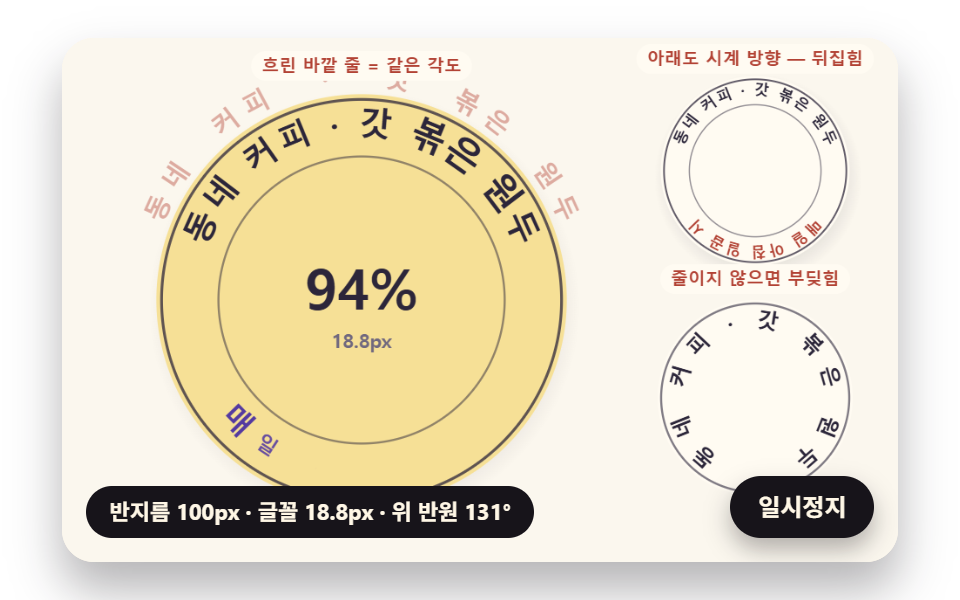 フィードバック文字 円形 配置 9種 — 円形 文字 デザインを文字幅で計算
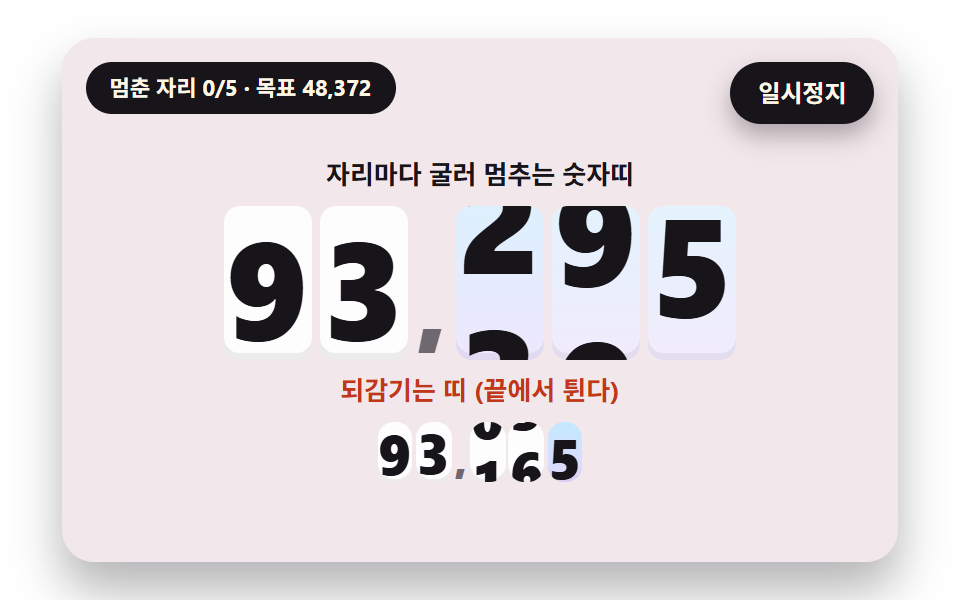 フィードバックカウントアップ アニメーション css 9種 — 転がって止まる計数器から桁上がりが続く掲示板まで
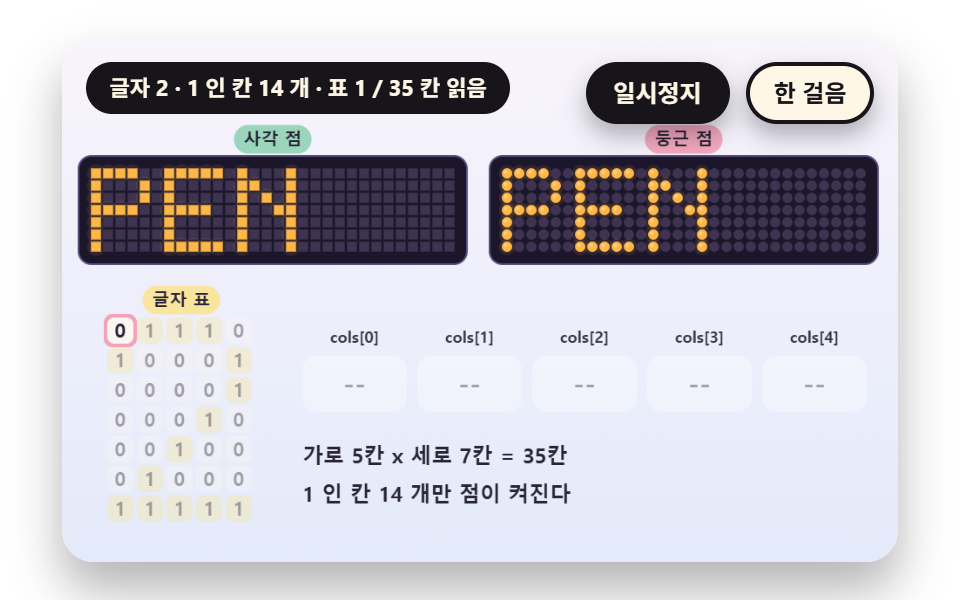 フィードバック電光掲示板 9種 — 5x7のドット文字から残光と行の走査まで
 フィードバック一行でコピペOK ― CSS カード ホバー アニメーション9選
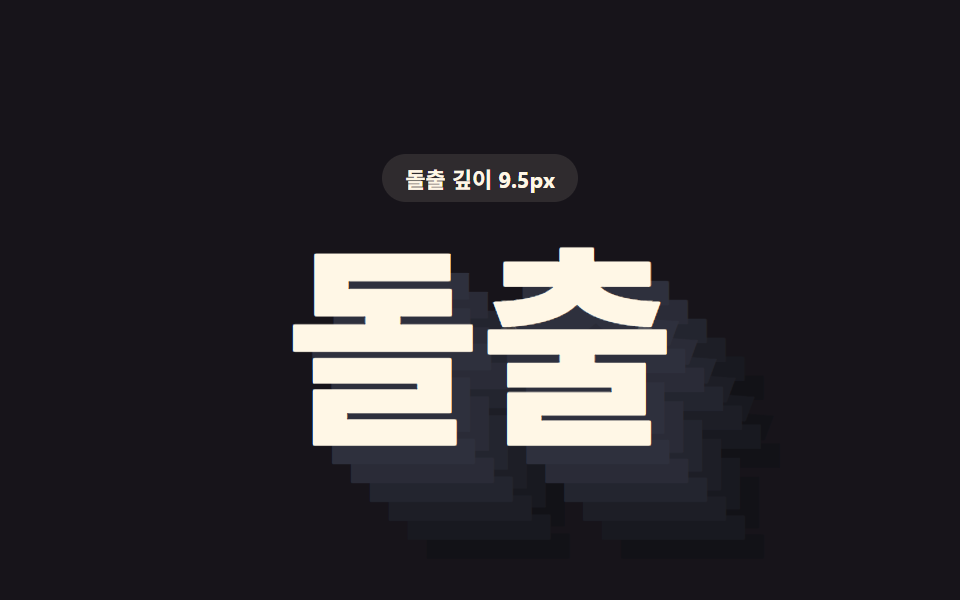 フィードバックcss text-shadow 9パターン — 影の値で立つ文字
 フィードバック「カーソル エフェクト css」9選 — 一行でコピペOK
 フィードバックCSS タイピング アニメーション 9選 — 一行でコピペOK
 フィードバックCSS 文字 アニメーション 9選 — 一行でコピペOK
 フィードバックCSS 背景 アニメーション 9選 — 一行でコピペOK
 フィードバックCSS 画像 ホバー エフェクト 9選 — 一行でコピペOK