ワードクラウド 作り方 9種 — 渦巻き配置・形の中・3D球・リアルタイム投票
ワードクラウド 作り方の要は、文章の単語を数えて多く出た語ほど大きく描き、互いに重ならない場所を一枚の盤の上で探すことです。投票が一つ届くたびに単語の場所が全部入れ替わると、誰も読めない。
アンケートの要約からリアルタイム投票まで — 単語が居場所を見つける九つの画面
 01 wc-text-count-area-scale
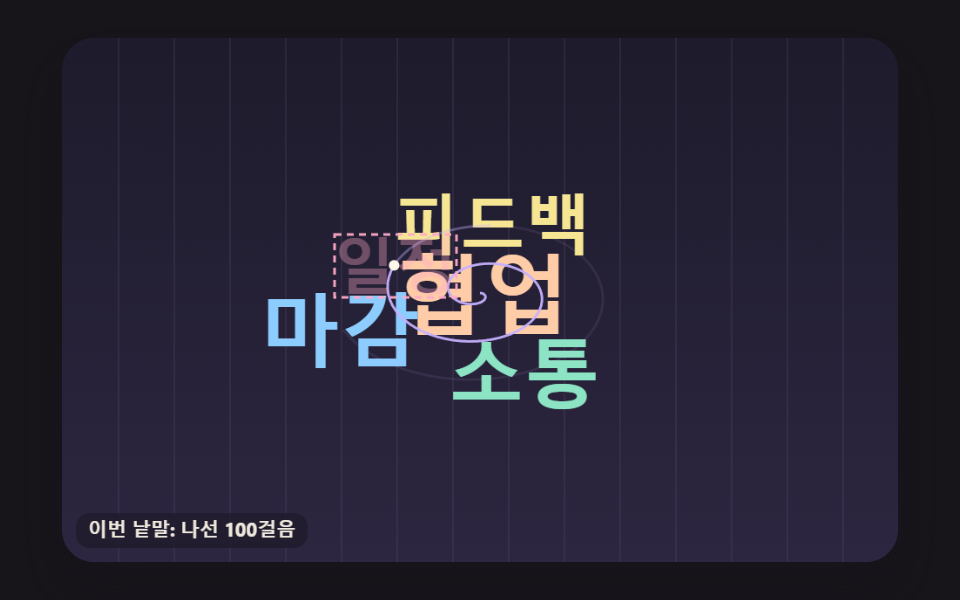 02 wc-spiral-bitgrid-place
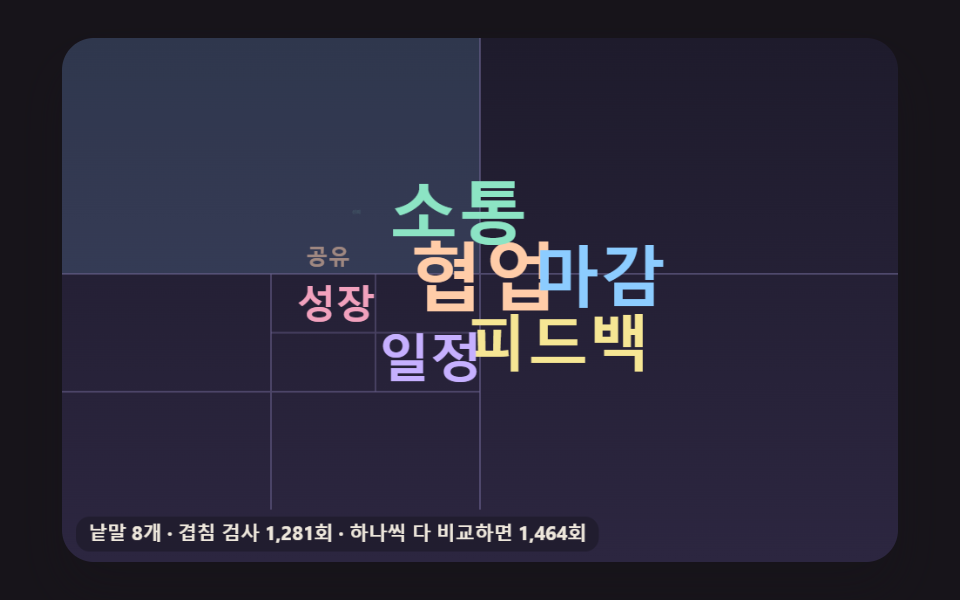 03 wc-quad-split-collision-cells
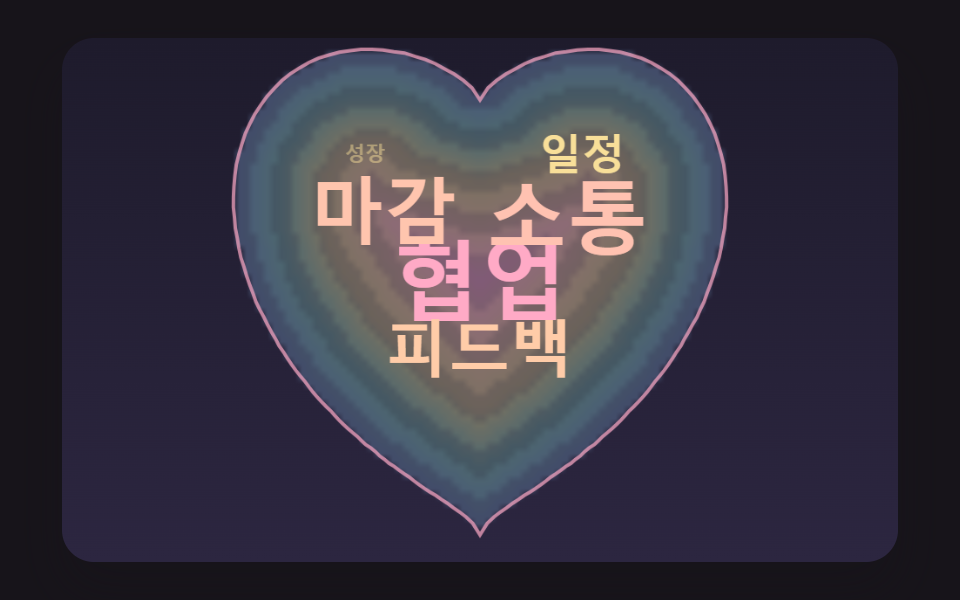 04 wc-heart-mask-depth-fill
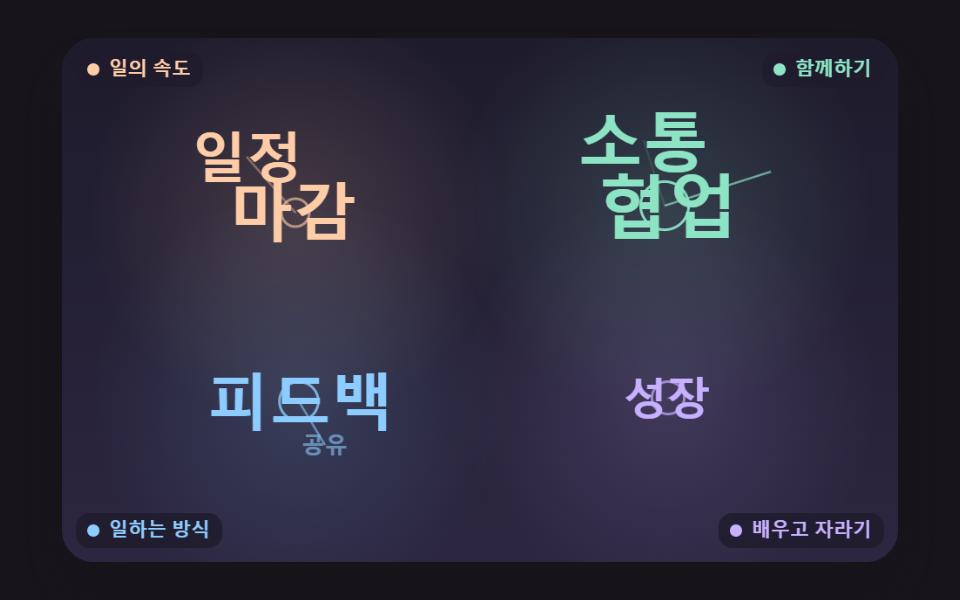 05 wc-theme-cluster-anchor
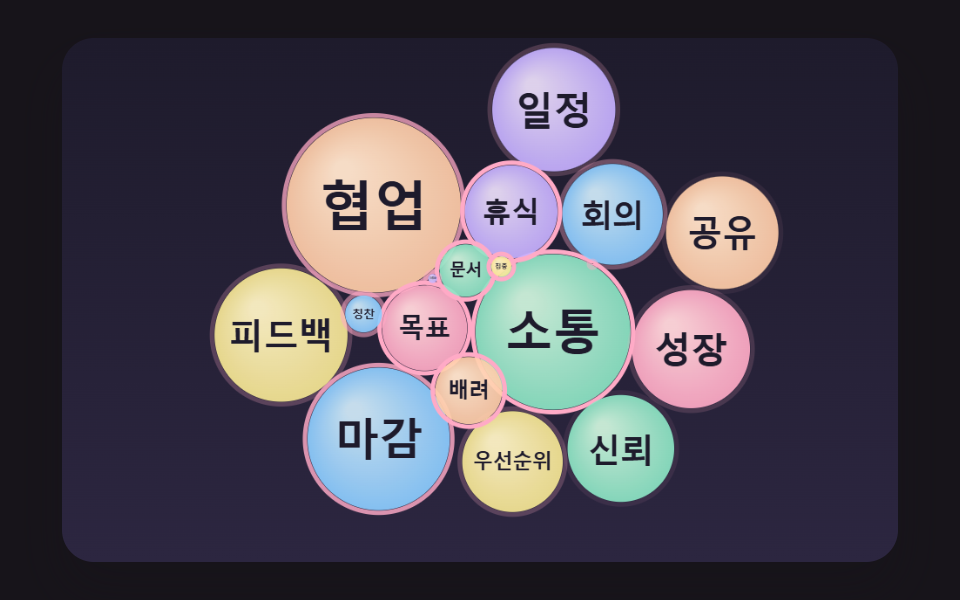 06 wc-bubble-force-relax-pack
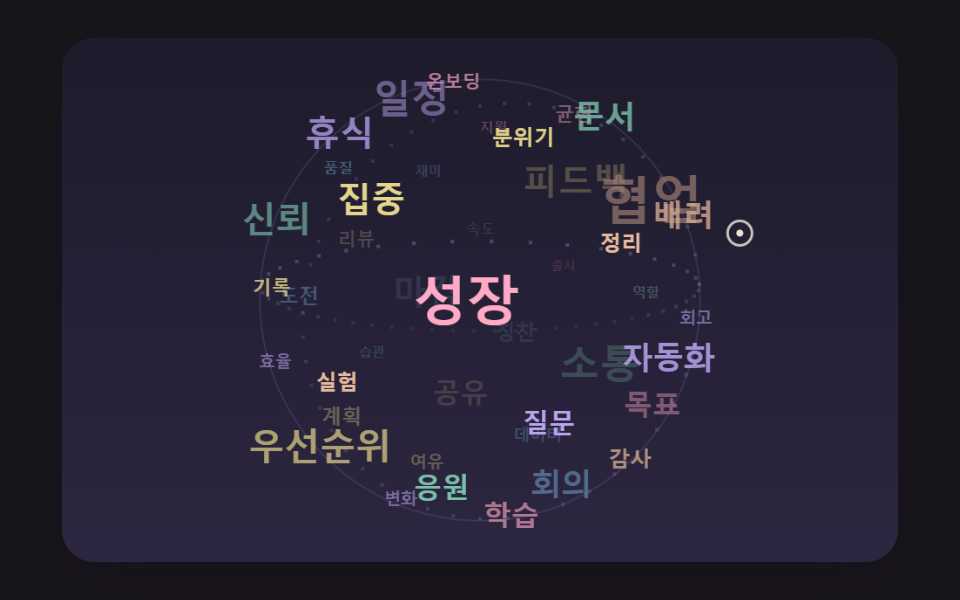 07 wc-golden-angle-sphere-orbit
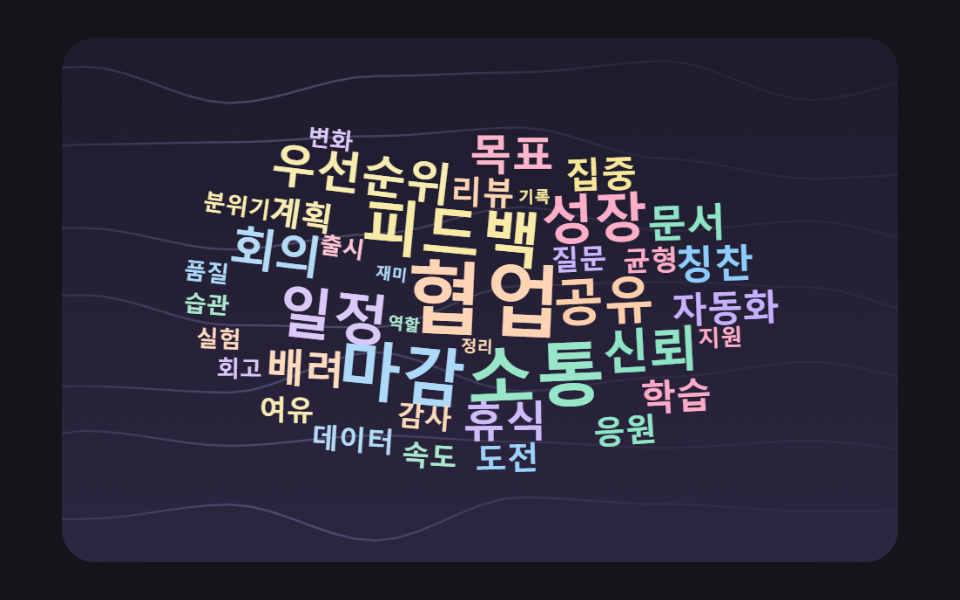 08 wc-noise-wind-sway
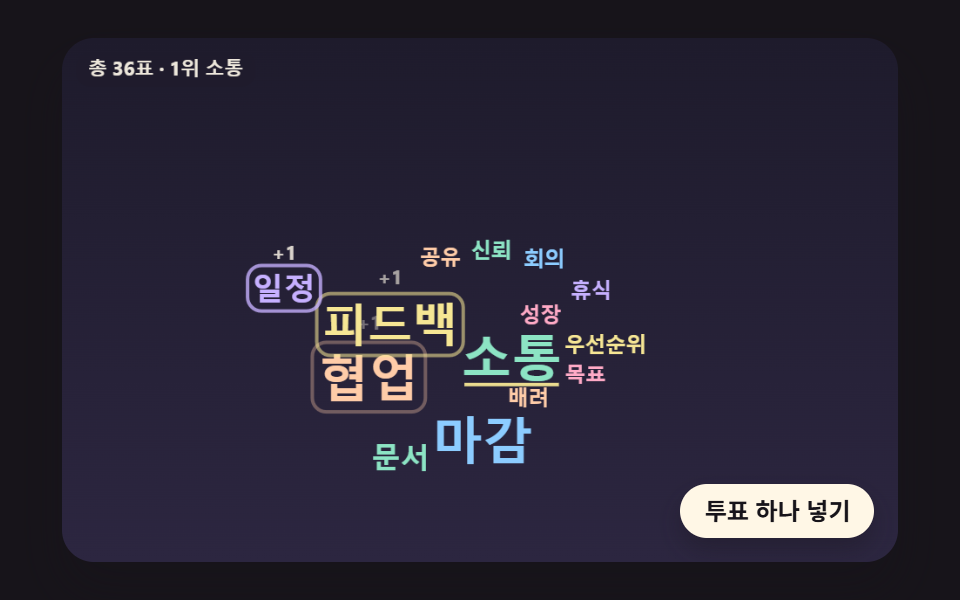 09 wc-live-poll-reflow-spring
自動再生 · タイルを押すとその項目へ · すべて1つのzip
- 01 文章を数えて面積で大きさを決める単語盤
- 02 渦巻きをたどって空きを探す配置
- 03 マスを四つずつ割って速く探す当たり判定
- 04 ハートの形の中を深さの順に埋める
- 05 話題ごとに群れを作る色の雲
- 06 単語の泡が押し合って落ち着く配置
- 07 球の形で回る3Dの単語の球
- 08 風にそよぐ単語の背景
- 09 投票が届くたびに育つリアルタイム単語盤
何も触らなければ、九つの盤はそれぞれ決まったシードでひとりでに動きます。01〜05は単語が一つずつ降りてくる過程を見せてから最初に戻り、06は最初の一周で泡が一つずつ膨らみながら押し合い、そのあとは6秒ごとに外へ弾かれてはまた集まります。07は自分で回る球がクリーム色の輪で示した仮のポインターのほうへ傾き、08は休まず風に揺れ続け、09は前もって抽選しておいた56票を125msごとに一票ずつ入れていきます。キャンバスに初めてポインターを載せた時点で自動再生の印が外れ、01〜05と08ではポインターの下の語に輪と吹き出し(05は「語 · 話題」、ほかは「語 · 回数」)が、06と09では吹き出しだけ(09は「語 · N票」)が、07では球の手前側の語にだけ吹き出しが出ます。
バッジを並べて大きさだけを変えたステータス バッジ UI 9選との違いは置き場所の決め方にあります。あちらのバッジは行に沿って順に流れていきますが、ここの九つの盤では、一語ずつがすでに置かれた文字と重ならない場所を計算で探し当てます。
自由回答の山を一枚の絵にまとめたいとき
アンケートの自由回答を集めて、何が多く書かれたかを一目で見せたいなら01から始めるのが近道です。回答の文をそのまま渡せば、語に切り分けて数え、大きさを付けるところまで一度に済むので、いま例の回答30件が入っている場所に実際の回答を差し込めば動きます。会議の振り返りで出た意見を系統ごとにまとめて見せたい場合は、話題ごとに色と基準点を変えた05のほうが向いています。
講演の画面に映す投票ボード
講演や授業の最中に聞き手の票を受けて映し出すなら09が合います。ボタンは日程表に用意した次の一票をcastVoteに渡し、この関数は票数を上げ、目標の大きさを付け直し、受け取った語を光らせ、checkLeaderで1位が変わったかを確かめるだけなので、実際の回答が届いたときに選択肢の番号でこの関数を呼ぶ部分を差し替えれば済むと考えられます。ワードクラウド 無料 リアルタイムの投票画面を、登録の要るサービスを通さず自分のページの中だけで動かしたい場合にも、この盤がそのまま土台になります。ただし選択肢の14語は最初から決まっていて(開始時の票は3・3・2・2・2に1票の語が九つ)、自由入力で新しい語が増える盤にするなら、01のように数える段階を前に付ける必要があります。
ワードクラウドとは何か — なぜ大きな単語から先に場所を決めるのか?
文章の中で多く使われた語ほど大きな文字で描き、一枚に寄せ集めた図がワードクラウドです。九つのうち「多く出た語から置く」順番を守るのは01〜05と08です。07は球の上の席番号をシードで混ぜて大きさと関係なく散らし、06は泡を一つずつ膨らませてから力で押して整え、09は選択肢の場所を守る側なので、この順番には従いません。
空の盤なら最初の一歩で場所が空いている
最初に置く語は盤が空なので、渦巻きの一歩目でそのまま場所が決まります。02を測ると、最初の語は1歩、続く四語は139・154・112・162歩でした。大きな語を後回しにすると、散らばった小さな文字のあいだに50pxの文字が入るすき間が残らず、渦巻きを長く回るか0.85倍ずつ縮むしかなくなると考えられます。大きさで回数を表す図で1位の語が縮んでしまえば、その図は順位を取り違えて伝えることになります。
小さな語は残ったすき間を埋める
03はこの順番を最後まで押し通します。前半の48語を置いたあと、同じ語を11・10・9・8pxで書き直して大きな文字のすき間を埋め、盤がいっぱいになった153語で止まります。04も深いマスから順に座らせるので、最初の語がいちばん深い106.7pxの位置に収まり、ハートの縁へ行くほど小さな語が残ります。
大きさは面積で、場所は渦巻きで — 回数を平方根で縮め、ビットのマス目の重なりで空きを探す計算
回数が2倍なら文字の面積も2倍
01〜05・07・08の大きさはsizeForの一行で決まります(03〜05・07・08はそこへ盤ごとの倍率を掛け、07は×0.62)。06と09はsizeForを定義だけして、自分の平方根の式で大きさを決めます。大きさ=50×(回数÷1位の回数)^0.5で、10pxより下には下がりません。文字が占める面積は大きさの2乗に比例するので、指数が0.5なら面積が回数に比例します。01の16語は12回で50px、6回で35.4px、3回で25px、1回で14.4pxとばらばらですが、大きさ²÷回数を計算すると16語すべて208.3で一致しました。指数を1にすると文字の高さが回数に比例し、面積は回数の2乗で増えるので、1位が実際の票差よりずっと先を行くように見えてしまいます。
32画素を整数一つに詰めるビットのマス目
重なりは文字の箱ではなく、文字の形そのもので判定します。makeSpriteが小さなキャンバスに語を描き、getImageDataでアルファが40を超えた画素を1として記録し、周囲3×3まで塗って文字どうしのあいだに1pxのすき間を残します。一行の画素32個が32ビット整数一つに収まるので、480pxの盤は一行に整数17個(480÷32=15に余裕2)、それが300行です。語をxの位置に当ててみるときは、整数をox & 31(32で割った余り)だけ右へずらし、前の整数からあふれたビットをつないで盤の整数とANDを取ります。結果が0でなければ、どこかで一画素でも重なったということです。
        bitTests += 1;
        const s = ox & 31;
        const base = ox >> 5;
        const inv = 32 - s;
        for (let r = 0; r < sp.h; r += 1) {
            const row = (oy + r) * BOARD_INTS + base;
            const sr = r * sp.mw;
            let carry = 0;
            for (let k = 0; k < sp.mw; k += 1) {
                const v = sp.bits[sr + k];
                const part = s === 0 ? v : ((v >>> s) | carry);
                if ((board[row + k] & part) !== 0) {
                    return true;
                }
                carry = s === 0 ? 0 : (v << inv);
            }
            if (carry !== 0 && (board[row + sp.mw] & carry) !== 0) {
                return true;
            }
        }
整数一つのANDで画素32個を一度に見ている計算になるので、箱の中の画素を一つずつ比べる場合に比べて、比較の回数は計算上32分の1に減ります。02では渦巻きのすべての歩みがこの判定を一回ずつ通り、ko版の語セットで9,007歩・判定9,007回と一致しました。
渦巻き一周で半径が21.99px広がる
場所の候補は、中心から外へ回っていく渦巻きの上の点です。i歩目の角度はi×0.1ラジアン、半径はi×0.35pxで、横を1.6倍に引き伸ばして横長の盤に合わせます。一周が62.8歩なので半径は一周ごとに21.99pxずつ広がり、盤の対角線の半分に届く809歩を回り切っても空きがなければ、その大きさでは置ける場所がないという意味になります。
ワードクラウド 作り方 9種 — 頻度で大きさ・渦巻き配置・マス分割の当たり判定・ハートの中・話題の群れ・単語の泡・3D球・風の揺れ・リアルタイム投票
九つの盤はキャンバス2Dと素のスクリプトだけで描いています。ワードクラウド javascriptの中身を最初から最後まで読み通せるよう、ライブラリ・WebGL・CDN・画像ファイルは使わず、乱数が要る06・07・08・09はシードを受け取るmakeRngから値を取り出すので、何度開いても同じ場面になります。フレームのコールバック(requestAnimationFrame)が届くたびに経過時間をため、16ms単位で場面を進め、タブを長く離れて戻っても1フレームで6単位を超えてまとめて計算することはありません。CSSのキーフレームもタイマーも一つも使っていません。
2秒を24枚に撮って比べた動きの量
盤ごとに2秒を24枚で撮り、隣り合う2枚の差を23回求めました。累積面積は、そのあいだに一度でも変わった画素が盤に占める割合です。
| 盤 | 累積面積 | 動いたフレーム | 強度の平均 |
|---|---|---|---|
| 01 文章を数える単語盤 | 15.3% | 18/23 | 84.3 |
| 02 渦巻き配置 | 18.5% | 23/23 | 73.2 |
| 03 マス分割の当たり判定 | 63.0% | 23/23 | 46.2 |
| 04 ハートの中 | 20.3% | 22/23 | 61.1 |
| 05 話題の群れ | 18.2% | 23/23 | 71.3 |
| 06 単語の泡 | 44.1% | 23/23 | 92.2 |
| 07 3Dの単語の球 | 31.1% | 23/23 | 69.5 |
| 08 風の揺れ | 29.7% | 23/23 | 33.4 |
| 09 リアルタイム投票 | 10.1% | 22/23 | 76.7 |
03が63.0%でいちばん広いのは、語の数が変わるたびにマスの境界を描き直し、置いたばかりの語がかかるマスを空色で塗るためと考えられます。09が10.1%でいちばん狭いのは、票を受けた語とよける隣だけが動くためと考えられます。01の18/23と04・09の22/23は、語が置き終わったあとや票と票のあいだで画面が一瞬止まった場面が撮られたものと考えられます。この記事の配置にかかわる数値(歩数・語数・判定回数・ピクセル)は、とくに断りがなければko版の語セットで測った値です。
01文章を数えて面積で大きさを決める単語盤
例の回答30件を空白・読点・句点・疑問符といった区切り文字で切って75語を数えると16種類が残り、多く出た語から105msおきに飛び出して頭の上に「N回」の札を浮かべます。アンケートの自由回答をそのまま受け取りたいときの盤で、英字は小文字にそろえて同じ語として数え、回数が同じなら先に出た語が前に並びます。この ja 版の回答は「、」でつないだ文で、数え上げた回数はko版と同じ12・9・8・7・6回から始まります。
<main class="stage">
<div class="wc is-demo" id="wc">
  <canvas class="wc__canvas" data-role="canvas" width="480" height="300" role="img" aria-label="アンケートの回答を単語ごとに数え、多く出た言葉ほど大きく置いたワードクラウド。"></canvas>
  <ol class="wc__list" data-role="list" aria-label="頻度順の単語リスト"></ol>
</div>
</main>
@use "../../../../site/static/demo-tokens" as *;
@include stage($stage-ink);
.wc {
position: relative;
width: min(92vw, calc(160vh - 12.8vw));
aspect-ratio: 480 / 300;
margin: 0 auto;
border-radius: $r-card;
overflow: hidden;
box-shadow: $shadow-raised;
background: $subject-ink;
}
.wc__canvas {
position: absolute;
inset: 0;
display: block;
width: 100%;
height: 100%;
}
// 화면에서는 숨기고 화면 낭독기는 읽는 빈도 순 목록·알림 줄 — display: none 이 아니라 1px 상자로 줄여 접근성 트리에 남긴다
.wc__list,
.wc__live {
position: absolute;
width: 1px;
height: 1px;
padding: 0;
overflow: hidden;
clip-path: inset(50%);
white-space: nowrap;
border: 0;
}
.wc__vote {
position: absolute;
right: $sp-3;
bottom: $sp-3;
padding: $sp-1 $sp-3;
border: 0;
border-radius: $r-pill;
background: $subject-cream;
color: $subject-ink;
font-family: inherit;
font-weight: 700;
font-size: 12px;
line-height: 1.6;
cursor: pointer;
box-shadow: $shadow-press;
transition: transform $dur-quick $ease-spring;
}
.wc__vote:hover {
transform: translateY(-2px);
}
.wc__vote:active {
transform: translateY(1px);
}
.wc__vote:focus-visible {
outline: 2px solid $subject-cream;
outline-offset: 2px;
}
@media (max-width: 340px) {
.wc__vote { font-size: 11px; padding: $sp-1 $sp-2; }
}
// 동작 줄이기 — 장면은 스크립트가 마지막 배치 한 장면으로 멈춘다. 버튼도 떠오르지 않게
@media (prefers-reduced-motion: reduce) {
.wc__vote { transition: none !important; }
.wc__vote:hover,
.wc__vote:active { transform: none !important; }
}html, body {
margin: 0;
overflow: hidden;
}
.stage {
box-sizing: border-box;
min-height: 100vh;
display: grid;
place-items: center;
margin: 0;
background: #17141a;
font-family: -apple-system, "Segoe UI", "Noto Sans KR", sans-serif;
padding: clamp(8px, 4vw, 24px);
}
.wc {
position: relative;
width: min(92vw, 160vh - 12.8vw);
aspect-ratio: 480/300;
margin: 0 auto;
border-radius: 16px;
overflow: hidden;
box-shadow: 0 14px 24px rgba(23, 20, 26, 0.32);
background: #17141a;
}
.wc__canvas {
position: absolute;
inset: 0;
display: block;
width: 100%;
height: 100%;
}
.wc__list,
.wc__live {
position: absolute;
width: 1px;
height: 1px;
padding: 0;
overflow: hidden;
clip-path: inset(50%);
white-space: nowrap;
border: 0;
}
.wc__vote {
position: absolute;
right: 12px;
bottom: 12px;
padding: 4px 12px;
border: 0;
border-radius: 999px;
background: #fff7e6;
color: #17141a;
font-family: inherit;
font-weight: 700;
font-size: 12px;
line-height: 1.6;
cursor: pointer;
box-shadow: 0 6px 12px rgba(23, 20, 26, 0.32);
transition: transform 220ms cubic-bezier(0.2, 0.8, 0.2, 1);
}
.wc__vote:hover {
transform: translateY(-2px);
}
.wc__vote:active {
transform: translateY(1px);
}
.wc__vote:focus-visible {
outline: 2px solid #fff7e6;
outline-offset: 2px;
}
@media (max-width: 340px) {
.wc__vote {
font-size: 11px;
padding: 4px 8px;
}
}
@media (prefers-reduced-motion: reduce) {
.wc__vote {
transition: none !important;
}
.wc__vote:hover,
.wc__vote:active {
transform: none !important;
}
}(function () {
const root = document.getElementById("wc");
if (!root) return;
const W = 480;
const H = 300;
const FIXED_DT = 16;
const TAU = Math.PI * 2;
// 파스텔 팔레트 — 어두운 판 위에 밝은 파스텔 글자를 얹어 명도 차로 글자가 읽힌다
const BG = [30, 27, 44];
const BG_LOW = [44, 38, 64];
const GUIDE = [104, 96, 140];
const CREAM = [255, 248, 234];
const PEACH = [255, 204, 168];
const MINT = [140, 228, 196];
const SKY = [140, 204, 255];
const LEMON = [246, 230, 148];
const LILAC = [198, 176, 255];
const PINK = [255, 170, 198];
const WORD_COLORS = [PEACH, MINT, SKY, LEMON, LILAC, PINK];
// 글꼴 — 기기에 이미 있는 시스템 글꼴 목록만. 바깥에서 글꼴 파일을 불러오지 않는다
const FONT_FAMILY = '"Segoe UI", "Malgun Gothic", "Hiragino Sans", "Noto Sans KR", sans-serif';
const FONT_WEIGHT = 700;
// 크기 = SIZE_MAX × (횟수 / 1위 횟수)^SIZE_EXPONENT. 0.5(제곱근)면 글자 넓이(크기의 제곱)가 횟수에 비례한다
const SIZE_EXPONENT = 0.5;
const SIZE_MAX = 50;
const SIZE_MIN = 10;
function sizeFor(count, top) {
return Math.max(SIZE_MIN, SIZE_MAX * Math.pow(count / top, SIZE_EXPONENT));
}
// 会議·설문에서 흔히 나오는 낱말과 횟수 — 많이 나온 순. theme 은 0 仕事のペース · 1 いっしょに · 2 働き方 · 3 学びと成長
const VOCAB = [
{ text: '協力', count: 24, theme: 1 },
{ text: '対話', count: 19, theme: 1 },
{ text: '締め切り', count: 16, theme: 0 },
{ text: 'フィードバック', count: 14, theme: 2 },
{ text: '日程', count: 12, theme: 0 },
{ text: '成長', count: 11, theme: 3 },
{ text: '共有', count: 10, theme: 2 },
{ text: '信頼', count: 9, theme: 1 },
{ text: '会議', count: 8, theme: 0 },
{ text: '優先順位', count: 8, theme: 0 },
{ text: '休憩', count: 7, theme: 3 },
{ text: '目標', count: 7, theme: 0 },
{ text: '気配り', count: 6, theme: 1 },
{ text: '資料', count: 6, theme: 2 },
{ text: '称賛', count: 6, theme: 1 },
{ text: '集中', count: 5, theme: 0 },
{ text: '自動化', count: 5, theme: 2 },
{ text: '学習', count: 5, theme: 3 },
{ text: 'レビュー', count: 4, theme: 2 },
{ text: '応援', count: 4, theme: 1 },
{ text: '挑戦', count: 4, theme: 3 },
{ text: '計画', count: 4, theme: 0 },
{ text: '質問', count: 3, theme: 2 },
{ text: 'バランス', count: 3, theme: 3 },
{ text: '感謝', count: 3, theme: 1 },
{ text: 'スピード', count: 3, theme: 0 },
{ text: 'データ', count: 3, theme: 2 },
{ text: '余裕', count: 3, theme: 3 },
{ text: '振り返り', count: 2, theme: 0 },
{ text: '支援', count: 2, theme: 1 },
{ text: '実験', count: 2, theme: 2 },
{ text: '習慣', count: 2, theme: 3 },
{ text: '品質', count: 2, theme: 2 },
{ text: '雰囲気', count: 2, theme: 1 },
{ text: '変化', count: 2, theme: 3 },
{ text: 'リリース', count: 2, theme: 0 },
{ text: '整理', count: 1, theme: 2 },
{ text: '役割', count: 1, theme: 1 },
{ text: '楽しさ', count: 1, theme: 1 },
{ text: '記録', count: 1, theme: 0 },
{ text: '効率', count: 1, theme: 0 },
{ text: 'オンボーディング', count: 1, theme: 2 },
{ text: 'つながり', count: 1, theme: 1 },
{ text: 'アイデア', count: 1, theme: 3 },
{ text: '安定', count: 1, theme: 3 },
{ text: '透明性', count: 1, theme: 2 },
{ text: '顧客', count: 1, theme: 2 },
{ text: '練習', count: 1, theme: 3 }
];
// 횟수 문구 — 1 은 따로 둔다(영어판의 단수형 자리)
const COUNT_LABEL = '{n}回';
const COUNT_ONE = '1回';
const TOP_LABEL = 'いちばん多い言葉:';
// 캔버스 요약에서 1~3위 앞에 붙는 말 — 09 투표판은 자기 말로 바꾼다
let rankHeading = TOP_LABEL;
function countText(n) { return n === 1 ? COUNT_ONE : COUNT_LABEL.replace('{n}', String(n)); }
function clamp(v, lo, hi) { return v < lo ? lo : (v > hi ? hi : v); }
function lerp(a, b, k) { return a + (b - a) * k; }
function smooth(x) { const c = clamp(x, 0, 1); return c * c * (3 - 2 * c); }
function rgba(c, a) {
return 'rgba(' + Math.round(clamp(c[0], 0, 255)) + ',' + Math.round(clamp(c[1], 0, 255)) + ',' + Math.round(clamp(c[2], 0, 255)) + ',' + clamp(a, 0, 1).toFixed(3) + ')';
}
function mixRGB(a, b, k) { return [lerp(a[0], b[0], k), lerp(a[1], b[1], k), lerp(a[2], b[2], k)]; }
// 시드 고정 난수 — 같은 시드면 같은 배치·일정표가 다시 나온다 (32비트 정수 섞기)
function makeRng(seed) {
let s = seed >>> 0;
return function () {
s = (s + 0x6d2b79f5) >>> 0;
let t = s;
t = Math.imul(t ^ (t >>> 15), t | 1);
t ^= t + Math.imul(t ^ (t >>> 7), t | 61);
return ((t ^ (t >>> 14)) >>> 0) / 4294967296;
};
}
// 튀어나오기 — 감쇠 진동 1 − e^(−POP_DAMP·t)·cos(POP_FREQ·t), t 는 초. 目標 크기를 한 번 넘겼다가 자리 잡는다
const POP_DAMP = 7;
const POP_FREQ = 11;
function popScale(t) {
if (t <= 0) {
return 0;
}
return 1 - Math.exp(-POP_DAMP * t) * Math.cos(POP_FREQ * t);
}
const canvasEl = root.querySelector('[data-role="canvas"]');
const listEl = root.querySelector('[data-role="list"]');
const ctxRaw = canvasEl ? canvasEl.getContext('2d') : null;
if (!canvasEl || !ctxRaw || !listEl) {
return;
}
const cv = canvasEl;
const ctx = ctxRaw;
const list = listEl;
// 캔버스 요약 — HTML 에 적힌 장면 설명 뒤에 지금 1~3위를 덧붙인다
const baseAria = cv.getAttribute('aria-label') || '';
const reduceQuery = window.matchMedia('(prefers-reduced-motion: reduce)');
// 페이지를 연 채 동작 줄이기 설정을 바꿔도 change 리스너가 이 값을 다시 읽는다
let still = reduceQuery.matches;
// 자동 시연 중인가 — 사람이 처음 손대면 시연 표시를 뗀다
let demo = root.classList.contains('is-demo');
// 리스너는 한 묶음으로 달고 정리할 때 한 번에 뗀다
const off = new AbortController();
// 포인터 자리(판 좌표) — 판 밖이면 -1
let hoverX = -1;
let hoverY = -1;
function fitCanvas() {
// 배율은 2 에서 자른다 — 배율 3 기기에서 화소가 2.25배로 늘어 프레임마다 일이 그만큼 커지지 않게
const dpr = Math.min(window.devicePixelRatio || 1, 2);
cv.width = Math.round(W * dpr);
cv.height = Math.round(H * dpr);
ctx.setTransform(dpr, 0, 0, dpr, 0, 0);
}
function clearStage() {
const g = ctx.createLinearGradient(0, 0, 0, H);
g.addColorStop(0, rgba(BG, 1));
g.addColorStop(1, rgba(BG_LOW, 1));
ctx.fillStyle = g;
ctx.fillRect(0, 0, W, H);
}
function fontOf(size) { return FONT_WEIGHT + ' ' + size.toFixed(1) + 'px ' + FONT_FAMILY; }
function roundRectPath(x, y, w, h, r) {
ctx.beginPath();
ctx.moveTo(x + r, y);
ctx.arcTo(x + w, y, x + w, y + h, r);
ctx.arcTo(x + w, y + h, x, y + h, r);
ctx.arcTo(x, y + h, x, y, r);
ctx.arcTo(x, y, x + w, y, r);
ctx.closePath();
}
// 놓인 낱말 그리기 — 상자 가운데를 중심으로 scale 배·angle 라디안 돌리고 lift 만큼 띄운다. 비트 칸을 만든 자리와 같은 기준선에 찍는다
function drawPlaced(p, alpha, scale, angle, lift, color) {
if (alpha <= 0.002 || scale <= 0.001) {
return;
}
const cx = p.x + p.w / 2;
const cy = p.y + p.h / 2;
ctx.save();
ctx.translate(cx, cy - lift);
if (angle !== 0) {
ctx.rotate(angle);
}
if (scale !== 1) {
ctx.scale(scale, scale);
}
ctx.font = fontOf(p.size);
ctx.textAlign = 'left';
ctx.textBaseline = 'alphabetic';
ctx.fillStyle = rgba(color, alpha);
ctx.fillText(p.text, p.x + p.dx - cx, p.y + p.dy - cy);
ctx.restore();
}
function hitPlaced(p) {
return hoverX >= p.x && hoverX <= p.x + p.w && hoverY >= p.y && hoverY <= p.y + p.h;
}
// 포인터 아래 낱말 — 뒤에 그린 것이 위에 있으니 뒤에서부터 찾는다. shown(i) 가 거짓인 낱말은 건너뛴다
function pickPlaced(ps, shown) {
if (hoverX < 0) {
return -1;
}
for (let i = ps.length - 1; i >= 0; i -= 1) {
if (shown(i) && hitPlaced(ps[i])) {
return i;
}
}
return -1;
}
function drawHalo(x, y, w, h) {
ctx.lineWidth = 1.5;
ctx.strokeStyle = rgba(CREAM, 0.9);
roundRectPath(x - 3, y - 2, w + 6, h + 4, 6);
ctx.stroke();
}
// 말풍선 — 낱말과 횟수를 크림 바탕에 진한 글자로
function drawTip(label, ax, ay) {
ctx.font = fontOf(11);
const bw = ctx.measureText(label).width + 16;
const bh = 22;
const bx = clamp(ax - bw / 2, 4, W - bw - 4);
const by = ay - bh - 8 < 4 ? ay + 10 : ay - bh - 8;
ctx.fillStyle = rgba(CREAM, 0.96);
roundRectPath(bx, by, bw, bh, 8);
ctx.fill();
ctx.fillStyle = rgba(BG, 1);
ctx.textAlign = 'center';
ctx.textBaseline = 'middle';
ctx.fillText(label, bx + bw / 2, by + bh / 2 + 0.5);
}
// 판 위 설명 글 — 어두운 알약 바탕에 작은 크림 글자. 돌려주는 값은 차지한 상자 [x, y, w, h]
function drawCaption(text, x, y, alignRight) {
ctx.font = fontOf(11);
const bw = ctx.measureText(text).width + 14;
const bh = 20;
const bx = alignRight ? x - bw : x;
ctx.fillStyle = rgba(BG, 0.82);
roundRectPath(bx, y, bw, bh, 8);
ctx.fill();
ctx.fillStyle = rgba(CREAM, 0.92);
ctx.textAlign = 'left';
ctx.textBaseline = 'middle';
ctx.fillText(text, bx + 7, y + bh / 2 + 0.5);
return [bx, y, bw, bh];
}
const SPRITE_PAD = 2;
const INK_ALPHA = 40;
// 판 비트 칸 — 한 줄에 BOARD_INTS 개 정수(480px = 정수 15개 + 밀려난 끝을 받을 余裕 2개)
const BOARD_INTS = (W >> 5) + 2;
const scratch = document.createElement('canvas');
const scratchRaw = scratch.getContext('2d', { willReadFrequently: true });
if (!scratchRaw) {
return;
}
const sctx = scratchRaw;
// 비트 AND 로 겹침을 잰 횟수 — 판 밖이라 바로 거른 자리는 세지 않는다
let bitTests = 0;
function makeSprite(text, size) {
sctx.font = fontOf(size);
const m = sctx.measureText(text);
const left = Math.ceil(m.actualBoundingBoxLeft);
const right = Math.ceil(m.actualBoundingBoxRight);
const asc = Math.ceil(m.actualBoundingBoxAscent);
const desc = Math.ceil(m.actualBoundingBoxDescent);
const w = Math.max(1, left + right) + SPRITE_PAD * 2;
const h = Math.max(1, asc + desc) + SPRITE_PAD * 2;
// 크기를 바꾸면 그리기 설정이 초기화되므로 글꼴은 그 뒤에 다시 준다
if (scratch.width < w) {
scratch.width = w;
}
if (scratch.height < h) {
scratch.height = h;
}
sctx.clearRect(0, 0, w, h);
sctx.font = fontOf(size);
sctx.textAlign = 'left';
sctx.textBaseline = 'alphabetic';
sctx.fillStyle = '#000';
const dx = SPRITE_PAD + left;
const dy = SPRITE_PAD + asc;
sctx.fillText(text, dx, dy);
const px = sctx.getImageData(0, 0, w, h).data;
const mw = (w >> 5) + 1;
const bits = new Uint32Array(mw * h);
for (let y = 0; y < h; y += 1) {
for (let x = 0; x < w; x += 1) {
if (px[(y * w + x) * 4 + 3] <= INK_ALPHA) {
continue;
}
// 한 픽셀 둘레(3×3)까지 칠해 두 글자 사이에 1px 틈이 남게 한다
for (let yy = Math.max(0, y - 1); yy <= Math.min(h - 1, y + 1); yy += 1) {
for (let xx = Math.max(0, x - 1); xx <= Math.min(w - 1, x + 1); xx += 1) {
bits[yy * mw + (xx >> 5)] |= (0x80000000 >>> (xx & 31));
}
}
}
}
return { w: w, h: h, mw: mw, bits: bits, dx: dx, dy: dy };
}
function makeBoard() { return new Uint32Array(BOARD_INTS * H); }
// 겹침 검사 — 글자 줄마다 정수를 판의 x 자리만큼 밀어(>>> s) 판 정수와 AND. 0 이 아니면 이미 칠해진 픽셀과 겹친다
function collides(board, sp, ox, oy) {
// 판 밖으로 한 픽셀이라도 나가면 겹친 것으로 친다 — 판 끝 긴 단어가 잘린 채 놓이지 않게
if (ox < 0 || oy < 0 || ox + sp.w > W || oy + sp.h > H) {
return true;
}
bitTests += 1;
const s = ox & 31;
const base = ox >> 5;
const inv = 32 - s;
for (let r = 0; r < sp.h; r += 1) {
const row = (oy + r) * BOARD_INTS + base;
const sr = r * sp.mw;
let carry = 0;
for (let k = 0; k < sp.mw; k += 1) {
const v = sp.bits[sr + k];
const part = s === 0 ? v : ((v >>> s) | carry);
if ((board[row + k] & part) !== 0) {
return true;
}
carry = s === 0 ? 0 : (v << inv);
}
if (carry !== 0 && (board[row + sp.mw] & carry) !== 0) {
return true;
}
}
return false;
}
// 찍기 — 겹침 검사와 같은 밀기로 글자 비트를 판에 OR 한다
function stamp(board, sp, ox, oy) {
const s = ox & 31;
const base = ox >> 5;
const inv = 32 - s;
for (let r = 0; r < sp.h; r += 1) {
const row = (oy + r) * BOARD_INTS + base;
const sr = r * sp.mw;
let carry = 0;
for (let k = 0; k < sp.mw; k += 1) {
const v = sp.bits[sr + k];
board[row + k] |= s === 0 ? v : ((v >>> s) | carry);
carry = s === 0 ? 0 : (v << inv);
}
if (carry !== 0) {
board[row + sp.mw] |= carry;
}
}
}
// 픽셀 하나 칠하기 — 설명 글 자리·모양 바깥처럼 낱말이 들어가면 안 되는 곳을 미리 막는다
function blockPixel(board, x, y) {
board[y * BOARD_INTS + (x >> 5)] |= (0x80000000 >>> (x & 31));
}
function blockRect(board, x, y, w, h) {
const x0 = Math.max(0, Math.floor(x));
const y0 = Math.max(0, Math.floor(y));
const x1 = Math.min(W, Math.ceil(x + w));
const y1 = Math.min(H, Math.ceil(y + h));
for (let yy = y0; yy < y1; yy += 1) {
for (let xx = x0; xx < x1; xx += 1) {
blockPixel(board, xx, yy);
}
}
}
// 칠해진 픽셀 수 — 판이 얼마나 찼는지(변형 비교용)
function inkCount(board) {
let n = 0;
for (let i = 0; i < board.length; i += 1) {
let v = board[i];
while (v !== 0) {
v &= v - 1;
n += 1;
}
}
return n;
}
// 반지름이 일정하게 늘어나는 나선 — 걸음 i 에서 각 = i × SPIRAL_TURN(라디안), 반지름 = i × SPIRAL_STEP(px).
// 한 바퀴(2π / SPIRAL_TURN 걸음)마다 반지름이 같은 폭만큼 커진다. 가로는 SPIRAL_ASPECT 배로 늘려 넓은 판을 고르게 훑는다
const SPIRAL_STEP = 0.35;
const SPIRAL_TURN = 0.1;
const SPIRAL_ASPECT = 1.6;
// 나선을 끝낼 걸음 — 반지름이 판 대각선 절반에 닿으면 그만 찾는다
const SPIRAL_LIMIT = Math.ceil(Math.hypot(W, H) / 2 / SPIRAL_STEP);
// 지금까지 나선에서 내디딘 걸음 수 — 자리 하나 찾는 데 든 일
let spiralSteps = 0;
function spiralAt(i) {
const a = i * SPIRAL_TURN;
const r = i * SPIRAL_STEP;
return [Math.cos(a) * r * SPIRAL_ASPECT, Math.sin(a) * r];
}
// 나선 탐색 — 기준점 (cx, cy) 에서 나선을 한 걸음씩 옮기며, 글자 상자 가운데를 그 점에 두고 비트 칸이 안 겹치는 첫 자리를 돌려준다.
// trail 을 주면 지나온 나선 점을 모두 적는다(02 가 그 자취를 그린다)
function searchSpiral(board, sp, cx, cy, trail) {
for (let i = 0; i < SPIRAL_LIMIT; i += 1) {
spiralSteps += 1;
const p = spiralAt(i);
const ox = Math.round(cx + p[0] - sp.w / 2);
const oy = Math.round(cy + p[1] - sp.h / 2);
if (trail) {
trail.push([cx + p[0], cy + p[1]]);
}
if (!collides(board, sp, ox, oy)) {
return [ox, oy];
}
}
return null;
}
// 판 끝 긴 단어 — 나선을 끝까지 돌아도 자리가 없으면 SHRINK_RATIO 배로 한 단계 작게 다시 놓는다. SIZE_FLOOR 보다 작아지면 버린다
const SHRINK_RATIO = 0.85;
const SIZE_FLOOR = 8;
let shrinkCount = 0;
let dropCount = 0;
function placeEntry(board, e, size, cx, cy, color, trail) {
let s = size;
let shrinks = 0;
while (s >= SIZE_FLOOR) {
const sp = makeSprite(e.text, s);
if (trail) {
trail.length = 0;
}
const at = searchSpiral(board, sp, cx, cy, trail);
if (at) {
stamp(board, sp, at[0], at[1]);
return { text: e.text, count: e.count, theme: e.theme, size: s, x: at[0], y: at[1], w: sp.w, h: sp.h, dx: sp.dx, dy: sp.dy, color: color, shrinks: shrinks };
}
s *= SHRINK_RATIO;
shrinks += 1;
shrinkCount += 1;
}
dropCount += 1;
return null;
}
// 예시 답변 — 설문 「이번 분기를 낱말 몇 개로 말하면?」 에 들어온 답. 낱말 사이는 띄어쓰기·쉼표·「、」
const ANSWERS = [
'協力、フィードバック、優先順位',
'協力、フィードバック、優先順位',
'協力、フィードバック、優先順位',
'協力、フィードバック、休憩',
'協力、フィードバック、休憩',
'協力、フィードバック、休憩',
'協力、日程、目標',
'協力、日程、目標',
'協力、日程、目標',
'協力、日程、気配り',
'協力、日程、気配り',
'協力、日程、資料',
'対話、成長、資料',
'対話、成長、称賛',
'対話、成長、集中',
'対話、成長',
'対話、成長',
'対話、共有',
'対話、共有',
'対話、共有',
'対話、共有',
'締め切り、共有',
'締め切り、信頼',
'締め切り、信頼',
'締め切り、信頼',
'締め切り、信頼',
'締め切り、会議',
'締め切り、会議',
'締め切り、会議',
'フィードバック、会議'
];
// 낱말 가르기 — 띄어쓰기·쉼표·마침표·물음표·느낌표와 「、」「。」「・」 에서 자른다
const SPLIT_PATTERN = /[\s,.!?、。・,]+/;
// 낱말 세기 — 소문자로 맞춘 낱말마다 Map 에 횟수를 더하고, 많이 나온 순(같으면 먼저 나온 순)으로 줄 세운다.
// theme 자리에는 처음 나온 순번을 적어 같은 횟수끼리의 순서를 정한다
function countWords(lines) {
        const counts = new Map();
        const order = [];
        let tokens = 0;
        for (let i = 0; i < lines.length; i += 1) {
            const parts = lines[i].split(SPLIT_PATTERN);
            for (let k = 0; k < parts.length; k += 1) {
                const w = parts[k].trim().toLowerCase();
                if (!w) {
                    continue;
                }
                tokens += 1;
                const c = counts.get(w);
                if (c === undefined) {
                    order.push(w);
                    counts.set(w, 1);
                }
                else {
                    counts.set(w, c + 1);
                }
            }
        }
        const entries = order.map(function (w, i) { return { text: w, count: counts.get(w) || 0, theme: i }; });
        entries.sort(function (a, b) { return b.count - a.count || a.theme - b.theme; });
        return { entries: entries, tokens: tokens };
}
// 시연 — APPEAR_START_MS 부터 APPEAR_GAP_MS 마다 한 낱말씩(많이 나온 순) 튀어나오고, HOLD_END_MS 까지 머문 뒤 FADE_MS 동안 사라진다
const APPEAR_START_MS = 200;
const APPEAR_GAP_MS = 105;
const BADGE_MS = 700;
// 다 센 순간 — COUNT_DONE_MS 부터 COUNT_SHOW_MS 동안 모든 낱말이 밝아지고 횟수가 한꺼번에 떠, 넓이와 횟수를 한눈에 견준다
const COUNT_DONE_MS = 2300;
const COUNT_SHOW_MS = 900;
const HOLD_END_MS = 3900;
const FADE_MS = 400;
const LOOP_MS = 4500;
const CENTER_Y = 146;
const SUMMARY_LABEL = '回答 {a}件 · 語 {t}個 → {k}種類';
const FORMULA_LABEL = '大きさ = 回数^{e}';
let tally = { entries: [], tokens: 0 };
let placed = [];
let t = 0;
function summaryText() {
return SUMMARY_LABEL.replace('{a}', String(ANSWERS.length)).replace('{t}', String(tally.tokens)).replace('{k}', String(tally.entries.length));
}
function formulaText() { return FORMULA_LABEL.replace('{e}', String(SIZE_EXPONENT)); }
function build() {
tally = countWords(ANSWERS);
const top = tally.entries.length > 0 ? tally.entries[0].count : 1;
const board = makeBoard();
// 설명 글 두 줄 자리를 먼저 막는다 — 낱말이 그 밑으로 숨지 않게
ctx.font = fontOf(11);
const sw = ctx.measureText(summaryText()).width + 14;
const fw = ctx.measureText(formulaText()).width + 14;
blockRect(board, 6, 6, sw + 4, 24);
blockRect(board, W - 10 - fw, H - 30, fw + 4, 24);
placed = [];
for (let i = 0; i < tally.entries.length; i += 1) {
const e = tally.entries[i];
const p = placeEntry(board, e, sizeFor(e.count, top), W / 2, CENTER_Y, WORD_COLORS[i % WORD_COLORS.length], null);
if (p) {
placed.push(p);
}
}
}
function loopLength() { return LOOP_MS; }
function step(ms) { t = ms; }
// 동작 줄이기 — 모든 낱말이 자리를 잡고 머무는 시각의 한 장면
function finalScene() { t = HOLD_END_MS - 1; }
function onWake() { }
function appearAt(i) { return APPEAR_START_MS + i * APPEAR_GAP_MS; }
function draw() {
clearStage();
const fade = 1 - smooth((t - HOLD_END_MS) / FADE_MS);
drawCaption(summaryText(), 8, 8, false);
drawCaption(formulaText(), W - 8, H - 28, true);
const done = t >= COUNT_DONE_MS && t < COUNT_DONE_MS + COUNT_SHOW_MS;
for (let i = 0; i < placed.length; i += 1) {
const p = placed[i];
const age = (t - appearAt(i)) / 1000;
if (age <= 0) {
continue;
}
drawPlaced(p, clamp(age * 8, 0, 1) * fade, popScale(age), 0, 0, done ? mixRGB(p.color, CREAM, 0.45) : p.color);
// 횟수 꼬리표 — 막 나타난 낱말 위로 잠깐 떠올랐다 사라지고, 다 센 순간에는 모든 낱말 위에 한꺼번에 뜬다
if (age * 1000 < BADGE_MS || done) {
const k = done ? 0 : age * 1000 / BADGE_MS;
ctx.font = fontOf(10);
ctx.textAlign = 'center';
ctx.textBaseline = 'bottom';
ctx.fillStyle = rgba(CREAM, (1 - k) * 0.9 * fade);
ctx.fillText(countText(p.count), p.x + p.w / 2, p.y + 2 - k * 10);
}
}
const hi = pickPlaced(placed, function (i) { return t >= appearAt(i); });
if (hi >= 0 && fade > 0.5) {
const p = placed[hi];
drawHalo(p.x, p.y, p.w, p.h);
drawTip(p.text + ' · ' + countText(p.count), p.x + p.w / 2, p.y);
}
}
function ranking() {
return tally.entries.map(function (e) { return [e.text, e.count, countText(e.count)]; });
}
// 글꼴 준비가 끝나 배치를 계산했는가
let ready = false;
// 整理 뒤(리액트 언마운트)에 늦게 온 글꼴 준비 알림이 일을 시작하지 않게
let alive = true;
// 시연 시계(ms) — 16ms 고정 스텝으로만 늘어난다
let clock = 0;
function wake() {
if (!demo) {
return;
}
demo = false;
root.classList.remove('is-demo');
onWake();
}
// 포인터 자리를 판 좌표(480×300)로 — 화면에 보이는 캔버스 크기와 상관없이
function toBoard(ev) {
const r = cv.getBoundingClientRect();
return [(ev.clientX - r.left) * W / Math.max(1, r.width), (ev.clientY - r.top) * H / Math.max(1, r.height)];
}
cv.addEventListener('pointermove', function (ev) {
const p = toBoard(ev);
hoverX = p[0];
hoverY = p[1];
wake();
if (still && ready) {
render();
}
}, { signal: off.signal });
cv.addEventListener('pointerleave', function () {
hoverX = -1;
hoverY = -1;
if (still && ready) {
render();
}
}, { signal: off.signal });
// 숨긴 목록 — 순위나 횟수가 바뀐 때만 다시 쓴다. 캔버스 요약에는 1~3위를 붙인다
let listKey = '';
function syncList() {
const rows = ranking();
const key = rows.map(function (r) { return r[0] + ':' + r[1]; }).join('|');
if (key === listKey) {
return;
}
listKey = key;
while (list.firstChild) {
list.removeChild(list.firstChild);
}
for (let i = 0; i < rows.length; i += 1) {
const li = document.createElement('li');
li.textContent = rows[i][0] + ' — ' + rows[i][2];
list.appendChild(li);
}
const top = rows.slice(0, 3).map(function (r) { return r[0] + ' ' + r[2]; }).join(', ');
cv.setAttribute('aria-label', baseAria + ' ' + rankHeading + ' ' + top);
}
function render() {
draw();
syncList();
}
let rafId = 0;
let lastTs = -1;
let acc = 0;
function frame(ts) {
if (still) {
rafId = 0;
return;
}
if (lastTs < 0) {
lastTs = ts;
}
// 탭이 숨었다 돌아와도 한 번에 100ms 까지만 따라잡는다
acc += Math.min(ts - lastTs, 100);
lastTs = ts;
let n = 0;
while (acc >= FIXED_DT && n < 6) {
clock += FIXED_DT;
step(clock % loopLength());
acc -= FIXED_DT;
n += 1;
}
render();
rafId = window.requestAnimationFrame(frame);
}
function startLoop() {
if (rafId) {
return;
}
lastTs = -1;
acc = 0;
rafId = window.requestAnimationFrame(frame);
}
function stopLoop() {
if (rafId) {
window.cancelAnimationFrame(rafId);
rafId = 0;
}
}
// 동작 줄이기 — 루프를 돌리지 않고 배치를 끝까지 계산한 마지막 한 장면만 그린다
function showStill() {
stopLoop();
finalScene();
render();
}
function play() {
clock = 0;
step(0);
render();
startLoop();
}
// 설정이 페이지를 연 채 바뀌면 — 켜지면 마지막 장면에서 멈추고, 꺼지면 시연을 처음부터
function onMotionPref() {
still = reduceQuery.matches;
if (!ready) {
return;
}
if (still) {
showStill();
}
else {
play();
}
}
reduceQuery.addEventListener('change', onMotionPref, { signal: off.signal });
window.addEventListener('resize', function () {
fitCanvas();
if (ready) {
render();
}
}, { signal: off.signal });
function begin() {
if (!alive) {
return;
}
fitCanvas();
build();
ready = true;
if (still) {
showStill();
}
else {
play();
}
}
// 글꼴 — 준비(document.fonts.ready)가 끝난 뒤에 글자 폭을 잰다. 준비 전에 재면 나중에 바뀐 글꼴과 비트 칸이 어긋난다
const fontSet = document.fonts;
// 늦게 도착한 글꼴 — 배치를 마친 뒤 글꼴이 새로 들어오면 글자 폭을 다시 재 배치를 다시 계산한다
fontSet.addEventListener('loadingdone', function () {
if (!ready || !alive) {
return;
}
build();
if (still) {
finalScene();
}
render();
}, { signal: off.signal });
fontSet.ready.then(begin);
return function () {
alive = false;
stopLoop();
off.abort();
};
})();// TextCountAreaScale - vanilla 판(01-wc-text-count-area-scale) 의 React 포트. 같은 계산을 useEffect 안에서 돌린다.
import { useEffect, useRef } from "react";
import styles from "./TextCountAreaScale.module.scss";
const cx = (s: string): string => s.split(" ").map((n) => styles[n] ?? n).join(" ");
export default function TextCountAreaScale() {
const rootRef = useRef<HTMLDivElement | null>(null);
useEffect(() => {
const rootEl = rootRef.current;
if (!rootEl) return;
const root: HTMLElement = rootEl;
type RGB = [number, number, number];
type Pt = [number, number];
// 낱말 하나 — 글자, 나온 횟수, 주제 번호(05 무리 색)
type Entry = { text: string; count: number; theme: number };
// 판에 놓인 낱말 — (x, y) 는 글자 상자 왼쪽 위, w·h 는 상자 크기, (dx, dy) 는 상자 왼쪽 위에서 글자 기준선 시작점까지
type Placed = { text: string; count: number; theme: number; size: number; x: number; y: number; w: number; h: number; dx: number; dy: number; color: RGB; shrinks: number };
// 숨긴 목록 한 줄 — 낱말, 횟수, 읽어 줄 횟수 문구
type Row = [string, number, string];
const W = 480;
const H = 300;
const FIXED_DT = 16;
const TAU = Math.PI * 2;
// 파스텔 팔레트 — 어두운 판 위에 밝은 파스텔 글자를 얹어 명도 차로 글자가 읽힌다
const BG: RGB = [30, 27, 44];
const BG_LOW: RGB = [44, 38, 64];
const GUIDE: RGB = [104, 96, 140];
const CREAM: RGB = [255, 248, 234];
const PEACH: RGB = [255, 204, 168];
const MINT: RGB = [140, 228, 196];
const SKY: RGB = [140, 204, 255];
const LEMON: RGB = [246, 230, 148];
const LILAC: RGB = [198, 176, 255];
const PINK: RGB = [255, 170, 198];
const WORD_COLORS: RGB[] = [PEACH, MINT, SKY, LEMON, LILAC, PINK];
// 글꼴 — 기기에 이미 있는 시스템 글꼴 목록만. 바깥에서 글꼴 파일을 불러오지 않는다
const FONT_FAMILY = '"Segoe UI", "Malgun Gothic", "Hiragino Sans", "Noto Sans KR", sans-serif';
const FONT_WEIGHT = 700;
// 크기 = SIZE_MAX × (횟수 / 1위 횟수)^SIZE_EXPONENT. 0.5(제곱근)면 글자 넓이(크기의 제곱)가 횟수에 비례한다
const SIZE_EXPONENT = 0.5;
const SIZE_MAX = 50;
const SIZE_MIN = 10;
function sizeFor(count: number, top: number): number {
return Math.max(SIZE_MIN, SIZE_MAX * Math.pow(count / top, SIZE_EXPONENT));
}
// 회의·설문에서 흔히 나오는 낱말과 횟수 — 많이 나온 순. theme 은 0 일의 속도 · 1 함께하기 · 2 일하는 방식 · 3 배우고 자라기
const VOCAB: Entry[] = [
{ text: '협업', count: 24, theme: 1 },
{ text: '소통', count: 19, theme: 1 },
{ text: '마감', count: 16, theme: 0 },
{ text: '피드백', count: 14, theme: 2 },
{ text: '일정', count: 12, theme: 0 },
{ text: '성장', count: 11, theme: 3 },
{ text: '공유', count: 10, theme: 2 },
{ text: '신뢰', count: 9, theme: 1 },
{ text: '회의', count: 8, theme: 0 },
{ text: '우선순위', count: 8, theme: 0 },
{ text: '휴식', count: 7, theme: 3 },
{ text: '목표', count: 7, theme: 0 },
{ text: '배려', count: 6, theme: 1 },
{ text: '문서', count: 6, theme: 2 },
{ text: '칭찬', count: 6, theme: 1 },
{ text: '집중', count: 5, theme: 0 },
{ text: '자동화', count: 5, theme: 2 },
{ text: '학습', count: 5, theme: 3 },
{ text: '리뷰', count: 4, theme: 2 },
{ text: '응원', count: 4, theme: 1 },
{ text: '도전', count: 4, theme: 3 },
{ text: '계획', count: 4, theme: 0 },
{ text: '질문', count: 3, theme: 2 },
{ text: '균형', count: 3, theme: 3 },
{ text: '감사', count: 3, theme: 1 },
{ text: '속도', count: 3, theme: 0 },
{ text: '데이터', count: 3, theme: 2 },
{ text: '여유', count: 3, theme: 3 },
{ text: '회고', count: 2, theme: 0 },
{ text: '지원', count: 2, theme: 1 },
{ text: '실험', count: 2, theme: 2 },
{ text: '습관', count: 2, theme: 3 },
{ text: '품질', count: 2, theme: 2 },
{ text: '분위기', count: 2, theme: 1 },
{ text: '변화', count: 2, theme: 3 },
{ text: '출시', count: 2, theme: 0 },
{ text: '정리', count: 1, theme: 2 },
{ text: '역할', count: 1, theme: 1 },
{ text: '재미', count: 1, theme: 1 },
{ text: '기록', count: 1, theme: 0 },
{ text: '효율', count: 1, theme: 0 },
{ text: '온보딩', count: 1, theme: 2 },
{ text: '연결', count: 1, theme: 1 },
{ text: '아이디어', count: 1, theme: 3 },
{ text: '안정', count: 1, theme: 3 },
{ text: '투명성', count: 1, theme: 2 },
{ text: '고객', count: 1, theme: 2 },
{ text: '연습', count: 1, theme: 3 }
];
// 횟수 문구 — 1 은 따로 둔다(영어판의 단수형 자리)
const COUNT_LABEL = '{n}회';
const COUNT_ONE = '1회';
const TOP_LABEL = '가장 많이 나온 말:';
// 캔버스 요약에서 1~3위 앞에 붙는 말 — 09 투표판은 자기 말로 바꾼다
let rankHeading = TOP_LABEL;
function countText(n: number): string { return n === 1 ? COUNT_ONE : COUNT_LABEL.replace('{n}', String(n)); }
function clamp(v: number, lo: number, hi: number): number { return v < lo ? lo : (v > hi ? hi : v); }
function lerp(a: number, b: number, k: number): number { return a + (b - a) * k; }
function smooth(x: number): number { const c = clamp(x, 0, 1); return c * c * (3 - 2 * c); }
function rgba(c: RGB, a: number): string {
return 'rgba(' + Math.round(clamp(c[0], 0, 255)) + ',' + Math.round(clamp(c[1], 0, 255)) + ',' + Math.round(clamp(c[2], 0, 255)) + ',' + clamp(a, 0, 1).toFixed(3) + ')';
}
function mixRGB(a: RGB, b: RGB, k: number): RGB { return [lerp(a[0], b[0], k), lerp(a[1], b[1], k), lerp(a[2], b[2], k)]; }
// 시드 고정 난수 — 같은 시드면 같은 배치·일정표가 다시 나온다 (32비트 정수 섞기)
function makeRng(seed: number): () => number {
let s = seed >>> 0;
return function (): number {
s = (s + 0x6d2b79f5) >>> 0;
let t = s;
t = Math.imul(t ^ (t >>> 15), t | 1);
t ^= t + Math.imul(t ^ (t >>> 7), t | 61);
return ((t ^ (t >>> 14)) >>> 0) / 4294967296;
};
}
// 튀어나오기 — 감쇠 진동 1 − e^(−POP_DAMP·t)·cos(POP_FREQ·t), t 는 초. 목표 크기를 한 번 넘겼다가 자리 잡는다
const POP_DAMP = 7;
const POP_FREQ = 11;
function popScale(t: number): number {
if (t <= 0) { return 0; }
return 1 - Math.exp(-POP_DAMP * t) * Math.cos(POP_FREQ * t);
}
const canvasEl = root.querySelector('[data-role="canvas"]') as HTMLCanvasElement | null;
const listEl = root.querySelector('[data-role="list"]') as HTMLElement | null;
const ctxRaw = canvasEl ? canvasEl.getContext('2d') : null;
if (!canvasEl || !ctxRaw || !listEl) { return; }
const cv: HTMLCanvasElement = canvasEl;
const ctx: CanvasRenderingContext2D = ctxRaw;
const list: HTMLElement = listEl;
// 캔버스 요약 — HTML 에 적힌 장면 설명 뒤에 지금 1~3위를 덧붙인다
const baseAria = cv.getAttribute('aria-label') || '';
const reduceQuery = window.matchMedia('(prefers-reduced-motion: reduce)');
// 페이지를 연 채 동작 줄이기 설정을 바꿔도 change 리스너가 이 값을 다시 읽는다
let still = reduceQuery.matches;
// 자동 시연 중인가 — 사람이 처음 손대면 시연 표시를 뗀다
let demo = root.classList.contains('is-demo');
// 리스너는 한 묶음으로 달고 정리할 때 한 번에 뗀다
const off = new AbortController();
// 포인터 자리(판 좌표) — 판 밖이면 -1
let hoverX = -1;
let hoverY = -1;
function fitCanvas(): void {
// 배율은 2 에서 자른다 — 배율 3 기기에서 화소가 2.25배로 늘어 프레임마다 일이 그만큼 커지지 않게
const dpr = Math.min(window.devicePixelRatio || 1, 2);
cv.width = Math.round(W * dpr);
cv.height = Math.round(H * dpr);
ctx.setTransform(dpr, 0, 0, dpr, 0, 0);
}
function clearStage(): void {
const g = ctx.createLinearGradient(0, 0, 0, H);
g.addColorStop(0, rgba(BG, 1));
g.addColorStop(1, rgba(BG_LOW, 1));
ctx.fillStyle = g;
ctx.fillRect(0, 0, W, H);
}
function fontOf(size: number): string { return FONT_WEIGHT + ' ' + size.toFixed(1) + 'px ' + FONT_FAMILY; }
function roundRectPath(x: number, y: number, w: number, h: number, r: number): void {
ctx.beginPath();
ctx.moveTo(x + r, y);
ctx.arcTo(x + w, y, x + w, y + h, r);
ctx.arcTo(x + w, y + h, x, y + h, r);
ctx.arcTo(x, y + h, x, y, r);
ctx.arcTo(x, y, x + w, y, r);
ctx.closePath();
}
// 놓인 낱말 그리기 — 상자 가운데를 중심으로 scale 배·angle 라디안 돌리고 lift 만큼 띄운다. 비트 칸을 만든 자리와 같은 기준선에 찍는다
function drawPlaced(p: Placed, alpha: number, scale: number, angle: number, lift: number, color: RGB): void {
if (alpha <= 0.002 || scale <= 0.001) { return; }
const cx = p.x + p.w / 2;
const cy = p.y + p.h / 2;
ctx.save();
ctx.translate(cx, cy - lift);
if (angle !== 0) { ctx.rotate(angle); }
if (scale !== 1) { ctx.scale(scale, scale); }
ctx.font = fontOf(p.size);
ctx.textAlign = 'left';
ctx.textBaseline = 'alphabetic';
ctx.fillStyle = rgba(color, alpha);
ctx.fillText(p.text, p.x + p.dx - cx, p.y + p.dy - cy);
ctx.restore();
}
function hitPlaced(p: Placed): boolean {
return hoverX >= p.x && hoverX <= p.x + p.w && hoverY >= p.y && hoverY <= p.y + p.h;
}
// 포인터 아래 낱말 — 뒤에 그린 것이 위에 있으니 뒤에서부터 찾는다. shown(i) 가 거짓인 낱말은 건너뛴다
function pickPlaced(ps: Placed[], shown: (i: number) => boolean): number {
if (hoverX < 0) { return -1; }
for (let i = ps.length - 1; i >= 0; i -= 1) {
if (shown(i) && hitPlaced(ps[i])) { return i; }
}
return -1;
}
function drawHalo(x: number, y: number, w: number, h: number): void {
ctx.lineWidth = 1.5;
ctx.strokeStyle = rgba(CREAM, 0.9);
roundRectPath(x - 3, y - 2, w + 6, h + 4, 6);
ctx.stroke();
}
// 말풍선 — 낱말과 횟수를 크림 바탕에 진한 글자로
function drawTip(label: string, ax: number, ay: number): void {
ctx.font = fontOf(11);
const bw = ctx.measureText(label).width + 16;
const bh = 22;
const bx = clamp(ax - bw / 2, 4, W - bw - 4);
const by = ay - bh - 8 < 4 ? ay + 10 : ay - bh - 8;
ctx.fillStyle = rgba(CREAM, 0.96);
roundRectPath(bx, by, bw, bh, 8);
ctx.fill();
ctx.fillStyle = rgba(BG, 1);
ctx.textAlign = 'center';
ctx.textBaseline = 'middle';
ctx.fillText(label, bx + bw / 2, by + bh / 2 + 0.5);
}
// 판 위 설명 글 — 어두운 알약 바탕에 작은 크림 글자. 돌려주는 값은 차지한 상자 [x, y, w, h]
function drawCaption(text: string, x: number, y: number, alignRight: boolean): [number, number, number, number] {
ctx.font = fontOf(11);
const bw = ctx.measureText(text).width + 14;
const bh = 20;
const bx = alignRight ? x - bw : x;
ctx.fillStyle = rgba(BG, 0.82);
roundRectPath(bx, y, bw, bh, 8);
ctx.fill();
ctx.fillStyle = rgba(CREAM, 0.92);
ctx.textAlign = 'left';
ctx.textBaseline = 'middle';
ctx.fillText(text, bx + 7, y + bh / 2 + 0.5);
return [bx, y, bw, bh];
}
// 글자 모양 비트 칸 — 글자를 작은 캔버스에 그려 알파가 INK_ALPHA 를 넘는 픽셀을 비트 1 로 두고, 한 줄을 32비트 정수 mw 개로 묶는다
// (dx, dy) 는 상자 왼쪽 위에서 글자 기준선 시작점까지 — 판에 찍을 때 같은 자리에 그린다
type Sprite = { w: number; h: number; mw: number; bits: Uint32Array; dx: number; dy: number };
const SPRITE_PAD = 2;
const INK_ALPHA = 40;
// 판 비트 칸 — 한 줄에 BOARD_INTS 개 정수(480px = 정수 15개 + 밀려난 끝을 받을 여유 2개)
const BOARD_INTS = (W >> 5) + 2;
const scratch = document.createElement('canvas');
const scratchRaw = scratch.getContext('2d', { willReadFrequently: true });
if (!scratchRaw) { return; }
const sctx: CanvasRenderingContext2D = scratchRaw;
// 비트 AND 로 겹침을 잰 횟수 — 판 밖이라 바로 거른 자리는 세지 않는다
let bitTests = 0;
function makeSprite(text: string, size: number): Sprite {
sctx.font = fontOf(size);
const m = sctx.measureText(text);
const left = Math.ceil(m.actualBoundingBoxLeft);
const right = Math.ceil(m.actualBoundingBoxRight);
const asc = Math.ceil(m.actualBoundingBoxAscent);
const desc = Math.ceil(m.actualBoundingBoxDescent);
const w = Math.max(1, left + right) + SPRITE_PAD * 2;
const h = Math.max(1, asc + desc) + SPRITE_PAD * 2;
// 크기를 바꾸면 그리기 설정이 초기화되므로 글꼴은 그 뒤에 다시 준다
if (scratch.width < w) { scratch.width = w; }
if (scratch.height < h) { scratch.height = h; }
sctx.clearRect(0, 0, w, h);
sctx.font = fontOf(size);
sctx.textAlign = 'left';
sctx.textBaseline = 'alphabetic';
sctx.fillStyle = '#000';
const dx = SPRITE_PAD + left;
const dy = SPRITE_PAD + asc;
sctx.fillText(text, dx, dy);
const px = sctx.getImageData(0, 0, w, h).data;
const mw = (w >> 5) + 1;
const bits = new Uint32Array(mw * h);
for (let y = 0; y < h; y += 1) {
for (let x = 0; x < w; x += 1) {
if (px[(y * w + x) * 4 + 3] <= INK_ALPHA) { continue; }
// 한 픽셀 둘레(3×3)까지 칠해 두 글자 사이에 1px 틈이 남게 한다
for (let yy = Math.max(0, y - 1); yy <= Math.min(h - 1, y + 1); yy += 1) {
for (let xx = Math.max(0, x - 1); xx <= Math.min(w - 1, x + 1); xx += 1) {
bits[yy * mw + (xx >> 5)] |= (0x80000000 >>> (xx & 31));
}
}
}
}
return { w: w, h: h, mw: mw, bits: bits, dx: dx, dy: dy };
}
function makeBoard(): Uint32Array { return new Uint32Array(BOARD_INTS * H); }
// 겹침 검사 — 글자 줄마다 정수를 판의 x 자리만큼 밀어(>>> s) 판 정수와 AND. 0 이 아니면 이미 칠해진 픽셀과 겹친다
function collides(board: Uint32Array, sp: Sprite, ox: number, oy: number): boolean {
// 판 밖으로 한 픽셀이라도 나가면 겹친 것으로 친다 — 판 끝 긴 단어가 잘린 채 놓이지 않게
if (ox < 0 || oy < 0 || ox + sp.w > W || oy + sp.h > H) { return true; }
bitTests += 1;
const s = ox & 31;
const base = ox >> 5;
const inv = 32 - s;
for (let r = 0; r < sp.h; r += 1) {
const row = (oy + r) * BOARD_INTS + base;
const sr = r * sp.mw;
let carry = 0;
for (let k = 0; k < sp.mw; k += 1) {
const v = sp.bits[sr + k];
const part = s === 0 ? v : ((v >>> s) | carry);
if ((board[row + k] & part) !== 0) { return true; }
carry = s === 0 ? 0 : (v << inv);
}
if (carry !== 0 && (board[row + sp.mw] & carry) !== 0) { return true; }
}
return false;
}
// 찍기 — 겹침 검사와 같은 밀기로 글자 비트를 판에 OR 한다
function stamp(board: Uint32Array, sp: Sprite, ox: number, oy: number): void {
const s = ox & 31;
const base = ox >> 5;
const inv = 32 - s;
for (let r = 0; r < sp.h; r += 1) {
const row = (oy + r) * BOARD_INTS + base;
const sr = r * sp.mw;
let carry = 0;
for (let k = 0; k < sp.mw; k += 1) {
const v = sp.bits[sr + k];
board[row + k] |= s === 0 ? v : ((v >>> s) | carry);
carry = s === 0 ? 0 : (v << inv);
}
if (carry !== 0) { board[row + sp.mw] |= carry; }
}
}
// 픽셀 하나 칠하기 — 설명 글 자리·모양 바깥처럼 낱말이 들어가면 안 되는 곳을 미리 막는다
function blockPixel(board: Uint32Array, x: number, y: number): void {
board[y * BOARD_INTS + (x >> 5)] |= (0x80000000 >>> (x & 31));
}
function blockRect(board: Uint32Array, x: number, y: number, w: number, h: number): void {
const x0 = Math.max(0, Math.floor(x));
const y0 = Math.max(0, Math.floor(y));
const x1 = Math.min(W, Math.ceil(x + w));
const y1 = Math.min(H, Math.ceil(y + h));
for (let yy = y0; yy < y1; yy += 1) {
for (let xx = x0; xx < x1; xx += 1) { blockPixel(board, xx, yy); }
}
}
// 칠해진 픽셀 수 — 판이 얼마나 찼는지(변형 비교용)
function inkCount(board: Uint32Array): number {
let n = 0;
for (let i = 0; i < board.length; i += 1) {
let v = board[i];
while (v !== 0) { v &= v - 1; n += 1; }
}
return n;
}
// 반지름이 일정하게 늘어나는 나선 — 걸음 i 에서 각 = i × SPIRAL_TURN(라디안), 반지름 = i × SPIRAL_STEP(px).
// 한 바퀴(2π / SPIRAL_TURN 걸음)마다 반지름이 같은 폭만큼 커진다. 가로는 SPIRAL_ASPECT 배로 늘려 넓은 판을 고르게 훑는다
const SPIRAL_STEP = 0.35;
const SPIRAL_TURN = 0.1;
const SPIRAL_ASPECT = 1.6;
// 나선을 끝낼 걸음 — 반지름이 판 대각선 절반에 닿으면 그만 찾는다
const SPIRAL_LIMIT = Math.ceil(Math.hypot(W, H) / 2 / SPIRAL_STEP);
// 지금까지 나선에서 내디딘 걸음 수 — 자리 하나 찾는 데 든 일
let spiralSteps = 0;
function spiralAt(i: number): Pt {
const a = i * SPIRAL_TURN;
const r = i * SPIRAL_STEP;
return [Math.cos(a) * r * SPIRAL_ASPECT, Math.sin(a) * r];
}
// 나선 탐색 — 기준점 (cx, cy) 에서 나선을 한 걸음씩 옮기며, 글자 상자 가운데를 그 점에 두고 비트 칸이 안 겹치는 첫 자리를 돌려준다.
// trail 을 주면 지나온 나선 점을 모두 적는다(02 가 그 자취를 그린다)
function searchSpiral(board: Uint32Array, sp: Sprite, cx: number, cy: number, trail: Pt[] | null): Pt | null {
for (let i = 0; i < SPIRAL_LIMIT; i += 1) {
spiralSteps += 1;
const p = spiralAt(i);
const ox = Math.round(cx + p[0] - sp.w / 2);
const oy = Math.round(cy + p[1] - sp.h / 2);
if (trail) { trail.push([cx + p[0], cy + p[1]]); }
if (!collides(board, sp, ox, oy)) { return [ox, oy]; }
}
return null;
}
// 판 끝 긴 단어 — 나선을 끝까지 돌아도 자리가 없으면 SHRINK_RATIO 배로 한 단계 작게 다시 놓는다. SIZE_FLOOR 보다 작아지면 버린다
const SHRINK_RATIO = 0.85;
const SIZE_FLOOR = 8;
let shrinkCount = 0;
let dropCount = 0;
function placeEntry(board: Uint32Array, e: Entry, size: number, cx: number, cy: number, color: RGB, trail: Pt[] | null): Placed | null {
let s = size;
let shrinks = 0;
while (s >= SIZE_FLOOR) {
const sp = makeSprite(e.text, s);
if (trail) { trail.length = 0; }
const at = searchSpiral(board, sp, cx, cy, trail);
if (at) {
stamp(board, sp, at[0], at[1]);
return { text: e.text, count: e.count, theme: e.theme, size: s, x: at[0], y: at[1], w: sp.w, h: sp.h, dx: sp.dx, dy: sp.dy, color: color, shrinks: shrinks };
}
s *= SHRINK_RATIO;
shrinks += 1;
shrinkCount += 1;
}
dropCount += 1;
return null;
}
// 예시 답변 — 설문 「이번 분기를 낱말 몇 개로 말하면?」 에 들어온 답. 낱말 사이는 띄어쓰기·쉼표·「、」
const ANSWERS: string[] = [
'협업 피드백 우선순위',
'협업 피드백 우선순위',
'협업 피드백 우선순위',
'협업 피드백 휴식',
'협업 피드백 휴식',
'협업 피드백 휴식',
'협업 일정 목표',
'협업 일정 목표',
'협업 일정 목표',
'협업 일정 배려',
'협업 일정 배려',
'협업 일정 문서',
'소통 성장 문서',
'소통 성장 칭찬',
'소통 성장 집중',
'소통 성장',
'소통 성장',
'소통 공유',
'소통 공유',
'소통 공유',
'소통 공유',
'마감 공유',
'마감 신뢰',
'마감 신뢰',
'마감 신뢰',
'마감 신뢰',
'마감 회의',
'마감 회의',
'마감 회의',
'피드백 회의'
];
// 낱말 가르기 — 띄어쓰기·쉼표·마침표·물음표·느낌표와 「、」「。」「・」 에서 자른다
const SPLIT_PATTERN = /[\s,.!?、。・,]+/;
type Tally = { entries: Entry[]; tokens: number };
// 낱말 세기 — 소문자로 맞춘 낱말마다 Map 에 횟수를 더하고, 많이 나온 순(같으면 먼저 나온 순)으로 줄 세운다.
// theme 자리에는 처음 나온 순번을 적어 같은 횟수끼리의 순서를 정한다
function countWords(lines: string[]): Tally {
const counts = new Map<string, number>();
const order: string[] = [];
let tokens = 0;
for (let i = 0; i < lines.length; i += 1) {
const parts = lines[i].split(SPLIT_PATTERN);
for (let k = 0; k < parts.length; k += 1) {
const w = parts[k].trim().toLowerCase();
if (!w) { continue; }
tokens += 1;
const c = counts.get(w);
if (c === undefined) { order.push(w); counts.set(w, 1); } else { counts.set(w, c + 1); }
}
}
const entries = order.map(function (w: string, i: number): Entry { return { text: w, count: counts.get(w) || 0, theme: i }; });
entries.sort(function (a: Entry, b: Entry): number { return b.count - a.count || a.theme - b.theme; });
return { entries: entries, tokens: tokens };
}
// 시연 — APPEAR_START_MS 부터 APPEAR_GAP_MS 마다 한 낱말씩(많이 나온 순) 튀어나오고, HOLD_END_MS 까지 머문 뒤 FADE_MS 동안 사라진다
const APPEAR_START_MS = 200;
const APPEAR_GAP_MS = 105;
const BADGE_MS = 700;
// 다 센 순간 — COUNT_DONE_MS 부터 COUNT_SHOW_MS 동안 모든 낱말이 밝아지고 횟수가 한꺼번에 떠, 넓이와 횟수를 한눈에 견준다
const COUNT_DONE_MS = 2300;
const COUNT_SHOW_MS = 900;
const HOLD_END_MS = 3900;
const FADE_MS = 400;
const LOOP_MS = 4500;
const CENTER_Y = 146;
const SUMMARY_LABEL = '답변 {a}개 · 낱말 {t}개 → {k}종';
const FORMULA_LABEL = '크기 = 횟수^{e}';
let tally: Tally = { entries: [], tokens: 0 };
let placed: Placed[] = [];
let t = 0;
function summaryText(): string {
return SUMMARY_LABEL.replace('{a}', String(ANSWERS.length)).replace('{t}', String(tally.tokens)).replace('{k}', String(tally.entries.length));
}
function formulaText(): string { return FORMULA_LABEL.replace('{e}', String(SIZE_EXPONENT)); }
function build(): void {
tally = countWords(ANSWERS);
const top = tally.entries.length > 0 ? tally.entries[0].count : 1;
const board = makeBoard();
// 설명 글 두 줄 자리를 먼저 막는다 — 낱말이 그 밑으로 숨지 않게
ctx.font = fontOf(11);
const sw = ctx.measureText(summaryText()).width + 14;
const fw = ctx.measureText(formulaText()).width + 14;
blockRect(board, 6, 6, sw + 4, 24);
blockRect(board, W - 10 - fw, H - 30, fw + 4, 24);
placed = [];
for (let i = 0; i < tally.entries.length; i += 1) {
const e = tally.entries[i];
const p = placeEntry(board, e, sizeFor(e.count, top), W / 2, CENTER_Y, WORD_COLORS[i % WORD_COLORS.length], null);
if (p) { placed.push(p); }
}
}
function loopLength(): number { return LOOP_MS; }
function step(ms: number): void { t = ms; }
// 동작 줄이기 — 모든 낱말이 자리를 잡고 머무는 시각의 한 장면
function finalScene(): void { t = HOLD_END_MS - 1; }
function onWake(): void { }
function appearAt(i: number): number { return APPEAR_START_MS + i * APPEAR_GAP_MS; }
function draw(): void {
clearStage();
const fade = 1 - smooth((t - HOLD_END_MS) / FADE_MS);
drawCaption(summaryText(), 8, 8, false);
drawCaption(formulaText(), W - 8, H - 28, true);
const done = t >= COUNT_DONE_MS && t < COUNT_DONE_MS + COUNT_SHOW_MS;
for (let i = 0; i < placed.length; i += 1) {
const p = placed[i];
const age = (t - appearAt(i)) / 1000;
if (age <= 0) { continue; }
drawPlaced(p, clamp(age * 8, 0, 1) * fade, popScale(age), 0, 0, done ? mixRGB(p.color, CREAM, 0.45) : p.color);
// 횟수 꼬리표 — 막 나타난 낱말 위로 잠깐 떠올랐다 사라지고, 다 센 순간에는 모든 낱말 위에 한꺼번에 뜬다
if (age * 1000 < BADGE_MS || done) {
const k = done ? 0 : age * 1000 / BADGE_MS;
ctx.font = fontOf(10);
ctx.textAlign = 'center';
ctx.textBaseline = 'bottom';
ctx.fillStyle = rgba(CREAM, (1 - k) * 0.9 * fade);
ctx.fillText(countText(p.count), p.x + p.w / 2, p.y + 2 - k * 10);
}
}
const hi = pickPlaced(placed, function (i: number): boolean { return t >= appearAt(i); });
if (hi >= 0 && fade > 0.5) {
const p = placed[hi];
drawHalo(p.x, p.y, p.w, p.h);
drawTip(p.text + ' · ' + countText(p.count), p.x + p.w / 2, p.y);
}
}
function ranking(): Row[] {
return tally.entries.map(function (e: Entry): Row { return [e.text, e.count, countText(e.count)]; });
}
// 글꼴 준비가 끝나 배치를 계산했는가
let ready = false;
// 정리 뒤(리액트 언마운트)에 늦게 온 글꼴 준비 알림이 일을 시작하지 않게
let alive = true;
// 시연 시계(ms) — 16ms 고정 스텝으로만 늘어난다
let clock = 0;
function wake(): void {
if (!demo) { return; }
demo = false;
root.classList.remove('is-demo');
onWake();
}
// 포인터 자리를 판 좌표(480×300)로 — 화면에 보이는 캔버스 크기와 상관없이
function toBoard(ev: PointerEvent): Pt {
const r = cv.getBoundingClientRect();
return [(ev.clientX - r.left) * W / Math.max(1, r.width), (ev.clientY - r.top) * H / Math.max(1, r.height)];
}
cv.addEventListener('pointermove', function (ev: PointerEvent): void {
const p = toBoard(ev);
hoverX = p[0];
hoverY = p[1];
wake();
if (still && ready) { render(); }
}, { signal: off.signal });
cv.addEventListener('pointerleave', function (): void {
hoverX = -1;
hoverY = -1;
if (still && ready) { render(); }
}, { signal: off.signal });
// 숨긴 목록 — 순위나 횟수가 바뀐 때만 다시 쓴다. 캔버스 요약에는 1~3위를 붙인다
let listKey = '';
function syncList(): void {
const rows = ranking();
const key = rows.map(function (r: Row): string { return r[0] + ':' + r[1]; }).join('|');
if (key === listKey) { return; }
listKey = key;
while (list.firstChild) { list.removeChild(list.firstChild); }
for (let i = 0; i < rows.length; i += 1) {
const li = document.createElement('li');
li.textContent = rows[i][0] + ' — ' + rows[i][2];
list.appendChild(li);
}
const top = rows.slice(0, 3).map(function (r: Row): string { return r[0] + ' ' + r[2]; }).join(', ');
cv.setAttribute('aria-label', baseAria + ' ' + rankHeading + ' ' + top);
}
function render(): void {
draw();
syncList();
}
let rafId = 0;
let lastTs = -1;
let acc = 0;
function frame(ts: number): void {
if (still) { rafId = 0; return; }
if (lastTs < 0) { lastTs = ts; }
// 탭이 숨었다 돌아와도 한 번에 100ms 까지만 따라잡는다
acc += Math.min(ts - lastTs, 100);
lastTs = ts;
let n = 0;
while (acc >= FIXED_DT && n < 6) {
clock += FIXED_DT;
step(clock % loopLength());
acc -= FIXED_DT;
n += 1;
}
render();
rafId = window.requestAnimationFrame(frame);
}
function startLoop(): void {
if (rafId) { return; }
lastTs = -1;
acc = 0;
rafId = window.requestAnimationFrame(frame);
}
function stopLoop(): void {
if (rafId) { window.cancelAnimationFrame(rafId); rafId = 0; }
}
// 동작 줄이기 — 루프를 돌리지 않고 배치를 끝까지 계산한 마지막 한 장면만 그린다
function showStill(): void {
stopLoop();
finalScene();
render();
}
function play(): void {
clock = 0;
step(0);
render();
startLoop();
}
// 설정이 페이지를 연 채 바뀌면 — 켜지면 마지막 장면에서 멈추고, 꺼지면 시연을 처음부터
function onMotionPref(): void {
still = reduceQuery.matches;
if (!ready) { return; }
if (still) { showStill(); } else { play(); }
}
reduceQuery.addEventListener('change', onMotionPref, { signal: off.signal });
window.addEventListener('resize', function (): void {
fitCanvas();
if (ready) { render(); }
}, { signal: off.signal });
function begin(): void {
if (!alive) { return; }
fitCanvas();
build();
ready = true;
if (still) { showStill(); } else { play(); }
}
// 글꼴 — 준비(document.fonts.ready)가 끝난 뒤에 글자 폭을 잰다. 준비 전에 재면 나중에 바뀐 글꼴과 비트 칸이 어긋난다
const fontSet = document.fonts;
// 늦게 도착한 글꼴 — 배치를 마친 뒤 글꼴이 새로 들어오면 글자 폭을 다시 재 배치를 다시 계산한다
fontSet.addEventListener('loadingdone', function (): void {
if (!ready || !alive) { return; }
build();
if (still) { finalScene(); }
render();
}, { signal: off.signal });
fontSet.ready.then(begin);
return function (): void {
alive = false;
stopLoop();
off.abort();
};
}, []);
return (
<div className={cx("wc") + " is-demo"} ref={rootRef}>
<canvas className={cx("wc__canvas")} data-role="canvas" width={480} height={300} role="img" aria-label="설문 답변을 낱말로 세어, 많이 나온 말일수록 크게 놓은 워드 클라우드."></canvas>
<ol className={cx("wc__list")} data-role="list" aria-label="빈도 순 낱말 목록"></ol>
</div>
);
}01 · 文章を数えて面積で大きさを決める単語盤 — 計測 累積面積 15.29% · 動いたフレーム 18/23GODRICH オリジナル · SCSS と React は zip に同梱 · パスワードを見る
const counts = new Map();
const order = [];
let tokens = 0;
for (let i = 0; i < lines.length; i += 1) {
const parts = lines[i].split(SPLIT_PATTERN);
for (let k = 0; k < parts.length; k += 1) {
const w = parts[k].trim().toLowerCase();
if (!w) {
continue;
}
tokens += 1;
const c = counts.get(w);
if (c === undefined) {
order.push(w);
counts.set(w, 1);
}
else {
counts.set(w, c + 1);
}
}
}
const entries = order.map(function (w, i) { return { text: w, count: counts.get(w) || 0, theme: i }; });
entries.sort(function (a, b) { return b.count - a.count || a.theme - b.theme; });
return { entries: entries, tokens: tokens };
02渦巻きをたどって空きを探す配置
前半の36語が中心(240, 146)から渦巻きを一歩ずつ踏み、一歩ごとに文字のビットのマスを盤に当てて、最初に空いた場所へ降ります。通った軌跡を薄く残し、いま測っている文字の箱をピンクの点線で見せるので、ブログのタグ一覧画面で配置がどう決まるかを説明するときにそのまま使えます。36語にかかった歩数はko版の語セットで9,007歩(1語あたり平均250.2、最長325)、この ja 版の語では8,890歩で、盤の外で落とされた歩みはありませんでした。
<main class="stage">
<div class="wc is-demo" id="wc">
  <canvas class="wc__canvas" data-role="canvas" width="480" height="300" role="img" aria-label="中心から渦巻きをたどって空きを探し、単語を一つずつ置くワードクラウド。"></canvas>
  <ol class="wc__list" data-role="list" aria-label="頻度順の単語リスト"></ol>
</div>
</main>
@use "../../../../site/static/demo-tokens" as *;
@include stage($stage-ink);
.wc {
position: relative;
width: min(92vw, calc(160vh - 12.8vw));
aspect-ratio: 480 / 300;
margin: 0 auto;
border-radius: $r-card;
overflow: hidden;
box-shadow: $shadow-raised;
background: $subject-ink;
}
.wc__canvas {
position: absolute;
inset: 0;
display: block;
width: 100%;
height: 100%;
}
// 화면에서는 숨기고 화면 낭독기는 읽는 빈도 순 목록·알림 줄 — display: none 이 아니라 1px 상자로 줄여 접근성 트리에 남긴다
.wc__list,
.wc__live {
position: absolute;
width: 1px;
height: 1px;
padding: 0;
overflow: hidden;
clip-path: inset(50%);
white-space: nowrap;
border: 0;
}
.wc__vote {
position: absolute;
right: $sp-3;
bottom: $sp-3;
padding: $sp-1 $sp-3;
border: 0;
border-radius: $r-pill;
background: $subject-cream;
color: $subject-ink;
font-family: inherit;
font-weight: 700;
font-size: 12px;
line-height: 1.6;
cursor: pointer;
box-shadow: $shadow-press;
transition: transform $dur-quick $ease-spring;
}
.wc__vote:hover {
transform: translateY(-2px);
}
.wc__vote:active {
transform: translateY(1px);
}
.wc__vote:focus-visible {
outline: 2px solid $subject-cream;
outline-offset: 2px;
}
@media (max-width: 340px) {
.wc__vote { font-size: 11px; padding: $sp-1 $sp-2; }
}
// 동작 줄이기 — 장면은 스크립트가 마지막 배치 한 장면으로 멈춘다. 버튼도 떠오르지 않게
@media (prefers-reduced-motion: reduce) {
.wc__vote { transition: none !important; }
.wc__vote:hover,
.wc__vote:active { transform: none !important; }
}html, body {
margin: 0;
overflow: hidden;
}
.stage {
box-sizing: border-box;
min-height: 100vh;
display: grid;
place-items: center;
margin: 0;
background: #17141a;
font-family: -apple-system, "Segoe UI", "Noto Sans KR", sans-serif;
padding: clamp(8px, 4vw, 24px);
}
.wc {
position: relative;
width: min(92vw, 160vh - 12.8vw);
aspect-ratio: 480/300;
margin: 0 auto;
border-radius: 16px;
overflow: hidden;
box-shadow: 0 14px 24px rgba(23, 20, 26, 0.32);
background: #17141a;
}
.wc__canvas {
position: absolute;
inset: 0;
display: block;
width: 100%;
height: 100%;
}
.wc__list,
.wc__live {
position: absolute;
width: 1px;
height: 1px;
padding: 0;
overflow: hidden;
clip-path: inset(50%);
white-space: nowrap;
border: 0;
}
.wc__vote {
position: absolute;
right: 12px;
bottom: 12px;
padding: 4px 12px;
border: 0;
border-radius: 999px;
background: #fff7e6;
color: #17141a;
font-family: inherit;
font-weight: 700;
font-size: 12px;
line-height: 1.6;
cursor: pointer;
box-shadow: 0 6px 12px rgba(23, 20, 26, 0.32);
transition: transform 220ms cubic-bezier(0.2, 0.8, 0.2, 1);
}
.wc__vote:hover {
transform: translateY(-2px);
}
.wc__vote:active {
transform: translateY(1px);
}
.wc__vote:focus-visible {
outline: 2px solid #fff7e6;
outline-offset: 2px;
}
@media (max-width: 340px) {
.wc__vote {
font-size: 11px;
padding: 4px 8px;
}
}
@media (prefers-reduced-motion: reduce) {
.wc__vote {
transition: none !important;
}
.wc__vote:hover,
.wc__vote:active {
transform: none !important;
}
}(function () {
const root = document.getElementById("wc");
if (!root) return;
const W = 480;
const H = 300;
const FIXED_DT = 16;
const TAU = Math.PI * 2;
// 파스텔 팔레트 — 어두운 판 위에 밝은 파스텔 글자를 얹어 명도 차로 글자가 읽힌다
const BG = [30, 27, 44];
const BG_LOW = [44, 38, 64];
const GUIDE = [104, 96, 140];
const CREAM = [255, 248, 234];
const PEACH = [255, 204, 168];
const MINT = [140, 228, 196];
const SKY = [140, 204, 255];
const LEMON = [246, 230, 148];
const LILAC = [198, 176, 255];
const PINK = [255, 170, 198];
const WORD_COLORS = [PEACH, MINT, SKY, LEMON, LILAC, PINK];
// 글꼴 — 기기에 이미 있는 시스템 글꼴 목록만. 바깥에서 글꼴 파일을 불러오지 않는다
const FONT_FAMILY = '"Segoe UI", "Malgun Gothic", "Hiragino Sans", "Noto Sans KR", sans-serif';
const FONT_WEIGHT = 700;
// 크기 = SIZE_MAX × (횟수 / 1위 횟수)^SIZE_EXPONENT. 0.5(제곱근)면 글자 넓이(크기의 제곱)가 횟수에 비례한다
const SIZE_EXPONENT = 0.5;
const SIZE_MAX = 50;
const SIZE_MIN = 10;
function sizeFor(count, top) {
return Math.max(SIZE_MIN, SIZE_MAX * Math.pow(count / top, SIZE_EXPONENT));
}
// 会議·설문에서 흔히 나오는 낱말과 횟수 — 많이 나온 순. theme 은 0 仕事のペース · 1 いっしょに · 2 働き方 · 3 学びと成長
const VOCAB = [
{ text: '協力', count: 24, theme: 1 },
{ text: '対話', count: 19, theme: 1 },
{ text: '締め切り', count: 16, theme: 0 },
{ text: 'フィードバック', count: 14, theme: 2 },
{ text: '日程', count: 12, theme: 0 },
{ text: '成長', count: 11, theme: 3 },
{ text: '共有', count: 10, theme: 2 },
{ text: '信頼', count: 9, theme: 1 },
{ text: '会議', count: 8, theme: 0 },
{ text: '優先順位', count: 8, theme: 0 },
{ text: '休憩', count: 7, theme: 3 },
{ text: '目標', count: 7, theme: 0 },
{ text: '気配り', count: 6, theme: 1 },
{ text: '資料', count: 6, theme: 2 },
{ text: '称賛', count: 6, theme: 1 },
{ text: '集中', count: 5, theme: 0 },
{ text: '自動化', count: 5, theme: 2 },
{ text: '学習', count: 5, theme: 3 },
{ text: 'レビュー', count: 4, theme: 2 },
{ text: '応援', count: 4, theme: 1 },
{ text: '挑戦', count: 4, theme: 3 },
{ text: '計画', count: 4, theme: 0 },
{ text: '質問', count: 3, theme: 2 },
{ text: 'バランス', count: 3, theme: 3 },
{ text: '感謝', count: 3, theme: 1 },
{ text: 'スピード', count: 3, theme: 0 },
{ text: 'データ', count: 3, theme: 2 },
{ text: '余裕', count: 3, theme: 3 },
{ text: '振り返り', count: 2, theme: 0 },
{ text: '支援', count: 2, theme: 1 },
{ text: '実験', count: 2, theme: 2 },
{ text: '習慣', count: 2, theme: 3 },
{ text: '品質', count: 2, theme: 2 },
{ text: '雰囲気', count: 2, theme: 1 },
{ text: '変化', count: 2, theme: 3 },
{ text: 'リリース', count: 2, theme: 0 },
{ text: '整理', count: 1, theme: 2 },
{ text: '役割', count: 1, theme: 1 },
{ text: '楽しさ', count: 1, theme: 1 },
{ text: '記録', count: 1, theme: 0 },
{ text: '効率', count: 1, theme: 0 },
{ text: 'オンボーディング', count: 1, theme: 2 },
{ text: 'つながり', count: 1, theme: 1 },
{ text: 'アイデア', count: 1, theme: 3 },
{ text: '安定', count: 1, theme: 3 },
{ text: '透明性', count: 1, theme: 2 },
{ text: '顧客', count: 1, theme: 2 },
{ text: '練習', count: 1, theme: 3 }
];
// 횟수 문구 — 1 은 따로 둔다(영어판의 단수형 자리)
const COUNT_LABEL = '{n}回';
const COUNT_ONE = '1回';
const TOP_LABEL = 'いちばん多い言葉:';
// 캔버스 요약에서 1~3위 앞에 붙는 말 — 09 투표판은 자기 말로 바꾼다
let rankHeading = TOP_LABEL;
function countText(n) { return n === 1 ? COUNT_ONE : COUNT_LABEL.replace('{n}', String(n)); }
function clamp(v, lo, hi) { return v < lo ? lo : (v > hi ? hi : v); }
function lerp(a, b, k) { return a + (b - a) * k; }
function smooth(x) { const c = clamp(x, 0, 1); return c * c * (3 - 2 * c); }
function rgba(c, a) {
return 'rgba(' + Math.round(clamp(c[0], 0, 255)) + ',' + Math.round(clamp(c[1], 0, 255)) + ',' + Math.round(clamp(c[2], 0, 255)) + ',' + clamp(a, 0, 1).toFixed(3) + ')';
}
function mixRGB(a, b, k) { return [lerp(a[0], b[0], k), lerp(a[1], b[1], k), lerp(a[2], b[2], k)]; }
// 시드 고정 난수 — 같은 시드면 같은 배치·일정표가 다시 나온다 (32비트 정수 섞기)
function makeRng(seed) {
let s = seed >>> 0;
return function () {
s = (s + 0x6d2b79f5) >>> 0;
let t = s;
t = Math.imul(t ^ (t >>> 15), t | 1);
t ^= t + Math.imul(t ^ (t >>> 7), t | 61);
return ((t ^ (t >>> 14)) >>> 0) / 4294967296;
};
}
// 튀어나오기 — 감쇠 진동 1 − e^(−POP_DAMP·t)·cos(POP_FREQ·t), t 는 초. 目標 크기를 한 번 넘겼다가 자리 잡는다
const POP_DAMP = 7;
const POP_FREQ = 11;
function popScale(t) {
if (t <= 0) {
return 0;
}
return 1 - Math.exp(-POP_DAMP * t) * Math.cos(POP_FREQ * t);
}
const canvasEl = root.querySelector('[data-role="canvas"]');
const listEl = root.querySelector('[data-role="list"]');
const ctxRaw = canvasEl ? canvasEl.getContext('2d') : null;
if (!canvasEl || !ctxRaw || !listEl) {
return;
}
const cv = canvasEl;
const ctx = ctxRaw;
const list = listEl;
// 캔버스 요약 — HTML 에 적힌 장면 설명 뒤에 지금 1~3위를 덧붙인다
const baseAria = cv.getAttribute('aria-label') || '';
const reduceQuery = window.matchMedia('(prefers-reduced-motion: reduce)');
// 페이지를 연 채 동작 줄이기 설정을 바꿔도 change 리스너가 이 값을 다시 읽는다
let still = reduceQuery.matches;
// 자동 시연 중인가 — 사람이 처음 손대면 시연 표시를 뗀다
let demo = root.classList.contains('is-demo');
// 리스너는 한 묶음으로 달고 정리할 때 한 번에 뗀다
const off = new AbortController();
// 포인터 자리(판 좌표) — 판 밖이면 -1
let hoverX = -1;
let hoverY = -1;
function fitCanvas() {
// 배율은 2 에서 자른다 — 배율 3 기기에서 화소가 2.25배로 늘어 프레임마다 일이 그만큼 커지지 않게
const dpr = Math.min(window.devicePixelRatio || 1, 2);
cv.width = Math.round(W * dpr);
cv.height = Math.round(H * dpr);
ctx.setTransform(dpr, 0, 0, dpr, 0, 0);
}
function clearStage() {
const g = ctx.createLinearGradient(0, 0, 0, H);
g.addColorStop(0, rgba(BG, 1));
g.addColorStop(1, rgba(BG_LOW, 1));
ctx.fillStyle = g;
ctx.fillRect(0, 0, W, H);
}
function fontOf(size) { return FONT_WEIGHT + ' ' + size.toFixed(1) + 'px ' + FONT_FAMILY; }
function roundRectPath(x, y, w, h, r) {
ctx.beginPath();
ctx.moveTo(x + r, y);
ctx.arcTo(x + w, y, x + w, y + h, r);
ctx.arcTo(x + w, y + h, x, y + h, r);
ctx.arcTo(x, y + h, x, y, r);
ctx.arcTo(x, y, x + w, y, r);
ctx.closePath();
}
// 놓인 낱말 그리기 — 상자 가운데를 중심으로 scale 배·angle 라디안 돌리고 lift 만큼 띄운다. 비트 칸을 만든 자리와 같은 기준선에 찍는다
function drawPlaced(p, alpha, scale, angle, lift, color) {
if (alpha <= 0.002 || scale <= 0.001) {
return;
}
const cx = p.x + p.w / 2;
const cy = p.y + p.h / 2;
ctx.save();
ctx.translate(cx, cy - lift);
if (angle !== 0) {
ctx.rotate(angle);
}
if (scale !== 1) {
ctx.scale(scale, scale);
}
ctx.font = fontOf(p.size);
ctx.textAlign = 'left';
ctx.textBaseline = 'alphabetic';
ctx.fillStyle = rgba(color, alpha);
ctx.fillText(p.text, p.x + p.dx - cx, p.y + p.dy - cy);
ctx.restore();
}
function hitPlaced(p) {
return hoverX >= p.x && hoverX <= p.x + p.w && hoverY >= p.y && hoverY <= p.y + p.h;
}
// 포인터 아래 낱말 — 뒤에 그린 것이 위에 있으니 뒤에서부터 찾는다. shown(i) 가 거짓인 낱말은 건너뛴다
function pickPlaced(ps, shown) {
if (hoverX < 0) {
return -1;
}
for (let i = ps.length - 1; i >= 0; i -= 1) {
if (shown(i) && hitPlaced(ps[i])) {
return i;
}
}
return -1;
}
function drawHalo(x, y, w, h) {
ctx.lineWidth = 1.5;
ctx.strokeStyle = rgba(CREAM, 0.9);
roundRectPath(x - 3, y - 2, w + 6, h + 4, 6);
ctx.stroke();
}
// 말풍선 — 낱말과 횟수를 크림 바탕에 진한 글자로
function drawTip(label, ax, ay) {
ctx.font = fontOf(11);
const bw = ctx.measureText(label).width + 16;
const bh = 22;
const bx = clamp(ax - bw / 2, 4, W - bw - 4);
const by = ay - bh - 8 < 4 ? ay + 10 : ay - bh - 8;
ctx.fillStyle = rgba(CREAM, 0.96);
roundRectPath(bx, by, bw, bh, 8);
ctx.fill();
ctx.fillStyle = rgba(BG, 1);
ctx.textAlign = 'center';
ctx.textBaseline = 'middle';
ctx.fillText(label, bx + bw / 2, by + bh / 2 + 0.5);
}
// 판 위 설명 글 — 어두운 알약 바탕에 작은 크림 글자. 돌려주는 값은 차지한 상자 [x, y, w, h]
function drawCaption(text, x, y, alignRight) {
ctx.font = fontOf(11);
const bw = ctx.measureText(text).width + 14;
const bh = 20;
const bx = alignRight ? x - bw : x;
ctx.fillStyle = rgba(BG, 0.82);
roundRectPath(bx, y, bw, bh, 8);
ctx.fill();
ctx.fillStyle = rgba(CREAM, 0.92);
ctx.textAlign = 'left';
ctx.textBaseline = 'middle';
ctx.fillText(text, bx + 7, y + bh / 2 + 0.5);
return [bx, y, bw, bh];
}
const SPRITE_PAD = 2;
const INK_ALPHA = 40;
// 판 비트 칸 — 한 줄에 BOARD_INTS 개 정수(480px = 정수 15개 + 밀려난 끝을 받을 余裕 2개)
const BOARD_INTS = (W >> 5) + 2;
const scratch = document.createElement('canvas');
const scratchRaw = scratch.getContext('2d', { willReadFrequently: true });
if (!scratchRaw) {
return;
}
const sctx = scratchRaw;
// 비트 AND 로 겹침을 잰 횟수 — 판 밖이라 바로 거른 자리는 세지 않는다
let bitTests = 0;
function makeSprite(text, size) {
sctx.font = fontOf(size);
const m = sctx.measureText(text);
const left = Math.ceil(m.actualBoundingBoxLeft);
const right = Math.ceil(m.actualBoundingBoxRight);
const asc = Math.ceil(m.actualBoundingBoxAscent);
const desc = Math.ceil(m.actualBoundingBoxDescent);
const w = Math.max(1, left + right) + SPRITE_PAD * 2;
const h = Math.max(1, asc + desc) + SPRITE_PAD * 2;
// 크기를 바꾸면 그리기 설정이 초기화되므로 글꼴은 그 뒤에 다시 준다
if (scratch.width < w) {
scratch.width = w;
}
if (scratch.height < h) {
scratch.height = h;
}
sctx.clearRect(0, 0, w, h);
sctx.font = fontOf(size);
sctx.textAlign = 'left';
sctx.textBaseline = 'alphabetic';
sctx.fillStyle = '#000';
const dx = SPRITE_PAD + left;
const dy = SPRITE_PAD + asc;
sctx.fillText(text, dx, dy);
const px = sctx.getImageData(0, 0, w, h).data;
const mw = (w >> 5) + 1;
const bits = new Uint32Array(mw * h);
for (let y = 0; y < h; y += 1) {
for (let x = 0; x < w; x += 1) {
if (px[(y * w + x) * 4 + 3] <= INK_ALPHA) {
continue;
}
// 한 픽셀 둘레(3×3)까지 칠해 두 글자 사이에 1px 틈이 남게 한다
for (let yy = Math.max(0, y - 1); yy <= Math.min(h - 1, y + 1); yy += 1) {
for (let xx = Math.max(0, x - 1); xx <= Math.min(w - 1, x + 1); xx += 1) {
bits[yy * mw + (xx >> 5)] |= (0x80000000 >>> (xx & 31));
}
}
}
}
return { w: w, h: h, mw: mw, bits: bits, dx: dx, dy: dy };
}
function makeBoard() { return new Uint32Array(BOARD_INTS * H); }
// 겹침 검사 — 글자 줄마다 정수를 판의 x 자리만큼 밀어(>>> s) 판 정수와 AND. 0 이 아니면 이미 칠해진 픽셀과 겹친다
function collides(board, sp, ox, oy) {
// 판 밖으로 한 픽셀이라도 나가면 겹친 것으로 친다 — 판 끝 긴 단어가 잘린 채 놓이지 않게
if (ox < 0 || oy < 0 || ox + sp.w > W || oy + sp.h > H) {
return true;
}
bitTests += 1;
const s = ox & 31;
const base = ox >> 5;
const inv = 32 - s;
for (let r = 0; r < sp.h; r += 1) {
const row = (oy + r) * BOARD_INTS + base;
const sr = r * sp.mw;
let carry = 0;
for (let k = 0; k < sp.mw; k += 1) {
const v = sp.bits[sr + k];
const part = s === 0 ? v : ((v >>> s) | carry);
if ((board[row + k] & part) !== 0) {
return true;
}
carry = s === 0 ? 0 : (v << inv);
}
if (carry !== 0 && (board[row + sp.mw] & carry) !== 0) {
return true;
}
}
return false;
}
// 찍기 — 겹침 검사와 같은 밀기로 글자 비트를 판에 OR 한다
function stamp(board, sp, ox, oy) {
const s = ox & 31;
const base = ox >> 5;
const inv = 32 - s;
for (let r = 0; r < sp.h; r += 1) {
const row = (oy + r) * BOARD_INTS + base;
const sr = r * sp.mw;
let carry = 0;
for (let k = 0; k < sp.mw; k += 1) {
const v = sp.bits[sr + k];
board[row + k] |= s === 0 ? v : ((v >>> s) | carry);
carry = s === 0 ? 0 : (v << inv);
}
if (carry !== 0) {
board[row + sp.mw] |= carry;
}
}
}
// 픽셀 하나 칠하기 — 설명 글 자리·모양 바깥처럼 낱말이 들어가면 안 되는 곳을 미리 막는다
function blockPixel(board, x, y) {
board[y * BOARD_INTS + (x >> 5)] |= (0x80000000 >>> (x & 31));
}
function blockRect(board, x, y, w, h) {
const x0 = Math.max(0, Math.floor(x));
const y0 = Math.max(0, Math.floor(y));
const x1 = Math.min(W, Math.ceil(x + w));
const y1 = Math.min(H, Math.ceil(y + h));
for (let yy = y0; yy < y1; yy += 1) {
for (let xx = x0; xx < x1; xx += 1) {
blockPixel(board, xx, yy);
}
}
}
// 칠해진 픽셀 수 — 판이 얼마나 찼는지(변형 비교용)
function inkCount(board) {
let n = 0;
for (let i = 0; i < board.length; i += 1) {
let v = board[i];
while (v !== 0) {
v &= v - 1;
n += 1;
}
}
return n;
}
// 반지름이 일정하게 늘어나는 나선 — 걸음 i 에서 각 = i × SPIRAL_TURN(라디안), 반지름 = i × SPIRAL_STEP(px).
// 한 바퀴(2π / SPIRAL_TURN 걸음)마다 반지름이 같은 폭만큼 커진다. 가로는 SPIRAL_ASPECT 배로 늘려 넓은 판을 고르게 훑는다
const SPIRAL_STEP = 0.35;
const SPIRAL_TURN = 0.1;
const SPIRAL_ASPECT = 1.6;
// 나선을 끝낼 걸음 — 반지름이 판 대각선 절반에 닿으면 그만 찾는다
const SPIRAL_LIMIT = Math.ceil(Math.hypot(W, H) / 2 / SPIRAL_STEP);
// 지금까지 나선에서 내디딘 걸음 수 — 자리 하나 찾는 데 든 일
let spiralSteps = 0;
function spiralAt(i) {
const a = i * SPIRAL_TURN;
const r = i * SPIRAL_STEP;
return [Math.cos(a) * r * SPIRAL_ASPECT, Math.sin(a) * r];
}
// 나선 탐색 — 기준점 (cx, cy) 에서 나선을 한 걸음씩 옮기며, 글자 상자 가운데를 그 점에 두고 비트 칸이 안 겹치는 첫 자리를 돌려준다.
// trail 을 주면 지나온 나선 점을 모두 적는다(02 가 그 자취를 그린다)
function searchSpiral(board, sp, cx, cy, trail) {
for (let i = 0; i < SPIRAL_LIMIT; i += 1) {
spiralSteps += 1;
const p = spiralAt(i);
const ox = Math.round(cx + p[0] - sp.w / 2);
const oy = Math.round(cy + p[1] - sp.h / 2);
if (trail) {
trail.push([cx + p[0], cy + p[1]]);
}
if (!collides(board, sp, ox, oy)) {
return [ox, oy];
}
}
return null;
}
// 판 끝 긴 단어 — 나선을 끝까지 돌아도 자리가 없으면 SHRINK_RATIO 배로 한 단계 작게 다시 놓는다. SIZE_FLOOR 보다 작아지면 버린다
const SHRINK_RATIO = 0.85;
const SIZE_FLOOR = 8;
let shrinkCount = 0;
let dropCount = 0;
function placeEntry(board, e, size, cx, cy, color, trail) {
let s = size;
let shrinks = 0;
while (s >= SIZE_FLOOR) {
const sp = makeSprite(e.text, s);
if (trail) {
trail.length = 0;
}
const at = searchSpiral(board, sp, cx, cy, trail);
if (at) {
stamp(board, sp, at[0], at[1]);
return { text: e.text, count: e.count, theme: e.theme, size: s, x: at[0], y: at[1], w: sp.w, h: sp.h, dx: sp.dx, dy: sp.dy, color: color, shrinks: shrinks };
}
s *= SHRINK_RATIO;
shrinks += 1;
shrinkCount += 1;
}
dropCount += 1;
return null;
}
// 나선에 올릴 낱말 수 — 많이 나온 순으로 앞에서부터
const WORD_COUNT = 36;
const CENTER_Y = 146;
// 자취 재생 — 한 낱말의 나선 자취를 걸음 수 × TRAIL_MS_PER_STEP(TRAIL_MIN_MS~TRAIL_MAX_MS) 동안 따라간 뒤, 자리를 찾으면 낱말이 튀어나온다
const START_MS = 200;
const TRAIL_MS_PER_STEP = 0.9;
const TRAIL_MIN_MS = 90;
const TRAIL_MAX_MS = 420;
const LAND_GAP_MS = 50;
const TRAIL_FADE_MS = 350;
const HOLD_MS = 1200;
const FADE_MS = 400;
const STEPS_LABEL = 'この語: 渦巻き {s}歩';
let walks = [];
let loopMs = 6000;
let t = 0;
function build() {
const top = VOCAB[0].count;
const board = makeBoard();
// 아래 왼쪽 걸음 수 글 자리를 막는다
blockRect(board, 4, H - 32, 200, 28);
walks = [];
spiralSteps = 0;
bitTests = 0;
let at = START_MS;
for (let i = 0; i < Math.min(WORD_COUNT, VOCAB.length); i += 1) {
const e = VOCAB[i];
const trail = [];
const p = placeEntry(board, e, sizeFor(e.count, top), W / 2, CENTER_Y, WORD_COLORS[i % WORD_COLORS.length], trail);
if (!p) {
continue;
}
const dur = clamp(trail.length * TRAIL_MS_PER_STEP, TRAIL_MIN_MS, TRAIL_MAX_MS);
walks.push({ p: p, trail: trail.slice(), start: at, dur: dur });
at += dur + LAND_GAP_MS;
}
loopMs = at + HOLD_MS + FADE_MS + 200;
}
function loopLength() { return loopMs; }
function step(ms) { t = ms; }
function holdEnd() { return loopMs - FADE_MS - 200; }
// 동작 줄이기 — 모든 낱말이 내려앉은 뒤의 한 장면(자취는 없다)
function finalScene() { t = holdEnd() - 1; }
function onWake() { }
function strokeTrail(tr, n, alpha) {
if (n < 2 || alpha <= 0) {
return;
}
ctx.lineWidth = 1.4;
ctx.strokeStyle = rgba(LILAC, alpha);
ctx.beginPath();
ctx.moveTo(tr[0][0], tr[0][1]);
for (let i = 1; i < n; i += 1) {
ctx.lineTo(tr[i][0], tr[i][1]);
}
ctx.stroke();
}
function draw() {
clearStage();
const fade = 1 - smooth((t - holdEnd()) / FADE_MS);
// 32px 마다 세로 안내선 — 비트 칸 한 줄에서 32비트 정수 하나가 맡는 폭
ctx.strokeStyle = rgba(GUIDE, 0.18);
ctx.lineWidth = 1;
ctx.beginPath();
for (let x = 32; x < W; x += 32) {
ctx.moveTo(x + 0.5, 0);
ctx.lineTo(x + 0.5, H);
}
ctx.stroke();
let current = -1;
for (let i = 0; i < walks.length; i += 1) {
const wk = walks[i];
if (t < wk.start) {
break;
}
const landAt = wk.start + wk.dur;
if (t < landAt) {
current = i;
continue;
}
const age = (t - landAt) / 1000;
drawPlaced(wk.p, clamp(age * 10, 0, 1) * fade, popScale(age), 0, 0, wk.p.color);
// 막 내려앉은 낱말의 자취는 TRAIL_FADE_MS 동안 옅어진다
if (age * 1000 < TRAIL_FADE_MS) {
strokeTrail(wk.trail, wk.trail.length, (1 - age * 1000 / TRAIL_FADE_MS) * 0.55 * fade);
}
}
if (current >= 0) {
const wk = walks[current];
const k = clamp((t - wk.start) / wk.dur, 0, 1);
const n = Math.max(1, Math.ceil(k * wk.trail.length));
strokeTrail(wk.trail, n, 0.9);
const head = wk.trail[n - 1];
const bx = Math.round(head[0] - wk.p.w / 2);
const by = Math.round(head[1] - wk.p.h / 2);
// 지금 재는 글자 — 나선 위 점에 상자 가운데를 두고 흐리게 겹쳐 본다
drawPlaced({ text: wk.p.text, count: wk.p.count, theme: wk.p.theme, size: wk.p.size, x: bx, y: by, w: wk.p.w, h: wk.p.h, dx: wk.p.dx, dy: wk.p.dy, color: wk.p.color, shrinks: wk.p.shrinks }, 0.35, 1, 0, 0, PINK);
ctx.setLineDash([4, 3]);
ctx.lineWidth = 1.5;
ctx.strokeStyle = rgba(PINK, 0.95);
ctx.strokeRect(bx + 0.5, by + 0.5, wk.p.w, wk.p.h);
ctx.setLineDash([]);
ctx.fillStyle = rgba(CREAM, 1);
ctx.beginPath();
ctx.arc(head[0], head[1], 3, 0, TAU);
ctx.fill();
drawCaption(STEPS_LABEL.replace('{s}', String(n)), 8, H - 28, false);
}
const hi = pickPlaced(walks.map(function (wk) { return wk.p; }), function (i) { return t >= walks[i].start + walks[i].dur; });
if (hi >= 0 && fade > 0.5) {
const p = walks[hi].p;
drawHalo(p.x, p.y, p.w, p.h);
drawTip(p.text + ' · ' + countText(p.count), p.x + p.w / 2, p.y);
}
}
function ranking() {
return walks.map(function (wk) { return [wk.p.text, wk.p.count, countText(wk.p.count)]; });
}
// 글꼴 준비가 끝나 배치를 계산했는가
let ready = false;
// 整理 뒤(리액트 언마운트)에 늦게 온 글꼴 준비 알림이 일을 시작하지 않게
let alive = true;
// 시연 시계(ms) — 16ms 고정 스텝으로만 늘어난다
let clock = 0;
function wake() {
if (!demo) {
return;
}
demo = false;
root.classList.remove('is-demo');
onWake();
}
// 포인터 자리를 판 좌표(480×300)로 — 화면에 보이는 캔버스 크기와 상관없이
function toBoard(ev) {
const r = cv.getBoundingClientRect();
return [(ev.clientX - r.left) * W / Math.max(1, r.width), (ev.clientY - r.top) * H / Math.max(1, r.height)];
}
cv.addEventListener('pointermove', function (ev) {
const p = toBoard(ev);
hoverX = p[0];
hoverY = p[1];
wake();
if (still && ready) {
render();
}
}, { signal: off.signal });
cv.addEventListener('pointerleave', function () {
hoverX = -1;
hoverY = -1;
if (still && ready) {
render();
}
}, { signal: off.signal });
// 숨긴 목록 — 순위나 횟수가 바뀐 때만 다시 쓴다. 캔버스 요약에는 1~3위를 붙인다
let listKey = '';
function syncList() {
const rows = ranking();
const key = rows.map(function (r) { return r[0] + ':' + r[1]; }).join('|');
if (key === listKey) {
return;
}
listKey = key;
while (list.firstChild) {
list.removeChild(list.firstChild);
}
for (let i = 0; i < rows.length; i += 1) {
const li = document.createElement('li');
li.textContent = rows[i][0] + ' — ' + rows[i][2];
list.appendChild(li);
}
const top = rows.slice(0, 3).map(function (r) { return r[0] + ' ' + r[2]; }).join(', ');
cv.setAttribute('aria-label', baseAria + ' ' + rankHeading + ' ' + top);
}
function render() {
draw();
syncList();
}
let rafId = 0;
let lastTs = -1;
let acc = 0;
function frame(ts) {
if (still) {
rafId = 0;
return;
}
if (lastTs < 0) {
lastTs = ts;
}
// 탭이 숨었다 돌아와도 한 번에 100ms 까지만 따라잡는다
acc += Math.min(ts - lastTs, 100);
lastTs = ts;
let n = 0;
while (acc >= FIXED_DT && n < 6) {
clock += FIXED_DT;
step(clock % loopLength());
acc -= FIXED_DT;
n += 1;
}
render();
rafId = window.requestAnimationFrame(frame);
}
function startLoop() {
if (rafId) {
return;
}
lastTs = -1;
acc = 0;
rafId = window.requestAnimationFrame(frame);
}
function stopLoop() {
if (rafId) {
window.cancelAnimationFrame(rafId);
rafId = 0;
}
}
// 동작 줄이기 — 루프를 돌리지 않고 배치를 끝까지 계산한 마지막 한 장면만 그린다
function showStill() {
stopLoop();
finalScene();
render();
}
function play() {
clock = 0;
step(0);
render();
startLoop();
}
// 설정이 페이지를 연 채 바뀌면 — 켜지면 마지막 장면에서 멈추고, 꺼지면 시연을 처음부터
function onMotionPref() {
still = reduceQuery.matches;
if (!ready) {
return;
}
if (still) {
showStill();
}
else {
play();
}
}
reduceQuery.addEventListener('change', onMotionPref, { signal: off.signal });
window.addEventListener('resize', function () {
fitCanvas();
if (ready) {
render();
}
}, { signal: off.signal });
function begin() {
if (!alive) {
return;
}
fitCanvas();
build();
ready = true;
if (still) {
showStill();
}
else {
play();
}
}
// 글꼴 — 준비(document.fonts.ready)가 끝난 뒤에 글자 폭을 잰다. 준비 전에 재면 나중에 바뀐 글꼴과 비트 칸이 어긋난다
const fontSet = document.fonts;
// 늦게 도착한 글꼴 — 배치를 마친 뒤 글꼴이 새로 들어오면 글자 폭을 다시 재 배치를 다시 계산한다
fontSet.addEventListener('loadingdone', function () {
if (!ready || !alive) {
return;
}
build();
if (still) {
finalScene();
}
render();
}, { signal: off.signal });
fontSet.ready.then(begin);
return function () {
alive = false;
stopLoop();
off.abort();
};
})();// SpiralBitGridPlace - vanilla 판(02-wc-spiral-bitgrid-place) 의 React 포트. 같은 계산을 useEffect 안에서 돌린다.
import { useEffect, useRef } from "react";
import styles from "./SpiralBitGridPlace.module.scss";
const cx = (s: string): string => s.split(" ").map((n) => styles[n] ?? n).join(" ");
export default function SpiralBitGridPlace() {
const rootRef = useRef<HTMLDivElement | null>(null);
useEffect(() => {
const rootEl = rootRef.current;
if (!rootEl) return;
const root: HTMLElement = rootEl;
type RGB = [number, number, number];
type Pt = [number, number];
// 낱말 하나 — 글자, 나온 횟수, 주제 번호(05 무리 색)
type Entry = { text: string; count: number; theme: number };
// 판에 놓인 낱말 — (x, y) 는 글자 상자 왼쪽 위, w·h 는 상자 크기, (dx, dy) 는 상자 왼쪽 위에서 글자 기준선 시작점까지
type Placed = { text: string; count: number; theme: number; size: number; x: number; y: number; w: number; h: number; dx: number; dy: number; color: RGB; shrinks: number };
// 숨긴 목록 한 줄 — 낱말, 횟수, 읽어 줄 횟수 문구
type Row = [string, number, string];
const W = 480;
const H = 300;
const FIXED_DT = 16;
const TAU = Math.PI * 2;
// 파스텔 팔레트 — 어두운 판 위에 밝은 파스텔 글자를 얹어 명도 차로 글자가 읽힌다
const BG: RGB = [30, 27, 44];
const BG_LOW: RGB = [44, 38, 64];
const GUIDE: RGB = [104, 96, 140];
const CREAM: RGB = [255, 248, 234];
const PEACH: RGB = [255, 204, 168];
const MINT: RGB = [140, 228, 196];
const SKY: RGB = [140, 204, 255];
const LEMON: RGB = [246, 230, 148];
const LILAC: RGB = [198, 176, 255];
const PINK: RGB = [255, 170, 198];
const WORD_COLORS: RGB[] = [PEACH, MINT, SKY, LEMON, LILAC, PINK];
// 글꼴 — 기기에 이미 있는 시스템 글꼴 목록만. 바깥에서 글꼴 파일을 불러오지 않는다
const FONT_FAMILY = '"Segoe UI", "Malgun Gothic", "Hiragino Sans", "Noto Sans KR", sans-serif';
const FONT_WEIGHT = 700;
// 크기 = SIZE_MAX × (횟수 / 1위 횟수)^SIZE_EXPONENT. 0.5(제곱근)면 글자 넓이(크기의 제곱)가 횟수에 비례한다
const SIZE_EXPONENT = 0.5;
const SIZE_MAX = 50;
const SIZE_MIN = 10;
function sizeFor(count: number, top: number): number {
return Math.max(SIZE_MIN, SIZE_MAX * Math.pow(count / top, SIZE_EXPONENT));
}
// 회의·설문에서 흔히 나오는 낱말과 횟수 — 많이 나온 순. theme 은 0 일의 속도 · 1 함께하기 · 2 일하는 방식 · 3 배우고 자라기
const VOCAB: Entry[] = [
{ text: '협업', count: 24, theme: 1 },
{ text: '소통', count: 19, theme: 1 },
{ text: '마감', count: 16, theme: 0 },
{ text: '피드백', count: 14, theme: 2 },
{ text: '일정', count: 12, theme: 0 },
{ text: '성장', count: 11, theme: 3 },
{ text: '공유', count: 10, theme: 2 },
{ text: '신뢰', count: 9, theme: 1 },
{ text: '회의', count: 8, theme: 0 },
{ text: '우선순위', count: 8, theme: 0 },
{ text: '휴식', count: 7, theme: 3 },
{ text: '목표', count: 7, theme: 0 },
{ text: '배려', count: 6, theme: 1 },
{ text: '문서', count: 6, theme: 2 },
{ text: '칭찬', count: 6, theme: 1 },
{ text: '집중', count: 5, theme: 0 },
{ text: '자동화', count: 5, theme: 2 },
{ text: '학습', count: 5, theme: 3 },
{ text: '리뷰', count: 4, theme: 2 },
{ text: '응원', count: 4, theme: 1 },
{ text: '도전', count: 4, theme: 3 },
{ text: '계획', count: 4, theme: 0 },
{ text: '질문', count: 3, theme: 2 },
{ text: '균형', count: 3, theme: 3 },
{ text: '감사', count: 3, theme: 1 },
{ text: '속도', count: 3, theme: 0 },
{ text: '데이터', count: 3, theme: 2 },
{ text: '여유', count: 3, theme: 3 },
{ text: '회고', count: 2, theme: 0 },
{ text: '지원', count: 2, theme: 1 },
{ text: '실험', count: 2, theme: 2 },
{ text: '습관', count: 2, theme: 3 },
{ text: '품질', count: 2, theme: 2 },
{ text: '분위기', count: 2, theme: 1 },
{ text: '변화', count: 2, theme: 3 },
{ text: '출시', count: 2, theme: 0 },
{ text: '정리', count: 1, theme: 2 },
{ text: '역할', count: 1, theme: 1 },
{ text: '재미', count: 1, theme: 1 },
{ text: '기록', count: 1, theme: 0 },
{ text: '효율', count: 1, theme: 0 },
{ text: '온보딩', count: 1, theme: 2 },
{ text: '연결', count: 1, theme: 1 },
{ text: '아이디어', count: 1, theme: 3 },
{ text: '안정', count: 1, theme: 3 },
{ text: '투명성', count: 1, theme: 2 },
{ text: '고객', count: 1, theme: 2 },
{ text: '연습', count: 1, theme: 3 }
];
// 횟수 문구 — 1 은 따로 둔다(영어판의 단수형 자리)
const COUNT_LABEL = '{n}회';
const COUNT_ONE = '1회';
const TOP_LABEL = '가장 많이 나온 말:';
// 캔버스 요약에서 1~3위 앞에 붙는 말 — 09 투표판은 자기 말로 바꾼다
let rankHeading = TOP_LABEL;
function countText(n: number): string { return n === 1 ? COUNT_ONE : COUNT_LABEL.replace('{n}', String(n)); }
function clamp(v: number, lo: number, hi: number): number { return v < lo ? lo : (v > hi ? hi : v); }
function lerp(a: number, b: number, k: number): number { return a + (b - a) * k; }
function smooth(x: number): number { const c = clamp(x, 0, 1); return c * c * (3 - 2 * c); }
function rgba(c: RGB, a: number): string {
return 'rgba(' + Math.round(clamp(c[0], 0, 255)) + ',' + Math.round(clamp(c[1], 0, 255)) + ',' + Math.round(clamp(c[2], 0, 255)) + ',' + clamp(a, 0, 1).toFixed(3) + ')';
}
function mixRGB(a: RGB, b: RGB, k: number): RGB { return [lerp(a[0], b[0], k), lerp(a[1], b[1], k), lerp(a[2], b[2], k)]; }
// 시드 고정 난수 — 같은 시드면 같은 배치·일정표가 다시 나온다 (32비트 정수 섞기)
function makeRng(seed: number): () => number {
let s = seed >>> 0;
return function (): number {
s = (s + 0x6d2b79f5) >>> 0;
let t = s;
t = Math.imul(t ^ (t >>> 15), t | 1);
t ^= t + Math.imul(t ^ (t >>> 7), t | 61);
return ((t ^ (t >>> 14)) >>> 0) / 4294967296;
};
}
// 튀어나오기 — 감쇠 진동 1 − e^(−POP_DAMP·t)·cos(POP_FREQ·t), t 는 초. 목표 크기를 한 번 넘겼다가 자리 잡는다
const POP_DAMP = 7;
const POP_FREQ = 11;
function popScale(t: number): number {
if (t <= 0) { return 0; }
return 1 - Math.exp(-POP_DAMP * t) * Math.cos(POP_FREQ * t);
}
const canvasEl = root.querySelector('[data-role="canvas"]') as HTMLCanvasElement | null;
const listEl = root.querySelector('[data-role="list"]') as HTMLElement | null;
const ctxRaw = canvasEl ? canvasEl.getContext('2d') : null;
if (!canvasEl || !ctxRaw || !listEl) { return; }
const cv: HTMLCanvasElement = canvasEl;
const ctx: CanvasRenderingContext2D = ctxRaw;
const list: HTMLElement = listEl;
// 캔버스 요약 — HTML 에 적힌 장면 설명 뒤에 지금 1~3위를 덧붙인다
const baseAria = cv.getAttribute('aria-label') || '';
const reduceQuery = window.matchMedia('(prefers-reduced-motion: reduce)');
// 페이지를 연 채 동작 줄이기 설정을 바꿔도 change 리스너가 이 값을 다시 읽는다
let still = reduceQuery.matches;
// 자동 시연 중인가 — 사람이 처음 손대면 시연 표시를 뗀다
let demo = root.classList.contains('is-demo');
// 리스너는 한 묶음으로 달고 정리할 때 한 번에 뗀다
const off = new AbortController();
// 포인터 자리(판 좌표) — 판 밖이면 -1
let hoverX = -1;
let hoverY = -1;
function fitCanvas(): void {
// 배율은 2 에서 자른다 — 배율 3 기기에서 화소가 2.25배로 늘어 프레임마다 일이 그만큼 커지지 않게
const dpr = Math.min(window.devicePixelRatio || 1, 2);
cv.width = Math.round(W * dpr);
cv.height = Math.round(H * dpr);
ctx.setTransform(dpr, 0, 0, dpr, 0, 0);
}
function clearStage(): void {
const g = ctx.createLinearGradient(0, 0, 0, H);
g.addColorStop(0, rgba(BG, 1));
g.addColorStop(1, rgba(BG_LOW, 1));
ctx.fillStyle = g;
ctx.fillRect(0, 0, W, H);
}
function fontOf(size: number): string { return FONT_WEIGHT + ' ' + size.toFixed(1) + 'px ' + FONT_FAMILY; }
function roundRectPath(x: number, y: number, w: number, h: number, r: number): void {
ctx.beginPath();
ctx.moveTo(x + r, y);
ctx.arcTo(x + w, y, x + w, y + h, r);
ctx.arcTo(x + w, y + h, x, y + h, r);
ctx.arcTo(x, y + h, x, y, r);
ctx.arcTo(x, y, x + w, y, r);
ctx.closePath();
}
// 놓인 낱말 그리기 — 상자 가운데를 중심으로 scale 배·angle 라디안 돌리고 lift 만큼 띄운다. 비트 칸을 만든 자리와 같은 기준선에 찍는다
function drawPlaced(p: Placed, alpha: number, scale: number, angle: number, lift: number, color: RGB): void {
if (alpha <= 0.002 || scale <= 0.001) { return; }
const cx = p.x + p.w / 2;
const cy = p.y + p.h / 2;
ctx.save();
ctx.translate(cx, cy - lift);
if (angle !== 0) { ctx.rotate(angle); }
if (scale !== 1) { ctx.scale(scale, scale); }
ctx.font = fontOf(p.size);
ctx.textAlign = 'left';
ctx.textBaseline = 'alphabetic';
ctx.fillStyle = rgba(color, alpha);
ctx.fillText(p.text, p.x + p.dx - cx, p.y + p.dy - cy);
ctx.restore();
}
function hitPlaced(p: Placed): boolean {
return hoverX >= p.x && hoverX <= p.x + p.w && hoverY >= p.y && hoverY <= p.y + p.h;
}
// 포인터 아래 낱말 — 뒤에 그린 것이 위에 있으니 뒤에서부터 찾는다. shown(i) 가 거짓인 낱말은 건너뛴다
function pickPlaced(ps: Placed[], shown: (i: number) => boolean): number {
if (hoverX < 0) { return -1; }
for (let i = ps.length - 1; i >= 0; i -= 1) {
if (shown(i) && hitPlaced(ps[i])) { return i; }
}
return -1;
}
function drawHalo(x: number, y: number, w: number, h: number): void {
ctx.lineWidth = 1.5;
ctx.strokeStyle = rgba(CREAM, 0.9);
roundRectPath(x - 3, y - 2, w + 6, h + 4, 6);
ctx.stroke();
}
// 말풍선 — 낱말과 횟수를 크림 바탕에 진한 글자로
function drawTip(label: string, ax: number, ay: number): void {
ctx.font = fontOf(11);
const bw = ctx.measureText(label).width + 16;
const bh = 22;
const bx = clamp(ax - bw / 2, 4, W - bw - 4);
const by = ay - bh - 8 < 4 ? ay + 10 : ay - bh - 8;
ctx.fillStyle = rgba(CREAM, 0.96);
roundRectPath(bx, by, bw, bh, 8);
ctx.fill();
ctx.fillStyle = rgba(BG, 1);
ctx.textAlign = 'center';
ctx.textBaseline = 'middle';
ctx.fillText(label, bx + bw / 2, by + bh / 2 + 0.5);
}
// 판 위 설명 글 — 어두운 알약 바탕에 작은 크림 글자. 돌려주는 값은 차지한 상자 [x, y, w, h]
function drawCaption(text: string, x: number, y: number, alignRight: boolean): [number, number, number, number] {
ctx.font = fontOf(11);
const bw = ctx.measureText(text).width + 14;
const bh = 20;
const bx = alignRight ? x - bw : x;
ctx.fillStyle = rgba(BG, 0.82);
roundRectPath(bx, y, bw, bh, 8);
ctx.fill();
ctx.fillStyle = rgba(CREAM, 0.92);
ctx.textAlign = 'left';
ctx.textBaseline = 'middle';
ctx.fillText(text, bx + 7, y + bh / 2 + 0.5);
return [bx, y, bw, bh];
}
// 글자 모양 비트 칸 — 글자를 작은 캔버스에 그려 알파가 INK_ALPHA 를 넘는 픽셀을 비트 1 로 두고, 한 줄을 32비트 정수 mw 개로 묶는다
// (dx, dy) 는 상자 왼쪽 위에서 글자 기준선 시작점까지 — 판에 찍을 때 같은 자리에 그린다
type Sprite = { w: number; h: number; mw: number; bits: Uint32Array; dx: number; dy: number };
const SPRITE_PAD = 2;
const INK_ALPHA = 40;
// 판 비트 칸 — 한 줄에 BOARD_INTS 개 정수(480px = 정수 15개 + 밀려난 끝을 받을 여유 2개)
const BOARD_INTS = (W >> 5) + 2;
const scratch = document.createElement('canvas');
const scratchRaw = scratch.getContext('2d', { willReadFrequently: true });
if (!scratchRaw) { return; }
const sctx: CanvasRenderingContext2D = scratchRaw;
// 비트 AND 로 겹침을 잰 횟수 — 판 밖이라 바로 거른 자리는 세지 않는다
let bitTests = 0;
function makeSprite(text: string, size: number): Sprite {
sctx.font = fontOf(size);
const m = sctx.measureText(text);
const left = Math.ceil(m.actualBoundingBoxLeft);
const right = Math.ceil(m.actualBoundingBoxRight);
const asc = Math.ceil(m.actualBoundingBoxAscent);
const desc = Math.ceil(m.actualBoundingBoxDescent);
const w = Math.max(1, left + right) + SPRITE_PAD * 2;
const h = Math.max(1, asc + desc) + SPRITE_PAD * 2;
// 크기를 바꾸면 그리기 설정이 초기화되므로 글꼴은 그 뒤에 다시 준다
if (scratch.width < w) { scratch.width = w; }
if (scratch.height < h) { scratch.height = h; }
sctx.clearRect(0, 0, w, h);
sctx.font = fontOf(size);
sctx.textAlign = 'left';
sctx.textBaseline = 'alphabetic';
sctx.fillStyle = '#000';
const dx = SPRITE_PAD + left;
const dy = SPRITE_PAD + asc;
sctx.fillText(text, dx, dy);
const px = sctx.getImageData(0, 0, w, h).data;
const mw = (w >> 5) + 1;
const bits = new Uint32Array(mw * h);
for (let y = 0; y < h; y += 1) {
for (let x = 0; x < w; x += 1) {
if (px[(y * w + x) * 4 + 3] <= INK_ALPHA) { continue; }
// 한 픽셀 둘레(3×3)까지 칠해 두 글자 사이에 1px 틈이 남게 한다
for (let yy = Math.max(0, y - 1); yy <= Math.min(h - 1, y + 1); yy += 1) {
for (let xx = Math.max(0, x - 1); xx <= Math.min(w - 1, x + 1); xx += 1) {
bits[yy * mw + (xx >> 5)] |= (0x80000000 >>> (xx & 31));
}
}
}
}
return { w: w, h: h, mw: mw, bits: bits, dx: dx, dy: dy };
}
function makeBoard(): Uint32Array { return new Uint32Array(BOARD_INTS * H); }
// 겹침 검사 — 글자 줄마다 정수를 판의 x 자리만큼 밀어(>>> s) 판 정수와 AND. 0 이 아니면 이미 칠해진 픽셀과 겹친다
function collides(board: Uint32Array, sp: Sprite, ox: number, oy: number): boolean {
// 판 밖으로 한 픽셀이라도 나가면 겹친 것으로 친다 — 판 끝 긴 단어가 잘린 채 놓이지 않게
if (ox < 0 || oy < 0 || ox + sp.w > W || oy + sp.h > H) { return true; }
bitTests += 1;
const s = ox & 31;
const base = ox >> 5;
const inv = 32 - s;
for (let r = 0; r < sp.h; r += 1) {
const row = (oy + r) * BOARD_INTS + base;
const sr = r * sp.mw;
let carry = 0;
for (let k = 0; k < sp.mw; k += 1) {
const v = sp.bits[sr + k];
const part = s === 0 ? v : ((v >>> s) | carry);
if ((board[row + k] & part) !== 0) { return true; }
carry = s === 0 ? 0 : (v << inv);
}
if (carry !== 0 && (board[row + sp.mw] & carry) !== 0) { return true; }
}
return false;
}
// 찍기 — 겹침 검사와 같은 밀기로 글자 비트를 판에 OR 한다
function stamp(board: Uint32Array, sp: Sprite, ox: number, oy: number): void {
const s = ox & 31;
const base = ox >> 5;
const inv = 32 - s;
for (let r = 0; r < sp.h; r += 1) {
const row = (oy + r) * BOARD_INTS + base;
const sr = r * sp.mw;
let carry = 0;
for (let k = 0; k < sp.mw; k += 1) {
const v = sp.bits[sr + k];
board[row + k] |= s === 0 ? v : ((v >>> s) | carry);
carry = s === 0 ? 0 : (v << inv);
}
if (carry !== 0) { board[row + sp.mw] |= carry; }
}
}
// 픽셀 하나 칠하기 — 설명 글 자리·모양 바깥처럼 낱말이 들어가면 안 되는 곳을 미리 막는다
function blockPixel(board: Uint32Array, x: number, y: number): void {
board[y * BOARD_INTS + (x >> 5)] |= (0x80000000 >>> (x & 31));
}
function blockRect(board: Uint32Array, x: number, y: number, w: number, h: number): void {
const x0 = Math.max(0, Math.floor(x));
const y0 = Math.max(0, Math.floor(y));
const x1 = Math.min(W, Math.ceil(x + w));
const y1 = Math.min(H, Math.ceil(y + h));
for (let yy = y0; yy < y1; yy += 1) {
for (let xx = x0; xx < x1; xx += 1) { blockPixel(board, xx, yy); }
}
}
// 칠해진 픽셀 수 — 판이 얼마나 찼는지(변형 비교용)
function inkCount(board: Uint32Array): number {
let n = 0;
for (let i = 0; i < board.length; i += 1) {
let v = board[i];
while (v !== 0) { v &= v - 1; n += 1; }
}
return n;
}
// 반지름이 일정하게 늘어나는 나선 — 걸음 i 에서 각 = i × SPIRAL_TURN(라디안), 반지름 = i × SPIRAL_STEP(px).
// 한 바퀴(2π / SPIRAL_TURN 걸음)마다 반지름이 같은 폭만큼 커진다. 가로는 SPIRAL_ASPECT 배로 늘려 넓은 판을 고르게 훑는다
const SPIRAL_STEP = 0.35;
const SPIRAL_TURN = 0.1;
const SPIRAL_ASPECT = 1.6;
// 나선을 끝낼 걸음 — 반지름이 판 대각선 절반에 닿으면 그만 찾는다
const SPIRAL_LIMIT = Math.ceil(Math.hypot(W, H) / 2 / SPIRAL_STEP);
// 지금까지 나선에서 내디딘 걸음 수 — 자리 하나 찾는 데 든 일
let spiralSteps = 0;
function spiralAt(i: number): Pt {
const a = i * SPIRAL_TURN;
const r = i * SPIRAL_STEP;
return [Math.cos(a) * r * SPIRAL_ASPECT, Math.sin(a) * r];
}
// 나선 탐색 — 기준점 (cx, cy) 에서 나선을 한 걸음씩 옮기며, 글자 상자 가운데를 그 점에 두고 비트 칸이 안 겹치는 첫 자리를 돌려준다.
// trail 을 주면 지나온 나선 점을 모두 적는다(02 가 그 자취를 그린다)
function searchSpiral(board: Uint32Array, sp: Sprite, cx: number, cy: number, trail: Pt[] | null): Pt | null {
for (let i = 0; i < SPIRAL_LIMIT; i += 1) {
spiralSteps += 1;
const p = spiralAt(i);
const ox = Math.round(cx + p[0] - sp.w / 2);
const oy = Math.round(cy + p[1] - sp.h / 2);
if (trail) { trail.push([cx + p[0], cy + p[1]]); }
if (!collides(board, sp, ox, oy)) { return [ox, oy]; }
}
return null;
}
// 판 끝 긴 단어 — 나선을 끝까지 돌아도 자리가 없으면 SHRINK_RATIO 배로 한 단계 작게 다시 놓는다. SIZE_FLOOR 보다 작아지면 버린다
const SHRINK_RATIO = 0.85;
const SIZE_FLOOR = 8;
let shrinkCount = 0;
let dropCount = 0;
function placeEntry(board: Uint32Array, e: Entry, size: number, cx: number, cy: number, color: RGB, trail: Pt[] | null): Placed | null {
let s = size;
let shrinks = 0;
while (s >= SIZE_FLOOR) {
const sp = makeSprite(e.text, s);
if (trail) { trail.length = 0; }
const at = searchSpiral(board, sp, cx, cy, trail);
if (at) {
stamp(board, sp, at[0], at[1]);
return { text: e.text, count: e.count, theme: e.theme, size: s, x: at[0], y: at[1], w: sp.w, h: sp.h, dx: sp.dx, dy: sp.dy, color: color, shrinks: shrinks };
}
s *= SHRINK_RATIO;
shrinks += 1;
shrinkCount += 1;
}
dropCount += 1;
return null;
}
// 나선에 올릴 낱말 수 — 많이 나온 순으로 앞에서부터
const WORD_COUNT = 36;
const CENTER_Y = 146;
// 자취 재생 — 한 낱말의 나선 자취를 걸음 수 × TRAIL_MS_PER_STEP(TRAIL_MIN_MS~TRAIL_MAX_MS) 동안 따라간 뒤, 자리를 찾으면 낱말이 튀어나온다
const START_MS = 200;
const TRAIL_MS_PER_STEP = 0.9;
const TRAIL_MIN_MS = 90;
const TRAIL_MAX_MS = 420;
const LAND_GAP_MS = 50;
const TRAIL_FADE_MS = 350;
const HOLD_MS = 1200;
const FADE_MS = 400;
const STEPS_LABEL = '이번 낱말: 나선 {s}걸음';
type Walk = { p: Placed; trail: Pt[]; start: number; dur: number };
let walks: Walk[] = [];
let loopMs = 6000;
let t = 0;
function build(): void {
const top = VOCAB[0].count;
const board = makeBoard();
// 아래 왼쪽 걸음 수 글 자리를 막는다
blockRect(board, 4, H - 32, 200, 28);
walks = [];
spiralSteps = 0;
bitTests = 0;
let at = START_MS;
for (let i = 0; i < Math.min(WORD_COUNT, VOCAB.length); i += 1) {
const e = VOCAB[i];
const trail: Pt[] = [];
const p = placeEntry(board, e, sizeFor(e.count, top), W / 2, CENTER_Y, WORD_COLORS[i % WORD_COLORS.length], trail);
if (!p) { continue; }
const dur = clamp(trail.length * TRAIL_MS_PER_STEP, TRAIL_MIN_MS, TRAIL_MAX_MS);
walks.push({ p: p, trail: trail.slice(), start: at, dur: dur });
at += dur + LAND_GAP_MS;
}
loopMs = at + HOLD_MS + FADE_MS + 200;
}
function loopLength(): number { return loopMs; }
function step(ms: number): void { t = ms; }
function holdEnd(): number { return loopMs - FADE_MS - 200; }
// 동작 줄이기 — 모든 낱말이 내려앉은 뒤의 한 장면(자취는 없다)
function finalScene(): void { t = holdEnd() - 1; }
function onWake(): void { }
function strokeTrail(tr: Pt[], n: number, alpha: number): void {
if (n < 2 || alpha <= 0) { return; }
ctx.lineWidth = 1.4;
ctx.strokeStyle = rgba(LILAC, alpha);
ctx.beginPath();
ctx.moveTo(tr[0][0], tr[0][1]);
for (let i = 1; i < n; i += 1) { ctx.lineTo(tr[i][0], tr[i][1]); }
ctx.stroke();
}
function draw(): void {
clearStage();
const fade = 1 - smooth((t - holdEnd()) / FADE_MS);
// 32px 마다 세로 안내선 — 비트 칸 한 줄에서 32비트 정수 하나가 맡는 폭
ctx.strokeStyle = rgba(GUIDE, 0.18);
ctx.lineWidth = 1;
ctx.beginPath();
for (let x = 32; x < W; x += 32) { ctx.moveTo(x + 0.5, 0); ctx.lineTo(x + 0.5, H); }
ctx.stroke();
let current = -1;
for (let i = 0; i < walks.length; i += 1) {
const wk = walks[i];
if (t < wk.start) { break; }
const landAt = wk.start + wk.dur;
if (t < landAt) { current = i; continue; }
const age = (t - landAt) / 1000;
drawPlaced(wk.p, clamp(age * 10, 0, 1) * fade, popScale(age), 0, 0, wk.p.color);
// 막 내려앉은 낱말의 자취는 TRAIL_FADE_MS 동안 옅어진다
if (age * 1000 < TRAIL_FADE_MS) { strokeTrail(wk.trail, wk.trail.length, (1 - age * 1000 / TRAIL_FADE_MS) * 0.55 * fade); }
}
if (current >= 0) {
const wk = walks[current];
const k = clamp((t - wk.start) / wk.dur, 0, 1);
const n = Math.max(1, Math.ceil(k * wk.trail.length));
strokeTrail(wk.trail, n, 0.9);
const head = wk.trail[n - 1];
const bx = Math.round(head[0] - wk.p.w / 2);
const by = Math.round(head[1] - wk.p.h / 2);
// 지금 재는 글자 — 나선 위 점에 상자 가운데를 두고 흐리게 겹쳐 본다
drawPlaced({ text: wk.p.text, count: wk.p.count, theme: wk.p.theme, size: wk.p.size, x: bx, y: by, w: wk.p.w, h: wk.p.h, dx: wk.p.dx, dy: wk.p.dy, color: wk.p.color, shrinks: wk.p.shrinks }, 0.35, 1, 0, 0, PINK);
ctx.setLineDash([4, 3]);
ctx.lineWidth = 1.5;
ctx.strokeStyle = rgba(PINK, 0.95);
ctx.strokeRect(bx + 0.5, by + 0.5, wk.p.w, wk.p.h);
ctx.setLineDash([]);
ctx.fillStyle = rgba(CREAM, 1);
ctx.beginPath();
ctx.arc(head[0], head[1], 3, 0, TAU);
ctx.fill();
drawCaption(STEPS_LABEL.replace('{s}', String(n)), 8, H - 28, false);
}
const hi = pickPlaced(walks.map(function (wk: Walk): Placed { return wk.p; }), function (i: number): boolean { return t >= walks[i].start + walks[i].dur; });
if (hi >= 0 && fade > 0.5) {
const p = walks[hi].p;
drawHalo(p.x, p.y, p.w, p.h);
drawTip(p.text + ' · ' + countText(p.count), p.x + p.w / 2, p.y);
}
}
function ranking(): Row[] {
return walks.map(function (wk: Walk): Row { return [wk.p.text, wk.p.count, countText(wk.p.count)]; });
}
// 글꼴 준비가 끝나 배치를 계산했는가
let ready = false;
// 정리 뒤(리액트 언마운트)에 늦게 온 글꼴 준비 알림이 일을 시작하지 않게
let alive = true;
// 시연 시계(ms) — 16ms 고정 스텝으로만 늘어난다
let clock = 0;
function wake(): void {
if (!demo) { return; }
demo = false;
root.classList.remove('is-demo');
onWake();
}
// 포인터 자리를 판 좌표(480×300)로 — 화면에 보이는 캔버스 크기와 상관없이
function toBoard(ev: PointerEvent): Pt {
const r = cv.getBoundingClientRect();
return [(ev.clientX - r.left) * W / Math.max(1, r.width), (ev.clientY - r.top) * H / Math.max(1, r.height)];
}
cv.addEventListener('pointermove', function (ev: PointerEvent): void {
const p = toBoard(ev);
hoverX = p[0];
hoverY = p[1];
wake();
if (still && ready) { render(); }
}, { signal: off.signal });
cv.addEventListener('pointerleave', function (): void {
hoverX = -1;
hoverY = -1;
if (still && ready) { render(); }
}, { signal: off.signal });
// 숨긴 목록 — 순위나 횟수가 바뀐 때만 다시 쓴다. 캔버스 요약에는 1~3위를 붙인다
let listKey = '';
function syncList(): void {
const rows = ranking();
const key = rows.map(function (r: Row): string { return r[0] + ':' + r[1]; }).join('|');
if (key === listKey) { return; }
listKey = key;
while (list.firstChild) { list.removeChild(list.firstChild); }
for (let i = 0; i < rows.length; i += 1) {
const li = document.createElement('li');
li.textContent = rows[i][0] + ' — ' + rows[i][2];
list.appendChild(li);
}
const top = rows.slice(0, 3).map(function (r: Row): string { return r[0] + ' ' + r[2]; }).join(', ');
cv.setAttribute('aria-label', baseAria + ' ' + rankHeading + ' ' + top);
}
function render(): void {
draw();
syncList();
}
let rafId = 0;
let lastTs = -1;
let acc = 0;
function frame(ts: number): void {
if (still) { rafId = 0; return; }
if (lastTs < 0) { lastTs = ts; }
// 탭이 숨었다 돌아와도 한 번에 100ms 까지만 따라잡는다
acc += Math.min(ts - lastTs, 100);
lastTs = ts;
let n = 0;
while (acc >= FIXED_DT && n < 6) {
clock += FIXED_DT;
step(clock % loopLength());
acc -= FIXED_DT;
n += 1;
}
render();
rafId = window.requestAnimationFrame(frame);
}
function startLoop(): void {
if (rafId) { return; }
lastTs = -1;
acc = 0;
rafId = window.requestAnimationFrame(frame);
}
function stopLoop(): void {
if (rafId) { window.cancelAnimationFrame(rafId); rafId = 0; }
}
// 동작 줄이기 — 루프를 돌리지 않고 배치를 끝까지 계산한 마지막 한 장면만 그린다
function showStill(): void {
stopLoop();
finalScene();
render();
}
function play(): void {
clock = 0;
step(0);
render();
startLoop();
}
// 설정이 페이지를 연 채 바뀌면 — 켜지면 마지막 장면에서 멈추고, 꺼지면 시연을 처음부터
function onMotionPref(): void {
still = reduceQuery.matches;
if (!ready) { return; }
if (still) { showStill(); } else { play(); }
}
reduceQuery.addEventListener('change', onMotionPref, { signal: off.signal });
window.addEventListener('resize', function (): void {
fitCanvas();
if (ready) { render(); }
}, { signal: off.signal });
function begin(): void {
if (!alive) { return; }
fitCanvas();
build();
ready = true;
if (still) { showStill(); } else { play(); }
}
// 글꼴 — 준비(document.fonts.ready)가 끝난 뒤에 글자 폭을 잰다. 준비 전에 재면 나중에 바뀐 글꼴과 비트 칸이 어긋난다
const fontSet = document.fonts;
// 늦게 도착한 글꼴 — 배치를 마친 뒤 글꼴이 새로 들어오면 글자 폭을 다시 재 배치를 다시 계산한다
fontSet.addEventListener('loadingdone', function (): void {
if (!ready || !alive) { return; }
build();
if (still) { finalScene(); }
render();
}, { signal: off.signal });
fontSet.ready.then(begin);
return function (): void {
alive = false;
stopLoop();
off.abort();
};
}, []);
return (
<div className={cx("wc") + " is-demo"} ref={rootRef}>
<canvas className={cx("wc__canvas")} data-role="canvas" width={480} height={300} role="img" aria-label="가운데서 나선을 따라 빈자리를 찾아 단어를 하나씩 놓는 워드 클라우드."></canvas>
<ol className={cx("wc__list")} data-role="list" aria-label="빈도 순 낱말 목록"></ol>
</div>
);
}02 · 渦巻きをたどって空きを探す配置 — 計測 累積面積 18.528% · 動いたフレーム 23/23GODRICH オリジナル · SCSS と React は zip に同梱 · パスワードを見る
    function spiralAt(i) {
        const a = i * SPIRAL_TURN;
        const r = i * SPIRAL_STEP;
        return [Math.cos(a) * r * SPIRAL_ASPECT, Math.sin(a) * r];
    }
    // 渦巻き探索 — 基準点 (cx, cy) から渦巻きを一歩ずつ進め、文字の箱の中心をその点に置いて、ビットのマスが重ならない最初の位置を返す。
    // trail を渡すと、通った渦巻きの点をすべて記録する(02 がその軌跡を描く)
    function searchSpiral(board, sp, cx, cy, trail) {
        for (let i = 0; i < SPIRAL_LIMIT; i += 1) {
            spiralSteps += 1;
            const p = spiralAt(i);
            const ox = Math.round(cx + p[0] - sp.w / 2);
            const oy = Math.round(cy + p[1] - sp.h / 2);
            if (trail) {
                trail.push([cx + p[0], cy + p[1]]);
            }
            if (!collides(board, sp, ox, oy)) {
                return [ox, oy];
            }
        }
        return null;
    }
03マスを四つずつ割って速く探す当たり判定
盤を四つのマスに分け、マスの中の語が四つを超えたらそのマスをまた四つに割り(深さ6未満のとき)、新しい語の箱は自分がかかるマスの中の箱とだけ比べます。コメントのキーワード集計画面のように小さな語が数百に増える盤のための方式で、下の帯がマス側の判定回数と、一つずつ全部比べた場合の回数を並べて数えます。153語を置くあいだの判定は140,332回、全部比べていれば2,301,880回で16.4倍の差があり、末端のマスは187個、いちばん深いマスは5段でした。
<main class="stage">
<div class="wc is-demo" id="wc">
  <canvas class="wc__canvas" data-role="canvas" width="480" height="300" role="img" aria-label="盤を四つずつ割ったマス目の上に、小さな単語までぎっしり詰めるワードクラウド。"></canvas>
  <ol class="wc__list" data-role="list" aria-label="頻度順の単語リスト"></ol>
</div>
</main>
@use "../../../../site/static/demo-tokens" as *;
@include stage($stage-ink);
.wc {
position: relative;
width: min(92vw, calc(160vh - 12.8vw));
aspect-ratio: 480 / 300;
margin: 0 auto;
border-radius: $r-card;
overflow: hidden;
box-shadow: $shadow-raised;
background: $subject-ink;
}
.wc__canvas {
position: absolute;
inset: 0;
display: block;
width: 100%;
height: 100%;
}
// 화면에서는 숨기고 화면 낭독기는 읽는 빈도 순 목록·알림 줄 — display: none 이 아니라 1px 상자로 줄여 접근성 트리에 남긴다
.wc__list,
.wc__live {
position: absolute;
width: 1px;
height: 1px;
padding: 0;
overflow: hidden;
clip-path: inset(50%);
white-space: nowrap;
border: 0;
}
.wc__vote {
position: absolute;
right: $sp-3;
bottom: $sp-3;
padding: $sp-1 $sp-3;
border: 0;
border-radius: $r-pill;
background: $subject-cream;
color: $subject-ink;
font-family: inherit;
font-weight: 700;
font-size: 12px;
line-height: 1.6;
cursor: pointer;
box-shadow: $shadow-press;
transition: transform $dur-quick $ease-spring;
}
.wc__vote:hover {
transform: translateY(-2px);
}
.wc__vote:active {
transform: translateY(1px);
}
.wc__vote:focus-visible {
outline: 2px solid $subject-cream;
outline-offset: 2px;
}
@media (max-width: 340px) {
.wc__vote { font-size: 11px; padding: $sp-1 $sp-2; }
}
// 동작 줄이기 — 장면은 스크립트가 마지막 배치 한 장면으로 멈춘다. 버튼도 떠오르지 않게
@media (prefers-reduced-motion: reduce) {
.wc__vote { transition: none !important; }
.wc__vote:hover,
.wc__vote:active { transform: none !important; }
}html, body {
margin: 0;
overflow: hidden;
}
.stage {
box-sizing: border-box;
min-height: 100vh;
display: grid;
place-items: center;
margin: 0;
background: #17141a;
font-family: -apple-system, "Segoe UI", "Noto Sans KR", sans-serif;
padding: clamp(8px, 4vw, 24px);
}
.wc {
position: relative;
width: min(92vw, 160vh - 12.8vw);
aspect-ratio: 480/300;
margin: 0 auto;
border-radius: 16px;
overflow: hidden;
box-shadow: 0 14px 24px rgba(23, 20, 26, 0.32);
background: #17141a;
}
.wc__canvas {
position: absolute;
inset: 0;
display: block;
width: 100%;
height: 100%;
}
.wc__list,
.wc__live {
position: absolute;
width: 1px;
height: 1px;
padding: 0;
overflow: hidden;
clip-path: inset(50%);
white-space: nowrap;
border: 0;
}
.wc__vote {
position: absolute;
right: 12px;
bottom: 12px;
padding: 4px 12px;
border: 0;
border-radius: 999px;
background: #fff7e6;
color: #17141a;
font-family: inherit;
font-weight: 700;
font-size: 12px;
line-height: 1.6;
cursor: pointer;
box-shadow: 0 6px 12px rgba(23, 20, 26, 0.32);
transition: transform 220ms cubic-bezier(0.2, 0.8, 0.2, 1);
}
.wc__vote:hover {
transform: translateY(-2px);
}
.wc__vote:active {
transform: translateY(1px);
}
.wc__vote:focus-visible {
outline: 2px solid #fff7e6;
outline-offset: 2px;
}
@media (max-width: 340px) {
.wc__vote {
font-size: 11px;
padding: 4px 8px;
}
}
@media (prefers-reduced-motion: reduce) {
.wc__vote {
transition: none !important;
}
.wc__vote:hover,
.wc__vote:active {
transform: none !important;
}
}(function () {
const root = document.getElementById("wc");
if (!root) return;
const W = 480;
const H = 300;
const FIXED_DT = 16;
const TAU = Math.PI * 2;
// 파스텔 팔레트 — 어두운 판 위에 밝은 파스텔 글자를 얹어 명도 차로 글자가 읽힌다
const BG = [30, 27, 44];
const BG_LOW = [44, 38, 64];
const GUIDE = [104, 96, 140];
const CREAM = [255, 248, 234];
const PEACH = [255, 204, 168];
const MINT = [140, 228, 196];
const SKY = [140, 204, 255];
const LEMON = [246, 230, 148];
const LILAC = [198, 176, 255];
const PINK = [255, 170, 198];
const WORD_COLORS = [PEACH, MINT, SKY, LEMON, LILAC, PINK];
// 글꼴 — 기기에 이미 있는 시스템 글꼴 목록만. 바깥에서 글꼴 파일을 불러오지 않는다
const FONT_FAMILY = '"Segoe UI", "Malgun Gothic", "Hiragino Sans", "Noto Sans KR", sans-serif';
const FONT_WEIGHT = 700;
// 크기 = SIZE_MAX × (횟수 / 1위 횟수)^SIZE_EXPONENT. 0.5(제곱근)면 글자 넓이(크기의 제곱)가 횟수에 비례한다
const SIZE_EXPONENT = 0.5;
const SIZE_MAX = 50;
const SIZE_MIN = 10;
function sizeFor(count, top) {
return Math.max(SIZE_MIN, SIZE_MAX * Math.pow(count / top, SIZE_EXPONENT));
}
// 会議·설문에서 흔히 나오는 낱말과 횟수 — 많이 나온 순. theme 은 0 仕事のペース · 1 いっしょに · 2 働き方 · 3 学びと成長
const VOCAB = [
{ text: '協力', count: 24, theme: 1 },
{ text: '対話', count: 19, theme: 1 },
{ text: '締め切り', count: 16, theme: 0 },
{ text: 'フィードバック', count: 14, theme: 2 },
{ text: '日程', count: 12, theme: 0 },
{ text: '成長', count: 11, theme: 3 },
{ text: '共有', count: 10, theme: 2 },
{ text: '信頼', count: 9, theme: 1 },
{ text: '会議', count: 8, theme: 0 },
{ text: '優先順位', count: 8, theme: 0 },
{ text: '休憩', count: 7, theme: 3 },
{ text: '目標', count: 7, theme: 0 },
{ text: '気配り', count: 6, theme: 1 },
{ text: '資料', count: 6, theme: 2 },
{ text: '称賛', count: 6, theme: 1 },
{ text: '集中', count: 5, theme: 0 },
{ text: '自動化', count: 5, theme: 2 },
{ text: '学習', count: 5, theme: 3 },
{ text: 'レビュー', count: 4, theme: 2 },
{ text: '応援', count: 4, theme: 1 },
{ text: '挑戦', count: 4, theme: 3 },
{ text: '計画', count: 4, theme: 0 },
{ text: '質問', count: 3, theme: 2 },
{ text: 'バランス', count: 3, theme: 3 },
{ text: '感謝', count: 3, theme: 1 },
{ text: 'スピード', count: 3, theme: 0 },
{ text: 'データ', count: 3, theme: 2 },
{ text: '余裕', count: 3, theme: 3 },
{ text: '振り返り', count: 2, theme: 0 },
{ text: '支援', count: 2, theme: 1 },
{ text: '実験', count: 2, theme: 2 },
{ text: '習慣', count: 2, theme: 3 },
{ text: '品質', count: 2, theme: 2 },
{ text: '雰囲気', count: 2, theme: 1 },
{ text: '変化', count: 2, theme: 3 },
{ text: 'リリース', count: 2, theme: 0 },
{ text: '整理', count: 1, theme: 2 },
{ text: '役割', count: 1, theme: 1 },
{ text: '楽しさ', count: 1, theme: 1 },
{ text: '記録', count: 1, theme: 0 },
{ text: '効率', count: 1, theme: 0 },
{ text: 'オンボーディング', count: 1, theme: 2 },
{ text: 'つながり', count: 1, theme: 1 },
{ text: 'アイデア', count: 1, theme: 3 },
{ text: '安定', count: 1, theme: 3 },
{ text: '透明性', count: 1, theme: 2 },
{ text: '顧客', count: 1, theme: 2 },
{ text: '練習', count: 1, theme: 3 }
];
// 횟수 문구 — 1 은 따로 둔다(영어판의 단수형 자리)
const COUNT_LABEL = '{n}回';
const COUNT_ONE = '1回';
const TOP_LABEL = 'いちばん多い言葉:';
// 캔버스 요약에서 1~3위 앞에 붙는 말 — 09 투표판은 자기 말로 바꾼다
let rankHeading = TOP_LABEL;
function countText(n) { return n === 1 ? COUNT_ONE : COUNT_LABEL.replace('{n}', String(n)); }
function clamp(v, lo, hi) { return v < lo ? lo : (v > hi ? hi : v); }
function lerp(a, b, k) { return a + (b - a) * k; }
function smooth(x) { const c = clamp(x, 0, 1); return c * c * (3 - 2 * c); }
function rgba(c, a) {
return 'rgba(' + Math.round(clamp(c[0], 0, 255)) + ',' + Math.round(clamp(c[1], 0, 255)) + ',' + Math.round(clamp(c[2], 0, 255)) + ',' + clamp(a, 0, 1).toFixed(3) + ')';
}
function mixRGB(a, b, k) { return [lerp(a[0], b[0], k), lerp(a[1], b[1], k), lerp(a[2], b[2], k)]; }
// 시드 고정 난수 — 같은 시드면 같은 배치·일정표가 다시 나온다 (32비트 정수 섞기)
function makeRng(seed) {
let s = seed >>> 0;
return function () {
s = (s + 0x6d2b79f5) >>> 0;
let t = s;
t = Math.imul(t ^ (t >>> 15), t | 1);
t ^= t + Math.imul(t ^ (t >>> 7), t | 61);
return ((t ^ (t >>> 14)) >>> 0) / 4294967296;
};
}
// 튀어나오기 — 감쇠 진동 1 − e^(−POP_DAMP·t)·cos(POP_FREQ·t), t 는 초. 目標 크기를 한 번 넘겼다가 자리 잡는다
const POP_DAMP = 7;
const POP_FREQ = 11;
function popScale(t) {
if (t <= 0) {
return 0;
}
return 1 - Math.exp(-POP_DAMP * t) * Math.cos(POP_FREQ * t);
}
const canvasEl = root.querySelector('[data-role="canvas"]');
const listEl = root.querySelector('[data-role="list"]');
const ctxRaw = canvasEl ? canvasEl.getContext('2d') : null;
if (!canvasEl || !ctxRaw || !listEl) {
return;
}
const cv = canvasEl;
const ctx = ctxRaw;
const list = listEl;
// 캔버스 요약 — HTML 에 적힌 장면 설명 뒤에 지금 1~3위를 덧붙인다
const baseAria = cv.getAttribute('aria-label') || '';
const reduceQuery = window.matchMedia('(prefers-reduced-motion: reduce)');
// 페이지를 연 채 동작 줄이기 설정을 바꿔도 change 리스너가 이 값을 다시 읽는다
let still = reduceQuery.matches;
// 자동 시연 중인가 — 사람이 처음 손대면 시연 표시를 뗀다
let demo = root.classList.contains('is-demo');
// 리스너는 한 묶음으로 달고 정리할 때 한 번에 뗀다
const off = new AbortController();
// 포인터 자리(판 좌표) — 판 밖이면 -1
let hoverX = -1;
let hoverY = -1;
function fitCanvas() {
// 배율은 2 에서 자른다 — 배율 3 기기에서 화소가 2.25배로 늘어 프레임마다 일이 그만큼 커지지 않게
const dpr = Math.min(window.devicePixelRatio || 1, 2);
cv.width = Math.round(W * dpr);
cv.height = Math.round(H * dpr);
ctx.setTransform(dpr, 0, 0, dpr, 0, 0);
}
function clearStage() {
const g = ctx.createLinearGradient(0, 0, 0, H);
g.addColorStop(0, rgba(BG, 1));
g.addColorStop(1, rgba(BG_LOW, 1));
ctx.fillStyle = g;
ctx.fillRect(0, 0, W, H);
}
function fontOf(size) { return FONT_WEIGHT + ' ' + size.toFixed(1) + 'px ' + FONT_FAMILY; }
function roundRectPath(x, y, w, h, r) {
ctx.beginPath();
ctx.moveTo(x + r, y);
ctx.arcTo(x + w, y, x + w, y + h, r);
ctx.arcTo(x + w, y + h, x, y + h, r);
ctx.arcTo(x, y + h, x, y, r);
ctx.arcTo(x, y, x + w, y, r);
ctx.closePath();
}
// 놓인 낱말 그리기 — 상자 가운데를 중심으로 scale 배·angle 라디안 돌리고 lift 만큼 띄운다. 비트 칸을 만든 자리와 같은 기준선에 찍는다
function drawPlaced(p, alpha, scale, angle, lift, color) {
if (alpha <= 0.002 || scale <= 0.001) {
return;
}
const cx = p.x + p.w / 2;
const cy = p.y + p.h / 2;
ctx.save();
ctx.translate(cx, cy - lift);
if (angle !== 0) {
ctx.rotate(angle);
}
if (scale !== 1) {
ctx.scale(scale, scale);
}
ctx.font = fontOf(p.size);
ctx.textAlign = 'left';
ctx.textBaseline = 'alphabetic';
ctx.fillStyle = rgba(color, alpha);
ctx.fillText(p.text, p.x + p.dx - cx, p.y + p.dy - cy);
ctx.restore();
}
function hitPlaced(p) {
return hoverX >= p.x && hoverX <= p.x + p.w && hoverY >= p.y && hoverY <= p.y + p.h;
}
// 포인터 아래 낱말 — 뒤에 그린 것이 위에 있으니 뒤에서부터 찾는다. shown(i) 가 거짓인 낱말은 건너뛴다
function pickPlaced(ps, shown) {
if (hoverX < 0) {
return -1;
}
for (let i = ps.length - 1; i >= 0; i -= 1) {
if (shown(i) && hitPlaced(ps[i])) {
return i;
}
}
return -1;
}
function drawHalo(x, y, w, h) {
ctx.lineWidth = 1.5;
ctx.strokeStyle = rgba(CREAM, 0.9);
roundRectPath(x - 3, y - 2, w + 6, h + 4, 6);
ctx.stroke();
}
// 말풍선 — 낱말과 횟수를 크림 바탕에 진한 글자로
function drawTip(label, ax, ay) {
ctx.font = fontOf(11);
const bw = ctx.measureText(label).width + 16;
const bh = 22;
const bx = clamp(ax - bw / 2, 4, W - bw - 4);
const by = ay - bh - 8 < 4 ? ay + 10 : ay - bh - 8;
ctx.fillStyle = rgba(CREAM, 0.96);
roundRectPath(bx, by, bw, bh, 8);
ctx.fill();
ctx.fillStyle = rgba(BG, 1);
ctx.textAlign = 'center';
ctx.textBaseline = 'middle';
ctx.fillText(label, bx + bw / 2, by + bh / 2 + 0.5);
}
// 판 위 설명 글 — 어두운 알약 바탕에 작은 크림 글자. 돌려주는 값은 차지한 상자 [x, y, w, h]
function drawCaption(text, x, y, alignRight) {
ctx.font = fontOf(11);
const bw = ctx.measureText(text).width + 14;
const bh = 20;
const bx = alignRight ? x - bw : x;
ctx.fillStyle = rgba(BG, 0.82);
roundRectPath(bx, y, bw, bh, 8);
ctx.fill();
ctx.fillStyle = rgba(CREAM, 0.92);
ctx.textAlign = 'left';
ctx.textBaseline = 'middle';
ctx.fillText(text, bx + 7, y + bh / 2 + 0.5);
return [bx, y, bw, bh];
}
// 반지름이 일정하게 늘어나는 나선 — 걸음 i 에서 각 = i × SPIRAL_TURN(라디안), 반지름 = i × SPIRAL_STEP(px).
// 한 바퀴(2π / SPIRAL_TURN 걸음)마다 반지름이 같은 폭만큼 커진다. 가로는 SPIRAL_ASPECT 배로 늘려 넓은 판을 고르게 훑는다
const SPIRAL_STEP = 0.35;
const SPIRAL_TURN = 0.1;
const SPIRAL_ASPECT = 1.6;
// 나선을 끝낼 걸음 — 반지름이 판 대각선 절반에 닿으면 그만 찾는다
const SPIRAL_LIMIT = Math.ceil(Math.hypot(W, H) / 2 / SPIRAL_STEP);
// 지금까지 나선에서 내디딘 걸음 수 — 자리 하나 찾는 데 든 일
let spiralSteps = 0;
function spiralAt(i) {
const a = i * SPIRAL_TURN;
const r = i * SPIRAL_STEP;
return [Math.cos(a) * r * SPIRAL_ASPECT, Math.sin(a) * r];
}
const QUAD_CAPACITY = 4;
const QUAD_MAX_DEPTH = 6;
// 놓을 낱말 수 — 앞 낱말 전부를 놓은 뒤 남는 칸은 같은 낱말을 FILL_SIZES 크기로 다시 써서 채운다
const WORD_TARGET = 160;
const FILL_SIZES = [11, 10, 9, 8];
const SIZE_SCALE = 0.8;
const BOX_PAD = 1;
const CENTER_Y = 136;
// 아래 설명 띠 위까지만 낱말을 놓는다
const FLOOR_Y = H - 30;
// 겹침 검사 횟수 — treeChecks 는 칸 나누기로 걸러낸 뒤 실제로 견준 상자 수, pairChecks 는 놓인 상자를 하나씩 다 견줬다면 든 수
let treeChecks = 0;
let pairChecks = 0;
let words = [];
let boxes = [];
let marks = new Int32Array(0);
let markStamp = 0;
let mainCount = 0;
let loopMs = 6000;
let t = 0;
const CHECK_LABEL = '{n}語 · 重なり判定 {t}回 · 一つずつ全部比べると {p}回';
function makeNode(x, y, w, h, depth) {
return { x: x, y: y, w: w, h: h, depth: depth, ids: [], kids: null };
}
function boxesTouch(a, b) {
return a.x < b.x + b.w && b.x < a.x + a.w && a.y < b.y + b.h && b.y < a.y + a.h;
}
// 넣기 — 상자가 걸친 칸마다 번호를 적는다. 칸이 넘치면 넷으로 쪼개 그 칸의 번호를 아래 칸으로 다시 나눠 넣는다
function quadInsert(n, id, all) {
if (!boxesTouch(n, all[id])) {
return;
}
if (n.kids) {
for (let k = 0; k < 4; k += 1) {
quadInsert(n.kids[k], id, all);
}
return;
}
n.ids.push(id);
if (n.ids.length > QUAD_CAPACITY && n.depth < QUAD_MAX_DEPTH) {
const hw = n.w / 2;
const hh = n.h / 2;
n.kids = [makeNode(n.x, n.y, hw, hh, n.depth + 1), makeNode(n.x + hw, n.y, hw, hh, n.depth + 1),
makeNode(n.x, n.y + hh, hw, hh, n.depth + 1), makeNode(n.x + hw, n.y + hh, hw, hh, n.depth + 1)];
const old = n.ids;
n.ids = [];
for (let i = 0; i < old.length; i += 1) {
for (let k = 0; k < 4; k += 1) {
quadInsert(n.kids[k], old[i], all);
}
}
}
}
// 칸 나누기로 겹침 찾기 — b 가 걸친 칸에 든 상자만 견준다. 여러 칸에 걸친 상자는 marks 로 한 번만 센다
    function quadHits(n, b, all) {
        if (!boxesTouch(n, b)) {
            return false;
        }
        if (n.kids) {
            for (let k = 0; k < 4; k += 1) {
                if (quadHits(n.kids[k], b, all)) {
                    return true;
                }
            }
            return false;
        }
        for (let i = 0; i < n.ids.length; i += 1) {
            const id = n.ids[i];
            if (marks[id] === markStamp) {
                continue;
            }
            marks[id] = markStamp;
            treeChecks += 1;
            if (boxesTouch(all[id], b)) {
                return true;
            }
        }
        return false;
    }
// 하나씩 다 견주기 — 칸 나누기가 없을 때 드는 일(첫 겹침에서 멈춘다)
function pairHits(b, all) {
for (let i = 0; i < all.length; i += 1) {
pairChecks += 1;
if (boxesTouch(all[i], b)) {
return true;
}
}
return false;
}
let tree = makeNode(0, 0, W, FLOOR_Y, 0);
function measureBox(text, size) {
ctx.font = fontOf(size);
const m = ctx.measureText(text);
const left = Math.ceil(m.actualBoundingBoxLeft);
const asc = Math.ceil(m.actualBoundingBoxAscent);
const w = left + Math.ceil(m.actualBoundingBoxRight) + BOX_PAD * 2;
const h = asc + Math.ceil(m.actualBoundingBoxDescent) + BOX_PAD * 2;
return [w, h, BOX_PAD + left, BOX_PAD + asc];
}
// 나선을 따라가며 첫 빈자리 — 두 방식으로 같은 답을 내며 각자의 검사 횟수를 센다
function placeBox(e, size, color) {
const m = measureBox(e.text, size);
const tree0 = treeChecks;
const pairs0 = pairChecks;
for (let i = 0; i < SPIRAL_LIMIT; i += 1) {
spiralSteps += 1;
const p = spiralAt(i);
const b = { x: Math.round(W / 2 + p[0] - m[0] / 2), y: Math.round(CENTER_Y + p[1] - m[1] / 2), w: m[0], h: m[1] };
if (b.x < 2 || b.y < 2 || b.x + b.w > W - 2 || b.y + b.h > FLOOR_Y) {
continue;
}
markStamp += 1;
const hit = quadHits(tree, b, boxes);
// 비교용 — 같은 자리를 하나씩 다 견주는 방식으로도 재서 횟수만 센다(답은 칸 나누기 쪽을 쓴다)
pairHits(b, boxes);
if (!hit) {
const id = boxes.length;
boxes.push(b);
quadInsert(tree, id, boxes);
const pl = { text: e.text, count: e.count, theme: e.theme, size: size, x: b.x, y: b.y, w: b.w, h: b.h, dx: m[2], dy: m[3], color: color, shrinks: 0 };
return { p: pl, box: b, tree: treeChecks - tree0, pairs: pairChecks - pairs0 };
}
}
return null;
}
function build() {
const top = VOCAB[0].count;
words = [];
boxes = [];
tree = makeNode(0, 0, W, FLOOR_Y, 0);
treeChecks = 0;
pairChecks = 0;
marks = new Int32Array(WORD_TARGET + 1);
markStamp = 0;
const plan = [];
for (let i = 0; i < VOCAB.length; i += 1) {
plan.push([VOCAB[i], sizeFor(VOCAB[i].count, top) * SIZE_SCALE, WORD_COLORS[i % WORD_COLORS.length]]);
}
for (let f = 0; f < FILL_SIZES.length; f += 1) {
for (let i = 0; i < VOCAB.length; i += 1) {
plan.push([VOCAB[(i * 7 + f * 5) % VOCAB.length], FILL_SIZES[f], mixRGB(WORD_COLORS[(i + f) % WORD_COLORS.length], BG, 0.3)]);
}
}
for (let i = 0; i < plan.length && words.length < WORD_TARGET; i += 1) {
const wd = placeBox(plan[i][0], plan[i][1], plan[i][2]);
if (wd) {
words.push(wd);
}
if (i === VOCAB.length - 1) {
mainCount = words.length;
}
}
loopMs = appearAt(words.length) + 300 + 1500 + 400 + 200;
}
// 나타나는 시각 — 앞 낱말은 34ms, 채우는 작은 낱말은 12ms 간격
function appearAt(i) {
return 200 + (i < mainCount ? i * 34 : mainCount * 34 + (i - mainCount) * 12);
}
function loopLength() { return loopMs; }
function step(ms) { t = ms; }
function holdEnd() { return loopMs - 600; }
function finalScene() { t = holdEnd() - 1; }
function onWake() { }
// 그릴 칸 — 지금까지 나타난 낱말 수가 바뀔 때만 그 낱말들로 칸 나누기를 다시 만든다
let shownTree = makeNode(0, 0, W, FLOOR_Y, 0);
let shownCount = -1;
function treeFor(k) {
if (k === shownCount) {
return shownTree;
}
shownCount = k;
shownTree = makeNode(0, 0, W, FLOOR_Y, 0);
const part = boxes.slice(0, k);
for (let i = 0; i < k; i += 1) {
quadInsert(shownTree, i, part);
}
return shownTree;
}
function strokeCells(n, alpha) {
if (!n.kids) {
return;
}
ctx.strokeStyle = rgba(GUIDE, alpha * (0.85 - n.depth * 0.1));
ctx.beginPath();
ctx.moveTo(n.x + n.w / 2, n.y);
ctx.lineTo(n.x + n.w / 2, n.y + n.h);
ctx.moveTo(n.x, n.y + n.h / 2);
ctx.lineTo(n.x + n.w, n.y + n.h / 2);
ctx.stroke();
for (let k = 0; k < 4; k += 1) {
strokeCells(n.kids[k], alpha);
}
}
function fillLeaves(n, b, alpha) {
if (!boxesTouch(n, b)) {
return;
}
if (n.kids) {
for (let k = 0; k < 4; k += 1) {
fillLeaves(n.kids[k], b, alpha);
}
return;
}
// 아직 한 번도 안 쪼갠 판(깊이 0)은 칠하지 않는다 — 판 전체가 한 칸이라 걸러낸 것이 없다
if (n.depth === 0) {
return;
}
ctx.fillStyle = rgba(SKY, alpha);
ctx.fillRect(n.x, n.y, n.w, n.h);
}
function group(n) { return String(n).replace(/\B(?=(\d{3})+(?!\d))/g, ','); }
function draw() {
clearStage();
const fade = 1 - smooth((t - holdEnd()) / 400);
let k = 0;
while (k < words.length && t >= appearAt(k)) {
k += 1;
}
const shown = treeFor(k);
// 막 놓인 낱말이 걸친 칸 — 이 칸에 든 상자만 견줬다
if (k > 0) {
const age = (t - appearAt(k - 1)) / 1000;
fillLeaves(shown, words[k - 1].box, clamp(0.16 - age * 0.4, 0, 0.16) * fade);
}
ctx.lineWidth = 1;
strokeCells(shown, 0.75 * fade);
let tc = 0;
let pc = 0;
for (let i = 0; i < k; i += 1) {
const wd = words[i];
tc += wd.tree;
pc += wd.pairs;
const age = (t - appearAt(i)) / 1000;
drawPlaced(wd.p, clamp(age * 12, 0, 1) * fade, i < mainCount ? popScale(age * 1.4) : 1, 0, 0, wd.p.color);
}
drawCaption(CHECK_LABEL.replace('{n}', String(k)).replace('{t}', group(tc)).replace('{p}', group(pc)), 8, H - 26, false);
const hi = pickPlaced(words.map(function (wd) { return wd.p; }), function (i) { return i < k; });
if (hi >= 0 && fade > 0.5) {
const p = words[hi].p;
drawHalo(p.x, p.y, p.w, p.h);
drawTip(p.text + ' · ' + countText(p.count), p.x + p.w / 2, p.y);
}
}
function ranking() {
return VOCAB.map(function (e) { return [e.text, e.count, countText(e.count)]; });
}
// 글꼴 준비가 끝나 배치를 계산했는가
let ready = false;
// 整理 뒤(리액트 언마운트)에 늦게 온 글꼴 준비 알림이 일을 시작하지 않게
let alive = true;
// 시연 시계(ms) — 16ms 고정 스텝으로만 늘어난다
let clock = 0;
function wake() {
if (!demo) {
return;
}
demo = false;
root.classList.remove('is-demo');
onWake();
}
// 포인터 자리를 판 좌표(480×300)로 — 화면에 보이는 캔버스 크기와 상관없이
function toBoard(ev) {
const r = cv.getBoundingClientRect();
return [(ev.clientX - r.left) * W / Math.max(1, r.width), (ev.clientY - r.top) * H / Math.max(1, r.height)];
}
cv.addEventListener('pointermove', function (ev) {
const p = toBoard(ev);
hoverX = p[0];
hoverY = p[1];
wake();
if (still && ready) {
render();
}
}, { signal: off.signal });
cv.addEventListener('pointerleave', function () {
hoverX = -1;
hoverY = -1;
if (still && ready) {
render();
}
}, { signal: off.signal });
// 숨긴 목록 — 순위나 횟수가 바뀐 때만 다시 쓴다. 캔버스 요약에는 1~3위를 붙인다
let listKey = '';
function syncList() {
const rows = ranking();
const key = rows.map(function (r) { return r[0] + ':' + r[1]; }).join('|');
if (key === listKey) {
return;
}
listKey = key;
while (list.firstChild) {
list.removeChild(list.firstChild);
}
for (let i = 0; i < rows.length; i += 1) {
const li = document.createElement('li');
li.textContent = rows[i][0] + ' — ' + rows[i][2];
list.appendChild(li);
}
const top = rows.slice(0, 3).map(function (r) { return r[0] + ' ' + r[2]; }).join(', ');
cv.setAttribute('aria-label', baseAria + ' ' + rankHeading + ' ' + top);
}
function render() {
draw();
syncList();
}
let rafId = 0;
let lastTs = -1;
let acc = 0;
function frame(ts) {
if (still) {
rafId = 0;
return;
}
if (lastTs < 0) {
lastTs = ts;
}
// 탭이 숨었다 돌아와도 한 번에 100ms 까지만 따라잡는다
acc += Math.min(ts - lastTs, 100);
lastTs = ts;
let n = 0;
while (acc >= FIXED_DT && n < 6) {
clock += FIXED_DT;
step(clock % loopLength());
acc -= FIXED_DT;
n += 1;
}
render();
rafId = window.requestAnimationFrame(frame);
}
function startLoop() {
if (rafId) {
return;
}
lastTs = -1;
acc = 0;
rafId = window.requestAnimationFrame(frame);
}
function stopLoop() {
if (rafId) {
window.cancelAnimationFrame(rafId);
rafId = 0;
}
}
// 동작 줄이기 — 루프를 돌리지 않고 배치를 끝까지 계산한 마지막 한 장면만 그린다
function showStill() {
stopLoop();
finalScene();
render();
}
function play() {
clock = 0;
step(0);
render();
startLoop();
}
// 설정이 페이지를 연 채 바뀌면 — 켜지면 마지막 장면에서 멈추고, 꺼지면 시연을 처음부터
function onMotionPref() {
still = reduceQuery.matches;
if (!ready) {
return;
}
if (still) {
showStill();
}
else {
play();
}
}
reduceQuery.addEventListener('change', onMotionPref, { signal: off.signal });
window.addEventListener('resize', function () {
fitCanvas();
if (ready) {
render();
}
}, { signal: off.signal });
function begin() {
if (!alive) {
return;
}
fitCanvas();
build();
ready = true;
if (still) {
showStill();
}
else {
play();
}
}
// 글꼴 — 준비(document.fonts.ready)가 끝난 뒤에 글자 폭을 잰다. 준비 전에 재면 나중에 바뀐 글꼴과 비트 칸이 어긋난다
const fontSet = document.fonts;
// 늦게 도착한 글꼴 — 배치를 마친 뒤 글꼴이 새로 들어오면 글자 폭을 다시 재 배치를 다시 계산한다
fontSet.addEventListener('loadingdone', function () {
if (!ready || !alive) {
return;
}
build();
if (still) {
finalScene();
}
render();
}, { signal: off.signal });
fontSet.ready.then(begin);
return function () {
alive = false;
stopLoop();
off.abort();
};
})();// QuadSplitCollisionCells - vanilla 판(03-wc-quad-split-collision-cells) 의 React 포트. 같은 계산을 useEffect 안에서 돌린다.
import { useEffect, useRef } from "react";
import styles from "./QuadSplitCollisionCells.module.scss";
const cx = (s: string): string => s.split(" ").map((n) => styles[n] ?? n).join(" ");
export default function QuadSplitCollisionCells() {
const rootRef = useRef<HTMLDivElement | null>(null);
useEffect(() => {
const rootEl = rootRef.current;
if (!rootEl) return;
const root: HTMLElement = rootEl;
type RGB = [number, number, number];
type Pt = [number, number];
// 낱말 하나 — 글자, 나온 횟수, 주제 번호(05 무리 색)
type Entry = { text: string; count: number; theme: number };
// 판에 놓인 낱말 — (x, y) 는 글자 상자 왼쪽 위, w·h 는 상자 크기, (dx, dy) 는 상자 왼쪽 위에서 글자 기준선 시작점까지
type Placed = { text: string; count: number; theme: number; size: number; x: number; y: number; w: number; h: number; dx: number; dy: number; color: RGB; shrinks: number };
// 숨긴 목록 한 줄 — 낱말, 횟수, 읽어 줄 횟수 문구
type Row = [string, number, string];
const W = 480;
const H = 300;
const FIXED_DT = 16;
const TAU = Math.PI * 2;
// 파스텔 팔레트 — 어두운 판 위에 밝은 파스텔 글자를 얹어 명도 차로 글자가 읽힌다
const BG: RGB = [30, 27, 44];
const BG_LOW: RGB = [44, 38, 64];
const GUIDE: RGB = [104, 96, 140];
const CREAM: RGB = [255, 248, 234];
const PEACH: RGB = [255, 204, 168];
const MINT: RGB = [140, 228, 196];
const SKY: RGB = [140, 204, 255];
const LEMON: RGB = [246, 230, 148];
const LILAC: RGB = [198, 176, 255];
const PINK: RGB = [255, 170, 198];
const WORD_COLORS: RGB[] = [PEACH, MINT, SKY, LEMON, LILAC, PINK];
// 글꼴 — 기기에 이미 있는 시스템 글꼴 목록만. 바깥에서 글꼴 파일을 불러오지 않는다
const FONT_FAMILY = '"Segoe UI", "Malgun Gothic", "Hiragino Sans", "Noto Sans KR", sans-serif';
const FONT_WEIGHT = 700;
// 크기 = SIZE_MAX × (횟수 / 1위 횟수)^SIZE_EXPONENT. 0.5(제곱근)면 글자 넓이(크기의 제곱)가 횟수에 비례한다
const SIZE_EXPONENT = 0.5;
const SIZE_MAX = 50;
const SIZE_MIN = 10;
function sizeFor(count: number, top: number): number {
return Math.max(SIZE_MIN, SIZE_MAX * Math.pow(count / top, SIZE_EXPONENT));
}
// 회의·설문에서 흔히 나오는 낱말과 횟수 — 많이 나온 순. theme 은 0 일의 속도 · 1 함께하기 · 2 일하는 방식 · 3 배우고 자라기
const VOCAB: Entry[] = [
{ text: '협업', count: 24, theme: 1 },
{ text: '소통', count: 19, theme: 1 },
{ text: '마감', count: 16, theme: 0 },
{ text: '피드백', count: 14, theme: 2 },
{ text: '일정', count: 12, theme: 0 },
{ text: '성장', count: 11, theme: 3 },
{ text: '공유', count: 10, theme: 2 },
{ text: '신뢰', count: 9, theme: 1 },
{ text: '회의', count: 8, theme: 0 },
{ text: '우선순위', count: 8, theme: 0 },
{ text: '휴식', count: 7, theme: 3 },
{ text: '목표', count: 7, theme: 0 },
{ text: '배려', count: 6, theme: 1 },
{ text: '문서', count: 6, theme: 2 },
{ text: '칭찬', count: 6, theme: 1 },
{ text: '집중', count: 5, theme: 0 },
{ text: '자동화', count: 5, theme: 2 },
{ text: '학습', count: 5, theme: 3 },
{ text: '리뷰', count: 4, theme: 2 },
{ text: '응원', count: 4, theme: 1 },
{ text: '도전', count: 4, theme: 3 },
{ text: '계획', count: 4, theme: 0 },
{ text: '질문', count: 3, theme: 2 },
{ text: '균형', count: 3, theme: 3 },
{ text: '감사', count: 3, theme: 1 },
{ text: '속도', count: 3, theme: 0 },
{ text: '데이터', count: 3, theme: 2 },
{ text: '여유', count: 3, theme: 3 },
{ text: '회고', count: 2, theme: 0 },
{ text: '지원', count: 2, theme: 1 },
{ text: '실험', count: 2, theme: 2 },
{ text: '습관', count: 2, theme: 3 },
{ text: '품질', count: 2, theme: 2 },
{ text: '분위기', count: 2, theme: 1 },
{ text: '변화', count: 2, theme: 3 },
{ text: '출시', count: 2, theme: 0 },
{ text: '정리', count: 1, theme: 2 },
{ text: '역할', count: 1, theme: 1 },
{ text: '재미', count: 1, theme: 1 },
{ text: '기록', count: 1, theme: 0 },
{ text: '효율', count: 1, theme: 0 },
{ text: '온보딩', count: 1, theme: 2 },
{ text: '연결', count: 1, theme: 1 },
{ text: '아이디어', count: 1, theme: 3 },
{ text: '안정', count: 1, theme: 3 },
{ text: '투명성', count: 1, theme: 2 },
{ text: '고객', count: 1, theme: 2 },
{ text: '연습', count: 1, theme: 3 }
];
// 횟수 문구 — 1 은 따로 둔다(영어판의 단수형 자리)
const COUNT_LABEL = '{n}회';
const COUNT_ONE = '1회';
const TOP_LABEL = '가장 많이 나온 말:';
// 캔버스 요약에서 1~3위 앞에 붙는 말 — 09 투표판은 자기 말로 바꾼다
let rankHeading = TOP_LABEL;
function countText(n: number): string { return n === 1 ? COUNT_ONE : COUNT_LABEL.replace('{n}', String(n)); }
function clamp(v: number, lo: number, hi: number): number { return v < lo ? lo : (v > hi ? hi : v); }
function lerp(a: number, b: number, k: number): number { return a + (b - a) * k; }
function smooth(x: number): number { const c = clamp(x, 0, 1); return c * c * (3 - 2 * c); }
function rgba(c: RGB, a: number): string {
return 'rgba(' + Math.round(clamp(c[0], 0, 255)) + ',' + Math.round(clamp(c[1], 0, 255)) + ',' + Math.round(clamp(c[2], 0, 255)) + ',' + clamp(a, 0, 1).toFixed(3) + ')';
}
function mixRGB(a: RGB, b: RGB, k: number): RGB { return [lerp(a[0], b[0], k), lerp(a[1], b[1], k), lerp(a[2], b[2], k)]; }
// 시드 고정 난수 — 같은 시드면 같은 배치·일정표가 다시 나온다 (32비트 정수 섞기)
function makeRng(seed: number): () => number {
let s = seed >>> 0;
return function (): number {
s = (s + 0x6d2b79f5) >>> 0;
let t = s;
t = Math.imul(t ^ (t >>> 15), t | 1);
t ^= t + Math.imul(t ^ (t >>> 7), t | 61);
return ((t ^ (t >>> 14)) >>> 0) / 4294967296;
};
}
// 튀어나오기 — 감쇠 진동 1 − e^(−POP_DAMP·t)·cos(POP_FREQ·t), t 는 초. 목표 크기를 한 번 넘겼다가 자리 잡는다
const POP_DAMP = 7;
const POP_FREQ = 11;
function popScale(t: number): number {
if (t <= 0) { return 0; }
return 1 - Math.exp(-POP_DAMP * t) * Math.cos(POP_FREQ * t);
}
const canvasEl = root.querySelector('[data-role="canvas"]') as HTMLCanvasElement | null;
const listEl = root.querySelector('[data-role="list"]') as HTMLElement | null;
const ctxRaw = canvasEl ? canvasEl.getContext('2d') : null;
if (!canvasEl || !ctxRaw || !listEl) { return; }
const cv: HTMLCanvasElement = canvasEl;
const ctx: CanvasRenderingContext2D = ctxRaw;
const list: HTMLElement = listEl;
// 캔버스 요약 — HTML 에 적힌 장면 설명 뒤에 지금 1~3위를 덧붙인다
const baseAria = cv.getAttribute('aria-label') || '';
const reduceQuery = window.matchMedia('(prefers-reduced-motion: reduce)');
// 페이지를 연 채 동작 줄이기 설정을 바꿔도 change 리스너가 이 값을 다시 읽는다
let still = reduceQuery.matches;
// 자동 시연 중인가 — 사람이 처음 손대면 시연 표시를 뗀다
let demo = root.classList.contains('is-demo');
// 리스너는 한 묶음으로 달고 정리할 때 한 번에 뗀다
const off = new AbortController();
// 포인터 자리(판 좌표) — 판 밖이면 -1
let hoverX = -1;
let hoverY = -1;
function fitCanvas(): void {
// 배율은 2 에서 자른다 — 배율 3 기기에서 화소가 2.25배로 늘어 프레임마다 일이 그만큼 커지지 않게
const dpr = Math.min(window.devicePixelRatio || 1, 2);
cv.width = Math.round(W * dpr);
cv.height = Math.round(H * dpr);
ctx.setTransform(dpr, 0, 0, dpr, 0, 0);
}
function clearStage(): void {
const g = ctx.createLinearGradient(0, 0, 0, H);
g.addColorStop(0, rgba(BG, 1));
g.addColorStop(1, rgba(BG_LOW, 1));
ctx.fillStyle = g;
ctx.fillRect(0, 0, W, H);
}
function fontOf(size: number): string { return FONT_WEIGHT + ' ' + size.toFixed(1) + 'px ' + FONT_FAMILY; }
function roundRectPath(x: number, y: number, w: number, h: number, r: number): void {
ctx.beginPath();
ctx.moveTo(x + r, y);
ctx.arcTo(x + w, y, x + w, y + h, r);
ctx.arcTo(x + w, y + h, x, y + h, r);
ctx.arcTo(x, y + h, x, y, r);
ctx.arcTo(x, y, x + w, y, r);
ctx.closePath();
}
// 놓인 낱말 그리기 — 상자 가운데를 중심으로 scale 배·angle 라디안 돌리고 lift 만큼 띄운다. 비트 칸을 만든 자리와 같은 기준선에 찍는다
function drawPlaced(p: Placed, alpha: number, scale: number, angle: number, lift: number, color: RGB): void {
if (alpha <= 0.002 || scale <= 0.001) { return; }
const cx = p.x + p.w / 2;
const cy = p.y + p.h / 2;
ctx.save();
ctx.translate(cx, cy - lift);
if (angle !== 0) { ctx.rotate(angle); }
if (scale !== 1) { ctx.scale(scale, scale); }
ctx.font = fontOf(p.size);
ctx.textAlign = 'left';
ctx.textBaseline = 'alphabetic';
ctx.fillStyle = rgba(color, alpha);
ctx.fillText(p.text, p.x + p.dx - cx, p.y + p.dy - cy);
ctx.restore();
}
function hitPlaced(p: Placed): boolean {
return hoverX >= p.x && hoverX <= p.x + p.w && hoverY >= p.y && hoverY <= p.y + p.h;
}
// 포인터 아래 낱말 — 뒤에 그린 것이 위에 있으니 뒤에서부터 찾는다. shown(i) 가 거짓인 낱말은 건너뛴다
function pickPlaced(ps: Placed[], shown: (i: number) => boolean): number {
if (hoverX < 0) { return -1; }
for (let i = ps.length - 1; i >= 0; i -= 1) {
if (shown(i) && hitPlaced(ps[i])) { return i; }
}
return -1;
}
function drawHalo(x: number, y: number, w: number, h: number): void {
ctx.lineWidth = 1.5;
ctx.strokeStyle = rgba(CREAM, 0.9);
roundRectPath(x - 3, y - 2, w + 6, h + 4, 6);
ctx.stroke();
}
// 말풍선 — 낱말과 횟수를 크림 바탕에 진한 글자로
function drawTip(label: string, ax: number, ay: number): void {
ctx.font = fontOf(11);
const bw = ctx.measureText(label).width + 16;
const bh = 22;
const bx = clamp(ax - bw / 2, 4, W - bw - 4);
const by = ay - bh - 8 < 4 ? ay + 10 : ay - bh - 8;
ctx.fillStyle = rgba(CREAM, 0.96);
roundRectPath(bx, by, bw, bh, 8);
ctx.fill();
ctx.fillStyle = rgba(BG, 1);
ctx.textAlign = 'center';
ctx.textBaseline = 'middle';
ctx.fillText(label, bx + bw / 2, by + bh / 2 + 0.5);
}
// 판 위 설명 글 — 어두운 알약 바탕에 작은 크림 글자. 돌려주는 값은 차지한 상자 [x, y, w, h]
function drawCaption(text: string, x: number, y: number, alignRight: boolean): [number, number, number, number] {
ctx.font = fontOf(11);
const bw = ctx.measureText(text).width + 14;
const bh = 20;
const bx = alignRight ? x - bw : x;
ctx.fillStyle = rgba(BG, 0.82);
roundRectPath(bx, y, bw, bh, 8);
ctx.fill();
ctx.fillStyle = rgba(CREAM, 0.92);
ctx.textAlign = 'left';
ctx.textBaseline = 'middle';
ctx.fillText(text, bx + 7, y + bh / 2 + 0.5);
return [bx, y, bw, bh];
}
// 반지름이 일정하게 늘어나는 나선 — 걸음 i 에서 각 = i × SPIRAL_TURN(라디안), 반지름 = i × SPIRAL_STEP(px).
// 한 바퀴(2π / SPIRAL_TURN 걸음)마다 반지름이 같은 폭만큼 커진다. 가로는 SPIRAL_ASPECT 배로 늘려 넓은 판을 고르게 훑는다
const SPIRAL_STEP = 0.35;
const SPIRAL_TURN = 0.1;
const SPIRAL_ASPECT = 1.6;
// 나선을 끝낼 걸음 — 반지름이 판 대각선 절반에 닿으면 그만 찾는다
const SPIRAL_LIMIT = Math.ceil(Math.hypot(W, H) / 2 / SPIRAL_STEP);
// 지금까지 나선에서 내디딘 걸음 수 — 자리 하나 찾는 데 든 일
let spiralSteps = 0;
function spiralAt(i: number): Pt {
const a = i * SPIRAL_TURN;
const r = i * SPIRAL_STEP;
return [Math.cos(a) * r * SPIRAL_ASPECT, Math.sin(a) * r];
}
// 상자 하나 — 글자 상자(왼쪽 위·폭·높이)
type Box = { x: number; y: number; w: number; h: number };
// 판을 넷씩 쪼개는 칸 — 칸에 든 상자가 QUAD_CAPACITY 개를 넘으면 네 칸으로 나누고 상자를 아래 칸으로 내린다(깊이 QUAD_MAX_DEPTH 까지)
type QNode = { x: number; y: number; w: number; h: number; depth: number; ids: number[]; kids: QNode[] | null };
const QUAD_CAPACITY = 4;
const QUAD_MAX_DEPTH = 6;
// 놓을 낱말 수 — 앞 낱말 전부를 놓은 뒤 남는 칸은 같은 낱말을 FILL_SIZES 크기로 다시 써서 채운다
const WORD_TARGET = 160;
const FILL_SIZES = [11, 10, 9, 8];
const SIZE_SCALE = 0.8;
const BOX_PAD = 1;
const CENTER_Y = 136;
// 아래 설명 띠 위까지만 낱말을 놓는다
const FLOOR_Y = H - 30;
// 겹침 검사 횟수 — treeChecks 는 칸 나누기로 걸러낸 뒤 실제로 견준 상자 수, pairChecks 는 놓인 상자를 하나씩 다 견줬다면 든 수
let treeChecks = 0;
let pairChecks = 0;
type Word = { p: Placed; box: Box; tree: number; pairs: number };
let words: Word[] = [];
let boxes: Box[] = [];
let marks: Int32Array = new Int32Array(0);
let markStamp = 0;
let mainCount = 0;
let loopMs = 6000;
let t = 0;
const CHECK_LABEL = '낱말 {n}개 · 겹침 검사 {t}회 · 하나씩 다 비교하면 {p}회';
function makeNode(x: number, y: number, w: number, h: number, depth: number): QNode {
return { x: x, y: y, w: w, h: h, depth: depth, ids: [], kids: null };
}
function boxesTouch(a: Box, b: Box): boolean {
return a.x < b.x + b.w && b.x < a.x + a.w && a.y < b.y + b.h && b.y < a.y + a.h;
}
// 넣기 — 상자가 걸친 칸마다 번호를 적는다. 칸이 넘치면 넷으로 쪼개 그 칸의 번호를 아래 칸으로 다시 나눠 넣는다
function quadInsert(n: QNode, id: number, all: Box[]): void {
if (!boxesTouch(n, all[id])) { return; }
if (n.kids) {
for (let k = 0; k < 4; k += 1) { quadInsert(n.kids[k], id, all); }
return;
}
n.ids.push(id);
if (n.ids.length > QUAD_CAPACITY && n.depth < QUAD_MAX_DEPTH) {
const hw = n.w / 2;
const hh = n.h / 2;
n.kids = [makeNode(n.x, n.y, hw, hh, n.depth + 1), makeNode(n.x + hw, n.y, hw, hh, n.depth + 1),
makeNode(n.x, n.y + hh, hw, hh, n.depth + 1), makeNode(n.x + hw, n.y + hh, hw, hh, n.depth + 1)];
const old = n.ids;
n.ids = [];
for (let i = 0; i < old.length; i += 1) {
for (let k = 0; k < 4; k += 1) { quadInsert(n.kids[k], old[i], all); }
}
}
}
// 칸 나누기로 겹침 찾기 — b 가 걸친 칸에 든 상자만 견준다. 여러 칸에 걸친 상자는 marks 로 한 번만 센다
function quadHits(n: QNode, b: Box, all: Box[]): boolean {
if (!boxesTouch(n, b)) { return false; }
if (n.kids) {
for (let k = 0; k < 4; k += 1) {
if (quadHits(n.kids[k], b, all)) { return true; }
}
return false;
}
for (let i = 0; i < n.ids.length; i += 1) {
const id = n.ids[i];
if (marks[id] === markStamp) { continue; }
marks[id] = markStamp;
treeChecks += 1;
if (boxesTouch(all[id], b)) { return true; }
}
return false;
}
// 하나씩 다 견주기 — 칸 나누기가 없을 때 드는 일(첫 겹침에서 멈춘다)
function pairHits(b: Box, all: Box[]): boolean {
for (let i = 0; i < all.length; i += 1) {
pairChecks += 1;
if (boxesTouch(all[i], b)) { return true; }
}
return false;
}
let tree: QNode = makeNode(0, 0, W, FLOOR_Y, 0);
function measureBox(text: string, size: number): [number, number, number, number] {
ctx.font = fontOf(size);
const m = ctx.measureText(text);
const left = Math.ceil(m.actualBoundingBoxLeft);
const asc = Math.ceil(m.actualBoundingBoxAscent);
const w = left + Math.ceil(m.actualBoundingBoxRight) + BOX_PAD * 2;
const h = asc + Math.ceil(m.actualBoundingBoxDescent) + BOX_PAD * 2;
return [w, h, BOX_PAD + left, BOX_PAD + asc];
}
// 나선을 따라가며 첫 빈자리 — 두 방식으로 같은 답을 내며 각자의 검사 횟수를 센다
function placeBox(e: Entry, size: number, color: RGB): Word | null {
const m = measureBox(e.text, size);
const tree0 = treeChecks;
const pairs0 = pairChecks;
for (let i = 0; i < SPIRAL_LIMIT; i += 1) {
spiralSteps += 1;
const p = spiralAt(i);
const b: Box = { x: Math.round(W / 2 + p[0] - m[0] / 2), y: Math.round(CENTER_Y + p[1] - m[1] / 2), w: m[0], h: m[1] };
if (b.x < 2 || b.y < 2 || b.x + b.w > W - 2 || b.y + b.h > FLOOR_Y) { continue; }
markStamp += 1;
const hit = quadHits(tree, b, boxes);
// 비교용 — 같은 자리를 하나씩 다 견주는 방식으로도 재서 횟수만 센다(답은 칸 나누기 쪽을 쓴다)
pairHits(b, boxes);
if (!hit) {
const id = boxes.length;
boxes.push(b);
quadInsert(tree, id, boxes);
const pl: Placed = { text: e.text, count: e.count, theme: e.theme, size: size, x: b.x, y: b.y, w: b.w, h: b.h, dx: m[2], dy: m[3], color: color, shrinks: 0 };
return { p: pl, box: b, tree: treeChecks - tree0, pairs: pairChecks - pairs0 };
}
}
return null;
}
function build(): void {
const top = VOCAB[0].count;
words = [];
boxes = [];
tree = makeNode(0, 0, W, FLOOR_Y, 0);
treeChecks = 0;
pairChecks = 0;
marks = new Int32Array(WORD_TARGET + 1);
markStamp = 0;
const plan: [Entry, number, RGB][] = [];
for (let i = 0; i < VOCAB.length; i += 1) {
plan.push([VOCAB[i], sizeFor(VOCAB[i].count, top) * SIZE_SCALE, WORD_COLORS[i % WORD_COLORS.length]]);
}
for (let f = 0; f < FILL_SIZES.length; f += 1) {
for (let i = 0; i < VOCAB.length; i += 1) {
plan.push([VOCAB[(i * 7 + f * 5) % VOCAB.length], FILL_SIZES[f], mixRGB(WORD_COLORS[(i + f) % WORD_COLORS.length], BG, 0.3)]);
}
}
for (let i = 0; i < plan.length && words.length < WORD_TARGET; i += 1) {
const wd = placeBox(plan[i][0], plan[i][1], plan[i][2]);
if (wd) { words.push(wd); }
if (i === VOCAB.length - 1) { mainCount = words.length; }
}
loopMs = appearAt(words.length) + 300 + 1500 + 400 + 200;
}
// 나타나는 시각 — 앞 낱말은 34ms, 채우는 작은 낱말은 12ms 간격
function appearAt(i: number): number {
return 200 + (i < mainCount ? i * 34 : mainCount * 34 + (i - mainCount) * 12);
}
function loopLength(): number { return loopMs; }
function step(ms: number): void { t = ms; }
function holdEnd(): number { return loopMs - 600; }
function finalScene(): void { t = holdEnd() - 1; }
function onWake(): void { }
// 그릴 칸 — 지금까지 나타난 낱말 수가 바뀔 때만 그 낱말들로 칸 나누기를 다시 만든다
let shownTree: QNode = makeNode(0, 0, W, FLOOR_Y, 0);
let shownCount = -1;
function treeFor(k: number): QNode {
if (k === shownCount) { return shownTree; }
shownCount = k;
shownTree = makeNode(0, 0, W, FLOOR_Y, 0);
const part = boxes.slice(0, k);
for (let i = 0; i < k; i += 1) { quadInsert(shownTree, i, part); }
return shownTree;
}
function strokeCells(n: QNode, alpha: number): void {
if (!n.kids) { return; }
ctx.strokeStyle = rgba(GUIDE, alpha * (0.85 - n.depth * 0.1));
ctx.beginPath();
ctx.moveTo(n.x + n.w / 2, n.y);
ctx.lineTo(n.x + n.w / 2, n.y + n.h);
ctx.moveTo(n.x, n.y + n.h / 2);
ctx.lineTo(n.x + n.w, n.y + n.h / 2);
ctx.stroke();
for (let k = 0; k < 4; k += 1) { strokeCells(n.kids[k], alpha); }
}
function fillLeaves(n: QNode, b: Box, alpha: number): void {
if (!boxesTouch(n, b)) { return; }
if (n.kids) {
for (let k = 0; k < 4; k += 1) { fillLeaves(n.kids[k], b, alpha); }
return;
}
// 아직 한 번도 안 쪼갠 판(깊이 0)은 칠하지 않는다 — 판 전체가 한 칸이라 걸러낸 것이 없다
if (n.depth === 0) { return; }
ctx.fillStyle = rgba(SKY, alpha);
ctx.fillRect(n.x, n.y, n.w, n.h);
}
function group(n: number): string { return String(n).replace(/\B(?=(\d{3})+(?!\d))/g, ','); }
function draw(): void {
clearStage();
const fade = 1 - smooth((t - holdEnd()) / 400);
let k = 0;
while (k < words.length && t >= appearAt(k)) { k += 1; }
const shown = treeFor(k);
// 막 놓인 낱말이 걸친 칸 — 이 칸에 든 상자만 견줬다
if (k > 0) {
const age = (t - appearAt(k - 1)) / 1000;
fillLeaves(shown, words[k - 1].box, clamp(0.16 - age * 0.4, 0, 0.16) * fade);
}
ctx.lineWidth = 1;
strokeCells(shown, 0.75 * fade);
let tc = 0;
let pc = 0;
for (let i = 0; i < k; i += 1) {
const wd = words[i];
tc += wd.tree;
pc += wd.pairs;
const age = (t - appearAt(i)) / 1000;
drawPlaced(wd.p, clamp(age * 12, 0, 1) * fade, i < mainCount ? popScale(age * 1.4) : 1, 0, 0, wd.p.color);
}
drawCaption(CHECK_LABEL.replace('{n}', String(k)).replace('{t}', group(tc)).replace('{p}', group(pc)), 8, H - 26, false);
const hi = pickPlaced(words.map(function (wd: Word): Placed { return wd.p; }), function (i: number): boolean { return i < k; });
if (hi >= 0 && fade > 0.5) {
const p = words[hi].p;
drawHalo(p.x, p.y, p.w, p.h);
drawTip(p.text + ' · ' + countText(p.count), p.x + p.w / 2, p.y);
}
}
function ranking(): Row[] {
return VOCAB.map(function (e: Entry): Row { return [e.text, e.count, countText(e.count)]; });
}
// 글꼴 준비가 끝나 배치를 계산했는가
let ready = false;
// 정리 뒤(리액트 언마운트)에 늦게 온 글꼴 준비 알림이 일을 시작하지 않게
let alive = true;
// 시연 시계(ms) — 16ms 고정 스텝으로만 늘어난다
let clock = 0;
function wake(): void {
if (!demo) { return; }
demo = false;
root.classList.remove('is-demo');
onWake();
}
// 포인터 자리를 판 좌표(480×300)로 — 화면에 보이는 캔버스 크기와 상관없이
function toBoard(ev: PointerEvent): Pt {
const r = cv.getBoundingClientRect();
return [(ev.clientX - r.left) * W / Math.max(1, r.width), (ev.clientY - r.top) * H / Math.max(1, r.height)];
}
cv.addEventListener('pointermove', function (ev: PointerEvent): void {
const p = toBoard(ev);
hoverX = p[0];
hoverY = p[1];
wake();
if (still && ready) { render(); }
}, { signal: off.signal });
cv.addEventListener('pointerleave', function (): void {
hoverX = -1;
hoverY = -1;
if (still && ready) { render(); }
}, { signal: off.signal });
// 숨긴 목록 — 순위나 횟수가 바뀐 때만 다시 쓴다. 캔버스 요약에는 1~3위를 붙인다
let listKey = '';
function syncList(): void {
const rows = ranking();
const key = rows.map(function (r: Row): string { return r[0] + ':' + r[1]; }).join('|');
if (key === listKey) { return; }
listKey = key;
while (list.firstChild) { list.removeChild(list.firstChild); }
for (let i = 0; i < rows.length; i += 1) {
const li = document.createElement('li');
li.textContent = rows[i][0] + ' — ' + rows[i][2];
list.appendChild(li);
}
const top = rows.slice(0, 3).map(function (r: Row): string { return r[0] + ' ' + r[2]; }).join(', ');
cv.setAttribute('aria-label', baseAria + ' ' + rankHeading + ' ' + top);
}
function render(): void {
draw();
syncList();
}
let rafId = 0;
let lastTs = -1;
let acc = 0;
function frame(ts: number): void {
if (still) { rafId = 0; return; }
if (lastTs < 0) { lastTs = ts; }
// 탭이 숨었다 돌아와도 한 번에 100ms 까지만 따라잡는다
acc += Math.min(ts - lastTs, 100);
lastTs = ts;
let n = 0;
while (acc >= FIXED_DT && n < 6) {
clock += FIXED_DT;
step(clock % loopLength());
acc -= FIXED_DT;
n += 1;
}
render();
rafId = window.requestAnimationFrame(frame);
}
function startLoop(): void {
if (rafId) { return; }
lastTs = -1;
acc = 0;
rafId = window.requestAnimationFrame(frame);
}
function stopLoop(): void {
if (rafId) { window.cancelAnimationFrame(rafId); rafId = 0; }
}
// 동작 줄이기 — 루프를 돌리지 않고 배치를 끝까지 계산한 마지막 한 장면만 그린다
function showStill(): void {
stopLoop();
finalScene();
render();
}
function play(): void {
clock = 0;
step(0);
render();
startLoop();
}
// 설정이 페이지를 연 채 바뀌면 — 켜지면 마지막 장면에서 멈추고, 꺼지면 시연을 처음부터
function onMotionPref(): void {
still = reduceQuery.matches;
if (!ready) { return; }
if (still) { showStill(); } else { play(); }
}
reduceQuery.addEventListener('change', onMotionPref, { signal: off.signal });
window.addEventListener('resize', function (): void {
fitCanvas();
if (ready) { render(); }
}, { signal: off.signal });
function begin(): void {
if (!alive) { return; }
fitCanvas();
build();
ready = true;
if (still) { showStill(); } else { play(); }
}
// 글꼴 — 준비(document.fonts.ready)가 끝난 뒤에 글자 폭을 잰다. 준비 전에 재면 나중에 바뀐 글꼴과 비트 칸이 어긋난다
const fontSet = document.fonts;
// 늦게 도착한 글꼴 — 배치를 마친 뒤 글꼴이 새로 들어오면 글자 폭을 다시 재 배치를 다시 계산한다
fontSet.addEventListener('loadingdone', function (): void {
if (!ready || !alive) { return; }
build();
if (still) { finalScene(); }
render();
}, { signal: off.signal });
fontSet.ready.then(begin);
return function (): void {
alive = false;
stopLoop();
off.abort();
};
}, []);
return (
<div className={cx("wc") + " is-demo"} ref={rootRef}>
<canvas className={cx("wc__canvas")} data-role="canvas" width={480} height={300} role="img" aria-label="판을 네 칸씩 쪼갠 격자 위에 작은 단어까지 빽빽하게 채워 넣는 워드 클라우드."></canvas>
<ol className={cx("wc__list")} data-role="list" aria-label="빈도 순 낱말 목록"></ol>
</div>
);
}03 · マスを四つずつ割って速く探す当たり判定 — 計測 累積面積 63.024% · 動いたフレーム 23/23GODRICH オリジナル · SCSS と React は zip に同梱 · パスワードを見る
function quadHits(n, b, all) {
if (!boxesTouch(n, b)) {
return false;
}
if (n.kids) {
for (let k = 0; k < 4; k += 1) {
if (quadHits(n.kids[k], b, all)) {
return true;
}
}
return false;
}
for (let i = 0; i < n.ids.length; i += 1) {
const id = n.ids[i];
if (marks[id] === markStamp) {
continue;
}
marks[id] = markStamp;
treeChecks += 1;
if (boxesTouch(all[id], b)) {
return true;
}
}
return false;
}
04ハートの形の中を深さの順に埋める
4pxのマス9,000個のうちハートの内側3,516マスについて、縁までの距離を二度なぞって前もって測り(隣は+3・斜めは+4で比べ、最後に4/3を掛けてpxに直す)、深いマスから大きな語を座らせます。ハートの外の画素を先に盤に塗っておくので一つの重なり判定だけで形の中に収まり、記念日やお礼メッセージのポスターに使うなら、insideHeartの式を別の形に替えれば済むと考えられます。いちばん深い所は106.7pxで、前半の48語に埋め草18語を足した66語で形がいっぱいになり、深さが足りない後ろのほうの大きな語は9.2pxまで縮みました。
<main class="stage">
<div class="wc is-demo" id="wc">
  <canvas class="wc__canvas" data-role="canvas" width="480" height="300" role="img" aria-label="ハートの形の内側の深い所から大きな単語で埋めたワードクラウド。"></canvas>
  <ol class="wc__list" data-role="list" aria-label="頻度順の単語リスト"></ol>
</div>
</main>
@use "../../../../site/static/demo-tokens" as *;
@include stage($stage-ink);
.wc {
position: relative;
width: min(92vw, calc(160vh - 12.8vw));
aspect-ratio: 480 / 300;
margin: 0 auto;
border-radius: $r-card;
overflow: hidden;
box-shadow: $shadow-raised;
background: $subject-ink;
}
.wc__canvas {
position: absolute;
inset: 0;
display: block;
width: 100%;
height: 100%;
}
// 화면에서는 숨기고 화면 낭독기는 읽는 빈도 순 목록·알림 줄 — display: none 이 아니라 1px 상자로 줄여 접근성 트리에 남긴다
.wc__list,
.wc__live {
position: absolute;
width: 1px;
height: 1px;
padding: 0;
overflow: hidden;
clip-path: inset(50%);
white-space: nowrap;
border: 0;
}
.wc__vote {
position: absolute;
right: $sp-3;
bottom: $sp-3;
padding: $sp-1 $sp-3;
border: 0;
border-radius: $r-pill;
background: $subject-cream;
color: $subject-ink;
font-family: inherit;
font-weight: 700;
font-size: 12px;
line-height: 1.6;
cursor: pointer;
box-shadow: $shadow-press;
transition: transform $dur-quick $ease-spring;
}
.wc__vote:hover {
transform: translateY(-2px);
}
.wc__vote:active {
transform: translateY(1px);
}
.wc__vote:focus-visible {
outline: 2px solid $subject-cream;
outline-offset: 2px;
}
@media (max-width: 340px) {
.wc__vote { font-size: 11px; padding: $sp-1 $sp-2; }
}
// 동작 줄이기 — 장면은 스크립트가 마지막 배치 한 장면으로 멈춘다. 버튼도 떠오르지 않게
@media (prefers-reduced-motion: reduce) {
.wc__vote { transition: none !important; }
.wc__vote:hover,
.wc__vote:active { transform: none !important; }
}html, body {
margin: 0;
overflow: hidden;
}
.stage {
box-sizing: border-box;
min-height: 100vh;
display: grid;
place-items: center;
margin: 0;
background: #17141a;
font-family: -apple-system, "Segoe UI", "Noto Sans KR", sans-serif;
padding: clamp(8px, 4vw, 24px);
}
.wc {
position: relative;
width: min(92vw, 160vh - 12.8vw);
aspect-ratio: 480/300;
margin: 0 auto;
border-radius: 16px;
overflow: hidden;
box-shadow: 0 14px 24px rgba(23, 20, 26, 0.32);
background: #17141a;
}
.wc__canvas {
position: absolute;
inset: 0;
display: block;
width: 100%;
height: 100%;
}
.wc__list,
.wc__live {
position: absolute;
width: 1px;
height: 1px;
padding: 0;
overflow: hidden;
clip-path: inset(50%);
white-space: nowrap;
border: 0;
}
.wc__vote {
position: absolute;
right: 12px;
bottom: 12px;
padding: 4px 12px;
border: 0;
border-radius: 999px;
background: #fff7e6;
color: #17141a;
font-family: inherit;
font-weight: 700;
font-size: 12px;
line-height: 1.6;
cursor: pointer;
box-shadow: 0 6px 12px rgba(23, 20, 26, 0.32);
transition: transform 220ms cubic-bezier(0.2, 0.8, 0.2, 1);
}
.wc__vote:hover {
transform: translateY(-2px);
}
.wc__vote:active {
transform: translateY(1px);
}
.wc__vote:focus-visible {
outline: 2px solid #fff7e6;
outline-offset: 2px;
}
@media (max-width: 340px) {
.wc__vote {
font-size: 11px;
padding: 4px 8px;
}
}
@media (prefers-reduced-motion: reduce) {
.wc__vote {
transition: none !important;
}
.wc__vote:hover,
.wc__vote:active {
transform: none !important;
}
}(function () {
const root = document.getElementById("wc");
if (!root) return;
const W = 480;
const H = 300;
const FIXED_DT = 16;
const TAU = Math.PI * 2;
// 파스텔 팔레트 — 어두운 판 위에 밝은 파스텔 글자를 얹어 명도 차로 글자가 읽힌다
const BG = [30, 27, 44];
const BG_LOW = [44, 38, 64];
const GUIDE = [104, 96, 140];
const CREAM = [255, 248, 234];
const PEACH = [255, 204, 168];
const MINT = [140, 228, 196];
const SKY = [140, 204, 255];
const LEMON = [246, 230, 148];
const LILAC = [198, 176, 255];
const PINK = [255, 170, 198];
const WORD_COLORS = [PEACH, MINT, SKY, LEMON, LILAC, PINK];
// 글꼴 — 기기에 이미 있는 시스템 글꼴 목록만. 바깥에서 글꼴 파일을 불러오지 않는다
const FONT_FAMILY = '"Segoe UI", "Malgun Gothic", "Hiragino Sans", "Noto Sans KR", sans-serif';
const FONT_WEIGHT = 700;
// 크기 = SIZE_MAX × (횟수 / 1위 횟수)^SIZE_EXPONENT. 0.5(제곱근)면 글자 넓이(크기의 제곱)가 횟수에 비례한다
const SIZE_EXPONENT = 0.5;
const SIZE_MAX = 50;
const SIZE_MIN = 10;
function sizeFor(count, top) {
return Math.max(SIZE_MIN, SIZE_MAX * Math.pow(count / top, SIZE_EXPONENT));
}
// 会議·설문에서 흔히 나오는 낱말과 횟수 — 많이 나온 순. theme 은 0 仕事のペース · 1 いっしょに · 2 働き方 · 3 学びと成長
const VOCAB = [
{ text: '協力', count: 24, theme: 1 },
{ text: '対話', count: 19, theme: 1 },
{ text: '締め切り', count: 16, theme: 0 },
{ text: 'フィードバック', count: 14, theme: 2 },
{ text: '日程', count: 12, theme: 0 },
{ text: '成長', count: 11, theme: 3 },
{ text: '共有', count: 10, theme: 2 },
{ text: '信頼', count: 9, theme: 1 },
{ text: '会議', count: 8, theme: 0 },
{ text: '優先順位', count: 8, theme: 0 },
{ text: '休憩', count: 7, theme: 3 },
{ text: '目標', count: 7, theme: 0 },
{ text: '気配り', count: 6, theme: 1 },
{ text: '資料', count: 6, theme: 2 },
{ text: '称賛', count: 6, theme: 1 },
{ text: '集中', count: 5, theme: 0 },
{ text: '自動化', count: 5, theme: 2 },
{ text: '学習', count: 5, theme: 3 },
{ text: 'レビュー', count: 4, theme: 2 },
{ text: '応援', count: 4, theme: 1 },
{ text: '挑戦', count: 4, theme: 3 },
{ text: '計画', count: 4, theme: 0 },
{ text: '質問', count: 3, theme: 2 },
{ text: 'バランス', count: 3, theme: 3 },
{ text: '感謝', count: 3, theme: 1 },
{ text: 'スピード', count: 3, theme: 0 },
{ text: 'データ', count: 3, theme: 2 },
{ text: '余裕', count: 3, theme: 3 },
{ text: '振り返り', count: 2, theme: 0 },
{ text: '支援', count: 2, theme: 1 },
{ text: '実験', count: 2, theme: 2 },
{ text: '習慣', count: 2, theme: 3 },
{ text: '品質', count: 2, theme: 2 },
{ text: '雰囲気', count: 2, theme: 1 },
{ text: '変化', count: 2, theme: 3 },
{ text: 'リリース', count: 2, theme: 0 },
{ text: '整理', count: 1, theme: 2 },
{ text: '役割', count: 1, theme: 1 },
{ text: '楽しさ', count: 1, theme: 1 },
{ text: '記録', count: 1, theme: 0 },
{ text: '効率', count: 1, theme: 0 },
{ text: 'オンボーディング', count: 1, theme: 2 },
{ text: 'つながり', count: 1, theme: 1 },
{ text: 'アイデア', count: 1, theme: 3 },
{ text: '安定', count: 1, theme: 3 },
{ text: '透明性', count: 1, theme: 2 },
{ text: '顧客', count: 1, theme: 2 },
{ text: '練習', count: 1, theme: 3 }
];
// 횟수 문구 — 1 은 따로 둔다(영어판의 단수형 자리)
const COUNT_LABEL = '{n}回';
const COUNT_ONE = '1回';
const TOP_LABEL = 'いちばん多い言葉:';
// 캔버스 요약에서 1~3위 앞에 붙는 말 — 09 투표판은 자기 말로 바꾼다
let rankHeading = TOP_LABEL;
function countText(n) { return n === 1 ? COUNT_ONE : COUNT_LABEL.replace('{n}', String(n)); }
function clamp(v, lo, hi) { return v < lo ? lo : (v > hi ? hi : v); }
function lerp(a, b, k) { return a + (b - a) * k; }
function smooth(x) { const c = clamp(x, 0, 1); return c * c * (3 - 2 * c); }
function rgba(c, a) {
return 'rgba(' + Math.round(clamp(c[0], 0, 255)) + ',' + Math.round(clamp(c[1], 0, 255)) + ',' + Math.round(clamp(c[2], 0, 255)) + ',' + clamp(a, 0, 1).toFixed(3) + ')';
}
function mixRGB(a, b, k) { return [lerp(a[0], b[0], k), lerp(a[1], b[1], k), lerp(a[2], b[2], k)]; }
// 시드 고정 난수 — 같은 시드면 같은 배치·일정표가 다시 나온다 (32비트 정수 섞기)
function makeRng(seed) {
let s = seed >>> 0;
return function () {
s = (s + 0x6d2b79f5) >>> 0;
let t = s;
t = Math.imul(t ^ (t >>> 15), t | 1);
t ^= t + Math.imul(t ^ (t >>> 7), t | 61);
return ((t ^ (t >>> 14)) >>> 0) / 4294967296;
};
}
// 튀어나오기 — 감쇠 진동 1 − e^(−POP_DAMP·t)·cos(POP_FREQ·t), t 는 초. 目標 크기를 한 번 넘겼다가 자리 잡는다
const POP_DAMP = 7;
const POP_FREQ = 11;
function popScale(t) {
if (t <= 0) {
return 0;
}
return 1 - Math.exp(-POP_DAMP * t) * Math.cos(POP_FREQ * t);
}
const canvasEl = root.querySelector('[data-role="canvas"]');
const listEl = root.querySelector('[data-role="list"]');
const ctxRaw = canvasEl ? canvasEl.getContext('2d') : null;
if (!canvasEl || !ctxRaw || !listEl) {
return;
}
const cv = canvasEl;
const ctx = ctxRaw;
const list = listEl;
// 캔버스 요약 — HTML 에 적힌 장면 설명 뒤에 지금 1~3위를 덧붙인다
const baseAria = cv.getAttribute('aria-label') || '';
const reduceQuery = window.matchMedia('(prefers-reduced-motion: reduce)');
// 페이지를 연 채 동작 줄이기 설정을 바꿔도 change 리스너가 이 값을 다시 읽는다
let still = reduceQuery.matches;
// 자동 시연 중인가 — 사람이 처음 손대면 시연 표시를 뗀다
let demo = root.classList.contains('is-demo');
// 리스너는 한 묶음으로 달고 정리할 때 한 번에 뗀다
const off = new AbortController();
// 포인터 자리(판 좌표) — 판 밖이면 -1
let hoverX = -1;
let hoverY = -1;
function fitCanvas() {
// 배율은 2 에서 자른다 — 배율 3 기기에서 화소가 2.25배로 늘어 프레임마다 일이 그만큼 커지지 않게
const dpr = Math.min(window.devicePixelRatio || 1, 2);
cv.width = Math.round(W * dpr);
cv.height = Math.round(H * dpr);
ctx.setTransform(dpr, 0, 0, dpr, 0, 0);
}
function clearStage() {
const g = ctx.createLinearGradient(0, 0, 0, H);
g.addColorStop(0, rgba(BG, 1));
g.addColorStop(1, rgba(BG_LOW, 1));
ctx.fillStyle = g;
ctx.fillRect(0, 0, W, H);
}
function fontOf(size) { return FONT_WEIGHT + ' ' + size.toFixed(1) + 'px ' + FONT_FAMILY; }
function roundRectPath(x, y, w, h, r) {
ctx.beginPath();
ctx.moveTo(x + r, y);
ctx.arcTo(x + w, y, x + w, y + h, r);
ctx.arcTo(x + w, y + h, x, y + h, r);
ctx.arcTo(x, y + h, x, y, r);
ctx.arcTo(x, y, x + w, y, r);
ctx.closePath();
}
// 놓인 낱말 그리기 — 상자 가운데를 중심으로 scale 배·angle 라디안 돌리고 lift 만큼 띄운다. 비트 칸을 만든 자리와 같은 기준선에 찍는다
function drawPlaced(p, alpha, scale, angle, lift, color) {
if (alpha <= 0.002 || scale <= 0.001) {
return;
}
const cx = p.x + p.w / 2;
const cy = p.y + p.h / 2;
ctx.save();
ctx.translate(cx, cy - lift);
if (angle !== 0) {
ctx.rotate(angle);
}
if (scale !== 1) {
ctx.scale(scale, scale);
}
ctx.font = fontOf(p.size);
ctx.textAlign = 'left';
ctx.textBaseline = 'alphabetic';
ctx.fillStyle = rgba(color, alpha);
ctx.fillText(p.text, p.x + p.dx - cx, p.y + p.dy - cy);
ctx.restore();
}
function hitPlaced(p) {
return hoverX >= p.x && hoverX <= p.x + p.w && hoverY >= p.y && hoverY <= p.y + p.h;
}
// 포인터 아래 낱말 — 뒤에 그린 것이 위에 있으니 뒤에서부터 찾는다. shown(i) 가 거짓인 낱말은 건너뛴다
function pickPlaced(ps, shown) {
if (hoverX < 0) {
return -1;
}
for (let i = ps.length - 1; i >= 0; i -= 1) {
if (shown(i) && hitPlaced(ps[i])) {
return i;
}
}
return -1;
}
function drawHalo(x, y, w, h) {
ctx.lineWidth = 1.5;
ctx.strokeStyle = rgba(CREAM, 0.9);
roundRectPath(x - 3, y - 2, w + 6, h + 4, 6);
ctx.stroke();
}
// 말풍선 — 낱말과 횟수를 크림 바탕에 진한 글자로
function drawTip(label, ax, ay) {
ctx.font = fontOf(11);
const bw = ctx.measureText(label).width + 16;
const bh = 22;
const bx = clamp(ax - bw / 2, 4, W - bw - 4);
const by = ay - bh - 8 < 4 ? ay + 10 : ay - bh - 8;
ctx.fillStyle = rgba(CREAM, 0.96);
roundRectPath(bx, by, bw, bh, 8);
ctx.fill();
ctx.fillStyle = rgba(BG, 1);
ctx.textAlign = 'center';
ctx.textBaseline = 'middle';
ctx.fillText(label, bx + bw / 2, by + bh / 2 + 0.5);
}
// 판 위 설명 글 — 어두운 알약 바탕에 작은 크림 글자. 돌려주는 값은 차지한 상자 [x, y, w, h]
function drawCaption(text, x, y, alignRight) {
ctx.font = fontOf(11);
const bw = ctx.measureText(text).width + 14;
const bh = 20;
const bx = alignRight ? x - bw : x;
ctx.fillStyle = rgba(BG, 0.82);
roundRectPath(bx, y, bw, bh, 8);
ctx.fill();
ctx.fillStyle = rgba(CREAM, 0.92);
ctx.textAlign = 'left';
ctx.textBaseline = 'middle';
ctx.fillText(text, bx + 7, y + bh / 2 + 0.5);
return [bx, y, bw, bh];
}
const SPRITE_PAD = 2;
const INK_ALPHA = 40;
// 판 비트 칸 — 한 줄에 BOARD_INTS 개 정수(480px = 정수 15개 + 밀려난 끝을 받을 余裕 2개)
const BOARD_INTS = (W >> 5) + 2;
const scratch = document.createElement('canvas');
const scratchRaw = scratch.getContext('2d', { willReadFrequently: true });
if (!scratchRaw) {
return;
}
const sctx = scratchRaw;
// 비트 AND 로 겹침을 잰 횟수 — 판 밖이라 바로 거른 자리는 세지 않는다
let bitTests = 0;
function makeSprite(text, size) {
sctx.font = fontOf(size);
const m = sctx.measureText(text);
const left = Math.ceil(m.actualBoundingBoxLeft);
const right = Math.ceil(m.actualBoundingBoxRight);
const asc = Math.ceil(m.actualBoundingBoxAscent);
const desc = Math.ceil(m.actualBoundingBoxDescent);
const w = Math.max(1, left + right) + SPRITE_PAD * 2;
const h = Math.max(1, asc + desc) + SPRITE_PAD * 2;
// 크기를 바꾸면 그리기 설정이 초기화되므로 글꼴은 그 뒤에 다시 준다
if (scratch.width < w) {
scratch.width = w;
}
if (scratch.height < h) {
scratch.height = h;
}
sctx.clearRect(0, 0, w, h);
sctx.font = fontOf(size);
sctx.textAlign = 'left';
sctx.textBaseline = 'alphabetic';
sctx.fillStyle = '#000';
const dx = SPRITE_PAD + left;
const dy = SPRITE_PAD + asc;
sctx.fillText(text, dx, dy);
const px = sctx.getImageData(0, 0, w, h).data;
const mw = (w >> 5) + 1;
const bits = new Uint32Array(mw * h);
for (let y = 0; y < h; y += 1) {
for (let x = 0; x < w; x += 1) {
if (px[(y * w + x) * 4 + 3] <= INK_ALPHA) {
continue;
}
// 한 픽셀 둘레(3×3)까지 칠해 두 글자 사이에 1px 틈이 남게 한다
for (let yy = Math.max(0, y - 1); yy <= Math.min(h - 1, y + 1); yy += 1) {
for (let xx = Math.max(0, x - 1); xx <= Math.min(w - 1, x + 1); xx += 1) {
bits[yy * mw + (xx >> 5)] |= (0x80000000 >>> (xx & 31));
}
}
}
}
return { w: w, h: h, mw: mw, bits: bits, dx: dx, dy: dy };
}
function makeBoard() { return new Uint32Array(BOARD_INTS * H); }
// 겹침 검사 — 글자 줄마다 정수를 판의 x 자리만큼 밀어(>>> s) 판 정수와 AND. 0 이 아니면 이미 칠해진 픽셀과 겹친다
function collides(board, sp, ox, oy) {
// 판 밖으로 한 픽셀이라도 나가면 겹친 것으로 친다 — 판 끝 긴 단어가 잘린 채 놓이지 않게
if (ox < 0 || oy < 0 || ox + sp.w > W || oy + sp.h > H) {
return true;
}
bitTests += 1;
const s = ox & 31;
const base = ox >> 5;
const inv = 32 - s;
for (let r = 0; r < sp.h; r += 1) {
const row = (oy + r) * BOARD_INTS + base;
const sr = r * sp.mw;
let carry = 0;
for (let k = 0; k < sp.mw; k += 1) {
const v = sp.bits[sr + k];
const part = s === 0 ? v : ((v >>> s) | carry);
if ((board[row + k] & part) !== 0) {
return true;
}
carry = s === 0 ? 0 : (v << inv);
}
if (carry !== 0 && (board[row + sp.mw] & carry) !== 0) {
return true;
}
}
return false;
}
// 찍기 — 겹침 검사와 같은 밀기로 글자 비트를 판에 OR 한다
function stamp(board, sp, ox, oy) {
const s = ox & 31;
const base = ox >> 5;
const inv = 32 - s;
for (let r = 0; r < sp.h; r += 1) {
const row = (oy + r) * BOARD_INTS + base;
const sr = r * sp.mw;
let carry = 0;
for (let k = 0; k < sp.mw; k += 1) {
const v = sp.bits[sr + k];
board[row + k] |= s === 0 ? v : ((v >>> s) | carry);
carry = s === 0 ? 0 : (v << inv);
}
if (carry !== 0) {
board[row + sp.mw] |= carry;
}
}
}
// 픽셀 하나 칠하기 — 설명 글 자리·모양 바깥처럼 낱말이 들어가면 안 되는 곳을 미리 막는다
function blockPixel(board, x, y) {
board[y * BOARD_INTS + (x >> 5)] |= (0x80000000 >>> (x & 31));
}
function blockRect(board, x, y, w, h) {
const x0 = Math.max(0, Math.floor(x));
const y0 = Math.max(0, Math.floor(y));
const x1 = Math.min(W, Math.ceil(x + w));
const y1 = Math.min(H, Math.ceil(y + h));
for (let yy = y0; yy < y1; yy += 1) {
for (let xx = x0; xx < x1; xx += 1) {
blockPixel(board, xx, yy);
}
}
}
// 칠해진 픽셀 수 — 판이 얼마나 찼는지(변형 비교용)
function inkCount(board) {
let n = 0;
for (let i = 0; i < board.length; i += 1) {
let v = board[i];
while (v !== 0) {
v &= v - 1;
n += 1;
}
}
return n;
}
// 하트 — (u² + v² − 1)³ − u²·v³ ≤ 0 이면 안쪽. u·v 는 (HEART_CX, HEART_CY) 에서 잰 거리를 HEART_SCALE 로 나눈 값, v 는 위쪽이 +
const HEART_SCALE = 124;
const HEART_CX = 240;
const HEART_CY = 160;
// 거리장 칸 — DEPTH_CELL px 마다 한 칸(120 × 75)
const DEPTH_CELL = 4;
const GW = W / DEPTH_CELL;
const GH = H / DEPTH_CELL;
// 채울 낱말 — 앞 낱말 전부를 크기 순으로, 그다음 같은 낱말을 FILL_SIZES 크기로 다시 써서 가장자리를 메운다(많아야 WORD_TARGET 개 — 모양이 차면 그 전에 멈춘다)
const WORD_TARGET = 170;
const FILL_SIZES = [13, 11, 10, 9, 8];
const SIZE_SCALE = 0.9;
const SHRINK_RATIO = 0.85;
const SIZE_FLOOR = 8;
// 시연 — 거리장과 윤곽은 처음부터 보이고, START_MS 부터 깊은 곳 낱말이 차례로 앉는다
const START_MS = 300;
const MAIN_GAP_MS = 52;
const FILL_GAP_MS = 12;
const HOLD_MS = 1500;
const FADE_MS = 400;
function insideHeart(px, py) {
const u = (px - HEART_CX) / HEART_SCALE;
const v = -(py - HEART_CY) / HEART_SCALE;
const a = u * u + v * v - 1;
return a * a * a - u * u * v * v * v <= 0;
}
// 거리장 — 칸마다 가장자리(바깥 칸)까지의 거리. 두 번 훑기(왼쪽 위 → 오른쪽 아래, 그 반대)로 이웃 칸 +3(곧은 칸)·+4(대각선 칸)을 견줘 줄인 뒤 px 로 바꾼다
function depthField() {
const BIG = 1e9;
const d = new Float32Array(GW * GH);
for (let j = 0; j < GH; j += 1) {
for (let i = 0; i < GW; i += 1) {
d[j * GW + i] = insideHeart((i + 0.5) * DEPTH_CELL, (j + 0.5) * DEPTH_CELL) ? BIG : 0;
}
}
// 판 밖은 바깥(0)으로 친다
const at = function (i, j) { return i < 0 || j < 0 || i >= GW || j >= GH ? 0 : d[j * GW + i]; };
for (let j = 0; j < GH; j += 1) {
for (let i = 0; i < GW; i += 1) {
const c = j * GW + i;
if (d[c] === 0) {
continue;
}
d[c] = Math.min(d[c], at(i - 1, j) + 3, at(i, j - 1) + 3, at(i - 1, j - 1) + 4, at(i + 1, j - 1) + 4);
}
}
for (let j = GH - 1; j >= 0; j -= 1) {
for (let i = GW - 1; i >= 0; i -= 1) {
const c = j * GW + i;
if (d[c] === 0) {
continue;
}
d[c] = Math.min(d[c], at(i + 1, j) + 3, at(i, j + 1) + 3, at(i + 1, j + 1) + 4, at(i - 1, j + 1) + 4);
}
}
for (let c = 0; c < d.length; c += 1) {
d[c] = d[c] * DEPTH_CELL / 3;
}
return d;
}
let seats = [];
let mainCount = 0;
let maxDepth = 1;
let outline = [];
let loopMs = 7000;
let t = 0;
const fieldCanvas = document.createElement('canvas');
fieldCanvas.width = GW;
fieldCanvas.height = GH;
// 깊이 → 색 — 깊은 곳은 분홍·복숭아, 가장자리로 갈수록 레몬·민트·하늘
const DEPTH_COLORS = [SKY, MINT, LEMON, PEACH, PINK];
function depthColor(k) {
const x = clamp(k, 0, 1) * (DEPTH_COLORS.length - 1);
const i = Math.min(Math.floor(x), DEPTH_COLORS.length - 2);
return mixRGB(DEPTH_COLORS[i], DEPTH_COLORS[i + 1], x - i);
}
// 깊이 순 자리 찾기 — 깊은 칸부터 글자 상자 가운데를 칸 가운데에 두고 비트 칸 겹침을 잰다.
// 상자가 들어가려면 가운데가 가장자리에서 짧은 변의 절반은 떨어져 있어야 하므로, 그보다 얕은 칸에 닿으면 한 단계 작게 다시
function seatWord(board, depth, order, e, size) {
let s = size;
while (s >= SIZE_FLOOR) {
const sp = makeSprite(e.text, s);
const need = Math.min(sp.w, sp.h) / 2 - SPRITE_PAD - DEPTH_CELL;
for (let n = 0; n < order.length; n += 1) {
const c = order[n];
if (depth[c] < need) {
break;
}
const cx = (c % GW + 0.5) * DEPTH_CELL;
const cy = (Math.floor(c / GW) + 0.5) * DEPTH_CELL;
const ox = Math.round(cx - sp.w / 2);
const oy = Math.round(cy - sp.h / 2);
if (!collides(board, sp, ox, oy)) {
stamp(board, sp, ox, oy);
const k = depth[c] / maxDepth;
return { p: { text: e.text, count: e.count, theme: e.theme, size: s, x: ox, y: oy, w: sp.w, h: sp.h, dx: sp.dx, dy: sp.dy, color: depthColor(k), shrinks: 0 }, depth: depth[c] };
}
}
s *= SHRINK_RATIO;
}
return null;
}
function paintField(depth) {
const g = fieldCanvas.getContext('2d');
if (!g) {
return;
}
const img = g.createImageData(GW, GH);
for (let c = 0; c < depth.length; c += 1) {
if (depth[c] <= 0) {
continue;
}
const k = depth[c] / maxDepth;
// 12px 마다 줄무늬 — 등고선처럼 깊이가 같은 띠가 보인다
const band = Math.floor(depth[c] / 12) % 2 === 0 ? 0.0 : 0.08;
const col = mixRGB(BG_LOW, depthColor(k), 0.22 + band + k * 0.18);
img.data[c * 4] = col[0];
img.data[c * 4 + 1] = col[1];
img.data[c * 4 + 2] = col[2];
img.data[c * 4 + 3] = 255;
}
g.putImageData(img, 0, 0);
}
function build() {
const depth = depthField();
maxDepth = 1;
for (let c = 0; c < depth.length; c += 1) {
if (depth[c] > maxDepth) {
maxDepth = depth[c];
}
}
paintField(depth);
// 모양 바깥 픽셀을 판에 미리 칠한다 — 겹침 검사 하나로 모양 안에만 놓인다
const board = makeBoard();
for (let y = 0; y < H; y += 1) {
for (let x = 0; x < W; x += 1) {
if (!insideHeart(x + 0.5, y + 0.5)) {
blockPixel(board, x, y);
}
}
}
const order = [];
for (let c = 0; c < depth.length; c += 1) {
if (depth[c] > 0) {
order.push(c);
}
}
order.sort(function (a, b) { return depth[b] - depth[a] || a - b; });
const top = VOCAB[0].count;
seats = [];
for (let i = 0; i < VOCAB.length; i += 1) {
const st = seatWord(board, depth, order, VOCAB[i], sizeFor(VOCAB[i].count, top) * SIZE_SCALE);
if (st) {
seats.push(st);
}
}
mainCount = seats.length;
for (let f = 0; f < FILL_SIZES.length && seats.length < WORD_TARGET; f += 1) {
for (let i = 0; i < VOCAB.length && seats.length < WORD_TARGET; i += 1) {
const st = seatWord(board, depth, order, VOCAB[(i * 5 + f * 3) % VOCAB.length], FILL_SIZES[f]);
if (st) {
seats.push(st);
}
}
}
// 윤곽 — 하트 가운데에서 2° 마다 바깥으로 0.5px 씩 나가 처음 바깥이 되는 점
outline = [];
for (let a = 0; a < 360; a += 2) {
const r0 = a * Math.PI / 180;
let r = 0;
while (r < 300 && insideHeart(HEART_CX + Math.cos(r0) * r, HEART_CY + Math.sin(r0) * r)) {
r += 0.5;
}
outline.push([HEART_CX + Math.cos(r0) * r, HEART_CY + Math.sin(r0) * r]);
}
loopMs = appearAt(seats.length) + 300 + HOLD_MS + FADE_MS + 200;
}
function appearAt(i) {
return START_MS + (i < mainCount ? i * MAIN_GAP_MS : mainCount * MAIN_GAP_MS + (i - mainCount) * FILL_GAP_MS);
}
function loopLength() { return loopMs; }
function step(ms) { t = ms; }
function holdEnd() { return loopMs - FADE_MS - 200; }
function finalScene() { t = holdEnd() - 1; }
function onWake() { }
function draw() {
clearStage();
const fade = 1 - smooth((t - holdEnd()) / FADE_MS);
ctx.save();
ctx.globalAlpha = fade;
ctx.imageSmoothingEnabled = true;
ctx.drawImage(fieldCanvas, 0, 0, W, H);
ctx.restore();
ctx.lineWidth = 2;
ctx.strokeStyle = rgba(PINK, 0.7 * fade);
ctx.beginPath();
for (let i = 0; i < outline.length; i += 1) {
if (i === 0) {
ctx.moveTo(outline[i][0], outline[i][1]);
}
else {
ctx.lineTo(outline[i][0], outline[i][1]);
}
}
ctx.closePath();
ctx.stroke();
for (let i = 0; i < seats.length; i += 1) {
const age = (t - appearAt(i)) / 1000;
if (age <= 0) {
break;
}
const s = seats[i];
drawPlaced(s.p, clamp(age * 10, 0, 1) * fade, i < mainCount ? popScale(age) : 1, 0, 0, s.p.color);
}
const hi = pickPlaced(seats.map(function (s) { return s.p; }), function (i) { return t >= appearAt(i); });
if (hi >= 0 && fade > 0.5) {
const p = seats[hi].p;
drawHalo(p.x, p.y, p.w, p.h);
drawTip(p.text + ' · ' + countText(p.count), p.x + p.w / 2, p.y);
}
}
function ranking() {
return VOCAB.map(function (e) { return [e.text, e.count, countText(e.count)]; });
}
// 글꼴 준비가 끝나 배치를 계산했는가
let ready = false;
// 整理 뒤(리액트 언마운트)에 늦게 온 글꼴 준비 알림이 일을 시작하지 않게
let alive = true;
// 시연 시계(ms) — 16ms 고정 스텝으로만 늘어난다
let clock = 0;
function wake() {
if (!demo) {
return;
}
demo = false;
root.classList.remove('is-demo');
onWake();
}
// 포인터 자리를 판 좌표(480×300)로 — 화면에 보이는 캔버스 크기와 상관없이
function toBoard(ev) {
const r = cv.getBoundingClientRect();
return [(ev.clientX - r.left) * W / Math.max(1, r.width), (ev.clientY - r.top) * H / Math.max(1, r.height)];
}
cv.addEventListener('pointermove', function (ev) {
const p = toBoard(ev);
hoverX = p[0];
hoverY = p[1];
wake();
if (still && ready) {
render();
}
}, { signal: off.signal });
cv.addEventListener('pointerleave', function () {
hoverX = -1;
hoverY = -1;
if (still && ready) {
render();
}
}, { signal: off.signal });
// 숨긴 목록 — 순위나 횟수가 바뀐 때만 다시 쓴다. 캔버스 요약에는 1~3위를 붙인다
let listKey = '';
function syncList() {
const rows = ranking();
const key = rows.map(function (r) { return r[0] + ':' + r[1]; }).join('|');
if (key === listKey) {
return;
}
listKey = key;
while (list.firstChild) {
list.removeChild(list.firstChild);
}
for (let i = 0; i < rows.length; i += 1) {
const li = document.createElement('li');
li.textContent = rows[i][0] + ' — ' + rows[i][2];
list.appendChild(li);
}
const top = rows.slice(0, 3).map(function (r) { return r[0] + ' ' + r[2]; }).join(', ');
cv.setAttribute('aria-label', baseAria + ' ' + rankHeading + ' ' + top);
}
function render() {
draw();
syncList();
}
let rafId = 0;
let lastTs = -1;
let acc = 0;
function frame(ts) {
if (still) {
rafId = 0;
return;
}
if (lastTs < 0) {
lastTs = ts;
}
// 탭이 숨었다 돌아와도 한 번에 100ms 까지만 따라잡는다
acc += Math.min(ts - lastTs, 100);
lastTs = ts;
let n = 0;
while (acc >= FIXED_DT && n < 6) {
clock += FIXED_DT;
step(clock % loopLength());
acc -= FIXED_DT;
n += 1;
}
render();
rafId = window.requestAnimationFrame(frame);
}
function startLoop() {
if (rafId) {
return;
}
lastTs = -1;
acc = 0;
rafId = window.requestAnimationFrame(frame);
}
function stopLoop() {
if (rafId) {
window.cancelAnimationFrame(rafId);
rafId = 0;
}
}
// 동작 줄이기 — 루프를 돌리지 않고 배치를 끝까지 계산한 마지막 한 장면만 그린다
function showStill() {
stopLoop();
finalScene();
render();
}
function play() {
clock = 0;
step(0);
render();
startLoop();
}
// 설정이 페이지를 연 채 바뀌면 — 켜지면 마지막 장면에서 멈추고, 꺼지면 시연을 처음부터
function onMotionPref() {
still = reduceQuery.matches;
if (!ready) {
return;
}
if (still) {
showStill();
}
else {
play();
}
}
reduceQuery.addEventListener('change', onMotionPref, { signal: off.signal });
window.addEventListener('resize', function () {
fitCanvas();
if (ready) {
render();
}
}, { signal: off.signal });
function begin() {
if (!alive) {
return;
}
fitCanvas();
build();
ready = true;
if (still) {
showStill();
}
else {
play();
}
}
// 글꼴 — 준비(document.fonts.ready)가 끝난 뒤에 글자 폭을 잰다. 준비 전에 재면 나중에 바뀐 글꼴과 비트 칸이 어긋난다
const fontSet = document.fonts;
// 늦게 도착한 글꼴 — 배치를 마친 뒤 글꼴이 새로 들어오면 글자 폭을 다시 재 배치를 다시 계산한다
fontSet.addEventListener('loadingdone', function () {
if (!ready || !alive) {
return;
}
build();
if (still) {
finalScene();
}
render();
}, { signal: off.signal });
fontSet.ready.then(begin);
return function () {
alive = false;
stopLoop();
off.abort();
};
})();// HeartMaskDepthFill - vanilla 판(04-wc-heart-mask-depth-fill) 의 React 포트. 같은 계산을 useEffect 안에서 돌린다.
import { useEffect, useRef } from "react";
import styles from "./HeartMaskDepthFill.module.scss";
const cx = (s: string): string => s.split(" ").map((n) => styles[n] ?? n).join(" ");
export default function HeartMaskDepthFill() {
const rootRef = useRef<HTMLDivElement | null>(null);
useEffect(() => {
const rootEl = rootRef.current;
if (!rootEl) return;
const root: HTMLElement = rootEl;
type RGB = [number, number, number];
type Pt = [number, number];
// 낱말 하나 — 글자, 나온 횟수, 주제 번호(05 무리 색)
type Entry = { text: string; count: number; theme: number };
// 판에 놓인 낱말 — (x, y) 는 글자 상자 왼쪽 위, w·h 는 상자 크기, (dx, dy) 는 상자 왼쪽 위에서 글자 기준선 시작점까지
type Placed = { text: string; count: number; theme: number; size: number; x: number; y: number; w: number; h: number; dx: number; dy: number; color: RGB; shrinks: number };
// 숨긴 목록 한 줄 — 낱말, 횟수, 읽어 줄 횟수 문구
type Row = [string, number, string];
const W = 480;
const H = 300;
const FIXED_DT = 16;
const TAU = Math.PI * 2;
// 파스텔 팔레트 — 어두운 판 위에 밝은 파스텔 글자를 얹어 명도 차로 글자가 읽힌다
const BG: RGB = [30, 27, 44];
const BG_LOW: RGB = [44, 38, 64];
const GUIDE: RGB = [104, 96, 140];
const CREAM: RGB = [255, 248, 234];
const PEACH: RGB = [255, 204, 168];
const MINT: RGB = [140, 228, 196];
const SKY: RGB = [140, 204, 255];
const LEMON: RGB = [246, 230, 148];
const LILAC: RGB = [198, 176, 255];
const PINK: RGB = [255, 170, 198];
const WORD_COLORS: RGB[] = [PEACH, MINT, SKY, LEMON, LILAC, PINK];
// 글꼴 — 기기에 이미 있는 시스템 글꼴 목록만. 바깥에서 글꼴 파일을 불러오지 않는다
const FONT_FAMILY = '"Segoe UI", "Malgun Gothic", "Hiragino Sans", "Noto Sans KR", sans-serif';
const FONT_WEIGHT = 700;
// 크기 = SIZE_MAX × (횟수 / 1위 횟수)^SIZE_EXPONENT. 0.5(제곱근)면 글자 넓이(크기의 제곱)가 횟수에 비례한다
const SIZE_EXPONENT = 0.5;
const SIZE_MAX = 50;
const SIZE_MIN = 10;
function sizeFor(count: number, top: number): number {
return Math.max(SIZE_MIN, SIZE_MAX * Math.pow(count / top, SIZE_EXPONENT));
}
// 회의·설문에서 흔히 나오는 낱말과 횟수 — 많이 나온 순. theme 은 0 일의 속도 · 1 함께하기 · 2 일하는 방식 · 3 배우고 자라기
const VOCAB: Entry[] = [
{ text: '협업', count: 24, theme: 1 },
{ text: '소통', count: 19, theme: 1 },
{ text: '마감', count: 16, theme: 0 },
{ text: '피드백', count: 14, theme: 2 },
{ text: '일정', count: 12, theme: 0 },
{ text: '성장', count: 11, theme: 3 },
{ text: '공유', count: 10, theme: 2 },
{ text: '신뢰', count: 9, theme: 1 },
{ text: '회의', count: 8, theme: 0 },
{ text: '우선순위', count: 8, theme: 0 },
{ text: '휴식', count: 7, theme: 3 },
{ text: '목표', count: 7, theme: 0 },
{ text: '배려', count: 6, theme: 1 },
{ text: '문서', count: 6, theme: 2 },
{ text: '칭찬', count: 6, theme: 1 },
{ text: '집중', count: 5, theme: 0 },
{ text: '자동화', count: 5, theme: 2 },
{ text: '학습', count: 5, theme: 3 },
{ text: '리뷰', count: 4, theme: 2 },
{ text: '응원', count: 4, theme: 1 },
{ text: '도전', count: 4, theme: 3 },
{ text: '계획', count: 4, theme: 0 },
{ text: '질문', count: 3, theme: 2 },
{ text: '균형', count: 3, theme: 3 },
{ text: '감사', count: 3, theme: 1 },
{ text: '속도', count: 3, theme: 0 },
{ text: '데이터', count: 3, theme: 2 },
{ text: '여유', count: 3, theme: 3 },
{ text: '회고', count: 2, theme: 0 },
{ text: '지원', count: 2, theme: 1 },
{ text: '실험', count: 2, theme: 2 },
{ text: '습관', count: 2, theme: 3 },
{ text: '품질', count: 2, theme: 2 },
{ text: '분위기', count: 2, theme: 1 },
{ text: '변화', count: 2, theme: 3 },
{ text: '출시', count: 2, theme: 0 },
{ text: '정리', count: 1, theme: 2 },
{ text: '역할', count: 1, theme: 1 },
{ text: '재미', count: 1, theme: 1 },
{ text: '기록', count: 1, theme: 0 },
{ text: '효율', count: 1, theme: 0 },
{ text: '온보딩', count: 1, theme: 2 },
{ text: '연결', count: 1, theme: 1 },
{ text: '아이디어', count: 1, theme: 3 },
{ text: '안정', count: 1, theme: 3 },
{ text: '투명성', count: 1, theme: 2 },
{ text: '고객', count: 1, theme: 2 },
{ text: '연습', count: 1, theme: 3 }
];
// 횟수 문구 — 1 은 따로 둔다(영어판의 단수형 자리)
const COUNT_LABEL = '{n}회';
const COUNT_ONE = '1회';
const TOP_LABEL = '가장 많이 나온 말:';
// 캔버스 요약에서 1~3위 앞에 붙는 말 — 09 투표판은 자기 말로 바꾼다
let rankHeading = TOP_LABEL;
function countText(n: number): string { return n === 1 ? COUNT_ONE : COUNT_LABEL.replace('{n}', String(n)); }
function clamp(v: number, lo: number, hi: number): number { return v < lo ? lo : (v > hi ? hi : v); }
function lerp(a: number, b: number, k: number): number { return a + (b - a) * k; }
function smooth(x: number): number { const c = clamp(x, 0, 1); return c * c * (3 - 2 * c); }
function rgba(c: RGB, a: number): string {
return 'rgba(' + Math.round(clamp(c[0], 0, 255)) + ',' + Math.round(clamp(c[1], 0, 255)) + ',' + Math.round(clamp(c[2], 0, 255)) + ',' + clamp(a, 0, 1).toFixed(3) + ')';
}
function mixRGB(a: RGB, b: RGB, k: number): RGB { return [lerp(a[0], b[0], k), lerp(a[1], b[1], k), lerp(a[2], b[2], k)]; }
// 시드 고정 난수 — 같은 시드면 같은 배치·일정표가 다시 나온다 (32비트 정수 섞기)
function makeRng(seed: number): () => number {
let s = seed >>> 0;
return function (): number {
s = (s + 0x6d2b79f5) >>> 0;
let t = s;
t = Math.imul(t ^ (t >>> 15), t | 1);
t ^= t + Math.imul(t ^ (t >>> 7), t | 61);
return ((t ^ (t >>> 14)) >>> 0) / 4294967296;
};
}
// 튀어나오기 — 감쇠 진동 1 − e^(−POP_DAMP·t)·cos(POP_FREQ·t), t 는 초. 목표 크기를 한 번 넘겼다가 자리 잡는다
const POP_DAMP = 7;
const POP_FREQ = 11;
function popScale(t: number): number {
if (t <= 0) { return 0; }
return 1 - Math.exp(-POP_DAMP * t) * Math.cos(POP_FREQ * t);
}
const canvasEl = root.querySelector('[data-role="canvas"]') as HTMLCanvasElement | null;
const listEl = root.querySelector('[data-role="list"]') as HTMLElement | null;
const ctxRaw = canvasEl ? canvasEl.getContext('2d') : null;
if (!canvasEl || !ctxRaw || !listEl) { return; }
const cv: HTMLCanvasElement = canvasEl;
const ctx: CanvasRenderingContext2D = ctxRaw;
const list: HTMLElement = listEl;
// 캔버스 요약 — HTML 에 적힌 장면 설명 뒤에 지금 1~3위를 덧붙인다
const baseAria = cv.getAttribute('aria-label') || '';
const reduceQuery = window.matchMedia('(prefers-reduced-motion: reduce)');
// 페이지를 연 채 동작 줄이기 설정을 바꿔도 change 리스너가 이 값을 다시 읽는다
let still = reduceQuery.matches;
// 자동 시연 중인가 — 사람이 처음 손대면 시연 표시를 뗀다
let demo = root.classList.contains('is-demo');
// 리스너는 한 묶음으로 달고 정리할 때 한 번에 뗀다
const off = new AbortController();
// 포인터 자리(판 좌표) — 판 밖이면 -1
let hoverX = -1;
let hoverY = -1;
function fitCanvas(): void {
// 배율은 2 에서 자른다 — 배율 3 기기에서 화소가 2.25배로 늘어 프레임마다 일이 그만큼 커지지 않게
const dpr = Math.min(window.devicePixelRatio || 1, 2);
cv.width = Math.round(W * dpr);
cv.height = Math.round(H * dpr);
ctx.setTransform(dpr, 0, 0, dpr, 0, 0);
}
function clearStage(): void {
const g = ctx.createLinearGradient(0, 0, 0, H);
g.addColorStop(0, rgba(BG, 1));
g.addColorStop(1, rgba(BG_LOW, 1));
ctx.fillStyle = g;
ctx.fillRect(0, 0, W, H);
}
function fontOf(size: number): string { return FONT_WEIGHT + ' ' + size.toFixed(1) + 'px ' + FONT_FAMILY; }
function roundRectPath(x: number, y: number, w: number, h: number, r: number): void {
ctx.beginPath();
ctx.moveTo(x + r, y);
ctx.arcTo(x + w, y, x + w, y + h, r);
ctx.arcTo(x + w, y + h, x, y + h, r);
ctx.arcTo(x, y + h, x, y, r);
ctx.arcTo(x, y, x + w, y, r);
ctx.closePath();
}
// 놓인 낱말 그리기 — 상자 가운데를 중심으로 scale 배·angle 라디안 돌리고 lift 만큼 띄운다. 비트 칸을 만든 자리와 같은 기준선에 찍는다
function drawPlaced(p: Placed, alpha: number, scale: number, angle: number, lift: number, color: RGB): void {
if (alpha <= 0.002 || scale <= 0.001) { return; }
const cx = p.x + p.w / 2;
const cy = p.y + p.h / 2;
ctx.save();
ctx.translate(cx, cy - lift);
if (angle !== 0) { ctx.rotate(angle); }
if (scale !== 1) { ctx.scale(scale, scale); }
ctx.font = fontOf(p.size);
ctx.textAlign = 'left';
ctx.textBaseline = 'alphabetic';
ctx.fillStyle = rgba(color, alpha);
ctx.fillText(p.text, p.x + p.dx - cx, p.y + p.dy - cy);
ctx.restore();
}
function hitPlaced(p: Placed): boolean {
return hoverX >= p.x && hoverX <= p.x + p.w && hoverY >= p.y && hoverY <= p.y + p.h;
}
// 포인터 아래 낱말 — 뒤에 그린 것이 위에 있으니 뒤에서부터 찾는다. shown(i) 가 거짓인 낱말은 건너뛴다
function pickPlaced(ps: Placed[], shown: (i: number) => boolean): number {
if (hoverX < 0) { return -1; }
for (let i = ps.length - 1; i >= 0; i -= 1) {
if (shown(i) && hitPlaced(ps[i])) { return i; }
}
return -1;
}
function drawHalo(x: number, y: number, w: number, h: number): void {
ctx.lineWidth = 1.5;
ctx.strokeStyle = rgba(CREAM, 0.9);
roundRectPath(x - 3, y - 2, w + 6, h + 4, 6);
ctx.stroke();
}
// 말풍선 — 낱말과 횟수를 크림 바탕에 진한 글자로
function drawTip(label: string, ax: number, ay: number): void {
ctx.font = fontOf(11);
const bw = ctx.measureText(label).width + 16;
const bh = 22;
const bx = clamp(ax - bw / 2, 4, W - bw - 4);
const by = ay - bh - 8 < 4 ? ay + 10 : ay - bh - 8;
ctx.fillStyle = rgba(CREAM, 0.96);
roundRectPath(bx, by, bw, bh, 8);
ctx.fill();
ctx.fillStyle = rgba(BG, 1);
ctx.textAlign = 'center';
ctx.textBaseline = 'middle';
ctx.fillText(label, bx + bw / 2, by + bh / 2 + 0.5);
}
// 판 위 설명 글 — 어두운 알약 바탕에 작은 크림 글자. 돌려주는 값은 차지한 상자 [x, y, w, h]
function drawCaption(text: string, x: number, y: number, alignRight: boolean): [number, number, number, number] {
ctx.font = fontOf(11);
const bw = ctx.measureText(text).width + 14;
const bh = 20;
const bx = alignRight ? x - bw : x;
ctx.fillStyle = rgba(BG, 0.82);
roundRectPath(bx, y, bw, bh, 8);
ctx.fill();
ctx.fillStyle = rgba(CREAM, 0.92);
ctx.textAlign = 'left';
ctx.textBaseline = 'middle';
ctx.fillText(text, bx + 7, y + bh / 2 + 0.5);
return [bx, y, bw, bh];
}
// 글자 모양 비트 칸 — 글자를 작은 캔버스에 그려 알파가 INK_ALPHA 를 넘는 픽셀을 비트 1 로 두고, 한 줄을 32비트 정수 mw 개로 묶는다
// (dx, dy) 는 상자 왼쪽 위에서 글자 기준선 시작점까지 — 판에 찍을 때 같은 자리에 그린다
type Sprite = { w: number; h: number; mw: number; bits: Uint32Array; dx: number; dy: number };
const SPRITE_PAD = 2;
const INK_ALPHA = 40;
// 판 비트 칸 — 한 줄에 BOARD_INTS 개 정수(480px = 정수 15개 + 밀려난 끝을 받을 여유 2개)
const BOARD_INTS = (W >> 5) + 2;
const scratch = document.createElement('canvas');
const scratchRaw = scratch.getContext('2d', { willReadFrequently: true });
if (!scratchRaw) { return; }
const sctx: CanvasRenderingContext2D = scratchRaw;
// 비트 AND 로 겹침을 잰 횟수 — 판 밖이라 바로 거른 자리는 세지 않는다
let bitTests = 0;
function makeSprite(text: string, size: number): Sprite {
sctx.font = fontOf(size);
const m = sctx.measureText(text);
const left = Math.ceil(m.actualBoundingBoxLeft);
const right = Math.ceil(m.actualBoundingBoxRight);
const asc = Math.ceil(m.actualBoundingBoxAscent);
const desc = Math.ceil(m.actualBoundingBoxDescent);
const w = Math.max(1, left + right) + SPRITE_PAD * 2;
const h = Math.max(1, asc + desc) + SPRITE_PAD * 2;
// 크기를 바꾸면 그리기 설정이 초기화되므로 글꼴은 그 뒤에 다시 준다
if (scratch.width < w) { scratch.width = w; }
if (scratch.height < h) { scratch.height = h; }
sctx.clearRect(0, 0, w, h);
sctx.font = fontOf(size);
sctx.textAlign = 'left';
sctx.textBaseline = 'alphabetic';
sctx.fillStyle = '#000';
const dx = SPRITE_PAD + left;
const dy = SPRITE_PAD + asc;
sctx.fillText(text, dx, dy);
const px = sctx.getImageData(0, 0, w, h).data;
const mw = (w >> 5) + 1;
const bits = new Uint32Array(mw * h);
for (let y = 0; y < h; y += 1) {
for (let x = 0; x < w; x += 1) {
if (px[(y * w + x) * 4 + 3] <= INK_ALPHA) { continue; }
// 한 픽셀 둘레(3×3)까지 칠해 두 글자 사이에 1px 틈이 남게 한다
for (let yy = Math.max(0, y - 1); yy <= Math.min(h - 1, y + 1); yy += 1) {
for (let xx = Math.max(0, x - 1); xx <= Math.min(w - 1, x + 1); xx += 1) {
bits[yy * mw + (xx >> 5)] |= (0x80000000 >>> (xx & 31));
}
}
}
}
return { w: w, h: h, mw: mw, bits: bits, dx: dx, dy: dy };
}
function makeBoard(): Uint32Array { return new Uint32Array(BOARD_INTS * H); }
// 겹침 검사 — 글자 줄마다 정수를 판의 x 자리만큼 밀어(>>> s) 판 정수와 AND. 0 이 아니면 이미 칠해진 픽셀과 겹친다
function collides(board: Uint32Array, sp: Sprite, ox: number, oy: number): boolean {
// 판 밖으로 한 픽셀이라도 나가면 겹친 것으로 친다 — 판 끝 긴 단어가 잘린 채 놓이지 않게
if (ox < 0 || oy < 0 || ox + sp.w > W || oy + sp.h > H) { return true; }
bitTests += 1;
const s = ox & 31;
const base = ox >> 5;
const inv = 32 - s;
for (let r = 0; r < sp.h; r += 1) {
const row = (oy + r) * BOARD_INTS + base;
const sr = r * sp.mw;
let carry = 0;
for (let k = 0; k < sp.mw; k += 1) {
const v = sp.bits[sr + k];
const part = s === 0 ? v : ((v >>> s) | carry);
if ((board[row + k] & part) !== 0) { return true; }
carry = s === 0 ? 0 : (v << inv);
}
if (carry !== 0 && (board[row + sp.mw] & carry) !== 0) { return true; }
}
return false;
}
// 찍기 — 겹침 검사와 같은 밀기로 글자 비트를 판에 OR 한다
function stamp(board: Uint32Array, sp: Sprite, ox: number, oy: number): void {
const s = ox & 31;
const base = ox >> 5;
const inv = 32 - s;
for (let r = 0; r < sp.h; r += 1) {
const row = (oy + r) * BOARD_INTS + base;
const sr = r * sp.mw;
let carry = 0;
for (let k = 0; k < sp.mw; k += 1) {
const v = sp.bits[sr + k];
board[row + k] |= s === 0 ? v : ((v >>> s) | carry);
carry = s === 0 ? 0 : (v << inv);
}
if (carry !== 0) { board[row + sp.mw] |= carry; }
}
}
// 픽셀 하나 칠하기 — 설명 글 자리·모양 바깥처럼 낱말이 들어가면 안 되는 곳을 미리 막는다
function blockPixel(board: Uint32Array, x: number, y: number): void {
board[y * BOARD_INTS + (x >> 5)] |= (0x80000000 >>> (x & 31));
}
function blockRect(board: Uint32Array, x: number, y: number, w: number, h: number): void {
const x0 = Math.max(0, Math.floor(x));
const y0 = Math.max(0, Math.floor(y));
const x1 = Math.min(W, Math.ceil(x + w));
const y1 = Math.min(H, Math.ceil(y + h));
for (let yy = y0; yy < y1; yy += 1) {
for (let xx = x0; xx < x1; xx += 1) { blockPixel(board, xx, yy); }
}
}
// 칠해진 픽셀 수 — 판이 얼마나 찼는지(변형 비교용)
function inkCount(board: Uint32Array): number {
let n = 0;
for (let i = 0; i < board.length; i += 1) {
let v = board[i];
while (v !== 0) { v &= v - 1; n += 1; }
}
return n;
}
// 하트 — (u² + v² − 1)³ − u²·v³ ≤ 0 이면 안쪽. u·v 는 (HEART_CX, HEART_CY) 에서 잰 거리를 HEART_SCALE 로 나눈 값, v 는 위쪽이 +
const HEART_SCALE = 124;
const HEART_CX = 240;
const HEART_CY = 160;
// 거리장 칸 — DEPTH_CELL px 마다 한 칸(120 × 75)
const DEPTH_CELL = 4;
const GW = W / DEPTH_CELL;
const GH = H / DEPTH_CELL;
// 채울 낱말 — 앞 낱말 전부를 크기 순으로, 그다음 같은 낱말을 FILL_SIZES 크기로 다시 써서 가장자리를 메운다(많아야 WORD_TARGET 개 — 모양이 차면 그 전에 멈춘다)
const WORD_TARGET = 170;
const FILL_SIZES = [13, 11, 10, 9, 8];
const SIZE_SCALE = 0.9;
const SHRINK_RATIO = 0.85;
const SIZE_FLOOR = 8;
// 시연 — 거리장과 윤곽은 처음부터 보이고, START_MS 부터 깊은 곳 낱말이 차례로 앉는다
const START_MS = 300;
const MAIN_GAP_MS = 52;
const FILL_GAP_MS = 12;
const HOLD_MS = 1500;
const FADE_MS = 400;
function insideHeart(px: number, py: number): boolean {
const u = (px - HEART_CX) / HEART_SCALE;
const v = -(py - HEART_CY) / HEART_SCALE;
const a = u * u + v * v - 1;
return a * a * a - u * u * v * v * v <= 0;
}
// 거리장 — 칸마다 가장자리(바깥 칸)까지의 거리. 두 번 훑기(왼쪽 위 → 오른쪽 아래, 그 반대)로 이웃 칸 +3(곧은 칸)·+4(대각선 칸)을 견줘 줄인 뒤 px 로 바꾼다
function depthField(): Float32Array {
const BIG = 1e9;
const d = new Float32Array(GW * GH);
for (let j = 0; j < GH; j += 1) {
for (let i = 0; i < GW; i += 1) {
d[j * GW + i] = insideHeart((i + 0.5) * DEPTH_CELL, (j + 0.5) * DEPTH_CELL) ? BIG : 0;
}
}
// 판 밖은 바깥(0)으로 친다
const at = function (i: number, j: number): number { return i < 0 || j < 0 || i >= GW || j >= GH ? 0 : d[j * GW + i]; };
for (let j = 0; j < GH; j += 1) {
for (let i = 0; i < GW; i += 1) {
const c = j * GW + i;
if (d[c] === 0) { continue; }
d[c] = Math.min(d[c], at(i - 1, j) + 3, at(i, j - 1) + 3, at(i - 1, j - 1) + 4, at(i + 1, j - 1) + 4);
}
}
for (let j = GH - 1; j >= 0; j -= 1) {
for (let i = GW - 1; i >= 0; i -= 1) {
const c = j * GW + i;
if (d[c] === 0) { continue; }
d[c] = Math.min(d[c], at(i + 1, j) + 3, at(i, j + 1) + 3, at(i + 1, j + 1) + 4, at(i - 1, j + 1) + 4);
}
}
for (let c = 0; c < d.length; c += 1) { d[c] = d[c] * DEPTH_CELL / 3; }
return d;
}
type Seat = { p: Placed; depth: number };
let seats: Seat[] = [];
let mainCount = 0;
let maxDepth = 1;
let outline: Pt[] = [];
let loopMs = 7000;
let t = 0;
const fieldCanvas = document.createElement('canvas');
fieldCanvas.width = GW;
fieldCanvas.height = GH;
// 깊이 → 색 — 깊은 곳은 분홍·복숭아, 가장자리로 갈수록 레몬·민트·하늘
const DEPTH_COLORS: RGB[] = [SKY, MINT, LEMON, PEACH, PINK];
function depthColor(k: number): RGB {
const x = clamp(k, 0, 1) * (DEPTH_COLORS.length - 1);
const i = Math.min(Math.floor(x), DEPTH_COLORS.length - 2);
return mixRGB(DEPTH_COLORS[i], DEPTH_COLORS[i + 1], x - i);
}
// 깊이 순 자리 찾기 — 깊은 칸부터 글자 상자 가운데를 칸 가운데에 두고 비트 칸 겹침을 잰다.
// 상자가 들어가려면 가운데가 가장자리에서 짧은 변의 절반은 떨어져 있어야 하므로, 그보다 얕은 칸에 닿으면 한 단계 작게 다시
function seatWord(board: Uint32Array, depth: Float32Array, order: number[], e: Entry, size: number): Seat | null {
let s = size;
while (s >= SIZE_FLOOR) {
const sp = makeSprite(e.text, s);
const need = Math.min(sp.w, sp.h) / 2 - SPRITE_PAD - DEPTH_CELL;
for (let n = 0; n < order.length; n += 1) {
const c = order[n];
if (depth[c] < need) { break; }
const cx = (c % GW + 0.5) * DEPTH_CELL;
const cy = (Math.floor(c / GW) + 0.5) * DEPTH_CELL;
const ox = Math.round(cx - sp.w / 2);
const oy = Math.round(cy - sp.h / 2);
if (!collides(board, sp, ox, oy)) {
stamp(board, sp, ox, oy);
const k = depth[c] / maxDepth;
return { p: { text: e.text, count: e.count, theme: e.theme, size: s, x: ox, y: oy, w: sp.w, h: sp.h, dx: sp.dx, dy: sp.dy, color: depthColor(k), shrinks: 0 }, depth: depth[c] };
}
}
s *= SHRINK_RATIO;
}
return null;
}
function paintField(depth: Float32Array): void {
const g = fieldCanvas.getContext('2d');
if (!g) { return; }
const img = g.createImageData(GW, GH);
for (let c = 0; c < depth.length; c += 1) {
if (depth[c] <= 0) { continue; }
const k = depth[c] / maxDepth;
// 12px 마다 줄무늬 — 등고선처럼 깊이가 같은 띠가 보인다
const band = Math.floor(depth[c] / 12) % 2 === 0 ? 0.0 : 0.08;
const col = mixRGB(BG_LOW, depthColor(k), 0.22 + band + k * 0.18);
img.data[c * 4] = col[0];
img.data[c * 4 + 1] = col[1];
img.data[c * 4 + 2] = col[2];
img.data[c * 4 + 3] = 255;
}
g.putImageData(img, 0, 0);
}
function build(): void {
const depth = depthField();
maxDepth = 1;
for (let c = 0; c < depth.length; c += 1) { if (depth[c] > maxDepth) { maxDepth = depth[c]; } }
paintField(depth);
// 모양 바깥 픽셀을 판에 미리 칠한다 — 겹침 검사 하나로 모양 안에만 놓인다
const board = makeBoard();
for (let y = 0; y < H; y += 1) {
for (let x = 0; x < W; x += 1) {
if (!insideHeart(x + 0.5, y + 0.5)) { blockPixel(board, x, y); }
}
}
const order: number[] = [];
for (let c = 0; c < depth.length; c += 1) { if (depth[c] > 0) { order.push(c); } }
order.sort(function (a: number, b: number): number { return depth[b] - depth[a] || a - b; });
const top = VOCAB[0].count;
seats = [];
for (let i = 0; i < VOCAB.length; i += 1) {
const st = seatWord(board, depth, order, VOCAB[i], sizeFor(VOCAB[i].count, top) * SIZE_SCALE);
if (st) { seats.push(st); }
}
mainCount = seats.length;
for (let f = 0; f < FILL_SIZES.length && seats.length < WORD_TARGET; f += 1) {
for (let i = 0; i < VOCAB.length && seats.length < WORD_TARGET; i += 1) {
const st = seatWord(board, depth, order, VOCAB[(i * 5 + f * 3) % VOCAB.length], FILL_SIZES[f]);
if (st) { seats.push(st); }
}
}
// 윤곽 — 하트 가운데에서 2° 마다 바깥으로 0.5px 씩 나가 처음 바깥이 되는 점
outline = [];
for (let a = 0; a < 360; a += 2) {
const r0 = a * Math.PI / 180;
let r = 0;
while (r < 300 && insideHeart(HEART_CX + Math.cos(r0) * r, HEART_CY + Math.sin(r0) * r)) { r += 0.5; }
outline.push([HEART_CX + Math.cos(r0) * r, HEART_CY + Math.sin(r0) * r]);
}
loopMs = appearAt(seats.length) + 300 + HOLD_MS + FADE_MS + 200;
}
function appearAt(i: number): number {
return START_MS + (i < mainCount ? i * MAIN_GAP_MS : mainCount * MAIN_GAP_MS + (i - mainCount) * FILL_GAP_MS);
}
function loopLength(): number { return loopMs; }
function step(ms: number): void { t = ms; }
function holdEnd(): number { return loopMs - FADE_MS - 200; }
function finalScene(): void { t = holdEnd() - 1; }
function onWake(): void { }
function draw(): void {
clearStage();
const fade = 1 - smooth((t - holdEnd()) / FADE_MS);
ctx.save();
ctx.globalAlpha = fade;
ctx.imageSmoothingEnabled = true;
ctx.drawImage(fieldCanvas, 0, 0, W, H);
ctx.restore();
ctx.lineWidth = 2;
ctx.strokeStyle = rgba(PINK, 0.7 * fade);
ctx.beginPath();
for (let i = 0; i < outline.length; i += 1) {
if (i === 0) { ctx.moveTo(outline[i][0], outline[i][1]); } else { ctx.lineTo(outline[i][0], outline[i][1]); }
}
ctx.closePath();
ctx.stroke();
for (let i = 0; i < seats.length; i += 1) {
const age = (t - appearAt(i)) / 1000;
if (age <= 0) { break; }
const s = seats[i];
drawPlaced(s.p, clamp(age * 10, 0, 1) * fade, i < mainCount ? popScale(age) : 1, 0, 0, s.p.color);
}
const hi = pickPlaced(seats.map(function (s: Seat): Placed { return s.p; }), function (i: number): boolean { return t >= appearAt(i); });
if (hi >= 0 && fade > 0.5) {
const p = seats[hi].p;
drawHalo(p.x, p.y, p.w, p.h);
drawTip(p.text + ' · ' + countText(p.count), p.x + p.w / 2, p.y);
}
}
function ranking(): Row[] {
return VOCAB.map(function (e: Entry): Row { return [e.text, e.count, countText(e.count)]; });
}
// 글꼴 준비가 끝나 배치를 계산했는가
let ready = false;
// 정리 뒤(리액트 언마운트)에 늦게 온 글꼴 준비 알림이 일을 시작하지 않게
let alive = true;
// 시연 시계(ms) — 16ms 고정 스텝으로만 늘어난다
let clock = 0;
function wake(): void {
if (!demo) { return; }
demo = false;
root.classList.remove('is-demo');
onWake();
}
// 포인터 자리를 판 좌표(480×300)로 — 화면에 보이는 캔버스 크기와 상관없이
function toBoard(ev: PointerEvent): Pt {
const r = cv.getBoundingClientRect();
return [(ev.clientX - r.left) * W / Math.max(1, r.width), (ev.clientY - r.top) * H / Math.max(1, r.height)];
}
cv.addEventListener('pointermove', function (ev: PointerEvent): void {
const p = toBoard(ev);
hoverX = p[0];
hoverY = p[1];
wake();
if (still && ready) { render(); }
}, { signal: off.signal });
cv.addEventListener('pointerleave', function (): void {
hoverX = -1;
hoverY = -1;
if (still && ready) { render(); }
}, { signal: off.signal });
// 숨긴 목록 — 순위나 횟수가 바뀐 때만 다시 쓴다. 캔버스 요약에는 1~3위를 붙인다
let listKey = '';
function syncList(): void {
const rows = ranking();
const key = rows.map(function (r: Row): string { return r[0] + ':' + r[1]; }).join('|');
if (key === listKey) { return; }
listKey = key;
while (list.firstChild) { list.removeChild(list.firstChild); }
for (let i = 0; i < rows.length; i += 1) {
const li = document.createElement('li');
li.textContent = rows[i][0] + ' — ' + rows[i][2];
list.appendChild(li);
}
const top = rows.slice(0, 3).map(function (r: Row): string { return r[0] + ' ' + r[2]; }).join(', ');
cv.setAttribute('aria-label', baseAria + ' ' + rankHeading + ' ' + top);
}
function render(): void {
draw();
syncList();
}
let rafId = 0;
let lastTs = -1;
let acc = 0;
function frame(ts: number): void {
if (still) { rafId = 0; return; }
if (lastTs < 0) { lastTs = ts; }
// 탭이 숨었다 돌아와도 한 번에 100ms 까지만 따라잡는다
acc += Math.min(ts - lastTs, 100);
lastTs = ts;
let n = 0;
while (acc >= FIXED_DT && n < 6) {
clock += FIXED_DT;
step(clock % loopLength());
acc -= FIXED_DT;
n += 1;
}
render();
rafId = window.requestAnimationFrame(frame);
}
function startLoop(): void {
if (rafId) { return; }
lastTs = -1;
acc = 0;
rafId = window.requestAnimationFrame(frame);
}
function stopLoop(): void {
if (rafId) { window.cancelAnimationFrame(rafId); rafId = 0; }
}
// 동작 줄이기 — 루프를 돌리지 않고 배치를 끝까지 계산한 마지막 한 장면만 그린다
function showStill(): void {
stopLoop();
finalScene();
render();
}
function play(): void {
clock = 0;
step(0);
render();
startLoop();
}
// 설정이 페이지를 연 채 바뀌면 — 켜지면 마지막 장면에서 멈추고, 꺼지면 시연을 처음부터
function onMotionPref(): void {
still = reduceQuery.matches;
if (!ready) { return; }
if (still) { showStill(); } else { play(); }
}
reduceQuery.addEventListener('change', onMotionPref, { signal: off.signal });
window.addEventListener('resize', function (): void {
fitCanvas();
if (ready) { render(); }
}, { signal: off.signal });
function begin(): void {
if (!alive) { return; }
fitCanvas();
build();
ready = true;
if (still) { showStill(); } else { play(); }
}
// 글꼴 — 준비(document.fonts.ready)가 끝난 뒤에 글자 폭을 잰다. 준비 전에 재면 나중에 바뀐 글꼴과 비트 칸이 어긋난다
const fontSet = document.fonts;
// 늦게 도착한 글꼴 — 배치를 마친 뒤 글꼴이 새로 들어오면 글자 폭을 다시 재 배치를 다시 계산한다
fontSet.addEventListener('loadingdone', function (): void {
if (!ready || !alive) { return; }
build();
if (still) { finalScene(); }
render();
}, { signal: off.signal });
fontSet.ready.then(begin);
return function (): void {
alive = false;
stopLoop();
off.abort();
};
}, []);
return (
<div className={cx("wc") + " is-demo"} ref={rootRef}>
<canvas className={cx("wc__canvas")} data-role="canvas" width={480} height={300} role="img" aria-label="하트 모양 안쪽 깊은 곳부터 큰 단어로 채운 워드 클라우드."></canvas>
<ol className={cx("wc__list")} data-role="list" aria-label="빈도 순 낱말 목록"></ol>
</div>
);
}04 · ハートの形の中を深さの順に埋める — 計測 累積面積 20.323% · 動いたフレーム 22/23GODRICH オリジナル · SCSS と React は zip に同梱 · パスワードを見る
        // 盤の外は外側(0)とみなす
        const at = function (i, j) { return i < 0 || j < 0 || i >= GW || j >= GH ? 0 : d[j * GW + i]; };
        for (let j = 0; j < GH; j += 1) {
            for (let i = 0; i < GW; i += 1) {
                const c = j * GW + i;
                if (d[c] === 0) {
                    continue;
                }
                d[c] = Math.min(d[c], at(i - 1, j) + 3, at(i, j - 1) + 3, at(i - 1, j - 1) + 4, at(i + 1, j - 1) + 4);
            }
        }
        for (let j = GH - 1; j >= 0; j -= 1) {
            for (let i = GW - 1; i >= 0; i -= 1) {
                const c = j * GW + i;
                if (d[c] === 0) {
                    continue;
                }
                d[c] = Math.min(d[c], at(i + 1, j) + 3, at(i, j + 1) + 3, at(i + 1, j + 1) + 4, at(i - 1, j + 1) + 4);
            }
        }
        for (let c = 0; c < d.length; c += 1) {
            d[c] = d[c] * DEPTH_CELL / 3;
        }
05話題ごとに群れを作る色の雲
語ごとに付いた話題四つ(仕事のペース・いっしょに・働き方・学びと成長)に基準点を一つずつ決め、一枚の盤を共有しながら、それぞれの語が自分の話題の基準点から渦巻きを始めます。会議の振り返り意見の分類のように、何が多かったかとどの系統だったかを同時に見せたいときに向き、四隅の名札の場所を先にふさいでおいて、置いたばかりの語から基準点まで糸を450ms見せます。48語が話題ごとに12・12・13・11語ずつ、縮むことなくすべて収まり、話題ごとの最初の語は基準点から0〜1px以内に座りました。
<main class="stage">
<div class="wc is-demo" id="wc">
  <canvas class="wc__canvas" data-role="canvas" width="480" height="300" role="img" aria-label="話題ごとに色を変えて四つの群れを作るワードクラウド。"></canvas>
  <ol class="wc__list" data-role="list" aria-label="頻度順の単語リスト"></ol>
</div>
</main>
@use "../../../../site/static/demo-tokens" as *;
@include stage($stage-ink);
.wc {
position: relative;
width: min(92vw, calc(160vh - 12.8vw));
aspect-ratio: 480 / 300;
margin: 0 auto;
border-radius: $r-card;
overflow: hidden;
box-shadow: $shadow-raised;
background: $subject-ink;
}
.wc__canvas {
position: absolute;
inset: 0;
display: block;
width: 100%;
height: 100%;
}
// 화면에서는 숨기고 화면 낭독기는 읽는 빈도 순 목록·알림 줄 — display: none 이 아니라 1px 상자로 줄여 접근성 트리에 남긴다
.wc__list,
.wc__live {
position: absolute;
width: 1px;
height: 1px;
padding: 0;
overflow: hidden;
clip-path: inset(50%);
white-space: nowrap;
border: 0;
}
.wc__vote {
position: absolute;
right: $sp-3;
bottom: $sp-3;
padding: $sp-1 $sp-3;
border: 0;
border-radius: $r-pill;
background: $subject-cream;
color: $subject-ink;
font-family: inherit;
font-weight: 700;
font-size: 12px;
line-height: 1.6;
cursor: pointer;
box-shadow: $shadow-press;
transition: transform $dur-quick $ease-spring;
}
.wc__vote:hover {
transform: translateY(-2px);
}
.wc__vote:active {
transform: translateY(1px);
}
.wc__vote:focus-visible {
outline: 2px solid $subject-cream;
outline-offset: 2px;
}
@media (max-width: 340px) {
.wc__vote { font-size: 11px; padding: $sp-1 $sp-2; }
}
// 동작 줄이기 — 장면은 스크립트가 마지막 배치 한 장면으로 멈춘다. 버튼도 떠오르지 않게
@media (prefers-reduced-motion: reduce) {
.wc__vote { transition: none !important; }
.wc__vote:hover,
.wc__vote:active { transform: none !important; }
}html, body {
margin: 0;
overflow: hidden;
}
.stage {
box-sizing: border-box;
min-height: 100vh;
display: grid;
place-items: center;
margin: 0;
background: #17141a;
font-family: -apple-system, "Segoe UI", "Noto Sans KR", sans-serif;
padding: clamp(8px, 4vw, 24px);
}
.wc {
position: relative;
width: min(92vw, 160vh - 12.8vw);
aspect-ratio: 480/300;
margin: 0 auto;
border-radius: 16px;
overflow: hidden;
box-shadow: 0 14px 24px rgba(23, 20, 26, 0.32);
background: #17141a;
}
.wc__canvas {
position: absolute;
inset: 0;
display: block;
width: 100%;
height: 100%;
}
.wc__list,
.wc__live {
position: absolute;
width: 1px;
height: 1px;
padding: 0;
overflow: hidden;
clip-path: inset(50%);
white-space: nowrap;
border: 0;
}
.wc__vote {
position: absolute;
right: 12px;
bottom: 12px;
padding: 4px 12px;
border: 0;
border-radius: 999px;
background: #fff7e6;
color: #17141a;
font-family: inherit;
font-weight: 700;
font-size: 12px;
line-height: 1.6;
cursor: pointer;
box-shadow: 0 6px 12px rgba(23, 20, 26, 0.32);
transition: transform 220ms cubic-bezier(0.2, 0.8, 0.2, 1);
}
.wc__vote:hover {
transform: translateY(-2px);
}
.wc__vote:active {
transform: translateY(1px);
}
.wc__vote:focus-visible {
outline: 2px solid #fff7e6;
outline-offset: 2px;
}
@media (max-width: 340px) {
.wc__vote {
font-size: 11px;
padding: 4px 8px;
}
}
@media (prefers-reduced-motion: reduce) {
.wc__vote {
transition: none !important;
}
.wc__vote:hover,
.wc__vote:active {
transform: none !important;
}
}(function () {
const root = document.getElementById("wc");
if (!root) return;
const W = 480;
const H = 300;
const FIXED_DT = 16;
const TAU = Math.PI * 2;
// 파스텔 팔레트 — 어두운 판 위에 밝은 파스텔 글자를 얹어 명도 차로 글자가 읽힌다
const BG = [30, 27, 44];
const BG_LOW = [44, 38, 64];
const GUIDE = [104, 96, 140];
const CREAM = [255, 248, 234];
const PEACH = [255, 204, 168];
const MINT = [140, 228, 196];
const SKY = [140, 204, 255];
const LEMON = [246, 230, 148];
const LILAC = [198, 176, 255];
const PINK = [255, 170, 198];
const WORD_COLORS = [PEACH, MINT, SKY, LEMON, LILAC, PINK];
// 글꼴 — 기기에 이미 있는 시스템 글꼴 목록만. 바깥에서 글꼴 파일을 불러오지 않는다
const FONT_FAMILY = '"Segoe UI", "Malgun Gothic", "Hiragino Sans", "Noto Sans KR", sans-serif';
const FONT_WEIGHT = 700;
// 크기 = SIZE_MAX × (횟수 / 1위 횟수)^SIZE_EXPONENT. 0.5(제곱근)면 글자 넓이(크기의 제곱)가 횟수에 비례한다
const SIZE_EXPONENT = 0.5;
const SIZE_MAX = 50;
const SIZE_MIN = 10;
function sizeFor(count, top) {
return Math.max(SIZE_MIN, SIZE_MAX * Math.pow(count / top, SIZE_EXPONENT));
}
// 会議·설문에서 흔히 나오는 낱말과 횟수 — 많이 나온 순. theme 은 0 仕事のペース · 1 いっしょに · 2 働き方 · 3 学びと成長
const VOCAB = [
{ text: '協力', count: 24, theme: 1 },
{ text: '対話', count: 19, theme: 1 },
{ text: '締め切り', count: 16, theme: 0 },
{ text: 'フィードバック', count: 14, theme: 2 },
{ text: '日程', count: 12, theme: 0 },
{ text: '成長', count: 11, theme: 3 },
{ text: '共有', count: 10, theme: 2 },
{ text: '信頼', count: 9, theme: 1 },
{ text: '会議', count: 8, theme: 0 },
{ text: '優先順位', count: 8, theme: 0 },
{ text: '休憩', count: 7, theme: 3 },
{ text: '目標', count: 7, theme: 0 },
{ text: '気配り', count: 6, theme: 1 },
{ text: '資料', count: 6, theme: 2 },
{ text: '称賛', count: 6, theme: 1 },
{ text: '集中', count: 5, theme: 0 },
{ text: '自動化', count: 5, theme: 2 },
{ text: '学習', count: 5, theme: 3 },
{ text: 'レビュー', count: 4, theme: 2 },
{ text: '応援', count: 4, theme: 1 },
{ text: '挑戦', count: 4, theme: 3 },
{ text: '計画', count: 4, theme: 0 },
{ text: '質問', count: 3, theme: 2 },
{ text: 'バランス', count: 3, theme: 3 },
{ text: '感謝', count: 3, theme: 1 },
{ text: 'スピード', count: 3, theme: 0 },
{ text: 'データ', count: 3, theme: 2 },
{ text: '余裕', count: 3, theme: 3 },
{ text: '振り返り', count: 2, theme: 0 },
{ text: '支援', count: 2, theme: 1 },
{ text: '実験', count: 2, theme: 2 },
{ text: '習慣', count: 2, theme: 3 },
{ text: '品質', count: 2, theme: 2 },
{ text: '雰囲気', count: 2, theme: 1 },
{ text: '変化', count: 2, theme: 3 },
{ text: 'リリース', count: 2, theme: 0 },
{ text: '整理', count: 1, theme: 2 },
{ text: '役割', count: 1, theme: 1 },
{ text: '楽しさ', count: 1, theme: 1 },
{ text: '記録', count: 1, theme: 0 },
{ text: '効率', count: 1, theme: 0 },
{ text: 'オンボーディング', count: 1, theme: 2 },
{ text: 'つながり', count: 1, theme: 1 },
{ text: 'アイデア', count: 1, theme: 3 },
{ text: '安定', count: 1, theme: 3 },
{ text: '透明性', count: 1, theme: 2 },
{ text: '顧客', count: 1, theme: 2 },
{ text: '練習', count: 1, theme: 3 }
];
// 횟수 문구 — 1 은 따로 둔다(영어판의 단수형 자리)
const COUNT_LABEL = '{n}回';
const COUNT_ONE = '1回';
const TOP_LABEL = 'いちばん多い言葉:';
// 캔버스 요약에서 1~3위 앞에 붙는 말 — 09 투표판은 자기 말로 바꾼다
let rankHeading = TOP_LABEL;
function countText(n) { return n === 1 ? COUNT_ONE : COUNT_LABEL.replace('{n}', String(n)); }
function clamp(v, lo, hi) { return v < lo ? lo : (v > hi ? hi : v); }
function lerp(a, b, k) { return a + (b - a) * k; }
function smooth(x) { const c = clamp(x, 0, 1); return c * c * (3 - 2 * c); }
function rgba(c, a) {
return 'rgba(' + Math.round(clamp(c[0], 0, 255)) + ',' + Math.round(clamp(c[1], 0, 255)) + ',' + Math.round(clamp(c[2], 0, 255)) + ',' + clamp(a, 0, 1).toFixed(3) + ')';
}
function mixRGB(a, b, k) { return [lerp(a[0], b[0], k), lerp(a[1], b[1], k), lerp(a[2], b[2], k)]; }
// 시드 고정 난수 — 같은 시드면 같은 배치·일정표가 다시 나온다 (32비트 정수 섞기)
function makeRng(seed) {
let s = seed >>> 0;
return function () {
s = (s + 0x6d2b79f5) >>> 0;
let t = s;
t = Math.imul(t ^ (t >>> 15), t | 1);
t ^= t + Math.imul(t ^ (t >>> 7), t | 61);
return ((t ^ (t >>> 14)) >>> 0) / 4294967296;
};
}
// 튀어나오기 — 감쇠 진동 1 − e^(−POP_DAMP·t)·cos(POP_FREQ·t), t 는 초. 目標 크기를 한 번 넘겼다가 자리 잡는다
const POP_DAMP = 7;
const POP_FREQ = 11;
function popScale(t) {
if (t <= 0) {
return 0;
}
return 1 - Math.exp(-POP_DAMP * t) * Math.cos(POP_FREQ * t);
}
const canvasEl = root.querySelector('[data-role="canvas"]');
const listEl = root.querySelector('[data-role="list"]');
const ctxRaw = canvasEl ? canvasEl.getContext('2d') : null;
if (!canvasEl || !ctxRaw || !listEl) {
return;
}
const cv = canvasEl;
const ctx = ctxRaw;
const list = listEl;
// 캔버스 요약 — HTML 에 적힌 장면 설명 뒤에 지금 1~3위를 덧붙인다
const baseAria = cv.getAttribute('aria-label') || '';
const reduceQuery = window.matchMedia('(prefers-reduced-motion: reduce)');
// 페이지를 연 채 동작 줄이기 설정을 바꿔도 change 리스너가 이 값을 다시 읽는다
let still = reduceQuery.matches;
// 자동 시연 중인가 — 사람이 처음 손대면 시연 표시를 뗀다
let demo = root.classList.contains('is-demo');
// 리스너는 한 묶음으로 달고 정리할 때 한 번에 뗀다
const off = new AbortController();
// 포인터 자리(판 좌표) — 판 밖이면 -1
let hoverX = -1;
let hoverY = -1;
function fitCanvas() {
// 배율은 2 에서 자른다 — 배율 3 기기에서 화소가 2.25배로 늘어 프레임마다 일이 그만큼 커지지 않게
const dpr = Math.min(window.devicePixelRatio || 1, 2);
cv.width = Math.round(W * dpr);
cv.height = Math.round(H * dpr);
ctx.setTransform(dpr, 0, 0, dpr, 0, 0);
}
function clearStage() {
const g = ctx.createLinearGradient(0, 0, 0, H);
g.addColorStop(0, rgba(BG, 1));
g.addColorStop(1, rgba(BG_LOW, 1));
ctx.fillStyle = g;
ctx.fillRect(0, 0, W, H);
}
function fontOf(size) { return FONT_WEIGHT + ' ' + size.toFixed(1) + 'px ' + FONT_FAMILY; }
function roundRectPath(x, y, w, h, r) {
ctx.beginPath();
ctx.moveTo(x + r, y);
ctx.arcTo(x + w, y, x + w, y + h, r);
ctx.arcTo(x + w, y + h, x, y + h, r);
ctx.arcTo(x, y + h, x, y, r);
ctx.arcTo(x, y, x + w, y, r);
ctx.closePath();
}
// 놓인 낱말 그리기 — 상자 가운데를 중심으로 scale 배·angle 라디안 돌리고 lift 만큼 띄운다. 비트 칸을 만든 자리와 같은 기준선에 찍는다
function drawPlaced(p, alpha, scale, angle, lift, color) {
if (alpha <= 0.002 || scale <= 0.001) {
return;
}
const cx = p.x + p.w / 2;
const cy = p.y + p.h / 2;
ctx.save();
ctx.translate(cx, cy - lift);
if (angle !== 0) {
ctx.rotate(angle);
}
if (scale !== 1) {
ctx.scale(scale, scale);
}
ctx.font = fontOf(p.size);
ctx.textAlign = 'left';
ctx.textBaseline = 'alphabetic';
ctx.fillStyle = rgba(color, alpha);
ctx.fillText(p.text, p.x + p.dx - cx, p.y + p.dy - cy);
ctx.restore();
}
function hitPlaced(p) {
return hoverX >= p.x && hoverX <= p.x + p.w && hoverY >= p.y && hoverY <= p.y + p.h;
}
// 포인터 아래 낱말 — 뒤에 그린 것이 위에 있으니 뒤에서부터 찾는다. shown(i) 가 거짓인 낱말은 건너뛴다
function pickPlaced(ps, shown) {
if (hoverX < 0) {
return -1;
}
for (let i = ps.length - 1; i >= 0; i -= 1) {
if (shown(i) && hitPlaced(ps[i])) {
return i;
}
}
return -1;
}
function drawHalo(x, y, w, h) {
ctx.lineWidth = 1.5;
ctx.strokeStyle = rgba(CREAM, 0.9);
roundRectPath(x - 3, y - 2, w + 6, h + 4, 6);
ctx.stroke();
}
// 말풍선 — 낱말과 횟수를 크림 바탕에 진한 글자로
function drawTip(label, ax, ay) {
ctx.font = fontOf(11);
const bw = ctx.measureText(label).width + 16;
const bh = 22;
const bx = clamp(ax - bw / 2, 4, W - bw - 4);
const by = ay - bh - 8 < 4 ? ay + 10 : ay - bh - 8;
ctx.fillStyle = rgba(CREAM, 0.96);
roundRectPath(bx, by, bw, bh, 8);
ctx.fill();
ctx.fillStyle = rgba(BG, 1);
ctx.textAlign = 'center';
ctx.textBaseline = 'middle';
ctx.fillText(label, bx + bw / 2, by + bh / 2 + 0.5);
}
// 판 위 설명 글 — 어두운 알약 바탕에 작은 크림 글자. 돌려주는 값은 차지한 상자 [x, y, w, h]
function drawCaption(text, x, y, alignRight) {
ctx.font = fontOf(11);
const bw = ctx.measureText(text).width + 14;
const bh = 20;
const bx = alignRight ? x - bw : x;
ctx.fillStyle = rgba(BG, 0.82);
roundRectPath(bx, y, bw, bh, 8);
ctx.fill();
ctx.fillStyle = rgba(CREAM, 0.92);
ctx.textAlign = 'left';
ctx.textBaseline = 'middle';
ctx.fillText(text, bx + 7, y + bh / 2 + 0.5);
return [bx, y, bw, bh];
}
const SPRITE_PAD = 2;
const INK_ALPHA = 40;
// 판 비트 칸 — 한 줄에 BOARD_INTS 개 정수(480px = 정수 15개 + 밀려난 끝을 받을 余裕 2개)
const BOARD_INTS = (W >> 5) + 2;
const scratch = document.createElement('canvas');
const scratchRaw = scratch.getContext('2d', { willReadFrequently: true });
if (!scratchRaw) {
return;
}
const sctx = scratchRaw;
// 비트 AND 로 겹침을 잰 횟수 — 판 밖이라 바로 거른 자리는 세지 않는다
let bitTests = 0;
function makeSprite(text, size) {
sctx.font = fontOf(size);
const m = sctx.measureText(text);
const left = Math.ceil(m.actualBoundingBoxLeft);
const right = Math.ceil(m.actualBoundingBoxRight);
const asc = Math.ceil(m.actualBoundingBoxAscent);
const desc = Math.ceil(m.actualBoundingBoxDescent);
const w = Math.max(1, left + right) + SPRITE_PAD * 2;
const h = Math.max(1, asc + desc) + SPRITE_PAD * 2;
// 크기를 바꾸면 그리기 설정이 초기화되므로 글꼴은 그 뒤에 다시 준다
if (scratch.width < w) {
scratch.width = w;
}
if (scratch.height < h) {
scratch.height = h;
}
sctx.clearRect(0, 0, w, h);
sctx.font = fontOf(size);
sctx.textAlign = 'left';
sctx.textBaseline = 'alphabetic';
sctx.fillStyle = '#000';
const dx = SPRITE_PAD + left;
const dy = SPRITE_PAD + asc;
sctx.fillText(text, dx, dy);
const px = sctx.getImageData(0, 0, w, h).data;
const mw = (w >> 5) + 1;
const bits = new Uint32Array(mw * h);
for (let y = 0; y < h; y += 1) {
for (let x = 0; x < w; x += 1) {
if (px[(y * w + x) * 4 + 3] <= INK_ALPHA) {
continue;
}
// 한 픽셀 둘레(3×3)까지 칠해 두 글자 사이에 1px 틈이 남게 한다
for (let yy = Math.max(0, y - 1); yy <= Math.min(h - 1, y + 1); yy += 1) {
for (let xx = Math.max(0, x - 1); xx <= Math.min(w - 1, x + 1); xx += 1) {
bits[yy * mw + (xx >> 5)] |= (0x80000000 >>> (xx & 31));
}
}
}
}
return { w: w, h: h, mw: mw, bits: bits, dx: dx, dy: dy };
}
function makeBoard() { return new Uint32Array(BOARD_INTS * H); }
// 겹침 검사 — 글자 줄마다 정수를 판의 x 자리만큼 밀어(>>> s) 판 정수와 AND. 0 이 아니면 이미 칠해진 픽셀과 겹친다
function collides(board, sp, ox, oy) {
// 판 밖으로 한 픽셀이라도 나가면 겹친 것으로 친다 — 판 끝 긴 단어가 잘린 채 놓이지 않게
if (ox < 0 || oy < 0 || ox + sp.w > W || oy + sp.h > H) {
return true;
}
bitTests += 1;
const s = ox & 31;
const base = ox >> 5;
const inv = 32 - s;
for (let r = 0; r < sp.h; r += 1) {
const row = (oy + r) * BOARD_INTS + base;
const sr = r * sp.mw;
let carry = 0;
for (let k = 0; k < sp.mw; k += 1) {
const v = sp.bits[sr + k];
const part = s === 0 ? v : ((v >>> s) | carry);
if ((board[row + k] & part) !== 0) {
return true;
}
carry = s === 0 ? 0 : (v << inv);
}
if (carry !== 0 && (board[row + sp.mw] & carry) !== 0) {
return true;
}
}
return false;
}
// 찍기 — 겹침 검사와 같은 밀기로 글자 비트를 판에 OR 한다
function stamp(board, sp, ox, oy) {
const s = ox & 31;
const base = ox >> 5;
const inv = 32 - s;
for (let r = 0; r < sp.h; r += 1) {
const row = (oy + r) * BOARD_INTS + base;
const sr = r * sp.mw;
let carry = 0;
for (let k = 0; k < sp.mw; k += 1) {
const v = sp.bits[sr + k];
board[row + k] |= s === 0 ? v : ((v >>> s) | carry);
carry = s === 0 ? 0 : (v << inv);
}
if (carry !== 0) {
board[row + sp.mw] |= carry;
}
}
}
// 픽셀 하나 칠하기 — 설명 글 자리·모양 바깥처럼 낱말이 들어가면 안 되는 곳을 미리 막는다
function blockPixel(board, x, y) {
board[y * BOARD_INTS + (x >> 5)] |= (0x80000000 >>> (x & 31));
}
function blockRect(board, x, y, w, h) {
const x0 = Math.max(0, Math.floor(x));
const y0 = Math.max(0, Math.floor(y));
const x1 = Math.min(W, Math.ceil(x + w));
const y1 = Math.min(H, Math.ceil(y + h));
for (let yy = y0; yy < y1; yy += 1) {
for (let xx = x0; xx < x1; xx += 1) {
blockPixel(board, xx, yy);
}
}
}
// 칠해진 픽셀 수 — 판이 얼마나 찼는지(변형 비교용)
function inkCount(board) {
let n = 0;
for (let i = 0; i < board.length; i += 1) {
let v = board[i];
while (v !== 0) {
v &= v - 1;
n += 1;
}
}
return n;
}
// 반지름이 일정하게 늘어나는 나선 — 걸음 i 에서 각 = i × SPIRAL_TURN(라디안), 반지름 = i × SPIRAL_STEP(px).
// 한 바퀴(2π / SPIRAL_TURN 걸음)마다 반지름이 같은 폭만큼 커진다. 가로는 SPIRAL_ASPECT 배로 늘려 넓은 판을 고르게 훑는다
const SPIRAL_STEP = 0.35;
const SPIRAL_TURN = 0.1;
const SPIRAL_ASPECT = 1.6;
// 나선을 끝낼 걸음 — 반지름이 판 대각선 절반에 닿으면 그만 찾는다
const SPIRAL_LIMIT = Math.ceil(Math.hypot(W, H) / 2 / SPIRAL_STEP);
// 지금까지 나선에서 내디딘 걸음 수 — 자리 하나 찾는 데 든 일
let spiralSteps = 0;
function spiralAt(i) {
const a = i * SPIRAL_TURN;
const r = i * SPIRAL_STEP;
return [Math.cos(a) * r * SPIRAL_ASPECT, Math.sin(a) * r];
}
// 나선 탐색 — 기준점 (cx, cy) 에서 나선을 한 걸음씩 옮기며, 글자 상자 가운데를 그 점에 두고 비트 칸이 안 겹치는 첫 자리를 돌려준다.
// trail 을 주면 지나온 나선 점을 모두 적는다(02 가 그 자취를 그린다)
function searchSpiral(board, sp, cx, cy, trail) {
for (let i = 0; i < SPIRAL_LIMIT; i += 1) {
spiralSteps += 1;
const p = spiralAt(i);
const ox = Math.round(cx + p[0] - sp.w / 2);
const oy = Math.round(cy + p[1] - sp.h / 2);
if (trail) {
trail.push([cx + p[0], cy + p[1]]);
}
if (!collides(board, sp, ox, oy)) {
return [ox, oy];
}
}
return null;
}
// 판 끝 긴 단어 — 나선을 끝까지 돌아도 자리가 없으면 SHRINK_RATIO 배로 한 단계 작게 다시 놓는다. SIZE_FLOOR 보다 작아지면 버린다
const SHRINK_RATIO = 0.85;
const SIZE_FLOOR = 8;
let shrinkCount = 0;
let dropCount = 0;
function placeEntry(board, e, size, cx, cy, color, trail) {
let s = size;
let shrinks = 0;
while (s >= SIZE_FLOOR) {
const sp = makeSprite(e.text, s);
if (trail) {
trail.length = 0;
}
const at = searchSpiral(board, sp, cx, cy, trail);
if (at) {
stamp(board, sp, at[0], at[1]);
return { text: e.text, count: e.count, theme: e.theme, size: s, x: at[0], y: at[1], w: sp.w, h: sp.h, dx: sp.dx, dy: sp.dy, color: color, shrinks: shrinks };
}
s *= SHRINK_RATIO;
shrinks += 1;
shrinkCount += 1;
}
dropCount += 1;
return null;
}
// 주제 — 0 仕事のペース · 1 いっしょに · 2 働き方 · 3 学びと成長. 같은 주제는 같은 파스텔 색
const THEME_LABELS = ['仕事のペース', 'いっしょに', '働き方', '学びと成長'];
const THEME_COLORS = [PEACH, MINT, SKY, LILAC];
// 주제마다 기준점 — 그 주제 낱말의 나선은 여기서 시작한다. 판 하나를 같이 쓰므로 먼저 놓인 무리를 피해 섬처럼 뭉친다
const THEME_ANCHORS = [[134, 100], [346, 96], [136, 208], [348, 206]];
const SIZE_SCALE = 0.8;
// 시연 — START_MS 부터 GAP_MS 마다 한 낱말(많이 나온 순). 막 놓인 낱말에서 기준점까지 LINK_MS 동안 실이 보인다
const START_MS = 200;
const GAP_MS = 60;
const LINK_MS = 450;
const HOLD_MS = 1400;
const FADE_MS = 400;
let placed = [];
let labels = [];
let loopMs = 5000;
let t = 0;
// 이름표 자리 — 판 네 귀퉁이(왼쪽 위·오른쪽 위·왼쪽 아래·오른쪽 아래)
function labelBox(i) {
ctx.font = fontOf(11);
const w = ctx.measureText(THEME_LABELS[i]).width + 26;
const x = i % 2 === 0 ? 8 : W - 8 - w;
const y = i < 2 ? 8 : H - 28;
return [x, y, w, 20];
}
function build() {
const top = VOCAB[0].count;
const board = makeBoard();
labels = [];
        for (let i = 0; i < THEME_LABELS.length; i += 1) {
            const b = labelBox(i);
            labels.push(b);
            blockRect(board, b[0] - 2, b[1] - 2, b[2] + 4, b[3] + 4);
        }
        placed = [];
        for (let i = 0; i < VOCAB.length; i += 1) {
            const e = VOCAB[i];
            const a = THEME_ANCHORS[e.theme];
            const p = placeEntry(board, e, sizeFor(e.count, top) * SIZE_SCALE, a[0], a[1], THEME_COLORS[e.theme], null);
            if (p) {
                placed.push(p);
            }
        }
loopMs = START_MS + placed.length * GAP_MS + 300 + HOLD_MS + FADE_MS + 200;
}
function appearAt(i) { return START_MS + i * GAP_MS; }
function loopLength() { return loopMs; }
function step(ms) { t = ms; }
function holdEnd() { return loopMs - FADE_MS - 200; }
function finalScene() { t = holdEnd() - 1; }
function onWake() { }
function draw() {
clearStage();
const fade = 1 - smooth((t - holdEnd()) / FADE_MS);
const glowIn = smooth(t / 300) * fade;
// 무리 자리 — 기준점마다 그 주제 색으로 옅게 번지는 원
for (let i = 0; i < THEME_ANCHORS.length; i += 1) {
const a = THEME_ANCHORS[i];
const g = ctx.createRadialGradient(a[0], a[1], 0, a[0], a[1], 120);
g.addColorStop(0, rgba(THEME_COLORS[i], 0.16 * glowIn));
g.addColorStop(1, rgba(THEME_COLORS[i], 0));
ctx.fillStyle = g;
ctx.fillRect(a[0] - 120, a[1] - 120, 240, 240);
}
// 기준점 맥박 — 그 주제에 낱말이 막 놓이면 고리가 커졌다 줄어든다
const pulse = [0, 0, 0, 0];
for (let i = 0; i < placed.length; i += 1) {
const age = (t - appearAt(i)) / 1000;
if (age < 0) {
break;
}
const p = placed[i];
pulse[p.theme] = Math.max(pulse[p.theme], Math.exp(-age * 6));
drawPlaced(p, clamp(age * 9, 0, 1) * fade, popScale(age), 0, 0, p.color);
if (age * 1000 < LINK_MS) {
const a = THEME_ANCHORS[p.theme];
ctx.lineWidth = 1.2;
ctx.strokeStyle = rgba(p.color, (1 - age * 1000 / LINK_MS) * 0.7 * fade);
ctx.beginPath();
ctx.moveTo(a[0], a[1]);
ctx.lineTo(p.x + p.w / 2, p.y + p.h / 2);
ctx.stroke();
}
}
for (let i = 0; i < THEME_ANCHORS.length; i += 1) {
const a = THEME_ANCHORS[i];
ctx.lineWidth = 1.5;
ctx.strokeStyle = rgba(THEME_COLORS[i], (0.45 + pulse[i] * 0.5) * glowIn);
ctx.beginPath();
ctx.arc(a[0], a[1], 5 + pulse[i] * 9, 0, TAU);
ctx.stroke();
// 이름표 — 어두운 알약 위에 주제 색 점과 글자
const b = labels[i];
ctx.fillStyle = rgba(BG, 0.82 * glowIn);
roundRectPath(b[0], b[1], b[2], b[3], 8);
ctx.fill();
ctx.fillStyle = rgba(THEME_COLORS[i], glowIn);
ctx.beginPath();
ctx.arc(b[0] + 10, b[1] + b[3] / 2, 3.5, 0, TAU);
ctx.fill();
ctx.font = fontOf(11);
ctx.textAlign = 'left';
ctx.textBaseline = 'middle';
ctx.fillText(THEME_LABELS[i], b[0] + 19, b[1] + b[3] / 2 + 0.5);
}
const hi = pickPlaced(placed, function (i) { return t >= appearAt(i); });
if (hi >= 0 && fade > 0.5) {
const p = placed[hi];
drawHalo(p.x, p.y, p.w, p.h);
drawTip(p.text + ' · ' + THEME_LABELS[p.theme], p.x + p.w / 2, p.y);
}
}
function ranking() {
return placed.map(function (p) { return [p.text, p.count, countText(p.count) + ' · ' + THEME_LABELS[p.theme]]; });
}
// 글꼴 준비가 끝나 배치를 계산했는가
let ready = false;
// 整理 뒤(리액트 언마운트)에 늦게 온 글꼴 준비 알림이 일을 시작하지 않게
let alive = true;
// 시연 시계(ms) — 16ms 고정 스텝으로만 늘어난다
let clock = 0;
function wake() {
if (!demo) {
return;
}
demo = false;
root.classList.remove('is-demo');
onWake();
}
// 포인터 자리를 판 좌표(480×300)로 — 화면에 보이는 캔버스 크기와 상관없이
function toBoard(ev) {
const r = cv.getBoundingClientRect();
return [(ev.clientX - r.left) * W / Math.max(1, r.width), (ev.clientY - r.top) * H / Math.max(1, r.height)];
}
cv.addEventListener('pointermove', function (ev) {
const p = toBoard(ev);
hoverX = p[0];
hoverY = p[1];
wake();
if (still && ready) {
render();
}
}, { signal: off.signal });
cv.addEventListener('pointerleave', function () {
hoverX = -1;
hoverY = -1;
if (still && ready) {
render();
}
}, { signal: off.signal });
// 숨긴 목록 — 순위나 횟수가 바뀐 때만 다시 쓴다. 캔버스 요약에는 1~3위를 붙인다
let listKey = '';
function syncList() {
const rows = ranking();
const key = rows.map(function (r) { return r[0] + ':' + r[1]; }).join('|');
if (key === listKey) {
return;
}
listKey = key;
while (list.firstChild) {
list.removeChild(list.firstChild);
}
for (let i = 0; i < rows.length; i += 1) {
const li = document.createElement('li');
li.textContent = rows[i][0] + ' — ' + rows[i][2];
list.appendChild(li);
}
const top = rows.slice(0, 3).map(function (r) { return r[0] + ' ' + r[2]; }).join(', ');
cv.setAttribute('aria-label', baseAria + ' ' + rankHeading + ' ' + top);
}
function render() {
draw();
syncList();
}
let rafId = 0;
let lastTs = -1;
let acc = 0;
function frame(ts) {
if (still) {
rafId = 0;
return;
}
if (lastTs < 0) {
lastTs = ts;
}
// 탭이 숨었다 돌아와도 한 번에 100ms 까지만 따라잡는다
acc += Math.min(ts - lastTs, 100);
lastTs = ts;
let n = 0;
while (acc >= FIXED_DT && n < 6) {
clock += FIXED_DT;
step(clock % loopLength());
acc -= FIXED_DT;
n += 1;
}
render();
rafId = window.requestAnimationFrame(frame);
}
function startLoop() {
if (rafId) {
return;
}
lastTs = -1;
acc = 0;
rafId = window.requestAnimationFrame(frame);
}
function stopLoop() {
if (rafId) {
window.cancelAnimationFrame(rafId);
rafId = 0;
}
}
// 동작 줄이기 — 루프를 돌리지 않고 배치를 끝까지 계산한 마지막 한 장면만 그린다
function showStill() {
stopLoop();
finalScene();
render();
}
function play() {
clock = 0;
step(0);
render();
startLoop();
}
// 설정이 페이지를 연 채 바뀌면 — 켜지면 마지막 장면에서 멈추고, 꺼지면 시연을 처음부터
function onMotionPref() {
still = reduceQuery.matches;
if (!ready) {
return;
}
if (still) {
showStill();
}
else {
play();
}
}
reduceQuery.addEventListener('change', onMotionPref, { signal: off.signal });
window.addEventListener('resize', function () {
fitCanvas();
if (ready) {
render();
}
}, { signal: off.signal });
function begin() {
if (!alive) {
return;
}
fitCanvas();
build();
ready = true;
if (still) {
showStill();
}
else {
play();
}
}
// 글꼴 — 준비(document.fonts.ready)가 끝난 뒤에 글자 폭을 잰다. 준비 전에 재면 나중에 바뀐 글꼴과 비트 칸이 어긋난다
const fontSet = document.fonts;
// 늦게 도착한 글꼴 — 배치를 마친 뒤 글꼴이 새로 들어오면 글자 폭을 다시 재 배치를 다시 계산한다
fontSet.addEventListener('loadingdone', function () {
if (!ready || !alive) {
return;
}
build();
if (still) {
finalScene();
}
render();
}, { signal: off.signal });
fontSet.ready.then(begin);
return function () {
alive = false;
stopLoop();
off.abort();
};
})();// ThemeClusterAnchor - vanilla 판(05-wc-theme-cluster-anchor) 의 React 포트. 같은 계산을 useEffect 안에서 돌린다.
import { useEffect, useRef } from "react";
import styles from "./ThemeClusterAnchor.module.scss";
const cx = (s: string): string => s.split(" ").map((n) => styles[n] ?? n).join(" ");
export default function ThemeClusterAnchor() {
const rootRef = useRef<HTMLDivElement | null>(null);
useEffect(() => {
const rootEl = rootRef.current;
if (!rootEl) return;
const root: HTMLElement = rootEl;
type RGB = [number, number, number];
type Pt = [number, number];
// 낱말 하나 — 글자, 나온 횟수, 주제 번호(05 무리 색)
type Entry = { text: string; count: number; theme: number };
// 판에 놓인 낱말 — (x, y) 는 글자 상자 왼쪽 위, w·h 는 상자 크기, (dx, dy) 는 상자 왼쪽 위에서 글자 기준선 시작점까지
type Placed = { text: string; count: number; theme: number; size: number; x: number; y: number; w: number; h: number; dx: number; dy: number; color: RGB; shrinks: number };
// 숨긴 목록 한 줄 — 낱말, 횟수, 읽어 줄 횟수 문구
type Row = [string, number, string];
const W = 480;
const H = 300;
const FIXED_DT = 16;
const TAU = Math.PI * 2;
// 파스텔 팔레트 — 어두운 판 위에 밝은 파스텔 글자를 얹어 명도 차로 글자가 읽힌다
const BG: RGB = [30, 27, 44];
const BG_LOW: RGB = [44, 38, 64];
const GUIDE: RGB = [104, 96, 140];
const CREAM: RGB = [255, 248, 234];
const PEACH: RGB = [255, 204, 168];
const MINT: RGB = [140, 228, 196];
const SKY: RGB = [140, 204, 255];
const LEMON: RGB = [246, 230, 148];
const LILAC: RGB = [198, 176, 255];
const PINK: RGB = [255, 170, 198];
const WORD_COLORS: RGB[] = [PEACH, MINT, SKY, LEMON, LILAC, PINK];
// 글꼴 — 기기에 이미 있는 시스템 글꼴 목록만. 바깥에서 글꼴 파일을 불러오지 않는다
const FONT_FAMILY = '"Segoe UI", "Malgun Gothic", "Hiragino Sans", "Noto Sans KR", sans-serif';
const FONT_WEIGHT = 700;
// 크기 = SIZE_MAX × (횟수 / 1위 횟수)^SIZE_EXPONENT. 0.5(제곱근)면 글자 넓이(크기의 제곱)가 횟수에 비례한다
const SIZE_EXPONENT = 0.5;
const SIZE_MAX = 50;
const SIZE_MIN = 10;
function sizeFor(count: number, top: number): number {
return Math.max(SIZE_MIN, SIZE_MAX * Math.pow(count / top, SIZE_EXPONENT));
}
// 회의·설문에서 흔히 나오는 낱말과 횟수 — 많이 나온 순. theme 은 0 일의 속도 · 1 함께하기 · 2 일하는 방식 · 3 배우고 자라기
const VOCAB: Entry[] = [
{ text: '협업', count: 24, theme: 1 },
{ text: '소통', count: 19, theme: 1 },
{ text: '마감', count: 16, theme: 0 },
{ text: '피드백', count: 14, theme: 2 },
{ text: '일정', count: 12, theme: 0 },
{ text: '성장', count: 11, theme: 3 },
{ text: '공유', count: 10, theme: 2 },
{ text: '신뢰', count: 9, theme: 1 },
{ text: '회의', count: 8, theme: 0 },
{ text: '우선순위', count: 8, theme: 0 },
{ text: '휴식', count: 7, theme: 3 },
{ text: '목표', count: 7, theme: 0 },
{ text: '배려', count: 6, theme: 1 },
{ text: '문서', count: 6, theme: 2 },
{ text: '칭찬', count: 6, theme: 1 },
{ text: '집중', count: 5, theme: 0 },
{ text: '자동화', count: 5, theme: 2 },
{ text: '학습', count: 5, theme: 3 },
{ text: '리뷰', count: 4, theme: 2 },
{ text: '응원', count: 4, theme: 1 },
{ text: '도전', count: 4, theme: 3 },
{ text: '계획', count: 4, theme: 0 },
{ text: '질문', count: 3, theme: 2 },
{ text: '균형', count: 3, theme: 3 },
{ text: '감사', count: 3, theme: 1 },
{ text: '속도', count: 3, theme: 0 },
{ text: '데이터', count: 3, theme: 2 },
{ text: '여유', count: 3, theme: 3 },
{ text: '회고', count: 2, theme: 0 },
{ text: '지원', count: 2, theme: 1 },
{ text: '실험', count: 2, theme: 2 },
{ text: '습관', count: 2, theme: 3 },
{ text: '품질', count: 2, theme: 2 },
{ text: '분위기', count: 2, theme: 1 },
{ text: '변화', count: 2, theme: 3 },
{ text: '출시', count: 2, theme: 0 },
{ text: '정리', count: 1, theme: 2 },
{ text: '역할', count: 1, theme: 1 },
{ text: '재미', count: 1, theme: 1 },
{ text: '기록', count: 1, theme: 0 },
{ text: '효율', count: 1, theme: 0 },
{ text: '온보딩', count: 1, theme: 2 },
{ text: '연결', count: 1, theme: 1 },
{ text: '아이디어', count: 1, theme: 3 },
{ text: '안정', count: 1, theme: 3 },
{ text: '투명성', count: 1, theme: 2 },
{ text: '고객', count: 1, theme: 2 },
{ text: '연습', count: 1, theme: 3 }
];
// 횟수 문구 — 1 은 따로 둔다(영어판의 단수형 자리)
const COUNT_LABEL = '{n}회';
const COUNT_ONE = '1회';
const TOP_LABEL = '가장 많이 나온 말:';
// 캔버스 요약에서 1~3위 앞에 붙는 말 — 09 투표판은 자기 말로 바꾼다
let rankHeading = TOP_LABEL;
function countText(n: number): string { return n === 1 ? COUNT_ONE : COUNT_LABEL.replace('{n}', String(n)); }
function clamp(v: number, lo: number, hi: number): number { return v < lo ? lo : (v > hi ? hi : v); }
function lerp(a: number, b: number, k: number): number { return a + (b - a) * k; }
function smooth(x: number): number { const c = clamp(x, 0, 1); return c * c * (3 - 2 * c); }
function rgba(c: RGB, a: number): string {
return 'rgba(' + Math.round(clamp(c[0], 0, 255)) + ',' + Math.round(clamp(c[1], 0, 255)) + ',' + Math.round(clamp(c[2], 0, 255)) + ',' + clamp(a, 0, 1).toFixed(3) + ')';
}
function mixRGB(a: RGB, b: RGB, k: number): RGB { return [lerp(a[0], b[0], k), lerp(a[1], b[1], k), lerp(a[2], b[2], k)]; }
// 시드 고정 난수 — 같은 시드면 같은 배치·일정표가 다시 나온다 (32비트 정수 섞기)
function makeRng(seed: number): () => number {
let s = seed >>> 0;
return function (): number {
s = (s + 0x6d2b79f5) >>> 0;
let t = s;
t = Math.imul(t ^ (t >>> 15), t | 1);
t ^= t + Math.imul(t ^ (t >>> 7), t | 61);
return ((t ^ (t >>> 14)) >>> 0) / 4294967296;
};
}
// 튀어나오기 — 감쇠 진동 1 − e^(−POP_DAMP·t)·cos(POP_FREQ·t), t 는 초. 목표 크기를 한 번 넘겼다가 자리 잡는다
const POP_DAMP = 7;
const POP_FREQ = 11;
function popScale(t: number): number {
if (t <= 0) { return 0; }
return 1 - Math.exp(-POP_DAMP * t) * Math.cos(POP_FREQ * t);
}
const canvasEl = root.querySelector('[data-role="canvas"]') as HTMLCanvasElement | null;
const listEl = root.querySelector('[data-role="list"]') as HTMLElement | null;
const ctxRaw = canvasEl ? canvasEl.getContext('2d') : null;
if (!canvasEl || !ctxRaw || !listEl) { return; }
const cv: HTMLCanvasElement = canvasEl;
const ctx: CanvasRenderingContext2D = ctxRaw;
const list: HTMLElement = listEl;
// 캔버스 요약 — HTML 에 적힌 장면 설명 뒤에 지금 1~3위를 덧붙인다
const baseAria = cv.getAttribute('aria-label') || '';
const reduceQuery = window.matchMedia('(prefers-reduced-motion: reduce)');
// 페이지를 연 채 동작 줄이기 설정을 바꿔도 change 리스너가 이 값을 다시 읽는다
let still = reduceQuery.matches;
// 자동 시연 중인가 — 사람이 처음 손대면 시연 표시를 뗀다
let demo = root.classList.contains('is-demo');
// 리스너는 한 묶음으로 달고 정리할 때 한 번에 뗀다
const off = new AbortController();
// 포인터 자리(판 좌표) — 판 밖이면 -1
let hoverX = -1;
let hoverY = -1;
function fitCanvas(): void {
// 배율은 2 에서 자른다 — 배율 3 기기에서 화소가 2.25배로 늘어 프레임마다 일이 그만큼 커지지 않게
const dpr = Math.min(window.devicePixelRatio || 1, 2);
cv.width = Math.round(W * dpr);
cv.height = Math.round(H * dpr);
ctx.setTransform(dpr, 0, 0, dpr, 0, 0);
}
function clearStage(): void {
const g = ctx.createLinearGradient(0, 0, 0, H);
g.addColorStop(0, rgba(BG, 1));
g.addColorStop(1, rgba(BG_LOW, 1));
ctx.fillStyle = g;
ctx.fillRect(0, 0, W, H);
}
function fontOf(size: number): string { return FONT_WEIGHT + ' ' + size.toFixed(1) + 'px ' + FONT_FAMILY; }
function roundRectPath(x: number, y: number, w: number, h: number, r: number): void {
ctx.beginPath();
ctx.moveTo(x + r, y);
ctx.arcTo(x + w, y, x + w, y + h, r);
ctx.arcTo(x + w, y + h, x, y + h, r);
ctx.arcTo(x, y + h, x, y, r);
ctx.arcTo(x, y, x + w, y, r);
ctx.closePath();
}
// 놓인 낱말 그리기 — 상자 가운데를 중심으로 scale 배·angle 라디안 돌리고 lift 만큼 띄운다. 비트 칸을 만든 자리와 같은 기준선에 찍는다
function drawPlaced(p: Placed, alpha: number, scale: number, angle: number, lift: number, color: RGB): void {
if (alpha <= 0.002 || scale <= 0.001) { return; }
const cx = p.x + p.w / 2;
const cy = p.y + p.h / 2;
ctx.save();
ctx.translate(cx, cy - lift);
if (angle !== 0) { ctx.rotate(angle); }
if (scale !== 1) { ctx.scale(scale, scale); }
ctx.font = fontOf(p.size);
ctx.textAlign = 'left';
ctx.textBaseline = 'alphabetic';
ctx.fillStyle = rgba(color, alpha);
ctx.fillText(p.text, p.x + p.dx - cx, p.y + p.dy - cy);
ctx.restore();
}
function hitPlaced(p: Placed): boolean {
return hoverX >= p.x && hoverX <= p.x + p.w && hoverY >= p.y && hoverY <= p.y + p.h;
}
// 포인터 아래 낱말 — 뒤에 그린 것이 위에 있으니 뒤에서부터 찾는다. shown(i) 가 거짓인 낱말은 건너뛴다
function pickPlaced(ps: Placed[], shown: (i: number) => boolean): number {
if (hoverX < 0) { return -1; }
for (let i = ps.length - 1; i >= 0; i -= 1) {
if (shown(i) && hitPlaced(ps[i])) { return i; }
}
return -1;
}
function drawHalo(x: number, y: number, w: number, h: number): void {
ctx.lineWidth = 1.5;
ctx.strokeStyle = rgba(CREAM, 0.9);
roundRectPath(x - 3, y - 2, w + 6, h + 4, 6);
ctx.stroke();
}
// 말풍선 — 낱말과 횟수를 크림 바탕에 진한 글자로
function drawTip(label: string, ax: number, ay: number): void {
ctx.font = fontOf(11);
const bw = ctx.measureText(label).width + 16;
const bh = 22;
const bx = clamp(ax - bw / 2, 4, W - bw - 4);
const by = ay - bh - 8 < 4 ? ay + 10 : ay - bh - 8;
ctx.fillStyle = rgba(CREAM, 0.96);
roundRectPath(bx, by, bw, bh, 8);
ctx.fill();
ctx.fillStyle = rgba(BG, 1);
ctx.textAlign = 'center';
ctx.textBaseline = 'middle';
ctx.fillText(label, bx + bw / 2, by + bh / 2 + 0.5);
}
// 판 위 설명 글 — 어두운 알약 바탕에 작은 크림 글자. 돌려주는 값은 차지한 상자 [x, y, w, h]
function drawCaption(text: string, x: number, y: number, alignRight: boolean): [number, number, number, number] {
ctx.font = fontOf(11);
const bw = ctx.measureText(text).width + 14;
const bh = 20;
const bx = alignRight ? x - bw : x;
ctx.fillStyle = rgba(BG, 0.82);
roundRectPath(bx, y, bw, bh, 8);
ctx.fill();
ctx.fillStyle = rgba(CREAM, 0.92);
ctx.textAlign = 'left';
ctx.textBaseline = 'middle';
ctx.fillText(text, bx + 7, y + bh / 2 + 0.5);
return [bx, y, bw, bh];
}
// 글자 모양 비트 칸 — 글자를 작은 캔버스에 그려 알파가 INK_ALPHA 를 넘는 픽셀을 비트 1 로 두고, 한 줄을 32비트 정수 mw 개로 묶는다
// (dx, dy) 는 상자 왼쪽 위에서 글자 기준선 시작점까지 — 판에 찍을 때 같은 자리에 그린다
type Sprite = { w: number; h: number; mw: number; bits: Uint32Array; dx: number; dy: number };
const SPRITE_PAD = 2;
const INK_ALPHA = 40;
// 판 비트 칸 — 한 줄에 BOARD_INTS 개 정수(480px = 정수 15개 + 밀려난 끝을 받을 여유 2개)
const BOARD_INTS = (W >> 5) + 2;
const scratch = document.createElement('canvas');
const scratchRaw = scratch.getContext('2d', { willReadFrequently: true });
if (!scratchRaw) { return; }
const sctx: CanvasRenderingContext2D = scratchRaw;
// 비트 AND 로 겹침을 잰 횟수 — 판 밖이라 바로 거른 자리는 세지 않는다
let bitTests = 0;
function makeSprite(text: string, size: number): Sprite {
sctx.font = fontOf(size);
const m = sctx.measureText(text);
const left = Math.ceil(m.actualBoundingBoxLeft);
const right = Math.ceil(m.actualBoundingBoxRight);
const asc = Math.ceil(m.actualBoundingBoxAscent);
const desc = Math.ceil(m.actualBoundingBoxDescent);
const w = Math.max(1, left + right) + SPRITE_PAD * 2;
const h = Math.max(1, asc + desc) + SPRITE_PAD * 2;
// 크기를 바꾸면 그리기 설정이 초기화되므로 글꼴은 그 뒤에 다시 준다
if (scratch.width < w) { scratch.width = w; }
if (scratch.height < h) { scratch.height = h; }
sctx.clearRect(0, 0, w, h);
sctx.font = fontOf(size);
sctx.textAlign = 'left';
sctx.textBaseline = 'alphabetic';
sctx.fillStyle = '#000';
const dx = SPRITE_PAD + left;
const dy = SPRITE_PAD + asc;
sctx.fillText(text, dx, dy);
const px = sctx.getImageData(0, 0, w, h).data;
const mw = (w >> 5) + 1;
const bits = new Uint32Array(mw * h);
for (let y = 0; y < h; y += 1) {
for (let x = 0; x < w; x += 1) {
if (px[(y * w + x) * 4 + 3] <= INK_ALPHA) { continue; }
// 한 픽셀 둘레(3×3)까지 칠해 두 글자 사이에 1px 틈이 남게 한다
for (let yy = Math.max(0, y - 1); yy <= Math.min(h - 1, y + 1); yy += 1) {
for (let xx = Math.max(0, x - 1); xx <= Math.min(w - 1, x + 1); xx += 1) {
bits[yy * mw + (xx >> 5)] |= (0x80000000 >>> (xx & 31));
}
}
}
}
return { w: w, h: h, mw: mw, bits: bits, dx: dx, dy: dy };
}
function makeBoard(): Uint32Array { return new Uint32Array(BOARD_INTS * H); }
// 겹침 검사 — 글자 줄마다 정수를 판의 x 자리만큼 밀어(>>> s) 판 정수와 AND. 0 이 아니면 이미 칠해진 픽셀과 겹친다
function collides(board: Uint32Array, sp: Sprite, ox: number, oy: number): boolean {
// 판 밖으로 한 픽셀이라도 나가면 겹친 것으로 친다 — 판 끝 긴 단어가 잘린 채 놓이지 않게
if (ox < 0 || oy < 0 || ox + sp.w > W || oy + sp.h > H) { return true; }
bitTests += 1;
const s = ox & 31;
const base = ox >> 5;
const inv = 32 - s;
for (let r = 0; r < sp.h; r += 1) {
const row = (oy + r) * BOARD_INTS + base;
const sr = r * sp.mw;
let carry = 0;
for (let k = 0; k < sp.mw; k += 1) {
const v = sp.bits[sr + k];
const part = s === 0 ? v : ((v >>> s) | carry);
if ((board[row + k] & part) !== 0) { return true; }
carry = s === 0 ? 0 : (v << inv);
}
if (carry !== 0 && (board[row + sp.mw] & carry) !== 0) { return true; }
}
return false;
}
// 찍기 — 겹침 검사와 같은 밀기로 글자 비트를 판에 OR 한다
function stamp(board: Uint32Array, sp: Sprite, ox: number, oy: number): void {
const s = ox & 31;
const base = ox >> 5;
const inv = 32 - s;
for (let r = 0; r < sp.h; r += 1) {
const row = (oy + r) * BOARD_INTS + base;
const sr = r * sp.mw;
let carry = 0;
for (let k = 0; k < sp.mw; k += 1) {
const v = sp.bits[sr + k];
board[row + k] |= s === 0 ? v : ((v >>> s) | carry);
carry = s === 0 ? 0 : (v << inv);
}
if (carry !== 0) { board[row + sp.mw] |= carry; }
}
}
// 픽셀 하나 칠하기 — 설명 글 자리·모양 바깥처럼 낱말이 들어가면 안 되는 곳을 미리 막는다
function blockPixel(board: Uint32Array, x: number, y: number): void {
board[y * BOARD_INTS + (x >> 5)] |= (0x80000000 >>> (x & 31));
}
function blockRect(board: Uint32Array, x: number, y: number, w: number, h: number): void {
const x0 = Math.max(0, Math.floor(x));
const y0 = Math.max(0, Math.floor(y));
const x1 = Math.min(W, Math.ceil(x + w));
const y1 = Math.min(H, Math.ceil(y + h));
for (let yy = y0; yy < y1; yy += 1) {
for (let xx = x0; xx < x1; xx += 1) { blockPixel(board, xx, yy); }
}
}
// 칠해진 픽셀 수 — 판이 얼마나 찼는지(변형 비교용)
function inkCount(board: Uint32Array): number {
let n = 0;
for (let i = 0; i < board.length; i += 1) {
let v = board[i];
while (v !== 0) { v &= v - 1; n += 1; }
}
return n;
}
// 반지름이 일정하게 늘어나는 나선 — 걸음 i 에서 각 = i × SPIRAL_TURN(라디안), 반지름 = i × SPIRAL_STEP(px).
// 한 바퀴(2π / SPIRAL_TURN 걸음)마다 반지름이 같은 폭만큼 커진다. 가로는 SPIRAL_ASPECT 배로 늘려 넓은 판을 고르게 훑는다
const SPIRAL_STEP = 0.35;
const SPIRAL_TURN = 0.1;
const SPIRAL_ASPECT = 1.6;
// 나선을 끝낼 걸음 — 반지름이 판 대각선 절반에 닿으면 그만 찾는다
const SPIRAL_LIMIT = Math.ceil(Math.hypot(W, H) / 2 / SPIRAL_STEP);
// 지금까지 나선에서 내디딘 걸음 수 — 자리 하나 찾는 데 든 일
let spiralSteps = 0;
function spiralAt(i: number): Pt {
const a = i * SPIRAL_TURN;
const r = i * SPIRAL_STEP;
return [Math.cos(a) * r * SPIRAL_ASPECT, Math.sin(a) * r];
}
// 나선 탐색 — 기준점 (cx, cy) 에서 나선을 한 걸음씩 옮기며, 글자 상자 가운데를 그 점에 두고 비트 칸이 안 겹치는 첫 자리를 돌려준다.
// trail 을 주면 지나온 나선 점을 모두 적는다(02 가 그 자취를 그린다)
function searchSpiral(board: Uint32Array, sp: Sprite, cx: number, cy: number, trail: Pt[] | null): Pt | null {
for (let i = 0; i < SPIRAL_LIMIT; i += 1) {
spiralSteps += 1;
const p = spiralAt(i);
const ox = Math.round(cx + p[0] - sp.w / 2);
const oy = Math.round(cy + p[1] - sp.h / 2);
if (trail) { trail.push([cx + p[0], cy + p[1]]); }
if (!collides(board, sp, ox, oy)) { return [ox, oy]; }
}
return null;
}
// 판 끝 긴 단어 — 나선을 끝까지 돌아도 자리가 없으면 SHRINK_RATIO 배로 한 단계 작게 다시 놓는다. SIZE_FLOOR 보다 작아지면 버린다
const SHRINK_RATIO = 0.85;
const SIZE_FLOOR = 8;
let shrinkCount = 0;
let dropCount = 0;
function placeEntry(board: Uint32Array, e: Entry, size: number, cx: number, cy: number, color: RGB, trail: Pt[] | null): Placed | null {
let s = size;
let shrinks = 0;
while (s >= SIZE_FLOOR) {
const sp = makeSprite(e.text, s);
if (trail) { trail.length = 0; }
const at = searchSpiral(board, sp, cx, cy, trail);
if (at) {
stamp(board, sp, at[0], at[1]);
return { text: e.text, count: e.count, theme: e.theme, size: s, x: at[0], y: at[1], w: sp.w, h: sp.h, dx: sp.dx, dy: sp.dy, color: color, shrinks: shrinks };
}
s *= SHRINK_RATIO;
shrinks += 1;
shrinkCount += 1;
}
dropCount += 1;
return null;
}
// 주제 — 0 일의 속도 · 1 함께하기 · 2 일하는 방식 · 3 배우고 자라기. 같은 주제는 같은 파스텔 색
const THEME_LABELS: string[] = ['일의 속도', '함께하기', '일하는 방식', '배우고 자라기'];
const THEME_COLORS: RGB[] = [PEACH, MINT, SKY, LILAC];
// 주제마다 기준점 — 그 주제 낱말의 나선은 여기서 시작한다. 판 하나를 같이 쓰므로 먼저 놓인 무리를 피해 섬처럼 뭉친다
const THEME_ANCHORS: Pt[] = [[134, 100], [346, 96], [136, 208], [348, 206]];
const SIZE_SCALE = 0.8;
// 시연 — START_MS 부터 GAP_MS 마다 한 낱말(많이 나온 순). 막 놓인 낱말에서 기준점까지 LINK_MS 동안 실이 보인다
const START_MS = 200;
const GAP_MS = 60;
const LINK_MS = 450;
const HOLD_MS = 1400;
const FADE_MS = 400;
let placed: Placed[] = [];
let labels: [number, number, number, number][] = [];
let loopMs = 5000;
let t = 0;
// 이름표 자리 — 판 네 귀퉁이(왼쪽 위·오른쪽 위·왼쪽 아래·오른쪽 아래)
function labelBox(i: number): [number, number, number, number] {
ctx.font = fontOf(11);
const w = ctx.measureText(THEME_LABELS[i]).width + 26;
const x = i % 2 === 0 ? 8 : W - 8 - w;
const y = i < 2 ? 8 : H - 28;
return [x, y, w, 20];
}
function build(): void {
const top = VOCAB[0].count;
const board = makeBoard();
labels = [];
for (let i = 0; i < THEME_LABELS.length; i += 1) {
const b = labelBox(i);
labels.push(b);
blockRect(board, b[0] - 2, b[1] - 2, b[2] + 4, b[3] + 4);
}
placed = [];
for (let i = 0; i < VOCAB.length; i += 1) {
const e = VOCAB[i];
const a = THEME_ANCHORS[e.theme];
const p = placeEntry(board, e, sizeFor(e.count, top) * SIZE_SCALE, a[0], a[1], THEME_COLORS[e.theme], null);
if (p) { placed.push(p); }
}
loopMs = START_MS + placed.length * GAP_MS + 300 + HOLD_MS + FADE_MS + 200;
}
function appearAt(i: number): number { return START_MS + i * GAP_MS; }
function loopLength(): number { return loopMs; }
function step(ms: number): void { t = ms; }
function holdEnd(): number { return loopMs - FADE_MS - 200; }
function finalScene(): void { t = holdEnd() - 1; }
function onWake(): void { }
function draw(): void {
clearStage();
const fade = 1 - smooth((t - holdEnd()) / FADE_MS);
const glowIn = smooth(t / 300) * fade;
// 무리 자리 — 기준점마다 그 주제 색으로 옅게 번지는 원
for (let i = 0; i < THEME_ANCHORS.length; i += 1) {
const a = THEME_ANCHORS[i];
const g = ctx.createRadialGradient(a[0], a[1], 0, a[0], a[1], 120);
g.addColorStop(0, rgba(THEME_COLORS[i], 0.16 * glowIn));
g.addColorStop(1, rgba(THEME_COLORS[i], 0));
ctx.fillStyle = g;
ctx.fillRect(a[0] - 120, a[1] - 120, 240, 240);
}
// 기준점 맥박 — 그 주제에 낱말이 막 놓이면 고리가 커졌다 줄어든다
const pulse = [0, 0, 0, 0];
for (let i = 0; i < placed.length; i += 1) {
const age = (t - appearAt(i)) / 1000;
if (age < 0) { break; }
const p = placed[i];
pulse[p.theme] = Math.max(pulse[p.theme], Math.exp(-age * 6));
drawPlaced(p, clamp(age * 9, 0, 1) * fade, popScale(age), 0, 0, p.color);
if (age * 1000 < LINK_MS) {
const a = THEME_ANCHORS[p.theme];
ctx.lineWidth = 1.2;
ctx.strokeStyle = rgba(p.color, (1 - age * 1000 / LINK_MS) * 0.7 * fade);
ctx.beginPath();
ctx.moveTo(a[0], a[1]);
ctx.lineTo(p.x + p.w / 2, p.y + p.h / 2);
ctx.stroke();
}
}
for (let i = 0; i < THEME_ANCHORS.length; i += 1) {
const a = THEME_ANCHORS[i];
ctx.lineWidth = 1.5;
ctx.strokeStyle = rgba(THEME_COLORS[i], (0.45 + pulse[i] * 0.5) * glowIn);
ctx.beginPath();
ctx.arc(a[0], a[1], 5 + pulse[i] * 9, 0, TAU);
ctx.stroke();
// 이름표 — 어두운 알약 위에 주제 색 점과 글자
const b = labels[i];
ctx.fillStyle = rgba(BG, 0.82 * glowIn);
roundRectPath(b[0], b[1], b[2], b[3], 8);
ctx.fill();
ctx.fillStyle = rgba(THEME_COLORS[i], glowIn);
ctx.beginPath();
ctx.arc(b[0] + 10, b[1] + b[3] / 2, 3.5, 0, TAU);
ctx.fill();
ctx.font = fontOf(11);
ctx.textAlign = 'left';
ctx.textBaseline = 'middle';
ctx.fillText(THEME_LABELS[i], b[0] + 19, b[1] + b[3] / 2 + 0.5);
}
const hi = pickPlaced(placed, function (i: number): boolean { return t >= appearAt(i); });
if (hi >= 0 && fade > 0.5) {
const p = placed[hi];
drawHalo(p.x, p.y, p.w, p.h);
drawTip(p.text + ' · ' + THEME_LABELS[p.theme], p.x + p.w / 2, p.y);
}
}
function ranking(): Row[] {
return placed.map(function (p: Placed): Row { return [p.text, p.count, countText(p.count) + ' · ' + THEME_LABELS[p.theme]]; });
}
// 글꼴 준비가 끝나 배치를 계산했는가
let ready = false;
// 정리 뒤(리액트 언마운트)에 늦게 온 글꼴 준비 알림이 일을 시작하지 않게
let alive = true;
// 시연 시계(ms) — 16ms 고정 스텝으로만 늘어난다
let clock = 0;
function wake(): void {
if (!demo) { return; }
demo = false;
root.classList.remove('is-demo');
onWake();
}
// 포인터 자리를 판 좌표(480×300)로 — 화면에 보이는 캔버스 크기와 상관없이
function toBoard(ev: PointerEvent): Pt {
const r = cv.getBoundingClientRect();
return [(ev.clientX - r.left) * W / Math.max(1, r.width), (ev.clientY - r.top) * H / Math.max(1, r.height)];
}
cv.addEventListener('pointermove', function (ev: PointerEvent): void {
const p = toBoard(ev);
hoverX = p[0];
hoverY = p[1];
wake();
if (still && ready) { render(); }
}, { signal: off.signal });
cv.addEventListener('pointerleave', function (): void {
hoverX = -1;
hoverY = -1;
if (still && ready) { render(); }
}, { signal: off.signal });
// 숨긴 목록 — 순위나 횟수가 바뀐 때만 다시 쓴다. 캔버스 요약에는 1~3위를 붙인다
let listKey = '';
function syncList(): void {
const rows = ranking();
const key = rows.map(function (r: Row): string { return r[0] + ':' + r[1]; }).join('|');
if (key === listKey) { return; }
listKey = key;
while (list.firstChild) { list.removeChild(list.firstChild); }
for (let i = 0; i < rows.length; i += 1) {
const li = document.createElement('li');
li.textContent = rows[i][0] + ' — ' + rows[i][2];
list.appendChild(li);
}
const top = rows.slice(0, 3).map(function (r: Row): string { return r[0] + ' ' + r[2]; }).join(', ');
cv.setAttribute('aria-label', baseAria + ' ' + rankHeading + ' ' + top);
}
function render(): void {
draw();
syncList();
}
let rafId = 0;
let lastTs = -1;
let acc = 0;
function frame(ts: number): void {
if (still) { rafId = 0; return; }
if (lastTs < 0) { lastTs = ts; }
// 탭이 숨었다 돌아와도 한 번에 100ms 까지만 따라잡는다
acc += Math.min(ts - lastTs, 100);
lastTs = ts;
let n = 0;
while (acc >= FIXED_DT && n < 6) {
clock += FIXED_DT;
step(clock % loopLength());
acc -= FIXED_DT;
n += 1;
}
render();
rafId = window.requestAnimationFrame(frame);
}
function startLoop(): void {
if (rafId) { return; }
lastTs = -1;
acc = 0;
rafId = window.requestAnimationFrame(frame);
}
function stopLoop(): void {
if (rafId) { window.cancelAnimationFrame(rafId); rafId = 0; }
}
// 동작 줄이기 — 루프를 돌리지 않고 배치를 끝까지 계산한 마지막 한 장면만 그린다
function showStill(): void {
stopLoop();
finalScene();
render();
}
function play(): void {
clock = 0;
step(0);
render();
startLoop();
}
// 설정이 페이지를 연 채 바뀌면 — 켜지면 마지막 장면에서 멈추고, 꺼지면 시연을 처음부터
function onMotionPref(): void {
still = reduceQuery.matches;
if (!ready) { return; }
if (still) { showStill(); } else { play(); }
}
reduceQuery.addEventListener('change', onMotionPref, { signal: off.signal });
window.addEventListener('resize', function (): void {
fitCanvas();
if (ready) { render(); }
}, { signal: off.signal });
function begin(): void {
if (!alive) { return; }
fitCanvas();
build();
ready = true;
if (still) { showStill(); } else { play(); }
}
// 글꼴 — 준비(document.fonts.ready)가 끝난 뒤에 글자 폭을 잰다. 준비 전에 재면 나중에 바뀐 글꼴과 비트 칸이 어긋난다
const fontSet = document.fonts;
// 늦게 도착한 글꼴 — 배치를 마친 뒤 글꼴이 새로 들어오면 글자 폭을 다시 재 배치를 다시 계산한다
fontSet.addEventListener('loadingdone', function (): void {
if (!ready || !alive) { return; }
build();
if (still) { finalScene(); }
render();
}, { signal: off.signal });
fontSet.ready.then(begin);
return function (): void {
alive = false;
stopLoop();
off.abort();
};
}, []);
return (
<div className={cx("wc") + " is-demo"} ref={rootRef}>
<canvas className={cx("wc__canvas")} data-role="canvas" width={480} height={300} role="img" aria-label="주제마다 다른 색으로 네 무리를 이룬 워드 클라우드."></canvas>
<ol className={cx("wc__list")} data-role="list" aria-label="빈도 순 낱말 목록"></ol>
</div>
);
}05 · 話題ごとに群れを作る色の雲 — 計測 累積面積 18.234% · 動いたフレーム 23/23GODRICH オリジナル · SCSS と React は zip に同梱 · パスワードを見る
for (let i = 0; i < THEME_LABELS.length; i += 1) {
const b = labelBox(i);
labels.push(b);
blockRect(board, b[0] - 2, b[1] - 2, b[2] + 4, b[3] + 4);
}
placed = [];
for (let i = 0; i < VOCAB.length; i += 1) {
const e = VOCAB[i];
const a = THEME_ANCHORS[e.theme];
const p = placeEntry(board, e, sizeFor(e.count, top) * SIZE_SCALE, a[0], a[1], THEME_COLORS[e.theme], null);
if (p) {
placed.push(p);
}
}
06単語の泡が押し合って落ち着く配置
泡22個の半径を回数の平方根に比例させ(50pxからいちばん小さい20.4pxまで)、ティックごとに中心へ引き寄せたあと、半径の和に3px(BUBBLE_GAP)を足した距離より近い二つの泡を足りない距離の0.45倍ずつ三回押して離します。相手の面積の割合で押す量を分けるので小さな泡ほど大きくよけ、トレンドキーワードの順位ボードなら上位の大きな泡ほど押されずに中央へ残ると考えられます。重なった距離の合計は一つずつ膨らむあいだの1,504msに143.6pxで最大になり、膨らみ終わると約25pxまで下がりました(膨らむのは最初の一周だけで、どの周も3,000msの時点で外へ弾かれてから集まり直します)。
<main class="stage">
<div class="wc is-demo" id="wc">
  <canvas class="wc__canvas" data-role="canvas" width="480" height="300" role="img" aria-label="単語を入れた丸い泡どうしが押し合いながら中央に集まる場面。"></canvas>
  <ol class="wc__list" data-role="list" aria-label="頻度順の単語リスト"></ol>
</div>
</main>
@use "../../../../site/static/demo-tokens" as *;
@include stage($stage-ink);
.wc {
position: relative;
width: min(92vw, calc(160vh - 12.8vw));
aspect-ratio: 480 / 300;
margin: 0 auto;
border-radius: $r-card;
overflow: hidden;
box-shadow: $shadow-raised;
background: $subject-ink;
}
.wc__canvas {
position: absolute;
inset: 0;
display: block;
width: 100%;
height: 100%;
}
// 화면에서는 숨기고 화면 낭독기는 읽는 빈도 순 목록·알림 줄 — display: none 이 아니라 1px 상자로 줄여 접근성 트리에 남긴다
.wc__list,
.wc__live {
position: absolute;
width: 1px;
height: 1px;
padding: 0;
overflow: hidden;
clip-path: inset(50%);
white-space: nowrap;
border: 0;
}
.wc__vote {
position: absolute;
right: $sp-3;
bottom: $sp-3;
padding: $sp-1 $sp-3;
border: 0;
border-radius: $r-pill;
background: $subject-cream;
color: $subject-ink;
font-family: inherit;
font-weight: 700;
font-size: 12px;
line-height: 1.6;
cursor: pointer;
box-shadow: $shadow-press;
transition: transform $dur-quick $ease-spring;
}
.wc__vote:hover {
transform: translateY(-2px);
}
.wc__vote:active {
transform: translateY(1px);
}
.wc__vote:focus-visible {
outline: 2px solid $subject-cream;
outline-offset: 2px;
}
@media (max-width: 340px) {
.wc__vote { font-size: 11px; padding: $sp-1 $sp-2; }
}
// 동작 줄이기 — 장면은 스크립트가 마지막 배치 한 장면으로 멈춘다. 버튼도 떠오르지 않게
@media (prefers-reduced-motion: reduce) {
.wc__vote { transition: none !important; }
.wc__vote:hover,
.wc__vote:active { transform: none !important; }
}html, body {
margin: 0;
overflow: hidden;
}
.stage {
box-sizing: border-box;
min-height: 100vh;
display: grid;
place-items: center;
margin: 0;
background: #17141a;
font-family: -apple-system, "Segoe UI", "Noto Sans KR", sans-serif;
padding: clamp(8px, 4vw, 24px);
}
.wc {
position: relative;
width: min(92vw, 160vh - 12.8vw);
aspect-ratio: 480/300;
margin: 0 auto;
border-radius: 16px;
overflow: hidden;
box-shadow: 0 14px 24px rgba(23, 20, 26, 0.32);
background: #17141a;
}
.wc__canvas {
position: absolute;
inset: 0;
display: block;
width: 100%;
height: 100%;
}
.wc__list,
.wc__live {
position: absolute;
width: 1px;
height: 1px;
padding: 0;
overflow: hidden;
clip-path: inset(50%);
white-space: nowrap;
border: 0;
}
.wc__vote {
position: absolute;
right: 12px;
bottom: 12px;
padding: 4px 12px;
border: 0;
border-radius: 999px;
background: #fff7e6;
color: #17141a;
font-family: inherit;
font-weight: 700;
font-size: 12px;
line-height: 1.6;
cursor: pointer;
box-shadow: 0 6px 12px rgba(23, 20, 26, 0.32);
transition: transform 220ms cubic-bezier(0.2, 0.8, 0.2, 1);
}
.wc__vote:hover {
transform: translateY(-2px);
}
.wc__vote:active {
transform: translateY(1px);
}
.wc__vote:focus-visible {
outline: 2px solid #fff7e6;
outline-offset: 2px;
}
@media (max-width: 340px) {
.wc__vote {
font-size: 11px;
padding: 4px 8px;
}
}
@media (prefers-reduced-motion: reduce) {
.wc__vote {
transition: none !important;
}
.wc__vote:hover,
.wc__vote:active {
transform: none !important;
}
}(function () {
const root = document.getElementById("wc");
if (!root) return;
const W = 480;
const H = 300;
const FIXED_DT = 16;
const TAU = Math.PI * 2;
// 파스텔 팔레트 — 어두운 판 위에 밝은 파스텔 글자를 얹어 명도 차로 글자가 읽힌다
const BG = [30, 27, 44];
const BG_LOW = [44, 38, 64];
const GUIDE = [104, 96, 140];
const CREAM = [255, 248, 234];
const PEACH = [255, 204, 168];
const MINT = [140, 228, 196];
const SKY = [140, 204, 255];
const LEMON = [246, 230, 148];
const LILAC = [198, 176, 255];
const PINK = [255, 170, 198];
const WORD_COLORS = [PEACH, MINT, SKY, LEMON, LILAC, PINK];
// 글꼴 — 기기에 이미 있는 시스템 글꼴 목록만. 바깥에서 글꼴 파일을 불러오지 않는다
const FONT_FAMILY = '"Segoe UI", "Malgun Gothic", "Hiragino Sans", "Noto Sans KR", sans-serif';
const FONT_WEIGHT = 700;
// 크기 = SIZE_MAX × (횟수 / 1위 횟수)^SIZE_EXPONENT. 0.5(제곱근)면 글자 넓이(크기의 제곱)가 횟수에 비례한다
const SIZE_EXPONENT = 0.5;
const SIZE_MAX = 50;
const SIZE_MIN = 10;
function sizeFor(count, top) {
return Math.max(SIZE_MIN, SIZE_MAX * Math.pow(count / top, SIZE_EXPONENT));
}
// 会議·설문에서 흔히 나오는 낱말과 횟수 — 많이 나온 순. theme 은 0 仕事のペース · 1 いっしょに · 2 働き方 · 3 学びと成長
const VOCAB = [
{ text: '協力', count: 24, theme: 1 },
{ text: '対話', count: 19, theme: 1 },
{ text: '締め切り', count: 16, theme: 0 },
{ text: 'フィードバック', count: 14, theme: 2 },
{ text: '日程', count: 12, theme: 0 },
{ text: '成長', count: 11, theme: 3 },
{ text: '共有', count: 10, theme: 2 },
{ text: '信頼', count: 9, theme: 1 },
{ text: '会議', count: 8, theme: 0 },
{ text: '優先順位', count: 8, theme: 0 },
{ text: '休憩', count: 7, theme: 3 },
{ text: '目標', count: 7, theme: 0 },
{ text: '気配り', count: 6, theme: 1 },
{ text: '資料', count: 6, theme: 2 },
{ text: '称賛', count: 6, theme: 1 },
{ text: '集中', count: 5, theme: 0 },
{ text: '自動化', count: 5, theme: 2 },
{ text: '学習', count: 5, theme: 3 },
{ text: 'レビュー', count: 4, theme: 2 },
{ text: '応援', count: 4, theme: 1 },
{ text: '挑戦', count: 4, theme: 3 },
{ text: '計画', count: 4, theme: 0 },
{ text: '質問', count: 3, theme: 2 },
{ text: 'バランス', count: 3, theme: 3 },
{ text: '感謝', count: 3, theme: 1 },
{ text: 'スピード', count: 3, theme: 0 },
{ text: 'データ', count: 3, theme: 2 },
{ text: '余裕', count: 3, theme: 3 },
{ text: '振り返り', count: 2, theme: 0 },
{ text: '支援', count: 2, theme: 1 },
{ text: '実験', count: 2, theme: 2 },
{ text: '習慣', count: 2, theme: 3 },
{ text: '品質', count: 2, theme: 2 },
{ text: '雰囲気', count: 2, theme: 1 },
{ text: '変化', count: 2, theme: 3 },
{ text: 'リリース', count: 2, theme: 0 },
{ text: '整理', count: 1, theme: 2 },
{ text: '役割', count: 1, theme: 1 },
{ text: '楽しさ', count: 1, theme: 1 },
{ text: '記録', count: 1, theme: 0 },
{ text: '効率', count: 1, theme: 0 },
{ text: 'オンボーディング', count: 1, theme: 2 },
{ text: 'つながり', count: 1, theme: 1 },
{ text: 'アイデア', count: 1, theme: 3 },
{ text: '安定', count: 1, theme: 3 },
{ text: '透明性', count: 1, theme: 2 },
{ text: '顧客', count: 1, theme: 2 },
{ text: '練習', count: 1, theme: 3 }
];
// 횟수 문구 — 1 은 따로 둔다(영어판의 단수형 자리)
const COUNT_LABEL = '{n}回';
const COUNT_ONE = '1回';
const TOP_LABEL = 'いちばん多い言葉:';
// 캔버스 요약에서 1~3위 앞에 붙는 말 — 09 투표판은 자기 말로 바꾼다
let rankHeading = TOP_LABEL;
function countText(n) { return n === 1 ? COUNT_ONE : COUNT_LABEL.replace('{n}', String(n)); }
function clamp(v, lo, hi) { return v < lo ? lo : (v > hi ? hi : v); }
function lerp(a, b, k) { return a + (b - a) * k; }
function smooth(x) { const c = clamp(x, 0, 1); return c * c * (3 - 2 * c); }
function rgba(c, a) {
return 'rgba(' + Math.round(clamp(c[0], 0, 255)) + ',' + Math.round(clamp(c[1], 0, 255)) + ',' + Math.round(clamp(c[2], 0, 255)) + ',' + clamp(a, 0, 1).toFixed(3) + ')';
}
function mixRGB(a, b, k) { return [lerp(a[0], b[0], k), lerp(a[1], b[1], k), lerp(a[2], b[2], k)]; }
// 시드 고정 난수 — 같은 시드면 같은 배치·일정표가 다시 나온다 (32비트 정수 섞기)
function makeRng(seed) {
let s = seed >>> 0;
return function () {
s = (s + 0x6d2b79f5) >>> 0;
let t = s;
t = Math.imul(t ^ (t >>> 15), t | 1);
t ^= t + Math.imul(t ^ (t >>> 7), t | 61);
return ((t ^ (t >>> 14)) >>> 0) / 4294967296;
};
}
// 튀어나오기 — 감쇠 진동 1 − e^(−POP_DAMP·t)·cos(POP_FREQ·t), t 는 초. 目標 크기를 한 번 넘겼다가 자리 잡는다
const POP_DAMP = 7;
const POP_FREQ = 11;
function popScale(t) {
if (t <= 0) {
return 0;
}
return 1 - Math.exp(-POP_DAMP * t) * Math.cos(POP_FREQ * t);
}
const canvasEl = root.querySelector('[data-role="canvas"]');
const listEl = root.querySelector('[data-role="list"]');
const ctxRaw = canvasEl ? canvasEl.getContext('2d') : null;
if (!canvasEl || !ctxRaw || !listEl) {
return;
}
const cv = canvasEl;
const ctx = ctxRaw;
const list = listEl;
// 캔버스 요약 — HTML 에 적힌 장면 설명 뒤에 지금 1~3위를 덧붙인다
const baseAria = cv.getAttribute('aria-label') || '';
const reduceQuery = window.matchMedia('(prefers-reduced-motion: reduce)');
// 페이지를 연 채 동작 줄이기 설정을 바꿔도 change 리스너가 이 값을 다시 읽는다
let still = reduceQuery.matches;
// 자동 시연 중인가 — 사람이 처음 손대면 시연 표시를 뗀다
let demo = root.classList.contains('is-demo');
// 리스너는 한 묶음으로 달고 정리할 때 한 번에 뗀다
const off = new AbortController();
// 포인터 자리(판 좌표) — 판 밖이면 -1
let hoverX = -1;
let hoverY = -1;
function fitCanvas() {
// 배율은 2 에서 자른다 — 배율 3 기기에서 화소가 2.25배로 늘어 프레임마다 일이 그만큼 커지지 않게
const dpr = Math.min(window.devicePixelRatio || 1, 2);
cv.width = Math.round(W * dpr);
cv.height = Math.round(H * dpr);
ctx.setTransform(dpr, 0, 0, dpr, 0, 0);
}
function clearStage() {
const g = ctx.createLinearGradient(0, 0, 0, H);
g.addColorStop(0, rgba(BG, 1));
g.addColorStop(1, rgba(BG_LOW, 1));
ctx.fillStyle = g;
ctx.fillRect(0, 0, W, H);
}
function fontOf(size) { return FONT_WEIGHT + ' ' + size.toFixed(1) + 'px ' + FONT_FAMILY; }
function roundRectPath(x, y, w, h, r) {
ctx.beginPath();
ctx.moveTo(x + r, y);
ctx.arcTo(x + w, y, x + w, y + h, r);
ctx.arcTo(x + w, y + h, x, y + h, r);
ctx.arcTo(x, y + h, x, y, r);
ctx.arcTo(x, y, x + w, y, r);
ctx.closePath();
}
// 놓인 낱말 그리기 — 상자 가운데를 중심으로 scale 배·angle 라디안 돌리고 lift 만큼 띄운다. 비트 칸을 만든 자리와 같은 기준선에 찍는다
function drawPlaced(p, alpha, scale, angle, lift, color) {
if (alpha <= 0.002 || scale <= 0.001) {
return;
}
const cx = p.x + p.w / 2;
const cy = p.y + p.h / 2;
ctx.save();
ctx.translate(cx, cy - lift);
if (angle !== 0) {
ctx.rotate(angle);
}
if (scale !== 1) {
ctx.scale(scale, scale);
}
ctx.font = fontOf(p.size);
ctx.textAlign = 'left';
ctx.textBaseline = 'alphabetic';
ctx.fillStyle = rgba(color, alpha);
ctx.fillText(p.text, p.x + p.dx - cx, p.y + p.dy - cy);
ctx.restore();
}
function hitPlaced(p) {
return hoverX >= p.x && hoverX <= p.x + p.w && hoverY >= p.y && hoverY <= p.y + p.h;
}
// 포인터 아래 낱말 — 뒤에 그린 것이 위에 있으니 뒤에서부터 찾는다. shown(i) 가 거짓인 낱말은 건너뛴다
function pickPlaced(ps, shown) {
if (hoverX < 0) {
return -1;
}
for (let i = ps.length - 1; i >= 0; i -= 1) {
if (shown(i) && hitPlaced(ps[i])) {
return i;
}
}
return -1;
}
function drawHalo(x, y, w, h) {
ctx.lineWidth = 1.5;
ctx.strokeStyle = rgba(CREAM, 0.9);
roundRectPath(x - 3, y - 2, w + 6, h + 4, 6);
ctx.stroke();
}
// 말풍선 — 낱말과 횟수를 크림 바탕에 진한 글자로
function drawTip(label, ax, ay) {
ctx.font = fontOf(11);
const bw = ctx.measureText(label).width + 16;
const bh = 22;
const bx = clamp(ax - bw / 2, 4, W - bw - 4);
const by = ay - bh - 8 < 4 ? ay + 10 : ay - bh - 8;
ctx.fillStyle = rgba(CREAM, 0.96);
roundRectPath(bx, by, bw, bh, 8);
ctx.fill();
ctx.fillStyle = rgba(BG, 1);
ctx.textAlign = 'center';
ctx.textBaseline = 'middle';
ctx.fillText(label, bx + bw / 2, by + bh / 2 + 0.5);
}
// 판 위 설명 글 — 어두운 알약 바탕에 작은 크림 글자. 돌려주는 값은 차지한 상자 [x, y, w, h]
function drawCaption(text, x, y, alignRight) {
ctx.font = fontOf(11);
const bw = ctx.measureText(text).width + 14;
const bh = 20;
const bx = alignRight ? x - bw : x;
ctx.fillStyle = rgba(BG, 0.82);
roundRectPath(bx, y, bw, bh, 8);
ctx.fill();
ctx.fillStyle = rgba(CREAM, 0.92);
ctx.textAlign = 'left';
ctx.textBaseline = 'middle';
ctx.fillText(text, bx + 7, y + bh / 2 + 0.5);
return [bx, y, bw, bh];
}
const BUBBLE_COUNT = 22;
const BUBBLE_MAX_R = 50;
const BUBBLE_MIN_R = 14;
// 가운데 끌기 — 틱마다 가운데까지 거리의 PULL 배를 속도에 더한다(세로는 PULL_Y 배 더 세게 — 판이 가로로 넓어서)
const PULL = 0.0011;
const PULL_Y = 1.8;
// 겹친 만큼 밀어내기 — 두 거품이 BUBBLE_GAP 보다 가까우면 모자란 거리의 PUSH 배를 둘이 나눠 비킨다(작은 쪽이 더 많이). RELAX_PASSES 번 되풀이
const PUSH = 0.45;
const RELAX_PASSES = 3;
const BUBBLE_GAP = 3;
const DAMPING = 0.9;
// 맞닿음 감쇠 — 겹친 거리 합(px) 1 마다 속도를 1 / (1 + CONTACT_DAMP) 배로
const CONTACT_DAMP = 0.5;
// 시작 — 가운데 둘레 START_SPREAD px 안에 시드 고정으로 모아 두고, START_MS 부터 GROW_GAP_MS 간격으로 하나씩 GROW_MS 동안 부풀린다.
// 부푼 거품이 이웃을 밀어내며 자리를 찾고, KICK_MS 에 바깥으로 한 번 튕겨 다시 모인다
const SCATTER_SEED = 4776;
const START_SPREAD = 70;
const START_MS = 200;
const GROW_GAP_MS = 60;
const GROW_MS = 500;
const KICK_MS = 3000;
const KICK = 6;
const LOOP_MS = 6000;
const SETTLE_TICKS = 600;
let bubbles = [];
let fresh = true;
let lastT = -1;
// 지금 겹친 거리의 합(px) — 첫 되풀이에서 잰다. 0 에 가까울수록 다 비켜선 것
let overlapSum = 0;
function build() {
const top = VOCAB[0].count;
bubbles = [];
for (let i = 0; i < Math.min(BUBBLE_COUNT, VOCAB.length); i += 1) {
const e = VOCAB[i];
const r = Math.max(BUBBLE_MIN_R, BUBBLE_MAX_R * Math.sqrt(e.count / top));
// 글자 크기 — 20px 로 잰 폭을 거품 지름의 78% 에 맞추고, 반지름의 0.62 배를 넘지 않게
ctx.font = fontOf(20);
const m = ctx.measureText(e.text);
const size = Math.min(r * 0.62, (2 * r * 0.78) / Math.max(1, m.width) * 20);
ctx.font = fontOf(size);
const mm = ctx.measureText(e.text);
bubbles.push({ e: e, r: r, size: size, base: (mm.actualBoundingBoxAscent - mm.actualBoundingBoxDescent) / 2, x: 0, y: 0, vx: 0, vy: 0, color: WORD_COLORS[i % WORD_COLORS.length], press: 0, grow: 0 });
}
fresh = true;
}
function scatter() {
const rng = makeRng(SCATTER_SEED);
for (let i = 0; i < bubbles.length; i += 1) {
const b = bubbles[i];
const a = rng() * TAU;
const d = rng() * START_SPREAD;
b.x = W / 2 + Math.cos(a) * d * 1.6;
b.y = H / 2 + Math.sin(a) * d;
b.vx = 0;
b.vy = 0;
b.grow = 0;
}
}
function kick() {
for (let i = 0; i < bubbles.length; i += 1) {
const b = bubbles[i];
const dx = b.x - W / 2;
const dy = b.y - H / 2;
const d = Math.hypot(dx, dy) || 1;
b.vx += dx / d * KICK;
b.vy += dy / d * KICK;
}
}
function physicsTick() {
        for (let i = 0; i < bubbles.length; i += 1) {
            const b = bubbles[i];
            b.vx = (b.vx + (W / 2 - b.x) * PULL) * DAMPING;
            b.vy = (b.vy + (H / 2 - b.y) * PULL * PULL_Y) * DAMPING;
            b.x += b.vx;
            b.y += b.vy;
            b.press = 0;
        }
overlapSum = 0;
for (let pass = 0; pass < RELAX_PASSES; pass += 1) {
for (let i = 0; i < bubbles.length; i += 1) {
for (let j = i + 1; j < bubbles.length; j += 1) {
const a = bubbles[i];
const b = bubbles[j];
const ra = a.r * a.grow;
const rb = b.r * b.grow;
if (ra <= 0 || rb <= 0) {
continue;
}
const dx = b.x - a.x;
const dy = b.y - a.y;
const d = Math.hypot(dx, dy) || 0.01;
const gap = ra + rb + BUBBLE_GAP - d;
if (gap <= 0) {
continue;
}
if (pass === 0) {
overlapSum += gap;
a.press += gap;
b.press += gap;
}
const nx = dx / d;
const ny = dy / d;
// 작은 거품이 더 많이 비킨다 — 내 몫 = 상대 넓이 / 둘의 넓이 합
const share = (rb * rb) / (ra * ra + rb * rb);
a.x -= nx * gap * PUSH * share;
a.y -= ny * gap * PUSH * share;
b.x += nx * gap * PUSH * (1 - share);
b.y += ny * gap * PUSH * (1 - share);
}
}
}
// 판 벽 — 넘으면 벽에 붙이고 그 방향 속도를 없앤다. 눌린 거품은 눌린 만큼 속도를 잃는다(맞닿은 면이 힘을 받아 준다)
for (let i = 0; i < bubbles.length; i += 1) {
const b = bubbles[i];
const r = b.r * b.grow;
const hold = 1 / (1 + b.press * CONTACT_DAMP);
b.vx *= hold;
b.vy *= hold;
if (b.x < r) {
b.x = r;
b.vx = 0;
}
if (b.x > W - r) {
b.x = W - r;
b.vx = 0;
}
if (b.y < r) {
b.y = r;
b.vy = 0;
}
if (b.y > H - r) {
b.y = H - r;
b.vy = 0;
}
}
}
function loopLength() { return LOOP_MS; }
function step(ms) {
if (fresh) {
scatter();
fresh = false;
lastT = -1;
}
if (lastT >= 0 && lastT < KICK_MS && ms >= KICK_MS) {
kick();
}
lastT = ms;
for (let i = 0; i < bubbles.length; i += 1) {
bubbles[i].grow = Math.max(bubbles[i].grow, smooth((ms - START_MS - i * GROW_GAP_MS) / GROW_MS));
}
if (ms >= START_MS) {
physicsTick();
}
}
// 동작 줄이기 — 다 부푼 거품으로 SETTLE_TICKS 번 이완을 그리지 않고 한 번에 돌린 뒤 가라앉은 덩어리 한 장면
function finalScene() {
scatter();
for (let i = 0; i < bubbles.length; i += 1) {
bubbles[i].grow = 1;
}
for (let k = 0; k < SETTLE_TICKS; k += 1) {
physicsTick();
}
fresh = false;
}
function onWake() { }
function hitBubble(b) { return hoverX >= 0 && Math.hypot(hoverX - b.x, hoverY - b.y) <= b.r * b.grow; }
function draw() {
clearStage();
let hi = -1;
for (let i = bubbles.length - 1; i >= 0; i -= 1) {
if (hitBubble(bubbles[i])) {
hi = i;
break;
}
}
for (let i = 0; i < bubbles.length; i += 1) {
const b = bubbles[i];
if (b.grow <= 0.01) {
continue;
}
const k = (i === hi ? 1.06 : 1) * b.grow;
const r = b.r * k;
// 거품 — 왼쪽 위가 밝은 원형 그라디언트(빛이 위에서 온다)
const g = ctx.createRadialGradient(b.x - r * 0.35, b.y - r * 0.4, r * 0.1, b.x, b.y, r);
g.addColorStop(0, rgba(mixRGB(b.color, CREAM, 0.55), 0.96));
g.addColorStop(1, rgba(b.color, 0.92));
ctx.fillStyle = g;
ctx.beginPath();
ctx.arc(b.x, b.y, r, 0, TAU);
ctx.fill();
// 눌린 만큼 테두리 — 겹친 거리가 클수록 진한 분홍 고리
if (b.press > 0.3) {
ctx.lineWidth = 2.5;
ctx.strokeStyle = rgba(PINK, clamp(b.press / 14, 0, 1));
ctx.beginPath();
ctx.arc(b.x, b.y, r + 1.5, 0, TAU);
ctx.stroke();
}
ctx.font = fontOf(b.size * k);
ctx.textAlign = 'center';
ctx.textBaseline = 'alphabetic';
ctx.fillStyle = rgba(BG, 1);
ctx.fillText(b.e.text, b.x, b.y + b.base * k);
}
if (hi >= 0) {
const b = bubbles[hi];
drawTip(b.e.text + ' · ' + countText(b.e.count), b.x, b.y - b.r * b.grow);
}
}
function ranking() {
return bubbles.map(function (b) { return [b.e.text, b.e.count, countText(b.e.count)]; });
}
// 글꼴 준비가 끝나 배치를 계산했는가
let ready = false;
// 整理 뒤(리액트 언마운트)에 늦게 온 글꼴 준비 알림이 일을 시작하지 않게
let alive = true;
// 시연 시계(ms) — 16ms 고정 스텝으로만 늘어난다
let clock = 0;
function wake() {
if (!demo) {
return;
}
demo = false;
root.classList.remove('is-demo');
onWake();
}
// 포인터 자리를 판 좌표(480×300)로 — 화면에 보이는 캔버스 크기와 상관없이
function toBoard(ev) {
const r = cv.getBoundingClientRect();
return [(ev.clientX - r.left) * W / Math.max(1, r.width), (ev.clientY - r.top) * H / Math.max(1, r.height)];
}
cv.addEventListener('pointermove', function (ev) {
const p = toBoard(ev);
hoverX = p[0];
hoverY = p[1];
wake();
if (still && ready) {
render();
}
}, { signal: off.signal });
cv.addEventListener('pointerleave', function () {
hoverX = -1;
hoverY = -1;
if (still && ready) {
render();
}
}, { signal: off.signal });
// 숨긴 목록 — 순위나 횟수가 바뀐 때만 다시 쓴다. 캔버스 요약에는 1~3위를 붙인다
let listKey = '';
function syncList() {
const rows = ranking();
const key = rows.map(function (r) { return r[0] + ':' + r[1]; }).join('|');
if (key === listKey) {
return;
}
listKey = key;
while (list.firstChild) {
list.removeChild(list.firstChild);
}
for (let i = 0; i < rows.length; i += 1) {
const li = document.createElement('li');
li.textContent = rows[i][0] + ' — ' + rows[i][2];
list.appendChild(li);
}
const top = rows.slice(0, 3).map(function (r) { return r[0] + ' ' + r[2]; }).join(', ');
cv.setAttribute('aria-label', baseAria + ' ' + rankHeading + ' ' + top);
}
function render() {
draw();
syncList();
}
let rafId = 0;
let lastTs = -1;
let acc = 0;
function frame(ts) {
if (still) {
rafId = 0;
return;
}
if (lastTs < 0) {
lastTs = ts;
}
// 탭이 숨었다 돌아와도 한 번에 100ms 까지만 따라잡는다
acc += Math.min(ts - lastTs, 100);
lastTs = ts;
let n = 0;
while (acc >= FIXED_DT && n < 6) {
clock += FIXED_DT;
step(clock % loopLength());
acc -= FIXED_DT;
n += 1;
}
render();
rafId = window.requestAnimationFrame(frame);
}
function startLoop() {
if (rafId) {
return;
}
lastTs = -1;
acc = 0;
rafId = window.requestAnimationFrame(frame);
}
function stopLoop() {
if (rafId) {
window.cancelAnimationFrame(rafId);
rafId = 0;
}
}
// 동작 줄이기 — 루프를 돌리지 않고 배치를 끝까지 계산한 마지막 한 장면만 그린다
function showStill() {
stopLoop();
finalScene();
render();
}
function play() {
clock = 0;
step(0);
render();
startLoop();
}
// 설정이 페이지를 연 채 바뀌면 — 켜지면 마지막 장면에서 멈추고, 꺼지면 시연을 처음부터
function onMotionPref() {
still = reduceQuery.matches;
if (!ready) {
return;
}
if (still) {
showStill();
}
else {
play();
}
}
reduceQuery.addEventListener('change', onMotionPref, { signal: off.signal });
window.addEventListener('resize', function () {
fitCanvas();
if (ready) {
render();
}
}, { signal: off.signal });
function begin() {
if (!alive) {
return;
}
fitCanvas();
build();
ready = true;
if (still) {
showStill();
}
else {
play();
}
}
// 글꼴 — 준비(document.fonts.ready)가 끝난 뒤에 글자 폭을 잰다. 준비 전에 재면 나중에 바뀐 글꼴과 비트 칸이 어긋난다
const fontSet = document.fonts;
// 늦게 도착한 글꼴 — 배치를 마친 뒤 글꼴이 새로 들어오면 글자 폭을 다시 재 배치를 다시 계산한다
fontSet.addEventListener('loadingdone', function () {
if (!ready || !alive) {
return;
}
build();
if (still) {
finalScene();
}
render();
}, { signal: off.signal });
fontSet.ready.then(begin);
return function () {
alive = false;
stopLoop();
off.abort();
};
})();// BubbleForceRelaxPack - vanilla 판(06-wc-bubble-force-relax-pack) 의 React 포트. 같은 계산을 useEffect 안에서 돌린다.
import { useEffect, useRef } from "react";
import styles from "./BubbleForceRelaxPack.module.scss";
const cx = (s: string): string => s.split(" ").map((n) => styles[n] ?? n).join(" ");
export default function BubbleForceRelaxPack() {
const rootRef = useRef<HTMLDivElement | null>(null);
useEffect(() => {
const rootEl = rootRef.current;
if (!rootEl) return;
const root: HTMLElement = rootEl;
type RGB = [number, number, number];
type Pt = [number, number];
// 낱말 하나 — 글자, 나온 횟수, 주제 번호(05 무리 색)
type Entry = { text: string; count: number; theme: number };
// 판에 놓인 낱말 — (x, y) 는 글자 상자 왼쪽 위, w·h 는 상자 크기, (dx, dy) 는 상자 왼쪽 위에서 글자 기준선 시작점까지
type Placed = { text: string; count: number; theme: number; size: number; x: number; y: number; w: number; h: number; dx: number; dy: number; color: RGB; shrinks: number };
// 숨긴 목록 한 줄 — 낱말, 횟수, 읽어 줄 횟수 문구
type Row = [string, number, string];
const W = 480;
const H = 300;
const FIXED_DT = 16;
const TAU = Math.PI * 2;
// 파스텔 팔레트 — 어두운 판 위에 밝은 파스텔 글자를 얹어 명도 차로 글자가 읽힌다
const BG: RGB = [30, 27, 44];
const BG_LOW: RGB = [44, 38, 64];
const GUIDE: RGB = [104, 96, 140];
const CREAM: RGB = [255, 248, 234];
const PEACH: RGB = [255, 204, 168];
const MINT: RGB = [140, 228, 196];
const SKY: RGB = [140, 204, 255];
const LEMON: RGB = [246, 230, 148];
const LILAC: RGB = [198, 176, 255];
const PINK: RGB = [255, 170, 198];
const WORD_COLORS: RGB[] = [PEACH, MINT, SKY, LEMON, LILAC, PINK];
// 글꼴 — 기기에 이미 있는 시스템 글꼴 목록만. 바깥에서 글꼴 파일을 불러오지 않는다
const FONT_FAMILY = '"Segoe UI", "Malgun Gothic", "Hiragino Sans", "Noto Sans KR", sans-serif';
const FONT_WEIGHT = 700;
// 크기 = SIZE_MAX × (횟수 / 1위 횟수)^SIZE_EXPONENT. 0.5(제곱근)면 글자 넓이(크기의 제곱)가 횟수에 비례한다
const SIZE_EXPONENT = 0.5;
const SIZE_MAX = 50;
const SIZE_MIN = 10;
function sizeFor(count: number, top: number): number {
return Math.max(SIZE_MIN, SIZE_MAX * Math.pow(count / top, SIZE_EXPONENT));
}
// 회의·설문에서 흔히 나오는 낱말과 횟수 — 많이 나온 순. theme 은 0 일의 속도 · 1 함께하기 · 2 일하는 방식 · 3 배우고 자라기
const VOCAB: Entry[] = [
{ text: '협업', count: 24, theme: 1 },
{ text: '소통', count: 19, theme: 1 },
{ text: '마감', count: 16, theme: 0 },
{ text: '피드백', count: 14, theme: 2 },
{ text: '일정', count: 12, theme: 0 },
{ text: '성장', count: 11, theme: 3 },
{ text: '공유', count: 10, theme: 2 },
{ text: '신뢰', count: 9, theme: 1 },
{ text: '회의', count: 8, theme: 0 },
{ text: '우선순위', count: 8, theme: 0 },
{ text: '휴식', count: 7, theme: 3 },
{ text: '목표', count: 7, theme: 0 },
{ text: '배려', count: 6, theme: 1 },
{ text: '문서', count: 6, theme: 2 },
{ text: '칭찬', count: 6, theme: 1 },
{ text: '집중', count: 5, theme: 0 },
{ text: '자동화', count: 5, theme: 2 },
{ text: '학습', count: 5, theme: 3 },
{ text: '리뷰', count: 4, theme: 2 },
{ text: '응원', count: 4, theme: 1 },
{ text: '도전', count: 4, theme: 3 },
{ text: '계획', count: 4, theme: 0 },
{ text: '질문', count: 3, theme: 2 },
{ text: '균형', count: 3, theme: 3 },
{ text: '감사', count: 3, theme: 1 },
{ text: '속도', count: 3, theme: 0 },
{ text: '데이터', count: 3, theme: 2 },
{ text: '여유', count: 3, theme: 3 },
{ text: '회고', count: 2, theme: 0 },
{ text: '지원', count: 2, theme: 1 },
{ text: '실험', count: 2, theme: 2 },
{ text: '습관', count: 2, theme: 3 },
{ text: '품질', count: 2, theme: 2 },
{ text: '분위기', count: 2, theme: 1 },
{ text: '변화', count: 2, theme: 3 },
{ text: '출시', count: 2, theme: 0 },
{ text: '정리', count: 1, theme: 2 },
{ text: '역할', count: 1, theme: 1 },
{ text: '재미', count: 1, theme: 1 },
{ text: '기록', count: 1, theme: 0 },
{ text: '효율', count: 1, theme: 0 },
{ text: '온보딩', count: 1, theme: 2 },
{ text: '연결', count: 1, theme: 1 },
{ text: '아이디어', count: 1, theme: 3 },
{ text: '안정', count: 1, theme: 3 },
{ text: '투명성', count: 1, theme: 2 },
{ text: '고객', count: 1, theme: 2 },
{ text: '연습', count: 1, theme: 3 }
];
// 횟수 문구 — 1 은 따로 둔다(영어판의 단수형 자리)
const COUNT_LABEL = '{n}회';
const COUNT_ONE = '1회';
const TOP_LABEL = '가장 많이 나온 말:';
// 캔버스 요약에서 1~3위 앞에 붙는 말 — 09 투표판은 자기 말로 바꾼다
let rankHeading = TOP_LABEL;
function countText(n: number): string { return n === 1 ? COUNT_ONE : COUNT_LABEL.replace('{n}', String(n)); }
function clamp(v: number, lo: number, hi: number): number { return v < lo ? lo : (v > hi ? hi : v); }
function lerp(a: number, b: number, k: number): number { return a + (b - a) * k; }
function smooth(x: number): number { const c = clamp(x, 0, 1); return c * c * (3 - 2 * c); }
function rgba(c: RGB, a: number): string {
return 'rgba(' + Math.round(clamp(c[0], 0, 255)) + ',' + Math.round(clamp(c[1], 0, 255)) + ',' + Math.round(clamp(c[2], 0, 255)) + ',' + clamp(a, 0, 1).toFixed(3) + ')';
}
function mixRGB(a: RGB, b: RGB, k: number): RGB { return [lerp(a[0], b[0], k), lerp(a[1], b[1], k), lerp(a[2], b[2], k)]; }
// 시드 고정 난수 — 같은 시드면 같은 배치·일정표가 다시 나온다 (32비트 정수 섞기)
function makeRng(seed: number): () => number {
let s = seed >>> 0;
return function (): number {
s = (s + 0x6d2b79f5) >>> 0;
let t = s;
t = Math.imul(t ^ (t >>> 15), t | 1);
t ^= t + Math.imul(t ^ (t >>> 7), t | 61);
return ((t ^ (t >>> 14)) >>> 0) / 4294967296;
};
}
// 튀어나오기 — 감쇠 진동 1 − e^(−POP_DAMP·t)·cos(POP_FREQ·t), t 는 초. 목표 크기를 한 번 넘겼다가 자리 잡는다
const POP_DAMP = 7;
const POP_FREQ = 11;
function popScale(t: number): number {
if (t <= 0) { return 0; }
return 1 - Math.exp(-POP_DAMP * t) * Math.cos(POP_FREQ * t);
}
const canvasEl = root.querySelector('[data-role="canvas"]') as HTMLCanvasElement | null;
const listEl = root.querySelector('[data-role="list"]') as HTMLElement | null;
const ctxRaw = canvasEl ? canvasEl.getContext('2d') : null;
if (!canvasEl || !ctxRaw || !listEl) { return; }
const cv: HTMLCanvasElement = canvasEl;
const ctx: CanvasRenderingContext2D = ctxRaw;
const list: HTMLElement = listEl;
// 캔버스 요약 — HTML 에 적힌 장면 설명 뒤에 지금 1~3위를 덧붙인다
const baseAria = cv.getAttribute('aria-label') || '';
const reduceQuery = window.matchMedia('(prefers-reduced-motion: reduce)');
// 페이지를 연 채 동작 줄이기 설정을 바꿔도 change 리스너가 이 값을 다시 읽는다
let still = reduceQuery.matches;
// 자동 시연 중인가 — 사람이 처음 손대면 시연 표시를 뗀다
let demo = root.classList.contains('is-demo');
// 리스너는 한 묶음으로 달고 정리할 때 한 번에 뗀다
const off = new AbortController();
// 포인터 자리(판 좌표) — 판 밖이면 -1
let hoverX = -1;
let hoverY = -1;
function fitCanvas(): void {
// 배율은 2 에서 자른다 — 배율 3 기기에서 화소가 2.25배로 늘어 프레임마다 일이 그만큼 커지지 않게
const dpr = Math.min(window.devicePixelRatio || 1, 2);
cv.width = Math.round(W * dpr);
cv.height = Math.round(H * dpr);
ctx.setTransform(dpr, 0, 0, dpr, 0, 0);
}
function clearStage(): void {
const g = ctx.createLinearGradient(0, 0, 0, H);
g.addColorStop(0, rgba(BG, 1));
g.addColorStop(1, rgba(BG_LOW, 1));
ctx.fillStyle = g;
ctx.fillRect(0, 0, W, H);
}
function fontOf(size: number): string { return FONT_WEIGHT + ' ' + size.toFixed(1) + 'px ' + FONT_FAMILY; }
function roundRectPath(x: number, y: number, w: number, h: number, r: number): void {
ctx.beginPath();
ctx.moveTo(x + r, y);
ctx.arcTo(x + w, y, x + w, y + h, r);
ctx.arcTo(x + w, y + h, x, y + h, r);
ctx.arcTo(x, y + h, x, y, r);
ctx.arcTo(x, y, x + w, y, r);
ctx.closePath();
}
// 놓인 낱말 그리기 — 상자 가운데를 중심으로 scale 배·angle 라디안 돌리고 lift 만큼 띄운다. 비트 칸을 만든 자리와 같은 기준선에 찍는다
function drawPlaced(p: Placed, alpha: number, scale: number, angle: number, lift: number, color: RGB): void {
if (alpha <= 0.002 || scale <= 0.001) { return; }
const cx = p.x + p.w / 2;
const cy = p.y + p.h / 2;
ctx.save();
ctx.translate(cx, cy - lift);
if (angle !== 0) { ctx.rotate(angle); }
if (scale !== 1) { ctx.scale(scale, scale); }
ctx.font = fontOf(p.size);
ctx.textAlign = 'left';
ctx.textBaseline = 'alphabetic';
ctx.fillStyle = rgba(color, alpha);
ctx.fillText(p.text, p.x + p.dx - cx, p.y + p.dy - cy);
ctx.restore();
}
function hitPlaced(p: Placed): boolean {
return hoverX >= p.x && hoverX <= p.x + p.w && hoverY >= p.y && hoverY <= p.y + p.h;
}
// 포인터 아래 낱말 — 뒤에 그린 것이 위에 있으니 뒤에서부터 찾는다. shown(i) 가 거짓인 낱말은 건너뛴다
function pickPlaced(ps: Placed[], shown: (i: number) => boolean): number {
if (hoverX < 0) { return -1; }
for (let i = ps.length - 1; i >= 0; i -= 1) {
if (shown(i) && hitPlaced(ps[i])) { return i; }
}
return -1;
}
function drawHalo(x: number, y: number, w: number, h: number): void {
ctx.lineWidth = 1.5;
ctx.strokeStyle = rgba(CREAM, 0.9);
roundRectPath(x - 3, y - 2, w + 6, h + 4, 6);
ctx.stroke();
}
// 말풍선 — 낱말과 횟수를 크림 바탕에 진한 글자로
function drawTip(label: string, ax: number, ay: number): void {
ctx.font = fontOf(11);
const bw = ctx.measureText(label).width + 16;
const bh = 22;
const bx = clamp(ax - bw / 2, 4, W - bw - 4);
const by = ay - bh - 8 < 4 ? ay + 10 : ay - bh - 8;
ctx.fillStyle = rgba(CREAM, 0.96);
roundRectPath(bx, by, bw, bh, 8);
ctx.fill();
ctx.fillStyle = rgba(BG, 1);
ctx.textAlign = 'center';
ctx.textBaseline = 'middle';
ctx.fillText(label, bx + bw / 2, by + bh / 2 + 0.5);
}
// 판 위 설명 글 — 어두운 알약 바탕에 작은 크림 글자. 돌려주는 값은 차지한 상자 [x, y, w, h]
function drawCaption(text: string, x: number, y: number, alignRight: boolean): [number, number, number, number] {
ctx.font = fontOf(11);
const bw = ctx.measureText(text).width + 14;
const bh = 20;
const bx = alignRight ? x - bw : x;
ctx.fillStyle = rgba(BG, 0.82);
roundRectPath(bx, y, bw, bh, 8);
ctx.fill();
ctx.fillStyle = rgba(CREAM, 0.92);
ctx.textAlign = 'left';
ctx.textBaseline = 'middle';
ctx.fillText(text, bx + 7, y + bh / 2 + 0.5);
return [bx, y, bw, bh];
}
// 거품 하나 — 반지름은 넓이가 횟수에 비례하게(√횟수), 글자는 거품 안에 들어가는 크기. grow 는 0~1 로 부풀어 오른 정도
type Bubble = { e: Entry; r: number; size: number; base: number; x: number; y: number; vx: number; vy: number; color: RGB; press: number; grow: number };
const BUBBLE_COUNT = 22;
const BUBBLE_MAX_R = 50;
const BUBBLE_MIN_R = 14;
// 가운데 끌기 — 틱마다 가운데까지 거리의 PULL 배를 속도에 더한다(세로는 PULL_Y 배 더 세게 — 판이 가로로 넓어서)
const PULL = 0.0011;
const PULL_Y = 1.8;
// 겹친 만큼 밀어내기 — 두 거품이 BUBBLE_GAP 보다 가까우면 모자란 거리의 PUSH 배를 둘이 나눠 비킨다(작은 쪽이 더 많이). RELAX_PASSES 번 되풀이
const PUSH = 0.45;
const RELAX_PASSES = 3;
const BUBBLE_GAP = 3;
const DAMPING = 0.9;
// 맞닿음 감쇠 — 겹친 거리 합(px) 1 마다 속도를 1 / (1 + CONTACT_DAMP) 배로
const CONTACT_DAMP = 0.5;
// 시작 — 가운데 둘레 START_SPREAD px 안에 시드 고정으로 모아 두고, START_MS 부터 GROW_GAP_MS 간격으로 하나씩 GROW_MS 동안 부풀린다.
// 부푼 거품이 이웃을 밀어내며 자리를 찾고, KICK_MS 에 바깥으로 한 번 튕겨 다시 모인다
const SCATTER_SEED = 4776;
const START_SPREAD = 70;
const START_MS = 200;
const GROW_GAP_MS = 60;
const GROW_MS = 500;
const KICK_MS = 3000;
const KICK = 6;
const LOOP_MS = 6000;
const SETTLE_TICKS = 600;
let bubbles: Bubble[] = [];
let fresh = true;
let lastT = -1;
// 지금 겹친 거리의 합(px) — 첫 되풀이에서 잰다. 0 에 가까울수록 다 비켜선 것
let overlapSum = 0;
function build(): void {
const top = VOCAB[0].count;
bubbles = [];
for (let i = 0; i < Math.min(BUBBLE_COUNT, VOCAB.length); i += 1) {
const e = VOCAB[i];
const r = Math.max(BUBBLE_MIN_R, BUBBLE_MAX_R * Math.sqrt(e.count / top));
// 글자 크기 — 20px 로 잰 폭을 거품 지름의 78% 에 맞추고, 반지름의 0.62 배를 넘지 않게
ctx.font = fontOf(20);
const m = ctx.measureText(e.text);
const size = Math.min(r * 0.62, (2 * r * 0.78) / Math.max(1, m.width) * 20);
ctx.font = fontOf(size);
const mm = ctx.measureText(e.text);
bubbles.push({ e: e, r: r, size: size, base: (mm.actualBoundingBoxAscent - mm.actualBoundingBoxDescent) / 2, x: 0, y: 0, vx: 0, vy: 0, color: WORD_COLORS[i % WORD_COLORS.length], press: 0, grow: 0 });
}
fresh = true;
}
function scatter(): void {
const rng = makeRng(SCATTER_SEED);
for (let i = 0; i < bubbles.length; i += 1) {
const b = bubbles[i];
const a = rng() * TAU;
const d = rng() * START_SPREAD;
b.x = W / 2 + Math.cos(a) * d * 1.6;
b.y = H / 2 + Math.sin(a) * d;
b.vx = 0;
b.vy = 0;
b.grow = 0;
}
}
function kick(): void {
for (let i = 0; i < bubbles.length; i += 1) {
const b = bubbles[i];
const dx = b.x - W / 2;
const dy = b.y - H / 2;
const d = Math.hypot(dx, dy) || 1;
b.vx += dx / d * KICK;
b.vy += dy / d * KICK;
}
}
function physicsTick(): void {
for (let i = 0; i < bubbles.length; i += 1) {
const b = bubbles[i];
b.vx = (b.vx + (W / 2 - b.x) * PULL) * DAMPING;
b.vy = (b.vy + (H / 2 - b.y) * PULL * PULL_Y) * DAMPING;
b.x += b.vx;
b.y += b.vy;
b.press = 0;
}
overlapSum = 0;
for (let pass = 0; pass < RELAX_PASSES; pass += 1) {
for (let i = 0; i < bubbles.length; i += 1) {
for (let j = i + 1; j < bubbles.length; j += 1) {
const a = bubbles[i];
const b = bubbles[j];
const ra = a.r * a.grow;
const rb = b.r * b.grow;
if (ra <= 0 || rb <= 0) { continue; }
const dx = b.x - a.x;
const dy = b.y - a.y;
const d = Math.hypot(dx, dy) || 0.01;
const gap = ra + rb + BUBBLE_GAP - d;
if (gap <= 0) { continue; }
if (pass === 0) { overlapSum += gap; a.press += gap; b.press += gap; }
const nx = dx / d;
const ny = dy / d;
// 작은 거품이 더 많이 비킨다 — 내 몫 = 상대 넓이 / 둘의 넓이 합
const share = (rb * rb) / (ra * ra + rb * rb);
a.x -= nx * gap * PUSH * share;
a.y -= ny * gap * PUSH * share;
b.x += nx * gap * PUSH * (1 - share);
b.y += ny * gap * PUSH * (1 - share);
}
}
}
// 판 벽 — 넘으면 벽에 붙이고 그 방향 속도를 없앤다. 눌린 거품은 눌린 만큼 속도를 잃는다(맞닿은 면이 힘을 받아 준다)
for (let i = 0; i < bubbles.length; i += 1) {
const b = bubbles[i];
const r = b.r * b.grow;
const hold = 1 / (1 + b.press * CONTACT_DAMP);
b.vx *= hold;
b.vy *= hold;
if (b.x < r) { b.x = r; b.vx = 0; }
if (b.x > W - r) { b.x = W - r; b.vx = 0; }
if (b.y < r) { b.y = r; b.vy = 0; }
if (b.y > H - r) { b.y = H - r; b.vy = 0; }
}
}
function loopLength(): number { return LOOP_MS; }
function step(ms: number): void {
if (fresh) { scatter(); fresh = false; lastT = -1; }
if (lastT >= 0 && lastT < KICK_MS && ms >= KICK_MS) { kick(); }
lastT = ms;
for (let i = 0; i < bubbles.length; i += 1) {
bubbles[i].grow = Math.max(bubbles[i].grow, smooth((ms - START_MS - i * GROW_GAP_MS) / GROW_MS));
}
if (ms >= START_MS) { physicsTick(); }
}
// 동작 줄이기 — 다 부푼 거품으로 SETTLE_TICKS 번 이완을 그리지 않고 한 번에 돌린 뒤 가라앉은 덩어리 한 장면
function finalScene(): void {
scatter();
for (let i = 0; i < bubbles.length; i += 1) { bubbles[i].grow = 1; }
for (let k = 0; k < SETTLE_TICKS; k += 1) { physicsTick(); }
fresh = false;
}
function onWake(): void { }
function hitBubble(b: Bubble): boolean { return hoverX >= 0 && Math.hypot(hoverX - b.x, hoverY - b.y) <= b.r * b.grow; }
function draw(): void {
clearStage();
let hi = -1;
for (let i = bubbles.length - 1; i >= 0; i -= 1) { if (hitBubble(bubbles[i])) { hi = i; break; } }
for (let i = 0; i < bubbles.length; i += 1) {
const b = bubbles[i];
if (b.grow <= 0.01) { continue; }
const k = (i === hi ? 1.06 : 1) * b.grow;
const r = b.r * k;
// 거품 — 왼쪽 위가 밝은 원형 그라디언트(빛이 위에서 온다)
const g = ctx.createRadialGradient(b.x - r * 0.35, b.y - r * 0.4, r * 0.1, b.x, b.y, r);
g.addColorStop(0, rgba(mixRGB(b.color, CREAM, 0.55), 0.96));
g.addColorStop(1, rgba(b.color, 0.92));
ctx.fillStyle = g;
ctx.beginPath();
ctx.arc(b.x, b.y, r, 0, TAU);
ctx.fill();
// 눌린 만큼 테두리 — 겹친 거리가 클수록 진한 분홍 고리
if (b.press > 0.3) {
ctx.lineWidth = 2.5;
ctx.strokeStyle = rgba(PINK, clamp(b.press / 14, 0, 1));
ctx.beginPath();
ctx.arc(b.x, b.y, r + 1.5, 0, TAU);
ctx.stroke();
}
ctx.font = fontOf(b.size * k);
ctx.textAlign = 'center';
ctx.textBaseline = 'alphabetic';
ctx.fillStyle = rgba(BG, 1);
ctx.fillText(b.e.text, b.x, b.y + b.base * k);
}
if (hi >= 0) {
const b = bubbles[hi];
drawTip(b.e.text + ' · ' + countText(b.e.count), b.x, b.y - b.r * b.grow);
}
}
function ranking(): Row[] {
return bubbles.map(function (b: Bubble): Row { return [b.e.text, b.e.count, countText(b.e.count)]; });
}
// 글꼴 준비가 끝나 배치를 계산했는가
let ready = false;
// 정리 뒤(리액트 언마운트)에 늦게 온 글꼴 준비 알림이 일을 시작하지 않게
let alive = true;
// 시연 시계(ms) — 16ms 고정 스텝으로만 늘어난다
let clock = 0;
function wake(): void {
if (!demo) { return; }
demo = false;
root.classList.remove('is-demo');
onWake();
}
// 포인터 자리를 판 좌표(480×300)로 — 화면에 보이는 캔버스 크기와 상관없이
function toBoard(ev: PointerEvent): Pt {
const r = cv.getBoundingClientRect();
return [(ev.clientX - r.left) * W / Math.max(1, r.width), (ev.clientY - r.top) * H / Math.max(1, r.height)];
}
cv.addEventListener('pointermove', function (ev: PointerEvent): void {
const p = toBoard(ev);
hoverX = p[0];
hoverY = p[1];
wake();
if (still && ready) { render(); }
}, { signal: off.signal });
cv.addEventListener('pointerleave', function (): void {
hoverX = -1;
hoverY = -1;
if (still && ready) { render(); }
}, { signal: off.signal });
// 숨긴 목록 — 순위나 횟수가 바뀐 때만 다시 쓴다. 캔버스 요약에는 1~3위를 붙인다
let listKey = '';
function syncList(): void {
const rows = ranking();
const key = rows.map(function (r: Row): string { return r[0] + ':' + r[1]; }).join('|');
if (key === listKey) { return; }
listKey = key;
while (list.firstChild) { list.removeChild(list.firstChild); }
for (let i = 0; i < rows.length; i += 1) {
const li = document.createElement('li');
li.textContent = rows[i][0] + ' — ' + rows[i][2];
list.appendChild(li);
}
const top = rows.slice(0, 3).map(function (r: Row): string { return r[0] + ' ' + r[2]; }).join(', ');
cv.setAttribute('aria-label', baseAria + ' ' + rankHeading + ' ' + top);
}
function render(): void {
draw();
syncList();
}
let rafId = 0;
let lastTs = -1;
let acc = 0;
function frame(ts: number): void {
if (still) { rafId = 0; return; }
if (lastTs < 0) { lastTs = ts; }
// 탭이 숨었다 돌아와도 한 번에 100ms 까지만 따라잡는다
acc += Math.min(ts - lastTs, 100);
lastTs = ts;
let n = 0;
while (acc >= FIXED_DT && n < 6) {
clock += FIXED_DT;
step(clock % loopLength());
acc -= FIXED_DT;
n += 1;
}
render();
rafId = window.requestAnimationFrame(frame);
}
function startLoop(): void {
if (rafId) { return; }
lastTs = -1;
acc = 0;
rafId = window.requestAnimationFrame(frame);
}
function stopLoop(): void {
if (rafId) { window.cancelAnimationFrame(rafId); rafId = 0; }
}
// 동작 줄이기 — 루프를 돌리지 않고 배치를 끝까지 계산한 마지막 한 장면만 그린다
function showStill(): void {
stopLoop();
finalScene();
render();
}
function play(): void {
clock = 0;
step(0);
render();
startLoop();
}
// 설정이 페이지를 연 채 바뀌면 — 켜지면 마지막 장면에서 멈추고, 꺼지면 시연을 처음부터
function onMotionPref(): void {
still = reduceQuery.matches;
if (!ready) { return; }
if (still) { showStill(); } else { play(); }
}
reduceQuery.addEventListener('change', onMotionPref, { signal: off.signal });
window.addEventListener('resize', function (): void {
fitCanvas();
if (ready) { render(); }
}, { signal: off.signal });
function begin(): void {
if (!alive) { return; }
fitCanvas();
build();
ready = true;
if (still) { showStill(); } else { play(); }
}
// 글꼴 — 준비(document.fonts.ready)가 끝난 뒤에 글자 폭을 잰다. 준비 전에 재면 나중에 바뀐 글꼴과 비트 칸이 어긋난다
const fontSet = document.fonts;
// 늦게 도착한 글꼴 — 배치를 마친 뒤 글꼴이 새로 들어오면 글자 폭을 다시 재 배치를 다시 계산한다
fontSet.addEventListener('loadingdone', function (): void {
if (!ready || !alive) { return; }
build();
if (still) { finalScene(); }
render();
}, { signal: off.signal });
fontSet.ready.then(begin);
return function (): void {
alive = false;
stopLoop();
off.abort();
};
}, []);
return (
<div className={cx("wc") + " is-demo"} ref={rootRef}>
<canvas className={cx("wc__canvas")} data-role="canvas" width={480} height={300} role="img" aria-label="단어를 담은 둥근 거품들이 서로 밀어내며 가운데로 모이는 장면."></canvas>
<ol className={cx("wc__list")} data-role="list" aria-label="빈도 순 낱말 목록"></ol>
</div>
);
}06 · 単語の泡が押し合って落ち着く配置 — 計測 累積面積 44.077% · 動いたフレーム 23/23GODRICH オリジナル · SCSS と React は zip に同梱 · パスワードを見る
for (let i = 0; i < bubbles.length; i += 1) {
const b = bubbles[i];
b.vx = (b.vx + (W / 2 - b.x) * PULL) * DAMPING;
b.vy = (b.vy + (H / 2 - b.y) * PULL * PULL_Y) * DAMPING;
b.x += b.vx;
b.y += b.vy;
b.press = 0;
}
                    const dx = b.x - a.x;
                    const dy = b.y - a.y;
                    const d = Math.hypot(dx, dy) || 0.01;
                    const gap = ra + rb + BUBBLE_GAP - d;
                    if (gap <= 0) {
                        continue;
                    }
                    if (pass === 0) {
                        overlapSum += gap;
                        a.press += gap;
                        b.press += gap;
                    }
                    const nx = dx / d;
                    const ny = dy / d;
                    // 小さい泡ほど大きくよける — 自分の取り分 = 相手の面積 / 二つの面積の和
                    const share = (rb * rb) / (ra * ra + rb * rb);
                    a.x -= nx * gap * PUSH * share;
                    a.y -= ny * gap * PUSH * share;
                    b.x += nx * gap * PUSH * (1 - share);
                    b.y += ny * gap * PUSH * (1 - share);
07球の形で回る3Dの単語の球
42語の高さを均等に分け、経度は一つごとに黄金角137.51°ずつ回して球の上に散らすと、いちばん近い隣との距離が半径1に対して0.477〜0.525にそろいます。毎秒31.5°で回しながら、倍率3.2÷(3.2+z)で手前の文字は1.455倍、奥は0.762倍で描き、遠いものから塗って手前の文字が奥の文字を覆うようにします。ポートフォリオの技術スタック紹介のように語が数十個に決まった場所に合い、ポインターを載せると仮のポインターの代わりに実際のポインターのほうへ最大34.4°まで傾き、手前の語に重ねると輪は出さずに吹き出しだけを出します。
<main class="stage">
<div class="wc is-demo" id="wc">
  <canvas class="wc__canvas" data-role="canvas" width="480" height="300" role="img" aria-label="単語が球の形に並んでゆっくり回る3Dの単語球。"></canvas>
  <ol class="wc__list" data-role="list" aria-label="頻度順の単語リスト"></ol>
</div>
</main>
@use "../../../../site/static/demo-tokens" as *;
@include stage($stage-ink);
.wc {
position: relative;
width: min(92vw, calc(160vh - 12.8vw));
aspect-ratio: 480 / 300;
margin: 0 auto;
border-radius: $r-card;
overflow: hidden;
box-shadow: $shadow-raised;
background: $subject-ink;
}
.wc__canvas {
position: absolute;
inset: 0;
display: block;
width: 100%;
height: 100%;
}
// 화면에서는 숨기고 화면 낭독기는 읽는 빈도 순 목록·알림 줄 — display: none 이 아니라 1px 상자로 줄여 접근성 트리에 남긴다
.wc__list,
.wc__live {
position: absolute;
width: 1px;
height: 1px;
padding: 0;
overflow: hidden;
clip-path: inset(50%);
white-space: nowrap;
border: 0;
}
.wc__vote {
position: absolute;
right: $sp-3;
bottom: $sp-3;
padding: $sp-1 $sp-3;
border: 0;
border-radius: $r-pill;
background: $subject-cream;
color: $subject-ink;
font-family: inherit;
font-weight: 700;
font-size: 12px;
line-height: 1.6;
cursor: pointer;
box-shadow: $shadow-press;
transition: transform $dur-quick $ease-spring;
}
.wc__vote:hover {
transform: translateY(-2px);
}
.wc__vote:active {
transform: translateY(1px);
}
.wc__vote:focus-visible {
outline: 2px solid $subject-cream;
outline-offset: 2px;
}
@media (max-width: 340px) {
.wc__vote { font-size: 11px; padding: $sp-1 $sp-2; }
}
// 동작 줄이기 — 장면은 스크립트가 마지막 배치 한 장면으로 멈춘다. 버튼도 떠오르지 않게
@media (prefers-reduced-motion: reduce) {
.wc__vote { transition: none !important; }
.wc__vote:hover,
.wc__vote:active { transform: none !important; }
}html, body {
margin: 0;
overflow: hidden;
}
.stage {
box-sizing: border-box;
min-height: 100vh;
display: grid;
place-items: center;
margin: 0;
background: #17141a;
font-family: -apple-system, "Segoe UI", "Noto Sans KR", sans-serif;
padding: clamp(8px, 4vw, 24px);
}
.wc {
position: relative;
width: min(92vw, 160vh - 12.8vw);
aspect-ratio: 480/300;
margin: 0 auto;
border-radius: 16px;
overflow: hidden;
box-shadow: 0 14px 24px rgba(23, 20, 26, 0.32);
background: #17141a;
}
.wc__canvas {
position: absolute;
inset: 0;
display: block;
width: 100%;
height: 100%;
}
.wc__list,
.wc__live {
position: absolute;
width: 1px;
height: 1px;
padding: 0;
overflow: hidden;
clip-path: inset(50%);
white-space: nowrap;
border: 0;
}
.wc__vote {
position: absolute;
right: 12px;
bottom: 12px;
padding: 4px 12px;
border: 0;
border-radius: 999px;
background: #fff7e6;
color: #17141a;
font-family: inherit;
font-weight: 700;
font-size: 12px;
line-height: 1.6;
cursor: pointer;
box-shadow: 0 6px 12px rgba(23, 20, 26, 0.32);
transition: transform 220ms cubic-bezier(0.2, 0.8, 0.2, 1);
}
.wc__vote:hover {
transform: translateY(-2px);
}
.wc__vote:active {
transform: translateY(1px);
}
.wc__vote:focus-visible {
outline: 2px solid #fff7e6;
outline-offset: 2px;
}
@media (max-width: 340px) {
.wc__vote {
font-size: 11px;
padding: 4px 8px;
}
}
@media (prefers-reduced-motion: reduce) {
.wc__vote {
transition: none !important;
}
.wc__vote:hover,
.wc__vote:active {
transform: none !important;
}
}(function () {
const root = document.getElementById("wc");
if (!root) return;
const W = 480;
const H = 300;
const FIXED_DT = 16;
const TAU = Math.PI * 2;
// 파스텔 팔레트 — 어두운 판 위에 밝은 파스텔 글자를 얹어 명도 차로 글자가 읽힌다
const BG = [30, 27, 44];
const BG_LOW = [44, 38, 64];
const GUIDE = [104, 96, 140];
const CREAM = [255, 248, 234];
const PEACH = [255, 204, 168];
const MINT = [140, 228, 196];
const SKY = [140, 204, 255];
const LEMON = [246, 230, 148];
const LILAC = [198, 176, 255];
const PINK = [255, 170, 198];
const WORD_COLORS = [PEACH, MINT, SKY, LEMON, LILAC, PINK];
// 글꼴 — 기기에 이미 있는 시스템 글꼴 목록만. 바깥에서 글꼴 파일을 불러오지 않는다
const FONT_FAMILY = '"Segoe UI", "Malgun Gothic", "Hiragino Sans", "Noto Sans KR", sans-serif';
const FONT_WEIGHT = 700;
// 크기 = SIZE_MAX × (횟수 / 1위 횟수)^SIZE_EXPONENT. 0.5(제곱근)면 글자 넓이(크기의 제곱)가 횟수에 비례한다
const SIZE_EXPONENT = 0.5;
const SIZE_MAX = 50;
const SIZE_MIN = 10;
function sizeFor(count, top) {
return Math.max(SIZE_MIN, SIZE_MAX * Math.pow(count / top, SIZE_EXPONENT));
}
// 会議·설문에서 흔히 나오는 낱말과 횟수 — 많이 나온 순. theme 은 0 仕事のペース · 1 いっしょに · 2 働き方 · 3 学びと成長
const VOCAB = [
{ text: '協力', count: 24, theme: 1 },
{ text: '対話', count: 19, theme: 1 },
{ text: '締め切り', count: 16, theme: 0 },
{ text: 'フィードバック', count: 14, theme: 2 },
{ text: '日程', count: 12, theme: 0 },
{ text: '成長', count: 11, theme: 3 },
{ text: '共有', count: 10, theme: 2 },
{ text: '信頼', count: 9, theme: 1 },
{ text: '会議', count: 8, theme: 0 },
{ text: '優先順位', count: 8, theme: 0 },
{ text: '休憩', count: 7, theme: 3 },
{ text: '目標', count: 7, theme: 0 },
{ text: '気配り', count: 6, theme: 1 },
{ text: '資料', count: 6, theme: 2 },
{ text: '称賛', count: 6, theme: 1 },
{ text: '集中', count: 5, theme: 0 },
{ text: '自動化', count: 5, theme: 2 },
{ text: '学習', count: 5, theme: 3 },
{ text: 'レビュー', count: 4, theme: 2 },
{ text: '応援', count: 4, theme: 1 },
{ text: '挑戦', count: 4, theme: 3 },
{ text: '計画', count: 4, theme: 0 },
{ text: '質問', count: 3, theme: 2 },
{ text: 'バランス', count: 3, theme: 3 },
{ text: '感謝', count: 3, theme: 1 },
{ text: 'スピード', count: 3, theme: 0 },
{ text: 'データ', count: 3, theme: 2 },
{ text: '余裕', count: 3, theme: 3 },
{ text: '振り返り', count: 2, theme: 0 },
{ text: '支援', count: 2, theme: 1 },
{ text: '実験', count: 2, theme: 2 },
{ text: '習慣', count: 2, theme: 3 },
{ text: '品質', count: 2, theme: 2 },
{ text: '雰囲気', count: 2, theme: 1 },
{ text: '変化', count: 2, theme: 3 },
{ text: 'リリース', count: 2, theme: 0 },
{ text: '整理', count: 1, theme: 2 },
{ text: '役割', count: 1, theme: 1 },
{ text: '楽しさ', count: 1, theme: 1 },
{ text: '記録', count: 1, theme: 0 },
{ text: '効率', count: 1, theme: 0 },
{ text: 'オンボーディング', count: 1, theme: 2 },
{ text: 'つながり', count: 1, theme: 1 },
{ text: 'アイデア', count: 1, theme: 3 },
{ text: '安定', count: 1, theme: 3 },
{ text: '透明性', count: 1, theme: 2 },
{ text: '顧客', count: 1, theme: 2 },
{ text: '練習', count: 1, theme: 3 }
];
// 횟수 문구 — 1 은 따로 둔다(영어판의 단수형 자리)
const COUNT_LABEL = '{n}回';
const COUNT_ONE = '1回';
const TOP_LABEL = 'いちばん多い言葉:';
// 캔버스 요약에서 1~3위 앞에 붙는 말 — 09 투표판은 자기 말로 바꾼다
let rankHeading = TOP_LABEL;
function countText(n) { return n === 1 ? COUNT_ONE : COUNT_LABEL.replace('{n}', String(n)); }
function clamp(v, lo, hi) { return v < lo ? lo : (v > hi ? hi : v); }
function lerp(a, b, k) { return a + (b - a) * k; }
function smooth(x) { const c = clamp(x, 0, 1); return c * c * (3 - 2 * c); }
function rgba(c, a) {
return 'rgba(' + Math.round(clamp(c[0], 0, 255)) + ',' + Math.round(clamp(c[1], 0, 255)) + ',' + Math.round(clamp(c[2], 0, 255)) + ',' + clamp(a, 0, 1).toFixed(3) + ')';
}
function mixRGB(a, b, k) { return [lerp(a[0], b[0], k), lerp(a[1], b[1], k), lerp(a[2], b[2], k)]; }
// 시드 고정 난수 — 같은 시드면 같은 배치·일정표가 다시 나온다 (32비트 정수 섞기)
function makeRng(seed) {
let s = seed >>> 0;
return function () {
s = (s + 0x6d2b79f5) >>> 0;
let t = s;
t = Math.imul(t ^ (t >>> 15), t | 1);
t ^= t + Math.imul(t ^ (t >>> 7), t | 61);
return ((t ^ (t >>> 14)) >>> 0) / 4294967296;
};
}
// 튀어나오기 — 감쇠 진동 1 − e^(−POP_DAMP·t)·cos(POP_FREQ·t), t 는 초. 目標 크기를 한 번 넘겼다가 자리 잡는다
const POP_DAMP = 7;
const POP_FREQ = 11;
function popScale(t) {
if (t <= 0) {
return 0;
}
return 1 - Math.exp(-POP_DAMP * t) * Math.cos(POP_FREQ * t);
}
const canvasEl = root.querySelector('[data-role="canvas"]');
const listEl = root.querySelector('[data-role="list"]');
const ctxRaw = canvasEl ? canvasEl.getContext('2d') : null;
if (!canvasEl || !ctxRaw || !listEl) {
return;
}
const cv = canvasEl;
const ctx = ctxRaw;
const list = listEl;
// 캔버스 요약 — HTML 에 적힌 장면 설명 뒤에 지금 1~3위를 덧붙인다
const baseAria = cv.getAttribute('aria-label') || '';
const reduceQuery = window.matchMedia('(prefers-reduced-motion: reduce)');
// 페이지를 연 채 동작 줄이기 설정을 바꿔도 change 리스너가 이 값을 다시 읽는다
let still = reduceQuery.matches;
// 자동 시연 중인가 — 사람이 처음 손대면 시연 표시를 뗀다
let demo = root.classList.contains('is-demo');
// 리스너는 한 묶음으로 달고 정리할 때 한 번에 뗀다
const off = new AbortController();
// 포인터 자리(판 좌표) — 판 밖이면 -1
let hoverX = -1;
let hoverY = -1;
function fitCanvas() {
// 배율은 2 에서 자른다 — 배율 3 기기에서 화소가 2.25배로 늘어 프레임마다 일이 그만큼 커지지 않게
const dpr = Math.min(window.devicePixelRatio || 1, 2);
cv.width = Math.round(W * dpr);
cv.height = Math.round(H * dpr);
ctx.setTransform(dpr, 0, 0, dpr, 0, 0);
}
function clearStage() {
const g = ctx.createLinearGradient(0, 0, 0, H);
g.addColorStop(0, rgba(BG, 1));
g.addColorStop(1, rgba(BG_LOW, 1));
ctx.fillStyle = g;
ctx.fillRect(0, 0, W, H);
}
function fontOf(size) { return FONT_WEIGHT + ' ' + size.toFixed(1) + 'px ' + FONT_FAMILY; }
function roundRectPath(x, y, w, h, r) {
ctx.beginPath();
ctx.moveTo(x + r, y);
ctx.arcTo(x + w, y, x + w, y + h, r);
ctx.arcTo(x + w, y + h, x, y + h, r);
ctx.arcTo(x, y + h, x, y, r);
ctx.arcTo(x, y, x + w, y, r);
ctx.closePath();
}
// 놓인 낱말 그리기 — 상자 가운데를 중심으로 scale 배·angle 라디안 돌리고 lift 만큼 띄운다. 비트 칸을 만든 자리와 같은 기준선에 찍는다
function drawPlaced(p, alpha, scale, angle, lift, color) {
if (alpha <= 0.002 || scale <= 0.001) {
return;
}
const cx = p.x + p.w / 2;
const cy = p.y + p.h / 2;
ctx.save();
ctx.translate(cx, cy - lift);
if (angle !== 0) {
ctx.rotate(angle);
}
if (scale !== 1) {
ctx.scale(scale, scale);
}
ctx.font = fontOf(p.size);
ctx.textAlign = 'left';
ctx.textBaseline = 'alphabetic';
ctx.fillStyle = rgba(color, alpha);
ctx.fillText(p.text, p.x + p.dx - cx, p.y + p.dy - cy);
ctx.restore();
}
function hitPlaced(p) {
return hoverX >= p.x && hoverX <= p.x + p.w && hoverY >= p.y && hoverY <= p.y + p.h;
}
// 포인터 아래 낱말 — 뒤에 그린 것이 위에 있으니 뒤에서부터 찾는다. shown(i) 가 거짓인 낱말은 건너뛴다
function pickPlaced(ps, shown) {
if (hoverX < 0) {
return -1;
}
for (let i = ps.length - 1; i >= 0; i -= 1) {
if (shown(i) && hitPlaced(ps[i])) {
return i;
}
}
return -1;
}
function drawHalo(x, y, w, h) {
ctx.lineWidth = 1.5;
ctx.strokeStyle = rgba(CREAM, 0.9);
roundRectPath(x - 3, y - 2, w + 6, h + 4, 6);
ctx.stroke();
}
// 말풍선 — 낱말과 횟수를 크림 바탕에 진한 글자로
function drawTip(label, ax, ay) {
ctx.font = fontOf(11);
const bw = ctx.measureText(label).width + 16;
const bh = 22;
const bx = clamp(ax - bw / 2, 4, W - bw - 4);
const by = ay - bh - 8 < 4 ? ay + 10 : ay - bh - 8;
ctx.fillStyle = rgba(CREAM, 0.96);
roundRectPath(bx, by, bw, bh, 8);
ctx.fill();
ctx.fillStyle = rgba(BG, 1);
ctx.textAlign = 'center';
ctx.textBaseline = 'middle';
ctx.fillText(label, bx + bw / 2, by + bh / 2 + 0.5);
}
// 판 위 설명 글 — 어두운 알약 바탕에 작은 크림 글자. 돌려주는 값은 차지한 상자 [x, y, w, h]
function drawCaption(text, x, y, alignRight) {
ctx.font = fontOf(11);
const bw = ctx.measureText(text).width + 14;
const bh = 20;
const bx = alignRight ? x - bw : x;
ctx.fillStyle = rgba(BG, 0.82);
roundRectPath(bx, y, bw, bh, 8);
ctx.fill();
ctx.fillStyle = rgba(CREAM, 0.92);
ctx.textAlign = 'left';
ctx.textBaseline = 'middle';
ctx.fillText(text, bx + 7, y + bh / 2 + 0.5);
return [bx, y, bw, bh];
}
// 구에 올릴 낱말 수와 구 반지름(px)
const SPHERE_COUNT = 42;
const SPHERE_R = 120;
// 황금각 — 한 점마다 경도를 π(3 − √5) 라디안(약 137.5°)씩 돌리고 위도는 고르게 내려, 구 위에 점이 고르게 흩어진다
const GOLDEN_ANGLE = Math.PI * (3 - Math.sqrt(5));
// 원근 — 눈은 구 가운데에서 CAMERA_DIST(구 반지름 단위) 앞. 크기 배율 = CAMERA_DIST / (CAMERA_DIST + z)
const CAMERA_DIST = 3.2;
// 저절로 도는 빠르기(라디안/초)와 포인터 쪽 기울기 — 최대 TILT_MAX 라디안, 틱마다 남은 차의 TILT_FOLLOW 만큼 따라간다
const AUTO_SPIN = 0.55;
const TILT_MAX = 0.6;
const TILT_FOLLOW = 0.08;
const SIZE_SCALE = 0.62;
// 구 위 글자의 가장 작은 크기(px, 원근 배율 전) — 뒤쪽으로 돌아가도 읽힐 만큼
const STAR_MIN_SIZE = 9;
const SHUFFLE_SEED = 4777;
// 동작 줄이기에서 멈춰 보일 각
const STILL_YAW = 0.7;
// 가상 포인터 일정표 — [시각 ms, x, y]. 손대지 않으면 이 길을 따라 포인터가 움직이는 것처럼 기운다
const POINTER_SCHEDULE = [[0, 240, 150], [300, 240, 150], [1300, 392, 92], [2300, 372, 232], [3300, 104, 214], [4300, 118, 82], [5300, 240, 150], [6000, 240, 150]];
const LOOP_MS = 6000;
let stars = [];
let yaw = 0;
let tiltX = 0;
let tiltY = 0;
let t = 0;
let lastT = -1;
// 고르게 흩은 점 — i 번째 점의 높이는 1 − (i + 0.5) × 2 / n, 경도는 i × GOLDEN_ANGLE
    function spherePoint(i, n) {
        const y = 1 - (i + 0.5) * 2 / n;
        const r = Math.sqrt(Math.max(0, 1 - y * y));
        const phi = i * GOLDEN_ANGLE;
        return [Math.cos(phi) * r, y, Math.sin(phi) * r];
    }
function build() {
const n = Math.min(SPHERE_COUNT, VOCAB.length);
// 큰 낱말이 한쪽 극에 몰리지 않게 자리 번호를 시드로 섞는다
const slots = [];
for (let i = 0; i < n; i += 1) {
slots.push(i);
}
const rng = makeRng(SHUFFLE_SEED);
for (let i = n - 1; i > 0; i -= 1) {
const j = Math.floor(rng() * (i + 1));
const tmp = slots[i];
slots[i] = slots[j];
slots[j] = tmp;
}
const top = VOCAB[0].count;
stars = [];
for (let i = 0; i < n; i += 1) {
const p = spherePoint(slots[i], n);
stars.push({ e: VOCAB[i], ux: p[0], uy: p[1], uz: p[2], size: Math.max(STAR_MIN_SIZE, sizeFor(VOCAB[i].count, top) * SIZE_SCALE), color: WORD_COLORS[i % WORD_COLORS.length] });
}
}
function pointerAt(ms) {
const s = POINTER_SCHEDULE;
for (let i = 0; i < s.length - 1; i += 1) {
if (ms <= s[i + 1][0]) {
const k = smooth((ms - s[i][0]) / Math.max(1, s[i + 1][0] - s[i][0]));
return [lerp(s[i][1], s[i + 1][1], k), lerp(s[i][2], s[i + 1][2], k)];
}
}
return [W / 2, H / 2];
}
// 회전 + 원근 투영 — 세로축으로 (yaw + tiltY), 가로축으로 tiltX 돌린 뒤 z 가 클수록(멀수록) 작게
    function project(ux, uy, uz) {
        const a = yaw + tiltY;
        const x1 = ux * Math.cos(a) - uz * Math.sin(a);
        const z1 = ux * Math.sin(a) + uz * Math.cos(a);
        const y2 = uy * Math.cos(tiltX) - z1 * Math.sin(tiltX);
        const z2 = uy * Math.sin(tiltX) + z1 * Math.cos(tiltX);
        const k = CAMERA_DIST / (CAMERA_DIST + z2);
        return [W / 2 + x1 * SPHERE_R * k, H / 2 - y2 * SPHERE_R * k, z2, k];
    }
function loopLength() { return LOOP_MS; }
function step(ms) {
if (lastT < 0) {
yaw = 0;
tiltX = 0;
tiltY = 0;
}
lastT = ms;
t = ms;
yaw += AUTO_SPIN * FIXED_DT / 1000;
const ptr = hoverX >= 0 ? [hoverX, hoverY] : (demo ? pointerAt(ms) : [W / 2, H / 2]);
const goalY = (ptr[0] - W / 2) / (W / 2) * TILT_MAX;
const goalX = -(ptr[1] - H / 2) / (H / 2) * TILT_MAX;
tiltY += (goalY - tiltY) * TILT_FOLLOW;
tiltX += (goalX - tiltX) * TILT_FOLLOW;
}
function finalScene() {
yaw = STILL_YAW;
tiltX = 0;
tiltY = 0;
lastT = -1;
}
function onWake() { }
function ring(pts, n) {
for (let i = 0; i < n; i += 1) {
const u = pts(i);
const p = project(u[0], u[1], u[2]);
ctx.fillStyle = rgba(GUIDE, 0.18 + (1 - p[2]) * 0.22);
ctx.fillRect(p[0] - 1, p[1] - 1, 2, 2);
}
}
function draw() {
clearStage();
// 구 가장자리와 적도·자오선 — 점선 고리로 회전이 읽히게
ctx.lineWidth = 1;
ctx.strokeStyle = rgba(GUIDE, 0.28);
ctx.beginPath();
ctx.arc(W / 2, H / 2, SPHERE_R * CAMERA_DIST / Math.sqrt(CAMERA_DIST * CAMERA_DIST - 1), 0, TAU);
ctx.stroke();
ring(function (i) { return [Math.cos(i / 48 * TAU), 0, Math.sin(i / 48 * TAU)]; }, 48);
ring(function (i) { return [0, Math.cos(i / 48 * TAU), Math.sin(i / 48 * TAU)]; }, 48);
const shown = stars.map(function (s, i) {
const p = project(s.ux, s.uy, s.uz);
return { i: i, x: p[0], y: p[1], z: p[2], k: p[3] };
});
// 깊이 정렬 — 먼 것부터 그려 가까운 낱말이 위에 온다
shown.sort(function (a, b) { return b.z - a.z; });
let hi = -1;
for (let n = 0; n < shown.length; n += 1) {
const sh = shown[n];
const s = stars[sh.i];
const near = (1 - sh.z) / 2;
ctx.font = fontOf(s.size * sh.k);
ctx.textAlign = 'center';
ctx.textBaseline = 'middle';
ctx.fillStyle = rgba(mixRGB(s.color, BG, (1 - near) * 0.55), lerp(0.25, 1, near));
ctx.fillText(s.e.text, sh.x, sh.y);
if (hoverX >= 0 && sh.z < 0) {
const hw = ctx.measureText(s.e.text).width / 2;
const hh = s.size * sh.k / 2;
if (Math.abs(hoverX - sh.x) <= hw && Math.abs(hoverY - sh.y) <= hh) {
hi = n;
}
}
}
// 가상 포인터 — 시연 중 기울기가 따라가는 자리
if (demo && hoverX < 0) {
const p = pointerAt(t);
ctx.lineWidth = 1.5;
ctx.strokeStyle = rgba(CREAM, 0.75);
ctx.beginPath();
ctx.arc(p[0], p[1], 7, 0, TAU);
ctx.stroke();
ctx.fillStyle = rgba(CREAM, 0.9);
ctx.beginPath();
ctx.arc(p[0], p[1], 2, 0, TAU);
ctx.fill();
}
if (hi >= 0) {
const sh = shown[hi];
const s = stars[sh.i];
drawTip(s.e.text + ' · ' + countText(s.e.count), sh.x, sh.y - s.size * sh.k / 2);
}
}
function ranking() {
return stars.map(function (s) { return [s.e.text, s.e.count, countText(s.e.count)]; });
}
// 글꼴 준비가 끝나 배치를 계산했는가
let ready = false;
// 整理 뒤(리액트 언마운트)에 늦게 온 글꼴 준비 알림이 일을 시작하지 않게
let alive = true;
// 시연 시계(ms) — 16ms 고정 스텝으로만 늘어난다
let clock = 0;
function wake() {
if (!demo) {
return;
}
demo = false;
root.classList.remove('is-demo');
onWake();
}
// 포인터 자리를 판 좌표(480×300)로 — 화면에 보이는 캔버스 크기와 상관없이
function toBoard(ev) {
const r = cv.getBoundingClientRect();
return [(ev.clientX - r.left) * W / Math.max(1, r.width), (ev.clientY - r.top) * H / Math.max(1, r.height)];
}
cv.addEventListener('pointermove', function (ev) {
const p = toBoard(ev);
hoverX = p[0];
hoverY = p[1];
wake();
if (still && ready) {
render();
}
}, { signal: off.signal });
cv.addEventListener('pointerleave', function () {
hoverX = -1;
hoverY = -1;
if (still && ready) {
render();
}
}, { signal: off.signal });
// 숨긴 목록 — 순위나 횟수가 바뀐 때만 다시 쓴다. 캔버스 요약에는 1~3위를 붙인다
let listKey = '';
function syncList() {
const rows = ranking();
const key = rows.map(function (r) { return r[0] + ':' + r[1]; }).join('|');
if (key === listKey) {
return;
}
listKey = key;
while (list.firstChild) {
list.removeChild(list.firstChild);
}
for (let i = 0; i < rows.length; i += 1) {
const li = document.createElement('li');
li.textContent = rows[i][0] + ' — ' + rows[i][2];
list.appendChild(li);
}
const top = rows.slice(0, 3).map(function (r) { return r[0] + ' ' + r[2]; }).join(', ');
cv.setAttribute('aria-label', baseAria + ' ' + rankHeading + ' ' + top);
}
function render() {
draw();
syncList();
}
let rafId = 0;
let lastTs = -1;
let acc = 0;
function frame(ts) {
if (still) {
rafId = 0;
return;
}
if (lastTs < 0) {
lastTs = ts;
}
// 탭이 숨었다 돌아와도 한 번에 100ms 까지만 따라잡는다
acc += Math.min(ts - lastTs, 100);
lastTs = ts;
let n = 0;
while (acc >= FIXED_DT && n < 6) {
clock += FIXED_DT;
step(clock % loopLength());
acc -= FIXED_DT;
n += 1;
}
render();
rafId = window.requestAnimationFrame(frame);
}
function startLoop() {
if (rafId) {
return;
}
lastTs = -1;
acc = 0;
rafId = window.requestAnimationFrame(frame);
}
function stopLoop() {
if (rafId) {
window.cancelAnimationFrame(rafId);
rafId = 0;
}
}
// 동작 줄이기 — 루프를 돌리지 않고 배치를 끝까지 계산한 마지막 한 장면만 그린다
function showStill() {
stopLoop();
finalScene();
render();
}
function play() {
clock = 0;
step(0);
render();
startLoop();
}
// 설정이 페이지를 연 채 바뀌면 — 켜지면 마지막 장면에서 멈추고, 꺼지면 시연을 처음부터
function onMotionPref() {
still = reduceQuery.matches;
if (!ready) {
return;
}
if (still) {
showStill();
}
else {
play();
}
}
reduceQuery.addEventListener('change', onMotionPref, { signal: off.signal });
window.addEventListener('resize', function () {
fitCanvas();
if (ready) {
render();
}
}, { signal: off.signal });
function begin() {
if (!alive) {
return;
}
fitCanvas();
build();
ready = true;
if (still) {
showStill();
}
else {
play();
}
}
// 글꼴 — 준비(document.fonts.ready)가 끝난 뒤에 글자 폭을 잰다. 준비 전에 재면 나중에 바뀐 글꼴과 비트 칸이 어긋난다
const fontSet = document.fonts;
// 늦게 도착한 글꼴 — 배치를 마친 뒤 글꼴이 새로 들어오면 글자 폭을 다시 재 배치를 다시 계산한다
fontSet.addEventListener('loadingdone', function () {
if (!ready || !alive) {
return;
}
build();
if (still) {
finalScene();
}
render();
}, { signal: off.signal });
fontSet.ready.then(begin);
return function () {
alive = false;
stopLoop();
off.abort();
};
})();// GoldenAngleSphereOrbit - vanilla 판(07-wc-golden-angle-sphere-orbit) 의 React 포트. 같은 계산을 useEffect 안에서 돌린다.
import { useEffect, useRef } from "react";
import styles from "./GoldenAngleSphereOrbit.module.scss";
const cx = (s: string): string => s.split(" ").map((n) => styles[n] ?? n).join(" ");
export default function GoldenAngleSphereOrbit() {
const rootRef = useRef<HTMLDivElement | null>(null);
useEffect(() => {
const rootEl = rootRef.current;
if (!rootEl) return;
const root: HTMLElement = rootEl;
type RGB = [number, number, number];
type Pt = [number, number];
// 낱말 하나 — 글자, 나온 횟수, 주제 번호(05 무리 색)
type Entry = { text: string; count: number; theme: number };
// 판에 놓인 낱말 — (x, y) 는 글자 상자 왼쪽 위, w·h 는 상자 크기, (dx, dy) 는 상자 왼쪽 위에서 글자 기준선 시작점까지
type Placed = { text: string; count: number; theme: number; size: number; x: number; y: number; w: number; h: number; dx: number; dy: number; color: RGB; shrinks: number };
// 숨긴 목록 한 줄 — 낱말, 횟수, 읽어 줄 횟수 문구
type Row = [string, number, string];
const W = 480;
const H = 300;
const FIXED_DT = 16;
const TAU = Math.PI * 2;
// 파스텔 팔레트 — 어두운 판 위에 밝은 파스텔 글자를 얹어 명도 차로 글자가 읽힌다
const BG: RGB = [30, 27, 44];
const BG_LOW: RGB = [44, 38, 64];
const GUIDE: RGB = [104, 96, 140];
const CREAM: RGB = [255, 248, 234];
const PEACH: RGB = [255, 204, 168];
const MINT: RGB = [140, 228, 196];
const SKY: RGB = [140, 204, 255];
const LEMON: RGB = [246, 230, 148];
const LILAC: RGB = [198, 176, 255];
const PINK: RGB = [255, 170, 198];
const WORD_COLORS: RGB[] = [PEACH, MINT, SKY, LEMON, LILAC, PINK];
// 글꼴 — 기기에 이미 있는 시스템 글꼴 목록만. 바깥에서 글꼴 파일을 불러오지 않는다
const FONT_FAMILY = '"Segoe UI", "Malgun Gothic", "Hiragino Sans", "Noto Sans KR", sans-serif';
const FONT_WEIGHT = 700;
// 크기 = SIZE_MAX × (횟수 / 1위 횟수)^SIZE_EXPONENT. 0.5(제곱근)면 글자 넓이(크기의 제곱)가 횟수에 비례한다
const SIZE_EXPONENT = 0.5;
const SIZE_MAX = 50;
const SIZE_MIN = 10;
function sizeFor(count: number, top: number): number {
return Math.max(SIZE_MIN, SIZE_MAX * Math.pow(count / top, SIZE_EXPONENT));
}
// 회의·설문에서 흔히 나오는 낱말과 횟수 — 많이 나온 순. theme 은 0 일의 속도 · 1 함께하기 · 2 일하는 방식 · 3 배우고 자라기
const VOCAB: Entry[] = [
{ text: '협업', count: 24, theme: 1 },
{ text: '소통', count: 19, theme: 1 },
{ text: '마감', count: 16, theme: 0 },
{ text: '피드백', count: 14, theme: 2 },
{ text: '일정', count: 12, theme: 0 },
{ text: '성장', count: 11, theme: 3 },
{ text: '공유', count: 10, theme: 2 },
{ text: '신뢰', count: 9, theme: 1 },
{ text: '회의', count: 8, theme: 0 },
{ text: '우선순위', count: 8, theme: 0 },
{ text: '휴식', count: 7, theme: 3 },
{ text: '목표', count: 7, theme: 0 },
{ text: '배려', count: 6, theme: 1 },
{ text: '문서', count: 6, theme: 2 },
{ text: '칭찬', count: 6, theme: 1 },
{ text: '집중', count: 5, theme: 0 },
{ text: '자동화', count: 5, theme: 2 },
{ text: '학습', count: 5, theme: 3 },
{ text: '리뷰', count: 4, theme: 2 },
{ text: '응원', count: 4, theme: 1 },
{ text: '도전', count: 4, theme: 3 },
{ text: '계획', count: 4, theme: 0 },
{ text: '질문', count: 3, theme: 2 },
{ text: '균형', count: 3, theme: 3 },
{ text: '감사', count: 3, theme: 1 },
{ text: '속도', count: 3, theme: 0 },
{ text: '데이터', count: 3, theme: 2 },
{ text: '여유', count: 3, theme: 3 },
{ text: '회고', count: 2, theme: 0 },
{ text: '지원', count: 2, theme: 1 },
{ text: '실험', count: 2, theme: 2 },
{ text: '습관', count: 2, theme: 3 },
{ text: '품질', count: 2, theme: 2 },
{ text: '분위기', count: 2, theme: 1 },
{ text: '변화', count: 2, theme: 3 },
{ text: '출시', count: 2, theme: 0 },
{ text: '정리', count: 1, theme: 2 },
{ text: '역할', count: 1, theme: 1 },
{ text: '재미', count: 1, theme: 1 },
{ text: '기록', count: 1, theme: 0 },
{ text: '효율', count: 1, theme: 0 },
{ text: '온보딩', count: 1, theme: 2 },
{ text: '연결', count: 1, theme: 1 },
{ text: '아이디어', count: 1, theme: 3 },
{ text: '안정', count: 1, theme: 3 },
{ text: '투명성', count: 1, theme: 2 },
{ text: '고객', count: 1, theme: 2 },
{ text: '연습', count: 1, theme: 3 }
];
// 횟수 문구 — 1 은 따로 둔다(영어판의 단수형 자리)
const COUNT_LABEL = '{n}회';
const COUNT_ONE = '1회';
const TOP_LABEL = '가장 많이 나온 말:';
// 캔버스 요약에서 1~3위 앞에 붙는 말 — 09 투표판은 자기 말로 바꾼다
let rankHeading = TOP_LABEL;
function countText(n: number): string { return n === 1 ? COUNT_ONE : COUNT_LABEL.replace('{n}', String(n)); }
function clamp(v: number, lo: number, hi: number): number { return v < lo ? lo : (v > hi ? hi : v); }
function lerp(a: number, b: number, k: number): number { return a + (b - a) * k; }
function smooth(x: number): number { const c = clamp(x, 0, 1); return c * c * (3 - 2 * c); }
function rgba(c: RGB, a: number): string {
return 'rgba(' + Math.round(clamp(c[0], 0, 255)) + ',' + Math.round(clamp(c[1], 0, 255)) + ',' + Math.round(clamp(c[2], 0, 255)) + ',' + clamp(a, 0, 1).toFixed(3) + ')';
}
function mixRGB(a: RGB, b: RGB, k: number): RGB { return [lerp(a[0], b[0], k), lerp(a[1], b[1], k), lerp(a[2], b[2], k)]; }
// 시드 고정 난수 — 같은 시드면 같은 배치·일정표가 다시 나온다 (32비트 정수 섞기)
function makeRng(seed: number): () => number {
let s = seed >>> 0;
return function (): number {
s = (s + 0x6d2b79f5) >>> 0;
let t = s;
t = Math.imul(t ^ (t >>> 15), t | 1);
t ^= t + Math.imul(t ^ (t >>> 7), t | 61);
return ((t ^ (t >>> 14)) >>> 0) / 4294967296;
};
}
// 튀어나오기 — 감쇠 진동 1 − e^(−POP_DAMP·t)·cos(POP_FREQ·t), t 는 초. 목표 크기를 한 번 넘겼다가 자리 잡는다
const POP_DAMP = 7;
const POP_FREQ = 11;
function popScale(t: number): number {
if (t <= 0) { return 0; }
return 1 - Math.exp(-POP_DAMP * t) * Math.cos(POP_FREQ * t);
}
const canvasEl = root.querySelector('[data-role="canvas"]') as HTMLCanvasElement | null;
const listEl = root.querySelector('[data-role="list"]') as HTMLElement | null;
const ctxRaw = canvasEl ? canvasEl.getContext('2d') : null;
if (!canvasEl || !ctxRaw || !listEl) { return; }
const cv: HTMLCanvasElement = canvasEl;
const ctx: CanvasRenderingContext2D = ctxRaw;
const list: HTMLElement = listEl;
// 캔버스 요약 — HTML 에 적힌 장면 설명 뒤에 지금 1~3위를 덧붙인다
const baseAria = cv.getAttribute('aria-label') || '';
const reduceQuery = window.matchMedia('(prefers-reduced-motion: reduce)');
// 페이지를 연 채 동작 줄이기 설정을 바꿔도 change 리스너가 이 값을 다시 읽는다
let still = reduceQuery.matches;
// 자동 시연 중인가 — 사람이 처음 손대면 시연 표시를 뗀다
let demo = root.classList.contains('is-demo');
// 리스너는 한 묶음으로 달고 정리할 때 한 번에 뗀다
const off = new AbortController();
// 포인터 자리(판 좌표) — 판 밖이면 -1
let hoverX = -1;
let hoverY = -1;
function fitCanvas(): void {
// 배율은 2 에서 자른다 — 배율 3 기기에서 화소가 2.25배로 늘어 프레임마다 일이 그만큼 커지지 않게
const dpr = Math.min(window.devicePixelRatio || 1, 2);
cv.width = Math.round(W * dpr);
cv.height = Math.round(H * dpr);
ctx.setTransform(dpr, 0, 0, dpr, 0, 0);
}
function clearStage(): void {
const g = ctx.createLinearGradient(0, 0, 0, H);
g.addColorStop(0, rgba(BG, 1));
g.addColorStop(1, rgba(BG_LOW, 1));
ctx.fillStyle = g;
ctx.fillRect(0, 0, W, H);
}
function fontOf(size: number): string { return FONT_WEIGHT + ' ' + size.toFixed(1) + 'px ' + FONT_FAMILY; }
function roundRectPath(x: number, y: number, w: number, h: number, r: number): void {
ctx.beginPath();
ctx.moveTo(x + r, y);
ctx.arcTo(x + w, y, x + w, y + h, r);
ctx.arcTo(x + w, y + h, x, y + h, r);
ctx.arcTo(x, y + h, x, y, r);
ctx.arcTo(x, y, x + w, y, r);
ctx.closePath();
}
// 놓인 낱말 그리기 — 상자 가운데를 중심으로 scale 배·angle 라디안 돌리고 lift 만큼 띄운다. 비트 칸을 만든 자리와 같은 기준선에 찍는다
function drawPlaced(p: Placed, alpha: number, scale: number, angle: number, lift: number, color: RGB): void {
if (alpha <= 0.002 || scale <= 0.001) { return; }
const cx = p.x + p.w / 2;
const cy = p.y + p.h / 2;
ctx.save();
ctx.translate(cx, cy - lift);
if (angle !== 0) { ctx.rotate(angle); }
if (scale !== 1) { ctx.scale(scale, scale); }
ctx.font = fontOf(p.size);
ctx.textAlign = 'left';
ctx.textBaseline = 'alphabetic';
ctx.fillStyle = rgba(color, alpha);
ctx.fillText(p.text, p.x + p.dx - cx, p.y + p.dy - cy);
ctx.restore();
}
function hitPlaced(p: Placed): boolean {
return hoverX >= p.x && hoverX <= p.x + p.w && hoverY >= p.y && hoverY <= p.y + p.h;
}
// 포인터 아래 낱말 — 뒤에 그린 것이 위에 있으니 뒤에서부터 찾는다. shown(i) 가 거짓인 낱말은 건너뛴다
function pickPlaced(ps: Placed[], shown: (i: number) => boolean): number {
if (hoverX < 0) { return -1; }
for (let i = ps.length - 1; i >= 0; i -= 1) {
if (shown(i) && hitPlaced(ps[i])) { return i; }
}
return -1;
}
function drawHalo(x: number, y: number, w: number, h: number): void {
ctx.lineWidth = 1.5;
ctx.strokeStyle = rgba(CREAM, 0.9);
roundRectPath(x - 3, y - 2, w + 6, h + 4, 6);
ctx.stroke();
}
// 말풍선 — 낱말과 횟수를 크림 바탕에 진한 글자로
function drawTip(label: string, ax: number, ay: number): void {
ctx.font = fontOf(11);
const bw = ctx.measureText(label).width + 16;
const bh = 22;
const bx = clamp(ax - bw / 2, 4, W - bw - 4);
const by = ay - bh - 8 < 4 ? ay + 10 : ay - bh - 8;
ctx.fillStyle = rgba(CREAM, 0.96);
roundRectPath(bx, by, bw, bh, 8);
ctx.fill();
ctx.fillStyle = rgba(BG, 1);
ctx.textAlign = 'center';
ctx.textBaseline = 'middle';
ctx.fillText(label, bx + bw / 2, by + bh / 2 + 0.5);
}
// 판 위 설명 글 — 어두운 알약 바탕에 작은 크림 글자. 돌려주는 값은 차지한 상자 [x, y, w, h]
function drawCaption(text: string, x: number, y: number, alignRight: boolean): [number, number, number, number] {
ctx.font = fontOf(11);
const bw = ctx.measureText(text).width + 14;
const bh = 20;
const bx = alignRight ? x - bw : x;
ctx.fillStyle = rgba(BG, 0.82);
roundRectPath(bx, y, bw, bh, 8);
ctx.fill();
ctx.fillStyle = rgba(CREAM, 0.92);
ctx.textAlign = 'left';
ctx.textBaseline = 'middle';
ctx.fillText(text, bx + 7, y + bh / 2 + 0.5);
return [bx, y, bw, bh];
}
// 구에 올릴 낱말 수와 구 반지름(px)
const SPHERE_COUNT = 42;
const SPHERE_R = 120;
// 황금각 — 한 점마다 경도를 π(3 − √5) 라디안(약 137.5°)씩 돌리고 위도는 고르게 내려, 구 위에 점이 고르게 흩어진다
const GOLDEN_ANGLE = Math.PI * (3 - Math.sqrt(5));
// 원근 — 눈은 구 가운데에서 CAMERA_DIST(구 반지름 단위) 앞. 크기 배율 = CAMERA_DIST / (CAMERA_DIST + z)
const CAMERA_DIST = 3.2;
// 저절로 도는 빠르기(라디안/초)와 포인터 쪽 기울기 — 최대 TILT_MAX 라디안, 틱마다 남은 차의 TILT_FOLLOW 만큼 따라간다
const AUTO_SPIN = 0.55;
const TILT_MAX = 0.6;
const TILT_FOLLOW = 0.08;
const SIZE_SCALE = 0.62;
// 구 위 글자의 가장 작은 크기(px, 원근 배율 전) — 뒤쪽으로 돌아가도 읽힐 만큼
const STAR_MIN_SIZE = 9;
const SHUFFLE_SEED = 4777;
// 동작 줄이기에서 멈춰 보일 각
const STILL_YAW = 0.7;
// 가상 포인터 일정표 — [시각 ms, x, y]. 손대지 않으면 이 길을 따라 포인터가 움직이는 것처럼 기운다
const POINTER_SCHEDULE: [number, number, number][] = [[0, 240, 150], [300, 240, 150], [1300, 392, 92], [2300, 372, 232], [3300, 104, 214], [4300, 118, 82], [5300, 240, 150], [6000, 240, 150]];
const LOOP_MS = 6000;
type Star = { e: Entry; ux: number; uy: number; uz: number; size: number; color: RGB };
type Shown = { i: number; x: number; y: number; z: number; k: number };
let stars: Star[] = [];
let yaw = 0;
let tiltX = 0;
let tiltY = 0;
let t = 0;
let lastT = -1;
// 고르게 흩은 점 — i 번째 점의 높이는 1 − (i + 0.5) × 2 / n, 경도는 i × GOLDEN_ANGLE
function spherePoint(i: number, n: number): [number, number, number] {
const y = 1 - (i + 0.5) * 2 / n;
const r = Math.sqrt(Math.max(0, 1 - y * y));
const phi = i * GOLDEN_ANGLE;
return [Math.cos(phi) * r, y, Math.sin(phi) * r];
}
function build(): void {
const n = Math.min(SPHERE_COUNT, VOCAB.length);
// 큰 낱말이 한쪽 극에 몰리지 않게 자리 번호를 시드로 섞는다
const slots: number[] = [];
for (let i = 0; i < n; i += 1) { slots.push(i); }
const rng = makeRng(SHUFFLE_SEED);
for (let i = n - 1; i > 0; i -= 1) {
const j = Math.floor(rng() * (i + 1));
const tmp = slots[i];
slots[i] = slots[j];
slots[j] = tmp;
}
const top = VOCAB[0].count;
stars = [];
for (let i = 0; i < n; i += 1) {
const p = spherePoint(slots[i], n);
stars.push({ e: VOCAB[i], ux: p[0], uy: p[1], uz: p[2], size: Math.max(STAR_MIN_SIZE, sizeFor(VOCAB[i].count, top) * SIZE_SCALE), color: WORD_COLORS[i % WORD_COLORS.length] });
}
}
function pointerAt(ms: number): Pt {
const s = POINTER_SCHEDULE;
for (let i = 0; i < s.length - 1; i += 1) {
if (ms <= s[i + 1][0]) {
const k = smooth((ms - s[i][0]) / Math.max(1, s[i + 1][0] - s[i][0]));
return [lerp(s[i][1], s[i + 1][1], k), lerp(s[i][2], s[i + 1][2], k)];
}
}
return [W / 2, H / 2];
}
// 회전 + 원근 투영 — 세로축으로 (yaw + tiltY), 가로축으로 tiltX 돌린 뒤 z 가 클수록(멀수록) 작게
function project(ux: number, uy: number, uz: number): [number, number, number, number] {
const a = yaw + tiltY;
const x1 = ux * Math.cos(a) - uz * Math.sin(a);
const z1 = ux * Math.sin(a) + uz * Math.cos(a);
const y2 = uy * Math.cos(tiltX) - z1 * Math.sin(tiltX);
const z2 = uy * Math.sin(tiltX) + z1 * Math.cos(tiltX);
const k = CAMERA_DIST / (CAMERA_DIST + z2);
return [W / 2 + x1 * SPHERE_R * k, H / 2 - y2 * SPHERE_R * k, z2, k];
}
function loopLength(): number { return LOOP_MS; }
function step(ms: number): void {
if (lastT < 0) { yaw = 0; tiltX = 0; tiltY = 0; }
lastT = ms;
t = ms;
yaw += AUTO_SPIN * FIXED_DT / 1000;
const ptr = hoverX >= 0 ? [hoverX, hoverY] : (demo ? pointerAt(ms) : [W / 2, H / 2]);
const goalY = (ptr[0] - W / 2) / (W / 2) * TILT_MAX;
const goalX = -(ptr[1] - H / 2) / (H / 2) * TILT_MAX;
tiltY += (goalY - tiltY) * TILT_FOLLOW;
tiltX += (goalX - tiltX) * TILT_FOLLOW;
}
function finalScene(): void {
yaw = STILL_YAW;
tiltX = 0;
tiltY = 0;
lastT = -1;
}
function onWake(): void { }
function ring(pts: (i: number) => [number, number, number], n: number): void {
for (let i = 0; i < n; i += 1) {
const u = pts(i);
const p = project(u[0], u[1], u[2]);
ctx.fillStyle = rgba(GUIDE, 0.18 + (1 - p[2]) * 0.22);
ctx.fillRect(p[0] - 1, p[1] - 1, 2, 2);
}
}
function draw(): void {
clearStage();
// 구 가장자리와 적도·자오선 — 점선 고리로 회전이 읽히게
ctx.lineWidth = 1;
ctx.strokeStyle = rgba(GUIDE, 0.28);
ctx.beginPath();
ctx.arc(W / 2, H / 2, SPHERE_R * CAMERA_DIST / Math.sqrt(CAMERA_DIST * CAMERA_DIST - 1), 0, TAU);
ctx.stroke();
ring(function (i: number): [number, number, number] { return [Math.cos(i / 48 * TAU), 0, Math.sin(i / 48 * TAU)]; }, 48);
ring(function (i: number): [number, number, number] { return [0, Math.cos(i / 48 * TAU), Math.sin(i / 48 * TAU)]; }, 48);
const shown: Shown[] = stars.map(function (s: Star, i: number): Shown {
const p = project(s.ux, s.uy, s.uz);
return { i: i, x: p[0], y: p[1], z: p[2], k: p[3] };
});
// 깊이 정렬 — 먼 것부터 그려 가까운 낱말이 위에 온다
shown.sort(function (a: Shown, b: Shown): number { return b.z - a.z; });
let hi = -1;
for (let n = 0; n < shown.length; n += 1) {
const sh = shown[n];
const s = stars[sh.i];
const near = (1 - sh.z) / 2;
ctx.font = fontOf(s.size * sh.k);
ctx.textAlign = 'center';
ctx.textBaseline = 'middle';
ctx.fillStyle = rgba(mixRGB(s.color, BG, (1 - near) * 0.55), lerp(0.25, 1, near));
ctx.fillText(s.e.text, sh.x, sh.y);
if (hoverX >= 0 && sh.z < 0) {
const hw = ctx.measureText(s.e.text).width / 2;
const hh = s.size * sh.k / 2;
if (Math.abs(hoverX - sh.x) <= hw && Math.abs(hoverY - sh.y) <= hh) { hi = n; }
}
}
// 가상 포인터 — 시연 중 기울기가 따라가는 자리
if (demo && hoverX < 0) {
const p = pointerAt(t);
ctx.lineWidth = 1.5;
ctx.strokeStyle = rgba(CREAM, 0.75);
ctx.beginPath();
ctx.arc(p[0], p[1], 7, 0, TAU);
ctx.stroke();
ctx.fillStyle = rgba(CREAM, 0.9);
ctx.beginPath();
ctx.arc(p[0], p[1], 2, 0, TAU);
ctx.fill();
}
if (hi >= 0) {
const sh = shown[hi];
const s = stars[sh.i];
drawTip(s.e.text + ' · ' + countText(s.e.count), sh.x, sh.y - s.size * sh.k / 2);
}
}
function ranking(): Row[] {
return stars.map(function (s: Star): Row { return [s.e.text, s.e.count, countText(s.e.count)]; });
}
// 글꼴 준비가 끝나 배치를 계산했는가
let ready = false;
// 정리 뒤(리액트 언마운트)에 늦게 온 글꼴 준비 알림이 일을 시작하지 않게
let alive = true;
// 시연 시계(ms) — 16ms 고정 스텝으로만 늘어난다
let clock = 0;
function wake(): void {
if (!demo) { return; }
demo = false;
root.classList.remove('is-demo');
onWake();
}
// 포인터 자리를 판 좌표(480×300)로 — 화면에 보이는 캔버스 크기와 상관없이
function toBoard(ev: PointerEvent): Pt {
const r = cv.getBoundingClientRect();
return [(ev.clientX - r.left) * W / Math.max(1, r.width), (ev.clientY - r.top) * H / Math.max(1, r.height)];
}
cv.addEventListener('pointermove', function (ev: PointerEvent): void {
const p = toBoard(ev);
hoverX = p[0];
hoverY = p[1];
wake();
if (still && ready) { render(); }
}, { signal: off.signal });
cv.addEventListener('pointerleave', function (): void {
hoverX = -1;
hoverY = -1;
if (still && ready) { render(); }
}, { signal: off.signal });
// 숨긴 목록 — 순위나 횟수가 바뀐 때만 다시 쓴다. 캔버스 요약에는 1~3위를 붙인다
let listKey = '';
function syncList(): void {
const rows = ranking();
const key = rows.map(function (r: Row): string { return r[0] + ':' + r[1]; }).join('|');
if (key === listKey) { return; }
listKey = key;
while (list.firstChild) { list.removeChild(list.firstChild); }
for (let i = 0; i < rows.length; i += 1) {
const li = document.createElement('li');
li.textContent = rows[i][0] + ' — ' + rows[i][2];
list.appendChild(li);
}
const top = rows.slice(0, 3).map(function (r: Row): string { return r[0] + ' ' + r[2]; }).join(', ');
cv.setAttribute('aria-label', baseAria + ' ' + rankHeading + ' ' + top);
}
function render(): void {
draw();
syncList();
}
let rafId = 0;
let lastTs = -1;
let acc = 0;
function frame(ts: number): void {
if (still) { rafId = 0; return; }
if (lastTs < 0) { lastTs = ts; }
// 탭이 숨었다 돌아와도 한 번에 100ms 까지만 따라잡는다
acc += Math.min(ts - lastTs, 100);
lastTs = ts;
let n = 0;
while (acc >= FIXED_DT && n < 6) {
clock += FIXED_DT;
step(clock % loopLength());
acc -= FIXED_DT;
n += 1;
}
render();
rafId = window.requestAnimationFrame(frame);
}
function startLoop(): void {
if (rafId) { return; }
lastTs = -1;
acc = 0;
rafId = window.requestAnimationFrame(frame);
}
function stopLoop(): void {
if (rafId) { window.cancelAnimationFrame(rafId); rafId = 0; }
}
// 동작 줄이기 — 루프를 돌리지 않고 배치를 끝까지 계산한 마지막 한 장면만 그린다
function showStill(): void {
stopLoop();
finalScene();
render();
}
function play(): void {
clock = 0;
step(0);
render();
startLoop();
}
// 설정이 페이지를 연 채 바뀌면 — 켜지면 마지막 장면에서 멈추고, 꺼지면 시연을 처음부터
function onMotionPref(): void {
still = reduceQuery.matches;
if (!ready) { return; }
if (still) { showStill(); } else { play(); }
}
reduceQuery.addEventListener('change', onMotionPref, { signal: off.signal });
window.addEventListener('resize', function (): void {
fitCanvas();
if (ready) { render(); }
}, { signal: off.signal });
function begin(): void {
if (!alive) { return; }
fitCanvas();
build();
ready = true;
if (still) { showStill(); } else { play(); }
}
// 글꼴 — 준비(document.fonts.ready)가 끝난 뒤에 글자 폭을 잰다. 준비 전에 재면 나중에 바뀐 글꼴과 비트 칸이 어긋난다
const fontSet = document.fonts;
// 늦게 도착한 글꼴 — 배치를 마친 뒤 글꼴이 새로 들어오면 글자 폭을 다시 재 배치를 다시 계산한다
fontSet.addEventListener('loadingdone', function (): void {
if (!ready || !alive) { return; }
build();
if (still) { finalScene(); }
render();
}, { signal: off.signal });
fontSet.ready.then(begin);
return function (): void {
alive = false;
stopLoop();
off.abort();
};
}, []);
return (
<div className={cx("wc") + " is-demo"} ref={rootRef}>
<canvas className={cx("wc__canvas")} data-role="canvas" width={480} height={300} role="img" aria-label="단어들이 공 모양으로 늘어서 천천히 도는 3D 단어 구."></canvas>
<ol className={cx("wc__list")} data-role="list" aria-label="빈도 순 낱말 목록"></ol>
</div>
);
}07 · 球の形で回る3Dの単語の球 — 計測 累積面積 31.059% · 動いたフレーム 23/23GODRICH オリジナル · SCSS と React は zip に同梱 · パスワードを見る
function spherePoint(i, n) {
const y = 1 - (i + 0.5) * 2 / n;
const r = Math.sqrt(Math.max(0, 1 - y * y));
const phi = i * GOLDEN_ANGLE;
return [Math.cos(phi) * r, y, Math.sin(phi) * r];
}
function project(ux, uy, uz) {
const a = yaw + tiltY;
const x1 = ux * Math.cos(a) - uz * Math.sin(a);
const z1 = ux * Math.sin(a) + uz * Math.cos(a);
const y2 = uy * Math.cos(tiltX) - z1 * Math.sin(tiltX);
const z2 = uy * Math.sin(tiltX) + z1 * Math.cos(tiltX);
const k = CAMERA_DIST / (CAMERA_DIST + z2);
return [W / 2 + x1 * SPHERE_R * k, H / 2 - y2 * SPHERE_R * k, z2, k];
}
08風にそよぐ単語の背景
渦巻きで置いた40語の場所はそのままにして、語の中心の座標で2Dの値ノイズを読んで傾きと浮き上がりを決め、ノイズの面を時間とともに横へずらして風の流れのようにつなげます。突風の帯は秒速190pxで左から右へ一度通り抜けるのに3,789msかかり、帯がかかった語は大きく揺れてクリーム色の側へ明るくなるので、ランディングページのヒーロー背景に敷くのに向いています。4秒間で40語を測った最大の傾きは8.6°、最大の浮き上がりは5.7pxでした。
<main class="stage">
<div class="wc is-demo" id="wc">
  <canvas class="wc__canvas" data-role="canvas" width="480" height="300" role="img" aria-label="風に吹かれて単語がそよそよ傾いて浮き上がるワードクラウド。"></canvas>
  <ol class="wc__list" data-role="list" aria-label="頻度順の単語リスト"></ol>
</div>
</main>
@use "../../../../site/static/demo-tokens" as *;
@include stage($stage-ink);
.wc {
position: relative;
width: min(92vw, calc(160vh - 12.8vw));
aspect-ratio: 480 / 300;
margin: 0 auto;
border-radius: $r-card;
overflow: hidden;
box-shadow: $shadow-raised;
background: $subject-ink;
}
.wc__canvas {
position: absolute;
inset: 0;
display: block;
width: 100%;
height: 100%;
}
// 화면에서는 숨기고 화면 낭독기는 읽는 빈도 순 목록·알림 줄 — display: none 이 아니라 1px 상자로 줄여 접근성 트리에 남긴다
.wc__list,
.wc__live {
position: absolute;
width: 1px;
height: 1px;
padding: 0;
overflow: hidden;
clip-path: inset(50%);
white-space: nowrap;
border: 0;
}
.wc__vote {
position: absolute;
right: $sp-3;
bottom: $sp-3;
padding: $sp-1 $sp-3;
border: 0;
border-radius: $r-pill;
background: $subject-cream;
color: $subject-ink;
font-family: inherit;
font-weight: 700;
font-size: 12px;
line-height: 1.6;
cursor: pointer;
box-shadow: $shadow-press;
transition: transform $dur-quick $ease-spring;
}
.wc__vote:hover {
transform: translateY(-2px);
}
.wc__vote:active {
transform: translateY(1px);
}
.wc__vote:focus-visible {
outline: 2px solid $subject-cream;
outline-offset: 2px;
}
@media (max-width: 340px) {
.wc__vote { font-size: 11px; padding: $sp-1 $sp-2; }
}
// 동작 줄이기 — 장면은 스크립트가 마지막 배치 한 장면으로 멈춘다. 버튼도 떠오르지 않게
@media (prefers-reduced-motion: reduce) {
.wc__vote { transition: none !important; }
.wc__vote:hover,
.wc__vote:active { transform: none !important; }
}html, body {
margin: 0;
overflow: hidden;
}
.stage {
box-sizing: border-box;
min-height: 100vh;
display: grid;
place-items: center;
margin: 0;
background: #17141a;
font-family: -apple-system, "Segoe UI", "Noto Sans KR", sans-serif;
padding: clamp(8px, 4vw, 24px);
}
.wc {
position: relative;
width: min(92vw, 160vh - 12.8vw);
aspect-ratio: 480/300;
margin: 0 auto;
border-radius: 16px;
overflow: hidden;
box-shadow: 0 14px 24px rgba(23, 20, 26, 0.32);
background: #17141a;
}
.wc__canvas {
position: absolute;
inset: 0;
display: block;
width: 100%;
height: 100%;
}
.wc__list,
.wc__live {
position: absolute;
width: 1px;
height: 1px;
padding: 0;
overflow: hidden;
clip-path: inset(50%);
white-space: nowrap;
border: 0;
}
.wc__vote {
position: absolute;
right: 12px;
bottom: 12px;
padding: 4px 12px;
border: 0;
border-radius: 999px;
background: #fff7e6;
color: #17141a;
font-family: inherit;
font-weight: 700;
font-size: 12px;
line-height: 1.6;
cursor: pointer;
box-shadow: 0 6px 12px rgba(23, 20, 26, 0.32);
transition: transform 220ms cubic-bezier(0.2, 0.8, 0.2, 1);
}
.wc__vote:hover {
transform: translateY(-2px);
}
.wc__vote:active {
transform: translateY(1px);
}
.wc__vote:focus-visible {
outline: 2px solid #fff7e6;
outline-offset: 2px;
}
@media (max-width: 340px) {
.wc__vote {
font-size: 11px;
padding: 4px 8px;
}
}
@media (prefers-reduced-motion: reduce) {
.wc__vote {
transition: none !important;
}
.wc__vote:hover,
.wc__vote:active {
transform: none !important;
}
}(function () {
const root = document.getElementById("wc");
if (!root) return;
const W = 480;
const H = 300;
const FIXED_DT = 16;
const TAU = Math.PI * 2;
// 파스텔 팔레트 — 어두운 판 위에 밝은 파스텔 글자를 얹어 명도 차로 글자가 읽힌다
const BG = [30, 27, 44];
const BG_LOW = [44, 38, 64];
const GUIDE = [104, 96, 140];
const CREAM = [255, 248, 234];
const PEACH = [255, 204, 168];
const MINT = [140, 228, 196];
const SKY = [140, 204, 255];
const LEMON = [246, 230, 148];
const LILAC = [198, 176, 255];
const PINK = [255, 170, 198];
const WORD_COLORS = [PEACH, MINT, SKY, LEMON, LILAC, PINK];
// 글꼴 — 기기에 이미 있는 시스템 글꼴 목록만. 바깥에서 글꼴 파일을 불러오지 않는다
const FONT_FAMILY = '"Segoe UI", "Malgun Gothic", "Hiragino Sans", "Noto Sans KR", sans-serif';
const FONT_WEIGHT = 700;
// 크기 = SIZE_MAX × (횟수 / 1위 횟수)^SIZE_EXPONENT. 0.5(제곱근)면 글자 넓이(크기의 제곱)가 횟수에 비례한다
const SIZE_EXPONENT = 0.5;
const SIZE_MAX = 50;
const SIZE_MIN = 10;
function sizeFor(count, top) {
return Math.max(SIZE_MIN, SIZE_MAX * Math.pow(count / top, SIZE_EXPONENT));
}
// 会議·설문에서 흔히 나오는 낱말과 횟수 — 많이 나온 순. theme 은 0 仕事のペース · 1 いっしょに · 2 働き方 · 3 学びと成長
const VOCAB = [
{ text: '協力', count: 24, theme: 1 },
{ text: '対話', count: 19, theme: 1 },
{ text: '締め切り', count: 16, theme: 0 },
{ text: 'フィードバック', count: 14, theme: 2 },
{ text: '日程', count: 12, theme: 0 },
{ text: '成長', count: 11, theme: 3 },
{ text: '共有', count: 10, theme: 2 },
{ text: '信頼', count: 9, theme: 1 },
{ text: '会議', count: 8, theme: 0 },
{ text: '優先順位', count: 8, theme: 0 },
{ text: '休憩', count: 7, theme: 3 },
{ text: '目標', count: 7, theme: 0 },
{ text: '気配り', count: 6, theme: 1 },
{ text: '資料', count: 6, theme: 2 },
{ text: '称賛', count: 6, theme: 1 },
{ text: '集中', count: 5, theme: 0 },
{ text: '自動化', count: 5, theme: 2 },
{ text: '学習', count: 5, theme: 3 },
{ text: 'レビュー', count: 4, theme: 2 },
{ text: '応援', count: 4, theme: 1 },
{ text: '挑戦', count: 4, theme: 3 },
{ text: '計画', count: 4, theme: 0 },
{ text: '質問', count: 3, theme: 2 },
{ text: 'バランス', count: 3, theme: 3 },
{ text: '感謝', count: 3, theme: 1 },
{ text: 'スピード', count: 3, theme: 0 },
{ text: 'データ', count: 3, theme: 2 },
{ text: '余裕', count: 3, theme: 3 },
{ text: '振り返り', count: 2, theme: 0 },
{ text: '支援', count: 2, theme: 1 },
{ text: '実験', count: 2, theme: 2 },
{ text: '習慣', count: 2, theme: 3 },
{ text: '品質', count: 2, theme: 2 },
{ text: '雰囲気', count: 2, theme: 1 },
{ text: '変化', count: 2, theme: 3 },
{ text: 'リリース', count: 2, theme: 0 },
{ text: '整理', count: 1, theme: 2 },
{ text: '役割', count: 1, theme: 1 },
{ text: '楽しさ', count: 1, theme: 1 },
{ text: '記録', count: 1, theme: 0 },
{ text: '効率', count: 1, theme: 0 },
{ text: 'オンボーディング', count: 1, theme: 2 },
{ text: 'つながり', count: 1, theme: 1 },
{ text: 'アイデア', count: 1, theme: 3 },
{ text: '安定', count: 1, theme: 3 },
{ text: '透明性', count: 1, theme: 2 },
{ text: '顧客', count: 1, theme: 2 },
{ text: '練習', count: 1, theme: 3 }
];
// 횟수 문구 — 1 은 따로 둔다(영어판의 단수형 자리)
const COUNT_LABEL = '{n}回';
const COUNT_ONE = '1回';
const TOP_LABEL = 'いちばん多い言葉:';
// 캔버스 요약에서 1~3위 앞에 붙는 말 — 09 투표판은 자기 말로 바꾼다
let rankHeading = TOP_LABEL;
function countText(n) { return n === 1 ? COUNT_ONE : COUNT_LABEL.replace('{n}', String(n)); }
function clamp(v, lo, hi) { return v < lo ? lo : (v > hi ? hi : v); }
function lerp(a, b, k) { return a + (b - a) * k; }
function smooth(x) { const c = clamp(x, 0, 1); return c * c * (3 - 2 * c); }
function rgba(c, a) {
return 'rgba(' + Math.round(clamp(c[0], 0, 255)) + ',' + Math.round(clamp(c[1], 0, 255)) + ',' + Math.round(clamp(c[2], 0, 255)) + ',' + clamp(a, 0, 1).toFixed(3) + ')';
}
function mixRGB(a, b, k) { return [lerp(a[0], b[0], k), lerp(a[1], b[1], k), lerp(a[2], b[2], k)]; }
// 시드 고정 난수 — 같은 시드면 같은 배치·일정표가 다시 나온다 (32비트 정수 섞기)
function makeRng(seed) {
let s = seed >>> 0;
return function () {
s = (s + 0x6d2b79f5) >>> 0;
let t = s;
t = Math.imul(t ^ (t >>> 15), t | 1);
t ^= t + Math.imul(t ^ (t >>> 7), t | 61);
return ((t ^ (t >>> 14)) >>> 0) / 4294967296;
};
}
// 튀어나오기 — 감쇠 진동 1 − e^(−POP_DAMP·t)·cos(POP_FREQ·t), t 는 초. 目標 크기를 한 번 넘겼다가 자리 잡는다
const POP_DAMP = 7;
const POP_FREQ = 11;
function popScale(t) {
if (t <= 0) {
return 0;
}
return 1 - Math.exp(-POP_DAMP * t) * Math.cos(POP_FREQ * t);
}
const canvasEl = root.querySelector('[data-role="canvas"]');
const listEl = root.querySelector('[data-role="list"]');
const ctxRaw = canvasEl ? canvasEl.getContext('2d') : null;
if (!canvasEl || !ctxRaw || !listEl) {
return;
}
const cv = canvasEl;
const ctx = ctxRaw;
const list = listEl;
// 캔버스 요약 — HTML 에 적힌 장면 설명 뒤에 지금 1~3위를 덧붙인다
const baseAria = cv.getAttribute('aria-label') || '';
const reduceQuery = window.matchMedia('(prefers-reduced-motion: reduce)');
// 페이지를 연 채 동작 줄이기 설정을 바꿔도 change 리스너가 이 값을 다시 읽는다
let still = reduceQuery.matches;
// 자동 시연 중인가 — 사람이 처음 손대면 시연 표시를 뗀다
let demo = root.classList.contains('is-demo');
// 리스너는 한 묶음으로 달고 정리할 때 한 번에 뗀다
const off = new AbortController();
// 포인터 자리(판 좌표) — 판 밖이면 -1
let hoverX = -1;
let hoverY = -1;
function fitCanvas() {
// 배율은 2 에서 자른다 — 배율 3 기기에서 화소가 2.25배로 늘어 프레임마다 일이 그만큼 커지지 않게
const dpr = Math.min(window.devicePixelRatio || 1, 2);
cv.width = Math.round(W * dpr);
cv.height = Math.round(H * dpr);
ctx.setTransform(dpr, 0, 0, dpr, 0, 0);
}
function clearStage() {
const g = ctx.createLinearGradient(0, 0, 0, H);
g.addColorStop(0, rgba(BG, 1));
g.addColorStop(1, rgba(BG_LOW, 1));
ctx.fillStyle = g;
ctx.fillRect(0, 0, W, H);
}
function fontOf(size) { return FONT_WEIGHT + ' ' + size.toFixed(1) + 'px ' + FONT_FAMILY; }
function roundRectPath(x, y, w, h, r) {
ctx.beginPath();
ctx.moveTo(x + r, y);
ctx.arcTo(x + w, y, x + w, y + h, r);
ctx.arcTo(x + w, y + h, x, y + h, r);
ctx.arcTo(x, y + h, x, y, r);
ctx.arcTo(x, y, x + w, y, r);
ctx.closePath();
}
// 놓인 낱말 그리기 — 상자 가운데를 중심으로 scale 배·angle 라디안 돌리고 lift 만큼 띄운다. 비트 칸을 만든 자리와 같은 기준선에 찍는다
function drawPlaced(p, alpha, scale, angle, lift, color) {
if (alpha <= 0.002 || scale <= 0.001) {
return;
}
const cx = p.x + p.w / 2;
const cy = p.y + p.h / 2;
ctx.save();
ctx.translate(cx, cy - lift);
if (angle !== 0) {
ctx.rotate(angle);
}
if (scale !== 1) {
ctx.scale(scale, scale);
}
ctx.font = fontOf(p.size);
ctx.textAlign = 'left';
ctx.textBaseline = 'alphabetic';
ctx.fillStyle = rgba(color, alpha);
ctx.fillText(p.text, p.x + p.dx - cx, p.y + p.dy - cy);
ctx.restore();
}
function hitPlaced(p) {
return hoverX >= p.x && hoverX <= p.x + p.w && hoverY >= p.y && hoverY <= p.y + p.h;
}
// 포인터 아래 낱말 — 뒤에 그린 것이 위에 있으니 뒤에서부터 찾는다. shown(i) 가 거짓인 낱말은 건너뛴다
function pickPlaced(ps, shown) {
if (hoverX < 0) {
return -1;
}
for (let i = ps.length - 1; i >= 0; i -= 1) {
if (shown(i) && hitPlaced(ps[i])) {
return i;
}
}
return -1;
}
function drawHalo(x, y, w, h) {
ctx.lineWidth = 1.5;
ctx.strokeStyle = rgba(CREAM, 0.9);
roundRectPath(x - 3, y - 2, w + 6, h + 4, 6);
ctx.stroke();
}
// 말풍선 — 낱말과 횟수를 크림 바탕에 진한 글자로
function drawTip(label, ax, ay) {
ctx.font = fontOf(11);
const bw = ctx.measureText(label).width + 16;
const bh = 22;
const bx = clamp(ax - bw / 2, 4, W - bw - 4);
const by = ay - bh - 8 < 4 ? ay + 10 : ay - bh - 8;
ctx.fillStyle = rgba(CREAM, 0.96);
roundRectPath(bx, by, bw, bh, 8);
ctx.fill();
ctx.fillStyle = rgba(BG, 1);
ctx.textAlign = 'center';
ctx.textBaseline = 'middle';
ctx.fillText(label, bx + bw / 2, by + bh / 2 + 0.5);
}
// 판 위 설명 글 — 어두운 알약 바탕에 작은 크림 글자. 돌려주는 값은 차지한 상자 [x, y, w, h]
function drawCaption(text, x, y, alignRight) {
ctx.font = fontOf(11);
const bw = ctx.measureText(text).width + 14;
const bh = 20;
const bx = alignRight ? x - bw : x;
ctx.fillStyle = rgba(BG, 0.82);
roundRectPath(bx, y, bw, bh, 8);
ctx.fill();
ctx.fillStyle = rgba(CREAM, 0.92);
ctx.textAlign = 'left';
ctx.textBaseline = 'middle';
ctx.fillText(text, bx + 7, y + bh / 2 + 0.5);
return [bx, y, bw, bh];
}
const SPRITE_PAD = 2;
const INK_ALPHA = 40;
// 판 비트 칸 — 한 줄에 BOARD_INTS 개 정수(480px = 정수 15개 + 밀려난 끝을 받을 余裕 2개)
const BOARD_INTS = (W >> 5) + 2;
const scratch = document.createElement('canvas');
const scratchRaw = scratch.getContext('2d', { willReadFrequently: true });
if (!scratchRaw) {
return;
}
const sctx = scratchRaw;
// 비트 AND 로 겹침을 잰 횟수 — 판 밖이라 바로 거른 자리는 세지 않는다
let bitTests = 0;
function makeSprite(text, size) {
sctx.font = fontOf(size);
const m = sctx.measureText(text);
const left = Math.ceil(m.actualBoundingBoxLeft);
const right = Math.ceil(m.actualBoundingBoxRight);
const asc = Math.ceil(m.actualBoundingBoxAscent);
const desc = Math.ceil(m.actualBoundingBoxDescent);
const w = Math.max(1, left + right) + SPRITE_PAD * 2;
const h = Math.max(1, asc + desc) + SPRITE_PAD * 2;
// 크기를 바꾸면 그리기 설정이 초기화되므로 글꼴은 그 뒤에 다시 준다
if (scratch.width < w) {
scratch.width = w;
}
if (scratch.height < h) {
scratch.height = h;
}
sctx.clearRect(0, 0, w, h);
sctx.font = fontOf(size);
sctx.textAlign = 'left';
sctx.textBaseline = 'alphabetic';
sctx.fillStyle = '#000';
const dx = SPRITE_PAD + left;
const dy = SPRITE_PAD + asc;
sctx.fillText(text, dx, dy);
const px = sctx.getImageData(0, 0, w, h).data;
const mw = (w >> 5) + 1;
const bits = new Uint32Array(mw * h);
for (let y = 0; y < h; y += 1) {
for (let x = 0; x < w; x += 1) {
if (px[(y * w + x) * 4 + 3] <= INK_ALPHA) {
continue;
}
// 한 픽셀 둘레(3×3)까지 칠해 두 글자 사이에 1px 틈이 남게 한다
for (let yy = Math.max(0, y - 1); yy <= Math.min(h - 1, y + 1); yy += 1) {
for (let xx = Math.max(0, x - 1); xx <= Math.min(w - 1, x + 1); xx += 1) {
bits[yy * mw + (xx >> 5)] |= (0x80000000 >>> (xx & 31));
}
}
}
}
return { w: w, h: h, mw: mw, bits: bits, dx: dx, dy: dy };
}
function makeBoard() { return new Uint32Array(BOARD_INTS * H); }
// 겹침 검사 — 글자 줄마다 정수를 판의 x 자리만큼 밀어(>>> s) 판 정수와 AND. 0 이 아니면 이미 칠해진 픽셀과 겹친다
function collides(board, sp, ox, oy) {
// 판 밖으로 한 픽셀이라도 나가면 겹친 것으로 친다 — 판 끝 긴 단어가 잘린 채 놓이지 않게
if (ox < 0 || oy < 0 || ox + sp.w > W || oy + sp.h > H) {
return true;
}
bitTests += 1;
const s = ox & 31;
const base = ox >> 5;
const inv = 32 - s;
for (let r = 0; r < sp.h; r += 1) {
const row = (oy + r) * BOARD_INTS + base;
const sr = r * sp.mw;
let carry = 0;
for (let k = 0; k < sp.mw; k += 1) {
const v = sp.bits[sr + k];
const part = s === 0 ? v : ((v >>> s) | carry);
if ((board[row + k] & part) !== 0) {
return true;
}
carry = s === 0 ? 0 : (v << inv);
}
if (carry !== 0 && (board[row + sp.mw] & carry) !== 0) {
return true;
}
}
return false;
}
// 찍기 — 겹침 검사와 같은 밀기로 글자 비트를 판에 OR 한다
function stamp(board, sp, ox, oy) {
const s = ox & 31;
const base = ox >> 5;
const inv = 32 - s;
for (let r = 0; r < sp.h; r += 1) {
const row = (oy + r) * BOARD_INTS + base;
const sr = r * sp.mw;
let carry = 0;
for (let k = 0; k < sp.mw; k += 1) {
const v = sp.bits[sr + k];
board[row + k] |= s === 0 ? v : ((v >>> s) | carry);
carry = s === 0 ? 0 : (v << inv);
}
if (carry !== 0) {
board[row + sp.mw] |= carry;
}
}
}
// 픽셀 하나 칠하기 — 설명 글 자리·모양 바깥처럼 낱말이 들어가면 안 되는 곳을 미리 막는다
function blockPixel(board, x, y) {
board[y * BOARD_INTS + (x >> 5)] |= (0x80000000 >>> (x & 31));
}
function blockRect(board, x, y, w, h) {
const x0 = Math.max(0, Math.floor(x));
const y0 = Math.max(0, Math.floor(y));
const x1 = Math.min(W, Math.ceil(x + w));
const y1 = Math.min(H, Math.ceil(y + h));
for (let yy = y0; yy < y1; yy += 1) {
for (let xx = x0; xx < x1; xx += 1) {
blockPixel(board, xx, yy);
}
}
}
// 칠해진 픽셀 수 — 판이 얼마나 찼는지(변형 비교용)
function inkCount(board) {
let n = 0;
for (let i = 0; i < board.length; i += 1) {
let v = board[i];
while (v !== 0) {
v &= v - 1;
n += 1;
}
}
return n;
}
// 반지름이 일정하게 늘어나는 나선 — 걸음 i 에서 각 = i × SPIRAL_TURN(라디안), 반지름 = i × SPIRAL_STEP(px).
// 한 바퀴(2π / SPIRAL_TURN 걸음)마다 반지름이 같은 폭만큼 커진다. 가로는 SPIRAL_ASPECT 배로 늘려 넓은 판을 고르게 훑는다
const SPIRAL_STEP = 0.35;
const SPIRAL_TURN = 0.1;
const SPIRAL_ASPECT = 1.6;
// 나선을 끝낼 걸음 — 반지름이 판 대각선 절반에 닿으면 그만 찾는다
const SPIRAL_LIMIT = Math.ceil(Math.hypot(W, H) / 2 / SPIRAL_STEP);
// 지금까지 나선에서 내디딘 걸음 수 — 자리 하나 찾는 데 든 일
let spiralSteps = 0;
function spiralAt(i) {
const a = i * SPIRAL_TURN;
const r = i * SPIRAL_STEP;
return [Math.cos(a) * r * SPIRAL_ASPECT, Math.sin(a) * r];
}
// 나선 탐색 — 기준점 (cx, cy) 에서 나선을 한 걸음씩 옮기며, 글자 상자 가운데를 그 점에 두고 비트 칸이 안 겹치는 첫 자리를 돌려준다.
// trail 을 주면 지나온 나선 점을 모두 적는다(02 가 그 자취를 그린다)
function searchSpiral(board, sp, cx, cy, trail) {
for (let i = 0; i < SPIRAL_LIMIT; i += 1) {
spiralSteps += 1;
const p = spiralAt(i);
const ox = Math.round(cx + p[0] - sp.w / 2);
const oy = Math.round(cy + p[1] - sp.h / 2);
if (trail) {
trail.push([cx + p[0], cy + p[1]]);
}
if (!collides(board, sp, ox, oy)) {
return [ox, oy];
}
}
return null;
}
// 판 끝 긴 단어 — 나선을 끝까지 돌아도 자리가 없으면 SHRINK_RATIO 배로 한 단계 작게 다시 놓는다. SIZE_FLOOR 보다 작아지면 버린다
const SHRINK_RATIO = 0.85;
const SIZE_FLOOR = 8;
let shrinkCount = 0;
let dropCount = 0;
function placeEntry(board, e, size, cx, cy, color, trail) {
let s = size;
let shrinks = 0;
while (s >= SIZE_FLOOR) {
const sp = makeSprite(e.text, s);
if (trail) {
trail.length = 0;
}
const at = searchSpiral(board, sp, cx, cy, trail);
if (at) {
stamp(board, sp, at[0], at[1]);
return { text: e.text, count: e.count, theme: e.theme, size: s, x: at[0], y: at[1], w: sp.w, h: sp.h, dx: sp.dx, dy: sp.dy, color: color, shrinks: shrinks };
}
s *= SHRINK_RATIO;
shrinks += 1;
shrinkCount += 1;
}
dropCount += 1;
return null;
}
const WORD_COUNT = 40;
const SIZE_SCALE = 0.9;
// 2D 값 노이즈 — 정수 격자점마다 시드로 섞은 값(-1~1)을 두고, 칸 안은 3차 부드러운 보간으로 잇는다
const NOISE_SEED = 4778;
const PERM = new Uint8Array(256);
const noiseRng = makeRng(NOISE_SEED);
for (let i = 0; i < 256; i += 1) {
PERM[i] = i;
}
for (let i = 255; i > 0; i -= 1) {
const j = Math.floor(noiseRng() * (i + 1));
const tmp = PERM[i];
PERM[i] = PERM[j];
PERM[j] = tmp;
}
function lattice(ix, iy) { return PERM[(PERM[ix & 255] + iy) & 255] / 127.5 - 1; }
    function noise2(x, y) {
        const ix = Math.floor(x);
        const iy = Math.floor(y);
        const fx = x - ix;
        const fy = y - iy;
        const u = fx * fx * (3 - 2 * fx);
        const v = fy * fy * (3 - 2 * fy);
        return lerp(lerp(lattice(ix, iy), lattice(ix + 1, iy), u), lerp(lattice(ix, iy + 1), lattice(ix + 1, iy + 1), u), v);
    }
// 바람 — 낱말 자리(px)에 NOISE_SCALE 을 곱한 좌표를 시간 × WIND_SPEED 만큼 밀며 노이즈를 읽는다.
// 기울기 = 노이즈 × SWAY_MAX(라디안), 떠오름 = 노이즈(0~1) × LIFT_MAX(px). 둘 다 지나가는 돌풍 세기를 곱한다
const NOISE_SCALE = 0.009;
const WIND_SPEED = 0.6;
const SWAY_MAX = 0.26;
const LIFT_MAX = 8;
// 돌풍 — 폭 GUST_WIDTH 의 띠가 GUST_SPEED(px/초)로 판을 왼쪽에서 오른쪽으로 훑는다. 띠 밖도 GUST_BASE 만큼은 흔들린다
const GUST_SPEED = 190;
const GUST_WIDTH = 120;
const GUST_BASE = 0.3;
const WISP_COUNT = 7;
const LOOP_MS = 24000;
let placed = [];
let windTime = 0;
// 1 이면 바람이 분다, 0 이면 잔잔(동작 줄이기)
let calm = 1;
function gustAt(x, ts) {
const gx = (ts * GUST_SPEED) % (W + 2 * GUST_WIDTH) - GUST_WIDTH;
const q = (x - gx) / GUST_WIDTH;
return GUST_BASE + (1 - GUST_BASE) * Math.exp(-q * q);
}
function build() {
const top = VOCAB[0].count;
const board = makeBoard();
placed = [];
for (let i = 0; i < Math.min(WORD_COUNT, VOCAB.length); i += 1) {
const e = VOCAB[i];
const p = placeEntry(board, e, sizeFor(e.count, top) * SIZE_SCALE, W / 2, H / 2, WORD_COLORS[i % WORD_COLORS.length], null);
if (p) {
placed.push(p);
}
}
}
function loopLength() { return LOOP_MS; }
function step(ms) {
calm = 1;
windTime = ms / 1000;
}
// 동작 줄이기 — 바람 없이 제자리에 선 배치 한 장면
function finalScene() {
calm = 0;
windTime = 0;
}
function onWake() { }
function draw() {
clearStage();
const ts = windTime;
// 바람결 — 판을 가로지르는 가는 선. 높이는 노이즈로 굽고, 돌풍 띠를 지나는 토막이 밝다
ctx.lineWidth = 1.2;
for (let k = 0; k < WISP_COUNT; k += 1) {
const baseY = 24 + k * 42;
let px = -12;
let py = baseY + noise2(px * 0.012 - ts * WIND_SPEED * 1.4, k * 2.7) * 16 * calm;
for (let x = 0; x <= W + 12; x += 12) {
const y = baseY + noise2(x * 0.012 - ts * WIND_SPEED * 1.4, k * 2.7) * 16 * calm;
ctx.strokeStyle = rgba(GUIDE, 0.12 + (gustAt(x, ts) - GUST_BASE) * 0.7 * calm);
ctx.beginPath();
ctx.moveTo(px, py);
ctx.lineTo(x, y);
ctx.stroke();
px = x;
py = y;
}
}
for (let i = 0; i < placed.length; i += 1) {
const p = placed[i];
const cx = p.x + p.w / 2;
const cy = p.y + p.h / 2;
const gust = gustAt(cx, ts);
const g = gust * calm;
const n1 = noise2(cx * NOISE_SCALE - ts * WIND_SPEED, cy * NOISE_SCALE);
const n2 = noise2(cx * NOISE_SCALE + 17.3, cy * NOISE_SCALE - ts * WIND_SPEED * 0.8);
// 돌풍이 지나는 낱말은 크림 쪽으로 살짝 밝아진다
const glow = calm * (gust - GUST_BASE) / (1 - GUST_BASE);
drawPlaced(p, 1, 1, n1 * SWAY_MAX * g, (n2 * 0.5 + 0.5) * LIFT_MAX * g, mixRGB(p.color, CREAM, 0.35 * clamp(glow, 0, 1)));
}
const hi = pickPlaced(placed, function () { return true; });
if (hi >= 0) {
const p = placed[hi];
drawHalo(p.x, p.y, p.w, p.h);
drawTip(p.text + ' · ' + countText(p.count), p.x + p.w / 2, p.y);
}
}
function ranking() {
return placed.map(function (p) { return [p.text, p.count, countText(p.count)]; });
}
// 글꼴 준비가 끝나 배치를 계산했는가
let ready = false;
// 整理 뒤(리액트 언마운트)에 늦게 온 글꼴 준비 알림이 일을 시작하지 않게
let alive = true;
// 시연 시계(ms) — 16ms 고정 스텝으로만 늘어난다
let clock = 0;
function wake() {
if (!demo) {
return;
}
demo = false;
root.classList.remove('is-demo');
onWake();
}
// 포인터 자리를 판 좌표(480×300)로 — 화면에 보이는 캔버스 크기와 상관없이
function toBoard(ev) {
const r = cv.getBoundingClientRect();
return [(ev.clientX - r.left) * W / Math.max(1, r.width), (ev.clientY - r.top) * H / Math.max(1, r.height)];
}
cv.addEventListener('pointermove', function (ev) {
const p = toBoard(ev);
hoverX = p[0];
hoverY = p[1];
wake();
if (still && ready) {
render();
}
}, { signal: off.signal });
cv.addEventListener('pointerleave', function () {
hoverX = -1;
hoverY = -1;
if (still && ready) {
render();
}
}, { signal: off.signal });
// 숨긴 목록 — 순위나 횟수가 바뀐 때만 다시 쓴다. 캔버스 요약에는 1~3위를 붙인다
let listKey = '';
function syncList() {
const rows = ranking();
const key = rows.map(function (r) { return r[0] + ':' + r[1]; }).join('|');
if (key === listKey) {
return;
}
listKey = key;
while (list.firstChild) {
list.removeChild(list.firstChild);
}
for (let i = 0; i < rows.length; i += 1) {
const li = document.createElement('li');
li.textContent = rows[i][0] + ' — ' + rows[i][2];
list.appendChild(li);
}
const top = rows.slice(0, 3).map(function (r) { return r[0] + ' ' + r[2]; }).join(', ');
cv.setAttribute('aria-label', baseAria + ' ' + rankHeading + ' ' + top);
}
function render() {
draw();
syncList();
}
let rafId = 0;
let lastTs = -1;
let acc = 0;
function frame(ts) {
if (still) {
rafId = 0;
return;
}
if (lastTs < 0) {
lastTs = ts;
}
// 탭이 숨었다 돌아와도 한 번에 100ms 까지만 따라잡는다
acc += Math.min(ts - lastTs, 100);
lastTs = ts;
let n = 0;
while (acc >= FIXED_DT && n < 6) {
clock += FIXED_DT;
step(clock % loopLength());
acc -= FIXED_DT;
n += 1;
}
render();
rafId = window.requestAnimationFrame(frame);
}
function startLoop() {
if (rafId) {
return;
}
lastTs = -1;
acc = 0;
rafId = window.requestAnimationFrame(frame);
}
function stopLoop() {
if (rafId) {
window.cancelAnimationFrame(rafId);
rafId = 0;
}
}
// 동작 줄이기 — 루프를 돌리지 않고 배치를 끝까지 계산한 마지막 한 장면만 그린다
function showStill() {
stopLoop();
finalScene();
render();
}
function play() {
clock = 0;
step(0);
render();
startLoop();
}
// 설정이 페이지를 연 채 바뀌면 — 켜지면 마지막 장면에서 멈추고, 꺼지면 시연을 처음부터
function onMotionPref() {
still = reduceQuery.matches;
if (!ready) {
return;
}
if (still) {
showStill();
}
else {
play();
}
}
reduceQuery.addEventListener('change', onMotionPref, { signal: off.signal });
window.addEventListener('resize', function () {
fitCanvas();
if (ready) {
render();
}
}, { signal: off.signal });
function begin() {
if (!alive) {
return;
}
fitCanvas();
build();
ready = true;
if (still) {
showStill();
}
else {
play();
}
}
// 글꼴 — 준비(document.fonts.ready)가 끝난 뒤에 글자 폭을 잰다. 준비 전에 재면 나중에 바뀐 글꼴과 비트 칸이 어긋난다
const fontSet = document.fonts;
// 늦게 도착한 글꼴 — 배치를 마친 뒤 글꼴이 새로 들어오면 글자 폭을 다시 재 배치를 다시 계산한다
fontSet.addEventListener('loadingdone', function () {
if (!ready || !alive) {
return;
}
build();
if (still) {
finalScene();
}
render();
}, { signal: off.signal });
fontSet.ready.then(begin);
return function () {
alive = false;
stopLoop();
off.abort();
};
})();// NoiseWindSway - vanilla 판(08-wc-noise-wind-sway) 의 React 포트. 같은 계산을 useEffect 안에서 돌린다.
import { useEffect, useRef } from "react";
import styles from "./NoiseWindSway.module.scss";
const cx = (s: string): string => s.split(" ").map((n) => styles[n] ?? n).join(" ");
export default function NoiseWindSway() {
const rootRef = useRef<HTMLDivElement | null>(null);
useEffect(() => {
const rootEl = rootRef.current;
if (!rootEl) return;
const root: HTMLElement = rootEl;
type RGB = [number, number, number];
type Pt = [number, number];
// 낱말 하나 — 글자, 나온 횟수, 주제 번호(05 무리 색)
type Entry = { text: string; count: number; theme: number };
// 판에 놓인 낱말 — (x, y) 는 글자 상자 왼쪽 위, w·h 는 상자 크기, (dx, dy) 는 상자 왼쪽 위에서 글자 기준선 시작점까지
type Placed = { text: string; count: number; theme: number; size: number; x: number; y: number; w: number; h: number; dx: number; dy: number; color: RGB; shrinks: number };
// 숨긴 목록 한 줄 — 낱말, 횟수, 읽어 줄 횟수 문구
type Row = [string, number, string];
const W = 480;
const H = 300;
const FIXED_DT = 16;
const TAU = Math.PI * 2;
// 파스텔 팔레트 — 어두운 판 위에 밝은 파스텔 글자를 얹어 명도 차로 글자가 읽힌다
const BG: RGB = [30, 27, 44];
const BG_LOW: RGB = [44, 38, 64];
const GUIDE: RGB = [104, 96, 140];
const CREAM: RGB = [255, 248, 234];
const PEACH: RGB = [255, 204, 168];
const MINT: RGB = [140, 228, 196];
const SKY: RGB = [140, 204, 255];
const LEMON: RGB = [246, 230, 148];
const LILAC: RGB = [198, 176, 255];
const PINK: RGB = [255, 170, 198];
const WORD_COLORS: RGB[] = [PEACH, MINT, SKY, LEMON, LILAC, PINK];
// 글꼴 — 기기에 이미 있는 시스템 글꼴 목록만. 바깥에서 글꼴 파일을 불러오지 않는다
const FONT_FAMILY = '"Segoe UI", "Malgun Gothic", "Hiragino Sans", "Noto Sans KR", sans-serif';
const FONT_WEIGHT = 700;
// 크기 = SIZE_MAX × (횟수 / 1위 횟수)^SIZE_EXPONENT. 0.5(제곱근)면 글자 넓이(크기의 제곱)가 횟수에 비례한다
const SIZE_EXPONENT = 0.5;
const SIZE_MAX = 50;
const SIZE_MIN = 10;
function sizeFor(count: number, top: number): number {
return Math.max(SIZE_MIN, SIZE_MAX * Math.pow(count / top, SIZE_EXPONENT));
}
// 회의·설문에서 흔히 나오는 낱말과 횟수 — 많이 나온 순. theme 은 0 일의 속도 · 1 함께하기 · 2 일하는 방식 · 3 배우고 자라기
const VOCAB: Entry[] = [
{ text: '협업', count: 24, theme: 1 },
{ text: '소통', count: 19, theme: 1 },
{ text: '마감', count: 16, theme: 0 },
{ text: '피드백', count: 14, theme: 2 },
{ text: '일정', count: 12, theme: 0 },
{ text: '성장', count: 11, theme: 3 },
{ text: '공유', count: 10, theme: 2 },
{ text: '신뢰', count: 9, theme: 1 },
{ text: '회의', count: 8, theme: 0 },
{ text: '우선순위', count: 8, theme: 0 },
{ text: '휴식', count: 7, theme: 3 },
{ text: '목표', count: 7, theme: 0 },
{ text: '배려', count: 6, theme: 1 },
{ text: '문서', count: 6, theme: 2 },
{ text: '칭찬', count: 6, theme: 1 },
{ text: '집중', count: 5, theme: 0 },
{ text: '자동화', count: 5, theme: 2 },
{ text: '학습', count: 5, theme: 3 },
{ text: '리뷰', count: 4, theme: 2 },
{ text: '응원', count: 4, theme: 1 },
{ text: '도전', count: 4, theme: 3 },
{ text: '계획', count: 4, theme: 0 },
{ text: '질문', count: 3, theme: 2 },
{ text: '균형', count: 3, theme: 3 },
{ text: '감사', count: 3, theme: 1 },
{ text: '속도', count: 3, theme: 0 },
{ text: '데이터', count: 3, theme: 2 },
{ text: '여유', count: 3, theme: 3 },
{ text: '회고', count: 2, theme: 0 },
{ text: '지원', count: 2, theme: 1 },
{ text: '실험', count: 2, theme: 2 },
{ text: '습관', count: 2, theme: 3 },
{ text: '품질', count: 2, theme: 2 },
{ text: '분위기', count: 2, theme: 1 },
{ text: '변화', count: 2, theme: 3 },
{ text: '출시', count: 2, theme: 0 },
{ text: '정리', count: 1, theme: 2 },
{ text: '역할', count: 1, theme: 1 },
{ text: '재미', count: 1, theme: 1 },
{ text: '기록', count: 1, theme: 0 },
{ text: '효율', count: 1, theme: 0 },
{ text: '온보딩', count: 1, theme: 2 },
{ text: '연결', count: 1, theme: 1 },
{ text: '아이디어', count: 1, theme: 3 },
{ text: '안정', count: 1, theme: 3 },
{ text: '투명성', count: 1, theme: 2 },
{ text: '고객', count: 1, theme: 2 },
{ text: '연습', count: 1, theme: 3 }
];
// 횟수 문구 — 1 은 따로 둔다(영어판의 단수형 자리)
const COUNT_LABEL = '{n}회';
const COUNT_ONE = '1회';
const TOP_LABEL = '가장 많이 나온 말:';
// 캔버스 요약에서 1~3위 앞에 붙는 말 — 09 투표판은 자기 말로 바꾼다
let rankHeading = TOP_LABEL;
function countText(n: number): string { return n === 1 ? COUNT_ONE : COUNT_LABEL.replace('{n}', String(n)); }
function clamp(v: number, lo: number, hi: number): number { return v < lo ? lo : (v > hi ? hi : v); }
function lerp(a: number, b: number, k: number): number { return a + (b - a) * k; }
function smooth(x: number): number { const c = clamp(x, 0, 1); return c * c * (3 - 2 * c); }
function rgba(c: RGB, a: number): string {
return 'rgba(' + Math.round(clamp(c[0], 0, 255)) + ',' + Math.round(clamp(c[1], 0, 255)) + ',' + Math.round(clamp(c[2], 0, 255)) + ',' + clamp(a, 0, 1).toFixed(3) + ')';
}
function mixRGB(a: RGB, b: RGB, k: number): RGB { return [lerp(a[0], b[0], k), lerp(a[1], b[1], k), lerp(a[2], b[2], k)]; }
// 시드 고정 난수 — 같은 시드면 같은 배치·일정표가 다시 나온다 (32비트 정수 섞기)
function makeRng(seed: number): () => number {
let s = seed >>> 0;
return function (): number {
s = (s + 0x6d2b79f5) >>> 0;
let t = s;
t = Math.imul(t ^ (t >>> 15), t | 1);
t ^= t + Math.imul(t ^ (t >>> 7), t | 61);
return ((t ^ (t >>> 14)) >>> 0) / 4294967296;
};
}
// 튀어나오기 — 감쇠 진동 1 − e^(−POP_DAMP·t)·cos(POP_FREQ·t), t 는 초. 목표 크기를 한 번 넘겼다가 자리 잡는다
const POP_DAMP = 7;
const POP_FREQ = 11;
function popScale(t: number): number {
if (t <= 0) { return 0; }
return 1 - Math.exp(-POP_DAMP * t) * Math.cos(POP_FREQ * t);
}
const canvasEl = root.querySelector('[data-role="canvas"]') as HTMLCanvasElement | null;
const listEl = root.querySelector('[data-role="list"]') as HTMLElement | null;
const ctxRaw = canvasEl ? canvasEl.getContext('2d') : null;
if (!canvasEl || !ctxRaw || !listEl) { return; }
const cv: HTMLCanvasElement = canvasEl;
const ctx: CanvasRenderingContext2D = ctxRaw;
const list: HTMLElement = listEl;
// 캔버스 요약 — HTML 에 적힌 장면 설명 뒤에 지금 1~3위를 덧붙인다
const baseAria = cv.getAttribute('aria-label') || '';
const reduceQuery = window.matchMedia('(prefers-reduced-motion: reduce)');
// 페이지를 연 채 동작 줄이기 설정을 바꿔도 change 리스너가 이 값을 다시 읽는다
let still = reduceQuery.matches;
// 자동 시연 중인가 — 사람이 처음 손대면 시연 표시를 뗀다
let demo = root.classList.contains('is-demo');
// 리스너는 한 묶음으로 달고 정리할 때 한 번에 뗀다
const off = new AbortController();
// 포인터 자리(판 좌표) — 판 밖이면 -1
let hoverX = -1;
let hoverY = -1;
function fitCanvas(): void {
// 배율은 2 에서 자른다 — 배율 3 기기에서 화소가 2.25배로 늘어 프레임마다 일이 그만큼 커지지 않게
const dpr = Math.min(window.devicePixelRatio || 1, 2);
cv.width = Math.round(W * dpr);
cv.height = Math.round(H * dpr);
ctx.setTransform(dpr, 0, 0, dpr, 0, 0);
}
function clearStage(): void {
const g = ctx.createLinearGradient(0, 0, 0, H);
g.addColorStop(0, rgba(BG, 1));
g.addColorStop(1, rgba(BG_LOW, 1));
ctx.fillStyle = g;
ctx.fillRect(0, 0, W, H);
}
function fontOf(size: number): string { return FONT_WEIGHT + ' ' + size.toFixed(1) + 'px ' + FONT_FAMILY; }
function roundRectPath(x: number, y: number, w: number, h: number, r: number): void {
ctx.beginPath();
ctx.moveTo(x + r, y);
ctx.arcTo(x + w, y, x + w, y + h, r);
ctx.arcTo(x + w, y + h, x, y + h, r);
ctx.arcTo(x, y + h, x, y, r);
ctx.arcTo(x, y, x + w, y, r);
ctx.closePath();
}
// 놓인 낱말 그리기 — 상자 가운데를 중심으로 scale 배·angle 라디안 돌리고 lift 만큼 띄운다. 비트 칸을 만든 자리와 같은 기준선에 찍는다
function drawPlaced(p: Placed, alpha: number, scale: number, angle: number, lift: number, color: RGB): void {
if (alpha <= 0.002 || scale <= 0.001) { return; }
const cx = p.x + p.w / 2;
const cy = p.y + p.h / 2;
ctx.save();
ctx.translate(cx, cy - lift);
if (angle !== 0) { ctx.rotate(angle); }
if (scale !== 1) { ctx.scale(scale, scale); }
ctx.font = fontOf(p.size);
ctx.textAlign = 'left';
ctx.textBaseline = 'alphabetic';
ctx.fillStyle = rgba(color, alpha);
ctx.fillText(p.text, p.x + p.dx - cx, p.y + p.dy - cy);
ctx.restore();
}
function hitPlaced(p: Placed): boolean {
return hoverX >= p.x && hoverX <= p.x + p.w && hoverY >= p.y && hoverY <= p.y + p.h;
}
// 포인터 아래 낱말 — 뒤에 그린 것이 위에 있으니 뒤에서부터 찾는다. shown(i) 가 거짓인 낱말은 건너뛴다
function pickPlaced(ps: Placed[], shown: (i: number) => boolean): number {
if (hoverX < 0) { return -1; }
for (let i = ps.length - 1; i >= 0; i -= 1) {
if (shown(i) && hitPlaced(ps[i])) { return i; }
}
return -1;
}
function drawHalo(x: number, y: number, w: number, h: number): void {
ctx.lineWidth = 1.5;
ctx.strokeStyle = rgba(CREAM, 0.9);
roundRectPath(x - 3, y - 2, w + 6, h + 4, 6);
ctx.stroke();
}
// 말풍선 — 낱말과 횟수를 크림 바탕에 진한 글자로
function drawTip(label: string, ax: number, ay: number): void {
ctx.font = fontOf(11);
const bw = ctx.measureText(label).width + 16;
const bh = 22;
const bx = clamp(ax - bw / 2, 4, W - bw - 4);
const by = ay - bh - 8 < 4 ? ay + 10 : ay - bh - 8;
ctx.fillStyle = rgba(CREAM, 0.96);
roundRectPath(bx, by, bw, bh, 8);
ctx.fill();
ctx.fillStyle = rgba(BG, 1);
ctx.textAlign = 'center';
ctx.textBaseline = 'middle';
ctx.fillText(label, bx + bw / 2, by + bh / 2 + 0.5);
}
// 판 위 설명 글 — 어두운 알약 바탕에 작은 크림 글자. 돌려주는 값은 차지한 상자 [x, y, w, h]
function drawCaption(text: string, x: number, y: number, alignRight: boolean): [number, number, number, number] {
ctx.font = fontOf(11);
const bw = ctx.measureText(text).width + 14;
const bh = 20;
const bx = alignRight ? x - bw : x;
ctx.fillStyle = rgba(BG, 0.82);
roundRectPath(bx, y, bw, bh, 8);
ctx.fill();
ctx.fillStyle = rgba(CREAM, 0.92);
ctx.textAlign = 'left';
ctx.textBaseline = 'middle';
ctx.fillText(text, bx + 7, y + bh / 2 + 0.5);
return [bx, y, bw, bh];
}
// 글자 모양 비트 칸 — 글자를 작은 캔버스에 그려 알파가 INK_ALPHA 를 넘는 픽셀을 비트 1 로 두고, 한 줄을 32비트 정수 mw 개로 묶는다
// (dx, dy) 는 상자 왼쪽 위에서 글자 기준선 시작점까지 — 판에 찍을 때 같은 자리에 그린다
type Sprite = { w: number; h: number; mw: number; bits: Uint32Array; dx: number; dy: number };
const SPRITE_PAD = 2;
const INK_ALPHA = 40;
// 판 비트 칸 — 한 줄에 BOARD_INTS 개 정수(480px = 정수 15개 + 밀려난 끝을 받을 여유 2개)
const BOARD_INTS = (W >> 5) + 2;
const scratch = document.createElement('canvas');
const scratchRaw = scratch.getContext('2d', { willReadFrequently: true });
if (!scratchRaw) { return; }
const sctx: CanvasRenderingContext2D = scratchRaw;
// 비트 AND 로 겹침을 잰 횟수 — 판 밖이라 바로 거른 자리는 세지 않는다
let bitTests = 0;
function makeSprite(text: string, size: number): Sprite {
sctx.font = fontOf(size);
const m = sctx.measureText(text);
const left = Math.ceil(m.actualBoundingBoxLeft);
const right = Math.ceil(m.actualBoundingBoxRight);
const asc = Math.ceil(m.actualBoundingBoxAscent);
const desc = Math.ceil(m.actualBoundingBoxDescent);
const w = Math.max(1, left + right) + SPRITE_PAD * 2;
const h = Math.max(1, asc + desc) + SPRITE_PAD * 2;
// 크기를 바꾸면 그리기 설정이 초기화되므로 글꼴은 그 뒤에 다시 준다
if (scratch.width < w) { scratch.width = w; }
if (scratch.height < h) { scratch.height = h; }
sctx.clearRect(0, 0, w, h);
sctx.font = fontOf(size);
sctx.textAlign = 'left';
sctx.textBaseline = 'alphabetic';
sctx.fillStyle = '#000';
const dx = SPRITE_PAD + left;
const dy = SPRITE_PAD + asc;
sctx.fillText(text, dx, dy);
const px = sctx.getImageData(0, 0, w, h).data;
const mw = (w >> 5) + 1;
const bits = new Uint32Array(mw * h);
for (let y = 0; y < h; y += 1) {
for (let x = 0; x < w; x += 1) {
if (px[(y * w + x) * 4 + 3] <= INK_ALPHA) { continue; }
// 한 픽셀 둘레(3×3)까지 칠해 두 글자 사이에 1px 틈이 남게 한다
for (let yy = Math.max(0, y - 1); yy <= Math.min(h - 1, y + 1); yy += 1) {
for (let xx = Math.max(0, x - 1); xx <= Math.min(w - 1, x + 1); xx += 1) {
bits[yy * mw + (xx >> 5)] |= (0x80000000 >>> (xx & 31));
}
}
}
}
return { w: w, h: h, mw: mw, bits: bits, dx: dx, dy: dy };
}
function makeBoard(): Uint32Array { return new Uint32Array(BOARD_INTS * H); }
// 겹침 검사 — 글자 줄마다 정수를 판의 x 자리만큼 밀어(>>> s) 판 정수와 AND. 0 이 아니면 이미 칠해진 픽셀과 겹친다
function collides(board: Uint32Array, sp: Sprite, ox: number, oy: number): boolean {
// 판 밖으로 한 픽셀이라도 나가면 겹친 것으로 친다 — 판 끝 긴 단어가 잘린 채 놓이지 않게
if (ox < 0 || oy < 0 || ox + sp.w > W || oy + sp.h > H) { return true; }
bitTests += 1;
const s = ox & 31;
const base = ox >> 5;
const inv = 32 - s;
for (let r = 0; r < sp.h; r += 1) {
const row = (oy + r) * BOARD_INTS + base;
const sr = r * sp.mw;
let carry = 0;
for (let k = 0; k < sp.mw; k += 1) {
const v = sp.bits[sr + k];
const part = s === 0 ? v : ((v >>> s) | carry);
if ((board[row + k] & part) !== 0) { return true; }
carry = s === 0 ? 0 : (v << inv);
}
if (carry !== 0 && (board[row + sp.mw] & carry) !== 0) { return true; }
}
return false;
}
// 찍기 — 겹침 검사와 같은 밀기로 글자 비트를 판에 OR 한다
function stamp(board: Uint32Array, sp: Sprite, ox: number, oy: number): void {
const s = ox & 31;
const base = ox >> 5;
const inv = 32 - s;
for (let r = 0; r < sp.h; r += 1) {
const row = (oy + r) * BOARD_INTS + base;
const sr = r * sp.mw;
let carry = 0;
for (let k = 0; k < sp.mw; k += 1) {
const v = sp.bits[sr + k];
board[row + k] |= s === 0 ? v : ((v >>> s) | carry);
carry = s === 0 ? 0 : (v << inv);
}
if (carry !== 0) { board[row + sp.mw] |= carry; }
}
}
// 픽셀 하나 칠하기 — 설명 글 자리·모양 바깥처럼 낱말이 들어가면 안 되는 곳을 미리 막는다
function blockPixel(board: Uint32Array, x: number, y: number): void {
board[y * BOARD_INTS + (x >> 5)] |= (0x80000000 >>> (x & 31));
}
function blockRect(board: Uint32Array, x: number, y: number, w: number, h: number): void {
const x0 = Math.max(0, Math.floor(x));
const y0 = Math.max(0, Math.floor(y));
const x1 = Math.min(W, Math.ceil(x + w));
const y1 = Math.min(H, Math.ceil(y + h));
for (let yy = y0; yy < y1; yy += 1) {
for (let xx = x0; xx < x1; xx += 1) { blockPixel(board, xx, yy); }
}
}
// 칠해진 픽셀 수 — 판이 얼마나 찼는지(변형 비교용)
function inkCount(board: Uint32Array): number {
let n = 0;
for (let i = 0; i < board.length; i += 1) {
let v = board[i];
while (v !== 0) { v &= v - 1; n += 1; }
}
return n;
}
// 반지름이 일정하게 늘어나는 나선 — 걸음 i 에서 각 = i × SPIRAL_TURN(라디안), 반지름 = i × SPIRAL_STEP(px).
// 한 바퀴(2π / SPIRAL_TURN 걸음)마다 반지름이 같은 폭만큼 커진다. 가로는 SPIRAL_ASPECT 배로 늘려 넓은 판을 고르게 훑는다
const SPIRAL_STEP = 0.35;
const SPIRAL_TURN = 0.1;
const SPIRAL_ASPECT = 1.6;
// 나선을 끝낼 걸음 — 반지름이 판 대각선 절반에 닿으면 그만 찾는다
const SPIRAL_LIMIT = Math.ceil(Math.hypot(W, H) / 2 / SPIRAL_STEP);
// 지금까지 나선에서 내디딘 걸음 수 — 자리 하나 찾는 데 든 일
let spiralSteps = 0;
function spiralAt(i: number): Pt {
const a = i * SPIRAL_TURN;
const r = i * SPIRAL_STEP;
return [Math.cos(a) * r * SPIRAL_ASPECT, Math.sin(a) * r];
}
// 나선 탐색 — 기준점 (cx, cy) 에서 나선을 한 걸음씩 옮기며, 글자 상자 가운데를 그 점에 두고 비트 칸이 안 겹치는 첫 자리를 돌려준다.
// trail 을 주면 지나온 나선 점을 모두 적는다(02 가 그 자취를 그린다)
function searchSpiral(board: Uint32Array, sp: Sprite, cx: number, cy: number, trail: Pt[] | null): Pt | null {
for (let i = 0; i < SPIRAL_LIMIT; i += 1) {
spiralSteps += 1;
const p = spiralAt(i);
const ox = Math.round(cx + p[0] - sp.w / 2);
const oy = Math.round(cy + p[1] - sp.h / 2);
if (trail) { trail.push([cx + p[0], cy + p[1]]); }
if (!collides(board, sp, ox, oy)) { return [ox, oy]; }
}
return null;
}
// 판 끝 긴 단어 — 나선을 끝까지 돌아도 자리가 없으면 SHRINK_RATIO 배로 한 단계 작게 다시 놓는다. SIZE_FLOOR 보다 작아지면 버린다
const SHRINK_RATIO = 0.85;
const SIZE_FLOOR = 8;
let shrinkCount = 0;
let dropCount = 0;
function placeEntry(board: Uint32Array, e: Entry, size: number, cx: number, cy: number, color: RGB, trail: Pt[] | null): Placed | null {
let s = size;
let shrinks = 0;
while (s >= SIZE_FLOOR) {
const sp = makeSprite(e.text, s);
if (trail) { trail.length = 0; }
const at = searchSpiral(board, sp, cx, cy, trail);
if (at) {
stamp(board, sp, at[0], at[1]);
return { text: e.text, count: e.count, theme: e.theme, size: s, x: at[0], y: at[1], w: sp.w, h: sp.h, dx: sp.dx, dy: sp.dy, color: color, shrinks: shrinks };
}
s *= SHRINK_RATIO;
shrinks += 1;
shrinkCount += 1;
}
dropCount += 1;
return null;
}
const WORD_COUNT = 40;
const SIZE_SCALE = 0.9;
// 2D 값 노이즈 — 정수 격자점마다 시드로 섞은 값(-1~1)을 두고, 칸 안은 3차 부드러운 보간으로 잇는다
const NOISE_SEED = 4778;
const PERM = new Uint8Array(256);
const noiseRng = makeRng(NOISE_SEED);
for (let i = 0; i < 256; i += 1) { PERM[i] = i; }
for (let i = 255; i > 0; i -= 1) {
const j = Math.floor(noiseRng() * (i + 1));
const tmp = PERM[i];
PERM[i] = PERM[j];
PERM[j] = tmp;
}
function lattice(ix: number, iy: number): number { return PERM[(PERM[ix & 255] + iy) & 255] / 127.5 - 1; }
function noise2(x: number, y: number): number {
const ix = Math.floor(x);
const iy = Math.floor(y);
const fx = x - ix;
const fy = y - iy;
const u = fx * fx * (3 - 2 * fx);
const v = fy * fy * (3 - 2 * fy);
return lerp(lerp(lattice(ix, iy), lattice(ix + 1, iy), u), lerp(lattice(ix, iy + 1), lattice(ix + 1, iy + 1), u), v);
}
// 바람 — 낱말 자리(px)에 NOISE_SCALE 을 곱한 좌표를 시간 × WIND_SPEED 만큼 밀며 노이즈를 읽는다.
// 기울기 = 노이즈 × SWAY_MAX(라디안), 떠오름 = 노이즈(0~1) × LIFT_MAX(px). 둘 다 지나가는 돌풍 세기를 곱한다
const NOISE_SCALE = 0.009;
const WIND_SPEED = 0.6;
const SWAY_MAX = 0.26;
const LIFT_MAX = 8;
// 돌풍 — 폭 GUST_WIDTH 의 띠가 GUST_SPEED(px/초)로 판을 왼쪽에서 오른쪽으로 훑는다. 띠 밖도 GUST_BASE 만큼은 흔들린다
const GUST_SPEED = 190;
const GUST_WIDTH = 120;
const GUST_BASE = 0.3;
const WISP_COUNT = 7;
const LOOP_MS = 24000;
let placed: Placed[] = [];
let windTime = 0;
// 1 이면 바람이 분다, 0 이면 잔잔(동작 줄이기)
let calm = 1;
function gustAt(x: number, ts: number): number {
const gx = (ts * GUST_SPEED) % (W + 2 * GUST_WIDTH) - GUST_WIDTH;
const q = (x - gx) / GUST_WIDTH;
return GUST_BASE + (1 - GUST_BASE) * Math.exp(-q * q);
}
function build(): void {
const top = VOCAB[0].count;
const board = makeBoard();
placed = [];
for (let i = 0; i < Math.min(WORD_COUNT, VOCAB.length); i += 1) {
const e = VOCAB[i];
const p = placeEntry(board, e, sizeFor(e.count, top) * SIZE_SCALE, W / 2, H / 2, WORD_COLORS[i % WORD_COLORS.length], null);
if (p) { placed.push(p); }
}
}
function loopLength(): number { return LOOP_MS; }
function step(ms: number): void {
calm = 1;
windTime = ms / 1000;
}
// 동작 줄이기 — 바람 없이 제자리에 선 배치 한 장면
function finalScene(): void {
calm = 0;
windTime = 0;
}
function onWake(): void { }
function draw(): void {
clearStage();
const ts = windTime;
// 바람결 — 판을 가로지르는 가는 선. 높이는 노이즈로 굽고, 돌풍 띠를 지나는 토막이 밝다
ctx.lineWidth = 1.2;
for (let k = 0; k < WISP_COUNT; k += 1) {
const baseY = 24 + k * 42;
let px = -12;
let py = baseY + noise2(px * 0.012 - ts * WIND_SPEED * 1.4, k * 2.7) * 16 * calm;
for (let x = 0; x <= W + 12; x += 12) {
const y = baseY + noise2(x * 0.012 - ts * WIND_SPEED * 1.4, k * 2.7) * 16 * calm;
ctx.strokeStyle = rgba(GUIDE, 0.12 + (gustAt(x, ts) - GUST_BASE) * 0.7 * calm);
ctx.beginPath();
ctx.moveTo(px, py);
ctx.lineTo(x, y);
ctx.stroke();
px = x;
py = y;
}
}
for (let i = 0; i < placed.length; i += 1) {
const p = placed[i];
const cx = p.x + p.w / 2;
const cy = p.y + p.h / 2;
const gust = gustAt(cx, ts);
const g = gust * calm;
const n1 = noise2(cx * NOISE_SCALE - ts * WIND_SPEED, cy * NOISE_SCALE);
const n2 = noise2(cx * NOISE_SCALE + 17.3, cy * NOISE_SCALE - ts * WIND_SPEED * 0.8);
// 돌풍이 지나는 낱말은 크림 쪽으로 살짝 밝아진다
const glow = calm * (gust - GUST_BASE) / (1 - GUST_BASE);
drawPlaced(p, 1, 1, n1 * SWAY_MAX * g, (n2 * 0.5 + 0.5) * LIFT_MAX * g, mixRGB(p.color, CREAM, 0.35 * clamp(glow, 0, 1)));
}
const hi = pickPlaced(placed, function (): boolean { return true; });
if (hi >= 0) {
const p = placed[hi];
drawHalo(p.x, p.y, p.w, p.h);
drawTip(p.text + ' · ' + countText(p.count), p.x + p.w / 2, p.y);
}
}
function ranking(): Row[] {
return placed.map(function (p: Placed): Row { return [p.text, p.count, countText(p.count)]; });
}
// 글꼴 준비가 끝나 배치를 계산했는가
let ready = false;
// 정리 뒤(리액트 언마운트)에 늦게 온 글꼴 준비 알림이 일을 시작하지 않게
let alive = true;
// 시연 시계(ms) — 16ms 고정 스텝으로만 늘어난다
let clock = 0;
function wake(): void {
if (!demo) { return; }
demo = false;
root.classList.remove('is-demo');
onWake();
}
// 포인터 자리를 판 좌표(480×300)로 — 화면에 보이는 캔버스 크기와 상관없이
function toBoard(ev: PointerEvent): Pt {
const r = cv.getBoundingClientRect();
return [(ev.clientX - r.left) * W / Math.max(1, r.width), (ev.clientY - r.top) * H / Math.max(1, r.height)];
}
cv.addEventListener('pointermove', function (ev: PointerEvent): void {
const p = toBoard(ev);
hoverX = p[0];
hoverY = p[1];
wake();
if (still && ready) { render(); }
}, { signal: off.signal });
cv.addEventListener('pointerleave', function (): void {
hoverX = -1;
hoverY = -1;
if (still && ready) { render(); }
}, { signal: off.signal });
// 숨긴 목록 — 순위나 횟수가 바뀐 때만 다시 쓴다. 캔버스 요약에는 1~3위를 붙인다
let listKey = '';
function syncList(): void {
const rows = ranking();
const key = rows.map(function (r: Row): string { return r[0] + ':' + r[1]; }).join('|');
if (key === listKey) { return; }
listKey = key;
while (list.firstChild) { list.removeChild(list.firstChild); }
for (let i = 0; i < rows.length; i += 1) {
const li = document.createElement('li');
li.textContent = rows[i][0] + ' — ' + rows[i][2];
list.appendChild(li);
}
const top = rows.slice(0, 3).map(function (r: Row): string { return r[0] + ' ' + r[2]; }).join(', ');
cv.setAttribute('aria-label', baseAria + ' ' + rankHeading + ' ' + top);
}
function render(): void {
draw();
syncList();
}
let rafId = 0;
let lastTs = -1;
let acc = 0;
function frame(ts: number): void {
if (still) { rafId = 0; return; }
if (lastTs < 0) { lastTs = ts; }
// 탭이 숨었다 돌아와도 한 번에 100ms 까지만 따라잡는다
acc += Math.min(ts - lastTs, 100);
lastTs = ts;
let n = 0;
while (acc >= FIXED_DT && n < 6) {
clock += FIXED_DT;
step(clock % loopLength());
acc -= FIXED_DT;
n += 1;
}
render();
rafId = window.requestAnimationFrame(frame);
}
function startLoop(): void {
if (rafId) { return; }
lastTs = -1;
acc = 0;
rafId = window.requestAnimationFrame(frame);
}
function stopLoop(): void {
if (rafId) { window.cancelAnimationFrame(rafId); rafId = 0; }
}
// 동작 줄이기 — 루프를 돌리지 않고 배치를 끝까지 계산한 마지막 한 장면만 그린다
function showStill(): void {
stopLoop();
finalScene();
render();
}
function play(): void {
clock = 0;
step(0);
render();
startLoop();
}
// 설정이 페이지를 연 채 바뀌면 — 켜지면 마지막 장면에서 멈추고, 꺼지면 시연을 처음부터
function onMotionPref(): void {
still = reduceQuery.matches;
if (!ready) { return; }
if (still) { showStill(); } else { play(); }
}
reduceQuery.addEventListener('change', onMotionPref, { signal: off.signal });
window.addEventListener('resize', function (): void {
fitCanvas();
if (ready) { render(); }
}, { signal: off.signal });
function begin(): void {
if (!alive) { return; }
fitCanvas();
build();
ready = true;
if (still) { showStill(); } else { play(); }
}
// 글꼴 — 준비(document.fonts.ready)가 끝난 뒤에 글자 폭을 잰다. 준비 전에 재면 나중에 바뀐 글꼴과 비트 칸이 어긋난다
const fontSet = document.fonts;
// 늦게 도착한 글꼴 — 배치를 마친 뒤 글꼴이 새로 들어오면 글자 폭을 다시 재 배치를 다시 계산한다
fontSet.addEventListener('loadingdone', function (): void {
if (!ready || !alive) { return; }
build();
if (still) { finalScene(); }
render();
}, { signal: off.signal });
fontSet.ready.then(begin);
return function (): void {
alive = false;
stopLoop();
off.abort();
};
}, []);
return (
<div className={cx("wc") + " is-demo"} ref={rootRef}>
<canvas className={cx("wc__canvas")} data-role="canvas" width={480} height={300} role="img" aria-label="바람결에 단어들이 살랑살랑 기울고 떠오르는 워드 클라우드."></canvas>
<ol className={cx("wc__list")} data-role="list" aria-label="빈도 순 낱말 목록"></ol>
</div>
);
}08 · 風にそよぐ単語の背景 — 計測 累積面積 29.658% · 動いたフレーム 23/23GODRICH オリジナル · SCSS と React は zip に同梱 · パスワードを見る
function noise2(x, y) {
const ix = Math.floor(x);
const iy = Math.floor(y);
const fx = x - ix;
const fy = y - iy;
const u = fx * fx * (3 - 2 * fx);
const v = fy * fy * (3 - 2 * fy);
return lerp(lerp(lattice(ix, iy), lattice(ix + 1, iy), u), lerp(lattice(ix, iy + 1), lattice(ix + 1, iy + 1), u), v);
}
            const gust = gustAt(cx, ts);
            const g = gust * calm;
            const n1 = noise2(cx * NOISE_SCALE - ts * WIND_SPEED, cy * NOISE_SCALE);
            const n2 = noise2(cx * NOISE_SCALE + 17.3, cy * NOISE_SCALE - ts * WIND_SPEED * 0.8);
            // 突風が通る語はクリーム色の側へ少し明るくなる
            const glow = calm * (gust - GUST_BASE) / (1 - GUST_BASE);
            drawPlaced(p, 1, 1, n1 * SWAY_MAX * g, (n2 * 0.5 + 0.5) * LIFT_MAX * g, mixRGB(p.color, CREAM, 0.35 * clamp(glow, 0, 1)));
09投票が届くたびに育つリアルタイム単語盤
選択肢の14語が票を受けるたびに目標の大きさを付け直し、いまの大きさはティックごとに残りの差の12%ずつ近づいて大きくなります。大きくなった箱が隣と重なれば、票の少ないほう(同じなら後ろの番号)だけが渦巻き700歩以内で最初に出会う空きへ目標を移してばねで追いかけ、講演や授業のリアルタイム投票画面でもほかの語は自分の場所を守ります。日程表の一周で1位は304msに対話、2,304msに締め切り、2,560msに協力、3,312msに締め切りと4回入れ替わり、そのあいだによけた回数は54回で、盤全体を並べ直したことは一度もありません。
<main class="stage">
<div class="wc is-demo" id="wc">
  <canvas class="wc__canvas" data-role="canvas" width="480" height="300" role="img" aria-label="投票が届くたびに単語が大きくなり、重なった隣の単語だけがよける、リアルタイムの投票画面。"></canvas>
  <ol class="wc__list" data-role="list" aria-label="頻度順の単語リスト"></ol>
  <button class="wc__vote" data-role="vote" type="button">1票入れる</button>
  <p class="wc__live" data-role="live" aria-live="off"></p>
</div>
</main>
@use "../../../../site/static/demo-tokens" as *;
@include stage($stage-ink);
.wc {
position: relative;
width: min(92vw, calc(160vh - 12.8vw));
aspect-ratio: 480 / 300;
margin: 0 auto;
border-radius: $r-card;
overflow: hidden;
box-shadow: $shadow-raised;
background: $subject-ink;
}
.wc__canvas {
position: absolute;
inset: 0;
display: block;
width: 100%;
height: 100%;
}
// 화면에서는 숨기고 화면 낭독기는 읽는 빈도 순 목록·알림 줄 — display: none 이 아니라 1px 상자로 줄여 접근성 트리에 남긴다
.wc__list,
.wc__live {
position: absolute;
width: 1px;
height: 1px;
padding: 0;
overflow: hidden;
clip-path: inset(50%);
white-space: nowrap;
border: 0;
}
.wc__vote {
position: absolute;
right: $sp-3;
bottom: $sp-3;
padding: $sp-1 $sp-3;
border: 0;
border-radius: $r-pill;
background: $subject-cream;
color: $subject-ink;
font-family: inherit;
font-weight: 700;
font-size: 12px;
line-height: 1.6;
cursor: pointer;
box-shadow: $shadow-press;
transition: transform $dur-quick $ease-spring;
}
.wc__vote:hover {
transform: translateY(-2px);
}
.wc__vote:active {
transform: translateY(1px);
}
.wc__vote:focus-visible {
outline: 2px solid $subject-cream;
outline-offset: 2px;
}
@media (max-width: 340px) {
.wc__vote { font-size: 11px; padding: $sp-1 $sp-2; }
}
// 동작 줄이기 — 장면은 스크립트가 마지막 배치 한 장면으로 멈춘다. 버튼도 떠오르지 않게
@media (prefers-reduced-motion: reduce) {
.wc__vote { transition: none !important; }
.wc__vote:hover,
.wc__vote:active { transform: none !important; }
}html, body {
margin: 0;
overflow: hidden;
}
.stage {
box-sizing: border-box;
min-height: 100vh;
display: grid;
place-items: center;
margin: 0;
background: #17141a;
font-family: -apple-system, "Segoe UI", "Noto Sans KR", sans-serif;
padding: clamp(8px, 4vw, 24px);
}
.wc {
position: relative;
width: min(92vw, 160vh - 12.8vw);
aspect-ratio: 480/300;
margin: 0 auto;
border-radius: 16px;
overflow: hidden;
box-shadow: 0 14px 24px rgba(23, 20, 26, 0.32);
background: #17141a;
}
.wc__canvas {
position: absolute;
inset: 0;
display: block;
width: 100%;
height: 100%;
}
.wc__list,
.wc__live {
position: absolute;
width: 1px;
height: 1px;
padding: 0;
overflow: hidden;
clip-path: inset(50%);
white-space: nowrap;
border: 0;
}
.wc__vote {
position: absolute;
right: 12px;
bottom: 12px;
padding: 4px 12px;
border: 0;
border-radius: 999px;
background: #fff7e6;
color: #17141a;
font-family: inherit;
font-weight: 700;
font-size: 12px;
line-height: 1.6;
cursor: pointer;
box-shadow: 0 6px 12px rgba(23, 20, 26, 0.32);
transition: transform 220ms cubic-bezier(0.2, 0.8, 0.2, 1);
}
.wc__vote:hover {
transform: translateY(-2px);
}
.wc__vote:active {
transform: translateY(1px);
}
.wc__vote:focus-visible {
outline: 2px solid #fff7e6;
outline-offset: 2px;
}
@media (max-width: 340px) {
.wc__vote {
font-size: 11px;
padding: 4px 8px;
}
}
@media (prefers-reduced-motion: reduce) {
.wc__vote {
transition: none !important;
}
.wc__vote:hover,
.wc__vote:active {
transform: none !important;
}
}(function () {
const root = document.getElementById("wc");
if (!root) return;
const W = 480;
const H = 300;
const FIXED_DT = 16;
const TAU = Math.PI * 2;
// 파스텔 팔레트 — 어두운 판 위에 밝은 파스텔 글자를 얹어 명도 차로 글자가 읽힌다
const BG = [30, 27, 44];
const BG_LOW = [44, 38, 64];
const GUIDE = [104, 96, 140];
const CREAM = [255, 248, 234];
const PEACH = [255, 204, 168];
const MINT = [140, 228, 196];
const SKY = [140, 204, 255];
const LEMON = [246, 230, 148];
const LILAC = [198, 176, 255];
const PINK = [255, 170, 198];
const WORD_COLORS = [PEACH, MINT, SKY, LEMON, LILAC, PINK];
// 글꼴 — 기기에 이미 있는 시스템 글꼴 목록만. 바깥에서 글꼴 파일을 불러오지 않는다
const FONT_FAMILY = '"Segoe UI", "Malgun Gothic", "Hiragino Sans", "Noto Sans KR", sans-serif';
const FONT_WEIGHT = 700;
// 크기 = SIZE_MAX × (횟수 / 1위 횟수)^SIZE_EXPONENT. 0.5(제곱근)면 글자 넓이(크기의 제곱)가 횟수에 비례한다
const SIZE_EXPONENT = 0.5;
const SIZE_MAX = 50;
const SIZE_MIN = 10;
function sizeFor(count, top) {
return Math.max(SIZE_MIN, SIZE_MAX * Math.pow(count / top, SIZE_EXPONENT));
}
// 会議·설문에서 흔히 나오는 낱말과 횟수 — 많이 나온 순. theme 은 0 仕事のペース · 1 いっしょに · 2 働き方 · 3 学びと成長
const VOCAB = [
{ text: '協力', count: 24, theme: 1 },
{ text: '対話', count: 19, theme: 1 },
{ text: '締め切り', count: 16, theme: 0 },
{ text: 'フィードバック', count: 14, theme: 2 },
{ text: '日程', count: 12, theme: 0 },
{ text: '成長', count: 11, theme: 3 },
{ text: '共有', count: 10, theme: 2 },
{ text: '信頼', count: 9, theme: 1 },
{ text: '会議', count: 8, theme: 0 },
{ text: '優先順位', count: 8, theme: 0 },
{ text: '休憩', count: 7, theme: 3 },
{ text: '目標', count: 7, theme: 0 },
{ text: '気配り', count: 6, theme: 1 },
{ text: '資料', count: 6, theme: 2 },
{ text: '称賛', count: 6, theme: 1 },
{ text: '集中', count: 5, theme: 0 },
{ text: '自動化', count: 5, theme: 2 },
{ text: '学習', count: 5, theme: 3 },
{ text: 'レビュー', count: 4, theme: 2 },
{ text: '応援', count: 4, theme: 1 },
{ text: '挑戦', count: 4, theme: 3 },
{ text: '計画', count: 4, theme: 0 },
{ text: '質問', count: 3, theme: 2 },
{ text: 'バランス', count: 3, theme: 3 },
{ text: '感謝', count: 3, theme: 1 },
{ text: 'スピード', count: 3, theme: 0 },
{ text: 'データ', count: 3, theme: 2 },
{ text: '余裕', count: 3, theme: 3 },
{ text: '振り返り', count: 2, theme: 0 },
{ text: '支援', count: 2, theme: 1 },
{ text: '実験', count: 2, theme: 2 },
{ text: '習慣', count: 2, theme: 3 },
{ text: '品質', count: 2, theme: 2 },
{ text: '雰囲気', count: 2, theme: 1 },
{ text: '変化', count: 2, theme: 3 },
{ text: 'リリース', count: 2, theme: 0 },
{ text: '整理', count: 1, theme: 2 },
{ text: '役割', count: 1, theme: 1 },
{ text: '楽しさ', count: 1, theme: 1 },
{ text: '記録', count: 1, theme: 0 },
{ text: '効率', count: 1, theme: 0 },
{ text: 'オンボーディング', count: 1, theme: 2 },
{ text: 'つながり', count: 1, theme: 1 },
{ text: 'アイデア', count: 1, theme: 3 },
{ text: '安定', count: 1, theme: 3 },
{ text: '透明性', count: 1, theme: 2 },
{ text: '顧客', count: 1, theme: 2 },
{ text: '練習', count: 1, theme: 3 }
];
// 횟수 문구 — 1 은 따로 둔다(영어판의 단수형 자리)
const COUNT_LABEL = '{n}回';
const COUNT_ONE = '1回';
const TOP_LABEL = 'いちばん多い言葉:';
// 캔버스 요약에서 1~3위 앞에 붙는 말 — 09 투표판은 자기 말로 바꾼다
let rankHeading = TOP_LABEL;
function countText(n) { return n === 1 ? COUNT_ONE : COUNT_LABEL.replace('{n}', String(n)); }
function clamp(v, lo, hi) { return v < lo ? lo : (v > hi ? hi : v); }
function lerp(a, b, k) { return a + (b - a) * k; }
function smooth(x) { const c = clamp(x, 0, 1); return c * c * (3 - 2 * c); }
function rgba(c, a) {
return 'rgba(' + Math.round(clamp(c[0], 0, 255)) + ',' + Math.round(clamp(c[1], 0, 255)) + ',' + Math.round(clamp(c[2], 0, 255)) + ',' + clamp(a, 0, 1).toFixed(3) + ')';
}
function mixRGB(a, b, k) { return [lerp(a[0], b[0], k), lerp(a[1], b[1], k), lerp(a[2], b[2], k)]; }
// 시드 고정 난수 — 같은 시드면 같은 배치·일정표가 다시 나온다 (32비트 정수 섞기)
function makeRng(seed) {
let s = seed >>> 0;
return function () {
s = (s + 0x6d2b79f5) >>> 0;
let t = s;
t = Math.imul(t ^ (t >>> 15), t | 1);
t ^= t + Math.imul(t ^ (t >>> 7), t | 61);
return ((t ^ (t >>> 14)) >>> 0) / 4294967296;
};
}
// 튀어나오기 — 감쇠 진동 1 − e^(−POP_DAMP·t)·cos(POP_FREQ·t), t 는 초. 目標 크기를 한 번 넘겼다가 자리 잡는다
const POP_DAMP = 7;
const POP_FREQ = 11;
function popScale(t) {
if (t <= 0) {
return 0;
}
return 1 - Math.exp(-POP_DAMP * t) * Math.cos(POP_FREQ * t);
}
const canvasEl = root.querySelector('[data-role="canvas"]');
const listEl = root.querySelector('[data-role="list"]');
const ctxRaw = canvasEl ? canvasEl.getContext('2d') : null;
if (!canvasEl || !ctxRaw || !listEl) {
return;
}
const cv = canvasEl;
const ctx = ctxRaw;
const list = listEl;
// 캔버스 요약 — HTML 에 적힌 장면 설명 뒤에 지금 1~3위를 덧붙인다
const baseAria = cv.getAttribute('aria-label') || '';
const reduceQuery = window.matchMedia('(prefers-reduced-motion: reduce)');
// 페이지를 연 채 동작 줄이기 설정을 바꿔도 change 리스너가 이 값을 다시 읽는다
let still = reduceQuery.matches;
// 자동 시연 중인가 — 사람이 처음 손대면 시연 표시를 뗀다
let demo = root.classList.contains('is-demo');
// 리스너는 한 묶음으로 달고 정리할 때 한 번에 뗀다
const off = new AbortController();
// 포인터 자리(판 좌표) — 판 밖이면 -1
let hoverX = -1;
let hoverY = -1;
function fitCanvas() {
// 배율은 2 에서 자른다 — 배율 3 기기에서 화소가 2.25배로 늘어 프레임마다 일이 그만큼 커지지 않게
const dpr = Math.min(window.devicePixelRatio || 1, 2);
cv.width = Math.round(W * dpr);
cv.height = Math.round(H * dpr);
ctx.setTransform(dpr, 0, 0, dpr, 0, 0);
}
function clearStage() {
const g = ctx.createLinearGradient(0, 0, 0, H);
g.addColorStop(0, rgba(BG, 1));
g.addColorStop(1, rgba(BG_LOW, 1));
ctx.fillStyle = g;
ctx.fillRect(0, 0, W, H);
}
function fontOf(size) { return FONT_WEIGHT + ' ' + size.toFixed(1) + 'px ' + FONT_FAMILY; }
function roundRectPath(x, y, w, h, r) {
ctx.beginPath();
ctx.moveTo(x + r, y);
ctx.arcTo(x + w, y, x + w, y + h, r);
ctx.arcTo(x + w, y + h, x, y + h, r);
ctx.arcTo(x, y + h, x, y, r);
ctx.arcTo(x, y, x + w, y, r);
ctx.closePath();
}
// 놓인 낱말 그리기 — 상자 가운데를 중심으로 scale 배·angle 라디안 돌리고 lift 만큼 띄운다. 비트 칸을 만든 자리와 같은 기준선에 찍는다
function drawPlaced(p, alpha, scale, angle, lift, color) {
if (alpha <= 0.002 || scale <= 0.001) {
return;
}
const cx = p.x + p.w / 2;
const cy = p.y + p.h / 2;
ctx.save();
ctx.translate(cx, cy - lift);
if (angle !== 0) {
ctx.rotate(angle);
}
if (scale !== 1) {
ctx.scale(scale, scale);
}
ctx.font = fontOf(p.size);
ctx.textAlign = 'left';
ctx.textBaseline = 'alphabetic';
ctx.fillStyle = rgba(color, alpha);
ctx.fillText(p.text, p.x + p.dx - cx, p.y + p.dy - cy);
ctx.restore();
}
function hitPlaced(p) {
return hoverX >= p.x && hoverX <= p.x + p.w && hoverY >= p.y && hoverY <= p.y + p.h;
}
// 포인터 아래 낱말 — 뒤에 그린 것이 위에 있으니 뒤에서부터 찾는다. shown(i) 가 거짓인 낱말은 건너뛴다
function pickPlaced(ps, shown) {
if (hoverX < 0) {
return -1;
}
for (let i = ps.length - 1; i >= 0; i -= 1) {
if (shown(i) && hitPlaced(ps[i])) {
return i;
}
}
return -1;
}
function drawHalo(x, y, w, h) {
ctx.lineWidth = 1.5;
ctx.strokeStyle = rgba(CREAM, 0.9);
roundRectPath(x - 3, y - 2, w + 6, h + 4, 6);
ctx.stroke();
}
// 말풍선 — 낱말과 횟수를 크림 바탕에 진한 글자로
function drawTip(label, ax, ay) {
ctx.font = fontOf(11);
const bw = ctx.measureText(label).width + 16;
const bh = 22;
const bx = clamp(ax - bw / 2, 4, W - bw - 4);
const by = ay - bh - 8 < 4 ? ay + 10 : ay - bh - 8;
ctx.fillStyle = rgba(CREAM, 0.96);
roundRectPath(bx, by, bw, bh, 8);
ctx.fill();
ctx.fillStyle = rgba(BG, 1);
ctx.textAlign = 'center';
ctx.textBaseline = 'middle';
ctx.fillText(label, bx + bw / 2, by + bh / 2 + 0.5);
}
// 판 위 설명 글 — 어두운 알약 바탕에 작은 크림 글자. 돌려주는 값은 차지한 상자 [x, y, w, h]
function drawCaption(text, x, y, alignRight) {
ctx.font = fontOf(11);
const bw = ctx.measureText(text).width + 14;
const bh = 20;
const bx = alignRight ? x - bw : x;
ctx.fillStyle = rgba(BG, 0.82);
roundRectPath(bx, y, bw, bh, 8);
ctx.fill();
ctx.fillStyle = rgba(CREAM, 0.92);
ctx.textAlign = 'left';
ctx.textBaseline = 'middle';
ctx.fillText(text, bx + 7, y + bh / 2 + 0.5);
return [bx, y, bw, bh];
}
// 반지름이 일정하게 늘어나는 나선 — 걸음 i 에서 각 = i × SPIRAL_TURN(라디안), 반지름 = i × SPIRAL_STEP(px).
// 한 바퀴(2π / SPIRAL_TURN 걸음)마다 반지름이 같은 폭만큼 커진다. 가로는 SPIRAL_ASPECT 배로 늘려 넓은 판을 고르게 훑는다
const SPIRAL_STEP = 0.35;
const SPIRAL_TURN = 0.1;
const SPIRAL_ASPECT = 1.6;
// 나선을 끝낼 걸음 — 반지름이 판 대각선 절반에 닿으면 그만 찾는다
const SPIRAL_LIMIT = Math.ceil(Math.hypot(W, H) / 2 / SPIRAL_STEP);
// 지금까지 나선에서 내디딘 걸음 수 — 자리 하나 찾는 데 든 일
let spiralSteps = 0;
function spiralAt(i) {
const a = i * SPIRAL_TURN;
const r = i * SPIRAL_STEP;
return [Math.cos(a) * r * SPIRAL_ASPECT, Math.sin(a) * r];
}
const POLL_WORDS = 14;
const START_VOTES = [3, 3, 2, 2, 2, 1, 1, 1, 1, 1, 1, 1, 1, 1];
// 투표 일정표 — 시드 고정. 표는 VOTE_START_MS 부터 VOTE_GAP_MS 마다 하나, 선택지는 VOTE_WEIGHTS 비율로 뽑는다(앞 셋이 1위를 다툰다)
const VOTE_WEIGHTS = [5, 6, 4.5, 3, 2, 2, 1.5, 1.5, 1, 1, 1, 1, 1, 1];
const POLL_SEED = 4779;
const VOTE_TOTAL = 56;
const VOTE_START_MS = 300;
const VOTE_GAP_MS = 125;
const LOOP_MS = VOTE_START_MS + VOTE_TOTAL * VOTE_GAP_MS + 2200;
// 크기 — POLL_SIZE_REF 표에서 SIZE_MAX. 지금 크기는 틱마다 남은 차의 SIZE_LERP 만큼 가야 할 크기로 다가간다
const POLL_SIZE_REF = 18;
const SIZE_LERP = 0.12;
// 비켜서기 스프링 — 틱마다 남은 거리의 REFLOW_STIFFNESS 배를 속도에 더하고 REFLOW_DAMPING 배로 줄인다
const REFLOW_STIFFNESS = 0.18;
const REFLOW_DAMPING = 0.72;
const BOX_GAP = 4;
// 빈자리 찾기 — 밀려난 낱말의 지금 목표에서 나선을 SEARCH_LIMIT 걸음까지 돌며 처음 비는 자리
const SEARCH_LIMIT = 700;
const FLASH_MS = 520;
const SETTLE_TICKS = 600;
// 낱말이 들어가지 않는 자리 — 왼쪽 위 집계 글, 오른쪽 아래 버튼
const KEEP_OUT = [{ x: 0, y: 0, w: 210, h: 32 }, { x: W - 150, y: H - 46, w: 150, h: 46 }];
const VOTE_LABEL = '{n}票';
const VOTE_ONE = '1票';
const LEADER_LABEL = '1位が入れ替わりました: {w}';
const TALLY_LABEL = '合計 {n}票 · 1位 {w}';
const POLL_TOP_LABEL = 'いま票が多い順:';
rankHeading = POLL_TOP_LABEL;
const voteBtnEl = root.querySelector('[data-role="vote"]');
const liveEl = root.querySelector('[data-role="live"]');
if (!voteBtnEl || !liveEl) {
return;
}
const voteBtn = voteBtnEl;
const live = liveEl;
let options = [];
let schedule = [];
let nextVote = 0;
let leader = 0;
let totalVotes = 0;
// 지금까지 비켜선 횟수(빈자리를 새로 찾은 횟수)와 1위가 바뀐 횟수
let moves = 0;
let leaderChanges = 0;
let lastT = -1;
let fresh = true;
function votesText(n) { return n === 1 ? VOTE_ONE : VOTE_LABEL.replace('{n}', String(n)); }
function pollSize(v) { return Math.min(SIZE_MAX, Math.max(SIZE_MIN, SIZE_MAX * Math.pow(v / POLL_SIZE_REF, SIZE_EXPONENT))); }
function rectOf(o, cx, cy, size) {
const w = o.wpp * size + BOX_GAP;
const h = (o.asc + o.desc) * size + BOX_GAP;
return { x: cx - w / 2, y: cy - h / 2, w: w, h: h };
}
function touch(a, b) { return a.x < b.x + b.w && b.x < a.x + a.w && a.y < b.y + b.h && b.y < a.y + a.h; }
// 들어갈 수 있는가 — 판 안, 막은 자리 밖, 다른 낱말의 目標 상자(가야 할 크기)와 안 겹침
function fits(i, r) {
if (r.x < 4 || r.y < 4 || r.x + r.w > W - 4 || r.y + r.h > H - 4) {
return false;
}
for (let k = 0; k < KEEP_OUT.length; k += 1) {
if (touch(r, KEEP_OUT[k])) {
return false;
}
}
for (let j = 0; j < options.length; j += 1) {
if (j === i) {
continue;
}
const o = options[j];
if (touch(r, rectOf(o, o.tx, o.ty, o.goal))) {
return false;
}
}
return true;
}
// 가까운 빈자리 — 지금 목표에서 나선을 돌며 처음 들어맞는 자리로 목표만 옮긴다(낱말은 스프링으로 따라간다)
    function relocate(i) {
        const o = options[i];
        for (let s = 1; s < SEARCH_LIMIT; s += 1) {
            const p = spiralAt(s);
            const r = rectOf(o, o.tx + p[0], o.ty + p[1], o.goal);
            if (fits(i, r)) {
                o.tx += p[0];
                o.ty += p[1];
                moves += 1;
                return true;
            }
        }
        return false;
    }
function build() {
options = [];
for (let i = 0; i < Math.min(POLL_WORDS, VOCAB.length); i += 1) {
const e = VOCAB[i];
ctx.font = fontOf(100);
const m = ctx.measureText(e.text);
options.push({ e: e, votes: 0, size: SIZE_MIN, goal: SIZE_MIN, x: 0, y: 0, vx: 0, vy: 0, tx: 0, ty: 0,
wpp: (m.actualBoundingBoxLeft + m.actualBoundingBoxRight) / 100, asc: m.actualBoundingBoxAscent / 100, desc: m.actualBoundingBoxDescent / 100, flash: 0, color: WORD_COLORS[i % WORD_COLORS.length] });
}
// 일정표 — 무게 비율로 뽑은 선택지 번호를 VOTE_TOTAL 개 미리 적어 둔다
const rng = makeRng(POLL_SEED);
let sum = 0;
for (let i = 0; i < options.length; i += 1) {
sum += VOTE_WEIGHTS[i];
}
schedule = [];
for (let n = 0; n < VOTE_TOTAL; n += 1) {
let r = rng() * sum;
let pick = 0;
while (pick < options.length - 1 && r >= VOTE_WEIGHTS[pick]) {
r -= VOTE_WEIGHTS[pick];
pick += 1;
}
schedule.push(pick);
}
fresh = true;
}
// 처음 판 — 시작 표로 크기를 정하고 가운데서 나선을 따라 겹치지 않는 자리에 하나씩
function resetPoll() {
totalVotes = 0;
for (let i = 0; i < options.length; i += 1) {
const o = options[i];
o.votes = START_VOTES[i];
totalVotes += o.votes;
o.goal = pollSize(o.votes);
o.size = o.goal;
o.tx = -999;
o.ty = -999;
o.vx = 0;
o.vy = 0;
o.flash = 0;
}
for (let i = 0; i < options.length; i += 1) {
const o = options[i];
for (let s = 0; s < SPIRAL_LIMIT * 2; s += 1) {
const p = spiralAt(s);
if (fits(i, rectOf(o, W / 2 + p[0], H / 2 + 10 + p[1], o.goal))) {
o.tx = W / 2 + p[0];
o.ty = H / 2 + 10 + p[1];
break;
}
}
o.x = o.tx;
o.y = o.ty;
}
nextVote = 0;
leader = 0;
moves = 0;
leaderChanges = 0;
live.textContent = '';
}
// 1위 — 표가 가장 많은 선택지. 같으면 지금 1위가 그대로
function checkLeader() {
let best = leader;
for (let i = 0; i < options.length; i += 1) {
if (options[i].votes > options[best].votes) {
best = i;
}
}
if (best !== leader) {
leader = best;
leaderChanges += 1;
// 1위가 바뀐 때만 알림 줄을 고친다 — 시연 중에는 aria-live 가 off 라 읽지 않고, 사람이 손댄 뒤에는 polite 로 읽는다
live.textContent = LEADER_LABEL.replace('{w}', options[leader].e.text);
}
}
function castVote(i) {
const o = options[i];
o.votes += 1;
totalVotes += 1;
o.goal = pollSize(o.votes);
o.flash = FLASH_MS;
checkLeader();
}
// 한 틱 — 크기를 가야 할 크기로 다가가게 하고, 目標 상자가 겹친 쌍에서 표가 적은 쪽(같으면 뒤 번호)만 빈자리로 비킨 뒤 스프링으로 따라간다
function physicsTick() {
for (let i = 0; i < options.length; i += 1) {
const o = options[i];
o.size += (o.goal - o.size) * SIZE_LERP;
o.flash = Math.max(0, o.flash - FIXED_DT);
}
        for (let i = 0; i < options.length; i += 1) {
            for (let j = i + 1; j < options.length; j += 1) {
                const a = options[i];
                const b = options[j];
                if (!touch(rectOf(a, a.tx, a.ty, a.goal), rectOf(b, b.tx, b.ty, b.goal))) {
                    continue;
                }
                relocate(b.votes > a.votes ? i : j);
            }
        }
        for (let i = 0; i < options.length; i += 1) {
            const o = options[i];
            o.vx = (o.vx + (o.tx - o.x) * REFLOW_STIFFNESS) * REFLOW_DAMPING;
            o.vy = (o.vy + (o.ty - o.y) * REFLOW_STIFFNESS) * REFLOW_DAMPING;
            o.x += o.vx;
            o.y += o.vy;
        }
}
function loopLength() { return LOOP_MS; }
function step(ms) {
if (fresh || (demo && ms < lastT)) {
resetPoll();
fresh = false;
}
lastT = ms;
if (demo) {
while (nextVote < schedule.length && ms >= VOTE_START_MS + nextVote * VOTE_GAP_MS) {
castVote(schedule[nextVote]);
nextVote += 1;
}
}
physicsTick();
}
// 그리지 않고 끝까지 — 스프링이 가라앉을 만큼 틱을 돌린 뒤 크기·자리를 목표에 맞춘다
function settlePoll() {
for (let k = 0; k < SETTLE_TICKS; k += 1) {
physicsTick();
}
for (let i = 0; i < options.length; i += 1) {
const o = options[i];
o.size = o.goal;
o.x = o.tx;
o.y = o.ty;
o.vx = 0;
o.vy = 0;
o.flash = 0;
}
}
// 동작 줄이기 — 일정표의 표를 모두 넣고 자리를 끝까지 계산한 최종 집계 한 장면
function finalScene() {
resetPoll();
fresh = false;
while (nextVote < schedule.length) {
castVote(schedule[nextVote]);
nextVote += 1;
}
settlePoll();
}
// 사람이 손대면 — 시연 표는 멈추고, 1위가 바뀔 때 알림 줄을 화면 낭독기가 읽는다
function onWake() { live.setAttribute('aria-live', 'polite'); }
// 버튼 — 일정표의 다음 표 하나를 넣는다(끝까지 가면 처음부터 다시 돈다)
voteBtn.addEventListener('click', function () {
wake();
if (fresh) {
resetPoll();
fresh = false;
}
castVote(schedule[nextVote % schedule.length]);
nextVote += 1;
if (still) {
settlePoll();
render();
}
}, { signal: off.signal });
function draw() {
clearStage();
let hi = -1;
for (let i = 0; i < options.length; i += 1) {
const o = options[i];
const r = rectOf(o, o.x, o.y, o.size);
if (hoverX >= r.x && hoverX <= r.x + r.w && hoverY >= r.y && hoverY <= r.y + r.h) {
hi = i;
}
// 스프링으로 옮겨 가는 중 — 지금 자리에서 목표까지 옅은 실
const far = Math.hypot(o.tx - o.x, o.ty - o.y);
if (far > 2) {
ctx.lineWidth = 1.2;
ctx.setLineDash([3, 4]);
ctx.strokeStyle = rgba(o.color, clamp(far / 30, 0, 0.6));
ctx.beginPath();
ctx.moveTo(o.x, o.y);
ctx.lineTo(o.tx, o.ty);
ctx.stroke();
ctx.setLineDash([]);
}
// 막 표를 받은 낱말 — 상자 둘레가 밝아지고 「+1」 이 떠오른다
if (o.flash > 0) {
const k = 1 - o.flash / FLASH_MS;
ctx.lineWidth = 2;
ctx.strokeStyle = rgba(o.color, (1 - k) * 0.9);
roundRectPath(r.x - 2 - k * 4, r.y - 2 - k * 4, r.w + 4 + k * 8, r.h + 4 + k * 8, 8);
ctx.stroke();
ctx.font = fontOf(11);
ctx.textAlign = 'center';
ctx.textBaseline = 'bottom';
ctx.fillStyle = rgba(CREAM, (1 - k) * 0.95);
ctx.fillText('+1', o.x, r.y - 2 - k * 12);
}
ctx.font = fontOf(o.size);
ctx.textAlign = 'center';
ctx.textBaseline = 'alphabetic';
ctx.fillStyle = rgba(o.color, 1);
ctx.fillText(o.e.text, o.x, o.y + (o.asc - o.desc) * o.size / 2);
if (i === leader) {
ctx.fillStyle = rgba(LEMON, 0.95);
ctx.fillRect(o.x - o.wpp * o.size / 2, r.y + r.h - 1, o.wpp * o.size, 2);
}
}
if (options.length > 0) {
drawCaption(TALLY_LABEL.replace('{n}', String(totalVotes)).replace('{w}', options[leader].e.text), 8, 8, false);
}
if (hi >= 0) {
const o = options[hi];
drawTip(o.e.text + ' · ' + votesText(o.votes), o.x, o.y - (o.asc + o.desc) * o.size / 2);
}
}
function ranking() {
const rows = options.map(function (o) { return [o.e.text, o.votes, votesText(o.votes)]; });
rows.sort(function (a, b) { return b[1] - a[1]; });
return rows;
}
// 글꼴 준비가 끝나 배치를 계산했는가
let ready = false;
// 整理 뒤(리액트 언마운트)에 늦게 온 글꼴 준비 알림이 일을 시작하지 않게
let alive = true;
// 시연 시계(ms) — 16ms 고정 스텝으로만 늘어난다
let clock = 0;
function wake() {
if (!demo) {
return;
}
demo = false;
root.classList.remove('is-demo');
onWake();
}
// 포인터 자리를 판 좌표(480×300)로 — 화면에 보이는 캔버스 크기와 상관없이
function toBoard(ev) {
const r = cv.getBoundingClientRect();
return [(ev.clientX - r.left) * W / Math.max(1, r.width), (ev.clientY - r.top) * H / Math.max(1, r.height)];
}
cv.addEventListener('pointermove', function (ev) {
const p = toBoard(ev);
hoverX = p[0];
hoverY = p[1];
wake();
if (still && ready) {
render();
}
}, { signal: off.signal });
cv.addEventListener('pointerleave', function () {
hoverX = -1;
hoverY = -1;
if (still && ready) {
render();
}
}, { signal: off.signal });
// 숨긴 목록 — 순위나 횟수가 바뀐 때만 다시 쓴다. 캔버스 요약에는 1~3위를 붙인다
let listKey = '';
function syncList() {
const rows = ranking();
const key = rows.map(function (r) { return r[0] + ':' + r[1]; }).join('|');
if (key === listKey) {
return;
}
listKey = key;
while (list.firstChild) {
list.removeChild(list.firstChild);
}
for (let i = 0; i < rows.length; i += 1) {
const li = document.createElement('li');
li.textContent = rows[i][0] + ' — ' + rows[i][2];
list.appendChild(li);
}
const top = rows.slice(0, 3).map(function (r) { return r[0] + ' ' + r[2]; }).join(', ');
cv.setAttribute('aria-label', baseAria + ' ' + rankHeading + ' ' + top);
}
function render() {
draw();
syncList();
}
let rafId = 0;
let lastTs = -1;
let acc = 0;
function frame(ts) {
if (still) {
rafId = 0;
return;
}
if (lastTs < 0) {
lastTs = ts;
}
// 탭이 숨었다 돌아와도 한 번에 100ms 까지만 따라잡는다
acc += Math.min(ts - lastTs, 100);
lastTs = ts;
let n = 0;
while (acc >= FIXED_DT && n < 6) {
clock += FIXED_DT;
step(clock % loopLength());
acc -= FIXED_DT;
n += 1;
}
render();
rafId = window.requestAnimationFrame(frame);
}
function startLoop() {
if (rafId) {
return;
}
lastTs = -1;
acc = 0;
rafId = window.requestAnimationFrame(frame);
}
function stopLoop() {
if (rafId) {
window.cancelAnimationFrame(rafId);
rafId = 0;
}
}
// 동작 줄이기 — 루프를 돌리지 않고 배치를 끝까지 계산한 마지막 한 장면만 그린다
function showStill() {
stopLoop();
finalScene();
render();
}
function play() {
clock = 0;
step(0);
render();
startLoop();
}
// 설정이 페이지를 연 채 바뀌면 — 켜지면 마지막 장면에서 멈추고, 꺼지면 시연을 처음부터
function onMotionPref() {
still = reduceQuery.matches;
if (!ready) {
return;
}
if (still) {
showStill();
}
else {
play();
}
}
reduceQuery.addEventListener('change', onMotionPref, { signal: off.signal });
window.addEventListener('resize', function () {
fitCanvas();
if (ready) {
render();
}
}, { signal: off.signal });
function begin() {
if (!alive) {
return;
}
fitCanvas();
build();
ready = true;
if (still) {
showStill();
}
else {
play();
}
}
// 글꼴 — 준비(document.fonts.ready)가 끝난 뒤에 글자 폭을 잰다. 준비 전에 재면 나중에 바뀐 글꼴과 비트 칸이 어긋난다
const fontSet = document.fonts;
// 늦게 도착한 글꼴 — 배치를 마친 뒤 글꼴이 새로 들어오면 글자 폭을 다시 재 배치를 다시 계산한다
fontSet.addEventListener('loadingdone', function () {
if (!ready || !alive) {
return;
}
build();
if (still) {
finalScene();
}
render();
}, { signal: off.signal });
fontSet.ready.then(begin);
return function () {
alive = false;
stopLoop();
off.abort();
};
})();// LivePollReflowSpring - vanilla 판(09-wc-live-poll-reflow-spring) 의 React 포트. 같은 계산을 useEffect 안에서 돌린다.
import { useEffect, useRef } from "react";
import styles from "./LivePollReflowSpring.module.scss";
const cx = (s: string): string => s.split(" ").map((n) => styles[n] ?? n).join(" ");
export default function LivePollReflowSpring() {
const rootRef = useRef<HTMLDivElement | null>(null);
useEffect(() => {
const rootEl = rootRef.current;
if (!rootEl) return;
const root: HTMLElement = rootEl;
type RGB = [number, number, number];
type Pt = [number, number];
// 낱말 하나 — 글자, 나온 횟수, 주제 번호(05 무리 색)
type Entry = { text: string; count: number; theme: number };
// 판에 놓인 낱말 — (x, y) 는 글자 상자 왼쪽 위, w·h 는 상자 크기, (dx, dy) 는 상자 왼쪽 위에서 글자 기준선 시작점까지
type Placed = { text: string; count: number; theme: number; size: number; x: number; y: number; w: number; h: number; dx: number; dy: number; color: RGB; shrinks: number };
// 숨긴 목록 한 줄 — 낱말, 횟수, 읽어 줄 횟수 문구
type Row = [string, number, string];
const W = 480;
const H = 300;
const FIXED_DT = 16;
const TAU = Math.PI * 2;
// 파스텔 팔레트 — 어두운 판 위에 밝은 파스텔 글자를 얹어 명도 차로 글자가 읽힌다
const BG: RGB = [30, 27, 44];
const BG_LOW: RGB = [44, 38, 64];
const GUIDE: RGB = [104, 96, 140];
const CREAM: RGB = [255, 248, 234];
const PEACH: RGB = [255, 204, 168];
const MINT: RGB = [140, 228, 196];
const SKY: RGB = [140, 204, 255];
const LEMON: RGB = [246, 230, 148];
const LILAC: RGB = [198, 176, 255];
const PINK: RGB = [255, 170, 198];
const WORD_COLORS: RGB[] = [PEACH, MINT, SKY, LEMON, LILAC, PINK];
// 글꼴 — 기기에 이미 있는 시스템 글꼴 목록만. 바깥에서 글꼴 파일을 불러오지 않는다
const FONT_FAMILY = '"Segoe UI", "Malgun Gothic", "Hiragino Sans", "Noto Sans KR", sans-serif';
const FONT_WEIGHT = 700;
// 크기 = SIZE_MAX × (횟수 / 1위 횟수)^SIZE_EXPONENT. 0.5(제곱근)면 글자 넓이(크기의 제곱)가 횟수에 비례한다
const SIZE_EXPONENT = 0.5;
const SIZE_MAX = 50;
const SIZE_MIN = 10;
function sizeFor(count: number, top: number): number {
return Math.max(SIZE_MIN, SIZE_MAX * Math.pow(count / top, SIZE_EXPONENT));
}
// 회의·설문에서 흔히 나오는 낱말과 횟수 — 많이 나온 순. theme 은 0 일의 속도 · 1 함께하기 · 2 일하는 방식 · 3 배우고 자라기
const VOCAB: Entry[] = [
{ text: '협업', count: 24, theme: 1 },
{ text: '소통', count: 19, theme: 1 },
{ text: '마감', count: 16, theme: 0 },
{ text: '피드백', count: 14, theme: 2 },
{ text: '일정', count: 12, theme: 0 },
{ text: '성장', count: 11, theme: 3 },
{ text: '공유', count: 10, theme: 2 },
{ text: '신뢰', count: 9, theme: 1 },
{ text: '회의', count: 8, theme: 0 },
{ text: '우선순위', count: 8, theme: 0 },
{ text: '휴식', count: 7, theme: 3 },
{ text: '목표', count: 7, theme: 0 },
{ text: '배려', count: 6, theme: 1 },
{ text: '문서', count: 6, theme: 2 },
{ text: '칭찬', count: 6, theme: 1 },
{ text: '집중', count: 5, theme: 0 },
{ text: '자동화', count: 5, theme: 2 },
{ text: '학습', count: 5, theme: 3 },
{ text: '리뷰', count: 4, theme: 2 },
{ text: '응원', count: 4, theme: 1 },
{ text: '도전', count: 4, theme: 3 },
{ text: '계획', count: 4, theme: 0 },
{ text: '질문', count: 3, theme: 2 },
{ text: '균형', count: 3, theme: 3 },
{ text: '감사', count: 3, theme: 1 },
{ text: '속도', count: 3, theme: 0 },
{ text: '데이터', count: 3, theme: 2 },
{ text: '여유', count: 3, theme: 3 },
{ text: '회고', count: 2, theme: 0 },
{ text: '지원', count: 2, theme: 1 },
{ text: '실험', count: 2, theme: 2 },
{ text: '습관', count: 2, theme: 3 },
{ text: '품질', count: 2, theme: 2 },
{ text: '분위기', count: 2, theme: 1 },
{ text: '변화', count: 2, theme: 3 },
{ text: '출시', count: 2, theme: 0 },
{ text: '정리', count: 1, theme: 2 },
{ text: '역할', count: 1, theme: 1 },
{ text: '재미', count: 1, theme: 1 },
{ text: '기록', count: 1, theme: 0 },
{ text: '효율', count: 1, theme: 0 },
{ text: '온보딩', count: 1, theme: 2 },
{ text: '연결', count: 1, theme: 1 },
{ text: '아이디어', count: 1, theme: 3 },
{ text: '안정', count: 1, theme: 3 },
{ text: '투명성', count: 1, theme: 2 },
{ text: '고객', count: 1, theme: 2 },
{ text: '연습', count: 1, theme: 3 }
];
// 횟수 문구 — 1 은 따로 둔다(영어판의 단수형 자리)
const COUNT_LABEL = '{n}회';
const COUNT_ONE = '1회';
const TOP_LABEL = '가장 많이 나온 말:';
// 캔버스 요약에서 1~3위 앞에 붙는 말 — 09 투표판은 자기 말로 바꾼다
let rankHeading = TOP_LABEL;
function countText(n: number): string { return n === 1 ? COUNT_ONE : COUNT_LABEL.replace('{n}', String(n)); }
function clamp(v: number, lo: number, hi: number): number { return v < lo ? lo : (v > hi ? hi : v); }
function lerp(a: number, b: number, k: number): number { return a + (b - a) * k; }
function smooth(x: number): number { const c = clamp(x, 0, 1); return c * c * (3 - 2 * c); }
function rgba(c: RGB, a: number): string {
return 'rgba(' + Math.round(clamp(c[0], 0, 255)) + ',' + Math.round(clamp(c[1], 0, 255)) + ',' + Math.round(clamp(c[2], 0, 255)) + ',' + clamp(a, 0, 1).toFixed(3) + ')';
}
function mixRGB(a: RGB, b: RGB, k: number): RGB { return [lerp(a[0], b[0], k), lerp(a[1], b[1], k), lerp(a[2], b[2], k)]; }
// 시드 고정 난수 — 같은 시드면 같은 배치·일정표가 다시 나온다 (32비트 정수 섞기)
function makeRng(seed: number): () => number {
let s = seed >>> 0;
return function (): number {
s = (s + 0x6d2b79f5) >>> 0;
let t = s;
t = Math.imul(t ^ (t >>> 15), t | 1);
t ^= t + Math.imul(t ^ (t >>> 7), t | 61);
return ((t ^ (t >>> 14)) >>> 0) / 4294967296;
};
}
// 튀어나오기 — 감쇠 진동 1 − e^(−POP_DAMP·t)·cos(POP_FREQ·t), t 는 초. 목표 크기를 한 번 넘겼다가 자리 잡는다
const POP_DAMP = 7;
const POP_FREQ = 11;
function popScale(t: number): number {
if (t <= 0) { return 0; }
return 1 - Math.exp(-POP_DAMP * t) * Math.cos(POP_FREQ * t);
}
const canvasEl = root.querySelector('[data-role="canvas"]') as HTMLCanvasElement | null;
const listEl = root.querySelector('[data-role="list"]') as HTMLElement | null;
const ctxRaw = canvasEl ? canvasEl.getContext('2d') : null;
if (!canvasEl || !ctxRaw || !listEl) { return; }
const cv: HTMLCanvasElement = canvasEl;
const ctx: CanvasRenderingContext2D = ctxRaw;
const list: HTMLElement = listEl;
// 캔버스 요약 — HTML 에 적힌 장면 설명 뒤에 지금 1~3위를 덧붙인다
const baseAria = cv.getAttribute('aria-label') || '';
const reduceQuery = window.matchMedia('(prefers-reduced-motion: reduce)');
// 페이지를 연 채 동작 줄이기 설정을 바꿔도 change 리스너가 이 값을 다시 읽는다
let still = reduceQuery.matches;
// 자동 시연 중인가 — 사람이 처음 손대면 시연 표시를 뗀다
let demo = root.classList.contains('is-demo');
// 리스너는 한 묶음으로 달고 정리할 때 한 번에 뗀다
const off = new AbortController();
// 포인터 자리(판 좌표) — 판 밖이면 -1
let hoverX = -1;
let hoverY = -1;
function fitCanvas(): void {
// 배율은 2 에서 자른다 — 배율 3 기기에서 화소가 2.25배로 늘어 프레임마다 일이 그만큼 커지지 않게
const dpr = Math.min(window.devicePixelRatio || 1, 2);
cv.width = Math.round(W * dpr);
cv.height = Math.round(H * dpr);
ctx.setTransform(dpr, 0, 0, dpr, 0, 0);
}
function clearStage(): void {
const g = ctx.createLinearGradient(0, 0, 0, H);
g.addColorStop(0, rgba(BG, 1));
g.addColorStop(1, rgba(BG_LOW, 1));
ctx.fillStyle = g;
ctx.fillRect(0, 0, W, H);
}
function fontOf(size: number): string { return FONT_WEIGHT + ' ' + size.toFixed(1) + 'px ' + FONT_FAMILY; }
function roundRectPath(x: number, y: number, w: number, h: number, r: number): void {
ctx.beginPath();
ctx.moveTo(x + r, y);
ctx.arcTo(x + w, y, x + w, y + h, r);
ctx.arcTo(x + w, y + h, x, y + h, r);
ctx.arcTo(x, y + h, x, y, r);
ctx.arcTo(x, y, x + w, y, r);
ctx.closePath();
}
// 놓인 낱말 그리기 — 상자 가운데를 중심으로 scale 배·angle 라디안 돌리고 lift 만큼 띄운다. 비트 칸을 만든 자리와 같은 기준선에 찍는다
function drawPlaced(p: Placed, alpha: number, scale: number, angle: number, lift: number, color: RGB): void {
if (alpha <= 0.002 || scale <= 0.001) { return; }
const cx = p.x + p.w / 2;
const cy = p.y + p.h / 2;
ctx.save();
ctx.translate(cx, cy - lift);
if (angle !== 0) { ctx.rotate(angle); }
if (scale !== 1) { ctx.scale(scale, scale); }
ctx.font = fontOf(p.size);
ctx.textAlign = 'left';
ctx.textBaseline = 'alphabetic';
ctx.fillStyle = rgba(color, alpha);
ctx.fillText(p.text, p.x + p.dx - cx, p.y + p.dy - cy);
ctx.restore();
}
function hitPlaced(p: Placed): boolean {
return hoverX >= p.x && hoverX <= p.x + p.w && hoverY >= p.y && hoverY <= p.y + p.h;
}
// 포인터 아래 낱말 — 뒤에 그린 것이 위에 있으니 뒤에서부터 찾는다. shown(i) 가 거짓인 낱말은 건너뛴다
function pickPlaced(ps: Placed[], shown: (i: number) => boolean): number {
if (hoverX < 0) { return -1; }
for (let i = ps.length - 1; i >= 0; i -= 1) {
if (shown(i) && hitPlaced(ps[i])) { return i; }
}
return -1;
}
function drawHalo(x: number, y: number, w: number, h: number): void {
ctx.lineWidth = 1.5;
ctx.strokeStyle = rgba(CREAM, 0.9);
roundRectPath(x - 3, y - 2, w + 6, h + 4, 6);
ctx.stroke();
}
// 말풍선 — 낱말과 횟수를 크림 바탕에 진한 글자로
function drawTip(label: string, ax: number, ay: number): void {
ctx.font = fontOf(11);
const bw = ctx.measureText(label).width + 16;
const bh = 22;
const bx = clamp(ax - bw / 2, 4, W - bw - 4);
const by = ay - bh - 8 < 4 ? ay + 10 : ay - bh - 8;
ctx.fillStyle = rgba(CREAM, 0.96);
roundRectPath(bx, by, bw, bh, 8);
ctx.fill();
ctx.fillStyle = rgba(BG, 1);
ctx.textAlign = 'center';
ctx.textBaseline = 'middle';
ctx.fillText(label, bx + bw / 2, by + bh / 2 + 0.5);
}
// 판 위 설명 글 — 어두운 알약 바탕에 작은 크림 글자. 돌려주는 값은 차지한 상자 [x, y, w, h]
function drawCaption(text: string, x: number, y: number, alignRight: boolean): [number, number, number, number] {
ctx.font = fontOf(11);
const bw = ctx.measureText(text).width + 14;
const bh = 20;
const bx = alignRight ? x - bw : x;
ctx.fillStyle = rgba(BG, 0.82);
roundRectPath(bx, y, bw, bh, 8);
ctx.fill();
ctx.fillStyle = rgba(CREAM, 0.92);
ctx.textAlign = 'left';
ctx.textBaseline = 'middle';
ctx.fillText(text, bx + 7, y + bh / 2 + 0.5);
return [bx, y, bw, bh];
}
// 반지름이 일정하게 늘어나는 나선 — 걸음 i 에서 각 = i × SPIRAL_TURN(라디안), 반지름 = i × SPIRAL_STEP(px).
// 한 바퀴(2π / SPIRAL_TURN 걸음)마다 반지름이 같은 폭만큼 커진다. 가로는 SPIRAL_ASPECT 배로 늘려 넓은 판을 고르게 훑는다
const SPIRAL_STEP = 0.35;
const SPIRAL_TURN = 0.1;
const SPIRAL_ASPECT = 1.6;
// 나선을 끝낼 걸음 — 반지름이 판 대각선 절반에 닿으면 그만 찾는다
const SPIRAL_LIMIT = Math.ceil(Math.hypot(W, H) / 2 / SPIRAL_STEP);
// 지금까지 나선에서 내디딘 걸음 수 — 자리 하나 찾는 데 든 일
let spiralSteps = 0;
function spiralAt(i: number): Pt {
const a = i * SPIRAL_TURN;
const r = i * SPIRAL_STEP;
return [Math.cos(a) * r * SPIRAL_ASPECT, Math.sin(a) * r];
}
// 투표 선택지 — 표 수(votes), 지금 크기(size)와 가야 할 크기(goal), 지금 자리(x, y 는 글자 상자 가운데)와 가야 할 자리(tx, ty), 스프링 속도
type Option = { e: Entry; votes: number; size: number; goal: number; x: number; y: number; vx: number; vy: number; tx: number; ty: number; wpp: number; asc: number; desc: number; flash: number; color: RGB };
type Rect = { x: number; y: number; w: number; h: number };
const POLL_WORDS = 14;
const START_VOTES = [3, 3, 2, 2, 2, 1, 1, 1, 1, 1, 1, 1, 1, 1];
// 투표 일정표 — 시드 고정. 표는 VOTE_START_MS 부터 VOTE_GAP_MS 마다 하나, 선택지는 VOTE_WEIGHTS 비율로 뽑는다(앞 셋이 1위를 다툰다)
const VOTE_WEIGHTS = [5, 6, 4.5, 3, 2, 2, 1.5, 1.5, 1, 1, 1, 1, 1, 1];
const POLL_SEED = 4779;
const VOTE_TOTAL = 56;
const VOTE_START_MS = 300;
const VOTE_GAP_MS = 125;
const LOOP_MS = VOTE_START_MS + VOTE_TOTAL * VOTE_GAP_MS + 2200;
// 크기 — POLL_SIZE_REF 표에서 SIZE_MAX. 지금 크기는 틱마다 남은 차의 SIZE_LERP 만큼 가야 할 크기로 다가간다
const POLL_SIZE_REF = 18;
const SIZE_LERP = 0.12;
// 비켜서기 스프링 — 틱마다 남은 거리의 REFLOW_STIFFNESS 배를 속도에 더하고 REFLOW_DAMPING 배로 줄인다
const REFLOW_STIFFNESS = 0.18;
const REFLOW_DAMPING = 0.72;
const BOX_GAP = 4;
// 빈자리 찾기 — 밀려난 낱말의 지금 목표에서 나선을 SEARCH_LIMIT 걸음까지 돌며 처음 비는 자리
const SEARCH_LIMIT = 700;
const FLASH_MS = 520;
const SETTLE_TICKS = 600;
// 낱말이 들어가지 않는 자리 — 왼쪽 위 집계 글, 오른쪽 아래 버튼
const KEEP_OUT: Rect[] = [{ x: 0, y: 0, w: 210, h: 32 }, { x: W - 150, y: H - 46, w: 150, h: 46 }];
const VOTE_LABEL = '{n}표';
const VOTE_ONE = '1표';
const LEADER_LABEL = '1위가 바뀌었어요: {w}';
const TALLY_LABEL = '총 {n}표 · 1위 {w}';
const POLL_TOP_LABEL = '지금 표가 많은 순:';
rankHeading = POLL_TOP_LABEL;
const voteBtnEl = root.querySelector('[data-role="vote"]') as HTMLButtonElement | null;
const liveEl = root.querySelector('[data-role="live"]') as HTMLElement | null;
if (!voteBtnEl || !liveEl) { return; }
const voteBtn: HTMLButtonElement = voteBtnEl;
const live: HTMLElement = liveEl;
let options: Option[] = [];
let schedule: number[] = [];
let nextVote = 0;
let leader = 0;
let totalVotes = 0;
// 지금까지 비켜선 횟수(빈자리를 새로 찾은 횟수)와 1위가 바뀐 횟수
let moves = 0;
let leaderChanges = 0;
let lastT = -1;
let fresh = true;
function votesText(n: number): string { return n === 1 ? VOTE_ONE : VOTE_LABEL.replace('{n}', String(n)); }
function pollSize(v: number): number { return Math.min(SIZE_MAX, Math.max(SIZE_MIN, SIZE_MAX * Math.pow(v / POLL_SIZE_REF, SIZE_EXPONENT))); }
function rectOf(o: Option, cx: number, cy: number, size: number): Rect {
const w = o.wpp * size + BOX_GAP;
const h = (o.asc + o.desc) * size + BOX_GAP;
return { x: cx - w / 2, y: cy - h / 2, w: w, h: h };
}
function touch(a: Rect, b: Rect): boolean { return a.x < b.x + b.w && b.x < a.x + a.w && a.y < b.y + b.h && b.y < a.y + a.h; }
// 들어갈 수 있는가 — 판 안, 막은 자리 밖, 다른 낱말의 목표 상자(가야 할 크기)와 안 겹침
function fits(i: number, r: Rect): boolean {
if (r.x < 4 || r.y < 4 || r.x + r.w > W - 4 || r.y + r.h > H - 4) { return false; }
for (let k = 0; k < KEEP_OUT.length; k += 1) { if (touch(r, KEEP_OUT[k])) { return false; } }
for (let j = 0; j < options.length; j += 1) {
if (j === i) { continue; }
const o = options[j];
if (touch(r, rectOf(o, o.tx, o.ty, o.goal))) { return false; }
}
return true;
}
// 가까운 빈자리 — 지금 목표에서 나선을 돌며 처음 들어맞는 자리로 목표만 옮긴다(낱말은 스프링으로 따라간다)
function relocate(i: number): boolean {
const o = options[i];
for (let s = 1; s < SEARCH_LIMIT; s += 1) {
const p = spiralAt(s);
const r = rectOf(o, o.tx + p[0], o.ty + p[1], o.goal);
if (fits(i, r)) {
o.tx += p[0];
o.ty += p[1];
moves += 1;
return true;
}
}
return false;
}
function build(): void {
options = [];
for (let i = 0; i < Math.min(POLL_WORDS, VOCAB.length); i += 1) {
const e = VOCAB[i];
ctx.font = fontOf(100);
const m = ctx.measureText(e.text);
options.push({ e: e, votes: 0, size: SIZE_MIN, goal: SIZE_MIN, x: 0, y: 0, vx: 0, vy: 0, tx: 0, ty: 0,
wpp: (m.actualBoundingBoxLeft + m.actualBoundingBoxRight) / 100, asc: m.actualBoundingBoxAscent / 100, desc: m.actualBoundingBoxDescent / 100, flash: 0, color: WORD_COLORS[i % WORD_COLORS.length] });
}
// 일정표 — 무게 비율로 뽑은 선택지 번호를 VOTE_TOTAL 개 미리 적어 둔다
const rng = makeRng(POLL_SEED);
let sum = 0;
for (let i = 0; i < options.length; i += 1) { sum += VOTE_WEIGHTS[i]; }
schedule = [];
for (let n = 0; n < VOTE_TOTAL; n += 1) {
let r = rng() * sum;
let pick = 0;
while (pick < options.length - 1 && r >= VOTE_WEIGHTS[pick]) { r -= VOTE_WEIGHTS[pick]; pick += 1; }
schedule.push(pick);
}
fresh = true;
}
// 처음 판 — 시작 표로 크기를 정하고 가운데서 나선을 따라 겹치지 않는 자리에 하나씩
function resetPoll(): void {
totalVotes = 0;
for (let i = 0; i < options.length; i += 1) {
const o = options[i];
o.votes = START_VOTES[i];
totalVotes += o.votes;
o.goal = pollSize(o.votes);
o.size = o.goal;
o.tx = -999;
o.ty = -999;
o.vx = 0;
o.vy = 0;
o.flash = 0;
}
for (let i = 0; i < options.length; i += 1) {
const o = options[i];
for (let s = 0; s < SPIRAL_LIMIT * 2; s += 1) {
const p = spiralAt(s);
if (fits(i, rectOf(o, W / 2 + p[0], H / 2 + 10 + p[1], o.goal))) { o.tx = W / 2 + p[0]; o.ty = H / 2 + 10 + p[1]; break; }
}
o.x = o.tx;
o.y = o.ty;
}
nextVote = 0;
leader = 0;
moves = 0;
leaderChanges = 0;
live.textContent = '';
}
// 1위 — 표가 가장 많은 선택지. 같으면 지금 1위가 그대로
function checkLeader(): void {
let best = leader;
for (let i = 0; i < options.length; i += 1) { if (options[i].votes > options[best].votes) { best = i; } }
if (best !== leader) {
leader = best;
leaderChanges += 1;
// 1위가 바뀐 때만 알림 줄을 고친다 — 시연 중에는 aria-live 가 off 라 읽지 않고, 사람이 손댄 뒤에는 polite 로 읽는다
live.textContent = LEADER_LABEL.replace('{w}', options[leader].e.text);
}
}
function castVote(i: number): void {
const o = options[i];
o.votes += 1;
totalVotes += 1;
o.goal = pollSize(o.votes);
o.flash = FLASH_MS;
checkLeader();
}
// 한 틱 — 크기를 가야 할 크기로 다가가게 하고, 목표 상자가 겹친 쌍에서 표가 적은 쪽(같으면 뒤 번호)만 빈자리로 비킨 뒤 스프링으로 따라간다
function physicsTick(): void {
for (let i = 0; i < options.length; i += 1) {
const o = options[i];
o.size += (o.goal - o.size) * SIZE_LERP;
o.flash = Math.max(0, o.flash - FIXED_DT);
}
for (let i = 0; i < options.length; i += 1) {
for (let j = i + 1; j < options.length; j += 1) {
const a = options[i];
const b = options[j];
if (!touch(rectOf(a, a.tx, a.ty, a.goal), rectOf(b, b.tx, b.ty, b.goal))) { continue; }
relocate(b.votes > a.votes ? i : j);
}
}
for (let i = 0; i < options.length; i += 1) {
const o = options[i];
o.vx = (o.vx + (o.tx - o.x) * REFLOW_STIFFNESS) * REFLOW_DAMPING;
o.vy = (o.vy + (o.ty - o.y) * REFLOW_STIFFNESS) * REFLOW_DAMPING;
o.x += o.vx;
o.y += o.vy;
}
}
function loopLength(): number { return LOOP_MS; }
function step(ms: number): void {
if (fresh || (demo && ms < lastT)) { resetPoll(); fresh = false; }
lastT = ms;
if (demo) {
while (nextVote < schedule.length && ms >= VOTE_START_MS + nextVote * VOTE_GAP_MS) {
castVote(schedule[nextVote]);
nextVote += 1;
}
}
physicsTick();
}
// 그리지 않고 끝까지 — 스프링이 가라앉을 만큼 틱을 돌린 뒤 크기·자리를 목표에 맞춘다
function settlePoll(): void {
for (let k = 0; k < SETTLE_TICKS; k += 1) { physicsTick(); }
for (let i = 0; i < options.length; i += 1) {
const o = options[i];
o.size = o.goal;
o.x = o.tx;
o.y = o.ty;
o.vx = 0;
o.vy = 0;
o.flash = 0;
}
}
// 동작 줄이기 — 일정표의 표를 모두 넣고 자리를 끝까지 계산한 최종 집계 한 장면
function finalScene(): void {
resetPoll();
fresh = false;
while (nextVote < schedule.length) { castVote(schedule[nextVote]); nextVote += 1; }
settlePoll();
}
// 사람이 손대면 — 시연 표는 멈추고, 1위가 바뀔 때 알림 줄을 화면 낭독기가 읽는다
function onWake(): void { live.setAttribute('aria-live', 'polite'); }
// 버튼 — 일정표의 다음 표 하나를 넣는다(끝까지 가면 처음부터 다시 돈다)
voteBtn.addEventListener('click', function (): void {
wake();
if (fresh) { resetPoll(); fresh = false; }
castVote(schedule[nextVote % schedule.length]);
nextVote += 1;
if (still) { settlePoll(); render(); }
}, { signal: off.signal });
function draw(): void {
clearStage();
let hi = -1;
for (let i = 0; i < options.length; i += 1) {
const o = options[i];
const r = rectOf(o, o.x, o.y, o.size);
if (hoverX >= r.x && hoverX <= r.x + r.w && hoverY >= r.y && hoverY <= r.y + r.h) { hi = i; }
// 스프링으로 옮겨 가는 중 — 지금 자리에서 목표까지 옅은 실
const far = Math.hypot(o.tx - o.x, o.ty - o.y);
if (far > 2) {
ctx.lineWidth = 1.2;
ctx.setLineDash([3, 4]);
ctx.strokeStyle = rgba(o.color, clamp(far / 30, 0, 0.6));
ctx.beginPath();
ctx.moveTo(o.x, o.y);
ctx.lineTo(o.tx, o.ty);
ctx.stroke();
ctx.setLineDash([]);
}
// 막 표를 받은 낱말 — 상자 둘레가 밝아지고 「+1」 이 떠오른다
if (o.flash > 0) {
const k = 1 - o.flash / FLASH_MS;
ctx.lineWidth = 2;
ctx.strokeStyle = rgba(o.color, (1 - k) * 0.9);
roundRectPath(r.x - 2 - k * 4, r.y - 2 - k * 4, r.w + 4 + k * 8, r.h + 4 + k * 8, 8);
ctx.stroke();
ctx.font = fontOf(11);
ctx.textAlign = 'center';
ctx.textBaseline = 'bottom';
ctx.fillStyle = rgba(CREAM, (1 - k) * 0.95);
ctx.fillText('+1', o.x, r.y - 2 - k * 12);
}
ctx.font = fontOf(o.size);
ctx.textAlign = 'center';
ctx.textBaseline = 'alphabetic';
ctx.fillStyle = rgba(o.color, 1);
ctx.fillText(o.e.text, o.x, o.y + (o.asc - o.desc) * o.size / 2);
if (i === leader) {
ctx.fillStyle = rgba(LEMON, 0.95);
ctx.fillRect(o.x - o.wpp * o.size / 2, r.y + r.h - 1, o.wpp * o.size, 2);
}
}
if (options.length > 0) {
drawCaption(TALLY_LABEL.replace('{n}', String(totalVotes)).replace('{w}', options[leader].e.text), 8, 8, false);
}
if (hi >= 0) {
const o = options[hi];
drawTip(o.e.text + ' · ' + votesText(o.votes), o.x, o.y - (o.asc + o.desc) * o.size / 2);
}
}
function ranking(): Row[] {
const rows = options.map(function (o: Option): Row { return [o.e.text, o.votes, votesText(o.votes)]; });
rows.sort(function (a: Row, b: Row): number { return b[1] - a[1]; });
return rows;
}
// 글꼴 준비가 끝나 배치를 계산했는가
let ready = false;
// 정리 뒤(리액트 언마운트)에 늦게 온 글꼴 준비 알림이 일을 시작하지 않게
let alive = true;
// 시연 시계(ms) — 16ms 고정 스텝으로만 늘어난다
let clock = 0;
function wake(): void {
if (!demo) { return; }
demo = false;
root.classList.remove('is-demo');
onWake();
}
// 포인터 자리를 판 좌표(480×300)로 — 화면에 보이는 캔버스 크기와 상관없이
function toBoard(ev: PointerEvent): Pt {
const r = cv.getBoundingClientRect();
return [(ev.clientX - r.left) * W / Math.max(1, r.width), (ev.clientY - r.top) * H / Math.max(1, r.height)];
}
cv.addEventListener('pointermove', function (ev: PointerEvent): void {
const p = toBoard(ev);
hoverX = p[0];
hoverY = p[1];
wake();
if (still && ready) { render(); }
}, { signal: off.signal });
cv.addEventListener('pointerleave', function (): void {
hoverX = -1;
hoverY = -1;
if (still && ready) { render(); }
}, { signal: off.signal });
// 숨긴 목록 — 순위나 횟수가 바뀐 때만 다시 쓴다. 캔버스 요약에는 1~3위를 붙인다
let listKey = '';
function syncList(): void {
const rows = ranking();
const key = rows.map(function (r: Row): string { return r[0] + ':' + r[1]; }).join('|');
if (key === listKey) { return; }
listKey = key;
while (list.firstChild) { list.removeChild(list.firstChild); }
for (let i = 0; i < rows.length; i += 1) {
const li = document.createElement('li');
li.textContent = rows[i][0] + ' — ' + rows[i][2];
list.appendChild(li);
}
const top = rows.slice(0, 3).map(function (r: Row): string { return r[0] + ' ' + r[2]; }).join(', ');
cv.setAttribute('aria-label', baseAria + ' ' + rankHeading + ' ' + top);
}
function render(): void {
draw();
syncList();
}
let rafId = 0;
let lastTs = -1;
let acc = 0;
function frame(ts: number): void {
if (still) { rafId = 0; return; }
if (lastTs < 0) { lastTs = ts; }
// 탭이 숨었다 돌아와도 한 번에 100ms 까지만 따라잡는다
acc += Math.min(ts - lastTs, 100);
lastTs = ts;
let n = 0;
while (acc >= FIXED_DT && n < 6) {
clock += FIXED_DT;
step(clock % loopLength());
acc -= FIXED_DT;
n += 1;
}
render();
rafId = window.requestAnimationFrame(frame);
}
function startLoop(): void {
if (rafId) { return; }
lastTs = -1;
acc = 0;
rafId = window.requestAnimationFrame(frame);
}
function stopLoop(): void {
if (rafId) { window.cancelAnimationFrame(rafId); rafId = 0; }
}
// 동작 줄이기 — 루프를 돌리지 않고 배치를 끝까지 계산한 마지막 한 장면만 그린다
function showStill(): void {
stopLoop();
finalScene();
render();
}
function play(): void {
clock = 0;
step(0);
render();
startLoop();
}
// 설정이 페이지를 연 채 바뀌면 — 켜지면 마지막 장면에서 멈추고, 꺼지면 시연을 처음부터
function onMotionPref(): void {
still = reduceQuery.matches;
if (!ready) { return; }
if (still) { showStill(); } else { play(); }
}
reduceQuery.addEventListener('change', onMotionPref, { signal: off.signal });
window.addEventListener('resize', function (): void {
fitCanvas();
if (ready) { render(); }
}, { signal: off.signal });
function begin(): void {
if (!alive) { return; }
fitCanvas();
build();
ready = true;
if (still) { showStill(); } else { play(); }
}
// 글꼴 — 준비(document.fonts.ready)가 끝난 뒤에 글자 폭을 잰다. 준비 전에 재면 나중에 바뀐 글꼴과 비트 칸이 어긋난다
const fontSet = document.fonts;
// 늦게 도착한 글꼴 — 배치를 마친 뒤 글꼴이 새로 들어오면 글자 폭을 다시 재 배치를 다시 계산한다
fontSet.addEventListener('loadingdone', function (): void {
if (!ready || !alive) { return; }
build();
if (still) { finalScene(); }
render();
}, { signal: off.signal });
fontSet.ready.then(begin);
return function (): void {
alive = false;
stopLoop();
off.abort();
};
}, []);
return (
<div className={cx("wc") + " is-demo"} ref={rootRef}>
<canvas className={cx("wc__canvas")} data-role="canvas" width={480} height={300} role="img" aria-label="투표가 들어올 때마다 단어가 커지고 겹친 이웃 단어만 비켜서는 실시간 투표판."></canvas>
<ol className={cx("wc__list")} data-role="list" aria-label="빈도 순 낱말 목록"></ol>
<button className={cx("wc__vote")} data-role="vote" type="button">{'투표 하나 넣기'}</button>
<p className={cx("wc__live")} data-role="live" aria-live="off"></p>
</div>
);
}09 · 投票が届くたびに育つリアルタイム単語盤 — 計測 累積面積 10.128% · 動いたフレーム 22/23GODRICH オリジナル · SCSS と React は zip に同梱 · パスワードを見る
function relocate(i) {
const o = options[i];
for (let s = 1; s < SEARCH_LIMIT; s += 1) {
const p = spiralAt(s);
const r = rectOf(o, o.tx + p[0], o.ty + p[1], o.goal);
if (fits(i, r)) {
o.tx += p[0];
o.ty += p[1];
moves += 1;
return true;
}
}
return false;
}
for (let i = 0; i < options.length; i += 1) {
for (let j = i + 1; j < options.length; j += 1) {
const a = options[i];
const b = options[j];
if (!touch(rectOf(a, a.tx, a.ty, a.goal), rectOf(b, b.tx, b.ty, b.goal))) {
continue;
}
relocate(b.votes > a.votes ? i : j);
}
}
for (let i = 0; i < options.length; i += 1) {
const o = options[i];
o.vx = (o.vx + (o.tx - o.x) * REFLOW_STIFFNESS) * REFLOW_DAMPING;
o.vy = (o.vy + (o.ty - o.y) * REFLOW_STIFFNESS) * REFLOW_DAMPING;
o.x += o.vx;
o.y += o.vy;
}
ワードクラウドの配置が壊れる三つの場面 — 盤の端にかかる長い単語・遅れて読み込まれるフォント・数百に増えた単語
盤の端にかかる長い単語
渦巻きは横に伸びたまま盤の対角線の半分まで回るので、候補の多くは盤の縁にかかるか外へはみ出します。collidesが、箱が盤の外へ一画素でも出たら重なったとみなすのはそのためで、この判定がなければ長い語が盤の端で切れたまま置かれます。最後まで場所が見つからなかったときはplaceEntryが0.85倍に縮めて最初から探し直し、8pxを下回ったら捨てます。
    function placeEntry(board, e, size, cx, cy, color, trail) {
        let s = size;
        let shrinks = 0;
        while (s >= SIZE_FLOOR) {
            const sp = makeSprite(e.text, s);
            if (trail) {
                trail.length = 0;
            }
            const at = searchSpiral(board, sp, cx, cy, trail);
            if (at) {
                stamp(board, sp, at[0], at[1]);
                return { text: e.text, count: e.count, theme: e.theme, size: s, x: at[0], y: at[1], w: sp.w, h: sp.h, dx: sp.dx, dy: sp.dy, color: color, shrinks: shrinks };
            }
            s *= SHRINK_RATIO;
            shrinks += 1;
            shrinkCount += 1;
        }
        dropCount += 1;
        return null;
    }
空の盤の中心にko版の語を三つつないだ長い語句を90pxで置いてみると、5回縮んで39.9px・幅461pxでやっと収まり、en版の「collaboration」は1回縮んで76.5px・幅478pxに置かれました。50pxで置いた「collaboration」は縮まずに幅314pxのままです。デモの標準の配置では01・02・05・08が一度も縮まず、04だけがハートの深さが足りずに後ろのほうの大きな語が9.2pxまで縮みました。
遅れて読み込まれるフォント
ビットのマスは語を一度描いて作った絵なので、マスを作ったあとでフォントが変わると、画面の文字とマスがずれます。同じ語を50pxで、デモのフォントと代わりのセリフ体で測り比べると、ko版の短い語では1px前後の差でしたが、en版の「collaboration」は314pxと324px、この ja 版の「フィードバック」は332pxと343pxで、10〜11px開きました。そこで九つの盤はすべてdocument.fonts.readyが済んでから配置を始め、そのあと新しいフォントが入ってloadingdoneが届けば文字の幅を測り直して配置を作り直します。デモのフォントは端末に入っているフォント一覧なのでダウンロードするフォントはありませんが、ウェブフォントを読み込んで使うなら、この順番がいっそう効いてくると考えられます。
数百に増えた単語
一つずつ全部比べるやり方では、置かれた語が増えるほど新しい一語にかかる比較も増えていきます。03で153語を置いたときはマス分割の側が140,332回、全部比べる側が2,301,880回(16.4倍)でしたが、大きさを縮めて238語まで詰めると473,909回対17,821,535回で37.6倍になりました。語が1.6倍に増えるあいだに差は2倍を超えて開いた計算なので、数百語を扱う盤なら、03のマス分割や02のビットのマスのように比べる相手を減らす仕組みを先に入れるのが順当です。
この三つの落とし穴を防ぐ判定が入った九つの盤と、同じソースから作ったReact版は一つの圧縮ファイルにまとめてあり、開くときにp49vy6meを入力すれば中身を取り出せます。
渦巻きを細かく、大小の差を大きく、ばねをやわらかく — 値を一つ変えた三つの版
| 名前 | 変えた値 | 印象 |
|---|---|---|
| 渦巻きをもっと細かく | 02 SPIRAL_STEP 0.35 → 0.15 |
一周で広がる半径が21.99pxから9.42pxに減って歩数が9,007から19,547に増え、同じ文字が383×221pxではなく360×211pxの中に集まり、外枠の中で文字が占める割合が38.9%から43.3%に上がる |
| 大小の差をもっと大きく | 01 SIZE_EXPONENT 0.5 → 0.8 |
1位の箱の取り分が13.5%から19.0%に増え、1回の語は14.4pxから下限の10pxまで下がり、塗られた画素は20,224から14,534に減る。16語がすべて収まるのは同じ |
| ばねをもっとやわらかく | 09 REFLOW_STIFFNESS 0.18 → 0.08 |
目標を40px動かしたとき±0.5px以内に初めて入る時刻は224msから384msに遅れる代わりに、行き過ぎが9.52pxから3.15pxに減り、一度入ったら出ないので最後まで留まり始める時刻は432msから384msに早まる |
三つの版が失うものはそれぞれ違います。02は細かくした分だけ自動再生の一周が12.0秒から17.8秒に伸び、01の0.8は面積の比例が崩れて大きさ²÷回数が1位の208.3から最後の71.1まで開くので、1位が実際の回数差より大きく見えます。09は最初の反応が遅れる代わりに揺れが小さいので、票がまとまって届く投票画面なら0.08のほうが読みやすいと考えられます。
アクセシビリティ — 読み上げで追える頻度順の一覧と、動きを減らす設定での止まった配置
キャンバスの横に隠した頻度順の一覧
キャンバスに描いた文字はスクリーンリーダーが読めないので、九つの盤はすべて横に目に見えない<ol>の一覧を置き、「語 — 12回」の形で順位どおりに書き出します。1pxの箱にclip-path: inset(50%)をかけた隠し方なので、display: noneと違って読み上げには残り、順位や回数が変わったときだけ<li>を書き直します。一覧の長さは01が16語、02が36語、03〜05が48語、06が22語、07が42語、08が40語、09が14語です。キャンバス自体にはrole="img"と、場面の説明に「いちばん多い言葉:」の1〜3位を添えたaria-labelを付け、順位が変われば一緒に直します(09は「いま票が多い順:」)。
動きを減らす設定で描く最後の一場面
動きを減らす設定(prefers-reduced-motion)が有効なら、九つの盤はすべてフレームのループを始めず、配置を最後まで計算した最後の一場面だけを描きます。01〜05はすべての語が場所に収まった画面、06は画面に描かずに600ティック回して落ち着かせた泡のかたまり、07は0.7ラジアンで傾かない球、08は風がやんだ盤、09は56票を入れ切った最終集計(締め切り16票・協力12票・対話12票・フィードバック8票)です。ページを開いたまま設定を切り替えてもchangeのリスナーがすぐに反映し、ポインターの吹き出しと09のボタンはこの状態でも使えますが、07の球はループが回らないのでポインターのほうへは傾きません。
1位が変わったときだけ知らせる09の通知行
09の通知行は自動再生のあいだaria-live="off"にして125msごとに届く票を読み上げ続けないようにし、人が初めてポインターを載せるかボタンを押した時点でpoliteに切り替えます。そのあとも一票ごとではなく、1位が変わったときだけ「1位が入れ替わりました: 締め切り」のような文に書き換えます。ボタンは本物の<button>なのでTabでたどり着いてEnterで一票ずつ入れられ、フォーカスの輪郭は2pxです。
会議の投票画面やレポートにワードクラウドを載せるときのよくある質問
ワードクラウド 作り方 無料のこのコードで、画像に保存してレポートに貼れますか?
デモには保存の仕組みがないので、自分で付け足す作業になります。動きを減らす設定のときと同じようにfinalScene()で配置し終えた場面を描き、そのキャンバスを画像として書き出す処理を足せば一枚が得られ、キャンバスの実際の画素数は表示サイズに端末の倍率(上限2)を掛けた分です。数値が大事なレポートなら、隠した頻度順の一覧を表に移して図の横に並べておくほうが、読む人には正確に伝わります。
回数が同じなのに大きく見える語があるのはなぜですか?
大きさが決めているのは文字のサイズなので、字数の多い語は同じサイズでも箱が広くなります。01の同じ回答をko版からen版の語に替えると、回数はそのままなのに塗られた画素が20,224から35,109に増えました。面積を回数にぴったり合わせたいなら箱の面積から大きさを逆算する必要がありますが、このデモは文字のサイズのほうを基準にしています。
語がいくつまでなら渦巻きとビットのマスだけで足りますか?
02のように数十語を置く盤なら、36語に渦巻き9,007歩で片付きます。03で測ったように語が153から238に増えると、一つずつ比べる手間が230万回から1,782万回へ跳ね上がるので、百語を超える盤にはマス分割を付けるほうが無難です。点と線でつないだグラフを引き寄せと反発で並べる方向はネットワークグラフ9種で、同じダッシュボードの流れの棒グラフは棒グラフ アニメーション 9種で続けて読めます。
こんな記事もどうぞ
 ダッシュボードUIcss グラフ をSVGで描く9種 — ライブラリなし
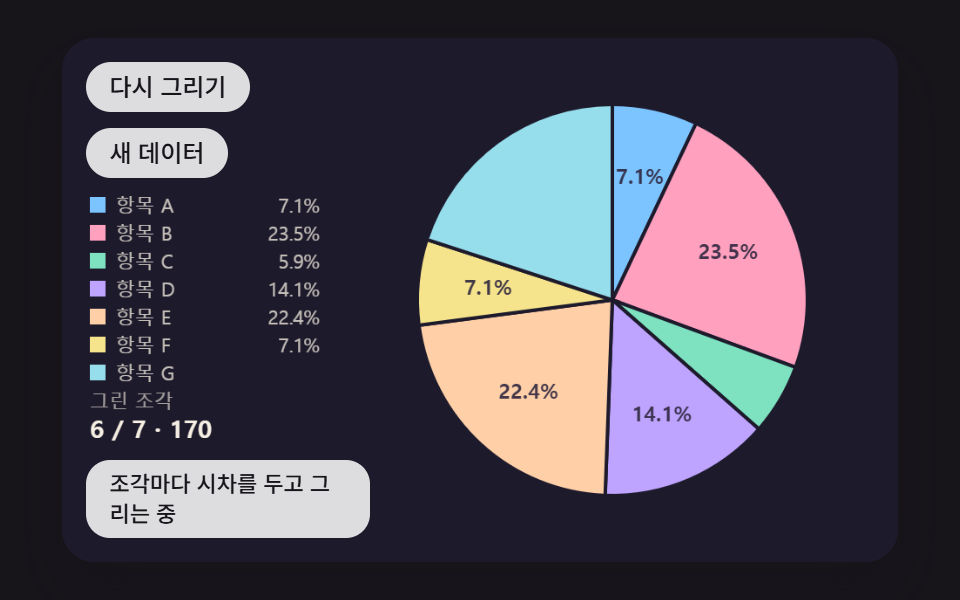 ダッシュボードUI円グラフ アニメーション 9種 — 飛び出し・傾き・変形する扇形
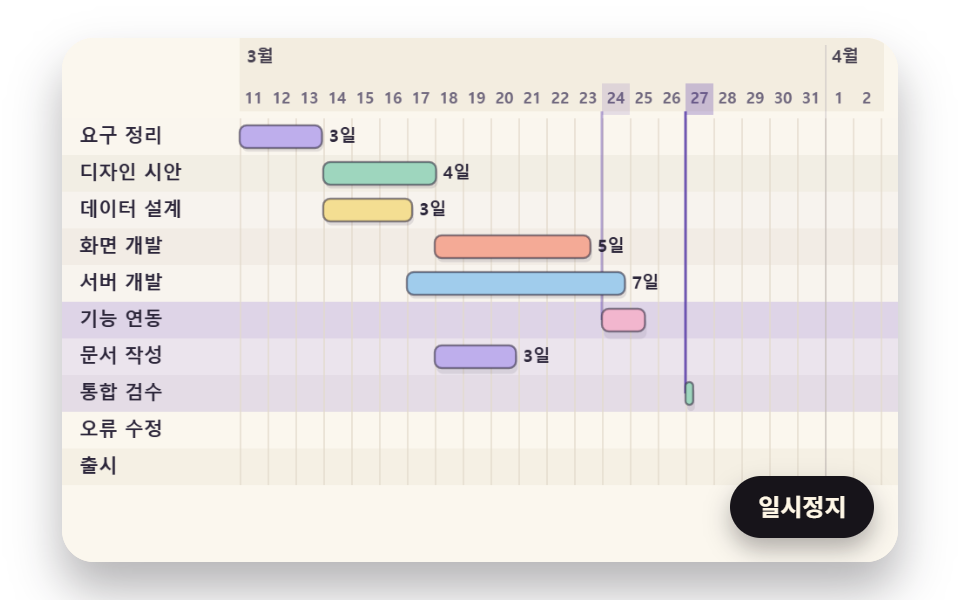 ダッシュボードUIガントチャート js で作る工程表 9種 — 依存・余裕・押し出しを計算で
 ダッシュボードUI円形プログレスバー css スタットリング9選 — 数値も実際に動く
 ダッシュボードUIダッシュボード グラフ デザイン 操作9選 — 触ると数字が変わる
 ダッシュボードUIティッカー ui で作るリアルタイム株価表示9種 — APIキー不要
 ダッシュボードUI習慣トラッカー UI 9選 — 草グリッドから共有カードまで
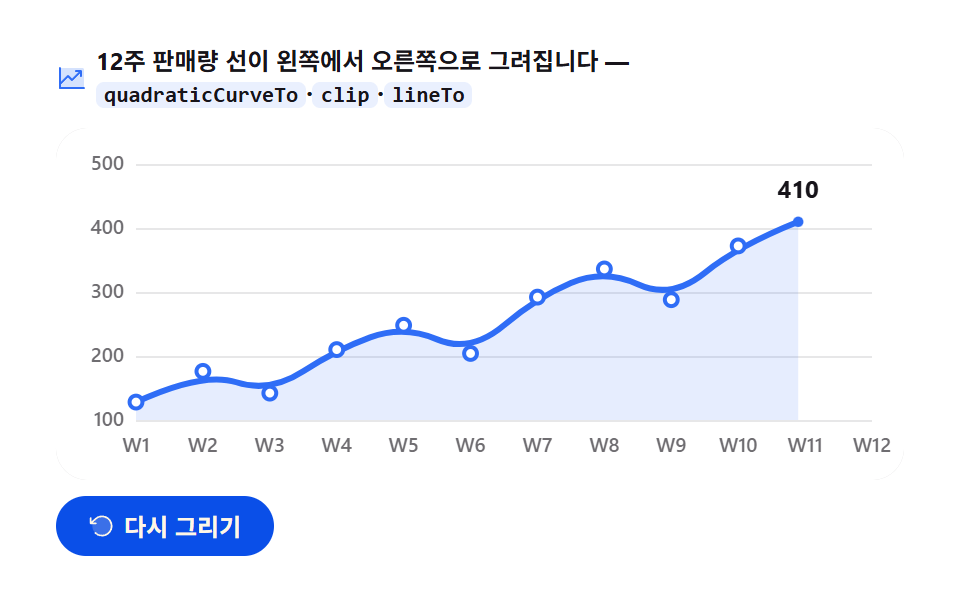 ダッシュボードUIJavaScript グラフ描画 9選 — ライブラリなしのCanvasアニメーション
 ダッシュボードUIcss countdown timer 9パターン — 残り時間がリング・砂・導火線で減るタイマー
 ダッシュボードUI棒グラフ アニメーション 9種 — 伸びる・積み上がる・競う棒