스톱워치 9종 — 연속으로 도는 초침부터 랩 기록과 기록 비교까지
스톱워치는 시간을 어떻게 숫자와 바늘로 바꿀까 — 01번은 정수 센티초 하나로 초침 각도를 정하고, 03번은 랩과 누적 기록을 한 표에서 계산하며, 08번은 이전 기록의 그림자 바늘과 지금 바늘의 차이를 읽는다.
스톱워치는 시계를 읽는 일이 아니라 흐른 시간을 정수 하나로 세고 그 정수에서 숫자와 바늘 각도를 모두 계산하는 장치다 — 스톱워치 만들기는 시간을 세는 단위를 하나로 정하는 데서 시작한다
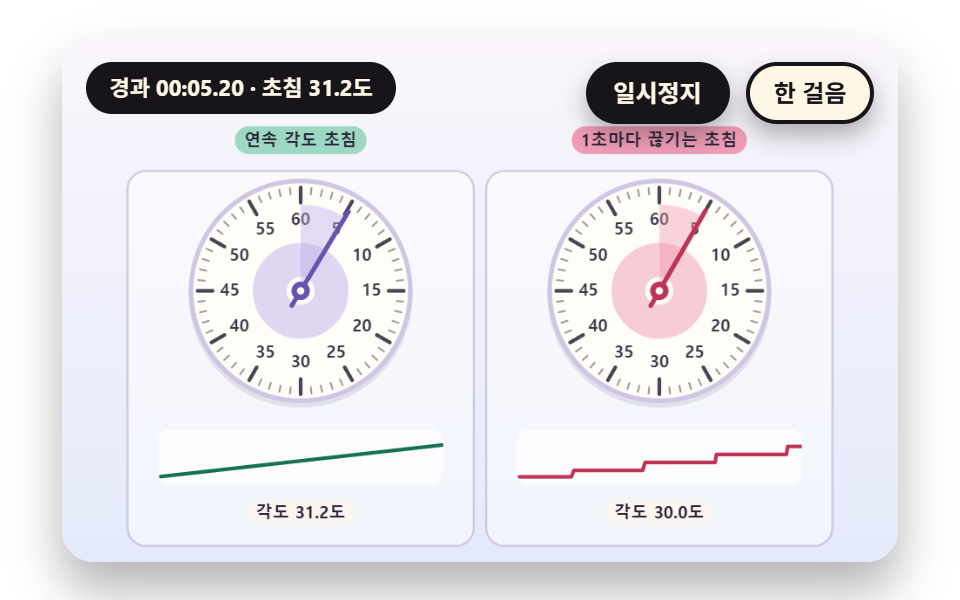 01 sc-stopwatch-dial-continuous-second-hand
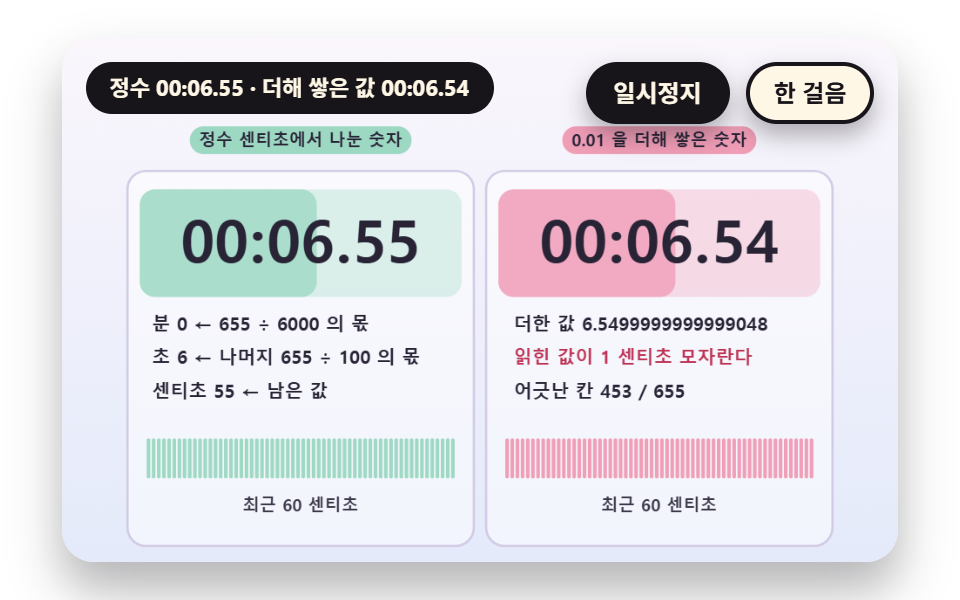 02 sc-stopwatch-digit-readout-integer-centisecond
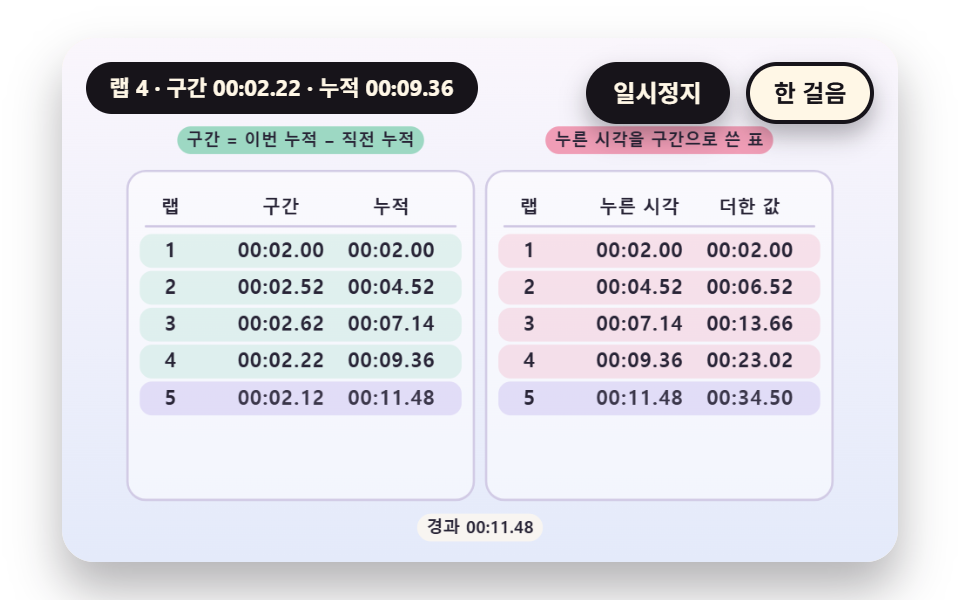 03 sc-stopwatch-lap-split-table-subtract-previous
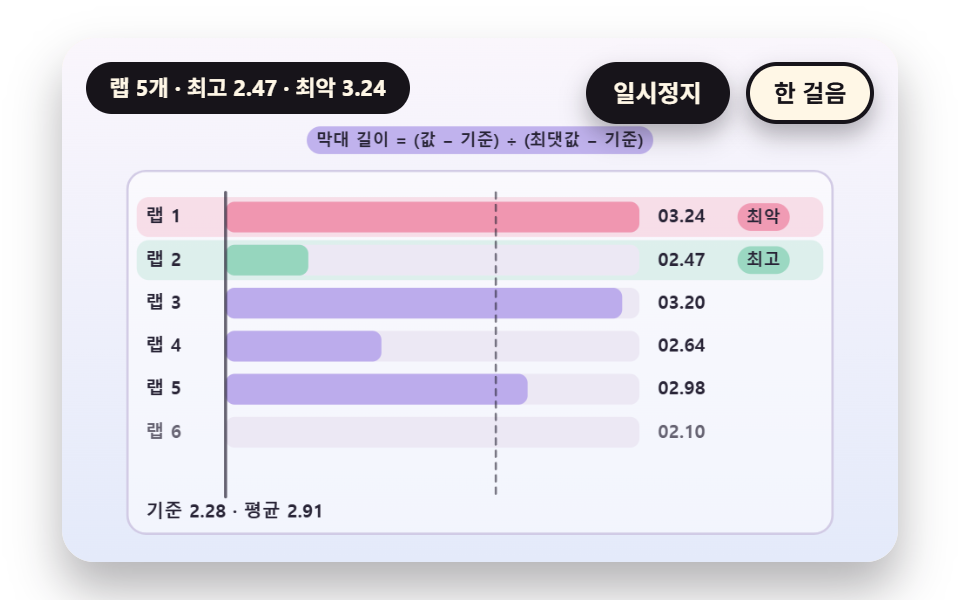 04 sc-stopwatch-lap-bars-best-worst-normalize
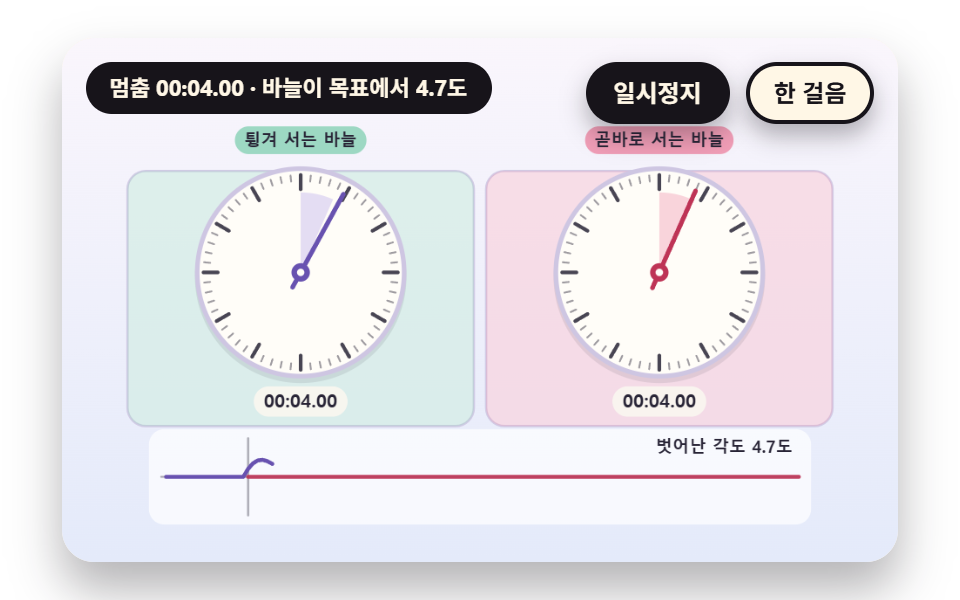 05 sc-stopwatch-stop-spring-hand-overshoot
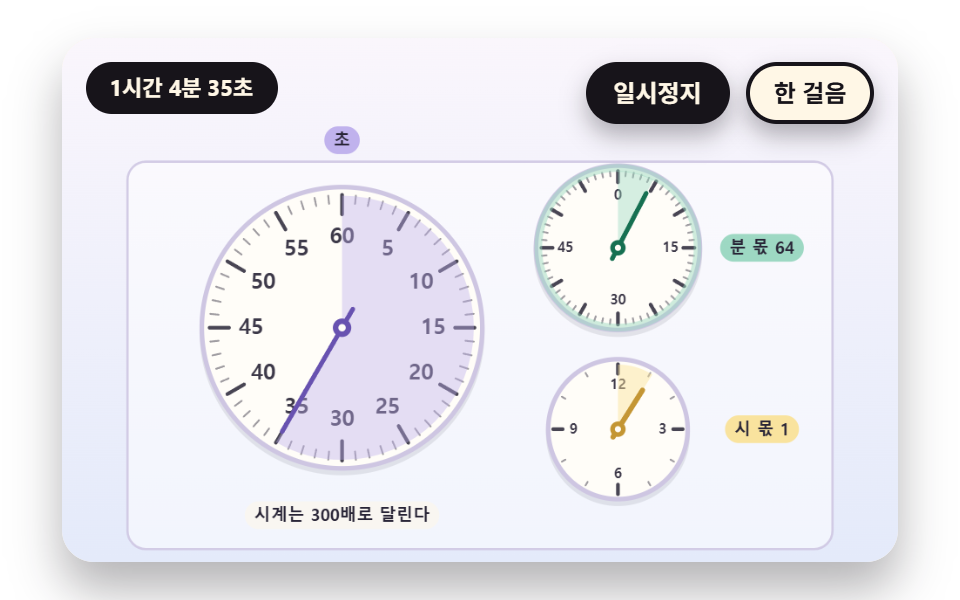 06 sc-stopwatch-subdial-minute-hour-accumulate
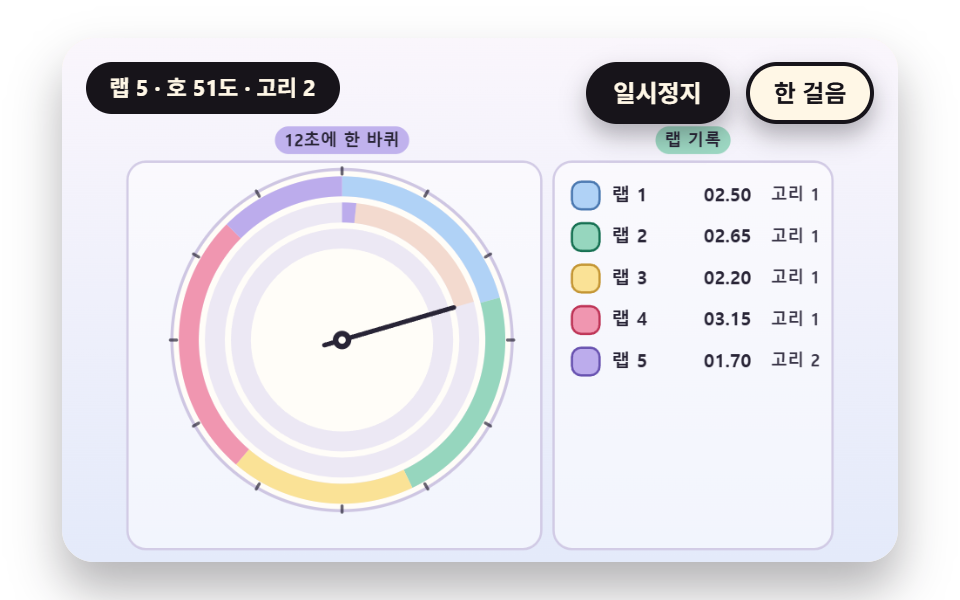 07 sc-stopwatch-lap-trail-ring-arc-per-lap
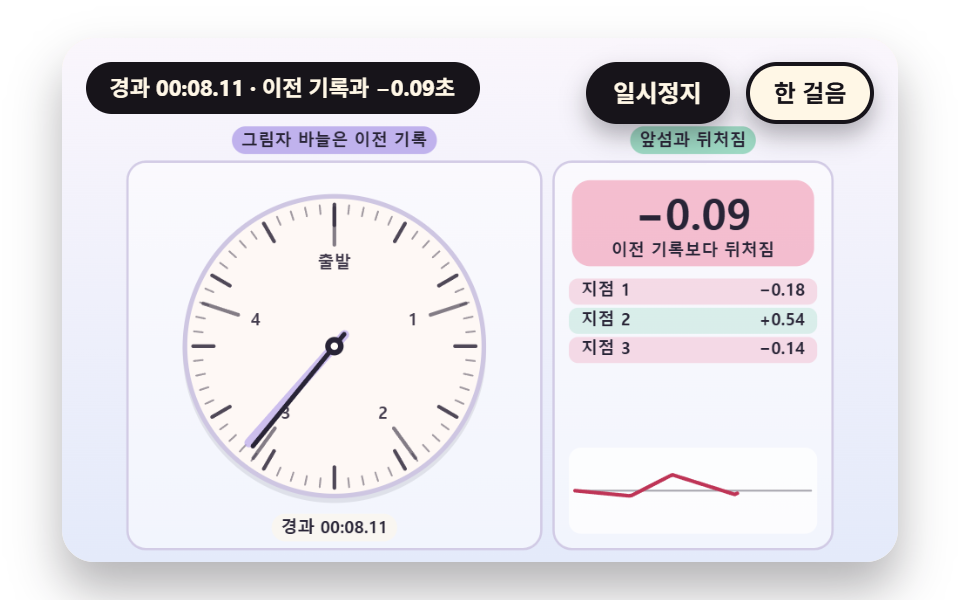 08 sc-stopwatch-ghost-hand-pace-compare
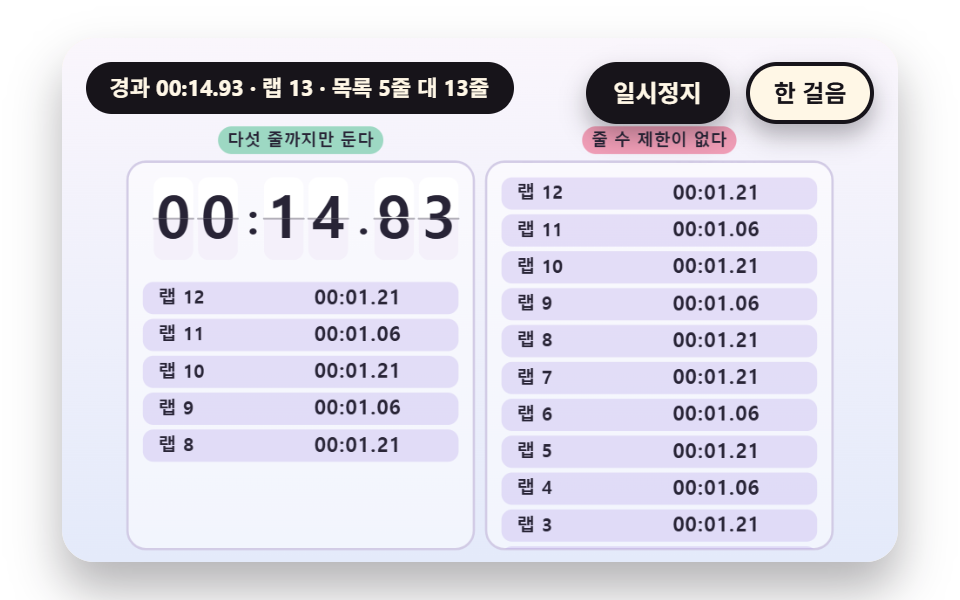 09 sc-stopwatch-hero-scoreboard-digit-flip
자동 재생 · 눌러서 해당 항목으로 · 전부 한 zip
- 01 초침이 끊김 없이 도는 문자반
- 02 분 초 센티초로 나누어 찍는 숫자판
- 03 랩과 누적 기록을 한 표에서 계산하는 기록표
- 04 랩 길이를 막대로 겨루고 최고와 최악을 표시하는 비교
- 05 멈출 때 바늘이 한 번 튕겨 서는 스프링 정지
- 06 분과 시간을 세는 보조 문자반
- 07 랩마다 색 호를 남기는 궤적 링
- 08 이전 기록의 그림자 바늘과 겨루는 비교
- 09 큰 숫자판과 랩 목록이 어우러진 전광판 히어로
아홉 장면이 시간을 세고 읽는 방식은 하나로 같다. 경과 시간은 센티초(100분의 1초) 정수 하나이고, 숫자판의 분·초·센티초도 문자반 바늘의 각도도 랩 구간도 이 정수에서만 계산된다. 시간 원천은 장면 시계 sceneT 하나이며, 프레임마다 rAF 타임스탬프 차이 dt 를 쌓되 한 프레임이 DT_MAX 0.05초를 넘지 않게 자른다.
순서는 바늘 하나에서 시작해 기록으로 넓어진다. 01·02 는 바늘과 숫자판을, 03·04 는 스톱워치 랩타임을 표와 막대로, 05·06 은 정지 때의 튕김과 시간이 넘어가는 보조 문자반을, 07·08·09 는 랩이 쌓여 만드는 고리와 그림자 바늘과 전광판을 다룬다.
스톱워치 9종 — 초침이 연속으로 도는 문자반·분 초 센티초로 나누는 숫자판·랩과 누적을 함께 보이는 기록표·랩 길이를 비교하는 막대·멈출 때 바늘이 튕기는 스프링·분과 시간을 세는 보조 문자반·랩마다 호를 남기는 궤적 링·이전 기록과 겨루는 그림자 바늘·전광판 히어로
아홉 장면의 면적과 움직임
| 장면 | 누적면적 | 움직인 프레임 | 강도 평균 |
|---|---|---|---|
| 01 연속 초침 | 9.9% | 23/23 | 43.9 |
| 02 센티초 숫자판 | 12.3% | 23/23 | 68.1 |
| 03 랩 분할표 | 11.1% | 23/23 | 56.9 |
| 04 랩 막대 | 8.9% | 23/23 | 49.6 |
| 05 스프링 정지 | 21.0% | 23/23 | 95.7 |
| 06 보조 문자반 | 11.1% | 23/23 | 39.7 |
| 07 궤적 링 | 9.2% | 23/23 | 102.4 |
| 08 그림자 바늘 | 18.3% | 23/23 | 90.6 |
| 09 전광판 | 20.6% | 23/23 | 95.7 |
바늘이 크게 튕기고 두 판이 함께 번쩍이는 05 가 21.0% 로 가장 넓고, 막대만 자라는 04 가 8.9% 로 가장 좁다. 강도 평균은 07 이 102.4 로 가장 높고 06 이 39.7 로 가장 낮으며, 움직인 프레임은 아홉 장면 전부 23/23 이어서 정지한 구간 없이 계속 바뀐다.
01초침이 끊김 없이 도는 문자반
초침 각도는 센티초 정수 하나에서 HAND_ANGLE(cs) 로 나오고 TURN_CS 6000 에 한 바퀴를 돈다. 눈금은 TICK_COUNT 60 개에 MAJOR_EVERY 5 마다 굵고, 오른쪽 판은 초 단위 값 stepCs() 로만 바늘을 세워 툭툭 끊기며 초가 바뀔 때마다 허브에서 가장자리로 파문이 퍼진다. 운동 기록·실험·요리 시간을 재는 문자반 스톱워치에 쓴다.
<main class="stage">
<div class="vj is-demo" id="vj">
  <div class="vj__pad" data-role="pad" tabindex="0" role="application" aria-label="스톱워치 시연 무대 — Enter 나 Space 나 R 이나 클릭으로 처음부터, P 로 일시정지, N 으로 한 걸음">
    <canvas class="vj__canvas" data-role="canvas" width="480" height="300" role="img" aria-label="왼쪽은 센티초 정수에서 각도를 만들어 끊김 없이 도는 초침 문자반이고 오른쪽은 초 단위로 내린 값에서 각도를 만들어 1초마다 한 칸씩 끊기며 도는 초침 문자반이다. 눈금은 60개이고 5번째마다 굵으며, 각 문자반 아래 띠가 최근 4초의 각도 변화를 매끈한 선과 계단 선으로 그린다. 초가 바뀔 때마다 허브에서 가장자리로 파문이 퍼진다"></canvas>
  </div>
  <p class="vj__status" data-role="status" aria-live="off">스톱워치 시연</p>
  <div class="vj__ctrl">
    <button class="vj__pause" data-role="pause" type="button" aria-pressed="false">일시정지</button>
    <button class="vj__step" data-role="step" type="button">한 걸음</button>
  </div>
  <p class="vj__done" data-role="done" role="status" aria-live="polite"></p>
</div>
</main>
@use "../../../../site/static/demo-tokens" as *;
@include stage($stage-paper);
.vj {
position: relative;
width: min(92vw, calc(160vh - 12.8vw));
aspect-ratio: 480 / 300;
margin: 0 auto;
border-radius: $r-card;
overflow: hidden;
box-shadow: $shadow-raised;
background: $subject-cream;
}
// 무대 상자 — 누르거나 Enter·Space·R 을 치면 처음부터 다시 시작한다. 키보드 포커스도 여기서 받는다(touch-action: none 은 이 상자에만). 무대 밖 터치는 페이지 스크롤 그대로
.vj__pad {
position: absolute;
inset: 0;
border-radius: inherit;
outline: none;
touch-action: none;
cursor: pointer;
}
// 바깥 .vj 가 넘침을 자르므로 포커스 테두리는 안쪽으로 들인다
.vj__pad:focus-visible {
outline: 3px solid $subject-ink;
outline-offset: -3px;
}
.vj__canvas {
position: absolute;
inset: 0;
display: block;
width: 100%;
height: 100%;
}
.vj__ctrl {
position: absolute;
right: $sp-3;
top: $sp-3;
display: flex;
gap: $sp-2;
}
.vj__pause,
.vj__step {
padding: $sp-1 $sp-3;
border: 2px solid $subject-ink;
border-radius: $r-pill;
background: $subject-ink;
color: $subject-cream;
font-family: inherit;
font-weight: 700;
font-size: 12px;
line-height: 1.6;
cursor: pointer;
box-shadow: $shadow-press;
transition: transform $dur-quick $ease-spring;
}
.vj__step {
background: $subject-cream;
color: $subject-ink;
}
// 스크린리더에만 읽히는 완료 알림
.vj__done {
position: absolute;
width: 1px;
height: 1px;
margin: 0;
overflow: hidden;
clip-path: inset(50%);
white-space: nowrap;
}
// 눌린 상태(멈춤) — 바탕과 글자색을 뒤집어 aria-pressed 가 눈에도 보이게
.vj__pause[aria-pressed="true"] {
background: $subject-cream;
color: $subject-ink;
}
.vj__pause:hover,
.vj__step:hover {
transform: translateY(-2px);
}
.vj__pause:active,
.vj__step:active {
transform: translateY(1px);
}
.vj__pause:focus-visible,
.vj__step:focus-visible {
outline: 3px solid $subject-ink;
outline-offset: 3px;
}
// 상태 줄 — 지금 장면의 수치를 글자로. 시연 중에는 aria-live off, 사람이 처음 손대면 polite
.vj__status {
position: absolute;
left: $sp-3;
top: $sp-3;
max-width: calc(100% - 190px);
margin: 0;
padding: $sp-1 $sp-3;
border-radius: $r-pill;
background: $subject-ink;
color: $subject-cream;
font-weight: 700;
font-size: 11px;
line-height: 1.6;
white-space: nowrap;
overflow: hidden;
text-overflow: ellipsis;
pointer-events: none;
}
@media (max-width: 340px) {
.vj__pause,
.vj__step,
.vj__status { font-size: 10px; padding: 0 $sp-2; }
}
// 움직임 줄이기 — 장면은 스크립트가 정지 장면 한 장으로 멈춘다. 버튼도 떠오르지 않게
@media (prefers-reduced-motion: reduce) {
.vj__pause,
.vj__step { transition: none !important; }
.vj__pause:hover,
.vj__pause:active,
.vj__step:hover,
.vj__step:active { transform: none !important; }
}html, body {
margin: 0;
overflow: hidden;
}
.stage {
box-sizing: border-box;
min-height: 100vh;
display: grid;
place-items: center;
margin: 0;
background: #ffffff;
font-family: -apple-system, "Segoe UI", "Noto Sans KR", sans-serif;
padding: clamp(8px, 4vw, 24px);
}
.vj {
position: relative;
width: min(92vw, 160vh - 12.8vw);
aspect-ratio: 480/300;
margin: 0 auto;
border-radius: 16px;
overflow: hidden;
box-shadow: 0 14px 24px rgba(23, 20, 26, 0.32);
background: #fff7e6;
}
.vj__pad {
position: absolute;
inset: 0;
border-radius: inherit;
outline: none;
touch-action: none;
cursor: pointer;
}
.vj__pad:focus-visible {
outline: 3px solid #17141a;
outline-offset: -3px;
}
.vj__canvas {
position: absolute;
inset: 0;
display: block;
width: 100%;
height: 100%;
}
.vj__ctrl {
position: absolute;
right: 12px;
top: 12px;
display: flex;
gap: 8px;
}
.vj__pause,
.vj__step {
padding: 4px 12px;
border: 2px solid #17141a;
border-radius: 999px;
background: #17141a;
color: #fff7e6;
font-family: inherit;
font-weight: 700;
font-size: 12px;
line-height: 1.6;
cursor: pointer;
box-shadow: 0 6px 12px rgba(23, 20, 26, 0.32);
transition: transform 220ms cubic-bezier(0.2, 0.8, 0.2, 1);
}
.vj__step {
background: #fff7e6;
color: #17141a;
}
.vj__done {
position: absolute;
width: 1px;
height: 1px;
margin: 0;
overflow: hidden;
clip-path: inset(50%);
white-space: nowrap;
}
.vj__pause[aria-pressed=true] {
background: #fff7e6;
color: #17141a;
}
.vj__pause:hover,
.vj__step:hover {
transform: translateY(-2px);
}
.vj__pause:active,
.vj__step:active {
transform: translateY(1px);
}
.vj__pause:focus-visible,
.vj__step:focus-visible {
outline: 3px solid #17141a;
outline-offset: 3px;
}
.vj__status {
position: absolute;
left: 12px;
top: 12px;
max-width: calc(100% - 190px);
margin: 0;
padding: 4px 12px;
border-radius: 999px;
background: #17141a;
color: #fff7e6;
font-weight: 700;
font-size: 11px;
line-height: 1.6;
white-space: nowrap;
overflow: hidden;
text-overflow: ellipsis;
pointer-events: none;
}
@media (max-width: 340px) {
.vj__pause,
.vj__step,
.vj__status {
font-size: 10px;
padding: 0 8px;
}
}
@media (prefers-reduced-motion: reduce) {
.vj__pause,
.vj__step {
transition: none !important;
}
.vj__pause:hover,
.vj__pause:active,
.vj__step:hover,
.vj__step:active {
transform: none !important;
}
}(function () {
const root = document.getElementById("vj");
if (!root) return;
// 무대 좌표 — 캔버스 안 계산은 늘 480×300. 화면에 보이는 크기와 상관없다
const W = 480;
const H = 300;
const PI = Math.PI;
const TAU = Math.PI * 2;
function clamp(v, lo, hi) { return v < lo ? lo : (v > hi ? hi : v); }
function lerp(a, b, k) { return a + (b - a) * k; }
function ease(x) { const c = clamp(x, 0, 1); return c * c * (3 - 2 * c); }
// 시드 고정 난수 — 선형 합동 생성기(곱 1664525, 더함 1013904223). 같은 시드면 같은 수열
function seeded(seed) {
let s = (seed >>> 0) || 1;
return function () {
s = (Math.imul(s, 1664525) + 1013904223) >>> 0;
return s / 4294967296;
};
}
// 파스텔 팔레트 — 글자는 늘 INK, 면은 연한 색. 앞섬은 민트, 뒤처짐은 분홍, 바늘은 라벤더·잉크
const BG_TOP = [250, 246, 252];
const BG_BOT = [228, 234, 250];
const FACE = [255, 253, 248];
const FACE_EDGE = [206, 198, 226];
const SKY = [176, 210, 246];
const SKY_DEEP = [74, 120, 176];
const GOLD = [250, 226, 150];
const GOLD_DEEP = [196, 150, 52];
const ROSE = [240, 150, 176];
const ROSE_DEEP = [190, 52, 86];
const MINT = [150, 214, 190];
const MINT_DEEP = [22, 112, 82];
const LAV = [188, 172, 236];
const LAV_DEEP = [104, 82, 176];
const INK = [40, 36, 54];
const PAPER = [250, 246, 240];
function mix(a, b, k) { return [lerp(a[0], b[0], k), lerp(a[1], b[1], k), lerp(a[2], b[2], k)]; }
function rgba(c, a) {
return 'rgba(' + Math.round(clamp(c[0], 0, 255)) + ',' + Math.round(clamp(c[1], 0, 255)) + ',' + Math.round(clamp(c[2], 0, 255)) + ',' + clamp(a, 0, 1).toFixed(3) + ')';
}
// 장면 시계(초)·판 반복 번호·시간표 — 시간표는 (시각, 할 일) 목록이고 시각이 지나면 한 번씩 부른다
// sceneT 는 rAF 타임스탬프 차이(dt, 한 프레임 0.05초 상한)를 쌓은 값 하나뿐이다 — 이 장면의 시간 원천은 이것 하나
let sceneT = 0;
let lap = 0;
let script = [];
let evAt = 0;
// ── 스톱워치 계산 ─────────────────────────────────────────
// 경과 시간은 센티초 정수 하나다. 숫자판의 분·초·센티초도, 문자반의 각도도 이 정수 하나에서만 나온다
const CS_PER_SEC = 100;
const CS_PER_MIN = 6000;
let swStart = 0;
let swStop = -1;
// 장면 시각 t 에서의 경과 센티초 — 시작 전이면 0, 정지 뒤에는 정지 순간 값에 멈춘다
function swCs(t) {
const e = Math.min(t, swStop >= 0 ? swStop : 1e9) - swStart;
return e <= 0 ? 0 : Math.floor(e * CS_PER_SEC + 1e-6);
}
// 랩 — 누른 순간의 누적 센티초 목록. 값은 장면 시각 t 로 계산하므로 프레임 길이와 상관없다
let marks = [];
function pressLap(t) { marks.push(swCs(t)); }
// 랩 구간 = 이번 누적 − 직전 누적
function lapSpan(i) { return marks[i] - (i > 0 ? marks[i - 1] : 0); }
function pad2(n) { return n < 10 ? '0' + n : String(n); }
// 센티초 → [분, 초, 센티초] — 정수 나눗셈만 쓴다
function splitCs(cs) {
const m = Math.floor(cs / CS_PER_MIN);
const r = cs - m * CS_PER_MIN;
const s = Math.floor(r / CS_PER_SEC);
return [m, s, r - s * CS_PER_SEC];
}
function fmtCs(cs) {
const p = splitCs(cs);
return pad2(p[0]) + ':' + pad2(p[1]) + '.' + pad2(p[2]);
}
// 문자반 각도(라디안, 12시가 -π/2) — turnCs 센티초에 한 바퀴
function dialAng(cs, turnCs) { return ((cs % turnCs) / turnCs) * TAU - PI / 2; }
// 스톱워치 장면의 시작 상태 — 매 판 build() 맨 앞에서 부른다
function swReset() {
swStart = 0;
swStop = -1;
marks = [];
}
const canvasEl = root.querySelector('[data-role="canvas"]');
const padEl = root.querySelector('[data-role="pad"]');
const pauseEl = root.querySelector('[data-role="pause"]');
const statusEl = root.querySelector('[data-role="status"]');
const stepEl = root.querySelector('[data-role="step"]');
const doneEl = root.querySelector('[data-role="done"]');
const ctxRaw = canvasEl ? canvasEl.getContext('2d') : null;
if (!canvasEl || !ctxRaw || !pauseEl || !padEl || !stepEl || !doneEl) {
return;
}
const cv = canvasEl;
const ctx = ctxRaw;
const pauseBtn = pauseEl;
const stepBtn = stepEl;
const doneP = doneEl;
const pad = padEl;
// 외부 웹폰트는 부르지 않는다 — 기기에 있는 글꼴 목록만
const FONT_STACK = 'system-ui, -apple-system, "Segoe UI", "Noto Sans KR", sans-serif';
let dpr = 1;
function fitCanvas() {
// 배율은 2 에서 자른다 — 배율 3 기기에서 화소가 2.25배로 늘지 않게
dpr = Math.min(window.devicePixelRatio || 1, 2);
cv.width = Math.round(W * dpr);
cv.height = Math.round(H * dpr);
ctx.setTransform(dpr, 0, 0, dpr, 0, 0);
}
const VIEW_S = 0.88;
function skyFill(top, bot) {
ctx.setTransform(dpr, 0, 0, dpr, 0, 0);
const g = ctx.createLinearGradient(0, 0, 0, H);
g.addColorStop(0, rgba(top, 1));
g.addColorStop(1, rgba(bot, 1));
ctx.fillStyle = g;
ctx.fillRect(0, 0, W, H);
// 위쪽 일시정지·상태 알약이 덮는 띠를 비우려고 장면 전체를 VIEW_S 배로 줄여 아래 가운데에 붙인다 — 이 줄 뒤에 그리는 것은 모두 줄어든 좌표계
ctx.translate(W / 2, H - 3);
ctx.scale(VIEW_S, VIEW_S);
ctx.translate(-W / 2, -(H - 3));
}
function disc(x, y, r, c, a) {
if (r <= 0.2 || a <= 0) {
return;
}
ctx.beginPath();
ctx.arc(x, y, r, 0, TAU);
ctx.fillStyle = rgba(c, a);
ctx.fill();
}
function ring(x, y, r, width, c, a) {
if (r <= 0.2 || a <= 0) {
return;
}
ctx.beginPath();
ctx.arc(x, y, r, 0, TAU);
ctx.lineWidth = width;
ctx.strokeStyle = rgba(c, a);
ctx.stroke();
}
function oval(x, y, rx, ry, c, a) {
if (rx <= 0.2 || ry <= 0.1 || a <= 0) {
return;
}
ctx.beginPath();
ctx.ellipse(x, y, rx, ry, 0, 0, TAU);
ctx.fillStyle = rgba(c, a);
ctx.fill();
}
function seg(x1, y1, x2, y2, width, c, a) {
if (a <= 0) {
return;
}
ctx.beginPath();
ctx.moveTo(x1, y1);
ctx.lineTo(x2, y2);
ctx.lineWidth = width;
ctx.lineCap = 'round';
ctx.strokeStyle = rgba(c, a);
ctx.stroke();
}
function box(x, y, w, h, r, c, a) {
if (w <= 0.2 || h <= 0.2 || a <= 0) {
return;
}
ctx.beginPath();
ctx.roundRect(x, y, w, h, Math.max(0, Math.min(r, w / 2, h / 2)));
ctx.fillStyle = rgba(c, a);
ctx.fill();
}
function outline(x, y, w, h, r, width, c, a) {
if (w <= 0.2 || h <= 0.2 || a <= 0) {
return;
}
ctx.beginPath();
ctx.roundRect(x, y, w, h, Math.max(0, Math.min(r, w / 2, h / 2)));
ctx.lineWidth = width;
ctx.strokeStyle = rgba(c, a);
ctx.stroke();
}
function text(s, x, y, c, a, px, weight, align) {
ctx.font = weight + ' ' + px + 'px ' + FONT_STACK;
ctx.textAlign = align;
ctx.textBaseline = 'middle';
ctx.fillStyle = rgba(c, a);
ctx.fillText(s, x, y);
}
// 글자 이름표 — 바탕 알약 위에 글자
function tag(s, x, y, bg, fg, px, align) {
ctx.font = '700 ' + px + 'px ' + FONT_STACK;
const w = ctx.measureText(s).width + px * 1.1;
const left = align === 'center' ? x - w / 2 : (align === 'right' ? x - w : x);
box(left, y - px * 0.82, w, px * 1.64, px * 0.82, bg, 0.92);
text(s, left + w / 2, y + 0.5, fg, 1, px, 700, 'center');
}
// ── 공통 틀 ───────────────────────────────────────────────
let shownStatus = '';
function pushStatus(s) {
if (!statusEl || s === shownStatus) {
return;
}
shownStatus = s;
statusEl.textContent = s;
}
let paused = false;
const reduceQuery = window.matchMedia('(prefers-reduced-motion: reduce)');
// 페이지를 연 채 움직임 줄이기 설정을 바꿔도 change 리스너가 다시 읽는다
let still = reduceQuery.matches;
// 자동 시연 표시 — 사람이 처음 손대면 떼고 상태 줄을 polite 로 켠다
let demo = root.classList.contains('is-demo');
const off = new AbortController();
function wake() {
if (!demo) {
return;
}
demo = false;
root.classList.remove('is-demo');
if (statusEl) {
statusEl.setAttribute('aria-live', 'polite');
}
}
// 한 판 시연이 끝났음을 스크린리더에 한 번만 알린다 — 판이 되풀이돼도 다시 읽지 않는다
let doneSaid = false;
function checkDone() {
if (!doneSaid && sceneT >= RESULT_S) {
doneSaid = true;
doneP.textContent = statusText();
}
}
function advance(dt) {
sceneT += dt;
while (evAt < script.length && script[evAt].t <= sceneT) {
const ev = script[evAt];
evAt += 1;
ev.f();
}
if (sceneT >= LAP_S) {
lap += 1;
begin();
return;
}
update(dt);
}
// 첫 판은 START_S 만큼 앞서 시작한다 — 바늘이 이미 도는 장면에서 보인다
function runTo(t) {
while (sceneT < t - 1e-6) {
advance(Math.min(1 / 30, t - sceneT));
}
}
function begin() {
sceneT = 0;
evAt = 0;
script = [];
build();
if (lap === 0 && !still) {
runTo(START_S);
}
}
const DT_MAX = 0.05;
function showNow() {
draw();
pushStatus(statusText());
checkDone();
}
let rafId = 0;
let lastTs = -1;
function frame(ts) {
if (still || paused) {
rafId = 0;
return;
}
if (lastTs < 0) {
lastTs = ts;
}
const dt = Math.min((ts - lastTs) / 1000, DT_MAX);
lastTs = ts;
if (dt > 0) {
advance(dt);
}
showNow();
rafId = window.requestAnimationFrame(frame);
}
function startLoop() {
if (rafId) {
return;
}
// 멈췄던 사이의 시간을 첫 프레임 dt 로 넘기지 않는다
lastTs = -1;
rafId = window.requestAnimationFrame(frame);
}
function stopLoop() {
if (rafId) {
window.cancelAnimationFrame(rafId);
rafId = 0;
}
}
// 움직임 줄이기 — 루프 없이 한 판의 멈춘 한 장. 시간표의 REST_S 초 장면에서 멈춘다
function showRest() {
stopLoop();
sceneT = 0;
evAt = 0;
script = [];
build();
runTo(REST_S);
doneSaid = false;
showNow();
}
function play() {
begin();
showNow();
if (!paused) {
startLoop();
}
}
function togglePause() {
paused = !paused;
pauseBtn.setAttribute('aria-pressed', paused ? 'true' : 'false');
wake();
if (paused) {
stopLoop();
}
else if (!still) {
startLoop();
}
}
// 다시 — 시간표를 처음부터 다시. 움직임 줄이기에서는 멈춘 한 장
function restart() {
lap += 1;
doneSaid = false;
if (still) {
showRest();
return;
}
begin();
showNow();
if (!paused) {
startLoop();
}
}
// 한 걸음 — 멈춘 채 시간표의 다음 일 하나까지 시계를 보낸다. 더 부를 일이 없으면 판을 다시 연다
function stepOnce() {
wake();
if (!paused) {
paused = true;
pauseBtn.setAttribute('aria-pressed', 'true');
stopLoop();
}
if (evAt >= script.length) {
restart();
return;
}
runTo(script[evAt].t + 0.05);
showNow();
}
pauseBtn.addEventListener('click', togglePause, { signal: off.signal });
stepBtn.addEventListener('click', stepOnce, { signal: off.signal });
// 키보드 — 무대에 포커스가 있을 때만. Enter·Space·R 은 처음부터 다시, P 는 일시정지, N 은 한 걸음
pad.addEventListener('keydown', function (e) {
if (e.altKey || e.ctrlKey || e.metaKey) {
return;
}
const k = e.key;
if (k === 'Enter' || k === ' ') {
e.preventDefault();
wake();
restart();
}
else if (k === 'p' || k === 'P') {
togglePause();
}
else if (k === 'n' || k === 'N') {
stepOnce();
}
else if (k === 'r' || k === 'R') {
wake();
restart();
}
}, { signal: off.signal });
// 마우스·터치 — 무대를 누르면 처음부터 다시
pad.addEventListener('click', function () {
wake();
restart();
}, { signal: off.signal });
// 탭이 숨으면 멈추고, 돌아오면 시계를 다시 맞춰 시작 — 숨은 동안의 몇 초가 한 프레임에 몰리지 않게
document.addEventListener('visibilitychange', function () {
if (document.hidden) {
stopLoop();
}
else if (!paused && !still) {
startLoop();
}
}, { signal: off.signal });
// 설정이 바뀌면 — 켜지면 결과 한 장, 꺼지면 다시 움직인다
reduceQuery.addEventListener('change', function () {
still = reduceQuery.matches;
if (still) {
showRest();
}
else {
lap = 0;
play();
}
}, { signal: off.signal });
window.addEventListener('resize', function () {
fitCanvas();
showNow();
}, { signal: off.signal });
// ── 문자반·숫자판 도구 ─────────────────────────────────────
const PEACH = [250, 204, 170];
const PEACH_DEEP = [176, 92, 40];
// 안쪽에서 바깥쪽으로 — 눈금 ticks 개, majorEvery 번째마다 굵게, labelEvery 번째마다 숫자
function dialFace(cx, cy, R, ticks, majorEvery, labels, labelEvery) {
disc(cx, cy + 3, R + 3, INK, 0.1);
disc(cx, cy, R + 3, FACE_EDGE, 1);
disc(cx, cy, R, FACE, 1);
for (let i = 0; i < ticks; i += 1) {
const a = (i / ticks) * TAU - PI / 2;
const major = i % majorEvery === 0;
const r0 = R * (major ? 0.82 : 0.9);
const r1 = R * 0.96;
seg(cx + Math.cos(a) * r0, cy + Math.sin(a) * r0, cx + Math.cos(a) * r1, cy + Math.sin(a) * r1, major ? 2.4 : 1.2, INK, major ? 0.85 : 0.45);
if (labels.length > 0 && i % labelEvery === 0) {
const k = Math.floor(i / labelEvery);
if (k < labels.length) {
text(labels[k], cx + Math.cos(a) * R * 0.66, cy + Math.sin(a) * R * 0.66, INK, 0.9, Math.max(9, Math.round(R * 0.15)), 700, 'center');
}
}
}
}
function handAt(cx, cy, ang, len, tail, width, c, a) {
seg(cx - Math.cos(ang) * tail, cy - Math.sin(ang) * tail, cx + Math.cos(ang) * len, cy + Math.sin(ang) * len, width, c, a);
}
function hub(cx, cy, r, c) {
disc(cx, cy, r, c, 1);
disc(cx, cy, r * 0.4, FACE, 1);
}
// 12시에서 ang 까지 칠하는 부채꼴
function wedge(cx, cy, r, ang, c, a) {
if (ang <= -PI / 2 + 0.002) {
return;
}
ctx.beginPath();
ctx.moveTo(cx, cy);
ctx.arc(cx, cy, r, -PI / 2, ang);
ctx.closePath();
ctx.fillStyle = rgba(c, a);
ctx.fill();
}
function arcBand(cx, cy, r, a0, a1, width, c, a) {
if (a1 - a0 < 0.0005 || a <= 0) {
return;
}
ctx.beginPath();
ctx.arc(cx, cy, r, a0, a1);
ctx.lineWidth = width;
ctx.lineCap = 'butt';
ctx.strokeStyle = rgba(c, a);
ctx.stroke();
}
function panel(x, y, w, h, c, a) {
box(x, y, w, h, 12, c, a);
outline(x, y, w, h, 12, 1.5, FACE_EDGE, 0.9);
}
// 한 글자씩 같은 칸에 가운데 맞춰 찍는다 — 숫자 폭이 달라도 자릿수가 흔들리지 않는다(tabular)
function digitsRow(s, cx, y, cellW, px, c, a) {
let total = 0;
for (let i = 0; i < s.length; i += 1) {
total += (s[i] === ':' || s[i] === '.') ? cellW * 0.55 : cellW;
}
let x = cx - total / 2;
for (let i = 0; i < s.length; i += 1) {
const w = (s[i] === ':' || s[i] === '.') ? cellW * 0.55 : cellW;
text(s[i], x + w / 2, y, c, a, px, 800, 'center');
x += w;
}
}
// ── 01 끊김 없이 도는 초침 문자반 ─────────────────────────
// 경과 시간은 센티초 정수 cs 하나. 왼쪽 바늘은 cs 전체에서, 오른쪽 바늘은 초 단위로 내린 값에서 각도를 만든다
// 초가 바뀔 때마다 허브에서 두 문자반 가장자리로 퍼지는 파문의 반지름도 같은 센티초 나머지(cs % 100)에서 나온다
    const TURN_CS = 6000;
    const TICK_COUNT = 60;
    const MAJOR_EVERY = 5;
    const WINDOW_S = 4;
    const LAP_S = 15.0;
    const START_S = 3.7;
    const REST_S = 3.7;
    const RESULT_S = 13.0;
    let hist = [];
    function build() {
        swReset();
        hist = [];
    }
    function update(dt) {
        if (dt < 0) {
            return;
        }
        hist.push({ t: sceneT, cs: swCs(sceneT) });
        while (hist.length > 1 && hist[0].t < sceneT - WINDOW_S) {
            hist.shift();
        }
    }
    function handCs() { return swCs(sceneT); }
    function stepCs() { return Math.floor(handCs() / CS_PER_SEC) * CS_PER_SEC; }
    function HAND_ANGLE(cs) { return dialAng(cs, TURN_CS); }
function strip(x0, y0, w, h, stair) {
box(x0, y0, w, h, 8, [255, 255, 255], 0.7);
const c0 = swCs(sceneT - WINDOW_S);
ctx.save();
ctx.beginPath();
ctx.roundRect(x0, y0, w, h, 8);
ctx.clip();
ctx.beginPath();
for (let i = 0; i < hist.length; i += 1) {
const v = stair ? Math.floor(hist[i].cs / CS_PER_SEC) * CS_PER_SEC : hist[i].cs;
const x = x0 + w - ((sceneT - hist[i].t) / WINDOW_S) * w;
const y = y0 + h - 5 - clamp((v - c0) / (WINDOW_S * CS_PER_SEC + 100), 0, 1) * (h - 10);
if (i === 0) {
ctx.moveTo(x, y);
}
else {
ctx.lineTo(x, y);
}
}
ctx.lineWidth = 2.4;
ctx.lineJoin = 'round';
ctx.strokeStyle = rgba(stair ? ROSE_DEEP : MINT_DEEP, 1);
ctx.stroke();
ctx.restore();
}
function drawDial(cx, cy, R, cs, shown, c, deep) {
dialFace(cx, cy, R, TICK_COUNT, MAJOR_EVERY, ['60', '5', '10', '15', '20', '25', '30', '35', '40', '45', '50', '55'], MAJOR_EVERY);
// 초가 바뀌는 순간마다 허브에서 퍼지는 파문 — 반지름은 센티초 나머지(cs % 100)에서 계산한다
const frac = (cs % CS_PER_SEC) / CS_PER_SEC;
ring(cx, cy, R * (0.12 + 0.84 * frac), 22, c, 0.6 * (1 - frac));
const a = HAND_ANGLE(shown);
wedge(cx, cy, R * 0.8, a, c, 0.42);
handAt(cx, cy, a, R * 0.86, R * 0.16, 3, deep, 1);
hub(cx, cy, 6, deep);
}
function draw() {
skyFill(BG_TOP, BG_BOT);
const cs = handCs();
panel(10, 46, 226, 244, [255, 255, 255], 0.5);
panel(244, 46, 226, 244, [255, 255, 255], 0.5);
drawDial(123, 124, 70, cs, cs, LAV, LAV_DEEP);
drawDial(357, 124, 70, cs, stepCs(), ROSE, ROSE_DEEP);
strip(30, 214, 186, 36, false);
strip(264, 214, 186, 36, true);
tag('연속 각도 초침', 123, 26, MINT, INK, 11, 'center');
tag('1초마다 끊기는 초침', 357, 26, ROSE, INK, 11, 'center');
tag('각도 {a}도'.replace('{a}', (((cs % TURN_CS) / TURN_CS) * 360).toFixed(1)), 123, 268, PAPER, INK, 11, 'center');
tag('각도 {a}도'.replace('{a}', (((stepCs() % TURN_CS) / TURN_CS) * 360).toFixed(1)), 357, 268, PAPER, INK, 11, 'center');
}
function statusText() {
return '경과 {t} · 초침 {a}도'.replace('{t}', fmtCs(handCs())).replace('{a}', (((handCs() % TURN_CS) / TURN_CS) * 360).toFixed(1));
}
fitCanvas();
if (still) {
showRest();
}
else {
play();
}
return function () {
stopLoop();
off.abort();
};
})();// DialContinuousSecondHand - 같은 항목 vanilla index.html 의 React 판. 같은 계산을 useEffect 안에서 돌린다
import { useEffect, useRef } from "react";
import styles from "./DialContinuousSecondHand.module.scss";
const cx = (s: string): string => s.split(" ").map((n) => styles[n] ?? n).join(" ");
export default function DialContinuousSecondHand() {
const rootRef = useRef<HTMLDivElement | null>(null);
useEffect(() => {
const rootEl = rootRef.current;
if (!rootEl) return;
const root: HTMLElement = rootEl;
type RGB = [number, number, number];
type RGBA = [number, number, number, number];
// 무대 좌표 — 캔버스 안 계산은 늘 480×300. 화면에 보이는 크기와 상관없다
const W = 480;
const H = 300;
const PI = Math.PI;
const TAU = Math.PI * 2;
function clamp(v: number, lo: number, hi: number): number { return v < lo ? lo : (v > hi ? hi : v); }
function lerp(a: number, b: number, k: number): number { return a + (b - a) * k; }
function ease(x: number): number { const c = clamp(x, 0, 1); return c * c * (3 - 2 * c); }
// 시드 고정 난수 — 선형 합동 생성기(곱 1664525, 더함 1013904223). 같은 시드면 같은 수열
function seeded(seed: number): () => number {
let s = (seed >>> 0) || 1;
return function (): number {
s = (Math.imul(s, 1664525) + 1013904223) >>> 0;
return s / 4294967296;
};
}
// 파스텔 팔레트 — 글자는 늘 INK, 면은 연한 색. 앞섬은 민트, 뒤처짐은 분홍, 바늘은 라벤더·잉크
const BG_TOP: RGB = [250, 246, 252];
const BG_BOT: RGB = [228, 234, 250];
const FACE: RGB = [255, 253, 248];
const FACE_EDGE: RGB = [206, 198, 226];
const SKY: RGB = [176, 210, 246];
const SKY_DEEP: RGB = [74, 120, 176];
const GOLD: RGB = [250, 226, 150];
const GOLD_DEEP: RGB = [196, 150, 52];
const ROSE: RGB = [240, 150, 176];
const ROSE_DEEP: RGB = [190, 52, 86];
const MINT: RGB = [150, 214, 190];
const MINT_DEEP: RGB = [22, 112, 82];
const LAV: RGB = [188, 172, 236];
const LAV_DEEP: RGB = [104, 82, 176];
const INK: RGB = [40, 36, 54];
const PAPER: RGB = [250, 246, 240];
function mix(a: RGB, b: RGB, k: number): RGB { return [lerp(a[0], b[0], k), lerp(a[1], b[1], k), lerp(a[2], b[2], k)]; }
function rgba(c: RGB, a: number): string {
return 'rgba(' + Math.round(clamp(c[0], 0, 255)) + ',' + Math.round(clamp(c[1], 0, 255)) + ',' + Math.round(clamp(c[2], 0, 255)) + ',' + clamp(a, 0, 1).toFixed(3) + ')';
}
// 장면 시계(초)·판 반복 번호·시간표 — 시간표는 (시각, 할 일) 목록이고 시각이 지나면 한 번씩 부른다
// sceneT 는 rAF 타임스탬프 차이(dt, 한 프레임 0.05초 상한)를 쌓은 값 하나뿐이다 — 이 장면의 시간 원천은 이것 하나
let sceneT = 0;
let lap = 0;
type Ev = { t: number; f: () => void };
let script: Ev[] = [];
let evAt = 0;
// ── 스톱워치 계산 ─────────────────────────────────────────
// 경과 시간은 센티초 정수 하나다. 숫자판의 분·초·센티초도, 문자반의 각도도 이 정수 하나에서만 나온다
const CS_PER_SEC = 100;
const CS_PER_MIN = 6000;
let swStart = 0;
let swStop = -1;
// 장면 시각 t 에서의 경과 센티초 — 시작 전이면 0, 정지 뒤에는 정지 순간 값에 멈춘다
function swCs(t: number): number {
const e = Math.min(t, swStop >= 0 ? swStop : 1e9) - swStart;
return e <= 0 ? 0 : Math.floor(e * CS_PER_SEC + 1e-6);
}
// 랩 — 누른 순간의 누적 센티초 목록. 값은 장면 시각 t 로 계산하므로 프레임 길이와 상관없다
let marks: number[] = [];
function pressLap(t: number): void { marks.push(swCs(t)); }
// 랩 구간 = 이번 누적 − 직전 누적
function lapSpan(i: number): number { return marks[i] - (i > 0 ? marks[i - 1] : 0); }
function pad2(n: number): string { return n < 10 ? '0' + n : String(n); }
// 센티초 → [분, 초, 센티초] — 정수 나눗셈만 쓴다
function splitCs(cs: number): [number, number, number] {
const m = Math.floor(cs / CS_PER_MIN);
const r = cs - m * CS_PER_MIN;
const s = Math.floor(r / CS_PER_SEC);
return [m, s, r - s * CS_PER_SEC];
}
function fmtCs(cs: number): string {
const p = splitCs(cs);
return pad2(p[0]) + ':' + pad2(p[1]) + '.' + pad2(p[2]);
}
// 문자반 각도(라디안, 12시가 -π/2) — turnCs 센티초에 한 바퀴
function dialAng(cs: number, turnCs: number): number { return ((cs % turnCs) / turnCs) * TAU - PI / 2; }
// 스톱워치 장면의 시작 상태 — 매 판 build() 맨 앞에서 부른다
function swReset(): void {
swStart = 0;
swStop = -1;
marks = [];
}
const canvasEl = root.querySelector('[data-role="canvas"]') as HTMLCanvasElement | null;
const padEl = root.querySelector('[data-role="pad"]') as HTMLElement | null;
const pauseEl = root.querySelector('[data-role="pause"]') as HTMLButtonElement | null;
const statusEl = root.querySelector('[data-role="status"]') as HTMLElement | null;
const stepEl = root.querySelector('[data-role="step"]') as HTMLButtonElement | null;
const doneEl = root.querySelector('[data-role="done"]') as HTMLElement | null;
const ctxRaw = canvasEl ? canvasEl.getContext('2d') : null;
if (!canvasEl || !ctxRaw || !pauseEl || !padEl || !stepEl || !doneEl) { return; }
const cv: HTMLCanvasElement = canvasEl;
const ctx: CanvasRenderingContext2D = ctxRaw;
const pauseBtn: HTMLButtonElement = pauseEl;
const stepBtn: HTMLButtonElement = stepEl;
const doneP: HTMLElement = doneEl;
const pad: HTMLElement = padEl;
// 외부 웹폰트는 부르지 않는다 — 기기에 있는 글꼴 목록만
const FONT_STACK = 'system-ui, -apple-system, "Segoe UI", "Noto Sans KR", sans-serif';
let dpr = 1;
function fitCanvas(): void {
// 배율은 2 에서 자른다 — 배율 3 기기에서 화소가 2.25배로 늘지 않게
dpr = Math.min(window.devicePixelRatio || 1, 2);
cv.width = Math.round(W * dpr);
cv.height = Math.round(H * dpr);
ctx.setTransform(dpr, 0, 0, dpr, 0, 0);
}
const VIEW_S = 0.88;
function skyFill(top: RGB, bot: RGB): void {
ctx.setTransform(dpr, 0, 0, dpr, 0, 0);
const g = ctx.createLinearGradient(0, 0, 0, H);
g.addColorStop(0, rgba(top, 1));
g.addColorStop(1, rgba(bot, 1));
ctx.fillStyle = g;
ctx.fillRect(0, 0, W, H);
// 위쪽 일시정지·상태 알약이 덮는 띠를 비우려고 장면 전체를 VIEW_S 배로 줄여 아래 가운데에 붙인다 — 이 줄 뒤에 그리는 것은 모두 줄어든 좌표계
ctx.translate(W / 2, H - 3);
ctx.scale(VIEW_S, VIEW_S);
ctx.translate(-W / 2, -(H - 3));
}
function disc(x: number, y: number, r: number, c: RGB, a: number): void {
if (r <= 0.2 || a <= 0) { return; }
ctx.beginPath();
ctx.arc(x, y, r, 0, TAU);
ctx.fillStyle = rgba(c, a);
ctx.fill();
}
function ring(x: number, y: number, r: number, width: number, c: RGB, a: number): void {
if (r <= 0.2 || a <= 0) { return; }
ctx.beginPath();
ctx.arc(x, y, r, 0, TAU);
ctx.lineWidth = width;
ctx.strokeStyle = rgba(c, a);
ctx.stroke();
}
function oval(x: number, y: number, rx: number, ry: number, c: RGB, a: number): void {
if (rx <= 0.2 || ry <= 0.1 || a <= 0) { return; }
ctx.beginPath();
ctx.ellipse(x, y, rx, ry, 0, 0, TAU);
ctx.fillStyle = rgba(c, a);
ctx.fill();
}
function seg(x1: number, y1: number, x2: number, y2: number, width: number, c: RGB, a: number): void {
if (a <= 0) { return; }
ctx.beginPath();
ctx.moveTo(x1, y1);
ctx.lineTo(x2, y2);
ctx.lineWidth = width;
ctx.lineCap = 'round';
ctx.strokeStyle = rgba(c, a);
ctx.stroke();
}
function box(x: number, y: number, w: number, h: number, r: number, c: RGB, a: number): void {
if (w <= 0.2 || h <= 0.2 || a <= 0) { return; }
ctx.beginPath();
ctx.roundRect(x, y, w, h, Math.max(0, Math.min(r, w / 2, h / 2)));
ctx.fillStyle = rgba(c, a);
ctx.fill();
}
function outline(x: number, y: number, w: number, h: number, r: number, width: number, c: RGB, a: number): void {
if (w <= 0.2 || h <= 0.2 || a <= 0) { return; }
ctx.beginPath();
ctx.roundRect(x, y, w, h, Math.max(0, Math.min(r, w / 2, h / 2)));
ctx.lineWidth = width;
ctx.strokeStyle = rgba(c, a);
ctx.stroke();
}
function text(s: string, x: number, y: number, c: RGB, a: number, px: number, weight: number, align: CanvasTextAlign): void {
ctx.font = weight + ' ' + px + 'px ' + FONT_STACK;
ctx.textAlign = align;
ctx.textBaseline = 'middle';
ctx.fillStyle = rgba(c, a);
ctx.fillText(s, x, y);
}
// 글자 이름표 — 바탕 알약 위에 글자
function tag(s: string, x: number, y: number, bg: RGB, fg: RGB, px: number, align: CanvasTextAlign): void {
ctx.font = '700 ' + px + 'px ' + FONT_STACK;
const w = ctx.measureText(s).width + px * 1.1;
const left = align === 'center' ? x - w / 2 : (align === 'right' ? x - w : x);
box(left, y - px * 0.82, w, px * 1.64, px * 0.82, bg, 0.92);
text(s, left + w / 2, y + 0.5, fg, 1, px, 700, 'center');
}
// ── 공통 틀 ───────────────────────────────────────────────
let shownStatus = '';
function pushStatus(s: string): void {
if (!statusEl || s === shownStatus) { return; }
shownStatus = s;
statusEl.textContent = s;
}
let paused = false;
const reduceQuery = window.matchMedia('(prefers-reduced-motion: reduce)');
// 페이지를 연 채 움직임 줄이기 설정을 바꿔도 change 리스너가 다시 읽는다
let still = reduceQuery.matches;
// 자동 시연 표시 — 사람이 처음 손대면 떼고 상태 줄을 polite 로 켠다
let demo = root.classList.contains('is-demo');
const off = new AbortController();
function wake(): void {
if (!demo) { return; }
demo = false;
root.classList.remove('is-demo');
if (statusEl) { statusEl.setAttribute('aria-live', 'polite'); }
}
// 한 판 시연이 끝났음을 스크린리더에 한 번만 알린다 — 판이 되풀이돼도 다시 읽지 않는다
let doneSaid = false;
function checkDone(): void {
if (!doneSaid && sceneT >= RESULT_S) {
doneSaid = true;
doneP.textContent = statusText();
}
}
function advance(dt: number): void {
sceneT += dt;
while (evAt < script.length && script[evAt].t <= sceneT) {
const ev = script[evAt];
evAt += 1;
ev.f();
}
if (sceneT >= LAP_S) { lap += 1; begin(); return; }
update(dt);
}
// 첫 판은 START_S 만큼 앞서 시작한다 — 바늘이 이미 도는 장면에서 보인다
function runTo(t: number): void {
while (sceneT < t - 1e-6) { advance(Math.min(1 / 30, t - sceneT)); }
}
function begin(): void {
sceneT = 0;
evAt = 0;
script = [];
build();
if (lap === 0 && !still) { runTo(START_S); }
}
const DT_MAX = 0.05;
function showNow(): void {
draw();
pushStatus(statusText());
checkDone();
}
let rafId = 0;
let lastTs = -1;
function frame(ts: number): void {
if (still || paused) { rafId = 0; return; }
if (lastTs < 0) { lastTs = ts; }
const dt = Math.min((ts - lastTs) / 1000, DT_MAX);
lastTs = ts;
if (dt > 0) { advance(dt); }
showNow();
rafId = window.requestAnimationFrame(frame);
}
function startLoop(): void {
if (rafId) { return; }
// 멈췄던 사이의 시간을 첫 프레임 dt 로 넘기지 않는다
lastTs = -1;
rafId = window.requestAnimationFrame(frame);
}
function stopLoop(): void {
if (rafId) { window.cancelAnimationFrame(rafId); rafId = 0; }
}
// 움직임 줄이기 — 루프 없이 한 판의 멈춘 한 장. 시간표의 REST_S 초 장면에서 멈춘다
function showRest(): void {
stopLoop();
sceneT = 0;
evAt = 0;
script = [];
build();
runTo(REST_S);
doneSaid = false;
showNow();
}
function play(): void {
begin();
showNow();
if (!paused) { startLoop(); }
}
function togglePause(): void {
paused = !paused;
pauseBtn.setAttribute('aria-pressed', paused ? 'true' : 'false');
wake();
if (paused) { stopLoop(); } else if (!still) { startLoop(); }
}
// 다시 — 시간표를 처음부터 다시. 움직임 줄이기에서는 멈춘 한 장
function restart(): void {
lap += 1;
doneSaid = false;
if (still) { showRest(); return; }
begin();
showNow();
if (!paused) { startLoop(); }
}
// 한 걸음 — 멈춘 채 시간표의 다음 일 하나까지 시계를 보낸다. 더 부를 일이 없으면 판을 다시 연다
function stepOnce(): void {
wake();
if (!paused) {
paused = true;
pauseBtn.setAttribute('aria-pressed', 'true');
stopLoop();
}
if (evAt >= script.length) {
restart();
return;
}
runTo(script[evAt].t + 0.05);
showNow();
}
pauseBtn.addEventListener('click', togglePause, { signal: off.signal });
stepBtn.addEventListener('click', stepOnce, { signal: off.signal });
// 키보드 — 무대에 포커스가 있을 때만. Enter·Space·R 은 처음부터 다시, P 는 일시정지, N 은 한 걸음
pad.addEventListener('keydown', function (e: KeyboardEvent): void {
if (e.altKey || e.ctrlKey || e.metaKey) { return; }
const k = e.key;
if (k === 'Enter' || k === ' ') {
e.preventDefault();
wake();
restart();
} else if (k === 'p' || k === 'P') {
togglePause();
} else if (k === 'n' || k === 'N') {
stepOnce();
} else if (k === 'r' || k === 'R') {
wake();
restart();
}
}, { signal: off.signal });
// 마우스·터치 — 무대를 누르면 처음부터 다시
pad.addEventListener('click', function (): void {
wake();
restart();
}, { signal: off.signal });
// 탭이 숨으면 멈추고, 돌아오면 시계를 다시 맞춰 시작 — 숨은 동안의 몇 초가 한 프레임에 몰리지 않게
document.addEventListener('visibilitychange', function (): void {
if (document.hidden) { stopLoop(); } else if (!paused && !still) { startLoop(); }
}, { signal: off.signal });
// 설정이 바뀌면 — 켜지면 결과 한 장, 꺼지면 다시 움직인다
reduceQuery.addEventListener('change', function (): void {
still = reduceQuery.matches;
if (still) { showRest(); } else { lap = 0; play(); }
}, { signal: off.signal });
window.addEventListener('resize', function (): void {
fitCanvas();
showNow();
}, { signal: off.signal });
// ── 문자반·숫자판 도구 ─────────────────────────────────────
const PEACH: RGB = [250, 204, 170];
const PEACH_DEEP: RGB = [176, 92, 40];
// 안쪽에서 바깥쪽으로 — 눈금 ticks 개, majorEvery 번째마다 굵게, labelEvery 번째마다 숫자
function dialFace(cx: number, cy: number, R: number, ticks: number, majorEvery: number, labels: string[], labelEvery: number): void {
disc(cx, cy + 3, R + 3, INK, 0.1);
disc(cx, cy, R + 3, FACE_EDGE, 1);
disc(cx, cy, R, FACE, 1);
for (let i = 0; i < ticks; i += 1) {
const a = (i / ticks) * TAU - PI / 2;
const major = i % majorEvery === 0;
const r0 = R * (major ? 0.82 : 0.9);
const r1 = R * 0.96;
seg(cx + Math.cos(a) * r0, cy + Math.sin(a) * r0, cx + Math.cos(a) * r1, cy + Math.sin(a) * r1, major ? 2.4 : 1.2, INK, major ? 0.85 : 0.45);
if (labels.length > 0 && i % labelEvery === 0) {
const k = Math.floor(i / labelEvery);
if (k < labels.length) {
text(labels[k], cx + Math.cos(a) * R * 0.66, cy + Math.sin(a) * R * 0.66, INK, 0.9, Math.max(9, Math.round(R * 0.15)), 700, 'center');
}
}
}
}
function handAt(cx: number, cy: number, ang: number, len: number, tail: number, width: number, c: RGB, a: number): void {
seg(cx - Math.cos(ang) * tail, cy - Math.sin(ang) * tail, cx + Math.cos(ang) * len, cy + Math.sin(ang) * len, width, c, a);
}
function hub(cx: number, cy: number, r: number, c: RGB): void {
disc(cx, cy, r, c, 1);
disc(cx, cy, r * 0.4, FACE, 1);
}
// 12시에서 ang 까지 칠하는 부채꼴
function wedge(cx: number, cy: number, r: number, ang: number, c: RGB, a: number): void {
if (ang <= -PI / 2 + 0.002) { return; }
ctx.beginPath();
ctx.moveTo(cx, cy);
ctx.arc(cx, cy, r, -PI / 2, ang);
ctx.closePath();
ctx.fillStyle = rgba(c, a);
ctx.fill();
}
function arcBand(cx: number, cy: number, r: number, a0: number, a1: number, width: number, c: RGB, a: number): void {
if (a1 - a0 < 0.0005 || a <= 0) { return; }
ctx.beginPath();
ctx.arc(cx, cy, r, a0, a1);
ctx.lineWidth = width;
ctx.lineCap = 'butt';
ctx.strokeStyle = rgba(c, a);
ctx.stroke();
}
function panel(x: number, y: number, w: number, h: number, c: RGB, a: number): void {
box(x, y, w, h, 12, c, a);
outline(x, y, w, h, 12, 1.5, FACE_EDGE, 0.9);
}
// 한 글자씩 같은 칸에 가운데 맞춰 찍는다 — 숫자 폭이 달라도 자릿수가 흔들리지 않는다(tabular)
function digitsRow(s: string, cx: number, y: number, cellW: number, px: number, c: RGB, a: number): void {
let total = 0;
for (let i = 0; i < s.length; i += 1) { total += (s[i] === ':' || s[i] === '.') ? cellW * 0.55 : cellW; }
let x = cx - total / 2;
for (let i = 0; i < s.length; i += 1) {
const w = (s[i] === ':' || s[i] === '.') ? cellW * 0.55 : cellW;
text(s[i], x + w / 2, y, c, a, px, 800, 'center');
x += w;
}
}
// ── 01 끊김 없이 도는 초침 문자반 ─────────────────────────
// 경과 시간은 센티초 정수 cs 하나. 왼쪽 바늘은 cs 전체에서, 오른쪽 바늘은 초 단위로 내린 값에서 각도를 만든다
// 초가 바뀔 때마다 허브에서 두 문자반 가장자리로 퍼지는 파문의 반지름도 같은 센티초 나머지(cs % 100)에서 나온다
const TURN_CS = 6000;
const TICK_COUNT = 60;
const MAJOR_EVERY = 5;
const WINDOW_S = 4;
const LAP_S = 15.0;
const START_S = 3.7;
const REST_S = 3.7;
const RESULT_S = 13.0;
type Pt = { t: number; cs: number };
let hist: Pt[] = [];
function build(): void {
swReset();
hist = [];
}
function update(dt: number): void {
if (dt < 0) { return; }
hist.push({ t: sceneT, cs: swCs(sceneT) });
while (hist.length > 1 && hist[0].t < sceneT - WINDOW_S) { hist.shift(); }
}
function handCs(): number { return swCs(sceneT); }
function stepCs(): number { return Math.floor(handCs() / CS_PER_SEC) * CS_PER_SEC; }
function HAND_ANGLE(cs: number): number { return dialAng(cs, TURN_CS); }
function strip(x0: number, y0: number, w: number, h: number, stair: boolean): void {
box(x0, y0, w, h, 8, [255, 255, 255], 0.7);
const c0 = swCs(sceneT - WINDOW_S);
ctx.save();
ctx.beginPath();
ctx.roundRect(x0, y0, w, h, 8);
ctx.clip();
ctx.beginPath();
for (let i = 0; i < hist.length; i += 1) {
const v = stair ? Math.floor(hist[i].cs / CS_PER_SEC) * CS_PER_SEC : hist[i].cs;
const x = x0 + w - ((sceneT - hist[i].t) / WINDOW_S) * w;
const y = y0 + h - 5 - clamp((v - c0) / (WINDOW_S * CS_PER_SEC + 100), 0, 1) * (h - 10);
if (i === 0) { ctx.moveTo(x, y); } else { ctx.lineTo(x, y); }
}
ctx.lineWidth = 2.4;
ctx.lineJoin = 'round';
ctx.strokeStyle = rgba(stair ? ROSE_DEEP : MINT_DEEP, 1);
ctx.stroke();
ctx.restore();
}
function drawDial(cx: number, cy: number, R: number, cs: number, shown: number, c: RGB, deep: RGB): void {
dialFace(cx, cy, R, TICK_COUNT, MAJOR_EVERY, ['60', '5', '10', '15', '20', '25', '30', '35', '40', '45', '50', '55'], MAJOR_EVERY);
// 초가 바뀌는 순간마다 허브에서 퍼지는 파문 — 반지름은 센티초 나머지(cs % 100)에서 계산한다
const frac = (cs % CS_PER_SEC) / CS_PER_SEC;
ring(cx, cy, R * (0.12 + 0.84 * frac), 22, c, 0.6 * (1 - frac));
const a = HAND_ANGLE(shown);
wedge(cx, cy, R * 0.8, a, c, 0.42);
handAt(cx, cy, a, R * 0.86, R * 0.16, 3, deep, 1);
hub(cx, cy, 6, deep);
}
function draw(): void {
skyFill(BG_TOP, BG_BOT);
const cs = handCs();
panel(10, 46, 226, 244, [255, 255, 255], 0.5);
panel(244, 46, 226, 244, [255, 255, 255], 0.5);
drawDial(123, 124, 70, cs, cs, LAV, LAV_DEEP);
drawDial(357, 124, 70, cs, stepCs(), ROSE, ROSE_DEEP);
strip(30, 214, 186, 36, false);
strip(264, 214, 186, 36, true);
tag('연속 각도 초침', 123, 26, MINT, INK, 11, 'center');
tag('1초마다 끊기는 초침', 357, 26, ROSE, INK, 11, 'center');
tag('각도 {a}도'.replace('{a}', (((cs % TURN_CS) / TURN_CS) * 360).toFixed(1)), 123, 268, PAPER, INK, 11, 'center');
tag('각도 {a}도'.replace('{a}', (((stepCs() % TURN_CS) / TURN_CS) * 360).toFixed(1)), 357, 268, PAPER, INK, 11, 'center');
}
function statusText(): string {
return '경과 {t} · 초침 {a}도'.replace('{t}', fmtCs(handCs())).replace('{a}', (((handCs() % TURN_CS) / TURN_CS) * 360).toFixed(1));
}
fitCanvas();
if (still) { showRest(); } else { play(); }
return function (): void {
stopLoop();
off.abort();
};
}, []);
return (
<div className={cx("vj") + " is-demo"} ref={rootRef}>
<div className={cx("vj__pad")} data-role="pad" tabIndex={0} role="application" aria-label={'스톱워치 시연 무대 — Enter 나 Space 나 R 이나 클릭으로 처음부터, P 로 일시정지, N 으로 한 걸음'}>
<canvas className={cx("vj__canvas")} data-role="canvas" width={480} height={300} role="img" aria-label={'왼쪽은 센티초 정수에서 각도를 만들어 끊김 없이 도는 초침 문자반이고 오른쪽은 초 단위로 내린 값에서 각도를 만들어 1초마다 한 칸씩 끊기며 도는 초침 문자반이다. 눈금은 60개이고 5번째마다 굵으며, 각 문자반 아래 띠가 최근 4초의 각도 변화를 매끈한 선과 계단 선으로 그린다. 초가 바뀔 때마다 허브에서 가장자리로 파문이 퍼진다'}></canvas>
</div>
<p className={cx("vj__status")} data-role="status" aria-live="off">{'스톱워치 시연'}</p>
<div className={cx("vj__ctrl")}>
<button className={cx("vj__pause")} data-role="pause" type="button" aria-pressed="false">{'일시정지'}</button>
<button className={cx("vj__step")} data-role="step" type="button">{'한 걸음'}</button>
</div>
<p className={cx("vj__done")} data-role="done" role="status" aria-live="polite"></p>
</div>
);
}01 · 초침이 끊김 없이 도는 문자반 — 측정 누적면적 9.893% · 움직인 프레임 23/23GODRICH 원작 · zip 에 SCSS·React 포함 · 비밀번호 보기
const TURN_CS = 6000;
const TICK_COUNT = 60;
const MAJOR_EVERY = 5;
const WINDOW_S = 4;
const LAP_S = 15.0;
const START_S = 3.7;
const REST_S = 3.7;
const RESULT_S = 13.0;
let hist = [];
function build() {
swReset();
hist = [];
}
function update(dt) {
if (dt < 0) {
return;
}
hist.push({ t: sceneT, cs: swCs(sceneT) });
while (hist.length > 1 && hist[0].t < sceneT - WINDOW_S) {
hist.shift();
}
}
function handCs() { return swCs(sceneT); }
function stepCs() { return Math.floor(handCs() / CS_PER_SEC) * CS_PER_SEC; }
function HAND_ANGLE(cs) { return dialAng(cs, TURN_CS); }
02분 초 센티초로 나누어 찍는 숫자판
splitCs 는 센티초를 6000 으로 나눈 몫을 분, 나머지를 100 으로 나눈 몫을 초, 남은 값을 센티초로 정수 나눗셈만으로 나눈다. 오른쪽 판은 0.01 을 센티초 수만큼 더한 합을 읽는데 0.01 을 11번 더하면 0.10999999999999999 라 11 이 아니라 10 으로 읽히고, 1700 센티초 중 1498칸이 어긋난다. 기록이 소수점 아래에서 흔들리면 안 되는 대회·측정 화면의 숫자는 정수 센티초 방식으로 만든다.
<main class="stage">
<div class="vj is-demo" id="vj">
  <div class="vj__pad" data-role="pad" tabindex="0" role="application" aria-label="스톱워치 시연 무대 — Enter 나 Space 나 R 이나 클릭으로 처음부터, P 로 일시정지, N 으로 한 걸음">
    <canvas class="vj__canvas" data-role="canvas" width="480" height="300" role="img" aria-label="왼쪽은 센티초 정수를 6000 으로 나눈 몫과 나머지로 분 초 센티초를 만들어 찍는 숫자판이고 오른쪽은 0.01 을 센티초 수만큼 더한 실수 합에서 같은 자릿수를 읽는 숫자판이다. 오른쪽은 합이 정수에서 조금씩 모자라 어긋난 칸이 분홍으로 쌓이며 아래 띠가 최근 60 센티초의 어긋남을 칸마다 보인다. 숫자판 바탕은 이번 초가 얼마나 지났는지만큼 왼쪽부터 차오른다"></canvas>
  </div>
  <p class="vj__status" data-role="status" aria-live="off">스톱워치 시연</p>
  <div class="vj__ctrl">
    <button class="vj__pause" data-role="pause" type="button" aria-pressed="false">일시정지</button>
    <button class="vj__step" data-role="step" type="button">한 걸음</button>
  </div>
  <p class="vj__done" data-role="done" role="status" aria-live="polite"></p>
</div>
</main>
@use "../../../../site/static/demo-tokens" as *;
@include stage($stage-paper);
.vj {
position: relative;
width: min(92vw, calc(160vh - 12.8vw));
aspect-ratio: 480 / 300;
margin: 0 auto;
border-radius: $r-card;
overflow: hidden;
box-shadow: $shadow-raised;
background: $subject-cream;
}
// 무대 상자 — 누르거나 Enter·Space·R 을 치면 처음부터 다시 시작한다. 키보드 포커스도 여기서 받는다(touch-action: none 은 이 상자에만). 무대 밖 터치는 페이지 스크롤 그대로
.vj__pad {
position: absolute;
inset: 0;
border-radius: inherit;
outline: none;
touch-action: none;
cursor: pointer;
}
// 바깥 .vj 가 넘침을 자르므로 포커스 테두리는 안쪽으로 들인다
.vj__pad:focus-visible {
outline: 3px solid $subject-ink;
outline-offset: -3px;
}
.vj__canvas {
position: absolute;
inset: 0;
display: block;
width: 100%;
height: 100%;
}
.vj__ctrl {
position: absolute;
right: $sp-3;
top: $sp-3;
display: flex;
gap: $sp-2;
}
.vj__pause,
.vj__step {
padding: $sp-1 $sp-3;
border: 2px solid $subject-ink;
border-radius: $r-pill;
background: $subject-ink;
color: $subject-cream;
font-family: inherit;
font-weight: 700;
font-size: 12px;
line-height: 1.6;
cursor: pointer;
box-shadow: $shadow-press;
transition: transform $dur-quick $ease-spring;
}
.vj__step {
background: $subject-cream;
color: $subject-ink;
}
// 스크린리더에만 읽히는 완료 알림
.vj__done {
position: absolute;
width: 1px;
height: 1px;
margin: 0;
overflow: hidden;
clip-path: inset(50%);
white-space: nowrap;
}
// 눌린 상태(멈춤) — 바탕과 글자색을 뒤집어 aria-pressed 가 눈에도 보이게
.vj__pause[aria-pressed="true"] {
background: $subject-cream;
color: $subject-ink;
}
.vj__pause:hover,
.vj__step:hover {
transform: translateY(-2px);
}
.vj__pause:active,
.vj__step:active {
transform: translateY(1px);
}
.vj__pause:focus-visible,
.vj__step:focus-visible {
outline: 3px solid $subject-ink;
outline-offset: 3px;
}
// 상태 줄 — 지금 장면의 수치를 글자로. 시연 중에는 aria-live off, 사람이 처음 손대면 polite
.vj__status {
position: absolute;
left: $sp-3;
top: $sp-3;
max-width: calc(100% - 190px);
margin: 0;
padding: $sp-1 $sp-3;
border-radius: $r-pill;
background: $subject-ink;
color: $subject-cream;
font-weight: 700;
font-size: 11px;
line-height: 1.6;
white-space: nowrap;
overflow: hidden;
text-overflow: ellipsis;
pointer-events: none;
}
@media (max-width: 340px) {
.vj__pause,
.vj__step,
.vj__status { font-size: 10px; padding: 0 $sp-2; }
}
// 움직임 줄이기 — 장면은 스크립트가 정지 장면 한 장으로 멈춘다. 버튼도 떠오르지 않게
@media (prefers-reduced-motion: reduce) {
.vj__pause,
.vj__step { transition: none !important; }
.vj__pause:hover,
.vj__pause:active,
.vj__step:hover,
.vj__step:active { transform: none !important; }
}html, body {
margin: 0;
overflow: hidden;
}
.stage {
box-sizing: border-box;
min-height: 100vh;
display: grid;
place-items: center;
margin: 0;
background: #ffffff;
font-family: -apple-system, "Segoe UI", "Noto Sans KR", sans-serif;
padding: clamp(8px, 4vw, 24px);
}
.vj {
position: relative;
width: min(92vw, 160vh - 12.8vw);
aspect-ratio: 480/300;
margin: 0 auto;
border-radius: 16px;
overflow: hidden;
box-shadow: 0 14px 24px rgba(23, 20, 26, 0.32);
background: #fff7e6;
}
.vj__pad {
position: absolute;
inset: 0;
border-radius: inherit;
outline: none;
touch-action: none;
cursor: pointer;
}
.vj__pad:focus-visible {
outline: 3px solid #17141a;
outline-offset: -3px;
}
.vj__canvas {
position: absolute;
inset: 0;
display: block;
width: 100%;
height: 100%;
}
.vj__ctrl {
position: absolute;
right: 12px;
top: 12px;
display: flex;
gap: 8px;
}
.vj__pause,
.vj__step {
padding: 4px 12px;
border: 2px solid #17141a;
border-radius: 999px;
background: #17141a;
color: #fff7e6;
font-family: inherit;
font-weight: 700;
font-size: 12px;
line-height: 1.6;
cursor: pointer;
box-shadow: 0 6px 12px rgba(23, 20, 26, 0.32);
transition: transform 220ms cubic-bezier(0.2, 0.8, 0.2, 1);
}
.vj__step {
background: #fff7e6;
color: #17141a;
}
.vj__done {
position: absolute;
width: 1px;
height: 1px;
margin: 0;
overflow: hidden;
clip-path: inset(50%);
white-space: nowrap;
}
.vj__pause[aria-pressed=true] {
background: #fff7e6;
color: #17141a;
}
.vj__pause:hover,
.vj__step:hover {
transform: translateY(-2px);
}
.vj__pause:active,
.vj__step:active {
transform: translateY(1px);
}
.vj__pause:focus-visible,
.vj__step:focus-visible {
outline: 3px solid #17141a;
outline-offset: 3px;
}
.vj__status {
position: absolute;
left: 12px;
top: 12px;
max-width: calc(100% - 190px);
margin: 0;
padding: 4px 12px;
border-radius: 999px;
background: #17141a;
color: #fff7e6;
font-weight: 700;
font-size: 11px;
line-height: 1.6;
white-space: nowrap;
overflow: hidden;
text-overflow: ellipsis;
pointer-events: none;
}
@media (max-width: 340px) {
.vj__pause,
.vj__step,
.vj__status {
font-size: 10px;
padding: 0 8px;
}
}
@media (prefers-reduced-motion: reduce) {
.vj__pause,
.vj__step {
transition: none !important;
}
.vj__pause:hover,
.vj__pause:active,
.vj__step:hover,
.vj__step:active {
transform: none !important;
}
}(function () {
const root = document.getElementById("vj");
if (!root) return;
// 무대 좌표 — 캔버스 안 계산은 늘 480×300. 화면에 보이는 크기와 상관없다
const W = 480;
const H = 300;
const PI = Math.PI;
const TAU = Math.PI * 2;
function clamp(v, lo, hi) { return v < lo ? lo : (v > hi ? hi : v); }
function lerp(a, b, k) { return a + (b - a) * k; }
function ease(x) { const c = clamp(x, 0, 1); return c * c * (3 - 2 * c); }
// 시드 고정 난수 — 선형 합동 생성기(곱 1664525, 더함 1013904223). 같은 시드면 같은 수열
function seeded(seed) {
let s = (seed >>> 0) || 1;
return function () {
s = (Math.imul(s, 1664525) + 1013904223) >>> 0;
return s / 4294967296;
};
}
// 파스텔 팔레트 — 글자는 늘 INK, 면은 연한 색. 앞섬은 민트, 뒤처짐은 분홍, 바늘은 라벤더·잉크
const BG_TOP = [250, 246, 252];
const BG_BOT = [228, 234, 250];
const FACE = [255, 253, 248];
const FACE_EDGE = [206, 198, 226];
const SKY = [176, 210, 246];
const SKY_DEEP = [74, 120, 176];
const GOLD = [250, 226, 150];
const GOLD_DEEP = [196, 150, 52];
const ROSE = [240, 150, 176];
const ROSE_DEEP = [190, 52, 86];
const MINT = [150, 214, 190];
const MINT_DEEP = [22, 112, 82];
const LAV = [188, 172, 236];
const LAV_DEEP = [104, 82, 176];
const INK = [40, 36, 54];
const PAPER = [250, 246, 240];
function mix(a, b, k) { return [lerp(a[0], b[0], k), lerp(a[1], b[1], k), lerp(a[2], b[2], k)]; }
function rgba(c, a) {
return 'rgba(' + Math.round(clamp(c[0], 0, 255)) + ',' + Math.round(clamp(c[1], 0, 255)) + ',' + Math.round(clamp(c[2], 0, 255)) + ',' + clamp(a, 0, 1).toFixed(3) + ')';
}
// 장면 시계(초)·판 반복 번호·시간표 — 시간표는 (시각, 할 일) 목록이고 시각이 지나면 한 번씩 부른다
// sceneT 는 rAF 타임스탬프 차이(dt, 한 프레임 0.05초 상한)를 쌓은 값 하나뿐이다 — 이 장면의 시간 원천은 이것 하나
let sceneT = 0;
let lap = 0;
let script = [];
let evAt = 0;
// ── 스톱워치 계산 ─────────────────────────────────────────
// 경과 시간은 센티초 정수 하나다. 숫자판의 분·초·센티초도, 문자반의 각도도 이 정수 하나에서만 나온다
const CS_PER_SEC = 100;
const CS_PER_MIN = 6000;
let swStart = 0;
let swStop = -1;
// 장면 시각 t 에서의 경과 센티초 — 시작 전이면 0, 정지 뒤에는 정지 순간 값에 멈춘다
function swCs(t) {
const e = Math.min(t, swStop >= 0 ? swStop : 1e9) - swStart;
return e <= 0 ? 0 : Math.floor(e * CS_PER_SEC + 1e-6);
}
// 랩 — 누른 순간의 누적 센티초 목록. 값은 장면 시각 t 로 계산하므로 프레임 길이와 상관없다
let marks = [];
function pressLap(t) { marks.push(swCs(t)); }
// 랩 구간 = 이번 누적 − 직전 누적
function lapSpan(i) { return marks[i] - (i > 0 ? marks[i - 1] : 0); }
function pad2(n) { return n < 10 ? '0' + n : String(n); }
// 센티초 → [분, 초, 센티초] — 정수 나눗셈만 쓴다
function splitCs(cs) {
const m = Math.floor(cs / CS_PER_MIN);
const r = cs - m * CS_PER_MIN;
const s = Math.floor(r / CS_PER_SEC);
return [m, s, r - s * CS_PER_SEC];
}
function fmtCs(cs) {
const p = splitCs(cs);
return pad2(p[0]) + ':' + pad2(p[1]) + '.' + pad2(p[2]);
}
// 문자반 각도(라디안, 12시가 -π/2) — turnCs 센티초에 한 바퀴
function dialAng(cs, turnCs) { return ((cs % turnCs) / turnCs) * TAU - PI / 2; }
// 스톱워치 장면의 시작 상태 — 매 판 build() 맨 앞에서 부른다
function swReset() {
swStart = 0;
swStop = -1;
marks = [];
}
const canvasEl = root.querySelector('[data-role="canvas"]');
const padEl = root.querySelector('[data-role="pad"]');
const pauseEl = root.querySelector('[data-role="pause"]');
const statusEl = root.querySelector('[data-role="status"]');
const stepEl = root.querySelector('[data-role="step"]');
const doneEl = root.querySelector('[data-role="done"]');
const ctxRaw = canvasEl ? canvasEl.getContext('2d') : null;
if (!canvasEl || !ctxRaw || !pauseEl || !padEl || !stepEl || !doneEl) {
return;
}
const cv = canvasEl;
const ctx = ctxRaw;
const pauseBtn = pauseEl;
const stepBtn = stepEl;
const doneP = doneEl;
const pad = padEl;
// 외부 웹폰트는 부르지 않는다 — 기기에 있는 글꼴 목록만
const FONT_STACK = 'system-ui, -apple-system, "Segoe UI", "Noto Sans KR", sans-serif';
let dpr = 1;
function fitCanvas() {
// 배율은 2 에서 자른다 — 배율 3 기기에서 화소가 2.25배로 늘지 않게
dpr = Math.min(window.devicePixelRatio || 1, 2);
cv.width = Math.round(W * dpr);
cv.height = Math.round(H * dpr);
ctx.setTransform(dpr, 0, 0, dpr, 0, 0);
}
const VIEW_S = 0.88;
function skyFill(top, bot) {
ctx.setTransform(dpr, 0, 0, dpr, 0, 0);
const g = ctx.createLinearGradient(0, 0, 0, H);
g.addColorStop(0, rgba(top, 1));
g.addColorStop(1, rgba(bot, 1));
ctx.fillStyle = g;
ctx.fillRect(0, 0, W, H);
// 위쪽 일시정지·상태 알약이 덮는 띠를 비우려고 장면 전체를 VIEW_S 배로 줄여 아래 가운데에 붙인다 — 이 줄 뒤에 그리는 것은 모두 줄어든 좌표계
ctx.translate(W / 2, H - 3);
ctx.scale(VIEW_S, VIEW_S);
ctx.translate(-W / 2, -(H - 3));
}
function disc(x, y, r, c, a) {
if (r <= 0.2 || a <= 0) {
return;
}
ctx.beginPath();
ctx.arc(x, y, r, 0, TAU);
ctx.fillStyle = rgba(c, a);
ctx.fill();
}
function ring(x, y, r, width, c, a) {
if (r <= 0.2 || a <= 0) {
return;
}
ctx.beginPath();
ctx.arc(x, y, r, 0, TAU);
ctx.lineWidth = width;
ctx.strokeStyle = rgba(c, a);
ctx.stroke();
}
function oval(x, y, rx, ry, c, a) {
if (rx <= 0.2 || ry <= 0.1 || a <= 0) {
return;
}
ctx.beginPath();
ctx.ellipse(x, y, rx, ry, 0, 0, TAU);
ctx.fillStyle = rgba(c, a);
ctx.fill();
}
function seg(x1, y1, x2, y2, width, c, a) {
if (a <= 0) {
return;
}
ctx.beginPath();
ctx.moveTo(x1, y1);
ctx.lineTo(x2, y2);
ctx.lineWidth = width;
ctx.lineCap = 'round';
ctx.strokeStyle = rgba(c, a);
ctx.stroke();
}
function box(x, y, w, h, r, c, a) {
if (w <= 0.2 || h <= 0.2 || a <= 0) {
return;
}
ctx.beginPath();
ctx.roundRect(x, y, w, h, Math.max(0, Math.min(r, w / 2, h / 2)));
ctx.fillStyle = rgba(c, a);
ctx.fill();
}
function outline(x, y, w, h, r, width, c, a) {
if (w <= 0.2 || h <= 0.2 || a <= 0) {
return;
}
ctx.beginPath();
ctx.roundRect(x, y, w, h, Math.max(0, Math.min(r, w / 2, h / 2)));
ctx.lineWidth = width;
ctx.strokeStyle = rgba(c, a);
ctx.stroke();
}
function text(s, x, y, c, a, px, weight, align) {
ctx.font = weight + ' ' + px + 'px ' + FONT_STACK;
ctx.textAlign = align;
ctx.textBaseline = 'middle';
ctx.fillStyle = rgba(c, a);
ctx.fillText(s, x, y);
}
// 글자 이름표 — 바탕 알약 위에 글자
function tag(s, x, y, bg, fg, px, align) {
ctx.font = '700 ' + px + 'px ' + FONT_STACK;
const w = ctx.measureText(s).width + px * 1.1;
const left = align === 'center' ? x - w / 2 : (align === 'right' ? x - w : x);
box(left, y - px * 0.82, w, px * 1.64, px * 0.82, bg, 0.92);
text(s, left + w / 2, y + 0.5, fg, 1, px, 700, 'center');
}
// ── 공통 틀 ───────────────────────────────────────────────
let shownStatus = '';
function pushStatus(s) {
if (!statusEl || s === shownStatus) {
return;
}
shownStatus = s;
statusEl.textContent = s;
}
let paused = false;
const reduceQuery = window.matchMedia('(prefers-reduced-motion: reduce)');
// 페이지를 연 채 움직임 줄이기 설정을 바꿔도 change 리스너가 다시 읽는다
let still = reduceQuery.matches;
// 자동 시연 표시 — 사람이 처음 손대면 떼고 상태 줄을 polite 로 켠다
let demo = root.classList.contains('is-demo');
const off = new AbortController();
function wake() {
if (!demo) {
return;
}
demo = false;
root.classList.remove('is-demo');
if (statusEl) {
statusEl.setAttribute('aria-live', 'polite');
}
}
// 한 판 시연이 끝났음을 스크린리더에 한 번만 알린다 — 판이 되풀이돼도 다시 읽지 않는다
let doneSaid = false;
function checkDone() {
if (!doneSaid && sceneT >= RESULT_S) {
doneSaid = true;
doneP.textContent = statusText();
}
}
function advance(dt) {
sceneT += dt;
while (evAt < script.length && script[evAt].t <= sceneT) {
const ev = script[evAt];
evAt += 1;
ev.f();
}
if (sceneT >= LAP_S) {
lap += 1;
begin();
return;
}
update(dt);
}
// 첫 판은 START_S 만큼 앞서 시작한다 — 바늘이 이미 도는 장면에서 보인다
function runTo(t) {
while (sceneT < t - 1e-6) {
advance(Math.min(1 / 30, t - sceneT));
}
}
function begin() {
sceneT = 0;
evAt = 0;
script = [];
build();
if (lap === 0 && !still) {
runTo(START_S);
}
}
const DT_MAX = 0.05;
function showNow() {
draw();
pushStatus(statusText());
checkDone();
}
let rafId = 0;
let lastTs = -1;
function frame(ts) {
if (still || paused) {
rafId = 0;
return;
}
if (lastTs < 0) {
lastTs = ts;
}
const dt = Math.min((ts - lastTs) / 1000, DT_MAX);
lastTs = ts;
if (dt > 0) {
advance(dt);
}
showNow();
rafId = window.requestAnimationFrame(frame);
}
function startLoop() {
if (rafId) {
return;
}
// 멈췄던 사이의 시간을 첫 프레임 dt 로 넘기지 않는다
lastTs = -1;
rafId = window.requestAnimationFrame(frame);
}
function stopLoop() {
if (rafId) {
window.cancelAnimationFrame(rafId);
rafId = 0;
}
}
// 움직임 줄이기 — 루프 없이 한 판의 멈춘 한 장. 시간표의 REST_S 초 장면에서 멈춘다
function showRest() {
stopLoop();
sceneT = 0;
evAt = 0;
script = [];
build();
runTo(REST_S);
doneSaid = false;
showNow();
}
function play() {
begin();
showNow();
if (!paused) {
startLoop();
}
}
function togglePause() {
paused = !paused;
pauseBtn.setAttribute('aria-pressed', paused ? 'true' : 'false');
wake();
if (paused) {
stopLoop();
}
else if (!still) {
startLoop();
}
}
// 다시 — 시간표를 처음부터 다시. 움직임 줄이기에서는 멈춘 한 장
function restart() {
lap += 1;
doneSaid = false;
if (still) {
showRest();
return;
}
begin();
showNow();
if (!paused) {
startLoop();
}
}
// 한 걸음 — 멈춘 채 시간표의 다음 일 하나까지 시계를 보낸다. 더 부를 일이 없으면 판을 다시 연다
function stepOnce() {
wake();
if (!paused) {
paused = true;
pauseBtn.setAttribute('aria-pressed', 'true');
stopLoop();
}
if (evAt >= script.length) {
restart();
return;
}
runTo(script[evAt].t + 0.05);
showNow();
}
pauseBtn.addEventListener('click', togglePause, { signal: off.signal });
stepBtn.addEventListener('click', stepOnce, { signal: off.signal });
// 키보드 — 무대에 포커스가 있을 때만. Enter·Space·R 은 처음부터 다시, P 는 일시정지, N 은 한 걸음
pad.addEventListener('keydown', function (e) {
if (e.altKey || e.ctrlKey || e.metaKey) {
return;
}
const k = e.key;
if (k === 'Enter' || k === ' ') {
e.preventDefault();
wake();
restart();
}
else if (k === 'p' || k === 'P') {
togglePause();
}
else if (k === 'n' || k === 'N') {
stepOnce();
}
else if (k === 'r' || k === 'R') {
wake();
restart();
}
}, { signal: off.signal });
// 마우스·터치 — 무대를 누르면 처음부터 다시
pad.addEventListener('click', function () {
wake();
restart();
}, { signal: off.signal });
// 탭이 숨으면 멈추고, 돌아오면 시계를 다시 맞춰 시작 — 숨은 동안의 몇 초가 한 프레임에 몰리지 않게
document.addEventListener('visibilitychange', function () {
if (document.hidden) {
stopLoop();
}
else if (!paused && !still) {
startLoop();
}
}, { signal: off.signal });
// 설정이 바뀌면 — 켜지면 결과 한 장, 꺼지면 다시 움직인다
reduceQuery.addEventListener('change', function () {
still = reduceQuery.matches;
if (still) {
showRest();
}
else {
lap = 0;
play();
}
}, { signal: off.signal });
window.addEventListener('resize', function () {
fitCanvas();
showNow();
}, { signal: off.signal });
// ── 문자반·숫자판 도구 ─────────────────────────────────────
const PEACH = [250, 204, 170];
const PEACH_DEEP = [176, 92, 40];
// 안쪽에서 바깥쪽으로 — 눈금 ticks 개, majorEvery 번째마다 굵게, labelEvery 번째마다 숫자
function dialFace(cx, cy, R, ticks, majorEvery, labels, labelEvery) {
disc(cx, cy + 3, R + 3, INK, 0.1);
disc(cx, cy, R + 3, FACE_EDGE, 1);
disc(cx, cy, R, FACE, 1);
for (let i = 0; i < ticks; i += 1) {
const a = (i / ticks) * TAU - PI / 2;
const major = i % majorEvery === 0;
const r0 = R * (major ? 0.82 : 0.9);
const r1 = R * 0.96;
seg(cx + Math.cos(a) * r0, cy + Math.sin(a) * r0, cx + Math.cos(a) * r1, cy + Math.sin(a) * r1, major ? 2.4 : 1.2, INK, major ? 0.85 : 0.45);
if (labels.length > 0 && i % labelEvery === 0) {
const k = Math.floor(i / labelEvery);
if (k < labels.length) {
text(labels[k], cx + Math.cos(a) * R * 0.66, cy + Math.sin(a) * R * 0.66, INK, 0.9, Math.max(9, Math.round(R * 0.15)), 700, 'center');
}
}
}
}
function handAt(cx, cy, ang, len, tail, width, c, a) {
seg(cx - Math.cos(ang) * tail, cy - Math.sin(ang) * tail, cx + Math.cos(ang) * len, cy + Math.sin(ang) * len, width, c, a);
}
function hub(cx, cy, r, c) {
disc(cx, cy, r, c, 1);
disc(cx, cy, r * 0.4, FACE, 1);
}
// 12시에서 ang 까지 칠하는 부채꼴
function wedge(cx, cy, r, ang, c, a) {
if (ang <= -PI / 2 + 0.002) {
return;
}
ctx.beginPath();
ctx.moveTo(cx, cy);
ctx.arc(cx, cy, r, -PI / 2, ang);
ctx.closePath();
ctx.fillStyle = rgba(c, a);
ctx.fill();
}
function arcBand(cx, cy, r, a0, a1, width, c, a) {
if (a1 - a0 < 0.0005 || a <= 0) {
return;
}
ctx.beginPath();
ctx.arc(cx, cy, r, a0, a1);
ctx.lineWidth = width;
ctx.lineCap = 'butt';
ctx.strokeStyle = rgba(c, a);
ctx.stroke();
}
function panel(x, y, w, h, c, a) {
box(x, y, w, h, 12, c, a);
outline(x, y, w, h, 12, 1.5, FACE_EDGE, 0.9);
}
// 한 글자씩 같은 칸에 가운데 맞춰 찍는다 — 숫자 폭이 달라도 자릿수가 흔들리지 않는다(tabular)
function digitsRow(s, cx, y, cellW, px, c, a) {
let total = 0;
for (let i = 0; i < s.length; i += 1) {
total += (s[i] === ':' || s[i] === '.') ? cellW * 0.55 : cellW;
}
let x = cx - total / 2;
for (let i = 0; i < s.length; i += 1) {
const w = (s[i] === ':' || s[i] === '.') ? cellW * 0.55 : cellW;
text(s[i], x + w / 2, y, c, a, px, 800, 'center');
x += w;
}
}
// ── 02 분 초 센티초로 나눈 숫자판과 소수 누적 실패판 ────────────
// 정수 센티초 cs 를 6000 으로 나눈 몫이 분, 남은 값을 100 으로 나눈 몫이 초, 그 나머지가 센티초
// 오른쪽은 0.01 을 센티초 수만큼 더한 실수 합에서 자릿수를 읽는다 — 더할수록 합이 정수에서 조금씩 어긋난다
const STEP_F = 0.01;
const MAX_CS = 1700;
const WIN_N = 60;
const LAP_S = 16.5;
const START_S = 5.0;
const REST_S = 5.0;
const RESULT_S = 14.0;
let errs = [];
let sums = [];
let bad = [];
    function build() {
        swReset();
        errs = [0];
        sums = ['0'];
        bad = [0];
        let acc = 0;
        for (let n = 1; n <= MAX_CS; n += 1) {
            acc += STEP_F;
            errs.push(n - Math.floor(acc * CS_PER_SEC));
            sums.push(acc.toPrecision(17));
            bad.push(bad[n - 1] + (errs[n] !== 0 ? 1 : 0));
        }
    }
    function update(dt) { if (dt < 0) {
        return;
    } }
    function nowCs() { return Math.min(swCs(sceneT), MAX_CS); }
    function floatCs() { return nowCs() - errs[nowCs()]; }
function draw() {
skyFill(BG_TOP, BG_BOT);
const cs = nowCs();
const fcs = floatCs();
const wrong = fcs !== cs;
panel(10, 46, 226, 244, [255, 255, 255], 0.5);
panel(244, 46, 226, 244, [255, 255, 255], 0.5);
tag('정수 센티초에서 나눈 숫자', 123, 26, MINT, INK, 11, 'center');
tag('0.01 을 더해 쌓은 숫자', 357, 26, ROSE, INK, 11, 'center');
// 숫자판 바탕이 이번 초의 몇 % 인지(cs % 100)만큼 왼쪽부터 차오른다 — 초가 바뀌면 다시 비어 시작한다
const sf = (cs % CS_PER_SEC) / CS_PER_SEC;
box(18, 58, 210, 70, 10, MINT, 0.3);
box(18, 58, Math.max(0, 210 * sf), 70, 10, MINT, 0.7);
box(252, 58, 210, 70, 10, wrong ? ROSE : MINT, 0.3);
box(252, 58, Math.max(0, 210 * sf), 70, 10, wrong ? ROSE : MINT, 0.7);
digitsRow(fmtCs(cs), 123, 94, 22, 38, INK, 1);
digitsRow(fmtCs(fcs), 357, 94, 22, 38, INK, 1);
const p = splitCs(cs);
const lines = [
'분 {m} ← {c} ÷ 6000 의 몫'.replace('{m}', String(p[0])).replace('{c}', String(cs)),
'초 {s} ← 나머지 {r} ÷ 100 의 몫'.replace('{s}', String(p[1])).replace('{r}', String(cs - p[0] * CS_PER_MIN)),
'센티초 {k} ← 남은 값'.replace('{k}', String(p[2])),
];
for (let i = 0; i < 3; i += 1) {
text(lines[i], 26, 146 + i * 22, INK, 1, 12, 700, 'left');
}
text('더한 값 {v}'.replace('{v}', sums[cs]), 262, 146, INK, 1, 12, 700, 'left');
text(wrong ? '읽힌 값이 {d} 센티초 모자란다'.replace('{d}', String(cs - fcs)) : '지금은 정수와 같다', 262, 168, wrong ? ROSE_DEEP : MINT_DEEP, 1, 12, 700, 'left');
text('어긋난 칸 {k} / {n}'.replace('{k}', String(bad[cs])).replace('{n}', String(cs)), 262, 190, INK, 1, 12, 700, 'left');
// 최근 WIN_N 센티초 — 칸마다 정수 판은 늘 민트, 실수 판은 어긋난 칸이 분홍
const cw = 202 / WIN_N;
for (let i = 0; i < WIN_N; i += 1) {
const n = cs - (WIN_N - 1 - i);
if (n < 0) {
continue;
}
box(22 + i * cw + 0.5, 220, cw - 1, 26, 2, MINT, 0.9);
box(256 + i * cw + 0.5, 220, cw - 1, 26, 2, errs[n] !== 0 ? ROSE : MINT, 0.9);
}
text('최근 {n} 센티초'.replace('{n}', String(WIN_N)), 123, 264, INK, 0.9, 11, 700, 'center');
text('최근 {n} 센티초'.replace('{n}', String(WIN_N)), 357, 264, INK, 0.9, 11, 700, 'center');
}
function statusText() {
const cs = nowCs();
return '정수 {a} · 더해 쌓은 값 {b}'.replace('{a}', fmtCs(cs)).replace('{b}', fmtCs(floatCs()));
}
fitCanvas();
if (still) {
showRest();
}
else {
play();
}
return function () {
stopLoop();
off.abort();
};
})();// DigitReadoutIntegerCentisecond - 같은 항목 vanilla index.html 의 React 판. 같은 계산을 useEffect 안에서 돌린다
import { useEffect, useRef } from "react";
import styles from "./DigitReadoutIntegerCentisecond.module.scss";
const cx = (s: string): string => s.split(" ").map((n) => styles[n] ?? n).join(" ");
export default function DigitReadoutIntegerCentisecond() {
const rootRef = useRef<HTMLDivElement | null>(null);
useEffect(() => {
const rootEl = rootRef.current;
if (!rootEl) return;
const root: HTMLElement = rootEl;
type RGB = [number, number, number];
type RGBA = [number, number, number, number];
// 무대 좌표 — 캔버스 안 계산은 늘 480×300. 화면에 보이는 크기와 상관없다
const W = 480;
const H = 300;
const PI = Math.PI;
const TAU = Math.PI * 2;
function clamp(v: number, lo: number, hi: number): number { return v < lo ? lo : (v > hi ? hi : v); }
function lerp(a: number, b: number, k: number): number { return a + (b - a) * k; }
function ease(x: number): number { const c = clamp(x, 0, 1); return c * c * (3 - 2 * c); }
// 시드 고정 난수 — 선형 합동 생성기(곱 1664525, 더함 1013904223). 같은 시드면 같은 수열
function seeded(seed: number): () => number {
let s = (seed >>> 0) || 1;
return function (): number {
s = (Math.imul(s, 1664525) + 1013904223) >>> 0;
return s / 4294967296;
};
}
// 파스텔 팔레트 — 글자는 늘 INK, 면은 연한 색. 앞섬은 민트, 뒤처짐은 분홍, 바늘은 라벤더·잉크
const BG_TOP: RGB = [250, 246, 252];
const BG_BOT: RGB = [228, 234, 250];
const FACE: RGB = [255, 253, 248];
const FACE_EDGE: RGB = [206, 198, 226];
const SKY: RGB = [176, 210, 246];
const SKY_DEEP: RGB = [74, 120, 176];
const GOLD: RGB = [250, 226, 150];
const GOLD_DEEP: RGB = [196, 150, 52];
const ROSE: RGB = [240, 150, 176];
const ROSE_DEEP: RGB = [190, 52, 86];
const MINT: RGB = [150, 214, 190];
const MINT_DEEP: RGB = [22, 112, 82];
const LAV: RGB = [188, 172, 236];
const LAV_DEEP: RGB = [104, 82, 176];
const INK: RGB = [40, 36, 54];
const PAPER: RGB = [250, 246, 240];
function mix(a: RGB, b: RGB, k: number): RGB { return [lerp(a[0], b[0], k), lerp(a[1], b[1], k), lerp(a[2], b[2], k)]; }
function rgba(c: RGB, a: number): string {
return 'rgba(' + Math.round(clamp(c[0], 0, 255)) + ',' + Math.round(clamp(c[1], 0, 255)) + ',' + Math.round(clamp(c[2], 0, 255)) + ',' + clamp(a, 0, 1).toFixed(3) + ')';
}
// 장면 시계(초)·판 반복 번호·시간표 — 시간표는 (시각, 할 일) 목록이고 시각이 지나면 한 번씩 부른다
// sceneT 는 rAF 타임스탬프 차이(dt, 한 프레임 0.05초 상한)를 쌓은 값 하나뿐이다 — 이 장면의 시간 원천은 이것 하나
let sceneT = 0;
let lap = 0;
type Ev = { t: number; f: () => void };
let script: Ev[] = [];
let evAt = 0;
// ── 스톱워치 계산 ─────────────────────────────────────────
// 경과 시간은 센티초 정수 하나다. 숫자판의 분·초·센티초도, 문자반의 각도도 이 정수 하나에서만 나온다
const CS_PER_SEC = 100;
const CS_PER_MIN = 6000;
let swStart = 0;
let swStop = -1;
// 장면 시각 t 에서의 경과 센티초 — 시작 전이면 0, 정지 뒤에는 정지 순간 값에 멈춘다
function swCs(t: number): number {
const e = Math.min(t, swStop >= 0 ? swStop : 1e9) - swStart;
return e <= 0 ? 0 : Math.floor(e * CS_PER_SEC + 1e-6);
}
// 랩 — 누른 순간의 누적 센티초 목록. 값은 장면 시각 t 로 계산하므로 프레임 길이와 상관없다
let marks: number[] = [];
function pressLap(t: number): void { marks.push(swCs(t)); }
// 랩 구간 = 이번 누적 − 직전 누적
function lapSpan(i: number): number { return marks[i] - (i > 0 ? marks[i - 1] : 0); }
function pad2(n: number): string { return n < 10 ? '0' + n : String(n); }
// 센티초 → [분, 초, 센티초] — 정수 나눗셈만 쓴다
function splitCs(cs: number): [number, number, number] {
const m = Math.floor(cs / CS_PER_MIN);
const r = cs - m * CS_PER_MIN;
const s = Math.floor(r / CS_PER_SEC);
return [m, s, r - s * CS_PER_SEC];
}
function fmtCs(cs: number): string {
const p = splitCs(cs);
return pad2(p[0]) + ':' + pad2(p[1]) + '.' + pad2(p[2]);
}
// 문자반 각도(라디안, 12시가 -π/2) — turnCs 센티초에 한 바퀴
function dialAng(cs: number, turnCs: number): number { return ((cs % turnCs) / turnCs) * TAU - PI / 2; }
// 스톱워치 장면의 시작 상태 — 매 판 build() 맨 앞에서 부른다
function swReset(): void {
swStart = 0;
swStop = -1;
marks = [];
}
const canvasEl = root.querySelector('[data-role="canvas"]') as HTMLCanvasElement | null;
const padEl = root.querySelector('[data-role="pad"]') as HTMLElement | null;
const pauseEl = root.querySelector('[data-role="pause"]') as HTMLButtonElement | null;
const statusEl = root.querySelector('[data-role="status"]') as HTMLElement | null;
const stepEl = root.querySelector('[data-role="step"]') as HTMLButtonElement | null;
const doneEl = root.querySelector('[data-role="done"]') as HTMLElement | null;
const ctxRaw = canvasEl ? canvasEl.getContext('2d') : null;
if (!canvasEl || !ctxRaw || !pauseEl || !padEl || !stepEl || !doneEl) { return; }
const cv: HTMLCanvasElement = canvasEl;
const ctx: CanvasRenderingContext2D = ctxRaw;
const pauseBtn: HTMLButtonElement = pauseEl;
const stepBtn: HTMLButtonElement = stepEl;
const doneP: HTMLElement = doneEl;
const pad: HTMLElement = padEl;
// 외부 웹폰트는 부르지 않는다 — 기기에 있는 글꼴 목록만
const FONT_STACK = 'system-ui, -apple-system, "Segoe UI", "Noto Sans KR", sans-serif';
let dpr = 1;
function fitCanvas(): void {
// 배율은 2 에서 자른다 — 배율 3 기기에서 화소가 2.25배로 늘지 않게
dpr = Math.min(window.devicePixelRatio || 1, 2);
cv.width = Math.round(W * dpr);
cv.height = Math.round(H * dpr);
ctx.setTransform(dpr, 0, 0, dpr, 0, 0);
}
const VIEW_S = 0.88;
function skyFill(top: RGB, bot: RGB): void {
ctx.setTransform(dpr, 0, 0, dpr, 0, 0);
const g = ctx.createLinearGradient(0, 0, 0, H);
g.addColorStop(0, rgba(top, 1));
g.addColorStop(1, rgba(bot, 1));
ctx.fillStyle = g;
ctx.fillRect(0, 0, W, H);
// 위쪽 일시정지·상태 알약이 덮는 띠를 비우려고 장면 전체를 VIEW_S 배로 줄여 아래 가운데에 붙인다 — 이 줄 뒤에 그리는 것은 모두 줄어든 좌표계
ctx.translate(W / 2, H - 3);
ctx.scale(VIEW_S, VIEW_S);
ctx.translate(-W / 2, -(H - 3));
}
function disc(x: number, y: number, r: number, c: RGB, a: number): void {
if (r <= 0.2 || a <= 0) { return; }
ctx.beginPath();
ctx.arc(x, y, r, 0, TAU);
ctx.fillStyle = rgba(c, a);
ctx.fill();
}
function ring(x: number, y: number, r: number, width: number, c: RGB, a: number): void {
if (r <= 0.2 || a <= 0) { return; }
ctx.beginPath();
ctx.arc(x, y, r, 0, TAU);
ctx.lineWidth = width;
ctx.strokeStyle = rgba(c, a);
ctx.stroke();
}
function oval(x: number, y: number, rx: number, ry: number, c: RGB, a: number): void {
if (rx <= 0.2 || ry <= 0.1 || a <= 0) { return; }
ctx.beginPath();
ctx.ellipse(x, y, rx, ry, 0, 0, TAU);
ctx.fillStyle = rgba(c, a);
ctx.fill();
}
function seg(x1: number, y1: number, x2: number, y2: number, width: number, c: RGB, a: number): void {
if (a <= 0) { return; }
ctx.beginPath();
ctx.moveTo(x1, y1);
ctx.lineTo(x2, y2);
ctx.lineWidth = width;
ctx.lineCap = 'round';
ctx.strokeStyle = rgba(c, a);
ctx.stroke();
}
function box(x: number, y: number, w: number, h: number, r: number, c: RGB, a: number): void {
if (w <= 0.2 || h <= 0.2 || a <= 0) { return; }
ctx.beginPath();
ctx.roundRect(x, y, w, h, Math.max(0, Math.min(r, w / 2, h / 2)));
ctx.fillStyle = rgba(c, a);
ctx.fill();
}
function outline(x: number, y: number, w: number, h: number, r: number, width: number, c: RGB, a: number): void {
if (w <= 0.2 || h <= 0.2 || a <= 0) { return; }
ctx.beginPath();
ctx.roundRect(x, y, w, h, Math.max(0, Math.min(r, w / 2, h / 2)));
ctx.lineWidth = width;
ctx.strokeStyle = rgba(c, a);
ctx.stroke();
}
function text(s: string, x: number, y: number, c: RGB, a: number, px: number, weight: number, align: CanvasTextAlign): void {
ctx.font = weight + ' ' + px + 'px ' + FONT_STACK;
ctx.textAlign = align;
ctx.textBaseline = 'middle';
ctx.fillStyle = rgba(c, a);
ctx.fillText(s, x, y);
}
// 글자 이름표 — 바탕 알약 위에 글자
function tag(s: string, x: number, y: number, bg: RGB, fg: RGB, px: number, align: CanvasTextAlign): void {
ctx.font = '700 ' + px + 'px ' + FONT_STACK;
const w = ctx.measureText(s).width + px * 1.1;
const left = align === 'center' ? x - w / 2 : (align === 'right' ? x - w : x);
box(left, y - px * 0.82, w, px * 1.64, px * 0.82, bg, 0.92);
text(s, left + w / 2, y + 0.5, fg, 1, px, 700, 'center');
}
// ── 공통 틀 ───────────────────────────────────────────────
let shownStatus = '';
function pushStatus(s: string): void {
if (!statusEl || s === shownStatus) { return; }
shownStatus = s;
statusEl.textContent = s;
}
let paused = false;
const reduceQuery = window.matchMedia('(prefers-reduced-motion: reduce)');
// 페이지를 연 채 움직임 줄이기 설정을 바꿔도 change 리스너가 다시 읽는다
let still = reduceQuery.matches;
// 자동 시연 표시 — 사람이 처음 손대면 떼고 상태 줄을 polite 로 켠다
let demo = root.classList.contains('is-demo');
const off = new AbortController();
function wake(): void {
if (!demo) { return; }
demo = false;
root.classList.remove('is-demo');
if (statusEl) { statusEl.setAttribute('aria-live', 'polite'); }
}
// 한 판 시연이 끝났음을 스크린리더에 한 번만 알린다 — 판이 되풀이돼도 다시 읽지 않는다
let doneSaid = false;
function checkDone(): void {
if (!doneSaid && sceneT >= RESULT_S) {
doneSaid = true;
doneP.textContent = statusText();
}
}
function advance(dt: number): void {
sceneT += dt;
while (evAt < script.length && script[evAt].t <= sceneT) {
const ev = script[evAt];
evAt += 1;
ev.f();
}
if (sceneT >= LAP_S) { lap += 1; begin(); return; }
update(dt);
}
// 첫 판은 START_S 만큼 앞서 시작한다 — 바늘이 이미 도는 장면에서 보인다
function runTo(t: number): void {
while (sceneT < t - 1e-6) { advance(Math.min(1 / 30, t - sceneT)); }
}
function begin(): void {
sceneT = 0;
evAt = 0;
script = [];
build();
if (lap === 0 && !still) { runTo(START_S); }
}
const DT_MAX = 0.05;
function showNow(): void {
draw();
pushStatus(statusText());
checkDone();
}
let rafId = 0;
let lastTs = -1;
function frame(ts: number): void {
if (still || paused) { rafId = 0; return; }
if (lastTs < 0) { lastTs = ts; }
const dt = Math.min((ts - lastTs) / 1000, DT_MAX);
lastTs = ts;
if (dt > 0) { advance(dt); }
showNow();
rafId = window.requestAnimationFrame(frame);
}
function startLoop(): void {
if (rafId) { return; }
// 멈췄던 사이의 시간을 첫 프레임 dt 로 넘기지 않는다
lastTs = -1;
rafId = window.requestAnimationFrame(frame);
}
function stopLoop(): void {
if (rafId) { window.cancelAnimationFrame(rafId); rafId = 0; }
}
// 움직임 줄이기 — 루프 없이 한 판의 멈춘 한 장. 시간표의 REST_S 초 장면에서 멈춘다
function showRest(): void {
stopLoop();
sceneT = 0;
evAt = 0;
script = [];
build();
runTo(REST_S);
doneSaid = false;
showNow();
}
function play(): void {
begin();
showNow();
if (!paused) { startLoop(); }
}
function togglePause(): void {
paused = !paused;
pauseBtn.setAttribute('aria-pressed', paused ? 'true' : 'false');
wake();
if (paused) { stopLoop(); } else if (!still) { startLoop(); }
}
// 다시 — 시간표를 처음부터 다시. 움직임 줄이기에서는 멈춘 한 장
function restart(): void {
lap += 1;
doneSaid = false;
if (still) { showRest(); return; }
begin();
showNow();
if (!paused) { startLoop(); }
}
// 한 걸음 — 멈춘 채 시간표의 다음 일 하나까지 시계를 보낸다. 더 부를 일이 없으면 판을 다시 연다
function stepOnce(): void {
wake();
if (!paused) {
paused = true;
pauseBtn.setAttribute('aria-pressed', 'true');
stopLoop();
}
if (evAt >= script.length) {
restart();
return;
}
runTo(script[evAt].t + 0.05);
showNow();
}
pauseBtn.addEventListener('click', togglePause, { signal: off.signal });
stepBtn.addEventListener('click', stepOnce, { signal: off.signal });
// 키보드 — 무대에 포커스가 있을 때만. Enter·Space·R 은 처음부터 다시, P 는 일시정지, N 은 한 걸음
pad.addEventListener('keydown', function (e: KeyboardEvent): void {
if (e.altKey || e.ctrlKey || e.metaKey) { return; }
const k = e.key;
if (k === 'Enter' || k === ' ') {
e.preventDefault();
wake();
restart();
} else if (k === 'p' || k === 'P') {
togglePause();
} else if (k === 'n' || k === 'N') {
stepOnce();
} else if (k === 'r' || k === 'R') {
wake();
restart();
}
}, { signal: off.signal });
// 마우스·터치 — 무대를 누르면 처음부터 다시
pad.addEventListener('click', function (): void {
wake();
restart();
}, { signal: off.signal });
// 탭이 숨으면 멈추고, 돌아오면 시계를 다시 맞춰 시작 — 숨은 동안의 몇 초가 한 프레임에 몰리지 않게
document.addEventListener('visibilitychange', function (): void {
if (document.hidden) { stopLoop(); } else if (!paused && !still) { startLoop(); }
}, { signal: off.signal });
// 설정이 바뀌면 — 켜지면 결과 한 장, 꺼지면 다시 움직인다
reduceQuery.addEventListener('change', function (): void {
still = reduceQuery.matches;
if (still) { showRest(); } else { lap = 0; play(); }
}, { signal: off.signal });
window.addEventListener('resize', function (): void {
fitCanvas();
showNow();
}, { signal: off.signal });
// ── 문자반·숫자판 도구 ─────────────────────────────────────
const PEACH: RGB = [250, 204, 170];
const PEACH_DEEP: RGB = [176, 92, 40];
// 안쪽에서 바깥쪽으로 — 눈금 ticks 개, majorEvery 번째마다 굵게, labelEvery 번째마다 숫자
function dialFace(cx: number, cy: number, R: number, ticks: number, majorEvery: number, labels: string[], labelEvery: number): void {
disc(cx, cy + 3, R + 3, INK, 0.1);
disc(cx, cy, R + 3, FACE_EDGE, 1);
disc(cx, cy, R, FACE, 1);
for (let i = 0; i < ticks; i += 1) {
const a = (i / ticks) * TAU - PI / 2;
const major = i % majorEvery === 0;
const r0 = R * (major ? 0.82 : 0.9);
const r1 = R * 0.96;
seg(cx + Math.cos(a) * r0, cy + Math.sin(a) * r0, cx + Math.cos(a) * r1, cy + Math.sin(a) * r1, major ? 2.4 : 1.2, INK, major ? 0.85 : 0.45);
if (labels.length > 0 && i % labelEvery === 0) {
const k = Math.floor(i / labelEvery);
if (k < labels.length) {
text(labels[k], cx + Math.cos(a) * R * 0.66, cy + Math.sin(a) * R * 0.66, INK, 0.9, Math.max(9, Math.round(R * 0.15)), 700, 'center');
}
}
}
}
function handAt(cx: number, cy: number, ang: number, len: number, tail: number, width: number, c: RGB, a: number): void {
seg(cx - Math.cos(ang) * tail, cy - Math.sin(ang) * tail, cx + Math.cos(ang) * len, cy + Math.sin(ang) * len, width, c, a);
}
function hub(cx: number, cy: number, r: number, c: RGB): void {
disc(cx, cy, r, c, 1);
disc(cx, cy, r * 0.4, FACE, 1);
}
// 12시에서 ang 까지 칠하는 부채꼴
function wedge(cx: number, cy: number, r: number, ang: number, c: RGB, a: number): void {
if (ang <= -PI / 2 + 0.002) { return; }
ctx.beginPath();
ctx.moveTo(cx, cy);
ctx.arc(cx, cy, r, -PI / 2, ang);
ctx.closePath();
ctx.fillStyle = rgba(c, a);
ctx.fill();
}
function arcBand(cx: number, cy: number, r: number, a0: number, a1: number, width: number, c: RGB, a: number): void {
if (a1 - a0 < 0.0005 || a <= 0) { return; }
ctx.beginPath();
ctx.arc(cx, cy, r, a0, a1);
ctx.lineWidth = width;
ctx.lineCap = 'butt';
ctx.strokeStyle = rgba(c, a);
ctx.stroke();
}
function panel(x: number, y: number, w: number, h: number, c: RGB, a: number): void {
box(x, y, w, h, 12, c, a);
outline(x, y, w, h, 12, 1.5, FACE_EDGE, 0.9);
}
// 한 글자씩 같은 칸에 가운데 맞춰 찍는다 — 숫자 폭이 달라도 자릿수가 흔들리지 않는다(tabular)
function digitsRow(s: string, cx: number, y: number, cellW: number, px: number, c: RGB, a: number): void {
let total = 0;
for (let i = 0; i < s.length; i += 1) { total += (s[i] === ':' || s[i] === '.') ? cellW * 0.55 : cellW; }
let x = cx - total / 2;
for (let i = 0; i < s.length; i += 1) {
const w = (s[i] === ':' || s[i] === '.') ? cellW * 0.55 : cellW;
text(s[i], x + w / 2, y, c, a, px, 800, 'center');
x += w;
}
}
// ── 02 분 초 센티초로 나눈 숫자판과 소수 누적 실패판 ────────────
// 정수 센티초 cs 를 6000 으로 나눈 몫이 분, 남은 값을 100 으로 나눈 몫이 초, 그 나머지가 센티초
// 오른쪽은 0.01 을 센티초 수만큼 더한 실수 합에서 자릿수를 읽는다 — 더할수록 합이 정수에서 조금씩 어긋난다
const STEP_F = 0.01;
const MAX_CS = 1700;
const WIN_N = 60;
const LAP_S = 16.5;
const START_S = 5.0;
const REST_S = 5.0;
const RESULT_S = 14.0;
let errs: number[] = [];
let sums: string[] = [];
let bad: number[] = [];
function build(): void {
swReset();
errs = [0];
sums = ['0'];
bad = [0];
let acc = 0;
for (let n = 1; n <= MAX_CS; n += 1) {
acc += STEP_F;
errs.push(n - Math.floor(acc * CS_PER_SEC));
sums.push(acc.toPrecision(17));
bad.push(bad[n - 1] + (errs[n] !== 0 ? 1 : 0));
}
}
function update(dt: number): void { if (dt < 0) { return; } }
function nowCs(): number { return Math.min(swCs(sceneT), MAX_CS); }
function floatCs(): number { return nowCs() - errs[nowCs()]; }
function draw(): void {
skyFill(BG_TOP, BG_BOT);
const cs = nowCs();
const fcs = floatCs();
const wrong = fcs !== cs;
panel(10, 46, 226, 244, [255, 255, 255], 0.5);
panel(244, 46, 226, 244, [255, 255, 255], 0.5);
tag('정수 센티초에서 나눈 숫자', 123, 26, MINT, INK, 11, 'center');
tag('0.01 을 더해 쌓은 숫자', 357, 26, ROSE, INK, 11, 'center');
// 숫자판 바탕이 이번 초의 몇 % 인지(cs % 100)만큼 왼쪽부터 차오른다 — 초가 바뀌면 다시 비어 시작한다
const sf = (cs % CS_PER_SEC) / CS_PER_SEC;
box(18, 58, 210, 70, 10, MINT, 0.3);
box(18, 58, Math.max(0, 210 * sf), 70, 10, MINT, 0.7);
box(252, 58, 210, 70, 10, wrong ? ROSE : MINT, 0.3);
box(252, 58, Math.max(0, 210 * sf), 70, 10, wrong ? ROSE : MINT, 0.7);
digitsRow(fmtCs(cs), 123, 94, 22, 38, INK, 1);
digitsRow(fmtCs(fcs), 357, 94, 22, 38, INK, 1);
const p = splitCs(cs);
const lines = [
'분 {m} ← {c} ÷ 6000 의 몫'.replace('{m}', String(p[0])).replace('{c}', String(cs)),
'초 {s} ← 나머지 {r} ÷ 100 의 몫'.replace('{s}', String(p[1])).replace('{r}', String(cs - p[0] * CS_PER_MIN)),
'센티초 {k} ← 남은 값'.replace('{k}', String(p[2])),
];
for (let i = 0; i < 3; i += 1) { text(lines[i], 26, 146 + i * 22, INK, 1, 12, 700, 'left'); }
text('더한 값 {v}'.replace('{v}', sums[cs]), 262, 146, INK, 1, 12, 700, 'left');
text(wrong ? '읽힌 값이 {d} 센티초 모자란다'.replace('{d}', String(cs - fcs)) : '지금은 정수와 같다', 262, 168, wrong ? ROSE_DEEP : MINT_DEEP, 1, 12, 700, 'left');
text('어긋난 칸 {k} / {n}'.replace('{k}', String(bad[cs])).replace('{n}', String(cs)), 262, 190, INK, 1, 12, 700, 'left');
// 최근 WIN_N 센티초 — 칸마다 정수 판은 늘 민트, 실수 판은 어긋난 칸이 분홍
const cw = 202 / WIN_N;
for (let i = 0; i < WIN_N; i += 1) {
const n = cs - (WIN_N - 1 - i);
if (n < 0) { continue; }
box(22 + i * cw + 0.5, 220, cw - 1, 26, 2, MINT, 0.9);
box(256 + i * cw + 0.5, 220, cw - 1, 26, 2, errs[n] !== 0 ? ROSE : MINT, 0.9);
}
text('최근 {n} 센티초'.replace('{n}', String(WIN_N)), 123, 264, INK, 0.9, 11, 700, 'center');
text('최근 {n} 센티초'.replace('{n}', String(WIN_N)), 357, 264, INK, 0.9, 11, 700, 'center');
}
function statusText(): string {
const cs = nowCs();
return '정수 {a} · 더해 쌓은 값 {b}'.replace('{a}', fmtCs(cs)).replace('{b}', fmtCs(floatCs()));
}
fitCanvas();
if (still) { showRest(); } else { play(); }
return function (): void {
stopLoop();
off.abort();
};
}, []);
return (
<div className={cx("vj") + " is-demo"} ref={rootRef}>
<div className={cx("vj__pad")} data-role="pad" tabIndex={0} role="application" aria-label={'스톱워치 시연 무대 — Enter 나 Space 나 R 이나 클릭으로 처음부터, P 로 일시정지, N 으로 한 걸음'}>
<canvas className={cx("vj__canvas")} data-role="canvas" width={480} height={300} role="img" aria-label={'왼쪽은 센티초 정수를 6000 으로 나눈 몫과 나머지로 분 초 센티초를 만들어 찍는 숫자판이고 오른쪽은 0.01 을 센티초 수만큼 더한 실수 합에서 같은 자릿수를 읽는 숫자판이다. 오른쪽은 합이 정수에서 조금씩 모자라 어긋난 칸이 분홍으로 쌓이며 아래 띠가 최근 60 센티초의 어긋남을 칸마다 보인다. 숫자판 바탕은 이번 초가 얼마나 지났는지만큼 왼쪽부터 차오른다'}></canvas>
</div>
<p className={cx("vj__status")} data-role="status" aria-live="off">{'스톱워치 시연'}</p>
<div className={cx("vj__ctrl")}>
<button className={cx("vj__pause")} data-role="pause" type="button" aria-pressed="false">{'일시정지'}</button>
<button className={cx("vj__step")} data-role="step" type="button">{'한 걸음'}</button>
</div>
<p className={cx("vj__done")} data-role="done" role="status" aria-live="polite"></p>
</div>
);
}02 · 분 초 센티초로 나누어 찍는 숫자판 — 측정 누적면적 12.269% · 움직인 프레임 23/23GODRICH 원작 · zip 에 SCSS·React 포함 · 비밀번호 보기
function build() {
swReset();
errs = [0];
sums = ['0'];
bad = [0];
let acc = 0;
for (let n = 1; n <= MAX_CS; n += 1) {
acc += STEP_F;
errs.push(n - Math.floor(acc * CS_PER_SEC));
sums.push(acc.toPrecision(17));
bad.push(bad[n - 1] + (errs[n] !== 0 ? 1 : 0));
}
}
function update(dt) { if (dt < 0) {
return;
} }
function nowCs() { return Math.min(swCs(sceneT), MAX_CS); }
function floatCs() { return nowCs() - errs[nowCs()]; }
03랩과 누적 기록을 한 표에서 계산하는 기록표
러닝 구간 기록이나 발표 시간 배분 표에서는 lapSpan(i) 가 지금 누적에서 직전 누적을 빼 구간 시간을 얻고, 누적은 옆 열에 그대로 둔다. 첫 판 누적 200 452 714 936 1208 1410 1712 센티초에서 구간은 200 252 262 222 272 202 302 센티초가 된다. 오른쪽 판은 누른 시각을 구간 열에 쓰고 그 합을 누적 열에 써서 누적이 6632 센티초까지 불어난다.
<main class="stage">
<div class="vj is-demo" id="vj">
  <div class="vj__pad" data-role="pad" tabindex="0" role="application" aria-label="스톱워치 시연 무대 — Enter 나 Space 나 R 이나 클릭으로 처음부터, P 로 일시정지, N 으로 한 걸음">
    <canvas class="vj__canvas" data-role="canvas" width="480" height="300" role="img" aria-label="랩을 누를 때마다 줄이 쌓이는 두 기록표. 왼쪽은 구간을 이번 누적에서 직전 누적을 뺀 값으로 적고 누적은 옆 열에 그대로 두며, 오른쪽은 누른 시각을 구간이라 적고 그 값을 계속 더해 누적이라 불러 줄마다 값이 커지기만 한다. 마지막 줄은 진행 중인 랩이다"></canvas>
  </div>
  <p class="vj__status" data-role="status" aria-live="off">스톱워치 시연</p>
  <div class="vj__ctrl">
    <button class="vj__pause" data-role="pause" type="button" aria-pressed="false">일시정지</button>
    <button class="vj__step" data-role="step" type="button">한 걸음</button>
  </div>
  <p class="vj__done" data-role="done" role="status" aria-live="polite"></p>
</div>
</main>
@use "../../../../site/static/demo-tokens" as *;
@include stage($stage-paper);
.vj {
position: relative;
width: min(92vw, calc(160vh - 12.8vw));
aspect-ratio: 480 / 300;
margin: 0 auto;
border-radius: $r-card;
overflow: hidden;
box-shadow: $shadow-raised;
background: $subject-cream;
}
// 무대 상자 — 누르거나 Enter·Space·R 을 치면 처음부터 다시 시작한다. 키보드 포커스도 여기서 받는다(touch-action: none 은 이 상자에만). 무대 밖 터치는 페이지 스크롤 그대로
.vj__pad {
position: absolute;
inset: 0;
border-radius: inherit;
outline: none;
touch-action: none;
cursor: pointer;
}
// 바깥 .vj 가 넘침을 자르므로 포커스 테두리는 안쪽으로 들인다
.vj__pad:focus-visible {
outline: 3px solid $subject-ink;
outline-offset: -3px;
}
.vj__canvas {
position: absolute;
inset: 0;
display: block;
width: 100%;
height: 100%;
}
.vj__ctrl {
position: absolute;
right: $sp-3;
top: $sp-3;
display: flex;
gap: $sp-2;
}
.vj__pause,
.vj__step {
padding: $sp-1 $sp-3;
border: 2px solid $subject-ink;
border-radius: $r-pill;
background: $subject-ink;
color: $subject-cream;
font-family: inherit;
font-weight: 700;
font-size: 12px;
line-height: 1.6;
cursor: pointer;
box-shadow: $shadow-press;
transition: transform $dur-quick $ease-spring;
}
.vj__step {
background: $subject-cream;
color: $subject-ink;
}
// 스크린리더에만 읽히는 완료 알림
.vj__done {
position: absolute;
width: 1px;
height: 1px;
margin: 0;
overflow: hidden;
clip-path: inset(50%);
white-space: nowrap;
}
// 눌린 상태(멈춤) — 바탕과 글자색을 뒤집어 aria-pressed 가 눈에도 보이게
.vj__pause[aria-pressed="true"] {
background: $subject-cream;
color: $subject-ink;
}
.vj__pause:hover,
.vj__step:hover {
transform: translateY(-2px);
}
.vj__pause:active,
.vj__step:active {
transform: translateY(1px);
}
.vj__pause:focus-visible,
.vj__step:focus-visible {
outline: 3px solid $subject-ink;
outline-offset: 3px;
}
// 상태 줄 — 지금 장면의 수치를 글자로. 시연 중에는 aria-live off, 사람이 처음 손대면 polite
.vj__status {
position: absolute;
left: $sp-3;
top: $sp-3;
max-width: calc(100% - 190px);
margin: 0;
padding: $sp-1 $sp-3;
border-radius: $r-pill;
background: $subject-ink;
color: $subject-cream;
font-weight: 700;
font-size: 11px;
line-height: 1.6;
white-space: nowrap;
overflow: hidden;
text-overflow: ellipsis;
pointer-events: none;
}
@media (max-width: 340px) {
.vj__pause,
.vj__step,
.vj__status { font-size: 10px; padding: 0 $sp-2; }
}
// 움직임 줄이기 — 장면은 스크립트가 정지 장면 한 장으로 멈춘다. 버튼도 떠오르지 않게
@media (prefers-reduced-motion: reduce) {
.vj__pause,
.vj__step { transition: none !important; }
.vj__pause:hover,
.vj__pause:active,
.vj__step:hover,
.vj__step:active { transform: none !important; }
}html, body {
margin: 0;
overflow: hidden;
}
.stage {
box-sizing: border-box;
min-height: 100vh;
display: grid;
place-items: center;
margin: 0;
background: #ffffff;
font-family: -apple-system, "Segoe UI", "Noto Sans KR", sans-serif;
padding: clamp(8px, 4vw, 24px);
}
.vj {
position: relative;
width: min(92vw, 160vh - 12.8vw);
aspect-ratio: 480/300;
margin: 0 auto;
border-radius: 16px;
overflow: hidden;
box-shadow: 0 14px 24px rgba(23, 20, 26, 0.32);
background: #fff7e6;
}
.vj__pad {
position: absolute;
inset: 0;
border-radius: inherit;
outline: none;
touch-action: none;
cursor: pointer;
}
.vj__pad:focus-visible {
outline: 3px solid #17141a;
outline-offset: -3px;
}
.vj__canvas {
position: absolute;
inset: 0;
display: block;
width: 100%;
height: 100%;
}
.vj__ctrl {
position: absolute;
right: 12px;
top: 12px;
display: flex;
gap: 8px;
}
.vj__pause,
.vj__step {
padding: 4px 12px;
border: 2px solid #17141a;
border-radius: 999px;
background: #17141a;
color: #fff7e6;
font-family: inherit;
font-weight: 700;
font-size: 12px;
line-height: 1.6;
cursor: pointer;
box-shadow: 0 6px 12px rgba(23, 20, 26, 0.32);
transition: transform 220ms cubic-bezier(0.2, 0.8, 0.2, 1);
}
.vj__step {
background: #fff7e6;
color: #17141a;
}
.vj__done {
position: absolute;
width: 1px;
height: 1px;
margin: 0;
overflow: hidden;
clip-path: inset(50%);
white-space: nowrap;
}
.vj__pause[aria-pressed=true] {
background: #fff7e6;
color: #17141a;
}
.vj__pause:hover,
.vj__step:hover {
transform: translateY(-2px);
}
.vj__pause:active,
.vj__step:active {
transform: translateY(1px);
}
.vj__pause:focus-visible,
.vj__step:focus-visible {
outline: 3px solid #17141a;
outline-offset: 3px;
}
.vj__status {
position: absolute;
left: 12px;
top: 12px;
max-width: calc(100% - 190px);
margin: 0;
padding: 4px 12px;
border-radius: 999px;
background: #17141a;
color: #fff7e6;
font-weight: 700;
font-size: 11px;
line-height: 1.6;
white-space: nowrap;
overflow: hidden;
text-overflow: ellipsis;
pointer-events: none;
}
@media (max-width: 340px) {
.vj__pause,
.vj__step,
.vj__status {
font-size: 10px;
padding: 0 8px;
}
}
@media (prefers-reduced-motion: reduce) {
.vj__pause,
.vj__step {
transition: none !important;
}
.vj__pause:hover,
.vj__pause:active,
.vj__step:hover,
.vj__step:active {
transform: none !important;
}
}(function () {
const root = document.getElementById("vj");
if (!root) return;
// 무대 좌표 — 캔버스 안 계산은 늘 480×300. 화면에 보이는 크기와 상관없다
const W = 480;
const H = 300;
const PI = Math.PI;
const TAU = Math.PI * 2;
function clamp(v, lo, hi) { return v < lo ? lo : (v > hi ? hi : v); }
function lerp(a, b, k) { return a + (b - a) * k; }
function ease(x) { const c = clamp(x, 0, 1); return c * c * (3 - 2 * c); }
// 시드 고정 난수 — 선형 합동 생성기(곱 1664525, 더함 1013904223). 같은 시드면 같은 수열
function seeded(seed) {
let s = (seed >>> 0) || 1;
return function () {
s = (Math.imul(s, 1664525) + 1013904223) >>> 0;
return s / 4294967296;
};
}
// 파스텔 팔레트 — 글자는 늘 INK, 면은 연한 색. 앞섬은 민트, 뒤처짐은 분홍, 바늘은 라벤더·잉크
const BG_TOP = [250, 246, 252];
const BG_BOT = [228, 234, 250];
const FACE = [255, 253, 248];
const FACE_EDGE = [206, 198, 226];
const SKY = [176, 210, 246];
const SKY_DEEP = [74, 120, 176];
const GOLD = [250, 226, 150];
const GOLD_DEEP = [196, 150, 52];
const ROSE = [240, 150, 176];
const ROSE_DEEP = [190, 52, 86];
const MINT = [150, 214, 190];
const MINT_DEEP = [22, 112, 82];
const LAV = [188, 172, 236];
const LAV_DEEP = [104, 82, 176];
const INK = [40, 36, 54];
const PAPER = [250, 246, 240];
function mix(a, b, k) { return [lerp(a[0], b[0], k), lerp(a[1], b[1], k), lerp(a[2], b[2], k)]; }
function rgba(c, a) {
return 'rgba(' + Math.round(clamp(c[0], 0, 255)) + ',' + Math.round(clamp(c[1], 0, 255)) + ',' + Math.round(clamp(c[2], 0, 255)) + ',' + clamp(a, 0, 1).toFixed(3) + ')';
}
// 장면 시계(초)·판 반복 번호·시간표 — 시간표는 (시각, 할 일) 목록이고 시각이 지나면 한 번씩 부른다
// sceneT 는 rAF 타임스탬프 차이(dt, 한 프레임 0.05초 상한)를 쌓은 값 하나뿐이다 — 이 장면의 시간 원천은 이것 하나
let sceneT = 0;
let lap = 0;
let script = [];
let evAt = 0;
// ── 스톱워치 계산 ─────────────────────────────────────────
// 경과 시간은 센티초 정수 하나다. 숫자판의 분·초·센티초도, 문자반의 각도도 이 정수 하나에서만 나온다
const CS_PER_SEC = 100;
const CS_PER_MIN = 6000;
let swStart = 0;
let swStop = -1;
// 장면 시각 t 에서의 경과 센티초 — 시작 전이면 0, 정지 뒤에는 정지 순간 값에 멈춘다
function swCs(t) {
const e = Math.min(t, swStop >= 0 ? swStop : 1e9) - swStart;
return e <= 0 ? 0 : Math.floor(e * CS_PER_SEC + 1e-6);
}
// 랩 — 누른 순간의 누적 센티초 목록. 값은 장면 시각 t 로 계산하므로 프레임 길이와 상관없다
let marks = [];
function pressLap(t) { marks.push(swCs(t)); }
// 랩 구간 = 이번 누적 − 직전 누적
function lapSpan(i) { return marks[i] - (i > 0 ? marks[i - 1] : 0); }
function pad2(n) { return n < 10 ? '0' + n : String(n); }
// 센티초 → [분, 초, 센티초] — 정수 나눗셈만 쓴다
function splitCs(cs) {
const m = Math.floor(cs / CS_PER_MIN);
const r = cs - m * CS_PER_MIN;
const s = Math.floor(r / CS_PER_SEC);
return [m, s, r - s * CS_PER_SEC];
}
function fmtCs(cs) {
const p = splitCs(cs);
return pad2(p[0]) + ':' + pad2(p[1]) + '.' + pad2(p[2]);
}
// 문자반 각도(라디안, 12시가 -π/2) — turnCs 센티초에 한 바퀴
function dialAng(cs, turnCs) { return ((cs % turnCs) / turnCs) * TAU - PI / 2; }
// 스톱워치 장면의 시작 상태 — 매 판 build() 맨 앞에서 부른다
function swReset() {
swStart = 0;
swStop = -1;
marks = [];
}
const canvasEl = root.querySelector('[data-role="canvas"]');
const padEl = root.querySelector('[data-role="pad"]');
const pauseEl = root.querySelector('[data-role="pause"]');
const statusEl = root.querySelector('[data-role="status"]');
const stepEl = root.querySelector('[data-role="step"]');
const doneEl = root.querySelector('[data-role="done"]');
const ctxRaw = canvasEl ? canvasEl.getContext('2d') : null;
if (!canvasEl || !ctxRaw || !pauseEl || !padEl || !stepEl || !doneEl) {
return;
}
const cv = canvasEl;
const ctx = ctxRaw;
const pauseBtn = pauseEl;
const stepBtn = stepEl;
const doneP = doneEl;
const pad = padEl;
// 외부 웹폰트는 부르지 않는다 — 기기에 있는 글꼴 목록만
const FONT_STACK = 'system-ui, -apple-system, "Segoe UI", "Noto Sans KR", sans-serif';
let dpr = 1;
function fitCanvas() {
// 배율은 2 에서 자른다 — 배율 3 기기에서 화소가 2.25배로 늘지 않게
dpr = Math.min(window.devicePixelRatio || 1, 2);
cv.width = Math.round(W * dpr);
cv.height = Math.round(H * dpr);
ctx.setTransform(dpr, 0, 0, dpr, 0, 0);
}
const VIEW_S = 0.88;
function skyFill(top, bot) {
ctx.setTransform(dpr, 0, 0, dpr, 0, 0);
const g = ctx.createLinearGradient(0, 0, 0, H);
g.addColorStop(0, rgba(top, 1));
g.addColorStop(1, rgba(bot, 1));
ctx.fillStyle = g;
ctx.fillRect(0, 0, W, H);
// 위쪽 일시정지·상태 알약이 덮는 띠를 비우려고 장면 전체를 VIEW_S 배로 줄여 아래 가운데에 붙인다 — 이 줄 뒤에 그리는 것은 모두 줄어든 좌표계
ctx.translate(W / 2, H - 3);
ctx.scale(VIEW_S, VIEW_S);
ctx.translate(-W / 2, -(H - 3));
}
function disc(x, y, r, c, a) {
if (r <= 0.2 || a <= 0) {
return;
}
ctx.beginPath();
ctx.arc(x, y, r, 0, TAU);
ctx.fillStyle = rgba(c, a);
ctx.fill();
}
function ring(x, y, r, width, c, a) {
if (r <= 0.2 || a <= 0) {
return;
}
ctx.beginPath();
ctx.arc(x, y, r, 0, TAU);
ctx.lineWidth = width;
ctx.strokeStyle = rgba(c, a);
ctx.stroke();
}
function oval(x, y, rx, ry, c, a) {
if (rx <= 0.2 || ry <= 0.1 || a <= 0) {
return;
}
ctx.beginPath();
ctx.ellipse(x, y, rx, ry, 0, 0, TAU);
ctx.fillStyle = rgba(c, a);
ctx.fill();
}
function seg(x1, y1, x2, y2, width, c, a) {
if (a <= 0) {
return;
}
ctx.beginPath();
ctx.moveTo(x1, y1);
ctx.lineTo(x2, y2);
ctx.lineWidth = width;
ctx.lineCap = 'round';
ctx.strokeStyle = rgba(c, a);
ctx.stroke();
}
function box(x, y, w, h, r, c, a) {
if (w <= 0.2 || h <= 0.2 || a <= 0) {
return;
}
ctx.beginPath();
ctx.roundRect(x, y, w, h, Math.max(0, Math.min(r, w / 2, h / 2)));
ctx.fillStyle = rgba(c, a);
ctx.fill();
}
function outline(x, y, w, h, r, width, c, a) {
if (w <= 0.2 || h <= 0.2 || a <= 0) {
return;
}
ctx.beginPath();
ctx.roundRect(x, y, w, h, Math.max(0, Math.min(r, w / 2, h / 2)));
ctx.lineWidth = width;
ctx.strokeStyle = rgba(c, a);
ctx.stroke();
}
function text(s, x, y, c, a, px, weight, align) {
ctx.font = weight + ' ' + px + 'px ' + FONT_STACK;
ctx.textAlign = align;
ctx.textBaseline = 'middle';
ctx.fillStyle = rgba(c, a);
ctx.fillText(s, x, y);
}
// 글자 이름표 — 바탕 알약 위에 글자
function tag(s, x, y, bg, fg, px, align) {
ctx.font = '700 ' + px + 'px ' + FONT_STACK;
const w = ctx.measureText(s).width + px * 1.1;
const left = align === 'center' ? x - w / 2 : (align === 'right' ? x - w : x);
box(left, y - px * 0.82, w, px * 1.64, px * 0.82, bg, 0.92);
text(s, left + w / 2, y + 0.5, fg, 1, px, 700, 'center');
}
// ── 공통 틀 ───────────────────────────────────────────────
let shownStatus = '';
function pushStatus(s) {
if (!statusEl || s === shownStatus) {
return;
}
shownStatus = s;
statusEl.textContent = s;
}
let paused = false;
const reduceQuery = window.matchMedia('(prefers-reduced-motion: reduce)');
// 페이지를 연 채 움직임 줄이기 설정을 바꿔도 change 리스너가 다시 읽는다
let still = reduceQuery.matches;
// 자동 시연 표시 — 사람이 처음 손대면 떼고 상태 줄을 polite 로 켠다
let demo = root.classList.contains('is-demo');
const off = new AbortController();
function wake() {
if (!demo) {
return;
}
demo = false;
root.classList.remove('is-demo');
if (statusEl) {
statusEl.setAttribute('aria-live', 'polite');
}
}
// 한 판 시연이 끝났음을 스크린리더에 한 번만 알린다 — 판이 되풀이돼도 다시 읽지 않는다
let doneSaid = false;
function checkDone() {
if (!doneSaid && sceneT >= RESULT_S) {
doneSaid = true;
doneP.textContent = statusText();
}
}
function advance(dt) {
sceneT += dt;
while (evAt < script.length && script[evAt].t <= sceneT) {
const ev = script[evAt];
evAt += 1;
ev.f();
}
if (sceneT >= LAP_S) {
lap += 1;
begin();
return;
}
update(dt);
}
// 첫 판은 START_S 만큼 앞서 시작한다 — 바늘이 이미 도는 장면에서 보인다
function runTo(t) {
while (sceneT < t - 1e-6) {
advance(Math.min(1 / 30, t - sceneT));
}
}
function begin() {
sceneT = 0;
evAt = 0;
script = [];
build();
if (lap === 0 && !still) {
runTo(START_S);
}
}
const DT_MAX = 0.05;
function showNow() {
draw();
pushStatus(statusText());
checkDone();
}
let rafId = 0;
let lastTs = -1;
function frame(ts) {
if (still || paused) {
rafId = 0;
return;
}
if (lastTs < 0) {
lastTs = ts;
}
const dt = Math.min((ts - lastTs) / 1000, DT_MAX);
lastTs = ts;
if (dt > 0) {
advance(dt);
}
showNow();
rafId = window.requestAnimationFrame(frame);
}
function startLoop() {
if (rafId) {
return;
}
// 멈췄던 사이의 시간을 첫 프레임 dt 로 넘기지 않는다
lastTs = -1;
rafId = window.requestAnimationFrame(frame);
}
function stopLoop() {
if (rafId) {
window.cancelAnimationFrame(rafId);
rafId = 0;
}
}
// 움직임 줄이기 — 루프 없이 한 판의 멈춘 한 장. 시간표의 REST_S 초 장면에서 멈춘다
function showRest() {
stopLoop();
sceneT = 0;
evAt = 0;
script = [];
build();
runTo(REST_S);
doneSaid = false;
showNow();
}
function play() {
begin();
showNow();
if (!paused) {
startLoop();
}
}
function togglePause() {
paused = !paused;
pauseBtn.setAttribute('aria-pressed', paused ? 'true' : 'false');
wake();
if (paused) {
stopLoop();
}
else if (!still) {
startLoop();
}
}
// 다시 — 시간표를 처음부터 다시. 움직임 줄이기에서는 멈춘 한 장
function restart() {
lap += 1;
doneSaid = false;
if (still) {
showRest();
return;
}
begin();
showNow();
if (!paused) {
startLoop();
}
}
// 한 걸음 — 멈춘 채 시간표의 다음 일 하나까지 시계를 보낸다. 더 부를 일이 없으면 판을 다시 연다
function stepOnce() {
wake();
if (!paused) {
paused = true;
pauseBtn.setAttribute('aria-pressed', 'true');
stopLoop();
}
if (evAt >= script.length) {
restart();
return;
}
runTo(script[evAt].t + 0.05);
showNow();
}
pauseBtn.addEventListener('click', togglePause, { signal: off.signal });
stepBtn.addEventListener('click', stepOnce, { signal: off.signal });
// 키보드 — 무대에 포커스가 있을 때만. Enter·Space·R 은 처음부터 다시, P 는 일시정지, N 은 한 걸음
pad.addEventListener('keydown', function (e) {
if (e.altKey || e.ctrlKey || e.metaKey) {
return;
}
const k = e.key;
if (k === 'Enter' || k === ' ') {
e.preventDefault();
wake();
restart();
}
else if (k === 'p' || k === 'P') {
togglePause();
}
else if (k === 'n' || k === 'N') {
stepOnce();
}
else if (k === 'r' || k === 'R') {
wake();
restart();
}
}, { signal: off.signal });
// 마우스·터치 — 무대를 누르면 처음부터 다시
pad.addEventListener('click', function () {
wake();
restart();
}, { signal: off.signal });
// 탭이 숨으면 멈추고, 돌아오면 시계를 다시 맞춰 시작 — 숨은 동안의 몇 초가 한 프레임에 몰리지 않게
document.addEventListener('visibilitychange', function () {
if (document.hidden) {
stopLoop();
}
else if (!paused && !still) {
startLoop();
}
}, { signal: off.signal });
// 설정이 바뀌면 — 켜지면 결과 한 장, 꺼지면 다시 움직인다
reduceQuery.addEventListener('change', function () {
still = reduceQuery.matches;
if (still) {
showRest();
}
else {
lap = 0;
play();
}
}, { signal: off.signal });
window.addEventListener('resize', function () {
fitCanvas();
showNow();
}, { signal: off.signal });
// ── 문자반·숫자판 도구 ─────────────────────────────────────
const PEACH = [250, 204, 170];
const PEACH_DEEP = [176, 92, 40];
// 안쪽에서 바깥쪽으로 — 눈금 ticks 개, majorEvery 번째마다 굵게, labelEvery 번째마다 숫자
function dialFace(cx, cy, R, ticks, majorEvery, labels, labelEvery) {
disc(cx, cy + 3, R + 3, INK, 0.1);
disc(cx, cy, R + 3, FACE_EDGE, 1);
disc(cx, cy, R, FACE, 1);
for (let i = 0; i < ticks; i += 1) {
const a = (i / ticks) * TAU - PI / 2;
const major = i % majorEvery === 0;
const r0 = R * (major ? 0.82 : 0.9);
const r1 = R * 0.96;
seg(cx + Math.cos(a) * r0, cy + Math.sin(a) * r0, cx + Math.cos(a) * r1, cy + Math.sin(a) * r1, major ? 2.4 : 1.2, INK, major ? 0.85 : 0.45);
if (labels.length > 0 && i % labelEvery === 0) {
const k = Math.floor(i / labelEvery);
if (k < labels.length) {
text(labels[k], cx + Math.cos(a) * R * 0.66, cy + Math.sin(a) * R * 0.66, INK, 0.9, Math.max(9, Math.round(R * 0.15)), 700, 'center');
}
}
}
}
function handAt(cx, cy, ang, len, tail, width, c, a) {
seg(cx - Math.cos(ang) * tail, cy - Math.sin(ang) * tail, cx + Math.cos(ang) * len, cy + Math.sin(ang) * len, width, c, a);
}
function hub(cx, cy, r, c) {
disc(cx, cy, r, c, 1);
disc(cx, cy, r * 0.4, FACE, 1);
}
// 12시에서 ang 까지 칠하는 부채꼴
function wedge(cx, cy, r, ang, c, a) {
if (ang <= -PI / 2 + 0.002) {
return;
}
ctx.beginPath();
ctx.moveTo(cx, cy);
ctx.arc(cx, cy, r, -PI / 2, ang);
ctx.closePath();
ctx.fillStyle = rgba(c, a);
ctx.fill();
}
function arcBand(cx, cy, r, a0, a1, width, c, a) {
if (a1 - a0 < 0.0005 || a <= 0) {
return;
}
ctx.beginPath();
ctx.arc(cx, cy, r, a0, a1);
ctx.lineWidth = width;
ctx.lineCap = 'butt';
ctx.strokeStyle = rgba(c, a);
ctx.stroke();
}
function panel(x, y, w, h, c, a) {
box(x, y, w, h, 12, c, a);
outline(x, y, w, h, 12, 1.5, FACE_EDGE, 0.9);
}
// 한 글자씩 같은 칸에 가운데 맞춰 찍는다 — 숫자 폭이 달라도 자릿수가 흔들리지 않는다(tabular)
function digitsRow(s, cx, y, cellW, px, c, a) {
let total = 0;
for (let i = 0; i < s.length; i += 1) {
total += (s[i] === ':' || s[i] === '.') ? cellW * 0.55 : cellW;
}
let x = cx - total / 2;
for (let i = 0; i < s.length; i += 1) {
const w = (s[i] === ':' || s[i] === '.') ? cellW * 0.55 : cellW;
text(s[i], x + w / 2, y, c, a, px, 800, 'center');
x += w;
}
}
// ── 03 랩과 누적 기록을 한 표에서 계산하는 기록표 ──────────────
// 랩을 누르면 그 순간의 누적 센티초를 marks 에 쌓고, 구간 = 이번 누적 − 직전 누적 (lapSpan)
// 오른쪽 틀린 표는 누른 시각을 구간이라 쓰고 그 값을 다시 더해 누적이라 부른다
const PRESS_AT = [2.0, 4.4, 7.1, 9.2, 12.0, 14.1, 17.0];
const ROW_H = 24;
const TABLE_ROWS = 6;
const FLASH_S = 0.7;
const LAP_S = 20.0;
const START_S = 9.6;
const REST_S = 9.6;
const RESULT_S = 18.0;
    let pressT = [];
    function build() {
        swReset();
        pressT = [];
        for (let i = 0; i < PRESS_AT.length; i += 1) {
            const t = PRESS_AT[i] + ((lap * 7 + i * 3) % 5) * 0.04;
            pressT.push(t);
            script.push({ t: t, f: function () { pressLap(t); } });
        }
    }
    function update(dt) { if (dt < 0) {
        return;
    } }
    function lastPress() { return marks.length > 0 ? pressT[marks.length - 1] : -9; }
    function liveSpan() { return swCs(sceneT) - (marks.length > 0 ? marks[marks.length - 1] : 0); }
function cell(s, x, y, c, a) { digitsRow(s, x, y, 8, 13, c, a); }
function drawTable(px, wrong) {
panel(px, 46, 226, 214, [255, 255, 255], 0.5);
const c1 = px + 28;
const c2 = px + 100;
const c3 = px + 172;
text('랩', c1, 70, INK, 1, 12, 800, 'center');
text(wrong ? '누른 시각' : '구간', c2, 70, INK, 1, 12, 800, 'center');
text(wrong ? '더한 값' : '누적', c3, 70, INK, 1, 12, 800, 'center');
seg(px + 12, 82, px + 214, 82, 1.5, FACE_EDGE, 1);
const n = marks.length;
const first = Math.max(0, n - (TABLE_ROWS - 1));
let run = 0;
for (let i = 0; i < first; i += 1) {
run += marks[i];
}
let row = 0;
for (let i = first; i < n; i += 1) {
run += marks[i];
const y = 98 + row * ROW_H;
const flash = i === n - 1 ? clamp(1 - (sceneT - lastPress()) / FLASH_S, 0, 1) : 0;
box(px + 8, y - 11, 210, 22, 8, wrong ? ROSE : MINT, 0.25 + 0.5 * flash);
text(String(i + 1), c1, y, INK, 1, 13, 800, 'center');
cell(fmtCs(wrong ? marks[i] : lapSpan(i)), c2, y, INK, 1);
cell(fmtCs(wrong ? run : marks[i]), c3, y, INK, 1);
row += 1;
}
// 진행 중인 랩 한 줄
const y = 98 + row * ROW_H;
box(px + 8, y - 11, 210, 22, 8, LAV, 0.35);
text(String(n + 1), c1, y, INK, 1, 13, 800, 'center');
cell(fmtCs(wrong ? swCs(sceneT) : liveSpan()), c2, y, INK, 0.9);
cell(fmtCs(wrong ? run + swCs(sceneT) : swCs(sceneT)), c3, y, INK, 0.9);
}
function draw() {
skyFill(BG_TOP, BG_BOT);
drawTable(10, false);
drawTable(244, true);
tag('구간 = 이번 누적 − 직전 누적', 123, 26, MINT, INK, 11, 'center');
tag('누른 시각을 구간으로 쓴 표', 357, 26, ROSE, INK, 11, 'center');
tag('경과 {t}'.replace('{t}', fmtCs(swCs(sceneT))), 240, 278, PAPER, INK, 11, 'center');
}
function statusText() {
const n = marks.length;
if (n === 0) {
return '랩을 기다리는 중 · 경과 {t}'.replace('{t}', fmtCs(swCs(sceneT)));
}
return '랩 {n} · 구간 {s} · 누적 {t}'.replace('{n}', String(n)).replace('{s}', fmtCs(lapSpan(n - 1))).replace('{t}', fmtCs(marks[n - 1]));
}
fitCanvas();
if (still) {
showRest();
}
else {
play();
}
return function () {
stopLoop();
off.abort();
};
})();// LapSplitTableSubtractPrevious - 같은 항목 vanilla index.html 의 React 판. 같은 계산을 useEffect 안에서 돌린다
import { useEffect, useRef } from "react";
import styles from "./LapSplitTableSubtractPrevious.module.scss";
const cx = (s: string): string => s.split(" ").map((n) => styles[n] ?? n).join(" ");
export default function LapSplitTableSubtractPrevious() {
const rootRef = useRef<HTMLDivElement | null>(null);
useEffect(() => {
const rootEl = rootRef.current;
if (!rootEl) return;
const root: HTMLElement = rootEl;
type RGB = [number, number, number];
type RGBA = [number, number, number, number];
// 무대 좌표 — 캔버스 안 계산은 늘 480×300. 화면에 보이는 크기와 상관없다
const W = 480;
const H = 300;
const PI = Math.PI;
const TAU = Math.PI * 2;
function clamp(v: number, lo: number, hi: number): number { return v < lo ? lo : (v > hi ? hi : v); }
function lerp(a: number, b: number, k: number): number { return a + (b - a) * k; }
function ease(x: number): number { const c = clamp(x, 0, 1); return c * c * (3 - 2 * c); }
// 시드 고정 난수 — 선형 합동 생성기(곱 1664525, 더함 1013904223). 같은 시드면 같은 수열
function seeded(seed: number): () => number {
let s = (seed >>> 0) || 1;
return function (): number {
s = (Math.imul(s, 1664525) + 1013904223) >>> 0;
return s / 4294967296;
};
}
// 파스텔 팔레트 — 글자는 늘 INK, 면은 연한 색. 앞섬은 민트, 뒤처짐은 분홍, 바늘은 라벤더·잉크
const BG_TOP: RGB = [250, 246, 252];
const BG_BOT: RGB = [228, 234, 250];
const FACE: RGB = [255, 253, 248];
const FACE_EDGE: RGB = [206, 198, 226];
const SKY: RGB = [176, 210, 246];
const SKY_DEEP: RGB = [74, 120, 176];
const GOLD: RGB = [250, 226, 150];
const GOLD_DEEP: RGB = [196, 150, 52];
const ROSE: RGB = [240, 150, 176];
const ROSE_DEEP: RGB = [190, 52, 86];
const MINT: RGB = [150, 214, 190];
const MINT_DEEP: RGB = [22, 112, 82];
const LAV: RGB = [188, 172, 236];
const LAV_DEEP: RGB = [104, 82, 176];
const INK: RGB = [40, 36, 54];
const PAPER: RGB = [250, 246, 240];
function mix(a: RGB, b: RGB, k: number): RGB { return [lerp(a[0], b[0], k), lerp(a[1], b[1], k), lerp(a[2], b[2], k)]; }
function rgba(c: RGB, a: number): string {
return 'rgba(' + Math.round(clamp(c[0], 0, 255)) + ',' + Math.round(clamp(c[1], 0, 255)) + ',' + Math.round(clamp(c[2], 0, 255)) + ',' + clamp(a, 0, 1).toFixed(3) + ')';
}
// 장면 시계(초)·판 반복 번호·시간표 — 시간표는 (시각, 할 일) 목록이고 시각이 지나면 한 번씩 부른다
// sceneT 는 rAF 타임스탬프 차이(dt, 한 프레임 0.05초 상한)를 쌓은 값 하나뿐이다 — 이 장면의 시간 원천은 이것 하나
let sceneT = 0;
let lap = 0;
type Ev = { t: number; f: () => void };
let script: Ev[] = [];
let evAt = 0;
// ── 스톱워치 계산 ─────────────────────────────────────────
// 경과 시간은 센티초 정수 하나다. 숫자판의 분·초·센티초도, 문자반의 각도도 이 정수 하나에서만 나온다
const CS_PER_SEC = 100;
const CS_PER_MIN = 6000;
let swStart = 0;
let swStop = -1;
// 장면 시각 t 에서의 경과 센티초 — 시작 전이면 0, 정지 뒤에는 정지 순간 값에 멈춘다
function swCs(t: number): number {
const e = Math.min(t, swStop >= 0 ? swStop : 1e9) - swStart;
return e <= 0 ? 0 : Math.floor(e * CS_PER_SEC + 1e-6);
}
// 랩 — 누른 순간의 누적 센티초 목록. 값은 장면 시각 t 로 계산하므로 프레임 길이와 상관없다
let marks: number[] = [];
function pressLap(t: number): void { marks.push(swCs(t)); }
// 랩 구간 = 이번 누적 − 직전 누적
function lapSpan(i: number): number { return marks[i] - (i > 0 ? marks[i - 1] : 0); }
function pad2(n: number): string { return n < 10 ? '0' + n : String(n); }
// 센티초 → [분, 초, 센티초] — 정수 나눗셈만 쓴다
function splitCs(cs: number): [number, number, number] {
const m = Math.floor(cs / CS_PER_MIN);
const r = cs - m * CS_PER_MIN;
const s = Math.floor(r / CS_PER_SEC);
return [m, s, r - s * CS_PER_SEC];
}
function fmtCs(cs: number): string {
const p = splitCs(cs);
return pad2(p[0]) + ':' + pad2(p[1]) + '.' + pad2(p[2]);
}
// 문자반 각도(라디안, 12시가 -π/2) — turnCs 센티초에 한 바퀴
function dialAng(cs: number, turnCs: number): number { return ((cs % turnCs) / turnCs) * TAU - PI / 2; }
// 스톱워치 장면의 시작 상태 — 매 판 build() 맨 앞에서 부른다
function swReset(): void {
swStart = 0;
swStop = -1;
marks = [];
}
const canvasEl = root.querySelector('[data-role="canvas"]') as HTMLCanvasElement | null;
const padEl = root.querySelector('[data-role="pad"]') as HTMLElement | null;
const pauseEl = root.querySelector('[data-role="pause"]') as HTMLButtonElement | null;
const statusEl = root.querySelector('[data-role="status"]') as HTMLElement | null;
const stepEl = root.querySelector('[data-role="step"]') as HTMLButtonElement | null;
const doneEl = root.querySelector('[data-role="done"]') as HTMLElement | null;
const ctxRaw = canvasEl ? canvasEl.getContext('2d') : null;
if (!canvasEl || !ctxRaw || !pauseEl || !padEl || !stepEl || !doneEl) { return; }
const cv: HTMLCanvasElement = canvasEl;
const ctx: CanvasRenderingContext2D = ctxRaw;
const pauseBtn: HTMLButtonElement = pauseEl;
const stepBtn: HTMLButtonElement = stepEl;
const doneP: HTMLElement = doneEl;
const pad: HTMLElement = padEl;
// 외부 웹폰트는 부르지 않는다 — 기기에 있는 글꼴 목록만
const FONT_STACK = 'system-ui, -apple-system, "Segoe UI", "Noto Sans KR", sans-serif';
let dpr = 1;
function fitCanvas(): void {
// 배율은 2 에서 자른다 — 배율 3 기기에서 화소가 2.25배로 늘지 않게
dpr = Math.min(window.devicePixelRatio || 1, 2);
cv.width = Math.round(W * dpr);
cv.height = Math.round(H * dpr);
ctx.setTransform(dpr, 0, 0, dpr, 0, 0);
}
const VIEW_S = 0.88;
function skyFill(top: RGB, bot: RGB): void {
ctx.setTransform(dpr, 0, 0, dpr, 0, 0);
const g = ctx.createLinearGradient(0, 0, 0, H);
g.addColorStop(0, rgba(top, 1));
g.addColorStop(1, rgba(bot, 1));
ctx.fillStyle = g;
ctx.fillRect(0, 0, W, H);
// 위쪽 일시정지·상태 알약이 덮는 띠를 비우려고 장면 전체를 VIEW_S 배로 줄여 아래 가운데에 붙인다 — 이 줄 뒤에 그리는 것은 모두 줄어든 좌표계
ctx.translate(W / 2, H - 3);
ctx.scale(VIEW_S, VIEW_S);
ctx.translate(-W / 2, -(H - 3));
}
function disc(x: number, y: number, r: number, c: RGB, a: number): void {
if (r <= 0.2 || a <= 0) { return; }
ctx.beginPath();
ctx.arc(x, y, r, 0, TAU);
ctx.fillStyle = rgba(c, a);
ctx.fill();
}
function ring(x: number, y: number, r: number, width: number, c: RGB, a: number): void {
if (r <= 0.2 || a <= 0) { return; }
ctx.beginPath();
ctx.arc(x, y, r, 0, TAU);
ctx.lineWidth = width;
ctx.strokeStyle = rgba(c, a);
ctx.stroke();
}
function oval(x: number, y: number, rx: number, ry: number, c: RGB, a: number): void {
if (rx <= 0.2 || ry <= 0.1 || a <= 0) { return; }
ctx.beginPath();
ctx.ellipse(x, y, rx, ry, 0, 0, TAU);
ctx.fillStyle = rgba(c, a);
ctx.fill();
}
function seg(x1: number, y1: number, x2: number, y2: number, width: number, c: RGB, a: number): void {
if (a <= 0) { return; }
ctx.beginPath();
ctx.moveTo(x1, y1);
ctx.lineTo(x2, y2);
ctx.lineWidth = width;
ctx.lineCap = 'round';
ctx.strokeStyle = rgba(c, a);
ctx.stroke();
}
function box(x: number, y: number, w: number, h: number, r: number, c: RGB, a: number): void {
if (w <= 0.2 || h <= 0.2 || a <= 0) { return; }
ctx.beginPath();
ctx.roundRect(x, y, w, h, Math.max(0, Math.min(r, w / 2, h / 2)));
ctx.fillStyle = rgba(c, a);
ctx.fill();
}
function outline(x: number, y: number, w: number, h: number, r: number, width: number, c: RGB, a: number): void {
if (w <= 0.2 || h <= 0.2 || a <= 0) { return; }
ctx.beginPath();
ctx.roundRect(x, y, w, h, Math.max(0, Math.min(r, w / 2, h / 2)));
ctx.lineWidth = width;
ctx.strokeStyle = rgba(c, a);
ctx.stroke();
}
function text(s: string, x: number, y: number, c: RGB, a: number, px: number, weight: number, align: CanvasTextAlign): void {
ctx.font = weight + ' ' + px + 'px ' + FONT_STACK;
ctx.textAlign = align;
ctx.textBaseline = 'middle';
ctx.fillStyle = rgba(c, a);
ctx.fillText(s, x, y);
}
// 글자 이름표 — 바탕 알약 위에 글자
function tag(s: string, x: number, y: number, bg: RGB, fg: RGB, px: number, align: CanvasTextAlign): void {
ctx.font = '700 ' + px + 'px ' + FONT_STACK;
const w = ctx.measureText(s).width + px * 1.1;
const left = align === 'center' ? x - w / 2 : (align === 'right' ? x - w : x);
box(left, y - px * 0.82, w, px * 1.64, px * 0.82, bg, 0.92);
text(s, left + w / 2, y + 0.5, fg, 1, px, 700, 'center');
}
// ── 공통 틀 ───────────────────────────────────────────────
let shownStatus = '';
function pushStatus(s: string): void {
if (!statusEl || s === shownStatus) { return; }
shownStatus = s;
statusEl.textContent = s;
}
let paused = false;
const reduceQuery = window.matchMedia('(prefers-reduced-motion: reduce)');
// 페이지를 연 채 움직임 줄이기 설정을 바꿔도 change 리스너가 다시 읽는다
let still = reduceQuery.matches;
// 자동 시연 표시 — 사람이 처음 손대면 떼고 상태 줄을 polite 로 켠다
let demo = root.classList.contains('is-demo');
const off = new AbortController();
function wake(): void {
if (!demo) { return; }
demo = false;
root.classList.remove('is-demo');
if (statusEl) { statusEl.setAttribute('aria-live', 'polite'); }
}
// 한 판 시연이 끝났음을 스크린리더에 한 번만 알린다 — 판이 되풀이돼도 다시 읽지 않는다
let doneSaid = false;
function checkDone(): void {
if (!doneSaid && sceneT >= RESULT_S) {
doneSaid = true;
doneP.textContent = statusText();
}
}
function advance(dt: number): void {
sceneT += dt;
while (evAt < script.length && script[evAt].t <= sceneT) {
const ev = script[evAt];
evAt += 1;
ev.f();
}
if (sceneT >= LAP_S) { lap += 1; begin(); return; }
update(dt);
}
// 첫 판은 START_S 만큼 앞서 시작한다 — 바늘이 이미 도는 장면에서 보인다
function runTo(t: number): void {
while (sceneT < t - 1e-6) { advance(Math.min(1 / 30, t - sceneT)); }
}
function begin(): void {
sceneT = 0;
evAt = 0;
script = [];
build();
if (lap === 0 && !still) { runTo(START_S); }
}
const DT_MAX = 0.05;
function showNow(): void {
draw();
pushStatus(statusText());
checkDone();
}
let rafId = 0;
let lastTs = -1;
function frame(ts: number): void {
if (still || paused) { rafId = 0; return; }
if (lastTs < 0) { lastTs = ts; }
const dt = Math.min((ts - lastTs) / 1000, DT_MAX);
lastTs = ts;
if (dt > 0) { advance(dt); }
showNow();
rafId = window.requestAnimationFrame(frame);
}
function startLoop(): void {
if (rafId) { return; }
// 멈췄던 사이의 시간을 첫 프레임 dt 로 넘기지 않는다
lastTs = -1;
rafId = window.requestAnimationFrame(frame);
}
function stopLoop(): void {
if (rafId) { window.cancelAnimationFrame(rafId); rafId = 0; }
}
// 움직임 줄이기 — 루프 없이 한 판의 멈춘 한 장. 시간표의 REST_S 초 장면에서 멈춘다
function showRest(): void {
stopLoop();
sceneT = 0;
evAt = 0;
script = [];
build();
runTo(REST_S);
doneSaid = false;
showNow();
}
function play(): void {
begin();
showNow();
if (!paused) { startLoop(); }
}
function togglePause(): void {
paused = !paused;
pauseBtn.setAttribute('aria-pressed', paused ? 'true' : 'false');
wake();
if (paused) { stopLoop(); } else if (!still) { startLoop(); }
}
// 다시 — 시간표를 처음부터 다시. 움직임 줄이기에서는 멈춘 한 장
function restart(): void {
lap += 1;
doneSaid = false;
if (still) { showRest(); return; }
begin();
showNow();
if (!paused) { startLoop(); }
}
// 한 걸음 — 멈춘 채 시간표의 다음 일 하나까지 시계를 보낸다. 더 부를 일이 없으면 판을 다시 연다
function stepOnce(): void {
wake();
if (!paused) {
paused = true;
pauseBtn.setAttribute('aria-pressed', 'true');
stopLoop();
}
if (evAt >= script.length) {
restart();
return;
}
runTo(script[evAt].t + 0.05);
showNow();
}
pauseBtn.addEventListener('click', togglePause, { signal: off.signal });
stepBtn.addEventListener('click', stepOnce, { signal: off.signal });
// 키보드 — 무대에 포커스가 있을 때만. Enter·Space·R 은 처음부터 다시, P 는 일시정지, N 은 한 걸음
pad.addEventListener('keydown', function (e: KeyboardEvent): void {
if (e.altKey || e.ctrlKey || e.metaKey) { return; }
const k = e.key;
if (k === 'Enter' || k === ' ') {
e.preventDefault();
wake();
restart();
} else if (k === 'p' || k === 'P') {
togglePause();
} else if (k === 'n' || k === 'N') {
stepOnce();
} else if (k === 'r' || k === 'R') {
wake();
restart();
}
}, { signal: off.signal });
// 마우스·터치 — 무대를 누르면 처음부터 다시
pad.addEventListener('click', function (): void {
wake();
restart();
}, { signal: off.signal });
// 탭이 숨으면 멈추고, 돌아오면 시계를 다시 맞춰 시작 — 숨은 동안의 몇 초가 한 프레임에 몰리지 않게
document.addEventListener('visibilitychange', function (): void {
if (document.hidden) { stopLoop(); } else if (!paused && !still) { startLoop(); }
}, { signal: off.signal });
// 설정이 바뀌면 — 켜지면 결과 한 장, 꺼지면 다시 움직인다
reduceQuery.addEventListener('change', function (): void {
still = reduceQuery.matches;
if (still) { showRest(); } else { lap = 0; play(); }
}, { signal: off.signal });
window.addEventListener('resize', function (): void {
fitCanvas();
showNow();
}, { signal: off.signal });
// ── 문자반·숫자판 도구 ─────────────────────────────────────
const PEACH: RGB = [250, 204, 170];
const PEACH_DEEP: RGB = [176, 92, 40];
// 안쪽에서 바깥쪽으로 — 눈금 ticks 개, majorEvery 번째마다 굵게, labelEvery 번째마다 숫자
function dialFace(cx: number, cy: number, R: number, ticks: number, majorEvery: number, labels: string[], labelEvery: number): void {
disc(cx, cy + 3, R + 3, INK, 0.1);
disc(cx, cy, R + 3, FACE_EDGE, 1);
disc(cx, cy, R, FACE, 1);
for (let i = 0; i < ticks; i += 1) {
const a = (i / ticks) * TAU - PI / 2;
const major = i % majorEvery === 0;
const r0 = R * (major ? 0.82 : 0.9);
const r1 = R * 0.96;
seg(cx + Math.cos(a) * r0, cy + Math.sin(a) * r0, cx + Math.cos(a) * r1, cy + Math.sin(a) * r1, major ? 2.4 : 1.2, INK, major ? 0.85 : 0.45);
if (labels.length > 0 && i % labelEvery === 0) {
const k = Math.floor(i / labelEvery);
if (k < labels.length) {
text(labels[k], cx + Math.cos(a) * R * 0.66, cy + Math.sin(a) * R * 0.66, INK, 0.9, Math.max(9, Math.round(R * 0.15)), 700, 'center');
}
}
}
}
function handAt(cx: number, cy: number, ang: number, len: number, tail: number, width: number, c: RGB, a: number): void {
seg(cx - Math.cos(ang) * tail, cy - Math.sin(ang) * tail, cx + Math.cos(ang) * len, cy + Math.sin(ang) * len, width, c, a);
}
function hub(cx: number, cy: number, r: number, c: RGB): void {
disc(cx, cy, r, c, 1);
disc(cx, cy, r * 0.4, FACE, 1);
}
// 12시에서 ang 까지 칠하는 부채꼴
function wedge(cx: number, cy: number, r: number, ang: number, c: RGB, a: number): void {
if (ang <= -PI / 2 + 0.002) { return; }
ctx.beginPath();
ctx.moveTo(cx, cy);
ctx.arc(cx, cy, r, -PI / 2, ang);
ctx.closePath();
ctx.fillStyle = rgba(c, a);
ctx.fill();
}
function arcBand(cx: number, cy: number, r: number, a0: number, a1: number, width: number, c: RGB, a: number): void {
if (a1 - a0 < 0.0005 || a <= 0) { return; }
ctx.beginPath();
ctx.arc(cx, cy, r, a0, a1);
ctx.lineWidth = width;
ctx.lineCap = 'butt';
ctx.strokeStyle = rgba(c, a);
ctx.stroke();
}
function panel(x: number, y: number, w: number, h: number, c: RGB, a: number): void {
box(x, y, w, h, 12, c, a);
outline(x, y, w, h, 12, 1.5, FACE_EDGE, 0.9);
}
// 한 글자씩 같은 칸에 가운데 맞춰 찍는다 — 숫자 폭이 달라도 자릿수가 흔들리지 않는다(tabular)
function digitsRow(s: string, cx: number, y: number, cellW: number, px: number, c: RGB, a: number): void {
let total = 0;
for (let i = 0; i < s.length; i += 1) { total += (s[i] === ':' || s[i] === '.') ? cellW * 0.55 : cellW; }
let x = cx - total / 2;
for (let i = 0; i < s.length; i += 1) {
const w = (s[i] === ':' || s[i] === '.') ? cellW * 0.55 : cellW;
text(s[i], x + w / 2, y, c, a, px, 800, 'center');
x += w;
}
}
// ── 03 랩과 누적 기록을 한 표에서 계산하는 기록표 ──────────────
// 랩을 누르면 그 순간의 누적 센티초를 marks 에 쌓고, 구간 = 이번 누적 − 직전 누적 (lapSpan)
// 오른쪽 틀린 표는 누른 시각을 구간이라 쓰고 그 값을 다시 더해 누적이라 부른다
const PRESS_AT = [2.0, 4.4, 7.1, 9.2, 12.0, 14.1, 17.0];
const ROW_H = 24;
const TABLE_ROWS = 6;
const FLASH_S = 0.7;
const LAP_S = 20.0;
const START_S = 9.6;
const REST_S = 9.6;
const RESULT_S = 18.0;
let pressT: number[] = [];
function build(): void {
swReset();
pressT = [];
for (let i = 0; i < PRESS_AT.length; i += 1) {
const t = PRESS_AT[i] + ((lap * 7 + i * 3) % 5) * 0.04;
pressT.push(t);
script.push({ t: t, f: function (): void { pressLap(t); } });
}
}
function update(dt: number): void { if (dt < 0) { return; } }
function lastPress(): number { return marks.length > 0 ? pressT[marks.length - 1] : -9; }
function liveSpan(): number { return swCs(sceneT) - (marks.length > 0 ? marks[marks.length - 1] : 0); }
function cell(s: string, x: number, y: number, c: RGB, a: number): void { digitsRow(s, x, y, 8, 13, c, a); }
function drawTable(px: number, wrong: boolean): void {
panel(px, 46, 226, 214, [255, 255, 255], 0.5);
const c1 = px + 28;
const c2 = px + 100;
const c3 = px + 172;
text('랩', c1, 70, INK, 1, 12, 800, 'center');
text(wrong ? '누른 시각' : '구간', c2, 70, INK, 1, 12, 800, 'center');
text(wrong ? '더한 값' : '누적', c3, 70, INK, 1, 12, 800, 'center');
seg(px + 12, 82, px + 214, 82, 1.5, FACE_EDGE, 1);
const n = marks.length;
const first = Math.max(0, n - (TABLE_ROWS - 1));
let run = 0;
for (let i = 0; i < first; i += 1) { run += marks[i]; }
let row = 0;
for (let i = first; i < n; i += 1) {
run += marks[i];
const y = 98 + row * ROW_H;
const flash = i === n - 1 ? clamp(1 - (sceneT - lastPress()) / FLASH_S, 0, 1) : 0;
box(px + 8, y - 11, 210, 22, 8, wrong ? ROSE : MINT, 0.25 + 0.5 * flash);
text(String(i + 1), c1, y, INK, 1, 13, 800, 'center');
cell(fmtCs(wrong ? marks[i] : lapSpan(i)), c2, y, INK, 1);
cell(fmtCs(wrong ? run : marks[i]), c3, y, INK, 1);
row += 1;
}
// 진행 중인 랩 한 줄
const y = 98 + row * ROW_H;
box(px + 8, y - 11, 210, 22, 8, LAV, 0.35);
text(String(n + 1), c1, y, INK, 1, 13, 800, 'center');
cell(fmtCs(wrong ? swCs(sceneT) : liveSpan()), c2, y, INK, 0.9);
cell(fmtCs(wrong ? run + swCs(sceneT) : swCs(sceneT)), c3, y, INK, 0.9);
}
function draw(): void {
skyFill(BG_TOP, BG_BOT);
drawTable(10, false);
drawTable(244, true);
tag('구간 = 이번 누적 − 직전 누적', 123, 26, MINT, INK, 11, 'center');
tag('누른 시각을 구간으로 쓴 표', 357, 26, ROSE, INK, 11, 'center');
tag('경과 {t}'.replace('{t}', fmtCs(swCs(sceneT))), 240, 278, PAPER, INK, 11, 'center');
}
function statusText(): string {
const n = marks.length;
if (n === 0) { return '랩을 기다리는 중 · 경과 {t}'.replace('{t}', fmtCs(swCs(sceneT))); }
return '랩 {n} · 구간 {s} · 누적 {t}'.replace('{n}', String(n)).replace('{s}', fmtCs(lapSpan(n - 1))).replace('{t}', fmtCs(marks[n - 1]));
}
fitCanvas();
if (still) { showRest(); } else { play(); }
return function (): void {
stopLoop();
off.abort();
};
}, []);
return (
<div className={cx("vj") + " is-demo"} ref={rootRef}>
<div className={cx("vj__pad")} data-role="pad" tabIndex={0} role="application" aria-label={'스톱워치 시연 무대 — Enter 나 Space 나 R 이나 클릭으로 처음부터, P 로 일시정지, N 으로 한 걸음'}>
<canvas className={cx("vj__canvas")} data-role="canvas" width={480} height={300} role="img" aria-label={'랩을 누를 때마다 줄이 쌓이는 두 기록표. 왼쪽은 구간을 이번 누적에서 직전 누적을 뺀 값으로 적고 누적은 옆 열에 그대로 두며, 오른쪽은 누른 시각을 구간이라 적고 그 값을 계속 더해 누적이라 불러 줄마다 값이 커지기만 한다. 마지막 줄은 진행 중인 랩이다'}></canvas>
</div>
<p className={cx("vj__status")} data-role="status" aria-live="off">{'스톱워치 시연'}</p>
<div className={cx("vj__ctrl")}>
<button className={cx("vj__pause")} data-role="pause" type="button" aria-pressed="false">{'일시정지'}</button>
<button className={cx("vj__step")} data-role="step" type="button">{'한 걸음'}</button>
</div>
<p className={cx("vj__done")} data-role="done" role="status" aria-live="polite"></p>
</div>
);
}03 · 랩과 누적 기록을 한 표에서 계산하는 기록표 — 측정 누적면적 11.107% · 움직인 프레임 23/23GODRICH 원작 · zip 에 SCSS·React 포함 · 비밀번호 보기
let pressT = [];
function build() {
swReset();
pressT = [];
for (let i = 0; i < PRESS_AT.length; i += 1) {
const t = PRESS_AT[i] + ((lap * 7 + i * 3) % 5) * 0.04;
pressT.push(t);
script.push({ t: t, f: function () { pressLap(t); } });
}
}
function update(dt) { if (dt < 0) {
return;
} }
function lastPress() { return marks.length > 0 ? pressT[marks.length - 1] : -9; }
function liveSpan() { return swCs(sceneT) - (marks.length > 0 ? marks[marks.length - 1] : 0); }
04랩 길이를 막대로 겨루고 최고와 최악을 표시하는 비교
막대 길이는 BAR_RANGE(i) 가 (구간 − 기준) ÷ (최댓값 − 기준) 으로 정하고, 기준 baseOf() 는 최솟값에서 범위의 BASE_PAD 0.25 만큼 아래에 둔다. 첫 판 구간은 324 247 320 264 298 239 279 센티초이고(첫 랩 324 는 시작 0.4초 뒤부터 센 값이라 길다), 최솟값 239 줄에 민트 최고 띠, 최댓값 324 줄에 분홍 최악 띠가 깔리며 점선은 평균 281.57 이다. 기준을 최솟값에 두면 가장 짧은 랩의 막대가 0 이 되어 비어 보이므로, 구간별 속도 비교와 페이스 점검 화면은 이 여유를 남긴다.
<main class="stage">
<div class="vj is-demo" id="vj">
  <div class="vj__pad" data-role="pad" tabindex="0" role="application" aria-label="스톱워치 시연 무대 — Enter 나 Space 나 R 이나 클릭으로 처음부터, P 로 일시정지, N 으로 한 걸음">
    <canvas class="vj__canvas" data-role="canvas" width="480" height="300" role="img" aria-label="랩이 생길 때마다 막대가 한 줄씩 늘어나는 비교판. 막대 길이는 값에서 기준을 뺀 것을 최댓값에서 기준을 뺀 것으로 나눈 비율이고 기준은 최솟값보다 범위의 25% 아래에 둔다. 가장 짧은 랩은 민트색 최고, 가장 긴 랩은 분홍색 최악으로 표시되고 점선이 평균을 가리킨다. 최고와 최악인 줄에는 줄 전체에 띠가 깔리고 진행 중인 랩은 연한 막대로 늘어난다"></canvas>
  </div>
  <p class="vj__status" data-role="status" aria-live="off">스톱워치 시연</p>
  <div class="vj__ctrl">
    <button class="vj__pause" data-role="pause" type="button" aria-pressed="false">일시정지</button>
    <button class="vj__step" data-role="step" type="button">한 걸음</button>
  </div>
  <p class="vj__done" data-role="done" role="status" aria-live="polite"></p>
</div>
</main>
@use "../../../../site/static/demo-tokens" as *;
@include stage($stage-paper);
.vj {
position: relative;
width: min(92vw, calc(160vh - 12.8vw));
aspect-ratio: 480 / 300;
margin: 0 auto;
border-radius: $r-card;
overflow: hidden;
box-shadow: $shadow-raised;
background: $subject-cream;
}
// 무대 상자 — 누르거나 Enter·Space·R 을 치면 처음부터 다시 시작한다. 키보드 포커스도 여기서 받는다(touch-action: none 은 이 상자에만). 무대 밖 터치는 페이지 스크롤 그대로
.vj__pad {
position: absolute;
inset: 0;
border-radius: inherit;
outline: none;
touch-action: none;
cursor: pointer;
}
// 바깥 .vj 가 넘침을 자르므로 포커스 테두리는 안쪽으로 들인다
.vj__pad:focus-visible {
outline: 3px solid $subject-ink;
outline-offset: -3px;
}
.vj__canvas {
position: absolute;
inset: 0;
display: block;
width: 100%;
height: 100%;
}
.vj__ctrl {
position: absolute;
right: $sp-3;
top: $sp-3;
display: flex;
gap: $sp-2;
}
.vj__pause,
.vj__step {
padding: $sp-1 $sp-3;
border: 2px solid $subject-ink;
border-radius: $r-pill;
background: $subject-ink;
color: $subject-cream;
font-family: inherit;
font-weight: 700;
font-size: 12px;
line-height: 1.6;
cursor: pointer;
box-shadow: $shadow-press;
transition: transform $dur-quick $ease-spring;
}
.vj__step {
background: $subject-cream;
color: $subject-ink;
}
// 스크린리더에만 읽히는 완료 알림
.vj__done {
position: absolute;
width: 1px;
height: 1px;
margin: 0;
overflow: hidden;
clip-path: inset(50%);
white-space: nowrap;
}
// 눌린 상태(멈춤) — 바탕과 글자색을 뒤집어 aria-pressed 가 눈에도 보이게
.vj__pause[aria-pressed="true"] {
background: $subject-cream;
color: $subject-ink;
}
.vj__pause:hover,
.vj__step:hover {
transform: translateY(-2px);
}
.vj__pause:active,
.vj__step:active {
transform: translateY(1px);
}
.vj__pause:focus-visible,
.vj__step:focus-visible {
outline: 3px solid $subject-ink;
outline-offset: 3px;
}
// 상태 줄 — 지금 장면의 수치를 글자로. 시연 중에는 aria-live off, 사람이 처음 손대면 polite
.vj__status {
position: absolute;
left: $sp-3;
top: $sp-3;
max-width: calc(100% - 190px);
margin: 0;
padding: $sp-1 $sp-3;
border-radius: $r-pill;
background: $subject-ink;
color: $subject-cream;
font-weight: 700;
font-size: 11px;
line-height: 1.6;
white-space: nowrap;
overflow: hidden;
text-overflow: ellipsis;
pointer-events: none;
}
@media (max-width: 340px) {
.vj__pause,
.vj__step,
.vj__status { font-size: 10px; padding: 0 $sp-2; }
}
// 움직임 줄이기 — 장면은 스크립트가 정지 장면 한 장으로 멈춘다. 버튼도 떠오르지 않게
@media (prefers-reduced-motion: reduce) {
.vj__pause,
.vj__step { transition: none !important; }
.vj__pause:hover,
.vj__pause:active,
.vj__step:hover,
.vj__step:active { transform: none !important; }
}html, body {
margin: 0;
overflow: hidden;
}
.stage {
box-sizing: border-box;
min-height: 100vh;
display: grid;
place-items: center;
margin: 0;
background: #ffffff;
font-family: -apple-system, "Segoe UI", "Noto Sans KR", sans-serif;
padding: clamp(8px, 4vw, 24px);
}
.vj {
position: relative;
width: min(92vw, 160vh - 12.8vw);
aspect-ratio: 480/300;
margin: 0 auto;
border-radius: 16px;
overflow: hidden;
box-shadow: 0 14px 24px rgba(23, 20, 26, 0.32);
background: #fff7e6;
}
.vj__pad {
position: absolute;
inset: 0;
border-radius: inherit;
outline: none;
touch-action: none;
cursor: pointer;
}
.vj__pad:focus-visible {
outline: 3px solid #17141a;
outline-offset: -3px;
}
.vj__canvas {
position: absolute;
inset: 0;
display: block;
width: 100%;
height: 100%;
}
.vj__ctrl {
position: absolute;
right: 12px;
top: 12px;
display: flex;
gap: 8px;
}
.vj__pause,
.vj__step {
padding: 4px 12px;
border: 2px solid #17141a;
border-radius: 999px;
background: #17141a;
color: #fff7e6;
font-family: inherit;
font-weight: 700;
font-size: 12px;
line-height: 1.6;
cursor: pointer;
box-shadow: 0 6px 12px rgba(23, 20, 26, 0.32);
transition: transform 220ms cubic-bezier(0.2, 0.8, 0.2, 1);
}
.vj__step {
background: #fff7e6;
color: #17141a;
}
.vj__done {
position: absolute;
width: 1px;
height: 1px;
margin: 0;
overflow: hidden;
clip-path: inset(50%);
white-space: nowrap;
}
.vj__pause[aria-pressed=true] {
background: #fff7e6;
color: #17141a;
}
.vj__pause:hover,
.vj__step:hover {
transform: translateY(-2px);
}
.vj__pause:active,
.vj__step:active {
transform: translateY(1px);
}
.vj__pause:focus-visible,
.vj__step:focus-visible {
outline: 3px solid #17141a;
outline-offset: 3px;
}
.vj__status {
position: absolute;
left: 12px;
top: 12px;
max-width: calc(100% - 190px);
margin: 0;
padding: 4px 12px;
border-radius: 999px;
background: #17141a;
color: #fff7e6;
font-weight: 700;
font-size: 11px;
line-height: 1.6;
white-space: nowrap;
overflow: hidden;
text-overflow: ellipsis;
pointer-events: none;
}
@media (max-width: 340px) {
.vj__pause,
.vj__step,
.vj__status {
font-size: 10px;
padding: 0 8px;
}
}
@media (prefers-reduced-motion: reduce) {
.vj__pause,
.vj__step {
transition: none !important;
}
.vj__pause:hover,
.vj__pause:active,
.vj__step:hover,
.vj__step:active {
transform: none !important;
}
}(function () {
const root = document.getElementById("vj");
if (!root) return;
// 무대 좌표 — 캔버스 안 계산은 늘 480×300. 화면에 보이는 크기와 상관없다
const W = 480;
const H = 300;
const PI = Math.PI;
const TAU = Math.PI * 2;
function clamp(v, lo, hi) { return v < lo ? lo : (v > hi ? hi : v); }
function lerp(a, b, k) { return a + (b - a) * k; }
function ease(x) { const c = clamp(x, 0, 1); return c * c * (3 - 2 * c); }
// 시드 고정 난수 — 선형 합동 생성기(곱 1664525, 더함 1013904223). 같은 시드면 같은 수열
function seeded(seed) {
let s = (seed >>> 0) || 1;
return function () {
s = (Math.imul(s, 1664525) + 1013904223) >>> 0;
return s / 4294967296;
};
}
// 파스텔 팔레트 — 글자는 늘 INK, 면은 연한 색. 앞섬은 민트, 뒤처짐은 분홍, 바늘은 라벤더·잉크
const BG_TOP = [250, 246, 252];
const BG_BOT = [228, 234, 250];
const FACE = [255, 253, 248];
const FACE_EDGE = [206, 198, 226];
const SKY = [176, 210, 246];
const SKY_DEEP = [74, 120, 176];
const GOLD = [250, 226, 150];
const GOLD_DEEP = [196, 150, 52];
const ROSE = [240, 150, 176];
const ROSE_DEEP = [190, 52, 86];
const MINT = [150, 214, 190];
const MINT_DEEP = [22, 112, 82];
const LAV = [188, 172, 236];
const LAV_DEEP = [104, 82, 176];
const INK = [40, 36, 54];
const PAPER = [250, 246, 240];
function mix(a, b, k) { return [lerp(a[0], b[0], k), lerp(a[1], b[1], k), lerp(a[2], b[2], k)]; }
function rgba(c, a) {
return 'rgba(' + Math.round(clamp(c[0], 0, 255)) + ',' + Math.round(clamp(c[1], 0, 255)) + ',' + Math.round(clamp(c[2], 0, 255)) + ',' + clamp(a, 0, 1).toFixed(3) + ')';
}
// 장면 시계(초)·판 반복 번호·시간표 — 시간표는 (시각, 할 일) 목록이고 시각이 지나면 한 번씩 부른다
// sceneT 는 rAF 타임스탬프 차이(dt, 한 프레임 0.05초 상한)를 쌓은 값 하나뿐이다 — 이 장면의 시간 원천은 이것 하나
let sceneT = 0;
let lap = 0;
let script = [];
let evAt = 0;
// ── 스톱워치 계산 ─────────────────────────────────────────
// 경과 시간은 센티초 정수 하나다. 숫자판의 분·초·센티초도, 문자반의 각도도 이 정수 하나에서만 나온다
const CS_PER_SEC = 100;
const CS_PER_MIN = 6000;
let swStart = 0;
let swStop = -1;
// 장면 시각 t 에서의 경과 센티초 — 시작 전이면 0, 정지 뒤에는 정지 순간 값에 멈춘다
function swCs(t) {
const e = Math.min(t, swStop >= 0 ? swStop : 1e9) - swStart;
return e <= 0 ? 0 : Math.floor(e * CS_PER_SEC + 1e-6);
}
// 랩 — 누른 순간의 누적 센티초 목록. 값은 장면 시각 t 로 계산하므로 프레임 길이와 상관없다
let marks = [];
function pressLap(t) { marks.push(swCs(t)); }
// 랩 구간 = 이번 누적 − 직전 누적
function lapSpan(i) { return marks[i] - (i > 0 ? marks[i - 1] : 0); }
function pad2(n) { return n < 10 ? '0' + n : String(n); }
// 센티초 → [분, 초, 센티초] — 정수 나눗셈만 쓴다
function splitCs(cs) {
const m = Math.floor(cs / CS_PER_MIN);
const r = cs - m * CS_PER_MIN;
const s = Math.floor(r / CS_PER_SEC);
return [m, s, r - s * CS_PER_SEC];
}
function fmtCs(cs) {
const p = splitCs(cs);
return pad2(p[0]) + ':' + pad2(p[1]) + '.' + pad2(p[2]);
}
// 문자반 각도(라디안, 12시가 -π/2) — turnCs 센티초에 한 바퀴
function dialAng(cs, turnCs) { return ((cs % turnCs) / turnCs) * TAU - PI / 2; }
// 스톱워치 장면의 시작 상태 — 매 판 build() 맨 앞에서 부른다
function swReset() {
swStart = 0;
swStop = -1;
marks = [];
}
const canvasEl = root.querySelector('[data-role="canvas"]');
const padEl = root.querySelector('[data-role="pad"]');
const pauseEl = root.querySelector('[data-role="pause"]');
const statusEl = root.querySelector('[data-role="status"]');
const stepEl = root.querySelector('[data-role="step"]');
const doneEl = root.querySelector('[data-role="done"]');
const ctxRaw = canvasEl ? canvasEl.getContext('2d') : null;
if (!canvasEl || !ctxRaw || !pauseEl || !padEl || !stepEl || !doneEl) {
return;
}
const cv = canvasEl;
const ctx = ctxRaw;
const pauseBtn = pauseEl;
const stepBtn = stepEl;
const doneP = doneEl;
const pad = padEl;
// 외부 웹폰트는 부르지 않는다 — 기기에 있는 글꼴 목록만
const FONT_STACK = 'system-ui, -apple-system, "Segoe UI", "Noto Sans KR", sans-serif';
let dpr = 1;
function fitCanvas() {
// 배율은 2 에서 자른다 — 배율 3 기기에서 화소가 2.25배로 늘지 않게
dpr = Math.min(window.devicePixelRatio || 1, 2);
cv.width = Math.round(W * dpr);
cv.height = Math.round(H * dpr);
ctx.setTransform(dpr, 0, 0, dpr, 0, 0);
}
const VIEW_S = 0.88;
function skyFill(top, bot) {
ctx.setTransform(dpr, 0, 0, dpr, 0, 0);
const g = ctx.createLinearGradient(0, 0, 0, H);
g.addColorStop(0, rgba(top, 1));
g.addColorStop(1, rgba(bot, 1));
ctx.fillStyle = g;
ctx.fillRect(0, 0, W, H);
// 위쪽 일시정지·상태 알약이 덮는 띠를 비우려고 장면 전체를 VIEW_S 배로 줄여 아래 가운데에 붙인다 — 이 줄 뒤에 그리는 것은 모두 줄어든 좌표계
ctx.translate(W / 2, H - 3);
ctx.scale(VIEW_S, VIEW_S);
ctx.translate(-W / 2, -(H - 3));
}
function disc(x, y, r, c, a) {
if (r <= 0.2 || a <= 0) {
return;
}
ctx.beginPath();
ctx.arc(x, y, r, 0, TAU);
ctx.fillStyle = rgba(c, a);
ctx.fill();
}
function ring(x, y, r, width, c, a) {
if (r <= 0.2 || a <= 0) {
return;
}
ctx.beginPath();
ctx.arc(x, y, r, 0, TAU);
ctx.lineWidth = width;
ctx.strokeStyle = rgba(c, a);
ctx.stroke();
}
function oval(x, y, rx, ry, c, a) {
if (rx <= 0.2 || ry <= 0.1 || a <= 0) {
return;
}
ctx.beginPath();
ctx.ellipse(x, y, rx, ry, 0, 0, TAU);
ctx.fillStyle = rgba(c, a);
ctx.fill();
}
function seg(x1, y1, x2, y2, width, c, a) {
if (a <= 0) {
return;
}
ctx.beginPath();
ctx.moveTo(x1, y1);
ctx.lineTo(x2, y2);
ctx.lineWidth = width;
ctx.lineCap = 'round';
ctx.strokeStyle = rgba(c, a);
ctx.stroke();
}
function box(x, y, w, h, r, c, a) {
if (w <= 0.2 || h <= 0.2 || a <= 0) {
return;
}
ctx.beginPath();
ctx.roundRect(x, y, w, h, Math.max(0, Math.min(r, w / 2, h / 2)));
ctx.fillStyle = rgba(c, a);
ctx.fill();
}
function outline(x, y, w, h, r, width, c, a) {
if (w <= 0.2 || h <= 0.2 || a <= 0) {
return;
}
ctx.beginPath();
ctx.roundRect(x, y, w, h, Math.max(0, Math.min(r, w / 2, h / 2)));
ctx.lineWidth = width;
ctx.strokeStyle = rgba(c, a);
ctx.stroke();
}
function text(s, x, y, c, a, px, weight, align) {
ctx.font = weight + ' ' + px + 'px ' + FONT_STACK;
ctx.textAlign = align;
ctx.textBaseline = 'middle';
ctx.fillStyle = rgba(c, a);
ctx.fillText(s, x, y);
}
// 글자 이름표 — 바탕 알약 위에 글자
function tag(s, x, y, bg, fg, px, align) {
ctx.font = '700 ' + px + 'px ' + FONT_STACK;
const w = ctx.measureText(s).width + px * 1.1;
const left = align === 'center' ? x - w / 2 : (align === 'right' ? x - w : x);
box(left, y - px * 0.82, w, px * 1.64, px * 0.82, bg, 0.92);
text(s, left + w / 2, y + 0.5, fg, 1, px, 700, 'center');
}
// ── 공통 틀 ───────────────────────────────────────────────
let shownStatus = '';
function pushStatus(s) {
if (!statusEl || s === shownStatus) {
return;
}
shownStatus = s;
statusEl.textContent = s;
}
let paused = false;
const reduceQuery = window.matchMedia('(prefers-reduced-motion: reduce)');
// 페이지를 연 채 움직임 줄이기 설정을 바꿔도 change 리스너가 다시 읽는다
let still = reduceQuery.matches;
// 자동 시연 표시 — 사람이 처음 손대면 떼고 상태 줄을 polite 로 켠다
let demo = root.classList.contains('is-demo');
const off = new AbortController();
function wake() {
if (!demo) {
return;
}
demo = false;
root.classList.remove('is-demo');
if (statusEl) {
statusEl.setAttribute('aria-live', 'polite');
}
}
// 한 판 시연이 끝났음을 스크린리더에 한 번만 알린다 — 판이 되풀이돼도 다시 읽지 않는다
let doneSaid = false;
function checkDone() {
if (!doneSaid && sceneT >= RESULT_S) {
doneSaid = true;
doneP.textContent = statusText();
}
}
function advance(dt) {
sceneT += dt;
while (evAt < script.length && script[evAt].t <= sceneT) {
const ev = script[evAt];
evAt += 1;
ev.f();
}
if (sceneT >= LAP_S) {
lap += 1;
begin();
return;
}
update(dt);
}
// 첫 판은 START_S 만큼 앞서 시작한다 — 바늘이 이미 도는 장면에서 보인다
function runTo(t) {
while (sceneT < t - 1e-6) {
advance(Math.min(1 / 30, t - sceneT));
}
}
function begin() {
sceneT = 0;
evAt = 0;
script = [];
build();
if (lap === 0 && !still) {
runTo(START_S);
}
}
const DT_MAX = 0.05;
function showNow() {
draw();
pushStatus(statusText());
checkDone();
}
let rafId = 0;
let lastTs = -1;
function frame(ts) {
if (still || paused) {
rafId = 0;
return;
}
if (lastTs < 0) {
lastTs = ts;
}
const dt = Math.min((ts - lastTs) / 1000, DT_MAX);
lastTs = ts;
if (dt > 0) {
advance(dt);
}
showNow();
rafId = window.requestAnimationFrame(frame);
}
function startLoop() {
if (rafId) {
return;
}
// 멈췄던 사이의 시간을 첫 프레임 dt 로 넘기지 않는다
lastTs = -1;
rafId = window.requestAnimationFrame(frame);
}
function stopLoop() {
if (rafId) {
window.cancelAnimationFrame(rafId);
rafId = 0;
}
}
// 움직임 줄이기 — 루프 없이 한 판의 멈춘 한 장. 시간표의 REST_S 초 장면에서 멈춘다
function showRest() {
stopLoop();
sceneT = 0;
evAt = 0;
script = [];
build();
runTo(REST_S);
doneSaid = false;
showNow();
}
function play() {
begin();
showNow();
if (!paused) {
startLoop();
}
}
function togglePause() {
paused = !paused;
pauseBtn.setAttribute('aria-pressed', paused ? 'true' : 'false');
wake();
if (paused) {
stopLoop();
}
else if (!still) {
startLoop();
}
}
// 다시 — 시간표를 처음부터 다시. 움직임 줄이기에서는 멈춘 한 장
function restart() {
lap += 1;
doneSaid = false;
if (still) {
showRest();
return;
}
begin();
showNow();
if (!paused) {
startLoop();
}
}
// 한 걸음 — 멈춘 채 시간표의 다음 일 하나까지 시계를 보낸다. 더 부를 일이 없으면 판을 다시 연다
function stepOnce() {
wake();
if (!paused) {
paused = true;
pauseBtn.setAttribute('aria-pressed', 'true');
stopLoop();
}
if (evAt >= script.length) {
restart();
return;
}
runTo(script[evAt].t + 0.05);
showNow();
}
pauseBtn.addEventListener('click', togglePause, { signal: off.signal });
stepBtn.addEventListener('click', stepOnce, { signal: off.signal });
// 키보드 — 무대에 포커스가 있을 때만. Enter·Space·R 은 처음부터 다시, P 는 일시정지, N 은 한 걸음
pad.addEventListener('keydown', function (e) {
if (e.altKey || e.ctrlKey || e.metaKey) {
return;
}
const k = e.key;
if (k === 'Enter' || k === ' ') {
e.preventDefault();
wake();
restart();
}
else if (k === 'p' || k === 'P') {
togglePause();
}
else if (k === 'n' || k === 'N') {
stepOnce();
}
else if (k === 'r' || k === 'R') {
wake();
restart();
}
}, { signal: off.signal });
// 마우스·터치 — 무대를 누르면 처음부터 다시
pad.addEventListener('click', function () {
wake();
restart();
}, { signal: off.signal });
// 탭이 숨으면 멈추고, 돌아오면 시계를 다시 맞춰 시작 — 숨은 동안의 몇 초가 한 프레임에 몰리지 않게
document.addEventListener('visibilitychange', function () {
if (document.hidden) {
stopLoop();
}
else if (!paused && !still) {
startLoop();
}
}, { signal: off.signal });
// 설정이 바뀌면 — 켜지면 결과 한 장, 꺼지면 다시 움직인다
reduceQuery.addEventListener('change', function () {
still = reduceQuery.matches;
if (still) {
showRest();
}
else {
lap = 0;
play();
}
}, { signal: off.signal });
window.addEventListener('resize', function () {
fitCanvas();
showNow();
}, { signal: off.signal });
// ── 문자반·숫자판 도구 ─────────────────────────────────────
const PEACH = [250, 204, 170];
const PEACH_DEEP = [176, 92, 40];
// 안쪽에서 바깥쪽으로 — 눈금 ticks 개, majorEvery 번째마다 굵게, labelEvery 번째마다 숫자
function dialFace(cx, cy, R, ticks, majorEvery, labels, labelEvery) {
disc(cx, cy + 3, R + 3, INK, 0.1);
disc(cx, cy, R + 3, FACE_EDGE, 1);
disc(cx, cy, R, FACE, 1);
for (let i = 0; i < ticks; i += 1) {
const a = (i / ticks) * TAU - PI / 2;
const major = i % majorEvery === 0;
const r0 = R * (major ? 0.82 : 0.9);
const r1 = R * 0.96;
seg(cx + Math.cos(a) * r0, cy + Math.sin(a) * r0, cx + Math.cos(a) * r1, cy + Math.sin(a) * r1, major ? 2.4 : 1.2, INK, major ? 0.85 : 0.45);
if (labels.length > 0 && i % labelEvery === 0) {
const k = Math.floor(i / labelEvery);
if (k < labels.length) {
text(labels[k], cx + Math.cos(a) * R * 0.66, cy + Math.sin(a) * R * 0.66, INK, 0.9, Math.max(9, Math.round(R * 0.15)), 700, 'center');
}
}
}
}
function handAt(cx, cy, ang, len, tail, width, c, a) {
seg(cx - Math.cos(ang) * tail, cy - Math.sin(ang) * tail, cx + Math.cos(ang) * len, cy + Math.sin(ang) * len, width, c, a);
}
function hub(cx, cy, r, c) {
disc(cx, cy, r, c, 1);
disc(cx, cy, r * 0.4, FACE, 1);
}
// 12시에서 ang 까지 칠하는 부채꼴
function wedge(cx, cy, r, ang, c, a) {
if (ang <= -PI / 2 + 0.002) {
return;
}
ctx.beginPath();
ctx.moveTo(cx, cy);
ctx.arc(cx, cy, r, -PI / 2, ang);
ctx.closePath();
ctx.fillStyle = rgba(c, a);
ctx.fill();
}
function arcBand(cx, cy, r, a0, a1, width, c, a) {
if (a1 - a0 < 0.0005 || a <= 0) {
return;
}
ctx.beginPath();
ctx.arc(cx, cy, r, a0, a1);
ctx.lineWidth = width;
ctx.lineCap = 'butt';
ctx.strokeStyle = rgba(c, a);
ctx.stroke();
}
function panel(x, y, w, h, c, a) {
box(x, y, w, h, 12, c, a);
outline(x, y, w, h, 12, 1.5, FACE_EDGE, 0.9);
}
// 한 글자씩 같은 칸에 가운데 맞춰 찍는다 — 숫자 폭이 달라도 자릿수가 흔들리지 않는다(tabular)
function digitsRow(s, cx, y, cellW, px, c, a) {
let total = 0;
for (let i = 0; i < s.length; i += 1) {
total += (s[i] === ':' || s[i] === '.') ? cellW * 0.55 : cellW;
}
let x = cx - total / 2;
for (let i = 0; i < s.length; i += 1) {
const w = (s[i] === ':' || s[i] === '.') ? cellW * 0.55 : cellW;
text(s[i], x + w / 2, y, c, a, px, 800, 'center');
x += w;
}
}
// ── 04 랩 길이를 막대로 겨루고 최고와 최악을 표시하는 비교 ─────────
// 막대 길이 = (값 − 기준) ÷ (최댓값 − 기준), 기준 = 최솟값 − 범위 × BASE_PAD. 최솟값은 최고, 최댓값은 최악
const SPANS = [284, 241, 316, 262, 298, 233, 275];
const BASE_PAD = 0.25;
const BAR_X0 = 74;
const BAR_W = 270;
const ROW_H = 28;
const EASE_RATE = 9;
const LAP_S = 22.0;
const START_S = 15.4;
const REST_S = 15.4;
const RESULT_S = 20.0;
let pressT = [];
let disp = [];
function build() {
swReset();
pressT = [];
disp = [];
let acc = 0;
for (let i = 0; i < SPANS.length; i += 1) {
acc += SPANS[i] + ((lap * 5 + i * 3) % 4) * 2;
const t = acc / CS_PER_SEC + 0.4;
pressT.push(t);
script.push({ t: t, f: function () { pressLap(t); } });
}
}
function minOf() { let m = 1e9; for (let i = 0; i < marks.length; i += 1) {
m = Math.min(m, lapSpan(i));
} return m; }
function maxOf() { let m = 0; for (let i = 0; i < marks.length; i += 1) {
m = Math.max(m, lapSpan(i));
} return m; }
    function baseOf() { return minOf() - (maxOf() - minOf()) * BASE_PAD; }
    // 막대 길이 비율 0~1 — 랩이 하나뿐이면 범위가 0 이라 고정값
    function BAR_RANGE(i) {
        const hi = maxOf();
        const lo = baseOf();
        return hi - lo > 0 ? (lapSpan(i) - lo) / (hi - lo) : 0.6;
    }
    function update(dt) {
        const k = 1 - Math.exp(-EASE_RATE * dt);
        for (let i = 0; i < marks.length; i += 1) {
            if (i >= disp.length) {
                disp.push(0);
            }
            disp[i] += (BAR_RANGE(i) - disp[i]) * k;
        }
    }
function meanOf() { let s = 0; for (let i = 0; i < marks.length; i += 1) {
s += lapSpan(i);
} return marks.length > 0 ? s / marks.length : 0; }
function draw() {
skyFill(BG_TOP, BG_BOT);
panel(10, 46, 460, 236, [255, 255, 255], 0.5);
tag('막대 길이 = (값 − 기준) ÷ (최댓값 − 기준)', 240, 26, LAV, INK, 11, 'center');
const n = marks.length;
const lo = minOf();
const hi = maxOf();
for (let i = 0; i < n; i += 1) {
const y = 66 + i * ROW_H;
const best = lapSpan(i) === lo && hi > lo;
const worst = lapSpan(i) === hi && hi > lo;
// 최고·최악인 줄은 줄 전체에 띠를 깐다
if (best || worst) {
box(16, y - 3, 448, 26, 8, best ? MINT : ROSE, 0.28);
}
// 방금 누른 랩의 줄은 누른 뒤 시간 q 에서 0.5 × e^(−q/0.4) 세기로 한 번 번쩍인다
if (i === n - 1) {
box(16, y - 3, 448, 26, 8, LAV, 0.5 * Math.exp(-(sceneT - pressT[i]) / 0.4));
}
text('랩 {n}'.replace('{n}', String(i + 1)), 22, y + 10, INK, 1, 12, 800, 'left');
box(BAR_X0, y, BAR_W, 20, 6, [236, 232, 244], 1);
const w = BAR_W * clamp(disp[i] !== undefined ? disp[i] : 0, 0, 1);
box(BAR_X0, y, w, 20, 6, best ? MINT : (worst ? ROSE : LAV), 1);
text(fmtCs(lapSpan(i)).slice(3), BAR_X0 + BAR_W + 12, y + 10, INK, 1, 12, 800, 'left');
if (best) {
tag('최고', 408, y + 10, MINT, INK, 11, 'left');
}
if (worst) {
tag('최악', 408, y + 10, ROSE, INK, 11, 'left');
}
}
// 진행 중인 랩 — 지금까지 흐른 구간을 같은 비율식으로 늘어나는 연한 막대로(최댓값을 넘어도 막대는 끝에서 멈춘다)
if (n >= 2 && n < SPANS.length) {
const y = 66 + n * ROW_H;
const live = swCs(sceneT) - marks[n - 1];
const fr = hi - baseOf() > 0 ? (live - baseOf()) / (hi - baseOf()) : 0;
text('랩 {n}'.replace('{n}', String(n + 1)), 22, y + 10, INK, 0.7, 12, 800, 'left');
box(BAR_X0, y, BAR_W, 20, 6, [236, 232, 244], 1);
box(BAR_X0, y, BAR_W * clamp(fr, 0, 1), 20, 6, LAV, 0.55);
text(fmtCs(live).slice(3), BAR_X0 + BAR_W + 12, y + 10, INK, 0.7, 12, 800, 'left');
}
// 기준선과 평균선
seg(BAR_X0, 60, BAR_X0, 66 + SPANS.length * ROW_H - 4, 2, INK, 0.7);
if (n > 1) {
const mx = BAR_X0 + BAR_W * clamp((meanOf() - baseOf()) / (hi - baseOf()), 0, 1);
ctx.setLineDash([4, 4]);
seg(mx, 60, mx, 66 + SPANS.length * ROW_H - 4, 1.5, INK, 0.6);
ctx.setLineDash([]);
}
text(n > 1 ? '기준 {b} · 평균 {m}'.replace('{b}', (baseOf() / CS_PER_SEC).toFixed(2)).replace('{m}', (meanOf() / CS_PER_SEC).toFixed(2)) : '랩을 기다리는 중', 22, 268, INK, 1, 12, 800, 'left');
}
function statusText() {
const n = marks.length;
if (n < 2) {
return '랩 {n}개 · 아직 비교할 랩이 없다'.replace('{n}', String(n));
}
return '랩 {n}개 · 최고 {a} · 최악 {b}'.replace('{n}', String(n)).replace('{a}', (minOf() / CS_PER_SEC).toFixed(2)).replace('{b}', (maxOf() / CS_PER_SEC).toFixed(2));
}
fitCanvas();
if (still) {
showRest();
}
else {
play();
}
return function () {
stopLoop();
off.abort();
};
})();// LapBarsBestWorstNormalize - 같은 항목 vanilla index.html 의 React 판. 같은 계산을 useEffect 안에서 돌린다
import { useEffect, useRef } from "react";
import styles from "./LapBarsBestWorstNormalize.module.scss";
const cx = (s: string): string => s.split(" ").map((n) => styles[n] ?? n).join(" ");
export default function LapBarsBestWorstNormalize() {
const rootRef = useRef<HTMLDivElement | null>(null);
useEffect(() => {
const rootEl = rootRef.current;
if (!rootEl) return;
const root: HTMLElement = rootEl;
type RGB = [number, number, number];
type RGBA = [number, number, number, number];
// 무대 좌표 — 캔버스 안 계산은 늘 480×300. 화면에 보이는 크기와 상관없다
const W = 480;
const H = 300;
const PI = Math.PI;
const TAU = Math.PI * 2;
function clamp(v: number, lo: number, hi: number): number { return v < lo ? lo : (v > hi ? hi : v); }
function lerp(a: number, b: number, k: number): number { return a + (b - a) * k; }
function ease(x: number): number { const c = clamp(x, 0, 1); return c * c * (3 - 2 * c); }
// 시드 고정 난수 — 선형 합동 생성기(곱 1664525, 더함 1013904223). 같은 시드면 같은 수열
function seeded(seed: number): () => number {
let s = (seed >>> 0) || 1;
return function (): number {
s = (Math.imul(s, 1664525) + 1013904223) >>> 0;
return s / 4294967296;
};
}
// 파스텔 팔레트 — 글자는 늘 INK, 면은 연한 색. 앞섬은 민트, 뒤처짐은 분홍, 바늘은 라벤더·잉크
const BG_TOP: RGB = [250, 246, 252];
const BG_BOT: RGB = [228, 234, 250];
const FACE: RGB = [255, 253, 248];
const FACE_EDGE: RGB = [206, 198, 226];
const SKY: RGB = [176, 210, 246];
const SKY_DEEP: RGB = [74, 120, 176];
const GOLD: RGB = [250, 226, 150];
const GOLD_DEEP: RGB = [196, 150, 52];
const ROSE: RGB = [240, 150, 176];
const ROSE_DEEP: RGB = [190, 52, 86];
const MINT: RGB = [150, 214, 190];
const MINT_DEEP: RGB = [22, 112, 82];
const LAV: RGB = [188, 172, 236];
const LAV_DEEP: RGB = [104, 82, 176];
const INK: RGB = [40, 36, 54];
const PAPER: RGB = [250, 246, 240];
function mix(a: RGB, b: RGB, k: number): RGB { return [lerp(a[0], b[0], k), lerp(a[1], b[1], k), lerp(a[2], b[2], k)]; }
function rgba(c: RGB, a: number): string {
return 'rgba(' + Math.round(clamp(c[0], 0, 255)) + ',' + Math.round(clamp(c[1], 0, 255)) + ',' + Math.round(clamp(c[2], 0, 255)) + ',' + clamp(a, 0, 1).toFixed(3) + ')';
}
// 장면 시계(초)·판 반복 번호·시간표 — 시간표는 (시각, 할 일) 목록이고 시각이 지나면 한 번씩 부른다
// sceneT 는 rAF 타임스탬프 차이(dt, 한 프레임 0.05초 상한)를 쌓은 값 하나뿐이다 — 이 장면의 시간 원천은 이것 하나
let sceneT = 0;
let lap = 0;
type Ev = { t: number; f: () => void };
let script: Ev[] = [];
let evAt = 0;
// ── 스톱워치 계산 ─────────────────────────────────────────
// 경과 시간은 센티초 정수 하나다. 숫자판의 분·초·센티초도, 문자반의 각도도 이 정수 하나에서만 나온다
const CS_PER_SEC = 100;
const CS_PER_MIN = 6000;
let swStart = 0;
let swStop = -1;
// 장면 시각 t 에서의 경과 센티초 — 시작 전이면 0, 정지 뒤에는 정지 순간 값에 멈춘다
function swCs(t: number): number {
const e = Math.min(t, swStop >= 0 ? swStop : 1e9) - swStart;
return e <= 0 ? 0 : Math.floor(e * CS_PER_SEC + 1e-6);
}
// 랩 — 누른 순간의 누적 센티초 목록. 값은 장면 시각 t 로 계산하므로 프레임 길이와 상관없다
let marks: number[] = [];
function pressLap(t: number): void { marks.push(swCs(t)); }
// 랩 구간 = 이번 누적 − 직전 누적
function lapSpan(i: number): number { return marks[i] - (i > 0 ? marks[i - 1] : 0); }
function pad2(n: number): string { return n < 10 ? '0' + n : String(n); }
// 센티초 → [분, 초, 센티초] — 정수 나눗셈만 쓴다
function splitCs(cs: number): [number, number, number] {
const m = Math.floor(cs / CS_PER_MIN);
const r = cs - m * CS_PER_MIN;
const s = Math.floor(r / CS_PER_SEC);
return [m, s, r - s * CS_PER_SEC];
}
function fmtCs(cs: number): string {
const p = splitCs(cs);
return pad2(p[0]) + ':' + pad2(p[1]) + '.' + pad2(p[2]);
}
// 문자반 각도(라디안, 12시가 -π/2) — turnCs 센티초에 한 바퀴
function dialAng(cs: number, turnCs: number): number { return ((cs % turnCs) / turnCs) * TAU - PI / 2; }
// 스톱워치 장면의 시작 상태 — 매 판 build() 맨 앞에서 부른다
function swReset(): void {
swStart = 0;
swStop = -1;
marks = [];
}
const canvasEl = root.querySelector('[data-role="canvas"]') as HTMLCanvasElement | null;
const padEl = root.querySelector('[data-role="pad"]') as HTMLElement | null;
const pauseEl = root.querySelector('[data-role="pause"]') as HTMLButtonElement | null;
const statusEl = root.querySelector('[data-role="status"]') as HTMLElement | null;
const stepEl = root.querySelector('[data-role="step"]') as HTMLButtonElement | null;
const doneEl = root.querySelector('[data-role="done"]') as HTMLElement | null;
const ctxRaw = canvasEl ? canvasEl.getContext('2d') : null;
if (!canvasEl || !ctxRaw || !pauseEl || !padEl || !stepEl || !doneEl) { return; }
const cv: HTMLCanvasElement = canvasEl;
const ctx: CanvasRenderingContext2D = ctxRaw;
const pauseBtn: HTMLButtonElement = pauseEl;
const stepBtn: HTMLButtonElement = stepEl;
const doneP: HTMLElement = doneEl;
const pad: HTMLElement = padEl;
// 외부 웹폰트는 부르지 않는다 — 기기에 있는 글꼴 목록만
const FONT_STACK = 'system-ui, -apple-system, "Segoe UI", "Noto Sans KR", sans-serif';
let dpr = 1;
function fitCanvas(): void {
// 배율은 2 에서 자른다 — 배율 3 기기에서 화소가 2.25배로 늘지 않게
dpr = Math.min(window.devicePixelRatio || 1, 2);
cv.width = Math.round(W * dpr);
cv.height = Math.round(H * dpr);
ctx.setTransform(dpr, 0, 0, dpr, 0, 0);
}
const VIEW_S = 0.88;
function skyFill(top: RGB, bot: RGB): void {
ctx.setTransform(dpr, 0, 0, dpr, 0, 0);
const g = ctx.createLinearGradient(0, 0, 0, H);
g.addColorStop(0, rgba(top, 1));
g.addColorStop(1, rgba(bot, 1));
ctx.fillStyle = g;
ctx.fillRect(0, 0, W, H);
// 위쪽 일시정지·상태 알약이 덮는 띠를 비우려고 장면 전체를 VIEW_S 배로 줄여 아래 가운데에 붙인다 — 이 줄 뒤에 그리는 것은 모두 줄어든 좌표계
ctx.translate(W / 2, H - 3);
ctx.scale(VIEW_S, VIEW_S);
ctx.translate(-W / 2, -(H - 3));
}
function disc(x: number, y: number, r: number, c: RGB, a: number): void {
if (r <= 0.2 || a <= 0) { return; }
ctx.beginPath();
ctx.arc(x, y, r, 0, TAU);
ctx.fillStyle = rgba(c, a);
ctx.fill();
}
function ring(x: number, y: number, r: number, width: number, c: RGB, a: number): void {
if (r <= 0.2 || a <= 0) { return; }
ctx.beginPath();
ctx.arc(x, y, r, 0, TAU);
ctx.lineWidth = width;
ctx.strokeStyle = rgba(c, a);
ctx.stroke();
}
function oval(x: number, y: number, rx: number, ry: number, c: RGB, a: number): void {
if (rx <= 0.2 || ry <= 0.1 || a <= 0) { return; }
ctx.beginPath();
ctx.ellipse(x, y, rx, ry, 0, 0, TAU);
ctx.fillStyle = rgba(c, a);
ctx.fill();
}
function seg(x1: number, y1: number, x2: number, y2: number, width: number, c: RGB, a: number): void {
if (a <= 0) { return; }
ctx.beginPath();
ctx.moveTo(x1, y1);
ctx.lineTo(x2, y2);
ctx.lineWidth = width;
ctx.lineCap = 'round';
ctx.strokeStyle = rgba(c, a);
ctx.stroke();
}
function box(x: number, y: number, w: number, h: number, r: number, c: RGB, a: number): void {
if (w <= 0.2 || h <= 0.2 || a <= 0) { return; }
ctx.beginPath();
ctx.roundRect(x, y, w, h, Math.max(0, Math.min(r, w / 2, h / 2)));
ctx.fillStyle = rgba(c, a);
ctx.fill();
}
function outline(x: number, y: number, w: number, h: number, r: number, width: number, c: RGB, a: number): void {
if (w <= 0.2 || h <= 0.2 || a <= 0) { return; }
ctx.beginPath();
ctx.roundRect(x, y, w, h, Math.max(0, Math.min(r, w / 2, h / 2)));
ctx.lineWidth = width;
ctx.strokeStyle = rgba(c, a);
ctx.stroke();
}
function text(s: string, x: number, y: number, c: RGB, a: number, px: number, weight: number, align: CanvasTextAlign): void {
ctx.font = weight + ' ' + px + 'px ' + FONT_STACK;
ctx.textAlign = align;
ctx.textBaseline = 'middle';
ctx.fillStyle = rgba(c, a);
ctx.fillText(s, x, y);
}
// 글자 이름표 — 바탕 알약 위에 글자
function tag(s: string, x: number, y: number, bg: RGB, fg: RGB, px: number, align: CanvasTextAlign): void {
ctx.font = '700 ' + px + 'px ' + FONT_STACK;
const w = ctx.measureText(s).width + px * 1.1;
const left = align === 'center' ? x - w / 2 : (align === 'right' ? x - w : x);
box(left, y - px * 0.82, w, px * 1.64, px * 0.82, bg, 0.92);
text(s, left + w / 2, y + 0.5, fg, 1, px, 700, 'center');
}
// ── 공통 틀 ───────────────────────────────────────────────
let shownStatus = '';
function pushStatus(s: string): void {
if (!statusEl || s === shownStatus) { return; }
shownStatus = s;
statusEl.textContent = s;
}
let paused = false;
const reduceQuery = window.matchMedia('(prefers-reduced-motion: reduce)');
// 페이지를 연 채 움직임 줄이기 설정을 바꿔도 change 리스너가 다시 읽는다
let still = reduceQuery.matches;
// 자동 시연 표시 — 사람이 처음 손대면 떼고 상태 줄을 polite 로 켠다
let demo = root.classList.contains('is-demo');
const off = new AbortController();
function wake(): void {
if (!demo) { return; }
demo = false;
root.classList.remove('is-demo');
if (statusEl) { statusEl.setAttribute('aria-live', 'polite'); }
}
// 한 판 시연이 끝났음을 스크린리더에 한 번만 알린다 — 판이 되풀이돼도 다시 읽지 않는다
let doneSaid = false;
function checkDone(): void {
if (!doneSaid && sceneT >= RESULT_S) {
doneSaid = true;
doneP.textContent = statusText();
}
}
function advance(dt: number): void {
sceneT += dt;
while (evAt < script.length && script[evAt].t <= sceneT) {
const ev = script[evAt];
evAt += 1;
ev.f();
}
if (sceneT >= LAP_S) { lap += 1; begin(); return; }
update(dt);
}
// 첫 판은 START_S 만큼 앞서 시작한다 — 바늘이 이미 도는 장면에서 보인다
function runTo(t: number): void {
while (sceneT < t - 1e-6) { advance(Math.min(1 / 30, t - sceneT)); }
}
function begin(): void {
sceneT = 0;
evAt = 0;
script = [];
build();
if (lap === 0 && !still) { runTo(START_S); }
}
const DT_MAX = 0.05;
function showNow(): void {
draw();
pushStatus(statusText());
checkDone();
}
let rafId = 0;
let lastTs = -1;
function frame(ts: number): void {
if (still || paused) { rafId = 0; return; }
if (lastTs < 0) { lastTs = ts; }
const dt = Math.min((ts - lastTs) / 1000, DT_MAX);
lastTs = ts;
if (dt > 0) { advance(dt); }
showNow();
rafId = window.requestAnimationFrame(frame);
}
function startLoop(): void {
if (rafId) { return; }
// 멈췄던 사이의 시간을 첫 프레임 dt 로 넘기지 않는다
lastTs = -1;
rafId = window.requestAnimationFrame(frame);
}
function stopLoop(): void {
if (rafId) { window.cancelAnimationFrame(rafId); rafId = 0; }
}
// 움직임 줄이기 — 루프 없이 한 판의 멈춘 한 장. 시간표의 REST_S 초 장면에서 멈춘다
function showRest(): void {
stopLoop();
sceneT = 0;
evAt = 0;
script = [];
build();
runTo(REST_S);
doneSaid = false;
showNow();
}
function play(): void {
begin();
showNow();
if (!paused) { startLoop(); }
}
function togglePause(): void {
paused = !paused;
pauseBtn.setAttribute('aria-pressed', paused ? 'true' : 'false');
wake();
if (paused) { stopLoop(); } else if (!still) { startLoop(); }
}
// 다시 — 시간표를 처음부터 다시. 움직임 줄이기에서는 멈춘 한 장
function restart(): void {
lap += 1;
doneSaid = false;
if (still) { showRest(); return; }
begin();
showNow();
if (!paused) { startLoop(); }
}
// 한 걸음 — 멈춘 채 시간표의 다음 일 하나까지 시계를 보낸다. 더 부를 일이 없으면 판을 다시 연다
function stepOnce(): void {
wake();
if (!paused) {
paused = true;
pauseBtn.setAttribute('aria-pressed', 'true');
stopLoop();
}
if (evAt >= script.length) {
restart();
return;
}
runTo(script[evAt].t + 0.05);
showNow();
}
pauseBtn.addEventListener('click', togglePause, { signal: off.signal });
stepBtn.addEventListener('click', stepOnce, { signal: off.signal });
// 키보드 — 무대에 포커스가 있을 때만. Enter·Space·R 은 처음부터 다시, P 는 일시정지, N 은 한 걸음
pad.addEventListener('keydown', function (e: KeyboardEvent): void {
if (e.altKey || e.ctrlKey || e.metaKey) { return; }
const k = e.key;
if (k === 'Enter' || k === ' ') {
e.preventDefault();
wake();
restart();
} else if (k === 'p' || k === 'P') {
togglePause();
} else if (k === 'n' || k === 'N') {
stepOnce();
} else if (k === 'r' || k === 'R') {
wake();
restart();
}
}, { signal: off.signal });
// 마우스·터치 — 무대를 누르면 처음부터 다시
pad.addEventListener('click', function (): void {
wake();
restart();
}, { signal: off.signal });
// 탭이 숨으면 멈추고, 돌아오면 시계를 다시 맞춰 시작 — 숨은 동안의 몇 초가 한 프레임에 몰리지 않게
document.addEventListener('visibilitychange', function (): void {
if (document.hidden) { stopLoop(); } else if (!paused && !still) { startLoop(); }
}, { signal: off.signal });
// 설정이 바뀌면 — 켜지면 결과 한 장, 꺼지면 다시 움직인다
reduceQuery.addEventListener('change', function (): void {
still = reduceQuery.matches;
if (still) { showRest(); } else { lap = 0; play(); }
}, { signal: off.signal });
window.addEventListener('resize', function (): void {
fitCanvas();
showNow();
}, { signal: off.signal });
// ── 문자반·숫자판 도구 ─────────────────────────────────────
const PEACH: RGB = [250, 204, 170];
const PEACH_DEEP: RGB = [176, 92, 40];
// 안쪽에서 바깥쪽으로 — 눈금 ticks 개, majorEvery 번째마다 굵게, labelEvery 번째마다 숫자
function dialFace(cx: number, cy: number, R: number, ticks: number, majorEvery: number, labels: string[], labelEvery: number): void {
disc(cx, cy + 3, R + 3, INK, 0.1);
disc(cx, cy, R + 3, FACE_EDGE, 1);
disc(cx, cy, R, FACE, 1);
for (let i = 0; i < ticks; i += 1) {
const a = (i / ticks) * TAU - PI / 2;
const major = i % majorEvery === 0;
const r0 = R * (major ? 0.82 : 0.9);
const r1 = R * 0.96;
seg(cx + Math.cos(a) * r0, cy + Math.sin(a) * r0, cx + Math.cos(a) * r1, cy + Math.sin(a) * r1, major ? 2.4 : 1.2, INK, major ? 0.85 : 0.45);
if (labels.length > 0 && i % labelEvery === 0) {
const k = Math.floor(i / labelEvery);
if (k < labels.length) {
text(labels[k], cx + Math.cos(a) * R * 0.66, cy + Math.sin(a) * R * 0.66, INK, 0.9, Math.max(9, Math.round(R * 0.15)), 700, 'center');
}
}
}
}
function handAt(cx: number, cy: number, ang: number, len: number, tail: number, width: number, c: RGB, a: number): void {
seg(cx - Math.cos(ang) * tail, cy - Math.sin(ang) * tail, cx + Math.cos(ang) * len, cy + Math.sin(ang) * len, width, c, a);
}
function hub(cx: number, cy: number, r: number, c: RGB): void {
disc(cx, cy, r, c, 1);
disc(cx, cy, r * 0.4, FACE, 1);
}
// 12시에서 ang 까지 칠하는 부채꼴
function wedge(cx: number, cy: number, r: number, ang: number, c: RGB, a: number): void {
if (ang <= -PI / 2 + 0.002) { return; }
ctx.beginPath();
ctx.moveTo(cx, cy);
ctx.arc(cx, cy, r, -PI / 2, ang);
ctx.closePath();
ctx.fillStyle = rgba(c, a);
ctx.fill();
}
function arcBand(cx: number, cy: number, r: number, a0: number, a1: number, width: number, c: RGB, a: number): void {
if (a1 - a0 < 0.0005 || a <= 0) { return; }
ctx.beginPath();
ctx.arc(cx, cy, r, a0, a1);
ctx.lineWidth = width;
ctx.lineCap = 'butt';
ctx.strokeStyle = rgba(c, a);
ctx.stroke();
}
function panel(x: number, y: number, w: number, h: number, c: RGB, a: number): void {
box(x, y, w, h, 12, c, a);
outline(x, y, w, h, 12, 1.5, FACE_EDGE, 0.9);
}
// 한 글자씩 같은 칸에 가운데 맞춰 찍는다 — 숫자 폭이 달라도 자릿수가 흔들리지 않는다(tabular)
function digitsRow(s: string, cx: number, y: number, cellW: number, px: number, c: RGB, a: number): void {
let total = 0;
for (let i = 0; i < s.length; i += 1) { total += (s[i] === ':' || s[i] === '.') ? cellW * 0.55 : cellW; }
let x = cx - total / 2;
for (let i = 0; i < s.length; i += 1) {
const w = (s[i] === ':' || s[i] === '.') ? cellW * 0.55 : cellW;
text(s[i], x + w / 2, y, c, a, px, 800, 'center');
x += w;
}
}
// ── 04 랩 길이를 막대로 겨루고 최고와 최악을 표시하는 비교 ─────────
// 막대 길이 = (값 − 기준) ÷ (최댓값 − 기준), 기준 = 최솟값 − 범위 × BASE_PAD. 최솟값은 최고, 최댓값은 최악
const SPANS = [284, 241, 316, 262, 298, 233, 275];
const BASE_PAD = 0.25;
const BAR_X0 = 74;
const BAR_W = 270;
const ROW_H = 28;
const EASE_RATE = 9;
const LAP_S = 22.0;
const START_S = 15.4;
const REST_S = 15.4;
const RESULT_S = 20.0;
let pressT: number[] = [];
let disp: number[] = [];
function build(): void {
swReset();
pressT = [];
disp = [];
let acc = 0;
for (let i = 0; i < SPANS.length; i += 1) {
acc += SPANS[i] + ((lap * 5 + i * 3) % 4) * 2;
const t = acc / CS_PER_SEC + 0.4;
pressT.push(t);
script.push({ t: t, f: function (): void { pressLap(t); } });
}
}
function minOf(): number { let m = 1e9; for (let i = 0; i < marks.length; i += 1) { m = Math.min(m, lapSpan(i)); } return m; }
function maxOf(): number { let m = 0; for (let i = 0; i < marks.length; i += 1) { m = Math.max(m, lapSpan(i)); } return m; }
function baseOf(): number { return minOf() - (maxOf() - minOf()) * BASE_PAD; }
// 막대 길이 비율 0~1 — 랩이 하나뿐이면 범위가 0 이라 고정값
function BAR_RANGE(i: number): number {
const hi = maxOf();
const lo = baseOf();
return hi - lo > 0 ? (lapSpan(i) - lo) / (hi - lo) : 0.6;
}
function update(dt: number): void {
const k = 1 - Math.exp(-EASE_RATE * dt);
for (let i = 0; i < marks.length; i += 1) {
if (i >= disp.length) { disp.push(0); }
disp[i] += (BAR_RANGE(i) - disp[i]) * k;
}
}
function meanOf(): number { let s = 0; for (let i = 0; i < marks.length; i += 1) { s += lapSpan(i); } return marks.length > 0 ? s / marks.length : 0; }
function draw(): void {
skyFill(BG_TOP, BG_BOT);
panel(10, 46, 460, 236, [255, 255, 255], 0.5);
tag('막대 길이 = (값 − 기준) ÷ (최댓값 − 기준)', 240, 26, LAV, INK, 11, 'center');
const n = marks.length;
const lo = minOf();
const hi = maxOf();
for (let i = 0; i < n; i += 1) {
const y = 66 + i * ROW_H;
const best = lapSpan(i) === lo && hi > lo;
const worst = lapSpan(i) === hi && hi > lo;
// 최고·최악인 줄은 줄 전체에 띠를 깐다
if (best || worst) { box(16, y - 3, 448, 26, 8, best ? MINT : ROSE, 0.28); }
// 방금 누른 랩의 줄은 누른 뒤 시간 q 에서 0.5 × e^(−q/0.4) 세기로 한 번 번쩍인다
if (i === n - 1) { box(16, y - 3, 448, 26, 8, LAV, 0.5 * Math.exp(-(sceneT - pressT[i]) / 0.4)); }
text('랩 {n}'.replace('{n}', String(i + 1)), 22, y + 10, INK, 1, 12, 800, 'left');
box(BAR_X0, y, BAR_W, 20, 6, [236, 232, 244], 1);
const w = BAR_W * clamp(disp[i] !== undefined ? disp[i] : 0, 0, 1);
box(BAR_X0, y, w, 20, 6, best ? MINT : (worst ? ROSE : LAV), 1);
text(fmtCs(lapSpan(i)).slice(3), BAR_X0 + BAR_W + 12, y + 10, INK, 1, 12, 800, 'left');
if (best) { tag('최고', 408, y + 10, MINT, INK, 11, 'left'); }
if (worst) { tag('최악', 408, y + 10, ROSE, INK, 11, 'left'); }
}
// 진행 중인 랩 — 지금까지 흐른 구간을 같은 비율식으로 늘어나는 연한 막대로(최댓값을 넘어도 막대는 끝에서 멈춘다)
if (n >= 2 && n < SPANS.length) {
const y = 66 + n * ROW_H;
const live = swCs(sceneT) - marks[n - 1];
const fr = hi - baseOf() > 0 ? (live - baseOf()) / (hi - baseOf()) : 0;
text('랩 {n}'.replace('{n}', String(n + 1)), 22, y + 10, INK, 0.7, 12, 800, 'left');
box(BAR_X0, y, BAR_W, 20, 6, [236, 232, 244], 1);
box(BAR_X0, y, BAR_W * clamp(fr, 0, 1), 20, 6, LAV, 0.55);
text(fmtCs(live).slice(3), BAR_X0 + BAR_W + 12, y + 10, INK, 0.7, 12, 800, 'left');
}
// 기준선과 평균선
seg(BAR_X0, 60, BAR_X0, 66 + SPANS.length * ROW_H - 4, 2, INK, 0.7);
if (n > 1) {
const mx = BAR_X0 + BAR_W * clamp((meanOf() - baseOf()) / (hi - baseOf()), 0, 1);
ctx.setLineDash([4, 4]);
seg(mx, 60, mx, 66 + SPANS.length * ROW_H - 4, 1.5, INK, 0.6);
ctx.setLineDash([]);
}
text(n > 1 ? '기준 {b} · 평균 {m}'.replace('{b}', (baseOf() / CS_PER_SEC).toFixed(2)).replace('{m}', (meanOf() / CS_PER_SEC).toFixed(2)) : '랩을 기다리는 중', 22, 268, INK, 1, 12, 800, 'left');
}
function statusText(): string {
const n = marks.length;
if (n < 2) { return '랩 {n}개 · 아직 비교할 랩이 없다'.replace('{n}', String(n)); }
return '랩 {n}개 · 최고 {a} · 최악 {b}'.replace('{n}', String(n)).replace('{a}', (minOf() / CS_PER_SEC).toFixed(2)).replace('{b}', (maxOf() / CS_PER_SEC).toFixed(2));
}
fitCanvas();
if (still) { showRest(); } else { play(); }
return function (): void {
stopLoop();
off.abort();
};
}, []);
return (
<div className={cx("vj") + " is-demo"} ref={rootRef}>
<div className={cx("vj__pad")} data-role="pad" tabIndex={0} role="application" aria-label={'스톱워치 시연 무대 — Enter 나 Space 나 R 이나 클릭으로 처음부터, P 로 일시정지, N 으로 한 걸음'}>
<canvas className={cx("vj__canvas")} data-role="canvas" width={480} height={300} role="img" aria-label={'랩이 생길 때마다 막대가 한 줄씩 늘어나는 비교판. 막대 길이는 값에서 기준을 뺀 것을 최댓값에서 기준을 뺀 것으로 나눈 비율이고 기준은 최솟값보다 범위의 25% 아래에 둔다. 가장 짧은 랩은 민트색 최고, 가장 긴 랩은 분홍색 최악으로 표시되고 점선이 평균을 가리킨다. 최고와 최악인 줄에는 줄 전체에 띠가 깔리고 진행 중인 랩은 연한 막대로 늘어난다'}></canvas>
</div>
<p className={cx("vj__status")} data-role="status" aria-live="off">{'스톱워치 시연'}</p>
<div className={cx("vj__ctrl")}>
<button className={cx("vj__pause")} data-role="pause" type="button" aria-pressed="false">{'일시정지'}</button>
<button className={cx("vj__step")} data-role="step" type="button">{'한 걸음'}</button>
</div>
<p className={cx("vj__done")} data-role="done" role="status" aria-live="polite"></p>
</div>
);
}04 · 랩 길이를 막대로 겨루고 최고와 최악을 표시하는 비교 — 측정 누적면적 8.885% · 움직인 프레임 23/23GODRICH 원작 · zip 에 SCSS·React 포함 · 비밀번호 보기
function baseOf() { return minOf() - (maxOf() - minOf()) * BASE_PAD; }
// 막대 길이 비율 0~1 — 랩이 하나뿐이면 범위가 0 이라 고정값
function BAR_RANGE(i) {
const hi = maxOf();
const lo = baseOf();
return hi - lo > 0 ? (lapSpan(i) - lo) / (hi - lo) : 0.6;
}
function update(dt) {
const k = 1 - Math.exp(-EASE_RATE * dt);
for (let i = 0; i < marks.length; i += 1) {
if (i >= disp.length) {
disp.push(0);
}
disp[i] += (BAR_RANGE(i) - disp[i]) * k;
}
}
05멈출 때 바늘이 한 번 튕겨 서는 스프링 정지
정지를 누르면 숫자는 그 값에서 멈추고 vel 에 KICK_V 3.6 이 들어가, 바늘은 목표 각도에 OVERSHOOT() 를 더한 채 SPRING_K 420·DAMPING_C 14 의 스프링을 따라 돌아온다. 첫 정점은 6.18도(0.067초)이고 반대쪽으로 −1.93도(0.217초)까지 갔다가 0.417초에 0.5도 안으로 들어와 서며, 오른쪽 판은 바늘이 그 자리에서 곧바로 서서 정지가 끊겨 보인다. 정지·재개 버튼의 조작감이나 계기판 바늘 정지에 쓴다.
<main class="stage">
<div class="vj is-demo" id="vj">
  <div class="vj__pad" data-role="pad" tabindex="0" role="application" aria-label="스톱워치 시연 무대 — Enter 나 Space 나 R 이나 클릭으로 처음부터, P 로 일시정지, N 으로 한 걸음">
    <canvas class="vj__canvas" data-role="canvas" width="480" height="300" role="img" aria-label="정지를 누르는 순간 숫자는 그 값에서 멈춘다. 왼쪽 문자반의 바늘은 목표 각도를 한 번 지나쳤다가 감쇠 스프링으로 돌아와 서고 오른쪽 문자반의 바늘은 그 자리에서 곧바로 선다. 아래 그래프가 정지 뒤 바늘이 목표에서 벗어난 각도를 선으로 그린다. 정지 순간 두 판이 한 번 번쩍인다"></canvas>
  </div>
  <p class="vj__status" data-role="status" aria-live="off">스톱워치 시연</p>
  <div class="vj__ctrl">
    <button class="vj__pause" data-role="pause" type="button" aria-pressed="false">일시정지</button>
    <button class="vj__step" data-role="step" type="button">한 걸음</button>
  </div>
  <p class="vj__done" data-role="done" role="status" aria-live="polite"></p>
</div>
</main>
@use "../../../../site/static/demo-tokens" as *;
@include stage($stage-paper);
.vj {
position: relative;
width: min(92vw, calc(160vh - 12.8vw));
aspect-ratio: 480 / 300;
margin: 0 auto;
border-radius: $r-card;
overflow: hidden;
box-shadow: $shadow-raised;
background: $subject-cream;
}
// 무대 상자 — 누르거나 Enter·Space·R 을 치면 처음부터 다시 시작한다. 키보드 포커스도 여기서 받는다(touch-action: none 은 이 상자에만). 무대 밖 터치는 페이지 스크롤 그대로
.vj__pad {
position: absolute;
inset: 0;
border-radius: inherit;
outline: none;
touch-action: none;
cursor: pointer;
}
// 바깥 .vj 가 넘침을 자르므로 포커스 테두리는 안쪽으로 들인다
.vj__pad:focus-visible {
outline: 3px solid $subject-ink;
outline-offset: -3px;
}
.vj__canvas {
position: absolute;
inset: 0;
display: block;
width: 100%;
height: 100%;
}
.vj__ctrl {
position: absolute;
right: $sp-3;
top: $sp-3;
display: flex;
gap: $sp-2;
}
.vj__pause,
.vj__step {
padding: $sp-1 $sp-3;
border: 2px solid $subject-ink;
border-radius: $r-pill;
background: $subject-ink;
color: $subject-cream;
font-family: inherit;
font-weight: 700;
font-size: 12px;
line-height: 1.6;
cursor: pointer;
box-shadow: $shadow-press;
transition: transform $dur-quick $ease-spring;
}
.vj__step {
background: $subject-cream;
color: $subject-ink;
}
// 스크린리더에만 읽히는 완료 알림
.vj__done {
position: absolute;
width: 1px;
height: 1px;
margin: 0;
overflow: hidden;
clip-path: inset(50%);
white-space: nowrap;
}
// 눌린 상태(멈춤) — 바탕과 글자색을 뒤집어 aria-pressed 가 눈에도 보이게
.vj__pause[aria-pressed="true"] {
background: $subject-cream;
color: $subject-ink;
}
.vj__pause:hover,
.vj__step:hover {
transform: translateY(-2px);
}
.vj__pause:active,
.vj__step:active {
transform: translateY(1px);
}
.vj__pause:focus-visible,
.vj__step:focus-visible {
outline: 3px solid $subject-ink;
outline-offset: 3px;
}
// 상태 줄 — 지금 장면의 수치를 글자로. 시연 중에는 aria-live off, 사람이 처음 손대면 polite
.vj__status {
position: absolute;
left: $sp-3;
top: $sp-3;
max-width: calc(100% - 190px);
margin: 0;
padding: $sp-1 $sp-3;
border-radius: $r-pill;
background: $subject-ink;
color: $subject-cream;
font-weight: 700;
font-size: 11px;
line-height: 1.6;
white-space: nowrap;
overflow: hidden;
text-overflow: ellipsis;
pointer-events: none;
}
@media (max-width: 340px) {
.vj__pause,
.vj__step,
.vj__status { font-size: 10px; padding: 0 $sp-2; }
}
// 움직임 줄이기 — 장면은 스크립트가 정지 장면 한 장으로 멈춘다. 버튼도 떠오르지 않게
@media (prefers-reduced-motion: reduce) {
.vj__pause,
.vj__step { transition: none !important; }
.vj__pause:hover,
.vj__pause:active,
.vj__step:hover,
.vj__step:active { transform: none !important; }
}html, body {
margin: 0;
overflow: hidden;
}
.stage {
box-sizing: border-box;
min-height: 100vh;
display: grid;
place-items: center;
margin: 0;
background: #ffffff;
font-family: -apple-system, "Segoe UI", "Noto Sans KR", sans-serif;
padding: clamp(8px, 4vw, 24px);
}
.vj {
position: relative;
width: min(92vw, 160vh - 12.8vw);
aspect-ratio: 480/300;
margin: 0 auto;
border-radius: 16px;
overflow: hidden;
box-shadow: 0 14px 24px rgba(23, 20, 26, 0.32);
background: #fff7e6;
}
.vj__pad {
position: absolute;
inset: 0;
border-radius: inherit;
outline: none;
touch-action: none;
cursor: pointer;
}
.vj__pad:focus-visible {
outline: 3px solid #17141a;
outline-offset: -3px;
}
.vj__canvas {
position: absolute;
inset: 0;
display: block;
width: 100%;
height: 100%;
}
.vj__ctrl {
position: absolute;
right: 12px;
top: 12px;
display: flex;
gap: 8px;
}
.vj__pause,
.vj__step {
padding: 4px 12px;
border: 2px solid #17141a;
border-radius: 999px;
background: #17141a;
color: #fff7e6;
font-family: inherit;
font-weight: 700;
font-size: 12px;
line-height: 1.6;
cursor: pointer;
box-shadow: 0 6px 12px rgba(23, 20, 26, 0.32);
transition: transform 220ms cubic-bezier(0.2, 0.8, 0.2, 1);
}
.vj__step {
background: #fff7e6;
color: #17141a;
}
.vj__done {
position: absolute;
width: 1px;
height: 1px;
margin: 0;
overflow: hidden;
clip-path: inset(50%);
white-space: nowrap;
}
.vj__pause[aria-pressed=true] {
background: #fff7e6;
color: #17141a;
}
.vj__pause:hover,
.vj__step:hover {
transform: translateY(-2px);
}
.vj__pause:active,
.vj__step:active {
transform: translateY(1px);
}
.vj__pause:focus-visible,
.vj__step:focus-visible {
outline: 3px solid #17141a;
outline-offset: 3px;
}
.vj__status {
position: absolute;
left: 12px;
top: 12px;
max-width: calc(100% - 190px);
margin: 0;
padding: 4px 12px;
border-radius: 999px;
background: #17141a;
color: #fff7e6;
font-weight: 700;
font-size: 11px;
line-height: 1.6;
white-space: nowrap;
overflow: hidden;
text-overflow: ellipsis;
pointer-events: none;
}
@media (max-width: 340px) {
.vj__pause,
.vj__step,
.vj__status {
font-size: 10px;
padding: 0 8px;
}
}
@media (prefers-reduced-motion: reduce) {
.vj__pause,
.vj__step {
transition: none !important;
}
.vj__pause:hover,
.vj__pause:active,
.vj__step:hover,
.vj__step:active {
transform: none !important;
}
}(function () {
const root = document.getElementById("vj");
if (!root) return;
// 무대 좌표 — 캔버스 안 계산은 늘 480×300. 화면에 보이는 크기와 상관없다
const W = 480;
const H = 300;
const PI = Math.PI;
const TAU = Math.PI * 2;
function clamp(v, lo, hi) { return v < lo ? lo : (v > hi ? hi : v); }
function lerp(a, b, k) { return a + (b - a) * k; }
function ease(x) { const c = clamp(x, 0, 1); return c * c * (3 - 2 * c); }
// 시드 고정 난수 — 선형 합동 생성기(곱 1664525, 더함 1013904223). 같은 시드면 같은 수열
function seeded(seed) {
let s = (seed >>> 0) || 1;
return function () {
s = (Math.imul(s, 1664525) + 1013904223) >>> 0;
return s / 4294967296;
};
}
// 파스텔 팔레트 — 글자는 늘 INK, 면은 연한 색. 앞섬은 민트, 뒤처짐은 분홍, 바늘은 라벤더·잉크
const BG_TOP = [250, 246, 252];
const BG_BOT = [228, 234, 250];
const FACE = [255, 253, 248];
const FACE_EDGE = [206, 198, 226];
const SKY = [176, 210, 246];
const SKY_DEEP = [74, 120, 176];
const GOLD = [250, 226, 150];
const GOLD_DEEP = [196, 150, 52];
const ROSE = [240, 150, 176];
const ROSE_DEEP = [190, 52, 86];
const MINT = [150, 214, 190];
const MINT_DEEP = [22, 112, 82];
const LAV = [188, 172, 236];
const LAV_DEEP = [104, 82, 176];
const INK = [40, 36, 54];
const PAPER = [250, 246, 240];
function mix(a, b, k) { return [lerp(a[0], b[0], k), lerp(a[1], b[1], k), lerp(a[2], b[2], k)]; }
function rgba(c, a) {
return 'rgba(' + Math.round(clamp(c[0], 0, 255)) + ',' + Math.round(clamp(c[1], 0, 255)) + ',' + Math.round(clamp(c[2], 0, 255)) + ',' + clamp(a, 0, 1).toFixed(3) + ')';
}
// 장면 시계(초)·판 반복 번호·시간표 — 시간표는 (시각, 할 일) 목록이고 시각이 지나면 한 번씩 부른다
// sceneT 는 rAF 타임스탬프 차이(dt, 한 프레임 0.05초 상한)를 쌓은 값 하나뿐이다 — 이 장면의 시간 원천은 이것 하나
let sceneT = 0;
let lap = 0;
let script = [];
let evAt = 0;
// ── 스톱워치 계산 ─────────────────────────────────────────
// 경과 시간은 센티초 정수 하나다. 숫자판의 분·초·센티초도, 문자반의 각도도 이 정수 하나에서만 나온다
const CS_PER_SEC = 100;
const CS_PER_MIN = 6000;
let swStart = 0;
let swStop = -1;
// 장면 시각 t 에서의 경과 센티초 — 시작 전이면 0, 정지 뒤에는 정지 순간 값에 멈춘다
function swCs(t) {
const e = Math.min(t, swStop >= 0 ? swStop : 1e9) - swStart;
return e <= 0 ? 0 : Math.floor(e * CS_PER_SEC + 1e-6);
}
// 랩 — 누른 순간의 누적 센티초 목록. 값은 장면 시각 t 로 계산하므로 프레임 길이와 상관없다
let marks = [];
function pressLap(t) { marks.push(swCs(t)); }
// 랩 구간 = 이번 누적 − 직전 누적
function lapSpan(i) { return marks[i] - (i > 0 ? marks[i - 1] : 0); }
function pad2(n) { return n < 10 ? '0' + n : String(n); }
// 센티초 → [분, 초, 센티초] — 정수 나눗셈만 쓴다
function splitCs(cs) {
const m = Math.floor(cs / CS_PER_MIN);
const r = cs - m * CS_PER_MIN;
const s = Math.floor(r / CS_PER_SEC);
return [m, s, r - s * CS_PER_SEC];
}
function fmtCs(cs) {
const p = splitCs(cs);
return pad2(p[0]) + ':' + pad2(p[1]) + '.' + pad2(p[2]);
}
// 문자반 각도(라디안, 12시가 -π/2) — turnCs 센티초에 한 바퀴
function dialAng(cs, turnCs) { return ((cs % turnCs) / turnCs) * TAU - PI / 2; }
// 스톱워치 장면의 시작 상태 — 매 판 build() 맨 앞에서 부른다
function swReset() {
swStart = 0;
swStop = -1;
marks = [];
}
const canvasEl = root.querySelector('[data-role="canvas"]');
const padEl = root.querySelector('[data-role="pad"]');
const pauseEl = root.querySelector('[data-role="pause"]');
const statusEl = root.querySelector('[data-role="status"]');
const stepEl = root.querySelector('[data-role="step"]');
const doneEl = root.querySelector('[data-role="done"]');
const ctxRaw = canvasEl ? canvasEl.getContext('2d') : null;
if (!canvasEl || !ctxRaw || !pauseEl || !padEl || !stepEl || !doneEl) {
return;
}
const cv = canvasEl;
const ctx = ctxRaw;
const pauseBtn = pauseEl;
const stepBtn = stepEl;
const doneP = doneEl;
const pad = padEl;
// 외부 웹폰트는 부르지 않는다 — 기기에 있는 글꼴 목록만
const FONT_STACK = 'system-ui, -apple-system, "Segoe UI", "Noto Sans KR", sans-serif';
let dpr = 1;
function fitCanvas() {
// 배율은 2 에서 자른다 — 배율 3 기기에서 화소가 2.25배로 늘지 않게
dpr = Math.min(window.devicePixelRatio || 1, 2);
cv.width = Math.round(W * dpr);
cv.height = Math.round(H * dpr);
ctx.setTransform(dpr, 0, 0, dpr, 0, 0);
}
const VIEW_S = 0.88;
function skyFill(top, bot) {
ctx.setTransform(dpr, 0, 0, dpr, 0, 0);
const g = ctx.createLinearGradient(0, 0, 0, H);
g.addColorStop(0, rgba(top, 1));
g.addColorStop(1, rgba(bot, 1));
ctx.fillStyle = g;
ctx.fillRect(0, 0, W, H);
// 위쪽 일시정지·상태 알약이 덮는 띠를 비우려고 장면 전체를 VIEW_S 배로 줄여 아래 가운데에 붙인다 — 이 줄 뒤에 그리는 것은 모두 줄어든 좌표계
ctx.translate(W / 2, H - 3);
ctx.scale(VIEW_S, VIEW_S);
ctx.translate(-W / 2, -(H - 3));
}
function disc(x, y, r, c, a) {
if (r <= 0.2 || a <= 0) {
return;
}
ctx.beginPath();
ctx.arc(x, y, r, 0, TAU);
ctx.fillStyle = rgba(c, a);
ctx.fill();
}
function ring(x, y, r, width, c, a) {
if (r <= 0.2 || a <= 0) {
return;
}
ctx.beginPath();
ctx.arc(x, y, r, 0, TAU);
ctx.lineWidth = width;
ctx.strokeStyle = rgba(c, a);
ctx.stroke();
}
function oval(x, y, rx, ry, c, a) {
if (rx <= 0.2 || ry <= 0.1 || a <= 0) {
return;
}
ctx.beginPath();
ctx.ellipse(x, y, rx, ry, 0, 0, TAU);
ctx.fillStyle = rgba(c, a);
ctx.fill();
}
function seg(x1, y1, x2, y2, width, c, a) {
if (a <= 0) {
return;
}
ctx.beginPath();
ctx.moveTo(x1, y1);
ctx.lineTo(x2, y2);
ctx.lineWidth = width;
ctx.lineCap = 'round';
ctx.strokeStyle = rgba(c, a);
ctx.stroke();
}
function box(x, y, w, h, r, c, a) {
if (w <= 0.2 || h <= 0.2 || a <= 0) {
return;
}
ctx.beginPath();
ctx.roundRect(x, y, w, h, Math.max(0, Math.min(r, w / 2, h / 2)));
ctx.fillStyle = rgba(c, a);
ctx.fill();
}
function outline(x, y, w, h, r, width, c, a) {
if (w <= 0.2 || h <= 0.2 || a <= 0) {
return;
}
ctx.beginPath();
ctx.roundRect(x, y, w, h, Math.max(0, Math.min(r, w / 2, h / 2)));
ctx.lineWidth = width;
ctx.strokeStyle = rgba(c, a);
ctx.stroke();
}
function text(s, x, y, c, a, px, weight, align) {
ctx.font = weight + ' ' + px + 'px ' + FONT_STACK;
ctx.textAlign = align;
ctx.textBaseline = 'middle';
ctx.fillStyle = rgba(c, a);
ctx.fillText(s, x, y);
}
// 글자 이름표 — 바탕 알약 위에 글자
function tag(s, x, y, bg, fg, px, align) {
ctx.font = '700 ' + px + 'px ' + FONT_STACK;
const w = ctx.measureText(s).width + px * 1.1;
const left = align === 'center' ? x - w / 2 : (align === 'right' ? x - w : x);
box(left, y - px * 0.82, w, px * 1.64, px * 0.82, bg, 0.92);
text(s, left + w / 2, y + 0.5, fg, 1, px, 700, 'center');
}
// ── 공통 틀 ───────────────────────────────────────────────
let shownStatus = '';
function pushStatus(s) {
if (!statusEl || s === shownStatus) {
return;
}
shownStatus = s;
statusEl.textContent = s;
}
let paused = false;
const reduceQuery = window.matchMedia('(prefers-reduced-motion: reduce)');
// 페이지를 연 채 움직임 줄이기 설정을 바꿔도 change 리스너가 다시 읽는다
let still = reduceQuery.matches;
// 자동 시연 표시 — 사람이 처음 손대면 떼고 상태 줄을 polite 로 켠다
let demo = root.classList.contains('is-demo');
const off = new AbortController();
function wake() {
if (!demo) {
return;
}
demo = false;
root.classList.remove('is-demo');
if (statusEl) {
statusEl.setAttribute('aria-live', 'polite');
}
}
// 한 판 시연이 끝났음을 스크린리더에 한 번만 알린다 — 판이 되풀이돼도 다시 읽지 않는다
let doneSaid = false;
function checkDone() {
if (!doneSaid && sceneT >= RESULT_S) {
doneSaid = true;
doneP.textContent = statusText();
}
}
function advance(dt) {
sceneT += dt;
while (evAt < script.length && script[evAt].t <= sceneT) {
const ev = script[evAt];
evAt += 1;
ev.f();
}
if (sceneT >= LAP_S) {
lap += 1;
begin();
return;
}
update(dt);
}
// 첫 판은 START_S 만큼 앞서 시작한다 — 바늘이 이미 도는 장면에서 보인다
function runTo(t) {
while (sceneT < t - 1e-6) {
advance(Math.min(1 / 30, t - sceneT));
}
}
function begin() {
sceneT = 0;
evAt = 0;
script = [];
build();
if (lap === 0 && !still) {
runTo(START_S);
}
}
const DT_MAX = 0.05;
function showNow() {
draw();
pushStatus(statusText());
checkDone();
}
let rafId = 0;
let lastTs = -1;
function frame(ts) {
if (still || paused) {
rafId = 0;
return;
}
if (lastTs < 0) {
lastTs = ts;
}
const dt = Math.min((ts - lastTs) / 1000, DT_MAX);
lastTs = ts;
if (dt > 0) {
advance(dt);
}
showNow();
rafId = window.requestAnimationFrame(frame);
}
function startLoop() {
if (rafId) {
return;
}
// 멈췄던 사이의 시간을 첫 프레임 dt 로 넘기지 않는다
lastTs = -1;
rafId = window.requestAnimationFrame(frame);
}
function stopLoop() {
if (rafId) {
window.cancelAnimationFrame(rafId);
rafId = 0;
}
}
// 움직임 줄이기 — 루프 없이 한 판의 멈춘 한 장. 시간표의 REST_S 초 장면에서 멈춘다
function showRest() {
stopLoop();
sceneT = 0;
evAt = 0;
script = [];
build();
runTo(REST_S);
doneSaid = false;
showNow();
}
function play() {
begin();
showNow();
if (!paused) {
startLoop();
}
}
function togglePause() {
paused = !paused;
pauseBtn.setAttribute('aria-pressed', paused ? 'true' : 'false');
wake();
if (paused) {
stopLoop();
}
else if (!still) {
startLoop();
}
}
// 다시 — 시간표를 처음부터 다시. 움직임 줄이기에서는 멈춘 한 장
function restart() {
lap += 1;
doneSaid = false;
if (still) {
showRest();
return;
}
begin();
showNow();
if (!paused) {
startLoop();
}
}
// 한 걸음 — 멈춘 채 시간표의 다음 일 하나까지 시계를 보낸다. 더 부를 일이 없으면 판을 다시 연다
function stepOnce() {
wake();
if (!paused) {
paused = true;
pauseBtn.setAttribute('aria-pressed', 'true');
stopLoop();
}
if (evAt >= script.length) {
restart();
return;
}
runTo(script[evAt].t + 0.05);
showNow();
}
pauseBtn.addEventListener('click', togglePause, { signal: off.signal });
stepBtn.addEventListener('click', stepOnce, { signal: off.signal });
// 키보드 — 무대에 포커스가 있을 때만. Enter·Space·R 은 처음부터 다시, P 는 일시정지, N 은 한 걸음
pad.addEventListener('keydown', function (e) {
if (e.altKey || e.ctrlKey || e.metaKey) {
return;
}
const k = e.key;
if (k === 'Enter' || k === ' ') {
e.preventDefault();
wake();
restart();
}
else if (k === 'p' || k === 'P') {
togglePause();
}
else if (k === 'n' || k === 'N') {
stepOnce();
}
else if (k === 'r' || k === 'R') {
wake();
restart();
}
}, { signal: off.signal });
// 마우스·터치 — 무대를 누르면 처음부터 다시
pad.addEventListener('click', function () {
wake();
restart();
}, { signal: off.signal });
// 탭이 숨으면 멈추고, 돌아오면 시계를 다시 맞춰 시작 — 숨은 동안의 몇 초가 한 프레임에 몰리지 않게
document.addEventListener('visibilitychange', function () {
if (document.hidden) {
stopLoop();
}
else if (!paused && !still) {
startLoop();
}
}, { signal: off.signal });
// 설정이 바뀌면 — 켜지면 결과 한 장, 꺼지면 다시 움직인다
reduceQuery.addEventListener('change', function () {
still = reduceQuery.matches;
if (still) {
showRest();
}
else {
lap = 0;
play();
}
}, { signal: off.signal });
window.addEventListener('resize', function () {
fitCanvas();
showNow();
}, { signal: off.signal });
// ── 문자반·숫자판 도구 ─────────────────────────────────────
const PEACH = [250, 204, 170];
const PEACH_DEEP = [176, 92, 40];
// 안쪽에서 바깥쪽으로 — 눈금 ticks 개, majorEvery 번째마다 굵게, labelEvery 번째마다 숫자
function dialFace(cx, cy, R, ticks, majorEvery, labels, labelEvery) {
disc(cx, cy + 3, R + 3, INK, 0.1);
disc(cx, cy, R + 3, FACE_EDGE, 1);
disc(cx, cy, R, FACE, 1);
for (let i = 0; i < ticks; i += 1) {
const a = (i / ticks) * TAU - PI / 2;
const major = i % majorEvery === 0;
const r0 = R * (major ? 0.82 : 0.9);
const r1 = R * 0.96;
seg(cx + Math.cos(a) * r0, cy + Math.sin(a) * r0, cx + Math.cos(a) * r1, cy + Math.sin(a) * r1, major ? 2.4 : 1.2, INK, major ? 0.85 : 0.45);
if (labels.length > 0 && i % labelEvery === 0) {
const k = Math.floor(i / labelEvery);
if (k < labels.length) {
text(labels[k], cx + Math.cos(a) * R * 0.66, cy + Math.sin(a) * R * 0.66, INK, 0.9, Math.max(9, Math.round(R * 0.15)), 700, 'center');
}
}
}
}
function handAt(cx, cy, ang, len, tail, width, c, a) {
seg(cx - Math.cos(ang) * tail, cy - Math.sin(ang) * tail, cx + Math.cos(ang) * len, cy + Math.sin(ang) * len, width, c, a);
}
function hub(cx, cy, r, c) {
disc(cx, cy, r, c, 1);
disc(cx, cy, r * 0.4, FACE, 1);
}
// 12시에서 ang 까지 칠하는 부채꼴
function wedge(cx, cy, r, ang, c, a) {
if (ang <= -PI / 2 + 0.002) {
return;
}
ctx.beginPath();
ctx.moveTo(cx, cy);
ctx.arc(cx, cy, r, -PI / 2, ang);
ctx.closePath();
ctx.fillStyle = rgba(c, a);
ctx.fill();
}
function arcBand(cx, cy, r, a0, a1, width, c, a) {
if (a1 - a0 < 0.0005 || a <= 0) {
return;
}
ctx.beginPath();
ctx.arc(cx, cy, r, a0, a1);
ctx.lineWidth = width;
ctx.lineCap = 'butt';
ctx.strokeStyle = rgba(c, a);
ctx.stroke();
}
function panel(x, y, w, h, c, a) {
box(x, y, w, h, 12, c, a);
outline(x, y, w, h, 12, 1.5, FACE_EDGE, 0.9);
}
// 한 글자씩 같은 칸에 가운데 맞춰 찍는다 — 숫자 폭이 달라도 자릿수가 흔들리지 않는다(tabular)
function digitsRow(s, cx, y, cellW, px, c, a) {
let total = 0;
for (let i = 0; i < s.length; i += 1) {
total += (s[i] === ':' || s[i] === '.') ? cellW * 0.55 : cellW;
}
let x = cx - total / 2;
for (let i = 0; i < s.length; i += 1) {
const w = (s[i] === ':' || s[i] === '.') ? cellW * 0.55 : cellW;
text(s[i], x + w / 2, y, c, a, px, 800, 'center');
x += w;
}
}
// ── 05 멈출 때 바늘이 한 번 튕겨 서는 스프링 정지 ───────────────
// 정지 순간 숫자는 그 값에서 멈추고, 왼쪽 바늘은 목표 각도에서 KICK_V 의 속도로 밀려 감쇠 스프링(SPRING_K, DAMPING_C)으로 돌아와 선다
const SPRING_K = 420;
const DAMPING_C = 14;
const KICK_V = 3.6;
const TURN_CS = 6000;
const TRACE_S = 1.9;
const LAP_S = 10.0;
const START_S = 3.7;
const REST_S = 4.14;
const RESULT_S = 8.0;
let stopT = 4.0;
let ov = 0;
let vel = 0;
let trace = [];
    function build() {
        swReset();
        stopT = 4.0 + 0.43 * (lap % 3);
        ov = 0;
        vel = 0;
        trace = [];
        script.push({ t: stopT, f: function () { swStop = stopT; vel = KICK_V; } });
    }
    // 한 프레임을 0.004초 이하 조각으로 쪼개 적분 — 프레임이 길어도 스프링이 폭주하지 않는다
    function update(dt) {
        const n = Math.max(1, Math.ceil(dt / 0.004));
        const h = dt / n;
        for (let i = 0; i < n; i += 1) {
            vel += (-SPRING_K * ov - DAMPING_C * vel) * h;
            ov += vel * h;
        }
        if (sceneT >= stopT - 0.3) {
            trace.push({ t: sceneT, o: ov });
        }
        while (trace.length > 1 && trace[0].t < sceneT - TRACE_S - 0.3) {
            trace.shift();
        }
    }
function OVERSHOOT() { return ov; }
function stopped() { return swStop >= 0 && sceneT >= swStop; }
function dialPair(cx, spring) {
const cs = swCs(sceneT);
dialFace(cx, 112, 66, 60, 5, [], 5);
const target = dialAng(cs, TURN_CS);
const a = target + (spring ? OVERSHOOT() : 0);
wedge(cx, 112, 52, target, spring ? LAV : ROSE, 0.4);
handAt(cx, 112, a, 58, 11, 3, spring ? LAV_DEEP : ROSE_DEEP, 1);
hub(cx, 112, 6, spring ? LAV_DEEP : ROSE_DEEP);
}
function draw() {
skyFill(BG_TOP, BG_BOT);
panel(10, 46, 226, 166, [255, 255, 255], 0.5);
panel(244, 46, 226, 166, [255, 255, 255], 0.5);
// 정지 순간 두 판이 한 번 번쩍인다 — 세기는 정지 뒤 시간 q 에서 0.5 × e^(−q/0.15)
if (stopped()) {
const fl = 0.5 * Math.exp(-(sceneT - stopT) / 0.15);
box(10, 46, 226, 166, 12, MINT, fl);
box(244, 46, 226, 166, 12, ROSE, fl);
}
dialPair(123, true);
dialPair(357, false);
tag('튕겨 서는 바늘', 123, 26, MINT, INK, 11, 'center');
tag('곧바로 서는 바늘', 357, 26, ROSE, INK, 11, 'center');
tag(fmtCs(swCs(sceneT)), 123, 196, PAPER, INK, 12, 'center');
tag(fmtCs(swCs(sceneT)), 357, 196, PAPER, INK, 12, 'center');
// 정지 뒤 바늘이 목표에서 벗어난 각도 — 가운데 0, 위가 지나친 쪽
const px = 24;
const py = 214;
const pw = 432;
const ph = 62;
box(px, py, pw, ph, 10, [255, 255, 255], 0.7);
seg(px + 8, py + ph / 2, px + pw - 8, py + ph / 2, 1.2, INK, 0.4);
const t0 = stopT - 0.3;
const sx = function (t) { return px + 8 + ((t - t0) / (TRACE_S + 0.3)) * (pw - 16); };
seg(sx(stopT), py + 6, sx(stopT), py + ph - 6, 1.5, INK, 0.35);
ctx.beginPath();
let started = false;
for (let i = 0; i < trace.length; i += 1) {
const y = py + ph / 2 - clamp(trace[i].o * 180 / PI / 14, -1, 1) * (ph / 2 - 6);
const x = sx(trace[i].t);
if (!started) {
ctx.moveTo(x, y);
started = true;
}
else {
ctx.lineTo(x, y);
}
}
ctx.lineWidth = 2.6;
ctx.lineJoin = 'round';
ctx.strokeStyle = rgba(LAV_DEEP, 1);
ctx.stroke();
seg(sx(stopT), py + ph / 2, px + pw - 8, py + ph / 2, 2.6, ROSE_DEEP, 0.9);
text('벗어난 각도 {a}도'.replace('{a}', (ov * 180 / PI).toFixed(1)), px + pw - 12, py + 12, INK, 1, 11, 800, 'right');
}
function statusText() {
if (!stopped()) {
return '재는 중 · {t}'.replace('{t}', fmtCs(swCs(sceneT)));
}
return '멈춤 {t} · 바늘이 목표에서 {a}도'.replace('{t}', fmtCs(swCs(sceneT))).replace('{a}', (ov * 180 / PI).toFixed(1));
}
fitCanvas();
if (still) {
showRest();
}
else {
play();
}
return function () {
stopLoop();
off.abort();
};
})();// StopSpringHandOvershoot - 같은 항목 vanilla index.html 의 React 판. 같은 계산을 useEffect 안에서 돌린다
import { useEffect, useRef } from "react";
import styles from "./StopSpringHandOvershoot.module.scss";
const cx = (s: string): string => s.split(" ").map((n) => styles[n] ?? n).join(" ");
export default function StopSpringHandOvershoot() {
const rootRef = useRef<HTMLDivElement | null>(null);
useEffect(() => {
const rootEl = rootRef.current;
if (!rootEl) return;
const root: HTMLElement = rootEl;
type RGB = [number, number, number];
type RGBA = [number, number, number, number];
// 무대 좌표 — 캔버스 안 계산은 늘 480×300. 화면에 보이는 크기와 상관없다
const W = 480;
const H = 300;
const PI = Math.PI;
const TAU = Math.PI * 2;
function clamp(v: number, lo: number, hi: number): number { return v < lo ? lo : (v > hi ? hi : v); }
function lerp(a: number, b: number, k: number): number { return a + (b - a) * k; }
function ease(x: number): number { const c = clamp(x, 0, 1); return c * c * (3 - 2 * c); }
// 시드 고정 난수 — 선형 합동 생성기(곱 1664525, 더함 1013904223). 같은 시드면 같은 수열
function seeded(seed: number): () => number {
let s = (seed >>> 0) || 1;
return function (): number {
s = (Math.imul(s, 1664525) + 1013904223) >>> 0;
return s / 4294967296;
};
}
// 파스텔 팔레트 — 글자는 늘 INK, 면은 연한 색. 앞섬은 민트, 뒤처짐은 분홍, 바늘은 라벤더·잉크
const BG_TOP: RGB = [250, 246, 252];
const BG_BOT: RGB = [228, 234, 250];
const FACE: RGB = [255, 253, 248];
const FACE_EDGE: RGB = [206, 198, 226];
const SKY: RGB = [176, 210, 246];
const SKY_DEEP: RGB = [74, 120, 176];
const GOLD: RGB = [250, 226, 150];
const GOLD_DEEP: RGB = [196, 150, 52];
const ROSE: RGB = [240, 150, 176];
const ROSE_DEEP: RGB = [190, 52, 86];
const MINT: RGB = [150, 214, 190];
const MINT_DEEP: RGB = [22, 112, 82];
const LAV: RGB = [188, 172, 236];
const LAV_DEEP: RGB = [104, 82, 176];
const INK: RGB = [40, 36, 54];
const PAPER: RGB = [250, 246, 240];
function mix(a: RGB, b: RGB, k: number): RGB { return [lerp(a[0], b[0], k), lerp(a[1], b[1], k), lerp(a[2], b[2], k)]; }
function rgba(c: RGB, a: number): string {
return 'rgba(' + Math.round(clamp(c[0], 0, 255)) + ',' + Math.round(clamp(c[1], 0, 255)) + ',' + Math.round(clamp(c[2], 0, 255)) + ',' + clamp(a, 0, 1).toFixed(3) + ')';
}
// 장면 시계(초)·판 반복 번호·시간표 — 시간표는 (시각, 할 일) 목록이고 시각이 지나면 한 번씩 부른다
// sceneT 는 rAF 타임스탬프 차이(dt, 한 프레임 0.05초 상한)를 쌓은 값 하나뿐이다 — 이 장면의 시간 원천은 이것 하나
let sceneT = 0;
let lap = 0;
type Ev = { t: number; f: () => void };
let script: Ev[] = [];
let evAt = 0;
// ── 스톱워치 계산 ─────────────────────────────────────────
// 경과 시간은 센티초 정수 하나다. 숫자판의 분·초·센티초도, 문자반의 각도도 이 정수 하나에서만 나온다
const CS_PER_SEC = 100;
const CS_PER_MIN = 6000;
let swStart = 0;
let swStop = -1;
// 장면 시각 t 에서의 경과 센티초 — 시작 전이면 0, 정지 뒤에는 정지 순간 값에 멈춘다
function swCs(t: number): number {
const e = Math.min(t, swStop >= 0 ? swStop : 1e9) - swStart;
return e <= 0 ? 0 : Math.floor(e * CS_PER_SEC + 1e-6);
}
// 랩 — 누른 순간의 누적 센티초 목록. 값은 장면 시각 t 로 계산하므로 프레임 길이와 상관없다
let marks: number[] = [];
function pressLap(t: number): void { marks.push(swCs(t)); }
// 랩 구간 = 이번 누적 − 직전 누적
function lapSpan(i: number): number { return marks[i] - (i > 0 ? marks[i - 1] : 0); }
function pad2(n: number): string { return n < 10 ? '0' + n : String(n); }
// 센티초 → [분, 초, 센티초] — 정수 나눗셈만 쓴다
function splitCs(cs: number): [number, number, number] {
const m = Math.floor(cs / CS_PER_MIN);
const r = cs - m * CS_PER_MIN;
const s = Math.floor(r / CS_PER_SEC);
return [m, s, r - s * CS_PER_SEC];
}
function fmtCs(cs: number): string {
const p = splitCs(cs);
return pad2(p[0]) + ':' + pad2(p[1]) + '.' + pad2(p[2]);
}
// 문자반 각도(라디안, 12시가 -π/2) — turnCs 센티초에 한 바퀴
function dialAng(cs: number, turnCs: number): number { return ((cs % turnCs) / turnCs) * TAU - PI / 2; }
// 스톱워치 장면의 시작 상태 — 매 판 build() 맨 앞에서 부른다
function swReset(): void {
swStart = 0;
swStop = -1;
marks = [];
}
const canvasEl = root.querySelector('[data-role="canvas"]') as HTMLCanvasElement | null;
const padEl = root.querySelector('[data-role="pad"]') as HTMLElement | null;
const pauseEl = root.querySelector('[data-role="pause"]') as HTMLButtonElement | null;
const statusEl = root.querySelector('[data-role="status"]') as HTMLElement | null;
const stepEl = root.querySelector('[data-role="step"]') as HTMLButtonElement | null;
const doneEl = root.querySelector('[data-role="done"]') as HTMLElement | null;
const ctxRaw = canvasEl ? canvasEl.getContext('2d') : null;
if (!canvasEl || !ctxRaw || !pauseEl || !padEl || !stepEl || !doneEl) { return; }
const cv: HTMLCanvasElement = canvasEl;
const ctx: CanvasRenderingContext2D = ctxRaw;
const pauseBtn: HTMLButtonElement = pauseEl;
const stepBtn: HTMLButtonElement = stepEl;
const doneP: HTMLElement = doneEl;
const pad: HTMLElement = padEl;
// 외부 웹폰트는 부르지 않는다 — 기기에 있는 글꼴 목록만
const FONT_STACK = 'system-ui, -apple-system, "Segoe UI", "Noto Sans KR", sans-serif';
let dpr = 1;
function fitCanvas(): void {
// 배율은 2 에서 자른다 — 배율 3 기기에서 화소가 2.25배로 늘지 않게
dpr = Math.min(window.devicePixelRatio || 1, 2);
cv.width = Math.round(W * dpr);
cv.height = Math.round(H * dpr);
ctx.setTransform(dpr, 0, 0, dpr, 0, 0);
}
const VIEW_S = 0.88;
function skyFill(top: RGB, bot: RGB): void {
ctx.setTransform(dpr, 0, 0, dpr, 0, 0);
const g = ctx.createLinearGradient(0, 0, 0, H);
g.addColorStop(0, rgba(top, 1));
g.addColorStop(1, rgba(bot, 1));
ctx.fillStyle = g;
ctx.fillRect(0, 0, W, H);
// 위쪽 일시정지·상태 알약이 덮는 띠를 비우려고 장면 전체를 VIEW_S 배로 줄여 아래 가운데에 붙인다 — 이 줄 뒤에 그리는 것은 모두 줄어든 좌표계
ctx.translate(W / 2, H - 3);
ctx.scale(VIEW_S, VIEW_S);
ctx.translate(-W / 2, -(H - 3));
}
function disc(x: number, y: number, r: number, c: RGB, a: number): void {
if (r <= 0.2 || a <= 0) { return; }
ctx.beginPath();
ctx.arc(x, y, r, 0, TAU);
ctx.fillStyle = rgba(c, a);
ctx.fill();
}
function ring(x: number, y: number, r: number, width: number, c: RGB, a: number): void {
if (r <= 0.2 || a <= 0) { return; }
ctx.beginPath();
ctx.arc(x, y, r, 0, TAU);
ctx.lineWidth = width;
ctx.strokeStyle = rgba(c, a);
ctx.stroke();
}
function oval(x: number, y: number, rx: number, ry: number, c: RGB, a: number): void {
if (rx <= 0.2 || ry <= 0.1 || a <= 0) { return; }
ctx.beginPath();
ctx.ellipse(x, y, rx, ry, 0, 0, TAU);
ctx.fillStyle = rgba(c, a);
ctx.fill();
}
function seg(x1: number, y1: number, x2: number, y2: number, width: number, c: RGB, a: number): void {
if (a <= 0) { return; }
ctx.beginPath();
ctx.moveTo(x1, y1);
ctx.lineTo(x2, y2);
ctx.lineWidth = width;
ctx.lineCap = 'round';
ctx.strokeStyle = rgba(c, a);
ctx.stroke();
}
function box(x: number, y: number, w: number, h: number, r: number, c: RGB, a: number): void {
if (w <= 0.2 || h <= 0.2 || a <= 0) { return; }
ctx.beginPath();
ctx.roundRect(x, y, w, h, Math.max(0, Math.min(r, w / 2, h / 2)));
ctx.fillStyle = rgba(c, a);
ctx.fill();
}
function outline(x: number, y: number, w: number, h: number, r: number, width: number, c: RGB, a: number): void {
if (w <= 0.2 || h <= 0.2 || a <= 0) { return; }
ctx.beginPath();
ctx.roundRect(x, y, w, h, Math.max(0, Math.min(r, w / 2, h / 2)));
ctx.lineWidth = width;
ctx.strokeStyle = rgba(c, a);
ctx.stroke();
}
function text(s: string, x: number, y: number, c: RGB, a: number, px: number, weight: number, align: CanvasTextAlign): void {
ctx.font = weight + ' ' + px + 'px ' + FONT_STACK;
ctx.textAlign = align;
ctx.textBaseline = 'middle';
ctx.fillStyle = rgba(c, a);
ctx.fillText(s, x, y);
}
// 글자 이름표 — 바탕 알약 위에 글자
function tag(s: string, x: number, y: number, bg: RGB, fg: RGB, px: number, align: CanvasTextAlign): void {
ctx.font = '700 ' + px + 'px ' + FONT_STACK;
const w = ctx.measureText(s).width + px * 1.1;
const left = align === 'center' ? x - w / 2 : (align === 'right' ? x - w : x);
box(left, y - px * 0.82, w, px * 1.64, px * 0.82, bg, 0.92);
text(s, left + w / 2, y + 0.5, fg, 1, px, 700, 'center');
}
// ── 공통 틀 ───────────────────────────────────────────────
let shownStatus = '';
function pushStatus(s: string): void {
if (!statusEl || s === shownStatus) { return; }
shownStatus = s;
statusEl.textContent = s;
}
let paused = false;
const reduceQuery = window.matchMedia('(prefers-reduced-motion: reduce)');
// 페이지를 연 채 움직임 줄이기 설정을 바꿔도 change 리스너가 다시 읽는다
let still = reduceQuery.matches;
// 자동 시연 표시 — 사람이 처음 손대면 떼고 상태 줄을 polite 로 켠다
let demo = root.classList.contains('is-demo');
const off = new AbortController();
function wake(): void {
if (!demo) { return; }
demo = false;
root.classList.remove('is-demo');
if (statusEl) { statusEl.setAttribute('aria-live', 'polite'); }
}
// 한 판 시연이 끝났음을 스크린리더에 한 번만 알린다 — 판이 되풀이돼도 다시 읽지 않는다
let doneSaid = false;
function checkDone(): void {
if (!doneSaid && sceneT >= RESULT_S) {
doneSaid = true;
doneP.textContent = statusText();
}
}
function advance(dt: number): void {
sceneT += dt;
while (evAt < script.length && script[evAt].t <= sceneT) {
const ev = script[evAt];
evAt += 1;
ev.f();
}
if (sceneT >= LAP_S) { lap += 1; begin(); return; }
update(dt);
}
// 첫 판은 START_S 만큼 앞서 시작한다 — 바늘이 이미 도는 장면에서 보인다
function runTo(t: number): void {
while (sceneT < t - 1e-6) { advance(Math.min(1 / 30, t - sceneT)); }
}
function begin(): void {
sceneT = 0;
evAt = 0;
script = [];
build();
if (lap === 0 && !still) { runTo(START_S); }
}
const DT_MAX = 0.05;
function showNow(): void {
draw();
pushStatus(statusText());
checkDone();
}
let rafId = 0;
let lastTs = -1;
function frame(ts: number): void {
if (still || paused) { rafId = 0; return; }
if (lastTs < 0) { lastTs = ts; }
const dt = Math.min((ts - lastTs) / 1000, DT_MAX);
lastTs = ts;
if (dt > 0) { advance(dt); }
showNow();
rafId = window.requestAnimationFrame(frame);
}
function startLoop(): void {
if (rafId) { return; }
// 멈췄던 사이의 시간을 첫 프레임 dt 로 넘기지 않는다
lastTs = -1;
rafId = window.requestAnimationFrame(frame);
}
function stopLoop(): void {
if (rafId) { window.cancelAnimationFrame(rafId); rafId = 0; }
}
// 움직임 줄이기 — 루프 없이 한 판의 멈춘 한 장. 시간표의 REST_S 초 장면에서 멈춘다
function showRest(): void {
stopLoop();
sceneT = 0;
evAt = 0;
script = [];
build();
runTo(REST_S);
doneSaid = false;
showNow();
}
function play(): void {
begin();
showNow();
if (!paused) { startLoop(); }
}
function togglePause(): void {
paused = !paused;
pauseBtn.setAttribute('aria-pressed', paused ? 'true' : 'false');
wake();
if (paused) { stopLoop(); } else if (!still) { startLoop(); }
}
// 다시 — 시간표를 처음부터 다시. 움직임 줄이기에서는 멈춘 한 장
function restart(): void {
lap += 1;
doneSaid = false;
if (still) { showRest(); return; }
begin();
showNow();
if (!paused) { startLoop(); }
}
// 한 걸음 — 멈춘 채 시간표의 다음 일 하나까지 시계를 보낸다. 더 부를 일이 없으면 판을 다시 연다
function stepOnce(): void {
wake();
if (!paused) {
paused = true;
pauseBtn.setAttribute('aria-pressed', 'true');
stopLoop();
}
if (evAt >= script.length) {
restart();
return;
}
runTo(script[evAt].t + 0.05);
showNow();
}
pauseBtn.addEventListener('click', togglePause, { signal: off.signal });
stepBtn.addEventListener('click', stepOnce, { signal: off.signal });
// 키보드 — 무대에 포커스가 있을 때만. Enter·Space·R 은 처음부터 다시, P 는 일시정지, N 은 한 걸음
pad.addEventListener('keydown', function (e: KeyboardEvent): void {
if (e.altKey || e.ctrlKey || e.metaKey) { return; }
const k = e.key;
if (k === 'Enter' || k === ' ') {
e.preventDefault();
wake();
restart();
} else if (k === 'p' || k === 'P') {
togglePause();
} else if (k === 'n' || k === 'N') {
stepOnce();
} else if (k === 'r' || k === 'R') {
wake();
restart();
}
}, { signal: off.signal });
// 마우스·터치 — 무대를 누르면 처음부터 다시
pad.addEventListener('click', function (): void {
wake();
restart();
}, { signal: off.signal });
// 탭이 숨으면 멈추고, 돌아오면 시계를 다시 맞춰 시작 — 숨은 동안의 몇 초가 한 프레임에 몰리지 않게
document.addEventListener('visibilitychange', function (): void {
if (document.hidden) { stopLoop(); } else if (!paused && !still) { startLoop(); }
}, { signal: off.signal });
// 설정이 바뀌면 — 켜지면 결과 한 장, 꺼지면 다시 움직인다
reduceQuery.addEventListener('change', function (): void {
still = reduceQuery.matches;
if (still) { showRest(); } else { lap = 0; play(); }
}, { signal: off.signal });
window.addEventListener('resize', function (): void {
fitCanvas();
showNow();
}, { signal: off.signal });
// ── 문자반·숫자판 도구 ─────────────────────────────────────
const PEACH: RGB = [250, 204, 170];
const PEACH_DEEP: RGB = [176, 92, 40];
// 안쪽에서 바깥쪽으로 — 눈금 ticks 개, majorEvery 번째마다 굵게, labelEvery 번째마다 숫자
function dialFace(cx: number, cy: number, R: number, ticks: number, majorEvery: number, labels: string[], labelEvery: number): void {
disc(cx, cy + 3, R + 3, INK, 0.1);
disc(cx, cy, R + 3, FACE_EDGE, 1);
disc(cx, cy, R, FACE, 1);
for (let i = 0; i < ticks; i += 1) {
const a = (i / ticks) * TAU - PI / 2;
const major = i % majorEvery === 0;
const r0 = R * (major ? 0.82 : 0.9);
const r1 = R * 0.96;
seg(cx + Math.cos(a) * r0, cy + Math.sin(a) * r0, cx + Math.cos(a) * r1, cy + Math.sin(a) * r1, major ? 2.4 : 1.2, INK, major ? 0.85 : 0.45);
if (labels.length > 0 && i % labelEvery === 0) {
const k = Math.floor(i / labelEvery);
if (k < labels.length) {
text(labels[k], cx + Math.cos(a) * R * 0.66, cy + Math.sin(a) * R * 0.66, INK, 0.9, Math.max(9, Math.round(R * 0.15)), 700, 'center');
}
}
}
}
function handAt(cx: number, cy: number, ang: number, len: number, tail: number, width: number, c: RGB, a: number): void {
seg(cx - Math.cos(ang) * tail, cy - Math.sin(ang) * tail, cx + Math.cos(ang) * len, cy + Math.sin(ang) * len, width, c, a);
}
function hub(cx: number, cy: number, r: number, c: RGB): void {
disc(cx, cy, r, c, 1);
disc(cx, cy, r * 0.4, FACE, 1);
}
// 12시에서 ang 까지 칠하는 부채꼴
function wedge(cx: number, cy: number, r: number, ang: number, c: RGB, a: number): void {
if (ang <= -PI / 2 + 0.002) { return; }
ctx.beginPath();
ctx.moveTo(cx, cy);
ctx.arc(cx, cy, r, -PI / 2, ang);
ctx.closePath();
ctx.fillStyle = rgba(c, a);
ctx.fill();
}
function arcBand(cx: number, cy: number, r: number, a0: number, a1: number, width: number, c: RGB, a: number): void {
if (a1 - a0 < 0.0005 || a <= 0) { return; }
ctx.beginPath();
ctx.arc(cx, cy, r, a0, a1);
ctx.lineWidth = width;
ctx.lineCap = 'butt';
ctx.strokeStyle = rgba(c, a);
ctx.stroke();
}
function panel(x: number, y: number, w: number, h: number, c: RGB, a: number): void {
box(x, y, w, h, 12, c, a);
outline(x, y, w, h, 12, 1.5, FACE_EDGE, 0.9);
}
// 한 글자씩 같은 칸에 가운데 맞춰 찍는다 — 숫자 폭이 달라도 자릿수가 흔들리지 않는다(tabular)
function digitsRow(s: string, cx: number, y: number, cellW: number, px: number, c: RGB, a: number): void {
let total = 0;
for (let i = 0; i < s.length; i += 1) { total += (s[i] === ':' || s[i] === '.') ? cellW * 0.55 : cellW; }
let x = cx - total / 2;
for (let i = 0; i < s.length; i += 1) {
const w = (s[i] === ':' || s[i] === '.') ? cellW * 0.55 : cellW;
text(s[i], x + w / 2, y, c, a, px, 800, 'center');
x += w;
}
}
// ── 05 멈출 때 바늘이 한 번 튕겨 서는 스프링 정지 ───────────────
// 정지 순간 숫자는 그 값에서 멈추고, 왼쪽 바늘은 목표 각도에서 KICK_V 의 속도로 밀려 감쇠 스프링(SPRING_K, DAMPING_C)으로 돌아와 선다
const SPRING_K = 420;
const DAMPING_C = 14;
const KICK_V = 3.6;
const TURN_CS = 6000;
const TRACE_S = 1.9;
const LAP_S = 10.0;
const START_S = 3.7;
const REST_S = 4.14;
const RESULT_S = 8.0;
let stopT = 4.0;
let ov = 0;
let vel = 0;
type Tr = { t: number; o: number };
let trace: Tr[] = [];
function build(): void {
swReset();
stopT = 4.0 + 0.43 * (lap % 3);
ov = 0;
vel = 0;
trace = [];
script.push({ t: stopT, f: function (): void { swStop = stopT; vel = KICK_V; } });
}
// 한 프레임을 0.004초 이하 조각으로 쪼개 적분 — 프레임이 길어도 스프링이 폭주하지 않는다
function update(dt: number): void {
const n = Math.max(1, Math.ceil(dt / 0.004));
const h = dt / n;
for (let i = 0; i < n; i += 1) {
vel += (-SPRING_K * ov - DAMPING_C * vel) * h;
ov += vel * h;
}
if (sceneT >= stopT - 0.3) { trace.push({ t: sceneT, o: ov }); }
while (trace.length > 1 && trace[0].t < sceneT - TRACE_S - 0.3) { trace.shift(); }
}
function OVERSHOOT(): number { return ov; }
function stopped(): boolean { return swStop >= 0 && sceneT >= swStop; }
function dialPair(cx: number, spring: boolean): void {
const cs = swCs(sceneT);
dialFace(cx, 112, 66, 60, 5, [], 5);
const target = dialAng(cs, TURN_CS);
const a = target + (spring ? OVERSHOOT() : 0);
wedge(cx, 112, 52, target, spring ? LAV : ROSE, 0.4);
handAt(cx, 112, a, 58, 11, 3, spring ? LAV_DEEP : ROSE_DEEP, 1);
hub(cx, 112, 6, spring ? LAV_DEEP : ROSE_DEEP);
}
function draw(): void {
skyFill(BG_TOP, BG_BOT);
panel(10, 46, 226, 166, [255, 255, 255], 0.5);
panel(244, 46, 226, 166, [255, 255, 255], 0.5);
// 정지 순간 두 판이 한 번 번쩍인다 — 세기는 정지 뒤 시간 q 에서 0.5 × e^(−q/0.15)
if (stopped()) {
const fl = 0.5 * Math.exp(-(sceneT - stopT) / 0.15);
box(10, 46, 226, 166, 12, MINT, fl);
box(244, 46, 226, 166, 12, ROSE, fl);
}
dialPair(123, true);
dialPair(357, false);
tag('튕겨 서는 바늘', 123, 26, MINT, INK, 11, 'center');
tag('곧바로 서는 바늘', 357, 26, ROSE, INK, 11, 'center');
tag(fmtCs(swCs(sceneT)), 123, 196, PAPER, INK, 12, 'center');
tag(fmtCs(swCs(sceneT)), 357, 196, PAPER, INK, 12, 'center');
// 정지 뒤 바늘이 목표에서 벗어난 각도 — 가운데 0, 위가 지나친 쪽
const px = 24;
const py = 214;
const pw = 432;
const ph = 62;
box(px, py, pw, ph, 10, [255, 255, 255], 0.7);
seg(px + 8, py + ph / 2, px + pw - 8, py + ph / 2, 1.2, INK, 0.4);
const t0 = stopT - 0.3;
const sx = function (t: number): number { return px + 8 + ((t - t0) / (TRACE_S + 0.3)) * (pw - 16); };
seg(sx(stopT), py + 6, sx(stopT), py + ph - 6, 1.5, INK, 0.35);
ctx.beginPath();
let started = false;
for (let i = 0; i < trace.length; i += 1) {
const y = py + ph / 2 - clamp(trace[i].o * 180 / PI / 14, -1, 1) * (ph / 2 - 6);
const x = sx(trace[i].t);
if (!started) { ctx.moveTo(x, y); started = true; } else { ctx.lineTo(x, y); }
}
ctx.lineWidth = 2.6;
ctx.lineJoin = 'round';
ctx.strokeStyle = rgba(LAV_DEEP, 1);
ctx.stroke();
seg(sx(stopT), py + ph / 2, px + pw - 8, py + ph / 2, 2.6, ROSE_DEEP, 0.9);
text('벗어난 각도 {a}도'.replace('{a}', (ov * 180 / PI).toFixed(1)), px + pw - 12, py + 12, INK, 1, 11, 800, 'right');
}
function statusText(): string {
if (!stopped()) { return '재는 중 · {t}'.replace('{t}', fmtCs(swCs(sceneT))); }
return '멈춤 {t} · 바늘이 목표에서 {a}도'.replace('{t}', fmtCs(swCs(sceneT))).replace('{a}', (ov * 180 / PI).toFixed(1));
}
fitCanvas();
if (still) { showRest(); } else { play(); }
return function (): void {
stopLoop();
off.abort();
};
}, []);
return (
<div className={cx("vj") + " is-demo"} ref={rootRef}>
<div className={cx("vj__pad")} data-role="pad" tabIndex={0} role="application" aria-label={'스톱워치 시연 무대 — Enter 나 Space 나 R 이나 클릭으로 처음부터, P 로 일시정지, N 으로 한 걸음'}>
<canvas className={cx("vj__canvas")} data-role="canvas" width={480} height={300} role="img" aria-label={'정지를 누르는 순간 숫자는 그 값에서 멈춘다. 왼쪽 문자반의 바늘은 목표 각도를 한 번 지나쳤다가 감쇠 스프링으로 돌아와 서고 오른쪽 문자반의 바늘은 그 자리에서 곧바로 선다. 아래 그래프가 정지 뒤 바늘이 목표에서 벗어난 각도를 선으로 그린다. 정지 순간 두 판이 한 번 번쩍인다'}></canvas>
</div>
<p className={cx("vj__status")} data-role="status" aria-live="off">{'스톱워치 시연'}</p>
<div className={cx("vj__ctrl")}>
<button className={cx("vj__pause")} data-role="pause" type="button" aria-pressed="false">{'일시정지'}</button>
<button className={cx("vj__step")} data-role="step" type="button">{'한 걸음'}</button>
</div>
<p className={cx("vj__done")} data-role="done" role="status" aria-live="polite"></p>
</div>
);
}05 · 멈출 때 바늘이 한 번 튕겨 서는 스프링 정지 — 측정 누적면적 20.954% · 움직인 프레임 23/23GODRICH 원작 · zip 에 SCSS·React 포함 · 비밀번호 보기
function build() {
swReset();
stopT = 4.0 + 0.43 * (lap % 3);
ov = 0;
vel = 0;
trace = [];
script.push({ t: stopT, f: function () { swStop = stopT; vel = KICK_V; } });
}
// 한 프레임을 0.004초 이하 조각으로 쪼개 적분 — 프레임이 길어도 스프링이 폭주하지 않는다
function update(dt) {
const n = Math.max(1, Math.ceil(dt / 0.004));
const h = dt / n;
for (let i = 0; i < n; i += 1) {
vel += (-SPRING_K * ov - DAMPING_C * vel) * h;
ov += vel * h;
}
if (sceneT >= stopT - 0.3) {
trace.push({ t: sceneT, o: ov });
}
while (trace.length > 1 && trace[0].t < sceneT - TRACE_S - 0.3) {
trace.shift();
}
}
06분과 시간을 세는 보조 문자반
vcs() 는 장면 시간에 SCALE 300 을 곱해 같은 swCs 에서 센티초를 얻고, MIN_QUOTIENT() 는 그 값을 6000 으로 나눈 몫, HOUR_QUOTIENT() 는 분 몫을 60 으로 나눈 몫이다. 세 바늘 각은 모두 한 값의 몫과 나머지에서 나오고 몫이 늘 때 해당 보조 문자반 테두리가 번쩍이는데, 12.00초에 360000 센티초라 시 몫이 1 이 되고 17.0초에는 510000 센티초로 1시간 25분까지 간다. 마라톤·장시간 작업·긴 실험처럼 한 시간을 넘는 측정에 쓴다.
<main class="stage">
<div class="vj is-demo" id="vj">
  <div class="vj__pad" data-role="pad" tabindex="0" role="application" aria-label="스톱워치 시연 무대 — Enter 나 Space 나 R 이나 클릭으로 처음부터, P 로 일시정지, N 으로 한 걸음">
    <canvas class="vj__canvas" data-role="canvas" width="480" height="300" role="img" aria-label="초를 세는 큰 문자반과 분을 세는 작은 문자반 그리고 시간을 세는 작은 문자반이 한 센티초 값에서 몫과 나머지로 바늘 각도를 만든다. 시계는 300배로 달려 분 몫이 늘 때 분 문자반 테두리가, 시 몫이 늘 때 시 문자반 테두리가 잠깐 빛난다"></canvas>
  </div>
  <p class="vj__status" data-role="status" aria-live="off">스톱워치 시연</p>
  <div class="vj__ctrl">
    <button class="vj__pause" data-role="pause" type="button" aria-pressed="false">일시정지</button>
    <button class="vj__step" data-role="step" type="button">한 걸음</button>
  </div>
  <p class="vj__done" data-role="done" role="status" aria-live="polite"></p>
</div>
</main>
@use "../../../../site/static/demo-tokens" as *;
@include stage($stage-paper);
.vj {
position: relative;
width: min(92vw, calc(160vh - 12.8vw));
aspect-ratio: 480 / 300;
margin: 0 auto;
border-radius: $r-card;
overflow: hidden;
box-shadow: $shadow-raised;
background: $subject-cream;
}
// 무대 상자 — 누르거나 Enter·Space·R 을 치면 처음부터 다시 시작한다. 키보드 포커스도 여기서 받는다(touch-action: none 은 이 상자에만). 무대 밖 터치는 페이지 스크롤 그대로
.vj__pad {
position: absolute;
inset: 0;
border-radius: inherit;
outline: none;
touch-action: none;
cursor: pointer;
}
// 바깥 .vj 가 넘침을 자르므로 포커스 테두리는 안쪽으로 들인다
.vj__pad:focus-visible {
outline: 3px solid $subject-ink;
outline-offset: -3px;
}
.vj__canvas {
position: absolute;
inset: 0;
display: block;
width: 100%;
height: 100%;
}
.vj__ctrl {
position: absolute;
right: $sp-3;
top: $sp-3;
display: flex;
gap: $sp-2;
}
.vj__pause,
.vj__step {
padding: $sp-1 $sp-3;
border: 2px solid $subject-ink;
border-radius: $r-pill;
background: $subject-ink;
color: $subject-cream;
font-family: inherit;
font-weight: 700;
font-size: 12px;
line-height: 1.6;
cursor: pointer;
box-shadow: $shadow-press;
transition: transform $dur-quick $ease-spring;
}
.vj__step {
background: $subject-cream;
color: $subject-ink;
}
// 스크린리더에만 읽히는 완료 알림
.vj__done {
position: absolute;
width: 1px;
height: 1px;
margin: 0;
overflow: hidden;
clip-path: inset(50%);
white-space: nowrap;
}
// 눌린 상태(멈춤) — 바탕과 글자색을 뒤집어 aria-pressed 가 눈에도 보이게
.vj__pause[aria-pressed="true"] {
background: $subject-cream;
color: $subject-ink;
}
.vj__pause:hover,
.vj__step:hover {
transform: translateY(-2px);
}
.vj__pause:active,
.vj__step:active {
transform: translateY(1px);
}
.vj__pause:focus-visible,
.vj__step:focus-visible {
outline: 3px solid $subject-ink;
outline-offset: 3px;
}
// 상태 줄 — 지금 장면의 수치를 글자로. 시연 중에는 aria-live off, 사람이 처음 손대면 polite
.vj__status {
position: absolute;
left: $sp-3;
top: $sp-3;
max-width: calc(100% - 190px);
margin: 0;
padding: $sp-1 $sp-3;
border-radius: $r-pill;
background: $subject-ink;
color: $subject-cream;
font-weight: 700;
font-size: 11px;
line-height: 1.6;
white-space: nowrap;
overflow: hidden;
text-overflow: ellipsis;
pointer-events: none;
}
@media (max-width: 340px) {
.vj__pause,
.vj__step,
.vj__status { font-size: 10px; padding: 0 $sp-2; }
}
// 움직임 줄이기 — 장면은 스크립트가 정지 장면 한 장으로 멈춘다. 버튼도 떠오르지 않게
@media (prefers-reduced-motion: reduce) {
.vj__pause,
.vj__step { transition: none !important; }
.vj__pause:hover,
.vj__pause:active,
.vj__step:hover,
.vj__step:active { transform: none !important; }
}html, body {
margin: 0;
overflow: hidden;
}
.stage {
box-sizing: border-box;
min-height: 100vh;
display: grid;
place-items: center;
margin: 0;
background: #ffffff;
font-family: -apple-system, "Segoe UI", "Noto Sans KR", sans-serif;
padding: clamp(8px, 4vw, 24px);
}
.vj {
position: relative;
width: min(92vw, 160vh - 12.8vw);
aspect-ratio: 480/300;
margin: 0 auto;
border-radius: 16px;
overflow: hidden;
box-shadow: 0 14px 24px rgba(23, 20, 26, 0.32);
background: #fff7e6;
}
.vj__pad {
position: absolute;
inset: 0;
border-radius: inherit;
outline: none;
touch-action: none;
cursor: pointer;
}
.vj__pad:focus-visible {
outline: 3px solid #17141a;
outline-offset: -3px;
}
.vj__canvas {
position: absolute;
inset: 0;
display: block;
width: 100%;
height: 100%;
}
.vj__ctrl {
position: absolute;
right: 12px;
top: 12px;
display: flex;
gap: 8px;
}
.vj__pause,
.vj__step {
padding: 4px 12px;
border: 2px solid #17141a;
border-radius: 999px;
background: #17141a;
color: #fff7e6;
font-family: inherit;
font-weight: 700;
font-size: 12px;
line-height: 1.6;
cursor: pointer;
box-shadow: 0 6px 12px rgba(23, 20, 26, 0.32);
transition: transform 220ms cubic-bezier(0.2, 0.8, 0.2, 1);
}
.vj__step {
background: #fff7e6;
color: #17141a;
}
.vj__done {
position: absolute;
width: 1px;
height: 1px;
margin: 0;
overflow: hidden;
clip-path: inset(50%);
white-space: nowrap;
}
.vj__pause[aria-pressed=true] {
background: #fff7e6;
color: #17141a;
}
.vj__pause:hover,
.vj__step:hover {
transform: translateY(-2px);
}
.vj__pause:active,
.vj__step:active {
transform: translateY(1px);
}
.vj__pause:focus-visible,
.vj__step:focus-visible {
outline: 3px solid #17141a;
outline-offset: 3px;
}
.vj__status {
position: absolute;
left: 12px;
top: 12px;
max-width: calc(100% - 190px);
margin: 0;
padding: 4px 12px;
border-radius: 999px;
background: #17141a;
color: #fff7e6;
font-weight: 700;
font-size: 11px;
line-height: 1.6;
white-space: nowrap;
overflow: hidden;
text-overflow: ellipsis;
pointer-events: none;
}
@media (max-width: 340px) {
.vj__pause,
.vj__step,
.vj__status {
font-size: 10px;
padding: 0 8px;
}
}
@media (prefers-reduced-motion: reduce) {
.vj__pause,
.vj__step {
transition: none !important;
}
.vj__pause:hover,
.vj__pause:active,
.vj__step:hover,
.vj__step:active {
transform: none !important;
}
}(function () {
const root = document.getElementById("vj");
if (!root) return;
// 무대 좌표 — 캔버스 안 계산은 늘 480×300. 화면에 보이는 크기와 상관없다
const W = 480;
const H = 300;
const PI = Math.PI;
const TAU = Math.PI * 2;
function clamp(v, lo, hi) { return v < lo ? lo : (v > hi ? hi : v); }
function lerp(a, b, k) { return a + (b - a) * k; }
function ease(x) { const c = clamp(x, 0, 1); return c * c * (3 - 2 * c); }
// 시드 고정 난수 — 선형 합동 생성기(곱 1664525, 더함 1013904223). 같은 시드면 같은 수열
function seeded(seed) {
let s = (seed >>> 0) || 1;
return function () {
s = (Math.imul(s, 1664525) + 1013904223) >>> 0;
return s / 4294967296;
};
}
// 파스텔 팔레트 — 글자는 늘 INK, 면은 연한 색. 앞섬은 민트, 뒤처짐은 분홍, 바늘은 라벤더·잉크
const BG_TOP = [250, 246, 252];
const BG_BOT = [228, 234, 250];
const FACE = [255, 253, 248];
const FACE_EDGE = [206, 198, 226];
const SKY = [176, 210, 246];
const SKY_DEEP = [74, 120, 176];
const GOLD = [250, 226, 150];
const GOLD_DEEP = [196, 150, 52];
const ROSE = [240, 150, 176];
const ROSE_DEEP = [190, 52, 86];
const MINT = [150, 214, 190];
const MINT_DEEP = [22, 112, 82];
const LAV = [188, 172, 236];
const LAV_DEEP = [104, 82, 176];
const INK = [40, 36, 54];
const PAPER = [250, 246, 240];
function mix(a, b, k) { return [lerp(a[0], b[0], k), lerp(a[1], b[1], k), lerp(a[2], b[2], k)]; }
function rgba(c, a) {
return 'rgba(' + Math.round(clamp(c[0], 0, 255)) + ',' + Math.round(clamp(c[1], 0, 255)) + ',' + Math.round(clamp(c[2], 0, 255)) + ',' + clamp(a, 0, 1).toFixed(3) + ')';
}
// 장면 시계(초)·판 반복 번호·시간표 — 시간표는 (시각, 할 일) 목록이고 시각이 지나면 한 번씩 부른다
// sceneT 는 rAF 타임스탬프 차이(dt, 한 프레임 0.05초 상한)를 쌓은 값 하나뿐이다 — 이 장면의 시간 원천은 이것 하나
let sceneT = 0;
let lap = 0;
let script = [];
let evAt = 0;
// ── 스톱워치 계산 ─────────────────────────────────────────
// 경과 시간은 센티초 정수 하나다. 숫자판의 분·초·센티초도, 문자반의 각도도 이 정수 하나에서만 나온다
const CS_PER_SEC = 100;
const CS_PER_MIN = 6000;
let swStart = 0;
let swStop = -1;
// 장면 시각 t 에서의 경과 센티초 — 시작 전이면 0, 정지 뒤에는 정지 순간 값에 멈춘다
function swCs(t) {
const e = Math.min(t, swStop >= 0 ? swStop : 1e9) - swStart;
return e <= 0 ? 0 : Math.floor(e * CS_PER_SEC + 1e-6);
}
// 랩 — 누른 순간의 누적 센티초 목록. 값은 장면 시각 t 로 계산하므로 프레임 길이와 상관없다
let marks = [];
function pressLap(t) { marks.push(swCs(t)); }
// 랩 구간 = 이번 누적 − 직전 누적
function lapSpan(i) { return marks[i] - (i > 0 ? marks[i - 1] : 0); }
function pad2(n) { return n < 10 ? '0' + n : String(n); }
// 센티초 → [분, 초, 센티초] — 정수 나눗셈만 쓴다
function splitCs(cs) {
const m = Math.floor(cs / CS_PER_MIN);
const r = cs - m * CS_PER_MIN;
const s = Math.floor(r / CS_PER_SEC);
return [m, s, r - s * CS_PER_SEC];
}
function fmtCs(cs) {
const p = splitCs(cs);
return pad2(p[0]) + ':' + pad2(p[1]) + '.' + pad2(p[2]);
}
// 문자반 각도(라디안, 12시가 -π/2) — turnCs 센티초에 한 바퀴
function dialAng(cs, turnCs) { return ((cs % turnCs) / turnCs) * TAU - PI / 2; }
// 스톱워치 장면의 시작 상태 — 매 판 build() 맨 앞에서 부른다
function swReset() {
swStart = 0;
swStop = -1;
marks = [];
}
const canvasEl = root.querySelector('[data-role="canvas"]');
const padEl = root.querySelector('[data-role="pad"]');
const pauseEl = root.querySelector('[data-role="pause"]');
const statusEl = root.querySelector('[data-role="status"]');
const stepEl = root.querySelector('[data-role="step"]');
const doneEl = root.querySelector('[data-role="done"]');
const ctxRaw = canvasEl ? canvasEl.getContext('2d') : null;
if (!canvasEl || !ctxRaw || !pauseEl || !padEl || !stepEl || !doneEl) {
return;
}
const cv = canvasEl;
const ctx = ctxRaw;
const pauseBtn = pauseEl;
const stepBtn = stepEl;
const doneP = doneEl;
const pad = padEl;
// 외부 웹폰트는 부르지 않는다 — 기기에 있는 글꼴 목록만
const FONT_STACK = 'system-ui, -apple-system, "Segoe UI", "Noto Sans KR", sans-serif';
let dpr = 1;
function fitCanvas() {
// 배율은 2 에서 자른다 — 배율 3 기기에서 화소가 2.25배로 늘지 않게
dpr = Math.min(window.devicePixelRatio || 1, 2);
cv.width = Math.round(W * dpr);
cv.height = Math.round(H * dpr);
ctx.setTransform(dpr, 0, 0, dpr, 0, 0);
}
const VIEW_S = 0.88;
function skyFill(top, bot) {
ctx.setTransform(dpr, 0, 0, dpr, 0, 0);
const g = ctx.createLinearGradient(0, 0, 0, H);
g.addColorStop(0, rgba(top, 1));
g.addColorStop(1, rgba(bot, 1));
ctx.fillStyle = g;
ctx.fillRect(0, 0, W, H);
// 위쪽 일시정지·상태 알약이 덮는 띠를 비우려고 장면 전체를 VIEW_S 배로 줄여 아래 가운데에 붙인다 — 이 줄 뒤에 그리는 것은 모두 줄어든 좌표계
ctx.translate(W / 2, H - 3);
ctx.scale(VIEW_S, VIEW_S);
ctx.translate(-W / 2, -(H - 3));
}
function disc(x, y, r, c, a) {
if (r <= 0.2 || a <= 0) {
return;
}
ctx.beginPath();
ctx.arc(x, y, r, 0, TAU);
ctx.fillStyle = rgba(c, a);
ctx.fill();
}
function ring(x, y, r, width, c, a) {
if (r <= 0.2 || a <= 0) {
return;
}
ctx.beginPath();
ctx.arc(x, y, r, 0, TAU);
ctx.lineWidth = width;
ctx.strokeStyle = rgba(c, a);
ctx.stroke();
}
function oval(x, y, rx, ry, c, a) {
if (rx <= 0.2 || ry <= 0.1 || a <= 0) {
return;
}
ctx.beginPath();
ctx.ellipse(x, y, rx, ry, 0, 0, TAU);
ctx.fillStyle = rgba(c, a);
ctx.fill();
}
function seg(x1, y1, x2, y2, width, c, a) {
if (a <= 0) {
return;
}
ctx.beginPath();
ctx.moveTo(x1, y1);
ctx.lineTo(x2, y2);
ctx.lineWidth = width;
ctx.lineCap = 'round';
ctx.strokeStyle = rgba(c, a);
ctx.stroke();
}
function box(x, y, w, h, r, c, a) {
if (w <= 0.2 || h <= 0.2 || a <= 0) {
return;
}
ctx.beginPath();
ctx.roundRect(x, y, w, h, Math.max(0, Math.min(r, w / 2, h / 2)));
ctx.fillStyle = rgba(c, a);
ctx.fill();
}
function outline(x, y, w, h, r, width, c, a) {
if (w <= 0.2 || h <= 0.2 || a <= 0) {
return;
}
ctx.beginPath();
ctx.roundRect(x, y, w, h, Math.max(0, Math.min(r, w / 2, h / 2)));
ctx.lineWidth = width;
ctx.strokeStyle = rgba(c, a);
ctx.stroke();
}
function text(s, x, y, c, a, px, weight, align) {
ctx.font = weight + ' ' + px + 'px ' + FONT_STACK;
ctx.textAlign = align;
ctx.textBaseline = 'middle';
ctx.fillStyle = rgba(c, a);
ctx.fillText(s, x, y);
}
// 글자 이름표 — 바탕 알약 위에 글자
function tag(s, x, y, bg, fg, px, align) {
ctx.font = '700 ' + px + 'px ' + FONT_STACK;
const w = ctx.measureText(s).width + px * 1.1;
const left = align === 'center' ? x - w / 2 : (align === 'right' ? x - w : x);
box(left, y - px * 0.82, w, px * 1.64, px * 0.82, bg, 0.92);
text(s, left + w / 2, y + 0.5, fg, 1, px, 700, 'center');
}
// ── 공통 틀 ───────────────────────────────────────────────
let shownStatus = '';
function pushStatus(s) {
if (!statusEl || s === shownStatus) {
return;
}
shownStatus = s;
statusEl.textContent = s;
}
let paused = false;
const reduceQuery = window.matchMedia('(prefers-reduced-motion: reduce)');
// 페이지를 연 채 움직임 줄이기 설정을 바꿔도 change 리스너가 다시 읽는다
let still = reduceQuery.matches;
// 자동 시연 표시 — 사람이 처음 손대면 떼고 상태 줄을 polite 로 켠다
let demo = root.classList.contains('is-demo');
const off = new AbortController();
function wake() {
if (!demo) {
return;
}
demo = false;
root.classList.remove('is-demo');
if (statusEl) {
statusEl.setAttribute('aria-live', 'polite');
}
}
// 한 판 시연이 끝났음을 스크린리더에 한 번만 알린다 — 판이 되풀이돼도 다시 읽지 않는다
let doneSaid = false;
function checkDone() {
if (!doneSaid && sceneT >= RESULT_S) {
doneSaid = true;
doneP.textContent = statusText();
}
}
function advance(dt) {
sceneT += dt;
while (evAt < script.length && script[evAt].t <= sceneT) {
const ev = script[evAt];
evAt += 1;
ev.f();
}
if (sceneT >= LAP_S) {
lap += 1;
begin();
return;
}
update(dt);
}
// 첫 판은 START_S 만큼 앞서 시작한다 — 바늘이 이미 도는 장면에서 보인다
function runTo(t) {
while (sceneT < t - 1e-6) {
advance(Math.min(1 / 30, t - sceneT));
}
}
function begin() {
sceneT = 0;
evAt = 0;
script = [];
build();
if (lap === 0 && !still) {
runTo(START_S);
}
}
const DT_MAX = 0.05;
function showNow() {
draw();
pushStatus(statusText());
checkDone();
}
let rafId = 0;
let lastTs = -1;
function frame(ts) {
if (still || paused) {
rafId = 0;
return;
}
if (lastTs < 0) {
lastTs = ts;
}
const dt = Math.min((ts - lastTs) / 1000, DT_MAX);
lastTs = ts;
if (dt > 0) {
advance(dt);
}
showNow();
rafId = window.requestAnimationFrame(frame);
}
function startLoop() {
if (rafId) {
return;
}
// 멈췄던 사이의 시간을 첫 프레임 dt 로 넘기지 않는다
lastTs = -1;
rafId = window.requestAnimationFrame(frame);
}
function stopLoop() {
if (rafId) {
window.cancelAnimationFrame(rafId);
rafId = 0;
}
}
// 움직임 줄이기 — 루프 없이 한 판의 멈춘 한 장. 시간표의 REST_S 초 장면에서 멈춘다
function showRest() {
stopLoop();
sceneT = 0;
evAt = 0;
script = [];
build();
runTo(REST_S);
doneSaid = false;
showNow();
}
function play() {
begin();
showNow();
if (!paused) {
startLoop();
}
}
function togglePause() {
paused = !paused;
pauseBtn.setAttribute('aria-pressed', paused ? 'true' : 'false');
wake();
if (paused) {
stopLoop();
}
else if (!still) {
startLoop();
}
}
// 다시 — 시간표를 처음부터 다시. 움직임 줄이기에서는 멈춘 한 장
function restart() {
lap += 1;
doneSaid = false;
if (still) {
showRest();
return;
}
begin();
showNow();
if (!paused) {
startLoop();
}
}
// 한 걸음 — 멈춘 채 시간표의 다음 일 하나까지 시계를 보낸다. 더 부를 일이 없으면 판을 다시 연다
function stepOnce() {
wake();
if (!paused) {
paused = true;
pauseBtn.setAttribute('aria-pressed', 'true');
stopLoop();
}
if (evAt >= script.length) {
restart();
return;
}
runTo(script[evAt].t + 0.05);
showNow();
}
pauseBtn.addEventListener('click', togglePause, { signal: off.signal });
stepBtn.addEventListener('click', stepOnce, { signal: off.signal });
// 키보드 — 무대에 포커스가 있을 때만. Enter·Space·R 은 처음부터 다시, P 는 일시정지, N 은 한 걸음
pad.addEventListener('keydown', function (e) {
if (e.altKey || e.ctrlKey || e.metaKey) {
return;
}
const k = e.key;
if (k === 'Enter' || k === ' ') {
e.preventDefault();
wake();
restart();
}
else if (k === 'p' || k === 'P') {
togglePause();
}
else if (k === 'n' || k === 'N') {
stepOnce();
}
else if (k === 'r' || k === 'R') {
wake();
restart();
}
}, { signal: off.signal });
// 마우스·터치 — 무대를 누르면 처음부터 다시
pad.addEventListener('click', function () {
wake();
restart();
}, { signal: off.signal });
// 탭이 숨으면 멈추고, 돌아오면 시계를 다시 맞춰 시작 — 숨은 동안의 몇 초가 한 프레임에 몰리지 않게
document.addEventListener('visibilitychange', function () {
if (document.hidden) {
stopLoop();
}
else if (!paused && !still) {
startLoop();
}
}, { signal: off.signal });
// 설정이 바뀌면 — 켜지면 결과 한 장, 꺼지면 다시 움직인다
reduceQuery.addEventListener('change', function () {
still = reduceQuery.matches;
if (still) {
showRest();
}
else {
lap = 0;
play();
}
}, { signal: off.signal });
window.addEventListener('resize', function () {
fitCanvas();
showNow();
}, { signal: off.signal });
// ── 문자반·숫자판 도구 ─────────────────────────────────────
const PEACH = [250, 204, 170];
const PEACH_DEEP = [176, 92, 40];
// 안쪽에서 바깥쪽으로 — 눈금 ticks 개, majorEvery 번째마다 굵게, labelEvery 번째마다 숫자
function dialFace(cx, cy, R, ticks, majorEvery, labels, labelEvery) {
disc(cx, cy + 3, R + 3, INK, 0.1);
disc(cx, cy, R + 3, FACE_EDGE, 1);
disc(cx, cy, R, FACE, 1);
for (let i = 0; i < ticks; i += 1) {
const a = (i / ticks) * TAU - PI / 2;
const major = i % majorEvery === 0;
const r0 = R * (major ? 0.82 : 0.9);
const r1 = R * 0.96;
seg(cx + Math.cos(a) * r0, cy + Math.sin(a) * r0, cx + Math.cos(a) * r1, cy + Math.sin(a) * r1, major ? 2.4 : 1.2, INK, major ? 0.85 : 0.45);
if (labels.length > 0 && i % labelEvery === 0) {
const k = Math.floor(i / labelEvery);
if (k < labels.length) {
text(labels[k], cx + Math.cos(a) * R * 0.66, cy + Math.sin(a) * R * 0.66, INK, 0.9, Math.max(9, Math.round(R * 0.15)), 700, 'center');
}
}
}
}
function handAt(cx, cy, ang, len, tail, width, c, a) {
seg(cx - Math.cos(ang) * tail, cy - Math.sin(ang) * tail, cx + Math.cos(ang) * len, cy + Math.sin(ang) * len, width, c, a);
}
function hub(cx, cy, r, c) {
disc(cx, cy, r, c, 1);
disc(cx, cy, r * 0.4, FACE, 1);
}
// 12시에서 ang 까지 칠하는 부채꼴
function wedge(cx, cy, r, ang, c, a) {
if (ang <= -PI / 2 + 0.002) {
return;
}
ctx.beginPath();
ctx.moveTo(cx, cy);
ctx.arc(cx, cy, r, -PI / 2, ang);
ctx.closePath();
ctx.fillStyle = rgba(c, a);
ctx.fill();
}
function arcBand(cx, cy, r, a0, a1, width, c, a) {
if (a1 - a0 < 0.0005 || a <= 0) {
return;
}
ctx.beginPath();
ctx.arc(cx, cy, r, a0, a1);
ctx.lineWidth = width;
ctx.lineCap = 'butt';
ctx.strokeStyle = rgba(c, a);
ctx.stroke();
}
function panel(x, y, w, h, c, a) {
box(x, y, w, h, 12, c, a);
outline(x, y, w, h, 12, 1.5, FACE_EDGE, 0.9);
}
// 한 글자씩 같은 칸에 가운데 맞춰 찍는다 — 숫자 폭이 달라도 자릿수가 흔들리지 않는다(tabular)
function digitsRow(s, cx, y, cellW, px, c, a) {
let total = 0;
for (let i = 0; i < s.length; i += 1) {
total += (s[i] === ':' || s[i] === '.') ? cellW * 0.55 : cellW;
}
let x = cx - total / 2;
for (let i = 0; i < s.length; i += 1) {
const w = (s[i] === ':' || s[i] === '.') ? cellW * 0.55 : cellW;
text(s[i], x + w / 2, y, c, a, px, 800, 'center');
x += w;
}
}
// ── 06 분과 시간을 세는 보조 문자반 ─────────────────────────
// 큰 문자반이 60초를 돌 때마다 분 몫이 하나 늘고, 분이 60 이 되면 시간 몫이 하나 는다 — 세 바늘 모두 같은 센티초 하나에서 몫과 나머지로 만든다
// 한 판이 짧아서 시계는 SCALE 배로 달린다(장면 시각 × SCALE 을 센티초로 센다)
const SCALE = 300;
const FLASH_S = 0.22;
const LAP_S = 17.0;
const START_S = 12.6;
const REST_S = 12.6;
const RESULT_S = 15.0;
let prevMin = 0;
let prevHour = 0;
let flashMin = -9;
let flashHour = -9;
function build() {
swReset();
prevMin = 0;
prevHour = 0;
flashMin = -9;
flashHour = -9;
}
    function vcs() { return swCs(sceneT * SCALE); }
    function MIN_QUOTIENT() { return Math.floor(vcs() / CS_PER_MIN); }
    function HOUR_QUOTIENT() { return Math.floor(MIN_QUOTIENT() / 60); }
    function update(dt) {
        if (dt < 0) {
            return;
        }
        if (MIN_QUOTIENT() !== prevMin) {
            prevMin = MIN_QUOTIENT();
            flashMin = sceneT;
        }
        if (HOUR_QUOTIENT() !== prevHour) {
            prevHour = HOUR_QUOTIENT();
            flashHour = sceneT;
        }
    }
    function SUBDIAL_ANGLE(frac) { return frac * TAU - PI / 2; }
function draw() {
skyFill(BG_TOP, BG_BOT);
const cs = vcs();
const m = MIN_QUOTIENT();
const h = HOUR_QUOTIENT();
const secFrac = (cs % CS_PER_MIN) / CS_PER_MIN;
const minFrac = ((m % 60) + secFrac) / 60;
const hourFrac = ((h % 12) + minFrac) / 12;
panel(10, 40, 460, 252, [255, 255, 255], 0.5);
// 큰 문자반 — 초
dialFace(150, 148, 90, 60, 5, ['60', '5', '10', '15', '20', '25', '30', '35', '40', '45', '50', '55'], 5);
wedge(150, 148, 86, SUBDIAL_ANGLE(secFrac), LAV, 0.4);
handAt(150, 148, SUBDIAL_ANGLE(secFrac), 78, 14, 3, LAV_DEEP, 1);
hub(150, 148, 6, LAV_DEEP);
// 분 보조 문자반
const fm = clamp(1 - (sceneT - flashMin) / FLASH_S, 0, 1);
dialFace(330, 96, 52, 60, 5, ['0', '15', '30', '45'], 15);
if (fm > 0) {
ring(330, 96, 52, 5, MINT, fm);
}
wedge(330, 96, 50, SUBDIAL_ANGLE(minFrac), MINT, 0.4);
handAt(330, 96, SUBDIAL_ANGLE(minFrac), 40, 8, 3, MINT_DEEP, 1);
hub(330, 96, 5, MINT_DEEP);
// 시간 보조 문자반
const fh = clamp(1 - (sceneT - flashHour) / (FLASH_S * 3), 0, 1);
dialFace(330, 214, 44, 12, 3, ['12', '3', '6', '9'], 3);
if (fh > 0) {
ring(330, 214, 44, 5, GOLD, fh);
}
wedge(330, 214, 42, SUBDIAL_ANGLE(hourFrac), GOLD, 0.45);
handAt(330, 214, SUBDIAL_ANGLE(hourFrac), 30, 6, 3.4, GOLD_DEEP, 1);
hub(330, 214, 5, GOLD_DEEP);
tag('초', 150, 26, LAV, INK, 11, 'center');
tag('분 몫 {m}'.replace('{m}', String(m)), 424, 96, MINT, INK, 11, 'center');
tag('시 몫 {h}'.replace('{h}', String(h)), 424, 214, GOLD, INK, 11, 'center');
tag('시계는 {s}배로 달린다'.replace('{s}', String(SCALE)), 150, 270, PAPER, INK, 11, 'center');
}
function statusText() {
const p = splitCs(vcs());
return '{h}시간 {m}분 {s}초'.replace('{h}', String(HOUR_QUOTIENT())).replace('{m}', String(MIN_QUOTIENT() % 60)).replace('{s}', String(p[1]));
}
fitCanvas();
if (still) {
showRest();
}
else {
play();
}
return function () {
stopLoop();
off.abort();
};
})();// SubdialMinuteHourAccumulate - 같은 항목 vanilla index.html 의 React 판. 같은 계산을 useEffect 안에서 돌린다
import { useEffect, useRef } from "react";
import styles from "./SubdialMinuteHourAccumulate.module.scss";
const cx = (s: string): string => s.split(" ").map((n) => styles[n] ?? n).join(" ");
export default function SubdialMinuteHourAccumulate() {
const rootRef = useRef<HTMLDivElement | null>(null);
useEffect(() => {
const rootEl = rootRef.current;
if (!rootEl) return;
const root: HTMLElement = rootEl;
type RGB = [number, number, number];
type RGBA = [number, number, number, number];
// 무대 좌표 — 캔버스 안 계산은 늘 480×300. 화면에 보이는 크기와 상관없다
const W = 480;
const H = 300;
const PI = Math.PI;
const TAU = Math.PI * 2;
function clamp(v: number, lo: number, hi: number): number { return v < lo ? lo : (v > hi ? hi : v); }
function lerp(a: number, b: number, k: number): number { return a + (b - a) * k; }
function ease(x: number): number { const c = clamp(x, 0, 1); return c * c * (3 - 2 * c); }
// 시드 고정 난수 — 선형 합동 생성기(곱 1664525, 더함 1013904223). 같은 시드면 같은 수열
function seeded(seed: number): () => number {
let s = (seed >>> 0) || 1;
return function (): number {
s = (Math.imul(s, 1664525) + 1013904223) >>> 0;
return s / 4294967296;
};
}
// 파스텔 팔레트 — 글자는 늘 INK, 면은 연한 색. 앞섬은 민트, 뒤처짐은 분홍, 바늘은 라벤더·잉크
const BG_TOP: RGB = [250, 246, 252];
const BG_BOT: RGB = [228, 234, 250];
const FACE: RGB = [255, 253, 248];
const FACE_EDGE: RGB = [206, 198, 226];
const SKY: RGB = [176, 210, 246];
const SKY_DEEP: RGB = [74, 120, 176];
const GOLD: RGB = [250, 226, 150];
const GOLD_DEEP: RGB = [196, 150, 52];
const ROSE: RGB = [240, 150, 176];
const ROSE_DEEP: RGB = [190, 52, 86];
const MINT: RGB = [150, 214, 190];
const MINT_DEEP: RGB = [22, 112, 82];
const LAV: RGB = [188, 172, 236];
const LAV_DEEP: RGB = [104, 82, 176];
const INK: RGB = [40, 36, 54];
const PAPER: RGB = [250, 246, 240];
function mix(a: RGB, b: RGB, k: number): RGB { return [lerp(a[0], b[0], k), lerp(a[1], b[1], k), lerp(a[2], b[2], k)]; }
function rgba(c: RGB, a: number): string {
return 'rgba(' + Math.round(clamp(c[0], 0, 255)) + ',' + Math.round(clamp(c[1], 0, 255)) + ',' + Math.round(clamp(c[2], 0, 255)) + ',' + clamp(a, 0, 1).toFixed(3) + ')';
}
// 장면 시계(초)·판 반복 번호·시간표 — 시간표는 (시각, 할 일) 목록이고 시각이 지나면 한 번씩 부른다
// sceneT 는 rAF 타임스탬프 차이(dt, 한 프레임 0.05초 상한)를 쌓은 값 하나뿐이다 — 이 장면의 시간 원천은 이것 하나
let sceneT = 0;
let lap = 0;
type Ev = { t: number; f: () => void };
let script: Ev[] = [];
let evAt = 0;
// ── 스톱워치 계산 ─────────────────────────────────────────
// 경과 시간은 센티초 정수 하나다. 숫자판의 분·초·센티초도, 문자반의 각도도 이 정수 하나에서만 나온다
const CS_PER_SEC = 100;
const CS_PER_MIN = 6000;
let swStart = 0;
let swStop = -1;
// 장면 시각 t 에서의 경과 센티초 — 시작 전이면 0, 정지 뒤에는 정지 순간 값에 멈춘다
function swCs(t: number): number {
const e = Math.min(t, swStop >= 0 ? swStop : 1e9) - swStart;
return e <= 0 ? 0 : Math.floor(e * CS_PER_SEC + 1e-6);
}
// 랩 — 누른 순간의 누적 센티초 목록. 값은 장면 시각 t 로 계산하므로 프레임 길이와 상관없다
let marks: number[] = [];
function pressLap(t: number): void { marks.push(swCs(t)); }
// 랩 구간 = 이번 누적 − 직전 누적
function lapSpan(i: number): number { return marks[i] - (i > 0 ? marks[i - 1] : 0); }
function pad2(n: number): string { return n < 10 ? '0' + n : String(n); }
// 센티초 → [분, 초, 센티초] — 정수 나눗셈만 쓴다
function splitCs(cs: number): [number, number, number] {
const m = Math.floor(cs / CS_PER_MIN);
const r = cs - m * CS_PER_MIN;
const s = Math.floor(r / CS_PER_SEC);
return [m, s, r - s * CS_PER_SEC];
}
function fmtCs(cs: number): string {
const p = splitCs(cs);
return pad2(p[0]) + ':' + pad2(p[1]) + '.' + pad2(p[2]);
}
// 문자반 각도(라디안, 12시가 -π/2) — turnCs 센티초에 한 바퀴
function dialAng(cs: number, turnCs: number): number { return ((cs % turnCs) / turnCs) * TAU - PI / 2; }
// 스톱워치 장면의 시작 상태 — 매 판 build() 맨 앞에서 부른다
function swReset(): void {
swStart = 0;
swStop = -1;
marks = [];
}
const canvasEl = root.querySelector('[data-role="canvas"]') as HTMLCanvasElement | null;
const padEl = root.querySelector('[data-role="pad"]') as HTMLElement | null;
const pauseEl = root.querySelector('[data-role="pause"]') as HTMLButtonElement | null;
const statusEl = root.querySelector('[data-role="status"]') as HTMLElement | null;
const stepEl = root.querySelector('[data-role="step"]') as HTMLButtonElement | null;
const doneEl = root.querySelector('[data-role="done"]') as HTMLElement | null;
const ctxRaw = canvasEl ? canvasEl.getContext('2d') : null;
if (!canvasEl || !ctxRaw || !pauseEl || !padEl || !stepEl || !doneEl) { return; }
const cv: HTMLCanvasElement = canvasEl;
const ctx: CanvasRenderingContext2D = ctxRaw;
const pauseBtn: HTMLButtonElement = pauseEl;
const stepBtn: HTMLButtonElement = stepEl;
const doneP: HTMLElement = doneEl;
const pad: HTMLElement = padEl;
// 외부 웹폰트는 부르지 않는다 — 기기에 있는 글꼴 목록만
const FONT_STACK = 'system-ui, -apple-system, "Segoe UI", "Noto Sans KR", sans-serif';
let dpr = 1;
function fitCanvas(): void {
// 배율은 2 에서 자른다 — 배율 3 기기에서 화소가 2.25배로 늘지 않게
dpr = Math.min(window.devicePixelRatio || 1, 2);
cv.width = Math.round(W * dpr);
cv.height = Math.round(H * dpr);
ctx.setTransform(dpr, 0, 0, dpr, 0, 0);
}
const VIEW_S = 0.88;
function skyFill(top: RGB, bot: RGB): void {
ctx.setTransform(dpr, 0, 0, dpr, 0, 0);
const g = ctx.createLinearGradient(0, 0, 0, H);
g.addColorStop(0, rgba(top, 1));
g.addColorStop(1, rgba(bot, 1));
ctx.fillStyle = g;
ctx.fillRect(0, 0, W, H);
// 위쪽 일시정지·상태 알약이 덮는 띠를 비우려고 장면 전체를 VIEW_S 배로 줄여 아래 가운데에 붙인다 — 이 줄 뒤에 그리는 것은 모두 줄어든 좌표계
ctx.translate(W / 2, H - 3);
ctx.scale(VIEW_S, VIEW_S);
ctx.translate(-W / 2, -(H - 3));
}
function disc(x: number, y: number, r: number, c: RGB, a: number): void {
if (r <= 0.2 || a <= 0) { return; }
ctx.beginPath();
ctx.arc(x, y, r, 0, TAU);
ctx.fillStyle = rgba(c, a);
ctx.fill();
}
function ring(x: number, y: number, r: number, width: number, c: RGB, a: number): void {
if (r <= 0.2 || a <= 0) { return; }
ctx.beginPath();
ctx.arc(x, y, r, 0, TAU);
ctx.lineWidth = width;
ctx.strokeStyle = rgba(c, a);
ctx.stroke();
}
function oval(x: number, y: number, rx: number, ry: number, c: RGB, a: number): void {
if (rx <= 0.2 || ry <= 0.1 || a <= 0) { return; }
ctx.beginPath();
ctx.ellipse(x, y, rx, ry, 0, 0, TAU);
ctx.fillStyle = rgba(c, a);
ctx.fill();
}
function seg(x1: number, y1: number, x2: number, y2: number, width: number, c: RGB, a: number): void {
if (a <= 0) { return; }
ctx.beginPath();
ctx.moveTo(x1, y1);
ctx.lineTo(x2, y2);
ctx.lineWidth = width;
ctx.lineCap = 'round';
ctx.strokeStyle = rgba(c, a);
ctx.stroke();
}
function box(x: number, y: number, w: number, h: number, r: number, c: RGB, a: number): void {
if (w <= 0.2 || h <= 0.2 || a <= 0) { return; }
ctx.beginPath();
ctx.roundRect(x, y, w, h, Math.max(0, Math.min(r, w / 2, h / 2)));
ctx.fillStyle = rgba(c, a);
ctx.fill();
}
function outline(x: number, y: number, w: number, h: number, r: number, width: number, c: RGB, a: number): void {
if (w <= 0.2 || h <= 0.2 || a <= 0) { return; }
ctx.beginPath();
ctx.roundRect(x, y, w, h, Math.max(0, Math.min(r, w / 2, h / 2)));
ctx.lineWidth = width;
ctx.strokeStyle = rgba(c, a);
ctx.stroke();
}
function text(s: string, x: number, y: number, c: RGB, a: number, px: number, weight: number, align: CanvasTextAlign): void {
ctx.font = weight + ' ' + px + 'px ' + FONT_STACK;
ctx.textAlign = align;
ctx.textBaseline = 'middle';
ctx.fillStyle = rgba(c, a);
ctx.fillText(s, x, y);
}
// 글자 이름표 — 바탕 알약 위에 글자
function tag(s: string, x: number, y: number, bg: RGB, fg: RGB, px: number, align: CanvasTextAlign): void {
ctx.font = '700 ' + px + 'px ' + FONT_STACK;
const w = ctx.measureText(s).width + px * 1.1;
const left = align === 'center' ? x - w / 2 : (align === 'right' ? x - w : x);
box(left, y - px * 0.82, w, px * 1.64, px * 0.82, bg, 0.92);
text(s, left + w / 2, y + 0.5, fg, 1, px, 700, 'center');
}
// ── 공통 틀 ───────────────────────────────────────────────
let shownStatus = '';
function pushStatus(s: string): void {
if (!statusEl || s === shownStatus) { return; }
shownStatus = s;
statusEl.textContent = s;
}
let paused = false;
const reduceQuery = window.matchMedia('(prefers-reduced-motion: reduce)');
// 페이지를 연 채 움직임 줄이기 설정을 바꿔도 change 리스너가 다시 읽는다
let still = reduceQuery.matches;
// 자동 시연 표시 — 사람이 처음 손대면 떼고 상태 줄을 polite 로 켠다
let demo = root.classList.contains('is-demo');
const off = new AbortController();
function wake(): void {
if (!demo) { return; }
demo = false;
root.classList.remove('is-demo');
if (statusEl) { statusEl.setAttribute('aria-live', 'polite'); }
}
// 한 판 시연이 끝났음을 스크린리더에 한 번만 알린다 — 판이 되풀이돼도 다시 읽지 않는다
let doneSaid = false;
function checkDone(): void {
if (!doneSaid && sceneT >= RESULT_S) {
doneSaid = true;
doneP.textContent = statusText();
}
}
function advance(dt: number): void {
sceneT += dt;
while (evAt < script.length && script[evAt].t <= sceneT) {
const ev = script[evAt];
evAt += 1;
ev.f();
}
if (sceneT >= LAP_S) { lap += 1; begin(); return; }
update(dt);
}
// 첫 판은 START_S 만큼 앞서 시작한다 — 바늘이 이미 도는 장면에서 보인다
function runTo(t: number): void {
while (sceneT < t - 1e-6) { advance(Math.min(1 / 30, t - sceneT)); }
}
function begin(): void {
sceneT = 0;
evAt = 0;
script = [];
build();
if (lap === 0 && !still) { runTo(START_S); }
}
const DT_MAX = 0.05;
function showNow(): void {
draw();
pushStatus(statusText());
checkDone();
}
let rafId = 0;
let lastTs = -1;
function frame(ts: number): void {
if (still || paused) { rafId = 0; return; }
if (lastTs < 0) { lastTs = ts; }
const dt = Math.min((ts - lastTs) / 1000, DT_MAX);
lastTs = ts;
if (dt > 0) { advance(dt); }
showNow();
rafId = window.requestAnimationFrame(frame);
}
function startLoop(): void {
if (rafId) { return; }
// 멈췄던 사이의 시간을 첫 프레임 dt 로 넘기지 않는다
lastTs = -1;
rafId = window.requestAnimationFrame(frame);
}
function stopLoop(): void {
if (rafId) { window.cancelAnimationFrame(rafId); rafId = 0; }
}
// 움직임 줄이기 — 루프 없이 한 판의 멈춘 한 장. 시간표의 REST_S 초 장면에서 멈춘다
function showRest(): void {
stopLoop();
sceneT = 0;
evAt = 0;
script = [];
build();
runTo(REST_S);
doneSaid = false;
showNow();
}
function play(): void {
begin();
showNow();
if (!paused) { startLoop(); }
}
function togglePause(): void {
paused = !paused;
pauseBtn.setAttribute('aria-pressed', paused ? 'true' : 'false');
wake();
if (paused) { stopLoop(); } else if (!still) { startLoop(); }
}
// 다시 — 시간표를 처음부터 다시. 움직임 줄이기에서는 멈춘 한 장
function restart(): void {
lap += 1;
doneSaid = false;
if (still) { showRest(); return; }
begin();
showNow();
if (!paused) { startLoop(); }
}
// 한 걸음 — 멈춘 채 시간표의 다음 일 하나까지 시계를 보낸다. 더 부를 일이 없으면 판을 다시 연다
function stepOnce(): void {
wake();
if (!paused) {
paused = true;
pauseBtn.setAttribute('aria-pressed', 'true');
stopLoop();
}
if (evAt >= script.length) {
restart();
return;
}
runTo(script[evAt].t + 0.05);
showNow();
}
pauseBtn.addEventListener('click', togglePause, { signal: off.signal });
stepBtn.addEventListener('click', stepOnce, { signal: off.signal });
// 키보드 — 무대에 포커스가 있을 때만. Enter·Space·R 은 처음부터 다시, P 는 일시정지, N 은 한 걸음
pad.addEventListener('keydown', function (e: KeyboardEvent): void {
if (e.altKey || e.ctrlKey || e.metaKey) { return; }
const k = e.key;
if (k === 'Enter' || k === ' ') {
e.preventDefault();
wake();
restart();
} else if (k === 'p' || k === 'P') {
togglePause();
} else if (k === 'n' || k === 'N') {
stepOnce();
} else if (k === 'r' || k === 'R') {
wake();
restart();
}
}, { signal: off.signal });
// 마우스·터치 — 무대를 누르면 처음부터 다시
pad.addEventListener('click', function (): void {
wake();
restart();
}, { signal: off.signal });
// 탭이 숨으면 멈추고, 돌아오면 시계를 다시 맞춰 시작 — 숨은 동안의 몇 초가 한 프레임에 몰리지 않게
document.addEventListener('visibilitychange', function (): void {
if (document.hidden) { stopLoop(); } else if (!paused && !still) { startLoop(); }
}, { signal: off.signal });
// 설정이 바뀌면 — 켜지면 결과 한 장, 꺼지면 다시 움직인다
reduceQuery.addEventListener('change', function (): void {
still = reduceQuery.matches;
if (still) { showRest(); } else { lap = 0; play(); }
}, { signal: off.signal });
window.addEventListener('resize', function (): void {
fitCanvas();
showNow();
}, { signal: off.signal });
// ── 문자반·숫자판 도구 ─────────────────────────────────────
const PEACH: RGB = [250, 204, 170];
const PEACH_DEEP: RGB = [176, 92, 40];
// 안쪽에서 바깥쪽으로 — 눈금 ticks 개, majorEvery 번째마다 굵게, labelEvery 번째마다 숫자
function dialFace(cx: number, cy: number, R: number, ticks: number, majorEvery: number, labels: string[], labelEvery: number): void {
disc(cx, cy + 3, R + 3, INK, 0.1);
disc(cx, cy, R + 3, FACE_EDGE, 1);
disc(cx, cy, R, FACE, 1);
for (let i = 0; i < ticks; i += 1) {
const a = (i / ticks) * TAU - PI / 2;
const major = i % majorEvery === 0;
const r0 = R * (major ? 0.82 : 0.9);
const r1 = R * 0.96;
seg(cx + Math.cos(a) * r0, cy + Math.sin(a) * r0, cx + Math.cos(a) * r1, cy + Math.sin(a) * r1, major ? 2.4 : 1.2, INK, major ? 0.85 : 0.45);
if (labels.length > 0 && i % labelEvery === 0) {
const k = Math.floor(i / labelEvery);
if (k < labels.length) {
text(labels[k], cx + Math.cos(a) * R * 0.66, cy + Math.sin(a) * R * 0.66, INK, 0.9, Math.max(9, Math.round(R * 0.15)), 700, 'center');
}
}
}
}
function handAt(cx: number, cy: number, ang: number, len: number, tail: number, width: number, c: RGB, a: number): void {
seg(cx - Math.cos(ang) * tail, cy - Math.sin(ang) * tail, cx + Math.cos(ang) * len, cy + Math.sin(ang) * len, width, c, a);
}
function hub(cx: number, cy: number, r: number, c: RGB): void {
disc(cx, cy, r, c, 1);
disc(cx, cy, r * 0.4, FACE, 1);
}
// 12시에서 ang 까지 칠하는 부채꼴
function wedge(cx: number, cy: number, r: number, ang: number, c: RGB, a: number): void {
if (ang <= -PI / 2 + 0.002) { return; }
ctx.beginPath();
ctx.moveTo(cx, cy);
ctx.arc(cx, cy, r, -PI / 2, ang);
ctx.closePath();
ctx.fillStyle = rgba(c, a);
ctx.fill();
}
function arcBand(cx: number, cy: number, r: number, a0: number, a1: number, width: number, c: RGB, a: number): void {
if (a1 - a0 < 0.0005 || a <= 0) { return; }
ctx.beginPath();
ctx.arc(cx, cy, r, a0, a1);
ctx.lineWidth = width;
ctx.lineCap = 'butt';
ctx.strokeStyle = rgba(c, a);
ctx.stroke();
}
function panel(x: number, y: number, w: number, h: number, c: RGB, a: number): void {
box(x, y, w, h, 12, c, a);
outline(x, y, w, h, 12, 1.5, FACE_EDGE, 0.9);
}
// 한 글자씩 같은 칸에 가운데 맞춰 찍는다 — 숫자 폭이 달라도 자릿수가 흔들리지 않는다(tabular)
function digitsRow(s: string, cx: number, y: number, cellW: number, px: number, c: RGB, a: number): void {
let total = 0;
for (let i = 0; i < s.length; i += 1) { total += (s[i] === ':' || s[i] === '.') ? cellW * 0.55 : cellW; }
let x = cx - total / 2;
for (let i = 0; i < s.length; i += 1) {
const w = (s[i] === ':' || s[i] === '.') ? cellW * 0.55 : cellW;
text(s[i], x + w / 2, y, c, a, px, 800, 'center');
x += w;
}
}
// ── 06 분과 시간을 세는 보조 문자반 ─────────────────────────
// 큰 문자반이 60초를 돌 때마다 분 몫이 하나 늘고, 분이 60 이 되면 시간 몫이 하나 는다 — 세 바늘 모두 같은 센티초 하나에서 몫과 나머지로 만든다
// 한 판이 짧아서 시계는 SCALE 배로 달린다(장면 시각 × SCALE 을 센티초로 센다)
const SCALE = 300;
const FLASH_S = 0.22;
const LAP_S = 17.0;
const START_S = 12.6;
const REST_S = 12.6;
const RESULT_S = 15.0;
let prevMin = 0;
let prevHour = 0;
let flashMin = -9;
let flashHour = -9;
function build(): void {
swReset();
prevMin = 0;
prevHour = 0;
flashMin = -9;
flashHour = -9;
}
function vcs(): number { return swCs(sceneT * SCALE); }
function MIN_QUOTIENT(): number { return Math.floor(vcs() / CS_PER_MIN); }
function HOUR_QUOTIENT(): number { return Math.floor(MIN_QUOTIENT() / 60); }
function update(dt: number): void {
if (dt < 0) { return; }
if (MIN_QUOTIENT() !== prevMin) { prevMin = MIN_QUOTIENT(); flashMin = sceneT; }
if (HOUR_QUOTIENT() !== prevHour) { prevHour = HOUR_QUOTIENT(); flashHour = sceneT; }
}
function SUBDIAL_ANGLE(frac: number): number { return frac * TAU - PI / 2; }
function draw(): void {
skyFill(BG_TOP, BG_BOT);
const cs = vcs();
const m = MIN_QUOTIENT();
const h = HOUR_QUOTIENT();
const secFrac = (cs % CS_PER_MIN) / CS_PER_MIN;
const minFrac = ((m % 60) + secFrac) / 60;
const hourFrac = ((h % 12) + minFrac) / 12;
panel(10, 40, 460, 252, [255, 255, 255], 0.5);
// 큰 문자반 — 초
dialFace(150, 148, 90, 60, 5, ['60', '5', '10', '15', '20', '25', '30', '35', '40', '45', '50', '55'], 5);
wedge(150, 148, 86, SUBDIAL_ANGLE(secFrac), LAV, 0.4);
handAt(150, 148, SUBDIAL_ANGLE(secFrac), 78, 14, 3, LAV_DEEP, 1);
hub(150, 148, 6, LAV_DEEP);
// 분 보조 문자반
const fm = clamp(1 - (sceneT - flashMin) / FLASH_S, 0, 1);
dialFace(330, 96, 52, 60, 5, ['0', '15', '30', '45'], 15);
if (fm > 0) { ring(330, 96, 52, 5, MINT, fm); }
wedge(330, 96, 50, SUBDIAL_ANGLE(minFrac), MINT, 0.4);
handAt(330, 96, SUBDIAL_ANGLE(minFrac), 40, 8, 3, MINT_DEEP, 1);
hub(330, 96, 5, MINT_DEEP);
// 시간 보조 문자반
const fh = clamp(1 - (sceneT - flashHour) / (FLASH_S * 3), 0, 1);
dialFace(330, 214, 44, 12, 3, ['12', '3', '6', '9'], 3);
if (fh > 0) { ring(330, 214, 44, 5, GOLD, fh); }
wedge(330, 214, 42, SUBDIAL_ANGLE(hourFrac), GOLD, 0.45);
handAt(330, 214, SUBDIAL_ANGLE(hourFrac), 30, 6, 3.4, GOLD_DEEP, 1);
hub(330, 214, 5, GOLD_DEEP);
tag('초', 150, 26, LAV, INK, 11, 'center');
tag('분 몫 {m}'.replace('{m}', String(m)), 424, 96, MINT, INK, 11, 'center');
tag('시 몫 {h}'.replace('{h}', String(h)), 424, 214, GOLD, INK, 11, 'center');
tag('시계는 {s}배로 달린다'.replace('{s}', String(SCALE)), 150, 270, PAPER, INK, 11, 'center');
}
function statusText(): string {
const p = splitCs(vcs());
return '{h}시간 {m}분 {s}초'.replace('{h}', String(HOUR_QUOTIENT())).replace('{m}', String(MIN_QUOTIENT() % 60)).replace('{s}', String(p[1]));
}
fitCanvas();
if (still) { showRest(); } else { play(); }
return function (): void {
stopLoop();
off.abort();
};
}, []);
return (
<div className={cx("vj") + " is-demo"} ref={rootRef}>
<div className={cx("vj__pad")} data-role="pad" tabIndex={0} role="application" aria-label={'스톱워치 시연 무대 — Enter 나 Space 나 R 이나 클릭으로 처음부터, P 로 일시정지, N 으로 한 걸음'}>
<canvas className={cx("vj__canvas")} data-role="canvas" width={480} height={300} role="img" aria-label={'초를 세는 큰 문자반과 분을 세는 작은 문자반 그리고 시간을 세는 작은 문자반이 한 센티초 값에서 몫과 나머지로 바늘 각도를 만든다. 시계는 300배로 달려 분 몫이 늘 때 분 문자반 테두리가, 시 몫이 늘 때 시 문자반 테두리가 잠깐 빛난다'}></canvas>
</div>
<p className={cx("vj__status")} data-role="status" aria-live="off">{'스톱워치 시연'}</p>
<div className={cx("vj__ctrl")}>
<button className={cx("vj__pause")} data-role="pause" type="button" aria-pressed="false">{'일시정지'}</button>
<button className={cx("vj__step")} data-role="step" type="button">{'한 걸음'}</button>
</div>
<p className={cx("vj__done")} data-role="done" role="status" aria-live="polite"></p>
</div>
);
}06 · 분과 시간을 세는 보조 문자반 — 측정 누적면적 11.069% · 움직인 프레임 23/23GODRICH 원작 · zip 에 SCSS·React 포함 · 비밀번호 보기
function vcs() { return swCs(sceneT * SCALE); }
function MIN_QUOTIENT() { return Math.floor(vcs() / CS_PER_MIN); }
function HOUR_QUOTIENT() { return Math.floor(MIN_QUOTIENT() / 60); }
function update(dt) {
if (dt < 0) {
return;
}
if (MIN_QUOTIENT() !== prevMin) {
prevMin = MIN_QUOTIENT();
flashMin = sceneT;
}
if (HOUR_QUOTIENT() !== prevHour) {
prevHour = HOUR_QUOTIENT();
flashHour = sceneT;
}
}
function SUBDIAL_ANGLE(frac) { return frac * TAU - PI / 2; }
07랩마다 색 호를 남기는 궤적 링
ARC_SPAN(c0, c1) 은 직전 랩 지점에서 지금까지의 센티초 구간을 한 바퀴 TURN_CS 1200(12초) 경계에서 잘라 (고리 순번, 시작각, 끝각) 으로 돌려주고, 고리 반지름은 RING_R0 100 에서 순번마다 RING_STEP 17 씩 줄어든다. 11랩 누적 250 515 735 1050 1220 1465 1755 1990 2300 2505 2765 센티초는 고리 3까지 쌓이고 5번째와 10번째 랩이 경계에서 둘로 잘리며, 랩을 누른 순간 문자반 바탕이 그 랩 색으로 번쩍인다. 구간 비율을 한눈에 보여 주는 요약 링이나 운동 앱 기록 화면에 쓴다.
<main class="stage">
<div class="vj is-demo" id="vj">
  <div class="vj__pad" data-role="pad" tabindex="0" role="application" aria-label="스톱워치 시연 무대 — Enter 나 Space 나 R 이나 클릭으로 처음부터, P 로 일시정지, N 으로 한 걸음">
    <canvas class="vj__canvas" data-role="canvas" width="480" height="300" role="img" aria-label="12초에 한 바퀴 도는 문자반에서 랩을 누를 때마다 직전 랩 지점부터 지금까지 각도 구간이 색 호로 남는다. 랩마다 색이 하나씩 바뀌고 한 바퀴를 넘으면 호가 안쪽 고리로 이어지며, 오른쪽 목록이 랩 번호와 구간 시간과 고리 번호를 보인다. 랩을 누르는 순간 문자반 바탕이 그 랩의 색으로 번쩍인다"></canvas>
  </div>
  <p class="vj__status" data-role="status" aria-live="off">스톱워치 시연</p>
  <div class="vj__ctrl">
    <button class="vj__pause" data-role="pause" type="button" aria-pressed="false">일시정지</button>
    <button class="vj__step" data-role="step" type="button">한 걸음</button>
  </div>
  <p class="vj__done" data-role="done" role="status" aria-live="polite"></p>
</div>
</main>
@use "../../../../site/static/demo-tokens" as *;
@include stage($stage-paper);
.vj {
position: relative;
width: min(92vw, calc(160vh - 12.8vw));
aspect-ratio: 480 / 300;
margin: 0 auto;
border-radius: $r-card;
overflow: hidden;
box-shadow: $shadow-raised;
background: $subject-cream;
}
// 무대 상자 — 누르거나 Enter·Space·R 을 치면 처음부터 다시 시작한다. 키보드 포커스도 여기서 받는다(touch-action: none 은 이 상자에만). 무대 밖 터치는 페이지 스크롤 그대로
.vj__pad {
position: absolute;
inset: 0;
border-radius: inherit;
outline: none;
touch-action: none;
cursor: pointer;
}
// 바깥 .vj 가 넘침을 자르므로 포커스 테두리는 안쪽으로 들인다
.vj__pad:focus-visible {
outline: 3px solid $subject-ink;
outline-offset: -3px;
}
.vj__canvas {
position: absolute;
inset: 0;
display: block;
width: 100%;
height: 100%;
}
.vj__ctrl {
position: absolute;
right: $sp-3;
top: $sp-3;
display: flex;
gap: $sp-2;
}
.vj__pause,
.vj__step {
padding: $sp-1 $sp-3;
border: 2px solid $subject-ink;
border-radius: $r-pill;
background: $subject-ink;
color: $subject-cream;
font-family: inherit;
font-weight: 700;
font-size: 12px;
line-height: 1.6;
cursor: pointer;
box-shadow: $shadow-press;
transition: transform $dur-quick $ease-spring;
}
.vj__step {
background: $subject-cream;
color: $subject-ink;
}
// 스크린리더에만 읽히는 완료 알림
.vj__done {
position: absolute;
width: 1px;
height: 1px;
margin: 0;
overflow: hidden;
clip-path: inset(50%);
white-space: nowrap;
}
// 눌린 상태(멈춤) — 바탕과 글자색을 뒤집어 aria-pressed 가 눈에도 보이게
.vj__pause[aria-pressed="true"] {
background: $subject-cream;
color: $subject-ink;
}
.vj__pause:hover,
.vj__step:hover {
transform: translateY(-2px);
}
.vj__pause:active,
.vj__step:active {
transform: translateY(1px);
}
.vj__pause:focus-visible,
.vj__step:focus-visible {
outline: 3px solid $subject-ink;
outline-offset: 3px;
}
// 상태 줄 — 지금 장면의 수치를 글자로. 시연 중에는 aria-live off, 사람이 처음 손대면 polite
.vj__status {
position: absolute;
left: $sp-3;
top: $sp-3;
max-width: calc(100% - 190px);
margin: 0;
padding: $sp-1 $sp-3;
border-radius: $r-pill;
background: $subject-ink;
color: $subject-cream;
font-weight: 700;
font-size: 11px;
line-height: 1.6;
white-space: nowrap;
overflow: hidden;
text-overflow: ellipsis;
pointer-events: none;
}
@media (max-width: 340px) {
.vj__pause,
.vj__step,
.vj__status { font-size: 10px; padding: 0 $sp-2; }
}
// 움직임 줄이기 — 장면은 스크립트가 정지 장면 한 장으로 멈춘다. 버튼도 떠오르지 않게
@media (prefers-reduced-motion: reduce) {
.vj__pause,
.vj__step { transition: none !important; }
.vj__pause:hover,
.vj__pause:active,
.vj__step:hover,
.vj__step:active { transform: none !important; }
}html, body {
margin: 0;
overflow: hidden;
}
.stage {
box-sizing: border-box;
min-height: 100vh;
display: grid;
place-items: center;
margin: 0;
background: #ffffff;
font-family: -apple-system, "Segoe UI", "Noto Sans KR", sans-serif;
padding: clamp(8px, 4vw, 24px);
}
.vj {
position: relative;
width: min(92vw, 160vh - 12.8vw);
aspect-ratio: 480/300;
margin: 0 auto;
border-radius: 16px;
overflow: hidden;
box-shadow: 0 14px 24px rgba(23, 20, 26, 0.32);
background: #fff7e6;
}
.vj__pad {
position: absolute;
inset: 0;
border-radius: inherit;
outline: none;
touch-action: none;
cursor: pointer;
}
.vj__pad:focus-visible {
outline: 3px solid #17141a;
outline-offset: -3px;
}
.vj__canvas {
position: absolute;
inset: 0;
display: block;
width: 100%;
height: 100%;
}
.vj__ctrl {
position: absolute;
right: 12px;
top: 12px;
display: flex;
gap: 8px;
}
.vj__pause,
.vj__step {
padding: 4px 12px;
border: 2px solid #17141a;
border-radius: 999px;
background: #17141a;
color: #fff7e6;
font-family: inherit;
font-weight: 700;
font-size: 12px;
line-height: 1.6;
cursor: pointer;
box-shadow: 0 6px 12px rgba(23, 20, 26, 0.32);
transition: transform 220ms cubic-bezier(0.2, 0.8, 0.2, 1);
}
.vj__step {
background: #fff7e6;
color: #17141a;
}
.vj__done {
position: absolute;
width: 1px;
height: 1px;
margin: 0;
overflow: hidden;
clip-path: inset(50%);
white-space: nowrap;
}
.vj__pause[aria-pressed=true] {
background: #fff7e6;
color: #17141a;
}
.vj__pause:hover,
.vj__step:hover {
transform: translateY(-2px);
}
.vj__pause:active,
.vj__step:active {
transform: translateY(1px);
}
.vj__pause:focus-visible,
.vj__step:focus-visible {
outline: 3px solid #17141a;
outline-offset: 3px;
}
.vj__status {
position: absolute;
left: 12px;
top: 12px;
max-width: calc(100% - 190px);
margin: 0;
padding: 4px 12px;
border-radius: 999px;
background: #17141a;
color: #fff7e6;
font-weight: 700;
font-size: 11px;
line-height: 1.6;
white-space: nowrap;
overflow: hidden;
text-overflow: ellipsis;
pointer-events: none;
}
@media (max-width: 340px) {
.vj__pause,
.vj__step,
.vj__status {
font-size: 10px;
padding: 0 8px;
}
}
@media (prefers-reduced-motion: reduce) {
.vj__pause,
.vj__step {
transition: none !important;
}
.vj__pause:hover,
.vj__pause:active,
.vj__step:hover,
.vj__step:active {
transform: none !important;
}
}(function () {
const root = document.getElementById("vj");
if (!root) return;
// 무대 좌표 — 캔버스 안 계산은 늘 480×300. 화면에 보이는 크기와 상관없다
const W = 480;
const H = 300;
const PI = Math.PI;
const TAU = Math.PI * 2;
function clamp(v, lo, hi) { return v < lo ? lo : (v > hi ? hi : v); }
function lerp(a, b, k) { return a + (b - a) * k; }
function ease(x) { const c = clamp(x, 0, 1); return c * c * (3 - 2 * c); }
// 시드 고정 난수 — 선형 합동 생성기(곱 1664525, 더함 1013904223). 같은 시드면 같은 수열
function seeded(seed) {
let s = (seed >>> 0) || 1;
return function () {
s = (Math.imul(s, 1664525) + 1013904223) >>> 0;
return s / 4294967296;
};
}
// 파스텔 팔레트 — 글자는 늘 INK, 면은 연한 색. 앞섬은 민트, 뒤처짐은 분홍, 바늘은 라벤더·잉크
const BG_TOP = [250, 246, 252];
const BG_BOT = [228, 234, 250];
const FACE = [255, 253, 248];
const FACE_EDGE = [206, 198, 226];
const SKY = [176, 210, 246];
const SKY_DEEP = [74, 120, 176];
const GOLD = [250, 226, 150];
const GOLD_DEEP = [196, 150, 52];
const ROSE = [240, 150, 176];
const ROSE_DEEP = [190, 52, 86];
const MINT = [150, 214, 190];
const MINT_DEEP = [22, 112, 82];
const LAV = [188, 172, 236];
const LAV_DEEP = [104, 82, 176];
const INK = [40, 36, 54];
const PAPER = [250, 246, 240];
function mix(a, b, k) { return [lerp(a[0], b[0], k), lerp(a[1], b[1], k), lerp(a[2], b[2], k)]; }
function rgba(c, a) {
return 'rgba(' + Math.round(clamp(c[0], 0, 255)) + ',' + Math.round(clamp(c[1], 0, 255)) + ',' + Math.round(clamp(c[2], 0, 255)) + ',' + clamp(a, 0, 1).toFixed(3) + ')';
}
// 장면 시계(초)·판 반복 번호·시간표 — 시간표는 (시각, 할 일) 목록이고 시각이 지나면 한 번씩 부른다
// sceneT 는 rAF 타임스탬프 차이(dt, 한 프레임 0.05초 상한)를 쌓은 값 하나뿐이다 — 이 장면의 시간 원천은 이것 하나
let sceneT = 0;
let lap = 0;
let script = [];
let evAt = 0;
// ── 스톱워치 계산 ─────────────────────────────────────────
// 경과 시간은 센티초 정수 하나다. 숫자판의 분·초·센티초도, 문자반의 각도도 이 정수 하나에서만 나온다
const CS_PER_SEC = 100;
const CS_PER_MIN = 6000;
let swStart = 0;
let swStop = -1;
// 장면 시각 t 에서의 경과 센티초 — 시작 전이면 0, 정지 뒤에는 정지 순간 값에 멈춘다
function swCs(t) {
const e = Math.min(t, swStop >= 0 ? swStop : 1e9) - swStart;
return e <= 0 ? 0 : Math.floor(e * CS_PER_SEC + 1e-6);
}
// 랩 — 누른 순간의 누적 센티초 목록. 값은 장면 시각 t 로 계산하므로 프레임 길이와 상관없다
let marks = [];
function pressLap(t) { marks.push(swCs(t)); }
// 랩 구간 = 이번 누적 − 직전 누적
function lapSpan(i) { return marks[i] - (i > 0 ? marks[i - 1] : 0); }
function pad2(n) { return n < 10 ? '0' + n : String(n); }
// 센티초 → [분, 초, 센티초] — 정수 나눗셈만 쓴다
function splitCs(cs) {
const m = Math.floor(cs / CS_PER_MIN);
const r = cs - m * CS_PER_MIN;
const s = Math.floor(r / CS_PER_SEC);
return [m, s, r - s * CS_PER_SEC];
}
function fmtCs(cs) {
const p = splitCs(cs);
return pad2(p[0]) + ':' + pad2(p[1]) + '.' + pad2(p[2]);
}
// 문자반 각도(라디안, 12시가 -π/2) — turnCs 센티초에 한 바퀴
function dialAng(cs, turnCs) { return ((cs % turnCs) / turnCs) * TAU - PI / 2; }
// 스톱워치 장면의 시작 상태 — 매 판 build() 맨 앞에서 부른다
function swReset() {
swStart = 0;
swStop = -1;
marks = [];
}
const canvasEl = root.querySelector('[data-role="canvas"]');
const padEl = root.querySelector('[data-role="pad"]');
const pauseEl = root.querySelector('[data-role="pause"]');
const statusEl = root.querySelector('[data-role="status"]');
const stepEl = root.querySelector('[data-role="step"]');
const doneEl = root.querySelector('[data-role="done"]');
const ctxRaw = canvasEl ? canvasEl.getContext('2d') : null;
if (!canvasEl || !ctxRaw || !pauseEl || !padEl || !stepEl || !doneEl) {
return;
}
const cv = canvasEl;
const ctx = ctxRaw;
const pauseBtn = pauseEl;
const stepBtn = stepEl;
const doneP = doneEl;
const pad = padEl;
// 외부 웹폰트는 부르지 않는다 — 기기에 있는 글꼴 목록만
const FONT_STACK = 'system-ui, -apple-system, "Segoe UI", "Noto Sans KR", sans-serif';
let dpr = 1;
function fitCanvas() {
// 배율은 2 에서 자른다 — 배율 3 기기에서 화소가 2.25배로 늘지 않게
dpr = Math.min(window.devicePixelRatio || 1, 2);
cv.width = Math.round(W * dpr);
cv.height = Math.round(H * dpr);
ctx.setTransform(dpr, 0, 0, dpr, 0, 0);
}
const VIEW_S = 0.88;
function skyFill(top, bot) {
ctx.setTransform(dpr, 0, 0, dpr, 0, 0);
const g = ctx.createLinearGradient(0, 0, 0, H);
g.addColorStop(0, rgba(top, 1));
g.addColorStop(1, rgba(bot, 1));
ctx.fillStyle = g;
ctx.fillRect(0, 0, W, H);
// 위쪽 일시정지·상태 알약이 덮는 띠를 비우려고 장면 전체를 VIEW_S 배로 줄여 아래 가운데에 붙인다 — 이 줄 뒤에 그리는 것은 모두 줄어든 좌표계
ctx.translate(W / 2, H - 3);
ctx.scale(VIEW_S, VIEW_S);
ctx.translate(-W / 2, -(H - 3));
}
function disc(x, y, r, c, a) {
if (r <= 0.2 || a <= 0) {
return;
}
ctx.beginPath();
ctx.arc(x, y, r, 0, TAU);
ctx.fillStyle = rgba(c, a);
ctx.fill();
}
function ring(x, y, r, width, c, a) {
if (r <= 0.2 || a <= 0) {
return;
}
ctx.beginPath();
ctx.arc(x, y, r, 0, TAU);
ctx.lineWidth = width;
ctx.strokeStyle = rgba(c, a);
ctx.stroke();
}
function oval(x, y, rx, ry, c, a) {
if (rx <= 0.2 || ry <= 0.1 || a <= 0) {
return;
}
ctx.beginPath();
ctx.ellipse(x, y, rx, ry, 0, 0, TAU);
ctx.fillStyle = rgba(c, a);
ctx.fill();
}
function seg(x1, y1, x2, y2, width, c, a) {
if (a <= 0) {
return;
}
ctx.beginPath();
ctx.moveTo(x1, y1);
ctx.lineTo(x2, y2);
ctx.lineWidth = width;
ctx.lineCap = 'round';
ctx.strokeStyle = rgba(c, a);
ctx.stroke();
}
function box(x, y, w, h, r, c, a) {
if (w <= 0.2 || h <= 0.2 || a <= 0) {
return;
}
ctx.beginPath();
ctx.roundRect(x, y, w, h, Math.max(0, Math.min(r, w / 2, h / 2)));
ctx.fillStyle = rgba(c, a);
ctx.fill();
}
function outline(x, y, w, h, r, width, c, a) {
if (w <= 0.2 || h <= 0.2 || a <= 0) {
return;
}
ctx.beginPath();
ctx.roundRect(x, y, w, h, Math.max(0, Math.min(r, w / 2, h / 2)));
ctx.lineWidth = width;
ctx.strokeStyle = rgba(c, a);
ctx.stroke();
}
function text(s, x, y, c, a, px, weight, align) {
ctx.font = weight + ' ' + px + 'px ' + FONT_STACK;
ctx.textAlign = align;
ctx.textBaseline = 'middle';
ctx.fillStyle = rgba(c, a);
ctx.fillText(s, x, y);
}
// 글자 이름표 — 바탕 알약 위에 글자
function tag(s, x, y, bg, fg, px, align) {
ctx.font = '700 ' + px + 'px ' + FONT_STACK;
const w = ctx.measureText(s).width + px * 1.1;
const left = align === 'center' ? x - w / 2 : (align === 'right' ? x - w : x);
box(left, y - px * 0.82, w, px * 1.64, px * 0.82, bg, 0.92);
text(s, left + w / 2, y + 0.5, fg, 1, px, 700, 'center');
}
// ── 공통 틀 ───────────────────────────────────────────────
let shownStatus = '';
function pushStatus(s) {
if (!statusEl || s === shownStatus) {
return;
}
shownStatus = s;
statusEl.textContent = s;
}
let paused = false;
const reduceQuery = window.matchMedia('(prefers-reduced-motion: reduce)');
// 페이지를 연 채 움직임 줄이기 설정을 바꿔도 change 리스너가 다시 읽는다
let still = reduceQuery.matches;
// 자동 시연 표시 — 사람이 처음 손대면 떼고 상태 줄을 polite 로 켠다
let demo = root.classList.contains('is-demo');
const off = new AbortController();
function wake() {
if (!demo) {
return;
}
demo = false;
root.classList.remove('is-demo');
if (statusEl) {
statusEl.setAttribute('aria-live', 'polite');
}
}
// 한 판 시연이 끝났음을 스크린리더에 한 번만 알린다 — 판이 되풀이돼도 다시 읽지 않는다
let doneSaid = false;
function checkDone() {
if (!doneSaid && sceneT >= RESULT_S) {
doneSaid = true;
doneP.textContent = statusText();
}
}
function advance(dt) {
sceneT += dt;
while (evAt < script.length && script[evAt].t <= sceneT) {
const ev = script[evAt];
evAt += 1;
ev.f();
}
if (sceneT >= LAP_S) {
lap += 1;
begin();
return;
}
update(dt);
}
// 첫 판은 START_S 만큼 앞서 시작한다 — 바늘이 이미 도는 장면에서 보인다
function runTo(t) {
while (sceneT < t - 1e-6) {
advance(Math.min(1 / 30, t - sceneT));
}
}
function begin() {
sceneT = 0;
evAt = 0;
script = [];
build();
if (lap === 0 && !still) {
runTo(START_S);
}
}
const DT_MAX = 0.05;
function showNow() {
draw();
pushStatus(statusText());
checkDone();
}
let rafId = 0;
let lastTs = -1;
function frame(ts) {
if (still || paused) {
rafId = 0;
return;
}
if (lastTs < 0) {
lastTs = ts;
}
const dt = Math.min((ts - lastTs) / 1000, DT_MAX);
lastTs = ts;
if (dt > 0) {
advance(dt);
}
showNow();
rafId = window.requestAnimationFrame(frame);
}
function startLoop() {
if (rafId) {
return;
}
// 멈췄던 사이의 시간을 첫 프레임 dt 로 넘기지 않는다
lastTs = -1;
rafId = window.requestAnimationFrame(frame);
}
function stopLoop() {
if (rafId) {
window.cancelAnimationFrame(rafId);
rafId = 0;
}
}
// 움직임 줄이기 — 루프 없이 한 판의 멈춘 한 장. 시간표의 REST_S 초 장면에서 멈춘다
function showRest() {
stopLoop();
sceneT = 0;
evAt = 0;
script = [];
build();
runTo(REST_S);
doneSaid = false;
showNow();
}
function play() {
begin();
showNow();
if (!paused) {
startLoop();
}
}
function togglePause() {
paused = !paused;
pauseBtn.setAttribute('aria-pressed', paused ? 'true' : 'false');
wake();
if (paused) {
stopLoop();
}
else if (!still) {
startLoop();
}
}
// 다시 — 시간표를 처음부터 다시. 움직임 줄이기에서는 멈춘 한 장
function restart() {
lap += 1;
doneSaid = false;
if (still) {
showRest();
return;
}
begin();
showNow();
if (!paused) {
startLoop();
}
}
// 한 걸음 — 멈춘 채 시간표의 다음 일 하나까지 시계를 보낸다. 더 부를 일이 없으면 판을 다시 연다
function stepOnce() {
wake();
if (!paused) {
paused = true;
pauseBtn.setAttribute('aria-pressed', 'true');
stopLoop();
}
if (evAt >= script.length) {
restart();
return;
}
runTo(script[evAt].t + 0.05);
showNow();
}
pauseBtn.addEventListener('click', togglePause, { signal: off.signal });
stepBtn.addEventListener('click', stepOnce, { signal: off.signal });
// 키보드 — 무대에 포커스가 있을 때만. Enter·Space·R 은 처음부터 다시, P 는 일시정지, N 은 한 걸음
pad.addEventListener('keydown', function (e) {
if (e.altKey || e.ctrlKey || e.metaKey) {
return;
}
const k = e.key;
if (k === 'Enter' || k === ' ') {
e.preventDefault();
wake();
restart();
}
else if (k === 'p' || k === 'P') {
togglePause();
}
else if (k === 'n' || k === 'N') {
stepOnce();
}
else if (k === 'r' || k === 'R') {
wake();
restart();
}
}, { signal: off.signal });
// 마우스·터치 — 무대를 누르면 처음부터 다시
pad.addEventListener('click', function () {
wake();
restart();
}, { signal: off.signal });
// 탭이 숨으면 멈추고, 돌아오면 시계를 다시 맞춰 시작 — 숨은 동안의 몇 초가 한 프레임에 몰리지 않게
document.addEventListener('visibilitychange', function () {
if (document.hidden) {
stopLoop();
}
else if (!paused && !still) {
startLoop();
}
}, { signal: off.signal });
// 설정이 바뀌면 — 켜지면 결과 한 장, 꺼지면 다시 움직인다
reduceQuery.addEventListener('change', function () {
still = reduceQuery.matches;
if (still) {
showRest();
}
else {
lap = 0;
play();
}
}, { signal: off.signal });
window.addEventListener('resize', function () {
fitCanvas();
showNow();
}, { signal: off.signal });
// ── 문자반·숫자판 도구 ─────────────────────────────────────
const PEACH = [250, 204, 170];
const PEACH_DEEP = [176, 92, 40];
// 안쪽에서 바깥쪽으로 — 눈금 ticks 개, majorEvery 번째마다 굵게, labelEvery 번째마다 숫자
function dialFace(cx, cy, R, ticks, majorEvery, labels, labelEvery) {
disc(cx, cy + 3, R + 3, INK, 0.1);
disc(cx, cy, R + 3, FACE_EDGE, 1);
disc(cx, cy, R, FACE, 1);
for (let i = 0; i < ticks; i += 1) {
const a = (i / ticks) * TAU - PI / 2;
const major = i % majorEvery === 0;
const r0 = R * (major ? 0.82 : 0.9);
const r1 = R * 0.96;
seg(cx + Math.cos(a) * r0, cy + Math.sin(a) * r0, cx + Math.cos(a) * r1, cy + Math.sin(a) * r1, major ? 2.4 : 1.2, INK, major ? 0.85 : 0.45);
if (labels.length > 0 && i % labelEvery === 0) {
const k = Math.floor(i / labelEvery);
if (k < labels.length) {
text(labels[k], cx + Math.cos(a) * R * 0.66, cy + Math.sin(a) * R * 0.66, INK, 0.9, Math.max(9, Math.round(R * 0.15)), 700, 'center');
}
}
}
}
function handAt(cx, cy, ang, len, tail, width, c, a) {
seg(cx - Math.cos(ang) * tail, cy - Math.sin(ang) * tail, cx + Math.cos(ang) * len, cy + Math.sin(ang) * len, width, c, a);
}
function hub(cx, cy, r, c) {
disc(cx, cy, r, c, 1);
disc(cx, cy, r * 0.4, FACE, 1);
}
// 12시에서 ang 까지 칠하는 부채꼴
function wedge(cx, cy, r, ang, c, a) {
if (ang <= -PI / 2 + 0.002) {
return;
}
ctx.beginPath();
ctx.moveTo(cx, cy);
ctx.arc(cx, cy, r, -PI / 2, ang);
ctx.closePath();
ctx.fillStyle = rgba(c, a);
ctx.fill();
}
function arcBand(cx, cy, r, a0, a1, width, c, a) {
if (a1 - a0 < 0.0005 || a <= 0) {
return;
}
ctx.beginPath();
ctx.arc(cx, cy, r, a0, a1);
ctx.lineWidth = width;
ctx.lineCap = 'butt';
ctx.strokeStyle = rgba(c, a);
ctx.stroke();
}
function panel(x, y, w, h, c, a) {
box(x, y, w, h, 12, c, a);
outline(x, y, w, h, 12, 1.5, FACE_EDGE, 0.9);
}
// 한 글자씩 같은 칸에 가운데 맞춰 찍는다 — 숫자 폭이 달라도 자릿수가 흔들리지 않는다(tabular)
function digitsRow(s, cx, y, cellW, px, c, a) {
let total = 0;
for (let i = 0; i < s.length; i += 1) {
total += (s[i] === ':' || s[i] === '.') ? cellW * 0.55 : cellW;
}
let x = cx - total / 2;
for (let i = 0; i < s.length; i += 1) {
const w = (s[i] === ':' || s[i] === '.') ? cellW * 0.55 : cellW;
text(s[i], x + w / 2, y, c, a, px, 800, 'center');
x += w;
}
}
// ── 07 랩마다 색 호를 남기는 궤적 링 ─────────────────────────
// 랩 구간 [직전 누적, 이번 누적] 을 문자반 각도로 바꿔 호로 칠한다. 한 바퀴(TURN_CS)를 넘으면 구간을 잘라 안쪽 링(RING_STEP 만큼 작은 반지름)으로 잇는다
const TURN_CS = 1200;
const RING_STEP = 17;
const RING_R0 = 100;
const ARC_W = 13;
const GAPS = [1.9, 2.6, 2.1, 3.0, 1.7, 2.4, 2.8, 2.2, 3.1, 2.0, 2.5];
const LAP_S = 29.0;
const START_S = 13.5;
const REST_S = 14.9;
const RESULT_S = 27.0;
const CX = 150;
const CY = 156;
let pressT = [];
function build() {
swReset();
pressT = [];
let t = 0.6;
for (let i = 0; i < GAPS.length; i += 1) {
t += GAPS[i] + ((lap * 3 + i * 5) % 4) * 0.05;
const tt = t;
pressT.push(tt);
script.push({ t: tt, f: function () { pressLap(tt); } });
}
}
function update(dt) { if (dt < 0) {
return;
} }
function colorOf(i) {
const k = i % 6;
if (k === 0) {
return [SKY, SKY_DEEP];
}
if (k === 1) {
return [MINT, MINT_DEEP];
}
if (k === 2) {
return [GOLD, GOLD_DEEP];
}
if (k === 3) {
return [ROSE, ROSE_DEEP];
}
if (k === 4) {
return [LAV, LAV_DEEP];
}
return [PEACH, PEACH_DEEP];
}
// 구간 [c0, c1] 을 바퀴 경계에서 잘라 (고리 순번 0부터, 시작각, 끝각) 목록으로
    function ARC_SPAN(c0, c1) {
        const out = [];
        let s = c0;
        while (s < c1) {
            const ring = Math.floor(s / TURN_CS);
            const e = Math.min(c1, (ring + 1) * TURN_CS);
            out.push({ ring: ring, a0: dialAng(s, TURN_CS), a1: ((e - ring * TURN_CS) / TURN_CS) * TAU - PI / 2 });
            s = e;
        }
        return out;
    }
    function paintSpan(c0, c1, col, a) {
        const arcs = ARC_SPAN(c0, c1);
        for (let i = 0; i < arcs.length; i += 1) {
            arcBand(CX, CY, RING_R0 - arcs[i].ring * RING_STEP, arcs[i].a0, arcs[i].a1, ARC_W, col, a);
        }
    }
    function ringOf(cs) { return Math.floor((cs - 1) / TURN_CS) + 1; }
function draw() {
skyFill(BG_TOP, BG_BOT);
panel(10, 40, 270, 252, [255, 255, 255], 0.5);
panel(288, 40, 182, 252, [255, 255, 255], 0.5);
disc(CX, CY, RING_R0 + 12, FACE_EDGE, 1);
disc(CX, CY, RING_R0 + 10, FACE, 1);
// 랩을 누른 순간 문자반 바탕이 그 랩의 색으로 번쩍 — 세기는 누른 뒤 시간 q 에서 0.55 × e^(−q/0.25)
if (marks.length > 0) {
disc(CX, CY, RING_R0 + 10, colorOf(marks.length - 1)[0], 0.55 * Math.exp(-(sceneT - pressT[marks.length - 1]) / 0.25));
}
for (let k = 0; k < 3; k += 1) {
ring(CX, CY, RING_R0 - k * RING_STEP, ARC_W, [236, 232, 244], 1);
}
for (let i = 0; i < 12; i += 1) {
const a = (i / 12) * TAU - PI / 2;
seg(CX + Math.cos(a) * 108, CY + Math.sin(a) * 108, CX + Math.cos(a) * 112, CY + Math.sin(a) * 112, 2, INK, 0.7);
}
const n = marks.length;
for (let i = 0; i < n; i += 1) {
paintSpan(i > 0 ? marks[i - 1] : 0, marks[i], colorOf(i)[0], 1);
}
const now = swCs(sceneT);
paintSpan(n > 0 ? marks[n - 1] : 0, now, colorOf(n)[0], 0.5);
const a = dialAng(now, TURN_CS);
handAt(CX, CY, a, 76, 12, 3, INK, 1);
hub(CX, CY, 6, INK);
tag('{s}초에 한 바퀴'.replace('{s}', String(TURN_CS / CS_PER_SEC)), CX, 26, LAV, INK, 11, 'center');
tag('랩 기록', 379, 26, MINT, INK, 11, 'center');
const first = Math.max(0, n - 8);
for (let i = first; i < n; i += 1) {
const y = 62 + (i - first) * 27;
const c = colorOf(i);
box(300, y - 9, 18, 18, 6, c[0], 1);
outline(300, y - 9, 18, 18, 6, 1.5, c[1], 1);
text('랩 {n}'.replace('{n}', String(i + 1)), 326, y, INK, 1, 12, 800, 'left');
text(fmtCs(lapSpan(i)).slice(3), 386, y, INK, 1, 12, 800, 'left');
text('고리 {r}'.replace('{r}', String(ringOf(marks[i]))), 462, y, INK, 0.9, 11, 700, 'right');
}
}
function statusText() {
const n = marks.length;
if (n === 0) {
return '랩을 기다리는 중 · {t}'.replace('{t}', fmtCs(swCs(sceneT)));
}
const deg = Math.round(lapSpan(n - 1) / TURN_CS * 360);
return '랩 {n} · 호 {d}도 · 고리 {r}'.replace('{n}', String(n)).replace('{d}', String(deg)).replace('{r}', String(ringOf(marks[n - 1])));
}
fitCanvas();
if (still) {
showRest();
}
else {
play();
}
return function () {
stopLoop();
off.abort();
};
})();// LapTrailRingArcPerLap - 같은 항목 vanilla index.html 의 React 판. 같은 계산을 useEffect 안에서 돌린다
import { useEffect, useRef } from "react";
import styles from "./LapTrailRingArcPerLap.module.scss";
const cx = (s: string): string => s.split(" ").map((n) => styles[n] ?? n).join(" ");
export default function LapTrailRingArcPerLap() {
const rootRef = useRef<HTMLDivElement | null>(null);
useEffect(() => {
const rootEl = rootRef.current;
if (!rootEl) return;
const root: HTMLElement = rootEl;
type RGB = [number, number, number];
type RGBA = [number, number, number, number];
// 무대 좌표 — 캔버스 안 계산은 늘 480×300. 화면에 보이는 크기와 상관없다
const W = 480;
const H = 300;
const PI = Math.PI;
const TAU = Math.PI * 2;
function clamp(v: number, lo: number, hi: number): number { return v < lo ? lo : (v > hi ? hi : v); }
function lerp(a: number, b: number, k: number): number { return a + (b - a) * k; }
function ease(x: number): number { const c = clamp(x, 0, 1); return c * c * (3 - 2 * c); }
// 시드 고정 난수 — 선형 합동 생성기(곱 1664525, 더함 1013904223). 같은 시드면 같은 수열
function seeded(seed: number): () => number {
let s = (seed >>> 0) || 1;
return function (): number {
s = (Math.imul(s, 1664525) + 1013904223) >>> 0;
return s / 4294967296;
};
}
// 파스텔 팔레트 — 글자는 늘 INK, 면은 연한 색. 앞섬은 민트, 뒤처짐은 분홍, 바늘은 라벤더·잉크
const BG_TOP: RGB = [250, 246, 252];
const BG_BOT: RGB = [228, 234, 250];
const FACE: RGB = [255, 253, 248];
const FACE_EDGE: RGB = [206, 198, 226];
const SKY: RGB = [176, 210, 246];
const SKY_DEEP: RGB = [74, 120, 176];
const GOLD: RGB = [250, 226, 150];
const GOLD_DEEP: RGB = [196, 150, 52];
const ROSE: RGB = [240, 150, 176];
const ROSE_DEEP: RGB = [190, 52, 86];
const MINT: RGB = [150, 214, 190];
const MINT_DEEP: RGB = [22, 112, 82];
const LAV: RGB = [188, 172, 236];
const LAV_DEEP: RGB = [104, 82, 176];
const INK: RGB = [40, 36, 54];
const PAPER: RGB = [250, 246, 240];
function mix(a: RGB, b: RGB, k: number): RGB { return [lerp(a[0], b[0], k), lerp(a[1], b[1], k), lerp(a[2], b[2], k)]; }
function rgba(c: RGB, a: number): string {
return 'rgba(' + Math.round(clamp(c[0], 0, 255)) + ',' + Math.round(clamp(c[1], 0, 255)) + ',' + Math.round(clamp(c[2], 0, 255)) + ',' + clamp(a, 0, 1).toFixed(3) + ')';
}
// 장면 시계(초)·판 반복 번호·시간표 — 시간표는 (시각, 할 일) 목록이고 시각이 지나면 한 번씩 부른다
// sceneT 는 rAF 타임스탬프 차이(dt, 한 프레임 0.05초 상한)를 쌓은 값 하나뿐이다 — 이 장면의 시간 원천은 이것 하나
let sceneT = 0;
let lap = 0;
type Ev = { t: number; f: () => void };
let script: Ev[] = [];
let evAt = 0;
// ── 스톱워치 계산 ─────────────────────────────────────────
// 경과 시간은 센티초 정수 하나다. 숫자판의 분·초·센티초도, 문자반의 각도도 이 정수 하나에서만 나온다
const CS_PER_SEC = 100;
const CS_PER_MIN = 6000;
let swStart = 0;
let swStop = -1;
// 장면 시각 t 에서의 경과 센티초 — 시작 전이면 0, 정지 뒤에는 정지 순간 값에 멈춘다
function swCs(t: number): number {
const e = Math.min(t, swStop >= 0 ? swStop : 1e9) - swStart;
return e <= 0 ? 0 : Math.floor(e * CS_PER_SEC + 1e-6);
}
// 랩 — 누른 순간의 누적 센티초 목록. 값은 장면 시각 t 로 계산하므로 프레임 길이와 상관없다
let marks: number[] = [];
function pressLap(t: number): void { marks.push(swCs(t)); }
// 랩 구간 = 이번 누적 − 직전 누적
function lapSpan(i: number): number { return marks[i] - (i > 0 ? marks[i - 1] : 0); }
function pad2(n: number): string { return n < 10 ? '0' + n : String(n); }
// 센티초 → [분, 초, 센티초] — 정수 나눗셈만 쓴다
function splitCs(cs: number): [number, number, number] {
const m = Math.floor(cs / CS_PER_MIN);
const r = cs - m * CS_PER_MIN;
const s = Math.floor(r / CS_PER_SEC);
return [m, s, r - s * CS_PER_SEC];
}
function fmtCs(cs: number): string {
const p = splitCs(cs);
return pad2(p[0]) + ':' + pad2(p[1]) + '.' + pad2(p[2]);
}
// 문자반 각도(라디안, 12시가 -π/2) — turnCs 센티초에 한 바퀴
function dialAng(cs: number, turnCs: number): number { return ((cs % turnCs) / turnCs) * TAU - PI / 2; }
// 스톱워치 장면의 시작 상태 — 매 판 build() 맨 앞에서 부른다
function swReset(): void {
swStart = 0;
swStop = -1;
marks = [];
}
const canvasEl = root.querySelector('[data-role="canvas"]') as HTMLCanvasElement | null;
const padEl = root.querySelector('[data-role="pad"]') as HTMLElement | null;
const pauseEl = root.querySelector('[data-role="pause"]') as HTMLButtonElement | null;
const statusEl = root.querySelector('[data-role="status"]') as HTMLElement | null;
const stepEl = root.querySelector('[data-role="step"]') as HTMLButtonElement | null;
const doneEl = root.querySelector('[data-role="done"]') as HTMLElement | null;
const ctxRaw = canvasEl ? canvasEl.getContext('2d') : null;
if (!canvasEl || !ctxRaw || !pauseEl || !padEl || !stepEl || !doneEl) { return; }
const cv: HTMLCanvasElement = canvasEl;
const ctx: CanvasRenderingContext2D = ctxRaw;
const pauseBtn: HTMLButtonElement = pauseEl;
const stepBtn: HTMLButtonElement = stepEl;
const doneP: HTMLElement = doneEl;
const pad: HTMLElement = padEl;
// 외부 웹폰트는 부르지 않는다 — 기기에 있는 글꼴 목록만
const FONT_STACK = 'system-ui, -apple-system, "Segoe UI", "Noto Sans KR", sans-serif';
let dpr = 1;
function fitCanvas(): void {
// 배율은 2 에서 자른다 — 배율 3 기기에서 화소가 2.25배로 늘지 않게
dpr = Math.min(window.devicePixelRatio || 1, 2);
cv.width = Math.round(W * dpr);
cv.height = Math.round(H * dpr);
ctx.setTransform(dpr, 0, 0, dpr, 0, 0);
}
const VIEW_S = 0.88;
function skyFill(top: RGB, bot: RGB): void {
ctx.setTransform(dpr, 0, 0, dpr, 0, 0);
const g = ctx.createLinearGradient(0, 0, 0, H);
g.addColorStop(0, rgba(top, 1));
g.addColorStop(1, rgba(bot, 1));
ctx.fillStyle = g;
ctx.fillRect(0, 0, W, H);
// 위쪽 일시정지·상태 알약이 덮는 띠를 비우려고 장면 전체를 VIEW_S 배로 줄여 아래 가운데에 붙인다 — 이 줄 뒤에 그리는 것은 모두 줄어든 좌표계
ctx.translate(W / 2, H - 3);
ctx.scale(VIEW_S, VIEW_S);
ctx.translate(-W / 2, -(H - 3));
}
function disc(x: number, y: number, r: number, c: RGB, a: number): void {
if (r <= 0.2 || a <= 0) { return; }
ctx.beginPath();
ctx.arc(x, y, r, 0, TAU);
ctx.fillStyle = rgba(c, a);
ctx.fill();
}
function ring(x: number, y: number, r: number, width: number, c: RGB, a: number): void {
if (r <= 0.2 || a <= 0) { return; }
ctx.beginPath();
ctx.arc(x, y, r, 0, TAU);
ctx.lineWidth = width;
ctx.strokeStyle = rgba(c, a);
ctx.stroke();
}
function oval(x: number, y: number, rx: number, ry: number, c: RGB, a: number): void {
if (rx <= 0.2 || ry <= 0.1 || a <= 0) { return; }
ctx.beginPath();
ctx.ellipse(x, y, rx, ry, 0, 0, TAU);
ctx.fillStyle = rgba(c, a);
ctx.fill();
}
function seg(x1: number, y1: number, x2: number, y2: number, width: number, c: RGB, a: number): void {
if (a <= 0) { return; }
ctx.beginPath();
ctx.moveTo(x1, y1);
ctx.lineTo(x2, y2);
ctx.lineWidth = width;
ctx.lineCap = 'round';
ctx.strokeStyle = rgba(c, a);
ctx.stroke();
}
function box(x: number, y: number, w: number, h: number, r: number, c: RGB, a: number): void {
if (w <= 0.2 || h <= 0.2 || a <= 0) { return; }
ctx.beginPath();
ctx.roundRect(x, y, w, h, Math.max(0, Math.min(r, w / 2, h / 2)));
ctx.fillStyle = rgba(c, a);
ctx.fill();
}
function outline(x: number, y: number, w: number, h: number, r: number, width: number, c: RGB, a: number): void {
if (w <= 0.2 || h <= 0.2 || a <= 0) { return; }
ctx.beginPath();
ctx.roundRect(x, y, w, h, Math.max(0, Math.min(r, w / 2, h / 2)));
ctx.lineWidth = width;
ctx.strokeStyle = rgba(c, a);
ctx.stroke();
}
function text(s: string, x: number, y: number, c: RGB, a: number, px: number, weight: number, align: CanvasTextAlign): void {
ctx.font = weight + ' ' + px + 'px ' + FONT_STACK;
ctx.textAlign = align;
ctx.textBaseline = 'middle';
ctx.fillStyle = rgba(c, a);
ctx.fillText(s, x, y);
}
// 글자 이름표 — 바탕 알약 위에 글자
function tag(s: string, x: number, y: number, bg: RGB, fg: RGB, px: number, align: CanvasTextAlign): void {
ctx.font = '700 ' + px + 'px ' + FONT_STACK;
const w = ctx.measureText(s).width + px * 1.1;
const left = align === 'center' ? x - w / 2 : (align === 'right' ? x - w : x);
box(left, y - px * 0.82, w, px * 1.64, px * 0.82, bg, 0.92);
text(s, left + w / 2, y + 0.5, fg, 1, px, 700, 'center');
}
// ── 공통 틀 ───────────────────────────────────────────────
let shownStatus = '';
function pushStatus(s: string): void {
if (!statusEl || s === shownStatus) { return; }
shownStatus = s;
statusEl.textContent = s;
}
let paused = false;
const reduceQuery = window.matchMedia('(prefers-reduced-motion: reduce)');
// 페이지를 연 채 움직임 줄이기 설정을 바꿔도 change 리스너가 다시 읽는다
let still = reduceQuery.matches;
// 자동 시연 표시 — 사람이 처음 손대면 떼고 상태 줄을 polite 로 켠다
let demo = root.classList.contains('is-demo');
const off = new AbortController();
function wake(): void {
if (!demo) { return; }
demo = false;
root.classList.remove('is-demo');
if (statusEl) { statusEl.setAttribute('aria-live', 'polite'); }
}
// 한 판 시연이 끝났음을 스크린리더에 한 번만 알린다 — 판이 되풀이돼도 다시 읽지 않는다
let doneSaid = false;
function checkDone(): void {
if (!doneSaid && sceneT >= RESULT_S) {
doneSaid = true;
doneP.textContent = statusText();
}
}
function advance(dt: number): void {
sceneT += dt;
while (evAt < script.length && script[evAt].t <= sceneT) {
const ev = script[evAt];
evAt += 1;
ev.f();
}
if (sceneT >= LAP_S) { lap += 1; begin(); return; }
update(dt);
}
// 첫 판은 START_S 만큼 앞서 시작한다 — 바늘이 이미 도는 장면에서 보인다
function runTo(t: number): void {
while (sceneT < t - 1e-6) { advance(Math.min(1 / 30, t - sceneT)); }
}
function begin(): void {
sceneT = 0;
evAt = 0;
script = [];
build();
if (lap === 0 && !still) { runTo(START_S); }
}
const DT_MAX = 0.05;
function showNow(): void {
draw();
pushStatus(statusText());
checkDone();
}
let rafId = 0;
let lastTs = -1;
function frame(ts: number): void {
if (still || paused) { rafId = 0; return; }
if (lastTs < 0) { lastTs = ts; }
const dt = Math.min((ts - lastTs) / 1000, DT_MAX);
lastTs = ts;
if (dt > 0) { advance(dt); }
showNow();
rafId = window.requestAnimationFrame(frame);
}
function startLoop(): void {
if (rafId) { return; }
// 멈췄던 사이의 시간을 첫 프레임 dt 로 넘기지 않는다
lastTs = -1;
rafId = window.requestAnimationFrame(frame);
}
function stopLoop(): void {
if (rafId) { window.cancelAnimationFrame(rafId); rafId = 0; }
}
// 움직임 줄이기 — 루프 없이 한 판의 멈춘 한 장. 시간표의 REST_S 초 장면에서 멈춘다
function showRest(): void {
stopLoop();
sceneT = 0;
evAt = 0;
script = [];
build();
runTo(REST_S);
doneSaid = false;
showNow();
}
function play(): void {
begin();
showNow();
if (!paused) { startLoop(); }
}
function togglePause(): void {
paused = !paused;
pauseBtn.setAttribute('aria-pressed', paused ? 'true' : 'false');
wake();
if (paused) { stopLoop(); } else if (!still) { startLoop(); }
}
// 다시 — 시간표를 처음부터 다시. 움직임 줄이기에서는 멈춘 한 장
function restart(): void {
lap += 1;
doneSaid = false;
if (still) { showRest(); return; }
begin();
showNow();
if (!paused) { startLoop(); }
}
// 한 걸음 — 멈춘 채 시간표의 다음 일 하나까지 시계를 보낸다. 더 부를 일이 없으면 판을 다시 연다
function stepOnce(): void {
wake();
if (!paused) {
paused = true;
pauseBtn.setAttribute('aria-pressed', 'true');
stopLoop();
}
if (evAt >= script.length) {
restart();
return;
}
runTo(script[evAt].t + 0.05);
showNow();
}
pauseBtn.addEventListener('click', togglePause, { signal: off.signal });
stepBtn.addEventListener('click', stepOnce, { signal: off.signal });
// 키보드 — 무대에 포커스가 있을 때만. Enter·Space·R 은 처음부터 다시, P 는 일시정지, N 은 한 걸음
pad.addEventListener('keydown', function (e: KeyboardEvent): void {
if (e.altKey || e.ctrlKey || e.metaKey) { return; }
const k = e.key;
if (k === 'Enter' || k === ' ') {
e.preventDefault();
wake();
restart();
} else if (k === 'p' || k === 'P') {
togglePause();
} else if (k === 'n' || k === 'N') {
stepOnce();
} else if (k === 'r' || k === 'R') {
wake();
restart();
}
}, { signal: off.signal });
// 마우스·터치 — 무대를 누르면 처음부터 다시
pad.addEventListener('click', function (): void {
wake();
restart();
}, { signal: off.signal });
// 탭이 숨으면 멈추고, 돌아오면 시계를 다시 맞춰 시작 — 숨은 동안의 몇 초가 한 프레임에 몰리지 않게
document.addEventListener('visibilitychange', function (): void {
if (document.hidden) { stopLoop(); } else if (!paused && !still) { startLoop(); }
}, { signal: off.signal });
// 설정이 바뀌면 — 켜지면 결과 한 장, 꺼지면 다시 움직인다
reduceQuery.addEventListener('change', function (): void {
still = reduceQuery.matches;
if (still) { showRest(); } else { lap = 0; play(); }
}, { signal: off.signal });
window.addEventListener('resize', function (): void {
fitCanvas();
showNow();
}, { signal: off.signal });
// ── 문자반·숫자판 도구 ─────────────────────────────────────
const PEACH: RGB = [250, 204, 170];
const PEACH_DEEP: RGB = [176, 92, 40];
// 안쪽에서 바깥쪽으로 — 눈금 ticks 개, majorEvery 번째마다 굵게, labelEvery 번째마다 숫자
function dialFace(cx: number, cy: number, R: number, ticks: number, majorEvery: number, labels: string[], labelEvery: number): void {
disc(cx, cy + 3, R + 3, INK, 0.1);
disc(cx, cy, R + 3, FACE_EDGE, 1);
disc(cx, cy, R, FACE, 1);
for (let i = 0; i < ticks; i += 1) {
const a = (i / ticks) * TAU - PI / 2;
const major = i % majorEvery === 0;
const r0 = R * (major ? 0.82 : 0.9);
const r1 = R * 0.96;
seg(cx + Math.cos(a) * r0, cy + Math.sin(a) * r0, cx + Math.cos(a) * r1, cy + Math.sin(a) * r1, major ? 2.4 : 1.2, INK, major ? 0.85 : 0.45);
if (labels.length > 0 && i % labelEvery === 0) {
const k = Math.floor(i / labelEvery);
if (k < labels.length) {
text(labels[k], cx + Math.cos(a) * R * 0.66, cy + Math.sin(a) * R * 0.66, INK, 0.9, Math.max(9, Math.round(R * 0.15)), 700, 'center');
}
}
}
}
function handAt(cx: number, cy: number, ang: number, len: number, tail: number, width: number, c: RGB, a: number): void {
seg(cx - Math.cos(ang) * tail, cy - Math.sin(ang) * tail, cx + Math.cos(ang) * len, cy + Math.sin(ang) * len, width, c, a);
}
function hub(cx: number, cy: number, r: number, c: RGB): void {
disc(cx, cy, r, c, 1);
disc(cx, cy, r * 0.4, FACE, 1);
}
// 12시에서 ang 까지 칠하는 부채꼴
function wedge(cx: number, cy: number, r: number, ang: number, c: RGB, a: number): void {
if (ang <= -PI / 2 + 0.002) { return; }
ctx.beginPath();
ctx.moveTo(cx, cy);
ctx.arc(cx, cy, r, -PI / 2, ang);
ctx.closePath();
ctx.fillStyle = rgba(c, a);
ctx.fill();
}
function arcBand(cx: number, cy: number, r: number, a0: number, a1: number, width: number, c: RGB, a: number): void {
if (a1 - a0 < 0.0005 || a <= 0) { return; }
ctx.beginPath();
ctx.arc(cx, cy, r, a0, a1);
ctx.lineWidth = width;
ctx.lineCap = 'butt';
ctx.strokeStyle = rgba(c, a);
ctx.stroke();
}
function panel(x: number, y: number, w: number, h: number, c: RGB, a: number): void {
box(x, y, w, h, 12, c, a);
outline(x, y, w, h, 12, 1.5, FACE_EDGE, 0.9);
}
// 한 글자씩 같은 칸에 가운데 맞춰 찍는다 — 숫자 폭이 달라도 자릿수가 흔들리지 않는다(tabular)
function digitsRow(s: string, cx: number, y: number, cellW: number, px: number, c: RGB, a: number): void {
let total = 0;
for (let i = 0; i < s.length; i += 1) { total += (s[i] === ':' || s[i] === '.') ? cellW * 0.55 : cellW; }
let x = cx - total / 2;
for (let i = 0; i < s.length; i += 1) {
const w = (s[i] === ':' || s[i] === '.') ? cellW * 0.55 : cellW;
text(s[i], x + w / 2, y, c, a, px, 800, 'center');
x += w;
}
}
// ── 07 랩마다 색 호를 남기는 궤적 링 ─────────────────────────
// 랩 구간 [직전 누적, 이번 누적] 을 문자반 각도로 바꿔 호로 칠한다. 한 바퀴(TURN_CS)를 넘으면 구간을 잘라 안쪽 링(RING_STEP 만큼 작은 반지름)으로 잇는다
const TURN_CS = 1200;
const RING_STEP = 17;
const RING_R0 = 100;
const ARC_W = 13;
const GAPS = [1.9, 2.6, 2.1, 3.0, 1.7, 2.4, 2.8, 2.2, 3.1, 2.0, 2.5];
const LAP_S = 29.0;
const START_S = 13.5;
const REST_S = 14.9;
const RESULT_S = 27.0;
const CX = 150;
const CY = 156;
let pressT: number[] = [];
function build(): void {
swReset();
pressT = [];
let t = 0.6;
for (let i = 0; i < GAPS.length; i += 1) {
t += GAPS[i] + ((lap * 3 + i * 5) % 4) * 0.05;
const tt = t;
pressT.push(tt);
script.push({ t: tt, f: function (): void { pressLap(tt); } });
}
}
function update(dt: number): void { if (dt < 0) { return; } }
function colorOf(i: number): RGB[] {
const k = i % 6;
if (k === 0) { return [SKY, SKY_DEEP]; }
if (k === 1) { return [MINT, MINT_DEEP]; }
if (k === 2) { return [GOLD, GOLD_DEEP]; }
if (k === 3) { return [ROSE, ROSE_DEEP]; }
if (k === 4) { return [LAV, LAV_DEEP]; }
return [PEACH, PEACH_DEEP];
}
type Arc = { ring: number; a0: number; a1: number };
// 구간 [c0, c1] 을 바퀴 경계에서 잘라 (고리 순번 0부터, 시작각, 끝각) 목록으로
function ARC_SPAN(c0: number, c1: number): Arc[] {
const out: Arc[] = [];
let s = c0;
while (s < c1) {
const ring = Math.floor(s / TURN_CS);
const e = Math.min(c1, (ring + 1) * TURN_CS);
out.push({ ring: ring, a0: dialAng(s, TURN_CS), a1: ((e - ring * TURN_CS) / TURN_CS) * TAU - PI / 2 });
s = e;
}
return out;
}
function paintSpan(c0: number, c1: number, col: RGB, a: number): void {
const arcs = ARC_SPAN(c0, c1);
for (let i = 0; i < arcs.length; i += 1) {
arcBand(CX, CY, RING_R0 - arcs[i].ring * RING_STEP, arcs[i].a0, arcs[i].a1, ARC_W, col, a);
}
}
function ringOf(cs: number): number { return Math.floor((cs - 1) / TURN_CS) + 1; }
function draw(): void {
skyFill(BG_TOP, BG_BOT);
panel(10, 40, 270, 252, [255, 255, 255], 0.5);
panel(288, 40, 182, 252, [255, 255, 255], 0.5);
disc(CX, CY, RING_R0 + 12, FACE_EDGE, 1);
disc(CX, CY, RING_R0 + 10, FACE, 1);
// 랩을 누른 순간 문자반 바탕이 그 랩의 색으로 번쩍 — 세기는 누른 뒤 시간 q 에서 0.55 × e^(−q/0.25)
if (marks.length > 0) {
disc(CX, CY, RING_R0 + 10, colorOf(marks.length - 1)[0], 0.55 * Math.exp(-(sceneT - pressT[marks.length - 1]) / 0.25));
}
for (let k = 0; k < 3; k += 1) { ring(CX, CY, RING_R0 - k * RING_STEP, ARC_W, [236, 232, 244], 1); }
for (let i = 0; i < 12; i += 1) {
const a = (i / 12) * TAU - PI / 2;
seg(CX + Math.cos(a) * 108, CY + Math.sin(a) * 108, CX + Math.cos(a) * 112, CY + Math.sin(a) * 112, 2, INK, 0.7);
}
const n = marks.length;
for (let i = 0; i < n; i += 1) {
paintSpan(i > 0 ? marks[i - 1] : 0, marks[i], colorOf(i)[0], 1);
}
const now = swCs(sceneT);
paintSpan(n > 0 ? marks[n - 1] : 0, now, colorOf(n)[0], 0.5);
const a = dialAng(now, TURN_CS);
handAt(CX, CY, a, 76, 12, 3, INK, 1);
hub(CX, CY, 6, INK);
tag('{s}초에 한 바퀴'.replace('{s}', String(TURN_CS / CS_PER_SEC)), CX, 26, LAV, INK, 11, 'center');
tag('랩 기록', 379, 26, MINT, INK, 11, 'center');
const first = Math.max(0, n - 8);
for (let i = first; i < n; i += 1) {
const y = 62 + (i - first) * 27;
const c = colorOf(i);
box(300, y - 9, 18, 18, 6, c[0], 1);
outline(300, y - 9, 18, 18, 6, 1.5, c[1], 1);
text('랩 {n}'.replace('{n}', String(i + 1)), 326, y, INK, 1, 12, 800, 'left');
text(fmtCs(lapSpan(i)).slice(3), 386, y, INK, 1, 12, 800, 'left');
text('고리 {r}'.replace('{r}', String(ringOf(marks[i]))), 462, y, INK, 0.9, 11, 700, 'right');
}
}
function statusText(): string {
const n = marks.length;
if (n === 0) { return '랩을 기다리는 중 · {t}'.replace('{t}', fmtCs(swCs(sceneT))); }
const deg = Math.round(lapSpan(n - 1) / TURN_CS * 360);
return '랩 {n} · 호 {d}도 · 고리 {r}'.replace('{n}', String(n)).replace('{d}', String(deg)).replace('{r}', String(ringOf(marks[n - 1])));
}
fitCanvas();
if (still) { showRest(); } else { play(); }
return function (): void {
stopLoop();
off.abort();
};
}, []);
return (
<div className={cx("vj") + " is-demo"} ref={rootRef}>
<div className={cx("vj__pad")} data-role="pad" tabIndex={0} role="application" aria-label={'스톱워치 시연 무대 — Enter 나 Space 나 R 이나 클릭으로 처음부터, P 로 일시정지, N 으로 한 걸음'}>
<canvas className={cx("vj__canvas")} data-role="canvas" width={480} height={300} role="img" aria-label={'12초에 한 바퀴 도는 문자반에서 랩을 누를 때마다 직전 랩 지점부터 지금까지 각도 구간이 색 호로 남는다. 랩마다 색이 하나씩 바뀌고 한 바퀴를 넘으면 호가 안쪽 고리로 이어지며, 오른쪽 목록이 랩 번호와 구간 시간과 고리 번호를 보인다. 랩을 누르는 순간 문자반 바탕이 그 랩의 색으로 번쩍인다'}></canvas>
</div>
<p className={cx("vj__status")} data-role="status" aria-live="off">{'스톱워치 시연'}</p>
<div className={cx("vj__ctrl")}>
<button className={cx("vj__pause")} data-role="pause" type="button" aria-pressed="false">{'일시정지'}</button>
<button className={cx("vj__step")} data-role="step" type="button">{'한 걸음'}</button>
</div>
<p className={cx("vj__done")} data-role="done" role="status" aria-live="polite"></p>
</div>
);
}07 · 랩마다 색 호를 남기는 궤적 링 — 측정 누적면적 9.233% · 움직인 프레임 23/23GODRICH 원작 · zip 에 SCSS·React 포함 · 비밀번호 보기
function ARC_SPAN(c0, c1) {
const out = [];
let s = c0;
while (s < c1) {
const ring = Math.floor(s / TURN_CS);
const e = Math.min(c1, (ring + 1) * TURN_CS);
out.push({ ring: ring, a0: dialAng(s, TURN_CS), a1: ((e - ring * TURN_CS) / TURN_CS) * TAU - PI / 2 });
s = e;
}
return out;
}
function paintSpan(c0, c1, col, a) {
const arcs = ARC_SPAN(c0, c1);
for (let i = 0; i < arcs.length; i += 1) {
arcBand(CX, CY, RING_R0 - arcs[i].ring * RING_STEP, arcs[i].a0, arcs[i].a1, ARC_W, col, a);
}
}
function ringOf(cs) { return Math.floor((cs - 1) / TURN_CS) + 1; }
08이전 기록의 그림자 바늘과 겨루는 비교
progress(m, t) 는 시각 열 m 에서 t 초까지 몇 번째 지점 사이 어디쯤인지를 돌려주고, reachAt 은 그 거꾸로 진행도 p 에 닿은 시각이다. 두 함수로 GAP_SEC(t) (같은 진행도에 이전 기록이 닿은 시각 − 지금 시각)를 얻어 양수는 민트 음수는 분홍으로 SIGN_COLOR 가 칠하고, 첫 판의 지점별 차는 −0.18 +0.54 −0.14 +0.98 +1.20 초라 시간에 따른 차의 부호가 3번 바뀐다. 개인 최고 기록 도전이나 반복 작업의 시간 단축 확인에 쓴다.
<main class="stage">
<div class="vj is-demo" id="vj">
  <div class="vj__pad" data-role="pad" tabindex="0" role="application" aria-label="스톱워치 시연 무대 — Enter 나 Space 나 R 이나 클릭으로 처음부터, P 로 일시정지, N 으로 한 걸음">
    <canvas class="vj__canvas" data-role="canvas" width="480" height="300" role="img" aria-label="다섯 구간 코스를 문자반 한 바퀴로 그린 비교판. 굵은 연보라 그림자 바늘은 이전 기록의 지점 시각을 따라 돌고 검은 바늘은 지금 기록을 따라 돈다. 같은 지점에 닿은 시각 차가 앞섬은 민트색 더하기, 뒤처짐은 분홍색 빼기로 크게 읽히고 지점별 차이 목록과 시간에 따른 차이 그래프가 따라온다. 문자반 바탕은 앞서면 민트, 뒤처지면 분홍으로 물든다"></canvas>
  </div>
  <p class="vj__status" data-role="status" aria-live="off">스톱워치 시연</p>
  <div class="vj__ctrl">
    <button class="vj__pause" data-role="pause" type="button" aria-pressed="false">일시정지</button>
    <button class="vj__step" data-role="step" type="button">한 걸음</button>
  </div>
  <p class="vj__done" data-role="done" role="status" aria-live="polite"></p>
</div>
</main>
@use "../../../../site/static/demo-tokens" as *;
@include stage($stage-paper);
.vj {
position: relative;
width: min(92vw, calc(160vh - 12.8vw));
aspect-ratio: 480 / 300;
margin: 0 auto;
border-radius: $r-card;
overflow: hidden;
box-shadow: $shadow-raised;
background: $subject-cream;
}
// 무대 상자 — 누르거나 Enter·Space·R 을 치면 처음부터 다시 시작한다. 키보드 포커스도 여기서 받는다(touch-action: none 은 이 상자에만). 무대 밖 터치는 페이지 스크롤 그대로
.vj__pad {
position: absolute;
inset: 0;
border-radius: inherit;
outline: none;
touch-action: none;
cursor: pointer;
}
// 바깥 .vj 가 넘침을 자르므로 포커스 테두리는 안쪽으로 들인다
.vj__pad:focus-visible {
outline: 3px solid $subject-ink;
outline-offset: -3px;
}
.vj__canvas {
position: absolute;
inset: 0;
display: block;
width: 100%;
height: 100%;
}
.vj__ctrl {
position: absolute;
right: $sp-3;
top: $sp-3;
display: flex;
gap: $sp-2;
}
.vj__pause,
.vj__step {
padding: $sp-1 $sp-3;
border: 2px solid $subject-ink;
border-radius: $r-pill;
background: $subject-ink;
color: $subject-cream;
font-family: inherit;
font-weight: 700;
font-size: 12px;
line-height: 1.6;
cursor: pointer;
box-shadow: $shadow-press;
transition: transform $dur-quick $ease-spring;
}
.vj__step {
background: $subject-cream;
color: $subject-ink;
}
// 스크린리더에만 읽히는 완료 알림
.vj__done {
position: absolute;
width: 1px;
height: 1px;
margin: 0;
overflow: hidden;
clip-path: inset(50%);
white-space: nowrap;
}
// 눌린 상태(멈춤) — 바탕과 글자색을 뒤집어 aria-pressed 가 눈에도 보이게
.vj__pause[aria-pressed="true"] {
background: $subject-cream;
color: $subject-ink;
}
.vj__pause:hover,
.vj__step:hover {
transform: translateY(-2px);
}
.vj__pause:active,
.vj__step:active {
transform: translateY(1px);
}
.vj__pause:focus-visible,
.vj__step:focus-visible {
outline: 3px solid $subject-ink;
outline-offset: 3px;
}
// 상태 줄 — 지금 장면의 수치를 글자로. 시연 중에는 aria-live off, 사람이 처음 손대면 polite
.vj__status {
position: absolute;
left: $sp-3;
top: $sp-3;
max-width: calc(100% - 190px);
margin: 0;
padding: $sp-1 $sp-3;
border-radius: $r-pill;
background: $subject-ink;
color: $subject-cream;
font-weight: 700;
font-size: 11px;
line-height: 1.6;
white-space: nowrap;
overflow: hidden;
text-overflow: ellipsis;
pointer-events: none;
}
@media (max-width: 340px) {
.vj__pause,
.vj__step,
.vj__status { font-size: 10px; padding: 0 $sp-2; }
}
// 움직임 줄이기 — 장면은 스크립트가 정지 장면 한 장으로 멈춘다. 버튼도 떠오르지 않게
@media (prefers-reduced-motion: reduce) {
.vj__pause,
.vj__step { transition: none !important; }
.vj__pause:hover,
.vj__pause:active,
.vj__step:hover,
.vj__step:active { transform: none !important; }
}html, body {
margin: 0;
overflow: hidden;
}
.stage {
box-sizing: border-box;
min-height: 100vh;
display: grid;
place-items: center;
margin: 0;
background: #ffffff;
font-family: -apple-system, "Segoe UI", "Noto Sans KR", sans-serif;
padding: clamp(8px, 4vw, 24px);
}
.vj {
position: relative;
width: min(92vw, 160vh - 12.8vw);
aspect-ratio: 480/300;
margin: 0 auto;
border-radius: 16px;
overflow: hidden;
box-shadow: 0 14px 24px rgba(23, 20, 26, 0.32);
background: #fff7e6;
}
.vj__pad {
position: absolute;
inset: 0;
border-radius: inherit;
outline: none;
touch-action: none;
cursor: pointer;
}
.vj__pad:focus-visible {
outline: 3px solid #17141a;
outline-offset: -3px;
}
.vj__canvas {
position: absolute;
inset: 0;
display: block;
width: 100%;
height: 100%;
}
.vj__ctrl {
position: absolute;
right: 12px;
top: 12px;
display: flex;
gap: 8px;
}
.vj__pause,
.vj__step {
padding: 4px 12px;
border: 2px solid #17141a;
border-radius: 999px;
background: #17141a;
color: #fff7e6;
font-family: inherit;
font-weight: 700;
font-size: 12px;
line-height: 1.6;
cursor: pointer;
box-shadow: 0 6px 12px rgba(23, 20, 26, 0.32);
transition: transform 220ms cubic-bezier(0.2, 0.8, 0.2, 1);
}
.vj__step {
background: #fff7e6;
color: #17141a;
}
.vj__done {
position: absolute;
width: 1px;
height: 1px;
margin: 0;
overflow: hidden;
clip-path: inset(50%);
white-space: nowrap;
}
.vj__pause[aria-pressed=true] {
background: #fff7e6;
color: #17141a;
}
.vj__pause:hover,
.vj__step:hover {
transform: translateY(-2px);
}
.vj__pause:active,
.vj__step:active {
transform: translateY(1px);
}
.vj__pause:focus-visible,
.vj__step:focus-visible {
outline: 3px solid #17141a;
outline-offset: 3px;
}
.vj__status {
position: absolute;
left: 12px;
top: 12px;
max-width: calc(100% - 190px);
margin: 0;
padding: 4px 12px;
border-radius: 999px;
background: #17141a;
color: #fff7e6;
font-weight: 700;
font-size: 11px;
line-height: 1.6;
white-space: nowrap;
overflow: hidden;
text-overflow: ellipsis;
pointer-events: none;
}
@media (max-width: 340px) {
.vj__pause,
.vj__step,
.vj__status {
font-size: 10px;
padding: 0 8px;
}
}
@media (prefers-reduced-motion: reduce) {
.vj__pause,
.vj__step {
transition: none !important;
}
.vj__pause:hover,
.vj__pause:active,
.vj__step:hover,
.vj__step:active {
transform: none !important;
}
}(function () {
const root = document.getElementById("vj");
if (!root) return;
// 무대 좌표 — 캔버스 안 계산은 늘 480×300. 화면에 보이는 크기와 상관없다
const W = 480;
const H = 300;
const PI = Math.PI;
const TAU = Math.PI * 2;
function clamp(v, lo, hi) { return v < lo ? lo : (v > hi ? hi : v); }
function lerp(a, b, k) { return a + (b - a) * k; }
function ease(x) { const c = clamp(x, 0, 1); return c * c * (3 - 2 * c); }
// 시드 고정 난수 — 선형 합동 생성기(곱 1664525, 더함 1013904223). 같은 시드면 같은 수열
function seeded(seed) {
let s = (seed >>> 0) || 1;
return function () {
s = (Math.imul(s, 1664525) + 1013904223) >>> 0;
return s / 4294967296;
};
}
// 파스텔 팔레트 — 글자는 늘 INK, 면은 연한 색. 앞섬은 민트, 뒤처짐은 분홍, 바늘은 라벤더·잉크
const BG_TOP = [250, 246, 252];
const BG_BOT = [228, 234, 250];
const FACE = [255, 253, 248];
const FACE_EDGE = [206, 198, 226];
const SKY = [176, 210, 246];
const SKY_DEEP = [74, 120, 176];
const GOLD = [250, 226, 150];
const GOLD_DEEP = [196, 150, 52];
const ROSE = [240, 150, 176];
const ROSE_DEEP = [190, 52, 86];
const MINT = [150, 214, 190];
const MINT_DEEP = [22, 112, 82];
const LAV = [188, 172, 236];
const LAV_DEEP = [104, 82, 176];
const INK = [40, 36, 54];
const PAPER = [250, 246, 240];
function mix(a, b, k) { return [lerp(a[0], b[0], k), lerp(a[1], b[1], k), lerp(a[2], b[2], k)]; }
function rgba(c, a) {
return 'rgba(' + Math.round(clamp(c[0], 0, 255)) + ',' + Math.round(clamp(c[1], 0, 255)) + ',' + Math.round(clamp(c[2], 0, 255)) + ',' + clamp(a, 0, 1).toFixed(3) + ')';
}
// 장면 시계(초)·판 반복 번호·시간표 — 시간표는 (시각, 할 일) 목록이고 시각이 지나면 한 번씩 부른다
// sceneT 는 rAF 타임스탬프 차이(dt, 한 프레임 0.05초 상한)를 쌓은 값 하나뿐이다 — 이 장면의 시간 원천은 이것 하나
let sceneT = 0;
let lap = 0;
let script = [];
let evAt = 0;
// ── 스톱워치 계산 ─────────────────────────────────────────
// 경과 시간은 센티초 정수 하나다. 숫자판의 분·초·센티초도, 문자반의 각도도 이 정수 하나에서만 나온다
const CS_PER_SEC = 100;
const CS_PER_MIN = 6000;
let swStart = 0;
let swStop = -1;
// 장면 시각 t 에서의 경과 센티초 — 시작 전이면 0, 정지 뒤에는 정지 순간 값에 멈춘다
function swCs(t) {
const e = Math.min(t, swStop >= 0 ? swStop : 1e9) - swStart;
return e <= 0 ? 0 : Math.floor(e * CS_PER_SEC + 1e-6);
}
// 랩 — 누른 순간의 누적 센티초 목록. 값은 장면 시각 t 로 계산하므로 프레임 길이와 상관없다
let marks = [];
function pressLap(t) { marks.push(swCs(t)); }
// 랩 구간 = 이번 누적 − 직전 누적
function lapSpan(i) { return marks[i] - (i > 0 ? marks[i - 1] : 0); }
function pad2(n) { return n < 10 ? '0' + n : String(n); }
// 센티초 → [분, 초, 센티초] — 정수 나눗셈만 쓴다
function splitCs(cs) {
const m = Math.floor(cs / CS_PER_MIN);
const r = cs - m * CS_PER_MIN;
const s = Math.floor(r / CS_PER_SEC);
return [m, s, r - s * CS_PER_SEC];
}
function fmtCs(cs) {
const p = splitCs(cs);
return pad2(p[0]) + ':' + pad2(p[1]) + '.' + pad2(p[2]);
}
// 문자반 각도(라디안, 12시가 -π/2) — turnCs 센티초에 한 바퀴
function dialAng(cs, turnCs) { return ((cs % turnCs) / turnCs) * TAU - PI / 2; }
// 스톱워치 장면의 시작 상태 — 매 판 build() 맨 앞에서 부른다
function swReset() {
swStart = 0;
swStop = -1;
marks = [];
}
const canvasEl = root.querySelector('[data-role="canvas"]');
const padEl = root.querySelector('[data-role="pad"]');
const pauseEl = root.querySelector('[data-role="pause"]');
const statusEl = root.querySelector('[data-role="status"]');
const stepEl = root.querySelector('[data-role="step"]');
const doneEl = root.querySelector('[data-role="done"]');
const ctxRaw = canvasEl ? canvasEl.getContext('2d') : null;
if (!canvasEl || !ctxRaw || !pauseEl || !padEl || !stepEl || !doneEl) {
return;
}
const cv = canvasEl;
const ctx = ctxRaw;
const pauseBtn = pauseEl;
const stepBtn = stepEl;
const doneP = doneEl;
const pad = padEl;
// 외부 웹폰트는 부르지 않는다 — 기기에 있는 글꼴 목록만
const FONT_STACK = 'system-ui, -apple-system, "Segoe UI", "Noto Sans KR", sans-serif';
let dpr = 1;
function fitCanvas() {
// 배율은 2 에서 자른다 — 배율 3 기기에서 화소가 2.25배로 늘지 않게
dpr = Math.min(window.devicePixelRatio || 1, 2);
cv.width = Math.round(W * dpr);
cv.height = Math.round(H * dpr);
ctx.setTransform(dpr, 0, 0, dpr, 0, 0);
}
const VIEW_S = 0.88;
function skyFill(top, bot) {
ctx.setTransform(dpr, 0, 0, dpr, 0, 0);
const g = ctx.createLinearGradient(0, 0, 0, H);
g.addColorStop(0, rgba(top, 1));
g.addColorStop(1, rgba(bot, 1));
ctx.fillStyle = g;
ctx.fillRect(0, 0, W, H);
// 위쪽 일시정지·상태 알약이 덮는 띠를 비우려고 장면 전체를 VIEW_S 배로 줄여 아래 가운데에 붙인다 — 이 줄 뒤에 그리는 것은 모두 줄어든 좌표계
ctx.translate(W / 2, H - 3);
ctx.scale(VIEW_S, VIEW_S);
ctx.translate(-W / 2, -(H - 3));
}
function disc(x, y, r, c, a) {
if (r <= 0.2 || a <= 0) {
return;
}
ctx.beginPath();
ctx.arc(x, y, r, 0, TAU);
ctx.fillStyle = rgba(c, a);
ctx.fill();
}
function ring(x, y, r, width, c, a) {
if (r <= 0.2 || a <= 0) {
return;
}
ctx.beginPath();
ctx.arc(x, y, r, 0, TAU);
ctx.lineWidth = width;
ctx.strokeStyle = rgba(c, a);
ctx.stroke();
}
function oval(x, y, rx, ry, c, a) {
if (rx <= 0.2 || ry <= 0.1 || a <= 0) {
return;
}
ctx.beginPath();
ctx.ellipse(x, y, rx, ry, 0, 0, TAU);
ctx.fillStyle = rgba(c, a);
ctx.fill();
}
function seg(x1, y1, x2, y2, width, c, a) {
if (a <= 0) {
return;
}
ctx.beginPath();
ctx.moveTo(x1, y1);
ctx.lineTo(x2, y2);
ctx.lineWidth = width;
ctx.lineCap = 'round';
ctx.strokeStyle = rgba(c, a);
ctx.stroke();
}
function box(x, y, w, h, r, c, a) {
if (w <= 0.2 || h <= 0.2 || a <= 0) {
return;
}
ctx.beginPath();
ctx.roundRect(x, y, w, h, Math.max(0, Math.min(r, w / 2, h / 2)));
ctx.fillStyle = rgba(c, a);
ctx.fill();
}
function outline(x, y, w, h, r, width, c, a) {
if (w <= 0.2 || h <= 0.2 || a <= 0) {
return;
}
ctx.beginPath();
ctx.roundRect(x, y, w, h, Math.max(0, Math.min(r, w / 2, h / 2)));
ctx.lineWidth = width;
ctx.strokeStyle = rgba(c, a);
ctx.stroke();
}
function text(s, x, y, c, a, px, weight, align) {
ctx.font = weight + ' ' + px + 'px ' + FONT_STACK;
ctx.textAlign = align;
ctx.textBaseline = 'middle';
ctx.fillStyle = rgba(c, a);
ctx.fillText(s, x, y);
}
// 글자 이름표 — 바탕 알약 위에 글자
function tag(s, x, y, bg, fg, px, align) {
ctx.font = '700 ' + px + 'px ' + FONT_STACK;
const w = ctx.measureText(s).width + px * 1.1;
const left = align === 'center' ? x - w / 2 : (align === 'right' ? x - w : x);
box(left, y - px * 0.82, w, px * 1.64, px * 0.82, bg, 0.92);
text(s, left + w / 2, y + 0.5, fg, 1, px, 700, 'center');
}
// ── 공통 틀 ───────────────────────────────────────────────
let shownStatus = '';
function pushStatus(s) {
if (!statusEl || s === shownStatus) {
return;
}
shownStatus = s;
statusEl.textContent = s;
}
let paused = false;
const reduceQuery = window.matchMedia('(prefers-reduced-motion: reduce)');
// 페이지를 연 채 움직임 줄이기 설정을 바꿔도 change 리스너가 다시 읽는다
let still = reduceQuery.matches;
// 자동 시연 표시 — 사람이 처음 손대면 떼고 상태 줄을 polite 로 켠다
let demo = root.classList.contains('is-demo');
const off = new AbortController();
function wake() {
if (!demo) {
return;
}
demo = false;
root.classList.remove('is-demo');
if (statusEl) {
statusEl.setAttribute('aria-live', 'polite');
}
}
// 한 판 시연이 끝났음을 스크린리더에 한 번만 알린다 — 판이 되풀이돼도 다시 읽지 않는다
let doneSaid = false;
function checkDone() {
if (!doneSaid && sceneT >= RESULT_S) {
doneSaid = true;
doneP.textContent = statusText();
}
}
function advance(dt) {
sceneT += dt;
while (evAt < script.length && script[evAt].t <= sceneT) {
const ev = script[evAt];
evAt += 1;
ev.f();
}
if (sceneT >= LAP_S) {
lap += 1;
begin();
return;
}
update(dt);
}
// 첫 판은 START_S 만큼 앞서 시작한다 — 바늘이 이미 도는 장면에서 보인다
function runTo(t) {
while (sceneT < t - 1e-6) {
advance(Math.min(1 / 30, t - sceneT));
}
}
function begin() {
sceneT = 0;
evAt = 0;
script = [];
build();
if (lap === 0 && !still) {
runTo(START_S);
}
}
const DT_MAX = 0.05;
function showNow() {
draw();
pushStatus(statusText());
checkDone();
}
let rafId = 0;
let lastTs = -1;
function frame(ts) {
if (still || paused) {
rafId = 0;
return;
}
if (lastTs < 0) {
lastTs = ts;
}
const dt = Math.min((ts - lastTs) / 1000, DT_MAX);
lastTs = ts;
if (dt > 0) {
advance(dt);
}
showNow();
rafId = window.requestAnimationFrame(frame);
}
function startLoop() {
if (rafId) {
return;
}
// 멈췄던 사이의 시간을 첫 프레임 dt 로 넘기지 않는다
lastTs = -1;
rafId = window.requestAnimationFrame(frame);
}
function stopLoop() {
if (rafId) {
window.cancelAnimationFrame(rafId);
rafId = 0;
}
}
// 움직임 줄이기 — 루프 없이 한 판의 멈춘 한 장. 시간표의 REST_S 초 장면에서 멈춘다
function showRest() {
stopLoop();
sceneT = 0;
evAt = 0;
script = [];
build();
runTo(REST_S);
doneSaid = false;
showNow();
}
function play() {
begin();
showNow();
if (!paused) {
startLoop();
}
}
function togglePause() {
paused = !paused;
pauseBtn.setAttribute('aria-pressed', paused ? 'true' : 'false');
wake();
if (paused) {
stopLoop();
}
else if (!still) {
startLoop();
}
}
// 다시 — 시간표를 처음부터 다시. 움직임 줄이기에서는 멈춘 한 장
function restart() {
lap += 1;
doneSaid = false;
if (still) {
showRest();
return;
}
begin();
showNow();
if (!paused) {
startLoop();
}
}
// 한 걸음 — 멈춘 채 시간표의 다음 일 하나까지 시계를 보낸다. 더 부를 일이 없으면 판을 다시 연다
function stepOnce() {
wake();
if (!paused) {
paused = true;
pauseBtn.setAttribute('aria-pressed', 'true');
stopLoop();
}
if (evAt >= script.length) {
restart();
return;
}
runTo(script[evAt].t + 0.05);
showNow();
}
pauseBtn.addEventListener('click', togglePause, { signal: off.signal });
stepBtn.addEventListener('click', stepOnce, { signal: off.signal });
// 키보드 — 무대에 포커스가 있을 때만. Enter·Space·R 은 처음부터 다시, P 는 일시정지, N 은 한 걸음
pad.addEventListener('keydown', function (e) {
if (e.altKey || e.ctrlKey || e.metaKey) {
return;
}
const k = e.key;
if (k === 'Enter' || k === ' ') {
e.preventDefault();
wake();
restart();
}
else if (k === 'p' || k === 'P') {
togglePause();
}
else if (k === 'n' || k === 'N') {
stepOnce();
}
else if (k === 'r' || k === 'R') {
wake();
restart();
}
}, { signal: off.signal });
// 마우스·터치 — 무대를 누르면 처음부터 다시
pad.addEventListener('click', function () {
wake();
restart();
}, { signal: off.signal });
// 탭이 숨으면 멈추고, 돌아오면 시계를 다시 맞춰 시작 — 숨은 동안의 몇 초가 한 프레임에 몰리지 않게
document.addEventListener('visibilitychange', function () {
if (document.hidden) {
stopLoop();
}
else if (!paused && !still) {
startLoop();
}
}, { signal: off.signal });
// 설정이 바뀌면 — 켜지면 결과 한 장, 꺼지면 다시 움직인다
reduceQuery.addEventListener('change', function () {
still = reduceQuery.matches;
if (still) {
showRest();
}
else {
lap = 0;
play();
}
}, { signal: off.signal });
window.addEventListener('resize', function () {
fitCanvas();
showNow();
}, { signal: off.signal });
// ── 문자반·숫자판 도구 ─────────────────────────────────────
const PEACH = [250, 204, 170];
const PEACH_DEEP = [176, 92, 40];
// 안쪽에서 바깥쪽으로 — 눈금 ticks 개, majorEvery 번째마다 굵게, labelEvery 번째마다 숫자
function dialFace(cx, cy, R, ticks, majorEvery, labels, labelEvery) {
disc(cx, cy + 3, R + 3, INK, 0.1);
disc(cx, cy, R + 3, FACE_EDGE, 1);
disc(cx, cy, R, FACE, 1);
for (let i = 0; i < ticks; i += 1) {
const a = (i / ticks) * TAU - PI / 2;
const major = i % majorEvery === 0;
const r0 = R * (major ? 0.82 : 0.9);
const r1 = R * 0.96;
seg(cx + Math.cos(a) * r0, cy + Math.sin(a) * r0, cx + Math.cos(a) * r1, cy + Math.sin(a) * r1, major ? 2.4 : 1.2, INK, major ? 0.85 : 0.45);
if (labels.length > 0 && i % labelEvery === 0) {
const k = Math.floor(i / labelEvery);
if (k < labels.length) {
text(labels[k], cx + Math.cos(a) * R * 0.66, cy + Math.sin(a) * R * 0.66, INK, 0.9, Math.max(9, Math.round(R * 0.15)), 700, 'center');
}
}
}
}
function handAt(cx, cy, ang, len, tail, width, c, a) {
seg(cx - Math.cos(ang) * tail, cy - Math.sin(ang) * tail, cx + Math.cos(ang) * len, cy + Math.sin(ang) * len, width, c, a);
}
function hub(cx, cy, r, c) {
disc(cx, cy, r, c, 1);
disc(cx, cy, r * 0.4, FACE, 1);
}
// 12시에서 ang 까지 칠하는 부채꼴
function wedge(cx, cy, r, ang, c, a) {
if (ang <= -PI / 2 + 0.002) {
return;
}
ctx.beginPath();
ctx.moveTo(cx, cy);
ctx.arc(cx, cy, r, -PI / 2, ang);
ctx.closePath();
ctx.fillStyle = rgba(c, a);
ctx.fill();
}
function arcBand(cx, cy, r, a0, a1, width, c, a) {
if (a1 - a0 < 0.0005 || a <= 0) {
return;
}
ctx.beginPath();
ctx.arc(cx, cy, r, a0, a1);
ctx.lineWidth = width;
ctx.lineCap = 'butt';
ctx.strokeStyle = rgba(c, a);
ctx.stroke();
}
function panel(x, y, w, h, c, a) {
box(x, y, w, h, 12, c, a);
outline(x, y, w, h, 12, 1.5, FACE_EDGE, 0.9);
}
// 한 글자씩 같은 칸에 가운데 맞춰 찍는다 — 숫자 폭이 달라도 자릿수가 흔들리지 않는다(tabular)
function digitsRow(s, cx, y, cellW, px, c, a) {
let total = 0;
for (let i = 0; i < s.length; i += 1) {
total += (s[i] === ':' || s[i] === '.') ? cellW * 0.55 : cellW;
}
let x = cx - total / 2;
for (let i = 0; i < s.length; i += 1) {
const w = (s[i] === ':' || s[i] === '.') ? cellW * 0.55 : cellW;
text(s[i], x + w / 2, y, c, a, px, 800, 'center');
x += w;
}
}
// ── 08 이전 기록의 그림자 바늘과 겨루는 비교 ────────────────────
// 코스는 5구간이고 문자반 한 바퀴가 코스 전체다. 두 바늘의 각도는 구간 지점 시각(GHOST·NOW_BASE)을 직선으로 이어 만든 진행도 p(0~5) 에서 나온다
// 같은 진행도에서의 시각 차 = 이전 기록이 거기 닿은 시각 − 지금 바늘이 닿은 시각 → GAP_SEC. 양수면 앞섬
const GHOST = [0, 2.6, 5.4, 7.9, 10.7, 13.0];
const NOW_BASE = [0, 2.9, 5.1, 8.4, 10.2, 12.4];
const LEGS = 5;
const LAP_S = 17.0;
const START_S = 7.4;
const REST_S = 7.4;
const RESULT_S = 14.5;
let nowMarks = [];
function build() {
swReset();
nowMarks = [];
for (let i = 0; i < NOW_BASE.length; i += 1) {
nowMarks.push(NOW_BASE[i] + (lap % 3 - 1) * 0.12 * i);
}
for (let i = 1; i < nowMarks.length; i += 1) {
const t = nowMarks[i];
const last = i === LEGS;
script.push({ t: t, f: function () { pressLap(t); if (last) {
swStop = t;
} } });
}
}
function update(dt) { if (dt < 0) {
return;
} }
    // 시각 열 m 에서 진행도 — 지점 사이는 직선으로 잇고 마지막 지점 뒤에는 기다린다
    function progress(m, t) {
        if (t <= 0) {
            return 0;
        }
        for (let k = 0; k < m.length - 1; k += 1) {
            if (t < m[k + 1]) {
                return k + (t - m[k]) / (m[k + 1] - m[k]);
            }
        }
        return LEGS;
    }
    // 진행도 p 에 닿은 시각 — progress 의 거꾸로
    function reachAt(m, p) {
        const k = Math.min(Math.floor(p), LEGS - 1);
        return m[k] + (p - k) * (m[k + 1] - m[k]);
    }
    function GAP_SEC(t) {
        const tn = Math.min(t, nowMarks[LEGS]);
        return reachAt(GHOST, progress(nowMarks, tn)) - tn;
    }
    function gapCs(t) { return Math.round(GAP_SEC(t) * CS_PER_SEC); }
    function SIGN_COLOR(g) { return g >= 0 ? MINT : ROSE; }
    function signed(cs) { return (cs >= 0 ? '+' : '−') + (Math.abs(cs) / CS_PER_SEC).toFixed(2); }
function draw() {
skyFill(BG_TOP, BG_BOT);
panel(10, 40, 270, 252, [255, 255, 255], 0.5);
panel(288, 40, 182, 252, [255, 255, 255], 0.5);
const CX = 145;
const CY = 160;
dialFace(CX, CY, 96, 60, 5, [], 5);
for (let k = 0; k < LEGS; k += 1) {
const a = (k / LEGS) * TAU - PI / 2;
seg(CX + Math.cos(a) * 66, CY + Math.sin(a) * 66, CX + Math.cos(a) * 90, CY + Math.sin(a) * 90, 2.4, INK, 0.6);
text(k === 0 ? '출발' : String(k), CX + Math.cos(a) * 54, CY + Math.sin(a) * 54, INK, 0.9, 11, 800, 'center');
}
const pg = progress(GHOST, sceneT);
const pn = progress(nowMarks, sceneT);
const ag = (pg / LEGS) * TAU - PI / 2;
const an = (pn / LEGS) * TAU - PI / 2;
// 문자반 바탕이 앞서면 민트, 뒤처지면 분홍으로 물든다 — 짙기는 |GAP_SEC| 를 0.6초에서 1 로 잘라 0.3 을 곱한 값
disc(CX, CY, 96, SIGN_COLOR(gapCs(sceneT)), clamp(Math.abs(GAP_SEC(sceneT)) / 0.6, 0, 1) * 0.3);
handAt(CX, CY, ag, 84, 10, 6, LAV, 0.75);
handAt(CX, CY, an, 84, 10, 3, INK, 1);
hub(CX, CY, 6, INK);
const g = gapCs(sceneT);
tag('그림자 바늘은 이전 기록', CX, 26, LAV, INK, 11, 'center');
tag('앞섬과 뒤처짐', 379, 26, MINT, INK, 11, 'center');
box(300, 52, 158, 56, 12, SIGN_COLOR(g), 0.6);
text(signed(g), 379, 76, INK, 1, 28, 800, 'center');
text(g >= 0 ? '이전 기록보다 앞섬' : '이전 기록보다 뒤처짐', 379, 98, INK, 1, 11, 800, 'center');
// 지점마다 남은 차이
const n = marks.length;
for (let i = 0; i < n; i += 1) {
const y = 124 + i * 19;
const gi = Math.round((GHOST[i + 1] - nowMarks[i + 1]) * CS_PER_SEC);
box(298, y - 8, 162, 17, 6, SIGN_COLOR(gi), 0.3);
text('지점 {n}'.replace('{n}', String(i + 1)), 306, y, INK, 1, 11, 800, 'left');
text(signed(gi), 452, y, INK, 1, 11, 800, 'right');
}
// 시간에 따른 차이 그래프
const gx = 298;
const gy = 226;
const gw = 162;
const gh = 56;
box(gx, gy, gw, gh, 8, [255, 255, 255], 0.75);
seg(gx + 4, gy + gh / 2, gx + gw - 4, gy + gh / 2, 1.2, INK, 0.4);
ctx.beginPath();
const tEnd = Math.min(sceneT, nowMarks[LEGS]);
const steps = 60;
for (let i = 0; i <= steps; i += 1) {
const t = (i / steps) * tEnd;
const x = gx + 4 + (t / nowMarks[LEGS]) * (gw - 8);
const y = gy + gh / 2 - clamp(GAP_SEC(t) / 1.2, -1, 1) * (gh / 2 - 5);
if (i === 0) {
ctx.moveTo(x, y);
}
else {
ctx.lineTo(x, y);
}
}
ctx.lineWidth = 2.4;
ctx.lineJoin = 'round';
ctx.strokeStyle = rgba(g >= 0 ? MINT_DEEP : ROSE_DEEP, 1);
ctx.stroke();
tag('경과 {t}'.replace('{t}', fmtCs(swCs(sceneT))), CX, 278, PAPER, INK, 11, 'center');
}
function statusText() {
const g = gapCs(sceneT);
return '경과 {t} · 이전 기록과 {g}초'.replace('{t}', fmtCs(swCs(sceneT))).replace('{g}', signed(g));
}
fitCanvas();
if (still) {
showRest();
}
else {
play();
}
return function () {
stopLoop();
off.abort();
};
})();// GhostHandPaceCompare - 같은 항목 vanilla index.html 의 React 판. 같은 계산을 useEffect 안에서 돌린다
import { useEffect, useRef } from "react";
import styles from "./GhostHandPaceCompare.module.scss";
const cx = (s: string): string => s.split(" ").map((n) => styles[n] ?? n).join(" ");
export default function GhostHandPaceCompare() {
const rootRef = useRef<HTMLDivElement | null>(null);
useEffect(() => {
const rootEl = rootRef.current;
if (!rootEl) return;
const root: HTMLElement = rootEl;
type RGB = [number, number, number];
type RGBA = [number, number, number, number];
// 무대 좌표 — 캔버스 안 계산은 늘 480×300. 화면에 보이는 크기와 상관없다
const W = 480;
const H = 300;
const PI = Math.PI;
const TAU = Math.PI * 2;
function clamp(v: number, lo: number, hi: number): number { return v < lo ? lo : (v > hi ? hi : v); }
function lerp(a: number, b: number, k: number): number { return a + (b - a) * k; }
function ease(x: number): number { const c = clamp(x, 0, 1); return c * c * (3 - 2 * c); }
// 시드 고정 난수 — 선형 합동 생성기(곱 1664525, 더함 1013904223). 같은 시드면 같은 수열
function seeded(seed: number): () => number {
let s = (seed >>> 0) || 1;
return function (): number {
s = (Math.imul(s, 1664525) + 1013904223) >>> 0;
return s / 4294967296;
};
}
// 파스텔 팔레트 — 글자는 늘 INK, 면은 연한 색. 앞섬은 민트, 뒤처짐은 분홍, 바늘은 라벤더·잉크
const BG_TOP: RGB = [250, 246, 252];
const BG_BOT: RGB = [228, 234, 250];
const FACE: RGB = [255, 253, 248];
const FACE_EDGE: RGB = [206, 198, 226];
const SKY: RGB = [176, 210, 246];
const SKY_DEEP: RGB = [74, 120, 176];
const GOLD: RGB = [250, 226, 150];
const GOLD_DEEP: RGB = [196, 150, 52];
const ROSE: RGB = [240, 150, 176];
const ROSE_DEEP: RGB = [190, 52, 86];
const MINT: RGB = [150, 214, 190];
const MINT_DEEP: RGB = [22, 112, 82];
const LAV: RGB = [188, 172, 236];
const LAV_DEEP: RGB = [104, 82, 176];
const INK: RGB = [40, 36, 54];
const PAPER: RGB = [250, 246, 240];
function mix(a: RGB, b: RGB, k: number): RGB { return [lerp(a[0], b[0], k), lerp(a[1], b[1], k), lerp(a[2], b[2], k)]; }
function rgba(c: RGB, a: number): string {
return 'rgba(' + Math.round(clamp(c[0], 0, 255)) + ',' + Math.round(clamp(c[1], 0, 255)) + ',' + Math.round(clamp(c[2], 0, 255)) + ',' + clamp(a, 0, 1).toFixed(3) + ')';
}
// 장면 시계(초)·판 반복 번호·시간표 — 시간표는 (시각, 할 일) 목록이고 시각이 지나면 한 번씩 부른다
// sceneT 는 rAF 타임스탬프 차이(dt, 한 프레임 0.05초 상한)를 쌓은 값 하나뿐이다 — 이 장면의 시간 원천은 이것 하나
let sceneT = 0;
let lap = 0;
type Ev = { t: number; f: () => void };
let script: Ev[] = [];
let evAt = 0;
// ── 스톱워치 계산 ─────────────────────────────────────────
// 경과 시간은 센티초 정수 하나다. 숫자판의 분·초·센티초도, 문자반의 각도도 이 정수 하나에서만 나온다
const CS_PER_SEC = 100;
const CS_PER_MIN = 6000;
let swStart = 0;
let swStop = -1;
// 장면 시각 t 에서의 경과 센티초 — 시작 전이면 0, 정지 뒤에는 정지 순간 값에 멈춘다
function swCs(t: number): number {
const e = Math.min(t, swStop >= 0 ? swStop : 1e9) - swStart;
return e <= 0 ? 0 : Math.floor(e * CS_PER_SEC + 1e-6);
}
// 랩 — 누른 순간의 누적 센티초 목록. 값은 장면 시각 t 로 계산하므로 프레임 길이와 상관없다
let marks: number[] = [];
function pressLap(t: number): void { marks.push(swCs(t)); }
// 랩 구간 = 이번 누적 − 직전 누적
function lapSpan(i: number): number { return marks[i] - (i > 0 ? marks[i - 1] : 0); }
function pad2(n: number): string { return n < 10 ? '0' + n : String(n); }
// 센티초 → [분, 초, 센티초] — 정수 나눗셈만 쓴다
function splitCs(cs: number): [number, number, number] {
const m = Math.floor(cs / CS_PER_MIN);
const r = cs - m * CS_PER_MIN;
const s = Math.floor(r / CS_PER_SEC);
return [m, s, r - s * CS_PER_SEC];
}
function fmtCs(cs: number): string {
const p = splitCs(cs);
return pad2(p[0]) + ':' + pad2(p[1]) + '.' + pad2(p[2]);
}
// 문자반 각도(라디안, 12시가 -π/2) — turnCs 센티초에 한 바퀴
function dialAng(cs: number, turnCs: number): number { return ((cs % turnCs) / turnCs) * TAU - PI / 2; }
// 스톱워치 장면의 시작 상태 — 매 판 build() 맨 앞에서 부른다
function swReset(): void {
swStart = 0;
swStop = -1;
marks = [];
}
const canvasEl = root.querySelector('[data-role="canvas"]') as HTMLCanvasElement | null;
const padEl = root.querySelector('[data-role="pad"]') as HTMLElement | null;
const pauseEl = root.querySelector('[data-role="pause"]') as HTMLButtonElement | null;
const statusEl = root.querySelector('[data-role="status"]') as HTMLElement | null;
const stepEl = root.querySelector('[data-role="step"]') as HTMLButtonElement | null;
const doneEl = root.querySelector('[data-role="done"]') as HTMLElement | null;
const ctxRaw = canvasEl ? canvasEl.getContext('2d') : null;
if (!canvasEl || !ctxRaw || !pauseEl || !padEl || !stepEl || !doneEl) { return; }
const cv: HTMLCanvasElement = canvasEl;
const ctx: CanvasRenderingContext2D = ctxRaw;
const pauseBtn: HTMLButtonElement = pauseEl;
const stepBtn: HTMLButtonElement = stepEl;
const doneP: HTMLElement = doneEl;
const pad: HTMLElement = padEl;
// 외부 웹폰트는 부르지 않는다 — 기기에 있는 글꼴 목록만
const FONT_STACK = 'system-ui, -apple-system, "Segoe UI", "Noto Sans KR", sans-serif';
let dpr = 1;
function fitCanvas(): void {
// 배율은 2 에서 자른다 — 배율 3 기기에서 화소가 2.25배로 늘지 않게
dpr = Math.min(window.devicePixelRatio || 1, 2);
cv.width = Math.round(W * dpr);
cv.height = Math.round(H * dpr);
ctx.setTransform(dpr, 0, 0, dpr, 0, 0);
}
const VIEW_S = 0.88;
function skyFill(top: RGB, bot: RGB): void {
ctx.setTransform(dpr, 0, 0, dpr, 0, 0);
const g = ctx.createLinearGradient(0, 0, 0, H);
g.addColorStop(0, rgba(top, 1));
g.addColorStop(1, rgba(bot, 1));
ctx.fillStyle = g;
ctx.fillRect(0, 0, W, H);
// 위쪽 일시정지·상태 알약이 덮는 띠를 비우려고 장면 전체를 VIEW_S 배로 줄여 아래 가운데에 붙인다 — 이 줄 뒤에 그리는 것은 모두 줄어든 좌표계
ctx.translate(W / 2, H - 3);
ctx.scale(VIEW_S, VIEW_S);
ctx.translate(-W / 2, -(H - 3));
}
function disc(x: number, y: number, r: number, c: RGB, a: number): void {
if (r <= 0.2 || a <= 0) { return; }
ctx.beginPath();
ctx.arc(x, y, r, 0, TAU);
ctx.fillStyle = rgba(c, a);
ctx.fill();
}
function ring(x: number, y: number, r: number, width: number, c: RGB, a: number): void {
if (r <= 0.2 || a <= 0) { return; }
ctx.beginPath();
ctx.arc(x, y, r, 0, TAU);
ctx.lineWidth = width;
ctx.strokeStyle = rgba(c, a);
ctx.stroke();
}
function oval(x: number, y: number, rx: number, ry: number, c: RGB, a: number): void {
if (rx <= 0.2 || ry <= 0.1 || a <= 0) { return; }
ctx.beginPath();
ctx.ellipse(x, y, rx, ry, 0, 0, TAU);
ctx.fillStyle = rgba(c, a);
ctx.fill();
}
function seg(x1: number, y1: number, x2: number, y2: number, width: number, c: RGB, a: number): void {
if (a <= 0) { return; }
ctx.beginPath();
ctx.moveTo(x1, y1);
ctx.lineTo(x2, y2);
ctx.lineWidth = width;
ctx.lineCap = 'round';
ctx.strokeStyle = rgba(c, a);
ctx.stroke();
}
function box(x: number, y: number, w: number, h: number, r: number, c: RGB, a: number): void {
if (w <= 0.2 || h <= 0.2 || a <= 0) { return; }
ctx.beginPath();
ctx.roundRect(x, y, w, h, Math.max(0, Math.min(r, w / 2, h / 2)));
ctx.fillStyle = rgba(c, a);
ctx.fill();
}
function outline(x: number, y: number, w: number, h: number, r: number, width: number, c: RGB, a: number): void {
if (w <= 0.2 || h <= 0.2 || a <= 0) { return; }
ctx.beginPath();
ctx.roundRect(x, y, w, h, Math.max(0, Math.min(r, w / 2, h / 2)));
ctx.lineWidth = width;
ctx.strokeStyle = rgba(c, a);
ctx.stroke();
}
function text(s: string, x: number, y: number, c: RGB, a: number, px: number, weight: number, align: CanvasTextAlign): void {
ctx.font = weight + ' ' + px + 'px ' + FONT_STACK;
ctx.textAlign = align;
ctx.textBaseline = 'middle';
ctx.fillStyle = rgba(c, a);
ctx.fillText(s, x, y);
}
// 글자 이름표 — 바탕 알약 위에 글자
function tag(s: string, x: number, y: number, bg: RGB, fg: RGB, px: number, align: CanvasTextAlign): void {
ctx.font = '700 ' + px + 'px ' + FONT_STACK;
const w = ctx.measureText(s).width + px * 1.1;
const left = align === 'center' ? x - w / 2 : (align === 'right' ? x - w : x);
box(left, y - px * 0.82, w, px * 1.64, px * 0.82, bg, 0.92);
text(s, left + w / 2, y + 0.5, fg, 1, px, 700, 'center');
}
// ── 공통 틀 ───────────────────────────────────────────────
let shownStatus = '';
function pushStatus(s: string): void {
if (!statusEl || s === shownStatus) { return; }
shownStatus = s;
statusEl.textContent = s;
}
let paused = false;
const reduceQuery = window.matchMedia('(prefers-reduced-motion: reduce)');
// 페이지를 연 채 움직임 줄이기 설정을 바꿔도 change 리스너가 다시 읽는다
let still = reduceQuery.matches;
// 자동 시연 표시 — 사람이 처음 손대면 떼고 상태 줄을 polite 로 켠다
let demo = root.classList.contains('is-demo');
const off = new AbortController();
function wake(): void {
if (!demo) { return; }
demo = false;
root.classList.remove('is-demo');
if (statusEl) { statusEl.setAttribute('aria-live', 'polite'); }
}
// 한 판 시연이 끝났음을 스크린리더에 한 번만 알린다 — 판이 되풀이돼도 다시 읽지 않는다
let doneSaid = false;
function checkDone(): void {
if (!doneSaid && sceneT >= RESULT_S) {
doneSaid = true;
doneP.textContent = statusText();
}
}
function advance(dt: number): void {
sceneT += dt;
while (evAt < script.length && script[evAt].t <= sceneT) {
const ev = script[evAt];
evAt += 1;
ev.f();
}
if (sceneT >= LAP_S) { lap += 1; begin(); return; }
update(dt);
}
// 첫 판은 START_S 만큼 앞서 시작한다 — 바늘이 이미 도는 장면에서 보인다
function runTo(t: number): void {
while (sceneT < t - 1e-6) { advance(Math.min(1 / 30, t - sceneT)); }
}
function begin(): void {
sceneT = 0;
evAt = 0;
script = [];
build();
if (lap === 0 && !still) { runTo(START_S); }
}
const DT_MAX = 0.05;
function showNow(): void {
draw();
pushStatus(statusText());
checkDone();
}
let rafId = 0;
let lastTs = -1;
function frame(ts: number): void {
if (still || paused) { rafId = 0; return; }
if (lastTs < 0) { lastTs = ts; }
const dt = Math.min((ts - lastTs) / 1000, DT_MAX);
lastTs = ts;
if (dt > 0) { advance(dt); }
showNow();
rafId = window.requestAnimationFrame(frame);
}
function startLoop(): void {
if (rafId) { return; }
// 멈췄던 사이의 시간을 첫 프레임 dt 로 넘기지 않는다
lastTs = -1;
rafId = window.requestAnimationFrame(frame);
}
function stopLoop(): void {
if (rafId) { window.cancelAnimationFrame(rafId); rafId = 0; }
}
// 움직임 줄이기 — 루프 없이 한 판의 멈춘 한 장. 시간표의 REST_S 초 장면에서 멈춘다
function showRest(): void {
stopLoop();
sceneT = 0;
evAt = 0;
script = [];
build();
runTo(REST_S);
doneSaid = false;
showNow();
}
function play(): void {
begin();
showNow();
if (!paused) { startLoop(); }
}
function togglePause(): void {
paused = !paused;
pauseBtn.setAttribute('aria-pressed', paused ? 'true' : 'false');
wake();
if (paused) { stopLoop(); } else if (!still) { startLoop(); }
}
// 다시 — 시간표를 처음부터 다시. 움직임 줄이기에서는 멈춘 한 장
function restart(): void {
lap += 1;
doneSaid = false;
if (still) { showRest(); return; }
begin();
showNow();
if (!paused) { startLoop(); }
}
// 한 걸음 — 멈춘 채 시간표의 다음 일 하나까지 시계를 보낸다. 더 부를 일이 없으면 판을 다시 연다
function stepOnce(): void {
wake();
if (!paused) {
paused = true;
pauseBtn.setAttribute('aria-pressed', 'true');
stopLoop();
}
if (evAt >= script.length) {
restart();
return;
}
runTo(script[evAt].t + 0.05);
showNow();
}
pauseBtn.addEventListener('click', togglePause, { signal: off.signal });
stepBtn.addEventListener('click', stepOnce, { signal: off.signal });
// 키보드 — 무대에 포커스가 있을 때만. Enter·Space·R 은 처음부터 다시, P 는 일시정지, N 은 한 걸음
pad.addEventListener('keydown', function (e: KeyboardEvent): void {
if (e.altKey || e.ctrlKey || e.metaKey) { return; }
const k = e.key;
if (k === 'Enter' || k === ' ') {
e.preventDefault();
wake();
restart();
} else if (k === 'p' || k === 'P') {
togglePause();
} else if (k === 'n' || k === 'N') {
stepOnce();
} else if (k === 'r' || k === 'R') {
wake();
restart();
}
}, { signal: off.signal });
// 마우스·터치 — 무대를 누르면 처음부터 다시
pad.addEventListener('click', function (): void {
wake();
restart();
}, { signal: off.signal });
// 탭이 숨으면 멈추고, 돌아오면 시계를 다시 맞춰 시작 — 숨은 동안의 몇 초가 한 프레임에 몰리지 않게
document.addEventListener('visibilitychange', function (): void {
if (document.hidden) { stopLoop(); } else if (!paused && !still) { startLoop(); }
}, { signal: off.signal });
// 설정이 바뀌면 — 켜지면 결과 한 장, 꺼지면 다시 움직인다
reduceQuery.addEventListener('change', function (): void {
still = reduceQuery.matches;
if (still) { showRest(); } else { lap = 0; play(); }
}, { signal: off.signal });
window.addEventListener('resize', function (): void {
fitCanvas();
showNow();
}, { signal: off.signal });
// ── 문자반·숫자판 도구 ─────────────────────────────────────
const PEACH: RGB = [250, 204, 170];
const PEACH_DEEP: RGB = [176, 92, 40];
// 안쪽에서 바깥쪽으로 — 눈금 ticks 개, majorEvery 번째마다 굵게, labelEvery 번째마다 숫자
function dialFace(cx: number, cy: number, R: number, ticks: number, majorEvery: number, labels: string[], labelEvery: number): void {
disc(cx, cy + 3, R + 3, INK, 0.1);
disc(cx, cy, R + 3, FACE_EDGE, 1);
disc(cx, cy, R, FACE, 1);
for (let i = 0; i < ticks; i += 1) {
const a = (i / ticks) * TAU - PI / 2;
const major = i % majorEvery === 0;
const r0 = R * (major ? 0.82 : 0.9);
const r1 = R * 0.96;
seg(cx + Math.cos(a) * r0, cy + Math.sin(a) * r0, cx + Math.cos(a) * r1, cy + Math.sin(a) * r1, major ? 2.4 : 1.2, INK, major ? 0.85 : 0.45);
if (labels.length > 0 && i % labelEvery === 0) {
const k = Math.floor(i / labelEvery);
if (k < labels.length) {
text(labels[k], cx + Math.cos(a) * R * 0.66, cy + Math.sin(a) * R * 0.66, INK, 0.9, Math.max(9, Math.round(R * 0.15)), 700, 'center');
}
}
}
}
function handAt(cx: number, cy: number, ang: number, len: number, tail: number, width: number, c: RGB, a: number): void {
seg(cx - Math.cos(ang) * tail, cy - Math.sin(ang) * tail, cx + Math.cos(ang) * len, cy + Math.sin(ang) * len, width, c, a);
}
function hub(cx: number, cy: number, r: number, c: RGB): void {
disc(cx, cy, r, c, 1);
disc(cx, cy, r * 0.4, FACE, 1);
}
// 12시에서 ang 까지 칠하는 부채꼴
function wedge(cx: number, cy: number, r: number, ang: number, c: RGB, a: number): void {
if (ang <= -PI / 2 + 0.002) { return; }
ctx.beginPath();
ctx.moveTo(cx, cy);
ctx.arc(cx, cy, r, -PI / 2, ang);
ctx.closePath();
ctx.fillStyle = rgba(c, a);
ctx.fill();
}
function arcBand(cx: number, cy: number, r: number, a0: number, a1: number, width: number, c: RGB, a: number): void {
if (a1 - a0 < 0.0005 || a <= 0) { return; }
ctx.beginPath();
ctx.arc(cx, cy, r, a0, a1);
ctx.lineWidth = width;
ctx.lineCap = 'butt';
ctx.strokeStyle = rgba(c, a);
ctx.stroke();
}
function panel(x: number, y: number, w: number, h: number, c: RGB, a: number): void {
box(x, y, w, h, 12, c, a);
outline(x, y, w, h, 12, 1.5, FACE_EDGE, 0.9);
}
// 한 글자씩 같은 칸에 가운데 맞춰 찍는다 — 숫자 폭이 달라도 자릿수가 흔들리지 않는다(tabular)
function digitsRow(s: string, cx: number, y: number, cellW: number, px: number, c: RGB, a: number): void {
let total = 0;
for (let i = 0; i < s.length; i += 1) { total += (s[i] === ':' || s[i] === '.') ? cellW * 0.55 : cellW; }
let x = cx - total / 2;
for (let i = 0; i < s.length; i += 1) {
const w = (s[i] === ':' || s[i] === '.') ? cellW * 0.55 : cellW;
text(s[i], x + w / 2, y, c, a, px, 800, 'center');
x += w;
}
}
// ── 08 이전 기록의 그림자 바늘과 겨루는 비교 ────────────────────
// 코스는 5구간이고 문자반 한 바퀴가 코스 전체다. 두 바늘의 각도는 구간 지점 시각(GHOST·NOW_BASE)을 직선으로 이어 만든 진행도 p(0~5) 에서 나온다
// 같은 진행도에서의 시각 차 = 이전 기록이 거기 닿은 시각 − 지금 바늘이 닿은 시각 → GAP_SEC. 양수면 앞섬
const GHOST = [0, 2.6, 5.4, 7.9, 10.7, 13.0];
const NOW_BASE = [0, 2.9, 5.1, 8.4, 10.2, 12.4];
const LEGS = 5;
const LAP_S = 17.0;
const START_S = 7.4;
const REST_S = 7.4;
const RESULT_S = 14.5;
let nowMarks: number[] = [];
function build(): void {
swReset();
nowMarks = [];
for (let i = 0; i < NOW_BASE.length; i += 1) { nowMarks.push(NOW_BASE[i] + (lap % 3 - 1) * 0.12 * i); }
for (let i = 1; i < nowMarks.length; i += 1) {
const t = nowMarks[i];
const last = i === LEGS;
script.push({ t: t, f: function (): void { pressLap(t); if (last) { swStop = t; } } });
}
}
function update(dt: number): void { if (dt < 0) { return; } }
// 시각 열 m 에서 진행도 — 지점 사이는 직선으로 잇고 마지막 지점 뒤에는 기다린다
function progress(m: number[], t: number): number {
if (t <= 0) { return 0; }
for (let k = 0; k < m.length - 1; k += 1) {
if (t < m[k + 1]) { return k + (t - m[k]) / (m[k + 1] - m[k]); }
}
return LEGS;
}
// 진행도 p 에 닿은 시각 — progress 의 거꾸로
function reachAt(m: number[], p: number): number {
const k = Math.min(Math.floor(p), LEGS - 1);
return m[k] + (p - k) * (m[k + 1] - m[k]);
}
function GAP_SEC(t: number): number {
const tn = Math.min(t, nowMarks[LEGS]);
return reachAt(GHOST, progress(nowMarks, tn)) - tn;
}
function gapCs(t: number): number { return Math.round(GAP_SEC(t) * CS_PER_SEC); }
function SIGN_COLOR(g: number): RGB { return g >= 0 ? MINT : ROSE; }
function signed(cs: number): string { return (cs >= 0 ? '+' : '−') + (Math.abs(cs) / CS_PER_SEC).toFixed(2); }
function draw(): void {
skyFill(BG_TOP, BG_BOT);
panel(10, 40, 270, 252, [255, 255, 255], 0.5);
panel(288, 40, 182, 252, [255, 255, 255], 0.5);
const CX = 145;
const CY = 160;
dialFace(CX, CY, 96, 60, 5, [], 5);
for (let k = 0; k < LEGS; k += 1) {
const a = (k / LEGS) * TAU - PI / 2;
seg(CX + Math.cos(a) * 66, CY + Math.sin(a) * 66, CX + Math.cos(a) * 90, CY + Math.sin(a) * 90, 2.4, INK, 0.6);
text(k === 0 ? '출발' : String(k), CX + Math.cos(a) * 54, CY + Math.sin(a) * 54, INK, 0.9, 11, 800, 'center');
}
const pg = progress(GHOST, sceneT);
const pn = progress(nowMarks, sceneT);
const ag = (pg / LEGS) * TAU - PI / 2;
const an = (pn / LEGS) * TAU - PI / 2;
// 문자반 바탕이 앞서면 민트, 뒤처지면 분홍으로 물든다 — 짙기는 |GAP_SEC| 를 0.6초에서 1 로 잘라 0.3 을 곱한 값
disc(CX, CY, 96, SIGN_COLOR(gapCs(sceneT)), clamp(Math.abs(GAP_SEC(sceneT)) / 0.6, 0, 1) * 0.3);
handAt(CX, CY, ag, 84, 10, 6, LAV, 0.75);
handAt(CX, CY, an, 84, 10, 3, INK, 1);
hub(CX, CY, 6, INK);
const g = gapCs(sceneT);
tag('그림자 바늘은 이전 기록', CX, 26, LAV, INK, 11, 'center');
tag('앞섬과 뒤처짐', 379, 26, MINT, INK, 11, 'center');
box(300, 52, 158, 56, 12, SIGN_COLOR(g), 0.6);
text(signed(g), 379, 76, INK, 1, 28, 800, 'center');
text(g >= 0 ? '이전 기록보다 앞섬' : '이전 기록보다 뒤처짐', 379, 98, INK, 1, 11, 800, 'center');
// 지점마다 남은 차이
const n = marks.length;
for (let i = 0; i < n; i += 1) {
const y = 124 + i * 19;
const gi = Math.round((GHOST[i + 1] - nowMarks[i + 1]) * CS_PER_SEC);
box(298, y - 8, 162, 17, 6, SIGN_COLOR(gi), 0.3);
text('지점 {n}'.replace('{n}', String(i + 1)), 306, y, INK, 1, 11, 800, 'left');
text(signed(gi), 452, y, INK, 1, 11, 800, 'right');
}
// 시간에 따른 차이 그래프
const gx = 298;
const gy = 226;
const gw = 162;
const gh = 56;
box(gx, gy, gw, gh, 8, [255, 255, 255], 0.75);
seg(gx + 4, gy + gh / 2, gx + gw - 4, gy + gh / 2, 1.2, INK, 0.4);
ctx.beginPath();
const tEnd = Math.min(sceneT, nowMarks[LEGS]);
const steps = 60;
for (let i = 0; i <= steps; i += 1) {
const t = (i / steps) * tEnd;
const x = gx + 4 + (t / nowMarks[LEGS]) * (gw - 8);
const y = gy + gh / 2 - clamp(GAP_SEC(t) / 1.2, -1, 1) * (gh / 2 - 5);
if (i === 0) { ctx.moveTo(x, y); } else { ctx.lineTo(x, y); }
}
ctx.lineWidth = 2.4;
ctx.lineJoin = 'round';
ctx.strokeStyle = rgba(g >= 0 ? MINT_DEEP : ROSE_DEEP, 1);
ctx.stroke();
tag('경과 {t}'.replace('{t}', fmtCs(swCs(sceneT))), CX, 278, PAPER, INK, 11, 'center');
}
function statusText(): string {
const g = gapCs(sceneT);
return '경과 {t} · 이전 기록과 {g}초'.replace('{t}', fmtCs(swCs(sceneT))).replace('{g}', signed(g));
}
fitCanvas();
if (still) { showRest(); } else { play(); }
return function (): void {
stopLoop();
off.abort();
};
}, []);
return (
<div className={cx("vj") + " is-demo"} ref={rootRef}>
<div className={cx("vj__pad")} data-role="pad" tabIndex={0} role="application" aria-label={'스톱워치 시연 무대 — Enter 나 Space 나 R 이나 클릭으로 처음부터, P 로 일시정지, N 으로 한 걸음'}>
<canvas className={cx("vj__canvas")} data-role="canvas" width={480} height={300} role="img" aria-label={'다섯 구간 코스를 문자반 한 바퀴로 그린 비교판. 굵은 연보라 그림자 바늘은 이전 기록의 지점 시각을 따라 돌고 검은 바늘은 지금 기록을 따라 돈다. 같은 지점에 닿은 시각 차가 앞섬은 민트색 더하기, 뒤처짐은 분홍색 빼기로 크게 읽히고 지점별 차이 목록과 시간에 따른 차이 그래프가 따라온다. 문자반 바탕은 앞서면 민트, 뒤처지면 분홍으로 물든다'}></canvas>
</div>
<p className={cx("vj__status")} data-role="status" aria-live="off">{'스톱워치 시연'}</p>
<div className={cx("vj__ctrl")}>
<button className={cx("vj__pause")} data-role="pause" type="button" aria-pressed="false">{'일시정지'}</button>
<button className={cx("vj__step")} data-role="step" type="button">{'한 걸음'}</button>
</div>
<p className={cx("vj__done")} data-role="done" role="status" aria-live="polite"></p>
</div>
);
}08 · 이전 기록의 그림자 바늘과 겨루는 비교 — 측정 누적면적 18.317% · 움직인 프레임 23/23GODRICH 원작 · zip 에 SCSS·React 포함 · 비밀번호 보기
// 시각 열 m 에서 진행도 — 지점 사이는 직선으로 잇고 마지막 지점 뒤에는 기다린다
function progress(m, t) {
if (t <= 0) {
return 0;
}
for (let k = 0; k < m.length - 1; k += 1) {
if (t < m[k + 1]) {
return k + (t - m[k]) / (m[k + 1] - m[k]);
}
}
return LEGS;
}
// 진행도 p 에 닿은 시각 — progress 의 거꾸로
function reachAt(m, p) {
const k = Math.min(Math.floor(p), LEGS - 1);
return m[k] + (p - k) * (m[k + 1] - m[k]);
}
function GAP_SEC(t) {
const tn = Math.min(t, nowMarks[LEGS]);
return reachAt(GHOST, progress(nowMarks, tn)) - tn;
}
function gapCs(t) { return Math.round(GAP_SEC(t) * CS_PER_SEC); }
function SIGN_COLOR(g) { return g >= 0 ? MINT : ROSE; }
function signed(cs) { return (cs >= 0 ? '+' : '−') + (Math.abs(cs) / CS_PER_SEC).toFixed(2); }
09큰 숫자판과 랩 목록이 어우러진 전광판 히어로
update 는 매 프레임 fmtCs 문자열을 이전 글자와 비교해 바뀐 자리의 시각 chAt 을 적고, 그 시각부터 FLIP_S 0.07초 동안 위 반쪽이 접히고 아래 반쪽이 펴진다(맨 끝 센티초 자리는 너무 빨리 바뀌어 접지 않고 바로 바뀐다). 새 랩은 목록 맨 위로 들어오며 나머지가 SLIDE_S 0.25초 동안 한 줄씩 내려가고, 왼쪽은 LIST_MAX 5줄을 넘으면 가장 오래된 줄이 아래로 사라진다. 줄 수 제한이 없는 오른쪽 판은 8랩부터 숫자판 아래쪽이 잘리고 10랩부터 패널 밖으로 밀려 나가며, 스포츠 중계나 이벤트 랜딩의 시간 표시에 쓴다.
<main class="stage">
<div class="vj is-demo" id="vj">
  <div class="vj__pad" data-role="pad" tabindex="0" role="application" aria-label="스톱워치 시연 무대 — Enter 나 Space 나 R 이나 클릭으로 처음부터, P 로 일시정지, N 으로 한 걸음">
    <canvas class="vj__canvas" data-role="canvas" width="480" height="300" role="img" aria-label="분 초 센티초 큰 숫자판이 자리마다 위쪽 반쪽이 접히고 아래쪽 반쪽이 펴지며 바뀌고 랩 목록이 따라 쌓인다. 왼쪽 목록은 다섯 줄까지만 두어 새 랩이 맨 위로 들어오고 나머지가 한 줄씩 내려가 가장 오래된 줄이 아래로 사라지며, 오른쪽 목록은 줄 수 제한이 없어 숫자판을 아래로 밀어 화면 밖으로 내보낸다"></canvas>
  </div>
  <p class="vj__status" data-role="status" aria-live="off">스톱워치 시연</p>
  <div class="vj__ctrl">
    <button class="vj__pause" data-role="pause" type="button" aria-pressed="false">일시정지</button>
    <button class="vj__step" data-role="step" type="button">한 걸음</button>
  </div>
  <p class="vj__done" data-role="done" role="status" aria-live="polite"></p>
</div>
</main>
@use "../../../../site/static/demo-tokens" as *;
@include stage($stage-paper);
.vj {
position: relative;
width: min(92vw, calc(160vh - 12.8vw));
aspect-ratio: 480 / 300;
margin: 0 auto;
border-radius: $r-card;
overflow: hidden;
box-shadow: $shadow-raised;
background: $subject-cream;
}
// 무대 상자 — 누르거나 Enter·Space·R 을 치면 처음부터 다시 시작한다. 키보드 포커스도 여기서 받는다(touch-action: none 은 이 상자에만). 무대 밖 터치는 페이지 스크롤 그대로
.vj__pad {
position: absolute;
inset: 0;
border-radius: inherit;
outline: none;
touch-action: none;
cursor: pointer;
}
// 바깥 .vj 가 넘침을 자르므로 포커스 테두리는 안쪽으로 들인다
.vj__pad:focus-visible {
outline: 3px solid $subject-ink;
outline-offset: -3px;
}
.vj__canvas {
position: absolute;
inset: 0;
display: block;
width: 100%;
height: 100%;
}
.vj__ctrl {
position: absolute;
right: $sp-3;
top: $sp-3;
display: flex;
gap: $sp-2;
}
.vj__pause,
.vj__step {
padding: $sp-1 $sp-3;
border: 2px solid $subject-ink;
border-radius: $r-pill;
background: $subject-ink;
color: $subject-cream;
font-family: inherit;
font-weight: 700;
font-size: 12px;
line-height: 1.6;
cursor: pointer;
box-shadow: $shadow-press;
transition: transform $dur-quick $ease-spring;
}
.vj__step {
background: $subject-cream;
color: $subject-ink;
}
// 스크린리더에만 읽히는 완료 알림
.vj__done {
position: absolute;
width: 1px;
height: 1px;
margin: 0;
overflow: hidden;
clip-path: inset(50%);
white-space: nowrap;
}
// 눌린 상태(멈춤) — 바탕과 글자색을 뒤집어 aria-pressed 가 눈에도 보이게
.vj__pause[aria-pressed="true"] {
background: $subject-cream;
color: $subject-ink;
}
.vj__pause:hover,
.vj__step:hover {
transform: translateY(-2px);
}
.vj__pause:active,
.vj__step:active {
transform: translateY(1px);
}
.vj__pause:focus-visible,
.vj__step:focus-visible {
outline: 3px solid $subject-ink;
outline-offset: 3px;
}
// 상태 줄 — 지금 장면의 수치를 글자로. 시연 중에는 aria-live off, 사람이 처음 손대면 polite
.vj__status {
position: absolute;
left: $sp-3;
top: $sp-3;
max-width: calc(100% - 190px);
margin: 0;
padding: $sp-1 $sp-3;
border-radius: $r-pill;
background: $subject-ink;
color: $subject-cream;
font-weight: 700;
font-size: 11px;
line-height: 1.6;
white-space: nowrap;
overflow: hidden;
text-overflow: ellipsis;
pointer-events: none;
}
@media (max-width: 340px) {
.vj__pause,
.vj__step,
.vj__status { font-size: 10px; padding: 0 $sp-2; }
}
// 움직임 줄이기 — 장면은 스크립트가 정지 장면 한 장으로 멈춘다. 버튼도 떠오르지 않게
@media (prefers-reduced-motion: reduce) {
.vj__pause,
.vj__step { transition: none !important; }
.vj__pause:hover,
.vj__pause:active,
.vj__step:hover,
.vj__step:active { transform: none !important; }
}html, body {
margin: 0;
overflow: hidden;
}
.stage {
box-sizing: border-box;
min-height: 100vh;
display: grid;
place-items: center;
margin: 0;
background: #ffffff;
font-family: -apple-system, "Segoe UI", "Noto Sans KR", sans-serif;
padding: clamp(8px, 4vw, 24px);
}
.vj {
position: relative;
width: min(92vw, 160vh - 12.8vw);
aspect-ratio: 480/300;
margin: 0 auto;
border-radius: 16px;
overflow: hidden;
box-shadow: 0 14px 24px rgba(23, 20, 26, 0.32);
background: #fff7e6;
}
.vj__pad {
position: absolute;
inset: 0;
border-radius: inherit;
outline: none;
touch-action: none;
cursor: pointer;
}
.vj__pad:focus-visible {
outline: 3px solid #17141a;
outline-offset: -3px;
}
.vj__canvas {
position: absolute;
inset: 0;
display: block;
width: 100%;
height: 100%;
}
.vj__ctrl {
position: absolute;
right: 12px;
top: 12px;
display: flex;
gap: 8px;
}
.vj__pause,
.vj__step {
padding: 4px 12px;
border: 2px solid #17141a;
border-radius: 999px;
background: #17141a;
color: #fff7e6;
font-family: inherit;
font-weight: 700;
font-size: 12px;
line-height: 1.6;
cursor: pointer;
box-shadow: 0 6px 12px rgba(23, 20, 26, 0.32);
transition: transform 220ms cubic-bezier(0.2, 0.8, 0.2, 1);
}
.vj__step {
background: #fff7e6;
color: #17141a;
}
.vj__done {
position: absolute;
width: 1px;
height: 1px;
margin: 0;
overflow: hidden;
clip-path: inset(50%);
white-space: nowrap;
}
.vj__pause[aria-pressed=true] {
background: #fff7e6;
color: #17141a;
}
.vj__pause:hover,
.vj__step:hover {
transform: translateY(-2px);
}
.vj__pause:active,
.vj__step:active {
transform: translateY(1px);
}
.vj__pause:focus-visible,
.vj__step:focus-visible {
outline: 3px solid #17141a;
outline-offset: 3px;
}
.vj__status {
position: absolute;
left: 12px;
top: 12px;
max-width: calc(100% - 190px);
margin: 0;
padding: 4px 12px;
border-radius: 999px;
background: #17141a;
color: #fff7e6;
font-weight: 700;
font-size: 11px;
line-height: 1.6;
white-space: nowrap;
overflow: hidden;
text-overflow: ellipsis;
pointer-events: none;
}
@media (max-width: 340px) {
.vj__pause,
.vj__step,
.vj__status {
font-size: 10px;
padding: 0 8px;
}
}
@media (prefers-reduced-motion: reduce) {
.vj__pause,
.vj__step {
transition: none !important;
}
.vj__pause:hover,
.vj__pause:active,
.vj__step:hover,
.vj__step:active {
transform: none !important;
}
}(function () {
const root = document.getElementById("vj");
if (!root) return;
// 무대 좌표 — 캔버스 안 계산은 늘 480×300. 화면에 보이는 크기와 상관없다
const W = 480;
const H = 300;
const PI = Math.PI;
const TAU = Math.PI * 2;
function clamp(v, lo, hi) { return v < lo ? lo : (v > hi ? hi : v); }
function lerp(a, b, k) { return a + (b - a) * k; }
function ease(x) { const c = clamp(x, 0, 1); return c * c * (3 - 2 * c); }
// 시드 고정 난수 — 선형 합동 생성기(곱 1664525, 더함 1013904223). 같은 시드면 같은 수열
function seeded(seed) {
let s = (seed >>> 0) || 1;
return function () {
s = (Math.imul(s, 1664525) + 1013904223) >>> 0;
return s / 4294967296;
};
}
// 파스텔 팔레트 — 글자는 늘 INK, 면은 연한 색. 앞섬은 민트, 뒤처짐은 분홍, 바늘은 라벤더·잉크
const BG_TOP = [250, 246, 252];
const BG_BOT = [228, 234, 250];
const FACE = [255, 253, 248];
const FACE_EDGE = [206, 198, 226];
const SKY = [176, 210, 246];
const SKY_DEEP = [74, 120, 176];
const GOLD = [250, 226, 150];
const GOLD_DEEP = [196, 150, 52];
const ROSE = [240, 150, 176];
const ROSE_DEEP = [190, 52, 86];
const MINT = [150, 214, 190];
const MINT_DEEP = [22, 112, 82];
const LAV = [188, 172, 236];
const LAV_DEEP = [104, 82, 176];
const INK = [40, 36, 54];
const PAPER = [250, 246, 240];
function mix(a, b, k) { return [lerp(a[0], b[0], k), lerp(a[1], b[1], k), lerp(a[2], b[2], k)]; }
function rgba(c, a) {
return 'rgba(' + Math.round(clamp(c[0], 0, 255)) + ',' + Math.round(clamp(c[1], 0, 255)) + ',' + Math.round(clamp(c[2], 0, 255)) + ',' + clamp(a, 0, 1).toFixed(3) + ')';
}
// 장면 시계(초)·판 반복 번호·시간표 — 시간표는 (시각, 할 일) 목록이고 시각이 지나면 한 번씩 부른다
// sceneT 는 rAF 타임스탬프 차이(dt, 한 프레임 0.05초 상한)를 쌓은 값 하나뿐이다 — 이 장면의 시간 원천은 이것 하나
let sceneT = 0;
let lap = 0;
let script = [];
let evAt = 0;
// ── 스톱워치 계산 ─────────────────────────────────────────
// 경과 시간은 센티초 정수 하나다. 숫자판의 분·초·센티초도, 문자반의 각도도 이 정수 하나에서만 나온다
const CS_PER_SEC = 100;
const CS_PER_MIN = 6000;
let swStart = 0;
let swStop = -1;
// 장면 시각 t 에서의 경과 센티초 — 시작 전이면 0, 정지 뒤에는 정지 순간 값에 멈춘다
function swCs(t) {
const e = Math.min(t, swStop >= 0 ? swStop : 1e9) - swStart;
return e <= 0 ? 0 : Math.floor(e * CS_PER_SEC + 1e-6);
}
// 랩 — 누른 순간의 누적 센티초 목록. 값은 장면 시각 t 로 계산하므로 프레임 길이와 상관없다
let marks = [];
function pressLap(t) { marks.push(swCs(t)); }
// 랩 구간 = 이번 누적 − 직전 누적
function lapSpan(i) { return marks[i] - (i > 0 ? marks[i - 1] : 0); }
function pad2(n) { return n < 10 ? '0' + n : String(n); }
// 센티초 → [분, 초, 센티초] — 정수 나눗셈만 쓴다
function splitCs(cs) {
const m = Math.floor(cs / CS_PER_MIN);
const r = cs - m * CS_PER_MIN;
const s = Math.floor(r / CS_PER_SEC);
return [m, s, r - s * CS_PER_SEC];
}
function fmtCs(cs) {
const p = splitCs(cs);
return pad2(p[0]) + ':' + pad2(p[1]) + '.' + pad2(p[2]);
}
// 문자반 각도(라디안, 12시가 -π/2) — turnCs 센티초에 한 바퀴
function dialAng(cs, turnCs) { return ((cs % turnCs) / turnCs) * TAU - PI / 2; }
// 스톱워치 장면의 시작 상태 — 매 판 build() 맨 앞에서 부른다
function swReset() {
swStart = 0;
swStop = -1;
marks = [];
}
const canvasEl = root.querySelector('[data-role="canvas"]');
const padEl = root.querySelector('[data-role="pad"]');
const pauseEl = root.querySelector('[data-role="pause"]');
const statusEl = root.querySelector('[data-role="status"]');
const stepEl = root.querySelector('[data-role="step"]');
const doneEl = root.querySelector('[data-role="done"]');
const ctxRaw = canvasEl ? canvasEl.getContext('2d') : null;
if (!canvasEl || !ctxRaw || !pauseEl || !padEl || !stepEl || !doneEl) {
return;
}
const cv = canvasEl;
const ctx = ctxRaw;
const pauseBtn = pauseEl;
const stepBtn = stepEl;
const doneP = doneEl;
const pad = padEl;
// 외부 웹폰트는 부르지 않는다 — 기기에 있는 글꼴 목록만
const FONT_STACK = 'system-ui, -apple-system, "Segoe UI", "Noto Sans KR", sans-serif';
let dpr = 1;
function fitCanvas() {
// 배율은 2 에서 자른다 — 배율 3 기기에서 화소가 2.25배로 늘지 않게
dpr = Math.min(window.devicePixelRatio || 1, 2);
cv.width = Math.round(W * dpr);
cv.height = Math.round(H * dpr);
ctx.setTransform(dpr, 0, 0, dpr, 0, 0);
}
const VIEW_S = 0.88;
function skyFill(top, bot) {
ctx.setTransform(dpr, 0, 0, dpr, 0, 0);
const g = ctx.createLinearGradient(0, 0, 0, H);
g.addColorStop(0, rgba(top, 1));
g.addColorStop(1, rgba(bot, 1));
ctx.fillStyle = g;
ctx.fillRect(0, 0, W, H);
// 위쪽 일시정지·상태 알약이 덮는 띠를 비우려고 장면 전체를 VIEW_S 배로 줄여 아래 가운데에 붙인다 — 이 줄 뒤에 그리는 것은 모두 줄어든 좌표계
ctx.translate(W / 2, H - 3);
ctx.scale(VIEW_S, VIEW_S);
ctx.translate(-W / 2, -(H - 3));
}
function disc(x, y, r, c, a) {
if (r <= 0.2 || a <= 0) {
return;
}
ctx.beginPath();
ctx.arc(x, y, r, 0, TAU);
ctx.fillStyle = rgba(c, a);
ctx.fill();
}
function ring(x, y, r, width, c, a) {
if (r <= 0.2 || a <= 0) {
return;
}
ctx.beginPath();
ctx.arc(x, y, r, 0, TAU);
ctx.lineWidth = width;
ctx.strokeStyle = rgba(c, a);
ctx.stroke();
}
function oval(x, y, rx, ry, c, a) {
if (rx <= 0.2 || ry <= 0.1 || a <= 0) {
return;
}
ctx.beginPath();
ctx.ellipse(x, y, rx, ry, 0, 0, TAU);
ctx.fillStyle = rgba(c, a);
ctx.fill();
}
function seg(x1, y1, x2, y2, width, c, a) {
if (a <= 0) {
return;
}
ctx.beginPath();
ctx.moveTo(x1, y1);
ctx.lineTo(x2, y2);
ctx.lineWidth = width;
ctx.lineCap = 'round';
ctx.strokeStyle = rgba(c, a);
ctx.stroke();
}
function box(x, y, w, h, r, c, a) {
if (w <= 0.2 || h <= 0.2 || a <= 0) {
return;
}
ctx.beginPath();
ctx.roundRect(x, y, w, h, Math.max(0, Math.min(r, w / 2, h / 2)));
ctx.fillStyle = rgba(c, a);
ctx.fill();
}
function outline(x, y, w, h, r, width, c, a) {
if (w <= 0.2 || h <= 0.2 || a <= 0) {
return;
}
ctx.beginPath();
ctx.roundRect(x, y, w, h, Math.max(0, Math.min(r, w / 2, h / 2)));
ctx.lineWidth = width;
ctx.strokeStyle = rgba(c, a);
ctx.stroke();
}
function text(s, x, y, c, a, px, weight, align) {
ctx.font = weight + ' ' + px + 'px ' + FONT_STACK;
ctx.textAlign = align;
ctx.textBaseline = 'middle';
ctx.fillStyle = rgba(c, a);
ctx.fillText(s, x, y);
}
// 글자 이름표 — 바탕 알약 위에 글자
function tag(s, x, y, bg, fg, px, align) {
ctx.font = '700 ' + px + 'px ' + FONT_STACK;
const w = ctx.measureText(s).width + px * 1.1;
const left = align === 'center' ? x - w / 2 : (align === 'right' ? x - w : x);
box(left, y - px * 0.82, w, px * 1.64, px * 0.82, bg, 0.92);
text(s, left + w / 2, y + 0.5, fg, 1, px, 700, 'center');
}
// ── 공통 틀 ───────────────────────────────────────────────
let shownStatus = '';
function pushStatus(s) {
if (!statusEl || s === shownStatus) {
return;
}
shownStatus = s;
statusEl.textContent = s;
}
let paused = false;
const reduceQuery = window.matchMedia('(prefers-reduced-motion: reduce)');
// 페이지를 연 채 움직임 줄이기 설정을 바꿔도 change 리스너가 다시 읽는다
let still = reduceQuery.matches;
// 자동 시연 표시 — 사람이 처음 손대면 떼고 상태 줄을 polite 로 켠다
let demo = root.classList.contains('is-demo');
const off = new AbortController();
function wake() {
if (!demo) {
return;
}
demo = false;
root.classList.remove('is-demo');
if (statusEl) {
statusEl.setAttribute('aria-live', 'polite');
}
}
// 한 판 시연이 끝났음을 스크린리더에 한 번만 알린다 — 판이 되풀이돼도 다시 읽지 않는다
let doneSaid = false;
function checkDone() {
if (!doneSaid && sceneT >= RESULT_S) {
doneSaid = true;
doneP.textContent = statusText();
}
}
function advance(dt) {
sceneT += dt;
while (evAt < script.length && script[evAt].t <= sceneT) {
const ev = script[evAt];
evAt += 1;
ev.f();
}
if (sceneT >= LAP_S) {
lap += 1;
begin();
return;
}
update(dt);
}
// 첫 판은 START_S 만큼 앞서 시작한다 — 바늘이 이미 도는 장면에서 보인다
function runTo(t) {
while (sceneT < t - 1e-6) {
advance(Math.min(1 / 30, t - sceneT));
}
}
function begin() {
sceneT = 0;
evAt = 0;
script = [];
build();
if (lap === 0 && !still) {
runTo(START_S);
}
}
const DT_MAX = 0.05;
function showNow() {
draw();
pushStatus(statusText());
checkDone();
}
let rafId = 0;
let lastTs = -1;
function frame(ts) {
if (still || paused) {
rafId = 0;
return;
}
if (lastTs < 0) {
lastTs = ts;
}
const dt = Math.min((ts - lastTs) / 1000, DT_MAX);
lastTs = ts;
if (dt > 0) {
advance(dt);
}
showNow();
rafId = window.requestAnimationFrame(frame);
}
function startLoop() {
if (rafId) {
return;
}
// 멈췄던 사이의 시간을 첫 프레임 dt 로 넘기지 않는다
lastTs = -1;
rafId = window.requestAnimationFrame(frame);
}
function stopLoop() {
if (rafId) {
window.cancelAnimationFrame(rafId);
rafId = 0;
}
}
// 움직임 줄이기 — 루프 없이 한 판의 멈춘 한 장. 시간표의 REST_S 초 장면에서 멈춘다
function showRest() {
stopLoop();
sceneT = 0;
evAt = 0;
script = [];
build();
runTo(REST_S);
doneSaid = false;
showNow();
}
function play() {
begin();
showNow();
if (!paused) {
startLoop();
}
}
function togglePause() {
paused = !paused;
pauseBtn.setAttribute('aria-pressed', paused ? 'true' : 'false');
wake();
if (paused) {
stopLoop();
}
else if (!still) {
startLoop();
}
}
// 다시 — 시간표를 처음부터 다시. 움직임 줄이기에서는 멈춘 한 장
function restart() {
lap += 1;
doneSaid = false;
if (still) {
showRest();
return;
}
begin();
showNow();
if (!paused) {
startLoop();
}
}
// 한 걸음 — 멈춘 채 시간표의 다음 일 하나까지 시계를 보낸다. 더 부를 일이 없으면 판을 다시 연다
function stepOnce() {
wake();
if (!paused) {
paused = true;
pauseBtn.setAttribute('aria-pressed', 'true');
stopLoop();
}
if (evAt >= script.length) {
restart();
return;
}
runTo(script[evAt].t + 0.05);
showNow();
}
pauseBtn.addEventListener('click', togglePause, { signal: off.signal });
stepBtn.addEventListener('click', stepOnce, { signal: off.signal });
// 키보드 — 무대에 포커스가 있을 때만. Enter·Space·R 은 처음부터 다시, P 는 일시정지, N 은 한 걸음
pad.addEventListener('keydown', function (e) {
if (e.altKey || e.ctrlKey || e.metaKey) {
return;
}
const k = e.key;
if (k === 'Enter' || k === ' ') {
e.preventDefault();
wake();
restart();
}
else if (k === 'p' || k === 'P') {
togglePause();
}
else if (k === 'n' || k === 'N') {
stepOnce();
}
else if (k === 'r' || k === 'R') {
wake();
restart();
}
}, { signal: off.signal });
// 마우스·터치 — 무대를 누르면 처음부터 다시
pad.addEventListener('click', function () {
wake();
restart();
}, { signal: off.signal });
// 탭이 숨으면 멈추고, 돌아오면 시계를 다시 맞춰 시작 — 숨은 동안의 몇 초가 한 프레임에 몰리지 않게
document.addEventListener('visibilitychange', function () {
if (document.hidden) {
stopLoop();
}
else if (!paused && !still) {
startLoop();
}
}, { signal: off.signal });
// 설정이 바뀌면 — 켜지면 결과 한 장, 꺼지면 다시 움직인다
reduceQuery.addEventListener('change', function () {
still = reduceQuery.matches;
if (still) {
showRest();
}
else {
lap = 0;
play();
}
}, { signal: off.signal });
window.addEventListener('resize', function () {
fitCanvas();
showNow();
}, { signal: off.signal });
// ── 문자반·숫자판 도구 ─────────────────────────────────────
const PEACH = [250, 204, 170];
const PEACH_DEEP = [176, 92, 40];
// 안쪽에서 바깥쪽으로 — 눈금 ticks 개, majorEvery 번째마다 굵게, labelEvery 번째마다 숫자
function dialFace(cx, cy, R, ticks, majorEvery, labels, labelEvery) {
disc(cx, cy + 3, R + 3, INK, 0.1);
disc(cx, cy, R + 3, FACE_EDGE, 1);
disc(cx, cy, R, FACE, 1);
for (let i = 0; i < ticks; i += 1) {
const a = (i / ticks) * TAU - PI / 2;
const major = i % majorEvery === 0;
const r0 = R * (major ? 0.82 : 0.9);
const r1 = R * 0.96;
seg(cx + Math.cos(a) * r0, cy + Math.sin(a) * r0, cx + Math.cos(a) * r1, cy + Math.sin(a) * r1, major ? 2.4 : 1.2, INK, major ? 0.85 : 0.45);
if (labels.length > 0 && i % labelEvery === 0) {
const k = Math.floor(i / labelEvery);
if (k < labels.length) {
text(labels[k], cx + Math.cos(a) * R * 0.66, cy + Math.sin(a) * R * 0.66, INK, 0.9, Math.max(9, Math.round(R * 0.15)), 700, 'center');
}
}
}
}
function handAt(cx, cy, ang, len, tail, width, c, a) {
seg(cx - Math.cos(ang) * tail, cy - Math.sin(ang) * tail, cx + Math.cos(ang) * len, cy + Math.sin(ang) * len, width, c, a);
}
function hub(cx, cy, r, c) {
disc(cx, cy, r, c, 1);
disc(cx, cy, r * 0.4, FACE, 1);
}
// 12시에서 ang 까지 칠하는 부채꼴
function wedge(cx, cy, r, ang, c, a) {
if (ang <= -PI / 2 + 0.002) {
return;
}
ctx.beginPath();
ctx.moveTo(cx, cy);
ctx.arc(cx, cy, r, -PI / 2, ang);
ctx.closePath();
ctx.fillStyle = rgba(c, a);
ctx.fill();
}
function arcBand(cx, cy, r, a0, a1, width, c, a) {
if (a1 - a0 < 0.0005 || a <= 0) {
return;
}
ctx.beginPath();
ctx.arc(cx, cy, r, a0, a1);
ctx.lineWidth = width;
ctx.lineCap = 'butt';
ctx.strokeStyle = rgba(c, a);
ctx.stroke();
}
function panel(x, y, w, h, c, a) {
box(x, y, w, h, 12, c, a);
outline(x, y, w, h, 12, 1.5, FACE_EDGE, 0.9);
}
// 한 글자씩 같은 칸에 가운데 맞춰 찍는다 — 숫자 폭이 달라도 자릿수가 흔들리지 않는다(tabular)
function digitsRow(s, cx, y, cellW, px, c, a) {
let total = 0;
for (let i = 0; i < s.length; i += 1) {
total += (s[i] === ':' || s[i] === '.') ? cellW * 0.55 : cellW;
}
let x = cx - total / 2;
for (let i = 0; i < s.length; i += 1) {
const w = (s[i] === ':' || s[i] === '.') ? cellW * 0.55 : cellW;
text(s[i], x + w / 2, y, c, a, px, 800, 'center');
x += w;
}
}
// ── 09 큰 숫자판과 랩 목록이 어우러진 전광판 ─────────────────────
// 숫자판 여섯 자리 중 앞 다섯 자리는 값이 바뀔 때 FLIP_S 동안 위 반쪽이 접히고 아래 반쪽이 펴진다(맨 끝 센티초 자리는 너무 빨리 바뀌어 그냥 바꾼다)
// 두 목록 모두 새 랩이 맨 위로 들어오고 나머지가 한 줄씩 내려간다. 왼쪽은 LIST_MAX 줄을 넘으면 가장 오래된 줄이 아래로 사라지고, 오른쪽은 줄 수 제한이 없어 목록이 숫자판을 아래로 밀어낸다
const LIST_MAX = 5;
const FLIP_S = 0.07;
const SLIDE_S = 0.25;
const ROW_H = 24;
const PRESS_FIRST = 1.0;
const PRESS_GAP = 1.15;
const PRESS_N = 14;
const LAP_S = 18.5;
const START_S = 14.2;
const REST_S = 14.2;
const RESULT_S = 16.5;
let pressT = [];
let curCh = [];
let prevCh = [];
let chAt = [];
function build() {
swReset();
pressT = [];
curCh = fmtCs(0).split('');
prevCh = fmtCs(0).split('');
chAt = [];
for (let i = 0; i < curCh.length; i += 1) {
chAt.push(-9);
}
for (let i = 0; i < PRESS_N; i += 1) {
const t = PRESS_FIRST + i * PRESS_GAP + ((lap * 3 + i * 7) % 5) * 0.03;
pressT.push(t);
script.push({ t: t, f: function () { pressLap(t); } });
}
}
    function update(dt) {
        if (dt < 0) {
            return;
        }
        const s = fmtCs(swCs(sceneT));
        for (let i = 0; i < s.length; i += 1) {
            if (s[i] !== curCh[i]) {
                prevCh[i] = curCh[i];
                curCh[i] = s[i];
                chAt[i] = sceneT;
            }
        }
    }
// 위 반쪽(half 0) 또는 아래 반쪽(half 1) 한 장 — 가운데 줄을 축으로 sy 배로 눌러 그린다
function halfCard(ch, x, y, w, h, half, sy) {
if (sy <= 0.01) {
return;
}
const mid = y + h / 2;
ctx.save();
ctx.translate(0, mid);
ctx.scale(1, sy);
ctx.translate(0, -mid);
ctx.beginPath();
ctx.rect(x, half === 0 ? y : mid, w, h / 2);
ctx.clip();
box(x, y, w, h, 7, half === 0 ? [255, 255, 255] : [244, 240, 250], 1);
text(ch, x + w / 2, mid + 1, INK, 1, Math.round(h * 0.7), 800, 'center');
ctx.restore();
}
function flipCell(i, x, y, w, h) {
const p = clamp((sceneT - chAt[i]) / FLIP_S, 0, 1);
const mid = y + h / 2;
if (i === curCh.length - 1 || p >= 1) {
halfCard(curCh[i], x, y, w, h, 0, 1);
halfCard(curCh[i], x, y, w, h, 1, 1);
}
else {
halfCard(curCh[i], x, y, w, h, 0, 1);
halfCard(prevCh[i], x, y, w, h, 1, 1);
if (p < 0.5) {
halfCard(prevCh[i], x, y, w, h, 0, 1 - 2 * p);
}
else {
halfCard(curCh[i], x, y, w, h, 1, 2 * p - 1);
}
}
seg(x, mid, x + w, mid, 1.2, INK, 0.35);
}
function digitsBoard(px, y) {
const w = 26;
const h = 54;
let x = px + 17;
for (let i = 0; i < curCh.length; i += 1) {
if (curCh[i] === ':' || curCh[i] === '.') {
text(curCh[i], x + 7, y + h / 2 + 2, INK, 1, 28, 800, 'center');
x += 14;
}
else {
flipCell(i, x, y, w, h);
x += w + 3;
}
}
}
function rowAt(px, i, y, a) {
box(px + 10, y, 206, ROW_H - 3, 7, LAV, 0.35 * a);
text('랩 {n}'.replace('{n}', String(i + 1)), px + 20, y + (ROW_H - 3) / 2, INK, a, 12, 800, 'left');
digitsRow(fmtCs(lapSpan(i)), px + 150, y + (ROW_H - 3) / 2, 8, 13, INK, a);
}
function draw() {
skyFill(BG_TOP, BG_BOT);
panel(10, 40, 226, 252, [255, 255, 255], 0.5);
panel(244, 40, 226, 252, [255, 255, 255], 0.5);
tag('다섯 줄까지만 둔다', 123, 26, MINT, INK, 11, 'center');
tag('줄 수 제한이 없다', 357, 26, ROSE, INK, 11, 'center');
const n = marks.length;
const s = n > 0 ? 1 - ease((sceneT - pressT[n - 1]) / SLIDE_S) : 0;
// 왼쪽 — 숫자판은 위에 고정, 목록은 LIST_MAX 줄
digitsBoard(10, 50);
ctx.save();
ctx.beginPath();
ctx.rect(10, 116, 226, LIST_MAX * ROW_H + 4);
ctx.clip();
for (let j = 0; j <= LIST_MAX && j < n; j += 1) {
// j 는 새 랩부터 센 순번 — 새 랩이 맨 위로 들어오면 나머지가 한 줄씩 내려가고 LIST_MAX 번째 줄은 아래로 사라진다
rowAt(10, n - 1 - j, 118 + (j - s) * ROW_H, j === LIST_MAX ? s : (j === 0 ? 1 - s : 1));
}
ctx.restore();
// 오른쪽 — 목록이 먼저 쌓이고 숫자판은 그 아래로 밀려난다
ctx.save();
ctx.beginPath();
ctx.rect(244, 40, 226, 252);
ctx.clip();
const top = 50;
for (let j = 0; j < n; j += 1) {
rowAt(244, n - 1 - j, top + (j - s) * ROW_H, j === 0 ? 1 - s : 1);
}
digitsBoard(244, top + (n - s) * ROW_H + 4);
ctx.restore();
}
function statusText() {
const n = marks.length;
return '경과 {t} · 랩 {n} · 목록 {k}줄 대 {n}줄'.replace('{t}', fmtCs(swCs(sceneT))).replace('{k}', String(Math.min(n, LIST_MAX))).replace('{n}', String(n)).replace('{n}', String(n));
}
fitCanvas();
if (still) {
showRest();
}
else {
play();
}
return function () {
stopLoop();
off.abort();
};
})();// HeroScoreboardDigitFlip - 같은 항목 vanilla index.html 의 React 판. 같은 계산을 useEffect 안에서 돌린다
import { useEffect, useRef } from "react";
import styles from "./HeroScoreboardDigitFlip.module.scss";
const cx = (s: string): string => s.split(" ").map((n) => styles[n] ?? n).join(" ");
export default function HeroScoreboardDigitFlip() {
const rootRef = useRef<HTMLDivElement | null>(null);
useEffect(() => {
const rootEl = rootRef.current;
if (!rootEl) return;
const root: HTMLElement = rootEl;
type RGB = [number, number, number];
type RGBA = [number, number, number, number];
// 무대 좌표 — 캔버스 안 계산은 늘 480×300. 화면에 보이는 크기와 상관없다
const W = 480;
const H = 300;
const PI = Math.PI;
const TAU = Math.PI * 2;
function clamp(v: number, lo: number, hi: number): number { return v < lo ? lo : (v > hi ? hi : v); }
function lerp(a: number, b: number, k: number): number { return a + (b - a) * k; }
function ease(x: number): number { const c = clamp(x, 0, 1); return c * c * (3 - 2 * c); }
// 시드 고정 난수 — 선형 합동 생성기(곱 1664525, 더함 1013904223). 같은 시드면 같은 수열
function seeded(seed: number): () => number {
let s = (seed >>> 0) || 1;
return function (): number {
s = (Math.imul(s, 1664525) + 1013904223) >>> 0;
return s / 4294967296;
};
}
// 파스텔 팔레트 — 글자는 늘 INK, 면은 연한 색. 앞섬은 민트, 뒤처짐은 분홍, 바늘은 라벤더·잉크
const BG_TOP: RGB = [250, 246, 252];
const BG_BOT: RGB = [228, 234, 250];
const FACE: RGB = [255, 253, 248];
const FACE_EDGE: RGB = [206, 198, 226];
const SKY: RGB = [176, 210, 246];
const SKY_DEEP: RGB = [74, 120, 176];
const GOLD: RGB = [250, 226, 150];
const GOLD_DEEP: RGB = [196, 150, 52];
const ROSE: RGB = [240, 150, 176];
const ROSE_DEEP: RGB = [190, 52, 86];
const MINT: RGB = [150, 214, 190];
const MINT_DEEP: RGB = [22, 112, 82];
const LAV: RGB = [188, 172, 236];
const LAV_DEEP: RGB = [104, 82, 176];
const INK: RGB = [40, 36, 54];
const PAPER: RGB = [250, 246, 240];
function mix(a: RGB, b: RGB, k: number): RGB { return [lerp(a[0], b[0], k), lerp(a[1], b[1], k), lerp(a[2], b[2], k)]; }
function rgba(c: RGB, a: number): string {
return 'rgba(' + Math.round(clamp(c[0], 0, 255)) + ',' + Math.round(clamp(c[1], 0, 255)) + ',' + Math.round(clamp(c[2], 0, 255)) + ',' + clamp(a, 0, 1).toFixed(3) + ')';
}
// 장면 시계(초)·판 반복 번호·시간표 — 시간표는 (시각, 할 일) 목록이고 시각이 지나면 한 번씩 부른다
// sceneT 는 rAF 타임스탬프 차이(dt, 한 프레임 0.05초 상한)를 쌓은 값 하나뿐이다 — 이 장면의 시간 원천은 이것 하나
let sceneT = 0;
let lap = 0;
type Ev = { t: number; f: () => void };
let script: Ev[] = [];
let evAt = 0;
// ── 스톱워치 계산 ─────────────────────────────────────────
// 경과 시간은 센티초 정수 하나다. 숫자판의 분·초·센티초도, 문자반의 각도도 이 정수 하나에서만 나온다
const CS_PER_SEC = 100;
const CS_PER_MIN = 6000;
let swStart = 0;
let swStop = -1;
// 장면 시각 t 에서의 경과 센티초 — 시작 전이면 0, 정지 뒤에는 정지 순간 값에 멈춘다
function swCs(t: number): number {
const e = Math.min(t, swStop >= 0 ? swStop : 1e9) - swStart;
return e <= 0 ? 0 : Math.floor(e * CS_PER_SEC + 1e-6);
}
// 랩 — 누른 순간의 누적 센티초 목록. 값은 장면 시각 t 로 계산하므로 프레임 길이와 상관없다
let marks: number[] = [];
function pressLap(t: number): void { marks.push(swCs(t)); }
// 랩 구간 = 이번 누적 − 직전 누적
function lapSpan(i: number): number { return marks[i] - (i > 0 ? marks[i - 1] : 0); }
function pad2(n: number): string { return n < 10 ? '0' + n : String(n); }
// 센티초 → [분, 초, 센티초] — 정수 나눗셈만 쓴다
function splitCs(cs: number): [number, number, number] {
const m = Math.floor(cs / CS_PER_MIN);
const r = cs - m * CS_PER_MIN;
const s = Math.floor(r / CS_PER_SEC);
return [m, s, r - s * CS_PER_SEC];
}
function fmtCs(cs: number): string {
const p = splitCs(cs);
return pad2(p[0]) + ':' + pad2(p[1]) + '.' + pad2(p[2]);
}
// 문자반 각도(라디안, 12시가 -π/2) — turnCs 센티초에 한 바퀴
function dialAng(cs: number, turnCs: number): number { return ((cs % turnCs) / turnCs) * TAU - PI / 2; }
// 스톱워치 장면의 시작 상태 — 매 판 build() 맨 앞에서 부른다
function swReset(): void {
swStart = 0;
swStop = -1;
marks = [];
}
const canvasEl = root.querySelector('[data-role="canvas"]') as HTMLCanvasElement | null;
const padEl = root.querySelector('[data-role="pad"]') as HTMLElement | null;
const pauseEl = root.querySelector('[data-role="pause"]') as HTMLButtonElement | null;
const statusEl = root.querySelector('[data-role="status"]') as HTMLElement | null;
const stepEl = root.querySelector('[data-role="step"]') as HTMLButtonElement | null;
const doneEl = root.querySelector('[data-role="done"]') as HTMLElement | null;
const ctxRaw = canvasEl ? canvasEl.getContext('2d') : null;
if (!canvasEl || !ctxRaw || !pauseEl || !padEl || !stepEl || !doneEl) { return; }
const cv: HTMLCanvasElement = canvasEl;
const ctx: CanvasRenderingContext2D = ctxRaw;
const pauseBtn: HTMLButtonElement = pauseEl;
const stepBtn: HTMLButtonElement = stepEl;
const doneP: HTMLElement = doneEl;
const pad: HTMLElement = padEl;
// 외부 웹폰트는 부르지 않는다 — 기기에 있는 글꼴 목록만
const FONT_STACK = 'system-ui, -apple-system, "Segoe UI", "Noto Sans KR", sans-serif';
let dpr = 1;
function fitCanvas(): void {
// 배율은 2 에서 자른다 — 배율 3 기기에서 화소가 2.25배로 늘지 않게
dpr = Math.min(window.devicePixelRatio || 1, 2);
cv.width = Math.round(W * dpr);
cv.height = Math.round(H * dpr);
ctx.setTransform(dpr, 0, 0, dpr, 0, 0);
}
const VIEW_S = 0.88;
function skyFill(top: RGB, bot: RGB): void {
ctx.setTransform(dpr, 0, 0, dpr, 0, 0);
const g = ctx.createLinearGradient(0, 0, 0, H);
g.addColorStop(0, rgba(top, 1));
g.addColorStop(1, rgba(bot, 1));
ctx.fillStyle = g;
ctx.fillRect(0, 0, W, H);
// 위쪽 일시정지·상태 알약이 덮는 띠를 비우려고 장면 전체를 VIEW_S 배로 줄여 아래 가운데에 붙인다 — 이 줄 뒤에 그리는 것은 모두 줄어든 좌표계
ctx.translate(W / 2, H - 3);
ctx.scale(VIEW_S, VIEW_S);
ctx.translate(-W / 2, -(H - 3));
}
function disc(x: number, y: number, r: number, c: RGB, a: number): void {
if (r <= 0.2 || a <= 0) { return; }
ctx.beginPath();
ctx.arc(x, y, r, 0, TAU);
ctx.fillStyle = rgba(c, a);
ctx.fill();
}
function ring(x: number, y: number, r: number, width: number, c: RGB, a: number): void {
if (r <= 0.2 || a <= 0) { return; }
ctx.beginPath();
ctx.arc(x, y, r, 0, TAU);
ctx.lineWidth = width;
ctx.strokeStyle = rgba(c, a);
ctx.stroke();
}
function oval(x: number, y: number, rx: number, ry: number, c: RGB, a: number): void {
if (rx <= 0.2 || ry <= 0.1 || a <= 0) { return; }
ctx.beginPath();
ctx.ellipse(x, y, rx, ry, 0, 0, TAU);
ctx.fillStyle = rgba(c, a);
ctx.fill();
}
function seg(x1: number, y1: number, x2: number, y2: number, width: number, c: RGB, a: number): void {
if (a <= 0) { return; }
ctx.beginPath();
ctx.moveTo(x1, y1);
ctx.lineTo(x2, y2);
ctx.lineWidth = width;
ctx.lineCap = 'round';
ctx.strokeStyle = rgba(c, a);
ctx.stroke();
}
function box(x: number, y: number, w: number, h: number, r: number, c: RGB, a: number): void {
if (w <= 0.2 || h <= 0.2 || a <= 0) { return; }
ctx.beginPath();
ctx.roundRect(x, y, w, h, Math.max(0, Math.min(r, w / 2, h / 2)));
ctx.fillStyle = rgba(c, a);
ctx.fill();
}
function outline(x: number, y: number, w: number, h: number, r: number, width: number, c: RGB, a: number): void {
if (w <= 0.2 || h <= 0.2 || a <= 0) { return; }
ctx.beginPath();
ctx.roundRect(x, y, w, h, Math.max(0, Math.min(r, w / 2, h / 2)));
ctx.lineWidth = width;
ctx.strokeStyle = rgba(c, a);
ctx.stroke();
}
function text(s: string, x: number, y: number, c: RGB, a: number, px: number, weight: number, align: CanvasTextAlign): void {
ctx.font = weight + ' ' + px + 'px ' + FONT_STACK;
ctx.textAlign = align;
ctx.textBaseline = 'middle';
ctx.fillStyle = rgba(c, a);
ctx.fillText(s, x, y);
}
// 글자 이름표 — 바탕 알약 위에 글자
function tag(s: string, x: number, y: number, bg: RGB, fg: RGB, px: number, align: CanvasTextAlign): void {
ctx.font = '700 ' + px + 'px ' + FONT_STACK;
const w = ctx.measureText(s).width + px * 1.1;
const left = align === 'center' ? x - w / 2 : (align === 'right' ? x - w : x);
box(left, y - px * 0.82, w, px * 1.64, px * 0.82, bg, 0.92);
text(s, left + w / 2, y + 0.5, fg, 1, px, 700, 'center');
}
// ── 공통 틀 ───────────────────────────────────────────────
let shownStatus = '';
function pushStatus(s: string): void {
if (!statusEl || s === shownStatus) { return; }
shownStatus = s;
statusEl.textContent = s;
}
let paused = false;
const reduceQuery = window.matchMedia('(prefers-reduced-motion: reduce)');
// 페이지를 연 채 움직임 줄이기 설정을 바꿔도 change 리스너가 다시 읽는다
let still = reduceQuery.matches;
// 자동 시연 표시 — 사람이 처음 손대면 떼고 상태 줄을 polite 로 켠다
let demo = root.classList.contains('is-demo');
const off = new AbortController();
function wake(): void {
if (!demo) { return; }
demo = false;
root.classList.remove('is-demo');
if (statusEl) { statusEl.setAttribute('aria-live', 'polite'); }
}
// 한 판 시연이 끝났음을 스크린리더에 한 번만 알린다 — 판이 되풀이돼도 다시 읽지 않는다
let doneSaid = false;
function checkDone(): void {
if (!doneSaid && sceneT >= RESULT_S) {
doneSaid = true;
doneP.textContent = statusText();
}
}
function advance(dt: number): void {
sceneT += dt;
while (evAt < script.length && script[evAt].t <= sceneT) {
const ev = script[evAt];
evAt += 1;
ev.f();
}
if (sceneT >= LAP_S) { lap += 1; begin(); return; }
update(dt);
}
// 첫 판은 START_S 만큼 앞서 시작한다 — 바늘이 이미 도는 장면에서 보인다
function runTo(t: number): void {
while (sceneT < t - 1e-6) { advance(Math.min(1 / 30, t - sceneT)); }
}
function begin(): void {
sceneT = 0;
evAt = 0;
script = [];
build();
if (lap === 0 && !still) { runTo(START_S); }
}
const DT_MAX = 0.05;
function showNow(): void {
draw();
pushStatus(statusText());
checkDone();
}
let rafId = 0;
let lastTs = -1;
function frame(ts: number): void {
if (still || paused) { rafId = 0; return; }
if (lastTs < 0) { lastTs = ts; }
const dt = Math.min((ts - lastTs) / 1000, DT_MAX);
lastTs = ts;
if (dt > 0) { advance(dt); }
showNow();
rafId = window.requestAnimationFrame(frame);
}
function startLoop(): void {
if (rafId) { return; }
// 멈췄던 사이의 시간을 첫 프레임 dt 로 넘기지 않는다
lastTs = -1;
rafId = window.requestAnimationFrame(frame);
}
function stopLoop(): void {
if (rafId) { window.cancelAnimationFrame(rafId); rafId = 0; }
}
// 움직임 줄이기 — 루프 없이 한 판의 멈춘 한 장. 시간표의 REST_S 초 장면에서 멈춘다
function showRest(): void {
stopLoop();
sceneT = 0;
evAt = 0;
script = [];
build();
runTo(REST_S);
doneSaid = false;
showNow();
}
function play(): void {
begin();
showNow();
if (!paused) { startLoop(); }
}
function togglePause(): void {
paused = !paused;
pauseBtn.setAttribute('aria-pressed', paused ? 'true' : 'false');
wake();
if (paused) { stopLoop(); } else if (!still) { startLoop(); }
}
// 다시 — 시간표를 처음부터 다시. 움직임 줄이기에서는 멈춘 한 장
function restart(): void {
lap += 1;
doneSaid = false;
if (still) { showRest(); return; }
begin();
showNow();
if (!paused) { startLoop(); }
}
// 한 걸음 — 멈춘 채 시간표의 다음 일 하나까지 시계를 보낸다. 더 부를 일이 없으면 판을 다시 연다
function stepOnce(): void {
wake();
if (!paused) {
paused = true;
pauseBtn.setAttribute('aria-pressed', 'true');
stopLoop();
}
if (evAt >= script.length) {
restart();
return;
}
runTo(script[evAt].t + 0.05);
showNow();
}
pauseBtn.addEventListener('click', togglePause, { signal: off.signal });
stepBtn.addEventListener('click', stepOnce, { signal: off.signal });
// 키보드 — 무대에 포커스가 있을 때만. Enter·Space·R 은 처음부터 다시, P 는 일시정지, N 은 한 걸음
pad.addEventListener('keydown', function (e: KeyboardEvent): void {
if (e.altKey || e.ctrlKey || e.metaKey) { return; }
const k = e.key;
if (k === 'Enter' || k === ' ') {
e.preventDefault();
wake();
restart();
} else if (k === 'p' || k === 'P') {
togglePause();
} else if (k === 'n' || k === 'N') {
stepOnce();
} else if (k === 'r' || k === 'R') {
wake();
restart();
}
}, { signal: off.signal });
// 마우스·터치 — 무대를 누르면 처음부터 다시
pad.addEventListener('click', function (): void {
wake();
restart();
}, { signal: off.signal });
// 탭이 숨으면 멈추고, 돌아오면 시계를 다시 맞춰 시작 — 숨은 동안의 몇 초가 한 프레임에 몰리지 않게
document.addEventListener('visibilitychange', function (): void {
if (document.hidden) { stopLoop(); } else if (!paused && !still) { startLoop(); }
}, { signal: off.signal });
// 설정이 바뀌면 — 켜지면 결과 한 장, 꺼지면 다시 움직인다
reduceQuery.addEventListener('change', function (): void {
still = reduceQuery.matches;
if (still) { showRest(); } else { lap = 0; play(); }
}, { signal: off.signal });
window.addEventListener('resize', function (): void {
fitCanvas();
showNow();
}, { signal: off.signal });
// ── 문자반·숫자판 도구 ─────────────────────────────────────
const PEACH: RGB = [250, 204, 170];
const PEACH_DEEP: RGB = [176, 92, 40];
// 안쪽에서 바깥쪽으로 — 눈금 ticks 개, majorEvery 번째마다 굵게, labelEvery 번째마다 숫자
function dialFace(cx: number, cy: number, R: number, ticks: number, majorEvery: number, labels: string[], labelEvery: number): void {
disc(cx, cy + 3, R + 3, INK, 0.1);
disc(cx, cy, R + 3, FACE_EDGE, 1);
disc(cx, cy, R, FACE, 1);
for (let i = 0; i < ticks; i += 1) {
const a = (i / ticks) * TAU - PI / 2;
const major = i % majorEvery === 0;
const r0 = R * (major ? 0.82 : 0.9);
const r1 = R * 0.96;
seg(cx + Math.cos(a) * r0, cy + Math.sin(a) * r0, cx + Math.cos(a) * r1, cy + Math.sin(a) * r1, major ? 2.4 : 1.2, INK, major ? 0.85 : 0.45);
if (labels.length > 0 && i % labelEvery === 0) {
const k = Math.floor(i / labelEvery);
if (k < labels.length) {
text(labels[k], cx + Math.cos(a) * R * 0.66, cy + Math.sin(a) * R * 0.66, INK, 0.9, Math.max(9, Math.round(R * 0.15)), 700, 'center');
}
}
}
}
function handAt(cx: number, cy: number, ang: number, len: number, tail: number, width: number, c: RGB, a: number): void {
seg(cx - Math.cos(ang) * tail, cy - Math.sin(ang) * tail, cx + Math.cos(ang) * len, cy + Math.sin(ang) * len, width, c, a);
}
function hub(cx: number, cy: number, r: number, c: RGB): void {
disc(cx, cy, r, c, 1);
disc(cx, cy, r * 0.4, FACE, 1);
}
// 12시에서 ang 까지 칠하는 부채꼴
function wedge(cx: number, cy: number, r: number, ang: number, c: RGB, a: number): void {
if (ang <= -PI / 2 + 0.002) { return; }
ctx.beginPath();
ctx.moveTo(cx, cy);
ctx.arc(cx, cy, r, -PI / 2, ang);
ctx.closePath();
ctx.fillStyle = rgba(c, a);
ctx.fill();
}
function arcBand(cx: number, cy: number, r: number, a0: number, a1: number, width: number, c: RGB, a: number): void {
if (a1 - a0 < 0.0005 || a <= 0) { return; }
ctx.beginPath();
ctx.arc(cx, cy, r, a0, a1);
ctx.lineWidth = width;
ctx.lineCap = 'butt';
ctx.strokeStyle = rgba(c, a);
ctx.stroke();
}
function panel(x: number, y: number, w: number, h: number, c: RGB, a: number): void {
box(x, y, w, h, 12, c, a);
outline(x, y, w, h, 12, 1.5, FACE_EDGE, 0.9);
}
// 한 글자씩 같은 칸에 가운데 맞춰 찍는다 — 숫자 폭이 달라도 자릿수가 흔들리지 않는다(tabular)
function digitsRow(s: string, cx: number, y: number, cellW: number, px: number, c: RGB, a: number): void {
let total = 0;
for (let i = 0; i < s.length; i += 1) { total += (s[i] === ':' || s[i] === '.') ? cellW * 0.55 : cellW; }
let x = cx - total / 2;
for (let i = 0; i < s.length; i += 1) {
const w = (s[i] === ':' || s[i] === '.') ? cellW * 0.55 : cellW;
text(s[i], x + w / 2, y, c, a, px, 800, 'center');
x += w;
}
}
// ── 09 큰 숫자판과 랩 목록이 어우러진 전광판 ─────────────────────
// 숫자판 여섯 자리 중 앞 다섯 자리는 값이 바뀔 때 FLIP_S 동안 위 반쪽이 접히고 아래 반쪽이 펴진다(맨 끝 센티초 자리는 너무 빨리 바뀌어 그냥 바꾼다)
// 두 목록 모두 새 랩이 맨 위로 들어오고 나머지가 한 줄씩 내려간다. 왼쪽은 LIST_MAX 줄을 넘으면 가장 오래된 줄이 아래로 사라지고, 오른쪽은 줄 수 제한이 없어 목록이 숫자판을 아래로 밀어낸다
const LIST_MAX = 5;
const FLIP_S = 0.07;
const SLIDE_S = 0.25;
const ROW_H = 24;
const PRESS_FIRST = 1.0;
const PRESS_GAP = 1.15;
const PRESS_N = 14;
const LAP_S = 18.5;
const START_S = 14.2;
const REST_S = 14.2;
const RESULT_S = 16.5;
let pressT: number[] = [];
let curCh: string[] = [];
let prevCh: string[] = [];
let chAt: number[] = [];
function build(): void {
swReset();
pressT = [];
curCh = fmtCs(0).split('');
prevCh = fmtCs(0).split('');
chAt = [];
for (let i = 0; i < curCh.length; i += 1) { chAt.push(-9); }
for (let i = 0; i < PRESS_N; i += 1) {
const t = PRESS_FIRST + i * PRESS_GAP + ((lap * 3 + i * 7) % 5) * 0.03;
pressT.push(t);
script.push({ t: t, f: function (): void { pressLap(t); } });
}
}
function update(dt: number): void {
if (dt < 0) { return; }
const s = fmtCs(swCs(sceneT));
for (let i = 0; i < s.length; i += 1) {
if (s[i] !== curCh[i]) {
prevCh[i] = curCh[i];
curCh[i] = s[i];
chAt[i] = sceneT;
}
}
}
// 위 반쪽(half 0) 또는 아래 반쪽(half 1) 한 장 — 가운데 줄을 축으로 sy 배로 눌러 그린다
function halfCard(ch: string, x: number, y: number, w: number, h: number, half: number, sy: number): void {
if (sy <= 0.01) { return; }
const mid = y + h / 2;
ctx.save();
ctx.translate(0, mid);
ctx.scale(1, sy);
ctx.translate(0, -mid);
ctx.beginPath();
ctx.rect(x, half === 0 ? y : mid, w, h / 2);
ctx.clip();
box(x, y, w, h, 7, half === 0 ? [255, 255, 255] : [244, 240, 250], 1);
text(ch, x + w / 2, mid + 1, INK, 1, Math.round(h * 0.7), 800, 'center');
ctx.restore();
}
function flipCell(i: number, x: number, y: number, w: number, h: number): void {
const p = clamp((sceneT - chAt[i]) / FLIP_S, 0, 1);
const mid = y + h / 2;
if (i === curCh.length - 1 || p >= 1) {
halfCard(curCh[i], x, y, w, h, 0, 1);
halfCard(curCh[i], x, y, w, h, 1, 1);
} else {
halfCard(curCh[i], x, y, w, h, 0, 1);
halfCard(prevCh[i], x, y, w, h, 1, 1);
if (p < 0.5) { halfCard(prevCh[i], x, y, w, h, 0, 1 - 2 * p); } else { halfCard(curCh[i], x, y, w, h, 1, 2 * p - 1); }
}
seg(x, mid, x + w, mid, 1.2, INK, 0.35);
}
function digitsBoard(px: number, y: number): void {
const w = 26;
const h = 54;
let x = px + 17;
for (let i = 0; i < curCh.length; i += 1) {
if (curCh[i] === ':' || curCh[i] === '.') {
text(curCh[i], x + 7, y + h / 2 + 2, INK, 1, 28, 800, 'center');
x += 14;
} else {
flipCell(i, x, y, w, h);
x += w + 3;
}
}
}
function rowAt(px: number, i: number, y: number, a: number): void {
box(px + 10, y, 206, ROW_H - 3, 7, LAV, 0.35 * a);
text('랩 {n}'.replace('{n}', String(i + 1)), px + 20, y + (ROW_H - 3) / 2, INK, a, 12, 800, 'left');
digitsRow(fmtCs(lapSpan(i)), px + 150, y + (ROW_H - 3) / 2, 8, 13, INK, a);
}
function draw(): void {
skyFill(BG_TOP, BG_BOT);
panel(10, 40, 226, 252, [255, 255, 255], 0.5);
panel(244, 40, 226, 252, [255, 255, 255], 0.5);
tag('다섯 줄까지만 둔다', 123, 26, MINT, INK, 11, 'center');
tag('줄 수 제한이 없다', 357, 26, ROSE, INK, 11, 'center');
const n = marks.length;
const s = n > 0 ? 1 - ease((sceneT - pressT[n - 1]) / SLIDE_S) : 0;
// 왼쪽 — 숫자판은 위에 고정, 목록은 LIST_MAX 줄
digitsBoard(10, 50);
ctx.save();
ctx.beginPath();
ctx.rect(10, 116, 226, LIST_MAX * ROW_H + 4);
ctx.clip();
for (let j = 0; j <= LIST_MAX && j < n; j += 1) {
// j 는 새 랩부터 센 순번 — 새 랩이 맨 위로 들어오면 나머지가 한 줄씩 내려가고 LIST_MAX 번째 줄은 아래로 사라진다
rowAt(10, n - 1 - j, 118 + (j - s) * ROW_H, j === LIST_MAX ? s : (j === 0 ? 1 - s : 1));
}
ctx.restore();
// 오른쪽 — 목록이 먼저 쌓이고 숫자판은 그 아래로 밀려난다
ctx.save();
ctx.beginPath();
ctx.rect(244, 40, 226, 252);
ctx.clip();
const top = 50;
for (let j = 0; j < n; j += 1) { rowAt(244, n - 1 - j, top + (j - s) * ROW_H, j === 0 ? 1 - s : 1); }
digitsBoard(244, top + (n - s) * ROW_H + 4);
ctx.restore();
}
function statusText(): string {
const n = marks.length;
return '경과 {t} · 랩 {n} · 목록 {k}줄 대 {n}줄'.replace('{t}', fmtCs(swCs(sceneT))).replace('{k}', String(Math.min(n, LIST_MAX))).replace('{n}', String(n)).replace('{n}', String(n));
}
fitCanvas();
if (still) { showRest(); } else { play(); }
return function (): void {
stopLoop();
off.abort();
};
}, []);
return (
<div className={cx("vj") + " is-demo"} ref={rootRef}>
<div className={cx("vj__pad")} data-role="pad" tabIndex={0} role="application" aria-label={'스톱워치 시연 무대 — Enter 나 Space 나 R 이나 클릭으로 처음부터, P 로 일시정지, N 으로 한 걸음'}>
<canvas className={cx("vj__canvas")} data-role="canvas" width={480} height={300} role="img" aria-label={'분 초 센티초 큰 숫자판이 자리마다 위쪽 반쪽이 접히고 아래쪽 반쪽이 펴지며 바뀌고 랩 목록이 따라 쌓인다. 왼쪽 목록은 다섯 줄까지만 두어 새 랩이 맨 위로 들어오고 나머지가 한 줄씩 내려가 가장 오래된 줄이 아래로 사라지며, 오른쪽 목록은 줄 수 제한이 없어 숫자판을 아래로 밀어 화면 밖으로 내보낸다'}></canvas>
</div>
<p className={cx("vj__status")} data-role="status" aria-live="off">{'스톱워치 시연'}</p>
<div className={cx("vj__ctrl")}>
<button className={cx("vj__pause")} data-role="pause" type="button" aria-pressed="false">{'일시정지'}</button>
<button className={cx("vj__step")} data-role="step" type="button">{'한 걸음'}</button>
</div>
<p className={cx("vj__done")} data-role="done" role="status" aria-live="polite"></p>
</div>
);
}09 · 큰 숫자판과 랩 목록이 어우러진 전광판 히어로 — 측정 누적면적 20.579% · 움직인 프레임 23/23GODRICH 원작 · zip 에 SCSS·React 포함 · 비밀번호 보기
function update(dt) {
if (dt < 0) {
return;
}
const s = fmtCs(swCs(sceneT));
for (let i = 0; i < s.length; i += 1) {
if (s[i] !== curCh[i]) {
prevCh[i] = curCh[i];
curCh[i] = s[i];
chAt[i] = sceneT;
}
}
}
스톱워치 타이머를 코드로 짜면 숫자 하나와 바늘 하나는 어떤 값 몇 개로 정해질까?
숫자 하나는 센티초 정수 하나에서 나온다
센티초 정수 cs 하나가 있으면 splitCs 가 분·초·센티초를 정수 나눗셈으로 나눈다. 시작 전이면 0 이고 정지 뒤에는 정지 순간의 값에 멈추는 것도 swCs(t) 안의 swStop 한 값이 맡는다. 스톱워치 타이머의 숫자는 이 두 함수 말고는 시간을 건드리는 곳이 없다.
    const CS_PER_SEC = 100;
    const CS_PER_MIN = 6000;
    let swStart = 0;
    let swStop = -1;
    // 장면 시각 t 에서의 경과 센티초 — 시작 전이면 0, 정지 뒤에는 정지 순간 값에 멈춘다
    function swCs(t) {
        const e = Math.min(t, swStop >= 0 ? swStop : 1e9) - swStart;
        return e <= 0 ? 0 : Math.floor(e * CS_PER_SEC + 1e-6);
    }
    // 랩 — 누른 순간의 누적 센티초 목록. 값은 장면 시각 t 로 계산하므로 프레임 길이와 상관없다
    let marks = [];
    function pressLap(t) { marks.push(swCs(t)); }
    // 랩 구간 = 이번 누적 − 직전 누적
    function lapSpan(i) { return marks[i] - (i > 0 ? marks[i - 1] : 0); }
    function pad2(n) { return n < 10 ? '0' + n : String(n); }
바늘 하나는 센티초와 한 바퀴 길이 두 값에서 나온다
바늘 각도는 cs 와 한 바퀴에 해당하는 센티초 turnCs 두 값으로 dialAng 가 계산한다. 01·05 는 turnCs 가 6000(60초), 07 은 1200(12초)이라 같은 함수가 다른 문자반을 그린다. 랩이 붙으면 직전 누적 marks[i−1] 이 하나 더 필요하고, 구간은 lapSpan 이 이 두 값을 빼서 얻는다.
    // 센티초 → [분, 초, 센티초] — 정수 나눗셈만 쓴다
    function splitCs(cs) {
        const m = Math.floor(cs / CS_PER_MIN);
        const r = cs - m * CS_PER_MIN;
        const s = Math.floor(r / CS_PER_SEC);
        return [m, s, r - s * CS_PER_SEC];
    }
    function fmtCs(cs) {
        const p = splitCs(cs);
        return pad2(p[0]) + ':' + pad2(p[1]) + '.' + pad2(p[2]);
    }
    // 문자반 각도(라디안, 12시가 -π/2) — turnCs 센티초에 한 바퀴
    function dialAng(cs, turnCs) { return ((cs % turnCs) / turnCs) * TAU - PI / 2; }
흐른 시간을 센티초 정수로 세고, 분과 초와 센티초로 나누고, 초침 각도로 바꾸고, 랩이면 직전 값과 빼기까지 — 스톱워치 한 프레임이 계산되는 순서
한 프레임의 계산 순서
한 프레임은 네 단계로 끝난다.
frame(ts)가 이번과 지난 타임스탬프의 차를 구해DT_MAX0.05초로 자르고advance(dt)에 넘긴다.advance가sceneT에dt를 더하고, 시간표에서 이 시각이 지난 일(랩 누르기·정지)을 실행한다.draw()가swCs(sceneT)로 센티초 정수를 얻어splitCs로 숫자판을,dialAng로 바늘 각도를 그린다.- 랩이 눌렸으면 그 시각
t로 계산해 둔marks에서lapSpan이 직전 값을 뺀다.
    const DT_MAX = 0.05;
    function showNow() {
        draw();
        pushStatus(statusText());
        checkDone();
    }
    let rafId = 0;
    let lastTs = -1;
    function frame(ts) {
        if (still || paused) {
            rafId = 0;
            return;
        }
        if (lastTs < 0) {
            lastTs = ts;
        }
        const dt = Math.min((ts - lastTs) / 1000, DT_MAX);
        lastTs = ts;
        if (dt > 0) {
            advance(dt);
        }
        showNow();
        rafId = window.requestAnimationFrame(frame);
    }
랩 값이 프레임 길이와 무관한 이유
pressLap(t) 는 렌더된 프레임이 아니라 누른 시각 t 로 swCs 를 부르므로, 프레임이 길어져도 랩 값은 같은 센티초 정수로 기록된다. 03 의 랩 시각이 2.00·4.52·7.14 초로 프레임 간격과 맞물리지 않는 것도 이 때문이다.
스톱워치 사이트에서 정확도를 지키는 방법 — 라이브러리 없이 만들기·탭이 숨었다 돌아올 때 시간이 어긋나는 이유·랩 기록을 몇 개까지 둘지
실제 앱에서는 performance.now 를 시간 원천으로 쓴다
이 데모는 Date 도 performance 도 쓰지 않고 rAF 타임스탬프 차이만 쌓는다. 같은 시연이 어느 기기에서나 같은 순서로 재생되도록 한 선택이다. 실제 스톱워치는 시작 순간의 performance.now() 를 저장해 두고 매 프레임 performance.now() − 시작 으로 경과를 다시 계산해야 한다. setInterval 로 10ms 씩 더하면 타이머가 밀려 오차가 쌓이고 탭이 숨은 동안 멈춘다.
그 경과 밀리초를 Math.floor(ms / 10) 으로 센티초 정수로 바꾼 뒤부터는 이 소스의 splitCs·dialAng·lapSpan 이 그대로 쓰인다. 정지할 때는 그 순간의 값을 따로 저장해 두는데, 데모에서는 swStop 이 그 일을 한다. 규격은 MDN 의 requestAnimationFrame 문서와 Page Visibility API 문서에 있다.
탭이 숨었다 돌아올 때
데모는 탭이 숨으면 루프를 멈췄다가 돌아오면 첫 프레임의 dt 를 버린다. 멈춘 동안의 시간을 한 프레임에 몰아 넣으면 바늘이 순간 이동하기 때문이다. 시작 시각을 기준으로 뺄셈하는 실제 앱에서는 숨은 시간도 경과에 그대로 들어가므로, 이 처리가 필요 없는 대신 정지와 재개 때 저장하는 값을 정확히 두어야 한다.
어디에 붙이나
운동 기록은 03 의 구간 표와 04 의 막대가 맞는 자리이고, 발표 시간 배분은 03 의 누적 열과 08 의 그림자 바늘로 지난 연습과의 차를 읽을 수 있다. 공부 타이머는 06 의 보조 문자반이 한 시간을 넘는 기록을 받쳐 주고, 첫 화면의 시간 표시는 09 의 전광판이 맡는다. 라이브러리·WebGL·CDN 은 아홉 장면 소스에 0건이라 복사한 파일 하나로 돌아간다.
랩 기록을 몇 개까지 둘지
03 의 표는 TABLE_ROWS 6줄, 09 의 목록은 LIST_MAX 5줄에서 오래된 줄이 사라진다. 줄 수 제한이 없는 09 의 오른쪽 판은 랩이 쌓일수록 숫자판을 밀어내므로, 화면에 보일 줄 수를 정하고 나머지는 스크롤이나 별도 기록 화면으로 보내는 편이 낫다.
스톱워치가 깨지는 순간 — 소수를 더하다 쌓이는 오차로 흔들리는 숫자·랩 누른 시각과 누적이 섞여 틀리는 기록·멈출 때 바늘이 한 번에 서서 끊겨 보이는 정지
소수를 더하다 쌓이는 오차
0.01 을 센티초 수만큼 더하는 방식은 곧 어긋난다. 11번 더한 합이 0.10999999999999999 라 센티초가 10 으로 읽히고, 첫 500 센티초 중 298칸, 1700 센티초 중 1498칸이 어긋난다. 어긋남의 크기는 늘 1 센티초라 눈에 덜 띄지만, 100번 더한 합 1.0000000000000007 은 바닥을 취하면 우연히 100 으로 맞아서 어느 칸이 틀리는지 예측하기가 어렵다. 02 의 시연 시작점은 경과 6.55초이고 이때 정수 판이 00:06.55 이며 합 판은 00:06.54 로 읽힌다.
랩 누른 시각과 구간이 섞이는 기록
누른 시각 marks[i] 를 구간 열에 그대로 쓰면 줄마다 값이 커지기만 한다. 03 의 틀린 판은 구간 열에 200 452 714 를 쓰고 그 합을 누적 열에 써서, 누적이 7번째 줄에서 6632 센티초가 된다. 정답은 같은 누른 시각에서 직전 누적을 뺀 200 252 262 222 272 202 302 센티초다.
멈출 때 바늘이 한 번에 서는 정지
숫자는 정지 순간의 값에서 멈추는데 바늘이 그 자리에서 곧바로 서면, 눈에는 정지가 끊겨 보인다. 05 의 오른쪽 판이 그 모양이고, 왼쪽은 KICK_V 3.6 으로 첫 정점 6.18도까지 지나쳤다가 0.417초에 0.5도 안으로 들어와 선다. 정지 순간 두 판이 한 번 번쩍이는 것도 이 차이를 눈에 띄게 해 준다.
아홉 장면의 HTML 과 React 판 파일은 아래 zip 에 들어 있고 압축을 푸는 비밀번호는 vj4wavrb 이다.
랩 막대 기준과 정지 튕김과 한 바퀴 길이를 바꾸면 느낌은 얼마나 달라질까 — BASE_PAD·KICK_V·TURN_CS 를 바꿔 본 차이
| 이름 | 바꾼 값 | 느낌 |
|---|---|---|
| 기준을 최솟값에 두기 | 04 BASE_PAD 0.25 → 0 |
기준이 최솟값 239 에 놓여 가장 짧은 랩의 막대 길이가 0.200 에서 0 이 되어 막대가 사라지고, 두 번째로 짧은 랩(247)도 0.275 에서 0.094 로 줄어 짧은 랩끼리의 차이는 크게 보이지만 가장 짧은 랩이 비어 보인다 |
| 정지 때 더 약하게 밀기 | 05 KICK_V 3.6 → 2.0 |
첫 정점이 6.18도에서 3.43도로 낮아지고(정점 시각 0.067초는 같다), 0.5도 안으로 들어와 서기까지 걸리는 시간이 0.417초에서 0.283초로 줄어 튕김이 작고 빨리 가라앉는다 |
| 한 바퀴를 더 짧게 | 07 TURN_CS 1200 → 600 |
한 바퀴가 12초에서 6초가 되면 같은 11랩에서 가장 안쪽 고리 번호가 3 에서 5 로 늘고 바퀴 경계를 넘어 둘로 잘리는 랩이 2개에서 4개가 되어 호가 더 자주 안쪽 고리로 이어진다 |
값을 바꾸기 전에 볼 것
이 세 값은 각각 04·05·07 의 상수이니 장면 하나에서 값 하나만 바꿔야 비교가 맞는다. 04 는 랩을 누르는 시각이 판마다 달라지므로 첫 판(lap 0)의 구간을 기준으로 삼아야 위 수치와 맞는다. 05 의 감쇠 DAMPING_C 14 와 스프링 SPRING_K 420 은 그대로 두고 KICK_V 만 바꾸면 정점 시각 0.067초가 변하지 않는 것도 확인된다.
움직임 줄이기에서는 멈춘 한 장의 문자반 — 장면 이름과 현재 기록을 문장으로 읽어 주는 접근성
Enter·Space·R 로 다시 시작하고 P·N 으로 다룬다
무대 상자는 아홉 장면 모두 role="application" 이며 그 aria-label 에 쓸 수 있는 조작이 적혀 있다. Enter·Space·R·클릭은 처음부터 다시 시작, P 는 일시정지, N 은 시간표의 다음 일까지 한 걸음이다. 시간표가 빈 01·02·06 에서는 곧바로 처음부터 다시가 된다. 랩 버튼과 초기화 버튼은 없다. 랩 누르기와 정지는 시간표가 자동으로 시연한다.
상태 줄은 시연 중에는 조용하다
상태 줄 data-role="status" 는 시연 중 aria-live="off" 라 매 프레임 갱신이 읽히지 않고, 사람이 처음 손대는 순간 polite 로 바뀐다. 결과 안내는 data-role="done" (role="status") 한 곳에 RESULT_S 초가 되면 한 번만 쓴다. 캔버스는 role="img" 이고 aria-label 에 장면 설명이 들어 있다.
움직임 줄이기와 숨은 탭
prefers-reduced-motion 이 켜져 있으면 루프를 돌리지 않고 REST_S 초 지점의 장면 한 장만 그린다. 아홉 항목 모두 visibilitychange 를 받아 탭이 숨으면 루프를 멈춘다.
스톱워치 FAQ — 라이브러리 없이 만들기·탭이 숨었다 돌아올 때 시간이 어긋나는 이유·웹에 올릴 때 필요한 것
스톱워치 사이트에 올릴 때 이 데모의 시간 원천을 그대로 써도 되나요
그대로 쓰면 안 된다. 데모의 sceneT 는 시연이 재현되도록 rAF 타임스탬프 차이를 쌓은 값이라, 실제 사이트에서는 시작 순간의 performance.now() 를 저장하고 performance.now() − 시작 에서 센티초 정수를 만든 뒤 이 소스의 계산을 이어 붙여야 한다.
스톱워치에 라이브러리가 필요한가요
필요하지 않다. 캔버스 2D 만으로 그려지고 아홉 장면의 소스에 라이브러리·WebGL·CDN 이 0건이며, 난수와 Date 호출도 0건이라 같은 시연은 같은 순서로 재생된다.
랩 기록은 몇 개까지 두면 되나요
화면에 보일 줄 수를 먼저 정하면 된다. 03 은 6줄, 09 는 5줄에서 오래된 줄이 빠지는데, 줄 수 제한이 없으면 목록이 커져 숫자판이 밀려 나가므로 그 이상은 따로 저장해 두고 화면에는 최근 줄만 보인다.
더 읽을거리로는 시계 문자반 디자인을 다룬 아날로그 시계 9종, 카운트다운 쪽의 타이머 링과 모래시계, 숫자가 굴러가는 숫자 롤링 이 이웃하고, 캔버스 호는 MDN 의 arc 문서를 본다.
이런 글이랑 어울려요
 크리에이티브 UICSS 배경 패턴 9종 — 시드 하나로 다시 그리기
 크리에이티브 UI3D 지구본 캔버스 장면 9종 — Three.js 없이
 크리에이티브 UI자바스크립트 물리엔진 원리 9종 — Verlet 로프부터 래그돌까지
 크리에이티브 UI메쉬 그라데이션 애니메이션 9가지 — 색점 보간부터 노이즈 비틀기까지 JS 계산 장면
 크리에이티브 UIcss 그림자 효과 9가지 — 광원 위치에서 그림자를 계산하는 장면
 크리에이티브 UI마블링 효과 css 9가지 — 잉크 확산·빗 결·돌 결의 흐르는 배경
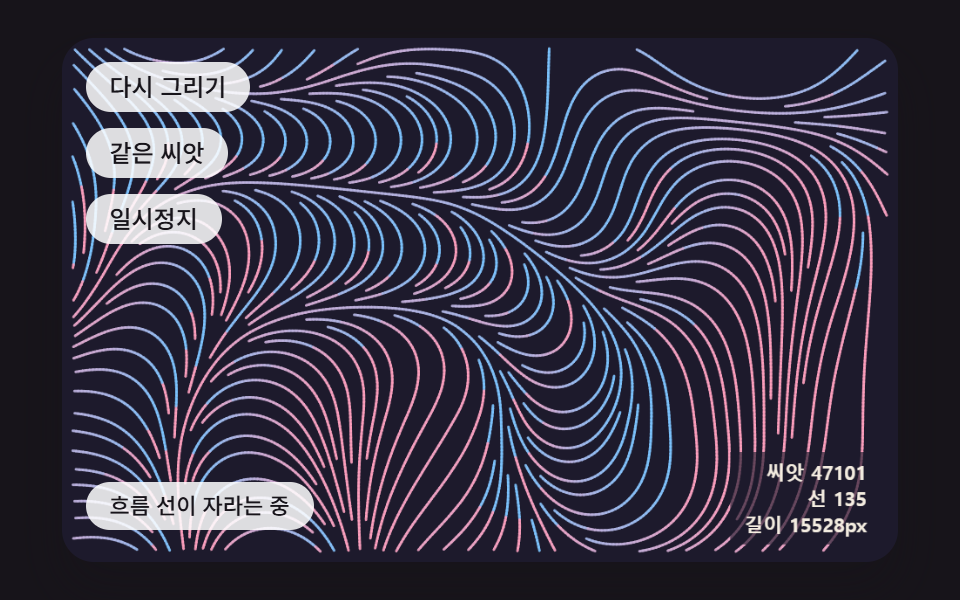 크리에이티브 UI제너레이티브 아트 9종 — 랜덤 패턴 만들기에서 자라는 그림까지
 크리에이티브 UI오로라 배경 9종 — 커튼·세로 광선·호수 반사·산 능선 히어로
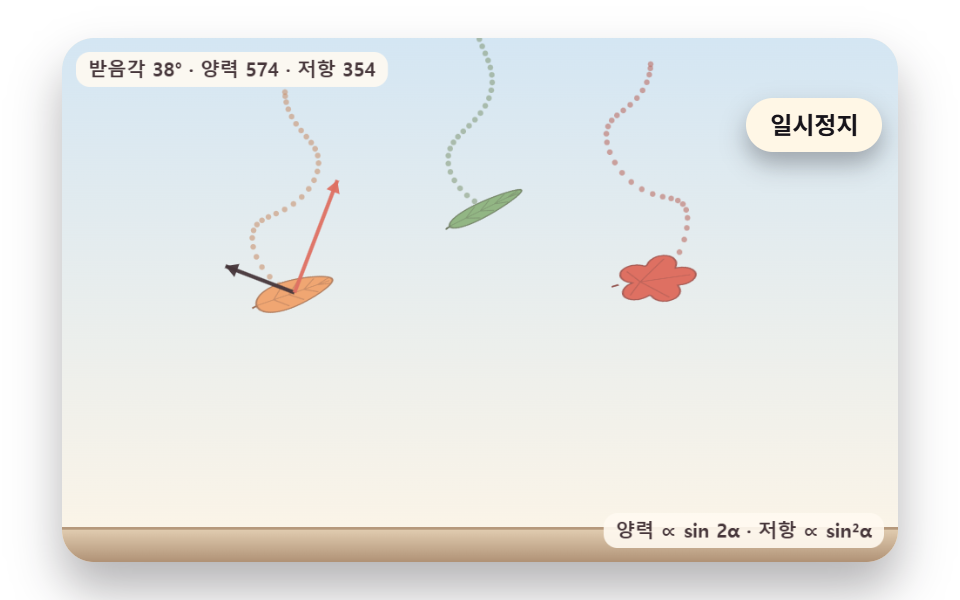 크리에이티브 UI낙엽 떨어지는 효과 9종 — 흔들림·바람·단풍 물듦·쌓이는 더미
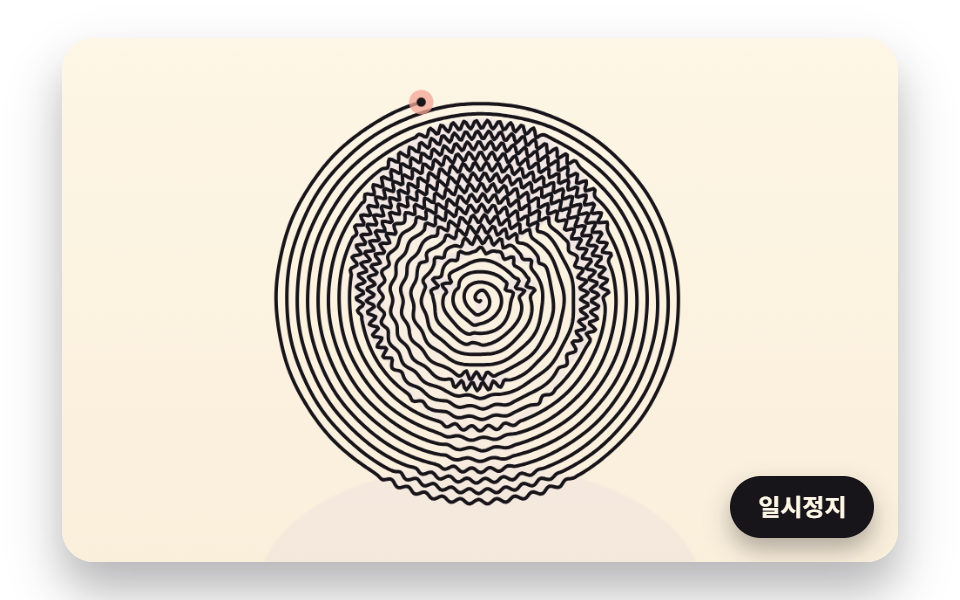 크리에이티브 UI라인 드로잉 9종 — 점 순서와 선 길이를 계산해 한 줄로 그리는 캔버스