03Vòng gauge conic-gradient
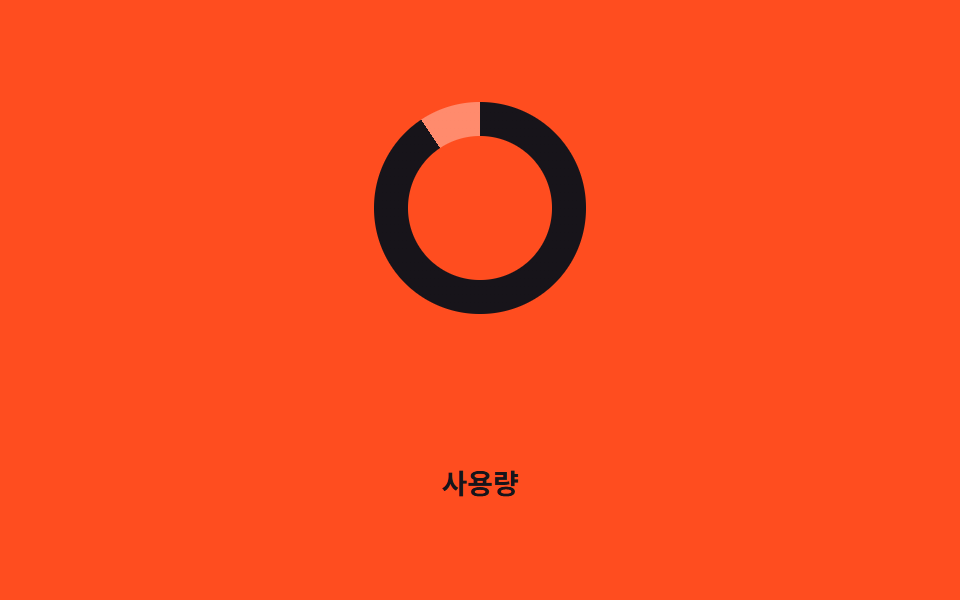
Vòng donut chạy đầy theo --percent nhưng không hiện số nào cả; khi giá trị vượt qua vùng thấp, vừa và cao, chính màu conic-gradient chuyển từ xanh dương sang vàng rồi sang màu mực tối.
Dùng choGauge mức dùng tài nguyên server, hiển thị trạng thái pin hoặc dung lượng lưu trữ
conic-gradient색 구간 전환@property
<main class="stage">
  <div class="ring is-demo" role="progressbar" aria-valuemin="0" aria-valuemax="100" aria-valuenow="76" aria-label="Mức sử dụng"></div>
  <p class="cap">Mức sử dụng</p>
</main>
@use "../../../../site/static/demo-tokens" as *;
// ── 변수 3개 ──────────────────────────────────────────
$duration: $dur-loop; // 0 → 100 까지 차는 시간
$easing: $ease-out;
$color: $subject-blue; // 낮은 구간(0~40%) 색. 변형은 이 값만 바꾼다
@include stage($stage-orange);
// 채움 각도(--percent)와 구간 색(--zone)을 각각 등록한다. 숫자는 매끄럽게, 색은 구간이 바뀔 때 한 번에 전환한다
@property --percent {
syntax: "<number>";
inherits: false;
initial-value: 0;
}
.ring {
--percent: 0;
--zone: #{$color};
position: relative;
width: clamp(84px, 22vw, 108px);
aspect-ratio: 1;
border-radius: 50%;
background: conic-gradient(var(--zone) calc(var(--percent) * 1%), rgba(255, 255, 255, .35) 0);
}
.ring::before { // 도넛 구멍 — 숫자를 보여주지 않고 색으로만 구간을 말한다
content: "";
position: absolute;
inset: 16%;
border-radius: 50%;
background: $stage-orange;
}
.ring.is-demo {
animation: sweep $duration $easing infinite, zone $duration steps(1) infinite;
}
@keyframes sweep { 0% { --percent: 0; } 100% { --percent: 100; } }
@keyframes zone {
0% { --zone: #{$color}; } // 낮음
40% { --zone: #{$color}; }
41% { --zone: #{$stage-yellow}; } // 중간
74% { --zone: #{$stage-yellow}; }
75% { --zone: #{$subject-ink}; } // 높음(경고) — 주황 무대라 빨강 대신 잉크 (대비)
100% { --zone: #{$subject-ink}; }
}
.cap {
margin: 14px 0 0;
color: $subject-ink; // AA: 주황 무대 위 글자 5.50:1
font: 600 clamp(12px, 3.2vw, 14px)/1 -apple-system, "Segoe UI", "Noto Sans KR", sans-serif;
}
@media (prefers-reduced-motion: reduce) {
.ring.is-demo { animation: none; --percent: 76; --zone: #{$subject-ink}; }
}html, body {
margin: 0;
overflow: hidden;
}
.stage {
box-sizing: border-box;
min-height: 100vh;
display: grid;
place-items: center;
margin: 0;
background: #ff4d1f;
font-family: -apple-system, "Segoe UI", "Noto Sans KR", sans-serif;
padding: clamp(8px, 4vw, 24px);
}
@property --percent {
syntax: "<number>";
inherits: false;
initial-value: 0;
}
.ring {
--percent: 0;
--zone: #2f6df6;
position: relative;
width: clamp(84px, 22vw, 108px);
aspect-ratio: 1;
border-radius: 50%;
background: conic-gradient(var(--zone) calc(var(--percent) * 1%), rgba(255, 255, 255, 0.35) 0);
}
.ring::before {
content: "";
position: absolute;
inset: 16%;
border-radius: 50%;
background: #ff4d1f;
}
.ring.is-demo {
animation: sweep 2s ease-out infinite, zone 2s steps(1) infinite;
}
@keyframes sweep {
0% {
--percent: 0;
}
100% {
--percent: 100;
}
}
@keyframes zone {
0% {
--zone: #2f6df6;
}
40% {
--zone: #2f6df6;
}
41% {
--zone: #ffd23f;
}
74% {
--zone: #ffd23f;
}
75% {
--zone: #17141a;
}
100% {
--zone: #17141a;
}
}
.cap {
margin: 14px 0 0;
color: #17141a;
font: 600 clamp(12px, 3.2vw, 14px)/1 -apple-system, "Segoe UI", "Noto Sans KR", sans-serif;
}
@media (prefers-reduced-motion: reduce) {
.ring.is-demo {
animation: none;
--percent: 76;
--zone: #17141a;
}
}import type { CSSProperties } from "react";
import styles from "./ConicRing.module.scss";
export type ConicRingProps = {
/** 0~100 */
percent: number;
duration?: number;
easing?: string;
/** 낮음 구간(0~40) 색 */
color?: string;
/** 중간 구간(40~75) 색 */
zoneMid?: string;
/** 높음 구간(75~100) 색 */
zoneHigh?: string;
label?: string;
};
type Vars = CSSProperties & {
"--duration"?: string;
"--easing"?: string;
"--percent"?: number;
"--zone"?: string;
};
export default function ConicRing({
percent,
duration = 600,
easing = "ease-out",
color = "#2f6df6",
zoneMid = "#ffd23f",
zoneHigh = "#17141a",
label,
}: ConicRingProps) {
const p = Math.max(0, Math.min(100, percent));
const zone = p < 40 ? color : p < 75 ? zoneMid : zoneHigh;
const vars: Vars = { "--duration": `${duration}ms`, "--easing": easing, "--percent": p, "--zone": zone };
return (
<div
className={styles.ring}
style={vars}
role="progressbar"
aria-valuemin={0}
aria-valuemax={100}
aria-valuenow={p}
aria-label={label}
/>
);
}03 Vòng gauge conic-gradient — Diện tích đo được 3.458% · khung hình chuyển động 23/23Nguyên tác GODRICH · SCSS và React nằm trong tệp zip · 9 CSS Progress Bar Circle Gauges — chỉ cần đổi số
Bài viết chứa demo này
 9 CSS Progress Bar Circle Gauges — chỉ cần đổi sốCSS progress bar circle là thanh và vòng tiến trình chỉ cần đổi một con số để vẽ lại toàn bộ. Chín kiểu dưới đây đều chạ Xem tất cả demo trong bài này