05Thoát theo thứ tự ngược
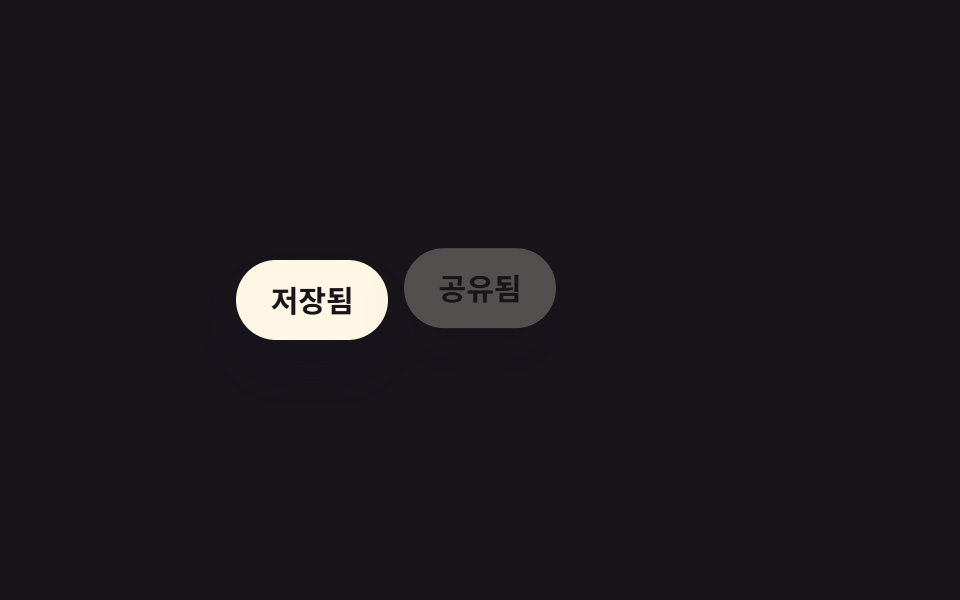
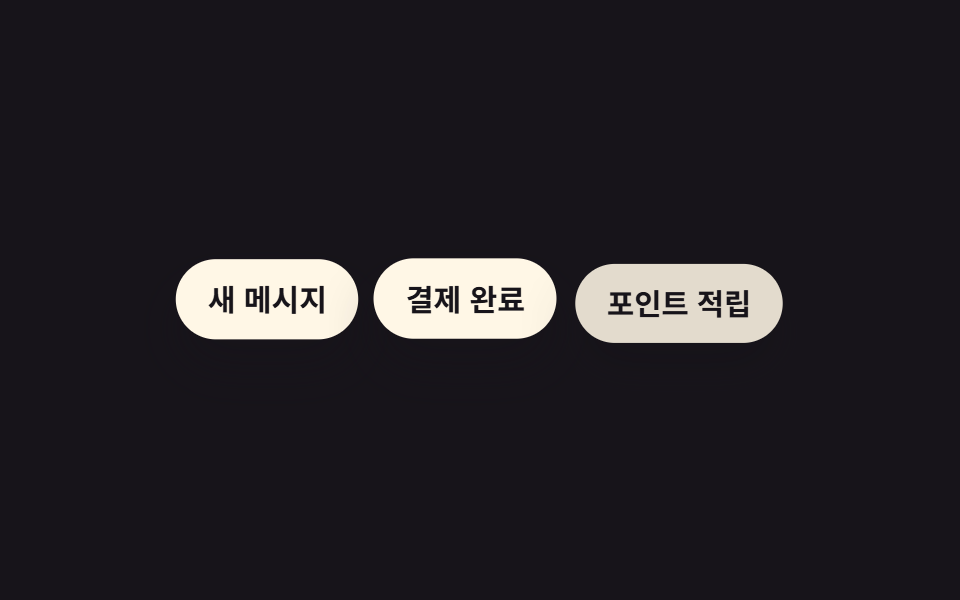
Lúc vào thì từ trên xuống theo thứ tự, lúc thoát thì từ dưới lên theo chiều ngược lại — hai hướng khác nhau cho hai chiều chuyển động.
Dùng choDanh sách xác nhận xóa, dọn stack thông báo toast
역순 delay50ms 간격enter/exit 분리
<main class="stage">
  <ul class="toasts is-demo">
    <li>Đã lưu</li>
    <li>Đã chia sẻ</li>
    <li>Hoàn tất</li>
  </ul>
</main>
@use "../../../../site/static/demo-tokens" as *;
$duration: $dur-base; // 항목 한 개가 트랜지션되는 시간
$easing: $ease-out; // 시작 빠르고 끝은 부드럽게
$color: $subject-cream; // 항목 배경색
@include stage($stage-ink);
.toasts {
margin: 0;
padding: 0;
list-style: none;
display: flex;
flex-wrap: wrap;
justify-content: center;
gap: 8px;
max-width: min(360px, 88vw);
font-weight: 600; font-size: clamp(12px, 3.4vw, 15px); line-height: 1.2; font-family: inherit;
li {
padding: clamp(8px, 2.6vw, 11px) clamp(14px, 3.6vw, 18px);
border-radius: $r-pill;
background: $color;
color: $stage-ink;
box-shadow: $shadow-raised;
}
}
// 들어올 땐 위(01)→아래(03) 순, 나갈 땐 아래(03)→위(01) 순 — 방향이 반대다
@keyframes exit-1 {
0%, 5% { opacity: 0; transform: translateY(-8px); }
15%, 78% { opacity: 1; transform: translateY(0); }
90%, 100% { opacity: 0; transform: translateY(-8px); }
}
@keyframes exit-2 {
0%, 15% { opacity: 0; transform: translateY(-8px); }
25%, 63% { opacity: 1; transform: translateY(0); }
75%, 100% { opacity: 0; transform: translateY(-8px); }
}
@keyframes exit-3 {
0%, 25% { opacity: 0; transform: translateY(-8px); }
35%, 53% { opacity: 1; transform: translateY(0); }
65%, 100% { opacity: 0; transform: translateY(-8px); }
}
.toasts li:nth-child(1) { animation: exit-1 $dur-loop $easing infinite; }
.toasts li:nth-child(2) { animation: exit-2 $dur-loop $easing infinite; }
.toasts li:nth-child(3) { animation: exit-3 $dur-loop $easing infinite; }
@media (prefers-reduced-motion: reduce) {
.toasts li { animation: none; opacity: 1; transform: none; }
}html, body {
margin: 0;
overflow: hidden;
}
.stage {
box-sizing: border-box;
min-height: 100vh;
display: grid;
place-items: center;
margin: 0;
background: #17141a;
font-family: -apple-system, "Segoe UI", "Noto Sans KR", sans-serif;
padding: clamp(8px, 4vw, 24px);
}
.toasts {
margin: 0;
padding: 0;
list-style: none;
display: flex;
flex-wrap: wrap;
justify-content: center;
gap: 8px;
max-width: min(360px, 88vw);
font-weight: 600;
font-size: clamp(12px, 3.4vw, 15px);
line-height: 1.2;
font-family: inherit;
}
.toasts li {
padding: clamp(8px, 2.6vw, 11px) clamp(14px, 3.6vw, 18px);
border-radius: 999px;
background: #fff7e6;
color: #17141a;
box-shadow: 0 14px 24px rgba(23, 20, 26, 0.32);
}
@keyframes exit-1 {
0%, 5% {
opacity: 0;
transform: translateY(-8px);
}
15%, 78% {
opacity: 1;
transform: translateY(0);
}
90%, 100% {
opacity: 0;
transform: translateY(-8px);
}
}
@keyframes exit-2 {
0%, 15% {
opacity: 0;
transform: translateY(-8px);
}
25%, 63% {
opacity: 1;
transform: translateY(0);
}
75%, 100% {
opacity: 0;
transform: translateY(-8px);
}
}
@keyframes exit-3 {
0%, 25% {
opacity: 0;
transform: translateY(-8px);
}
35%, 53% {
opacity: 1;
transform: translateY(0);
}
65%, 100% {
opacity: 0;
transform: translateY(-8px);
}
}
.toasts li:nth-child(1) {
animation: exit-1 2s ease-out infinite;
}
.toasts li:nth-child(2) {
animation: exit-2 2s ease-out infinite;
}
.toasts li:nth-child(3) {
animation: exit-3 2s ease-out infinite;
}
@media (prefers-reduced-motion: reduce) {
.toasts li {
animation: none;
opacity: 1;
transform: none;
}
}import styles from "./ReverseExit.module.scss";
export type ReverseExitProps = {
/** 정확히 3개 — 들어올 땐 위→아래 순, 나갈 땐 아래→위 역순 */
items: [string, string, string];
};
const CLASS = [styles.exit1, styles.exit2, styles.exit3];
export default function ReverseExit({ items }: ReverseExitProps) {
return (
<ul className={styles.toasts}>
{items.map((label, i) => (
<li key={label} className={CLASS[i]}>
{label}
</li>
))}
</ul>
);
}05 Thoát theo thứ tự ngược — Diện tích đo được 6.794% · khung hình chuyển động 17/23Nguyên tác GODRICH · SCSS và React nằm trong tệp zip · 9 CSS Stagger Animation Demos Copy-Paste Là Chạy
Bài viết chứa demo này
 9 CSS Stagger Animation Demos Copy-Paste Là ChạyCSS stagger animation là kỹ thuật khiến các phần tử trong danh sách hay lưới xuất hiện trễ nhau, thay vì bung ra cùng lú Xem tất cả demo trong bài này