06Gợn sóng hình tròn
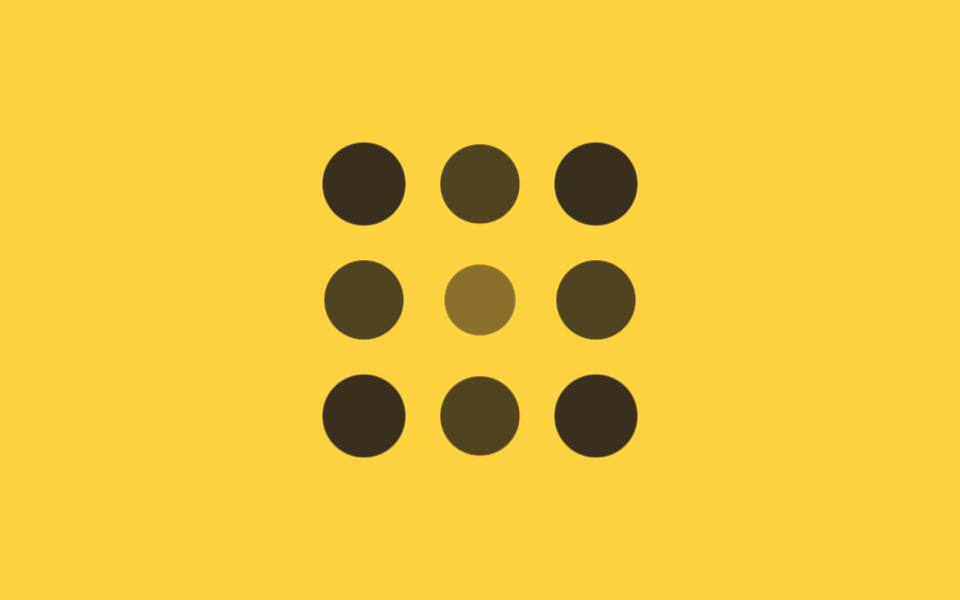
Trong lưới 3×3, delay của mỗi ô được tính theo khoảng cách tới ô trung tâm, nên hiệu ứng lan ra như gợn sóng từ giữa.
Dùng choHiệu ứng nhấn nút like, lưới icon thông báo
중심 거리 delay동심원 확산scale+opacity
<main class="stage">
  <div class="ripple is-demo">
    <span></span><span></span><span></span>
    <span></span><span></span><span></span>
    <span></span><span></span><span></span>
  </div>
</main>
@use "../../../../site/static/demo-tokens" as *;
$duration: $dur-base; // 점 하나가 커지는 시간
$easing: $ease-out; // 시작 빠르고 끝은 부드럽게
$step: 90ms; // 중심 거리 1당 시차 계수
@include stage($stage-yellow);
.ripple {
display: grid;
grid-template-columns: repeat(3, 1fr);
gap: clamp(10px, 3vw, 16px);
width: min(160px, 55vw);
aspect-ratio: 1;
span {
border-radius: 50%;
background: $stage-ink;
animation: ripple-loop $dur-loop $easing infinite;
}
// 3×3, 중심(칸 5)까지의 거리 × $step — 코너는 √2, 변은 1, 중심은 0
span:nth-child(1) { animation-delay: $step * 1.41; }
span:nth-child(2) { animation-delay: $step * 1; }
span:nth-child(3) { animation-delay: $step * 1.41; }
span:nth-child(4) { animation-delay: $step * 1; }
span:nth-child(5) { animation-delay: 0ms; }
span:nth-child(6) { animation-delay: $step * 1; }
span:nth-child(7) { animation-delay: $step * 1.41; }
span:nth-child(8) { animation-delay: $step * 1; }
span:nth-child(9) { animation-delay: $step * 1.41; }
}
@keyframes ripple-loop {
0%, 4% { opacity: 0; transform: scale(.3); }
24%, 58% { opacity: 1; transform: scale(1); }
84%, 100% { opacity: 0; transform: scale(.6); }
}
@media (prefers-reduced-motion: reduce) {
.ripple span { animation: none; opacity: 1; transform: none; }
}html, body {
margin: 0;
overflow: hidden;
}
.stage {
box-sizing: border-box;
min-height: 100vh;
display: grid;
place-items: center;
margin: 0;
background: #ffd23f;
font-family: -apple-system, "Segoe UI", "Noto Sans KR", sans-serif;
padding: clamp(8px, 4vw, 24px);
}
.ripple {
display: grid;
grid-template-columns: repeat(3, 1fr);
gap: clamp(10px, 3vw, 16px);
width: min(160px, 55vw);
aspect-ratio: 1;
}
.ripple span {
border-radius: 50%;
background: #17141a;
animation: ripple-loop 2s ease-out infinite;
}
.ripple span:nth-child(1) {
animation-delay: 126.9ms;
}
.ripple span:nth-child(2) {
animation-delay: 90ms;
}
.ripple span:nth-child(3) {
animation-delay: 126.9ms;
}
.ripple span:nth-child(4) {
animation-delay: 90ms;
}
.ripple span:nth-child(5) {
animation-delay: 0ms;
}
.ripple span:nth-child(6) {
animation-delay: 90ms;
}
.ripple span:nth-child(7) {
animation-delay: 126.9ms;
}
.ripple span:nth-child(8) {
animation-delay: 90ms;
}
.ripple span:nth-child(9) {
animation-delay: 126.9ms;
}
@keyframes ripple-loop {
0%, 4% {
opacity: 0;
transform: scale(0.3);
}
24%, 58% {
opacity: 1;
transform: scale(1);
}
84%, 100% {
opacity: 0;
transform: scale(0.6);
}
}
@media (prefers-reduced-motion: reduce) {
.ripple span {
animation: none;
opacity: 1;
transform: none;
}
}import styles from "./CircularRipple.module.scss";
// 3×3, 중심(인덱스 4)까지의 거리 — 코너는 √2, 변은 1, 중심은 0
const DIST = [Math.SQRT2, 1, Math.SQRT2, 1, 0, 1, Math.SQRT2, 1, Math.SQRT2];
export type CircularRippleProps = {
/** 중심 거리 1당 시차 ms (기본 90ms) */
step?: number;
};
export default function CircularRipple({ step = 90 }: CircularRippleProps) {
return (
<div className={styles.ripple}>
{DIST.map((d, i) => (
<span key={i} style={{ animationDelay: `${d * step}ms` }} />
))}
</div>
);
}06 Gợn sóng hình tròn — Diện tích đo được 9.975% · khung hình chuyển động 15/23Nguyên tác GODRICH · SCSS và React nằm trong tệp zip · 9 CSS Stagger Animation Demos Copy-Paste Là Chạy
Bài viết chứa demo này
 9 CSS Stagger Animation Demos Copy-Paste Là ChạyCSS stagger animation là kỹ thuật khiến các phần tử trong danh sách hay lưới xuất hiện trễ nhau, thay vì bung ra cùng lú Xem tất cả demo trong bài này