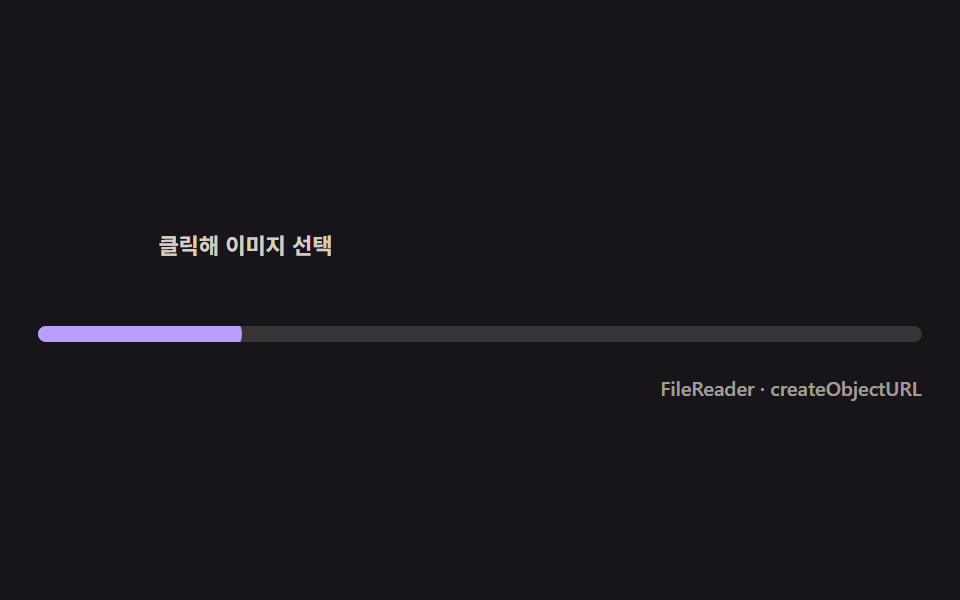
05Thumbnail pop-in the instant the file finishes reading
The moment FileReader finishes its dataURL read fires the pop, so the thumbnail overshoots up from zero and only then does the progress bar beneath begin filling.
Best forImage attachments, product listing forms
FileReadercreateObjectURLtransform
<main class="stage">
<div class="tp is-demo" id="tpRoot" role="group" tabindex="0" aria-label="Image thumbnail upload">
  <label class="tp__drop" for="tpInput">
    <span class="tp__thumb" id="tpThumb" aria-hidden="true">
      <svg viewBox="0 0 256 256" width="22" height="22"><g fill="currentColor"><path d="M216 40H40a16 16 0 0 0-16 16v144a16 16 0 0 0 16 16h176a16 16 0 0 0 16-16V56a16 16 0 0 0-16-16m-72 88l-24-24-40 40h136Z" opacity=".2"/><path d="M216 40H40a16 16 0 0 0-16 16v144a16 16 0 0 0 16 16h176a16 16 0 0 0 16-16V56a16 16 0 0 0-16-16m0 16v102.75l-26.07-26.06a16 16 0 0 0-22.63 0l-20 20-44-44a16 16 0 0 0-22.63 0L40 149.37V56ZM40 172l52-52 76 76H40Zm176 28h-4.69l-40-40 20-20L216 164.69V200Z"/></g></svg>
    </span>
    <input class="tp__input" id="tpInput" type="file" accept="image/*">
    <span class="tp__hint">Click to choose an image</span>
  </label>
  <div class="tp__track">
    <span class="tp__fill" id="tpFill"></span>
  </div>
  <div class="tp__bar">
    <span class="tp__meta">FileReader · createObjectURL</span>
  </div>
</div>
</main>
@use "../../../../site/static/demo-tokens" as *;
// 썸네일 팝인(05) — 스케일 오버슈트는 토큰의 $ease-elastic(고무줄식 되돌아옴)을 그대로 쓴다.
// 실사용 경로는 .is-pop 클래스 전환(트랜지션)으로 같은 이징을 쓴다 — index.html 의 reader.onload 참고.
@include stage($stage-ink);
$tp-text: $subject-cream;
$tp-thumb: $subject-lilac;
$tp-fill: $subject-lilac;
$duration: $dur-loop;
$easing: $ease-elastic;
$color: $tp-thumb;
.tp {
display: flex; flex-direction: column; gap: $sp-4;
width: 100%; height: 100%; min-height: 164px;
justify-content: center;
}
.tp:focus-visible { outline: 2px solid $tp-thumb; outline-offset: 2px; border-radius: $r-control; }
.tp__drop {
display: flex; align-items: center; gap: $sp-3;
cursor: pointer;
}
.tp__thumb {
position: relative;
flex: 0 0 auto;
width: 48px; height: 48px;
border-radius: $r-sm;
background-color: rgba($tp-thumb, .16);
background-size: cover; background-position: center;
display: flex; align-items: center; justify-content: center;
color: rgba($tp-thumb, .82);
transform: scale(0);
opacity: 0;
transition: transform $dur-enter $ease-elastic, opacity $dur-quick $ease-out;
}
.tp__thumb.is-pop { transform: scale(1); opacity: 1; }
.tp__input {
position: absolute; width: 1px; height: 1px; overflow: hidden; clip: rect(0 0 0 0); white-space: nowrap;
}
.tp__hint {
font-weight: 600; font-size: 11px; line-height: 1.3;
color: rgba($tp-text, .82);
}
.tp__track {
position: relative;
height: $sp-2;
border-radius: $r-pill;
background: rgba($tp-text, .14);
overflow: hidden;
}
.tp__fill {
position: absolute; inset: 0;
transform-origin: left center;
transform: scaleX(0);
border-radius: $r-pill;
background: $tp-fill;
}
.tp__bar { display: flex; justify-content: flex-end; }
.tp__meta { font-weight: 500; font-size: 10px; color: rgba($tp-text, .6); }
// ── 데모 루프 — 팝인 뒤에야 바가 채워진다(신호 순서가 핵심) ──
@keyframes tpPop {
0%, 8% { opacity: 0; transform: scale(0); }
14% { opacity: 1; transform: scale(1.18); animation-timing-function: $ease-out; }
20% { transform: scale(1); }
84% { opacity: 1; transform: scale(1); }
90% { opacity: 0; transform: scale(.9); }
100% { opacity: 0; transform: scale(.9); }
}
@keyframes tpFillLoop {
0%, 20% { transform: scaleX(0); }
60% { transform: scaleX(1); }
84% { transform: scaleX(1); }
90%, 100% { transform: scaleX(0); }
}
.is-demo .tp__thumb {
animation-name: tpPop;
animation-duration: $duration;
animation-timing-function: $ease-elastic;
animation-iteration-count: infinite;
}
.is-demo .tp__fill {
animation-name: tpFillLoop;
animation-duration: $duration;
animation-timing-function: $ease-out;
animation-iteration-count: infinite;
}
@media (max-width: 340px) {
.tp__thumb { width: 40px; height: 40px; }
}
@media (prefers-reduced-motion: reduce) {
.is-demo .tp__thumb, .is-demo .tp__fill { animation: none !important; }
.is-demo .tp__thumb { opacity: 1 !important; transform: scale(1) !important; }
.is-demo .tp__fill { transform: scaleX(.7) !important; }
}html, body {
margin: 0;
overflow: hidden;
}
.stage {
box-sizing: border-box;
min-height: 100vh;
display: grid;
place-items: center;
margin: 0;
background: #17141a;
font-family: -apple-system, "Segoe UI", "Noto Sans KR", sans-serif;
padding: clamp(8px, 4vw, 24px);
}
.tp {
display: flex;
flex-direction: column;
gap: 16px;
width: 100%;
height: 100%;
min-height: 164px;
justify-content: center;
}
.tp:focus-visible {
outline: 2px solid #b9a0ff;
outline-offset: 2px;
border-radius: 12px;
}
.tp__drop {
display: flex;
align-items: center;
gap: 12px;
cursor: pointer;
}
.tp__thumb {
position: relative;
flex: 0 0 auto;
width: 48px;
height: 48px;
border-radius: 8px;
background-color: rgba(185, 160, 255, 0.16);
background-size: cover;
background-position: center;
display: flex;
align-items: center;
justify-content: center;
color: rgba(185, 160, 255, 0.82);
transform: scale(0);
opacity: 0;
transition: transform 600ms cubic-bezier(0.34, 1.56, 0.64, 1), opacity 220ms ease-out;
}
.tp__thumb.is-pop {
transform: scale(1);
opacity: 1;
}
.tp__input {
position: absolute;
width: 1px;
height: 1px;
overflow: hidden;
clip: rect(0 0 0 0);
white-space: nowrap;
}
.tp__hint {
font-weight: 600;
font-size: 11px;
line-height: 1.3;
color: rgba(255, 247, 230, 0.82);
}
.tp__track {
position: relative;
height: 8px;
border-radius: 999px;
background: rgba(255, 247, 230, 0.14);
overflow: hidden;
}
.tp__fill {
position: absolute;
inset: 0;
transform-origin: left center;
transform: scaleX(0);
border-radius: 999px;
background: #b9a0ff;
}
.tp__bar {
display: flex;
justify-content: flex-end;
}
.tp__meta {
font-weight: 500;
font-size: 10px;
color: rgba(255, 247, 230, 0.6);
}
@keyframes tpPop {
0%, 8% {
opacity: 0;
transform: scale(0);
}
14% {
opacity: 1;
transform: scale(1.18);
animation-timing-function: ease-out;
}
20% {
transform: scale(1);
}
84% {
opacity: 1;
transform: scale(1);
}
90% {
opacity: 0;
transform: scale(0.9);
}
100% {
opacity: 0;
transform: scale(0.9);
}
}
@keyframes tpFillLoop {
0%, 20% {
transform: scaleX(0);
}
60% {
transform: scaleX(1);
}
84% {
transform: scaleX(1);
}
90%, 100% {
transform: scaleX(0);
}
}
.is-demo .tp__thumb {
animation-name: tpPop;
animation-duration: 2s;
animation-timing-function: cubic-bezier(0.34, 1.56, 0.64, 1);
animation-iteration-count: infinite;
}
.is-demo .tp__fill {
animation-name: tpFillLoop;
animation-duration: 2s;
animation-timing-function: ease-out;
animation-iteration-count: infinite;
}
@media (max-width: 340px) {
.tp__thumb {
width: 40px;
height: 40px;
}
}
@media (prefers-reduced-motion: reduce) {
.is-demo .tp__thumb, .is-demo .tp__fill {
animation: none !important;
}
.is-demo .tp__thumb {
opacity: 1 !important;
transform: scale(1) !important;
}
.is-demo .tp__fill {
transform: scaleX(0.7) !important;
}
}// 썸네일 팝인 — FileReader 가 dataURL 을 다 읽는 순간(onload)을 신호로 삼아
// 썸네일이 0에서 오버슈트로 커지고, 그 아래 진행 바는 그제서야 채워지기 시작한다.
(function () {
var root = document.getElementById('tpRoot');
var input = document.getElementById('tpInput');
var thumb = document.getElementById('tpThumb');
var fill = document.getElementById('tpFill');
if (!root || !input || !thumb || !fill) return;
function fillTo(pct, dur) {
var t0 = performance.now();
function step(now) {
var k = Math.min(1, (now - t0) / dur);
fill.style.transform = 'scaleX(' + (pct * k / 100) + ')';
if (k < 1) requestAnimationFrame(step);
}
requestAnimationFrame(step);
}
input.addEventListener('change', function (e) {
var file = e.target.files && e.target.files[0];
if (!file) return;
root.classList.remove('is-demo');
var reader = new FileReader();
reader.onload = function () {
thumb.style.backgroundImage = 'url(' + reader.result + ')';
thumb.classList.add('is-pop');
fillTo(100, 900);
};
reader.readAsDataURL(file);
// 더 빠른 미리보기가 필요하면 createObjectURL 로도 즉시 참조를 만들 수 있다(여기선 즉시 해제).
var objUrl = URL.createObjectURL(file);
URL.revokeObjectURL(objUrl);
});
})();// UploadProgressThumbnailPop — vanilla 판(run/329/demo/05-upload-progress-thumbnail-pop/index.html) 의 React 포트.
// FileReader 가 dataURL 을 다 읽는 순간(onload)을 신호로 삼아 썸네일이 0에서 오버슈트로 커지고,
// 그 아래 진행 바는 그제서야 채워지기 시작한다.
import { useRef, useState } from "react";
import type { CSSProperties } from "react";
import styles from "./UploadProgressThumbnailPop.module.scss";
export type UploadProgressThumbnailPopProps = {
duration?: string;
easing?: string;
color?: string;
fillMs?: number; // 팝인 뒤 바가 채워지는 데 걸리는 시간(ms)
};
type Vars = CSSProperties & { "--duration"?: string; "--easing"?: string; "--color"?: string };
type FileEvt = { target: { files: { length: number; 0?: File } | FileList | null } };
const HINT = "클릭해 이미지 선택";
const META = "FileReader · createObjectURL";
export default function UploadProgressThumbnailPop({
duration = "2s",
easing = "cubic-bezier(.34,1.56,.64,1)",
color = "#b9a0ff",
fillMs = 900
}: UploadProgressThumbnailPopProps) {
const [demo, setDemo] = useState(true);
const [popped, setPopped] = useState(false);
const [bgUrl, setBgUrl] = useState("");
const fillRef = useRef<HTMLSpanElement | null>(null);
const vars: Vars = { "--duration": duration, "--easing": easing, "--color": color };
function fillTo(pct: number, dur: number): void {
const t0 = performance.now();
function step(now: number): void {
const k = Math.min(1, (now - t0) / dur);
if (fillRef.current) fillRef.current.style.transform = "scaleX(" + (pct * k / 100) + ")";
if (k < 1) requestAnimationFrame(step);
}
requestAnimationFrame(step);
}
function onChange(e: FileEvt): void {
const files = e.target.files as FileList | null;
const file = files && files[0] ? files[0] : null;
if (!file) return;
setDemo(false);
const reader = new FileReader();
reader.onload = () => {
setBgUrl(String(reader.result));
setPopped(true);
fillTo(100, fillMs);
};
reader.readAsDataURL(file);
// 더 빠른 미리보기가 필요하면 createObjectURL 로도 즉시 참조를 만들 수 있다(여기선 즉시 해제).
const objUrl = URL.createObjectURL(file);
URL.revokeObjectURL(objUrl);
}
const rootCls = demo ? `${styles.tp} ${styles.isDemo}` : styles.tp;
const thumbCls = popped ? `${styles.thumb} ${styles.isPop}` : styles.thumb;
return (
<main className={styles.stage}>
<div className={rootCls} style={vars} role="group" tabIndex={0} aria-label="이미지 썸네일 업로드">
<label className={styles.drop}>
<span
className={thumbCls}
aria-hidden="true"
style={bgUrl ? { backgroundImage: `url(${bgUrl})` } : undefined}
>
<svg viewBox="0 0 256 256" width="22" height="22"><g fill="currentColor"><path d="M216 40H40a16 16 0 0 0-16 16v144a16 16 0 0 0 16 16h176a16 16 0 0 0 16-16V56a16 16 0 0 0-16-16m-72 88l-24-24-40 40h136Z" opacity=".2"/><path d="M216 40H40a16 16 0 0 0-16 16v144a16 16 0 0 0 16 16h176a16 16 0 0 0 16-16V56a16 16 0 0 0-16-16m0 16v102.75l-26.07-26.06a16 16 0 0 0-22.63 0l-20 20-44-44a16 16 0 0 0-22.63 0L40 149.37V56ZM40 172l52-52 76 76H40Zm176 28h-4.69l-40-40 20-20L216 164.69V200Z"/></g></svg>
</span>
<input className={styles.input} type="file" accept="image/*" onChange={onChange} />
<span className={styles.hint}>{HINT}</span>
</label>
<div className={styles.track}>
<span className={styles.fill} ref={fillRef}></span>
</div>
<div className={styles.bar}>
<span className={styles.meta}>{META}</span>
</div>
</div>
</main>
);
}05 Thumbnail pop-in the instant the file finishes reading — Measured area 4.903% · moving frames 16/23Original by GODRICH · SCSS and React ship in the zip · File Upload Progress Bar Loader: 9 UI Demos
The post this demo lives in
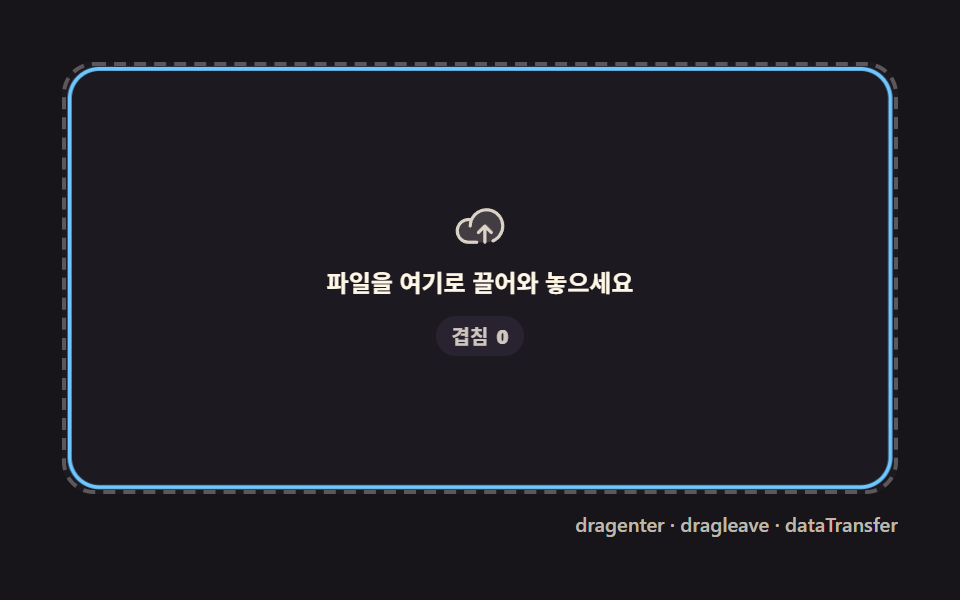 File Upload Progress Bar Loader: 9 UI DemosA file upload progress bar. Drop a file and bytes-over-time become a spinning ring, a speed readout, and a checkmark at See all demos in this post
If you like this effect - similar demos
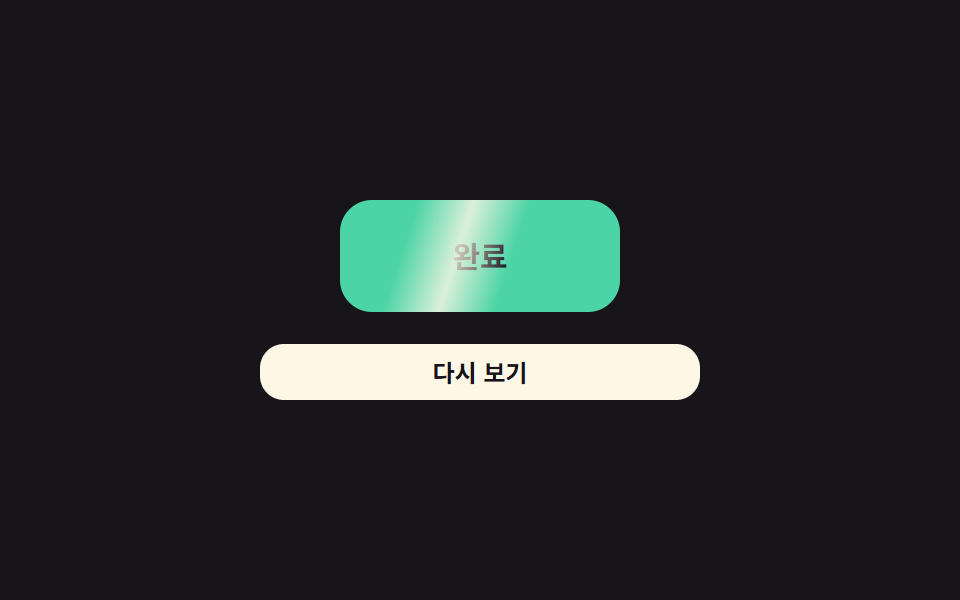 Loaders07 Completion-value flash — the completion value flips to one the instant a download finishes, then falls back to zero after a set timeDownload Progress Bar: 9 Loading UI Patterns
 Loaders01 Route progress bar that crosses the top of the screenPage Loading Animation CSS: 9 Route-Change Demos
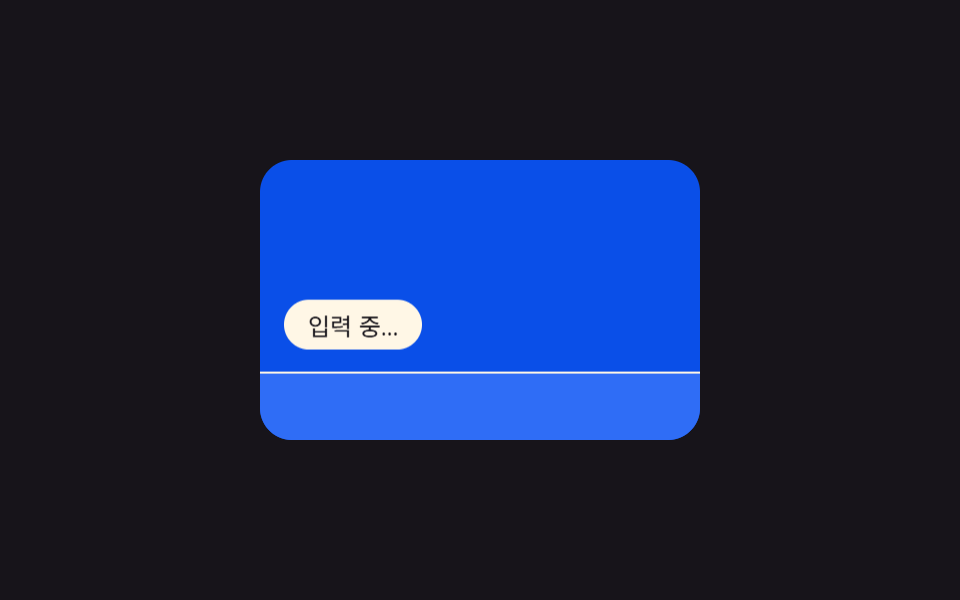 Loaders09 Keyboard-bar hint — an indicator repositioned by a virtual keyboard height value9 Typing Indicator CSS Patterns (Chat UI)