07Live criteria-ratio reflection — the strength value follows the ratio of condition values that turn true out of the total
Several condition values are checked in real time for whether each becomes true, and the count of true condition values against the total condition count value feeds into the strength value as a ratio.
Best forA signup form that lists requirements item by item, an account setting that enumerates internal-policy conditions
CHECKS 기준 4종.cx__item--onSVG path 체크 아이콘
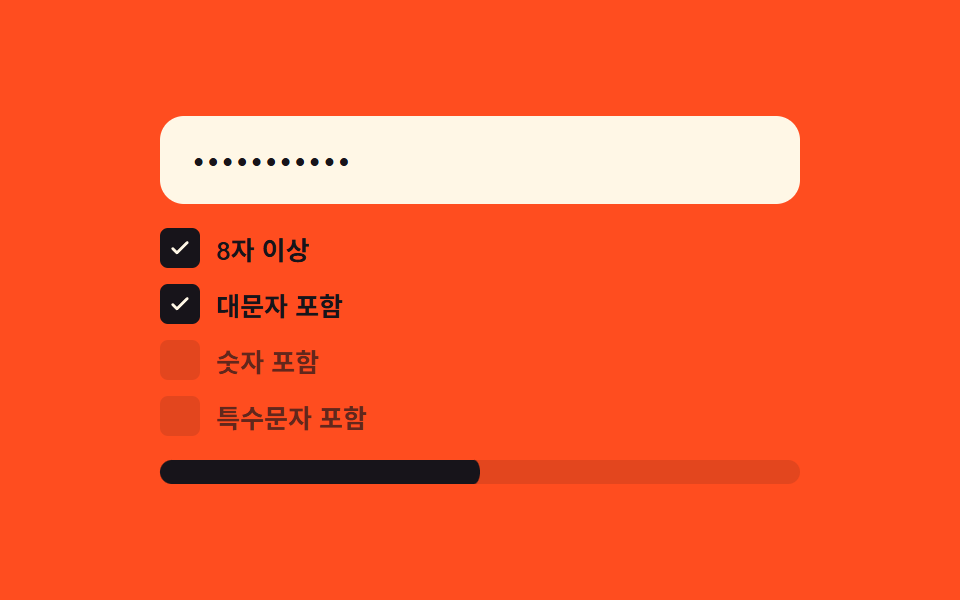
<main class="stage">
<div class="cx is-demo" id="cx">
  <label class="cx__field">
    <input class="cx__input" id="cxInput" type="text" autocomplete="off" spellcheck="false" value="">
  </label>
  <ul class="cx__list" id="cxList">
    <li class="cx__item" data-key="len">
      <span class="cx__badge"><svg viewBox="0 0 20 20" width="12" height="12" aria-hidden="true"><path d="M4 10.5l3.5 3.5L16 5.5" fill="none" stroke="currentColor" stroke-width="2.4" stroke-linecap="round" stroke-linejoin="round"/></svg></span>
      <span class="cx__label">8+ characters</span>
    </li>
    <li class="cx__item" data-key="upper">
      <span class="cx__badge"><svg viewBox="0 0 20 20" width="12" height="12" aria-hidden="true"><path d="M4 10.5l3.5 3.5L16 5.5" fill="none" stroke="currentColor" stroke-width="2.4" stroke-linecap="round" stroke-linejoin="round"/></svg></span>
      <span class="cx__label">Includes uppercase</span>
    </li>
    <li class="cx__item" data-key="digit">
      <span class="cx__badge"><svg viewBox="0 0 20 20" width="12" height="12" aria-hidden="true"><path d="M4 10.5l3.5 3.5L16 5.5" fill="none" stroke="currentColor" stroke-width="2.4" stroke-linecap="round" stroke-linejoin="round"/></svg></span>
      <span class="cx__label">Includes digit</span>
    </li>
    <li class="cx__item" data-key="special">
      <span class="cx__badge"><svg viewBox="0 0 20 20" width="12" height="12" aria-hidden="true"><path d="M4 10.5l3.5 3.5L16 5.5" fill="none" stroke="currentColor" stroke-width="2.4" stroke-linecap="round" stroke-linejoin="round"/></svg></span>
      <span class="cx__label">Includes symbol</span>
    </li>
  </ul>
  <div class="cx__track"><div class="cx__fill" id="cxFill"></div></div>
</div>
</main>@use "../../../../site/static/demo-tokens" as *;
// 계산 겹: 4개 기준(길이·대문자·숫자·특수문자)을 각각 판정해 참인 개수를 세고,
// 그 비율(개수/4)로 막대를 채운다 — 배지는 SVG 체크(글리프 아님)로 표시한다.
@include stage($stage-orange);
.cx {
width: 100%;
max-width: 320px;
display: grid;
gap: $sp-3;
}
.cx__field { display: block; }
.cx__input {
width: 100%;
box-sizing: border-box;
padding: $sp-3 $sp-4;
border-radius: $r-control;
border: 0;
background: $subject-cream;
color: $subject-ink;
font: 500 16px/1.3 -apple-system, "Segoe UI", "Noto Sans KR", sans-serif;
letter-spacing: .04em;
-webkit-text-security: disc;
&:focus { outline: 2px solid $subject-ink; outline-offset: 2px; }
}
.cx__list {
list-style: none;
margin: 0;
padding: 0;
display: grid;
gap: $sp-2;
}
.cx__item {
display: flex;
align-items: center;
gap: $sp-2;
font: 600 13px/1.2 -apple-system, "Segoe UI", "Noto Sans KR", sans-serif;
color: rgba($subject-ink, .68);
}
.cx__badge {
width: 20px;
height: 20px;
border-radius: $r-xs;
display: grid;
place-items: center;
background: rgba($subject-ink, .12);
color: transparent;
transition: background-color $dur-quick $ease-out, color $dur-quick $ease-out;
svg {
transform: scale(.5);
opacity: 0;
transition: transform $dur-quick $ease-spring, opacity $dur-quick $ease-out;
}
}
.cx__item--on {
color: $subject-ink;
.cx__badge {
background: $subject-ink;
color: $subject-cream;
svg { transform: scale(1); opacity: 1; }
}
}
.cx__track {
position: relative;
height: $sp-3;
border-radius: $r-sm;
background: rgba($subject-ink, .12);
overflow: hidden;
}
.cx__fill {
position: absolute;
inset: 0;
border-radius: $r-sm;
background: $subject-ink;
transform: scaleX(0);
transform-origin: left center;
transition: transform $dur-base $ease-out;
}
@media (max-width: 340px) {
.cx { max-width: 260px; }
.cx__input { padding: $sp-2 $sp-3; font-size: 14px; }
.cx__item { font-size: 12px; }
}
@media (prefers-reduced-motion: reduce) {
.cx__badge, .cx__fill { transition: none; }
}html, body {
margin: 0;
overflow: hidden;
}
.stage {
box-sizing: border-box;
min-height: 100vh;
display: grid;
place-items: center;
margin: 0;
background: #ff4d1f;
font-family: -apple-system, "Segoe UI", "Noto Sans KR", sans-serif;
padding: clamp(8px, 4vw, 24px);
}
.cx {
width: 100%;
max-width: 320px;
display: grid;
gap: 12px;
}
.cx__field {
display: block;
}
.cx__input {
width: 100%;
box-sizing: border-box;
padding: 12px 16px;
border-radius: 12px;
border: 0;
background: #fff7e6;
color: #17141a;
font: 500 16px/1.3 -apple-system, "Segoe UI", "Noto Sans KR", sans-serif;
letter-spacing: 0.04em;
-webkit-text-security: disc;
}
.cx__input:focus {
outline: 2px solid #17141a;
outline-offset: 2px;
}
.cx__list {
list-style: none;
margin: 0;
padding: 0;
display: grid;
gap: 8px;
}
.cx__item {
display: flex;
align-items: center;
gap: 8px;
font: 600 13px/1.2 -apple-system, "Segoe UI", "Noto Sans KR", sans-serif;
color: rgba(23, 20, 26, 0.68);
}
.cx__badge {
width: 20px;
height: 20px;
border-radius: 4px;
display: grid;
place-items: center;
background: rgba(23, 20, 26, 0.12);
color: transparent;
transition: background-color 220ms ease-out, color 220ms ease-out;
}
.cx__badge svg {
transform: scale(0.5);
opacity: 0;
transition: transform 220ms cubic-bezier(0.2, 0.8, 0.2, 1), opacity 220ms ease-out;
}
.cx__item--on {
color: #17141a;
}
.cx__item--on .cx__badge {
background: #17141a;
color: #fff7e6;
}
.cx__item--on .cx__badge svg {
transform: scale(1);
opacity: 1;
}
.cx__track {
position: relative;
height: 12px;
border-radius: 8px;
background: rgba(23, 20, 26, 0.12);
overflow: hidden;
}
.cx__fill {
position: absolute;
inset: 0;
border-radius: 8px;
background: #17141a;
transform: scaleX(0);
transform-origin: left center;
transition: transform 300ms ease-out;
}
@media (max-width: 340px) {
.cx {
max-width: 260px;
}
.cx__input {
padding: 8px 12px;
font-size: 14px;
}
.cx__item {
font-size: 12px;
}
}
@media (prefers-reduced-motion: reduce) {
.cx__badge, .cx__fill {
transition: none;
}
}(function () {
var root = document.getElementById('cx');
var input = document.getElementById('cxInput');
var items = root.querySelectorAll('.cx__item');
var fill = document.getElementById('cxFill');
// 계산 겹: 4개 기준을 각각 판정해 참인 개수를 세고, 그 비율(개수/4)로
// 막대 채움을 맞춘다 — 배지는 개수가 아니라 각 기준의 참/거짓으로 켜진다.
var CHECKS = {
len: function (v) { return v.length >= 8; },
upper: function (v) { return /[A-Z]/.test(v); },
digit: function (v) { return /[0-9]/.test(v); },
special: function (v) { return /[^A-Za-z0-9]/.test(v); }
};
function paint(value) {
var met = 0;
items.forEach(function (li) {
var key = li.getAttribute('data-key');
var ok = CHECKS[key](value);
li.classList.toggle('cx__item--on', ok);
if (ok) met++;
});
fill.style.transform = 'scaleX(' + (met / items.length) + ')';
}
input.addEventListener('input', function () {
root.classList.remove('is-demo');
stopAutoplay();
paint(input.value);
});
paint(input.value);
// 자동 루프: 시드 고정 문자열 배열로 기준을 하나씩 채웠다 되돌린다.
var SEQ = ['', 'short', 'longenough', 'longenoughA', 'longenoughA1', 'longenoughA1!',
'longenoughA1', 'longenoughA', 'longenough', 'short', ''];
var si = 0;
var autoTimer = null;
function autoTick() { input.value = SEQ[si]; paint(SEQ[si]); si = (si + 1) % SEQ.length; }
function stopAutoplay() { if (autoTimer) { clearInterval(autoTimer); autoTimer = null; } }
var reduce = window.matchMedia('(prefers-reduced-motion: reduce)').matches;
if (!reduce) { autoTimer = setInterval(autoTick, 380); autoTick(); }
})();import { useEffect, useRef } from "react";
import styles from "./CriteriaChecklistLive.module.scss";
type Box<T> = { current: T };
const CHECKS: Record<string, (v: string) => boolean> = {
len: (v) => v.length >= 8,
upper: (v) => /[A-Z]/.test(v),
digit: (v) => /[0-9]/.test(v),
special: (v) => /[^A-Za-z0-9]/.test(v),
};
const CHECK_ICON = "M4 10.5l3.5 3.5L16 5.5";
export default function CriteriaChecklistLive() {
const rootRef = useRef(null) as unknown as Box<HTMLDivElement | null>;
useEffect(() => {
const root = rootRef.current;
if (!root) return;
const input = root.querySelector(`.${styles.input}`) as HTMLInputElement | null;
const items = root.querySelectorAll(`.${styles.item}`);
const fill = root.querySelector(`.${styles.fill}`) as HTMLElement | null;
if (!input || !fill || items.length === 0) return;
// 계산 겹: 4개 기준을 각각 판정해 참인 개수를 세고, 그 비율(개수/4)로
// 막대 채움을 맞춘다 — 배지는 개수가 아니라 각 기준의 참/거짓으로 켜진다.
function paint(value: string) {
let met = 0;
items.forEach((li) => {
const key = (li as HTMLElement).getAttribute("data-key") || "";
const ok = CHECKS[key] ? CHECKS[key](value) : false;
li.classList.toggle(styles["item--on"], ok);
if (ok) met++;
});
fill!.style.transform = "scaleX(" + met / items.length + ")";
}
function onInput() {
root!.classList.remove(styles["is-demo"]);
stopAutoplay();
paint(input!.value);
}
input.addEventListener("input", onInput);
paint(input.value);
// 자동 루프: 시드 고정 문자열 배열로 기준을 하나씩 채웠다 되돌린다.
const SEQ = ["", "short", "longenough", "longenoughA", "longenoughA1", "longenoughA1!",
"longenoughA1", "longenoughA", "longenough", "short", ""];
let si = 0;
let autoTimer: number | null = null;
function autoTick() { input!.value = SEQ[si]; paint(SEQ[si]); si = (si + 1) % SEQ.length; }
function stopAutoplay() { if (autoTimer !== null) { window.clearInterval(autoTimer); autoTimer = null; } }
const reduce = window.matchMedia("(prefers-reduced-motion: reduce)").matches;
if (!reduce) { autoTimer = window.setInterval(autoTick, 380); autoTick(); }
return () => {
stopAutoplay();
input.removeEventListener("input", onInput);
};
}, []);
const rows: Array<[string, string]> = [
["len", "8자 이상"],
["upper", "대문자 포함"],
["digit", "숫자 포함"],
["special", "특수문자 포함"],
];
return (
<div ref={rootRef} className={`${styles.stage} ${styles.cx} ${styles["is-demo"]}`}>
<label className={styles.field}>
<input className={styles.input} type="text" autoComplete="off" spellCheck={false} defaultValue="" />
</label>
<ul className={styles.list}>
{rows.map(([key, label]) => (
<li key={key} className={styles.item} data-key={key}>
<span className={styles.badge}>
<svg viewBox="0 0 20 20" width="12" height="12" aria-hidden="true">
<path d={CHECK_ICON} fill="none" stroke="currentColor" strokeWidth="2.4" strokeLinecap="round" strokeLinejoin="round" />
</svg>
</span>
<span>{label}</span>
</li>
))}
</ul>
<div className={styles.track}><div className={styles.fill} /></div>
</div>
);
}07 Live criteria-ratio reflection — the strength value follows the ratio of condition values that turn true out of the total — Measured area 4.904% · moving frames 20/23Original by GODRICH · SCSS and React ship in the zip · Password Strength Meter UI: 9 Calculation Patterns
The post this demo lives in
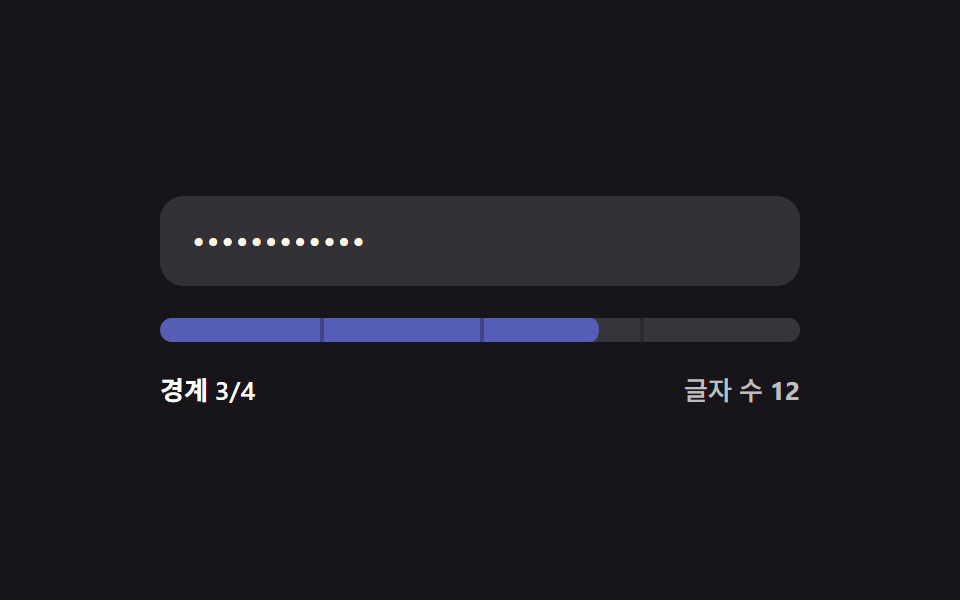 Password Strength Meter UI: 9 Calculation PatternsOne strength value is set by how many character types mix in, one drops when the input matches a common value, and one f See all demos in this post
If you like this effect - similar demos
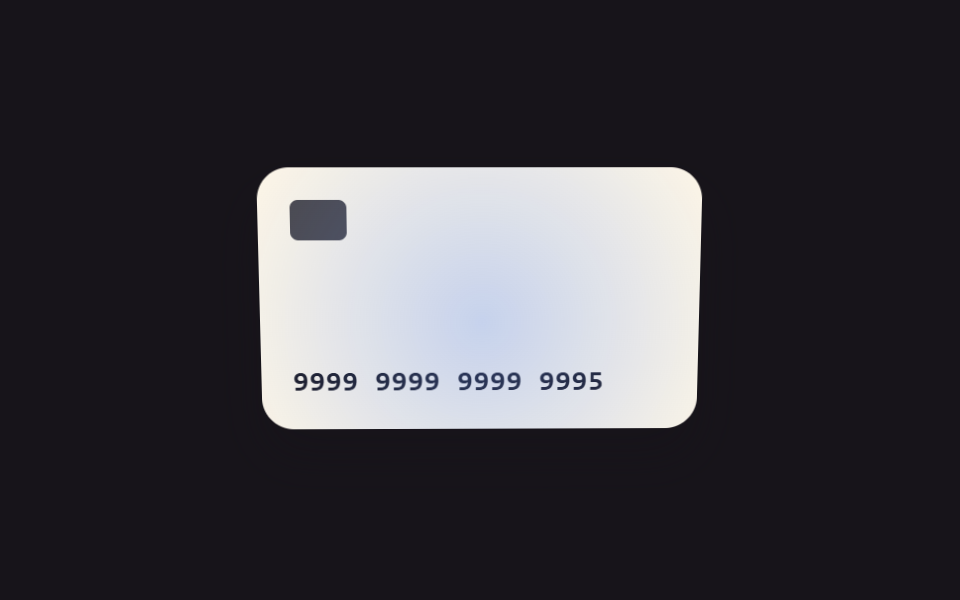 Inputs09 Focus and tilt values linked — as the field's focus-position value moves, the card visual's tilt value follows alongCredit Card Input UI: 9 Patterns
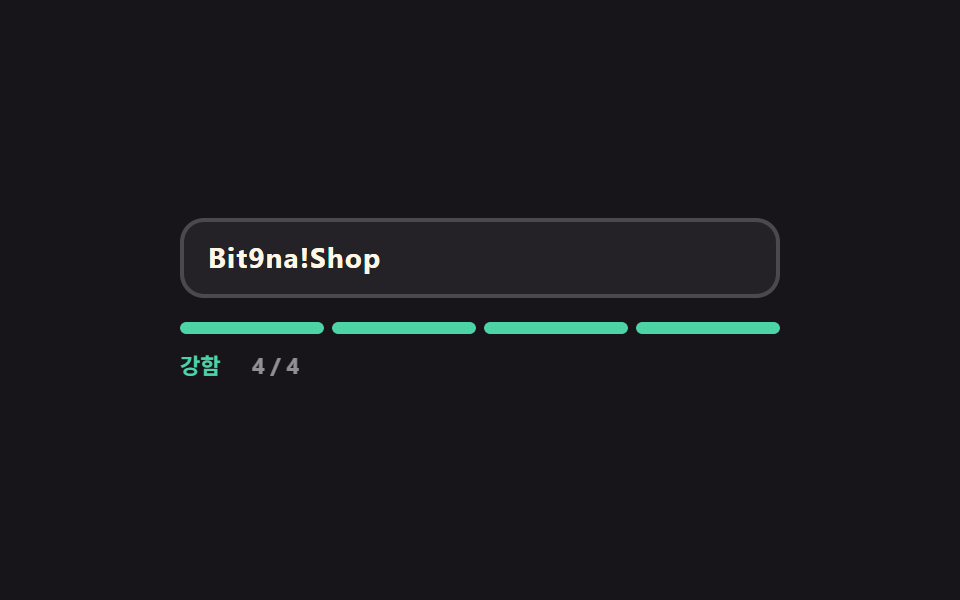 Inputs05 Password strength gauge that scores as you type9 Form Validation UI Patterns — As You Type
 Inputs01 Quantity change that tints the line total and the grand total togetherCheckout Page Design — 9 Cart Patterns, No Library