css 인트로 애니메이션 9종 — 인트로 만들기 핵심
css 인트로 애니메이션은 페이지가 열리는 첫 1~2초 동안 화면을 덮었다가 물러나며 본 화면을 내주는 연출입니다. 건너뛸 수 있어야 인트로다 — 아홉 개 모두 버튼과 Esc, 재방문 기록으로 그 자리에서 끝납니다.
 01 intro-curtain-lift
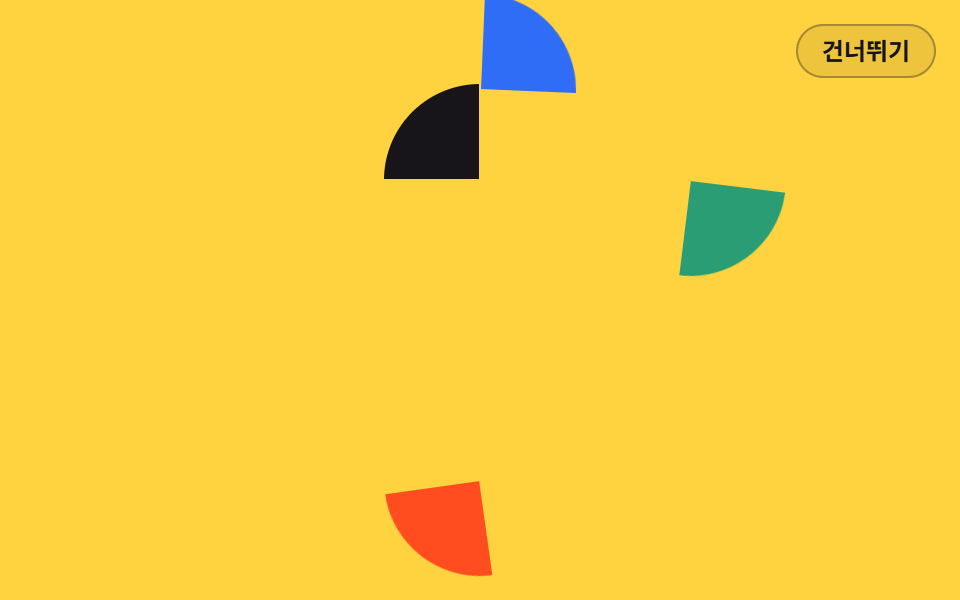 02 intro-logo-assemble
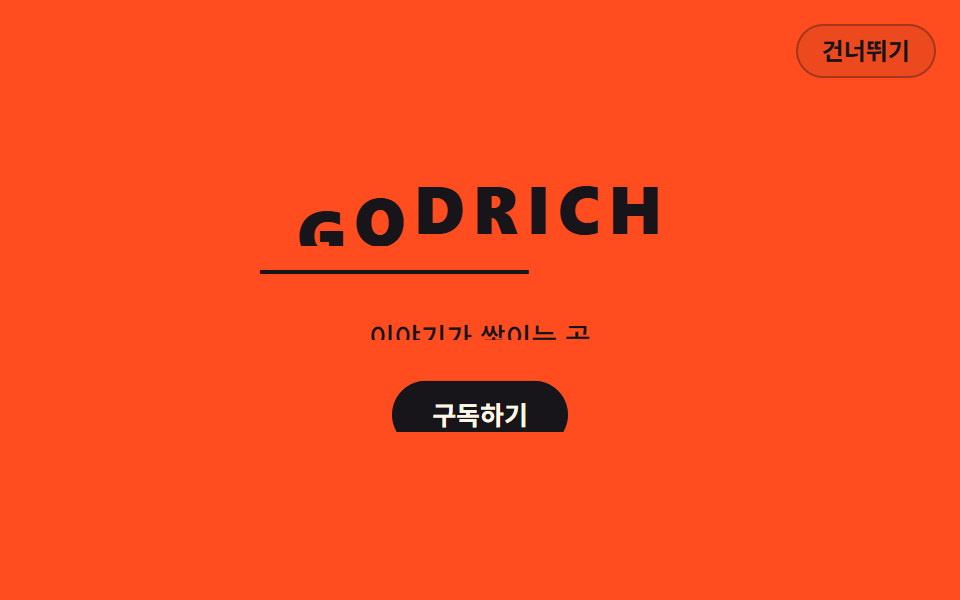 03 intro-title-mask-stagger
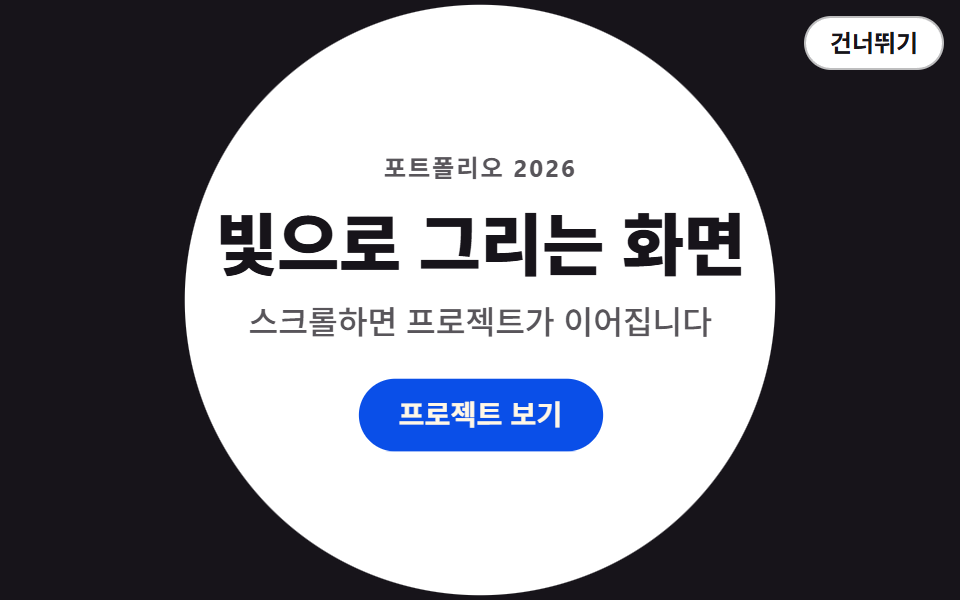 04 intro-shape-wipe
 05 intro-countdown-lead
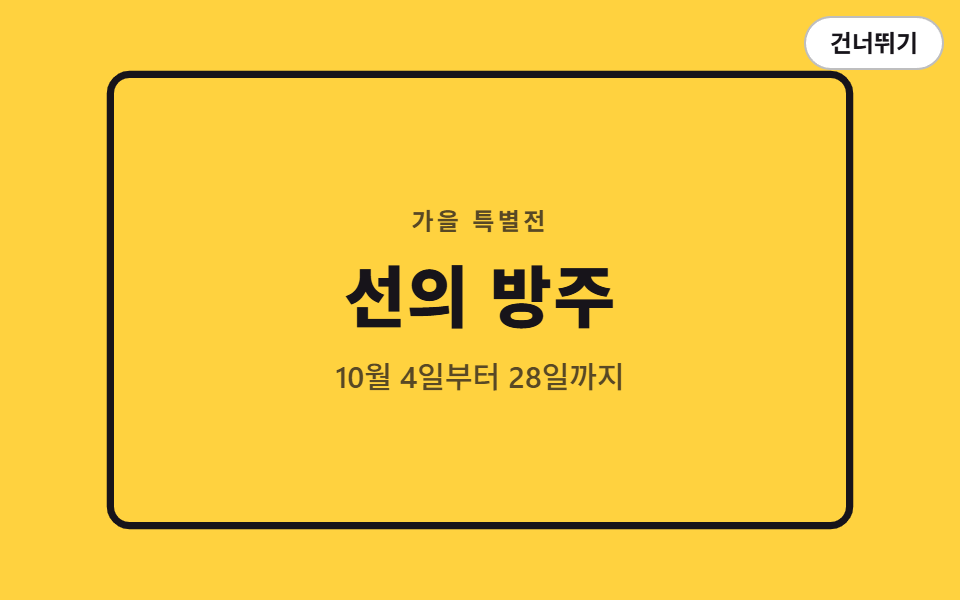 06 intro-line-draw-frame
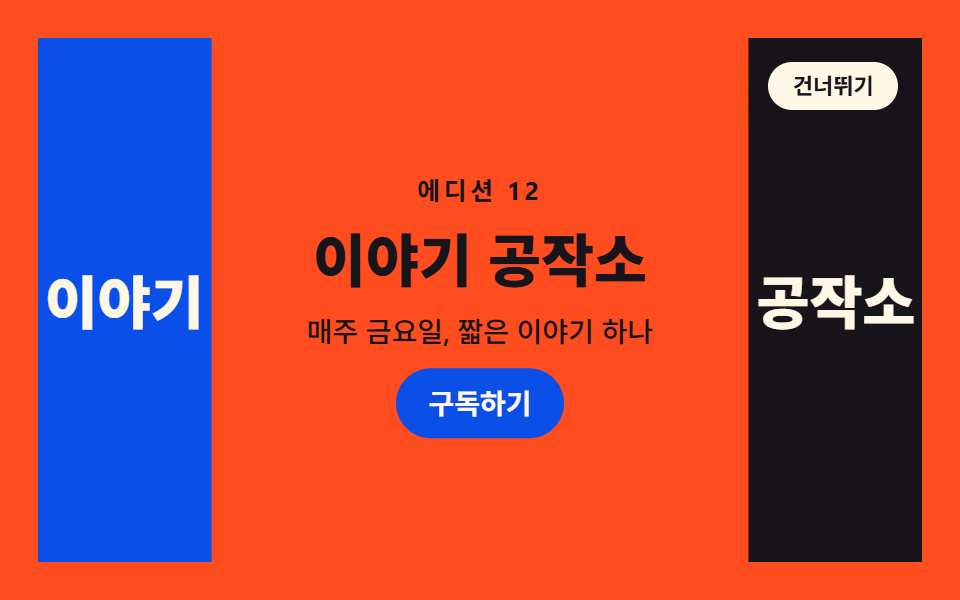 07 intro-split-screen-open
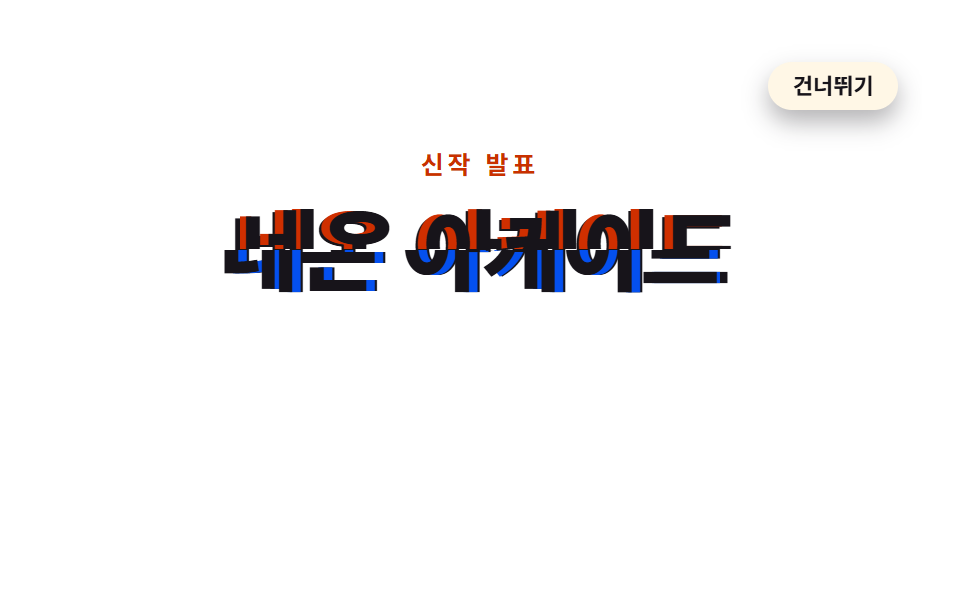 08 intro-glitch-boot
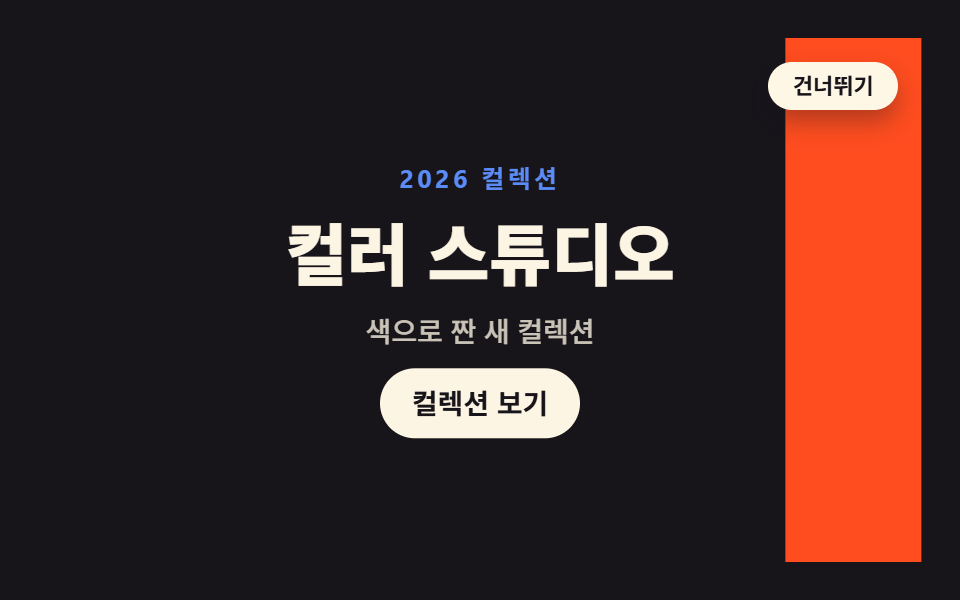 09 intro-color-flood
자동 재생 · 눌러서 해당 항목으로 · 전부 한 zip
- 01 커튼 리프트
- 02 로고 조각 결합
- 03 낱글자 마스크 스태거
- 04 원형 마스크 와이프
- 05 카운트다운 리드
- 06 라인 드로잉 테두리
- 07 스플릿 스크린 오픈
- 08 글리치 부팅
- 09 컬러 플러드
순서는 인기순이 아니라 덮개가 걷히는 단위가 넓은 면에서 좁은 획으로 옮겨 갔다가 다시 화면 전체로 돌아오는 순서입니다. 화면을 반씩 나눈 가림막이 먼저 물러나고(01), 흩어진 조각이 모여 로고가 되고(02), 그다음은 낱글자(03)·원 하나(04)·숫자 셋(05)·선 한 줄(06)로 주인공이 점점 작아집니다. 07 부터는 다시 화면 전체가 움직여 좌우로 갈라지고(07), 제목이 어긋났다 붙고(08), 색 띠가 훑고 지나갑니다(09). 아홉 개 모두 애니메이션이 없는 기본 상태가 곧 인트로가 끝난 화면이라, 건너뛰기는 클래스 하나로 애니메이션을 끄는 일이 됩니다. 오프닝 애니메이션은 처음 한 번만 보여야 하니 이 구조가 먼저고 연출은 그다음입니다. 기다리는 동안의 화면을 다루는 로딩페이지 디자인 9종, 화면과 화면 사이를 다루는 CSS 페이지 전환 애니메이션 9종이 이 편의 이웃입니다.
01커튼 리프트
화면을 덮은 두 겹 가림막이 위아래로 갈라져 물러나고 제목이 한 박자 늦게 떠오르는, 브랜드 랜딩의 첫 진입에 쓰는 인트로입니다.
<main class="stage">
<div class="cl is-demo" id="cl">
  <section class="cl__site">
    <h1 class="cl__title">새 이야기를 엽니다</h1>
    <p class="cl__sub">매주 새로운 이야기</p>
    <button class="cl__cta" type="button">시작하기</button>
  </section>
  <div class="cl__veil cl__veil--top" aria-hidden="true"></div>
  <div class="cl__veil cl__veil--bot" aria-hidden="true"><span class="cl__brand">GODRICH</span></div>
  <button class="cl__skip" id="cl-skip" type="button">건너뛰기</button>
  <p class="cl__live" id="cl-live" aria-live="polite"></p>
</div>
</main>
@use "../../../../site/static/demo-tokens" as *;
// 커튼 리프트 — 화면을 덮은 두 겹 가림막이 위아래로 갈라져 물러나고, 제목이 한 박자 늦게 translateY 로 떠오르는 인트로.
// 원칙: 요소의 기본(애니메이션 없는) 상태 = 인트로가 끝난 화면. "등장 전"은 0% 키프레임이 채운다(animation-fill-mode).
// 그래서 건너뛰기 버튼·Esc·sessionStorage 재방문은 .is-done 로 애니메이션을 끄는 것만으로 완료 상태가 되고,
// prefers-reduced-motion 에서도 애니메이션을 끄면 가림막은 기본 transform(화면 밖)에 있어 처음부터 열려 있다.
// 대비 실측(run/016/_probe/a1_대비.py): 제목 $subject-cream on $stage-ink 17.11:1 · 보조문 rgba($subject-cream,.72) 합성 9.18:1
// · 가림막 브랜드 $subject-cream on $subject-blue 4.25:1(20px 700 큰 글자, 기준 3) · CTA $subject-cream on $subject-blue-deep 5.98:1
$duration: $dur-enter; // 정적(실사용) 재생 시간 — 변형1: $dur-base
$easing: $ease-spring; // 변형2: $ease-pop
$color: $subject-blue; // 가림막 색 — 변형3: $stage-orange
@include stage($stage-ink);
.cl {
position: fixed; inset: 0;
display: flex; flex-direction: column; align-items: center; justify-content: center;
gap: $sp-2; text-align: center;
}
// ── 가림막 아래 깔린 사이트 첫 화면
.cl__title {
margin: 0; color: $subject-cream;
font-weight: 800; font-size: clamp(22px, 5.5vw, 30px); line-height: 1.25;
}
.cl__sub {
margin: 0; color: rgba($subject-cream, .72);
font-weight: 500; font-size: clamp(12px, 3vw, 14px); line-height: 1.5;
}
.cl__cta {
margin-top: $sp-2; padding: $sp-2 $sp-5; border: 0; border-radius: $r-pill;
background: $subject-blue-deep; color: $subject-cream;
font-family: inherit; font-weight: 700; font-size: 13px; line-height: 1.4; cursor: pointer;
}
// ── 두 겹 가림막. 기본 transform 은 "열린" 위치(화면 밖)다. 앞전(가장자리)에 크림 섬을 둬 걷히는 방향을 보여준다
.cl__veil { position: absolute; left: 0; right: 0; height: 50.5%; background: $color; z-index: 2; }
.cl__veil::after { content: ""; position: absolute; left: 0; right: 0; height: $sp-1; background: $subject-cream; }
.cl__veil--top { top: 0; transform: translateY(-102%); }
.cl__veil--top::after { bottom: 0; }
.cl__veil--bot { bottom: 0; transform: translateY(102%); }
.cl__veil--bot::after { top: 0; }
// 닫힌 상태의 타이틀카드 글자. 아래 판에 인쇄되어 있어 판과 함께 물러난다 (20px 700 = 큰 글자)
.cl__brand {
position: absolute; top: $sp-4; left: 0; right: 0; margin: 0; text-align: center;
color: $subject-cream; font-weight: 700; font-size: 20px; line-height: 1.2;
letter-spacing: .35em; text-indent: .35em;
}
// ── 건너뛰기 (무대 우상단). 가림막보다 위
.cl__skip {
position: absolute; top: $sp-3; right: $sp-3; z-index: 4;
padding: $sp-1 $sp-3; border: 1px solid rgba($subject-cream, .32); border-radius: $r-pill;
background: rgba($subject-cream, .10); color: $subject-cream;
font-family: inherit; font-weight: 600; font-size: 12px; line-height: 1.4; cursor: pointer;
}
// 스크린리더용 상태 한 줄
.cl__live {
position: absolute; width: 1px; height: 1px; overflow: hidden;
clip-path: inset(50%); white-space: nowrap;
}
// ── 정적(실사용): 페이지를 열면 한 번 재생되고 열린 채로 끝난다.
// 낱개 속성으로 쓴다 — animation: 단축은 delay 를 0 으로 리셋한다.
// 제목·보조문·CTA 는 opacity 로 나타나지 않는다 — 처음부터 제자리에서 가림막에 가려져 있다가
// 가림막이 걷히며 모습을 드러낸다 (반투명 유령 프레임이 아예 없다)
.cl__veil--top {
animation-name: clTopOnce; animation-duration: $duration; animation-timing-function: $easing;
animation-delay: .08s; animation-fill-mode: both;
}
.cl__veil--bot {
animation-name: clBotOnce; animation-duration: $duration; animation-timing-function: $easing;
animation-delay: .16s; animation-fill-mode: both;
}
.cl__title {
animation-name: clRiseOnce; animation-duration: $duration; animation-timing-function: $easing;
animation-delay: .34s; animation-fill-mode: both;
}
.cl__sub {
animation-name: clRiseOnce; animation-duration: $duration; animation-timing-function: $easing;
animation-delay: .46s; animation-fill-mode: both;
}
.cl__cta {
animation-name: clRiseOnce; animation-duration: $duration; animation-timing-function: $easing;
animation-delay: .58s; animation-fill-mode: both;
}
@keyframes clTopOnce { from { transform: translateY(0); } to { transform: translateY(-102%); } }
@keyframes clBotOnce { from { transform: translateY(0); } to { transform: translateY(102%); } }
@keyframes clRiseOnce { from { transform: translateY(24px); } to { transform: none; } }
// ── 격자 미리보기 루프(2초). 열림 4~32%(스프링 급출발) · 콘텐츠는 가림막 뒤에서 14~50% 에 떠오르고
// 66~94% 에 가림막이 되돌아와 다시 덮는다(콘텐츠는 그 아래에서 그대로 hold — 퇴장 연출이 없다).
// 복귀는 linear 로 충분히 느리게(프레임당 약 10% 캔버스) — 여는 쪽 스프링(약 25%)이 늘 이기므로
// poster 는 "걷히는 중 + 제목 떠오름"이지 "닫히는 순간"이 아니다.
// 마지막 장(95.8%)은 frame 0 와 같은 완전히 닫힌 상태라 루프 이음이 깨끗하다
.cl.is-demo .cl__veil--top {
animation-name: clTopLoop; animation-duration: $dur-loop; animation-timing-function: $easing;
animation-iteration-count: infinite; animation-fill-mode: backwards; animation-delay: 0s;
}
.cl.is-demo .cl__veil--bot {
animation-name: clBotLoop; animation-duration: $dur-loop; animation-timing-function: $easing;
animation-iteration-count: infinite; animation-fill-mode: backwards; animation-delay: 0s;
}
.cl.is-demo .cl__title {
animation-name: clTitleLoop; animation-duration: $dur-loop; animation-timing-function: $easing;
animation-iteration-count: infinite; animation-fill-mode: backwards; animation-delay: 0s;
}
.cl.is-demo .cl__sub {
animation-name: clSubLoop; animation-duration: $dur-loop; animation-timing-function: $easing;
animation-iteration-count: infinite; animation-fill-mode: backwards; animation-delay: 0s;
}
.cl.is-demo .cl__cta {
animation-name: clCtaLoop; animation-duration: $dur-loop; animation-timing-function: $easing;
animation-iteration-count: infinite; animation-fill-mode: backwards; animation-delay: 0s;
}
@keyframes clTopLoop {
0%, 4% { transform: translateY(0); }
26%, 66% { transform: translateY(-102%); animation-timing-function: linear; }
88%, 100% { transform: translateY(0); }
}
@keyframes clBotLoop {
0%, 10% { transform: translateY(0); }
32%, 72% { transform: translateY(102%); animation-timing-function: linear; }
94%, 100% { transform: translateY(0); }
}
@keyframes clTitleLoop {
0%, 14% { transform: translateY(24px); }
36%, 100% { transform: none; }
}
@keyframes clSubLoop {
0%, 20% { transform: translateY(16px); }
44%, 100% { transform: none; }
}
@keyframes clCtaLoop {
0%, 26% { transform: translateY(12px); }
50%, 100% { transform: none; }
}
// 건너뛰기·Esc·재방문: 애니메이션을 끄면 기본 상태(완료)가 드러난다
.cl.is-done .cl__veil--top, .cl.is-done .cl__veil--bot,
.cl.is-done .cl__title, .cl.is-done .cl__sub, .cl.is-done .cl__cta { animation: none; }
.cl.is-done .cl__skip { display: none; }
// ── 좁은 화면: 간격과 글자를 줄여 무대 안에 들어온다. 브랜드 글자는 20px 700(큰 글자)을 유지해
// 크림 on 파랑 대비 기준(3:1)을 지킨다
@media (max-width: 340px) {
.cl { gap: $sp-1; }
.cl__title { font-size: 20px; }
.cl__brand { letter-spacing: .24em; text-indent: .24em; }
}
@media (prefers-reduced-motion: reduce) {
// !important — .cl.is-demo 계열(클래스 3개) 특이도에 지지 않으려면 필요하다
.cl .cl__veil--top, .cl .cl__veil--bot,
.cl .cl__title, .cl .cl__sub, .cl .cl__cta { animation: none !important; }
}html, body {
margin: 0;
overflow: hidden;
}
.stage {
box-sizing: border-box;
min-height: 100vh;
display: grid;
place-items: center;
margin: 0;
background: #17141a;
font-family: -apple-system, "Segoe UI", "Noto Sans KR", sans-serif;
padding: clamp(8px, 4vw, 24px);
}
.cl {
position: fixed;
inset: 0;
display: flex;
flex-direction: column;
align-items: center;
justify-content: center;
gap: 8px;
text-align: center;
}
.cl__title {
margin: 0;
color: #fff7e6;
font-weight: 800;
font-size: clamp(22px, 5.5vw, 30px);
line-height: 1.25;
}
.cl__sub {
margin: 0;
color: rgba(255, 247, 230, 0.72);
font-weight: 500;
font-size: clamp(12px, 3vw, 14px);
line-height: 1.5;
}
.cl__cta {
margin-top: 8px;
padding: 8px 20px;
border: 0;
border-radius: 999px;
background: #0a4fe8;
color: #fff7e6;
font-family: inherit;
font-weight: 700;
font-size: 13px;
line-height: 1.4;
cursor: pointer;
}
.cl__veil {
position: absolute;
left: 0;
right: 0;
height: 50.5%;
background: #2f6df6;
z-index: 2;
}
.cl__veil::after {
content: "";
position: absolute;
left: 0;
right: 0;
height: 4px;
background: #fff7e6;
}
.cl__veil--top {
top: 0;
transform: translateY(-102%);
}
.cl__veil--top::after {
bottom: 0;
}
.cl__veil--bot {
bottom: 0;
transform: translateY(102%);
}
.cl__veil--bot::after {
top: 0;
}
.cl__brand {
position: absolute;
top: 16px;
left: 0;
right: 0;
margin: 0;
text-align: center;
color: #fff7e6;
font-weight: 700;
font-size: 20px;
line-height: 1.2;
letter-spacing: 0.35em;
text-indent: 0.35em;
}
.cl__skip {
position: absolute;
top: 12px;
right: 12px;
z-index: 4;
padding: 4px 12px;
border: 1px solid rgba(255, 247, 230, 0.32);
border-radius: 999px;
background: rgba(255, 247, 230, 0.1);
color: #fff7e6;
font-family: inherit;
font-weight: 600;
font-size: 12px;
line-height: 1.4;
cursor: pointer;
}
.cl__live {
position: absolute;
width: 1px;
height: 1px;
overflow: hidden;
clip-path: inset(50%);
white-space: nowrap;
}
.cl__veil--top {
animation-name: clTopOnce;
animation-duration: 600ms;
animation-timing-function: cubic-bezier(0.2, 0.8, 0.2, 1);
animation-delay: 0.08s;
animation-fill-mode: both;
}
.cl__veil--bot {
animation-name: clBotOnce;
animation-duration: 600ms;
animation-timing-function: cubic-bezier(0.2, 0.8, 0.2, 1);
animation-delay: 0.16s;
animation-fill-mode: both;
}
.cl__title {
animation-name: clRiseOnce;
animation-duration: 600ms;
animation-timing-function: cubic-bezier(0.2, 0.8, 0.2, 1);
animation-delay: 0.34s;
animation-fill-mode: both;
}
.cl__sub {
animation-name: clRiseOnce;
animation-duration: 600ms;
animation-timing-function: cubic-bezier(0.2, 0.8, 0.2, 1);
animation-delay: 0.46s;
animation-fill-mode: both;
}
.cl__cta {
animation-name: clRiseOnce;
animation-duration: 600ms;
animation-timing-function: cubic-bezier(0.2, 0.8, 0.2, 1);
animation-delay: 0.58s;
animation-fill-mode: both;
}
@keyframes clTopOnce {
from {
transform: translateY(0);
}
to {
transform: translateY(-102%);
}
}
@keyframes clBotOnce {
from {
transform: translateY(0);
}
to {
transform: translateY(102%);
}
}
@keyframes clRiseOnce {
from {
transform: translateY(24px);
}
to {
transform: none;
}
}
.cl.is-demo .cl__veil--top {
animation-name: clTopLoop;
animation-duration: 2s;
animation-timing-function: cubic-bezier(0.2, 0.8, 0.2, 1);
animation-iteration-count: infinite;
animation-fill-mode: backwards;
animation-delay: 0s;
}
.cl.is-demo .cl__veil--bot {
animation-name: clBotLoop;
animation-duration: 2s;
animation-timing-function: cubic-bezier(0.2, 0.8, 0.2, 1);
animation-iteration-count: infinite;
animation-fill-mode: backwards;
animation-delay: 0s;
}
.cl.is-demo .cl__title {
animation-name: clTitleLoop;
animation-duration: 2s;
animation-timing-function: cubic-bezier(0.2, 0.8, 0.2, 1);
animation-iteration-count: infinite;
animation-fill-mode: backwards;
animation-delay: 0s;
}
.cl.is-demo .cl__sub {
animation-name: clSubLoop;
animation-duration: 2s;
animation-timing-function: cubic-bezier(0.2, 0.8, 0.2, 1);
animation-iteration-count: infinite;
animation-fill-mode: backwards;
animation-delay: 0s;
}
.cl.is-demo .cl__cta {
animation-name: clCtaLoop;
animation-duration: 2s;
animation-timing-function: cubic-bezier(0.2, 0.8, 0.2, 1);
animation-iteration-count: infinite;
animation-fill-mode: backwards;
animation-delay: 0s;
}
@keyframes clTopLoop {
0%, 4% {
transform: translateY(0);
}
26%, 66% {
transform: translateY(-102%);
animation-timing-function: linear;
}
88%, 100% {
transform: translateY(0);
}
}
@keyframes clBotLoop {
0%, 10% {
transform: translateY(0);
}
32%, 72% {
transform: translateY(102%);
animation-timing-function: linear;
}
94%, 100% {
transform: translateY(0);
}
}
@keyframes clTitleLoop {
0%, 14% {
transform: translateY(24px);
}
36%, 100% {
transform: none;
}
}
@keyframes clSubLoop {
0%, 20% {
transform: translateY(16px);
}
44%, 100% {
transform: none;
}
}
@keyframes clCtaLoop {
0%, 26% {
transform: translateY(12px);
}
50%, 100% {
transform: none;
}
}
.cl.is-done .cl__veil--top, .cl.is-done .cl__veil--bot,
.cl.is-done .cl__title, .cl.is-done .cl__sub, .cl.is-done .cl__cta {
animation: none;
}
.cl.is-done .cl__skip {
display: none;
}
@media (max-width: 340px) {
.cl {
gap: 4px;
}
.cl__title {
font-size: 20px;
}
.cl__brand {
letter-spacing: 0.24em;
text-indent: 0.24em;
}
}
@media (prefers-reduced-motion: reduce) {
.cl .cl__veil--top, .cl .cl__veil--bot,
.cl .cl__title, .cl .cl__sub, .cl .cl__cta {
animation: none !important;
}
}(function () {
var root = document.getElementById('cl');
var live = document.getElementById('cl-live');
var KEY = 'godrich-intro-016-01';
// 인트로를 완료 상태로 보낸다 — 애니메이션을 끄면 기본 상태(열린 화면)가 그대로 드러난다
function finish(announce) {
root.classList.remove('is-demo');
root.classList.add('is-done');
try { sessionStorage.setItem(KEY, '1'); } catch (e) {}
if (announce) live.textContent = '인트로를 건너뛰었습니다';
}
document.getElementById('cl-skip').addEventListener('click', function () { finish(true); });
document.addEventListener('keydown', function (e) {
if (e.key === 'Escape') finish(true);
});
var seen = false;
try { seen = sessionStorage.getItem(KEY) !== null; } catch (e) {}
if (seen) finish(false);
})();// CurtainLift — vanilla 판(run/016/demo/01-intro-curtain-lift/index.html) 의 React 포트.
// 두 겹 가림막이 위아래로 갈라지고 제목이 한 박자 늦게 translateY 로 떠오르는 인트로.
// @keyframes 본문은 vanilla 와 같은 글자다 (값을 다시 타이핑하지 않는다).
// 건너뛰기·Esc·sessionStorage 재방문은 애니메이션을 끊는 것(= 기본 상태)으로 완료 상태를 만든다.
import { useEffect, useState } from "react";
import type { CSSProperties } from "react";
import styles from "./CurtainLift.module.scss";
export type CurtainLiftProps = {
duration?: number;
easing?: string;
color?: string;
};
type Vars = CSSProperties & { "--duration"?: string; "--easing"?: string; "--color"?: string };
// ambient 타입에 맞춰 로컬 타입을 쓴다 — 이벤트 제네릭을 react 에서 import 하면 tsc 가 죽는다
type KeyEvt = { key: string };
const KEY = "godrich-intro-016-01";
const TITLE = "새 이야기를 엽니다";
const SUB = "매주 새로운 이야기";
const CTA = "시작하기";
const BRAND = "GODRICH";
const SKIP = "건너뛰기";
const SKIPPED = "인트로를 건너뛰었습니다";
export default function CurtainLift(props: CurtainLiftProps) {
const duration = props.duration ?? 600;
const easing = props.easing ?? "cubic-bezier(.2, .8, .2, 1)";
const color = props.color ?? "#2f6df6";
const [preview, setPreview] = useState<boolean>(true);
const [done, setDone] = useState<boolean>(false);
const [message, setMessage] = useState<string>("");
// 인트로를 완료 상태로 보낸다 — 애니메이션을 끄면 기본 상태(열린 화면)가 그대로 드러난다
const finish = (announce: boolean) => {
setPreview(false);
setDone(true);
try { window.sessionStorage.setItem(KEY, "1"); } catch { }
if (announce) setMessage(SKIPPED);
};
useEffect(() => {
let seen = false;
try { seen = window.sessionStorage.getItem(KEY) !== null; } catch { seen = false; }
if (seen) {
setPreview(false);
setDone(true);
}
}, []);
useEffect(() => {
const onKey = (e: KeyEvt) => { if (e.key === "Escape") finish(true); };
window.addEventListener("keydown", onKey as (e: KeyboardEvent) => void);
return () => window.removeEventListener("keydown", onKey as (e: KeyboardEvent) => void);
}, []);
const vars: Vars = { "--duration": duration + "ms", "--easing": easing, "--color": color };
const rootCls = styles.cl + (preview && !done ? " " + styles.isDemo : "") + (done ? " " + styles.isDone : "");
return (
<main className={styles.stage}>
<div className={rootCls} style={vars}>
<section className={styles.site}>
<h1 className={styles.title}>{TITLE}</h1>
<p className={styles.sub}>{SUB}</p>
<button className={styles.cta} type="button">{CTA}</button>
</section>
<div className={styles.veil + " " + styles.veilTop} aria-hidden="true" />
<div className={styles.veil + " " + styles.veilBot} aria-hidden="true">
<span className={styles.brand}>{BRAND}</span>
</div>
{!done ? (
<button className={styles.skip} type="button" onClick={() => finish(true)}>{SKIP}</button>
) : null}
<p className={styles.live} aria-live="polite">{message}</p>
</div>
</main>
);
}01 · 커튼 리프트 — 측정 누적면적 99.947% · 움직인 프레임 19/23GODRICH 원작 · zip 에 SCSS·React 포함 · 비밀번호 보기
기본 상태를 끝난 화면으로 두기
// ── 두 겹 가림막. 기본 transform 은 "열린" 위치(화면 밖)다. 앞전(가장자리)에 크림 섬을 둬 걷히는 방향을 보여준다
.cl__veil { position: absolute; left: 0; right: 0; height: 50.5%; background: $color; z-index: 2; }
.cl__veil--top { top: 0; transform: translateY(-102%); }
.cl__veil--bot { bottom: 0; transform: translateY(102%); }
.cl__veil--top {
  animation-name: clTopOnce; animation-duration: $duration; animation-timing-function: $easing;
  animation-delay: .08s; animation-fill-mode: both;
}
@keyframes clTopOnce { from { transform: translateY(0); } to { transform: translateY(-102%); } }
@keyframes clBotOnce { from { transform: translateY(0); } to { transform: translateY(102%); } }
@keyframes clRiseOnce { from { transform: translateY(24px); } to { transform: none; } }
가림막의 기본 transform 이 이미 화면 밖이라 애니메이션을 끄는 순간이 곧 완료 화면이고, 닫혀 있는 시작 장면은 from 키프레임과 animation-fill-mode: both 가 대신 채웁니다.
건너뛰기와 재방문을 한 함수로
// 인트로를 완료 상태로 보낸다 — 애니메이션을 끄면 기본 상태(열린 화면)가 그대로 드러난다
function finish(announce) {
  root.classList.remove('is-demo');
  root.classList.add('is-done');
  try { sessionStorage.setItem(KEY, '1'); } catch (e) {}
  if (announce) live.textContent = '인트로를 건너뛰었습니다';
}
document.getElementById('cl-skip').addEventListener('click', function () { finish(true); });
document.addEventListener('keydown', function (e) {
  if (e.key === 'Escape') finish(true);
});
클래스 두 개를 갈아 끼우는 함수 하나가 버튼·Esc·재방문 세 경로를 함께 받고, 이 항목의 루프는 누적면적 99.947%·움직인 프레임 19/23·애니메이션 5개로 측정됐습니다.
02로고 조각 결합
사방에서 날아온 조각 네 개가 시차를 두고 가운데로 모여 마지막 조각이 닿는 순간 로고 한 덩어리가 되는, 로고를 먼저 보여야 하는 회사 소개용 인트로입니다.
<main class="stage">
<div class="la is-demo" id="la">
  <div class="la__mark" aria-hidden="true">
    <i class="la__q la__q--tl"></i>
    <i class="la__q la__q--tr"></i>
    <i class="la__q la__q--br"></i>
    <i class="la__q la__q--bl"></i>
  </div>
  <p class="la__word">GODRICH</p>
  <p class="la__tag">새 브랜드의 첫 인사</p>
  <button class="la__go" type="button">둘러보기</button>
  <button class="la__skip" id="la-skip" type="button">건너뛰기</button>
  <p class="la__live" id="la-live" aria-live="polite"></p>
</div>
</main>
@use "../../../../site/static/demo-tokens" as *;
// 로고 조각 결합 — 사방에서 날아온 조각 네 개가 animation-delay 를 한 칸씩 달리해 가운데로 모이는 인트로.
// 조각은 같은 크기의 원을 clip-path 로 4분면으로 자른 것이다. 기본 transform 은 "맞춰진 자리"라
// 건너뛰기·Esc·재방문·reduced-motion 모두 애니메이션을 끄는 것만으로 완성 로고가 된다.
// 회전축 transform-origin 은 각 조각(원)의 중심 = 로고의 중심. 조각이 붙는 지점이라 원점을 옮기지 않는다.
// 대비 실측(run/016/_probe/a1_대비.py): 워드마크 $subject-ink on $stage-yellow 12.63:1 ·
// 태그라인 rgba($subject-ink,.72) 합성 6.08:1 · CTA $subject-cream on $subject-blue-deep 5.98:1 (조각은 글자가 없는 면)
$duration: $dur-enter; // 정적(실사용) 재생 시간 — 변형1: $dur-base
$easing: $ease-spring; // 변형2: $ease-pop
$color: $subject-blue; // 오른쪽 위 조각 색 — 변형3: $stage-orange
@include stage($stage-yellow);
.la {
position: fixed; inset: 0;
display: flex; flex-direction: column; align-items: center; justify-content: center;
gap: $sp-2; text-align: center;
}
// ── 로고 마크. 4분면 조각 네 개(약 2px 틈)
.la__mark { position: relative; width: 96px; height: 96px; }
.la__q {
  position: absolute; inset: 0; border-radius: 50%;
  transform-origin: 50% 50%;   // 회전축 = 원의 중심 = 조각이 로고에 붙는 지점
}
.la__q--tl { background: $subject-ink;    clip-path: inset(0 51% 51% 0); }
.la__q--tr { background: $color;          clip-path: inset(0 0 51% 51%); }
.la__q--br { background: $chart-3;        clip-path: inset(51% 0 0 51%); }
.la__q--bl { background: $stage-orange;   clip-path: inset(51% 51% 0 0); }
.la__word {
margin: $sp-2 0 0; color: $subject-ink;
font-weight: 800; font-size: 22px; line-height: 1.2;
letter-spacing: .3em; text-indent: .3em;
}
.la__tag {
margin: 0; color: rgba($subject-ink, .72);
font-weight: 500; font-size: 13px; line-height: 1.5;
}
.la__go {
margin-top: $sp-2; padding: $sp-2 $sp-5; border: 0; border-radius: $r-pill;
background: $subject-blue-deep; color: $subject-cream;
font-family: inherit; font-weight: 700; font-size: 13px; line-height: 1.4; cursor: pointer;
}
// ── 건너뛰기 (무대 우상단)
.la__skip {
position: absolute; top: $sp-3; right: $sp-3; z-index: 4;
padding: $sp-1 $sp-3; border: 1px solid rgba($subject-ink, .32); border-radius: $r-pill;
background: rgba($subject-ink, .08); color: $subject-ink;
font-family: inherit; font-weight: 600; font-size: 12px; line-height: 1.4; cursor: pointer;
}
.la__live {
position: absolute; width: 1px; height: 1px; overflow: hidden;
clip-path: inset(50%); white-space: nowrap;
}
// ── 정적(실사용): 조각이 한 번씩 지연되어 날아와 앉는다. 낱개 속성 + fill-mode: both 로
// 지연 구간에는 0%(화면 밖)가 채워진다
.la__q--tl {
animation-name: laInTl; animation-duration: $duration; animation-timing-function: $easing;
animation-delay: 0s; animation-fill-mode: both;
}
.la__q--tr {
animation-name: laInTr; animation-duration: $duration; animation-timing-function: $easing;
animation-delay: .08s; animation-fill-mode: both;
}
.la__q--br {
animation-name: laInBr; animation-duration: $duration; animation-timing-function: $easing;
animation-delay: .16s; animation-fill-mode: both;
}
.la__q--bl {
animation-name: laInBl; animation-duration: $duration; animation-timing-function: $easing;
animation-delay: .24s; animation-fill-mode: both;
}
.la__word {
animation-name: laRiseOnce; animation-duration: $duration; animation-timing-function: $easing;
animation-delay: .44s; animation-fill-mode: both;
}
.la__tag {
animation-name: laRiseOnce; animation-duration: $duration; animation-timing-function: $easing;
animation-delay: .54s; animation-fill-mode: both;
}
.la__go {
animation-name: laRiseOnce; animation-duration: $duration; animation-timing-function: $easing;
animation-delay: .64s; animation-fill-mode: both;
}
@keyframes laInTl { from { transform: translate(-150px, 0) rotate(-10deg); } to { transform: none; } }
@keyframes laInTr { from { transform: translate(0, -150px) rotate(8deg); } to { transform: none; } }
@keyframes laInBr { from { transform: translate(150px, 0) rotate(10deg); } to { transform: none; } }
@keyframes laInBl { from { transform: translate(0, 150px) rotate(-8deg); } to { transform: none; } }
@keyframes laRiseOnce { from { opacity: 0; transform: translateY(12px); } to { opacity: 1; transform: none; } }
// ── 격자 미리보기 루프(2초). 도착 0~26%(조각마다 4% 시차) · 워드마크 30~42% ·
// 흩어짐 64~86%(늦게 온 조각이 먼저 떠난다) — 86% 안에 끝나 마지막 장은 frame 0 와 같다.
// 흩어짐 구간은 linear — 컷으로 끊으면 그 한 프레임이 최대 변화가 되어 poster 가 빈 노랑이 된다
.la.is-demo .la__q--tl {
animation-name: laTlLoop; animation-duration: $dur-loop; animation-timing-function: $easing;
animation-iteration-count: infinite; animation-fill-mode: backwards; animation-delay: 0s;
}
.la.is-demo .la__q--tr {
animation-name: laTrLoop; animation-duration: $dur-loop; animation-timing-function: $easing;
animation-iteration-count: infinite; animation-fill-mode: backwards; animation-delay: 0s;
}
.la.is-demo .la__q--br {
animation-name: laBrLoop; animation-duration: $dur-loop; animation-timing-function: $easing;
animation-iteration-count: infinite; animation-fill-mode: backwards; animation-delay: 0s;
}
.la.is-demo .la__q--bl {
animation-name: laBlLoop; animation-duration: $dur-loop; animation-timing-function: $easing;
animation-iteration-count: infinite; animation-fill-mode: backwards; animation-delay: 0s;
}
.la.is-demo .la__word {
animation-name: laWordLoop; animation-duration: $dur-loop; animation-timing-function: $easing;
animation-iteration-count: infinite; animation-fill-mode: backwards; animation-delay: 0s;
}
.la.is-demo .la__tag {
animation-name: laTagLoop; animation-duration: $dur-loop; animation-timing-function: $easing;
animation-iteration-count: infinite; animation-fill-mode: backwards; animation-delay: 0s;
}
.la.is-demo .la__go {
animation-name: laGoLoop; animation-duration: $dur-loop; animation-timing-function: $easing;
animation-iteration-count: infinite; animation-fill-mode: backwards; animation-delay: 0s;
}
@keyframes laTlLoop {
0% { transform: translate(-150px, 0) rotate(-10deg); }
14%, 76% { transform: none; animation-timing-function: linear; }
86%, 100% { transform: translate(-150px, 0) rotate(-10deg); }
}
@keyframes laTrLoop {
0%, 4% { transform: translate(0, -150px) rotate(8deg); }
18%, 72% { transform: none; animation-timing-function: linear; }
82%, 100% { transform: translate(0, -150px) rotate(8deg); }
}
@keyframes laBrLoop {
0%, 8% { transform: translate(150px, 0) rotate(10deg); }
22%, 68% { transform: none; animation-timing-function: linear; }
78%, 100% { transform: translate(150px, 0) rotate(10deg); }
}
@keyframes laBlLoop {
0%, 12% { transform: translate(0, 150px) rotate(-8deg); }
26%, 64% { transform: none; animation-timing-function: linear; }
74%, 100% { transform: translate(0, 150px) rotate(-8deg); }
}
@keyframes laWordLoop {
0%, 30% { opacity: 0; transform: translateY(12px); }
42%, 60% { opacity: 1; transform: none; }
68%, 100% { opacity: 0; transform: translateY(12px); }
}
@keyframes laTagLoop {
0%, 36% { opacity: 0; transform: translateY(10px); }
48%, 60% { opacity: 1; transform: none; }
68%, 100% { opacity: 0; transform: translateY(10px); }
}
@keyframes laGoLoop {
0%, 42% { opacity: 0; transform: translateY(10px); }
54%, 62% { opacity: 1; transform: none; }
70%, 100% { opacity: 0; transform: translateY(10px); }
}
// 건너뛰기·Esc·재방문: 애니메이션을 끄면 기본 상태(완성 로고)가 드러난다
.la.is-done .la__q--tl, .la.is-done .la__q--tr, .la.is-done .la__q--br, .la.is-done .la__q--bl,
.la.is-done .la__word, .la.is-done .la__tag, .la.is-done .la__go { animation: none; }
.la.is-done .la__skip { display: none; }
// ── 좁은 화면: 마크와 글자를 줄여 무대(174px) 안에 들어온다
@media (max-width: 340px) {
.la { gap: $sp-1; }
.la__mark { width: 64px; height: 64px; }
.la__word { font-size: 18px; }
.la__tag { font-size: 12px; }
.la__go { padding: $sp-1 $sp-4; font-size: 12px; }
}
@media (prefers-reduced-motion: reduce) {
// !important — .la.is-demo 계열(클래스 3개) 특이도에 지지 않으려면 필요하다
.la .la__q--tl, .la .la__q--tr, .la .la__q--br, .la .la__q--bl,
.la .la__word, .la .la__tag, .la .la__go { animation: none !important; }
}html, body {
margin: 0;
overflow: hidden;
}
.stage {
box-sizing: border-box;
min-height: 100vh;
display: grid;
place-items: center;
margin: 0;
background: #ffd23f;
font-family: -apple-system, "Segoe UI", "Noto Sans KR", sans-serif;
padding: clamp(8px, 4vw, 24px);
}
.la {
position: fixed;
inset: 0;
display: flex;
flex-direction: column;
align-items: center;
justify-content: center;
gap: 8px;
text-align: center;
}
.la__mark {
position: relative;
width: 96px;
height: 96px;
}
.la__q {
position: absolute;
inset: 0;
border-radius: 50%;
transform-origin: 50% 50%;
}
.la__q--tl {
background: #17141a;
clip-path: inset(0 51% 51% 0);
}
.la__q--tr {
background: #2f6df6;
clip-path: inset(0 0 51% 51%);
}
.la__q--br {
background: #2b9d74;
clip-path: inset(51% 0 0 51%);
}
.la__q--bl {
background: #ff4d1f;
clip-path: inset(51% 51% 0 0);
}
.la__word {
margin: 8px 0 0;
color: #17141a;
font-weight: 800;
font-size: 22px;
line-height: 1.2;
letter-spacing: 0.3em;
text-indent: 0.3em;
}
.la__tag {
margin: 0;
color: rgba(23, 20, 26, 0.72);
font-weight: 500;
font-size: 13px;
line-height: 1.5;
}
.la__go {
margin-top: 8px;
padding: 8px 20px;
border: 0;
border-radius: 999px;
background: #0a4fe8;
color: #fff7e6;
font-family: inherit;
font-weight: 700;
font-size: 13px;
line-height: 1.4;
cursor: pointer;
}
.la__skip {
position: absolute;
top: 12px;
right: 12px;
z-index: 4;
padding: 4px 12px;
border: 1px solid rgba(23, 20, 26, 0.32);
border-radius: 999px;
background: rgba(23, 20, 26, 0.08);
color: #17141a;
font-family: inherit;
font-weight: 600;
font-size: 12px;
line-height: 1.4;
cursor: pointer;
}
.la__live {
position: absolute;
width: 1px;
height: 1px;
overflow: hidden;
clip-path: inset(50%);
white-space: nowrap;
}
.la__q--tl {
animation-name: laInTl;
animation-duration: 600ms;
animation-timing-function: cubic-bezier(0.2, 0.8, 0.2, 1);
animation-delay: 0s;
animation-fill-mode: both;
}
.la__q--tr {
animation-name: laInTr;
animation-duration: 600ms;
animation-timing-function: cubic-bezier(0.2, 0.8, 0.2, 1);
animation-delay: 0.08s;
animation-fill-mode: both;
}
.la__q--br {
animation-name: laInBr;
animation-duration: 600ms;
animation-timing-function: cubic-bezier(0.2, 0.8, 0.2, 1);
animation-delay: 0.16s;
animation-fill-mode: both;
}
.la__q--bl {
animation-name: laInBl;
animation-duration: 600ms;
animation-timing-function: cubic-bezier(0.2, 0.8, 0.2, 1);
animation-delay: 0.24s;
animation-fill-mode: both;
}
.la__word {
animation-name: laRiseOnce;
animation-duration: 600ms;
animation-timing-function: cubic-bezier(0.2, 0.8, 0.2, 1);
animation-delay: 0.44s;
animation-fill-mode: both;
}
.la__tag {
animation-name: laRiseOnce;
animation-duration: 600ms;
animation-timing-function: cubic-bezier(0.2, 0.8, 0.2, 1);
animation-delay: 0.54s;
animation-fill-mode: both;
}
.la__go {
animation-name: laRiseOnce;
animation-duration: 600ms;
animation-timing-function: cubic-bezier(0.2, 0.8, 0.2, 1);
animation-delay: 0.64s;
animation-fill-mode: both;
}
@keyframes laInTl {
from {
transform: translate(-150px, 0) rotate(-10deg);
}
to {
transform: none;
}
}
@keyframes laInTr {
from {
transform: translate(0, -150px) rotate(8deg);
}
to {
transform: none;
}
}
@keyframes laInBr {
from {
transform: translate(150px, 0) rotate(10deg);
}
to {
transform: none;
}
}
@keyframes laInBl {
from {
transform: translate(0, 150px) rotate(-8deg);
}
to {
transform: none;
}
}
@keyframes laRiseOnce {
from {
opacity: 0;
transform: translateY(12px);
}
to {
opacity: 1;
transform: none;
}
}
.la.is-demo .la__q--tl {
animation-name: laTlLoop;
animation-duration: 2s;
animation-timing-function: cubic-bezier(0.2, 0.8, 0.2, 1);
animation-iteration-count: infinite;
animation-fill-mode: backwards;
animation-delay: 0s;
}
.la.is-demo .la__q--tr {
animation-name: laTrLoop;
animation-duration: 2s;
animation-timing-function: cubic-bezier(0.2, 0.8, 0.2, 1);
animation-iteration-count: infinite;
animation-fill-mode: backwards;
animation-delay: 0s;
}
.la.is-demo .la__q--br {
animation-name: laBrLoop;
animation-duration: 2s;
animation-timing-function: cubic-bezier(0.2, 0.8, 0.2, 1);
animation-iteration-count: infinite;
animation-fill-mode: backwards;
animation-delay: 0s;
}
.la.is-demo .la__q--bl {
animation-name: laBlLoop;
animation-duration: 2s;
animation-timing-function: cubic-bezier(0.2, 0.8, 0.2, 1);
animation-iteration-count: infinite;
animation-fill-mode: backwards;
animation-delay: 0s;
}
.la.is-demo .la__word {
animation-name: laWordLoop;
animation-duration: 2s;
animation-timing-function: cubic-bezier(0.2, 0.8, 0.2, 1);
animation-iteration-count: infinite;
animation-fill-mode: backwards;
animation-delay: 0s;
}
.la.is-demo .la__tag {
animation-name: laTagLoop;
animation-duration: 2s;
animation-timing-function: cubic-bezier(0.2, 0.8, 0.2, 1);
animation-iteration-count: infinite;
animation-fill-mode: backwards;
animation-delay: 0s;
}
.la.is-demo .la__go {
animation-name: laGoLoop;
animation-duration: 2s;
animation-timing-function: cubic-bezier(0.2, 0.8, 0.2, 1);
animation-iteration-count: infinite;
animation-fill-mode: backwards;
animation-delay: 0s;
}
@keyframes laTlLoop {
0% {
transform: translate(-150px, 0) rotate(-10deg);
}
14%, 76% {
transform: none;
animation-timing-function: linear;
}
86%, 100% {
transform: translate(-150px, 0) rotate(-10deg);
}
}
@keyframes laTrLoop {
0%, 4% {
transform: translate(0, -150px) rotate(8deg);
}
18%, 72% {
transform: none;
animation-timing-function: linear;
}
82%, 100% {
transform: translate(0, -150px) rotate(8deg);
}
}
@keyframes laBrLoop {
0%, 8% {
transform: translate(150px, 0) rotate(10deg);
}
22%, 68% {
transform: none;
animation-timing-function: linear;
}
78%, 100% {
transform: translate(150px, 0) rotate(10deg);
}
}
@keyframes laBlLoop {
0%, 12% {
transform: translate(0, 150px) rotate(-8deg);
}
26%, 64% {
transform: none;
animation-timing-function: linear;
}
74%, 100% {
transform: translate(0, 150px) rotate(-8deg);
}
}
@keyframes laWordLoop {
0%, 30% {
opacity: 0;
transform: translateY(12px);
}
42%, 60% {
opacity: 1;
transform: none;
}
68%, 100% {
opacity: 0;
transform: translateY(12px);
}
}
@keyframes laTagLoop {
0%, 36% {
opacity: 0;
transform: translateY(10px);
}
48%, 60% {
opacity: 1;
transform: none;
}
68%, 100% {
opacity: 0;
transform: translateY(10px);
}
}
@keyframes laGoLoop {
0%, 42% {
opacity: 0;
transform: translateY(10px);
}
54%, 62% {
opacity: 1;
transform: none;
}
70%, 100% {
opacity: 0;
transform: translateY(10px);
}
}
.la.is-done .la__q--tl, .la.is-done .la__q--tr, .la.is-done .la__q--br, .la.is-done .la__q--bl,
.la.is-done .la__word, .la.is-done .la__tag, .la.is-done .la__go {
animation: none;
}
.la.is-done .la__skip {
display: none;
}
@media (max-width: 340px) {
.la {
gap: 4px;
}
.la__mark {
width: 64px;
height: 64px;
}
.la__word {
font-size: 18px;
}
.la__tag {
font-size: 12px;
}
.la__go {
padding: 4px 16px;
font-size: 12px;
}
}
@media (prefers-reduced-motion: reduce) {
.la .la__q--tl, .la .la__q--tr, .la .la__q--br, .la .la__q--bl,
.la .la__word, .la .la__tag, .la .la__go {
animation: none !important;
}
}(function () {
var root = document.getElementById('la');
var live = document.getElementById('la-live');
var KEY = 'godrich-intro-016-02';
// 인트로를 완료 상태로 보낸다 — 조각의 기본 상태는 맞춰진 자리라 애니메이션을 끄면 로고가 완성되어 있다
function finish(announce) {
root.classList.remove('is-demo');
root.classList.add('is-done');
try { sessionStorage.setItem(KEY, '1'); } catch (e) {}
if (announce) live.textContent = '인트로를 건너뛰었습니다';
}
document.getElementById('la-skip').addEventListener('click', function () { finish(true); });
document.addEventListener('keydown', function (e) {
if (e.key === 'Escape') finish(true);
});
var seen = false;
try { seen = sessionStorage.getItem(KEY) !== null; } catch (e) {}
if (seen) finish(false);
})();// LogoAssemble — vanilla 판(run/016/demo/02-intro-logo-assemble/index.html) 의 React 포트.
// 사방에서 날아온 조각 네 개가 animation-delay 를 한 칸씩 달리해 가운데로 모이는 인트로.
// @keyframes 본문은 vanilla 와 같은 글자다 (값을 다시 타이핕하지 않는다).
import { useEffect, useState } from "react";
import type { CSSProperties } from "react";
import styles from "./LogoAssemble.module.scss";
export type LogoAssembleProps = {
duration?: number;
easing?: string;
color?: string;
};
type Vars = CSSProperties & { "--duration"?: string; "--easing"?: string; "--color"?: string };
// ambient 타입에 맞춰 로컬 타입을 쓴다 — 이벤트 제네릭을 react 에서 import 하면 tsc 가 죽는다
type KeyEvt = { key: string };
const KEY = "godrich-intro-016-02";
const WORD = "GODRICH";
const TAG = "새 브랜드의 첫 인사";
const GO = "둘러보기";
const SKIP = "건너뛰기";
const SKIPPED = "인트로를 건너뛰었습니다";
export default function LogoAssemble(props: LogoAssembleProps) {
const duration = props.duration ?? 600;
const easing = props.easing ?? "cubic-bezier(.2, .8, .2, 1)";
const color = props.color ?? "#2f6df6";
const [preview, setPreview] = useState<boolean>(true);
const [done, setDone] = useState<boolean>(false);
const [message, setMessage] = useState<string>("");
// 인트로를 완료 상태로 보낸다 — 조각의 기본 상태는 맞춰진 자리라 애니메이션을 끄면 로고가 완성되어 있다
const finish = (announce: boolean) => {
setPreview(false);
setDone(true);
try { window.sessionStorage.setItem(KEY, "1"); } catch { }
if (announce) setMessage(SKIPPED);
};
useEffect(() => {
let seen = false;
try { seen = window.sessionStorage.getItem(KEY) !== null; } catch { seen = false; }
if (seen) {
setPreview(false);
setDone(true);
}
}, []);
useEffect(() => {
const onKey = (e: KeyEvt) => { if (e.key === "Escape") finish(true); };
window.addEventListener("keydown", onKey as (e: KeyboardEvent) => void);
return () => window.removeEventListener("keydown", onKey as (e: KeyboardEvent) => void);
}, []);
const vars: Vars = { "--duration": duration + "ms", "--easing": easing, "--color": color };
const rootCls = styles.la + (preview && !done ? " " + styles.isDemo : "") + (done ? " " + styles.isDone : "");
return (
<main className={styles.stage}>
<div className={rootCls} style={vars}>
<div className={styles.mark} aria-hidden="true">
<i className={styles.q + " " + styles.qTl} />
<i className={styles.q + " " + styles.qTr} />
<i className={styles.q + " " + styles.qBr} />
<i className={styles.q + " " + styles.qBl} />
</div>
<p className={styles.word}>{WORD}</p>
<p className={styles.tag}>{TAG}</p>
<button className={styles.go} type="button">{GO}</button>
{!done ? (
<button className={styles.skip} type="button" onClick={() => finish(true)}>{SKIP}</button>
) : null}
<p className={styles.live} aria-live="polite">{message}</p>
</div>
</main>
);
}02 · 로고 조각 결합 — 측정 누적면적 21.906% · 움직인 프레임 19/23GODRICH 원작 · zip 에 SCSS·React 포함 · 비밀번호 보기
원 하나를 4분면으로 잘라 조각을 만든다
.la__q {
position: absolute; inset: 0; border-radius: 50%;
transform-origin: 50% 50%; // 회전축 = 원의 중심 = 조각이 로고에 붙는 지점
}
.la__q--tl { background: $subject-ink; clip-path: inset(0 51% 51% 0); }
.la__q--tr { background: $color; clip-path: inset(0 0 51% 51%); }
.la__q--br { background: $chart-3; clip-path: inset(51% 0 0 51%); }
.la__q--bl { background: $stage-orange; clip-path: inset(51% 51% 0 0); }
조각 넷은 같은 자리에 겹쳐 둔 같은 크기의 원이고 clip-path: inset 이 각자 보일 사분면만 남겨, 넷이 제자리에 모이면 51%로 잡은 여백이 2px 남짓의 틈으로 보입니다.
지연을 한 칸씩 미뤄 도착 순서를 만든다
.la__q--tr {
  animation-name: laInTr; animation-duration: $duration; animation-timing-function: $easing;
  animation-delay: .08s; animation-fill-mode: both;
}
@keyframes laInTl { from { transform: translate(-150px, 0) rotate(-10deg); } to { transform: none; } }
@keyframes laInTr { from { transform: translate(0, -150px) rotate(8deg); } to { transform: none; } }
@keyframes laInBr { from { transform: translate(150px, 0) rotate(10deg); } to { transform: none; } }
@keyframes laInBl { from { transform: translate(0, 150px) rotate(-8deg); } to { transform: none; } }
조각마다 출발 방향과 기울기가 다르고 지연만 0.08초씩 밀려 있어, 누적면적 21.906%로 화면의 5분의 1만 쓰면서도 움직인 프레임은 19/23 이 나옵니다.
03낱글자 마스크 스태거
글자마다 잘림 상자를 씌워 두고 아래에서 한 글자씩 밀어 올려 바닥에서 자라는 것처럼 보이게 하는, 타이틀 한 줄이 주인공인 히어로용 인트로입니다.
<main class="stage">
<div class="tt is-demo" id="tt">
  <h1 class="tt__row" aria-label="GODRICH">
    <span class="tt__box" aria-hidden="true" style="--i:0"><span class="tt__ch">G</span></span>
    <span class="tt__box" aria-hidden="true" style="--i:1"><span class="tt__ch">O</span></span>
    <span class="tt__box" aria-hidden="true" style="--i:2"><span class="tt__ch">D</span></span>
    <span class="tt__box" aria-hidden="true" style="--i:3"><span class="tt__ch">R</span></span>
    <span class="tt__box" aria-hidden="true" style="--i:4"><span class="tt__ch">I</span></span>
    <span class="tt__box" aria-hidden="true" style="--i:5"><span class="tt__ch">C</span></span>
    <span class="tt__box" aria-hidden="true" style="--i:6"><span class="tt__ch">H</span></span>
  </h1>
  <span class="tt__line" aria-hidden="true"></span>
  <div class="tt__mbox"><p class="tt__sub">이야기가 쌓이는 곳</p></div>
  <div class="tt__mbox"><button class="tt__go" type="button">구독하기</button></div>
  <button class="tt__skip" id="tt-skip" type="button">건너뛰기</button>
  <p class="tt__live" id="tt-live" aria-live="polite"></p>
</div>
</main>
@use "../../../../site/static/demo-tokens" as *;
// 낱글자 마스크 스태거 — 글자마다 overflow: hidden 상자를 씌우고 --i 값만큼 animation-delay 를 줘
// 아래에서 한 글자씩 밀려 올라오게 하는 인트로. 상자 밖은 잘려 있어 글자가 바닥에서 자라는 것처럼 보인다.
// 보조문과 버튼도 같은 마스크 기법으로 올라온다 — 이 데모에는 opacity 페이드가 아예 없어
// 반투명 유령 프레임이 생길 수 없다. 낱글자의 기본 transform 은 "올라온 자리"라
// 건너뛰기·Esc·재방문·reduced-motion 은 애니메이션을 끄는 것만으로 완성된 제목이 된다.
// 밑줄은 scaleX 채움 막대라 transform-origin 을 시작 변(왼쪽)에 둔다 — 붙는 지점이 있는 요소의 예외.
// 대비 실측(run/016/_probe/a1_대비.py): 낱글자 $subject-ink on $stage-orange 5.50:1(큰 글자 기준 3, 일반 기준 4.5도 통과) ·
// 보조문 $subject-ink on $stage-orange 5.50:1 · CTA $subject-cream on $subject-ink 17.11:1
$duration: $dur-enter; // 정적(실사용) 재생 시간 — 변형1: $dur-base
$easing: $ease-spring; // 변형2: $ease-pop
$color: $subject-ink; // 낱글자 색 — 변형3: $stage-orange 대신 밝은 면에서는 글자색 토큰을 다시 잡는다
@include stage($stage-orange);
.tt {
position: fixed; inset: 0;
display: flex; flex-direction: column; align-items: center; justify-content: center;
gap: $sp-3; text-align: center;
}
// ── 낱글자 마스크 줄. 상자가 곧 마스크고 글자는 그 안에서만 보인다
.tt__row { display: flex; gap: $sp-1; margin: 0; }
.tt__box { display: block; overflow: hidden; }
.tt__ch {
display: block; color: $color;
font-weight: 800; font-size: clamp(26px, 7vw, 36px); line-height: 1.15;
}
// 밑줄 — 제목이 자라난 바닥. 채움 막대는 시작 변에서 자란다 (scaleX + origin left)
.tt__line { display: block; width: min(60%, 220px); height: 2px; background: $color; transform-origin: 0 50%; }
// 보조문·버튼의 마스크 상자 — 낱글자와 같은 기법
.tt__mbox { overflow: hidden; }
.tt__sub {
margin: 0; color: $subject-ink;
font-weight: 500; font-size: clamp(12px, 3vw, 14px); line-height: 1.5;
}
.tt__go {
padding: $sp-2 $sp-5; border: 0; border-radius: $r-pill;
background: $subject-ink; color: $subject-cream;
font-family: inherit; font-weight: 700; font-size: 13px; line-height: 1.4; cursor: pointer;
}
// ── 건너뛰기 (무대 우상단)
.tt__skip {
position: absolute; top: $sp-3; right: $sp-3; z-index: 4;
padding: $sp-1 $sp-3; border: 1px solid rgba($subject-ink, .32); border-radius: $r-pill;
background: rgba($subject-ink, .08); color: $subject-ink;
font-family: inherit; font-weight: 600; font-size: 12px; line-height: 1.4; cursor: pointer;
}
.tt__live {
position: absolute; width: 1px; height: 1px; overflow: hidden;
clip-path: inset(50%); white-space: nowrap;
}
// ── 정적(실사용): --i 만큼 지연되어 한 글자씩 올라온다. 낱개 속성 + fill-mode: both 로
// 지연 구간에는 0%(상자 바닥)가 채워진다
.tt__ch {
animation-name: ttChOnce; animation-duration: $duration; animation-timing-function: $easing;
animation-delay: calc(var(--i) * .05s); animation-fill-mode: both;
}
.tt__line {
animation-name: ttLineOnce; animation-duration: $duration; animation-timing-function: $easing;
animation-delay: .46s; animation-fill-mode: both;
}
.tt__sub {
animation-name: ttMaskOnce; animation-duration: $duration; animation-timing-function: $easing;
animation-delay: .54s; animation-fill-mode: both;
}
.tt__go {
animation-name: ttMaskOnce; animation-duration: $duration; animation-timing-function: $easing;
animation-delay: .64s; animation-fill-mode: both;
}
@keyframes ttChOnce { from { transform: translateY(112%); } to { transform: none; } }
@keyframes ttLineOnce { from { transform: scaleX(0); } to { transform: scaleX(1); } }
@keyframes ttMaskOnce { from { transform: translateY(110%); } to { transform: none; } }
// ── 격자 미리보기 루프(2초). 올라옴 0~16% + 낱글자 시차(2.5%씩, 마지막 글자가 31% 에 앉는다 —
// 동시에 움직이는 글자가 4~5개라 이 구간이 프레임 변화가 가장 크고 poster 도 여기서 뽑힌다) ·
// 내려감 62~78% + 시차(마지막 글자가 93% 에 다 내려간다 — 마지막 장 95.8% 는 전부 내려간 상태라
// 루프 이음이 깨끗하다). 내려감은 linear — 키프레임 안에서 덮는다(그 구간이 시작되는 키프레임에 적는다)
.tt.is-demo .tt__ch {
animation-name: ttChLoop; animation-duration: $dur-loop; animation-timing-function: $easing;
animation-iteration-count: infinite; animation-fill-mode: backwards;
animation-delay: calc(var(--i) * .05s);
}
.tt.is-demo .tt__line {
animation-name: ttLineLoop; animation-duration: $dur-loop; animation-timing-function: $easing;
animation-iteration-count: infinite; animation-fill-mode: backwards; animation-delay: 0s;
}
.tt.is-demo .tt__sub {
animation-name: ttSubLoop; animation-duration: $dur-loop; animation-timing-function: $easing;
animation-iteration-count: infinite; animation-fill-mode: backwards; animation-delay: 0s;
}
.tt.is-demo .tt__go {
animation-name: ttGoLoop; animation-duration: $dur-loop; animation-timing-function: $easing;
animation-iteration-count: infinite; animation-fill-mode: backwards; animation-delay: 0s;
}
@keyframes ttChLoop {
0% { transform: translateY(112%); }
16%, 62% { transform: none; animation-timing-function: linear; }
78%, 100% { transform: translateY(112%); }
}
@keyframes ttLineLoop {
0%, 12% { transform: scaleX(0); }
34%, 62% { transform: scaleX(1); animation-timing-function: linear; }
74%, 100% { transform: scaleX(0); }
}
@keyframes ttSubLoop {
0%, 34% { transform: translateY(110%); }
48%, 62% { transform: none; animation-timing-function: linear; }
74%, 100% { transform: translateY(110%); }
}
@keyframes ttGoLoop {
0%, 40% { transform: translateY(110%); }
54%, 64% { transform: none; animation-timing-function: linear; }
76%, 100% { transform: translateY(110%); }
}
// 건너뛰기·Esc·재방문: 애니메이션을 끄면 기본 상태(완성된 제목)가 드러난다
.tt.is-done .tt__ch, .tt.is-done .tt__line, .tt.is-done .tt__sub, .tt.is-done .tt__go { animation: none; }
.tt.is-done .tt__skip { display: none; }
// ── 좁은 화면: 글자와 간격을 줄여 무대(174px) 안에 들어온다
@media (max-width: 340px) {
.tt { gap: $sp-2; }
.tt__ch { font-size: 24px; }
.tt__line { width: 140px; }
}
@media (prefers-reduced-motion: reduce) {
// !important — .tt.is-demo 계열(클래스 3개) 특이도에 지지 않으려면 필요하다
.tt .tt__ch, .tt .tt__line, .tt .tt__sub, .tt .tt__go { animation: none !important; }
}html, body {
margin: 0;
overflow: hidden;
}
.stage {
box-sizing: border-box;
min-height: 100vh;
display: grid;
place-items: center;
margin: 0;
background: #ff4d1f;
font-family: -apple-system, "Segoe UI", "Noto Sans KR", sans-serif;
padding: clamp(8px, 4vw, 24px);
}
.tt {
position: fixed;
inset: 0;
display: flex;
flex-direction: column;
align-items: center;
justify-content: center;
gap: 12px;
text-align: center;
}
.tt__row {
display: flex;
gap: 4px;
margin: 0;
}
.tt__box {
display: block;
overflow: hidden;
}
.tt__ch {
display: block;
color: #17141a;
font-weight: 800;
font-size: clamp(26px, 7vw, 36px);
line-height: 1.15;
}
.tt__line {
display: block;
width: min(60%, 220px);
height: 2px;
background: #17141a;
transform-origin: 0 50%;
}
.tt__mbox {
overflow: hidden;
}
.tt__sub {
margin: 0;
color: #17141a;
font-weight: 500;
font-size: clamp(12px, 3vw, 14px);
line-height: 1.5;
}
.tt__go {
padding: 8px 20px;
border: 0;
border-radius: 999px;
background: #17141a;
color: #fff7e6;
font-family: inherit;
font-weight: 700;
font-size: 13px;
line-height: 1.4;
cursor: pointer;
}
.tt__skip {
position: absolute;
top: 12px;
right: 12px;
z-index: 4;
padding: 4px 12px;
border: 1px solid rgba(23, 20, 26, 0.32);
border-radius: 999px;
background: rgba(23, 20, 26, 0.08);
color: #17141a;
font-family: inherit;
font-weight: 600;
font-size: 12px;
line-height: 1.4;
cursor: pointer;
}
.tt__live {
position: absolute;
width: 1px;
height: 1px;
overflow: hidden;
clip-path: inset(50%);
white-space: nowrap;
}
.tt__ch {
animation-name: ttChOnce;
animation-duration: 600ms;
animation-timing-function: cubic-bezier(0.2, 0.8, 0.2, 1);
animation-delay: calc(var(--i) * 0.05s);
animation-fill-mode: both;
}
.tt__line {
animation-name: ttLineOnce;
animation-duration: 600ms;
animation-timing-function: cubic-bezier(0.2, 0.8, 0.2, 1);
animation-delay: 0.46s;
animation-fill-mode: both;
}
.tt__sub {
animation-name: ttMaskOnce;
animation-duration: 600ms;
animation-timing-function: cubic-bezier(0.2, 0.8, 0.2, 1);
animation-delay: 0.54s;
animation-fill-mode: both;
}
.tt__go {
animation-name: ttMaskOnce;
animation-duration: 600ms;
animation-timing-function: cubic-bezier(0.2, 0.8, 0.2, 1);
animation-delay: 0.64s;
animation-fill-mode: both;
}
@keyframes ttChOnce {
from {
transform: translateY(112%);
}
to {
transform: none;
}
}
@keyframes ttLineOnce {
from {
transform: scaleX(0);
}
to {
transform: scaleX(1);
}
}
@keyframes ttMaskOnce {
from {
transform: translateY(110%);
}
to {
transform: none;
}
}
.tt.is-demo .tt__ch {
animation-name: ttChLoop;
animation-duration: 2s;
animation-timing-function: cubic-bezier(0.2, 0.8, 0.2, 1);
animation-iteration-count: infinite;
animation-fill-mode: backwards;
animation-delay: calc(var(--i) * 0.05s);
}
.tt.is-demo .tt__line {
animation-name: ttLineLoop;
animation-duration: 2s;
animation-timing-function: cubic-bezier(0.2, 0.8, 0.2, 1);
animation-iteration-count: infinite;
animation-fill-mode: backwards;
animation-delay: 0s;
}
.tt.is-demo .tt__sub {
animation-name: ttSubLoop;
animation-duration: 2s;
animation-timing-function: cubic-bezier(0.2, 0.8, 0.2, 1);
animation-iteration-count: infinite;
animation-fill-mode: backwards;
animation-delay: 0s;
}
.tt.is-demo .tt__go {
animation-name: ttGoLoop;
animation-duration: 2s;
animation-timing-function: cubic-bezier(0.2, 0.8, 0.2, 1);
animation-iteration-count: infinite;
animation-fill-mode: backwards;
animation-delay: 0s;
}
@keyframes ttChLoop {
0% {
transform: translateY(112%);
}
16%, 62% {
transform: none;
animation-timing-function: linear;
}
78%, 100% {
transform: translateY(112%);
}
}
@keyframes ttLineLoop {
0%, 12% {
transform: scaleX(0);
}
34%, 62% {
transform: scaleX(1);
animation-timing-function: linear;
}
74%, 100% {
transform: scaleX(0);
}
}
@keyframes ttSubLoop {
0%, 34% {
transform: translateY(110%);
}
48%, 62% {
transform: none;
animation-timing-function: linear;
}
74%, 100% {
transform: translateY(110%);
}
}
@keyframes ttGoLoop {
0%, 40% {
transform: translateY(110%);
}
54%, 64% {
transform: none;
animation-timing-function: linear;
}
76%, 100% {
transform: translateY(110%);
}
}
.tt.is-done .tt__ch, .tt.is-done .tt__line, .tt.is-done .tt__sub, .tt.is-done .tt__go {
animation: none;
}
.tt.is-done .tt__skip {
display: none;
}
@media (max-width: 340px) {
.tt {
gap: 8px;
}
.tt__ch {
font-size: 24px;
}
.tt__line {
width: 140px;
}
}
@media (prefers-reduced-motion: reduce) {
.tt .tt__ch, .tt .tt__line, .tt .tt__sub, .tt .tt__go {
animation: none !important;
}
}(function () {
var root = document.getElementById('tt');
var live = document.getElementById('tt-live');
var KEY = 'godrich-intro-016-03';
// 인트로를 완료 상태로 보낸다 — 낱글자의 기본 상태는 올라온 자리라 애니메이션을 끄면 제목이 완성되어 있다
function finish(announce) {
root.classList.remove('is-demo');
root.classList.add('is-done');
try { sessionStorage.setItem(KEY, '1'); } catch (e) {}
if (announce) live.textContent = '인트로를 건너뛰었습니다';
}
document.getElementById('tt-skip').addEventListener('click', function () { finish(true); });
document.addEventListener('keydown', function (e) {
if (e.key === 'Escape') finish(true);
});
var seen = false;
try { seen = sessionStorage.getItem(KEY) !== null; } catch (e) {}
if (seen) finish(false);
})();// TitleMaskStagger — vanilla 판(run/016/demo/03-intro-title-mask-stagger/index.html) 의 React 포트.
// 글자마다 overflow: hidden 상자를 씌우고 --i 값만큼 animation-delay 를 줘 한 글자씩 올라오는 인트로.
// @keyframes 본문은 vanilla 와 같은 글자다 (값을 다시 타이핑하지 않는다).
import { useEffect, useState } from "react";
import type { CSSProperties } from "react";
import styles from "./TitleMaskStagger.module.scss";
export type TitleMaskStaggerProps = {
duration?: number;
easing?: string;
color?: string;
};
type Vars = CSSProperties & { "--duration"?: string; "--easing"?: string; "--color"?: string; "--i"?: number };
// ambient 타입에 맞춰 로컬 타입을 쓴다 — 이벤트 제네릭을 react 에서 import 하면 tsc 가 죽는다
type KeyEvt = { key: string };
const KEY = "godrich-intro-016-03";
const WORD = "GODRICH";
const LETTERS = WORD.split("");
const SUB = "이야기가 쌓이는 곳";
const GO = "구독하기";
const SKIP = "건너뛰기";
const SKIPPED = "인트로를 건너뛰었습니다";
export default function TitleMaskStagger(props: TitleMaskStaggerProps) {
const duration = props.duration ?? 600;
const easing = props.easing ?? "cubic-bezier(.2, .8, .2, 1)";
const color = props.color ?? "#17141a";
const [preview, setPreview] = useState<boolean>(true);
const [done, setDone] = useState<boolean>(false);
const [message, setMessage] = useState<string>("");
// 인트로를 완료 상태로 보낸다 — 낱글자의 기본 상태는 올라온 자리라 애니메이션을 끄면 제목이 완성되어 있다
const finish = (announce: boolean) => {
setPreview(false);
setDone(true);
try { window.sessionStorage.setItem(KEY, "1"); } catch { }
if (announce) setMessage(SKIPPED);
};
useEffect(() => {
let seen = false;
try { seen = window.sessionStorage.getItem(KEY) !== null; } catch { seen = false; }
if (seen) {
setPreview(false);
setDone(true);
}
}, []);
useEffect(() => {
const onKey = (e: KeyEvt) => { if (e.key === "Escape") finish(true); };
window.addEventListener("keydown", onKey as (e: KeyboardEvent) => void);
return () => window.removeEventListener("keydown", onKey as (e: KeyboardEvent) => void);
}, []);
const vars: Vars = { "--duration": duration + "ms", "--easing": easing, "--color": color };
const rootCls = styles.tt + (preview && !done ? " " + styles.isDemo : "") + (done ? " " + styles.isDone : "");
return (
<main className={styles.stage}>
<div className={rootCls} style={vars}>
<h1 className={styles.row} aria-label={WORD}>
{LETTERS.map((ch, i) => (
<span className={styles.box} aria-hidden="true" key={i} style={{ "--i": i } as CSSProperties}>
<span className={styles.ch}>{ch}</span>
</span>
))}
</h1>
<span className={styles.line} aria-hidden="true" />
<div className={styles.mbox}><p className={styles.sub}>{SUB}</p></div>
<div className={styles.mbox}><button className={styles.go} type="button">{GO}</button></div>
{!done ? (
<button className={styles.skip} type="button" onClick={() => finish(true)}>{SKIP}</button>
) : null}
<p className={styles.live} aria-live="polite">{message}</p>
</div>
</main>
);
}03 · 낱글자 마스크 스태거 — 측정 누적면적 6.092% · 움직인 프레임 21/23GODRICH 원작 · zip 에 SCSS·React 포함 · 비밀번호 보기
상자가 곧 마스크고 글자는 그 안에서만 보인다
.tt__row { display: flex; gap: $sp-1; margin: 0; }
.tt__box { display: block; overflow: hidden; }
.tt__ch {
  display: block; color: $color;
  font-weight: 800; font-size: clamp(26px, 7vw, 36px); line-height: 1.15;
}
.tt__ch {
  animation-name: ttChOnce; animation-duration: $duration; animation-timing-function: $easing;
  animation-delay: calc(var(--i) * .05s); animation-fill-mode: both;
}
@keyframes ttChOnce { from { transform: translateY(112%); } to { transform: none; } }
글자를 112% 아래로 내려 두면 overflow: hidden 상자 밖이라 아예 보이지 않으므로, 이 데모에는 반투명하게 비치는 중간 상태가 생길 자리가 없습니다.
순번은 마크업이 변수로 넘긴다
<h1 class="tt__row" aria-label="GODRICH">
  <span class="tt__box" aria-hidden="true" style="--i:0"><span class="tt__ch">G</span></span>
  <span class="tt__box" aria-hidden="true" style="--i:1"><span class="tt__ch">O</span></span>
  <span class="tt__box" aria-hidden="true" style="--i:2"><span class="tt__ch">D</span></span>
  <span class="tt__box" aria-hidden="true" style="--i:3"><span class="tt__ch">R</span></span>
  <span class="tt__box" aria-hidden="true" style="--i:4"><span class="tt__ch">I</span></span>
  <span class="tt__box" aria-hidden="true" style="--i:5"><span class="tt__ch">C</span></span>
  <span class="tt__box" aria-hidden="true" style="--i:6"><span class="tt__ch">H</span></span>
</h1>
낱글자를 aria-hidden 으로 감추고 줄 전체에 aria-label 을 붙여 읽는 사람에겐 한 낱말로 들리게 했고, 글자가 번갈아 오르내리는 덕에 움직인 프레임이 21/23 으로 아홉 중 가장 촘촘합니다.
04원형 마스크 와이프
가운데 점 하나에서 시작한 원이 화면 밖까지 커지며 덮개를 지워 아래 깔려 있던 콘텐츠를 드러내는, 포트폴리오 첫 화면 전환용 인트로입니다.
<main class="stage">
<div class="iw is-demo" id="iw">
  <div class="iw__cover" aria-hidden="true"><span class="iw__seed"></span></div>
  <div class="iw__site">
    <div class="iw__box">
      <p class="iw__kicker">포트폴리오 2026</p>
      <h1 class="iw__title">빛으로 그리는 화면</h1>
      <p class="iw__sub">스크롤하면 프로젝트가 이어집니다</p>
      <a class="iw__cta" href="#">프로젝트 보기</a>
    </div>
  </div>
  <button class="iw__skip" type="button" id="iwSkip">건너뛰기</button>
  <p class="iw__sr" aria-live="polite" id="iwLive"></p>
</div>
</main>
@use "../../../../site/static/demo-tokens" as *;
// 원형 마스크 와이프 — 잉크 덮개 위에 놓인 첫 화면이 clip-path: circle() 하나로 중앙의 점에서부터 펼쳐진다.
// 움직이는 건 두 가지뿐: .iw__site 의 clip-path(원이 커진다)와 .iw__box 의 transform(살짝 dolly-out).
// 덮개 자체는 정적이고, 기본(애니메이션 없는) 상태 = 완료 상태라 .is-demo 만 떼면 그 자리가 끝난 화면이다.
// 대비(실측, 스크래치 run/016/_probe/대비_a2.py): 제목 $subject-ink/$stage-paper 18.24:1 ·
// 부제 rgba($subject-ink,.72) 합성 #58565a 위 7.26:1 · CTA $subject-cream/$subject-blue-deep 5.98:1 ·
// 씨앗 점 $subject-cream/$subject-ink 17.11:1.
$duration: $dur-loop; // 미리보기 루프 주기 — 설정 초(2s)와 같다
$easing: $ease-out; // 원의 확장 이징
$color: $subject-blue-deep; // CTA 면색 — 크림 글자를 얹는 파란 면은 이 토큰이다
@include stage($stage-paper);
.stage { padding: 0; } // 인트로는 무대를 가득 채운다 — 덮개가 화면 끝까지 가야 와이프로 읽힌다
.iw { position: relative; width: 100%; height: 100vh; }
// 덮개 — 아래 깔린 잉크 전면. 원이 커질수록 위의 .iw__site 에 가려진다
.iw__cover { position: absolute; inset: 0; z-index: 1; background: $subject-ink; }
// 원이 시작하는 씨앗 점 — circle(0%) 의 중심 표식. 첫 장이 빈 화면이 되지 않게 한다
.iw__seed {
position: absolute; left: 50%; top: 50%;
width: 12px; height: 12px; border-radius: 50%;
transform: translate(-50%, -50%);
background: $subject-cream;
}
// 첫 화면 — clip-path 원이 이 요소를 마스크한다. 배경이 불투명이라 원 안에서 덮개를 완전히 덮는다
.iw__site {
position: absolute; inset: 0; z-index: 2;
display: grid; place-items: center;
box-sizing: border-box; padding: $sp-4;
background: $stage-paper;
}
// 세로 묶음 — dolly-out 은 화면보다 작은 이 상자에 건다(전면 요소를 scale up 하면 scrollWidth 가 넘친다)
.iw__box {
display: flex; flex-direction: column; align-items: center;
width: min(84%, 400px); gap: $sp-2; text-align: center;
}
.iw__kicker {
margin: 0; color: rgba($subject-ink, .72);
font-weight: 700; font-size: 12px; line-height: 1.4; letter-spacing: .08em;
}
.iw__title {
margin: 0; color: $subject-ink;
font-weight: 800; font-size: clamp(24px, 7vw, 40px); line-height: 1.2; letter-spacing: -.01em;
}
.iw__sub {
margin: 0; color: rgba($subject-ink, .72);
font-weight: 500; font-size: clamp(13px, 3.4vw, 16px); line-height: 1.5;
}
.iw__cta {
margin-top: $sp-2; padding: $sp-2 $sp-5; border-radius: $r-pill;
background: $color; color: $subject-cream; text-decoration: none;
font-weight: 700; font-size: 14px; line-height: 1.4;
}
.iw__cta:focus-visible { outline: 2px solid $subject-ink; outline-offset: 2px; }
// 건너뛰기 — 덮개(잉크) 위에서도 첫 화면(종이) 위에서도 읽히도록 자기 배경을 가진 알약
.iw__skip {
position: absolute; top: $sp-2; right: $sp-2; z-index: 3;
padding: $sp-1 $sp-3; border: 1px solid rgba($subject-ink, .28); border-radius: $r-pill;
background: $stage-paper; color: $subject-ink; cursor: pointer;
font-family: inherit; font-weight: 600; font-size: 12px; line-height: 1.4;
}
.iw__skip:focus-visible { outline: 2px solid $subject-blue; outline-offset: 2px; }
// 화면 낭독기용 상태 한 줄 — 눈에는 보이지 않는다
.iw__sr {
position: absolute; width: 1px; height: 1px;
clip-path: inset(50%); overflow: hidden; white-space: nowrap;
}
// ── 격자 미리보기 루프 (2초). 정적 상태(기본)는 곧 완료 상태다
// 원은 62% 까지 커지고 그대로 유지된다 — 되돌아감은 루프 경계(100%)의 컷 한 번뿐이라 샘플이 유령을 찍지 않는다.
// 75% 면 이 무대의 모서리까지 닿는다(480×300 기준 참조반지름 400px, 모서리 거리 283px).
.iw.is-demo .iw__site {
animation-name: iwOpen;
animation-duration: $duration;
animation-timing-function: $easing;
animation-iteration-count: infinite;
animation-fill-mode: both;
}
.iw.is-demo .iw__box {
animation-name: iwSettle;
animation-duration: $duration;
animation-timing-function: $ease-spring;
animation-iteration-count: infinite;
animation-fill-mode: both;
}
@keyframes iwOpen {
0% { clip-path: circle(0% at 50% 50%); }
62% { clip-path: circle(75% at 50% 50%); }
100% { clip-path: circle(75% at 50% 50%); }
}
@keyframes iwSettle {
0% { transform: scale(1.045); }
78% { transform: scale(1); }
100% { transform: scale(1); }
}
// ── 좁은 화면: 세로 여유(320×200)를 지키기 위해 묶음 간격과 글자를 줄인다
@media (max-width: 340px) {
.iw__site { padding: $sp-3; }
.iw__box { gap: $sp-1; }
.iw__title { font-size: 22px; }
.iw__sub { font-size: 12px; }
.iw__cta { margin-top: $sp-1; }
}
@media (prefers-reduced-motion: reduce) {
.iw.is-demo .iw__site,
.iw.is-demo .iw__box {
animation: none !important;
}
}html, body {
margin: 0;
overflow: hidden;
}
.stage {
box-sizing: border-box;
min-height: 100vh;
display: grid;
place-items: center;
margin: 0;
background: #ffffff;
font-family: -apple-system, "Segoe UI", "Noto Sans KR", sans-serif;
padding: clamp(8px, 4vw, 24px);
}
.stage {
padding: 0;
}
.iw {
position: relative;
width: 100%;
height: 100vh;
}
.iw__cover {
position: absolute;
inset: 0;
z-index: 1;
background: #17141a;
}
.iw__seed {
position: absolute;
left: 50%;
top: 50%;
width: 12px;
height: 12px;
border-radius: 50%;
transform: translate(-50%, -50%);
background: #fff7e6;
}
.iw__site {
position: absolute;
inset: 0;
z-index: 2;
display: grid;
place-items: center;
box-sizing: border-box;
padding: 16px;
background: #ffffff;
}
.iw__box {
display: flex;
flex-direction: column;
align-items: center;
width: min(84%, 400px);
gap: 8px;
text-align: center;
}
.iw__kicker {
margin: 0;
color: rgba(23, 20, 26, 0.72);
font-weight: 700;
font-size: 12px;
line-height: 1.4;
letter-spacing: 0.08em;
}
.iw__title {
margin: 0;
color: #17141a;
font-weight: 800;
font-size: clamp(24px, 7vw, 40px);
line-height: 1.2;
letter-spacing: -0.01em;
}
.iw__sub {
margin: 0;
color: rgba(23, 20, 26, 0.72);
font-weight: 500;
font-size: clamp(13px, 3.4vw, 16px);
line-height: 1.5;
}
.iw__cta {
margin-top: 8px;
padding: 8px 20px;
border-radius: 999px;
background: #0a4fe8;
color: #fff7e6;
text-decoration: none;
font-weight: 700;
font-size: 14px;
line-height: 1.4;
}
.iw__cta:focus-visible {
outline: 2px solid #17141a;
outline-offset: 2px;
}
.iw__skip {
position: absolute;
top: 8px;
right: 8px;
z-index: 3;
padding: 4px 12px;
border: 1px solid rgba(23, 20, 26, 0.28);
border-radius: 999px;
background: #ffffff;
color: #17141a;
cursor: pointer;
font-family: inherit;
font-weight: 600;
font-size: 12px;
line-height: 1.4;
}
.iw__skip:focus-visible {
outline: 2px solid #2f6df6;
outline-offset: 2px;
}
.iw__sr {
position: absolute;
width: 1px;
height: 1px;
clip-path: inset(50%);
overflow: hidden;
white-space: nowrap;
}
.iw.is-demo .iw__site {
animation-name: iwOpen;
animation-duration: 2s;
animation-timing-function: ease-out;
animation-iteration-count: infinite;
animation-fill-mode: both;
}
.iw.is-demo .iw__box {
animation-name: iwSettle;
animation-duration: 2s;
animation-timing-function: cubic-bezier(0.2, 0.8, 0.2, 1);
animation-iteration-count: infinite;
animation-fill-mode: both;
}
@keyframes iwOpen {
0% {
clip-path: circle(0% at 50% 50%);
}
62% {
clip-path: circle(75% at 50% 50%);
}
100% {
clip-path: circle(75% at 50% 50%);
}
}
@keyframes iwSettle {
0% {
transform: scale(1.045);
}
78% {
transform: scale(1);
}
100% {
transform: scale(1);
}
}
@media (max-width: 340px) {
.iw__site {
padding: 12px;
}
.iw__box {
gap: 4px;
}
.iw__title {
font-size: 22px;
}
.iw__sub {
font-size: 12px;
}
.iw__cta {
margin-top: 4px;
}
}
@media (prefers-reduced-motion: reduce) {
.iw.is-demo .iw__site,
.iw.is-demo .iw__box {
animation: none !important;
}
}(function () {
var root = document.getElementById('iw');
var skipBtn = document.getElementById('iwSkip');
var live = document.getElementById('iwLive');
var KEY = 'intro04-seen';
// 스킵은 인트로를 그 자리의 완료 상태로 끝낸다 — 완료 = 애니메이션 없는 기본 CSS 상태라 클래스 하나로 된다
function complete(msg) {
root.classList.remove('is-demo');
root.classList.add('is-done');
skipBtn.hidden = true;
live.textContent = msg;
try { sessionStorage.setItem(KEY, '1'); } catch (err) { /* 접근이 막힌 브라우저는 저장 없이 진행 */ }
}
skipBtn.addEventListener('click', function () { complete('인트로를 건너뛰었습니다'); });
document.addEventListener('keydown', function (e) {
if (e.key === 'Escape') complete('인트로를 건너뛰었습니다');
});
// 한 번 본 세션은 처음부터 완료 상태로 시작한다
try {
if (sessionStorage.getItem(KEY)) {
root.classList.remove('is-demo');
root.classList.add('is-done');
skipBtn.hidden = true;
live.textContent = '이미 본 인트로라 바로 열었습니다';
}
} catch (err) { /* sessionStorage 접근이 막히면 그냥 인트로를 보여준다 */ }
})();// ShapeWipe — vanilla 판(run/016/demo/04-intro-shape-wipe/index.html) 의 React 포트.
// 잉크 덮개 위의 첫 화면이 clip-path: circle() 하나로 중앙의 점에서부터 펼쳐지는 원형 마스크 와이프.
// 스킵 버튼·Esc·sessionStorage 재방문 처리를 훅으로 옮겼고, @keyframes 본문은 vanilla 와 같은 글자다.
import { useEffect, useState } from "react";
import type { CSSProperties } from "react";
import styles from "./ShapeWipe.module.scss";
export type ShapeWipeProps = {
duration?: number; // ms — 미리보기 루프 주기
easing?: string; // 원의 확장 이징
color?: string; // CTA 면색
storageKey?: string; // sessionStorage 키 — 편마다 다르게
};
type Vars = CSSProperties & { "--duration"?: string; "--easing"?: string; "--color"?: string };
type KeyEvt = { key: string };
const KICKER = "포트폴리오 2026";
const TITLE = "빛으로 그리는 화면";
const SUB = "스크롤하면 프로젝트가 이어집니다";
const CTA = "프로젝트 보기";
const SKIP = "건너뛰기";
const MSG_SKIP = "인트로를 건너뛰었습니다";
const MSG_AGAIN = "이미 본 인트로라 바로 열었습니다";
export default function ShapeWipe(props: ShapeWipeProps) {
const duration = props.duration ?? 2000;
const easing = props.easing ?? "ease-out";
const color = props.color ?? "#0a4fe8";
const key = props.storageKey ?? "intro04-seen";
const [msg, setMsg] = useState<string>("");
const [done, setDone] = useState<boolean>(() => {
try {
return !!sessionStorage.getItem(key);
} catch {
return false;
}
});
useEffect(() => {
try {
if (sessionStorage.getItem(key)) setMsg(MSG_AGAIN);
} catch {
/* sessionStorage 접근이 막히면 그냥 인트로를 보여준다 */
}
}, [key]);
function skipNow() {
setDone(true);
setMsg(MSG_SKIP);
try {
sessionStorage.setItem(key, "1");
} catch {
/* 접근이 막힌 브라우저는 저장 없이 진행 */
}
}
useEffect(() => {
function onKey(e: KeyEvt) {
if (e.key === "Escape") skipNow();
}
document.addEventListener("keydown", onKey);
return () => document.removeEventListener("keydown", onKey);
}, [key]);
const vars: Vars = { "--duration": duration + "ms", "--easing": easing, "--color": color };
return (
<main className={styles.stage}>
<div className={styles.root + (done ? "" : " " + styles.isDemo)} id="iw" style={vars}>
<div className={styles.cover} aria-hidden="true"><span className={styles.seed} /></div>
<div className={styles.site}>
<div className={styles.box}>
<p className={styles.kicker}>{KICKER}</p>
<h1 className={styles.title}>{TITLE}</h1>
<p className={styles.sub}>{SUB}</p>
<a className={styles.cta} href="#">{CTA}</a>
</div>
</div>
{!done && (
<button className={styles.skip} type="button" onClick={skipNow}>
{SKIP}
</button>
)}
<p className={styles.sr} aria-live="polite">{msg}</p>
</div>
</main>
);
}04 · 원형 마스크 와이프 — 측정 누적면적 97.503% · 움직인 프레임 16/23GODRICH 원작 · zip 에 SCSS·React 포함 · 비밀번호 보기
원이 커지는 것이 아니라 덮개가 지워진다
// 첫 화면 — clip-path 원이 이 요소를 마스크한다. 배경이 불투명이라 원 안에서 덮개를 완전히 덮는다
.iw__site {
  position: absolute; inset: 0; z-index: 2;
  display: grid; place-items: center;
  box-sizing: border-box; padding: $sp-4;
  background: $stage-paper;
}
@keyframes iwOpen {
  0% { clip-path: circle(0% at 50% 50%); }
  62% { clip-path: circle(75% at 50% 50%); }
  100% { clip-path: circle(75% at 50% 50%); }
}
움직이는 것은 잉크 덮개가 아니라 그 위에 놓인 첫 화면의 clip-path 한 줄이고, 원 안쪽은 불투명한 종이색이라 커지는 만큼 덮개가 잘려 나갑니다.
반지름 75%가 모서리에 닿는 계산
// 75% 면 이 무대의 모서리까지 닿는다(480×300 기준 참조반지름 400px, 모서리 거리 283px)
.iw.is-demo .iw__site {
  animation-name: iwOpen;
  animation-duration: $duration;
  animation-timing-function: $easing;
  animation-iteration-count: infinite;
  animation-fill-mode: both;
}
circle() 의 퍼센트는 가로세로를 합쳐 낸 참조 반지름 기준이라 480×300 무대에서 75%는 300px, 중심에서 모서리까지의 283px보다 길어 네 귀퉁이까지 지워지고, 덕분에 누적면적이 97.503%로 화면 거의 전부를 덮습니다.
05카운트다운 리드
3·2·1 이 한 프레임에 갈아 끼워지고 숫자마다 크기가 한 번씩 줄며 세는 동안 화면이 가까워지는, 이벤트나 라이브 시작 화면용 인트로입니다.
<main class="stage">
<div class="cd is-demo" id="cd">
  <div class="cd__site">
    <div class="cd__box">
      <p class="cd__kicker">실시간 라이브</p>
      <h1 class="cd__title">오늘 밤 아홉 시</h1>
      <p class="cd__sub">카운트다운이 끝나면 바로 입장합니다</p>
      <a class="cd__cta" href="#">입장하기</a>
    </div>
  </div>
  <div class="cd__nums" aria-hidden="true">
    <span class="cd__n cd__n--3"><span class="cd__pop">3</span></span>
    <span class="cd__n cd__n--2"><span class="cd__pop">2</span></span>
    <span class="cd__n cd__n--1"><span class="cd__pop">1</span></span>
    <span class="cd__tag">곧 시작합니다</span>
  </div>
  <button class="cd__skip" type="button" id="cdSkip">건너뛰기</button>
  <p class="cd__sr" aria-live="polite" id="cdLive"></p>
</div>
</main>
@use "../../../../site/static/demo-tokens" as *;
// 카운트다운 리드 — 3·2·1 이 steps(1, end) 로 한 프레임에 갈아 끼워진다(반투명 유령 프레임이 없다).
// 숫자는 컷으로만 바꾸고 움직임은 transform 이 맡는다: 숫자마다 scale 이 한 번씩 줄며 안착하는 팝,
// 그리고 셋을 세는 동안 카운트 전체가 scale 로 다가오는 dolly-in. 컷과 이징을 한 keyframes 에 섞지 않는다
// (steps 타이밍은 나머지 속성도 중간값 없이 점프시킨다 — 266-09 실측).
// steps(1, end) 는 구간 끝에서만 값이 바뀐다 — 컷 지점을 중간 키프레임(14·28·42%)으로 직접 찍는다.
// 대비(실측, run/016/_probe/대비_a2.py): 제목 $subject-cream/$stage-ink 17.11:1 ·
// 부제·태그 rgba($subject-cream,.72) 합성 #beb7ad 위 9.18:1 · 숫자 $stage-yellow/$stage-ink 12.63:1 ·
// CTA $subject-cream/$subject-blue-deep 5.98:1.
$duration: $dur-loop; // 미리보기 루프 주기 — 설정 초(2s)와 같다
$easing: $ease-pop; // 숫자 팝의 이징
$color: $stage-yellow; // 숫자색 — 잉크 무대 위
@include stage($stage-ink);
.stage { padding: 0; } // 인트로는 무대를 가득 채운다
.cd { position: relative; width: 100%; height: 100vh; }
// 첫 화면 — 카운트다운 뒤에 드러나는 본래 자리. 기본 상태가 곧 완료 상태다
.cd__site {
position: absolute; inset: 0; z-index: 1;
display: grid; place-items: center;
box-sizing: border-box; padding: $sp-4;
}
// 세로 묶음 — 등장 rise 는 화면보다 작은 이 상자에 건다(전면 요소를 밀면 scrollHeight 가 넘친다)
.cd__box {
display: flex; flex-direction: column; align-items: center;
width: min(84%, 400px); gap: $sp-2; text-align: center;
}
.cd__kicker {
margin: 0; color: rgba($subject-cream, .72);
font-weight: 700; font-size: 12px; line-height: 1.4; letter-spacing: .08em;
}
.cd__title {
margin: 0; color: $subject-cream;
font-weight: 800; font-size: clamp(24px, 7vw, 40px); line-height: 1.2; letter-spacing: -.01em;
}
.cd__sub {
margin: 0; color: rgba($subject-cream, .72);
font-weight: 500; font-size: clamp(13px, 3.4vw, 16px); line-height: 1.5;
}
.cd__cta {
margin-top: $sp-2; padding: $sp-2 $sp-5; border-radius: $r-pill;
background: $subject-blue-deep; color: $subject-cream; text-decoration: none;
font-weight: 700; font-size: 14px; line-height: 1.4;
}
.cd__cta:focus-visible { outline: 2px solid $subject-blue-light; outline-offset: 2px; }
// 카운트다운 숫자 — 세 숫자를 같은 칸에 포개 놓고 opacity 컷으로 하나씩만 보인다.
// 컨테이너는 내용 크기로 자랄 수 있게 중심점 고정 배치(dolly scale 이 화면을 넘기지 않게)
.cd__nums {
position: absolute; left: 50%; top: 50%; z-index: 2;
display: grid; justify-items: center; row-gap: $sp-2;
transform: translate(-50%, -50%);
pointer-events: none;
}
.cd__n {
grid-area: 1 / 1;
color: $color;
font-weight: 800; font-size: clamp(72px, 24vw, 104px); line-height: 1;
font-variant-numeric: tabular-nums; // 3·2·1 폭이 같아 컷마다 중심이 흔들리지 않는다
opacity: 0; // 기본(완료 상태)에는 숫자가 없다
}
.cd__pop { display: block; }
.cd__tag {
grid-row: 2;
margin: 0; color: rgba($subject-cream, .72);
font-weight: 700; font-size: 13px; line-height: 1.4; letter-spacing: .12em;
opacity: 0;
}
// 건너뛰기 — 숫자(잉크) 위에서도 첫 화면 위에서도 읽히도록 자기 배경을 가진 알약
.cd__skip {
position: absolute; top: $sp-2; right: $sp-2; z-index: 3;
padding: $sp-1 $sp-3; border: 1px solid rgba($subject-ink, .28); border-radius: $r-pill;
background: $stage-paper; color: $subject-ink; cursor: pointer;
font-family: inherit; font-weight: 600; font-size: 12px; line-height: 1.4;
}
.cd__skip:focus-visible { outline: 2px solid $subject-blue-light; outline-offset: 2px; }
// 화면 낭독기용 상태 한 줄 — 눈에는 보이지 않는다
.cd__sr {
position: absolute; width: 1px; height: 1px;
clip-path: inset(50%); overflow: hidden; white-space: nowrap;
}
// ── 격자 미리보기 루프 (2초). 컷 지점: 3 → 14% 에 2 → 28% 에 1 → 42% 에 첫 화면
// 숫자마다 팝을 새 keyframes 로 두는 이유 — delay 로 미루면 backwards 채움으로
// 아직 자기 차례가 아닌 숫자가 루프 앞구간에 보이기 때문이다.
.cd.is-demo .cd__n,
.cd.is-demo .cd__tag {
animation-duration: $duration;
animation-timing-function: steps(1, end);
animation-iteration-count: infinite;
animation-fill-mode: both;
}
.cd.is-demo .cd__n--3 { animation-name: cdN3; }
.cd.is-demo .cd__n--2 { animation-name: cdN2; }
.cd.is-demo .cd__n--1 { animation-name: cdN1; }
.cd.is-demo .cd__tag { animation-name: cdTag; }
.cd.is-demo .cd__n--3 .cd__pop,
.cd.is-demo .cd__n--2 .cd__pop,
.cd.is-demo .cd__n--1 .cd__pop {
animation-duration: $duration;
animation-timing-function: $easing;
animation-iteration-count: infinite;
animation-fill-mode: both;
}
// 팝은 숫자마다 제 keyframes 하나 — 같은 속성(transform)에 애니메이션을 겹치면 목록 뒤쪽이 이겨 순서가 어긋난다
.cd.is-demo .cd__n--3 .cd__pop { animation-name: cdPop3; }
.cd.is-demo .cd__n--2 .cd__pop { animation-name: cdPop2; }
.cd.is-demo .cd__n--1 .cd__pop { animation-name: cdPop1; }
.cd.is-demo .cd__nums {
animation-name: cdDolly;
animation-duration: $duration;
animation-timing-function: $ease-out;
animation-iteration-count: infinite;
animation-fill-mode: both;
}
.cd.is-demo .cd__site {
animation-name: cdSite;
animation-duration: $duration;
animation-timing-function: steps(1, end);
animation-iteration-count: infinite;
animation-fill-mode: both;
}
.cd.is-demo .cd__box {
animation-name: cdRise;
animation-duration: $duration;
animation-timing-function: $easing;
animation-iteration-count: infinite;
animation-fill-mode: both;
}
// 숫자·태그 컷 — steps(1, end) 라 값은 구간 끝(각 컷 키프레임)에서만 바뀐다
@keyframes cdN3 { 0% { opacity: 1; } 14% { opacity: 0; } 100% { opacity: 0; } }
@keyframes cdN2 { 0% { opacity: 0; } 14% { opacity: 1; } 28% { opacity: 0; } 100% { opacity: 0; } }
@keyframes cdN1 { 0% { opacity: 0; } 28% { opacity: 1; } 42% { opacity: 0; } 100% { opacity: 0; } }
@keyframes cdTag { 0% { opacity: 1; } 42% { opacity: 0; } 100% { opacity: 0; } }
@keyframes cdSite { 0% { opacity: 0; } 42% { opacity: 1; } 100% { opacity: 1; } }
// 숫자마다 한 번씩 줄어드는 팝 — 크게 들어와 제자리에 안착한다
@keyframes cdPop3 { 0% { transform: scale(1.5); } 12% { transform: scale(1); } 100% { transform: scale(1); } }
@keyframes cdPop2 { 0%, 14% { transform: scale(1.5); } 26% { transform: scale(1); } 100% { transform: scale(1); } }
@keyframes cdPop1 { 0%, 28% { transform: scale(1.5); } 40% { transform: scale(1); } 100% { transform: scale(1); } }
// 셋을 세는 동안 화면이 가까워진다 — 중심 고정 translate 는 배치, scale 은 연출
@keyframes cdDolly {
0% { transform: translate(-50%, -50%) scale(1); }
42% { transform: translate(-50%, -50%) scale(1.12); }
100% { transform: translate(-50%, -50%) scale(1.12); }
}
// 첫 화면 등장 — 42% 컷 뒤 살짝 떠오른다
@keyframes cdRise {
0%, 42% { transform: translateY(12px); }
58% { transform: translateY(0); }
100% { transform: translateY(0); }
}
// ── 좁은 화면: 세로 여유(320×200)를 지키기 위해 묶음 간격과 글자를 줄인다
@media (max-width: 340px) {
.cd__site { padding: $sp-3; }
.cd__box { gap: $sp-1; }
.cd__title { font-size: 22px; }
.cd__sub { font-size: 12px; }
.cd__cta { margin-top: $sp-1; }
.cd__n { font-size: 72px; }
}
@media (prefers-reduced-motion: reduce) {
.cd.is-demo .cd__n,
.cd.is-demo .cd__tag,
.cd.is-demo .cd__pop,
.cd.is-demo .cd__nums,
.cd.is-demo .cd__site,
.cd.is-demo .cd__box {
animation: none !important;
}
}html, body {
margin: 0;
overflow: hidden;
}
.stage {
box-sizing: border-box;
min-height: 100vh;
display: grid;
place-items: center;
margin: 0;
background: #17141a;
font-family: -apple-system, "Segoe UI", "Noto Sans KR", sans-serif;
padding: clamp(8px, 4vw, 24px);
}
.stage {
padding: 0;
}
.cd {
position: relative;
width: 100%;
height: 100vh;
}
.cd__site {
position: absolute;
inset: 0;
z-index: 1;
display: grid;
place-items: center;
box-sizing: border-box;
padding: 16px;
}
.cd__box {
display: flex;
flex-direction: column;
align-items: center;
width: min(84%, 400px);
gap: 8px;
text-align: center;
}
.cd__kicker {
margin: 0;
color: rgba(255, 247, 230, 0.72);
font-weight: 700;
font-size: 12px;
line-height: 1.4;
letter-spacing: 0.08em;
}
.cd__title {
margin: 0;
color: #fff7e6;
font-weight: 800;
font-size: clamp(24px, 7vw, 40px);
line-height: 1.2;
letter-spacing: -0.01em;
}
.cd__sub {
margin: 0;
color: rgba(255, 247, 230, 0.72);
font-weight: 500;
font-size: clamp(13px, 3.4vw, 16px);
line-height: 1.5;
}
.cd__cta {
margin-top: 8px;
padding: 8px 20px;
border-radius: 999px;
background: #0a4fe8;
color: #fff7e6;
text-decoration: none;
font-weight: 700;
font-size: 14px;
line-height: 1.4;
}
.cd__cta:focus-visible {
outline: 2px solid #5b8cf8;
outline-offset: 2px;
}
.cd__nums {
position: absolute;
left: 50%;
top: 50%;
z-index: 2;
display: grid;
justify-items: center;
row-gap: 8px;
transform: translate(-50%, -50%);
pointer-events: none;
}
.cd__n {
grid-area: 1/1;
color: #ffd23f;
font-weight: 800;
font-size: clamp(72px, 24vw, 104px);
line-height: 1;
font-variant-numeric: tabular-nums;
opacity: 0;
}
.cd__pop {
display: block;
}
.cd__tag {
grid-row: 2;
margin: 0;
color: rgba(255, 247, 230, 0.72);
font-weight: 700;
font-size: 13px;
line-height: 1.4;
letter-spacing: 0.12em;
opacity: 0;
}
.cd__skip {
position: absolute;
top: 8px;
right: 8px;
z-index: 3;
padding: 4px 12px;
border: 1px solid rgba(23, 20, 26, 0.28);
border-radius: 999px;
background: #ffffff;
color: #17141a;
cursor: pointer;
font-family: inherit;
font-weight: 600;
font-size: 12px;
line-height: 1.4;
}
.cd__skip:focus-visible {
outline: 2px solid #5b8cf8;
outline-offset: 2px;
}
.cd__sr {
position: absolute;
width: 1px;
height: 1px;
clip-path: inset(50%);
overflow: hidden;
white-space: nowrap;
}
.cd.is-demo .cd__n,
.cd.is-demo .cd__tag {
animation-duration: 2s;
animation-timing-function: steps(1, end);
animation-iteration-count: infinite;
animation-fill-mode: both;
}
.cd.is-demo .cd__n--3 {
animation-name: cdN3;
}
.cd.is-demo .cd__n--2 {
animation-name: cdN2;
}
.cd.is-demo .cd__n--1 {
animation-name: cdN1;
}
.cd.is-demo .cd__tag {
animation-name: cdTag;
}
.cd.is-demo .cd__n--3 .cd__pop,
.cd.is-demo .cd__n--2 .cd__pop,
.cd.is-demo .cd__n--1 .cd__pop {
animation-duration: 2s;
animation-timing-function: cubic-bezier(0.2, 1.4, 0.4, 1);
animation-iteration-count: infinite;
animation-fill-mode: both;
}
.cd.is-demo .cd__n--3 .cd__pop {
animation-name: cdPop3;
}
.cd.is-demo .cd__n--2 .cd__pop {
animation-name: cdPop2;
}
.cd.is-demo .cd__n--1 .cd__pop {
animation-name: cdPop1;
}
.cd.is-demo .cd__nums {
animation-name: cdDolly;
animation-duration: 2s;
animation-timing-function: ease-out;
animation-iteration-count: infinite;
animation-fill-mode: both;
}
.cd.is-demo .cd__site {
animation-name: cdSite;
animation-duration: 2s;
animation-timing-function: steps(1, end);
animation-iteration-count: infinite;
animation-fill-mode: both;
}
.cd.is-demo .cd__box {
animation-name: cdRise;
animation-duration: 2s;
animation-timing-function: cubic-bezier(0.2, 1.4, 0.4, 1);
animation-iteration-count: infinite;
animation-fill-mode: both;
}
@keyframes cdN3 {
0% {
opacity: 1;
}
14% {
opacity: 0;
}
100% {
opacity: 0;
}
}
@keyframes cdN2 {
0% {
opacity: 0;
}
14% {
opacity: 1;
}
28% {
opacity: 0;
}
100% {
opacity: 0;
}
}
@keyframes cdN1 {
0% {
opacity: 0;
}
28% {
opacity: 1;
}
42% {
opacity: 0;
}
100% {
opacity: 0;
}
}
@keyframes cdTag {
0% {
opacity: 1;
}
42% {
opacity: 0;
}
100% {
opacity: 0;
}
}
@keyframes cdSite {
0% {
opacity: 0;
}
42% {
opacity: 1;
}
100% {
opacity: 1;
}
}
@keyframes cdPop3 {
0% {
transform: scale(1.5);
}
12% {
transform: scale(1);
}
100% {
transform: scale(1);
}
}
@keyframes cdPop2 {
0%, 14% {
transform: scale(1.5);
}
26% {
transform: scale(1);
}
100% {
transform: scale(1);
}
}
@keyframes cdPop1 {
0%, 28% {
transform: scale(1.5);
}
40% {
transform: scale(1);
}
100% {
transform: scale(1);
}
}
@keyframes cdDolly {
0% {
transform: translate(-50%, -50%) scale(1);
}
42% {
transform: translate(-50%, -50%) scale(1.12);
}
100% {
transform: translate(-50%, -50%) scale(1.12);
}
}
@keyframes cdRise {
0%, 42% {
transform: translateY(12px);
}
58% {
transform: translateY(0);
}
100% {
transform: translateY(0);
}
}
@media (max-width: 340px) {
.cd__site {
padding: 12px;
}
.cd__box {
gap: 4px;
}
.cd__title {
font-size: 22px;
}
.cd__sub {
font-size: 12px;
}
.cd__cta {
margin-top: 4px;
}
.cd__n {
font-size: 72px;
}
}
@media (prefers-reduced-motion: reduce) {
.cd.is-demo .cd__n,
.cd.is-demo .cd__tag,
.cd.is-demo .cd__pop,
.cd.is-demo .cd__nums,
.cd.is-demo .cd__site,
.cd.is-demo .cd__box {
animation: none !important;
}
}(function () {
var root = document.getElementById('cd');
var skipBtn = document.getElementById('cdSkip');
var live = document.getElementById('cdLive');
var KEY = 'intro05-seen';
// 스킵은 카운트다운을 건너뛰어 첫 화면(기본 CSS 상태)으로 바로 보내준다
function complete(msg) {
root.classList.remove('is-demo');
root.classList.add('is-done');
skipBtn.hidden = true;
live.textContent = msg;
try { sessionStorage.setItem(KEY, '1'); } catch (err) { /* 접근이 막힌 브라우저는 저장 없이 진행 */ }
}
skipBtn.addEventListener('click', function () { complete('인트로를 건너뛰었습니다'); });
document.addEventListener('keydown', function (e) {
if (e.key === 'Escape') complete('인트로를 건너뛰었습니다');
});
// 한 번 본 세션은 처음부터 첫 화면으로 시작한다
try {
if (sessionStorage.getItem(KEY)) {
root.classList.remove('is-demo');
root.classList.add('is-done');
skipBtn.hidden = true;
live.textContent = '이미 본 인트로라 바로 열었습니다';
}
} catch (err) { /* sessionStorage 접근이 막히면 그냥 카운트다운을 보여준다 */ }
})();// CountdownLead — vanilla 판(run/016/demo/05-intro-countdown-lead/index.html) 의 React 포트.
// 3·2·1 이 steps(1, end) 컷으로 갈아 끼워지고 숫자마다 scale 팝·카운트 전체 dolly-in 이 따라온다.
// 스킵 버튼·Esc·sessionStorage 재방문 처리를 훅으로 옮겼고, @keyframes 본문은 vanilla 와 같은 글자다.
import { useEffect, useState } from "react";
import type { CSSProperties } from "react";
import styles from "./CountdownLead.module.scss";
export type CountdownLeadProps = {
duration?: number; // ms — 미리보기 루프 주기
easing?: string; // 숫자 팝 이징
color?: string; // 숫자색
storageKey?: string; // sessionStorage 키 — 편마다 다르게
};
type Vars = CSSProperties & { "--duration"?: string; "--easing"?: string; "--color"?: string };
type KeyEvt = { key: string };
const KICKER = "실시간 라이브";
const TITLE = "오늘 밤 아홉 시";
const SUB = "카운트다운이 끝나면 바로 입장합니다";
const CTA = "입장하기";
const TAG = "곧 시작합니다";
const SKIP = "건너뛰기";
const MSG_SKIP = "인트로를 건너뛰었습니다";
const MSG_AGAIN = "이미 본 인트로라 바로 열었습니다";
export default function CountdownLead(props: CountdownLeadProps) {
const duration = props.duration ?? 2000;
const easing = props.easing ?? "cubic-bezier(.2, 1.4, .4, 1)";
const color = props.color ?? "#ffd23f";
const key = props.storageKey ?? "intro05-seen";
const [msg, setMsg] = useState<string>("");
const [done, setDone] = useState<boolean>(() => {
try {
return !!sessionStorage.getItem(key);
} catch {
return false;
}
});
useEffect(() => {
try {
if (sessionStorage.getItem(key)) setMsg(MSG_AGAIN);
} catch {
/* sessionStorage 접근이 막히면 그냥 카운트다운을 보여준다 */
}
}, [key]);
function skipNow() {
setDone(true);
setMsg(MSG_SKIP);
try {
sessionStorage.setItem(key, "1");
} catch {
/* 접근이 막힌 브라우저는 저장 없이 진행 */
}
}
useEffect(() => {
function onKey(e: KeyEvt) {
if (e.key === "Escape") skipNow();
}
document.addEventListener("keydown", onKey);
return () => document.removeEventListener("keydown", onKey);
}, [key]);
const vars: Vars = { "--duration": duration + "ms", "--easing": easing, "--color": color };
return (
<main className={styles.stage}>
<div className={styles.root + (done ? "" : " " + styles.isDemo)} style={vars}>
<div className={styles.site}>
<div className={styles.box}>
<p className={styles.kicker}>{KICKER}</p>
<h1 className={styles.title}>{TITLE}</h1>
<p className={styles.sub}>{SUB}</p>
<a className={styles.cta} href="#">{CTA}</a>
</div>
</div>
<div className={styles.nums} aria-hidden="true">
<span className={styles.n + " " + styles.n3}><span className={styles.pop}>3</span></span>
<span className={styles.n + " " + styles.n2}><span className={styles.pop}>2</span></span>
<span className={styles.n + " " + styles.n1}><span className={styles.pop}>1</span></span>
<span className={styles.tag}>{TAG}</span>
</div>
{!done && (
<button className={styles.skip} type="button" onClick={skipNow}>
{SKIP}
</button>
)}
<p className={styles.sr} aria-live="polite">{msg}</p>
</div>
</main>
);
}05 · 카운트다운 리드 — 측정 누적면적 10.317% · 움직인 프레임 14/23GODRICH 원작 · zip 에 SCSS·React 포함 · 비밀번호 보기
숫자 셋을 같은 칸에 포개 놓는다
.cd__n {
  grid-area: 1 / 1;
  color: $color;
  font-weight: 800; font-size: clamp(72px, 24vw, 104px); line-height: 1;
  font-variant-numeric: tabular-nums;   // 3·2·1 폭이 같아 컷마다 중심이 흔들리지 않는다
  opacity: 0;                            // 기본(완료 상태)에는 숫자가 없다
}
@keyframes cdN3   { 0% { opacity: 1; } 14% { opacity: 0; } 100% { opacity: 0; } }
@keyframes cdN2   { 0% { opacity: 0; } 14% { opacity: 1; } 28% { opacity: 0; } 100% { opacity: 0; } }
@keyframes cdN1   { 0% { opacity: 0; } 28% { opacity: 1; } 42% { opacity: 0; } 100% { opacity: 0; } }
세 숫자를 grid-area: 1 / 1 로 같은 칸에 겹쳐 두고 보이는 하나만 골라 켜므로 자리 이동 없이 숫자만 바뀌고, 폭이 고정된 숫자 서체라 중심선도 흔들리지 않습니다.
팝을 숫자마다 따로 두는 이유
// 팝은 숫자마다 제 keyframes 하나 — 같은 속성(transform)에 애니메이션을 겹치면 목록 뒤쪽이 이겨 순서가 어긋난다
.cd.is-demo .cd__n--3 .cd__pop { animation-name: cdPop3; }
.cd.is-demo .cd__n--2 .cd__pop { animation-name: cdPop2; }
.cd.is-demo .cd__n--1 .cd__pop { animation-name: cdPop1; }
@keyframes cdPop3 { 0% { transform: scale(1.5); } 12% { transform: scale(1); } 100% { transform: scale(1); } }
@keyframes cdPop2 { 0%, 14% { transform: scale(1.5); } 26% { transform: scale(1); } 100% { transform: scale(1); } }
@keyframes cdPop1 { 0%, 28% { transform: scale(1.5); } 40% { transform: scale(1); } 100% { transform: scale(1); } }
컷과 이징을 한 키프레임에 섞지 않으려고 켜기는 숫자 요소가, 크기 팝은 그 안의 자식이 나눠 맡아서 애니메이션 10개가 들어갔고 그만큼 움직인 프레임은 14/23 으로 적습니다.
06라인 드로잉 테두리
테두리가 한 붓으로 그려지고 선이 닫히면 그 안의 글자가 뒤따라 켜지는, 전시나 매거진 표지에 어울리는 인트로입니다.
<main class="stage">
<div class="ld is-demo" id="ld">
  <figure class="ld__frame">
    <svg class="ld__svg" viewBox="0 0 320 200" aria-hidden="true" focusable="false">
      <rect class="ld__rect" x="6" y="6" width="308" height="188" rx="8" pathLength="100" />
    </svg>
    <div class="ld__inner">
      <p class="ld__kicker">가을 특별전</p>
      <h1 class="ld__title">선의 방주</h1>
      <p class="ld__sub">10월 4일부터 28일까지</p>
    </div>
  </figure>
  <button class="ld__skip" type="button" id="ldSkip">건너뛰기</button>
  <p class="ld__sr" aria-live="polite" id="ldLive"></p>
</div>
</main>
@use "../../../../site/static/demo-tokens" as *;
// 라인 드로잉 테두리 — SVG rect 에 pathLength="100" 을 고정해 두고
// stroke-dasharray: 100 · stroke-dashoffset 100 → 0 만으로 한 붓 그리기를 만든다(길이 계산이 필요 없다).
// 선이 닫히는 56% 부터 안쪽 글자가 steps(1, end) 컷으로 켜지고 translateY 로 뒤따라 올라온다.
// 기본(애니메이션 없는) 상태 = dashoffset 0 · 글자 다 보임 = 완성된 표지다.
// 대비(실측, run/016/_probe/대비_a2.py): 제목 $subject-ink/$stage-yellow 12.63:1 ·
// 상단 라벨·부제 rgba($subject-ink,.72) 합성 #584924 위 6.08:1 · 선(비문자 3:1) $subject-ink 12.63:1.
$duration: $dur-loop; // 미리보기 루프 주기 — 설정 초(2s)와 같다
$easing: $ease-spring; // 한 붓의 이징
$color: $subject-ink; // 테두리 선색 — 노랑 무대 위
@include stage($stage-yellow);
.stage { padding: 0; } // 표지가 무대 한가운데 크게 앉는다
.ld { position: relative; width: 100%; height: 100vh; display: grid; place-items: center; }
// 표지 상자 — SVG 테두리와 글자가 같은 상자를 공유한다
.ld__frame {
position: relative; margin: 0;
width: min(84%, 384px); aspect-ratio: 8 / 5;
}
.ld__svg { position: absolute; inset: 0; width: 100%; height: 100%; }
.ld__rect {
fill: none; stroke: $color; stroke-width: 3;
stroke-dasharray: 100; // pathLength 100 기준 — 그려질 최대 길이
stroke-dashoffset: 0; // 기본값 0 = 선이 다 그어진 완성 상태
}
.ld__inner {
position: absolute; inset: $sp-4;
display: flex; flex-direction: column; align-items: center; justify-content: center;
gap: $sp-2; text-align: center;
}
.ld__kicker {
margin: 0; color: rgba($subject-ink, .72);
font-weight: 700; font-size: 12px; line-height: 1.4; letter-spacing: .14em;
}
.ld__title {
margin: 0; color: $subject-ink;
font-weight: 800; font-size: clamp(24px, 7vw, 36px); line-height: 1.2; letter-spacing: .02em;
}
.ld__sub {
margin: 0; color: rgba($subject-ink, .72);
font-weight: 500; font-size: clamp(13px, 3.4vw, 15px); line-height: 1.5;
}
// 건너뛰기 — 노랑 무대 위에서도 알약 자체가 대비를 갖는다
.ld__skip {
position: absolute; top: $sp-2; right: $sp-2; z-index: 3;
padding: $sp-1 $sp-3; border: 1px solid rgba($subject-ink, .28); border-radius: $r-pill;
background: $stage-paper; color: $subject-ink; cursor: pointer;
font-family: inherit; font-weight: 600; font-size: 12px; line-height: 1.4;
}
.ld__skip:focus-visible { outline: 2px solid $subject-blue; outline-offset: 2px; }
// 화면 낭독기용 상태 한 줄 — 눈에는 보이지 않는다
.ld__sr {
position: absolute; width: 1px; height: 1px;
clip-path: inset(50%); overflow: hidden; white-space: nowrap;
}
// ── 격자 미리보기 루프 (2초)
// 선은 0~56% 에 한 붓으로 그려지고 닫힌 채 유지된다. 되돌아감은 루프 경계(100%)의 컷 한 번뿐이다.
.ld.is-demo .ld__rect {
animation-name: ldDraw;
animation-duration: $duration;
animation-timing-function: $easing;
animation-iteration-count: infinite;
animation-fill-mode: both;
}
// 글자 — opacity 컷(steps)과 올라옴(ease) 두 애니메이션. delay 가 있으므로 fill-mode: backwards 로
// 지연 구간을 0% 값(안 보임)으로 채운다 — 없으면 첫 프레임에 완성 상태가 번쩍인다.
.ld.is-demo .ld__kicker,
.ld.is-demo .ld__title,
.ld.is-demo .ld__sub {
animation-name: ldTextOn, ldTextRise;
animation-duration: $duration, $duration;
animation-timing-function: steps(1, end), $easing;
animation-iteration-count: infinite, infinite;
animation-fill-mode: backwards, backwards;
}
// 선이 닫히는 56%(1.12s) 부터 하나씩 — 상단 라벨, 제목, 부제
.ld.is-demo .ld__kicker { animation-delay: 1.12s, 1.12s; }
.ld.is-demo .ld__title { animation-delay: 1.2s, 1.2s; }
.ld.is-demo .ld__sub { animation-delay: 1.28s, 1.28s; }
@keyframes ldDraw {
0% { stroke-dashoffset: 100; }
56% { stroke-dashoffset: 0; }
100% { stroke-dashoffset: 0; }
}
@keyframes ldTextOn {
0% { opacity: 0; }
2% { opacity: 1; }
100% { opacity: 1; }
}
@keyframes ldTextRise {
0% { transform: translateY(10px); }
10% { transform: translateY(0); }
100% { transform: translateY(0); }
}
// ── 좁은 화면: 표지가 세로 여유(320×200) 안에 들어오게 크기를 줄인다
@media (max-width: 340px) {
.ld__frame { width: min(88%, 288px); }
.ld__title { font-size: 22px; }
.ld__sub { font-size: 12px; }
}
@media (prefers-reduced-motion: reduce) {
.ld.is-demo .ld__rect,
.ld.is-demo .ld__kicker,
.ld.is-demo .ld__title,
.ld.is-demo .ld__sub {
animation: none !important;
}
}html, body {
margin: 0;
overflow: hidden;
}
.stage {
box-sizing: border-box;
min-height: 100vh;
display: grid;
place-items: center;
margin: 0;
background: #ffd23f;
font-family: -apple-system, "Segoe UI", "Noto Sans KR", sans-serif;
padding: clamp(8px, 4vw, 24px);
}
.stage {
padding: 0;
}
.ld {
position: relative;
width: 100%;
height: 100vh;
display: grid;
place-items: center;
}
.ld__frame {
position: relative;
margin: 0;
width: min(84%, 384px);
aspect-ratio: 8/5;
}
.ld__svg {
position: absolute;
inset: 0;
width: 100%;
height: 100%;
}
.ld__rect {
fill: none;
stroke: #17141a;
stroke-width: 3;
stroke-dasharray: 100;
stroke-dashoffset: 0;
}
.ld__inner {
position: absolute;
inset: 16px;
display: flex;
flex-direction: column;
align-items: center;
justify-content: center;
gap: 8px;
text-align: center;
}
.ld__kicker {
margin: 0;
color: rgba(23, 20, 26, 0.72);
font-weight: 700;
font-size: 12px;
line-height: 1.4;
letter-spacing: 0.14em;
}
.ld__title {
margin: 0;
color: #17141a;
font-weight: 800;
font-size: clamp(24px, 7vw, 36px);
line-height: 1.2;
letter-spacing: 0.02em;
}
.ld__sub {
margin: 0;
color: rgba(23, 20, 26, 0.72);
font-weight: 500;
font-size: clamp(13px, 3.4vw, 15px);
line-height: 1.5;
}
.ld__skip {
position: absolute;
top: 8px;
right: 8px;
z-index: 3;
padding: 4px 12px;
border: 1px solid rgba(23, 20, 26, 0.28);
border-radius: 999px;
background: #ffffff;
color: #17141a;
cursor: pointer;
font-family: inherit;
font-weight: 600;
font-size: 12px;
line-height: 1.4;
}
.ld__skip:focus-visible {
outline: 2px solid #2f6df6;
outline-offset: 2px;
}
.ld__sr {
position: absolute;
width: 1px;
height: 1px;
clip-path: inset(50%);
overflow: hidden;
white-space: nowrap;
}
.ld.is-demo .ld__rect {
animation-name: ldDraw;
animation-duration: 2s;
animation-timing-function: cubic-bezier(0.2, 0.8, 0.2, 1);
animation-iteration-count: infinite;
animation-fill-mode: both;
}
.ld.is-demo .ld__kicker,
.ld.is-demo .ld__title,
.ld.is-demo .ld__sub {
animation-name: ldTextOn, ldTextRise;
animation-duration: 2s, 2s;
animation-timing-function: steps(1, end), cubic-bezier(0.2, 0.8, 0.2, 1);
animation-iteration-count: infinite, infinite;
animation-fill-mode: backwards, backwards;
}
.ld.is-demo .ld__kicker {
animation-delay: 1.12s, 1.12s;
}
.ld.is-demo .ld__title {
animation-delay: 1.2s, 1.2s;
}
.ld.is-demo .ld__sub {
animation-delay: 1.28s, 1.28s;
}
@keyframes ldDraw {
0% {
stroke-dashoffset: 100;
}
56% {
stroke-dashoffset: 0;
}
100% {
stroke-dashoffset: 0;
}
}
@keyframes ldTextOn {
0% {
opacity: 0;
}
2% {
opacity: 1;
}
100% {
opacity: 1;
}
}
@keyframes ldTextRise {
0% {
transform: translateY(10px);
}
10% {
transform: translateY(0);
}
100% {
transform: translateY(0);
}
}
@media (max-width: 340px) {
.ld__frame {
width: min(88%, 288px);
}
.ld__title {
font-size: 22px;
}
.ld__sub {
font-size: 12px;
}
}
@media (prefers-reduced-motion: reduce) {
.ld.is-demo .ld__rect,
.ld.is-demo .ld__kicker,
.ld.is-demo .ld__title,
.ld.is-demo .ld__sub {
animation: none !important;
}
}(function () {
var root = document.getElementById('ld');
var skipBtn = document.getElementById('ldSkip');
var live = document.getElementById('ldLive');
var KEY = 'intro06-seen';
// 스킵은 그리기를 끝내고 완성된 표지(기본 CSS 상태)로 바로 보내준다
function complete(msg) {
root.classList.remove('is-demo');
root.classList.add('is-done');
skipBtn.hidden = true;
live.textContent = msg;
try { sessionStorage.setItem(KEY, '1'); } catch (err) { /* 접근이 막힌 브라우저는 저장 없이 진행 */ }
}
skipBtn.addEventListener('click', function () { complete('인트로를 건너뛰었습니다'); });
document.addEventListener('keydown', function (e) {
if (e.key === 'Escape') complete('인트로를 건너뛰었습니다');
});
// 한 번 본 세션은 처음부터 완성된 표지로 시작한다
try {
if (sessionStorage.getItem(KEY)) {
root.classList.remove('is-demo');
root.classList.add('is-done');
skipBtn.hidden = true;
live.textContent = '이미 본 인트로라 바로 열었습니다';
}
} catch (err) { /* sessionStorage 접근이 막히면 그냥 그리기를 보여준다 */ }
})();// LineDrawFrame — vanilla 판(run/016/demo/06-intro-line-draw-frame/index.html) 의 React 포트.
// SVG rect 를 pathLength 100 으로 고정하고 stroke-dashoffset 100 → 0 으로 한 붓 그리기를 만든다.
// 스킵 버튼·Esc·sessionStorage 재방문 처리를 훅으로 옮겼고, @keyframes 본문은 vanilla 와 같은 글자다.
import { useEffect, useState } from "react";
import type { CSSProperties } from "react";
import styles from "./LineDrawFrame.module.scss";
export type LineDrawFrameProps = {
duration?: number; // ms — 미리보기 루프 주기
easing?: string; // 한 붓의 이징
color?: string; // 테두리 선색
storageKey?: string; // sessionStorage 키 — 편마다 다르게
};
type Vars = CSSProperties & { "--duration"?: string; "--easing"?: string; "--color"?: string };
type KeyEvt = { key: string };
const KICKER = "가을 특별전";
const TITLE = "선의 방주";
const SUB = "10월 4일부터 28일까지";
const SKIP = "건너뛰기";
const MSG_SKIP = "인트로를 건너뛰었습니다";
const MSG_AGAIN = "이미 본 인트로라 바로 열었습니다";
export default function LineDrawFrame(props: LineDrawFrameProps) {
const duration = props.duration ?? 2000;
const easing = props.easing ?? "cubic-bezier(.2, .8, .2, 1)";
const color = props.color ?? "#17141a";
const key = props.storageKey ?? "intro06-seen";
const [msg, setMsg] = useState<string>("");
const [done, setDone] = useState<boolean>(() => {
try {
return !!sessionStorage.getItem(key);
} catch {
return false;
}
});
useEffect(() => {
try {
if (sessionStorage.getItem(key)) setMsg(MSG_AGAIN);
} catch {
/* sessionStorage 접근이 막히면 그냥 그리기를 보여준다 */
}
}, [key]);
function skipNow() {
setDone(true);
setMsg(MSG_SKIP);
try {
sessionStorage.setItem(key, "1");
} catch {
/* 접근이 막힌 브라우저는 저장 없이 진행 */
}
}
useEffect(() => {
function onKey(e: KeyEvt) {
if (e.key === "Escape") skipNow();
}
document.addEventListener("keydown", onKey);
return () => document.removeEventListener("keydown", onKey);
}, [key]);
const vars: Vars = { "--duration": duration + "ms", "--easing": easing, "--color": color };
return (
<main className={styles.stage}>
<div className={styles.root + (done ? "" : " " + styles.isDemo)} style={vars}>
<figure className={styles.frame}>
<svg className={styles.svg} viewBox="0 0 320 200" aria-hidden="true" focusable="false">
<rect className={styles.rect} x="6" y="6" width="308" height="188" rx="8" pathLength="100" />
</svg>
<div className={styles.inner}>
<p className={styles.kicker}>{KICKER}</p>
<h1 className={styles.title}>{TITLE}</h1>
<p className={styles.sub}>{SUB}</p>
</div>
</figure>
{!done && (
<button className={styles.skip} type="button" onClick={skipNow}>
{SKIP}
</button>
)}
<p className={styles.sr} aria-live="polite">{msg}</p>
</div>
</main>
);
}06 · 라인 드로잉 테두리 — 측정 누적면적 6.66% · 움직인 프레임 18/23GODRICH 원작 · zip 에 SCSS·React 포함 · 비밀번호 보기
pathLength 100 이 길이 계산을 없앤다
.ld__rect {
  fill: none; stroke: $color; stroke-width: 3;
  stroke-dasharray: 100;   // pathLength 100 기준 — 그려질 최대 길이
  stroke-dashoffset: 0;    // 기본값 0 = 선이 다 그어진 완성 상태
}
@keyframes ldDraw {
  0% { stroke-dashoffset: 100; }
  56% { stroke-dashoffset: 0; }
  100% { stroke-dashoffset: 0; }
}
<rect> 에 pathLength="100" 을 적어 두면 브라우저가 실제 둘레를 100 으로 환산해 주므로 대시 길이를 재거나 스크립트로 둘레를 구할 일이 사라집니다.
선이 닫힌 뒤에 글자를 켠다
.ld.is-demo .ld__kicker,
.ld.is-demo .ld__title,
.ld.is-demo .ld__sub {
  animation-name: ldTextOn, ldTextRise;
  animation-duration: $duration, $duration;
  animation-timing-function: steps(1, end), $easing;
  animation-iteration-count: infinite, infinite;
  animation-fill-mode: backwards, backwards;
}
// 선이 닫히는 56%(1.12s) 부터 하나씩 — 상단 라벨, 제목, 부제
.ld.is-demo .ld__kicker { animation-delay: 1.12s, 1.12s; }
.ld.is-demo .ld__title { animation-delay: 1.2s, 1.2s; }
.ld.is-demo .ld__sub { animation-delay: 1.28s, 1.28s; }
켜짐과 올라옴을 쉼표로 나란히 걸어 한 요소가 컷과 곡선을 동시에 타게 했고, 선이 닫히는 1.12초부터 0.08초 간격으로 라벨·제목·부제가 차례로 들어와 애니메이션 7개·움직인 프레임 18/23 이 됩니다.
07스플릿 스크린 오픈
좌우 반쪽이 서로 반대 방향으로 빠지며 가운데 세로선이 벌어지고 틈이 화면 폭만큼 열리면 본문이 자리를 잡는, 제품 상세로 들어가는 진입 연출입니다.
<main class="stage">
  <section class="scr is-demo" id="scr" aria-label="사이트 첫 화면">
    <div class="scr__content" id="content">
      <p class="scr__kicker">에디션 12</p>
      <h1 class="scr__title">이야기 공작소</h1>
      <p class="scr__sub">매주 금요일, 짧은 이야기 하나</p>
      <button class="scr__cta" type="button">구독하기</button>
    </div>
    <div class="scr__panel scr__panel--l" aria-hidden="true"><span class="scr__word">이야기</span></div>
    <div class="scr__panel scr__panel--r" aria-hidden="true"><span class="scr__word">공작소</span></div>
    <span class="scr__seam" aria-hidden="true"></span>
    <button class="scr__skip" id="skip" type="button">건너뛰기</button>
    <p class="scr__sr" id="status" aria-live="polite">인트로 재생 중</p>
  </section>
</main>
@use "../../../../site/static/demo-tokens" as *;
// 스플릿 스크린 오픈 — 화면을 덮은 좌우 반쪽이 translateX 로 서로 반대 방향으로 빠지며
// 가운데 세로선이 벌어지고, 틈이 화면 폭만큼 벌어지면 아래 깔린 첫 화면이 자리를 잡는다.
// 기본(작성) 상태 = 완료 상태(반쪽은 밖으로 빠지고 콘텐츠는 안착). 애니메이션 0% 키프레임이
// 시작 장면(닫힘)을 덮으므로 건너뛰기(.is-done)와 reduced-motion 은 animation-name: none 만으로 완료 상태가 된다.
$duration: $dur-enter; // 칩: $dur-enter — 실제 인트로 한 번의 길이
$easing: $ease-spring;
$color: $subject-blue-deep; // 왼쪽 반쪽 면색 (변형 color 가 바꾼다)
@include stage($stage-orange);
.scr { position: relative; width: 100%; height: 100%; overflow: hidden; }
// ── 이음선 아래 깔리는 사이트 첫 화면. 불투명하게 깔리고 반쪽이 걷히면 틈으로 드러난다 —
// 투명도 애니메이션이 없어 유령 프레임이 생기지 않고, 어떤 순간을 찍어도 화면이 비지 않는다
.scr__content {
position: absolute; inset: 0; z-index: 1;
display: grid; place-content: center; justify-items: center; gap: $sp-2;
text-align: center;
animation-name: scrContentOnce; animation-duration: $duration;
animation-timing-function: $easing; animation-iteration-count: 1; animation-fill-mode: backwards;
}
.scr__kicker {
margin: 0; color: $subject-ink; // 주황 무대 위 5.50:1 (run/016/_probe/a3_대비.py)
font-weight: 700; font-size: clamp(11px, 2.6vw, 13px); line-height: 1.4; letter-spacing: .14em;
}
.scr__title {
margin: 0; color: $subject-ink; // 5.50:1
font-weight: 800; font-size: clamp(22px, 6vw, 34px); line-height: 1.2;
}
.scr__sub {
margin: 0; color: $subject-ink; // 주황 위 흐린 글자는 알파를 빼도 4.5 미만이라 단색 잉크
font-weight: 500; font-size: clamp(12px, 3vw, 14px); line-height: 1.5;
}
.scr__cta {
margin: 0; border: 0; border-radius: $r-pill; padding: $sp-2 $sp-4;
background: $subject-blue-deep; color: $subject-cream; // 5.98:1
font-family: inherit; font-weight: 700; font-size: clamp(12px, 3vw, 14px); line-height: 1.4;
cursor: pointer;
}
.scr__cta:focus-visible { outline: 2px solid $subject-ink; outline-offset: 2px; }
// ── 화면을 덮은 좌우 반쪽. 기본 상태 = 다 빠진(완료) 상태
.scr__panel {
position: absolute; top: 0; bottom: 0; width: 50.5%; z-index: 2;
display: flex; align-items: center;
will-change: transform; // 칩: will-change — 이동 전에 합성 계층으로 올린다
}
.scr__panel--l {
left: 0; justify-content: flex-end; padding-right: $sp-1;
background: $color;
transform: translateX(-102%); // 자기 폭보다 조금 더 밖으로 — 이음선이 티 나지 않게
animation-name: scrPanelLOnce; animation-duration: $duration;
animation-timing-function: $easing; animation-iteration-count: 1; animation-fill-mode: backwards;
}
.scr__panel--r {
right: 0; justify-content: flex-start; padding-left: $sp-1;
background: $subject-ink;
transform: translateX(102%);
animation-name: scrPanelROnce; animation-duration: $duration;
animation-timing-function: $easing; animation-iteration-count: 1; animation-fill-mode: backwards;
}
.scr__word {
color: $subject-cream; // 파란 반쪽(blue-deep) 위 5.98:1 · 먹 반쪽 위 17.11:1
font-weight: 800; font-size: clamp(20px, 6vw, 32px); line-height: 1.2; white-space: nowrap;
}
// ── 가운데 세로선. 닫힌 순간 반쪽 위에 보이고, 열리기 직전에 먼저 스러진다
.scr__seam {
position: absolute; top: 10%; bottom: 10%; left: 50%; width: 4px; z-index: 3;
border-radius: $r-pill; background: $stage-orange;
transform: translateX(-50%) scaleY(0);
animation-name: scrSeamOnce; animation-duration: $dur-quick;
animation-timing-function: $easing; animation-iteration-count: 1; animation-fill-mode: backwards;
}
.scr__skip {
position: absolute; top: $sp-3; right: $sp-3; z-index: 4; margin: 0;
border: 0; border-radius: $r-pill; padding: $sp-1 $sp-3;
background: $subject-cream; color: $subject-ink; // 17.11:1 — 어느 반쪽 위에 놓여도 통과
font-family: inherit; font-weight: 700; font-size: 11px; line-height: 1.4;
cursor: pointer; box-shadow: $shadow-press;
}
.scr__skip:focus-visible { outline: 2px solid $subject-ink; outline-offset: 2px; }
// 화면 낭독기용 상태 한 줄
.scr__sr {
position: absolute; width: 1px; height: 1px; margin: 0; overflow: hidden;
clip-path: inset(50%); white-space: nowrap;
}
// ── 실제 인트로(한 번 재생). 0% 가 닫힌 장면, 100% 가 기본 상태(완료)와 같다.
// 콘텐츠는 사라지지 않고 반쪽 아래에서 안착 동작만 한다
@keyframes scrPanelLOnce {
0% { transform: translateX(0); }
100% { transform: translateX(-102%); }
}
@keyframes scrPanelROnce {
0% { transform: translateX(0); }
100% { transform: translateX(102%); }
}
@keyframes scrContentOnce {
0% { transform: translateY(12px); }
60%, 100% { transform: translateY(0); }
}
@keyframes scrSeamOnce {
0% { transform: translateX(-50%) scaleY(1); }
40%, 100% { transform: translateX(-50%) scaleY(0); }
}
// ── 격자 미리보기 루프(2초). 열림은 6→45% 스프링, 되닫음은 70→90% 선형이라
// 한 프레임 변화량이 열림 중간보다 커지지 않는다 — poster 가 되닫는 장면에 걸리지 않게 한다
.scr.is-demo .scr__panel--l {
animation-name: scrPanelLLoop; animation-duration: $dur-loop;
animation-timing-function: $easing; animation-iteration-count: infinite; animation-fill-mode: backwards;
}
.scr.is-demo .scr__panel--r {
animation-name: scrPanelRLoop; animation-duration: $dur-loop;
animation-timing-function: $easing; animation-iteration-count: infinite; animation-fill-mode: backwards;
}
.scr.is-demo .scr__content {
animation-name: scrContentLoop; animation-duration: $dur-loop;
animation-timing-function: $easing; animation-iteration-count: infinite; animation-fill-mode: backwards;
}
.scr.is-demo .scr__seam {
animation-name: scrSeamLoop; animation-duration: $dur-loop;
animation-timing-function: $easing; animation-iteration-count: infinite; animation-fill-mode: backwards;
}
@keyframes scrPanelLLoop {
0%, 6% { transform: translateX(0); }
45% { transform: translateX(-102%); }
70% { transform: translateX(-102%); animation-timing-function: linear; }
90%, 100% { transform: translateX(0); }
}
@keyframes scrPanelRLoop {
0%, 6% { transform: translateX(0); }
45% { transform: translateX(102%); }
70% { transform: translateX(102%); animation-timing-function: linear; }
90%, 100% { transform: translateX(0); }
}
// 콘텐츠는 반쪽에 덮여 있는 동안 못 앉은 상태(12px 아래)에서 틈이 벌어질 때 안착하고,
// 다시 덮인 뒤(90%) 다음 바퀴 시작 상태로 돌아간다 — 화면에 보이는 순간엔 언제나 불투명하다
@keyframes scrContentLoop {
0%, 6% { transform: translateY(12px); }
34%, 90% { transform: translateY(0); }
92%, 100% { transform: translateY(12px); }
}
@keyframes scrSeamLoop {
0% { transform: translateX(-50%) scaleY(1); }
8%, 86% { transform: translateX(-50%) scaleY(0); }
90%, 100% { transform: translateX(-50%) scaleY(1); }
}
// 건너뛰기·Esc·재방문 — 애니메이션을 꺼 기본 상태(완료)로 돌린다 (is-demo 규칙 뒤에 둔다)
.scr.is-done .scr__panel--l, .scr.is-done .scr__panel--r,
.scr.is-done .scr__content, .scr.is-done .scr__seam { animation-name: none; }
@media (max-width: 340px) {
.scr__content { gap: $sp-1; }
.scr__skip { top: $sp-2; right: $sp-2; }
}
@media (prefers-reduced-motion: reduce) {
.scr__panel--l, .scr__panel--r, .scr__content, .scr__seam { animation-name: none !important; }
}html, body {
margin: 0;
overflow: hidden;
}
.stage {
box-sizing: border-box;
min-height: 100vh;
display: grid;
place-items: center;
margin: 0;
background: #ff4d1f;
font-family: -apple-system, "Segoe UI", "Noto Sans KR", sans-serif;
padding: clamp(8px, 4vw, 24px);
}
.scr {
position: relative;
width: 100%;
height: 100%;
overflow: hidden;
}
.scr__content {
position: absolute;
inset: 0;
z-index: 1;
display: grid;
place-content: center;
justify-items: center;
gap: 8px;
text-align: center;
animation-name: scrContentOnce;
animation-duration: 600ms;
animation-timing-function: cubic-bezier(0.2, 0.8, 0.2, 1);
animation-iteration-count: 1;
animation-fill-mode: backwards;
}
.scr__kicker {
margin: 0;
color: #17141a;
font-weight: 700;
font-size: clamp(11px, 2.6vw, 13px);
line-height: 1.4;
letter-spacing: 0.14em;
}
.scr__title {
margin: 0;
color: #17141a;
font-weight: 800;
font-size: clamp(22px, 6vw, 34px);
line-height: 1.2;
}
.scr__sub {
margin: 0;
color: #17141a;
font-weight: 500;
font-size: clamp(12px, 3vw, 14px);
line-height: 1.5;
}
.scr__cta {
margin: 0;
border: 0;
border-radius: 999px;
padding: 8px 16px;
background: #0a4fe8;
color: #fff7e6;
font-family: inherit;
font-weight: 700;
font-size: clamp(12px, 3vw, 14px);
line-height: 1.4;
cursor: pointer;
}
.scr__cta:focus-visible {
outline: 2px solid #17141a;
outline-offset: 2px;
}
.scr__panel {
position: absolute;
top: 0;
bottom: 0;
width: 50.5%;
z-index: 2;
display: flex;
align-items: center;
will-change: transform;
}
.scr__panel--l {
left: 0;
justify-content: flex-end;
padding-right: 4px;
background: #0a4fe8;
transform: translateX(-102%);
animation-name: scrPanelLOnce;
animation-duration: 600ms;
animation-timing-function: cubic-bezier(0.2, 0.8, 0.2, 1);
animation-iteration-count: 1;
animation-fill-mode: backwards;
}
.scr__panel--r {
right: 0;
justify-content: flex-start;
padding-left: 4px;
background: #17141a;
transform: translateX(102%);
animation-name: scrPanelROnce;
animation-duration: 600ms;
animation-timing-function: cubic-bezier(0.2, 0.8, 0.2, 1);
animation-iteration-count: 1;
animation-fill-mode: backwards;
}
.scr__word {
color: #fff7e6;
font-weight: 800;
font-size: clamp(20px, 6vw, 32px);
line-height: 1.2;
white-space: nowrap;
}
.scr__seam {
position: absolute;
top: 10%;
bottom: 10%;
left: 50%;
width: 4px;
z-index: 3;
border-radius: 999px;
background: #ff4d1f;
transform: translateX(-50%) scaleY(0);
animation-name: scrSeamOnce;
animation-duration: 220ms;
animation-timing-function: cubic-bezier(0.2, 0.8, 0.2, 1);
animation-iteration-count: 1;
animation-fill-mode: backwards;
}
.scr__skip {
position: absolute;
top: 12px;
right: 12px;
z-index: 4;
margin: 0;
border: 0;
border-radius: 999px;
padding: 4px 12px;
background: #fff7e6;
color: #17141a;
font-family: inherit;
font-weight: 700;
font-size: 11px;
line-height: 1.4;
cursor: pointer;
box-shadow: 0 6px 12px rgba(23, 20, 26, 0.32);
}
.scr__skip:focus-visible {
outline: 2px solid #17141a;
outline-offset: 2px;
}
.scr__sr {
position: absolute;
width: 1px;
height: 1px;
margin: 0;
overflow: hidden;
clip-path: inset(50%);
white-space: nowrap;
}
@keyframes scrPanelLOnce {
0% {
transform: translateX(0);
}
100% {
transform: translateX(-102%);
}
}
@keyframes scrPanelROnce {
0% {
transform: translateX(0);
}
100% {
transform: translateX(102%);
}
}
@keyframes scrContentOnce {
0% {
transform: translateY(12px);
}
60%, 100% {
transform: translateY(0);
}
}
@keyframes scrSeamOnce {
0% {
transform: translateX(-50%) scaleY(1);
}
40%, 100% {
transform: translateX(-50%) scaleY(0);
}
}
.scr.is-demo .scr__panel--l {
animation-name: scrPanelLLoop;
animation-duration: 2s;
animation-timing-function: cubic-bezier(0.2, 0.8, 0.2, 1);
animation-iteration-count: infinite;
animation-fill-mode: backwards;
}
.scr.is-demo .scr__panel--r {
animation-name: scrPanelRLoop;
animation-duration: 2s;
animation-timing-function: cubic-bezier(0.2, 0.8, 0.2, 1);
animation-iteration-count: infinite;
animation-fill-mode: backwards;
}
.scr.is-demo .scr__content {
animation-name: scrContentLoop;
animation-duration: 2s;
animation-timing-function: cubic-bezier(0.2, 0.8, 0.2, 1);
animation-iteration-count: infinite;
animation-fill-mode: backwards;
}
.scr.is-demo .scr__seam {
animation-name: scrSeamLoop;
animation-duration: 2s;
animation-timing-function: cubic-bezier(0.2, 0.8, 0.2, 1);
animation-iteration-count: infinite;
animation-fill-mode: backwards;
}
@keyframes scrPanelLLoop {
0%, 6% {
transform: translateX(0);
}
45% {
transform: translateX(-102%);
}
70% {
transform: translateX(-102%);
animation-timing-function: linear;
}
90%, 100% {
transform: translateX(0);
}
}
@keyframes scrPanelRLoop {
0%, 6% {
transform: translateX(0);
}
45% {
transform: translateX(102%);
}
70% {
transform: translateX(102%);
animation-timing-function: linear;
}
90%, 100% {
transform: translateX(0);
}
}
@keyframes scrContentLoop {
0%, 6% {
transform: translateY(12px);
}
34%, 90% {
transform: translateY(0);
}
92%, 100% {
transform: translateY(12px);
}
}
@keyframes scrSeamLoop {
0% {
transform: translateX(-50%) scaleY(1);
}
8%, 86% {
transform: translateX(-50%) scaleY(0);
}
90%, 100% {
transform: translateX(-50%) scaleY(1);
}
}
.scr.is-done .scr__panel--l, .scr.is-done .scr__panel--r,
.scr.is-done .scr__content, .scr.is-done .scr__seam {
animation-name: none;
}
@media (max-width: 340px) {
.scr__content {
gap: 4px;
}
.scr__skip {
top: 8px;
right: 8px;
}
}
@media (prefers-reduced-motion: reduce) {
.scr__panel--l, .scr__panel--r, .scr__content, .scr__seam {
animation-name: none !important;
}
}(function () {
var root = document.getElementById('scr');
var content = document.getElementById('content');
var status = document.getElementById('status');
var KEY = 'godrich-intro07-seen';
var MSG_DONE = '인트로가 끝났습니다';
function finish() {
if (root.classList.contains('is-done')) { return; }
root.classList.add('is-done');
status.textContent = MSG_DONE;
try { sessionStorage.setItem(KEY, '1'); } catch (e) {}
}
// 한 번 본 브라우저에서는 처음부터 완료 상태
try { if (sessionStorage.getItem(KEY)) { finish(); } } catch (e) {}
document.getElementById('skip').addEventListener('click', finish);
document.addEventListener('keydown', function (e) {
if (e.key === 'Escape') { finish(); }
});
// 격자 미리보기 루프(.is-demo)는 손이 닿으면 실제 인트로(한 번 재생)로 넘어간다
root.addEventListener('pointerdown', function () { root.classList.remove('is-demo'); }, { once: true });
// 실제 인트로의 마지막 애니메이션(콘텐츠 안착)이 끝나면 완료로 기록한다
content.addEventListener('animationend', function (e) {
if (e.target === content) { finish(); }
});
})();// SplitScreenOpen — vanilla 판(run/016/demo/07-intro-split-screen-open/index.html) 의 React 포트.
// 좌우 반쪽이 translateX 로 반대 방향으로 빠지며 첫 화면이 드러난다.
// @keyframes 본문은 vanilla 와 같은 글자다 (값을 다시 타이핑하지 않는다).
import { useEffect, useState } from "react";
import type { CSSProperties } from "react";
import styles from "./SplitScreenOpen.module.scss";
export type SplitScreenOpenProps = {
duration?: number; // ms — 실제 인트로(한 번 재생) 길이
easing?: string;
color?: string; // 왼쪽 반쪽 면색
};
type Vars = CSSProperties & { "--duration"?: string; "--easing"?: string; "--color"?: string };
type KeyEvt = { key: string };
type AnimEvt = { target: unknown; currentTarget: unknown };
const KEY = "godrich-intro07-seen";
const LABEL = "사이트 첫 화면";
const KICKER = "에디션 12";
const TITLE = "이야기 공작소";
const SUB = "매주 금요일, 짧은 이야기 하나";
const CTA = "구독하기";
const WORD_L = "이야기";
const WORD_R = "공작소";
const SKIP = "건너뛰기";
const STATUS_PLAY = "인트로 재생 중";
const STATUS_DONE = "인트로가 끝났습니다";
export default function SplitScreenOpen(props: SplitScreenOpenProps) {
const duration = props.duration ?? 600;
const easing = props.easing ?? "cubic-bezier(.2, .8, .2, 1)";
const color = props.color ?? "#0a4fe8";
// 한 번 본 브라우저에서는 처음부터 완료 상태
const [done, setDone] = useState<boolean>(() => {
try { return sessionStorage.getItem(KEY) === "1"; } catch { return false; }
});
const [preview, setPreview] = useState<boolean>(true);
useEffect(() => {
if (!done) return;
try { sessionStorage.setItem(KEY, "1"); } catch { /* 저장 불가 환경 무시 */ }
}, [done]);
useEffect(() => {
const onKey = (e: KeyEvt) => { if (e.key === "Escape") setDone(true); };
window.addEventListener("keydown", onKey);
return () => window.removeEventListener("keydown", onKey);
}, []);
const vars: Vars = { "--duration": duration + "ms", "--easing": easing, "--color": color };
return (
<main className={styles.stage}>
<section
className={styles.scr + (preview ? " " + styles.isDemo : "") + (done ? " " + styles.isDone : "")}
style={vars}
aria-label={LABEL}
onPointerDown={() => setPreview(false)}
>
<div
className={styles.content}
onAnimationEnd={(e: AnimEvt) => { if (e.target === e.currentTarget) setDone(true); }}
>
<p className={styles.kicker}>{KICKER}</p>
<h1 className={styles.title}>{TITLE}</h1>
<p className={styles.sub}>{SUB}</p>
<button className={styles.cta} type="button">{CTA}</button>
</div>
<div className={styles.panel + " " + styles.panelL} aria-hidden="true">
<span className={styles.word}>{WORD_L}</span>
</div>
<div className={styles.panel + " " + styles.panelR} aria-hidden="true">
<span className={styles.word}>{WORD_R}</span>
</div>
<span className={styles.seam} aria-hidden="true" />
<button className={styles.skip} type="button" onClick={() => setDone(true)}>{SKIP}</button>
<p className={styles.sr} aria-live="polite">{done ? STATUS_DONE : STATUS_PLAY}</p>
</section>
</main>
);
}07 · 스플릿 스크린 오픈 — 측정 누적면적 78.636% · 움직인 프레임 14/23GODRICH 원작 · zip 에 SCSS·React 포함 · 비밀번호 보기
반쪽 둘이 서로 반대로 빠진다
.scr__panel {
  position: absolute; top: 0; bottom: 0; width: 50.5%; z-index: 2;
  display: flex; align-items: center;
  will-change: transform;          // 칩: will-change — 이동 전에 합성 계층으로 올린다
}
.scr__panel--l {
  left: 0; justify-content: flex-end; padding-right: $sp-1;
  background: $color;
  transform: translateX(-102%);    // 자기 폭보다 조금 더 밖으로 — 이음선이 티 나지 않게
  animation-name: scrPanelLOnce; animation-duration: $duration;
  animation-timing-function: $easing; animation-iteration-count: 1; animation-fill-mode: backwards;
}
@keyframes scrPanelLOnce {
  0% { transform: translateX(0); }
  100% { transform: translateX(-102%); }
}
반쪽 폭을 50.5%로 조금 넉넉히 잡고 102%까지 밀어내는 이유는 소수점 반올림으로 가운데나 가장자리에 실선 한 줄이 비치는 것을 막기 위해서입니다.
가운데 세로선이 먼저 스러진다
.scr__seam {
  position: absolute; top: 10%; bottom: 10%; left: 50%; width: 4px; z-index: 3;
  border-radius: $r-pill; background: $stage-orange;
  transform: translateX(-50%) scaleY(0);
  animation-name: scrSeamOnce; animation-duration: $dur-quick;
  animation-timing-function: $easing; animation-iteration-count: 1; animation-fill-mode: backwards;
}
@keyframes scrSeamOnce {
  0% { transform: translateX(-50%) scaleY(1); }
  40%, 100% { transform: translateX(-50%) scaleY(0); }
}
이음선은 220ms짜리 짧은 애니메이션으로 반쪽이 벌어지기 전에 먼저 접혀 사라지므로 열리는 동안 화면 한가운데 선이 남지 않고, 면이 크게 움직이는 항목이라 누적면적은 78.636%입니다.
08글리치 부팅
제목이 잘린 두 겹으로 어긋나며 잔상 색이 좌우로 튀다가 어긋남이 0으로 수렴해 한 줄로 붙는, 게임이나 기술 브랜드의 진입 화면용 인트로입니다.
<main class="stage">
  <section class="gl is-demo" id="gl" aria-label="사이트 첫 화면">
    <div class="gl__head">
      <p class="gl__kicker">신작 발표</p>
      <div class="gl__titlewrap">
        <h1 class="gl__title">네온 아케이드</h1>
        <span class="gl__slice gl__slice--a" aria-hidden="true">네온 아케이드</span>
        <span class="gl__slice gl__slice--b" aria-hidden="true">네온 아케이드</span>
      </div>
    </div>
    <div class="gl__aside" id="content">
      <p class="gl__sub">오늘 밤 8시, 신작 공개</p>
      <button class="gl__cta" type="button">알림 받기</button>
    </div>
    <button class="gl__skip" id="skip" type="button">건너뛰기</button>
    <p class="gl__sr" id="status" aria-live="polite">인트로 재생 중</p>
  </section>
</main>
@use "../../../../site/static/demo-tokens" as *;
// 글리치 부팅 — 제목이 clip-path 로 잘린 두 겹으로 어긋난 채 등장해 text-shadow 잔상 색을 좌우로
// 튀다가 어긋남이 0 으로 수렴하며 한 줄로 붙고, 그 뒤에 부제와 버튼이 따라 오른다.
// 글자를 해독하거나 타이핑하지 않는다 — 이미 완성된 제목이 '붙는' 진입 연출이다.
// 기본(작성) 상태 = 완료 상태(두 겹 정렬, 잔상 없음). 건너뛰기와 reduced-motion 은
// animation-name: none 만으로 완료 상태가 된다.
$duration: $dur-enter; // 실제 인트로 한 번의 길이
$easing: $ease-pop; // 제목이 자리를 잡을 때 한 번 더 튄다
$color: $subject-blue-deep; // 글리치 잔상 A — 페이퍼 위 6.37:1 (run/016/_probe/a3_대비.py)
@include stage($stage-paper);
.gl {
position: relative; width: 100%; height: 100%; overflow: hidden;
display: grid; place-content: center; justify-items: center; gap: $sp-3;
text-align: center;
}
// ── 머리 — 키커와 제목. 첫 프레임부터 보인다(어긋난 채)
.gl__head { display: grid; justify-items: center; gap: $sp-2; }
.gl__kicker {
margin: 0; color: $subject-orange-deep; // 페이퍼 위 5.38:1
font-weight: 700; font-size: clamp(11px, 2.6vw, 13px); line-height: 1.4; letter-spacing: .16em;
}
.gl__titlewrap { position: relative; margin: 0; }
.gl__title {
margin: 0; color: $subject-ink; // 페이퍼 위 18.24:1
font-weight: 800; font-size: clamp(30px, 9vw, 48px); line-height: 1.15; white-space: nowrap;
}
// 제목을 위·아래로 자른 두 겹. 본문 h1 위에 포개어 놓고 제각기 어긋난다
.gl__slice {
  position: absolute; inset: 0; display: grid; place-items: center; pointer-events: none;
  color: $subject-ink;
  font-weight: 800; font-size: clamp(30px, 9vw, 48px); line-height: 1.15; white-space: nowrap;
}
.gl__slice--a {
  clip-path: inset(0 0 50% 0);              // 칩: clip-path — 위 반쪽
  animation-name: glSliceAOnce; animation-duration: $duration;
  animation-timing-function: $easing; animation-iteration-count: 1; animation-fill-mode: backwards;
}
.gl__slice--b {
  clip-path: inset(50% 0 0 0);              // 아래 반쪽
  animation-name: glSliceBOnce; animation-duration: $duration;
  animation-timing-function: $easing; animation-iteration-count: 1; animation-fill-mode: backwards;
}
// ── 제목이 붙은 뒤 따라 오르는 부제·버튼. 기본 상태 = 다 올라온(완료) 상태
.gl__aside {
display: grid; justify-items: center; gap: $sp-2;
animation-name: glAsideOnce; animation-duration: $duration;
animation-timing-function: $easing; animation-iteration-count: 1; animation-fill-mode: backwards;
}
.gl__sub {
margin: 0; color: rgba($subject-ink, .78); // 페이퍼 위 9.04:1
font-weight: 500; font-size: clamp(12px, 3vw, 14px); line-height: 1.5;
}
.gl__cta {
margin: 0; border: 0; border-radius: $r-pill; padding: $sp-2 $sp-4;
background: $subject-ink; color: $subject-cream; // 17.11:1
font-family: inherit; font-weight: 700; font-size: clamp(12px, 3vw, 14px); line-height: 1.4;
cursor: pointer;
}
.gl__cta:focus-visible { outline: 2px solid $subject-orange-deep; outline-offset: 2px; }
.gl__skip {
position: absolute; top: $sp-3; right: $sp-3; z-index: 4; margin: 0;
border: 0; border-radius: $r-pill; padding: $sp-1 $sp-3;
background: $subject-cream; color: $subject-ink; // 17.11:1 — 흰 무대 위 그대로 통과
font-family: inherit; font-weight: 700; font-size: 11px; line-height: 1.4;
cursor: pointer; box-shadow: $shadow-press;
}
.gl__skip:focus-visible { outline: 2px solid $subject-ink; outline-offset: 2px; }
.gl__sr {
position: absolute; width: 1px; height: 1px; margin: 0; overflow: hidden;
clip-path: inset(50%); white-space: nowrap;
}
// ── 실제 인트로(한 번 재생). 어긋남이 줄다 34% 에 0 이 되고 잔상도 0 0 으로 수렴한다
@keyframes glSliceAOnce {
  0% { transform: translate(-9px, 0); text-shadow: 5px 0 $color; clip-path: inset(0 0 52% 0); }
  7% { transform: translate(5px, -1px); text-shadow: -4px 0 $subject-orange-deep; clip-path: inset(0 0 48% 0); }
  14% { transform: translate(-6px, 1px); text-shadow: 4px 0 $color; clip-path: inset(0 0 55% 0); }
  21% { transform: translate(3px, 0); text-shadow: -3px 0 $subject-orange-deep; clip-path: inset(0 0 47% 0); }
  28% { transform: translate(-2px, 0); text-shadow: 2px 0 $color; clip-path: inset(0 0 50% 0); }
  34%, 100% { transform: translate(0, 0); text-shadow: 0 0 transparent; clip-path: inset(0 0 50% 0); }
}
@keyframes glSliceBOnce {
0% { transform: translate(9px, 1px); text-shadow: -5px 0 $subject-orange-deep; clip-path: inset(48% 0 0 0); }
7% { transform: translate(-5px, 0); text-shadow: 4px 0 $color; clip-path: inset(52% 0 0 0); }
14% { transform: translate(6px, -1px); text-shadow: -4px 0 $subject-orange-deep; clip-path: inset(45% 0 0 0); }
21% { transform: translate(-3px, 1px); text-shadow: 3px 0 $color; clip-path: inset(53% 0 0 0); }
28% { transform: translate(2px, 0); text-shadow: -2px 0 $subject-orange-deep; clip-path: inset(50% 0 0 0); }
34%, 100% { transform: translate(0, 0); text-shadow: 0 0 transparent; clip-path: inset(50% 0 0 0); }
}
@keyframes glAsideOnce {
0%, 36% { opacity: 0; transform: translateY(14px); }
100% { opacity: 1; transform: translateY(0); }
}
// ── 격자 미리보기 루프(2초). 붙은 상태를 보여 준 뒤 76% 부터 다시 어긋나 88% 안에 처음으로 복귀
.gl.is-demo .gl__slice--a {
animation-name: glSliceALoop; animation-duration: $dur-loop;
animation-timing-function: $easing; animation-iteration-count: infinite; animation-fill-mode: backwards;
}
.gl.is-demo .gl__slice--b {
animation-name: glSliceBLoop; animation-duration: $dur-loop;
animation-timing-function: $easing; animation-iteration-count: infinite; animation-fill-mode: backwards;
}
.gl.is-demo .gl__aside {
animation-name: glAsideLoop; animation-duration: $dur-loop;
animation-timing-function: $easing; animation-iteration-count: infinite; animation-fill-mode: backwards;
}
@keyframes glSliceALoop {
0% { transform: translate(-9px, 0); text-shadow: 5px 0 $color; clip-path: inset(0 0 52% 0); }
6% { transform: translate(5px, -1px); text-shadow: -4px 0 $subject-orange-deep; clip-path: inset(0 0 48% 0); }
13% { transform: translate(-6px, 1px); text-shadow: 4px 0 $color; clip-path: inset(0 0 55% 0); }
20% { transform: translate(3px, 0); text-shadow: -3px 0 $subject-orange-deep; clip-path: inset(0 0 47% 0); }
27% { transform: translate(-2px, 0); text-shadow: 2px 0 $color; clip-path: inset(0 0 50% 0); }
33%, 76% { transform: translate(0, 0); text-shadow: 0 0 transparent; clip-path: inset(0 0 50% 0); }
80% { transform: translate(-3px, 0); text-shadow: 2px 0 $color; clip-path: inset(0 0 51% 0); }
84% { transform: translate(4px, -1px); text-shadow: -3px 0 $subject-orange-deep; clip-path: inset(0 0 48% 0); }
88%, 100% { transform: translate(-9px, 0); text-shadow: 5px 0 $color; clip-path: inset(0 0 52% 0); }
}
@keyframes glSliceBLoop {
0% { transform: translate(9px, 1px); text-shadow: -5px 0 $subject-orange-deep; clip-path: inset(48% 0 0 0); }
6% { transform: translate(-5px, 0); text-shadow: 4px 0 $color; clip-path: inset(52% 0 0 0); }
13% { transform: translate(6px, -1px); text-shadow: -4px 0 $subject-orange-deep; clip-path: inset(45% 0 0 0); }
20% { transform: translate(-3px, 1px); text-shadow: 3px 0 $color; clip-path: inset(53% 0 0 0); }
27% { transform: translate(2px, 0); text-shadow: -2px 0 $subject-orange-deep; clip-path: inset(50% 0 0 0); }
33%, 76% { transform: translate(0, 0); text-shadow: 0 0 transparent; clip-path: inset(50% 0 0 0); }
80% { transform: translate(3px, 1px); text-shadow: -2px 0 $subject-orange-deep; clip-path: inset(49% 0 0 0); }
84% { transform: translate(-4px, 0); text-shadow: 3px 0 $color; clip-path: inset(52% 0 0 0); }
88%, 100% { transform: translate(9px, 1px); text-shadow: -5px 0 $subject-orange-deep; clip-path: inset(48% 0 0 0); }
}
// 복귀: 제목이 다시 어긋나기 직전 두 프레임에 걸쳐 내려가며 빠진다 — 겹쳐 보일 대상이 없는 이탈이라 유령이 생기지 않는다
@keyframes glAsideLoop {
0%, 34% { opacity: 0; transform: translateY(14px); }
52%, 74% { opacity: 1; transform: translateY(0); }
78%, 100% { opacity: 0; transform: translateY(14px); }
}
// 건너뛰기·Esc·재방문 — 애니메이션을 꺼 기본 상태(완료)로 돌린다 (is-demo 규칙 뒤에 둔다)
.gl.is-done .gl__slice--a, .gl.is-done .gl__slice--b, .gl.is-done .gl__aside { animation-name: none; }
@media (max-width: 340px) {
.gl { gap: $sp-2; }
.gl__head { gap: $sp-1; }
.gl__skip { top: $sp-2; right: $sp-2; }
}
@media (prefers-reduced-motion: reduce) {
.gl__slice--a, .gl__slice--b, .gl__aside { animation-name: none !important; }
}html, body {
margin: 0;
overflow: hidden;
}
.stage {
box-sizing: border-box;
min-height: 100vh;
display: grid;
place-items: center;
margin: 0;
background: #ffffff;
font-family: -apple-system, "Segoe UI", "Noto Sans KR", sans-serif;
padding: clamp(8px, 4vw, 24px);
}
.gl {
position: relative;
width: 100%;
height: 100%;
overflow: hidden;
display: grid;
place-content: center;
justify-items: center;
gap: 12px;
text-align: center;
}
.gl__head {
display: grid;
justify-items: center;
gap: 8px;
}
.gl__kicker {
margin: 0;
color: #c93000;
font-weight: 700;
font-size: clamp(11px, 2.6vw, 13px);
line-height: 1.4;
letter-spacing: 0.16em;
}
.gl__titlewrap {
position: relative;
margin: 0;
}
.gl__title {
margin: 0;
color: #17141a;
font-weight: 800;
font-size: clamp(30px, 9vw, 48px);
line-height: 1.15;
white-space: nowrap;
}
.gl__slice {
position: absolute;
inset: 0;
display: grid;
place-items: center;
pointer-events: none;
color: #17141a;
font-weight: 800;
font-size: clamp(30px, 9vw, 48px);
line-height: 1.15;
white-space: nowrap;
}
.gl__slice--a {
clip-path: inset(0 0 50% 0);
animation-name: glSliceAOnce;
animation-duration: 600ms;
animation-timing-function: cubic-bezier(0.2, 1.4, 0.4, 1);
animation-iteration-count: 1;
animation-fill-mode: backwards;
}
.gl__slice--b {
clip-path: inset(50% 0 0 0);
animation-name: glSliceBOnce;
animation-duration: 600ms;
animation-timing-function: cubic-bezier(0.2, 1.4, 0.4, 1);
animation-iteration-count: 1;
animation-fill-mode: backwards;
}
.gl__aside {
display: grid;
justify-items: center;
gap: 8px;
animation-name: glAsideOnce;
animation-duration: 600ms;
animation-timing-function: cubic-bezier(0.2, 1.4, 0.4, 1);
animation-iteration-count: 1;
animation-fill-mode: backwards;
}
.gl__sub {
margin: 0;
color: rgba(23, 20, 26, 0.78);
font-weight: 500;
font-size: clamp(12px, 3vw, 14px);
line-height: 1.5;
}
.gl__cta {
margin: 0;
border: 0;
border-radius: 999px;
padding: 8px 16px;
background: #17141a;
color: #fff7e6;
font-family: inherit;
font-weight: 700;
font-size: clamp(12px, 3vw, 14px);
line-height: 1.4;
cursor: pointer;
}
.gl__cta:focus-visible {
outline: 2px solid #c93000;
outline-offset: 2px;
}
.gl__skip {
position: absolute;
top: 12px;
right: 12px;
z-index: 4;
margin: 0;
border: 0;
border-radius: 999px;
padding: 4px 12px;
background: #fff7e6;
color: #17141a;
font-family: inherit;
font-weight: 700;
font-size: 11px;
line-height: 1.4;
cursor: pointer;
box-shadow: 0 6px 12px rgba(23, 20, 26, 0.32);
}
.gl__skip:focus-visible {
outline: 2px solid #17141a;
outline-offset: 2px;
}
.gl__sr {
position: absolute;
width: 1px;
height: 1px;
margin: 0;
overflow: hidden;
clip-path: inset(50%);
white-space: nowrap;
}
@keyframes glSliceAOnce {
0% {
transform: translate(-9px, 0);
text-shadow: 5px 0 #0a4fe8;
clip-path: inset(0 0 52% 0);
}
7% {
transform: translate(5px, -1px);
text-shadow: -4px 0 #c93000;
clip-path: inset(0 0 48% 0);
}
14% {
transform: translate(-6px, 1px);
text-shadow: 4px 0 #0a4fe8;
clip-path: inset(0 0 55% 0);
}
21% {
transform: translate(3px, 0);
text-shadow: -3px 0 #c93000;
clip-path: inset(0 0 47% 0);
}
28% {
transform: translate(-2px, 0);
text-shadow: 2px 0 #0a4fe8;
clip-path: inset(0 0 50% 0);
}
34%, 100% {
transform: translate(0, 0);
text-shadow: 0 0 transparent;
clip-path: inset(0 0 50% 0);
}
}
@keyframes glSliceBOnce {
0% {
transform: translate(9px, 1px);
text-shadow: -5px 0 #c93000;
clip-path: inset(48% 0 0 0);
}
7% {
transform: translate(-5px, 0);
text-shadow: 4px 0 #0a4fe8;
clip-path: inset(52% 0 0 0);
}
14% {
transform: translate(6px, -1px);
text-shadow: -4px 0 #c93000;
clip-path: inset(45% 0 0 0);
}
21% {
transform: translate(-3px, 1px);
text-shadow: 3px 0 #0a4fe8;
clip-path: inset(53% 0 0 0);
}
28% {
transform: translate(2px, 0);
text-shadow: -2px 0 #c93000;
clip-path: inset(50% 0 0 0);
}
34%, 100% {
transform: translate(0, 0);
text-shadow: 0 0 transparent;
clip-path: inset(50% 0 0 0);
}
}
@keyframes glAsideOnce {
0%, 36% {
opacity: 0;
transform: translateY(14px);
}
100% {
opacity: 1;
transform: translateY(0);
}
}
.gl.is-demo .gl__slice--a {
animation-name: glSliceALoop;
animation-duration: 2s;
animation-timing-function: cubic-bezier(0.2, 1.4, 0.4, 1);
animation-iteration-count: infinite;
animation-fill-mode: backwards;
}
.gl.is-demo .gl__slice--b {
animation-name: glSliceBLoop;
animation-duration: 2s;
animation-timing-function: cubic-bezier(0.2, 1.4, 0.4, 1);
animation-iteration-count: infinite;
animation-fill-mode: backwards;
}
.gl.is-demo .gl__aside {
animation-name: glAsideLoop;
animation-duration: 2s;
animation-timing-function: cubic-bezier(0.2, 1.4, 0.4, 1);
animation-iteration-count: infinite;
animation-fill-mode: backwards;
}
@keyframes glSliceALoop {
0% {
transform: translate(-9px, 0);
text-shadow: 5px 0 #0a4fe8;
clip-path: inset(0 0 52% 0);
}
6% {
transform: translate(5px, -1px);
text-shadow: -4px 0 #c93000;
clip-path: inset(0 0 48% 0);
}
13% {
transform: translate(-6px, 1px);
text-shadow: 4px 0 #0a4fe8;
clip-path: inset(0 0 55% 0);
}
20% {
transform: translate(3px, 0);
text-shadow: -3px 0 #c93000;
clip-path: inset(0 0 47% 0);
}
27% {
transform: translate(-2px, 0);
text-shadow: 2px 0 #0a4fe8;
clip-path: inset(0 0 50% 0);
}
33%, 76% {
transform: translate(0, 0);
text-shadow: 0 0 transparent;
clip-path: inset(0 0 50% 0);
}
80% {
transform: translate(-3px, 0);
text-shadow: 2px 0 #0a4fe8;
clip-path: inset(0 0 51% 0);
}
84% {
transform: translate(4px, -1px);
text-shadow: -3px 0 #c93000;
clip-path: inset(0 0 48% 0);
}
88%, 100% {
transform: translate(-9px, 0);
text-shadow: 5px 0 #0a4fe8;
clip-path: inset(0 0 52% 0);
}
}
@keyframes glSliceBLoop {
0% {
transform: translate(9px, 1px);
text-shadow: -5px 0 #c93000;
clip-path: inset(48% 0 0 0);
}
6% {
transform: translate(-5px, 0);
text-shadow: 4px 0 #0a4fe8;
clip-path: inset(52% 0 0 0);
}
13% {
transform: translate(6px, -1px);
text-shadow: -4px 0 #c93000;
clip-path: inset(45% 0 0 0);
}
20% {
transform: translate(-3px, 1px);
text-shadow: 3px 0 #0a4fe8;
clip-path: inset(53% 0 0 0);
}
27% {
transform: translate(2px, 0);
text-shadow: -2px 0 #c93000;
clip-path: inset(50% 0 0 0);
}
33%, 76% {
transform: translate(0, 0);
text-shadow: 0 0 transparent;
clip-path: inset(50% 0 0 0);
}
80% {
transform: translate(3px, 1px);
text-shadow: -2px 0 #c93000;
clip-path: inset(49% 0 0 0);
}
84% {
transform: translate(-4px, 0);
text-shadow: 3px 0 #0a4fe8;
clip-path: inset(52% 0 0 0);
}
88%, 100% {
transform: translate(9px, 1px);
text-shadow: -5px 0 #c93000;
clip-path: inset(48% 0 0 0);
}
}
@keyframes glAsideLoop {
0%, 34% {
opacity: 0;
transform: translateY(14px);
}
52%, 74% {
opacity: 1;
transform: translateY(0);
}
78%, 100% {
opacity: 0;
transform: translateY(14px);
}
}
.gl.is-done .gl__slice--a, .gl.is-done .gl__slice--b, .gl.is-done .gl__aside {
animation-name: none;
}
@media (max-width: 340px) {
.gl {
gap: 8px;
}
.gl__head {
gap: 4px;
}
.gl__skip {
top: 8px;
right: 8px;
}
}
@media (prefers-reduced-motion: reduce) {
.gl__slice--a, .gl__slice--b, .gl__aside {
animation-name: none !important;
}
}(function () {
var root = document.getElementById('gl');
var aside = document.getElementById('content');
var status = document.getElementById('status');
var KEY = 'godrich-intro08-seen';
var MSG_DONE = '인트로가 끝났습니다';
function finish() {
if (root.classList.contains('is-done')) { return; }
root.classList.add('is-done');
status.textContent = MSG_DONE;
try { sessionStorage.setItem(KEY, '1'); } catch (e) {}
}
// 한 번 본 브라우저에서는 처음부터 완료 상태
try { if (sessionStorage.getItem(KEY)) { finish(); } } catch (e) {}
document.getElementById('skip').addEventListener('click', finish);
document.addEventListener('keydown', function (e) {
if (e.key === 'Escape') { finish(); }
});
// 격자 미리보기 루프(.is-demo)는 손이 닿으면 실제 인트로(한 번 재생)로 넘어간다
root.addEventListener('pointerdown', function () { root.classList.remove('is-demo'); }, { once: true });
// 실제 인트로의 마지막 애니메이션(부제·버튼 안착)이 끝나면 완료로 기록한다
aside.addEventListener('animationend', function (e) {
if (e.target === aside) { finish(); }
});
})();// GlitchBoot — vanilla 판(run/016/demo/08-intro-glitch-boot/index.html) 의 React 포트.
// 제목이 clip-path 로 잘린 두 겹으로 어긋났다가 잔상이 수렴하며 한 줄로 붙는다. 해독·타이핑 아님.
// @keyframes 본문은 vanilla 와 같은 글자다 (값을 다시 타이핑하지 않는다).
import { useEffect, useState } from "react";
import type { CSSProperties } from "react";
import styles from "./GlitchBoot.module.scss";
export type GlitchBootProps = {
duration?: number; // ms — 실제 인트로(한 번 재생) 길이
easing?: string;
color?: string; // 글리치 잔상 A 색
};
type Vars = CSSProperties & { "--duration"?: string; "--easing"?: string; "--color"?: string };
type KeyEvt = { key: string };
type AnimEvt = { target: unknown; currentTarget: unknown };
const KEY = "godrich-intro08-seen";
const LABEL = "사이트 첫 화면";
const KICKER = "신작 발표";
const TITLE = "네온 아케이드";
const SUB = "오늘 밤 8시, 신작 공개";
const CTA = "알림 받기";
const SKIP = "건너뛰기";
const STATUS_PLAY = "인트로 재생 중";
const STATUS_DONE = "인트로가 끝났습니다";
export default function GlitchBoot(props: GlitchBootProps) {
const duration = props.duration ?? 600;
const easing = props.easing ?? "cubic-bezier(.2, 1.4, .4, 1)";
const color = props.color ?? "#0a4fe8";
// 한 번 본 브라우저에서는 처음부터 완료 상태
const [done, setDone] = useState<boolean>(() => {
try { return sessionStorage.getItem(KEY) === "1"; } catch { return false; }
});
const [preview, setPreview] = useState<boolean>(true);
useEffect(() => {
if (!done) return;
try { sessionStorage.setItem(KEY, "1"); } catch { /* 저장 불가 환경 무시 */ }
}, [done]);
useEffect(() => {
const onKey = (e: KeyEvt) => { if (e.key === "Escape") setDone(true); };
window.addEventListener("keydown", onKey);
return () => window.removeEventListener("keydown", onKey);
}, []);
const vars: Vars = { "--duration": duration + "ms", "--easing": easing, "--color": color };
return (
<main className={styles.stage}>
<section
className={styles.gl + (preview ? " " + styles.isDemo : "") + (done ? " " + styles.isDone : "")}
style={vars}
aria-label={LABEL}
onPointerDown={() => setPreview(false)}
>
<div className={styles.head}>
<p className={styles.kicker}>{KICKER}</p>
<div className={styles.titlewrap}>
<h1 className={styles.title}>{TITLE}</h1>
<span className={styles.slice + " " + styles.sliceA} aria-hidden="true">{TITLE}</span>
<span className={styles.slice + " " + styles.sliceB} aria-hidden="true">{TITLE}</span>
</div>
</div>
<div
className={styles.aside}
onAnimationEnd={(e: AnimEvt) => { if (e.target === e.currentTarget) setDone(true); }}
>
<p className={styles.sub}>{SUB}</p>
<button className={styles.cta} type="button">{CTA}</button>
</div>
<button className={styles.skip} type="button" onClick={() => setDone(true)}>{SKIP}</button>
<p className={styles.sr} aria-live="polite">{done ? STATUS_DONE : STATUS_PLAY}</p>
</section>
</main>
);
}08 · 글리치 부팅 — 측정 누적면적 9.744% · 움직인 프레임 17/23GODRICH 원작 · zip 에 SCSS·React 포함 · 비밀번호 보기
제목을 위아래 두 겹으로 자른다
.gl__slice {
position: absolute; inset: 0; display: grid; place-items: center; pointer-events: none;
color: $subject-ink;
font-weight: 800; font-size: clamp(30px, 9vw, 48px); line-height: 1.15; white-space: nowrap;
}
.gl__slice--a {
clip-path: inset(0 0 50% 0); // 칩: clip-path — 위 반쪽
animation-name: glSliceAOnce; animation-duration: $duration;
animation-timing-function: $easing; animation-iteration-count: 1; animation-fill-mode: backwards;
}
.gl__slice--b {
clip-path: inset(50% 0 0 0); // 아래 반쪽
animation-name: glSliceBOnce; animation-duration: $duration;
animation-timing-function: $easing; animation-iteration-count: 1; animation-fill-mode: backwards;
}
진짜 제목은 아래에 그대로 두고 같은 글자를 위아래로 자른 겹 둘을 얹어 흔들기 때문에, 읽는 장치에는 멀쩡한 한 줄이 남고 눈에만 어긋남이 보입니다.
어긋남이 0으로 수렴하는 다섯 컷
@keyframes glSliceAOnce {
0% { transform: translate(-9px, 0); text-shadow: 5px 0 $color; clip-path: inset(0 0 52% 0); }
7% { transform: translate(5px, -1px); text-shadow: -4px 0 $subject-orange-deep; clip-path: inset(0 0 48% 0); }
14% { transform: translate(-6px, 1px); text-shadow: 4px 0 $color; clip-path: inset(0 0 55% 0); }
21% { transform: translate(3px, 0); text-shadow: -3px 0 $subject-orange-deep; clip-path: inset(0 0 47% 0); }
28% { transform: translate(-2px, 0); text-shadow: 2px 0 $color; clip-path: inset(0 0 50% 0); }
34%, 100% { transform: translate(0, 0); text-shadow: 0 0 transparent; clip-path: inset(0 0 50% 0); }
}
어긋남이 9px에서 5·6·3·2px로 줄고 자른 선도 52·48·55·47%로 흔들리다 34%에 전부 제자리로 앉는데, 움직이는 면이 글자뿐이라 누적면적은 9.744%로, 낱글자(03)·선(06)에 이어 작은 축입니다.
09컬러 플러드
색 띠 세 장이 차례로 화면을 훑고 지나가며 마지막 띠가 오른쪽으로 접혀 빠지면 그 아래 콘텐츠만 남는, 색이 곧 정체성인 브랜드 사이트용 인트로입니다.
<main class="stage">
  <section class="cf is-demo" id="cf" aria-label="사이트 첫 화면">
    <div class="cf__content" id="content">
      <p class="cf__kicker">2026 컬렉션</p>
      <h1 class="cf__title">컬러 스튜디오</h1>
      <p class="cf__sub">색으로 짠 새 컬렉션</p>
      <button class="cf__cta" type="button">컬렉션 보기</button>
    </div>
    <div class="cf__band cf__band--1" aria-hidden="true"></div>
    <div class="cf__band cf__band--2" aria-hidden="true"></div>
    <div class="cf__band cf__band--3" aria-hidden="true"></div>
    <button class="cf__skip" id="skip" type="button">건너뛰기</button>
    <p class="cf__sr" id="status" aria-live="polite">인트로 재생 중</p>
  </section>
</main>
@use "../../../../site/static/demo-tokens" as *;
// 컬러 플러드 — 색 띠 세 장이 scaleX 로 차례로 화면을 훑고 지나간다. 띠는 왼쪽에서 자라 온(next) 띠에
// 밀리고, 퇴장은 오른쪽으로 접힌다: transform-origin 을 right 로 바꾼 것과 같은 효과를
// translateX(t·100%) scaleX(1−t) 합성으로 만든다 — 같은 시간 t 로 보간되면 오른쪽 끝이 항상 고정된다.
// 마지막 띠가 접혀 빠지면 그 아래 콘텐츠만 남는다(퇴장 뒤 빈 화면이 되지 않게 콘텐츠가 곧 솟아오른다).
// 기본(작성) 상태 = 완료 상태(띠 전부 접힘, 콘텐츠 안착).
$duration: $dur-loop; // 실제 인트로(띠 셋 훑기 + 안착) 한 번의 길이
$easing: $ease-spring; // 콘텐츠 안착
$color: $subject-blue; // 첫 번째 띠 색 (변형 color 가 바꾼다)
@include stage($stage-ink);
.cf { position: relative; width: 100%; height: 100%; overflow: hidden; }
// ── 띠 아래 깔리는 사이트 첫 화면
.cf__content {
position: absolute; inset: 0; z-index: 1;
display: grid; place-content: center; justify-items: center; gap: $sp-2;
text-align: center;
animation-name: cfContentOnce; animation-duration: $duration;
animation-timing-function: $easing; animation-iteration-count: 1; animation-fill-mode: backwards; // 칩: animation-fill-mode
}
.cf__kicker {
margin: 0; color: $subject-blue-light; // 잉크 무대 위 5.69:1 (run/016/_probe/a3_대비.py)
font-weight: 700; font-size: clamp(11px, 2.6vw, 13px); line-height: 1.4; letter-spacing: .14em;
}
.cf__title {
margin: 0; color: $subject-cream; // 잉크 위 17.11:1
font-weight: 800; font-size: clamp(24px, 7vw, 36px); line-height: 1.2;
}
.cf__sub {
margin: 0; color: rgba($subject-cream, .78); // 잉크 위 10.64:1
font-weight: 500; font-size: clamp(12px, 3vw, 14px); line-height: 1.5;
}
.cf__cta {
margin: 0; border: 0; border-radius: $r-pill; padding: $sp-2 $sp-4;
background: $subject-cream; color: $subject-ink; // 17.11:1
font-family: inherit; font-weight: 700; font-size: clamp(12px, 3vw, 14px); line-height: 1.4;
cursor: pointer;
}
.cf__cta:focus-visible { outline: 2px solid $subject-cream; outline-offset: 2px; }
// ── 색 띠. 기본 상태 = 전부 접힌(완료) 상태. 칩: scaleX · transform-origin(왼쪽에서 자란다)
.cf__band {
position: absolute; inset: 0; z-index: 2;
transform-origin: left center;
transform: translateX(0) scaleX(0);
will-change: transform;
animation-timing-function: linear; // 파도 앞이 일정한 속도로 지나가게 — 자람·접힘 같은 곡선이어야 이음이 벌어지지 않는다
animation-iteration-count: 1; animation-fill-mode: backwards;
}
.cf__band--1 {
background: $color;
animation-name: cfBand1; animation-duration: $duration;
}
.cf__band--2 {
background: $stage-yellow;
animation-name: cfBand2; animation-duration: $duration;
}
.cf__band--3 {
background: $stage-orange;
animation-name: cfBand3; animation-duration: $duration;
}
.cf__skip {
position: absolute; top: $sp-3; right: $sp-3; z-index: 4; margin: 0;
border: 0; border-radius: $r-pill; padding: $sp-1 $sp-3;
background: $subject-cream; color: $subject-ink; // 17.11:1 — 어느 띠 위에 놓여도 통과
font-family: inherit; font-weight: 700; font-size: 11px; line-height: 1.4;
cursor: pointer; box-shadow: $shadow-press;
}
.cf__skip:focus-visible { outline: 2px solid $subject-ink; outline-offset: 2px; }
.cf__sr {
position: absolute; width: 1px; height: 1px; margin: 0; overflow: hidden;
clip-path: inset(50%); white-space: nowrap;
}
// ── 실제 인트로(한 번 재생). 띠 1 → 2 → 3 이 13% 간격으로 줄지어 지나가고
// 마지막 띠가 접히는 39~52% 에 콘텐츠가 왼쪽부터 드러나며 솟아오른다
@keyframes cfBand1 {
0% { transform: translateX(0) scaleX(0); }
13% { transform: translateX(0) scaleX(1); }
26%, 100% { transform: translateX(100%) scaleX(0); }
}
@keyframes cfBand2 {
0%, 13% { transform: translateX(0) scaleX(0); }
26% { transform: translateX(0) scaleX(1); }
39%, 100% { transform: translateX(100%) scaleX(0); }
}
@keyframes cfBand3 {
0%, 26% { transform: translateX(0) scaleX(0); }
39% { transform: translateX(0) scaleX(1); }
52%, 100% { transform: translateX(100%) scaleX(0); }
}
@keyframes cfContentOnce {
0%, 38% { opacity: 0; transform: translateY(16px); }
54%, 100% { opacity: 1; transform: translateY(0); }
}
// ── 격자 미리보기 루프(2초). 루프 시작(0%)에서 콘텐츠는 이번 바퀴에 띠 1 에 덮이기 직전 상태라
// 띠가 settled 콘텐츠 위를 훑고 지나가는 모양이 되고, 덮인 사이(16%)에 시작 전 상태로 되돌아간다
.cf.is-demo .cf__band--1 { animation-name: cfBand1; animation-duration: $dur-loop; animation-iteration-count: infinite; }
.cf.is-demo .cf__band--2 { animation-name: cfBand2; animation-duration: $dur-loop; animation-iteration-count: infinite; }
.cf.is-demo .cf__band--3 { animation-name: cfBand3; animation-duration: $dur-loop; animation-iteration-count: infinite; }
.cf.is-demo .cf__content {
animation-name: cfContentLoop; animation-duration: $dur-loop;
animation-timing-function: $easing; animation-iteration-count: infinite; animation-fill-mode: backwards;
}
@keyframes cfContentLoop {
0%, 14% { opacity: 1; transform: translateY(0); }
16%, 38% { opacity: 0; transform: translateY(16px); } // 띠 1 이 완전히 덮은 뒤에 감춘다
54%, 100% { opacity: 1; transform: translateY(0); }
}
// 건너뛰기·Esc·재방문 — 애니메이션을 꺼 기본 상태(완료)로 돌린다 (is-demo 규칙 뒤에 둔다)
.cf.is-done .cf__band--1, .cf.is-done .cf__band--2, .cf.is-done .cf__band--3,
.cf.is-done .cf__content { animation-name: none; }
@media (max-width: 340px) {
.cf__content { gap: $sp-1; }
.cf__skip { top: $sp-2; right: $sp-2; }
}
@media (prefers-reduced-motion: reduce) {
.cf__band--1, .cf__band--2, .cf__band--3, .cf__content { animation-name: none !important; }
}html, body {
margin: 0;
overflow: hidden;
}
.stage {
box-sizing: border-box;
min-height: 100vh;
display: grid;
place-items: center;
margin: 0;
background: #17141a;
font-family: -apple-system, "Segoe UI", "Noto Sans KR", sans-serif;
padding: clamp(8px, 4vw, 24px);
}
.cf {
position: relative;
width: 100%;
height: 100%;
overflow: hidden;
}
.cf__content {
position: absolute;
inset: 0;
z-index: 1;
display: grid;
place-content: center;
justify-items: center;
gap: 8px;
text-align: center;
animation-name: cfContentOnce;
animation-duration: 2s;
animation-timing-function: cubic-bezier(0.2, 0.8, 0.2, 1);
animation-iteration-count: 1;
animation-fill-mode: backwards;
}
.cf__kicker {
margin: 0;
color: #5b8cf8;
font-weight: 700;
font-size: clamp(11px, 2.6vw, 13px);
line-height: 1.4;
letter-spacing: 0.14em;
}
.cf__title {
margin: 0;
color: #fff7e6;
font-weight: 800;
font-size: clamp(24px, 7vw, 36px);
line-height: 1.2;
}
.cf__sub {
margin: 0;
color: rgba(255, 247, 230, 0.78);
font-weight: 500;
font-size: clamp(12px, 3vw, 14px);
line-height: 1.5;
}
.cf__cta {
margin: 0;
border: 0;
border-radius: 999px;
padding: 8px 16px;
background: #fff7e6;
color: #17141a;
font-family: inherit;
font-weight: 700;
font-size: clamp(12px, 3vw, 14px);
line-height: 1.4;
cursor: pointer;
}
.cf__cta:focus-visible {
outline: 2px solid #fff7e6;
outline-offset: 2px;
}
.cf__band {
position: absolute;
inset: 0;
z-index: 2;
transform-origin: left center;
transform: translateX(0) scaleX(0);
will-change: transform;
animation-timing-function: linear;
animation-iteration-count: 1;
animation-fill-mode: backwards;
}
.cf__band--1 {
background: #2f6df6;
animation-name: cfBand1;
animation-duration: 2s;
}
.cf__band--2 {
background: #ffd23f;
animation-name: cfBand2;
animation-duration: 2s;
}
.cf__band--3 {
background: #ff4d1f;
animation-name: cfBand3;
animation-duration: 2s;
}
.cf__skip {
position: absolute;
top: 12px;
right: 12px;
z-index: 4;
margin: 0;
border: 0;
border-radius: 999px;
padding: 4px 12px;
background: #fff7e6;
color: #17141a;
font-family: inherit;
font-weight: 700;
font-size: 11px;
line-height: 1.4;
cursor: pointer;
box-shadow: 0 6px 12px rgba(23, 20, 26, 0.32);
}
.cf__skip:focus-visible {
outline: 2px solid #17141a;
outline-offset: 2px;
}
.cf__sr {
position: absolute;
width: 1px;
height: 1px;
margin: 0;
overflow: hidden;
clip-path: inset(50%);
white-space: nowrap;
}
@keyframes cfBand1 {
0% {
transform: translateX(0) scaleX(0);
}
13% {
transform: translateX(0) scaleX(1);
}
26%, 100% {
transform: translateX(100%) scaleX(0);
}
}
@keyframes cfBand2 {
0%, 13% {
transform: translateX(0) scaleX(0);
}
26% {
transform: translateX(0) scaleX(1);
}
39%, 100% {
transform: translateX(100%) scaleX(0);
}
}
@keyframes cfBand3 {
0%, 26% {
transform: translateX(0) scaleX(0);
}
39% {
transform: translateX(0) scaleX(1);
}
52%, 100% {
transform: translateX(100%) scaleX(0);
}
}
@keyframes cfContentOnce {
0%, 38% {
opacity: 0;
transform: translateY(16px);
}
54%, 100% {
opacity: 1;
transform: translateY(0);
}
}
.cf.is-demo .cf__band--1 {
animation-name: cfBand1;
animation-duration: 2s;
animation-iteration-count: infinite;
}
.cf.is-demo .cf__band--2 {
animation-name: cfBand2;
animation-duration: 2s;
animation-iteration-count: infinite;
}
.cf.is-demo .cf__band--3 {
animation-name: cfBand3;
animation-duration: 2s;
animation-iteration-count: infinite;
}
.cf.is-demo .cf__content {
animation-name: cfContentLoop;
animation-duration: 2s;
animation-timing-function: cubic-bezier(0.2, 0.8, 0.2, 1);
animation-iteration-count: infinite;
animation-fill-mode: backwards;
}
@keyframes cfContentLoop {
0%, 14% {
opacity: 1;
transform: translateY(0);
}
16%, 38% {
opacity: 0;
transform: translateY(16px);
}
54%, 100% {
opacity: 1;
transform: translateY(0);
}
}
.cf.is-done .cf__band--1, .cf.is-done .cf__band--2, .cf.is-done .cf__band--3,
.cf.is-done .cf__content {
animation-name: none;
}
@media (max-width: 340px) {
.cf__content {
gap: 4px;
}
.cf__skip {
top: 8px;
right: 8px;
}
}
@media (prefers-reduced-motion: reduce) {
.cf__band--1, .cf__band--2, .cf__band--3, .cf__content {
animation-name: none !important;
}
}(function () {
var root = document.getElementById('cf');
var content = document.getElementById('content');
var status = document.getElementById('status');
var KEY = 'godrich-intro09-seen';
var MSG_DONE = '인트로가 끝났습니다';
function finish() {
if (root.classList.contains('is-done')) { return; }
root.classList.add('is-done');
status.textContent = MSG_DONE;
try { sessionStorage.setItem(KEY, '1'); } catch (e) {}
}
// 한 번 본 브라우저에서는 처음부터 완료 상태
try { if (sessionStorage.getItem(KEY)) { finish(); } } catch (e) {}
document.getElementById('skip').addEventListener('click', finish);
document.addEventListener('keydown', function (e) {
if (e.key === 'Escape') { finish(); }
});
// 격자 미리보기 루프(.is-demo)는 손이 닿으면 실제 인트로(한 번 재생)로 넘어간다
root.addEventListener('pointerdown', function () { root.classList.remove('is-demo'); }, { once: true });
// 실제 인트로의 마지막 애니메이션(콘텐츠 안착)이 끝나면 완료로 기록한다
content.addEventListener('animationend', function (e) {
if (e.target === content) { finish(); }
});
})();// ColorFlood — vanilla 판(run/016/demo/09-intro-color-flood/index.html) 의 React 포트.
// 색 띠 세 장이 scaleX 로 차례로 화면을 훑고 지나가며, 마지막 띠가 오른쪽으로 접혀 빠지면 콘텐츠가 남는다.
// @keyframes 본문은 vanilla 와 같은 글자다 (값을 다시 타이핑하지 않는다).
import { useEffect, useState } from "react";
import type { CSSProperties } from "react";
import styles from "./ColorFlood.module.scss";
export type ColorFloodProps = {
duration?: number; // ms — 실제 인트로(띠 셋 훑기 + 안착) 한 번의 길이
easing?: string;
color?: string; // 첫 번째 띠 색
};
type Vars = CSSProperties & { "--duration"?: string; "--easing"?: string; "--color"?: string };
type KeyEvt = { key: string };
type AnimEvt = { target: unknown; currentTarget: unknown };
const KEY = "godrich-intro09-seen";
const LABEL = "사이트 첫 화면";
const KICKER = "2026 컬렉션";
const TITLE = "컬러 스튜디오";
const SUB = "색으로 짠 새 컬렉션";
const CTA = "컬렉션 보기";
const SKIP = "건너뛰기";
const STATUS_PLAY = "인트로 재생 중";
const STATUS_DONE = "인트로가 끝났습니다";
export default function ColorFlood(props: ColorFloodProps) {
const duration = props.duration ?? 2000;
const easing = props.easing ?? "cubic-bezier(.2, .8, .2, 1)";
const color = props.color ?? "#2f6df6";
// 한 번 본 브라우저에서는 처음부터 완료 상태
const [done, setDone] = useState<boolean>(() => {
try { return sessionStorage.getItem(KEY) === "1"; } catch { return false; }
});
const [preview, setPreview] = useState<boolean>(true);
useEffect(() => {
if (!done) return;
try { sessionStorage.setItem(KEY, "1"); } catch { /* 저장 불가 환경 무시 */ }
}, [done]);
useEffect(() => {
const onKey = (e: KeyEvt) => { if (e.key === "Escape") setDone(true); };
window.addEventListener("keydown", onKey);
return () => window.removeEventListener("keydown", onKey);
}, []);
const vars: Vars = { "--duration": duration + "ms", "--easing": easing, "--color": color };
return (
<main className={styles.stage}>
<section
className={styles.cf + (preview ? " " + styles.isDemo : "") + (done ? " " + styles.isDone : "")}
style={vars}
aria-label={LABEL}
onPointerDown={() => setPreview(false)}
>
<div
className={styles.content}
onAnimationEnd={(e: AnimEvt) => { if (e.target === e.currentTarget) setDone(true); }}
>
<p className={styles.kicker}>{KICKER}</p>
<h1 className={styles.title}>{TITLE}</h1>
<p className={styles.sub}>{SUB}</p>
<button className={styles.cta} type="button">{CTA}</button>
</div>
<div className={styles.band + " " + styles.band1} aria-hidden="true" />
<div className={styles.band + " " + styles.band2} aria-hidden="true" />
<div className={styles.band + " " + styles.band3} aria-hidden="true" />
<button className={styles.skip} type="button" onClick={() => setDone(true)}>{SKIP}</button>
<p className={styles.sr} aria-live="polite">{done ? STATUS_DONE : STATUS_PLAY}</p>
</section>
</main>
);
}09 · 컬러 플러드 — 측정 누적면적 79.442% · 움직인 프레임 13/23GODRICH 원작 · zip 에 SCSS·React 포함 · 비밀번호 보기
띠는 왼쪽에서 자라 오른쪽으로 접힌다
.cf__band {
  position: absolute; inset: 0; z-index: 2;
  transform-origin: left center;
  transform: translateX(0) scaleX(0);
  will-change: transform;
  animation-timing-function: linear;   // 파도 앞이 일정한 속도로 지나가게 — 자람·접힘 같은 곡선이어야 이음이 벌어지지 않는다
  animation-iteration-count: 1; animation-fill-mode: backwards;
}
@keyframes cfBand1 {
  0% { transform: translateX(0) scaleX(0); }
  13% { transform: translateX(0) scaleX(1); }
  26%, 100% { transform: translateX(100%) scaleX(0); }
}
transform-origin 을 왼쪽에 두면 자라는 방향은 얻지만 퇴장까지 왼쪽으로 접히므로, 이동과 축소를 같은 시간으로 함께 보간해 오른쪽 끝이 고정된 것처럼 빠지게 만들었습니다.
세 띠를 13%씩 줄 세우기
@keyframes cfBand2 {
  0%, 13% { transform: translateX(0) scaleX(0); }
  26% { transform: translateX(0) scaleX(1); }
  39%, 100% { transform: translateX(100%) scaleX(0); }
}
@keyframes cfBand3 {
  0%, 26% { transform: translateX(0) scaleX(0); }
  39% { transform: translateX(0) scaleX(1); }
  52%, 100% { transform: translateX(100%) scaleX(0); }
}
@keyframes cfContentOnce {
  0%, 38% { opacity: 0; transform: translateY(16px); }
  54%, 100% { opacity: 1; transform: translateY(0); }
}
앞 띠가 접히기 시작하는 지점에서 다음 띠가 자라기 시작하도록 13%씩 밀어 두어 띠 사이에 빈 화면이 끼지 않고, 마지막 띠가 빠지는 52% 직전에 콘텐츠가 솟아올라 누적면적 79.442%가 나옵니다.
인트로 애니메이션 만들기는 CSS 로 어디까지 되나?
아홉 개 모두 연출은 CSS 키프레임이 맡고 자바스크립트는 클래스 두 개를 갈아 끼우는 일만 합니다. 스크롤 위치에 묶인 긴 시퀀스, 입자가 흩날리는 캔버스, 영상과 자막을 맞추는 타임라인처럼 재생 위치를 코드로 되감아야 하는 연출은 전용 도구가 맞습니다. 반대로 덮개 한 장·글자 한 줄·색 띠 몇 장으로 끝나는 인트로 만들기라면 추가로 받아야 할 파일이 없고, 기다리는 화면이 필요한 쪽은 CSS 로딩 스피너 9종이 더 가볍습니다.
어디서 깨지는가 — 함정 셋
인트로는 화면 전체를 덮는 요소를 다루기 때문에, 평소 카드나 버튼에서 안 나오던 사고가 세 가지 방향으로 납니다.
전면 요소에 scale 을 걸면 반응형 검사가 깨진다
// 세로 묶음 — dolly-out 은 화면보다 작은 이 상자에 건다(전면 요소를 scale up 하면 scrollWidth 가 넘친다)
.iw__box {
  display: flex; flex-direction: column; align-items: center;
  width: min(84%, 400px); gap: $sp-2; text-align: center;
}
@keyframes iwSettle {
  0% { transform: scale(1.045); }
  78% { transform: scale(1); }
  100% { transform: scale(1); }
}
04 의 첫 판은 화면을 꽉 채운 inset: 0 요소에 scale(1.045) 를 걸었습니다. overflow: hidden 을 걸어도 scrollWidth 는 변환된 경계 상자를 기준으로 계산되므로 확대한 비율만큼 가로가 넘쳤고, 반응형 검사가 좁은 폭에서 넘침으로 잡았습니다. 확대는 화면보다 작은 안쪽 상자에 옮겨 걸었고, 05 의 떠오름도 같은 이유로 .cd__box 안쪽에만 걸어 두 항목 모두 넘침 판정이 false로 남았습니다.
복귀가 등장보다 빠르면 대표 이미지가 빈 화면이 된다
@keyframes clTopLoop {
  0%, 4% { transform: translateY(0); }
  26%, 66% { transform: translateY(-102%); animation-timing-function: linear; }
  88%, 100% { transform: translateY(0); }
}
@keyframes scrPanelLLoop {
  0%, 6% { transform: translateX(0); }
  45% { transform: translateX(-102%); }
  70% { transform: translateX(-102%); animation-timing-function: linear; }
  90%, 100% { transform: translateX(0); }
}
격자에 걸리는 대표 이미지는 24장을 이웃끼리 견준 23칸 가운데 바뀐 면적이 가장 큰 순간으로 뽑힙니다. 인트로 루프는 열린 뒤 다시 닫아야 하는데 복귀를 짧게 끊으면 그 한 칸이 최대 변화가 되어, 대표 이미지가 가림막에 덮인 빈 화면으로 찍힙니다. 그래서 01 과 07 은 여는 쪽에 스프링을 두고 되닫는 구간만 linear 로 길게 늘였고, 사라짐도 투명도 대신 덮개가 다시 덮는 방식으로 처리했습니다. 아홉 개를 한 번에 받는 압축 파일의 비밀번호는 g2nru27q 이며, 02 처럼 조각이 흩어지는 항목도 같은 이유로 흩어짐 구간을 컷이 아닌 선형으로 두었습니다.
컷은 구간 끝에서만 값을 바꾼다
// steps(1, end) 는 구간 끝에서만 값이 바뀐다 — 컷 지점을 중간 키프레임(14·28·42%)으로 직접 찍는다
.cd.is-demo .cd__site {
  animation-name: cdSite;
  animation-duration: $duration;
  animation-timing-function: steps(1, end);
  animation-iteration-count: infinite;
  animation-fill-mode: both;
}
@keyframes cdSite { 0% { opacity: 0; } 42% { opacity: 1; } 100% { opacity: 1; } }
steps(1, end) 는 한 구간을 한 칸으로 보고 그 끝에서 값을 바꾸므로, 0%와 100%에만 값을 두면 갈아 끼우는 순간이 재생이 끝나는 시점에 몰려 화면에서는 아무 일도 일어나지 않습니다. 05 의 카운트다운은 숫자가 바뀌어야 할 14·28·42% 를 중간 키프레임으로 직접 찍어 세 번의 컷을 만들었고, 06 의 글자 켜짐도 0%와 2% 사이에 컷 지점을 둬 같은 함정을 피했습니다.
변형 세 가지와 접근성
토큰 세 개만 바꾸면 아홉 개의 성격이 함께 바뀝니다.
값 세 개로 아홉 개를 함께 돌리기
| 이름 | 바꾼 값 | 느낌 |
|---|---|---|
| duration | $dur-enter 600ms → 300ms |
가림막과 글자가 두 배로 빨리 걷힌다 |
| easing | $ease-spring → $ease-pop |
제목이 자리를 잡을 때 한 번 더 튄다 |
| color | $subject-blue → $stage-orange |
덮개 색이 차가운 쪽에서 따뜻한 쪽으로 |
움직임을 줄였을 때 남는 한 장
아홉 개는 모두 기본 상태가 완료 화면이라 prefers-reduced-motion 에서 애니메이션만 끄면 인트로가 끝난 화면이 그대로 남습니다. 01·02·03 은 animation: none !important, 07·08·09 는 animation-name: none !important 로 미리보기 규칙의 우선순위를 넘어섭니다. 되감아야 할 상태가 없으니 움직임을 끈 사람은 덮개도 카운트다운도 보지 않고 바로 본문을 만납니다.
눈과 귀에 같은 것이 남게 하기
가림막·조각·색 띠처럼 장식인 요소에는 aria-hidden="true" 를 붙이고, 건너뛰었다는 사실은 aria-live="polite" 한 줄이 알립니다. 글자 대비는 아홉 화면의 글자를 토큰 값에서 직접 계산해 AA 미달 0건을 확인했는데, 01 의 제목은 잉크 배경 #17141a 위 17.11:1, 03 의 낱글자는 주황 #ff4d1f 위 5.50:1, 09 의 상단 라벨은 잉크 위 5.69:1 입니다. 기법의 근거는 clip-path·stroke-dasharray·sessionStorage 문서에 있고, 화면이 바뀌는 동안의 처리를 더 보려면 페이지 로딩 애니메이션 9종이 이어집니다.
FAQ
새로고침할 때마다 인트로를 또 보여줘도 되나요
아홉 개 모두 sessionStorage 에 표식을 하나 남겨 같은 탭에서 다시 들어오면 인트로를 건너뜁니다. 탭을 닫으면 표식도 사라지므로 처음 온 사람에게는 한 번 보이고, 돌아온 사람은 기다리지 않습니다. 저장이 막힌 브라우저에서도 예외를 삼키고 넘어가므로 화면이 멈추지 않습니다.
오프닝 애니메이션을 넣으면 첫 화면이 느려 보이지 않나요
아홉 개는 이미지나 외부 라이브러리를 더 받지 않고 CSS 키프레임과 열 줄 남짓의 스크립트만 씁니다. 콘텐츠는 덮개 아래에 이미 불투명하게 깔려 있어 가려져 있을 뿐 나중에 만들어지지 않습니다. 그래도 짧게 가고 싶으면 재생 시간을 $dur-base 300ms로 낮추는 변형이 가장 손이 적게 갑니다.
화면 낭독기를 쓰는 사람에게는 인트로가 어떻게 들리나요
덮개와 조각은 전부 aria-hidden 이라 읽히지 않고, 03 처럼 글자를 쪼갠 항목은 줄 전체에 aria-label 을 붙여 낱글자가 아니라 한 낱말로 들립니다. 건너뛰기 버튼은 처음부터 탭 순서 안에 있고 Esc도 같은 함수를 부르므로, 마우스 없이도 첫 키 입력에 본문으로 갈 수 있습니다.
이런 글이랑 어울려요
 로딩로고 애니메이션 만들기 9종 — 진행률을 그리는 로딩 로고
 로딩스플래시 화면 9종 — 로딩에 묶인 로고 와이프부터 원형 열림과 헤더 인계까지
 로딩스켈레톤 UI CSS 9종 — 복붙하면 되는 로딩 화면
 로딩로딩 스켈레톤 ui 9종 — 차트가 계산으로 완성되는 순간까지
 로딩캔버스 로딩 애니메이션 효과 9가지 — 코드 그대로
 로딩로딩페이지 디자인 9종 — 복붙하는 예쁜 CSS 로딩 화면
 로딩페이지 로딩 애니메이션 9종 — 화면이 바뀌는 동안
 로딩파일 업로드 진행률 로더 9종 — 드래그부터 체크까지 계산
 로딩타이핑 인디케이터 UI 9종 — 점 3개부터 그룹 채팅까지
 로딩당겨서 새로고침 9종 — 당긴 거리 값이 새로고침을 만드는 방식