css ゲージ 9選 — 計算で回る円形コントロール
9つの円形コントロールのうち、1つはドラッグした角度の値が慣性で減衰しつまみが徐々に止まり、1つは区間の値が角度に変換されてcss ゲージのバーが円を描きながら満ち、1つはスナップ判定の値によって最も近い区間へ弾けるように揃います。9つとも動かしているのは計算です。
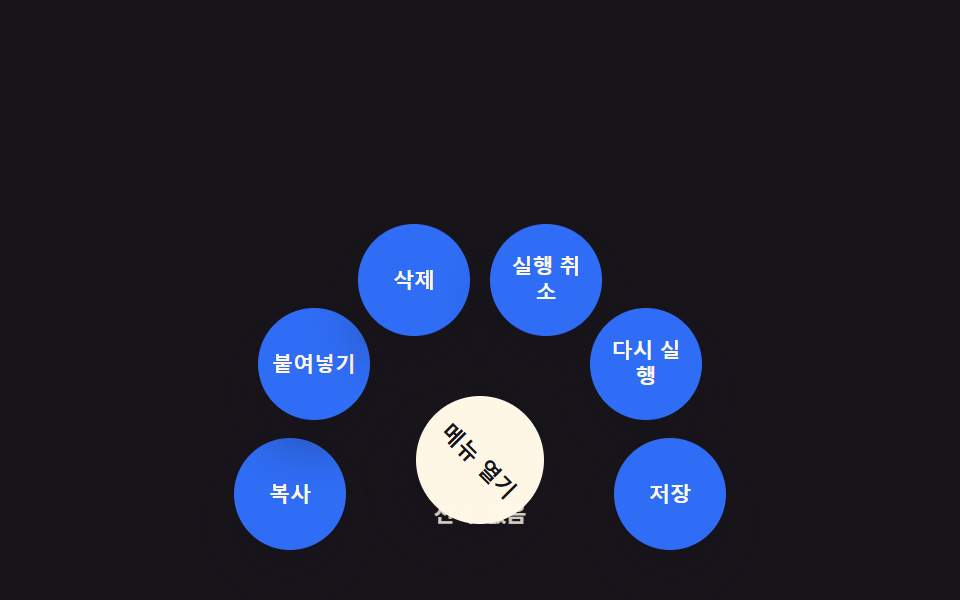 01 arc-radial-menu
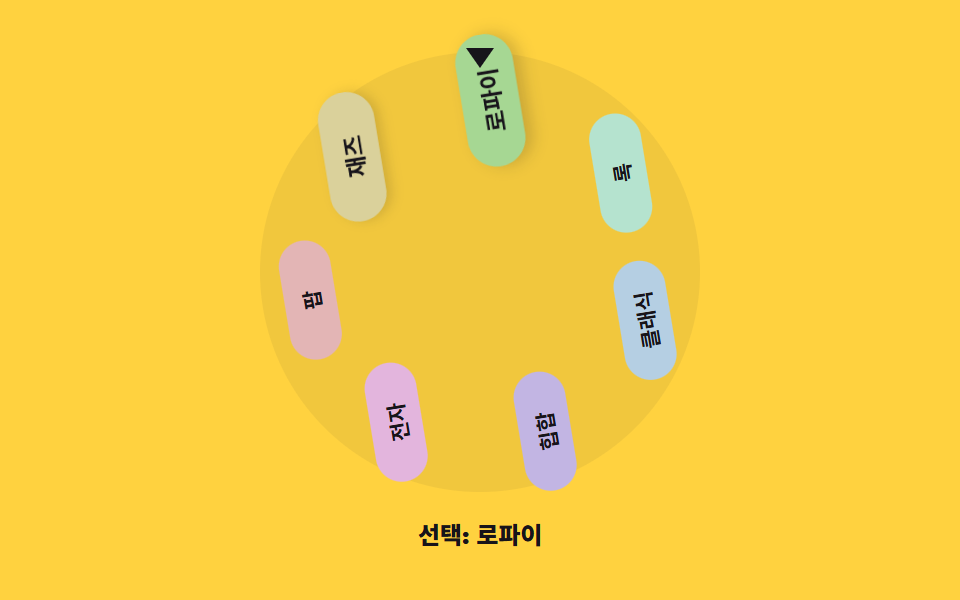 02 arc-genre-wheel
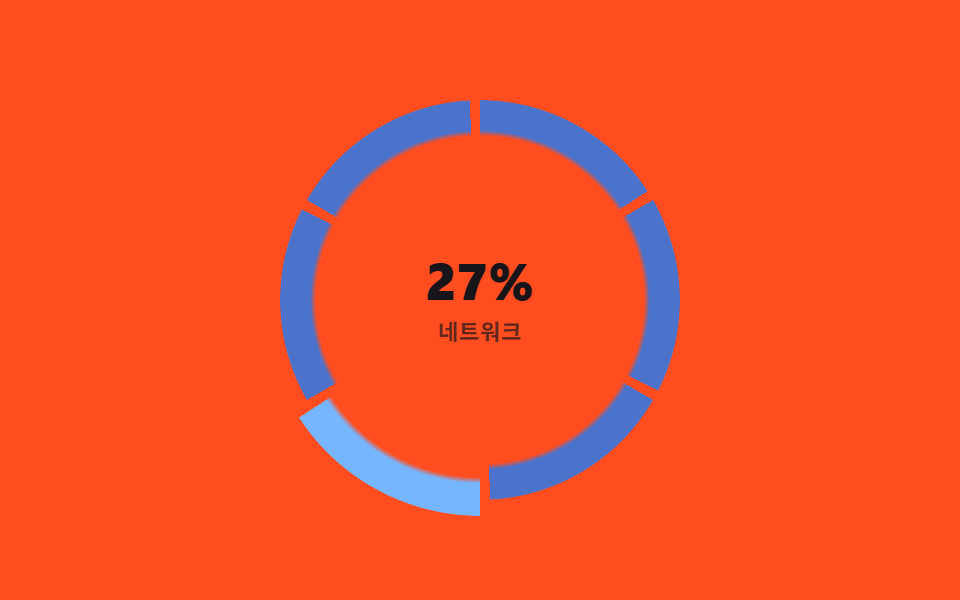 03 arc-segment-hover
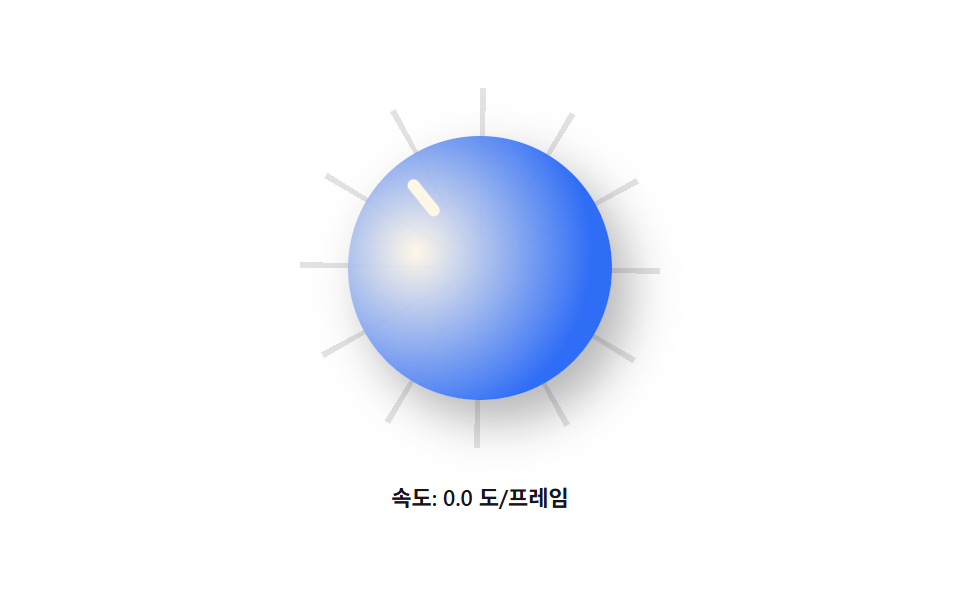 04 arc-drag-rotate
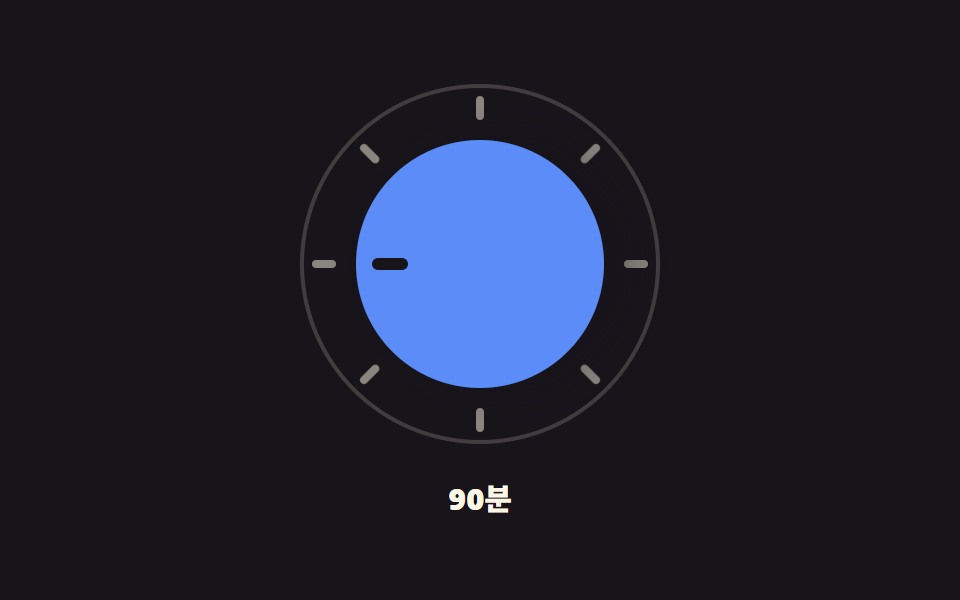 05 arc-snap-select
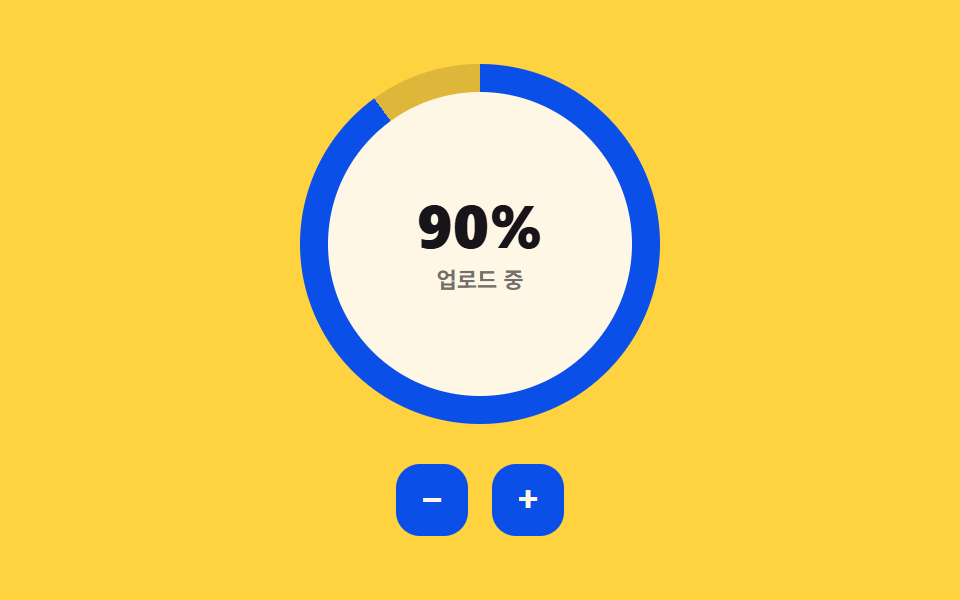 06 arc-conic-progress
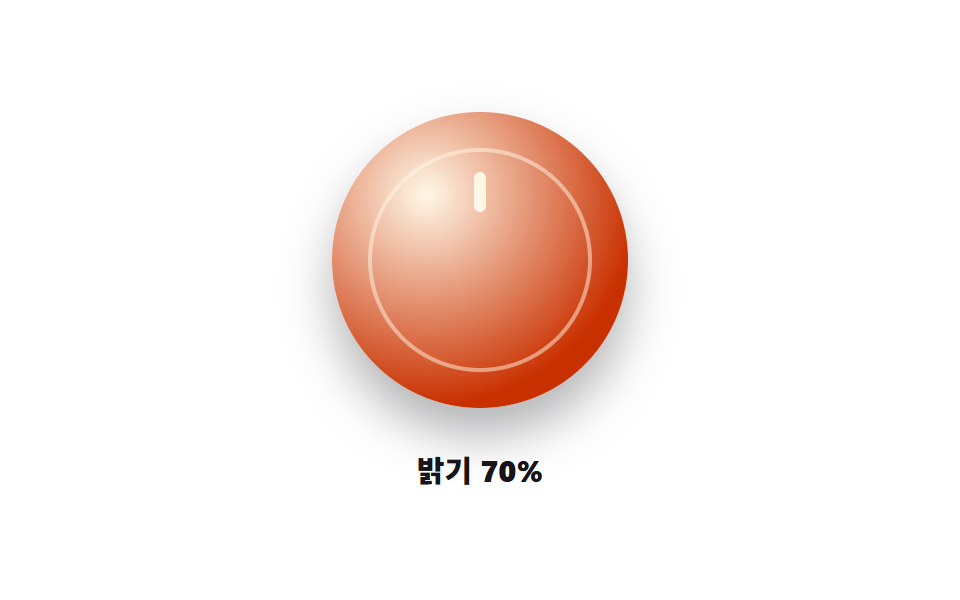 07 arc-knob-dial
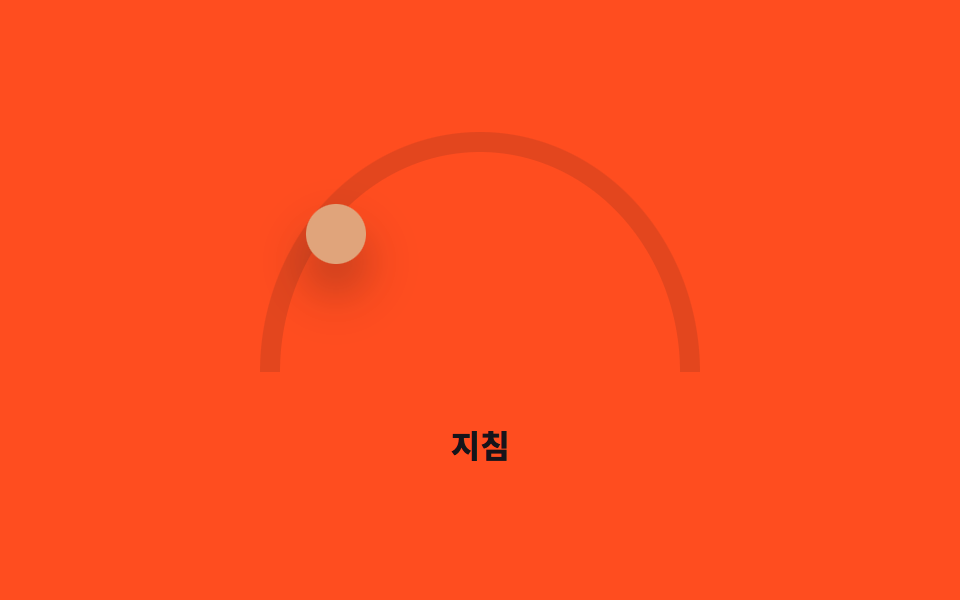 08 arc-mood-slider
 09 arc-keyboard-a11y
自動再生 · タイルを押すとその項目へ · すべて1つのzip
- 01 放射状メニュー — 中心から扇形に広がる円形メニュー
- 02 ジャンル選択ホイール — カテゴリを円盤のように回して選ぶ方式
- 03 セグメントホバーリング — ポインタが通る区間だけ際立つ円形の帯
- 04 ドラッグ慣性つまみ — 手を離しても徐々に止まる回転式つまみ
- 05 スナップ選択ダイヤル — 近い目盛りへ弾けるように揃う方式
- 06 円形ゲージバー — 値に応じて角度が満ちる円形の進捗表示
- 07 物理感ノブダイヤル — つまみ自体が押し込まれ跳ね返る質感のダイヤル
- 08 円弧ムードスライダー — 半円に沿って強さを選ぶつまみ
- 09 キーボード操作円形コントロール — 矢印キーで目盛りを動かすアクセシブルダイヤル
下の各デモは本物の操作を待ってから初めて自動プレビューを止めます。pointerdown・クリック・矢印キーのいずれかがhuman()を通してisDemoをfalseに切り替えると、自動再生は二度と戻りません。9項目のうち02・04・05・08の4つはsetPointerCaptureを呼ぶため、ポインタがつまみの外に出てもドラッグの追跡が続き、09は矢印キー・Home・Endだけで操作でき、aria-valuenowが変更のたびに同期します。9項目ともMath.randomは一切使わず、ループの各ステップは経過時間か保存された角度に対する固定の式です。9項目すべてがprefers-reduced-motionを読み取りますが、実際の操作の後もその値を分岐に使い続けるのは04・05・06・07の4つだけで、残り5項目は自動プレビューの中でだけ固定の休止位置を取り、訪問者が実際に操作した後のreduced-motionはSCSS側のメディアクエリに任せます。
9つのパターンの解剖 — どの計算が円形コントロールを動かすか
表は項目ごとの測定値を3つ載せています。動くコントロールが累積でどれだけ画面を塗ったか、1ピクセルあたりの変化が平均でどれだけ強かったか、サンプリングした23フレームのうち実際にピクセルが動いたのは何フレームか、の3つです。
| 項目 | 累積面積 | 平均強度 | 動いたフレーム |
|---|---|---|---|
| 01 | 11.25% | 98.5 | 12/23 |
| 02 | 23.78% | 120.2 | 23/23 |
| 03 | 11.20% | 75.6 | 22/23 |
| 04 | 17.07% | 55.4 | 17/23 |
| 05 | 1.66% | 153.9 | 18/23 |
| 06 | 5.93% | 181.2 | 23/23 |
| 07 | 18.51% | 54.2 | 12/23 |
| 08 | 8.37% | 88.8 | 23/23 |
| 09 | 2.96% | 150.8 | 15/23 |
累積面積が最も広いのは項目02の23.78%だけで、円盤全体を回すと中央を通過するラベルの大きさと光り方がほぼ毎フレーム塗り直されるためです。最も狭いのは項目05の1.66%で、ドラッグの合間はつまみ本体と短い弧だけが動き、ダイヤル自体は静止したままだからです。平均強度で最も高いのは項目06の181.2で、conic-gradientのリングがGAUGE_STEP_DEGの倍数に丸まるたびに輪郭の立った段差で塗り直されるためで、なめらかなフェードとは違います。最も低いのは項目07の54.2で、スプリングが収束する間、つまみのスケールは1フレームごとにわずか数パーセントしか変わりません。動いたフレームが最も多いのは項目02・06・08の23/24で、最も少ないのは項目01・07の12/24です。この差は、各パターンが休止せず新しく描く何かを常に持っているかどうかをそのまま映しています。
値を動かす計算ごとに分けると、9項目は4つの系統に分かれます。
01 — ポインタを読まず一度だけ計算する固定レイアウト
項目01はポインタの位置を一度も読みません。各項目の位置は、インデックスをARC_SPAN_DEG内に割り振った角度からMath.cosとMath.sinをRADIUS倍する極座標→直交座標変換1回だけで決まり、メニューを組み立てるときに一度計算されたまま、開閉しても変わりません。
02・03・08 — ポインタから毎回読み取る角度
項目02はドラッグを回転角に変え、STEP_DEGの剰余で今どのスロットが中央にあるかを求めます。項目03はatan2でポインタ位置を方位角に変換し、N個の区間のどれに落ちるかを切り下げで判定します。項目08も同じくatan2を使いますが、結果を半円に丸め、その0〜1の位置を座標と色相の両方に使います。
04・05・07 — 手を離した後も動き続ける物理
項目04は、離した瞬間の速度が毎フレームDRAG_DECAY倍に縮んでMIN_VELOCITYを下回るまで回転し続けます。項目05は、離した角度と最も近い目盛りとの距離を比べ、SNAP_THRESHOLD_DEG以内なら目標をわずかに超えてから戻る曲線でそこへ寄せます。項目07はスケール値をスプリングで動かし、目標までの距離にSPRING_Kを掛けた力とSPRING_DAMPによる減衰で、つまみが押し込まれてから跳ね返るようにします。
06・09 — 値をそのまま角度に量子化する
項目06はパーセントを角度に変換し、最も近いGAUGE_STEP_DEGの倍数まで切り下げて、なめらかな掃引ではなく目に見える段差でリングを満たします。項目09はパーセントをRANGE_DEG内の角度に変換し、矢印キーが押されるたびに固定のSTEP_DEG分だけ動かし、aria-valuenowがそのたびに正確な数値を知らせます。
パターン別コード
01放射状メニュー — 中心から扇形に広がる円形メニュー
各項目の位置は組み立て時の1回の計算で固定されます。角度はARC_SPAN_DEG(200)の範囲内でインデックスiを均等に割り振り、fabの上に中心を置いた角度でMath.cosとMath.sinをRADIUS(96)倍して--xと--yのカスタムプロパティにピクセル単位で渡します。fabのクリックはrm--openクラスと各項目のtabIndexを0と-1の間で切り替え、Escapeキーは2回目のクリックと同じようにメニューを閉じます。
数値が語ること
項目01は動いたフレームが12/24と9項目の中で少ない側にあり、累積面積は11.25%、平均強度は98.5です。レイアウトの計算は1回で済むため、実際に塗り直されるのは開閉時の段差付き表示だけで、フレームごとの再計算ではありません。
<main class="stage">
<div class="rm is-demo" id="rm">
  <div class="rm__field" id="rmField">
    <ul class="rm__items" id="rmItems" role="menu" aria-hidden="true"></ul>
    <button class="rm__fab" id="rmFab" type="button" aria-haspopup="true" aria-expanded="false">メニューを開く</button>
  </div>
  <p class="rm__status" id="rmStatus">選択: なし</p>
</div>
</main>
@use "../../../../site/static/demo-tokens" as *;
// 방사형 메뉴 — 계산 겹은 index.html 의 극좌표→데카르트 변환(cos·sin, ARC_SPAN_DEG·RADIUS)에 있다.
// 여기서는 그 결과(--x·--y, 단위 없는 px 수)를 transform 으로 옮기기만 한다.
// 열림 여부는 .rm--open 클래스 하나 — 항목마다 --stagger 로 늦게 열리게 transition-delay 를 준다.
$duration: $dur-base;
$easing: $ease-spring;
$color: $subject-blue;
@include stage($stage-ink);
.rm { display: flex; flex-direction: column; align-items: center; gap: $sp-3; }
.rm__field {
position: relative;
width: 280px;
height: 200px;
--field-scale: 1;
}
.rm__items {
position: absolute;
left: 50%;
bottom: 6px;
margin: 0;
padding: 0;
list-style: none;
width: 0;
height: 0;
}
.rm__item {
position: absolute;
left: 0;
top: 0;
transform: translate(-50%, -50%)
translate(calc(var(--x) * 1px * var(--field-scale, 1)), calc(var(--y) * 1px * var(--field-scale, 1)))
scale(0);
opacity: 0;
transition: transform $duration $easing, opacity $duration $easing;
transition-delay: 0s;
}
.rm--open .rm__item {
transform: translate(-50%, -50%)
translate(calc(var(--x) * 1px * var(--field-scale, 1)), calc(var(--y) * 1px * var(--field-scale, 1)))
scale(1);
opacity: 1;
transition-delay: calc(var(--stagger, 0) * 28ms);
}
.rm__itemBtn {
appearance: none;
border: none;
width: 56px;
height: 56px;
border-radius: 50%;
background: $color;
color: $subject-cream;
font-weight: 700;
font-size: 10.5px;
line-height: 1.2;
cursor: pointer;
box-shadow: $shadow-raised;
}
.rm__itemBtn:focus-visible { outline: 2px solid $subject-blue-light; outline-offset: 2px; }
.rm__itemBtn:hover { background: $subject-blue-deep; }
.rm__fab {
position: absolute;
left: 50%;
bottom: 6px;
transform: translate(-50%, 50%);
appearance: none;
border: none;
width: 64px;
height: 64px;
border-radius: 50%;
background: $subject-cream;
color: $subject-ink;
font-weight: 800;
font-size: 11px;
cursor: pointer;
box-shadow: $shadow-raised;
transition: transform $dur-instant $ease-out;
}
.rm__fab:hover { transform: translate(-50%, 50%) scale(1.06); }
.rm--open .rm__fab { transform: translate(-50%, 50%) rotate(45deg); }
.rm__fab:focus-visible { outline: 2px solid $subject-blue-light; outline-offset: 3px; }
.rm__status {
margin: 0;
color: $subject-cream;
font-size: 11px;
font-weight: 600;
opacity: .8;
}
@media (max-width: 340px) {
.rm { gap: $sp-1; }
.rm__field { width: 220px; height: 144px; --field-scale: .64; }
.rm__itemBtn { width: 42px; height: 42px; font-size: 9px; }
.rm__fab { width: 48px; height: 48px; font-size: 10px; }
}
@media (prefers-reduced-motion: reduce) {
.rm__item, .rm__fab { transition: none; }
}html, body {
margin: 0;
overflow: hidden;
}
.stage {
box-sizing: border-box;
min-height: 100vh;
display: grid;
place-items: center;
margin: 0;
background: #17141a;
font-family: -apple-system, "Segoe UI", "Noto Sans KR", sans-serif;
padding: clamp(8px, 4vw, 24px);
}
.rm {
display: flex;
flex-direction: column;
align-items: center;
gap: 12px;
}
.rm__field {
position: relative;
width: 280px;
height: 200px;
--field-scale: 1;
}
.rm__items {
position: absolute;
left: 50%;
bottom: 6px;
margin: 0;
padding: 0;
list-style: none;
width: 0;
height: 0;
}
.rm__item {
position: absolute;
left: 0;
top: 0;
transform: translate(-50%, -50%) translate(calc(var(--x) * 1px * var(--field-scale, 1)), calc(var(--y) * 1px * var(--field-scale, 1))) scale(0);
opacity: 0;
transition: transform 300ms cubic-bezier(0.2, 0.8, 0.2, 1), opacity 300ms cubic-bezier(0.2, 0.8, 0.2, 1);
transition-delay: 0s;
}
.rm--open .rm__item {
transform: translate(-50%, -50%) translate(calc(var(--x) * 1px * var(--field-scale, 1)), calc(var(--y) * 1px * var(--field-scale, 1))) scale(1);
opacity: 1;
transition-delay: calc(var(--stagger, 0) * 28ms);
}
.rm__itemBtn {
appearance: none;
border: none;
width: 56px;
height: 56px;
border-radius: 50%;
background: #2f6df6;
color: #fff7e6;
font-weight: 700;
font-size: 10.5px;
line-height: 1.2;
cursor: pointer;
box-shadow: 0 14px 24px rgba(23, 20, 26, 0.32);
}
.rm__itemBtn:focus-visible {
outline: 2px solid #5b8cf8;
outline-offset: 2px;
}
.rm__itemBtn:hover {
background: #0a4fe8;
}
.rm__fab {
position: absolute;
left: 50%;
bottom: 6px;
transform: translate(-50%, 50%);
appearance: none;
border: none;
width: 64px;
height: 64px;
border-radius: 50%;
background: #fff7e6;
color: #17141a;
font-weight: 800;
font-size: 11px;
cursor: pointer;
box-shadow: 0 14px 24px rgba(23, 20, 26, 0.32);
transition: transform 140ms ease-out;
}
.rm__fab:hover {
transform: translate(-50%, 50%) scale(1.06);
}
.rm--open .rm__fab {
transform: translate(-50%, 50%) rotate(45deg);
}
.rm__fab:focus-visible {
outline: 2px solid #5b8cf8;
outline-offset: 3px;
}
.rm__status {
margin: 0;
color: #fff7e6;
font-size: 11px;
font-weight: 600;
opacity: 0.8;
}
@media (max-width: 340px) {
.rm {
gap: 4px;
}
.rm__field {
width: 220px;
height: 144px;
--field-scale: .64;
}
.rm__itemBtn {
width: 42px;
height: 42px;
font-size: 9px;
}
.rm__fab {
width: 48px;
height: 48px;
font-size: 10px;
}
}
@media (prefers-reduced-motion: reduce) {
.rm__item, .rm__fab {
transition: none;
}
}(function () {
var ACTIONS = ['コピー', '貼り付け', '削除', '取り消し', 'やり直し', '保存'];
var ARC_SPAN_DEG = 200; // 부채꼴이 펼쳐지는 총 각도
var RADIUS = 96; // 중심에서 항목까지 거리(px)
var LOOP_MS = 2000; // 블로그설정.json 데모.초 와 같다
var reduce = window.matchMedia('(prefers-reduced-motion: reduce)').matches;
var root = document.getElementById('rm');
var field = document.getElementById('rmField');
var list = document.getElementById('rmItems');
var fab = document.getElementById('rmFab');
var status = document.getElementById('rmStatus');
var isDemo = true;
var open = false;
// 계산 겹: 극좌표 → 데카르트 좌표. 항목 i 는 위쪽(-90도)을 중심으로 ARC_SPAN_DEG 를 균등 분할한
// 각도에서 RADIUS 만큼 떨어진 자리를 차지한다. 이 좌표는 열림 여부와 무관하게 한 번만 계산한다.
var items = ACTIONS.map(function (label, i) {
var li = document.createElement('li');
li.className = 'rm__item';
li.setAttribute('role', 'none');
var btn = document.createElement('button');
btn.type = 'button';
btn.className = 'rm__itemBtn';
btn.setAttribute('role', 'menuitem');
btn.tabIndex = -1;
btn.textContent = label;
var angleDeg = -90 - ARC_SPAN_DEG / 2 + i * (ARC_SPAN_DEG / (ACTIONS.length - 1));
var rad = angleDeg * Math.PI / 180;
var x = Math.round(Math.cos(rad) * RADIUS);
var y = Math.round(Math.sin(rad) * RADIUS);
li.style.setProperty('--x', x);
li.style.setProperty('--y', y);
li.style.setProperty('--stagger', i);
li.appendChild(btn);
list.appendChild(li);
btn.addEventListener('click', function () {
human();
status.textContent = '選択: ' + label;
setOpen(false);
});
return { li: li, btn: btn, label: label };
});
function human() { if (isDemo) { root.classList.remove('is-demo'); isDemo = false; } }
function setOpen(next) {
open = next;
root.classList.toggle('rm--open', open);
fab.setAttribute('aria-expanded', String(open));
list.setAttribute('aria-hidden', String(!open));
items.forEach(function (it) { it.btn.tabIndex = open ? 0 : -1; });
}
fab.addEventListener('click', function () { human(); setOpen(!open); });
document.addEventListener('keydown', function (e) {
if (e.key === 'Escape' && open) { human(); setOpen(false); fab.focus({ preventScroll: true }); }
});
// 자동 루프: 열림 구간(0.12~0.62)에서 항목마다 --stagger 만큼 늦게 열리고, 그 뒤 닫힌다
function loop(ts) {
if (isDemo && !reduce) {
var phase = (ts % LOOP_MS) / LOOP_MS;
var shouldOpen = phase > 0.12 && phase < 0.62;
if (shouldOpen !== open) { open = shouldOpen; root.classList.toggle('rm--open', open); }
} else if (reduce && isDemo) {
root.classList.add('rm--open');
}
requestAnimationFrame(loop);
}
requestAnimationFrame(loop);
})();// RadialMenu — vanilla 판(run/374/demo/01-arc-radial-menu/index.html) 의 React 포트.
// 계산 겹은 각 항목의 극좌표 배치(각도→x,y)에 있다 — 부채꼴로 펼친 각도를 라디안으로 바꿔 cos/sin 으로 좌표를 구한다.
import { useEffect, useRef, useState } from "react";
import styles from "./RadialMenu.module.scss";
type Box<T> = { current: T };
const ACTIONS = ["복사", "붙여넣기", "삭제", "실행 취소", "다시 실행", "저장"];
const ARC_SPAN_DEG = 200;
const RADIUS = 96;
const LOOP_MS = 2000;
export default function RadialMenu() {
const rootRef = useRef(null) as unknown as Box<HTMLDivElement>;
const listRef = useRef(null) as unknown as Box<HTMLUListElement>;
const fabRef = useRef(null) as unknown as Box<HTMLButtonElement>;
const rafRef = useRef(0) as unknown as Box<number>;
const [status, setStatus] = useState("선택: 없음");
const [open, setOpenState] = useState(false);
useEffect(() => {
const reduce = window.matchMedia("(prefers-reduced-motion: reduce)").matches;
const root = rootRef.current;
const list = listRef.current;
const fab = fabRef.current;
if (!root || !list || !fab) return;
let isDemo = true;
let open = false;
const buttons: HTMLButtonElement[] = Array.prototype.slice.call(list.querySelectorAll("button"));
const items: HTMLLIElement[] = Array.prototype.slice.call(list.querySelectorAll("li"));
items.forEach(function (li, i) {
const angleDeg = -90 - ARC_SPAN_DEG / 2 + i * (ARC_SPAN_DEG / (ACTIONS.length - 1));
const rad = (angleDeg * Math.PI) / 180;
const x = Math.round(Math.cos(rad) * RADIUS);
const y = Math.round(Math.sin(rad) * RADIUS);
li.style.setProperty("--x", String(x));
li.style.setProperty("--y", String(y));
li.style.setProperty("--stagger", String(i));
});
function human() { if (isDemo) { root!.classList.remove(styles.isDemo); isDemo = false; } }
function setOpen(next: boolean) {
open = next;
root!.classList.toggle(styles.rmOpen, open);
fab!.setAttribute("aria-expanded", String(open));
list!.setAttribute("aria-hidden", String(!open));
buttons.forEach(function (b) { b.tabIndex = open ? 0 : -1; });
setOpenState(open);
}
function onFabClick() { human(); setOpen(!open); }
fab.addEventListener("click", onFabClick);
const onItemClicks: Array<() => void> = [];
buttons.forEach(function (btn, i) {
const handler = function () {
human();
setStatus("선택: " + ACTIONS[i]);
setOpen(false);
};
onItemClicks.push(handler);
btn.addEventListener("click", handler);
});
function onKeydown(e: KeyboardEvent) {
if (e.key === "Escape" && open) { human(); setOpen(false); fab!.focus({ preventScroll: true }); }
}
document.addEventListener("keydown", onKeydown);
function loop(ts: number) {
if (isDemo && !reduce) {
const phase = (ts % LOOP_MS) / LOOP_MS;
const shouldOpen = phase > 0.12 && phase < 0.62;
if (shouldOpen !== open) { open = shouldOpen; root!.classList.toggle(styles.rmOpen, open); setOpenState(open); }
} else if (reduce && isDemo) {
root!.classList.add(styles.rmOpen);
}
rafRef.current = requestAnimationFrame(loop);
}
rafRef.current = requestAnimationFrame(loop);
return () => {
fab.removeEventListener("click", onFabClick);
buttons.forEach(function (btn, i) { btn.removeEventListener("click", onItemClicks[i]); });
document.removeEventListener("keydown", onKeydown);
cancelAnimationFrame(rafRef.current);
};
}, []);
return (
<main className={styles.stage}>
<div className={styles.rm + " " + styles.isDemo} ref={rootRef}>
<div className={styles.field}>
<ul className={styles.items} ref={listRef} role="menu" aria-hidden="true">
{ACTIONS.map(function (label) {
return (
<li key={label} className={styles.item} role="none">
<button className={styles.itemBtn} type="button" role="menuitem" tabIndex={-1}>{label}</button>
</li>
);
})}
</ul>
<button className={styles.fab} ref={fabRef} type="button" aria-haspopup="true" aria-expanded={open}>메뉴 열기</button>
</div>
<p className={styles.status}>{status}</p>
</div>
</main>
);
}01 · 放射状メニュー — 中心から扇形に広がる円形メニュー — 計測 累積面積 11.25% · 動いたフレーム 12/23GODRICH オリジナル · SCSS と React は zip に同梱 · パスワードを見る
  // 計算層: 極座標→直交座標変換。項目iは上部(-90度)を中心にARC_SPAN_DEGを均等分割した
  // 角度の位置からRADIUS分離れた場所を占める。この座標は開閉状態に関係なく一度だけ計算する。
  var items = ACTIONS.map(function (label, i) {
    var li = document.createElement('li');
    li.className = 'rm__item';
    li.setAttribute('role', 'none');
    var btn = document.createElement('button');
    btn.type = 'button';
    btn.className = 'rm__itemBtn';
    btn.setAttribute('role', 'menuitem');
    btn.tabIndex = -1;
    btn.textContent = label;
    var angleDeg = -90 - ARC_SPAN_DEG / 2 + i * (ARC_SPAN_DEG / (ACTIONS.length - 1));
    var rad = angleDeg * Math.PI / 180;
    var x = Math.round(Math.cos(rad) * RADIUS);
    var y = Math.round(Math.sin(rad) * RADIUS);
    li.style.setProperty('--x', x);
    li.style.setProperty('--y', y);
    li.style.setProperty('--stagger', i);
02ジャンル選択ホイール — カテゴリを円盤のように回して選ぶ方式
ドラッグは円盤全体をポインタの角度差分だけ回転させ、activeIndex()は回転角を反転してSTEP_DEGで割った剰余から、直近に中央を通過したスロットを求めます。apply()が呼ばれるたびに、ドラッグでも自動ループでも、選択中のジャンル名がラベルに反映されます。
数値が語ること
項目02は累積面積23.78%で9項目中最も広く、動いたフレームも23/24で最多タイに並びます。円盤を回し続けるとどのスロットが拡大されるかが常に変わり、回転そのものも毎フレーム塗り直されるためです。
<main class="stage">
<div class="gw is-demo" id="gw">
  <div class="gw__wheel" id="gwWheel" tabindex="0" role="listbox" aria-label="ジャンル選択ホイール">
    <ul class="gw__ring" id="gwRing"></ul>
  </div>
  <div class="gw__pointer" aria-hidden="true"></div>
  <p class="gw__picked" id="gwPicked">選択: ポップ</p>
</div>
</main>
@use "../../../../site/static/demo-tokens" as *;
// 장르 선택 휠 — 계산 겹은 index.html 의 두 곳: ① 회전각을 STEP_DEG(360/7)로 나눈 나머지로
// "지금 중앙을 지나는 인덱스"를 구하는 나머지 연산 ② 인덱스를 색상환 각도로 그대로 쓰는 색상 각도 매핑(--hue).
// 슬롯 하나의 배치 각도(51.4286deg = 360/7)는 항목 수가 고정이라 SCSS 에 그대로 적는다.
$duration: $dur-quick;
$easing: $ease-spring;
$color: $subject-ink;
@include stage($stage-yellow);
.gw { position: relative; display: flex; flex-direction: column; align-items: center; gap: $sp-3; }
.gw__wheel {
position: relative;
width: 220px;
height: 220px;
border-radius: 50%;
background: rgba($subject-ink, .06);
touch-action: none;
cursor: grab;
}
.gw__wheel:active { cursor: grabbing; }
.gw__wheel:focus-visible { outline: 2px solid $subject-ink; outline-offset: 3px; }
.gw__ring {
position: absolute;
inset: 0;
margin: 0;
padding: 0;
list-style: none;
transform: rotate(calc(var(--rotation, 0) * 1deg));
}
.gw__slot {
position: absolute;
left: 50%;
top: 50%;
width: 60px;
height: 26px;
margin-left: -30px;
margin-top: -13px;
display: flex;
align-items: center;
justify-content: center;
border-radius: $r-pill;
font-weight: 700;
font-size: 10.5px;
color: $subject-ink;
background: hsl(calc(var(--hue, 0) * 1deg) 46% 80%);
transform: rotate(calc(var(--i, 0) * 51.4286deg)) translateY(-86px) rotate(calc(var(--i, 0) * -51.4286deg));
transition: transform $duration $easing, background-color $duration $easing, box-shadow $duration $easing;
}
.gw__slot--active {
background: hsl(calc(var(--hue, 0) * 1deg) 46% 64%);
box-shadow: $shadow-press;
transform: rotate(calc(var(--i, 0) * 51.4286deg)) translateY(-86px) rotate(calc(var(--i, 0) * -51.4286deg)) scale(1.2);
}
.gw__pointer {
position: absolute;
top: -2px;
left: 50%;
width: 0;
height: 0;
transform: translateX(-50%);
border-left: 7px solid transparent;
border-right: 7px solid transparent;
border-top: 10px solid $subject-ink;
}
.gw__picked {
margin: 0;
color: $subject-ink;
font-weight: 800;
font-size: 12px;
}
@media (max-width: 340px) {
.gw { gap: $sp-1; }
.gw__wheel { width: 148px; height: 148px; }
.gw__slot { width: 44px; height: 20px; margin-left: -22px; margin-top: -10px; font-size: 8.5px;
transform: rotate(calc(var(--i, 0) * 51.4286deg)) translateY(-58px) rotate(calc(var(--i, 0) * -51.4286deg)); }
.gw__slot--active { transform: rotate(calc(var(--i, 0) * 51.4286deg)) translateY(-58px) rotate(calc(var(--i, 0) * -51.4286deg)) scale(1.2); }
}
@media (prefers-reduced-motion: reduce) {
.gw__ring, .gw__slot { transition: none; }
}html, body {
margin: 0;
overflow: hidden;
}
.stage {
box-sizing: border-box;
min-height: 100vh;
display: grid;
place-items: center;
margin: 0;
background: #ffd23f;
font-family: -apple-system, "Segoe UI", "Noto Sans KR", sans-serif;
padding: clamp(8px, 4vw, 24px);
}
.gw {
position: relative;
display: flex;
flex-direction: column;
align-items: center;
gap: 12px;
}
.gw__wheel {
position: relative;
width: 220px;
height: 220px;
border-radius: 50%;
background: rgba(23, 20, 26, 0.06);
touch-action: none;
cursor: grab;
}
.gw__wheel:active {
cursor: grabbing;
}
.gw__wheel:focus-visible {
outline: 2px solid #17141a;
outline-offset: 3px;
}
.gw__ring {
position: absolute;
inset: 0;
margin: 0;
padding: 0;
list-style: none;
transform: rotate(calc(var(--rotation, 0) * 1deg));
}
.gw__slot {
position: absolute;
left: 50%;
top: 50%;
width: 60px;
height: 26px;
margin-left: -30px;
margin-top: -13px;
display: flex;
align-items: center;
justify-content: center;
border-radius: 999px;
font-weight: 700;
font-size: 10.5px;
color: #17141a;
background: hsl(calc(var(--hue, 0) * 1deg), 46%, 80%);
transform: rotate(calc(var(--i, 0) * 51.4286deg)) translateY(-86px) rotate(calc(var(--i, 0) * -51.4286deg));
transition: transform 220ms cubic-bezier(0.2, 0.8, 0.2, 1), background-color 220ms cubic-bezier(0.2, 0.8, 0.2, 1), box-shadow 220ms cubic-bezier(0.2, 0.8, 0.2, 1);
}
.gw__slot--active {
background: hsl(calc(var(--hue, 0) * 1deg), 46%, 64%);
box-shadow: 0 6px 12px rgba(23, 20, 26, 0.32);
transform: rotate(calc(var(--i, 0) * 51.4286deg)) translateY(-86px) rotate(calc(var(--i, 0) * -51.4286deg)) scale(1.2);
}
.gw__pointer {
position: absolute;
top: -2px;
left: 50%;
width: 0;
height: 0;
transform: translateX(-50%);
border-left: 7px solid transparent;
border-right: 7px solid transparent;
border-top: 10px solid #17141a;
}
.gw__picked {
margin: 0;
color: #17141a;
font-weight: 800;
font-size: 12px;
}
@media (max-width: 340px) {
.gw {
gap: 4px;
}
.gw__wheel {
width: 148px;
height: 148px;
}
.gw__slot {
width: 44px;
height: 20px;
margin-left: -22px;
margin-top: -10px;
font-size: 8.5px;
transform: rotate(calc(var(--i, 0) * 51.4286deg)) translateY(-58px) rotate(calc(var(--i, 0) * -51.4286deg));
}
.gw__slot--active {
transform: rotate(calc(var(--i, 0) * 51.4286deg)) translateY(-58px) rotate(calc(var(--i, 0) * -51.4286deg)) scale(1.2);
}
}
@media (prefers-reduced-motion: reduce) {
.gw__ring, .gw__slot {
transition: none;
}
}(function () {
var GENRES = ['ポップ', 'ジャズ', 'ローファイ', 'ロック', 'クラシック', 'ヒップホップ', 'エレクトロニック'];
var N = GENRES.length;
var STEP_DEG = 360 / N; // 장르 하나가 차지하는 각도
var HUE_STEP_DEG = 360 / N; // 색상 각도 매핑 — 장르 인덱스를 색상환 각도로 그대로 쓴다
var LOOP_MS = 2000;
var reduce = window.matchMedia('(prefers-reduced-motion: reduce)').matches;
var root = document.getElementById('gw');
var wheel = document.getElementById('gwWheel');
var ring = document.getElementById('gwRing');
var picked = document.getElementById('gwPicked');
var isDemo = true;
var rotation = 0; // 원판이 돌아간 각도
var dragging = false;
var startX = 0, startRotation = 0;
var lis = GENRES.map(function (g, i) {
var li = document.createElement('li');
li.className = 'gw__slot';
li.textContent = g;
li.style.setProperty('--i', i);
// 계산 겹: 색상 각도 매핑. 채도·명도는 토큰 범위 안에서 고정하고 색상각만 인덱스로 돈다.
li.style.setProperty('--hue', i * HUE_STEP_DEG);
ring.appendChild(li);
return li;
});
function human() { if (isDemo) { root.classList.remove('is-demo'); isDemo = false; } }
// 계산 겹: 회전각을 STEP_DEG 로 나눈 나머지로 "지금 중앙을 지나는 인덱스"를 구한다.
function activeIndex() {
var norm = ((-rotation % 360) + 360) % 360;
return Math.round(norm / STEP_DEG) % N;
}
function apply() {
ring.style.setProperty('--rotation', rotation);
var idx = activeIndex();
lis.forEach(function (li, i) { li.classList.toggle('gw__slot--active', i === idx); });
picked.textContent = '選択: ' + GENRES[idx];
}
wheel.addEventListener('pointerdown', function (e) {
human();
dragging = true;
startX = e.clientX;
startRotation = rotation;
wheel.setPointerCapture(e.pointerId);
});
wheel.addEventListener('pointermove', function (e) {
if (!dragging) return;
rotation = startRotation + (e.clientX - startX) * 0.6;
apply();
});
wheel.addEventListener('pointerup', function () {
dragging = false;
// 계산 겹: 놓은 각도를 가장 가까운 STEP_DEG 배수로 붙여 항상 한 장르가 정중앙에 오게 한다.
rotation = Math.round(rotation / STEP_DEG) * STEP_DEG;
apply();
});
wheel.addEventListener('keydown', function (e) {
if (e.key === 'ArrowRight' || e.key === 'ArrowDown') { human(); rotation -= STEP_DEG; apply(); e.preventDefault(); }
else if (e.key === 'ArrowLeft' || e.key === 'ArrowUp') { human(); rotation += STEP_DEG; apply(); e.preventDefault(); }
});
function loop(ts) {
if (isDemo) {
if (!reduce) {
var phase = (ts % LOOP_MS) / LOOP_MS;
rotation = -phase * 360 * 2; // 두 바퀴를 도는 연속 회전
} else {
rotation = 0;
}
apply();
}
requestAnimationFrame(loop);
}
apply();
requestAnimationFrame(loop);
})();// GenreWheel — vanilla 판(run/374/demo/02-arc-genre-wheel/index.html) 의 React 포트.
// 계산 겹 ① 회전각을 STEP_DEG(360/7) 로 나눈 나머지로 "지금 중앙을 지나는 인덱스"를 구한다
// ② 인덱스를 색상환 각도로 그대로 쓰는 색상 각도 매핑(hsl, hex 리터럴 없음).
import { useEffect, useRef, useState } from "react";
import styles from "./GenreWheel.module.scss";
type Box<T> = { current: T };
const GENRES = ["팝", "재즈", "로파이", "록", "클래식", "힙합", "전자"];
const N = GENRES.length;
const STEP_DEG = 360 / N;
const HUE_STEP_DEG = 360 / N;
const LOOP_MS = 2000;
export default function GenreWheel() {
const rootRef = useRef(null) as unknown as Box<HTMLDivElement>;
const wheelRef = useRef(null) as unknown as Box<HTMLDivElement>;
const ringRef = useRef(null) as unknown as Box<HTMLUListElement>;
const rafRef = useRef(0) as unknown as Box<number>;
const [picked, setPicked] = useState(GENRES[0]);
useEffect(() => {
const reduce = window.matchMedia("(prefers-reduced-motion: reduce)").matches;
const root = rootRef.current;
const wheel = wheelRef.current;
const ring = ringRef.current;
if (!root || !wheel || !ring) return;
const lis: HTMLLIElement[] = Array.prototype.slice.call(ring.querySelectorAll("li"));
lis.forEach(function (li, i) { li.style.setProperty("--hue", String(i * HUE_STEP_DEG)); });
let isDemo = true;
let rotation = 0;
let dragging = false;
let startX = 0;
let startRotation = 0;
function human() { if (isDemo) { root!.classList.remove(styles.isDemo); isDemo = false; } }
function activeIndex() {
const norm = (((-rotation) % 360) + 360) % 360;
return Math.round(norm / STEP_DEG) % N;
}
function apply() {
ring!.style.setProperty("--rotation", String(rotation));
const idx = activeIndex();
lis.forEach(function (li, i) { li.classList.toggle(styles.slotActive, i === idx); });
setPicked(GENRES[idx]);
}
function onPointerDown(e: PointerEvent) {
human();
dragging = true;
startX = e.clientX;
startRotation = rotation;
wheel!.setPointerCapture(e.pointerId);
}
function onPointerMove(e: PointerEvent) {
if (!dragging) return;
rotation = startRotation + (e.clientX - startX) * 0.6;
apply();
}
function onPointerUp() {
dragging = false;
rotation = Math.round(rotation / STEP_DEG) * STEP_DEG;
apply();
}
function onKeydown(e: KeyboardEvent) {
if (e.key === "ArrowRight" || e.key === "ArrowDown") { human(); rotation -= STEP_DEG; apply(); e.preventDefault(); }
else if (e.key === "ArrowLeft" || e.key === "ArrowUp") { human(); rotation += STEP_DEG; apply(); e.preventDefault(); }
}
wheel.addEventListener("pointerdown", onPointerDown);
wheel.addEventListener("pointermove", onPointerMove);
wheel.addEventListener("pointerup", onPointerUp);
wheel.addEventListener("keydown", onKeydown);
function loop(ts: number) {
if (isDemo) {
if (!reduce) {
const phase = (ts % LOOP_MS) / LOOP_MS;
rotation = -phase * 360 * 2;
} else {
rotation = 0;
}
apply();
}
rafRef.current = requestAnimationFrame(loop);
}
apply();
rafRef.current = requestAnimationFrame(loop);
return () => {
wheel.removeEventListener("pointerdown", onPointerDown);
wheel.removeEventListener("pointermove", onPointerMove);
wheel.removeEventListener("pointerup", onPointerUp);
wheel.removeEventListener("keydown", onKeydown);
cancelAnimationFrame(rafRef.current);
};
}, []);
return (
<main className={styles.stage}>
<div className={styles.gw + " " + styles.isDemo} ref={rootRef}>
<div className={styles.wheel} ref={wheelRef} tabIndex={0} role="listbox" aria-label="장르 선택 휠">
<ul className={styles.ring} ref={ringRef}>
{GENRES.map(function (g, i) {
return <li key={g} className={styles.slot} style={{ ["--i" as string]: i }}>{g}</li>;
})}
</ul>
</div>
<div className={styles.pointer} aria-hidden="true" />
<p className={styles.picked}>선택: {picked}</p>
</div>
</main>
);
}02 · ジャンル選択ホイール — カテゴリを円盤のように回して選ぶ方式 — 計測 累積面積 23.781% · 動いたフレーム 23/23GODRICH オリジナル · SCSS と React は zip に同梱 · パスワードを見る
  // 計算層: 回転角をSTEP_DEGで割った余りから「現在中央を通過しているインデックス」を求める。
  function activeIndex() {
    var norm = ((-rotation % 360) + 360) % 360;
    return Math.round(norm / STEP_DEG) % N;
  }

  function apply() {
    ring.style.setProperty('--rotation', rotation);
    var idx = activeIndex();
    lis.forEach(function (li, i) { li.classList.toggle('gw__slot--active', i === idx); });
    picked.textContent = '選択: ' + GENRES[idx];
  }
03セグメントホバーリング — ポインタが通る区間だけ際立つ円形の帯
angleAt()はatan2でポインタ位置を方位角に変換し、12時方向を0度とするようにずらします。segmentIndexAt()はその角度を360/Nで切り下げて、ポインタがN個のうちどの区間にいるかを求めます。変化するのはその1区間の太さと明るさだけで、単一のactiveクラスで切り替わり、ポインタが離れると解除されます。
数値が語ること
項目03は動いたフレーム22/24で上位に並び、平均強度75.6・累積面積11.20%は、ポインタを常時追いかけているにもかかわらず一度だけ計算する項目01とほぼ同じ広さにとどまります。
<main class="stage">
<div class="sh is-demo" id="sh">
  <div class="sh__ring" id="shRing">
    <div class="sh__center">
      <b class="sh__pct" id="shPct">0%</b>
      <span class="sh__label" id="shLabel">CPU</span>
    </div>
  </div>
</div>
</main>
@use "../../../../site/static/demo-tokens" as *;
// 구간 호버 링 — 계산 겹은 index.html 의 atan2 각도 계산과 360/N 구간 판정(segmentIndexAt)에 있다.
// 여기서는 구간마다 conic-gradient 로 자기 몫의 호만 칠하고 mask-image 로 도넛 모양을 낸 뒤,
// 활성 구간만 scale·filter 로 두께·밝기를 바꾼다.
$duration: $dur-quick;
$easing: $ease-spring;
$color: $subject-blue-light;
@include stage($stage-orange);
.sh { display: flex; align-items: center; justify-content: center; }
.sh__ring {
position: relative;
width: 200px;
height: 200px;
display: grid;
place-items: center;
touch-action: none;
}
.sh__seg {
position: absolute;
inset: 0;
border-radius: 50%;
background: conic-gradient(from calc(var(--start, 0) * 1deg),
$color 0deg calc(var(--span, 0) * 1deg), transparent calc(var(--span, 0) * 1deg) 360deg);
mask-image: radial-gradient(circle, transparent 58%, black 60%, black 84%, transparent 86%);
-webkit-mask-image: radial-gradient(circle, transparent 58%, black 60%, black 84%, transparent 86%);
transform: scale(1);
filter: brightness(.82);
transition: transform $duration $easing, filter $duration $easing;
}
.sh__seg--active {
transform: scale(1.08);
filter: brightness(1.3);
}
.sh__center {
display: flex;
flex-direction: column;
align-items: center;
gap: 4px;
pointer-events: none;
}
.sh__pct { font-size: 26px; font-weight: 800; color: $subject-ink; line-height: 1; }
.sh__label { font-size: 11px; font-weight: 700; color: rgba($subject-ink, .68); letter-spacing: .04em; }
@media (max-width: 340px) {
.sh__ring { width: 150px; height: 150px; }
.sh__pct { font-size: 20px; }
.sh__label { font-size: 9px; }
}
@media (prefers-reduced-motion: reduce) {
.sh__seg { transition: none; }
}html, body {
margin: 0;
overflow: hidden;
}
.stage {
box-sizing: border-box;
min-height: 100vh;
display: grid;
place-items: center;
margin: 0;
background: #ff4d1f;
font-family: -apple-system, "Segoe UI", "Noto Sans KR", sans-serif;
padding: clamp(8px, 4vw, 24px);
}
.sh {
display: flex;
align-items: center;
justify-content: center;
}
.sh__ring {
position: relative;
width: 200px;
height: 200px;
display: grid;
place-items: center;
touch-action: none;
}
.sh__seg {
position: absolute;
inset: 0;
border-radius: 50%;
background: conic-gradient(from calc(var(--start, 0) * 1deg), #5b8cf8 0deg calc(var(--span, 0) * 1deg), transparent calc(var(--span, 0) * 1deg) 360deg);
mask-image: radial-gradient(circle, transparent 58%, black 60%, black 84%, transparent 86%);
-webkit-mask-image: radial-gradient(circle, transparent 58%, black 60%, black 84%, transparent 86%);
transform: scale(1);
filter: brightness(0.82);
transition: transform 220ms cubic-bezier(0.2, 0.8, 0.2, 1), filter 220ms cubic-bezier(0.2, 0.8, 0.2, 1);
}
.sh__seg--active {
transform: scale(1.08);
filter: brightness(1.3);
}
.sh__center {
display: flex;
flex-direction: column;
align-items: center;
gap: 4px;
pointer-events: none;
}
.sh__pct {
font-size: 26px;
font-weight: 800;
color: #17141a;
line-height: 1;
}
.sh__label {
font-size: 11px;
font-weight: 700;
color: rgba(23, 20, 26, 0.68);
letter-spacing: 0.04em;
}
@media (max-width: 340px) {
.sh__ring {
width: 150px;
height: 150px;
}
.sh__pct {
font-size: 20px;
}
.sh__label {
font-size: 9px;
}
}
@media (prefers-reduced-motion: reduce) {
.sh__seg {
transition: none;
}
}(function () {
var SEGMENTS = [
{ label: 'CPU', pct: 42 },
{ label: 'GPU', pct: 68 },
{ label: 'RAM', pct: 55 },
{ label: 'ネットワーク', pct: 27 },
{ label: 'ディスク', pct: 81 },
{ label: '電源', pct: 34 }
];
var N = SEGMENTS.length;
var GAP_DEG = 3; // 구간 사이 틈
var SEG_DEG = 360 / N - GAP_DEG; // 구간 하나의 실제 폭
var LOOP_MS = 2000;
var reduce = window.matchMedia('(prefers-reduced-motion: reduce)').matches;
var root = document.getElementById('sh');
var ring = document.getElementById('shRing');
var pctEl = document.getElementById('shPct');
var labelEl = document.getElementById('shLabel');
var isDemo = true;
var segs = SEGMENTS.map(function (s, i) {
var start = i * 360 / N;
var el = document.createElement('div');
el.className = 'sh__seg';
el.style.setProperty('--start', start);
el.style.setProperty('--span', SEG_DEG);
el.setAttribute('aria-hidden', 'true');
ring.appendChild(el);
return { el: el, start: start, data: s };
});
function human() { if (isDemo) { root.classList.remove('is-demo'); isDemo = false; } }
// 계산 겹: 포인터 좌표를 링 중심 기준 각도로 바꾼 뒤(atan2), 어느 구간(360/N 폭)에 속하는지 판정한다.
function angleAt(clientX, clientY) {
var r = ring.getBoundingClientRect();
var cx = r.left + r.width / 2, cy = r.top + r.height / 2;
var deg = Math.atan2(clientY - cy, clientX - cx) * 180 / Math.PI + 90; // 12시를 0도로
return ((deg % 360) + 360) % 360;
}
function segmentIndexAt(deg) {
return Math.floor(deg / (360 / N)) % N;
}
function setActive(idx) {
segs.forEach(function (s, i) { s.el.classList.toggle('sh__seg--active', i === idx); });
var d = SEGMENTS[idx];
pctEl.textContent = d.pct + '%';
labelEl.textContent = d.label;
}
ring.addEventListener('pointermove', function (e) {
human();
setActive(segmentIndexAt(angleAt(e.clientX, e.clientY)));
});
ring.addEventListener('pointerleave', function () { human(); });
// 자동 루프: 가상 포인터가 원을 한 바퀴 도는 것처럼 각도를 연속으로 흘려 같은 판정 함수를 태운다
function loop(ts) {
if (isDemo) {
if (!reduce) {
var phase = (ts % LOOP_MS) / LOOP_MS;
setActive(segmentIndexAt(phase * 360));
} else {
setActive(0);
}
}
requestAnimationFrame(loop);
}
setActive(0);
requestAnimationFrame(loop);
})();// SegmentHoverRing — vanilla 판(run/374/demo/03-arc-segment-hover/index.html) 의 React 포트.
// 계산 겹: 포인터 좌표를 링 중심 기준 atan2 각도로 바꾼 뒤(12시를 0도로), 360/N 폭 구간 중 어디에 속하는지 판정한다.
import { useEffect, useRef, useState } from "react";
import styles from "./SegmentHoverRing.module.scss";
type Box<T> = { current: T };
type Segment = { label: string; pct: number };
const SEGMENTS: Segment[] = [
{ label: "CPU", pct: 42 },
{ label: "GPU", pct: 68 },
{ label: "RAM", pct: 55 },
{ label: "네트워크", pct: 27 },
{ label: "디스크", pct: 81 },
{ label: "전원", pct: 34 },
];
const N = SEGMENTS.length;
const GAP_DEG = 3;
const SEG_DEG = 360 / N - GAP_DEG;
const LOOP_MS = 2000;
export default function SegmentHoverRing() {
const rootRef = useRef(null) as unknown as Box<HTMLDivElement>;
const ringRef = useRef(null) as unknown as Box<HTMLDivElement>;
const rafRef = useRef(0) as unknown as Box<number>;
const [active, setActiveState] = useState(0);
useEffect(() => {
const reduce = window.matchMedia("(prefers-reduced-motion: reduce)").matches;
const root = rootRef.current;
const ring = ringRef.current;
if (!root || !ring) return;
const segEls: HTMLDivElement[] = Array.prototype.slice.call(ring.querySelectorAll("[data-seg]"));
segEls.forEach(function (el, i) {
el.style.setProperty("--start", String((i * 360) / N));
el.style.setProperty("--span", String(SEG_DEG));
});
let isDemo = true;
function human() { if (isDemo) { root!.classList.remove(styles.isDemo); isDemo = false; } }
function angleAt(clientX: number, clientY: number) {
const r = ring!.getBoundingClientRect();
const cx = r.left + r.width / 2;
const cy = r.top + r.height / 2;
const deg = (Math.atan2(clientY - cy, clientX - cx) * 180) / Math.PI + 90;
return ((deg % 360) + 360) % 360;
}
function segmentIndexAt(deg: number) {
return Math.floor(deg / (360 / N)) % N;
}
function setActive(idx: number) {
segEls.forEach(function (el, i) { el.classList.toggle(styles.segActive, i === idx); });
setActiveState(idx);
}
function onMove(e: PointerEvent) { human(); setActive(segmentIndexAt(angleAt(e.clientX, e.clientY))); }
function onLeave() { human(); }
ring.addEventListener("pointermove", onMove);
ring.addEventListener("pointerleave", onLeave);
function loop(ts: number) {
if (isDemo) {
if (!reduce) {
const phase = (ts % LOOP_MS) / LOOP_MS;
setActive(segmentIndexAt(phase * 360));
} else {
setActive(0);
}
}
rafRef.current = requestAnimationFrame(loop);
}
setActive(0);
rafRef.current = requestAnimationFrame(loop);
return () => {
ring.removeEventListener("pointermove", onMove);
ring.removeEventListener("pointerleave", onLeave);
cancelAnimationFrame(rafRef.current);
};
}, []);
const activeData = SEGMENTS[active];
return (
<main className={styles.stage}>
<div className={styles.sh + " " + styles.isDemo} ref={rootRef}>
<div className={styles.ring} ref={ringRef}>
{SEGMENTS.map(function (s, i) {
return <div key={s.label} data-seg className={styles.seg} aria-hidden="true" />;
})}
<div className={styles.center}>
<b className={styles.pct}>{activeData.pct}%</b>
<span className={styles.label}>{activeData.label}</span>
</div>
</div>
</div>
</main>
);
}03 · セグメントホバーリング — ポインタが通る区間だけ際立つ円形の帯 — 計測 累積面積 11.2% · 動いたフレーム 22/23GODRICH オリジナル · SCSS と React は zip に同梱 · パスワードを見る
  // 計算層: ポインター座標をリング中心基準の角度に変換した後(atan2)、どの区間(360/N幅)に属するかを判定する。
  function angleAt(clientX, clientY) {
    var r = ring.getBoundingClientRect();
    var cx = r.left + r.width / 2, cy = r.top + r.height / 2;
    var deg = Math.atan2(clientY - cy, clientX - cx) * 180 / Math.PI + 90; // 12時方向を0度として
    return ((deg % 360) + 360) % 360;
  }
  function segmentIndexAt(deg) {
    return Math.floor(deg / (360 / N)) % N;
  }
04ドラッグ慣性つまみ — 手を離しても徐々に止まる回転式つまみ
ノブを離してもそこで止まりません。decayStep()は直前の速度を毎フレームDRAG_DECAY倍しながら角度に足し続け、速度がMIN_VELOCITYを下回るまでつまみは自らの慣性で回り続けます。reduced motionでは同じ関数が速度を即座にゼロにし、訪問者が実際に操作した後でもこの分岐が適用されて減衰区間そのものを飛ばします。
数値が語ること
項目04は累積面積17.07%で9項目中2番目に広く、平均強度は55.4と中程度、動いたフレームは17/24です。減衰カーブは離した後も数フレーム塗り直しを続けるため、すぐには静止しません。
<main class="stage">
<div class="dr is-demo" id="dr">
  <div class="dr__ring" id="drRing">
    <button class="dr__knob" id="drKnob" type="button" aria-label="ドラッグして音量つまみを回す"></button>
  </div>
  <p class="dr__hint" id="drHint">速度: 0.0 度/フレーム</p>
</div>
</main>
@use "../../../../site/static/demo-tokens" as *;
// 드래그 관성 손잡이 — 계산 겹은 index.html 의 감쇠 함수(decayStep)에 있다: 놓는 순간의 속도가
// 매 프레임 DRAG_DECAY 배씩 줄며 각도에 계속 더해진다. 여기는 손잡이·바늘·눈금만 그린다.
$duration: $dur-instant;
$easing: $ease-out;
$color: $subject-blue;
@include stage($stage-paper);
.dr { display: flex; flex-direction: column; align-items: center; gap: $sp-4; }
.dr__ring {
position: relative;
width: 180px;
height: 180px;
border-radius: 50%;
background: repeating-conic-gradient(rgba($subject-ink, .12) 0 2deg, transparent 2deg 30deg);
touch-action: none;
}
.dr__knob {
position: absolute;
inset: 24px;
appearance: none;
border: none;
border-radius: 50%;
cursor: grab;
background: radial-gradient(circle at 35% 30%, rgba($subject-cream, .9), $color 70%);
box-shadow: $shadow-raised;
transform: rotate(calc(var(--angle, 0) * 1deg));
}
.dr__knob:active { cursor: grabbing; }
.dr__knob:focus-visible { outline: 2px solid $subject-blue-deep; outline-offset: 3px; }
.dr__knob::after {
content: "";
position: absolute;
top: 10px;
left: calc(50% - 3px);
width: 6px;
height: 22px;
border-radius: $r-pill;
background: $subject-cream;
}
.dr__hint {
margin: 0;
color: $subject-ink;
font-size: 11px;
font-weight: 600;
font-variant-numeric: tabular-nums;
}
@media (max-width: 340px) {
.dr__ring { width: 132px; height: 132px; }
.dr__knob { inset: 16px; }
.dr__knob::after { height: 16px; top: 8px; }
}
@media (prefers-reduced-motion: reduce) {
.dr__knob { transition: none; }
}html, body {
margin: 0;
overflow: hidden;
}
.stage {
box-sizing: border-box;
min-height: 100vh;
display: grid;
place-items: center;
margin: 0;
background: #ffffff;
font-family: -apple-system, "Segoe UI", "Noto Sans KR", sans-serif;
padding: clamp(8px, 4vw, 24px);
}
.dr {
display: flex;
flex-direction: column;
align-items: center;
gap: 16px;
}
.dr__ring {
position: relative;
width: 180px;
height: 180px;
border-radius: 50%;
background: repeating-conic-gradient(rgba(23, 20, 26, 0.12) 0 2deg, transparent 2deg 30deg);
touch-action: none;
}
.dr__knob {
position: absolute;
inset: 24px;
appearance: none;
border: none;
border-radius: 50%;
cursor: grab;
background: radial-gradient(circle at 35% 30%, rgba(255, 247, 230, 0.9), #2f6df6 70%);
box-shadow: 0 14px 24px rgba(23, 20, 26, 0.32);
transform: rotate(calc(var(--angle, 0) * 1deg));
}
.dr__knob:active {
cursor: grabbing;
}
.dr__knob:focus-visible {
outline: 2px solid #0a4fe8;
outline-offset: 3px;
}
.dr__knob::after {
content: "";
position: absolute;
top: 10px;
left: calc(50% - 3px);
width: 6px;
height: 22px;
border-radius: 999px;
background: #fff7e6;
}
.dr__hint {
margin: 0;
color: #17141a;
font-size: 11px;
font-weight: 600;
font-variant-numeric: tabular-nums;
}
@media (max-width: 340px) {
.dr__ring {
width: 132px;
height: 132px;
}
.dr__knob {
inset: 16px;
}
.dr__knob::after {
height: 16px;
top: 8px;
}
}
@media (prefers-reduced-motion: reduce) {
.dr__knob {
transition: none;
}
}(function () {
var DRAG_DECAY = 0.92; // 손을 뗀 뒤 매 프레임 속도에 곱하는 감쇠율 — 1에 가까울수록 오래 돈다
var MIN_VELOCITY = 0.15; // 이 아래로 떨어지면 정지로 본다(度/フレーム)
var LOOP_MS = 2000;
var reduce = window.matchMedia('(prefers-reduced-motion: reduce)').matches;
var root = document.getElementById('dr');
var ring = document.getElementById('drRing');
var knob = document.getElementById('drKnob');
var hint = document.getElementById('drHint');
var isDemo = true;
var angle = 0;
var velocity = 0; // 度/フレーム — 드래그 중엔 포인터 이동에서, 놓은 뒤엔 감쇠식에서 갱신
var dragging = false;
var lastAngle = 0;
function human() { if (isDemo) { root.classList.remove('is-demo'); isDemo = false; } }
function angleAt(clientX, clientY) {
var r = ring.getBoundingClientRect();
var cx = r.left + r.width / 2, cy = r.top + r.height / 2;
return Math.atan2(clientY - cy, clientX - cx) * 180 / Math.PI;
}
function apply() {
knob.style.setProperty('--angle', angle);
hint.textContent = '速度: ' + Math.abs(velocity).toFixed(1) + ' 度/フレーム';
}
knob.addEventListener('pointerdown', function (e) {
human();
dragging = true;
velocity = 0;
lastAngle = angleAt(e.clientX, e.clientY);
knob.setPointerCapture(e.pointerId);
});
knob.addEventListener('pointermove', function (e) {
if (!dragging) return;
var a = angleAt(e.clientX, e.clientY);
var delta = a - lastAngle;
if (delta > 180) delta -= 360; else if (delta < -180) delta += 360;
angle += delta;
velocity = reduce ? 0 : delta; // 이동량 자체를 프레임당 속도로 기록
lastAngle = a;
apply();
});
knob.addEventListener('pointerup', function () { dragging = false; });
knob.addEventListener('pointercancel', function () { dragging = false; });
// 계산 겹: 관성 감쇠. 놓은 순간의 속도가 매 프레임 DRAG_DECAY 배로 줄며 각도에 계속 더해진다.
// reduce 에서는(실사용 포함) 감쇠 구간을 건너뛰고 즉시 멈춘다 — human() 뒤에도 이 분기는 그대로 적용된다.
function decayStep() {
if (dragging) return;
if (reduce) { velocity = 0; return; }
if (Math.abs(velocity) < MIN_VELOCITY) { velocity = 0; return; }
velocity *= DRAG_DECAY;
angle += velocity;
}
// 자동 루프: 最高 속도로 "튕긴" 상태를 반복해 감쇠 곡선 전체를 계속 보여준다
var demoVelocity = 26;
function loop(ts) {
if (isDemo) {
if (!reduce) {
var phase = (ts % LOOP_MS) / LOOP_MS;
if (phase < 0.02) { velocity = demoVelocity; }
decayStep();
} else {
angle = 0; velocity = 0;
}
apply();
} else {
decayStep();
apply();
}
requestAnimationFrame(loop);
}
apply();
requestAnimationFrame(loop);
})();// DragRotateKnob — vanilla 판(run/374/demo/04-arc-drag-rotate/index.html) 의 React 포트.
// 계산 겹: 관성 감쇠(decayStep) — 놓은 순간의 속도가 매 프레임 DRAG_DECAY 배로 줄며 각도에 계속 더해진다.
// reduce 체크는 decayStep 안에 있어 isDemo 분기 밖에서도(실사용에서도) 그대로 적용된다.
import { useEffect, useRef, useState } from "react";
import styles from "./DragRotateKnob.module.scss";
type Box<T> = { current: T };
const DRAG_DECAY = 0.92;
const MIN_VELOCITY = 0.15;
const LOOP_MS = 2000;
export default function DragRotateKnob() {
const rootRef = useRef(null) as unknown as Box<HTMLDivElement>;
const ringRef = useRef(null) as unknown as Box<HTMLDivElement>;
const knobRef = useRef(null) as unknown as Box<HTMLButtonElement>;
const rafRef = useRef(0) as unknown as Box<number>;
const [speedLabel, setSpeedLabel] = useState("속도: 0.0 도/프레임");
useEffect(() => {
const reduce = window.matchMedia("(prefers-reduced-motion: reduce)").matches;
const root = rootRef.current;
const ring = ringRef.current;
const knob = knobRef.current;
if (!root || !ring || !knob) return;
let isDemo = true;
let angle = 0;
let velocity = 0;
let dragging = false;
let lastAngle = 0;
function human() { if (isDemo) { root!.classList.remove(styles.isDemo); isDemo = false; } }
function angleAt(clientX: number, clientY: number) {
const r = ring!.getBoundingClientRect();
const cx = r.left + r.width / 2;
const cy = r.top + r.height / 2;
return (Math.atan2(clientY - cy, clientX - cx) * 180) / Math.PI;
}
function apply() {
knob!.style.setProperty("--angle", String(angle));
setSpeedLabel("속도: " + Math.abs(velocity).toFixed(1) + " 도/프레임");
}
function onDown(e: PointerEvent) {
human();
dragging = true;
velocity = 0;
lastAngle = angleAt(e.clientX, e.clientY);
knob!.setPointerCapture(e.pointerId);
}
function onMove(e: PointerEvent) {
if (!dragging) return;
const a = angleAt(e.clientX, e.clientY);
let delta = a - lastAngle;
if (delta > 180) delta -= 360; else if (delta < -180) delta += 360;
angle += delta;
velocity = reduce ? 0 : delta;
lastAngle = a;
apply();
}
function onUp() { dragging = false; }
knob.addEventListener("pointerdown", onDown);
knob.addEventListener("pointermove", onMove);
knob.addEventListener("pointerup", onUp);
knob.addEventListener("pointercancel", onUp);
function decayStep() {
if (dragging) return;
if (reduce) { velocity = 0; return; }
if (Math.abs(velocity) < MIN_VELOCITY) { velocity = 0; return; }
velocity *= DRAG_DECAY;
angle += velocity;
}
const demoVelocity = 26;
function loop(ts: number) {
if (isDemo) {
if (!reduce) {
const phase = (ts % LOOP_MS) / LOOP_MS;
if (phase < 0.02) { velocity = demoVelocity; }
decayStep();
} else {
angle = 0; velocity = 0;
}
apply();
} else {
decayStep();
apply();
}
rafRef.current = requestAnimationFrame(loop);
}
apply();
rafRef.current = requestAnimationFrame(loop);
return () => {
knob.removeEventListener("pointerdown", onDown);
knob.removeEventListener("pointermove", onMove);
knob.removeEventListener("pointerup", onUp);
knob.removeEventListener("pointercancel", onUp);
cancelAnimationFrame(rafRef.current);
};
}, []);
return (
<main className={styles.stage}>
<div className={styles.dr + " " + styles.isDemo} ref={rootRef}>
<div className={styles.ring} ref={ringRef}>
<button className={styles.knob} ref={knobRef} type="button" aria-label="드래그해서 볼륨 손잡이 돌리기" />
</div>
<p className={styles.hint}>{speedLabel}</p>
</div>
</main>
);
}04 · ドラッグ慣性つまみ — 手を離しても徐々に止まる回転式つまみ — 計測 累積面積 17.067% · 動いたフレーム 17/23GODRICH オリジナル · SCSS と React は zip に同梱 · パスワードを見る
  // 計算層: 慣性減衰。離した瞬間の速度が毎フレームDRAG_DECAY倍に縮み、角度に足され続ける。
  // reduce時は(実操作後も含めて)減衰区間を飛ばして即座に停止する — human()の後もこの分岐はそのまま適用される。
  function decayStep() {
    if (dragging) return;
    if (reduce) { velocity = 0; return; }
    if (Math.abs(velocity) < MIN_VELOCITY) { velocity = 0; return; }
    velocity *= DRAG_DECAY;
    angle += velocity;
  }
05スナップ選択ダイヤル — 近い目盛りへ弾けるように揃う方式
離した瞬間、nearestNotch()は落とした角度とN個の目盛りそれぞれとの最短角距離を測り、その距離がSNAP_THRESHOLD_DEG以内ならわずかに目標を超えてから戻る曲線でその目盛りへ寄せます。同じeaseOvershoot()の曲線は自動デモループのドラッグ→整列サイクルも動かしています。
数値が語ること
項目05は平均強度153.9で9項目中2番目に高い一方、累積面積は1.66%と9項目中最も狭く、動いたフレームは18/24です。つまみそのものはコントラストの強い動きをしますが、ダイヤルのごく小さな範囲だけで完結します。
<main class="stage">
<div class="ss is-demo" id="ss">
  <div class="ss__ring" id="ssRing">
    <div class="ss__ticks" id="ssTicks"></div>
    <button class="ss__handle" id="ssHandle" type="button" aria-label="タイマー時間ダイヤル"></button>
  </div>
  <p class="ss__value" id="ssValue">15分</p>
</div>
</main>
@use "../../../../site/static/demo-tokens" as *;
// 스냅 선택 다이얼 — 계산 겹은 index.html 의 nearestNotch(최단 각거리) 와 easeOutBack 정착 곡선에 있다.
// 여기는 눈금·손잡이만 그린다. 손잡이 각도는 --angle 하나로 전부 구동한다.
$duration: $dur-instant;
$easing: $ease-out;
$color: $subject-ink;
@include stage($stage-ink);
.ss { display: flex; flex-direction: column; align-items: center; gap: $sp-4; }
.ss__ring {
position: relative;
width: 176px;
height: 176px;
border-radius: 50%;
border: 2px solid rgba($subject-cream, .18);
}
.ss__ticks { position: absolute; inset: 0; }
.ss__tick {
position: absolute;
left: calc(50% - 2px);
top: 4px;
width: 4px;
height: 12px;
border-radius: $r-pill;
background: $subject-cream;
opacity: .5;
transform-origin: 2px 84px;
transform: rotate(calc(var(--i, 0) * 45deg));
}
.ss__handle {
position: absolute;
inset: 26px;
appearance: none;
border: none;
border-radius: 50%;
cursor: grab;
background: $subject-blue-light;
box-shadow: $shadow-raised;
transform: rotate(calc(var(--angle, 0) * 1deg));
touch-action: none;
}
.ss__handle:active { cursor: grabbing; }
.ss__handle:focus-visible { outline: 2px solid $subject-cream; outline-offset: 3px; }
.ss__handle::after {
content: "";
position: absolute;
top: 8px;
left: calc(50% - 3px);
width: 6px;
height: 18px;
border-radius: $r-pill;
background: $subject-ink;
}
.ss__value {
margin: 0;
color: $subject-cream;
font-weight: 800;
font-size: 15px;
font-variant-numeric: tabular-nums;
}
@media (max-width: 340px) {
.ss__ring { width: 130px; height: 130px; }
.ss__handle { inset: 18px; }
.ss__tick { transform-origin: 2px 61px; }
}
@media (prefers-reduced-motion: reduce) {
.ss__handle { transition: none; }
}html, body {
margin: 0;
overflow: hidden;
}
.stage {
box-sizing: border-box;
min-height: 100vh;
display: grid;
place-items: center;
margin: 0;
background: #17141a;
font-family: -apple-system, "Segoe UI", "Noto Sans KR", sans-serif;
padding: clamp(8px, 4vw, 24px);
}
.ss {
display: flex;
flex-direction: column;
align-items: center;
gap: 16px;
}
.ss__ring {
position: relative;
width: 176px;
height: 176px;
border-radius: 50%;
border: 2px solid rgba(255, 247, 230, 0.18);
}
.ss__ticks {
position: absolute;
inset: 0;
}
.ss__tick {
position: absolute;
left: calc(50% - 2px);
top: 4px;
width: 4px;
height: 12px;
border-radius: 999px;
background: #fff7e6;
opacity: 0.5;
transform-origin: 2px 84px;
transform: rotate(calc(var(--i, 0) * 45deg));
}
.ss__handle {
position: absolute;
inset: 26px;
appearance: none;
border: none;
border-radius: 50%;
cursor: grab;
background: #5b8cf8;
box-shadow: 0 14px 24px rgba(23, 20, 26, 0.32);
transform: rotate(calc(var(--angle, 0) * 1deg));
touch-action: none;
}
.ss__handle:active {
cursor: grabbing;
}
.ss__handle:focus-visible {
outline: 2px solid #fff7e6;
outline-offset: 3px;
}
.ss__handle::after {
content: "";
position: absolute;
top: 8px;
left: calc(50% - 3px);
width: 6px;
height: 18px;
border-radius: 999px;
background: #17141a;
}
.ss__value {
margin: 0;
color: #fff7e6;
font-weight: 800;
font-size: 15px;
font-variant-numeric: tabular-nums;
}
@media (max-width: 340px) {
.ss__ring {
width: 130px;
height: 130px;
}
.ss__handle {
inset: 18px;
}
.ss__tick {
transform-origin: 2px 61px;
}
}
@media (prefers-reduced-motion: reduce) {
.ss__handle {
transition: none;
}
}(function () {
var NOTCHES = [0, 15, 30, 45, 60, 75, 90, 105]; // 分 단위 눈금 값
var N = NOTCHES.length;
var NOTCH_DEG = 360 / N;
var SNAP_THRESHOLD_DEG = 20; // 놓은 각도가 눈금에서 이 안이면 스냅한다
var LOOP_MS = 2000;
var reduce = window.matchMedia('(prefers-reduced-motion: reduce)').matches;
var root = document.getElementById('ss');
var ring = document.getElementById('ssRing');
var ticks = document.getElementById('ssTicks');
var handle = document.getElementById('ssHandle');
var valueEl = document.getElementById('ssValue');
var isDemo = true;
var angle = 0;
var dragging = false;
var settling = false;
var settleFrom = 0, settleTo = 0, settleStart = 0;
var SETTLE_MS = reduce ? 0 : 260;
for (var i = 0; i < N; i++) {
var t = document.createElement('span');
t.className = 'ss__tick';
t.style.setProperty('--i', i);
t.setAttribute('aria-hidden', 'true');
ticks.appendChild(t);
}
function human() { if (isDemo) { root.classList.remove('is-demo'); isDemo = false; } }
function angleAt(clientX, clientY) {
var r = ring.getBoundingClientRect();
var cx = r.left + r.width / 2, cy = r.top + r.height / 2;
return Math.atan2(clientY - cy, clientX - cx) * 180 / Math.PI + 90;
}
function norm360(d) { return ((d % 360) + 360) % 360; }
// 계산 겹: 놓은 각도와 가장 가까운 눈금(N 등분) 사이의 최단 각거리를 구해, 문턱 안이면 그 눈금으로 스냅한다.
function nearestNotch(deg) {
var idx = Math.round(deg / NOTCH_DEG) % N;
var notchDeg = idx * NOTCH_DEG;
var dist = Math.abs(((deg - notchDeg + 540) % 360) - 180);
return { idx: idx, notchDeg: notchDeg, dist: dist };
}
function apply(a) {
ring.style.setProperty('--angle', a);
}
function startSettle(target) {
settling = true;
settleFrom = angle;
settleTo = target;
settleStart = performance.now();
}
function easeOvershoot(t) {
// 목표를 살짝 넘겼다 되돌아오는 튕김(easeOutBack) — cubic-bezier 로는 못 만드는 부호 반전 곡선
var c1 = 1.70158, c3 = c1 + 1;
var t1 = t - 1;
return 1 + c3 * t1 * t1 * t1 + c1 * t1 * t1;
}
function tickSettle(nowTs) {
if (!settling) return;
if (SETTLE_MS === 0) { angle = settleTo; settling = false; valueEl.textContent = readout(); return; }
var t = Math.min(1, (nowTs - settleStart) / SETTLE_MS);
angle = settleFrom + (settleTo - settleFrom) * easeOvershoot(t);
if (t >= 1) { settling = false; angle = settleTo; }
}
function readout() {
var idx = Math.round(norm360(angle) / NOTCH_DEG) % N;
return NOTCHES[idx] + '分';
}
handle.addEventListener('pointerdown', function (e) {
human();
dragging = true; settling = false;
handle.setPointerCapture(e.pointerId);
angle = angleAt(e.clientX, e.clientY);
apply(angle);
});
handle.addEventListener('pointermove', function (e) {
if (!dragging) return;
angle = angleAt(e.clientX, e.clientY);
apply(angle);
valueEl.textContent = readout();
});
handle.addEventListener('pointerup', function () {
dragging = false;
var n = nearestNotch(norm360(angle));
if (n.dist <= SNAP_THRESHOLD_DEG) { startSettle(angle + (n.notchDeg - norm360(angle))); }
valueEl.textContent = NOTCHES[n.idx] + '分';
});
// 자동 루프: 드래그 → 놓기 → 스냅 정착을 반복해 계산 흐름 전체를 보여준다
function loop(ts) {
if (isDemo) {
if (!reduce) {
var phase = (ts % LOOP_MS) / LOOP_MS;
if (phase < 0.45) {
angle = phase / 0.45 * 250; // 자유 회전 구간
apply(angle);
valueEl.textContent = readout();
} else if (phase < 0.5) {
if (!settling) {
var n = nearestNotch(norm360(angle));
startSettle(angle + (n.notchDeg - norm360(angle)));
}
} else {
tickSettle(ts);
apply(angle);
valueEl.textContent = readout();
}
} else {
apply(0);
}
} else {
tickSettle(ts);
apply(angle);
}
requestAnimationFrame(loop);
}
apply(0);
requestAnimationFrame(loop);
})();// SnapSelectDial — vanilla 판(run/374/demo/05-arc-snap-select/index.html) 의 React 포트.
// 계산 겹: nearestNotch 가 놓은 각도와 가장 가까운 눈금(N 등분) 사이의 최단 각거리를 구해
// SNAP_THRESHOLD_DEG 안이면 그 눈금으로 스냅하고, easeOutBack 정착 곡선으로 튕기며 멈춘다.
import { useEffect, useRef, useState } from "react";
import styles from "./SnapSelectDial.module.scss";
type Box<T> = { current: T };
const NOTCHES = [0, 15, 30, 45, 60, 75, 90, 105];
const N = NOTCHES.length;
const NOTCH_DEG = 360 / N;
const SNAP_THRESHOLD_DEG = 20;
const LOOP_MS = 2000;
export default function SnapSelectDial() {
const rootRef = useRef(null) as unknown as Box<HTMLDivElement>;
const ringRef = useRef(null) as unknown as Box<HTMLDivElement>;
const handleRef = useRef(null) as unknown as Box<HTMLButtonElement>;
const rafRef = useRef(0) as unknown as Box<number>;
const [value, setValue] = useState(NOTCHES[1] + "분");
useEffect(() => {
const reduce = window.matchMedia("(prefers-reduced-motion: reduce)").matches;
const root = rootRef.current;
const ring = ringRef.current;
const handle = handleRef.current;
if (!root || !ring || !handle) return;
let isDemo = true;
let angle = 0;
let dragging = false;
let settling = false;
let settleFrom = 0;
let settleTo = 0;
let settleStart = 0;
const SETTLE_MS = reduce ? 0 : 260;
function human() { if (isDemo) { root!.classList.remove(styles.isDemo); isDemo = false; } }
function angleAt(clientX: number, clientY: number) {
const r = ring!.getBoundingClientRect();
const cx = r.left + r.width / 2;
const cy = r.top + r.height / 2;
return (Math.atan2(clientY - cy, clientX - cx) * 180) / Math.PI + 90;
}
function norm360(d: number) { return ((d % 360) + 360) % 360; }
function nearestNotch(deg: number) {
const idx = Math.round(deg / NOTCH_DEG) % N;
const notchDeg = idx * NOTCH_DEG;
const dist = Math.abs(((deg - notchDeg + 540) % 360) - 180);
return { idx, notchDeg, dist };
}
function apply(a: number) { ring!.style.setProperty("--angle", String(a)); }
function startSettle(target: number) {
settling = true;
settleFrom = angle;
settleTo = target;
settleStart = performance.now();
}
function easeOvershoot(t: number) {
const c1 = 1.70158;
const c3 = c1 + 1;
const t1 = t - 1;
return 1 + c3 * t1 * t1 * t1 + c1 * t1 * t1;
}
function readout() {
const idx = Math.round(norm360(angle) / NOTCH_DEG) % N;
return NOTCHES[idx] + "분";
}
function tickSettle(nowTs: number) {
if (!settling) return;
if (SETTLE_MS === 0) { angle = settleTo; settling = false; setValue(readout()); return; }
const t = Math.min(1, (nowTs - settleStart) / SETTLE_MS);
angle = settleFrom + (settleTo - settleFrom) * easeOvershoot(t);
if (t >= 1) { settling = false; angle = settleTo; }
}
function onDown(e: PointerEvent) {
human();
dragging = true; settling = false;
handle!.setPointerCapture(e.pointerId);
angle = angleAt(e.clientX, e.clientY);
apply(angle);
}
function onMove(e: PointerEvent) {
if (!dragging) return;
angle = angleAt(e.clientX, e.clientY);
apply(angle);
setValue(readout());
}
function onUp() {
dragging = false;
const n = nearestNotch(norm360(angle));
if (n.dist <= SNAP_THRESHOLD_DEG) { startSettle(angle + (n.notchDeg - norm360(angle))); }
setValue(NOTCHES[n.idx] + "분");
}
handle.addEventListener("pointerdown", onDown);
handle.addEventListener("pointermove", onMove);
handle.addEventListener("pointerup", onUp);
function loop(ts: number) {
if (isDemo) {
if (!reduce) {
const phase = (ts % LOOP_MS) / LOOP_MS;
if (phase < 0.45) {
angle = (phase / 0.45) * 250;
apply(angle);
setValue(readout());
} else if (phase < 0.5) {
if (!settling) {
const n = nearestNotch(norm360(angle));
startSettle(angle + (n.notchDeg - norm360(angle)));
}
} else {
tickSettle(ts);
apply(angle);
setValue(readout());
}
} else {
apply(0);
}
} else {
tickSettle(ts);
apply(angle);
}
rafRef.current = requestAnimationFrame(loop);
}
apply(0);
rafRef.current = requestAnimationFrame(loop);
return () => {
handle.removeEventListener("pointerdown", onDown);
handle.removeEventListener("pointermove", onMove);
handle.removeEventListener("pointerup", onUp);
cancelAnimationFrame(rafRef.current);
};
}, []);
return (
<main className={styles.stage}>
<div className={styles.ss + " " + styles.isDemo} ref={rootRef}>
<div className={styles.ring} ref={ringRef}>
<div className={styles.ticks}>
{NOTCHES.map(function (n, i) {
return <span key={n} className={styles.tick} style={{ ["--i" as string]: i }} aria-hidden="true" />;
})}
</div>
<button className={styles.handle} ref={handleRef} type="button" aria-label="타이머 시간 다이얼" />
</div>
<p className={styles.value}>{value}</p>
</div>
</main>
);
}05 · スナップ選択ダイヤル — 近い目盛りへ弾けるように揃う方式 — 計測 累積面積 1.661% · 動いたフレーム 18/23GODRICH オリジナル · SCSS と React は zip に同梱 · パスワードを見る
  // 計算層: 離した角度と最も近い目盛り(N等分)との最短角距離を求め、しきい値内ならその目盛りにスナップする。
  function nearestNotch(deg) {
    var idx = Math.round(deg / NOTCH_DEG) % N;
    var notchDeg = idx * NOTCH_DEG;
    var dist = Math.abs(((deg - notchDeg + 540) % 360) - 180);
    return { idx: idx, notchDeg: notchDeg, dist: dist };
  }

  function apply(a) {
    ring.style.setProperty('--angle', a);
  }

  function startSettle(target) {
    settling = true;
    settleFrom = angle;
    settleTo = target;
    settleStart = performance.now();
  }

  function easeOvershoot(t) {
    // 目標をわずかに超えてから戻る弾み(easeOutBack) — cubic-bezierでは作れない符号反転カーブ
    var c1 = 1.70158, c3 = c1 + 1;
    var t1 = t - 1;
    return 1 + c3 * t1 * t1 * t1 + c1 * t1 * t1;
  }
06円形ゲージバー — 値に応じて角度が満ちる円形の進捗表示
quantizedDeg()は値を角度に変換し、最も近いGAUGE_STEP_DEGの倍数まで切り下げるため、conic-gradientのリングはなめらかな掃引ではなく目に見える段差で満ちます。表示値が目標へ近づく速さは別の0.16の補間係数が担っており、この段差の単位とは完全に独立しています。2つのボタンが目標値をSTEP_PCT(10)ずつ動かし、自動ループは0から100までリングを満たしてから最初に戻ります。
数値が語ること
項目06は平均強度181.2で9項目中最も高く、動いたフレームも23/24で最多タイです。満ちる段差が輪郭の立ったまま切り替わるたびに、前の段と混ざらない新しいくさび形を塗り直すためです。
<main class="stage">
<div class="cp is-demo" id="cp">
  <div class="cp__ring" id="cpRing" role="img" aria-label="アップロード進行円形ゲージ">
    <div class="cp__center">
      <p class="cp__pct" id="cpPct">0%</p>
      <p class="cp__label">アップロード中</p>
    </div>
  </div>
  <div class="cp__btns">
    <button class="cp__btn" id="cpMinus" type="button" aria-label="10%減らす">−</button>
    <button class="cp__btn" id="cpPlus" type="button" aria-label="10%増やす">+</button>
  </div>
</div>
</main>
@use "../../../../site/static/demo-tokens" as *;
// 단계형 원형 게이지 — 계산 겹은 index.html 의 quantizedDeg(GAUGE_STEP_DEG 배수로 각도 끊어내림)에 있다.
// 여기는 conic-gradient 로 그 각도까지만 색을 칠한다.
$duration: $dur-base;
$easing: $ease-out;
$color: $subject-blue-deep;
@include stage($stage-yellow);
.cp { display: flex; flex-direction: column; align-items: center; gap: $sp-5; }
.cp__ring {
position: relative;
width: 180px;
height: 180px;
border-radius: 50%;
background: conic-gradient($color 0deg calc(var(--deg, 0) * 1deg), rgba($subject-ink, .14) calc(var(--deg, 0) * 1deg) 360deg);
display: grid;
place-items: center;
}
.cp__ring::before {
content: "";
position: absolute;
inset: 14px;
border-radius: 50%;
background: $subject-cream;
}
.cp__center { position: relative; display: flex; flex-direction: column; align-items: center; gap: 4px; }
.cp__pct { margin: 0; font-size: 30px; font-weight: 800; color: $subject-ink; line-height: 1; font-variant-numeric: tabular-nums; }
.cp__label { margin: 0; font-size: 11px; font-weight: 700; color: rgba($subject-ink, .6); }
.cp__btns { display: flex; gap: $sp-3; }
.cp__btn {
appearance: none;
border: none;
border-radius: $r-control;
width: 36px;
height: 36px;
font-size: 18px;
font-weight: 700;
color: $subject-cream;
background: $color;
cursor: pointer;
transition: transform $duration $easing;
}
.cp__btn:active { transform: scale(.92); }
.cp__btn:focus-visible { outline: 2px solid $subject-blue; outline-offset: 2px; }
@media (max-width: 340px) {
.cp { gap: $sp-3; }
.cp__ring { width: 118px; height: 118px; }
.cp__ring::before { inset: 11px; }
.cp__pct { font-size: 20px; }
.cp__btn { width: 32px; height: 32px; font-size: 16px; }
}
@media (prefers-reduced-motion: reduce) {
.cp__btn { transition: none; }
}html, body {
margin: 0;
overflow: hidden;
}
.stage {
box-sizing: border-box;
min-height: 100vh;
display: grid;
place-items: center;
margin: 0;
background: #ffd23f;
font-family: -apple-system, "Segoe UI", "Noto Sans KR", sans-serif;
padding: clamp(8px, 4vw, 24px);
}
.cp {
display: flex;
flex-direction: column;
align-items: center;
gap: 20px;
}
.cp__ring {
position: relative;
width: 180px;
height: 180px;
border-radius: 50%;
background: conic-gradient(#0a4fe8 0deg calc(var(--deg, 0) * 1deg), rgba(23, 20, 26, 0.14) calc(var(--deg, 0) * 1deg) 360deg);
display: grid;
place-items: center;
}
.cp__ring::before {
content: "";
position: absolute;
inset: 14px;
border-radius: 50%;
background: #fff7e6;
}
.cp__center {
position: relative;
display: flex;
flex-direction: column;
align-items: center;
gap: 4px;
}
.cp__pct {
margin: 0;
font-size: 30px;
font-weight: 800;
color: #17141a;
line-height: 1;
font-variant-numeric: tabular-nums;
}
.cp__label {
margin: 0;
font-size: 11px;
font-weight: 700;
color: rgba(23, 20, 26, 0.6);
}
.cp__btns {
display: flex;
gap: 12px;
}
.cp__btn {
appearance: none;
border: none;
border-radius: 12px;
width: 36px;
height: 36px;
font-size: 18px;
font-weight: 700;
color: #fff7e6;
background: #0a4fe8;
cursor: pointer;
transition: transform 300ms ease-out;
}
.cp__btn:active {
transform: scale(0.92);
}
.cp__btn:focus-visible {
outline: 2px solid #2f6df6;
outline-offset: 2px;
}
@media (max-width: 340px) {
.cp {
gap: 12px;
}
.cp__ring {
width: 118px;
height: 118px;
}
.cp__ring::before {
inset: 11px;
}
.cp__pct {
font-size: 20px;
}
.cp__btn {
width: 32px;
height: 32px;
font-size: 16px;
}
}
@media (prefers-reduced-motion: reduce) {
.cp__btn {
transition: none;
}
}(function () {
var GAUGE_STEP_DEG = 6; // 고리 채움의 각도 해상도 — 값이 이 배수로만 끊겨 채워진다(매끈한 보간이 아니라 계단식)
var STEP_PCT = 10;
var LOOP_MS = 2000;
var reduce = window.matchMedia('(prefers-reduced-motion: reduce)').matches;
var root = document.getElementById('cp');
var ring = document.getElementById('cpRing');
var pctEl = document.getElementById('cpPct');
var minusBtn = document.getElementById('cpMinus');
var plusBtn = document.getElementById('cpPlus');
var isDemo = true;
var value = 0; // 0~100, 실제 목표값
var shown = 0; // 화면에 서서히 다가가는 값(서서히 메워지는 연출)
function human() { if (isDemo) { root.classList.remove('is-demo'); isDemo = false; } }
// 계산 겹: 퍼센트를 각도로 바꾼 뒤 GAUGE_STEP_DEG 배수로 끊어 내림한다.
// 매끈한 360*value/100 대신 계단형으로 보여 "단계형" 게이지가 된다.
function quantizedDeg(v) {
var raw = Math.min(100, Math.max(0, v)) * 3.6;
return Math.floor(raw / GAUGE_STEP_DEG) * GAUGE_STEP_DEG;
}
function apply() {
ring.style.setProperty('--deg', quantizedDeg(shown));
pctEl.textContent = Math.round(shown) + '%';
}
function setValue(v) { value = Math.min(100, Math.max(0, v)); }
minusBtn.addEventListener('click', function () { human(); setValue(value - STEP_PCT); });
plusBtn.addEventListener('click', function () { human(); setValue(value + STEP_PCT); });
// 자동 루프: 0 → 100 을 서서히 채웠다가 다시 시작한다. 사람 조작과 같은 apply()/quantizedDeg() 를 쓴다.
function loop(ts) {
if (isDemo) {
if (!reduce) {
var phase = (ts % LOOP_MS) / LOOP_MS;
value = phase < 0.82 ? Math.min(100, (phase / 0.82) * 100) : 100;
} else {
value = 62;
}
}
shown += (value - shown) * (reduce ? 1 : 0.16);
if (Math.abs(value - shown) < 0.05) shown = value;
apply();
requestAnimationFrame(loop);
}
apply();
requestAnimationFrame(loop);
})();// ConicProgressGauge — vanilla 판(run/374/demo/06-arc-conic-progress/index.html) 의 React 포트.
// 계산 겹: quantizedDeg — 퍼센트를 각도로 바꾼 뒤 GAUGE_STEP_DEG 배수로 끊어 내려 매끈한 보간 대신
// 계단형으로 채운다.
import { useEffect, useRef, useState } from "react";
import styles from "./ConicProgressGauge.module.scss";
type Box<T> = { current: T };
const GAUGE_STEP_DEG = 6;
const STEP_PCT = 10;
const LOOP_MS = 2000;
export default function ConicProgressGauge() {
const rootRef = useRef(null) as unknown as Box<HTMLDivElement>;
const ringRef = useRef(null) as unknown as Box<HTMLDivElement>;
const rafRef = useRef(0) as unknown as Box<number>;
const [pct, setPct] = useState(0);
useEffect(() => {
const reduce = window.matchMedia("(prefers-reduced-motion: reduce)").matches;
const root = rootRef.current;
const ring = ringRef.current;
if (!root || !ring) return;
let isDemo = true;
let value = 0;
let shown = 0;
function human() { if (isDemo) { root!.classList.remove(styles.isDemo); isDemo = false; } }
function quantizedDeg(v: number) {
const raw = Math.min(100, Math.max(0, v)) * 3.6;
return Math.floor(raw / GAUGE_STEP_DEG) * GAUGE_STEP_DEG;
}
function apply() {
ring!.style.setProperty("--deg", String(quantizedDeg(shown)));
setPct(Math.round(shown));
}
function setValue(v: number) { value = Math.min(100, Math.max(0, v)); }
function onMinus() { human(); setValue(value - STEP_PCT); }
function onPlus() { human(); setValue(value + STEP_PCT); }
const minusBtn = root!.querySelector<HTMLButtonElement>("[data-minus]");
const plusBtn = root!.querySelector<HTMLButtonElement>("[data-plus]");
minusBtn?.addEventListener("click", onMinus);
plusBtn?.addEventListener("click", onPlus);
function loop(ts: number) {
if (isDemo) {
if (!reduce) {
const phase = (ts % LOOP_MS) / LOOP_MS;
value = phase < 0.82 ? Math.min(100, (phase / 0.82) * 100) : 100;
} else {
value = 62;
}
}
shown += (value - shown) * (reduce ? 1 : 0.16);
if (Math.abs(value - shown) < 0.05) shown = value;
apply();
rafRef.current = requestAnimationFrame(loop);
}
apply();
rafRef.current = requestAnimationFrame(loop);
return () => {
minusBtn?.removeEventListener("click", onMinus);
plusBtn?.removeEventListener("click", onPlus);
cancelAnimationFrame(rafRef.current);
};
}, []);
return (
<main className={styles.stage}>
<div className={styles.cp + " " + styles.isDemo} ref={rootRef}>
<div className={styles.ring} ref={ringRef} role="img" aria-label="업로드 진행 원형 게이지">
<div className={styles.center}>
<p className={styles.pct}>{pct}%</p>
<p className={styles.label}>업로드 중</p>
</div>
</div>
<div className={styles.btns}>
<button className={styles.btn} data-minus type="button" aria-label="10% 줄이기">−</button>
<button className={styles.btn} data-plus type="button" aria-label="10% 늘리기">+</button>
</div>
</div>
</main>
);
}06 · 円形ゲージバー — 値に応じて角度が満ちる円形の進捗表示 — 計測 累積面積 5.931% · 動いたフレーム 23/23GODRICH オリジナル · SCSS と React は zip に同梱 · パスワードを見る
  // 計算層: パーセントを角度に変換した後、GAUGE_STEP_DEGの倍数に切り下げる。
  // なめらかな360*value/100の代わりに階段状に見せ、「ステップ型」ゲージになる。
  function quantizedDeg(v) {
    var raw = Math.min(100, Math.max(0, v)) * 3.6;
    return Math.floor(raw / GAUGE_STEP_DEG) * GAUGE_STEP_DEG;
  }

  function apply() {
    ring.style.setProperty('--deg', quantizedDeg(shown));
    pctEl.textContent = Math.round(shown) + '%';
  }

  function setValue(v) { value = Math.min(100, Math.max(0, v)); }
07物理感ノブダイヤル — つまみ自体が押し込まれ跳ね返る質感のダイヤル
springStep()は距離にSPRING_Kを掛けた力でスケール値を目標へ押し出し、積算した速度に毎フレームSPRING_DAMPを掛けて収束させるため、つまみは静止サイズを一度超えてから跳ね返って戻ります。押している間は目標を1未満に、離すと1より大きく設定し、スプリングが最終的にスケール1へ落ち着きます。
数値が語ること
項目07は累積面積18.51%と02・04に次ぐ広さながら、平均強度は54.2と9項目中最も低くなっています。動いたフレームは12/24で計算自体は続いていますが、スプリングがつまみのスケールを1フレームあたりわずか数パーセントしか変えないためです。
<main class="stage">
<div class="kd is-demo" id="kd">
  <button class="kd__knob" id="kdKnob" type="button" aria-label="押して明るさダイヤルを弾く">
    <span class="kd__face"></span>
  </button>
  <p class="kd__value" id="kdValue">明るさ40%</p>
</div>
</main>
@use "../../../../site/static/demo-tokens" as *;
// 스프링 오버슛 다이얼 — 계산 겹은 index.html 의 감쇠 스프링(springStep)에 있다.
// 여기는 원형 손잡이 하나만 그리고 --scale 하나로 눌림·튕김을 전부 구동한다.
$duration: $dur-instant;
$easing: $ease-spring;
$color: $subject-orange-deep;
@include stage($stage-paper);
.kd { display: flex; flex-direction: column; align-items: center; gap: $sp-5; }
.kd__knob {
position: relative;
appearance: none;
border: none;
border-radius: 50%;
width: 148px;
height: 148px;
cursor: pointer;
background: radial-gradient(circle at 32% 28%, rgba($subject-cream, .95), $color 72%);
box-shadow: $shadow-raised;
transform: scale(var(--scale, 1));
transform-origin: center;
}
.kd__knob:focus-visible { outline: 2px solid $subject-blue-deep; outline-offset: 4px; }
.kd__face {
position: absolute;
inset: 18px;
border-radius: 50%;
border: 2px solid rgba($subject-cream, .5);
}
.kd__face::after {
content: "";
position: absolute;
top: 10px;
left: calc(50% - 3px);
width: 6px;
height: 20px;
border-radius: $r-pill;
background: $subject-cream;
}
.kd__value {
margin: 0;
color: $subject-ink;
font-weight: 800;
font-size: 15px;
font-variant-numeric: tabular-nums;
}
@media (max-width: 340px) {
.kd__knob { width: 108px; height: 108px; }
.kd__face { inset: 12px; }
}
@media (prefers-reduced-motion: reduce) {
.kd__knob { transition: none; }
}html, body {
margin: 0;
overflow: hidden;
}
.stage {
box-sizing: border-box;
min-height: 100vh;
display: grid;
place-items: center;
margin: 0;
background: #ffffff;
font-family: -apple-system, "Segoe UI", "Noto Sans KR", sans-serif;
padding: clamp(8px, 4vw, 24px);
}
.kd {
display: flex;
flex-direction: column;
align-items: center;
gap: 20px;
}
.kd__knob {
position: relative;
appearance: none;
border: none;
border-radius: 50%;
width: 148px;
height: 148px;
cursor: pointer;
background: radial-gradient(circle at 32% 28%, rgba(255, 247, 230, 0.95), #c93000 72%);
box-shadow: 0 14px 24px rgba(23, 20, 26, 0.32);
transform: scale(var(--scale, 1));
transform-origin: center;
}
.kd__knob:focus-visible {
outline: 2px solid #0a4fe8;
outline-offset: 4px;
}
.kd__face {
position: absolute;
inset: 18px;
border-radius: 50%;
border: 2px solid rgba(255, 247, 230, 0.5);
}
.kd__face::after {
content: "";
position: absolute;
top: 10px;
left: calc(50% - 3px);
width: 6px;
height: 20px;
border-radius: 999px;
background: #fff7e6;
}
.kd__value {
margin: 0;
color: #17141a;
font-weight: 800;
font-size: 15px;
font-variant-numeric: tabular-nums;
}
@media (max-width: 340px) {
.kd__knob {
width: 108px;
height: 108px;
}
.kd__face {
inset: 12px;
}
}
@media (prefers-reduced-motion: reduce) {
.kd__knob {
transition: none;
}
}(function () {
var SPRING_K = 0.18; // 용수철 상수 — 클수록 목표로 더 빨리 당겨진다
var SPRING_DAMP = 0.72; // 감쇠 — 1에 가까울수록 오래 흔들린다
var LOOP_MS = 2000;
var reduce = window.matchMedia('(prefers-reduced-motion: reduce)').matches;
var root = document.getElementById('kd');
var knob = document.getElementById('kdKnob');
var valueEl = document.getElementById('kdValue');
var isDemo = true;
var LEVELS = [10, 40, 70, 100];
var levelIdx = 1;
var scaleCur = 1;
var scaleVel = 0;
var scaleTarget = 1;
var pressed = false;
function human() { if (isDemo) { root.classList.remove('is-demo'); isDemo = false; } }
// 계산 겹: 감쇠 스프링. 매 프레임 목표까지의 거리에 SPRING_K 를 곱해 가속하고,
// 누적 속도에 SPRING_DAMP 를 곱해 서서히 잦아들게 한다(단순 lerp 와 달리 목표를 넘겨 튕긴다).
function springStep() {
if (reduce) { scaleCur = scaleTarget; scaleVel = 0; return; }
var force = (scaleTarget - scaleCur) * SPRING_K;
scaleVel = (scaleVel + force) * SPRING_DAMP;
scaleCur += scaleVel;
}
function apply() {
knob.style.setProperty('--scale', scaleCur.toFixed(4));
valueEl.textContent = '明るさ ' + LEVELS[levelIdx] + '%';
}
function press() {
human();
pressed = true;
scaleTarget = 0.86;
}
function release() {
if (!pressed) return;
pressed = false;
levelIdx = (levelIdx + 1) % LEVELS.length;
scaleTarget = 1.12;
scaleVel += reduce ? 0 : 0.03;
setTimeout(function () { scaleTarget = 1; }, reduce ? 0 : 90);
}
knob.addEventListener('pointerdown', press);
knob.addEventListener('pointerup', release);
knob.addEventListener('pointerleave', function () { if (pressed) release(); });
knob.addEventListener('keydown', function (e) {
if (e.key === 'Enter' || e.key === ' ') { e.preventDefault(); press(); release(); }
});
// 자동 루프: 누름 → 뗌 → 스프링 정착을 반복한다. 사람 조작과 같은 springStep()/apply() 를 쓴다.
function loop(ts) {
if (isDemo && !reduce) {
var phase = (ts % LOOP_MS) / LOOP_MS;
if (phase < 0.06) { scaleTarget = 0.86; }
else if (phase < 0.12 && scaleTarget !== 1.12) {
levelIdx = (levelIdx + 1) % LEVELS.length;
scaleTarget = 1.12;
} else if (phase >= 0.12 && phase < 0.2) { scaleTarget = 1; }
} else if (isDemo && reduce) {
scaleTarget = 1;
}
springStep();
apply();
requestAnimationFrame(loop);
}
apply();
requestAnimationFrame(loop);
})();// SpringKnobDial — vanilla 판(run/374/demo/07-arc-knob-dial/index.html) 의 React 포트.
// 계산 겹: 감쇠 스프링(springStep) — 매 프레임 목표까지의 거리에 SPRING_K 를 곱해 가속하고
// 누적 속도에 SPRING_DAMP 를 곱해 서서히 잦아들게 해 목표를 넘겨 튕기게 한다.
import { useEffect, useRef, useState } from "react";
import styles from "./SpringKnobDial.module.scss";
type Box<T> = { current: T };
const SPRING_K = 0.18;
const SPRING_DAMP = 0.72;
const LOOP_MS = 2000;
const LEVELS = [10, 40, 70, 100];
export default function SpringKnobDial() {
const rootRef = useRef(null) as unknown as Box<HTMLDivElement>;
const knobRef = useRef(null) as unknown as Box<HTMLButtonElement>;
const rafRef = useRef(0) as unknown as Box<number>;
const [level, setLevel] = useState(LEVELS[1]);
useEffect(() => {
const reduce = window.matchMedia("(prefers-reduced-motion: reduce)").matches;
const root = rootRef.current;
const knob = knobRef.current;
if (!root || !knob) return;
let isDemo = true;
let levelIdx = 1;
let scaleCur = 1;
let scaleVel = 0;
let scaleTarget = 1;
let pressed = false;
let releaseTimer = 0;
function human() { if (isDemo) { root!.classList.remove(styles.isDemo); isDemo = false; } }
function springStep() {
if (reduce) { scaleCur = scaleTarget; scaleVel = 0; return; }
const force = (scaleTarget - scaleCur) * SPRING_K;
scaleVel = (scaleVel + force) * SPRING_DAMP;
scaleCur += scaleVel;
}
function apply() {
knob!.style.setProperty("--scale", scaleCur.toFixed(4));
setLevel(LEVELS[levelIdx]);
}
function press() { human(); pressed = true; scaleTarget = 0.86; }
function release() {
if (!pressed) return;
pressed = false;
levelIdx = (levelIdx + 1) % LEVELS.length;
scaleTarget = 1.12;
scaleVel += reduce ? 0 : 0.03;
releaseTimer = window.setTimeout(function () { scaleTarget = 1; }, reduce ? 0 : 90);
}
function onDown() { press(); }
function onUp() { release(); }
function onLeave() { if (pressed) release(); }
function onKeydown(e: KeyboardEvent) {
if (e.key === "Enter" || e.key === " ") { e.preventDefault(); press(); release(); }
}
knob.addEventListener("pointerdown", onDown);
knob.addEventListener("pointerup", onUp);
knob.addEventListener("pointerleave", onLeave);
knob.addEventListener("keydown", onKeydown);
function loop(ts: number) {
if (isDemo && !reduce) {
const phase = (ts % LOOP_MS) / LOOP_MS;
if (phase < 0.06) { scaleTarget = 0.86; }
else if (phase < 0.12 && scaleTarget !== 1.12) {
levelIdx = (levelIdx + 1) % LEVELS.length;
scaleTarget = 1.12;
} else if (phase >= 0.12 && phase < 0.2) { scaleTarget = 1; }
} else if (isDemo && reduce) {
scaleTarget = 1;
}
springStep();
apply();
rafRef.current = requestAnimationFrame(loop);
}
apply();
rafRef.current = requestAnimationFrame(loop);
return () => {
knob.removeEventListener("pointerdown", onDown);
knob.removeEventListener("pointerup", onUp);
knob.removeEventListener("pointerleave", onLeave);
knob.removeEventListener("keydown", onKeydown);
window.clearTimeout(releaseTimer);
cancelAnimationFrame(rafRef.current);
};
}, []);
return (
<main className={styles.stage}>
<div className={styles.kd + " " + styles.isDemo} ref={rootRef}>
<button className={styles.knob} ref={knobRef} type="button" aria-label="눌러서 밝기 다이얼 튕기기">
<span className={styles.face} />
</button>
<p className={styles.value}>밝기 {level}%</p>
</div>
</main>
);
}07 · 物理感ノブダイヤル — つまみ自体が押し込まれ跳ね返る質感のダイヤル — 計測 累積面積 18.514% · 動いたフレーム 12/23GODRICH オリジナル · SCSS と React は zip に同梱 · パスワードを見る
  // 計算層: 減衰スプリング。毎フレーム目標までの距離にSPRING_Kを掛けて加速し、
  // 積算速度にSPRING_DAMPを掛けて徐々に収束させる(単純なlerpと違い、目標を超えて跳ね返る)。
  function springStep() {
    if (reduce) { scaleCur = scaleTarget; scaleVel = 0; return; }
    var force = (scaleTarget - scaleCur) * SPRING_K;
    scaleVel = (scaleVel + force) * SPRING_DAMP;
    scaleCur += scaleVel;
  }

  function apply() {
    knob.style.setProperty('--scale', scaleCur.toFixed(4));
    valueEl.textContent = '明るさ' + LEVELS[levelIdx] + '%';
  }
08円弧ムードスライダー — 半円に沿って強さを選ぶつまみ
angleToT()はatan2でポインタ位置を方位角に変換し、上側の半円に丸めてから0〜1の位置に正規化します。apply()はその同じ位置を、つまみの座標・色相・ムードラベルのインデックスへ同時に読み替えます。矢印キーは同じ経路を1/(N-1)刻みで動かし、ドラッグとキー操作の結果を一致させます。
数値が語ること
項目08は動いたフレーム23/24で最多タイ、累積面積8.37%・平均強度88.8です。つまみの位置・色・ラベルがポインタやキー操作のたびにそろって更新されます。
<main class="stage">
<div class="ms is-demo" id="ms">
  <div class="ms__arc" id="msArc">
    <button class="ms__handle" id="msHandle" type="button" aria-label="半円に沿ってドラッグして気分を選ぶ"></button>
  </div>
  <p class="ms__label" id="msLabel">普通</p>
</div>
</main>
@use "../../../../site/static/demo-tokens" as *;
// 반원 무드 슬라이더 — 계산 겹은 index.html 의 atan2 각도→진행률(angleToT) 과 진행률→색상(hue) 매핑에 있다.
// 여기는 반원 트랙과 손잡이만 그리고 --x/--y/--hue 세 변수로 위치·색을 구동한다.
$duration: $dur-quick;
$easing: $ease-out;
$color: $subject-pink;
@include stage($stage-orange);
.ms { display: flex; flex-direction: column; align-items: center; gap: $sp-6; }
.ms__arc {
position: relative;
width: 220px;
height: 120px;
overflow: hidden;
touch-action: none;
}
.ms__arc::before {
content: "";
position: absolute;
inset: 0 0 auto 0;
height: 220px;
border-radius: 50%;
border: 10px solid rgba($subject-ink, .12);
clip-path: inset(0 0 50% 0);
}
.ms__handle {
position: absolute;
left: calc(50% + var(--x, 0) * 100px - 15px);
bottom: calc(var(--y, -1) * -100px - 15px);
width: 30px;
height: 30px;
border-radius: 50%;
border: none;
cursor: grab;
background: hsl(calc(var(--hue, 60) * 1deg) 62% 68%);
box-shadow: $shadow-raised;
transition: background $duration $easing;
}
.ms__handle:active { cursor: grabbing; }
.ms__handle:focus-visible { outline: 2px solid $subject-ink; outline-offset: 3px; }
.ms__label {
margin: 0;
color: $subject-ink;
font-weight: 800;
font-size: 16px;
}
@media (max-width: 340px) {
.ms__arc { width: 168px; height: 92px; overflow: hidden; }
.ms__arc::before { height: 168px; }
.ms__handle {
left: calc(50% + var(--x, 0) * 76px - 12px);
bottom: calc(var(--y, -1) * -76px - 12px);
width: 24px;
height: 24px;
}
}
@media (prefers-reduced-motion: reduce) {
.ms__handle { transition: none; }
}html, body {
margin: 0;
overflow: hidden;
}
.stage {
box-sizing: border-box;
min-height: 100vh;
display: grid;
place-items: center;
margin: 0;
background: #ff4d1f;
font-family: -apple-system, "Segoe UI", "Noto Sans KR", sans-serif;
padding: clamp(8px, 4vw, 24px);
}
.ms {
display: flex;
flex-direction: column;
align-items: center;
gap: 24px;
}
.ms__arc {
position: relative;
width: 220px;
height: 120px;
overflow: hidden;
touch-action: none;
}
.ms__arc::before {
content: "";
position: absolute;
inset: 0 0 auto 0;
height: 220px;
border-radius: 50%;
border: 10px solid rgba(23, 20, 26, 0.12);
clip-path: inset(0 0 50% 0);
}
.ms__handle {
position: absolute;
left: calc(50% + var(--x, 0) * 100px - 15px);
bottom: calc(var(--y, -1) * -100px - 15px);
width: 30px;
height: 30px;
border-radius: 50%;
border: none;
cursor: grab;
background: hsl(calc(var(--hue, 60) * 1deg), 62%, 68%);
box-shadow: 0 14px 24px rgba(23, 20, 26, 0.32);
transition: background 220ms ease-out;
}
.ms__handle:active {
cursor: grabbing;
}
.ms__handle:focus-visible {
outline: 2px solid #17141a;
outline-offset: 3px;
}
.ms__label {
margin: 0;
color: #17141a;
font-weight: 800;
font-size: 16px;
}
@media (max-width: 340px) {
.ms__arc {
width: 168px;
height: 92px;
overflow: hidden;
}
.ms__arc::before {
height: 168px;
}
.ms__handle {
left: calc(50% + var(--x, 0) * 76px - 12px);
bottom: calc(var(--y, -1) * -76px - 12px);
width: 24px;
height: 24px;
}
}
@media (prefers-reduced-motion: reduce) {
.ms__handle {
transition: none;
}
}(function () {
var MOODS = ['憂うつ', '疲れ', '普通', '良い', '最高'];
var N = MOODS.length;
var LOOP_MS = 2000;
var reduce = window.matchMedia('(prefers-reduced-motion: reduce)').matches;
var root = document.getElementById('ms');
var arc = document.getElementById('msArc');
var handle = document.getElementById('msHandle');
var labelEl = document.getElementById('msLabel');
var isDemo = true;
var dragging = false;
var t = 0.5; // 0~1, 반원을 따라 진행한 위치
function human() { if (isDemo) { root.classList.remove('is-demo'); isDemo = false; } }
// 계산 겹: 포인터 좌표를 atan2 로 반원(180~360deg, 왼쪽 끝~오른쪽 끝) 각도로 바꾸고 0~1 로 정규화한다.
function angleToT(clientX, clientY) {
var r = arc.getBoundingClientRect();
var cx = r.left + r.width / 2, cy = r.bottom;
var deg = Math.atan2(clientY - cy, clientX - cx) * 180 / Math.PI; // -180 ~ 0 (위쪽 반원)
var clamped = Math.min(0, Math.max(-180, deg));
return 1 - (clamped + 180) / 180;
}
function apply() {
var deg = -180 + t * 180;
var x = Math.cos(deg * Math.PI / 180);
var y = Math.sin(deg * Math.PI / 180);
handle.style.setProperty('--x', x.toFixed(4));
handle.style.setProperty('--y', y.toFixed(4));
handle.style.setProperty('--hue', Math.round(t * 130));
var idx = Math.min(N - 1, Math.floor(t * N));
labelEl.textContent = MOODS[idx];
}
handle.addEventListener('pointerdown', function (e) {
human();
dragging = true;
handle.setPointerCapture(e.pointerId);
t = angleToT(e.clientX, e.clientY);
apply();
});
handle.addEventListener('pointermove', function (e) {
if (!dragging) return;
t = angleToT(e.clientX, e.clientY);
apply();
});
handle.addEventListener('pointerup', function () { dragging = false; });
handle.addEventListener('keydown', function (e) {
if (e.key === 'ArrowRight' || e.key === 'ArrowUp') { human(); t = Math.min(1, t + 1 / (N - 1)); apply(); }
if (e.key === 'ArrowLeft' || e.key === 'ArrowDown') { human(); t = Math.max(0, t - 1 / (N - 1)); apply(); }
});
// 자동 루프: 반원 끝에서 끝까지 왕복하며 같은 angleToT 대응 함수(t) 로 apply() 를 구동한다.
function loop(ts) {
if (isDemo) {
if (!reduce) {
var phase = (ts % LOOP_MS) / LOOP_MS;
t = phase < 0.5 ? phase * 2 : 2 - phase * 2;
} else {
t = 0.5;
}
apply();
}
requestAnimationFrame(loop);
}
apply();
requestAnimationFrame(loop);
})();// MoodArcSlider — vanilla 판(run/374/demo/08-arc-mood-slider/index.html) 의 React 포트.
// 계산 겹: 포인터 좌표를 atan2 로 반원 각도로 바꾼 뒤(angleToT) 0~1 진행률로 정규화하고,
// 그 진행률을 hue 로 그대로 매핑해 색이 기분과 함께 바뀐다.
import { useEffect, useRef, useState } from "react";
import styles from "./MoodArcSlider.module.scss";
type Box<T> = { current: T };
const MOODS = ["우울", "지침", "보통", "좋음", "최고"];
const N = MOODS.length;
const LOOP_MS = 2000;
export default function MoodArcSlider() {
const rootRef = useRef(null) as unknown as Box<HTMLDivElement>;
const arcRef = useRef(null) as unknown as Box<HTMLDivElement>;
const handleRef = useRef(null) as unknown as Box<HTMLButtonElement>;
const rafRef = useRef(0) as unknown as Box<number>;
const [label, setLabel] = useState(MOODS[2]);
useEffect(() => {
const reduce = window.matchMedia("(prefers-reduced-motion: reduce)").matches;
const root = rootRef.current;
const arc = arcRef.current;
const handle = handleRef.current;
if (!root || !arc || !handle) return;
let isDemo = true;
let dragging = false;
let t = 0.5;
function human() { if (isDemo) { root!.classList.remove(styles.isDemo); isDemo = false; } }
function angleToT(clientX: number, clientY: number) {
const r = arc!.getBoundingClientRect();
const cx = r.left + r.width / 2;
const cy = r.bottom;
const deg = (Math.atan2(clientY - cy, clientX - cx) * 180) / Math.PI;
const clamped = Math.min(0, Math.max(-180, deg));
return 1 - (clamped + 180) / 180;
}
function apply() {
const deg = -180 + t * 180;
const x = Math.cos((deg * Math.PI) / 180);
const y = Math.sin((deg * Math.PI) / 180);
handle!.style.setProperty("--x", x.toFixed(4));
handle!.style.setProperty("--y", y.toFixed(4));
handle!.style.setProperty("--hue", String(Math.round(t * 130)));
const idx = Math.min(N - 1, Math.floor(t * N));
setLabel(MOODS[idx]);
}
function onDown(e: PointerEvent) {
human();
dragging = true;
handle!.setPointerCapture(e.pointerId);
t = angleToT(e.clientX, e.clientY);
apply();
}
function onMove(e: PointerEvent) { if (!dragging) return; t = angleToT(e.clientX, e.clientY); apply(); }
function onUp() { dragging = false; }
function onKeydown(e: KeyboardEvent) {
if (e.key === "ArrowRight" || e.key === "ArrowUp") { human(); t = Math.min(1, t + 1 / (N - 1)); apply(); }
if (e.key === "ArrowLeft" || e.key === "ArrowDown") { human(); t = Math.max(0, t - 1 / (N - 1)); apply(); }
}
handle.addEventListener("pointerdown", onDown);
handle.addEventListener("pointermove", onMove);
handle.addEventListener("pointerup", onUp);
handle.addEventListener("keydown", onKeydown);
function loop(ts: number) {
if (isDemo) {
if (!reduce) {
const phase = (ts % LOOP_MS) / LOOP_MS;
t = phase < 0.5 ? phase * 2 : 2 - phase * 2;
} else {
t = 0.5;
}
apply();
}
rafRef.current = requestAnimationFrame(loop);
}
apply();
rafRef.current = requestAnimationFrame(loop);
return () => {
handle.removeEventListener("pointerdown", onDown);
handle.removeEventListener("pointermove", onMove);
handle.removeEventListener("pointerup", onUp);
handle.removeEventListener("keydown", onKeydown);
cancelAnimationFrame(rafRef.current);
};
}, []);
return (
<main className={styles.stage}>
<div className={styles.ms + " " + styles.isDemo} ref={rootRef}>
<div className={styles.arc} ref={arcRef}>
<button className={styles.handle} ref={handleRef} type="button" aria-label="반원을 따라 드래그해서 기분 고르기" />
</div>
<p className={styles.label}>{label}</p>
</div>
</main>
);
}08 · 円弧ムードスライダー — 半円に沿って強さを選ぶつまみ — 計測 累積面積 8.369% · 動いたフレーム 23/23GODRICH オリジナル · SCSS と React は zip に同梱 · パスワードを見る
  // 計算層: ポインター座標をatan2で半円(180~360deg、左端~右端)の角度に変換し、0~1に正規化する。
  function angleToT(clientX, clientY) {
    var r = arc.getBoundingClientRect();
    var cx = r.left + r.width / 2, cy = r.bottom;
    var deg = Math.atan2(clientY - cy, clientX - cx) * 180 / Math.PI; // -180~0(上側の半円)
    var clamped = Math.min(0, Math.max(-180, deg));
    return 1 - (clamped + 180) / 180;
  }

  function apply() {
    var deg = -180 + t * 180;
    var x = Math.cos(deg * Math.PI / 180);
    var y = Math.sin(deg * Math.PI / 180);
    handle.style.setProperty('--x', x.toFixed(4));
    handle.style.setProperty('--y', y.toFixed(4));
    handle.style.setProperty('--hue', Math.round(t * 130));
    var idx = Math.min(N - 1, Math.floor(t * N));
    labelEl.textContent = MOODS[idx];
  }
09キーボード操作円形コントロール — 矢印キーで目盛りを動かすアクセシブルダイヤル
valueToDeg()は0〜100の値をRANGE_DEG(300)度のリングへ写し、矢印キーを1回押すたびに、STEP_DEG(12)をRANGE_DEGで割った一定の比率分だけ値が動きます。aria-valuenowとaria-valuetextは変化のたびに正確なパーセントへ同期します。自動ループもキー入力と同じ刻み幅で値を動かし、違いはkeydownイベントの代わりにタイマーで進む点だけです。
数値が語ること
項目09は平均強度150.8で9項目中3番目に高く、累積面積は2.96%と狭め、動いたフレームは15/24です。1回の操作で塗り直されるのは新しい角度のつまみだけで、リング全体ではありません。
<main class="stage">
<div class="ka is-demo" id="ka">
  <div class="ka__ring" id="kaRing">
    <div class="ka__handle"
      id="kaHandle"
      role="slider"
      tabindex="0"
      aria-label="矢印キーで調整する再生音量"
      aria-valuemin="0"
      aria-valuemax="100"
      aria-valuenow="40"
      aria-valuetext="40%"></div>
  </div>
  <p class="ka__hint">← → で音量を調整</p>
</div>
</main>
@use "../../../../site/static/demo-tokens" as *;
// 키보드 원형 슬라이더 — 계산 겹은 index.html 의 valueToDeg(값→각도)·stepPct(각도 한 걸음→퍼센트)에 있다.
// 여기는 트랙 호와 손잡이만 그리고 --deg 하나로 위치를 구동한다.
$duration: $dur-quick;
$easing: $ease-out;
$color: $subject-sky;
@include stage($stage-ink);
.ka { display: flex; flex-direction: column; align-items: center; gap: $sp-4; }
.ka__ring {
position: relative;
width: 180px;
height: 180px;
border-radius: 50%;
background: conic-gradient(from -150deg, rgba($subject-cream, .16) 0deg 300deg, transparent 300deg 360deg);
}
.ka__handle {
position: absolute;
top: 50%;
left: 50%;
width: 26px;
height: 26px;
border-radius: 50%;
background: $color;
box-shadow: $shadow-raised;
cursor: pointer;
transform: rotate(calc(var(--deg, -150) * 1deg)) translate(76px) rotate(calc(var(--deg, -150) * -1deg)) translate(-50%, -50%);
transition: transform $duration $easing;
}
.ka__handle:focus-visible { outline: 3px solid $subject-cream; outline-offset: 2px; }
.ka__hint {
margin: 0;
color: $subject-cream;
font-size: 11px;
font-weight: 600;
opacity: .78;
}
@media (max-width: 340px) {
.ka__ring { width: 132px; height: 132px; }
.ka__handle { transform: rotate(calc(var(--deg, -150) * 1deg)) translate(54px) rotate(calc(var(--deg, -150) * -1deg)) translate(-50%, -50%); }
}
@media (prefers-reduced-motion: reduce) {
.ka__handle { transition: none; }
}html, body {
margin: 0;
overflow: hidden;
}
.stage {
box-sizing: border-box;
min-height: 100vh;
display: grid;
place-items: center;
margin: 0;
background: #17141a;
font-family: -apple-system, "Segoe UI", "Noto Sans KR", sans-serif;
padding: clamp(8px, 4vw, 24px);
}
.ka {
display: flex;
flex-direction: column;
align-items: center;
gap: 16px;
}
.ka__ring {
position: relative;
width: 180px;
height: 180px;
border-radius: 50%;
background: conic-gradient(from -150deg, rgba(255, 247, 230, 0.16) 0deg 300deg, transparent 300deg 360deg);
}
.ka__handle {
position: absolute;
top: 50%;
left: 50%;
width: 26px;
height: 26px;
border-radius: 50%;
background: #6ec8ff;
box-shadow: 0 14px 24px rgba(23, 20, 26, 0.32);
cursor: pointer;
transform: rotate(calc(var(--deg, -150) * 1deg)) translate(76px) rotate(calc(var(--deg, -150) * -1deg)) translate(-50%, -50%);
transition: transform 220ms ease-out;
}
.ka__handle:focus-visible {
outline: 3px solid #fff7e6;
outline-offset: 2px;
}
.ka__hint {
margin: 0;
color: #fff7e6;
font-size: 11px;
font-weight: 600;
opacity: 0.78;
}
@media (max-width: 340px) {
.ka__ring {
width: 132px;
height: 132px;
}
.ka__handle {
transform: rotate(calc(var(--deg, -150) * 1deg)) translate(54px) rotate(calc(var(--deg, -150) * -1deg)) translate(-50%, -50%);
}
}
@media (prefers-reduced-motion: reduce) {
.ka__handle {
transition: none;
}
}(function () {
var STEP_DEG = 12; // 화살표 키 한 번에 움직이는 각도 — 100% = 300deg 범위이므로 STEP_DEG 만큼이 값 한 걸음
var RANGE_DEG = 300; // 슬라이더가 쓰는 전체 각도(위쪽 60deg 는 비움)
var LOOP_MS = 2000;
var reduce = window.matchMedia('(prefers-reduced-motion: reduce)').matches;
var root = document.getElementById('ka');
var handle = document.getElementById('kaHandle');
var isDemo = true;
var value = 40; // 0~100
function human() { if (isDemo) { root.classList.remove('is-demo'); isDemo = false; } }
// 계산 겹: 값(%) 을 각도로 바꾼다. RANGE_DEG 범위 안에서 0%→시작각, 100%→끝각.
function valueToDeg(v) {
return -RANGE_DEG / 2 + (Math.min(100, Math.max(0, v)) / 100) * RANGE_DEG;
}
function apply() {
handle.style.setProperty('--deg', valueToDeg(value));
handle.setAttribute('aria-valuenow', String(Math.round(value)));
handle.setAttribute('aria-valuetext', Math.round(value) + '%');
}
function setValue(v) { value = Math.min(100, Math.max(0, v)); apply(); }
// 계산 겹: 키 입력 한 번 = STEP_DEG 만큼의 각도 = RANGE_DEG 대비 그 비율만큼의 퍼센트.
var stepPct = (STEP_DEG / RANGE_DEG) * 100;
handle.addEventListener('keydown', function (e) {
if (e.key === 'ArrowRight' || e.key === 'ArrowUp') { e.preventDefault(); human(); setValue(value + stepPct); }
else if (e.key === 'ArrowLeft' || e.key === 'ArrowDown') { e.preventDefault(); human(); setValue(value - stepPct); }
else if (e.key === 'Home') { e.preventDefault(); human(); setValue(0); }
else if (e.key === 'End') { e.preventDefault(); human(); setValue(100); }
});
handle.addEventListener('pointerdown', function () { human(); handle.focus({ preventScroll: true }); });
// 자동 루프: 화살표 키를 누른 것과 똑같이 stepPct 만큼씩 값을 올렸다 끝에서 되돌린다.
var dir = 1;
var acc = 0;
function loop(ts) {
if (isDemo && !reduce) {
acc += 16.7;
if (acc >= LOOP_MS / 12) {
acc = 0;
value += dir * stepPct;
if (value >= 100) { value = 100; dir = -1; }
if (value <= 0) { value = 0; dir = 1; }
apply();
}
} else if (isDemo && reduce) {
value = 40;
apply();
}
requestAnimationFrame(loop);
}
apply();
requestAnimationFrame(loop);
})();// KeyboardArcSlider — vanilla 판(run/374/demo/09-arc-keyboard-a11y/index.html) 의 React 포트.
// 계산 겹: valueToDeg(값→각도)와 stepPct(화살표 키 한 걸음의 각도를 퍼센트로 환산). 실제 role="slider" +
// aria-valuenow 를 쓰고 화살표 키가 진짜로 값을 움직인다.
import { useEffect, useRef, useState } from "react";
import styles from "./KeyboardArcSlider.module.scss";
type Box<T> = { current: T };
const STEP_DEG = 12;
const RANGE_DEG = 300;
const LOOP_MS = 2000;
export default function KeyboardArcSlider() {
const rootRef = useRef(null) as unknown as Box<HTMLDivElement>;
const handleRef = useRef(null) as unknown as Box<HTMLDivElement>;
const rafRef = useRef(0) as unknown as Box<number>;
const [value, setValueState] = useState(40);
useEffect(() => {
const reduce = window.matchMedia("(prefers-reduced-motion: reduce)").matches;
const root = rootRef.current;
const handle = handleRef.current;
if (!root || !handle) return;
let isDemo = true;
let value = 40;
function human() { if (isDemo) { root!.classList.remove(styles.isDemo); isDemo = false; } }
function valueToDeg(v: number) {
return -RANGE_DEG / 2 + (Math.min(100, Math.max(0, v)) / 100) * RANGE_DEG;
}
function apply() {
handle!.style.setProperty("--deg", String(valueToDeg(value)));
handle!.setAttribute("aria-valuenow", String(Math.round(value)));
handle!.setAttribute("aria-valuetext", Math.round(value) + "%");
setValueState(Math.round(value));
}
function setValue(v: number) { value = Math.min(100, Math.max(0, v)); apply(); }
const stepPct = (STEP_DEG / RANGE_DEG) * 100;
function onKeydown(e: KeyboardEvent) {
if (e.key === "ArrowRight" || e.key === "ArrowUp") { e.preventDefault(); human(); setValue(value + stepPct); }
else if (e.key === "ArrowLeft" || e.key === "ArrowDown") { e.preventDefault(); human(); setValue(value - stepPct); }
else if (e.key === "Home") { e.preventDefault(); human(); setValue(0); }
else if (e.key === "End") { e.preventDefault(); human(); setValue(100); }
}
function onDown() { human(); handle!.focus({ preventScroll: true }); }
handle.addEventListener("keydown", onKeydown);
handle.addEventListener("pointerdown", onDown);
let dir = 1;
let acc = 0;
function loop(ts: number) {
if (isDemo && !reduce) {
acc += 16.7;
if (acc >= LOOP_MS / 12) {
acc = 0;
value += dir * stepPct;
if (value >= 100) { value = 100; dir = -1; }
if (value <= 0) { value = 0; dir = 1; }
apply();
}
} else if (isDemo && reduce) {
value = 40;
apply();
}
rafRef.current = requestAnimationFrame(loop);
}
apply();
rafRef.current = requestAnimationFrame(loop);
return () => {
handle.removeEventListener("keydown", onKeydown);
handle.removeEventListener("pointerdown", onDown);
cancelAnimationFrame(rafRef.current);
};
}, []);
return (
<main className={styles.stage}>
<div className={styles.ka + " " + styles.isDemo} ref={rootRef}>
<div className={styles.ring}>
<div
className={styles.handle}
ref={handleRef}
role="slider"
tabIndex={0}
aria-label="화살표 키로 조절하는 재생 볼륨"
aria-valuemin={0}
aria-valuemax={100}
aria-valuenow={value}
aria-valuetext={value + "%"}
/>
</div>
<p className={styles.hint}>← → 로 볼륨 조절</p>
</div>
</main>
);
}09 · キーボード操作円形コントロール — 矢印キーで目盛りを動かすアクセシブルダイヤル — 計測 累積面積 2.96% · 動いたフレーム 15/23GODRICH オリジナル · SCSS と React は zip に同梱 · パスワードを見る
  // 計算層: 値(%)を角度に変換する。RANGE_DEG範囲内で0%→開始角、100%→終了角。
  function valueToDeg(v) {
    return -RANGE_DEG / 2 + (Math.min(100, Math.max(0, v)) / 100) * RANGE_DEG;
  }

  function apply() {
    handle.style.setProperty('--deg', valueToDeg(value));
    handle.setAttribute('aria-valuenow', String(Math.round(value)));
    handle.setAttribute('aria-valuetext', Math.round(value) + '%');
  }

  function setValue(v) { value = Math.min(100, Math.max(0, v)); apply(); }

  // 計算層: キー入力1回 = STEP_DEG分の角度 = RANGE_DEGに対するその比率分のパーセント。
  var stepPct = (STEP_DEG / RANGE_DEG) * 100;
値がつまみを変える基準 — 角度・慣性・スナップ・フォーカス
一段を決める定数
各項目の反応は名前付きの定数で決まります。01のARC_SPAN_DEG(200)とRADIUS(96)、02のSTEP_DEG、03のN個の区間、04のDRAG_DECAY(0.92)とMIN_VELOCITY、05のNOTCH_DEGとSNAP_THRESHOLD_DEG(20)、06のGAUGE_STEP_DEG(6)とSTEP_PCT(10)、07のSPRING_K(0.18)とSPRING_DAMP(0.72)、08のN個のムード、09のSTEP_DEG(12)とRANGE_DEG(300)です。css ゲージ デザインを探すと06のようなリング状の進捗表示だけを思い浮かべがちですが、この9項目で実際に調整する価値があるのはリングの塗り方だけでなく、これらのパターンごとの定数そのものです。参考までに、06の満ちる速さを決める補間係数(0.16)とLOOP_MSはGAUGE_STEP_DEGとは完全に別物です — 段差を小さくすると同じ速さのまま階段状の満ち方がより滑らかに見えるだけで、満ちる速度自体は変わりません。
近い記事 — ゲージやスライダーと円形コントロールの境界
扇形の展開レイアウトを持たない単純なパーセント表示はCSS プログレスバー 円形ゲージ9選 — 数値を変えるだけが扱っており、ここの06はその系統に近いものの、他の8項目はポインタやキーで動かせるつまみを持つ点で異なります。canvasで回るプログレスバー css アニメーションの例を探して来た読者には、代わりにweb ルーレット — 弾いて回し摩擦で止まる回転盤キャンバス9種が合います — ここの02は固定軸上でDOMの円盤を角度計算だけで回しますが、332のルーレットは摩擦と発射速度を持つcanvasの物理シミュレーションで、描画の層そのものが違います。直線のドラッグとスナップはcss レンジスライダー — 慣性・スナップ計算を重ねたカスタム9種が扱っており、ここの04・05の慣性と目盛りの計算を、直線のトラックの代わりに円へ曲げたものと言えます。
どこで壊れるか — タッチ・キーボード対応、フォールバック、reduced-motion
Pointer Eventsはマウス・タッチ・ペンを1つのリスナー集合でまとめて扱いますが、setPointerCaptureを呼ぶのは02・04・05・08の4項目だけで、つまみ自身の外までドラッグの追跡が続きます。残りは01・06のように1回のクリックだけを読むか、09のようにフォーカスと矢印キーにしか反応しません。キーボード対応も一様ではなく、09は矢印キーだけで完全に操作でき、HomeとEndで両端へ飛べます。01はEscapeで閉じ、02と08はドラッグの代わりに矢印キーを受け付け、07はEnterまたはSpaceで押し込み→離すの動作を起こします。一方03・04・05は現時点でフォーカスを受け取るだけで専用のキーハンドラを持ちません。プログレスバー css アニメーションのコードだけでなくビルド不要でそのまま貼れるコードを探している人にとって、上のコードフェンスと下のzipが両方とも切り詰めのない完全なソースを持つ理由はここにあります。
9項目すべてのマークアップ・スタイル・スクリプトが一式そろって、下のzip内でパスワードydmj5nhaの奥に置かれています。開けば定数ごとにそのまま調整できます。
reduced motionが変えないもの・変えるもの
実際に訪問者が操作した後もreduceフラグを読み続けるのは4項目だけです。04はドラッグが終わった瞬間に速度をゼロにして減衰区間を丸ごと飛ばし、05は整列にかける時間をゼロにして目盛りへ直接スナップし、06は補間係数を1に固定して表示値が目標へ一気に飛ぶようにし、07はスケールを即座に確定させて押し込み→離すのタイムアウトもゼロにするため、スプリングのサイクルが一切再生されません。残る5項目 — 01・02・03・08・09 — は自動プレビューのループの中でだけreduceを分岐に使います。reduceが有効で操作前の状態では、01は0.12〜0.62の開閉フェーズを回さず開いたままで、02は回転角ゼロで静止し、03は最初の区間を選んだままで、08はつまみを弧の中間に置き、09は値を40%で保持します。しかし一度この5項目のどれかに訪問者がドラッグ・クリック・キー操作を行うと、そのJavaScriptはもうreduceを一切参照せず、実際の操作が起こすはずだったトランジションを取り除くのは各項目のSCSS側にあるreduced-motionのメディアクエリの役目になります。
9項目すべてを1ページに並べると、requestAnimationFrameのループが同時に9本走ることになり、非力な端末ではフレームが落ちることがあります。実際に組み込むときは、必要な項目1つだけを残すのが安全な選び方です。
3つのバリエーションとアクセシビリティ
| バリエーション | 変わるもの | 変わらないもの |
|---|---|---|
| ドラッグ慣性を長く残す | 04 DRAG_DECAY 0.92 → 0.98 | MIN_VELOCITY、惰性で止まる挙動そのもの、reduced motionでの即停止 |
| ゲージの満ちる表現をより滑らかに | 06 GAUGE_STEP_DEG 6 → 3 | 0.16の補間係数、LOOP_MS、STEP_PCT |
| スナップ判定の範囲を狭める | 05 SNAP_THRESHOLD_DEG 20 → 10 | NOTCH_DEG、目標を超えてから戻る曲線、SETTLE_MS |
04のDRAG_DECAYを0.92から1に近づけると、decayStep()で速度に毎フレーム掛かる減衰率が大きくなり、離した後の速度低下が緩やかになって慣性がより長く残ります。方向とMIN_VELOCITYによる打ち切りはそのままです。06のGAUGE_STEP_DEGを6から3に下げても、quantizedDeg()が表示角度を丸める単位が変わるだけで、満ちる速さそのものには関係しません。速さは0.16の補間係数とLOOP_MSという別の値が決めており、この定数には左右されません— 段差が細かくなることで、同じ階段状の満ち方がより滑らかに見えるだけです。05のSNAP_THRESHOLD_DEGを20から10に狭めると、nearestNotch()が測る距離(n.dist)がこの値以下のときだけスナップが働くようになり、目盛りへより近づいてからでないとスナップがかからなくなって、離す位置に対して厳しくなります。
キーボードだけで完全に操作できるのは02・06・07・08・09です。02は矢印キーがSTEP_DEG分ずつホイールを回し、06の2つのボタンはネイティブのbutton要素で追加のスクリプトを必要とせず、07はEnterとSpaceがポインタと同じ押し込み→離すの動作を起こし、08は矢印キーが弧上の位置を一定の刻みで動かし、09はrole="slider"を持つ完全なコントロールで矢印キー・Home・Endがすべて setValue() に配線されています。01はEscapeで閉じられますが、キーボードだけで項目間を移動する手段はなく、03・04・05は現時点でフォーカスを受け取るだけで専用のキーハンドラがなく、値を変えるにはドラッグしかありません。aria-liveはこの9項目のどこにも使われておらず、状態が支援技術に届くのは09のaria-valuenow・aria-valuetextの組と01のaria-expanded・aria-hiddenの組を通じてだけなので、スクリーンリーダーの利用者にとって最も手がかりが明確なのはこの2項目です。
FAQ
css ゲージ デザインとして06以外の項目も使えますか
使えます。06は単純な割合表示として最もそのままの形ですが、値を角度に変換する計算そのものは09にも同じ形で現れます。09はキーボード操作を前提にしているため、フォーカス表示とaria-valuenowが必要な設定画面のような場面では、06よりも09の構造の方が近い出発点になります。
なぜ04・05・07だけ、手を離した後も動き続けるのですか
この3項目は状態を最後のポインタ位置ではなく物理ループ(減衰・スナップと弾み・スプリング)の中に持っているためです。04は純粋な運動量のシミュレーションで、05と07はそれぞれ違う曲線で特定の目標値へ向かいます。02・06・09のようにこの挙動を持たない項目は、操作が終わった時点の値をそのまま保持し、ループが解決すべきものが残っていません。
プログレスバー css アニメーションとして最も計算が重いのはどれですか
動いたフレーム数で見ると02・06・08が23フレーム中23フレームで並び、常に回転中のホイール・毎ティック塗り直されるゲージ・色と位置が連動するスライダーは、ほぼ常に新しく計算することを抱えています。平均強度で見ると06が181.2で最も高く、GAUGE_STEP_DEGの輪郭が立った段差はなめらかなトランジションより1回あたりのピクセル差が大きくなるためです。とはいえ9項目のどれも計算自体は軽く、ワーカーを使わずメインスレッドだけで十分動きます。
Sources: MDN — conic-gradient() · MDN — Pointer events · MDN — menu role · MDN — Web Animations API
こんな記事もどうぞ
 クリエイティブUIリキッドガラス デザイン 9パターン — 屈折計算で作るコピペ対応
 クリエイティブUIフローチャート デザイン 9種 — ノードを線でつなぐ画面
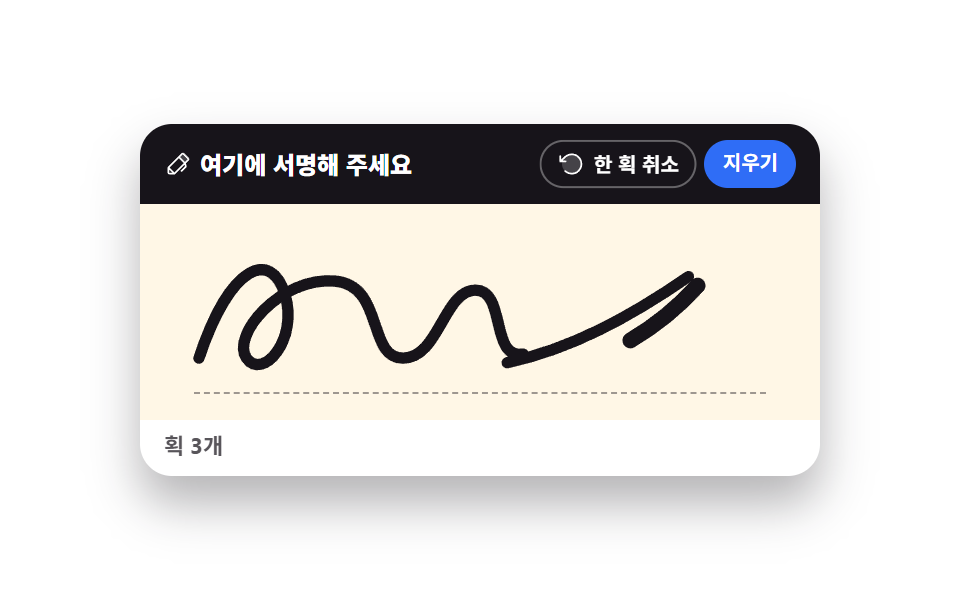 クリエイティブUIcanvas 手書きサインと描画UI 9選 — ライブラリなし
 クリエイティブUIオーディオビジュアライザー 作り方 9選 — 棒からマイクまで
 クリエイティブUI物理シミュレーション 作り方 9選 — バネから慣性スクラブまで
 クリエイティブUIcss 背景 パターン ジェネレーター 自作9種
 クリエイティブUI画像 編集 javascript のトリミングUI 9選
 クリエイティブUIパーティクル アニメーション canvas 9種 — ライブラリなしの作り方
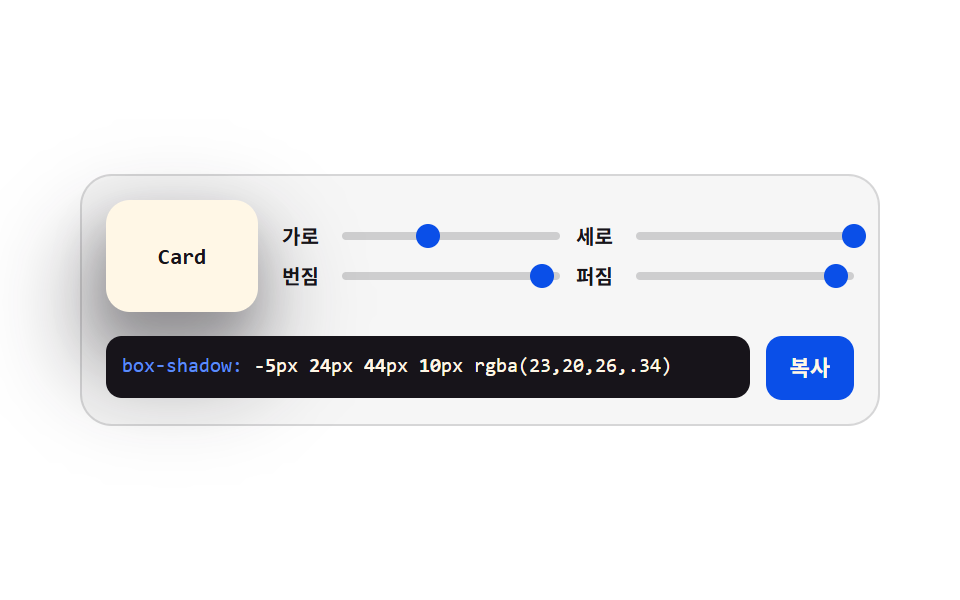 クリエイティブUIcss ジェネレーター 9種 — スライダーで作る css 影のつけ方
 クリエイティブUIhtml5 canvas アニメーション9種 — 水滴とブラックホール