横スクロール アニメーション css 9パターン — 慣性・円筒・魚眼レンズ
横スクロール アニメーション css は、縦に入ったホイールの値を横へ向け直すだけでは終わりません — 01番はその値を慣性で滑らせ、06番はカードを円筒の上に投影し、08番は端のピクセルを魚眼レンズで曲げます。
ホイールを回すと横へ流れる九つの場面を、格子から開いてみる
下の格子でカードを押すとその項目の節へ移り、各デモの中でホイールを回せば、縦の操作が横の流れに変わる様子をその場で確かめられます。並べ方は、入力が画面を変えるまでに通る層の数に合わせました。01から03は入力処理の三段階(慣性・区間の割り当て・フリックのスナップ)、04から07は横移動を立体に見せる四つの方法(照明・視差・円筒・ひも)、08と09はピクセルと文字が曲がる二通りの仕上げです。
 01 hsc-wheel-delta-inertia-glide-track
 02 hsc-pinned-panel-progress-piecewise-map
 03 hsc-drag-fling-projected-snap-spring
 04 hsc-folding-screen-panels-normal-lighting
 05 hsc-depth-parallax-ridge-noise-layers
 06 hsc-cylinder-gallery-perspective-depth-sort
 07 hsc-verlet-cord-hanging-cards
 08 hsc-edge-fisheye-pixel-remap
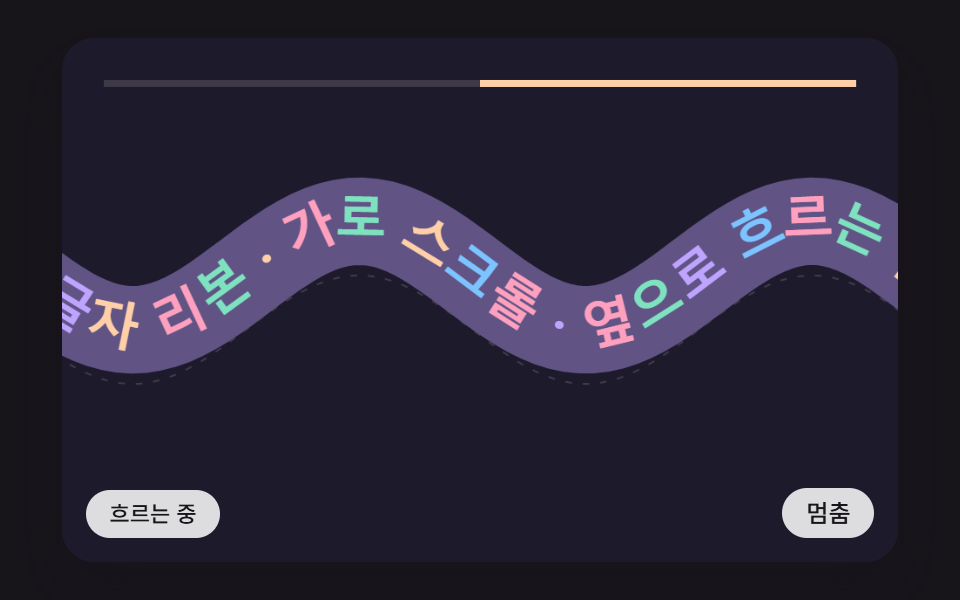 09 hsc-wave-path-text-ribbon-tangent
自動再生 · タイルを押すとその項目へ · すべて1つのzip
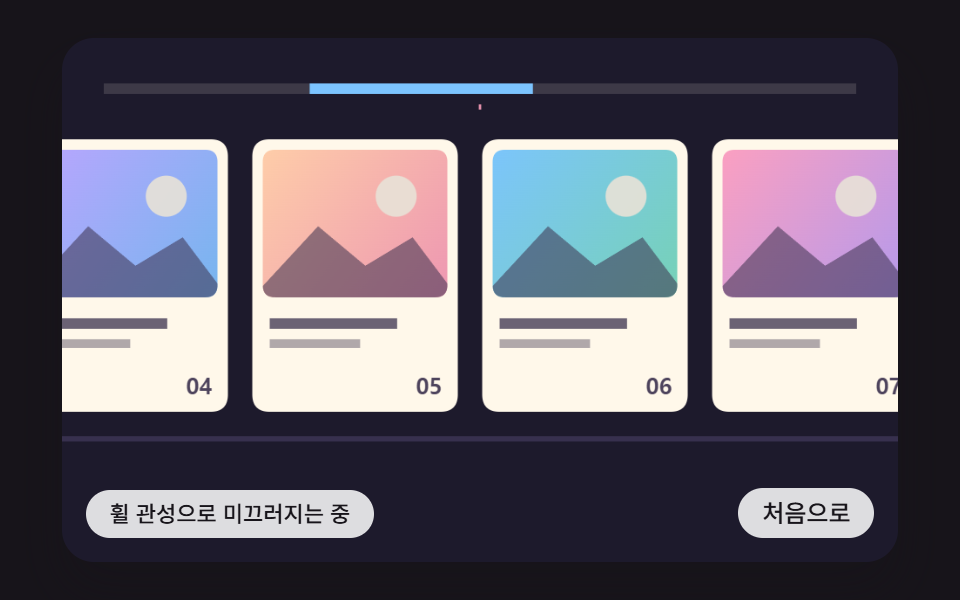
- 01 縦のホイール値が横の移動に変わり、入力が止まったあとも摩擦でゆっくり止まるカードトラック
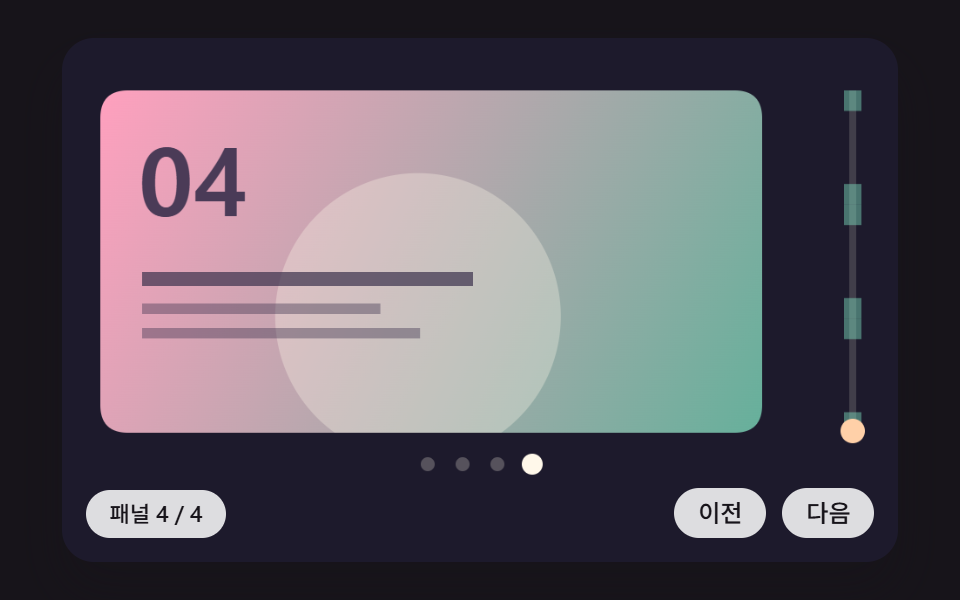
- 02 セクションが画面に固定されたまま、縦の進み具合がパネルごとの横移動に分けて変わる固定パネルの場面
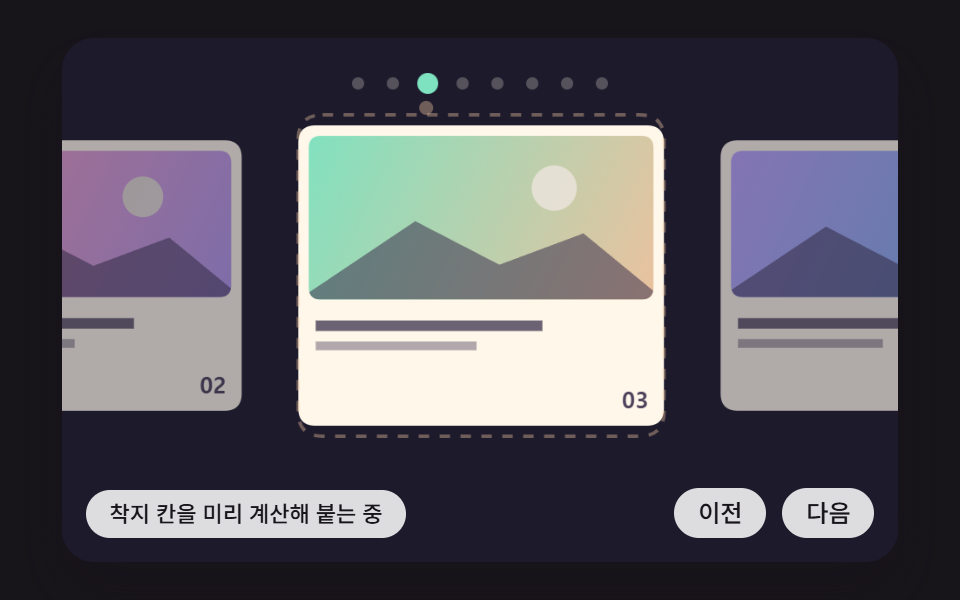
- 03 引いて放すと、放した瞬間の速度から到着点を先に計算し、いちばん近い枠へバネで吸い付くドラッグスナップ
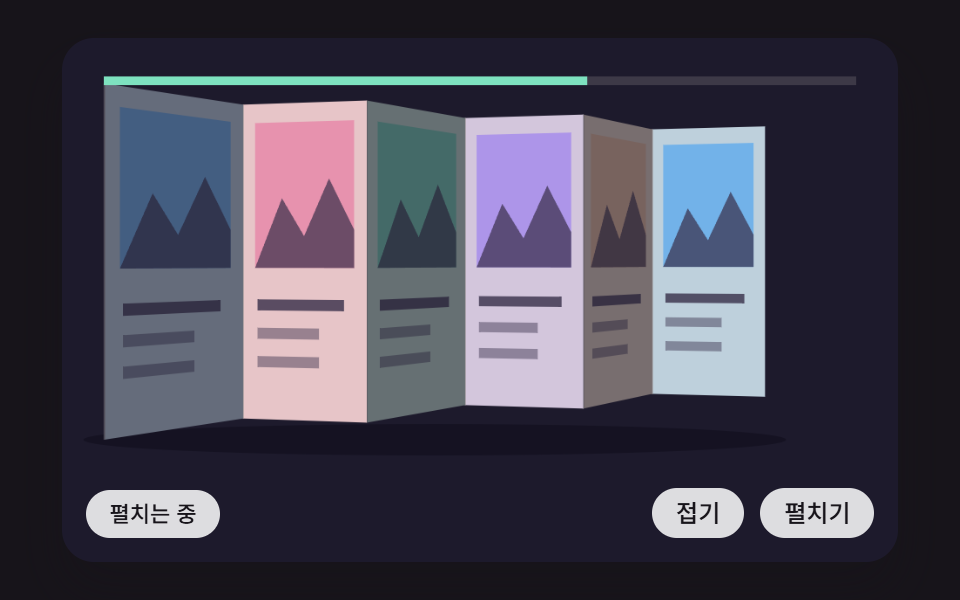
- 04 横に並んだパネルが進み具合に応じて屏風のように折れては開き、折れた面ごとに光の当たる角度で明るさが変わる屏風パネル
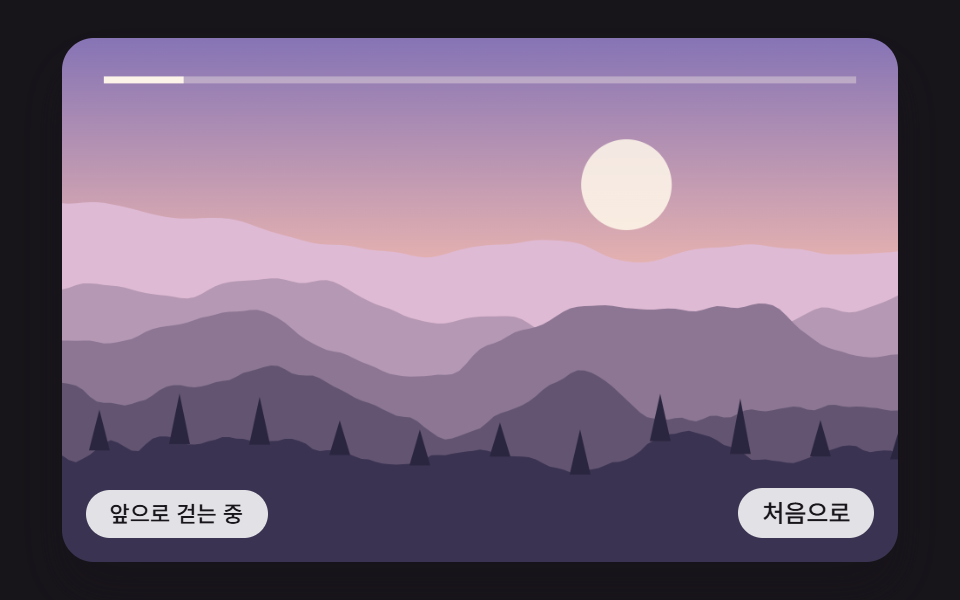
- 05 ノイズで描いた稜線の山・丘・木の層が、奥行きに応じて違う速さで横へ流れる横方向の視差の風景
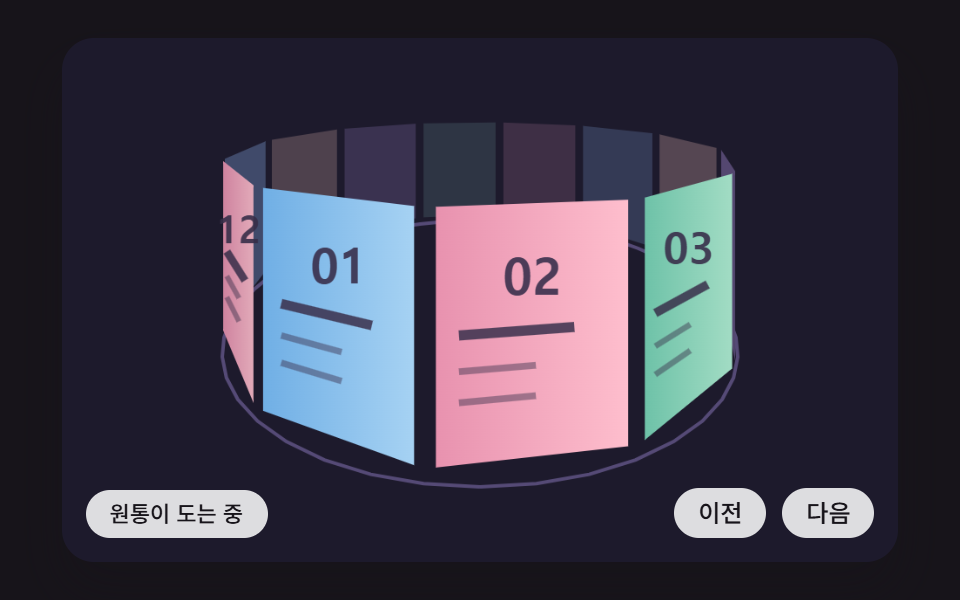
- 06 カードが円筒のまわりに並び、横の移動量だけ回って、遠近の投影で大きさ・明るさが変わり、前後の順が並べ直される円筒ギャラリー
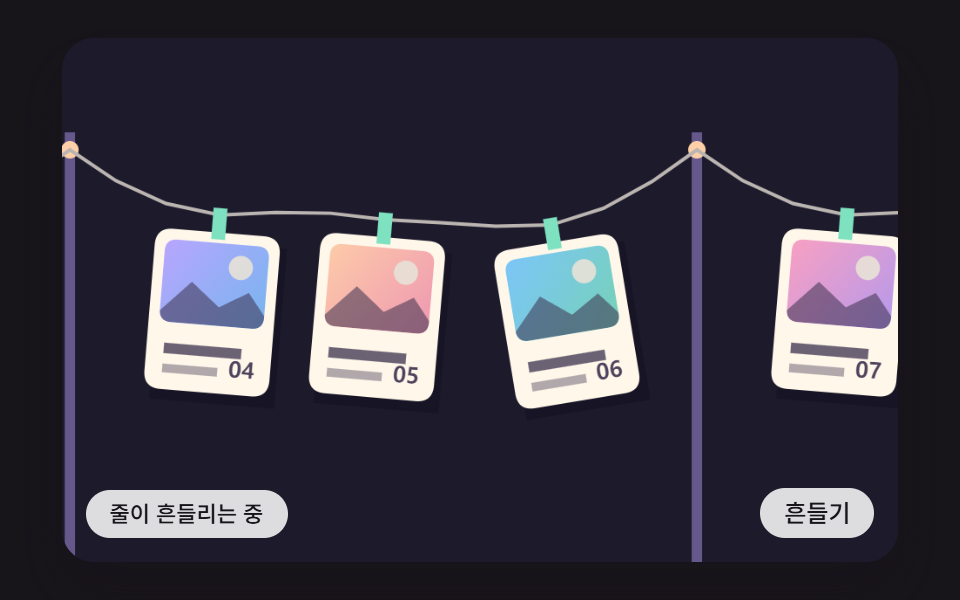
- 07 紐でつながったカードが先頭のカードに引かれて横へ動き、揺れてから静まる紐に吊るしたカードの列
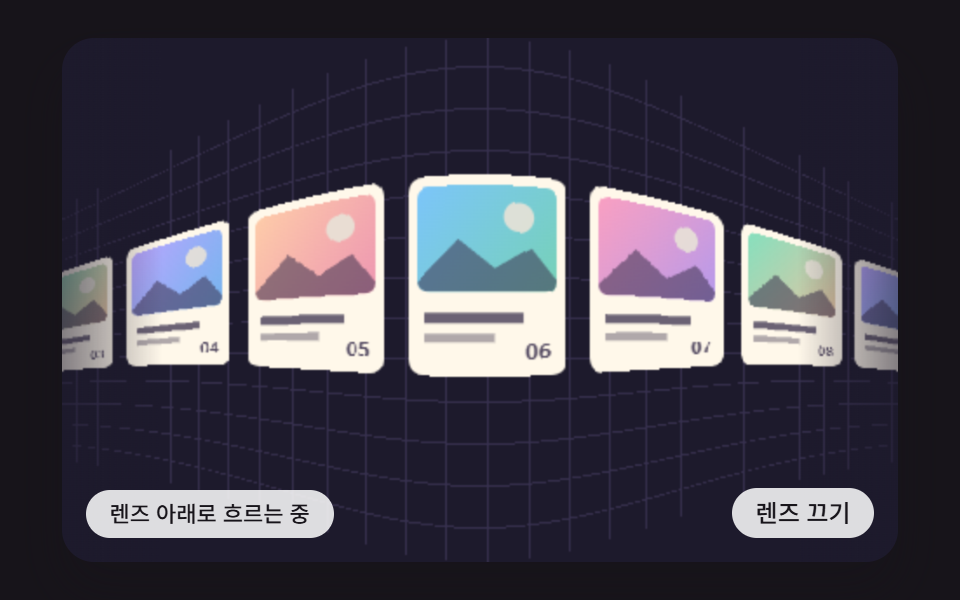
- 08 トラックの両端に近づいたカードが魚眼レンズのように曲がって小さくなり、中央では平らに伸びる端のレンズ
- 09 文字の帯が正弦波の曲線の上を横へ流れ、文字ごとに曲線の傾きだけ回り、速さが増すと波が高くなる文字のリボン
横スクロール アニメーション css 9パターン — ホイールの慣性・円筒の投影・魚眼レンズで作る横へ流れる画面
先にはっきり書いておきます。この記事の九つの場面はどれも <canvas> の上で JavaScript がフレームごとに計算して描いた絵で、CSS のアニメーションは、ボタンにポインターを載せたとき背景色が変わる transition ひとつだけです。ホイールの縦の値を横の移動に向け直し、そこへ慣性を足す処理は CSS のプロパティだけでは書けない領域なので、wheel イベントの値をスクリプトで直接扱います。見た目の 横スクロール css デザイン として CSS が受け持つのは、舞台の幅・縦横比・角の丸み、状態を示すピル型の表示といった外枠だけです。
九つの場面が共有する時間の骨組み
requestAnimationFrame が渡すタイムスタンプをためて16msの固定ステップ(FIXED_DT)で最大6回動かし、描画は1フレームに1回です。タブを隠して戻ってきても、1フレームで流す時間は100msで打ち切られるので、場面が瞬間移動することはありません。乱数は使わず、05の稜線は整数のハッシュで、ほかの場面の自動の実演は周期のスケジュールで動くので、毎回同じ動きになります。ライブラリ・CDN・WebGL は九つのファイルのどれにも出てきません。
ホイールの横取りは wheelPx と canMove の一組で決まります
入ってきた値は、まず wheelPx が目盛りをそろえます。行単位の装置(deltaMode 1)には16を、ページ単位(2)には480を掛け、|deltaX| > |deltaY| なら横の値を選びます。トラックパッドの横スワイプとマウスの縦回転が、同じ軸に入って同じ道を通るわけです。次に canMove(d) でいまが端の向きかどうかを見て、動ける場合にだけ preventDefault を呼びます。プローブで測ると、端の向きの wheel は止めず(pass)、動ける向きは止める(blocked)という結果が九つの場面すべてで出ました。そのためトラックの端では、ページの縦スクロールがそのまま続きます。
人が触れた瞬間に自動の実演が止まります
人が初めてホイール・ポインター・キーに触れた瞬間、wake() が自動の実演を止め、状態表示の aria-live を off から polite に切り替えます。実演のあいだに画面読み上げソフトがしゃべり続けないための作りです。キャンバスには touch-action: pan-y がかかっていて、横方向に指を引けば場面が動き、縦に払えばブラウザ本来のスクロールになります。
横スクロール css デザイン はライブラリなしでどこまで作れるか?
答えは思ったより遠くまでです。この記事の慣性・スナップ・遠近投影・ピクセルの置き換えは、どれも掛け算と足し算の数行の中で回っているからです。中心になる計算は、01が等比級数ひとつ、03がバネの二つの項、06が割り算一行で、05の山並みも格子ハッシュを4層重ねて描いています。用途から選ぶなら、商品の横一覧やおすすめの列は01、製品のランディングや沿革は02、モバイルのカードカルーセルは03、手順の紹介やブランドストーリーは04、旅行サイトのヒーローは05、アルバムやポートフォリオの表紙は06、写真の列の陳列は07、アイコンのドックやチップの列は08、スローガンの帯は09から開いてみてください。下の九つの節のコード片は、各場面の index.html のスクリプトから行とインデントをそのまま写したものなので、zip を開けば同じ関数名で元の箇所を探し直せます。
01縦のホイール値が横の移動に変わり、入力が止まったあとも摩擦でゆっくり止まるカードトラック
ホイールの縦の1目盛り(100)は WHEEL_GAIN の0.12を掛けて1ステップあたり12pxの速度になり、その後はステップごとに FRICTION の0.92が掛かって、1056msのあいだに149.4px滑ってから止まります。トラックの両端では、はみ出した距離に応じて入力を d/(1+o/RUBBER_PX) に弱めてゴムのように踏ん張り、キーボードでは speedFor が目標の距離でちょうど止まる初速を逆算します。レンダーの測定は累積面積41.4%・強度109.7、動いたフレームは16/23で、止まって待つ区間があるぶんフレームが休みます。
<main class="stage">
<div class="hs is-demo" id="hs">
  <canvas class="hs__canvas" data-role="canvas" width="480" height="300" tabindex="0" aria-label="ホイールやドラッグでカードトラックを横へ押すと摩擦でゆっくり止まり、両端でゴムのように戻る場面"></canvas>
  <p class="hs__status" data-role="status" aria-live="off">ホイールの慣性で滑っています</p>
  <div class="hs__tools">
    <button class="hs__btn" data-role="btn" type="button">最初へ</button>
  </div>
</div>
</main>
@use "../../../../site/static/demo-tokens" as *;
@include stage($stage-ink);
.hs {
position: relative;
width: min(92vw, calc(160vh - 12.8vw));
aspect-ratio: 480 / 300;
margin: 0 auto;
border-radius: $r-card;
overflow: hidden;
box-shadow: $shadow-raised;
background: $subject-ink;
}
.hs__canvas {
display: block;
width: 100%;
height: 100%;
cursor: grab;
}
.hs__canvas:active {
cursor: grabbing;
}
.hs__canvas:focus-visible {
outline: 2px solid rgba(255, 255, 255, .85);
outline-offset: -6px;
}
.hs__status {
position: absolute;
left: $sp-3;
bottom: $sp-3;
max-width: 46%;
margin: 0;
padding: $sp-1 $sp-3;
border-radius: $r-control;
background: rgba(255, 255, 255, .85);
color: $subject-ink;
font-weight: 500;
font-size: 11px;
line-height: 1.4;
pointer-events: none;
}
.hs__tools {
position: absolute;
right: $sp-3;
bottom: $sp-3;
display: flex;
gap: $sp-2;
}
.hs__btn {
margin: 0;
padding: $sp-1 $sp-3;
border: 0;
border-radius: $r-pill;
background: rgba(255, 255, 255, .85);
color: $subject-ink;
font: inherit;
font-weight: 500;
font-size: 12px;
line-height: 1.4;
cursor: pointer;
transition: background-color $dur-quick ease-out;
}
.hs__btn:hover {
background: $subject-cream;
}
.hs__btn[aria-pressed="true"] {
background: $subject-mint;
}
.hs__btn:focus-visible {
outline: 2px solid rgba(255, 255, 255, .95);
outline-offset: 2px;
}
// 손가락 가로 끌기는 이 캔버스가 받고, 세로 쓸기는 브라우저에 남겨 페이지 스크롤이 막히지 않게 한다
.hs__canvas { touch-action: pan-y; }
@media (max-width: 340px) {
.hs__btn { font-size: 10px; padding: $sp-1 $sp-2; }
.hs__status { font-size: 10px; padding: $sp-1 $sp-2; }
}
@media (prefers-reduced-motion: reduce) {
.hs__btn { transition: none; }
}html, body {
margin: 0;
overflow: hidden;
}
.stage {
box-sizing: border-box;
min-height: 100vh;
display: grid;
place-items: center;
margin: 0;
background: #17141a;
font-family: -apple-system, "Segoe UI", "Noto Sans KR", sans-serif;
padding: clamp(8px, 4vw, 24px);
}
.hs {
position: relative;
width: min(92vw, 160vh - 12.8vw);
aspect-ratio: 480/300;
margin: 0 auto;
border-radius: 16px;
overflow: hidden;
box-shadow: 0 14px 24px rgba(23, 20, 26, 0.32);
background: #17141a;
}
.hs__canvas {
display: block;
width: 100%;
height: 100%;
cursor: grab;
}
.hs__canvas:active {
cursor: grabbing;
}
.hs__canvas:focus-visible {
outline: 2px solid rgba(255, 255, 255, 0.85);
outline-offset: -6px;
}
.hs__status {
position: absolute;
left: 12px;
bottom: 12px;
max-width: 46%;
margin: 0;
padding: 4px 12px;
border-radius: 12px;
background: rgba(255, 255, 255, 0.85);
color: #17141a;
font-weight: 500;
font-size: 11px;
line-height: 1.4;
pointer-events: none;
}
.hs__tools {
position: absolute;
right: 12px;
bottom: 12px;
display: flex;
gap: 8px;
}
.hs__btn {
margin: 0;
padding: 4px 12px;
border: 0;
border-radius: 999px;
background: rgba(255, 255, 255, 0.85);
color: #17141a;
font: inherit;
font-weight: 500;
font-size: 12px;
line-height: 1.4;
cursor: pointer;
transition: background-color 220ms ease-out;
}
.hs__btn:hover {
background: #fff7e6;
}
.hs__btn[aria-pressed=true] {
background: #4cd4a6;
}
.hs__btn:focus-visible {
outline: 2px solid rgba(255, 255, 255, 0.95);
outline-offset: 2px;
}
.hs__canvas {
touch-action: pan-y;
}
@media (max-width: 340px) {
.hs__btn {
font-size: 10px;
padding: 4px 8px;
}
.hs__status {
font-size: 10px;
padding: 4px 8px;
}
}
@media (prefers-reduced-motion: reduce) {
.hs__btn {
transition: none;
}
}(function () {
const root = document.getElementById("hs");
if (!root) return;
const W = 480;
const H = 300;
const FIXED_DT = 16;
// 파스텔 팔레트 — 어두운 무대 위에 밝은 카드를 얹어 명도 차로 읽힌다
const BG = [29, 26, 44];
const PAPER = [255, 248, 234];
const INK = [58, 48, 76];
const MINT = [126, 226, 192];
const SKY = [124, 196, 255];
const LILAC = [190, 164, 255];
const PINK = [255, 160, 190];
const PEACH = [255, 208, 168];
const TINTS = [SKY, PINK, MINT, LILAC, PEACH];
function clamp(v, lo, hi) { return v < lo ? lo : (v > hi ? hi : v); }
function lerp(a, b, k) { return a + (b - a) * k; }
function smooth(x) { const c = clamp(x, 0, 1); return c * c * (3 - 2 * c); }
function rgba(c, a) {
return 'rgba(' + Math.round(c[0]) + ',' + Math.round(c[1]) + ',' + Math.round(c[2]) + ',' + clamp(a, 0, 1).toFixed(3) + ')';
}
function mix(a, b, k) { return [lerp(a[0], b[0], k), lerp(a[1], b[1], k), lerp(a[2], b[2], k)]; }
const canvasEl = root.querySelector('[data-role="canvas"]');
const statusEl = root.querySelector('[data-role="status"]');
const ctxRaw = canvasEl ? canvasEl.getContext('2d') : null;
if (!canvasEl || !ctxRaw || !statusEl) {
return;
}
const cv = canvasEl;
const ctx = ctxRaw;
const status = statusEl;
const reduceQuery = window.matchMedia('(prefers-reduced-motion: reduce)');
const still = reduceQuery.matches;
// 자동 시연 중인가 — 사람이 처음 만지는 순간 시연을 멈추고 상태 줄을 읽어 주기 시작한다
let demo = root.classList.contains('is-demo');
function wake() {
if (!demo) {
return;
}
demo = false;
root.classList.remove('is-demo');
status.setAttribute('aria-live', 'polite');
}
function say(text) {
if (status.textContent !== text) {
status.textContent = text;
}
}
// 휠 한 번의 이동량을 px 로 — 줄 단위(deltaMode 1)·쪽 단위(deltaMode 2) 장치도 같은 눈금으로 맞춘다.
// 가로·세로 중 큰 쪽을 쓴다: 트랙패드의 가로 쓸기와 마우스 휠의 세로 굴림이 같은 방향으로 들어온다
function wheelPx(ev) {
const unit = ev.deltaMode === 1 ? 16 : (ev.deltaMode === 2 ? W : 1);
const d = Math.abs(ev.deltaX) > Math.abs(ev.deltaY) ? ev.deltaX : ev.deltaY;
return d * unit;
}
// 시연 시계가 loop 주기 안의 at 시각을 이번 스텝에 막 지났는가
function crossed(t, at, loop) {
const p = t % loop;
return p >= at && p - FIXED_DT < at;
}
function fitCanvas() {
const dpr = window.devicePixelRatio || 1;
cv.width = Math.round(W * dpr);
cv.height = Math.round(H * dpr);
ctx.setTransform(dpr, 0, 0, dpr, 0, 0);
}
function onResize() {
fitCanvas();
draw();
}
fitCanvas();
window.addEventListener('resize', onResize);
// 화면 좌표(CSS px) → 장면 좌표(480x300). 리사이즈 뒤에도 늘 현재 크기로 다시 잰다
function toScene(ev) {
const r = cv.getBoundingClientRect();
return [((ev.clientX - r.left) / r.width) * W, ((ev.clientY - r.top) / r.height) * H];
}
function roundRectPath(c, x, y, w, h, r) {
const rr = Math.min(r, w / 2, h / 2);
c.beginPath();
c.moveTo(x + rr, y);
c.lineTo(x + w - rr, y);
c.quadraticCurveTo(x + w, y, x + w, y + rr);
c.lineTo(x + w, y + h - rr);
c.quadraticCurveTo(x + w, y + h, x + w - rr, y + h);
c.lineTo(x + rr, y + h);
c.quadraticCurveTo(x, y + h, x, y + h - rr);
c.lineTo(x, y + rr);
c.quadraticCurveTo(x, y, x + rr, y);
c.closePath();
}
// 카드 한 장 — 사진 대신 계산한 그림 칸(그라디언트 하늘·해·언덕) + 글줄 막대 두 개 + 번호
function drawCard(c, x, y, w, h, i, light) {
const t1 = TINTS[i % TINTS.length];
const t2 = TINTS[(i + 2) % TINTS.length];
const k = clamp(light, 0, 1);
roundRectPath(c, x, y, w, h, 10);
c.fillStyle = rgba(mix(BG, PAPER, k), 1);
c.fill();
const ih = h * 0.58;
const g = c.createLinearGradient(x, y, x + w, y + ih);
g.addColorStop(0, rgba(mix(BG, t1, k), 1));
g.addColorStop(1, rgba(mix(BG, t2, k * 0.92), 1));
c.save();
roundRectPath(c, x + 6, y + 6, w - 12, ih - 6, 7);
c.fillStyle = g;
c.fill();
c.clip();
c.fillStyle = rgba(mix(BG, PAPER, k * 0.9), 0.9);
c.beginPath();
c.arc(x + w * 0.7, y + ih * 0.36, Math.min(w, ih) * 0.13, 0, Math.PI * 2);
c.fill();
c.fillStyle = rgba(mix(BG, INK, k), 0.55);
c.beginPath();
c.moveTo(x, y + ih);
c.lineTo(x + w * 0.32, y + ih * 0.55);
c.lineTo(x + w * 0.55, y + ih * 0.8);
c.lineTo(x + w * 0.78, y + ih * 0.62);
c.lineTo(x + w, y + ih);
c.closePath();
c.fill();
c.restore();
c.fillStyle = rgba(mix(BG, INK, k), 0.75);
c.fillRect(x + 10, y + ih + 12, w * 0.62, 6);
c.fillStyle = rgba(mix(BG, INK, k), 0.4);
c.fillRect(x + 10, y + ih + 24, w * 0.44, 5);
c.fillStyle = rgba(mix(BG, INK, k), 0.9);
c.font = '700 13px sans-serif';
c.textAlign = 'right';
c.textBaseline = 'alphabetic';
c.fillText(String(i + 1).padStart(2, '0'), x + w - 9, y + h - 10);
}
const CARD_N = 12;
const CARD_W = 118;
const CARD_H = 156;
const GAP = 14;
const PITCH = CARD_W + GAP;
const PAD = 24;
const TRACK_TOP = 58;
const MAX_X = PAD * 2 + CARD_N * PITCH - GAP - W;
const WHEEL_GAIN = 0.12;
const FRICTION = 0.92;
const EDGE_K = 0.16;
const EDGE_DAMP = 0.6;
const RUBBER_PX = 90;
const STOP_V = 0.05;
const DEMO_LOOP = 4200;
const TXT_GLIDE = 'ホイールの慣性で滑っています';
const TXT_EDGE = '端からゴムのように戻ります';
const TXT_STOP = '停止';
const backBtn = root.querySelector('[data-role="btn"]');
let x = 0;
let v = 0;
let moving = false;
let edgeSaid = false;
let dragId = -1;
let dragX = 0;
let dragT = 0;
let dragV = 0;
// 트랙 끝 밖으로 나간 거리(안쪽이면 0)
function overshoot(p) { return p < 0 ? p : (p > MAX_X ? p - MAX_X : 0); }
// 끝 밖으로 미는 입력은 나간 거리만큼 줄인다 — 고무줄처럼 버틴다
function rubber(d) {
const out = (x <= 0 && d < 0) || (x >= MAX_X && d > 0);
return out ? d / (1 + Math.abs(overshoot(x)) / RUBBER_PX) : d;
}
function push(d) {
v += rubber(d) * WHEEL_GAIN;
moving = true;
say(TXT_GLIDE);
}
// 지금 속도로 놓아두면 얼마나 더 가나 — 스텝마다 FRICTION 을 곱하므로 등비급수 v·f/(1−f)
function glideDistance(v0, f) { return v0 * f / (1 - f); }
// 거꾸로, distance 만큼 가서 멈추려면 처음 속도가 얼마여야 하나
function speedFor(distance, f) { return distance * (1 - f) / f; }
function canMove(d) { return d > 0 ? x < MAX_X - 0.5 : x > 0.5; }
function step() {
if (dragId >= 0) {
return;
}
x += v;
const o = overshoot(x);
if (o !== 0) {
v = (v - o * EDGE_K) * EDGE_DAMP;
if (!edgeSaid) {
edgeSaid = true;
say(TXT_EDGE);
}
}
else {
v *= FRICTION;
edgeSaid = false;
}
if (moving && Math.abs(v) < STOP_V && Math.abs(o) < 0.5) {
x = clamp(x, 0, MAX_X);
v = 0;
moving = false;
say(TXT_STOP);
}
}
function settle() {
x = 0;
v = 0;
say(TXT_STOP);
}
function demoTick(t) {
for (let k = 0; k < 3; k += 1) {
if (crossed(t, 200 + k * 40, DEMO_LOOP)) {
push(100);
}
}
for (let k = 0; k < 5; k += 1) {
if (crossed(t, 1250 + k * 40, DEMO_LOOP)) {
push(-100);
}
}
}
function draw() {
ctx.fillStyle = rgba(BG, 1);
ctx.fillRect(0, 0, W, H);
// 바닥 레일
ctx.fillStyle = rgba(mix(BG, LILAC, 0.16), 1);
ctx.fillRect(0, TRACK_TOP + CARD_H + 14, W, 3);
for (let i = 0; i < CARD_N; i += 1) {
const cx = PAD + i * PITCH - x;
if (cx > W || cx + CARD_W < 0) {
continue;
}
drawCard(ctx, cx, TRACK_TOP, CARD_W, CARD_H, i, 1);
}
// 위쪽 진행 막대 — 끝 밖으로 나가면 막대가 그만큼 짧아진다
const trackW = W - 48;
const thumbW = trackW * (W / (MAX_X + W));
const o = overshoot(x);
const squash = Math.abs(o) * 0.6;
const left = 24 + (clamp(x, 0, MAX_X) / MAX_X) * (trackW - thumbW) + (o > 0 ? squash : 0);
ctx.fillStyle = rgba(mix(BG, PAPER, 0.14), 1);
ctx.fillRect(24, 26, trackW, 6);
ctx.fillStyle = rgba(SKY, 1);
ctx.fillRect(left, 26, Math.max(10, thumbW - squash), 6);
// 속도 눈금 — 마찰로 줄어드는 모습이 그대로 보인다
const speedW = clamp(Math.abs(v) * 2.4, 0, trackW);
ctx.fillStyle = rgba(PINK, 0.9);
ctx.fillRect(W / 2 - speedW / 2, 38, speedW, 3);
}
function onWheel(ev) {
const d = wheelPx(ev);
// 끝에 닿았으면 가로채지 않는다 — 페이지가 계속 스크롤된다
if (d === 0 || !canMove(d)) {
return;
}
ev.preventDefault();
wake();
if (still) {
x = clamp(x + d, 0, MAX_X);
say(TXT_STOP);
draw();
return;
}
push(d);
}
cv.addEventListener('wheel', onWheel, { passive: false });
cv.addEventListener('pointerdown', function (ev) {
wake();
dragId = ev.pointerId;
cv.setPointerCapture(ev.pointerId);
dragX = toScene(ev)[0];
dragT = ev.timeStamp;
dragV = 0;
v = 0;
});
cv.addEventListener('pointermove', function (ev) {
if (ev.pointerId !== dragId) {
return;
}
const sx = toScene(ev)[0];
const dx = sx - dragX;
const steps = Math.max(1, (ev.timeStamp - dragT) / FIXED_DT);
dragX = sx;
dragT = ev.timeStamp;
const d = rubber(-dx);
x = still ? clamp(x + d, 0, MAX_X) : x + d;
dragV = lerp(dragV, d / steps, 0.5);
if (still) {
draw();
}
});
function endDrag(ev) {
if (ev.pointerId !== dragId) {
return;
}
dragId = -1;
if (still) {
return;
}
v = clamp(dragV, -60, 60);
moving = true;
say(TXT_GLIDE);
}
cv.addEventListener('pointerup', endDrag);
cv.addEventListener('pointercancel', endDrag);
cv.addEventListener('keydown', function (ev) {
let goal = NaN;
if (ev.key === 'ArrowRight') {
goal = x + PITCH;
}
else if (ev.key === 'ArrowLeft') {
goal = x - PITCH;
}
else if (ev.key === 'Home') {
goal = 0;
}
else if (ev.key === 'End') {
goal = MAX_X;
}
if (Number.isNaN(goal) || !canMove(goal - x)) {
return;
}
ev.preventDefault();
wake();
goal = clamp(goal, 0, MAX_X);
if (still) {
x = goal;
say(TXT_STOP);
draw();
return;
}
// 키도 관성으로 — 목표에서 정확히 멈추는 처음 속도를 등비급수로 거꾸로 푼다
v = speedFor(goal - x, FRICTION);
moving = true;
say(TXT_GLIDE);
});
if (backBtn) {
backBtn.addEventListener('click', function () {
wake();
if (still) {
x = 0;
say(TXT_STOP);
draw();
return;
}
v = speedFor(-x, FRICTION);
moving = true;
say(TXT_GLIDE);
});
}
say(TXT_GLIDE);
let rafId = 0;
let lastTs = -1;
let acc = 0;
let clock = 0;
function frame(ts) {
if (lastTs < 0) {
lastTs = ts;
}
// 탭이 숨었다 돌아와도 한 번에 100ms 까지만 따라잡는다 — 순간이동 대신 이어서 움직인다
acc += Math.min(ts - lastTs, 100);
lastTs = ts;
let n = 0;
while (acc >= FIXED_DT && n < 6) {
clock += FIXED_DT;
if (demo) {
demoTick(clock);
}
step();
acc -= FIXED_DT;
n += 1;
}
draw();
rafId = window.requestAnimationFrame(frame);
}
if (still) {
settle();
draw();
}
else {
rafId = window.requestAnimationFrame(frame);
}
return function () {
window.cancelAnimationFrame(rafId);
window.removeEventListener('resize', onResize);
};
})();// HscWheelDeltaInertiaGlideTrack - vanilla 판(01-hsc-wheel-delta-inertia-glide-track) 의 React 포트. 같은 계산을 useEffect 안에서 돌린다.
import { useEffect, useRef } from "react";
import styles from "./HscWheelDeltaInertiaGlideTrack.module.scss";
const cx = (s: string): string => s.split(" ").map((n) => styles[n] ?? n).join(" ");
export default function HscWheelDeltaInertiaGlideTrack() {
const rootRef = useRef<HTMLDivElement | null>(null);
useEffect(() => {
const rootEl = rootRef.current;
if (!rootEl) return;
const root: HTMLElement = rootEl;
type RGB = [number, number, number];
const W = 480;
const H = 300;
const FIXED_DT = 16;
// 파스텔 팔레트 — 어두운 무대 위에 밝은 카드를 얹어 명도 차로 읽힌다
const BG: RGB = [29, 26, 44];
const PAPER: RGB = [255, 248, 234];
const INK: RGB = [58, 48, 76];
const MINT: RGB = [126, 226, 192];
const SKY: RGB = [124, 196, 255];
const LILAC: RGB = [190, 164, 255];
const PINK: RGB = [255, 160, 190];
const PEACH: RGB = [255, 208, 168];
const TINTS: RGB[] = [SKY, PINK, MINT, LILAC, PEACH];
function clamp(v: number, lo: number, hi: number): number { return v < lo ? lo : (v > hi ? hi : v); }
function lerp(a: number, b: number, k: number): number { return a + (b - a) * k; }
function smooth(x: number): number { const c = clamp(x, 0, 1); return c * c * (3 - 2 * c); }
function rgba(c: RGB, a: number): string {
return 'rgba(' + Math.round(c[0]) + ',' + Math.round(c[1]) + ',' + Math.round(c[2]) + ',' + clamp(a, 0, 1).toFixed(3) + ')';
}
function mix(a: RGB, b: RGB, k: number): RGB { return [lerp(a[0], b[0], k), lerp(a[1], b[1], k), lerp(a[2], b[2], k)]; }
const canvasEl = root.querySelector('[data-role="canvas"]') as HTMLCanvasElement | null;
const statusEl = root.querySelector('[data-role="status"]') as HTMLElement | null;
const ctxRaw = canvasEl ? canvasEl.getContext('2d') : null;
if (!canvasEl || !ctxRaw || !statusEl) { return; }
const cv: HTMLCanvasElement = canvasEl;
const ctx: CanvasRenderingContext2D = ctxRaw;
const status: HTMLElement = statusEl;
const reduceQuery = window.matchMedia('(prefers-reduced-motion: reduce)');
const still = reduceQuery.matches;
// 자동 시연 중인가 — 사람이 처음 만지는 순간 시연을 멈추고 상태 줄을 읽어 주기 시작한다
let demo = root.classList.contains('is-demo');
function wake(): void {
if (!demo) { return; }
demo = false;
root.classList.remove('is-demo');
status.setAttribute('aria-live', 'polite');
}
function say(text: string): void {
if (status.textContent !== text) { status.textContent = text; }
}
// 휠 한 번의 이동량을 px 로 — 줄 단위(deltaMode 1)·쪽 단위(deltaMode 2) 장치도 같은 눈금으로 맞춘다.
// 가로·세로 중 큰 쪽을 쓴다: 트랙패드의 가로 쓸기와 마우스 휠의 세로 굴림이 같은 방향으로 들어온다
function wheelPx(ev: WheelEvent): number {
const unit = ev.deltaMode === 1 ? 16 : (ev.deltaMode === 2 ? W : 1);
const d = Math.abs(ev.deltaX) > Math.abs(ev.deltaY) ? ev.deltaX : ev.deltaY;
return d * unit;
}
// 시연 시계가 loop 주기 안의 at 시각을 이번 스텝에 막 지났는가
function crossed(t: number, at: number, loop: number): boolean {
const p = t % loop;
return p >= at && p - FIXED_DT < at;
}
function fitCanvas(): void {
const dpr = window.devicePixelRatio || 1;
cv.width = Math.round(W * dpr);
cv.height = Math.round(H * dpr);
ctx.setTransform(dpr, 0, 0, dpr, 0, 0);
}
function onResize(): void {
fitCanvas();
draw();
}
fitCanvas();
window.addEventListener('resize', onResize);
// 화면 좌표(CSS px) → 장면 좌표(480x300). 리사이즈 뒤에도 늘 현재 크기로 다시 잰다
function toScene(ev: PointerEvent): [number, number] {
const r = cv.getBoundingClientRect();
return [((ev.clientX - r.left) / r.width) * W, ((ev.clientY - r.top) / r.height) * H];
}
function roundRectPath(c: CanvasRenderingContext2D, x: number, y: number, w: number, h: number, r: number): void {
const rr = Math.min(r, w / 2, h / 2);
c.beginPath();
c.moveTo(x + rr, y);
c.lineTo(x + w - rr, y);
c.quadraticCurveTo(x + w, y, x + w, y + rr);
c.lineTo(x + w, y + h - rr);
c.quadraticCurveTo(x + w, y + h, x + w - rr, y + h);
c.lineTo(x + rr, y + h);
c.quadraticCurveTo(x, y + h, x, y + h - rr);
c.lineTo(x, y + rr);
c.quadraticCurveTo(x, y, x + rr, y);
c.closePath();
}
// 카드 한 장 — 사진 대신 계산한 그림 칸(그라디언트 하늘·해·언덕) + 글줄 막대 두 개 + 번호
function drawCard(c: CanvasRenderingContext2D, x: number, y: number, w: number, h: number, i: number, light: number): void {
const t1 = TINTS[i % TINTS.length];
const t2 = TINTS[(i + 2) % TINTS.length];
const k = clamp(light, 0, 1);
roundRectPath(c, x, y, w, h, 10);
c.fillStyle = rgba(mix(BG, PAPER, k), 1);
c.fill();
const ih = h * 0.58;
const g = c.createLinearGradient(x, y, x + w, y + ih);
g.addColorStop(0, rgba(mix(BG, t1, k), 1));
g.addColorStop(1, rgba(mix(BG, t2, k * 0.92), 1));
c.save();
roundRectPath(c, x + 6, y + 6, w - 12, ih - 6, 7);
c.fillStyle = g;
c.fill();
c.clip();
c.fillStyle = rgba(mix(BG, PAPER, k * 0.9), 0.9);
c.beginPath();
c.arc(x + w * 0.7, y + ih * 0.36, Math.min(w, ih) * 0.13, 0, Math.PI * 2);
c.fill();
c.fillStyle = rgba(mix(BG, INK, k), 0.55);
c.beginPath();
c.moveTo(x, y + ih);
c.lineTo(x + w * 0.32, y + ih * 0.55);
c.lineTo(x + w * 0.55, y + ih * 0.8);
c.lineTo(x + w * 0.78, y + ih * 0.62);
c.lineTo(x + w, y + ih);
c.closePath();
c.fill();
c.restore();
c.fillStyle = rgba(mix(BG, INK, k), 0.75);
c.fillRect(x + 10, y + ih + 12, w * 0.62, 6);
c.fillStyle = rgba(mix(BG, INK, k), 0.4);
c.fillRect(x + 10, y + ih + 24, w * 0.44, 5);
c.fillStyle = rgba(mix(BG, INK, k), 0.9);
c.font = '700 13px sans-serif';
c.textAlign = 'right';
c.textBaseline = 'alphabetic';
c.fillText(String(i + 1).padStart(2, '0'), x + w - 9, y + h - 10);
}
const CARD_N = 12;
const CARD_W = 118;
const CARD_H = 156;
const GAP = 14;
const PITCH = CARD_W + GAP;
const PAD = 24;
const TRACK_TOP = 58;
const MAX_X = PAD * 2 + CARD_N * PITCH - GAP - W;
const WHEEL_GAIN = 0.12;
const FRICTION = 0.92;
const EDGE_K = 0.16;
const EDGE_DAMP = 0.6;
const RUBBER_PX = 90;
const STOP_V = 0.05;
const DEMO_LOOP = 4200;
const TXT_GLIDE = '휠 관성으로 미끄러지는 중';
const TXT_EDGE = '끝에서 고무줄처럼 되돌아온다';
const TXT_STOP = '멈춤';
const backBtn = root.querySelector('[data-role="btn"]') as HTMLButtonElement | null;
let x = 0;
let v = 0;
let moving = false;
let edgeSaid = false;
let dragId = -1;
let dragX = 0;
let dragT = 0;
let dragV = 0;
// 트랙 끝 밖으로 나간 거리(안쪽이면 0)
function overshoot(p: number): number { return p < 0 ? p : (p > MAX_X ? p - MAX_X : 0); }
// 끝 밖으로 미는 입력은 나간 거리만큼 줄인다 — 고무줄처럼 버틴다
function rubber(d: number): number {
const out = (x <= 0 && d < 0) || (x >= MAX_X && d > 0);
return out ? d / (1 + Math.abs(overshoot(x)) / RUBBER_PX) : d;
}
function push(d: number): void {
v += rubber(d) * WHEEL_GAIN;
moving = true;
say(TXT_GLIDE);
}
// 지금 속도로 놓아두면 얼마나 더 가나 — 스텝마다 FRICTION 을 곱하므로 등비급수 v·f/(1−f)
function glideDistance(v0: number, f: number): number { return v0 * f / (1 - f); }
// 거꾸로, distance 만큼 가서 멈추려면 처음 속도가 얼마여야 하나
function speedFor(distance: number, f: number): number { return distance * (1 - f) / f; }
function canMove(d: number): boolean { return d > 0 ? x < MAX_X - 0.5 : x > 0.5; }
function step(): void {
if (dragId >= 0) { return; }
x += v;
const o = overshoot(x);
if (o !== 0) {
v = (v - o * EDGE_K) * EDGE_DAMP;
if (!edgeSaid) { edgeSaid = true; say(TXT_EDGE); }
} else {
v *= FRICTION;
edgeSaid = false;
}
if (moving && Math.abs(v) < STOP_V && Math.abs(o) < 0.5) {
x = clamp(x, 0, MAX_X);
v = 0;
moving = false;
say(TXT_STOP);
}
}
function settle(): void {
x = 0;
v = 0;
say(TXT_STOP);
}
function demoTick(t: number): void {
for (let k = 0; k < 3; k += 1) { if (crossed(t, 200 + k * 40, DEMO_LOOP)) { push(100); } }
for (let k = 0; k < 5; k += 1) { if (crossed(t, 1250 + k * 40, DEMO_LOOP)) { push(-100); } }
}
function draw(): void {
ctx.fillStyle = rgba(BG, 1);
ctx.fillRect(0, 0, W, H);
// 바닥 레일
ctx.fillStyle = rgba(mix(BG, LILAC, 0.16), 1);
ctx.fillRect(0, TRACK_TOP + CARD_H + 14, W, 3);
for (let i = 0; i < CARD_N; i += 1) {
const cx = PAD + i * PITCH - x;
if (cx > W || cx + CARD_W < 0) { continue; }
drawCard(ctx, cx, TRACK_TOP, CARD_W, CARD_H, i, 1);
}
// 위쪽 진행 막대 — 끝 밖으로 나가면 막대가 그만큼 짧아진다
const trackW = W - 48;
const thumbW = trackW * (W / (MAX_X + W));
const o = overshoot(x);
const squash = Math.abs(o) * 0.6;
const left = 24 + (clamp(x, 0, MAX_X) / MAX_X) * (trackW - thumbW) + (o > 0 ? squash : 0);
ctx.fillStyle = rgba(mix(BG, PAPER, 0.14), 1);
ctx.fillRect(24, 26, trackW, 6);
ctx.fillStyle = rgba(SKY, 1);
ctx.fillRect(left, 26, Math.max(10, thumbW - squash), 6);
// 속도 눈금 — 마찰로 줄어드는 모습이 그대로 보인다
const speedW = clamp(Math.abs(v) * 2.4, 0, trackW);
ctx.fillStyle = rgba(PINK, 0.9);
ctx.fillRect(W / 2 - speedW / 2, 38, speedW, 3);
}
function onWheel(ev: WheelEvent): void {
const d = wheelPx(ev);
// 끝에 닿았으면 가로채지 않는다 — 페이지가 계속 스크롤된다
if (d === 0 || !canMove(d)) { return; }
ev.preventDefault();
wake();
if (still) {
x = clamp(x + d, 0, MAX_X);
say(TXT_STOP);
draw();
return;
}
push(d);
}
cv.addEventListener('wheel', onWheel, { passive: false });
cv.addEventListener('pointerdown', function (ev: PointerEvent): void {
wake();
dragId = ev.pointerId;
cv.setPointerCapture(ev.pointerId);
dragX = toScene(ev)[0];
dragT = ev.timeStamp;
dragV = 0;
v = 0;
});
cv.addEventListener('pointermove', function (ev: PointerEvent): void {
if (ev.pointerId !== dragId) { return; }
const sx = toScene(ev)[0];
const dx = sx - dragX;
const steps = Math.max(1, (ev.timeStamp - dragT) / FIXED_DT);
dragX = sx;
dragT = ev.timeStamp;
const d = rubber(-dx);
x = still ? clamp(x + d, 0, MAX_X) : x + d;
dragV = lerp(dragV, d / steps, 0.5);
if (still) { draw(); }
});
function endDrag(ev: PointerEvent): void {
if (ev.pointerId !== dragId) { return; }
dragId = -1;
if (still) { return; }
v = clamp(dragV, -60, 60);
moving = true;
say(TXT_GLIDE);
}
cv.addEventListener('pointerup', endDrag);
cv.addEventListener('pointercancel', endDrag);
cv.addEventListener('keydown', function (ev: KeyboardEvent): void {
let goal = NaN;
if (ev.key === 'ArrowRight') { goal = x + PITCH; }
else if (ev.key === 'ArrowLeft') { goal = x - PITCH; }
else if (ev.key === 'Home') { goal = 0; }
else if (ev.key === 'End') { goal = MAX_X; }
if (Number.isNaN(goal) || !canMove(goal - x)) { return; }
ev.preventDefault();
wake();
goal = clamp(goal, 0, MAX_X);
if (still) { x = goal; say(TXT_STOP); draw(); return; }
// 키도 관성으로 — 목표에서 정확히 멈추는 처음 속도를 등비급수로 거꾸로 푼다
v = speedFor(goal - x, FRICTION);
moving = true;
say(TXT_GLIDE);
});
if (backBtn) {
backBtn.addEventListener('click', function (): void {
wake();
if (still) { x = 0; say(TXT_STOP); draw(); return; }
v = speedFor(-x, FRICTION);
moving = true;
say(TXT_GLIDE);
});
}
say(TXT_GLIDE);
let rafId = 0;
let lastTs = -1;
let acc = 0;
let clock = 0;
function frame(ts: number): void {
if (lastTs < 0) { lastTs = ts; }
// 탭이 숨었다 돌아와도 한 번에 100ms 까지만 따라잡는다 — 순간이동 대신 이어서 움직인다
acc += Math.min(ts - lastTs, 100);
lastTs = ts;
let n = 0;
while (acc >= FIXED_DT && n < 6) {
clock += FIXED_DT;
if (demo) { demoTick(clock); }
step();
acc -= FIXED_DT;
n += 1;
}
draw();
rafId = window.requestAnimationFrame(frame);
}
if (still) {
settle();
draw();
} else {
rafId = window.requestAnimationFrame(frame);
}
return function (): void {
window.cancelAnimationFrame(rafId);
window.removeEventListener('resize', onResize);
};
}, []);
return (
<div className={cx("hs") + " is-demo"} ref={rootRef}>
<canvas className={cx("hs__canvas")} data-role="canvas" width={480} height={300} tabIndex={0} aria-label="휠이나 끌기로 카드 트랙을 옆으로 밀면 마찰로 서서히 멈추고 양 끝에서 고무줄처럼 되돌아오는 장면"></canvas>
<p className={cx("hs__status")} data-role="status" aria-live="off">휠 관성으로 미끄러지는 중</p>
<div className={cx("hs__tools")}>
<button className={cx("hs__btn")} data-role="btn" type="button">처음으로</button>
</div>
</div>
);
}01 · 縦のホイール値が横の移動に変わり、入力が止まったあとも摩擦でゆっくり止まるカードトラック — 計測 累積面積 41.419% · 動いたフレーム 16/23GODRICH オリジナル · SCSS と React は zip に同梱 · パスワードを見る
    // ホイール一回の移動量を px に — 行単位(deltaMode 1)・ページ単位(deltaMode 2)の装置も同じ目盛りにそろえる。
    // 横と縦の大きいほうを使う: トラックパッドの横スワイプとマウスホイールの縦回転が同じ向きで入ってくる
    function wheelPx(ev) {
        const unit = ev.deltaMode === 1 ? 16 : (ev.deltaMode === 2 ? W : 1);
        const d = Math.abs(ev.deltaX) > Math.abs(ev.deltaY) ? ev.deltaX : ev.deltaY;
        return d * unit;
    }
    // 端の外へ押す入力は、はみ出した距離に応じて弱める — ゴムのように踏ん張る
    function rubber(d) {
        const out = (x <= 0 && d < 0) || (x >= MAX_X && d > 0);
        return out ? d / (1 + Math.abs(overshoot(x)) / RUBBER_PX) : d;
    }
    function push(d) {
        v += rubber(d) * WHEEL_GAIN;
        moving = true;
        say(TXT_GLIDE);
    }
    // 今の速度のまま放すとあとどれだけ進むか — ステップごとに FRICTION を掛けるので等比級数 v·f/(1−f)
    function glideDistance(v0, f) { return v0 * f / (1 - f); }
    // 逆に、distance だけ進んで止まるには最初の速度がいくつ要るか
    function speedFor(distance, f) { return distance * (1 - f) / f; }
    function canMove(d) { return d > 0 ? x < MAX_X - 0.5 : x > 0.5; }
02セクションが画面に固定されたまま、縦の進み具合がパネルごとの横移動に分けて変わる固定パネルの場面
縦の進み具合0から1をパネルの間の三つの区間に分け、区間の中でも前後18%(HOLD)はとどまり、真ん中の64%を smoothstep で渡るので、画面は1パネルずつ階段のように移ります。ホイール100pxで進み具合が0.09増え、画面は PIN_LERP の0.12で追いかけるため、128msの追従の遅れがつきます。測定は累積面積50.4%・強度94.1・動いたフレーム23/23です。
<main class="stage">
<div class="hs is-demo" id="hs">
  <canvas class="hs__canvas" data-role="canvas" width="480" height="300" tabindex="0" aria-label="縦の進み具合がパネルの区間に分かれ、パネルが横へ移り、区間の間で少しとどまる場面"></canvas>
  <p class="hs__status" data-role="status" aria-live="off">パネル 1 / 4</p>
  <div class="hs__tools">
    <button class="hs__btn" data-role="prev" type="button">前へ</button>
    <button class="hs__btn" data-role="next" type="button">次へ</button>
  </div>
</div>
</main>
@use "../../../../site/static/demo-tokens" as *;
@include stage($stage-ink);
.hs {
position: relative;
width: min(92vw, calc(160vh - 12.8vw));
aspect-ratio: 480 / 300;
margin: 0 auto;
border-radius: $r-card;
overflow: hidden;
box-shadow: $shadow-raised;
background: $subject-ink;
}
.hs__canvas {
display: block;
width: 100%;
height: 100%;
cursor: grab;
}
.hs__canvas:active {
cursor: grabbing;
}
.hs__canvas:focus-visible {
outline: 2px solid rgba(255, 255, 255, .85);
outline-offset: -6px;
}
.hs__status {
position: absolute;
left: $sp-3;
bottom: $sp-3;
max-width: 46%;
margin: 0;
padding: $sp-1 $sp-3;
border-radius: $r-control;
background: rgba(255, 255, 255, .85);
color: $subject-ink;
font-weight: 500;
font-size: 11px;
line-height: 1.4;
pointer-events: none;
}
.hs__tools {
position: absolute;
right: $sp-3;
bottom: $sp-3;
display: flex;
gap: $sp-2;
}
.hs__btn {
margin: 0;
padding: $sp-1 $sp-3;
border: 0;
border-radius: $r-pill;
background: rgba(255, 255, 255, .85);
color: $subject-ink;
font: inherit;
font-weight: 500;
font-size: 12px;
line-height: 1.4;
cursor: pointer;
transition: background-color $dur-quick ease-out;
}
.hs__btn:hover {
background: $subject-cream;
}
.hs__btn[aria-pressed="true"] {
background: $subject-mint;
}
.hs__btn:focus-visible {
outline: 2px solid rgba(255, 255, 255, .95);
outline-offset: 2px;
}
// 손가락 가로 끌기는 이 캔버스가 받고, 세로 쓸기는 브라우저에 남겨 페이지 스크롤이 막히지 않게 한다
.hs__canvas { touch-action: pan-y; }
@media (max-width: 340px) {
.hs__btn { font-size: 10px; padding: $sp-1 $sp-2; }
.hs__status { font-size: 10px; padding: $sp-1 $sp-2; }
}
@media (prefers-reduced-motion: reduce) {
.hs__btn { transition: none; }
}html, body {
margin: 0;
overflow: hidden;
}
.stage {
box-sizing: border-box;
min-height: 100vh;
display: grid;
place-items: center;
margin: 0;
background: #17141a;
font-family: -apple-system, "Segoe UI", "Noto Sans KR", sans-serif;
padding: clamp(8px, 4vw, 24px);
}
.hs {
position: relative;
width: min(92vw, 160vh - 12.8vw);
aspect-ratio: 480/300;
margin: 0 auto;
border-radius: 16px;
overflow: hidden;
box-shadow: 0 14px 24px rgba(23, 20, 26, 0.32);
background: #17141a;
}
.hs__canvas {
display: block;
width: 100%;
height: 100%;
cursor: grab;
}
.hs__canvas:active {
cursor: grabbing;
}
.hs__canvas:focus-visible {
outline: 2px solid rgba(255, 255, 255, 0.85);
outline-offset: -6px;
}
.hs__status {
position: absolute;
left: 12px;
bottom: 12px;
max-width: 46%;
margin: 0;
padding: 4px 12px;
border-radius: 12px;
background: rgba(255, 255, 255, 0.85);
color: #17141a;
font-weight: 500;
font-size: 11px;
line-height: 1.4;
pointer-events: none;
}
.hs__tools {
position: absolute;
right: 12px;
bottom: 12px;
display: flex;
gap: 8px;
}
.hs__btn {
margin: 0;
padding: 4px 12px;
border: 0;
border-radius: 999px;
background: rgba(255, 255, 255, 0.85);
color: #17141a;
font: inherit;
font-weight: 500;
font-size: 12px;
line-height: 1.4;
cursor: pointer;
transition: background-color 220ms ease-out;
}
.hs__btn:hover {
background: #fff7e6;
}
.hs__btn[aria-pressed=true] {
background: #4cd4a6;
}
.hs__btn:focus-visible {
outline: 2px solid rgba(255, 255, 255, 0.95);
outline-offset: 2px;
}
.hs__canvas {
touch-action: pan-y;
}
@media (max-width: 340px) {
.hs__btn {
font-size: 10px;
padding: 4px 8px;
}
.hs__status {
font-size: 10px;
padding: 4px 8px;
}
}
@media (prefers-reduced-motion: reduce) {
.hs__btn {
transition: none;
}
}(function () {
const root = document.getElementById("hs");
if (!root) return;
const W = 480;
const H = 300;
const FIXED_DT = 16;
// 파스텔 팔레트 — 어두운 무대 위에 밝은 카드를 얹어 명도 차로 읽힌다
const BG = [29, 26, 44];
const PAPER = [255, 248, 234];
const INK = [58, 48, 76];
const MINT = [126, 226, 192];
const SKY = [124, 196, 255];
const LILAC = [190, 164, 255];
const PINK = [255, 160, 190];
const PEACH = [255, 208, 168];
const TINTS = [SKY, PINK, MINT, LILAC, PEACH];
function clamp(v, lo, hi) { return v < lo ? lo : (v > hi ? hi : v); }
function lerp(a, b, k) { return a + (b - a) * k; }
function smooth(x) { const c = clamp(x, 0, 1); return c * c * (3 - 2 * c); }
function rgba(c, a) {
return 'rgba(' + Math.round(c[0]) + ',' + Math.round(c[1]) + ',' + Math.round(c[2]) + ',' + clamp(a, 0, 1).toFixed(3) + ')';
}
function mix(a, b, k) { return [lerp(a[0], b[0], k), lerp(a[1], b[1], k), lerp(a[2], b[2], k)]; }
const canvasEl = root.querySelector('[data-role="canvas"]');
const statusEl = root.querySelector('[data-role="status"]');
const ctxRaw = canvasEl ? canvasEl.getContext('2d') : null;
if (!canvasEl || !ctxRaw || !statusEl) {
return;
}
const cv = canvasEl;
const ctx = ctxRaw;
const status = statusEl;
const reduceQuery = window.matchMedia('(prefers-reduced-motion: reduce)');
const still = reduceQuery.matches;
// 자동 시연 중인가 — 사람이 처음 만지는 순간 시연을 멈추고 상태 줄을 읽어 주기 시작한다
let demo = root.classList.contains('is-demo');
function wake() {
if (!demo) {
return;
}
demo = false;
root.classList.remove('is-demo');
status.setAttribute('aria-live', 'polite');
}
function say(text) {
if (status.textContent !== text) {
status.textContent = text;
}
}
// 휠 한 번의 이동량을 px 로 — 줄 단위(deltaMode 1)·쪽 단위(deltaMode 2) 장치도 같은 눈금으로 맞춘다.
// 가로·세로 중 큰 쪽을 쓴다: 트랙패드의 가로 쓸기와 마우스 휠의 세로 굴림이 같은 방향으로 들어온다
function wheelPx(ev) {
const unit = ev.deltaMode === 1 ? 16 : (ev.deltaMode === 2 ? W : 1);
const d = Math.abs(ev.deltaX) > Math.abs(ev.deltaY) ? ev.deltaX : ev.deltaY;
return d * unit;
}
// 시연 시계가 loop 주기 안의 at 시각을 이번 스텝에 막 지났는가
function crossed(t, at, loop) {
const p = t % loop;
return p >= at && p - FIXED_DT < at;
}
function fitCanvas() {
const dpr = window.devicePixelRatio || 1;
cv.width = Math.round(W * dpr);
cv.height = Math.round(H * dpr);
ctx.setTransform(dpr, 0, 0, dpr, 0, 0);
}
function onResize() {
fitCanvas();
draw();
}
fitCanvas();
window.addEventListener('resize', onResize);
// 화면 좌표(CSS px) → 장면 좌표(480x300). 리사이즈 뒤에도 늘 현재 크기로 다시 잰다
function toScene(ev) {
const r = cv.getBoundingClientRect();
return [((ev.clientX - r.left) / r.width) * W, ((ev.clientY - r.top) / r.height) * H];
}
function roundRectPath(c, x, y, w, h, r) {
const rr = Math.min(r, w / 2, h / 2);
c.beginPath();
c.moveTo(x + rr, y);
c.lineTo(x + w - rr, y);
c.quadraticCurveTo(x + w, y, x + w, y + rr);
c.lineTo(x + w, y + h - rr);
c.quadraticCurveTo(x + w, y + h, x + w - rr, y + h);
c.lineTo(x + rr, y + h);
c.quadraticCurveTo(x, y + h, x, y + h - rr);
c.lineTo(x, y + rr);
c.quadraticCurveTo(x, y, x + rr, y);
c.closePath();
}
// 카드 한 장 — 사진 대신 계산한 그림 칸(그라디언트 하늘·해·언덕) + 글줄 막대 두 개 + 번호
function drawCard(c, x, y, w, h, i, light) {
const t1 = TINTS[i % TINTS.length];
const t2 = TINTS[(i + 2) % TINTS.length];
const k = clamp(light, 0, 1);
roundRectPath(c, x, y, w, h, 10);
c.fillStyle = rgba(mix(BG, PAPER, k), 1);
c.fill();
const ih = h * 0.58;
const g = c.createLinearGradient(x, y, x + w, y + ih);
g.addColorStop(0, rgba(mix(BG, t1, k), 1));
g.addColorStop(1, rgba(mix(BG, t2, k * 0.92), 1));
c.save();
roundRectPath(c, x + 6, y + 6, w - 12, ih - 6, 7);
c.fillStyle = g;
c.fill();
c.clip();
c.fillStyle = rgba(mix(BG, PAPER, k * 0.9), 0.9);
c.beginPath();
c.arc(x + w * 0.7, y + ih * 0.36, Math.min(w, ih) * 0.13, 0, Math.PI * 2);
c.fill();
c.fillStyle = rgba(mix(BG, INK, k), 0.55);
c.beginPath();
c.moveTo(x, y + ih);
c.lineTo(x + w * 0.32, y + ih * 0.55);
c.lineTo(x + w * 0.55, y + ih * 0.8);
c.lineTo(x + w * 0.78, y + ih * 0.62);
c.lineTo(x + w, y + ih);
c.closePath();
c.fill();
c.restore();
c.fillStyle = rgba(mix(BG, INK, k), 0.75);
c.fillRect(x + 10, y + ih + 12, w * 0.62, 6);
c.fillStyle = rgba(mix(BG, INK, k), 0.4);
c.fillRect(x + 10, y + ih + 24, w * 0.44, 5);
c.fillStyle = rgba(mix(BG, INK, k), 0.9);
c.font = '700 13px sans-serif';
c.textAlign = 'right';
c.textBaseline = 'alphabetic';
c.fillText(String(i + 1).padStart(2, '0'), x + w - 9, y + h - 10);
}
const PANEL_N = 4;
const HOLD = 0.18;
const P_GAIN = 0.0009;
const PIN_LERP = 0.12;
const PANEL_W = 380;
const PANEL_H = 196;
const PANEL_GAP = 40;
const PANEL_STEP = PANEL_W + PANEL_GAP;
const PANEL_TOP = 30;
const RAIL_X = 452;
const RAIL_TOP = 30;
const RAIL_H = 196;
const DEMO_LOOP = 4000;
const PANEL_TXT = ['パネル 1 / 4', 'パネル 2 / 4', 'パネル 3 / 4', 'パネル 4 / 4'];
const prevBtn = root.querySelector('[data-role="prev"]');
const nextBtn = root.querySelector('[data-role="next"]');
let target = 0;
let shown = 0;
let lastPanel = 0;
// 진행률 p(0~1) → 패널 위치(0~PANEL_N−1). 구간마다 앞뒤 HOLD 만큼 머물고 가운데를 smoothstep 으로 건넌다
function panelPos(p) {
const segs = PANEL_N - 1;
const s = clamp(p, 0, 1) * segs;
const k = Math.min(Math.floor(s), segs - 1);
const u = s - k;
return k + smooth((u - HOLD) / (1 - 2 * HOLD));
}
function canMove(d) { return d > 0 ? target < 1 : target > 0; }
function report() {
const k = Math.round(panelPos(shown));
if (k !== lastPanel) {
lastPanel = k;
say(PANEL_TXT[k]);
}
}
function step() {
shown += (target - shown) * PIN_LERP;
if (Math.abs(target - shown) < 0.0005) {
shown = target;
}
report();
}
function settle() {
shown = target;
report();
}
function demoTick(t) {
const p = t % DEMO_LOOP;
if (p >= 200 && p <= 1700) {
target = (p - 200) / 1500;
}
else if (p >= 2200 && p <= 3600) {
target = 1 - (p - 2200) / 1400;
}
}
function drawPanel(i, px) {
const t1 = TINTS[(i * 2) % TINTS.length];
const t2 = TINTS[(i * 2 + 1) % TINTS.length];
const g = ctx.createLinearGradient(px, PANEL_TOP, px + PANEL_W, PANEL_TOP + PANEL_H);
g.addColorStop(0, rgba(t1, 1));
g.addColorStop(1, rgba(mix(t2, BG, 0.25), 1));
roundRectPath(ctx, px, PANEL_TOP, PANEL_W, PANEL_H, 16);
ctx.fillStyle = g;
ctx.fill();
ctx.save();
ctx.clip();
// 패널마다 다른 큰 원 — 넘어가는 순간이 한눈에 읽힌다
ctx.fillStyle = rgba(PAPER, 0.32);
ctx.beginPath();
ctx.arc(px + PANEL_W * (0.72 - i * 0.08), PANEL_TOP + PANEL_H * (0.3 + i * 0.12), 46 + i * 12, 0, Math.PI * 2);
ctx.fill();
ctx.restore();
ctx.fillStyle = rgba(INK, 0.9);
ctx.font = '800 54px sans-serif';
ctx.textAlign = 'left';
ctx.textBaseline = 'alphabetic';
ctx.fillText('0' + (i + 1), px + 22, PANEL_TOP + 72);
ctx.fillStyle = rgba(INK, 0.7);
ctx.fillRect(px + 24, PANEL_TOP + 104, PANEL_W * 0.5, 8);
ctx.fillStyle = rgba(INK, 0.4);
ctx.fillRect(px + 24, PANEL_TOP + 122, PANEL_W * 0.36, 6);
ctx.fillRect(px + 24, PANEL_TOP + 136, PANEL_W * 0.42, 6);
}
function draw() {
ctx.fillStyle = rgba(BG, 1);
ctx.fillRect(0, 0, W, H);
const pos = panelPos(shown);
const base = 22 - pos * PANEL_STEP;
for (let i = 0; i < PANEL_N; i += 1) {
const px = base + i * PANEL_STEP;
if (px > W || px + PANEL_W < 0) {
continue;
}
drawPanel(i, px);
}
// 오른쪽 세로 레일 — 세로 진행률(점)과 머무는 구간(옅은 칸)
ctx.fillStyle = rgba(BG, 0.85);
ctx.fillRect(RAIL_X - 10, RAIL_TOP - 8, 24, RAIL_H + 16);
ctx.fillStyle = rgba(mix(BG, PAPER, 0.16), 1);
ctx.fillRect(RAIL_X, RAIL_TOP, 4, RAIL_H);
const segs = PANEL_N - 1;
for (let k = 0; k < segs; k += 1) {
const y0 = RAIL_TOP + (k / segs) * RAIL_H;
const segH = RAIL_H / segs;
ctx.fillStyle = rgba(MINT, 0.45);
ctx.fillRect(RAIL_X - 3, y0, 10, segH * HOLD);
ctx.fillRect(RAIL_X - 3, y0 + segH * (1 - HOLD), 10, segH * HOLD);
}
ctx.fillStyle = rgba(PEACH, 1);
ctx.beginPath();
ctx.arc(RAIL_X + 2, RAIL_TOP + shown * RAIL_H, 7, 0, Math.PI * 2);
ctx.fill();
// 아래 점 — 지금 패널
for (let i = 0; i < PANEL_N; i += 1) {
const near = clamp(1 - Math.abs(pos - i), 0, 1);
ctx.fillStyle = rgba(mix(mix(BG, PAPER, 0.25), PAPER, near), 1);
ctx.beginPath();
ctx.arc(W / 2 - 30 + i * 20, PANEL_TOP + PANEL_H + 18, 4 + near * 2, 0, Math.PI * 2);
ctx.fill();
}
}
function moveTo(p) {
target = clamp(p, 0, 1);
if (still) {
settle();
draw();
}
}
function onWheel(ev) {
const d = wheelPx(ev);
// 처음·끝에 닿았으면 가로채지 않는다 — 고정이 풀리고 페이지가 이어서 스크롤된다
if (d === 0 || !canMove(d)) {
return;
}
ev.preventDefault();
wake();
moveTo(target + d * P_GAIN);
}
cv.addEventListener('wheel', onWheel, { passive: false });
// 패널 경계 진행률 — 次へ·前へ 패널은 이 값으로 옮긴다
function stepPanel(dir) {
const segs = PANEL_N - 1;
const k = clamp(Math.round(panelPos(target)) + dir, 0, segs);
if (k / segs === target) {
return false;
}
moveTo(k / segs);
return true;
}
cv.addEventListener('keydown', function (ev) {
let moved = false;
if (ev.key === 'ArrowRight' || ev.key === 'ArrowDown') {
moved = canMove(1) && stepPanel(1);
}
else if (ev.key === 'ArrowLeft' || ev.key === 'ArrowUp') {
moved = canMove(-1) && stepPanel(-1);
}
else if (ev.key === 'Home' && canMove(-1)) {
moveTo(0);
moved = true;
}
else if (ev.key === 'End' && canMove(1)) {
moveTo(1);
moved = true;
}
if (!moved) {
return;
}
ev.preventDefault();
wake();
});
if (prevBtn) {
prevBtn.addEventListener('click', function () { wake(); stepPanel(-1); });
}
if (nextBtn) {
nextBtn.addEventListener('click', function () { wake(); stepPanel(1); });
}
say(PANEL_TXT[0]);
let rafId = 0;
let lastTs = -1;
let acc = 0;
let clock = 0;
function frame(ts) {
if (lastTs < 0) {
lastTs = ts;
}
// 탭이 숨었다 돌아와도 한 번에 100ms 까지만 따라잡는다 — 순간이동 대신 이어서 움직인다
acc += Math.min(ts - lastTs, 100);
lastTs = ts;
let n = 0;
while (acc >= FIXED_DT && n < 6) {
clock += FIXED_DT;
if (demo) {
demoTick(clock);
}
step();
acc -= FIXED_DT;
n += 1;
}
draw();
rafId = window.requestAnimationFrame(frame);
}
if (still) {
settle();
draw();
}
else {
rafId = window.requestAnimationFrame(frame);
}
return function () {
window.cancelAnimationFrame(rafId);
window.removeEventListener('resize', onResize);
};
})();// HscPinnedPanelProgressPiecewiseMap - vanilla 판(02-hsc-pinned-panel-progress-piecewise-map) 의 React 포트. 같은 계산을 useEffect 안에서 돌린다.
import { useEffect, useRef } from "react";
import styles from "./HscPinnedPanelProgressPiecewiseMap.module.scss";
const cx = (s: string): string => s.split(" ").map((n) => styles[n] ?? n).join(" ");
export default function HscPinnedPanelProgressPiecewiseMap() {
const rootRef = useRef<HTMLDivElement | null>(null);
useEffect(() => {
const rootEl = rootRef.current;
if (!rootEl) return;
const root: HTMLElement = rootEl;
type RGB = [number, number, number];
const W = 480;
const H = 300;
const FIXED_DT = 16;
// 파스텔 팔레트 — 어두운 무대 위에 밝은 카드를 얹어 명도 차로 읽힌다
const BG: RGB = [29, 26, 44];
const PAPER: RGB = [255, 248, 234];
const INK: RGB = [58, 48, 76];
const MINT: RGB = [126, 226, 192];
const SKY: RGB = [124, 196, 255];
const LILAC: RGB = [190, 164, 255];
const PINK: RGB = [255, 160, 190];
const PEACH: RGB = [255, 208, 168];
const TINTS: RGB[] = [SKY, PINK, MINT, LILAC, PEACH];
function clamp(v: number, lo: number, hi: number): number { return v < lo ? lo : (v > hi ? hi : v); }
function lerp(a: number, b: number, k: number): number { return a + (b - a) * k; }
function smooth(x: number): number { const c = clamp(x, 0, 1); return c * c * (3 - 2 * c); }
function rgba(c: RGB, a: number): string {
return 'rgba(' + Math.round(c[0]) + ',' + Math.round(c[1]) + ',' + Math.round(c[2]) + ',' + clamp(a, 0, 1).toFixed(3) + ')';
}
function mix(a: RGB, b: RGB, k: number): RGB { return [lerp(a[0], b[0], k), lerp(a[1], b[1], k), lerp(a[2], b[2], k)]; }
const canvasEl = root.querySelector('[data-role="canvas"]') as HTMLCanvasElement | null;
const statusEl = root.querySelector('[data-role="status"]') as HTMLElement | null;
const ctxRaw = canvasEl ? canvasEl.getContext('2d') : null;
if (!canvasEl || !ctxRaw || !statusEl) { return; }
const cv: HTMLCanvasElement = canvasEl;
const ctx: CanvasRenderingContext2D = ctxRaw;
const status: HTMLElement = statusEl;
const reduceQuery = window.matchMedia('(prefers-reduced-motion: reduce)');
const still = reduceQuery.matches;
// 자동 시연 중인가 — 사람이 처음 만지는 순간 시연을 멈추고 상태 줄을 읽어 주기 시작한다
let demo = root.classList.contains('is-demo');
function wake(): void {
if (!demo) { return; }
demo = false;
root.classList.remove('is-demo');
status.setAttribute('aria-live', 'polite');
}
function say(text: string): void {
if (status.textContent !== text) { status.textContent = text; }
}
// 휠 한 번의 이동량을 px 로 — 줄 단위(deltaMode 1)·쪽 단위(deltaMode 2) 장치도 같은 눈금으로 맞춘다.
// 가로·세로 중 큰 쪽을 쓴다: 트랙패드의 가로 쓸기와 마우스 휠의 세로 굴림이 같은 방향으로 들어온다
function wheelPx(ev: WheelEvent): number {
const unit = ev.deltaMode === 1 ? 16 : (ev.deltaMode === 2 ? W : 1);
const d = Math.abs(ev.deltaX) > Math.abs(ev.deltaY) ? ev.deltaX : ev.deltaY;
return d * unit;
}
// 시연 시계가 loop 주기 안의 at 시각을 이번 스텝에 막 지났는가
function crossed(t: number, at: number, loop: number): boolean {
const p = t % loop;
return p >= at && p - FIXED_DT < at;
}
function fitCanvas(): void {
const dpr = window.devicePixelRatio || 1;
cv.width = Math.round(W * dpr);
cv.height = Math.round(H * dpr);
ctx.setTransform(dpr, 0, 0, dpr, 0, 0);
}
function onResize(): void {
fitCanvas();
draw();
}
fitCanvas();
window.addEventListener('resize', onResize);
// 화면 좌표(CSS px) → 장면 좌표(480x300). 리사이즈 뒤에도 늘 현재 크기로 다시 잰다
function toScene(ev: PointerEvent): [number, number] {
const r = cv.getBoundingClientRect();
return [((ev.clientX - r.left) / r.width) * W, ((ev.clientY - r.top) / r.height) * H];
}
function roundRectPath(c: CanvasRenderingContext2D, x: number, y: number, w: number, h: number, r: number): void {
const rr = Math.min(r, w / 2, h / 2);
c.beginPath();
c.moveTo(x + rr, y);
c.lineTo(x + w - rr, y);
c.quadraticCurveTo(x + w, y, x + w, y + rr);
c.lineTo(x + w, y + h - rr);
c.quadraticCurveTo(x + w, y + h, x + w - rr, y + h);
c.lineTo(x + rr, y + h);
c.quadraticCurveTo(x, y + h, x, y + h - rr);
c.lineTo(x, y + rr);
c.quadraticCurveTo(x, y, x + rr, y);
c.closePath();
}
// 카드 한 장 — 사진 대신 계산한 그림 칸(그라디언트 하늘·해·언덕) + 글줄 막대 두 개 + 번호
function drawCard(c: CanvasRenderingContext2D, x: number, y: number, w: number, h: number, i: number, light: number): void {
const t1 = TINTS[i % TINTS.length];
const t2 = TINTS[(i + 2) % TINTS.length];
const k = clamp(light, 0, 1);
roundRectPath(c, x, y, w, h, 10);
c.fillStyle = rgba(mix(BG, PAPER, k), 1);
c.fill();
const ih = h * 0.58;
const g = c.createLinearGradient(x, y, x + w, y + ih);
g.addColorStop(0, rgba(mix(BG, t1, k), 1));
g.addColorStop(1, rgba(mix(BG, t2, k * 0.92), 1));
c.save();
roundRectPath(c, x + 6, y + 6, w - 12, ih - 6, 7);
c.fillStyle = g;
c.fill();
c.clip();
c.fillStyle = rgba(mix(BG, PAPER, k * 0.9), 0.9);
c.beginPath();
c.arc(x + w * 0.7, y + ih * 0.36, Math.min(w, ih) * 0.13, 0, Math.PI * 2);
c.fill();
c.fillStyle = rgba(mix(BG, INK, k), 0.55);
c.beginPath();
c.moveTo(x, y + ih);
c.lineTo(x + w * 0.32, y + ih * 0.55);
c.lineTo(x + w * 0.55, y + ih * 0.8);
c.lineTo(x + w * 0.78, y + ih * 0.62);
c.lineTo(x + w, y + ih);
c.closePath();
c.fill();
c.restore();
c.fillStyle = rgba(mix(BG, INK, k), 0.75);
c.fillRect(x + 10, y + ih + 12, w * 0.62, 6);
c.fillStyle = rgba(mix(BG, INK, k), 0.4);
c.fillRect(x + 10, y + ih + 24, w * 0.44, 5);
c.fillStyle = rgba(mix(BG, INK, k), 0.9);
c.font = '700 13px sans-serif';
c.textAlign = 'right';
c.textBaseline = 'alphabetic';
c.fillText(String(i + 1).padStart(2, '0'), x + w - 9, y + h - 10);
}
const PANEL_N = 4;
const HOLD = 0.18;
const P_GAIN = 0.0009;
const PIN_LERP = 0.12;
const PANEL_W = 380;
const PANEL_H = 196;
const PANEL_GAP = 40;
const PANEL_STEP = PANEL_W + PANEL_GAP;
const PANEL_TOP = 30;
const RAIL_X = 452;
const RAIL_TOP = 30;
const RAIL_H = 196;
const DEMO_LOOP = 4000;
const PANEL_TXT = ['패널 1 / 4', '패널 2 / 4', '패널 3 / 4', '패널 4 / 4'];
const prevBtn = root.querySelector('[data-role="prev"]') as HTMLButtonElement | null;
const nextBtn = root.querySelector('[data-role="next"]') as HTMLButtonElement | null;
let target = 0;
let shown = 0;
let lastPanel = 0;
// 진행률 p(0~1) → 패널 위치(0~PANEL_N−1). 구간마다 앞뒤 HOLD 만큼 머물고 가운데를 smoothstep 으로 건넌다
function panelPos(p: number): number {
const segs = PANEL_N - 1;
const s = clamp(p, 0, 1) * segs;
const k = Math.min(Math.floor(s), segs - 1);
const u = s - k;
return k + smooth((u - HOLD) / (1 - 2 * HOLD));
}
function canMove(d: number): boolean { return d > 0 ? target < 1 : target > 0; }
function report(): void {
const k = Math.round(panelPos(shown));
if (k !== lastPanel) {
lastPanel = k;
say(PANEL_TXT[k]);
}
}
function step(): void {
shown += (target - shown) * PIN_LERP;
if (Math.abs(target - shown) < 0.0005) { shown = target; }
report();
}
function settle(): void {
shown = target;
report();
}
function demoTick(t: number): void {
const p = t % DEMO_LOOP;
if (p >= 200 && p <= 1700) { target = (p - 200) / 1500; }
else if (p >= 2200 && p <= 3600) { target = 1 - (p - 2200) / 1400; }
}
function drawPanel(i: number, px: number): void {
const t1 = TINTS[(i * 2) % TINTS.length];
const t2 = TINTS[(i * 2 + 1) % TINTS.length];
const g = ctx.createLinearGradient(px, PANEL_TOP, px + PANEL_W, PANEL_TOP + PANEL_H);
g.addColorStop(0, rgba(t1, 1));
g.addColorStop(1, rgba(mix(t2, BG, 0.25), 1));
roundRectPath(ctx, px, PANEL_TOP, PANEL_W, PANEL_H, 16);
ctx.fillStyle = g;
ctx.fill();
ctx.save();
ctx.clip();
// 패널마다 다른 큰 원 — 넘어가는 순간이 한눈에 읽힌다
ctx.fillStyle = rgba(PAPER, 0.32);
ctx.beginPath();
ctx.arc(px + PANEL_W * (0.72 - i * 0.08), PANEL_TOP + PANEL_H * (0.3 + i * 0.12), 46 + i * 12, 0, Math.PI * 2);
ctx.fill();
ctx.restore();
ctx.fillStyle = rgba(INK, 0.9);
ctx.font = '800 54px sans-serif';
ctx.textAlign = 'left';
ctx.textBaseline = 'alphabetic';
ctx.fillText('0' + (i + 1), px + 22, PANEL_TOP + 72);
ctx.fillStyle = rgba(INK, 0.7);
ctx.fillRect(px + 24, PANEL_TOP + 104, PANEL_W * 0.5, 8);
ctx.fillStyle = rgba(INK, 0.4);
ctx.fillRect(px + 24, PANEL_TOP + 122, PANEL_W * 0.36, 6);
ctx.fillRect(px + 24, PANEL_TOP + 136, PANEL_W * 0.42, 6);
}
function draw(): void {
ctx.fillStyle = rgba(BG, 1);
ctx.fillRect(0, 0, W, H);
const pos = panelPos(shown);
const base = 22 - pos * PANEL_STEP;
for (let i = 0; i < PANEL_N; i += 1) {
const px = base + i * PANEL_STEP;
if (px > W || px + PANEL_W < 0) { continue; }
drawPanel(i, px);
}
// 오른쪽 세로 레일 — 세로 진행률(점)과 머무는 구간(옅은 칸)
ctx.fillStyle = rgba(BG, 0.85);
ctx.fillRect(RAIL_X - 10, RAIL_TOP - 8, 24, RAIL_H + 16);
ctx.fillStyle = rgba(mix(BG, PAPER, 0.16), 1);
ctx.fillRect(RAIL_X, RAIL_TOP, 4, RAIL_H);
const segs = PANEL_N - 1;
for (let k = 0; k < segs; k += 1) {
const y0 = RAIL_TOP + (k / segs) * RAIL_H;
const segH = RAIL_H / segs;
ctx.fillStyle = rgba(MINT, 0.45);
ctx.fillRect(RAIL_X - 3, y0, 10, segH * HOLD);
ctx.fillRect(RAIL_X - 3, y0 + segH * (1 - HOLD), 10, segH * HOLD);
}
ctx.fillStyle = rgba(PEACH, 1);
ctx.beginPath();
ctx.arc(RAIL_X + 2, RAIL_TOP + shown * RAIL_H, 7, 0, Math.PI * 2);
ctx.fill();
// 아래 점 — 지금 패널
for (let i = 0; i < PANEL_N; i += 1) {
const near = clamp(1 - Math.abs(pos - i), 0, 1);
ctx.fillStyle = rgba(mix(mix(BG, PAPER, 0.25), PAPER, near), 1);
ctx.beginPath();
ctx.arc(W / 2 - 30 + i * 20, PANEL_TOP + PANEL_H + 18, 4 + near * 2, 0, Math.PI * 2);
ctx.fill();
}
}
function moveTo(p: number): void {
target = clamp(p, 0, 1);
if (still) { settle(); draw(); }
}
function onWheel(ev: WheelEvent): void {
const d = wheelPx(ev);
// 처음·끝에 닿았으면 가로채지 않는다 — 고정이 풀리고 페이지가 이어서 스크롤된다
if (d === 0 || !canMove(d)) { return; }
ev.preventDefault();
wake();
moveTo(target + d * P_GAIN);
}
cv.addEventListener('wheel', onWheel, { passive: false });
// 패널 경계 진행률 — 다음·이전 패널은 이 값으로 옮긴다
function stepPanel(dir: number): boolean {
const segs = PANEL_N - 1;
const k = clamp(Math.round(panelPos(target)) + dir, 0, segs);
if (k / segs === target) { return false; }
moveTo(k / segs);
return true;
}
cv.addEventListener('keydown', function (ev: KeyboardEvent): void {
let moved = false;
if (ev.key === 'ArrowRight' || ev.key === 'ArrowDown') { moved = canMove(1) && stepPanel(1); }
else if (ev.key === 'ArrowLeft' || ev.key === 'ArrowUp') { moved = canMove(-1) && stepPanel(-1); }
else if (ev.key === 'Home' && canMove(-1)) { moveTo(0); moved = true; }
else if (ev.key === 'End' && canMove(1)) { moveTo(1); moved = true; }
if (!moved) { return; }
ev.preventDefault();
wake();
});
if (prevBtn) { prevBtn.addEventListener('click', function (): void { wake(); stepPanel(-1); }); }
if (nextBtn) { nextBtn.addEventListener('click', function (): void { wake(); stepPanel(1); }); }
say(PANEL_TXT[0]);
let rafId = 0;
let lastTs = -1;
let acc = 0;
let clock = 0;
function frame(ts: number): void {
if (lastTs < 0) { lastTs = ts; }
// 탭이 숨었다 돌아와도 한 번에 100ms 까지만 따라잡는다 — 순간이동 대신 이어서 움직인다
acc += Math.min(ts - lastTs, 100);
lastTs = ts;
let n = 0;
while (acc >= FIXED_DT && n < 6) {
clock += FIXED_DT;
if (demo) { demoTick(clock); }
step();
acc -= FIXED_DT;
n += 1;
}
draw();
rafId = window.requestAnimationFrame(frame);
}
if (still) {
settle();
draw();
} else {
rafId = window.requestAnimationFrame(frame);
}
return function (): void {
window.cancelAnimationFrame(rafId);
window.removeEventListener('resize', onResize);
};
}, []);
return (
<div className={cx("hs") + " is-demo"} ref={rootRef}>
<canvas className={cx("hs__canvas")} data-role="canvas" width={480} height={300} tabIndex={0} aria-label="세로 진행률이 패널 구간으로 나뉘어 패널이 옆으로 넘어가고 구간 사이에서 잠깐 머무는 장면"></canvas>
<p className={cx("hs__status")} data-role="status" aria-live="off">패널 1 / 4</p>
<div className={cx("hs__tools")}>
<button className={cx("hs__btn")} data-role="prev" type="button">이전</button>
<button className={cx("hs__btn")} data-role="next" type="button">다음</button>
</div>
</div>
);
}02 · セクションが画面に固定されたまま、縦の進み具合がパネルごとの横移動に分けて変わる固定パネルの場面 — 計測 累積面積 50.447% · 動いたフレーム 23/23GODRICH オリジナル · SCSS と React は zip に同梱 · パスワードを見る
    // 進み具合 p(0~1) → パネル位置(0~PANEL_N−1)。区間ごとに前後 HOLD だけとどまり、真ん中を smoothstep で渡る
    function panelPos(p) {
        const segs = PANEL_N - 1;
        const s = clamp(p, 0, 1) * segs;
        const k = Math.min(Math.floor(s), segs - 1);
        const u = s - k;
        return k + smooth((u - HOLD) / (1 - 2 * HOLD));
    }
    function canMove(d) { return d > 0 ? target < 1 : target > 0; }
03引いて放すと、放した瞬間の速度から到着点を先に計算し、いちばん近い枠へバネで吸い付くドラッグスナップ
引いて放した瞬間、predictSlot が round((x + v·0.2)/232) で着地の枠を先に決め、その枠へ向けて a = 120·(目標−x) − 14·v のバネがかかります。減衰比0.639なので行き過ぎは5.5%、収まるまで912msです。ホイールは速度を残さず、最後の回転から140ms後にいまの位置からいちばん近い枠へ吸い付くので、フリックはドラッグからだけ生まれます。測定は累積面積46.5%・強度83.3・動いたフレーム21/23でした。
<main class="stage">
<div class="hs is-demo" id="hs">
  <canvas class="hs__canvas" data-role="canvas" width="480" height="300" tabindex="0" aria-label="カードをドラッグして放すと、放した瞬間の速度で着地の枠を先に選び、バネで吸い付く場面"></canvas>
  <p class="hs__status" data-role="status" aria-live="off">枠に吸い付きました</p>
  <div class="hs__tools">
    <button class="hs__btn" data-role="prev" type="button">前へ</button>
    <button class="hs__btn" data-role="next" type="button">次へ</button>
  </div>
</div>
</main>
@use "../../../../site/static/demo-tokens" as *;
@include stage($stage-ink);
.hs {
position: relative;
width: min(92vw, calc(160vh - 12.8vw));
aspect-ratio: 480 / 300;
margin: 0 auto;
border-radius: $r-card;
overflow: hidden;
box-shadow: $shadow-raised;
background: $subject-ink;
}
.hs__canvas {
display: block;
width: 100%;
height: 100%;
cursor: grab;
}
.hs__canvas:active {
cursor: grabbing;
}
.hs__canvas:focus-visible {
outline: 2px solid rgba(255, 255, 255, .85);
outline-offset: -6px;
}
.hs__status {
position: absolute;
left: $sp-3;
bottom: $sp-3;
max-width: 46%;
margin: 0;
padding: $sp-1 $sp-3;
border-radius: $r-control;
background: rgba(255, 255, 255, .85);
color: $subject-ink;
font-weight: 500;
font-size: 11px;
line-height: 1.4;
pointer-events: none;
}
.hs__tools {
position: absolute;
right: $sp-3;
bottom: $sp-3;
display: flex;
gap: $sp-2;
}
.hs__btn {
margin: 0;
padding: $sp-1 $sp-3;
border: 0;
border-radius: $r-pill;
background: rgba(255, 255, 255, .85);
color: $subject-ink;
font: inherit;
font-weight: 500;
font-size: 12px;
line-height: 1.4;
cursor: pointer;
transition: background-color $dur-quick ease-out;
}
.hs__btn:hover {
background: $subject-cream;
}
.hs__btn[aria-pressed="true"] {
background: $subject-mint;
}
.hs__btn:focus-visible {
outline: 2px solid rgba(255, 255, 255, .95);
outline-offset: 2px;
}
// 손가락 가로 끌기는 이 캔버스가 받고, 세로 쓸기는 브라우저에 남겨 페이지 스크롤이 막히지 않게 한다
.hs__canvas { touch-action: pan-y; }
@media (max-width: 340px) {
.hs__btn { font-size: 10px; padding: $sp-1 $sp-2; }
.hs__status { font-size: 10px; padding: $sp-1 $sp-2; }
}
@media (prefers-reduced-motion: reduce) {
.hs__btn { transition: none; }
}html, body {
margin: 0;
overflow: hidden;
}
.stage {
box-sizing: border-box;
min-height: 100vh;
display: grid;
place-items: center;
margin: 0;
background: #17141a;
font-family: -apple-system, "Segoe UI", "Noto Sans KR", sans-serif;
padding: clamp(8px, 4vw, 24px);
}
.hs {
position: relative;
width: min(92vw, 160vh - 12.8vw);
aspect-ratio: 480/300;
margin: 0 auto;
border-radius: 16px;
overflow: hidden;
box-shadow: 0 14px 24px rgba(23, 20, 26, 0.32);
background: #17141a;
}
.hs__canvas {
display: block;
width: 100%;
height: 100%;
cursor: grab;
}
.hs__canvas:active {
cursor: grabbing;
}
.hs__canvas:focus-visible {
outline: 2px solid rgba(255, 255, 255, 0.85);
outline-offset: -6px;
}
.hs__status {
position: absolute;
left: 12px;
bottom: 12px;
max-width: 46%;
margin: 0;
padding: 4px 12px;
border-radius: 12px;
background: rgba(255, 255, 255, 0.85);
color: #17141a;
font-weight: 500;
font-size: 11px;
line-height: 1.4;
pointer-events: none;
}
.hs__tools {
position: absolute;
right: 12px;
bottom: 12px;
display: flex;
gap: 8px;
}
.hs__btn {
margin: 0;
padding: 4px 12px;
border: 0;
border-radius: 999px;
background: rgba(255, 255, 255, 0.85);
color: #17141a;
font: inherit;
font-weight: 500;
font-size: 12px;
line-height: 1.4;
cursor: pointer;
transition: background-color 220ms ease-out;
}
.hs__btn:hover {
background: #fff7e6;
}
.hs__btn[aria-pressed=true] {
background: #4cd4a6;
}
.hs__btn:focus-visible {
outline: 2px solid rgba(255, 255, 255, 0.95);
outline-offset: 2px;
}
.hs__canvas {
touch-action: pan-y;
}
@media (max-width: 340px) {
.hs__btn {
font-size: 10px;
padding: 4px 8px;
}
.hs__status {
font-size: 10px;
padding: 4px 8px;
}
}
@media (prefers-reduced-motion: reduce) {
.hs__btn {
transition: none;
}
}(function () {
const root = document.getElementById("hs");
if (!root) return;
const W = 480;
const H = 300;
const FIXED_DT = 16;
// 파스텔 팔레트 — 어두운 무대 위에 밝은 카드를 얹어 명도 차로 읽힌다
const BG = [29, 26, 44];
const PAPER = [255, 248, 234];
const INK = [58, 48, 76];
const MINT = [126, 226, 192];
const SKY = [124, 196, 255];
const LILAC = [190, 164, 255];
const PINK = [255, 160, 190];
const PEACH = [255, 208, 168];
const TINTS = [SKY, PINK, MINT, LILAC, PEACH];
function clamp(v, lo, hi) { return v < lo ? lo : (v > hi ? hi : v); }
function lerp(a, b, k) { return a + (b - a) * k; }
function smooth(x) { const c = clamp(x, 0, 1); return c * c * (3 - 2 * c); }
function rgba(c, a) {
return 'rgba(' + Math.round(c[0]) + ',' + Math.round(c[1]) + ',' + Math.round(c[2]) + ',' + clamp(a, 0, 1).toFixed(3) + ')';
}
function mix(a, b, k) { return [lerp(a[0], b[0], k), lerp(a[1], b[1], k), lerp(a[2], b[2], k)]; }
const canvasEl = root.querySelector('[data-role="canvas"]');
const statusEl = root.querySelector('[data-role="status"]');
const ctxRaw = canvasEl ? canvasEl.getContext('2d') : null;
if (!canvasEl || !ctxRaw || !statusEl) {
return;
}
const cv = canvasEl;
const ctx = ctxRaw;
const status = statusEl;
const reduceQuery = window.matchMedia('(prefers-reduced-motion: reduce)');
const still = reduceQuery.matches;
// 자동 시연 중인가 — 사람이 처음 만지는 순간 시연을 멈추고 상태 줄을 읽어 주기 시작한다
let demo = root.classList.contains('is-demo');
function wake() {
if (!demo) {
return;
}
demo = false;
root.classList.remove('is-demo');
status.setAttribute('aria-live', 'polite');
}
function say(text) {
if (status.textContent !== text) {
status.textContent = text;
}
}
// 휠 한 번의 이동량을 px 로 — 줄 단위(deltaMode 1)·쪽 단위(deltaMode 2) 장치도 같은 눈금으로 맞춘다.
// 가로·세로 중 큰 쪽을 쓴다: 트랙패드의 가로 쓸기와 마우스 휠의 세로 굴림이 같은 방향으로 들어온다
function wheelPx(ev) {
const unit = ev.deltaMode === 1 ? 16 : (ev.deltaMode === 2 ? W : 1);
const d = Math.abs(ev.deltaX) > Math.abs(ev.deltaY) ? ev.deltaX : ev.deltaY;
return d * unit;
}
// 시연 시계가 loop 주기 안의 at 시각을 이번 스텝에 막 지났는가
function crossed(t, at, loop) {
const p = t % loop;
return p >= at && p - FIXED_DT < at;
}
function fitCanvas() {
const dpr = window.devicePixelRatio || 1;
cv.width = Math.round(W * dpr);
cv.height = Math.round(H * dpr);
ctx.setTransform(dpr, 0, 0, dpr, 0, 0);
}
function onResize() {
fitCanvas();
draw();
}
fitCanvas();
window.addEventListener('resize', onResize);
// 화면 좌표(CSS px) → 장면 좌표(480x300). 리사이즈 뒤에도 늘 현재 크기로 다시 잰다
function toScene(ev) {
const r = cv.getBoundingClientRect();
return [((ev.clientX - r.left) / r.width) * W, ((ev.clientY - r.top) / r.height) * H];
}
function roundRectPath(c, x, y, w, h, r) {
const rr = Math.min(r, w / 2, h / 2);
c.beginPath();
c.moveTo(x + rr, y);
c.lineTo(x + w - rr, y);
c.quadraticCurveTo(x + w, y, x + w, y + rr);
c.lineTo(x + w, y + h - rr);
c.quadraticCurveTo(x + w, y + h, x + w - rr, y + h);
c.lineTo(x + rr, y + h);
c.quadraticCurveTo(x, y + h, x, y + h - rr);
c.lineTo(x, y + rr);
c.quadraticCurveTo(x, y, x + rr, y);
c.closePath();
}
// 카드 한 장 — 사진 대신 계산한 그림 칸(그라디언트 하늘·해·언덕) + 글줄 막대 두 개 + 번호
function drawCard(c, x, y, w, h, i, light) {
const t1 = TINTS[i % TINTS.length];
const t2 = TINTS[(i + 2) % TINTS.length];
const k = clamp(light, 0, 1);
roundRectPath(c, x, y, w, h, 10);
c.fillStyle = rgba(mix(BG, PAPER, k), 1);
c.fill();
const ih = h * 0.58;
const g = c.createLinearGradient(x, y, x + w, y + ih);
g.addColorStop(0, rgba(mix(BG, t1, k), 1));
g.addColorStop(1, rgba(mix(BG, t2, k * 0.92), 1));
c.save();
roundRectPath(c, x + 6, y + 6, w - 12, ih - 6, 7);
c.fillStyle = g;
c.fill();
c.clip();
c.fillStyle = rgba(mix(BG, PAPER, k * 0.9), 0.9);
c.beginPath();
c.arc(x + w * 0.7, y + ih * 0.36, Math.min(w, ih) * 0.13, 0, Math.PI * 2);
c.fill();
c.fillStyle = rgba(mix(BG, INK, k), 0.55);
c.beginPath();
c.moveTo(x, y + ih);
c.lineTo(x + w * 0.32, y + ih * 0.55);
c.lineTo(x + w * 0.55, y + ih * 0.8);
c.lineTo(x + w * 0.78, y + ih * 0.62);
c.lineTo(x + w, y + ih);
c.closePath();
c.fill();
c.restore();
c.fillStyle = rgba(mix(BG, INK, k), 0.75);
c.fillRect(x + 10, y + ih + 12, w * 0.62, 6);
c.fillStyle = rgba(mix(BG, INK, k), 0.4);
c.fillRect(x + 10, y + ih + 24, w * 0.44, 5);
c.fillStyle = rgba(mix(BG, INK, k), 0.9);
c.font = '700 13px sans-serif';
c.textAlign = 'right';
c.textBaseline = 'alphabetic';
c.fillText(String(i + 1).padStart(2, '0'), x + w - 9, y + h - 10);
}
const CARD_N = 8;
const CARD_W = 210;
const CARD_H = 172;
const PITCH = 232;
const CARD_TOP = 50;
const MAX_X = (CARD_N - 1) * PITCH;
const TAU = 0.2;
const SNAP_K = 120;
const SNAP_C = 14;
const RUBBER_PX = 120;
const WHEEL_IDLE = 140;
const DEMO_LOOP = 3600;
const TXT_DRAG = 'ドラッグ中';
const TXT_FLING = '着地の枠を先に計算して吸い付いています';
const TXT_SNAP = '枠に吸い付きました';
const prevBtn = root.querySelector('[data-role="prev"]');
const nextBtn = root.querySelector('[data-role="next"]');
let raw = 0;
let x = 0;
let v = 0;
let target = 0;
let snapping = false;
let ghostX = 0;
let ghostSlot = 0;
let ghostA = 0;
let dragId = -1;
let dragX = 0;
let dragT = 0;
let wheeling = false;
let lastWheel = 0;
let demoDragging = false;
// 끝 밖으로 끈 거리는 줄여서 보여 준다 — 고무줄
function rubberClamp(p) {
if (p < 0) {
return p / (1 - p / RUBBER_PX);
}
if (p > MAX_X) {
const o = p - MAX_X;
return MAX_X + o / (1 + o / RUBBER_PX);
}
return p;
}
// 놓는 순간의 속도로 τ 초 뒤 위치를 미리 내다보고 가장 가까운 칸을 고른다
function predictSlot(x0, v0) {
return clamp(Math.round((x0 + v0 * TAU) / PITCH), 0, CARD_N - 1);
}
function release() {
ghostX = x + v * TAU;
ghostA = 1;
ghostSlot = predictSlot(x, v);
target = ghostSlot * PITCH;
snapping = true;
say(TXT_FLING);
if (still) {
x = target;
raw = x;
v = 0;
snapping = false;
say(TXT_SNAP);
draw();
}
}
// 스프링·댐퍼 한 스텝 — 가속 = K·(목표−위치) − C·속도 (반암시 오일러)
function springStep(dt) {
const a = SNAP_K * (target - x) - SNAP_C * v;
v += a * dt;
x += v * dt;
}
function canMove(d) { return d > 0 ? x < MAX_X - 0.5 : x > 0.5; }
function step() {
const dt = FIXED_DT / 1000;
ghostA = Math.max(0, ghostA - dt * 0.9);
if (wheeling && clock - lastWheel > WHEEL_IDLE) {
wheeling = false;
release();
}
if (snapping) {
springStep(dt);
raw = x;
if (Math.abs(target - x) < 0.3 && Math.abs(v) < 3) {
x = target;
raw = x;
v = 0;
snapping = false;
say(TXT_SNAP);
}
}
}
function settle() {
x = 0;
raw = 0;
v = 0;
say(TXT_SNAP);
}
function demoMove(dxPerSec) {
const dt = FIXED_DT / 1000;
raw += dxPerSec * dt;
x = rubberClamp(raw);
v = dxPerSec;
}
function demoTick(t) {
const p = t % DEMO_LOOP;
if (p >= 220 && p < 520) {
demoDragging = true;
snapping = false;
demoMove(900);
say(TXT_DRAG);
}
else if (p >= 1300 && p < 1500) {
demoDragging = true;
snapping = false;
demoMove(-1100);
say(TXT_DRAG);
}
else if (demoDragging) {
demoDragging = false;
release();
}
}
function draw() {
ctx.fillStyle = rgba(BG, 1);
ctx.fillRect(0, 0, W, H);
const originX = W / 2 - CARD_W / 2;
for (let i = 0; i < CARD_N; i += 1) {
const cx = originX + i * PITCH - x;
if (cx > W || cx + CARD_W < 0) {
continue;
}
// 가운데에서 멀수록 살짝 작고 어둡다 — 지금 칸이 어디인지 읽힌다
const d = clamp(Math.abs(cx - originX) / PITCH, 0, 1);
const s = 1 - 0.1 * d;
const w = CARD_W * s;
const h = CARD_H * s;
drawCard(ctx, cx + (CARD_W - w) / 2, CARD_TOP + (CARD_H - h) / 2, w, h, i, 1 - 0.35 * d);
}
// 착지 예측 표시 — 놓는 순간 x + v·τ 로 고른 칸의 카드에 점선 테두리를 두르고, 위 점 줄에 예측 위치를 찍는다
if (ghostA > 0.01) {
const gx = originX + ghostSlot * PITCH - x;
ctx.save();
ctx.setLineDash([6, 6]);
ctx.lineWidth = 2;
ctx.strokeStyle = rgba(PEACH, ghostA);
roundRectPath(ctx, gx, CARD_TOP - 6, CARD_W, CARD_H + 12, 14);
ctx.stroke();
ctx.restore();
ctx.fillStyle = rgba(PEACH, ghostA);
ctx.beginPath();
ctx.arc(W / 2 - 70 + clamp(ghostX / PITCH, -0.5, CARD_N - 0.5) * 20, 40, 4, 0, Math.PI * 2);
ctx.fill();
}
// 칸 점
for (let i = 0; i < CARD_N; i += 1) {
const near = clamp(1 - Math.abs(x / PITCH - i), 0, 1);
ctx.fillStyle = rgba(mix(mix(BG, PAPER, 0.25), MINT, near), 1);
ctx.beginPath();
ctx.arc(W / 2 - 70 + i * 20, 26, 3.5 + near * 2.5, 0, Math.PI * 2);
ctx.fill();
}
}
cv.addEventListener('pointerdown', function (ev) {
wake();
dragId = ev.pointerId;
cv.setPointerCapture(ev.pointerId);
dragX = toScene(ev)[0];
dragT = ev.timeStamp;
raw = x;
v = 0;
snapping = false;
say(TXT_DRAG);
});
cv.addEventListener('pointermove', function (ev) {
if (ev.pointerId !== dragId) {
return;
}
const sx = toScene(ev)[0];
const dt = Math.max(1, ev.timeStamp - dragT) / 1000;
raw -= sx - dragX;
x = rubberClamp(raw);
v = lerp(v, -(sx - dragX) / dt, 0.4);
dragX = sx;
dragT = ev.timeStamp;
if (still) {
draw();
}
});
function endDrag(ev) {
if (ev.pointerId !== dragId) {
return;
}
dragId = -1;
release();
}
cv.addEventListener('pointerup', endDrag);
cv.addEventListener('pointercancel', endDrag);
function onWheel(ev) {
const d = wheelPx(ev);
if (d === 0 || !canMove(d)) {
return;
}
ev.preventDefault();
wake();
snapping = false;
raw = clamp(x + d, 0, MAX_X);
x = raw;
// 휠은 속도를 남기지 않는다 — 멈춘 뒤 WHEEL_IDLE 이 지나면 지금 자리에서 가장 가까운 칸으로 붙는다
v = 0;
if (still) {
release();
return;
}
wheeling = true;
lastWheel = clock;
}
cv.addEventListener('wheel', onWheel, { passive: false });
function goSlot(k) {
const kk = clamp(k, 0, CARD_N - 1);
if (kk * PITCH === target && !snapping && x === target) {
return false;
}
target = kk * PITCH;
v = 0;
ghostX = target;
ghostSlot = kk;
ghostA = 1;
snapping = true;
say(TXT_FLING);
if (still) {
x = target;
raw = x;
snapping = false;
say(TXT_SNAP);
draw();
}
return true;
}
cv.addEventListener('keydown', function (ev) {
const cur = Math.round(target / PITCH);
let moved = false;
if (ev.key === 'ArrowRight' && cur < CARD_N - 1) {
moved = goSlot(cur + 1);
}
else if (ev.key === 'ArrowLeft' && cur > 0) {
moved = goSlot(cur - 1);
}
else if (ev.key === 'Home' && cur > 0) {
moved = goSlot(0);
}
else if (ev.key === 'End' && cur < CARD_N - 1) {
moved = goSlot(CARD_N - 1);
}
if (!moved) {
return;
}
ev.preventDefault();
wake();
});
if (prevBtn) {
prevBtn.addEventListener('click', function () { wake(); goSlot(Math.round(target / PITCH) - 1); });
}
if (nextBtn) {
nextBtn.addEventListener('click', function () { wake(); goSlot(Math.round(target / PITCH) + 1); });
}
say(TXT_SNAP);
let rafId = 0;
let lastTs = -1;
let acc = 0;
let clock = 0;
function frame(ts) {
if (lastTs < 0) {
lastTs = ts;
}
// 탭이 숨었다 돌아와도 한 번에 100ms 까지만 따라잡는다 — 순간이동 대신 이어서 움직인다
acc += Math.min(ts - lastTs, 100);
lastTs = ts;
let n = 0;
while (acc >= FIXED_DT && n < 6) {
clock += FIXED_DT;
if (demo) {
demoTick(clock);
}
step();
acc -= FIXED_DT;
n += 1;
}
draw();
rafId = window.requestAnimationFrame(frame);
}
if (still) {
settle();
draw();
}
else {
rafId = window.requestAnimationFrame(frame);
}
return function () {
window.cancelAnimationFrame(rafId);
window.removeEventListener('resize', onResize);
};
})();// HscDragFlingProjectedSnapSpring - vanilla 판(03-hsc-drag-fling-projected-snap-spring) 의 React 포트. 같은 계산을 useEffect 안에서 돌린다.
import { useEffect, useRef } from "react";
import styles from "./HscDragFlingProjectedSnapSpring.module.scss";
const cx = (s: string): string => s.split(" ").map((n) => styles[n] ?? n).join(" ");
export default function HscDragFlingProjectedSnapSpring() {
const rootRef = useRef<HTMLDivElement | null>(null);
useEffect(() => {
const rootEl = rootRef.current;
if (!rootEl) return;
const root: HTMLElement = rootEl;
type RGB = [number, number, number];
const W = 480;
const H = 300;
const FIXED_DT = 16;
// 파스텔 팔레트 — 어두운 무대 위에 밝은 카드를 얹어 명도 차로 읽힌다
const BG: RGB = [29, 26, 44];
const PAPER: RGB = [255, 248, 234];
const INK: RGB = [58, 48, 76];
const MINT: RGB = [126, 226, 192];
const SKY: RGB = [124, 196, 255];
const LILAC: RGB = [190, 164, 255];
const PINK: RGB = [255, 160, 190];
const PEACH: RGB = [255, 208, 168];
const TINTS: RGB[] = [SKY, PINK, MINT, LILAC, PEACH];
function clamp(v: number, lo: number, hi: number): number { return v < lo ? lo : (v > hi ? hi : v); }
function lerp(a: number, b: number, k: number): number { return a + (b - a) * k; }
function smooth(x: number): number { const c = clamp(x, 0, 1); return c * c * (3 - 2 * c); }
function rgba(c: RGB, a: number): string {
return 'rgba(' + Math.round(c[0]) + ',' + Math.round(c[1]) + ',' + Math.round(c[2]) + ',' + clamp(a, 0, 1).toFixed(3) + ')';
}
function mix(a: RGB, b: RGB, k: number): RGB { return [lerp(a[0], b[0], k), lerp(a[1], b[1], k), lerp(a[2], b[2], k)]; }
const canvasEl = root.querySelector('[data-role="canvas"]') as HTMLCanvasElement | null;
const statusEl = root.querySelector('[data-role="status"]') as HTMLElement | null;
const ctxRaw = canvasEl ? canvasEl.getContext('2d') : null;
if (!canvasEl || !ctxRaw || !statusEl) { return; }
const cv: HTMLCanvasElement = canvasEl;
const ctx: CanvasRenderingContext2D = ctxRaw;
const status: HTMLElement = statusEl;
const reduceQuery = window.matchMedia('(prefers-reduced-motion: reduce)');
const still = reduceQuery.matches;
// 자동 시연 중인가 — 사람이 처음 만지는 순간 시연을 멈추고 상태 줄을 읽어 주기 시작한다
let demo = root.classList.contains('is-demo');
function wake(): void {
if (!demo) { return; }
demo = false;
root.classList.remove('is-demo');
status.setAttribute('aria-live', 'polite');
}
function say(text: string): void {
if (status.textContent !== text) { status.textContent = text; }
}
// 휠 한 번의 이동량을 px 로 — 줄 단위(deltaMode 1)·쪽 단위(deltaMode 2) 장치도 같은 눈금으로 맞춘다.
// 가로·세로 중 큰 쪽을 쓴다: 트랙패드의 가로 쓸기와 마우스 휠의 세로 굴림이 같은 방향으로 들어온다
function wheelPx(ev: WheelEvent): number {
const unit = ev.deltaMode === 1 ? 16 : (ev.deltaMode === 2 ? W : 1);
const d = Math.abs(ev.deltaX) > Math.abs(ev.deltaY) ? ev.deltaX : ev.deltaY;
return d * unit;
}
// 시연 시계가 loop 주기 안의 at 시각을 이번 스텝에 막 지났는가
function crossed(t: number, at: number, loop: number): boolean {
const p = t % loop;
return p >= at && p - FIXED_DT < at;
}
function fitCanvas(): void {
const dpr = window.devicePixelRatio || 1;
cv.width = Math.round(W * dpr);
cv.height = Math.round(H * dpr);
ctx.setTransform(dpr, 0, 0, dpr, 0, 0);
}
function onResize(): void {
fitCanvas();
draw();
}
fitCanvas();
window.addEventListener('resize', onResize);
// 화면 좌표(CSS px) → 장면 좌표(480x300). 리사이즈 뒤에도 늘 현재 크기로 다시 잰다
function toScene(ev: PointerEvent): [number, number] {
const r = cv.getBoundingClientRect();
return [((ev.clientX - r.left) / r.width) * W, ((ev.clientY - r.top) / r.height) * H];
}
function roundRectPath(c: CanvasRenderingContext2D, x: number, y: number, w: number, h: number, r: number): void {
const rr = Math.min(r, w / 2, h / 2);
c.beginPath();
c.moveTo(x + rr, y);
c.lineTo(x + w - rr, y);
c.quadraticCurveTo(x + w, y, x + w, y + rr);
c.lineTo(x + w, y + h - rr);
c.quadraticCurveTo(x + w, y + h, x + w - rr, y + h);
c.lineTo(x + rr, y + h);
c.quadraticCurveTo(x, y + h, x, y + h - rr);
c.lineTo(x, y + rr);
c.quadraticCurveTo(x, y, x + rr, y);
c.closePath();
}
// 카드 한 장 — 사진 대신 계산한 그림 칸(그라디언트 하늘·해·언덕) + 글줄 막대 두 개 + 번호
function drawCard(c: CanvasRenderingContext2D, x: number, y: number, w: number, h: number, i: number, light: number): void {
const t1 = TINTS[i % TINTS.length];
const t2 = TINTS[(i + 2) % TINTS.length];
const k = clamp(light, 0, 1);
roundRectPath(c, x, y, w, h, 10);
c.fillStyle = rgba(mix(BG, PAPER, k), 1);
c.fill();
const ih = h * 0.58;
const g = c.createLinearGradient(x, y, x + w, y + ih);
g.addColorStop(0, rgba(mix(BG, t1, k), 1));
g.addColorStop(1, rgba(mix(BG, t2, k * 0.92), 1));
c.save();
roundRectPath(c, x + 6, y + 6, w - 12, ih - 6, 7);
c.fillStyle = g;
c.fill();
c.clip();
c.fillStyle = rgba(mix(BG, PAPER, k * 0.9), 0.9);
c.beginPath();
c.arc(x + w * 0.7, y + ih * 0.36, Math.min(w, ih) * 0.13, 0, Math.PI * 2);
c.fill();
c.fillStyle = rgba(mix(BG, INK, k), 0.55);
c.beginPath();
c.moveTo(x, y + ih);
c.lineTo(x + w * 0.32, y + ih * 0.55);
c.lineTo(x + w * 0.55, y + ih * 0.8);
c.lineTo(x + w * 0.78, y + ih * 0.62);
c.lineTo(x + w, y + ih);
c.closePath();
c.fill();
c.restore();
c.fillStyle = rgba(mix(BG, INK, k), 0.75);
c.fillRect(x + 10, y + ih + 12, w * 0.62, 6);
c.fillStyle = rgba(mix(BG, INK, k), 0.4);
c.fillRect(x + 10, y + ih + 24, w * 0.44, 5);
c.fillStyle = rgba(mix(BG, INK, k), 0.9);
c.font = '700 13px sans-serif';
c.textAlign = 'right';
c.textBaseline = 'alphabetic';
c.fillText(String(i + 1).padStart(2, '0'), x + w - 9, y + h - 10);
}
const CARD_N = 8;
const CARD_W = 210;
const CARD_H = 172;
const PITCH = 232;
const CARD_TOP = 50;
const MAX_X = (CARD_N - 1) * PITCH;
const TAU = 0.2;
const SNAP_K = 120;
const SNAP_C = 14;
const RUBBER_PX = 120;
const WHEEL_IDLE = 140;
const DEMO_LOOP = 3600;
const TXT_DRAG = '끄는 중';
const TXT_FLING = '착지 칸을 미리 계산해 붙는 중';
const TXT_SNAP = '칸에 붙음';
const prevBtn = root.querySelector('[data-role="prev"]') as HTMLButtonElement | null;
const nextBtn = root.querySelector('[data-role="next"]') as HTMLButtonElement | null;
let raw = 0;
let x = 0;
let v = 0;
let target = 0;
let snapping = false;
let ghostX = 0;
let ghostSlot = 0;
let ghostA = 0;
let dragId = -1;
let dragX = 0;
let dragT = 0;
let wheeling = false;
let lastWheel = 0;
let demoDragging = false;
// 끝 밖으로 끈 거리는 줄여서 보여 준다 — 고무줄
function rubberClamp(p: number): number {
if (p < 0) { return p / (1 - p / RUBBER_PX); }
if (p > MAX_X) { const o = p - MAX_X; return MAX_X + o / (1 + o / RUBBER_PX); }
return p;
}
// 놓는 순간의 속도로 τ 초 뒤 위치를 미리 내다보고 가장 가까운 칸을 고른다
function predictSlot(x0: number, v0: number): number {
return clamp(Math.round((x0 + v0 * TAU) / PITCH), 0, CARD_N - 1);
}
function release(): void {
ghostX = x + v * TAU;
ghostA = 1;
ghostSlot = predictSlot(x, v);
target = ghostSlot * PITCH;
snapping = true;
say(TXT_FLING);
if (still) { x = target; raw = x; v = 0; snapping = false; say(TXT_SNAP); draw(); }
}
// 스프링·댐퍼 한 스텝 — 가속 = K·(목표−위치) − C·속도 (반암시 오일러)
function springStep(dt: number): void {
const a = SNAP_K * (target - x) - SNAP_C * v;
v += a * dt;
x += v * dt;
}
function canMove(d: number): boolean { return d > 0 ? x < MAX_X - 0.5 : x > 0.5; }
function step(): void {
const dt = FIXED_DT / 1000;
ghostA = Math.max(0, ghostA - dt * 0.9);
if (wheeling && clock - lastWheel > WHEEL_IDLE) {
wheeling = false;
release();
}
if (snapping) {
springStep(dt);
raw = x;
if (Math.abs(target - x) < 0.3 && Math.abs(v) < 3) {
x = target;
raw = x;
v = 0;
snapping = false;
say(TXT_SNAP);
}
}
}
function settle(): void {
x = 0;
raw = 0;
v = 0;
say(TXT_SNAP);
}
function demoMove(dxPerSec: number): void {
const dt = FIXED_DT / 1000;
raw += dxPerSec * dt;
x = rubberClamp(raw);
v = dxPerSec;
}
function demoTick(t: number): void {
const p = t % DEMO_LOOP;
if (p >= 220 && p < 520) { demoDragging = true; snapping = false; demoMove(900); say(TXT_DRAG); }
else if (p >= 1300 && p < 1500) { demoDragging = true; snapping = false; demoMove(-1100); say(TXT_DRAG); }
else if (demoDragging) { demoDragging = false; release(); }
}
function draw(): void {
ctx.fillStyle = rgba(BG, 1);
ctx.fillRect(0, 0, W, H);
const originX = W / 2 - CARD_W / 2;
for (let i = 0; i < CARD_N; i += 1) {
const cx = originX + i * PITCH - x;
if (cx > W || cx + CARD_W < 0) { continue; }
// 가운데에서 멀수록 살짝 작고 어둡다 — 지금 칸이 어디인지 읽힌다
const d = clamp(Math.abs(cx - originX) / PITCH, 0, 1);
const s = 1 - 0.1 * d;
const w = CARD_W * s;
const h = CARD_H * s;
drawCard(ctx, cx + (CARD_W - w) / 2, CARD_TOP + (CARD_H - h) / 2, w, h, i, 1 - 0.35 * d);
}
// 착지 예측 표시 — 놓는 순간 x + v·τ 로 고른 칸의 카드에 점선 테두리를 두르고, 위 점 줄에 예측 위치를 찍는다
if (ghostA > 0.01) {
const gx = originX + ghostSlot * PITCH - x;
ctx.save();
ctx.setLineDash([6, 6]);
ctx.lineWidth = 2;
ctx.strokeStyle = rgba(PEACH, ghostA);
roundRectPath(ctx, gx, CARD_TOP - 6, CARD_W, CARD_H + 12, 14);
ctx.stroke();
ctx.restore();
ctx.fillStyle = rgba(PEACH, ghostA);
ctx.beginPath();
ctx.arc(W / 2 - 70 + clamp(ghostX / PITCH, -0.5, CARD_N - 0.5) * 20, 40, 4, 0, Math.PI * 2);
ctx.fill();
}
// 칸 점
for (let i = 0; i < CARD_N; i += 1) {
const near = clamp(1 - Math.abs(x / PITCH - i), 0, 1);
ctx.fillStyle = rgba(mix(mix(BG, PAPER, 0.25), MINT, near), 1);
ctx.beginPath();
ctx.arc(W / 2 - 70 + i * 20, 26, 3.5 + near * 2.5, 0, Math.PI * 2);
ctx.fill();
}
}
cv.addEventListener('pointerdown', function (ev: PointerEvent): void {
wake();
dragId = ev.pointerId;
cv.setPointerCapture(ev.pointerId);
dragX = toScene(ev)[0];
dragT = ev.timeStamp;
raw = x;
v = 0;
snapping = false;
say(TXT_DRAG);
});
cv.addEventListener('pointermove', function (ev: PointerEvent): void {
if (ev.pointerId !== dragId) { return; }
const sx = toScene(ev)[0];
const dt = Math.max(1, ev.timeStamp - dragT) / 1000;
raw -= sx - dragX;
x = rubberClamp(raw);
v = lerp(v, -(sx - dragX) / dt, 0.4);
dragX = sx;
dragT = ev.timeStamp;
if (still) { draw(); }
});
function endDrag(ev: PointerEvent): void {
if (ev.pointerId !== dragId) { return; }
dragId = -1;
release();
}
cv.addEventListener('pointerup', endDrag);
cv.addEventListener('pointercancel', endDrag);
function onWheel(ev: WheelEvent): void {
const d = wheelPx(ev);
if (d === 0 || !canMove(d)) { return; }
ev.preventDefault();
wake();
snapping = false;
raw = clamp(x + d, 0, MAX_X);
x = raw;
// 휠은 속도를 남기지 않는다 — 멈춘 뒤 WHEEL_IDLE 이 지나면 지금 자리에서 가장 가까운 칸으로 붙는다
v = 0;
if (still) { release(); return; }
wheeling = true;
lastWheel = clock;
}
cv.addEventListener('wheel', onWheel, { passive: false });
function goSlot(k: number): boolean {
const kk = clamp(k, 0, CARD_N - 1);
if (kk * PITCH === target && !snapping && x === target) { return false; }
target = kk * PITCH;
v = 0;
ghostX = target;
ghostSlot = kk;
ghostA = 1;
snapping = true;
say(TXT_FLING);
if (still) { x = target; raw = x; snapping = false; say(TXT_SNAP); draw(); }
return true;
}
cv.addEventListener('keydown', function (ev: KeyboardEvent): void {
const cur = Math.round(target / PITCH);
let moved = false;
if (ev.key === 'ArrowRight' && cur < CARD_N - 1) { moved = goSlot(cur + 1); }
else if (ev.key === 'ArrowLeft' && cur > 0) { moved = goSlot(cur - 1); }
else if (ev.key === 'Home' && cur > 0) { moved = goSlot(0); }
else if (ev.key === 'End' && cur < CARD_N - 1) { moved = goSlot(CARD_N - 1); }
if (!moved) { return; }
ev.preventDefault();
wake();
});
if (prevBtn) { prevBtn.addEventListener('click', function (): void { wake(); goSlot(Math.round(target / PITCH) - 1); }); }
if (nextBtn) { nextBtn.addEventListener('click', function (): void { wake(); goSlot(Math.round(target / PITCH) + 1); }); }
say(TXT_SNAP);
let rafId = 0;
let lastTs = -1;
let acc = 0;
let clock = 0;
function frame(ts: number): void {
if (lastTs < 0) { lastTs = ts; }
// 탭이 숨었다 돌아와도 한 번에 100ms 까지만 따라잡는다 — 순간이동 대신 이어서 움직인다
acc += Math.min(ts - lastTs, 100);
lastTs = ts;
let n = 0;
while (acc >= FIXED_DT && n < 6) {
clock += FIXED_DT;
if (demo) { demoTick(clock); }
step();
acc -= FIXED_DT;
n += 1;
}
draw();
rafId = window.requestAnimationFrame(frame);
}
if (still) {
settle();
draw();
} else {
rafId = window.requestAnimationFrame(frame);
}
return function (): void {
window.cancelAnimationFrame(rafId);
window.removeEventListener('resize', onResize);
};
}, []);
return (
<div className={cx("hs") + " is-demo"} ref={rootRef}>
<canvas className={cx("hs__canvas")} data-role="canvas" width={480} height={300} tabIndex={0} aria-label="카드를 끌었다 놓으면 놓는 순간의 속도로 착지 칸을 미리 고르고 스프링으로 붙는 장면"></canvas>
<p className={cx("hs__status")} data-role="status" aria-live="off">칸에 붙음</p>
<div className={cx("hs__tools")}>
<button className={cx("hs__btn")} data-role="prev" type="button">이전</button>
<button className={cx("hs__btn")} data-role="next" type="button">다음</button>
</div>
</div>
);
}03 · 引いて放すと、放した瞬間の速度から到着点を先に計算し、いちばん近い枠へバネで吸い付くドラッグスナップ — 計測 累積面積 46.493% · 動いたフレーム 21/23GODRICH オリジナル · SCSS と React は zip に同梱 · パスワードを見る
    // 端の外へ引いた距離は縮めて見せる — ゴム
    function rubberClamp(p) {
        if (p < 0) {
            return p / (1 - p / RUBBER_PX);
        }
        if (p > MAX_X) {
            const o = p - MAX_X;
            return MAX_X + o / (1 + o / RUBBER_PX);
        }
        return p;
    }
    // 放した瞬間の速度で τ 秒後の位置を先に見積もり、いちばん近い枠を選ぶ
    function predictSlot(x0, v0) {
        return clamp(Math.round((x0 + v0 * TAU) / PITCH), 0, CARD_N - 1);
    }
    // バネ・ダンパーの1ステップ — 加速度 = K·(目標−位置) − C·速度 (半陰的オイラー)
    function springStep(dt) {
        const a = SNAP_K * (target - x) - SNAP_C * v;
        v += a * dt;
        x += v * dt;
    }
    function canMove(d) { return d > 0 ? x < MAX_X - 0.5 : x > 0.5; }
04横に並んだパネルが進み具合に応じて屏風のように折れては開き、折れた面ごとに光の当たる角度で明るさが変わる屏風パネル
六枚のパネルの折れ角 θ は進み具合ひとつで決まり、頂点は persp(z) = 420/(420+z) で遠近投影されて台形の面になります。面の明るさは法線と光源方向(−0.6, −0.3, −0.75)の内積で決まり、たたみ切ったときは偶数の面が0.3・奇数の面が0.961、広げ切ると六面とも0.686にそろいます。レンダーの値は累積面積41.9%・強度59.5・動いたフレーム21/23です。
<main class="stage">
<div class="hs is-demo" id="hs">
  <canvas class="hs__canvas" data-role="canvas" width="480" height="300" tabindex="0" aria-label="屏風のパネルがたたまれては広がり、面ごとに光を受ける角度で明るさが変わる場面"></canvas>
  <p class="hs__status" data-role="status" aria-live="off">全部たたみました</p>
  <div class="hs__tools">
    <button class="hs__btn" data-role="fold" type="button">たたむ</button>
    <button class="hs__btn" data-role="open" type="button">広げる</button>
  </div>
</div>
</main>
@use "../../../../site/static/demo-tokens" as *;
@include stage($stage-ink);
.hs {
position: relative;
width: min(92vw, calc(160vh - 12.8vw));
aspect-ratio: 480 / 300;
margin: 0 auto;
border-radius: $r-card;
overflow: hidden;
box-shadow: $shadow-raised;
background: $subject-ink;
}
.hs__canvas {
display: block;
width: 100%;
height: 100%;
cursor: grab;
}
.hs__canvas:active {
cursor: grabbing;
}
.hs__canvas:focus-visible {
outline: 2px solid rgba(255, 255, 255, .85);
outline-offset: -6px;
}
.hs__status {
position: absolute;
left: $sp-3;
bottom: $sp-3;
max-width: 46%;
margin: 0;
padding: $sp-1 $sp-3;
border-radius: $r-control;
background: rgba(255, 255, 255, .85);
color: $subject-ink;
font-weight: 500;
font-size: 11px;
line-height: 1.4;
pointer-events: none;
}
.hs__tools {
position: absolute;
right: $sp-3;
bottom: $sp-3;
display: flex;
gap: $sp-2;
}
.hs__btn {
margin: 0;
padding: $sp-1 $sp-3;
border: 0;
border-radius: $r-pill;
background: rgba(255, 255, 255, .85);
color: $subject-ink;
font: inherit;
font-weight: 500;
font-size: 12px;
line-height: 1.4;
cursor: pointer;
transition: background-color $dur-quick ease-out;
}
.hs__btn:hover {
background: $subject-cream;
}
.hs__btn[aria-pressed="true"] {
background: $subject-mint;
}
.hs__btn:focus-visible {
outline: 2px solid rgba(255, 255, 255, .95);
outline-offset: 2px;
}
// 손가락 가로 끌기는 이 캔버스가 받고, 세로 쓸기는 브라우저에 남겨 페이지 스크롤이 막히지 않게 한다
.hs__canvas { touch-action: pan-y; }
@media (max-width: 340px) {
.hs__btn { font-size: 10px; padding: $sp-1 $sp-2; }
.hs__status { font-size: 10px; padding: $sp-1 $sp-2; }
}
@media (prefers-reduced-motion: reduce) {
.hs__btn { transition: none; }
}html, body {
margin: 0;
overflow: hidden;
}
.stage {
box-sizing: border-box;
min-height: 100vh;
display: grid;
place-items: center;
margin: 0;
background: #17141a;
font-family: -apple-system, "Segoe UI", "Noto Sans KR", sans-serif;
padding: clamp(8px, 4vw, 24px);
}
.hs {
position: relative;
width: min(92vw, 160vh - 12.8vw);
aspect-ratio: 480/300;
margin: 0 auto;
border-radius: 16px;
overflow: hidden;
box-shadow: 0 14px 24px rgba(23, 20, 26, 0.32);
background: #17141a;
}
.hs__canvas {
display: block;
width: 100%;
height: 100%;
cursor: grab;
}
.hs__canvas:active {
cursor: grabbing;
}
.hs__canvas:focus-visible {
outline: 2px solid rgba(255, 255, 255, 0.85);
outline-offset: -6px;
}
.hs__status {
position: absolute;
left: 12px;
bottom: 12px;
max-width: 46%;
margin: 0;
padding: 4px 12px;
border-radius: 12px;
background: rgba(255, 255, 255, 0.85);
color: #17141a;
font-weight: 500;
font-size: 11px;
line-height: 1.4;
pointer-events: none;
}
.hs__tools {
position: absolute;
right: 12px;
bottom: 12px;
display: flex;
gap: 8px;
}
.hs__btn {
margin: 0;
padding: 4px 12px;
border: 0;
border-radius: 999px;
background: rgba(255, 255, 255, 0.85);
color: #17141a;
font: inherit;
font-weight: 500;
font-size: 12px;
line-height: 1.4;
cursor: pointer;
transition: background-color 220ms ease-out;
}
.hs__btn:hover {
background: #fff7e6;
}
.hs__btn[aria-pressed=true] {
background: #4cd4a6;
}
.hs__btn:focus-visible {
outline: 2px solid rgba(255, 255, 255, 0.95);
outline-offset: 2px;
}
.hs__canvas {
touch-action: pan-y;
}
@media (max-width: 340px) {
.hs__btn {
font-size: 10px;
padding: 4px 8px;
}
.hs__status {
font-size: 10px;
padding: 4px 8px;
}
}
@media (prefers-reduced-motion: reduce) {
.hs__btn {
transition: none;
}
}(function () {
const root = document.getElementById("hs");
if (!root) return;
const W = 480;
const H = 300;
const FIXED_DT = 16;
// 파스텔 팔레트 — 어두운 무대 위에 밝은 카드를 얹어 명도 차로 읽힌다
const BG = [29, 26, 44];
const PAPER = [255, 248, 234];
const INK = [58, 48, 76];
const MINT = [126, 226, 192];
const SKY = [124, 196, 255];
const LILAC = [190, 164, 255];
const PINK = [255, 160, 190];
const PEACH = [255, 208, 168];
const TINTS = [SKY, PINK, MINT, LILAC, PEACH];
function clamp(v, lo, hi) { return v < lo ? lo : (v > hi ? hi : v); }
function lerp(a, b, k) { return a + (b - a) * k; }
function smooth(x) { const c = clamp(x, 0, 1); return c * c * (3 - 2 * c); }
function rgba(c, a) {
return 'rgba(' + Math.round(c[0]) + ',' + Math.round(c[1]) + ',' + Math.round(c[2]) + ',' + clamp(a, 0, 1).toFixed(3) + ')';
}
function mix(a, b, k) { return [lerp(a[0], b[0], k), lerp(a[1], b[1], k), lerp(a[2], b[2], k)]; }
const canvasEl = root.querySelector('[data-role="canvas"]');
const statusEl = root.querySelector('[data-role="status"]');
const ctxRaw = canvasEl ? canvasEl.getContext('2d') : null;
if (!canvasEl || !ctxRaw || !statusEl) {
return;
}
const cv = canvasEl;
const ctx = ctxRaw;
const status = statusEl;
const reduceQuery = window.matchMedia('(prefers-reduced-motion: reduce)');
const still = reduceQuery.matches;
// 자동 시연 중인가 — 사람이 처음 만지는 순간 시연을 멈추고 상태 줄을 읽어 주기 시작한다
let demo = root.classList.contains('is-demo');
function wake() {
if (!demo) {
return;
}
demo = false;
root.classList.remove('is-demo');
status.setAttribute('aria-live', 'polite');
}
function say(text) {
if (status.textContent !== text) {
status.textContent = text;
}
}
// 휠 한 번의 이동량을 px 로 — 줄 단위(deltaMode 1)·쪽 단위(deltaMode 2) 장치도 같은 눈금으로 맞춘다.
// 가로·세로 중 큰 쪽을 쓴다: 트랙패드의 가로 쓸기와 마우스 휠의 세로 굴림이 같은 방향으로 들어온다
function wheelPx(ev) {
const unit = ev.deltaMode === 1 ? 16 : (ev.deltaMode === 2 ? W : 1);
const d = Math.abs(ev.deltaX) > Math.abs(ev.deltaY) ? ev.deltaX : ev.deltaY;
return d * unit;
}
// 시연 시계가 loop 주기 안의 at 시각을 이번 스텝에 막 지났는가
function crossed(t, at, loop) {
const p = t % loop;
return p >= at && p - FIXED_DT < at;
}
function fitCanvas() {
const dpr = window.devicePixelRatio || 1;
cv.width = Math.round(W * dpr);
cv.height = Math.round(H * dpr);
ctx.setTransform(dpr, 0, 0, dpr, 0, 0);
}
function onResize() {
fitCanvas();
draw();
}
fitCanvas();
window.addEventListener('resize', onResize);
// 화면 좌표(CSS px) → 장면 좌표(480x300). 리사이즈 뒤에도 늘 현재 크기로 다시 잰다
function toScene(ev) {
const r = cv.getBoundingClientRect();
return [((ev.clientX - r.left) / r.width) * W, ((ev.clientY - r.top) / r.height) * H];
}
function roundRectPath(c, x, y, w, h, r) {
const rr = Math.min(r, w / 2, h / 2);
c.beginPath();
c.moveTo(x + rr, y);
c.lineTo(x + w - rr, y);
c.quadraticCurveTo(x + w, y, x + w, y + rr);
c.lineTo(x + w, y + h - rr);
c.quadraticCurveTo(x + w, y + h, x + w - rr, y + h);
c.lineTo(x + rr, y + h);
c.quadraticCurveTo(x, y + h, x, y + h - rr);
c.lineTo(x, y + rr);
c.quadraticCurveTo(x, y, x + rr, y);
c.closePath();
}
// 카드 한 장 — 사진 대신 계산한 그림 칸(그라디언트 하늘·해·언덕) + 글줄 막대 두 개 + 번호
function drawCard(c, x, y, w, h, i, light) {
const t1 = TINTS[i % TINTS.length];
const t2 = TINTS[(i + 2) % TINTS.length];
const k = clamp(light, 0, 1);
roundRectPath(c, x, y, w, h, 10);
c.fillStyle = rgba(mix(BG, PAPER, k), 1);
c.fill();
const ih = h * 0.58;
const g = c.createLinearGradient(x, y, x + w, y + ih);
g.addColorStop(0, rgba(mix(BG, t1, k), 1));
g.addColorStop(1, rgba(mix(BG, t2, k * 0.92), 1));
c.save();
roundRectPath(c, x + 6, y + 6, w - 12, ih - 6, 7);
c.fillStyle = g;
c.fill();
c.clip();
c.fillStyle = rgba(mix(BG, PAPER, k * 0.9), 0.9);
c.beginPath();
c.arc(x + w * 0.7, y + ih * 0.36, Math.min(w, ih) * 0.13, 0, Math.PI * 2);
c.fill();
c.fillStyle = rgba(mix(BG, INK, k), 0.55);
c.beginPath();
c.moveTo(x, y + ih);
c.lineTo(x + w * 0.32, y + ih * 0.55);
c.lineTo(x + w * 0.55, y + ih * 0.8);
c.lineTo(x + w * 0.78, y + ih * 0.62);
c.lineTo(x + w, y + ih);
c.closePath();
c.fill();
c.restore();
c.fillStyle = rgba(mix(BG, INK, k), 0.75);
c.fillRect(x + 10, y + ih + 12, w * 0.62, 6);
c.fillStyle = rgba(mix(BG, INK, k), 0.4);
c.fillRect(x + 10, y + ih + 24, w * 0.44, 5);
c.fillStyle = rgba(mix(BG, INK, k), 0.9);
c.font = '700 13px sans-serif';
c.textAlign = 'right';
c.textBaseline = 'alphabetic';
c.fillText(String(i + 1).padStart(2, '0'), x + w - 9, y + h - 10);
}
const PANEL_N = 6;
const PANEL_W = 72;
const PANEL_H = 176;
const MAX_FOLD = 1.25;
const FOCAL = 420;
const CY = 128;
const AMBIENT = 0.3;
const DIFFUSE = 0.72;
const Q_GAIN = 0.0011;
const Q_LERP = 0.12;
const DEMO_LOOP = 4000;
const YAW = -0.3;
// 빛이 오는 방향(왼쪽 위 앞) — 길이 1 로 맞춘 벡터 (x 오른쪽, y 아래, z 화면 안쪽)
const LIGHT = (function () {
const lx = -0.6;
const ly = -0.3;
const lz = -0.75;
const n = Math.sqrt(lx * lx + ly * ly + lz * lz);
return [lx / n, ly / n, lz / n];
})();
const TXT_OPEN = '広げています';
const TXT_FOLD = 'たたんでいます';
const TXT_FLAT = '全部広げました';
const TXT_SHUT = '全部たたみました';
const foldBtn = root.querySelector('[data-role="fold"]');
const openBtn = root.querySelector('[data-role="open"]');
let target = 0;
let q = 0;
let lastDir = 0;
let lastEnd = TXT_SHUT;
// 접힘 각도 θ — 진행률 q 가 1 이면 평평(0), 0 이면 MAX_FOLD
function foldAngle(p) { return (1 - p) * MAX_FOLD; }
// 원근 투영 배율 — 화면 안쪽 깊이 z 만큼 작아진다
function persp(z) { return FOCAL / (FOCAL + z); }
// 병풍 전체를 세로축으로 YAW 만큼 돌려 둔다 — 오른쪽이 멀어져 면마다 깊이가 달라진다
function yawRot(dx, dz) {
const c = Math.cos(YAW);
const s = Math.sin(YAW);
return [dx * c + dz * s, -dx * s + dz * c];
}
// 면 i 의 법선과 빛의 내적 → 밝기. 짝수 면은 오른쪽 안으로, 홀수 면은 오른쪽 앞으로 꺾인다
function panelLight(i, th) {
const n = yawRot((i % 2 === 0 ? 1 : -1) * Math.sin(th), -Math.cos(th));
const dot = n[0] * LIGHT[0] + n[1] * LIGHT[2];
return AMBIENT + DIFFUSE * Math.max(0, dot);
}
// 면 i 위의 점(u: 0 왼쪽~1 오른쪽) → 돌리기 전 가로 위치와 깊이
function panelLocal(i, u, th) {
const run = PANEL_W * Math.cos(th);
const rise = PANEL_W * Math.sin(th);
const total = PANEL_N * run;
const X = W / 2 - total / 2 + (i + u) * run;
const Z = i % 2 === 0 ? u * rise : (1 - u) * rise;
return yawRot(X - W / 2, Z);
}
// 면 i 위의 점(u, v: 0 위~1 아래) → 3D 로 놓고 원근 투영한 화면 좌표
function panelPoint(i, u, v, th) {
const r = panelLocal(i, u, th);
const s = persp(r[1]);
return [W / 2 + r[0] * s, CY + (v - 0.5) * PANEL_H * s];
}
// 면 가운데의 깊이 — 화가 알고리즘의 정렬 열쇠
function panelDepth(i, th) { return panelLocal(i, 0.5, th)[1]; }
function step() {
const prev = q;
q += (target - q) * Q_LERP;
if (Math.abs(target - q) < 0.0005) {
q = target;
}
const dir = Math.sign(q - prev);
if (dir !== 0 && dir !== lastDir) {
lastDir = dir;
lastEnd = '';
say(dir > 0 ? TXT_OPEN : TXT_FOLD);
}
// 목표에 닿아 멈췄을 때만 끝 상태를 알린다
if (q === target && q > 0.995 && lastEnd !== TXT_FLAT) {
lastEnd = TXT_FLAT;
say(TXT_FLAT);
}
if (q === target && q < 0.005 && lastEnd !== TXT_SHUT) {
lastEnd = TXT_SHUT;
say(TXT_SHUT);
}
}
function settle() {
q = target;
say(q > 0.5 ? TXT_FLAT : TXT_SHUT);
}
function demoTick(t) {
const p = t % DEMO_LOOP;
if (p >= 200 && p <= 1300) {
target = (p - 200) / 1100;
}
else if (p >= 2300 && p <= 3400) {
target = 1 - (p - 2300) / 1100;
}
}
function quad(i, u0, v0, u1, v1, th) {
const a = panelPoint(i, u0, v0, th);
const b = panelPoint(i, u1, v0, th);
const c = panelPoint(i, u1, v1, th);
const d = panelPoint(i, u0, v1, th);
ctx.beginPath();
ctx.moveTo(a[0], a[1]);
ctx.lineTo(b[0], b[1]);
ctx.lineTo(c[0], c[1]);
ctx.lineTo(d[0], d[1]);
ctx.closePath();
}
function drawPanel(i, th) {
const lit = panelLight(i, th);
const tint = TINTS[i % TINTS.length];
const face = mix(BG, mix(PAPER, tint, 0.35), lit);
quad(i, 0, 0, 1, 1, th);
ctx.fillStyle = rgba(face, 1);
ctx.fill();
// 그림 칸 — 면과 같이 원근으로 찌그러진다
quad(i, 0.1, 0.06, 0.9, 0.52, th);
ctx.fillStyle = rgba(mix(BG, tint, lit), 1);
ctx.fill();
// 산 능선 — 면 위 점들을 투영해 잇는다
ctx.beginPath();
const ridge = [[0.1, 0.52], [0.32, 0.3], [0.5, 0.42], [0.7, 0.24], [0.9, 0.4], [0.9, 0.52]];
for (let k = 0; k < ridge.length; k += 1) {
const p = panelPoint(i, ridge[k][0], ridge[k][1], th);
if (k === 0) {
ctx.moveTo(p[0], p[1]);
}
else {
ctx.lineTo(p[0], p[1]);
}
}
ctx.closePath();
ctx.fillStyle = rgba(mix(BG, INK, lit), 0.7);
ctx.fill();
// 글줄 세 개
for (let r = 0; r < 3; r += 1) {
quad(i, 0.12, 0.62 + r * 0.09, 0.12 + (r === 0 ? 0.7 : 0.5), 0.62 + r * 0.09 + 0.035, th);
ctx.fillStyle = rgba(mix(BG, INK, lit), r === 0 ? 0.8 : 0.45);
ctx.fill();
}
// 접힌 모서리 선
const top = panelPoint(i, 0, 0, th);
const bot = panelPoint(i, 0, 1, th);
ctx.strokeStyle = rgba(mix(BG, PAPER, lit * 0.6), 0.7);
ctx.lineWidth = 1;
ctx.beginPath();
ctx.moveTo(top[0], top[1]);
ctx.lineTo(bot[0], bot[1]);
ctx.stroke();
}
function draw() {
ctx.fillStyle = rgba(BG, 1);
ctx.fillRect(0, 0, W, H);
const th = foldAngle(q);
// 바닥 그림자 — 펼친 폭만큼 넓어진다
const left = panelPoint(0, 0, 1, th);
const right = panelPoint(PANEL_N - 1, 1, 1, th);
ctx.fillStyle = rgba([10, 8, 22], 0.45);
ctx.beginPath();
ctx.ellipse((left[0] + right[0]) / 2, CY + PANEL_H / 2 + 14, (right[0] - left[0]) / 2 + 12, 9, 0, 0, Math.PI * 2);
ctx.fill();
// 화가 알고리즘 — 가운데 깊이가 깊은(먼) 면부터 그려 가까운 면이 위에 덮이게 한다
const order = [];
for (let i = 0; i < PANEL_N; i += 1) {
order.push(i);
}
order.sort(function (a, b) { return panelDepth(b, th) - panelDepth(a, th); });
for (let k = 0; k < order.length; k += 1) {
drawPanel(order[k], th);
}
// 진행 막대
ctx.fillStyle = rgba(mix(BG, PAPER, 0.14), 1);
ctx.fillRect(24, 22, W - 48, 5);
ctx.fillStyle = rgba(MINT, 1);
ctx.fillRect(24, 22, (W - 48) * q, 5);
}
function canMove(d) { return d > 0 ? target < 1 : target > 0; }
function moveTo(p) {
target = clamp(p, 0, 1);
if (still) {
settle();
draw();
}
}
function onWheel(ev) {
const d = wheelPx(ev);
if (d === 0 || !canMove(d)) {
return;
}
ev.preventDefault();
wake();
moveTo(target + d * Q_GAIN);
}
cv.addEventListener('wheel', onWheel, { passive: false });
let dragId = -1;
let dragX = 0;
cv.addEventListener('pointerdown', function (ev) {
wake();
dragId = ev.pointerId;
cv.setPointerCapture(ev.pointerId);
dragX = toScene(ev)[0];
});
cv.addEventListener('pointermove', function (ev) {
if (ev.pointerId !== dragId) {
return;
}
const sx = toScene(ev)[0];
// 오른쪽으로 끌면 펼친다 — 다 펼친 폭(PANEL_N × PANEL_W)을 끌면 0 → 1
moveTo(target + (sx - dragX) / (PANEL_N * PANEL_W));
dragX = sx;
});
function endDrag(ev) { if (ev.pointerId === dragId) {
dragId = -1;
} }
cv.addEventListener('pointerup', endDrag);
cv.addEventListener('pointercancel', endDrag);
cv.addEventListener('keydown', function (ev) {
let goal = NaN;
if (ev.key === 'ArrowRight') {
goal = target + 0.1;
}
else if (ev.key === 'ArrowLeft') {
goal = target - 0.1;
}
else if (ev.key === 'Home') {
goal = 0;
}
else if (ev.key === 'End') {
goal = 1;
}
if (Number.isNaN(goal) || !canMove(goal - target)) {
return;
}
ev.preventDefault();
wake();
moveTo(goal);
});
if (foldBtn) {
foldBtn.addEventListener('click', function () { wake(); moveTo(0); });
}
if (openBtn) {
openBtn.addEventListener('click', function () { wake(); moveTo(1); });
}
say(TXT_SHUT);
let rafId = 0;
let lastTs = -1;
let acc = 0;
let clock = 0;
function frame(ts) {
if (lastTs < 0) {
lastTs = ts;
}
// 탭이 숨었다 돌아와도 한 번에 100ms 까지만 따라잡는다 — 순간이동 대신 이어서 움직인다
acc += Math.min(ts - lastTs, 100);
lastTs = ts;
let n = 0;
while (acc >= FIXED_DT && n < 6) {
clock += FIXED_DT;
if (demo) {
demoTick(clock);
}
step();
acc -= FIXED_DT;
n += 1;
}
draw();
rafId = window.requestAnimationFrame(frame);
}
if (still) {
settle();
draw();
}
else {
rafId = window.requestAnimationFrame(frame);
}
return function () {
window.cancelAnimationFrame(rafId);
window.removeEventListener('resize', onResize);
};
})();// HscFoldingScreenPanelsNormalLighting - vanilla 판(04-hsc-folding-screen-panels-normal-lighting) 의 React 포트. 같은 계산을 useEffect 안에서 돌린다.
import { useEffect, useRef } from "react";
import styles from "./HscFoldingScreenPanelsNormalLighting.module.scss";
const cx = (s: string): string => s.split(" ").map((n) => styles[n] ?? n).join(" ");
export default function HscFoldingScreenPanelsNormalLighting() {
const rootRef = useRef<HTMLDivElement | null>(null);
useEffect(() => {
const rootEl = rootRef.current;
if (!rootEl) return;
const root: HTMLElement = rootEl;
type RGB = [number, number, number];
const W = 480;
const H = 300;
const FIXED_DT = 16;
// 파스텔 팔레트 — 어두운 무대 위에 밝은 카드를 얹어 명도 차로 읽힌다
const BG: RGB = [29, 26, 44];
const PAPER: RGB = [255, 248, 234];
const INK: RGB = [58, 48, 76];
const MINT: RGB = [126, 226, 192];
const SKY: RGB = [124, 196, 255];
const LILAC: RGB = [190, 164, 255];
const PINK: RGB = [255, 160, 190];
const PEACH: RGB = [255, 208, 168];
const TINTS: RGB[] = [SKY, PINK, MINT, LILAC, PEACH];
function clamp(v: number, lo: number, hi: number): number { return v < lo ? lo : (v > hi ? hi : v); }
function lerp(a: number, b: number, k: number): number { return a + (b - a) * k; }
function smooth(x: number): number { const c = clamp(x, 0, 1); return c * c * (3 - 2 * c); }
function rgba(c: RGB, a: number): string {
return 'rgba(' + Math.round(c[0]) + ',' + Math.round(c[1]) + ',' + Math.round(c[2]) + ',' + clamp(a, 0, 1).toFixed(3) + ')';
}
function mix(a: RGB, b: RGB, k: number): RGB { return [lerp(a[0], b[0], k), lerp(a[1], b[1], k), lerp(a[2], b[2], k)]; }
const canvasEl = root.querySelector('[data-role="canvas"]') as HTMLCanvasElement | null;
const statusEl = root.querySelector('[data-role="status"]') as HTMLElement | null;
const ctxRaw = canvasEl ? canvasEl.getContext('2d') : null;
if (!canvasEl || !ctxRaw || !statusEl) { return; }
const cv: HTMLCanvasElement = canvasEl;
const ctx: CanvasRenderingContext2D = ctxRaw;
const status: HTMLElement = statusEl;
const reduceQuery = window.matchMedia('(prefers-reduced-motion: reduce)');
const still = reduceQuery.matches;
// 자동 시연 중인가 — 사람이 처음 만지는 순간 시연을 멈추고 상태 줄을 읽어 주기 시작한다
let demo = root.classList.contains('is-demo');
function wake(): void {
if (!demo) { return; }
demo = false;
root.classList.remove('is-demo');
status.setAttribute('aria-live', 'polite');
}
function say(text: string): void {
if (status.textContent !== text) { status.textContent = text; }
}
// 휠 한 번의 이동량을 px 로 — 줄 단위(deltaMode 1)·쪽 단위(deltaMode 2) 장치도 같은 눈금으로 맞춘다.
// 가로·세로 중 큰 쪽을 쓴다: 트랙패드의 가로 쓸기와 마우스 휠의 세로 굴림이 같은 방향으로 들어온다
function wheelPx(ev: WheelEvent): number {
const unit = ev.deltaMode === 1 ? 16 : (ev.deltaMode === 2 ? W : 1);
const d = Math.abs(ev.deltaX) > Math.abs(ev.deltaY) ? ev.deltaX : ev.deltaY;
return d * unit;
}
// 시연 시계가 loop 주기 안의 at 시각을 이번 스텝에 막 지났는가
function crossed(t: number, at: number, loop: number): boolean {
const p = t % loop;
return p >= at && p - FIXED_DT < at;
}
function fitCanvas(): void {
const dpr = window.devicePixelRatio || 1;
cv.width = Math.round(W * dpr);
cv.height = Math.round(H * dpr);
ctx.setTransform(dpr, 0, 0, dpr, 0, 0);
}
function onResize(): void {
fitCanvas();
draw();
}
fitCanvas();
window.addEventListener('resize', onResize);
// 화면 좌표(CSS px) → 장면 좌표(480x300). 리사이즈 뒤에도 늘 현재 크기로 다시 잰다
function toScene(ev: PointerEvent): [number, number] {
const r = cv.getBoundingClientRect();
return [((ev.clientX - r.left) / r.width) * W, ((ev.clientY - r.top) / r.height) * H];
}
function roundRectPath(c: CanvasRenderingContext2D, x: number, y: number, w: number, h: number, r: number): void {
const rr = Math.min(r, w / 2, h / 2);
c.beginPath();
c.moveTo(x + rr, y);
c.lineTo(x + w - rr, y);
c.quadraticCurveTo(x + w, y, x + w, y + rr);
c.lineTo(x + w, y + h - rr);
c.quadraticCurveTo(x + w, y + h, x + w - rr, y + h);
c.lineTo(x + rr, y + h);
c.quadraticCurveTo(x, y + h, x, y + h - rr);
c.lineTo(x, y + rr);
c.quadraticCurveTo(x, y, x + rr, y);
c.closePath();
}
// 카드 한 장 — 사진 대신 계산한 그림 칸(그라디언트 하늘·해·언덕) + 글줄 막대 두 개 + 번호
function drawCard(c: CanvasRenderingContext2D, x: number, y: number, w: number, h: number, i: number, light: number): void {
const t1 = TINTS[i % TINTS.length];
const t2 = TINTS[(i + 2) % TINTS.length];
const k = clamp(light, 0, 1);
roundRectPath(c, x, y, w, h, 10);
c.fillStyle = rgba(mix(BG, PAPER, k), 1);
c.fill();
const ih = h * 0.58;
const g = c.createLinearGradient(x, y, x + w, y + ih);
g.addColorStop(0, rgba(mix(BG, t1, k), 1));
g.addColorStop(1, rgba(mix(BG, t2, k * 0.92), 1));
c.save();
roundRectPath(c, x + 6, y + 6, w - 12, ih - 6, 7);
c.fillStyle = g;
c.fill();
c.clip();
c.fillStyle = rgba(mix(BG, PAPER, k * 0.9), 0.9);
c.beginPath();
c.arc(x + w * 0.7, y + ih * 0.36, Math.min(w, ih) * 0.13, 0, Math.PI * 2);
c.fill();
c.fillStyle = rgba(mix(BG, INK, k), 0.55);
c.beginPath();
c.moveTo(x, y + ih);
c.lineTo(x + w * 0.32, y + ih * 0.55);
c.lineTo(x + w * 0.55, y + ih * 0.8);
c.lineTo(x + w * 0.78, y + ih * 0.62);
c.lineTo(x + w, y + ih);
c.closePath();
c.fill();
c.restore();
c.fillStyle = rgba(mix(BG, INK, k), 0.75);
c.fillRect(x + 10, y + ih + 12, w * 0.62, 6);
c.fillStyle = rgba(mix(BG, INK, k), 0.4);
c.fillRect(x + 10, y + ih + 24, w * 0.44, 5);
c.fillStyle = rgba(mix(BG, INK, k), 0.9);
c.font = '700 13px sans-serif';
c.textAlign = 'right';
c.textBaseline = 'alphabetic';
c.fillText(String(i + 1).padStart(2, '0'), x + w - 9, y + h - 10);
}
const PANEL_N = 6;
const PANEL_W = 72;
const PANEL_H = 176;
const MAX_FOLD = 1.25;
const FOCAL = 420;
const CY = 128;
const AMBIENT = 0.3;
const DIFFUSE = 0.72;
const Q_GAIN = 0.0011;
const Q_LERP = 0.12;
const DEMO_LOOP = 4000;
const YAW = -0.3;
// 빛이 오는 방향(왼쪽 위 앞) — 길이 1 로 맞춘 벡터 (x 오른쪽, y 아래, z 화면 안쪽)
const LIGHT = (function (): [number, number, number] {
const lx = -0.6;
const ly = -0.3;
const lz = -0.75;
const n = Math.sqrt(lx * lx + ly * ly + lz * lz);
return [lx / n, ly / n, lz / n];
})();
const TXT_OPEN = '펼치는 중';
const TXT_FOLD = '접는 중';
const TXT_FLAT = '다 펼침';
const TXT_SHUT = '다 접힘';
const foldBtn = root.querySelector('[data-role="fold"]') as HTMLButtonElement | null;
const openBtn = root.querySelector('[data-role="open"]') as HTMLButtonElement | null;
let target = 0;
let q = 0;
let lastDir = 0;
let lastEnd = TXT_SHUT;
// 접힘 각도 θ — 진행률 q 가 1 이면 평평(0), 0 이면 MAX_FOLD
function foldAngle(p: number): number { return (1 - p) * MAX_FOLD; }
// 원근 투영 배율 — 화면 안쪽 깊이 z 만큼 작아진다
function persp(z: number): number { return FOCAL / (FOCAL + z); }
// 병풍 전체를 세로축으로 YAW 만큼 돌려 둔다 — 오른쪽이 멀어져 면마다 깊이가 달라진다
function yawRot(dx: number, dz: number): [number, number] {
const c = Math.cos(YAW);
const s = Math.sin(YAW);
return [dx * c + dz * s, -dx * s + dz * c];
}
// 면 i 의 법선과 빛의 내적 → 밝기. 짝수 면은 오른쪽 안으로, 홀수 면은 오른쪽 앞으로 꺾인다
function panelLight(i: number, th: number): number {
const n = yawRot((i % 2 === 0 ? 1 : -1) * Math.sin(th), -Math.cos(th));
const dot = n[0] * LIGHT[0] + n[1] * LIGHT[2];
return AMBIENT + DIFFUSE * Math.max(0, dot);
}
// 면 i 위의 점(u: 0 왼쪽~1 오른쪽) → 돌리기 전 가로 위치와 깊이
function panelLocal(i: number, u: number, th: number): [number, number] {
const run = PANEL_W * Math.cos(th);
const rise = PANEL_W * Math.sin(th);
const total = PANEL_N * run;
const X = W / 2 - total / 2 + (i + u) * run;
const Z = i % 2 === 0 ? u * rise : (1 - u) * rise;
return yawRot(X - W / 2, Z);
}
// 면 i 위의 점(u, v: 0 위~1 아래) → 3D 로 놓고 원근 투영한 화면 좌표
function panelPoint(i: number, u: number, v: number, th: number): [number, number] {
const r = panelLocal(i, u, th);
const s = persp(r[1]);
return [W / 2 + r[0] * s, CY + (v - 0.5) * PANEL_H * s];
}
// 면 가운데의 깊이 — 화가 알고리즘의 정렬 열쇠
function panelDepth(i: number, th: number): number { return panelLocal(i, 0.5, th)[1]; }
function step(): void {
const prev = q;
q += (target - q) * Q_LERP;
if (Math.abs(target - q) < 0.0005) { q = target; }
const dir = Math.sign(q - prev);
if (dir !== 0 && dir !== lastDir) { lastDir = dir; lastEnd = ''; say(dir > 0 ? TXT_OPEN : TXT_FOLD); }
// 목표에 닿아 멈췄을 때만 끝 상태를 알린다
if (q === target && q > 0.995 && lastEnd !== TXT_FLAT) { lastEnd = TXT_FLAT; say(TXT_FLAT); }
if (q === target && q < 0.005 && lastEnd !== TXT_SHUT) { lastEnd = TXT_SHUT; say(TXT_SHUT); }
}
function settle(): void {
q = target;
say(q > 0.5 ? TXT_FLAT : TXT_SHUT);
}
function demoTick(t: number): void {
const p = t % DEMO_LOOP;
if (p >= 200 && p <= 1300) { target = (p - 200) / 1100; }
else if (p >= 2300 && p <= 3400) { target = 1 - (p - 2300) / 1100; }
}
function quad(i: number, u0: number, v0: number, u1: number, v1: number, th: number): void {
const a = panelPoint(i, u0, v0, th);
const b = panelPoint(i, u1, v0, th);
const c = panelPoint(i, u1, v1, th);
const d = panelPoint(i, u0, v1, th);
ctx.beginPath();
ctx.moveTo(a[0], a[1]);
ctx.lineTo(b[0], b[1]);
ctx.lineTo(c[0], c[1]);
ctx.lineTo(d[0], d[1]);
ctx.closePath();
}
function drawPanel(i: number, th: number): void {
const lit = panelLight(i, th);
const tint = TINTS[i % TINTS.length];
const face = mix(BG, mix(PAPER, tint, 0.35), lit);
quad(i, 0, 0, 1, 1, th);
ctx.fillStyle = rgba(face, 1);
ctx.fill();
// 그림 칸 — 면과 같이 원근으로 찌그러진다
quad(i, 0.1, 0.06, 0.9, 0.52, th);
ctx.fillStyle = rgba(mix(BG, tint, lit), 1);
ctx.fill();
// 산 능선 — 면 위 점들을 투영해 잇는다
ctx.beginPath();
const ridge: [number, number][] = [[0.1, 0.52], [0.32, 0.3], [0.5, 0.42], [0.7, 0.24], [0.9, 0.4], [0.9, 0.52]];
for (let k = 0; k < ridge.length; k += 1) {
const p = panelPoint(i, ridge[k][0], ridge[k][1], th);
if (k === 0) { ctx.moveTo(p[0], p[1]); } else { ctx.lineTo(p[0], p[1]); }
}
ctx.closePath();
ctx.fillStyle = rgba(mix(BG, INK, lit), 0.7);
ctx.fill();
// 글줄 세 개
for (let r = 0; r < 3; r += 1) {
quad(i, 0.12, 0.62 + r * 0.09, 0.12 + (r === 0 ? 0.7 : 0.5), 0.62 + r * 0.09 + 0.035, th);
ctx.fillStyle = rgba(mix(BG, INK, lit), r === 0 ? 0.8 : 0.45);
ctx.fill();
}
// 접힌 모서리 선
const top = panelPoint(i, 0, 0, th);
const bot = panelPoint(i, 0, 1, th);
ctx.strokeStyle = rgba(mix(BG, PAPER, lit * 0.6), 0.7);
ctx.lineWidth = 1;
ctx.beginPath();
ctx.moveTo(top[0], top[1]);
ctx.lineTo(bot[0], bot[1]);
ctx.stroke();
}
function draw(): void {
ctx.fillStyle = rgba(BG, 1);
ctx.fillRect(0, 0, W, H);
const th = foldAngle(q);
// 바닥 그림자 — 펼친 폭만큼 넓어진다
const left = panelPoint(0, 0, 1, th);
const right = panelPoint(PANEL_N - 1, 1, 1, th);
ctx.fillStyle = rgba([10, 8, 22], 0.45);
ctx.beginPath();
ctx.ellipse((left[0] + right[0]) / 2, CY + PANEL_H / 2 + 14, (right[0] - left[0]) / 2 + 12, 9, 0, 0, Math.PI * 2);
ctx.fill();
// 화가 알고리즘 — 가운데 깊이가 깊은(먼) 면부터 그려 가까운 면이 위에 덮이게 한다
const order: number[] = [];
for (let i = 0; i < PANEL_N; i += 1) { order.push(i); }
order.sort(function (a: number, b: number): number { return panelDepth(b, th) - panelDepth(a, th); });
for (let k = 0; k < order.length; k += 1) { drawPanel(order[k], th); }
// 진행 막대
ctx.fillStyle = rgba(mix(BG, PAPER, 0.14), 1);
ctx.fillRect(24, 22, W - 48, 5);
ctx.fillStyle = rgba(MINT, 1);
ctx.fillRect(24, 22, (W - 48) * q, 5);
}
function canMove(d: number): boolean { return d > 0 ? target < 1 : target > 0; }
function moveTo(p: number): void {
target = clamp(p, 0, 1);
if (still) { settle(); draw(); }
}
function onWheel(ev: WheelEvent): void {
const d = wheelPx(ev);
if (d === 0 || !canMove(d)) { return; }
ev.preventDefault();
wake();
moveTo(target + d * Q_GAIN);
}
cv.addEventListener('wheel', onWheel, { passive: false });
let dragId = -1;
let dragX = 0;
cv.addEventListener('pointerdown', function (ev: PointerEvent): void {
wake();
dragId = ev.pointerId;
cv.setPointerCapture(ev.pointerId);
dragX = toScene(ev)[0];
});
cv.addEventListener('pointermove', function (ev: PointerEvent): void {
if (ev.pointerId !== dragId) { return; }
const sx = toScene(ev)[0];
// 오른쪽으로 끌면 펼친다 — 다 펼친 폭(PANEL_N × PANEL_W)을 끌면 0 → 1
moveTo(target + (sx - dragX) / (PANEL_N * PANEL_W));
dragX = sx;
});
function endDrag(ev: PointerEvent): void { if (ev.pointerId === dragId) { dragId = -1; } }
cv.addEventListener('pointerup', endDrag);
cv.addEventListener('pointercancel', endDrag);
cv.addEventListener('keydown', function (ev: KeyboardEvent): void {
let goal = NaN;
if (ev.key === 'ArrowRight') { goal = target + 0.1; }
else if (ev.key === 'ArrowLeft') { goal = target - 0.1; }
else if (ev.key === 'Home') { goal = 0; }
else if (ev.key === 'End') { goal = 1; }
if (Number.isNaN(goal) || !canMove(goal - target)) { return; }
ev.preventDefault();
wake();
moveTo(goal);
});
if (foldBtn) { foldBtn.addEventListener('click', function (): void { wake(); moveTo(0); }); }
if (openBtn) { openBtn.addEventListener('click', function (): void { wake(); moveTo(1); }); }
say(TXT_SHUT);
let rafId = 0;
let lastTs = -1;
let acc = 0;
let clock = 0;
function frame(ts: number): void {
if (lastTs < 0) { lastTs = ts; }
// 탭이 숨었다 돌아와도 한 번에 100ms 까지만 따라잡는다 — 순간이동 대신 이어서 움직인다
acc += Math.min(ts - lastTs, 100);
lastTs = ts;
let n = 0;
while (acc >= FIXED_DT && n < 6) {
clock += FIXED_DT;
if (demo) { demoTick(clock); }
step();
acc -= FIXED_DT;
n += 1;
}
draw();
rafId = window.requestAnimationFrame(frame);
}
if (still) {
settle();
draw();
} else {
rafId = window.requestAnimationFrame(frame);
}
return function (): void {
window.cancelAnimationFrame(rafId);
window.removeEventListener('resize', onResize);
};
}, []);
return (
<div className={cx("hs") + " is-demo"} ref={rootRef}>
<canvas className={cx("hs__canvas")} data-role="canvas" width={480} height={300} tabIndex={0} aria-label="병풍 패널이 접혔다 펴지며 면마다 빛을 받는 각도에 따라 밝기가 달라지는 장면"></canvas>
<p className={cx("hs__status")} data-role="status" aria-live="off">다 접힘</p>
<div className={cx("hs__tools")}>
<button className={cx("hs__btn")} data-role="fold" type="button">접기</button>
<button className={cx("hs__btn")} data-role="open" type="button">펼치기</button>
</div>
</div>
);
}04 · 横に並んだパネルが進み具合に応じて屏風のように折れては開き、折れた面ごとに光の当たる角度で明るさが変わる屏風パネル — 計測 累積面積 41.942% · 動いたフレーム 21/23GODRICH オリジナル · SCSS と React は zip に同梱 · パスワードを見る
    // 面 i の法線と光の内積 → 明るさ。偶数の面は右の奥へ、奇数の面は右の手前へ折れる
    function panelLight(i, th) {
        const n = yawRot((i % 2 === 0 ? 1 : -1) * Math.sin(th), -Math.cos(th));
        const dot = n[0] * LIGHT[0] + n[1] * LIGHT[2];
        return AMBIENT + DIFFUSE * Math.max(0, dot);
    }
    // 面 i の上の点(u: 0 左~1 右) → 回す前の横位置と奥行き
    function panelLocal(i, u, th) {
        const run = PANEL_W * Math.cos(th);
        const rise = PANEL_W * Math.sin(th);
        const total = PANEL_N * run;
        const X = W / 2 - total / 2 + (i + u) * run;
        const Z = i % 2 === 0 ? u * rise : (1 - u) * rise;
        return yawRot(X - W / 2, Z);
    }
05ノイズで描いた稜線の山・丘・木の層が、奥行きに応じて違う速さで横へ流れる横方向の視差の風景
稜線の高さは、整数格子のハッシュ(hash1)で作ったバリューノイズを4オクターブ重ね、0から1に正規化した fBm です。scroll がどんな実数でも、0.25px刻みで調べた最大の跳びは0.337pxにとどまり、継ぎ目のない曲線になります。五つの層は奥行き [8, 5, 3.2, 2, 1.2] で移動量を割って受け取るので、scroll 1000pxに対して層ごとの移動は125pxから833.3pxまで、6.67倍の差で流れます。測定は累積面積37.1%・強度39.3・動いたフレーム23/23です。
<main class="stage">
<div class="hs is-demo" id="hs">
  <canvas class="hs__canvas" data-role="canvas" width="480" height="300" tabindex="0" aria-label="ノイズで描いた山の稜線五層が、奥行きに応じて違う速さで横へ流れる風景"></canvas>
  <p class="hs__status" data-role="status" aria-live="off">休んでいます</p>
  <div class="hs__tools">
    <button class="hs__btn" data-role="btn" type="button">最初へ</button>
  </div>
</div>
</main>
@use "../../../../site/static/demo-tokens" as *;
@include stage($stage-ink);
.hs {
position: relative;
width: min(92vw, calc(160vh - 12.8vw));
aspect-ratio: 480 / 300;
margin: 0 auto;
border-radius: $r-card;
overflow: hidden;
box-shadow: $shadow-raised;
background: $subject-ink;
}
.hs__canvas {
display: block;
width: 100%;
height: 100%;
cursor: grab;
}
.hs__canvas:active {
cursor: grabbing;
}
.hs__canvas:focus-visible {
outline: 2px solid rgba(255, 255, 255, .85);
outline-offset: -6px;
}
.hs__status {
position: absolute;
left: $sp-3;
bottom: $sp-3;
max-width: 46%;
margin: 0;
padding: $sp-1 $sp-3;
border-radius: $r-control;
background: rgba(255, 255, 255, .85);
color: $subject-ink;
font-weight: 500;
font-size: 11px;
line-height: 1.4;
pointer-events: none;
}
.hs__tools {
position: absolute;
right: $sp-3;
bottom: $sp-3;
display: flex;
gap: $sp-2;
}
.hs__btn {
margin: 0;
padding: $sp-1 $sp-3;
border: 0;
border-radius: $r-pill;
background: rgba(255, 255, 255, .85);
color: $subject-ink;
font: inherit;
font-weight: 500;
font-size: 12px;
line-height: 1.4;
cursor: pointer;
transition: background-color $dur-quick ease-out;
}
.hs__btn:hover {
background: $subject-cream;
}
.hs__btn[aria-pressed="true"] {
background: $subject-mint;
}
.hs__btn:focus-visible {
outline: 2px solid rgba(255, 255, 255, .95);
outline-offset: 2px;
}
// 손가락 가로 끌기는 이 캔버스가 받고, 세로 쓸기는 브라우저에 남겨 페이지 스크롤이 막히지 않게 한다
.hs__canvas { touch-action: pan-y; }
@media (max-width: 340px) {
.hs__btn { font-size: 10px; padding: $sp-1 $sp-2; }
.hs__status { font-size: 10px; padding: $sp-1 $sp-2; }
}
@media (prefers-reduced-motion: reduce) {
.hs__btn { transition: none; }
}html, body {
margin: 0;
overflow: hidden;
}
.stage {
box-sizing: border-box;
min-height: 100vh;
display: grid;
place-items: center;
margin: 0;
background: #17141a;
font-family: -apple-system, "Segoe UI", "Noto Sans KR", sans-serif;
padding: clamp(8px, 4vw, 24px);
}
.hs {
position: relative;
width: min(92vw, 160vh - 12.8vw);
aspect-ratio: 480/300;
margin: 0 auto;
border-radius: 16px;
overflow: hidden;
box-shadow: 0 14px 24px rgba(23, 20, 26, 0.32);
background: #17141a;
}
.hs__canvas {
display: block;
width: 100%;
height: 100%;
cursor: grab;
}
.hs__canvas:active {
cursor: grabbing;
}
.hs__canvas:focus-visible {
outline: 2px solid rgba(255, 255, 255, 0.85);
outline-offset: -6px;
}
.hs__status {
position: absolute;
left: 12px;
bottom: 12px;
max-width: 46%;
margin: 0;
padding: 4px 12px;
border-radius: 12px;
background: rgba(255, 255, 255, 0.85);
color: #17141a;
font-weight: 500;
font-size: 11px;
line-height: 1.4;
pointer-events: none;
}
.hs__tools {
position: absolute;
right: 12px;
bottom: 12px;
display: flex;
gap: 8px;
}
.hs__btn {
margin: 0;
padding: 4px 12px;
border: 0;
border-radius: 999px;
background: rgba(255, 255, 255, 0.85);
color: #17141a;
font: inherit;
font-weight: 500;
font-size: 12px;
line-height: 1.4;
cursor: pointer;
transition: background-color 220ms ease-out;
}
.hs__btn:hover {
background: #fff7e6;
}
.hs__btn[aria-pressed=true] {
background: #4cd4a6;
}
.hs__btn:focus-visible {
outline: 2px solid rgba(255, 255, 255, 0.95);
outline-offset: 2px;
}
.hs__canvas {
touch-action: pan-y;
}
@media (max-width: 340px) {
.hs__btn {
font-size: 10px;
padding: 4px 8px;
}
.hs__status {
font-size: 10px;
padding: 4px 8px;
}
}
@media (prefers-reduced-motion: reduce) {
.hs__btn {
transition: none;
}
}(function () {
const root = document.getElementById("hs");
if (!root) return;
const W = 480;
const H = 300;
const FIXED_DT = 16;
// 파스텔 팔레트 — 어두운 무대 위에 밝은 카드를 얹어 명도 차로 읽힌다
const BG = [29, 26, 44];
const PAPER = [255, 248, 234];
const INK = [58, 48, 76];
const MINT = [126, 226, 192];
const SKY = [124, 196, 255];
const LILAC = [190, 164, 255];
const PINK = [255, 160, 190];
const PEACH = [255, 208, 168];
const TINTS = [SKY, PINK, MINT, LILAC, PEACH];
function clamp(v, lo, hi) { return v < lo ? lo : (v > hi ? hi : v); }
function lerp(a, b, k) { return a + (b - a) * k; }
function smooth(x) { const c = clamp(x, 0, 1); return c * c * (3 - 2 * c); }
function rgba(c, a) {
return 'rgba(' + Math.round(c[0]) + ',' + Math.round(c[1]) + ',' + Math.round(c[2]) + ',' + clamp(a, 0, 1).toFixed(3) + ')';
}
function mix(a, b, k) { return [lerp(a[0], b[0], k), lerp(a[1], b[1], k), lerp(a[2], b[2], k)]; }
const canvasEl = root.querySelector('[data-role="canvas"]');
const statusEl = root.querySelector('[data-role="status"]');
const ctxRaw = canvasEl ? canvasEl.getContext('2d') : null;
if (!canvasEl || !ctxRaw || !statusEl) {
return;
}
const cv = canvasEl;
const ctx = ctxRaw;
const status = statusEl;
const reduceQuery = window.matchMedia('(prefers-reduced-motion: reduce)');
const still = reduceQuery.matches;
// 자동 시연 중인가 — 사람이 처음 만지는 순간 시연을 멈추고 상태 줄을 읽어 주기 시작한다
let demo = root.classList.contains('is-demo');
function wake() {
if (!demo) {
return;
}
demo = false;
root.classList.remove('is-demo');
status.setAttribute('aria-live', 'polite');
}
function say(text) {
if (status.textContent !== text) {
status.textContent = text;
}
}
// 휠 한 번의 이동량을 px 로 — 줄 단위(deltaMode 1)·쪽 단위(deltaMode 2) 장치도 같은 눈금으로 맞춘다.
// 가로·세로 중 큰 쪽을 쓴다: 트랙패드의 가로 쓸기와 마우스 휠의 세로 굴림이 같은 방향으로 들어온다
function wheelPx(ev) {
const unit = ev.deltaMode === 1 ? 16 : (ev.deltaMode === 2 ? W : 1);
const d = Math.abs(ev.deltaX) > Math.abs(ev.deltaY) ? ev.deltaX : ev.deltaY;
return d * unit;
}
// 시연 시계가 loop 주기 안의 at 시각을 이번 스텝에 막 지났는가
function crossed(t, at, loop) {
const p = t % loop;
return p >= at && p - FIXED_DT < at;
}
function fitCanvas() {
const dpr = window.devicePixelRatio || 1;
cv.width = Math.round(W * dpr);
cv.height = Math.round(H * dpr);
ctx.setTransform(dpr, 0, 0, dpr, 0, 0);
}
function onResize() {
fitCanvas();
draw();
}
fitCanvas();
window.addEventListener('resize', onResize);
// 화면 좌표(CSS px) → 장면 좌표(480x300). 리사이즈 뒤에도 늘 현재 크기로 다시 잰다
function toScene(ev) {
const r = cv.getBoundingClientRect();
return [((ev.clientX - r.left) / r.width) * W, ((ev.clientY - r.top) / r.height) * H];
}
function roundRectPath(c, x, y, w, h, r) {
const rr = Math.min(r, w / 2, h / 2);
c.beginPath();
c.moveTo(x + rr, y);
c.lineTo(x + w - rr, y);
c.quadraticCurveTo(x + w, y, x + w, y + rr);
c.lineTo(x + w, y + h - rr);
c.quadraticCurveTo(x + w, y + h, x + w - rr, y + h);
c.lineTo(x + rr, y + h);
c.quadraticCurveTo(x, y + h, x, y + h - rr);
c.lineTo(x, y + rr);
c.quadraticCurveTo(x, y, x + rr, y);
c.closePath();
}
// 카드 한 장 — 사진 대신 계산한 그림 칸(그라디언트 하늘·해·언덕) + 글줄 막대 두 개 + 번호
function drawCard(c, x, y, w, h, i, light) {
const t1 = TINTS[i % TINTS.length];
const t2 = TINTS[(i + 2) % TINTS.length];
const k = clamp(light, 0, 1);
roundRectPath(c, x, y, w, h, 10);
c.fillStyle = rgba(mix(BG, PAPER, k), 1);
c.fill();
const ih = h * 0.58;
const g = c.createLinearGradient(x, y, x + w, y + ih);
g.addColorStop(0, rgba(mix(BG, t1, k), 1));
g.addColorStop(1, rgba(mix(BG, t2, k * 0.92), 1));
c.save();
roundRectPath(c, x + 6, y + 6, w - 12, ih - 6, 7);
c.fillStyle = g;
c.fill();
c.clip();
c.fillStyle = rgba(mix(BG, PAPER, k * 0.9), 0.9);
c.beginPath();
c.arc(x + w * 0.7, y + ih * 0.36, Math.min(w, ih) * 0.13, 0, Math.PI * 2);
c.fill();
c.fillStyle = rgba(mix(BG, INK, k), 0.55);
c.beginPath();
c.moveTo(x, y + ih);
c.lineTo(x + w * 0.32, y + ih * 0.55);
c.lineTo(x + w * 0.55, y + ih * 0.8);
c.lineTo(x + w * 0.78, y + ih * 0.62);
c.lineTo(x + w, y + ih);
c.closePath();
c.fill();
c.restore();
c.fillStyle = rgba(mix(BG, INK, k), 0.75);
c.fillRect(x + 10, y + ih + 12, w * 0.62, 6);
c.fillStyle = rgba(mix(BG, INK, k), 0.4);
c.fillRect(x + 10, y + ih + 24, w * 0.44, 5);
c.fillStyle = rgba(mix(BG, INK, k), 0.9);
c.font = '700 13px sans-serif';
c.textAlign = 'right';
c.textBaseline = 'alphabetic';
c.fillText(String(i + 1).padStart(2, '0'), x + w - 9, y + h - 10);
}
const LAYER_N = 5;
const SEED = 462;
const OCTAVES = 4;
const DEPTHS = [8, 5, 3.2, 2, 1.2];
const BASES = [120, 148, 174, 204, 238];
const AMPS = [44, 38, 34, 30, 26];
const FREQS = [0.006, 0.008, 0.01, 0.013, 0.017];
const TRAVEL = 6000;
const S_GAIN = 1.2;
const S_LERP = 0.08;
const DEMO_LOOP = 6000;
const TXT_FWD = '前へ歩いています';
const TXT_BACK = '後ろへ歩いています';
const TXT_REST = '休んでいます';
const homeBtn = root.querySelector('[data-role="btn"]');
let target = 0;
let scroll = 0;
let lastDir = 0;
// 정수 격자 한 칸의 값 — 시드가 같으면 언제나 같은 수 (정수 섞기 해시)
function hash1(n, seed) {
let h = (Math.imul(n | 0, 374761393) + Math.imul(seed, 668265263)) | 0;
h = Math.imul(h ^ (h >>> 13), 1274126177);
h ^= h >>> 16;
return (h >>> 0) / 4294967296;
}
// 1D 값 노이즈 — 격자값 두 개를 smoothstep 으로 잇는다. 격자가 끝없이 이어지므로 이음매가 없다
function vnoise(x, seed) {
const i = Math.floor(x);
const f = x - i;
const u = f * f * (3 - 2 * f);
return lerp(hash1(i, seed), hash1(i + 1, seed), u);
}
// fBm — 주파수를 2배, 세기를 절반씩 OCTAVES 겹 쌓아 0~1 로 맞춘다
function fbm(x, seed) {
let sum = 0;
let amp = 0.5;
let freq = 1;
let norm = 0;
for (let o = 0; o < OCTAVES; o += 1) {
sum += amp * vnoise(x * freq, seed + o * 101);
norm += amp;
amp *= 0.5;
freq *= 2;
}
return sum / norm;
}
// 층 l 의 화면 x 자리 능선 높이 — 먼 층일수록 scroll 을 depth 로 나눠 덜 움직인다
function ridgeY(l, sx, sc) {
const wx = sx + sc / DEPTHS[l];
return BASES[l] - AMPS[l] * (fbm(wx * FREQS[l], SEED + l * 17) - 0.5) * 2;
}
function step() {
const prev = scroll;
scroll += (target - scroll) * S_LERP;
if (Math.abs(target - scroll) < 0.05) {
scroll = target;
}
const dv = scroll - prev;
const dir = Math.abs(dv) < 0.05 ? 0 : Math.sign(dv);
if (dir !== lastDir) {
lastDir = dir;
say(dir > 0 ? TXT_FWD : (dir < 0 ? TXT_BACK : TXT_REST));
}
}
function settle() {
scroll = target;
say(TXT_REST);
}
function demoTick(t) {
const p = t % DEMO_LOOP;
if (p >= 200 && p <= 2600) {
target = (p - 200) * 0.75;
}
else if (p >= 3200 && p <= 5600) {
target = 1800 - (p - 3200) * 0.75;
}
}
const SKY_TOP = mix(LILAC, BG, 0.35);
const SKY_LOW = mix(PEACH, PINK, 0.3);
const HAZE = mix(PEACH, LILAC, 0.5);
const NEAR = mix(BG, LILAC, 0.18);
function draw() {
const g = ctx.createLinearGradient(0, 0, 0, H);
g.addColorStop(0, rgba(SKY_TOP, 1));
g.addColorStop(0.55, rgba(SKY_LOW, 1));
g.addColorStop(1, rgba(SKY_LOW, 1));
ctx.fillStyle = g;
ctx.fillRect(0, 0, W, H);
// 해 — 가장 먼 층보다 더 멀어 아주 조금만 움직인다
ctx.fillStyle = rgba(PAPER, 0.85);
ctx.beginPath();
ctx.arc(340 - scroll / 40, 84, 26, 0, Math.PI * 2);
ctx.fill();
for (let l = 0; l < LAYER_N; l += 1) {
// 먼 층은 하늘색에 가깝게, 가까운 층은 짙게 — 공기 원근
const k = l / (LAYER_N - 1);
ctx.fillStyle = rgba(mix(HAZE, NEAR, k), 1);
ctx.beginPath();
ctx.moveTo(0, H);
for (let sx = 0; sx <= W; sx += 4) {
ctx.lineTo(sx, ridgeY(l, sx, scroll));
}
ctx.lineTo(W, H);
ctx.closePath();
ctx.fill();
}
// 가장 가까운 층 위 나무 — 능선 위 고정 간격 자리에 꽂혀 함께 흐른다
ctx.fillStyle = rgba(mix(NEAR, BG, 0.5), 1);
const near = LAYER_N - 1;
const off = scroll / DEPTHS[near];
const gap = 46;
for (let wx = Math.floor(off / gap) * gap; wx < off + W + gap; wx += gap) {
const sx = wx - off;
const y = ridgeY(near, sx, scroll);
const hgt = 14 + hash1(Math.round(wx / gap), SEED) * 16;
ctx.beginPath();
ctx.moveTo(sx - 6, y + 2);
ctx.lineTo(sx, y - hgt);
ctx.lineTo(sx + 6, y + 2);
ctx.closePath();
ctx.fill();
}
// 여정 막대
ctx.fillStyle = rgba(PAPER, 0.35);
ctx.fillRect(24, 22, W - 48, 4);
ctx.fillStyle = rgba(PAPER, 0.95);
ctx.fillRect(24, 22, (W - 48) * (scroll / TRAVEL), 4);
}
function canMove(d) { return d > 0 ? target < TRAVEL : target > 0; }
function moveTo(p) {
target = clamp(p, 0, TRAVEL);
if (still) {
settle();
draw();
}
}
function onWheel(ev) {
const d = wheelPx(ev);
// 여정의 처음·끝에서는 가로채지 않는다
if (d === 0 || !canMove(d)) {
return;
}
ev.preventDefault();
wake();
moveTo(target + d * S_GAIN);
}
cv.addEventListener('wheel', onWheel, { passive: false });
let dragId = -1;
let dragX = 0;
cv.addEventListener('pointerdown', function (ev) {
wake();
dragId = ev.pointerId;
cv.setPointerCapture(ev.pointerId);
dragX = toScene(ev)[0];
});
cv.addEventListener('pointermove', function (ev) {
if (ev.pointerId !== dragId) {
return;
}
const sx = toScene(ev)[0];
// 가장 가까운 층이 손가락을 따라가도록 depth 만큼 곱한다
moveTo(target - (sx - dragX) * DEPTHS[LAYER_N - 1]);
dragX = sx;
});
function endDrag(ev) { if (ev.pointerId === dragId) {
dragId = -1;
} }
cv.addEventListener('pointerup', endDrag);
cv.addEventListener('pointercancel', endDrag);
cv.addEventListener('keydown', function (ev) {
let goal = NaN;
if (ev.key === 'ArrowRight') {
goal = target + 240;
}
else if (ev.key === 'ArrowLeft') {
goal = target - 240;
}
else if (ev.key === 'Home') {
goal = 0;
}
else if (ev.key === 'End') {
goal = TRAVEL;
}
if (Number.isNaN(goal) || !canMove(goal - target)) {
return;
}
ev.preventDefault();
wake();
moveTo(goal);
});
if (homeBtn) {
homeBtn.addEventListener('click', function () { wake(); moveTo(0); });
}
say(TXT_REST);
let rafId = 0;
let lastTs = -1;
let acc = 0;
let clock = 0;
function frame(ts) {
if (lastTs < 0) {
lastTs = ts;
}
// 탭이 숨었다 돌아와도 한 번에 100ms 까지만 따라잡는다 — 순간이동 대신 이어서 움직인다
acc += Math.min(ts - lastTs, 100);
lastTs = ts;
let n = 0;
while (acc >= FIXED_DT && n < 6) {
clock += FIXED_DT;
if (demo) {
demoTick(clock);
}
step();
acc -= FIXED_DT;
n += 1;
}
draw();
rafId = window.requestAnimationFrame(frame);
}
if (still) {
settle();
draw();
}
else {
rafId = window.requestAnimationFrame(frame);
}
return function () {
window.cancelAnimationFrame(rafId);
window.removeEventListener('resize', onResize);
};
})();// HscDepthParallaxRidgeNoiseLayers - vanilla 판(05-hsc-depth-parallax-ridge-noise-layers) 의 React 포트. 같은 계산을 useEffect 안에서 돌린다.
import { useEffect, useRef } from "react";
import styles from "./HscDepthParallaxRidgeNoiseLayers.module.scss";
const cx = (s: string): string => s.split(" ").map((n) => styles[n] ?? n).join(" ");
export default function HscDepthParallaxRidgeNoiseLayers() {
const rootRef = useRef<HTMLDivElement | null>(null);
useEffect(() => {
const rootEl = rootRef.current;
if (!rootEl) return;
const root: HTMLElement = rootEl;
type RGB = [number, number, number];
const W = 480;
const H = 300;
const FIXED_DT = 16;
// 파스텔 팔레트 — 어두운 무대 위에 밝은 카드를 얹어 명도 차로 읽힌다
const BG: RGB = [29, 26, 44];
const PAPER: RGB = [255, 248, 234];
const INK: RGB = [58, 48, 76];
const MINT: RGB = [126, 226, 192];
const SKY: RGB = [124, 196, 255];
const LILAC: RGB = [190, 164, 255];
const PINK: RGB = [255, 160, 190];
const PEACH: RGB = [255, 208, 168];
const TINTS: RGB[] = [SKY, PINK, MINT, LILAC, PEACH];
function clamp(v: number, lo: number, hi: number): number { return v < lo ? lo : (v > hi ? hi : v); }
function lerp(a: number, b: number, k: number): number { return a + (b - a) * k; }
function smooth(x: number): number { const c = clamp(x, 0, 1); return c * c * (3 - 2 * c); }
function rgba(c: RGB, a: number): string {
return 'rgba(' + Math.round(c[0]) + ',' + Math.round(c[1]) + ',' + Math.round(c[2]) + ',' + clamp(a, 0, 1).toFixed(3) + ')';
}
function mix(a: RGB, b: RGB, k: number): RGB { return [lerp(a[0], b[0], k), lerp(a[1], b[1], k), lerp(a[2], b[2], k)]; }
const canvasEl = root.querySelector('[data-role="canvas"]') as HTMLCanvasElement | null;
const statusEl = root.querySelector('[data-role="status"]') as HTMLElement | null;
const ctxRaw = canvasEl ? canvasEl.getContext('2d') : null;
if (!canvasEl || !ctxRaw || !statusEl) { return; }
const cv: HTMLCanvasElement = canvasEl;
const ctx: CanvasRenderingContext2D = ctxRaw;
const status: HTMLElement = statusEl;
const reduceQuery = window.matchMedia('(prefers-reduced-motion: reduce)');
const still = reduceQuery.matches;
// 자동 시연 중인가 — 사람이 처음 만지는 순간 시연을 멈추고 상태 줄을 읽어 주기 시작한다
let demo = root.classList.contains('is-demo');
function wake(): void {
if (!demo) { return; }
demo = false;
root.classList.remove('is-demo');
status.setAttribute('aria-live', 'polite');
}
function say(text: string): void {
if (status.textContent !== text) { status.textContent = text; }
}
// 휠 한 번의 이동량을 px 로 — 줄 단위(deltaMode 1)·쪽 단위(deltaMode 2) 장치도 같은 눈금으로 맞춘다.
// 가로·세로 중 큰 쪽을 쓴다: 트랙패드의 가로 쓸기와 마우스 휠의 세로 굴림이 같은 방향으로 들어온다
function wheelPx(ev: WheelEvent): number {
const unit = ev.deltaMode === 1 ? 16 : (ev.deltaMode === 2 ? W : 1);
const d = Math.abs(ev.deltaX) > Math.abs(ev.deltaY) ? ev.deltaX : ev.deltaY;
return d * unit;
}
// 시연 시계가 loop 주기 안의 at 시각을 이번 스텝에 막 지났는가
function crossed(t: number, at: number, loop: number): boolean {
const p = t % loop;
return p >= at && p - FIXED_DT < at;
}
function fitCanvas(): void {
const dpr = window.devicePixelRatio || 1;
cv.width = Math.round(W * dpr);
cv.height = Math.round(H * dpr);
ctx.setTransform(dpr, 0, 0, dpr, 0, 0);
}
function onResize(): void {
fitCanvas();
draw();
}
fitCanvas();
window.addEventListener('resize', onResize);
// 화면 좌표(CSS px) → 장면 좌표(480x300). 리사이즈 뒤에도 늘 현재 크기로 다시 잰다
function toScene(ev: PointerEvent): [number, number] {
const r = cv.getBoundingClientRect();
return [((ev.clientX - r.left) / r.width) * W, ((ev.clientY - r.top) / r.height) * H];
}
function roundRectPath(c: CanvasRenderingContext2D, x: number, y: number, w: number, h: number, r: number): void {
const rr = Math.min(r, w / 2, h / 2);
c.beginPath();
c.moveTo(x + rr, y);
c.lineTo(x + w - rr, y);
c.quadraticCurveTo(x + w, y, x + w, y + rr);
c.lineTo(x + w, y + h - rr);
c.quadraticCurveTo(x + w, y + h, x + w - rr, y + h);
c.lineTo(x + rr, y + h);
c.quadraticCurveTo(x, y + h, x, y + h - rr);
c.lineTo(x, y + rr);
c.quadraticCurveTo(x, y, x + rr, y);
c.closePath();
}
// 카드 한 장 — 사진 대신 계산한 그림 칸(그라디언트 하늘·해·언덕) + 글줄 막대 두 개 + 번호
function drawCard(c: CanvasRenderingContext2D, x: number, y: number, w: number, h: number, i: number, light: number): void {
const t1 = TINTS[i % TINTS.length];
const t2 = TINTS[(i + 2) % TINTS.length];
const k = clamp(light, 0, 1);
roundRectPath(c, x, y, w, h, 10);
c.fillStyle = rgba(mix(BG, PAPER, k), 1);
c.fill();
const ih = h * 0.58;
const g = c.createLinearGradient(x, y, x + w, y + ih);
g.addColorStop(0, rgba(mix(BG, t1, k), 1));
g.addColorStop(1, rgba(mix(BG, t2, k * 0.92), 1));
c.save();
roundRectPath(c, x + 6, y + 6, w - 12, ih - 6, 7);
c.fillStyle = g;
c.fill();
c.clip();
c.fillStyle = rgba(mix(BG, PAPER, k * 0.9), 0.9);
c.beginPath();
c.arc(x + w * 0.7, y + ih * 0.36, Math.min(w, ih) * 0.13, 0, Math.PI * 2);
c.fill();
c.fillStyle = rgba(mix(BG, INK, k), 0.55);
c.beginPath();
c.moveTo(x, y + ih);
c.lineTo(x + w * 0.32, y + ih * 0.55);
c.lineTo(x + w * 0.55, y + ih * 0.8);
c.lineTo(x + w * 0.78, y + ih * 0.62);
c.lineTo(x + w, y + ih);
c.closePath();
c.fill();
c.restore();
c.fillStyle = rgba(mix(BG, INK, k), 0.75);
c.fillRect(x + 10, y + ih + 12, w * 0.62, 6);
c.fillStyle = rgba(mix(BG, INK, k), 0.4);
c.fillRect(x + 10, y + ih + 24, w * 0.44, 5);
c.fillStyle = rgba(mix(BG, INK, k), 0.9);
c.font = '700 13px sans-serif';
c.textAlign = 'right';
c.textBaseline = 'alphabetic';
c.fillText(String(i + 1).padStart(2, '0'), x + w - 9, y + h - 10);
}
const LAYER_N = 5;
const SEED = 462;
const OCTAVES = 4;
const DEPTHS = [8, 5, 3.2, 2, 1.2];
const BASES = [120, 148, 174, 204, 238];
const AMPS = [44, 38, 34, 30, 26];
const FREQS = [0.006, 0.008, 0.01, 0.013, 0.017];
const TRAVEL = 6000;
const S_GAIN = 1.2;
const S_LERP = 0.08;
const DEMO_LOOP = 6000;
const TXT_FWD = '앞으로 걷는 중';
const TXT_BACK = '뒤로 걷는 중';
const TXT_REST = '쉬는 중';
const homeBtn = root.querySelector('[data-role="btn"]') as HTMLButtonElement | null;
let target = 0;
let scroll = 0;
let lastDir = 0;
// 정수 격자 한 칸의 값 — 시드가 같으면 언제나 같은 수 (정수 섞기 해시)
function hash1(n: number, seed: number): number {
let h = (Math.imul(n | 0, 374761393) + Math.imul(seed, 668265263)) | 0;
h = Math.imul(h ^ (h >>> 13), 1274126177);
h ^= h >>> 16;
return (h >>> 0) / 4294967296;
}
// 1D 값 노이즈 — 격자값 두 개를 smoothstep 으로 잇는다. 격자가 끝없이 이어지므로 이음매가 없다
function vnoise(x: number, seed: number): number {
const i = Math.floor(x);
const f = x - i;
const u = f * f * (3 - 2 * f);
return lerp(hash1(i, seed), hash1(i + 1, seed), u);
}
// fBm — 주파수를 2배, 세기를 절반씩 OCTAVES 겹 쌓아 0~1 로 맞춘다
function fbm(x: number, seed: number): number {
let sum = 0;
let amp = 0.5;
let freq = 1;
let norm = 0;
for (let o = 0; o < OCTAVES; o += 1) {
sum += amp * vnoise(x * freq, seed + o * 101);
norm += amp;
amp *= 0.5;
freq *= 2;
}
return sum / norm;
}
// 층 l 의 화면 x 자리 능선 높이 — 먼 층일수록 scroll 을 depth 로 나눠 덜 움직인다
function ridgeY(l: number, sx: number, sc: number): number {
const wx = sx + sc / DEPTHS[l];
return BASES[l] - AMPS[l] * (fbm(wx * FREQS[l], SEED + l * 17) - 0.5) * 2;
}
function step(): void {
const prev = scroll;
scroll += (target - scroll) * S_LERP;
if (Math.abs(target - scroll) < 0.05) { scroll = target; }
const dv = scroll - prev;
const dir = Math.abs(dv) < 0.05 ? 0 : Math.sign(dv);
if (dir !== lastDir) {
lastDir = dir;
say(dir > 0 ? TXT_FWD : (dir < 0 ? TXT_BACK : TXT_REST));
}
}
function settle(): void {
scroll = target;
say(TXT_REST);
}
function demoTick(t: number): void {
const p = t % DEMO_LOOP;
if (p >= 200 && p <= 2600) { target = (p - 200) * 0.75; }
else if (p >= 3200 && p <= 5600) { target = 1800 - (p - 3200) * 0.75; }
}
const SKY_TOP = mix(LILAC, BG, 0.35);
const SKY_LOW = mix(PEACH, PINK, 0.3);
const HAZE = mix(PEACH, LILAC, 0.5);
const NEAR = mix(BG, LILAC, 0.18);
function draw(): void {
const g = ctx.createLinearGradient(0, 0, 0, H);
g.addColorStop(0, rgba(SKY_TOP, 1));
g.addColorStop(0.55, rgba(SKY_LOW, 1));
g.addColorStop(1, rgba(SKY_LOW, 1));
ctx.fillStyle = g;
ctx.fillRect(0, 0, W, H);
// 해 — 가장 먼 층보다 더 멀어 아주 조금만 움직인다
ctx.fillStyle = rgba(PAPER, 0.85);
ctx.beginPath();
ctx.arc(340 - scroll / 40, 84, 26, 0, Math.PI * 2);
ctx.fill();
for (let l = 0; l < LAYER_N; l += 1) {
// 먼 층은 하늘색에 가깝게, 가까운 층은 짙게 — 공기 원근
const k = l / (LAYER_N - 1);
ctx.fillStyle = rgba(mix(HAZE, NEAR, k), 1);
ctx.beginPath();
ctx.moveTo(0, H);
for (let sx = 0; sx <= W; sx += 4) { ctx.lineTo(sx, ridgeY(l, sx, scroll)); }
ctx.lineTo(W, H);
ctx.closePath();
ctx.fill();
}
// 가장 가까운 층 위 나무 — 능선 위 고정 간격 자리에 꽂혀 함께 흐른다
ctx.fillStyle = rgba(mix(NEAR, BG, 0.5), 1);
const near = LAYER_N - 1;
const off = scroll / DEPTHS[near];
const gap = 46;
for (let wx = Math.floor(off / gap) * gap; wx < off + W + gap; wx += gap) {
const sx = wx - off;
const y = ridgeY(near, sx, scroll);
const hgt = 14 + hash1(Math.round(wx / gap), SEED) * 16;
ctx.beginPath();
ctx.moveTo(sx - 6, y + 2);
ctx.lineTo(sx, y - hgt);
ctx.lineTo(sx + 6, y + 2);
ctx.closePath();
ctx.fill();
}
// 여정 막대
ctx.fillStyle = rgba(PAPER, 0.35);
ctx.fillRect(24, 22, W - 48, 4);
ctx.fillStyle = rgba(PAPER, 0.95);
ctx.fillRect(24, 22, (W - 48) * (scroll / TRAVEL), 4);
}
function canMove(d: number): boolean { return d > 0 ? target < TRAVEL : target > 0; }
function moveTo(p: number): void {
target = clamp(p, 0, TRAVEL);
if (still) { settle(); draw(); }
}
function onWheel(ev: WheelEvent): void {
const d = wheelPx(ev);
// 여정의 처음·끝에서는 가로채지 않는다
if (d === 0 || !canMove(d)) { return; }
ev.preventDefault();
wake();
moveTo(target + d * S_GAIN);
}
cv.addEventListener('wheel', onWheel, { passive: false });
let dragId = -1;
let dragX = 0;
cv.addEventListener('pointerdown', function (ev: PointerEvent): void {
wake();
dragId = ev.pointerId;
cv.setPointerCapture(ev.pointerId);
dragX = toScene(ev)[0];
});
cv.addEventListener('pointermove', function (ev: PointerEvent): void {
if (ev.pointerId !== dragId) { return; }
const sx = toScene(ev)[0];
// 가장 가까운 층이 손가락을 따라가도록 depth 만큼 곱한다
moveTo(target - (sx - dragX) * DEPTHS[LAYER_N - 1]);
dragX = sx;
});
function endDrag(ev: PointerEvent): void { if (ev.pointerId === dragId) { dragId = -1; } }
cv.addEventListener('pointerup', endDrag);
cv.addEventListener('pointercancel', endDrag);
cv.addEventListener('keydown', function (ev: KeyboardEvent): void {
let goal = NaN;
if (ev.key === 'ArrowRight') { goal = target + 240; }
else if (ev.key === 'ArrowLeft') { goal = target - 240; }
else if (ev.key === 'Home') { goal = 0; }
else if (ev.key === 'End') { goal = TRAVEL; }
if (Number.isNaN(goal) || !canMove(goal - target)) { return; }
ev.preventDefault();
wake();
moveTo(goal);
});
if (homeBtn) { homeBtn.addEventListener('click', function (): void { wake(); moveTo(0); }); }
say(TXT_REST);
let rafId = 0;
let lastTs = -1;
let acc = 0;
let clock = 0;
function frame(ts: number): void {
if (lastTs < 0) { lastTs = ts; }
// 탭이 숨었다 돌아와도 한 번에 100ms 까지만 따라잡는다 — 순간이동 대신 이어서 움직인다
acc += Math.min(ts - lastTs, 100);
lastTs = ts;
let n = 0;
while (acc >= FIXED_DT && n < 6) {
clock += FIXED_DT;
if (demo) { demoTick(clock); }
step();
acc -= FIXED_DT;
n += 1;
}
draw();
rafId = window.requestAnimationFrame(frame);
}
if (still) {
settle();
draw();
} else {
rafId = window.requestAnimationFrame(frame);
}
return function (): void {
window.cancelAnimationFrame(rafId);
window.removeEventListener('resize', onResize);
};
}, []);
return (
<div className={cx("hs") + " is-demo"} ref={rootRef}>
<canvas className={cx("hs__canvas")} data-role="canvas" width={480} height={300} tabIndex={0} aria-label="노이즈로 그린 산 능선 다섯 층이 깊이에 따라 다른 속도로 옆으로 흐르는 풍경"></canvas>
<p className={cx("hs__status")} data-role="status" aria-live="off">쉬는 중</p>
<div className={cx("hs__tools")}>
<button className={cx("hs__btn")} data-role="btn" type="button">처음으로</button>
</div>
</div>
);
}05 · ノイズで描いた稜線の山・丘・木の層が、奥行きに応じて違う速さで横へ流れる横方向の視差の風景 — 計測 累積面積 37.122% · 動いたフレーム 23/23GODRICH オリジナル · SCSS と React は zip に同梱 · パスワードを見る
    // 整数格子ひとマスの値 — シードが同じなら毎回同じ数 (整数を混ぜるハッシュ)
    function hash1(n, seed) {
        let h = (Math.imul(n | 0, 374761393) + Math.imul(seed, 668265263)) | 0;
        h = Math.imul(h ^ (h >>> 13), 1274126177);
        h ^= h >>> 16;
        return (h >>> 0) / 4294967296;
    }
    // 1D のバリューノイズ — 格子の値二つを smoothstep でつなぐ。格子が切れ目なく続くので継ぎ目がない
    function vnoise(x, seed) {
        const i = Math.floor(x);
        const f = x - i;
        const u = f * f * (3 - 2 * f);
        return lerp(hash1(i, seed), hash1(i + 1, seed), u);
    }
    // fBm — 周波数を2倍、強さを半分ずつにして OCTAVES 層重ね、0~1 にそろえる
    function fbm(x, seed) {
        let sum = 0;
        let amp = 0.5;
        let freq = 1;
        let norm = 0;
        for (let o = 0; o < OCTAVES; o += 1) {
            sum += amp * vnoise(x * freq, seed + o * 101);
            norm += amp;
            amp *= 0.5;
            freq *= 2;
        }
        return sum / norm;
    }
06カードが円筒のまわりに並び、横の移動量だけ回って、遠近の投影で大きさ・明るさが変わり、前後の順が並べ直される円筒ギャラリー
カードごとに円筒上の角度を持たせ、s = 270/(520 − 250·cosφ) で画面の位置と倍率を求めるので、手前のカードは1.000・横は0.519・奥は0.351と大きさがひとりでに変わり、描く順番も毎フレーム cosφ の小さい順(遠いものから)に並べ直されます。facing がカメラを向く限界は cosφ が250/520を超える±61.3°で、その先は背を向けた暗いカードになりますが、明るさは BACK_DIM の0.35から1までを (cosφ+1)/2 で混ぜた値なので、0.35まで沈むのは真後ろのカードだけで、±61.3°ではまだ約0.83あります。測定は累積面積28.8%・強度87.3・動いたフレーム17/23です。
<main class="stage">
<div class="hs is-demo" id="hs">
  <canvas class="hs__canvas" data-role="canvas" width="480" height="300" tabindex="0" aria-label="十二枚のカードが円筒の周りを回り、遠近で大きさと明るさが変わるギャラリー"></canvas>
  <p class="hs__status" data-role="status" aria-live="off">停止</p>
  <div class="hs__tools">
    <button class="hs__btn" data-role="prev" type="button">前へ</button>
    <button class="hs__btn" data-role="next" type="button">次へ</button>
  </div>
</div>
</main>
@use "../../../../site/static/demo-tokens" as *;
@include stage($stage-ink);
.hs {
position: relative;
width: min(92vw, calc(160vh - 12.8vw));
aspect-ratio: 480 / 300;
margin: 0 auto;
border-radius: $r-card;
overflow: hidden;
box-shadow: $shadow-raised;
background: $subject-ink;
}
.hs__canvas {
display: block;
width: 100%;
height: 100%;
cursor: grab;
}
.hs__canvas:active {
cursor: grabbing;
}
.hs__canvas:focus-visible {
outline: 2px solid rgba(255, 255, 255, .85);
outline-offset: -6px;
}
.hs__status {
position: absolute;
left: $sp-3;
bottom: $sp-3;
max-width: 46%;
margin: 0;
padding: $sp-1 $sp-3;
border-radius: $r-control;
background: rgba(255, 255, 255, .85);
color: $subject-ink;
font-weight: 500;
font-size: 11px;
line-height: 1.4;
pointer-events: none;
}
.hs__tools {
position: absolute;
right: $sp-3;
bottom: $sp-3;
display: flex;
gap: $sp-2;
}
.hs__btn {
margin: 0;
padding: $sp-1 $sp-3;
border: 0;
border-radius: $r-pill;
background: rgba(255, 255, 255, .85);
color: $subject-ink;
font: inherit;
font-weight: 500;
font-size: 12px;
line-height: 1.4;
cursor: pointer;
transition: background-color $dur-quick ease-out;
}
.hs__btn:hover {
background: $subject-cream;
}
.hs__btn[aria-pressed="true"] {
background: $subject-mint;
}
.hs__btn:focus-visible {
outline: 2px solid rgba(255, 255, 255, .95);
outline-offset: 2px;
}
// 손가락 가로 끌기는 이 캔버스가 받고, 세로 쓸기는 브라우저에 남겨 페이지 스크롤이 막히지 않게 한다
.hs__canvas { touch-action: pan-y; }
@media (max-width: 340px) {
.hs__btn { font-size: 10px; padding: $sp-1 $sp-2; }
.hs__status { font-size: 10px; padding: $sp-1 $sp-2; }
}
@media (prefers-reduced-motion: reduce) {
.hs__btn { transition: none; }
}html, body {
margin: 0;
overflow: hidden;
}
.stage {
box-sizing: border-box;
min-height: 100vh;
display: grid;
place-items: center;
margin: 0;
background: #17141a;
font-family: -apple-system, "Segoe UI", "Noto Sans KR", sans-serif;
padding: clamp(8px, 4vw, 24px);
}
.hs {
position: relative;
width: min(92vw, 160vh - 12.8vw);
aspect-ratio: 480/300;
margin: 0 auto;
border-radius: 16px;
overflow: hidden;
box-shadow: 0 14px 24px rgba(23, 20, 26, 0.32);
background: #17141a;
}
.hs__canvas {
display: block;
width: 100%;
height: 100%;
cursor: grab;
}
.hs__canvas:active {
cursor: grabbing;
}
.hs__canvas:focus-visible {
outline: 2px solid rgba(255, 255, 255, 0.85);
outline-offset: -6px;
}
.hs__status {
position: absolute;
left: 12px;
bottom: 12px;
max-width: 46%;
margin: 0;
padding: 4px 12px;
border-radius: 12px;
background: rgba(255, 255, 255, 0.85);
color: #17141a;
font-weight: 500;
font-size: 11px;
line-height: 1.4;
pointer-events: none;
}
.hs__tools {
position: absolute;
right: 12px;
bottom: 12px;
display: flex;
gap: 8px;
}
.hs__btn {
margin: 0;
padding: 4px 12px;
border: 0;
border-radius: 999px;
background: rgba(255, 255, 255, 0.85);
color: #17141a;
font: inherit;
font-weight: 500;
font-size: 12px;
line-height: 1.4;
cursor: pointer;
transition: background-color 220ms ease-out;
}
.hs__btn:hover {
background: #fff7e6;
}
.hs__btn[aria-pressed=true] {
background: #4cd4a6;
}
.hs__btn:focus-visible {
outline: 2px solid rgba(255, 255, 255, 0.95);
outline-offset: 2px;
}
.hs__canvas {
touch-action: pan-y;
}
@media (max-width: 340px) {
.hs__btn {
font-size: 10px;
padding: 4px 8px;
}
.hs__status {
font-size: 10px;
padding: 4px 8px;
}
}
@media (prefers-reduced-motion: reduce) {
.hs__btn {
transition: none;
}
}(function () {
const root = document.getElementById("hs");
if (!root) return;
const W = 480;
const H = 300;
const FIXED_DT = 16;
// 파스텔 팔레트 — 어두운 무대 위에 밝은 카드를 얹어 명도 차로 읽힌다
const BG = [29, 26, 44];
const PAPER = [255, 248, 234];
const INK = [58, 48, 76];
const MINT = [126, 226, 192];
const SKY = [124, 196, 255];
const LILAC = [190, 164, 255];
const PINK = [255, 160, 190];
const PEACH = [255, 208, 168];
const TINTS = [SKY, PINK, MINT, LILAC, PEACH];
function clamp(v, lo, hi) { return v < lo ? lo : (v > hi ? hi : v); }
function lerp(a, b, k) { return a + (b - a) * k; }
function smooth(x) { const c = clamp(x, 0, 1); return c * c * (3 - 2 * c); }
function rgba(c, a) {
return 'rgba(' + Math.round(c[0]) + ',' + Math.round(c[1]) + ',' + Math.round(c[2]) + ',' + clamp(a, 0, 1).toFixed(3) + ')';
}
function mix(a, b, k) { return [lerp(a[0], b[0], k), lerp(a[1], b[1], k), lerp(a[2], b[2], k)]; }
const canvasEl = root.querySelector('[data-role="canvas"]');
const statusEl = root.querySelector('[data-role="status"]');
const ctxRaw = canvasEl ? canvasEl.getContext('2d') : null;
if (!canvasEl || !ctxRaw || !statusEl) {
return;
}
const cv = canvasEl;
const ctx = ctxRaw;
const status = statusEl;
const reduceQuery = window.matchMedia('(prefers-reduced-motion: reduce)');
const still = reduceQuery.matches;
// 자동 시연 중인가 — 사람이 처음 만지는 순간 시연을 멈추고 상태 줄을 읽어 주기 시작한다
let demo = root.classList.contains('is-demo');
function wake() {
if (!demo) {
return;
}
demo = false;
root.classList.remove('is-demo');
status.setAttribute('aria-live', 'polite');
}
function say(text) {
if (status.textContent !== text) {
status.textContent = text;
}
}
// 휠 한 번의 이동량을 px 로 — 줄 단위(deltaMode 1)·쪽 단위(deltaMode 2) 장치도 같은 눈금으로 맞춘다.
// 가로·세로 중 큰 쪽을 쓴다: 트랙패드의 가로 쓸기와 마우스 휠의 세로 굴림이 같은 방향으로 들어온다
function wheelPx(ev) {
const unit = ev.deltaMode === 1 ? 16 : (ev.deltaMode === 2 ? W : 1);
const d = Math.abs(ev.deltaX) > Math.abs(ev.deltaY) ? ev.deltaX : ev.deltaY;
return d * unit;
}
// 시연 시계가 loop 주기 안의 at 시각을 이번 스텝에 막 지났는가
function crossed(t, at, loop) {
const p = t % loop;
return p >= at && p - FIXED_DT < at;
}
function fitCanvas() {
const dpr = window.devicePixelRatio || 1;
cv.width = Math.round(W * dpr);
cv.height = Math.round(H * dpr);
ctx.setTransform(dpr, 0, 0, dpr, 0, 0);
}
function onResize() {
fitCanvas();
draw();
}
fitCanvas();
window.addEventListener('resize', onResize);
// 화면 좌표(CSS px) → 장면 좌표(480x300). 리사이즈 뒤에도 늘 현재 크기로 다시 잰다
function toScene(ev) {
const r = cv.getBoundingClientRect();
return [((ev.clientX - r.left) / r.width) * W, ((ev.clientY - r.top) / r.height) * H];
}
function roundRectPath(c, x, y, w, h, r) {
const rr = Math.min(r, w / 2, h / 2);
c.beginPath();
c.moveTo(x + rr, y);
c.lineTo(x + w - rr, y);
c.quadraticCurveTo(x + w, y, x + w, y + rr);
c.lineTo(x + w, y + h - rr);
c.quadraticCurveTo(x + w, y + h, x + w - rr, y + h);
c.lineTo(x + rr, y + h);
c.quadraticCurveTo(x, y + h, x, y + h - rr);
c.lineTo(x, y + rr);
c.quadraticCurveTo(x, y, x + rr, y);
c.closePath();
}
// 카드 한 장 — 사진 대신 계산한 그림 칸(그라디언트 하늘·해·언덕) + 글줄 막대 두 개 + 번호
function drawCard(c, x, y, w, h, i, light) {
const t1 = TINTS[i % TINTS.length];
const t2 = TINTS[(i + 2) % TINTS.length];
const k = clamp(light, 0, 1);
roundRectPath(c, x, y, w, h, 10);
c.fillStyle = rgba(mix(BG, PAPER, k), 1);
c.fill();
const ih = h * 0.58;
const g = c.createLinearGradient(x, y, x + w, y + ih);
g.addColorStop(0, rgba(mix(BG, t1, k), 1));
g.addColorStop(1, rgba(mix(BG, t2, k * 0.92), 1));
c.save();
roundRectPath(c, x + 6, y + 6, w - 12, ih - 6, 7);
c.fillStyle = g;
c.fill();
c.clip();
c.fillStyle = rgba(mix(BG, PAPER, k * 0.9), 0.9);
c.beginPath();
c.arc(x + w * 0.7, y + ih * 0.36, Math.min(w, ih) * 0.13, 0, Math.PI * 2);
c.fill();
c.fillStyle = rgba(mix(BG, INK, k), 0.55);
c.beginPath();
c.moveTo(x, y + ih);
c.lineTo(x + w * 0.32, y + ih * 0.55);
c.lineTo(x + w * 0.55, y + ih * 0.8);
c.lineTo(x + w * 0.78, y + ih * 0.62);
c.lineTo(x + w, y + ih);
c.closePath();
c.fill();
c.restore();
c.fillStyle = rgba(mix(BG, INK, k), 0.75);
c.fillRect(x + 10, y + ih + 12, w * 0.62, 6);
c.fillStyle = rgba(mix(BG, INK, k), 0.4);
c.fillRect(x + 10, y + ih + 24, w * 0.44, 5);
c.fillStyle = rgba(mix(BG, INK, k), 0.9);
c.font = '700 13px sans-serif';
c.textAlign = 'right';
c.textBaseline = 'alphabetic';
c.fillText(String(i + 1).padStart(2, '0'), x + w - 9, y + h - 10);
}
const CARD_N = 12;
const RADIUS = 250;
const CAM_D = 520;
const HORIZON = 22;
const LIFT = 150;
const CARD_W = 118;
const CARD_H = 150;
const STEP_ANG = (Math.PI * 2) / CARD_N;
const HALF = CARD_W / (2 * RADIUS);
const MAX_ROT = (CARD_N - 1) * STEP_ANG;
const FRICTION = 0.93;
const ANG_GAIN = 0.00016;
const BACK_DIM = 0.35;
const STOP_AV = 0.0004;
const DEMO_LOOP = 4400;
const TXT_SPIN = '円筒が回っています';
const TXT_STOP = '停止';
const prevBtn = root.querySelector('[data-role="prev"]');
const nextBtn = root.querySelector('[data-role="next"]');
let rot = 0;
let av = 0;
let spinning = false;
// 원통 위 각도 φ 의 점 → 화면 x 와 원근 배율. 카메라는 축에서 CAM_D 떨어져 있고 맨 앞 카드가 배율 1
function project(phi) {
const X = RADIUS * Math.sin(phi);
const Z = CAM_D - RADIUS * Math.cos(phi);
const s = (CAM_D - RADIUS) / Z;
return [W / 2 + X * s, s];
}
// 높이 h(카드 가운데 0, 아래 +) 의 화면 y — 카메라가 LIFT 만큼 위에 있어 먼 카드일수록 지평선(HORIZON) 쪽으로 올라간다
function screenY(h, s) { return HORIZON + (h + LIFT) * s; }
// 카메라 쪽을 보고 있는가 — 바깥 법선과 카메라 방향의 내적 = CAM_D·cosφ − R
function facing(phi) { return CAM_D * Math.cos(phi) - RADIUS; }
function canMove(d) { return d > 0 ? rot < MAX_ROT - 0.001 : rot > 0.001; }
function spin(d) {
av += d * ANG_GAIN;
spinning = true;
say(TXT_SPIN);
}
// 목표 각도에 정확히 멈추는 처음 각속도 — 등비급수 거꾸로
function speedFor(distance) { return distance * (1 - FRICTION) / FRICTION; }
function step() {
rot += av;
av *= FRICTION;
if (rot < 0) {
rot = 0;
av = -av * 0.3;
}
if (rot > MAX_ROT) {
rot = MAX_ROT;
av = -av * 0.3;
}
if (spinning && Math.abs(av) < STOP_AV) {
av = 0;
spinning = false;
say(TXT_STOP);
}
}
function settle() {
rot = 0;
av = 0;
say(TXT_STOP);
}
function demoTick(t) {
for (let k = 0; k < 6; k += 1) {
if (crossed(t, 200 + k * 40, DEMO_LOOP)) {
spin(100);
}
}
for (let k = 0; k < 6; k += 1) {
if (crossed(t, 2300 + k * 40, DEMO_LOOP)) {
spin(-100);
}
}
}
function drawCardOn(i, phi) {
const a = project(phi - HALF);
const b = project(phi + HALF);
const front = facing(phi) > 0;
// 앞을 보는 카드는 밝게, 등을 보이는 뒤쪽 카드는 어둡게 — cosφ 를 0~1 로 옮겨 섞는다
const lit = lerp(BACK_DIM, 1, (Math.cos(phi) + 1) / 2);
const tint = TINTS[i % TINTS.length];
const ta = screenY(-CARD_H / 2, a[1]);
const ba = screenY(CARD_H / 2, a[1]);
const tb = screenY(-CARD_H / 2, b[1]);
const bb = screenY(CARD_H / 2, b[1]);
ctx.beginPath();
ctx.moveTo(a[0], ta);
ctx.lineTo(b[0], tb);
ctx.lineTo(b[0], bb);
ctx.lineTo(a[0], ba);
ctx.closePath();
if (!front) {
ctx.fillStyle = rgba(mix(BG, mix(INK, tint, 0.3), lit), 1);
ctx.fill();
return;
}
const g = ctx.createLinearGradient(a[0], 0, b[0], 0);
g.addColorStop(0, rgba(mix(BG, tint, lit * 0.9), 1));
g.addColorStop(1, rgba(mix(BG, mix(tint, PAPER, 0.35), lit), 1));
ctx.fillStyle = g;
ctx.fill();
// 글줄 막대와 번호 — 양쪽 모서리 높이를 선형으로 이어 원근을 따른다
const rows = [0.5, 0.64, 0.76];
for (let r = 0; r < rows.length; r += 1) {
const ya = lerp(ta, ba, rows[r]);
const yb = lerp(tb, bb, rows[r]);
const w = r === 0 ? 0.75 : 0.5;
ctx.strokeStyle = rgba(mix(BG, INK, lit), r === 0 ? 0.85 : 0.45);
ctx.lineWidth = (r === 0 ? 6 : 4) * (a[1] + b[1]) / 2;
ctx.beginPath();
ctx.moveTo(lerp(a[0], b[0], 0.12), lerp(ya, yb, 0.12));
ctx.lineTo(lerp(a[0], b[0], 0.12 + w * 0.8), lerp(ya, yb, 0.12 + w * 0.8));
ctx.stroke();
}
const mx = (a[0] + b[0]) / 2;
const s = (a[1] + b[1]) / 2;
ctx.fillStyle = rgba(mix(BG, INK, lit), 0.9);
ctx.font = '800 ' + Math.round(30 * s) + 'px sans-serif';
ctx.textAlign = 'center';
ctx.textBaseline = 'alphabetic';
ctx.fillText(String(i + 1).padStart(2, '0'), mx, lerp((ta + tb) / 2, (ba + bb) / 2, 0.36));
}
function draw() {
ctx.fillStyle = rgba(BG, 1);
ctx.fillRect(0, 0, W, H);
// 바닥 고리 — 원통 밑면의 둘레를 같은 투영으로 찍어 잇는다
ctx.strokeStyle = rgba(mix(BG, LILAC, 0.35), 1);
ctx.lineWidth = 2;
ctx.beginPath();
for (let k = 0; k <= 48; k += 1) {
const p = project((k / 48) * Math.PI * 2);
const y = screenY(CARD_H / 2 + 10, p[1]);
if (k === 0) {
ctx.moveTo(p[0], y);
}
else {
ctx.lineTo(p[0], y);
}
}
ctx.stroke();
// 화가 알고리즘 — 카메라에서 먼(cosφ 가 작은) 카드부터 그린다
const order = [];
for (let i = 0; i < CARD_N; i += 1) {
order.push(i);
}
order.sort(function (p, q) {
return Math.cos(p * STEP_ANG - rot) - Math.cos(q * STEP_ANG - rot);
});
for (let k = 0; k < order.length; k += 1) {
const i = order[k];
drawCardOn(i, i * STEP_ANG - rot);
}
}
function onWheel(ev) {
const d = wheelPx(ev);
// 첫 카드·마지막 카드가 앞에 오면 더 돌지 않고 페이지 스크롤에 넘긴다
if (d === 0 || !canMove(d)) {
return;
}
ev.preventDefault();
wake();
if (still) {
rot = clamp(rot + d / RADIUS, 0, MAX_ROT);
say(TXT_STOP);
draw();
return;
}
spin(d);
}
cv.addEventListener('wheel', onWheel, { passive: false });
let dragId = -1;
let dragX = 0;
let dragT = 0;
let dragAv = 0;
cv.addEventListener('pointerdown', function (ev) {
wake();
dragId = ev.pointerId;
cv.setPointerCapture(ev.pointerId);
dragX = toScene(ev)[0];
dragT = ev.timeStamp;
dragAv = 0;
av = 0;
});
cv.addEventListener('pointermove', function (ev) {
if (ev.pointerId !== dragId) {
return;
}
const sx = toScene(ev)[0];
// 끈 거리(px)를 원통 둘레의 호로 보고 각도로 바꾼다
const da = -(sx - dragX) / RADIUS;
const steps = Math.max(1, (ev.timeStamp - dragT) / FIXED_DT);
rot = clamp(rot + da, 0, MAX_ROT);
dragAv = lerp(dragAv, da / steps, 0.5);
dragX = sx;
dragT = ev.timeStamp;
if (still) {
draw();
}
});
function endDrag(ev) {
if (ev.pointerId !== dragId) {
return;
}
dragId = -1;
if (still) {
return;
}
av = clamp(dragAv, -0.08, 0.08);
spinning = true;
say(TXT_SPIN);
}
cv.addEventListener('pointerup', endDrag);
cv.addEventListener('pointercancel', endDrag);
function goCard(k) {
const goal = clamp(k, 0, CARD_N - 1) * STEP_ANG;
if (Math.abs(goal - rot) < 0.001) {
return false;
}
if (still) {
rot = goal;
say(TXT_STOP);
draw();
return true;
}
av = speedFor(goal - rot);
spinning = true;
say(TXT_SPIN);
return true;
}
cv.addEventListener('keydown', function (ev) {
const cur = Math.round(rot / STEP_ANG);
let moved = false;
if (ev.key === 'ArrowRight') {
moved = goCard(cur + 1);
}
else if (ev.key === 'ArrowLeft') {
moved = goCard(cur - 1);
}
else if (ev.key === 'Home') {
moved = goCard(0);
}
else if (ev.key === 'End') {
moved = goCard(CARD_N - 1);
}
if (!moved) {
return;
}
ev.preventDefault();
wake();
});
if (prevBtn) {
prevBtn.addEventListener('click', function () { wake(); goCard(Math.round(rot / STEP_ANG) - 1); });
}
if (nextBtn) {
nextBtn.addEventListener('click', function () { wake(); goCard(Math.round(rot / STEP_ANG) + 1); });
}
say(TXT_STOP);
let rafId = 0;
let lastTs = -1;
let acc = 0;
let clock = 0;
function frame(ts) {
if (lastTs < 0) {
lastTs = ts;
}
// 탭이 숨었다 돌아와도 한 번에 100ms 까지만 따라잡는다 — 순간이동 대신 이어서 움직인다
acc += Math.min(ts - lastTs, 100);
lastTs = ts;
let n = 0;
while (acc >= FIXED_DT && n < 6) {
clock += FIXED_DT;
if (demo) {
demoTick(clock);
}
step();
acc -= FIXED_DT;
n += 1;
}
draw();
rafId = window.requestAnimationFrame(frame);
}
if (still) {
settle();
draw();
}
else {
rafId = window.requestAnimationFrame(frame);
}
return function () {
window.cancelAnimationFrame(rafId);
window.removeEventListener('resize', onResize);
};
})();// HscCylinderGalleryPerspectiveDepthSort - vanilla 판(06-hsc-cylinder-gallery-perspective-depth-sort) 의 React 포트. 같은 계산을 useEffect 안에서 돌린다.
import { useEffect, useRef } from "react";
import styles from "./HscCylinderGalleryPerspectiveDepthSort.module.scss";
const cx = (s: string): string => s.split(" ").map((n) => styles[n] ?? n).join(" ");
export default function HscCylinderGalleryPerspectiveDepthSort() {
const rootRef = useRef<HTMLDivElement | null>(null);
useEffect(() => {
const rootEl = rootRef.current;
if (!rootEl) return;
const root: HTMLElement = rootEl;
type RGB = [number, number, number];
const W = 480;
const H = 300;
const FIXED_DT = 16;
// 파스텔 팔레트 — 어두운 무대 위에 밝은 카드를 얹어 명도 차로 읽힌다
const BG: RGB = [29, 26, 44];
const PAPER: RGB = [255, 248, 234];
const INK: RGB = [58, 48, 76];
const MINT: RGB = [126, 226, 192];
const SKY: RGB = [124, 196, 255];
const LILAC: RGB = [190, 164, 255];
const PINK: RGB = [255, 160, 190];
const PEACH: RGB = [255, 208, 168];
const TINTS: RGB[] = [SKY, PINK, MINT, LILAC, PEACH];
function clamp(v: number, lo: number, hi: number): number { return v < lo ? lo : (v > hi ? hi : v); }
function lerp(a: number, b: number, k: number): number { return a + (b - a) * k; }
function smooth(x: number): number { const c = clamp(x, 0, 1); return c * c * (3 - 2 * c); }
function rgba(c: RGB, a: number): string {
return 'rgba(' + Math.round(c[0]) + ',' + Math.round(c[1]) + ',' + Math.round(c[2]) + ',' + clamp(a, 0, 1).toFixed(3) + ')';
}
function mix(a: RGB, b: RGB, k: number): RGB { return [lerp(a[0], b[0], k), lerp(a[1], b[1], k), lerp(a[2], b[2], k)]; }
const canvasEl = root.querySelector('[data-role="canvas"]') as HTMLCanvasElement | null;
const statusEl = root.querySelector('[data-role="status"]') as HTMLElement | null;
const ctxRaw = canvasEl ? canvasEl.getContext('2d') : null;
if (!canvasEl || !ctxRaw || !statusEl) { return; }
const cv: HTMLCanvasElement = canvasEl;
const ctx: CanvasRenderingContext2D = ctxRaw;
const status: HTMLElement = statusEl;
const reduceQuery = window.matchMedia('(prefers-reduced-motion: reduce)');
const still = reduceQuery.matches;
// 자동 시연 중인가 — 사람이 처음 만지는 순간 시연을 멈추고 상태 줄을 읽어 주기 시작한다
let demo = root.classList.contains('is-demo');
function wake(): void {
if (!demo) { return; }
demo = false;
root.classList.remove('is-demo');
status.setAttribute('aria-live', 'polite');
}
function say(text: string): void {
if (status.textContent !== text) { status.textContent = text; }
}
// 휠 한 번의 이동량을 px 로 — 줄 단위(deltaMode 1)·쪽 단위(deltaMode 2) 장치도 같은 눈금으로 맞춘다.
// 가로·세로 중 큰 쪽을 쓴다: 트랙패드의 가로 쓸기와 마우스 휠의 세로 굴림이 같은 방향으로 들어온다
function wheelPx(ev: WheelEvent): number {
const unit = ev.deltaMode === 1 ? 16 : (ev.deltaMode === 2 ? W : 1);
const d = Math.abs(ev.deltaX) > Math.abs(ev.deltaY) ? ev.deltaX : ev.deltaY;
return d * unit;
}
// 시연 시계가 loop 주기 안의 at 시각을 이번 스텝에 막 지났는가
function crossed(t: number, at: number, loop: number): boolean {
const p = t % loop;
return p >= at && p - FIXED_DT < at;
}
function fitCanvas(): void {
const dpr = window.devicePixelRatio || 1;
cv.width = Math.round(W * dpr);
cv.height = Math.round(H * dpr);
ctx.setTransform(dpr, 0, 0, dpr, 0, 0);
}
function onResize(): void {
fitCanvas();
draw();
}
fitCanvas();
window.addEventListener('resize', onResize);
// 화면 좌표(CSS px) → 장면 좌표(480x300). 리사이즈 뒤에도 늘 현재 크기로 다시 잰다
function toScene(ev: PointerEvent): [number, number] {
const r = cv.getBoundingClientRect();
return [((ev.clientX - r.left) / r.width) * W, ((ev.clientY - r.top) / r.height) * H];
}
function roundRectPath(c: CanvasRenderingContext2D, x: number, y: number, w: number, h: number, r: number): void {
const rr = Math.min(r, w / 2, h / 2);
c.beginPath();
c.moveTo(x + rr, y);
c.lineTo(x + w - rr, y);
c.quadraticCurveTo(x + w, y, x + w, y + rr);
c.lineTo(x + w, y + h - rr);
c.quadraticCurveTo(x + w, y + h, x + w - rr, y + h);
c.lineTo(x + rr, y + h);
c.quadraticCurveTo(x, y + h, x, y + h - rr);
c.lineTo(x, y + rr);
c.quadraticCurveTo(x, y, x + rr, y);
c.closePath();
}
// 카드 한 장 — 사진 대신 계산한 그림 칸(그라디언트 하늘·해·언덕) + 글줄 막대 두 개 + 번호
function drawCard(c: CanvasRenderingContext2D, x: number, y: number, w: number, h: number, i: number, light: number): void {
const t1 = TINTS[i % TINTS.length];
const t2 = TINTS[(i + 2) % TINTS.length];
const k = clamp(light, 0, 1);
roundRectPath(c, x, y, w, h, 10);
c.fillStyle = rgba(mix(BG, PAPER, k), 1);
c.fill();
const ih = h * 0.58;
const g = c.createLinearGradient(x, y, x + w, y + ih);
g.addColorStop(0, rgba(mix(BG, t1, k), 1));
g.addColorStop(1, rgba(mix(BG, t2, k * 0.92), 1));
c.save();
roundRectPath(c, x + 6, y + 6, w - 12, ih - 6, 7);
c.fillStyle = g;
c.fill();
c.clip();
c.fillStyle = rgba(mix(BG, PAPER, k * 0.9), 0.9);
c.beginPath();
c.arc(x + w * 0.7, y + ih * 0.36, Math.min(w, ih) * 0.13, 0, Math.PI * 2);
c.fill();
c.fillStyle = rgba(mix(BG, INK, k), 0.55);
c.beginPath();
c.moveTo(x, y + ih);
c.lineTo(x + w * 0.32, y + ih * 0.55);
c.lineTo(x + w * 0.55, y + ih * 0.8);
c.lineTo(x + w * 0.78, y + ih * 0.62);
c.lineTo(x + w, y + ih);
c.closePath();
c.fill();
c.restore();
c.fillStyle = rgba(mix(BG, INK, k), 0.75);
c.fillRect(x + 10, y + ih + 12, w * 0.62, 6);
c.fillStyle = rgba(mix(BG, INK, k), 0.4);
c.fillRect(x + 10, y + ih + 24, w * 0.44, 5);
c.fillStyle = rgba(mix(BG, INK, k), 0.9);
c.font = '700 13px sans-serif';
c.textAlign = 'right';
c.textBaseline = 'alphabetic';
c.fillText(String(i + 1).padStart(2, '0'), x + w - 9, y + h - 10);
}
const CARD_N = 12;
const RADIUS = 250;
const CAM_D = 520;
const HORIZON = 22;
const LIFT = 150;
const CARD_W = 118;
const CARD_H = 150;
const STEP_ANG = (Math.PI * 2) / CARD_N;
const HALF = CARD_W / (2 * RADIUS);
const MAX_ROT = (CARD_N - 1) * STEP_ANG;
const FRICTION = 0.93;
const ANG_GAIN = 0.00016;
const BACK_DIM = 0.35;
const STOP_AV = 0.0004;
const DEMO_LOOP = 4400;
const TXT_SPIN = '원통이 도는 중';
const TXT_STOP = '멈춤';
const prevBtn = root.querySelector('[data-role="prev"]') as HTMLButtonElement | null;
const nextBtn = root.querySelector('[data-role="next"]') as HTMLButtonElement | null;
let rot = 0;
let av = 0;
let spinning = false;
// 원통 위 각도 φ 의 점 → 화면 x 와 원근 배율. 카메라는 축에서 CAM_D 떨어져 있고 맨 앞 카드가 배율 1
function project(phi: number): [number, number] {
const X = RADIUS * Math.sin(phi);
const Z = CAM_D - RADIUS * Math.cos(phi);
const s = (CAM_D - RADIUS) / Z;
return [W / 2 + X * s, s];
}
// 높이 h(카드 가운데 0, 아래 +) 의 화면 y — 카메라가 LIFT 만큼 위에 있어 먼 카드일수록 지평선(HORIZON) 쪽으로 올라간다
function screenY(h: number, s: number): number { return HORIZON + (h + LIFT) * s; }
// 카메라 쪽을 보고 있는가 — 바깥 법선과 카메라 방향의 내적 = CAM_D·cosφ − R
function facing(phi: number): number { return CAM_D * Math.cos(phi) - RADIUS; }
function canMove(d: number): boolean { return d > 0 ? rot < MAX_ROT - 0.001 : rot > 0.001; }
function spin(d: number): void {
av += d * ANG_GAIN;
spinning = true;
say(TXT_SPIN);
}
// 목표 각도에 정확히 멈추는 처음 각속도 — 등비급수 거꾸로
function speedFor(distance: number): number { return distance * (1 - FRICTION) / FRICTION; }
function step(): void {
rot += av;
av *= FRICTION;
if (rot < 0) { rot = 0; av = -av * 0.3; }
if (rot > MAX_ROT) { rot = MAX_ROT; av = -av * 0.3; }
if (spinning && Math.abs(av) < STOP_AV) {
av = 0;
spinning = false;
say(TXT_STOP);
}
}
function settle(): void {
rot = 0;
av = 0;
say(TXT_STOP);
}
function demoTick(t: number): void {
for (let k = 0; k < 6; k += 1) { if (crossed(t, 200 + k * 40, DEMO_LOOP)) { spin(100); } }
for (let k = 0; k < 6; k += 1) { if (crossed(t, 2300 + k * 40, DEMO_LOOP)) { spin(-100); } }
}
function drawCardOn(i: number, phi: number): void {
const a = project(phi - HALF);
const b = project(phi + HALF);
const front = facing(phi) > 0;
// 앞을 보는 카드는 밝게, 등을 보이는 뒤쪽 카드는 어둡게 — cosφ 를 0~1 로 옮겨 섞는다
const lit = lerp(BACK_DIM, 1, (Math.cos(phi) + 1) / 2);
const tint = TINTS[i % TINTS.length];
const ta = screenY(-CARD_H / 2, a[1]);
const ba = screenY(CARD_H / 2, a[1]);
const tb = screenY(-CARD_H / 2, b[1]);
const bb = screenY(CARD_H / 2, b[1]);
ctx.beginPath();
ctx.moveTo(a[0], ta);
ctx.lineTo(b[0], tb);
ctx.lineTo(b[0], bb);
ctx.lineTo(a[0], ba);
ctx.closePath();
if (!front) {
ctx.fillStyle = rgba(mix(BG, mix(INK, tint, 0.3), lit), 1);
ctx.fill();
return;
}
const g = ctx.createLinearGradient(a[0], 0, b[0], 0);
g.addColorStop(0, rgba(mix(BG, tint, lit * 0.9), 1));
g.addColorStop(1, rgba(mix(BG, mix(tint, PAPER, 0.35), lit), 1));
ctx.fillStyle = g;
ctx.fill();
// 글줄 막대와 번호 — 양쪽 모서리 높이를 선형으로 이어 원근을 따른다
const rows = [0.5, 0.64, 0.76];
for (let r = 0; r < rows.length; r += 1) {
const ya = lerp(ta, ba, rows[r]);
const yb = lerp(tb, bb, rows[r]);
const w = r === 0 ? 0.75 : 0.5;
ctx.strokeStyle = rgba(mix(BG, INK, lit), r === 0 ? 0.85 : 0.45);
ctx.lineWidth = (r === 0 ? 6 : 4) * (a[1] + b[1]) / 2;
ctx.beginPath();
ctx.moveTo(lerp(a[0], b[0], 0.12), lerp(ya, yb, 0.12));
ctx.lineTo(lerp(a[0], b[0], 0.12 + w * 0.8), lerp(ya, yb, 0.12 + w * 0.8));
ctx.stroke();
}
const mx = (a[0] + b[0]) / 2;
const s = (a[1] + b[1]) / 2;
ctx.fillStyle = rgba(mix(BG, INK, lit), 0.9);
ctx.font = '800 ' + Math.round(30 * s) + 'px sans-serif';
ctx.textAlign = 'center';
ctx.textBaseline = 'alphabetic';
ctx.fillText(String(i + 1).padStart(2, '0'), mx, lerp((ta + tb) / 2, (ba + bb) / 2, 0.36));
}
function draw(): void {
ctx.fillStyle = rgba(BG, 1);
ctx.fillRect(0, 0, W, H);
// 바닥 고리 — 원통 밑면의 둘레를 같은 투영으로 찍어 잇는다
ctx.strokeStyle = rgba(mix(BG, LILAC, 0.35), 1);
ctx.lineWidth = 2;
ctx.beginPath();
for (let k = 0; k <= 48; k += 1) {
const p = project((k / 48) * Math.PI * 2);
const y = screenY(CARD_H / 2 + 10, p[1]);
if (k === 0) { ctx.moveTo(p[0], y); } else { ctx.lineTo(p[0], y); }
}
ctx.stroke();
// 화가 알고리즘 — 카메라에서 먼(cosφ 가 작은) 카드부터 그린다
const order: number[] = [];
for (let i = 0; i < CARD_N; i += 1) { order.push(i); }
order.sort(function (p: number, q: number): number {
return Math.cos(p * STEP_ANG - rot) - Math.cos(q * STEP_ANG - rot);
});
for (let k = 0; k < order.length; k += 1) {
const i = order[k];
drawCardOn(i, i * STEP_ANG - rot);
}
}
function onWheel(ev: WheelEvent): void {
const d = wheelPx(ev);
// 첫 카드·마지막 카드가 앞에 오면 더 돌지 않고 페이지 스크롤에 넘긴다
if (d === 0 || !canMove(d)) { return; }
ev.preventDefault();
wake();
if (still) { rot = clamp(rot + d / RADIUS, 0, MAX_ROT); say(TXT_STOP); draw(); return; }
spin(d);
}
cv.addEventListener('wheel', onWheel, { passive: false });
let dragId = -1;
let dragX = 0;
let dragT = 0;
let dragAv = 0;
cv.addEventListener('pointerdown', function (ev: PointerEvent): void {
wake();
dragId = ev.pointerId;
cv.setPointerCapture(ev.pointerId);
dragX = toScene(ev)[0];
dragT = ev.timeStamp;
dragAv = 0;
av = 0;
});
cv.addEventListener('pointermove', function (ev: PointerEvent): void {
if (ev.pointerId !== dragId) { return; }
const sx = toScene(ev)[0];
// 끈 거리(px)를 원통 둘레의 호로 보고 각도로 바꾼다
const da = -(sx - dragX) / RADIUS;
const steps = Math.max(1, (ev.timeStamp - dragT) / FIXED_DT);
rot = clamp(rot + da, 0, MAX_ROT);
dragAv = lerp(dragAv, da / steps, 0.5);
dragX = sx;
dragT = ev.timeStamp;
if (still) { draw(); }
});
function endDrag(ev: PointerEvent): void {
if (ev.pointerId !== dragId) { return; }
dragId = -1;
if (still) { return; }
av = clamp(dragAv, -0.08, 0.08);
spinning = true;
say(TXT_SPIN);
}
cv.addEventListener('pointerup', endDrag);
cv.addEventListener('pointercancel', endDrag);
function goCard(k: number): boolean {
const goal = clamp(k, 0, CARD_N - 1) * STEP_ANG;
if (Math.abs(goal - rot) < 0.001) { return false; }
if (still) { rot = goal; say(TXT_STOP); draw(); return true; }
av = speedFor(goal - rot);
spinning = true;
say(TXT_SPIN);
return true;
}
cv.addEventListener('keydown', function (ev: KeyboardEvent): void {
const cur = Math.round(rot / STEP_ANG);
let moved = false;
if (ev.key === 'ArrowRight') { moved = goCard(cur + 1); }
else if (ev.key === 'ArrowLeft') { moved = goCard(cur - 1); }
else if (ev.key === 'Home') { moved = goCard(0); }
else if (ev.key === 'End') { moved = goCard(CARD_N - 1); }
if (!moved) { return; }
ev.preventDefault();
wake();
});
if (prevBtn) { prevBtn.addEventListener('click', function (): void { wake(); goCard(Math.round(rot / STEP_ANG) - 1); }); }
if (nextBtn) { nextBtn.addEventListener('click', function (): void { wake(); goCard(Math.round(rot / STEP_ANG) + 1); }); }
say(TXT_STOP);
let rafId = 0;
let lastTs = -1;
let acc = 0;
let clock = 0;
function frame(ts: number): void {
if (lastTs < 0) { lastTs = ts; }
// 탭이 숨었다 돌아와도 한 번에 100ms 까지만 따라잡는다 — 순간이동 대신 이어서 움직인다
acc += Math.min(ts - lastTs, 100);
lastTs = ts;
let n = 0;
while (acc >= FIXED_DT && n < 6) {
clock += FIXED_DT;
if (demo) { demoTick(clock); }
step();
acc -= FIXED_DT;
n += 1;
}
draw();
rafId = window.requestAnimationFrame(frame);
}
if (still) {
settle();
draw();
} else {
rafId = window.requestAnimationFrame(frame);
}
return function (): void {
window.cancelAnimationFrame(rafId);
window.removeEventListener('resize', onResize);
};
}, []);
return (
<div className={cx("hs") + " is-demo"} ref={rootRef}>
<canvas className={cx("hs__canvas")} data-role="canvas" width={480} height={300} tabIndex={0} aria-label="카드 열두 장이 원통 둘레를 따라 돌며 원근으로 크기와 밝기가 바뀌는 갤러리"></canvas>
<p className={cx("hs__status")} data-role="status" aria-live="off">멈춤</p>
<div className={cx("hs__tools")}>
<button className={cx("hs__btn")} data-role="prev" type="button">이전</button>
<button className={cx("hs__btn")} data-role="next" type="button">다음</button>
</div>
</div>
);
}06 · カードが円筒のまわりに並び、横の移動量だけ回って、遠近の投影で大きさ・明るさが変わり、前後の順が並べ直される円筒ギャラリー — 計測 累積面積 28.848% · 動いたフレーム 17/23GODRICH オリジナル · SCSS と React は zip に同梱 · パスワードを見る
    // 円筒上の角度 φ の点 → 画面の x と遠近の倍率。カメラは軸から CAM_D 離れていて、いちばん手前のカードが倍率 1
    function project(phi) {
        const X = RADIUS * Math.sin(phi);
        const Z = CAM_D - RADIUS * Math.cos(phi);
        const s = (CAM_D - RADIUS) / Z;
        return [W / 2 + X * s, s];
    }
    // 高さ h(カード中央 0、下が +)の画面 y — カメラが LIFT だけ上にあるので、遠いカードほど地平線(HORIZON)の側へ上がる
    function screenY(h, s) { return HORIZON + (h + LIFT) * s; }
    // カメラのほうを向いているか — 外向きの法線とカメラ方向の内積 = CAM_D·cosφ − R
    function facing(phi) { return CAM_D * Math.cos(phi) - RADIUS; }
    function canMove(d) { return d > 0 ? rot < MAX_ROT - 0.001 : rot > 0.001; }
07紐でつながったカードが先頭のカードに引かれて横へ動き、揺れてから静まる紐に吊るしたカードの列
ひもの節点49個は、速度の配列を持たずに(現在−前回)の位置の差を速度として使う Verlet 積分で、隣との距離が REST より開いたときだけ REST に戻す制約(短いときはそのまま)をステップごとに10回回してひもの長さを保ちます。始めに rest(240) で240ステップを先に解いておくので、最大のたわみ57.9pxの落ち着いた形から始まり、カードは自分の位置の節点の傾き atan2 だけ回ります。測定は累積面積50.2%・強度119.4で、強度は九つの中でいちばん高く、動いたフレームは23/23です。
<main class="stage">
<div class="hs is-demo" id="hs">
  <canvas class="hs__canvas" data-role="canvas" width="480" height="300" tabindex="0" aria-label="柱の間のひもに掛かったカードが、横へ押されるとひもが遅れてついてきて揺れる場面"></canvas>
  <p class="hs__status" data-role="status" aria-live="off">落ち着きました</p>
  <div class="hs__tools">
    <button class="hs__btn" data-role="btn" type="button">揺らす</button>
  </div>
</div>
</main>
@use "../../../../site/static/demo-tokens" as *;
@include stage($stage-ink);
.hs {
position: relative;
width: min(92vw, calc(160vh - 12.8vw));
aspect-ratio: 480 / 300;
margin: 0 auto;
border-radius: $r-card;
overflow: hidden;
box-shadow: $shadow-raised;
background: $subject-ink;
}
.hs__canvas {
display: block;
width: 100%;
height: 100%;
cursor: grab;
}
.hs__canvas:active {
cursor: grabbing;
}
.hs__canvas:focus-visible {
outline: 2px solid rgba(255, 255, 255, .85);
outline-offset: -6px;
}
.hs__status {
position: absolute;
left: $sp-3;
bottom: $sp-3;
max-width: 46%;
margin: 0;
padding: $sp-1 $sp-3;
border-radius: $r-control;
background: rgba(255, 255, 255, .85);
color: $subject-ink;
font-weight: 500;
font-size: 11px;
line-height: 1.4;
pointer-events: none;
}
.hs__tools {
position: absolute;
right: $sp-3;
bottom: $sp-3;
display: flex;
gap: $sp-2;
}
.hs__btn {
margin: 0;
padding: $sp-1 $sp-3;
border: 0;
border-radius: $r-pill;
background: rgba(255, 255, 255, .85);
color: $subject-ink;
font: inherit;
font-weight: 500;
font-size: 12px;
line-height: 1.4;
cursor: pointer;
transition: background-color $dur-quick ease-out;
}
.hs__btn:hover {
background: $subject-cream;
}
.hs__btn[aria-pressed="true"] {
background: $subject-mint;
}
.hs__btn:focus-visible {
outline: 2px solid rgba(255, 255, 255, .95);
outline-offset: 2px;
}
// 손가락 가로 끌기는 이 캔버스가 받고, 세로 쓸기는 브라우저에 남겨 페이지 스크롤이 막히지 않게 한다
.hs__canvas { touch-action: pan-y; }
@media (max-width: 340px) {
.hs__btn { font-size: 10px; padding: $sp-1 $sp-2; }
.hs__status { font-size: 10px; padding: $sp-1 $sp-2; }
}
@media (prefers-reduced-motion: reduce) {
.hs__btn { transition: none; }
}html, body {
margin: 0;
overflow: hidden;
}
.stage {
box-sizing: border-box;
min-height: 100vh;
display: grid;
place-items: center;
margin: 0;
background: #17141a;
font-family: -apple-system, "Segoe UI", "Noto Sans KR", sans-serif;
padding: clamp(8px, 4vw, 24px);
}
.hs {
position: relative;
width: min(92vw, 160vh - 12.8vw);
aspect-ratio: 480/300;
margin: 0 auto;
border-radius: 16px;
overflow: hidden;
box-shadow: 0 14px 24px rgba(23, 20, 26, 0.32);
background: #17141a;
}
.hs__canvas {
display: block;
width: 100%;
height: 100%;
cursor: grab;
}
.hs__canvas:active {
cursor: grabbing;
}
.hs__canvas:focus-visible {
outline: 2px solid rgba(255, 255, 255, 0.85);
outline-offset: -6px;
}
.hs__status {
position: absolute;
left: 12px;
bottom: 12px;
max-width: 46%;
margin: 0;
padding: 4px 12px;
border-radius: 12px;
background: rgba(255, 255, 255, 0.85);
color: #17141a;
font-weight: 500;
font-size: 11px;
line-height: 1.4;
pointer-events: none;
}
.hs__tools {
position: absolute;
right: 12px;
bottom: 12px;
display: flex;
gap: 8px;
}
.hs__btn {
margin: 0;
padding: 4px 12px;
border: 0;
border-radius: 999px;
background: rgba(255, 255, 255, 0.85);
color: #17141a;
font: inherit;
font-weight: 500;
font-size: 12px;
line-height: 1.4;
cursor: pointer;
transition: background-color 220ms ease-out;
}
.hs__btn:hover {
background: #fff7e6;
}
.hs__btn[aria-pressed=true] {
background: #4cd4a6;
}
.hs__btn:focus-visible {
outline: 2px solid rgba(255, 255, 255, 0.95);
outline-offset: 2px;
}
.hs__canvas {
touch-action: pan-y;
}
@media (max-width: 340px) {
.hs__btn {
font-size: 10px;
padding: 4px 8px;
}
.hs__status {
font-size: 10px;
padding: 4px 8px;
}
}
@media (prefers-reduced-motion: reduce) {
.hs__btn {
transition: none;
}
}(function () {
const root = document.getElementById("hs");
if (!root) return;
const W = 480;
const H = 300;
const FIXED_DT = 16;
// 파스텔 팔레트 — 어두운 무대 위에 밝은 카드를 얹어 명도 차로 읽힌다
const BG = [29, 26, 44];
const PAPER = [255, 248, 234];
const INK = [58, 48, 76];
const MINT = [126, 226, 192];
const SKY = [124, 196, 255];
const LILAC = [190, 164, 255];
const PINK = [255, 160, 190];
const PEACH = [255, 208, 168];
const TINTS = [SKY, PINK, MINT, LILAC, PEACH];
function clamp(v, lo, hi) { return v < lo ? lo : (v > hi ? hi : v); }
function lerp(a, b, k) { return a + (b - a) * k; }
function smooth(x) { const c = clamp(x, 0, 1); return c * c * (3 - 2 * c); }
function rgba(c, a) {
return 'rgba(' + Math.round(c[0]) + ',' + Math.round(c[1]) + ',' + Math.round(c[2]) + ',' + clamp(a, 0, 1).toFixed(3) + ')';
}
function mix(a, b, k) { return [lerp(a[0], b[0], k), lerp(a[1], b[1], k), lerp(a[2], b[2], k)]; }
const canvasEl = root.querySelector('[data-role="canvas"]');
const statusEl = root.querySelector('[data-role="status"]');
const ctxRaw = canvasEl ? canvasEl.getContext('2d') : null;
if (!canvasEl || !ctxRaw || !statusEl) {
return;
}
const cv = canvasEl;
const ctx = ctxRaw;
const status = statusEl;
const reduceQuery = window.matchMedia('(prefers-reduced-motion: reduce)');
const still = reduceQuery.matches;
// 자동 시연 중인가 — 사람이 처음 만지는 순간 시연을 멈추고 상태 줄을 읽어 주기 시작한다
let demo = root.classList.contains('is-demo');
function wake() {
if (!demo) {
return;
}
demo = false;
root.classList.remove('is-demo');
status.setAttribute('aria-live', 'polite');
}
function say(text) {
if (status.textContent !== text) {
status.textContent = text;
}
}
// 휠 한 번의 이동량을 px 로 — 줄 단위(deltaMode 1)·쪽 단위(deltaMode 2) 장치도 같은 눈금으로 맞춘다.
// 가로·세로 중 큰 쪽을 쓴다: 트랙패드의 가로 쓸기와 마우스 휠의 세로 굴림이 같은 방향으로 들어온다
function wheelPx(ev) {
const unit = ev.deltaMode === 1 ? 16 : (ev.deltaMode === 2 ? W : 1);
const d = Math.abs(ev.deltaX) > Math.abs(ev.deltaY) ? ev.deltaX : ev.deltaY;
return d * unit;
}
// 시연 시계가 loop 주기 안의 at 시각을 이번 스텝에 막 지났는가
function crossed(t, at, loop) {
const p = t % loop;
return p >= at && p - FIXED_DT < at;
}
function fitCanvas() {
const dpr = window.devicePixelRatio || 1;
cv.width = Math.round(W * dpr);
cv.height = Math.round(H * dpr);
ctx.setTransform(dpr, 0, 0, dpr, 0, 0);
}
function onResize() {
fitCanvas();
draw();
}
fitCanvas();
window.addEventListener('resize', onResize);
// 화면 좌표(CSS px) → 장면 좌표(480x300). 리사이즈 뒤에도 늘 현재 크기로 다시 잰다
function toScene(ev) {
const r = cv.getBoundingClientRect();
return [((ev.clientX - r.left) / r.width) * W, ((ev.clientY - r.top) / r.height) * H];
}
function roundRectPath(c, x, y, w, h, r) {
const rr = Math.min(r, w / 2, h / 2);
c.beginPath();
c.moveTo(x + rr, y);
c.lineTo(x + w - rr, y);
c.quadraticCurveTo(x + w, y, x + w, y + rr);
c.lineTo(x + w, y + h - rr);
c.quadraticCurveTo(x + w, y + h, x + w - rr, y + h);
c.lineTo(x + rr, y + h);
c.quadraticCurveTo(x, y + h, x, y + h - rr);
c.lineTo(x, y + rr);
c.quadraticCurveTo(x, y, x + rr, y);
c.closePath();
}
// 카드 한 장 — 사진 대신 계산한 그림 칸(그라디언트 하늘·해·언덕) + 글줄 막대 두 개 + 번호
function drawCard(c, x, y, w, h, i, light) {
const t1 = TINTS[i % TINTS.length];
const t2 = TINTS[(i + 2) % TINTS.length];
const k = clamp(light, 0, 1);
roundRectPath(c, x, y, w, h, 10);
c.fillStyle = rgba(mix(BG, PAPER, k), 1);
c.fill();
const ih = h * 0.58;
const g = c.createLinearGradient(x, y, x + w, y + ih);
g.addColorStop(0, rgba(mix(BG, t1, k), 1));
g.addColorStop(1, rgba(mix(BG, t2, k * 0.92), 1));
c.save();
roundRectPath(c, x + 6, y + 6, w - 12, ih - 6, 7);
c.fillStyle = g;
c.fill();
c.clip();
c.fillStyle = rgba(mix(BG, PAPER, k * 0.9), 0.9);
c.beginPath();
c.arc(x + w * 0.7, y + ih * 0.36, Math.min(w, ih) * 0.13, 0, Math.PI * 2);
c.fill();
c.fillStyle = rgba(mix(BG, INK, k), 0.55);
c.beginPath();
c.moveTo(x, y + ih);
c.lineTo(x + w * 0.32, y + ih * 0.55);
c.lineTo(x + w * 0.55, y + ih * 0.8);
c.lineTo(x + w * 0.78, y + ih * 0.62);
c.lineTo(x + w, y + ih);
c.closePath();
c.fill();
c.restore();
c.fillStyle = rgba(mix(BG, INK, k), 0.75);
c.fillRect(x + 10, y + ih + 12, w * 0.62, 6);
c.fillStyle = rgba(mix(BG, INK, k), 0.4);
c.fillRect(x + 10, y + ih + 24, w * 0.44, 5);
c.fillStyle = rgba(mix(BG, INK, k), 0.9);
c.font = '700 13px sans-serif';
c.textAlign = 'right';
c.textBaseline = 'alphabetic';
c.fillText(String(i + 1).padStart(2, '0'), x + w - 9, y + h - 10);
}
const NODE_N = 49;
const TRACK_L = 1440;
const SEG = TRACK_L / (NODE_N - 1);
const SLACK = 1.05;
const REST = SEG * SLACK;
const POST_EVERY = 12;
const CORD_Y = 64;
const PAD = 60;
const GRAV = 1400;
const DAMP = 0.99;
const ITER = 10;
const CARD_WEIGHT = 2.2;
const CARD_AT = [3, 6, 9, 15, 18, 21, 27, 30, 33, 39, 42, 45];
const CARD_W = 72;
const CARD_H = 92;
const CLIP = 10;
const MAX_SCROLL = TRACK_L + PAD * 2 - W;
const S_LERP = 0.09;
const CALM_V = 0.06;
const DEMO_LOOP = 4200;
const TXT_SWAY = 'ひもが揺れています';
const TXT_CALM = '落ち着きました';
const shakeBtn = root.querySelector('[data-role="btn"]');
const px = [];
const py = [];
const ox = [];
const oy = [];
let target = 0;
let scroll = 0;
let calm = true;
function isPost(i) { return i % POST_EVERY === 0; }
// 기둥 자리는 스크롤만큼 옆으로 밀린 화면 좌표에 못 박혀 있다
function postX(i) { return PAD + i * SEG - scroll; }
function weight(i) { return CARD_AT.indexOf(i) >= 0 ? CARD_WEIGHT : 1; }
for (let i = 0; i < NODE_N; i += 1) {
px.push(postX(i));
py.push(CORD_Y);
ox.push(postX(i));
oy.push(CORD_Y);
}
// Verlet 한 스텝 — 속도를 따로 두지 않고 (현재 − 前へ) 위치 차를 속도로 쓴다
function integrate(dt) {
for (let i = 0; i < NODE_N; i += 1) {
if (isPost(i)) {
continue;
}
const vx = (px[i] - ox[i]) * DAMP;
const vy = (py[i] - oy[i]) * DAMP;
ox[i] = px[i];
oy[i] = py[i];
px[i] += vx;
py[i] += vy + GRAV * weight(i) * dt * dt;
}
}
// 거리 제약 — 이웃 두 점 사이를 REST 로 되돌리는 일을 ITER 번 되풀이한다. 기둥 점은 움직이지 않는다
    function relax() {
        for (let it = 0; it < ITER; it += 1) {
            for (let i = 0; i < NODE_N; i += 1) {
                if (isPost(i)) {
                    px[i] = postX(i);
                    py[i] = CORD_Y;
                }
            }
            for (let i = 0; i < NODE_N - 1; i += 1) {
                const dx = px[i + 1] - px[i];
                const dy = py[i + 1] - py[i];
                const d = Math.sqrt(dx * dx + dy * dy) || 1;
                if (d <= REST) {
                    continue;
                }
                const diff = (d - REST) / d;
                const a = isPost(i) ? 0 : (isPost(i + 1) ? 1 : 0.5);
                const b = isPost(i + 1) ? 0 : (isPost(i) ? 1 : 0.5);
                px[i] += dx * diff * a;
                py[i] += dy * diff * a;
                px[i + 1] -= dx * diff * b;
                py[i + 1] -= dy * diff * b;
            }
        }
    }
// 집게 자리의 줄 기울기(라디안) — 양옆 이웃 점을 잇는 선의 각도
function slopeAt(i) {
const a = Math.max(0, i - 1);
const b = Math.min(NODE_N - 1, i + 1);
return Math.atan2(py[b] - py[a], px[b] - px[a]);
}
function step() {
const prevScroll = scroll;
scroll += (target - scroll) * S_LERP;
if (Math.abs(target - scroll) < 0.05) {
scroll = target;
}
const dt = FIXED_DT / 1000;
integrate(dt);
relax();
let maxV = Math.abs(scroll - prevScroll);
for (let i = 0; i < NODE_N; i += 1) {
maxV = Math.max(maxV, Math.abs(px[i] - ox[i]));
}
const now = maxV < CALM_V;
if (now !== calm) {
calm = now;
say(calm ? TXT_CALM : TXT_SWAY);
}
}
// 처음 모양 — 가만히 둔 줄이 늘어진 모습이 될 때까지 미리 돌려 둔다
function rest(n) {
for (let k = 0; k < n; k += 1) {
integrate(FIXED_DT / 1000);
relax();
for (let i = 0; i < NODE_N; i += 1) {
ox[i] = px[i];
oy[i] = py[i];
}
}
}
rest(240);
function settle() {
scroll = target;
rest(240);
say(TXT_CALM);
}
function demoTick(t) {
if (crossed(t, 200, DEMO_LOOP)) {
target = clamp(target + 420, 0, MAX_SCROLL);
}
if (crossed(t, 1150, DEMO_LOOP)) {
target = clamp(target - 420, 0, MAX_SCROLL);
}
}
function draw() {
ctx.fillStyle = rgba(BG, 1);
ctx.fillRect(0, 0, W, H);
// 기둥
for (let i = 0; i < NODE_N; i += POST_EVERY) {
const x = postX(i);
if (x < -10 || x > W + 10) {
continue;
}
ctx.fillStyle = rgba(mix(BG, LILAC, 0.45), 1);
ctx.fillRect(x - 3, CORD_Y - 10, 6, H);
ctx.fillStyle = rgba(PEACH, 1);
ctx.beginPath();
ctx.arc(x, CORD_Y, 5, 0, Math.PI * 2);
ctx.fill();
}
// 줄
ctx.strokeStyle = rgba(mix(BG, PAPER, 0.7), 1);
ctx.lineWidth = 2;
ctx.beginPath();
ctx.moveTo(px[0], py[0]);
for (let i = 1; i < NODE_N; i += 1) {
ctx.lineTo(px[i], py[i]);
}
ctx.stroke();
// 카드 — 집게 점에 매달려 그 자리의 줄 기울기만큼 기운다
for (let k = 0; k < CARD_AT.length; k += 1) {
const i = CARD_AT[k];
if (px[i] < -CARD_W || px[i] > W + CARD_W) {
continue;
}
ctx.save();
ctx.translate(px[i], py[i]);
ctx.rotate(slopeAt(i));
ctx.fillStyle = rgba([10, 8, 22], 0.35);
ctx.fillRect(-CARD_W / 2 + 4, CLIP + 6, CARD_W, CARD_H);
drawCard(ctx, -CARD_W / 2, CLIP, CARD_W, CARD_H, k, 1);
ctx.fillStyle = rgba(MINT, 1);
ctx.fillRect(-4, -4, 8, CLIP + 8);
ctx.restore();
}
}
function canMove(d) { return d > 0 ? target < MAX_SCROLL : target > 0; }
function moveTo(p) {
target = clamp(p, 0, MAX_SCROLL);
if (still) {
settle();
draw();
}
}
function onWheel(ev) {
const d = wheelPx(ev);
if (d === 0 || !canMove(d)) {
return;
}
ev.preventDefault();
wake();
moveTo(target + d);
}
cv.addEventListener('wheel', onWheel, { passive: false });
let dragId = -1;
let dragX = 0;
cv.addEventListener('pointerdown', function (ev) {
wake();
dragId = ev.pointerId;
cv.setPointerCapture(ev.pointerId);
dragX = toScene(ev)[0];
});
cv.addEventListener('pointermove', function (ev) {
if (ev.pointerId !== dragId) {
return;
}
const sx = toScene(ev)[0];
moveTo(target - (sx - dragX));
dragX = sx;
});
function endDrag(ev) { if (ev.pointerId === dragId) {
dragId = -1;
} }
cv.addEventListener('pointerup', endDrag);
cv.addEventListener('pointercancel', endDrag);
cv.addEventListener('keydown', function (ev) {
let goal = NaN;
if (ev.key === 'ArrowRight') {
goal = target + 180;
}
else if (ev.key === 'ArrowLeft') {
goal = target - 180;
}
else if (ev.key === 'Home') {
goal = 0;
}
else if (ev.key === 'End') {
goal = MAX_SCROLL;
}
if (Number.isNaN(goal) || !canMove(goal - target)) {
return;
}
ev.preventDefault();
wake();
moveTo(goal);
});
if (shakeBtn) {
shakeBtn.addEventListener('click', function () {
wake();
if (still) {
return;
}
// 前へ 위치를 옆으로 밀어 두면 次へ 스텝에 그만큼 속도가 생긴다
for (let i = 0; i < NODE_N; i += 1) {
if (!isPost(i)) {
ox[i] -= 9;
}
}
});
}
say(TXT_CALM);
let rafId = 0;
let lastTs = -1;
let acc = 0;
let clock = 0;
function frame(ts) {
if (lastTs < 0) {
lastTs = ts;
}
// 탭이 숨었다 돌아와도 한 번에 100ms 까지만 따라잡는다 — 순간이동 대신 이어서 움직인다
acc += Math.min(ts - lastTs, 100);
lastTs = ts;
let n = 0;
while (acc >= FIXED_DT && n < 6) {
clock += FIXED_DT;
if (demo) {
demoTick(clock);
}
step();
acc -= FIXED_DT;
n += 1;
}
draw();
rafId = window.requestAnimationFrame(frame);
}
if (still) {
settle();
draw();
}
else {
rafId = window.requestAnimationFrame(frame);
}
return function () {
window.cancelAnimationFrame(rafId);
window.removeEventListener('resize', onResize);
};
})();// HscVerletCordHangingCards - vanilla 판(07-hsc-verlet-cord-hanging-cards) 의 React 포트. 같은 계산을 useEffect 안에서 돌린다.
import { useEffect, useRef } from "react";
import styles from "./HscVerletCordHangingCards.module.scss";
const cx = (s: string): string => s.split(" ").map((n) => styles[n] ?? n).join(" ");
export default function HscVerletCordHangingCards() {
const rootRef = useRef<HTMLDivElement | null>(null);
useEffect(() => {
const rootEl = rootRef.current;
if (!rootEl) return;
const root: HTMLElement = rootEl;
type RGB = [number, number, number];
const W = 480;
const H = 300;
const FIXED_DT = 16;
// 파스텔 팔레트 — 어두운 무대 위에 밝은 카드를 얹어 명도 차로 읽힌다
const BG: RGB = [29, 26, 44];
const PAPER: RGB = [255, 248, 234];
const INK: RGB = [58, 48, 76];
const MINT: RGB = [126, 226, 192];
const SKY: RGB = [124, 196, 255];
const LILAC: RGB = [190, 164, 255];
const PINK: RGB = [255, 160, 190];
const PEACH: RGB = [255, 208, 168];
const TINTS: RGB[] = [SKY, PINK, MINT, LILAC, PEACH];
function clamp(v: number, lo: number, hi: number): number { return v < lo ? lo : (v > hi ? hi : v); }
function lerp(a: number, b: number, k: number): number { return a + (b - a) * k; }
function smooth(x: number): number { const c = clamp(x, 0, 1); return c * c * (3 - 2 * c); }
function rgba(c: RGB, a: number): string {
return 'rgba(' + Math.round(c[0]) + ',' + Math.round(c[1]) + ',' + Math.round(c[2]) + ',' + clamp(a, 0, 1).toFixed(3) + ')';
}
function mix(a: RGB, b: RGB, k: number): RGB { return [lerp(a[0], b[0], k), lerp(a[1], b[1], k), lerp(a[2], b[2], k)]; }
const canvasEl = root.querySelector('[data-role="canvas"]') as HTMLCanvasElement | null;
const statusEl = root.querySelector('[data-role="status"]') as HTMLElement | null;
const ctxRaw = canvasEl ? canvasEl.getContext('2d') : null;
if (!canvasEl || !ctxRaw || !statusEl) { return; }
const cv: HTMLCanvasElement = canvasEl;
const ctx: CanvasRenderingContext2D = ctxRaw;
const status: HTMLElement = statusEl;
const reduceQuery = window.matchMedia('(prefers-reduced-motion: reduce)');
const still = reduceQuery.matches;
// 자동 시연 중인가 — 사람이 처음 만지는 순간 시연을 멈추고 상태 줄을 읽어 주기 시작한다
let demo = root.classList.contains('is-demo');
function wake(): void {
if (!demo) { return; }
demo = false;
root.classList.remove('is-demo');
status.setAttribute('aria-live', 'polite');
}
function say(text: string): void {
if (status.textContent !== text) { status.textContent = text; }
}
// 휠 한 번의 이동량을 px 로 — 줄 단위(deltaMode 1)·쪽 단위(deltaMode 2) 장치도 같은 눈금으로 맞춘다.
// 가로·세로 중 큰 쪽을 쓴다: 트랙패드의 가로 쓸기와 마우스 휠의 세로 굴림이 같은 방향으로 들어온다
function wheelPx(ev: WheelEvent): number {
const unit = ev.deltaMode === 1 ? 16 : (ev.deltaMode === 2 ? W : 1);
const d = Math.abs(ev.deltaX) > Math.abs(ev.deltaY) ? ev.deltaX : ev.deltaY;
return d * unit;
}
// 시연 시계가 loop 주기 안의 at 시각을 이번 스텝에 막 지났는가
function crossed(t: number, at: number, loop: number): boolean {
const p = t % loop;
return p >= at && p - FIXED_DT < at;
}
function fitCanvas(): void {
const dpr = window.devicePixelRatio || 1;
cv.width = Math.round(W * dpr);
cv.height = Math.round(H * dpr);
ctx.setTransform(dpr, 0, 0, dpr, 0, 0);
}
function onResize(): void {
fitCanvas();
draw();
}
fitCanvas();
window.addEventListener('resize', onResize);
// 화면 좌표(CSS px) → 장면 좌표(480x300). 리사이즈 뒤에도 늘 현재 크기로 다시 잰다
function toScene(ev: PointerEvent): [number, number] {
const r = cv.getBoundingClientRect();
return [((ev.clientX - r.left) / r.width) * W, ((ev.clientY - r.top) / r.height) * H];
}
function roundRectPath(c: CanvasRenderingContext2D, x: number, y: number, w: number, h: number, r: number): void {
const rr = Math.min(r, w / 2, h / 2);
c.beginPath();
c.moveTo(x + rr, y);
c.lineTo(x + w - rr, y);
c.quadraticCurveTo(x + w, y, x + w, y + rr);
c.lineTo(x + w, y + h - rr);
c.quadraticCurveTo(x + w, y + h, x + w - rr, y + h);
c.lineTo(x + rr, y + h);
c.quadraticCurveTo(x, y + h, x, y + h - rr);
c.lineTo(x, y + rr);
c.quadraticCurveTo(x, y, x + rr, y);
c.closePath();
}
// 카드 한 장 — 사진 대신 계산한 그림 칸(그라디언트 하늘·해·언덕) + 글줄 막대 두 개 + 번호
function drawCard(c: CanvasRenderingContext2D, x: number, y: number, w: number, h: number, i: number, light: number): void {
const t1 = TINTS[i % TINTS.length];
const t2 = TINTS[(i + 2) % TINTS.length];
const k = clamp(light, 0, 1);
roundRectPath(c, x, y, w, h, 10);
c.fillStyle = rgba(mix(BG, PAPER, k), 1);
c.fill();
const ih = h * 0.58;
const g = c.createLinearGradient(x, y, x + w, y + ih);
g.addColorStop(0, rgba(mix(BG, t1, k), 1));
g.addColorStop(1, rgba(mix(BG, t2, k * 0.92), 1));
c.save();
roundRectPath(c, x + 6, y + 6, w - 12, ih - 6, 7);
c.fillStyle = g;
c.fill();
c.clip();
c.fillStyle = rgba(mix(BG, PAPER, k * 0.9), 0.9);
c.beginPath();
c.arc(x + w * 0.7, y + ih * 0.36, Math.min(w, ih) * 0.13, 0, Math.PI * 2);
c.fill();
c.fillStyle = rgba(mix(BG, INK, k), 0.55);
c.beginPath();
c.moveTo(x, y + ih);
c.lineTo(x + w * 0.32, y + ih * 0.55);
c.lineTo(x + w * 0.55, y + ih * 0.8);
c.lineTo(x + w * 0.78, y + ih * 0.62);
c.lineTo(x + w, y + ih);
c.closePath();
c.fill();
c.restore();
c.fillStyle = rgba(mix(BG, INK, k), 0.75);
c.fillRect(x + 10, y + ih + 12, w * 0.62, 6);
c.fillStyle = rgba(mix(BG, INK, k), 0.4);
c.fillRect(x + 10, y + ih + 24, w * 0.44, 5);
c.fillStyle = rgba(mix(BG, INK, k), 0.9);
c.font = '700 13px sans-serif';
c.textAlign = 'right';
c.textBaseline = 'alphabetic';
c.fillText(String(i + 1).padStart(2, '0'), x + w - 9, y + h - 10);
}
const NODE_N = 49;
const TRACK_L = 1440;
const SEG = TRACK_L / (NODE_N - 1);
const SLACK = 1.05;
const REST = SEG * SLACK;
const POST_EVERY = 12;
const CORD_Y = 64;
const PAD = 60;
const GRAV = 1400;
const DAMP = 0.99;
const ITER = 10;
const CARD_WEIGHT = 2.2;
const CARD_AT = [3, 6, 9, 15, 18, 21, 27, 30, 33, 39, 42, 45];
const CARD_W = 72;
const CARD_H = 92;
const CLIP = 10;
const MAX_SCROLL = TRACK_L + PAD * 2 - W;
const S_LERP = 0.09;
const CALM_V = 0.06;
const DEMO_LOOP = 4200;
const TXT_SWAY = '줄이 흔들리는 중';
const TXT_CALM = '가라앉음';
const shakeBtn = root.querySelector('[data-role="btn"]') as HTMLButtonElement | null;
const px: number[] = [];
const py: number[] = [];
const ox: number[] = [];
const oy: number[] = [];
let target = 0;
let scroll = 0;
let calm = true;
function isPost(i: number): boolean { return i % POST_EVERY === 0; }
// 기둥 자리는 스크롤만큼 옆으로 밀린 화면 좌표에 못 박혀 있다
function postX(i: number): number { return PAD + i * SEG - scroll; }
function weight(i: number): number { return CARD_AT.indexOf(i) >= 0 ? CARD_WEIGHT : 1; }
for (let i = 0; i < NODE_N; i += 1) {
px.push(postX(i));
py.push(CORD_Y);
ox.push(postX(i));
oy.push(CORD_Y);
}
// Verlet 한 스텝 — 속도를 따로 두지 않고 (현재 − 이전) 위치 차를 속도로 쓴다
function integrate(dt: number): void {
for (let i = 0; i < NODE_N; i += 1) {
if (isPost(i)) { continue; }
const vx = (px[i] - ox[i]) * DAMP;
const vy = (py[i] - oy[i]) * DAMP;
ox[i] = px[i];
oy[i] = py[i];
px[i] += vx;
py[i] += vy + GRAV * weight(i) * dt * dt;
}
}
// 거리 제약 — 이웃 두 점 사이를 REST 로 되돌리는 일을 ITER 번 되풀이한다. 기둥 점은 움직이지 않는다
function relax(): void {
for (let it = 0; it < ITER; it += 1) {
for (let i = 0; i < NODE_N; i += 1) {
if (isPost(i)) { px[i] = postX(i); py[i] = CORD_Y; }
}
for (let i = 0; i < NODE_N - 1; i += 1) {
const dx = px[i + 1] - px[i];
const dy = py[i + 1] - py[i];
const d = Math.sqrt(dx * dx + dy * dy) || 1;
if (d <= REST) { continue; }
const diff = (d - REST) / d;
const a = isPost(i) ? 0 : (isPost(i + 1) ? 1 : 0.5);
const b = isPost(i + 1) ? 0 : (isPost(i) ? 1 : 0.5);
px[i] += dx * diff * a;
py[i] += dy * diff * a;
px[i + 1] -= dx * diff * b;
py[i + 1] -= dy * diff * b;
}
}
}
// 집게 자리의 줄 기울기(라디안) — 양옆 이웃 점을 잇는 선의 각도
function slopeAt(i: number): number {
const a = Math.max(0, i - 1);
const b = Math.min(NODE_N - 1, i + 1);
return Math.atan2(py[b] - py[a], px[b] - px[a]);
}
function step(): void {
const prevScroll = scroll;
scroll += (target - scroll) * S_LERP;
if (Math.abs(target - scroll) < 0.05) { scroll = target; }
const dt = FIXED_DT / 1000;
integrate(dt);
relax();
let maxV = Math.abs(scroll - prevScroll);
for (let i = 0; i < NODE_N; i += 1) { maxV = Math.max(maxV, Math.abs(px[i] - ox[i])); }
const now = maxV < CALM_V;
if (now !== calm) { calm = now; say(calm ? TXT_CALM : TXT_SWAY); }
}
// 처음 모양 — 가만히 둔 줄이 늘어진 모습이 될 때까지 미리 돌려 둔다
function rest(n: number): void {
for (let k = 0; k < n; k += 1) {
integrate(FIXED_DT / 1000);
relax();
for (let i = 0; i < NODE_N; i += 1) { ox[i] = px[i]; oy[i] = py[i]; }
}
}
rest(240);
function settle(): void {
scroll = target;
rest(240);
say(TXT_CALM);
}
function demoTick(t: number): void {
if (crossed(t, 200, DEMO_LOOP)) { target = clamp(target + 420, 0, MAX_SCROLL); }
if (crossed(t, 1150, DEMO_LOOP)) { target = clamp(target - 420, 0, MAX_SCROLL); }
}
function draw(): void {
ctx.fillStyle = rgba(BG, 1);
ctx.fillRect(0, 0, W, H);
// 기둥
for (let i = 0; i < NODE_N; i += POST_EVERY) {
const x = postX(i);
if (x < -10 || x > W + 10) { continue; }
ctx.fillStyle = rgba(mix(BG, LILAC, 0.45), 1);
ctx.fillRect(x - 3, CORD_Y - 10, 6, H);
ctx.fillStyle = rgba(PEACH, 1);
ctx.beginPath();
ctx.arc(x, CORD_Y, 5, 0, Math.PI * 2);
ctx.fill();
}
// 줄
ctx.strokeStyle = rgba(mix(BG, PAPER, 0.7), 1);
ctx.lineWidth = 2;
ctx.beginPath();
ctx.moveTo(px[0], py[0]);
for (let i = 1; i < NODE_N; i += 1) { ctx.lineTo(px[i], py[i]); }
ctx.stroke();
// 카드 — 집게 점에 매달려 그 자리의 줄 기울기만큼 기운다
for (let k = 0; k < CARD_AT.length; k += 1) {
const i = CARD_AT[k];
if (px[i] < -CARD_W || px[i] > W + CARD_W) { continue; }
ctx.save();
ctx.translate(px[i], py[i]);
ctx.rotate(slopeAt(i));
ctx.fillStyle = rgba([10, 8, 22], 0.35);
ctx.fillRect(-CARD_W / 2 + 4, CLIP + 6, CARD_W, CARD_H);
drawCard(ctx, -CARD_W / 2, CLIP, CARD_W, CARD_H, k, 1);
ctx.fillStyle = rgba(MINT, 1);
ctx.fillRect(-4, -4, 8, CLIP + 8);
ctx.restore();
}
}
function canMove(d: number): boolean { return d > 0 ? target < MAX_SCROLL : target > 0; }
function moveTo(p: number): void {
target = clamp(p, 0, MAX_SCROLL);
if (still) { settle(); draw(); }
}
function onWheel(ev: WheelEvent): void {
const d = wheelPx(ev);
if (d === 0 || !canMove(d)) { return; }
ev.preventDefault();
wake();
moveTo(target + d);
}
cv.addEventListener('wheel', onWheel, { passive: false });
let dragId = -1;
let dragX = 0;
cv.addEventListener('pointerdown', function (ev: PointerEvent): void {
wake();
dragId = ev.pointerId;
cv.setPointerCapture(ev.pointerId);
dragX = toScene(ev)[0];
});
cv.addEventListener('pointermove', function (ev: PointerEvent): void {
if (ev.pointerId !== dragId) { return; }
const sx = toScene(ev)[0];
moveTo(target - (sx - dragX));
dragX = sx;
});
function endDrag(ev: PointerEvent): void { if (ev.pointerId === dragId) { dragId = -1; } }
cv.addEventListener('pointerup', endDrag);
cv.addEventListener('pointercancel', endDrag);
cv.addEventListener('keydown', function (ev: KeyboardEvent): void {
let goal = NaN;
if (ev.key === 'ArrowRight') { goal = target + 180; }
else if (ev.key === 'ArrowLeft') { goal = target - 180; }
else if (ev.key === 'Home') { goal = 0; }
else if (ev.key === 'End') { goal = MAX_SCROLL; }
if (Number.isNaN(goal) || !canMove(goal - target)) { return; }
ev.preventDefault();
wake();
moveTo(goal);
});
if (shakeBtn) {
shakeBtn.addEventListener('click', function (): void {
wake();
if (still) { return; }
// 이전 위치를 옆으로 밀어 두면 다음 스텝에 그만큼 속도가 생긴다
for (let i = 0; i < NODE_N; i += 1) { if (!isPost(i)) { ox[i] -= 9; } }
});
}
say(TXT_CALM);
let rafId = 0;
let lastTs = -1;
let acc = 0;
let clock = 0;
function frame(ts: number): void {
if (lastTs < 0) { lastTs = ts; }
// 탭이 숨었다 돌아와도 한 번에 100ms 까지만 따라잡는다 — 순간이동 대신 이어서 움직인다
acc += Math.min(ts - lastTs, 100);
lastTs = ts;
let n = 0;
while (acc >= FIXED_DT && n < 6) {
clock += FIXED_DT;
if (demo) { demoTick(clock); }
step();
acc -= FIXED_DT;
n += 1;
}
draw();
rafId = window.requestAnimationFrame(frame);
}
if (still) {
settle();
draw();
} else {
rafId = window.requestAnimationFrame(frame);
}
return function (): void {
window.cancelAnimationFrame(rafId);
window.removeEventListener('resize', onResize);
};
}, []);
return (
<div className={cx("hs") + " is-demo"} ref={rootRef}>
<canvas className={cx("hs__canvas")} data-role="canvas" width={480} height={300} tabIndex={0} aria-label="기둥 사이 줄에 매달린 카드들이 옆으로 밀릴 때 줄이 늦게 따라오며 흔들리는 장면"></canvas>
<p className={cx("hs__status")} data-role="status" aria-live="off">가라앉음</p>
<div className={cx("hs__tools")}>
<button className={cx("hs__btn")} data-role="btn" type="button">흔들기</button>
</div>
</div>
);
}07 · 紐でつながったカードが先頭のカードに引かれて横へ動き、揺れてから静まる紐に吊るしたカードの列 — 計測 累積面積 50.2% · 動いたフレーム 23/23GODRICH オリジナル · SCSS と React は zip に同梱 · パスワードを見る
function relax() {
for (let it = 0; it < ITER; it += 1) {
for (let i = 0; i < NODE_N; i += 1) {
if (isPost(i)) {
px[i] = postX(i);
py[i] = CORD_Y;
}
}
for (let i = 0; i < NODE_N - 1; i += 1) {
const dx = px[i + 1] - px[i];
const dy = py[i + 1] - py[i];
const d = Math.sqrt(dx * dx + dy * dy) || 1;
if (d <= REST) {
continue;
}
const diff = (d - REST) / d;
const a = isPost(i) ? 0 : (isPost(i + 1) ? 1 : 0.5);
const b = isPost(i + 1) ? 0 : (isPost(i) ? 1 : 0.5);
px[i] += dx * diff * a;
py[i] += dy * diff * a;
px[i + 1] -= dx * diff * b;
py[i + 1] -= dy * diff * b;
}
}
}
    // クリップの位置のひもの傾き(ラジアン) — 両隣の点を結ぶ線の角度
    function slopeAt(i) {
        const a = Math.max(0, i - 1);
        const b = Math.min(NODE_N - 1, i + 1);
        return Math.atan2(py[b] - py[a], px[b] - px[a]);
    }
08トラックの両端に近づいたカードが魚眼レンズのように曲がって小さくなり、中央では平らに伸びる端のレンズ
元になるアイコンの列(1730px)を開始時に一度だけ描いて getImageData で読んでおき(その後の読み取りは0回)、レンズや位置の値が変わったフレーム(dirty)にだけ、画面の14万4000ピクセルごとに lensSample のレンズ曲線で元の位置を逆にたどって色を取り、putImageData で戻します。縦は拡大率 lensScale で割り、BEND·u² のたわみを足して凸面に見せ、端の倍率0.488が中央の平らな帯156pxと対比をつくります。測定は累積面積42.5%・強度72.6・動いたフレーム22/23です。
<main class="stage">
<div class="hs is-demo" id="hs">
  <canvas class="hs__canvas" data-role="canvas" width="480" height="300" tabindex="0" aria-label="アイコンの列が画面の端へ行くほど魚眼レンズのように小さく曲がって見える場面"></canvas>
  <p class="hs__status" data-role="status" aria-live="off">レンズ オン</p>
  <div class="hs__tools">
    <button class="hs__btn" data-role="btn" type="button" aria-pressed="false">レンズを切る</button>
  </div>
</div>
</main>
@use "../../../../site/static/demo-tokens" as *;
@include stage($stage-ink);
.hs {
position: relative;
width: min(92vw, calc(160vh - 12.8vw));
aspect-ratio: 480 / 300;
margin: 0 auto;
border-radius: $r-card;
overflow: hidden;
box-shadow: $shadow-raised;
background: $subject-ink;
}
.hs__canvas {
display: block;
width: 100%;
height: 100%;
cursor: grab;
}
.hs__canvas:active {
cursor: grabbing;
}
.hs__canvas:focus-visible {
outline: 2px solid rgba(255, 255, 255, .85);
outline-offset: -6px;
}
.hs__status {
position: absolute;
left: $sp-3;
bottom: $sp-3;
max-width: 46%;
margin: 0;
padding: $sp-1 $sp-3;
border-radius: $r-control;
background: rgba(255, 255, 255, .85);
color: $subject-ink;
font-weight: 500;
font-size: 11px;
line-height: 1.4;
pointer-events: none;
}
.hs__tools {
position: absolute;
right: $sp-3;
bottom: $sp-3;
display: flex;
gap: $sp-2;
}
.hs__btn {
margin: 0;
padding: $sp-1 $sp-3;
border: 0;
border-radius: $r-pill;
background: rgba(255, 255, 255, .85);
color: $subject-ink;
font: inherit;
font-weight: 500;
font-size: 12px;
line-height: 1.4;
cursor: pointer;
transition: background-color $dur-quick ease-out;
}
.hs__btn:hover {
background: $subject-cream;
}
.hs__btn[aria-pressed="true"] {
background: $subject-mint;
}
.hs__btn:focus-visible {
outline: 2px solid rgba(255, 255, 255, .95);
outline-offset: 2px;
}
// 손가락 가로 끌기는 이 캔버스가 받고, 세로 쓸기는 브라우저에 남겨 페이지 스크롤이 막히지 않게 한다
.hs__canvas { touch-action: pan-y; }
@media (max-width: 340px) {
.hs__btn { font-size: 10px; padding: $sp-1 $sp-2; }
.hs__status { font-size: 10px; padding: $sp-1 $sp-2; }
}
@media (prefers-reduced-motion: reduce) {
.hs__btn { transition: none; }
}html, body {
margin: 0;
overflow: hidden;
}
.stage {
box-sizing: border-box;
min-height: 100vh;
display: grid;
place-items: center;
margin: 0;
background: #17141a;
font-family: -apple-system, "Segoe UI", "Noto Sans KR", sans-serif;
padding: clamp(8px, 4vw, 24px);
}
.hs {
position: relative;
width: min(92vw, 160vh - 12.8vw);
aspect-ratio: 480/300;
margin: 0 auto;
border-radius: 16px;
overflow: hidden;
box-shadow: 0 14px 24px rgba(23, 20, 26, 0.32);
background: #17141a;
}
.hs__canvas {
display: block;
width: 100%;
height: 100%;
cursor: grab;
}
.hs__canvas:active {
cursor: grabbing;
}
.hs__canvas:focus-visible {
outline: 2px solid rgba(255, 255, 255, 0.85);
outline-offset: -6px;
}
.hs__status {
position: absolute;
left: 12px;
bottom: 12px;
max-width: 46%;
margin: 0;
padding: 4px 12px;
border-radius: 12px;
background: rgba(255, 255, 255, 0.85);
color: #17141a;
font-weight: 500;
font-size: 11px;
line-height: 1.4;
pointer-events: none;
}
.hs__tools {
position: absolute;
right: 12px;
bottom: 12px;
display: flex;
gap: 8px;
}
.hs__btn {
margin: 0;
padding: 4px 12px;
border: 0;
border-radius: 999px;
background: rgba(255, 255, 255, 0.85);
color: #17141a;
font: inherit;
font-weight: 500;
font-size: 12px;
line-height: 1.4;
cursor: pointer;
transition: background-color 220ms ease-out;
}
.hs__btn:hover {
background: #fff7e6;
}
.hs__btn[aria-pressed=true] {
background: #4cd4a6;
}
.hs__btn:focus-visible {
outline: 2px solid rgba(255, 255, 255, 0.95);
outline-offset: 2px;
}
.hs__canvas {
touch-action: pan-y;
}
@media (max-width: 340px) {
.hs__btn {
font-size: 10px;
padding: 4px 8px;
}
.hs__status {
font-size: 10px;
padding: 4px 8px;
}
}
@media (prefers-reduced-motion: reduce) {
.hs__btn {
transition: none;
}
}(function () {
const root = document.getElementById("hs");
if (!root) return;
const W = 480;
const H = 300;
const FIXED_DT = 16;
// 파스텔 팔레트 — 어두운 무대 위에 밝은 카드를 얹어 명도 차로 읽힌다
const BG = [29, 26, 44];
const PAPER = [255, 248, 234];
const INK = [58, 48, 76];
const MINT = [126, 226, 192];
const SKY = [124, 196, 255];
const LILAC = [190, 164, 255];
const PINK = [255, 160, 190];
const PEACH = [255, 208, 168];
const TINTS = [SKY, PINK, MINT, LILAC, PEACH];
function clamp(v, lo, hi) { return v < lo ? lo : (v > hi ? hi : v); }
function lerp(a, b, k) { return a + (b - a) * k; }
function smooth(x) { const c = clamp(x, 0, 1); return c * c * (3 - 2 * c); }
function rgba(c, a) {
return 'rgba(' + Math.round(c[0]) + ',' + Math.round(c[1]) + ',' + Math.round(c[2]) + ',' + clamp(a, 0, 1).toFixed(3) + ')';
}
function mix(a, b, k) { return [lerp(a[0], b[0], k), lerp(a[1], b[1], k), lerp(a[2], b[2], k)]; }
const canvasEl = root.querySelector('[data-role="canvas"]');
const statusEl = root.querySelector('[data-role="status"]');
const ctxRaw = canvasEl ? canvasEl.getContext('2d') : null;
if (!canvasEl || !ctxRaw || !statusEl) {
return;
}
const cv = canvasEl;
const ctx = ctxRaw;
const status = statusEl;
const reduceQuery = window.matchMedia('(prefers-reduced-motion: reduce)');
const still = reduceQuery.matches;
// 자동 시연 중인가 — 사람이 처음 만지는 순간 시연을 멈추고 상태 줄을 읽어 주기 시작한다
let demo = root.classList.contains('is-demo');
function wake() {
if (!demo) {
return;
}
demo = false;
root.classList.remove('is-demo');
status.setAttribute('aria-live', 'polite');
}
function say(text) {
if (status.textContent !== text) {
status.textContent = text;
}
}
// 휠 한 번의 이동량을 px 로 — 줄 단위(deltaMode 1)·쪽 단위(deltaMode 2) 장치도 같은 눈금으로 맞춘다.
// 가로·세로 중 큰 쪽을 쓴다: 트랙패드의 가로 쓸기와 마우스 휠의 세로 굴림이 같은 방향으로 들어온다
function wheelPx(ev) {
const unit = ev.deltaMode === 1 ? 16 : (ev.deltaMode === 2 ? W : 1);
const d = Math.abs(ev.deltaX) > Math.abs(ev.deltaY) ? ev.deltaX : ev.deltaY;
return d * unit;
}
// 시연 시계가 loop 주기 안의 at 시각을 이번 스텝에 막 지났는가
function crossed(t, at, loop) {
const p = t % loop;
return p >= at && p - FIXED_DT < at;
}
function fitCanvas() {
const dpr = window.devicePixelRatio || 1;
cv.width = Math.round(W * dpr);
cv.height = Math.round(H * dpr);
ctx.setTransform(dpr, 0, 0, dpr, 0, 0);
}
function onResize() {
fitCanvas();
draw();
}
fitCanvas();
window.addEventListener('resize', onResize);
// 화면 좌표(CSS px) → 장면 좌표(480x300). 리사이즈 뒤에도 늘 현재 크기로 다시 잰다
function toScene(ev) {
const r = cv.getBoundingClientRect();
return [((ev.clientX - r.left) / r.width) * W, ((ev.clientY - r.top) / r.height) * H];
}
function roundRectPath(c, x, y, w, h, r) {
const rr = Math.min(r, w / 2, h / 2);
c.beginPath();
c.moveTo(x + rr, y);
c.lineTo(x + w - rr, y);
c.quadraticCurveTo(x + w, y, x + w, y + rr);
c.lineTo(x + w, y + h - rr);
c.quadraticCurveTo(x + w, y + h, x + w - rr, y + h);
c.lineTo(x + rr, y + h);
c.quadraticCurveTo(x, y + h, x, y + h - rr);
c.lineTo(x, y + rr);
c.quadraticCurveTo(x, y, x + rr, y);
c.closePath();
}
// 카드 한 장 — 사진 대신 계산한 그림 칸(그라디언트 하늘·해·언덕) + 글줄 막대 두 개 + 번호
function drawCard(c, x, y, w, h, i, light) {
const t1 = TINTS[i % TINTS.length];
const t2 = TINTS[(i + 2) % TINTS.length];
const k = clamp(light, 0, 1);
roundRectPath(c, x, y, w, h, 10);
c.fillStyle = rgba(mix(BG, PAPER, k), 1);
c.fill();
const ih = h * 0.58;
const g = c.createLinearGradient(x, y, x + w, y + ih);
g.addColorStop(0, rgba(mix(BG, t1, k), 1));
g.addColorStop(1, rgba(mix(BG, t2, k * 0.92), 1));
c.save();
roundRectPath(c, x + 6, y + 6, w - 12, ih - 6, 7);
c.fillStyle = g;
c.fill();
c.clip();
c.fillStyle = rgba(mix(BG, PAPER, k * 0.9), 0.9);
c.beginPath();
c.arc(x + w * 0.7, y + ih * 0.36, Math.min(w, ih) * 0.13, 0, Math.PI * 2);
c.fill();
c.fillStyle = rgba(mix(BG, INK, k), 0.55);
c.beginPath();
c.moveTo(x, y + ih);
c.lineTo(x + w * 0.32, y + ih * 0.55);
c.lineTo(x + w * 0.55, y + ih * 0.8);
c.lineTo(x + w * 0.78, y + ih * 0.62);
c.lineTo(x + w, y + ih);
c.closePath();
c.fill();
c.restore();
c.fillStyle = rgba(mix(BG, INK, k), 0.75);
c.fillRect(x + 10, y + ih + 12, w * 0.62, 6);
c.fillStyle = rgba(mix(BG, INK, k), 0.4);
c.fillRect(x + 10, y + ih + 24, w * 0.44, 5);
c.fillStyle = rgba(mix(BG, INK, k), 0.9);
c.font = '700 13px sans-serif';
c.textAlign = 'right';
c.textBaseline = 'alphabetic';
c.fillText(String(i + 1).padStart(2, '0'), x + w - 9, y + h - 10);
}
const TILE_N = 16;
const TILE_W = 92;
const TILE_H = 116;
const TILE_GAP = 14;
const PITCH = TILE_W + TILE_GAP;
const PAD = 24;
const SRC_W = PAD * 2 + TILE_N * PITCH - TILE_GAP;
const CY = 136;
const LENS_K = 0.35;
const LENS_P = 2;
const BEND = 26;
const K_LERP = 0.12;
const S_LERP = 0.1;
const DEMO_LOOP = 4400;
const TXT_FLOW = 'レンズの下を流れています';
const TXT_ON = 'レンズ オン';
const TXT_OFF = 'レンズ オフ';
const lensBtn = root.querySelector('[data-role="btn"]');
// 화면 가로 위치 u(−1~1) → 원본 표본 위치 s. s = u·(1 + K·|u|^P) — 가장자리일수록 원본을 더 많이 눌러 담는다
function lensSample(u, k) { return u * (1 + k * Math.pow(Math.abs(u), LENS_P)); }
// 그 자리의 확대율 du/ds — 가운데 1, 가장자리 1/(1 + K·(P+1))
function lensScale(u, k) { return 1 / (1 + k * (LENS_P + 1) * Math.pow(Math.abs(u), LENS_P)); }
// 렌즈 세기 k 일 때 화면 반쪽(240px)이 담는 원본 폭의 반
function halfSpan(k) { return (W / 2) * (1 + k); }
function maxScroll(k) { return SRC_W - 2 * halfSpan(k); }
// 원본 — 평평한 아이콘 줄을 한 번만 그려 픽셀을 읽어 둔다(getImageData 는 시작 때 1회)
const srcCanvas = document.createElement('canvas');
srcCanvas.width = SRC_W;
srcCanvas.height = H;
const sctxRaw = srcCanvas.getContext('2d');
const bufCanvas = document.createElement('canvas');
bufCanvas.width = W;
bufCanvas.height = H;
const bctxRaw = bufCanvas.getContext('2d');
if (!sctxRaw || !bctxRaw) {
return;
}
const sctx = sctxRaw;
const bctx = bctxRaw;
sctx.fillStyle = rgba(BG, 1);
sctx.fillRect(0, 0, SRC_W, H);
// 바탕 격자 — 렌즈가 휘는 모양이 선으로 드러난다
sctx.fillStyle = rgba(mix(BG, LILAC, 0.16), 1);
for (let gx = 0; gx < SRC_W; gx += 24) {
sctx.fillRect(gx, 0, 1, H);
}
for (let gy = 16; gy < H; gy += 24) {
sctx.fillRect(0, gy, SRC_W, 1);
}
for (let i = 0; i < TILE_N; i += 1) {
drawCard(sctx, PAD + i * PITCH, CY - TILE_H / 2, TILE_W, TILE_H, i, 1);
}
const src = sctx.getImageData(0, 0, SRC_W, H).data;
const out = bctx.createImageData(W, H);
const dst = out.data;
const bgR = BG[0];
const bgG = BG[1];
const bgB = BG[2];
let kNow = LENS_K;
let kTarget = LENS_K;
let target = 0;
let scroll = 0;
let dirty = true;
let flowing = false;
// 한 장 다시 그리기 — 화면 픽셀마다 렌즈 곡선으로 원본 위치를 거꾸로 찾아 그 색을 가져온다
function remap() {
const center = scroll + halfSpan(kNow);
for (let x = 0; x < W; x += 1) {
const u = (x + 0.5 - W / 2) / (W / 2);
const sx = Math.round(center + lensSample(u, kNow) * (W / 2));
const sc = lensScale(u, kNow);
const sag = BEND * u * u * (kNow / LENS_K);
for (let y = 0; y < H; y += 1) {
const sy = Math.round(CY + (y - CY - sag) / sc);
const o = (y * W + x) * 4;
if (sx < 0 || sx >= SRC_W || sy < 0 || sy >= H) {
dst[o] = bgR;
dst[o + 1] = bgG;
dst[o + 2] = bgB;
dst[o + 3] = 255;
continue;
}
const i = (sy * SRC_W + sx) * 4;
dst[o] = src[i];
dst[o + 1] = src[i + 1];
dst[o + 2] = src[i + 2];
dst[o + 3] = 255;
}
}
bctx.putImageData(out, 0, 0);
dirty = false;
}
function step() {
const ps = scroll;
const pk = kNow;
kNow += (kTarget - kNow) * K_LERP;
if (Math.abs(kTarget - kNow) < 0.001) {
kNow = kTarget;
}
target = clamp(target, 0, maxScroll(kNow));
scroll += (target - scroll) * S_LERP;
if (Math.abs(target - scroll) < 0.05) {
scroll = target;
}
if (scroll !== ps || kNow !== pk) {
dirty = true;
}
const now = Math.abs(scroll - ps) > 0.05;
if (now && !flowing) {
say(TXT_FLOW);
}
flowing = now;
}
function settle() {
kNow = kTarget;
scroll = clamp(target, 0, maxScroll(kNow));
dirty = true;
}
function demoTick(t) {
if (crossed(t, 200, DEMO_LOOP)) {
target = 520;
}
if (crossed(t, 1350, DEMO_LOOP)) {
target = 120;
}
}
function draw() {
if (dirty) {
remap();
}
ctx.drawImage(bufCanvas, 0, 0, W, H);
// 가장자리 그늘 — 렌즈 바깥이 둥글게 꺼지는 느낌
const g = ctx.createLinearGradient(0, 0, W, 0);
g.addColorStop(0, rgba(BG, 0.55 * kNow / LENS_K));
g.addColorStop(0.12, rgba(BG, 0));
g.addColorStop(0.88, rgba(BG, 0));
g.addColorStop(1, rgba(BG, 0.55 * kNow / LENS_K));
ctx.fillStyle = g;
ctx.fillRect(0, 0, W, H);
}
function canMove(d) { return d > 0 ? target < maxScroll(kNow) - 0.5 : target > 0.5; }
function moveTo(p) {
target = clamp(p, 0, maxScroll(kNow));
if (still) {
settle();
draw();
}
}
function onWheel(ev) {
const d = wheelPx(ev);
if (d === 0 || !canMove(d)) {
return;
}
ev.preventDefault();
wake();
moveTo(target + d);
}
cv.addEventListener('wheel', onWheel, { passive: false });
let dragId = -1;
let dragX = 0;
cv.addEventListener('pointerdown', function (ev) {
wake();
dragId = ev.pointerId;
cv.setPointerCapture(ev.pointerId);
dragX = toScene(ev)[0];
});
cv.addEventListener('pointermove', function (ev) {
if (ev.pointerId !== dragId) {
return;
}
const sx = toScene(ev)[0];
moveTo(target - (sx - dragX));
dragX = sx;
});
function endDrag(ev) { if (ev.pointerId === dragId) {
dragId = -1;
} }
cv.addEventListener('pointerup', endDrag);
cv.addEventListener('pointercancel', endDrag);
cv.addEventListener('keydown', function (ev) {
let goal = NaN;
if (ev.key === 'ArrowRight') {
goal = target + PITCH;
}
else if (ev.key === 'ArrowLeft') {
goal = target - PITCH;
}
else if (ev.key === 'Home') {
goal = 0;
}
else if (ev.key === 'End') {
goal = maxScroll(kNow);
}
if (Number.isNaN(goal) || !canMove(goal - target)) {
return;
}
ev.preventDefault();
wake();
moveTo(goal);
});
if (lensBtn) {
lensBtn.addEventListener('click', function () {
wake();
const off = kTarget > 0;
kTarget = off ? 0 : LENS_K;
lensBtn.setAttribute('aria-pressed', off ? 'true' : 'false');
say(off ? TXT_OFF : TXT_ON);
if (still) {
settle();
draw();
}
});
}
say(TXT_ON);
let rafId = 0;
let lastTs = -1;
let acc = 0;
let clock = 0;
function frame(ts) {
if (lastTs < 0) {
lastTs = ts;
}
// 탭이 숨었다 돌아와도 한 번에 100ms 까지만 따라잡는다 — 순간이동 대신 이어서 움직인다
acc += Math.min(ts - lastTs, 100);
lastTs = ts;
let n = 0;
while (acc >= FIXED_DT && n < 6) {
clock += FIXED_DT;
if (demo) {
demoTick(clock);
}
step();
acc -= FIXED_DT;
n += 1;
}
draw();
rafId = window.requestAnimationFrame(frame);
}
if (still) {
settle();
draw();
}
else {
rafId = window.requestAnimationFrame(frame);
}
return function () {
window.cancelAnimationFrame(rafId);
window.removeEventListener('resize', onResize);
};
})();// HscEdgeFisheyePixelRemap - vanilla 판(08-hsc-edge-fisheye-pixel-remap) 의 React 포트. 같은 계산을 useEffect 안에서 돌린다.
import { useEffect, useRef } from "react";
import styles from "./HscEdgeFisheyePixelRemap.module.scss";
const cx = (s: string): string => s.split(" ").map((n) => styles[n] ?? n).join(" ");
export default function HscEdgeFisheyePixelRemap() {
const rootRef = useRef<HTMLDivElement | null>(null);
useEffect(() => {
const rootEl = rootRef.current;
if (!rootEl) return;
const root: HTMLElement = rootEl;
type RGB = [number, number, number];
const W = 480;
const H = 300;
const FIXED_DT = 16;
// 파스텔 팔레트 — 어두운 무대 위에 밝은 카드를 얹어 명도 차로 읽힌다
const BG: RGB = [29, 26, 44];
const PAPER: RGB = [255, 248, 234];
const INK: RGB = [58, 48, 76];
const MINT: RGB = [126, 226, 192];
const SKY: RGB = [124, 196, 255];
const LILAC: RGB = [190, 164, 255];
const PINK: RGB = [255, 160, 190];
const PEACH: RGB = [255, 208, 168];
const TINTS: RGB[] = [SKY, PINK, MINT, LILAC, PEACH];
function clamp(v: number, lo: number, hi: number): number { return v < lo ? lo : (v > hi ? hi : v); }
function lerp(a: number, b: number, k: number): number { return a + (b - a) * k; }
function smooth(x: number): number { const c = clamp(x, 0, 1); return c * c * (3 - 2 * c); }
function rgba(c: RGB, a: number): string {
return 'rgba(' + Math.round(c[0]) + ',' + Math.round(c[1]) + ',' + Math.round(c[2]) + ',' + clamp(a, 0, 1).toFixed(3) + ')';
}
function mix(a: RGB, b: RGB, k: number): RGB { return [lerp(a[0], b[0], k), lerp(a[1], b[1], k), lerp(a[2], b[2], k)]; }
const canvasEl = root.querySelector('[data-role="canvas"]') as HTMLCanvasElement | null;
const statusEl = root.querySelector('[data-role="status"]') as HTMLElement | null;
const ctxRaw = canvasEl ? canvasEl.getContext('2d') : null;
if (!canvasEl || !ctxRaw || !statusEl) { return; }
const cv: HTMLCanvasElement = canvasEl;
const ctx: CanvasRenderingContext2D = ctxRaw;
const status: HTMLElement = statusEl;
const reduceQuery = window.matchMedia('(prefers-reduced-motion: reduce)');
const still = reduceQuery.matches;
// 자동 시연 중인가 — 사람이 처음 만지는 순간 시연을 멈추고 상태 줄을 읽어 주기 시작한다
let demo = root.classList.contains('is-demo');
function wake(): void {
if (!demo) { return; }
demo = false;
root.classList.remove('is-demo');
status.setAttribute('aria-live', 'polite');
}
function say(text: string): void {
if (status.textContent !== text) { status.textContent = text; }
}
// 휠 한 번의 이동량을 px 로 — 줄 단위(deltaMode 1)·쪽 단위(deltaMode 2) 장치도 같은 눈금으로 맞춘다.
// 가로·세로 중 큰 쪽을 쓴다: 트랙패드의 가로 쓸기와 마우스 휠의 세로 굴림이 같은 방향으로 들어온다
function wheelPx(ev: WheelEvent): number {
const unit = ev.deltaMode === 1 ? 16 : (ev.deltaMode === 2 ? W : 1);
const d = Math.abs(ev.deltaX) > Math.abs(ev.deltaY) ? ev.deltaX : ev.deltaY;
return d * unit;
}
// 시연 시계가 loop 주기 안의 at 시각을 이번 스텝에 막 지났는가
function crossed(t: number, at: number, loop: number): boolean {
const p = t % loop;
return p >= at && p - FIXED_DT < at;
}
function fitCanvas(): void {
const dpr = window.devicePixelRatio || 1;
cv.width = Math.round(W * dpr);
cv.height = Math.round(H * dpr);
ctx.setTransform(dpr, 0, 0, dpr, 0, 0);
}
function onResize(): void {
fitCanvas();
draw();
}
fitCanvas();
window.addEventListener('resize', onResize);
// 화면 좌표(CSS px) → 장면 좌표(480x300). 리사이즈 뒤에도 늘 현재 크기로 다시 잰다
function toScene(ev: PointerEvent): [number, number] {
const r = cv.getBoundingClientRect();
return [((ev.clientX - r.left) / r.width) * W, ((ev.clientY - r.top) / r.height) * H];
}
function roundRectPath(c: CanvasRenderingContext2D, x: number, y: number, w: number, h: number, r: number): void {
const rr = Math.min(r, w / 2, h / 2);
c.beginPath();
c.moveTo(x + rr, y);
c.lineTo(x + w - rr, y);
c.quadraticCurveTo(x + w, y, x + w, y + rr);
c.lineTo(x + w, y + h - rr);
c.quadraticCurveTo(x + w, y + h, x + w - rr, y + h);
c.lineTo(x + rr, y + h);
c.quadraticCurveTo(x, y + h, x, y + h - rr);
c.lineTo(x, y + rr);
c.quadraticCurveTo(x, y, x + rr, y);
c.closePath();
}
// 카드 한 장 — 사진 대신 계산한 그림 칸(그라디언트 하늘·해·언덕) + 글줄 막대 두 개 + 번호
function drawCard(c: CanvasRenderingContext2D, x: number, y: number, w: number, h: number, i: number, light: number): void {
const t1 = TINTS[i % TINTS.length];
const t2 = TINTS[(i + 2) % TINTS.length];
const k = clamp(light, 0, 1);
roundRectPath(c, x, y, w, h, 10);
c.fillStyle = rgba(mix(BG, PAPER, k), 1);
c.fill();
const ih = h * 0.58;
const g = c.createLinearGradient(x, y, x + w, y + ih);
g.addColorStop(0, rgba(mix(BG, t1, k), 1));
g.addColorStop(1, rgba(mix(BG, t2, k * 0.92), 1));
c.save();
roundRectPath(c, x + 6, y + 6, w - 12, ih - 6, 7);
c.fillStyle = g;
c.fill();
c.clip();
c.fillStyle = rgba(mix(BG, PAPER, k * 0.9), 0.9);
c.beginPath();
c.arc(x + w * 0.7, y + ih * 0.36, Math.min(w, ih) * 0.13, 0, Math.PI * 2);
c.fill();
c.fillStyle = rgba(mix(BG, INK, k), 0.55);
c.beginPath();
c.moveTo(x, y + ih);
c.lineTo(x + w * 0.32, y + ih * 0.55);
c.lineTo(x + w * 0.55, y + ih * 0.8);
c.lineTo(x + w * 0.78, y + ih * 0.62);
c.lineTo(x + w, y + ih);
c.closePath();
c.fill();
c.restore();
c.fillStyle = rgba(mix(BG, INK, k), 0.75);
c.fillRect(x + 10, y + ih + 12, w * 0.62, 6);
c.fillStyle = rgba(mix(BG, INK, k), 0.4);
c.fillRect(x + 10, y + ih + 24, w * 0.44, 5);
c.fillStyle = rgba(mix(BG, INK, k), 0.9);
c.font = '700 13px sans-serif';
c.textAlign = 'right';
c.textBaseline = 'alphabetic';
c.fillText(String(i + 1).padStart(2, '0'), x + w - 9, y + h - 10);
}
const TILE_N = 16;
const TILE_W = 92;
const TILE_H = 116;
const TILE_GAP = 14;
const PITCH = TILE_W + TILE_GAP;
const PAD = 24;
const SRC_W = PAD * 2 + TILE_N * PITCH - TILE_GAP;
const CY = 136;
const LENS_K = 0.35;
const LENS_P = 2;
const BEND = 26;
const K_LERP = 0.12;
const S_LERP = 0.1;
const DEMO_LOOP = 4400;
const TXT_FLOW = '렌즈 아래로 흐르는 중';
const TXT_ON = '렌즈 켬';
const TXT_OFF = '렌즈 끔';
const lensBtn = root.querySelector('[data-role="btn"]') as HTMLButtonElement | null;
// 화면 가로 위치 u(−1~1) → 원본 표본 위치 s. s = u·(1 + K·|u|^P) — 가장자리일수록 원본을 더 많이 눌러 담는다
function lensSample(u: number, k: number): number { return u * (1 + k * Math.pow(Math.abs(u), LENS_P)); }
// 그 자리의 확대율 du/ds — 가운데 1, 가장자리 1/(1 + K·(P+1))
function lensScale(u: number, k: number): number { return 1 / (1 + k * (LENS_P + 1) * Math.pow(Math.abs(u), LENS_P)); }
// 렌즈 세기 k 일 때 화면 반쪽(240px)이 담는 원본 폭의 반
function halfSpan(k: number): number { return (W / 2) * (1 + k); }
function maxScroll(k: number): number { return SRC_W - 2 * halfSpan(k); }
// 원본 — 평평한 아이콘 줄을 한 번만 그려 픽셀을 읽어 둔다(getImageData 는 시작 때 1회)
const srcCanvas = document.createElement('canvas');
srcCanvas.width = SRC_W;
srcCanvas.height = H;
const sctxRaw = srcCanvas.getContext('2d');
const bufCanvas = document.createElement('canvas');
bufCanvas.width = W;
bufCanvas.height = H;
const bctxRaw = bufCanvas.getContext('2d');
if (!sctxRaw || !bctxRaw) { return; }
const sctx: CanvasRenderingContext2D = sctxRaw;
const bctx: CanvasRenderingContext2D = bctxRaw;
sctx.fillStyle = rgba(BG, 1);
sctx.fillRect(0, 0, SRC_W, H);
// 바탕 격자 — 렌즈가 휘는 모양이 선으로 드러난다
sctx.fillStyle = rgba(mix(BG, LILAC, 0.16), 1);
for (let gx = 0; gx < SRC_W; gx += 24) { sctx.fillRect(gx, 0, 1, H); }
for (let gy = 16; gy < H; gy += 24) { sctx.fillRect(0, gy, SRC_W, 1); }
for (let i = 0; i < TILE_N; i += 1) {
drawCard(sctx, PAD + i * PITCH, CY - TILE_H / 2, TILE_W, TILE_H, i, 1);
}
const src = sctx.getImageData(0, 0, SRC_W, H).data;
const out = bctx.createImageData(W, H);
const dst = out.data;
const bgR = BG[0];
const bgG = BG[1];
const bgB = BG[2];
let kNow = LENS_K;
let kTarget = LENS_K;
let target = 0;
let scroll = 0;
let dirty = true;
let flowing = false;
// 한 장 다시 그리기 — 화면 픽셀마다 렌즈 곡선으로 원본 위치를 거꾸로 찾아 그 색을 가져온다
function remap(): void {
const center = scroll + halfSpan(kNow);
for (let x = 0; x < W; x += 1) {
const u = (x + 0.5 - W / 2) / (W / 2);
const sx = Math.round(center + lensSample(u, kNow) * (W / 2));
const sc = lensScale(u, kNow);
const sag = BEND * u * u * (kNow / LENS_K);
for (let y = 0; y < H; y += 1) {
const sy = Math.round(CY + (y - CY - sag) / sc);
const o = (y * W + x) * 4;
if (sx < 0 || sx >= SRC_W || sy < 0 || sy >= H) {
dst[o] = bgR; dst[o + 1] = bgG; dst[o + 2] = bgB; dst[o + 3] = 255;
continue;
}
const i = (sy * SRC_W + sx) * 4;
dst[o] = src[i]; dst[o + 1] = src[i + 1]; dst[o + 2] = src[i + 2]; dst[o + 3] = 255;
}
}
bctx.putImageData(out, 0, 0);
dirty = false;
}
function step(): void {
const ps = scroll;
const pk = kNow;
kNow += (kTarget - kNow) * K_LERP;
if (Math.abs(kTarget - kNow) < 0.001) { kNow = kTarget; }
target = clamp(target, 0, maxScroll(kNow));
scroll += (target - scroll) * S_LERP;
if (Math.abs(target - scroll) < 0.05) { scroll = target; }
if (scroll !== ps || kNow !== pk) { dirty = true; }
const now = Math.abs(scroll - ps) > 0.05;
if (now && !flowing) { say(TXT_FLOW); }
flowing = now;
}
function settle(): void {
kNow = kTarget;
scroll = clamp(target, 0, maxScroll(kNow));
dirty = true;
}
function demoTick(t: number): void {
if (crossed(t, 200, DEMO_LOOP)) { target = 520; }
if (crossed(t, 1350, DEMO_LOOP)) { target = 120; }
}
function draw(): void {
if (dirty) { remap(); }
ctx.drawImage(bufCanvas, 0, 0, W, H);
// 가장자리 그늘 — 렌즈 바깥이 둥글게 꺼지는 느낌
const g = ctx.createLinearGradient(0, 0, W, 0);
g.addColorStop(0, rgba(BG, 0.55 * kNow / LENS_K));
g.addColorStop(0.12, rgba(BG, 0));
g.addColorStop(0.88, rgba(BG, 0));
g.addColorStop(1, rgba(BG, 0.55 * kNow / LENS_K));
ctx.fillStyle = g;
ctx.fillRect(0, 0, W, H);
}
function canMove(d: number): boolean { return d > 0 ? target < maxScroll(kNow) - 0.5 : target > 0.5; }
function moveTo(p: number): void {
target = clamp(p, 0, maxScroll(kNow));
if (still) { settle(); draw(); }
}
function onWheel(ev: WheelEvent): void {
const d = wheelPx(ev);
if (d === 0 || !canMove(d)) { return; }
ev.preventDefault();
wake();
moveTo(target + d);
}
cv.addEventListener('wheel', onWheel, { passive: false });
let dragId = -1;
let dragX = 0;
cv.addEventListener('pointerdown', function (ev: PointerEvent): void {
wake();
dragId = ev.pointerId;
cv.setPointerCapture(ev.pointerId);
dragX = toScene(ev)[0];
});
cv.addEventListener('pointermove', function (ev: PointerEvent): void {
if (ev.pointerId !== dragId) { return; }
const sx = toScene(ev)[0];
moveTo(target - (sx - dragX));
dragX = sx;
});
function endDrag(ev: PointerEvent): void { if (ev.pointerId === dragId) { dragId = -1; } }
cv.addEventListener('pointerup', endDrag);
cv.addEventListener('pointercancel', endDrag);
cv.addEventListener('keydown', function (ev: KeyboardEvent): void {
let goal = NaN;
if (ev.key === 'ArrowRight') { goal = target + PITCH; }
else if (ev.key === 'ArrowLeft') { goal = target - PITCH; }
else if (ev.key === 'Home') { goal = 0; }
else if (ev.key === 'End') { goal = maxScroll(kNow); }
if (Number.isNaN(goal) || !canMove(goal - target)) { return; }
ev.preventDefault();
wake();
moveTo(goal);
});
if (lensBtn) {
lensBtn.addEventListener('click', function (): void {
wake();
const off = kTarget > 0;
kTarget = off ? 0 : LENS_K;
lensBtn.setAttribute('aria-pressed', off ? 'true' : 'false');
say(off ? TXT_OFF : TXT_ON);
if (still) { settle(); draw(); }
});
}
say(TXT_ON);
let rafId = 0;
let lastTs = -1;
let acc = 0;
let clock = 0;
function frame(ts: number): void {
if (lastTs < 0) { lastTs = ts; }
// 탭이 숨었다 돌아와도 한 번에 100ms 까지만 따라잡는다 — 순간이동 대신 이어서 움직인다
acc += Math.min(ts - lastTs, 100);
lastTs = ts;
let n = 0;
while (acc >= FIXED_DT && n < 6) {
clock += FIXED_DT;
if (demo) { demoTick(clock); }
step();
acc -= FIXED_DT;
n += 1;
}
draw();
rafId = window.requestAnimationFrame(frame);
}
if (still) {
settle();
draw();
} else {
rafId = window.requestAnimationFrame(frame);
}
return function (): void {
window.cancelAnimationFrame(rafId);
window.removeEventListener('resize', onResize);
};
}, []);
return (
<div className={cx("hs") + " is-demo"} ref={rootRef}>
<canvas className={cx("hs__canvas")} data-role="canvas" width={480} height={300} tabIndex={0} aria-label="아이콘 줄이 화면 가장자리로 갈수록 어안 렌즈처럼 작아지고 휘어 보이는 장면"></canvas>
<p className={cx("hs__status")} data-role="status" aria-live="off">렌즈 켬</p>
<div className={cx("hs__tools")}>
<button className={cx("hs__btn")} data-role="btn" type="button" aria-pressed="false">렌즈 끄기</button>
</div>
</div>
);
}08 · トラックの両端に近づいたカードが魚眼レンズのように曲がって小さくなり、中央では平らに伸びる端のレンズ — 計測 累積面積 42.474% · 動いたフレーム 22/23GODRICH オリジナル · SCSS と React は zip に同梱 · パスワードを見る
    // 画面の横位置 u(−1~1) → 元画像の標本位置 s。s = u·(1 + K·|u|^P) — 端ほど元画像を多く押し縮めて収める
    function lensSample(u, k) { return u * (1 + k * Math.pow(Math.abs(u), LENS_P)); }
    // その位置の拡大率 du/ds — 中央 1、端 1/(1 + K·(P+1))
    function lensScale(u, k) { return 1 / (1 + k * (LENS_P + 1) * Math.pow(Math.abs(u), LENS_P)); }
    // レンズの強さ k のとき、画面の半分(240px)が収める元画像の幅の半分
    function halfSpan(k) { return (W / 2) * (1 + k); }
        for (let x = 0; x < W; x += 1) {
            const u = (x + 0.5 - W / 2) / (W / 2);
            const sx = Math.round(center + lensSample(u, kNow) * (W / 2));
            const sc = lensScale(u, kNow);
            const sag = BEND * u * u * (kNow / LENS_K);
            for (let y = 0; y < H; y += 1) {
                const sy = Math.round(CY + (y - CY - sag) / sc);
                const o = (y * W + x) * 4;
                if (sx < 0 || sx >= SRC_W || sy < 0 || sy >= H) {
                    dst[o] = bgR;
                    dst[o + 1] = bgG;
                    dst[o + 2] = bgB;
                    dst[o + 3] = 255;
                    continue;
                }
                const i = (sy * SRC_W + sx) * 4;
                dst[o] = src[i];
                dst[o + 1] = src[i + 1];
                dst[o + 2] = src[i + 2];
                dst[o + 3] = 255;
            }
        }
09文字の帯が正弦波の曲線の上を横へ流れ、文字ごとに曲線の傾きだけ回り、速さが増すと波が高くなる文字のリボン
文字は正弦曲線の上を弧の長さで歩くように置かれ、ds 進むときの画面上の移動は ds/√(1+傾き²)、文字の回転はその位置の傾きの atan です。波の高さは速度を追うローパスで、clamp(10 + 0.09|速度|, 10, 58) の目標を320msの遅れで追いかけ、上限に届く速度は533px/sです。測定は累積面積30.3%・強度84.8・動いたフレーム23/23です。
<main class="stage">
<div class="hs is-demo" id="hs">
  <canvas class="hs__canvas" data-role="canvas" width="480" height="300" tabindex="0" aria-label="波の曲線に沿って流れる文字が曲線の傾きの分だけ回り、速くなると波が大きくなるリボン"></canvas>
  <p class="hs__status" data-role="status" aria-live="off">流れています</p>
  <div class="hs__tools">
    <button class="hs__btn" data-role="btn" type="button" aria-pressed="false">停止</button>
  </div>
</div>
</main>
@use "../../../../site/static/demo-tokens" as *;
@include stage($stage-ink);
.hs {
position: relative;
width: min(92vw, calc(160vh - 12.8vw));
aspect-ratio: 480 / 300;
margin: 0 auto;
border-radius: $r-card;
overflow: hidden;
box-shadow: $shadow-raised;
background: $subject-ink;
}
.hs__canvas {
display: block;
width: 100%;
height: 100%;
cursor: grab;
}
.hs__canvas:active {
cursor: grabbing;
}
.hs__canvas:focus-visible {
outline: 2px solid rgba(255, 255, 255, .85);
outline-offset: -6px;
}
.hs__status {
position: absolute;
left: $sp-3;
bottom: $sp-3;
max-width: 46%;
margin: 0;
padding: $sp-1 $sp-3;
border-radius: $r-control;
background: rgba(255, 255, 255, .85);
color: $subject-ink;
font-weight: 500;
font-size: 11px;
line-height: 1.4;
pointer-events: none;
}
.hs__tools {
position: absolute;
right: $sp-3;
bottom: $sp-3;
display: flex;
gap: $sp-2;
}
.hs__btn {
margin: 0;
padding: $sp-1 $sp-3;
border: 0;
border-radius: $r-pill;
background: rgba(255, 255, 255, .85);
color: $subject-ink;
font: inherit;
font-weight: 500;
font-size: 12px;
line-height: 1.4;
cursor: pointer;
transition: background-color $dur-quick ease-out;
}
.hs__btn:hover {
background: $subject-cream;
}
.hs__btn[aria-pressed="true"] {
background: $subject-mint;
}
.hs__btn:focus-visible {
outline: 2px solid rgba(255, 255, 255, .95);
outline-offset: 2px;
}
// 손가락 가로 끌기는 이 캔버스가 받고, 세로 쓸기는 브라우저에 남겨 페이지 스크롤이 막히지 않게 한다
.hs__canvas { touch-action: pan-y; }
@media (max-width: 340px) {
.hs__btn { font-size: 10px; padding: $sp-1 $sp-2; }
.hs__status { font-size: 10px; padding: $sp-1 $sp-2; }
}
@media (prefers-reduced-motion: reduce) {
.hs__btn { transition: none; }
}html, body {
margin: 0;
overflow: hidden;
}
.stage {
box-sizing: border-box;
min-height: 100vh;
display: grid;
place-items: center;
margin: 0;
background: #17141a;
font-family: -apple-system, "Segoe UI", "Noto Sans KR", sans-serif;
padding: clamp(8px, 4vw, 24px);
}
.hs {
position: relative;
width: min(92vw, 160vh - 12.8vw);
aspect-ratio: 480/300;
margin: 0 auto;
border-radius: 16px;
overflow: hidden;
box-shadow: 0 14px 24px rgba(23, 20, 26, 0.32);
background: #17141a;
}
.hs__canvas {
display: block;
width: 100%;
height: 100%;
cursor: grab;
}
.hs__canvas:active {
cursor: grabbing;
}
.hs__canvas:focus-visible {
outline: 2px solid rgba(255, 255, 255, 0.85);
outline-offset: -6px;
}
.hs__status {
position: absolute;
left: 12px;
bottom: 12px;
max-width: 46%;
margin: 0;
padding: 4px 12px;
border-radius: 12px;
background: rgba(255, 255, 255, 0.85);
color: #17141a;
font-weight: 500;
font-size: 11px;
line-height: 1.4;
pointer-events: none;
}
.hs__tools {
position: absolute;
right: 12px;
bottom: 12px;
display: flex;
gap: 8px;
}
.hs__btn {
margin: 0;
padding: 4px 12px;
border: 0;
border-radius: 999px;
background: rgba(255, 255, 255, 0.85);
color: #17141a;
font: inherit;
font-weight: 500;
font-size: 12px;
line-height: 1.4;
cursor: pointer;
transition: background-color 220ms ease-out;
}
.hs__btn:hover {
background: #fff7e6;
}
.hs__btn[aria-pressed=true] {
background: #4cd4a6;
}
.hs__btn:focus-visible {
outline: 2px solid rgba(255, 255, 255, 0.95);
outline-offset: 2px;
}
.hs__canvas {
touch-action: pan-y;
}
@media (max-width: 340px) {
.hs__btn {
font-size: 10px;
padding: 4px 8px;
}
.hs__status {
font-size: 10px;
padding: 4px 8px;
}
}
@media (prefers-reduced-motion: reduce) {
.hs__btn {
transition: none;
}
}(function () {
const root = document.getElementById("hs");
if (!root) return;
const W = 480;
const H = 300;
const FIXED_DT = 16;
// 파스텔 팔레트 — 어두운 무대 위에 밝은 카드를 얹어 명도 차로 읽힌다
const BG = [29, 26, 44];
const PAPER = [255, 248, 234];
const INK = [58, 48, 76];
const MINT = [126, 226, 192];
const SKY = [124, 196, 255];
const LILAC = [190, 164, 255];
const PINK = [255, 160, 190];
const PEACH = [255, 208, 168];
const TINTS = [SKY, PINK, MINT, LILAC, PEACH];
function clamp(v, lo, hi) { return v < lo ? lo : (v > hi ? hi : v); }
function lerp(a, b, k) { return a + (b - a) * k; }
function smooth(x) { const c = clamp(x, 0, 1); return c * c * (3 - 2 * c); }
function rgba(c, a) {
return 'rgba(' + Math.round(c[0]) + ',' + Math.round(c[1]) + ',' + Math.round(c[2]) + ',' + clamp(a, 0, 1).toFixed(3) + ')';
}
function mix(a, b, k) { return [lerp(a[0], b[0], k), lerp(a[1], b[1], k), lerp(a[2], b[2], k)]; }
const canvasEl = root.querySelector('[data-role="canvas"]');
const statusEl = root.querySelector('[data-role="status"]');
const ctxRaw = canvasEl ? canvasEl.getContext('2d') : null;
if (!canvasEl || !ctxRaw || !statusEl) {
return;
}
const cv = canvasEl;
const ctx = ctxRaw;
const status = statusEl;
const reduceQuery = window.matchMedia('(prefers-reduced-motion: reduce)');
const still = reduceQuery.matches;
// 자동 시연 중인가 — 사람이 처음 만지는 순간 시연을 멈추고 상태 줄을 읽어 주기 시작한다
let demo = root.classList.contains('is-demo');
function wake() {
if (!demo) {
return;
}
demo = false;
root.classList.remove('is-demo');
status.setAttribute('aria-live', 'polite');
}
function say(text) {
if (status.textContent !== text) {
status.textContent = text;
}
}
// 휠 한 번의 이동량을 px 로 — 줄 단위(deltaMode 1)·쪽 단위(deltaMode 2) 장치도 같은 눈금으로 맞춘다.
// 가로·세로 중 큰 쪽을 쓴다: 트랙패드의 가로 쓸기와 마우스 휠의 세로 굴림이 같은 방향으로 들어온다
function wheelPx(ev) {
const unit = ev.deltaMode === 1 ? 16 : (ev.deltaMode === 2 ? W : 1);
const d = Math.abs(ev.deltaX) > Math.abs(ev.deltaY) ? ev.deltaX : ev.deltaY;
return d * unit;
}
// 시연 시계가 loop 주기 안의 at 시각을 이번 스텝에 막 지났는가
function crossed(t, at, loop) {
const p = t % loop;
return p >= at && p - FIXED_DT < at;
}
function fitCanvas() {
const dpr = window.devicePixelRatio || 1;
cv.width = Math.round(W * dpr);
cv.height = Math.round(H * dpr);
ctx.setTransform(dpr, 0, 0, dpr, 0, 0);
}
function onResize() {
fitCanvas();
draw();
}
fitCanvas();
window.addEventListener('resize', onResize);
// 화면 좌표(CSS px) → 장면 좌표(480x300). 리사이즈 뒤에도 늘 현재 크기로 다시 잰다
function toScene(ev) {
const r = cv.getBoundingClientRect();
return [((ev.clientX - r.left) / r.width) * W, ((ev.clientY - r.top) / r.height) * H];
}
function roundRectPath(c, x, y, w, h, r) {
const rr = Math.min(r, w / 2, h / 2);
c.beginPath();
c.moveTo(x + rr, y);
c.lineTo(x + w - rr, y);
c.quadraticCurveTo(x + w, y, x + w, y + rr);
c.lineTo(x + w, y + h - rr);
c.quadraticCurveTo(x + w, y + h, x + w - rr, y + h);
c.lineTo(x + rr, y + h);
c.quadraticCurveTo(x, y + h, x, y + h - rr);
c.lineTo(x, y + rr);
c.quadraticCurveTo(x, y, x + rr, y);
c.closePath();
}
// 카드 한 장 — 사진 대신 계산한 그림 칸(그라디언트 하늘·해·언덕) + 글줄 막대 두 개 + 번호
function drawCard(c, x, y, w, h, i, light) {
const t1 = TINTS[i % TINTS.length];
const t2 = TINTS[(i + 2) % TINTS.length];
const k = clamp(light, 0, 1);
roundRectPath(c, x, y, w, h, 10);
c.fillStyle = rgba(mix(BG, PAPER, k), 1);
c.fill();
const ih = h * 0.58;
const g = c.createLinearGradient(x, y, x + w, y + ih);
g.addColorStop(0, rgba(mix(BG, t1, k), 1));
g.addColorStop(1, rgba(mix(BG, t2, k * 0.92), 1));
c.save();
roundRectPath(c, x + 6, y + 6, w - 12, ih - 6, 7);
c.fillStyle = g;
c.fill();
c.clip();
c.fillStyle = rgba(mix(BG, PAPER, k * 0.9), 0.9);
c.beginPath();
c.arc(x + w * 0.7, y + ih * 0.36, Math.min(w, ih) * 0.13, 0, Math.PI * 2);
c.fill();
c.fillStyle = rgba(mix(BG, INK, k), 0.55);
c.beginPath();
c.moveTo(x, y + ih);
c.lineTo(x + w * 0.32, y + ih * 0.55);
c.lineTo(x + w * 0.55, y + ih * 0.8);
c.lineTo(x + w * 0.78, y + ih * 0.62);
c.lineTo(x + w, y + ih);
c.closePath();
c.fill();
c.restore();
c.fillStyle = rgba(mix(BG, INK, k), 0.75);
c.fillRect(x + 10, y + ih + 12, w * 0.62, 6);
c.fillStyle = rgba(mix(BG, INK, k), 0.4);
c.fillRect(x + 10, y + ih + 24, w * 0.44, 5);
c.fillStyle = rgba(mix(BG, INK, k), 0.9);
c.font = '700 13px sans-serif';
c.textAlign = 'right';
c.textBaseline = 'alphabetic';
c.fillText(String(i + 1).padStart(2, '0'), x + w - 9, y + h - 10);
}
const RIBBON_TEXT = '横へ流れる文字のリボン · 横スクロール ·';
const FONT_PX = 30;
const BASE_SPEED = 60;
const MAX_SPEED = 720;
const SPEED_GAIN = 3;
const SPEED_FRICTION = 0.965;
const WAVE_K = (Math.PI * 2) / 260;
const WAVE_DRIFT = 1.6;
const AMP_MIN = 10;
const AMP_GAIN = 0.09;
const AMP_MAX = 58;
const AMP_LERP = 0.05;
const CY = 136;
const X0 = -80;
const DEMO_LOOP = 4000;
const TXT_FLOW = '流れています';
const TXT_FAST = '速く流れる — 波が大きくなる';
const TXT_PAUSE = '停止';
const pauseBtn = root.querySelector('[data-role="btn"]');
let extra = 0;
let flow = 0;
let amp = AMP_MIN;
let phase = 0;
let paused = false;
let fastSaid = false;
ctx.font = '800 ' + FONT_PX + 'px sans-serif';
// 끝에 빈칸 하나를 붙여 되풀이 이음매에 간격을 둔다
const glyphs = Array.from(RIBBON_TEXT + ' ');
const widths = glyphs.map(function (g) { return ctx.measureText(g).width; });
const offsets = [];
let textLen = 0;
for (let i = 0; i < widths.length; i += 1) {
offsets.push(textLen);
textLen += widths[i];
}
function speedNow() { return paused ? 0 : clamp(BASE_SPEED + extra, -MAX_SPEED, MAX_SPEED); }
// 물결 곡선과 그 도함수(기울기) — 글자 회전각은 atan(기울기)
function waveY(x) { return CY + amp * Math.sin(WAVE_K * x + phase); }
function waveSlope(x) { return amp * WAVE_K * Math.cos(WAVE_K * x + phase); }
// 흐름 속도 → 물결 높이 목표. 실제 높이는 이 값을 저역 통과(AMP_LERP)로 천천히 따라간다
function ampTarget(speed) { return clamp(AMP_MIN + AMP_GAIN * Math.abs(speed), AMP_MIN, AMP_MAX); }
function canMove(d) {
const s = speedNow();
return d > 0 ? s < MAX_SPEED : s > -MAX_SPEED;
}
function step() {
const dt = FIXED_DT / 1000;
extra *= SPEED_FRICTION;
const s = speedNow();
flow += s * dt;
phase += WAVE_DRIFT * dt * (paused ? 0 : 1);
amp += (ampTarget(s) - amp) * AMP_LERP;
if (amp > 34 && !fastSaid) {
fastSaid = true;
say(TXT_FAST);
}
if (amp < 20 && fastSaid) {
fastSaid = false;
say(paused ? TXT_PAUSE : TXT_FLOW);
}
}
function settle() {
amp = AMP_MIN;
say(TXT_FLOW);
}
function demoTick(t) {
for (let k = 0; k < 4; k += 1) {
if (crossed(t, 200 + k * 40, DEMO_LOOP)) {
extra += 100 * SPEED_GAIN;
}
}
}
function draw() {
ctx.fillStyle = rgba(BG, 1);
ctx.fillRect(0, 0, W, H);
// 리본 띠 — 곡선을 굵은 선으로 깔아 글자 아래 바탕이 된다
ctx.strokeStyle = rgba(mix(BG, LILAC, 0.42), 1);
ctx.lineWidth = 50;
ctx.lineCap = 'round';
ctx.beginPath();
for (let x = -20; x <= W + 20; x += 6) {
if (x === -20) {
ctx.moveTo(x, waveY(x));
}
else {
ctx.lineTo(x, waveY(x));
}
}
ctx.stroke();
ctx.strokeStyle = rgba(mix(BG, PAPER, 0.25), 0.6);
ctx.lineWidth = 1;
ctx.setLineDash([3, 7]);
ctx.beginPath();
for (let x = -20; x <= W + 20; x += 6) {
if (x === -20) {
ctx.moveTo(x, waveY(x) + 31);
}
else {
ctx.lineTo(x, waveY(x) + 31);
}
}
ctx.stroke();
ctx.setLineDash([]);
// 글자 — 곡선을 따라 호의 길이만큼 걸어가며 놓는다(dx = 걸음 / √(1 + 기울기²))
ctx.font = '800 ' + FONT_PX + 'px sans-serif';
ctx.textAlign = 'center';
ctx.textBaseline = 'middle';
const shift = ((flow % textLen) + textLen) % textLen;
let x = X0;
let arc = 0;
let done = false;
for (let r = 0; r < 8 && !done; r += 1) {
for (let g = 0; g < glyphs.length; g += 1) {
const want = offsets[g] + widths[g] / 2 + r * textLen - shift;
if (want < 0) {
continue;
}
while (arc < want) {
const sl = waveSlope(x);
const ds = Math.min(4, want - arc);
x += ds / Math.sqrt(1 + sl * sl);
arc += ds;
}
if (x > W + 40) {
done = true;
break;
}
ctx.save();
ctx.translate(x, waveY(x));
ctx.rotate(Math.atan(waveSlope(x)));
ctx.fillStyle = rgba(TINTS[(g + r) % TINTS.length], 1);
ctx.fillText(glyphs[g], 0, 0);
ctx.restore();
}
}
// 속도 눈금
const s = speedNow();
ctx.fillStyle = rgba(mix(BG, PAPER, 0.14), 1);
ctx.fillRect(24, 24, W - 48, 4);
ctx.fillStyle = rgba(PEACH, 1);
const sw = ((W - 48) / 2) * (s / MAX_SPEED);
ctx.fillRect(W / 2 + Math.min(0, sw), 24, Math.abs(sw), 4);
}
function onWheel(ev) {
const d = wheelPx(ev);
// 속도가 이미 끝까지 올랐으면 가로채지 않는다
if (d === 0 || !canMove(d)) {
return;
}
ev.preventDefault();
wake();
if (still) {
flow += d;
draw();
return;
}
extra = clamp(extra + d * SPEED_GAIN, -MAX_SPEED * 2, MAX_SPEED * 2);
}
cv.addEventListener('wheel', onWheel, { passive: false });
let dragId = -1;
let dragX = 0;
let dragT = 0;
let dragSpeed = 0;
cv.addEventListener('pointerdown', function (ev) {
wake();
dragId = ev.pointerId;
cv.setPointerCapture(ev.pointerId);
dragX = toScene(ev)[0];
dragT = ev.timeStamp;
dragSpeed = 0;
});
cv.addEventListener('pointermove', function (ev) {
if (ev.pointerId !== dragId) {
return;
}
const sx = toScene(ev)[0];
const dt = Math.max(1, ev.timeStamp - dragT) / 1000;
// 왼쪽으로 끌면 글자가 왼쪽으로 — 흐름 값을 늘린다
flow -= sx - dragX;
dragSpeed = lerp(dragSpeed, -(sx - dragX) / dt, 0.4);
dragX = sx;
dragT = ev.timeStamp;
if (still) {
draw();
}
});
function endDrag(ev) {
if (ev.pointerId !== dragId) {
return;
}
dragId = -1;
if (!still) {
extra = clamp(dragSpeed - BASE_SPEED, -MAX_SPEED * 2, MAX_SPEED * 2);
}
}
cv.addEventListener('pointerup', endDrag);
cv.addEventListener('pointercancel', endDrag);
cv.addEventListener('keydown', function (ev) {
let d = 0;
if (ev.key === 'ArrowRight') {
d = 1;
}
else if (ev.key === 'ArrowLeft') {
d = -1;
}
if (d === 0 || !canMove(d)) {
return;
}
ev.preventDefault();
wake();
if (still) {
flow += d * 60;
draw();
return;
}
extra += d * 240;
});
if (pauseBtn) {
pauseBtn.addEventListener('click', function () {
wake();
paused = !paused;
if (paused) {
extra = 0;
}
pauseBtn.setAttribute('aria-pressed', paused ? 'true' : 'false');
say(paused ? TXT_PAUSE : TXT_FLOW);
});
}
say(TXT_FLOW);
let rafId = 0;
let lastTs = -1;
let acc = 0;
let clock = 0;
function frame(ts) {
if (lastTs < 0) {
lastTs = ts;
}
// 탭이 숨었다 돌아와도 한 번에 100ms 까지만 따라잡는다 — 순간이동 대신 이어서 움직인다
acc += Math.min(ts - lastTs, 100);
lastTs = ts;
let n = 0;
while (acc >= FIXED_DT && n < 6) {
clock += FIXED_DT;
if (demo) {
demoTick(clock);
}
step();
acc -= FIXED_DT;
n += 1;
}
draw();
rafId = window.requestAnimationFrame(frame);
}
if (still) {
settle();
draw();
}
else {
rafId = window.requestAnimationFrame(frame);
}
return function () {
window.cancelAnimationFrame(rafId);
window.removeEventListener('resize', onResize);
};
})();// HscWavePathTextRibbonTangent - vanilla 판(09-hsc-wave-path-text-ribbon-tangent) 의 React 포트. 같은 계산을 useEffect 안에서 돌린다.
import { useEffect, useRef } from "react";
import styles from "./HscWavePathTextRibbonTangent.module.scss";
const cx = (s: string): string => s.split(" ").map((n) => styles[n] ?? n).join(" ");
export default function HscWavePathTextRibbonTangent() {
const rootRef = useRef<HTMLDivElement | null>(null);
useEffect(() => {
const rootEl = rootRef.current;
if (!rootEl) return;
const root: HTMLElement = rootEl;
type RGB = [number, number, number];
const W = 480;
const H = 300;
const FIXED_DT = 16;
// 파스텔 팔레트 — 어두운 무대 위에 밝은 카드를 얹어 명도 차로 읽힌다
const BG: RGB = [29, 26, 44];
const PAPER: RGB = [255, 248, 234];
const INK: RGB = [58, 48, 76];
const MINT: RGB = [126, 226, 192];
const SKY: RGB = [124, 196, 255];
const LILAC: RGB = [190, 164, 255];
const PINK: RGB = [255, 160, 190];
const PEACH: RGB = [255, 208, 168];
const TINTS: RGB[] = [SKY, PINK, MINT, LILAC, PEACH];
function clamp(v: number, lo: number, hi: number): number { return v < lo ? lo : (v > hi ? hi : v); }
function lerp(a: number, b: number, k: number): number { return a + (b - a) * k; }
function smooth(x: number): number { const c = clamp(x, 0, 1); return c * c * (3 - 2 * c); }
function rgba(c: RGB, a: number): string {
return 'rgba(' + Math.round(c[0]) + ',' + Math.round(c[1]) + ',' + Math.round(c[2]) + ',' + clamp(a, 0, 1).toFixed(3) + ')';
}
function mix(a: RGB, b: RGB, k: number): RGB { return [lerp(a[0], b[0], k), lerp(a[1], b[1], k), lerp(a[2], b[2], k)]; }
const canvasEl = root.querySelector('[data-role="canvas"]') as HTMLCanvasElement | null;
const statusEl = root.querySelector('[data-role="status"]') as HTMLElement | null;
const ctxRaw = canvasEl ? canvasEl.getContext('2d') : null;
if (!canvasEl || !ctxRaw || !statusEl) { return; }
const cv: HTMLCanvasElement = canvasEl;
const ctx: CanvasRenderingContext2D = ctxRaw;
const status: HTMLElement = statusEl;
const reduceQuery = window.matchMedia('(prefers-reduced-motion: reduce)');
const still = reduceQuery.matches;
// 자동 시연 중인가 — 사람이 처음 만지는 순간 시연을 멈추고 상태 줄을 읽어 주기 시작한다
let demo = root.classList.contains('is-demo');
function wake(): void {
if (!demo) { return; }
demo = false;
root.classList.remove('is-demo');
status.setAttribute('aria-live', 'polite');
}
function say(text: string): void {
if (status.textContent !== text) { status.textContent = text; }
}
// 휠 한 번의 이동량을 px 로 — 줄 단위(deltaMode 1)·쪽 단위(deltaMode 2) 장치도 같은 눈금으로 맞춘다.
// 가로·세로 중 큰 쪽을 쓴다: 트랙패드의 가로 쓸기와 마우스 휠의 세로 굴림이 같은 방향으로 들어온다
function wheelPx(ev: WheelEvent): number {
const unit = ev.deltaMode === 1 ? 16 : (ev.deltaMode === 2 ? W : 1);
const d = Math.abs(ev.deltaX) > Math.abs(ev.deltaY) ? ev.deltaX : ev.deltaY;
return d * unit;
}
// 시연 시계가 loop 주기 안의 at 시각을 이번 스텝에 막 지났는가
function crossed(t: number, at: number, loop: number): boolean {
const p = t % loop;
return p >= at && p - FIXED_DT < at;
}
function fitCanvas(): void {
const dpr = window.devicePixelRatio || 1;
cv.width = Math.round(W * dpr);
cv.height = Math.round(H * dpr);
ctx.setTransform(dpr, 0, 0, dpr, 0, 0);
}
function onResize(): void {
fitCanvas();
draw();
}
fitCanvas();
window.addEventListener('resize', onResize);
// 화면 좌표(CSS px) → 장면 좌표(480x300). 리사이즈 뒤에도 늘 현재 크기로 다시 잰다
function toScene(ev: PointerEvent): [number, number] {
const r = cv.getBoundingClientRect();
return [((ev.clientX - r.left) / r.width) * W, ((ev.clientY - r.top) / r.height) * H];
}
function roundRectPath(c: CanvasRenderingContext2D, x: number, y: number, w: number, h: number, r: number): void {
const rr = Math.min(r, w / 2, h / 2);
c.beginPath();
c.moveTo(x + rr, y);
c.lineTo(x + w - rr, y);
c.quadraticCurveTo(x + w, y, x + w, y + rr);
c.lineTo(x + w, y + h - rr);
c.quadraticCurveTo(x + w, y + h, x + w - rr, y + h);
c.lineTo(x + rr, y + h);
c.quadraticCurveTo(x, y + h, x, y + h - rr);
c.lineTo(x, y + rr);
c.quadraticCurveTo(x, y, x + rr, y);
c.closePath();
}
// 카드 한 장 — 사진 대신 계산한 그림 칸(그라디언트 하늘·해·언덕) + 글줄 막대 두 개 + 번호
function drawCard(c: CanvasRenderingContext2D, x: number, y: number, w: number, h: number, i: number, light: number): void {
const t1 = TINTS[i % TINTS.length];
const t2 = TINTS[(i + 2) % TINTS.length];
const k = clamp(light, 0, 1);
roundRectPath(c, x, y, w, h, 10);
c.fillStyle = rgba(mix(BG, PAPER, k), 1);
c.fill();
const ih = h * 0.58;
const g = c.createLinearGradient(x, y, x + w, y + ih);
g.addColorStop(0, rgba(mix(BG, t1, k), 1));
g.addColorStop(1, rgba(mix(BG, t2, k * 0.92), 1));
c.save();
roundRectPath(c, x + 6, y + 6, w - 12, ih - 6, 7);
c.fillStyle = g;
c.fill();
c.clip();
c.fillStyle = rgba(mix(BG, PAPER, k * 0.9), 0.9);
c.beginPath();
c.arc(x + w * 0.7, y + ih * 0.36, Math.min(w, ih) * 0.13, 0, Math.PI * 2);
c.fill();
c.fillStyle = rgba(mix(BG, INK, k), 0.55);
c.beginPath();
c.moveTo(x, y + ih);
c.lineTo(x + w * 0.32, y + ih * 0.55);
c.lineTo(x + w * 0.55, y + ih * 0.8);
c.lineTo(x + w * 0.78, y + ih * 0.62);
c.lineTo(x + w, y + ih);
c.closePath();
c.fill();
c.restore();
c.fillStyle = rgba(mix(BG, INK, k), 0.75);
c.fillRect(x + 10, y + ih + 12, w * 0.62, 6);
c.fillStyle = rgba(mix(BG, INK, k), 0.4);
c.fillRect(x + 10, y + ih + 24, w * 0.44, 5);
c.fillStyle = rgba(mix(BG, INK, k), 0.9);
c.font = '700 13px sans-serif';
c.textAlign = 'right';
c.textBaseline = 'alphabetic';
c.fillText(String(i + 1).padStart(2, '0'), x + w - 9, y + h - 10);
}
const RIBBON_TEXT = '옆으로 흐르는 글자 리본 · 가로 스크롤 ·';
const FONT_PX = 30;
const BASE_SPEED = 60;
const MAX_SPEED = 720;
const SPEED_GAIN = 3;
const SPEED_FRICTION = 0.965;
const WAVE_K = (Math.PI * 2) / 260;
const WAVE_DRIFT = 1.6;
const AMP_MIN = 10;
const AMP_GAIN = 0.09;
const AMP_MAX = 58;
const AMP_LERP = 0.05;
const CY = 136;
const X0 = -80;
const DEMO_LOOP = 4000;
const TXT_FLOW = '흐르는 중';
const TXT_FAST = '빨리 흐름 — 물결이 커짐';
const TXT_PAUSE = '멈춤';
const pauseBtn = root.querySelector('[data-role="btn"]') as HTMLButtonElement | null;
let extra = 0;
let flow = 0;
let amp = AMP_MIN;
let phase = 0;
let paused = false;
let fastSaid = false;
ctx.font = '800 ' + FONT_PX + 'px sans-serif';
// 끝에 빈칸 하나를 붙여 되풀이 이음매에 간격을 둔다
const glyphs: string[] = Array.from(RIBBON_TEXT + ' ');
const widths: number[] = glyphs.map(function (g: string): number { return ctx.measureText(g).width; });
const offsets: number[] = [];
let textLen = 0;
for (let i = 0; i < widths.length; i += 1) { offsets.push(textLen); textLen += widths[i]; }
function speedNow(): number { return paused ? 0 : clamp(BASE_SPEED + extra, -MAX_SPEED, MAX_SPEED); }
// 물결 곡선과 그 도함수(기울기) — 글자 회전각은 atan(기울기)
function waveY(x: number): number { return CY + amp * Math.sin(WAVE_K * x + phase); }
function waveSlope(x: number): number { return amp * WAVE_K * Math.cos(WAVE_K * x + phase); }
// 흐름 속도 → 물결 높이 목표. 실제 높이는 이 값을 저역 통과(AMP_LERP)로 천천히 따라간다
function ampTarget(speed: number): number { return clamp(AMP_MIN + AMP_GAIN * Math.abs(speed), AMP_MIN, AMP_MAX); }
function canMove(d: number): boolean {
const s = speedNow();
return d > 0 ? s < MAX_SPEED : s > -MAX_SPEED;
}
function step(): void {
const dt = FIXED_DT / 1000;
extra *= SPEED_FRICTION;
const s = speedNow();
flow += s * dt;
phase += WAVE_DRIFT * dt * (paused ? 0 : 1);
amp += (ampTarget(s) - amp) * AMP_LERP;
if (amp > 34 && !fastSaid) { fastSaid = true; say(TXT_FAST); }
if (amp < 20 && fastSaid) { fastSaid = false; say(paused ? TXT_PAUSE : TXT_FLOW); }
}
function settle(): void {
amp = AMP_MIN;
say(TXT_FLOW);
}
function demoTick(t: number): void {
for (let k = 0; k < 4; k += 1) { if (crossed(t, 200 + k * 40, DEMO_LOOP)) { extra += 100 * SPEED_GAIN; } }
}
function draw(): void {
ctx.fillStyle = rgba(BG, 1);
ctx.fillRect(0, 0, W, H);
// 리본 띠 — 곡선을 굵은 선으로 깔아 글자 아래 바탕이 된다
ctx.strokeStyle = rgba(mix(BG, LILAC, 0.42), 1);
ctx.lineWidth = 50;
ctx.lineCap = 'round';
ctx.beginPath();
for (let x = -20; x <= W + 20; x += 6) {
if (x === -20) { ctx.moveTo(x, waveY(x)); } else { ctx.lineTo(x, waveY(x)); }
}
ctx.stroke();
ctx.strokeStyle = rgba(mix(BG, PAPER, 0.25), 0.6);
ctx.lineWidth = 1;
ctx.setLineDash([3, 7]);
ctx.beginPath();
for (let x = -20; x <= W + 20; x += 6) {
if (x === -20) { ctx.moveTo(x, waveY(x) + 31); } else { ctx.lineTo(x, waveY(x) + 31); }
}
ctx.stroke();
ctx.setLineDash([]);
// 글자 — 곡선을 따라 호의 길이만큼 걸어가며 놓는다(dx = 걸음 / √(1 + 기울기²))
ctx.font = '800 ' + FONT_PX + 'px sans-serif';
ctx.textAlign = 'center';
ctx.textBaseline = 'middle';
const shift = ((flow % textLen) + textLen) % textLen;
let x = X0;
let arc = 0;
let done = false;
for (let r = 0; r < 8 && !done; r += 1) {
for (let g = 0; g < glyphs.length; g += 1) {
const want = offsets[g] + widths[g] / 2 + r * textLen - shift;
if (want < 0) { continue; }
while (arc < want) {
const sl = waveSlope(x);
const ds = Math.min(4, want - arc);
x += ds / Math.sqrt(1 + sl * sl);
arc += ds;
}
if (x > W + 40) { done = true; break; }
ctx.save();
ctx.translate(x, waveY(x));
ctx.rotate(Math.atan(waveSlope(x)));
ctx.fillStyle = rgba(TINTS[(g + r) % TINTS.length], 1);
ctx.fillText(glyphs[g], 0, 0);
ctx.restore();
}
}
// 속도 눈금
const s = speedNow();
ctx.fillStyle = rgba(mix(BG, PAPER, 0.14), 1);
ctx.fillRect(24, 24, W - 48, 4);
ctx.fillStyle = rgba(PEACH, 1);
const sw = ((W - 48) / 2) * (s / MAX_SPEED);
ctx.fillRect(W / 2 + Math.min(0, sw), 24, Math.abs(sw), 4);
}
function onWheel(ev: WheelEvent): void {
const d = wheelPx(ev);
// 속도가 이미 끝까지 올랐으면 가로채지 않는다
if (d === 0 || !canMove(d)) { return; }
ev.preventDefault();
wake();
if (still) { flow += d; draw(); return; }
extra = clamp(extra + d * SPEED_GAIN, -MAX_SPEED * 2, MAX_SPEED * 2);
}
cv.addEventListener('wheel', onWheel, { passive: false });
let dragId = -1;
let dragX = 0;
let dragT = 0;
let dragSpeed = 0;
cv.addEventListener('pointerdown', function (ev: PointerEvent): void {
wake();
dragId = ev.pointerId;
cv.setPointerCapture(ev.pointerId);
dragX = toScene(ev)[0];
dragT = ev.timeStamp;
dragSpeed = 0;
});
cv.addEventListener('pointermove', function (ev: PointerEvent): void {
if (ev.pointerId !== dragId) { return; }
const sx = toScene(ev)[0];
const dt = Math.max(1, ev.timeStamp - dragT) / 1000;
// 왼쪽으로 끌면 글자가 왼쪽으로 — 흐름 값을 늘린다
flow -= sx - dragX;
dragSpeed = lerp(dragSpeed, -(sx - dragX) / dt, 0.4);
dragX = sx;
dragT = ev.timeStamp;
if (still) { draw(); }
});
function endDrag(ev: PointerEvent): void {
if (ev.pointerId !== dragId) { return; }
dragId = -1;
if (!still) { extra = clamp(dragSpeed - BASE_SPEED, -MAX_SPEED * 2, MAX_SPEED * 2); }
}
cv.addEventListener('pointerup', endDrag);
cv.addEventListener('pointercancel', endDrag);
cv.addEventListener('keydown', function (ev: KeyboardEvent): void {
let d = 0;
if (ev.key === 'ArrowRight') { d = 1; }
else if (ev.key === 'ArrowLeft') { d = -1; }
if (d === 0 || !canMove(d)) { return; }
ev.preventDefault();
wake();
if (still) { flow += d * 60; draw(); return; }
extra += d * 240;
});
if (pauseBtn) {
pauseBtn.addEventListener('click', function (): void {
wake();
paused = !paused;
if (paused) { extra = 0; }
pauseBtn.setAttribute('aria-pressed', paused ? 'true' : 'false');
say(paused ? TXT_PAUSE : TXT_FLOW);
});
}
say(TXT_FLOW);
let rafId = 0;
let lastTs = -1;
let acc = 0;
let clock = 0;
function frame(ts: number): void {
if (lastTs < 0) { lastTs = ts; }
// 탭이 숨었다 돌아와도 한 번에 100ms 까지만 따라잡는다 — 순간이동 대신 이어서 움직인다
acc += Math.min(ts - lastTs, 100);
lastTs = ts;
let n = 0;
while (acc >= FIXED_DT && n < 6) {
clock += FIXED_DT;
if (demo) { demoTick(clock); }
step();
acc -= FIXED_DT;
n += 1;
}
draw();
rafId = window.requestAnimationFrame(frame);
}
if (still) {
settle();
draw();
} else {
rafId = window.requestAnimationFrame(frame);
}
return function (): void {
window.cancelAnimationFrame(rafId);
window.removeEventListener('resize', onResize);
};
}, []);
return (
<div className={cx("hs") + " is-demo"} ref={rootRef}>
<canvas className={cx("hs__canvas")} data-role="canvas" width={480} height={300} tabIndex={0} aria-label="물결 곡선을 따라 흐르는 글자들이 곡선 기울기만큼 돌아가고 빨라지면 물결이 커지는 리본"></canvas>
<p className={cx("hs__status")} data-role="status" aria-live="off">흐르는 중</p>
<div className={cx("hs__tools")}>
<button className={cx("hs__btn")} data-role="btn" type="button" aria-pressed="false">멈춤</button>
</div>
</div>
);
}09 · 文字の帯が正弦波の曲線の上を横へ流れ、文字ごとに曲線の傾きだけ回り、速さが増すと波が高くなる文字のリボン — 計測 累積面積 30.333% · 動いたフレーム 23/23GODRICH オリジナル · SCSS と React は zip に同梱 · パスワードを見る
    // 波の曲線とその導関数(傾き) — 文字の回転角は atan(傾き)
    function waveY(x) { return CY + amp * Math.sin(WAVE_K * x + phase); }
    function waveSlope(x) { return amp * WAVE_K * Math.cos(WAVE_K * x + phase); }
    // 流れる速度 → 波の高さの目標。実際の高さはこの値をローパス(AMP_LERP)でゆっくり追う
    function ampTarget(speed) { return clamp(AMP_MIN + AMP_GAIN * Math.abs(speed), AMP_MIN, AMP_MAX); }
    function canMove(d) {
        const s = speedNow();
        return d > 0 ? s < MAX_SPEED : s > -MAX_SPEED;
    }
                while (arc < want) {
                    const sl = waveSlope(x);
                    const ds = Math.min(4, want - arc);
                    x += ds / Math.sqrt(1 + sl * sl);
                    arc += ds;
                }
                if (x > W + 40) {
                    done = true;
                    break;
                }
                ctx.save();
                ctx.translate(x, waveY(x));
                ctx.rotate(Math.atan(waveSlope(x)));
摩擦・バネの強さ・レンズの強さ — 数字ひとつで滑り方が変わるところ
今回のレンダーで2秒間に24枚を撮って数えた三つの値を、項目番号ごとにまとめました。累積面積は画面のうち動きが通った場所の割合、強度はフレーム間のピクセル差の平均、動いたフレームは23あるフレーム間隔のうち変化が見つかった数です。累積面積が30%以上の場面は八つ(06だけ28.8%)で、10%未満はありません。
| 項目 | 累積面積 | 強度の平均 | 動いたフレーム |
|---|---|---|---|
| 01 ホイール慣性のトラック | 41.4% | 109.7 | 16/23 |
| 02 固定パネル | 50.4% | 94.1 | 23/23 |
| 03 フリックスナップ | 46.5% | 83.3 | 21/23 |
| 04 屏風パネル | 41.9% | 59.5 | 21/23 |
| 05 視差の稜線 | 37.1% | 39.3 | 23/23 |
| 06 円筒ギャラリー | 28.8% | 87.3 | 17/23 |
| 07 ひものカード | 50.2% | 119.4 | 23/23 |
| 08 端のレンズ | 42.5% | 72.6 | 22/23 |
| 09 波のリボン | 30.3% | 84.8 | 23/23 |
摩擦係数は等比級数の公比です
01の glideDistance は、ステップごとに速度へ FRICTION の f を掛けるので、滑る距離の合計は v₀·f/(1−f) の等比級数になります。ホイール1目盛りが生む v₀ 12px/ステップに f 0.92を入れると、連続の計算では138px、16msステップのシミュレーションでは149.4px(1056ms)で、離散ステップのほうが少し長く滑ります。同じ式を逆に解いた speedFor が、キーボードの1回をちょうど132pxに収めます。
バネを強くすると行き過ぎが大きくなります
03のバネは a = SNAP_K·(目標−x) − SNAP_C·v の二項だけです。K 120・C 14の減衰比は0.639で、行き過ぎ5.5%・収束912msですが、Kだけを320に上げると固有振動数は √(320/120) ≈ 1.63倍になる代わりに減衰比が0.391まで下がり、行き過ぎは24.1%に広がります。強く引き寄せる手応えと跳ね返る手応えは、この一つの数で分かれます。
レンズ曲線は端を押し縮めて収めます
08の標本位置 s = u·(1+K·|u|²) は、画面の中央(u 0)では元画像をそのまま読み、端(u ±1)では1+K倍を押し縮めて収めます。拡大率はその導関数の逆数 1/(1+3K·|u|²) なので、K 0.35では端の倍率0.488・中央の平らな帯156px・画面が収める元画像648pxと計算され、元のピクセルはgetImageDataで開始時に一度だけ読みます。
トラックパッドとホイールが混ざるとき・カードが数十枚のとき・タブが隠れたときに壊れるところ
九つの場面を触りながら、ソースとプローブで確かめた崩れどころをまとめます。
トラックパッドとホイールは同じ倍率では出会いません
wheelPx が縦横の大きいほうを選ぶのとは別に、トラックパッドの横スワイプは1回のイベントで deltaX が数十から数百pxで入ってくるため、同じ gain ならマウスのホイール(1目盛り100前後)よりずっと速く動きます。定石は gain を下げるか1ステップの移動に上限を置くことで、WHEEL_GAIN を大きく取ると、ホイール1目盛りでトラックの半分を飛び越えます。
端で縦スクロールへ返す条件
canMove(d) が端の向きで false を返すと、リスナーはそのまま戻って preventDefault を呼ばず、wheel イベントはページへ流れて縦スクロールが続きます。プローブで測った pass と blocked の結果が、この作りの裏付けです。09にはもう一つ例外があり、速度がすでに±720(±MAX_SPEED)に届いていれば横取りしません。02は進み具合が0か1に届いた瞬間に固定が外れ、wheel がページへ渡ります。
カードが数十枚になると先に崩れる三つ
01は MAX_X がトラックの長さだけ大きくなり、進捗バーのつまみの幅 (W−48)·W/(MAX_X+W) が12枚の128pxから40枚では39pxまで細くなり、数百枚では下限の10pxに張りつきます。06は dpr 3以上の画面で多角形を塗るカード12枚の描画コストが大きくなり、08は描き直すたびに14万4000ピクセルを置き換えるので、舞台を広げるとそのぶんコストが線形に増えます。元画像の幅 SRC_W の1730も固定なので、それより広い舞台では右端が背景色で埋まります。
タブが隠れていた時間は取り戻しません
1フレームで流す時間が100msで打ち切られ、一度に進むのは最大6ステップなので、タブを長く隠してから戻っても場面は暴走しません。その代わり、隠れていたあいだの時間は追いかけずに捨てます。
値が限界を越えるとすぐに壊れるところ
FRICTION を1以上にすると等比級数が発散してトラックが止まらなくなり、04の MAX_FOLD を90度より大きくすると折れた面どうしが重なり、06は RADIUS が CAM_D に届くと投影の分母が0以下になる角度が出てきます。05の奥行きに0が入ると移動量の割り算が発散し、07は SLACK を1.0以下にするとひもがたわまず、カードの重さを受け止められません。09は高さの上限58で文字の傾きが54.5度まで立ち上がって読みにくくなります。
反対に、03はポインターが取り消されても(pointercancel)そのまま release につながり、バネが枠に収めるので崩れません。
ここまでの定数を書き換えて、どこから崩れるのかを自分の画面で見るには zip を開く必要があり、そのパスワードは gfvx7uu4 です。
摩擦0.97・バネ320・レンズ0.8に変えてみる、そして横へ流れる画面のアクセシビリティ
| 名前 | 値 | 感触 |
|---|---|---|
| ホイール慣性の摩擦を変える | 01 FRICTION 0.92 → 0.97 | 滑る距離が149.4px/1056msから398.3px/2880msへ約2.7倍に伸び、等比の倍率は11.5から32.7になります。 |
| スナップのバネの強さを変える | 03 SNAP_K 120 → 320 | 減衰比0.639 → 0.391、行き過ぎ5.5% → 24.1%、収束は912ms → 880msでほとんど変わりません。 |
| 端のレンズの強さを変える | 08 LENS_K 0.35 → 0.8 | 端の倍率0.488 → 0.294(タイル幅44.9 → 27.1px)、平らな帯156 → 104px、収める元画像648 → 864px。 |
この表の数字はレンダーの測定ではなく、ソースの関数を Node から直接呼んでシミュレーションした値なので、上の測定表とは分けて読んでください。
キーボードだけでも九つの場面を動かせます。<canvas> ごとに tabindex="0" と項目名の aria-label があり、←/→ で動かし、02は ↑/↓ も、01から08の八つの場面は Home/End も受け付けます(09は ←/→ だけ)。ボタンは場面ごとに一つか二つで、08のレンズの切り替えと09の停止の切り替えは aria-pressed でオンの状態を伝えます。状態表示の aria-live は自動の実演中は off で、人が初めて触れた瞬間に polite に変わります(プローブ実測9/9)。prefers-reduced-motionを有効にしている人にはrequestAnimationFrameのループをそもそも始めず、止まった場面を一度だけ描きますが、そのときもホイール・キー・ドラッグ・ボタンの入力はすぐに反映されます(プローブ実測9/9、07は揺らす操作だけを無視)。CSS 側の reduce ブロックは、ボタンの transition を消す一行だけです。
マウスホイール 横スクロール css はJavaScriptなしでできるか?
正直に答えると、この記事の場面はできません。ホイールの縦の値を横の移動に向け直した時点で、wheel イベントを聞いて条件つきで preventDefault するスクリプトが要り、慣性・スナップ・投影・レンズはフレームごとの計算なので CSS の宣言では書けないからです。九つを 横スクロール css js の分担で見ると、CSS は外枠を、JS は動きの中身を受け持っています。縦の進み具合を横の位置に移すだけの02の形は部分的になら CSS で作れる側に入り、スライダーとカルーセルを CSS だけで作ったcss only スライダーの記事がその隣にあたります。残りの八つの場面は、そのままキャンバスのスクリプトの領域です。スクロールの物理をもっと掘り下げるならスクロール慣性の物理パターンへ、視差の背景はcss パララックススクロールへ続けて読んでください。
画像 横スクロール css を自分のページに移す前によくある質問
横スクロール css js でドラッグして放す動きは、どの場面が受け持っていますか?
ドラッグのフリック専用は03です。放した瞬間の速度で着地の枠を予測し、バネで吸い付きます。02を除く八つの場面もポインターのドラッグを受け付け、01は放すときに引いていた速度(±60で切り詰め)を慣性として引き継ぎますが、その速度で着地の枠を先に選ぶのは03だけです。
カードの枚数を大きく増やしてもそのまま動きますか?
そのままでは崩れるので、定数を取り直す必要があります。01は進捗バーのつまみが12枚の128pxから40枚では39pxまで細くなり、数百枚では下限の10pxに張りつきます。08は元画像の幅 SRC_W(16枚で1730px)がタイルの数から計算されますが、それより広い舞台では右側が背景色で埋まります。03のように枠の幅が決まっている場面は、カードの数を増やすだけで済みます。
スマホのタッチでは縦スクロールとどう分かれますか?
キャンバスに touch-action: pan-y がかかっているので、指で横に引く操作は場面が受け取り、縦のスワイプはブラウザへ渡ります(9/9)。ページの縦スクロールを奪わないので、本文の流れの上に載せて使えます。
こんな記事もどうぞ
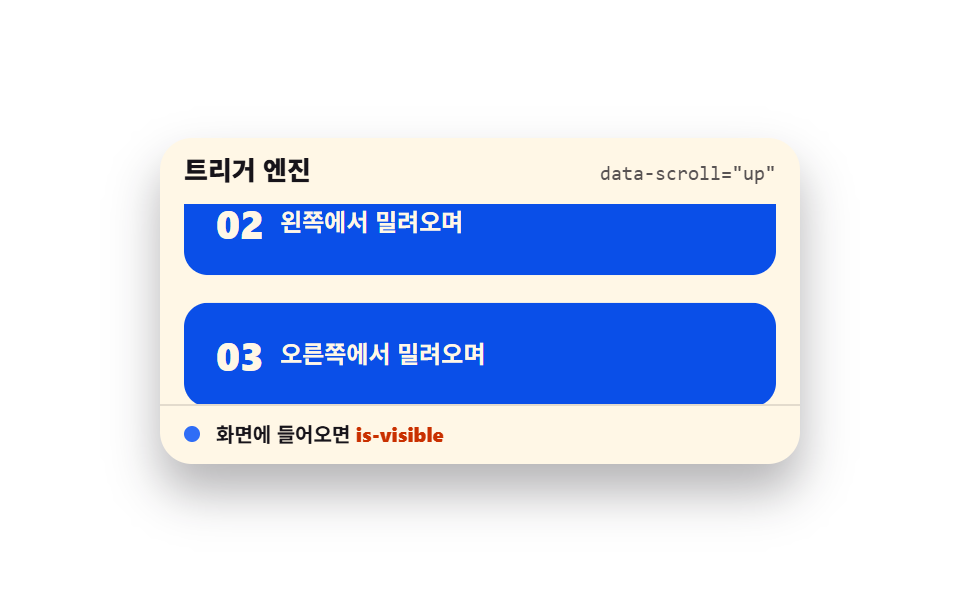 スクロールスクロール トリガー アニメーション 9選 — GSAPなしのバニラJSで
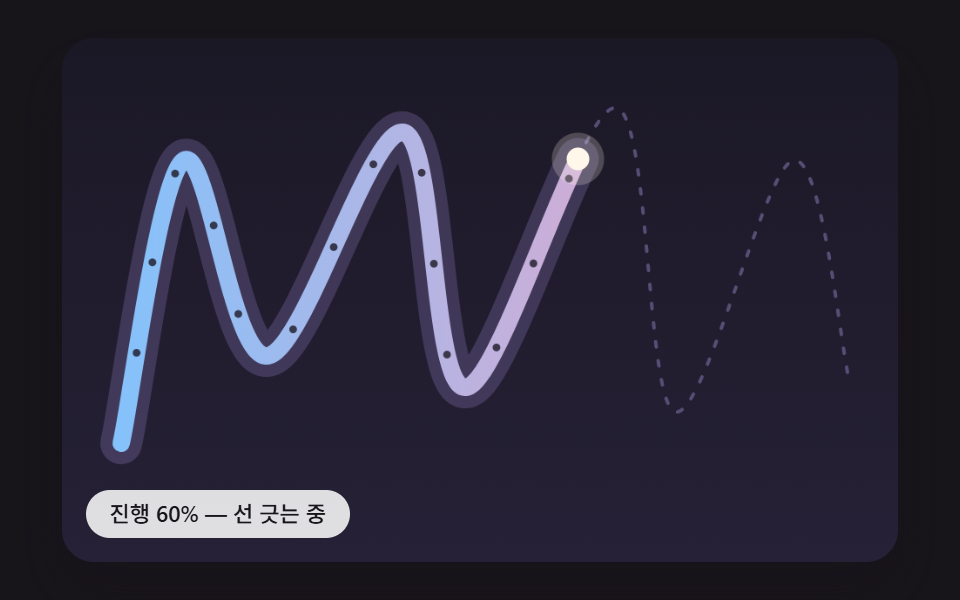 スクロールスクロール 連動 アニメーション 9種 — 線・道・しっぽ・らせん
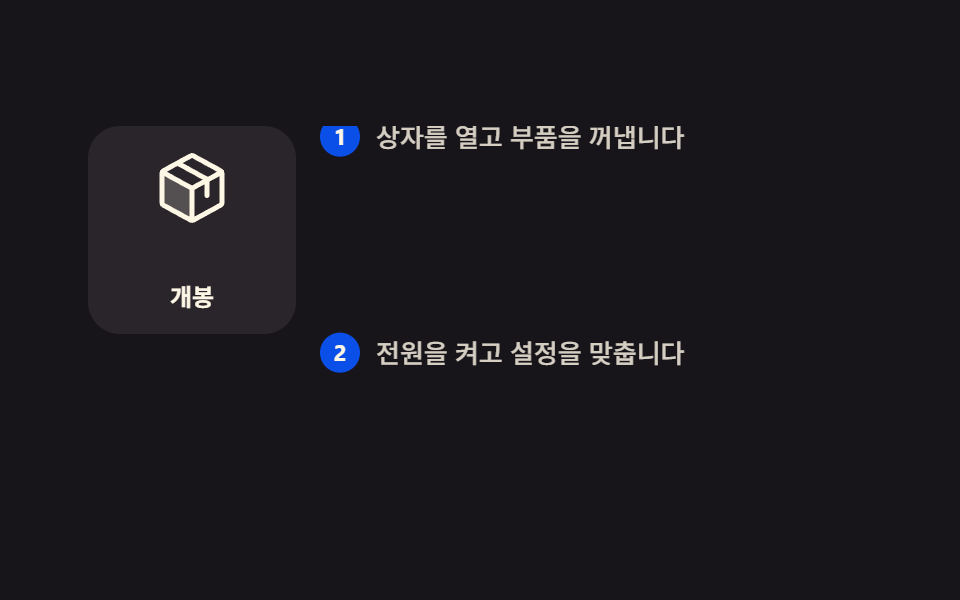 スクロールスクロールテリング 作り方 9選 — コピペOKのCSS
 スクロール【コピペOK】スクロール アニメーション CSS のみ 9選
 スクロールCSS 無限ループ マーキー9選 — CSSだけ・JS不要
 スクロール【コピペOK】プログレスバー css アニメーション 9選
 スクロールcss 画像スライダー9選 — コピペで使えるカルーセル
 スクロール【コピペOK】タイムライン デザイン css 9選
 スクロールcss カルーセル スライダーの作り方9選 — コピペでOK
 スクロールスクロール アニメーション CSSで作る9種 — コピペでApple風