スクロール トリガー アニメーション 9選 — GSAPなしのバニラJSで
スクロール トリガー アニメーションとは、画面をスクロールして要素がビューポートに入った瞬間に動き始める仕組みのことです。GSAPなし、IntersectionObserver ひとつで9つのエンジンを手組みし、下のグリッドが今動いています。
 01 scroll-trigger-engine-data-attrs
 02 scroll-trigger-threshold-gauge
 03 scroll-trigger-once-repeat
 04 scroll-trigger-count-up-once
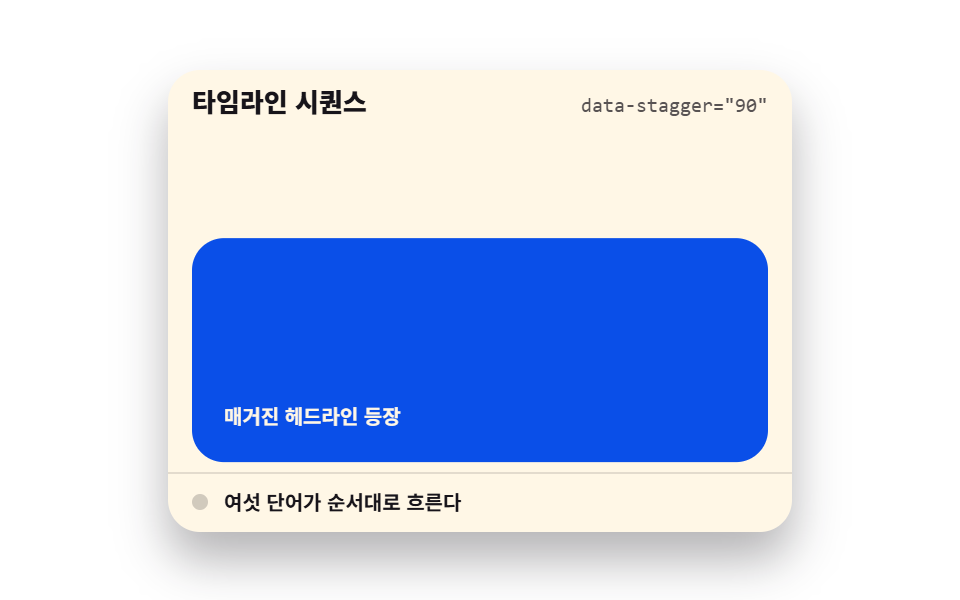 05 scroll-trigger-stagger-word-reveal
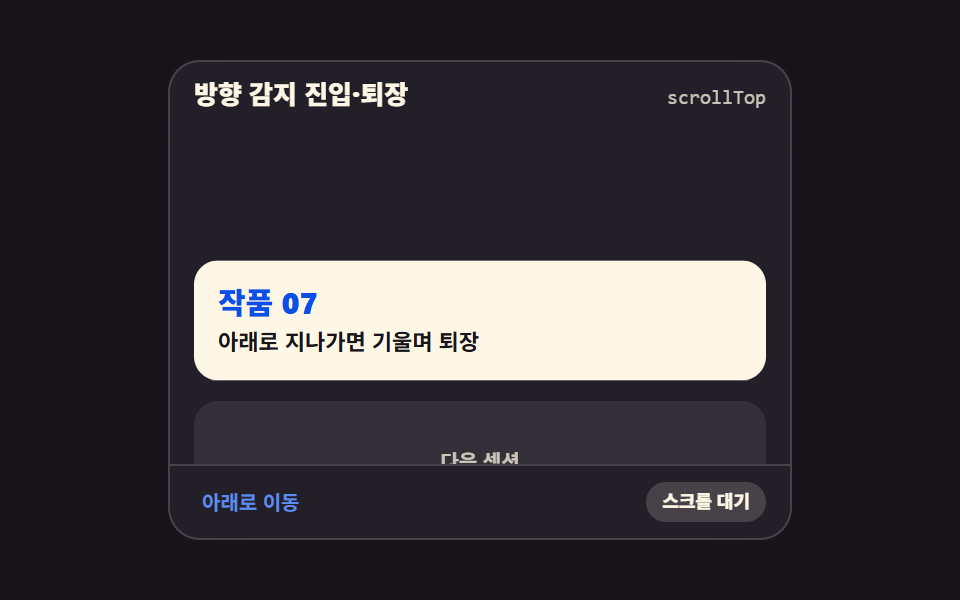 06 scroll-trigger-direction-enter-exit
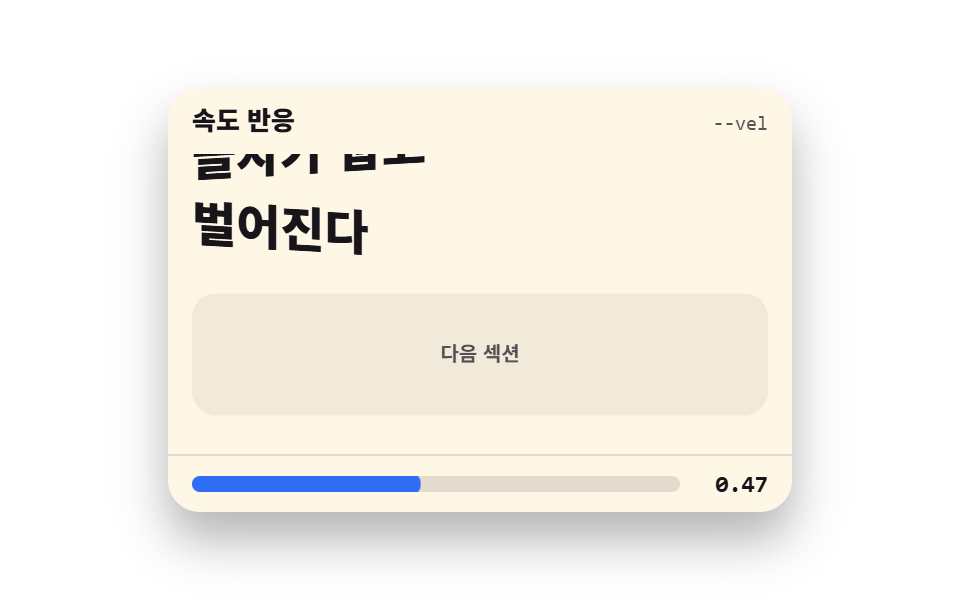 07 scroll-trigger-velocity-response
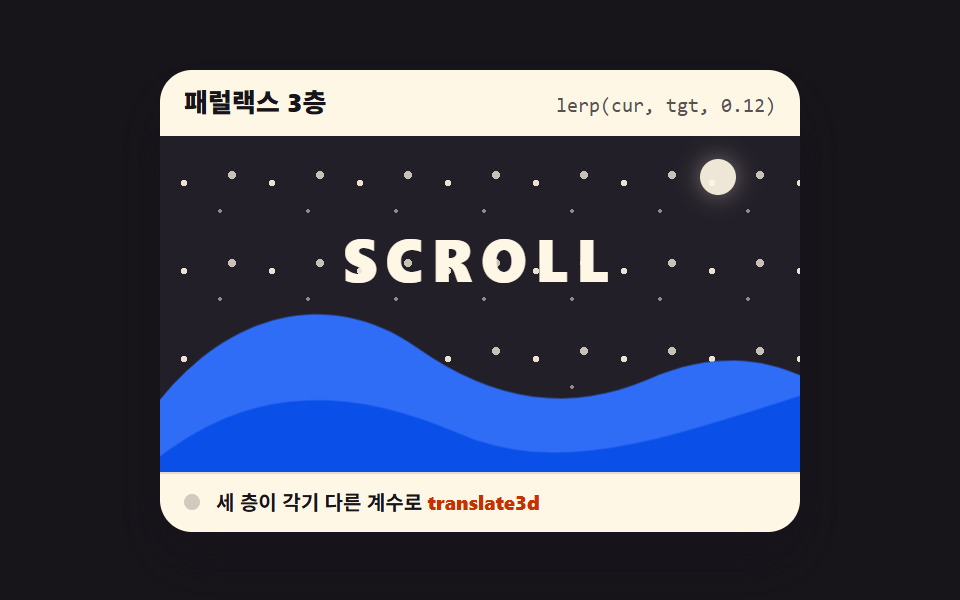 08 scroll-trigger-parallax-ratio-layers
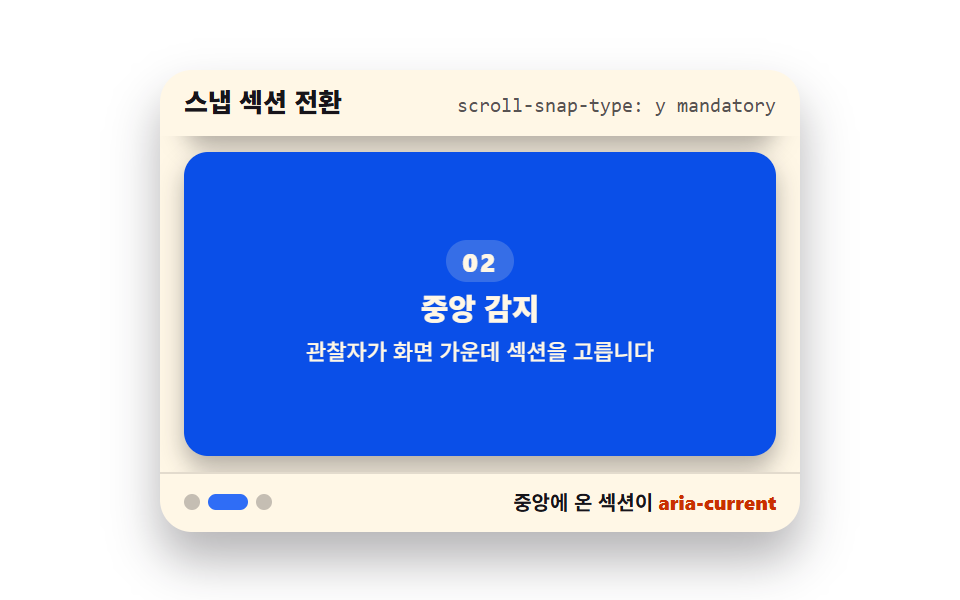 09 scroll-snap-section-active-detect
自動再生 · タイルを押すとその項目へ · すべて1つのzip
- 01 トリガーエンジンの核
- 02 しきい値ゲージ
- 03 一度だけ vs 毎回
- 04 カウンタートリガー
- 05 タイムラインシーケンス
- 06 方向検出の出入り
- 07 速度反応
- 08 3層パララックス
- 09 スナップセクション
並びは人気順ではなく、エンジンが組み上がる順です。まず観察者本体が立ち(01)、しきい値を測る目盛りが付き(02)、エンジンを最初に使う側として「一度だけか毎回か」(03)とカウンター(04)が加わります。ここから先は視覚表現が画面を使い始めます — 単語が順に流れ(05)、方向(06)と速度(07)を察知し、層が分かれて奥行きが生まれ(08)、最後にセクションが画面に吸い付きます(09)。観察者という部品は、CSS スクロール アニメーション 9種とCSS パララックス スクロール 9種が JS ゼロで担っていた領域を、反対側から埋める軸です — あの2つはブラウザに任せ、この記事では自分でエンジンを回します。読書位置の表示はスクロール インジケーター 9種が、シーンのピン留めはスクロール ストーリーテリング セクション 9種がそれぞれ別に扱います。
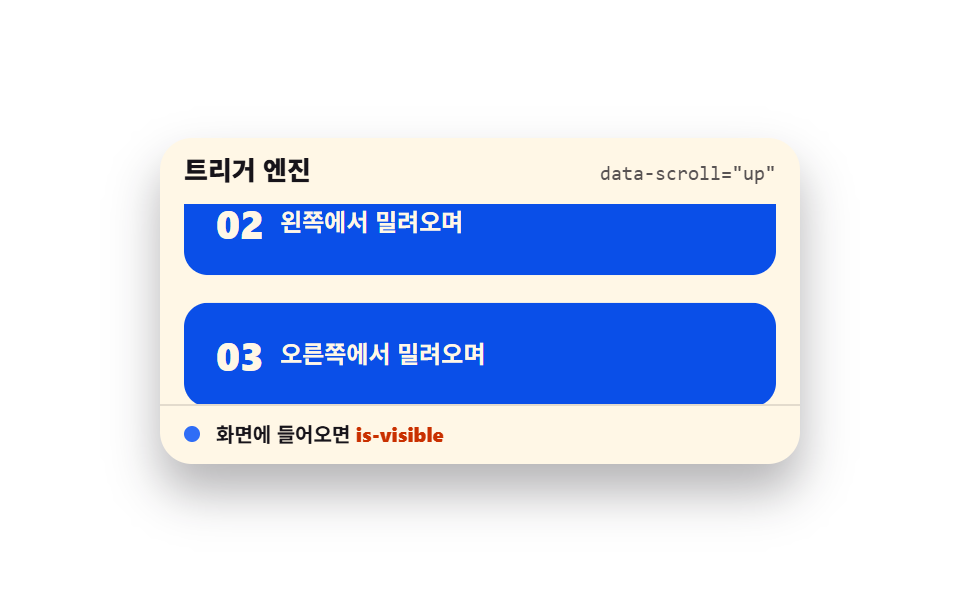
01トリガーエンジンの核
画面に入ったかを見張って is-visible クラスを付けるエンジン本体で、出現方向4種・しきい値・一度だけを data-* 属性として HTML 側に書き、先読み余白だけは観察者の rootMargin で指定します。
<main class="stage">
  <section class="te is-demo" id="te" aria-label="スクロールトリガーエンジン">
    <header class="te__head">
      <p class="te__title">トリガーエンジン</p>
      <p class="te__attr"><code>data-scroll="up"</code></p>
    </header>
    <div class="te__view" id="te-view" tabindex="0" role="region" aria-label="セクション一覧 — スクロールすると順に出現します">
      <div class="te__track">
        <article class="te__card" data-scroll="up" data-threshold="0.4" data-once="true"><b>01</b><span>下から上がってくる</span></article>
        <article class="te__card" data-scroll="left" data-threshold="0.4" data-once="true"><b>02</b><span>左から滑り込む</span></article>
        <article class="te__card" data-scroll="right" data-threshold="0.4" data-once="true"><b>03</b><span>右から滑り込む</span></article>
        <article class="te__card" data-scroll="zoom" data-threshold="0.4" data-once="true"><b>04</b><span>小さく始まって大きくなる</span></article>
      </div>
    </div>
    <footer class="te__foot">
      <span class="te__dot" aria-hidden="true"></span>
      <span class="te__state">画面に入ると <b>is-visible</b></span>
    </footer>
  </section>
</main>
@use "../../../../site/static/demo-tokens" as *;
// 트리거 엔진 코어 — 네 방향 진입을 하나의 관찰자 설정으로 재생한다
// 미리보기(.is-demo)는 CSS 키프레임이 스크롤을 대신하고, 손이 닿으면 JS 가 IntersectionObserver 를 붙인다
$duration: $dur-loop;
$easing: $ease-spring;
$color: $subject-blue;
@include stage($stage-paper);
.te {
position: relative;
box-sizing: border-box;
width: min(320px, 92vw);
border-radius: $r-card;
background: $subject-cream;
color: $subject-ink;
font-family: -apple-system, "Segoe UI", "Noto Sans KR", sans-serif;
overflow: hidden;
box-shadow: $shadow-raised;
}
.te__head {
display: flex;
align-items: baseline;
justify-content: space-between;
gap: $sp-2;
padding: $sp-2 $sp-3;
}
.te__title {
margin: 0;
font-size: 13px;
font-weight: 800;
line-height: 1.3;
}
.te__attr {
margin: 0;
font-size: 10px;
line-height: 1.3;
color: rgba($subject-ink, .72);
code { font-family: "Consolas", "Menlo", monospace; }
}
.te__view {
height: 100px;
overflow-y: auto;
padding: 0 $sp-3;
outline: none;
}
.te__track {
display: grid;
gap: $sp-2;
padding-bottom: 140px;
}
.te__card {
display: flex;
align-items: center;
gap: $sp-2;
box-sizing: border-box;
padding: $sp-4;
border-radius: $r-control;
background: $subject-blue-deep;
color: $subject-cream;
opacity: 0;
transition: opacity $dur-enter $easing, transform $dur-enter $easing;
b { font-size: 20px; font-weight: 800; line-height: 1; }
span { font-size: 12px; font-weight: 700; line-height: 1.3; }
}
.te__card[data-scroll="up"] { transform: translateY(18px); }
.te__card[data-scroll="left"] { transform: translateX(-24px); }
.te__card[data-scroll="right"] { transform: translateX(24px); }
// 카드는 스스로 완결한 요소라 중심에서 커진다 (기본 origin 유지)
.te__card[data-scroll="zoom"] { transform: scale(.82); }
.te__card.is-visible {
opacity: 1;
transform: none;
}
.te__foot {
display: flex;
align-items: center;
gap: $sp-2;
padding: $sp-2 $sp-3;
border-top: 1px solid rgba($subject-ink, .12);
font-size: 10px;
font-weight: 700;
line-height: 1.3;
b { color: $subject-orange-deep; }
}
.te__dot {
width: 8px;
height: 8px;
border-radius: $r-pill;
background: $color;
}
// 미리보기 — 스크롤 대신 트랙을 밀어 올리고 카드가 순서대로 들어오는 것처럼 보인다
.te.is-demo {
.te__track {
animation-name: te-flow;
animation-duration: $duration;
animation-timing-function: $easing;
animation-iteration-count: infinite;
animation-fill-mode: backwards;
}
// 나타남은 한 프레임 컷(te-show), 이동은 이징(te-rise) — 페이드 중간 프레임이 유령으로 찍히지 않는다
.te__card {
animation-name: te-show, te-rise;
animation-duration: $duration, $duration;
animation-timing-function: steps(1, end), $easing;
animation-iteration-count: infinite, infinite;
animation-fill-mode: backwards, backwards;
}
.te__card:nth-child(1) { animation-delay: 0s, 0s; }
.te__card:nth-child(2) { animation-delay: $duration * .12, $duration * .12; }
.te__card:nth-child(3) { animation-delay: $duration * .24, $duration * .24; }
.te__card:nth-child(4) { animation-delay: $duration * .36, $duration * .36; }
.te__dot {
animation-name: te-blink;
animation-duration: $duration;
animation-timing-function: steps(1, end);
animation-iteration-count: infinite;
}
}
@keyframes te-flow {
0%, 8% { transform: translateY(0); }
46%, 54% { transform: translateY(-80px); }
88%, 100% { transform: translateY(-160px); }
}
@keyframes te-show {
0% { opacity: 0; }
4%, 92% { opacity: 1; }
96% { opacity: 0; }
}
@keyframes te-rise {
0% { transform: translateY(18px); }
28%, 92% { transform: none; }
100% { transform: translateY(18px); }
}
@keyframes te-blink {
0% { background: rgba($subject-ink, .2); }
24% { background: $color; }
90% { background: rgba($subject-ink, .2); }
}
// 320×200 무대는 세로 여유가 거의 없다 — 목록 칸을 줄여 머리·바닥과 함께 화면 안에 넣는다
@media (max-width: 340px) {
.te { width: 100%; }
.te__view { height: 72px; }
.te__card { padding: $sp-2; }
.te__card b { font-size: 16px; }
.te__card span { font-size: 11px; }
}
@media (prefers-reduced-motion: reduce) {
.te__card { transition: none !important; }
.te.is-demo .te__track,
.te.is-demo .te__card,
.te.is-demo .te__dot { animation: none !important; }
// 정지 상태 — 카드가 전부 보인다
.te.is-demo .te__card { opacity: 1 !important; transform: none !important; }
.te.is-demo .te__dot { background: $color !important; }
}html, body {
margin: 0;
overflow: hidden;
}
.stage {
box-sizing: border-box;
min-height: 100vh;
display: grid;
place-items: center;
margin: 0;
background: #ffffff;
font-family: -apple-system, "Segoe UI", "Noto Sans KR", sans-serif;
padding: clamp(8px, 4vw, 24px);
}
.te {
position: relative;
box-sizing: border-box;
width: min(320px, 92vw);
border-radius: 16px;
background: #fff7e6;
color: #17141a;
font-family: -apple-system, "Segoe UI", "Noto Sans KR", sans-serif;
overflow: hidden;
box-shadow: 0 14px 24px rgba(23, 20, 26, 0.32);
}
.te__head {
display: flex;
align-items: baseline;
justify-content: space-between;
gap: 8px;
padding: 8px 12px;
}
.te__title {
margin: 0;
font-size: 13px;
font-weight: 800;
line-height: 1.3;
}
.te__attr {
margin: 0;
font-size: 10px;
line-height: 1.3;
color: rgba(23, 20, 26, 0.72);
}
.te__attr code {
font-family: "Consolas", "Menlo", monospace;
}
.te__view {
height: 100px;
overflow-y: auto;
padding: 0 12px;
outline: none;
}
.te__track {
display: grid;
gap: 8px;
padding-bottom: 140px;
}
.te__card {
display: flex;
align-items: center;
gap: 8px;
box-sizing: border-box;
padding: 16px;
border-radius: 12px;
background: #0a4fe8;
color: #fff7e6;
opacity: 0;
transition: opacity 600ms cubic-bezier(0.2, 0.8, 0.2, 1), transform 600ms cubic-bezier(0.2, 0.8, 0.2, 1);
}
.te__card b {
font-size: 20px;
font-weight: 800;
line-height: 1;
}
.te__card span {
font-size: 12px;
font-weight: 700;
line-height: 1.3;
}
.te__card[data-scroll=up] {
transform: translateY(18px);
}
.te__card[data-scroll=left] {
transform: translateX(-24px);
}
.te__card[data-scroll=right] {
transform: translateX(24px);
}
.te__card[data-scroll=zoom] {
transform: scale(0.82);
}
.te__card.is-visible {
opacity: 1;
transform: none;
}
.te__foot {
display: flex;
align-items: center;
gap: 8px;
padding: 8px 12px;
border-top: 1px solid rgba(23, 20, 26, 0.12);
font-size: 10px;
font-weight: 700;
line-height: 1.3;
}
.te__foot b {
color: #c93000;
}
.te__dot {
width: 8px;
height: 8px;
border-radius: 999px;
background: #2f6df6;
}
.te.is-demo .te__track {
animation-name: te-flow;
animation-duration: 2s;
animation-timing-function: cubic-bezier(0.2, 0.8, 0.2, 1);
animation-iteration-count: infinite;
animation-fill-mode: backwards;
}
.te.is-demo .te__card {
animation-name: te-show, te-rise;
animation-duration: 2s, 2s;
animation-timing-function: steps(1, end), cubic-bezier(0.2, 0.8, 0.2, 1);
animation-iteration-count: infinite, infinite;
animation-fill-mode: backwards, backwards;
}
.te.is-demo .te__card:nth-child(1) {
animation-delay: 0s, 0s;
}
.te.is-demo .te__card:nth-child(2) {
animation-delay: 0.24s, 0.24s;
}
.te.is-demo .te__card:nth-child(3) {
animation-delay: 0.48s, 0.48s;
}
.te.is-demo .te__card:nth-child(4) {
animation-delay: 0.72s, 0.72s;
}
.te.is-demo .te__dot {
animation-name: te-blink;
animation-duration: 2s;
animation-timing-function: steps(1, end);
animation-iteration-count: infinite;
}
@keyframes te-flow {
0%, 8% {
transform: translateY(0);
}
46%, 54% {
transform: translateY(-80px);
}
88%, 100% {
transform: translateY(-160px);
}
}
@keyframes te-show {
0% {
opacity: 0;
}
4%, 92% {
opacity: 1;
}
96% {
opacity: 0;
}
}
@keyframes te-rise {
0% {
transform: translateY(18px);
}
28%, 92% {
transform: none;
}
100% {
transform: translateY(18px);
}
}
@keyframes te-blink {
0% {
background: rgba(23, 20, 26, 0.2);
}
24% {
background: #2f6df6;
}
90% {
background: rgba(23, 20, 26, 0.2);
}
}
@media (max-width: 340px) {
.te {
width: 100%;
}
.te__view {
height: 72px;
}
.te__card {
padding: 8px;
}
.te__card b {
font-size: 16px;
}
.te__card span {
font-size: 11px;
}
}
@media (prefers-reduced-motion: reduce) {
.te__card {
transition: none !important;
}
.te.is-demo .te__track,
.te.is-demo .te__card,
.te.is-demo .te__dot {
animation: none !important;
}
.te.is-demo .te__card {
opacity: 1 !important;
transform: none !important;
}
.te.is-demo .te__dot {
background: #2f6df6 !important;
}
}// トリガーエンジン 코어 — data-scroll 속성으로 방향·임계값·한 번만 여부를 HTML 에서 정한다
var root = document.getElementById('te');
var view = document.getElementById('te-view');
var cards = Array.prototype.slice.call(document.querySelectorAll('.te__card'));
var observers = [];
function attach(card) {
  var threshold = parseFloat(card.getAttribute('data-threshold')) || 0;
  var once = card.getAttribute('data-once') === 'true';
  var io = new IntersectionObserver(function (entries) {
    entries.forEach(function (entry) {
      if (entry.isIntersecting) {
        entry.target.classList.add('is-visible');
        if (once) io.unobserve(entry.target);
      } else if (!once) {
        entry.target.classList.remove('is-visible');
      }
    });
  }, { root: view, rootMargin: '0px 0px -8px 0px', threshold: threshold });
  io.observe(card);
  observers.push(io);
}
function start() {
root.classList.remove('is-demo');
if (observers.length === 0) cards.forEach(attach);
}
view.addEventListener('scroll', start, { passive: true });
view.addEventListener('pointerdown', start);
view.addEventListener('keydown', function (e) {
if (e.key === 'ArrowDown' || e.key === 'ArrowUp') start();
});import { useEffect, useRef, useState } from "react";
import type { CSSProperties } from "react";
import styles from "./TriggerEngineCore.module.scss";
export type TriggerEngineCoreProps = {
title?: string;
attr?: string;
state?: string;
cards?: { dir: "up" | "left" | "right" | "zoom"; label: string }[];
groupLabel?: string;
listLabel?: string;
/** 격자 미리보기용 2초 자동 루프. 사람이 손대면 꺼진다 */
demo?: boolean;
duration?: number;
easing?: string;
color?: string;
};
type Vars = CSSProperties & { "--duration"?: string; "--easing"?: string; "--color"?: string };
// ambient 가 얇아 DOM 요소 타입을 못 쓴다 — 필요한 꼴만 로컬 타입으로 선언
type Box<T> = { current: T };
type KeyEvt = { key: string };
const DEFAULT_CARDS: { dir: "up" | "left" | "right" | "zoom"; label: string }[] = [
{ dir: "up", label: "아래에서 올라오며" },
{ dir: "left", label: "왼쪽에서 밀려오며" },
{ dir: "right", label: "오른쪽에서 밀려오며" },
{ dir: "zoom", label: "작게 있다 커지며" },
];
export default function TriggerEngineCore({
title = "트리거 엔진",
attr = 'data-scroll="up"',
state = "화면에 들어오면",
cards = DEFAULT_CARDS,
groupLabel = "스크롤 트리거 엔진",
listLabel = "섹션 목록 — 스크롤하면 순서대로 등장합니다",
demo = true,
duration = 2000,
easing = "cubic-bezier(.2, .8, .2, 1)",
color = "#2f6df6",
}: TriggerEngineCoreProps) {
const [live, setLive] = useState(demo);
const [seen, setSeen] = useState<number[]>([]);
const viewRef = useRef<HTMLDivElement>(null) as unknown as Box<HTMLDivElement | null>;
const cardRefs = useRef<(HTMLElement | null)[]>([]) as unknown as Box<(HTMLElement | null)[]>;
useEffect(() => {
if (live) return;
const root = viewRef.current;
if (!root) return;
// 카드마다 관찰자를 하나씩 — 임계값이 항목마다 다를 수 있으므로 공유하지 않는다
const observers = cardRefs.current.map((el, i) => {
if (!el) return null;
const io = new IntersectionObserver(
(entries) => {
entries.forEach((entry) => {
if (entry.isIntersecting) {
setSeen((prev) => (prev.indexOf(i) === -1 ? prev.concat(i) : prev));
io.unobserve(entry.target);
}
});
},
{ root, rootMargin: "0px 0px -8px 0px", threshold: 0.4 }
);
io.observe(el);
return io;
});
return () => {
observers.forEach((io) => io && io.disconnect());
};
}, [live]);
const vars: Vars = {
"--duration": `${duration}ms`,
"--easing": easing,
"--color": color,
};
return (
<section
className={`${styles.te} ${live ? styles.isDemo : ""}`}
style={vars}
aria-label={groupLabel}
>
<header className={styles.head}>
<p className={styles.title}>{title}</p>
<p className={styles.attr}><code>{attr}</code></p>
</header>
<div
className={styles.view}
ref={viewRef as unknown as Box<HTMLDivElement>}
onScroll={() => setLive(false)}
onPointerDown={() => setLive(false)}
onKeyDown={(e: KeyEvt) => {
if (e.key === "ArrowDown" || e.key === "ArrowUp") setLive(false);
}}
tabIndex={0}
role="region"
aria-label={listLabel}
>
<div className={styles.track}>
{cards.map((card, i) => (
<article
key={card.dir}
ref={(el: HTMLElement | null) => {
cardRefs.current[i] = el;
}}
className={`${styles.card} ${styles[card.dir]} ${
seen.indexOf(i) !== -1 ? styles.isVisible : ""
}`}
>
<b>{String(i + 1).padStart(2, "0")}</b>
<span>{card.label}</span>
</article>
))}
</div>
</div>
<footer className={styles.foot}>
<span className={styles.dot} aria-hidden="true" />
<span className={styles.state}>
{state} <b>is-visible</b>
</span>
</footer>
</section>
);
}01 · トリガーエンジンの核 — 計測 累積面積 20.597% · 動いたフレーム 22/23GODRICH オリジナル · SCSS と React は zip に同梱 · パスワードを見る
観察者ひと組が何を読むか
function attach(card) {
var threshold = parseFloat(card.getAttribute('data-threshold')) || 0;
var once = card.getAttribute('data-once') === 'true';
var io = new IntersectionObserver(function (entries) {
entries.forEach(function (entry) {
if (entry.isIntersecting) {
entry.target.classList.add('is-visible');
if (once) io.unobserve(entry.target);
} else if (!once) {
entry.target.classList.remove('is-visible');
}
});
}, { root: view, rootMargin: '0px 0px -8px 0px', threshold: threshold });
io.observe(card);
observers.push(io);
}
root をページではなくスクロール領域に指定するのが最初の行の違いで、下辺の -8px は要素がビューポート最下部に掛かったときはまだ点灯せず、8px 進んでから点灯させるための値なので実ページでは -10% のようにパーセントで書くのが普通です。
CSS が知るのはクラスひとつ
.te__card {
  opacity: 0;
  transition: opacity $dur-enter $easing, transform $dur-enter $easing;
}
.te__card[data-scroll="up"] { transform: translateY(18px); }
.te__card[data-scroll="left"] { transform: translateX(-24px); }
.te__card.is-visible {
  opacity: 1;
  transform: none;
}
data-scroll の値ごとに始まりの位置は違っても終わりは transform: none ひとつで同じになり、瞬間は観察者、見た目は transition という二層構造が、css アニメーション スクロール したら 系の出現すべてを回しています。
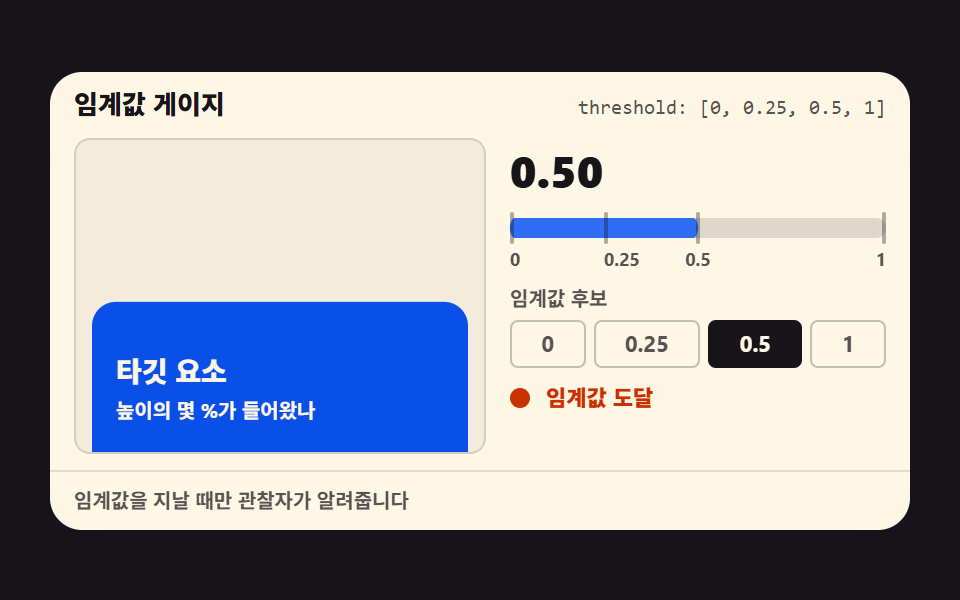
02しきい値ゲージ
要素が画面にどれだけ入ったかを intersectionRatio の 0〜1 ゲージと数字で実測して見せ、しきい値候補を変えると点灯の瞬間が変わります。
<main class="stage">
  <section class="tg is-demo" id="tg" aria-label="しきい値ゲージ">
    <header class="tg__head">
      <p class="tg__title">しきい値ゲージ</p>
      <p class="tg__attr"><code>threshold: [0, 0.25, 0.5, 1]</code></p>
    </header>
    <div class="tg__body">
      <div class="tg__view" id="tg-view" tabindex="0" role="region" aria-label="ターゲットビューポート — スクロールしてみてください">
        <div class="tg__track" id="tg-track">
          <p class="tg__lead">ターゲットが下から上がってきます</p>
          <div class="tg__target" id="tg-target">
            <b>ターゲット要素</b>
            <span>高さの何%が入ったか</span>
          </div>
        </div>
      </div>
      <div class="tg__panel">
        <p class="tg__read" aria-live="polite">
          <b class="tg__numcur" id="tg-num">0.00</b>
          <span class="tg__nums" aria-hidden="true"><b>0.00</b><b>0.25</b><b>0.50</b><b>1.00</b></span>
        </p>
        <div class="tg__gauge" aria-hidden="true">
          <i class="tg__fill" id="tg-fill"></i>
          <i class="tg__tick tg__tick--0"></i>
          <i class="tg__tick tg__tick--25"></i>
          <i class="tg__tick tg__tick--50"></i>
          <i class="tg__tick tg__tick--100"></i>
        </div>
        <p class="tg__scale" aria-hidden="true"><span class="tg__s0">0</span><span class="tg__s25">0.25</span><span class="tg__s50">0.5</span><span class="tg__s100">1</span></p>
        <p class="tg__candt">しきい値候補</p>
        <div class="tg__cands" id="tg-cands">
          <button type="button" class="tg__cand" data-th="0" aria-pressed="false">0</button>
          <button type="button" class="tg__cand is-on" data-th="0.25" aria-pressed="true">0.25</button>
          <button type="button" class="tg__cand" data-th="0.5" aria-pressed="false">0.5</button>
          <button type="button" class="tg__cand" data-th="1" aria-pressed="false">1</button>
        </div>
        <p class="tg__lightline">
          <span class="tg__led" id="tg-led" aria-hidden="true"></span>
          <span class="tg__state">
            <b class="tg__stcur" id="tg-state">待機中</b>
            <span class="tg__sts" aria-hidden="true"><b>待機中</b><b>しきい値に到達</b></span>
          </span>
        </p>
      </div>
    </div>
    <footer class="tg__foot">しきい値を通過したときだけ観察者が知らせます</footer>
  </section>
</main>@use "../../../../site/static/demo-tokens" as *;
// 임계값 게이지 — intersectionRatio 를 게이지 막대(scaleX) 와 숫자로 실측해 보여준다
// 관찰자는 threshold 후보를 지날 때만 보고하므로 숫자·게이지·불은 계단(steps 컷)으로 갱신하고
// 타깃 카드의 진입 움직임만 이징(transform) 으로 분리한다 — 유령 프레임 방지
$duration: $dur-loop;
$easing: $ease-spring;
$color: $subject-blue;
@include stage($stage-ink);
.tg {
box-sizing: border-box;
width: min(430px, 100%);
border-radius: $r-card;
background: $subject-cream;
color: $subject-ink;
font-family: -apple-system, "Segoe UI", "Noto Sans KR", sans-serif;
overflow: hidden;
box-shadow: $shadow-raised;
}
.tg__head {
display: flex;
align-items: baseline;
justify-content: space-between;
gap: $sp-2;
padding: $sp-2 $sp-3;
}
.tg__title {
margin: 0;
font-size: 13px;
font-weight: 800;
line-height: 1.3;
}
.tg__attr {
margin: 0;
font-size: 10px;
line-height: 1.3;
color: rgba($subject-ink, .72);
code { font-family: "Consolas", "Menlo", monospace; }
}
.tg__body {
display: grid;
grid-template-columns: 1fr 188px;
gap: $sp-3;
padding: 0 $sp-3 $sp-2;
}
.tg__view {
box-sizing: border-box;
height: 158px;
overflow-y: auto;
padding: 0 $sp-2;
outline: none;
background: rgba($subject-ink, .05);
border: 1px solid rgba($subject-ink, .14);
border-radius: $r-sm;
}
.tg__track {
position: relative; // 안내 문구를 절대 위치로 띄워 줄이 바뀌어도 타깃 위치가 흔들리지 않게 한다
padding-top: $sp-2;
padding-bottom: $sp-6; // 스크롤 여유
}
.tg__lead {
position: absolute;
top: $sp-2;
left: $sp-2;
right: $sp-2;
margin: 0;
font-size: 11px;
font-weight: 700;
line-height: 14px;
color: rgba($subject-ink, .72);
}
.tg__target {
margin-top: 150px; // 타깃 top 이 뷰포트 바닥(158px = 8 + 150) 에 딱 닿게 — 진입 전 intersectionRatio 0
box-sizing: border-box;
height: 88px; // 0.25 배수(22·44·88) 로 잡아 임계값 통과 거리가 정수가 되게 한다
display: flex;
flex-direction: column;
justify-content: center;
gap: $sp-1;
padding: $sp-2 $sp-3;
border-radius: $r-control;
background: $subject-blue-deep;
color: $subject-cream;
b { font-size: 14px; font-weight: 800; line-height: 1.3; }
span { font-size: 10px; font-weight: 700; line-height: 1.3; }
}
.tg__panel { display: flex; flex-direction: column; }
.tg__read {
position: relative;
height: 32px;
margin: 0;
}
.tg__numcur,
.tg__nums b {
position: absolute;
inset: 0;
display: flex;
align-items: center;
font-size: 22px;
font-weight: 800;
line-height: 1;
font-variant-numeric: tabular-nums;
}
.tg__nums { display: none; }
.tg__nums b { opacity: 0; }
.tg.is-demo .tg__nums { display: block; }
.tg.is-demo .tg__numcur { visibility: hidden; } // 미리보기 동안엔 계단 레이어가 값을 보여준다
.tg__gauge {
position: relative;
height: 10px;
margin-top: $sp-2;
border-radius: $r-pill;
background: rgba($subject-ink, .14);
}
.tg__fill {
position: absolute;
inset: 0;
border-radius: $r-pill;
background: $color;
transform: scaleX(0);
transform-origin: left center; // 채움 막대 — 시작 변에서 자란다 (붙는 지점이 있는 요소 예외)
}
.tg__tick {
position: absolute;
top: -3px;
width: 2px;
height: 16px;
border-radius: $r-pill;
background: rgba($subject-ink, .35);
}
.tg__tick--0 { left: 0; }
.tg__tick--25 { left: 25%; }
.tg__tick--50 { left: 50%; transform: translateX(-1px); }
.tg__tick--100 { left: 100%; transform: translateX(-2px); }
.tg__scale {
position: relative;
height: 12px;
margin: $sp-1 0 0;
font-size: 9px;
font-weight: 700;
line-height: 12px;
color: rgba($subject-ink, .72);
}
.tg__scale span { position: absolute; }
.tg__s0 { left: 0; }
.tg__s25 { left: 25%; }
.tg__s50 { left: 50%; transform: translateX(-50%); }
.tg__s100 { left: 100%; transform: translateX(-100%); }
.tg__candt {
margin: $sp-2 0 0;
font-size: 10px;
font-weight: 700;
line-height: 1.3;
color: rgba($subject-ink, .72);
}
.tg__cands {
display: flex;
gap: $sp-1;
margin-top: $sp-1;
}
.tg__cand {
flex: 1 1 auto;
padding: $sp-1 0;
border: 1px solid rgba($subject-ink, .25);
border-radius: $r-xs;
background: none;
color: rgba($subject-ink, .72);
font-family: inherit;
font-size: 11px;
font-weight: 700;
line-height: 1.3;
cursor: pointer;
}
.tg__cand.is-on {
border-color: $subject-ink;
background: $subject-ink;
color: $subject-cream;
}
// 후보 칩의 두 얼굴 — 미리보기 키프레임도 같은 값을 쓰도록 믹스인으로 한 곳에 둔다
@mixin cand-off {
border-color: rgba($subject-ink, .25);
background-color: transparent;
color: rgba($subject-ink, .72);
}
@mixin cand-on {
border-color: $subject-ink;
background-color: $subject-ink;
color: $subject-cream;
}
.tg__lightline {
display: flex;
align-items: center;
gap: $sp-2;
margin: $sp-2 0 0;
}
.tg__led {
width: 10px;
height: 10px;
border-radius: 50%;
background: rgba($subject-ink, .18);
}
.tg__led.is-on { background: $subject-orange-deep; }
.tg__state {
position: relative;
flex: 1 1 auto; // 라벨 칸이 남은 폭을 다 가져간다 — 절대 배치된 컷 레이어가 설 자리
min-width: 0;
white-space: nowrap; // 「임계값 도달」이 여러 줄로 쪼개지지 않게
font-size: 11px;
font-weight: 700;
line-height: 1.3;
}
.tg__stcur { font-weight: 700; }
.tg__stcur.is-on { color: $subject-orange-deep; }
.tg__sts { display: none; }
.tg__sts b {
position: absolute;
left: 0;
top: 0;
opacity: 0;
}
.tg__sts b:last-child { color: $subject-orange-deep; }
.tg.is-demo .tg__sts { display: block; position: absolute; inset: 0; }
.tg.is-demo .tg__stcur { visibility: hidden; } // 미리보기 동안엔 컷 레이어가 상태 글자를 보여준다
.tg__foot {
padding: $sp-2 $sp-3;
border-top: 1px solid rgba($subject-ink, .12);
font-size: 10px;
font-weight: 700;
line-height: 1.3;
color: rgba($subject-ink, .72);
}
// 미리보기 — 스크롤 대신 트랙을 올리고, 숫자·게이지·불은 임계값 통과 순간(30·42·58%) 에 계단으로 갱신한다
.tg.is-demo {
.tg__track {
animation-name: tg-flow;
animation-duration: $duration;
animation-timing-function: $easing;
animation-iteration-count: infinite;
}
.tg__nums b {
animation-duration: $duration;
animation-timing-function: steps(1, end);
animation-iteration-count: infinite;
}
.tg__nums b:nth-child(1) { animation-name: tg-n1; }
.tg__nums b:nth-child(2) { animation-name: tg-n2; }
.tg__nums b:nth-child(3) { animation-name: tg-n3; }
.tg__nums b:nth-child(4) { animation-name: tg-n4; }
.tg__fill {
animation-name: tg-fill;
animation-duration: $duration;
animation-timing-function: steps(1, end);
animation-iteration-count: infinite;
}
.tg__led {
animation-name: tg-led;
animation-duration: $duration;
animation-timing-function: steps(1, end);
animation-iteration-count: infinite;
}
.tg__sts b {
animation-duration: $duration;
animation-timing-function: steps(1, end);
animation-iteration-count: infinite;
}
.tg__sts b:nth-child(1) { animation-name: tg-st1; }
.tg__sts b:nth-child(2) { animation-name: tg-st2; }
// 미리보기 동안엔 활성 후보도 같이 걷는다 — 어느 프레임을 잘라도 강조된 후보와 표시된 비율이 같은 값이다
.tg__cand.is-on { @include cand-off; } // 정적 선택(0.25) 은 잠시 내려놓는다
.tg__cand {
animation-duration: $duration;
animation-timing-function: steps(1, end);
animation-iteration-count: infinite;
}
.tg__cand:nth-child(1) { animation-name: tg-c1; }
.tg__cand:nth-child(2) { animation-name: tg-c2; }
.tg__cand:nth-child(3) { animation-name: tg-c3; }
.tg__cand:nth-child(4) { animation-name: tg-c4; }
}
@keyframes tg-flow {
0%, 12% { transform: translateY(0); }
30% { transform: translateY(-22px); } // 타깃 22px 진입 — 0.25 통과
42% { transform: translateY(-44px); } // 0.50 통과
58% { transform: translateY(-88px); } // 1.00 통과 (완전 진입)
66%, 100% { transform: translateY(-110px); } // 도달 상태로 끝까지 — 재시작은 0% 점프
}
@keyframes tg-n1 { 0% { opacity: 1; } 30%, 100% { opacity: 0; } }
@keyframes tg-n2 { 0% { opacity: 0; } 30% { opacity: 1; } 42%, 100% { opacity: 0; } }
@keyframes tg-n3 { 0% { opacity: 0; } 42% { opacity: 1; } 58%, 100% { opacity: 0; } }
@keyframes tg-n4 { 0% { opacity: 0; } 58%, 100% { opacity: 1; } }
@keyframes tg-fill {
0%, 12% { transform: scaleX(0); }
30% { transform: scaleX(.25); }
42% { transform: scaleX(.5); }
58%, 100% { transform: scaleX(1); }
}
@keyframes tg-led {
0% { background: rgba($subject-ink, .18); }
30%, 100% { background: $subject-orange-deep; } // 첫 후보를 지난 순간 점등, 이후로는 계속 도달 상태
}
// 후보 강조 — 숫자·게이지와 같은 시각(30·42·58%) 에 다음 후보로 넘어간다
@keyframes tg-c1 { 0% { @include cand-on; } 30%, 100% { @include cand-off; } }
@keyframes tg-c2 { 0% { @include cand-off; } 30% { @include cand-on; } 42%, 100% { @include cand-off; } }
@keyframes tg-c3 { 0% { @include cand-off; } 42% { @include cand-on; } 58%, 100% { @include cand-off; } }
@keyframes tg-c4 { 0% { @include cand-off; } 58%, 100% { @include cand-on; } }
@keyframes tg-st1 {
0% { opacity: 1; }
30%, 100% { opacity: 0; }
}
@keyframes tg-st2 {
0% { opacity: 0; }
30%, 100% { opacity: 1; }
}
@media (max-width: 340px) {
.tg__head { padding: $sp-1 $sp-2; }
.tg__body { grid-template-columns: 1fr 148px; gap: $sp-2; padding: 0 $sp-2 $sp-1; }
.tg__view { height: 112px; }
.tg__target { margin-top: 104px; }
.tg__read { height: 26px; }
.tg__numcur, .tg__nums b { font-size: 18px; }
.tg__gauge { margin-top: $sp-1; }
.tg__candt { margin-top: $sp-1; }
.tg__lightline { margin-top: $sp-1; }
.tg__foot { padding: $sp-1 $sp-2; }
}
@media (prefers-reduced-motion: reduce) {
.tg.is-demo .tg__track,
.tg.is-demo .tg__nums b,
.tg.is-demo .tg__fill,
.tg.is-demo .tg__led,
.tg.is-demo .tg__sts b,
.tg.is-demo .tg__cand { animation: none !important; }
.tg.is-demo .tg__cand.is-on { @include cand-on; } // 정지 상태에선 정적 선택(0.25) 이 그대로 보인다
.tg.is-demo .tg__nums,
.tg.is-demo .tg__sts { display: none !important; }
.tg.is-demo .tg__numcur,
.tg.is-demo .tg__stcur { visibility: visible !important; } // 정지 상태에서도 숫자·상태가 보인다
}html, body {
margin: 0;
overflow: hidden;
}
.stage {
box-sizing: border-box;
min-height: 100vh;
display: grid;
place-items: center;
margin: 0;
background: #17141a;
font-family: -apple-system, "Segoe UI", "Noto Sans KR", sans-serif;
padding: clamp(8px, 4vw, 24px);
}
.tg {
box-sizing: border-box;
width: min(430px, 100%);
border-radius: 16px;
background: #fff7e6;
color: #17141a;
font-family: -apple-system, "Segoe UI", "Noto Sans KR", sans-serif;
overflow: hidden;
box-shadow: 0 14px 24px rgba(23, 20, 26, 0.32);
}
.tg__head {
display: flex;
align-items: baseline;
justify-content: space-between;
gap: 8px;
padding: 8px 12px;
}
.tg__title {
margin: 0;
font-size: 13px;
font-weight: 800;
line-height: 1.3;
}
.tg__attr {
margin: 0;
font-size: 10px;
line-height: 1.3;
color: rgba(23, 20, 26, 0.72);
}
.tg__attr code {
font-family: "Consolas", "Menlo", monospace;
}
.tg__body {
display: grid;
grid-template-columns: 1fr 188px;
gap: 12px;
padding: 0 12px 8px;
}
.tg__view {
box-sizing: border-box;
height: 158px;
overflow-y: auto;
padding: 0 8px;
outline: none;
background: rgba(23, 20, 26, 0.05);
border: 1px solid rgba(23, 20, 26, 0.14);
border-radius: 8px;
}
.tg__track {
position: relative;
padding-top: 8px;
padding-bottom: 24px;
}
.tg__lead {
position: absolute;
top: 8px;
left: 8px;
right: 8px;
margin: 0;
font-size: 11px;
font-weight: 700;
line-height: 14px;
color: rgba(23, 20, 26, 0.72);
}
.tg__target {
margin-top: 150px;
box-sizing: border-box;
height: 88px;
display: flex;
flex-direction: column;
justify-content: center;
gap: 4px;
padding: 8px 12px;
border-radius: 12px;
background: #0a4fe8;
color: #fff7e6;
}
.tg__target b {
font-size: 14px;
font-weight: 800;
line-height: 1.3;
}
.tg__target span {
font-size: 10px;
font-weight: 700;
line-height: 1.3;
}
.tg__panel {
display: flex;
flex-direction: column;
}
.tg__read {
position: relative;
height: 32px;
margin: 0;
}
.tg__numcur,
.tg__nums b {
position: absolute;
inset: 0;
display: flex;
align-items: center;
font-size: 22px;
font-weight: 800;
line-height: 1;
font-variant-numeric: tabular-nums;
}
.tg__nums {
display: none;
}
.tg__nums b {
opacity: 0;
}
.tg.is-demo .tg__nums {
display: block;
}
.tg.is-demo .tg__numcur {
visibility: hidden;
}
.tg__gauge {
position: relative;
height: 10px;
margin-top: 8px;
border-radius: 999px;
background: rgba(23, 20, 26, 0.14);
}
.tg__fill {
position: absolute;
inset: 0;
border-radius: 999px;
background: #2f6df6;
transform: scaleX(0);
transform-origin: left center;
}
.tg__tick {
position: absolute;
top: -3px;
width: 2px;
height: 16px;
border-radius: 999px;
background: rgba(23, 20, 26, 0.35);
}
.tg__tick--0 {
left: 0;
}
.tg__tick--25 {
left: 25%;
}
.tg__tick--50 {
left: 50%;
transform: translateX(-1px);
}
.tg__tick--100 {
left: 100%;
transform: translateX(-2px);
}
.tg__scale {
position: relative;
height: 12px;
margin: 4px 0 0;
font-size: 9px;
font-weight: 700;
line-height: 12px;
color: rgba(23, 20, 26, 0.72);
}
.tg__scale span {
position: absolute;
}
.tg__s0 {
left: 0;
}
.tg__s25 {
left: 25%;
}
.tg__s50 {
left: 50%;
transform: translateX(-50%);
}
.tg__s100 {
left: 100%;
transform: translateX(-100%);
}
.tg__candt {
margin: 8px 0 0;
font-size: 10px;
font-weight: 700;
line-height: 1.3;
color: rgba(23, 20, 26, 0.72);
}
.tg__cands {
display: flex;
gap: 4px;
margin-top: 4px;
}
.tg__cand {
flex: 1 1 auto;
padding: 4px 0;
border: 1px solid rgba(23, 20, 26, 0.25);
border-radius: 4px;
background: none;
color: rgba(23, 20, 26, 0.72);
font-family: inherit;
font-size: 11px;
font-weight: 700;
line-height: 1.3;
cursor: pointer;
}
.tg__cand.is-on {
border-color: #17141a;
background: #17141a;
color: #fff7e6;
}
.tg__lightline {
display: flex;
align-items: center;
gap: 8px;
margin: 8px 0 0;
}
.tg__led {
width: 10px;
height: 10px;
border-radius: 50%;
background: rgba(23, 20, 26, 0.18);
}
.tg__led.is-on {
background: #c93000;
}
.tg__state {
position: relative;
flex: 1 1 auto;
min-width: 0;
white-space: nowrap;
font-size: 11px;
font-weight: 700;
line-height: 1.3;
}
.tg__stcur {
font-weight: 700;
}
.tg__stcur.is-on {
color: #c93000;
}
.tg__sts {
display: none;
}
.tg__sts b {
position: absolute;
left: 0;
top: 0;
opacity: 0;
}
.tg__sts b:last-child {
color: #c93000;
}
.tg.is-demo .tg__sts {
display: block;
position: absolute;
inset: 0;
}
.tg.is-demo .tg__stcur {
visibility: hidden;
}
.tg__foot {
padding: 8px 12px;
border-top: 1px solid rgba(23, 20, 26, 0.12);
font-size: 10px;
font-weight: 700;
line-height: 1.3;
color: rgba(23, 20, 26, 0.72);
}
.tg.is-demo .tg__track {
animation-name: tg-flow;
animation-duration: 2s;
animation-timing-function: cubic-bezier(0.2, 0.8, 0.2, 1);
animation-iteration-count: infinite;
}
.tg.is-demo .tg__nums b {
animation-duration: 2s;
animation-timing-function: steps(1, end);
animation-iteration-count: infinite;
}
.tg.is-demo .tg__nums b:nth-child(1) {
animation-name: tg-n1;
}
.tg.is-demo .tg__nums b:nth-child(2) {
animation-name: tg-n2;
}
.tg.is-demo .tg__nums b:nth-child(3) {
animation-name: tg-n3;
}
.tg.is-demo .tg__nums b:nth-child(4) {
animation-name: tg-n4;
}
.tg.is-demo .tg__fill {
animation-name: tg-fill;
animation-duration: 2s;
animation-timing-function: steps(1, end);
animation-iteration-count: infinite;
}
.tg.is-demo .tg__led {
animation-name: tg-led;
animation-duration: 2s;
animation-timing-function: steps(1, end);
animation-iteration-count: infinite;
}
.tg.is-demo .tg__sts b {
animation-duration: 2s;
animation-timing-function: steps(1, end);
animation-iteration-count: infinite;
}
.tg.is-demo .tg__sts b:nth-child(1) {
animation-name: tg-st1;
}
.tg.is-demo .tg__sts b:nth-child(2) {
animation-name: tg-st2;
}
.tg.is-demo .tg__cand.is-on {
border-color: rgba(23, 20, 26, 0.25);
background-color: transparent;
color: rgba(23, 20, 26, 0.72);
}
.tg.is-demo .tg__cand {
animation-duration: 2s;
animation-timing-function: steps(1, end);
animation-iteration-count: infinite;
}
.tg.is-demo .tg__cand:nth-child(1) {
animation-name: tg-c1;
}
.tg.is-demo .tg__cand:nth-child(2) {
animation-name: tg-c2;
}
.tg.is-demo .tg__cand:nth-child(3) {
animation-name: tg-c3;
}
.tg.is-demo .tg__cand:nth-child(4) {
animation-name: tg-c4;
}
@keyframes tg-flow {
0%, 12% {
transform: translateY(0);
}
30% {
transform: translateY(-22px);
}
42% {
transform: translateY(-44px);
}
58% {
transform: translateY(-88px);
}
66%, 100% {
transform: translateY(-110px);
}
}
@keyframes tg-n1 {
0% {
opacity: 1;
}
30%, 100% {
opacity: 0;
}
}
@keyframes tg-n2 {
0% {
opacity: 0;
}
30% {
opacity: 1;
}
42%, 100% {
opacity: 0;
}
}
@keyframes tg-n3 {
0% {
opacity: 0;
}
42% {
opacity: 1;
}
58%, 100% {
opacity: 0;
}
}
@keyframes tg-n4 {
0% {
opacity: 0;
}
58%, 100% {
opacity: 1;
}
}
@keyframes tg-fill {
0%, 12% {
transform: scaleX(0);
}
30% {
transform: scaleX(0.25);
}
42% {
transform: scaleX(0.5);
}
58%, 100% {
transform: scaleX(1);
}
}
@keyframes tg-led {
0% {
background: rgba(23, 20, 26, 0.18);
}
30%, 100% {
background: #c93000;
}
}
@keyframes tg-c1 {
0% {
border-color: #17141a;
background-color: #17141a;
color: #fff7e6;
}
30%, 100% {
border-color: rgba(23, 20, 26, 0.25);
background-color: transparent;
color: rgba(23, 20, 26, 0.72);
}
}
@keyframes tg-c2 {
0% {
border-color: rgba(23, 20, 26, 0.25);
background-color: transparent;
color: rgba(23, 20, 26, 0.72);
}
30% {
border-color: #17141a;
background-color: #17141a;
color: #fff7e6;
}
42%, 100% {
border-color: rgba(23, 20, 26, 0.25);
background-color: transparent;
color: rgba(23, 20, 26, 0.72);
}
}
@keyframes tg-c3 {
0% {
border-color: rgba(23, 20, 26, 0.25);
background-color: transparent;
color: rgba(23, 20, 26, 0.72);
}
42% {
border-color: #17141a;
background-color: #17141a;
color: #fff7e6;
}
58%, 100% {
border-color: rgba(23, 20, 26, 0.25);
background-color: transparent;
color: rgba(23, 20, 26, 0.72);
}
}
@keyframes tg-c4 {
0% {
border-color: rgba(23, 20, 26, 0.25);
background-color: transparent;
color: rgba(23, 20, 26, 0.72);
}
58%, 100% {
border-color: #17141a;
background-color: #17141a;
color: #fff7e6;
}
}
@keyframes tg-st1 {
0% {
opacity: 1;
}
30%, 100% {
opacity: 0;
}
}
@keyframes tg-st2 {
0% {
opacity: 0;
}
30%, 100% {
opacity: 1;
}
}
@media (max-width: 340px) {
.tg__head {
padding: 4px 8px;
}
.tg__body {
grid-template-columns: 1fr 148px;
gap: 8px;
padding: 0 8px 4px;
}
.tg__view {
height: 112px;
}
.tg__target {
margin-top: 104px;
}
.tg__read {
height: 26px;
}
.tg__numcur, .tg__nums b {
font-size: 18px;
}
.tg__gauge {
margin-top: 4px;
}
.tg__candt {
margin-top: 4px;
}
.tg__lightline {
margin-top: 4px;
}
.tg__foot {
padding: 4px 8px;
}
}
@media (prefers-reduced-motion: reduce) {
.tg.is-demo .tg__track,
.tg.is-demo .tg__nums b,
.tg.is-demo .tg__fill,
.tg.is-demo .tg__led,
.tg.is-demo .tg__sts b,
.tg.is-demo .tg__cand {
animation: none !important;
}
.tg.is-demo .tg__cand.is-on {
border-color: #17141a;
background-color: #17141a;
color: #fff7e6;
}
.tg.is-demo .tg__nums,
.tg.is-demo .tg__sts {
display: none !important;
}
.tg.is-demo .tg__numcur,
.tg.is-demo .tg__stcur {
visibility: visible !important;
}
}// しきい値ゲージ — 관찰자는 임계값 후보를 지날 때만 값을 보고한다
// 그래서 숫자와 게이지는 연속이 아니라 계단으로 갱신된다 (이것이 이 데모의 주제다)
var root = document.getElementById('tg');
var view = document.getElementById('tg-view');
var target = document.getElementById('tg-target');
var numEl = document.getElementById('tg-num');
var fill = document.getElementById('tg-fill');
var led = document.getElementById('tg-led');
var stateEl = document.getElementById('tg-state');
var cands = document.getElementById('tg-cands');
var selected = 0.25;
var lastRatio = 0;
var lastIn = false;
var started = false;
function paint(ratio, isIn) {
numEl.textContent = ratio.toFixed(2);
fill.style.transform = 'scaleX(' + ratio + ')';
var on = isIn && ratio >= selected - 0.01;
led.classList.toggle('is-on', on);
stateEl.textContent = on ? 'しきい値に到達' : '待機中';
stateEl.classList.toggle('is-on', on);
}
function start() {
if (started) return;
started = true;
root.classList.remove('is-demo');
var io = new IntersectionObserver(function (entries) {
entries.forEach(function (entry) {
lastRatio = entry.intersectionRatio;
lastIn = entry.isIntersecting;
paint(lastRatio, lastIn);
});
}, { root: view, threshold: [0, 0.25, 0.5, 1] });
io.observe(target);
}
view.addEventListener('scroll', start, { passive: true });
view.addEventListener('pointerdown', start);
view.addEventListener('keydown', function (e) {
if (e.key === 'ArrowDown' || e.key === 'ArrowUp' || e.key === ' ') start();
});
cands.addEventListener('click', function (e) {
var btn = e.target.closest('.tg__cand');
if (!btn) return;
start();
selected = parseFloat(btn.getAttribute('data-th'));
var all = cands.querySelectorAll('.tg__cand');
for (var i = 0; i < all.length; i++) {
var on = all[i] === btn;
all[i].classList.toggle('is-on', on);
all[i].setAttribute('aria-pressed', on ? 'true' : 'false');
}
paint(lastRatio, lastIn);
});import { useEffect, useRef, useState } from "react";
import type { CSSProperties } from "react";
import styles from "./ThresholdGauge.module.scss";
export type ThresholdGaugeProps = {
title?: string;
attr?: string;
lead?: string;
targetTitle?: string;
targetSub?: string;
viewLabel?: string;
groupLabel?: string;
candidatesLabel?: string;
waiting?: string;
reached?: string;
foot?: string;
/** 격자 미리보기용 2초 자동 루프. 사람이 손대면 꺼진다 */
demo?: boolean;
duration?: number;
easing?: string;
color?: string;
};
type Vars = CSSProperties & { "--duration"?: string; "--easing"?: string; "--color"?: string };
// ambient 가 얇아 DOM 요소 타입을 못 쓴다 — 필요한 꼴만 로컬 타입으로 선언
type Box<T> = { current: T };
type KeyEvt = { key: string };
type ClickEvt = { target: { closest: (s: string) => HTMLElement | null } };
const CANDIDATES = [0, 0.25, 0.5, 1];
const NUM_LAYERS = ["0.00", "0.25", "0.50", "1.00"];
export default function ThresholdGauge({
title = "임계값 게이지",
attr = "threshold: [0, 0.25, 0.5, 1]",
lead = "타깃이 아래에서 올라옵니다",
targetTitle = "타깃 요소",
targetSub = "높이의 몇 %가 들어왔나",
viewLabel = "타깃 뷰포트 — 스크롤해 보세요",
groupLabel = "임계값 게이지",
candidatesLabel = "임계값 후보",
waiting = "대기",
reached = "임계값 도달",
foot = "임계값을 지날 때만 관찰자가 알려줍니다",
demo = true,
duration = 2000,
easing = "cubic-bezier(.2, .8, .2, 1)",
color = "#2f6df6",
}: ThresholdGaugeProps) {
const [live, setLive] = useState(demo);
const [ratio, setRatio] = useState(0);
const [on, setOn] = useState(false);
const [selected, setSelected] = useState(0.25);
const viewRef = useRef<HTMLDivElement>(null) as unknown as Box<HTMLDivElement | null>;
const targetRef = useRef<HTMLDivElement>(null) as unknown as Box<HTMLDivElement | null>;
const selRef = useRef(0.25) as unknown as Box<number>;
const inRef = useRef(false) as unknown as Box<boolean>;
const ratioRef = useRef(0) as unknown as Box<number>;
useEffect(() => {
if (live) return;
const view = viewRef.current;
const target = targetRef.current;
if (!view || !target) return;
// 관찰자는 임계값 후보를 지날 때만 보고한다 — 숫자·게이지는 계단으로 갱신된다
const io = new IntersectionObserver(
(entries) => {
entries.forEach((entry) => {
const r = entry.intersectionRatio;
ratioRef.current = r;
inRef.current = entry.isIntersecting;
setRatio(r);
setOn(entry.isIntersecting && r >= selRef.current - 0.01);
});
},
{ root: view, threshold: [0, 0.25, 0.5, 1] }
);
io.observe(target);
return () => io.disconnect();
}, [live]);
const pick = (e: ClickEvt) => {
const btn = e.target.closest("button");
if (!btn) return;
setLive(false);
const v = parseFloat(btn.getAttribute("data-th") || "0");
selRef.current = v;
setSelected(v);
setOn(inRef.current && ratioRef.current >= v - 0.01);
};
const vars: Vars = {
"--duration": `${duration}ms`,
"--easing": easing,
"--color": color,
};
return (
<section
className={`${styles.tg} ${live ? styles.isDemo : ""}`}
style={vars}
aria-label={groupLabel}
>
<header className={styles.head}>
<p className={styles.title}>{title}</p>
<p className={styles.attr}><code>{attr}</code></p>
</header>
<div className={styles.body}>
<div
className={styles.view}
ref={viewRef as unknown as Box<HTMLDivElement>}
onScroll={() => setLive(false)}
onPointerDown={() => setLive(false)}
onKeyDown={(e: KeyEvt) => {
if (e.key === "ArrowDown" || e.key === "ArrowUp" || e.key === " ") setLive(false);
}}
tabIndex={0}
role="region"
aria-label={viewLabel}
>
<div className={styles.track}>
<p className={styles.lead}>{lead}</p>
<div className={styles.target} ref={targetRef as unknown as Box<HTMLDivElement>}>
<b>{targetTitle}</b>
<span>{targetSub}</span>
</div>
</div>
</div>
<div className={styles.panel}>
<p className={styles.read} aria-live="polite">
{live ? null : (
<b className={styles.numcur}>{ratio.toFixed(2)}</b>
)}
{live ? (
<span className={styles.nums} aria-hidden="true">
{NUM_LAYERS.map((n) => (<b key={n}>{n}</b>))}
</span>
) : null}
</p>
<div className={styles.gauge} aria-hidden="true">
<i
className={styles.fill}
style={live ? undefined : { transform: `scaleX(${ratio})` }}
/>
<i className={`${styles.tick} ${styles.tick0}`}></i>
<i className={`${styles.tick} ${styles.tick25}`}></i>
<i className={`${styles.tick} ${styles.tick50}`}></i>
<i className={`${styles.tick} ${styles.tick100}`}></i>
</div>
<p className={styles.scale} aria-hidden="true">
<span className={styles.s0}>0</span>
<span className={styles.s25}>0.25</span>
<span className={styles.s50}>0.5</span>
<span className={styles.s100}>1</span>
</p>
<p className={styles.candt}>{candidatesLabel}</p>
<div className={styles.cands} onClick={pick}>
{CANDIDATES.map((v) => (
<button
type="button"
key={v}
className={`${styles.cand} ${selected === v ? styles.isOn : ""}`}
data-th={v}
aria-pressed={selected === v ? "true" : "false"}
>
{v}
</button>
))}
</div>
<p className={styles.lightline}>
<span className={styles.led} aria-hidden="true" />
<span className={styles.state}>
{live ? (
<span className={styles.sts} aria-hidden="true">
<b>{waiting}</b>
<b className={styles.stOn}>{reached}</b>
</span>
) : (
<b className={`${styles.stcur} ${on ? styles.stcurOn : ""}`}>
{on ? reached : waiting}
</b>
)}
</span>
</p>
</div>
</div>
<footer className={styles.foot}>{foot}</footer>
</section>
);
}02 · しきい値ゲージ — 計測 累積面積 20.001% · 動いたフレーム 14/23GODRICH オリジナル · SCSS と React は zip に同梱 · パスワードを見る
値は階段でしか来ない
function paint(ratio, isIn) {
  numEl.textContent = ratio.toFixed(2);
  fill.style.transform = 'scaleX(' + ratio + ')';
  var on = isIn && ratio >= selected - 0.01;
  led.classList.toggle('is-on', on);
  stateEl.textContent = on ? 'しきい値に到達' : '待機中';
}
var io = new IntersectionObserver(function (entries) {
  entries.forEach(function (entry) {
    paint(entry.intersectionRatio, entry.isIntersecting);
  });
}, { root: view, threshold: [0, 0.25, 0.5, 1] });
io.observe(target);
観察者はしきい値を横切るたびにコールバックを呼ぶので値は連続ではなく階段で更新され、実測でも数字は 0.00 → 0.07 → 0.25(点灯) → 0.61 → 1.00 の5段に区切って変わり、ゲージの scaleX は常に数字と同じ値を描きました。
threshold 配列がそのままコールバック地図
threshold: [0, 0.25, 0.5, 1] は比率がこの4値を横切るたびに知らせる注文なので、候補を 0.25 から 1 に変えると同じ動きでも scrollTop 92 まで来てようやく点灯しました — ビューポートより高いセクションは比率が 1 に届かないため、高い要素にしきい値 1 は使えません。
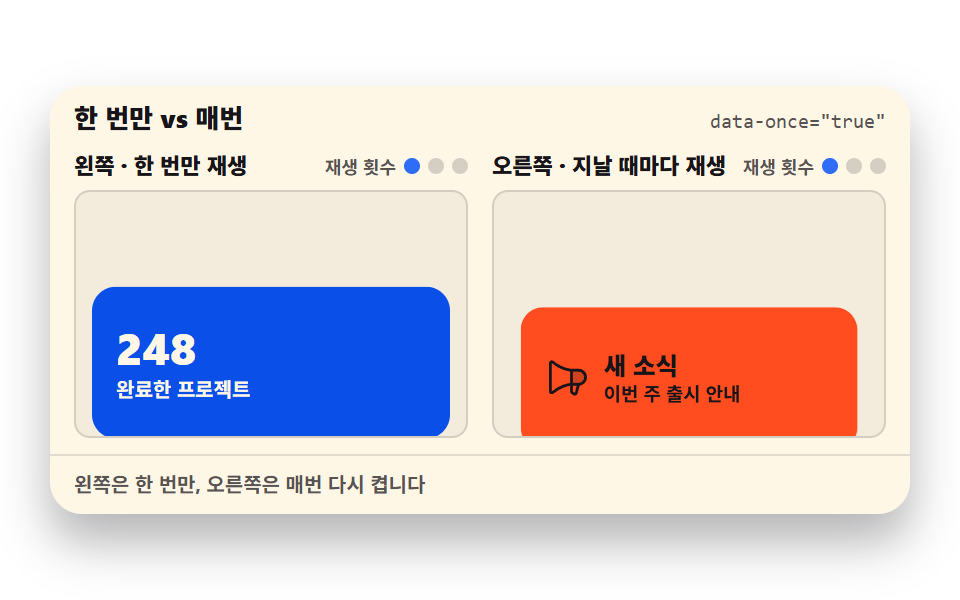
03一度だけ vs 毎回
同じ出現アニメーションを片側は unobserve でちょうど一度だけ再生し、もう片側は通るたびに再生し直します。
<main class="stage">
  <section class="or is-demo" id="or" aria-label="一度だけと毎回の再生の比較">
    <header class="or__head">
      <p class="or__title">一度だけ vs 毎回</p>
      <p class="or__attr"><code>data-once="true"</code></p>
    </header>
    <div class="or__cols">
      <div class="or__col" data-once="true">
        <p class="or__label">左 — 一度だけ再生</p>
        <p class="or__plays"><span>再生回数</span><span class="or__dots" aria-hidden="true"><i></i><i></i><i></i></span></p>
        <div class="or__view" tabindex="0" role="region" aria-label="左ビューポート — スクロールしてみてください">
          <div class="or__track">
            <p class="or__lead">実績カードは下にあります</p>
            <article class="or__card or__card--stat">
              <b>248</b>
              <span>完了したプロジェクト</span>
            </article>
            <p class="or__more">下にはこれ以上ありません</p>
          </div>
        </div>
      </div>
      <div class="or__col" data-once="false">
        <p class="or__label">右 — 通るたびに再生</p>
        <p class="or__plays"><span>再生回数</span><span class="or__dots" aria-hidden="true"><i></i><i></i><i></i></span></p>
        <div class="or__view" tabindex="0" role="region" aria-label="右ビューポート — スクロールしてみてください">
          <div class="or__track">
            <p class="or__lead">案内バナーは下にあります</p>
            <article class="or__card or__card--note">
              <svg viewBox="0 0 256 256" aria-hidden="true" focusable="false"><g fill="currentColor"><path d="M240 120a40 40 0 0 1-40 40h-40V80h40a40 40 0 0 1 40 40" opacity=".2"/><path d="M248 120a48.05 48.05 0 0 0-48-48h-39.8c-2.91-.17-53.62-3.74-101.91-44.24A16 16 0 0 0 32 40v160a16 16 0 0 0 26.29 12.25c37.77-31.68 77-40.76 93.71-43.3v31.72a16 16 0 0 0 7.12 13.33l11 7.33A16 16 0 0 0 194.5 212l11.77-44.36A48.07 48.07 0 0 0 248 120M48 199.93V40c42.81 35.91 86.63 45 104 47.24v65.48c-17.35 2.28-61.16 11.35-104 47.21m131 8v.11l-11-7.33V168h21.6ZM200 152h-32V88h32a32 32 0 1 1 0 64"/></g></svg>
              <div class="or__notetext">
                <b>新着</b>
                <span>今週のリリース案内</span>
              </div>
            </article>
            <p class="or__more">下にはこれ以上ありません</p>
          </div>
        </div>
      </div>
    </div>
    <footer class="or__foot">左は一度だけ、右は通るたびに再点火します</footer>
  </section>
</main>@use "../../../../site/static/demo-tokens" as *;
// 한 번만 vs 매번 — data-once 로 unobserve 여부를 정하고, 끝난 등장 애니메이션은 리플로 트릭으로 되살린다
// 미리보기(.is-demo) 는 트랙을 세 번 오르내리며: 왼쪽 카드는 첫 패스에만 등장하고 오른쪽 카드는 매번 다시 등장한다
$duration: $dur-loop;
$easing: $ease-spring;
$color: $subject-blue;
@include stage($stage-paper);
.or {
box-sizing: border-box;
width: min(430px, 100%);
border-radius: $r-card;
background: $subject-cream;
color: $subject-ink;
font-family: -apple-system, "Segoe UI", "Noto Sans KR", sans-serif;
overflow: hidden;
box-shadow: $shadow-raised;
}
.or__head {
display: flex;
align-items: baseline;
justify-content: space-between;
gap: $sp-2;
padding: $sp-2 $sp-3;
}
.or__title {
margin: 0;
font-size: 13px;
font-weight: 800;
line-height: 1.3;
}
.or__attr {
margin: 0;
font-size: 10px;
line-height: 1.3;
color: rgba($subject-ink, .72);
code { font-family: "Consolas", "Menlo", monospace; }
}
.or__cols {
display: grid;
grid-template-columns: 1fr 1fr;
gap: $sp-3;
padding: 0 $sp-3 $sp-2;
}
.or__col {
display: grid;
grid-template-columns: 1fr auto;
grid-template-areas: "label plays" "view view";
gap: $sp-1 $sp-2;
}
.or__label {
grid-area: label;
margin: 0;
font-size: 11px;
font-weight: 800;
line-height: 1.3;
}
.or__plays {
grid-area: plays;
display: flex;
align-items: center;
gap: $sp-1;
margin: 0;
font-size: 9px;
font-weight: 700;
line-height: 1.3;
color: rgba($subject-ink, .72);
}
.or__dots {
display: inline-flex;
gap: $sp-1;
}
.or__dots i {
width: 8px;
height: 8px;
border-radius: 50%;
background: rgba($subject-ink, .18);
}
.or__dots i.is-lit { background: $color; }
.or__view {
grid-area: view;
box-sizing: border-box;
height: 124px;
overflow-y: auto;
padding: 0 $sp-2;
outline: none;
background: rgba($subject-ink, .05);
border: 1px solid rgba($subject-ink, .14);
border-radius: $r-sm;
}
.or__track {
position: relative; // 안내 문구를 절대 위치로 띄워 줄이 바뀌어도 카드 위치가 흔들리지 않게 한다
padding-top: $sp-2;
padding-bottom: $sp-6; // 스크롤 여유 — 카드를 완전히 담은 채로 멈출 수 있게
}
.or__lead {
position: absolute;
top: $sp-2;
left: $sp-2;
right: $sp-2;
margin: 0;
font-size: 11px;
font-weight: 700;
line-height: 14px;
color: rgba($subject-ink, .72);
}
.or__card {
margin-top: 116px; // 카드 top 이 뷰포트 바닥(124px = 8 + 116) 에 딱 닿게 — 진입 전 보이지 않는다
box-sizing: border-box;
height: 76px;
display: flex;
align-items: center;
gap: $sp-2;
padding: $sp-2 $sp-3;
border-radius: $r-control;
transform: translateY(8px) scale(.94); // 등장 오프셋 8px — 두 칸이 어긋난 순간에도 카드가 뷰포트 안에 온전히 담긴다
transition: transform $dur-enter $easing;
}
.or__card.is-in { transform: none; }
.or__card--stat {
flex-direction: column;
align-items: flex-start;
justify-content: center;
gap: $sp-1;
background: $subject-blue-deep;
color: $subject-cream;
b { font-size: 22px; font-weight: 800; line-height: 1; }
span { font-size: 10px; font-weight: 700; line-height: 1.3; }
}
.or__card--note {
background: $stage-orange;
color: $subject-ink;
svg { width: 24px; height: 24px; flex: 0 0 auto; }
b { display: block; font-size: 13px; font-weight: 800; line-height: 1.3; }
span { display: block; font-size: 10px; font-weight: 700; line-height: 1.3; }
}
.or__more {
margin: $sp-2 0 0;
font-size: 10px;
font-weight: 700;
line-height: 1.3;
color: rgba($subject-ink, .72);
}
.or__foot {
padding: $sp-2 $sp-3;
border-top: 1px solid rgba($subject-ink, .12);
font-size: 10px;
font-weight: 700;
line-height: 1.3;
color: rgba($subject-ink, .72);
}
// 미리보기 — 세 번의 패스(6~16 · 34~44 · 62~72%) 동안 두 칸이 같이 오르내린다
// 카드 상태 교체는 steps(1, end) 컷, 등장 상승은 이징 — 키프레임 안에서 구간마다 정한다
.or.is-demo {
.or__track {
animation-name: or-flow;
animation-duration: $duration;
animation-timing-function: $easing;
animation-iteration-count: infinite;
}
.or__col[data-once="true"] .or__card {
animation-name: or-in1;
animation-duration: $duration;
animation-iteration-count: infinite;
}
.or__col[data-once="false"] .or__card {
animation-name: or-in2;
animation-duration: $duration;
animation-iteration-count: infinite;
}
.or__col[data-once="true"] .or__dots i:nth-child(1) {
animation-name: or-d1;
animation-duration: $duration;
animation-timing-function: steps(1, end);
animation-iteration-count: infinite;
}
.or__col[data-once="false"] .or__dots i:nth-child(1) {
animation-name: or-d1;
animation-duration: $duration;
animation-timing-function: steps(1, end);
animation-iteration-count: infinite;
}
.or__col[data-once="false"] .or__dots i:nth-child(2) {
animation-name: or-d2;
animation-duration: $duration;
animation-timing-function: steps(1, end);
animation-iteration-count: infinite;
}
.or__col[data-once="false"] .or__dots i:nth-child(3) {
animation-name: or-d3;
animation-duration: $duration;
animation-timing-function: steps(1, end);
animation-iteration-count: infinite;
}
}
@keyframes or-flow {
0%, 6% { transform: translateY(0); }
16%, 20% { transform: translateY(-88px); } // 패스 1 — 88px 이면 등장 오프셋(8px) 이 남아 있는 칸도 안 잘린다
30%, 34% { transform: translateY(0); }
44%, 48% { transform: translateY(-88px); } // 패스 2
58%, 62% { transform: translateY(0); }
72%, 100% { transform: translateY(-88px); } // 패스 3 — 도달 상태로 끝까지, 재시작은 0% 점프
}
// 왼쪽(한 번만) — 첫 패스에 등장한 뒤 루프 끝까지 유지 (unobserve 의 미리보기판)
@keyframes or-in1 {
0%, 10% { transform: translateY(8px) scale(.94); animation-timing-function: $easing; }
18%, 100% { transform: none; }
}
// 오른쪽(매번) — 패스마다 등장하고, 완전히 빠져나간 순간(30 · 58%) 컷으로 초기화
@keyframes or-in2 {
0%, 10% { transform: translateY(8px) scale(.94); animation-timing-function: $easing; }
18% { transform: none; animation-timing-function: steps(1, end); }
30%, 38% { transform: translateY(8px) scale(.94); animation-timing-function: $easing; }
46% { transform: none; animation-timing-function: steps(1, end); }
58%, 66% { transform: translateY(8px) scale(.94); animation-timing-function: $easing; }
74%, 100% { transform: none; }
}
@keyframes or-d1 {
0% { background: rgba($subject-ink, .18); }
10%, 100% { background: $color; }
}
@keyframes or-d2 {
0% { background: rgba($subject-ink, .18); }
38%, 100% { background: $color; }
}
@keyframes or-d3 {
0% { background: rgba($subject-ink, .18); }
66%, 100% { background: $color; }
}
@media (max-width: 340px) {
.or__head { padding: $sp-1 $sp-2; }
.or__cols { gap: $sp-2; padding: 0 $sp-2 $sp-1; }
.or__col { grid-template-columns: 1fr; grid-template-areas: "label" "plays" "view"; }
.or__view { height: 84px; }
.or__card { margin-top: 84px; height: 68px; padding: $sp-2; } // 84 = 뷰포트 높이(84) — 88px 올렸을 때 4px 여유로 카드가 딱 담긴다
.or__card--stat b { font-size: 18px; }
.or__card--note svg { width: 20px; height: 20px; }
.or__foot { padding: $sp-1 $sp-2; }
}
@media (prefers-reduced-motion: reduce) {
.or__card { transition: none !important; transform: none !important; } // 정지 상태 — 카드가 그대로 보인다
.or.is-demo .or__track,
.or.is-demo .or__card,
.or.is-demo .or__dots i { animation: none !important; }
}html, body {
margin: 0;
overflow: hidden;
}
.stage {
box-sizing: border-box;
min-height: 100vh;
display: grid;
place-items: center;
margin: 0;
background: #ffffff;
font-family: -apple-system, "Segoe UI", "Noto Sans KR", sans-serif;
padding: clamp(8px, 4vw, 24px);
}
.or {
box-sizing: border-box;
width: min(430px, 100%);
border-radius: 16px;
background: #fff7e6;
color: #17141a;
font-family: -apple-system, "Segoe UI", "Noto Sans KR", sans-serif;
overflow: hidden;
box-shadow: 0 14px 24px rgba(23, 20, 26, 0.32);
}
.or__head {
display: flex;
align-items: baseline;
justify-content: space-between;
gap: 8px;
padding: 8px 12px;
}
.or__title {
margin: 0;
font-size: 13px;
font-weight: 800;
line-height: 1.3;
}
.or__attr {
margin: 0;
font-size: 10px;
line-height: 1.3;
color: rgba(23, 20, 26, 0.72);
}
.or__attr code {
font-family: "Consolas", "Menlo", monospace;
}
.or__cols {
display: grid;
grid-template-columns: 1fr 1fr;
gap: 12px;
padding: 0 12px 8px;
}
.or__col {
display: grid;
grid-template-columns: 1fr auto;
grid-template-areas: "label plays" "view view";
gap: 4px 8px;
}
.or__label {
grid-area: label;
margin: 0;
font-size: 11px;
font-weight: 800;
line-height: 1.3;
}
.or__plays {
grid-area: plays;
display: flex;
align-items: center;
gap: 4px;
margin: 0;
font-size: 9px;
font-weight: 700;
line-height: 1.3;
color: rgba(23, 20, 26, 0.72);
}
.or__dots {
display: inline-flex;
gap: 4px;
}
.or__dots i {
width: 8px;
height: 8px;
border-radius: 50%;
background: rgba(23, 20, 26, 0.18);
}
.or__dots i.is-lit {
background: #2f6df6;
}
.or__view {
grid-area: view;
box-sizing: border-box;
height: 124px;
overflow-y: auto;
padding: 0 8px;
outline: none;
background: rgba(23, 20, 26, 0.05);
border: 1px solid rgba(23, 20, 26, 0.14);
border-radius: 8px;
}
.or__track {
position: relative;
padding-top: 8px;
padding-bottom: 24px;
}
.or__lead {
position: absolute;
top: 8px;
left: 8px;
right: 8px;
margin: 0;
font-size: 11px;
font-weight: 700;
line-height: 14px;
color: rgba(23, 20, 26, 0.72);
}
.or__card {
margin-top: 116px;
box-sizing: border-box;
height: 76px;
display: flex;
align-items: center;
gap: 8px;
padding: 8px 12px;
border-radius: 12px;
transform: translateY(8px) scale(0.94);
transition: transform 600ms cubic-bezier(0.2, 0.8, 0.2, 1);
}
.or__card.is-in {
transform: none;
}
.or__card--stat {
flex-direction: column;
align-items: flex-start;
justify-content: center;
gap: 4px;
background: #0a4fe8;
color: #fff7e6;
}
.or__card--stat b {
font-size: 22px;
font-weight: 800;
line-height: 1;
}
.or__card--stat span {
font-size: 10px;
font-weight: 700;
line-height: 1.3;
}
.or__card--note {
background: #ff4d1f;
color: #17141a;
}
.or__card--note svg {
width: 24px;
height: 24px;
flex: 0 0 auto;
}
.or__card--note b {
display: block;
font-size: 13px;
font-weight: 800;
line-height: 1.3;
}
.or__card--note span {
display: block;
font-size: 10px;
font-weight: 700;
line-height: 1.3;
}
.or__more {
margin: 8px 0 0;
font-size: 10px;
font-weight: 700;
line-height: 1.3;
color: rgba(23, 20, 26, 0.72);
}
.or__foot {
padding: 8px 12px;
border-top: 1px solid rgba(23, 20, 26, 0.12);
font-size: 10px;
font-weight: 700;
line-height: 1.3;
color: rgba(23, 20, 26, 0.72);
}
.or.is-demo .or__track {
animation-name: or-flow;
animation-duration: 2s;
animation-timing-function: cubic-bezier(0.2, 0.8, 0.2, 1);
animation-iteration-count: infinite;
}
.or.is-demo .or__col[data-once=true] .or__card {
animation-name: or-in1;
animation-duration: 2s;
animation-iteration-count: infinite;
}
.or.is-demo .or__col[data-once=false] .or__card {
animation-name: or-in2;
animation-duration: 2s;
animation-iteration-count: infinite;
}
.or.is-demo .or__col[data-once=true] .or__dots i:nth-child(1) {
animation-name: or-d1;
animation-duration: 2s;
animation-timing-function: steps(1, end);
animation-iteration-count: infinite;
}
.or.is-demo .or__col[data-once=false] .or__dots i:nth-child(1) {
animation-name: or-d1;
animation-duration: 2s;
animation-timing-function: steps(1, end);
animation-iteration-count: infinite;
}
.or.is-demo .or__col[data-once=false] .or__dots i:nth-child(2) {
animation-name: or-d2;
animation-duration: 2s;
animation-timing-function: steps(1, end);
animation-iteration-count: infinite;
}
.or.is-demo .or__col[data-once=false] .or__dots i:nth-child(3) {
animation-name: or-d3;
animation-duration: 2s;
animation-timing-function: steps(1, end);
animation-iteration-count: infinite;
}
@keyframes or-flow {
0%, 6% {
transform: translateY(0);
}
16%, 20% {
transform: translateY(-88px);
}
30%, 34% {
transform: translateY(0);
}
44%, 48% {
transform: translateY(-88px);
}
58%, 62% {
transform: translateY(0);
}
72%, 100% {
transform: translateY(-88px);
}
}
@keyframes or-in1 {
0%, 10% {
transform: translateY(8px) scale(0.94);
animation-timing-function: cubic-bezier(0.2, 0.8, 0.2, 1);
}
18%, 100% {
transform: none;
}
}
@keyframes or-in2 {
0%, 10% {
transform: translateY(8px) scale(0.94);
animation-timing-function: cubic-bezier(0.2, 0.8, 0.2, 1);
}
18% {
transform: none;
animation-timing-function: steps(1, end);
}
30%, 38% {
transform: translateY(8px) scale(0.94);
animation-timing-function: cubic-bezier(0.2, 0.8, 0.2, 1);
}
46% {
transform: none;
animation-timing-function: steps(1, end);
}
58%, 66% {
transform: translateY(8px) scale(0.94);
animation-timing-function: cubic-bezier(0.2, 0.8, 0.2, 1);
}
74%, 100% {
transform: none;
}
}
@keyframes or-d1 {
0% {
background: rgba(23, 20, 26, 0.18);
}
10%, 100% {
background: #2f6df6;
}
}
@keyframes or-d2 {
0% {
background: rgba(23, 20, 26, 0.18);
}
38%, 100% {
background: #2f6df6;
}
}
@keyframes or-d3 {
0% {
background: rgba(23, 20, 26, 0.18);
}
66%, 100% {
background: #2f6df6;
}
}
@media (max-width: 340px) {
.or__head {
padding: 4px 8px;
}
.or__cols {
gap: 8px;
padding: 0 8px 4px;
}
.or__col {
grid-template-columns: 1fr;
grid-template-areas: "label" "plays" "view";
}
.or__view {
height: 84px;
}
.or__card {
margin-top: 84px;
height: 68px;
padding: 8px;
}
.or__card--stat b {
font-size: 18px;
}
.or__card--note svg {
width: 20px;
height: 20px;
}
.or__foot {
padding: 4px 8px;
}
}
@media (prefers-reduced-motion: reduce) {
.or__card {
transition: none !important;
transform: none !important;
}
.or.is-demo .or__track,
.or.is-demo .or__card,
.or.is-demo .or__dots i {
animation: none !important;
}
}// 一度だけ vs 毎回 — data-once 속성이 unobserve 여부를 결정한다
// 오른쪽처럼 반복하려면 끝난 등장 애니메이션을 리플로 트릭으로 되살려야 한다
var root = document.getElementById('or');
var cols = Array.prototype.slice.call(document.querySelectorAll('.or__col'));
var started = false;
function start() {
if (started) return;
started = true;
root.classList.remove('is-demo');
cols.forEach(setup);
}
function setup(col) {
var once = col.getAttribute('data-once') === 'true';
var view = col.querySelector('.or__view');
var card = col.querySelector('.or__card');
var dots = Array.prototype.slice.call(col.querySelectorAll('.or__dots i'));
var plays = 0;
var io = new IntersectionObserver(function (entries) {
entries.forEach(function (entry) {
if (entry.isIntersecting) {
card.classList.remove('is-in');
void card.offsetWidth; // 리플로 트릭 — 여기서 강제 재계산이 일어나야 클래스를 다시 붙일 때 애니메이션이 처음부터 돈다
card.classList.add('is-in');
plays += 1;
dots.forEach(function (d, i) { d.classList.toggle('is-lit', i < Math.min(plays, 3)); });
if (once) io.unobserve(card); // 왼쪽 — 딱 한 번 재생하고 관찰을 멈춘다
} else if (!once) {
card.classList.remove('is-in'); // 오른쪽 — 벗어나면 초기화, 다음 진입 때 다시 재생된다
}
});
}, { root: view, threshold: 0.5 });
io.observe(card);
}
cols.forEach(function (col) {
var view = col.querySelector('.or__view');
view.addEventListener('scroll', start, { passive: true });
view.addEventListener('pointerdown', start);
view.addEventListener('keydown', function (e) {
if (e.key === 'ArrowDown' || e.key === 'ArrowUp') start();
});
});import { useEffect, useRef, useState } from "react";
import type { CSSProperties } from "react";
import styles from "./OnceRepeat.module.scss";
export type OnceRepeatProps = {
title?: string;
attr?: string;
foot?: string;
groupLabel?: string;
playsLabel?: string;
cols?: {
once: boolean;
label: string;
viewLabel: string;
lead: string;
more: string;
}[];
statValue?: string;
statLabel?: string;
newsTitle?: string;
newsSub?: string;
/** 격자 미리보기용 2초 자동 루프. 사람이 손대면 꺼진다 */
demo?: boolean;
duration?: number;
easing?: string;
color?: string;
};
type Vars = CSSProperties & { "--duration"?: string; "--easing"?: string; "--color"?: string };
// ambient 가 얇아 DOM 요소 타입을 못 쓴다 — 필요한 꼴만 로컬 타입으로 선언
type Box<T> = { current: T };
type KeyEvt = { key: string };
const DEFAULT_COLS = [
{
once: true,
label: "왼쪽 · 한 번만 재생",
viewLabel: "왼쪽 뷰포트 — 스크롤해 보세요",
lead: "실적 카드가 아래에 있습니다",
more: "계속 내려도 더 없습니다",
},
{
once: false,
label: "오른쪽 · 지날 때마다 재생",
viewLabel: "오른쪽 뷰포트 — 스크롤해 보세요",
lead: "안내 배너가 아래에 있습니다",
more: "계속 내려도 더 없습니다",
},
];
export default function OnceRepeat({
title = "한 번만 vs 매번",
attr = 'data-once="true"',
foot = "왼쪽은 한 번만, 오른쪽은 매번 다시 켭니다",
groupLabel = "한 번만과 매번 재생 비교",
playsLabel = "재생 횟수",
cols = DEFAULT_COLS,
statValue = "248",
statLabel = "완료한 프로젝트",
newsTitle = "새 소식",
newsSub = "이번 주 출시 안내",
demo = true,
duration = 2000,
easing = "cubic-bezier(.2, .8, .2, 1)",
color = "#2f6df6",
}: OnceRepeatProps) {
const [live, setLive] = useState(demo);
const [plays, setPlays] = useState<number[]>(cols.map(() => 0));
const viewRefs = useRef<(HTMLDivElement | null)[]>([]) as unknown as Box<(HTMLDivElement | null)[]>;
const cardRefs = useRef<(HTMLElement | null)[]>([]) as unknown as Box<(HTMLElement | null)[]>;
useEffect(() => {
if (live) return;
const ios = cols.map((c, i) => {
const view = viewRefs.current[i];
const card = cardRefs.current[i];
if (!view || !card) return null;
const io = new IntersectionObserver(
(entries) => {
entries.forEach((entry) => {
if (entry.isIntersecting) {
card.classList.remove(styles.isIn);
void card.offsetWidth; // 리플로 트릭 — 여기서 강제 재계산이 일어나야 클래스를 다시 붙일 때 등장이 처음부터 돈다
card.classList.add(styles.isIn);
setPlays((prev) => {
const next = prev.slice();
next[i] = next[i] + 1;
return next;
});
if (c.once) io.unobserve(card); // 왼쪽 — 딱 한 번 재생하고 관찰을 멈춘다
} else if (!c.once) {
card.classList.remove(styles.isIn); // 오른쪽 — 벗어나면 초기화, 다음 진입 때 다시 재생된다
}
});
},
{ root: view, threshold: 0.5 }
);
io.observe(card);
return io;
});
return () => {
ios.forEach((io) => io && io.disconnect());
};
// cols 는 모듈 상수(또는 첫 렌더 이후 그대로인 props) — live 전환 때만 다시 붙는다
}, [live]);
const vars: Vars = {
"--duration": `${duration}ms`,
"--easing": easing,
"--color": color,
};
return (
<section
className={`${styles.or} ${live ? styles.isDemo : ""}`}
style={vars}
aria-label={groupLabel}
>
<header className={styles.head}>
<p className={styles.title}>{title}</p>
<p className={styles.attr}><code>{attr}</code></p>
</header>
<div className={styles.cols}>
{cols.map((c, i) => (
<div className={styles.col} key={c.once ? "once" : "repeat"} data-once={c.once ? "true" : "false"}>
<p className={styles.label}>{c.label}</p>
<p className={styles.plays}>
<span>{playsLabel}</span>
<span className={styles.dots} aria-hidden="true">
{[0, 1, 2].map((d) => (
<i key={d} className={d < Math.min(plays[i], 3) ? styles.isLit : undefined} />
))}
</span>
</p>
<div
className={styles.view}
ref={(el: HTMLDivElement | null) => {
viewRefs.current[i] = el;
}}
onScroll={() => setLive(false)}
onPointerDown={() => setLive(false)}
onKeyDown={(e: KeyEvt) => {
if (e.key === "ArrowDown" || e.key === "ArrowUp") setLive(false);
}}
tabIndex={0}
role="region"
aria-label={c.viewLabel}
>
<div className={styles.track}>
<p className={styles.lead}>{c.lead}</p>
{c.once ? (
<article
ref={(el: HTMLElement | null) => {
cardRefs.current[i] = el;
}}
className={`${styles.card} ${styles.cardStat}`}
>
<b>{statValue}</b>
<span>{statLabel}</span>
</article>
) : (
<article
ref={(el: HTMLElement | null) => {
cardRefs.current[i] = el;
}}
className={`${styles.card} ${styles.cardNote}`}
>
<svg viewBox="0 0 256 256" aria-hidden="true" focusable="false"><g fill="currentColor"><path d="M240 120a40 40 0 0 1-40 40h-40V80h40a40 40 0 0 1 40 40" opacity=".2"/><path d="M248 120a48.05 48.05 0 0 0-48-48h-39.8c-2.91-.17-53.62-3.74-101.91-44.24A16 16 0 0 0 32 40v160a16 16 0 0 0 26.29 12.25c37.77-31.68 77-40.76 93.71-43.3v31.72a16 16 0 0 0 7.12 13.33l11 7.33A16 16 0 0 0 194.5 212l11.77-44.36A48.07 48.07 0 0 0 248 120M48 199.93V40c42.81 35.91 86.63 45 104 47.24v65.48c-17.35 2.28-61.16 11.35-104 47.21m131 8v.11l-11-7.33V168h21.6ZM200 152h-32V88h32a32 32 0 1 1 0 64"/></g></svg>
<div className={styles.noteText}>
<b>{newsTitle}</b>
<span>{newsSub}</span>
</div>
</article>
)}
<p className={styles.more}>{c.more}</p>
</div>
</div>
</div>
))}
</div>
<footer className={styles.foot}>{foot}</footer>
</section>
);
}03 · 一度だけ vs 毎回 — 計測 累積面積 23.665% · 動いたフレーム 16/23GODRICH オリジナル · SCSS と React は zip に同梱 · パスワードを見る
リフローのトリックでアニメーションを蘇らせる
var io = new IntersectionObserver(function (entries) {
    entries.forEach(function (entry) {
      if (entry.isIntersecting) {
        card.classList.remove('is-in');
        void card.offsetWidth; // リフローのトリック — ここで強制再計算が起きるから、次の付与が新しいアニメーションになる
        card.classList.add('is-in');
        plays += 1;
        dots.forEach(function (d, i) { d.classList.toggle('is-lit', i < Math.min(plays, 3)); });
        if (once) io.unobserve(card); // 左 — ちょうど一度再生して観察を止める
      } else if (!once) {
        card.classList.remove('is-in'); // 右 — はずれると初期化し、次の進入でまた再生される
      }
    });
  }, { root: view, threshold: 0.5 });
一度付いたクラスを外して付け直してもブラウザは同じスタイル変更とみなして transition を再生し直さないので、その間に void card.offsetWidth で強制再計算を一度起こし、次の付与を真新しいアニメーションにします。
3往復を数えると
実測では3往復のあと左の再生は1回、右は3回で、transitionstart イベントで数えると 1 対 6 — 右は進入と退出が毎往復2回ずつ transition を始めるためです。
04カウンタートリガー
ビューポートに入った瞬間に requestAnimationFrame で数字を 0 から目標まで上げ、終わったら観察を止めます。
<main class="stage">
  <section class="cu is-demo" id="cu" aria-label="カウンタートリガー">
    <header class="cu__head">
      <p class="cu__title">カウンタートリガー</p>
      <p class="cu__attr"><code>requestAnimationFrame</code></p>
    </header>
    <div class="cu__view" id="cu-view" tabindex="0" role="region" aria-label="実績ブロック — スクロールしてみてください">
      <div class="cu__track">
        <p class="cu__lead">下へスクロールすると数字を数え始めます</p>
        <article class="cu__card" id="cu-card">
          <p class="cu__cap">完了したプロジェクト</p>
          <p class="cu__num">
            <b class="cu__numcur" id="cu-num">0</b><span class="cu__tape" aria-hidden="true"><i>0</i><i>1</i><i>2</i><i>3</i><i>4</i><i>5</i><i>6</i><i>7</i><i>8</i><i>9</i><i>10</i><i>11</i><i>12</i><i>13</i><i>14</i><i>15</i><i>16</i><i>17</i><i>18</i><i>19</i><i>20</i><i>21</i><i>22</i><i>23</i><i>24</i><i>25</i><i>26</i><i>27</i><i>28</i><i>29</i><i>30</i><i>31</i><i>32</i><i>33</i><i>34</i><i>35</i><i>36</i><i>37</i><i>38</i><i>39</i><i>40</i><i>41</i><i>42</i><i>43</i><i>44</i><i>45</i><i>46</i><i>47</i><i>48</i><i>49</i><i>50</i><i>51</i><i>52</i><i>53</i><i>54</i><i>55</i><i>56</i><i>57</i><i>58</i><i>59</i><i>60</i><i>61</i><i>62</i><i>63</i><i>64</i><i>65</i><i>66</i><i>67</i><i>68</i><i>69</i><i>70</i><i>71</i><i>72</i><i>73</i><i>74</i><i>75</i><i>76</i><i>77</i><i>78</i><i>79</i><i>80</i><i>81</i><i>82</i><i>83</i><i>84</i><i>85</i><i>86</i><i>87</i><i>88</i><i>89</i><i>90</i><i>91</i><i>92</i><i>93</i><i>94</i><i>95</i><i>96</i><i>97</i><i>98</i><i>99</i><i>100</i><i>101</i><i>102</i><i>103</i><i>104</i><i>105</i><i>106</i><i>107</i><i>108</i><i>109</i><i>110</i><i>111</i><i>112</i><i>113</i><i>114</i><i>115</i><i>116</i><i>117</i><i>118</i><i>119</i><i>120</i><i>121</i><i>122</i><i>123</i><i>124</i><i>125</i><i>126</i><i>127</i><i>128</i><i>129</i><i>130</i><i>131</i><i>132</i><i>133</i><i>134</i><i>135</i><i>136</i><i>137</i><i>138</i><i>139</i><i>140</i><i>141</i><i>142</i><i>143</i><i>144</i><i>145</i><i>146</i><i>147</i><i>148</i><i>149</i><i>150</i><i>151</i><i>152</i><i>153</i><i>154</i><i>155</i><i>156</i><i>157</i><i>158</i><i>159</i><i>160</i><i>161</i><i>162</i><i>163</i><i>164</i><i>165</i><i>166</i><i>167</i><i>168</i><i>169</i><i>170</i><i>171</i><i>172</i><i>173</i><i>174</i><i>175</i><i>176</i><i>177</i><i>178</i><i>179</i><i>180</i><i>181</i><i>182</i><i>183</i><i>184</i><i>185</i><i>186</i><i>187</i><i>188</i><i>189</i><i>190</i><i>191</i><i>192</i><i>193</i><i>194</i><i>195</i><i>196</i><i>197</i><i>198</i><i>199</i><i>200</i><i>201</i><i>202</i><i>203</i><i>204</i><i>205</i><i>206</i><i>207</i><i>208</i><i>209</i><i>210</i><i>211</i><i>212</i><i>213</i><i>214</i><i>215</i><i>216</i><i>217</i><i>218</i><i>219</i><i>220</i><i>221</i><i>222</i><i>223</i><i>224</i><i>225</i><i>226</i><i>227</i><i>228</i><i>229</i><i>230</i><i>231</i><i>232</i><i>233</i><i>234</i><i>235</i><i>236</i><i>237</i><i>238</i><i>239</i><i>240</i><i>241</i><i>242</i><i>243</i><i>244</i><i>245</i><i>246</i><i>247</i><i>248</i></span>
          </p>
          <span class="cu__bar" aria-hidden="true"><i class="cu__barfill" id="cu-bar"></i></span>
          <p class="cu__done" id="cu-done">カウント完了 — 観測終了</p>
        </article>
        <p class="cu__more">下にはこれ以上ありません</p>
      </div>
    </div>
    <footer class="cu__foot">戻ってきても二度は数えません</footer>
  </section>
</main>
@use "../../../../site/static/demo-tokens" as *;
// 카운터 트리거 — 뷰포트 진입 순간 requestAnimationFrame 으로 0 부터 목표까지 올린다
// $easing 은 easeOutCubic 의 CSS 베지어 근사(주제 그 자체라 토큰 대신 이 곡선을 쓴다)
$duration: $dur-loop;
$easing: cubic-bezier(.215, .61, .355, 1);
$color: $subject-blue;
$tape-row: 40px; // 카운터 테이프 한 칸 높이 — 창 높이와 같아야 숫자가 정확히 정렬된다
@include stage($stage-ink);
.cu {
// 미리보기가 트랙을 밀어 올리는 거리. 카드와 그 아래 한 줄이 모두 뷰포트 안에 들어가는 값이라
// 어느 프레임을 poster 로 잘라도 경계에 반쯤 걸친 글자가 남지 않는다 (좁은폭에서는 아래 미디어쿼리가 다시 잡는다)
--cu-flow: -160px;
box-sizing: border-box;
width: min(400px, 100%);
border-radius: $r-card;
background: $subject-cream;
color: $subject-ink;
font-family: -apple-system, "Segoe UI", "Noto Sans KR", sans-serif;
overflow: hidden;
box-shadow: $shadow-raised;
}
.cu__head {
display: flex;
align-items: baseline;
justify-content: space-between;
gap: $sp-2;
padding: $sp-2 $sp-3;
}
.cu__title {
margin: 0;
font-size: 13px;
font-weight: 800;
line-height: 1.3;
}
.cu__attr {
margin: 0;
font-size: 10px;
line-height: 1.3;
color: rgba($subject-ink, .72);
code { font-family: "Consolas", "Menlo", monospace; }
}
.cu__view {
box-sizing: border-box;
height: 170px;
overflow-y: auto;
margin: 0 $sp-3;
padding: 0 $sp-2;
outline: none;
background: rgba($subject-ink, .05);
border: 1px solid rgba($subject-ink, .14);
border-radius: $r-sm;
}
.cu__track {
padding-top: $sp-2;
padding-bottom: $sp-6; // 스크롤 여유
}
.cu__lead {
margin: 0 0 148px; // 카드 top 이 뷰포트 바닥(170px) 에 딱 닿게 — 진입 전 관찰되지 않는다
font-size: 11px;
font-weight: 700;
line-height: 14px;
color: rgba($subject-ink, .72);
}
.cu__card {
box-sizing: border-box;
display: grid;
gap: $sp-2;
padding: $sp-3;
border-radius: $r-control;
background: rgba($subject-ink, .04);
border: 1px solid rgba($subject-ink, .12);
text-align: center;
}
.cu__cap {
margin: 0;
font-size: 11px;
font-weight: 700;
line-height: 1.3;
color: rgba($subject-ink, .72);
}
.cu__num {
position: relative;
height: $tape-row;
margin: 0;
overflow: hidden;
}
.cu__numcur,
.cu__tape i {
display: flex;
align-items: center;
justify-content: center;
font-size: 32px;
font-weight: 800;
line-height: $tape-row;
font-variant-numeric: tabular-nums;
}
.cu__numcur { position: absolute; inset: 0; }
.cu__tape {
display: none;
margin: 0;
padding: 0;
list-style: none;
}
.cu__tape i {
display: flex;
height: $tape-row;
font-style: normal;
}
.cu.is-demo .cu__tape { display: block; }
.cu.is-demo .cu__numcur { visibility: hidden; } // 미리보기 동안엔 테이프가 숫자를 보여준다
.cu__bar {
position: relative;
display: block;
height: 8px;
border-radius: $r-pill;
background: rgba($subject-ink, .12);
overflow: hidden;
}
.cu__barfill {
position: absolute;
inset: 0;
border-radius: $r-pill;
background: $color;
transform: scaleX(0);
transform-origin: left center; // 채움 막대 — 시작 변에서 자란다 (붙는 지점이 있는 요소 예외)
}
.cu__done {
justify-self: center;
margin: 0;
padding: $sp-1 $sp-3;
border-radius: $r-pill;
background: $stage-orange;
color: $subject-ink;
font-size: 10px;
font-weight: 800;
line-height: 1.3;
opacity: 0;
transform: translateY(4px);
transition: opacity $dur-quick $ease-out, transform $dur-quick $ease-pop;
}
.cu__done.is-shown {
opacity: 1;
transform: none;
}
.cu__more {
margin: $sp-2 0 0;
font-size: 10px;
font-weight: 700;
line-height: 1.3;
color: rgba($subject-ink, .72);
}
.cu__foot {
margin-top: $sp-2;
padding: $sp-2 $sp-3;
border-top: 1px solid rgba($subject-ink, .12);
font-size: 10px;
font-weight: 700;
line-height: 1.3;
color: rgba($subject-ink, .72);
}
// 미리보기 — 트랙이 카드를 밀어 올리고, 테이프가 0 부터 248 까지 easeOutCubic 곡선으로 흘러간다
// 테이프·막대는 이징 이동(유령 없음), 완료 배지는 컷 등장
.cu.is-demo {
.cu__track {
animation-name: cu-flow;
animation-duration: $duration;
animation-timing-function: $ease-spring;
animation-iteration-count: infinite;
}
.cu__tape {
animation-name: cu-tape;
animation-duration: $duration;
animation-iteration-count: infinite;
}
.cu__barfill {
animation-name: cu-bar;
animation-duration: $duration;
animation-iteration-count: infinite;
}
.cu__done {
animation-name: cu-done-show, cu-done-pop;
animation-duration: $duration, $duration;
animation-timing-function: steps(1, end), $ease-pop;
animation-iteration-count: infinite, infinite;
}
}
@keyframes cu-flow {
0%, 10% { transform: translateY(0); }
24%, 100% { transform: translateY(var(--cu-flow, -160px)); } // 카드 완전 진입 — 도달 상태로 끝까지, 재시작은 0% 점프
}
@keyframes cu-tape {
0%, 18% { transform: translateY(0); animation-timing-function: $easing; }
66%, 100% { transform: translateY($tape-row * -248); }
}
@keyframes cu-bar {
0%, 18% { transform: scaleX(0); animation-timing-function: $easing; }
66%, 100% { transform: scaleX(1); }
}
@keyframes cu-done-show {
0%, 66% { opacity: 0; }
67%, 100% { opacity: 1; }
}
@keyframes cu-done-pop {
0%, 66% { transform: translateY(4px); }
74%, 100% { transform: none; }
}
@media (max-width: 340px) {
.cu { --cu-flow: -116px; } // 좁은 뷰포트(118px) 에는 카드까지만 담긴다 — 아래 한 줄은 화면 밖에 둔다
.cu__head { padding: $sp-1 $sp-2; }
.cu__view { height: 118px; margin: 0 $sp-2; }
.cu__lead { margin-bottom: 96px; }
.cu__card { gap: $sp-1; padding: $sp-2 $sp-3; }
.cu__numcur, .cu__tape i { font-size: 26px; }
.cu__foot { margin-top: $sp-1; padding: $sp-1 $sp-2; }
}
@media (prefers-reduced-motion: reduce) {
.cu__done { transition: none !important; }
.cu.is-demo .cu__track,
.cu.is-demo .cu__tape,
.cu.is-demo .cu__barfill,
.cu.is-demo .cu__done { animation: none !important; }
.cu.is-demo .cu__tape { display: none !important; }
.cu.is-demo .cu__numcur { visibility: visible !important; } // 정지 상태에서도 숫자가 보인다
}html, body {
margin: 0;
overflow: hidden;
}
.stage {
box-sizing: border-box;
min-height: 100vh;
display: grid;
place-items: center;
margin: 0;
background: #17141a;
font-family: -apple-system, "Segoe UI", "Noto Sans KR", sans-serif;
padding: clamp(8px, 4vw, 24px);
}
.cu {
--cu-flow: -160px;
box-sizing: border-box;
width: min(400px, 100%);
border-radius: 16px;
background: #fff7e6;
color: #17141a;
font-family: -apple-system, "Segoe UI", "Noto Sans KR", sans-serif;
overflow: hidden;
box-shadow: 0 14px 24px rgba(23, 20, 26, 0.32);
}
.cu__head {
display: flex;
align-items: baseline;
justify-content: space-between;
gap: 8px;
padding: 8px 12px;
}
.cu__title {
margin: 0;
font-size: 13px;
font-weight: 800;
line-height: 1.3;
}
.cu__attr {
margin: 0;
font-size: 10px;
line-height: 1.3;
color: rgba(23, 20, 26, 0.72);
}
.cu__attr code {
font-family: "Consolas", "Menlo", monospace;
}
.cu__view {
box-sizing: border-box;
height: 170px;
overflow-y: auto;
margin: 0 12px;
padding: 0 8px;
outline: none;
background: rgba(23, 20, 26, 0.05);
border: 1px solid rgba(23, 20, 26, 0.14);
border-radius: 8px;
}
.cu__track {
padding-top: 8px;
padding-bottom: 24px;
}
.cu__lead {
margin: 0 0 148px;
font-size: 11px;
font-weight: 700;
line-height: 14px;
color: rgba(23, 20, 26, 0.72);
}
.cu__card {
box-sizing: border-box;
display: grid;
gap: 8px;
padding: 12px;
border-radius: 12px;
background: rgba(23, 20, 26, 0.04);
border: 1px solid rgba(23, 20, 26, 0.12);
text-align: center;
}
.cu__cap {
margin: 0;
font-size: 11px;
font-weight: 700;
line-height: 1.3;
color: rgba(23, 20, 26, 0.72);
}
.cu__num {
position: relative;
height: 40px;
margin: 0;
overflow: hidden;
}
.cu__numcur,
.cu__tape i {
display: flex;
align-items: center;
justify-content: center;
font-size: 32px;
font-weight: 800;
line-height: 40px;
font-variant-numeric: tabular-nums;
}
.cu__numcur {
position: absolute;
inset: 0;
}
.cu__tape {
display: none;
margin: 0;
padding: 0;
list-style: none;
}
.cu__tape i {
display: flex;
height: 40px;
font-style: normal;
}
.cu.is-demo .cu__tape {
display: block;
}
.cu.is-demo .cu__numcur {
visibility: hidden;
}
.cu__bar {
position: relative;
display: block;
height: 8px;
border-radius: 999px;
background: rgba(23, 20, 26, 0.12);
overflow: hidden;
}
.cu__barfill {
position: absolute;
inset: 0;
border-radius: 999px;
background: #2f6df6;
transform: scaleX(0);
transform-origin: left center;
}
.cu__done {
justify-self: center;
margin: 0;
padding: 4px 12px;
border-radius: 999px;
background: #ff4d1f;
color: #17141a;
font-size: 10px;
font-weight: 800;
line-height: 1.3;
opacity: 0;
transform: translateY(4px);
transition: opacity 220ms ease-out, transform 220ms cubic-bezier(0.2, 1.4, 0.4, 1);
}
.cu__done.is-shown {
opacity: 1;
transform: none;
}
.cu__more {
margin: 8px 0 0;
font-size: 10px;
font-weight: 700;
line-height: 1.3;
color: rgba(23, 20, 26, 0.72);
}
.cu__foot {
margin-top: 8px;
padding: 8px 12px;
border-top: 1px solid rgba(23, 20, 26, 0.12);
font-size: 10px;
font-weight: 700;
line-height: 1.3;
color: rgba(23, 20, 26, 0.72);
}
.cu.is-demo .cu__track {
animation-name: cu-flow;
animation-duration: 2s;
animation-timing-function: cubic-bezier(0.2, 0.8, 0.2, 1);
animation-iteration-count: infinite;
}
.cu.is-demo .cu__tape {
animation-name: cu-tape;
animation-duration: 2s;
animation-iteration-count: infinite;
}
.cu.is-demo .cu__barfill {
animation-name: cu-bar;
animation-duration: 2s;
animation-iteration-count: infinite;
}
.cu.is-demo .cu__done {
animation-name: cu-done-show, cu-done-pop;
animation-duration: 2s, 2s;
animation-timing-function: steps(1, end), cubic-bezier(0.2, 1.4, 0.4, 1);
animation-iteration-count: infinite, infinite;
}
@keyframes cu-flow {
0%, 10% {
transform: translateY(0);
}
24%, 100% {
transform: translateY(var(--cu-flow, -160px));
}
}
@keyframes cu-tape {
0%, 18% {
transform: translateY(0);
animation-timing-function: cubic-bezier(0.215, 0.61, 0.355, 1);
}
66%, 100% {
transform: translateY(-9920px);
}
}
@keyframes cu-bar {
0%, 18% {
transform: scaleX(0);
animation-timing-function: cubic-bezier(0.215, 0.61, 0.355, 1);
}
66%, 100% {
transform: scaleX(1);
}
}
@keyframes cu-done-show {
0%, 66% {
opacity: 0;
}
67%, 100% {
opacity: 1;
}
}
@keyframes cu-done-pop {
0%, 66% {
transform: translateY(4px);
}
74%, 100% {
transform: none;
}
}
@media (max-width: 340px) {
.cu {
--cu-flow: -116px;
}
.cu__head {
padding: 4px 8px;
}
.cu__view {
height: 118px;
margin: 0 8px;
}
.cu__lead {
margin-bottom: 96px;
}
.cu__card {
gap: 4px;
padding: 8px 12px;
}
.cu__numcur, .cu__tape i {
font-size: 26px;
}
.cu__foot {
margin-top: 4px;
padding: 4px 8px;
}
}
@media (prefers-reduced-motion: reduce) {
.cu__done {
transition: none !important;
}
.cu.is-demo .cu__track,
.cu.is-demo .cu__tape,
.cu.is-demo .cu__barfill,
.cu.is-demo .cu__done {
animation: none !important;
}
.cu.is-demo .cu__tape {
display: none !important;
}
.cu.is-demo .cu__numcur {
visibility: visible !important;
}
}// カウンタートリガー — 뷰포트 진입 순간 requestAnimationFrame 으로 0 부터 목표까지 올린다
// easing 은 easeOutCubic, 끝나면 unobserve 로 관찰을 멈춘다
var root = document.getElementById('cu');
var view = document.getElementById('cu-view');
var card = document.getElementById('cu-card');
var numEl = document.getElementById('cu-num');
var bar = document.getElementById('cu-bar');
var done = document.getElementById('cu-done');
var TARGET = 248;
var MS = 1400;
var started = false;
var REDUCE = matchMedia('(prefers-reduced-motion: reduce)').matches;
function easeOutCubic(t) { return 1 - Math.pow(1 - t, 3); }
function start() {
if (started) return;
started = true;
root.classList.remove('is-demo');
var io = new IntersectionObserver(function (entries) {
entries.forEach(function (entry) {
if (!entry.isIntersecting) return;
io.unobserve(entry.target); // 여기서 관찰을 멈춘다 — 다시 올라와도 두 번 세지 않는다
if (REDUCE) { // reduce 에서는 세지 않고 목표값을 바로 찍는다 — 숫자가 올라가는 것도 움직임이다
numEl.textContent = String(TARGET);
bar.style.transform = 'scaleX(1)';
done.classList.add('is-shown');
return;
}
var t0 = null;
function tick(ts) {
if (t0 === null) t0 = ts;
var p = Math.min((ts - t0) / MS, 1);
var eased = easeOutCubic(p);
numEl.textContent = String(Math.round(TARGET * eased));
bar.style.transform = 'scaleX(' + eased + ')';
if (p < 1) requestAnimationFrame(tick);
else done.classList.add('is-shown');
}
requestAnimationFrame(tick);
});
}, { root: view, threshold: 0.6 });
io.observe(card);
}
view.addEventListener('scroll', start, { passive: true });
view.addEventListener('pointerdown', start);
view.addEventListener('keydown', function (e) {
if (e.key === 'ArrowDown' || e.key === 'ArrowUp') start();
});import { useEffect, useRef, useState } from "react";
import type { CSSProperties } from "react";
import styles from "./CountUpOnce.module.scss";
export type CountUpOnceProps = {
title?: string;
attr?: string;
lead?: string;
cap?: string;
more?: string;
doneLabel?: string;
foot?: string;
groupLabel?: string;
viewLabel?: string;
target?: number;
ms?: number;
/** 격자 미리보기용 2초 자동 루프. 사람이 손대면 꺼진다 */
demo?: boolean;
duration?: number;
easing?: string;
color?: string;
};
type Vars = CSSProperties & {
"--duration"?: string;
"--easing"?: string;
"--color"?: string;
"--tape-shift"?: string;
};
// ambient 가 얇아 DOM 요소 타입을 못 쓴다 — 필요한 꼴만 로컬 타입으로 선언
type Box<T> = { current: T };
type KeyEvt = { key: string };
function easeOutCubic(t: number): number {
return 1 - Math.pow(1 - t, 3);
}
export default function CountUpOnce({
title = "카운터 트리거",
attr = "requestAnimationFrame",
lead = "아래로 스크롤하면 숫자가 셉니다",
cap = "완료한 프로젝트",
more = "계속 내려도 더 없습니다",
doneLabel = "카운트 완료 — 관찰 종료",
foot = "다시 올라와도 두 번 세지 않습니다",
groupLabel = "카운터 트리거",
viewLabel = "실적 블록 — 스크롤해 보세요",
target = 248,
ms = 1400,
demo = true,
duration = 2000,
easing = "cubic-bezier(.215, .61, .355, 1)",
color = "#2f6df6",
}: CountUpOnceProps) {
const [live, setLive] = useState(demo);
const [done, setDone] = useState(false);
const viewRef = useRef<HTMLDivElement>(null) as unknown as Box<HTMLDivElement | null>;
const cardRef = useRef<HTMLElement>(null) as unknown as Box<HTMLElement | null>;
const numRef = useRef<HTMLElement>(null) as unknown as Box<HTMLElement | null>;
const barRef = useRef<HTMLElement>(null) as unknown as Box<HTMLElement | null>;
useEffect(() => {
if (live) return;
const view = viewRef.current;
const card = cardRef.current;
if (!view || !card) return;
let raf = 0;
// reduce 에서는 세지 않고 목표값을 바로 찍는다 — 숫자가 올라가는 것도 움직임이다
const reduce = matchMedia("(prefers-reduced-motion: reduce)").matches;
// 진입 순간 requestAnimationFrame 으로 0 부터 목표까지 — 끝나면 unobserve 로 두 번 세지 않는다
const io = new IntersectionObserver(
(entries) => {
entries.forEach((entry) => {
if (!entry.isIntersecting) return;
io.unobserve(entry.target); // 여기서 관찰을 멈춘다
if (reduce) {
if (numRef.current) numRef.current.textContent = String(target);
if (barRef.current) barRef.current.style.transform = "scaleX(1)";
setDone(true);
return;
}
let t0: number | null = null;
const tick = (ts: number) => {
if (t0 === null) t0 = ts;
const p = Math.min((ts - t0) / ms, 1);
const eased = easeOutCubic(p);
if (numRef.current) numRef.current.textContent = String(Math.round(target * eased));
if (barRef.current) barRef.current.style.transform = "scaleX(" + eased + ")";
if (p < 1) raf = requestAnimationFrame(tick);
else setDone(true);
};
raf = requestAnimationFrame(tick);
});
},
{ root: view, threshold: 0.6 }
);
io.observe(card);
return () => {
io.disconnect();
cancelAnimationFrame(raf);
};
}, [live, target, ms]);
const vars: Vars = {
"--duration": `${duration}ms`,
"--easing": easing,
"--color": color,
"--tape-shift": `${-target * 40}px`, // 테이프 마지막 칸(목표 숫자) 까지의 이동거리 — 칸 높이 40px
};
const rows =
live && target >= 0 && target < 1000
? Array.from({ length: target + 1 }, (_, i) => i)
: [];
return (
<section
className={`${styles.cu} ${live ? styles.isDemo : ""}`}
style={vars}
aria-label={groupLabel}
>
<header className={styles.head}>
<p className={styles.title}>{title}</p>
<p className={styles.attr}><code>{attr}</code></p>
</header>
<div
className={styles.view}
ref={viewRef as unknown as Box<HTMLDivElement>}
onScroll={() => setLive(false)}
onPointerDown={() => setLive(false)}
onKeyDown={(e: KeyEvt) => {
if (e.key === "ArrowDown" || e.key === "ArrowUp") setLive(false);
}}
tabIndex={0}
role="region"
aria-label={viewLabel}
>
<div className={styles.track}>
<p className={styles.lead}>{lead}</p>
<article
className={styles.card}
ref={cardRef as unknown as Box<HTMLElement>}
>
<p className={styles.cap}>{cap}</p>
<p className={styles.num}>
{live ? (
<span className={styles.tape} aria-hidden="true">
{rows.map((i) => (<i key={i}>{i}</i>))}
</span>
) : (
<b
className={styles.numcur}
ref={numRef as unknown as Box<HTMLElement>}
>
0
</b>
)}
</p>
<span className={styles.bar} aria-hidden="true">
<i
className={styles.barfill}
ref={barRef as unknown as Box<HTMLElement>}
/>
</span>
<p className={`${styles.done} ${done ? styles.isShown : ""}`}>{doneLabel}</p>
</article>
<p className={styles.more}>{more}</p>
</div>
</div>
<footer className={styles.foot}>{foot}</footer>
</section>
);
}04 · カウンタートリガー — 計測 累積面積 13.421% · 動いたフレーム 16/23GODRICH オリジナル · SCSS と React は zip に同梱 · パスワードを見る
requestAnimationFrame が秒を測る
function easeOutCubic(t) { return 1 - Math.pow(1 - t, 3); }
// 観察コールバックの中で:
      io.unobserve(entry.target); // ここで観察を止める — 上に戻っても二度は数えない
      var t0 = null;
      function tick(ts) {
        if (t0 === null) t0 = ts;
        var p = Math.min((ts - t0) / MS, 1);
        var eased = easeOutCubic(p);
        numEl.textContent = String(Math.round(TARGET * eased));
        bar.style.transform = 'scaleX(' + eased + ')';
        if (p < 1) requestAnimationFrame(tick);
        else done.classList.add('is-shown');
      }
      requestAnimationFrame(tick);
時間を setInterval ではなくフレームのタイムスタンプ ts の差で測るのが要点で、タブがバックグラウンドで休むとフレームも時計も一緒に休むため数字が飛びません。
減速曲線を乗せる理由
実測でカウンターは 0 → 42 → 92 → 138 → 248 と単調に増えて easeOutCubic の減速曲線を描き、上に戻って再進入しても 248 のままでした — 直線のままだと終わりが急停止に見えます。
05タイムラインシーケンス
文を単語に分割し、各単語が順番に応じた transition-delay を受け取るようにすると、一度のトリガーでタイムラインのように流れます。
<main class="stage">
  <section class="sw is-demo" id="sw" aria-label="タイムラインシーケンスのデモ">
    <header class="sw__head">
      <p class="sw__title">タイムラインシーケンス</p>
      <p class="sw__attr"><code>data-stagger="90"</code></p>
    </header>
    <div class="sw__view" id="sw-view" tabindex="0" role="region" aria-label="見出しプレビュー — スクロールすると単語が順に出ます">
      <div class="sw__track">
        <p class="sw__hint">下へスクロール</p>
        <article class="sw__card" id="sw-card" data-stagger="90">
          <h2 class="sw__line">一度のスクロールで文が時間軸になる</h2>
          <p class="sw__meta">マガジン見出しの出現</p>
        </article>
        <p class="sw__filler" aria-hidden="true">次のセクション</p>
      </div>
    </div>
    <footer class="sw__foot">
      <span class="sw__dot" aria-hidden="true"></span>
      <span class="sw__state">6つの単語が順に流れる</span>
    </footer>
  </section>
</main>
@use "../../../../site/static/demo-tokens" as *;
// 타임라인 시퀀스 — transition-delay: calc(var(--i) * var(--stagger)) 로 단어가 순번 지연을 받는다
// 진입 시점은 관찰자가 is-visible 로 연다. 미리보기(.is-demo)는 낱개 animation 속성으로 같은 시차를 재생한다
$duration: $dur-loop;
$easing: $ease-spring;
$color: $subject-blue;
@include stage($stage-paper);
.sw {
position: relative;
box-sizing: border-box;
width: min(312px, 92vw);
border-radius: $r-card;
background: $subject-cream;
color: $subject-ink;
font-family: -apple-system, "Segoe UI", "Noto Sans KR", sans-serif;
overflow: hidden;
box-shadow: $shadow-raised;
}
.sw__head {
display: flex;
align-items: baseline;
justify-content: space-between;
gap: $sp-2;
padding: $sp-2 $sp-3;
}
.sw__title {
margin: 0;
font-size: 13px;
font-weight: 800;
line-height: 1.3;
}
.sw__attr {
margin: 0;
font-size: 10px;
font-weight: 400;
line-height: 1.3;
color: rgba($subject-ink, .72);
code { font-family: "Consolas", "Menlo", monospace; }
}
.sw__view {
height: 168px;
overflow-y: auto;
padding: 0 $sp-3;
outline: none;
}
.sw__track {
display: grid;
gap: $sp-3;
padding-top: $sp-2;
padding-bottom: 96px;
}
.sw__hint {
margin: 0;
box-sizing: border-box;
font-size: 10px;
font-weight: 700;
line-height: 1.3;
color: rgba($subject-ink, .72);
border: 1px dashed rgba($subject-ink, .28);
border-radius: $r-control;
padding: $sp-3 0;
text-align: center;
}
// 카드는 접힌 아래에 있다가 관찰자가 부른다 — margin 으로 첫 화면 밖까지 민다
.sw__card {
box-sizing: border-box;
margin-top: 120px;
padding: $sp-4;
border-radius: $r-card;
background: $subject-blue-deep;
color: $subject-cream;
}
.sw__line {
margin: 0;
font-size: 22px;
font-weight: 800;
line-height: 1.35;
}
// 단어 조각 — 순번 지연의 주인공. delay 는 calc(var(--i) * var(--stagger)) 하나로 순번을 만든다
.sw__word {
display: inline-block;
opacity: 0;
transform: translateY(14px);
transition-property: opacity, transform;
transition-duration: $dur-quick, 420ms;
transition-timing-function: ease-out, $easing;
transition-delay: calc(var(--i) * var(--stagger, 90ms)), calc(var(--i) * var(--stagger, 90ms));
}
.sw__card.is-visible .sw__word {
opacity: 1;
transform: none;
}
.sw__meta {
margin: $sp-2 0 0;
font-size: 10px;
font-weight: 700;
line-height: 1.3;
color: $subject-cream;
}
.sw__filler {
margin: 0;
font-size: 10px;
font-weight: 700;
line-height: 1.3;
color: rgba($subject-ink, .72);
border-radius: $r-control;
background: rgba($subject-ink, .06);
padding: $sp-6 0;
text-align: center;
}
.sw__foot {
display: flex;
align-items: center;
gap: $sp-2;
padding: $sp-2 $sp-3;
border-top: 1px solid rgba($subject-ink, .12);
font-size: 10px;
font-weight: 700;
line-height: 1.3;
}
.sw__dot {
width: 8px;
height: 8px;
border-radius: $r-pill;
background: $color;
}
// 미리보기 — 트랙을 밀어 올리고 단어가 순번대로 들어온다
// animation: 단축을 쓰면 delay 가 0 으로 리셋되므로 낱개 속성으로만 쓴다 (240 함정)
.sw.is-demo {
.sw__track {
animation-name: sw-flow;
animation-duration: $duration;
animation-timing-function: $easing;
animation-iteration-count: infinite;
animation-fill-mode: backwards;
}
// 진 순간의 일괄 감춤은 라인 통째로 한 프레임 컷 — 페이드 중간 프레임이 유령으로 찍히지 않는다
.sw__line {
animation-name: sw-cut;
animation-duration: $duration;
animation-timing-function: steps(1, end);
animation-iteration-count: infinite;
}
// 나타남은 컷(sw-show), 떠오름은 이징(sw-rise)
.sw__word {
animation-name: sw-show, sw-rise;
animation-duration: $duration, $duration;
animation-timing-function: steps(1, end), $easing;
animation-iteration-count: infinite, infinite;
animation-fill-mode: backwards, backwards;
animation-delay: calc(#{$duration * .2} + var(--i) * var(--stagger, 90ms)), calc(#{$duration * .2} + var(--i) * var(--stagger, 90ms));
}
.sw__dot {
animation-name: sw-blink;
animation-duration: $duration;
animation-timing-function: steps(1, end);
animation-iteration-count: infinite;
}
}
@keyframes sw-flow {
0%, 8% { transform: translateY(0); }
20%, 84% { transform: translateY(-144px); }
86%, 100% { transform: translateY(0); }
}
@keyframes sw-cut {
0%, 84% { opacity: 1; }
86%, 96% { opacity: 0; }
100% { opacity: 1; }
}
@keyframes sw-show {
0% { opacity: 0; }
2%, 100% { opacity: 1; }
}
@keyframes sw-rise {
0% { transform: translateY(14px); }
20%, 100% { transform: none; }
}
@keyframes sw-blink {
0% { background: rgba($subject-ink, .2); }
24% { background: $color; }
88% { background: rgba($subject-ink, .2); }
}
@media (max-width: 340px) {
.sw { width: 100%; }
.sw__view { height: 112px; }
.sw__line { font-size: 18px; }
.sw__card { margin-top: 96px; }
.sw__filler { padding: $sp-4 0; }
}
@media (prefers-reduced-motion: reduce) {
.sw__word { transition: none !important; }
.sw.is-demo .sw__track,
.sw.is-demo .sw__line,
.sw.is-demo .sw__word,
.sw.is-demo .sw__dot { animation: none !important; }
// 정지 상태 — 단어가 전부 보인다
.sw.is-demo .sw__word { opacity: 1 !important; transform: none !important; }
.sw.is-demo .sw__dot { background: $color !important; }
}html, body {
margin: 0;
overflow: hidden;
}
.stage {
box-sizing: border-box;
min-height: 100vh;
display: grid;
place-items: center;
margin: 0;
background: #ffffff;
font-family: -apple-system, "Segoe UI", "Noto Sans KR", sans-serif;
padding: clamp(8px, 4vw, 24px);
}
.sw {
position: relative;
box-sizing: border-box;
width: min(312px, 92vw);
border-radius: 16px;
background: #fff7e6;
color: #17141a;
font-family: -apple-system, "Segoe UI", "Noto Sans KR", sans-serif;
overflow: hidden;
box-shadow: 0 14px 24px rgba(23, 20, 26, 0.32);
}
.sw__head {
display: flex;
align-items: baseline;
justify-content: space-between;
gap: 8px;
padding: 8px 12px;
}
.sw__title {
margin: 0;
font-size: 13px;
font-weight: 800;
line-height: 1.3;
}
.sw__attr {
margin: 0;
font-size: 10px;
font-weight: 400;
line-height: 1.3;
color: rgba(23, 20, 26, 0.72);
}
.sw__attr code {
font-family: "Consolas", "Menlo", monospace;
}
.sw__view {
height: 168px;
overflow-y: auto;
padding: 0 12px;
outline: none;
}
.sw__track {
display: grid;
gap: 12px;
padding-top: 8px;
padding-bottom: 96px;
}
.sw__hint {
margin: 0;
box-sizing: border-box;
font-size: 10px;
font-weight: 700;
line-height: 1.3;
color: rgba(23, 20, 26, 0.72);
border: 1px dashed rgba(23, 20, 26, 0.28);
border-radius: 12px;
padding: 12px 0;
text-align: center;
}
.sw__card {
box-sizing: border-box;
margin-top: 120px;
padding: 16px;
border-radius: 16px;
background: #0a4fe8;
color: #fff7e6;
}
.sw__line {
margin: 0;
font-size: 22px;
font-weight: 800;
line-height: 1.35;
}
.sw__word {
display: inline-block;
opacity: 0;
transform: translateY(14px);
transition-property: opacity, transform;
transition-duration: 220ms, 420ms;
transition-timing-function: ease-out, cubic-bezier(0.2, 0.8, 0.2, 1);
transition-delay: calc(var(--i) * var(--stagger, 90ms)), calc(var(--i) * var(--stagger, 90ms));
}
.sw__card.is-visible .sw__word {
opacity: 1;
transform: none;
}
.sw__meta {
margin: 8px 0 0;
font-size: 10px;
font-weight: 700;
line-height: 1.3;
color: #fff7e6;
}
.sw__filler {
margin: 0;
font-size: 10px;
font-weight: 700;
line-height: 1.3;
color: rgba(23, 20, 26, 0.72);
border-radius: 12px;
background: rgba(23, 20, 26, 0.06);
padding: 24px 0;
text-align: center;
}
.sw__foot {
display: flex;
align-items: center;
gap: 8px;
padding: 8px 12px;
border-top: 1px solid rgba(23, 20, 26, 0.12);
font-size: 10px;
font-weight: 700;
line-height: 1.3;
}
.sw__dot {
width: 8px;
height: 8px;
border-radius: 999px;
background: #2f6df6;
}
.sw.is-demo .sw__track {
animation-name: sw-flow;
animation-duration: 2s;
animation-timing-function: cubic-bezier(0.2, 0.8, 0.2, 1);
animation-iteration-count: infinite;
animation-fill-mode: backwards;
}
.sw.is-demo .sw__line {
animation-name: sw-cut;
animation-duration: 2s;
animation-timing-function: steps(1, end);
animation-iteration-count: infinite;
}
.sw.is-demo .sw__word {
animation-name: sw-show, sw-rise;
animation-duration: 2s, 2s;
animation-timing-function: steps(1, end), cubic-bezier(0.2, 0.8, 0.2, 1);
animation-iteration-count: infinite, infinite;
animation-fill-mode: backwards, backwards;
animation-delay: calc(0.4s + var(--i) * var(--stagger, 90ms)), calc(0.4s + var(--i) * var(--stagger, 90ms));
}
.sw.is-demo .sw__dot {
animation-name: sw-blink;
animation-duration: 2s;
animation-timing-function: steps(1, end);
animation-iteration-count: infinite;
}
@keyframes sw-flow {
0%, 8% {
transform: translateY(0);
}
20%, 84% {
transform: translateY(-144px);
}
86%, 100% {
transform: translateY(0);
}
}
@keyframes sw-cut {
0%, 84% {
opacity: 1;
}
86%, 96% {
opacity: 0;
}
100% {
opacity: 1;
}
}
@keyframes sw-show {
0% {
opacity: 0;
}
2%, 100% {
opacity: 1;
}
}
@keyframes sw-rise {
0% {
transform: translateY(14px);
}
20%, 100% {
transform: none;
}
}
@keyframes sw-blink {
0% {
background: rgba(23, 20, 26, 0.2);
}
24% {
background: #2f6df6;
}
88% {
background: rgba(23, 20, 26, 0.2);
}
}
@media (max-width: 340px) {
.sw {
width: 100%;
}
.sw__view {
height: 112px;
}
.sw__line {
font-size: 18px;
}
.sw__card {
margin-top: 96px;
}
.sw__filler {
padding: 16px 0;
}
}
@media (prefers-reduced-motion: reduce) {
.sw__word {
transition: none !important;
}
.sw.is-demo .sw__track,
.sw.is-demo .sw__line,
.sw.is-demo .sw__word,
.sw.is-demo .sw__dot {
animation: none !important;
}
.sw.is-demo .sw__word {
opacity: 1 !important;
transform: none !important;
}
.sw.is-demo .sw__dot {
background: #2f6df6 !important;
}
}// タイムラインシーケンス — 문장을 단어로 쪼개 각 조각에 순번(--i) 을 물려준다
// 딜레이는 CSS 의 transition-delay calc(var(--i) * var(--stagger)) 가 계산하고 시점은 관찰자가 is-visible 로 연다
var root = document.getElementById('sw');
var view = document.getElementById('sw-view');
var card = document.getElementById('sw-card');
var line = card.querySelector('.sw__line');
var stag = parseInt(card.getAttribute('data-stagger'), 10) || 90;
card.style.setProperty('--stagger', stag + 'ms');
var words = line.textContent.trim().split(/\s+/);
line.textContent = '';
words.forEach(function (word, i) {
  var span = document.createElement('span');
  span.className = 'sw__word';
  span.textContent = word;
  span.style.setProperty('--i', i);
  line.appendChild(span);
  if (i < words.length - 1) line.appendChild(document.createTextNode(' '));
});
var started = false;
function start() {
root.classList.remove('is-demo');
if (started) return;
started = true;
var io = new IntersectionObserver(function (entries) {
entries.forEach(function (entry) {
if (entry.isIntersecting) entry.target.classList.add('is-visible');
else entry.target.classList.remove('is-visible');
});
}, { root: view, threshold: 0.35 });
io.observe(card);
}
view.addEventListener('scroll', start, { passive: true });
view.addEventListener('pointerdown', start);
view.addEventListener('keydown', function (e) {
if (e.key === 'ArrowDown' || e.key === 'ArrowUp') start();
});import { useEffect, useRef, useState } from "react";
import type { CSSProperties } from "react";
import styles from "./StaggerWordReveal.module.scss";
export type StaggerWordRevealProps = {
title?: string;
attr?: string;
hint?: string;
headline?: string;
meta?: string;
state?: string;
groupLabel?: string;
listLabel?: string;
filler?: string;
stagger?: number;
/** 격자 미리보기용 2초 자동 루프. 사람이 손대면 꺼진다 */
demo?: boolean;
duration?: number;
easing?: string;
color?: string;
};
type Vars = CSSProperties & { "--duration"?: string; "--easing"?: string; "--color"?: string; "--stagger"?: string };
// ambient 가 얇아 DOM 요소 타입을 못 쓴다 — 필요한 꼴만 로컬 타입으로 선언
type Box<T> = { current: T };
type KeyEvt = { key: string };
export default function StaggerWordReveal({
title = "타임라인 시퀀스",
attr = 'data-stagger="90"',
hint = "아래로 스크롤",
headline = "스크롤 한 번에 문장이 시간선이 된다",
meta = "매거진 헤드라인 등장",
state = "여섯 단어가 순서대로 흐른다",
groupLabel = "타임라인 시퀀스 데모",
listLabel = "헤드라인 미리보기 — 스크롤하면 단어가 순서대로 나타납니다",
filler = "다음 섹션",
stagger = 90,
demo = true,
duration = 2000,
easing = "cubic-bezier(.2, .8, .2, 1)",
color = "#2f6df6",
}: StaggerWordRevealProps) {
const [live, setLive] = useState(demo);
const [visible, setVisible] = useState(false);
const viewRef = useRef<HTMLDivElement>(null) as unknown as Box<HTMLDivElement | null>;
const cardRef = useRef<HTMLElement | null>(null) as unknown as Box<HTMLElement | null>;
useEffect(() => {
if (live) return;
const root = viewRef.current;
const card = cardRef.current;
if (!root || !card) return;
// 진입마다 재생 — 카드가 화면을 벗어나면 단어를 되돌려 다시 흐르게 한다
const io = new IntersectionObserver(
(entries) => {
entries.forEach((entry) => setVisible(entry.isIntersecting));
},
{ root, threshold: 0.35 }
);
io.observe(card);
return () => io.disconnect();
}, [live]);
// 문장을 단어로 쪼개 각 조각에 순번(--i) 을 물려준다 — 딜레이는 CSS 가 계산한다
const words = headline.trim().split(/\s+/);
const vars: Vars = {
"--duration": `${duration}ms`,
"--easing": easing,
"--color": color,
"--stagger": `${stagger}ms`,
};
return (
<section
className={`${styles.sw} ${live ? styles.isDemo : ""}`}
style={vars}
aria-label={groupLabel}
>
<header className={styles.head}>
<p className={styles.title}>{title}</p>
<p className={styles.attr}><code>{attr}</code></p>
</header>
<div
className={styles.view}
ref={viewRef as unknown as Box<HTMLDivElement>}
onScroll={() => setLive(false)}
onPointerDown={() => setLive(false)}
onKeyDown={(e: KeyEvt) => {
if (e.key === "ArrowDown" || e.key === "ArrowUp") setLive(false);
}}
tabIndex={0}
role="region"
aria-label={listLabel}
>
<div className={styles.track}>
<p className={styles.hint}>{hint}</p>
<article
ref={(el: HTMLElement | null) => {
cardRef.current = el;
}}
className={`${styles.card} ${visible ? styles.isVisible : ""}`}
>
<h2 className={styles.line}>
{words.map((word, i) => (
<span key={word + String(i)} className={styles.word} style={{ "--i": String(i) } as CSSProperties}>
{word}
{i < words.length - 1 ? " " : ""}
</span>
))}
</h2>
<p className={styles.meta}>{meta}</p>
</article>
<p className={styles.filler} aria-hidden="true">{filler}</p>
</div>
</div>
<footer className={styles.foot}>
<span className={styles.dot} aria-hidden="true" />
<span className={styles.state}>{state}</span>
</footer>
</section>
);
}05 · タイムラインシーケンス — 計測 累積面積 27.501% · 動いたフレーム 14/23GODRICH オリジナル · SCSS と React は zip に同梱 · パスワードを見る
単語への分割は6行
var words = line.textContent.trim().split(/\s+/);
line.textContent = '';
words.forEach(function (word, i) {
var span = document.createElement('span');
span.className = 'sw__word';
span.textContent = word;
span.style.setProperty('--i', i);
line.appendChild(span);
if (i < words.length - 1) line.appendChild(document.createTextNode(' '));
});
JS は各単語に順番 --i を書き込むだけで、ずらしをかける他の方法が知りたければCSS 順次アニメーション 9種が同じ系統の隣の記事です。
遅延は CSS の計算式ひとつで
.sw__word {
  display: inline-block;
  opacity: 0;
  transform: translateY(14px);
  transition-property: opacity, transform;
  transition-duration: $dur-quick, 420ms;
  transition-timing-function: ease-out, $easing;
  transition-delay: calc(var(--i) * var(--stagger, 90ms)), calc(var(--i) * var(--stagger, 90ms));
}
.sw__card.is-visible .sw__word {
  opacity: 1;
  transform: none;
}
単語が6つなら実測で遅延は 0 / 0.09 / 0.18 / 0.27 / 0.36 / 0.45 秒の階段に収まり、遅延は CSS、瞬間はエンジンが担う分業がそのまま数字に現れました。
06方向検出の出入り
直前のスクロール位置と比べて上向きか下向きかを判定し、入るときと出るときで違う見た目にします。
<main class="stage">
  <section class="dt is-demo" id="dt" aria-label="方向検出デモ">
    <header class="dt__head">
      <p class="dt__title">方向検出の出入り</p>
      <p class="dt__attr"><code>scrollTop</code></p>
    </header>
    <div class="dt__view" id="dt-view" tabindex="0" role="region" aria-label="カードリスト — スクロール方向で見た目が変わります">
      <div class="dt__track">
        <p class="dt__hint">下へスクロール</p>
        <article class="dt__card" id="dt-card">
          <b>作品 07</b>
          <span>下に通ると傾いて退場</span>
        </article>
        <p class="dt__filler" aria-hidden="true">次のセクション</p>
      </div>
    </div>
    <footer class="dt__foot">
      <span class="dt__dirBox" aria-hidden="true">
        <span class="dt__dir dt__dir--down">
          <svg class="dt__ico" xmlns="http://www.w3.org/2000/svg" viewBox="0 0 256 256" aria-hidden="true"><g fill="currentColor"><path d="m200 144l-72 72l-72-72Z" opacity=".2"/><path d="M207.39 140.94A8 8 0 0 0 200 136h-64V40a8 8 0 0 0-16 0v96H56a8 8 0 0 0-5.66 13.66l72 72a8 8 0 0 0 11.32 0l72-72a8 8 0 0 0 1.73-8.72M128 204.69L75.31 152h105.38Z"/></g></svg>
          <span>下へ移動</span>
        </span>
        <span class="dt__dir dt__dir--up">
          <svg class="dt__ico" xmlns="http://www.w3.org/2000/svg" viewBox="0 0 256 256" aria-hidden="true"><g fill="currentColor"><path d="M200 112H56l72-72Z" opacity=".2"/><path d="m205.66 106.34l-72-72a8 8 0 0 0-11.32 0l-72 72A8 8 0 0 0 56 120h64v96a8 8 0 0 0 16 0v-96h64a8 8 0 0 0 5.66-13.66M75.31 104L128 51.31L180.69 104Z"/></g></svg>
          <span>上へ移動</span>
        </span>
      </span>
      <span class="dt__phase">
        <span class="dt__phaseWait">スクロール待ち</span>
        <span class="dt__phaseIn">入場中</span>
        <span class="dt__phaseOut">退場を検知</span>
      </span>
    </footer>
  </section>
</main>@use "../../../../site/static/demo-tokens" as *;
// 방향 감지 진입·퇴장 — 진입(is-visible) 은 아래에서 떠오르고 퇴장(is-exit) 은 기울며 스치고 나간다
// 방향 값은 isIntersecting 이 바뀌는 순간마다 갱신된다(data-dir). 미리보기(.is-demo)는 아래 방향 한 주기를 재생한다
$duration: $dur-loop;
$easing: $ease-spring;
$color: $subject-blue-light;
@include stage($stage-ink);
.dt {
position: relative;
box-sizing: border-box;
width: min(312px, 92vw);
border-radius: $r-card;
background: $tick-panel;
border: 1px solid rgba($subject-cream, .16);
color: $subject-cream;
font-family: -apple-system, "Segoe UI", "Noto Sans KR", sans-serif;
overflow: hidden;
box-shadow: $shadow-raised;
}
.dt__head {
display: flex;
align-items: baseline;
justify-content: space-between;
gap: $sp-2;
padding: $sp-2 $sp-3;
}
.dt__title {
margin: 0;
font-size: 13px;
font-weight: 800;
line-height: 1.3;
}
.dt__attr {
margin: 0;
font-size: 10px;
font-weight: 400;
line-height: 1.3;
color: rgba($subject-cream, .75);
code { font-family: "Consolas", "Menlo", monospace; }
}
.dt__view {
height: 168px;
overflow-y: auto;
padding: 0 $sp-3;
outline: none;
}
.dt__track {
display: grid;
gap: $sp-3;
padding-top: $sp-2;
padding-bottom: 120px;
}
.dt__hint {
margin: 0;
box-sizing: border-box;
font-size: 10px;
font-weight: 700;
line-height: 1.3;
color: rgba($subject-cream, .75);
border: 1px dashed rgba($subject-cream, .32);
border-radius: $r-control;
padding: $sp-3 0;
text-align: center;
}
// 카드는 첫 화면 밖에 있다가 방향값을 달고 들어온다 — margin 으로 접힌 아래까지 민다
.dt__card {
box-sizing: border-box;
margin-top: 116px;
display: grid;
gap: $sp-1;
padding: $sp-3;
border-radius: $r-control;
background: $subject-cream;
color: $subject-ink;
opacity: 0;
transform: translateY(28px);
transition-property: opacity, transform;
transition-duration: $dur-quick, $dur-enter;
transition-timing-function: ease-out, $easing;
b { font-size: 15px; font-weight: 800; line-height: 1.2; color: $subject-blue-deep; }
span { font-size: 11px; font-weight: 700; line-height: 1.3; }
}
// 위로 스크롤해 들어오면 반대편(위)에서 내려온다 — 진입 방향이 모습을 바꾼다
.dt__card[data-dir="up"] { transform: translateY(-28px); }
.dt__card.is-visible {
opacity: 1;
transform: none;
}
// 퇴장 — 나가는 쪽으로 기울며 스친다. 아래로 스크롤 중 벗어나면 위 변으로, 위로 스크롤 중 벗어나면 아래 변으로
.dt__card.is-exit[data-dir="down"] {
opacity: 0;
transform: translateY(-30px) rotate(-5deg) scale(.94);
}
.dt__card.is-exit[data-dir="up"] {
opacity: 0;
transform: translateY(34px) rotate(5deg) scale(.94);
}
.dt__filler {
margin: 0;
font-size: 10px;
font-weight: 700;
line-height: 1.3;
color: rgba($subject-cream, .75);
border-radius: $r-control;
background: rgba($subject-cream, .08);
padding: $sp-6 0;
text-align: center;
}
.dt__foot {
display: flex;
align-items: center;
gap: $sp-2;
padding: $sp-2 $sp-3;
border-top: 1px solid rgba($subject-cream, .16);
font-size: 10px;
font-weight: 700;
line-height: 1.3;
}
// 방향·단계 표시는 같은 자리에 겹쳐 두고 하나만 보인다 — 세 개를 나란히 두면 폭이 넘쳐 줄이 접힌다
.dt__dirBox {
position: relative;
height: 20px;
flex: 0 0 auto;
}
.dt__dir {
position: absolute;
inset: 0;
display: inline-flex;
align-items: center;
gap: $sp-1;
white-space: nowrap;
opacity: 0;
font-size: 10px;
font-weight: 700;
line-height: 1.3;
color: $subject-blue-light;
}
[data-dir="down"] .dt__dir--down { opacity: 1; }
[data-dir="up"] .dt__dir--up { opacity: 1; }
.dt__ico {
width: 12px;
height: 12px;
}
.dt__phase {
position: relative;
height: 20px;
margin-left: auto;
}
.dt__phaseWait,
.dt__phaseIn,
.dt__phaseOut {
position: absolute;
right: 0;
top: 0;
display: inline-block;
padding: $sp-1 $sp-2;
border-radius: $r-pill;
font-size: 9px;
font-weight: 800;
line-height: 1.3;
white-space: nowrap;
opacity: 0;
}
.dt__phaseWait {
background: rgba($subject-cream, .16);
color: $subject-cream;
opacity: 1;
}
.dt__phaseIn {
background: $subject-blue-light;
color: $subject-ink;
}
.dt__phaseOut {
background: $subject-cream;
color: $subject-ink;
}
.dt.is-enter .dt__phaseWait { opacity: 0; }
.dt.is-enter .dt__phaseIn { opacity: 1; }
.dt.is-leave .dt__phaseWait { opacity: 0; }
.dt.is-leave .dt__phaseOut { opacity: 1; }
// 미리보기 — 아래로 스크롤하는 한 주기: 떠오르는 진입, 머무름, 기울며 퇴장
// 나타남·사라짐은 steps 컷(dt-cut), 이동·기울임은 이징(dt-move) — 페이드 중간 프레임이 유령으로 찍히지 않는다
// 안내 문구는 카드가 들어오는 컷과 같은 순간에 사라진다 — 등록 순간의 변화가 퇴장보다 커야 poster 가 주인공 있는 장면이 된다
.dt.is-demo {
.dt__track {
animation-name: dt-flow;
animation-duration: $duration;
animation-timing-function: $easing;
animation-iteration-count: infinite;
animation-fill-mode: backwards;
}
.dt__card {
animation-name: dt-cut, dt-move;
animation-duration: $duration, $duration;
animation-timing-function: steps(1, end), $easing;
animation-iteration-count: infinite, infinite;
animation-fill-mode: backwards, backwards;
}
.dt__hint {
animation-name: dt-hint;
animation-duration: $duration;
animation-timing-function: steps(1, end);
animation-iteration-count: infinite;
}
.dt__phaseWait {
animation-name: dt-p-wait;
animation-duration: $duration;
animation-timing-function: steps(1, end);
animation-iteration-count: infinite;
}
.dt__phaseIn {
animation-name: dt-p-in;
animation-duration: $duration;
animation-timing-function: steps(1, end);
animation-iteration-count: infinite;
}
.dt__phaseOut {
animation-name: dt-p-out;
animation-duration: $duration;
animation-timing-function: steps(1, end);
animation-iteration-count: infinite;
}
}
@keyframes dt-flow {
0%, 8% { transform: translateY(0); }
// 퇴장 구간(56% 부터)은 linear 로 길게 — 이징이 한 프레임에 몰리면 그 장이 poster 로 뽑힌다
26%, 56% { transform: translateY(-144px); animation-timing-function: linear; }
80%, 100% { transform: translateY(-264px); }
}
@keyframes dt-cut {
0% { opacity: 0; }
// 카드는 80% 이전에 화면 밖으로 나갔으므로 이 컷은 빈 화면을 바꾼다 (변화 0)
10%, 78% { opacity: 1; }
80%, 100% { opacity: 0; }
}
@keyframes dt-move {
0% { transform: translateY(28px); }
26%, 56% { transform: none; animation-timing-function: linear; }
80%, 100% { transform: translateY(-30px) rotate(-5deg) scale(.94); }
}
@keyframes dt-hint {
0%, 10% { opacity: 1; }
12%, 100% { opacity: 0; }
}
@keyframes dt-p-wait {
0%, 12% { opacity: 1; }
14%, 100% { opacity: 0; }
}
@keyframes dt-p-in {
0%, 12% { opacity: 0; }
14%, 58% { opacity: 1; }
60%, 100% { opacity: 0; }
}
@keyframes dt-p-out {
0%, 60% { opacity: 0; }
62%, 100% { opacity: 1; }
}
@media (max-width: 340px) {
.dt { width: 100%; }
.dt__head { padding: $sp-1 $sp-2; }
.dt__view { height: 108px; }
.dt__hint { padding: $sp-2 0; }
.dt__card { margin-top: 96px; }
.dt__filler { padding: $sp-4 0; }
.dt__foot { padding: $sp-1 $sp-2; }
}
@media (prefers-reduced-motion: reduce) {
.dt__card { transition: none !important; }
.dt.is-demo .dt__track,
.dt.is-demo .dt__card,
.dt.is-demo .dt__hint,
.dt.is-demo .dt__phaseWait,
.dt.is-demo .dt__phaseIn,
.dt.is-demo .dt__phaseOut { animation: none !important; }
// 정지 상태 — 카드가 화면 안에 그대로 보인다
.dt.is-demo .dt__card { opacity: 1 !important; transform: none !important; }
.dt.is-demo .dt__track { transform: translateY(-144px) !important; }
.dt.is-demo .dt__hint { opacity: 0 !important; }
.dt.is-demo .dt__phaseIn { opacity: 1 !important; }
.dt.is-demo .dt__phaseWait,
.dt.is-demo .dt__phaseOut { opacity: 0 !important; }
}html, body {
margin: 0;
overflow: hidden;
}
.stage {
box-sizing: border-box;
min-height: 100vh;
display: grid;
place-items: center;
margin: 0;
background: #17141a;
font-family: -apple-system, "Segoe UI", "Noto Sans KR", sans-serif;
padding: clamp(8px, 4vw, 24px);
}
.dt {
position: relative;
box-sizing: border-box;
width: min(312px, 92vw);
border-radius: 16px;
background: #231f28;
border: 1px solid rgba(255, 247, 230, 0.16);
color: #fff7e6;
font-family: -apple-system, "Segoe UI", "Noto Sans KR", sans-serif;
overflow: hidden;
box-shadow: 0 14px 24px rgba(23, 20, 26, 0.32);
}
.dt__head {
display: flex;
align-items: baseline;
justify-content: space-between;
gap: 8px;
padding: 8px 12px;
}
.dt__title {
margin: 0;
font-size: 13px;
font-weight: 800;
line-height: 1.3;
}
.dt__attr {
margin: 0;
font-size: 10px;
font-weight: 400;
line-height: 1.3;
color: rgba(255, 247, 230, 0.75);
}
.dt__attr code {
font-family: "Consolas", "Menlo", monospace;
}
.dt__view {
height: 168px;
overflow-y: auto;
padding: 0 12px;
outline: none;
}
.dt__track {
display: grid;
gap: 12px;
padding-top: 8px;
padding-bottom: 120px;
}
.dt__hint {
margin: 0;
box-sizing: border-box;
font-size: 10px;
font-weight: 700;
line-height: 1.3;
color: rgba(255, 247, 230, 0.75);
border: 1px dashed rgba(255, 247, 230, 0.32);
border-radius: 12px;
padding: 12px 0;
text-align: center;
}
.dt__card {
box-sizing: border-box;
margin-top: 116px;
display: grid;
gap: 4px;
padding: 12px;
border-radius: 12px;
background: #fff7e6;
color: #17141a;
opacity: 0;
transform: translateY(28px);
transition-property: opacity, transform;
transition-duration: 220ms, 600ms;
transition-timing-function: ease-out, cubic-bezier(0.2, 0.8, 0.2, 1);
}
.dt__card b {
font-size: 15px;
font-weight: 800;
line-height: 1.2;
color: #0a4fe8;
}
.dt__card span {
font-size: 11px;
font-weight: 700;
line-height: 1.3;
}
.dt__card[data-dir=up] {
transform: translateY(-28px);
}
.dt__card.is-visible {
opacity: 1;
transform: none;
}
.dt__card.is-exit[data-dir=down] {
opacity: 0;
transform: translateY(-30px) rotate(-5deg) scale(0.94);
}
.dt__card.is-exit[data-dir=up] {
opacity: 0;
transform: translateY(34px) rotate(5deg) scale(0.94);
}
.dt__filler {
margin: 0;
font-size: 10px;
font-weight: 700;
line-height: 1.3;
color: rgba(255, 247, 230, 0.75);
border-radius: 12px;
background: rgba(255, 247, 230, 0.08);
padding: 24px 0;
text-align: center;
}
.dt__foot {
display: flex;
align-items: center;
gap: 8px;
padding: 8px 12px;
border-top: 1px solid rgba(255, 247, 230, 0.16);
font-size: 10px;
font-weight: 700;
line-height: 1.3;
}
.dt__dirBox {
position: relative;
height: 20px;
flex: 0 0 auto;
}
.dt__dir {
position: absolute;
inset: 0;
display: inline-flex;
align-items: center;
gap: 4px;
white-space: nowrap;
opacity: 0;
font-size: 10px;
font-weight: 700;
line-height: 1.3;
color: #5b8cf8;
}
[data-dir=down] .dt__dir--down {
opacity: 1;
}
[data-dir=up] .dt__dir--up {
opacity: 1;
}
.dt__ico {
width: 12px;
height: 12px;
}
.dt__phase {
position: relative;
height: 20px;
margin-left: auto;
}
.dt__phaseWait,
.dt__phaseIn,
.dt__phaseOut {
position: absolute;
right: 0;
top: 0;
display: inline-block;
padding: 4px 8px;
border-radius: 999px;
font-size: 9px;
font-weight: 800;
line-height: 1.3;
white-space: nowrap;
opacity: 0;
}
.dt__phaseWait {
background: rgba(255, 247, 230, 0.16);
color: #fff7e6;
opacity: 1;
}
.dt__phaseIn {
background: #5b8cf8;
color: #17141a;
}
.dt__phaseOut {
background: #fff7e6;
color: #17141a;
}
.dt.is-enter .dt__phaseWait {
opacity: 0;
}
.dt.is-enter .dt__phaseIn {
opacity: 1;
}
.dt.is-leave .dt__phaseWait {
opacity: 0;
}
.dt.is-leave .dt__phaseOut {
opacity: 1;
}
.dt.is-demo .dt__track {
animation-name: dt-flow;
animation-duration: 2s;
animation-timing-function: cubic-bezier(0.2, 0.8, 0.2, 1);
animation-iteration-count: infinite;
animation-fill-mode: backwards;
}
.dt.is-demo .dt__card {
animation-name: dt-cut, dt-move;
animation-duration: 2s, 2s;
animation-timing-function: steps(1, end), cubic-bezier(0.2, 0.8, 0.2, 1);
animation-iteration-count: infinite, infinite;
animation-fill-mode: backwards, backwards;
}
.dt.is-demo .dt__hint {
animation-name: dt-hint;
animation-duration: 2s;
animation-timing-function: steps(1, end);
animation-iteration-count: infinite;
}
.dt.is-demo .dt__phaseWait {
animation-name: dt-p-wait;
animation-duration: 2s;
animation-timing-function: steps(1, end);
animation-iteration-count: infinite;
}
.dt.is-demo .dt__phaseIn {
animation-name: dt-p-in;
animation-duration: 2s;
animation-timing-function: steps(1, end);
animation-iteration-count: infinite;
}
.dt.is-demo .dt__phaseOut {
animation-name: dt-p-out;
animation-duration: 2s;
animation-timing-function: steps(1, end);
animation-iteration-count: infinite;
}
@keyframes dt-flow {
0%, 8% {
transform: translateY(0);
}
26%, 56% {
transform: translateY(-144px);
animation-timing-function: linear;
}
80%, 100% {
transform: translateY(-264px);
}
}
@keyframes dt-cut {
0% {
opacity: 0;
}
10%, 78% {
opacity: 1;
}
80%, 100% {
opacity: 0;
}
}
@keyframes dt-move {
0% {
transform: translateY(28px);
}
26%, 56% {
transform: none;
animation-timing-function: linear;
}
80%, 100% {
transform: translateY(-30px) rotate(-5deg) scale(0.94);
}
}
@keyframes dt-hint {
0%, 10% {
opacity: 1;
}
12%, 100% {
opacity: 0;
}
}
@keyframes dt-p-wait {
0%, 12% {
opacity: 1;
}
14%, 100% {
opacity: 0;
}
}
@keyframes dt-p-in {
0%, 12% {
opacity: 0;
}
14%, 58% {
opacity: 1;
}
60%, 100% {
opacity: 0;
}
}
@keyframes dt-p-out {
0%, 60% {
opacity: 0;
}
62%, 100% {
opacity: 1;
}
}
@media (max-width: 340px) {
.dt {
width: 100%;
}
.dt__head {
padding: 4px 8px;
}
.dt__view {
height: 108px;
}
.dt__hint {
padding: 8px 0;
}
.dt__card {
margin-top: 96px;
}
.dt__filler {
padding: 16px 0;
}
.dt__foot {
padding: 4px 8px;
}
}
@media (prefers-reduced-motion: reduce) {
.dt__card {
transition: none !important;
}
.dt.is-demo .dt__track,
.dt.is-demo .dt__card,
.dt.is-demo .dt__hint,
.dt.is-demo .dt__phaseWait,
.dt.is-demo .dt__phaseIn,
.dt.is-demo .dt__phaseOut {
animation: none !important;
}
.dt.is-demo .dt__card {
opacity: 1 !important;
transform: none !important;
}
.dt.is-demo .dt__track {
transform: translateY(-144px) !important;
}
.dt.is-demo .dt__hint {
opacity: 0 !important;
}
.dt.is-demo .dt__phaseIn {
opacity: 1 !important;
}
.dt.is-demo .dt__phaseWait,
.dt.is-demo .dt__phaseOut {
opacity: 0 !important;
}
}// 방향 감지 — 직전 scrollTop 과 비교해 위로 가는지 아래로 가는지를 정하고
// 들어올 때(is-visible) 와 벗어날 때(is-exit) 모습을 다르게 쓴다
var root = document.getElementById('dt');
var view = document.getElementById('dt-view');
var card = document.getElementById('dt-card');
var lastY = view.scrollTop;
var curDir = 'down';
function readDir() {
// 직전 스크롤 위치와 비교해 진행 방향을 정한다 — 아래로 가면 down, 위로 가면 up
var y = view.scrollTop;
if (y > lastY) curDir = 'down';
else if (y < lastY) curDir = 'up';
root.setAttribute('data-dir', curDir);
lastY = y;
}
var met = false;
var io = new IntersectionObserver(function (entries) {
entries.forEach(function (entry) {
// isIntersecting 이 바뀌는 순간마다 방향 값을 갱신한다 — 직전 비교값(curDir) 을 카드에 찍는다
root.setAttribute('data-dir', curDir);
card.setAttribute('data-dir', curDir);
if (entry.isIntersecting) {
met = true;
card.classList.add('is-visible');
card.classList.remove('is-exit');
root.classList.add('is-enter');
root.classList.remove('is-leave');
} else if (met) {
// 한 번이라도 들어온 뒤에만 퇴장으로 친다 — 첫 적재의 화면 밖 상태는 대기다
card.classList.remove('is-visible');
card.classList.add('is-exit');
root.classList.add('is-leave');
root.classList.remove('is-enter');
}
});
}, { root: view, threshold: 0.2 });
io.observe(card);
view.addEventListener('scroll', function () {
root.classList.remove('is-demo');
readDir();
}, { passive: true });
view.addEventListener('pointerdown', function () { root.classList.remove('is-demo'); });
view.addEventListener('keydown', function (e) {
if (e.key === 'ArrowDown' || e.key === 'ArrowUp') root.classList.remove('is-demo');
});import { useEffect, useRef, useState } from "react";
import type { CSSProperties } from "react";
import styles from "./DirectionEnterExit.module.scss";
export type DirectionEnterExitProps = {
title?: string;
attr?: string;
hint?: string;
cardNo?: string;
cardText?: string;
filler?: string;
dirDown?: string;
dirUp?: string;
phaseWait?: string;
phaseIn?: string;
phaseOut?: string;
groupLabel?: string;
listLabel?: string;
/** 격자 미리보기용 2초 자동 루프. 사람이 손대면 꺼진다 */
demo?: boolean;
duration?: number;
easing?: string;
color?: string;
};
type Vars = CSSProperties & { "--duration"?: string; "--easing"?: string; "--color"?: string };
// ambient 가 얇아 DOM 요소 타입을 못 쓴다 — 필요한 꼴만 로컬 타입으로 선언
type Box<T> = { current: T };
type KeyEvt = { key: string };
const ICON_DOWN =
'M207.39 140.94A8 8 0 0 0 200 136h-64V40a8 8 0 0 0-16 0v96H56a8 8 0 0 0-5.66 13.66l72 72a8 8 0 0 0 11.32 0l72-72a8 8 0 0 0 1.73-8.72M128 204.69L75.31 152h105.38Z';
const ICON_DOWN_SOFT = 'm200 144l-72 72l-72-72Z';
const ICON_UP =
'm205.66 106.34l-72-72a8 8 0 0 0-11.32 0l-72 72A8 8 0 0 0 56 120h64v96a8 8 0 0 0 16 0v-96h64a8 8 0 0 0 5.66-13.66M75.31 104L128 51.31L180.69 104Z';
const ICON_UP_SOFT = 'M200 112H56l72-72Z';
export default function DirectionEnterExit({
title = "방향 감지 진입·퇴장",
attr = "scrollTop",
hint = "아래로 스크롤",
cardNo = "작품 07",
cardText = "아래로 지나가면 기울며 퇴장",
filler = "다음 섹션",
dirDown = "아래로 이동",
dirUp = "위로 이동",
phaseWait = "스크롤 대기",
phaseIn = "진입 중",
phaseOut = "퇴장 감지",
groupLabel = "방향 감지 진입·퇴장 데모",
listLabel = "카드 목록 — 스크롤 방향에 따라 모습이 달라집니다",
demo = true,
duration = 2000,
easing = "cubic-bezier(.2, .8, .2, 1)",
color = "#5b8cf8",
}: DirectionEnterExitProps) {
const [live, setLive] = useState(demo);
const [dir, setDir] = useState<"down" | "up">("down");
const [phase, setPhase] = useState<"wait" | "enter" | "leave">("wait");
const viewRef = useRef<HTMLDivElement>(null) as unknown as Box<HTMLDivElement | null>;
const cardRef = useRef<HTMLElement | null>(null) as unknown as Box<HTMLElement | null>;
const lastY = useRef(0) as unknown as Box<number>;
const met = useRef(false) as unknown as Box<boolean>;
const curDir = useRef<"down" | "up">("down") as unknown as Box<"down" | "up">;
// 직전 스크롤 위치와 비교해 진행 방향을 정한다 — 아래로 가면 down, 위로 가면 up
const readDir = () => {
const el = viewRef.current;
if (!el) return;
const y = el.scrollTop;
if (y > lastY.current) curDir.current = "down";
else if (y < lastY.current) curDir.current = "up";
setDir(curDir.current);
lastY.current = y;
};
useEffect(() => {
if (live) return;
const root = viewRef.current;
const card = cardRef.current;
if (!root || !card) return;
// isIntersecting 이 바뀌는 순간마다 방향 값을 갱신한다 — 직전 비교값(curDir) 을 화면에 반영한다
const io = new IntersectionObserver(
(entries) => {
entries.forEach((entry) => {
setDir(curDir.current);
if (entry.isIntersecting) {
met.current = true;
setPhase("enter");
} else if (met.current) {
// 한 번이라도 들어온 뒤에만 퇴장으로 친다 — 첫 적재의 화면 밖 상태는 대기다
setPhase("leave");
}
});
},
{ root, threshold: 0.2 }
);
io.observe(card);
return () => io.disconnect();
}, [live]);
const vars: Vars = {
"--duration": `${duration}ms`,
"--easing": easing,
"--color": color,
};
return (
<section
className={`${styles.dt} ${live ? styles.isDemo : ""}`}
style={vars}
aria-label={groupLabel}
>
<header className={styles.head}>
<p className={styles.title}>{title}</p>
<p className={styles.attr}><code>{attr}</code></p>
</header>
<div
className={styles.view}
ref={viewRef as unknown as Box<HTMLDivElement>}
onScroll={() => {
setLive(false);
readDir();
}}
onPointerDown={() => setLive(false)}
onKeyDown={(e: KeyEvt) => {
if (e.key === "ArrowDown" || e.key === "ArrowUp") setLive(false);
}}
tabIndex={0}
role="region"
aria-label={listLabel}
>
<div className={styles.track}>
<p className={styles.hint}>{hint}</p>
<article
ref={(el: HTMLElement | null) => {
cardRef.current = el;
}}
className={`${styles.card} ${styles["dir" + (dir === "down" ? "Down" : "Up")]} ${
phase === "enter" ? styles.isVisible : ""
} ${phase === "leave" ? styles.isExit : ""}`}
>
<b>{cardNo}</b>
<span>{cardText}</span>
</article>
<p className={styles.filler} aria-hidden="true">{filler}</p>
</div>
</div>
<footer className={styles.foot}>
<span className={styles.dirBox} aria-hidden="true">
<span className={`${styles.dir} ${dir === "down" ? styles.on : ""}`}>
<svg className={styles.ico} xmlns="http://www.w3.org/2000/svg" viewBox="0 0 256 256" aria-hidden="true">
<g fill="currentColor"><path d={ICON_DOWN_SOFT} opacity=".2" /><path d={ICON_DOWN} /></g>
</svg>
<span>{dirDown}</span>
</span>
<span className={`${styles.dir} ${dir === "up" ? styles.on : ""}`}>
<svg className={styles.ico} xmlns="http://www.w3.org/2000/svg" viewBox="0 0 256 256" aria-hidden="true">
<g fill="currentColor"><path d={ICON_UP_SOFT} opacity=".2" /><path d={ICON_UP} /></g>
</svg>
<span>{dirUp}</span>
</span>
</span>
<span className={styles.phase}>
<span className={`${styles.phaseChip} ${styles.phaseWait} ${phase === "wait" ? styles.on : ""}`}>{phaseWait}</span>
<span className={`${styles.phaseChip} ${styles.phaseIn} ${phase === "enter" ? styles.on : ""}`}>{phaseIn}</span>
<span className={`${styles.phaseChip} ${styles.phaseOut} ${phase === "leave" ? styles.on : ""}`}>{phaseOut}</span>
</span>
</footer>
</section>
);
}06 · 方向検出の出入り — 計測 累積面積 34.152% · 動いたフレーム 12/23GODRICH オリジナル · SCSS と React は zip に同梱 · パスワードを見る
方向は2行の比較
function readDir() {
  // 直前のスクロール位置と比べて進行方向を決める — 下へ行けば down、上へ行けば up
  var y = view.scrollTop;
  if (y > lastY) curDir = 'down';
  else if (y < lastY) curDir = 'up';
  root.setAttribute('data-dir', curDir);
  lastY = y;
}
観察コールバックは isIntersecting が変わるたびにその時点の curDir をカードに記録し、実測では下へスクロールするとカードが is-visible を受けて根に is-enter が付き、画面をはずれると is-exit と is-leave に変わり、上へ戻すと方向 up が印されて下りてきたときと違う登場になりました。
退出は一度入ってからだけ
最初にページを開いた時点で画面の外にある要素が退出として記録されるのを防ぐため、退出の分岐は「一度でも入った後」だけ動く met フラグを立てています。
07速度反応
フレーム間の移動量からスクロール速度を測り、速いほど行が傾いて広がるよう --vel に渡します。
<main class="stage">
  <section class="vl is-demo" id="vl" aria-label="速度反応デモ">
    <header class="vl__head">
      <p class="vl__title">速度反応</p>
      <p class="vl__attr"><code>--vel</code></p>
    </header>
    <div class="vl__view" id="vl-view" tabindex="0" role="region" aria-label="タイトルプレビュー — 速くスクロールしてみてください">
      <div class="vl__track">
        <div class="vl__rule" aria-hidden="true"><span></span><span></span></div>
        <h2 class="vl__line">速くスクロールすると</h2>
        <h2 class="vl__line">文字が傾き</h2>
        <h2 class="vl__line">広がる</h2>
        <p class="vl__filler" aria-hidden="true">次のセクション</p>
      </div>
    </div>
    <footer class="vl__meter" aria-label="スクロール速度">
      <span class="vl__bar"><span class="vl__fill" id="vl-fill"></span></span>
      <b class="vl__num" id="vl-num">0.00</b>
    </footer>
  </section>
</main>
@use "../../../../site/static/demo-tokens" as *;
// 속도 반응 — 스크롤 속도를 --vel 로 넘겨 글자가 skewY 로 눕고 줄이 벌어진다
// 각도는 clamp() 로 ±6deg 안에 묶인다. 속도 0 이면 제자리. @property 등록이 있어야 값이 보간된다
$duration: $dur-loop;
$easing: $ease-spring;
$color: $subject-blue;
@property --vel {
syntax: "<number>";
inherits: true;
initial-value: 0;
}
@include stage($stage-paper);
.vl {
position: relative;
box-sizing: border-box;
width: min(312px, 92vw);
border-radius: $r-card;
background: $subject-cream;
color: $subject-ink;
font-family: -apple-system, "Segoe UI", "Noto Sans KR", sans-serif;
overflow: hidden;
box-shadow: $shadow-raised;
}
.vl__head {
display: flex;
align-items: baseline;
justify-content: space-between;
gap: $sp-2;
padding: $sp-2 $sp-3;
}
.vl__title {
margin: 0;
font-size: 13px;
font-weight: 800;
line-height: 1.3;
}
.vl__attr {
margin: 0;
font-size: 10px;
font-weight: 400;
line-height: 1.3;
color: rgba($subject-ink, .72);
code { font-family: "Consolas", "Menlo", monospace; }
}
.vl__view {
height: 150px;
overflow-y: auto;
padding: 0 $sp-3;
outline: none;
}
.vl__track {
display: grid;
gap: $sp-3;
padding-top: $sp-2;
padding-bottom: 140px;
}
// 윗세기 — 타이틀 위의 쉬어가는 자리 (텍스트 없는 장식 규칙 두 줄)
.vl__rule {
display: grid;
gap: $sp-1;
span {
height: 8px;
border-radius: $r-pill;
background: rgba($subject-ink, .12);
&:last-child { width: 64%; }
}
}
.vl__line {
margin: 0;
font-size: 24px;
font-weight: 800;
line-height: 1.4;
// 홀수 줄은 왼쪽으로 눕고 위로 벌어진다, 짝수 줄은 반대 — 각도·벌어짐 모두 clamp() 범위 안
&:nth-child(odd) {
transform: skewY(clamp(-6deg, calc(var(--vel, 0) * -7deg), 6deg)) translateY(calc(var(--vel, 0) * -4px));
}
&:nth-child(even) {
transform: skewY(clamp(-6deg, calc(var(--vel, 0) * 7deg), 6deg)) translateY(calc(var(--vel, 0) * 4px));
}
}
.vl__filler {
margin: 0;
font-size: 10px;
font-weight: 700;
line-height: 1.3;
color: rgba($subject-ink, .72);
border-radius: $r-control;
background: rgba($subject-ink, .06);
padding: $sp-6 0;
text-align: center;
}
.vl__meter {
display: flex;
align-items: center;
gap: $sp-2;
padding: $sp-2 $sp-3;
border-top: 1px solid rgba($subject-ink, .12);
}
.vl__bar {
flex: 1;
height: 8px;
border-radius: $r-pill;
background: rgba($subject-ink, .12);
overflow: hidden;
}
.vl__fill {
display: block;
height: 100%;
border-radius: $r-pill;
background: $color;
transform-origin: left center;
transform: scaleX(clamp(0, var(--vel, 0), 1));
}
.vl__num {
font-family: "Consolas", "Menlo", monospace;
font-size: 12px;
font-weight: 700;
line-height: 1;
min-width: 36px;
text-align: right;
}
// 미리보기 — --vel 을 등록된 애니메이션으로 물결치게 하고 트랙이 두 번 흘러간다
// 애니메이션 값은 인라인 --vel 보다 우선하므로 미리보기 중 숫자·기울기가 함께 움직인다
.vl.is-demo {
animation-name: vl-vel;
animation-duration: $duration;
animation-timing-function: linear;
animation-iteration-count: infinite;
.vl__track {
animation-name: vl-flow;
animation-duration: $duration;
animation-timing-function: $easing;
animation-iteration-count: infinite;
animation-fill-mode: backwards;
}
}
@keyframes vl-vel {
0%, 5% { --vel: 0; }
18% { --vel: 1; }
30%, 38% { --vel: 0.1; }
55% { --vel: 0.9; }
68%, 100% { --vel: 0; }
}
@keyframes vl-flow {
0%, 5% { transform: translateY(0); }
18%, 40% { transform: translateY(-60px); }
62%, 100% { transform: translateY(-120px); }
}
@media (max-width: 340px) {
.vl { width: 100%; }
.vl__view { height: 104px; }
.vl__line { font-size: 20px; }
.vl__filler { padding: $sp-4 0; }
}
@media (prefers-reduced-motion: reduce) {
.vl.is-demo { animation: none !important; }
.vl.is-demo .vl__track { animation: none !important; }
// 정지 상태 — 기울기 없이 글자가 바르게 보인다
.vl.is-demo .vl__line { transform: none !important; }
.vl.is-demo .vl__fill { transform: none !important; }
}@property --vel {
syntax: "<number>";
inherits: true;
initial-value: 0;
}
html, body {
margin: 0;
overflow: hidden;
}
.stage {
box-sizing: border-box;
min-height: 100vh;
display: grid;
place-items: center;
margin: 0;
background: #ffffff;
font-family: -apple-system, "Segoe UI", "Noto Sans KR", sans-serif;
padding: clamp(8px, 4vw, 24px);
}
.vl {
position: relative;
box-sizing: border-box;
width: min(312px, 92vw);
border-radius: 16px;
background: #fff7e6;
color: #17141a;
font-family: -apple-system, "Segoe UI", "Noto Sans KR", sans-serif;
overflow: hidden;
box-shadow: 0 14px 24px rgba(23, 20, 26, 0.32);
}
.vl__head {
display: flex;
align-items: baseline;
justify-content: space-between;
gap: 8px;
padding: 8px 12px;
}
.vl__title {
margin: 0;
font-size: 13px;
font-weight: 800;
line-height: 1.3;
}
.vl__attr {
margin: 0;
font-size: 10px;
font-weight: 400;
line-height: 1.3;
color: rgba(23, 20, 26, 0.72);
}
.vl__attr code {
font-family: "Consolas", "Menlo", monospace;
}
.vl__view {
height: 150px;
overflow-y: auto;
padding: 0 12px;
outline: none;
}
.vl__track {
display: grid;
gap: 12px;
padding-top: 8px;
padding-bottom: 140px;
}
.vl__rule {
display: grid;
gap: 4px;
}
.vl__rule span {
height: 8px;
border-radius: 999px;
background: rgba(23, 20, 26, 0.12);
}
.vl__rule span:last-child {
width: 64%;
}
.vl__line {
margin: 0;
font-size: 24px;
font-weight: 800;
line-height: 1.4;
}
.vl__line:nth-child(odd) {
transform: skewY(clamp(-6deg, var(--vel, 0) * -7deg, 6deg)) translateY(calc(var(--vel, 0) * -4px));
}
.vl__line:nth-child(even) {
transform: skewY(clamp(-6deg, var(--vel, 0) * 7deg, 6deg)) translateY(calc(var(--vel, 0) * 4px));
}
.vl__filler {
margin: 0;
font-size: 10px;
font-weight: 700;
line-height: 1.3;
color: rgba(23, 20, 26, 0.72);
border-radius: 12px;
background: rgba(23, 20, 26, 0.06);
padding: 24px 0;
text-align: center;
}
.vl__meter {
display: flex;
align-items: center;
gap: 8px;
padding: 8px 12px;
border-top: 1px solid rgba(23, 20, 26, 0.12);
}
.vl__bar {
flex: 1;
height: 8px;
border-radius: 999px;
background: rgba(23, 20, 26, 0.12);
overflow: hidden;
}
.vl__fill {
display: block;
height: 100%;
border-radius: 999px;
background: #2f6df6;
transform-origin: left center;
transform: scaleX(clamp(0, var(--vel, 0), 1));
}
.vl__num {
font-family: "Consolas", "Menlo", monospace;
font-size: 12px;
font-weight: 700;
line-height: 1;
min-width: 36px;
text-align: right;
}
.vl.is-demo {
animation-name: vl-vel;
animation-duration: 2s;
animation-timing-function: linear;
animation-iteration-count: infinite;
}
.vl.is-demo .vl__track {
animation-name: vl-flow;
animation-duration: 2s;
animation-timing-function: cubic-bezier(0.2, 0.8, 0.2, 1);
animation-iteration-count: infinite;
animation-fill-mode: backwards;
}
@keyframes vl-vel {
0%, 5% {
--vel: 0;
}
18% {
--vel: 1;
}
30%, 38% {
--vel: 0.1;
}
55% {
--vel: 0.9;
}
68%, 100% {
--vel: 0;
}
}
@keyframes vl-flow {
0%, 5% {
transform: translateY(0);
}
18%, 40% {
transform: translateY(-60px);
}
62%, 100% {
transform: translateY(-120px);
}
}
@media (max-width: 340px) {
.vl {
width: 100%;
}
.vl__view {
height: 104px;
}
.vl__line {
font-size: 20px;
}
.vl__filler {
padding: 16px 0;
}
}
@media (prefers-reduced-motion: reduce) {
.vl.is-demo {
animation: none !important;
}
.vl.is-demo .vl__track {
animation: none !important;
}
.vl.is-demo .vl__line {
transform: none !important;
}
.vl.is-demo .vl__fill {
transform: none !important;
}
}// 速度反応 — 프레임 사이 이동량으로 스크롤 속도를 재고 --vel 커스텀 속성로 넘긴다
// CSS 는 그 값을 skewY 각도로 쓰고 각도는 clamp() 로 ±6deg 안에 묶인다. 속도가 0 이 되면 제자리로 돌아온다
var root = document.getElementById('vl');
var view = document.getElementById('vl-view');
var num = document.getElementById('vl-num');
var lastY = view.scrollTop;
var vel = 0;
function tick() {
var y = view.scrollTop;
var dy = Math.abs(y - lastY);
lastY = y;
// 이동량을 0~1 로 정규화해 여유있게 따라간다 — 급변하지 않고 멈추면 감쇠해 0 으로 돌아온다
var target = Math.min(dy / 26, 1);
vel += (target - vel) * 0.16;
if (vel < 0.004) vel = 0;
root.style.setProperty('--vel', vel.toFixed(4));
// 읽는 순간의 --vel — 미리보기(.is-demo) 중에는 애니메이션 값이 인라인 값보다 우선한다
var shown = parseFloat(getComputedStyle(root).getPropertyValue('--vel')) || 0;
num.textContent = shown.toFixed(2);
requestAnimationFrame(tick);
}
// reduce 에서는 속도 효과만 끈다 — 엔진을 돌리지 않아 --vel 은 0 그대로다 (기울기 0deg)
if (!matchMedia('(prefers-reduced-motion: reduce)').matches) requestAnimationFrame(tick);
function start() { root.classList.remove('is-demo'); }
view.addEventListener('scroll', start, { passive: true });
view.addEventListener('pointerdown', start);
view.addEventListener('keydown', function (e) {
if (e.key === 'ArrowDown' || e.key === 'ArrowUp') start();
});import { useEffect, useRef, useState } from "react";
import type { CSSProperties } from "react";
import styles from "./VelocityResponse.module.scss";
export type VelocityResponseProps = {
title?: string;
attr?: string;
lines?: string[];
filler?: string;
meterLabel?: string;
groupLabel?: string;
listLabel?: string;
/** 격자 미리보기용 2초 자동 루프. 사람이 손대면 꺼진다 */
demo?: boolean;
duration?: number;
easing?: string;
color?: string;
};
type Vars = CSSProperties & { "--duration"?: string; "--easing"?: string; "--color"?: string };
// ambient 가 얇아 DOM 요소 타입을 못 쓴다 — 필요한 꼴만 로컬 타입으로 선언
type Box<T> = { current: T };
type KeyEvt = { key: string };
const DEFAULT_LINES: string[] = ["빠르게 내리면", "글자가 눕고", "벌어진다"];
export default function VelocityResponse({
title = "속도 반응",
attr = "--vel",
lines = DEFAULT_LINES,
filler = "다음 섹션",
meterLabel = "스크롤 속도",
groupLabel = "속도 반응 데모",
listLabel = "타이틀 미리보기 — 빠르게 스크롤해 보세요",
demo = true,
duration = 2000,
easing = "cubic-bezier(.2, .8, .2, 1)",
color = "#2f6df6",
}: VelocityResponseProps) {
const [live, setLive] = useState(demo);
const [num, setNum] = useState("0.00");
const rootRef = useRef<HTMLElement>(null) as unknown as Box<HTMLElement | null>;
const viewRef = useRef<HTMLDivElement>(null) as unknown as Box<HTMLDivElement | null>;
useEffect(() => {
const root = rootRef.current;
const view = viewRef.current;
if (!root || !view) return;
let lastY = view.scrollTop;
let vel = 0;
let raf = 0;
// 프레임 사이 이동량으로 스크롤 속도를 재고 --vel 로 넘긴다 — 멈추면 감쇠해 0 으로 돌아온다
const tick = () => {
const y = view.scrollTop;
const dy = Math.abs(y - lastY);
lastY = y;
const target = Math.min(dy / 26, 1);
vel += (target - vel) * 0.16;
if (vel < 0.004) vel = 0;
root.style.setProperty("--vel", vel.toFixed(4));
// 읽는 순간의 --vel — 미리보기 중에는 애니메이션 값이 인라인 값보다 우선한다
const shown = parseFloat(getComputedStyle(root).getPropertyValue("--vel")) || 0;
setNum(shown.toFixed(2));
raf = requestAnimationFrame(tick);
};
// reduce 에서는 속도 효과만 끈다 — 엔진을 돌리지 않아 --vel 은 0 그대로다 (기울기 0deg)
const reduce = matchMedia("(prefers-reduced-motion: reduce)").matches;
if (!reduce) raf = requestAnimationFrame(tick);
return () => cancelAnimationFrame(raf);
}, []);
const vars: Vars = {
"--duration": `${duration}ms`,
"--easing": easing,
"--color": color,
};
return (
<section
ref={rootRef as unknown as Box<HTMLElement>}
className={`${styles.vl} ${live ? styles.isDemo : ""}`}
style={vars}
aria-label={groupLabel}
>
<header className={styles.head}>
<p className={styles.title}>{title}</p>
<p className={styles.attr}><code>{attr}</code></p>
</header>
<div
className={styles.view}
ref={viewRef as unknown as Box<HTMLDivElement>}
onScroll={() => setLive(false)}
onPointerDown={() => setLive(false)}
onKeyDown={(e: KeyEvt) => {
if (e.key === "ArrowDown" || e.key === "ArrowUp") setLive(false);
}}
tabIndex={0}
role="region"
aria-label={listLabel}
>
<div className={styles.track}>
<div className={styles.rule} aria-hidden="true"><span /><span /></div>
{lines.map((text, i) => (
<h2 key={text} className={`${styles.line} ${i % 2 === 0 ? styles.lineOdd : styles.lineEven}`}>
{text}
</h2>
))}
<p className={styles.filler} aria-hidden="true">{filler}</p>
</div>
</div>
<footer className={styles.meter} aria-label={meterLabel}>
<span className={styles.bar}><span className={styles.fill} /></span>
<b className={styles.num}>{num}</b>
</footer>
</section>
);
}07 · 速度反応 — 計測 累積面積 25.483% · 動いたフレーム 23/23GODRICH オリジナル · SCSS と React は zip に同梱 · パスワードを見る
速度は正規化して渡す
function tick() {
  var y = view.scrollTop;
  var dy = Math.abs(y - lastY);
  lastY = y;
  // 移動量を 0〜1 に正規化して余裕を持って追う — 急変せず、止まると減衰して 0 に戻る
  var target = Math.min(dy / 26, 1);
  vel += (target - vel) * 0.16;
  if (vel < 0.004) vel = 0;
  root.style.setProperty('--vel', vel.toFixed(4));
  requestAnimationFrame(tick);
}
実測では速いスクロールが --vel 0.98 で傾き成分 0.105、遅いスクロールが 0.099 で 0.012 となり、ホイールを離すと値は 0 に減衰して行は元の姿に戻りました。
CSS はその値を角度で使う
@property --vel {
  syntax: "<number>";
  inherits: true;
  initial-value: 0;
}
.vl__line:nth-child(odd) {
  transform: skewY(clamp(-6deg, calc(var(--vel, 0) * -7deg), 6deg)) translateY(calc(var(--vel, 0) * -4px));
}
@property で --vel を数値として登録して初めて CSS 関数の中で計算され、奇数行と偶数行で符号が逆なので、速くスクロールするほど行が互いに寄りかかって傾きます。
083層パララックス
遠い星・中景の丘・手前の文字がそれぞれ別の係数で translate3d により動き、毎フレームの lerp で目標へ滑らかに追従するため速いスクロールでもつまずきません。
<main class="stage">
  <section class="px is-demo" id="px" aria-label="3層パララックスのデモ">
    <header class="px__head">
      <p class="px__title">3層パララックス</p>
      <p class="px__attr"><code>lerp(cur, tgt, 0.12)</code></p>
    </header>
    <div class="px__view" id="px-view" tabindex="0" role="region" aria-label="星と丘と文字のシーン — スクロールすると層ごとに違う距離で動きます">
      <div class="px__scene">
        <div class="px__layer px__layer--stars" data-rate="0.12" aria-hidden="true"></div>
        <div class="px__layer px__layer--hills" data-rate="0.3" aria-hidden="true">
          <svg class="px__hills" viewBox="0 0 320 130" preserveAspectRatio="none">
            <path class="px__hill px__hill--back" d="M0 130 L0 72 C 34 30, 84 16, 128 46 C 168 74, 206 78, 244 62 C 276 48, 302 52, 320 60 L320 130 Z"></path>
            <path class="px__hill px__hill--front" d="M0 130 L0 100 C 50 62, 100 68, 148 88 C 198 110, 250 92, 320 70 L320 130 Z"></path>
          </svg>
        </div>
        <div class="px__layer px__layer--type" data-rate="0.55">
          <p class="px__word">SCROLL</p>
        </div>
      </div>
      <div class="px__spacer" aria-hidden="true"></div>
    </div>
    <footer class="px__foot">
      <span class="px__dot" aria-hidden="true"></span>
      <span class="px__state">3つの層がそれぞれ違う係数で <b>translate3d</b></span>
    </footer>
  </section>
</main>@use "../../../../site/static/demo-tokens" as *;
// 패럴랙스 3층 — 먼 별·중간 언덕·앞 글자가 각기 다른 계수로 translate3d 로 움직인다
// 미리보기(.is-demo)는 CSS 키프레임이 스크롤을 대신하고, 손이 닿으면 JS 의 rAF 루프가 lerp 로 이어받는다
$duration: $dur-loop;
$easing: $ease-spring;
$color: $subject-blue;
@include stage($stage-ink);
.px {
position: relative;
box-sizing: border-box;
width: min(320px, 92vw);
border-radius: $r-card;
background: $subject-cream;
color: $subject-ink;
font-family: -apple-system, "Segoe UI", "Noto Sans KR", sans-serif;
overflow: hidden;
box-shadow: $shadow-raised;
}
.px__head {
display: flex;
align-items: baseline;
justify-content: space-between;
gap: $sp-2;
padding: $sp-2 $sp-3;
}
.px__title {
margin: 0;
font-size: 13px;
font-weight: 800;
line-height: 1.3;
}
.px__attr {
margin: 0;
font-size: 10px;
line-height: 1.3;
color: rgba($subject-ink, .72);
code { font-family: "Consolas", "Menlo", monospace; }
}
// 스크롤 상자(view)와 씬(scene)은 분리 — transform 은 언제나 씬 안 층에만 건다 (051 함정)
.px__view {
position: relative;
height: 168px;
overflow-y: auto;
background: $tick-panel;
outline: none;
}
.px__scene {
position: sticky;
top: 0;
height: 100%;
}
// 스크롤 여유 — 이 세로 폭이 곧 스크롤 범위(120px)다
.px__spacer { height: 120px; }
.px__layer {
position: absolute;
will-change: transform;
}
// 먼 별 — 44px 타일로 뿌린 점과 달. 가장 느린 계수를 받는다 (이동 14.4px + 여유)
.px__layer--stars {
inset: -24px 0;
background-image:
radial-gradient(circle 1.5px at 12px 12px, rgba($subject-cream, .9) 99%, transparent 100%),
radial-gradient(circle 1px at 30px 26px, rgba($subject-cream, .5) 99%, transparent 100%),
radial-gradient(circle 2px at 36px 8px, rgba($subject-cream, .75) 99%, transparent 100%);
background-size: 44px 44px;
&::after {
content: "";
position: absolute;
top: 44px;
right: 32px;
width: 18px;
height: 18px;
border-radius: 50%;
background: rgba($subject-cream, .92);
box-shadow: 0 0 12px rgba($subject-cream, .4);
}
}
// 중간 언덕 — 두 겹의 언덕이 밑에서 올라온다 (이동 36px + 여유)
.px__layer--hills {
inset: -44px 0;
.px__hills {
position: absolute;
bottom: 0;
left: 0;
display: block;
width: 100%;
height: 132px;
}
.px__hill--back { fill: $subject-blue; }
.px__hill--front { fill: $subject-blue-deep; }
}
// 앞 글자 — 가장 빠른 계수. 씬 중심보다 낮게 시작해 위로 지나간다 (이동 66px + 여유)
.px__layer--type {
inset: -72px 0;
display: grid;
place-items: center;
}
.px__word {
margin: $sp-8 0 0;
font-size: 30px;
font-weight: 800;
line-height: 1.1;
letter-spacing: .14em;
color: $subject-cream;
}
.px__foot {
display: flex;
align-items: center;
gap: $sp-2;
padding: $sp-2 $sp-3;
border-top: 1px solid rgba($subject-ink, .12);
font-size: 10px;
font-weight: 700;
line-height: 1.3;
b { color: $subject-orange-deep; }
}
.px__dot {
width: 8px;
height: 8px;
border-radius: $r-pill;
background: $color;
}
.px__view:focus-visible {
outline: 2px solid $color;
outline-offset: -2px;
}
// 미리보기 — 스크롤을 대신해 세 층이 계수 비율 그대로 미끄러진다 (계수 곱하기 범위 120: 14.4 대 36 대 66)
.px.is-demo {
.px__layer--stars { animation-name: px-far; animation-duration: $duration; animation-timing-function: $easing; animation-iteration-count: infinite; }
.px__layer--hills { animation-name: px-mid; animation-duration: $duration; animation-timing-function: $easing; animation-iteration-count: infinite; }
.px__layer--type { animation-name: px-near; animation-duration: $duration; animation-timing-function: $easing; animation-iteration-count: infinite; }
.px__dot {
animation-name: px-blink;
animation-duration: $duration;
animation-timing-function: steps(1, end);
animation-iteration-count: infinite;
}
}
@keyframes px-far { 0%, 8% { transform: translate3d(0, 0, 0); } 36%, 56% { transform: translate3d(0, -14.4px, 0); } 82%, 100% { transform: translate3d(0, 0, 0); } }
@keyframes px-mid { 0%, 8% { transform: translate3d(0, 0, 0); } 36%, 56% { transform: translate3d(0, -36px, 0); } 82%, 100% { transform: translate3d(0, 0, 0); } }
@keyframes px-near { 0%, 8% { transform: translate3d(0, 0, 0); } 36%, 56% { transform: translate3d(0, -66px, 0); } 82%, 100% { transform: translate3d(0, 0, 0); } }
@keyframes px-blink {
0% { background: rgba($subject-ink, .2); }
36% { background: $color; }
86% { background: rgba($subject-ink, .2); }
}
@media (max-width: 340px) {
.px { width: 100%; }
.px__head,
.px__foot { padding: $sp-1 $sp-2; }
.px__view { height: 112px; }
.px__word { margin-top: 28px; font-size: 24px; }
.px__layer--hills .px__hills { height: 100px; }
}
@media (prefers-reduced-motion: reduce) {
.px__layer { transition: none !important; }
.px.is-demo .px__layer,
.px.is-demo .px__dot { animation: none !important; }
// 정지 상태 — 세 층이 제자리에서 온전히 보인다
.px.is-demo .px__layer { transform: none !important; }
.px.is-demo .px__dot { background: $color !important; }
}html, body {
margin: 0;
overflow: hidden;
}
.stage {
box-sizing: border-box;
min-height: 100vh;
display: grid;
place-items: center;
margin: 0;
background: #17141a;
font-family: -apple-system, "Segoe UI", "Noto Sans KR", sans-serif;
padding: clamp(8px, 4vw, 24px);
}
.px {
position: relative;
box-sizing: border-box;
width: min(320px, 92vw);
border-radius: 16px;
background: #fff7e6;
color: #17141a;
font-family: -apple-system, "Segoe UI", "Noto Sans KR", sans-serif;
overflow: hidden;
box-shadow: 0 14px 24px rgba(23, 20, 26, 0.32);
}
.px__head {
display: flex;
align-items: baseline;
justify-content: space-between;
gap: 8px;
padding: 8px 12px;
}
.px__title {
margin: 0;
font-size: 13px;
font-weight: 800;
line-height: 1.3;
}
.px__attr {
margin: 0;
font-size: 10px;
line-height: 1.3;
color: rgba(23, 20, 26, 0.72);
}
.px__attr code {
font-family: "Consolas", "Menlo", monospace;
}
.px__view {
position: relative;
height: 168px;
overflow-y: auto;
background: #231f28;
outline: none;
}
.px__scene {
position: sticky;
top: 0;
height: 100%;
}
.px__spacer {
height: 120px;
}
.px__layer {
position: absolute;
will-change: transform;
}
.px__layer--stars {
inset: -24px 0;
background-image: radial-gradient(circle 1.5px at 12px 12px, rgba(255, 247, 230, 0.9) 99%, transparent 100%), radial-gradient(circle 1px at 30px 26px, rgba(255, 247, 230, 0.5) 99%, transparent 100%), radial-gradient(circle 2px at 36px 8px, rgba(255, 247, 230, 0.75) 99%, transparent 100%);
background-size: 44px 44px;
}
.px__layer--stars::after {
content: "";
position: absolute;
top: 44px;
right: 32px;
width: 18px;
height: 18px;
border-radius: 50%;
background: rgba(255, 247, 230, 0.92);
box-shadow: 0 0 12px rgba(255, 247, 230, 0.4);
}
.px__layer--hills {
inset: -44px 0;
}
.px__layer--hills .px__hills {
position: absolute;
bottom: 0;
left: 0;
display: block;
width: 100%;
height: 132px;
}
.px__layer--hills .px__hill--back {
fill: #2f6df6;
}
.px__layer--hills .px__hill--front {
fill: #0a4fe8;
}
.px__layer--type {
inset: -72px 0;
display: grid;
place-items: center;
}
.px__word {
margin: 32px 0 0;
font-size: 30px;
font-weight: 800;
line-height: 1.1;
letter-spacing: 0.14em;
color: #fff7e6;
}
.px__foot {
display: flex;
align-items: center;
gap: 8px;
padding: 8px 12px;
border-top: 1px solid rgba(23, 20, 26, 0.12);
font-size: 10px;
font-weight: 700;
line-height: 1.3;
}
.px__foot b {
color: #c93000;
}
.px__dot {
width: 8px;
height: 8px;
border-radius: 999px;
background: #2f6df6;
}
.px__view:focus-visible {
outline: 2px solid #2f6df6;
outline-offset: -2px;
}
.px.is-demo .px__layer--stars {
animation-name: px-far;
animation-duration: 2s;
animation-timing-function: cubic-bezier(0.2, 0.8, 0.2, 1);
animation-iteration-count: infinite;
}
.px.is-demo .px__layer--hills {
animation-name: px-mid;
animation-duration: 2s;
animation-timing-function: cubic-bezier(0.2, 0.8, 0.2, 1);
animation-iteration-count: infinite;
}
.px.is-demo .px__layer--type {
animation-name: px-near;
animation-duration: 2s;
animation-timing-function: cubic-bezier(0.2, 0.8, 0.2, 1);
animation-iteration-count: infinite;
}
.px.is-demo .px__dot {
animation-name: px-blink;
animation-duration: 2s;
animation-timing-function: steps(1, end);
animation-iteration-count: infinite;
}
@keyframes px-far {
0%, 8% {
transform: translate3d(0, 0, 0);
}
36%, 56% {
transform: translate3d(0, -14.4px, 0);
}
82%, 100% {
transform: translate3d(0, 0, 0);
}
}
@keyframes px-mid {
0%, 8% {
transform: translate3d(0, 0, 0);
}
36%, 56% {
transform: translate3d(0, -36px, 0);
}
82%, 100% {
transform: translate3d(0, 0, 0);
}
}
@keyframes px-near {
0%, 8% {
transform: translate3d(0, 0, 0);
}
36%, 56% {
transform: translate3d(0, -66px, 0);
}
82%, 100% {
transform: translate3d(0, 0, 0);
}
}
@keyframes px-blink {
0% {
background: rgba(23, 20, 26, 0.2);
}
36% {
background: #2f6df6;
}
86% {
background: rgba(23, 20, 26, 0.2);
}
}
@media (max-width: 340px) {
.px {
width: 100%;
}
.px__head,
.px__foot {
padding: 4px 8px;
}
.px__view {
height: 112px;
}
.px__word {
margin-top: 28px;
font-size: 24px;
}
.px__layer--hills .px__hills {
height: 100px;
}
}
@media (prefers-reduced-motion: reduce) {
.px__layer {
transition: none !important;
}
.px.is-demo .px__layer,
.px.is-demo .px__dot {
animation: none !important;
}
.px.is-demo .px__layer {
transform: none !important;
}
.px.is-demo .px__dot {
background: #2f6df6 !important;
}
}// 3層パララックス — 스크롤 위치를 매 프레임 lerp 로 좇아 층마다 다른 계수로 translate3d 를 건다
var root = document.getElementById('px');
var view = document.getElementById('px-view');
var layers = Array.prototype.slice.call(document.querySelectorAll('.px__layer'));
var current = 0;
var started = false;
function lerp(a, b, t) {
return a + (b - a) * t;
}
function frame() {
var target = view.scrollTop;
// 매 프레임 목표의 12 퍼센트씩 다가가므로 빠른 스크롤에도 끊기지 않고, 0.1px 안으로 좁혀지면 딱 맞춘다
current = Math.abs(target - current) < 0.1 ? target : lerp(current, target, 0.12);
for (var i = 0; i < layers.length; i++) {
var rate = parseFloat(layers[i].getAttribute('data-rate')) || 0;
layers[i].style.transform = 'translate3d(0, ' + (-current * rate).toFixed(2) + 'px, 0)';
}
requestAnimationFrame(frame);
}
function start() {
root.classList.remove('is-demo');
if (started) return;
started = true;
requestAnimationFrame(frame);
}
view.addEventListener('scroll', start, { passive: true });
view.addEventListener('pointerdown', start);
view.addEventListener('keydown', function (e) {
if (e.key === 'ArrowDown' || e.key === 'ArrowUp' || e.key === 'PageDown' || e.key === 'PageUp' || e.key === ' ') start();
});import { useEffect, useRef, useState } from "react";
import type { CSSProperties } from "react";
import styles from "./ParallaxRatioLayers.module.scss";
export type ParallaxRatioLayersProps = {
title?: string;
attr?: string;
state?: string;
stateBold?: string;
word?: string;
groupLabel?: string;
sceneLabel?: string;
rates?: number[];
/** 격자 미리보기용 2초 자동 루프. 사람이 손대면 꺼진다 */
demo?: boolean;
duration?: number;
easing?: string;
color?: string;
};
type Vars = CSSProperties & { "--duration"?: string; "--easing"?: string; "--color"?: string };
// ambient 가 얇아 DOM 요소 타입을 못 쓴다 — 필요한 꼴만 로컬 타입으로 선언
type Box<T> = { current: T };
type KeyEvt = { key: string };
function lerp(a: number, b: number, t: number) {
return a + (b - a) * t;
}
export default function ParallaxRatioLayers({
title = "패럴랙스 3층",
attr = "lerp(cur, tgt, 0.12)",
state = "세 층이 각기 다른 계수로",
stateBold = "translate3d",
word = "SCROLL",
groupLabel = "패럴랙스 3층 데모",
sceneLabel = "별과 언덕과 글자 씬 — 스크롤하면 층마다 다른 거리로 움직입니다",
rates = [0.12, 0.3, 0.55],
demo = true,
duration = 2000,
easing = "cubic-bezier(.2, .8, .2, 1)",
color = "#2f6df6",
}: ParallaxRatioLayersProps) {
const [live, setLive] = useState(demo);
const viewRef = useRef<HTMLDivElement>(null) as unknown as Box<HTMLDivElement | null>;
const layerRefs = useRef<(HTMLElement | null)[]>([]) as unknown as Box<(HTMLElement | null)[]>;
useEffect(() => {
if (live) return;
const view = viewRef.current;
if (!view) return;
let raf = 0;
let current = 0;
// 매 프레임 목표의 12 퍼센트씩 다가가 0.1px 안으로 좁혀지면 딱 맞춘다
const tick = () => {
const target = view.scrollTop;
current = Math.abs(target - current) < 0.1 ? target : lerp(current, target, 0.12);
layerRefs.current.forEach((el) => {
if (!el) return;
const rate = parseFloat(el.getAttribute("data-rate") || "0") || 0;
el.style.transform = `translate3d(0, ${(-current * rate).toFixed(2)}px, 0)`;
});
raf = requestAnimationFrame(tick);
};
raf = requestAnimationFrame(tick);
return () => cancelAnimationFrame(raf);
}, [live]);
const vars: Vars = {
"--duration": `${duration}ms`,
"--easing": easing,
"--color": color,
};
const layerClass = [styles.layerStars, styles.layerHills, styles.layerType];
return (
<section
className={`${styles.px} ${live ? styles.isDemo : ""}`}
style={vars}
aria-label={groupLabel}
>
<header className={styles.head}>
<p className={styles.title}>{title}</p>
<p className={styles.attr}><code>{attr}</code></p>
</header>
<div
className={styles.view}
ref={viewRef as unknown as Box<HTMLDivElement>}
onScroll={() => setLive(false)}
onPointerDown={() => setLive(false)}
onKeyDown={(e: KeyEvt) => {
if (e.key === "ArrowDown" || e.key === "ArrowUp" || e.key === "PageDown" || e.key === "PageUp" || e.key === " ") setLive(false);
}}
tabIndex={0}
role="region"
aria-label={sceneLabel}
>
<div className={styles.scene}>
<div className={`${styles.layer} ${layerClass[0]}`} data-rate={rates[0]} aria-hidden="true" />
<div className={`${styles.layer} ${layerClass[1]}`} data-rate={rates[1]} aria-hidden="true">
<svg className={styles.hills} viewBox="0 0 320 130" preserveAspectRatio="none">
<path className={styles.hillBack} d="M0 130 L0 72 C 34 30, 84 16, 128 46 C 168 74, 206 78, 244 62 C 276 48, 302 52, 320 60 L320 130 Z" />
<path className={styles.hillFront} d="M0 130 L0 100 C 50 62, 100 68, 148 88 C 198 110, 250 92, 320 70 L320 130 Z" />
</svg>
</div>
<div className={`${styles.layer} ${layerClass[2]}`} data-rate={rates[2]}>
<p className={styles.word}>{word}</p>
</div>
</div>
<div className={styles.spacer} aria-hidden="true" />
</div>
<footer className={styles.foot}>
<span className={styles.dot} aria-hidden="true" />
<span className={styles.state}>
{state} <b>{stateBold}</b>
</span>
</footer>
</section>
);
}08 · 3層パララックス — 計測 累積面積 20.681% · 動いたフレーム 16/23GODRICH オリジナル · SCSS と React は zip に同梱 · パスワードを見る
係数は HTML が持つ
<div class="px__layer px__layer--stars" data-rate="0.12" aria-hidden="true"></div>
<div class="px__layer px__layer--hills" data-rate="0.3" aria-hidden="true">
<!-- 下の文字層は data-rate="0.55" -->
実測で scrollTop 120 のとき3層が収束した位置は -14.4 / -36 / -66px で係数 0.12・0.3・0.55 のちょうど積、60 では正確に半分の -7.2 / -18 / -33px で比率が保たれました。
lerp で毎フレーム追う
function lerp(a, b, t) {
  return a + (b - a) * t;
}
function frame() {
  var target = view.scrollTop;
  // 毎フレーム差の12パーセントずつ近づくので速いスクロールでもつまずかず、0.1px 以内ならちょうど合わせる
  current = Math.abs(target - current) < 0.1 ? target : lerp(current, target, 0.12);
  for (var i = 0; i < layers.length; i++) {
    var rate = parseFloat(layers[i].getAttribute('data-rate')) || 0;
    layers[i].style.transform = 'translate3d(0, ' + (-current * rate).toFixed(2) + 'px, 0)';
  }
  requestAnimationFrame(frame);
}
translate3d は合成処理に任せられる変換なので毎フレーム回る用途に向いており、JS なしで同じ奥行きを作る軸はCSS パララックス スクロール 9種が別に扱います。
09スナップセクション
scroll-snap-type でセクションが画面にぴたりと収まり、観察者が中央に来たセクションを選んで aria-current で示します。
<main class="stage">
  <section class="ss is-demo" id="ss" aria-label="スナップセクションのデモ">
    <header class="ss__head">
      <p class="ss__title">スナップセクション</p>
      <p class="ss__attr"><code>scroll-snap-type: y mandatory</code></p>
    </header>
    <div class="ss__view" id="ss-view" tabindex="0" role="region" aria-label="特徴セクション3枚 — スクロールすると1枚ずつ画面に収まります">
      <div class="ss__track" id="ss-track">
        <article class="ss__panel" aria-current="true">
          <b>01</b>
          <h3>1画面に1つ</h3>
          <p>セクションがスクロールの終わりでぴたり止まります</p>
        </article>
        <article class="ss__panel">
          <b>02</b>
          <h3>中央の検出</h3>
          <p>オブザーバーが画面中央のセクションを選びます</p>
        </article>
        <article class="ss__panel">
          <b>03</b>
          <h3>状態の伝達</h3>
          <p>選んだセクションに aria-current を付けます</p>
        </article>
      </div>
    </div>
    <footer class="ss__foot">
      <nav class="ss__dots" aria-label="セクションへの移動">
        <button class="ss__dot" type="button" aria-current="true" aria-label="最初のセクションへ"></button>
        <button class="ss__dot" type="button" aria-label="2番目のセクションへ"></button>
        <button class="ss__dot" type="button" aria-label="3番目のセクションへ"></button>
      </nav>
      <span class="ss__state">中央に来たセクションに <b>aria-current</b></span>
    </footer>
  </section>
</main>@use "../../../../site/static/demo-tokens" as *;
// 스냅 섹션 전환 — CSS 가 붙이고(scroll-snap) JS 가 알린다(aria-current)
// 262-02 함정 대비: .is-demo 동안만 scroll-snap-type 을 none 으로 둔다 — 스냅이 트랙 transform 을 재붙잡아
// 움직임을 통째로 먹는 일을 막는다. 손을 대면 is-demo 가 떨어지며 스냅이 돌아온다
$duration: $dur-loop;
$easing: $ease-spring;
$color: $subject-blue;
@include stage($stage-paper);
.ss {
--ss-travel: -160px;
position: relative;
box-sizing: border-box;
width: min(320px, 92vw);
border-radius: $r-card;
background: $subject-cream;
color: $subject-ink;
font-family: -apple-system, "Segoe UI", "Noto Sans KR", sans-serif;
overflow: hidden;
box-shadow: $shadow-raised;
}
.ss__head {
display: flex;
align-items: baseline;
justify-content: space-between;
gap: $sp-2;
padding: $sp-2 $sp-3;
}
.ss__title {
margin: 0;
font-size: 13px;
font-weight: 800;
line-height: 1.3;
}
.ss__attr {
margin: 0;
font-size: 10px;
line-height: 1.3;
color: rgba($subject-ink, .72);
code { font-family: "Consolas", "Menlo", monospace; }
}
// 스크롤 상자(view)와 콘텐츠 트랙(track) 분리 — transform 은 트랙에만 건다 (051 함정)
.ss__view {
position: relative;
height: 168px;
overflow-y: auto;
scroll-snap-type: y mandatory;
padding: 0 $sp-3;
outline: none;
}
.ss__track {
display: grid;
gap: $sp-2;
padding: $sp-2 0;
}
.ss__panel {
scroll-snap-align: center;
display: grid;
align-content: center;
justify-items: center;
gap: $sp-1;
box-sizing: border-box;
height: 152px;
padding: $sp-2;
border-radius: $r-control;
background: $stage-paper;
color: $subject-ink;
box-shadow: $shadow-press;
transition: background $dur-quick $ease-out, color $dur-quick $ease-out;
b {
font-size: 13px;
font-weight: 800;
line-height: 1;
letter-spacing: .08em;
padding: $sp-1 $sp-2;
border-radius: $r-pill;
background: rgba($subject-cream, .18);
}
h3 { margin: 0; font-size: 15px; font-weight: 800; line-height: 1.3; }
p { margin: 0; font-size: 11px; font-weight: 500; line-height: 1.4; text-align: center; }
}
// 중앙에 온 섹션 — 파란 면은 크림 글자를 얹는 규칙대로 진한 파랑이다
.ss__panel[aria-current="true"] {
background: $subject-blue-deep;
color: $subject-cream;
}
.ss__foot {
display: flex;
align-items: center;
justify-content: space-between;
gap: $sp-2;
padding: $sp-2 $sp-3;
border-top: 1px solid rgba($subject-ink, .12);
font-size: 10px;
font-weight: 700;
line-height: 1.3;
b { color: $subject-orange-deep; font-weight: 800; }
}
.ss__dots {
display: flex;
align-items: center;
gap: $sp-1;
}
.ss__dot {
width: 8px;
height: 8px;
padding: 0;
border: 0;
border-radius: $r-pill;
background: rgba($subject-ink, .25);
cursor: pointer;
transition: width $dur-quick $ease-out, background $dur-quick $ease-out;
}
.ss__dot[aria-current="true"] {
width: 20px;
background: $color;
}
.ss__dot:focus-visible {
outline: 2px solid $color;
outline-offset: 2px;
}
.ss__view:focus-visible {
outline: 2px solid $color;
outline-offset: -2px;
}
// 미리보기 — 트랙을 한 패널 폭만큼 밀었다 되돌린다. 상태 교체는 도착(36%) 뒤 44% 에, 복귀(82%) 뒤 90% 에
// 한 프레임 컷(steps) 으로 끊는다 — 반투명 중간 프레임이 poster 에 남지 않는다
.ss.is-demo {
.ss__view { scroll-snap-type: none; }
.ss__track {
animation-name: ss-slide;
animation-duration: $duration;
animation-timing-function: $easing;
animation-iteration-count: infinite;
}
.ss__panel:nth-child(1) {
animation-name: ss-state-1;
animation-duration: $duration;
animation-timing-function: steps(1, end);
animation-iteration-count: infinite;
}
.ss__panel:nth-child(2) {
animation-name: ss-state-2;
animation-duration: $duration;
animation-timing-function: steps(1, end);
animation-iteration-count: infinite;
}
.ss__dot:nth-child(1) {
animation-name: ss-dot-1;
animation-duration: $duration;
animation-timing-function: steps(1, end);
animation-iteration-count: infinite;
}
.ss__dot:nth-child(2) {
animation-name: ss-dot-2;
animation-duration: $duration;
animation-timing-function: steps(1, end);
animation-iteration-count: infinite;
}
}
@keyframes ss-slide {
0%, 8% { transform: translate3d(0, 0, 0); }
36%, 56% { transform: translate3d(0, var(--ss-travel), 0); }
82%, 100% { transform: translate3d(0, 0, 0); }
}
@keyframes ss-state-1 {
0%, 40% { background: $subject-blue-deep; color: $subject-cream; }
44%, 86% { background: $stage-paper; color: $subject-ink; }
90%, 100% { background: $subject-blue-deep; color: $subject-cream; }
}
@keyframes ss-state-2 {
0%, 40% { background: $stage-paper; color: $subject-ink; }
44%, 86% { background: $subject-blue-deep; color: $subject-cream; }
90%, 100% { background: $stage-paper; color: $subject-ink; }
}
@keyframes ss-dot-1 {
0%, 40% { width: 20px; background: $color; }
44%, 86% { width: 8px; background: rgba($subject-ink, .25); }
90%, 100% { width: 20px; background: $color; }
}
@keyframes ss-dot-2 {
0%, 40% { width: 8px; background: rgba($subject-ink, .25); }
44%, 86% { width: 20px; background: $color; }
90%, 100% { width: 8px; background: rgba($subject-ink, .25); }
}
@media (max-width: 340px) {
.ss { width: 100%; --ss-travel: -104px; }
.ss__head,
.ss__foot { padding: $sp-1 $sp-2; }
.ss__view { height: 112px; }
.ss__panel { height: 96px; }
.ss__panel h3 { font-size: 13px; }
.ss__panel p { font-size: 10px; }
}
@media (prefers-reduced-motion: reduce) {
.ss__panel { transition: none !important; }
.ss__dot { transition: none !important; }
.ss.is-demo .ss__track,
.ss.is-demo .ss__panel,
.ss.is-demo .ss__dot { animation: none !important; }
// 정지 상태 — 첫 섹션이 중앙에 붙은 모습 그대로 보인다
}html, body {
margin: 0;
overflow: hidden;
}
.stage {
box-sizing: border-box;
min-height: 100vh;
display: grid;
place-items: center;
margin: 0;
background: #ffffff;
font-family: -apple-system, "Segoe UI", "Noto Sans KR", sans-serif;
padding: clamp(8px, 4vw, 24px);
}
.ss {
--ss-travel: -160px;
position: relative;
box-sizing: border-box;
width: min(320px, 92vw);
border-radius: 16px;
background: #fff7e6;
color: #17141a;
font-family: -apple-system, "Segoe UI", "Noto Sans KR", sans-serif;
overflow: hidden;
box-shadow: 0 14px 24px rgba(23, 20, 26, 0.32);
}
.ss__head {
display: flex;
align-items: baseline;
justify-content: space-between;
gap: 8px;
padding: 8px 12px;
}
.ss__title {
margin: 0;
font-size: 13px;
font-weight: 800;
line-height: 1.3;
}
.ss__attr {
margin: 0;
font-size: 10px;
line-height: 1.3;
color: rgba(23, 20, 26, 0.72);
}
.ss__attr code {
font-family: "Consolas", "Menlo", monospace;
}
.ss__view {
position: relative;
height: 168px;
overflow-y: auto;
scroll-snap-type: y mandatory;
padding: 0 12px;
outline: none;
}
.ss__track {
display: grid;
gap: 8px;
padding: 8px 0;
}
.ss__panel {
scroll-snap-align: center;
display: grid;
align-content: center;
justify-items: center;
gap: 4px;
box-sizing: border-box;
height: 152px;
padding: 8px;
border-radius: 12px;
background: #ffffff;
color: #17141a;
box-shadow: 0 6px 12px rgba(23, 20, 26, 0.32);
transition: background 220ms ease-out, color 220ms ease-out;
}
.ss__panel b {
font-size: 13px;
font-weight: 800;
line-height: 1;
letter-spacing: 0.08em;
padding: 4px 8px;
border-radius: 999px;
background: rgba(255, 247, 230, 0.18);
}
.ss__panel h3 {
margin: 0;
font-size: 15px;
font-weight: 800;
line-height: 1.3;
}
.ss__panel p {
margin: 0;
font-size: 11px;
font-weight: 500;
line-height: 1.4;
text-align: center;
}
.ss__panel[aria-current=true] {
background: #0a4fe8;
color: #fff7e6;
}
.ss__foot {
display: flex;
align-items: center;
justify-content: space-between;
gap: 8px;
padding: 8px 12px;
border-top: 1px solid rgba(23, 20, 26, 0.12);
font-size: 10px;
font-weight: 700;
line-height: 1.3;
}
.ss__foot b {
color: #c93000;
font-weight: 800;
}
.ss__dots {
display: flex;
align-items: center;
gap: 4px;
}
.ss__dot {
width: 8px;
height: 8px;
padding: 0;
border: 0;
border-radius: 999px;
background: rgba(23, 20, 26, 0.25);
cursor: pointer;
transition: width 220ms ease-out, background 220ms ease-out;
}
.ss__dot[aria-current=true] {
width: 20px;
background: #2f6df6;
}
.ss__dot:focus-visible {
outline: 2px solid #2f6df6;
outline-offset: 2px;
}
.ss__view:focus-visible {
outline: 2px solid #2f6df6;
outline-offset: -2px;
}
.ss.is-demo .ss__view {
scroll-snap-type: none;
}
.ss.is-demo .ss__track {
animation-name: ss-slide;
animation-duration: 2s;
animation-timing-function: cubic-bezier(0.2, 0.8, 0.2, 1);
animation-iteration-count: infinite;
}
.ss.is-demo .ss__panel:nth-child(1) {
animation-name: ss-state-1;
animation-duration: 2s;
animation-timing-function: steps(1, end);
animation-iteration-count: infinite;
}
.ss.is-demo .ss__panel:nth-child(2) {
animation-name: ss-state-2;
animation-duration: 2s;
animation-timing-function: steps(1, end);
animation-iteration-count: infinite;
}
.ss.is-demo .ss__dot:nth-child(1) {
animation-name: ss-dot-1;
animation-duration: 2s;
animation-timing-function: steps(1, end);
animation-iteration-count: infinite;
}
.ss.is-demo .ss__dot:nth-child(2) {
animation-name: ss-dot-2;
animation-duration: 2s;
animation-timing-function: steps(1, end);
animation-iteration-count: infinite;
}
@keyframes ss-slide {
0%, 8% {
transform: translate3d(0, 0, 0);
}
36%, 56% {
transform: translate3d(0, var(--ss-travel), 0);
}
82%, 100% {
transform: translate3d(0, 0, 0);
}
}
@keyframes ss-state-1 {
0%, 40% {
background: #0a4fe8;
color: #fff7e6;
}
44%, 86% {
background: #ffffff;
color: #17141a;
}
90%, 100% {
background: #0a4fe8;
color: #fff7e6;
}
}
@keyframes ss-state-2 {
0%, 40% {
background: #ffffff;
color: #17141a;
}
44%, 86% {
background: #0a4fe8;
color: #fff7e6;
}
90%, 100% {
background: #ffffff;
color: #17141a;
}
}
@keyframes ss-dot-1 {
0%, 40% {
width: 20px;
background: #2f6df6;
}
44%, 86% {
width: 8px;
background: rgba(23, 20, 26, 0.25);
}
90%, 100% {
width: 20px;
background: #2f6df6;
}
}
@keyframes ss-dot-2 {
0%, 40% {
width: 8px;
background: rgba(23, 20, 26, 0.25);
}
44%, 86% {
width: 20px;
background: #2f6df6;
}
90%, 100% {
width: 8px;
background: rgba(23, 20, 26, 0.25);
}
}
@media (max-width: 340px) {
.ss {
width: 100%;
--ss-travel: -104px;
}
.ss__head,
.ss__foot {
padding: 4px 8px;
}
.ss__view {
height: 112px;
}
.ss__panel {
height: 96px;
}
.ss__panel h3 {
font-size: 13px;
}
.ss__panel p {
font-size: 10px;
}
}
@media (prefers-reduced-motion: reduce) {
.ss__panel {
transition: none !important;
}
.ss__dot {
transition: none !important;
}
.ss.is-demo .ss__track,
.ss.is-demo .ss__panel,
.ss.is-demo .ss__dot {
animation: none !important;
}
}// スナップセクション — CSS 의 scroll-snap-type 이 붙이고, 관찰자가 중앙에 온 섹션을 골라 aria-current 로 알린다
var root = document.getElementById('ss');
var view = document.getElementById('ss-view');
var panels = Array.prototype.slice.call(document.querySelectorAll('.ss__panel'));
var dots = Array.prototype.slice.call(document.querySelectorAll('.ss__dot'));
var started = false;
function pick(entries) {
entries.forEach(function (entry) {
if (!entry.isIntersecting) return;
var i = panels.indexOf(entry.target);
if (i < 0) return;
panels.forEach(function (panel, j) {
if (j === i) { panel.setAttribute('aria-current', 'true'); }
else { panel.removeAttribute('aria-current'); }
});
dots.forEach(function (dot, j) {
if (j === i) { dot.setAttribute('aria-current', 'true'); }
else { dot.removeAttribute('aria-current'); }
});
});
}
function goTo(i) {
var target = panels[i];
if (!target) return;
// scroll-snap-align: center 기준 붙는 위치 = 패널 중심을 상자 중심에 맞춘 값
var top = target.offsetTop - (view.clientHeight - target.offsetHeight) / 2;
view.scrollTo({ top: top, behavior: 'smooth' });
}
function start() {
root.classList.remove('is-demo');
if (started) return;
started = true;
// 화면 가운데 10퍼센트 띠에 걸친 패널이 중앙 패널이다
var io = new IntersectionObserver(pick, { root: view, rootMargin: '-45% 0px -45% 0px', threshold: 0 });
panels.forEach(function (panel) { io.observe(panel); });
}
view.addEventListener('scroll', start, { passive: true });
view.addEventListener('pointerdown', start);
view.addEventListener('keydown', function (e) {
if (e.key === 'ArrowDown' || e.key === 'ArrowUp' || e.key === 'PageDown' || e.key === 'PageUp' || e.key === ' ') start();
});
dots.forEach(function (dot, i) {
dot.addEventListener('click', function () { start(); goTo(i); });
});import { useEffect, useRef, useState } from "react";
import type { CSSProperties } from "react";
import styles from "./SnapSectionActive.module.scss";
export type SnapSectionActiveProps = {
title?: string;
attr?: string;
state?: string;
stateBold?: string;
groupLabel?: string;
listLabel?: string;
navLabel?: string;
panels?: { title: string; sub: string }[];
dotLabels?: string[];
/** 격자 미리보기용 2초 자동 루프. 사람이 손대면 꺼진다 */
demo?: boolean;
duration?: number;
easing?: string;
color?: string;
};
type Vars = CSSProperties & {
"--duration"?: string;
"--easing"?: string;
"--color"?: string;
"--ss-travel"?: string;
};
// ambient 가 얇아 DOM 요소 타입을 못 쓴다 — 필요한 꼴만 로컬 타입으로 선언
type Box<T> = { current: T };
type KeyEvt = { key: string };
const DEFAULT_PANELS: { title: string; sub: string }[] = [
{ title: "한 화면에 하나", sub: "섹션이 스크롤 끝에 딱 붙어 멈춥니다" },
{ title: "중앙 감지", sub: "관찰자가 화면 가운데 섹션을 고릅니다" },
{ title: "상태 전달", sub: "고른 섹션에 aria-current 를 붙입니다" },
];
const DEFAULT_DOTS = ["첫 번째 섹션으로", "두 번째 섹션으로", "세 번째 섹션으로"];
export default function SnapSectionActive({
title = "스냅 섹션 전환",
attr = "scroll-snap-type: y mandatory",
state = "중앙에 온 섹션이",
stateBold = "aria-current",
groupLabel = "스냅 섹션 전환 데모",
listLabel = "특징 섹션 세 장 — 스크롤하면 한 장씩 화면에 붙습니다",
navLabel = "섹션 바로가기",
panels = DEFAULT_PANELS,
dotLabels = DEFAULT_DOTS,
demo = true,
duration = 2000,
easing = "cubic-bezier(.2, .8, .2, 1)",
color = "#2f6df6",
}: SnapSectionActiveProps) {
const [live, setLive] = useState(demo);
const [active, setActive] = useState(0);
const viewRef = useRef<HTMLDivElement>(null) as unknown as Box<HTMLDivElement | null>;
const panelRefs = useRef<(HTMLElement | null)[]>([]) as unknown as Box<(HTMLElement | null)[]>;
useEffect(() => {
if (live) return;
const root = viewRef.current;
if (!root) return;
const items = panelRefs.current.filter((el): el is HTMLElement => el != null);
// 화면 가운데 10퍼센트 띠에 걸친 패널이 중앙 패널이다
const io = new IntersectionObserver(
(entries) => {
entries.forEach((entry) => {
if (!entry.isIntersecting) return;
const i = items.indexOf(entry.target as HTMLElement);
if (i !== -1) setActive(i);
});
},
{ root, rootMargin: "-45% 0px -45% 0px", threshold: 0 }
);
items.forEach((el) => io.observe(el));
return () => io.disconnect();
}, [live]);
const goTo = (i: number) => {
setLive(false);
const view = viewRef.current;
const target = panelRefs.current[i];
if (!view || !target) return;
// scroll-snap-align: center 기준 붙는 위치 = 패널 중심을 상자 중심에 맞춘 값
const top = target.offsetTop - (view.clientHeight - target.offsetHeight) / 2;
view.scrollTo({ top, behavior: "smooth" });
};
const vars: Vars = {
"--duration": `${duration}ms`,
"--easing": easing,
"--color": color,
"--ss-travel": "-160px",
};
return (
<section
className={`${styles.ss} ${live ? styles.isDemo : ""}`}
style={vars}
aria-label={groupLabel}
>
<header className={styles.head}>
<p className={styles.title}>{title}</p>
<p className={styles.attr}><code>{attr}</code></p>
</header>
<div
className={styles.view}
ref={viewRef as unknown as Box<HTMLDivElement>}
onScroll={() => setLive(false)}
onPointerDown={() => setLive(false)}
onKeyDown={(e: KeyEvt) => {
if (e.key === "ArrowDown" || e.key === "ArrowUp" || e.key === "PageDown" || e.key === "PageUp" || e.key === " ") setLive(false);
}}
tabIndex={0}
role="region"
aria-label={listLabel}
>
<div className={styles.track}>
{panels.map((panel, i) => (
<article
key={panel.title}
ref={(el: HTMLElement | null) => {
panelRefs.current[i] = el;
}}
className={styles.panel}
aria-current={active === i ? "true" : undefined}
>
<b>{String(i + 1).padStart(2, "0")}</b>
<h3>{panel.title}</h3>
<p>{panel.sub}</p>
</article>
))}
</div>
</div>
<footer className={styles.foot}>
<nav className={styles.dots} aria-label={navLabel}>
{panels.map((panel, i) => (
<button
key={panel.title}
type="button"
className={styles.dot}
aria-current={active === i ? "true" : undefined}
aria-label={dotLabels[i]}
onClick={() => goTo(i)}
/>
))}
</nav>
<span className={styles.state}>
{state} <b>{stateBold}</b>
</span>
</footer>
</section>
);
}09 · スナップセクション — 計測 累積面積 35.251% · 動いたフレーム 17/23GODRICH オリジナル · SCSS と React は zip に同梱 · パスワードを見る
中央の検出は rootMargin の仕事
function pick(entries) {
  entries.forEach(function (entry) {
    if (!entry.isIntersecting) return;
    var i = panels.indexOf(entry.target);
    if (i < 0) return;
    panels.forEach(function (panel, j) {
      if (j === i) { panel.setAttribute('aria-current', 'true'); }
      else { panel.removeAttribute('aria-current'); }
    });
  });
}
// 画面中央の10パーセント帯に掛かったパネルが中央のパネル
var io = new IntersectionObserver(pick, { root: view, rootMargin: '-45% 0px -45% 0px', threshold: 0 });
上下から45パーセントずつ切り落とすと画面中央の10パーセント帯だけが残り、実測でスナップ点は 0 / 160 / 320 — scrollTop を 80 に置けば 0 に、240 なら 160 に吸着し、aria-current は毎回中央のパネルへ移り変わりました。
スナップの CSS は3行
.ss__view {
  scroll-snap-type: y mandatory;
}
.ss__panel {
  scroll-snap-align: center;
}
プレビューの間だけ scroll-snap-type を none にゆるめ、触れると戻す処理も入っています — 有効なままのスナップがアニメーション中のトラックを掴み直してプレビュー全体を打ち消すのを防ぐためです。
スクロール検知はリスナーと IntersectionObserver のどちらに置く?
答えを先に書くと、入った・出たの検知には観察者、連続値が必要なときにはリスナーです。多くの スクロール アニメーション css の例はちょうどこの分岐から始まります。scroll リスナーは毎フレーム呼ばれ、その中で getBoundingClientRect() を呼んだ瞬間にレイアウトを再計算します。IntersectionObserver はブラウザがレイアウト処理の合間に余裕を持って値を渡してくれるので、01〜06 のような「いつ点け・消すか」という問題には観察者が正解です。裏返すと、07・08 のように刻々と変わる位置や速度といった連続値には観察者では答えられません — コールバックはしきい値を通るときにしか来ないからです。そのときはリスナーの代わりに requestAnimationFrame のループで scrollTop を読み、読みは毎フレーム1回にまとめます。この記事で扱う スクロール トリガー 使い方 の分かれ道は、結局このひとつです。
どこで壊れるか — プレビューは動くのに手では動かないコード
グリッドの動きは CSS キーフレームで、人がスクロールする瞬間は観察者のコードです。2つは別の経路なので、片方が死んでいてもレンダリングの測定は通ります。
4枚のカードが一斉に点いた
01 の最初の実測では、プレビューではカードが順に出てくるように見えたのに、操作プローブでスクロールを 30 進めただけで4枚が 1111 と一斉に発火しました。ビューの高さ 156px がカード4枚を一度に収めてしまい、しきい値を同時に越えたのです。ビューを 100px に下げてカードを大きくして初めて、20・60・120 の段階で 1100 → 1110 → 1111 と順に掛かりました。プレビューの animation-delay の階段はこの順番をなぞったものにすぎず、実際に順番を作るのはビューポートとしきい値の幾何でした。
フェードがポスターに幽霊として残った
01 の初版はカードの出現を opacity フェードひとつに束ねていました。24フレームは2秒を4.2パーセント間隔で拾うのでフェードの中間がそのままフレームになり、ポスターには半分見えるカードが重なって写りました — 修正前の測定は面積 29.19パーセント・強度 114.4。出現を steps(1, end) のカットに、移動を transform のイージングに分けると同じ場面で強度は 171.4 まで上がり、幽霊は消えました。9つのアーカイブのパスワードは 82xy9zm9 で、02 の3行に折り返した状態ラベルや 04 の下端で見切れた一文も同じ回の目視検査で拾いました。
ポスターは1枚しか選ばれない
02 はゲージの数字が 1.00 なのに強調されたしきい値候補は 0.25 という場面がポスターになったこともあります — 別々に位相を回っていた2要素のループを合わせて解決しました。これはグリッドの目視確認を測定値が代行できない理由でもあり、スクロール インジケーター 9種でも同じ教訓が繰り返されました — 正確な基準はMDN の IntersectionObserverとscroll イベントです。
3つのバリエーションとアクセシビリティ
変数3つを変えるだけで9つのエンジンの性格がまとめて変わります。
| 名前 | 変える値 | 感じ |
|---|---|---|
| duration | $dur-enter .6s → .3s |
セクションの出現が2倍速くなり、かすめるように過ぎる |
| easing | $ease-spring → $ease-pop |
出現が到着時にひと跳ねする |
| color | $subject-blue → $stage-orange |
強調色が冷たい青から暖かいオレンジへ変わる |
アクセシビリティは2つに分かれます。出現系(01・03・05・09)は prefers-reduced-motion: reduce で transition とアニメーションを切り、要素を最初から見えた状態に置きます — 内容が消えてはならないからです。連続系(07・08)は速度の効果だけを切り、位置の計算はそのままです。カウンター(04)は reduce では数えずに目標値をすぐ示します。aria-current (09) は動きではなく状態の表示なので、どちらの側でも保たれます。
FAQ
この スクロール トリガー 使い方 のコードをそのままコピーして動きますか?
動きます。アーカイブの vanilla/ フォルダは index.html と style.css・style.scss の3ファイルだけなので、その index.html をブラウザで開くだけで動きます。観察者が付く対象は data-scroll 属性を持つ要素なので、HTML にクラスと属性を移すだけで別のページにも組み込めます。
GSAP の ScrollTrigger を使った方がよくないですか?
規模が大きくなると、スクラブ(スクロールの進行度をアニメーションの時間に対応づける)やタイムラインの整列といった機能が効いてきます。しかしこの記事の9つのような出現の検知・カウンター・スナップの水準なら、観察者を数十行書けば足り、ライブラリの読み込みと学習コストを省けます。現実的な道はこのエンジンで始めて、スクラブが必要になった瞬間にだけ拡張することです。
iPhone の Safari でも IntersectionObserver は動きますか?
動きます。観察者は2019年から Safari を含む主要ブラウザすべてに実装されており、scroll-snap-type (09)も同じです。気をつけるべきは対応ではなく性能です — scroll リスナーの中で DOM を読むとモバイルが真っ先に重くなるので、07・08 のように読みをまとめて requestAnimationFrame で回す書き方をそのまま使うのが安全です。
こんな記事もどうぞ
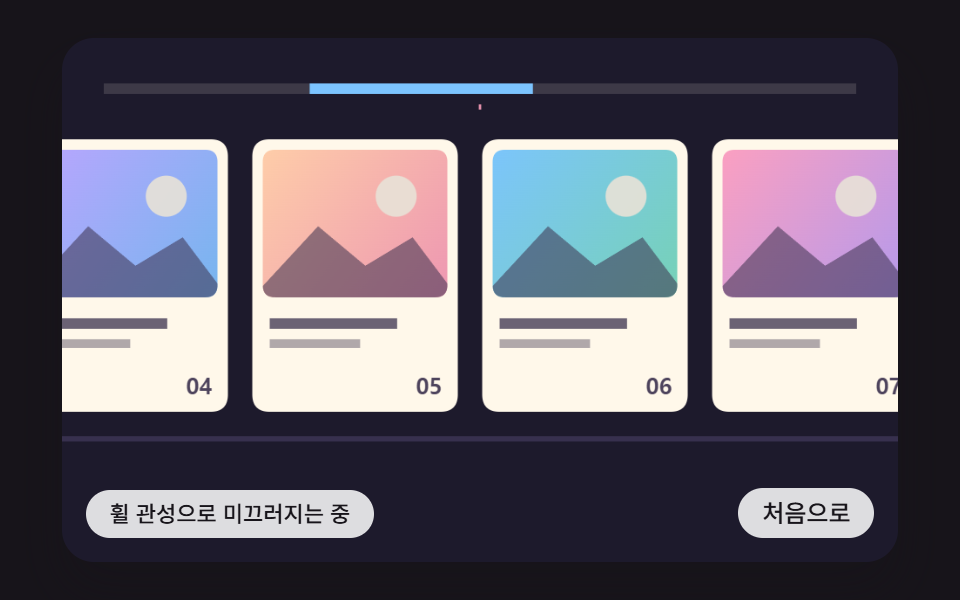 スクロール横スクロール アニメーション css 9パターン — 慣性・円筒・魚眼レンズ
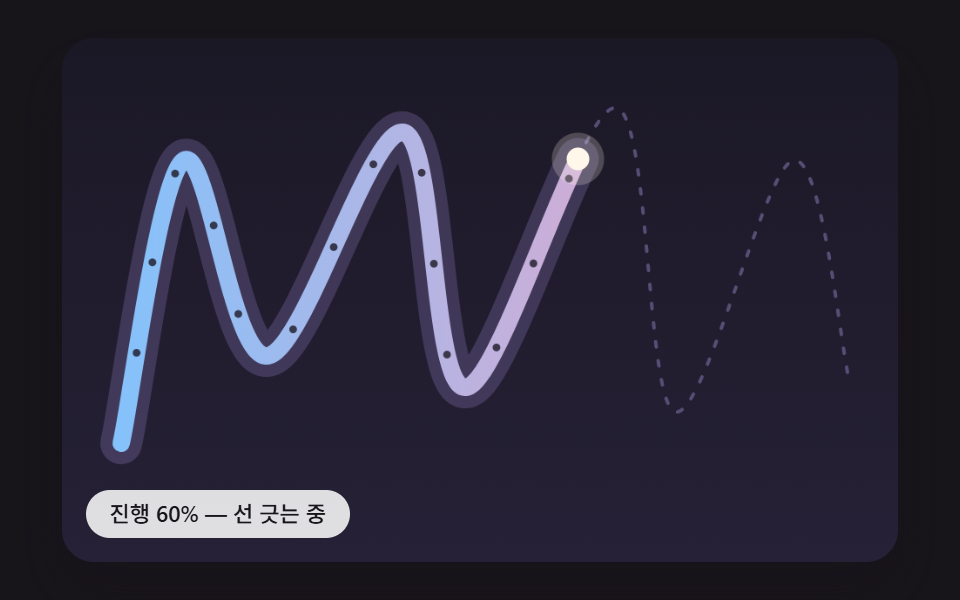 スクロールスクロール 連動 アニメーション 9種 — 線・道・しっぽ・らせん
 スクロール【コピペOK】スクロール アニメーション CSS のみ 9選
 スクロールスクロールテリング 作り方 9選 — コピペOKのCSS
 スクロールCSS 無限ループ マーキー9選 — CSSだけ・JS不要
 スクロール【コピペOK】プログレスバー css アニメーション 9選
 スクロールcss 画像スライダー9選 — コピペで使えるカルーセル
 スクロール【コピペOK】タイムライン デザイン css 9選
 スクロールcss カルーセル スライダーの作り方9選 — コピペでOK
 スクロールスクロール アニメーション CSSで作る9種 — コピペでApple風