9 Pricing Page Design Sections (Copy-Paste)
Nine pricing sections that compute: the billing switch reworks every plan's price on the spot, the discount badge derives its own percentage, and
 01 pricing-plan-cards
 02 pricing-comparison-table
 03 pricing-billing-toggle
 04 pricing-discount-badge
 05 pricing-faq
 06 pricing-testimonial
 07 pricing-enterprise-cta
 08 pricing-partner-bar
 09 pricing-footer
Auto-plays · click a tile to jump to its section · all nine in one zip
- 01 Plan cards — a card row that recomputes its price on every billing switch
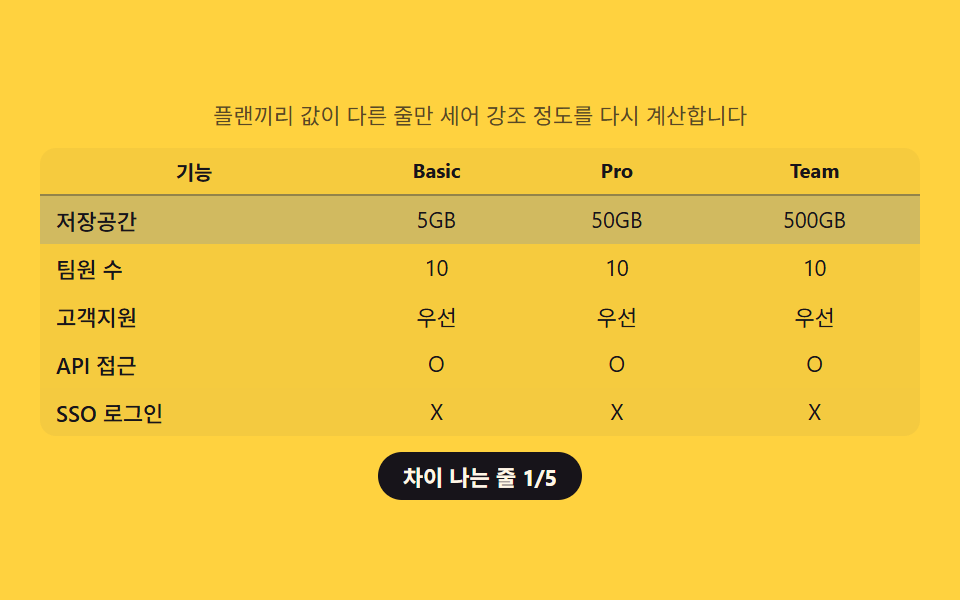
- 02 Comparison table — a grid that counts and highlights only the rows that actually differ
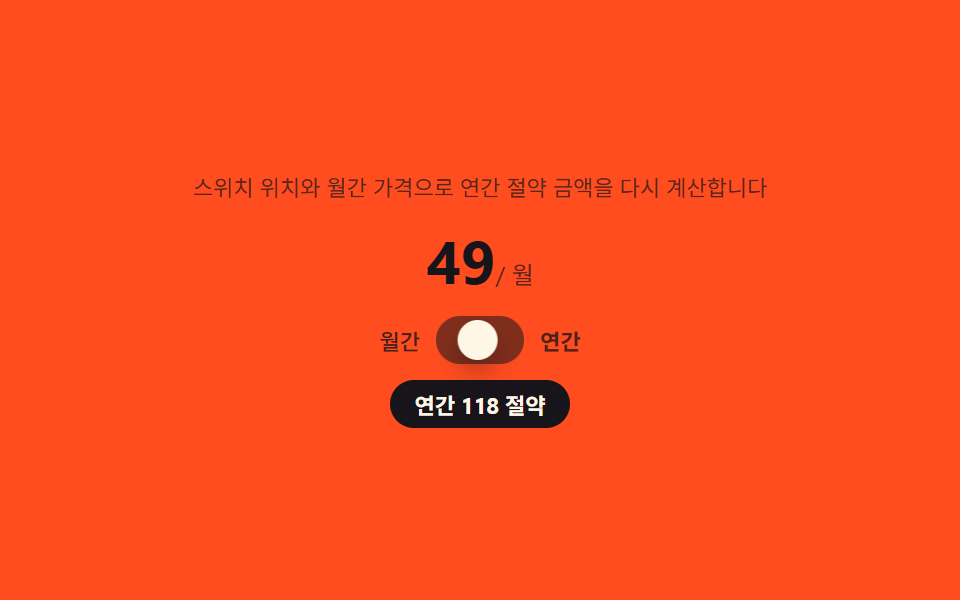
- 03 Billing toggle — a switch that derives its own savings badge from its position
- 04 Discount badge — a badge that works out its own percentage from list price and sale price
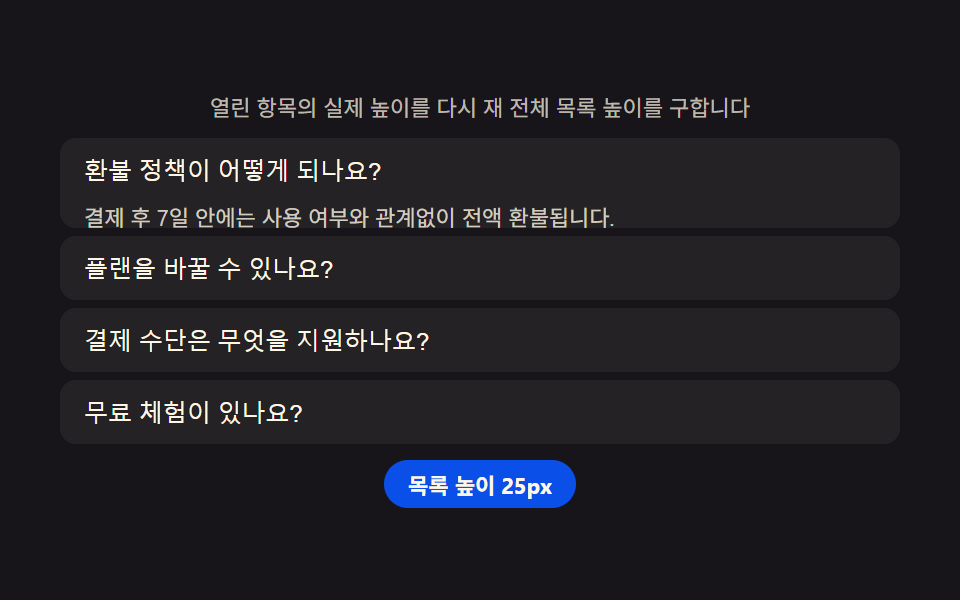
- 05 Pricing FAQ — an accordion that remeasures the list height by how many entries are open
- 06 Pricing testimonials — a review group that works out its own average rating
- 07 Enterprise CTA — a section that turns typed usage into a live estimate
- 08 Partner logo bar — a row that recomputes how many logos fit the current width
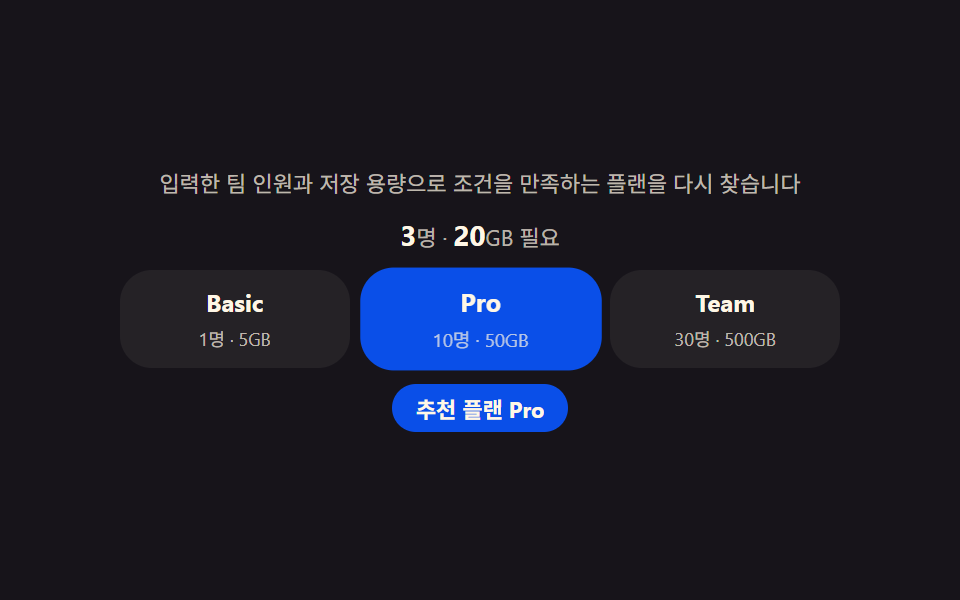
- 09 Pricing footer — a recommender that works out the matching plan from typed conditions
Every section below replays a fixed set of scenario arrays through setInterval, never Math.random() or a live payment call, so the same plans, the same review scores, and the same slider steps land in the same place on every capture. Clicking a question open in the FAQ accordion is the one real interaction in the set and stops that replay immediately, handing control to whoever is looking at the page; prefers-reduced-motion keeps every one of those calculations running while only dropping the transition that would otherwise animate the result into view.
Anatomy of a pricing page — what nine sections compute
Nothing here shows a number by typing it into the markup once and leaving it there. The same handful of arithmetic moves resurface across all nine sections wearing different plan names, and spotting them turns every item below into a variant of the same idea rather than nine unrelated widgets.
Why a percentage derived from two prices beats a hard-coded discount number
Dividing the gap between list price and sale price by the list price is what item 04's badge text actually is, so changing either number keeps the percentage honest instead of leaving a stale figure printed next to a price that has since moved.
Why a diff count feeds a highlight strength instead of an on-or-off flag
Counting how many of a comparison table's rows actually differ across plans and feeding that count into --diff-alpha is what lets item 02 darken a five-row difference more than a one-row difference, rather than marking every differing row at the same strength.
Why a measured pixel width decides where a handle sits, not a translateX trick
Item 07's slider and item 08's logo bar both read clientWidth or offsetWidth before doing any math, because a fixed percentage or a CSS transform alone breaks the moment the container is resized to a width nobody measured in advance. A pricing page design template that only ships a screenshot leaves all of this invisible; here every card, table, and slider keeps computing after the click.
Code per section
Each code block below is copied straight out of that item's own index.html, not retyped from memory, and the matching prompt in the zip regenerates the same file if you hand it to an AI coding tool instead. Searching for a pricing table design html css example turns up plenty of static screenshots, but every section here keeps recomputing after the first paint instead of freezing once the page loads.
01Plan cards — a card row that recomputes its price on every billing switch
Why the yearly-equivalent price is recomputed on every flip, not stored per plan
Multiplying each plan's own discount rate into its monthly price on every billing flip is what produces the yearly-equivalent figure item 01 shows, and requestAnimationFrame redraws the digits rolling from the old value to the new one along an easing curve rather than snapping straight to the answer.
<main class="stage">
<section class="panel" id="panel">
  <p class="hint" id="hint">Every time the yearly/monthly switch flips, the discount is reapplied to recompute the displayed price.</p>
  <div class="switchRow">
    <span class="switchLabel" id="switchLabel">Annual billing</span>
    <button class="switchCtl" id="billingSwitch" type="button" role="switch" aria-checked="false" aria-label="Switch to annual billing">
      <span class="knob" aria-hidden="true"></span>
    </button>
  </div>
  <div class="cards" id="cardsRow">
    <article class="card">
      <h3 class="planName">Basic</h3>
      <p class="price"><span class="priceNum" id="price0">12</span><span class="priceUnit" id="unit0"> / mo</span></p>
      <p class="badge" id="badge0" hidden></p>
    </article>
    <article class="card card--mid">
      <h3 class="planName">Pro</h3>
      <p class="price"><span class="priceNum" id="price1">29</span><span class="priceUnit" id="unit1"> / mo</span></p>
      <p class="badge" id="badge1" hidden></p>
    </article>
    <article class="card">
      <h3 class="planName">Team</h3>
      <p class="price"><span class="priceNum" id="price2">59</span><span class="priceUnit" id="unit2"> / mo</span></p>
      <p class="badge" id="badge2" hidden></p>
    </article>
  </div>
</section>
</main>@use "../../../../site/static/demo-tokens" as *;
$duration: $dur-enter;
$easing: $ease-spring;
$color: $subject-blue-deep;
@include stage($stage-ink);
.panel {
width: 100%;
max-width: 440px;
display: flex;
flex-direction: column;
align-items: center;
gap: $sp-3;
}
.hint {
margin: 0;
padding: 0 $sp-2;
text-align: center;
font-weight: 400;
font-size: 11px;
line-height: 1.4;
color: rgba($subject-cream, .72);
}
.switchRow {
display: flex;
align-items: center;
gap: $sp-2;
}
.switchLabel {
font-weight: 500;
font-size: 12px;
color: $subject-cream;
}
.switchCtl {
position: relative;
width: 40px;
height: 22px;
border: 0;
border-radius: $r-pill;
background: rgba($subject-cream, .24);
padding: 0;
cursor: pointer;
transition: background $duration $easing;
}
.switchCtl[aria-checked="true"] {
background: $color;
}
.knob {
position: absolute;
top: 2px;
left: 2px;
width: 18px;
height: 18px;
border-radius: $r-pill;
background: $subject-cream;
box-shadow: $shadow-press;
transform: translateX(0);
transition: transform $duration $easing;
}
.switchCtl[aria-checked="true"] .knob {
transform: translateX(18px);
}
.cards {
display: flex;
gap: $sp-3;
width: 100%;
}
.card {
flex: 1 1 0;
display: flex;
flex-direction: column;
align-items: center;
gap: $sp-1;
padding: $sp-4 $sp-2;
border-radius: $r-card;
background: rgba($subject-cream, .08);
text-align: center;
}
.card--mid {
background: rgba($color, .30);
}
.planName {
margin: 0;
font-weight: 700;
font-size: 13px;
color: $subject-cream;
}
.price {
margin: 0;
display: flex;
align-items: baseline;
}
.priceNum {
font-weight: 700;
font-size: 26px;
color: $subject-cream;
}
.priceUnit {
font-weight: 400;
font-size: 11px;
color: rgba($subject-cream, .72);
}
.badge {
margin: 0;
padding: $sp-1 $sp-2;
border-radius: $r-xs;
background: $subject-orange-deep;
color: $subject-cream;
font-weight: 700;
font-size: 9px;
opacity: 0;
transform: scale(.6);
transform-origin: center;
transition: opacity $dur-quick $ease-out, transform $dur-quick $ease-pop;
}
.badge:not([hidden]) {
opacity: 1;
transform: scale(1);
}
@media (max-width: 340px) {
.panel { max-width: 300px; gap: $sp-2; }
.hint { font-size: 9px; }
.cards { gap: $sp-1; }
.card { padding: $sp-1 $sp-1; }
.planName { font-size: 11px; }
.priceNum { font-size: 17px; }
.priceUnit { font-size: 9px; }
}
@media (prefers-reduced-motion: reduce) {
.switchCtl,
.knob,
.badge {
transition: none;
}
}html, body {
margin: 0;
overflow: hidden;
}
.stage {
box-sizing: border-box;
min-height: 100vh;
display: grid;
place-items: center;
margin: 0;
background: #17141a;
font-family: -apple-system, "Segoe UI", "Noto Sans KR", sans-serif;
padding: clamp(8px, 4vw, 24px);
}
.panel {
width: 100%;
max-width: 440px;
display: flex;
flex-direction: column;
align-items: center;
gap: 12px;
}
.hint {
margin: 0;
padding: 0 8px;
text-align: center;
font-weight: 400;
font-size: 11px;
line-height: 1.4;
color: rgba(255, 247, 230, 0.72);
}
.switchRow {
display: flex;
align-items: center;
gap: 8px;
}
.switchLabel {
font-weight: 500;
font-size: 12px;
color: #fff7e6;
}
.switchCtl {
position: relative;
width: 40px;
height: 22px;
border: 0;
border-radius: 999px;
background: rgba(255, 247, 230, 0.24);
padding: 0;
cursor: pointer;
transition: background 600ms cubic-bezier(0.2, 0.8, 0.2, 1);
}
.switchCtl[aria-checked=true] {
background: #0a4fe8;
}
.knob {
position: absolute;
top: 2px;
left: 2px;
width: 18px;
height: 18px;
border-radius: 999px;
background: #fff7e6;
box-shadow: 0 6px 12px rgba(23, 20, 26, 0.32);
transform: translateX(0);
transition: transform 600ms cubic-bezier(0.2, 0.8, 0.2, 1);
}
.switchCtl[aria-checked=true] .knob {
transform: translateX(18px);
}
.cards {
display: flex;
gap: 12px;
width: 100%;
}
.card {
flex: 1 1 0;
display: flex;
flex-direction: column;
align-items: center;
gap: 4px;
padding: 16px 8px;
border-radius: 16px;
background: rgba(255, 247, 230, 0.08);
text-align: center;
}
.card--mid {
background: rgba(10, 79, 232, 0.3);
}
.planName {
margin: 0;
font-weight: 700;
font-size: 13px;
color: #fff7e6;
}
.price {
margin: 0;
display: flex;
align-items: baseline;
}
.priceNum {
font-weight: 700;
font-size: 26px;
color: #fff7e6;
}
.priceUnit {
font-weight: 400;
font-size: 11px;
color: rgba(255, 247, 230, 0.72);
}
.badge {
margin: 0;
padding: 4px 8px;
border-radius: 4px;
background: #c93000;
color: #fff7e6;
font-weight: 700;
font-size: 9px;
opacity: 0;
transform: scale(0.6);
transform-origin: center;
transition: opacity 220ms ease-out, transform 220ms cubic-bezier(0.2, 1.4, 0.4, 1);
}
.badge:not([hidden]) {
opacity: 1;
transform: scale(1);
}
@media (max-width: 340px) {
.panel {
max-width: 300px;
gap: 8px;
}
.hint {
font-size: 9px;
}
.cards {
gap: 4px;
}
.card {
padding: 4px 4px;
}
.planName {
font-size: 11px;
}
.priceNum {
font-size: 17px;
}
.priceUnit {
font-size: 9px;
}
}
@media (prefers-reduced-motion: reduce) {
.switchCtl,
.knob,
.badge {
transition: none;
}
}// 플랜 카드(01) — 연/월 스위치가 눌릴 때마다 플랜별 할인율(discount)을 monthly 가격에 적용해
// mo 환산가를 다시 구하고, 그 값을 rAF 로 이전 숫자에서 새 숫자까지 이징 계산하며 굴린다(계산 한 겹).
// 자동 시연은 스위치를 700ms 마다 반전시켜 세 카드가 매번 다시 계산되는 것을 보여준다.
(function () {
var switchCtl = document.getElementById('billingSwitch');
var cardsRow = document.getElementById('cardsRow');
if (!switchCtl || !cardsRow) return;
var reduce = window.matchMedia('(prefers-reduced-motion: reduce)').matches;
var PLANS = [
{ monthly: 12, discount: .15 },
{ monthly: 29, discount: .20 },
{ monthly: 59, discount: .25 }
];
var ROLL_MS = 600;
function yearlyMonthlyEq(plan) {
  return Math.round(plan.monthly * (1 - plan.discount));
}

function animateValue(el, from, to, duration) {
  if (!el) return;
  if (reduce || from === to) { el.textContent = String(to); return; }
  var start = null;
  function step(ts) {
    if (start === null) start = ts;
    var p = Math.min((ts - start) / duration, 1);
    var eased = 1 - Math.pow(1 - p, 3);
    el.textContent = String(Math.round(from + (to - from) * eased));
    if (p < 1) requestAnimationFrame(step);
  }
  requestAnimationFrame(step);
}
var current = PLANS.map(function (p) { return p.monthly; });
function render(yearly) {
switchCtl.setAttribute('aria-checked', yearly ? 'true' : 'false');
PLANS.forEach(function (plan, i) {
var next = yearly ? yearlyMonthlyEq(plan) : plan.monthly;
var numEl = document.getElementById('price' + i);
var badgeEl = document.getElementById('badge' + i);
animateValue(numEl, current[i], next, ROLL_MS);
current[i] = next;
if (badgeEl) {
if (yearly) {
badgeEl.hidden = false;
badgeEl.textContent = Math.round(plan.discount * 100) + '% off now';
} else {
badgeEl.hidden = true;
}
}
});
}
render(false);
if (!reduce) {
var yearly = false;
setInterval(function () {
yearly = !yearly;
render(yearly);
}, 700);
}
})();// PricingPlanCards — vanilla 판(run/339/demo/01-pricing-plan-cards/index.html) 의 React 포트.
// 연/월 스위치가 눌릴 때마다 플랜별 할인율을 monthly 가격에 적용해 월 환산가를 다시 구하고,
// 그 값을 rAF 로 이전 숫자에서 새 숫자까지 이징 계산하며 굴린다(계산 한 겹).
import { useEffect, useRef } from "react";
import styles from "./PricingPlanCards.module.scss";
export type PricingPlanCardsProps = {
duration?: string;
easing?: string;
color?: string;
};
const HINT = "연·월 전환마다 할인율을 적용해 표시 가격을 다시 계산합니다";
const SWITCH_LABEL = "연간 결제";
const SWITCH_ARIA = "연간 결제로 전환";
type Plan = { name: string; monthly: number; discount: number };
const PLANS: Plan[] = [
{ name: "Basic", monthly: 12, discount: 0.15 },
{ name: "Pro", monthly: 29, discount: 0.2 },
{ name: "Team", monthly: 59, discount: 0.25 }
];
const ROLL_MS = 600;
function yearlyMonthlyEq(plan: Plan): number {
return Math.round(plan.monthly * (1 - plan.discount));
}
export default function PricingPlanCards({
duration = "600ms",
easing = "cubic-bezier(.2,.8,.2,1)",
color = "#0a4fe8"
}: PricingPlanCardsProps) {
const switchRef = useRef<HTMLButtonElement | null>(null);
const priceRefs = useRef<(HTMLSpanElement | null)[]>([]);
const badgeRefs = useRef<(HTMLParagraphElement | null)[]>([]);
useEffect(() => {
const switchCtl = switchRef.current;
if (!switchCtl) return;
const reduce = window.matchMedia("(prefers-reduced-motion: reduce)").matches;
const current = PLANS.map((p) => p.monthly);
function animateValue(el: HTMLElement | null, from: number, to: number, dur: number): void {
if (!el) return;
if (reduce || from === to) {
el.textContent = String(to);
return;
}
let start: number | null = null;
function step(ts: number): void {
if (start === null) start = ts;
const p = Math.min((ts - start) / dur, 1);
const eased = 1 - Math.pow(1 - p, 3);
el!.textContent = String(Math.round(from + (to - from) * eased));
if (p < 1) requestAnimationFrame(step);
}
requestAnimationFrame(step);
}
function render(yearly: boolean): void {
switchCtl!.setAttribute("aria-checked", yearly ? "true" : "false");
PLANS.forEach((plan, i) => {
const next = yearly ? yearlyMonthlyEq(plan) : plan.monthly;
const numEl = priceRefs.current![i];
const badgeEl = badgeRefs.current![i];
animateValue(numEl, current[i], next, ROLL_MS);
current[i] = next;
if (badgeEl) {
if (yearly) {
badgeEl.hidden = false;
badgeEl.textContent = Math.round(plan.discount * 100) + "% 할인 중";
} else {
badgeEl.hidden = true;
}
}
});
}
render(false);
let timer = 0;
if (!reduce) {
let yearly = false;
timer = window.setInterval(() => {
yearly = !yearly;
render(yearly);
}, 700);
}
return () => {
if (timer) window.clearInterval(timer);
};
// eslint-disable-next-line react-hooks/exhaustive-deps
}, []);
return (
<main className={styles.stage}>
<section className={styles.panel}>
<p className={styles.hint}>{HINT}</p>
<div className={styles.switchRow}>
<span className={styles.switchLabel}>{SWITCH_LABEL}</span>
<button
className={styles.switchCtl}
ref={switchRef}
type="button"
role="switch"
aria-checked="false"
aria-label={SWITCH_ARIA}
>
<span className={styles.knob} aria-hidden="true" />
</button>
</div>
<div className={styles.cards}>
{PLANS.map((plan, i) => (
<article key={plan.name} className={i === 1 ? styles.card + " " + styles.cardMid : styles.card}>
<h3 className={styles.planName}>{plan.name}</h3>
<p className={styles.price}>
<span
className={styles.priceNum}
ref={(el: HTMLSpanElement | null) => {
priceRefs.current![i] = el;
}}
>
{plan.monthly}
</span>
<span className={styles.priceUnit}> / 월</span>
</p>
<p
className={styles.badge}
hidden
ref={(el: HTMLParagraphElement | null) => {
badgeRefs.current![i] = el;
}}
/>
</article>
))}
</div>
</section>
</main>
);
}01 · Plan cards — a card row that recomputes its price on every billing switch — Measured area 16.259% · moving frames 18/23Original by GODRICH · SCSS and React ship in the zip · See the password
What the numbers say
Cumulative area lands at 16.26% (max frame 15.97%, mean intensity 103.0) across 18 of 23 frame-to-frame comparisons as the scripted scenario cycles through billing flips.
function yearlyMonthlyEq(plan) {
return Math.round(plan.monthly * (1 - plan.discount));
}
function animateValue(el, from, to, duration) {
if (!el) return;
if (reduce || from === to) { el.textContent = String(to); return; }
var start = null;
function step(ts) {
if (start === null) start = ts;
var p = Math.min((ts - start) / duration, 1);
var eased = 1 - Math.pow(1 - p, 3);
el.textContent = String(Math.round(from + (to - from) * eased));
if (p < 1) requestAnimationFrame(step);
}
requestAnimationFrame(step);
}
02Comparison table — a grid that counts and highlights only the rows that actually differ
Why only the differing rows raise --diff-alpha, not the whole table at once
Comparing each feature's value across three plans and counting only the rows that actually differ is what diffCount is, and dividing that count by the total row count is the ratio item 02 feeds into --diff-alpha so only the rows with a real difference get darkened.
<main class="stage">
<section class="panel">
  <p class="hint">It counts only the rows where plans differ and recalculates the highlight strength.</p>
  <table class="cmp">
    <caption class="cmpCaption">Plan comparison</caption>
    <thead>
      <tr>
        <th scope="col">Feature</th>
        <th scope="col">Basic</th>
        <th scope="col">Pro</th>
        <th scope="col">Team</th>
      </tr>
    </thead>
    <tbody id="rows">
      <tr data-row="storage"><th scope="row">Storage</th><td class="v v0"></td><td class="v v1"></td><td class="v v2"></td></tr>
      <tr data-row="seats"><th scope="row">Team seats</th><td class="v v0"></td><td class="v v1"></td><td class="v v2"></td></tr>
      <tr data-row="support"><th scope="row">Support</th><td class="v v0"></td><td class="v v1"></td><td class="v v2"></td></tr>
      <tr data-row="api"><th scope="row">API access</th><td class="v v0"></td><td class="v v1"></td><td class="v v2"></td></tr>
      <tr data-row="sso"><th scope="row">SSO login</th><td class="v v0"></td><td class="v v1"></td><td class="v v2"></td></tr>
    </tbody>
  </table>
  <p class="chip" id="diffChip">0/5 rows differ</p>
</section>
</main>
@use "../../../../site/static/demo-tokens" as *;
$duration: $dur-base;
$easing: $ease-out;
$color: $subject-ink;
@include stage($stage-yellow);
.panel {
width: 100%;
max-width: 440px;
display: flex;
flex-direction: column;
align-items: center;
gap: $sp-2;
}
.hint {
margin: 0;
padding: 0 $sp-2;
text-align: center;
font-weight: 400;
font-size: 11px;
line-height: 1.4;
color: rgba($subject-ink, .72);
}
.cmp {
width: 100%;
border-collapse: collapse;
background: rgba($subject-ink, .04);
border-radius: $r-sm;
overflow: hidden;
}
.cmpCaption {
display: none;
}
.cmp th,
.cmp td {
padding: $sp-1 $sp-2;
text-align: center;
font-weight: 400;
font-size: 11px;
color: $subject-ink;
}
.cmp thead th {
font-weight: 700;
font-size: 10px;
border-bottom: 1px solid rgba($subject-ink, .18);
}
.cmp tbody th {
text-align: left;
font-weight: 500;
}
.cmp tbody tr {
background: rgba($subject-blue, var(--diff-alpha, 0));
transition: background $duration $easing;
}
.chip {
margin: 0;
padding: $sp-1 $sp-3;
border-radius: $r-pill;
background: $color;
color: $subject-cream;
font-weight: 700;
font-size: 11px;
}
@media (max-width: 340px) {
.panel { max-width: 300px; gap: $sp-1; }
.hint { font-size: 9px; }
.cmp th, .cmp td { padding: $sp-1; font-size: 9px; }
}
@media (prefers-reduced-motion: reduce) {
.cmp tbody tr {
transition: none;
}
}html, body {
margin: 0;
overflow: hidden;
}
.stage {
box-sizing: border-box;
min-height: 100vh;
display: grid;
place-items: center;
margin: 0;
background: #ffd23f;
font-family: -apple-system, "Segoe UI", "Noto Sans KR", sans-serif;
padding: clamp(8px, 4vw, 24px);
}
.panel {
width: 100%;
max-width: 440px;
display: flex;
flex-direction: column;
align-items: center;
gap: 8px;
}
.hint {
margin: 0;
padding: 0 8px;
text-align: center;
font-weight: 400;
font-size: 11px;
line-height: 1.4;
color: rgba(23, 20, 26, 0.72);
}
.cmp {
width: 100%;
border-collapse: collapse;
background: rgba(23, 20, 26, 0.04);
border-radius: 8px;
overflow: hidden;
}
.cmpCaption {
display: none;
}
.cmp th,
.cmp td {
padding: 4px 8px;
text-align: center;
font-weight: 400;
font-size: 11px;
color: #17141a;
}
.cmp thead th {
font-weight: 700;
font-size: 10px;
border-bottom: 1px solid rgba(23, 20, 26, 0.18);
}
.cmp tbody th {
text-align: left;
font-weight: 500;
}
.cmp tbody tr {
background: rgba(47, 109, 246, var(--diff-alpha, 0));
transition: background 300ms ease-out;
}
.chip {
margin: 0;
padding: 4px 12px;
border-radius: 999px;
background: #17141a;
color: #fff7e6;
font-weight: 700;
font-size: 11px;
}
@media (max-width: 340px) {
.panel {
max-width: 300px;
gap: 4px;
}
.hint {
font-size: 9px;
}
.cmp th, .cmp td {
padding: 4px;
font-size: 9px;
}
}
@media (prefers-reduced-motion: reduce) {
.cmp tbody tr {
transition: none;
}
}// 비교표(02) — 플랜 세 줄의 값을 서로 대조해 실제로 다른 줄의 개수(diffCount)를 세고,
// 그 개수를 전체 줄 수로 나눈 비율로 강조 배경의 알파를 다시 계산한다(계산 한 겹).
// 자동 시연은 3가지 시나리오를 900ms 마다 돌려 diffCount 가 매번 달라지는 것을 보여준다.
(function () {
var rowsEl = document.getElementById('rows');
var chip = document.getElementById('diffChip');
if (!rowsEl || !chip) return;
var reduce = window.matchMedia('(prefers-reduced-motion: reduce)').matches;
var SCENARIOS = [
{ storage: ['5GB', '50GB', '500GB'], seats: ['1', '10', '∞'], support: ['Email', 'Priority', 'Dedicated'], api: ['X', 'O', 'O'], sso: ['X', 'X', 'O'] },
{ storage: ['5GB', '50GB', '500GB'], seats: ['10', '10', '10'], support: ['Priority', 'Priority', 'Priority'], api: ['X', 'O', 'O'], sso: ['X', 'X', 'O'] },
{ storage: ['5GB', '50GB', '500GB'], seats: ['10', '10', '10'], support: ['Priority', 'Priority', 'Priority'], api: ['O', 'O', 'O'], sso: ['X', 'X', 'X'] }
];
var ROW_KEYS = ['storage', 'seats', 'support', 'api', 'sso'];
function allEqual(arr) {
  return arr.every(function (v) { return v === arr[0]; });
}

function apply(scenario) {
  var diffCount = 0;
  ROW_KEYS.forEach(function (key) {
    var values = scenario[key];
    var tr = rowsEl.querySelector('tr[data-row="' + key + '"]');
    if (!tr) return;
    var cells = tr.querySelectorAll('.v');
    cells.forEach(function (cell, i) { cell.textContent = values[i]; });
    var differs = !allEqual(values);
    if (differs) diffCount += 1;
    tr.classList.toggle('is-diff', differs);
    tr.style.setProperty('--diff-alpha', differs ? String(.12 + (diffCount / ROW_KEYS.length) * .35) : '0');
  });
  chip.textContent = 'rows differ ' + diffCount + '/' + ROW_KEYS.length;
}
apply(SCENARIOS[0]);
if (!reduce) {
var idx = 0;
setInterval(function () {
idx = (idx + 1) % SCENARIOS.length;
apply(SCENARIOS[idx]);
}, 900);
}
})();// PricingComparisonTable — vanilla 판(run/339/demo/02-pricing-comparison-table/index.html) 의 React 포트.
// 플랜 세 줄의 값을 서로 대조해 실제로 다른 줄의 개수(diffCount)를 세고, 그 개수를 전체 줄 수로
// 나눈 비율로 강조 배경의 알파를 다시 계산한다(계산 한 겹).
import { useEffect, useRef } from "react";
import styles from "./PricingComparisonTable.module.scss";
export type PricingComparisonTableProps = {
duration?: string;
easing?: string;
color?: string;
};
const HINT = "플랜끼리 값이 다른 줄만 세어 강조 정도를 다시 계산합니다";
const CAPTION = "플랜 비교";
type RowKey = "storage" | "seats" | "support" | "api" | "sso";
const ROW_LABELS: { key: RowKey; label: string }[] = [
{ key: "storage", label: "저장공간" },
{ key: "seats", label: "팀원 수" },
{ key: "support", label: "고객지원" },
{ key: "api", label: "API 접근" },
{ key: "sso", label: "SSO 로그인" }
];
type Scenario = Record<RowKey, string[]>;
const SCENARIOS: Scenario[] = [
{ storage: ["5GB", "50GB", "500GB"], seats: ["1", "10", "∞"], support: ["이메일", "우선", "전담"], api: ["X", "O", "O"], sso: ["X", "X", "O"] },
{ storage: ["5GB", "50GB", "500GB"], seats: ["10", "10", "10"], support: ["우선", "우선", "우선"], api: ["X", "O", "O"], sso: ["X", "X", "O"] },
{ storage: ["5GB", "50GB", "500GB"], seats: ["10", "10", "10"], support: ["우선", "우선", "우선"], api: ["O", "O", "O"], sso: ["X", "X", "X"] }
];
const ROW_KEYS: RowKey[] = ["storage", "seats", "support", "api", "sso"];
function allEqual(arr: string[]): boolean {
return arr.every((v) => v === arr[0]);
}
export default function PricingComparisonTable({
duration = "300ms",
easing = "ease-out",
color = "#17141a"
}: PricingComparisonTableProps) {
const rowRefs = useRef<Record<string, HTMLTableRowElement | null>>({});
const chipRef = useRef<HTMLParagraphElement | null>(null);
useEffect(() => {
const chip = chipRef.current;
if (!chip) return;
const reduce = window.matchMedia("(prefers-reduced-motion: reduce)").matches;
function apply(scenario: Scenario): void {
let diffCount = 0;
ROW_KEYS.forEach((key) => {
const values = scenario[key];
const tr = rowRefs.current![key];
if (!tr) return;
const cells = tr.querySelectorAll("." + styles.v);
cells.forEach((cell, i) => {
cell.textContent = values[i];
});
const differs = !allEqual(values);
if (differs) diffCount += 1;
tr.classList.toggle(styles.isDiff, differs);
tr.style.setProperty("--diff-alpha", differs ? String(0.12 + (diffCount / ROW_KEYS.length) * 0.35) : "0");
});
chip!.textContent = "차이 나는 줄 " + diffCount + "/" + ROW_KEYS.length;
}
apply(SCENARIOS[0]);
let timer = 0;
if (!reduce) {
let idx = 0;
timer = window.setInterval(() => {
idx = (idx + 1) % SCENARIOS.length;
apply(SCENARIOS[idx]);
}, 900);
}
return () => {
if (timer) window.clearInterval(timer);
};
// eslint-disable-next-line react-hooks/exhaustive-deps
}, []);
return (
<main className={styles.stage}>
<section className={styles.panel}>
<p className={styles.hint}>{HINT}</p>
<table className={styles.cmp}>
<caption className={styles.cmpCaption}>{CAPTION}</caption>
<thead>
<tr>
<th scope="col">기능</th>
<th scope="col">Basic</th>
<th scope="col">Pro</th>
<th scope="col">Team</th>
</tr>
</thead>
<tbody>
{ROW_LABELS.map((row) => (
<tr
key={row.key}
ref={(el: HTMLTableRowElement | null) => {
rowRefs.current![row.key] = el;
}}
>
<th scope="row">{row.label}</th>
<td className={styles.v} />
<td className={styles.v} />
<td className={styles.v} />
</tr>
))}
</tbody>
</table>
<p className={styles.chip} ref={chipRef}>
차이 나는 줄 0/5
</p>
</section>
</main>
);
}02 · Comparison table — a grid that counts and highlights only the rows that actually differ — Measured area 29.956% · moving frames 7/23Original by GODRICH · SCSS and React ship in the zip · See the password
What the numbers say
Cumulative area is the second-widest of the nine at 29.96% (max frame 29.88%), the lowest mean intensity of the set at 39.6, over just 7 of 23 frames as the scenario cycles three times.
function allEqual(arr) {
return arr.every(function (v) { return v === arr[0]; });
}
function apply(scenario) {
var diffCount = 0;
ROW_KEYS.forEach(function (key) {
var values = scenario[key];
var tr = rowsEl.querySelector('tr[data-row="' + key + '"]');
if (!tr) return;
var cells = tr.querySelectorAll('.v');
cells.forEach(function (cell, i) { cell.textContent = values[i]; });
var differs = !allEqual(values);
if (differs) diffCount += 1;
tr.classList.toggle('is-diff', differs);
tr.style.setProperty('--diff-alpha', differs ? String(.12 + (diffCount / ROW_KEYS.length) * .35) : '0');
});
chip.textContent = 'rows differ ' + diffCount + '/' + ROW_KEYS.length;
}
03Billing toggle — a switch that derives its own savings badge from its position
Why the savings figure is computed the instant the switch lands on yearly
The moment the switch lands on yearly, multiplying the monthly price currently on screen by 12 and by the yearly discount works out a year's savings on the spot and fills it into the badge text, and flipping back to monthly hides that badge again rather than leaving a stale number visible.
<main class="stage">
<section class="panel">
  <p class="hint">It recomputes the annual savings from the switch position and the monthly price.</p>
  <p class="priceLine"><span class="priceNum" id="priceNum">29</span><span class="priceUnit"> / mo</span></p>
  <div class="switchWrap">
    <span class="modeLabel" id="modeMonthly">Monthly</span>
    <button class="switchCtl" id="toggle" type="button" role="switch" aria-checked="false" aria-label="Switch to annual billing">
      <span class="knob" aria-hidden="true"></span>
    </button>
    <span class="modeLabel" id="modeYearly">Yearly</span>
  </div>
  <p class="badge" id="savingsBadge" hidden></p>
</section>
</main>
@use "../../../../site/static/demo-tokens" as *;
$duration: $dur-base;
$easing: $ease-spring;
$color: $subject-cream;
@include stage($stage-orange);
.panel {
width: 100%;
max-width: 360px;
display: flex;
flex-direction: column;
align-items: center;
gap: $sp-2;
}
.hint {
margin: 0;
padding: 0 $sp-2;
text-align: center;
font-weight: 400;
font-size: 11px;
line-height: 1.4;
color: rgba($subject-ink, .70);
}
.priceLine {
margin: 0;
display: flex;
align-items: baseline;
}
.priceNum {
font-weight: 700;
font-size: 30px;
color: $subject-ink;
}
.priceUnit {
font-weight: 400;
font-size: 12px;
color: rgba($subject-ink, .70);
}
.switchWrap {
display: flex;
align-items: center;
gap: $sp-2;
}
.modeLabel {
font-weight: 500;
font-size: 11px;
color: rgba($subject-ink, .55);
transition: color $duration $easing;
}
.modeLabel.is-active {
color: $subject-ink;
font-weight: 700;
}
.switchCtl {
position: relative;
width: 44px;
height: 24px;
border: 0;
border-radius: $r-pill;
background: rgba($subject-ink, .18);
padding: 0;
cursor: pointer;
transition: background $duration $easing;
}
.switchCtl[aria-checked="true"] {
background: $subject-ink;
}
.knob {
position: absolute;
top: 2px;
left: 2px;
width: 20px;
height: 20px;
border-radius: $r-pill;
background: $color;
box-shadow: $shadow-press;
transform: translateX(0);
transition: transform $duration $easing;
}
.switchCtl[aria-checked="true"] .knob {
transform: translateX(20px);
}
.badge {
margin: 0;
padding: $sp-1 $sp-3;
border-radius: $r-pill;
background: $subject-ink;
color: $subject-cream;
font-weight: 700;
font-size: 11px;
opacity: 0;
transform: scale(.6);
transform-origin: center;
transition: opacity $dur-quick $ease-out, transform $dur-quick $ease-pop;
}
.badge:not([hidden]) {
opacity: 1;
transform: scale(1);
}
@media (max-width: 340px) {
.panel { max-width: 280px; gap: $sp-1; }
.hint { font-size: 9px; }
.priceNum { font-size: 24px; }
}
@media (prefers-reduced-motion: reduce) {
.modeLabel,
.switchCtl,
.knob,
.badge {
transition: none;
}
}html, body {
margin: 0;
overflow: hidden;
}
.stage {
box-sizing: border-box;
min-height: 100vh;
display: grid;
place-items: center;
margin: 0;
background: #ff4d1f;
font-family: -apple-system, "Segoe UI", "Noto Sans KR", sans-serif;
padding: clamp(8px, 4vw, 24px);
}
.panel {
width: 100%;
max-width: 360px;
display: flex;
flex-direction: column;
align-items: center;
gap: 8px;
}
.hint {
margin: 0;
padding: 0 8px;
text-align: center;
font-weight: 400;
font-size: 11px;
line-height: 1.4;
color: rgba(23, 20, 26, 0.7);
}
.priceLine {
margin: 0;
display: flex;
align-items: baseline;
}
.priceNum {
font-weight: 700;
font-size: 30px;
color: #17141a;
}
.priceUnit {
font-weight: 400;
font-size: 12px;
color: rgba(23, 20, 26, 0.7);
}
.switchWrap {
display: flex;
align-items: center;
gap: 8px;
}
.modeLabel {
font-weight: 500;
font-size: 11px;
color: rgba(23, 20, 26, 0.55);
transition: color 300ms cubic-bezier(0.2, 0.8, 0.2, 1);
}
.modeLabel.is-active {
color: #17141a;
font-weight: 700;
}
.switchCtl {
position: relative;
width: 44px;
height: 24px;
border: 0;
border-radius: 999px;
background: rgba(23, 20, 26, 0.18);
padding: 0;
cursor: pointer;
transition: background 300ms cubic-bezier(0.2, 0.8, 0.2, 1);
}
.switchCtl[aria-checked=true] {
background: #17141a;
}
.knob {
position: absolute;
top: 2px;
left: 2px;
width: 20px;
height: 20px;
border-radius: 999px;
background: #fff7e6;
box-shadow: 0 6px 12px rgba(23, 20, 26, 0.32);
transform: translateX(0);
transition: transform 300ms cubic-bezier(0.2, 0.8, 0.2, 1);
}
.switchCtl[aria-checked=true] .knob {
transform: translateX(20px);
}
.badge {
margin: 0;
padding: 4px 12px;
border-radius: 999px;
background: #17141a;
color: #fff7e6;
font-weight: 700;
font-size: 11px;
opacity: 0;
transform: scale(0.6);
transform-origin: center;
transition: opacity 220ms ease-out, transform 220ms cubic-bezier(0.2, 1.4, 0.4, 1);
}
.badge:not([hidden]) {
opacity: 1;
transform: scale(1);
}
@media (max-width: 340px) {
.panel {
max-width: 280px;
gap: 4px;
}
.hint {
font-size: 9px;
}
.priceNum {
font-size: 24px;
}
}
@media (prefers-reduced-motion: reduce) {
.modeLabel,
.switchCtl,
.knob,
.badge {
transition: none;
}
}// 빌링 토글(03) — 스위치가 연간으로 넘어갈 때마다 지금 표시된 Monthly 가격(monthly)에
// 12 와 Yearly 할인율(DISCOUNT)을 곱해 한 해 saved 금액을 그 자리에서 구해 배지에 채운다(계산 한 겹).
// 자동 시연은 Monthly 가격을 29→49 로 바꿔가며 토글해 같은 공식이 다른 결과를 내는 것을 보여준다.
(function () {
var toggle = document.getElementById('toggle');
var priceNum = document.getElementById('priceNum');
var badge = document.getElementById('savingsBadge');
var modeMonthly = document.getElementById('modeMonthly');
var modeYearly = document.getElementById('modeYearly');
if (!toggle || !priceNum || !badge || !modeMonthly || !modeYearly) return;
var reduce = window.matchMedia('(prefers-reduced-motion: reduce)').matches;
var DISCOUNT = .20;
var STEPS = [
{ monthly: 29, yearly: false },
{ monthly: 29, yearly: true },
{ monthly: 49, yearly: false },
{ monthly: 49, yearly: true }
];
function apply(step) {
  priceNum.textContent = String(step.monthly);
  toggle.setAttribute('aria-checked', step.yearly ? 'true' : 'false');
  modeMonthly.classList.toggle('is-active', !step.yearly);
  modeYearly.classList.toggle('is-active', step.yearly);
  if (step.yearly) {
    var savings = Math.round(step.monthly * 12 * DISCOUNT);
    badge.hidden = false;
    badge.textContent = 'Yearly ' + savings + ' saved';
  } else {
    badge.hidden = true;
  }
}
apply(STEPS[0]);
if (!reduce) {
var idx = 0;
setInterval(function () {
idx = (idx + 1) % STEPS.length;
apply(STEPS[idx]);
}, 700);
}
})();// PricingBillingToggle — vanilla 판(run/339/demo/03-pricing-billing-toggle/index.html) 의 React 포트.
// 스위치가 연간으로 넘어갈 때마다 지금 표시된 월간 가격에 12 와 연간 할인율을 곱해 한 해 절약 금액을
// 그 자리에서 구해 배지에 채운다(계산 한 겹).
import { useEffect, useRef } from "react";
import styles from "./PricingBillingToggle.module.scss";
export type PricingBillingToggleProps = {
duration?: string;
easing?: string;
color?: string;
};
const HINT = "스위치 위치와 월간 가격으로 연간 절약 금액을 다시 계산합니다";
const TOGGLE_ARIA = "연간 결제로 전환";
type Step = { monthly: number; yearly: boolean };
const DISCOUNT = 0.2;
const STEPS: Step[] = [
{ monthly: 29, yearly: false },
{ monthly: 29, yearly: true },
{ monthly: 49, yearly: false },
{ monthly: 49, yearly: true }
];
export default function PricingBillingToggle({
duration = "300ms",
easing = "cubic-bezier(.2,.8,.2,1)",
color = "#fff7e6"
}: PricingBillingToggleProps) {
const toggleRef = useRef<HTMLButtonElement | null>(null);
const priceNumRef = useRef<HTMLSpanElement | null>(null);
const badgeRef = useRef<HTMLParagraphElement | null>(null);
const modeMonthlyRef = useRef<HTMLSpanElement | null>(null);
const modeYearlyRef = useRef<HTMLSpanElement | null>(null);
useEffect(() => {
const toggle = toggleRef.current;
const priceNum = priceNumRef.current;
const badge = badgeRef.current;
const modeMonthly = modeMonthlyRef.current;
const modeYearly = modeYearlyRef.current;
if (!toggle || !priceNum || !badge || !modeMonthly || !modeYearly) return;
const reduce = window.matchMedia("(prefers-reduced-motion: reduce)").matches;
function apply(step: Step): void {
priceNum!.textContent = String(step.monthly);
toggle!.setAttribute("aria-checked", step.yearly ? "true" : "false");
modeMonthly!.classList.toggle(styles.isActive, !step.yearly);
modeYearly!.classList.toggle(styles.isActive, step.yearly);
if (step.yearly) {
const savings = Math.round(step.monthly * 12 * DISCOUNT);
badge!.hidden = false;
badge!.textContent = "연간 " + savings + " 절약";
} else {
badge!.hidden = true;
}
}
apply(STEPS[0]);
let timer = 0;
if (!reduce) {
let idx = 0;
timer = window.setInterval(() => {
idx = (idx + 1) % STEPS.length;
apply(STEPS[idx]);
}, 700);
}
return () => {
if (timer) window.clearInterval(timer);
};
// eslint-disable-next-line react-hooks/exhaustive-deps
}, []);
return (
<main className={styles.stage}>
<section className={styles.panel}>
<p className={styles.hint}>{HINT}</p>
<p className={styles.priceLine}>
<span className={styles.priceNum} ref={priceNumRef}>
29
</span>
<span className={styles.priceUnit}> / 월</span>
</p>
<div className={styles.switchWrap}>
<span className={styles.modeLabel} ref={modeMonthlyRef}>
월간
</span>
<button
className={styles.switchCtl}
ref={toggleRef}
type="button"
role="switch"
aria-checked="false"
aria-label={TOGGLE_ARIA}
>
<span className={styles.knob} aria-hidden="true" />
</button>
<span className={styles.modeLabel} ref={modeYearlyRef}>
연간
</span>
</div>
<p className={styles.badge} hidden ref={badgeRef} />
</section>
</main>
);
}03 · Billing toggle — a switch that derives its own savings badge from its position — Measured area 5.264% · moving frames 10/23Original by GODRICH · SCSS and React ship in the zip · See the password
What the numbers say
Cumulative area sits at 5.26% (max frame 5.16%, mean intensity 99.6) over 10 of 23 frames as the scripted steps flip between monthly and yearly at two different price points.
function apply(step) {
priceNum.textContent = String(step.monthly);
toggle.setAttribute('aria-checked', step.yearly ? 'true' : 'false');
modeMonthly.classList.toggle('is-active', !step.yearly);
modeYearly.classList.toggle('is-active', step.yearly);
if (step.yearly) {
var savings = Math.round(step.monthly * 12 * DISCOUNT);
badge.hidden = false;
badge.textContent = 'Yearly ' + savings + ' saved';
} else {
badge.hidden = true;
}
}
04Discount badge — a badge that works out its own percentage from list price and sale price
Why the discount percentage is derived from two prices, not typed as a fixed number
Dividing the gap between list price and sale price by the list price works out the percentage item 04's badge prints, and a compressed loop stands in for a 12-minute countdown, so dropping under a threshold ratio flips the badge to its urgent color without ever reading Date.now().
<main class="stage">
<section class="panel">
  <p class="hint">It derives the percent from the gap between list and sale price, and separately computes the time left until the deadline.</p>
  <div class="priceRow">
    <span class="priceOld" id="priceOld">49</span>
    <span class="priceNew" id="priceNew">32</span>
  </div>
  <p class="badge" id="pctBadge">0% off</p>
  <p class="countdown" id="countdown" aria-live="polite">0:00 left</p>
</section>
</main>
@use "../../../../site/static/demo-tokens" as *;
$duration: $dur-quick;
$easing: $ease-out;
$color: $subject-blue;
@include stage($stage-paper);
.panel {
width: 100%;
max-width: 360px;
display: flex;
flex-direction: column;
align-items: center;
gap: $sp-2;
}
.hint {
margin: 0;
padding: 0 $sp-2;
text-align: center;
font-weight: 400;
font-size: 11px;
line-height: 1.4;
color: rgba($subject-ink, .70);
}
.priceRow {
display: flex;
align-items: baseline;
gap: $sp-2;
}
.priceOld {
font-weight: 500;
font-size: 16px;
color: rgba($subject-ink, .55);
text-decoration: line-through;
}
.priceNew {
font-weight: 700;
font-size: 30px;
color: $subject-ink;
}
.badge {
margin: 0;
padding: $sp-1 $sp-3;
border-radius: $r-pill;
background: $color;
color: $subject-cream;
font-weight: 700;
font-size: 12px;
transition: background $duration $easing;
}
.badge.is-urgent {
background: $error;
}
.countdown {
margin: 0;
padding: $sp-1 $sp-2;
border-radius: $r-xs;
font-weight: 500;
font-size: 11px;
color: rgba($subject-ink, .72);
transition: color $duration $easing;
}
.countdown.is-urgent {
color: $error;
font-weight: 700;
}
@media (max-width: 340px) {
.panel { max-width: 280px; gap: $sp-1; }
.hint { font-size: 9px; }
.priceNew { font-size: 24px; }
}
@media (prefers-reduced-motion: reduce) {
.badge,
.countdown {
transition: none;
}
}html, body {
margin: 0;
overflow: hidden;
}
.stage {
box-sizing: border-box;
min-height: 100vh;
display: grid;
place-items: center;
margin: 0;
background: #ffffff;
font-family: -apple-system, "Segoe UI", "Noto Sans KR", sans-serif;
padding: clamp(8px, 4vw, 24px);
}
.panel {
width: 100%;
max-width: 360px;
display: flex;
flex-direction: column;
align-items: center;
gap: 8px;
}
.hint {
margin: 0;
padding: 0 8px;
text-align: center;
font-weight: 400;
font-size: 11px;
line-height: 1.4;
color: rgba(23, 20, 26, 0.7);
}
.priceRow {
display: flex;
align-items: baseline;
gap: 8px;
}
.priceOld {
font-weight: 500;
font-size: 16px;
color: rgba(23, 20, 26, 0.55);
text-decoration: line-through;
}
.priceNew {
font-weight: 700;
font-size: 30px;
color: #17141a;
}
.badge {
margin: 0;
padding: 4px 12px;
border-radius: 999px;
background: #2f6df6;
color: #fff7e6;
font-weight: 700;
font-size: 12px;
transition: background 220ms ease-out;
}
.badge.is-urgent {
background: #c2361a;
}
.countdown {
margin: 0;
padding: 4px 8px;
border-radius: 4px;
font-weight: 500;
font-size: 11px;
color: rgba(23, 20, 26, 0.72);
transition: color 220ms ease-out;
}
.countdown.is-urgent {
color: #c2361a;
font-weight: 700;
}
@media (max-width: 340px) {
.panel {
max-width: 280px;
gap: 4px;
}
.hint {
font-size: 9px;
}
.priceNew {
font-size: 24px;
}
}
@media (prefers-reduced-motion: reduce) {
.badge,
.countdown {
transition: none;
}
}// 할인 배지(04) — 정가(LIST)와 할인가(SALE)의 차이를 정가로 나눠 퍼센트를 한 번 구해 배지에 채우고,
// 가상 마감까지 남은 시간은 rAF 로 매 프레임 다시 계산해 표시하며, 남은 비율이 낮아지면 배지 색을 바꾼다(계산 한 겹).
(function () {
var pctBadge = document.getElementById('pctBadge');
var countdown = document.getElementById('countdown');
if (!pctBadge || !countdown) return;
var reduce = window.matchMedia('(prefers-reduced-motion: reduce)').matches;
var LIST = 49;
var SALE = 32;
var pct = Math.round((LIST - SALE) / LIST * 100);
pctBadge.textContent = pct + '% off';
var LOOP_MS = 2000;
var TOTAL_SEC = 12 * 60;
var URGENT_RATIO = .25;
function format(sec) {
  var m = Math.floor(sec / 60);
  var s = Math.floor(sec % 60);
  return m + ':' + (s < 10 ? '0' + s : String(s));
}

function frame(elapsed) {
  var progress = Math.min(elapsed / LOOP_MS, 1);
  var remainSec = TOTAL_SEC * (1 - progress);
  countdown.textContent = format(remainSec) + ' left';
  var urgent = (remainSec / TOTAL_SEC) < URGENT_RATIO;
  pctBadge.classList.toggle('is-urgent', urgent);
  countdown.classList.toggle('is-urgent', urgent);
  if (progress >= 1) return LOOP_MS;
  return null;
}
if (reduce) {
frame(0);
} else {
var start = null;
function tick(ts) {
if (start === null) start = ts;
var elapsed = (ts - start) % LOOP_MS;
frame(elapsed);
requestAnimationFrame(tick);
}
requestAnimationFrame(tick);
}
})();// PricingDiscountBadge — vanilla 판(run/339/demo/04-pricing-discount-badge/index.html) 의 React 포트.
// 정가와 할인가의 차이를 정가로 나눠 퍼센트를 한 번 구해 배지에 채우고, 가상 마감까지 남은 시간은
// rAF 로 매 프레임 다시 계산해 표시하며, 남은 비율이 낮아지면 배지 색을 바꾼다(계산 한 겹).
import { useEffect, useRef } from "react";
import styles from "./PricingDiscountBadge.module.scss";
export type PricingDiscountBadgeProps = {
duration?: string;
easing?: string;
color?: string;
};
const HINT = "정가와 할인가 차이로 퍼센트를 구하고 마감까지 남은 시간을 따로 계산합니다";
const LIST = 49;
const SALE = 32;
const LOOP_MS = 2000;
const TOTAL_SEC = 12 * 60;
const URGENT_RATIO = 0.25;
function format(sec: number): string {
const m = Math.floor(sec / 60);
const s = Math.floor(sec % 60);
return m + ":" + (s < 10 ? "0" + s : String(s));
}
export default function PricingDiscountBadge({
duration = "220ms",
easing = "ease-out",
color = "#2f6df6"
}: PricingDiscountBadgeProps) {
const pctBadgeRef = useRef<HTMLParagraphElement | null>(null);
const countdownRef = useRef<HTMLParagraphElement | null>(null);
useEffect(() => {
const pctBadge = pctBadgeRef.current;
const countdown = countdownRef.current;
if (!pctBadge || !countdown) return;
const reduce = window.matchMedia("(prefers-reduced-motion: reduce)").matches;
const pct = Math.round(((LIST - SALE) / LIST) * 100);
pctBadge.textContent = pct + "% 할인";
function frame(elapsed: number): void {
const progress = Math.min(elapsed / LOOP_MS, 1);
const remainSec = TOTAL_SEC * (1 - progress);
countdown!.textContent = format(remainSec) + " 남아";
const urgent = remainSec / TOTAL_SEC < URGENT_RATIO;
pctBadge!.classList.toggle(styles.isUrgent, urgent);
countdown!.classList.toggle(styles.isUrgent, urgent);
}
let raf = 0;
if (reduce) {
frame(0);
} else {
let start: number | null = null;
const tick = (ts: number): void => {
if (start === null) start = ts;
const elapsed = (ts - start) % LOOP_MS;
frame(elapsed);
raf = requestAnimationFrame(tick);
};
raf = requestAnimationFrame(tick);
}
return () => {
if (raf) cancelAnimationFrame(raf);
};
// eslint-disable-next-line react-hooks/exhaustive-deps
}, []);
return (
<main className={styles.stage}>
<section className={styles.panel}>
<p className={styles.hint}>{HINT}</p>
<div className={styles.priceRow}>
<span className={styles.priceOld}>49</span>
<span className={styles.priceNew}>32</span>
</div>
<p className={styles.badge} ref={pctBadgeRef}>
0% 할인
</p>
<p className={styles.countdown} aria-live="polite" ref={countdownRef}>
0:00 남음
</p>
</section>
</main>
);
}04 · Discount badge — a badge that works out its own percentage from list price and sale price — Measured area 1.447% · moving frames 23/23Original by GODRICH · SCSS and React ship in the zip · See the password
What the numbers say
Cumulative area is the smallest of the nine at 1.45% (max frame 1.37%, mean intensity 97.3), the only item moving on all 23 of 23 frames because the countdown redraws almost every tick.
function format(sec) {
var m = Math.floor(sec / 60);
var s = Math.floor(sec % 60);
return m + ':' + (s < 10 ? '0' + s : String(s));
}
function frame(elapsed) {
var progress = Math.min(elapsed / LOOP_MS, 1);
var remainSec = TOTAL_SEC * (1 - progress);
countdown.textContent = format(remainSec) + ' left';
var urgent = (remainSec / TOTAL_SEC) < URGENT_RATIO;
pctBadge.classList.toggle('is-urgent', urgent);
countdown.classList.toggle('is-urgent', urgent);
if (progress >= 1) return LOOP_MS;
return null;
}
05Pricing FAQ — an accordion that remeasures the list height by how many entries are open
Why grid-template-rows briefly returns to auto before every open or close
Releasing grid-template-rows to auto for a moment to measure and cache each panel's real scrollHeight, then restoring the transition, is what lets item 05 sum the cached heights of the open entries into a total list height without ever reading scrollHeight mid-transition, which is always wrong.
<main class="stage">
<section class="panel">
  <p class="hint">It re-measures the real height of the open item to find the whole list's total height.</p>
  <div class="acc" id="acc">
    <div class="item">
      <button class="q" id="q0" aria-expanded="false" aria-controls="a0">What is the refund policy?</button>
      <div class="a" id="a0" role="region" aria-labelledby="q0">
        <p class="aText">Within 7 days of payment you get a full refund regardless of usage.</p>
      </div>
    </div>
    <div class="item">
      <button class="q" id="q1" aria-expanded="false" aria-controls="a1">Can I change plans?</button>
      <div class="a" id="a1" role="region" aria-labelledby="q1">
        <p class="aText">You can upgrade or downgrade anytime, and the remaining balance is adjusted on your next bill.</p>
      </div>
    </div>
    <div class="item">
      <button class="q" id="q2" aria-expanded="false" aria-controls="a2">What payment methods are supported?</button>
      <div class="a" id="a2" role="region" aria-labelledby="q2">
        <p class="aText">We support credit cards and bank auto-debit, and team plans can also issue tax invoices.</p>
      </div>
    </div>
    <div class="item">
      <button class="q" id="q3" aria-expanded="false" aria-controls="a3">Is there a free trial?</button>
      <div class="a" id="a3" role="region" aria-labelledby="q3">
        <p class="aText">Every plan offers 14 days of full-feature access for free, with no card required.</p>
      </div>
    </div>
  </div>
  <p class="chip" id="heightChip">List height 0px</p>
</section>
</main>@use "../../../../site/static/demo-tokens" as *;
$duration: $dur-enter;
$easing: $ease-spring;
$color: $subject-blue-deep;
@include stage($stage-ink);
.panel {
width: 100%;
max-width: 420px;
display: flex;
flex-direction: column;
align-items: center;
gap: $sp-2;
}
.hint {
margin: 0;
padding: 0 $sp-2;
text-align: center;
font-weight: 400;
font-size: 11px;
line-height: 1.4;
color: rgba($subject-cream, .72);
}
.acc {
width: 100%;
display: flex;
flex-direction: column;
gap: $sp-1;
}
.item {
border-radius: $r-sm;
background: rgba($subject-cream, .06);
overflow: hidden;
}
.q {
width: 100%;
text-align: left;
border: 0;
background: transparent;
padding: $sp-2 $sp-3;
font-weight: 500;
font-size: 12px;
color: $subject-cream;
cursor: pointer;
}
.a {
display: grid;
grid-template-rows: 0px;
overflow: hidden;
transition: grid-template-rows $duration $easing;
}
.aText {
min-height: 0;
margin: 0;
padding: 0 $sp-3 $sp-2;
font-weight: 400;
font-size: 11px;
line-height: 1.5;
color: rgba($subject-cream, .80);
overflow: hidden;
}
.chip {
margin: 0;
padding: $sp-1 $sp-3;
border-radius: $r-pill;
background: $color;
color: $subject-cream;
font-weight: 700;
font-size: 11px;
}
@media (max-width: 340px) {
.panel { max-width: 300px; gap: $sp-1; }
.hint { font-size: 9px; }
.q { font-size: 11px; padding: $sp-1 $sp-2; }
.aText { font-size: 10px; padding: 0 $sp-2 $sp-1; }
}
@media (prefers-reduced-motion: reduce) {
.a {
transition: none;
}
}html, body {
margin: 0;
overflow: hidden;
}
.stage {
box-sizing: border-box;
min-height: 100vh;
display: grid;
place-items: center;
margin: 0;
background: #17141a;
font-family: -apple-system, "Segoe UI", "Noto Sans KR", sans-serif;
padding: clamp(8px, 4vw, 24px);
}
.panel {
width: 100%;
max-width: 420px;
display: flex;
flex-direction: column;
align-items: center;
gap: 8px;
}
.hint {
margin: 0;
padding: 0 8px;
text-align: center;
font-weight: 400;
font-size: 11px;
line-height: 1.4;
color: rgba(255, 247, 230, 0.72);
}
.acc {
width: 100%;
display: flex;
flex-direction: column;
gap: 4px;
}
.item {
border-radius: 8px;
background: rgba(255, 247, 230, 0.06);
overflow: hidden;
}
.q {
width: 100%;
text-align: left;
border: 0;
background: transparent;
padding: 8px 12px;
font-weight: 500;
font-size: 12px;
color: #fff7e6;
cursor: pointer;
}
.a {
display: grid;
grid-template-rows: 0px;
overflow: hidden;
transition: grid-template-rows 600ms cubic-bezier(0.2, 0.8, 0.2, 1);
}
.aText {
min-height: 0;
margin: 0;
padding: 0 12px 8px;
font-weight: 400;
font-size: 11px;
line-height: 1.5;
color: rgba(255, 247, 230, 0.8);
overflow: hidden;
}
.chip {
margin: 0;
padding: 4px 12px;
border-radius: 999px;
background: #0a4fe8;
color: #fff7e6;
font-weight: 700;
font-size: 11px;
}
@media (max-width: 340px) {
.panel {
max-width: 300px;
gap: 4px;
}
.hint {
font-size: 9px;
}
.q {
font-size: 11px;
padding: 4px 8px;
}
.aText {
font-size: 10px;
padding: 0 8px 4px;
}
}
@media (prefers-reduced-motion: reduce) {
.a {
transition: none;
}
}// 요금 FAQ(05) — 항목을 열 때마다 열린 패널들의 실제 scrollHeight 를 다시 재 합산하고,
// 그 총합을 칩에 표시한다(계산 한 겹). 패널 자체는 grid-template-rows 로 접혀 아래 항목이
// 그 값만큼 자연스럽게 자리를 옮긴다. 자동 시연은 항목을 순서대로 하나씩 연다.
(function () {
var acc = document.getElementById('acc');
var chip = document.getElementById('heightChip');
if (!acc || !chip) return;
var reduce = window.matchMedia('(prefers-reduced-motion: reduce)').matches;
var items = Array.prototype.slice.call(acc.querySelectorAll('.item'));
// 패널은 grid-template-rows 로 접혀 있어 열리는 도중에 scrollHeight 를 읽으면 전환 시작 전
// 값(0 근처)이 잡힌다 — 그래서 실제 콘텐츠 높이는 시작할 때 한 번, 열림 상태를 순간 강제해
// 재고 원래대로 되돌리는 방식으로 미리 재 캐시해 둔다(자연 높이 캐시).
var NATURAL_HEIGHTS = items.map(function (item) {
var panel = item.querySelector('.a');
if (!panel) return 0;
// grid-template-rows 를 잠깐 auto 로 풀어 전환·클래스와 무관하게 콘텐츠의 실제 높이를 잰다.
var prevTransition = panel.style.transition;
panel.style.transition = 'none';
panel.style.gridTemplateRows = 'auto';
var h = panel.scrollHeight;
panel.style.gridTemplateRows = '0px';
void panel.offsetHeight; // 0px 을 실제로 반영(플러시)해야 다음 전환이 이 값에서 시작한다
panel.style.transition = prevTransition;
return h;
});
function measureAndReport() {
  var total = 0;
  items.forEach(function (item, i) {
    if (item.classList.contains('is-open')) total += NATURAL_HEIGHTS[i];
  });
  chip.textContent = 'List height ' + total + 'px';
}

function setOpen(openIndex) {
  items.forEach(function (item, i) {
    var q = item.querySelector('.q');
    var panel = item.querySelector('.a');
    var open = i === openIndex;
    item.classList.toggle('is-open', open);
    if (panel) panel.style.gridTemplateRows = open ? NATURAL_HEIGHTS[i] + 'px' : '0px';
    if (q) q.setAttribute('aria-expanded', open ? 'true' : 'false');
  });
  measureAndReport();
}
items.forEach(function (item, i) {
var q = item.querySelector('.q');
if (!q) return;
q.addEventListener('click', function () {
var willOpen = !item.classList.contains('is-open');
setOpen(willOpen ? i : -1);
});
});
setOpen(0);
if (!reduce) {
var idx = 0;
setInterval(function () {
idx = (idx + 1) % items.length;
setOpen(idx);
}, 550);
}
})();// PricingFaq — vanilla 판(run/339/demo/05-pricing-faq/index.html) 의 React 포트.
// 항목을 열 때마다 열린 패널들의 실제 콘텐츠 높이를 다시 재 합산하고, 그 총합을 칩에 표시한다(계산 한 겹).
// 패널은 고정 px 값을 인라인으로 대입해 grid-template-rows 를 전환한다 — fr 단위 재축소 오차를 피하려
// auto 로 잠깐 풀어 잰 뒤 0px 로 되돌릴 때 강제 리플로우(offsetHeight 읽기)를 끼워 그 값이 실제로
// 반영되게 한다(그렇지 않으면 다음 전환이 직전 auto 상태에서 시작해 첫 프레임이 어긋난다).
import { useEffect, useRef } from "react";
import styles from "./PricingFaq.module.scss";
export type PricingFaqProps = {
duration?: string;
easing?: string;
color?: string;
};
const HINT = "열린 항목의 실제 높이를 다시 재 전체 목록 높이를 구합니다";
type Item = { q: string; a: string };
const ITEMS: Item[] = [
{ q: "환불 정책이 어떻게 되나요?", a: "결제 후 7일 안에는 사용 여부와 관계없이 전액 환불됩니다." },
{ q: "플랜을 바꿀 수 있나요?", a: "언제든 상위·하위 플랜으로 바꿀 수 있고 남은 기간 요금은 다음 결제에서 조정됩니다." },
{ q: "결제 수단은 무엇을 지원하나요?", a: "신용카드와 계좌 자동이체를 지원하며, 팀 플랜은 세금계산서 발행도 가능합니다." },
{ q: "무료 체험이 있나요?", a: "모든 플랜은 카드 등록 없이 14일 동안 전체 기능을 무료로 써볼 수 있습니다." }
];
export default function PricingFaq({
duration = "600ms",
easing = "cubic-bezier(.2,.8,.2,1)",
color = "#0a4fe8"
}: PricingFaqProps) {
const qRefs = useRef<(HTMLButtonElement | null)[]>([]);
const panelRefs = useRef<(HTMLDivElement | null)[]>([]);
const itemRefs = useRef<(HTMLDivElement | null)[]>([]);
const chipRef = useRef<HTMLParagraphElement | null>(null);
useEffect(() => {
const chip = chipRef.current;
if (!chip) return;
const reduce = window.matchMedia("(prefers-reduced-motion: reduce)").matches;
// grid-template-rows 를 잠깐 auto 로 풀어 전환·상태와 무관하게 콘텐츠의 실제 높이를 잰다.
const naturalHeights = panelRefs.current!.map((panel) => {
if (!panel) return 0;
const prevTransition = panel.style.transition;
panel.style.transition = "none";
panel.style.gridTemplateRows = "auto";
const h = panel.scrollHeight;
panel.style.gridTemplateRows = "0px";
void panel.offsetHeight; // 0px 을 실제로 반영(플러시)해야 다음 전환이 이 값에서 시작한다
panel.style.transition = prevTransition;
return h;
});
function measureAndReport(openIndex: number): void {
let total = 0;
itemRefs.current!.forEach((item, i) => {
if (item && i === openIndex) total += naturalHeights[i];
});
chip!.textContent = "목록 높이 " + total + "px";
}
function setOpen(openIndex: number): void {
itemRefs.current!.forEach((item, i) => {
const q = qRefs.current![i];
const panel = panelRefs.current![i];
const open = i === openIndex;
if (item) item.classList.toggle(styles.isOpen, open);
if (panel) panel.style.gridTemplateRows = open ? naturalHeights[i] + "px" : "0px";
if (q) q.setAttribute("aria-expanded", open ? "true" : "false");
});
measureAndReport(openIndex);
}
const cleanups: (() => void)[] = [];
qRefs.current!.forEach((q, i) => {
if (!q) return;
const handler = (): void => {
const item = itemRefs.current![i];
const willOpen = !(item && item.classList.contains(styles.isOpen));
setOpen(willOpen ? i : -1);
};
q.addEventListener("click", handler);
cleanups.push(() => q.removeEventListener("click", handler));
});
setOpen(0);
let timer = 0;
if (!reduce) {
let idx = 0;
timer = window.setInterval(() => {
idx = (idx + 1) % ITEMS.length;
setOpen(idx);
}, 550);
}
return () => {
if (timer) window.clearInterval(timer);
cleanups.forEach((fn) => fn());
};
// eslint-disable-next-line react-hooks/exhaustive-deps
}, []);
return (
<main className={styles.stage}>
<section className={styles.panel}>
<p className={styles.hint}>{HINT}</p>
<div className={styles.acc}>
{ITEMS.map((item, i) => (
<div
key={item.q}
className={styles.item}
ref={(el: HTMLDivElement | null) => {
itemRefs.current![i] = el;
}}
>
<button
className={styles.q}
id={"q" + i}
aria-expanded="false"
aria-controls={"a" + i}
ref={(el: HTMLButtonElement | null) => {
qRefs.current![i] = el;
}}
>
{item.q}
</button>
<div
className={styles.a}
id={"a" + i}
role="region"
aria-labelledby={"q" + i}
ref={(el: HTMLDivElement | null) => {
panelRefs.current![i] = el;
}}
>
<p className={styles.aText}>{item.a}</p>
</div>
</div>
))}
</div>
<p className={styles.chip} ref={chipRef}>
목록 높이 0px
</p>
</section>
</main>
);
}05 · Pricing FAQ — an accordion that remeasures the list height by how many entries are open — Measured area 34.936% · moving frames 9/23Original by GODRICH · SCSS and React ship in the zip · See the password
What the numbers say
Cumulative area is the widest of the nine at 34.94% (max frame 17.58%, mean intensity 81.3) over 9 of 23 frames as three questions cycle open and closed.
function measureAndReport() {
var total = 0;
items.forEach(function (item, i) {
if (item.classList.contains('is-open')) total += NATURAL_HEIGHTS[i];
});
chip.textContent = 'List height ' + total + 'px';
}
function setOpen(openIndex) {
items.forEach(function (item, i) {
var q = item.querySelector('.q');
var panel = item.querySelector('.a');
var open = i === openIndex;
item.classList.toggle('is-open', open);
if (panel) panel.style.gridTemplateRows = open ? NATURAL_HEIGHTS[i] + 'px' : '0px';
if (q) q.setAttribute('aria-expanded', open ? 'true' : 'false');
});
measureAndReport();
}
06Pricing testimonials — a review group that works out its own average rating
Why the average and the card remeasurement never happen on the same frame
Reducing the array of ratings into a single average worked out to one decimal place is what fills item 06's headline number, -webkit-line-clamp caps each quote at three lines (two under a 340px width) before any of that measuring starts, and one frame after the review text changes, every card's real scrollHeight is remeasured so the largest value becomes every card's height — never on the same frame the text was swapped in.
<main class="stage">
<section class="panel">
  <p class="hint">It recalculates the star-rating average and card height to fit the review content.</p>
  <p class="avgLine"><span class="avgNum" id="avgNum">0.0</span><span class="avgUnit"> / 5 · <span id="avgCount">0</span>people</span></p>
  <div class="cards" id="cards">
    <article class="card" id="card0">
      <p class="quote" id="quote0"></p>
      <p class="who" id="who0"></p>
    </article>
    <article class="card" id="card1">
      <p class="quote" id="quote1"></p>
      <p class="who" id="who1"></p>
    </article>
    <article class="card" id="card2">
      <p class="quote" id="quote2"></p>
      <p class="who" id="who2"></p>
    </article>
  </div>
  <p class="chip" id="heightChip">Card height 0px</p>
</section>
</main>
@use "../../../../site/static/demo-tokens" as *;
$duration: $dur-quick;
$easing: $ease-out;
$color: $subject-blue-deep;
@include stage($stage-yellow);
.panel {
width: 100%;
max-width: 440px;
display: flex;
flex-direction: column;
align-items: center;
gap: $sp-2;
}
.hint {
margin: 0;
padding: 0 $sp-2;
text-align: center;
font-weight: 400;
font-size: 11px;
line-height: 1.4;
color: rgba($subject-ink, .72);
}
.avgLine {
margin: 0;
display: flex;
align-items: baseline;
gap: $sp-1;
}
.avgNum {
font-weight: 700;
font-size: 26px;
color: $subject-ink;
}
.avgUnit {
font-weight: 400;
font-size: 11px;
color: rgba($subject-ink, .70);
}
.cards {
width: 100%;
display: grid;
grid-template-columns: repeat(3, 1fr);
gap: $sp-2;
}
.card {
border-radius: $r-card;
background: rgba($subject-ink, .05);
padding: $sp-2;
display: flex;
flex-direction: column;
gap: $sp-1;
transition: min-height $duration $easing;
}
.quote {
margin: 0;
font-weight: 500;
font-size: 10px;
line-height: 1.4;
color: $subject-ink;
display: -webkit-box;
-webkit-box-orient: vertical;
-webkit-line-clamp: 3;
overflow: hidden;
}
.who {
margin: 0;
font-weight: 400;
font-size: 9px;
color: rgba($subject-ink, .60);
}
.chip {
margin: 0;
padding: $sp-1 $sp-3;
border-radius: $r-pill;
background: $color;
color: $subject-cream;
font-weight: 700;
font-size: 11px;
}
@media (max-width: 340px) {
.panel { max-width: 300px; gap: $sp-1; }
.hint { font-size: 9px; }
.cards { gap: $sp-1; }
.card { padding: $sp-1; }
.quote { font-size: 8px; -webkit-line-clamp: 2; }
.who { font-size: 8px; }
}
@media (prefers-reduced-motion: reduce) {
.card {
transition: none;
}
}html, body {
margin: 0;
overflow: hidden;
}
.stage {
box-sizing: border-box;
min-height: 100vh;
display: grid;
place-items: center;
margin: 0;
background: #ffd23f;
font-family: -apple-system, "Segoe UI", "Noto Sans KR", sans-serif;
padding: clamp(8px, 4vw, 24px);
}
.panel {
width: 100%;
max-width: 440px;
display: flex;
flex-direction: column;
align-items: center;
gap: 8px;
}
.hint {
margin: 0;
padding: 0 8px;
text-align: center;
font-weight: 400;
font-size: 11px;
line-height: 1.4;
color: rgba(23, 20, 26, 0.72);
}
.avgLine {
margin: 0;
display: flex;
align-items: baseline;
gap: 4px;
}
.avgNum {
font-weight: 700;
font-size: 26px;
color: #17141a;
}
.avgUnit {
font-weight: 400;
font-size: 11px;
color: rgba(23, 20, 26, 0.7);
}
.cards {
width: 100%;
display: grid;
grid-template-columns: repeat(3, 1fr);
gap: 8px;
}
.card {
border-radius: 16px;
background: rgba(23, 20, 26, 0.05);
padding: 8px;
display: flex;
flex-direction: column;
gap: 4px;
transition: min-height 220ms ease-out;
}
.quote {
margin: 0;
font-weight: 500;
font-size: 10px;
line-height: 1.4;
color: #17141a;
display: -webkit-box;
-webkit-box-orient: vertical;
-webkit-line-clamp: 3;
overflow: hidden;
}
.who {
margin: 0;
font-weight: 400;
font-size: 9px;
color: rgba(23, 20, 26, 0.6);
}
.chip {
margin: 0;
padding: 4px 12px;
border-radius: 999px;
background: #0a4fe8;
color: #fff7e6;
font-weight: 700;
font-size: 11px;
}
@media (max-width: 340px) {
.panel {
max-width: 300px;
gap: 4px;
}
.hint {
font-size: 9px;
}
.cards {
gap: 4px;
}
.card {
padding: 4px;
}
.quote {
font-size: 8px;
-webkit-line-clamp: 2;
}
.who {
font-size: 8px;
}
}
@media (prefers-reduced-motion: reduce) {
.card {
transition: none;
}
}// 고객 리뷰(06) — 후기 3개의 별점 평균을 매번 새로 구하고, 각 카드의 실제 콘텐츠 높이(scrollHeight)를
// 다시 재 가장 큰 값으로 세 카드의 높이를 맞춘다(계산 한 겹). 자동 시연은 후기 길이가 다른 세트를 돌린다.
(function () {
var avgNum = document.getElementById('avgNum');
var avgCount = document.getElementById('avgCount');
var cards = [document.getElementById('card0'), document.getElementById('card1'), document.getElementById('card2')];
var quotes = [document.getElementById('quote0'), document.getElementById('quote1'), document.getElementById('quote2')];
var whos = [document.getElementById('who0'), document.getElementById('who1'), document.getElementById('who2')];
var chip = document.getElementById('heightChip');
if (!avgNum || !avgCount || !chip || cards.indexOf(null) !== -1 || quotes.indexOf(null) !== -1 || whos.indexOf(null) !== -1) return;
var reduce = window.matchMedia('(prefers-reduced-motion: reduce)').matches;
var SETS = [
{
count: 128,
reviews: [
{ text: 'The pricing is clear, and I like that.', who: 'Ribbon Studio · Jisu', rating: 5 },
{ text: 'Switching was easy and the guidance was friendly.', who: 'Bloomworks · Minho', rating: 4 },
{ text: 'Managing got easier after we moved to the team plan.', who: 'NoteGreen · Daeun', rating: 5 }
]
},
{
count: 96,
reviews: [
{ text: 'Great value for the features you get. The annual billing perk is especially big.', who: 'Parang Shop · Sehun', rating: 4 },
{ text: 'The support team responded quickly.', who: 'Handeul Company · Yuna', rating: 5 },
{ text: 'It was great being able to try it thoroughly during the free trial before deciding.', who: 'Dasol Works · Jaehyun', rating: 4 }
]
},
{
count: 210,
reviews: [
{ text: 'The comparison table made it easy to pick a plan.', who: 'Yeondu House · Haeun', rating: 5 },
{ text: 'Having many payment options made things convenient.', who: 'Gaon Square · Doyun', rating: 5 },
{ text: 'The annual savings were big, so I switched right away. Very satisfied.', who: 'Byeolbit Lab · Seoa', rating: 4 }
]
}
];
function average(reviews) {
var sum = reviews.reduce(function (acc, r) { return acc + r.rating; }, 0);
return sum / reviews.length;
}
function apply(set) {
  avgNum.textContent = average(set.reviews).toFixed(1);
  avgCount.textContent = String(set.count);
  set.reviews.forEach(function (r, i) {
    quotes[i].textContent = '“' + r.text + '”';
    whos[i].textContent = r.who + ' · ' + r.rating + '★';
  });
  requestAnimationFrame(function () {
    var maxH = 0;
    cards.forEach(function (card) { maxH = Math.max(maxH, card.scrollHeight); });
    cards.forEach(function (card) { card.style.minHeight = maxH + 'px'; });
    chip.textContent = 'Card height ' + maxH + 'px';
  });
}
apply(SETS[0]);
if (!reduce) {
var idx = 0;
setInterval(function () {
idx = (idx + 1) % SETS.length;
apply(SETS[idx]);
}, 900);
}
})();// PricingTestimonial — vanilla 판(run/339/demo/06-pricing-testimonial/index.html) 의 React 포트.
// 후기 3개의 별점 평균을 매번 새로 구하고, 각 카드의 실제 콘텐츠 높이(scrollHeight)를 다시 재
// 가장 큰 값으로 세 카드의 높이를 맞춘다(계산 한 겹).
import { useEffect, useRef } from "react";
import styles from "./PricingTestimonial.module.scss";
export type PricingTestimonialProps = {
duration?: string;
easing?: string;
color?: string;
};
const HINT = "별점 평균과 카드 높이를 후기 내용에 맞춰 다시 계산합니다";
type Review = { text: string; who: string; rating: number };
type ReviewSet = { count: number; reviews: Review[] };
const SETS: ReviewSet[] = [
{
count: 128,
reviews: [
{ text: "요금이 명확해서 좋아요.", who: "리본 스튜디오 · 지수", rating: 5 },
{ text: "전환이 쉬웠고 안내가 친절했습니다.", who: "블룸웍스 · 민호", rating: 4 },
{ text: "팀 플랜으로 옮긴 뒤 관리가 편해졌어요.", who: "노트그린 · 다은", rating: 5 }
]
},
{
count: 96,
reviews: [
{ text: "가격 대비 기능이 많아 만족합니다. 특히 연간 결제 혜택이 커요.", who: "파랑상점 · 세훈", rating: 4 },
{ text: "지원팀 응답이 빨랐어요.", who: "한들컴퍼니 · 유나", rating: 5 },
{ text: "무료 체험 기간 동안 충분히 써보고 결정할 수 있어서 좋았습니다.", who: "다솔웍스 · 재현", rating: 4 }
]
},
{
count: 210,
reviews: [
{ text: "비교표가 있어서 플랜 고르기가 쉬웠어요.", who: "연두하우스 · 하은", rating: 5 },
{ text: "결제 수단이 다양해서 편했습니다.", who: "가온스퀘어 · 도윤", rating: 5 },
{ text: "연간 절약액이 커서 바로 전환했어요. 만족스럽습니다.", who: "별빛랩 · 서아", rating: 4 }
]
}
];
function average(reviews: Review[]): number {
const sum = reviews.reduce((acc, r) => acc + r.rating, 0);
return sum / reviews.length;
}
export default function PricingTestimonial({
duration = "220ms",
easing = "ease-out",
color = "#0a4fe8"
}: PricingTestimonialProps) {
const avgNumRef = useRef<HTMLSpanElement | null>(null);
const avgCountRef = useRef<HTMLSpanElement | null>(null);
const cardRefs = useRef<(HTMLElement | null)[]>([]);
const quoteRefs = useRef<(HTMLParagraphElement | null)[]>([]);
const whoRefs = useRef<(HTMLParagraphElement | null)[]>([]);
const chipRef = useRef<HTMLParagraphElement | null>(null);
useEffect(() => {
const avgNum = avgNumRef.current;
const avgCount = avgCountRef.current;
const chip = chipRef.current;
if (!avgNum || !avgCount || !chip) return;
const reduce = window.matchMedia("(prefers-reduced-motion: reduce)").matches;
function apply(set: ReviewSet): void {
avgNum!.textContent = average(set.reviews).toFixed(1);
avgCount!.textContent = String(set.count);
set.reviews.forEach((r, i) => {
const quote = quoteRefs.current![i];
const who = whoRefs.current![i];
if (quote) quote.textContent = "“" + r.text + "”";
if (who) who.textContent = r.who + " · " + r.rating + "★";
});
requestAnimationFrame(() => {
let maxH = 0;
cardRefs.current!.forEach((card) => {
if (card) maxH = Math.max(maxH, card.scrollHeight);
});
cardRefs.current!.forEach((card) => {
if (card) card.style.minHeight = maxH + "px";
});
chip!.textContent = "카드 높이 " + maxH + "px";
});
}
apply(SETS[0]);
let timer = 0;
if (!reduce) {
let idx = 0;
timer = window.setInterval(() => {
idx = (idx + 1) % SETS.length;
apply(SETS[idx]);
}, 900);
}
return () => {
if (timer) window.clearInterval(timer);
};
// eslint-disable-next-line react-hooks/exhaustive-deps
}, []);
return (
<main className={styles.stage}>
<section className={styles.panel}>
<p className={styles.hint}>{HINT}</p>
<p className={styles.avgLine}>
<span className={styles.avgNum} ref={avgNumRef}>
0.0
</span>
<span className={styles.avgUnit}>
{" "}
/ 5 · <span ref={avgCountRef}>0</span>명
</span>
</p>
<div className={styles.cards}>
{[0, 1, 2].map((i) => (
<article
key={i}
className={styles.card}
ref={(el: HTMLElement | null) => {
cardRefs.current![i] = el;
}}
>
<p
className={styles.quote}
ref={(el: HTMLParagraphElement | null) => {
quoteRefs.current![i] = el;
}}
/>
<p
className={styles.who}
ref={(el: HTMLParagraphElement | null) => {
whoRefs.current![i] = el;
}}
/>
</article>
))}
</div>
<p className={styles.chip} ref={chipRef}>
카드 높이 0px
</p>
</section>
</main>
);
}06 · Pricing testimonials — a review group that works out its own average rating — Measured area 19.763% · moving frames 7/23Original by GODRICH · SCSS and React ship in the zip · See the password
What the numbers say
Cumulative area comes to 19.76% (max frame 8.06%, mean intensity 106.7) over 7 of 23 frames as three review sets cycle through.
function apply(set) {
avgNum.textContent = average(set.reviews).toFixed(1);
avgCount.textContent = String(set.count);
set.reviews.forEach(function (r, i) {
quotes[i].textContent = '“' + r.text + '”';
whos[i].textContent = r.who + ' · ' + r.rating + '★';
});
requestAnimationFrame(function () {
var maxH = 0;
cards.forEach(function (card) { maxH = Math.max(maxH, card.scrollHeight); });
cards.forEach(function (card) { card.style.minHeight = maxH + 'px'; });
chip.textContent = 'Card height ' + maxH + 'px';
});
}
07Enterprise CTA — a section that turns typed usage into a live estimate
Why the handle position is computed from the track's measured width, not a CSS trick
Multiplying the usage ratio by the track's measured width minus the handle's width is what places item 07's slider handle at its real left position in pixels instead of leaning on a translateX(-50%) trick, and usage times a per-unit rate plus a base fee is recomputed into a live estimate every time the value moves.
<main class="stage">
<section class="panel">
  <p class="hint">It recalculates the estimated fee from the usage slider value, and switches to a sales inquiry once it crosses the threshold.</p>
  <div class="track" id="track">
    <div class="fill" id="fill"></div>
    <div class="knob" id="knob" role="slider" aria-label="Monthly usage" aria-valuemin="0" aria-valuemax="1500" aria-valuenow="50"></div>
  </div>
  <p class="usageLine"><span id="usageNum">50</span><span class="usageUnit"> req / mo</span></p>
  <p class="estimate" id="estimate">Estimated fee ₩23,000</p>
</section>
</main>
@use "../../../../site/static/demo-tokens" as *;
$duration: $dur-enter;
$easing: $ease-spring;
$color: $subject-cream;
@include stage($stage-orange);
.panel {
width: 100%;
max-width: 360px;
display: flex;
flex-direction: column;
align-items: center;
gap: $sp-2;
}
.hint {
margin: 0;
padding: 0 $sp-2;
text-align: center;
font-weight: 400;
font-size: 11px;
line-height: 1.4;
color: rgba($subject-ink, .72);
}
.track {
position: relative;
width: 100%;
height: 6px;
border-radius: $r-pill;
background: rgba($subject-ink, .18);
}
.fill {
position: absolute;
top: 0;
left: 0;
height: 100%;
border-radius: $r-pill;
background: $subject-ink;
width: 0%;
transition: width $duration $easing;
}
.knob {
position: absolute;
top: 50%;
left: 0;
width: 16px;
height: 16px;
margin-top: -8px;
border-radius: $r-pill;
background: $color;
box-shadow: $shadow-press;
transition: left $duration $easing;
}
.usageLine {
margin: 0;
font-weight: 700;
font-size: 16px;
color: $subject-ink;
}
.usageUnit {
font-weight: 400;
font-size: 11px;
color: rgba($subject-ink, .70);
}
.estimate {
margin: 0;
padding: $sp-1 $sp-3;
border-radius: $r-pill;
background: $subject-ink;
color: $subject-cream;
font-weight: 700;
font-size: 12px;
transition: background $duration $easing;
}
.estimate.is-contact {
background: $subject-orange-deep;
}
@media (max-width: 340px) {
.panel { max-width: 280px; gap: $sp-1; }
.hint { font-size: 9px; }
.usageLine { font-size: 13px; }
.estimate { font-size: 11px; }
}
@media (prefers-reduced-motion: reduce) {
.fill,
.knob,
.estimate {
transition: none;
}
}html, body {
margin: 0;
overflow: hidden;
}
.stage {
box-sizing: border-box;
min-height: 100vh;
display: grid;
place-items: center;
margin: 0;
background: #ff4d1f;
font-family: -apple-system, "Segoe UI", "Noto Sans KR", sans-serif;
padding: clamp(8px, 4vw, 24px);
}
.panel {
width: 100%;
max-width: 360px;
display: flex;
flex-direction: column;
align-items: center;
gap: 8px;
}
.hint {
margin: 0;
padding: 0 8px;
text-align: center;
font-weight: 400;
font-size: 11px;
line-height: 1.4;
color: rgba(23, 20, 26, 0.72);
}
.track {
position: relative;
width: 100%;
height: 6px;
border-radius: 999px;
background: rgba(23, 20, 26, 0.18);
}
.fill {
position: absolute;
top: 0;
left: 0;
height: 100%;
border-radius: 999px;
background: #17141a;
width: 0%;
transition: width 600ms cubic-bezier(0.2, 0.8, 0.2, 1);
}
.knob {
position: absolute;
top: 50%;
left: 0;
width: 16px;
height: 16px;
margin-top: -8px;
border-radius: 999px;
background: #fff7e6;
box-shadow: 0 6px 12px rgba(23, 20, 26, 0.32);
transition: left 600ms cubic-bezier(0.2, 0.8, 0.2, 1);
}
.usageLine {
margin: 0;
font-weight: 700;
font-size: 16px;
color: #17141a;
}
.usageUnit {
font-weight: 400;
font-size: 11px;
color: rgba(23, 20, 26, 0.7);
}
.estimate {
margin: 0;
padding: 4px 12px;
border-radius: 999px;
background: #17141a;
color: #fff7e6;
font-weight: 700;
font-size: 12px;
transition: background 600ms cubic-bezier(0.2, 0.8, 0.2, 1);
}
.estimate.is-contact {
background: #c93000;
}
@media (max-width: 340px) {
.panel {
max-width: 280px;
gap: 4px;
}
.hint {
font-size: 9px;
}
.usageLine {
font-size: 13px;
}
.estimate {
font-size: 11px;
}
}
@media (prefers-reduced-motion: reduce) {
.fill,
.knob,
.estimate {
transition: none;
}
}// 엔터프라이즈 CTA(07) — 사용량 슬라이더 값(usage)에 건당 단가(RATE)를 곱해 기본요금(BASE)에 더한
// 예상 요금을 매번 새로 구한다. 사용량이 THRESHOLD 를 넘으면 요금 대신 영업 문의 문구로 바꾼다(계산 한 겹).
// 슬라이더 손잡이 위치는 트랙 실제 폭을 재 px 로 계산해 left 에 대입한다(translateX(-50%) 미사용).
(function () {
var track = document.getElementById('track');
var fill = document.getElementById('fill');
var knob = document.getElementById('knob');
var usageNum = document.getElementById('usageNum');
var estimate = document.getElementById('estimate');
if (!track || !fill || !knob || !usageNum || !estimate) return;
var reduce = window.matchMedia('(prefers-reduced-motion: reduce)').matches;
var MAX_USAGE = 1500;
var BASE = 19000;
var RATE = 18;
var THRESHOLD = 1000;
var STEPS = [50, 300, 800, 1200];
function apply(usage) {
  var pct = usage / MAX_USAGE;
  var trackWidth = track.clientWidth;
  var knobWidth = knob.offsetWidth || 16;
  var knobLeft = pct * (trackWidth - knobWidth);
  knob.style.left = knobLeft + 'px';
  fill.style.width = (pct * 100) + '%';
  knob.setAttribute('aria-valuenow', String(usage));
  usageNum.textContent = String(usage);

  if (usage > THRESHOLD) {
    estimate.textContent = 'Please contact our sales team';
    estimate.classList.add('is-contact');
  } else {
    var won = BASE + usage * RATE;
    estimate.textContent = 'Estimated fee ' + won.toLocaleString('ko-KR') + 'KRW';
    estimate.classList.remove('is-contact');
  }
}
apply(STEPS[0]);
if (!reduce) {
var idx = 0;
setInterval(function () {
idx = (idx + 1) % STEPS.length;
apply(STEPS[idx]);
}, 600);
}
window.addEventListener('resize', function () {
apply(Number(knob.getAttribute('aria-valuenow')) || STEPS[0]);
});
})();// PricingEnterpriseCta — vanilla 판(run/339/demo/07-pricing-enterprise-cta/index.html) 의 React 포트.
// 사용량 슬라이더 값(usage)에 건당 단가(RATE)를 곱해 기본요금(BASE)에 더한 예상 요금을 매번 새로
// 구한다. 사용량이 THRESHOLD 를 넘으면 요금 대신 영업 문의 문구로 바꾼다(계산 한 겹). 슬라이더
// 손잡이 위치는 트랙 실제 폭을 재 px 로 계산해 left 에 대입한다(translateX(-50%) 미사용).
import { useEffect, useRef } from "react";
import styles from "./PricingEnterpriseCta.module.scss";
export type PricingEnterpriseCtaProps = {
duration?: string;
easing?: string;
color?: string;
};
const HINT = "사용량 슬라이더 값으로 예상 요금을 다시 계산하고, 기준을 넘으면 영업 문의로 바꿉니다";
const SLIDER_ARIA = "월간 사용량";
const MAX_USAGE = 1500;
const BASE = 19000;
const RATE = 18;
const THRESHOLD = 1000;
const STEPS = [50, 300, 800, 1200];
export default function PricingEnterpriseCta({
duration = "600ms",
easing = "cubic-bezier(.2,.8,.2,1)",
color = "#fff7e6"
}: PricingEnterpriseCtaProps) {
const trackRef = useRef<HTMLDivElement | null>(null);
const fillRef = useRef<HTMLDivElement | null>(null);
const knobRef = useRef<HTMLDivElement | null>(null);
const usageNumRef = useRef<HTMLSpanElement | null>(null);
const estimateRef = useRef<HTMLParagraphElement | null>(null);
useEffect(() => {
const track = trackRef.current;
const fill = fillRef.current;
const knob = knobRef.current;
const usageNum = usageNumRef.current;
const estimate = estimateRef.current;
if (!track || !fill || !knob || !usageNum || !estimate) return;
const reduce = window.matchMedia("(prefers-reduced-motion: reduce)").matches;
function apply(usage: number): void {
const pct = usage / MAX_USAGE;
const trackWidth = track!.clientWidth;
const knobWidth = knob!.offsetWidth || 16;
const knobLeft = pct * (trackWidth - knobWidth);
knob!.style.left = knobLeft + "px";
fill!.style.width = pct * 100 + "%";
knob!.setAttribute("aria-valuenow", String(usage));
usageNum!.textContent = String(usage);
if (usage > THRESHOLD) {
estimate!.textContent = "영업팀에 문의해 주세요";
estimate!.classList.add(styles.isContact);
} else {
const won = BASE + usage * RATE;
estimate!.textContent = "예상 요금 " + won.toLocaleString("ko-KR") + "원";
estimate!.classList.remove(styles.isContact);
}
}
apply(STEPS[0]);
let timer = 0;
if (!reduce) {
let idx = 0;
timer = window.setInterval(() => {
idx = (idx + 1) % STEPS.length;
apply(STEPS[idx]);
}, 600);
}
const onResize = (): void => {
apply(Number(knob!.getAttribute("aria-valuenow")) || STEPS[0]);
};
window.addEventListener("resize", onResize);
return () => {
if (timer) window.clearInterval(timer);
window.removeEventListener("resize", onResize);
};
// eslint-disable-next-line react-hooks/exhaustive-deps
}, []);
return (
<main className={styles.stage}>
<section className={styles.panel}>
<p className={styles.hint}>{HINT}</p>
<div className={styles.track} ref={trackRef}>
<div className={styles.fill} ref={fillRef} />
<div
className={styles.knob}
ref={knobRef}
role="slider"
aria-label={SLIDER_ARIA}
aria-valuemin={0}
aria-valuemax={MAX_USAGE}
aria-valuenow={50}
/>
</div>
<p className={styles.usageLine}>
<span ref={usageNumRef}>50</span>
<span className={styles.usageUnit}> 건 / 월</span>
</p>
<p className={styles.estimate} ref={estimateRef}>
예상 요금 23,000원
</p>
</section>
</main>
);
}07 · Enterprise CTA — a section that turns typed usage into a live estimate — Measured area 2.287% · moving frames 8/23Original by GODRICH · SCSS and React ship in the zip · See the password
What the numbers say
Cumulative area is the second-smallest of the nine at 2.29% (max frame 0.89%, mean intensity 121.6) over 8 of 23 frames — a slider handle and an estimate line are structurally small-change surfaces.
function apply(usage) {
var pct = usage / MAX_USAGE;
var trackWidth = track.clientWidth;
var knobWidth = knob.offsetWidth || 16;
var knobLeft = pct * (trackWidth - knobWidth);
knob.style.left = knobLeft + 'px';
fill.style.width = (pct * 100) + '%';
knob.setAttribute('aria-valuenow', String(usage));
usageNum.textContent = String(usage);
if (usage > THRESHOLD) {
estimate.textContent = 'Please contact our sales team';
estimate.classList.add('is-contact');
} else {
var won = BASE + usage * RATE;
estimate.textContent = 'Estimated fee ' + won.toLocaleString('ko-KR') + 'KRW';
estimate.classList.remove('is-contact');
}
}
08Partner logo bar — a row that recomputes how many logos fit the current width
Why the logo count is recomputed from the measured width, not fixed at a set number
Floor-dividing the current width by one logo's measured width plus the gap is what tells item 08 how many logos fit one row, and anything past that count gets display:none until the same division reruns on the next width change.
<main class="stage">
<section class="panel">
  <p class="hint">Every time the virtual screen width changes, it recalculates how many logos fit.</p>
  <div class="viewport" id="viewport">
    <ul class="row" id="row">
      <li class="logo" id="logo0">NoteGreen</li>
      <li class="logo" id="logo1">Bloomworks</li>
      <li class="logo" id="logo2">Ribbon Studio</li>
      <li class="logo" id="logo3">Gaon Square</li>
      <li class="logo" id="logo4">Dasol Works</li>
      <li class="logo" id="logo5">Byeolbit Lab</li>
    </ul>
  </div>
  <p class="chip" id="fitChip">0 shown</p>
</section>
</main>
@use "../../../../site/static/demo-tokens" as *;
$duration: $dur-base;
$easing: $ease-out;
$color: $subject-blue;
@include stage($stage-paper);
.panel {
width: 100%;
max-width: 440px;
display: flex;
flex-direction: column;
align-items: center;
gap: $sp-2;
}
.hint {
margin: 0;
padding: 0 $sp-2;
text-align: center;
font-weight: 400;
font-size: 11px;
line-height: 1.4;
color: rgba($subject-ink, .70);
}
.viewport {
width: 220px;
overflow: hidden;
border-radius: $r-sm;
background: rgba($subject-ink, .04);
padding: $sp-2;
transition: width $duration $easing;
}
.row {
margin: 0;
padding: 0;
list-style: none;
display: flex;
gap: $sp-2;
flex-wrap: nowrap;
}
.logo {
flex: 0 0 auto;
width: 84px;
height: 32px;
display: flex;
align-items: center;
justify-content: center;
border-radius: $r-xs;
background: $subject-ink;
color: $subject-cream;
font-weight: 700;
font-size: 9px;
text-align: center;
padding: 0 $sp-1;
white-space: nowrap;
overflow: hidden;
text-overflow: ellipsis;
}
.chip {
margin: 0;
padding: $sp-1 $sp-3;
border-radius: $r-pill;
background: $color;
color: $subject-cream;
font-weight: 700;
font-size: 11px;
}
@media (max-width: 340px) {
.panel { max-width: 300px; gap: $sp-1; }
.hint { font-size: 9px; }
.viewport { width: 180px; }
}
@media (prefers-reduced-motion: reduce) {
.viewport {
transition: none;
}
}html, body {
margin: 0;
overflow: hidden;
}
.stage {
box-sizing: border-box;
min-height: 100vh;
display: grid;
place-items: center;
margin: 0;
background: #ffffff;
font-family: -apple-system, "Segoe UI", "Noto Sans KR", sans-serif;
padding: clamp(8px, 4vw, 24px);
}
.panel {
width: 100%;
max-width: 440px;
display: flex;
flex-direction: column;
align-items: center;
gap: 8px;
}
.hint {
margin: 0;
padding: 0 8px;
text-align: center;
font-weight: 400;
font-size: 11px;
line-height: 1.4;
color: rgba(23, 20, 26, 0.7);
}
.viewport {
width: 220px;
overflow: hidden;
border-radius: 8px;
background: rgba(23, 20, 26, 0.04);
padding: 8px;
transition: width 300ms ease-out;
}
.row {
margin: 0;
padding: 0;
list-style: none;
display: flex;
gap: 8px;
flex-wrap: nowrap;
}
.logo {
flex: 0 0 auto;
width: 84px;
height: 32px;
display: flex;
align-items: center;
justify-content: center;
border-radius: 4px;
background: #17141a;
color: #fff7e6;
font-weight: 700;
font-size: 9px;
text-align: center;
padding: 0 4px;
white-space: nowrap;
overflow: hidden;
text-overflow: ellipsis;
}
.chip {
margin: 0;
padding: 4px 12px;
border-radius: 999px;
background: #2f6df6;
color: #fff7e6;
font-weight: 700;
font-size: 11px;
}
@media (max-width: 340px) {
.panel {
max-width: 300px;
gap: 4px;
}
.hint {
font-size: 9px;
}
.viewport {
width: 180px;
}
}
@media (prefers-reduced-motion: reduce) {
.viewport {
transition: none;
}
}// 파트너 바(08) — 가상 화면 폭(viewport)이 바뀔 때마다 로고 한 칸의 실제 폭(itemWidth)과 간격(gap)을
// 재 몇 개가 들어가는지(fitCount) 다시 계산하고, 그만큼만 보이게 한다(계산 한 겹). 마퀴가 아니라
// 정적 배치라 무한 루프 트랙 복제는 쓰지 않는다.
(function () {
var viewport = document.getElementById('viewport');
var row = document.getElementById('row');
var chip = document.getElementById('fitChip');
if (!viewport || !row || !chip) return;
var reduce = window.matchMedia('(prefers-reduced-motion: reduce)').matches;
var items = Array.prototype.slice.call(row.querySelectorAll('.logo'));
if (!items.length) return;
var GAP = 8;
var WIDTHS = [220, 320, 420];
function apply(width) {
  viewport.style.width = width + 'px';
  var itemWidth = items[0].offsetWidth || 80;
  var fitCount = Math.max(1, Math.floor((width + GAP) / (itemWidth + GAP)));
  fitCount = Math.min(fitCount, items.length);
  items.forEach(function (item, i) {
    item.style.display = i < fitCount ? '' : 'none';
  });
  chip.textContent = fitCount + 'shown';
}
apply(WIDTHS[0]);
if (!reduce) {
var idx = 0;
setInterval(function () {
idx = (idx + 1) % WIDTHS.length;
apply(WIDTHS[idx]);
}, 900);
}
})();// PricingPartnerBar — vanilla 판(run/339/demo/08-pricing-partner-bar/index.html) 의 React 포트.
// 가상 화면 폭(viewport)이 바뀔 때마다 로고 한 칸의 실제 폭(itemWidth)과 간격(gap)을 재 몇 개가
// 들어가는지(fitCount) 다시 계산하고, 그만큼만 보이게 한다(계산 한 겹). 마퀴가 아니라 정적 배치라
// 무한 루프 트랙 복제는 쓰지 않는다.
import { useEffect, useRef } from "react";
import styles from "./PricingPartnerBar.module.scss";
export type PricingPartnerBarProps = {
duration?: string;
easing?: string;
color?: string;
};
const HINT = "가상 화면 폭이 바뀔 때마다 로고가 몇 개 들어가는지 다시 계산합니다";
const LOGOS = ["노트그린", "블룸웍스", "리본 스튜디오", "가온스퀘어", "다솔웍스", "별빛랩"];
const GAP = 8;
const WIDTHS = [220, 320, 420];
export default function PricingPartnerBar({
duration = "300ms",
easing = "ease-out",
color = "#2f6df6"
}: PricingPartnerBarProps) {
const viewportRef = useRef<HTMLDivElement | null>(null);
const itemRefs = useRef<(HTMLLIElement | null)[]>([]);
const chipRef = useRef<HTMLParagraphElement | null>(null);
useEffect(() => {
const viewport = viewportRef.current;
const chip = chipRef.current;
const items = itemRefs.current!;
if (!viewport || !chip || items.some((el) => !el)) return;
const reduce = window.matchMedia("(prefers-reduced-motion: reduce)").matches;
function apply(width: number): void {
viewport!.style.width = width + "px";
const itemWidth = items[0]!.offsetWidth || 80;
let fitCount = Math.max(1, Math.floor((width + GAP) / (itemWidth + GAP)));
fitCount = Math.min(fitCount, items.length);
items.forEach((item, i) => {
if (item) item.style.display = i < fitCount ? "" : "none";
});
chip!.textContent = fitCount + "개 표시 중";
}
apply(WIDTHS[0]);
let timer = 0;
if (!reduce) {
let idx = 0;
timer = window.setInterval(() => {
idx = (idx + 1) % WIDTHS.length;
apply(WIDTHS[idx]);
}, 900);
}
return () => {
if (timer) window.clearInterval(timer);
};
// eslint-disable-next-line react-hooks/exhaustive-deps
}, []);
return (
<main className={styles.stage}>
<section className={styles.panel}>
<p className={styles.hint}>{HINT}</p>
<div className={styles.viewport} ref={viewportRef}>
<ul className={styles.row}>
{LOGOS.map((name, i) => (
<li
key={name}
className={styles.logo}
ref={(el: HTMLLIElement | null) => {
itemRefs.current![i] = el;
}}
>
{name}
</li>
))}
</ul>
</div>
<p className={styles.chip} ref={chipRef}>
0개 표시 중
</p>
</section>
</main>
);
}08 · Partner logo bar — a row that recomputes how many logos fit the current width — Measured area 8.32% · moving frames 9/23Original by GODRICH · SCSS and React ship in the zip · See the password
What the numbers say
Cumulative area is 8.32% (max frame 5.43%) but mean intensity is the highest of the nine at 194.6, over 9 of 23 frames, because several logos appear or vanish at once instead of fading gradually.
function apply(width) {
viewport.style.width = width + 'px';
var itemWidth = items[0].offsetWidth || 80;
var fitCount = Math.max(1, Math.floor((width + GAP) / (itemWidth + GAP)));
fitCount = Math.min(fitCount, items.length);
items.forEach(function (item, i) {
item.style.display = i < fitCount ? '' : 'none';
});
chip.textContent = fitCount + 'shown';
}
09Pricing footer — a recommender that works out the matching plan from typed conditions
Why the plan recommender checks limits in order instead of highlighting a fixed column
Checking a typed condition like headcount and storage against a limits array in order and picking the first plan whose limits satisfy both is what decides which single column item 09 highlights with a border and a scale, so a condition beyond every plan's limits still lands on the closest match instead of a column chosen in advance.
<main class="stage">
<section class="panel">
  <p class="hint">It re-searches for a plan that satisfies the entered team size and storage capacity.</p>
  <p class="inputLine"><span id="headcount">3</span><span class="inputUnit">people · </span><span id="storage">20</span><span class="inputUnit">GB needed</span></p>
  <ul class="plans" id="plans">
    <li class="plan" id="plan0" data-name="Basic"><span class="planName">Basic</span><span class="planLimit">1 seat · 5GB</span></li>
    <li class="plan" id="plan1" data-name="Pro"><span class="planName">Pro</span><span class="planLimit">10 seats · 50GB</span></li>
    <li class="plan" id="plan2" data-name="Team"><span class="planName">Team</span><span class="planLimit">30 seats · 500GB</span></li>
  </ul>
  <p class="chip" id="matchChip">Recommended plan: Basic</p>
</section>
</main>
@use "../../../../site/static/demo-tokens" as *;
$duration: $dur-quick;
$easing: $ease-pop;
$color: $subject-blue-deep;
@include stage($stage-ink);
.panel {
width: 100%;
max-width: 360px;
display: flex;
flex-direction: column;
align-items: center;
gap: $sp-2;
}
.hint {
margin: 0;
padding: 0 $sp-2;
text-align: center;
font-weight: 400;
font-size: 11px;
line-height: 1.4;
color: rgba($subject-cream, .72);
}
.inputLine {
margin: 0;
font-weight: 700;
font-size: 14px;
color: $subject-cream;
}
.inputUnit {
font-weight: 400;
font-size: 11px;
color: rgba($subject-cream, .70);
}
.plans {
margin: 0;
padding: 0;
list-style: none;
width: 100%;
display: grid;
grid-template-columns: repeat(3, 1fr);
gap: $sp-2;
}
.plan {
display: flex;
flex-direction: column;
align-items: center;
gap: $sp-1;
padding: $sp-2;
border-radius: $r-card;
background: rgba($subject-cream, .06);
transform: scale(1);
transition: background $duration $easing, transform $duration $easing;
}
.plan.is-match {
background: $color;
transform: scale(1.05);
}
.planName {
font-weight: 700;
font-size: 12px;
color: $subject-cream;
}
.planLimit {
font-weight: 400;
font-size: 9px;
color: rgba($subject-cream, .70);
}
.chip {
margin: 0;
padding: $sp-1 $sp-3;
border-radius: $r-pill;
background: $color;
color: $subject-cream;
font-weight: 700;
font-size: 11px;
}
@media (max-width: 340px) {
.panel { max-width: 280px; gap: $sp-1; }
.hint { font-size: 9px; }
.planName { font-size: 11px; }
}
@media (prefers-reduced-motion: reduce) {
.plan {
transition: none;
}
}html, body {
margin: 0;
overflow: hidden;
}
.stage {
box-sizing: border-box;
min-height: 100vh;
display: grid;
place-items: center;
margin: 0;
background: #17141a;
font-family: -apple-system, "Segoe UI", "Noto Sans KR", sans-serif;
padding: clamp(8px, 4vw, 24px);
}
.panel {
width: 100%;
max-width: 360px;
display: flex;
flex-direction: column;
align-items: center;
gap: 8px;
}
.hint {
margin: 0;
padding: 0 8px;
text-align: center;
font-weight: 400;
font-size: 11px;
line-height: 1.4;
color: rgba(255, 247, 230, 0.72);
}
.inputLine {
margin: 0;
font-weight: 700;
font-size: 14px;
color: #fff7e6;
}
.inputUnit {
font-weight: 400;
font-size: 11px;
color: rgba(255, 247, 230, 0.7);
}
.plans {
margin: 0;
padding: 0;
list-style: none;
width: 100%;
display: grid;
grid-template-columns: repeat(3, 1fr);
gap: 8px;
}
.plan {
display: flex;
flex-direction: column;
align-items: center;
gap: 4px;
padding: 8px;
border-radius: 16px;
background: rgba(255, 247, 230, 0.06);
transform: scale(1);
transition: background 220ms cubic-bezier(0.2, 1.4, 0.4, 1), transform 220ms cubic-bezier(0.2, 1.4, 0.4, 1);
}
.plan.is-match {
background: #0a4fe8;
transform: scale(1.05);
}
.planName {
font-weight: 700;
font-size: 12px;
color: #fff7e6;
}
.planLimit {
font-weight: 400;
font-size: 9px;
color: rgba(255, 247, 230, 0.7);
}
.chip {
margin: 0;
padding: 4px 12px;
border-radius: 999px;
background: #0a4fe8;
color: #fff7e6;
font-weight: 700;
font-size: 11px;
}
@media (max-width: 340px) {
.panel {
max-width: 280px;
gap: 4px;
}
.hint {
font-size: 9px;
}
.planName {
font-size: 11px;
}
}
@media (prefers-reduced-motion: reduce) {
.plan {
transition: none;
}
}// 플랜 추천 푸터(09) — 입력된 팀 인원(headcount)과 필요 용량(storage)을 각 플랜의 한도(LIMITS)와
// 비교해 두 조건을 모두 만족하는 가장 작은 플랜을 다시 찾아 강조한다(계산 한 겹).
(function () {
var headcountEl = document.getElementById('headcount');
var storageEl = document.getElementById('storage');
var plansEl = document.getElementById('plans');
var chip = document.getElementById('matchChip');
if (!headcountEl || !storageEl || !plansEl || !chip) return;
var reduce = window.matchMedia('(prefers-reduced-motion: reduce)').matches;
var planEls = Array.prototype.slice.call(plansEl.querySelectorAll('.plan'));
var LIMITS = [
{ name: 'Basic', seats: 1, storageGb: 5 },
{ name: 'Pro', seats: 10, storageGb: 50 },
{ name: 'Team', seats: 30, storageGb: 500 }
];
var NEEDS = [
{ headcount: 3, storage: 20 },
{ headcount: 1, storage: 3 },
{ headcount: 15, storage: 80 },
{ headcount: 30, storage: 400 }
];
function findMatch(need) {
  for (var i = 0; i < LIMITS.length; i++) {
    if (LIMITS[i].seats >= need.headcount && LIMITS[i].storageGb >= need.storage) return LIMITS[i].name;
  }
  return LIMITS[LIMITS.length - 1].name;
}

function apply(need) {
  headcountEl.textContent = String(need.headcount);
  storageEl.textContent = String(need.storage);
  var match = findMatch(need);
  planEls.forEach(function (el) {
    el.classList.toggle('is-match', el.getAttribute('data-name') === match);
  });
  chip.textContent = 'Recommended plan ' + match;
}
apply(NEEDS[0]);
if (!reduce) {
var idx = 0;
setInterval(function () {
idx = (idx + 1) % NEEDS.length;
apply(NEEDS[idx]);
}, 900);
}
})();// PricingFooter — vanilla 판(run/339/demo/09-pricing-footer/index.html) 의 React 포트.
// 입력된 팀 인원(headcount)과 필요 용량(storage)을 각 플랜의 한도(LIMITS)와 비교해 두 조건을
// 모두 만족하는 가장 작은 플랜을 다시 찾아 강조한다(계산 한 겹).
import { useEffect, useRef } from "react";
import styles from "./PricingFooter.module.scss";
export type PricingFooterProps = {
duration?: string;
easing?: string;
color?: string;
};
const HINT = "입력한 팀 인원과 저장 용량으로 조건을 만족하는 플랜을 다시 찾습니다";
type Limit = { name: string; seats: number; storageGb: number };
type Need = { headcount: number; storage: number };
const LIMITS: Limit[] = [
{ name: "Basic", seats: 1, storageGb: 5 },
{ name: "Pro", seats: 10, storageGb: 50 },
{ name: "Team", seats: 30, storageGb: 500 }
];
const NEEDS: Need[] = [
{ headcount: 3, storage: 20 },
{ headcount: 1, storage: 3 },
{ headcount: 15, storage: 80 },
{ headcount: 30, storage: 400 }
];
function findMatch(need: Need): string {
for (let i = 0; i < LIMITS.length; i++) {
if (LIMITS[i].seats >= need.headcount && LIMITS[i].storageGb >= need.storage) return LIMITS[i].name;
}
return LIMITS[LIMITS.length - 1].name;
}
export default function PricingFooter({
duration = "220ms",
easing = "cubic-bezier(.2,1.4,.4,1)",
color = "#0a4fe8"
}: PricingFooterProps) {
const headcountRef = useRef<HTMLSpanElement | null>(null);
const storageRef = useRef<HTMLSpanElement | null>(null);
const planRefs = useRef<(HTMLLIElement | null)[]>([]);
const chipRef = useRef<HTMLParagraphElement | null>(null);
useEffect(() => {
const headcountEl = headcountRef.current;
const storageEl = storageRef.current;
const chip = chipRef.current;
if (!headcountEl || !storageEl || !chip) return;
const reduce = window.matchMedia("(prefers-reduced-motion: reduce)").matches;
function apply(need: Need): void {
headcountEl!.textContent = String(need.headcount);
storageEl!.textContent = String(need.storage);
const match = findMatch(need);
planRefs.current!.forEach((el, i) => {
if (el) el.classList.toggle(styles.isMatch, LIMITS[i].name === match);
});
chip!.textContent = "추천 플랜 " + match;
}
apply(NEEDS[0]);
let timer = 0;
if (!reduce) {
let idx = 0;
timer = window.setInterval(() => {
idx = (idx + 1) % NEEDS.length;
apply(NEEDS[idx]);
}, 900);
}
return () => {
if (timer) window.clearInterval(timer);
};
// eslint-disable-next-line react-hooks/exhaustive-deps
}, []);
return (
<main className={styles.stage}>
<section className={styles.panel}>
<p className={styles.hint}>{HINT}</p>
<p className={styles.inputLine}>
<span ref={headcountRef}>3</span>
<span className={styles.inputUnit}>명 · </span>
<span ref={storageRef}>20</span>
<span className={styles.inputUnit}>GB 필요</span>
</p>
<ul className={styles.plans}>
{LIMITS.map((plan, i) => (
<li
key={plan.name}
className={styles.plan}
ref={(el: HTMLLIElement | null) => {
planRefs.current![i] = el;
}}
>
<span className={styles.planName}>{plan.name}</span>
<span className={styles.planLimit}>
{plan.seats}명 · {plan.storageGb}GB
</span>
</li>
))}
</ul>
<p className={styles.chip} ref={chipRef}>
추천 플랜 Basic
</p>
</section>
</main>
);
}09 · Pricing footer — a recommender that works out the matching plan from typed conditions — Measured area 14.082% · moving frames 7/23Original by GODRICH · SCSS and React ship in the zip · See the password
What the numbers say
Cumulative area is 14.08% (max frame 9.68%, mean intensity 89.1) over 7 of 23 frames as four typed conditions cycle through the same sequential check.
function findMatch(need) {
for (var i = 0; i < LIMITS.length; i++) {
if (LIMITS[i].seats >= need.headcount && LIMITS[i].storageGb >= need.storage) return LIMITS[i].name;
}
return LIMITS[LIMITS.length - 1].name;
}
function apply(need) {
headcountEl.textContent = String(need.headcount);
storageEl.textContent = String(need.storage);
var match = findMatch(need);
planEls.forEach(function (el) {
el.classList.toggle('is-match', el.getAttribute('data-name') === match);
});
chip.textContent = 'Recommended plan ' + match;
}
Where this actually gets used — a team rebuilding a pricing page
A team rebuilding a subscription pricing page usually gets stuck first on something like 01 — the moment a visitor flips the annual/monthly switch, every price on the page has to recompute instead of swapping between two hardcoded numbers that drift out of sync the next time a plan gets added.
Marketing teams running a discount campaign reach for something like 04's discount badge, which works out its own percentage from list price and sale price instead of having someone type a rounded number that goes stale the moment the promotion changes.
Usage-based B2B pricing teams lean on something like 07's enterprise CTA, which turns typed usage into a live estimate on the spot — instead of a rep calculating a quote by hand for every visitor who asks.
When a negative discount or a runaway digit count breaks the badge math
A computed layer only pays off if the edge cases feeding it are handled on purpose, not by accident.
Why a sale price above list price would print a negative discount percentage
Item 04's percentage formula never checks that the sale price is actually lower than the list price, so typing a sale price above the list price would divide a negative gap by the list price and print a negative number on the badge instead of hiding it.
Why an unrounded yearly-equivalent price could run digits past the card width
Item 01 always wraps its recomputed price in Math.round before animateValue ever touches it, because animating a raw floating-point value across several frames would otherwise leave stray decimal digits flickering inside a card sized for a short integer.
Why an empty reviews array would divide by zero for the headline average
reduce over an empty review array still returns 0, but dividing that 0 by a review count of 0 in item 06's average function is what would actually produce NaN on the headline number — the full guard against that case, not just this summary, sits behind gdcg4wsb in the zip linked from this post.
Three variants, and what reduced-motion turns off here
| Variant | What changes | What it trades off |
|---|---|---|
| Discount badge urgency threshold | Item 04's URGENT_RATIO from .25 to .5 |
.25 keeps the badge calm until the very end so the flip to urgent color reads as a real signal; .5 turns it urgent before half the time is gone, so the badge feels permanently urgent |
| Enterprise contact threshold | Item 07's THRESHOLD from 1000 to 500 |
1000 leaves more of the slider showing a live estimate a visitor can explore themselves; 500 routes bigger customers to a human sooner but turns half the slider into a dead zone with no price shown |
| Comparison table highlight blend | Item 02's --diff-alpha base .12 and range .35 narrowed to .06 and .20 |
.12-to-.47 makes even a single differing row easy to spot but can make a five-row difference look like the whole table is stained; .06-to-.26 stays calmer but a lone differing row barely stands out |
What reduced motion turns off, item by item
prefers-reduced-motion: reduce removes travel, not computation, across all nine: item 01's rolling digits jump straight to the eased result while the discount math underneath still runs in full, and item 05's accordion still measures and sums scrollHeight before snapping open instead of easing into place. Item 04's countdown keeps recomputing its remaining ratio every loop even though the interval driving the loop itself is what a reduced-motion build would slow down first.
Where numbers reshape layout — discount rate, usage, review scores
None of these nine pricing sections has a fixed pixel layout waiting for a plan to fill it; the numbers behind the plan decide what a stylesheet ends up reading.
Why a five-row diffCount darkens a comparison row further than a one-row diffCount
A single differing row barely nudges --diff-alpha off its base value, while a full five-row difference pushes the same variable toward its ceiling, which is exactly why item 02 treats diffCount as a ratio instead of a boolean.
Why crossing the enterprise threshold swaps the copy instead of just disabling the estimate
A usage figure under THRESHOLD keeps a running estimate line updated, but crossing 1000 units swaps that same line over to a sales-contact prompt because a live number stops being useful advice once the underlying rate no longer applies at that scale.
Why the testimonial card height follows the longest review, not a fixed line count
Remeasuring all three cards' scrollHeight one frame after the review text swaps and setting the largest value as every card's height is what keeps a short review from sitting inside an oversized box built for a longer one.
Questions worth checking before you ship a pricing page
Are these pricing page design examples free to reuse commercially?
Yes — nothing in this set loads a third-party library, a UI framework, or an external CDN script, so dropping any of the nine into a commercial project carries no license to track down or credit to add.
Why does the comparison table sometimes barely change color between two plans?
Only because diffCount stayed low for that comparison — a single differing row keeps --diff-alpha near its base value on purpose, and swapping in a scenario with more real differences is what raises it, not a bug in the highlight math.
Is this the same as a pricing page design codepen someone pastes together?
Not quite — there's no CodePen account or embed here, just a plain index.html file inside the zip that runs the same computed layer described above the moment it's opened in a browser.
Sources: MDN — Auto-placement in grid layout · MDN — the tab role · MDN — prefers-reduced-motion · WAI-ARIA APG — Accordion Pattern
The same diff-count idea behind item 02 shows up again in a pricing table where nine small hover and reveal animations sit on top of one existing table, and the billing-switch computation item 03 leans on returns in a different shape inside a plan set where the interactions themselves, not the sections around them, are what gets swapped nine ways — one post recomputes what a whole section shows, the other recomputes how a single existing table behaves.
You might also like
 Landing sections9 Team Page Design Patterns (Copy-Paste)
 Landing sectionsPricing Table Design: 9 Live Interactions
 Landing sectionsCoupon Design: 9 CSS Coupons, Stamp to Spin
 Landing sectionsCSS Card Design Examples — 9 Content Card Types
 Landing sections9 Case Study Page Design Sections (Copy-Paste)
 Landing sectionsHero Section Design Examples: 9 Patterns
 Landing sections9 Profile Card Design Styles, Copy-Paste Ready
 Landing sectionsLanding Page Conversion: 9 Sections That Convert
 Landing sectionsWebsite Footer Design: 9 Copy-Paste Patterns
 Landing sectionsHero Section Design: 9 Patterns, No JS Libraries