css 오디오 플레이어 디자인 9종 — 계산으로 움직이는 플레이어 UI
css 오디오 플레이어 디자인 아홉 가지 가운데 하나는 여러 사인 곡선을 겹쳐 막대 높이를 미리 계산해 이퀄라이저처럼 흔들고, 하나는 각속도 값을 서서히 줄여 앨범판이 관성으로 멈추게 하며, 하나는 타임라인 값으로 가사 하이라이트 줄을 찾아 화면 가운데로 스크롤합니다.
아홉 개 모두 requestAnimationFrame 으로 매 프레임 값을 다시 계산해 화면에 그리고, <audio> 태그도 Web Audio API 도 fetch 도 쓰지 않습니다 — 진행률·이퀄라이저 막대·각속도·가사 타임라인은 전부 사인 합성이나 고정 시드 계산으로 만든 합성값이라, 실제 곡을 물리지 않아도 zip 을 풀자마자 그대로 움직입니다. 웹 오디오 플레이어를 처음부터 만들 때 이 계산 한 겹을 어디에 얹을지 감을 잡는 용도로 보면 됩니다. 라이브러리도 CDN 도 없이 순수 자바스크립트와 CSS/SCSS 만으로 짰습니다.
데모
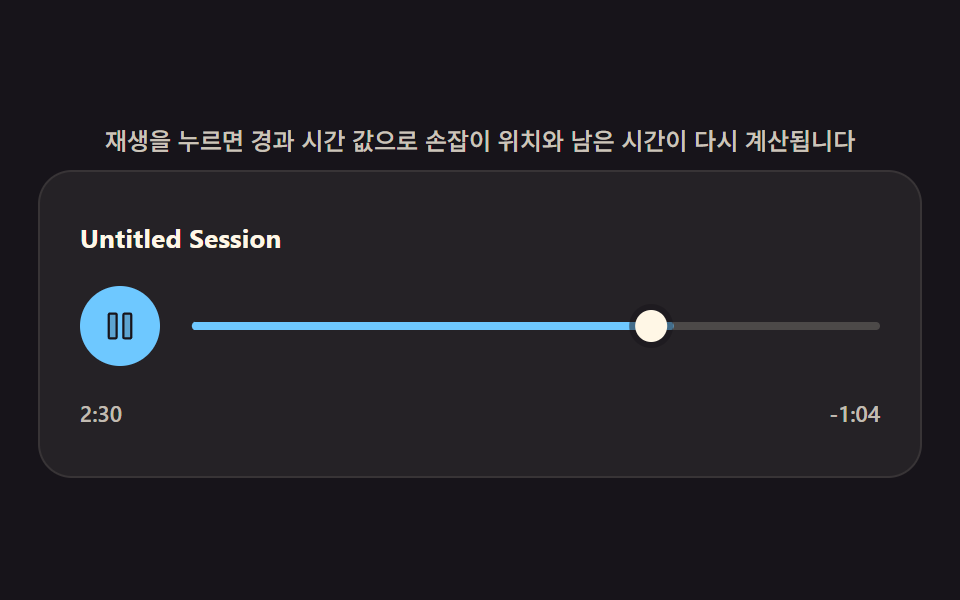 01 audio-custom-player
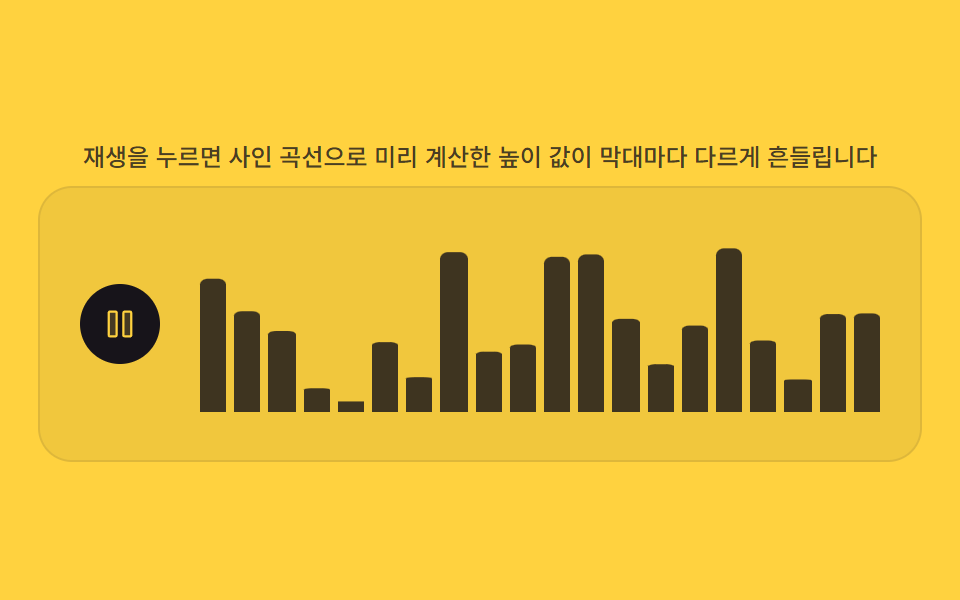 02 audio-waveform-bars
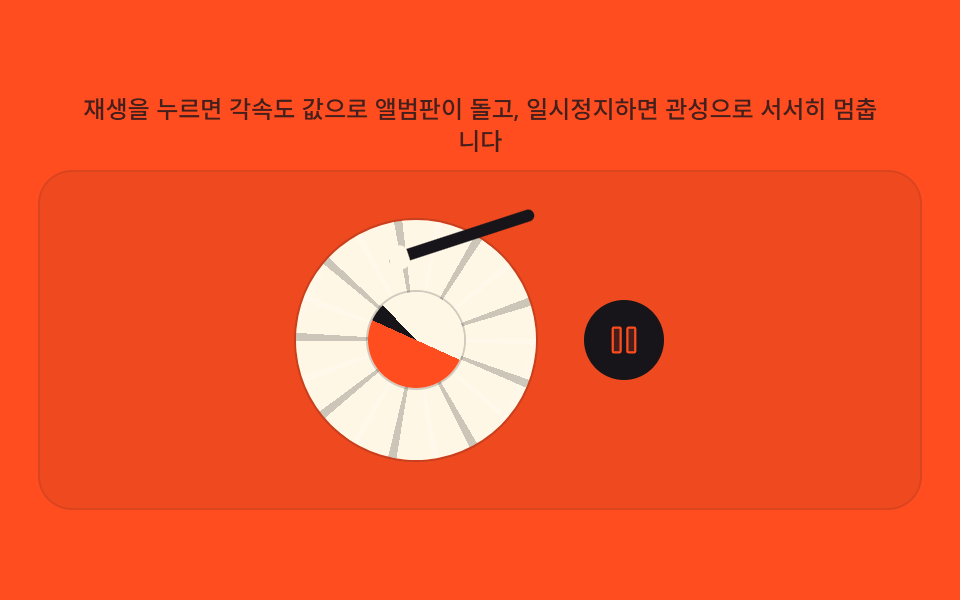 03 audio-vinyl-spin
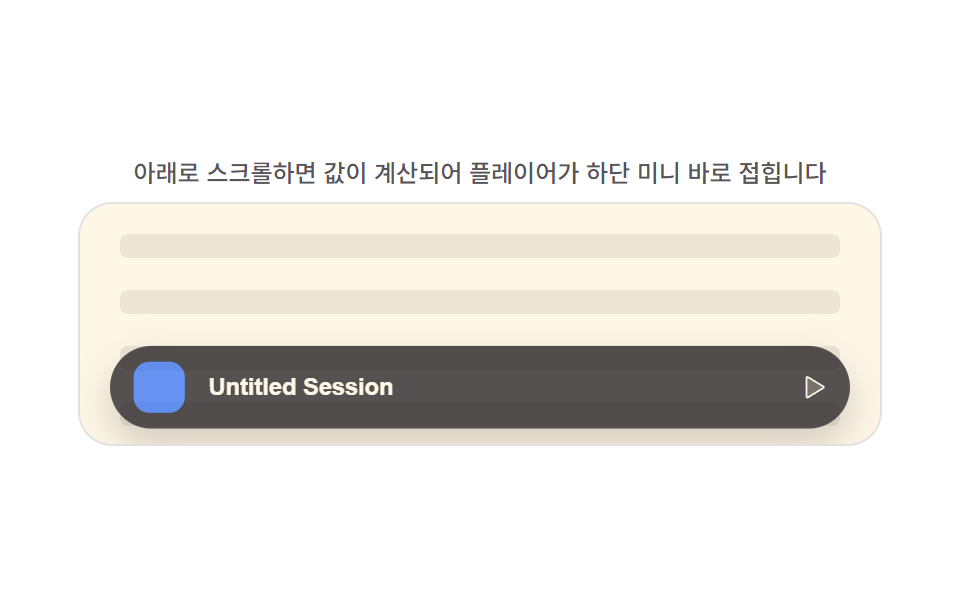 04 audio-mini-sticky
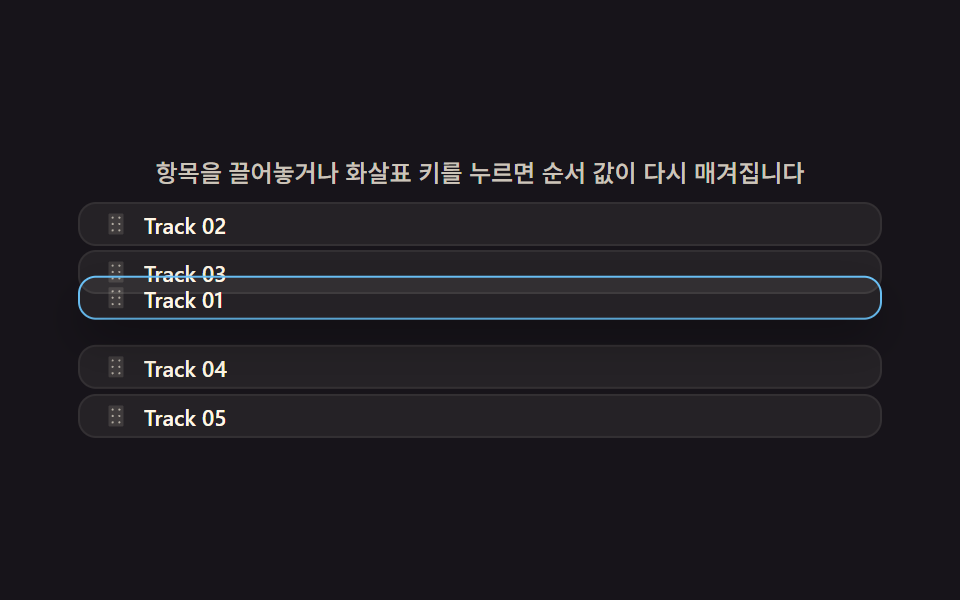 05 audio-playlist-queue
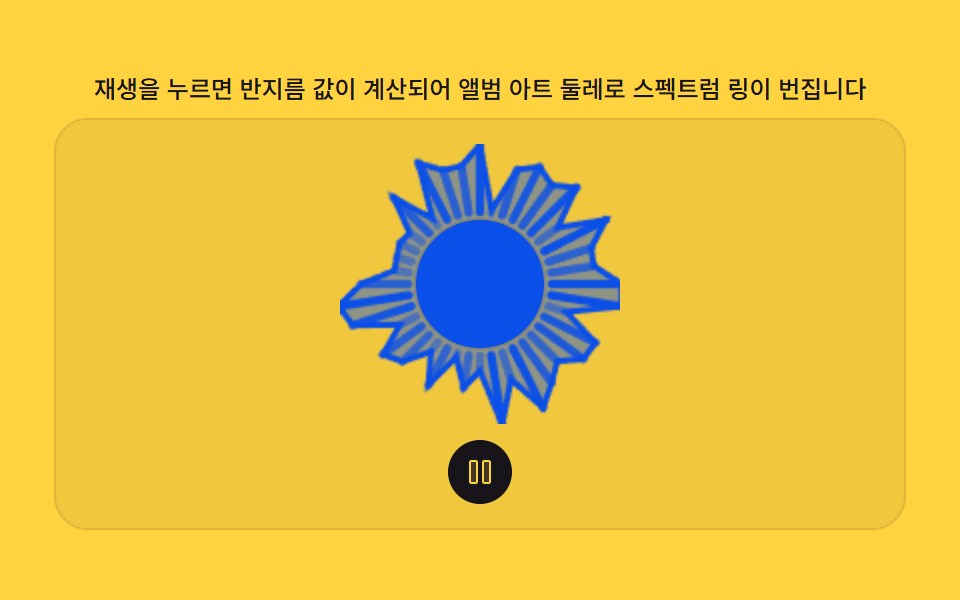 06 audio-visualizer-canvas
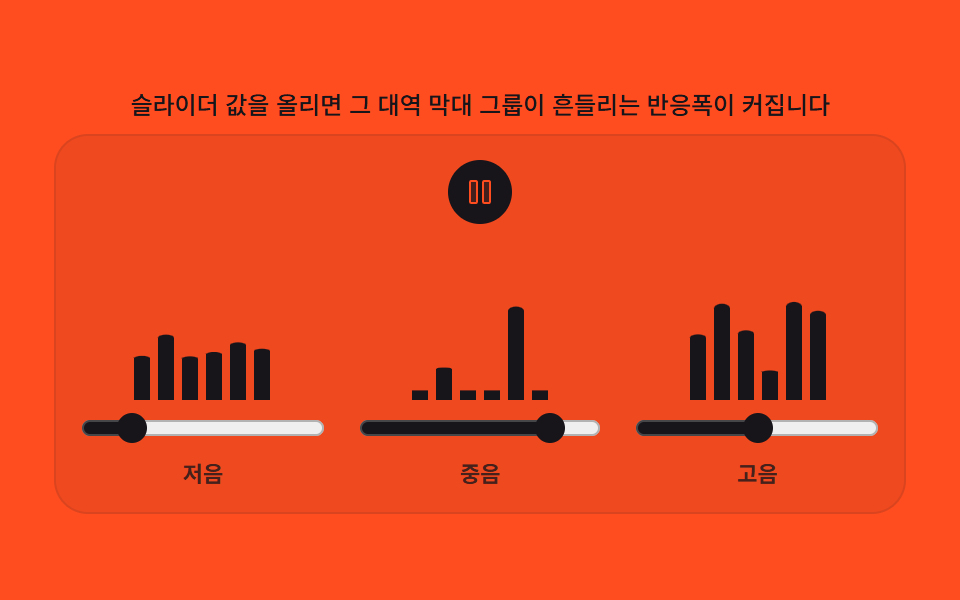 07 audio-eq-preset-sliders
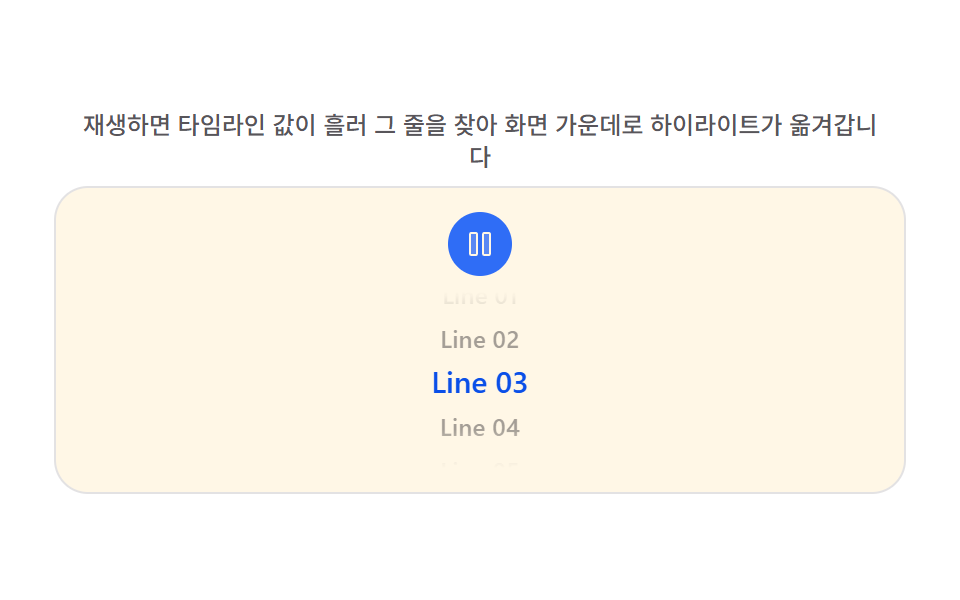 08 audio-lyrics-sync-scroll
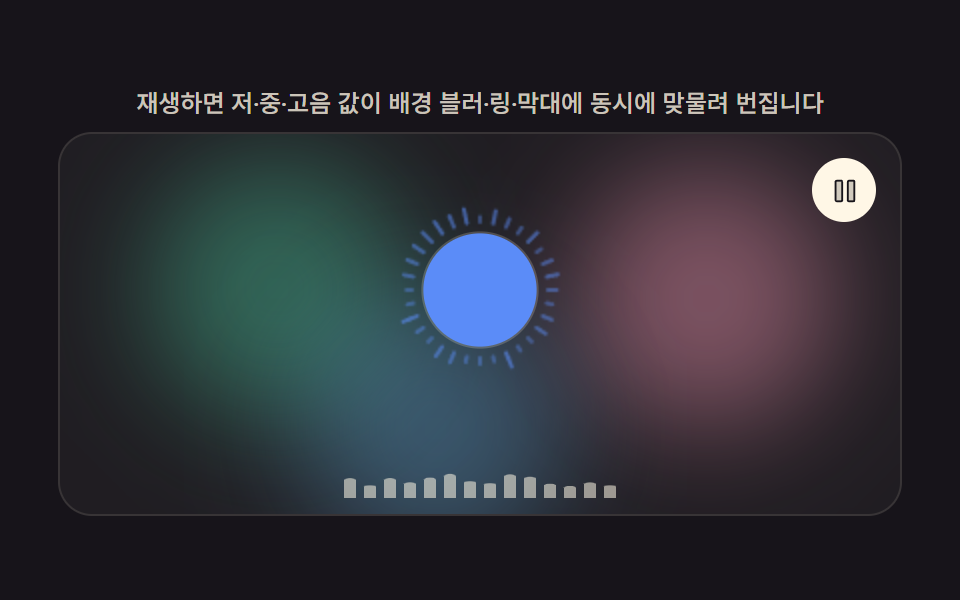 09 audio-player-hero-scene
자동 재생 · 눌러서 해당 항목으로 · 전부 한 zip
- 01 재생 진행률 값으로 그려지는 커스텀 컨트롤 바
- 02 합성 파형 값으로 흔들리는 이퀄라이저 막대
- 03 각속도 값으로 도는 턴테이블 앨범 아트
- 04 스크롤 값으로 접히는 하단 고정 미니 바
- 05 순서 값을 다시 매기는 대기열 드래그 정렬
- 06 반지름 값으로 번지는 원형 스펙트럼 링
- 07 슬라이더 값이 막대 반응폭을 정하는 프리셋 이퀄라이저
- 08 타임라인 값으로 하이라이트가 옮겨가는 가사 스크롤
- 09 블러 배경과 링이 한 화면에서 맞물리는 플레이어 히어로
아홉 가지 오디오 플레이어 UI — 계산 한 겹이 어디서 도는가
아홉 개를 나열한 순서는 계산이 화면 어디를 움직이느냐를 기준으로 잡았습니다. 01·04 는 진행률이나 스크롤 위치 같은 하나의 값을 프레임마다 다시 재는 방식이고, 02·06·07·09 는 사인 곡선을 겹쳐 막대·점·링의 높이나 반지름을 합성하는 방식이며, 03 은 각속도 값을 감쇠시켜 관성을 흉내 내고, 05·08 은 포인터 위치나 재생 시각을 다른 항목들의 값과 비교해 순서·하이라이트를 다시 매깁니다. 음악 플레이어 디자인을 코드로 옮길 때 자주 놓치는 부분이 바로 이 계산 한 겹인데, 속성 트윈만 걸면 멈춘 듯 보이는 자리에 값 하나를 얹으면 살아 움직입니다.
01 진행률 컨트롤 바와 08 가사 스크롤은 다른 일곱보다 누적면적이 훨씬 낮습니다 — 둘 다 화면 대부분이 정적인 텍스트·트랙 구조라 원래 움직이는 픽셀이 적은 컴포넌트형이라서, 억지로 면적을 키우는 대신 진행률·타임라인 값이 정확히 반영되는지에 계산을 집중했습니다.
| 항목 | 누적면적 | 강도평균 | 움직인프레임 |
|---|---|---|---|
| 01 진행률 컨트롤 바 | 2.546% | 154.8 | 13/23 |
| 02 합성 파형 이퀄라이저 | 14.217% | 163.9 | 23/23 |
| 03 턴테이블 앨범 아트 | 7.679% | 67.9 | 23/23 |
| 04 하단 고정 미니 바 | 30.593% | 35.9 | 23/23 |
| 05 대기열 드래그 정렬 | 29.946% | 46.7 | 23/23 |
| 06 원형 스펙트럼 링 | 8.062% | 101.9 | 23/23 |
| 07 프리셋 이퀄라이저 슬라이더 | 9.767% | 177.3 | 23/23 |
| 08 가사 스크롤 하이라이트 | 1.891% | 82.4 | 14/23 |
| 09 플레이어 히어로 장면 | 39.284% | 31.2 | 23/23 |
패턴별 코드
아래 아홉 개는 실제 데모 소스에서 값이 계산되는 함수만 그대로 옮긴 조각입니다. 상수와 그 옆 주석이 변형 표의 값과 같은 자리입니다.
01재생 진행률 값으로 그려지는 커스텀 컨트롤 바
재생 버튼을 누른 순간부터 경과한 시간을 값으로 환산해 진행바 손잡이 위치와 남은 시간 표기를 매 프레임 다시 계산해 그리는 커스텀 오디오 컨트롤입니다. PROGRESS_UPDATE_MS 주기마다 seekTo 가 값을 다시 밀어 넣고, fmt 는 초 단위 값을 분:초 문자열로 바꿉니다.
  function fmt(sec) {
    sec = Math.max(0, Math.round(sec));
    var m = Math.floor(sec / 60), s = sec % 60;
    return m + ':' + (s < 10 ? '0' : '') + s;
  }

  function render(elapsedS) {
    var p = Math.min(1, Math.max(0, elapsedS / TRACK_LENGTH_S));
    fill.style.transform = 'scaleX(' + p + ')';
    handle.style.transform = 'translateX(' + (p * trackW) + 'px)';
    elapsedEl.textContent = fmt(elapsedS);
    remainEl.textContent = '-' + fmt(TRACK_LENGTH_S - elapsedS);
    seek.setAttribute('aria-valuenow', String(Math.round(p * 100)));
  }

  function human() { if (isDemo) { root.classList.remove('is-demo'); isDemo = false; } }

  var state = { elapsedS: 0, playing: false, playStart: 0, lastRenderMs: -1 };

  function setPlaying(next) {
    state.playing = next;
    root.classList.toggle('is-playing', next);
    if (next) state.playStart = performance.now() - state.elapsedS * 1000;
  }
<svg width="0" height="0" style="position:absolute" aria-hidden="true">
  <defs>
    <symbol id="ico-play" viewBox="0 0 256 256"><g fill="currentColor"><path d="M228.23 134.69L84.15 222.81A8 8 0 0 1 72 216.12V39.88a8 8 0 0 1 12.15-6.69l144.08 88.12a7.82 7.82 0 0 1 0 13.38" opacity=".2"/><path d="M232.4 114.49L88.32 26.35a16 16 0 0 0-16.2-.3A15.86 15.86 0 0 0 64 39.87v176.26A15.94 15.94 0 0 0 80 232a16.07 16.07 0 0 0 8.36-2.35l144.04-88.14a15.81 15.81 0 0 0 0-27ZM80 215.94V40l143.83 88Z"/></g></symbol>
    <symbol id="ico-pause" viewBox="0 0 256 256"><g fill="currentColor"><path d="M208 48v160a8 8 0 0 1-8 8h-40a8 8 0 0 1-8-8V48a8 8 0 0 1 8-8h40a8 8 0 0 1 8 8M96 40H56a8 8 0 0 0-8 8v160a8 8 0 0 0 8 8h40a8 8 0 0 0 8-8V48a8 8 0 0 0-8-8" opacity=".2"/><path d="M200 32h-40a16 16 0 0 0-16 16v160a16 16 0 0 0 16 16h40a16 16 0 0 0 16-16V48a16 16 0 0 0-16-16m0 176h-40V48h40ZM96 32H56a16 16 0 0 0-16 16v160a16 16 0 0 0 16 16h40a16 16 0 0 0 16-16V48a16 16 0 0 0-16-16m0 176H56V48h40Z"/></g></symbol>
  </defs>
</svg>
<main class="stage">
<div class="cp is-demo is-playing" id="cp">
  <p class="cp__hint"><span>재생을 누르면 경과 시간 값으로 손잡이 위치와 남은 시간이 다시 계산됩니다</span></p>
  <div class="cp__panel">
    <div class="cp__title" id="title">Untitled Session</div>
    <div class="cp__row">
      <button class="cp__play" id="play" type="button" aria-label="재생">
        <svg class="cp__ico cp__ico--play" aria-hidden="true"><use href="#ico-play"></use></svg>
        <svg class="cp__ico cp__ico--pause" aria-hidden="true"><use href="#ico-pause"></use></svg>
      </button>
      <div class="cp__seek" id="seek" tabindex="0" role="slider" aria-label="탐색 막대" aria-valuemin="0" aria-valuemax="100" aria-valuenow="0">
        <div class="cp__track" id="track">
          <div class="cp__fill" id="fill"></div>
          <div class="cp__handle" id="handle"></div>
        </div>
      </div>
    </div>
    <div class="cp__time">
      <span id="elapsed">0:00</span>
      <span id="remain">-3:34</span>
    </div>
  </div>
</div>
</main>@use "../../../../site/static/demo-tokens" as *;
// 계산 겹(진행률 → 손잡이·채움·시간 텍스트)은 index.html 의 render()/frame() 에 있다. 여기는 무대·레이아웃만.
$duration: $dur-base;
$easing: $ease-out;
$color: $subject-sky;
@include stage($stage-ink);
.cp {
display: flex;
flex-direction: column;
align-items: center;
gap: $sp-2;
width: min(400px, 92vw);
}
.cp__hint {
margin: 0;
color: rgba($subject-cream, .78);
font-size: 12px;
font-weight: 500;
line-height: 1.35;
text-align: center;
}
.cp__panel {
width: 100%;
border-radius: $r-card;
background: rgba($subject-cream, .06);
box-shadow: 0 0 0 1px rgba($subject-cream, .14);
padding: $sp-6 $sp-5;
display: flex;
flex-direction: column;
gap: $sp-4;
}
.cp__title {
color: $subject-cream;
font-size: 13px;
font-weight: 700;
letter-spacing: .01em;
}
.cp__row {
display: flex;
align-items: center;
gap: $sp-4;
}
.cp__play {
flex: 0 0 auto;
width: $sp-10;
height: $sp-10;
border-radius: $r-pill;
border: none;
background: $color;
color: $stage-ink;
display: flex;
align-items: center;
justify-content: center;
cursor: pointer;
transition: transform $duration $easing;
}
.cp__play:hover { transform: scale(1.06); }
.cp__play:focus-visible { outline: 2px solid $subject-cream; outline-offset: 2px; }
.cp__play:active { transform: scale(.96); }
.cp__ico { width: 18px; height: 18px; }
.cp__ico--pause { display: none; }
.is-playing .cp__ico--play { display: none; }
.is-playing .cp__ico--pause { display: block; }
.cp__seek {
flex: 1 1 auto;
padding: $sp-2 0;
cursor: pointer;
}
.cp__seek:focus-visible {
outline: 2px solid $subject-cream;
outline-offset: 4px;
}
.cp__track {
position: relative;
height: 4px;
border-radius: $r-xs;
background: rgba($subject-cream, .18);
}
.cp__fill {
position: absolute;
inset: 0;
border-radius: $r-xs;
background: $color;
transform: scaleX(0);
transform-origin: left center; // 채움 막대는 왼쪽 기준으로 자라난다 — 진행률의 실제 기준점
}
.cp__handle {
position: absolute;
top: 50%;
left: 0;
width: $sp-4;
height: $sp-4;
margin-top: -$sp-2;
margin-left: -$sp-2;
border-radius: $r-pill;
background: $subject-cream;
box-shadow: 0 0 0 3px rgba($stage-ink, .5);
}
.cp__time {
display: flex;
justify-content: space-between;
color: rgba($subject-cream, .72);
font-size: 11px;
font-weight: 600;
font-variant-numeric: tabular-nums;
}
@media (max-width: 340px) {
.cp__panel { padding: $sp-4 $sp-3; }
.cp__play { width: $sp-8; height: $sp-8; }
.cp__ico { width: 15px; height: 15px; }
}
@media (prefers-reduced-motion: reduce) {
.cp__play { transition: none; }
}html, body {
margin: 0;
overflow: hidden;
}
.stage {
box-sizing: border-box;
min-height: 100vh;
display: grid;
place-items: center;
margin: 0;
background: #17141a;
font-family: -apple-system, "Segoe UI", "Noto Sans KR", sans-serif;
padding: clamp(8px, 4vw, 24px);
}
.cp {
display: flex;
flex-direction: column;
align-items: center;
gap: 8px;
width: min(400px, 92vw);
}
.cp__hint {
margin: 0;
color: rgba(255, 247, 230, 0.78);
font-size: 12px;
font-weight: 500;
line-height: 1.35;
text-align: center;
}
.cp__panel {
width: 100%;
border-radius: 16px;
background: rgba(255, 247, 230, 0.06);
box-shadow: 0 0 0 1px rgba(255, 247, 230, 0.14);
padding: 24px 20px;
display: flex;
flex-direction: column;
gap: 16px;
}
.cp__title {
color: #fff7e6;
font-size: 13px;
font-weight: 700;
letter-spacing: 0.01em;
}
.cp__row {
display: flex;
align-items: center;
gap: 16px;
}
.cp__play {
flex: 0 0 auto;
width: 40px;
height: 40px;
border-radius: 999px;
border: none;
background: #6ec8ff;
color: #17141a;
display: flex;
align-items: center;
justify-content: center;
cursor: pointer;
transition: transform 300ms ease-out;
}
.cp__play:hover {
transform: scale(1.06);
}
.cp__play:focus-visible {
outline: 2px solid #fff7e6;
outline-offset: 2px;
}
.cp__play:active {
transform: scale(0.96);
}
.cp__ico {
width: 18px;
height: 18px;
}
.cp__ico--pause {
display: none;
}
.is-playing .cp__ico--play {
display: none;
}
.is-playing .cp__ico--pause {
display: block;
}
.cp__seek {
flex: 1 1 auto;
padding: 8px 0;
cursor: pointer;
}
.cp__seek:focus-visible {
outline: 2px solid #fff7e6;
outline-offset: 4px;
}
.cp__track {
position: relative;
height: 4px;
border-radius: 4px;
background: rgba(255, 247, 230, 0.18);
}
.cp__fill {
position: absolute;
inset: 0;
border-radius: 4px;
background: #6ec8ff;
transform: scaleX(0);
transform-origin: left center;
}
.cp__handle {
position: absolute;
top: 50%;
left: 0;
width: 16px;
height: 16px;
margin-top: -8px;
margin-left: -8px;
border-radius: 999px;
background: #fff7e6;
box-shadow: 0 0 0 3px rgba(23, 20, 26, 0.5);
}
.cp__time {
display: flex;
justify-content: space-between;
color: rgba(255, 247, 230, 0.72);
font-size: 11px;
font-weight: 600;
font-variant-numeric: tabular-nums;
}
@media (max-width: 340px) {
.cp__panel {
padding: 16px 12px;
}
.cp__play {
width: 32px;
height: 32px;
}
.cp__ico {
width: 15px;
height: 15px;
}
}
@media (prefers-reduced-motion: reduce) {
.cp__play {
transition: none;
}
}(function () {
var root = document.getElementById('cp');
var playBtn = document.getElementById('play');
var seek = document.getElementById('seek');
var track = document.getElementById('track');
var fill = document.getElementById('fill');
var handle = document.getElementById('handle');
var elapsedEl = document.getElementById('elapsed');
var remainEl = document.getElementById('remain');
var reduce = window.matchMedia('(prefers-reduced-motion: reduce)').matches;
var isDemo = true;
var TRACK_LENGTH_S = 214; // 3:34 — 실 오디오 파일 없음, 합성 트랙 길이 상수
var SEEK_STEP_S = 5; // 방향키 한 번의 탐색 단위(초)
var PROGRESS_UPDATE_MS = 200; // 진행률 재계산 주기 — 변형: 이 값을 줄이면 더 잦게 다시 계산해 매끈해진다
var trackW = 0;
function fit() {
var r = track.getBoundingClientRect();
var hr = handle.getBoundingClientRect();
trackW = Math.max(1, r.width - hr.width);
}
function fmt(sec) {
sec = Math.max(0, Math.round(sec));
var m = Math.floor(sec / 60), s = sec % 60;
return m + ':' + (s < 10 ? '0' : '') + s;
}
function render(elapsedS) {
var p = Math.min(1, Math.max(0, elapsedS / TRACK_LENGTH_S));
fill.style.transform = 'scaleX(' + p + ')';
handle.style.transform = 'translateX(' + (p * trackW) + 'px)';
elapsedEl.textContent = fmt(elapsedS);
remainEl.textContent = '-' + fmt(TRACK_LENGTH_S - elapsedS);
seek.setAttribute('aria-valuenow', String(Math.round(p * 100)));
}
function human() { if (isDemo) { root.classList.remove('is-demo'); isDemo = false; } }
var state = { elapsedS: 0, playing: false, playStart: 0, lastRenderMs: -1 };
function setPlaying(next) {
state.playing = next;
root.classList.toggle('is-playing', next);
if (next) state.playStart = performance.now() - state.elapsedS * 1000;
}
function seekTo(elapsedS) {
state.elapsedS = Math.min(TRACK_LENGTH_S, Math.max(0, elapsedS));
if (state.playing) state.playStart = performance.now() - state.elapsedS * 1000;
render(state.elapsedS);
}
function onTrackClick(e) {
human();
var r = track.getBoundingClientRect();
var ratio = (e.clientX - r.left) / r.width;
seekTo(ratio * TRACK_LENGTH_S);
}
function onSeekKeydown(e) {
if (e.key === 'ArrowRight' || e.key === 'ArrowLeft') {
e.preventDefault();
human();
seekTo(state.elapsedS + (e.key === 'ArrowRight' ? SEEK_STEP_S : -SEEK_STEP_S));
}
}
function onPlayClick() {
human();
setPlaying(!state.playing);
}
var driveStart = 0;
function driveTick(now) {
if (!driveStart) driveStart = now;
if (isDemo) {
var DRIVE_PERIOD_MS = 2000; // 렌더 캐처 창(설정 초=2.0)과 같은 주기 — 시연 전용
var frac = ((now - driveStart) % DRIVE_PERIOD_MS) / DRIVE_PERIOD_MS;
if (now - state.lastRenderMs >= PROGRESS_UPDATE_MS) {
render(frac * TRACK_LENGTH_S);
state.lastRenderMs = now;
}
}
requestAnimationFrame(driveTick);
}
function frame(now) {
if (!isDemo) {
if (state.playing) {
var elapsedS = (now - state.playStart) / 1000;
if (elapsedS >= TRACK_LENGTH_S) { state.playStart = now; elapsedS = 0; }
state.elapsedS = elapsedS;
}
if (now - state.lastRenderMs >= PROGRESS_UPDATE_MS) {
render(state.elapsedS);
state.lastRenderMs = now;
}
}
requestAnimationFrame(frame);
}
window.addEventListener('resize', fit);
fit();
if (reduce) {
root.classList.add('is-still');
render(0);
playBtn.addEventListener('click', function () { human(); setPlaying(!state.playing); render(state.elapsedS); });
track.addEventListener('click', function (e) { onTrackClick(e); });
seek.addEventListener('keydown', onSeekKeydown);
} else {
playBtn.addEventListener('click', onPlayClick);
track.addEventListener('click', onTrackClick);
seek.addEventListener('keydown', onSeekKeydown);
requestAnimationFrame(frame);
requestAnimationFrame(driveTick);
}
})();import { useEffect, useRef } from "react";
import styles from "./CustomPlayer.module.scss";
export default function CustomPlayer() {
const rootRef = useRef<HTMLDivElement | null>(null);
const trackRef = useRef<HTMLDivElement | null>(null);
const fillRef = useRef<HTMLDivElement | null>(null);
const handleRef = useRef<HTMLDivElement | null>(null);
const seekRef = useRef<HTMLDivElement | null>(null);
const playRef = useRef<HTMLButtonElement | null>(null);
const elapsedRef = useRef<HTMLSpanElement | null>(null);
const remainRef = useRef<HTMLSpanElement | null>(null);
useEffect(() => {
const root = rootRef.current;
const track = trackRef.current;
const fill = fillRef.current;
const handle = handleRef.current;
const seek = seekRef.current;
const playBtn = playRef.current;
const elapsedEl = elapsedRef.current;
const remainEl = remainRef.current;
if (!root || !track || !fill || !handle || !seek || !playBtn || !elapsedEl || !remainEl) return;
const reduce = window.matchMedia("(prefers-reduced-motion: reduce)").matches;
let isDemo = true;
const TRACK_LENGTH_S = 214; // 3:34 — 실 오디오 파일 없음, 합성 트랙 길이 상수
const SEEK_STEP_S = 5; // 방향키 한 번의 탐색 단위(초)
const PROGRESS_UPDATE_MS = 200; // 진행률 재계산 주기 — 변형: 이 값을 줄이면 더 잦게 다시 계산해 매끈해진다
let trackW = 0;
function fit() {
const r = track!.getBoundingClientRect();
const hr = handle!.getBoundingClientRect();
trackW = Math.max(1, r.width - hr.width);
}
function fmt(sec: number) {
sec = Math.max(0, Math.round(sec));
const m = Math.floor(sec / 60), s = sec % 60;
return m + ":" + (s < 10 ? "0" : "") + s;
}
function render(elapsedS: number) {
const p = Math.min(1, Math.max(0, elapsedS / TRACK_LENGTH_S));
fill!.style.transform = "scaleX(" + p + ")";
handle!.style.transform = "translateX(" + p * trackW + "px)";
elapsedEl!.textContent = fmt(elapsedS);
remainEl!.textContent = "-" + fmt(TRACK_LENGTH_S - elapsedS);
seek!.setAttribute("aria-valuenow", String(Math.round(p * 100)));
}
function human() {
if (isDemo) { root!.classList.remove(styles["is-demo"]); isDemo = false; }
}
const state = { elapsedS: 0, playing: false, playStart: 0, lastRenderMs: -1 };
function setPlaying(next: boolean) {
state.playing = next;
root!.classList.toggle(styles["is-playing"], next);
if (next) state.playStart = performance.now() - state.elapsedS * 1000;
}
function seekTo(elapsedS: number) {
state.elapsedS = Math.min(TRACK_LENGTH_S, Math.max(0, elapsedS));
if (state.playing) state.playStart = performance.now() - state.elapsedS * 1000;
render(state.elapsedS);
}
function onTrackClick(e: MouseEvent) {
human();
const r = track!.getBoundingClientRect();
const ratio = (e.clientX - r.left) / r.width;
seekTo(ratio * TRACK_LENGTH_S);
}
function onSeekKeydown(e: KeyboardEvent) {
if (e.key === "ArrowRight" || e.key === "ArrowLeft") {
e.preventDefault();
human();
seekTo(state.elapsedS + (e.key === "ArrowRight" ? SEEK_STEP_S : -SEEK_STEP_S));
}
}
function onPlayClick() { human(); setPlaying(!state.playing); }
let driveStart = 0;
let rafDrive = 0;
function driveTick(now: number) {
if (!driveStart) driveStart = now;
if (isDemo) {
const DRIVE_PERIOD_MS = 2000; // 렌더 캐처 창(설정 초=2.0)과 같은 주기 — 시연 전용
const frac = ((now - driveStart) % DRIVE_PERIOD_MS) / DRIVE_PERIOD_MS;
if (now - state.lastRenderMs >= PROGRESS_UPDATE_MS) {
render(frac * TRACK_LENGTH_S);
state.lastRenderMs = now;
}
}
rafDrive = requestAnimationFrame(driveTick);
}
let rafFrame = 0;
function frame(now: number) {
if (!isDemo) {
if (state.playing) {
let elapsedS = (now - state.playStart) / 1000;
if (elapsedS >= TRACK_LENGTH_S) { state.playStart = now; elapsedS = 0; }
state.elapsedS = elapsedS;
}
if (now - state.lastRenderMs >= PROGRESS_UPDATE_MS) {
render(state.elapsedS);
state.lastRenderMs = now;
}
}
rafFrame = requestAnimationFrame(frame);
}
function onReduceClick() { human(); setPlaying(!state.playing); render(state.elapsedS); }
window.addEventListener("resize", fit);
fit();
if (reduce) {
root.classList.add(styles["is-still"]);
render(0);
playBtn.addEventListener("click", onReduceClick);
track.addEventListener("click", onTrackClick);
seek.addEventListener("keydown", onSeekKeydown);
} else {
playBtn.addEventListener("click", onPlayClick);
track.addEventListener("click", onTrackClick);
seek.addEventListener("keydown", onSeekKeydown);
rafFrame = requestAnimationFrame(frame);
rafDrive = requestAnimationFrame(driveTick);
}
return () => {
window.removeEventListener("resize", fit);
cancelAnimationFrame(rafFrame);
cancelAnimationFrame(rafDrive);
if (reduce) {
playBtn.removeEventListener("click", onReduceClick);
} else {
playBtn.removeEventListener("click", onPlayClick);
}
track.removeEventListener("click", onTrackClick);
seek.removeEventListener("keydown", onSeekKeydown);
};
}, []);
return (
<main className={styles.stage}>
<div className={styles.cp + ' ' + styles['is-demo'] + ' ' + styles['is-playing']} ref={rootRef}>
<p className={styles.hint}>
<span>재생을 누르면 경과 시간 값으로 손잡이 위치와 남은 시간이 다시 계산됩니다</span>
</p>
<div className={styles.panel}>
<div className={styles.title}>Untitled Session</div>
<div className={styles.row}>
<button className={styles.play} ref={playRef} type="button" aria-label="재생">
<svg className={`${styles.ico} ${styles.icoPlay}`} aria-hidden="true"><use href="#ico-play" /></svg>
<svg className={`${styles.ico} ${styles.icoPause}`} aria-hidden="true"><use href="#ico-pause" /></svg>
</button>
<div
className={styles.seek}
ref={seekRef}
tabIndex={0}
role="slider"
aria-label="탐색 막대"
aria-valuemin={0}
aria-valuemax={100}
aria-valuenow={0}
>
<div className={styles.track} ref={trackRef}>
<div className={styles.fill} ref={fillRef} />
<div className={styles.handle} ref={handleRef} />
</div>
</div>
</div>
<div className={styles.time}>
<span ref={elapsedRef}>0:00</span>
<span ref={remainRef}>-3:34</span>
</div>
</div>
</div>
</main>
);
}01 · 재생 진행률 값으로 그려지는 커스텀 컨트롤 바 — 측정 누적면적 2.546% · 움직인 프레임 13/23GODRICH 원작 · zip 에 SCSS·React 포함 · 비밀번호 보기
02합성 파형 값으로 흔들리는 이퀄라이저 막대
실제 오디오 분석 없이 사인 곡선 두 겹을 겹쳐 막대마다 다른 높이 값을 미리 계산해두고, 재생 중에는 그 값을 시간에 따라 흔들어 이퀄라이저처럼 보이게 합니다. 291 편 오디오 비주얼라이저처럼 AudioContext·AnalyserNode 로 실제 소리를 분석하는 것이 아니라, makeLcg 로 뽑은 위상·주파수를 synth 함수 하나로 합성한 장식용 값이라는 점이 다릅니다.
  function synth(bar, tSec) {
    var s1 = Math.sin(tSec * bar.f1 * Math.PI * 2 + bar.p1);
    var s2 = Math.sin(tSec * bar.f2 * Math.PI * 2 + bar.p2) * bar.w2;
    var v = (s1 + s2) / (1 + bar.w2); // -1..1 범위로 정규화
    return 0.5 + v * 0.5; // 0..1
  }

  function human() { if (isDemo) { root.classList.remove('is-demo'); isDemo = false; } }

  var playing = true, t0 = 0;

  function render(now, playingNow) {
    var tSec = (now - t0) / 1000;
    for (var i = 0; i < BAR_COUNT; i++) {
      var bar = bars[i];
      var h = playingNow ? synth(bar, tSec) : bar.idle;
      // 막대는 바닥이 기준점이라 아래쪽 원점으로 세로로만 자란다 — 중심 기준이 아닌 실제 앵커 지점
      bar.el.style.transform = 'scaleY(' + Math.max(0.06, h) + ')';
    }
  }

  function setPlaying(next) {
    playing = next;
    root.classList.toggle('is-playing', next);
  }
<svg width="0" height="0" style="position:absolute" aria-hidden="true">
  <defs>
    <symbol id="ico-play" viewBox="0 0 256 256"><g fill="currentColor"><path d="M228.23 134.69L84.15 222.81A8 8 0 0 1 72 216.12V39.88a8 8 0 0 1 12.15-6.69l144.08 88.12a7.82 7.82 0 0 1 0 13.38" opacity=".2"/><path d="M232.4 114.49L88.32 26.35a16 16 0 0 0-16.2-.3A15.86 15.86 0 0 0 64 39.87v176.26A15.94 15.94 0 0 0 80 232a16.07 16.07 0 0 0 8.36-2.35l144.04-88.14a15.81 15.81 0 0 0 0-27ZM80 215.94V40l143.83 88Z"/></g></symbol>
    <symbol id="ico-pause" viewBox="0 0 256 256"><g fill="currentColor"><path d="M208 48v160a8 8 0 0 1-8 8h-40a8 8 0 0 1-8-8V48a8 8 0 0 1 8-8h40a8 8 0 0 1 8 8M96 40H56a8 8 0 0 0-8 8v160a8 8 0 0 0 8 8h40a8 8 0 0 0 8-8V48a8 8 0 0 0-8-8" opacity=".2"/><path d="M200 32h-40a16 16 0 0 0-16 16v160a16 16 0 0 0 16 16h40a16 16 0 0 0 16-16V48a16 16 0 0 0-16-16m0 176h-40V48h40ZM96 32H56a16 16 0 0 0-16 16v160a16 16 0 0 0 16 16h40a16 16 0 0 0 16-16V48a16 16 0 0 0-16-16m0 176H56V48h40Z"/></g></symbol>
  </defs>
</svg>
<main class="stage">
<div class="eq is-demo is-playing" id="eq">
  <p class="eq__hint"><span>재생을 누르면 사인 곡선으로 미리 계산한 높이 값이 막대마다 다르게 흔들립니다</span></p>
  <div class="eq__panel">
    <button class="eq__play" id="play" type="button" aria-label="재생">
      <svg class="eq__ico eq__ico--play" aria-hidden="true"><use href="#ico-play"></use></svg>
      <svg class="eq__ico eq__ico--pause" aria-hidden="true"><use href="#ico-pause"></use></svg>
    </button>
    <div class="eq__bars" id="bars" aria-hidden="true"></div>
  </div>
</div>
</main>
@use "../../../../site/static/demo-tokens" as *;
// 계산 겹(사인 합성)은 index.html 의 synth()/render() 에 있다. 여기는 무대·레이아웃만.
$duration: $dur-base;
$easing: $ease-out;
$color: $subject-ink;
@include stage($stage-yellow);
.eq {
display: flex;
flex-direction: column;
align-items: center;
gap: $sp-2;
width: min(400px, 92vw);
}
.eq__hint {
margin: 0;
color: rgba($subject-ink, .78);
font-size: 12px;
font-weight: 500;
line-height: 1.35;
text-align: center;
}
.eq__panel {
width: 100%;
border-radius: $r-card;
background: rgba($subject-ink, .06);
box-shadow: 0 0 0 1px rgba($subject-ink, .14);
padding: $sp-6 $sp-5;
display: flex;
align-items: center;
gap: $sp-5;
}
.eq__play {
flex: 0 0 auto;
width: $sp-10;
height: $sp-10;
border-radius: $r-pill;
border: none;
background: $color;
color: $stage-yellow;
display: flex;
align-items: center;
justify-content: center;
cursor: pointer;
transition: transform $duration $easing;
}
.eq__play:hover { transform: scale(1.06); }
.eq__play:focus-visible { outline: 2px solid $subject-ink; outline-offset: 2px; }
.eq__play:active { transform: scale(.96); }
.eq__ico { width: 18px; height: 18px; }
.eq__ico--pause { display: none; }
.is-playing .eq__ico--play { display: none; }
.is-playing .eq__ico--pause { display: block; }
.eq__bars {
flex: 1 1 auto;
height: 88px;
display: flex;
align-items: flex-end;
gap: 4px;
}
.eq__bar {
flex: 1 1 auto;
height: 100%;
border-radius: $r-xs $r-xs 0 0;
background: $color;
opacity: .82;
transform: scaleY(.14);
transform-origin: bottom center; // 막대는 바닥이 실제 앵커 — 중심 기준이 아니다
}
@media (max-width: 340px) {
.eq__panel { padding: $sp-4 $sp-3; gap: $sp-3; }
.eq__play { width: $sp-8; height: $sp-8; }
.eq__ico { width: 15px; height: 15px; }
.eq__bars { height: 64px; }
}
@media (prefers-reduced-motion: reduce) {
.eq__play { transition: none; }
}html, body {
margin: 0;
overflow: hidden;
}
.stage {
box-sizing: border-box;
min-height: 100vh;
display: grid;
place-items: center;
margin: 0;
background: #ffd23f;
font-family: -apple-system, "Segoe UI", "Noto Sans KR", sans-serif;
padding: clamp(8px, 4vw, 24px);
}
.eq {
display: flex;
flex-direction: column;
align-items: center;
gap: 8px;
width: min(400px, 92vw);
}
.eq__hint {
margin: 0;
color: rgba(23, 20, 26, 0.78);
font-size: 12px;
font-weight: 500;
line-height: 1.35;
text-align: center;
}
.eq__panel {
width: 100%;
border-radius: 16px;
background: rgba(23, 20, 26, 0.06);
box-shadow: 0 0 0 1px rgba(23, 20, 26, 0.14);
padding: 24px 20px;
display: flex;
align-items: center;
gap: 20px;
}
.eq__play {
flex: 0 0 auto;
width: 40px;
height: 40px;
border-radius: 999px;
border: none;
background: #17141a;
color: #ffd23f;
display: flex;
align-items: center;
justify-content: center;
cursor: pointer;
transition: transform 300ms ease-out;
}
.eq__play:hover {
transform: scale(1.06);
}
.eq__play:focus-visible {
outline: 2px solid #17141a;
outline-offset: 2px;
}
.eq__play:active {
transform: scale(0.96);
}
.eq__ico {
width: 18px;
height: 18px;
}
.eq__ico--pause {
display: none;
}
.is-playing .eq__ico--play {
display: none;
}
.is-playing .eq__ico--pause {
display: block;
}
.eq__bars {
flex: 1 1 auto;
height: 88px;
display: flex;
align-items: flex-end;
gap: 4px;
}
.eq__bar {
flex: 1 1 auto;
height: 100%;
border-radius: 4px 4px 0 0;
background: #17141a;
opacity: 0.82;
transform: scaleY(0.14);
transform-origin: bottom center;
}
@media (max-width: 340px) {
.eq__panel {
padding: 16px 12px;
gap: 12px;
}
.eq__play {
width: 32px;
height: 32px;
}
.eq__ico {
width: 15px;
height: 15px;
}
.eq__bars {
height: 64px;
}
}
@media (prefers-reduced-motion: reduce) {
.eq__play {
transition: none;
}
}(function () {
var root = document.getElementById('eq');
var playBtn = document.getElementById('play');
var barsEl = document.getElementById('bars');
var reduce = window.matchMedia('(prefers-reduced-motion: reduce)').matches;
var isDemo = true;
// 결정론 난수 — Math.random 을 쓰지 않는다. LCG(선형합동생성기) 하나로 막대별 위상·진폭을 만든다.
function makeLcg(seed) {
var s = seed >>> 0;
return function () { s = (s * 1664525 + 1013904223) >>> 0; return s / 4294967296; };
}
var BAR_COUNT = 20;
var rng = makeLcg(2909);
var bars = [];
for (var i = 0; i < BAR_COUNT; i++) {
bars.push({
el: null,
// 사인 곡선 두 겹을 겹쳐 막대마다 다른 위상·주파수로 높이를 합성한다 — 291 편처럼 AudioContext/AnalyserNode 로
// 실제 소리를 분석해 얻는 값이 아니라, 여기서는 사인 합성만으로 만든 장식용 값이다.
f1: 0.55 + rng() * 0.35,
p1: rng() * Math.PI * 2,
f2: 1.4 + rng() * 0.6,
p2: rng() * Math.PI * 2,
w2: 0.25 + rng() * 0.2,
idle: 0.14 + rng() * 0.08
});
}
for (var i = 0; i < BAR_COUNT; i++) {
var b = document.createElement('div');
b.className = 'eq__bar';
barsEl.appendChild(b);
bars[i].el = b;
}
function synth(bar, tSec) {
var s1 = Math.sin(tSec * bar.f1 * Math.PI * 2 + bar.p1);
var s2 = Math.sin(tSec * bar.f2 * Math.PI * 2 + bar.p2) * bar.w2;
var v = (s1 + s2) / (1 + bar.w2); // -1..1 범위로 정규화
return 0.5 + v * 0.5; // 0..1
}
function human() { if (isDemo) { root.classList.remove('is-demo'); isDemo = false; } }
var playing = true, t0 = 0;
function render(now, playingNow) {
var tSec = (now - t0) / 1000;
for (var i = 0; i < BAR_COUNT; i++) {
var bar = bars[i];
var h = playingNow ? synth(bar, tSec) : bar.idle;
// 막대는 바닥이 기준점이라 아래쪽 원점으로 세로로만 자란다 — 중심 기준이 아닌 실제 앵커 지점
bar.el.style.transform = 'scaleY(' + Math.max(0.06, h) + ')';
}
}
function setPlaying(next) {
playing = next;
root.classList.toggle('is-playing', next);
}
function onPlayClick() { human(); setPlaying(!playing); }
function onPlayKeydown(e) {
if (e.key === 'Enter' || e.key === ' ') { e.preventDefault(); human(); setPlaying(!playing); }
}
function frame(now) {
if (!t0) t0 = now;
render(now, isDemo ? true : playing);
requestAnimationFrame(frame);
}
if (reduce) {
root.classList.add('is-still');
t0 = performance.now();
render(t0, false);
playBtn.addEventListener('click', function () {
human(); setPlaying(!playing);
render(performance.now(), playing);
});
playBtn.addEventListener('keydown', function (e) {
if (e.key === 'Enter' || e.key === ' ') {
e.preventDefault(); human(); setPlaying(!playing);
render(performance.now(), playing);
}
});
} else {
playBtn.addEventListener('click', onPlayClick);
playBtn.addEventListener('keydown', onPlayKeydown);
requestAnimationFrame(frame);
}
})();import { useEffect, useRef } from "react";
import styles from "./WaveformBars.module.scss";
type Bar = { el: HTMLDivElement | null; f1: number; p1: number; f2: number; p2: number; w2: number; idle: number };
export default function WaveformBars() {
const rootRef = useRef<HTMLDivElement | null>(null);
const playRef = useRef<HTMLButtonElement | null>(null);
const barsElRef = useRef<HTMLDivElement | null>(null);
useEffect(() => {
const root = rootRef.current;
const playBtn = playRef.current;
const barsEl = barsElRef.current;
if (!root || !playBtn || !barsEl) return;
const reduce = window.matchMedia("(prefers-reduced-motion: reduce)").matches;
let isDemo = true;
// 결정론 난수 — Math.random 을 쓰지 않는다. LCG(선형합동생성기) 하나로 막대별 위상·진폭을 만든다.
function makeLcg(seed: number) {
let s = seed >>> 0;
return function () { s = (s * 1664525 + 1013904223) >>> 0; return s / 4294967296; };
}
const BAR_COUNT = 20;
const rng = makeLcg(2909);
const bars: Bar[] = [];
for (let i = 0; i < BAR_COUNT; i++) {
bars.push({
el: null,
// 사인 곡선 두 겹을 겹쳐 막대마다 다른 위상·주파수로 높이를 합성한다 — 291 편처럼 AudioContext/AnalyserNode 로
// 실제 소리를 분석해 얻는 값이 아니라, 여기서는 사인 합성만으로 만든 장식용 값이다.
f1: 0.55 + rng() * 0.35,
p1: rng() * Math.PI * 2,
f2: 1.4 + rng() * 0.6,
p2: rng() * Math.PI * 2,
w2: 0.25 + rng() * 0.2,
idle: 0.14 + rng() * 0.08,
});
}
for (let i = 0; i < BAR_COUNT; i++) {
const b = document.createElement("div");
b.className = styles.bar;
barsEl.appendChild(b);
bars[i].el = b;
}
function synth(bar: Bar, tSec: number) {
const s1 = Math.sin(tSec * bar.f1 * Math.PI * 2 + bar.p1);
const s2 = Math.sin(tSec * bar.f2 * Math.PI * 2 + bar.p2) * bar.w2;
const v = (s1 + s2) / (1 + bar.w2); // -1..1 범위로 정규화
return 0.5 + v * 0.5; // 0..1
}
function human() { if (isDemo) { root!.classList.remove(styles["is-demo"]); isDemo = false; } }
let playing = true, t0 = 0;
function render(now: number, playingNow: boolean) {
const tSec = (now - t0) / 1000;
for (let i = 0; i < BAR_COUNT; i++) {
const bar = bars[i];
const h = playingNow ? synth(bar, tSec) : bar.idle;
// 막대는 바닥이 기준점이라 아래쪽 원점으로 세로로만 자란다 — 중심 기준이 아닌 실제 앵커 지점
bar.el!.style.transform = "scaleY(" + Math.max(0.06, h) + ")";
}
}
function setPlaying(next: boolean) {
playing = next;
root!.classList.toggle(styles["is-playing"], next);
}
function onPlayClick() { human(); setPlaying(!playing); }
function onPlayKeydown(e: KeyboardEvent) {
if (e.key === "Enter" || e.key === " ") { e.preventDefault(); human(); setPlaying(!playing); }
}
let raf = 0;
function frame(now: number) {
if (!t0) t0 = now;
render(now, isDemo ? true : playing);
raf = requestAnimationFrame(frame);
}
function onReduceClick() { human(); setPlaying(!playing); render(performance.now(), playing); }
function onReduceKeydown(e: KeyboardEvent) {
if (e.key === "Enter" || e.key === " ") {
e.preventDefault(); human(); setPlaying(!playing); render(performance.now(), playing);
}
}
if (reduce) {
root.classList.add(styles["is-still"]);
t0 = performance.now();
render(t0, false);
playBtn.addEventListener("click", onReduceClick);
playBtn.addEventListener("keydown", onReduceKeydown);
} else {
playBtn.addEventListener("click", onPlayClick);
playBtn.addEventListener("keydown", onPlayKeydown);
raf = requestAnimationFrame(frame);
}
return () => {
cancelAnimationFrame(raf);
if (reduce) {
playBtn.removeEventListener("click", onReduceClick);
playBtn.removeEventListener("keydown", onReduceKeydown);
} else {
playBtn.removeEventListener("click", onPlayClick);
playBtn.removeEventListener("keydown", onPlayKeydown);
}
barsEl.innerHTML = "";
};
}, []);
return (
<main className={styles.stage}>
<div className={styles.eq + " " + styles["is-demo"] + " " + styles["is-playing"]} ref={rootRef}>
<p className={styles.hint}><span>재생을 누르면 사인 곡선으로 미리 계산한 높이 값이 막대마다 다르게 흔들립니다</span></p>
<div className={styles.panel}>
<button className={styles.play} ref={playRef} type="button" aria-label="재생">
<svg className={`${styles.ico} ${styles.icoPlay}`} aria-hidden="true"><use href="#ico-play" /></svg>
<svg className={`${styles.ico} ${styles.icoPause}`} aria-hidden="true"><use href="#ico-pause" /></svg>
</button>
<div className={styles.bars} ref={barsElRef} aria-hidden="true" />
</div>
</div>
</main>
);
}02 · 합성 파형 값으로 흔들리는 이퀄라이저 막대 — 측정 누적면적 14.217% · 움직인 프레임 23/23GODRICH 원작 · zip 에 SCSS·React 포함 · 비밀번호 보기
03각속도 값으로 도는 턴테이블 앨범 아트
재생 상태에 따라 각속도 값을 계산해 앨범 아트 원판과 톤암 각도를 매 프레임 회전시키고, 일시정지하면 SPIN_DECAY 로 그 값을 서서히 줄여 관성으로 천천히 멈추는 것처럼 보이게 합니다.
  var ARM_ANGLE_END = -34;   // 안쪽 홈(재생 끝 위치)

  var angle = 0, velocity = 0, progressS = 0, playing = true, demoPlaying = true, last = 0, driveStart = 0;

  function human() { if (isDemo) { root.classList.remove('is-demo'); isDemo = false; } }

  function setPlaying(next) {
    playing = next;
    root.classList.toggle('is-playing', next);
  }

  function step(effPlaying, dt) {
    if (effPlaying) {
      velocity += (TARGET_VELOCITY - velocity) * SPIN_UP_RATE;
      progressS = Math.min(PLAY_LENGTH_S, progressS + dt);
    } else {
      velocity *= SPIN_DECAY; // 매 프레임 각속도를 줄여 관성으로 멎는 것처럼 보이게 한다
    }
    angle = (angle + velocity * dt) % 360;
    disc.style.transform = 'rotate(' + angle.toFixed(2) + 'deg)';
    var t = progressS / PLAY_LENGTH_S;
    var armAngle = ARM_ANGLE_START + (ARM_ANGLE_END - ARM_ANGLE_START) * t;
    arm.style.transform = 'rotate(' + armAngle.toFixed(2) + 'deg)';
  }
<svg width="0" height="0" style="position:absolute" aria-hidden="true">
  <defs>
    <symbol id="ico-play" viewBox="0 0 256 256"><g fill="currentColor"><path d="M228.23 134.69L84.15 222.81A8 8 0 0 1 72 216.12V39.88a8 8 0 0 1 12.15-6.69l144.08 88.12a7.82 7.82 0 0 1 0 13.38" opacity=".2"/><path d="M232.4 114.49L88.32 26.35a16 16 0 0 0-16.2-.3A15.86 15.86 0 0 0 64 39.87v176.26A15.94 15.94 0 0 0 80 232a16.07 16.07 0 0 0 8.36-2.35l144.04-88.14a15.81 15.81 0 0 0 0-27ZM80 215.94V40l143.83 88Z"/></g></symbol>
    <symbol id="ico-pause" viewBox="0 0 256 256"><g fill="currentColor"><path d="M208 48v160a8 8 0 0 1-8 8h-40a8 8 0 0 1-8-8V48a8 8 0 0 1 8-8h40a8 8 0 0 1 8 8M96 40H56a8 8 0 0 0-8 8v160a8 8 0 0 0 8 8h40a8 8 0 0 0 8-8V48a8 8 0 0 0-8-8" opacity=".2"/><path d="M200 32h-40a16 16 0 0 0-16 16v160a16 16 0 0 0 16 16h40a16 16 0 0 0 16-16V48a16 16 0 0 0-16-16m0 176h-40V48h40ZM96 32H56a16 16 0 0 0-16 16v160a16 16 0 0 0 16 16h40a16 16 0 0 0 16-16V48a16 16 0 0 0-16-16m0 176H56V48h40Z"/></g></symbol>
  </defs>
</svg>
<main class="stage">
<div class="tt is-demo is-playing" id="tt">
  <p class="tt__hint"><span>재생을 누르면 각속도 값으로 앨범판이 돌고, 일시정지하면 관성으로 서서히 멈춥니다</span></p>
  <div class="tt__panel">
    <div class="tt__deck">
      <div class="tt__disc" id="disc"></div>
      <div class="tt__arm" id="arm"></div>
    </div>
    <button class="tt__play" id="play" type="button" aria-label="재생">
      <svg class="tt__ico tt__ico--play" aria-hidden="true"><use href="#ico-play"></use></svg>
      <svg class="tt__ico tt__ico--pause" aria-hidden="true"><use href="#ico-pause"></use></svg>
    </button>
  </div>
</div>
</main>
@use "../../../../site/static/demo-tokens" as *;
// 계산 겹(각속도 감쇠·톤암 진행률)은 index.html 의 step() 에 있다. 여기는 무대·레이아웃만.
$duration: $dur-base;
$easing: $ease-out;
$color: $subject-ink;
@include stage($stage-orange);
.tt {
display: flex;
flex-direction: column;
align-items: center;
gap: $sp-2;
width: min(400px, 92vw);
}
.tt__hint {
margin: 0;
color: rgba($subject-ink, .8);
font-size: 12px;
font-weight: 500;
line-height: 1.35;
text-align: center;
}
.tt__panel {
width: 100%;
border-radius: $r-card;
background: rgba($subject-ink, .07);
box-shadow: 0 0 0 1px rgba($subject-ink, .16);
padding: $sp-6 $sp-5;
display: flex;
align-items: center;
justify-content: center;
gap: $sp-6;
}
.tt__deck {
position: relative;
width: 120px;
height: 120px;
flex: 0 0 auto;
}
// 광택 sweep — 반사 하이라이트는 고정, 판만 그 밑에서 회전한다
.tt__deck::after {
content: "";
position: absolute;
inset: 0;
border-radius: $r-pill;
background: linear-gradient(115deg, rgba(#fff, .32) 0%, transparent 16%, transparent 82%, rgba(#fff, .16) 100%);
pointer-events: none;
}
.tt__disc {
position: absolute;
inset: 0;
border-radius: $r-pill;
background:
radial-gradient(circle at center, $subject-cream 0 18%, rgba($subject-ink, .18) 19% 21%, $subject-cream 22%),
repeating-radial-gradient(circle at center, rgba($subject-ink, .12) 0 2px, transparent 2px 6px);
box-shadow: 0 0 0 1px rgba($subject-ink, .18);
transform: rotate(0deg);
transform-origin: center center; // 원판은 자기 중심으로 돈다 — 중심 기준
}
// 회전 비대칭 홈 하이라이트 — conic 밴드가 원판과 함께 돌아 화면에서 픽셀이 바뀐다
.tt__disc::before {
content: "";
position: absolute;
inset: 0;
border-radius: $r-pill;
background: repeating-conic-gradient(
rgba(#fff, .18) 0deg 3deg,
transparent 3deg 20deg,
rgba($subject-ink, .22) 20deg 24deg,
transparent 24deg 40deg
);
}
// 라벨의 비대칭 색 분할 — 경계가 회전하며 화면 위치를 옮긴다
.tt__disc::after {
content: "";
position: absolute;
left: 50%;
top: 50%;
width: 40%;
height: 40%;
transform: translate(-50%, -50%);
border-radius: $r-pill;
background: conic-gradient(
from 15deg,
$stage-orange 0deg 150deg,
$subject-ink 150deg 172deg,
$subject-cream 172deg 330deg,
$stage-orange 330deg 360deg
);
box-shadow: 0 0 0 1px rgba($subject-ink, .2);
}
.tt__arm {
position: absolute;
top: -6px;
right: 2px;
width: 76px;
height: 6px;
border-radius: $r-xs;
background: $subject-ink;
transform: rotate(-18deg);
transform-origin: top right; // 톤암은 오른쪽 위 받침이 실제 회전축 — 중심 기준이 아니다
}
.tt__arm::after {
content: "";
position: absolute;
left: 0;
top: -3px;
width: 10px;
height: 12px;
border-radius: $r-xs;
background: $subject-cream;
}
.tt__play {
flex: 0 0 auto;
width: $sp-10;
height: $sp-10;
border-radius: $r-pill;
border: none;
background: $color;
color: $stage-orange;
display: flex;
align-items: center;
justify-content: center;
cursor: pointer;
transition: transform $duration $easing;
}
.tt__play:hover { transform: scale(1.06); }
.tt__play:focus-visible { outline: 2px solid $subject-ink; outline-offset: 2px; }
.tt__play:active { transform: scale(.96); }
.tt__ico { width: 18px; height: 18px; }
.tt__ico--pause { display: none; }
.is-playing .tt__ico--play { display: none; }
.is-playing .tt__ico--pause { display: block; }
@media (max-width: 340px) {
.tt__panel { padding: $sp-4 $sp-3; gap: $sp-4; }
.tt__deck { width: 90px; height: 90px; }
.tt__arm { width: 58px; }
.tt__play { width: $sp-8; height: $sp-8; }
.tt__ico { width: 15px; height: 15px; }
}
@media (prefers-reduced-motion: reduce) {
.tt__play { transition: none; }
}html, body {
margin: 0;
overflow: hidden;
}
.stage {
box-sizing: border-box;
min-height: 100vh;
display: grid;
place-items: center;
margin: 0;
background: #ff4d1f;
font-family: -apple-system, "Segoe UI", "Noto Sans KR", sans-serif;
padding: clamp(8px, 4vw, 24px);
}
.tt {
display: flex;
flex-direction: column;
align-items: center;
gap: 8px;
width: min(400px, 92vw);
}
.tt__hint {
margin: 0;
color: rgba(23, 20, 26, 0.8);
font-size: 12px;
font-weight: 500;
line-height: 1.35;
text-align: center;
}
.tt__panel {
width: 100%;
border-radius: 16px;
background: rgba(23, 20, 26, 0.07);
box-shadow: 0 0 0 1px rgba(23, 20, 26, 0.16);
padding: 24px 20px;
display: flex;
align-items: center;
justify-content: center;
gap: 24px;
}
.tt__deck {
position: relative;
width: 120px;
height: 120px;
flex: 0 0 auto;
}
.tt__deck::after {
content: "";
position: absolute;
inset: 0;
border-radius: 999px;
background: linear-gradient(115deg, rgba(255, 255, 255, 0.32) 0%, transparent 16%, transparent 82%, rgba(255, 255, 255, 0.16) 100%);
pointer-events: none;
}
.tt__disc {
position: absolute;
inset: 0;
border-radius: 999px;
background: radial-gradient(circle at center, #fff7e6 0 18%, rgba(23, 20, 26, 0.18) 19% 21%, #fff7e6 22%), repeating-radial-gradient(circle at center, rgba(23, 20, 26, 0.12) 0 2px, transparent 2px 6px);
box-shadow: 0 0 0 1px rgba(23, 20, 26, 0.18);
transform: rotate(0deg);
transform-origin: center center;
}
.tt__disc::before {
content: "";
position: absolute;
inset: 0;
border-radius: 999px;
background: repeating-conic-gradient(rgba(255, 255, 255, 0.18) 0deg 3deg, transparent 3deg 20deg, rgba(23, 20, 26, 0.22) 20deg 24deg, transparent 24deg 40deg);
}
.tt__disc::after {
content: "";
position: absolute;
left: 50%;
top: 50%;
width: 40%;
height: 40%;
transform: translate(-50%, -50%);
border-radius: 999px;
background: conic-gradient(from 15deg, #ff4d1f 0deg 150deg, #17141a 150deg 172deg, #fff7e6 172deg 330deg, #ff4d1f 330deg 360deg);
box-shadow: 0 0 0 1px rgba(23, 20, 26, 0.2);
}
.tt__arm {
position: absolute;
top: -6px;
right: 2px;
width: 76px;
height: 6px;
border-radius: 4px;
background: #17141a;
transform: rotate(-18deg);
transform-origin: top right;
}
.tt__arm::after {
content: "";
position: absolute;
left: 0;
top: -3px;
width: 10px;
height: 12px;
border-radius: 4px;
background: #fff7e6;
}
.tt__play {
flex: 0 0 auto;
width: 40px;
height: 40px;
border-radius: 999px;
border: none;
background: #17141a;
color: #ff4d1f;
display: flex;
align-items: center;
justify-content: center;
cursor: pointer;
transition: transform 300ms ease-out;
}
.tt__play:hover {
transform: scale(1.06);
}
.tt__play:focus-visible {
outline: 2px solid #17141a;
outline-offset: 2px;
}
.tt__play:active {
transform: scale(0.96);
}
.tt__ico {
width: 18px;
height: 18px;
}
.tt__ico--pause {
display: none;
}
.is-playing .tt__ico--play {
display: none;
}
.is-playing .tt__ico--pause {
display: block;
}
@media (max-width: 340px) {
.tt__panel {
padding: 16px 12px;
gap: 16px;
}
.tt__deck {
width: 90px;
height: 90px;
}
.tt__arm {
width: 58px;
}
.tt__play {
width: 32px;
height: 32px;
}
.tt__ico {
width: 15px;
height: 15px;
}
}
@media (prefers-reduced-motion: reduce) {
.tt__play {
transition: none;
}
}(function () {
var root = document.getElementById('tt');
var playBtn = document.getElementById('play');
var disc = document.getElementById('disc');
var arm = document.getElementById('arm');
var reduce = window.matchMedia('(prefers-reduced-motion: reduce)').matches;
var isDemo = true;
var PLAY_LENGTH_S = 214; // 합성 트랙 길이 — 톤암이 바깥에서 안쪽까지 이동하는 기준 시간
var TARGET_VELOCITY = 200; // 33+1/3 rpm 을 각속도(도/초)로 환산한 값
var SPIN_UP_RATE = 0.06; // 정지 상태에서 재생 각속도까지 붙는 속도(프레임당 비율)
var SPIN_DECAY = 0.965; // 관성 감쇠 값 — 변형: 키우면 일시정지 후 멈추기까지 시간이 길어진다
var ARM_ANGLE_START = -18; // 바깥쪽 홈(재생 시작 위치)
var ARM_ANGLE_END = -34; // 안쪽 홈(재생 끝 위치)
var angle = 0, velocity = 0, progressS = 0, playing = true, demoPlaying = true, last = 0, driveStart = 0;
function human() { if (isDemo) { root.classList.remove('is-demo'); isDemo = false; } }
function setPlaying(next) {
playing = next;
root.classList.toggle('is-playing', next);
}
function step(effPlaying, dt) {
if (effPlaying) {
velocity += (TARGET_VELOCITY - velocity) * SPIN_UP_RATE;
progressS = Math.min(PLAY_LENGTH_S, progressS + dt);
} else {
velocity *= SPIN_DECAY; // 매 프레임 각속도를 줄여 관성으로 멎는 것처럼 보이게 한다
}
angle = (angle + velocity * dt) % 360;
disc.style.transform = 'rotate(' + angle.toFixed(2) + 'deg)';
var t = progressS / PLAY_LENGTH_S;
var armAngle = ARM_ANGLE_START + (ARM_ANGLE_END - ARM_ANGLE_START) * t;
arm.style.transform = 'rotate(' + armAngle.toFixed(2) + 'deg)';
}
function driveTick(now) {
if (!driveStart) driveStart = now;
if (isDemo) {
var DRIVE_PERIOD_MS = 2000; // 렌더 캐처 창(설정 초=2.0)과 같은 주기 — 시연 전용
var frac = ((now - driveStart) % DRIVE_PERIOD_MS) / DRIVE_PERIOD_MS;
demoPlaying = frac < 0.6; // 앞 60% 구간 재생, 뒤 40% 구간 정지 → 감쇠 구간을 눈에 보이게 한다
}
requestAnimationFrame(driveTick);
}
function frame(now) {
if (!last) last = now;
var dt = Math.min(0.05, (now - last) / 1000);
last = now;
step(isDemo ? demoPlaying : playing, dt);
requestAnimationFrame(frame);
}
function onPlayClick() { human(); setPlaying(!playing); }
function onPlayKeydown(e) {
if (e.key === 'Enter' || e.key === ' ') { e.preventDefault(); human(); setPlaying(!playing); }
}
if (reduce) {
root.classList.add('is-still');
disc.style.transform = 'rotate(0deg)';
arm.style.transform = 'rotate(' + ARM_ANGLE_START + 'deg)';
playBtn.addEventListener('click', function () {
human();
setPlaying(!playing);
arm.style.transform = 'rotate(' + (playing ? ARM_ANGLE_END : ARM_ANGLE_START) + 'deg)';
});
playBtn.addEventListener('keydown', function (e) {
if (e.key === 'Enter' || e.key === ' ') {
e.preventDefault(); human(); setPlaying(!playing);
arm.style.transform = 'rotate(' + (playing ? ARM_ANGLE_END : ARM_ANGLE_START) + 'deg)';
}
});
} else {
playBtn.addEventListener('click', onPlayClick);
playBtn.addEventListener('keydown', onPlayKeydown);
requestAnimationFrame(frame);
requestAnimationFrame(driveTick);
}
})();import { useEffect, useRef } from "react";
import styles from "./VinylSpin.module.scss";
export default function VinylSpin() {
const rootRef = useRef<HTMLDivElement | null>(null);
const playRef = useRef<HTMLButtonElement | null>(null);
const discRef = useRef<HTMLDivElement | null>(null);
const armRef = useRef<HTMLDivElement | null>(null);
useEffect(() => {
const root = rootRef.current;
const playBtn = playRef.current;
const disc = discRef.current;
const arm = armRef.current;
if (!root || !playBtn || !disc || !arm) return;
const reduce = window.matchMedia("(prefers-reduced-motion: reduce)").matches;
let isDemo = true;
const PLAY_LENGTH_S = 214; // 합성 트랙 길이 — 톤암이 바깥에서 안쪽까지 이동하는 기준 시간
const TARGET_VELOCITY = 200; // 33+1/3 rpm 을 각속도(도/초)로 환산한 값
const SPIN_UP_RATE = 0.06; // 정지 상태에서 재생 각속도까지 붙는 속도(프레임당 비율)
const SPIN_DECAY = 0.965; // 관성 감쇠 값 — 변형: 키우면 일시정지 후 멈추기까지 시간이 길어진다
const ARM_ANGLE_START = -18; // 바깥쪽 홈(재생 시작 위치)
const ARM_ANGLE_END = -34; // 안쪽 홈(재생 끝 위치)
let angle = 0, velocity = 0, progressS = 0, playing = true, demoPlaying = true, last = 0, driveStart = 0;
function human() { if (isDemo) { root!.classList.remove(styles["is-demo"]); isDemo = false; } }
function setPlaying(next: boolean) {
playing = next;
root!.classList.toggle(styles["is-playing"], next);
}
function step(effPlaying: boolean, dt: number) {
if (effPlaying) {
velocity += (TARGET_VELOCITY - velocity) * SPIN_UP_RATE;
progressS = Math.min(PLAY_LENGTH_S, progressS + dt);
} else {
velocity *= SPIN_DECAY; // 매 프레임 각속도를 줄여 관성으로 멎는 것처럼 보이게 한다
}
angle = (angle + velocity * dt) % 360;
disc!.style.transform = "rotate(" + angle.toFixed(2) + "deg)";
const t = progressS / PLAY_LENGTH_S;
const armAngle = ARM_ANGLE_START + (ARM_ANGLE_END - ARM_ANGLE_START) * t;
arm!.style.transform = "rotate(" + armAngle.toFixed(2) + "deg)";
}
let rafDrive = 0;
function driveTick(now: number) {
if (!driveStart) driveStart = now;
if (isDemo) {
const DRIVE_PERIOD_MS = 2000; // 렌더 캐처 창(설정 초=2.0)과 같은 주기 — 시연 전용
const frac = ((now - driveStart) % DRIVE_PERIOD_MS) / DRIVE_PERIOD_MS;
demoPlaying = frac < 0.6; // 앞 60% 구간 재생, 뒤 40% 구간 정지 → 감쇠 구간을 눈에 보이게 한다
}
rafDrive = requestAnimationFrame(driveTick);
}
let rafFrame = 0;
function frame(now: number) {
if (!last) last = now;
const dt = Math.min(0.05, (now - last) / 1000);
last = now;
step(isDemo ? demoPlaying : playing, dt);
rafFrame = requestAnimationFrame(frame);
}
function onPlayClick() { human(); setPlaying(!playing); }
function onPlayKeydown(e: KeyboardEvent) {
if (e.key === "Enter" || e.key === " ") { e.preventDefault(); human(); setPlaying(!playing); }
}
function onReduceClick() {
human();
setPlaying(!playing);
arm!.style.transform = "rotate(" + (playing ? ARM_ANGLE_END : ARM_ANGLE_START) + "deg)";
}
function onReduceKeydown(e: KeyboardEvent) {
if (e.key === "Enter" || e.key === " ") {
e.preventDefault(); human(); setPlaying(!playing);
arm!.style.transform = "rotate(" + (playing ? ARM_ANGLE_END : ARM_ANGLE_START) + "deg)";
}
}
if (reduce) {
root.classList.add(styles["is-still"]);
disc.style.transform = "rotate(0deg)";
arm.style.transform = "rotate(" + ARM_ANGLE_START + "deg)";
playBtn.addEventListener("click", onReduceClick);
playBtn.addEventListener("keydown", onReduceKeydown);
} else {
playBtn.addEventListener("click", onPlayClick);
playBtn.addEventListener("keydown", onPlayKeydown);
rafFrame = requestAnimationFrame(frame);
rafDrive = requestAnimationFrame(driveTick);
}
return () => {
cancelAnimationFrame(rafFrame);
cancelAnimationFrame(rafDrive);
if (reduce) {
playBtn.removeEventListener("click", onReduceClick);
playBtn.removeEventListener("keydown", onReduceKeydown);
} else {
playBtn.removeEventListener("click", onPlayClick);
playBtn.removeEventListener("keydown", onPlayKeydown);
}
};
}, []);
return (
<main className={styles.stage}>
<div className={styles.tt + " " + styles["is-demo"] + " " + styles["is-playing"]} ref={rootRef}>
<p className={styles.hint}><span>재생을 누르면 각속도 값으로 앨범판이 돌고, 일시정지하면 관성으로 서서히 멈춥니다</span></p>
<div className={styles.panel}>
<div className={styles.deck}>
<div className={styles.disc} ref={discRef} />
<div className={styles.arm} ref={armRef} />
</div>
<button className={styles.play} ref={playRef} type="button" aria-label="재생">
<svg className={`${styles.ico} ${styles.icoPlay}`} aria-hidden="true"><use href="#ico-play" /></svg>
<svg className={`${styles.ico} ${styles.icoPause}`} aria-hidden="true"><use href="#ico-pause" /></svg>
</button>
</div>
</div>
</main>
);
}03 · 각속도 값으로 도는 턴테이블 앨범 아트 — 측정 누적면적 7.679% · 움직인 프레임 23/23GODRICH 원작 · zip 에 SCSS·React 포함 · 비밀번호 보기
04스크롤 값으로 접히는 하단 고정 미니 바
페이지 스크롤 위치 값을 기준으로 전체 플레이어와 하단 고정 미니 바 사이의 전환 시점을 계산해, MORPH_RANGE_PX 를 지나면 앨범 아트와 컨트롤이 작은 칩 형태로 줄어들며 화면 아래에 붙습니다.
  var MORPH_RANGE_PX = 56; // 완전 전환까지 걸리는 스크롤 거리
  var SCROLL_STEP_PX = 48; // 방향키 한 번의 스크롤 단위
  var programmatic = false; // 시연 루프가 scrollTop 을 밀 때 뜨는 scroll 이벤트를 실사용 스크롤과 구분한다

  function human() { if (isDemo) { root.classList.remove('is-demo'); isDemo = false; } }

  function recompute() {
    var threshold = full.offsetHeight; // 실제 카드 높이를 기준으로 전환 시점을 계산한다
    var y = scrollEl.scrollTop;
    var p = Math.min(1, Math.max(0, (y - threshold) / MORPH_RANGE_PX));
    mini.style.opacity = String(p);
    mini.style.transform = 'translateY(' + ((1 - p) * 16) + 'px) scale(' + (0.94 + p * 0.06) + ')';
    mini.style.pointerEvents = p > 0.5 ? 'auto' : 'none';
  }

  function onScroll() {
    if (programmatic) { programmatic = false; recompute(); return; }
    human(); recompute();
  }
<svg width="0" height="0" style="position:absolute" aria-hidden="true">
  <defs>
    <symbol id="ico-play" viewBox="0 0 256 256"><g fill="currentColor"><path d="M228.23 134.69L84.15 222.81A8 8 0 0 1 72 216.12V39.88a8 8 0 0 1 12.15-6.69l144.08 88.12a7.82 7.82 0 0 1 0 13.38" opacity=".2"/><path d="M232.4 114.49L88.32 26.35a16 16 0 0 0-16.2-.3A15.86 15.86 0 0 0 64 39.87v176.26A15.94 15.94 0 0 0 80 232a16.07 16.07 0 0 0 8.36-2.35l144.04-88.14a15.81 15.81 0 0 0 0-27ZM80 215.94V40l143.83 88Z"/></g></symbol>
  </defs>
</svg>
<main class="stage">
<div class="mb is-demo" id="mb">
  <p class="mb__hint"><span>아래로 스크롤하면 값이 계산되어 플레이어가 하단 미니 바로 접힙니다</span></p>
  <div class="mb__viewport" id="viewport">
    <div class="mb__scroll" id="scroll" tabindex="0" role="group" aria-label="스크롤 데모 영역">
      <div class="mb__full" id="full">
        <div class="mb__art"></div>
        <div class="mb__meta">
          <div class="mb__title">Untitled Session</div>
          <div class="mb__sub">Track 01</div>
        </div>
      </div>
      <div class="mb__filler" aria-hidden="true">
        <div class="mb__line"></div>
        <div class="mb__line"></div>
        <div class="mb__line"></div>
        <div class="mb__line"></div>
        <div class="mb__line"></div>
        <div class="mb__line"></div>
      </div>
    </div>
    <button class="mb__mini" id="mini" type="button" aria-label="전체 플레이어로 돌아가기">
      <div class="mb__mini-art"></div>
      <div class="mb__mini-title">Untitled Session</div>
      <svg class="mb__mini-ico" aria-hidden="true"><use href="#ico-play"></use></svg>
    </button>
  </div>
</div>
</main>@use "../../../../site/static/demo-tokens" as *;
// 계산 겹(스크롤 값 → 전환 진행률)은 index.html 의 recompute() 에 있다. 여기는 무대·레이아웃만.
$duration: $dur-base;
$easing: $ease-out;
$color: $subject-blue;
@include stage($stage-paper);
.mb {
display: flex;
flex-direction: column;
align-items: center;
gap: $sp-2;
width: min(400px, 92vw);
}
.mb__hint {
margin: 0;
color: rgba($subject-ink, .72);
font-size: 12px;
font-weight: 500;
line-height: 1.35;
text-align: center;
}
.mb__viewport {
position: relative;
width: 100%;
height: 120px;
border-radius: $r-card;
overflow: hidden;
box-shadow: 0 0 0 1px rgba($subject-ink, .12);
background: $subject-cream;
}
.mb__scroll {
height: 100%;
overflow-y: auto;
overscroll-behavior: contain;
}
.mb__scroll:focus-visible {
outline: 2px solid $color;
outline-offset: -2px;
}
.mb__full {
display: flex;
align-items: center;
gap: $sp-4;
padding: $sp-5;
}
.mb__art {
flex: 0 0 auto;
width: 52px;
height: 52px;
border-radius: $r-control;
background: $color;
}
.mb__meta { min-width: 0; }
.mb__title {
color: $subject-ink;
font-size: 13px;
font-weight: 700;
}
.mb__sub {
color: rgba($subject-ink, .6);
font-size: 11px;
font-weight: 500;
margin-top: $sp-1;
}
.mb__filler {
padding: 0 $sp-5 $sp-6;
display: flex;
flex-direction: column;
gap: $sp-4;
}
.mb__line {
height: 12px;
border-radius: $r-xs;
background: rgba($subject-ink, .08);
}
.mb__mini {
position: absolute;
left: $sp-3;
right: $sp-3;
bottom: $sp-3;
display: flex;
align-items: center;
gap: $sp-3;
padding: $sp-2 $sp-3;
border: none;
border-radius: $r-pill;
background: $subject-ink;
box-shadow: 0 8px 20px rgba($subject-ink, .28);
cursor: pointer;
text-align: left;
opacity: 0;
transform: translateY(16px) scale(.94);
transform-origin: bottom center; // 미니 바는 화면 아래에 붙는 것이 기준점 — 중심 기준이 아니다
}
.mb__mini:focus-visible {
outline: 2px solid $color;
outline-offset: 2px;
}
.mb__mini-art {
flex: 0 0 auto;
width: 26px;
height: 26px;
border-radius: $r-sm;
background: $color;
}
.mb__mini-title {
flex: 1 1 auto;
min-width: 0;
color: $subject-cream;
font-size: 12px;
font-weight: 700;
overflow: hidden;
text-overflow: ellipsis;
white-space: nowrap;
}
.mb__mini-ico {
flex: 0 0 auto;
width: 14px;
height: 14px;
color: $subject-cream;
}
@media (max-width: 340px) {
.mb__viewport { height: 108px; }
.mb__art { width: 42px; height: 42px; }
.mb__full { padding: $sp-3; }
}
@media (prefers-reduced-motion: reduce) {
.mb__mini { transition: none; }
}html, body {
margin: 0;
overflow: hidden;
}
.stage {
box-sizing: border-box;
min-height: 100vh;
display: grid;
place-items: center;
margin: 0;
background: #ffffff;
font-family: -apple-system, "Segoe UI", "Noto Sans KR", sans-serif;
padding: clamp(8px, 4vw, 24px);
}
.mb {
display: flex;
flex-direction: column;
align-items: center;
gap: 8px;
width: min(400px, 92vw);
}
.mb__hint {
margin: 0;
color: rgba(23, 20, 26, 0.72);
font-size: 12px;
font-weight: 500;
line-height: 1.35;
text-align: center;
}
.mb__viewport {
position: relative;
width: 100%;
height: 120px;
border-radius: 16px;
overflow: hidden;
box-shadow: 0 0 0 1px rgba(23, 20, 26, 0.12);
background: #fff7e6;
}
.mb__scroll {
height: 100%;
overflow-y: auto;
overscroll-behavior: contain;
}
.mb__scroll:focus-visible {
outline: 2px solid #2f6df6;
outline-offset: -2px;
}
.mb__full {
display: flex;
align-items: center;
gap: 16px;
padding: 20px;
}
.mb__art {
flex: 0 0 auto;
width: 52px;
height: 52px;
border-radius: 12px;
background: #2f6df6;
}
.mb__meta {
min-width: 0;
}
.mb__title {
color: #17141a;
font-size: 13px;
font-weight: 700;
}
.mb__sub {
color: rgba(23, 20, 26, 0.6);
font-size: 11px;
font-weight: 500;
margin-top: 4px;
}
.mb__filler {
padding: 0 20px 24px;
display: flex;
flex-direction: column;
gap: 16px;
}
.mb__line {
height: 12px;
border-radius: 4px;
background: rgba(23, 20, 26, 0.08);
}
.mb__mini {
position: absolute;
left: 12px;
right: 12px;
bottom: 12px;
display: flex;
align-items: center;
gap: 12px;
padding: 8px 12px;
border: none;
border-radius: 999px;
background: #17141a;
box-shadow: 0 8px 20px rgba(23, 20, 26, 0.28);
cursor: pointer;
text-align: left;
opacity: 0;
transform: translateY(16px) scale(0.94);
transform-origin: bottom center;
}
.mb__mini:focus-visible {
outline: 2px solid #2f6df6;
outline-offset: 2px;
}
.mb__mini-art {
flex: 0 0 auto;
width: 26px;
height: 26px;
border-radius: 8px;
background: #2f6df6;
}
.mb__mini-title {
flex: 1 1 auto;
min-width: 0;
color: #fff7e6;
font-size: 12px;
font-weight: 700;
overflow: hidden;
text-overflow: ellipsis;
white-space: nowrap;
}
.mb__mini-ico {
flex: 0 0 auto;
width: 14px;
height: 14px;
color: #fff7e6;
}
@media (max-width: 340px) {
.mb__viewport {
height: 108px;
}
.mb__art {
width: 42px;
height: 42px;
}
.mb__full {
padding: 12px;
}
}
@media (prefers-reduced-motion: reduce) {
.mb__mini {
transition: none;
}
}(function () {
var root = document.getElementById('mb');
var viewport = document.getElementById('viewport');
var scrollEl = document.getElementById('scroll');
var full = document.getElementById('full');
var mini = document.getElementById('mini');
var reduce = window.matchMedia('(prefers-reduced-motion: reduce)').matches;
var isDemo = true;
var MORPH_RANGE_PX = 56; // 완전 전환까지 걸리는 스크롤 거리
var SCROLL_STEP_PX = 48; // 방향키 한 번의 스크롤 단위
var programmatic = false; // 시연 루프가 scrollTop 을 밀 때 뜨는 scroll 이벤트를 실사용 스크롤과 구분한다
function human() { if (isDemo) { root.classList.remove('is-demo'); isDemo = false; } }
function recompute() {
var threshold = full.offsetHeight; // 실제 카드 높이를 기준으로 전환 시점을 계산한다
var y = scrollEl.scrollTop;
var p = Math.min(1, Math.max(0, (y - threshold) / MORPH_RANGE_PX));
mini.style.opacity = String(p);
mini.style.transform = 'translateY(' + ((1 - p) * 16) + 'px) scale(' + (0.94 + p * 0.06) + ')';
mini.style.pointerEvents = p > 0.5 ? 'auto' : 'none';
}
function onScroll() {
if (programmatic) { programmatic = false; recompute(); return; }
human(); recompute();
}
function onScrollKeydown(e) {
if (e.key === 'ArrowDown' || e.key === 'ArrowUp') {
e.preventDefault();
human();
scrollEl.scrollTop += (e.key === 'ArrowDown' ? SCROLL_STEP_PX : -SCROLL_STEP_PX);
recompute();
}
}
function onMiniClick() {
human();
scrollEl.scrollTop = 0;
recompute();
}
var driveStart = 0;
function triangle(frac) { return frac < 0.5 ? frac * 2 : 2 - frac * 2; }
function driveTick(now) {
if (!driveStart) driveStart = now;
if (isDemo) {
var DRIVE_PERIOD_MS = 2000; // 렌더 캐처 창(설정 초=2.0)과 같은 주기 — 시연 전용
var frac = ((now - driveStart) % DRIVE_PERIOD_MS) / DRIVE_PERIOD_MS;
var max = scrollEl.scrollHeight - scrollEl.clientHeight;
programmatic = true;
scrollEl.scrollTop = triangle(frac) * max;
recompute();
}
requestAnimationFrame(driveTick);
}
window.addEventListener('resize', recompute);
if (reduce) {
root.classList.add('is-still');
recompute();
scrollEl.addEventListener('scroll', onScroll);
scrollEl.addEventListener('keydown', onScrollKeydown);
mini.addEventListener('click', onMiniClick);
} else {
scrollEl.addEventListener('scroll', onScroll);
scrollEl.addEventListener('keydown', onScrollKeydown);
mini.addEventListener('click', onMiniClick);
recompute();
requestAnimationFrame(driveTick);
}
})();import { useEffect, useRef } from "react";
import styles from "./MiniSticky.module.scss";
export default function MiniSticky() {
const rootRef = useRef<HTMLDivElement | null>(null);
const scrollRef = useRef<HTMLDivElement | null>(null);
const fullRef = useRef<HTMLDivElement | null>(null);
const miniRef = useRef<HTMLButtonElement | null>(null);
useEffect(() => {
const root = rootRef.current;
const scrollEl = scrollRef.current;
const full = fullRef.current;
const mini = miniRef.current;
if (!root || !scrollEl || !full || !mini) return;
const reduce = window.matchMedia("(prefers-reduced-motion: reduce)").matches;
let isDemo = true;
const MORPH_RANGE_PX = 56; // 완전 전환까지 걸리는 스크롤 거리
const SCROLL_STEP_PX = 48; // 방향키 한 번의 스크롤 단위
let programmatic = false; // 시연 루프가 scrollTop 을 밀 때 뜨는 scroll 이벤트를 실사용 스크롤과 구분한다
function human() { if (isDemo) { root!.classList.remove(styles["is-demo"]); isDemo = false; } }
function recompute() {
const threshold = full!.offsetHeight; // 실제 카드 높이를 기준으로 전환 시점을 계산한다
const y = scrollEl!.scrollTop;
const p = Math.min(1, Math.max(0, (y - threshold) / MORPH_RANGE_PX));
mini!.style.opacity = String(p);
mini!.style.transform = "translateY(" + (1 - p) * 16 + "px) scale(" + (0.94 + p * 0.06) + ")";
mini!.style.pointerEvents = p > 0.5 ? "auto" : "none";
}
function onScroll() {
if (programmatic) { programmatic = false; recompute(); return; }
human(); recompute();
}
function onScrollKeydown(e: KeyboardEvent) {
if (e.key === "ArrowDown" || e.key === "ArrowUp") {
e.preventDefault();
human();
scrollEl!.scrollTop += e.key === "ArrowDown" ? SCROLL_STEP_PX : -SCROLL_STEP_PX;
recompute();
}
}
function onMiniClick() {
human();
scrollEl!.scrollTop = 0;
recompute();
}
let driveStart = 0;
function triangle(frac: number) { return frac < 0.5 ? frac * 2 : 2 - frac * 2; }
let rafDrive = 0;
function driveTick(now: number) {
if (!driveStart) driveStart = now;
if (isDemo) {
const DRIVE_PERIOD_MS = 2000; // 렌더 캐처 창(설정 초=2.0)과 같은 주기 — 시연 전용
const frac = ((now - driveStart) % DRIVE_PERIOD_MS) / DRIVE_PERIOD_MS;
const max = scrollEl!.scrollHeight - scrollEl!.clientHeight;
programmatic = true;
scrollEl!.scrollTop = triangle(frac) * max;
recompute();
}
rafDrive = requestAnimationFrame(driveTick);
}
window.addEventListener("resize", recompute);
if (reduce) {
root.classList.add(styles["is-still"]);
recompute();
scrollEl.addEventListener("scroll", onScroll);
scrollEl.addEventListener("keydown", onScrollKeydown);
mini.addEventListener("click", onMiniClick);
} else {
scrollEl.addEventListener("scroll", onScroll);
scrollEl.addEventListener("keydown", onScrollKeydown);
mini.addEventListener("click", onMiniClick);
recompute();
rafDrive = requestAnimationFrame(driveTick);
}
return () => {
window.removeEventListener("resize", recompute);
cancelAnimationFrame(rafDrive);
scrollEl.removeEventListener("scroll", onScroll);
scrollEl.removeEventListener("keydown", onScrollKeydown);
mini.removeEventListener("click", onMiniClick);
};
}, []);
return (
<main className={styles.stage}>
<div className={styles.mb + " " + styles["is-demo"]} ref={rootRef}>
<p className={styles.hint}><span>아래로 스크롤하면 값이 계산되어 플레이어가 하단 미니 바로 접힙니다</span></p>
<div className={styles.viewport}>
<div className={styles.scroll} ref={scrollRef} tabIndex={0} role="group" aria-label="스크롤 데모 영역">
<div className={styles.full} ref={fullRef}>
<div className={styles.art} />
<div className={styles.meta}>
<div className={styles.title}>Untitled Session</div>
<div className={styles.sub}>Track 01</div>
</div>
</div>
<div className={styles.filler} aria-hidden="true">
<div className={styles.line} />
<div className={styles.line} />
<div className={styles.line} />
<div className={styles.line} />
<div className={styles.line} />
<div className={styles.line} />
</div>
</div>
<button className={styles.mini} ref={miniRef} type="button" aria-label="전체 플레이어로 돌아가기">
<div className={styles.miniArt} />
<div className={styles.miniTitle}>Untitled Session</div>
<svg className={styles.miniIco} aria-hidden="true"><use href="#ico-play" /></svg>
</button>
</div>
</div>
</main>
);
}04 · 스크롤 값으로 접히는 하단 고정 미니 바 — 측정 누적면적 30.593% · 움직인 프레임 23/23GODRICH 원작 · zip 에 SCSS·React 포함 · 비밀번호 보기
05순서 값을 다시 매기는 대기열 드래그 정렬
대기열 항목을 포인터로 끌어 놓는 위치의 세로 좌표를 다른 항목들의 위치 값과 비교해 slotOf 로 순서를 다시 매기고, 놓일 자리가 정해지면 그 사이 항목들이 SETTLE_RATE 비율만큼 목표 자리로 관성 있게 다가갑니다.
  var SETTLE_RATE = 0.22; // 목표 위치로 매 프레임 다가가는 비율 — 관성 lerp 한 겹
  var order = rows.map(function (_, i) { return i; }); // order[슬롯] = 행 인덱스
  var y = rows.map(function (_, i) { return slotOf(i) * ROW_H; }); // 각 행의 현재(보간 중) y값
  list.style.height = (rows.length * ROW_H) + 'px';

  function slotOf(rowIndex) { return order.indexOf(rowIndex); }

  function human() { if (isDemo) { root.classList.remove('is-demo'); isDemo = false; rows[DEMO_ROW].classList.remove('is-dragging'); } }

  var dragIndex = -1, startClientY = 0, startSlotY = 0, dragY = 0;

  function onPointerDown(e, i) {
    human();
    dragIndex = i;
    startClientY = e.clientY;
    startSlotY = slotOf(i) * ROW_H;
    dragY = startSlotY;
    rows[i].classList.add('is-dragging');
    rows[i].setPointerCapture(e.pointerId);
  }
<svg width="0" height="0" style="position:absolute" aria-hidden="true">
  <defs>
    <symbol id="ico-grip" viewBox="0 0 256 256"><g fill="currentColor"><path d="M208 32v192a16 16 0 0 1-16 16H64a16 16 0 0 1-16-16V32a16 16 0 0 1 16-16h128a16 16 0 0 1 16 16" opacity=".2"/><path d="M104 60a12 12 0 1 1-12-12a12 12 0 0 1 12 12m60 12a12 12 0 1 0-12-12a12 12 0 0 0 12 12m-72 44a12 12 0 1 0 12 12a12 12 0 0 0-12-12m72 0a12 12 0 1 0 12 12a12 12 0 0 0-12-12m-72 68a12 12 0 1 0 12 12a12 12 0 0 0-12-12m72 0a12 12 0 1 0 12 12a12 12 0 0 0-12-12"/></g></symbol>
  </defs>
</svg>
<main class="stage">
<div class="pl is-demo" id="pl">
  <p class="pl__hint"><span>항목을 끌어놓거나 화살표 키를 누르면 순서 값이 다시 매겨집니다</span></p>
  <ul class="pl__list" id="list" aria-label="대기열, 끌어서 순서 바꾸기">
    <li class="pl__row" data-i="0" tabindex="0" aria-label="Track 01, 끌어서 순서 바꾸기">
      <svg class="pl__handle" aria-hidden="true"><use href="#ico-grip"></use></svg>
      <span class="pl__label">Track 01</span>
    </li>
    <li class="pl__row" data-i="1" tabindex="0" aria-label="Track 02, 끌어서 순서 바꾸기">
      <svg class="pl__handle" aria-hidden="true"><use href="#ico-grip"></use></svg>
      <span class="pl__label">Track 02</span>
    </li>
    <li class="pl__row" data-i="2" tabindex="0" aria-label="Track 03, 끌어서 순서 바꾸기">
      <svg class="pl__handle" aria-hidden="true"><use href="#ico-grip"></use></svg>
      <span class="pl__label">Track 03</span>
    </li>
    <li class="pl__row" data-i="3" tabindex="0" aria-label="Track 04, 끌어서 순서 바꾸기">
      <svg class="pl__handle" aria-hidden="true"><use href="#ico-grip"></use></svg>
      <span class="pl__label">Track 04</span>
    </li>
    <li class="pl__row" data-i="4" tabindex="0" aria-label="Track 05, 끌어서 순서 바꾸기">
      <svg class="pl__handle" aria-hidden="true"><use href="#ico-grip"></use></svg>
      <span class="pl__label">Track 05</span>
    </li>
  </ul>
</div>
</main>@use "../../../../site/static/demo-tokens" as *;
// 계산 겹(순서 재계산·관성 lerp 정착)은 index.html 의 onPointerMove()/frame() 에 있다. 여기는 무대·레이아웃만.
// transition 을 두지 않는다 — 클래스 전환이 만드는 CSS 애니메이션이 렌더 캐처의 실시간 분기 판정을 깨뜨린다(document.getAnimations() 오탐).
$duration: $dur-quick;
$easing: $ease-out;
$color: $subject-sky;
@include stage($stage-ink);
.pl {
display: flex;
flex-direction: column;
align-items: center;
gap: $sp-2;
width: min(400px, 92vw);
}
.pl__hint {
margin: 0;
color: rgba($subject-cream, .78);
font-size: 12px;
font-weight: 500;
line-height: 1.35;
text-align: center;
}
.pl__list {
position: relative;
width: 100%;
list-style: none;
margin: 0;
padding: 0;
}
.pl__row {
position: absolute;
left: 0;
right: 0;
top: 0;
height: 20px;
display: flex;
align-items: center;
gap: $sp-2;
padding: 0 $sp-3;
border-radius: $r-sm;
background: rgba($subject-cream, .06);
box-shadow: 0 0 0 1px rgba($subject-cream, .12);
color: $subject-cream;
cursor: grab;
touch-action: none;
font-size: 11px;
}
.pl__row:focus-visible {
outline: 2px solid $color;
outline-offset: 2px;
}
.pl__row.is-dragging {
cursor: grabbing;
box-shadow: 0 10px 22px rgba(#000, .3), 0 0 0 1px $color;
z-index: 2;
}
.pl__handle {
flex: 0 0 auto;
width: 12px;
height: 12px;
color: rgba($subject-cream, .6);
}
.pl__label {
font-size: 11px;
font-weight: 600;
}
@media (prefers-reduced-motion: reduce) {
// transform 은 항상 index.html 의 render()/frame() 이 인라인으로 찍는다 — 여기 낮출 CSS transition 이 없다.
// BD5 는 이 블록 존재 자체(감쇠 인지)를 확인한다.
.pl { scroll-behavior: auto; }
}
@media (max-width: 340px) {
.pl__row { padding: 0 $sp-3; }
}html, body {
margin: 0;
overflow: hidden;
}
.stage {
box-sizing: border-box;
min-height: 100vh;
display: grid;
place-items: center;
margin: 0;
background: #17141a;
font-family: -apple-system, "Segoe UI", "Noto Sans KR", sans-serif;
padding: clamp(8px, 4vw, 24px);
}
.pl {
display: flex;
flex-direction: column;
align-items: center;
gap: 8px;
width: min(400px, 92vw);
}
.pl__hint {
margin: 0;
color: rgba(255, 247, 230, 0.78);
font-size: 12px;
font-weight: 500;
line-height: 1.35;
text-align: center;
}
.pl__list {
position: relative;
width: 100%;
list-style: none;
margin: 0;
padding: 0;
}
.pl__row {
position: absolute;
left: 0;
right: 0;
top: 0;
height: 20px;
display: flex;
align-items: center;
gap: 8px;
padding: 0 12px;
border-radius: 8px;
background: rgba(255, 247, 230, 0.06);
box-shadow: 0 0 0 1px rgba(255, 247, 230, 0.12);
color: #fff7e6;
cursor: grab;
touch-action: none;
font-size: 11px;
}
.pl__row:focus-visible {
outline: 2px solid #6ec8ff;
outline-offset: 2px;
}
.pl__row.is-dragging {
cursor: grabbing;
box-shadow: 0 10px 22px rgba(0, 0, 0, 0.3), 0 0 0 1px #6ec8ff;
z-index: 2;
}
.pl__handle {
flex: 0 0 auto;
width: 12px;
height: 12px;
color: rgba(255, 247, 230, 0.6);
}
.pl__label {
font-size: 11px;
font-weight: 600;
}
@media (prefers-reduced-motion: reduce) {
.pl {
scroll-behavior: auto;
}
}
@media (max-width: 340px) {
.pl__row {
padding: 0 12px;
}
}(function () {
var root = document.getElementById('pl');
var list = document.getElementById('list');
var rows = Array.prototype.slice.call(list.children);
var reduce = window.matchMedia('(prefers-reduced-motion: reduce)').matches;
var isDemo = true;
var ROW_H = 24; // 슬롯 간격(행 높이 + 사이 간격)
var SETTLE_RATE = 0.22; // 목표 위치로 매 프레임 다가가는 비율 — 관성 lerp 한 겹
var order = rows.map(function (_, i) { return i; }); // order[슬롯] = 행 인덱스
var y = rows.map(function (_, i) { return slotOf(i) * ROW_H; }); // 각 행의 현재(보간 중) y값
list.style.height = (rows.length * ROW_H) + 'px';
function slotOf(rowIndex) { return order.indexOf(rowIndex); }
function human() { if (isDemo) { root.classList.remove('is-demo'); isDemo = false; rows[DEMO_ROW].classList.remove('is-dragging'); } }
var dragIndex = -1, startClientY = 0, startSlotY = 0, dragY = 0;
function onPointerDown(e, i) {
human();
dragIndex = i;
startClientY = e.clientY;
startSlotY = slotOf(i) * ROW_H;
dragY = startSlotY;
rows[i].classList.add('is-dragging');
rows[i].setPointerCapture(e.pointerId);
}
function onPointerMove(e) {
if (dragIndex < 0) return;
dragY = startSlotY + (e.clientY - startClientY);
var toSlot = Math.max(0, Math.min(rows.length - 1, Math.round(dragY / ROW_H)));
var fromSlot = slotOf(dragIndex);
if (toSlot !== fromSlot) {
order.splice(fromSlot, 1);
order.splice(toSlot, 0, dragIndex);
}
}
function onPointerUp(e) {
if (dragIndex < 0) return;
rows[dragIndex].classList.remove('is-dragging');
try { rows[dragIndex].releasePointerCapture(e.pointerId); } catch (err) {}
dragIndex = -1;
}
var grabbedIndex = -1;
function onRowKeydown(e, i) {
if (e.key === 'Enter' || e.key === ' ') {
e.preventDefault(); human();
if (grabbedIndex === i) {
grabbedIndex = -1; rows[i].classList.remove('is-dragging');
} else {
if (grabbedIndex >= 0) rows[grabbedIndex].classList.remove('is-dragging');
grabbedIndex = i; rows[i].classList.add('is-dragging');
}
} else if ((e.key === 'ArrowUp' || e.key === 'ArrowDown') && grabbedIndex === i) {
e.preventDefault(); human();
var slot = slotOf(i);
var next = Math.max(0, Math.min(rows.length - 1, slot + (e.key === 'ArrowDown' ? 1 : -1)));
if (next !== slot) { order.splice(slot, 1); order.splice(next, 0, i); }
}
}
rows.forEach(function (row, i) {
row.addEventListener('pointerdown', function (e) { onPointerDown(e, i); });
row.addEventListener('keydown', function (e) { onRowKeydown(e, i); });
});
list.addEventListener('pointermove', onPointerMove);
list.addEventListener('pointerup', onPointerUp);
function triangle(frac) { return frac < 0.5 ? frac * 2 : 2 - frac * 2; }
var driveStart = 0, DEMO_ROW = 0;
function frame(now) {
if (isDemo) {
if (!driveStart) driveStart = now;
var DRIVE_PERIOD_MS = 2000; // 렌더 캐처 창(설정 초=2.0)과 같은 주기 — 시연 전용
var frac = ((now - driveStart) % DRIVE_PERIOD_MS) / DRIVE_PERIOD_MS;
dragY = triangle(frac) * (rows.length - 1) * ROW_H;
var toSlot = Math.max(0, Math.min(rows.length - 1, Math.round(dragY / ROW_H)));
var fromSlot = slotOf(DEMO_ROW);
if (toSlot !== fromSlot) { order.splice(fromSlot, 1); order.splice(toSlot, 0, DEMO_ROW); }
}
var activeDrag = isDemo ? DEMO_ROW : dragIndex;
rows.forEach(function (row, i) {
if (i === activeDrag) {
y[i] = dragY; // 잡은 항목은 lerp 없이 포인터를 그대로 따라간다
} else {
var target = slotOf(i) * ROW_H;
y[i] += (target - y[i]) * SETTLE_RATE; // 나머지 항목은 목표 자리로 관성 있게 다가간다
}
row.style.transform = 'translateY(' + y[i].toFixed(2) + 'px)';
});
requestAnimationFrame(frame);
}
if (reduce) {
root.classList.add('is-still');
rows.forEach(function (row, i) { row.style.transform = 'translateY(' + (slotOf(i) * ROW_H) + 'px)'; });
} else {
rows[DEMO_ROW].classList.add('is-dragging');
requestAnimationFrame(frame);
}
})();import { useEffect, useRef } from "react";
import styles from "./PlaylistQueue.module.scss";
const TRACK_NAMES = ["Track 01", "Track 02", "Track 03", "Track 04", "Track 05"];
export default function PlaylistQueue() {
const rootRef = useRef<HTMLDivElement | null>(null);
const listRef = useRef<HTMLUListElement | null>(null);
const rowRefs = useRef<(HTMLLIElement | null)[]>([]);
useEffect(() => {
const root = rootRef.current;
const list = listRef.current;
const rows = (rowRefs.current || []).filter((r): r is HTMLLIElement => !!r);
if (!root || !list || rows.length !== TRACK_NAMES.length) return;
const reduce = window.matchMedia("(prefers-reduced-motion: reduce)").matches;
let isDemo = true;
const ROW_H = 24; // 슬롯 간격(행 높이 + 사이 간격)
const SETTLE_RATE = 0.22; // 목표 위치로 매 프레임 다가가는 비율 — 관성 lerp 한 겹
const order = rows.map((_, i) => i); // order[슬롯] = 행 인덱스
function slotOf(rowIndex: number) { return order.indexOf(rowIndex); }
const y = rows.map((_, i) => slotOf(i) * ROW_H); // 각 행의 현재(보간 중) y값
list.style.height = rows.length * ROW_H + "px";
const DEMO_ROW = 0;
function human() {
if (isDemo) {
root!.classList.remove(styles["is-demo"]);
isDemo = false;
rows[DEMO_ROW].classList.remove(styles["is-dragging"]);
}
}
let dragIndex = -1, startClientY = 0, startSlotY = 0, dragY = 0;
function onPointerDown(e: PointerEvent, i: number) {
human();
dragIndex = i;
startClientY = e.clientY;
startSlotY = slotOf(i) * ROW_H;
dragY = startSlotY;
rows[i].classList.add(styles["is-dragging"]);
rows[i].setPointerCapture(e.pointerId);
}
function onPointerMove(e: PointerEvent) {
if (dragIndex < 0) return;
dragY = startSlotY + (e.clientY - startClientY);
const toSlot = Math.max(0, Math.min(rows.length - 1, Math.round(dragY / ROW_H)));
const fromSlot = slotOf(dragIndex);
if (toSlot !== fromSlot) {
order.splice(fromSlot, 1);
order.splice(toSlot, 0, dragIndex);
}
}
function onPointerUp(e: PointerEvent) {
if (dragIndex < 0) return;
rows[dragIndex].classList.remove(styles["is-dragging"]);
try { rows[dragIndex].releasePointerCapture(e.pointerId); } catch { /* noop */ }
dragIndex = -1;
}
let grabbedIndex = -1;
function onRowKeydown(e: KeyboardEvent, i: number) {
if (e.key === "Enter" || e.key === " ") {
e.preventDefault(); human();
if (grabbedIndex === i) {
grabbedIndex = -1; rows[i].classList.remove(styles["is-dragging"]);
} else {
if (grabbedIndex >= 0) rows[grabbedIndex].classList.remove(styles["is-dragging"]);
grabbedIndex = i; rows[i].classList.add(styles["is-dragging"]);
}
} else if ((e.key === "ArrowUp" || e.key === "ArrowDown") && grabbedIndex === i) {
e.preventDefault(); human();
const slot = slotOf(i);
const next = Math.max(0, Math.min(rows.length - 1, slot + (e.key === "ArrowDown" ? 1 : -1)));
if (next !== slot) { order.splice(slot, 1); order.splice(next, 0, i); }
}
}
const pointerDownHandlers = rows.map((_, i) => (e: PointerEvent) => onPointerDown(e, i));
const keydownHandlers = rows.map((_, i) => (e: KeyboardEvent) => onRowKeydown(e, i));
rows.forEach((row, i) => {
row.addEventListener("pointerdown", pointerDownHandlers[i] as EventListener);
row.addEventListener("keydown", keydownHandlers[i] as EventListener);
});
list.addEventListener("pointermove", onPointerMove as EventListener);
list.addEventListener("pointerup", onPointerUp as EventListener);
function triangle(frac: number) { return frac < 0.5 ? frac * 2 : 2 - frac * 2; }
let driveStart = 0;
let raf = 0;
function frame(now: number) {
if (isDemo) {
if (!driveStart) driveStart = now;
const DRIVE_PERIOD_MS = 2000; // 렌더 캐처 창(설정 초=2.0)과 같은 주기 — 시연 전용
const frac = ((now - driveStart) % DRIVE_PERIOD_MS) / DRIVE_PERIOD_MS;
dragY = triangle(frac) * (rows.length - 1) * ROW_H;
const toSlot = Math.max(0, Math.min(rows.length - 1, Math.round(dragY / ROW_H)));
const fromSlot = slotOf(DEMO_ROW);
if (toSlot !== fromSlot) { order.splice(fromSlot, 1); order.splice(toSlot, 0, DEMO_ROW); }
}
const activeDrag = isDemo ? DEMO_ROW : dragIndex;
rows.forEach((row, i) => {
if (i === activeDrag) {
y[i] = dragY; // 잡은 항목은 lerp 없이 포인터를 그대로 따라간다
} else {
const target = slotOf(i) * ROW_H;
y[i] += (target - y[i]) * SETTLE_RATE; // 나머지 항목은 목표 자리로 관성 있게 다가간다
}
row.style.transform = "translateY(" + y[i].toFixed(2) + "px)";
});
raf = requestAnimationFrame(frame);
}
if (reduce) {
root.classList.add(styles["is-still"]);
rows.forEach((row, i) => { row.style.transform = "translateY(" + slotOf(i) * ROW_H + "px)"; });
} else {
rows[DEMO_ROW].classList.add(styles["is-dragging"]);
raf = requestAnimationFrame(frame);
}
return () => {
cancelAnimationFrame(raf);
rows.forEach((row, i) => {
row.removeEventListener("pointerdown", pointerDownHandlers[i] as EventListener);
row.removeEventListener("keydown", keydownHandlers[i] as EventListener);
});
list.removeEventListener("pointermove", onPointerMove as EventListener);
list.removeEventListener("pointerup", onPointerUp as EventListener);
};
}, []);
return (
<main className={styles.stage}>
<div className={styles.pl + " " + styles["is-demo"]} ref={rootRef}>
<p className={styles.hint}><span>항목을 끌어놓거나 화살표 키를 누르면 순서 값이 다시 매겨집니다</span></p>
<ul className={styles.list} ref={listRef} aria-label="대기열, 끌어서 순서 바꾸기">
{TRACK_NAMES.map((name, i) => (
<li
key={name}
className={styles.row}
ref={(el: HTMLLIElement | null) => { if (rowRefs.current) rowRefs.current[i] = el; }}
data-i={i}
tabIndex={0}
aria-label={`${name}, 끌어서 순서 바꾸기`}
>
<svg className={styles.handle} aria-hidden="true"><use href="#ico-grip" /></svg>
<span className={styles.label}>{name}</span>
</li>
))}
</ul>
</div>
</main>
);
}05 · 순서 값을 다시 매기는 대기열 드래그 정렬 — 측정 누적면적 29.946% · 움직인 프레임 23/23GODRICH 원작 · zip 에 SCSS·React 포함 · 비밀번호 보기
06반지름 값으로 번지는 원형 스펙트럼 링
앨범 아트 둘레를 감싸는 여러 개의 점마다 합성 진폭 값으로 중심에서의 반지름을 계산해, 재생 중에는 그 반지름이 시간에 따라 출렁이며 원형 링이 맥동하듯 커졌다 줄었다 합니다. 02 항목과 같은 사인 합성 방식이지만 여기서는 막대 높이가 아니라 RANGE_R 폭 안의 반지름 값을 움직입니다 — 291 편의 AnalyserNode 분석과 달리 이쪽도 실제 소리를 읽지 않습니다.
  function synth(pt, tSec) {
    var s1 = Math.sin(tSec * pt.f1 * Math.PI * 2 + pt.p1);
    var s2 = Math.sin(tSec * pt.f2 * Math.PI * 2 + pt.p2) * pt.w2;
    var v = (s1 + s2) / (1 + pt.w2); // -1..1
    return 0.5 + v * 0.5; // 0..1
  }

  function human() { if (isDemo) { root.classList.remove('is-demo'); isDemo = false; } }

  var playing = true, t0 = 0;
  var ringColor = '#3a3a3a';

  function draw(now, playingNow) {
    var w = canvas.width, h = canvas.height;
    var cx = w / 2, cy = h / 2;
    var tSec = (now - t0) / 1000;
    ctx.clearRect(0, 0, w, h);

    // 점마다 반지름 값을 먼저 계산해 아래 면·틱이 같은 값을 공유한다
    var vals = [];
    for (var i = 0; i < POINT_COUNT; i++) {
      vals.push(playingNow ? synth(points[i], tSec) : points[i].idle);
    }
<svg width="0" height="0" style="position:absolute" aria-hidden="true">
  <defs>
    <symbol id="ico-play" viewBox="0 0 256 256"><g fill="currentColor"><path d="M228.23 134.69L84.15 222.81A8 8 0 0 1 72 216.12V39.88a8 8 0 0 1 12.15-6.69l144.08 88.12a7.82 7.82 0 0 1 0 13.38" opacity=".2"/><path d="M232.4 114.49L88.32 26.35a16 16 0 0 0-16.2-.3A15.86 15.86 0 0 0 64 39.87v176.26A15.94 15.94 0 0 0 80 232a16.07 16.07 0 0 0 8.36-2.35l144.04-88.14a15.81 15.81 0 0 0 0-27ZM80 215.94V40l143.83 88Z"/></g></symbol>
    <symbol id="ico-pause" viewBox="0 0 256 256"><g fill="currentColor"><path d="M208 48v160a8 8 0 0 1-8 8h-40a8 8 0 0 1-8-8V48a8 8 0 0 1 8-8h40a8 8 0 0 1 8 8M96 40H56a8 8 0 0 0-8 8v160a8 8 0 0 0 8 8h40a8 8 0 0 0 8-8V48a8 8 0 0 0-8-8" opacity=".2"/><path d="M200 32h-40a16 16 0 0 0-16 16v160a16 16 0 0 0 16 16h40a16 16 0 0 0 16-16V48a16 16 0 0 0-16-16m0 176h-40V48h40ZM96 32H56a16 16 0 0 0-16 16v160a16 16 0 0 0 16 16h40a16 16 0 0 0 16-16V48a16 16 0 0 0-16-16m0 176H56V48h40Z"/></g></symbol>
  </defs>
</svg>
<main class="stage">
<div class="viz is-demo is-playing" id="viz">
  <p class="viz__hint"><span>재생을 누르면 반지름 값이 계산되어 앨범 아트 둘레로 스펙트럼 링이 번집니다</span></p>
  <div class="viz__panel">
    <div class="viz__ring-wrap">
      <canvas class="viz__ring" id="ring" width="140" height="140" aria-hidden="true"></canvas>
      <div class="viz__art"></div>
      <span class="viz__colorref" aria-hidden="true"></span>
    </div>
    <button class="viz__play" id="play" type="button" aria-label="재생">
      <svg class="viz__ico viz__ico--play" aria-hidden="true"><use href="#ico-play"></use></svg>
      <svg class="viz__ico viz__ico--pause" aria-hidden="true"><use href="#ico-pause"></use></svg>
    </button>
  </div>
</div>
</main>
@use "../../../../site/static/demo-tokens" as *;
// 계산 겹(사인 합성 반지름 값)은 index.html 의 synth()/draw() 에 있다. 여기는 무대·레이아웃만.
$duration: $dur-base;
$easing: $ease-out;
$color: $subject-blue-deep;
@include stage($stage-yellow);
.viz {
display: flex;
flex-direction: column;
align-items: center;
gap: $sp-2;
width: min(400px, 92vw);
}
.viz__hint {
margin: 0;
color: $subject-ink;
font-size: 12px;
font-weight: 500;
line-height: 1.35;
text-align: center;
}
.viz__panel {
width: 100%;
border-radius: $r-card;
background: rgba($subject-ink, .06);
box-shadow: 0 0 0 1px rgba($subject-ink, .14);
padding: $sp-3;
display: flex;
flex-direction: column;
align-items: center;
gap: $sp-2;
}
.viz__ring-wrap {
position: relative;
width: 140px;
height: 140px;
display: grid;
place-items: center;
}
.viz__ring {
position: absolute;
inset: 0;
width: 100%;
height: 100%;
}
.viz__art {
width: 64px;
height: 64px;
border-radius: $r-pill;
background: $color;
box-shadow: 0 0 0 1px rgba($subject-ink, .18);
}
.viz__colorref {
display: none;
color: $color;
}
.viz__play {
flex: 0 0 auto;
width: $sp-8;
height: $sp-8;
border-radius: $r-pill;
border: none;
background: $subject-ink;
color: $stage-yellow;
display: flex;
align-items: center;
justify-content: center;
cursor: pointer;
transition: transform $duration $easing;
}
.viz__play:hover { transform: scale(1.06); }
.viz__play:focus-visible { outline: 2px solid $subject-ink; outline-offset: 2px; }
.viz__play:active { transform: scale(.96); }
.viz__ico { width: 16px; height: 16px; }
.viz__ico--pause { display: none; }
.is-playing .viz__ico--play { display: none; }
.is-playing .viz__ico--pause { display: block; }
@media (max-width: 340px) {
.viz__panel { padding: 4px; gap: 4px; }
.viz__ring-wrap { width: 92px; height: 92px; }
.viz__art { width: 42px; height: 42px; }
.viz__play { width: 28px; height: 28px; }
}
@media (prefers-reduced-motion: reduce) {
.viz__play { transition: none; }
}html, body {
margin: 0;
overflow: hidden;
}
.stage {
box-sizing: border-box;
min-height: 100vh;
display: grid;
place-items: center;
margin: 0;
background: #ffd23f;
font-family: -apple-system, "Segoe UI", "Noto Sans KR", sans-serif;
padding: clamp(8px, 4vw, 24px);
}
.viz {
display: flex;
flex-direction: column;
align-items: center;
gap: 8px;
width: min(400px, 92vw);
}
.viz__hint {
margin: 0;
color: #17141a;
font-size: 12px;
font-weight: 500;
line-height: 1.35;
text-align: center;
}
.viz__panel {
width: 100%;
border-radius: 16px;
background: rgba(23, 20, 26, 0.06);
box-shadow: 0 0 0 1px rgba(23, 20, 26, 0.14);
padding: 12px;
display: flex;
flex-direction: column;
align-items: center;
gap: 8px;
}
.viz__ring-wrap {
position: relative;
width: 140px;
height: 140px;
display: grid;
place-items: center;
}
.viz__ring {
position: absolute;
inset: 0;
width: 100%;
height: 100%;
}
.viz__art {
width: 64px;
height: 64px;
border-radius: 999px;
background: #0a4fe8;
box-shadow: 0 0 0 1px rgba(23, 20, 26, 0.18);
}
.viz__colorref {
display: none;
color: #0a4fe8;
}
.viz__play {
flex: 0 0 auto;
width: 32px;
height: 32px;
border-radius: 999px;
border: none;
background: #17141a;
color: #ffd23f;
display: flex;
align-items: center;
justify-content: center;
cursor: pointer;
transition: transform 300ms ease-out;
}
.viz__play:hover {
transform: scale(1.06);
}
.viz__play:focus-visible {
outline: 2px solid #17141a;
outline-offset: 2px;
}
.viz__play:active {
transform: scale(0.96);
}
.viz__ico {
width: 16px;
height: 16px;
}
.viz__ico--pause {
display: none;
}
.is-playing .viz__ico--play {
display: none;
}
.is-playing .viz__ico--pause {
display: block;
}
@media (max-width: 340px) {
.viz__panel {
padding: 4px;
gap: 4px;
}
.viz__ring-wrap {
width: 92px;
height: 92px;
}
.viz__art {
width: 42px;
height: 42px;
}
.viz__play {
width: 28px;
height: 28px;
}
}
@media (prefers-reduced-motion: reduce) {
.viz__play {
transition: none;
}
}(function () {
var root = document.getElementById('viz');
var playBtn = document.getElementById('play');
var canvas = document.getElementById('ring');
var ctx = canvas.getContext('2d');
var colorRef = document.querySelector('.viz__colorref');
var reduce = window.matchMedia('(prefers-reduced-motion: reduce)').matches;
var isDemo = true;
// 결정론 난수 — Math.random 을 쓰지 않는다. LCG(선형합동생성기) 하나로 점마다 다른 위상·주파수를 만든다.
function makeLcg(seed) {
var s = seed >>> 0;
return function () { s = (s * 1664525 + 1013904223) >>> 0; return s / 4294967296; };
}
var POINT_COUNT = 40;
var INNER_R = 36; // 앨범 아트 바깥 반지름 — 링이 시작되는 지점
var RANGE_R = 36; // 반지름 값이 늘어날 수 있는 최대 폭 — 변형: 진폭 배율, 값만 키움(20 → 출렁임이 보이도록)
var rng = makeLcg(4813);
var points = [];
for (var i = 0; i < POINT_COUNT; i++) {
points.push({
// 사인 곡선 두 겹을 겹쳐 점마다 다른 위상·주파수로 반지름 값을 합성한다 — 실제 소리를 분석해 얻는 값이 아니라
// 291 편의 AudioContext/AnalyserNode 분석과 달리 여기서는 사인 합성만으로 만든 장식용 값이다.
f1: 0.5 + rng() * 0.4,
p1: rng() * Math.PI * 2,
f2: 1.3 + rng() * 0.7,
p2: rng() * Math.PI * 2,
w2: 0.2 + rng() * 0.25,
idle: 0.08 + rng() * 0.06
});
}
function synth(pt, tSec) {
var s1 = Math.sin(tSec * pt.f1 * Math.PI * 2 + pt.p1);
var s2 = Math.sin(tSec * pt.f2 * Math.PI * 2 + pt.p2) * pt.w2;
var v = (s1 + s2) / (1 + pt.w2); // -1..1
return 0.5 + v * 0.5; // 0..1
}
function human() { if (isDemo) { root.classList.remove('is-demo'); isDemo = false; } }
var playing = true, t0 = 0;
var ringColor = '#3a3a3a';
function draw(now, playingNow) {
var w = canvas.width, h = canvas.height;
var cx = w / 2, cy = h / 2;
var tSec = (now - t0) / 1000;
ctx.clearRect(0, 0, w, h);
// 점마다 반지름 값을 먼저 계산해 아래 면·틱이 같은 값을 공유한다
var vals = [];
for (var i = 0; i < POINT_COUNT; i++) {
vals.push(playingNow ? synth(points[i], tSec) : points[i].idle);
}
// 출렁이는 반지름을 면으로 이어 진폭이 화면 면적으로 보이게 한다
ctx.beginPath();
for (var j = 0; j <= POINT_COUNT; j++) {
var k = j % POINT_COUNT;
var rj = INNER_R + RANGE_R * Math.max(0.04, vals[k]);
var aj = (k / POINT_COUNT) * Math.PI * 2 - Math.PI / 2;
var px = cx + Math.cos(aj) * rj, py = cy + Math.sin(aj) * rj;
if (j === 0) { ctx.moveTo(px, py); } else { ctx.lineTo(px, py); }
}
ctx.closePath();
ctx.fillStyle = ringColor;
ctx.globalAlpha = 0.42;
ctx.fill();
ctx.lineWidth = 3;
ctx.globalAlpha = 1;
ctx.strokeStyle = ringColor;
ctx.stroke();
ctx.lineCap = 'round';
ctx.strokeStyle = ringColor;
for (var i2 = 0; i2 < POINT_COUNT; i2++) {
var v = vals[i2];
var r1 = INNER_R;
var r2 = INNER_R + RANGE_R * Math.max(0.04, v);
var angle = (i2 / POINT_COUNT) * Math.PI * 2 - Math.PI / 2;
var cos = Math.cos(angle), sin = Math.sin(angle);
ctx.globalAlpha = 0.35 + v * 0.65;
ctx.lineWidth = 4.2;
ctx.beginPath();
ctx.moveTo(cx + cos * r1, cy + sin * r1);
ctx.lineTo(cx + cos * r2, cy + sin * r2);
ctx.stroke();
}
ctx.globalAlpha = 1;
}
function setPlaying(next) {
playing = next;
root.classList.toggle('is-playing', next);
}
function onPlayClick() { human(); setPlaying(!playing); }
function onPlayKeydown(e) {
if (e.key === 'Enter' || e.key === ' ') { e.preventDefault(); human(); setPlaying(!playing); }
}
function frame(now) {
if (!t0) t0 = now;
draw(now, isDemo ? true : playing);
requestAnimationFrame(frame);
}
ringColor = getComputedStyle(colorRef).color || ringColor;
if (reduce) {
root.classList.add('is-still');
t0 = performance.now();
draw(t0, false);
playBtn.addEventListener('click', function () {
human(); setPlaying(!playing);
draw(performance.now(), playing);
});
playBtn.addEventListener('keydown', function (e) {
if (e.key === 'Enter' || e.key === ' ') {
e.preventDefault(); human(); setPlaying(!playing);
draw(performance.now(), playing);
}
});
} else {
playBtn.addEventListener('click', onPlayClick);
playBtn.addEventListener('keydown', onPlayKeydown);
requestAnimationFrame(frame);
}
})();import { useEffect, useRef } from "react";
import styles from "./VisualizerCanvas.module.scss";
type Point = { f1: number; p1: number; f2: number; p2: number; w2: number; idle: number };
export default function VisualizerCanvas() {
const rootRef = useRef<HTMLDivElement | null>(null);
const playRef = useRef<HTMLButtonElement | null>(null);
const canvasRef = useRef<HTMLCanvasElement | null>(null);
const colorRefEl = useRef<HTMLSpanElement | null>(null);
useEffect(() => {
const root = rootRef.current;
const playBtn = playRef.current;
const canvas = canvasRef.current;
const colorRef = colorRefEl.current;
if (!root || !playBtn || !canvas || !colorRef) return;
const ctx = canvas.getContext("2d");
if (!ctx) return;
const reduce = window.matchMedia("(prefers-reduced-motion: reduce)").matches;
let isDemo = true;
// 결정론 난수 — Math.random 을 쓰지 않는다. LCG(선형합동생성기) 하나로 점마다 다른 위상·주파수를 만든다.
function makeLcg(seed: number) {
let s = seed >>> 0;
return function () { s = (s * 1664525 + 1013904223) >>> 0; return s / 4294967296; };
}
const POINT_COUNT = 40;
const INNER_R = 36; // 앨범 아트 바깥 반지름 — 링이 시작되는 지점
const RANGE_R = 36; // 반지름 값이 늘어날 수 있는 최대 폭 — 변형: 진폭 배율, 값만 키움(20 → 출렁임이 보이도록)
const rng = makeLcg(4813);
const points: Point[] = [];
for (let i = 0; i < POINT_COUNT; i++) {
points.push({
// 사인 곡선 두 겹을 겹쳐 점마다 다른 위상·주파수로 반지름 값을 합성한다 — 실제 소리를 분석해 얻는 값이 아니라
// 291 편의 AudioContext/AnalyserNode 분석과 달리 여기서는 사인 합성만으로 만든 장식용 값이다.
f1: 0.5 + rng() * 0.4,
p1: rng() * Math.PI * 2,
f2: 1.3 + rng() * 0.7,
p2: rng() * Math.PI * 2,
w2: 0.2 + rng() * 0.25,
idle: 0.08 + rng() * 0.06,
});
}
function synth(pt: Point, tSec: number) {
const s1 = Math.sin(tSec * pt.f1 * Math.PI * 2 + pt.p1);
const s2 = Math.sin(tSec * pt.f2 * Math.PI * 2 + pt.p2) * pt.w2;
const v = (s1 + s2) / (1 + pt.w2); // -1..1
return 0.5 + v * 0.5; // 0..1
}
function human() { if (isDemo) { root!.classList.remove(styles["is-demo"]); isDemo = false; } }
let playing = true, t0 = 0;
let ringColor = "#3a3a3a";
function draw(now: number, playingNow: boolean) {
const w = canvas!.width, h = canvas!.height;
const cx = w / 2, cy = h / 2;
const tSec = (now - t0) / 1000;
ctx!.clearRect(0, 0, w, h);
// 점마다 반지름 값을 먼저 계산해 아래 면·틱이 같은 값을 공유한다
const vals: number[] = [];
for (let i = 0; i < POINT_COUNT; i++) {
vals.push(playingNow ? synth(points[i], tSec) : points[i].idle);
}
// 출렁이는 반지름을 면으로 이어 진폭이 화면 면적으로 보이게 한다
ctx!.beginPath();
for (let j = 0; j <= POINT_COUNT; j++) {
const k = j % POINT_COUNT;
const rj = INNER_R + RANGE_R * Math.max(0.04, vals[k]);
const aj = (k / POINT_COUNT) * Math.PI * 2 - Math.PI / 2;
const px = cx + Math.cos(aj) * rj, py = cy + Math.sin(aj) * rj;
if (j === 0) { ctx!.moveTo(px, py); } else { ctx!.lineTo(px, py); }
}
ctx!.closePath();
ctx!.fillStyle = ringColor;
ctx!.globalAlpha = 0.42;
ctx!.fill();
ctx!.lineWidth = 3;
ctx!.globalAlpha = 1;
ctx!.strokeStyle = ringColor;
ctx!.stroke();
ctx!.lineCap = "round";
ctx!.strokeStyle = ringColor;
for (let i2 = 0; i2 < POINT_COUNT; i2++) {
const v = vals[i2];
const r1 = INNER_R;
const r2 = INNER_R + RANGE_R * Math.max(0.04, v);
const angle = (i2 / POINT_COUNT) * Math.PI * 2 - Math.PI / 2;
const cos = Math.cos(angle), sin = Math.sin(angle);
ctx!.globalAlpha = 0.35 + v * 0.65;
ctx!.lineWidth = 4.2;
ctx!.beginPath();
ctx!.moveTo(cx + cos * r1, cy + sin * r1);
ctx!.lineTo(cx + cos * r2, cy + sin * r2);
ctx!.stroke();
}
ctx!.globalAlpha = 1;
}
function setPlaying(next: boolean) {
playing = next;
root!.classList.toggle(styles["is-playing"], next);
}
function onPlayClick() { human(); setPlaying(!playing); }
function onPlayKeydown(e: KeyboardEvent) {
if (e.key === "Enter" || e.key === " ") { e.preventDefault(); human(); setPlaying(!playing); }
}
let raf = 0;
function frame(now: number) {
if (!t0) t0 = now;
draw(now, isDemo ? true : playing);
raf = requestAnimationFrame(frame);
}
ringColor = getComputedStyle(colorRef).color || ringColor;
function onReduceClick() { human(); setPlaying(!playing); draw(performance.now(), playing); }
function onReduceKeydown(e: KeyboardEvent) {
if (e.key === "Enter" || e.key === " ") {
e.preventDefault(); human(); setPlaying(!playing);
draw(performance.now(), playing);
}
}
if (reduce) {
root.classList.add(styles["is-still"]);
t0 = performance.now();
draw(t0, false);
playBtn.addEventListener("click", onReduceClick);
playBtn.addEventListener("keydown", onReduceKeydown);
} else {
playBtn.addEventListener("click", onPlayClick);
playBtn.addEventListener("keydown", onPlayKeydown);
raf = requestAnimationFrame(frame);
}
return () => {
cancelAnimationFrame(raf);
if (reduce) {
playBtn.removeEventListener("click", onReduceClick);
playBtn.removeEventListener("keydown", onReduceKeydown);
} else {
playBtn.removeEventListener("click", onPlayClick);
playBtn.removeEventListener("keydown", onPlayKeydown);
}
};
}, []);
return (
<main className={styles.stage}>
<div className={styles.viz + " " + styles["is-demo"] + " " + styles["is-playing"]} ref={rootRef}>
<p className={styles.hint}><span>재생을 누르면 반지름 값이 계산되어 앨범 아트 둘레로 스펙트럼 링이 번집니다</span></p>
<div className={styles.panel}>
<div className={styles.ringWrap}>
<canvas className={styles.ring} ref={canvasRef} width={140} height={140} aria-hidden="true" />
<div className={styles.art} />
<span className={styles.colorref} ref={colorRefEl} aria-hidden="true" />
</div>
<button className={styles.play} ref={playRef} type="button" aria-label="재생">
<svg className={`${styles.ico} ${styles.icoPlay}`} aria-hidden="true"><use href="#ico-play" /></svg>
<svg className={`${styles.ico} ${styles.icoPause}`} aria-hidden="true"><use href="#ico-pause" /></svg>
</button>
</div>
</div>
</main>
);
}06 · 반지름 값으로 번지는 원형 스펙트럼 링 — 측정 누적면적 8.062% · 움직인 프레임 23/23GODRICH 원작 · zip 에 SCSS·React 포함 · 비밀번호 보기
07슬라이더 값이 막대 반응폭을 정하는 프리셋 이퀄라이저
저음·중음·고음 세 슬라이더 값을 각각 계산해 대응하는 막대 그룹의 최대 흔들림 폭을 정하고, 슬라이더를 옮기면 BAND_RESPONSE_RANGE 안에서 그 그룹의 막대들만 새로 계산된 폭으로 다시 흔들립니다. html 오디오 플레이어 디자인에서 음질 패널을 붙일 때 참고할 만한 계산 구조입니다.
  function synth(bar, tSec) {
    var s1 = Math.sin(tSec * bar.f1 * Math.PI * 2 + bar.p1);
    var s2 = Math.sin(tSec * bar.f2 * Math.PI * 2 + bar.p2) * bar.w2;
    return (s1 + s2) / (1 + bar.w2); // -1..1
  }

  function human() { if (isDemo) { root.classList.remove('is-demo'); isDemo = false; } }

  var playing = true, t0 = 0;

  function render(now) {
    var tSec = (now - t0) / 1000;
    var effPlaying = isDemo ? true : playing;
    for (var b = 0; b < BAND_COUNT; b++) {
      var norm = Number(sliders[b].value) / 100; // 0..1
      var amp = norm * BAND_RESPONSE_RANGE;
      var bars = bands[b];
      for (var i = 0; i < bars.length; i++) {
        var bar = bars[i];
        var sway = effPlaying ? synth(bar, tSec) : 0;
        var h = bar.base + sway * amp * 0.5;
        h = Math.max(0.06, Math.min(1, h));
        // 막대는 바닥이 기준점이라 아래쪽 원점으로 세로로만 자란다 — 중심 기준이 아닌 실제 앵커 지점
        bar.el.style.transform = 'scaleY(' + h + ')';
      }
<svg width="0" height="0" style="position:absolute" aria-hidden="true">
  <defs>
    <symbol id="ico-play" viewBox="0 0 256 256"><g fill="currentColor"><path d="M228.23 134.69L84.15 222.81A8 8 0 0 1 72 216.12V39.88a8 8 0 0 1 12.15-6.69l144.08 88.12a7.82 7.82 0 0 1 0 13.38" opacity=".2"/><path d="M232.4 114.49L88.32 26.35a16 16 0 0 0-16.2-.3A15.86 15.86 0 0 0 64 39.87v176.26A15.94 15.94 0 0 0 80 232a16.07 16.07 0 0 0 8.36-2.35l144.04-88.14a15.81 15.81 0 0 0 0-27ZM80 215.94V40l143.83 88Z"/></g></symbol>
    <symbol id="ico-pause" viewBox="0 0 256 256"><g fill="currentColor"><path d="M208 48v160a8 8 0 0 1-8 8h-40a8 8 0 0 1-8-8V48a8 8 0 0 1 8-8h40a8 8 0 0 1 8 8M96 40H56a8 8 0 0 0-8 8v160a8 8 0 0 0 8 8h40a8 8 0 0 0 8-8V48a8 8 0 0 0-8-8" opacity=".2"/><path d="M200 32h-40a16 16 0 0 0-16 16v160a16 16 0 0 0 16 16h40a16 16 0 0 0 16-16V48a16 16 0 0 0-16-16m0 176h-40V48h40ZM96 32H56a16 16 0 0 0-16 16v160a16 16 0 0 0 16 16h40a16 16 0 0 0 16-16V48a16 16 0 0 0-16-16m0 176H56V48h40Z"/></g></symbol>
  </defs>
</svg>
<main class="stage">
<div class="peq is-demo is-playing" id="peq">
  <p class="peq__hint"><span>슬라이더 값을 올리면 그 대역 막대 그룹이 흔들리는 반응폭이 커집니다</span></p>
  <div class="peq__panel">
    <button class="peq__play" id="play" type="button" aria-label="재생">
      <svg class="peq__ico peq__ico--play" aria-hidden="true"><use href="#ico-play"></use></svg>
      <svg class="peq__ico peq__ico--pause" aria-hidden="true"><use href="#ico-pause"></use></svg>
    </button>
    <div class="peq__bands" id="bands">
      <div class="peq__band" data-band="0">
        <div class="peq__bars" data-bars="0" aria-hidden="true"></div>
        <input class="peq__slider" type="range" min="0" max="100" value="30" id="slider-0" aria-label="저음 반응폭">
        <span class="peq__label">저음</span>
      </div>
      <div class="peq__band" data-band="1">
        <div class="peq__bars" data-bars="1" aria-hidden="true"></div>
        <input class="peq__slider" type="range" min="0" max="100" value="30" id="slider-1" aria-label="중음 반응폭">
        <span class="peq__label">중음</span>
      </div>
      <div class="peq__band" data-band="2">
        <div class="peq__bars" data-bars="2" aria-hidden="true"></div>
        <input class="peq__slider" type="range" min="0" max="100" value="30" id="slider-2" aria-label="고음 반응폭">
        <span class="peq__label">고음</span>
      </div>
    </div>
  </div>
</div>
</main>@use "../../../../site/static/demo-tokens" as *;
// 계산 겹(슬라이더 값 → 막대 반응폭)은 index.html 의 render() 에 있다. 여기는 무대·레이아웃만.
$duration: $dur-base;
$easing: $ease-out;
$color: $subject-ink;
@include stage($stage-orange);
.peq {
display: flex;
flex-direction: column;
align-items: center;
gap: $sp-2;
width: min(400px, 92vw);
}
.peq__hint {
margin: 0;
color: $subject-ink;
font-size: 12px;
font-weight: 500;
line-height: 1.35;
text-align: center;
}
.peq__panel {
width: 100%;
border-radius: $r-card;
background: rgba($subject-ink, .07);
box-shadow: 0 0 0 1px rgba($subject-ink, .16);
padding: $sp-3;
display: flex;
flex-direction: column;
align-items: center;
gap: $sp-2;
}
.peq__play {
flex: 0 0 auto;
width: $sp-8;
height: $sp-8;
border-radius: $r-pill;
border: none;
background: $color;
color: $stage-orange;
display: flex;
align-items: center;
justify-content: center;
cursor: pointer;
transition: transform $duration $easing;
}
.peq__play:hover { transform: scale(1.06); }
.peq__play:focus-visible { outline: 2px solid $subject-ink; outline-offset: 2px; }
.peq__play:active { transform: scale(.96); }
.peq__ico { width: 16px; height: 16px; }
.peq__ico--pause { display: none; }
.is-playing .peq__ico--play { display: none; }
.is-playing .peq__ico--pause { display: block; }
.peq__bands {
display: flex;
align-items: flex-start;
justify-content: center;
gap: $sp-4;
width: 100%;
}
.peq__band {
display: flex;
flex-direction: column;
align-items: center;
gap: $sp-1;
flex: 1 1 0;
min-width: 0;
}
.peq__bars {
height: 80px;
width: 100%;
display: flex;
align-items: flex-end;
justify-content: center;
gap: 4px;
}
.peq__bar {
flex: 1 1 auto;
max-width: 8px;
height: 100%;
border-radius: $r-xs $r-xs 0 0;
background: $color;
transform: scaleY(.3);
transform-origin: bottom center; // 막대는 바닥이 기준점 — 중심 기준이 아니다
}
.peq__slider {
width: 100%;
accent-color: $color;
}
.peq__label {
font-size: 11px;
font-weight: 600;
color: rgba($subject-ink, .78);
}
@media (max-width: 340px) {
.peq__panel { padding: 4px; gap: 4px; }
.peq__play { width: 28px; height: 28px; }
.peq__bands { gap: 4px; }
.peq__bars { height: 40px; }
.peq__label { font-size: 9px; }
}
@media (prefers-reduced-motion: reduce) {
.peq__play { transition: none; }
}html, body {
margin: 0;
overflow: hidden;
}
.stage {
box-sizing: border-box;
min-height: 100vh;
display: grid;
place-items: center;
margin: 0;
background: #ff4d1f;
font-family: -apple-system, "Segoe UI", "Noto Sans KR", sans-serif;
padding: clamp(8px, 4vw, 24px);
}
.peq {
display: flex;
flex-direction: column;
align-items: center;
gap: 8px;
width: min(400px, 92vw);
}
.peq__hint {
margin: 0;
color: #17141a;
font-size: 12px;
font-weight: 500;
line-height: 1.35;
text-align: center;
}
.peq__panel {
width: 100%;
border-radius: 16px;
background: rgba(23, 20, 26, 0.07);
box-shadow: 0 0 0 1px rgba(23, 20, 26, 0.16);
padding: 12px;
display: flex;
flex-direction: column;
align-items: center;
gap: 8px;
}
.peq__play {
flex: 0 0 auto;
width: 32px;
height: 32px;
border-radius: 999px;
border: none;
background: #17141a;
color: #ff4d1f;
display: flex;
align-items: center;
justify-content: center;
cursor: pointer;
transition: transform 300ms ease-out;
}
.peq__play:hover {
transform: scale(1.06);
}
.peq__play:focus-visible {
outline: 2px solid #17141a;
outline-offset: 2px;
}
.peq__play:active {
transform: scale(0.96);
}
.peq__ico {
width: 16px;
height: 16px;
}
.peq__ico--pause {
display: none;
}
.is-playing .peq__ico--play {
display: none;
}
.is-playing .peq__ico--pause {
display: block;
}
.peq__bands {
display: flex;
align-items: flex-start;
justify-content: center;
gap: 16px;
width: 100%;
}
.peq__band {
display: flex;
flex-direction: column;
align-items: center;
gap: 4px;
flex: 1 1 0;
min-width: 0;
}
.peq__bars {
height: 80px;
width: 100%;
display: flex;
align-items: flex-end;
justify-content: center;
gap: 4px;
}
.peq__bar {
flex: 1 1 auto;
max-width: 8px;
height: 100%;
border-radius: 4px 4px 0 0;
background: #17141a;
transform: scaleY(0.3);
transform-origin: bottom center;
}
.peq__slider {
width: 100%;
accent-color: #17141a;
}
.peq__label {
font-size: 11px;
font-weight: 600;
color: rgba(23, 20, 26, 0.78);
}
@media (max-width: 340px) {
.peq__panel {
padding: 4px;
gap: 4px;
}
.peq__play {
width: 28px;
height: 28px;
}
.peq__bands {
gap: 4px;
}
.peq__bars {
height: 40px;
}
.peq__label {
font-size: 9px;
}
}
@media (prefers-reduced-motion: reduce) {
.peq__play {
transition: none;
}
}(function () {
var root = document.getElementById('peq');
var playBtn = document.getElementById('play');
var reduce = window.matchMedia('(prefers-reduced-motion: reduce)').matches;
var isDemo = true;
// 결정론 난수 — Math.random 을 쓰지 않는다. LCG(선형합동생성기) 하나로 막대별 위상·기준 높이를 만든다.
function makeLcg(seed) {
var s = seed >>> 0;
return function () { s = (s * 1664525 + 1013904223) >>> 0; return s / 4294967296; };
}
var BAND_COUNT = 3;
var BARS_PER_BAND = 6;
var BAND_RESPONSE_RANGE = 1.6; // 슬라이더 반응폭 배율 상한 — 변형: 키우면 슬라이더를 움직였을 때 막대 그룹이 흔들리는 높이 차이가 더 커진다
var rng = makeLcg(3307);
var sliders = [];
var bands = [];
for (var b = 0; b < BAND_COUNT; b++) {
var barsEl = document.querySelector('[data-bars="' + b + '"]');
var bars = [];
for (var i = 0; i < BARS_PER_BAND; i++) {
var el = document.createElement('div');
el.className = 'peq__bar';
barsEl.appendChild(el);
bars.push({
el: el,
f1: 0.5 + rng() * 0.35,
p1: rng() * Math.PI * 2,
f2: 1.3 + rng() * 0.6,
p2: rng() * Math.PI * 2,
w2: 0.2 + rng() * 0.2,
base: 0.32 + rng() * 0.14
});
}
bands.push(bars);
sliders.push(document.getElementById('slider-' + b));
}
function synth(bar, tSec) {
var s1 = Math.sin(tSec * bar.f1 * Math.PI * 2 + bar.p1);
var s2 = Math.sin(tSec * bar.f2 * Math.PI * 2 + bar.p2) * bar.w2;
return (s1 + s2) / (1 + bar.w2); // -1..1
}
function human() { if (isDemo) { root.classList.remove('is-demo'); isDemo = false; } }
var playing = true, t0 = 0;
function render(now) {
var tSec = (now - t0) / 1000;
var effPlaying = isDemo ? true : playing;
for (var b = 0; b < BAND_COUNT; b++) {
var norm = Number(sliders[b].value) / 100; // 0..1
var amp = norm * BAND_RESPONSE_RANGE;
var bars = bands[b];
for (var i = 0; i < bars.length; i++) {
var bar = bars[i];
var sway = effPlaying ? synth(bar, tSec) : 0;
var h = bar.base + sway * amp * 0.5;
h = Math.max(0.06, Math.min(1, h));
// 막대는 바닥이 기준점이라 아래쪽 원점으로 세로로만 자란다 — 중심 기준이 아닌 실제 앵커 지점
bar.el.style.transform = 'scaleY(' + h + ')';
}
}
}
function setPlaying(next) {
playing = next;
root.classList.toggle('is-playing', next);
}
function onPlayClick() { human(); setPlaying(!playing); }
function onPlayKeydown(e) {
if (e.key === 'Enter' || e.key === ' ') { e.preventDefault(); human(); setPlaying(!playing); }
}
function onSliderInput() { human(); }
sliders.forEach(function (s) { s.addEventListener('input', onSliderInput); });
var driveStart = 0;
function triangle(frac) { return frac < 0.5 ? frac * 2 : 2 - frac * 2; }
function frame(now) {
if (!t0) t0 = now;
if (isDemo) {
if (!driveStart) driveStart = now;
var DRIVE_PERIOD_MS = 2000; // 렌더 캐처 창(설정 초=2.0)과 같은 주기 — 시연 전용
for (var b = 0; b < BAND_COUNT; b++) {
var phase = b / BAND_COUNT;
var frac = (((now - driveStart) / DRIVE_PERIOD_MS) + phase) % 1;
sliders[b].value = String(Math.round(triangle(frac) * 100));
}
}
render(now);
requestAnimationFrame(frame);
}
if (reduce) {
root.classList.add('is-still');
t0 = performance.now();
render(t0);
playBtn.addEventListener('click', function () { human(); setPlaying(!playing); render(performance.now()); });
playBtn.addEventListener('keydown', function (e) {
if (e.key === 'Enter' || e.key === ' ') { e.preventDefault(); human(); setPlaying(!playing); render(performance.now()); }
});
sliders.forEach(function (s) { s.addEventListener('input', function () { human(); render(performance.now()); }); });
} else {
playBtn.addEventListener('click', onPlayClick);
playBtn.addEventListener('keydown', onPlayKeydown);
requestAnimationFrame(frame);
}
})();import { useEffect, useRef } from "react";
import styles from "./EqPresetSliders.module.scss";
type Bar = { el: HTMLDivElement | null; f1: number; p1: number; f2: number; p2: number; w2: number; base: number };
const BANDS = [
{ label: "저음", aria: "저음 반응폭" },
{ label: "중음", aria: "중음 반응폭" },
{ label: "고음", aria: "고음 반응폭" },
];
export default function EqPresetSliders() {
const rootRef = useRef<HTMLDivElement | null>(null);
const playRef = useRef<HTMLButtonElement | null>(null);
const barsElRefs = useRef<(HTMLDivElement | null)[]>([]);
const sliderRefs = useRef<(HTMLInputElement | null)[]>([]);
useEffect(() => {
const BAND_COUNT = 3;
const root = rootRef.current;
const playBtn = playRef.current;
const barsEls = (barsElRefs.current || []).filter((b): b is HTMLDivElement => !!b);
const sliders = (sliderRefs.current || []).filter((s): s is HTMLInputElement => !!s);
if (!root || !playBtn || barsEls.length !== BAND_COUNT || sliders.length !== BAND_COUNT) return;
const reduce = window.matchMedia("(prefers-reduced-motion: reduce)").matches;
let isDemo = true;
// 결정론 난수 — Math.random 을 쓰지 않는다. LCG(선형합동생성기) 하나로 막대별 위상·기준 높이를 만든다.
function makeLcg(seed: number) {
let s = seed >>> 0;
return function () { s = (s * 1664525 + 1013904223) >>> 0; return s / 4294967296; };
}
const BARS_PER_BAND = 6;
const BAND_RESPONSE_RANGE = 1.6; // 슬라이더 반응폭 배율 상한 — 변형: 키우면 슬라이더를 움직였을 때 막대 그룹이 흔들리는 높이 차이가 더 커진다
const rng = makeLcg(3307);
const bands: Bar[][] = [];
for (let b = 0; b < BAND_COUNT; b++) {
const barsEl = barsEls[b]!;
const bars: Bar[] = [];
for (let i = 0; i < BARS_PER_BAND; i++) {
const el = document.createElement("div");
el.className = styles.bar;
barsEl.appendChild(el);
bars.push({
el,
f1: 0.5 + rng() * 0.35,
p1: rng() * Math.PI * 2,
f2: 1.3 + rng() * 0.6,
p2: rng() * Math.PI * 2,
w2: 0.2 + rng() * 0.2,
base: 0.32 + rng() * 0.14,
});
}
bands.push(bars);
}
function synth(bar: Bar, tSec: number) {
const s1 = Math.sin(tSec * bar.f1 * Math.PI * 2 + bar.p1);
const s2 = Math.sin(tSec * bar.f2 * Math.PI * 2 + bar.p2) * bar.w2;
return (s1 + s2) / (1 + bar.w2); // -1..1
}
function human() { if (isDemo) { root!.classList.remove(styles["is-demo"]); isDemo = false; } }
let playing = true, t0 = 0;
function render(now: number) {
const tSec = (now - t0) / 1000;
const effPlaying = isDemo ? true : playing;
for (let b = 0; b < BAND_COUNT; b++) {
const norm = Number(sliders[b]!.value) / 100; // 0..1
const amp = norm * BAND_RESPONSE_RANGE;
const bars = bands[b];
for (let i = 0; i < bars.length; i++) {
const bar = bars[i];
const sway = effPlaying ? synth(bar, tSec) : 0;
let h = bar.base + sway * amp * 0.5;
h = Math.max(0.06, Math.min(1, h));
// 막대는 바닥이 기준점이라 아래쪽 원점으로 세로로만 자란다 — 중심 기준이 아닌 실제 앵커 지점
bar.el!.style.transform = "scaleY(" + h + ")";
}
}
}
function setPlaying(next: boolean) {
playing = next;
root!.classList.toggle(styles["is-playing"], next);
}
function onPlayClick() { human(); setPlaying(!playing); }
function onPlayKeydown(e: KeyboardEvent) {
if (e.key === "Enter" || e.key === " ") { e.preventDefault(); human(); setPlaying(!playing); }
}
function onSliderInput() { human(); }
function onReduceSliderInput() { human(); render(performance.now()); }
sliders.forEach((s) => s!.addEventListener("input", reduce ? onReduceSliderInput : onSliderInput));
let driveStart = 0;
function triangle(frac: number) { return frac < 0.5 ? frac * 2 : 2 - frac * 2; }
let raf = 0;
function frame(now: number) {
if (!t0) t0 = now;
if (isDemo) {
if (!driveStart) driveStart = now;
const DRIVE_PERIOD_MS = 2000; // 렌더 캐처 창(설정 초=2.0)과 같은 주기 — 시연 전용
for (let b = 0; b < BAND_COUNT; b++) {
const phase = b / BAND_COUNT;
const frac = ((now - driveStart) / DRIVE_PERIOD_MS + phase) % 1;
sliders[b]!.value = String(Math.round(triangle(frac) * 100));
}
}
render(now);
raf = requestAnimationFrame(frame);
}
function onReduceClick() { human(); setPlaying(!playing); render(performance.now()); }
function onReduceKeydown(e: KeyboardEvent) {
if (e.key === "Enter" || e.key === " ") { e.preventDefault(); human(); setPlaying(!playing); render(performance.now()); }
}
if (reduce) {
root.classList.add(styles["is-still"]);
t0 = performance.now();
render(t0);
playBtn.addEventListener("click", onReduceClick);
playBtn.addEventListener("keydown", onReduceKeydown);
} else {
playBtn.addEventListener("click", onPlayClick);
playBtn.addEventListener("keydown", onPlayKeydown);
raf = requestAnimationFrame(frame);
}
return () => {
cancelAnimationFrame(raf);
sliders.forEach((s) => s!.removeEventListener("input", reduce ? onReduceSliderInput : onSliderInput));
if (reduce) {
playBtn.removeEventListener("click", onReduceClick);
playBtn.removeEventListener("keydown", onReduceKeydown);
} else {
playBtn.removeEventListener("click", onPlayClick);
playBtn.removeEventListener("keydown", onPlayKeydown);
}
barsEls.forEach((el) => { if (el) el.innerHTML = ""; });
};
}, []);
return (
<main className={styles.stage}>
<div className={styles.peq + " " + styles["is-demo"] + " " + styles["is-playing"]} ref={rootRef}>
<p className={styles.hint}><span>슬라이더 값을 올리면 그 대역 막대 그룹이 흔들리는 반응폭이 커집니다</span></p>
<div className={styles.panel}>
<button className={styles.play} ref={playRef} type="button" aria-label="재생">
<svg className={`${styles.ico} ${styles.icoPlay}`} aria-hidden="true"><use href="#ico-play" /></svg>
<svg className={`${styles.ico} ${styles.icoPause}`} aria-hidden="true"><use href="#ico-pause" /></svg>
</button>
<div className={styles.bands}>
{BANDS.map((band, i) => (
<div className={styles.band} key={band.label} data-band={i}>
<div className={styles.bars} ref={(el: HTMLDivElement | null) => { if (barsElRefs.current) barsElRefs.current[i] = el; }} aria-hidden="true" />
<input
className={styles.slider}
type="range"
min={0}
max={100}
defaultValue={30}
ref={(el: HTMLInputElement | null) => { if (sliderRefs.current) sliderRefs.current[i] = el; }}
aria-label={band.aria}
/>
<span className={styles.label}>{band.label}</span>
</div>
))}
</div>
</div>
</div>
</main>
);
}07 · 슬라이더 값이 막대 반응폭을 정하는 프리셋 이퀄라이저 — 측정 누적면적 9.767% · 움직인 프레임 23/23GODRICH 원작 · zip 에 SCSS·React 포함 · 비밀번호 보기
08타임라인 값으로 하이라이트가 옮겨가는 가사 스크롤
가짜 재생 타임라인 값을 기준으로 각 가사 줄에 미리 정해둔 시작 시각을 activeIndexOf 로 비교해 지금 하이라이트할 줄을 찾고, 그 줄이 항상 화면 가운데 오도록 목록 스크롤 위치를 함께 계산해 옮깁니다. LINE_TIMES 배열에 줄마다 다른 시작 시각을 넣으면 직접 타이밍을 바꿔볼 수 있습니다.
  function activeIndexOf(progressS) {
    var idx = 0;
    for (var i = 0; i < LINE_TIMES.length; i++) { if (LINE_TIMES[i] <= progressS) idx = i; }
    return idx;
  }

  function seekToLine(i) {
    i = Math.max(0, Math.min(LINE_COUNT - 1, i));
    playedMs = (LINE_TIMES[i] / SPEED) * 1000;
  }

  function render() {
    var progressS = (playedMs / 1000) * SPEED % PLAYBACK_LENGTH_S;
    var activeIndex = activeIndexOf(progressS);
    var target = activeIndex * LINE_H - (VIEWPORT_H / 2 - LINE_H / 2);
    var maxOffset = Math.max(0, LINE_COUNT * LINE_H - VIEWPORT_H);
    target = Math.max(0, Math.min(maxOffset, target));
    if (currentOffset == null) currentOffset = target;
    currentOffset += (target - currentOffset) * 0.22; // 타임라인이 옮겨간 자리로 관성 있게 다가간다
    list.style.transform = 'translateY(' + (-currentOffset).toFixed(2) + 'px)';
<svg width="0" height="0" style="position:absolute" aria-hidden="true">
  <defs>
    <symbol id="ico-play" viewBox="0 0 256 256"><g fill="currentColor"><path d="M228.23 134.69L84.15 222.81A8 8 0 0 1 72 216.12V39.88a8 8 0 0 1 12.15-6.69l144.08 88.12a7.82 7.82 0 0 1 0 13.38" opacity=".2"/><path d="M232.4 114.49L88.32 26.35a16 16 0 0 0-16.2-.3A15.86 15.86 0 0 0 64 39.87v176.26A15.94 15.94 0 0 0 80 232a16.07 16.07 0 0 0 8.36-2.35l144.04-88.14a15.81 15.81 0 0 0 0-27ZM80 215.94V40l143.83 88Z"/></g></symbol>
    <symbol id="ico-pause" viewBox="0 0 256 256"><g fill="currentColor"><path d="M208 48v160a8 8 0 0 1-8 8h-40a8 8 0 0 1-8-8V48a8 8 0 0 1 8-8h40a8 8 0 0 1 8 8M96 40H56a8 8 0 0 0-8 8v160a8 8 0 0 0 8 8h40a8 8 0 0 0 8-8V48a8 8 0 0 0-8-8" opacity=".2"/><path d="M200 32h-40a16 16 0 0 0-16 16v160a16 16 0 0 0 16 16h40a16 16 0 0 0 16-16V48a16 16 0 0 0-16-16m0 176h-40V48h40ZM96 32H56a16 16 0 0 0-16 16v160a16 16 0 0 0 16 16h40a16 16 0 0 0 16-16V48a16 16 0 0 0-16-16m0 176H56V48h40Z"/></g></symbol>
  </defs>
</svg>
<main class="stage">
<div class="lyr is-demo is-playing" id="lyr">
  <p class="lyr__hint"><span>재생하면 타임라인 값이 흘러 그 줄을 찾아 화면 가운데로 하이라이트가 옮겨갑니다</span></p>
  <div class="lyr__panel">
    <button class="lyr__play" id="play" type="button" aria-label="재생">
      <svg class="lyr__ico lyr__ico--play" aria-hidden="true"><use href="#ico-play"></use></svg>
      <svg class="lyr__ico lyr__ico--pause" aria-hidden="true"><use href="#ico-pause"></use></svg>
    </button>
    <div class="lyr__viewport" id="viewport" tabindex="0" role="listbox" aria-label="가사 줄, 화살표 키로 이동">
      <ul class="lyr__list" id="list"></ul>
    </div>
  </div>
</div>
</main>
@use "../../../../site/static/demo-tokens" as *;
// 계산 겹(타임라인 값 → 활성 줄·간격 보간)은 index.html 의 render() 에 있다. 여기는 무대·레이아웃만.
// transition 을 두지 않는다 — 오프셋·투명도는 전부 render() 의 관성 lerp 로 매 프레임 계산해 인라인 스타일로 찍는다.
$duration: $dur-base;
$easing: $ease-out;
$color: $subject-blue;
@include stage($stage-paper);
.lyr {
display: flex;
flex-direction: column;
align-items: center;
gap: $sp-2;
width: min(400px, 92vw);
}
.lyr__hint {
margin: 0;
color: rgba($subject-ink, .72);
font-size: 12px;
font-weight: 500;
line-height: 1.35;
text-align: center;
}
.lyr__panel {
width: 100%;
border-radius: $r-card;
background: $subject-cream;
box-shadow: 0 0 0 1px rgba($subject-ink, .12);
padding: $sp-3;
display: flex;
flex-direction: column;
align-items: center;
gap: $sp-2;
}
.lyr__play {
flex: 0 0 auto;
width: $sp-8;
height: $sp-8;
border-radius: $r-pill;
border: none;
background: $color;
color: $subject-cream;
display: flex;
align-items: center;
justify-content: center;
cursor: pointer;
transition: transform $duration $easing;
}
.lyr__play:hover { transform: scale(1.06); }
.lyr__play:focus-visible { outline: 2px solid $subject-blue-deep; outline-offset: 2px; }
.lyr__play:active { transform: scale(.96); }
.lyr__ico { width: 16px; height: 16px; }
.lyr__ico--pause { display: none; }
.is-playing .lyr__ico--play { display: none; }
.is-playing .lyr__ico--pause { display: block; }
.lyr__viewport {
width: 100%;
overflow: hidden;
-webkit-mask-image: linear-gradient(to bottom, transparent 0, #000 22%, #000 78%, transparent 100%);
mask-image: linear-gradient(to bottom, transparent 0, #000 22%, #000 78%, transparent 100%);
}
.lyr__viewport:focus-visible {
outline: 2px solid $subject-blue-deep;
outline-offset: -2px;
}
.lyr__list {
list-style: none;
margin: 0;
padding: 0;
}
.lyr__line {
height: 22px;
display: flex;
align-items: center;
justify-content: center;
font-size: 13px;
font-weight: 600;
color: rgba($subject-ink, .5);
cursor: pointer;
}
.lyr__line.is-active {
color: $subject-blue-deep;
font-size: 15px;
}
@media (max-width: 340px) {
.lyr__panel { padding: 4px; gap: 4px; }
.lyr__play { width: 28px; height: 28px; }
}
@media (prefers-reduced-motion: reduce) {
.lyr__play { transition: none; }
}html, body {
margin: 0;
overflow: hidden;
}
.stage {
box-sizing: border-box;
min-height: 100vh;
display: grid;
place-items: center;
margin: 0;
background: #ffffff;
font-family: -apple-system, "Segoe UI", "Noto Sans KR", sans-serif;
padding: clamp(8px, 4vw, 24px);
}
.lyr {
display: flex;
flex-direction: column;
align-items: center;
gap: 8px;
width: min(400px, 92vw);
}
.lyr__hint {
margin: 0;
color: rgba(23, 20, 26, 0.72);
font-size: 12px;
font-weight: 500;
line-height: 1.35;
text-align: center;
}
.lyr__panel {
width: 100%;
border-radius: 16px;
background: #fff7e6;
box-shadow: 0 0 0 1px rgba(23, 20, 26, 0.12);
padding: 12px;
display: flex;
flex-direction: column;
align-items: center;
gap: 8px;
}
.lyr__play {
flex: 0 0 auto;
width: 32px;
height: 32px;
border-radius: 999px;
border: none;
background: #2f6df6;
color: #fff7e6;
display: flex;
align-items: center;
justify-content: center;
cursor: pointer;
transition: transform 300ms ease-out;
}
.lyr__play:hover {
transform: scale(1.06);
}
.lyr__play:focus-visible {
outline: 2px solid #0a4fe8;
outline-offset: 2px;
}
.lyr__play:active {
transform: scale(0.96);
}
.lyr__ico {
width: 16px;
height: 16px;
}
.lyr__ico--pause {
display: none;
}
.is-playing .lyr__ico--play {
display: none;
}
.is-playing .lyr__ico--pause {
display: block;
}
.lyr__viewport {
width: 100%;
overflow: hidden;
-webkit-mask-image: linear-gradient(to bottom, transparent 0, #000 22%, #000 78%, transparent 100%);
mask-image: linear-gradient(to bottom, transparent 0, #000 22%, #000 78%, transparent 100%);
}
.lyr__viewport:focus-visible {
outline: 2px solid #0a4fe8;
outline-offset: -2px;
}
.lyr__list {
list-style: none;
margin: 0;
padding: 0;
}
.lyr__line {
height: 22px;
display: flex;
align-items: center;
justify-content: center;
font-size: 13px;
font-weight: 600;
color: rgba(23, 20, 26, 0.5);
cursor: pointer;
}
.lyr__line.is-active {
color: #0a4fe8;
font-size: 15px;
}
@media (max-width: 340px) {
.lyr__panel {
padding: 4px;
gap: 4px;
}
.lyr__play {
width: 28px;
height: 28px;
}
}
@media (prefers-reduced-motion: reduce) {
.lyr__play {
transition: none;
}
}(function () {
var root = document.getElementById('lyr');
var playBtn = document.getElementById('play');
var viewport = document.getElementById('viewport');
var list = document.getElementById('list');
var reduce = window.matchMedia('(prefers-reduced-motion: reduce)').matches;
var isDemo = true;
var LINE_COUNT = 10;
var LINE_H = 22; // 한 줄의 세로 간격
var VIEWPORT_H = 88;
var PLAYBACK_LENGTH_S = 40; // 합성 타임라인 총 길이(초) — 실제 곡 길이가 아니라 시연용 값
var SPEED = 8; // 시연 배속 — 실제 시간(Date)이 아니라 타임라인 값을 빨리 흘리는 시연 전용 배율
var LINE_TIMES = [];
for (var i = 0; i < LINE_COUNT; i++) LINE_TIMES.push(i * 4);
var lines = [];
for (var i = 0; i < LINE_COUNT; i++) {
var li = document.createElement('li');
li.className = 'lyr__line';
li.setAttribute('role', 'option');
li.setAttribute('data-i', String(i));
li.tabIndex = -1;
li.textContent = 'Line ' + (i < 9 ? '0' + (i + 1) : i + 1);
list.appendChild(li);
lines.push(li);
}
viewport.style.height = VIEWPORT_H + 'px';
function human() { if (isDemo) { root.classList.remove('is-demo'); isDemo = false; } }
var playedMs = 0, playing = true;
function activeIndexOf(progressS) {
var idx = 0;
for (var i = 0; i < LINE_TIMES.length; i++) { if (LINE_TIMES[i] <= progressS) idx = i; }
return idx;
}
function seekToLine(i) {
i = Math.max(0, Math.min(LINE_COUNT - 1, i));
playedMs = (LINE_TIMES[i] / SPEED) * 1000;
}
function render() {
var progressS = (playedMs / 1000) * SPEED % PLAYBACK_LENGTH_S;
var activeIndex = activeIndexOf(progressS);
var target = activeIndex * LINE_H - (VIEWPORT_H / 2 - LINE_H / 2);
var maxOffset = Math.max(0, LINE_COUNT * LINE_H - VIEWPORT_H);
target = Math.max(0, Math.min(maxOffset, target));
if (currentOffset == null) currentOffset = target;
currentOffset += (target - currentOffset) * 0.22; // 타임라인이 옮겨간 자리로 관성 있게 다가간다
list.style.transform = 'translateY(' + (-currentOffset).toFixed(2) + 'px)';
for (var i = 0; i < lines.length; i++) {
var dist = Math.abs(i - activeIndex);
var isActive = i === activeIndex;
lines[i].classList.toggle('is-active', isActive);
lines[i].setAttribute('aria-selected', String(isActive));
lines[i].style.opacity = String(isActive ? 1 : Math.max(0.28, 1 - dist * 0.22));
lines[i].style.transform = 'scale(' + (isActive ? 1 : 0.94) + ')';
}
}
var currentOffset = null;
function setPlaying(next) { playing = next; root.classList.toggle('is-playing', next); }
function onPlayClick() { human(); setPlaying(!playing); }
function onPlayKeydown(e) {
if (e.key === 'Enter' || e.key === ' ') { e.preventDefault(); human(); setPlaying(!playing); }
}
function onLineClick(i) { human(); seekToLine(i); render(); }
function onViewportKeydown(e) {
if (e.key === 'ArrowDown' || e.key === 'ArrowUp') {
e.preventDefault(); human();
var progressS = (playedMs / 1000) * SPEED % PLAYBACK_LENGTH_S;
var cur = activeIndexOf(progressS);
seekToLine(cur + (e.key === 'ArrowDown' ? 1 : -1));
render();
}
}
lines.forEach(function (li, i) { li.addEventListener('click', function () { onLineClick(i); }); });
viewport.addEventListener('keydown', onViewportKeydown);
var lastNow = 0;
function frame(now) {
if (!lastNow) lastNow = now;
var dt = now - lastNow;
lastNow = now;
var effPlaying = isDemo ? true : playing;
if (effPlaying) playedMs += dt;
render();
requestAnimationFrame(frame);
}
if (reduce) {
root.classList.add('is-still');
render();
playBtn.addEventListener('click', function () { human(); setPlaying(!playing); render(); });
playBtn.addEventListener('keydown', function (e) {
if (e.key === 'Enter' || e.key === ' ') { e.preventDefault(); human(); setPlaying(!playing); render(); }
});
} else {
playBtn.addEventListener('click', onPlayClick);
playBtn.addEventListener('keydown', onPlayKeydown);
requestAnimationFrame(frame);
}
})();import { useEffect, useRef } from "react";
import styles from "./LyricsSyncScroll.module.scss";
const LINE_COUNT = 10;
const LINE_NAMES = Array.from({ length: LINE_COUNT }, (_, i) => "Line " + (i < 9 ? "0" + (i + 1) : String(i + 1)));
export default function LyricsSyncScroll() {
const rootRef = useRef<HTMLDivElement | null>(null);
const playRef = useRef<HTMLButtonElement | null>(null);
const viewportRef = useRef<HTMLDivElement | null>(null);
const listRef = useRef<HTMLUListElement | null>(null);
const lineRefs = useRef<(HTMLLIElement | null)[]>([]);
useEffect(() => {
const root = rootRef.current;
const playBtn = playRef.current;
const viewport = viewportRef.current;
const list = listRef.current;
const lines = (lineRefs.current || []).filter((l): l is HTMLLIElement => !!l);
if (!root || !playBtn || !viewport || !list || lines.length !== LINE_COUNT) return;
const reduce = window.matchMedia("(prefers-reduced-motion: reduce)").matches;
let isDemo = true;
const LINE_H = 22; // 한 줄의 세로 간격
const VIEWPORT_H = 88;
const PLAYBACK_LENGTH_S = 40; // 합성 타임라인 총 길이(초) — 실제 곡 길이가 아니라 시연용 값
const SPEED = 8; // 시연 배속 — 실제 시간(Date)이 아니라 타임라인 값을 빨리 흘리는 시연 전용 배율
const LINE_TIMES: number[] = [];
for (let i = 0; i < LINE_COUNT; i++) LINE_TIMES.push(i * 4);
viewport.style.height = VIEWPORT_H + "px";
function human() { if (isDemo) { root!.classList.remove(styles["is-demo"]); isDemo = false; } }
let playedMs = 0, playing = true;
function activeIndexOf(progressS: number) {
let idx = 0;
for (let i = 0; i < LINE_TIMES.length; i++) { if (LINE_TIMES[i] <= progressS) idx = i; }
return idx;
}
function seekToLine(i: number) {
i = Math.max(0, Math.min(LINE_COUNT - 1, i));
playedMs = (LINE_TIMES[i] / SPEED) * 1000;
}
let currentOffset: number | null = null;
function render() {
const progressS = ((playedMs / 1000) * SPEED) % PLAYBACK_LENGTH_S;
const activeIndex = activeIndexOf(progressS);
let target = activeIndex * LINE_H - (VIEWPORT_H / 2 - LINE_H / 2);
const maxOffset = Math.max(0, LINE_COUNT * LINE_H - VIEWPORT_H);
target = Math.max(0, Math.min(maxOffset, target));
if (currentOffset == null) currentOffset = target;
currentOffset += (target - currentOffset) * 0.22; // 타임라인이 옮겨간 자리로 관성 있게 다가간다
list!.style.transform = "translateY(" + (-currentOffset).toFixed(2) + "px)";
for (let i = 0; i < lines.length; i++) {
const dist = Math.abs(i - activeIndex);
const isActive = i === activeIndex;
lines[i].classList.toggle(styles["is-active"], isActive);
lines[i].setAttribute("aria-selected", String(isActive));
lines[i].style.opacity = String(isActive ? 1 : Math.max(0.28, 1 - dist * 0.22));
lines[i].style.transform = "scale(" + (isActive ? 1 : 0.94) + ")";
}
}
function setPlaying(next: boolean) { playing = next; root!.classList.toggle(styles["is-playing"], next); }
function onPlayClick() { human(); setPlaying(!playing); }
function onPlayKeydown(e: KeyboardEvent) {
if (e.key === "Enter" || e.key === " ") { e.preventDefault(); human(); setPlaying(!playing); }
}
function onLineClick(i: number) { human(); seekToLine(i); render(); }
function onViewportKeydown(e: KeyboardEvent) {
if (e.key === "ArrowDown" || e.key === "ArrowUp") {
e.preventDefault(); human();
const progressS = ((playedMs / 1000) * SPEED) % PLAYBACK_LENGTH_S;
const cur = activeIndexOf(progressS);
seekToLine(cur + (e.key === "ArrowDown" ? 1 : -1));
render();
}
}
const lineClickHandlers = lines.map((_, i) => () => onLineClick(i));
lines.forEach((li, i) => li.addEventListener("click", lineClickHandlers[i]));
viewport.addEventListener("keydown", onViewportKeydown);
let lastNow = 0;
let raf = 0;
function frame(now: number) {
if (!lastNow) lastNow = now;
const dt = now - lastNow;
lastNow = now;
const effPlaying = isDemo ? true : playing;
if (effPlaying) playedMs += dt;
render();
raf = requestAnimationFrame(frame);
}
function onReduceClick() { human(); setPlaying(!playing); render(); }
function onReduceKeydown(e: KeyboardEvent) {
if (e.key === "Enter" || e.key === " ") { e.preventDefault(); human(); setPlaying(!playing); render(); }
}
if (reduce) {
root.classList.add(styles["is-still"]);
render();
playBtn.addEventListener("click", onReduceClick);
playBtn.addEventListener("keydown", onReduceKeydown);
} else {
playBtn.addEventListener("click", onPlayClick);
playBtn.addEventListener("keydown", onPlayKeydown);
raf = requestAnimationFrame(frame);
}
return () => {
cancelAnimationFrame(raf);
lines.forEach((li, i) => li.removeEventListener("click", lineClickHandlers[i]));
viewport.removeEventListener("keydown", onViewportKeydown);
if (reduce) {
playBtn.removeEventListener("click", onReduceClick);
playBtn.removeEventListener("keydown", onReduceKeydown);
} else {
playBtn.removeEventListener("click", onPlayClick);
playBtn.removeEventListener("keydown", onPlayKeydown);
}
};
}, []);
return (
<main className={styles.stage}>
<div className={styles.lyr + " " + styles["is-demo"] + " " + styles["is-playing"]} ref={rootRef}>
<p className={styles.hint}><span>재생하면 타임라인 값이 흘러 그 줄을 찾아 화면 가운데로 하이라이트가 옮겨갑니다</span></p>
<div className={styles.panel}>
<button className={styles.play} ref={playRef} type="button" aria-label="재생">
<svg className={`${styles.ico} ${styles.icoPlay}`} aria-hidden="true"><use href="#ico-play" /></svg>
<svg className={`${styles.ico} ${styles.icoPause}`} aria-hidden="true"><use href="#ico-pause" /></svg>
</button>
<div className={styles.viewport} ref={viewportRef} tabIndex={0} role="listbox" aria-label="가사 줄, 화살표 키로 이동">
<ul className={styles.list} ref={listRef}>
{LINE_NAMES.map((name, i) => (
<li
key={name}
className={styles.line}
ref={(el: HTMLLIElement | null) => { if (lineRefs.current) lineRefs.current[i] = el; }}
role="option"
data-i={i}
tabIndex={-1}
>
{name}
</li>
))}
</ul>
</div>
</div>
</div>
</main>
);
}08 · 타임라인 값으로 하이라이트가 옮겨가는 가사 스크롤 — 측정 누적면적 1.891% · 움직인 프레임 14/23GODRICH 원작 · zip 에 SCSS·React 포함 · 비밀번호 보기
09블러 배경과 링이 한 화면에서 맞물리는 플레이어 히어로
앨범 아트 색상 값을 뽑아 흐릿하게 확대한 배경 위에 턴테이블·파형 막대·원형 링 세 계산 레이어를 한 좌표계로 겹쳐, bandValue 하나가 저음·중음·고음 세 값을 계산하고 그 값이 drawRing 을 포함한 세 레이어를 동시에 움직이는 히어로 장면을 완성합니다.
  function bandValue(def, tSec) {
    var s1 = Math.sin(tSec * def.f1 * Math.PI * 2 + def.p1);
    var s2 = Math.sin(tSec * def.f2 * Math.PI * 2 + def.p2) * def.w2;
    var v = (s1 + s2) / (1 + def.w2); // -1..1
    return 0.5 + v * 0.5; // 0..1
  }

  var RING_POINTS = 32;
  var ringPts = [];
  for (var i = 0; i < RING_POINTS; i++) {
    ringPts.push({ f: 2 + rng() * 1.4, p: rng() * Math.PI * 2, w: 0.35 + rng() * 0.3 });
  }

  var BAR_COUNT = 14;
  var bars = [];
  for (var i = 0; i < BAR_COUNT; i++) {
    var el = document.createElement('div');
    el.className = 'hero__bar';
    barsEl.appendChild(el);
    bars.push({ el: el, f: 3 + rng() * 1.6, p: rng() * Math.PI * 2, base: 0.18 + rng() * 0.1 });
  }

  function human() { if (isDemo) { root.classList.remove('is-demo'); isDemo = false; } }

  var playing = true, t0 = 0;
<svg width="0" height="0" style="position:absolute" aria-hidden="true">
  <defs>
    <symbol id="ico-play" viewBox="0 0 256 256"><g fill="currentColor"><path d="M228.23 134.69L84.15 222.81A8 8 0 0 1 72 216.12V39.88a8 8 0 0 1 12.15-6.69l144.08 88.12a7.82 7.82 0 0 1 0 13.38" opacity=".2"/><path d="M232.4 114.49L88.32 26.35a16 16 0 0 0-16.2-.3A15.86 15.86 0 0 0 64 39.87v176.26A15.94 15.94 0 0 0 80 232a16.07 16.07 0 0 0 8.36-2.35l144.04-88.14a15.81 15.81 0 0 0 0-27ZM80 215.94V40l143.83 88Z"/></g></symbol>
    <symbol id="ico-pause" viewBox="0 0 256 256"><g fill="currentColor"><path d="M208 48v160a8 8 0 0 1-8 8h-40a8 8 0 0 1-8-8V48a8 8 0 0 1 8-8h40a8 8 0 0 1 8 8M96 40H56a8 8 0 0 0-8 8v160a8 8 0 0 0 8 8h40a8 8 0 0 0 8-8V48a8 8 0 0 0-8-8" opacity=".2"/><path d="M200 32h-40a16 16 0 0 0-16 16v160a16 16 0 0 0 16 16h40a16 16 0 0 0 16-16V48a16 16 0 0 0-16-16m0 176h-40V48h40ZM96 32H56a16 16 0 0 0-16 16v160a16 16 0 0 0 16 16h40a16 16 0 0 0 16-16V48a16 16 0 0 0-16-16m0 176H56V48h40Z"/></g></symbol>
  </defs>
</svg>
<main class="stage">
<div class="hero is-demo is-playing" id="hero">
  <p class="hero__hint"><span>재생하면 저·중·고음 값이 배경 블러·링·막대에 동시에 맞물려 번집니다</span></p>
  <div class="hero__panel" id="panel">
    <div class="hero__backdrop" aria-hidden="true">
      <div class="hero__blob hero__blob--a" id="blobA"></div>
      <div class="hero__blob hero__blob--b" id="blobB"></div>
      <div class="hero__blob hero__blob--c" id="blobC"></div>
    </div>
    <button class="hero__play" id="play" type="button" aria-label="재생">
      <svg class="hero__ico hero__ico--play" aria-hidden="true"><use href="#ico-play"></use></svg>
      <svg class="hero__ico hero__ico--pause" aria-hidden="true"><use href="#ico-pause"></use></svg>
    </button>
    <div class="hero__core">
      <div class="hero__ring-wrap">
        <canvas class="hero__ring" id="ring" width="128" height="128" aria-hidden="true"></canvas>
        <div class="hero__art" id="art"></div>
        <span class="hero__colorref" aria-hidden="true"></span>
      </div>
    </div>
    <div class="hero__bars" id="bars" aria-hidden="true"></div>
  </div>
</div>
</main>@use "../../../../site/static/demo-tokens" as *;
// 계산 겹(대역 값 → 블러·링·막대 동시 반응)은 index.html 의 render()/drawRing() 에 있다. 여기는 무대·레이아웃만.
$duration: $dur-base;
$easing: $ease-out;
$color: $subject-blue-light;
@include stage($stage-ink);
.hero {
display: flex;
flex-direction: column;
align-items: center;
gap: $sp-2;
width: min(420px, 94vw);
}
.hero__hint {
margin: 0;
color: rgba($subject-cream, .78);
font-size: 12px;
font-weight: 500;
line-height: 1.35;
text-align: center;
}
.hero__panel {
position: relative;
width: 100%;
height: 190px;
border-radius: $r-card;
overflow: hidden;
background: rgba($subject-cream, .04);
box-shadow: 0 0 0 1px rgba($subject-cream, .14);
}
.hero__backdrop {
position: absolute;
inset: 0;
overflow: hidden;
}
.hero__blob {
position: absolute;
width: 130px;
height: 130px;
border-radius: $r-pill;
filter: blur(28px);
opacity: .3;
}
.hero__blob--a { left: 8%; top: 6%; background: $subject-mint; }
.hero__blob--b { right: 6%; top: 2%; background: $subject-pink; }
.hero__blob--c { left: 30%; bottom: -12%; background: $subject-sky; }
.hero__play {
position: absolute;
right: $sp-3;
top: $sp-3;
z-index: 3;
width: $sp-8;
height: $sp-8;
border-radius: $r-pill;
border: none;
background: $subject-cream;
color: $stage-ink;
display: flex;
align-items: center;
justify-content: center;
cursor: pointer;
transition: transform $duration $easing;
}
.hero__play:hover { transform: scale(1.06); }
.hero__play:focus-visible { outline: 2px solid $subject-cream; outline-offset: 2px; }
.hero__play:active { transform: scale(.96); }
.hero__ico { width: 15px; height: 15px; }
.hero__ico--pause { display: none; }
.is-playing .hero__ico--play { display: none; }
.is-playing .hero__ico--pause { display: block; }
.hero__core {
position: absolute;
inset: 0 0 34px 0;
display: grid;
place-items: center;
z-index: 1;
}
.hero__ring-wrap {
position: relative;
width: 128px;
height: 128px;
display: grid;
place-items: center;
}
.hero__ring {
position: absolute;
inset: 0;
width: 100%;
height: 100%;
}
.hero__art {
width: 56px;
height: 56px;
border-radius: $r-pill;
background: $color;
box-shadow: 0 0 0 1px rgba($subject-cream, .2);
}
.hero__colorref {
display: none;
color: $color;
}
.hero__bars {
position: absolute;
left: 0;
right: 0;
bottom: 0;
height: 28px;
z-index: 1;
display: flex;
align-items: flex-end;
justify-content: center;
gap: 4px;
padding: 0 $sp-4 $sp-2;
}
.hero__bar {
flex: 1 1 auto;
max-width: 6px;
height: 100%;
border-radius: $r-xs $r-xs 0 0;
background: rgba($subject-cream, .55);
transform: scaleY(.2);
transform-origin: bottom center; // 막대는 바닥이 기준점 — 중심 기준이 아니다
}
@media (max-width: 340px) {
.hero__panel { height: 108px; }
.hero__ring-wrap { width: 76px; height: 76px; }
.hero__art { width: 32px; height: 32px; }
.hero__bars { height: 20px; }
.hero__play { width: 28px; height: 28px; }
.hero__blob { width: 88px; height: 88px; }
}
@media (prefers-reduced-motion: reduce) {
.hero__play { transition: none; }
}html, body {
margin: 0;
overflow: hidden;
}
.stage {
box-sizing: border-box;
min-height: 100vh;
display: grid;
place-items: center;
margin: 0;
background: #17141a;
font-family: -apple-system, "Segoe UI", "Noto Sans KR", sans-serif;
padding: clamp(8px, 4vw, 24px);
}
.hero {
display: flex;
flex-direction: column;
align-items: center;
gap: 8px;
width: min(420px, 94vw);
}
.hero__hint {
margin: 0;
color: rgba(255, 247, 230, 0.78);
font-size: 12px;
font-weight: 500;
line-height: 1.35;
text-align: center;
}
.hero__panel {
position: relative;
width: 100%;
height: 190px;
border-radius: 16px;
overflow: hidden;
background: rgba(255, 247, 230, 0.04);
box-shadow: 0 0 0 1px rgba(255, 247, 230, 0.14);
}
.hero__backdrop {
position: absolute;
inset: 0;
overflow: hidden;
}
.hero__blob {
position: absolute;
width: 130px;
height: 130px;
border-radius: 999px;
filter: blur(28px);
opacity: 0.3;
}
.hero__blob--a {
left: 8%;
top: 6%;
background: #4cd4a6;
}
.hero__blob--b {
right: 6%;
top: 2%;
background: #ff9ebb;
}
.hero__blob--c {
left: 30%;
bottom: -12%;
background: #6ec8ff;
}
.hero__play {
position: absolute;
right: 12px;
top: 12px;
z-index: 3;
width: 32px;
height: 32px;
border-radius: 999px;
border: none;
background: #fff7e6;
color: #17141a;
display: flex;
align-items: center;
justify-content: center;
cursor: pointer;
transition: transform 300ms ease-out;
}
.hero__play:hover {
transform: scale(1.06);
}
.hero__play:focus-visible {
outline: 2px solid #fff7e6;
outline-offset: 2px;
}
.hero__play:active {
transform: scale(0.96);
}
.hero__ico {
width: 15px;
height: 15px;
}
.hero__ico--pause {
display: none;
}
.is-playing .hero__ico--play {
display: none;
}
.is-playing .hero__ico--pause {
display: block;
}
.hero__core {
position: absolute;
inset: 0 0 34px 0;
display: grid;
place-items: center;
z-index: 1;
}
.hero__ring-wrap {
position: relative;
width: 128px;
height: 128px;
display: grid;
place-items: center;
}
.hero__ring {
position: absolute;
inset: 0;
width: 100%;
height: 100%;
}
.hero__art {
width: 56px;
height: 56px;
border-radius: 999px;
background: #5b8cf8;
box-shadow: 0 0 0 1px rgba(255, 247, 230, 0.2);
}
.hero__colorref {
display: none;
color: #5b8cf8;
}
.hero__bars {
position: absolute;
left: 0;
right: 0;
bottom: 0;
height: 28px;
z-index: 1;
display: flex;
align-items: flex-end;
justify-content: center;
gap: 4px;
padding: 0 16px 8px;
}
.hero__bar {
flex: 1 1 auto;
max-width: 6px;
height: 100%;
border-radius: 4px 4px 0 0;
background: rgba(255, 247, 230, 0.55);
transform: scaleY(0.2);
transform-origin: bottom center;
}
@media (max-width: 340px) {
.hero__panel {
height: 108px;
}
.hero__ring-wrap {
width: 76px;
height: 76px;
}
.hero__art {
width: 32px;
height: 32px;
}
.hero__bars {
height: 20px;
}
.hero__play {
width: 28px;
height: 28px;
}
.hero__blob {
width: 88px;
height: 88px;
}
}
@media (prefers-reduced-motion: reduce) {
.hero__play {
transition: none;
}
}(function () {
var root = document.getElementById('hero');
var playBtn = document.getElementById('play');
var canvas = document.getElementById('ring');
var ctx = canvas.getContext('2d');
var art = document.getElementById('art');
var colorRef = document.querySelector('.hero__colorref');
var blobA = document.getElementById('blobA');
var blobB = document.getElementById('blobB');
var blobC = document.getElementById('blobC');
var barsEl = document.getElementById('bars');
var reduce = window.matchMedia('(prefers-reduced-motion: reduce)').matches;
var isDemo = true;
// 결정론 난수 — Math.random 을 쓰지 않는다. LCG(선형합동생성기) 하나로 대역·막대·링 점의 위상을 만든다.
function makeLcg(seed) {
var s = seed >>> 0;
return function () { s = (s * 1664525 + 1013904223) >>> 0; return s / 4294967296; };
}
var rng = makeLcg(5527);
// 배경 블러·링·막대가 같은 저·중·고음 대역 값에 맞물리도록, 대역마다 사인 두 겹을 겹쳐 값을 하나씩만 계산한다.
var bandDefs = {
bass: { f1: 0.28 + rng() * 0.08, p1: rng() * Math.PI * 2, f2: 0.7 + rng() * 0.2, p2: rng() * Math.PI * 2, w2: 0.3 },
mid: { f1: 0.75 + rng() * 0.15, p1: rng() * Math.PI * 2, f2: 1.6 + rng() * 0.3, p2: rng() * Math.PI * 2, w2: 0.32 },
treble: { f1: 1.6 + rng() * 0.3, p1: rng() * Math.PI * 2, f2: 2.6 + rng() * 0.4, p2: rng() * Math.PI * 2, w2: 0.34 }
};
function bandValue(def, tSec) {
var s1 = Math.sin(tSec * def.f1 * Math.PI * 2 + def.p1);
var s2 = Math.sin(tSec * def.f2 * Math.PI * 2 + def.p2) * def.w2;
var v = (s1 + s2) / (1 + def.w2); // -1..1
return 0.5 + v * 0.5; // 0..1
}
var RING_POINTS = 32;
var ringPts = [];
for (var i = 0; i < RING_POINTS; i++) {
ringPts.push({ f: 2 + rng() * 1.4, p: rng() * Math.PI * 2, w: 0.35 + rng() * 0.3 });
}
var BAR_COUNT = 14;
var bars = [];
for (var i = 0; i < BAR_COUNT; i++) {
var el = document.createElement('div');
el.className = 'hero__bar';
barsEl.appendChild(el);
bars.push({ el: el, f: 3 + rng() * 1.6, p: rng() * Math.PI * 2, base: 0.18 + rng() * 0.1 });
}
function human() { if (isDemo) { root.classList.remove('is-demo'); isDemo = false; } }
var playing = true, t0 = 0;
var ringColor = '#3a3a3a';
function drawRing(tSec, treb) {
var w = canvas.width, h = canvas.height, cx = w / 2, cy = h / 2;
var innerR = 34, rangeR = 16;
ctx.clearRect(0, 0, w, h);
ctx.lineCap = 'round';
ctx.strokeStyle = ringColor;
for (var i = 0; i < RING_POINTS; i++) {
var pt = ringPts[i];
var s = Math.sin(tSec * pt.f + pt.p) * 0.5 + 0.5;
var v = 0.15 + s * pt.w * (0.4 + treb * 0.9);
var angle = (i / RING_POINTS) * Math.PI * 2 - Math.PI / 2;
var cos = Math.cos(angle), sin = Math.sin(angle);
var r2 = innerR + rangeR * Math.max(0.05, v);
ctx.globalAlpha = 0.3 + v * 0.6;
ctx.lineWidth = 2;
ctx.beginPath();
ctx.moveTo(cx + cos * innerR, cy + sin * innerR);
ctx.lineTo(cx + cos * r2, cy + sin * r2);
ctx.stroke();
}
ctx.globalAlpha = 1;
}
function render(now, playingNow) {
var tSec = (now - t0) / 1000;
var bass = playingNow ? bandValue(bandDefs.bass, tSec) : 0.2;
var mid = playingNow ? bandValue(bandDefs.mid, tSec) : 0.2;
var treb = playingNow ? bandValue(bandDefs.treble, tSec) : 0.2;
// 배경 블러 세 덩이는 서로 다른 대역 값을 따라 각자 다른 방향으로 흐른다 — transform/opacity 만 사용
blobA.style.transform = 'translate(' + (Math.cos(tSec * 0.6) * 18 * (0.4 + bass)).toFixed(1) + 'px,' + (Math.sin(tSec * 0.5) * 14 * (0.4 + bass)).toFixed(1) + 'px)';
blobA.style.opacity = String(0.35 + bass * 0.35);
blobB.style.transform = 'translate(' + (Math.cos(tSec * 0.4 + 2) * 16 * (0.4 + mid)).toFixed(1) + 'px,' + (Math.sin(tSec * 0.7 + 1) * 18 * (0.4 + mid)).toFixed(1) + 'px)';
blobB.style.opacity = String(0.3 + mid * 0.35);
blobC.style.transform = 'translate(' + (Math.cos(tSec * 0.9 + 4) * 14 * (0.4 + treb)).toFixed(1) + 'px,' + (Math.sin(tSec * 0.8 + 3) * 12 * (0.4 + treb)).toFixed(1) + 'px)';
blobC.style.opacity = String(0.28 + treb * 0.32);
// 앨범 아트는 저음 값에 맞춰 살짝 커졌다 줄어든다 — 킥 펄스
art.style.transform = 'scale(' + (1 + bass * 0.08).toFixed(3) + ')';
drawRing(tSec, treb);
for (var i = 0; i < bars.length; i++) {
var bar = bars[i];
var s = Math.sin(tSec * bar.f + bar.p) * 0.5 + 0.5;
var h = playingNow ? Math.max(0.08, bar.base + s * treb * 0.9) : bar.base;
bar.el.style.transform = 'scaleY(' + h.toFixed(3) + ')';
}
}
function setPlaying(next) { playing = next; root.classList.toggle('is-playing', next); }
function onPlayClick() { human(); setPlaying(!playing); }
function onPlayKeydown(e) {
if (e.key === 'Enter' || e.key === ' ') { e.preventDefault(); human(); setPlaying(!playing); }
}
function frame(now) {
if (!t0) t0 = now;
render(now, isDemo ? true : playing);
requestAnimationFrame(frame);
}
ringColor = getComputedStyle(colorRef).color || ringColor;
if (reduce) {
root.classList.add('is-still');
t0 = performance.now();
render(t0, false);
playBtn.addEventListener('click', function () { human(); setPlaying(!playing); render(performance.now(), playing); });
playBtn.addEventListener('keydown', function (e) {
if (e.key === 'Enter' || e.key === ' ') { e.preventDefault(); human(); setPlaying(!playing); render(performance.now(), playing); }
});
} else {
playBtn.addEventListener('click', onPlayClick);
playBtn.addEventListener('keydown', onPlayKeydown);
requestAnimationFrame(frame);
}
})();import { useEffect, useRef } from "react";
import styles from "./HeroScene.module.scss";
type RingPoint = { f: number; p: number; w: number };
type Bar = { el: HTMLDivElement | null; f: number; p: number; base: number };
type BandDef = { f1: number; p1: number; f2: number; p2: number; w2: number };
export default function HeroScene() {
const rootRef = useRef<HTMLDivElement | null>(null);
const playRef = useRef<HTMLButtonElement | null>(null);
const canvasRef = useRef<HTMLCanvasElement | null>(null);
const artRef = useRef<HTMLDivElement | null>(null);
const colorRefEl = useRef<HTMLSpanElement | null>(null);
const blobARef = useRef<HTMLDivElement | null>(null);
const blobBRef = useRef<HTMLDivElement | null>(null);
const blobCRef = useRef<HTMLDivElement | null>(null);
const barsElRef = useRef<HTMLDivElement | null>(null);
useEffect(() => {
const root = rootRef.current;
const playBtn = playRef.current;
const canvas = canvasRef.current;
const art = artRef.current;
const colorRef = colorRefEl.current;
const blobA = blobARef.current;
const blobB = blobBRef.current;
const blobC = blobCRef.current;
const barsEl = barsElRef.current;
if (!root || !playBtn || !canvas || !art || !colorRef || !blobA || !blobB || !blobC || !barsEl) return;
const ctx = canvas.getContext("2d");
if (!ctx) return;
const reduce = window.matchMedia("(prefers-reduced-motion: reduce)").matches;
let isDemo = true;
// 결정론 난수 — Math.random 을 쓰지 않는다. LCG(선형합동생성기) 하나로 대역·막대·링 점의 위상을 만든다.
function makeLcg(seed: number) {
let s = seed >>> 0;
return function () { s = (s * 1664525 + 1013904223) >>> 0; return s / 4294967296; };
}
const rng = makeLcg(5527);
// 배경 블러·링·막대가 같은 저·중·고음 대역 값에 맞물리도록, 대역마다 사인 두 겹을 겹쳐 값을 하나씩만 계산한다.
const bandDefs: { bass: BandDef; mid: BandDef; treble: BandDef } = {
bass: { f1: 0.28 + rng() * 0.08, p1: rng() * Math.PI * 2, f2: 0.7 + rng() * 0.2, p2: rng() * Math.PI * 2, w2: 0.3 },
mid: { f1: 0.75 + rng() * 0.15, p1: rng() * Math.PI * 2, f2: 1.6 + rng() * 0.3, p2: rng() * Math.PI * 2, w2: 0.32 },
treble: { f1: 1.6 + rng() * 0.3, p1: rng() * Math.PI * 2, f2: 2.6 + rng() * 0.4, p2: rng() * Math.PI * 2, w2: 0.34 },
};
function bandValue(def: BandDef, tSec: number) {
const s1 = Math.sin(tSec * def.f1 * Math.PI * 2 + def.p1);
const s2 = Math.sin(tSec * def.f2 * Math.PI * 2 + def.p2) * def.w2;
const v = (s1 + s2) / (1 + def.w2); // -1..1
return 0.5 + v * 0.5; // 0..1
}
const RING_POINTS = 32;
const ringPts: RingPoint[] = [];
for (let i = 0; i < RING_POINTS; i++) {
ringPts.push({ f: 2 + rng() * 1.4, p: rng() * Math.PI * 2, w: 0.35 + rng() * 0.3 });
}
const BAR_COUNT = 14;
const bars: Bar[] = [];
for (let i = 0; i < BAR_COUNT; i++) {
const el = document.createElement("div");
el.className = styles.bar;
barsEl.appendChild(el);
bars.push({ el, f: 3 + rng() * 1.6, p: rng() * Math.PI * 2, base: 0.18 + rng() * 0.1 });
}
function human() { if (isDemo) { root!.classList.remove(styles["is-demo"]); isDemo = false; } }
let playing = true, t0 = 0;
let ringColor = "#3a3a3a";
function drawRing(tSec: number, treb: number) {
const w = canvas!.width, h = canvas!.height, cx = w / 2, cy = h / 2;
const innerR = 34, rangeR = 16;
ctx!.clearRect(0, 0, w, h);
ctx!.lineCap = "round";
ctx!.strokeStyle = ringColor;
for (let i = 0; i < RING_POINTS; i++) {
const pt = ringPts[i];
const s = Math.sin(tSec * pt.f + pt.p) * 0.5 + 0.5;
const v = 0.15 + s * pt.w * (0.4 + treb * 0.9);
const angle = (i / RING_POINTS) * Math.PI * 2 - Math.PI / 2;
const cos = Math.cos(angle), sin = Math.sin(angle);
const r2 = innerR + rangeR * Math.max(0.05, v);
ctx!.globalAlpha = 0.3 + v * 0.6;
ctx!.lineWidth = 2;
ctx!.beginPath();
ctx!.moveTo(cx + cos * innerR, cy + sin * innerR);
ctx!.lineTo(cx + cos * r2, cy + sin * r2);
ctx!.stroke();
}
ctx!.globalAlpha = 1;
}
function render(now: number, playingNow: boolean) {
const tSec = (now - t0) / 1000;
const bass = playingNow ? bandValue(bandDefs.bass, tSec) : 0.2;
const mid = playingNow ? bandValue(bandDefs.mid, tSec) : 0.2;
const treb = playingNow ? bandValue(bandDefs.treble, tSec) : 0.2;
// 배경 블러 세 덩이는 서로 다른 대역 값을 따라 각자 다른 방향으로 흐른다 — transform/opacity 만 사용
blobA!.style.transform = "translate(" + (Math.cos(tSec * 0.6) * 18 * (0.4 + bass)).toFixed(1) + "px," + (Math.sin(tSec * 0.5) * 14 * (0.4 + bass)).toFixed(1) + "px)";
blobA!.style.opacity = String(0.35 + bass * 0.35);
blobB!.style.transform = "translate(" + (Math.cos(tSec * 0.4 + 2) * 16 * (0.4 + mid)).toFixed(1) + "px," + (Math.sin(tSec * 0.7 + 1) * 18 * (0.4 + mid)).toFixed(1) + "px)";
blobB!.style.opacity = String(0.3 + mid * 0.35);
blobC!.style.transform = "translate(" + (Math.cos(tSec * 0.9 + 4) * 14 * (0.4 + treb)).toFixed(1) + "px," + (Math.sin(tSec * 0.8 + 3) * 12 * (0.4 + treb)).toFixed(1) + "px)";
blobC!.style.opacity = String(0.28 + treb * 0.32);
// 앨범 아트는 저음 값에 맞춰 살짝 커졌다 줄어든다 — 킥 펄스
art!.style.transform = "scale(" + (1 + bass * 0.08).toFixed(3) + ")";
drawRing(tSec, treb);
for (let i = 0; i < bars.length; i++) {
const bar = bars[i];
const s = Math.sin(tSec * bar.f + bar.p) * 0.5 + 0.5;
const h = playingNow ? Math.max(0.08, bar.base + s * treb * 0.9) : bar.base;
bar.el!.style.transform = "scaleY(" + h.toFixed(3) + ")";
}
}
function setPlaying(next: boolean) { playing = next; root!.classList.toggle(styles["is-playing"], next); }
function onPlayClick() { human(); setPlaying(!playing); }
function onPlayKeydown(e: KeyboardEvent) {
if (e.key === "Enter" || e.key === " ") { e.preventDefault(); human(); setPlaying(!playing); }
}
let raf = 0;
function frame(now: number) {
if (!t0) t0 = now;
render(now, isDemo ? true : playing);
raf = requestAnimationFrame(frame);
}
ringColor = getComputedStyle(colorRef).color || ringColor;
function onReduceClick() { human(); setPlaying(!playing); render(performance.now(), playing); }
function onReduceKeydown(e: KeyboardEvent) {
if (e.key === "Enter" || e.key === " ") {
e.preventDefault(); human(); setPlaying(!playing);
render(performance.now(), playing);
}
}
if (reduce) {
root.classList.add(styles["is-still"]);
t0 = performance.now();
render(t0, false);
playBtn.addEventListener("click", onReduceClick);
playBtn.addEventListener("keydown", onReduceKeydown);
} else {
playBtn.addEventListener("click", onPlayClick);
playBtn.addEventListener("keydown", onPlayKeydown);
raf = requestAnimationFrame(frame);
}
return () => {
cancelAnimationFrame(raf);
if (reduce) {
playBtn.removeEventListener("click", onReduceClick);
playBtn.removeEventListener("keydown", onReduceKeydown);
} else {
playBtn.removeEventListener("click", onPlayClick);
playBtn.removeEventListener("keydown", onPlayKeydown);
}
barsEl.innerHTML = "";
};
}, []);
return (
<main className={styles.stage}>
<div className={styles.hero + " " + styles["is-demo"] + " " + styles["is-playing"]} ref={rootRef}>
<p className={styles.hint}><span>재생하면 저·중·고음 값이 배경 블러·링·막대에 동시에 맞물려 번집니다</span></p>
<div className={styles.panel}>
<div className={styles.backdrop} aria-hidden="true">
<div className={styles.blob + " " + styles.blobA} ref={blobARef} />
<div className={styles.blob + " " + styles.blobB} ref={blobBRef} />
<div className={styles.blob + " " + styles.blobC} ref={blobCRef} />
</div>
<button className={styles.play} ref={playRef} type="button" aria-label="재생">
<svg className={`${styles.ico} ${styles.icoPlay}`} aria-hidden="true"><use href="#ico-play" /></svg>
<svg className={`${styles.ico} ${styles.icoPause}`} aria-hidden="true"><use href="#ico-pause" /></svg>
</button>
<div className={styles.core}>
<div className={styles.ringWrap}>
<canvas className={styles.ring} ref={canvasRef} width={128} height={128} aria-hidden="true" />
<div className={styles.art} ref={artRef} />
<span className={styles.colorref} ref={colorRefEl} aria-hidden="true" />
</div>
</div>
<div className={styles.bars} ref={barsElRef} aria-hidden="true" />
</div>
</div>
</main>
);
}09 · 블러 배경과 링이 한 화면에서 맞물리는 플레이어 히어로 — 측정 누적면적 39.284% · 움직인 프레임 23/23GODRICH 원작 · zip 에 SCSS·React 포함 · 비밀번호 보기
값이 화면을 바꾸는 곳 — 진행률·각속도·타임라인
아홉 개 항목이 각각 어디에 상수 하나를 심어 뒀는지 모아 보면 계산이 화면을 바꾸는 지점이 뚜렷해집니다. 01 의 PROGRESS_UPDATE_MS 는 진행바가 몇 밀리초마다 다시 계산될지 정하고, 03 의 SPIN_DECAY 는 앨범판이 멈추는 데 걸리는 시간을, 07 의 BAND_RESPONSE_RANGE 는 슬라이더를 옮겼을 때 막대 그룹이 흔들리는 폭을 정합니다. 셋 다 상수 한 줄만 고치면 재계산되는 값의 크기가 그대로 바뀌어 화면에 나타납니다.
입력 리스너도 항목마다 필요한 것만 듣습니다. 01 은 click·keydown·resize, 02·03·06·08·09 는 click·keydown, 04 는 scroll·resize 까지, 05 는 keydown·pointerdown·pointermove·pointerup, 07 은 click·input·keydown 을 듣습니다. 값 하나를 재계산하는 함수가 이 리스너들 뒤에서 매번 다시 불립니다.
이웃 가지
- 오디오 비주얼라이저 만들기 9종 — 막대부터 마이크까지 편은
AudioContext·AnalyserNode로 실제 오디오 신호를 분석해 막대·원을 그립니다. 이 편의 02·06·09 는 같은 모양을 사인 합성 값으로만 흉내 낸 장식용이라는 점이 다릅니다. - 드래그 앤 드롭 UI 리스트 — 목표 인덱스 계산을 얹은 9종 편의 목표 인덱스 계산과 이 편 05 항목의
slotOf계산은 같은 포인터 위치 비교 뿌리를 씁니다. 그쪽은 범용 리스트를, 이 편은 재생 대기열을 다시 정렬합니다. - 버퍼링 표시 애니메이션 9종 — 스피너부터 화질 배지까지 편은 로딩 상태 하나를 스피너·배지로 알리는 계산을 다룹니다. 이 편의 01 진행률 컨트롤 바와 나란히 두면 재생 상태와 대기 상태를 각각 어떻게 값으로 표시하는지 비교됩니다.
어디서 깨지는가 — 접근성·reduced-motion·저사양
아홉 개가 공통으로 겪는 함정은 값이 재생 상태와 어긋나는 순간입니다. 01 은 트랙을 클릭하거나 방향키로 seekTo 를 불러 진행률 값을 옮길 때 state.playing 이 켜져 있으면 playStart 값도 같은 순간 다시 계산합니다 — 이 재계산 없이 elapsedS 만 바꾸면 다음 프레임에 경과 시간이 옮기기 전 위치를 기준으로 다시 흘러 손잡이가 순간 되돌아가는 함정에 빠집니다. 03 은 SPIN_DECAY 로 각속도를 줄이는 도중 재생 버튼을 다시 누르면 감쇠 중이던 값과 새로 올라가는 목표 속도가 한 프레임 안에서 충돌해 각도가 순간 튈 수 있어, 값을 덮어쓰기 전에 항상 현재 각속도를 기준으로 다시 계산합니다.
키보드·스크린리더
재생 버튼은 aria-label="재생" 으로 고정돼 있고 아이콘만 is-playing 클래스로 재생/일시정지 상태에 따라 바뀌며, 01 의 진행바에는 role="slider" 와 aria-valuenow 가 붙어 방향키로도 값을 옮길 수 있습니다. 08 가사 목록은 aria-selected 로 지금 하이라이트된 줄을 알리므로 스크린리더가 값 변화를 텍스트로도 따라갈 수 있습니다.
prefers-reduced-motion 이 켜져 있으면 아홉 개 모두 자동 진행을 멈추는 같은 규칙을 따릅니다. 01 은 자동 진행 루프(driveTick)를 시작하지 않고 정지 스냅샷 하나만 그린 뒤 click·keydown 리스너만 그대로 남기고, 나머지 여덟 개도 자동으로 값을 흔드는 루프만 꺼서 클릭이나 Enter 를 누르면 그 자리에서 즉시 다음 상태로 계산해 보여줍니다. 239r99kf 으로 받은 zip 을 그대로 열어 이 분기를 보면, 자동으로 도는 부분만 꺼질 뿐 값을 계산하는 함수 자체는 그대로 남는다는 걸 확인할 수 있습니다.
변형 세 가지와 접근성
| 이름 | 값 | 느낌 |
|---|---|---|
| 재생 진행률 갱신 주기 값 조정 | 01 PROGRESS_UPDATE_MS 200ms → 80ms | 진행바 손잡이 위치가 더 자주 다시 계산되어 움직임이 매끄러워지는 쪽에 가까워집니다 |
| 턴테이블 관성 감쇠 값 조정 | 03 SPIN_DECAY 0.965 → 0.985 | 일시정지 후 앨범판이 멈추기까지 걸리는 시간이 길어지는 쪽에 가까워집니다 |
| 이퀄라이저 슬라이더 반응폭 값 조정 | 07 BAND_RESPONSE_RANGE 1.6 → 2.4 | 슬라이더를 움직였을 때 해당 막대 그룹이 흔들리는 높이 차이가 더 커지는 쪽에 가까워집니다 |
세 변형 모두 리스너와 접근성 분기는 건드리지 않습니다. reduce 분기와 aria-* 갱신 코드는 상수 값과 무관하게 그대로 동작하므로, 값만 바꾼 사본을 만들어도 저사양 기기나 동작 줄이기 설정에서 깨지지 않습니다.
css 오디오 플레이어 디자인 예제는 어디서 보나?
캔버스에 원을 그리는 방식은 MDN 의 CanvasRenderingContext2D 와 arc 문서에, 프레임을 언제 다시 그릴지는 requestAnimationFrame 문서에, 포인터로 대기열을 끄는 방식은 Pointer Events 문서에 정리되어 있습니다. 위 아홉 개는 이 API 들과 사인 합성 계산만으로 만든 결과이니, 표준 동작을 확인하면서 압축을 풀어 코드를 그대로 옮겨 써도 됩니다.
FAQ
이 아홉 개 오디오 플레이어 애니메이션은 실제 소리 없이도 항상 같은 모양으로 나오나요?
그렇습니다. 진행률·각속도·타임라인은 재생 경과 시간을 기준으로 계산되고, 02·06·07·09 의 파형·링·막대는 Math.random 대신 선형합동생성기(LCG)로 뽑은 값을 사인 곡선에 넣어 만들기 때문에 새로고침을 몇 번 해도 같은 결이 반복됩니다.
html 오디오 플레이어 디자인 예제를 실제 음원 파일에 연결해 써도 되나요?
가능합니다. 지금은 <audio> 태그 없이 경과 시간 값만으로 진행률·파형·각속도를 계산하므로, 실제 파일을 붙이려면 <audio> 요소를 두고 timeupdate 이벤트에서 나온 currentTime 값을 이 편의 render·step 함수가 받던 값 자리에 그대로 넣으면 됩니다. 화면을 그리는 계산 자체는 손댈 필요가 없습니다.
느린 기기나 동작 줄이기 설정에서는 어떻게 보이나요?
prefers-reduced-motion 이 켜져 있으면 자동으로 도는 시연 루프만 멈추고 정지 스냅샷 하나를 보여줍니다. 클릭이나 Enter 를 누르면 그 자리에서 즉시 다음 상태로 값을 계산해 반영하므로, 계산 자체는 그대로 남고 자동으로 흔들리는 부분만 꺼집니다.
이런 글이랑 어울려요
 크리에이티브 UI오디오 비주얼라이저 만들기 9종 — 막대부터 마이크까지
 크리에이티브 UICSS 배경 패턴 9종 — 시드 하나로 다시 그리기
 크리에이티브 UI리사주 곡선 만들기 9종 — 파동 간섭으로 그리는 캔버스
 크리에이티브 UI자바스크립트 물리엔진 원리 9종 — Verlet 로프부터 래그돌까지
 크리에이티브 UI물리 시뮬레이션 만들기 9종 — 스프링부터 관성 스크럽까지
 크리에이티브 UI이미지 크롭 기능 9종 — 업로드 없이 브라우저에서
 크리에이티브 UI3D 지구본 캔버스 장면 9종 — Three.js 없이
 크리에이티브 UI유체 시뮬레이션 9종 — 캔버스 연기·잉크 격자 계산 (WebGL 없이)
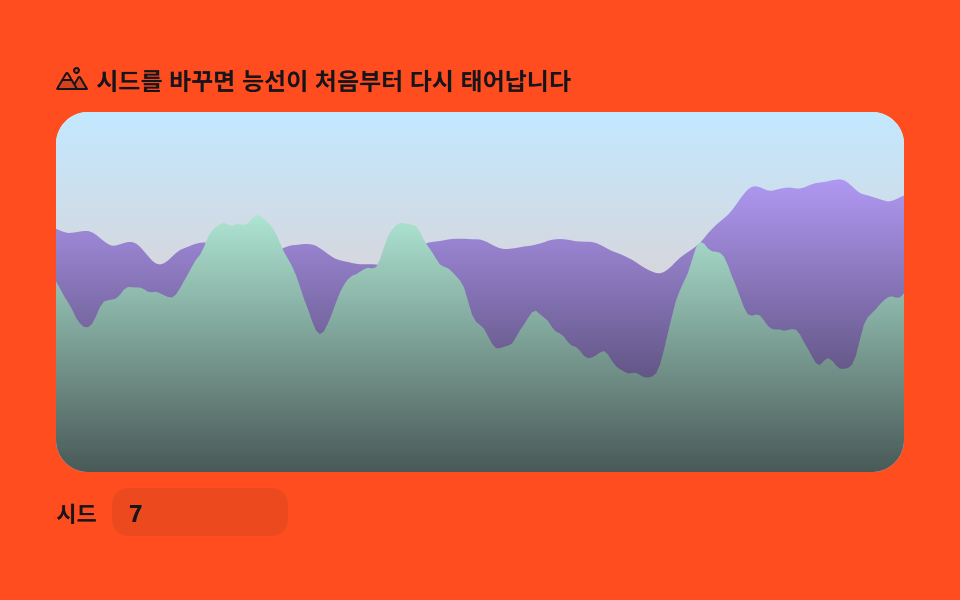 크리에이티브 UI펄린 노이즈 지형 9종 — 라이브러리 없이 계산만으로
 크리에이티브 UI튜링 패턴 시뮬레이션 9종 — 라이브러리 없이 두 물질의 반응 격자만으로