css 알림 애니메이션 9가지 — 알림 패널 뱃지 정리
css 알림 애니메이션 아홉 가지를 한 패널에 모았다. 「알림이 몇 개 남았나요?」 라는 질문에 이 패널은 미확인 값 하나로 답한다. 3번은 그 값이 0이 되는 순간 뱃지를 고리 모양으로 되돌리고, 6번은 같은 값이 비면 목록 전체를 빈 상태 문구로 바꾸고, 9번은 탭을 옮길 때마다
 01 notif-panel-bell-badge-pulse-open
 02 notif-panel-group-header-collapse
 03 notif-panel-unread-dot-to-hollow
 04 notif-panel-swipe-dismiss-item
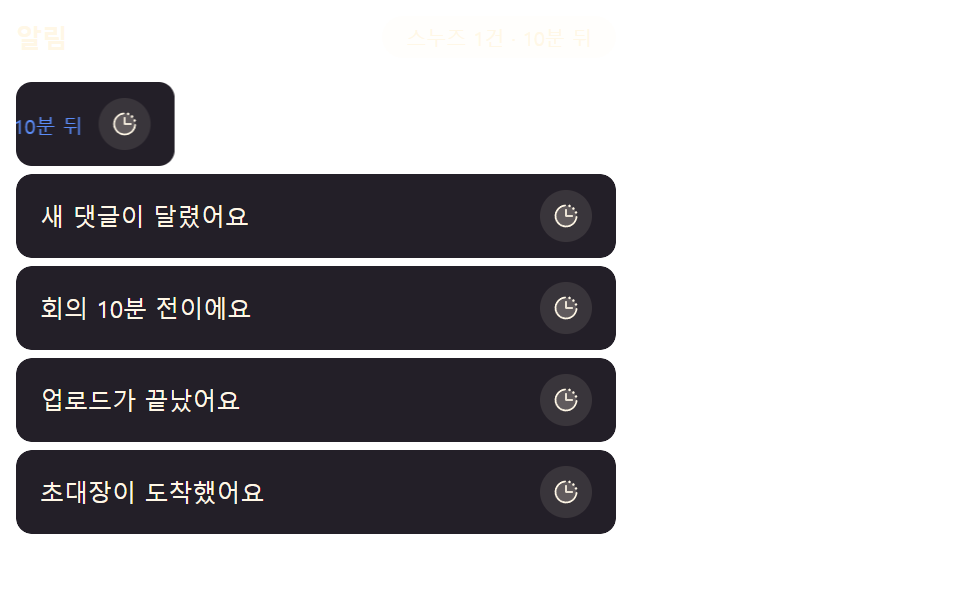 05 notif-panel-snooze-slide-out
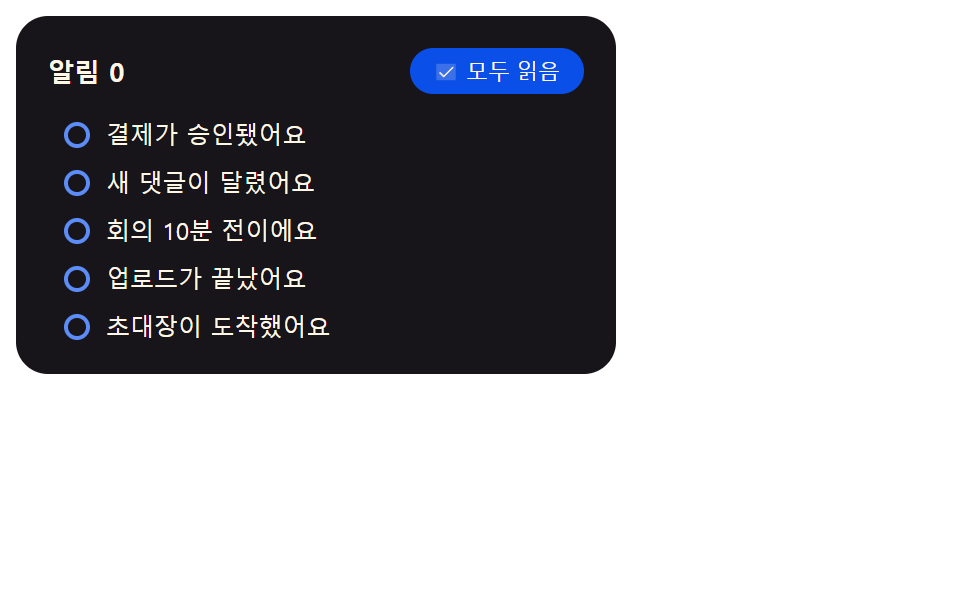 06 notif-panel-mark-all-read-cascade
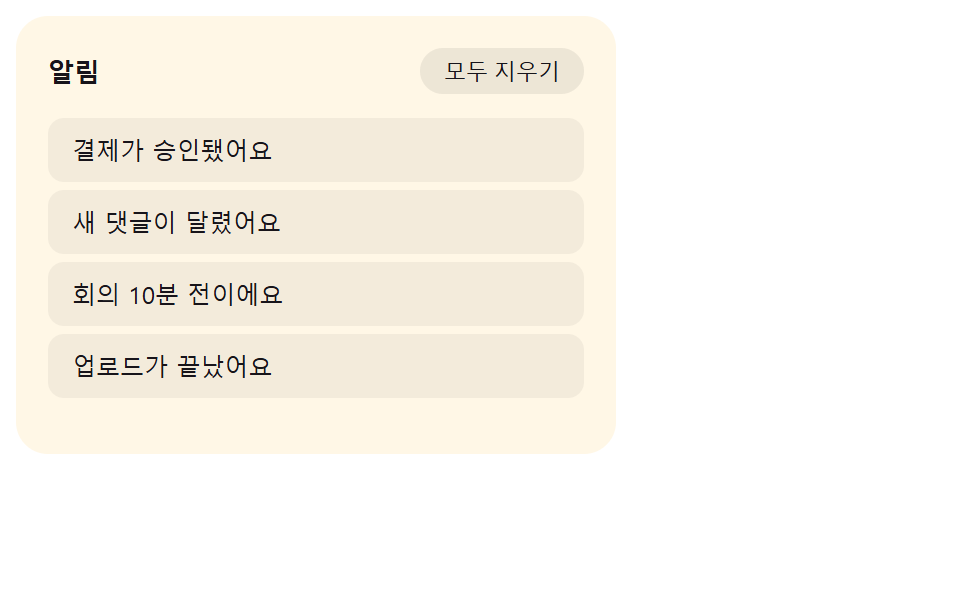 07 notif-panel-empty-state-crossfade
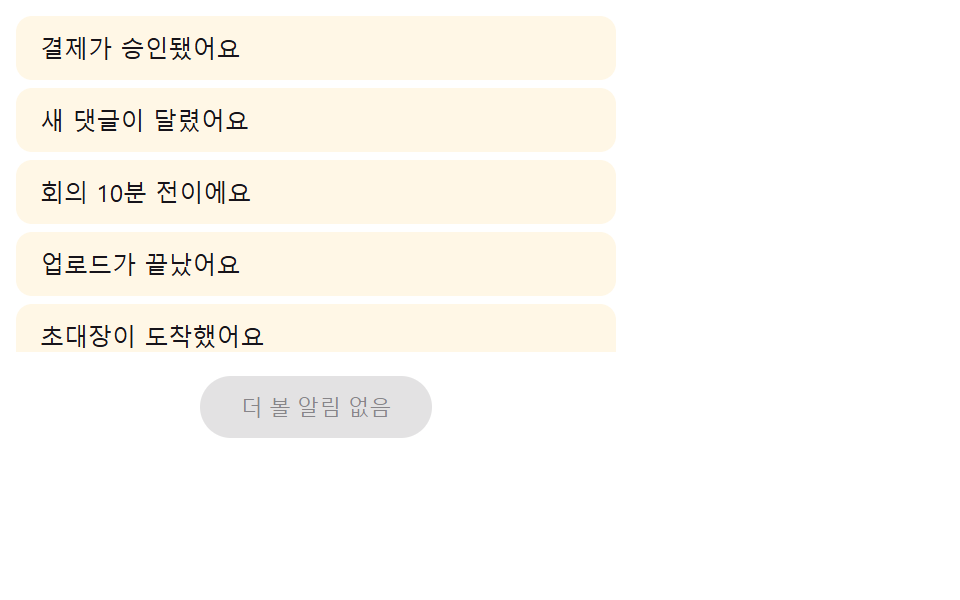 08 notif-panel-load-more-stagger-in
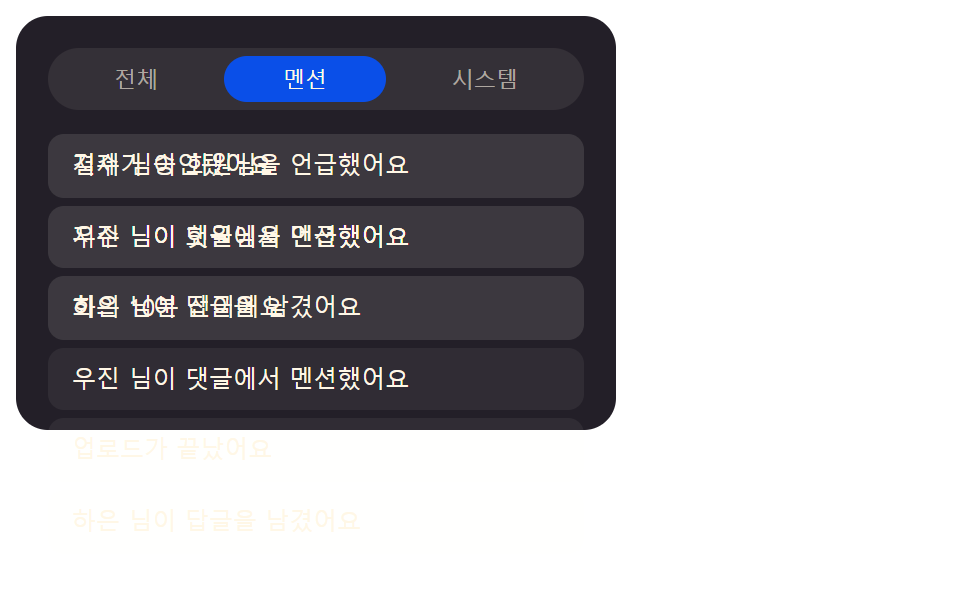 09 notif-panel-tab-filter-crossfade
자동 재생 · 눌러서 해당 항목으로 · 전부 한 zip
- 01 뱃지 값이 펄스한 뒤 열리는 알림 패널
- 02 날짜 그룹 값에 따라 접히는 헤더 목록
- 03 읽음 값이 켜지면 고리로 바뀌는 점 표시
- 04 이동 거리 값을 넘기면 사라지는 스와이프 항목
- 05 밀림 값만큼 옆으로 비켜나는 스누즈 항목
- 06 차례 값을 따라 번지는 전체 읽음 처리
- 07 남은 개수 값이 0 이면 바뀌는 빈 상태 문구
- 08 더보기 값을 누르면 시간차로 들어오는 항목
- 09 탭 값이 바뀌면 겹쳐 지나가는 필터 목록
아홉 알림 패널이 같은 값 하나로 다르게 움직이는 이유
01은 뱃지 실측 지름, 03은 스프링 진행값, 06은 목록 순번 — 아홉 항목은 저마다 다른 값 하나를 쥐고 있고, 그 값이 바뀌는 순간에만 패널 어딘가가 다시 계산돼 움직인다. 항목마다 그 값을 만드는 함수와 실제 소스를 아래에 그대로 옮겨 짚는다.
01뱃지 값이 펄스한 뒤 열리는 알림 패널
대시보드 헤더의 알림 벨처럼 미확인 개수 값이 늘어날 때마다 뱃지가 두 번 펄스하고, 벨을 누르면 그 아래에서 패널이 높이 값을 0에서 펼치며 내려온다.
<main class="stage">
  <div class="nb is-demo" id="nb">
    <button class="nb__bell" id="nbBell" type="button" aria-expanded="false" aria-controls="nbPanel">
      <svg class="nb__ic" viewBox="0 0 256 256" aria-hidden="true" focusable="false">
        <g fill="currentColor">
          <path opacity=".2" d="M208 192H48a8 8 0 0 1-6.88-12C47.71 168.6 56 139.81 56 104a72 72 0 0 1 144 0c0 35.82 8.3 64.6 14.9 76a8 8 0 0 1-6.9 12"/>
          <path d="M221.8 175.94c-5.55-9.56-13.8-36.61-13.8-71.94a80 80 0 1 0-160 0c0 35.34-8.26 62.38-13.81 71.94A16 16 0 0 0 48 200h40.81a40 40 0 0 0 78.38 0H208a16 16 0 0 0 13.8-24.06M128 216a24 24 0 0 1-22.62-16h45.24A24 24 0 0 1 128 216m-80-32c7.7-13.24 16-43.92 16-80a64 64 0 1 1 128 0c0 36.05 8.28 66.73 16 80Z"/>
        </g>
      </svg>
      <span class="nb__badge" id="nbBadge" aria-hidden="true">0</span>
      <span class="nb__pulseRing" id="nbRing" aria-hidden="true"></span>
      <span class="nb__sr" id="nbSr" aria-live="polite">미확인 알림 0개</span>
    </button>
    <div class="nb__panel" id="nbPanel" role="region" aria-label="알림 패널">
      <ul class="nb__list" role="list" id="nbList"></ul>
    </div>
  </div>
</main>
@use "../../../../site/static/demo-tokens" as *;
// 계산 겹: index.html measureHeight() 가 패널을 hidden 상태로 실측해 항목 수마다 다른 실제
// 높이 값을 얻고, 그 값으로 0 → 실측치 전환을 건다(고정 높이 아님) — nb__badge--pulse 는
// NOTIF_BADGE_PULSE_MS 로 재생 시간이 정해지는 이중 펄스.
.stage { @include stage($stage-ink); }
.nb {
position: relative;
width: min(100%, 300px);
display: flex;
flex-direction: column;
align-items: center;
gap: $sp-3;
}
.nb__bell {
position: relative;
width: 56px;
height: 56px;
border-radius: $r-pill;
border: none;
background: $subject-blue-deep;
color: $subject-cream;
display: grid;
place-items: center;
cursor: pointer;
padding: 0;
}
.nb__ic { width: 26px; height: 26px; }
.nb__badge {
position: absolute;
top: -2px;
right: -2px;
min-width: 20px;
height: 20px;
padding: 0 $sp-1;
border-radius: $r-pill;
background: $error;
color: $subject-cream;
font-size: 11px;
font-weight: 700;
line-height: 20px;
text-align: center;
transform-origin: center;
}
.nb__badge--pulse { animation-name: nbPulse; animation-timing-function: $ease-spring; }
// 계산 겹: index.html pulseBadge() 가 배지 실측 지름 기준 배율(--ring-scale)을 매번 다시 계산해
// 넣는다 — 이 링은 그 배율만큼 배지 밖으로 퍼지며 사라진다(고정 px 확산이 아니다).
.nb__pulseRing {
position: absolute;
top: -2px;
right: -2px;
min-width: 20px;
height: 20px;
border-radius: $r-pill;
border: 2px solid $error;
opacity: 0;
pointer-events: none;
transform-origin: center;
}
.nb__pulseRing--go { animation: nbRingGo $dur-enter $ease-out; }
@keyframes nbRingGo {
0% { opacity: .6; transform: scale(1); }
100% { opacity: 0; transform: scale(var(--ring-scale, 2.6)); }
}
.nb__sr {
position: absolute; width: 1px; height: 1px; overflow: hidden;
clip: rect(0 0 0 0); margin: -1px; padding: 0; border: 0;
}
.nb__panel {
width: 100%;
height: 0;
overflow: hidden;
border-radius: $r-card;
background: $tick-panel;
transition: height $dur-base $ease-spring;
}
.nb__list {
list-style: none;
margin: 0;
padding: $sp-2;
display: flex;
flex-direction: column;
gap: $sp-1;
}
.nb__item {
display: flex;
justify-content: space-between;
align-items: baseline;
gap: $sp-2;
padding: $sp-2 $sp-3;
border-radius: $r-sm;
background: rgba($subject-cream, .06);
}
.nb__itemName { font-size: 12px; color: $subject-cream; }
.nb__itemTime { font-size: 10px; color: rgba($subject-cream, .55); flex: 0 0 auto; }
@keyframes nbPulse {
0%, 100% { transform: scale(1); }
20% { transform: scale(1.3); }
40% { transform: scale(1); }
60% { transform: scale(1.3); }
80% { transform: scale(1); }
}
@media (max-width: 340px) {
.nb { width: 100%; }
.nb__itemTime { display: none; }
}
@media (prefers-reduced-motion: reduce) {
.nb__panel { transition: none; }
.nb__badge--pulse { animation: none; }
.nb__pulseRing--go { animation: none; }
}.stage html, .stage body {
margin: 0;
overflow: hidden;
}
.stage .stage {
box-sizing: border-box;
min-height: 100vh;
display: grid;
place-items: center;
margin: 0;
background: #17141a;
font-family: -apple-system, "Segoe UI", "Noto Sans KR", sans-serif;
padding: clamp(8px, 4vw, 24px);
}
.nb {
position: relative;
width: min(100%, 300px);
display: flex;
flex-direction: column;
align-items: center;
gap: 12px;
}
.nb__bell {
position: relative;
width: 56px;
height: 56px;
border-radius: 999px;
border: none;
background: #0a4fe8;
color: #fff7e6;
display: grid;
place-items: center;
cursor: pointer;
padding: 0;
}
.nb__ic {
width: 26px;
height: 26px;
}
.nb__badge {
position: absolute;
top: -2px;
right: -2px;
min-width: 20px;
height: 20px;
padding: 0 4px;
border-radius: 999px;
background: #c2361a;
color: #fff7e6;
font-size: 11px;
font-weight: 700;
line-height: 20px;
text-align: center;
transform-origin: center;
}
.nb__badge--pulse {
animation-name: nbPulse;
animation-timing-function: cubic-bezier(0.2, 0.8, 0.2, 1);
}
.nb__pulseRing {
position: absolute;
top: -2px;
right: -2px;
min-width: 20px;
height: 20px;
border-radius: 999px;
border: 2px solid #c2361a;
opacity: 0;
pointer-events: none;
transform-origin: center;
}
.nb__pulseRing--go {
animation: nbRingGo 600ms ease-out;
}
@keyframes nbRingGo {
0% {
opacity: 0.6;
transform: scale(1);
}
100% {
opacity: 0;
transform: scale(var(--ring-scale, 2.6));
}
}
.nb__sr {
position: absolute;
width: 1px;
height: 1px;
overflow: hidden;
clip: rect(0 0 0 0);
margin: -1px;
padding: 0;
border: 0;
}
.nb__panel {
width: 100%;
height: 0;
overflow: hidden;
border-radius: 16px;
background: #231f28;
transition: height 300ms cubic-bezier(0.2, 0.8, 0.2, 1);
}
.nb__list {
list-style: none;
margin: 0;
padding: 8px;
display: flex;
flex-direction: column;
gap: 4px;
}
.nb__item {
display: flex;
justify-content: space-between;
align-items: baseline;
gap: 8px;
padding: 8px 12px;
border-radius: 8px;
background: rgba(255, 247, 230, 0.06);
}
.nb__itemName {
font-size: 12px;
color: #fff7e6;
}
.nb__itemTime {
font-size: 10px;
color: rgba(255, 247, 230, 0.55);
flex: 0 0 auto;
}
@keyframes nbPulse {
0%, 100% {
transform: scale(1);
}
20% {
transform: scale(1.3);
}
40% {
transform: scale(1);
}
60% {
transform: scale(1.3);
}
80% {
transform: scale(1);
}
}
@media (max-width: 340px) {
.nb {
width: 100%;
}
.nb__itemTime {
display: none;
}
}
@media (prefers-reduced-motion: reduce) {
.nb__panel {
transition: none;
}
.nb__badge--pulse {
animation: none;
}
.nb__pulseRing--go {
animation: none;
}
}(function () {
"use strict";
var NOTIF_BADGE_PULSE_MS = 900; // 뱃지가 값이 오를 때 두 번 숨쉬듯 부풀었다 가라앉는 데 걸리는 시간
var NAMES = [
"결제가 승인됐어요", "새 댓글이 달렸어요", "회의 10분 전이에요",
"업로드가 끝났어요", "초대장이 도착했어요"
];
var TIMES = ["방금 전", "5분 전", "1시간 전", "어제", "2일 전"];
var root = document.getElementById("nb");
var bell = document.getElementById("nbBell");
var badge = document.getElementById("nbBadge");
var ring = document.getElementById("nbRing");
var sr = document.getElementById("nbSr");
var panel = document.getElementById("nbPanel");
var list = document.getElementById("nbList");
var reduce = window.matchMedia("(prefers-reduced-motion: reduce)").matches;
badge.style.animationDuration = NOTIF_BADGE_PULSE_MS + "ms";
var synthetic = false;
function human() {
if (synthetic) return;
if (root.classList.contains("is-demo")) root.classList.remove("is-demo");
}
var items = [];
var open = false;
var seq = 0;
function renderList() {
list.innerHTML = "";
items.forEach(function (it) {
var li = document.createElement("li");
li.className = "nb__item";
li.setAttribute("role", "listitem");
li.innerHTML =
'<span class="nb__itemName">' + it.name + "</span>" +
'<span class="nb__itemTime">' + it.time + "</span>";
list.appendChild(li);
});
}
  function pulseBadge() {
    badge.classList.remove("nb__badge--pulse");
    ring.classList.remove("nb__pulseRing--go");
    if (!reduce) {
      // 계산 겹: 배지의 실측 지름(getBoundingClientRect)에서 링이 퍼져나갈 배율을 구한다 —
      // 고정 px 가 아니라 그 순간 배지 크기 비례라 320px 무대에서도 배지 밖으로 정확히 퍼진다
      var bw = badge.getBoundingClientRect().width || 20;
      var targetD = bw * 2.6;
      ring.style.width = bw + "px";
      ring.style.height = bw + "px";
      ring.style.setProperty("--ring-scale", (targetD / bw).toFixed(2));
      // eslint-disable-next-line no-unused-expressions
      void badge.offsetWidth;
      void ring.offsetWidth;
      badge.classList.add("nb__badge--pulse");
      ring.classList.add("nb__pulseRing--go");
    }
}
// 계산 겹: 패널을 실제로 펼치기 전, 화면 밖(visibility hidden)에서 콘텐츠의 실제 높이를
// getBoundingClientRect 로 미리 재서(항목 수마다 다른 값) 그 값으로 0 → 실측치를 전환한다.
function measureHeight() {
var prevVis = panel.style.visibility;
var prevH = panel.style.height;
panel.style.visibility = "hidden";
panel.style.height = "auto";
var h = panel.getBoundingClientRect().height;
panel.style.visibility = prevVis;
panel.style.height = prevH;
return h;
}
function setOpen(v) {
open = v;
bell.setAttribute("aria-expanded", v ? "true" : "false");
if (v) {
var h = measureHeight();
panel.style.height = "0px";
requestAnimationFrame(function () {
panel.style.height = h + "px";
});
} else {
panel.style.height = measureHeight() + "px";
requestAnimationFrame(function () {
panel.style.height = "0px";
});
}
}
function addNotification() {
var idx = seq % NAMES.length;
items.unshift({ name: NAMES[idx], time: TIMES[seq % TIMES.length] });
seq++;
if (items.length > 5) items.pop();
badge.textContent = String(items.length);
sr.textContent = "미확인 알림 " + items.length + "개";
pulseBadge();
renderList();
// 패널이 열려 있는 동안 새 알림이 오면 높이도 새 내용에 맞춰 다시 잰다(고정폭 안 잘림)
if (open) panel.style.height = measureHeight() + "px";
}
function toggle() {
human();
setOpen(!open);
}
bell.addEventListener("click", toggle);
bell.addEventListener("keydown", function (e) {
if (e.key === "Enter" || e.key === " ") {
e.preventDefault();
toggle();
}
});
addNotification();
addNotification();
if (reduce) {
panel.style.transition = "none";
setOpen(true);
addNotification();
} else {
var loopTimer = 0;
var step = 0;
// 시연 주기 간격(펄스→열림→추가→닫힘) — 측정창(2초) 안에 패널 열림이 다 보이도록 조정했다.
// NOTIF_BADGE_PULSE_MS 자체는 그대로, 다음 단계로 넘어가는 대기시간만 다르게 준다.
var STEP_WAIT_MS = [500, 500, 400, 900];
function loop() {
if (!root.classList.contains("is-demo")) return;
synthetic = true;
if (step === 0) {
addNotification();
} else if (step === 1) {
setOpen(true);
} else if (step === 2) {
addNotification();
} else {
setOpen(false);
}
synthetic = false;
loopTimer = window.setTimeout(loop, STEP_WAIT_MS[step]);
step = (step + 1) % 4;
}
loopTimer = window.setTimeout(loop, 200);
}
})();// NotifBellBadgePulseOpen — vanilla 판(run/405/demo/01-.../index.html) 의 React 포트.
// 계산 겹: measureHeight() 가 패널을 hidden 상태로 실측해 항목 수마다 다른 실제 높이 값을 얻고
// 그 값으로 0 → 실측치 전환을 건다(고정 높이 아님) — vanilla 와 동일 동작.
import { useEffect, useRef, useState } from "react";
import styles from "./NotifBellBadgePulseOpen.module.scss";
type Box<T> = { current: T };
type KeyEvt = { key: string; preventDefault(): void };
const NOTIF_BADGE_PULSE_MS = 900; // 뱃지가 값이 오를 때 두 번 숨쉬듯 부풀었다 가라앉는 데 걸리는 시간
const NAMES = [
"결제가 승인됐어요", "새 댓글이 달렸어요", "회의 10분 전이에요",
"업로드가 끝났어요", "초대장이 도착했어요",
];
const TIMES = ["방금 전", "5분 전", "1시간 전", "어제", "2일 전"];
type Item = { name: string; time: string };
export default function NotifBellBadgePulseOpen() {
const [isDemo, setIsDemo] = useState(true);
const isDemoRef = useRef(true) as unknown as Box<boolean>;
const synthRef = useRef(false) as unknown as Box<boolean>;
const rootRef = useRef(null) as unknown as Box<HTMLDivElement>;
const bellRef = useRef(null) as unknown as Box<HTMLButtonElement>;
const badgeRef = useRef(null) as unknown as Box<HTMLSpanElement>;
const ringRef = useRef(null) as unknown as Box<HTMLSpanElement>;
const srRef = useRef(null) as unknown as Box<HTMLSpanElement>;
const panelRef = useRef(null) as unknown as Box<HTMLDivElement>;
const listRef = useRef(null) as unknown as Box<HTMLUListElement>;
const itemsRef = useRef([] as Item[]) as unknown as Box<Item[]>;
const openRef = useRef(false) as unknown as Box<boolean>;
const seqRef = useRef(0) as unknown as Box<number>;
const loopTimerRef = useRef(0) as unknown as Box<number>;
const stepRef = useRef(0) as unknown as Box<number>;
function human() {
if (synthRef.current) return;
if (isDemoRef.current) { isDemoRef.current = false; setIsDemo(false); }
}
function renderList() {
const listEl = listRef.current;
if (!listEl) return;
listEl.innerHTML = "";
itemsRef.current.forEach((it) => {
const li = document.createElement("li");
li.className = styles.item;
li.setAttribute("role", "listitem");
li.innerHTML =
'<span class="' + styles.itemName + '">' + it.name + "</span>" +
'<span class="' + styles.itemTime + '">' + it.time + "</span>";
listEl.appendChild(li);
});
}
function pulseBadge(reduce: boolean) {
const badge = badgeRef.current;
const ring = ringRef.current;
if (!badge || !ring) return;
badge.classList.remove(styles.badgePulse);
ring.classList.remove(styles.pulseRingGo);
if (!reduce) {
// 계산 겹: 배지의 실측 지름(getBoundingClientRect)에서 링이 퍼져나갈 배율을 구한다 —
// 고정 px 가 아니라 그 순간 배지 크기 비례라 320px 무대에서도 배지 밖으로 정확히 퍼진다
const bw = badge.getBoundingClientRect().width || 20;
const targetD = bw * 2.6;
ring.style.width = bw + "px";
ring.style.height = bw + "px";
ring.style.setProperty("--ring-scale", (targetD / bw).toFixed(2));
void badge.offsetWidth;
void ring.offsetWidth;
badge.classList.add(styles.badgePulse);
ring.classList.add(styles.pulseRingGo);
}
}
// 계산 겹: 패널을 실제로 펼치기 전, 화면 밖(visibility hidden)에서 콘텐츠의 실제 높이를
// getBoundingClientRect 로 미리 재서(항목 수마다 다른 값) 그 값으로 0 → 실측치를 전환한다.
function measureHeight(): number {
const panel = panelRef.current;
if (!panel) return 0;
const prevVis = panel.style.visibility;
const prevH = panel.style.height;
panel.style.visibility = "hidden";
panel.style.height = "auto";
const h = panel.getBoundingClientRect().height;
panel.style.visibility = prevVis;
panel.style.height = prevH;
return h;
}
function setOpen(v: boolean) {
openRef.current = v;
const bell = bellRef.current, panel = panelRef.current;
if (bell) bell.setAttribute("aria-expanded", v ? "true" : "false");
if (!panel) return;
if (v) {
const h = measureHeight();
panel.style.height = "0px";
requestAnimationFrame(() => { panel.style.height = h + "px"; });
} else {
panel.style.height = measureHeight() + "px";
requestAnimationFrame(() => { panel.style.height = "0px"; });
}
}
function addNotification(reduce: boolean) {
const idx = seqRef.current % NAMES.length;
itemsRef.current.unshift({ name: NAMES[idx], time: TIMES[seqRef.current % TIMES.length] });
seqRef.current++;
if (itemsRef.current.length > 5) itemsRef.current.pop();
const badge = badgeRef.current, sr = srRef.current;
if (badge) badge.textContent = String(itemsRef.current.length);
if (sr) sr.textContent = "미확인 알림 " + itemsRef.current.length + "개";
pulseBadge(reduce);
renderList();
// 패널이 열려 있는 동안 새 알림이 오면 높이도 새 내용에 맞춰 다시 잰다(고정폭 안 잘림)
if (openRef.current) {
const panel = panelRef.current;
if (panel) panel.style.height = measureHeight() + "px";
}
}
function toggle() {
human();
setOpen(!openRef.current);
}
function onKeyDown(e: KeyEvt) {
if (e.key === "Enter" || e.key === " ") {
e.preventDefault();
toggle();
}
}
useEffect(() => {
const reduce = window.matchMedia("(prefers-reduced-motion: reduce)").matches;
const badge = badgeRef.current;
if (badge) badge.style.animationDuration = NOTIF_BADGE_PULSE_MS + "ms";
addNotification(reduce);
addNotification(reduce);
if (reduce) {
const panel = panelRef.current;
if (panel) panel.style.transition = "none";
setOpen(true);
addNotification(reduce);
} else {
// 시연 주기 간격(펄스→열림→추가→닫힘) — 측정창(2초) 안에 패널 열림이 다 보이도록 조정했다.
// NOTIF_BADGE_PULSE_MS 자체는 그대로, 다음 단계로 넘어가는 대기시간만 다르게 준다.
const STEP_WAIT_MS = [500, 500, 400, 900];
function loop() {
if (!isDemoRef.current) return;
synthRef.current = true;
const step = stepRef.current;
if (step === 0) addNotification(false);
else if (step === 1) setOpen(true);
else if (step === 2) addNotification(false);
else setOpen(false);
synthRef.current = false;
loopTimerRef.current = window.setTimeout(loop, STEP_WAIT_MS[step]);
stepRef.current = (step + 1) % 4;
}
loopTimerRef.current = window.setTimeout(loop, 200);
}
return () => { window.clearTimeout(loopTimerRef.current); };
// eslint-disable-next-line react-hooks/exhaustive-deps
}, []);
return (
<main className={styles.stage}>
<div className={styles.nb + " " + (isDemo ? styles.isDemo : "")} ref={rootRef}>
<button className={styles.bell} type="button" aria-expanded="false" aria-controls="nbPanel"
ref={bellRef} onClick={toggle} onKeyDown={onKeyDown}>
<svg className={styles.ic} viewBox="0 0 256 256" aria-hidden="true" focusable="false">
<g fill="currentColor">
<path opacity=".2" d="M208 192H48a8 8 0 0 1-6.88-12C47.71 168.6 56 139.81 56 104a72 72 0 0 1 144 0c0 35.82 8.3 64.6 14.9 76a8 8 0 0 1-6.9 12" />
<path d="M221.8 175.94c-5.55-9.56-13.8-36.61-13.8-71.94a80 80 0 1 0-160 0c0 35.34-8.26 62.38-13.81 71.94A16 16 0 0 0 48 200h40.81a40 40 0 0 0 78.38 0H208a16 16 0 0 0 13.8-24.06M128 216a24 24 0 0 1-22.62-16h45.24A24 24 0 0 1 128 216m-80-32c7.7-13.24 16-43.92 16-80a64 64 0 1 1 128 0c0 36.05 8.28 66.73 16 80Z" />
</g>
</svg>
<span className={styles.badge} aria-hidden="true" ref={badgeRef}>0</span>
<span className={styles.pulseRing} aria-hidden="true" ref={ringRef} />
<span className={styles.sr} aria-live="polite" ref={srRef}>미확인 알림 0개</span>
</button>
<div className={styles.panel} id="nbPanel" role="region" aria-label="알림 패널" ref={panelRef}>
<ul className={styles.list} role="list" ref={listRef} />
</div>
</div>
</main>
);
}01 · 뱃지 값이 펄스한 뒤 열리는 알림 패널 — 측정 누적면적 34.257% · 움직인 프레임 10/23GODRICH 원작 · zip 에 SCSS·React 포함 · 비밀번호 보기
function pulseBadge() {
badge.classList.remove("nb__badge--pulse");
ring.classList.remove("nb__pulseRing--go");
if (!reduce) {
// 계산 겹: 배지의 실측 지름(getBoundingClientRect)에서 링이 퍼져나갈 배율을 구한다 —
// 고정 px 가 아니라 그 순간 배지 크기 비례라 320px 무대에서도 배지 밖으로 정확히 퍼진다
var bw = badge.getBoundingClientRect().width || 20;
var targetD = bw * 2.6;
ring.style.width = bw + "px";
ring.style.height = bw + "px";
ring.style.setProperty("--ring-scale", (targetD / bw).toFixed(2));
// eslint-disable-next-line no-unused-expressions
void badge.offsetWidth;
void ring.offsetWidth;
badge.classList.add("nb__badge--pulse");
ring.classList.add("nb__pulseRing--go");
}
펄스가 퍼지는 배율은 고정 px 가 아니라 getBoundingClientRect로 잰 뱃지의 실측 지름에 비례해 정해지므로, 뱃지 크기가 다른 화면에서도 링이 항상 뱃지 밖으로 정확히 퍼진다.
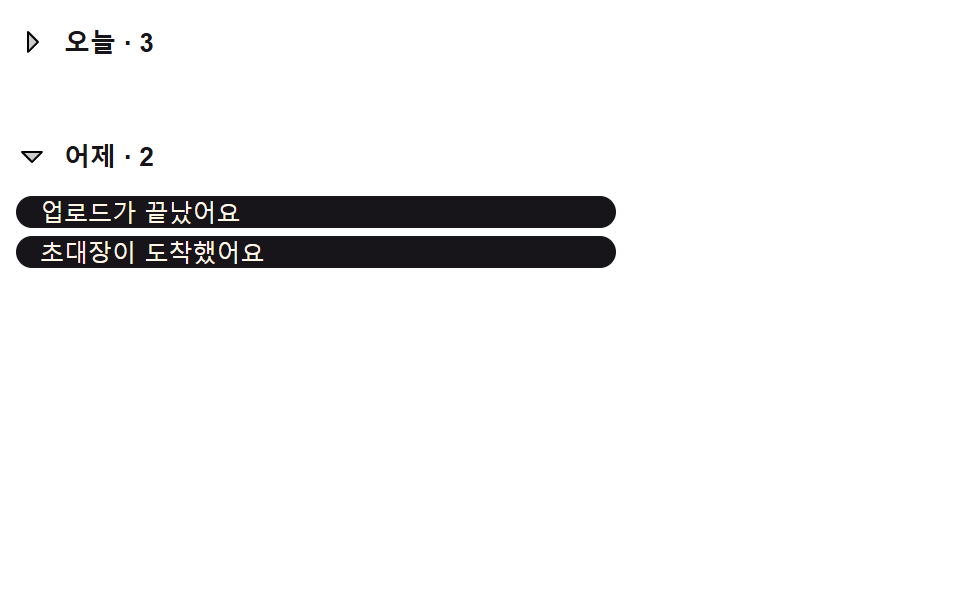
02날짜 그룹 값에 따라 접히는 헤더 목록
메신저의 어제·오늘 같은 날짜 그룹 헤더를 누르면, 그 아래 항목 개수만큼 높이 값이 줄어들며 하위 목록이 접힌다.
<main class="stage">
  <div class="gh is-demo" id="gh">
    <section class="gh__group">
      <button class="gh__header" id="ghHeaderToday" type="button" aria-expanded="true" aria-controls="ghListToday">
        <svg class="gh__caret" id="ghCaretToday" viewBox="0 0 256 256" aria-hidden="true" focusable="false">
          <path d="m208 96l-80 80l-80-80Z" opacity=".2"/>
          <path d="M215.39 92.94A8 8 0 0 0 208 88H48a8 8 0 0 0-5.66 13.66l80 80a8 8 0 0 0 11.32 0l80-80a8 8 0 0 0 1.73-8.72M128 164.69L67.31 104h121.38Z"/>
        </svg>
        <span class="gh__headerLabel">오늘 · <span id="ghCountToday">3</span></span>
      </button>
      <ul class="gh__list" id="ghListToday" role="list"></ul>
    </section>
    <section class="gh__group">
      <button class="gh__header" id="ghHeaderYesterday" type="button" aria-expanded="true" aria-controls="ghListYesterday">
        <svg class="gh__caret" id="ghCaretYesterday" viewBox="0 0 256 256" aria-hidden="true" focusable="false">
          <path d="m208 96l-80 80l-80-80Z" opacity=".2"/>
          <path d="M215.39 92.94A8 8 0 0 0 208 88H48a8 8 0 0 0-5.66 13.66l80 80a8 8 0 0 0 11.32 0l80-80a8 8 0 0 0 1.73-8.72M128 164.69L67.31 104h121.38Z"/>
        </svg>
        <span class="gh__headerLabel">어제 · <span id="ghCountYesterday">2</span></span>
      </button>
      <ul class="gh__list" id="ghListYesterday" role="list"></ul>
    </section>
  </div>
</main>
@use "../../../../site/static/demo-tokens" as *;
// 계산 겹: index.html setGroup() 이 항목마다 실제 높이(getBoundingClientRect)를 재서
// dataset 에 저장해두고, 순번 x NOTIF_GROUP_COLLAPSE_DELAY_MS 를 transitionDelay 로 걸어
// 위→아래(펼 때는 아래→위) 순서로 접히는 계단식 흐름을 만든다.
.stage { @include stage($stage-yellow); }
.gh {
width: min(100%, 300px);
display: flex;
flex-direction: column;
gap: $sp-4;
}
.gh__group { display: flex; flex-direction: column; gap: $sp-2; }
.gh__header {
display: flex;
align-items: center;
gap: $sp-2;
border: none;
background: transparent;
padding: $sp-1 0;
cursor: pointer;
color: $subject-ink;
}
.gh__caret {
width: 16px;
height: 16px;
color: $subject-ink;
transition: transform $dur-base $ease-spring;
transform-origin: center;
}
.gh__header[aria-expanded="false"] .gh__caret { transform: rotate(-90deg); }
.gh__headerLabel { font-size: 13px; font-weight: 700; }
.gh__list {
list-style: none;
margin: 0;
padding: 0;
display: flex;
flex-direction: column;
gap: $sp-1;
}
.gh__item {
overflow: hidden;
border-radius: $r-sm;
background: $subject-ink;
color: $subject-cream;
font-size: 12px;
padding: 0 $sp-3;
display: flex;
align-items: center;
box-sizing: border-box;
transition: height $dur-base $ease-spring, opacity $dur-base $ease-spring;
}
@media (max-width: 340px) {
.gh { width: 100%; }
}
@media (prefers-reduced-motion: reduce) {
.gh__item { transition: none; }
.gh__caret { transition: none; }
}.stage html, .stage body {
margin: 0;
overflow: hidden;
}
.stage .stage {
box-sizing: border-box;
min-height: 100vh;
display: grid;
place-items: center;
margin: 0;
background: #ffd23f;
font-family: -apple-system, "Segoe UI", "Noto Sans KR", sans-serif;
padding: clamp(8px, 4vw, 24px);
}
.gh {
width: min(100%, 300px);
display: flex;
flex-direction: column;
gap: 16px;
}
.gh__group {
display: flex;
flex-direction: column;
gap: 8px;
}
.gh__header {
display: flex;
align-items: center;
gap: 8px;
border: none;
background: transparent;
padding: 4px 0;
cursor: pointer;
color: #17141a;
}
.gh__caret {
width: 16px;
height: 16px;
color: #17141a;
transition: transform 300ms cubic-bezier(0.2, 0.8, 0.2, 1);
transform-origin: center;
}
.gh__header[aria-expanded=false] .gh__caret {
transform: rotate(-90deg);
}
.gh__headerLabel {
font-size: 13px;
font-weight: 700;
}
.gh__list {
list-style: none;
margin: 0;
padding: 0;
display: flex;
flex-direction: column;
gap: 4px;
}
.gh__item {
overflow: hidden;
border-radius: 8px;
background: #17141a;
color: #fff7e6;
font-size: 12px;
padding: 0 12px;
display: flex;
align-items: center;
box-sizing: border-box;
transition: height 300ms cubic-bezier(0.2, 0.8, 0.2, 1), opacity 300ms cubic-bezier(0.2, 0.8, 0.2, 1);
}
@media (max-width: 340px) {
.gh {
width: 100%;
}
}
@media (prefers-reduced-motion: reduce) {
.gh__item {
transition: none;
}
.gh__caret {
transition: none;
}
}(function () {
"use strict";
var NOTIF_GROUP_COLLAPSE_DELAY_MS = 80; // 항목마다 접히는 시작 시각이 이 값 x 순번만큼 밀린다
var GROUPS = {
today: ["결제가 승인됐어요", "새 댓글이 달렸어요", "회의 10분 전이에요"],
yesterday: ["업로드가 끝났어요", "초대장이 도착했어요"]
};
var root = document.getElementById("gh");
var reduce = window.matchMedia("(prefers-reduced-motion: reduce)").matches;
var synthetic = false;
function human() {
if (synthetic) return;
if (root.classList.contains("is-demo")) root.classList.remove("is-demo");
}
function buildList(key) {
var ul = document.getElementById("ghList" + (key === "today" ? "Today" : "Yesterday"));
GROUPS[key].forEach(function (name) {
var li = document.createElement("li");
li.className = "gh__item";
li.setAttribute("role", "listitem");
li.textContent = name;
ul.appendChild(li);
});
}
buildList("today");
buildList("yesterday");
var state = { today: true, yesterday: true };
function groupEls(key) {
var suffix = key === "today" ? "Today" : "Yesterday";
return {
header: document.getElementById("ghHeader" + suffix),
caret: document.getElementById("ghCaret" + suffix),
list: document.getElementById("ghList" + suffix)
};
}
// 계산 겹: 항목마다 실제 높이를 getBoundingClientRect 로 재고, 순번(index) x
// NOTIF_GROUP_COLLAPSE_DELAY_MS 를 transitionDelay 로 걸어 위에서 아래로(펼 때는 아래에서
// 위로) 순서대로 접히고 펼쳐지는 계단식 흐름을 만든다.
  function setGroup(key, expand) {
    state[key] = expand;
    var els = groupEls(key);
    els.header.setAttribute("aria-expanded", expand ? "true" : "false");
    var items = Array.prototype.slice.call(els.list.children);
    var n = items.length;
    items.forEach(function (li, i) {
      var order = expand ? (n - 1 - i) : i;
      var delay = reduce ? 0 : order * NOTIF_GROUP_COLLAPSE_DELAY_MS;
      var h = li.dataset.h ? parseFloat(li.dataset.h) : null;
      if (h === null) {
        li.style.height = "auto";
        h = li.getBoundingClientRect().height;
        li.dataset.h = String(h);
      }
      li.style.transitionDelay = delay + "ms";
      if (expand) {
li.style.height = "0px";
li.style.opacity = "0";
requestAnimationFrame(function () {
li.style.height = h + "px";
li.style.opacity = "1";
});
} else {
li.style.height = h + "px";
li.style.opacity = "1";
requestAnimationFrame(function () {
li.style.height = "0px";
li.style.opacity = "0";
});
}
});
}
function toggleGroup(key) {
human();
setGroup(key, !state[key]);
}
groupEls("today").header.addEventListener("click", function () { toggleGroup("today"); });
groupEls("yesterday").header.addEventListener("click", function () { toggleGroup("yesterday"); });
[groupEls("today").header, groupEls("yesterday").header].forEach(function (btn, i) {
btn.addEventListener("keydown", function (e) {
if (e.key === "Enter" || e.key === " ") {
e.preventDefault();
toggleGroup(i === 0 ? "today" : "yesterday");
}
});
});
// 화면 폭이 바뀌면 줄바꿈 여부가 달라져 캐시해둔 실측 높이가 더는 맞지 않는다 — 지운다.
window.addEventListener("resize", function () {
Array.prototype.forEach.call(root.querySelectorAll(".gh__item"), function (li) {
delete li.dataset.h;
});
});
if (reduce) {
setGroup("today", false);
} else {
var step = 0;
function loop() {
if (!root.classList.contains("is-demo")) return;
synthetic = true;
if (step === 0) setGroup("today", false);
else if (step === 1) setGroup("today", true);
else if (step === 2) setGroup("yesterday", false);
else setGroup("yesterday", true);
synthetic = false;
step = (step + 1) % 4;
window.setTimeout(loop, 1500);
}
window.setTimeout(loop, 500);
}
})();// NotifGroupHeaderCollapse — vanilla 판(run/405/demo/02-.../index.html) 의 React 포트.
// 계산 겹: 항목마다 실제 높이를 getBoundingClientRect 로 재고, 순번(index) x
// NOTIF_GROUP_COLLAPSE_DELAY_MS 를 transitionDelay 로 걸어 위에서 아래로(펼 때는 아래에서
// 위로) 순서대로 접히고 펼쳐지는 계단식 흐름을 만든다 — vanilla 와 동일 동작.
import { useEffect, useRef, useState } from "react";
import styles from "./NotifGroupHeaderCollapse.module.scss";
type Box<T> = { current: T };
type KeyEvt = { key: string; preventDefault(): void };
type GroupKey = "today" | "yesterday";
const NOTIF_GROUP_COLLAPSE_DELAY_MS = 80; // 항목마다 접히는 시작 시각이 이 값 x 순번만큼 밀린다
const GROUPS: { [k in GroupKey]: string[] } = {
today: ["결제가 승인됐어요", "새 댓글이 달렸어요", "회의 10분 전이에요"],
yesterday: ["업로드가 끝났어요", "초대장이 도착했어요"],
};
export default function NotifGroupHeaderCollapse() {
const [isDemo, setIsDemo] = useState(true);
const [expanded, setExpanded] = useState<{ [k in GroupKey]: boolean }>({ today: true, yesterday: true });
const isDemoRef = useRef(true) as unknown as Box<boolean>;
const synthRef = useRef(false) as unknown as Box<boolean>;
const rootRef = useRef(null) as unknown as Box<HTMLDivElement>;
const headerRef = {
today: useRef(null) as unknown as Box<HTMLButtonElement>,
yesterday: useRef(null) as unknown as Box<HTMLButtonElement>,
};
const listRef = {
today: useRef(null) as unknown as Box<HTMLUListElement>,
yesterday: useRef(null) as unknown as Box<HTMLUListElement>,
};
const stateRef = useRef({ today: true, yesterday: true }) as unknown as Box<{ [k in GroupKey]: boolean }>;
const loopTimerRef = useRef(0) as unknown as Box<number>;
const stepRef = useRef(0) as unknown as Box<number>;
function human() {
if (synthRef.current) return;
if (isDemoRef.current) { isDemoRef.current = false; setIsDemo(false); }
}
function buildList(key: GroupKey) {
const ul = listRef[key].current;
if (!ul) return;
ul.innerHTML = "";
GROUPS[key].forEach((name) => {
const li = document.createElement("li");
li.className = styles.item;
li.setAttribute("role", "listitem");
li.textContent = name;
ul.appendChild(li);
});
}
function setGroup(key: GroupKey, expand: boolean, reduce: boolean) {
stateRef.current[key] = expand;
setExpanded((prev) => ({ ...prev, [key]: expand }));
const list = listRef[key].current;
if (!list) return;
const items = Array.prototype.slice.call(list.children) as HTMLLIElement[];
const n = items.length;
items.forEach((li, i) => {
const order = expand ? n - 1 - i : i;
const delay = reduce ? 0 : order * NOTIF_GROUP_COLLAPSE_DELAY_MS;
let h = li.dataset.h ? parseFloat(li.dataset.h) : null;
if (h === null) {
li.style.height = "auto";
h = li.getBoundingClientRect().height;
li.dataset.h = String(h);
}
li.style.transitionDelay = delay + "ms";
if (expand) {
li.style.height = "0px";
li.style.opacity = "0";
requestAnimationFrame(() => { li.style.height = h + "px"; li.style.opacity = "1"; });
} else {
li.style.height = h + "px";
li.style.opacity = "1";
requestAnimationFrame(() => { li.style.height = "0px"; li.style.opacity = "0"; });
}
});
}
function toggleGroup(key: GroupKey) {
human();
const reduce = window.matchMedia("(prefers-reduced-motion: reduce)").matches;
setGroup(key, !stateRef.current[key], reduce);
}
function onKeyDown(key: GroupKey, e: KeyEvt) {
if (e.key === "Enter" || e.key === " ") {
e.preventDefault();
toggleGroup(key);
}
}
useEffect(() => {
buildList("today");
buildList("yesterday");
const reduce = window.matchMedia("(prefers-reduced-motion: reduce)").matches;
function onResize() {
const root = rootRef.current;
if (!root) return;
Array.prototype.forEach.call(root.querySelectorAll("li"), (li: HTMLLIElement) => { delete li.dataset.h; });
}
window.addEventListener("resize", onResize);
if (reduce) {
setGroup("today", false, true);
} else {
function loop() {
if (!isDemoRef.current) return;
synthRef.current = true;
const step = stepRef.current;
if (step === 0) setGroup("today", false, false);
else if (step === 1) setGroup("today", true, false);
else if (step === 2) setGroup("yesterday", false, false);
else setGroup("yesterday", true, false);
synthRef.current = false;
stepRef.current = (step + 1) % 4;
loopTimerRef.current = window.setTimeout(loop, 1500);
}
loopTimerRef.current = window.setTimeout(loop, 500);
}
return () => {
window.removeEventListener("resize", onResize);
window.clearTimeout(loopTimerRef.current);
};
// eslint-disable-next-line react-hooks/exhaustive-deps
}, []);
return (
<main className={styles.stage}>
<div className={styles.gh + " " + (isDemo ? styles.isDemo : "")} ref={rootRef}>
<section className={styles.group}>
<button className={styles.header} type="button" aria-expanded={expanded.today ? "true" : "false"}
aria-controls="ghListToday" ref={headerRef.today}
onClick={() => toggleGroup("today")} onKeyDown={(e: KeyEvt) => onKeyDown("today", e)}>
<svg className={styles.caret} viewBox="0 0 256 256" aria-hidden="true" focusable="false">
<path d="m208 96l-80 80l-80-80Z" opacity=".2" />
<path d="M215.39 92.94A8 8 0 0 0 208 88H48a8 8 0 0 0-5.66 13.66l80 80a8 8 0 0 0 11.32 0l80-80a8 8 0 0 0 1.73-8.72M128 164.69L67.31 104h121.38Z" />
</svg>
<span className={styles.headerLabel}>오늘 · {GROUPS.today.length}</span>
</button>
<ul className={styles.list} id="ghListToday" role="list" ref={listRef.today} />
</section>
<section className={styles.group}>
<button className={styles.header} type="button" aria-expanded={expanded.yesterday ? "true" : "false"}
aria-controls="ghListYesterday" ref={headerRef.yesterday}
onClick={() => toggleGroup("yesterday")} onKeyDown={(e: KeyEvt) => onKeyDown("yesterday", e)}>
<svg className={styles.caret} viewBox="0 0 256 256" aria-hidden="true" focusable="false">
<path d="m208 96l-80 80l-80-80Z" opacity=".2" />
<path d="M215.39 92.94A8 8 0 0 0 208 88H48a8 8 0 0 0-5.66 13.66l80 80a8 8 0 0 0 11.32 0l80-80a8 8 0 0 0 1.73-8.72M128 164.69L67.31 104h121.38Z" />
</svg>
<span className={styles.headerLabel}>어제 · {GROUPS.yesterday.length}</span>
</button>
<ul className={styles.list} id="ghListYesterday" role="list" ref={listRef.yesterday} />
</section>
</div>
</main>
);
}02 · 날짜 그룹 값에 따라 접히는 헤더 목록 — 측정 누적면적 29.136% · 움직인 프레임 9/23GODRICH 원작 · zip 에 SCSS·React 포함 · 비밀번호 보기
function setGroup(key, expand) {
state[key] = expand;
var els = groupEls(key);
els.header.setAttribute("aria-expanded", expand ? "true" : "false");
var items = Array.prototype.slice.call(els.list.children);
var n = items.length;
items.forEach(function (li, i) {
var order = expand ? (n - 1 - i) : i;
var delay = reduce ? 0 : order * NOTIF_GROUP_COLLAPSE_DELAY_MS;
var h = li.dataset.h ? parseFloat(li.dataset.h) : null;
if (h === null) {
li.style.height = "auto";
h = li.getBoundingClientRect().height;
li.dataset.h = String(h);
}
li.style.transitionDelay = delay + "ms";
if (expand) {
접히거나 펼쳐질 때 각 항목의 transitionDelay는 순번 값에 NOTIF_GROUP_COLLAPSE_DELAY_MS를 곱해 정해져, 펼칠 때는 아래에서 위로·접을 때는 위에서 아래로 순서가 반대로 번진다.
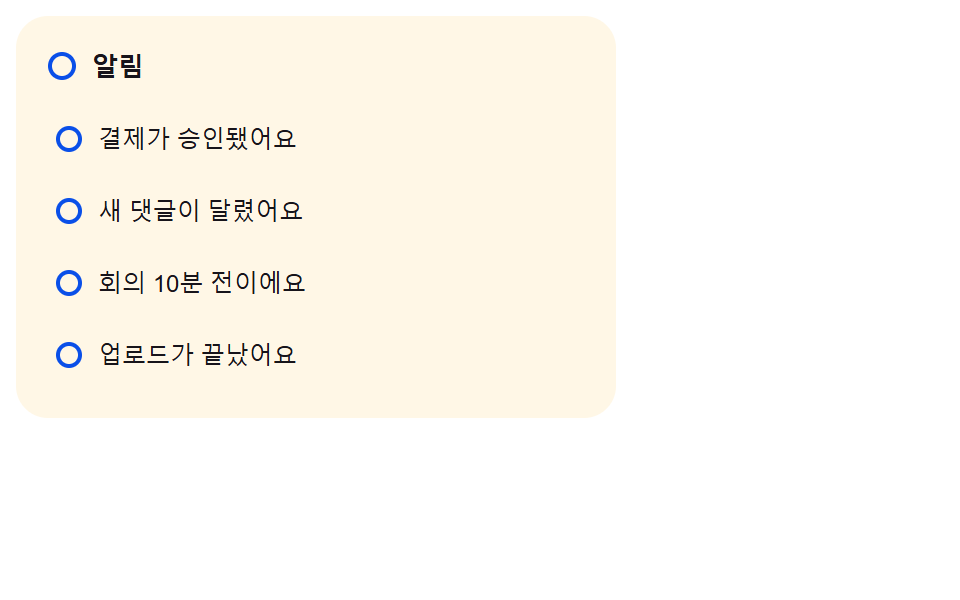
03읽음 값이 켜지면 고리로 바뀌는 점 표시
작업 큐의 안 읽은 항목마다 채워진 점이 떠 있다가, 읽음 값이 켜지는 순간 같은 반지름의 테두리만 남은 고리로 모양이 바뀐다.
<main class="stage">
  <div class="ud is-demo" id="ud">
    <div class="ud__head">
      <span class="ud__badge" id="udBadge">
        <span class="ud__dotFill ud__badgeFill" id="udBadgeFill"></span>
        <span class="ud__dotRing ud__badgeRing" id="udBadgeRing"></span>
      </span>
      <span class="ud__headLabel">알림</span>
      <span class="ud__sr" id="udSr" aria-live="polite">4개 안 읽음</span>
    </div>
    <ul class="ud__list" id="udList" role="list"></ul>
  </div>
</main>
@use "../../../../site/static/demo-tokens" as *;
// 계산 겹: index.html Spring() 이 매 프레임 위치·속도를 직접 적분하는 감쇠 스프링으로
// 채운 점(투명도 1) → 빈 원(테두리 굵기 2.4px) 전환을 만든다. CSS 트랜지션이 아니라
// requestAnimationFrame 루프가 값을 계산한다.
.stage { @include stage($stage-orange); }
.ud {
width: min(100%, 300px);
background: $subject-cream;
border-radius: $r-card;
padding: $sp-4;
box-sizing: border-box;
display: flex;
flex-direction: column;
gap: $sp-3;
}
.ud__head { display: flex; align-items: center; gap: $sp-2; }
.ud__headLabel { font-size: 13px; font-weight: 700; color: $subject-ink; }
.ud__badge { position: relative; width: 14px; height: 14px; display: inline-block; }
.ud__sr {
position: absolute; width: 1px; height: 1px; overflow: hidden;
clip: rect(0 0 0 0); margin: -1px; padding: 0; border: 0;
}
.ud__list { list-style: none; margin: 0; padding: 0; display: flex; flex-direction: column; gap: $sp-1; }
.ud__row {
position: relative;
width: 100%;
display: flex;
align-items: center;
gap: $sp-2;
border: none;
background: transparent;
padding: $sp-2 $sp-1;
border-radius: $r-sm;
cursor: pointer;
text-align: left;
}
.ud__row:hover { background: rgba($subject-ink, .05); }
// 계산 겹: index.html Spring() 이 점을 채우는 같은 c 값으로 이 행 톤의 opacity 도 함께 보간한다
// (안 읽음일수록 진하게) — 점 하나가 아니라 행 전체가 톤으로 안 읽음을 드러낸다.
.ud__rowTint {
position: absolute;
inset: 0;
border-radius: $r-sm;
background: $subject-blue-deep;
opacity: 0;
pointer-events: none;
}
.ud__dot { position: relative; z-index: 1; width: 13px; height: 13px; flex: 0 0 auto; }
.ud__dotFill,
.ud__dotRing {
position: absolute;
inset: 0;
border-radius: 50%;
box-sizing: border-box;
}
.ud__dotFill { background: $subject-blue-deep; opacity: 1; }
.ud__dotRing { border: 0 solid $subject-blue-deep; }
.ud__name { position: relative; z-index: 1; font-size: 12px; color: $subject-ink; }
@media (max-width: 340px) {
.ud { width: 100%; }
.ud__list { max-height: 105px; overflow-y: auto; }
}
@media (prefers-reduced-motion: reduce) {
.ud__row { transition: none; }
}.stage html, .stage body {
margin: 0;
overflow: hidden;
}
.stage .stage {
box-sizing: border-box;
min-height: 100vh;
display: grid;
place-items: center;
margin: 0;
background: #ff4d1f;
font-family: -apple-system, "Segoe UI", "Noto Sans KR", sans-serif;
padding: clamp(8px, 4vw, 24px);
}
.ud {
width: min(100%, 300px);
background: #fff7e6;
border-radius: 16px;
padding: 16px;
box-sizing: border-box;
display: flex;
flex-direction: column;
gap: 12px;
}
.ud__head {
display: flex;
align-items: center;
gap: 8px;
}
.ud__headLabel {
font-size: 13px;
font-weight: 700;
color: #17141a;
}
.ud__badge {
position: relative;
width: 14px;
height: 14px;
display: inline-block;
}
.ud__sr {
position: absolute;
width: 1px;
height: 1px;
overflow: hidden;
clip: rect(0 0 0 0);
margin: -1px;
padding: 0;
border: 0;
}
.ud__list {
list-style: none;
margin: 0;
padding: 0;
display: flex;
flex-direction: column;
gap: 4px;
}
.ud__row {
position: relative;
width: 100%;
display: flex;
align-items: center;
gap: 8px;
border: none;
background: transparent;
padding: 8px 4px;
border-radius: 8px;
cursor: pointer;
text-align: left;
}
.ud__row:hover {
background: rgba(23, 20, 26, 0.05);
}
.ud__rowTint {
position: absolute;
inset: 0;
border-radius: 8px;
background: #0a4fe8;
opacity: 0;
pointer-events: none;
}
.ud__dot {
position: relative;
z-index: 1;
width: 13px;
height: 13px;
flex: 0 0 auto;
}
.ud__dotFill,
.ud__dotRing {
position: absolute;
inset: 0;
border-radius: 50%;
box-sizing: border-box;
}
.ud__dotFill {
background: #0a4fe8;
opacity: 1;
}
.ud__dotRing {
border: 0 solid #0a4fe8;
}
.ud__name {
position: relative;
z-index: 1;
font-size: 12px;
color: #17141a;
}
@media (max-width: 340px) {
.ud {
width: 100%;
}
.ud__list {
max-height: 105px;
overflow-y: auto;
}
}
@media (prefers-reduced-motion: reduce) {
.ud__row {
transition: none;
}
}(function () {
"use strict";
var NAMES = [
"결제가 승인됐어요", "새 댓글이 달렸어요", "회의 10분 전이에요", "업로드가 끝났어요"
];
var root = document.getElementById("ud");
var list = document.getElementById("udList");
var sr = document.getElementById("udSr");
var reduce = window.matchMedia("(prefers-reduced-motion: reduce)").matches;
var synthetic = false;
function human() {
if (synthetic) return;
if (root.classList.contains("is-demo")) root.classList.remove("is-demo");
}
// 계산 겹: CSS 트랜지션이 아니라 매 프레임 위치·속도를 직접 적분하는 감쇠 스프링으로
// 채운 점 → 빈 원 전환을 만든다. target 을 0 또는 1 로 바꾸면 그 순간의 속도를 그대로
// 이어받아 다음 목표로 다시 움직인다(끊기지 않는다).
function Spring(tintEl, fillEl, ringEl, stiffness, damping) {
var pos = 0, vel = 0, target = 0, raf = 0, last = null;
    function apply(p) {
      var c = Math.max(0, Math.min(1, p));
      var over = Math.max(0, p - 1);
      fillEl.style.opacity = String(1 - c);
      ringEl.style.borderWidth = (c * 2.4).toFixed(2) + "px";
      var bump = 1 + over * 0.85;
      fillEl.parentNode.style.transform = "scale(" + bump.toFixed(3) + ")";
      // 같은 스프링 값(c)으로 행 전체 톤도 함께 보간한다 — 안 읽음일수록 진하고, 읽으면 투명해진다
      if (tintEl) tintEl.style.opacity = (0.10 * (1 - c)).toFixed(3);
    }
function tick(ts) {
if (last === null) last = ts;
var dt = Math.min((ts - last) / 1000, 0.032);
last = ts;
var acc = (-stiffness * (pos - target) - damping * vel);
vel += acc * dt;
pos += vel * dt;
apply(pos);
if (Math.abs(pos - target) > 0.002 || Math.abs(vel) > 0.01) {
raf = requestAnimationFrame(tick);
} else {
pos = target;
apply(pos);
raf = 0;
last = null;
}
}
this.to = function (t, immediate) {
target = t;
if (immediate) {
pos = t; vel = 0; apply(pos);
if (raf) { cancelAnimationFrame(raf); raf = 0; }
last = null;
return;
}
if (!raf) { last = null; raf = requestAnimationFrame(tick); }
};
apply(0);
}
var badgeSpring = new Spring(
null,
document.getElementById("udBadgeFill"),
document.getElementById("udBadgeRing"),
reduce ? 999 : 220, reduce ? 999 : 17
);
var rows = [];
var unread = NAMES.length;
function updateSr() {
sr.textContent = unread + "개 안 읽음";
}
function markRead(row) {
if (row.read) return;
row.read = true;
unread--;
row.spring.to(1);
if (unread <= 0) badgeSpring.to(1);
updateSr();
}
function markUnread(row) {
if (!row.read) return;
row.read = false;
unread++;
row.spring.to(0);
badgeSpring.to(0);
updateSr();
}
NAMES.forEach(function (name, i) {
var li = document.createElement("li");
li.className = "ud__item";
li.setAttribute("role", "listitem");
var btn = document.createElement("button");
btn.type = "button";
btn.className = "ud__row";
btn.setAttribute("aria-pressed", "false");
var tint = document.createElement("span");
tint.className = "ud__rowTint";
tint.setAttribute("aria-hidden", "true");
var dot = document.createElement("span");
dot.className = "ud__dot";
var fill = document.createElement("span");
fill.className = "ud__dotFill";
var ring = document.createElement("span");
ring.className = "ud__dotRing";
dot.appendChild(fill);
dot.appendChild(ring);
var nameEl = document.createElement("span");
nameEl.className = "ud__name";
nameEl.textContent = name;
btn.appendChild(tint);
btn.appendChild(dot);
btn.appendChild(nameEl);
li.appendChild(btn);
list.appendChild(li);
var row = { btn: btn, read: false, spring: new Spring(tint, fill, ring, reduce ? 999 : 220, reduce ? 999 : 17) };
rows.push(row);
btn.addEventListener("click", function () {
human();
if (row.read) markUnread(row); else markRead(row);
btn.setAttribute("aria-pressed", row.read ? "true" : "false");
});
});
if (reduce) {
rows.forEach(function (row) { markRead(row); });
} else {
var idx = 0;
var phase = "read";
function loop() {
if (!root.classList.contains("is-demo")) return;
synthetic = true;
if (phase === "read") {
var row = rows[idx];
markRead(row);
row.btn.setAttribute("aria-pressed", "true");
idx++;
if (idx >= rows.length) { phase = "reset"; }
} else {
rows.forEach(function (r) {
r.read = false;
r.spring.to(0, true);
r.btn.setAttribute("aria-pressed", "false");
});
unread = NAMES.length;
badgeSpring.to(0, true);
updateSr();
idx = 0;
phase = "read";
}
synthetic = false;
window.setTimeout(loop, phase === "reset" ? 900 : 480);
}
window.setTimeout(loop, 250);
}
})();// NotifUnreadDotToHollow — vanilla 판(run/405/demo/03-.../index.html) 의 React 포트.
// 계산 겹: CSS 트랜지션이 아니라 매 프레임 위치·속도를 직접 적분하는 감쇠 스프링으로 채운
// 점 → 빈 원 전환을 만든다. target 을 0 또는 1 로 바꾸면 그 순간의 속도를 그대로 이어받아
// 다음 목표로 다시 움직인다(끊기지 않는다) — vanilla 와 동일 동작.
import { useEffect, useRef, useState } from "react";
import styles from "./NotifUnreadDotToHollow.module.scss";
type Box<T> = { current: T };
const NAMES = ["결제가 승인됐어요", "새 댓글이 달렸어요", "회의 10분 전이에요", "업로드가 끝났어요"];
class Spring {
private pos = 0;
private vel = 0;
private target = 0;
private raf = 0;
private last: number | null = null;
constructor(private tintEl: HTMLElement | null, private fillEl: HTMLElement, private ringEl: HTMLElement, private stiffness: number, private damping: number) {
this.apply(0);
}
private apply(p: number) {
const c = Math.max(0, Math.min(1, p));
const over = Math.max(0, p - 1);
this.fillEl.style.opacity = String(1 - c);
this.ringEl.style.borderWidth = (c * 2.4).toFixed(2) + "px";
const bump = 1 + over * 0.85;
const parent = this.fillEl.parentNode as HTMLElement | null;
if (parent) parent.style.transform = "scale(" + bump.toFixed(3) + ")";
// 같은 스프링 값(c)으로 행 전체 톤도 함께 보간한다 — 안 읽음일수록 진하고, 읽으면 투명해진다
if (this.tintEl) this.tintEl.style.opacity = (0.10 * (1 - c)).toFixed(3);
}
private tick = (ts: number) => {
if (this.last === null) this.last = ts;
const dt = Math.min((ts - this.last) / 1000, 0.032);
this.last = ts;
const acc = -this.stiffness * (this.pos - this.target) - this.damping * this.vel;
this.vel += acc * dt;
this.pos += this.vel * dt;
this.apply(this.pos);
if (Math.abs(this.pos - this.target) > 0.002 || Math.abs(this.vel) > 0.01) {
this.raf = requestAnimationFrame(this.tick);
} else {
this.pos = this.target;
this.apply(this.pos);
this.raf = 0;
this.last = null;
}
};
to(t: number, immediate?: boolean) {
this.target = t;
if (immediate) {
this.pos = t; this.vel = 0; this.apply(this.pos);
if (this.raf) { cancelAnimationFrame(this.raf); this.raf = 0; }
this.last = null;
return;
}
if (!this.raf) { this.last = null; this.raf = requestAnimationFrame(this.tick); }
}
}
type Row = { btn: HTMLButtonElement; read: boolean; spring: Spring };
export default function NotifUnreadDotToHollow() {
const [isDemo, setIsDemo] = useState(true);
const isDemoRef = useRef(true) as unknown as Box<boolean>;
const synthRef = useRef(false) as unknown as Box<boolean>;
const rootRef = useRef(null) as unknown as Box<HTMLDivElement>;
const listRef = useRef(null) as unknown as Box<HTMLUListElement>;
const srRef = useRef(null) as unknown as Box<HTMLParagraphElement>;
const badgeFillRef = useRef(null) as unknown as Box<HTMLSpanElement>;
const badgeRingRef = useRef(null) as unknown as Box<HTMLSpanElement>;
const badgeSpringRef = useRef(null) as unknown as Box<Spring | null>;
const rowsRef = useRef([] as Row[]) as unknown as Box<Row[]>;
const unreadRef = useRef(NAMES.length) as unknown as Box<number>;
const loopTimerRef = useRef(0) as unknown as Box<number>;
function human() {
if (synthRef.current) return;
if (isDemoRef.current) { isDemoRef.current = false; setIsDemo(false); }
}
function updateSr() {
if (srRef.current) srRef.current.textContent = unreadRef.current + "개 안 읽음";
}
function markRead(row: Row) {
if (row.read) return;
row.read = true;
unreadRef.current--;
row.spring.to(1);
if (unreadRef.current <= 0 && badgeSpringRef.current) badgeSpringRef.current.to(1);
updateSr();
}
function markUnread(row: Row) {
if (!row.read) return;
row.read = false;
unreadRef.current++;
row.spring.to(0);
if (badgeSpringRef.current) badgeSpringRef.current.to(0);
updateSr();
}
useEffect(() => {
const reduce = window.matchMedia("(prefers-reduced-motion: reduce)").matches;
const list = listRef.current;
if (!list || !badgeFillRef.current || !badgeRingRef.current) return;
badgeSpringRef.current = new Spring(null, badgeFillRef.current, badgeRingRef.current, reduce ? 999 : 220, reduce ? 999 : 17);
const rows: Row[] = [];
NAMES.forEach((name) => {
const li = document.createElement("li");
li.className = styles.item;
li.setAttribute("role", "listitem");
const btn = document.createElement("button");
btn.type = "button";
btn.className = styles.row;
btn.setAttribute("aria-pressed", "false");
const tint = document.createElement("span");
tint.className = styles.rowTint;
tint.setAttribute("aria-hidden", "true");
const dot = document.createElement("span");
dot.className = styles.dot;
const fill = document.createElement("span");
fill.className = styles.dotFill;
const ring = document.createElement("span");
ring.className = styles.dotRing;
dot.appendChild(fill);
dot.appendChild(ring);
const nameEl = document.createElement("span");
nameEl.className = styles.name;
nameEl.textContent = name;
btn.appendChild(tint);
btn.appendChild(dot);
btn.appendChild(nameEl);
li.appendChild(btn);
list.appendChild(li);
const row: Row = { btn, read: false, spring: new Spring(tint, fill, ring, reduce ? 999 : 220, reduce ? 999 : 17) };
rows.push(row);
btn.addEventListener("click", () => {
human();
if (row.read) markUnread(row); else markRead(row);
btn.setAttribute("aria-pressed", row.read ? "true" : "false");
});
});
rowsRef.current = rows;
if (reduce) {
rows.forEach((row) => markRead(row));
} else {
let idx = 0;
let phase = "read";
function loop() {
if (!isDemoRef.current) return;
synthRef.current = true;
if (phase === "read") {
const row = rowsRef.current[idx];
markRead(row);
row.btn.setAttribute("aria-pressed", "true");
idx++;
if (idx >= rowsRef.current.length) { phase = "reset"; }
} else {
rowsRef.current.forEach((r) => {
r.read = false;
r.spring.to(0, true);
r.btn.setAttribute("aria-pressed", "false");
});
unreadRef.current = NAMES.length;
if (badgeSpringRef.current) badgeSpringRef.current.to(0, true);
updateSr();
idx = 0;
phase = "read";
}
synthRef.current = false;
loopTimerRef.current = window.setTimeout(loop, phase === "reset" ? 900 : 480);
}
loopTimerRef.current = window.setTimeout(loop, 250);
}
return () => { window.clearTimeout(loopTimerRef.current); };
// eslint-disable-next-line react-hooks/exhaustive-deps
}, []);
return (
<main className={styles.stage}>
<div className={styles.ud + " " + (isDemo ? styles.isDemo : "")} ref={rootRef}>
<div className={styles.head}>
<span className={styles.badge}>
<span className={styles.dotFill + " " + styles.badgeFill} ref={badgeFillRef} />
<span className={styles.dotRing + " " + styles.badgeRing} ref={badgeRingRef} />
</span>
<span className={styles.headLabel}>알림</span>
<p className={styles.sr} aria-live="polite" ref={srRef}>4개 안 읽음</p>
</div>
<ul className={styles.list} role="list" ref={listRef} />
</div>
</main>
);
}03 · 읽음 값이 켜지면 고리로 바뀌는 점 표시 — 측정 누적면적 23.068% · 움직인 프레임 18/23GODRICH 원작 · zip 에 SCSS·React 포함 · 비밀번호 보기
function apply(p) {
var c = Math.max(0, Math.min(1, p));
var over = Math.max(0, p - 1);
fillEl.style.opacity = String(1 - c);
ringEl.style.borderWidth = (c * 2.4).toFixed(2) + "px";
var bump = 1 + over * 0.85;
fillEl.parentNode.style.transform = "scale(" + bump.toFixed(3) + ")";
// 같은 스프링 값(c)으로 행 전체 톤도 함께 보간한다 — 안 읽음일수록 진하고, 읽으면 투명해진다
if (tintEl) tintEl.style.opacity = (0.10 * (1 - c)).toFixed(3);
}
이 변화는 스프링 진행값 하나(c)로 점의 투명도·테두리 굵기·바깥 확대 배율을 동시에 보간하고, 같은 값으로 행 배경의 톤까지 함께 옅어지게 만든다.
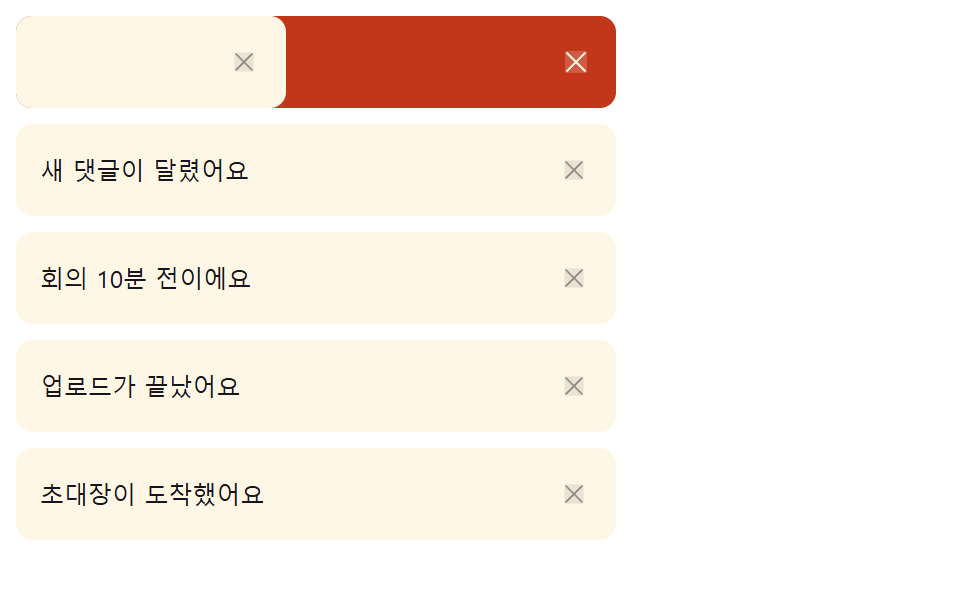
04이동 거리 값을 넘기면 사라지는 스와이프 항목
손가락으로 알림 카드를 옆으로 끌면, 이동 거리 값이 기준을 넘거나 손을 뗀 속도가 빠를 때만 그 카드가 사라진다.
<main class="stage">
  <div class="sw is-demo" id="sw">
    <ul class="sw__list" id="swList" role="list"></ul>
    <p class="sw__sr" id="swSr" aria-live="polite"></p>
  </div>
</main>
@use "../../../../site/static/demo-tokens" as *;
// 계산 겹: index.html 이 pointerdown 좌표·시각을 기록해 pointermove 로 실제 이동 거리(dx)를
// 얻고 pointerup 시점에 dx ÷ 경과시간으로 속도(px/ms)를 계산한다 — 거리 비율(threshold)이나
// 속도 중 하나만 넘어도 지워지므로, 톡 치듯 빠르게 밀면 짧게 밀어도 지워진다.
.stage { @include stage($stage-paper); }
.sw { width: min(100%, 300px); position: relative; }
.sw__list { list-style: none; margin: 0; padding: 0; display: flex; flex-direction: column; gap: $sp-2; }
.sw__item {
position: relative;
overflow: hidden;
border-radius: $r-sm;
box-sizing: border-box;
transition: height $dur-base $ease-spring, margin-bottom $dur-base $ease-spring;
}
.sw__reveal {
position: absolute;
inset: 0;
background: $error;
color: $subject-cream;
display: flex;
align-items: center;
justify-content: flex-end;
padding-right: $sp-3;
opacity: 0;
box-sizing: border-box;
}
.sw__row {
position: relative;
background: $subject-cream;
border-radius: $r-sm;
padding: $sp-3;
box-sizing: border-box;
display: flex;
align-items: center;
justify-content: space-between;
gap: $sp-2;
color: $subject-ink;
font-size: 12px;
touch-action: pan-y;
cursor: grab;
user-select: none;
}
.sw__del {
border: none;
background: transparent;
color: rgba($subject-ink, .45);
width: 22px;
height: 22px;
display: grid;
place-items: center;
cursor: pointer;
flex: 0 0 auto;
}
.sw__xic { width: 16px; height: 16px; }
.sw__del .sw__xic { width: 14px; height: 14px; }
.sw__sr {
position: absolute; width: 1px; height: 1px; overflow: hidden;
clip: rect(0 0 0 0); margin: -1px; padding: 0; border: 0;
}
@media (max-width: 340px) {
.sw { width: 100%; }
.sw__list { max-height: 130px; overflow-y: auto; }
}
@media (prefers-reduced-motion: reduce) {
.sw__item { transition: none; }
.sw__row { transition: none; }
}.stage html, .stage body {
margin: 0;
overflow: hidden;
}
.stage .stage {
box-sizing: border-box;
min-height: 100vh;
display: grid;
place-items: center;
margin: 0;
background: #ffffff;
font-family: -apple-system, "Segoe UI", "Noto Sans KR", sans-serif;
padding: clamp(8px, 4vw, 24px);
}
.sw {
width: min(100%, 300px);
position: relative;
}
.sw__list {
list-style: none;
margin: 0;
padding: 0;
display: flex;
flex-direction: column;
gap: 8px;
}
.sw__item {
position: relative;
overflow: hidden;
border-radius: 8px;
box-sizing: border-box;
transition: height 300ms cubic-bezier(0.2, 0.8, 0.2, 1), margin-bottom 300ms cubic-bezier(0.2, 0.8, 0.2, 1);
}
.sw__reveal {
position: absolute;
inset: 0;
background: #c2361a;
color: #fff7e6;
display: flex;
align-items: center;
justify-content: flex-end;
padding-right: 12px;
opacity: 0;
box-sizing: border-box;
}
.sw__row {
position: relative;
background: #fff7e6;
border-radius: 8px;
padding: 12px;
box-sizing: border-box;
display: flex;
align-items: center;
justify-content: space-between;
gap: 8px;
color: #17141a;
font-size: 12px;
touch-action: pan-y;
cursor: grab;
user-select: none;
}
.sw__del {
border: none;
background: transparent;
color: rgba(23, 20, 26, 0.45);
width: 22px;
height: 22px;
display: grid;
place-items: center;
cursor: pointer;
flex: 0 0 auto;
}
.sw__xic {
width: 16px;
height: 16px;
}
.sw__del .sw__xic {
width: 14px;
height: 14px;
}
.sw__sr {
position: absolute;
width: 1px;
height: 1px;
overflow: hidden;
clip: rect(0 0 0 0);
margin: -1px;
padding: 0;
border: 0;
}
@media (max-width: 340px) {
.sw {
width: 100%;
}
.sw__list {
max-height: 130px;
overflow-y: auto;
}
}
@media (prefers-reduced-motion: reduce) {
.sw__item {
transition: none;
}
.sw__row {
transition: none;
}
}(function () {
"use strict";
var SWIPE_DISMISS_RATIO = 0.32; // 카드 폭 대비 이 비율 이상 밀면 손을 떼도 지워진다
var SWIPE_VELOCITY_PX_MS = 0.6; // 이 속도(px/ms) 이상으로 빠르게 밀면 거리가 짧아도 지워진다
var NAMES = [
"결제가 승인됐어요", "새 댓글이 달렸어요", "회의 10분 전이에요",
"업로드가 끝났어요", "초대장이 도착했어요"
];
var root = document.getElementById("sw");
var list = document.getElementById("swList");
var sr = document.getElementById("swSr");
var reduce = window.matchMedia("(prefers-reduced-motion: reduce)").matches;
var synthetic = false;
function human() {
if (synthetic) return;
if (root.classList.contains("is-demo")) root.classList.remove("is-demo");
}
var XIC =
'<svg class="sw__xic" viewBox="0 0 256 256" aria-hidden="true" focusable="false">' +
'<g fill="currentColor"><path opacity=".2" d="M216 56v144a16 16 0 0 1-16 16H56a16 16 0 0 1-16-16V56a16 16 0 0 1 16-16h144a16 16 0 0 1 16 16"/>' +
'<path d="M205.66 194.34a8 8 0 0 1-11.32 11.32L128 139.31l-66.34 66.35a8 8 0 0 1-11.32-11.32L116.69 128L50.34 61.66a8 8 0 0 1 11.32-11.32L128 116.69l66.34-66.35a8 8 0 0 1 11.32 11.32L139.31 128Z"/></g></svg>';
function dismiss(li, name) {
var h = li.getBoundingClientRect().height;
li.style.height = h + "px";
li.classList.add("sw__item--out");
requestAnimationFrame(function () {
li.style.height = "0px";
li.style.marginBottom = "0px";
});
window.setTimeout(function () {
if (li.parentNode) li.parentNode.removeChild(li);
sr.textContent = name + " 알림을 지웠습니다";
}, reduce ? 0 : 260);
}
function makeRow(name) {
var li = document.createElement("li");
li.className = "sw__item";
li.setAttribute("role", "listitem");
var reveal = document.createElement("div");
reveal.className = "sw__reveal";
reveal.innerHTML = XIC;
var row = document.createElement("div");
row.className = "sw__row";
row.textContent = name;
var delBtn = document.createElement("button");
delBtn.type = "button";
delBtn.className = "sw__del";
delBtn.setAttribute("aria-label", name + " 알림 지우기");
delBtn.innerHTML = XIC;
delBtn.addEventListener("click", function () {
human();
dismiss(li, name);
});
row.appendChild(delBtn);
li.appendChild(reveal);
li.appendChild(row);
// 계산 겹: pointerdown 시각·좌표를 기록해두고 pointermove 로 실제 이동 거리(dx)를,
// pointerup 시점에는 총 이동 시간으로 나눈 속도(px/ms)를 계산한다. 거리 비율(threshold)
// 이나 속도 중 하나만 넘어도 지워진다 — 톡 치듯 빠르게 밀면 짧게 밀어도 지워지는 이유.
var dragging = false, startX = 0, startT = 0, dx = 0, width = 0;
row.addEventListener("pointerdown", function (e) {
human();
dragging = true;
startX = e.clientX;
startT = e.timeStamp;
dx = 0;
width = li.getBoundingClientRect().width;
row.style.transition = "none";
row.setPointerCapture(e.pointerId);
});
row.addEventListener("pointermove", function (e) {
if (!dragging) return;
dx = Math.min(0, e.clientX - startX);
row.style.transform = "translateX(" + dx + "px)";
var p = Math.min(1, Math.abs(dx) / width);
reveal.style.opacity = String(p);
});
    function endDrag(e) {
      if (!dragging) return;
      dragging = false;
      row.style.transition = "";
      var dt = Math.max(1, e.timeStamp - startT);
      var velocity = Math.abs(dx) / dt;
      var ratio = Math.abs(dx) / width;
      if (ratio > SWIPE_DISMISS_RATIO || velocity > SWIPE_VELOCITY_PX_MS) {
        row.style.transform = "translateX(-100%)";
        reveal.style.opacity = "1";
        dismiss(li, name);
      } else {
        row.style.transform = "translateX(0px)";
        reveal.style.opacity = "0";
      }
    }
row.addEventListener("pointerup", endDrag);
row.addEventListener("pointercancel", endDrag);
return li;
}
NAMES.forEach(function (name) { list.appendChild(makeRow(name)); });
if (reduce) {
var last = list.querySelector(".sw__item:last-child");
if (last) dismiss(last, NAMES[NAMES.length - 1]);
} else {
function loop() {
if (!root.classList.contains("is-demo")) return;
var first = list.querySelector(".sw__item");
if (!first) {
NAMES.forEach(function (name) { list.appendChild(makeRow(name)); });
window.setTimeout(loop, 900);
return;
}
synthetic = true;
var row = first.querySelector(".sw__row");
var width = first.getBoundingClientRect().width;
row.style.transform = "translateX(" + (-width * 0.55) + "px)";
first.querySelector(".sw__reveal").style.opacity = "1";
window.setTimeout(function () {
dismiss(first, first.textContent.replace(/알림 지우기$/, "").trim());
synthetic = false;
}, 380);
window.setTimeout(loop, 1100);
}
window.setTimeout(loop, 600);
}
})();// NotifSwipeDismissItem — vanilla 판(run/405/demo/04-.../index.html) 의 React 포트.
// 계산 겹: pointerdown 시각·좌표를 기록해두고 pointermove 로 실제 이동 거리(dx)를,
// pointerup 시점에는 총 이동 시간으로 나눈 속도(px/ms)를 계산한다. 거리 비율(threshold)이나
// 속도 중 하나만 넘어도 지워진다 — 톡 치듯 빠르게 밀면 짧게 밀어도 지워지는 이유. 목록은
// React 가 다시 그리지 않고 imperative 하게 행을 만들고 지운다 — vanilla 와 동일 동작.
import { useEffect, useRef, useState } from "react";
import styles from "./NotifSwipeDismissItem.module.scss";
type Box<T> = { current: T };
const SWIPE_DISMISS_RATIO = 0.32; // 카드 폭 대비 이 비율 이상 밀면 손을 떼도 지워진다
const SWIPE_VELOCITY_PX_MS = 0.6; // 이 속도(px/ms) 이상으로 빠르게 밀면 거리가 짧아도 지워진다
const NAMES = [
"결제가 승인됐어요", "새 댓글이 달렸어요", "회의 10분 전이에요",
"업로드가 끝났어요", "초대장이 도착했어요",
];
const XIC =
'<svg class="' + "__XIC__" + '" viewBox="0 0 256 256" aria-hidden="true" focusable="false">' +
'<g fill="currentColor"><path opacity=".2" d="M216 56v144a16 16 0 0 1-16 16H56a16 16 0 0 1-16-16V56a16 16 0 0 1 16-16h144a16 16 0 0 1 16 16"/>' +
'<path d="M205.66 194.34a8 8 0 0 1-11.32 11.32L128 139.31l-66.34 66.35a8 8 0 0 1-11.32-11.32L116.69 128L50.34 61.66a8 8 0 0 1 11.32-11.32L128 116.69l66.34-66.35a8 8 0 0 1 11.32 11.32L139.31 128Z"/></g></svg>';
export default function NotifSwipeDismissItem() {
const [isDemo, setIsDemo] = useState(true);
const isDemoRef = useRef(true) as unknown as Box<boolean>;
const synthRef = useRef(false) as unknown as Box<boolean>;
const rootRef = useRef(null) as unknown as Box<HTMLDivElement>;
const listRef = useRef(null) as unknown as Box<HTMLUListElement>;
const srRef = useRef(null) as unknown as Box<HTMLParagraphElement>;
const reduceRef = useRef(false) as unknown as Box<boolean>;
const loopTimerRef = useRef(0) as unknown as Box<number>;
function human() {
if (synthRef.current) return;
if (isDemoRef.current) { isDemoRef.current = false; setIsDemo(false); }
}
function dismiss(li: HTMLLIElement, name: string) {
const reduce = reduceRef.current;
const h = li.getBoundingClientRect().height;
li.style.height = h + "px";
li.classList.add(styles.itemOut);
requestAnimationFrame(() => {
li.style.height = "0px";
li.style.marginBottom = "0px";
});
window.setTimeout(() => {
if (li.parentNode) li.parentNode.removeChild(li);
if (srRef.current) srRef.current.textContent = name + " 알림을 지웠습니다";
}, reduce ? 0 : 260);
}
function makeRow(name: string): HTMLLIElement {
const li = document.createElement("li");
li.className = styles.item;
li.setAttribute("role", "listitem");
const reveal = document.createElement("div");
reveal.className = styles.reveal;
reveal.innerHTML = XIC.replace("__XIC__", styles.xic);
const row = document.createElement("div");
row.className = styles.row;
row.textContent = name;
const delBtn = document.createElement("button");
delBtn.type = "button";
delBtn.className = styles.del;
delBtn.setAttribute("aria-label", name + " 알림 지우기");
delBtn.innerHTML = XIC.replace("__XIC__", styles.xic);
delBtn.addEventListener("click", () => {
human();
dismiss(li, name);
});
row.appendChild(delBtn);
li.appendChild(reveal);
li.appendChild(row);
let dragging = false, startX = 0, startT = 0, dx = 0, width = 0;
row.addEventListener("pointerdown", (e: PointerEvent) => {
human();
dragging = true;
startX = e.clientX;
startT = e.timeStamp;
dx = 0;
width = li.getBoundingClientRect().width;
row.style.transition = "none";
row.setPointerCapture(e.pointerId);
});
row.addEventListener("pointermove", (e: PointerEvent) => {
if (!dragging) return;
dx = Math.min(0, e.clientX - startX);
row.style.transform = "translateX(" + dx + "px)";
const p = Math.min(1, Math.abs(dx) / width);
reveal.style.opacity = String(p);
});
function endDrag(e: PointerEvent) {
if (!dragging) return;
dragging = false;
row.style.transition = "";
const dt = Math.max(1, e.timeStamp - startT);
const velocity = Math.abs(dx) / dt;
const ratio = Math.abs(dx) / width;
if (ratio > SWIPE_DISMISS_RATIO || velocity > SWIPE_VELOCITY_PX_MS) {
row.style.transform = "translateX(-100%)";
reveal.style.opacity = "1";
dismiss(li, name);
} else {
row.style.transform = "translateX(0px)";
reveal.style.opacity = "0";
}
}
row.addEventListener("pointerup", endDrag);
row.addEventListener("pointercancel", endDrag);
return li;
}
useEffect(() => {
const reduce = window.matchMedia("(prefers-reduced-motion: reduce)").matches;
reduceRef.current = reduce;
const list = listRef.current;
if (!list) return;
NAMES.forEach((name) => { list.appendChild(makeRow(name)); });
if (reduce) {
const last = list.querySelector("li:last-child") as HTMLLIElement | null;
if (last) dismiss(last, NAMES[NAMES.length - 1]);
} else {
function loop() {
if (!isDemoRef.current || !list) return;
const first = list.querySelector("li") as HTMLLIElement | null;
if (!first) {
NAMES.forEach((name) => { list.appendChild(makeRow(name)); });
loopTimerRef.current = window.setTimeout(loop, 900);
return;
}
synthRef.current = true;
const row = first.querySelector("." + styles.row) as HTMLElement | null;
const revealEl = first.querySelector("." + styles.reveal) as HTMLElement | null;
const width = first.getBoundingClientRect().width;
if (row) row.style.transform = "translateX(" + -width * 0.55 + "px)";
if (revealEl) revealEl.style.opacity = "1";
window.setTimeout(() => {
dismiss(first, (first.textContent || "").replace(/알림 지우기$/, "").trim());
synthRef.current = false;
}, 380);
loopTimerRef.current = window.setTimeout(loop, 1100);
}
loopTimerRef.current = window.setTimeout(loop, 600);
}
return () => { window.clearTimeout(loopTimerRef.current); };
// eslint-disable-next-line react-hooks/exhaustive-deps
}, []);
return (
<main className={styles.stage}>
<div className={styles.sw + " " + (isDemo ? styles.isDemo : "")} ref={rootRef}>
<ul className={styles.list} role="list" ref={listRef} />
<p className={styles.sr} aria-live="polite" ref={srRef} />
</div>
</main>
);
}04 · 이동 거리 값을 넘기면 사라지는 스와이프 항목 — 측정 누적면적 38.515% · 움직인 프레임 6/23GODRICH 원작 · zip 에 SCSS·React 포함 · 비밀번호 보기
function endDrag(e) {
if (!dragging) return;
dragging = false;
row.style.transition = "";
var dt = Math.max(1, e.timeStamp - startT);
var velocity = Math.abs(dx) / dt;
var ratio = Math.abs(dx) / width;
if (ratio > SWIPE_DISMISS_RATIO || velocity > SWIPE_VELOCITY_PX_MS) {
row.style.transform = "translateX(-100%)";
reveal.style.opacity = "1";
dismiss(li, name);
} else {
row.style.transform = "translateX(0px)";
reveal.style.opacity = "0";
}
}
판정은 거리 비율(ratio)과 속도(velocity) 두 값을 함께 보고, 둘 중 하나만 문턱을 넘어도 밀어서 지우기로 확정하는 이중 조건이다.
05밀림 값만큼 옆으로 비켜나는 스누즈 항목
스누즈 버튼을 누르면 그 항목만 밀림 거리 값만큼 옆으로 비켜난 뒤, 카드 실측 폭만큼 한 번 더 밀려나며 자리를 접는다.
<main class="stage">
  <div class="sn is-demo" id="sn">
    <div class="sn__head">
      <span class="sn__headLabel">알림</span>
      <span class="sn__tray" id="snTray">스누즈 0건</span>
    </div>
    <ul class="sn__list" id="snList" role="list"></ul>
  </div>
</main>
@use "../../../../site/static/demo-tokens" as *;
// 계산 겹: index.html snoozeOut() 이 NOTIF_SNOOZE_SLIDE_PX 예비 이동 뒤 li 의 실제 폭을
// getBoundingClientRect 로 재서 그만큼 더 밀어 화면 밖으로 내보낸다 — 남은 스누즈 건수에
// 따라 DURATIONS 배열에서 다음 라벨을 골라 다시 그린다.
.stage { @include stage($stage-ink); }
.sn {
width: min(100%, 300px);
display: flex;
flex-direction: column;
gap: $sp-3;
}
.sn__head {
display: flex;
align-items: center;
justify-content: space-between;
gap: $sp-2;
}
.sn__headLabel { font-size: 13px; font-weight: 700; color: $subject-cream; }
.sn__tray {
font-size: 10px;
color: $subject-cream;
background: rgba($subject-cream, .12);
border-radius: $r-pill;
padding: $sp-1 $sp-3;
}
.sn__list {
list-style: none;
margin: 0;
padding: 0;
display: flex;
flex-direction: column;
gap: $sp-1;
overflow: hidden;
}
.sn__item {
overflow: hidden;
border-radius: $r-sm;
box-sizing: border-box;
transition: height $dur-quick $ease-out, margin-bottom $dur-quick $ease-out;
}
.sn__row {
display: flex;
align-items: center;
gap: $sp-2;
background: $tick-panel;
border-radius: $r-sm;
padding: $sp-2 $sp-3;
box-sizing: border-box;
transition: transform $dur-base $ease-spring;
}
.sn__name { flex: 1 1 auto; font-size: 12px; color: $subject-cream; }
.sn__label {
font-size: 10px;
color: $subject-blue-light;
min-width: 44px;
text-align: right;
}
.sn__btn {
border: none;
background: rgba($subject-cream, .1);
color: $subject-cream;
width: 26px;
height: 26px;
border-radius: $r-pill;
display: grid;
place-items: center;
cursor: pointer;
flex: 0 0 auto;
}
.sn__ic { width: 14px; height: 14px; }
@media (max-width: 340px) {
.sn { width: 100%; }
.sn__label { display: none; }
.sn__list { max-height: 130px; overflow-y: auto; }
}
@media (prefers-reduced-motion: reduce) {
.sn__item { transition: none; }
.sn__row { transition: none; }
}.stage html, .stage body {
margin: 0;
overflow: hidden;
}
.stage .stage {
box-sizing: border-box;
min-height: 100vh;
display: grid;
place-items: center;
margin: 0;
background: #17141a;
font-family: -apple-system, "Segoe UI", "Noto Sans KR", sans-serif;
padding: clamp(8px, 4vw, 24px);
}
.sn {
width: min(100%, 300px);
display: flex;
flex-direction: column;
gap: 12px;
}
.sn__head {
display: flex;
align-items: center;
justify-content: space-between;
gap: 8px;
}
.sn__headLabel {
font-size: 13px;
font-weight: 700;
color: #fff7e6;
}
.sn__tray {
font-size: 10px;
color: #fff7e6;
background: rgba(255, 247, 230, 0.12);
border-radius: 999px;
padding: 4px 12px;
}
.sn__list {
list-style: none;
margin: 0;
padding: 0;
display: flex;
flex-direction: column;
gap: 4px;
overflow: hidden;
}
.sn__item {
overflow: hidden;
border-radius: 8px;
box-sizing: border-box;
transition: height 220ms ease-out, margin-bottom 220ms ease-out;
}
.sn__row {
display: flex;
align-items: center;
gap: 8px;
background: #231f28;
border-radius: 8px;
padding: 8px 12px;
box-sizing: border-box;
transition: transform 300ms cubic-bezier(0.2, 0.8, 0.2, 1);
}
.sn__name {
flex: 1 1 auto;
font-size: 12px;
color: #fff7e6;
}
.sn__label {
font-size: 10px;
color: #5b8cf8;
min-width: 44px;
text-align: right;
}
.sn__btn {
border: none;
background: rgba(255, 247, 230, 0.1);
color: #fff7e6;
width: 26px;
height: 26px;
border-radius: 999px;
display: grid;
place-items: center;
cursor: pointer;
flex: 0 0 auto;
}
.sn__ic {
width: 14px;
height: 14px;
}
@media (max-width: 340px) {
.sn {
width: 100%;
}
.sn__label {
display: none;
}
.sn__list {
max-height: 130px;
overflow-y: auto;
}
}
@media (prefers-reduced-motion: reduce) {
.sn__item {
transition: none;
}
.sn__row {
transition: none;
}
}(function () {
"use strict";
var NOTIF_SNOOZE_SLIDE_PX = 40; // 버튼을 누른 순간 먼저 밀려나는 예비 이동 거리(그 뒤 실측 폭만큼 마저 나간다)
var DURATIONS = ["10분 뒤", "30분 뒤", "1시간 뒤"];
var NAMES = [
"결제가 승인됐어요", "새 댓글이 달렸어요", "회의 10분 전이에요",
"업로드가 끝났어요", "초대장이 도착했어요"
];
var CLOCK_IC =
'<svg class="sn__ic" viewBox="0 0 256 256" aria-hidden="true" focusable="false">' +
'<g fill="currentColor"><path opacity=".2" d="M224 128a96 96 0 1 1-96-96a96 96 0 0 1 96 96"/>' +
'<path d="M232 136.66A104.12 104.12 0 1 1 119.34 24a8 8 0 0 1 1.32 16A88.12 88.12 0 1 0 216 135.34a8 8 0 0 1 16 1.32M120 72v56a8 8 0 0 0 8 8h56a8 8 0 0 0 0-16h-48V72a8 8 0 0 0-16 0m40-24a12 12 0 1 0-12-12a12 12 0 0 0 12 12m36 24a12 12 0 1 0-12-12a12 12 0 0 0 12 12m24 36a12 12 0 1 0-12-12a12 12 0 0 0 12 12"/></g></svg>';
var root = document.getElementById("sn");
var list = document.getElementById("snList");
var tray = document.getElementById("snTray");
var reduce = window.matchMedia("(prefers-reduced-motion: reduce)").matches;
var synthetic = false;
function human() {
if (synthetic) return;
if (root.classList.contains("is-demo")) root.classList.remove("is-demo");
}
var snoozed = 0;
function makeRow(name) {
var li = document.createElement("li");
li.className = "sn__item";
li.setAttribute("role", "listitem");
var row = document.createElement("div");
row.className = "sn__row";
var nameEl = document.createElement("span");
nameEl.className = "sn__name";
nameEl.textContent = name;
var label = document.createElement("span");
label.className = "sn__label";
var btn = document.createElement("button");
btn.type = "button";
btn.className = "sn__btn";
btn.setAttribute("aria-label", name + " 스누즈");
btn.innerHTML = CLOCK_IC;
row.appendChild(nameEl);
row.appendChild(label);
row.appendChild(btn);
li.appendChild(row);
// 계산 겹: 버튼을 누르면 먼저 NOTIF_SNOOZE_SLIDE_PX 만큼만 밀어 "눌렸다"는 반응을 준 뒤,
// 다음 단계에서 li 의 실제 폭(getBoundingClientRect)을 실측해 그 값만큼 마저 밀어 화면
// 밖으로 내보낸다 — 화면 폭이 얼마든 카드가 완전히 빠져나가는 거리를 그때그때 계산한다.
btn.addEventListener("click", function () {
human();
snoozeOut(li, row, label, name);
});
return li;
}
  function snoozeOut(li, row, label, name) {
    var durIdx = snoozed % DURATIONS.length;
    label.textContent = DURATIONS[durIdx];
    row.style.transform = "translateX(-" + NOTIF_SNOOZE_SLIDE_PX + "px)";
    var width = li.getBoundingClientRect().width;
    window.setTimeout(function () {
      row.style.transform = "translateX(-" + (NOTIF_SNOOZE_SLIDE_PX + width) + "px)";
      var h = li.getBoundingClientRect().height;
      li.style.height = h + "px";
      window.setTimeout(function () {
        li.style.height = "0px";
        li.style.marginBottom = "0px";
      }, reduce ? 0 : 40);
      window.setTimeout(function () {
        if (li.parentNode) li.parentNode.removeChild(li);
      }, reduce ? 0 : 320);
    }, reduce ? 0 : 150);
snoozed++;
tray.textContent = "스누즈 " + snoozed + "건 · " + DURATIONS[durIdx];
}
var rows = [];
NAMES.forEach(function (name) {
var li = makeRow(name);
rows.push(li);
list.appendChild(li);
});
if (reduce) {
var first = list.querySelector(".sn__item");
if (first) {
var row0 = first.querySelector(".sn__row");
var label0 = first.querySelector(".sn__label");
snoozeOut(first, row0, label0, NAMES[0]);
}
} else {
var idx = 0;
function loop() {
if (!root.classList.contains("is-demo")) return;
var first = list.querySelector(".sn__item");
if (!first) {
NAMES.forEach(function (name) {
var li = makeRow(name);
list.appendChild(li);
});
snoozed = 0;
tray.textContent = "스누즈 0건";
window.setTimeout(loop, 900);
return;
}
synthetic = true;
var row = first.querySelector(".sn__row");
var label = first.querySelector(".sn__label");
var name = first.querySelector(".sn__name").textContent;
snoozeOut(first, row, label, name);
synthetic = false;
window.setTimeout(loop, 1200);
}
window.setTimeout(loop, 600);
}
})();// NotifSnoozeSlideOut — vanilla 판(run/405/demo/05-.../index.html) 의 React 포트.
// 계산 겹: 버튼을 누르면 먼저 NOTIF_SNOOZE_SLIDE_PX 만큼만 밀어 "눌렸다"는 반응을 준 뒤,
// 다음 단계에서 li 의 실제 폭(getBoundingClientRect)을 실측해 그 값만큼 마저 밀어 화면
// 밖으로 내보낸다 — 화면 폭이 얼마든 카드가 완전히 빠져나가는 거리를 그때그때 계산한다.
import { useEffect, useRef, useState } from "react";
import styles from "./NotifSnoozeSlideOut.module.scss";
type Box<T> = { current: T };
const NOTIF_SNOOZE_SLIDE_PX = 40; // 버튼을 누른 순간 먼저 밀려나는 예비 이동 거리(그 뒤 실측 폭만큼 마저 나간다)
const DURATIONS = ["10분 뒤", "30분 뒤", "1시간 뒤"];
const NAMES = [
"결제가 승인됐어요", "새 댓글이 달렸어요", "회의 10분 전이에요",
"업로드가 끝났어요", "초대장이 도착했어요",
];
const CLOCK_IC =
'<svg class="' + "__IC__" + '" viewBox="0 0 256 256" aria-hidden="true" focusable="false">' +
'<g fill="currentColor"><path opacity=".2" d="M224 128a96 96 0 1 1-96-96a96 96 0 0 1 96 96"/>' +
'<path d="M232 136.66A104.12 104.12 0 1 1 119.34 24a8 8 0 0 1 1.32 16A88.12 88.12 0 1 0 216 135.34a8 8 0 0 1 16 1.32M120 72v56a8 8 0 0 0 8 8h56a8 8 0 0 0 0-16h-48V72a8 8 0 0 0-16 0m40-24a12 12 0 1 0-12-12a12 12 0 0 0 12 12m36 24a12 12 0 1 0-12-12a12 12 0 0 0 12 12m24 36a12 12 0 1 0-12-12a12 12 0 0 0 12 12"/></g></svg>';
export default function NotifSnoozeSlideOut() {
const [isDemo, setIsDemo] = useState(true);
const isDemoRef = useRef(true) as unknown as Box<boolean>;
const synthRef = useRef(false) as unknown as Box<boolean>;
const rootRef = useRef(null) as unknown as Box<HTMLDivElement>;
const listRef = useRef(null) as unknown as Box<HTMLUListElement>;
const trayRef = useRef(null) as unknown as Box<HTMLSpanElement>;
const reduceRef = useRef(false) as unknown as Box<boolean>;
const snoozedRef = useRef(0) as unknown as Box<number>;
const loopTimerRef = useRef(0) as unknown as Box<number>;
function human() {
if (synthRef.current) return;
if (isDemoRef.current) { isDemoRef.current = false; setIsDemo(false); }
}
function snoozeOut(li: HTMLLIElement, row: HTMLElement, label: HTMLElement, _name: string) {
const reduce = reduceRef.current;
const durIdx = snoozedRef.current % DURATIONS.length;
label.textContent = DURATIONS[durIdx];
row.style.transform = "translateX(-" + NOTIF_SNOOZE_SLIDE_PX + "px)";
const width = li.getBoundingClientRect().width;
window.setTimeout(() => {
row.style.transform = "translateX(-" + (NOTIF_SNOOZE_SLIDE_PX + width) + "px)";
const h = li.getBoundingClientRect().height;
li.style.height = h + "px";
window.setTimeout(() => {
li.style.height = "0px";
li.style.marginBottom = "0px";
}, reduce ? 0 : 40);
window.setTimeout(() => {
if (li.parentNode) li.parentNode.removeChild(li);
}, reduce ? 0 : 320);
}, reduce ? 0 : 150);
snoozedRef.current++;
if (trayRef.current) trayRef.current.textContent = "스누즈 " + snoozedRef.current + "건 · " + DURATIONS[durIdx];
}
function makeRow(name: string): HTMLLIElement {
const li = document.createElement("li");
li.className = styles.item;
li.setAttribute("role", "listitem");
const row = document.createElement("div");
row.className = styles.row;
const nameEl = document.createElement("span");
nameEl.className = styles.name;
nameEl.textContent = name;
const label = document.createElement("span");
label.className = styles.label;
const btn = document.createElement("button");
btn.type = "button";
btn.className = styles.btn;
btn.setAttribute("aria-label", name + " 스누즈");
btn.innerHTML = CLOCK_IC.replace("__IC__", styles.ic);
row.appendChild(nameEl);
row.appendChild(label);
row.appendChild(btn);
li.appendChild(row);
btn.addEventListener("click", () => {
human();
snoozeOut(li, row, label, name);
});
return li;
}
useEffect(() => {
const reduce = window.matchMedia("(prefers-reduced-motion: reduce)").matches;
reduceRef.current = reduce;
const list = listRef.current;
if (!list) return;
NAMES.forEach((name) => { list.appendChild(makeRow(name)); });
if (reduce) {
const first = list.querySelector("li") as HTMLLIElement | null;
if (first) {
const row0 = first.querySelector("." + styles.row) as HTMLElement;
const label0 = first.querySelector("." + styles.label) as HTMLElement;
snoozeOut(first, row0, label0, NAMES[0]);
}
} else {
function loop() {
if (!isDemoRef.current || !list) return;
const first = list.querySelector("li") as HTMLLIElement | null;
if (!first) {
NAMES.forEach((name) => { list.appendChild(makeRow(name)); });
snoozedRef.current = 0;
if (trayRef.current) trayRef.current.textContent = "스누즈 0건";
loopTimerRef.current = window.setTimeout(loop, 900);
return;
}
synthRef.current = true;
const row = first.querySelector("." + styles.row) as HTMLElement;
const label = first.querySelector("." + styles.label) as HTMLElement;
const nameEl = first.querySelector("." + styles.name) as HTMLElement;
const name = nameEl ? nameEl.textContent || "" : "";
snoozeOut(first, row, label, name);
synthRef.current = false;
loopTimerRef.current = window.setTimeout(loop, 1200);
}
loopTimerRef.current = window.setTimeout(loop, 600);
}
return () => { window.clearTimeout(loopTimerRef.current); };
// eslint-disable-next-line react-hooks/exhaustive-deps
}, []);
return (
<main className={styles.stage}>
<div className={styles.sn + " " + (isDemo ? styles.isDemo : "")} ref={rootRef}>
<div className={styles.head}>
<span className={styles.headLabel}>알림</span>
<span className={styles.tray} ref={trayRef}>스누즈 0건</span>
</div>
<ul className={styles.list} role="list" ref={listRef} />
</div>
</main>
);
}05 · 밀림 값만큼 옆으로 비켜나는 스누즈 항목 — 측정 누적면적 41.176% · 움직인 프레임 11/23GODRICH 원작 · zip 에 SCSS·React 포함 · 비밀번호 보기
function snoozeOut(li, row, label, name) {
var durIdx = snoozed % DURATIONS.length;
label.textContent = DURATIONS[durIdx];
row.style.transform = "translateX(-" + NOTIF_SNOOZE_SLIDE_PX + "px)";
var width = li.getBoundingClientRect().width;
window.setTimeout(function () {
row.style.transform = "translateX(-" + (NOTIF_SNOOZE_SLIDE_PX + width) + "px)";
var h = li.getBoundingClientRect().height;
li.style.height = h + "px";
window.setTimeout(function () {
li.style.height = "0px";
li.style.marginBottom = "0px";
}, reduce ? 0 : 40);
window.setTimeout(function () {
if (li.parentNode) li.parentNode.removeChild(li);
}, reduce ? 0 : 320);
}, reduce ? 0 : 150);
두 번째 밀림 폭은 NOTIF_SNOOZE_SLIDE_PX에 getBoundingClientRect로 잰 카드 실측 폭을 더해 정해지므로, 카드 너비가 반응형으로 바뀌어도 항상 화면 밖까지 밀려난다.
06차례 값을 따라 번지는 전체 읽음 처리
전체 읽음 버튼을 누르면 목록 위쪽 항목부터 차례로 읽음 표시가 번지고, 한 번에 모두 바뀌지 않는다.
<main class="stage">
  <div class="ma is-demo" id="ma">
    <div class="ma__head">
      <span class="ma__headLabel">알림 <span id="maCount">5</span></span>
      <button class="ma__all" id="maAllBtn" type="button">
        <svg class="ma__checkIc" viewBox="0 0 256 256" aria-hidden="true" focusable="false">
          <g fill="currentColor">
            <path opacity=".2" d="M232 56v144a16 16 0 0 1-16 16H40a16 16 0 0 1-16-16V56a16 16 0 0 1 16-16h176a16 16 0 0 1 16 16"/>
            <path d="m205.66 85.66l-96 96a8 8 0 0 1-11.32 0l-40-40a8 8 0 0 1 11.32-11.32L104 164.69l90.34-90.35a8 8 0 0 1 11.32 11.32"/>
          </g>
        </svg>
        모두 읽음
      </button>
    </div>
    <ul class="ma__list" id="maList" role="list"></ul>
    <p class="ma__sr" id="maSr" aria-live="polite"></p>
  </div>
</main>
@use "../../../../site/static/demo-tokens" as *;
// 계산 겹: index.html markAllRead() 가 항목 순번(index) x NOTIF_MARK_ALL_STAGGER_MS 를
// 각 점의 transitionDelay 로 걸어두고 한꺼번에 목표 상태(채운 점 → 빈 원)를 바꾼다 —
// 항목 수가 늘어나면 번지는 데 걸리는 전체 시간도 그만큼 늘어난다.
.stage { @include stage($stage-yellow); }
.ma {
width: min(100%, 300px);
background: $subject-ink;
border-radius: $r-card;
padding: $sp-4;
box-sizing: border-box;
display: flex;
flex-direction: column;
gap: $sp-3;
}
.ma__head { display: flex; align-items: center; justify-content: space-between; gap: $sp-2; }
.ma__headLabel { font-size: 13px; font-weight: 700; color: $subject-cream; }
.ma__all {
display: flex;
align-items: center;
gap: $sp-1;
border: none;
background: $subject-blue-deep;
color: $subject-cream;
font-size: 11px;
border-radius: $r-pill;
padding: $sp-1 $sp-3;
cursor: pointer;
}
.ma__checkIc { width: 12px; height: 12px; }
.ma__list { list-style: none; margin: 0; padding: 0; display: flex; flex-direction: column; gap: $sp-2; }
.ma__item {
position: relative;
box-sizing: border-box;
display: flex;
align-items: center;
gap: $sp-2;
padding-left: $sp-2;
border-left: 3px solid $subject-blue-light;
border-radius: $r-sm;
transition: border-left-width $dur-quick $ease-out;
}
// 계산 겹: index.html markAllRead()/resetAll() 이 점(fill·ring)에 거는 것과 같은 순번×간격
// transitionDelay 를 이 톤·좌측 굵기에도 건다 — 캐스케이드가 점 하나가 아니라 행 전체로 보인다.
.ma__itemTint {
position: absolute;
inset: 0;
border-radius: $r-sm;
background: $subject-blue-light;
opacity: .12;
pointer-events: none;
transition: opacity $dur-quick $ease-out;
}
.ma__dot { position: relative; z-index: 1; width: 13px; height: 13px; flex: 0 0 auto; }
.ma__dotFill,
.ma__dotRing {
position: absolute;
inset: 0;
border-radius: 50%;
box-sizing: border-box;
transition: opacity $dur-quick $ease-out, border-width $dur-quick $ease-out;
}
.ma__dotFill { background: $subject-blue-light; opacity: 1; }
.ma__dotRing { border: 0 solid $subject-blue-light; }
.ma__name { position: relative; z-index: 1; font-size: 12px; color: $subject-cream; }
.ma__sr {
position: absolute; width: 1px; height: 1px; overflow: hidden;
clip: rect(0 0 0 0); margin: -1px; padding: 0; border: 0;
}
@media (max-width: 340px) {
.ma { width: 100%; }
}
@media (prefers-reduced-motion: reduce) {
.ma__dotFill,
.ma__dotRing { transition: none; }
.ma__item { transition: none; }
.ma__itemTint { transition: none; }
}.stage html, .stage body {
margin: 0;
overflow: hidden;
}
.stage .stage {
box-sizing: border-box;
min-height: 100vh;
display: grid;
place-items: center;
margin: 0;
background: #ffd23f;
font-family: -apple-system, "Segoe UI", "Noto Sans KR", sans-serif;
padding: clamp(8px, 4vw, 24px);
}
.ma {
width: min(100%, 300px);
background: #17141a;
border-radius: 16px;
padding: 16px;
box-sizing: border-box;
display: flex;
flex-direction: column;
gap: 12px;
}
.ma__head {
display: flex;
align-items: center;
justify-content: space-between;
gap: 8px;
}
.ma__headLabel {
font-size: 13px;
font-weight: 700;
color: #fff7e6;
}
.ma__all {
display: flex;
align-items: center;
gap: 4px;
border: none;
background: #0a4fe8;
color: #fff7e6;
font-size: 11px;
border-radius: 999px;
padding: 4px 12px;
cursor: pointer;
}
.ma__checkIc {
width: 12px;
height: 12px;
}
.ma__list {
list-style: none;
margin: 0;
padding: 0;
display: flex;
flex-direction: column;
gap: 8px;
}
.ma__item {
position: relative;
box-sizing: border-box;
display: flex;
align-items: center;
gap: 8px;
padding-left: 8px;
border-left: 3px solid #5b8cf8;
border-radius: 8px;
transition: border-left-width 220ms ease-out;
}
.ma__itemTint {
position: absolute;
inset: 0;
border-radius: 8px;
background: #5b8cf8;
opacity: 0.12;
pointer-events: none;
transition: opacity 220ms ease-out;
}
.ma__dot {
position: relative;
z-index: 1;
width: 13px;
height: 13px;
flex: 0 0 auto;
}
.ma__dotFill,
.ma__dotRing {
position: absolute;
inset: 0;
border-radius: 50%;
box-sizing: border-box;
transition: opacity 220ms ease-out, border-width 220ms ease-out;
}
.ma__dotFill {
background: #5b8cf8;
opacity: 1;
}
.ma__dotRing {
border: 0 solid #5b8cf8;
}
.ma__name {
position: relative;
z-index: 1;
font-size: 12px;
color: #fff7e6;
}
.ma__sr {
position: absolute;
width: 1px;
height: 1px;
overflow: hidden;
clip: rect(0 0 0 0);
margin: -1px;
padding: 0;
border: 0;
}
@media (max-width: 340px) {
.ma {
width: 100%;
}
}
@media (prefers-reduced-motion: reduce) {
.ma__dotFill,
.ma__dotRing {
transition: none;
}
.ma__item {
transition: none;
}
.ma__itemTint {
transition: none;
}
}(function () {
"use strict";
var NOTIF_MARK_ALL_STAGGER_MS = 70; // 모두 읽음을 눌렀을 때 항목 순번마다 이 값씩 늦게 번진다
var NAMES = [
"결제가 승인됐어요", "새 댓글이 달렸어요", "회의 10분 전이에요",
"업로드가 끝났어요", "초대장이 도착했어요"
];
var root = document.getElementById("ma");
var list = document.getElementById("maList");
var sr = document.getElementById("maSr");
var countEl = document.getElementById("maCount");
var allBtn = document.getElementById("maAllBtn");
var reduce = window.matchMedia("(prefers-reduced-motion: reduce)").matches;
var synthetic = false;
function human() {
if (synthetic) return;
if (root.classList.contains("is-demo")) root.classList.remove("is-demo");
}
var rows = [];
NAMES.forEach(function (name, i) {
var li = document.createElement("li");
li.className = "ma__item";
li.setAttribute("role", "listitem");
var tint = document.createElement("span");
tint.className = "ma__itemTint";
tint.setAttribute("aria-hidden", "true");
var dot = document.createElement("span");
dot.className = "ma__dot";
var fill = document.createElement("span");
fill.className = "ma__dotFill";
var ring = document.createElement("span");
ring.className = "ma__dotRing";
dot.appendChild(fill);
dot.appendChild(ring);
var nameEl = document.createElement("span");
nameEl.className = "ma__name";
nameEl.textContent = name;
li.appendChild(tint);
li.appendChild(dot);
li.appendChild(nameEl);
list.appendChild(li);
rows.push({ li: li, tint: tint, fill: fill, ring: ring, read: false });
});
function updateCount() {
var unread = rows.filter(function (r) { return !r.read; }).length;
countEl.textContent = String(unread);
}
function resetAll() {
rows.forEach(function (r) {
r.read = false;
r.fill.style.transitionDelay = "0ms";
r.ring.style.transitionDelay = "0ms";
r.tint.style.transitionDelay = "0ms";
r.li.style.transitionDelay = "0ms";
r.fill.style.opacity = "1";
r.ring.style.borderWidth = "0px";
r.tint.style.opacity = ".12";
r.li.style.borderLeftWidth = "3px";
});
updateCount();
}
// 계산 겹: 각 항목의 순번(index)에 NOTIF_MARK_ALL_STAGGER_MS 를 곱한 값을 그 항목의
// transitionDelay 로 걸어둔 뒤 한꺼번에 목표 상태를 바꾼다 — 항목 수가 늘면 번지는 시간도
// 그만큼 함께 늘어난다(하드코딩된 총 시간이 아니라 항목 수 x 간격으로 계산한다). 같은 지연값을
// 행 톤(tint)·좌측 굵기(border-left)에도 걸어 점 하나가 아니라 행 전체가 캐스케이드로 보인다.
  function markAllRead() {
    rows.forEach(function (r, i) {
      if (r.read) return;
      var delay = reduce ? 0 : i * NOTIF_MARK_ALL_STAGGER_MS;
      r.fill.style.transitionDelay = delay + "ms";
      r.ring.style.transitionDelay = delay + "ms";
      r.tint.style.transitionDelay = delay + "ms";
      r.li.style.transitionDelay = delay + "ms";
      r.read = true;
      r.fill.style.opacity = "0";
      r.ring.style.borderWidth = "2.4px";
      r.tint.style.opacity = "0";
      r.li.style.borderLeftWidth = "0px";
    });
    updateCount();
sr.textContent = "모두 읽음으로 표시했습니다";
}
allBtn.addEventListener("click", function () {
human();
markAllRead();
});
allBtn.addEventListener("keydown", function (e) {
if (e.key === "Enter" || e.key === " ") {
e.preventDefault();
human();
markAllRead();
}
});
if (reduce) {
markAllRead();
} else {
var phase = "mark";
function loop() {
if (!root.classList.contains("is-demo")) return;
synthetic = true;
if (phase === "mark") {
markAllRead();
phase = "reset";
window.setTimeout(loop, rows.length * NOTIF_MARK_ALL_STAGGER_MS + 550);
} else {
resetAll();
phase = "mark";
window.setTimeout(loop, 700);
}
synthetic = false;
}
window.setTimeout(loop, 350);
}
})();// NotifMarkAllReadCascade — vanilla 판(run/405/demo/06-.../index.html) 의 React 포트.
// 계산 겹: 각 항목의 순번(index)에 NOTIF_MARK_ALL_STAGGER_MS 를 곱한 값을 그 항목의
// transitionDelay 로 걸어둔 뒤 한꺼번에 목표 상태를 바꾼다 — 항목 수가 늘면 번지는 시간도
// 그만큼 함께 늘어난다(하드코딩된 총 시간이 아니라 항목 수 x 간격으로 계산한다).
import { useEffect, useRef, useState } from "react";
import styles from "./NotifMarkAllReadCascade.module.scss";
type Box<T> = { current: T };
type KeyEvt = { key: string; preventDefault(): void };
const NOTIF_MARK_ALL_STAGGER_MS = 70; // 모두 읽음을 눌렀을 때 항목 순번마다 이 값씩 늦게 번진다
const NAMES = [
"결제가 승인됐어요", "새 댓글이 달렸어요", "회의 10분 전이에요",
"업로드가 끝났어요", "초대장이 도착했어요",
];
type Row = { li: HTMLLIElement; tint: HTMLElement; fill: HTMLElement; ring: HTMLElement; read: boolean };
export default function NotifMarkAllReadCascade() {
const [isDemo, setIsDemo] = useState(true);
const isDemoRef = useRef(true) as unknown as Box<boolean>;
const synthRef = useRef(false) as unknown as Box<boolean>;
const rootRef = useRef(null) as unknown as Box<HTMLDivElement>;
const listRef = useRef(null) as unknown as Box<HTMLUListElement>;
const srRef = useRef(null) as unknown as Box<HTMLParagraphElement>;
const countRef = useRef(null) as unknown as Box<HTMLSpanElement>;
const rowsRef = useRef([] as Row[]) as unknown as Box<Row[]>;
const reduceRef = useRef(false) as unknown as Box<boolean>;
const loopTimerRef = useRef(0) as unknown as Box<number>;
function human() {
if (synthRef.current) return;
if (isDemoRef.current) { isDemoRef.current = false; setIsDemo(false); }
}
function updateCount() {
const unread = rowsRef.current.filter((r) => !r.read).length;
if (countRef.current) countRef.current.textContent = String(unread);
}
function resetAll() {
rowsRef.current.forEach((r) => {
r.read = false;
r.fill.style.transitionDelay = "0ms";
r.ring.style.transitionDelay = "0ms";
r.tint.style.transitionDelay = "0ms";
r.li.style.transitionDelay = "0ms";
r.fill.style.opacity = "1";
r.ring.style.borderWidth = "0px";
r.tint.style.opacity = ".12";
r.li.style.borderLeftWidth = "3px";
});
updateCount();
}
// 계산 겹: 각 항목의 순번(index)에 NOTIF_MARK_ALL_STAGGER_MS 를 곱한 값을 그 항목의
// transitionDelay 로 걸어둔 뒤 한꺼번에 목표 상태를 바꾼다. 같은 지연값을 행 톤(tint)·좌측
// 굵기(border-left)에도 걸어 점 하나가 아니라 행 전체가 캐스케이드로 보인다.
function markAllRead() {
const reduce = reduceRef.current;
rowsRef.current.forEach((r, i) => {
if (r.read) return;
const delay = reduce ? 0 : i * NOTIF_MARK_ALL_STAGGER_MS;
r.fill.style.transitionDelay = delay + "ms";
r.ring.style.transitionDelay = delay + "ms";
r.tint.style.transitionDelay = delay + "ms";
r.li.style.transitionDelay = delay + "ms";
r.read = true;
r.fill.style.opacity = "0";
r.ring.style.borderWidth = "2.4px";
r.tint.style.opacity = "0";
r.li.style.borderLeftWidth = "0px";
});
updateCount();
if (srRef.current) srRef.current.textContent = "모두 읽음으로 표시했습니다";
}
function onAllClick() {
human();
markAllRead();
}
function onAllKeyDown(e: KeyEvt) {
if (e.key === "Enter" || e.key === " ") {
e.preventDefault();
human();
markAllRead();
}
}
useEffect(() => {
const reduce = window.matchMedia("(prefers-reduced-motion: reduce)").matches;
reduceRef.current = reduce;
const list = listRef.current;
if (!list) return;
const rows: Row[] = [];
NAMES.forEach((name) => {
const li = document.createElement("li");
li.className = styles.item;
li.setAttribute("role", "listitem");
const tint = document.createElement("span");
tint.className = styles.itemTint;
tint.setAttribute("aria-hidden", "true");
const dot = document.createElement("span");
dot.className = styles.dot;
const fill = document.createElement("span");
fill.className = styles.dotFill;
const ring = document.createElement("span");
ring.className = styles.dotRing;
dot.appendChild(fill);
dot.appendChild(ring);
const nameEl = document.createElement("span");
nameEl.className = styles.name;
nameEl.textContent = name;
li.appendChild(tint);
li.appendChild(dot);
li.appendChild(nameEl);
list.appendChild(li);
rows.push({ li, tint, fill, ring, read: false });
});
rowsRef.current = rows;
updateCount();
if (reduce) {
markAllRead();
} else {
let phase = "mark";
function loop() {
if (!isDemoRef.current) return;
synthRef.current = true;
if (phase === "mark") {
markAllRead();
phase = "reset";
loopTimerRef.current = window.setTimeout(loop, rowsRef.current.length * NOTIF_MARK_ALL_STAGGER_MS + 550);
} else {
resetAll();
phase = "mark";
loopTimerRef.current = window.setTimeout(loop, 700);
}
synthRef.current = false;
}
loopTimerRef.current = window.setTimeout(loop, 350);
}
return () => { window.clearTimeout(loopTimerRef.current); };
// eslint-disable-next-line react-hooks/exhaustive-deps
}, []);
return (
<main className={styles.stage}>
<div className={styles.ma + " " + (isDemo ? styles.isDemo : "")} ref={rootRef}>
<div className={styles.head}>
<span className={styles.headLabel}>알림 <span ref={countRef}>5</span></span>
<button className={styles.all} type="button" onClick={onAllClick} onKeyDown={onAllKeyDown}>
<svg className={styles.checkIc} viewBox="0 0 256 256" aria-hidden="true" focusable="false">
<g fill="currentColor">
<path opacity=".2" d="M232 56v144a16 16 0 0 1-16 16H40a16 16 0 0 1-16-16V56a16 16 0 0 1 16-16h176a16 16 0 0 1 16 16" />
<path d="m205.66 85.66l-96 96a8 8 0 0 1-11.32 0l-40-40a8 8 0 0 1 11.32-11.32L104 164.69l90.34-90.35a8 8 0 0 1 11.32 11.32" />
</g>
</svg>
모두 읽음
</button>
</div>
<ul className={styles.list} role="list" ref={listRef} />
<p className={styles.sr} aria-live="polite" ref={srRef} />
</div>
</main>
);
}06 · 차례 값을 따라 번지는 전체 읽음 처리 — 측정 누적면적 14.643% · 움직인 프레임 14/23GODRICH 원작 · zip 에 SCSS·React 포함 · 비밀번호 보기
function markAllRead() {
rows.forEach(function (r, i) {
if (r.read) return;
var delay = reduce ? 0 : i * NOTIF_MARK_ALL_STAGGER_MS;
r.fill.style.transitionDelay = delay + "ms";
r.ring.style.transitionDelay = delay + "ms";
r.tint.style.transitionDelay = delay + "ms";
r.li.style.transitionDelay = delay + "ms";
r.read = true;
r.fill.style.opacity = "0";
r.ring.style.borderWidth = "2.4px";
r.tint.style.opacity = "0";
r.li.style.borderLeftWidth = "0px";
});
updateCount();
같은 순번 값(i * NOTIF_MARK_ALL_STAGGER_MS)을 점 채우기·테두리 굵기·행 톤·왼쪽 강조선 네 속성에 동일한 지연으로 걸어, 네 변화가 한 항목 안에서는 항상 같은 순간에 맞물려 끝난다.
07남은 개수 값이 0 이면 바뀌는 빈 상태 문구
알림을 지우거나 스누즈해 남은 개수 값이 0이 되는 순간, 목록이 옅어지며 사라지고 빈 상태 문구가 그 자리에서 짙어진다.
<main class="stage">
  <div class="es is-demo" id="es">
    <div class="es__head">
      <span class="es__headLabel">알림</span>
      <button class="es__clear" id="esClear" type="button">모두 지우기</button>
    </div>
    <div class="es__body" id="esBody">
      <ul class="es__list" id="esList" role="list"></ul>
      <div class="es__empty" id="esEmpty" hidden>
        <svg class="es__trayIc" viewBox="0 0 256 256" aria-hidden="true" focusable="false">
          <g fill="currentColor">
            <path opacity=".2" d="M216 48v112h-36.69a8 8 0 0 0-5.66 2.34l-19.31 19.32a8 8 0 0 1-5.66 2.34h-41.37a8 8 0 0 1-5.66-2.34l-19.31-19.32a8 8 0 0 0-5.66-2.34H40V48a8 8 0 0 1 8-8h160a8 8 0 0 1 8 8"/>
            <path d="M208 32H48a16 16 0 0 0-16 16v160a16 16 0 0 0 16 16h160a16 16 0 0 0 16-16V48a16 16 0 0 0-16-16m0 16v104h-28.7a15.86 15.86 0 0 0-11.3 4.69L148.69 176h-41.38L88 156.68A15.9 15.9 0 0 0 76.69 152H48V48Zm0 160H48v-40h28.69L96 187.32a15.9 15.9 0 0 0 11.31 4.68h41.38a15.86 15.86 0 0 0 11.31-4.69L179.31 168H208z"/>
          </g>
        </svg>
        <p class="es__emptyText">받은 알림이 없어요</p>
        <button class="es__refill" id="esRefill" type="button">새 알림 받기</button>
      </div>
    </div>
    <p class="es__sr" id="esSr" aria-live="polite"></p>
  </div>
</main>
@use "../../../../site/static/demo-tokens" as *;
// 계산 겹: index.html 은 목록 → 빈 상태 전환에서 opacity 만 바꾸지 않는다. 목록은 위로
// 이동하며(translateY(-10px)) 사라지고 빈 상태 그림은 아래(12px)에서 올라오며 나타나
// 두 상태가 겹치는 정지 프레임이 "반쯤 섞인 유령"처럼 보이지 않게 한다.
.stage { @include stage($stage-orange); }
.es {
width: min(100%, 300px);
background: $subject-cream;
border-radius: $r-card;
padding: $sp-4;
box-sizing: border-box;
display: flex;
flex-direction: column;
gap: $sp-3;
}
.es__head { display: flex; align-items: center; justify-content: space-between; gap: $sp-2; }
.es__headLabel { font-size: 13px; font-weight: 700; color: $subject-ink; }
.es__clear {
border: none;
background: rgba($subject-ink, .08);
color: $subject-ink;
font-size: 11px;
border-radius: $r-pill;
padding: $sp-1 $sp-3;
cursor: pointer;
}
.es__clear:disabled { opacity: .4; cursor: default; }
.es__body { position: relative; min-height: 152px; }
.es__list {
position: absolute;
inset: 0;
list-style: none;
margin: 0;
padding: 0;
display: flex;
flex-direction: column;
gap: $sp-1;
opacity: 1;
transform: translateY(0);
transition: opacity $dur-base $ease-out, transform $dur-base $ease-out;
}
.es__list--out { opacity: 0; transform: translateY(-10px); }
.es__item {
border-radius: $r-sm;
background: rgba($subject-ink, .05);
color: $subject-ink;
font-size: 12px;
padding: $sp-2 $sp-3;
box-sizing: border-box;
}
.es__empty {
position: absolute;
inset: 0;
display: flex;
flex-direction: column;
align-items: center;
justify-content: center;
gap: $sp-2;
opacity: 0;
transform: translateY(12px);
transition: opacity $dur-base $ease-out, transform $dur-base $ease-out;
}
.es__empty--in { opacity: 1; transform: translateY(0); }
.es__trayIc { width: 34px; height: 34px; color: rgba($subject-ink, .4); }
.es__emptyText { margin: 0; font-size: 12px; color: rgba($subject-ink, .7); }
.es__refill {
border: none;
background: $subject-blue-deep;
color: $subject-cream;
font-size: 11px;
border-radius: $r-pill;
padding: $sp-1 $sp-4;
cursor: pointer;
}
.es__sr {
position: absolute; width: 1px; height: 1px; overflow: hidden;
clip: rect(0 0 0 0); margin: -1px; padding: 0; border: 0;
}
@media (max-width: 340px) {
.es { width: 100%; }
.es__body { min-height: 110px; }
.es__list { overflow-y: auto; max-height: 110px; }
}
@media (prefers-reduced-motion: reduce) {
.es__list,
.es__empty { transition: none; }
}.stage html, .stage body {
margin: 0;
overflow: hidden;
}
.stage .stage {
box-sizing: border-box;
min-height: 100vh;
display: grid;
place-items: center;
margin: 0;
background: #ff4d1f;
font-family: -apple-system, "Segoe UI", "Noto Sans KR", sans-serif;
padding: clamp(8px, 4vw, 24px);
}
.es {
width: min(100%, 300px);
background: #fff7e6;
border-radius: 16px;
padding: 16px;
box-sizing: border-box;
display: flex;
flex-direction: column;
gap: 12px;
}
.es__head {
display: flex;
align-items: center;
justify-content: space-between;
gap: 8px;
}
.es__headLabel {
font-size: 13px;
font-weight: 700;
color: #17141a;
}
.es__clear {
border: none;
background: rgba(23, 20, 26, 0.08);
color: #17141a;
font-size: 11px;
border-radius: 999px;
padding: 4px 12px;
cursor: pointer;
}
.es__clear:disabled {
opacity: 0.4;
cursor: default;
}
.es__body {
position: relative;
min-height: 152px;
}
.es__list {
position: absolute;
inset: 0;
list-style: none;
margin: 0;
padding: 0;
display: flex;
flex-direction: column;
gap: 4px;
opacity: 1;
transform: translateY(0);
transition: opacity 300ms ease-out, transform 300ms ease-out;
}
.es__list--out {
opacity: 0;
transform: translateY(-10px);
}
.es__item {
border-radius: 8px;
background: rgba(23, 20, 26, 0.05);
color: #17141a;
font-size: 12px;
padding: 8px 12px;
box-sizing: border-box;
}
.es__empty {
position: absolute;
inset: 0;
display: flex;
flex-direction: column;
align-items: center;
justify-content: center;
gap: 8px;
opacity: 0;
transform: translateY(12px);
transition: opacity 300ms ease-out, transform 300ms ease-out;
}
.es__empty--in {
opacity: 1;
transform: translateY(0);
}
.es__trayIc {
width: 34px;
height: 34px;
color: rgba(23, 20, 26, 0.4);
}
.es__emptyText {
margin: 0;
font-size: 12px;
color: rgba(23, 20, 26, 0.7);
}
.es__refill {
border: none;
background: #0a4fe8;
color: #fff7e6;
font-size: 11px;
border-radius: 999px;
padding: 4px 16px;
cursor: pointer;
}
.es__sr {
position: absolute;
width: 1px;
height: 1px;
overflow: hidden;
clip: rect(0 0 0 0);
margin: -1px;
padding: 0;
border: 0;
}
@media (max-width: 340px) {
.es {
width: 100%;
}
.es__body {
min-height: 110px;
}
.es__list {
overflow-y: auto;
max-height: 110px;
}
}
@media (prefers-reduced-motion: reduce) {
.es__list,
.es__empty {
transition: none;
}
}(function () {
"use strict";
var NAMES = [
"결제가 승인됐어요", "새 댓글이 달렸어요", "회의 10분 전이에요", "업로드가 끝났어요"
];
var root = document.getElementById("es");
var list = document.getElementById("esList");
var empty = document.getElementById("esEmpty");
var body = document.getElementById("esBody");
var sr = document.getElementById("esSr");
var clearBtn = document.getElementById("esClear");
var refillBtn = document.getElementById("esRefill");
var reduce = window.matchMedia("(prefers-reduced-motion: reduce)").matches;
var synthetic = false;
function human() {
if (synthetic) return;
if (root.classList.contains("is-demo")) root.classList.remove("is-demo");
}
function makeRow(name) {
var li = document.createElement("li");
li.className = "es__item";
li.setAttribute("role", "listitem");
li.textContent = name;
return li;
}
function fill() {
list.innerHTML = "";
NAMES.forEach(function (name) { list.appendChild(makeRow(name)); });
}
fill();
// 계산 겹: 목록 → 빈 상태 전환은 투명도만 바꾸지 않는다. 목록은 살짝 위로 이동하며
// 사라지고 빈 상태 그림은 아래에서 올라오며 나타나도록 opacity 와 transform(translateY)
// 을 함께 바꿔, 정지 사진 한 장만으로는 두 상태가 섞인 유령 프레임처럼 보이지 않게 한다.
  function showEmpty() {
    empty.removeAttribute("hidden");
    requestAnimationFrame(function () {
      list.classList.add("es__list--out");
      empty.classList.add("es__empty--in");
    });
    window.setTimeout(function () {
      list.setAttribute("hidden", "");
    }, reduce ? 0 : 260);
    clearBtn.disabled = true;
    sr.textContent = "받은 알림이 없어요";
}
function showList() {
fill();
list.removeAttribute("hidden");
requestAnimationFrame(function () {
list.classList.remove("es__list--out");
empty.classList.remove("es__empty--in");
});
window.setTimeout(function () {
empty.setAttribute("hidden", "");
}, reduce ? 0 : 260);
clearBtn.disabled = false;
sr.textContent = NAMES.length + "개 알림을 받았습니다";
}
clearBtn.addEventListener("click", function () {
human();
if (clearBtn.disabled) return;
showEmpty();
});
refillBtn.addEventListener("click", function () {
human();
showList();
});
if (reduce) {
showEmpty();
} else {
var phase = "clear";
function loop() {
if (!root.classList.contains("is-demo")) return;
synthetic = true;
if (phase === "clear") { showEmpty(); phase = "fill"; } else { showList(); phase = "clear"; }
synthetic = false;
window.setTimeout(loop, 1600);
}
window.setTimeout(loop, 700);
}
})();// NotifEmptyStateCrossfade — vanilla 판(run/405/demo/07-.../index.html) 의 React 포트.
// 계산 겹: 목록 → 빈 상태 전환은 투명도만 바꾸지 않는다. 목록은 살짝 위로 이동하며 사라지고
// 빈 상태 그림은 아래에서 올라오며 나타나도록 opacity 와 transform(translateY)을 함께 바꿔,
// 정지 사진 한 장만으로는 두 상태가 섞인 유령 프레임처럼 보이지 않게 한다 — vanilla 와 동일.
import { useEffect, useRef, useState } from "react";
import styles from "./NotifEmptyStateCrossfade.module.scss";
type Box<T> = { current: T };
const NAMES = ["결제가 승인됐어요", "새 댓글이 달렸어요", "회의 10분 전이에요", "업로드가 끝났어요"];
export default function NotifEmptyStateCrossfade() {
const [isDemo, setIsDemo] = useState(true);
const [clearDisabled, setClearDisabled] = useState(false);
const isDemoRef = useRef(true) as unknown as Box<boolean>;
const synthRef = useRef(false) as unknown as Box<boolean>;
const rootRef = useRef(null) as unknown as Box<HTMLDivElement>;
const listRef = useRef(null) as unknown as Box<HTMLUListElement>;
const emptyRef = useRef(null) as unknown as Box<HTMLDivElement>;
const srRef = useRef(null) as unknown as Box<HTMLParagraphElement>;
const reduceRef = useRef(false) as unknown as Box<boolean>;
const loopTimerRef = useRef(0) as unknown as Box<number>;
function human() {
if (synthRef.current) return;
if (isDemoRef.current) { isDemoRef.current = false; setIsDemo(false); }
}
function makeRow(name: string): HTMLLIElement {
const li = document.createElement("li");
li.className = styles.item;
li.setAttribute("role", "listitem");
li.textContent = name;
return li;
}
function fill() {
const list = listRef.current;
if (!list) return;
list.innerHTML = "";
NAMES.forEach((name) => { list.appendChild(makeRow(name)); });
}
function showEmpty() {
const reduce = reduceRef.current;
const list = listRef.current, empty = emptyRef.current;
if (!list || !empty) return;
empty.removeAttribute("hidden");
requestAnimationFrame(() => {
list.classList.add(styles.listOut);
empty.classList.add(styles.emptyIn);
});
window.setTimeout(() => { list.setAttribute("hidden", ""); }, reduce ? 0 : 260);
setClearDisabled(true);
if (srRef.current) srRef.current.textContent = "받은 알림이 없어요";
}
function showList() {
const reduce = reduceRef.current;
const list = listRef.current, empty = emptyRef.current;
if (!list || !empty) return;
fill();
list.removeAttribute("hidden");
requestAnimationFrame(() => {
list.classList.remove(styles.listOut);
empty.classList.remove(styles.emptyIn);
});
window.setTimeout(() => { empty.setAttribute("hidden", ""); }, reduce ? 0 : 260);
setClearDisabled(false);
if (srRef.current) srRef.current.textContent = NAMES.length + "개 알림을 받았습니다";
}
function onClear() {
human();
if (clearDisabled) return;
showEmpty();
}
function onRefill() {
human();
showList();
}
useEffect(() => {
const reduce = window.matchMedia("(prefers-reduced-motion: reduce)").matches;
reduceRef.current = reduce;
fill();
if (reduce) {
showEmpty();
} else {
let phase = "clear";
function loop() {
if (!isDemoRef.current) return;
synthRef.current = true;
if (phase === "clear") { showEmpty(); phase = "fill"; } else { showList(); phase = "clear"; }
synthRef.current = false;
loopTimerRef.current = window.setTimeout(loop, 1600);
}
loopTimerRef.current = window.setTimeout(loop, 700);
}
return () => { window.clearTimeout(loopTimerRef.current); };
// eslint-disable-next-line react-hooks/exhaustive-deps
}, []);
return (
<main className={styles.stage}>
<div className={styles.es + " " + (isDemo ? styles.isDemo : "")} ref={rootRef}>
<div className={styles.head}>
<span className={styles.headLabel}>알림</span>
<button className={styles.clear} type="button" disabled={clearDisabled} onClick={onClear}>모두 지우기</button>
</div>
<div className={styles.body}>
<ul className={styles.list} role="list" ref={listRef} />
<div className={styles.empty} ref={emptyRef} hidden>
<svg className={styles.trayIc} viewBox="0 0 256 256" aria-hidden="true" focusable="false">
<g fill="currentColor">
<path opacity=".2" d="M216 48v112h-36.69a8 8 0 0 0-5.66 2.34l-19.31 19.32a8 8 0 0 1-5.66 2.34h-41.37a8 8 0 0 1-5.66-2.34l-19.31-19.32a8 8 0 0 0-5.66-2.34H40V48a8 8 0 0 1 8-8h160a8 8 0 0 1 8 8" />
<path d="M208 32H48a16 16 0 0 0-16 16v160a16 16 0 0 0 16 16h160a16 16 0 0 0 16-16V48a16 16 0 0 0-16-16m0 16v104h-28.7a15.86 15.86 0 0 0-11.3 4.69L148.69 176h-41.38L88 156.68A15.9 15.9 0 0 0 76.69 152H48V48Zm0 160H48v-40h28.69L96 187.32a15.9 15.9 0 0 0 11.31 4.68h41.38a15.86 15.86 0 0 0 11.31-4.69L179.31 168H208z" />
</g>
</svg>
<p className={styles.emptyText}>받은 알림이 없어요</p>
<button className={styles.refill} type="button" onClick={onRefill}>새 알림 받기</button>
</div>
</div>
<p className={styles.sr} aria-live="polite" ref={srRef} />
</div>
</main>
);
}07 · 남은 개수 값이 0 이면 바뀌는 빈 상태 문구 — 측정 누적면적 6.199% · 움직인 프레임 8/23GODRICH 원작 · zip 에 SCSS·React 포함 · 비밀번호 보기
function showEmpty() {
empty.removeAttribute("hidden");
requestAnimationFrame(function () {
list.classList.add("es__list--out");
empty.classList.add("es__empty--in");
});
window.setTimeout(function () {
list.setAttribute("hidden", "");
}, reduce ? 0 : 260);
clearBtn.disabled = true;
sr.textContent = "받은 알림이 없어요";
두 요소는 투명도만 반대로 움직이는 게 아니라, 목록을 hidden 속성으로 완전히 감추는 시점을 setTimeout으로 늦춰 사라지는 전환이 끝나기 전에 레이아웃이 먼저 무너지지 않게 한다.
08더보기 값을 누르면 시간차로 들어오는 항목
더보기를 누르면 다음 페이지 값을 불러와, 새 항목이 위에서 아래로 순서대로 하나씩 끼어들며 나타난다.
<main class="stage">
  <div class="lm is-demo" id="lm">
    <ul class="lm__list" id="lmList" role="list"></ul>
    <button class="lm__more" id="lmMore" type="button">더 보기</button>
    <p class="lm__sr" id="lmSr" aria-live="polite"></p>
  </div>
</main>
@use "../../../../site/static/demo-tokens" as *;
// 계산 겹: index.html loadMore() 가 새 배치 안 항목의 순번(order) x NOTIF_LOAD_STAGGER_MS
// 를 transitionDelay 로 걸어 순서대로 떠오르게 한다 — 배치 항목 수만큼 계산으로 늘어난다.
.stage { @include stage($stage-paper); }
.lm {
width: min(100%, 300px);
display: flex;
flex-direction: column;
gap: $sp-3;
}
.lm__list { list-style: none; margin: 0; padding: 0; display: flex; flex-direction: column; gap: $sp-1; max-height: 168px; overflow-y: auto; }
.lm__item {
border-radius: $r-sm;
background: $subject-cream;
color: $subject-ink;
font-size: 12px;
padding: $sp-2 $sp-3;
box-sizing: border-box;
opacity: 1;
transform: translateY(0);
transition: opacity $dur-base $ease-spring, transform $dur-base $ease-spring;
}
.lm__more {
align-self: center;
border: none;
background: $subject-blue-deep;
color: $subject-cream;
font-size: 11px;
border-radius: $r-pill;
padding: $sp-2 $sp-5;
cursor: pointer;
}
.lm__more:disabled { background: rgba($subject-ink, .12); color: rgba($subject-ink, .45); cursor: default; }
.lm__sr {
position: absolute; width: 1px; height: 1px; overflow: hidden;
clip: rect(0 0 0 0); margin: -1px; padding: 0; border: 0;
}
@media (max-width: 340px) {
.lm { width: 100%; }
.lm__list { max-height: 120px; }
}
@media (prefers-reduced-motion: reduce) {
.lm__item { transition: none; }
}.stage html, .stage body {
margin: 0;
overflow: hidden;
}
.stage .stage {
box-sizing: border-box;
min-height: 100vh;
display: grid;
place-items: center;
margin: 0;
background: #ffffff;
font-family: -apple-system, "Segoe UI", "Noto Sans KR", sans-serif;
padding: clamp(8px, 4vw, 24px);
}
.lm {
width: min(100%, 300px);
display: flex;
flex-direction: column;
gap: 12px;
}
.lm__list {
list-style: none;
margin: 0;
padding: 0;
display: flex;
flex-direction: column;
gap: 4px;
max-height: 168px;
overflow-y: auto;
}
.lm__item {
border-radius: 8px;
background: #fff7e6;
color: #17141a;
font-size: 12px;
padding: 8px 12px;
box-sizing: border-box;
opacity: 1;
transform: translateY(0);
transition: opacity 300ms cubic-bezier(0.2, 0.8, 0.2, 1), transform 300ms cubic-bezier(0.2, 0.8, 0.2, 1);
}
.lm__more {
align-self: center;
border: none;
background: #0a4fe8;
color: #fff7e6;
font-size: 11px;
border-radius: 999px;
padding: 8px 20px;
cursor: pointer;
}
.lm__more:disabled {
background: rgba(23, 20, 26, 0.12);
color: rgba(23, 20, 26, 0.45);
cursor: default;
}
.lm__sr {
position: absolute;
width: 1px;
height: 1px;
overflow: hidden;
clip: rect(0 0 0 0);
margin: -1px;
padding: 0;
border: 0;
}
@media (max-width: 340px) {
.lm {
width: 100%;
}
.lm__list {
max-height: 120px;
}
}
@media (prefers-reduced-motion: reduce) {
.lm__item {
transition: none;
}
}(function () {
"use strict";
var NOTIF_LOAD_STAGGER_MS = 60; // 새로 불러온 항목이 순번마다 이 값씩 늦게 떠오른다
var PAGES = [
["결제가 승인됐어요", "새 댓글이 달렸어요", "회의 10분 전이에요"],
["업로드가 끝났어요", "초대장이 도착했어요", "일정이 변경됐어요"],
["팔로워가 늘었어요", "보고서가 반려됐어요"]
];
var root = document.getElementById("lm");
var list = document.getElementById("lmList");
var moreBtn = document.getElementById("lmMore");
var sr = document.getElementById("lmSr");
var reduce = window.matchMedia("(prefers-reduced-motion: reduce)").matches;
var synthetic = false;
function human() {
if (synthetic) return;
if (root.classList.contains("is-demo")) root.classList.remove("is-demo");
}
var pageIdx = 0;
function makeRow(name) {
var li = document.createElement("li");
li.className = "lm__item";
li.setAttribute("role", "listitem");
li.textContent = name;
return li;
}
// 계산 겹: 새로 불러오는 배치 안에서 항목의 순번(order)에 NOTIF_LOAD_STAGGER_MS 를 곱해
// transitionDelay 로 건다 — 한 번에 부르는 항목 수가 몇 개든(2개든 3개든) 그 수만큼
// 자연스럽게 늦게까지 이어서 떠오른다(고정된 총 시간이 아니라 항목 수 x 간격으로 계산).
  function loadMore() {
    if (pageIdx >= PAGES.length) return;
    var names = PAGES[pageIdx];
    pageIdx++;
    var added = [];
    names.forEach(function (name, order) {
      var li = makeRow(name);
      li.style.opacity = "0";
      li.style.transform = "translateY(14px)";
      list.appendChild(li);
      added.push({ li: li, order: order });
    });
    // 강제 리플로우 뒤 다음 프레임에서 최종 값을 건다 — 같은 틱에서 시작값 0 → 끝값 1 을
    // 연달아 주면 브라우저가 시작 프레임을 한 번도 그리지 못하고 바로 끝 값으로 건너뛰어
    // 전환이 눈에 안 보인다(실측 2026-09-24: opacity 가 매 프레임 이미 1 로 찍힘). 강제
    // 리플로우(offsetHeight 읽기)로 시작 상태를 굳힌 뒤 requestAnimationFrame 두 번으로
    // 확실히 다음 그리기 이후에 최종 값을 건다.
    void list.offsetHeight;
    requestAnimationFrame(function () {
      requestAnimationFrame(function () {
        added.forEach(function (a) {
          var delay = reduce ? 0 : a.order * NOTIF_LOAD_STAGGER_MS;
a.li.style.transitionDelay = delay + "ms";
a.li.style.opacity = "1";
a.li.style.transform = "translateY(0)";
});
});
});
sr.textContent = names.length + "개 알림을 더 불러왔습니다";
if (pageIdx >= PAGES.length) {
moreBtn.disabled = true;
moreBtn.textContent = "더 볼 알림 없음";
}
}
// 첫 화면은 애니메이션 없이 조용히 채운다 — 페이지가 열리자마자 전환이 걸려 있으면
// 측정 도구가 "이미 진행 중인 애니메이션"으로 오판해 그 뒤 실제 클릭·자동 시연에서
// 일어나는 움직임을 못 잡는다(실측 2026-09-24). 눈에 보이는 전환은 항상 그 다음부터.
function fillStatic() {
list.innerHTML = "";
pageIdx = 1;
PAGES[0].forEach(function (name) { list.appendChild(makeRow(name)); });
moreBtn.disabled = false;
moreBtn.textContent = "더 보기";
}
function reset() {
list.innerHTML = "";
pageIdx = 0;
moreBtn.disabled = false;
moreBtn.textContent = "더 보기";
loadMore();
}
moreBtn.addEventListener("click", function () {
human();
loadMore();
});
fillStatic();
if (reduce) {
while (pageIdx < PAGES.length) loadMore();
} else {
function loop() {
if (!root.classList.contains("is-demo")) return;
synthetic = true;
if (pageIdx < PAGES.length) {
loadMore();
} else {
reset();
}
synthetic = false;
window.setTimeout(loop, 900);
}
window.setTimeout(loop, 250);
}
})();// NotifLoadMoreStaggerIn — vanilla 판(run/405/demo/08-.../index.html) 의 React 포트.
// 계산 겹: 새로 불러오는 배치 안에서 항목의 순번(order)에 NOTIF_LOAD_STAGGER_MS 를 곱해
// transitionDelay 로 건다 — 한 번에 부르는 항목 수가 몇 개든 그 수만큼 자연스럽게 늦게까지
// 이어서 떠오른다(고정된 총 시간이 아니라 항목 수 x 간격으로 계산). 강제 리플로우 뒤 이중
// requestAnimationFrame 으로 최종 값을 걸어야 시작 프레임이 실제로 그려진다(실측 2026-09-24).
import { useEffect, useRef, useState } from "react";
import styles from "./NotifLoadMoreStaggerIn.module.scss";
type Box<T> = { current: T };
const NOTIF_LOAD_STAGGER_MS = 60; // 새로 불러온 항목이 순번마다 이 값씩 늦게 떠오른다
const PAGES = [
["결제가 승인됐어요", "새 댓글이 달렸어요", "회의 10분 전이에요"],
["업로드가 끝났어요", "초대장이 도착했어요", "일정이 변경됐어요"],
["팔로워가 늘었어요", "보고서가 반려됐어요"],
];
export default function NotifLoadMoreStaggerIn() {
const [isDemo, setIsDemo] = useState(true);
const [moreDisabled, setMoreDisabled] = useState(false);
const [moreLabel, setMoreLabel] = useState("더 보기");
const isDemoRef = useRef(true) as unknown as Box<boolean>;
const synthRef = useRef(false) as unknown as Box<boolean>;
const rootRef = useRef(null) as unknown as Box<HTMLDivElement>;
const listRef = useRef(null) as unknown as Box<HTMLUListElement>;
const srRef = useRef(null) as unknown as Box<HTMLParagraphElement>;
const reduceRef = useRef(false) as unknown as Box<boolean>;
const pageIdxRef = useRef(0) as unknown as Box<number>;
const loopTimerRef = useRef(0) as unknown as Box<number>;
function human() {
if (synthRef.current) return;
if (isDemoRef.current) { isDemoRef.current = false; setIsDemo(false); }
}
function makeRow(name: string): HTMLLIElement {
const li = document.createElement("li");
li.className = styles.item;
li.setAttribute("role", "listitem");
li.textContent = name;
return li;
}
function loadMore() {
const list = listRef.current;
if (!list || pageIdxRef.current >= PAGES.length) return;
const reduce = reduceRef.current;
const names = PAGES[pageIdxRef.current];
pageIdxRef.current++;
const added: { li: HTMLLIElement; order: number }[] = [];
names.forEach((name, order) => {
const li = makeRow(name);
li.style.opacity = "0";
li.style.transform = "translateY(14px)";
list.appendChild(li);
added.push({ li, order });
});
void list.offsetHeight;
requestAnimationFrame(() => {
requestAnimationFrame(() => {
added.forEach((a) => {
const delay = reduce ? 0 : a.order * NOTIF_LOAD_STAGGER_MS;
a.li.style.transitionDelay = delay + "ms";
a.li.style.opacity = "1";
a.li.style.transform = "translateY(0)";
});
});
});
if (srRef.current) srRef.current.textContent = names.length + "개 알림을 더 불러왔습니다";
if (pageIdxRef.current >= PAGES.length) {
setMoreDisabled(true);
setMoreLabel("더 볼 알림 없음");
}
}
// 첫 화면은 애니메이션 없이 조용히 채운다 — 페이지가 열리자마자 전환이 걸려 있으면
// 측정 도구가 "이미 진행 중인 애니메이션"으로 오판해 그 뒤 실제 클릭·자동 시연에서
// 일어나는 움직임을 못 잡는다. 눈에 보이는 전환은 항상 그 다음부터.
function fillStatic() {
const list = listRef.current;
if (!list) return;
list.innerHTML = "";
pageIdxRef.current = 1;
PAGES[0].forEach((name) => { list.appendChild(makeRow(name)); });
setMoreDisabled(false);
setMoreLabel("더 보기");
}
function reset() {
const list = listRef.current;
if (!list) return;
list.innerHTML = "";
pageIdxRef.current = 0;
setMoreDisabled(false);
setMoreLabel("더 보기");
loadMore();
}
function onMoreClick() {
human();
loadMore();
}
useEffect(() => {
const reduce = window.matchMedia("(prefers-reduced-motion: reduce)").matches;
reduceRef.current = reduce;
fillStatic();
if (reduce) {
while (pageIdxRef.current < PAGES.length) loadMore();
} else {
function loop() {
if (!isDemoRef.current) return;
synthRef.current = true;
if (pageIdxRef.current < PAGES.length) loadMore();
else reset();
synthRef.current = false;
loopTimerRef.current = window.setTimeout(loop, 900);
}
loopTimerRef.current = window.setTimeout(loop, 250);
}
return () => { window.clearTimeout(loopTimerRef.current); };
// eslint-disable-next-line react-hooks/exhaustive-deps
}, []);
return (
<main className={styles.stage}>
<div className={styles.lm + " " + (isDemo ? styles.isDemo : "")} ref={rootRef}>
<ul className={styles.list} role="list" ref={listRef} />
<button className={styles.more} type="button" disabled={moreDisabled} onClick={onMoreClick}>{moreLabel}</button>
<p className={styles.sr} aria-live="polite" ref={srRef} />
</div>
</main>
);
}08 · 더보기 값을 누르면 시간차로 들어오는 항목 — 측정 누적면적 29.639% · 움직인 프레임 10/23GODRICH 원작 · zip 에 SCSS·React 포함 · 비밀번호 보기
function loadMore() {
if (pageIdx >= PAGES.length) return;
var names = PAGES[pageIdx];
pageIdx++;
var added = [];
names.forEach(function (name, order) {
var li = makeRow(name);
li.style.opacity = "0";
li.style.transform = "translateY(14px)";
list.appendChild(li);
added.push({ li: li, order: order });
});
// 강제 리플로우 뒤 다음 프레임에서 최종 값을 건다 — 같은 틱에서 시작값 0 → 끝값 1 을
// 연달아 주면 브라우저가 시작 프레임을 한 번도 그리지 못하고 바로 끝 값으로 건너뛰어
// 전환이 눈에 안 보인다(실측 2026-09-24: opacity 가 매 프레임 이미 1 로 찍힘). 강제
// 리플로우(offsetHeight 읽기)로 시작 상태를 굳힌 뒤 requestAnimationFrame 두 번으로
// 확실히 다음 그리기 이후에 최종 값을 건다.
void list.offsetHeight;
requestAnimationFrame(function () {
requestAnimationFrame(function () {
added.forEach(function (a) {
var delay = reduce ? 0 : a.order * NOTIF_LOAD_STAGGER_MS;
강제 리플로우(offsetHeight 읽기) 뒤 requestAnimationFrame을 두 번 걸어야 시작 값(0)이 실제로 한 번 그려지고, 이 순서를 건너뛰면 브라우저가 시작 프레임을 그리지 못하고 끝 값으로 바로 건너뛴다.
09탭 값이 바뀌면 겹쳐 지나가는 필터 목록
전체·멘션·시스템 탭 값을 바꾸면 이전 목록이 옅어지며 밀려나는 사이, 새 필터 결과가 그 자리에서 짙어지며 겹쳐 지나간다.
<main class="stage">
  <div class="tf is-demo" id="tf">
    <div class="tf__tabs" role="tablist" aria-label="알림 종류">
      <button class="tf__tab" id="tfTabAll" role="tab" type="button" aria-selected="true" aria-controls="tfBody" tabindex="0" data-cat="all">전체</button>
      <button class="tf__tab" id="tfTabMention" role="tab" type="button" aria-selected="false" aria-controls="tfBody" tabindex="-1" data-cat="mention">멘션</button>
      <button class="tf__tab" id="tfTabSystem" role="tab" type="button" aria-selected="false" aria-controls="tfBody" tabindex="-1" data-cat="system">시스템</button>
    </div>
    <div class="tf__body" id="tfBody" role="tabpanel">
      <ul class="tf__list tf__list--a" id="tfListA" role="list"></ul>
      <ul class="tf__list tf__list--b" id="tfListB" role="list" hidden></ul>
    </div>
    <p class="tf__sr" id="tfSr" aria-live="polite"></p>
  </div>
</main>
@use "../../../../site/static/demo-tokens" as *;
// 계산 겹: index.html selectTab() 이 필터 결과(항목 수) 를 새 층에 채운 뒤, 이전 층은
// opacity·translateY 를 함께 줄이고 새 층은 opacity·translateY 를 함께 올리며 겹쳐
// 지나간다 — 두 층(list--a/--b)을 앞뒤로 번갈아 써서 반쯤 섞인 유령 프레임을 피한다.
.stage { @include stage($stage-ink); }
.tf {
width: min(100%, 300px);
background: $tick-panel;
border-radius: $r-card;
padding: $sp-4;
box-sizing: border-box;
display: flex;
flex-direction: column;
gap: $sp-3;
}
.tf__tabs { display: flex; gap: $sp-1; background: rgba($subject-cream, .08); border-radius: $r-pill; padding: $sp-1; }
.tf__tab {
flex: 1 1 auto;
border: none;
background: transparent;
color: rgba($subject-cream, .6);
font-size: 11px;
border-radius: $r-pill;
padding: $sp-1 $sp-2;
cursor: pointer;
}
.tf__tab[aria-selected="true"] { background: $subject-blue-deep; color: $subject-cream; }
.tf__body { position: relative; min-height: 132px; }
.tf__list {
position: absolute;
inset: 0;
list-style: none;
margin: 0;
padding: 0;
display: flex;
flex-direction: column;
gap: $sp-1;
opacity: 1;
transform: translateY(0);
transition: opacity $dur-base $ease-out, transform $dur-base $ease-out;
}
.tf__list--out { opacity: 0; transform: translateY(-10px); }
.tf__item {
border-radius: $r-sm;
background: rgba($subject-cream, .06);
color: $subject-cream;
font-size: 12px;
line-height: 1.3; // 로케일마다 다른 기본 줄높이(ja normal ≈ 1.67)를 한 값으로 고정 — 480×300 언어팩 넘침(BD14) 방지, 실측 2026-09-24
padding: $sp-2 $sp-3;
box-sizing: border-box;
}
.tf__sr {
position: absolute; width: 1px; height: 1px; overflow: hidden;
clip: rect(0 0 0 0); margin: -1px; padding: 0; border: 0;
}
@media (max-width: 340px) {
.tf { width: 100%; }
.tf__body { min-height: 108px; }
.tf__list { max-height: 108px; overflow-y: auto; }
}
@media (prefers-reduced-motion: reduce) {
.tf__list { transition: none; }
}.stage html, .stage body {
margin: 0;
overflow: hidden;
}
.stage .stage {
box-sizing: border-box;
min-height: 100vh;
display: grid;
place-items: center;
margin: 0;
background: #17141a;
font-family: -apple-system, "Segoe UI", "Noto Sans KR", sans-serif;
padding: clamp(8px, 4vw, 24px);
}
.tf {
width: min(100%, 300px);
background: #231f28;
border-radius: 16px;
padding: 16px;
box-sizing: border-box;
display: flex;
flex-direction: column;
gap: 12px;
}
.tf__tabs {
display: flex;
gap: 4px;
background: rgba(255, 247, 230, 0.08);
border-radius: 999px;
padding: 4px;
}
.tf__tab {
flex: 1 1 auto;
border: none;
background: transparent;
color: rgba(255, 247, 230, 0.6);
font-size: 11px;
border-radius: 999px;
padding: 4px 8px;
cursor: pointer;
}
.tf__tab[aria-selected=true] {
background: #0a4fe8;
color: #fff7e6;
}
.tf__body {
position: relative;
min-height: 132px;
}
.tf__list {
position: absolute;
inset: 0;
list-style: none;
margin: 0;
padding: 0;
display: flex;
flex-direction: column;
gap: 4px;
opacity: 1;
transform: translateY(0);
transition: opacity 300ms ease-out, transform 300ms ease-out;
}
.tf__list--out {
opacity: 0;
transform: translateY(-10px);
}
.tf__item {
border-radius: 8px;
background: rgba(255, 247, 230, 0.06);
color: #fff7e6;
font-size: 12px;
line-height: 1.3;
padding: 8px 12px;
box-sizing: border-box;
}
.tf__sr {
position: absolute;
width: 1px;
height: 1px;
overflow: hidden;
clip: rect(0 0 0 0);
margin: -1px;
padding: 0;
border: 0;
}
@media (max-width: 340px) {
.tf {
width: 100%;
}
.tf__body {
min-height: 108px;
}
.tf__list {
max-height: 108px;
overflow-y: auto;
}
}
@media (prefers-reduced-motion: reduce) {
.tf__list {
transition: none;
}
}(function () {
"use strict";
var ITEMS = [
{ name: "결제가 승인됐어요", cat: "system" },
{ name: "지수 님이 회원님을 언급했어요", cat: "mention" },
{ name: "회의 10분 전이에요", cat: "system" },
{ name: "우진 님이 댓글에서 멘션했어요", cat: "mention" },
{ name: "업로드가 끝났어요", cat: "system" },
{ name: "하은 님이 답글을 남겼어요", cat: "mention" }
];
var CATS = ["all", "mention", "system"];
var LABEL = { all: "전체", mention: "멘션", system: "시스템" };
var root = document.getElementById("tf");
var tabs = Array.prototype.slice.call(root.querySelectorAll(".tf__tab"));
var body = document.getElementById("tfBody");
var listA = document.getElementById("tfListA");
var listB = document.getElementById("tfListB");
var sr = document.getElementById("tfSr");
var reduce = window.matchMedia("(prefers-reduced-motion: reduce)").matches;
var synthetic = false;
function human() {
if (synthetic) return;
if (root.classList.contains("is-demo")) root.classList.remove("is-demo");
}
function makeRow(name) {
var li = document.createElement("li");
li.className = "tf__item";
li.setAttribute("role", "listitem");
li.textContent = name;
return li;
}
// 계산 겹: 필터 결과 값(항목 수)에 따라 목록을 채운 뒤, 이전 목록은 위로 이동하며(opacity·
// translateY 를 함께) 빠지고 새 목록은 아래에서 올라오며 들어온다 — 두 층(list--a/--b)을
// 번갈아 앞뒤로 써서 정지 사진 한 장이 "반쯤 섞인 유령"처럼 안 보이게 한다(item 07 과 같은
// 원리, 탭 값이 바뀔 때마다 앞/뒤 층을 서로 바꿔 끼운다).
var front = listA, back = listB, active = "all";
function filterCount(cat) {
return cat === "all" ? ITEMS.length : ITEMS.filter(function (it) { return it.cat === cat; }).length;
}
function fill(el, cat) {
el.innerHTML = "";
var rows = cat === "all" ? ITEMS : ITEMS.filter(function (it) { return it.cat === cat; });
rows.forEach(function (it) { el.appendChild(makeRow(it.name)); });
return rows.length;
}
  function selectTab(cat, viaKeyboard) {
    if (cat === active) return;
    var incoming = back;
    var outgoing = front;
    var n = fill(incoming, cat);
    incoming.style.transition = "none";
    incoming.style.opacity = "0";
    incoming.style.transform = "translateY(12px)";
    incoming.removeAttribute("hidden");
    // 강제 리플로우 뒤 다음 프레임에서 최종 값을 건다 — 시작 값(0)이 한 번 그려지기 전에
    // 끝 값(1)으로 바로 덮으면 전환이 안 보인다(실측 2026-09-24, 항목 08 과 같은 원인).
    void incoming.offsetHeight;
    incoming.style.transition = "";
    requestAnimationFrame(function () {
      requestAnimationFrame(function () {
        outgoing.classList.add("tf__list--out");
        incoming.style.opacity = "1";
        incoming.style.transform = "translateY(0)";
      });
    });
    window.setTimeout(function () {
      outgoing.setAttribute("hidden", "");
outgoing.classList.remove("tf__list--out");
outgoing.style.opacity = "";
outgoing.style.transform = "";
incoming.style.opacity = "";
incoming.style.transform = "";
front = incoming; back = outgoing;
}, reduce ? 0 : 260);
tabs.forEach(function (t) {
var on = t.dataset.cat === cat;
t.setAttribute("aria-selected", on ? "true" : "false");
t.tabIndex = on ? 0 : -1;
});
active = cat;
sr.textContent = LABEL[cat] + " " + n + "건";
if (viaKeyboard) {
var el = tabs.filter(function (t) { return t.dataset.cat === cat; })[0];
if (el) el.focus({ preventScroll: true });
}
}
tabs.forEach(function (t) {
t.addEventListener("click", function () {
human();
selectTab(t.dataset.cat, false);
});
});
root.querySelector(".tf__tabs").addEventListener("keydown", function (e) {
if (e.key !== "ArrowRight" && e.key !== "ArrowLeft") return;
human();
var idx = CATS.indexOf(active);
var next = e.key === "ArrowRight" ? (idx + 1) % CATS.length : (idx - 1 + CATS.length) % CATS.length;
e.preventDefault();
selectTab(CATS[next], true);
});
fill(front, "all");
sr.textContent = LABEL.all + " " + filterCount("all") + "건";
if (reduce) {
// 정지 상태만 보인다 — 전환 없이 탭 값만 최종으로 확정
} else {
var idx = 0;
function loop() {
if (!root.classList.contains("is-demo")) return;
synthetic = true;
idx = (idx + 1) % CATS.length;
selectTab(CATS[idx], false);
synthetic = false;
window.setTimeout(loop, 1500);
}
window.setTimeout(loop, 800);
}
})();// NotifTabFilterCrossfade — vanilla 판(run/405/demo/09-.../index.html) 의 React 포트.
// 계산 겹: 필터 결과 값(항목 수)에 따라 목록을 채운 뒤, 이전 목록은 위로 이동하며(opacity·
// translateY 를 함께) 빠지고 새 목록은 아래에서 올라오며 들어온다 — 두 층을 번갈아 앞뒤로
// 써서 front/back 역할은 JS 변수로만 바꾸고(정적 CSS 클래스로 고정하지 않는다 — 항목 07 과
// 달리 여기선 두 DOM 노드가 역할을 서로 바꿔 끼우므로 인라인 스타일로 관리해야 한다).
import { useEffect, useRef, useState } from "react";
import styles from "./NotifTabFilterCrossfade.module.scss";
type Box<T> = { current: T };
type KeyEvt = { key: string; preventDefault(): void };
type Cat = "all" | "mention" | "system";
type Item = { name: string; cat: Exclude<Cat, "all"> };
const ITEMS: Item[] = [
{ name: "결제가 승인됐어요", cat: "system" },
{ name: "지수 님이 회원님을 언급했어요", cat: "mention" },
{ name: "회의 10분 전이에요", cat: "system" },
{ name: "우진 님이 댓글에서 멘션했어요", cat: "mention" },
{ name: "업로드가 끝났어요", cat: "system" },
{ name: "하은 님이 답글을 남겼어요", cat: "mention" },
];
const CATS: Cat[] = ["all", "mention", "system"];
const LABEL: { [k in Cat]: string } = { all: "전체", mention: "멘션", system: "시스템" };
export default function NotifTabFilterCrossfade() {
const [isDemo, setIsDemo] = useState(true);
const [active, setActive] = useState<Cat>("all");
const isDemoRef = useRef(true) as unknown as Box<boolean>;
const synthRef = useRef(false) as unknown as Box<boolean>;
const rootRef = useRef(null) as unknown as Box<HTMLDivElement>;
const tabRefs = {
all: useRef(null) as unknown as Box<HTMLButtonElement>,
mention: useRef(null) as unknown as Box<HTMLButtonElement>,
system: useRef(null) as unknown as Box<HTMLButtonElement>,
};
const listARef = useRef(null) as unknown as Box<HTMLUListElement>;
const listBRef = useRef(null) as unknown as Box<HTMLUListElement>;
const srRef = useRef(null) as unknown as Box<HTMLParagraphElement>;
const frontRef = useRef(null) as unknown as Box<HTMLUListElement>;
const backRef = useRef(null) as unknown as Box<HTMLUListElement>;
const activeRef = useRef<Cat>("all") as unknown as Box<Cat>;
const reduceRef = useRef(false) as unknown as Box<boolean>;
const loopTimerRef = useRef(0) as unknown as Box<number>;
const swapTimerRef = useRef(0) as unknown as Box<number>;
function human() {
if (synthRef.current) return;
if (isDemoRef.current) { isDemoRef.current = false; setIsDemo(false); }
}
function makeRow(name: string): HTMLLIElement {
const li = document.createElement("li");
li.className = styles.item;
li.setAttribute("role", "listitem");
li.textContent = name;
return li;
}
function fill(el: HTMLUListElement, cat: Cat): number {
el.innerHTML = "";
const rows = cat === "all" ? ITEMS : ITEMS.filter((it) => it.cat === cat);
rows.forEach((it) => { el.appendChild(makeRow(it.name)); });
return rows.length;
}
function selectTab(cat: Cat, viaKeyboard: boolean) {
if (cat === activeRef.current) return;
const reduce = reduceRef.current;
const incoming = backRef.current, outgoing = frontRef.current;
if (!incoming || !outgoing) return;
const n = fill(incoming, cat);
incoming.style.transition = "none";
incoming.style.opacity = "0";
incoming.style.transform = "translateY(12px)";
incoming.removeAttribute("hidden");
void incoming.offsetHeight;
incoming.style.transition = "";
requestAnimationFrame(() => {
requestAnimationFrame(() => {
outgoing.classList.add(styles.listOut);
incoming.style.opacity = "1";
incoming.style.transform = "translateY(0)";
});
});
window.clearTimeout(swapTimerRef.current);
swapTimerRef.current = window.setTimeout(() => {
outgoing.setAttribute("hidden", "");
outgoing.classList.remove(styles.listOut);
outgoing.style.opacity = "";
outgoing.style.transform = "";
incoming.style.opacity = "";
incoming.style.transform = "";
frontRef.current = incoming;
backRef.current = outgoing;
}, reduce ? 0 : 260);
activeRef.current = cat;
setActive(cat);
if (srRef.current) srRef.current.textContent = LABEL[cat] + " " + n + "건";
if (viaKeyboard) {
const el = tabRefs[cat].current;
if (el) el.focus({ preventScroll: true });
}
}
function onTabClick(cat: Cat) {
human();
selectTab(cat, false);
}
function onTabsKeyDown(e: KeyEvt) {
if (e.key !== "ArrowRight" && e.key !== "ArrowLeft") return;
human();
const idx = CATS.indexOf(activeRef.current);
const next = e.key === "ArrowRight" ? (idx + 1) % CATS.length : (idx - 1 + CATS.length) % CATS.length;
e.preventDefault();
selectTab(CATS[next], true);
}
useEffect(() => {
const reduce = window.matchMedia("(prefers-reduced-motion: reduce)").matches;
reduceRef.current = reduce;
frontRef.current = listARef.current;
backRef.current = listBRef.current;
const front = frontRef.current;
if (!front) return;
fill(front, "all");
if (srRef.current) srRef.current.textContent = LABEL.all + " " + ITEMS.length + "건";
if (reduce) {
// 정지 상태만 보인다 — 전환 없이 탭 값만 최종으로 확정
} else {
let idx = 0;
function loop() {
if (!isDemoRef.current) return;
synthRef.current = true;
idx = (idx + 1) % CATS.length;
selectTab(CATS[idx], false);
synthRef.current = false;
loopTimerRef.current = window.setTimeout(loop, 1500);
}
loopTimerRef.current = window.setTimeout(loop, 800);
}
return () => { window.clearTimeout(loopTimerRef.current); window.clearTimeout(swapTimerRef.current); };
// eslint-disable-next-line react-hooks/exhaustive-deps
}, []);
return (
<main className={styles.stage}>
<div className={styles.tf + " " + (isDemo ? styles.isDemo : "")} ref={rootRef}>
<div className={styles.tabs} role="tablist" aria-label="알림 종류" onKeyDown={onTabsKeyDown}>
<button className={styles.tab} role="tab" type="button" aria-selected={active === "all"}
aria-controls="tfBody" tabIndex={active === "all" ? 0 : -1} ref={tabRefs.all}
onClick={() => onTabClick("all")}>전체</button>
<button className={styles.tab} role="tab" type="button" aria-selected={active === "mention"}
aria-controls="tfBody" tabIndex={active === "mention" ? 0 : -1} ref={tabRefs.mention}
onClick={() => onTabClick("mention")}>멘션</button>
<button className={styles.tab} role="tab" type="button" aria-selected={active === "system"}
aria-controls="tfBody" tabIndex={active === "system" ? 0 : -1} ref={tabRefs.system}
onClick={() => onTabClick("system")}>시스템</button>
</div>
<div className={styles.body} id="tfBody" role="tabpanel">
<ul className={styles.list} role="list" ref={listARef} />
<ul className={styles.list} role="list" ref={listBRef} hidden />
</div>
<p className={styles.sr} aria-live="polite" ref={srRef} />
</div>
</main>
);
}09 · 탭 값이 바뀌면 겹쳐 지나가는 필터 목록 — 측정 누적면적 20.828% · 움직인 프레임 11/23GODRICH 원작 · zip 에 SCSS·React 포함 · 비밀번호 보기
function selectTab(cat, viaKeyboard) {
if (cat === active) return;
var incoming = back;
var outgoing = front;
var n = fill(incoming, cat);
incoming.style.transition = "none";
incoming.style.opacity = "0";
incoming.style.transform = "translateY(12px)";
incoming.removeAttribute("hidden");
// 강제 리플로우 뒤 다음 프레임에서 최종 값을 건다 — 시작 값(0)이 한 번 그려지기 전에
// 끝 값(1)으로 바로 덮으면 전환이 안 보인다(실측 2026-09-24, 항목 08 과 같은 원인).
void incoming.offsetHeight;
incoming.style.transition = "";
requestAnimationFrame(function () {
requestAnimationFrame(function () {
outgoing.classList.add("tf__list--out");
incoming.style.opacity = "1";
incoming.style.transform = "translateY(0)";
});
});
window.setTimeout(function () {
outgoing.setAttribute("hidden", "");
08번과 같은 이유로 여기서도 강제 리플로우 뒤 requestAnimationFrame을 두 번 걸어 시작 상태를 먼저 굳히고, 탭 값은 곧 어느 목록을 채워 넣을지를 정하는 fill(incoming, cat) 호출의 인자가 된다.
값이 실제로 계산되는 지점 — 미확인 개수·타이머 라벨·필터 결과 수
이 웹 알림창 안에서 값이 다시 계산되는 지점은 크게 셋이다. 01·06·07은 미확인 개수 값을 기준으로 뱃지 숫자와 빈 상태 전환을 맞추고, 05는 스누즈 타이머 라벨을 남은 개수 값에서 하나씩 빼며 다시 그리고, 09는 탭을 옮길 때마다 필터 결과 수를 세어 목록을 새로 채운다. 세 지점 모두 값을 DOM 에 미리 박아두지 않고, 클릭·타이머·탭 전환이 일어난 그 순간에 직접 다시 센다.
리플로우를 건너뛰면 08·09가 멈춰 보이는 함정
08과 09는 새 항목이나 새 탭 목록을 넣을 때 시작 값(투명도 0, 이동 값 14px)과 끝 값(투명도 1, 이동 값 0)을 같은 틱에서 연달아 걸면, 브라우저가 시작 프레임을 한 번도 그리지 못하고 바로 끝 값으로 건너뛰어 전환이 눈에 안 보이게 깨진다 — 소스 주석에 실측 날짜까지 남아 있는, 실제로 겪은 문제다. 고치는 방법은 void el.offsetHeight로 강제 리플로우를 한 번 일으켜 시작 값을 화면에 먼저 굳힌 뒤, requestAnimationFrame을 두 번 걸어 그다음 그리기 차례에만 끝 값을 주는 것이다. 02에도 비슷한 함정이 있는데, 접힌 항목의 높이를 li.dataset.h에 한 번 실측해 캐시해 두므로, 폰트가 늦게 로드되거나 리사이즈로 실제 줄 수가 바뀌면 캐시된 높이가 새 내용과 어긋나 접힘 애니메이션이 짧거나 길게 끊긴다.
접근성과 reduced-motion — 아홉 개가 값 하나로 멈추는 법
아홉 항목 모두 prefers-reduced-motion을 matchMedia로 확인해 reduce 값이 참이면 지연·펄스·크로스페이드에 쓰이는 시간 값을 0으로 낮추고, scss 쪽에서도 같은 클래스에 transition: none·animation: none을 따로 걸어 둔다. 그렇다고 값 자체가 안 바뀌는 건 아니라서, reduce 분기에서도 뱃지 숫자·읽음 상태·필터 결과 같은 계산 결과는 화면에 그대로 반영되고 중간 과정만 사라진다. 01·03·04·06·07·08·09는 aria-live 영역에 「4개 안 읽음」 같은 상태 문구를 따로 갱신해 스크린리더가 패널 그림과 별개로 값을 듣게 하고, 03의 읽음 토글 버튼은 aria-pressed를 읽음 값과 함께 갱신한다.
값 하나만 바꿔보는 변형 세 가지
| 항목 | 값 이름 | 기존 → 변경 | 바뀌는 느낌 |
|---|---|---|---|
| 01 | NOTIF_BADGE_PULSE_MS |
900 → 1600 | 값을 늘리면 뱃지가 느긋하게 두 번 숨 쉬듯 펄스하고, 줄이면 짧게 두 번 튀어 다급한 인상을 준다. |
| 02 | NOTIF_GROUP_COLLAPSE_DELAY_MS |
80 → 240 | 값을 키우면 하위 항목이 계단처럼 한 칸씩 늦게 접히고, 줄이면 거의 동시에 접혀 버린다. |
| 05 | NOTIF_SNOOZE_SLIDE_PX |
40 → 120 | 값을 늘리면 스누즈한 카드가 화면 밖까지 크게 밀려나 완전히 치워진 느낌이고, 줄이면 살짝만 비켜나 자리만 양보하는 정도로 보인다. |
알림 벨을 다는 화면들 — 대시보드 헤더·메신저·작업 큐
01은 대시보드 상단의 알림 벨, 02·06은 메신저의 날짜별 알림함, 04·05는 처리·스누즈 액션이 잦은 작업 큐 알림 목록에 어울린다. 07의 빈 상태 문구는 알림이 전부 처리된 작업 큐 화면에서, 09의 탭 전환은 전체·멘션·시스템처럼 알림 종류가 나뉘는 고객센터 콘솔에 붙이면 자연스럽다. 이런 웹 알림 ui 구성에서 03의 점→고리 표시는 항목 하나씩 읽음 여부를 확인해야 하는 좁은 사이드바 알림함에 특히 맞는다. p3z5t2dn 으로 여는 zip 속 아홉 개 원본에는 이 화면별 계산 순서가 그대로 남아 있어, 값만 옮기지 말고 리플로우·실측 절차까지 함께 옮겨야 한다.
아홉 항목의 실측값 — 누적 면적·강도·움직인 프레임
측정은 자동 재생 24프레임을 캡처해 냈고, 표의 움직인프레임은 그중 비교 가능한 23프레임 기준이다.
| 항목 | 이름 | 누적면적% | 강도평균 | 움직인프레임 |
|---|---|---|---|---|
| 01 | 뱃지 펄스 오픈 | 34.3 | 95.8 | 10/23 |
| 02 | 그룹 접힘 | 29.1 | 179.9 | 9/23 |
| 03 | 점-고리 읽음 | 23.1 | 42.7 | 18/23 |
| 04 | 스와이프 해제 | 38.5 | 105.1 | 6/23 |
| 05 | 스누즈 슬라이드 | 41.2 | 178.2 | 11/23 |
| 06 | 전체 읽음 번짐 | 14.6 | 75.1 | 14/23 |
| 07 | 빈 상태 크로스페이드 | 6.2 | 71.1 | 8/23 |
| 08 | 더보기 스태거 | 29.6 | 73.4 | 10/23 |
| 09 | 탭 필터 크로스페이드 | 20.8 | 64.0 | 11/23 |
05번 스누즈 슬라이드가 누적면적 41.2%로 가장 넓게 움직였고, 02번 그룹 접힘은 강도평균 179.9로 프레임 사이 픽셀 변화가 가장 크다. 07번 빈 상태 크로스페이드는 문구 하나만 자리를 바꾸는 구성이라 누적면적이 6.2%로 아홉 개 중 가장 작다.
토스트 048편·메가메뉴 266편과 갈라지는 지점
048번 웹 토스트 알림 CSS 애니메이션 9종은 화면 가장자리에 잠깐 떴다 사라지는 알림 한 장을 다루고, 이번 9종은 그 알림들이 쌓여 있는 패널 자체를 열고 접고 거르는 동작을 다룬다는 점이 다르다. 266번 메가 메뉴 ui 9종은 클릭 없이 호버만으로 펼쳐지는 사이트 지도 구조를 다루고, 이번 9종은 개수·순번·거리 같은 값이 직접 애니메이션 계산에 들어간다는 점에서 결이 다르다. 268번 알림 목록 ui 9가지는 사이드바에 고정된 활동 피드 목록의 레이아웃을 다루고, 이번 9종은 같은 목록 안에서 뱃지·스와이프·스누즈·탭 전환처럼 손으로 조작하는 동작 하나하나에 집중한다.
웹 알림 ui 예제는 css 알림 애니메이션 말고 어디서 더 보나?
구조(CSS transitions)와 접근성(prefers-reduced-motion, aria-live)의 기준을 먼저 MDN 문서로 확인한 뒤, 아홉 개 원본을 열어 같은 규격이 실제로 어떻게 구현됐는지 비교해 보는 편이 정확하다. 순서를 촘촘히 보고 싶다면 requestAnimationFrame 문서로 08·09의 이중 rAF 처리를 먼저 짚고 오면 소스가 더 빨리 읽힌다.
알림 뱃지 zip 을 열기 전에 자주 나오는 질문
css 알림 애니메이션과 알림 팝업 디자인은 어떻게 다른가요?
이 아홉 개는 화면 한쪽에 고정된 패널 안에서 뱃지·목록·탭이 움직이는 css 알림 애니메이션이고, 흔히 말하는 알림 팝업 디자인은 화면 중앙이나 가장자리에 잠깐 떴다 사라지는 토스트·모달 쪽에 가깝다. 겹치는 부분은 03·07처럼 값 하나가 바뀔 때 모양을 다시 그리는 계산 방식이다.
reduced-motion 환경에서는 어떻게 동작하나요?
반복형 지연과 펄스는 시간 값이 0으로 낮아져 즉시 끝 상태로 바뀌고, 뱃지 숫자·읽음 값·필터 결과 같은 계산 자체는 그대로 진행돼 화면에 반영된다. 시각적인 과정만 생략될 뿐 기능은 남는다.
아홉 개 중 어디부터 적용해 보면 좋을까요?
알림 벨이 이미 있는 화면이라면 01의 뱃지 펄스부터 붙여 보고, 목록이 길어지는 화면이라면 06의 전체 읽음 번짐과 07의 빈 상태 전환을 함께 적용하는 편이 자연스럽다.
이런 글이랑 어울려요
 전환CSS 모달 팝업 애니메이션 9종 — JS 최소, @starting-style로
 전환메가 메뉴 ui 9종 — 링크 나열이 아니라 사이트 지도
 전환필터 UI 9종 — 패널 슬라이드부터 칩 제거까지
 전환장바구니 담기 UI 9종 — 스프링부터 배지 관성까지
 전환컨텍스트 메뉴 UI 9종 — 클릭 좌표 값이 메뉴 위치를 정하는 방식
 전환아코디언 테이블 9종 — 행이 펼쳐지고 접히는 아홉 가지 방식
 전환모바일 하단 탭바 9종 — 상태 값으로 바뀌는 아홉 가지 전환
 전환캐러셀 슬라이드 예제 9종 — 관성 드래그부터 3D 원근까지
 전환이미지 전환 효과 9종 — 캔버스 픽셀 계산으로 완성되는 리빌
 전환글리치 전환 효과 9가지 — css 글리치 효과 모음