オーロラ 背景 9種 — カーテン・光の筋・湖の映り込み・稜線
オーロラ 背景は、画像ファイルを使わずにキャンバスが毎フレーム光の帯をすべて計算して描く、ページの最初の画面に敷く動く夜空です。オーロラをグラデーション一枚でまねると、壁紙のように止まって見えます。
暗い舞台で動かしてみる夜空の九場面
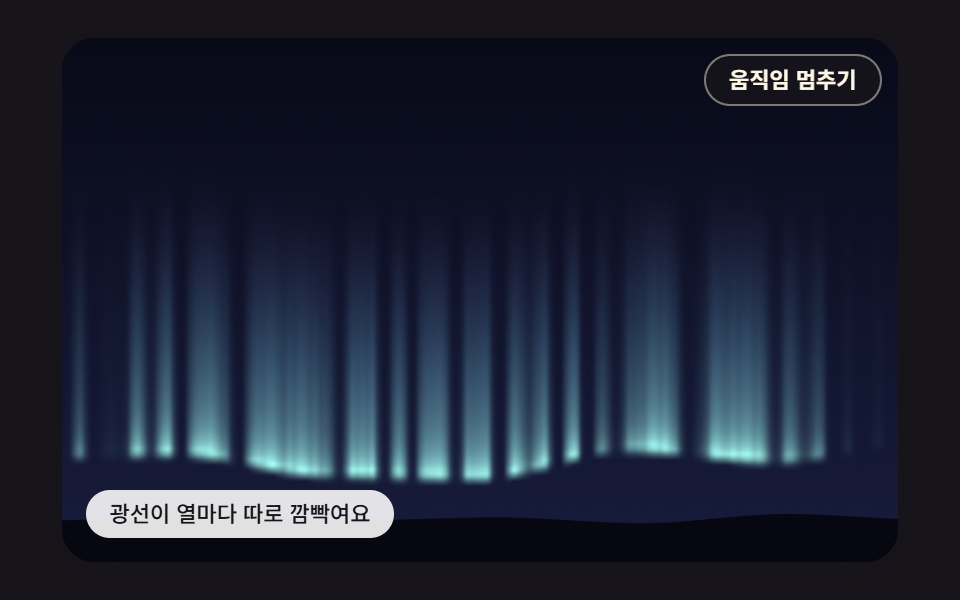
 01 aur-curtain-noise-ribbon
 02 aur-vertical-ray-pixel-shader
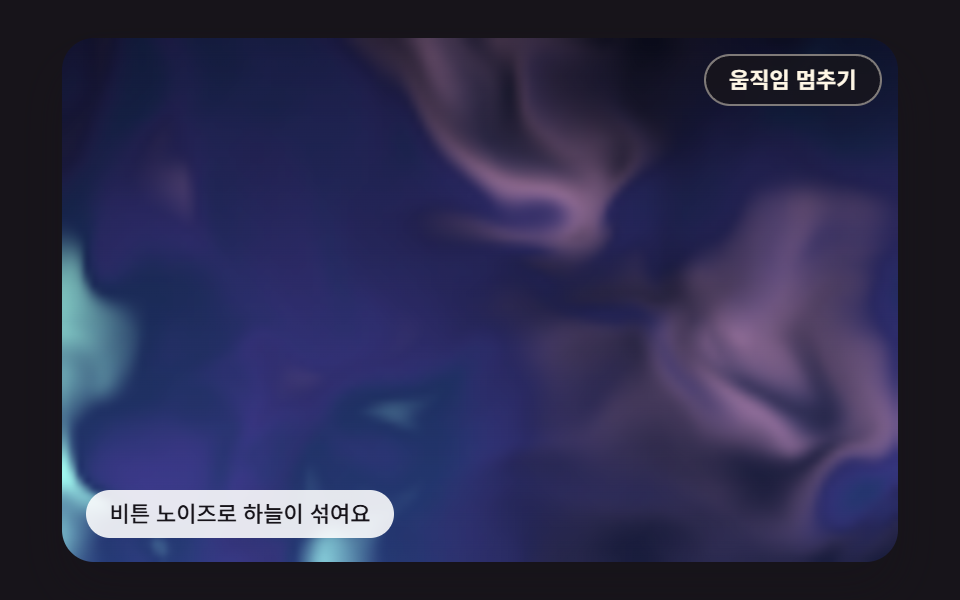 03 aur-domain-warp-soft-sky
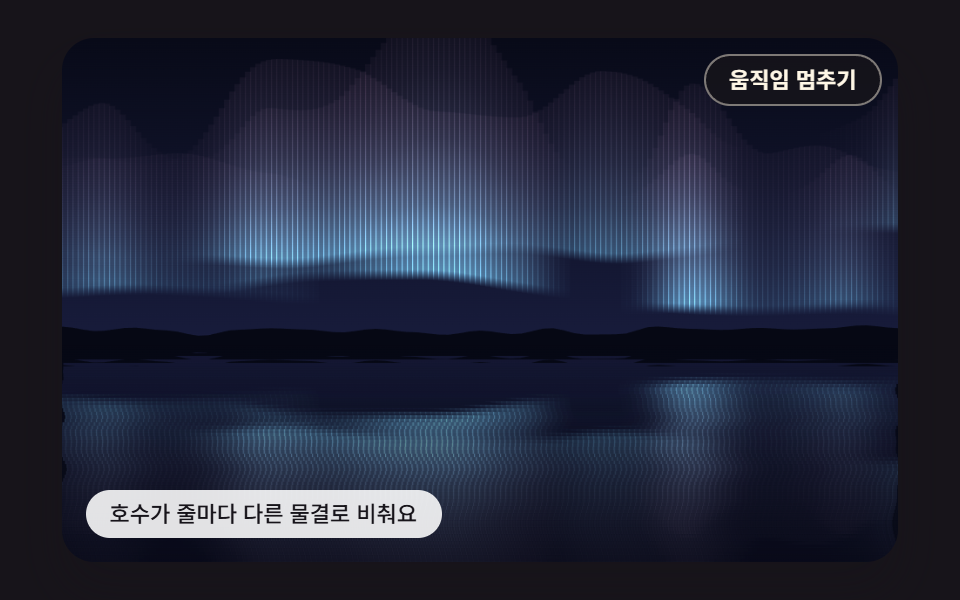 04 aur-lake-reflection-row-ripple
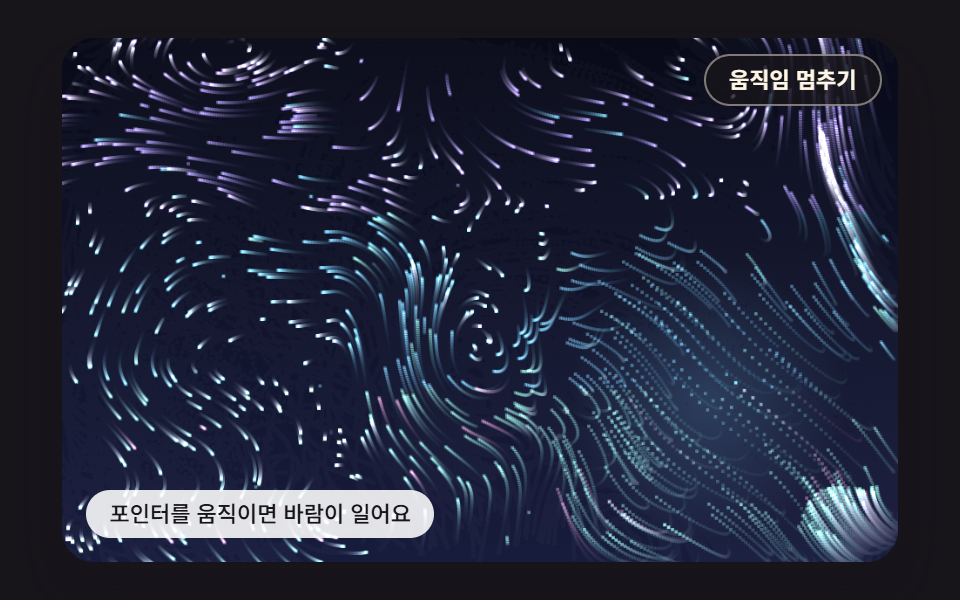 05 aur-pointer-wind-swirl-field
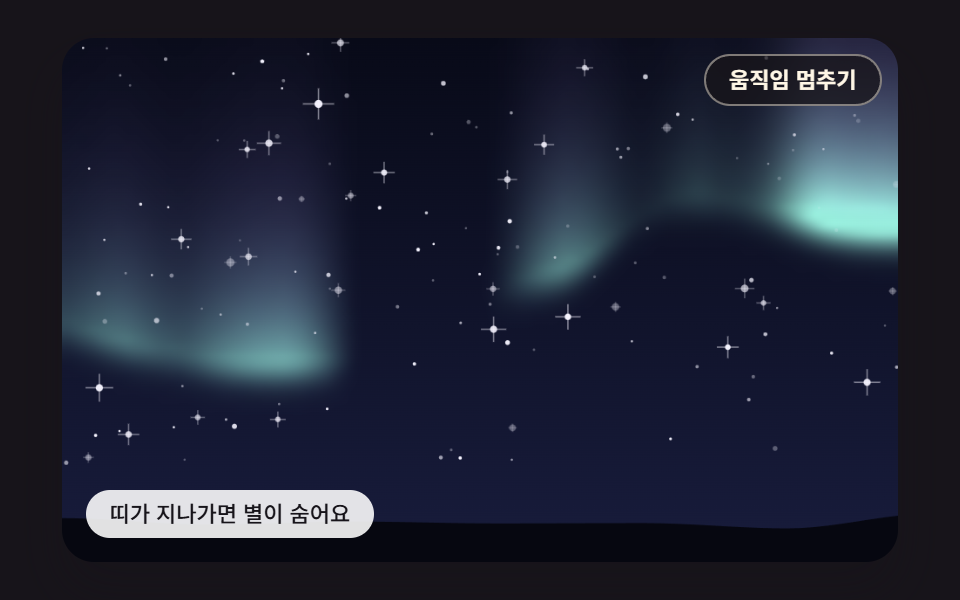 06 aur-star-twinkle-occlusion
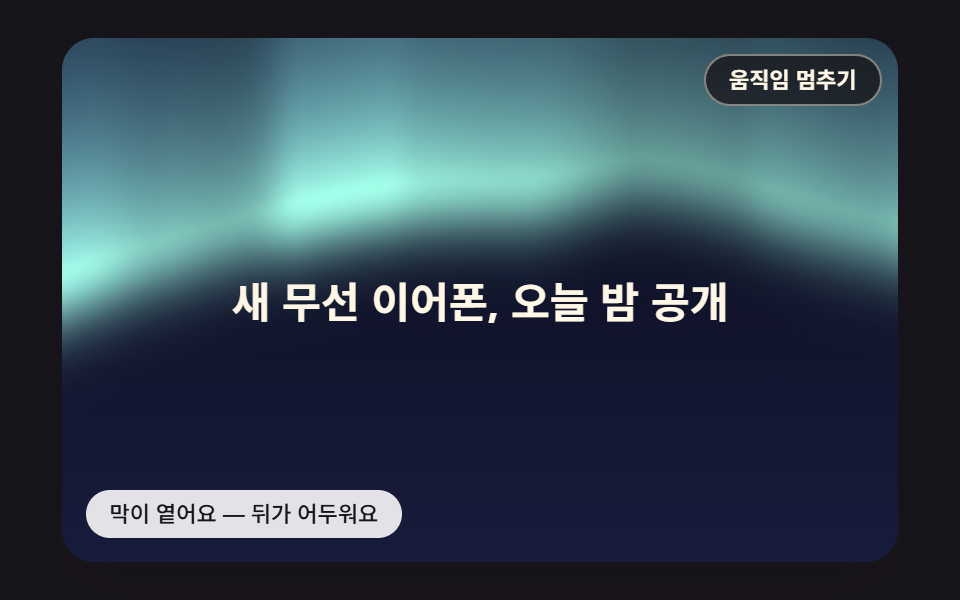 07 aur-headline-contrast-scrim
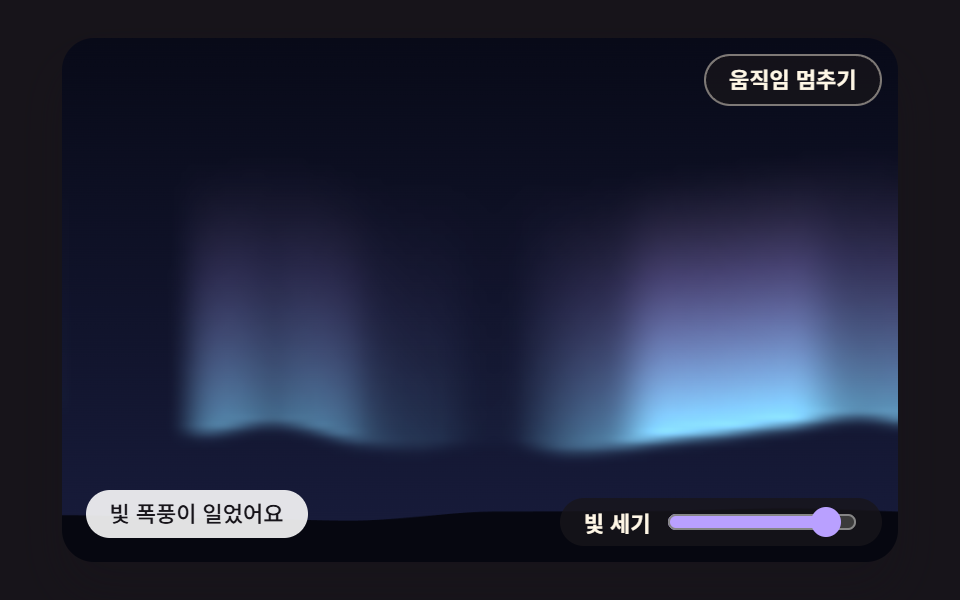 08 aur-intensity-dial-spring-storm
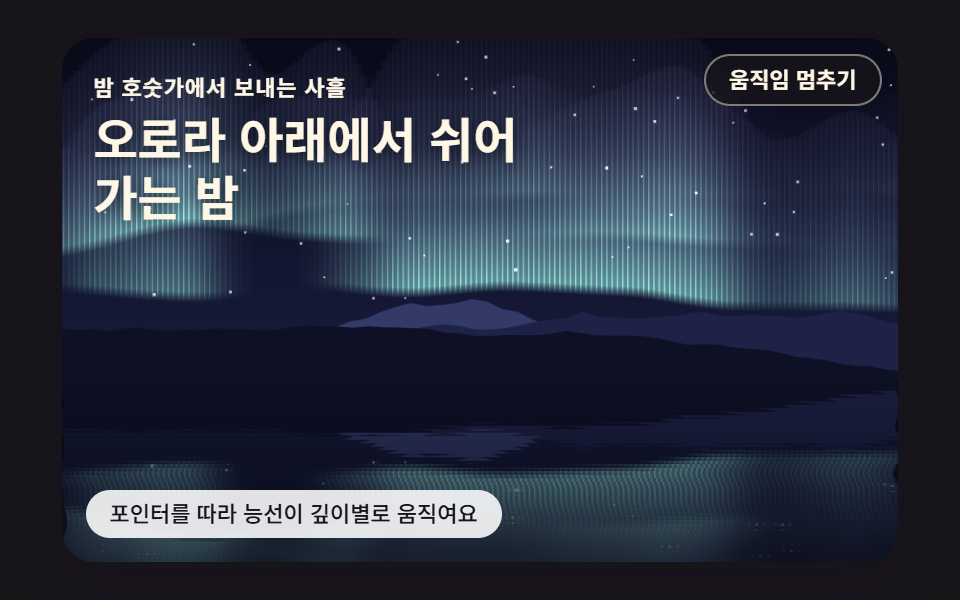 09 aur-ridge-lake-parallax-hero
自動再生 · タイルを押すとその項目へ · すべて1つのzip
- 01 ノイズで揺らめくオーロラのカーテン
- 02 ピクセルごとに計算してちらつく縦の光の筋
- 03 ノイズをノイズでゆがめて流れるやわらかな空
- 04 行ごとに違う波で空を映す湖
- 05 ポインターが風を起こす光の粉の流れ
- 06 オーロラが通ると隠れるまたたく星
- 07 見出しの裏の明るさを測って自ら濃くなる下敷き
- 08 強さのダイヤルを上げるとばねで広がる光の嵐
- 09 山の稜線・オーロラ・湖の映り込みをまとめた視差ヒーロー
何も触らなくても九つの場面はそれぞれ動き続け、各マスの「動きを止める」ボタンでいつでも止められます。05と09では、シードを固定した仮のポインターが動き続けます。05は周期の違う二つのサイン波を組み合わせた道筋を回り、09は一つのサイン波で左右に往復します。人がポインターを乗せるとその位置に切り替わり、舞台から外れると仮の動きに戻ります。08は2,600msで一周する実演の中で、200msにダイヤルを9へ、1,300msに2へ動かし、そのときつまみも一緒に動きます。
並べ方は、描き方が一段ずつ変わるように決めました。01はバッファを持たずに縦の線をベクターで引くカーテン、02は同じ帯を小さなピクセルバッファでマスごとに塗る方式、03はそのバッファに、読む座標からゆがめたノイズを塗る方式です。04は描き終えた空を逆さにしてもう一度使う映り込み、05は塗る代わりに光の粉900個を流れ場で運ぶ粒子、06はオーロラの強さを星の位置で読み直す標本です。07は同じ強さを見出しの箱の範囲で平均して下敷きの濃さに変え、08は人が選んだ値をばねで受け止め、09は01のカーテンと04の映り込みに山の稜線を足して一つの場面にまとめます。
オーロラ 背景 9種 — ノイズのカーテン・縦の光の筋・ゆがめた空・湖の映り込み・ポインターの風・星の隠れ・見出しの下敷き・強さのダイヤル・山の稜線のヒーロー
九つの場面はキャンバス2DとJavaScriptだけで描いています。CSS側の@keyframesとfilter: blurは0個で、ライブラリ・WebGL・CDN・画像ファイルもありません。時間はrequestAnimationFrameが渡す間隔を16msの固定ティックに区切り、1フレームで追いつくのは最大6ティック・100msまでで、ノイズが読む時間の座標はこうして積んだsimMsを1,000で割った秒です。キャンバスの画素倍率はMath.min(window.devicePixelRatio || 1, 2)で2を上限にしています。
2秒の映像を23回見比べた動きの量
各場面を2秒間撮って24枚に分け、隣どうしの違いを23回見比べました。累積面積はその間に変化した場所を全部重ねた広さが舞台に占める割合、動いたフレームは23回のうち画面が変わった回数です。
| 場面 | 累積面積 | 動いたフレーム | 強度平均 |
|---|---|---|---|
| 01 ノイズのカーテン | 36.2% | 23/23 | 22.4 |
| 02 縦の光の筋 | 26.7% | 23/23 | 17.2 |
| 03 ゆがめた空 | 67.9% | 23/23 | 18.4 |
| 04 湖の映り込み | 43.7% | 23/23 | 16.2 |
| 05 ポインターの風 | 71.0% | 23/23 | 53.1 |
| 06 星の隠れ | 34.8% | 23/23 | 22.4 |
| 07 見出しの下敷き | 69.5% | 23/23 | 27.8 |
| 08 強さのダイヤル | 36.0% | 23/23 | 26.2 |
| 09 稜線のヒーロー | 41.3% | 23/23 | 18.3 |
九場面とも23/23で、見比べるたびに画面が変わっていました。05の71.0%と強度53.1がいちばん大きいのは、光の粉900個が舞台全体に散って流れ、残像が7.3ティックで半分まで薄れるので、画面のほぼどこでも明るさが変わり続けるためと考えられます。02が26.7%でいちばん小さいのは、光の筋がバッファ100行のうち帯の高さ55行の中でしか点かず、その上の夜空はそのまま残るためと考えられます。
旅行のトップ画面から天気の小窓まで — 置き場所の目安
最初の画面をまるごと任せたいなら01・03・09です。01のカーテンは一層目の中心線が舞台の下寄り、およそ213〜232pxに敷かれるため、その上に広がる暗い空にサービス名の見出しを置きやすくなります。03は会社紹介のランディングのように、境目のない色のにじみがゆっくり混ざってほしい場所に、09は旅行プランを紹介するページの冒頭を山・空・湖で埋めたいときに向きます。水辺の景色が似合う湖畔の宿の案内には04、星が主役になる星空観察イベントの告知には06、光の筋に拍子を刻ませたい音楽アルバムの紹介には02が合います。
キャンバスで描くオーロラ アニメーションをページに敷くとき、この編では文字をキャンバスに描きません。07の見出し「新しいワイヤレスイヤホン、今夜公開」は<p data-role="headline">の中の本物の文字で、place()が見出しの箱を舞台に対する百分率で配置し、キャンバスはaria-hidden="true"でその後ろに敷かれます。08を天気アプリの夜空の小窓に使うなら、範囲入力の代わりに受け取った値をlevelTargetに入れても、同じばねが受け止めると考えられます。
オーロラ グラデーション一枚だと、なぜ止まった壁紙のように見えるのか?
グラデーションが動かせるのは置き場所と色だけ
CSSで作るグラデーションは色を置く場所を最初に決めておき、アニメーションはその塊全体を動かすか、回すか、色を変えることしかしません。塊の中のきめは変わらないので、しばらく眺めていると同じ模様が滑っているだけに見え、それが壁紙のように止まって感じる正体と考えられます。夜空の光の帯らしく見せるには、裾がくっきりしていて、上へ行くほど縦の筋になって薄れ、ひだの形が時間とともに新しく生まれる必要があります。三つとも横の位置と時刻ごとに違う値が要るので、この編のオーロラ 作り方は、その値をノイズの計算で生み出すところから始まります。
これまでの三つのオーロラとの分かれ目
CSS 背景アニメーションの03はradial-gradient3つにfilter: blur(3px)と回転のキーフレームをかけた色の塊で、オーロラのメッシュグラデーションのランディングの01はradial-gradient5つにblur(28px)と漂うキーフレームを重ねたセクションの飾りです。キャンバスのノイズ地形の05はオクターブの和のノイズで帯を塗ったキャンバスのオーロラでしたが、項目は一つだけでした。この編はキーフレームとblurを一つも使わず、同じノイズの材料からカーテン・光の筋・映り込み・流れ・星の隠れ・コントラストまで九つの道筋に分けます。
ノイズを重ねてゆがめる計算 — オクターブの和・ドメインワープ・渦の流れ場で光の帯を作る
整数の格子のハッシュからオクターブの和まで
材料は一つです。hash2が整数の格子点ごとに0〜1の値を出し、noise2は点が入ったマスの四隅の値を3t²−2t³の曲線で混ぜて、なめらかな値ノイズを返します。octavesは周波数を2倍に上げて強さを半分にしたノイズをn層足し、強さの合計で割って、大きなうねりに細かいさざ波が乗った値を0〜1に収めます。01の中心線はこの和を3層使って高さを決め、ひだの明るさは、きめを2.6倍細かく読んだノイズをしきい値0.25の上で引き伸ばして1.8乗し、明るいひだと暗いすき間を分けます。
読む座標をずらすワープと、傾きを回した流れ
03のドメインワープは、ノイズの値は変えずにノイズを読む場所を動かします。qを二つ読んでpを1.6qだけずらした場所でrを二つ読み、さらにpを1.6rだけずらした場所で最終の値を読むので、オクターブの和5回×3オクターブでピクセル一つにノイズ15回、120×75のバッファ9,000マスなら1フレームで135,000回になります。開発時の手元のヘッドレス計測では、paintWarp一回が2.07msでした。
05はポテンシャルψの縦横の偏微分を90度回して速度に使います。傾きをそのまま使うと粉は山の頂か谷底へ寄っていきますが、回した流れは等高線に沿って回るだけなので、ある場所へ入る量と出る量がつり合います。数値で見ると、回転の流れ場の発散の大きさは平均2.27e-06、同じポテンシャルの傾きの場は0.013で約5,700倍の開きがあり、粉が流れても一か所に固まったり空っぽの場所ができたりしない根拠はこの開きにあると考えられます。
小さなバッファに塗って引き伸ばして足す
マスごとに値を書く02・03・06・07・08は、画面の大きさに関係なく小さなバッファを使います。makeBufferが画面外のキャンバスとcreateImageDataを用意し、blitBufferがputImageDataでバッファを載せてから、imageSmoothingQuality = 'high'と'lighter'の合成で480×300の舞台に引き伸ばして足します(createImageData の解説)。バッファの大きさは02が160×100、03・07・08が120×75、06が96×60です。画面を読み戻すgetImageDataは九場面のどこにもないので、07の明るさも自分で塗った値から計算します。
01ノイズで揺らめくオーロラのカーテン
三層のカーテンそれぞれに3px間隔で縦の線を引き、線の下端はオクターブの和が決めた中心線、上へ行くほどexp(-RAY_FALLOFF × d)で薄れて38.5pxごとに明るさが半分になります。線一本が縦のグラデーション一つで塗られるベクターの筆跡なのでピクセルバッファは要らず、長さ165pxの先端ではアルファの倍率が0.051まで下がって、カーテンの上の方が夜空に溶けていきます。1秒間に一層目の中心線がいちばん大きく動いた距離は20.1pxで、サービスのトップ画面のように長く表示しておく画面でも揺れはゆったりしています。
<main class="stage">
<div class="au is-demo" id="au">
  <canvas class="au__canvas" data-role="canvas" width="480" height="300" aria-hidden="true"></canvas>
  <button class="au__pause" data-role="pause" type="button" aria-pressed="false">動きを止める</button>
  <p class="au__status" data-role="status" aria-live="off">カーテンがノイズに合わせて揺らめいています</p>
</div>
</main>
@use "../../../../site/static/demo-tokens" as *;
@include stage($stage-ink);
.au {
position: relative;
width: min(92vw, calc(160vh - 12.8vw));
aspect-ratio: 480 / 300;
margin: 0 auto;
border-radius: $r-card;
overflow: hidden;
box-shadow: $shadow-raised;
background: $subject-ink;
}
// 05·09 는 무대 자체가 초점을 받는다(화살표 키) — 고리는 크림색으로 어두운 하늘 위에서 보이게
.au:focus-visible {
outline: 2px solid $subject-cream;
outline-offset: 3px;
}
.au__canvas {
display: block;
width: 100%;
height: 100%;
// 손가락 세로 쓸기는 브라우저에 남겨 페이지 스크롤이 막히지 않게 한다
touch-action: pan-y;
}
.au__pause {
position: absolute;
top: $sp-2;
right: $sp-2;
margin: 0;
padding: $sp-1 $sp-3;
border: 1px solid rgba(255, 247, 230, .45);
border-radius: $r-pill;
background: rgba(23, 20, 26, .78);
color: $subject-cream;
font-family: inherit;
font-weight: 600;
font-size: 11px;
line-height: 1.4;
cursor: pointer;
}
.au__pause:hover {
background: rgba(23, 20, 26, .92);
}
.au__pause:focus-visible {
outline: 2px solid $subject-cream;
outline-offset: 2px;
}
.au__pause[hidden] {
display: none;
}
.au__status {
position: absolute;
left: $sp-3;
bottom: $sp-3;
box-sizing: border-box;
max-width: 54%;
margin: 0;
padding: $sp-1 $sp-3;
border-radius: $r-control;
background: rgba(255, 255, 255, .88);
color: $subject-ink;
font-weight: 500;
font-size: 11px;
line-height: 1.4;
pointer-events: none;
}
@media (max-width: 340px) {
.au__status { font-size: 10px; padding: $sp-1 $sp-2; }
.au__pause { font-size: 10px; padding: $sp-1 $sp-2; }
}
// 움직임은 스크립트가 matchMedia 로 멈춘다(노이즈 시간을 세운 한 장면). CSS 쪽은 멈춤 버튼을 감추는 hidden 만 쓴다
@media (prefers-reduced-motion: reduce) {
.au__pause { transition: none; }
}html, body {
margin: 0;
overflow: hidden;
}
.stage {
box-sizing: border-box;
min-height: 100vh;
display: grid;
place-items: center;
margin: 0;
background: #17141a;
font-family: -apple-system, "Segoe UI", "Noto Sans KR", sans-serif;
padding: clamp(8px, 4vw, 24px);
}
.au {
position: relative;
width: min(92vw, 160vh - 12.8vw);
aspect-ratio: 480/300;
margin: 0 auto;
border-radius: 16px;
overflow: hidden;
box-shadow: 0 14px 24px rgba(23, 20, 26, 0.32);
background: #17141a;
}
.au:focus-visible {
outline: 2px solid #fff7e6;
outline-offset: 3px;
}
.au__canvas {
display: block;
width: 100%;
height: 100%;
touch-action: pan-y;
}
.au__pause {
position: absolute;
top: 8px;
right: 8px;
margin: 0;
padding: 4px 12px;
border: 1px solid rgba(255, 247, 230, 0.45);
border-radius: 999px;
background: rgba(23, 20, 26, 0.78);
color: #fff7e6;
font-family: inherit;
font-weight: 600;
font-size: 11px;
line-height: 1.4;
cursor: pointer;
}
.au__pause:hover {
background: rgba(23, 20, 26, 0.92);
}
.au__pause:focus-visible {
outline: 2px solid #fff7e6;
outline-offset: 2px;
}
.au__pause[hidden] {
display: none;
}
.au__status {
position: absolute;
left: 12px;
bottom: 12px;
box-sizing: border-box;
max-width: 54%;
margin: 0;
padding: 4px 12px;
border-radius: 12px;
background: rgba(255, 255, 255, 0.88);
color: #17141a;
font-weight: 500;
font-size: 11px;
line-height: 1.4;
pointer-events: none;
}
@media (max-width: 340px) {
.au__status {
font-size: 10px;
padding: 4px 8px;
}
.au__pause {
font-size: 10px;
padding: 4px 8px;
}
}
@media (prefers-reduced-motion: reduce) {
.au__pause {
transition: none;
}
}(function () {
const root = document.getElementById("au");
if (!root) return;
// 장면 좌표 — 캔버스 내부는 이 크기 x 배율(dpr)로 잡고, 그림은 늘 480x300 좌표로 그린다
const W = 480;
const H = 300;
// 고정 틱(ms) — 화면 주사율과 상관없이 같은 빠르기로 흐른다
const FIXED_DT = 16;
const TAU = Math.PI * 2;
// 동작 줄이기에서 멈춰 둘 장면 시각(ms) — 이 시각의 한 장면만 그린다
const STILL_MS = 5200;
// 밤하늘 — 위는 짙은 남색, 지평선 쪽은 한 단계 밝은 남보라
const SKY_TOP = [8, 10, 24];
const SKY_LOW = [24, 28, 60];
// 오로라 빛 — 채도를 낮춘 파스텔이지만 어두운 하늘과의 명도 차는 크게 둔다
const MINT = [150, 240, 200];
const TEAL = [126, 214, 236];
const VIOLET = [192, 168, 255];
const PINK = [255, 178, 214];
function clamp(v, lo, hi) { return v < lo ? lo : (v > hi ? hi : v); }
function lerp(a, b, k) { return a + (b - a) * k; }
// 부드러운 계단 3x² - 2x³ — 0 과 1 에서 기울기가 0 이라 이음매가 보이지 않는다
function smooth(x) { const c = clamp(x, 0, 1); return c * c * (3 - 2 * c); }
function mix(a, b, k) { return [lerp(a[0], b[0], k), lerp(a[1], b[1], k), lerp(a[2], b[2], k)]; }
function rgba(c, a) {
return 'rgba(' + Math.round(clamp(c[0], 0, 255)) + ',' + Math.round(clamp(c[1], 0, 255)) + ',' + Math.round(clamp(c[2], 0, 255)) + ',' + clamp(a, 0, 1).toFixed(3) + ')';
}
// 시드 고정 난수 — 같은 시드면 같은 배치가 다시 나온다 (32비트 정수 섞기)
function makeRng(seed) {
let s = seed >>> 0;
return function () {
s = (s + 0x6d2b79f5) >>> 0;
let t = s;
t = Math.imul(t ^ (t >>> 15), t | 1);
t ^= t + Math.imul(t ^ (t >>> 7), t | 61);
return ((t ^ (t >>> 14)) >>> 0) / 4294967296;
};
}
// 격자점 해시 — 정수 좌표 (ix, iy) 와 시드에서 0..1 값 하나를 만든다. 같은 점은 언제나 같은 값
function hash2(ix, iy, seed) {
let h = (Math.imul(ix, 374761393) + Math.imul(iy, 668265263) + Math.imul(seed, 1013904223)) | 0;
h = Math.imul(h ^ (h >>> 13), 1274126177);
h ^= h >>> 16;
return (h >>> 0) / 4294967296;
}
// 값 노이즈 — 정수 격자점마다 해시 값을 두고, 칸 안에서는 네 모서리 값을 부드러운 계단으로 보간한다. 결과 0..1
function noise2(x, y, seed) {
const ix = Math.floor(x);
const iy = Math.floor(y);
const fx = x - ix;
const fy = y - iy;
const u = fx * fx * (3 - 2 * fx);
const v = fy * fy * (3 - 2 * fy);
const a = hash2(ix, iy, seed);
const b = hash2(ix + 1, iy, seed);
const c = hash2(ix, iy + 1, seed);
const d = hash2(ix + 1, iy + 1, seed);
return lerp(lerp(a, b, u), lerp(c, d, u), v);
}
// 옥타브 합 — 주파수를 두 배로, 세기를 절반으로 줄여 가며 n 겹 더한 뒤 세기 합으로 나눈다. 결과 0..1
function octaves(x, y, n, seed) {
let sum = 0;
let amp = 0.5;
let norm = 0;
let f = 1;
for (let k = 0; k < n; k += 1) {
sum += amp * noise2(x * f + k * 17.13, y * f + k * 9.71, seed + k * 31);
norm += amp;
amp *= 0.5;
f *= 2;
}
return sum / norm;
}
function textOf(el) { return (el.textContent || '').trim(); }
const canvasEl = root.querySelector('[data-role="canvas"]');
const statusEl = root.querySelector('[data-role="status"]');
const pauseEl = root.querySelector('[data-role="pause"]');
const ctxRaw = canvasEl ? canvasEl.getContext('2d') : null;
if (!canvasEl || !ctxRaw || !statusEl || !pauseEl) {
return;
}
const cv = canvasEl;
const ctx = ctxRaw;
const status = statusEl;
const pauseBtn = pauseEl;
// 화면 글자는 DOM 에 있다 — 문구를 바꾸면 버튼·상태 줄도 같이 바뀐다
const STATUS0 = textOf(status);
const PAUSE_LABEL = textOf(pauseBtn);
const RESUME_LABEL = '動きを再開する';
const TXT_PAUSED = '止めました — ボタンで再開できます';
const reduceQuery = window.matchMedia('(prefers-reduced-motion: reduce)');
// 페이지를 연 채 동작 줄이기 설정을 바꿔도 아래 change 리스너가 이 값을 다시 읽는다
let still = reduceQuery.matches;
// 사람이 멈춤 버튼을 눌렀는가
let paused = false;
// 자동 시연 중인가 — 사람이 처음 만지는 순간 시연을 멈추고 상태 줄을 읽어 주기 시작한다
let demo = root.classList.contains('is-demo');
function wake() {
if (!demo) {
return;
}
demo = false;
root.classList.remove('is-demo');
status.setAttribute('aria-live', 'polite');
}
function say(text) {
if (status.textContent !== text) {
status.textContent = text;
}
}
// 캔버스 배율 — 화면 배율을 따르되 2 에서 자른다(배율 3 기기에서 픽셀 일이 2.25배로 늘지 않게)
let dpr = 1;
function fitCanvas() {
dpr = Math.min(window.devicePixelRatio || 1, 2);
cv.width = Math.round(W * dpr);
cv.height = Math.round(H * dpr);
}
function begin() {
ctx.setTransform(dpr, 0, 0, dpr, 0, 0);
ctx.globalCompositeOperation = 'source-over';
ctx.globalAlpha = 1;
}
// 작은 픽셀 버퍼 — 계산은 이 크기에서 하고 화면에는 늘려 그린다
function makeBuffer(w, h) {
const b = document.createElement('canvas');
b.width = w;
b.height = h;
const c = b.getContext('2d');
return { cv: b, c: c, img: c.createImageData(w, h), w: w, h: h };
}
// 버퍼를 무대 크기로 키워 더한다 — 늘릴 때 브라우저의 이미지 보간이 칸 사이를 메우고, 'lighter' 는 밤하늘 위에 빛을 더한다
function blitBuffer(b, x, y, w, h) {
b.c.putImageData(b.img, 0, 0);
ctx.save();
ctx.imageSmoothingEnabled = true;
ctx.imageSmoothingQuality = 'high';
ctx.globalCompositeOperation = 'lighter';
ctx.drawImage(b.cv, x, y, w, h);
ctx.restore();
}
// 높이 y 에서 하늘 색 — 버퍼 계산에서 밝기를 잴 때도 같은 식을 쓴다
function skyAt(y, h) { return mix(SKY_TOP, SKY_LOW, clamp(y / h, 0, 1)); }
function drawSky(c, w, h) {
const g = c.createLinearGradient(0, 0, 0, h);
g.addColorStop(0, rgba(SKY_TOP, 1));
g.addColorStop(1, rgba(SKY_LOW, 1));
c.fillStyle = g;
c.fillRect(0, 0, w, h);
}
// 장면 시계(ms) — rAF 루프가 고정 틱으로만 늘린다. 동작 줄이기에서는 STILL_MS 에 멈춘다
let simMs = 0;
function nowS() { return simMs / 1000; }
function toScene(ev) {
const r = cv.getBoundingClientRect();
return [(ev.clientX - r.left) / Math.max(1, r.width) * W, (ev.clientY - r.top) / Math.max(1, r.height) * H];
}
// 겹치는 DOM 층의 자리 — 장면 좌표를 무대 백분율로 바꿔 넣는다
function place(el, r) {
el.style.left = (r.x / W * 100).toFixed(3) + '%';
el.style.top = (r.y / H * 100).toFixed(3) + '%';
el.style.width = (r.w / W * 100).toFixed(3) + '%';
el.style.height = (r.h / H * 100).toFixed(3) + '%';
}
// 커튼 겹 수 — 겹마다 중심선 높이·노이즈 시드·밝기가 다르다
const CURTAIN_LAYERS = 3;
// 노이즈 결 — 장면 1px 당 노이즈 좌표가 움직이는 양. 작을수록 주름이 넓고 느긋하다
const NOISE_SCALE = 0.004;
// 세로 감쇠(1px 당) — 중심선에서 위로 d px 올라간 곳의 알파 = exp(-RAY_FALLOFF x d)
const RAY_FALLOFF = 0.018;
// 세로 줄 간격(px) — 줄마다 세로 그라데이션 하나
const STROKE_STEP = 3;
// 중심선 높이 — 옥타브 합(3겹) 값 노이즈 0..1 을 -1..1 로 펴서 진폭을 곱한다. 시간은 노이즈 둘째 좌표로 흘린다
function curtainCenter(o, layer, x, t) {
const n = octaves(x * NOISE_SCALE + t * o.speed * 0.4, t * o.speed + layer * 3.7, 3, o.seed + layer * 11);
return o.base - layer * 16 + (n - 0.5) * 2 * o.amp;
}
// 주름 밝기 — 결을 2.6배 잘게 읽은 노이즈를 문턱 0.25 위로 펴고 1.8 제곱해 밝은 주름과 어두운 틈을 가른다
function curtainFold(o, layer, x, t) {
const n = octaves(x * NOISE_SCALE * 2.6 - t * o.speed * 0.9, layer * 5.1 + t * o.speed * 0.5, 2, o.seed + 50 + layer);
return Math.pow(smooth((n - 0.25) / 0.6), 1.8);
}
// 커튼 — 겹마다 STROKE_STEP 간격으로 세로 줄을 긋는다. 줄의 아래 끝이 중심선, 위로 갈수록 지수로 옅어진다
function drawCurtain(c, o, t, w) {
c.save();
c.globalCompositeOperation = 'lighter';
for (let layer = 0; layer < CURTAIN_LAYERS; layer += 1) {
const k = CURTAIN_LAYERS > 1 ? layer / (CURTAIN_LAYERS - 1) : 0;
const layerAlpha = o.alpha * (1 - 0.35 * k);
for (let x = -STROKE_STEP; x <= w + STROKE_STEP; x += STROKE_STEP) {
const fold = curtainFold(o, layer, x, t);
if (fold < 0.02) {
continue;
}
const yc = curtainCenter(o, layer, x, t);
const len = o.len * (0.55 + 0.75 * fold) * (1 - 0.25 * k);
const top = yc - len;
const g = c.createLinearGradient(0, yc + 6, 0, top);
g.addColorStop(0, rgba(o.low, 0));
// 아래 가장자리 6px — 짧게 밝아져 커튼 밑단이 또렷하다
g.addColorStop(6 / (len + 6), rgba(o.low, layerAlpha * fold));
for (let s = 1; s <= 4; s += 1) {
const d = len * s / 4;
g.addColorStop((6 + d) / (len + 6), rgba(mix(o.low, o.high, s / 4), layerAlpha * fold * Math.exp(-RAY_FALLOFF * d)));
}
c.fillStyle = g;
c.fillRect(x, top, STROKE_STEP + 0.6, len + 6);
}
}
c.restore();
}
// 땅 실루엣 — 값 노이즈 한 겹으로 낮은 언덕 선을 만들고 그 아래를 짙게 채운다
const GROUND = [6, 7, 16];
function drawGround(c, y0, rough, seed) {
c.beginPath();
c.moveTo(0, H);
for (let x = 0; x <= W; x += 8) {
c.lineTo(x, y0 + (noise2(x * 0.012, 0.5, seed) - 0.5) * rough);
}
c.lineTo(W, H);
c.closePath();
c.fillStyle = rgba(GROUND, 1);
c.fill();
}
// 01 커튼 — 아래 끝은 민트, 위로 라일락. 땅 바로 위에서 흔들린다
const CURTAIN_01 = { base: 226, amp: 44, len: 165, low: MINT, high: VIOLET, alpha: 0.62, speed: 0.24, seed: 101 };
function itemInit() { }
function itemStep(dt) { }
function itemDraw() {
drawSky(ctx, W, H);
drawCurtain(ctx, CURTAIN_01, nowS(), W);
drawGround(ctx, 270, 16, 131);
}
function itemDemo(t) { }
function itemStatus() { return STATUS0; }
function itemSnap() { }
function itemPointer(p, on) { return false; }
function itemKey(key) { return false; }
function render() {
begin();
itemDraw();
if (!paused) {
say(itemStatus());
}
}
// 루프가 멈춰 있을 때(동작 줄이기·멈춤) 입력이 들어오면 — 움직이던 값을 목표로 바로 옮겨 한 장 그린다
function after() {
if (rafId) {
return;
}
itemSnap();
render();
}
function setPaused(p) {
paused = p;
pauseBtn.setAttribute('aria-pressed', p ? 'true' : 'false');
pauseBtn.textContent = p ? RESUME_LABEL : PAUSE_LABEL;
if (p) {
stopLoop();
say(TXT_PAUSED);
}
else {
say(itemStatus());
startLoop();
}
}
pauseBtn.addEventListener('click', function () { wake(); setPaused(!paused); });
cv.addEventListener('pointermove', function (ev) {
if (itemPointer(toScene(ev), true)) {
wake();
after();
}
});
cv.addEventListener('pointerdown', function (ev) {
wake();
if (itemPointer(toScene(ev), true)) {
after();
}
});
cv.addEventListener('pointerleave', function () { itemPointer([W / 2, H / 2], false); });
root.addEventListener('keydown', function (ev) {
if (ev.target !== root) {
return;
}
if (itemKey(ev.key)) {
ev.preventDefault();
wake();
after();
}
});
function onResize() {
fitCanvas();
render();
}
fitCanvas();
itemInit();
window.addEventListener('resize', onResize);
let rafId = 0;
let lastTs = -1;
let acc = 0;
function frame(ts) {
if (still || paused) {
rafId = 0;
return;
}
if (lastTs < 0) {
lastTs = ts;
}
// 탭이 숨었다 돌아와도 한 번에 100ms 까지만 따라잡는다 — 순간이동 대신 이어서 움직인다
acc += Math.min(ts - lastTs, 100);
lastTs = ts;
let n = 0;
while (acc >= FIXED_DT && n < 6) {
simMs += FIXED_DT;
if (demo) {
itemDemo(simMs);
}
itemStep(FIXED_DT);
acc -= FIXED_DT;
n += 1;
}
if (n === 6) {
acc = 0;
}
render();
rafId = window.requestAnimationFrame(frame);
}
function startLoop() {
if (rafId || still || paused) {
return;
}
lastTs = -1;
acc = 0;
rafId = window.requestAnimationFrame(frame);
}
function stopLoop() {
if (rafId) {
window.cancelAnimationFrame(rafId);
rafId = 0;
}
}
// 동작 줄이기 설정이 페이지를 연 채 바뀌면 — 켜지면 루프를 멈추고 그 순간 한 장면으로, 꺼지면 루프를 다시 돈다
function onMotionPref() {
still = reduceQuery.matches;
pauseBtn.hidden = still;
if (still) {
stopLoop();
itemSnap();
render();
}
else {
startLoop();
}
}
if (typeof reduceQuery.addEventListener === 'function') {
reduceQuery.addEventListener('change', onMotionPref);
}
pauseBtn.hidden = still;
if (still) {
// 동작 줄이기 — 노이즈 시간을 STILL_MS 에 세운 한 장면. 입력은 after() 가 그 자리에서 반영한다
simMs = STILL_MS;
itemSnap();
render();
}
else {
render();
startLoop();
}
return function () {
stopLoop();
window.removeEventListener('resize', onResize);
if (typeof reduceQuery.removeEventListener === 'function') {
reduceQuery.removeEventListener('change', onMotionPref);
}
};
})();// CurtainNoiseRibbon - vanilla 판(01-aur-curtain-noise-ribbon) 의 React 포트. 같은 계산을 useEffect 안에서 돌린다.
import { useEffect, useRef } from "react";
import styles from "./CurtainNoiseRibbon.module.scss";
const cx = (s: string): string => s.split(" ").map((n) => styles[n] ?? n).join(" ");
export default function CurtainNoiseRibbon() {
const rootRef = useRef<HTMLDivElement | null>(null);
useEffect(() => {
const rootEl = rootRef.current;
if (!rootEl) return;
const root: HTMLElement = rootEl;
type RGB = [number, number, number];
type Pt = [number, number];
type Rect = { x: number; y: number; w: number; h: number };
type PixelBuffer = { cv: HTMLCanvasElement; c: CanvasRenderingContext2D; img: ImageData; w: number; h: number };
// 장면 좌표 — 캔버스 내부는 이 크기 x 배율(dpr)로 잡고, 그림은 늘 480x300 좌표로 그린다
const W = 480;
const H = 300;
// 고정 틱(ms) — 화면 주사율과 상관없이 같은 빠르기로 흐른다
const FIXED_DT = 16;
const TAU = Math.PI * 2;
// 동작 줄이기에서 멈춰 둘 장면 시각(ms) — 이 시각의 한 장면만 그린다
const STILL_MS = 5200;
// 밤하늘 — 위는 짙은 남색, 지평선 쪽은 한 단계 밝은 남보라
const SKY_TOP: RGB = [8, 10, 24];
const SKY_LOW: RGB = [24, 28, 60];
// 오로라 빛 — 채도를 낮춘 파스텔이지만 어두운 하늘과의 명도 차는 크게 둔다
const MINT: RGB = [150, 240, 200];
const TEAL: RGB = [126, 214, 236];
const VIOLET: RGB = [192, 168, 255];
const PINK: RGB = [255, 178, 214];
function clamp(v: number, lo: number, hi: number): number { return v < lo ? lo : (v > hi ? hi : v); }
function lerp(a: number, b: number, k: number): number { return a + (b - a) * k; }
// 부드러운 계단 3x² - 2x³ — 0 과 1 에서 기울기가 0 이라 이음매가 보이지 않는다
function smooth(x: number): number { const c = clamp(x, 0, 1); return c * c * (3 - 2 * c); }
function mix(a: RGB, b: RGB, k: number): RGB { return [lerp(a[0], b[0], k), lerp(a[1], b[1], k), lerp(a[2], b[2], k)]; }
function rgba(c: RGB, a: number): string {
return 'rgba(' + Math.round(clamp(c[0], 0, 255)) + ',' + Math.round(clamp(c[1], 0, 255)) + ',' + Math.round(clamp(c[2], 0, 255)) + ',' + clamp(a, 0, 1).toFixed(3) + ')';
}
// 시드 고정 난수 — 같은 시드면 같은 배치가 다시 나온다 (32비트 정수 섞기)
function makeRng(seed: number): () => number {
let s = seed >>> 0;
return function (): number {
s = (s + 0x6d2b79f5) >>> 0;
let t = s;
t = Math.imul(t ^ (t >>> 15), t | 1);
t ^= t + Math.imul(t ^ (t >>> 7), t | 61);
return ((t ^ (t >>> 14)) >>> 0) / 4294967296;
};
}
// 격자점 해시 — 정수 좌표 (ix, iy) 와 시드에서 0..1 값 하나를 만든다. 같은 점은 언제나 같은 값
function hash2(ix: number, iy: number, seed: number): number {
let h = (Math.imul(ix, 374761393) + Math.imul(iy, 668265263) + Math.imul(seed, 1013904223)) | 0;
h = Math.imul(h ^ (h >>> 13), 1274126177);
h ^= h >>> 16;
return (h >>> 0) / 4294967296;
}
// 값 노이즈 — 정수 격자점마다 해시 값을 두고, 칸 안에서는 네 모서리 값을 부드러운 계단으로 보간한다. 결과 0..1
function noise2(x: number, y: number, seed: number): number {
const ix = Math.floor(x);
const iy = Math.floor(y);
const fx = x - ix;
const fy = y - iy;
const u = fx * fx * (3 - 2 * fx);
const v = fy * fy * (3 - 2 * fy);
const a = hash2(ix, iy, seed);
const b = hash2(ix + 1, iy, seed);
const c = hash2(ix, iy + 1, seed);
const d = hash2(ix + 1, iy + 1, seed);
return lerp(lerp(a, b, u), lerp(c, d, u), v);
}
// 옥타브 합 — 주파수를 두 배로, 세기를 절반으로 줄여 가며 n 겹 더한 뒤 세기 합으로 나눈다. 결과 0..1
function octaves(x: number, y: number, n: number, seed: number): number {
let sum = 0;
let amp = 0.5;
let norm = 0;
let f = 1;
for (let k = 0; k < n; k += 1) {
sum += amp * noise2(x * f + k * 17.13, y * f + k * 9.71, seed + k * 31);
norm += amp;
amp *= 0.5;
f *= 2;
}
return sum / norm;
}
function textOf(el: HTMLElement): string { return (el.textContent || '').trim(); }
const canvasEl = root.querySelector('[data-role="canvas"]') as HTMLCanvasElement | null;
const statusEl = root.querySelector('[data-role="status"]') as HTMLElement | null;
const pauseEl = root.querySelector('[data-role="pause"]') as HTMLButtonElement | null;
const ctxRaw = canvasEl ? canvasEl.getContext('2d') : null;
if (!canvasEl || !ctxRaw || !statusEl || !pauseEl) { return; }
const cv: HTMLCanvasElement = canvasEl;
const ctx: CanvasRenderingContext2D = ctxRaw;
const status: HTMLElement = statusEl;
const pauseBtn: HTMLButtonElement = pauseEl;
// 화면 글자는 DOM 에 있다 — 문구를 바꾸면 버튼·상태 줄도 같이 바뀐다
const STATUS0 = textOf(status);
const PAUSE_LABEL = textOf(pauseBtn);
const RESUME_LABEL = '움직임 다시 켜기';
const TXT_PAUSED = '멈췄어요 — 버튼으로 다시 켜기';
const reduceQuery = window.matchMedia('(prefers-reduced-motion: reduce)');
// 페이지를 연 채 동작 줄이기 설정을 바꿔도 아래 change 리스너가 이 값을 다시 읽는다
let still = reduceQuery.matches;
// 사람이 멈춤 버튼을 눌렀는가
let paused = false;
// 자동 시연 중인가 — 사람이 처음 만지는 순간 시연을 멈추고 상태 줄을 읽어 주기 시작한다
let demo = root.classList.contains('is-demo');
function wake(): void {
if (!demo) { return; }
demo = false;
root.classList.remove('is-demo');
status.setAttribute('aria-live', 'polite');
}
function say(text: string): void {
if (status.textContent !== text) { status.textContent = text; }
}
// 캔버스 배율 — 화면 배율을 따르되 2 에서 자른다(배율 3 기기에서 픽셀 일이 2.25배로 늘지 않게)
let dpr = 1;
function fitCanvas(): void {
dpr = Math.min(window.devicePixelRatio || 1, 2);
cv.width = Math.round(W * dpr);
cv.height = Math.round(H * dpr);
}
function begin(): void {
ctx.setTransform(dpr, 0, 0, dpr, 0, 0);
ctx.globalCompositeOperation = 'source-over';
ctx.globalAlpha = 1;
}
// 작은 픽셀 버퍼 — 계산은 이 크기에서 하고 화면에는 늘려 그린다
function makeBuffer(w: number, h: number): PixelBuffer {
const b = document.createElement('canvas');
b.width = w;
b.height = h;
const c = b.getContext('2d') as CanvasRenderingContext2D;
return { cv: b, c: c, img: c.createImageData(w, h), w: w, h: h };
}
// 버퍼를 무대 크기로 키워 더한다 — 늘릴 때 브라우저의 이미지 보간이 칸 사이를 메우고, 'lighter' 는 밤하늘 위에 빛을 더한다
function blitBuffer(b: PixelBuffer, x: number, y: number, w: number, h: number): void {
b.c.putImageData(b.img, 0, 0);
ctx.save();
ctx.imageSmoothingEnabled = true;
ctx.imageSmoothingQuality = 'high';
ctx.globalCompositeOperation = 'lighter';
ctx.drawImage(b.cv, x, y, w, h);
ctx.restore();
}
// 높이 y 에서 하늘 색 — 버퍼 계산에서 밝기를 잴 때도 같은 식을 쓴다
function skyAt(y: number, h: number): RGB { return mix(SKY_TOP, SKY_LOW, clamp(y / h, 0, 1)); }
function drawSky(c: CanvasRenderingContext2D, w: number, h: number): void {
const g = c.createLinearGradient(0, 0, 0, h);
g.addColorStop(0, rgba(SKY_TOP, 1));
g.addColorStop(1, rgba(SKY_LOW, 1));
c.fillStyle = g;
c.fillRect(0, 0, w, h);
}
// 장면 시계(ms) — rAF 루프가 고정 틱으로만 늘린다. 동작 줄이기에서는 STILL_MS 에 멈춘다
let simMs = 0;
function nowS(): number { return simMs / 1000; }
function toScene(ev: PointerEvent): Pt {
const r = cv.getBoundingClientRect();
return [(ev.clientX - r.left) / Math.max(1, r.width) * W, (ev.clientY - r.top) / Math.max(1, r.height) * H];
}
// 겹치는 DOM 층의 자리 — 장면 좌표를 무대 백분율로 바꿔 넣는다
function place(el: HTMLElement, r: Rect): void {
el.style.left = (r.x / W * 100).toFixed(3) + '%';
el.style.top = (r.y / H * 100).toFixed(3) + '%';
el.style.width = (r.w / W * 100).toFixed(3) + '%';
el.style.height = (r.h / H * 100).toFixed(3) + '%';
}
// 커튼 겹 수 — 겹마다 중심선 높이·노이즈 시드·밝기가 다르다
const CURTAIN_LAYERS = 3;
// 노이즈 결 — 장면 1px 당 노이즈 좌표가 움직이는 양. 작을수록 주름이 넓고 느긋하다
const NOISE_SCALE = 0.004;
// 세로 감쇠(1px 당) — 중심선에서 위로 d px 올라간 곳의 알파 = exp(-RAY_FALLOFF x d)
const RAY_FALLOFF = 0.018;
// 세로 줄 간격(px) — 줄마다 세로 그라데이션 하나
const STROKE_STEP = 3;
type Curtain = { base: number; amp: number; len: number; low: RGB; high: RGB; alpha: number; speed: number; seed: number };
// 중심선 높이 — 옥타브 합(3겹) 값 노이즈 0..1 을 -1..1 로 펴서 진폭을 곱한다. 시간은 노이즈 둘째 좌표로 흘린다
function curtainCenter(o: Curtain, layer: number, x: number, t: number): number {
const n = octaves(x * NOISE_SCALE + t * o.speed * 0.4, t * o.speed + layer * 3.7, 3, o.seed + layer * 11);
return o.base - layer * 16 + (n - 0.5) * 2 * o.amp;
}
// 주름 밝기 — 결을 2.6배 잘게 읽은 노이즈를 문턱 0.25 위로 펴고 1.8 제곱해 밝은 주름과 어두운 틈을 가른다
function curtainFold(o: Curtain, layer: number, x: number, t: number): number {
const n = octaves(x * NOISE_SCALE * 2.6 - t * o.speed * 0.9, layer * 5.1 + t * o.speed * 0.5, 2, o.seed + 50 + layer);
return Math.pow(smooth((n - 0.25) / 0.6), 1.8);
}
// 커튼 — 겹마다 STROKE_STEP 간격으로 세로 줄을 긋는다. 줄의 아래 끝이 중심선, 위로 갈수록 지수로 옅어진다
function drawCurtain(c: CanvasRenderingContext2D, o: Curtain, t: number, w: number): void {
c.save();
c.globalCompositeOperation = 'lighter';
for (let layer = 0; layer < CURTAIN_LAYERS; layer += 1) {
const k = CURTAIN_LAYERS > 1 ? layer / (CURTAIN_LAYERS - 1) : 0;
const layerAlpha = o.alpha * (1 - 0.35 * k);
for (let x = -STROKE_STEP; x <= w + STROKE_STEP; x += STROKE_STEP) {
const fold = curtainFold(o, layer, x, t);
if (fold < 0.02) { continue; }
const yc = curtainCenter(o, layer, x, t);
const len = o.len * (0.55 + 0.75 * fold) * (1 - 0.25 * k);
const top = yc - len;
const g = c.createLinearGradient(0, yc + 6, 0, top);
g.addColorStop(0, rgba(o.low, 0));
// 아래 가장자리 6px — 짧게 밝아져 커튼 밑단이 또렷하다
g.addColorStop(6 / (len + 6), rgba(o.low, layerAlpha * fold));
for (let s = 1; s <= 4; s += 1) {
const d = len * s / 4;
g.addColorStop((6 + d) / (len + 6), rgba(mix(o.low, o.high, s / 4), layerAlpha * fold * Math.exp(-RAY_FALLOFF * d)));
}
c.fillStyle = g;
c.fillRect(x, top, STROKE_STEP + 0.6, len + 6);
}
}
c.restore();
}
// 땅 실루엣 — 값 노이즈 한 겹으로 낮은 언덕 선을 만들고 그 아래를 짙게 채운다
const GROUND: RGB = [6, 7, 16];
function drawGround(c: CanvasRenderingContext2D, y0: number, rough: number, seed: number): void {
c.beginPath();
c.moveTo(0, H);
for (let x = 0; x <= W; x += 8) {
c.lineTo(x, y0 + (noise2(x * 0.012, 0.5, seed) - 0.5) * rough);
}
c.lineTo(W, H);
c.closePath();
c.fillStyle = rgba(GROUND, 1);
c.fill();
}
// 01 커튼 — 아래 끝은 민트, 위로 라일락. 땅 바로 위에서 흔들린다
const CURTAIN_01: Curtain = { base: 226, amp: 44, len: 165, low: MINT, high: VIOLET, alpha: 0.62, speed: 0.24, seed: 101 };
function itemInit(): void { }
function itemStep(dt: number): void { }
function itemDraw(): void {
drawSky(ctx, W, H);
drawCurtain(ctx, CURTAIN_01, nowS(), W);
drawGround(ctx, 270, 16, 131);
}
function itemDemo(t: number): void { }
function itemStatus(): string { return STATUS0; }
function itemSnap(): void { }
function itemPointer(p: Pt, on: boolean): boolean { return false; }
function itemKey(key: string): boolean { return false; }
function render(): void {
begin();
itemDraw();
if (!paused) { say(itemStatus()); }
}
// 루프가 멈춰 있을 때(동작 줄이기·멈춤) 입력이 들어오면 — 움직이던 값을 목표로 바로 옮겨 한 장 그린다
function after(): void {
if (rafId) { return; }
itemSnap();
render();
}
function setPaused(p: boolean): void {
paused = p;
pauseBtn.setAttribute('aria-pressed', p ? 'true' : 'false');
pauseBtn.textContent = p ? RESUME_LABEL : PAUSE_LABEL;
if (p) {
stopLoop();
say(TXT_PAUSED);
} else {
say(itemStatus());
startLoop();
}
}
pauseBtn.addEventListener('click', function (): void { wake(); setPaused(!paused); });
cv.addEventListener('pointermove', function (ev: PointerEvent): void {
if (itemPointer(toScene(ev), true)) { wake(); after(); }
});
cv.addEventListener('pointerdown', function (ev: PointerEvent): void {
wake();
if (itemPointer(toScene(ev), true)) { after(); }
});
cv.addEventListener('pointerleave', function (): void { itemPointer([W / 2, H / 2], false); });
root.addEventListener('keydown', function (ev: KeyboardEvent): void {
if (ev.target !== root) { return; }
if (itemKey(ev.key)) {
ev.preventDefault();
wake();
after();
}
});
function onResize(): void {
fitCanvas();
render();
}
fitCanvas();
itemInit();
window.addEventListener('resize', onResize);
let rafId = 0;
let lastTs = -1;
let acc = 0;
function frame(ts: number): void {
if (still || paused) { rafId = 0; return; }
if (lastTs < 0) { lastTs = ts; }
// 탭이 숨었다 돌아와도 한 번에 100ms 까지만 따라잡는다 — 순간이동 대신 이어서 움직인다
acc += Math.min(ts - lastTs, 100);
lastTs = ts;
let n = 0;
while (acc >= FIXED_DT && n < 6) {
simMs += FIXED_DT;
if (demo) { itemDemo(simMs); }
itemStep(FIXED_DT);
acc -= FIXED_DT;
n += 1;
}
if (n === 6) { acc = 0; }
render();
rafId = window.requestAnimationFrame(frame);
}
function startLoop(): void {
if (rafId || still || paused) { return; }
lastTs = -1;
acc = 0;
rafId = window.requestAnimationFrame(frame);
}
function stopLoop(): void {
if (rafId) { window.cancelAnimationFrame(rafId); rafId = 0; }
}
// 동작 줄이기 설정이 페이지를 연 채 바뀌면 — 켜지면 루프를 멈추고 그 순간 한 장면으로, 꺼지면 루프를 다시 돈다
function onMotionPref(): void {
still = reduceQuery.matches;
pauseBtn.hidden = still;
if (still) {
stopLoop();
itemSnap();
render();
} else {
startLoop();
}
}
if (typeof reduceQuery.addEventListener === 'function') { reduceQuery.addEventListener('change', onMotionPref); }
pauseBtn.hidden = still;
if (still) {
// 동작 줄이기 — 노이즈 시간을 STILL_MS 에 세운 한 장면. 입력은 after() 가 그 자리에서 반영한다
simMs = STILL_MS;
itemSnap();
render();
} else {
render();
startLoop();
}
return function (): void {
stopLoop();
window.removeEventListener('resize', onResize);
if (typeof reduceQuery.removeEventListener === 'function') { reduceQuery.removeEventListener('change', onMotionPref); }
};
}, []);
return (
<div className={cx("au") + " is-demo"} ref={rootRef}>
<canvas className={cx("au__canvas")} data-role="canvas" width={480} height={300} aria-hidden="true"></canvas>
<button className={cx("au__pause")} data-role="pause" type="button" aria-pressed="false">움직임 멈추기</button>
<p className={cx("au__status")} data-role="status" aria-live="off">커튼이 노이즈를 따라 일렁여요</p>
</div>
);
}01 · ノイズで揺らめくオーロラのカーテン — 計測 累積面積 36.213% · 動いたフレーム 23/23GODRICH オリジナル · SCSS と React は zip に同梱 · パスワードを見る
        for (let layer = 0; layer < CURTAIN_LAYERS; layer += 1) {
            const k = CURTAIN_LAYERS > 1 ? layer / (CURTAIN_LAYERS - 1) : 0;
            const layerAlpha = o.alpha * (1 - 0.35 * k);
            for (let x = -STROKE_STEP; x <= w + STROKE_STEP; x += STROKE_STEP) {
                const fold = curtainFold(o, layer, x, t);
                if (fold < 0.02) {
                    continue;
                }
                const yc = curtainCenter(o, layer, x, t);
                const len = o.len * (0.55 + 0.75 * fold) * (1 - 0.25 * k);
                const top = yc - len;
                const g = c.createLinearGradient(0, yc + 6, 0, top);
                g.addColorStop(0, rgba(o.low, 0));
                // 下端 6px — 短く明るくしてカーテンの裾をはっきりさせる
                g.addColorStop(6 / (len + 6), rgba(o.low, layerAlpha * fold));
                for (let s = 1; s <= 4; s += 1) {
                    const d = len * s / 4;
                    g.addColorStop((6 + d) / (len + 6), rgba(mix(o.low, o.high, s / 4), layerAlpha * fold * Math.exp(-RAY_FALLOFF * d)));
                }
                c.fillStyle = g;
                c.fillRect(x, top, STROKE_STEP + 0.6, len + 6);
            }
        }
02ピクセルごとに計算してちらつく縦の光の筋
160×100のバッファ16,000マスごとに、その列の光の強さと高さのグラデーションを掛けてアルファにし、バッファを3倍に引き伸ばして舞台に足すので、針のような光の筋が列ごとに別々に明るくなっては消えます。列の強さは速いノイズと遅いノイズを混ぜてなめらかな段差の関数に通してから2乗し、ちらつきは列ごとに0.6〜1.4倍と速さの違うサインが明るさを0.85倍まで押し下げます。5.2秒の場面では160列のうち151列が点いていて、音楽アルバムの紹介ページのように帯全体を光の筋で埋めたいときに向きます。
<main class="stage">
<div class="au is-demo" id="au">
  <canvas class="au__canvas" data-role="canvas" width="480" height="300" aria-hidden="true"></canvas>
  <button class="au__pause" data-role="pause" type="button" aria-pressed="false">動きを止める</button>
  <p class="au__status" data-role="status" aria-live="off">光の筋が列ごとにちらついています</p>
</div>
</main>
@use "../../../../site/static/demo-tokens" as *;
@include stage($stage-ink);
.au {
position: relative;
width: min(92vw, calc(160vh - 12.8vw));
aspect-ratio: 480 / 300;
margin: 0 auto;
border-radius: $r-card;
overflow: hidden;
box-shadow: $shadow-raised;
background: $subject-ink;
}
// 05·09 는 무대 자체가 초점을 받는다(화살표 키) — 고리는 크림색으로 어두운 하늘 위에서 보이게
.au:focus-visible {
outline: 2px solid $subject-cream;
outline-offset: 3px;
}
.au__canvas {
display: block;
width: 100%;
height: 100%;
// 손가락 세로 쓸기는 브라우저에 남겨 페이지 스크롤이 막히지 않게 한다
touch-action: pan-y;
}
.au__pause {
position: absolute;
top: $sp-2;
right: $sp-2;
margin: 0;
padding: $sp-1 $sp-3;
border: 1px solid rgba(255, 247, 230, .45);
border-radius: $r-pill;
background: rgba(23, 20, 26, .78);
color: $subject-cream;
font-family: inherit;
font-weight: 600;
font-size: 11px;
line-height: 1.4;
cursor: pointer;
}
.au__pause:hover {
background: rgba(23, 20, 26, .92);
}
.au__pause:focus-visible {
outline: 2px solid $subject-cream;
outline-offset: 2px;
}
.au__pause[hidden] {
display: none;
}
.au__status {
position: absolute;
left: $sp-3;
bottom: $sp-3;
box-sizing: border-box;
max-width: 54%;
margin: 0;
padding: $sp-1 $sp-3;
border-radius: $r-control;
background: rgba(255, 255, 255, .88);
color: $subject-ink;
font-weight: 500;
font-size: 11px;
line-height: 1.4;
pointer-events: none;
}
@media (max-width: 340px) {
.au__status { font-size: 10px; padding: $sp-1 $sp-2; }
.au__pause { font-size: 10px; padding: $sp-1 $sp-2; }
}
// 움직임은 스크립트가 matchMedia 로 멈춘다(노이즈 시간을 세운 한 장면). CSS 쪽은 멈춤 버튼을 감추는 hidden 만 쓴다
@media (prefers-reduced-motion: reduce) {
.au__pause { transition: none; }
}html, body {
margin: 0;
overflow: hidden;
}
.stage {
box-sizing: border-box;
min-height: 100vh;
display: grid;
place-items: center;
margin: 0;
background: #17141a;
font-family: -apple-system, "Segoe UI", "Noto Sans KR", sans-serif;
padding: clamp(8px, 4vw, 24px);
}
.au {
position: relative;
width: min(92vw, 160vh - 12.8vw);
aspect-ratio: 480/300;
margin: 0 auto;
border-radius: 16px;
overflow: hidden;
box-shadow: 0 14px 24px rgba(23, 20, 26, 0.32);
background: #17141a;
}
.au:focus-visible {
outline: 2px solid #fff7e6;
outline-offset: 3px;
}
.au__canvas {
display: block;
width: 100%;
height: 100%;
touch-action: pan-y;
}
.au__pause {
position: absolute;
top: 8px;
right: 8px;
margin: 0;
padding: 4px 12px;
border: 1px solid rgba(255, 247, 230, 0.45);
border-radius: 999px;
background: rgba(23, 20, 26, 0.78);
color: #fff7e6;
font-family: inherit;
font-weight: 600;
font-size: 11px;
line-height: 1.4;
cursor: pointer;
}
.au__pause:hover {
background: rgba(23, 20, 26, 0.92);
}
.au__pause:focus-visible {
outline: 2px solid #fff7e6;
outline-offset: 2px;
}
.au__pause[hidden] {
display: none;
}
.au__status {
position: absolute;
left: 12px;
bottom: 12px;
box-sizing: border-box;
max-width: 54%;
margin: 0;
padding: 4px 12px;
border-radius: 12px;
background: rgba(255, 255, 255, 0.88);
color: #17141a;
font-weight: 500;
font-size: 11px;
line-height: 1.4;
pointer-events: none;
}
@media (max-width: 340px) {
.au__status {
font-size: 10px;
padding: 4px 8px;
}
.au__pause {
font-size: 10px;
padding: 4px 8px;
}
}
@media (prefers-reduced-motion: reduce) {
.au__pause {
transition: none;
}
}(function () {
const root = document.getElementById("au");
if (!root) return;
// 장면 좌표 — 캔버스 내부는 이 크기 x 배율(dpr)로 잡고, 그림은 늘 480x300 좌표로 그린다
const W = 480;
const H = 300;
// 고정 틱(ms) — 화면 주사율과 상관없이 같은 빠르기로 흐른다
const FIXED_DT = 16;
const TAU = Math.PI * 2;
// 동작 줄이기에서 멈춰 둘 장면 시각(ms) — 이 시각의 한 장면만 그린다
const STILL_MS = 5200;
// 밤하늘 — 위는 짙은 남색, 지평선 쪽은 한 단계 밝은 남보라
const SKY_TOP = [8, 10, 24];
const SKY_LOW = [24, 28, 60];
// 오로라 빛 — 채도를 낮춘 파스텔이지만 어두운 하늘과의 명도 차는 크게 둔다
const MINT = [150, 240, 200];
const TEAL = [126, 214, 236];
const VIOLET = [192, 168, 255];
const PINK = [255, 178, 214];
function clamp(v, lo, hi) { return v < lo ? lo : (v > hi ? hi : v); }
function lerp(a, b, k) { return a + (b - a) * k; }
// 부드러운 계단 3x² - 2x³ — 0 과 1 에서 기울기가 0 이라 이음매가 보이지 않는다
function smooth(x) { const c = clamp(x, 0, 1); return c * c * (3 - 2 * c); }
function mix(a, b, k) { return [lerp(a[0], b[0], k), lerp(a[1], b[1], k), lerp(a[2], b[2], k)]; }
function rgba(c, a) {
return 'rgba(' + Math.round(clamp(c[0], 0, 255)) + ',' + Math.round(clamp(c[1], 0, 255)) + ',' + Math.round(clamp(c[2], 0, 255)) + ',' + clamp(a, 0, 1).toFixed(3) + ')';
}
// 시드 고정 난수 — 같은 시드면 같은 배치가 다시 나온다 (32비트 정수 섞기)
function makeRng(seed) {
let s = seed >>> 0;
return function () {
s = (s + 0x6d2b79f5) >>> 0;
let t = s;
t = Math.imul(t ^ (t >>> 15), t | 1);
t ^= t + Math.imul(t ^ (t >>> 7), t | 61);
return ((t ^ (t >>> 14)) >>> 0) / 4294967296;
};
}
// 격자점 해시 — 정수 좌표 (ix, iy) 와 시드에서 0..1 값 하나를 만든다. 같은 점은 언제나 같은 값
function hash2(ix, iy, seed) {
let h = (Math.imul(ix, 374761393) + Math.imul(iy, 668265263) + Math.imul(seed, 1013904223)) | 0;
h = Math.imul(h ^ (h >>> 13), 1274126177);
h ^= h >>> 16;
return (h >>> 0) / 4294967296;
}
// 값 노이즈 — 정수 격자점마다 해시 값을 두고, 칸 안에서는 네 모서리 값을 부드러운 계단으로 보간한다. 결과 0..1
function noise2(x, y, seed) {
const ix = Math.floor(x);
const iy = Math.floor(y);
const fx = x - ix;
const fy = y - iy;
const u = fx * fx * (3 - 2 * fx);
const v = fy * fy * (3 - 2 * fy);
const a = hash2(ix, iy, seed);
const b = hash2(ix + 1, iy, seed);
const c = hash2(ix, iy + 1, seed);
const d = hash2(ix + 1, iy + 1, seed);
return lerp(lerp(a, b, u), lerp(c, d, u), v);
}
// 옥타브 합 — 주파수를 두 배로, 세기를 절반으로 줄여 가며 n 겹 더한 뒤 세기 합으로 나눈다. 결과 0..1
function octaves(x, y, n, seed) {
let sum = 0;
let amp = 0.5;
let norm = 0;
let f = 1;
for (let k = 0; k < n; k += 1) {
sum += amp * noise2(x * f + k * 17.13, y * f + k * 9.71, seed + k * 31);
norm += amp;
amp *= 0.5;
f *= 2;
}
return sum / norm;
}
function textOf(el) { return (el.textContent || '').trim(); }
const canvasEl = root.querySelector('[data-role="canvas"]');
const statusEl = root.querySelector('[data-role="status"]');
const pauseEl = root.querySelector('[data-role="pause"]');
const ctxRaw = canvasEl ? canvasEl.getContext('2d') : null;
if (!canvasEl || !ctxRaw || !statusEl || !pauseEl) {
return;
}
const cv = canvasEl;
const ctx = ctxRaw;
const status = statusEl;
const pauseBtn = pauseEl;
// 화면 글자는 DOM 에 있다 — 문구를 바꾸면 버튼·상태 줄도 같이 바뀐다
const STATUS0 = textOf(status);
const PAUSE_LABEL = textOf(pauseBtn);
const RESUME_LABEL = '動きを再開する';
const TXT_PAUSED = '止めました — ボタンで再開できます';
const reduceQuery = window.matchMedia('(prefers-reduced-motion: reduce)');
// 페이지를 연 채 동작 줄이기 설정을 바꿔도 아래 change 리스너가 이 값을 다시 읽는다
let still = reduceQuery.matches;
// 사람이 멈춤 버튼을 눌렀는가
let paused = false;
// 자동 시연 중인가 — 사람이 처음 만지는 순간 시연을 멈추고 상태 줄을 읽어 주기 시작한다
let demo = root.classList.contains('is-demo');
function wake() {
if (!demo) {
return;
}
demo = false;
root.classList.remove('is-demo');
status.setAttribute('aria-live', 'polite');
}
function say(text) {
if (status.textContent !== text) {
status.textContent = text;
}
}
// 캔버스 배율 — 화면 배율을 따르되 2 에서 자른다(배율 3 기기에서 픽셀 일이 2.25배로 늘지 않게)
let dpr = 1;
function fitCanvas() {
dpr = Math.min(window.devicePixelRatio || 1, 2);
cv.width = Math.round(W * dpr);
cv.height = Math.round(H * dpr);
}
function begin() {
ctx.setTransform(dpr, 0, 0, dpr, 0, 0);
ctx.globalCompositeOperation = 'source-over';
ctx.globalAlpha = 1;
}
// 작은 픽셀 버퍼 — 계산은 이 크기에서 하고 화면에는 늘려 그린다
function makeBuffer(w, h) {
const b = document.createElement('canvas');
b.width = w;
b.height = h;
const c = b.getContext('2d');
return { cv: b, c: c, img: c.createImageData(w, h), w: w, h: h };
}
// 버퍼를 무대 크기로 키워 더한다 — 늘릴 때 브라우저의 이미지 보간이 칸 사이를 메우고, 'lighter' 는 밤하늘 위에 빛을 더한다
function blitBuffer(b, x, y, w, h) {
b.c.putImageData(b.img, 0, 0);
ctx.save();
ctx.imageSmoothingEnabled = true;
ctx.imageSmoothingQuality = 'high';
ctx.globalCompositeOperation = 'lighter';
ctx.drawImage(b.cv, x, y, w, h);
ctx.restore();
}
// 높이 y 에서 하늘 색 — 버퍼 계산에서 밝기를 잴 때도 같은 식을 쓴다
function skyAt(y, h) { return mix(SKY_TOP, SKY_LOW, clamp(y / h, 0, 1)); }
function drawSky(c, w, h) {
const g = c.createLinearGradient(0, 0, 0, h);
g.addColorStop(0, rgba(SKY_TOP, 1));
g.addColorStop(1, rgba(SKY_LOW, 1));
c.fillStyle = g;
c.fillRect(0, 0, w, h);
}
// 장면 시계(ms) — rAF 루프가 고정 틱으로만 늘린다. 동작 줄이기에서는 STILL_MS 에 멈춘다
let simMs = 0;
function nowS() { return simMs / 1000; }
function toScene(ev) {
const r = cv.getBoundingClientRect();
return [(ev.clientX - r.left) / Math.max(1, r.width) * W, (ev.clientY - r.top) / Math.max(1, r.height) * H];
}
// 겹치는 DOM 층의 자리 — 장면 좌표를 무대 백분율로 바꿔 넣는다
function place(el, r) {
el.style.left = (r.x / W * 100).toFixed(3) + '%';
el.style.top = (r.y / H * 100).toFixed(3) + '%';
el.style.width = (r.w / W * 100).toFixed(3) + '%';
el.style.height = (r.h / H * 100).toFixed(3) + '%';
}
// 땅 실루엣 — 값 노이즈 한 겹으로 낮은 언덕 선을 만들고 그 아래를 짙게 채운다
const GROUND = [6, 7, 16];
function drawGround(c, y0, rough, seed) {
c.beginPath();
c.moveTo(0, H);
for (let x = 0; x <= W; x += 8) {
c.lineTo(x, y0 + (noise2(x * 0.012, 0.5, seed) - 0.5) * rough);
}
c.lineTo(W, H);
c.closePath();
c.fillStyle = rgba(GROUND, 1);
c.fill();
}
// 픽셀 버퍼 가로 칸 수 — 화면 크기와 상관없이 이 폭에서 계산하고 drawImage 로 키운다
const SHADER_WIDTH = 160;
const SHADER_HEIGHT = Math.round(SHADER_WIDTH * H / W);
// 깜빡임 세기 — 열마다 위상이 다른 사인이 밝기를 (1 - RAY_FLICKER) 까지 눌렀다 놓는다
const RAY_FLICKER = 0.15;
// 띠 높이 — 버퍼 높이에 대한 비율. 광선은 아래 가장자리에서 이만큼 위로 뻗는다
const BAND_HEIGHT = 0.55;
// 열 노이즈 결 — 버퍼 한 칸 옆으로 갈 때 노이즈 좌표가 움직이는 양. 클수록 이웃 광선이 서로 다르다
const RAY_GRAIN = 0.36;
// 깜빡임 빠르기(rad/s) — 열마다 0.6~1.4배
const FLICKER_SPEED = 9;
const rayBuf = makeBuffer(SHADER_WIDTH, SHADER_HEIGHT);
const rng02 = makeRng(202);
const colPhase = new Float32Array(SHADER_WIDTH);
const colRate = new Float32Array(SHADER_WIDTH);
for (let i = 0; i < SHADER_WIDTH; i += 1) {
colPhase[i] = rng02() * TAU;
colRate[i] = 0.6 + rng02() * 0.8;
}
// 열 세기 — 빠른 1차원 노이즈(이웃 열마다 다름) x 느린 노이즈(어느 구간이 켜졌나) x 깜빡임
function rayColumn(col, t) {
const fast = noise2(col * RAY_GRAIN, t * 0.7, 211);
const slow = noise2(col * RAY_GRAIN * 0.12 + t * 0.12, 3.5, 223);
const lit = Math.pow(smooth((fast * 0.6 + slow * 0.7 - 0.42) / 0.5), 2);
const flick = 1 - RAY_FLICKER * (0.5 + 0.5 * Math.sin(t * FLICKER_SPEED * colRate[col] + colPhase[col]));
return lit * flick;
}
// 띠 아래 가장자리(버퍼 행) — 열을 따라 느리게 물결친다
function rayBottom(col, t) {
return SHADER_HEIGHT * (0.8 + (noise2(col * 0.035 + t * 0.15, 7.5, 229) - 0.5) * 0.22);
}
// 높이 그라데이션 — 가장자리 밑으로는 2칸 안에 꺼지고, 위로는 띠 높이에 걸쳐 (1 - u)^1.6 로 옅어진다
function heightProfile(row, bottom) {
const band = BAND_HEIGHT * SHADER_HEIGHT;
const d = bottom - row;
if (d < 0) {
return Math.max(0, 1 + d / 2);
}
const u = d / band;
return u >= 1 ? 0 : Math.pow(1 - u, 1.6) * (0.55 + 0.45 * Math.exp(-d / 3));
}
// 픽셀 셰이더 — 버퍼의 모든 칸에 열 세기 x 높이 그라데이션을 알파로, 높이에 따른 색을 RGB 로 쓴다
function shade(t) {
const data = rayBuf.img.data;
const band = BAND_HEIGHT * SHADER_HEIGHT;
for (let col = 0; col < SHADER_WIDTH; col += 1) {
const I = rayColumn(col, t);
const bottom = rayBottom(col, t);
for (let row = 0; row < SHADER_HEIGHT; row += 1) {
const i = (row * SHADER_WIDTH + col) * 4;
const v = I * heightProfile(row, bottom);
const k = clamp((bottom - row) / band, 0, 1);
const c = k < 0.5 ? mix(MINT, TEAL, k * 2) : mix(TEAL, VIOLET, (k - 0.5) * 2);
data[i] = c[0];
data[i + 1] = c[1];
data[i + 2] = c[2];
data[i + 3] = clamp(v * 255, 0, 255);
}
}
}
function itemInit() { }
function itemStep(dt) { }
function itemDraw() {
drawSky(ctx, W, H);
shade(nowS());
blitBuffer(rayBuf, 0, 0, W, H);
drawGround(ctx, 274, 12, 233);
}
function itemDemo(t) { }
function itemStatus() { return STATUS0; }
function itemSnap() { }
function itemPointer(p, on) { return false; }
function itemKey(key) { return false; }
function render() {
begin();
itemDraw();
if (!paused) {
say(itemStatus());
}
}
// 루프가 멈춰 있을 때(동작 줄이기·멈춤) 입력이 들어오면 — 움직이던 값을 목표로 바로 옮겨 한 장 그린다
function after() {
if (rafId) {
return;
}
itemSnap();
render();
}
function setPaused(p) {
paused = p;
pauseBtn.setAttribute('aria-pressed', p ? 'true' : 'false');
pauseBtn.textContent = p ? RESUME_LABEL : PAUSE_LABEL;
if (p) {
stopLoop();
say(TXT_PAUSED);
}
else {
say(itemStatus());
startLoop();
}
}
pauseBtn.addEventListener('click', function () { wake(); setPaused(!paused); });
cv.addEventListener('pointermove', function (ev) {
if (itemPointer(toScene(ev), true)) {
wake();
after();
}
});
cv.addEventListener('pointerdown', function (ev) {
wake();
if (itemPointer(toScene(ev), true)) {
after();
}
});
cv.addEventListener('pointerleave', function () { itemPointer([W / 2, H / 2], false); });
root.addEventListener('keydown', function (ev) {
if (ev.target !== root) {
return;
}
if (itemKey(ev.key)) {
ev.preventDefault();
wake();
after();
}
});
function onResize() {
fitCanvas();
render();
}
fitCanvas();
itemInit();
window.addEventListener('resize', onResize);
let rafId = 0;
let lastTs = -1;
let acc = 0;
function frame(ts) {
if (still || paused) {
rafId = 0;
return;
}
if (lastTs < 0) {
lastTs = ts;
}
// 탭이 숨었다 돌아와도 한 번에 100ms 까지만 따라잡는다 — 순간이동 대신 이어서 움직인다
acc += Math.min(ts - lastTs, 100);
lastTs = ts;
let n = 0;
while (acc >= FIXED_DT && n < 6) {
simMs += FIXED_DT;
if (demo) {
itemDemo(simMs);
}
itemStep(FIXED_DT);
acc -= FIXED_DT;
n += 1;
}
if (n === 6) {
acc = 0;
}
render();
rafId = window.requestAnimationFrame(frame);
}
function startLoop() {
if (rafId || still || paused) {
return;
}
lastTs = -1;
acc = 0;
rafId = window.requestAnimationFrame(frame);
}
function stopLoop() {
if (rafId) {
window.cancelAnimationFrame(rafId);
rafId = 0;
}
}
// 동작 줄이기 설정이 페이지를 연 채 바뀌면 — 켜지면 루프를 멈추고 그 순간 한 장면으로, 꺼지면 루프를 다시 돈다
function onMotionPref() {
still = reduceQuery.matches;
pauseBtn.hidden = still;
if (still) {
stopLoop();
itemSnap();
render();
}
else {
startLoop();
}
}
if (typeof reduceQuery.addEventListener === 'function') {
reduceQuery.addEventListener('change', onMotionPref);
}
pauseBtn.hidden = still;
if (still) {
// 동작 줄이기 — 노이즈 시간을 STILL_MS 에 세운 한 장면. 입력은 after() 가 그 자리에서 반영한다
simMs = STILL_MS;
itemSnap();
render();
}
else {
render();
startLoop();
}
return function () {
stopLoop();
window.removeEventListener('resize', onResize);
if (typeof reduceQuery.removeEventListener === 'function') {
reduceQuery.removeEventListener('change', onMotionPref);
}
};
})();// VerticalRayPixelShader - vanilla 판(02-aur-vertical-ray-pixel-shader) 의 React 포트. 같은 계산을 useEffect 안에서 돌린다.
import { useEffect, useRef } from "react";
import styles from "./VerticalRayPixelShader.module.scss";
const cx = (s: string): string => s.split(" ").map((n) => styles[n] ?? n).join(" ");
export default function VerticalRayPixelShader() {
const rootRef = useRef<HTMLDivElement | null>(null);
useEffect(() => {
const rootEl = rootRef.current;
if (!rootEl) return;
const root: HTMLElement = rootEl;
type RGB = [number, number, number];
type Pt = [number, number];
type Rect = { x: number; y: number; w: number; h: number };
type PixelBuffer = { cv: HTMLCanvasElement; c: CanvasRenderingContext2D; img: ImageData; w: number; h: number };
// 장면 좌표 — 캔버스 내부는 이 크기 x 배율(dpr)로 잡고, 그림은 늘 480x300 좌표로 그린다
const W = 480;
const H = 300;
// 고정 틱(ms) — 화면 주사율과 상관없이 같은 빠르기로 흐른다
const FIXED_DT = 16;
const TAU = Math.PI * 2;
// 동작 줄이기에서 멈춰 둘 장면 시각(ms) — 이 시각의 한 장면만 그린다
const STILL_MS = 5200;
// 밤하늘 — 위는 짙은 남색, 지평선 쪽은 한 단계 밝은 남보라
const SKY_TOP: RGB = [8, 10, 24];
const SKY_LOW: RGB = [24, 28, 60];
// 오로라 빛 — 채도를 낮춘 파스텔이지만 어두운 하늘과의 명도 차는 크게 둔다
const MINT: RGB = [150, 240, 200];
const TEAL: RGB = [126, 214, 236];
const VIOLET: RGB = [192, 168, 255];
const PINK: RGB = [255, 178, 214];
function clamp(v: number, lo: number, hi: number): number { return v < lo ? lo : (v > hi ? hi : v); }
function lerp(a: number, b: number, k: number): number { return a + (b - a) * k; }
// 부드러운 계단 3x² - 2x³ — 0 과 1 에서 기울기가 0 이라 이음매가 보이지 않는다
function smooth(x: number): number { const c = clamp(x, 0, 1); return c * c * (3 - 2 * c); }
function mix(a: RGB, b: RGB, k: number): RGB { return [lerp(a[0], b[0], k), lerp(a[1], b[1], k), lerp(a[2], b[2], k)]; }
function rgba(c: RGB, a: number): string {
return 'rgba(' + Math.round(clamp(c[0], 0, 255)) + ',' + Math.round(clamp(c[1], 0, 255)) + ',' + Math.round(clamp(c[2], 0, 255)) + ',' + clamp(a, 0, 1).toFixed(3) + ')';
}
// 시드 고정 난수 — 같은 시드면 같은 배치가 다시 나온다 (32비트 정수 섞기)
function makeRng(seed: number): () => number {
let s = seed >>> 0;
return function (): number {
s = (s + 0x6d2b79f5) >>> 0;
let t = s;
t = Math.imul(t ^ (t >>> 15), t | 1);
t ^= t + Math.imul(t ^ (t >>> 7), t | 61);
return ((t ^ (t >>> 14)) >>> 0) / 4294967296;
};
}
// 격자점 해시 — 정수 좌표 (ix, iy) 와 시드에서 0..1 값 하나를 만든다. 같은 점은 언제나 같은 값
function hash2(ix: number, iy: number, seed: number): number {
let h = (Math.imul(ix, 374761393) + Math.imul(iy, 668265263) + Math.imul(seed, 1013904223)) | 0;
h = Math.imul(h ^ (h >>> 13), 1274126177);
h ^= h >>> 16;
return (h >>> 0) / 4294967296;
}
// 값 노이즈 — 정수 격자점마다 해시 값을 두고, 칸 안에서는 네 모서리 값을 부드러운 계단으로 보간한다. 결과 0..1
function noise2(x: number, y: number, seed: number): number {
const ix = Math.floor(x);
const iy = Math.floor(y);
const fx = x - ix;
const fy = y - iy;
const u = fx * fx * (3 - 2 * fx);
const v = fy * fy * (3 - 2 * fy);
const a = hash2(ix, iy, seed);
const b = hash2(ix + 1, iy, seed);
const c = hash2(ix, iy + 1, seed);
const d = hash2(ix + 1, iy + 1, seed);
return lerp(lerp(a, b, u), lerp(c, d, u), v);
}
// 옥타브 합 — 주파수를 두 배로, 세기를 절반으로 줄여 가며 n 겹 더한 뒤 세기 합으로 나눈다. 결과 0..1
function octaves(x: number, y: number, n: number, seed: number): number {
let sum = 0;
let amp = 0.5;
let norm = 0;
let f = 1;
for (let k = 0; k < n; k += 1) {
sum += amp * noise2(x * f + k * 17.13, y * f + k * 9.71, seed + k * 31);
norm += amp;
amp *= 0.5;
f *= 2;
}
return sum / norm;
}
function textOf(el: HTMLElement): string { return (el.textContent || '').trim(); }
const canvasEl = root.querySelector('[data-role="canvas"]') as HTMLCanvasElement | null;
const statusEl = root.querySelector('[data-role="status"]') as HTMLElement | null;
const pauseEl = root.querySelector('[data-role="pause"]') as HTMLButtonElement | null;
const ctxRaw = canvasEl ? canvasEl.getContext('2d') : null;
if (!canvasEl || !ctxRaw || !statusEl || !pauseEl) { return; }
const cv: HTMLCanvasElement = canvasEl;
const ctx: CanvasRenderingContext2D = ctxRaw;
const status: HTMLElement = statusEl;
const pauseBtn: HTMLButtonElement = pauseEl;
// 화면 글자는 DOM 에 있다 — 문구를 바꾸면 버튼·상태 줄도 같이 바뀐다
const STATUS0 = textOf(status);
const PAUSE_LABEL = textOf(pauseBtn);
const RESUME_LABEL = '움직임 다시 켜기';
const TXT_PAUSED = '멈췄어요 — 버튼으로 다시 켜기';
const reduceQuery = window.matchMedia('(prefers-reduced-motion: reduce)');
// 페이지를 연 채 동작 줄이기 설정을 바꿔도 아래 change 리스너가 이 값을 다시 읽는다
let still = reduceQuery.matches;
// 사람이 멈춤 버튼을 눌렀는가
let paused = false;
// 자동 시연 중인가 — 사람이 처음 만지는 순간 시연을 멈추고 상태 줄을 읽어 주기 시작한다
let demo = root.classList.contains('is-demo');
function wake(): void {
if (!demo) { return; }
demo = false;
root.classList.remove('is-demo');
status.setAttribute('aria-live', 'polite');
}
function say(text: string): void {
if (status.textContent !== text) { status.textContent = text; }
}
// 캔버스 배율 — 화면 배율을 따르되 2 에서 자른다(배율 3 기기에서 픽셀 일이 2.25배로 늘지 않게)
let dpr = 1;
function fitCanvas(): void {
dpr = Math.min(window.devicePixelRatio || 1, 2);
cv.width = Math.round(W * dpr);
cv.height = Math.round(H * dpr);
}
function begin(): void {
ctx.setTransform(dpr, 0, 0, dpr, 0, 0);
ctx.globalCompositeOperation = 'source-over';
ctx.globalAlpha = 1;
}
// 작은 픽셀 버퍼 — 계산은 이 크기에서 하고 화면에는 늘려 그린다
function makeBuffer(w: number, h: number): PixelBuffer {
const b = document.createElement('canvas');
b.width = w;
b.height = h;
const c = b.getContext('2d') as CanvasRenderingContext2D;
return { cv: b, c: c, img: c.createImageData(w, h), w: w, h: h };
}
// 버퍼를 무대 크기로 키워 더한다 — 늘릴 때 브라우저의 이미지 보간이 칸 사이를 메우고, 'lighter' 는 밤하늘 위에 빛을 더한다
function blitBuffer(b: PixelBuffer, x: number, y: number, w: number, h: number): void {
b.c.putImageData(b.img, 0, 0);
ctx.save();
ctx.imageSmoothingEnabled = true;
ctx.imageSmoothingQuality = 'high';
ctx.globalCompositeOperation = 'lighter';
ctx.drawImage(b.cv, x, y, w, h);
ctx.restore();
}
// 높이 y 에서 하늘 색 — 버퍼 계산에서 밝기를 잴 때도 같은 식을 쓴다
function skyAt(y: number, h: number): RGB { return mix(SKY_TOP, SKY_LOW, clamp(y / h, 0, 1)); }
function drawSky(c: CanvasRenderingContext2D, w: number, h: number): void {
const g = c.createLinearGradient(0, 0, 0, h);
g.addColorStop(0, rgba(SKY_TOP, 1));
g.addColorStop(1, rgba(SKY_LOW, 1));
c.fillStyle = g;
c.fillRect(0, 0, w, h);
}
// 장면 시계(ms) — rAF 루프가 고정 틱으로만 늘린다. 동작 줄이기에서는 STILL_MS 에 멈춘다
let simMs = 0;
function nowS(): number { return simMs / 1000; }
function toScene(ev: PointerEvent): Pt {
const r = cv.getBoundingClientRect();
return [(ev.clientX - r.left) / Math.max(1, r.width) * W, (ev.clientY - r.top) / Math.max(1, r.height) * H];
}
// 겹치는 DOM 층의 자리 — 장면 좌표를 무대 백분율로 바꿔 넣는다
function place(el: HTMLElement, r: Rect): void {
el.style.left = (r.x / W * 100).toFixed(3) + '%';
el.style.top = (r.y / H * 100).toFixed(3) + '%';
el.style.width = (r.w / W * 100).toFixed(3) + '%';
el.style.height = (r.h / H * 100).toFixed(3) + '%';
}
// 땅 실루엣 — 값 노이즈 한 겹으로 낮은 언덕 선을 만들고 그 아래를 짙게 채운다
const GROUND: RGB = [6, 7, 16];
function drawGround(c: CanvasRenderingContext2D, y0: number, rough: number, seed: number): void {
c.beginPath();
c.moveTo(0, H);
for (let x = 0; x <= W; x += 8) {
c.lineTo(x, y0 + (noise2(x * 0.012, 0.5, seed) - 0.5) * rough);
}
c.lineTo(W, H);
c.closePath();
c.fillStyle = rgba(GROUND, 1);
c.fill();
}
// 픽셀 버퍼 가로 칸 수 — 화면 크기와 상관없이 이 폭에서 계산하고 drawImage 로 키운다
const SHADER_WIDTH = 160;
const SHADER_HEIGHT = Math.round(SHADER_WIDTH * H / W);
// 깜빡임 세기 — 열마다 위상이 다른 사인이 밝기를 (1 - RAY_FLICKER) 까지 눌렀다 놓는다
const RAY_FLICKER = 0.15;
// 띠 높이 — 버퍼 높이에 대한 비율. 광선은 아래 가장자리에서 이만큼 위로 뻗는다
const BAND_HEIGHT = 0.55;
// 열 노이즈 결 — 버퍼 한 칸 옆으로 갈 때 노이즈 좌표가 움직이는 양. 클수록 이웃 광선이 서로 다르다
const RAY_GRAIN = 0.36;
// 깜빡임 빠르기(rad/s) — 열마다 0.6~1.4배
const FLICKER_SPEED = 9;
const rayBuf = makeBuffer(SHADER_WIDTH, SHADER_HEIGHT);
const rng02 = makeRng(202);
const colPhase = new Float32Array(SHADER_WIDTH);
const colRate = new Float32Array(SHADER_WIDTH);
for (let i = 0; i < SHADER_WIDTH; i += 1) {
colPhase[i] = rng02() * TAU;
colRate[i] = 0.6 + rng02() * 0.8;
}
// 열 세기 — 빠른 1차원 노이즈(이웃 열마다 다름) x 느린 노이즈(어느 구간이 켜졌나) x 깜빡임
function rayColumn(col: number, t: number): number {
const fast = noise2(col * RAY_GRAIN, t * 0.7, 211);
const slow = noise2(col * RAY_GRAIN * 0.12 + t * 0.12, 3.5, 223);
const lit = Math.pow(smooth((fast * 0.6 + slow * 0.7 - 0.42) / 0.5), 2);
const flick = 1 - RAY_FLICKER * (0.5 + 0.5 * Math.sin(t * FLICKER_SPEED * colRate[col] + colPhase[col]));
return lit * flick;
}
// 띠 아래 가장자리(버퍼 행) — 열을 따라 느리게 물결친다
function rayBottom(col: number, t: number): number {
return SHADER_HEIGHT * (0.8 + (noise2(col * 0.035 + t * 0.15, 7.5, 229) - 0.5) * 0.22);
}
// 높이 그라데이션 — 가장자리 밑으로는 2칸 안에 꺼지고, 위로는 띠 높이에 걸쳐 (1 - u)^1.6 로 옅어진다
function heightProfile(row: number, bottom: number): number {
const band = BAND_HEIGHT * SHADER_HEIGHT;
const d = bottom - row;
if (d < 0) { return Math.max(0, 1 + d / 2); }
const u = d / band;
return u >= 1 ? 0 : Math.pow(1 - u, 1.6) * (0.55 + 0.45 * Math.exp(-d / 3));
}
// 픽셀 셰이더 — 버퍼의 모든 칸에 열 세기 x 높이 그라데이션을 알파로, 높이에 따른 색을 RGB 로 쓴다
function shade(t: number): void {
const data = rayBuf.img.data;
const band = BAND_HEIGHT * SHADER_HEIGHT;
for (let col = 0; col < SHADER_WIDTH; col += 1) {
const I = rayColumn(col, t);
const bottom = rayBottom(col, t);
for (let row = 0; row < SHADER_HEIGHT; row += 1) {
const i = (row * SHADER_WIDTH + col) * 4;
const v = I * heightProfile(row, bottom);
const k = clamp((bottom - row) / band, 0, 1);
const c = k < 0.5 ? mix(MINT, TEAL, k * 2) : mix(TEAL, VIOLET, (k - 0.5) * 2);
data[i] = c[0];
data[i + 1] = c[1];
data[i + 2] = c[2];
data[i + 3] = clamp(v * 255, 0, 255);
}
}
}
function itemInit(): void { }
function itemStep(dt: number): void { }
function itemDraw(): void {
drawSky(ctx, W, H);
shade(nowS());
blitBuffer(rayBuf, 0, 0, W, H);
drawGround(ctx, 274, 12, 233);
}
function itemDemo(t: number): void { }
function itemStatus(): string { return STATUS0; }
function itemSnap(): void { }
function itemPointer(p: Pt, on: boolean): boolean { return false; }
function itemKey(key: string): boolean { return false; }
function render(): void {
begin();
itemDraw();
if (!paused) { say(itemStatus()); }
}
// 루프가 멈춰 있을 때(동작 줄이기·멈춤) 입력이 들어오면 — 움직이던 값을 목표로 바로 옮겨 한 장 그린다
function after(): void {
if (rafId) { return; }
itemSnap();
render();
}
function setPaused(p: boolean): void {
paused = p;
pauseBtn.setAttribute('aria-pressed', p ? 'true' : 'false');
pauseBtn.textContent = p ? RESUME_LABEL : PAUSE_LABEL;
if (p) {
stopLoop();
say(TXT_PAUSED);
} else {
say(itemStatus());
startLoop();
}
}
pauseBtn.addEventListener('click', function (): void { wake(); setPaused(!paused); });
cv.addEventListener('pointermove', function (ev: PointerEvent): void {
if (itemPointer(toScene(ev), true)) { wake(); after(); }
});
cv.addEventListener('pointerdown', function (ev: PointerEvent): void {
wake();
if (itemPointer(toScene(ev), true)) { after(); }
});
cv.addEventListener('pointerleave', function (): void { itemPointer([W / 2, H / 2], false); });
root.addEventListener('keydown', function (ev: KeyboardEvent): void {
if (ev.target !== root) { return; }
if (itemKey(ev.key)) {
ev.preventDefault();
wake();
after();
}
});
function onResize(): void {
fitCanvas();
render();
}
fitCanvas();
itemInit();
window.addEventListener('resize', onResize);
let rafId = 0;
let lastTs = -1;
let acc = 0;
function frame(ts: number): void {
if (still || paused) { rafId = 0; return; }
if (lastTs < 0) { lastTs = ts; }
// 탭이 숨었다 돌아와도 한 번에 100ms 까지만 따라잡는다 — 순간이동 대신 이어서 움직인다
acc += Math.min(ts - lastTs, 100);
lastTs = ts;
let n = 0;
while (acc >= FIXED_DT && n < 6) {
simMs += FIXED_DT;
if (demo) { itemDemo(simMs); }
itemStep(FIXED_DT);
acc -= FIXED_DT;
n += 1;
}
if (n === 6) { acc = 0; }
render();
rafId = window.requestAnimationFrame(frame);
}
function startLoop(): void {
if (rafId || still || paused) { return; }
lastTs = -1;
acc = 0;
rafId = window.requestAnimationFrame(frame);
}
function stopLoop(): void {
if (rafId) { window.cancelAnimationFrame(rafId); rafId = 0; }
}
// 동작 줄이기 설정이 페이지를 연 채 바뀌면 — 켜지면 루프를 멈추고 그 순간 한 장면으로, 꺼지면 루프를 다시 돈다
function onMotionPref(): void {
still = reduceQuery.matches;
pauseBtn.hidden = still;
if (still) {
stopLoop();
itemSnap();
render();
} else {
startLoop();
}
}
if (typeof reduceQuery.addEventListener === 'function') { reduceQuery.addEventListener('change', onMotionPref); }
pauseBtn.hidden = still;
if (still) {
// 동작 줄이기 — 노이즈 시간을 STILL_MS 에 세운 한 장면. 입력은 after() 가 그 자리에서 반영한다
simMs = STILL_MS;
itemSnap();
render();
} else {
render();
startLoop();
}
return function (): void {
stopLoop();
window.removeEventListener('resize', onResize);
if (typeof reduceQuery.removeEventListener === 'function') { reduceQuery.removeEventListener('change', onMotionPref); }
};
}, []);
return (
<div className={cx("au") + " is-demo"} ref={rootRef}>
<canvas className={cx("au__canvas")} data-role="canvas" width={480} height={300} aria-hidden="true"></canvas>
<button className={cx("au__pause")} data-role="pause" type="button" aria-pressed="false">움직임 멈추기</button>
<p className={cx("au__status")} data-role="status" aria-live="off">광선이 열마다 따로 깜빡여요</p>
</div>
);
}02 · ピクセルごとに計算してちらつく縦の光の筋 — 計測 累積面積 26.675% · 動いたフレーム 23/23GODRICH オリジナル · SCSS と React は zip に同梱 · パスワードを見る
    function rayColumn(col, t) {
        const fast = noise2(col * RAY_GRAIN, t * 0.7, 211);
        const slow = noise2(col * RAY_GRAIN * 0.12 + t * 0.12, 3.5, 223);
        const lit = Math.pow(smooth((fast * 0.6 + slow * 0.7 - 0.42) / 0.5), 2);
        const flick = 1 - RAY_FLICKER * (0.5 + 0.5 * Math.sin(t * FLICKER_SPEED * colRate[col] + colPhase[col]));
        return lit * flick;
    }
    // 帯の下端(バッファの行) — 列に沿ってゆっくり波打つ
    function rayBottom(col, t) {
        return SHADER_HEIGHT * (0.8 + (noise2(col * 0.035 + t * 0.15, 7.5, 229) - 0.5) * 0.22);
    }
    // 高さのグラデーション — 下端より下は2マス以内で消え、上は帯の高さにわたって (1 - u)^1.6 で薄れる
    function heightProfile(row, bottom) {
        const band = BAND_HEIGHT * SHADER_HEIGHT;
        const d = bottom - row;
        if (d < 0) {
            return Math.max(0, 1 + d / 2);
        }
        const u = d / band;
        return u >= 1 ? 0 : Math.pow(1 - u, 1.6) * (0.55 + 0.45 * Math.exp(-d / 3));
    }
03ノイズをノイズでゆがめて流れるやわらかな空
warpedはノイズを読む座標をqの分、さらにrの分だけ1.6倍でずらして読むので、きめが一方向に流れずに渦を巻きます。その値とrの横成分、時間を足した位置を6色の表から選んで塗り、時間の分が毎秒0.05なので色は20秒で一周します。境目のない光のにじみが舞台の67.9%を覆いながらゆっくり混ざり、会社紹介のランディングのヒーローのように色が静かに移り変わってほしい背景に合います。
<main class="stage">
<div class="au is-demo" id="au">
  <canvas class="au__canvas" data-role="canvas" width="480" height="300" aria-hidden="true"></canvas>
  <button class="au__pause" data-role="pause" type="button" aria-pressed="false">動きを止める</button>
  <p class="au__status" data-role="status" aria-live="off">ゆがめたノイズで空が混ざり合っています</p>
</div>
</main>
@use "../../../../site/static/demo-tokens" as *;
@include stage($stage-ink);
.au {
position: relative;
width: min(92vw, calc(160vh - 12.8vw));
aspect-ratio: 480 / 300;
margin: 0 auto;
border-radius: $r-card;
overflow: hidden;
box-shadow: $shadow-raised;
background: $subject-ink;
}
// 05·09 는 무대 자체가 초점을 받는다(화살표 키) — 고리는 크림색으로 어두운 하늘 위에서 보이게
.au:focus-visible {
outline: 2px solid $subject-cream;
outline-offset: 3px;
}
.au__canvas {
display: block;
width: 100%;
height: 100%;
// 손가락 세로 쓸기는 브라우저에 남겨 페이지 스크롤이 막히지 않게 한다
touch-action: pan-y;
}
.au__pause {
position: absolute;
top: $sp-2;
right: $sp-2;
margin: 0;
padding: $sp-1 $sp-3;
border: 1px solid rgba(255, 247, 230, .45);
border-radius: $r-pill;
background: rgba(23, 20, 26, .78);
color: $subject-cream;
font-family: inherit;
font-weight: 600;
font-size: 11px;
line-height: 1.4;
cursor: pointer;
}
.au__pause:hover {
background: rgba(23, 20, 26, .92);
}
.au__pause:focus-visible {
outline: 2px solid $subject-cream;
outline-offset: 2px;
}
.au__pause[hidden] {
display: none;
}
.au__status {
position: absolute;
left: $sp-3;
bottom: $sp-3;
box-sizing: border-box;
max-width: 54%;
margin: 0;
padding: $sp-1 $sp-3;
border-radius: $r-control;
background: rgba(255, 255, 255, .88);
color: $subject-ink;
font-weight: 500;
font-size: 11px;
line-height: 1.4;
pointer-events: none;
}
@media (max-width: 340px) {
.au__status { font-size: 10px; padding: $sp-1 $sp-2; }
.au__pause { font-size: 10px; padding: $sp-1 $sp-2; }
}
// 움직임은 스크립트가 matchMedia 로 멈춘다(노이즈 시간을 세운 한 장면). CSS 쪽은 멈춤 버튼을 감추는 hidden 만 쓴다
@media (prefers-reduced-motion: reduce) {
.au__pause { transition: none; }
}html, body {
margin: 0;
overflow: hidden;
}
.stage {
box-sizing: border-box;
min-height: 100vh;
display: grid;
place-items: center;
margin: 0;
background: #17141a;
font-family: -apple-system, "Segoe UI", "Noto Sans KR", sans-serif;
padding: clamp(8px, 4vw, 24px);
}
.au {
position: relative;
width: min(92vw, 160vh - 12.8vw);
aspect-ratio: 480/300;
margin: 0 auto;
border-radius: 16px;
overflow: hidden;
box-shadow: 0 14px 24px rgba(23, 20, 26, 0.32);
background: #17141a;
}
.au:focus-visible {
outline: 2px solid #fff7e6;
outline-offset: 3px;
}
.au__canvas {
display: block;
width: 100%;
height: 100%;
touch-action: pan-y;
}
.au__pause {
position: absolute;
top: 8px;
right: 8px;
margin: 0;
padding: 4px 12px;
border: 1px solid rgba(255, 247, 230, 0.45);
border-radius: 999px;
background: rgba(23, 20, 26, 0.78);
color: #fff7e6;
font-family: inherit;
font-weight: 600;
font-size: 11px;
line-height: 1.4;
cursor: pointer;
}
.au__pause:hover {
background: rgba(23, 20, 26, 0.92);
}
.au__pause:focus-visible {
outline: 2px solid #fff7e6;
outline-offset: 2px;
}
.au__pause[hidden] {
display: none;
}
.au__status {
position: absolute;
left: 12px;
bottom: 12px;
box-sizing: border-box;
max-width: 54%;
margin: 0;
padding: 4px 12px;
border-radius: 12px;
background: rgba(255, 255, 255, 0.88);
color: #17141a;
font-weight: 500;
font-size: 11px;
line-height: 1.4;
pointer-events: none;
}
@media (max-width: 340px) {
.au__status {
font-size: 10px;
padding: 4px 8px;
}
.au__pause {
font-size: 10px;
padding: 4px 8px;
}
}
@media (prefers-reduced-motion: reduce) {
.au__pause {
transition: none;
}
}(function () {
const root = document.getElementById("au");
if (!root) return;
// 장면 좌표 — 캔버스 내부는 이 크기 x 배율(dpr)로 잡고, 그림은 늘 480x300 좌표로 그린다
const W = 480;
const H = 300;
// 고정 틱(ms) — 화면 주사율과 상관없이 같은 빠르기로 흐른다
const FIXED_DT = 16;
const TAU = Math.PI * 2;
// 동작 줄이기에서 멈춰 둘 장면 시각(ms) — 이 시각의 한 장면만 그린다
const STILL_MS = 5200;
// 밤하늘 — 위는 짙은 남색, 지평선 쪽은 한 단계 밝은 남보라
const SKY_TOP = [8, 10, 24];
const SKY_LOW = [24, 28, 60];
// 오로라 빛 — 채도를 낮춘 파스텔이지만 어두운 하늘과의 명도 차는 크게 둔다
const MINT = [150, 240, 200];
const TEAL = [126, 214, 236];
const VIOLET = [192, 168, 255];
const PINK = [255, 178, 214];
function clamp(v, lo, hi) { return v < lo ? lo : (v > hi ? hi : v); }
function lerp(a, b, k) { return a + (b - a) * k; }
// 부드러운 계단 3x² - 2x³ — 0 과 1 에서 기울기가 0 이라 이음매가 보이지 않는다
function smooth(x) { const c = clamp(x, 0, 1); return c * c * (3 - 2 * c); }
function mix(a, b, k) { return [lerp(a[0], b[0], k), lerp(a[1], b[1], k), lerp(a[2], b[2], k)]; }
function rgba(c, a) {
return 'rgba(' + Math.round(clamp(c[0], 0, 255)) + ',' + Math.round(clamp(c[1], 0, 255)) + ',' + Math.round(clamp(c[2], 0, 255)) + ',' + clamp(a, 0, 1).toFixed(3) + ')';
}
// 시드 고정 난수 — 같은 시드면 같은 배치가 다시 나온다 (32비트 정수 섞기)
function makeRng(seed) {
let s = seed >>> 0;
return function () {
s = (s + 0x6d2b79f5) >>> 0;
let t = s;
t = Math.imul(t ^ (t >>> 15), t | 1);
t ^= t + Math.imul(t ^ (t >>> 7), t | 61);
return ((t ^ (t >>> 14)) >>> 0) / 4294967296;
};
}
// 격자점 해시 — 정수 좌표 (ix, iy) 와 시드에서 0..1 값 하나를 만든다. 같은 점은 언제나 같은 값
function hash2(ix, iy, seed) {
let h = (Math.imul(ix, 374761393) + Math.imul(iy, 668265263) + Math.imul(seed, 1013904223)) | 0;
h = Math.imul(h ^ (h >>> 13), 1274126177);
h ^= h >>> 16;
return (h >>> 0) / 4294967296;
}
// 값 노이즈 — 정수 격자점마다 해시 값을 두고, 칸 안에서는 네 모서리 값을 부드러운 계단으로 보간한다. 결과 0..1
function noise2(x, y, seed) {
const ix = Math.floor(x);
const iy = Math.floor(y);
const fx = x - ix;
const fy = y - iy;
const u = fx * fx * (3 - 2 * fx);
const v = fy * fy * (3 - 2 * fy);
const a = hash2(ix, iy, seed);
const b = hash2(ix + 1, iy, seed);
const c = hash2(ix, iy + 1, seed);
const d = hash2(ix + 1, iy + 1, seed);
return lerp(lerp(a, b, u), lerp(c, d, u), v);
}
// 옥타브 합 — 주파수를 두 배로, 세기를 절반으로 줄여 가며 n 겹 더한 뒤 세기 합으로 나눈다. 결과 0..1
function octaves(x, y, n, seed) {
let sum = 0;
let amp = 0.5;
let norm = 0;
let f = 1;
for (let k = 0; k < n; k += 1) {
sum += amp * noise2(x * f + k * 17.13, y * f + k * 9.71, seed + k * 31);
norm += amp;
amp *= 0.5;
f *= 2;
}
return sum / norm;
}
function textOf(el) { return (el.textContent || '').trim(); }
const canvasEl = root.querySelector('[data-role="canvas"]');
const statusEl = root.querySelector('[data-role="status"]');
const pauseEl = root.querySelector('[data-role="pause"]');
const ctxRaw = canvasEl ? canvasEl.getContext('2d') : null;
if (!canvasEl || !ctxRaw || !statusEl || !pauseEl) {
return;
}
const cv = canvasEl;
const ctx = ctxRaw;
const status = statusEl;
const pauseBtn = pauseEl;
// 화면 글자는 DOM 에 있다 — 문구를 바꾸면 버튼·상태 줄도 같이 바뀐다
const STATUS0 = textOf(status);
const PAUSE_LABEL = textOf(pauseBtn);
const RESUME_LABEL = '動きを再開する';
const TXT_PAUSED = '止めました — ボタンで再開できます';
const reduceQuery = window.matchMedia('(prefers-reduced-motion: reduce)');
// 페이지를 연 채 동작 줄이기 설정을 바꿔도 아래 change 리스너가 이 값을 다시 읽는다
let still = reduceQuery.matches;
// 사람이 멈춤 버튼을 눌렀는가
let paused = false;
// 자동 시연 중인가 — 사람이 처음 만지는 순간 시연을 멈추고 상태 줄을 읽어 주기 시작한다
let demo = root.classList.contains('is-demo');
function wake() {
if (!demo) {
return;
}
demo = false;
root.classList.remove('is-demo');
status.setAttribute('aria-live', 'polite');
}
function say(text) {
if (status.textContent !== text) {
status.textContent = text;
}
}
// 캔버스 배율 — 화면 배율을 따르되 2 에서 자른다(배율 3 기기에서 픽셀 일이 2.25배로 늘지 않게)
let dpr = 1;
function fitCanvas() {
dpr = Math.min(window.devicePixelRatio || 1, 2);
cv.width = Math.round(W * dpr);
cv.height = Math.round(H * dpr);
}
function begin() {
ctx.setTransform(dpr, 0, 0, dpr, 0, 0);
ctx.globalCompositeOperation = 'source-over';
ctx.globalAlpha = 1;
}
// 작은 픽셀 버퍼 — 계산은 이 크기에서 하고 화면에는 늘려 그린다
function makeBuffer(w, h) {
const b = document.createElement('canvas');
b.width = w;
b.height = h;
const c = b.getContext('2d');
return { cv: b, c: c, img: c.createImageData(w, h), w: w, h: h };
}
// 버퍼를 무대 크기로 키워 더한다 — 늘릴 때 브라우저의 이미지 보간이 칸 사이를 메우고, 'lighter' 는 밤하늘 위에 빛을 더한다
function blitBuffer(b, x, y, w, h) {
b.c.putImageData(b.img, 0, 0);
ctx.save();
ctx.imageSmoothingEnabled = true;
ctx.imageSmoothingQuality = 'high';
ctx.globalCompositeOperation = 'lighter';
ctx.drawImage(b.cv, x, y, w, h);
ctx.restore();
}
// 높이 y 에서 하늘 색 — 버퍼 계산에서 밝기를 잴 때도 같은 식을 쓴다
function skyAt(y, h) { return mix(SKY_TOP, SKY_LOW, clamp(y / h, 0, 1)); }
function drawSky(c, w, h) {
const g = c.createLinearGradient(0, 0, 0, h);
g.addColorStop(0, rgba(SKY_TOP, 1));
g.addColorStop(1, rgba(SKY_LOW, 1));
c.fillStyle = g;
c.fillRect(0, 0, w, h);
}
// 장면 시계(ms) — rAF 루프가 고정 틱으로만 늘린다. 동작 줄이기에서는 STILL_MS 에 멈춘다
let simMs = 0;
function nowS() { return simMs / 1000; }
function toScene(ev) {
const r = cv.getBoundingClientRect();
return [(ev.clientX - r.left) / Math.max(1, r.width) * W, (ev.clientY - r.top) / Math.max(1, r.height) * H];
}
// 겹치는 DOM 층의 자리 — 장면 좌표를 무대 백분율로 바꿔 넣는다
function place(el, r) {
el.style.left = (r.x / W * 100).toFixed(3) + '%';
el.style.top = (r.y / H * 100).toFixed(3) + '%';
el.style.width = (r.w / W * 100).toFixed(3) + '%';
el.style.height = (r.h / H * 100).toFixed(3) + '%';
}
// 왜곡 세기 — 노이즈 값(0..1)에 이만큼 곱해 다음 단계 노이즈를 읽을 좌표를 민다
const WARP_STRENGTH = 1.6;
// 왜곡에 쓰는 노이즈의 옥타브 수
const WARP_OCTAVES = 3;
// 색표 흐름 — 1초에 색표 위치가 움직이는 양
const HUE_DRIFT = 0.05;
// 버퍼 크기 — 120x75 칸에서 계산하고 무대 크기로 키운다
const WARP_W = 120;
const WARP_H = 75;
// 노이즈 좌표 배율 — 버퍼 가로 전체가 노이즈 3.2칸
const WARP_SPAN = 3.2 / WARP_W;
// 시간 흐름 — 1초에 첫 단계 좌표가 움직이는 양
const WARP_FLOW = 0.16;
// 색표 — 짙은 청록 → 민트 → 하늘 → 라일락 → 분홍 → 짙은 남보라, 끝에서 처음으로 돈다
const PALETTE_03 = [[14, 30, 58], MINT, TEAL, VIOLET, PINK, [40, 34, 88]];
const warpBuf = makeBuffer(WARP_W, WARP_H);
const warpTmp = [0, 0];
function fbm(x, y, seed) { return octaves(x, y, WARP_OCTAVES, seed); }
// 2단 도메인 왜곡 — q 로 좌표를 한 번, r 로 한 번 더 민 자리에서 노이즈를 읽는다. 결 무늬가 소용돌이친다
function warped(x, y, t, out) {
const f = t * WARP_FLOW;
const qx = fbm(x + f, y, 301);
const qy = fbm(x + 5.2, y + 1.3 - f, 302);
const rx = fbm(x + WARP_STRENGTH * qx + 1.7 - f * 0.7, y + WARP_STRENGTH * qy + 9.2, 303);
const ry = fbm(x + WARP_STRENGTH * qx + 8.3, y + WARP_STRENGTH * qy + 2.8 + f * 0.8, 304);
out[0] = qx;
out[1] = rx;
return fbm(x + WARP_STRENGTH * rx, y + WARP_STRENGTH * ry, 305);
}
// 색표 조회 — 0..1 위치를 표의 이웃 두 색 사이에서 보간한다. 1 을 넘으면 처음으로 돈다
function paletteAt(u) {
const n = PALETTE_03.length;
const p = (((u % 1) + 1) % 1) * n;
const i = Math.floor(p);
return mix(PALETTE_03[i % n], PALETTE_03[(i + 1) % n], smooth(p - i));
}
function paintWarp(t) {
const data = warpBuf.img.data;
for (let row = 0; row < WARP_H; row += 1) {
// 위쪽은 조금 눌러 밤하늘이 비치게 한다
const m = 0.6 + 0.4 * (row / WARP_H);
for (let col = 0; col < WARP_W; col += 1) {
const v = warped(col * WARP_SPAN, row * WARP_SPAN, t, warpTmp);
const c = paletteAt(v * 0.9 + warpTmp[1] * 0.5 + t * HUE_DRIFT);
const glow = smooth((v - 0.3) / 0.42);
const i = (row * WARP_W + col) * 4;
data[i] = c[0];
data[i + 1] = c[1];
data[i + 2] = c[2];
data[i + 3] = clamp(glow * m * 255, 0, 255);
}
}
}
function itemInit() { }
function itemStep(dt) { }
function itemDraw() {
drawSky(ctx, W, H);
paintWarp(nowS());
blitBuffer(warpBuf, 0, 0, W, H);
}
function itemDemo(t) { }
function itemStatus() { return STATUS0; }
function itemSnap() { }
function itemPointer(p, on) { return false; }
function itemKey(key) { return false; }
function render() {
begin();
itemDraw();
if (!paused) {
say(itemStatus());
}
}
// 루프가 멈춰 있을 때(동작 줄이기·멈춤) 입력이 들어오면 — 움직이던 값을 목표로 바로 옮겨 한 장 그린다
function after() {
if (rafId) {
return;
}
itemSnap();
render();
}
function setPaused(p) {
paused = p;
pauseBtn.setAttribute('aria-pressed', p ? 'true' : 'false');
pauseBtn.textContent = p ? RESUME_LABEL : PAUSE_LABEL;
if (p) {
stopLoop();
say(TXT_PAUSED);
}
else {
say(itemStatus());
startLoop();
}
}
pauseBtn.addEventListener('click', function () { wake(); setPaused(!paused); });
cv.addEventListener('pointermove', function (ev) {
if (itemPointer(toScene(ev), true)) {
wake();
after();
}
});
cv.addEventListener('pointerdown', function (ev) {
wake();
if (itemPointer(toScene(ev), true)) {
after();
}
});
cv.addEventListener('pointerleave', function () { itemPointer([W / 2, H / 2], false); });
root.addEventListener('keydown', function (ev) {
if (ev.target !== root) {
return;
}
if (itemKey(ev.key)) {
ev.preventDefault();
wake();
after();
}
});
function onResize() {
fitCanvas();
render();
}
fitCanvas();
itemInit();
window.addEventListener('resize', onResize);
let rafId = 0;
let lastTs = -1;
let acc = 0;
function frame(ts) {
if (still || paused) {
rafId = 0;
return;
}
if (lastTs < 0) {
lastTs = ts;
}
// 탭이 숨었다 돌아와도 한 번에 100ms 까지만 따라잡는다 — 순간이동 대신 이어서 움직인다
acc += Math.min(ts - lastTs, 100);
lastTs = ts;
let n = 0;
while (acc >= FIXED_DT && n < 6) {
simMs += FIXED_DT;
if (demo) {
itemDemo(simMs);
}
itemStep(FIXED_DT);
acc -= FIXED_DT;
n += 1;
}
if (n === 6) {
acc = 0;
}
render();
rafId = window.requestAnimationFrame(frame);
}
function startLoop() {
if (rafId || still || paused) {
return;
}
lastTs = -1;
acc = 0;
rafId = window.requestAnimationFrame(frame);
}
function stopLoop() {
if (rafId) {
window.cancelAnimationFrame(rafId);
rafId = 0;
}
}
// 동작 줄이기 설정이 페이지를 연 채 바뀌면 — 켜지면 루프를 멈추고 그 순간 한 장면으로, 꺼지면 루프를 다시 돈다
function onMotionPref() {
still = reduceQuery.matches;
pauseBtn.hidden = still;
if (still) {
stopLoop();
itemSnap();
render();
}
else {
startLoop();
}
}
if (typeof reduceQuery.addEventListener === 'function') {
reduceQuery.addEventListener('change', onMotionPref);
}
pauseBtn.hidden = still;
if (still) {
// 동작 줄이기 — 노이즈 시간을 STILL_MS 에 세운 한 장면. 입력은 after() 가 그 자리에서 반영한다
simMs = STILL_MS;
itemSnap();
render();
}
else {
render();
startLoop();
}
return function () {
stopLoop();
window.removeEventListener('resize', onResize);
if (typeof reduceQuery.removeEventListener === 'function') {
reduceQuery.removeEventListener('change', onMotionPref);
}
};
})();// DomainWarpSoftSky - vanilla 판(03-aur-domain-warp-soft-sky) 의 React 포트. 같은 계산을 useEffect 안에서 돌린다.
import { useEffect, useRef } from "react";
import styles from "./DomainWarpSoftSky.module.scss";
const cx = (s: string): string => s.split(" ").map((n) => styles[n] ?? n).join(" ");
export default function DomainWarpSoftSky() {
const rootRef = useRef<HTMLDivElement | null>(null);
useEffect(() => {
const rootEl = rootRef.current;
if (!rootEl) return;
const root: HTMLElement = rootEl;
type RGB = [number, number, number];
type Pt = [number, number];
type Rect = { x: number; y: number; w: number; h: number };
type PixelBuffer = { cv: HTMLCanvasElement; c: CanvasRenderingContext2D; img: ImageData; w: number; h: number };
// 장면 좌표 — 캔버스 내부는 이 크기 x 배율(dpr)로 잡고, 그림은 늘 480x300 좌표로 그린다
const W = 480;
const H = 300;
// 고정 틱(ms) — 화면 주사율과 상관없이 같은 빠르기로 흐른다
const FIXED_DT = 16;
const TAU = Math.PI * 2;
// 동작 줄이기에서 멈춰 둘 장면 시각(ms) — 이 시각의 한 장면만 그린다
const STILL_MS = 5200;
// 밤하늘 — 위는 짙은 남색, 지평선 쪽은 한 단계 밝은 남보라
const SKY_TOP: RGB = [8, 10, 24];
const SKY_LOW: RGB = [24, 28, 60];
// 오로라 빛 — 채도를 낮춘 파스텔이지만 어두운 하늘과의 명도 차는 크게 둔다
const MINT: RGB = [150, 240, 200];
const TEAL: RGB = [126, 214, 236];
const VIOLET: RGB = [192, 168, 255];
const PINK: RGB = [255, 178, 214];
function clamp(v: number, lo: number, hi: number): number { return v < lo ? lo : (v > hi ? hi : v); }
function lerp(a: number, b: number, k: number): number { return a + (b - a) * k; }
// 부드러운 계단 3x² - 2x³ — 0 과 1 에서 기울기가 0 이라 이음매가 보이지 않는다
function smooth(x: number): number { const c = clamp(x, 0, 1); return c * c * (3 - 2 * c); }
function mix(a: RGB, b: RGB, k: number): RGB { return [lerp(a[0], b[0], k), lerp(a[1], b[1], k), lerp(a[2], b[2], k)]; }
function rgba(c: RGB, a: number): string {
return 'rgba(' + Math.round(clamp(c[0], 0, 255)) + ',' + Math.round(clamp(c[1], 0, 255)) + ',' + Math.round(clamp(c[2], 0, 255)) + ',' + clamp(a, 0, 1).toFixed(3) + ')';
}
// 시드 고정 난수 — 같은 시드면 같은 배치가 다시 나온다 (32비트 정수 섞기)
function makeRng(seed: number): () => number {
let s = seed >>> 0;
return function (): number {
s = (s + 0x6d2b79f5) >>> 0;
let t = s;
t = Math.imul(t ^ (t >>> 15), t | 1);
t ^= t + Math.imul(t ^ (t >>> 7), t | 61);
return ((t ^ (t >>> 14)) >>> 0) / 4294967296;
};
}
// 격자점 해시 — 정수 좌표 (ix, iy) 와 시드에서 0..1 값 하나를 만든다. 같은 점은 언제나 같은 값
function hash2(ix: number, iy: number, seed: number): number {
let h = (Math.imul(ix, 374761393) + Math.imul(iy, 668265263) + Math.imul(seed, 1013904223)) | 0;
h = Math.imul(h ^ (h >>> 13), 1274126177);
h ^= h >>> 16;
return (h >>> 0) / 4294967296;
}
// 값 노이즈 — 정수 격자점마다 해시 값을 두고, 칸 안에서는 네 모서리 값을 부드러운 계단으로 보간한다. 결과 0..1
function noise2(x: number, y: number, seed: number): number {
const ix = Math.floor(x);
const iy = Math.floor(y);
const fx = x - ix;
const fy = y - iy;
const u = fx * fx * (3 - 2 * fx);
const v = fy * fy * (3 - 2 * fy);
const a = hash2(ix, iy, seed);
const b = hash2(ix + 1, iy, seed);
const c = hash2(ix, iy + 1, seed);
const d = hash2(ix + 1, iy + 1, seed);
return lerp(lerp(a, b, u), lerp(c, d, u), v);
}
// 옥타브 합 — 주파수를 두 배로, 세기를 절반으로 줄여 가며 n 겹 더한 뒤 세기 합으로 나눈다. 결과 0..1
function octaves(x: number, y: number, n: number, seed: number): number {
let sum = 0;
let amp = 0.5;
let norm = 0;
let f = 1;
for (let k = 0; k < n; k += 1) {
sum += amp * noise2(x * f + k * 17.13, y * f + k * 9.71, seed + k * 31);
norm += amp;
amp *= 0.5;
f *= 2;
}
return sum / norm;
}
function textOf(el: HTMLElement): string { return (el.textContent || '').trim(); }
const canvasEl = root.querySelector('[data-role="canvas"]') as HTMLCanvasElement | null;
const statusEl = root.querySelector('[data-role="status"]') as HTMLElement | null;
const pauseEl = root.querySelector('[data-role="pause"]') as HTMLButtonElement | null;
const ctxRaw = canvasEl ? canvasEl.getContext('2d') : null;
if (!canvasEl || !ctxRaw || !statusEl || !pauseEl) { return; }
const cv: HTMLCanvasElement = canvasEl;
const ctx: CanvasRenderingContext2D = ctxRaw;
const status: HTMLElement = statusEl;
const pauseBtn: HTMLButtonElement = pauseEl;
// 화면 글자는 DOM 에 있다 — 문구를 바꾸면 버튼·상태 줄도 같이 바뀐다
const STATUS0 = textOf(status);
const PAUSE_LABEL = textOf(pauseBtn);
const RESUME_LABEL = '움직임 다시 켜기';
const TXT_PAUSED = '멈췄어요 — 버튼으로 다시 켜기';
const reduceQuery = window.matchMedia('(prefers-reduced-motion: reduce)');
// 페이지를 연 채 동작 줄이기 설정을 바꿔도 아래 change 리스너가 이 값을 다시 읽는다
let still = reduceQuery.matches;
// 사람이 멈춤 버튼을 눌렀는가
let paused = false;
// 자동 시연 중인가 — 사람이 처음 만지는 순간 시연을 멈추고 상태 줄을 읽어 주기 시작한다
let demo = root.classList.contains('is-demo');
function wake(): void {
if (!demo) { return; }
demo = false;
root.classList.remove('is-demo');
status.setAttribute('aria-live', 'polite');
}
function say(text: string): void {
if (status.textContent !== text) { status.textContent = text; }
}
// 캔버스 배율 — 화면 배율을 따르되 2 에서 자른다(배율 3 기기에서 픽셀 일이 2.25배로 늘지 않게)
let dpr = 1;
function fitCanvas(): void {
dpr = Math.min(window.devicePixelRatio || 1, 2);
cv.width = Math.round(W * dpr);
cv.height = Math.round(H * dpr);
}
function begin(): void {
ctx.setTransform(dpr, 0, 0, dpr, 0, 0);
ctx.globalCompositeOperation = 'source-over';
ctx.globalAlpha = 1;
}
// 작은 픽셀 버퍼 — 계산은 이 크기에서 하고 화면에는 늘려 그린다
function makeBuffer(w: number, h: number): PixelBuffer {
const b = document.createElement('canvas');
b.width = w;
b.height = h;
const c = b.getContext('2d') as CanvasRenderingContext2D;
return { cv: b, c: c, img: c.createImageData(w, h), w: w, h: h };
}
// 버퍼를 무대 크기로 키워 더한다 — 늘릴 때 브라우저의 이미지 보간이 칸 사이를 메우고, 'lighter' 는 밤하늘 위에 빛을 더한다
function blitBuffer(b: PixelBuffer, x: number, y: number, w: number, h: number): void {
b.c.putImageData(b.img, 0, 0);
ctx.save();
ctx.imageSmoothingEnabled = true;
ctx.imageSmoothingQuality = 'high';
ctx.globalCompositeOperation = 'lighter';
ctx.drawImage(b.cv, x, y, w, h);
ctx.restore();
}
// 높이 y 에서 하늘 색 — 버퍼 계산에서 밝기를 잴 때도 같은 식을 쓴다
function skyAt(y: number, h: number): RGB { return mix(SKY_TOP, SKY_LOW, clamp(y / h, 0, 1)); }
function drawSky(c: CanvasRenderingContext2D, w: number, h: number): void {
const g = c.createLinearGradient(0, 0, 0, h);
g.addColorStop(0, rgba(SKY_TOP, 1));
g.addColorStop(1, rgba(SKY_LOW, 1));
c.fillStyle = g;
c.fillRect(0, 0, w, h);
}
// 장면 시계(ms) — rAF 루프가 고정 틱으로만 늘린다. 동작 줄이기에서는 STILL_MS 에 멈춘다
let simMs = 0;
function nowS(): number { return simMs / 1000; }
function toScene(ev: PointerEvent): Pt {
const r = cv.getBoundingClientRect();
return [(ev.clientX - r.left) / Math.max(1, r.width) * W, (ev.clientY - r.top) / Math.max(1, r.height) * H];
}
// 겹치는 DOM 층의 자리 — 장면 좌표를 무대 백분율로 바꿔 넣는다
function place(el: HTMLElement, r: Rect): void {
el.style.left = (r.x / W * 100).toFixed(3) + '%';
el.style.top = (r.y / H * 100).toFixed(3) + '%';
el.style.width = (r.w / W * 100).toFixed(3) + '%';
el.style.height = (r.h / H * 100).toFixed(3) + '%';
}
// 왜곡 세기 — 노이즈 값(0..1)에 이만큼 곱해 다음 단계 노이즈를 읽을 좌표를 민다
const WARP_STRENGTH = 1.6;
// 왜곡에 쓰는 노이즈의 옥타브 수
const WARP_OCTAVES = 3;
// 색표 흐름 — 1초에 색표 위치가 움직이는 양
const HUE_DRIFT = 0.05;
// 버퍼 크기 — 120x75 칸에서 계산하고 무대 크기로 키운다
const WARP_W = 120;
const WARP_H = 75;
// 노이즈 좌표 배율 — 버퍼 가로 전체가 노이즈 3.2칸
const WARP_SPAN = 3.2 / WARP_W;
// 시간 흐름 — 1초에 첫 단계 좌표가 움직이는 양
const WARP_FLOW = 0.16;
// 색표 — 짙은 청록 → 민트 → 하늘 → 라일락 → 분홍 → 짙은 남보라, 끝에서 처음으로 돈다
const PALETTE_03: RGB[] = [[14, 30, 58], MINT, TEAL, VIOLET, PINK, [40, 34, 88]];
const warpBuf = makeBuffer(WARP_W, WARP_H);
const warpTmp: number[] = [0, 0];
function fbm(x: number, y: number, seed: number): number { return octaves(x, y, WARP_OCTAVES, seed); }
// 2단 도메인 왜곡 — q 로 좌표를 한 번, r 로 한 번 더 민 자리에서 노이즈를 읽는다. 결 무늬가 소용돌이친다
function warped(x: number, y: number, t: number, out: number[]): number {
const f = t * WARP_FLOW;
const qx = fbm(x + f, y, 301);
const qy = fbm(x + 5.2, y + 1.3 - f, 302);
const rx = fbm(x + WARP_STRENGTH * qx + 1.7 - f * 0.7, y + WARP_STRENGTH * qy + 9.2, 303);
const ry = fbm(x + WARP_STRENGTH * qx + 8.3, y + WARP_STRENGTH * qy + 2.8 + f * 0.8, 304);
out[0] = qx;
out[1] = rx;
return fbm(x + WARP_STRENGTH * rx, y + WARP_STRENGTH * ry, 305);
}
// 색표 조회 — 0..1 위치를 표의 이웃 두 색 사이에서 보간한다. 1 을 넘으면 처음으로 돈다
function paletteAt(u: number): RGB {
const n = PALETTE_03.length;
const p = (((u % 1) + 1) % 1) * n;
const i = Math.floor(p);
return mix(PALETTE_03[i % n], PALETTE_03[(i + 1) % n], smooth(p - i));
}
function paintWarp(t: number): void {
const data = warpBuf.img.data;
for (let row = 0; row < WARP_H; row += 1) {
// 위쪽은 조금 눌러 밤하늘이 비치게 한다
const m = 0.6 + 0.4 * (row / WARP_H);
for (let col = 0; col < WARP_W; col += 1) {
const v = warped(col * WARP_SPAN, row * WARP_SPAN, t, warpTmp);
const c = paletteAt(v * 0.9 + warpTmp[1] * 0.5 + t * HUE_DRIFT);
const glow = smooth((v - 0.3) / 0.42);
const i = (row * WARP_W + col) * 4;
data[i] = c[0];
data[i + 1] = c[1];
data[i + 2] = c[2];
data[i + 3] = clamp(glow * m * 255, 0, 255);
}
}
}
function itemInit(): void { }
function itemStep(dt: number): void { }
function itemDraw(): void {
drawSky(ctx, W, H);
paintWarp(nowS());
blitBuffer(warpBuf, 0, 0, W, H);
}
function itemDemo(t: number): void { }
function itemStatus(): string { return STATUS0; }
function itemSnap(): void { }
function itemPointer(p: Pt, on: boolean): boolean { return false; }
function itemKey(key: string): boolean { return false; }
function render(): void {
begin();
itemDraw();
if (!paused) { say(itemStatus()); }
}
// 루프가 멈춰 있을 때(동작 줄이기·멈춤) 입력이 들어오면 — 움직이던 값을 목표로 바로 옮겨 한 장 그린다
function after(): void {
if (rafId) { return; }
itemSnap();
render();
}
function setPaused(p: boolean): void {
paused = p;
pauseBtn.setAttribute('aria-pressed', p ? 'true' : 'false');
pauseBtn.textContent = p ? RESUME_LABEL : PAUSE_LABEL;
if (p) {
stopLoop();
say(TXT_PAUSED);
} else {
say(itemStatus());
startLoop();
}
}
pauseBtn.addEventListener('click', function (): void { wake(); setPaused(!paused); });
cv.addEventListener('pointermove', function (ev: PointerEvent): void {
if (itemPointer(toScene(ev), true)) { wake(); after(); }
});
cv.addEventListener('pointerdown', function (ev: PointerEvent): void {
wake();
if (itemPointer(toScene(ev), true)) { after(); }
});
cv.addEventListener('pointerleave', function (): void { itemPointer([W / 2, H / 2], false); });
root.addEventListener('keydown', function (ev: KeyboardEvent): void {
if (ev.target !== root) { return; }
if (itemKey(ev.key)) {
ev.preventDefault();
wake();
after();
}
});
function onResize(): void {
fitCanvas();
render();
}
fitCanvas();
itemInit();
window.addEventListener('resize', onResize);
let rafId = 0;
let lastTs = -1;
let acc = 0;
function frame(ts: number): void {
if (still || paused) { rafId = 0; return; }
if (lastTs < 0) { lastTs = ts; }
// 탭이 숨었다 돌아와도 한 번에 100ms 까지만 따라잡는다 — 순간이동 대신 이어서 움직인다
acc += Math.min(ts - lastTs, 100);
lastTs = ts;
let n = 0;
while (acc >= FIXED_DT && n < 6) {
simMs += FIXED_DT;
if (demo) { itemDemo(simMs); }
itemStep(FIXED_DT);
acc -= FIXED_DT;
n += 1;
}
if (n === 6) { acc = 0; }
render();
rafId = window.requestAnimationFrame(frame);
}
function startLoop(): void {
if (rafId || still || paused) { return; }
lastTs = -1;
acc = 0;
rafId = window.requestAnimationFrame(frame);
}
function stopLoop(): void {
if (rafId) { window.cancelAnimationFrame(rafId); rafId = 0; }
}
// 동작 줄이기 설정이 페이지를 연 채 바뀌면 — 켜지면 루프를 멈추고 그 순간 한 장면으로, 꺼지면 루프를 다시 돈다
function onMotionPref(): void {
still = reduceQuery.matches;
pauseBtn.hidden = still;
if (still) {
stopLoop();
itemSnap();
render();
} else {
startLoop();
}
}
if (typeof reduceQuery.addEventListener === 'function') { reduceQuery.addEventListener('change', onMotionPref); }
pauseBtn.hidden = still;
if (still) {
// 동작 줄이기 — 노이즈 시간을 STILL_MS 에 세운 한 장면. 입력은 after() 가 그 자리에서 반영한다
simMs = STILL_MS;
itemSnap();
render();
} else {
render();
startLoop();
}
return function (): void {
stopLoop();
window.removeEventListener('resize', onResize);
if (typeof reduceQuery.removeEventListener === 'function') { reduceQuery.removeEventListener('change', onMotionPref); }
};
}, []);
return (
<div className={cx("au") + " is-demo"} ref={rootRef}>
<canvas className={cx("au__canvas")} data-role="canvas" width={480} height={300} aria-hidden="true"></canvas>
<button className={cx("au__pause")} data-role="pause" type="button" aria-pressed="false">움직임 멈추기</button>
<p className={cx("au__status")} data-role="status" aria-live="off">비튼 노이즈로 하늘이 섞여요</p>
</div>
);
}03 · ノイズをノイズでゆがめて流れるやわらかな空 — 計測 累積面積 67.861% · 動いたフレーム 23/23GODRICH オリジナル · SCSS と React は zip に同梱 · パスワードを見る
    function warped(x, y, t, out) {
        const f = t * WARP_FLOW;
        const qx = fbm(x + f, y, 301);
        const qy = fbm(x + 5.2, y + 1.3 - f, 302);
        const rx = fbm(x + WARP_STRENGTH * qx + 1.7 - f * 0.7, y + WARP_STRENGTH * qy + 9.2, 303);
        const ry = fbm(x + WARP_STRENGTH * qx + 8.3, y + WARP_STRENGTH * qy + 2.8 + f * 0.8, 304);
        out[0] = qx;
        out[1] = rx;
        return fbm(x + WARP_STRENGTH * rx, y + WARP_STRENGTH * ry, 305);
    }
    // 色表の参照 — 0..1 の位置を表の隣り合う二色のあいだで補間する。1 を超えると最初に戻る
    function paletteAt(u) {
        const n = PALETTE_03.length;
        const p = (((u % 1) + 1) % 1) * n;
        const i = Math.floor(p);
        return mix(PALETTE_03[i % n], PALETTE_03[(i + 1) % n], smooth(p - i));
    }
04行ごとに違う波で空を映す湖
地平線176pxより下の水124pxを2pxの行62本に分け、行ごとに鏡の位置にある空の行を、二つのサインの和の分だけ横にずらして描きます。深くなるほど振幅が0.25倍から1倍に大きくなるので、ずれは岸で最大1.09px、画面の下で4.30pxになり、左右に広げた半透明の写し2枚を重ねて、深いところほど映り込みをぼかします。空は画面外のキャンバスに一度だけ描いて上に使い、水にもう一度使うので、湖畔の宿の紹介ページのように水辺を描くときも空を二回計算せずに済みます。
<main class="stage">
<div class="au is-demo" id="au">
  <canvas class="au__canvas" data-role="canvas" width="480" height="300" aria-hidden="true"></canvas>
  <button class="au__pause" data-role="pause" type="button" aria-pressed="false">動きを止める</button>
  <p class="au__status" data-role="status" aria-live="off">湖が行ごとに違う波で空を映しています</p>
</div>
</main>
@use "../../../../site/static/demo-tokens" as *;
@include stage($stage-ink);
.au {
position: relative;
width: min(92vw, calc(160vh - 12.8vw));
aspect-ratio: 480 / 300;
margin: 0 auto;
border-radius: $r-card;
overflow: hidden;
box-shadow: $shadow-raised;
background: $subject-ink;
}
// 05·09 는 무대 자체가 초점을 받는다(화살표 키) — 고리는 크림색으로 어두운 하늘 위에서 보이게
.au:focus-visible {
outline: 2px solid $subject-cream;
outline-offset: 3px;
}
.au__canvas {
display: block;
width: 100%;
height: 100%;
// 손가락 세로 쓸기는 브라우저에 남겨 페이지 스크롤이 막히지 않게 한다
touch-action: pan-y;
}
.au__pause {
position: absolute;
top: $sp-2;
right: $sp-2;
margin: 0;
padding: $sp-1 $sp-3;
border: 1px solid rgba(255, 247, 230, .45);
border-radius: $r-pill;
background: rgba(23, 20, 26, .78);
color: $subject-cream;
font-family: inherit;
font-weight: 600;
font-size: 11px;
line-height: 1.4;
cursor: pointer;
}
.au__pause:hover {
background: rgba(23, 20, 26, .92);
}
.au__pause:focus-visible {
outline: 2px solid $subject-cream;
outline-offset: 2px;
}
.au__pause[hidden] {
display: none;
}
.au__status {
position: absolute;
left: $sp-3;
bottom: $sp-3;
box-sizing: border-box;
max-width: 54%;
margin: 0;
padding: $sp-1 $sp-3;
border-radius: $r-control;
background: rgba(255, 255, 255, .88);
color: $subject-ink;
font-weight: 500;
font-size: 11px;
line-height: 1.4;
pointer-events: none;
}
@media (max-width: 340px) {
.au__status { font-size: 10px; padding: $sp-1 $sp-2; }
.au__pause { font-size: 10px; padding: $sp-1 $sp-2; }
}
// 움직임은 스크립트가 matchMedia 로 멈춘다(노이즈 시간을 세운 한 장면). CSS 쪽은 멈춤 버튼을 감추는 hidden 만 쓴다
@media (prefers-reduced-motion: reduce) {
.au__pause { transition: none; }
}html, body {
margin: 0;
overflow: hidden;
}
.stage {
box-sizing: border-box;
min-height: 100vh;
display: grid;
place-items: center;
margin: 0;
background: #17141a;
font-family: -apple-system, "Segoe UI", "Noto Sans KR", sans-serif;
padding: clamp(8px, 4vw, 24px);
}
.au {
position: relative;
width: min(92vw, 160vh - 12.8vw);
aspect-ratio: 480/300;
margin: 0 auto;
border-radius: 16px;
overflow: hidden;
box-shadow: 0 14px 24px rgba(23, 20, 26, 0.32);
background: #17141a;
}
.au:focus-visible {
outline: 2px solid #fff7e6;
outline-offset: 3px;
}
.au__canvas {
display: block;
width: 100%;
height: 100%;
touch-action: pan-y;
}
.au__pause {
position: absolute;
top: 8px;
right: 8px;
margin: 0;
padding: 4px 12px;
border: 1px solid rgba(255, 247, 230, 0.45);
border-radius: 999px;
background: rgba(23, 20, 26, 0.78);
color: #fff7e6;
font-family: inherit;
font-weight: 600;
font-size: 11px;
line-height: 1.4;
cursor: pointer;
}
.au__pause:hover {
background: rgba(23, 20, 26, 0.92);
}
.au__pause:focus-visible {
outline: 2px solid #fff7e6;
outline-offset: 2px;
}
.au__pause[hidden] {
display: none;
}
.au__status {
position: absolute;
left: 12px;
bottom: 12px;
box-sizing: border-box;
max-width: 54%;
margin: 0;
padding: 4px 12px;
border-radius: 12px;
background: rgba(255, 255, 255, 0.88);
color: #17141a;
font-weight: 500;
font-size: 11px;
line-height: 1.4;
pointer-events: none;
}
@media (max-width: 340px) {
.au__status {
font-size: 10px;
padding: 4px 8px;
}
.au__pause {
font-size: 10px;
padding: 4px 8px;
}
}
@media (prefers-reduced-motion: reduce) {
.au__pause {
transition: none;
}
}(function () {
const root = document.getElementById("au");
if (!root) return;
// 장면 좌표 — 캔버스 내부는 이 크기 x 배율(dpr)로 잡고, 그림은 늘 480x300 좌표로 그린다
const W = 480;
const H = 300;
// 고정 틱(ms) — 화면 주사율과 상관없이 같은 빠르기로 흐른다
const FIXED_DT = 16;
const TAU = Math.PI * 2;
// 동작 줄이기에서 멈춰 둘 장면 시각(ms) — 이 시각의 한 장면만 그린다
const STILL_MS = 5200;
// 밤하늘 — 위는 짙은 남색, 지평선 쪽은 한 단계 밝은 남보라
const SKY_TOP = [8, 10, 24];
const SKY_LOW = [24, 28, 60];
// 오로라 빛 — 채도를 낮춘 파스텔이지만 어두운 하늘과의 명도 차는 크게 둔다
const MINT = [150, 240, 200];
const TEAL = [126, 214, 236];
const VIOLET = [192, 168, 255];
const PINK = [255, 178, 214];
function clamp(v, lo, hi) { return v < lo ? lo : (v > hi ? hi : v); }
function lerp(a, b, k) { return a + (b - a) * k; }
// 부드러운 계단 3x² - 2x³ — 0 과 1 에서 기울기가 0 이라 이음매가 보이지 않는다
function smooth(x) { const c = clamp(x, 0, 1); return c * c * (3 - 2 * c); }
function mix(a, b, k) { return [lerp(a[0], b[0], k), lerp(a[1], b[1], k), lerp(a[2], b[2], k)]; }
function rgba(c, a) {
return 'rgba(' + Math.round(clamp(c[0], 0, 255)) + ',' + Math.round(clamp(c[1], 0, 255)) + ',' + Math.round(clamp(c[2], 0, 255)) + ',' + clamp(a, 0, 1).toFixed(3) + ')';
}
// 시드 고정 난수 — 같은 시드면 같은 배치가 다시 나온다 (32비트 정수 섞기)
function makeRng(seed) {
let s = seed >>> 0;
return function () {
s = (s + 0x6d2b79f5) >>> 0;
let t = s;
t = Math.imul(t ^ (t >>> 15), t | 1);
t ^= t + Math.imul(t ^ (t >>> 7), t | 61);
return ((t ^ (t >>> 14)) >>> 0) / 4294967296;
};
}
// 격자점 해시 — 정수 좌표 (ix, iy) 와 시드에서 0..1 값 하나를 만든다. 같은 점은 언제나 같은 값
function hash2(ix, iy, seed) {
let h = (Math.imul(ix, 374761393) + Math.imul(iy, 668265263) + Math.imul(seed, 1013904223)) | 0;
h = Math.imul(h ^ (h >>> 13), 1274126177);
h ^= h >>> 16;
return (h >>> 0) / 4294967296;
}
// 값 노이즈 — 정수 격자점마다 해시 값을 두고, 칸 안에서는 네 모서리 값을 부드러운 계단으로 보간한다. 결과 0..1
function noise2(x, y, seed) {
const ix = Math.floor(x);
const iy = Math.floor(y);
const fx = x - ix;
const fy = y - iy;
const u = fx * fx * (3 - 2 * fx);
const v = fy * fy * (3 - 2 * fy);
const a = hash2(ix, iy, seed);
const b = hash2(ix + 1, iy, seed);
const c = hash2(ix, iy + 1, seed);
const d = hash2(ix + 1, iy + 1, seed);
return lerp(lerp(a, b, u), lerp(c, d, u), v);
}
// 옥타브 합 — 주파수를 두 배로, 세기를 절반으로 줄여 가며 n 겹 더한 뒤 세기 합으로 나눈다. 결과 0..1
function octaves(x, y, n, seed) {
let sum = 0;
let amp = 0.5;
let norm = 0;
let f = 1;
for (let k = 0; k < n; k += 1) {
sum += amp * noise2(x * f + k * 17.13, y * f + k * 9.71, seed + k * 31);
norm += amp;
amp *= 0.5;
f *= 2;
}
return sum / norm;
}
function textOf(el) { return (el.textContent || '').trim(); }
const canvasEl = root.querySelector('[data-role="canvas"]');
const statusEl = root.querySelector('[data-role="status"]');
const pauseEl = root.querySelector('[data-role="pause"]');
const ctxRaw = canvasEl ? canvasEl.getContext('2d') : null;
if (!canvasEl || !ctxRaw || !statusEl || !pauseEl) {
return;
}
const cv = canvasEl;
const ctx = ctxRaw;
const status = statusEl;
const pauseBtn = pauseEl;
// 화면 글자는 DOM 에 있다 — 문구를 바꾸면 버튼·상태 줄도 같이 바뀐다
const STATUS0 = textOf(status);
const PAUSE_LABEL = textOf(pauseBtn);
const RESUME_LABEL = '動きを再開する';
const TXT_PAUSED = '止めました — ボタンで再開できます';
const reduceQuery = window.matchMedia('(prefers-reduced-motion: reduce)');
// 페이지를 연 채 동작 줄이기 설정을 바꿔도 아래 change 리스너가 이 값을 다시 읽는다
let still = reduceQuery.matches;
// 사람이 멈춤 버튼을 눌렀는가
let paused = false;
// 자동 시연 중인가 — 사람이 처음 만지는 순간 시연을 멈추고 상태 줄을 읽어 주기 시작한다
let demo = root.classList.contains('is-demo');
function wake() {
if (!demo) {
return;
}
demo = false;
root.classList.remove('is-demo');
status.setAttribute('aria-live', 'polite');
}
function say(text) {
if (status.textContent !== text) {
status.textContent = text;
}
}
// 캔버스 배율 — 화면 배율을 따르되 2 에서 자른다(배율 3 기기에서 픽셀 일이 2.25배로 늘지 않게)
let dpr = 1;
function fitCanvas() {
dpr = Math.min(window.devicePixelRatio || 1, 2);
cv.width = Math.round(W * dpr);
cv.height = Math.round(H * dpr);
}
function begin() {
ctx.setTransform(dpr, 0, 0, dpr, 0, 0);
ctx.globalCompositeOperation = 'source-over';
ctx.globalAlpha = 1;
}
// 작은 픽셀 버퍼 — 계산은 이 크기에서 하고 화면에는 늘려 그린다
function makeBuffer(w, h) {
const b = document.createElement('canvas');
b.width = w;
b.height = h;
const c = b.getContext('2d');
return { cv: b, c: c, img: c.createImageData(w, h), w: w, h: h };
}
// 버퍼를 무대 크기로 키워 더한다 — 늘릴 때 브라우저의 이미지 보간이 칸 사이를 메우고, 'lighter' 는 밤하늘 위에 빛을 더한다
function blitBuffer(b, x, y, w, h) {
b.c.putImageData(b.img, 0, 0);
ctx.save();
ctx.imageSmoothingEnabled = true;
ctx.imageSmoothingQuality = 'high';
ctx.globalCompositeOperation = 'lighter';
ctx.drawImage(b.cv, x, y, w, h);
ctx.restore();
}
// 높이 y 에서 하늘 색 — 버퍼 계산에서 밝기를 잴 때도 같은 식을 쓴다
function skyAt(y, h) { return mix(SKY_TOP, SKY_LOW, clamp(y / h, 0, 1)); }
function drawSky(c, w, h) {
const g = c.createLinearGradient(0, 0, 0, h);
g.addColorStop(0, rgba(SKY_TOP, 1));
g.addColorStop(1, rgba(SKY_LOW, 1));
c.fillStyle = g;
c.fillRect(0, 0, w, h);
}
// 장면 시계(ms) — rAF 루프가 고정 틱으로만 늘린다. 동작 줄이기에서는 STILL_MS 에 멈춘다
let simMs = 0;
function nowS() { return simMs / 1000; }
function toScene(ev) {
const r = cv.getBoundingClientRect();
return [(ev.clientX - r.left) / Math.max(1, r.width) * W, (ev.clientY - r.top) / Math.max(1, r.height) * H];
}
// 겹치는 DOM 층의 자리 — 장면 좌표를 무대 백분율로 바꿔 넣는다
function place(el, r) {
el.style.left = (r.x / W * 100).toFixed(3) + '%';
el.style.top = (r.y / H * 100).toFixed(3) + '%';
el.style.width = (r.w / W * 100).toFixed(3) + '%';
el.style.height = (r.h / H * 100).toFixed(3) + '%';
}
// 커튼 겹 수 — 겹마다 중심선 높이·노이즈 시드·밝기가 다르다
const CURTAIN_LAYERS = 3;
// 노이즈 결 — 장면 1px 당 노이즈 좌표가 움직이는 양. 작을수록 주름이 넓고 느긋하다
const NOISE_SCALE = 0.004;
// 세로 감쇠(1px 당) — 중심선에서 위로 d px 올라간 곳의 알파 = exp(-RAY_FALLOFF x d)
const RAY_FALLOFF = 0.018;
// 세로 줄 간격(px) — 줄마다 세로 그라데이션 하나
const STROKE_STEP = 3;
// 중심선 높이 — 옥타브 합(3겹) 값 노이즈 0..1 을 -1..1 로 펴서 진폭을 곱한다. 시간은 노이즈 둘째 좌표로 흘린다
function curtainCenter(o, layer, x, t) {
const n = octaves(x * NOISE_SCALE + t * o.speed * 0.4, t * o.speed + layer * 3.7, 3, o.seed + layer * 11);
return o.base - layer * 16 + (n - 0.5) * 2 * o.amp;
}
// 주름 밝기 — 결을 2.6배 잘게 읽은 노이즈를 문턱 0.25 위로 펴고 1.8 제곱해 밝은 주름과 어두운 틈을 가른다
function curtainFold(o, layer, x, t) {
const n = octaves(x * NOISE_SCALE * 2.6 - t * o.speed * 0.9, layer * 5.1 + t * o.speed * 0.5, 2, o.seed + 50 + layer);
return Math.pow(smooth((n - 0.25) / 0.6), 1.8);
}
// 커튼 — 겹마다 STROKE_STEP 간격으로 세로 줄을 긋는다. 줄의 아래 끝이 중심선, 위로 갈수록 지수로 옅어진다
function drawCurtain(c, o, t, w) {
c.save();
c.globalCompositeOperation = 'lighter';
for (let layer = 0; layer < CURTAIN_LAYERS; layer += 1) {
const k = CURTAIN_LAYERS > 1 ? layer / (CURTAIN_LAYERS - 1) : 0;
const layerAlpha = o.alpha * (1 - 0.35 * k);
for (let x = -STROKE_STEP; x <= w + STROKE_STEP; x += STROKE_STEP) {
const fold = curtainFold(o, layer, x, t);
if (fold < 0.02) {
continue;
}
const yc = curtainCenter(o, layer, x, t);
const len = o.len * (0.55 + 0.75 * fold) * (1 - 0.25 * k);
const top = yc - len;
const g = c.createLinearGradient(0, yc + 6, 0, top);
g.addColorStop(0, rgba(o.low, 0));
// 아래 가장자리 6px — 짧게 밝아져 커튼 밑단이 또렷하다
g.addColorStop(6 / (len + 6), rgba(o.low, layerAlpha * fold));
for (let s = 1; s <= 4; s += 1) {
const d = len * s / 4;
g.addColorStop((6 + d) / (len + 6), rgba(mix(o.low, o.high, s / 4), layerAlpha * fold * Math.exp(-RAY_FALLOFF * d)));
}
c.fillStyle = g;
c.fillRect(x, top, STROKE_STEP + 0.6, len + 6);
}
}
c.restore();
}
// 물결 진폭(px) — 화면 맨 아래 줄(물가에서 가장 먼 줄)의 옆 밀림. 물가 쪽은 이 값의 0.25배
const RIPPLE_AMP = 3;
// 물결 촘촘함 — 물가에서 1px 내려갈 때 사인 위상이 바뀌는 양(라디안)
const RIPPLE_FREQ = 0.32;
// 깊이 어둡게 — 화면 맨 아래 줄을 덮는 어두운 막의 알파(물가는 0.08)
const REFLECT_DIM = 0.55;
// 물결이 흐르는 빠르기(rad/s)
const RIPPLE_SPEED = 2.6;
// 반사를 옮겨 그리는 줄 높이(px)
const REFLECT_ROW = 2;
const WATER = [6, 8, 20];
// 반사 — 하늘 그림(src, 높이 horizon)을 거꾸로 읽어 물 위에 줄 단위로 옮긴다. 줄마다 사인 물결만큼 옆으로 민다
function drawReflection(c, src, horizon, t) {
const waterH = H - horizon;
const sd = src.width / W;
c.save();
c.fillStyle = rgba(WATER, 1);
c.fillRect(0, horizon, W, waterH);
for (let y = 0; y < waterH; y += REFLECT_ROW) {
const depth = y / waterH;
// 원근 — 가까운(아래) 물일수록 물결이 크고 성기다
const amp = RIPPLE_AMP * (0.25 + 0.75 * depth);
const ph = y * RIPPLE_FREQ * (1 - 0.45 * depth);
const dx = amp * Math.sin(ph + t * RIPPLE_SPEED) + amp * 0.45 * Math.sin(ph * 2.3 - t * RIPPLE_SPEED * 1.4);
// 거울 — 물가에서 y 만큼 내려간 줄은 하늘에서 y 만큼 위의 줄을 비춘다
const sy = clamp(horizon - REFLECT_ROW - y, 0, horizon - REFLECT_ROW);
c.globalAlpha = 0.88 - 0.3 * depth;
c.drawImage(src, 0, sy * sd, src.width, REFLECT_ROW * sd, dx, horizon + y, W, REFLECT_ROW);
// 흐리게 — 깊을수록 옆으로 벌린 사본 두 장을 반투명으로 더 겹친다
const spread = 1 + 4 * depth;
c.globalAlpha = 0.22 * depth;
c.drawImage(src, 0, sy * sd, src.width, REFLECT_ROW * sd, dx - spread, horizon + y, W, REFLECT_ROW);
c.drawImage(src, 0, sy * sd, src.width, REFLECT_ROW * sd, dx + spread, horizon + y, W, REFLECT_ROW);
}
c.globalAlpha = 1;
// 깊이별 어둡게 — 물가 0.08 에서 화면 아래 REFLECT_DIM 까지
const g = c.createLinearGradient(0, horizon, 0, H);
g.addColorStop(0, rgba(WATER, 0.08));
g.addColorStop(1, rgba(WATER, REFLECT_DIM));
c.fillStyle = g;
c.fillRect(0, horizon, W, waterH);
c.restore();
}
// 물가(지평선) 높이 — 위는 하늘, 아래는 물
const HORIZON_04 = 176;
// 04 하늘 커튼 — 아래 끝 하늘색, 위로 분홍
const CURTAIN_04 = { base: 150, amp: 30, len: 125, low: TEAL, high: PINK, alpha: 0.58, speed: 0.22, seed: 404 };
// 하늘 그림 — 화면 밖 캔버스에 그려 위에 한 번, 물 위에 뒤집어 한 번 더 쓴다
const sky04 = document.createElement('canvas');
const skyCtx04 = sky04.getContext('2d');
function sizeSky04() {
const w = Math.round(W * dpr);
const h = Math.round(HORIZON_04 * dpr);
if (sky04.width !== w || sky04.height !== h) {
sky04.width = w;
sky04.height = h;
}
}
// 먼 물가 — 지평선 바로 위의 낮고 짙은 숲 띠
function drawShore04(c) {
c.beginPath();
c.moveTo(0, HORIZON_04);
for (let x = 0; x <= W; x += 6) {
c.lineTo(x, HORIZON_04 - 4 - noise2(x * 0.05, 1.5, 441) * 9);
}
c.lineTo(W, HORIZON_04);
c.closePath();
c.fillStyle = rgba(WATER, 1);
c.fill();
}
function itemInit() { sizeSky04(); }
function itemStep(dt) { }
function itemDraw() {
const t = nowS();
sizeSky04();
skyCtx04.setTransform(dpr, 0, 0, dpr, 0, 0);
drawSky(skyCtx04, W, HORIZON_04);
drawCurtain(skyCtx04, CURTAIN_04, t, W);
drawShore04(skyCtx04);
ctx.drawImage(sky04, 0, 0, W, HORIZON_04);
drawReflection(ctx, sky04, HORIZON_04, t);
}
function itemDemo(t) { }
function itemStatus() { return STATUS0; }
function itemSnap() { }
function itemPointer(p, on) { return false; }
function itemKey(key) { return false; }
function render() {
begin();
itemDraw();
if (!paused) {
say(itemStatus());
}
}
// 루프가 멈춰 있을 때(동작 줄이기·멈춤) 입력이 들어오면 — 움직이던 값을 목표로 바로 옮겨 한 장 그린다
function after() {
if (rafId) {
return;
}
itemSnap();
render();
}
function setPaused(p) {
paused = p;
pauseBtn.setAttribute('aria-pressed', p ? 'true' : 'false');
pauseBtn.textContent = p ? RESUME_LABEL : PAUSE_LABEL;
if (p) {
stopLoop();
say(TXT_PAUSED);
}
else {
say(itemStatus());
startLoop();
}
}
pauseBtn.addEventListener('click', function () { wake(); setPaused(!paused); });
cv.addEventListener('pointermove', function (ev) {
if (itemPointer(toScene(ev), true)) {
wake();
after();
}
});
cv.addEventListener('pointerdown', function (ev) {
wake();
if (itemPointer(toScene(ev), true)) {
after();
}
});
cv.addEventListener('pointerleave', function () { itemPointer([W / 2, H / 2], false); });
root.addEventListener('keydown', function (ev) {
if (ev.target !== root) {
return;
}
if (itemKey(ev.key)) {
ev.preventDefault();
wake();
after();
}
});
function onResize() {
fitCanvas();
render();
}
fitCanvas();
itemInit();
window.addEventListener('resize', onResize);
let rafId = 0;
let lastTs = -1;
let acc = 0;
function frame(ts) {
if (still || paused) {
rafId = 0;
return;
}
if (lastTs < 0) {
lastTs = ts;
}
// 탭이 숨었다 돌아와도 한 번에 100ms 까지만 따라잡는다 — 순간이동 대신 이어서 움직인다
acc += Math.min(ts - lastTs, 100);
lastTs = ts;
let n = 0;
while (acc >= FIXED_DT && n < 6) {
simMs += FIXED_DT;
if (demo) {
itemDemo(simMs);
}
itemStep(FIXED_DT);
acc -= FIXED_DT;
n += 1;
}
if (n === 6) {
acc = 0;
}
render();
rafId = window.requestAnimationFrame(frame);
}
function startLoop() {
if (rafId || still || paused) {
return;
}
lastTs = -1;
acc = 0;
rafId = window.requestAnimationFrame(frame);
}
function stopLoop() {
if (rafId) {
window.cancelAnimationFrame(rafId);
rafId = 0;
}
}
// 동작 줄이기 설정이 페이지를 연 채 바뀌면 — 켜지면 루프를 멈추고 그 순간 한 장면으로, 꺼지면 루프를 다시 돈다
function onMotionPref() {
still = reduceQuery.matches;
pauseBtn.hidden = still;
if (still) {
stopLoop();
itemSnap();
render();
}
else {
startLoop();
}
}
if (typeof reduceQuery.addEventListener === 'function') {
reduceQuery.addEventListener('change', onMotionPref);
}
pauseBtn.hidden = still;
if (still) {
// 동작 줄이기 — 노이즈 시간을 STILL_MS 에 세운 한 장면. 입력은 after() 가 그 자리에서 반영한다
simMs = STILL_MS;
itemSnap();
render();
}
else {
render();
startLoop();
}
return function () {
stopLoop();
window.removeEventListener('resize', onResize);
if (typeof reduceQuery.removeEventListener === 'function') {
reduceQuery.removeEventListener('change', onMotionPref);
}
};
})();// LakeReflectionRowRipple - vanilla 판(04-aur-lake-reflection-row-ripple) 의 React 포트. 같은 계산을 useEffect 안에서 돌린다.
import { useEffect, useRef } from "react";
import styles from "./LakeReflectionRowRipple.module.scss";
const cx = (s: string): string => s.split(" ").map((n) => styles[n] ?? n).join(" ");
export default function LakeReflectionRowRipple() {
const rootRef = useRef<HTMLDivElement | null>(null);
useEffect(() => {
const rootEl = rootRef.current;
if (!rootEl) return;
const root: HTMLElement = rootEl;
type RGB = [number, number, number];
type Pt = [number, number];
type Rect = { x: number; y: number; w: number; h: number };
type PixelBuffer = { cv: HTMLCanvasElement; c: CanvasRenderingContext2D; img: ImageData; w: number; h: number };
// 장면 좌표 — 캔버스 내부는 이 크기 x 배율(dpr)로 잡고, 그림은 늘 480x300 좌표로 그린다
const W = 480;
const H = 300;
// 고정 틱(ms) — 화면 주사율과 상관없이 같은 빠르기로 흐른다
const FIXED_DT = 16;
const TAU = Math.PI * 2;
// 동작 줄이기에서 멈춰 둘 장면 시각(ms) — 이 시각의 한 장면만 그린다
const STILL_MS = 5200;
// 밤하늘 — 위는 짙은 남색, 지평선 쪽은 한 단계 밝은 남보라
const SKY_TOP: RGB = [8, 10, 24];
const SKY_LOW: RGB = [24, 28, 60];
// 오로라 빛 — 채도를 낮춘 파스텔이지만 어두운 하늘과의 명도 차는 크게 둔다
const MINT: RGB = [150, 240, 200];
const TEAL: RGB = [126, 214, 236];
const VIOLET: RGB = [192, 168, 255];
const PINK: RGB = [255, 178, 214];
function clamp(v: number, lo: number, hi: number): number { return v < lo ? lo : (v > hi ? hi : v); }
function lerp(a: number, b: number, k: number): number { return a + (b - a) * k; }
// 부드러운 계단 3x² - 2x³ — 0 과 1 에서 기울기가 0 이라 이음매가 보이지 않는다
function smooth(x: number): number { const c = clamp(x, 0, 1); return c * c * (3 - 2 * c); }
function mix(a: RGB, b: RGB, k: number): RGB { return [lerp(a[0], b[0], k), lerp(a[1], b[1], k), lerp(a[2], b[2], k)]; }
function rgba(c: RGB, a: number): string {
return 'rgba(' + Math.round(clamp(c[0], 0, 255)) + ',' + Math.round(clamp(c[1], 0, 255)) + ',' + Math.round(clamp(c[2], 0, 255)) + ',' + clamp(a, 0, 1).toFixed(3) + ')';
}
// 시드 고정 난수 — 같은 시드면 같은 배치가 다시 나온다 (32비트 정수 섞기)
function makeRng(seed: number): () => number {
let s = seed >>> 0;
return function (): number {
s = (s + 0x6d2b79f5) >>> 0;
let t = s;
t = Math.imul(t ^ (t >>> 15), t | 1);
t ^= t + Math.imul(t ^ (t >>> 7), t | 61);
return ((t ^ (t >>> 14)) >>> 0) / 4294967296;
};
}
// 격자점 해시 — 정수 좌표 (ix, iy) 와 시드에서 0..1 값 하나를 만든다. 같은 점은 언제나 같은 값
function hash2(ix: number, iy: number, seed: number): number {
let h = (Math.imul(ix, 374761393) + Math.imul(iy, 668265263) + Math.imul(seed, 1013904223)) | 0;
h = Math.imul(h ^ (h >>> 13), 1274126177);
h ^= h >>> 16;
return (h >>> 0) / 4294967296;
}
// 값 노이즈 — 정수 격자점마다 해시 값을 두고, 칸 안에서는 네 모서리 값을 부드러운 계단으로 보간한다. 결과 0..1
function noise2(x: number, y: number, seed: number): number {
const ix = Math.floor(x);
const iy = Math.floor(y);
const fx = x - ix;
const fy = y - iy;
const u = fx * fx * (3 - 2 * fx);
const v = fy * fy * (3 - 2 * fy);
const a = hash2(ix, iy, seed);
const b = hash2(ix + 1, iy, seed);
const c = hash2(ix, iy + 1, seed);
const d = hash2(ix + 1, iy + 1, seed);
return lerp(lerp(a, b, u), lerp(c, d, u), v);
}
// 옥타브 합 — 주파수를 두 배로, 세기를 절반으로 줄여 가며 n 겹 더한 뒤 세기 합으로 나눈다. 결과 0..1
function octaves(x: number, y: number, n: number, seed: number): number {
let sum = 0;
let amp = 0.5;
let norm = 0;
let f = 1;
for (let k = 0; k < n; k += 1) {
sum += amp * noise2(x * f + k * 17.13, y * f + k * 9.71, seed + k * 31);
norm += amp;
amp *= 0.5;
f *= 2;
}
return sum / norm;
}
function textOf(el: HTMLElement): string { return (el.textContent || '').trim(); }
const canvasEl = root.querySelector('[data-role="canvas"]') as HTMLCanvasElement | null;
const statusEl = root.querySelector('[data-role="status"]') as HTMLElement | null;
const pauseEl = root.querySelector('[data-role="pause"]') as HTMLButtonElement | null;
const ctxRaw = canvasEl ? canvasEl.getContext('2d') : null;
if (!canvasEl || !ctxRaw || !statusEl || !pauseEl) { return; }
const cv: HTMLCanvasElement = canvasEl;
const ctx: CanvasRenderingContext2D = ctxRaw;
const status: HTMLElement = statusEl;
const pauseBtn: HTMLButtonElement = pauseEl;
// 화면 글자는 DOM 에 있다 — 문구를 바꾸면 버튼·상태 줄도 같이 바뀐다
const STATUS0 = textOf(status);
const PAUSE_LABEL = textOf(pauseBtn);
const RESUME_LABEL = '움직임 다시 켜기';
const TXT_PAUSED = '멈췄어요 — 버튼으로 다시 켜기';
const reduceQuery = window.matchMedia('(prefers-reduced-motion: reduce)');
// 페이지를 연 채 동작 줄이기 설정을 바꿔도 아래 change 리스너가 이 값을 다시 읽는다
let still = reduceQuery.matches;
// 사람이 멈춤 버튼을 눌렀는가
let paused = false;
// 자동 시연 중인가 — 사람이 처음 만지는 순간 시연을 멈추고 상태 줄을 읽어 주기 시작한다
let demo = root.classList.contains('is-demo');
function wake(): void {
if (!demo) { return; }
demo = false;
root.classList.remove('is-demo');
status.setAttribute('aria-live', 'polite');
}
function say(text: string): void {
if (status.textContent !== text) { status.textContent = text; }
}
// 캔버스 배율 — 화면 배율을 따르되 2 에서 자른다(배율 3 기기에서 픽셀 일이 2.25배로 늘지 않게)
let dpr = 1;
function fitCanvas(): void {
dpr = Math.min(window.devicePixelRatio || 1, 2);
cv.width = Math.round(W * dpr);
cv.height = Math.round(H * dpr);
}
function begin(): void {
ctx.setTransform(dpr, 0, 0, dpr, 0, 0);
ctx.globalCompositeOperation = 'source-over';
ctx.globalAlpha = 1;
}
// 작은 픽셀 버퍼 — 계산은 이 크기에서 하고 화면에는 늘려 그린다
function makeBuffer(w: number, h: number): PixelBuffer {
const b = document.createElement('canvas');
b.width = w;
b.height = h;
const c = b.getContext('2d') as CanvasRenderingContext2D;
return { cv: b, c: c, img: c.createImageData(w, h), w: w, h: h };
}
// 버퍼를 무대 크기로 키워 더한다 — 늘릴 때 브라우저의 이미지 보간이 칸 사이를 메우고, 'lighter' 는 밤하늘 위에 빛을 더한다
function blitBuffer(b: PixelBuffer, x: number, y: number, w: number, h: number): void {
b.c.putImageData(b.img, 0, 0);
ctx.save();
ctx.imageSmoothingEnabled = true;
ctx.imageSmoothingQuality = 'high';
ctx.globalCompositeOperation = 'lighter';
ctx.drawImage(b.cv, x, y, w, h);
ctx.restore();
}
// 높이 y 에서 하늘 색 — 버퍼 계산에서 밝기를 잴 때도 같은 식을 쓴다
function skyAt(y: number, h: number): RGB { return mix(SKY_TOP, SKY_LOW, clamp(y / h, 0, 1)); }
function drawSky(c: CanvasRenderingContext2D, w: number, h: number): void {
const g = c.createLinearGradient(0, 0, 0, h);
g.addColorStop(0, rgba(SKY_TOP, 1));
g.addColorStop(1, rgba(SKY_LOW, 1));
c.fillStyle = g;
c.fillRect(0, 0, w, h);
}
// 장면 시계(ms) — rAF 루프가 고정 틱으로만 늘린다. 동작 줄이기에서는 STILL_MS 에 멈춘다
let simMs = 0;
function nowS(): number { return simMs / 1000; }
function toScene(ev: PointerEvent): Pt {
const r = cv.getBoundingClientRect();
return [(ev.clientX - r.left) / Math.max(1, r.width) * W, (ev.clientY - r.top) / Math.max(1, r.height) * H];
}
// 겹치는 DOM 층의 자리 — 장면 좌표를 무대 백분율로 바꿔 넣는다
function place(el: HTMLElement, r: Rect): void {
el.style.left = (r.x / W * 100).toFixed(3) + '%';
el.style.top = (r.y / H * 100).toFixed(3) + '%';
el.style.width = (r.w / W * 100).toFixed(3) + '%';
el.style.height = (r.h / H * 100).toFixed(3) + '%';
}
// 커튼 겹 수 — 겹마다 중심선 높이·노이즈 시드·밝기가 다르다
const CURTAIN_LAYERS = 3;
// 노이즈 결 — 장면 1px 당 노이즈 좌표가 움직이는 양. 작을수록 주름이 넓고 느긋하다
const NOISE_SCALE = 0.004;
// 세로 감쇠(1px 당) — 중심선에서 위로 d px 올라간 곳의 알파 = exp(-RAY_FALLOFF x d)
const RAY_FALLOFF = 0.018;
// 세로 줄 간격(px) — 줄마다 세로 그라데이션 하나
const STROKE_STEP = 3;
type Curtain = { base: number; amp: number; len: number; low: RGB; high: RGB; alpha: number; speed: number; seed: number };
// 중심선 높이 — 옥타브 합(3겹) 값 노이즈 0..1 을 -1..1 로 펴서 진폭을 곱한다. 시간은 노이즈 둘째 좌표로 흘린다
function curtainCenter(o: Curtain, layer: number, x: number, t: number): number {
const n = octaves(x * NOISE_SCALE + t * o.speed * 0.4, t * o.speed + layer * 3.7, 3, o.seed + layer * 11);
return o.base - layer * 16 + (n - 0.5) * 2 * o.amp;
}
// 주름 밝기 — 결을 2.6배 잘게 읽은 노이즈를 문턱 0.25 위로 펴고 1.8 제곱해 밝은 주름과 어두운 틈을 가른다
function curtainFold(o: Curtain, layer: number, x: number, t: number): number {
const n = octaves(x * NOISE_SCALE * 2.6 - t * o.speed * 0.9, layer * 5.1 + t * o.speed * 0.5, 2, o.seed + 50 + layer);
return Math.pow(smooth((n - 0.25) / 0.6), 1.8);
}
// 커튼 — 겹마다 STROKE_STEP 간격으로 세로 줄을 긋는다. 줄의 아래 끝이 중심선, 위로 갈수록 지수로 옅어진다
function drawCurtain(c: CanvasRenderingContext2D, o: Curtain, t: number, w: number): void {
c.save();
c.globalCompositeOperation = 'lighter';
for (let layer = 0; layer < CURTAIN_LAYERS; layer += 1) {
const k = CURTAIN_LAYERS > 1 ? layer / (CURTAIN_LAYERS - 1) : 0;
const layerAlpha = o.alpha * (1 - 0.35 * k);
for (let x = -STROKE_STEP; x <= w + STROKE_STEP; x += STROKE_STEP) {
const fold = curtainFold(o, layer, x, t);
if (fold < 0.02) { continue; }
const yc = curtainCenter(o, layer, x, t);
const len = o.len * (0.55 + 0.75 * fold) * (1 - 0.25 * k);
const top = yc - len;
const g = c.createLinearGradient(0, yc + 6, 0, top);
g.addColorStop(0, rgba(o.low, 0));
// 아래 가장자리 6px — 짧게 밝아져 커튼 밑단이 또렷하다
g.addColorStop(6 / (len + 6), rgba(o.low, layerAlpha * fold));
for (let s = 1; s <= 4; s += 1) {
const d = len * s / 4;
g.addColorStop((6 + d) / (len + 6), rgba(mix(o.low, o.high, s / 4), layerAlpha * fold * Math.exp(-RAY_FALLOFF * d)));
}
c.fillStyle = g;
c.fillRect(x, top, STROKE_STEP + 0.6, len + 6);
}
}
c.restore();
}
// 물결 진폭(px) — 화면 맨 아래 줄(물가에서 가장 먼 줄)의 옆 밀림. 물가 쪽은 이 값의 0.25배
const RIPPLE_AMP = 3;
// 물결 촘촘함 — 물가에서 1px 내려갈 때 사인 위상이 바뀌는 양(라디안)
const RIPPLE_FREQ = 0.32;
// 깊이 어둡게 — 화면 맨 아래 줄을 덮는 어두운 막의 알파(물가는 0.08)
const REFLECT_DIM = 0.55;
// 물결이 흐르는 빠르기(rad/s)
const RIPPLE_SPEED = 2.6;
// 반사를 옮겨 그리는 줄 높이(px)
const REFLECT_ROW = 2;
const WATER: RGB = [6, 8, 20];
// 반사 — 하늘 그림(src, 높이 horizon)을 거꾸로 읽어 물 위에 줄 단위로 옮긴다. 줄마다 사인 물결만큼 옆으로 민다
function drawReflection(c: CanvasRenderingContext2D, src: HTMLCanvasElement, horizon: number, t: number): void {
const waterH = H - horizon;
const sd = src.width / W;
c.save();
c.fillStyle = rgba(WATER, 1);
c.fillRect(0, horizon, W, waterH);
for (let y = 0; y < waterH; y += REFLECT_ROW) {
const depth = y / waterH;
// 원근 — 가까운(아래) 물일수록 물결이 크고 성기다
const amp = RIPPLE_AMP * (0.25 + 0.75 * depth);
const ph = y * RIPPLE_FREQ * (1 - 0.45 * depth);
const dx = amp * Math.sin(ph + t * RIPPLE_SPEED) + amp * 0.45 * Math.sin(ph * 2.3 - t * RIPPLE_SPEED * 1.4);
// 거울 — 물가에서 y 만큼 내려간 줄은 하늘에서 y 만큼 위의 줄을 비춘다
const sy = clamp(horizon - REFLECT_ROW - y, 0, horizon - REFLECT_ROW);
c.globalAlpha = 0.88 - 0.3 * depth;
c.drawImage(src, 0, sy * sd, src.width, REFLECT_ROW * sd, dx, horizon + y, W, REFLECT_ROW);
// 흐리게 — 깊을수록 옆으로 벌린 사본 두 장을 반투명으로 더 겹친다
const spread = 1 + 4 * depth;
c.globalAlpha = 0.22 * depth;
c.drawImage(src, 0, sy * sd, src.width, REFLECT_ROW * sd, dx - spread, horizon + y, W, REFLECT_ROW);
c.drawImage(src, 0, sy * sd, src.width, REFLECT_ROW * sd, dx + spread, horizon + y, W, REFLECT_ROW);
}
c.globalAlpha = 1;
// 깊이별 어둡게 — 물가 0.08 에서 화면 아래 REFLECT_DIM 까지
const g = c.createLinearGradient(0, horizon, 0, H);
g.addColorStop(0, rgba(WATER, 0.08));
g.addColorStop(1, rgba(WATER, REFLECT_DIM));
c.fillStyle = g;
c.fillRect(0, horizon, W, waterH);
c.restore();
}
// 물가(지평선) 높이 — 위는 하늘, 아래는 물
const HORIZON_04 = 176;
// 04 하늘 커튼 — 아래 끝 하늘색, 위로 분홍
const CURTAIN_04: Curtain = { base: 150, amp: 30, len: 125, low: TEAL, high: PINK, alpha: 0.58, speed: 0.22, seed: 404 };
// 하늘 그림 — 화면 밖 캔버스에 그려 위에 한 번, 물 위에 뒤집어 한 번 더 쓴다
const sky04: HTMLCanvasElement = document.createElement('canvas');
const skyCtx04 = sky04.getContext('2d') as CanvasRenderingContext2D;
function sizeSky04(): void {
const w = Math.round(W * dpr);
const h = Math.round(HORIZON_04 * dpr);
if (sky04.width !== w || sky04.height !== h) {
sky04.width = w;
sky04.height = h;
}
}
// 먼 물가 — 지평선 바로 위의 낮고 짙은 숲 띠
function drawShore04(c: CanvasRenderingContext2D): void {
c.beginPath();
c.moveTo(0, HORIZON_04);
for (let x = 0; x <= W; x += 6) {
c.lineTo(x, HORIZON_04 - 4 - noise2(x * 0.05, 1.5, 441) * 9);
}
c.lineTo(W, HORIZON_04);
c.closePath();
c.fillStyle = rgba(WATER, 1);
c.fill();
}
function itemInit(): void { sizeSky04(); }
function itemStep(dt: number): void { }
function itemDraw(): void {
const t = nowS();
sizeSky04();
skyCtx04.setTransform(dpr, 0, 0, dpr, 0, 0);
drawSky(skyCtx04, W, HORIZON_04);
drawCurtain(skyCtx04, CURTAIN_04, t, W);
drawShore04(skyCtx04);
ctx.drawImage(sky04, 0, 0, W, HORIZON_04);
drawReflection(ctx, sky04, HORIZON_04, t);
}
function itemDemo(t: number): void { }
function itemStatus(): string { return STATUS0; }
function itemSnap(): void { }
function itemPointer(p: Pt, on: boolean): boolean { return false; }
function itemKey(key: string): boolean { return false; }
function render(): void {
begin();
itemDraw();
if (!paused) { say(itemStatus()); }
}
// 루프가 멈춰 있을 때(동작 줄이기·멈춤) 입력이 들어오면 — 움직이던 값을 목표로 바로 옮겨 한 장 그린다
function after(): void {
if (rafId) { return; }
itemSnap();
render();
}
function setPaused(p: boolean): void {
paused = p;
pauseBtn.setAttribute('aria-pressed', p ? 'true' : 'false');
pauseBtn.textContent = p ? RESUME_LABEL : PAUSE_LABEL;
if (p) {
stopLoop();
say(TXT_PAUSED);
} else {
say(itemStatus());
startLoop();
}
}
pauseBtn.addEventListener('click', function (): void { wake(); setPaused(!paused); });
cv.addEventListener('pointermove', function (ev: PointerEvent): void {
if (itemPointer(toScene(ev), true)) { wake(); after(); }
});
cv.addEventListener('pointerdown', function (ev: PointerEvent): void {
wake();
if (itemPointer(toScene(ev), true)) { after(); }
});
cv.addEventListener('pointerleave', function (): void { itemPointer([W / 2, H / 2], false); });
root.addEventListener('keydown', function (ev: KeyboardEvent): void {
if (ev.target !== root) { return; }
if (itemKey(ev.key)) {
ev.preventDefault();
wake();
after();
}
});
function onResize(): void {
fitCanvas();
render();
}
fitCanvas();
itemInit();
window.addEventListener('resize', onResize);
let rafId = 0;
let lastTs = -1;
let acc = 0;
function frame(ts: number): void {
if (still || paused) { rafId = 0; return; }
if (lastTs < 0) { lastTs = ts; }
// 탭이 숨었다 돌아와도 한 번에 100ms 까지만 따라잡는다 — 순간이동 대신 이어서 움직인다
acc += Math.min(ts - lastTs, 100);
lastTs = ts;
let n = 0;
while (acc >= FIXED_DT && n < 6) {
simMs += FIXED_DT;
if (demo) { itemDemo(simMs); }
itemStep(FIXED_DT);
acc -= FIXED_DT;
n += 1;
}
if (n === 6) { acc = 0; }
render();
rafId = window.requestAnimationFrame(frame);
}
function startLoop(): void {
if (rafId || still || paused) { return; }
lastTs = -1;
acc = 0;
rafId = window.requestAnimationFrame(frame);
}
function stopLoop(): void {
if (rafId) { window.cancelAnimationFrame(rafId); rafId = 0; }
}
// 동작 줄이기 설정이 페이지를 연 채 바뀌면 — 켜지면 루프를 멈추고 그 순간 한 장면으로, 꺼지면 루프를 다시 돈다
function onMotionPref(): void {
still = reduceQuery.matches;
pauseBtn.hidden = still;
if (still) {
stopLoop();
itemSnap();
render();
} else {
startLoop();
}
}
if (typeof reduceQuery.addEventListener === 'function') { reduceQuery.addEventListener('change', onMotionPref); }
pauseBtn.hidden = still;
if (still) {
// 동작 줄이기 — 노이즈 시간을 STILL_MS 에 세운 한 장면. 입력은 after() 가 그 자리에서 반영한다
simMs = STILL_MS;
itemSnap();
render();
} else {
render();
startLoop();
}
return function (): void {
stopLoop();
window.removeEventListener('resize', onResize);
if (typeof reduceQuery.removeEventListener === 'function') { reduceQuery.removeEventListener('change', onMotionPref); }
};
}, []);
return (
<div className={cx("au") + " is-demo"} ref={rootRef}>
<canvas className={cx("au__canvas")} data-role="canvas" width={480} height={300} aria-hidden="true"></canvas>
<button className={cx("au__pause")} data-role="pause" type="button" aria-pressed="false">움직임 멈추기</button>
<p className={cx("au__status")} data-role="status" aria-live="off">호수가 줄마다 다른 물결로 비춰요</p>
</div>
);
}04 · 行ごとに違う波で空を映す湖 — 計測 累積面積 43.742% · 動いたフレーム 23/23GODRICH オリジナル · SCSS と React は zip に同梱 · パスワードを見る
        for (let y = 0; y < waterH; y += REFLECT_ROW) {
            const depth = y / waterH;
            // 遠近 — 手前(下)の水ほど波が大きく粗い
            const amp = RIPPLE_AMP * (0.25 + 0.75 * depth);
            const ph = y * RIPPLE_FREQ * (1 - 0.45 * depth);
            const dx = amp * Math.sin(ph + t * RIPPLE_SPEED) + amp * 0.45 * Math.sin(ph * 2.3 - t * RIPPLE_SPEED * 1.4);
            // 鏡 — 岸から y だけ下がった行は、空で y だけ上の行を映す
            const sy = clamp(horizon - REFLECT_ROW - y, 0, horizon - REFLECT_ROW);
            c.globalAlpha = 0.88 - 0.3 * depth;
            c.drawImage(src, 0, sy * sd, src.width, REFLECT_ROW * sd, dx, horizon + y, W, REFLECT_ROW);
            // ぼかし — 深いほど左右にずらした写し二枚を半透明で重ねる
            const spread = 1 + 4 * depth;
            c.globalAlpha = 0.22 * depth;
            c.drawImage(src, 0, sy * sd, src.width, REFLECT_ROW * sd, dx - spread, horizon + y, W, REFLECT_ROW);
            c.drawImage(src, 0, sy * sd, src.width, REFLECT_ROW * sd, dx + spread, horizon + y, W, REFLECT_ROW);
        }
05ポインターが風を起こす光の粉の流れ
光の粉900個は、ポテンシャルを上下左右に1.5pxずつ離して測った偏微分を90度回した速度で流れ、ポインターの周りではポインターの速さに2.4倍と距離による減衰を掛けた風が足されます。風はポインターから40px離れると0.779倍、80pxで0.368倍、160pxで0.018倍まで弱まり、ティックごとに黒をアルファ0.09で重ねた上に粉を足して描くので、残像が帯のように残ります。舞台にフォーカスを置いて矢印キーを押すと24pxずつ風を送れるので、ポートフォリオの導入画面のように初めての訪問者に触ってみてほしい場所に使えます。
<main class="stage">
<div class="au is-demo" id="au" tabindex="0" role="group" aria-label="光の粉の舞台 — 矢印キーで風の位置を動かします">
  <canvas class="au__canvas" data-role="canvas" width="480" height="300" aria-hidden="true"></canvas>
  <button class="au__pause" data-role="pause" type="button" aria-pressed="false">動きを止める</button>
  <p class="au__status" data-role="status" aria-live="off">ポインターを動かすと風が起きます</p>
</div>
</main>
@use "../../../../site/static/demo-tokens" as *;
@include stage($stage-ink);
.au {
position: relative;
width: min(92vw, calc(160vh - 12.8vw));
aspect-ratio: 480 / 300;
margin: 0 auto;
border-radius: $r-card;
overflow: hidden;
box-shadow: $shadow-raised;
background: $subject-ink;
}
// 05·09 는 무대 자체가 초점을 받는다(화살표 키) — 고리는 크림색으로 어두운 하늘 위에서 보이게
.au:focus-visible {
outline: 2px solid $subject-cream;
outline-offset: 3px;
}
.au__canvas {
display: block;
width: 100%;
height: 100%;
// 손가락 세로 쓸기는 브라우저에 남겨 페이지 스크롤이 막히지 않게 한다
touch-action: pan-y;
}
.au__pause {
position: absolute;
top: $sp-2;
right: $sp-2;
margin: 0;
padding: $sp-1 $sp-3;
border: 1px solid rgba(255, 247, 230, .45);
border-radius: $r-pill;
background: rgba(23, 20, 26, .78);
color: $subject-cream;
font-family: inherit;
font-weight: 600;
font-size: 11px;
line-height: 1.4;
cursor: pointer;
}
.au__pause:hover {
background: rgba(23, 20, 26, .92);
}
.au__pause:focus-visible {
outline: 2px solid $subject-cream;
outline-offset: 2px;
}
.au__pause[hidden] {
display: none;
}
.au__status {
position: absolute;
left: $sp-3;
bottom: $sp-3;
box-sizing: border-box;
max-width: 54%;
margin: 0;
padding: $sp-1 $sp-3;
border-radius: $r-control;
background: rgba(255, 255, 255, .88);
color: $subject-ink;
font-weight: 500;
font-size: 11px;
line-height: 1.4;
pointer-events: none;
}
@media (max-width: 340px) {
.au__status { font-size: 10px; padding: $sp-1 $sp-2; }
.au__pause { font-size: 10px; padding: $sp-1 $sp-2; }
}
// 움직임은 스크립트가 matchMedia 로 멈춘다(노이즈 시간을 세운 한 장면). CSS 쪽은 멈춤 버튼을 감추는 hidden 만 쓴다
@media (prefers-reduced-motion: reduce) {
.au__pause { transition: none; }
}html, body {
margin: 0;
overflow: hidden;
}
.stage {
box-sizing: border-box;
min-height: 100vh;
display: grid;
place-items: center;
margin: 0;
background: #17141a;
font-family: -apple-system, "Segoe UI", "Noto Sans KR", sans-serif;
padding: clamp(8px, 4vw, 24px);
}
.au {
position: relative;
width: min(92vw, 160vh - 12.8vw);
aspect-ratio: 480/300;
margin: 0 auto;
border-radius: 16px;
overflow: hidden;
box-shadow: 0 14px 24px rgba(23, 20, 26, 0.32);
background: #17141a;
}
.au:focus-visible {
outline: 2px solid #fff7e6;
outline-offset: 3px;
}
.au__canvas {
display: block;
width: 100%;
height: 100%;
touch-action: pan-y;
}
.au__pause {
position: absolute;
top: 8px;
right: 8px;
margin: 0;
padding: 4px 12px;
border: 1px solid rgba(255, 247, 230, 0.45);
border-radius: 999px;
background: rgba(23, 20, 26, 0.78);
color: #fff7e6;
font-family: inherit;
font-weight: 600;
font-size: 11px;
line-height: 1.4;
cursor: pointer;
}
.au__pause:hover {
background: rgba(23, 20, 26, 0.92);
}
.au__pause:focus-visible {
outline: 2px solid #fff7e6;
outline-offset: 2px;
}
.au__pause[hidden] {
display: none;
}
.au__status {
position: absolute;
left: 12px;
bottom: 12px;
box-sizing: border-box;
max-width: 54%;
margin: 0;
padding: 4px 12px;
border-radius: 12px;
background: rgba(255, 255, 255, 0.88);
color: #17141a;
font-weight: 500;
font-size: 11px;
line-height: 1.4;
pointer-events: none;
}
@media (max-width: 340px) {
.au__status {
font-size: 10px;
padding: 4px 8px;
}
.au__pause {
font-size: 10px;
padding: 4px 8px;
}
}
@media (prefers-reduced-motion: reduce) {
.au__pause {
transition: none;
}
}(function () {
const root = document.getElementById("au");
if (!root) return;
// 장면 좌표 — 캔버스 내부는 이 크기 x 배율(dpr)로 잡고, 그림은 늘 480x300 좌표로 그린다
const W = 480;
const H = 300;
// 고정 틱(ms) — 화면 주사율과 상관없이 같은 빠르기로 흐른다
const FIXED_DT = 16;
const TAU = Math.PI * 2;
// 동작 줄이기에서 멈춰 둘 장면 시각(ms) — 이 시각의 한 장면만 그린다
const STILL_MS = 5200;
// 밤하늘 — 위는 짙은 남색, 지평선 쪽은 한 단계 밝은 남보라
const SKY_TOP = [8, 10, 24];
const SKY_LOW = [24, 28, 60];
// 오로라 빛 — 채도를 낮춘 파스텔이지만 어두운 하늘과의 명도 차는 크게 둔다
const MINT = [150, 240, 200];
const TEAL = [126, 214, 236];
const VIOLET = [192, 168, 255];
const PINK = [255, 178, 214];
function clamp(v, lo, hi) { return v < lo ? lo : (v > hi ? hi : v); }
function lerp(a, b, k) { return a + (b - a) * k; }
// 부드러운 계단 3x² - 2x³ — 0 과 1 에서 기울기가 0 이라 이음매가 보이지 않는다
function smooth(x) { const c = clamp(x, 0, 1); return c * c * (3 - 2 * c); }
function mix(a, b, k) { return [lerp(a[0], b[0], k), lerp(a[1], b[1], k), lerp(a[2], b[2], k)]; }
function rgba(c, a) {
return 'rgba(' + Math.round(clamp(c[0], 0, 255)) + ',' + Math.round(clamp(c[1], 0, 255)) + ',' + Math.round(clamp(c[2], 0, 255)) + ',' + clamp(a, 0, 1).toFixed(3) + ')';
}
// 시드 고정 난수 — 같은 시드면 같은 배치가 다시 나온다 (32비트 정수 섞기)
function makeRng(seed) {
let s = seed >>> 0;
return function () {
s = (s + 0x6d2b79f5) >>> 0;
let t = s;
t = Math.imul(t ^ (t >>> 15), t | 1);
t ^= t + Math.imul(t ^ (t >>> 7), t | 61);
return ((t ^ (t >>> 14)) >>> 0) / 4294967296;
};
}
// 격자점 해시 — 정수 좌표 (ix, iy) 와 시드에서 0..1 값 하나를 만든다. 같은 점은 언제나 같은 값
function hash2(ix, iy, seed) {
let h = (Math.imul(ix, 374761393) + Math.imul(iy, 668265263) + Math.imul(seed, 1013904223)) | 0;
h = Math.imul(h ^ (h >>> 13), 1274126177);
h ^= h >>> 16;
return (h >>> 0) / 4294967296;
}
// 값 노이즈 — 정수 격자점마다 해시 값을 두고, 칸 안에서는 네 모서리 값을 부드러운 계단으로 보간한다. 결과 0..1
function noise2(x, y, seed) {
const ix = Math.floor(x);
const iy = Math.floor(y);
const fx = x - ix;
const fy = y - iy;
const u = fx * fx * (3 - 2 * fx);
const v = fy * fy * (3 - 2 * fy);
const a = hash2(ix, iy, seed);
const b = hash2(ix + 1, iy, seed);
const c = hash2(ix, iy + 1, seed);
const d = hash2(ix + 1, iy + 1, seed);
return lerp(lerp(a, b, u), lerp(c, d, u), v);
}
// 옥타브 합 — 주파수를 두 배로, 세기를 절반으로 줄여 가며 n 겹 더한 뒤 세기 합으로 나눈다. 결과 0..1
function octaves(x, y, n, seed) {
let sum = 0;
let amp = 0.5;
let norm = 0;
let f = 1;
for (let k = 0; k < n; k += 1) {
sum += amp * noise2(x * f + k * 17.13, y * f + k * 9.71, seed + k * 31);
norm += amp;
amp *= 0.5;
f *= 2;
}
return sum / norm;
}
function textOf(el) { return (el.textContent || '').trim(); }
const canvasEl = root.querySelector('[data-role="canvas"]');
const statusEl = root.querySelector('[data-role="status"]');
const pauseEl = root.querySelector('[data-role="pause"]');
const ctxRaw = canvasEl ? canvasEl.getContext('2d') : null;
if (!canvasEl || !ctxRaw || !statusEl || !pauseEl) {
return;
}
const cv = canvasEl;
const ctx = ctxRaw;
const status = statusEl;
const pauseBtn = pauseEl;
// 화면 글자는 DOM 에 있다 — 문구를 바꾸면 버튼·상태 줄도 같이 바뀐다
const STATUS0 = textOf(status);
const PAUSE_LABEL = textOf(pauseBtn);
const RESUME_LABEL = '動きを再開する';
const TXT_PAUSED = '止めました — ボタンで再開できます';
const reduceQuery = window.matchMedia('(prefers-reduced-motion: reduce)');
// 페이지를 연 채 동작 줄이기 설정을 바꿔도 아래 change 리스너가 이 값을 다시 읽는다
let still = reduceQuery.matches;
// 사람이 멈춤 버튼을 눌렀는가
let paused = false;
// 자동 시연 중인가 — 사람이 처음 만지는 순간 시연을 멈추고 상태 줄을 읽어 주기 시작한다
let demo = root.classList.contains('is-demo');
function wake() {
if (!demo) {
return;
}
demo = false;
root.classList.remove('is-demo');
status.setAttribute('aria-live', 'polite');
}
function say(text) {
if (status.textContent !== text) {
status.textContent = text;
}
}
// 캔버스 배율 — 화면 배율을 따르되 2 에서 자른다(배율 3 기기에서 픽셀 일이 2.25배로 늘지 않게)
let dpr = 1;
function fitCanvas() {
dpr = Math.min(window.devicePixelRatio || 1, 2);
cv.width = Math.round(W * dpr);
cv.height = Math.round(H * dpr);
}
function begin() {
ctx.setTransform(dpr, 0, 0, dpr, 0, 0);
ctx.globalCompositeOperation = 'source-over';
ctx.globalAlpha = 1;
}
// 작은 픽셀 버퍼 — 계산은 이 크기에서 하고 화면에는 늘려 그린다
function makeBuffer(w, h) {
const b = document.createElement('canvas');
b.width = w;
b.height = h;
const c = b.getContext('2d');
return { cv: b, c: c, img: c.createImageData(w, h), w: w, h: h };
}
// 버퍼를 무대 크기로 키워 더한다 — 늘릴 때 브라우저의 이미지 보간이 칸 사이를 메우고, 'lighter' 는 밤하늘 위에 빛을 더한다
function blitBuffer(b, x, y, w, h) {
b.c.putImageData(b.img, 0, 0);
ctx.save();
ctx.imageSmoothingEnabled = true;
ctx.imageSmoothingQuality = 'high';
ctx.globalCompositeOperation = 'lighter';
ctx.drawImage(b.cv, x, y, w, h);
ctx.restore();
}
// 높이 y 에서 하늘 색 — 버퍼 계산에서 밝기를 잴 때도 같은 식을 쓴다
function skyAt(y, h) { return mix(SKY_TOP, SKY_LOW, clamp(y / h, 0, 1)); }
function drawSky(c, w, h) {
const g = c.createLinearGradient(0, 0, 0, h);
g.addColorStop(0, rgba(SKY_TOP, 1));
g.addColorStop(1, rgba(SKY_LOW, 1));
c.fillStyle = g;
c.fillRect(0, 0, w, h);
}
// 장면 시계(ms) — rAF 루프가 고정 틱으로만 늘린다. 동작 줄이기에서는 STILL_MS 에 멈춘다
let simMs = 0;
function nowS() { return simMs / 1000; }
function toScene(ev) {
const r = cv.getBoundingClientRect();
return [(ev.clientX - r.left) / Math.max(1, r.width) * W, (ev.clientY - r.top) / Math.max(1, r.height) * H];
}
// 겹치는 DOM 층의 자리 — 장면 좌표를 무대 백분율로 바꿔 넣는다
function place(el, r) {
el.style.left = (r.x / W * 100).toFixed(3) + '%';
el.style.top = (r.y / H * 100).toFixed(3) + '%';
el.style.width = (r.w / W * 100).toFixed(3) + '%';
el.style.height = (r.h / H * 100).toFixed(3) + '%';
}
// 소용돌이 결 — 장면 1px 당 퍼텐셜 노이즈 좌표가 움직이는 양. 작을수록 소용돌이가 크다
const SWIRL_SCALE = 0.006;
// 포인터 바람 세기 — 포인터 속도(px/틱)에 이 값을 곱해 반경 안의 가루를 민다
const POINTER_WIND = 2.4;
// 빛 가루 수
const DUST_COUNT = 900;
// 바람이 닿는 반경(px) — 거리 d 에서 세기 x exp(-d²/반경²)
const WIND_RADIUS = 80;
// 흐름 빠르기 — 흐름장 크기 1 일 때 한 틱에 가는 거리(px)
const FLOW_SPEED = 1.4;
// 자취 지우기 — 틱마다 자취 캔버스를 이 알파의 검정으로 덮는다(작을수록 꼬리가 길다)
const TRAIL_FADE = 0.09;
// 편미분 간격(px) — 퍼텐셜을 양옆 이만큼에서 읽어 기울기를 잰다
const CURL_EPS = 1.5;
// 처음 자취를 채워 두는 틱 수
const WARM_TICKS = 120;
// 동작 줄이기·멈춤에서 입력이 들어오면 이만큼만 계산해 한 장을 그린다
const SNAP_TICKS = 24;
// 포인터 속도 상한(px/틱) — 포인터가 무대 밖에서 돌아올 때의 순간이동을 바람으로 치지 않는다
const WIND_CAP = 12;
const dustX = new Float32Array(DUST_COUNT);
const dustY = new Float32Array(DUST_COUNT);
const dustLife = new Float32Array(DUST_COUNT);
const rng05 = makeRng(505);
// 가상 포인터 위상 — 시드 고정이라 렌더마다 같은 길을 돈다
const vpPhase = [rng05() * TAU, rng05() * TAU];
const trail05 = document.createElement('canvas');
const trailCtx05 = trail05.getContext('2d');
const flowTmp = [0, 0];
const DUST_COLORS = [rgba(VIOLET, 0.42), rgba(TEAL, 0.42), rgba(MINT, 0.42), rgba(PINK, 0.38)];
const dustBucket = new Uint8Array(DUST_COUNT);
let ptr = [W / 2, H / 2];
let prevPtr = [W / 2, H / 2];
let live = false;
let keyLive = false;
const windV = [0, 0];
function virtualPointer(t) {
return [W / 2 + 175 * Math.sin(t * 1.3 + vpPhase[0]), H / 2 + 85 * Math.sin(t * 2.05 + vpPhase[1])];
}
// 퍼텐셜 ψ — 값 노이즈 옥타브 합(2겹). 시간은 세로 좌표로 천천히 흘린다
function potential(x, y, t) {
return octaves(x * SWIRL_SCALE, y * SWIRL_SCALE + t * 0.05, 2, 501);
}
// 회전 흐름장 — v = (∂ψ/∂y, -∂ψ/∂x). 퍼텐셜 등고선을 따라 흐르므로 발산이 0 — 가루가 한곳에 뭉치거나 비지 않는다
function flow(x, y, t, out) {
const e = CURL_EPS;
const dPdy = (potential(x, y + e, t) - potential(x, y - e, t)) / (2 * e);
const dPdx = (potential(x + e, y, t) - potential(x - e, y, t)) / (2 * e);
out[0] = dPdy / SWIRL_SCALE;
out[1] = -dPdx / SWIRL_SCALE;
}
function respawn(i) {
dustX[i] = rng05() * W;
dustY[i] = rng05() * H;
dustLife[i] = 1.5 + rng05() * 4;
}
function sizeTrail05() {
const w = Math.round(W * dpr);
const h = Math.round(H * dpr);
if (trail05.width !== w || trail05.height !== h) {
trail05.width = w;
trail05.height = h;
}
trailCtx05.setTransform(dpr, 0, 0, dpr, 0, 0);
}
function windSource(t) { return live ? ptr : virtualPointer(t); }
function stepDust(t, dt) {
const src = windSource(t);
// 포인터 속도 — 지난 틱과의 차를 저역 필터로 고른다
windV[0] = lerp(windV[0], clamp(src[0] - prevPtr[0], -WIND_CAP, WIND_CAP), 0.35);
windV[1] = lerp(windV[1], clamp(src[1] - prevPtr[1], -WIND_CAP, WIND_CAP), 0.35);
prevPtr = [src[0], src[1]];
const tc = trailCtx05;
tc.globalCompositeOperation = 'source-over';
tc.fillStyle = 'rgba(0,0,0,' + TRAIL_FADE + ')';
tc.fillRect(0, 0, W, H);
const r2 = WIND_RADIUS * WIND_RADIUS;
for (let i = 0; i < DUST_COUNT; i += 1) {
flow(dustX[i], dustY[i], t, flowTmp);
let vx = flowTmp[0] * FLOW_SPEED;
let vy = flowTmp[1] * FLOW_SPEED;
const ox = dustX[i] - src[0];
const oy = dustY[i] - src[1];
const fall = Math.exp(-(ox * ox + oy * oy) / r2);
vx += windV[0] * POINTER_WIND * fall;
vy += windV[1] * POINTER_WIND * fall;
dustX[i] += vx;
dustY[i] += vy;
dustLife[i] -= dt / 1000;
if (dustLife[i] < 0 || dustX[i] < -4 || dustX[i] > W + 4 || dustY[i] < -4 || dustY[i] > H + 4) {
respawn(i);
}
dustBucket[i] = Math.min(3, Math.floor(clamp(dustY[i] / H, 0, 0.999) * 3 + (i % 9 === 0 ? 1 : 0)));
}
// 가산 합성 — 겹친 자리가 밝아져 흐름을 따라 빛의 띠가 생긴다. 색 묶음마다 fillStyle 을 한 번만 바꾼다
tc.globalCompositeOperation = 'lighter';
for (let b = 0; b < 4; b += 1) {
tc.fillStyle = DUST_COLORS[b];
for (let i = 0; i < DUST_COUNT; i += 1) {
if (dustBucket[i] === b) {
tc.fillRect(dustX[i] - 0.9, dustY[i] - 0.9, 1.8, 1.8);
}
}
}
}
function itemInit() {
sizeTrail05();
for (let i = 0; i < DUST_COUNT; i += 1) {
respawn(i);
}
prevPtr = virtualPointer(-WARM_TICKS * FIXED_DT / 1000);
for (let k = 0; k < WARM_TICKS; k += 1) {
stepDust((k - WARM_TICKS) * FIXED_DT / 1000, FIXED_DT);
}
}
function itemStep(dt) { stepDust(nowS(), dt); }
function itemDraw() {
if (trail05.width !== Math.round(W * dpr)) {
sizeTrail05();
}
drawSky(ctx, W, H);
ctx.save();
ctx.globalCompositeOperation = 'lighter';
ctx.drawImage(trail05, 0, 0, W, H);
// 바람 자리 — 포인터(또는 가상 포인터) 둘레의 옅은 빛
const src = windSource(nowS());
const g = ctx.createRadialGradient(src[0], src[1], 0, src[0], src[1], WIND_RADIUS);
g.addColorStop(0, rgba(TEAL, 0.16));
g.addColorStop(1, rgba(TEAL, 0));
ctx.fillStyle = g;
ctx.fillRect(src[0] - WIND_RADIUS, src[1] - WIND_RADIUS, WIND_RADIUS * 2, WIND_RADIUS * 2);
ctx.restore();
}
function itemDemo(t) { }
function itemStatus() { return live ? '風が光の粉を巻き上げています' : STATUS0; }
function itemSnap() {
for (let k = 0; k < SNAP_TICKS; k += 1) {
stepDust(nowS(), FIXED_DT);
}
}
function itemPointer(p, on) {
if (on) {
if (!live) {
prevPtr = [p[0], p[1]];
}
live = true;
keyLive = false;
ptr = p;
return true;
}
if (!keyLive) {
live = false;
prevPtr = virtualPointer(nowS());
}
return false;
}
// 화살표 키 — 바람 자리를 24px 씩 옮긴다. 옮긴 만큼이 그 틱의 포인터 속도라 바람이 인다
function itemKey(key) {
const d = key === 'ArrowLeft' ? [-24, 0] : key === 'ArrowRight' ? [24, 0] : key === 'ArrowUp' ? [0, -24] : key === 'ArrowDown' ? [0, 24] : [0, 0];
if (d[0] === 0 && d[1] === 0) {
return false;
}
if (!live) {
ptr = virtualPointer(nowS());
prevPtr = [ptr[0], ptr[1]];
}
live = true;
keyLive = true;
ptr = [clamp(ptr[0] + d[0], 0, W), clamp(ptr[1] + d[1], 0, H)];
return true;
}
function render() {
begin();
itemDraw();
if (!paused) {
say(itemStatus());
}
}
// 루프가 멈춰 있을 때(동작 줄이기·멈춤) 입력이 들어오면 — 움직이던 값을 목표로 바로 옮겨 한 장 그린다
function after() {
if (rafId) {
return;
}
itemSnap();
render();
}
function setPaused(p) {
paused = p;
pauseBtn.setAttribute('aria-pressed', p ? 'true' : 'false');
pauseBtn.textContent = p ? RESUME_LABEL : PAUSE_LABEL;
if (p) {
stopLoop();
say(TXT_PAUSED);
}
else {
say(itemStatus());
startLoop();
}
}
pauseBtn.addEventListener('click', function () { wake(); setPaused(!paused); });
cv.addEventListener('pointermove', function (ev) {
if (itemPointer(toScene(ev), true)) {
wake();
after();
}
});
cv.addEventListener('pointerdown', function (ev) {
wake();
if (itemPointer(toScene(ev), true)) {
after();
}
});
cv.addEventListener('pointerleave', function () { itemPointer([W / 2, H / 2], false); });
root.addEventListener('keydown', function (ev) {
if (ev.target !== root) {
return;
}
if (itemKey(ev.key)) {
ev.preventDefault();
wake();
after();
}
});
function onResize() {
fitCanvas();
render();
}
fitCanvas();
itemInit();
window.addEventListener('resize', onResize);
let rafId = 0;
let lastTs = -1;
let acc = 0;
function frame(ts) {
if (still || paused) {
rafId = 0;
return;
}
if (lastTs < 0) {
lastTs = ts;
}
// 탭이 숨었다 돌아와도 한 번에 100ms 까지만 따라잡는다 — 순간이동 대신 이어서 움직인다
acc += Math.min(ts - lastTs, 100);
lastTs = ts;
let n = 0;
while (acc >= FIXED_DT && n < 6) {
simMs += FIXED_DT;
if (demo) {
itemDemo(simMs);
}
itemStep(FIXED_DT);
acc -= FIXED_DT;
n += 1;
}
if (n === 6) {
acc = 0;
}
render();
rafId = window.requestAnimationFrame(frame);
}
function startLoop() {
if (rafId || still || paused) {
return;
}
lastTs = -1;
acc = 0;
rafId = window.requestAnimationFrame(frame);
}
function stopLoop() {
if (rafId) {
window.cancelAnimationFrame(rafId);
rafId = 0;
}
}
// 동작 줄이기 설정이 페이지를 연 채 바뀌면 — 켜지면 루프를 멈추고 그 순간 한 장면으로, 꺼지면 루프를 다시 돈다
function onMotionPref() {
still = reduceQuery.matches;
pauseBtn.hidden = still;
if (still) {
stopLoop();
itemSnap();
render();
}
else {
startLoop();
}
}
if (typeof reduceQuery.addEventListener === 'function') {
reduceQuery.addEventListener('change', onMotionPref);
}
pauseBtn.hidden = still;
if (still) {
// 동작 줄이기 — 노이즈 시간을 STILL_MS 에 세운 한 장면. 입력은 after() 가 그 자리에서 반영한다
simMs = STILL_MS;
itemSnap();
render();
}
else {
render();
startLoop();
}
return function () {
stopLoop();
window.removeEventListener('resize', onResize);
if (typeof reduceQuery.removeEventListener === 'function') {
reduceQuery.removeEventListener('change', onMotionPref);
}
};
})();// PointerWindSwirlField - vanilla 판(05-aur-pointer-wind-swirl-field) 의 React 포트. 같은 계산을 useEffect 안에서 돌린다.
import { useEffect, useRef } from "react";
import styles from "./PointerWindSwirlField.module.scss";
const cx = (s: string): string => s.split(" ").map((n) => styles[n] ?? n).join(" ");
export default function PointerWindSwirlField() {
const rootRef = useRef<HTMLDivElement | null>(null);
useEffect(() => {
const rootEl = rootRef.current;
if (!rootEl) return;
const root: HTMLElement = rootEl;
type RGB = [number, number, number];
type Pt = [number, number];
type Rect = { x: number; y: number; w: number; h: number };
type PixelBuffer = { cv: HTMLCanvasElement; c: CanvasRenderingContext2D; img: ImageData; w: number; h: number };
// 장면 좌표 — 캔버스 내부는 이 크기 x 배율(dpr)로 잡고, 그림은 늘 480x300 좌표로 그린다
const W = 480;
const H = 300;
// 고정 틱(ms) — 화면 주사율과 상관없이 같은 빠르기로 흐른다
const FIXED_DT = 16;
const TAU = Math.PI * 2;
// 동작 줄이기에서 멈춰 둘 장면 시각(ms) — 이 시각의 한 장면만 그린다
const STILL_MS = 5200;
// 밤하늘 — 위는 짙은 남색, 지평선 쪽은 한 단계 밝은 남보라
const SKY_TOP: RGB = [8, 10, 24];
const SKY_LOW: RGB = [24, 28, 60];
// 오로라 빛 — 채도를 낮춘 파스텔이지만 어두운 하늘과의 명도 차는 크게 둔다
const MINT: RGB = [150, 240, 200];
const TEAL: RGB = [126, 214, 236];
const VIOLET: RGB = [192, 168, 255];
const PINK: RGB = [255, 178, 214];
function clamp(v: number, lo: number, hi: number): number { return v < lo ? lo : (v > hi ? hi : v); }
function lerp(a: number, b: number, k: number): number { return a + (b - a) * k; }
// 부드러운 계단 3x² - 2x³ — 0 과 1 에서 기울기가 0 이라 이음매가 보이지 않는다
function smooth(x: number): number { const c = clamp(x, 0, 1); return c * c * (3 - 2 * c); }
function mix(a: RGB, b: RGB, k: number): RGB { return [lerp(a[0], b[0], k), lerp(a[1], b[1], k), lerp(a[2], b[2], k)]; }
function rgba(c: RGB, a: number): string {
return 'rgba(' + Math.round(clamp(c[0], 0, 255)) + ',' + Math.round(clamp(c[1], 0, 255)) + ',' + Math.round(clamp(c[2], 0, 255)) + ',' + clamp(a, 0, 1).toFixed(3) + ')';
}
// 시드 고정 난수 — 같은 시드면 같은 배치가 다시 나온다 (32비트 정수 섞기)
function makeRng(seed: number): () => number {
let s = seed >>> 0;
return function (): number {
s = (s + 0x6d2b79f5) >>> 0;
let t = s;
t = Math.imul(t ^ (t >>> 15), t | 1);
t ^= t + Math.imul(t ^ (t >>> 7), t | 61);
return ((t ^ (t >>> 14)) >>> 0) / 4294967296;
};
}
// 격자점 해시 — 정수 좌표 (ix, iy) 와 시드에서 0..1 값 하나를 만든다. 같은 점은 언제나 같은 값
function hash2(ix: number, iy: number, seed: number): number {
let h = (Math.imul(ix, 374761393) + Math.imul(iy, 668265263) + Math.imul(seed, 1013904223)) | 0;
h = Math.imul(h ^ (h >>> 13), 1274126177);
h ^= h >>> 16;
return (h >>> 0) / 4294967296;
}
// 값 노이즈 — 정수 격자점마다 해시 값을 두고, 칸 안에서는 네 모서리 값을 부드러운 계단으로 보간한다. 결과 0..1
function noise2(x: number, y: number, seed: number): number {
const ix = Math.floor(x);
const iy = Math.floor(y);
const fx = x - ix;
const fy = y - iy;
const u = fx * fx * (3 - 2 * fx);
const v = fy * fy * (3 - 2 * fy);
const a = hash2(ix, iy, seed);
const b = hash2(ix + 1, iy, seed);
const c = hash2(ix, iy + 1, seed);
const d = hash2(ix + 1, iy + 1, seed);
return lerp(lerp(a, b, u), lerp(c, d, u), v);
}
// 옥타브 합 — 주파수를 두 배로, 세기를 절반으로 줄여 가며 n 겹 더한 뒤 세기 합으로 나눈다. 결과 0..1
function octaves(x: number, y: number, n: number, seed: number): number {
let sum = 0;
let amp = 0.5;
let norm = 0;
let f = 1;
for (let k = 0; k < n; k += 1) {
sum += amp * noise2(x * f + k * 17.13, y * f + k * 9.71, seed + k * 31);
norm += amp;
amp *= 0.5;
f *= 2;
}
return sum / norm;
}
function textOf(el: HTMLElement): string { return (el.textContent || '').trim(); }
const canvasEl = root.querySelector('[data-role="canvas"]') as HTMLCanvasElement | null;
const statusEl = root.querySelector('[data-role="status"]') as HTMLElement | null;
const pauseEl = root.querySelector('[data-role="pause"]') as HTMLButtonElement | null;
const ctxRaw = canvasEl ? canvasEl.getContext('2d') : null;
if (!canvasEl || !ctxRaw || !statusEl || !pauseEl) { return; }
const cv: HTMLCanvasElement = canvasEl;
const ctx: CanvasRenderingContext2D = ctxRaw;
const status: HTMLElement = statusEl;
const pauseBtn: HTMLButtonElement = pauseEl;
// 화면 글자는 DOM 에 있다 — 문구를 바꾸면 버튼·상태 줄도 같이 바뀐다
const STATUS0 = textOf(status);
const PAUSE_LABEL = textOf(pauseBtn);
const RESUME_LABEL = '움직임 다시 켜기';
const TXT_PAUSED = '멈췄어요 — 버튼으로 다시 켜기';
const reduceQuery = window.matchMedia('(prefers-reduced-motion: reduce)');
// 페이지를 연 채 동작 줄이기 설정을 바꿔도 아래 change 리스너가 이 값을 다시 읽는다
let still = reduceQuery.matches;
// 사람이 멈춤 버튼을 눌렀는가
let paused = false;
// 자동 시연 중인가 — 사람이 처음 만지는 순간 시연을 멈추고 상태 줄을 읽어 주기 시작한다
let demo = root.classList.contains('is-demo');
function wake(): void {
if (!demo) { return; }
demo = false;
root.classList.remove('is-demo');
status.setAttribute('aria-live', 'polite');
}
function say(text: string): void {
if (status.textContent !== text) { status.textContent = text; }
}
// 캔버스 배율 — 화면 배율을 따르되 2 에서 자른다(배율 3 기기에서 픽셀 일이 2.25배로 늘지 않게)
let dpr = 1;
function fitCanvas(): void {
dpr = Math.min(window.devicePixelRatio || 1, 2);
cv.width = Math.round(W * dpr);
cv.height = Math.round(H * dpr);
}
function begin(): void {
ctx.setTransform(dpr, 0, 0, dpr, 0, 0);
ctx.globalCompositeOperation = 'source-over';
ctx.globalAlpha = 1;
}
// 작은 픽셀 버퍼 — 계산은 이 크기에서 하고 화면에는 늘려 그린다
function makeBuffer(w: number, h: number): PixelBuffer {
const b = document.createElement('canvas');
b.width = w;
b.height = h;
const c = b.getContext('2d') as CanvasRenderingContext2D;
return { cv: b, c: c, img: c.createImageData(w, h), w: w, h: h };
}
// 버퍼를 무대 크기로 키워 더한다 — 늘릴 때 브라우저의 이미지 보간이 칸 사이를 메우고, 'lighter' 는 밤하늘 위에 빛을 더한다
function blitBuffer(b: PixelBuffer, x: number, y: number, w: number, h: number): void {
b.c.putImageData(b.img, 0, 0);
ctx.save();
ctx.imageSmoothingEnabled = true;
ctx.imageSmoothingQuality = 'high';
ctx.globalCompositeOperation = 'lighter';
ctx.drawImage(b.cv, x, y, w, h);
ctx.restore();
}
// 높이 y 에서 하늘 색 — 버퍼 계산에서 밝기를 잴 때도 같은 식을 쓴다
function skyAt(y: number, h: number): RGB { return mix(SKY_TOP, SKY_LOW, clamp(y / h, 0, 1)); }
function drawSky(c: CanvasRenderingContext2D, w: number, h: number): void {
const g = c.createLinearGradient(0, 0, 0, h);
g.addColorStop(0, rgba(SKY_TOP, 1));
g.addColorStop(1, rgba(SKY_LOW, 1));
c.fillStyle = g;
c.fillRect(0, 0, w, h);
}
// 장면 시계(ms) — rAF 루프가 고정 틱으로만 늘린다. 동작 줄이기에서는 STILL_MS 에 멈춘다
let simMs = 0;
function nowS(): number { return simMs / 1000; }
function toScene(ev: PointerEvent): Pt {
const r = cv.getBoundingClientRect();
return [(ev.clientX - r.left) / Math.max(1, r.width) * W, (ev.clientY - r.top) / Math.max(1, r.height) * H];
}
// 겹치는 DOM 층의 자리 — 장면 좌표를 무대 백분율로 바꿔 넣는다
function place(el: HTMLElement, r: Rect): void {
el.style.left = (r.x / W * 100).toFixed(3) + '%';
el.style.top = (r.y / H * 100).toFixed(3) + '%';
el.style.width = (r.w / W * 100).toFixed(3) + '%';
el.style.height = (r.h / H * 100).toFixed(3) + '%';
}
// 소용돌이 결 — 장면 1px 당 퍼텐셜 노이즈 좌표가 움직이는 양. 작을수록 소용돌이가 크다
const SWIRL_SCALE = 0.006;
// 포인터 바람 세기 — 포인터 속도(px/틱)에 이 값을 곱해 반경 안의 가루를 민다
const POINTER_WIND = 2.4;
// 빛 가루 수
const DUST_COUNT = 900;
// 바람이 닿는 반경(px) — 거리 d 에서 세기 x exp(-d²/반경²)
const WIND_RADIUS = 80;
// 흐름 빠르기 — 흐름장 크기 1 일 때 한 틱에 가는 거리(px)
const FLOW_SPEED = 1.4;
// 자취 지우기 — 틱마다 자취 캔버스를 이 알파의 검정으로 덮는다(작을수록 꼬리가 길다)
const TRAIL_FADE = 0.09;
// 편미분 간격(px) — 퍼텐셜을 양옆 이만큼에서 읽어 기울기를 잰다
const CURL_EPS = 1.5;
// 처음 자취를 채워 두는 틱 수
const WARM_TICKS = 120;
// 동작 줄이기·멈춤에서 입력이 들어오면 이만큼만 계산해 한 장을 그린다
const SNAP_TICKS = 24;
// 포인터 속도 상한(px/틱) — 포인터가 무대 밖에서 돌아올 때의 순간이동을 바람으로 치지 않는다
const WIND_CAP = 12;
const dustX = new Float32Array(DUST_COUNT);
const dustY = new Float32Array(DUST_COUNT);
const dustLife = new Float32Array(DUST_COUNT);
const rng05 = makeRng(505);
// 가상 포인터 위상 — 시드 고정이라 렌더마다 같은 길을 돈다
const vpPhase: number[] = [rng05() * TAU, rng05() * TAU];
const trail05: HTMLCanvasElement = document.createElement('canvas');
const trailCtx05 = trail05.getContext('2d') as CanvasRenderingContext2D;
const flowTmp: number[] = [0, 0];
const DUST_COLORS: string[] = [rgba(VIOLET, 0.42), rgba(TEAL, 0.42), rgba(MINT, 0.42), rgba(PINK, 0.38)];
const dustBucket = new Uint8Array(DUST_COUNT);
let ptr: Pt = [W / 2, H / 2];
let prevPtr: Pt = [W / 2, H / 2];
let live = false;
let keyLive = false;
const windV: number[] = [0, 0];
function virtualPointer(t: number): Pt {
return [W / 2 + 175 * Math.sin(t * 1.3 + vpPhase[0]), H / 2 + 85 * Math.sin(t * 2.05 + vpPhase[1])];
}
// 퍼텐셜 ψ — 값 노이즈 옥타브 합(2겹). 시간은 세로 좌표로 천천히 흘린다
function potential(x: number, y: number, t: number): number {
return octaves(x * SWIRL_SCALE, y * SWIRL_SCALE + t * 0.05, 2, 501);
}
// 회전 흐름장 — v = (∂ψ/∂y, -∂ψ/∂x). 퍼텐셜 등고선을 따라 흐르므로 발산이 0 — 가루가 한곳에 뭉치거나 비지 않는다
function flow(x: number, y: number, t: number, out: number[]): void {
const e = CURL_EPS;
const dPdy = (potential(x, y + e, t) - potential(x, y - e, t)) / (2 * e);
const dPdx = (potential(x + e, y, t) - potential(x - e, y, t)) / (2 * e);
out[0] = dPdy / SWIRL_SCALE;
out[1] = -dPdx / SWIRL_SCALE;
}
function respawn(i: number): void {
dustX[i] = rng05() * W;
dustY[i] = rng05() * H;
dustLife[i] = 1.5 + rng05() * 4;
}
function sizeTrail05(): void {
const w = Math.round(W * dpr);
const h = Math.round(H * dpr);
if (trail05.width !== w || trail05.height !== h) {
trail05.width = w;
trail05.height = h;
}
trailCtx05.setTransform(dpr, 0, 0, dpr, 0, 0);
}
function windSource(t: number): Pt { return live ? ptr : virtualPointer(t); }
function stepDust(t: number, dt: number): void {
const src = windSource(t);
// 포인터 속도 — 지난 틱과의 차를 저역 필터로 고른다
windV[0] = lerp(windV[0], clamp(src[0] - prevPtr[0], -WIND_CAP, WIND_CAP), 0.35);
windV[1] = lerp(windV[1], clamp(src[1] - prevPtr[1], -WIND_CAP, WIND_CAP), 0.35);
prevPtr = [src[0], src[1]];
const tc = trailCtx05;
tc.globalCompositeOperation = 'source-over';
tc.fillStyle = 'rgba(0,0,0,' + TRAIL_FADE + ')';
tc.fillRect(0, 0, W, H);
const r2 = WIND_RADIUS * WIND_RADIUS;
for (let i = 0; i < DUST_COUNT; i += 1) {
flow(dustX[i], dustY[i], t, flowTmp);
let vx = flowTmp[0] * FLOW_SPEED;
let vy = flowTmp[1] * FLOW_SPEED;
const ox = dustX[i] - src[0];
const oy = dustY[i] - src[1];
const fall = Math.exp(-(ox * ox + oy * oy) / r2);
vx += windV[0] * POINTER_WIND * fall;
vy += windV[1] * POINTER_WIND * fall;
dustX[i] += vx;
dustY[i] += vy;
dustLife[i] -= dt / 1000;
if (dustLife[i] < 0 || dustX[i] < -4 || dustX[i] > W + 4 || dustY[i] < -4 || dustY[i] > H + 4) { respawn(i); }
dustBucket[i] = Math.min(3, Math.floor(clamp(dustY[i] / H, 0, 0.999) * 3 + (i % 9 === 0 ? 1 : 0)));
}
// 가산 합성 — 겹친 자리가 밝아져 흐름을 따라 빛의 띠가 생긴다. 색 묶음마다 fillStyle 을 한 번만 바꾼다
tc.globalCompositeOperation = 'lighter';
for (let b = 0; b < 4; b += 1) {
tc.fillStyle = DUST_COLORS[b];
for (let i = 0; i < DUST_COUNT; i += 1) {
if (dustBucket[i] === b) { tc.fillRect(dustX[i] - 0.9, dustY[i] - 0.9, 1.8, 1.8); }
}
}
}
function itemInit(): void {
sizeTrail05();
for (let i = 0; i < DUST_COUNT; i += 1) { respawn(i); }
prevPtr = virtualPointer(-WARM_TICKS * FIXED_DT / 1000);
for (let k = 0; k < WARM_TICKS; k += 1) { stepDust((k - WARM_TICKS) * FIXED_DT / 1000, FIXED_DT); }
}
function itemStep(dt: number): void { stepDust(nowS(), dt); }
function itemDraw(): void {
if (trail05.width !== Math.round(W * dpr)) { sizeTrail05(); }
drawSky(ctx, W, H);
ctx.save();
ctx.globalCompositeOperation = 'lighter';
ctx.drawImage(trail05, 0, 0, W, H);
// 바람 자리 — 포인터(또는 가상 포인터) 둘레의 옅은 빛
const src = windSource(nowS());
const g = ctx.createRadialGradient(src[0], src[1], 0, src[0], src[1], WIND_RADIUS);
g.addColorStop(0, rgba(TEAL, 0.16));
g.addColorStop(1, rgba(TEAL, 0));
ctx.fillStyle = g;
ctx.fillRect(src[0] - WIND_RADIUS, src[1] - WIND_RADIUS, WIND_RADIUS * 2, WIND_RADIUS * 2);
ctx.restore();
}
function itemDemo(t: number): void { }
function itemStatus(): string { return live ? '바람이 빛 가루를 휘감아요' : STATUS0; }
function itemSnap(): void {
for (let k = 0; k < SNAP_TICKS; k += 1) { stepDust(nowS(), FIXED_DT); }
}
function itemPointer(p: Pt, on: boolean): boolean {
if (on) {
if (!live) { prevPtr = [p[0], p[1]]; }
live = true;
keyLive = false;
ptr = p;
return true;
}
if (!keyLive) {
live = false;
prevPtr = virtualPointer(nowS());
}
return false;
}
// 화살표 키 — 바람 자리를 24px 씩 옮긴다. 옮긴 만큼이 그 틱의 포인터 속도라 바람이 인다
function itemKey(key: string): boolean {
const d: Pt = key === 'ArrowLeft' ? [-24, 0] : key === 'ArrowRight' ? [24, 0] : key === 'ArrowUp' ? [0, -24] : key === 'ArrowDown' ? [0, 24] : [0, 0];
if (d[0] === 0 && d[1] === 0) { return false; }
if (!live) { ptr = virtualPointer(nowS()); prevPtr = [ptr[0], ptr[1]]; }
live = true;
keyLive = true;
ptr = [clamp(ptr[0] + d[0], 0, W), clamp(ptr[1] + d[1], 0, H)];
return true;
}
function render(): void {
begin();
itemDraw();
if (!paused) { say(itemStatus()); }
}
// 루프가 멈춰 있을 때(동작 줄이기·멈춤) 입력이 들어오면 — 움직이던 값을 목표로 바로 옮겨 한 장 그린다
function after(): void {
if (rafId) { return; }
itemSnap();
render();
}
function setPaused(p: boolean): void {
paused = p;
pauseBtn.setAttribute('aria-pressed', p ? 'true' : 'false');
pauseBtn.textContent = p ? RESUME_LABEL : PAUSE_LABEL;
if (p) {
stopLoop();
say(TXT_PAUSED);
} else {
say(itemStatus());
startLoop();
}
}
pauseBtn.addEventListener('click', function (): void { wake(); setPaused(!paused); });
cv.addEventListener('pointermove', function (ev: PointerEvent): void {
if (itemPointer(toScene(ev), true)) { wake(); after(); }
});
cv.addEventListener('pointerdown', function (ev: PointerEvent): void {
wake();
if (itemPointer(toScene(ev), true)) { after(); }
});
cv.addEventListener('pointerleave', function (): void { itemPointer([W / 2, H / 2], false); });
root.addEventListener('keydown', function (ev: KeyboardEvent): void {
if (ev.target !== root) { return; }
if (itemKey(ev.key)) {
ev.preventDefault();
wake();
after();
}
});
function onResize(): void {
fitCanvas();
render();
}
fitCanvas();
itemInit();
window.addEventListener('resize', onResize);
let rafId = 0;
let lastTs = -1;
let acc = 0;
function frame(ts: number): void {
if (still || paused) { rafId = 0; return; }
if (lastTs < 0) { lastTs = ts; }
// 탭이 숨었다 돌아와도 한 번에 100ms 까지만 따라잡는다 — 순간이동 대신 이어서 움직인다
acc += Math.min(ts - lastTs, 100);
lastTs = ts;
let n = 0;
while (acc >= FIXED_DT && n < 6) {
simMs += FIXED_DT;
if (demo) { itemDemo(simMs); }
itemStep(FIXED_DT);
acc -= FIXED_DT;
n += 1;
}
if (n === 6) { acc = 0; }
render();
rafId = window.requestAnimationFrame(frame);
}
function startLoop(): void {
if (rafId || still || paused) { return; }
lastTs = -1;
acc = 0;
rafId = window.requestAnimationFrame(frame);
}
function stopLoop(): void {
if (rafId) { window.cancelAnimationFrame(rafId); rafId = 0; }
}
// 동작 줄이기 설정이 페이지를 연 채 바뀌면 — 켜지면 루프를 멈추고 그 순간 한 장면으로, 꺼지면 루프를 다시 돈다
function onMotionPref(): void {
still = reduceQuery.matches;
pauseBtn.hidden = still;
if (still) {
stopLoop();
itemSnap();
render();
} else {
startLoop();
}
}
if (typeof reduceQuery.addEventListener === 'function') { reduceQuery.addEventListener('change', onMotionPref); }
pauseBtn.hidden = still;
if (still) {
// 동작 줄이기 — 노이즈 시간을 STILL_MS 에 세운 한 장면. 입력은 after() 가 그 자리에서 반영한다
simMs = STILL_MS;
itemSnap();
render();
} else {
render();
startLoop();
}
return function (): void {
stopLoop();
window.removeEventListener('resize', onResize);
if (typeof reduceQuery.removeEventListener === 'function') { reduceQuery.removeEventListener('change', onMotionPref); }
};
}, []);
return (
<div className={cx("au") + " is-demo"} ref={rootRef} tabIndex={0} role="group" aria-label="빛 가루 무대 — 화살표 키로 바람 자리 옮기기">
<canvas className={cx("au__canvas")} data-role="canvas" width={480} height={300} aria-hidden="true"></canvas>
<button className={cx("au__pause")} data-role="pause" type="button" aria-pressed="false">움직임 멈추기</button>
<p className={cx("au__status")} data-role="status" aria-live="off">포인터를 움직이면 바람이 일어요</p>
</div>
);
}05 · ポインターが風を起こす光の粉の流れ — 計測 累積面積 71.011% · 動いたフレーム 23/23GODRICH オリジナル · SCSS と React は zip に同梱 · パスワードを見る
    function potential(x, y, t) {
        return octaves(x * SWIRL_SCALE, y * SWIRL_SCALE + t * 0.05, 2, 501);
    }
    // 回転の流れ場 — v = (∂ψ/∂y, -∂ψ/∂x)。ポテンシャルの等高線に沿って流れるので発散が 0 — 粉が一か所に固まったり空いたりしない
    function flow(x, y, t, out) {
        const e = CURL_EPS;
        const dPdy = (potential(x, y + e, t) - potential(x, y - e, t)) / (2 * e);
        const dPdx = (potential(x + e, y, t) - potential(x - e, y, t)) / (2 * e);
        out[0] = dPdy / SWIRL_SCALE;
        out[1] = -dPdx / SWIRL_SCALE;
    }
06オーロラが通ると隠れるまたたく星
星140個はそれぞれ違う位相と0.6〜1.6倍の速さのサインで1.78〜4.76秒ごとにまたたき、その位置のオーロラの強さaを計算し直して1 - AURORA_OCCLUSION × aを掛けるので、帯に完全に覆われると0.15倍まで暗くなります。半径1.5pxを超える星31個は十字の光条を持ち、光条の長さも明るさに合わせて伸び縮みします。5秒の場面では帯の中にある星11個の明るさの倍率が平均0.441で、星空観察イベントの案内ページのように星が主役の空に光の幕を重ねたいときに向きます。
<main class="stage">
<div class="au is-demo" id="au">
  <canvas class="au__canvas" data-role="canvas" width="480" height="300" aria-hidden="true"></canvas>
  <button class="au__pause" data-role="pause" type="button" aria-pressed="false">動きを止める</button>
  <p class="au__status" data-role="status" aria-live="off">帯が通ると星が隠れます</p>
</div>
</main>
@use "../../../../site/static/demo-tokens" as *;
@include stage($stage-ink);
.au {
position: relative;
width: min(92vw, calc(160vh - 12.8vw));
aspect-ratio: 480 / 300;
margin: 0 auto;
border-radius: $r-card;
overflow: hidden;
box-shadow: $shadow-raised;
background: $subject-ink;
}
// 05·09 는 무대 자체가 초점을 받는다(화살표 키) — 고리는 크림색으로 어두운 하늘 위에서 보이게
.au:focus-visible {
outline: 2px solid $subject-cream;
outline-offset: 3px;
}
.au__canvas {
display: block;
width: 100%;
height: 100%;
// 손가락 세로 쓸기는 브라우저에 남겨 페이지 스크롤이 막히지 않게 한다
touch-action: pan-y;
}
.au__pause {
position: absolute;
top: $sp-2;
right: $sp-2;
margin: 0;
padding: $sp-1 $sp-3;
border: 1px solid rgba(255, 247, 230, .45);
border-radius: $r-pill;
background: rgba(23, 20, 26, .78);
color: $subject-cream;
font-family: inherit;
font-weight: 600;
font-size: 11px;
line-height: 1.4;
cursor: pointer;
}
.au__pause:hover {
background: rgba(23, 20, 26, .92);
}
.au__pause:focus-visible {
outline: 2px solid $subject-cream;
outline-offset: 2px;
}
.au__pause[hidden] {
display: none;
}
.au__status {
position: absolute;
left: $sp-3;
bottom: $sp-3;
box-sizing: border-box;
max-width: 54%;
margin: 0;
padding: $sp-1 $sp-3;
border-radius: $r-control;
background: rgba(255, 255, 255, .88);
color: $subject-ink;
font-weight: 500;
font-size: 11px;
line-height: 1.4;
pointer-events: none;
}
@media (max-width: 340px) {
.au__status { font-size: 10px; padding: $sp-1 $sp-2; }
.au__pause { font-size: 10px; padding: $sp-1 $sp-2; }
}
// 움직임은 스크립트가 matchMedia 로 멈춘다(노이즈 시간을 세운 한 장면). CSS 쪽은 멈춤 버튼을 감추는 hidden 만 쓴다
@media (prefers-reduced-motion: reduce) {
.au__pause { transition: none; }
}html, body {
margin: 0;
overflow: hidden;
}
.stage {
box-sizing: border-box;
min-height: 100vh;
display: grid;
place-items: center;
margin: 0;
background: #17141a;
font-family: -apple-system, "Segoe UI", "Noto Sans KR", sans-serif;
padding: clamp(8px, 4vw, 24px);
}
.au {
position: relative;
width: min(92vw, 160vh - 12.8vw);
aspect-ratio: 480/300;
margin: 0 auto;
border-radius: 16px;
overflow: hidden;
box-shadow: 0 14px 24px rgba(23, 20, 26, 0.32);
background: #17141a;
}
.au:focus-visible {
outline: 2px solid #fff7e6;
outline-offset: 3px;
}
.au__canvas {
display: block;
width: 100%;
height: 100%;
touch-action: pan-y;
}
.au__pause {
position: absolute;
top: 8px;
right: 8px;
margin: 0;
padding: 4px 12px;
border: 1px solid rgba(255, 247, 230, 0.45);
border-radius: 999px;
background: rgba(23, 20, 26, 0.78);
color: #fff7e6;
font-family: inherit;
font-weight: 600;
font-size: 11px;
line-height: 1.4;
cursor: pointer;
}
.au__pause:hover {
background: rgba(23, 20, 26, 0.92);
}
.au__pause:focus-visible {
outline: 2px solid #fff7e6;
outline-offset: 2px;
}
.au__pause[hidden] {
display: none;
}
.au__status {
position: absolute;
left: 12px;
bottom: 12px;
box-sizing: border-box;
max-width: 54%;
margin: 0;
padding: 4px 12px;
border-radius: 12px;
background: rgba(255, 255, 255, 0.88);
color: #17141a;
font-weight: 500;
font-size: 11px;
line-height: 1.4;
pointer-events: none;
}
@media (max-width: 340px) {
.au__status {
font-size: 10px;
padding: 4px 8px;
}
.au__pause {
font-size: 10px;
padding: 4px 8px;
}
}
@media (prefers-reduced-motion: reduce) {
.au__pause {
transition: none;
}
}(function () {
const root = document.getElementById("au");
if (!root) return;
// 장면 좌표 — 캔버스 내부는 이 크기 x 배율(dpr)로 잡고, 그림은 늘 480x300 좌표로 그린다
const W = 480;
const H = 300;
// 고정 틱(ms) — 화면 주사율과 상관없이 같은 빠르기로 흐른다
const FIXED_DT = 16;
const TAU = Math.PI * 2;
// 동작 줄이기에서 멈춰 둘 장면 시각(ms) — 이 시각의 한 장면만 그린다
const STILL_MS = 5200;
// 밤하늘 — 위는 짙은 남색, 지평선 쪽은 한 단계 밝은 남보라
const SKY_TOP = [8, 10, 24];
const SKY_LOW = [24, 28, 60];
// 오로라 빛 — 채도를 낮춘 파스텔이지만 어두운 하늘과의 명도 차는 크게 둔다
const MINT = [150, 240, 200];
const TEAL = [126, 214, 236];
const VIOLET = [192, 168, 255];
const PINK = [255, 178, 214];
function clamp(v, lo, hi) { return v < lo ? lo : (v > hi ? hi : v); }
function lerp(a, b, k) { return a + (b - a) * k; }
// 부드러운 계단 3x² - 2x³ — 0 과 1 에서 기울기가 0 이라 이음매가 보이지 않는다
function smooth(x) { const c = clamp(x, 0, 1); return c * c * (3 - 2 * c); }
function mix(a, b, k) { return [lerp(a[0], b[0], k), lerp(a[1], b[1], k), lerp(a[2], b[2], k)]; }
function rgba(c, a) {
return 'rgba(' + Math.round(clamp(c[0], 0, 255)) + ',' + Math.round(clamp(c[1], 0, 255)) + ',' + Math.round(clamp(c[2], 0, 255)) + ',' + clamp(a, 0, 1).toFixed(3) + ')';
}
// 시드 고정 난수 — 같은 시드면 같은 배치가 다시 나온다 (32비트 정수 섞기)
function makeRng(seed) {
let s = seed >>> 0;
return function () {
s = (s + 0x6d2b79f5) >>> 0;
let t = s;
t = Math.imul(t ^ (t >>> 15), t | 1);
t ^= t + Math.imul(t ^ (t >>> 7), t | 61);
return ((t ^ (t >>> 14)) >>> 0) / 4294967296;
};
}
// 격자점 해시 — 정수 좌표 (ix, iy) 와 시드에서 0..1 값 하나를 만든다. 같은 점은 언제나 같은 값
function hash2(ix, iy, seed) {
let h = (Math.imul(ix, 374761393) + Math.imul(iy, 668265263) + Math.imul(seed, 1013904223)) | 0;
h = Math.imul(h ^ (h >>> 13), 1274126177);
h ^= h >>> 16;
return (h >>> 0) / 4294967296;
}
// 값 노이즈 — 정수 격자점마다 해시 값을 두고, 칸 안에서는 네 모서리 값을 부드러운 계단으로 보간한다. 결과 0..1
function noise2(x, y, seed) {
const ix = Math.floor(x);
const iy = Math.floor(y);
const fx = x - ix;
const fy = y - iy;
const u = fx * fx * (3 - 2 * fx);
const v = fy * fy * (3 - 2 * fy);
const a = hash2(ix, iy, seed);
const b = hash2(ix + 1, iy, seed);
const c = hash2(ix, iy + 1, seed);
const d = hash2(ix + 1, iy + 1, seed);
return lerp(lerp(a, b, u), lerp(c, d, u), v);
}
// 옥타브 합 — 주파수를 두 배로, 세기를 절반으로 줄여 가며 n 겹 더한 뒤 세기 합으로 나눈다. 결과 0..1
function octaves(x, y, n, seed) {
let sum = 0;
let amp = 0.5;
let norm = 0;
let f = 1;
for (let k = 0; k < n; k += 1) {
sum += amp * noise2(x * f + k * 17.13, y * f + k * 9.71, seed + k * 31);
norm += amp;
amp *= 0.5;
f *= 2;
}
return sum / norm;
}
function textOf(el) { return (el.textContent || '').trim(); }
const canvasEl = root.querySelector('[data-role="canvas"]');
const statusEl = root.querySelector('[data-role="status"]');
const pauseEl = root.querySelector('[data-role="pause"]');
const ctxRaw = canvasEl ? canvasEl.getContext('2d') : null;
if (!canvasEl || !ctxRaw || !statusEl || !pauseEl) {
return;
}
const cv = canvasEl;
const ctx = ctxRaw;
const status = statusEl;
const pauseBtn = pauseEl;
// 화면 글자는 DOM 에 있다 — 문구를 바꾸면 버튼·상태 줄도 같이 바뀐다
const STATUS0 = textOf(status);
const PAUSE_LABEL = textOf(pauseBtn);
const RESUME_LABEL = '動きを再開する';
const TXT_PAUSED = '止めました — ボタンで再開できます';
const reduceQuery = window.matchMedia('(prefers-reduced-motion: reduce)');
// 페이지를 연 채 동작 줄이기 설정을 바꿔도 아래 change 리스너가 이 값을 다시 읽는다
let still = reduceQuery.matches;
// 사람이 멈춤 버튼을 눌렀는가
let paused = false;
// 자동 시연 중인가 — 사람이 처음 만지는 순간 시연을 멈추고 상태 줄을 읽어 주기 시작한다
let demo = root.classList.contains('is-demo');
function wake() {
if (!demo) {
return;
}
demo = false;
root.classList.remove('is-demo');
status.setAttribute('aria-live', 'polite');
}
function say(text) {
if (status.textContent !== text) {
status.textContent = text;
}
}
// 캔버스 배율 — 화면 배율을 따르되 2 에서 자른다(배율 3 기기에서 픽셀 일이 2.25배로 늘지 않게)
let dpr = 1;
function fitCanvas() {
dpr = Math.min(window.devicePixelRatio || 1, 2);
cv.width = Math.round(W * dpr);
cv.height = Math.round(H * dpr);
}
function begin() {
ctx.setTransform(dpr, 0, 0, dpr, 0, 0);
ctx.globalCompositeOperation = 'source-over';
ctx.globalAlpha = 1;
}
// 작은 픽셀 버퍼 — 계산은 이 크기에서 하고 화면에는 늘려 그린다
function makeBuffer(w, h) {
const b = document.createElement('canvas');
b.width = w;
b.height = h;
const c = b.getContext('2d');
return { cv: b, c: c, img: c.createImageData(w, h), w: w, h: h };
}
// 버퍼를 무대 크기로 키워 더한다 — 늘릴 때 브라우저의 이미지 보간이 칸 사이를 메우고, 'lighter' 는 밤하늘 위에 빛을 더한다
function blitBuffer(b, x, y, w, h) {
b.c.putImageData(b.img, 0, 0);
ctx.save();
ctx.imageSmoothingEnabled = true;
ctx.imageSmoothingQuality = 'high';
ctx.globalCompositeOperation = 'lighter';
ctx.drawImage(b.cv, x, y, w, h);
ctx.restore();
}
// 높이 y 에서 하늘 색 — 버퍼 계산에서 밝기를 잴 때도 같은 식을 쓴다
function skyAt(y, h) { return mix(SKY_TOP, SKY_LOW, clamp(y / h, 0, 1)); }
function drawSky(c, w, h) {
const g = c.createLinearGradient(0, 0, 0, h);
g.addColorStop(0, rgba(SKY_TOP, 1));
g.addColorStop(1, rgba(SKY_LOW, 1));
c.fillStyle = g;
c.fillRect(0, 0, w, h);
}
// 장면 시계(ms) — rAF 루프가 고정 틱으로만 늘린다. 동작 줄이기에서는 STILL_MS 에 멈춘다
let simMs = 0;
function nowS() { return simMs / 1000; }
function toScene(ev) {
const r = cv.getBoundingClientRect();
return [(ev.clientX - r.left) / Math.max(1, r.width) * W, (ev.clientY - r.top) / Math.max(1, r.height) * H];
}
// 겹치는 DOM 층의 자리 — 장면 좌표를 무대 백분율로 바꿔 넣는다
function place(el, r) {
el.style.left = (r.x / W * 100).toFixed(3) + '%';
el.style.top = (r.y / H * 100).toFixed(3) + '%';
el.style.width = (r.w / W * 100).toFixed(3) + '%';
el.style.height = (r.h / H * 100).toFixed(3) + '%';
}
// 땅 실루엣 — 값 노이즈 한 겹으로 낮은 언덕 선을 만들고 그 아래를 짙게 채운다
const GROUND = [6, 7, 16];
function drawGround(c, y0, rough, seed) {
c.beginPath();
c.moveTo(0, H);
for (let x = 0; x <= W; x += 8) {
c.lineTo(x, y0 + (noise2(x * 0.012, 0.5, seed) - 0.5) * rough);
}
c.lineTo(W, H);
c.closePath();
c.fillStyle = rgba(GROUND, 1);
c.fill();
}
// 별 수
const STAR_COUNT = 140;
// 반짝임 빠르기(rad/s) — 별마다 0.6~1.6배
const TWINKLE_SPEED = 2.2;
// 가림 세기 — 별 자리 오로라 세기 a(0..1)에서 별빛 x (1 - AURORA_OCCLUSION x a)
const AURORA_OCCLUSION = 0.85;
// 오로라 버퍼 — 96x60 칸에서 계산해 키운다
const BAND_W = 96;
const BAND_H = 60;
const bandBuf06 = makeBuffer(BAND_W, BAND_H);
const rng06 = makeRng(606);
const starX = new Float32Array(STAR_COUNT);
const starY = new Float32Array(STAR_COUNT);
const starR = new Float32Array(STAR_COUNT);
const starPhase = new Float32Array(STAR_COUNT);
const starRate = new Float32Array(STAR_COUNT);
for (let i = 0; i < STAR_COUNT; i += 1) {
starX[i] = rng06() * W;
starY[i] = rng06() * 250;
starR[i] = 0.6 + Math.pow(rng06(), 3) * 1.8;
starPhase[i] = rng06() * TAU;
starRate[i] = 0.6 + rng06();
}
const STAR_RGB = [246, 244, 255];
// 띠 중심선 — 옥타브 합 노이즈 + 느린 사인으로 위아래로 흔들린다
function bandCenter06(x, t) {
return 132 + (octaves(x * 0.005 + t * 0.09, t * 0.12, 3, 601) - 0.5) * 120 + 40 * Math.sin(t * 0.9 + x * 0.004);
}
// 띠 밝기(가로) — 0.3 문턱 위로 편 노이즈
function bandBright06(x, t) {
return smooth((octaves(x * 0.012 - t * 0.25, 2 + t * 0.2, 2, 611) - 0.3) / 0.5);
}
// 오로라 세기(0..1) — 중심선 아래로는 폭 14px 가우스로 짧게, 위로는 55px 지수 꼬리로 길게
function auroraAt(x, y, t) {
const d = y - bandCenter06(x, t);
const v = d > 0 ? Math.exp(-(d / 14) * (d / 14)) : Math.exp(d / 55);
return clamp(v * bandBright06(x, t) * 1.15, 0, 1);
}
function paintBand06(t) {
const data = bandBuf06.img.data;
for (let col = 0; col < BAND_W; col += 1) {
const x = (col + 0.5) * W / BAND_W;
const yc = bandCenter06(x, t);
const br = bandBright06(x, t);
for (let row = 0; row < BAND_H; row += 1) {
const y = (row + 0.5) * H / BAND_H;
const d = y - yc;
const v = clamp((d > 0 ? Math.exp(-(d / 14) * (d / 14)) : Math.exp(d / 55)) * br * 1.15, 0, 1);
const c = mix(MINT, VIOLET, clamp(-d / 110, 0, 1));
const i = (row * BAND_W + col) * 4;
data[i] = c[0];
data[i + 1] = c[1];
data[i + 2] = c[2];
data[i + 3] = v * 235;
}
}
}
// 별 — 위상이 다른 사인으로 반짝이고, 그 자리의 오로라 세기만큼 어두워진다
function drawStars06(t) {
for (let i = 0; i < STAR_COUNT; i += 1) {
const tw = 0.5 + 0.5 * Math.sin(t * TWINKLE_SPEED * starRate[i] + starPhase[i]);
const a = auroraAt(starX[i], starY[i], t);
const vis = (0.3 + 0.7 * tw) * (1 - AURORA_OCCLUSION * a);
if (vis < 0.02) {
continue;
}
ctx.fillStyle = rgba(STAR_RGB, vis);
ctx.beginPath();
ctx.arc(starX[i], starY[i], starR[i], 0, TAU);
ctx.fill();
// 큰 별은 십자 빛살 — 길이도 밝기를 따라 줄었다 늘었다 한다
if (starR[i] > 1.5) {
const L = starR[i] * 4 * vis;
ctx.fillStyle = rgba(STAR_RGB, vis * 0.5);
ctx.fillRect(starX[i] - L, starY[i] - 0.4, L * 2, 0.8);
ctx.fillRect(starX[i] - 0.4, starY[i] - L, 0.8, L * 2);
}
}
}
function itemInit() { }
function itemStep(dt) { }
function itemDraw() {
const t = nowS();
drawSky(ctx, W, H);
paintBand06(t);
blitBuffer(bandBuf06, 0, 0, W, H);
drawStars06(t);
drawGround(ctx, 276, 14, 661);
}
function itemDemo(t) { }
function itemStatus() { return STATUS0; }
function itemSnap() { }
function itemPointer(p, on) { return false; }
function itemKey(key) { return false; }
function render() {
begin();
itemDraw();
if (!paused) {
say(itemStatus());
}
}
// 루프가 멈춰 있을 때(동작 줄이기·멈춤) 입력이 들어오면 — 움직이던 값을 목표로 바로 옮겨 한 장 그린다
function after() {
if (rafId) {
return;
}
itemSnap();
render();
}
function setPaused(p) {
paused = p;
pauseBtn.setAttribute('aria-pressed', p ? 'true' : 'false');
pauseBtn.textContent = p ? RESUME_LABEL : PAUSE_LABEL;
if (p) {
stopLoop();
say(TXT_PAUSED);
}
else {
say(itemStatus());
startLoop();
}
}
pauseBtn.addEventListener('click', function () { wake(); setPaused(!paused); });
cv.addEventListener('pointermove', function (ev) {
if (itemPointer(toScene(ev), true)) {
wake();
after();
}
});
cv.addEventListener('pointerdown', function (ev) {
wake();
if (itemPointer(toScene(ev), true)) {
after();
}
});
cv.addEventListener('pointerleave', function () { itemPointer([W / 2, H / 2], false); });
root.addEventListener('keydown', function (ev) {
if (ev.target !== root) {
return;
}
if (itemKey(ev.key)) {
ev.preventDefault();
wake();
after();
}
});
function onResize() {
fitCanvas();
render();
}
fitCanvas();
itemInit();
window.addEventListener('resize', onResize);
let rafId = 0;
let lastTs = -1;
let acc = 0;
function frame(ts) {
if (still || paused) {
rafId = 0;
return;
}
if (lastTs < 0) {
lastTs = ts;
}
// 탭이 숨었다 돌아와도 한 번에 100ms 까지만 따라잡는다 — 순간이동 대신 이어서 움직인다
acc += Math.min(ts - lastTs, 100);
lastTs = ts;
let n = 0;
while (acc >= FIXED_DT && n < 6) {
simMs += FIXED_DT;
if (demo) {
itemDemo(simMs);
}
itemStep(FIXED_DT);
acc -= FIXED_DT;
n += 1;
}
if (n === 6) {
acc = 0;
}
render();
rafId = window.requestAnimationFrame(frame);
}
function startLoop() {
if (rafId || still || paused) {
return;
}
lastTs = -1;
acc = 0;
rafId = window.requestAnimationFrame(frame);
}
function stopLoop() {
if (rafId) {
window.cancelAnimationFrame(rafId);
rafId = 0;
}
}
// 동작 줄이기 설정이 페이지를 연 채 바뀌면 — 켜지면 루프를 멈추고 그 순간 한 장면으로, 꺼지면 루프를 다시 돈다
function onMotionPref() {
still = reduceQuery.matches;
pauseBtn.hidden = still;
if (still) {
stopLoop();
itemSnap();
render();
}
else {
startLoop();
}
}
if (typeof reduceQuery.addEventListener === 'function') {
reduceQuery.addEventListener('change', onMotionPref);
}
pauseBtn.hidden = still;
if (still) {
// 동작 줄이기 — 노이즈 시간을 STILL_MS 에 세운 한 장면. 입력은 after() 가 그 자리에서 반영한다
simMs = STILL_MS;
itemSnap();
render();
}
else {
render();
startLoop();
}
return function () {
stopLoop();
window.removeEventListener('resize', onResize);
if (typeof reduceQuery.removeEventListener === 'function') {
reduceQuery.removeEventListener('change', onMotionPref);
}
};
})();// StarTwinkleOcclusion - vanilla 판(06-aur-star-twinkle-occlusion) 의 React 포트. 같은 계산을 useEffect 안에서 돌린다.
import { useEffect, useRef } from "react";
import styles from "./StarTwinkleOcclusion.module.scss";
const cx = (s: string): string => s.split(" ").map((n) => styles[n] ?? n).join(" ");
export default function StarTwinkleOcclusion() {
const rootRef = useRef<HTMLDivElement | null>(null);
useEffect(() => {
const rootEl = rootRef.current;
if (!rootEl) return;
const root: HTMLElement = rootEl;
type RGB = [number, number, number];
type Pt = [number, number];
type Rect = { x: number; y: number; w: number; h: number };
type PixelBuffer = { cv: HTMLCanvasElement; c: CanvasRenderingContext2D; img: ImageData; w: number; h: number };
// 장면 좌표 — 캔버스 내부는 이 크기 x 배율(dpr)로 잡고, 그림은 늘 480x300 좌표로 그린다
const W = 480;
const H = 300;
// 고정 틱(ms) — 화면 주사율과 상관없이 같은 빠르기로 흐른다
const FIXED_DT = 16;
const TAU = Math.PI * 2;
// 동작 줄이기에서 멈춰 둘 장면 시각(ms) — 이 시각의 한 장면만 그린다
const STILL_MS = 5200;
// 밤하늘 — 위는 짙은 남색, 지평선 쪽은 한 단계 밝은 남보라
const SKY_TOP: RGB = [8, 10, 24];
const SKY_LOW: RGB = [24, 28, 60];
// 오로라 빛 — 채도를 낮춘 파스텔이지만 어두운 하늘과의 명도 차는 크게 둔다
const MINT: RGB = [150, 240, 200];
const TEAL: RGB = [126, 214, 236];
const VIOLET: RGB = [192, 168, 255];
const PINK: RGB = [255, 178, 214];
function clamp(v: number, lo: number, hi: number): number { return v < lo ? lo : (v > hi ? hi : v); }
function lerp(a: number, b: number, k: number): number { return a + (b - a) * k; }
// 부드러운 계단 3x² - 2x³ — 0 과 1 에서 기울기가 0 이라 이음매가 보이지 않는다
function smooth(x: number): number { const c = clamp(x, 0, 1); return c * c * (3 - 2 * c); }
function mix(a: RGB, b: RGB, k: number): RGB { return [lerp(a[0], b[0], k), lerp(a[1], b[1], k), lerp(a[2], b[2], k)]; }
function rgba(c: RGB, a: number): string {
return 'rgba(' + Math.round(clamp(c[0], 0, 255)) + ',' + Math.round(clamp(c[1], 0, 255)) + ',' + Math.round(clamp(c[2], 0, 255)) + ',' + clamp(a, 0, 1).toFixed(3) + ')';
}
// 시드 고정 난수 — 같은 시드면 같은 배치가 다시 나온다 (32비트 정수 섞기)
function makeRng(seed: number): () => number {
let s = seed >>> 0;
return function (): number {
s = (s + 0x6d2b79f5) >>> 0;
let t = s;
t = Math.imul(t ^ (t >>> 15), t | 1);
t ^= t + Math.imul(t ^ (t >>> 7), t | 61);
return ((t ^ (t >>> 14)) >>> 0) / 4294967296;
};
}
// 격자점 해시 — 정수 좌표 (ix, iy) 와 시드에서 0..1 값 하나를 만든다. 같은 점은 언제나 같은 값
function hash2(ix: number, iy: number, seed: number): number {
let h = (Math.imul(ix, 374761393) + Math.imul(iy, 668265263) + Math.imul(seed, 1013904223)) | 0;
h = Math.imul(h ^ (h >>> 13), 1274126177);
h ^= h >>> 16;
return (h >>> 0) / 4294967296;
}
// 값 노이즈 — 정수 격자점마다 해시 값을 두고, 칸 안에서는 네 모서리 값을 부드러운 계단으로 보간한다. 결과 0..1
function noise2(x: number, y: number, seed: number): number {
const ix = Math.floor(x);
const iy = Math.floor(y);
const fx = x - ix;
const fy = y - iy;
const u = fx * fx * (3 - 2 * fx);
const v = fy * fy * (3 - 2 * fy);
const a = hash2(ix, iy, seed);
const b = hash2(ix + 1, iy, seed);
const c = hash2(ix, iy + 1, seed);
const d = hash2(ix + 1, iy + 1, seed);
return lerp(lerp(a, b, u), lerp(c, d, u), v);
}
// 옥타브 합 — 주파수를 두 배로, 세기를 절반으로 줄여 가며 n 겹 더한 뒤 세기 합으로 나눈다. 결과 0..1
function octaves(x: number, y: number, n: number, seed: number): number {
let sum = 0;
let amp = 0.5;
let norm = 0;
let f = 1;
for (let k = 0; k < n; k += 1) {
sum += amp * noise2(x * f + k * 17.13, y * f + k * 9.71, seed + k * 31);
norm += amp;
amp *= 0.5;
f *= 2;
}
return sum / norm;
}
function textOf(el: HTMLElement): string { return (el.textContent || '').trim(); }
const canvasEl = root.querySelector('[data-role="canvas"]') as HTMLCanvasElement | null;
const statusEl = root.querySelector('[data-role="status"]') as HTMLElement | null;
const pauseEl = root.querySelector('[data-role="pause"]') as HTMLButtonElement | null;
const ctxRaw = canvasEl ? canvasEl.getContext('2d') : null;
if (!canvasEl || !ctxRaw || !statusEl || !pauseEl) { return; }
const cv: HTMLCanvasElement = canvasEl;
const ctx: CanvasRenderingContext2D = ctxRaw;
const status: HTMLElement = statusEl;
const pauseBtn: HTMLButtonElement = pauseEl;
// 화면 글자는 DOM 에 있다 — 문구를 바꾸면 버튼·상태 줄도 같이 바뀐다
const STATUS0 = textOf(status);
const PAUSE_LABEL = textOf(pauseBtn);
const RESUME_LABEL = '움직임 다시 켜기';
const TXT_PAUSED = '멈췄어요 — 버튼으로 다시 켜기';
const reduceQuery = window.matchMedia('(prefers-reduced-motion: reduce)');
// 페이지를 연 채 동작 줄이기 설정을 바꿔도 아래 change 리스너가 이 값을 다시 읽는다
let still = reduceQuery.matches;
// 사람이 멈춤 버튼을 눌렀는가
let paused = false;
// 자동 시연 중인가 — 사람이 처음 만지는 순간 시연을 멈추고 상태 줄을 읽어 주기 시작한다
let demo = root.classList.contains('is-demo');
function wake(): void {
if (!demo) { return; }
demo = false;
root.classList.remove('is-demo');
status.setAttribute('aria-live', 'polite');
}
function say(text: string): void {
if (status.textContent !== text) { status.textContent = text; }
}
// 캔버스 배율 — 화면 배율을 따르되 2 에서 자른다(배율 3 기기에서 픽셀 일이 2.25배로 늘지 않게)
let dpr = 1;
function fitCanvas(): void {
dpr = Math.min(window.devicePixelRatio || 1, 2);
cv.width = Math.round(W * dpr);
cv.height = Math.round(H * dpr);
}
function begin(): void {
ctx.setTransform(dpr, 0, 0, dpr, 0, 0);
ctx.globalCompositeOperation = 'source-over';
ctx.globalAlpha = 1;
}
// 작은 픽셀 버퍼 — 계산은 이 크기에서 하고 화면에는 늘려 그린다
function makeBuffer(w: number, h: number): PixelBuffer {
const b = document.createElement('canvas');
b.width = w;
b.height = h;
const c = b.getContext('2d') as CanvasRenderingContext2D;
return { cv: b, c: c, img: c.createImageData(w, h), w: w, h: h };
}
// 버퍼를 무대 크기로 키워 더한다 — 늘릴 때 브라우저의 이미지 보간이 칸 사이를 메우고, 'lighter' 는 밤하늘 위에 빛을 더한다
function blitBuffer(b: PixelBuffer, x: number, y: number, w: number, h: number): void {
b.c.putImageData(b.img, 0, 0);
ctx.save();
ctx.imageSmoothingEnabled = true;
ctx.imageSmoothingQuality = 'high';
ctx.globalCompositeOperation = 'lighter';
ctx.drawImage(b.cv, x, y, w, h);
ctx.restore();
}
// 높이 y 에서 하늘 색 — 버퍼 계산에서 밝기를 잴 때도 같은 식을 쓴다
function skyAt(y: number, h: number): RGB { return mix(SKY_TOP, SKY_LOW, clamp(y / h, 0, 1)); }
function drawSky(c: CanvasRenderingContext2D, w: number, h: number): void {
const g = c.createLinearGradient(0, 0, 0, h);
g.addColorStop(0, rgba(SKY_TOP, 1));
g.addColorStop(1, rgba(SKY_LOW, 1));
c.fillStyle = g;
c.fillRect(0, 0, w, h);
}
// 장면 시계(ms) — rAF 루프가 고정 틱으로만 늘린다. 동작 줄이기에서는 STILL_MS 에 멈춘다
let simMs = 0;
function nowS(): number { return simMs / 1000; }
function toScene(ev: PointerEvent): Pt {
const r = cv.getBoundingClientRect();
return [(ev.clientX - r.left) / Math.max(1, r.width) * W, (ev.clientY - r.top) / Math.max(1, r.height) * H];
}
// 겹치는 DOM 층의 자리 — 장면 좌표를 무대 백분율로 바꿔 넣는다
function place(el: HTMLElement, r: Rect): void {
el.style.left = (r.x / W * 100).toFixed(3) + '%';
el.style.top = (r.y / H * 100).toFixed(3) + '%';
el.style.width = (r.w / W * 100).toFixed(3) + '%';
el.style.height = (r.h / H * 100).toFixed(3) + '%';
}
// 땅 실루엣 — 값 노이즈 한 겹으로 낮은 언덕 선을 만들고 그 아래를 짙게 채운다
const GROUND: RGB = [6, 7, 16];
function drawGround(c: CanvasRenderingContext2D, y0: number, rough: number, seed: number): void {
c.beginPath();
c.moveTo(0, H);
for (let x = 0; x <= W; x += 8) {
c.lineTo(x, y0 + (noise2(x * 0.012, 0.5, seed) - 0.5) * rough);
}
c.lineTo(W, H);
c.closePath();
c.fillStyle = rgba(GROUND, 1);
c.fill();
}
// 별 수
const STAR_COUNT = 140;
// 반짝임 빠르기(rad/s) — 별마다 0.6~1.6배
const TWINKLE_SPEED = 2.2;
// 가림 세기 — 별 자리 오로라 세기 a(0..1)에서 별빛 x (1 - AURORA_OCCLUSION x a)
const AURORA_OCCLUSION = 0.85;
// 오로라 버퍼 — 96x60 칸에서 계산해 키운다
const BAND_W = 96;
const BAND_H = 60;
const bandBuf06 = makeBuffer(BAND_W, BAND_H);
const rng06 = makeRng(606);
const starX = new Float32Array(STAR_COUNT);
const starY = new Float32Array(STAR_COUNT);
const starR = new Float32Array(STAR_COUNT);
const starPhase = new Float32Array(STAR_COUNT);
const starRate = new Float32Array(STAR_COUNT);
for (let i = 0; i < STAR_COUNT; i += 1) {
starX[i] = rng06() * W;
starY[i] = rng06() * 250;
starR[i] = 0.6 + Math.pow(rng06(), 3) * 1.8;
starPhase[i] = rng06() * TAU;
starRate[i] = 0.6 + rng06();
}
const STAR_RGB: RGB = [246, 244, 255];
// 띠 중심선 — 옥타브 합 노이즈 + 느린 사인으로 위아래로 흔들린다
function bandCenter06(x: number, t: number): number {
return 132 + (octaves(x * 0.005 + t * 0.09, t * 0.12, 3, 601) - 0.5) * 120 + 40 * Math.sin(t * 0.9 + x * 0.004);
}
// 띠 밝기(가로) — 0.3 문턱 위로 편 노이즈
function bandBright06(x: number, t: number): number {
return smooth((octaves(x * 0.012 - t * 0.25, 2 + t * 0.2, 2, 611) - 0.3) / 0.5);
}
// 오로라 세기(0..1) — 중심선 아래로는 폭 14px 가우스로 짧게, 위로는 55px 지수 꼬리로 길게
function auroraAt(x: number, y: number, t: number): number {
const d = y - bandCenter06(x, t);
const v = d > 0 ? Math.exp(-(d / 14) * (d / 14)) : Math.exp(d / 55);
return clamp(v * bandBright06(x, t) * 1.15, 0, 1);
}
function paintBand06(t: number): void {
const data = bandBuf06.img.data;
for (let col = 0; col < BAND_W; col += 1) {
const x = (col + 0.5) * W / BAND_W;
const yc = bandCenter06(x, t);
const br = bandBright06(x, t);
for (let row = 0; row < BAND_H; row += 1) {
const y = (row + 0.5) * H / BAND_H;
const d = y - yc;
const v = clamp((d > 0 ? Math.exp(-(d / 14) * (d / 14)) : Math.exp(d / 55)) * br * 1.15, 0, 1);
const c = mix(MINT, VIOLET, clamp(-d / 110, 0, 1));
const i = (row * BAND_W + col) * 4;
data[i] = c[0];
data[i + 1] = c[1];
data[i + 2] = c[2];
data[i + 3] = v * 235;
}
}
}
// 별 — 위상이 다른 사인으로 반짝이고, 그 자리의 오로라 세기만큼 어두워진다
function drawStars06(t: number): void {
for (let i = 0; i < STAR_COUNT; i += 1) {
const tw = 0.5 + 0.5 * Math.sin(t * TWINKLE_SPEED * starRate[i] + starPhase[i]);
const a = auroraAt(starX[i], starY[i], t);
const vis = (0.3 + 0.7 * tw) * (1 - AURORA_OCCLUSION * a);
if (vis < 0.02) { continue; }
ctx.fillStyle = rgba(STAR_RGB, vis);
ctx.beginPath();
ctx.arc(starX[i], starY[i], starR[i], 0, TAU);
ctx.fill();
// 큰 별은 십자 빛살 — 길이도 밝기를 따라 줄었다 늘었다 한다
if (starR[i] > 1.5) {
const L = starR[i] * 4 * vis;
ctx.fillStyle = rgba(STAR_RGB, vis * 0.5);
ctx.fillRect(starX[i] - L, starY[i] - 0.4, L * 2, 0.8);
ctx.fillRect(starX[i] - 0.4, starY[i] - L, 0.8, L * 2);
}
}
}
function itemInit(): void { }
function itemStep(dt: number): void { }
function itemDraw(): void {
const t = nowS();
drawSky(ctx, W, H);
paintBand06(t);
blitBuffer(bandBuf06, 0, 0, W, H);
drawStars06(t);
drawGround(ctx, 276, 14, 661);
}
function itemDemo(t: number): void { }
function itemStatus(): string { return STATUS0; }
function itemSnap(): void { }
function itemPointer(p: Pt, on: boolean): boolean { return false; }
function itemKey(key: string): boolean { return false; }
function render(): void {
begin();
itemDraw();
if (!paused) { say(itemStatus()); }
}
// 루프가 멈춰 있을 때(동작 줄이기·멈춤) 입력이 들어오면 — 움직이던 값을 목표로 바로 옮겨 한 장 그린다
function after(): void {
if (rafId) { return; }
itemSnap();
render();
}
function setPaused(p: boolean): void {
paused = p;
pauseBtn.setAttribute('aria-pressed', p ? 'true' : 'false');
pauseBtn.textContent = p ? RESUME_LABEL : PAUSE_LABEL;
if (p) {
stopLoop();
say(TXT_PAUSED);
} else {
say(itemStatus());
startLoop();
}
}
pauseBtn.addEventListener('click', function (): void { wake(); setPaused(!paused); });
cv.addEventListener('pointermove', function (ev: PointerEvent): void {
if (itemPointer(toScene(ev), true)) { wake(); after(); }
});
cv.addEventListener('pointerdown', function (ev: PointerEvent): void {
wake();
if (itemPointer(toScene(ev), true)) { after(); }
});
cv.addEventListener('pointerleave', function (): void { itemPointer([W / 2, H / 2], false); });
root.addEventListener('keydown', function (ev: KeyboardEvent): void {
if (ev.target !== root) { return; }
if (itemKey(ev.key)) {
ev.preventDefault();
wake();
after();
}
});
function onResize(): void {
fitCanvas();
render();
}
fitCanvas();
itemInit();
window.addEventListener('resize', onResize);
let rafId = 0;
let lastTs = -1;
let acc = 0;
function frame(ts: number): void {
if (still || paused) { rafId = 0; return; }
if (lastTs < 0) { lastTs = ts; }
// 탭이 숨었다 돌아와도 한 번에 100ms 까지만 따라잡는다 — 순간이동 대신 이어서 움직인다
acc += Math.min(ts - lastTs, 100);
lastTs = ts;
let n = 0;
while (acc >= FIXED_DT && n < 6) {
simMs += FIXED_DT;
if (demo) { itemDemo(simMs); }
itemStep(FIXED_DT);
acc -= FIXED_DT;
n += 1;
}
if (n === 6) { acc = 0; }
render();
rafId = window.requestAnimationFrame(frame);
}
function startLoop(): void {
if (rafId || still || paused) { return; }
lastTs = -1;
acc = 0;
rafId = window.requestAnimationFrame(frame);
}
function stopLoop(): void {
if (rafId) { window.cancelAnimationFrame(rafId); rafId = 0; }
}
// 동작 줄이기 설정이 페이지를 연 채 바뀌면 — 켜지면 루프를 멈추고 그 순간 한 장면으로, 꺼지면 루프를 다시 돈다
function onMotionPref(): void {
still = reduceQuery.matches;
pauseBtn.hidden = still;
if (still) {
stopLoop();
itemSnap();
render();
} else {
startLoop();
}
}
if (typeof reduceQuery.addEventListener === 'function') { reduceQuery.addEventListener('change', onMotionPref); }
pauseBtn.hidden = still;
if (still) {
// 동작 줄이기 — 노이즈 시간을 STILL_MS 에 세운 한 장면. 입력은 after() 가 그 자리에서 반영한다
simMs = STILL_MS;
itemSnap();
render();
} else {
render();
startLoop();
}
return function (): void {
stopLoop();
window.removeEventListener('resize', onResize);
if (typeof reduceQuery.removeEventListener === 'function') { reduceQuery.removeEventListener('change', onMotionPref); }
};
}, []);
return (
<div className={cx("au") + " is-demo"} ref={rootRef}>
<canvas className={cx("au__canvas")} data-role="canvas" width={480} height={300} aria-hidden="true"></canvas>
<button className={cx("au__pause")} data-role="pause" type="button" aria-pressed="false">움직임 멈추기</button>
<p className={cx("au__status")} data-role="status" aria-live="off">띠가 지나가면 별이 숨어요</p>
</div>
);
}06 · オーロラが通ると隠れるまたたく星 — 計測 累積面積 34.751% · 動いたフレーム 23/23GODRICH オリジナル · SCSS と React は zip に同梱 · パスワードを見る
    function drawStars06(t) {
        for (let i = 0; i < STAR_COUNT; i += 1) {
            const tw = 0.5 + 0.5 * Math.sin(t * TWINKLE_SPEED * starRate[i] + starPhase[i]);
            const a = auroraAt(starX[i], starY[i], t);
            const vis = (0.3 + 0.7 * tw) * (1 - AURORA_OCCLUSION * a);
            if (vis < 0.02) {
                continue;
            }
            ctx.fillStyle = rgba(STAR_RGB, vis);
            ctx.beginPath();
            ctx.arc(starX[i], starY[i], starR[i], 0, TAU);
            ctx.fill();
            // 大きな星は十字の光条 — 長さも明るさに合わせて伸び縮みする
            if (starR[i] > 1.5) {
                const L = starR[i] * 4 * vis;
                ctx.fillStyle = rgba(STAR_RGB, vis * 0.5);
                ctx.fillRect(starX[i] - L, starY[i] - 0.4, L * 2, 0.8);
                ctx.fillRect(starX[i] - 0.4, starY[i] - L, 0.8, L * 2);
            }
        }
    }
07見出しの裏の明るさを測って自ら濃くなる下敷き
バッファを塗りながら見出しの箱340×76pxの下にあるマスの平均色を出し、3ティック(48ms)ごとにneededAlphaが、その色と下敷きの色を混ぜた輝度が目標0.1142以下になるアルファを二分探索14回で探します。下敷きの実際のアルファは毎ティック目標との差の0.12だけ追いかけて8ティック(128ms)で63%まで届き、明るさは画面を読み戻さずに自分で塗ったバッファの値と空の式から計算します。8秒間、下敷きがなければ3.06:1まで落ちていたコントラストを下敷きが最低5.04:1、平均7.78:1で支えるので、新製品の発売ランディングの見出しのように動く背景の上に文字を載せるときに使います。
<main class="stage">
<div class="au is-demo" id="au">
  <canvas class="au__canvas" data-role="canvas" width="480" height="300" aria-hidden="true"></canvas>
  <p class="au__headline" data-role="headline">新しいワイヤレスイヤホン、今夜公開</p>
  <button class="au__pause" data-role="pause" type="button" aria-pressed="false">動きを止める</button>
  <p class="au__status" data-role="status" aria-live="off">下敷きは薄めです — 背景が暗いため</p>
</div>
</main>
@use "../../../../site/static/demo-tokens" as *;
@include stage($stage-ink);
.au {
position: relative;
width: min(92vw, calc(160vh - 12.8vw));
aspect-ratio: 480 / 300;
margin: 0 auto;
border-radius: $r-card;
overflow: hidden;
box-shadow: $shadow-raised;
background: $subject-ink;
}
// 05·09 는 무대 자체가 초점을 받는다(화살표 키) — 고리는 크림색으로 어두운 하늘 위에서 보이게
.au:focus-visible {
outline: 2px solid $subject-cream;
outline-offset: 3px;
}
.au__canvas {
display: block;
width: 100%;
height: 100%;
// 손가락 세로 쓸기는 브라우저에 남겨 페이지 스크롤이 막히지 않게 한다
touch-action: pan-y;
}
.au__pause {
position: absolute;
top: $sp-2;
right: $sp-2;
margin: 0;
padding: $sp-1 $sp-3;
border: 1px solid rgba(255, 247, 230, .45);
border-radius: $r-pill;
background: rgba(23, 20, 26, .78);
color: $subject-cream;
font-family: inherit;
font-weight: 600;
font-size: 11px;
line-height: 1.4;
cursor: pointer;
}
.au__pause:hover {
background: rgba(23, 20, 26, .92);
}
.au__pause:focus-visible {
outline: 2px solid $subject-cream;
outline-offset: 2px;
}
.au__pause[hidden] {
display: none;
}
.au__status {
position: absolute;
left: $sp-3;
bottom: $sp-3;
box-sizing: border-box;
max-width: 54%;
margin: 0;
padding: $sp-1 $sp-3;
border-radius: $r-control;
background: rgba(255, 255, 255, .88);
color: $subject-ink;
font-weight: 500;
font-size: 11px;
line-height: 1.4;
pointer-events: none;
}
@media (max-width: 340px) {
.au__status { font-size: 10px; padding: $sp-1 $sp-2; }
.au__pause { font-size: 10px; padding: $sp-1 $sp-2; }
}
// 움직임은 스크립트가 matchMedia 로 멈춘다(노이즈 시간을 세운 한 장면). CSS 쪽은 멈춤 버튼을 감추는 hidden 만 쓴다
@media (prefers-reduced-motion: reduce) {
.au__pause { transition: none; }
}
// 07 문구 — 진짜 글자. 자리(left·top·width·height)는 스크립트가 HEADLINE_BOX 를 백분율로 바꿔 넣는다
.au__headline {
position: absolute;
box-sizing: border-box;
display: grid;
place-items: center;
margin: 0;
padding: 0 $sp-3;
color: $subject-cream;
font-weight: 700;
font-size: clamp(13px, 4.4vw, 24px);
line-height: 1.25;
text-align: center;
word-break: keep-all;
pointer-events: none;
}html, body {
margin: 0;
overflow: hidden;
}
.stage {
box-sizing: border-box;
min-height: 100vh;
display: grid;
place-items: center;
margin: 0;
background: #17141a;
font-family: -apple-system, "Segoe UI", "Noto Sans KR", sans-serif;
padding: clamp(8px, 4vw, 24px);
}
.au {
position: relative;
width: min(92vw, 160vh - 12.8vw);
aspect-ratio: 480/300;
margin: 0 auto;
border-radius: 16px;
overflow: hidden;
box-shadow: 0 14px 24px rgba(23, 20, 26, 0.32);
background: #17141a;
}
.au:focus-visible {
outline: 2px solid #fff7e6;
outline-offset: 3px;
}
.au__canvas {
display: block;
width: 100%;
height: 100%;
touch-action: pan-y;
}
.au__pause {
position: absolute;
top: 8px;
right: 8px;
margin: 0;
padding: 4px 12px;
border: 1px solid rgba(255, 247, 230, 0.45);
border-radius: 999px;
background: rgba(23, 20, 26, 0.78);
color: #fff7e6;
font-family: inherit;
font-weight: 600;
font-size: 11px;
line-height: 1.4;
cursor: pointer;
}
.au__pause:hover {
background: rgba(23, 20, 26, 0.92);
}
.au__pause:focus-visible {
outline: 2px solid #fff7e6;
outline-offset: 2px;
}
.au__pause[hidden] {
display: none;
}
.au__status {
position: absolute;
left: 12px;
bottom: 12px;
box-sizing: border-box;
max-width: 54%;
margin: 0;
padding: 4px 12px;
border-radius: 12px;
background: rgba(255, 255, 255, 0.88);
color: #17141a;
font-weight: 500;
font-size: 11px;
line-height: 1.4;
pointer-events: none;
}
@media (max-width: 340px) {
.au__status {
font-size: 10px;
padding: 4px 8px;
}
.au__pause {
font-size: 10px;
padding: 4px 8px;
}
}
@media (prefers-reduced-motion: reduce) {
.au__pause {
transition: none;
}
}
.au__headline {
position: absolute;
box-sizing: border-box;
display: grid;
place-items: center;
margin: 0;
padding: 0 12px;
color: #fff7e6;
font-weight: 700;
font-size: clamp(13px, 4.4vw, 24px);
line-height: 1.25;
text-align: center;
word-break: keep-all;
pointer-events: none;
}(function () {
const root = document.getElementById("au");
if (!root) return;
// 장면 좌표 — 캔버스 내부는 이 크기 x 배율(dpr)로 잡고, 그림은 늘 480x300 좌표로 그린다
const W = 480;
const H = 300;
// 고정 틱(ms) — 화면 주사율과 상관없이 같은 빠르기로 흐른다
const FIXED_DT = 16;
const TAU = Math.PI * 2;
// 동작 줄이기에서 멈춰 둘 장면 시각(ms) — 이 시각의 한 장면만 그린다
const STILL_MS = 5200;
// 밤하늘 — 위는 짙은 남색, 지평선 쪽은 한 단계 밝은 남보라
const SKY_TOP = [8, 10, 24];
const SKY_LOW = [24, 28, 60];
// 오로라 빛 — 채도를 낮춘 파스텔이지만 어두운 하늘과의 명도 차는 크게 둔다
const MINT = [150, 240, 200];
const TEAL = [126, 214, 236];
const VIOLET = [192, 168, 255];
const PINK = [255, 178, 214];
function clamp(v, lo, hi) { return v < lo ? lo : (v > hi ? hi : v); }
function lerp(a, b, k) { return a + (b - a) * k; }
// 부드러운 계단 3x² - 2x³ — 0 과 1 에서 기울기가 0 이라 이음매가 보이지 않는다
function smooth(x) { const c = clamp(x, 0, 1); return c * c * (3 - 2 * c); }
function mix(a, b, k) { return [lerp(a[0], b[0], k), lerp(a[1], b[1], k), lerp(a[2], b[2], k)]; }
function rgba(c, a) {
return 'rgba(' + Math.round(clamp(c[0], 0, 255)) + ',' + Math.round(clamp(c[1], 0, 255)) + ',' + Math.round(clamp(c[2], 0, 255)) + ',' + clamp(a, 0, 1).toFixed(3) + ')';
}
// 시드 고정 난수 — 같은 시드면 같은 배치가 다시 나온다 (32비트 정수 섞기)
function makeRng(seed) {
let s = seed >>> 0;
return function () {
s = (s + 0x6d2b79f5) >>> 0;
let t = s;
t = Math.imul(t ^ (t >>> 15), t | 1);
t ^= t + Math.imul(t ^ (t >>> 7), t | 61);
return ((t ^ (t >>> 14)) >>> 0) / 4294967296;
};
}
// 격자점 해시 — 정수 좌표 (ix, iy) 와 시드에서 0..1 값 하나를 만든다. 같은 점은 언제나 같은 값
function hash2(ix, iy, seed) {
let h = (Math.imul(ix, 374761393) + Math.imul(iy, 668265263) + Math.imul(seed, 1013904223)) | 0;
h = Math.imul(h ^ (h >>> 13), 1274126177);
h ^= h >>> 16;
return (h >>> 0) / 4294967296;
}
// 값 노이즈 — 정수 격자점마다 해시 값을 두고, 칸 안에서는 네 모서리 값을 부드러운 계단으로 보간한다. 결과 0..1
function noise2(x, y, seed) {
const ix = Math.floor(x);
const iy = Math.floor(y);
const fx = x - ix;
const fy = y - iy;
const u = fx * fx * (3 - 2 * fx);
const v = fy * fy * (3 - 2 * fy);
const a = hash2(ix, iy, seed);
const b = hash2(ix + 1, iy, seed);
const c = hash2(ix, iy + 1, seed);
const d = hash2(ix + 1, iy + 1, seed);
return lerp(lerp(a, b, u), lerp(c, d, u), v);
}
// 옥타브 합 — 주파수를 두 배로, 세기를 절반으로 줄여 가며 n 겹 더한 뒤 세기 합으로 나눈다. 결과 0..1
function octaves(x, y, n, seed) {
let sum = 0;
let amp = 0.5;
let norm = 0;
let f = 1;
for (let k = 0; k < n; k += 1) {
sum += amp * noise2(x * f + k * 17.13, y * f + k * 9.71, seed + k * 31);
norm += amp;
amp *= 0.5;
f *= 2;
}
return sum / norm;
}
function textOf(el) { return (el.textContent || '').trim(); }
const canvasEl = root.querySelector('[data-role="canvas"]');
const statusEl = root.querySelector('[data-role="status"]');
const pauseEl = root.querySelector('[data-role="pause"]');
const ctxRaw = canvasEl ? canvasEl.getContext('2d') : null;
if (!canvasEl || !ctxRaw || !statusEl || !pauseEl) {
return;
}
const cv = canvasEl;
const ctx = ctxRaw;
const status = statusEl;
const pauseBtn = pauseEl;
// 화면 글자는 DOM 에 있다 — 문구를 바꾸면 버튼·상태 줄도 같이 바뀐다
const STATUS0 = textOf(status);
const PAUSE_LABEL = textOf(pauseBtn);
const RESUME_LABEL = '動きを再開する';
const TXT_PAUSED = '止めました — ボタンで再開できます';
const reduceQuery = window.matchMedia('(prefers-reduced-motion: reduce)');
// 페이지를 연 채 동작 줄이기 설정을 바꿔도 아래 change 리스너가 이 값을 다시 읽는다
let still = reduceQuery.matches;
// 사람이 멈춤 버튼을 눌렀는가
let paused = false;
// 자동 시연 중인가 — 사람이 처음 만지는 순간 시연을 멈추고 상태 줄을 읽어 주기 시작한다
let demo = root.classList.contains('is-demo');
function wake() {
if (!demo) {
return;
}
demo = false;
root.classList.remove('is-demo');
status.setAttribute('aria-live', 'polite');
}
function say(text) {
if (status.textContent !== text) {
status.textContent = text;
}
}
// 캔버스 배율 — 화면 배율을 따르되 2 에서 자른다(배율 3 기기에서 픽셀 일이 2.25배로 늘지 않게)
let dpr = 1;
function fitCanvas() {
dpr = Math.min(window.devicePixelRatio || 1, 2);
cv.width = Math.round(W * dpr);
cv.height = Math.round(H * dpr);
}
function begin() {
ctx.setTransform(dpr, 0, 0, dpr, 0, 0);
ctx.globalCompositeOperation = 'source-over';
ctx.globalAlpha = 1;
}
// 작은 픽셀 버퍼 — 계산은 이 크기에서 하고 화면에는 늘려 그린다
function makeBuffer(w, h) {
const b = document.createElement('canvas');
b.width = w;
b.height = h;
const c = b.getContext('2d');
return { cv: b, c: c, img: c.createImageData(w, h), w: w, h: h };
}
// 버퍼를 무대 크기로 키워 더한다 — 늘릴 때 브라우저의 이미지 보간이 칸 사이를 메우고, 'lighter' 는 밤하늘 위에 빛을 더한다
function blitBuffer(b, x, y, w, h) {
b.c.putImageData(b.img, 0, 0);
ctx.save();
ctx.imageSmoothingEnabled = true;
ctx.imageSmoothingQuality = 'high';
ctx.globalCompositeOperation = 'lighter';
ctx.drawImage(b.cv, x, y, w, h);
ctx.restore();
}
// 높이 y 에서 하늘 색 — 버퍼 계산에서 밝기를 잴 때도 같은 식을 쓴다
function skyAt(y, h) { return mix(SKY_TOP, SKY_LOW, clamp(y / h, 0, 1)); }
function drawSky(c, w, h) {
const g = c.createLinearGradient(0, 0, 0, h);
g.addColorStop(0, rgba(SKY_TOP, 1));
g.addColorStop(1, rgba(SKY_LOW, 1));
c.fillStyle = g;
c.fillRect(0, 0, w, h);
}
// 장면 시계(ms) — rAF 루프가 고정 틱으로만 늘린다. 동작 줄이기에서는 STILL_MS 에 멈춘다
let simMs = 0;
function nowS() { return simMs / 1000; }
function toScene(ev) {
const r = cv.getBoundingClientRect();
return [(ev.clientX - r.left) / Math.max(1, r.width) * W, (ev.clientY - r.top) / Math.max(1, r.height) * H];
}
// 겹치는 DOM 층의 자리 — 장면 좌표를 무대 백분율로 바꿔 넣는다
function place(el, r) {
el.style.left = (r.x / W * 100).toFixed(3) + '%';
el.style.top = (r.y / H * 100).toFixed(3) + '%';
el.style.width = (r.w / W * 100).toFixed(3) + '%';
el.style.height = (r.h / H * 100).toFixed(3) + '%';
}
// 목표 대비 비 — 문구 글자색과 막 위 배경(평균색) 의 상대 휘도 비가 이 값 이상이 되게 막을 깐다
const SCRIM_TARGET_RATIO = 6;
// 막 알파 상한 — 아무리 밝아도 이 이상은 덮지 않는다(오로라가 비쳐 보이게)
const SCRIM_ALPHA_MAX = 0.82;
// 저역 필터 — 틱마다 목표 알파까지 남은 거리의 이 비율만큼 따라간다
const SCRIM_SMOOTH = 0.12;
// 밝기를 다시 재는 주기(틱)
const SCRIM_EVERY = 3;
// 문구 상자(장면 좌표) — DOM 문구도 이 자리에 놓인다
const HEADLINE_BOX = { x: 70, y: 112, w: 340, h: 76 };
const SCRIM_INK = [10, 10, 26];
// 문구 글자색 — scss 의 $subject-cream(#fff7e6) 과 같은 값
const TEXT_RGB = [255, 247, 230];
// 오로라 버퍼 — 120x75 칸
const F7_W = 120;
const F7_H = 75;
const buf07 = makeBuffer(F7_W, F7_H);
const headlineEl = root.querySelector('[data-role="headline"]');
let scrimAlpha = 0;
let scrimTarget = 0;
let tickNo = 0;
// 마지막으로 잰 상자 밑 평균색(sRGB 0..255)
let boxAvg = [0, 0, 0];
// sRGB 0..255 → 선형 빛(0..1)
function linear(c) {
const s = c / 255;
return s <= 0.04045 ? s / 12.92 : Math.pow((s + 0.055) / 1.055, 2.4);
}
// 상대 휘도 — 선형 빛을 사람 눈 감도(빨강 0.2126 · 초록 0.7152 · 파랑 0.0722)로 섞는다
function luminance(c) { return 0.2126 * linear(c[0]) + 0.7152 * linear(c[1]) + 0.0722 * linear(c[2]); }
function contrast(a, b) { return (Math.max(a, b) + 0.05) / (Math.min(a, b) + 0.05); }
// 필요한 막 알파 — 평균색과 막 색을 알파 a 로 섞은 색이 목표 대비를 낼 때까지 이분 탐색(14번)
    function neededAlpha(avg) {
        const goal = (luminance(TEXT_RGB) + 0.05) / SCRIM_TARGET_RATIO - 0.05;
        if (luminance(avg) <= goal) {
            return 0;
        }
        let lo = 0;
        let hi = 1;
        for (let k = 0; k < 14; k += 1) {
            const mid = (lo + hi) / 2;
            if (luminance(mix(avg, SCRIM_INK, mid)) > goal) {
                lo = mid;
            }
            else {
                hi = mid;
            }
        }
        return Math.min(hi, SCRIM_ALPHA_MAX);
    }
// 띠 중심선 — 사인으로 크게 오르내려 문구 상자를 지나갔다 빠져나간다
function bandCenter07(x, t) {
return 150 + 84 * Math.sin(t * 1.6 + x * 0.005) + (octaves(x * 0.006 + t * 0.18, t * 0.3, 2, 701) - 0.5) * 50;
}
function bandBright07(x, t) {
return 0.6 + 0.4 * smooth((octaves(x * 0.01 - t * 0.3, 2.2, 2, 711) - 0.25) / 0.5);
}
// 오로라를 버퍼에 칠하면서, 문구 상자가 덮는 칸의 최종색(하늘 + 더한 빛)을 평균 낸다
function field07(t) {
const data = buf07.img.data;
const c0 = Math.floor(HEADLINE_BOX.x / W * F7_W);
const c1 = Math.ceil((HEADLINE_BOX.x + HEADLINE_BOX.w) / W * F7_W);
const r0 = Math.floor(HEADLINE_BOX.y / H * F7_H);
const r1 = Math.ceil((HEADLINE_BOX.y + HEADLINE_BOX.h) / H * F7_H);
let sr = 0;
let sg = 0;
let sb = 0;
let n = 0;
for (let col = 0; col < F7_W; col += 1) {
const x = (col + 0.5) * W / F7_W;
const yc = bandCenter07(x, t);
const br = bandBright07(x, t);
for (let row = 0; row < F7_H; row += 1) {
const y = (row + 0.5) * H / F7_H;
const d = y - yc;
// 띠 — 중심선 아래로 폭 34px 가우스, 위로 110px 지수 꼬리. 굵고 밝아 상자를 지날 때 뒤가 확 밝아진다
const v = clamp((d > 0 ? Math.exp(-(d / 34) * (d / 34)) : Math.exp(d / 110)) * br, 0, 1);
const c = mix(MINT, TEAL, clamp(-d / 120, 0, 1));
const i = (row * F7_W + col) * 4;
data[i] = c[0];
data[i + 1] = c[1];
data[i + 2] = c[2];
data[i + 3] = v * 255;
if (col >= c0 && col < c1 && row >= r0 && row < r1) {
const s = skyAt(y, H);
sr += Math.min(255, s[0] + c[0] * v);
sg += Math.min(255, s[1] + c[1] * v);
sb += Math.min(255, s[2] + c[2] * v);
n += 1;
}
}
}
boxAvg = [sr / n, sg / n, sb / n];
}
function drawScrim07() {
if (scrimAlpha < 0.004) {
return;
}
const r = HEADLINE_BOX;
const pad = 6;
const x = r.x - pad;
const y = r.y - pad;
const w = r.w + pad * 2;
const h = r.h + pad * 2;
const rad = 16;
ctx.beginPath();
ctx.moveTo(x + rad, y);
ctx.arcTo(x + w, y, x + w, y + h, rad);
ctx.arcTo(x + w, y + h, x, y + h, rad);
ctx.arcTo(x, y + h, x, y, rad);
ctx.arcTo(x, y, x + w, y, rad);
ctx.closePath();
ctx.fillStyle = rgba(SCRIM_INK, scrimAlpha);
ctx.fill();
ctx.strokeStyle = rgba(TEXT_RGB, 0.14 * scrimAlpha);
ctx.lineWidth = 1;
ctx.stroke();
}
function itemInit() {
if (headlineEl) {
place(headlineEl, HEADLINE_BOX);
}
}
    function itemStep(dt) {
        tickNo += 1;
        if (tickNo % SCRIM_EVERY === 0) {
            scrimTarget = neededAlpha(boxAvg);
        }
        scrimAlpha += (scrimTarget - scrimAlpha) * SCRIM_SMOOTH;
    }
function itemDraw() {
drawSky(ctx, W, H);
field07(nowS());
blitBuffer(buf07, 0, 0, W, H);
drawScrim07();
}
function itemDemo(t) { }
function itemStatus() { return scrimAlpha < 0.3 ? STATUS0 : '下敷きが濃くなりました — 明るい帯が通っています'; }
function itemSnap() {
field07(nowS());
scrimTarget = neededAlpha(boxAvg);
scrimAlpha = scrimTarget;
}
function itemPointer(p, on) { return false; }
function itemKey(key) { return false; }
function render() {
begin();
itemDraw();
if (!paused) {
say(itemStatus());
}
}
// 루프가 멈춰 있을 때(동작 줄이기·멈춤) 입력이 들어오면 — 움직이던 값을 목표로 바로 옮겨 한 장 그린다
function after() {
if (rafId) {
return;
}
itemSnap();
render();
}
function setPaused(p) {
paused = p;
pauseBtn.setAttribute('aria-pressed', p ? 'true' : 'false');
pauseBtn.textContent = p ? RESUME_LABEL : PAUSE_LABEL;
if (p) {
stopLoop();
say(TXT_PAUSED);
}
else {
say(itemStatus());
startLoop();
}
}
pauseBtn.addEventListener('click', function () { wake(); setPaused(!paused); });
cv.addEventListener('pointermove', function (ev) {
if (itemPointer(toScene(ev), true)) {
wake();
after();
}
});
cv.addEventListener('pointerdown', function (ev) {
wake();
if (itemPointer(toScene(ev), true)) {
after();
}
});
cv.addEventListener('pointerleave', function () { itemPointer([W / 2, H / 2], false); });
root.addEventListener('keydown', function (ev) {
if (ev.target !== root) {
return;
}
if (itemKey(ev.key)) {
ev.preventDefault();
wake();
after();
}
});
function onResize() {
fitCanvas();
render();
}
fitCanvas();
itemInit();
window.addEventListener('resize', onResize);
let rafId = 0;
let lastTs = -1;
let acc = 0;
function frame(ts) {
if (still || paused) {
rafId = 0;
return;
}
if (lastTs < 0) {
lastTs = ts;
}
// 탭이 숨었다 돌아와도 한 번에 100ms 까지만 따라잡는다 — 순간이동 대신 이어서 움직인다
acc += Math.min(ts - lastTs, 100);
lastTs = ts;
let n = 0;
while (acc >= FIXED_DT && n < 6) {
simMs += FIXED_DT;
if (demo) {
itemDemo(simMs);
}
itemStep(FIXED_DT);
acc -= FIXED_DT;
n += 1;
}
if (n === 6) {
acc = 0;
}
render();
rafId = window.requestAnimationFrame(frame);
}
function startLoop() {
if (rafId || still || paused) {
return;
}
lastTs = -1;
acc = 0;
rafId = window.requestAnimationFrame(frame);
}
function stopLoop() {
if (rafId) {
window.cancelAnimationFrame(rafId);
rafId = 0;
}
}
// 동작 줄이기 설정이 페이지를 연 채 바뀌면 — 켜지면 루프를 멈추고 그 순간 한 장면으로, 꺼지면 루프를 다시 돈다
function onMotionPref() {
still = reduceQuery.matches;
pauseBtn.hidden = still;
if (still) {
stopLoop();
itemSnap();
render();
}
else {
startLoop();
}
}
if (typeof reduceQuery.addEventListener === 'function') {
reduceQuery.addEventListener('change', onMotionPref);
}
pauseBtn.hidden = still;
if (still) {
// 동작 줄이기 — 노이즈 시간을 STILL_MS 에 세운 한 장면. 입력은 after() 가 그 자리에서 반영한다
simMs = STILL_MS;
itemSnap();
render();
}
else {
render();
startLoop();
}
return function () {
stopLoop();
window.removeEventListener('resize', onResize);
if (typeof reduceQuery.removeEventListener === 'function') {
reduceQuery.removeEventListener('change', onMotionPref);
}
};
})();// HeadlineContrastScrim - vanilla 판(07-aur-headline-contrast-scrim) 의 React 포트. 같은 계산을 useEffect 안에서 돌린다.
import { useEffect, useRef } from "react";
import styles from "./HeadlineContrastScrim.module.scss";
const cx = (s: string): string => s.split(" ").map((n) => styles[n] ?? n).join(" ");
export default function HeadlineContrastScrim() {
const rootRef = useRef<HTMLDivElement | null>(null);
useEffect(() => {
const rootEl = rootRef.current;
if (!rootEl) return;
const root: HTMLElement = rootEl;
type RGB = [number, number, number];
type Pt = [number, number];
type Rect = { x: number; y: number; w: number; h: number };
type PixelBuffer = { cv: HTMLCanvasElement; c: CanvasRenderingContext2D; img: ImageData; w: number; h: number };
// 장면 좌표 — 캔버스 내부는 이 크기 x 배율(dpr)로 잡고, 그림은 늘 480x300 좌표로 그린다
const W = 480;
const H = 300;
// 고정 틱(ms) — 화면 주사율과 상관없이 같은 빠르기로 흐른다
const FIXED_DT = 16;
const TAU = Math.PI * 2;
// 동작 줄이기에서 멈춰 둘 장면 시각(ms) — 이 시각의 한 장면만 그린다
const STILL_MS = 5200;
// 밤하늘 — 위는 짙은 남색, 지평선 쪽은 한 단계 밝은 남보라
const SKY_TOP: RGB = [8, 10, 24];
const SKY_LOW: RGB = [24, 28, 60];
// 오로라 빛 — 채도를 낮춘 파스텔이지만 어두운 하늘과의 명도 차는 크게 둔다
const MINT: RGB = [150, 240, 200];
const TEAL: RGB = [126, 214, 236];
const VIOLET: RGB = [192, 168, 255];
const PINK: RGB = [255, 178, 214];
function clamp(v: number, lo: number, hi: number): number { return v < lo ? lo : (v > hi ? hi : v); }
function lerp(a: number, b: number, k: number): number { return a + (b - a) * k; }
// 부드러운 계단 3x² - 2x³ — 0 과 1 에서 기울기가 0 이라 이음매가 보이지 않는다
function smooth(x: number): number { const c = clamp(x, 0, 1); return c * c * (3 - 2 * c); }
function mix(a: RGB, b: RGB, k: number): RGB { return [lerp(a[0], b[0], k), lerp(a[1], b[1], k), lerp(a[2], b[2], k)]; }
function rgba(c: RGB, a: number): string {
return 'rgba(' + Math.round(clamp(c[0], 0, 255)) + ',' + Math.round(clamp(c[1], 0, 255)) + ',' + Math.round(clamp(c[2], 0, 255)) + ',' + clamp(a, 0, 1).toFixed(3) + ')';
}
// 시드 고정 난수 — 같은 시드면 같은 배치가 다시 나온다 (32비트 정수 섞기)
function makeRng(seed: number): () => number {
let s = seed >>> 0;
return function (): number {
s = (s + 0x6d2b79f5) >>> 0;
let t = s;
t = Math.imul(t ^ (t >>> 15), t | 1);
t ^= t + Math.imul(t ^ (t >>> 7), t | 61);
return ((t ^ (t >>> 14)) >>> 0) / 4294967296;
};
}
// 격자점 해시 — 정수 좌표 (ix, iy) 와 시드에서 0..1 값 하나를 만든다. 같은 점은 언제나 같은 값
function hash2(ix: number, iy: number, seed: number): number {
let h = (Math.imul(ix, 374761393) + Math.imul(iy, 668265263) + Math.imul(seed, 1013904223)) | 0;
h = Math.imul(h ^ (h >>> 13), 1274126177);
h ^= h >>> 16;
return (h >>> 0) / 4294967296;
}
// 값 노이즈 — 정수 격자점마다 해시 값을 두고, 칸 안에서는 네 모서리 값을 부드러운 계단으로 보간한다. 결과 0..1
function noise2(x: number, y: number, seed: number): number {
const ix = Math.floor(x);
const iy = Math.floor(y);
const fx = x - ix;
const fy = y - iy;
const u = fx * fx * (3 - 2 * fx);
const v = fy * fy * (3 - 2 * fy);
const a = hash2(ix, iy, seed);
const b = hash2(ix + 1, iy, seed);
const c = hash2(ix, iy + 1, seed);
const d = hash2(ix + 1, iy + 1, seed);
return lerp(lerp(a, b, u), lerp(c, d, u), v);
}
// 옥타브 합 — 주파수를 두 배로, 세기를 절반으로 줄여 가며 n 겹 더한 뒤 세기 합으로 나눈다. 결과 0..1
function octaves(x: number, y: number, n: number, seed: number): number {
let sum = 0;
let amp = 0.5;
let norm = 0;
let f = 1;
for (let k = 0; k < n; k += 1) {
sum += amp * noise2(x * f + k * 17.13, y * f + k * 9.71, seed + k * 31);
norm += amp;
amp *= 0.5;
f *= 2;
}
return sum / norm;
}
function textOf(el: HTMLElement): string { return (el.textContent || '').trim(); }
const canvasEl = root.querySelector('[data-role="canvas"]') as HTMLCanvasElement | null;
const statusEl = root.querySelector('[data-role="status"]') as HTMLElement | null;
const pauseEl = root.querySelector('[data-role="pause"]') as HTMLButtonElement | null;
const ctxRaw = canvasEl ? canvasEl.getContext('2d') : null;
if (!canvasEl || !ctxRaw || !statusEl || !pauseEl) { return; }
const cv: HTMLCanvasElement = canvasEl;
const ctx: CanvasRenderingContext2D = ctxRaw;
const status: HTMLElement = statusEl;
const pauseBtn: HTMLButtonElement = pauseEl;
// 화면 글자는 DOM 에 있다 — 문구를 바꾸면 버튼·상태 줄도 같이 바뀐다
const STATUS0 = textOf(status);
const PAUSE_LABEL = textOf(pauseBtn);
const RESUME_LABEL = '움직임 다시 켜기';
const TXT_PAUSED = '멈췄어요 — 버튼으로 다시 켜기';
const reduceQuery = window.matchMedia('(prefers-reduced-motion: reduce)');
// 페이지를 연 채 동작 줄이기 설정을 바꿔도 아래 change 리스너가 이 값을 다시 읽는다
let still = reduceQuery.matches;
// 사람이 멈춤 버튼을 눌렀는가
let paused = false;
// 자동 시연 중인가 — 사람이 처음 만지는 순간 시연을 멈추고 상태 줄을 읽어 주기 시작한다
let demo = root.classList.contains('is-demo');
function wake(): void {
if (!demo) { return; }
demo = false;
root.classList.remove('is-demo');
status.setAttribute('aria-live', 'polite');
}
function say(text: string): void {
if (status.textContent !== text) { status.textContent = text; }
}
// 캔버스 배율 — 화면 배율을 따르되 2 에서 자른다(배율 3 기기에서 픽셀 일이 2.25배로 늘지 않게)
let dpr = 1;
function fitCanvas(): void {
dpr = Math.min(window.devicePixelRatio || 1, 2);
cv.width = Math.round(W * dpr);
cv.height = Math.round(H * dpr);
}
function begin(): void {
ctx.setTransform(dpr, 0, 0, dpr, 0, 0);
ctx.globalCompositeOperation = 'source-over';
ctx.globalAlpha = 1;
}
// 작은 픽셀 버퍼 — 계산은 이 크기에서 하고 화면에는 늘려 그린다
function makeBuffer(w: number, h: number): PixelBuffer {
const b = document.createElement('canvas');
b.width = w;
b.height = h;
const c = b.getContext('2d') as CanvasRenderingContext2D;
return { cv: b, c: c, img: c.createImageData(w, h), w: w, h: h };
}
// 버퍼를 무대 크기로 키워 더한다 — 늘릴 때 브라우저의 이미지 보간이 칸 사이를 메우고, 'lighter' 는 밤하늘 위에 빛을 더한다
function blitBuffer(b: PixelBuffer, x: number, y: number, w: number, h: number): void {
b.c.putImageData(b.img, 0, 0);
ctx.save();
ctx.imageSmoothingEnabled = true;
ctx.imageSmoothingQuality = 'high';
ctx.globalCompositeOperation = 'lighter';
ctx.drawImage(b.cv, x, y, w, h);
ctx.restore();
}
// 높이 y 에서 하늘 색 — 버퍼 계산에서 밝기를 잴 때도 같은 식을 쓴다
function skyAt(y: number, h: number): RGB { return mix(SKY_TOP, SKY_LOW, clamp(y / h, 0, 1)); }
function drawSky(c: CanvasRenderingContext2D, w: number, h: number): void {
const g = c.createLinearGradient(0, 0, 0, h);
g.addColorStop(0, rgba(SKY_TOP, 1));
g.addColorStop(1, rgba(SKY_LOW, 1));
c.fillStyle = g;
c.fillRect(0, 0, w, h);
}
// 장면 시계(ms) — rAF 루프가 고정 틱으로만 늘린다. 동작 줄이기에서는 STILL_MS 에 멈춘다
let simMs = 0;
function nowS(): number { return simMs / 1000; }
function toScene(ev: PointerEvent): Pt {
const r = cv.getBoundingClientRect();
return [(ev.clientX - r.left) / Math.max(1, r.width) * W, (ev.clientY - r.top) / Math.max(1, r.height) * H];
}
// 겹치는 DOM 층의 자리 — 장면 좌표를 무대 백분율로 바꿔 넣는다
function place(el: HTMLElement, r: Rect): void {
el.style.left = (r.x / W * 100).toFixed(3) + '%';
el.style.top = (r.y / H * 100).toFixed(3) + '%';
el.style.width = (r.w / W * 100).toFixed(3) + '%';
el.style.height = (r.h / H * 100).toFixed(3) + '%';
}
// 목표 대비 비 — 문구 글자색과 막 위 배경(평균색) 의 상대 휘도 비가 이 값 이상이 되게 막을 깐다
const SCRIM_TARGET_RATIO = 6;
// 막 알파 상한 — 아무리 밝아도 이 이상은 덮지 않는다(오로라가 비쳐 보이게)
const SCRIM_ALPHA_MAX = 0.82;
// 저역 필터 — 틱마다 목표 알파까지 남은 거리의 이 비율만큼 따라간다
const SCRIM_SMOOTH = 0.12;
// 밝기를 다시 재는 주기(틱)
const SCRIM_EVERY = 3;
// 문구 상자(장면 좌표) — DOM 문구도 이 자리에 놓인다
const HEADLINE_BOX: Rect = { x: 70, y: 112, w: 340, h: 76 };
const SCRIM_INK: RGB = [10, 10, 26];
// 문구 글자색 — scss 의 $subject-cream(#fff7e6) 과 같은 값
const TEXT_RGB: RGB = [255, 247, 230];
// 오로라 버퍼 — 120x75 칸
const F7_W = 120;
const F7_H = 75;
const buf07 = makeBuffer(F7_W, F7_H);
const headlineEl = root.querySelector('[data-role="headline"]') as HTMLElement | null;
let scrimAlpha = 0;
let scrimTarget = 0;
let tickNo = 0;
// 마지막으로 잰 상자 밑 평균색(sRGB 0..255)
let boxAvg: RGB = [0, 0, 0];
// sRGB 0..255 → 선형 빛(0..1)
function linear(c: number): number {
const s = c / 255;
return s <= 0.04045 ? s / 12.92 : Math.pow((s + 0.055) / 1.055, 2.4);
}
// 상대 휘도 — 선형 빛을 사람 눈 감도(빨강 0.2126 · 초록 0.7152 · 파랑 0.0722)로 섞는다
function luminance(c: RGB): number { return 0.2126 * linear(c[0]) + 0.7152 * linear(c[1]) + 0.0722 * linear(c[2]); }
function contrast(a: number, b: number): number { return (Math.max(a, b) + 0.05) / (Math.min(a, b) + 0.05); }
// 필요한 막 알파 — 평균색과 막 색을 알파 a 로 섞은 색이 목표 대비를 낼 때까지 이분 탐색(14번)
function neededAlpha(avg: RGB): number {
const goal = (luminance(TEXT_RGB) + 0.05) / SCRIM_TARGET_RATIO - 0.05;
if (luminance(avg) <= goal) { return 0; }
let lo = 0;
let hi = 1;
for (let k = 0; k < 14; k += 1) {
const mid = (lo + hi) / 2;
if (luminance(mix(avg, SCRIM_INK, mid)) > goal) { lo = mid; } else { hi = mid; }
}
return Math.min(hi, SCRIM_ALPHA_MAX);
}
// 띠 중심선 — 사인으로 크게 오르내려 문구 상자를 지나갔다 빠져나간다
function bandCenter07(x: number, t: number): number {
return 150 + 84 * Math.sin(t * 1.6 + x * 0.005) + (octaves(x * 0.006 + t * 0.18, t * 0.3, 2, 701) - 0.5) * 50;
}
function bandBright07(x: number, t: number): number {
return 0.6 + 0.4 * smooth((octaves(x * 0.01 - t * 0.3, 2.2, 2, 711) - 0.25) / 0.5);
}
// 오로라를 버퍼에 칠하면서, 문구 상자가 덮는 칸의 최종색(하늘 + 더한 빛)을 평균 낸다
function field07(t: number): void {
const data = buf07.img.data;
const c0 = Math.floor(HEADLINE_BOX.x / W * F7_W);
const c1 = Math.ceil((HEADLINE_BOX.x + HEADLINE_BOX.w) / W * F7_W);
const r0 = Math.floor(HEADLINE_BOX.y / H * F7_H);
const r1 = Math.ceil((HEADLINE_BOX.y + HEADLINE_BOX.h) / H * F7_H);
let sr = 0;
let sg = 0;
let sb = 0;
let n = 0;
for (let col = 0; col < F7_W; col += 1) {
const x = (col + 0.5) * W / F7_W;
const yc = bandCenter07(x, t);
const br = bandBright07(x, t);
for (let row = 0; row < F7_H; row += 1) {
const y = (row + 0.5) * H / F7_H;
const d = y - yc;
// 띠 — 중심선 아래로 폭 34px 가우스, 위로 110px 지수 꼬리. 굵고 밝아 상자를 지날 때 뒤가 확 밝아진다
const v = clamp((d > 0 ? Math.exp(-(d / 34) * (d / 34)) : Math.exp(d / 110)) * br, 0, 1);
const c = mix(MINT, TEAL, clamp(-d / 120, 0, 1));
const i = (row * F7_W + col) * 4;
data[i] = c[0];
data[i + 1] = c[1];
data[i + 2] = c[2];
data[i + 3] = v * 255;
if (col >= c0 && col < c1 && row >= r0 && row < r1) {
const s = skyAt(y, H);
sr += Math.min(255, s[0] + c[0] * v);
sg += Math.min(255, s[1] + c[1] * v);
sb += Math.min(255, s[2] + c[2] * v);
n += 1;
}
}
}
boxAvg = [sr / n, sg / n, sb / n];
}
function drawScrim07(): void {
if (scrimAlpha < 0.004) { return; }
const r = HEADLINE_BOX;
const pad = 6;
const x = r.x - pad;
const y = r.y - pad;
const w = r.w + pad * 2;
const h = r.h + pad * 2;
const rad = 16;
ctx.beginPath();
ctx.moveTo(x + rad, y);
ctx.arcTo(x + w, y, x + w, y + h, rad);
ctx.arcTo(x + w, y + h, x, y + h, rad);
ctx.arcTo(x, y + h, x, y, rad);
ctx.arcTo(x, y, x + w, y, rad);
ctx.closePath();
ctx.fillStyle = rgba(SCRIM_INK, scrimAlpha);
ctx.fill();
ctx.strokeStyle = rgba(TEXT_RGB, 0.14 * scrimAlpha);
ctx.lineWidth = 1;
ctx.stroke();
}
function itemInit(): void {
if (headlineEl) { place(headlineEl, HEADLINE_BOX); }
}
function itemStep(dt: number): void {
tickNo += 1;
if (tickNo % SCRIM_EVERY === 0) { scrimTarget = neededAlpha(boxAvg); }
scrimAlpha += (scrimTarget - scrimAlpha) * SCRIM_SMOOTH;
}
function itemDraw(): void {
drawSky(ctx, W, H);
field07(nowS());
blitBuffer(buf07, 0, 0, W, H);
drawScrim07();
}
function itemDemo(t: number): void { }
function itemStatus(): string { return scrimAlpha < 0.3 ? STATUS0 : '막이 짙어졌어요 — 밝은 띠가 지나가요'; }
function itemSnap(): void {
field07(nowS());
scrimTarget = neededAlpha(boxAvg);
scrimAlpha = scrimTarget;
}
function itemPointer(p: Pt, on: boolean): boolean { return false; }
function itemKey(key: string): boolean { return false; }
function render(): void {
begin();
itemDraw();
if (!paused) { say(itemStatus()); }
}
// 루프가 멈춰 있을 때(동작 줄이기·멈춤) 입력이 들어오면 — 움직이던 값을 목표로 바로 옮겨 한 장 그린다
function after(): void {
if (rafId) { return; }
itemSnap();
render();
}
function setPaused(p: boolean): void {
paused = p;
pauseBtn.setAttribute('aria-pressed', p ? 'true' : 'false');
pauseBtn.textContent = p ? RESUME_LABEL : PAUSE_LABEL;
if (p) {
stopLoop();
say(TXT_PAUSED);
} else {
say(itemStatus());
startLoop();
}
}
pauseBtn.addEventListener('click', function (): void { wake(); setPaused(!paused); });
cv.addEventListener('pointermove', function (ev: PointerEvent): void {
if (itemPointer(toScene(ev), true)) { wake(); after(); }
});
cv.addEventListener('pointerdown', function (ev: PointerEvent): void {
wake();
if (itemPointer(toScene(ev), true)) { after(); }
});
cv.addEventListener('pointerleave', function (): void { itemPointer([W / 2, H / 2], false); });
root.addEventListener('keydown', function (ev: KeyboardEvent): void {
if (ev.target !== root) { return; }
if (itemKey(ev.key)) {
ev.preventDefault();
wake();
after();
}
});
function onResize(): void {
fitCanvas();
render();
}
fitCanvas();
itemInit();
window.addEventListener('resize', onResize);
let rafId = 0;
let lastTs = -1;
let acc = 0;
function frame(ts: number): void {
if (still || paused) { rafId = 0; return; }
if (lastTs < 0) { lastTs = ts; }
// 탭이 숨었다 돌아와도 한 번에 100ms 까지만 따라잡는다 — 순간이동 대신 이어서 움직인다
acc += Math.min(ts - lastTs, 100);
lastTs = ts;
let n = 0;
while (acc >= FIXED_DT && n < 6) {
simMs += FIXED_DT;
if (demo) { itemDemo(simMs); }
itemStep(FIXED_DT);
acc -= FIXED_DT;
n += 1;
}
if (n === 6) { acc = 0; }
render();
rafId = window.requestAnimationFrame(frame);
}
function startLoop(): void {
if (rafId || still || paused) { return; }
lastTs = -1;
acc = 0;
rafId = window.requestAnimationFrame(frame);
}
function stopLoop(): void {
if (rafId) { window.cancelAnimationFrame(rafId); rafId = 0; }
}
// 동작 줄이기 설정이 페이지를 연 채 바뀌면 — 켜지면 루프를 멈추고 그 순간 한 장면으로, 꺼지면 루프를 다시 돈다
function onMotionPref(): void {
still = reduceQuery.matches;
pauseBtn.hidden = still;
if (still) {
stopLoop();
itemSnap();
render();
} else {
startLoop();
}
}
if (typeof reduceQuery.addEventListener === 'function') { reduceQuery.addEventListener('change', onMotionPref); }
pauseBtn.hidden = still;
if (still) {
// 동작 줄이기 — 노이즈 시간을 STILL_MS 에 세운 한 장면. 입력은 after() 가 그 자리에서 반영한다
simMs = STILL_MS;
itemSnap();
render();
} else {
render();
startLoop();
}
return function (): void {
stopLoop();
window.removeEventListener('resize', onResize);
if (typeof reduceQuery.removeEventListener === 'function') { reduceQuery.removeEventListener('change', onMotionPref); }
};
}, []);
return (
<div className={cx("au") + " is-demo"} ref={rootRef}>
<canvas className={cx("au__canvas")} data-role="canvas" width={480} height={300} aria-hidden="true"></canvas>
<p className={cx("au__headline")} data-role="headline">새 무선 이어폰, 오늘 밤 공개</p>
<button className={cx("au__pause")} data-role="pause" type="button" aria-pressed="false">움직임 멈추기</button>
<p className={cx("au__status")} data-role="status" aria-live="off">막이 옅어요 — 뒤가 어두워요</p>
</div>
);
}07 · 見出しの裏の明るさを測って自ら濃くなる下敷き — 計測 累積面積 69.529% · 動いたフレーム 23/23GODRICH オリジナル · SCSS と React は zip に同梱 · パスワードを見る
function neededAlpha(avg) {
const goal = (luminance(TEXT_RGB) + 0.05) / SCRIM_TARGET_RATIO - 0.05;
if (luminance(avg) <= goal) {
return 0;
}
let lo = 0;
let hi = 1;
for (let k = 0; k < 14; k += 1) {
const mid = (lo + hi) / 2;
if (luminance(mix(avg, SCRIM_INK, mid)) > goal) {
lo = mid;
}
else {
hi = mid;
}
}
return Math.min(hi, SCRIM_ALPHA_MAX);
}
function itemStep(dt) {
tickNo += 1;
if (tickNo % SCRIM_EVERY === 0) {
scrimTarget = neededAlpha(boxAvg);
}
scrimAlpha += (scrimTarget - scrimAlpha) * SCRIM_SMOOTH;
}
08強さのダイヤルを上げるとばねで広がる光の嵐
<input type="range">の0〜10の値を10で割った目標を剛性60・減衰7のばねが追いかけ、その値で帯の高さ(0で30px、1で165px)と流れの速さ、色相のずれ(最大0.35)を一緒に変えます。減衰比が0.452なので0.2から0.9へ上げると、288msで±2%の帯に初めて入り、432msに1.035まで19.2%はみ出してから、1,040ms以降は最後まで帯の中にとどまります。速さはflowPhaseに積んでおくのでダイヤルを一気に回しても模様が跳ばず、天気アプリの夜空の小窓のように一つの値で空の勢いを見せたいときに合います。
<main class="stage">
<div class="au is-demo" id="au">
  <canvas class="au__canvas" data-role="canvas" width="480" height="300" aria-hidden="true"></canvas>
  <div class="au__dial">
    <label class="au__label" for="au-level-08">光の強さ</label>
    <input class="au__range" id="au-level-08" data-role="level" type="range" min="0" max="10" step="1" value="3">
  </div>
  <button class="au__pause" data-role="pause" type="button" aria-pressed="false">動きを止める</button>
  <p class="au__status" data-role="status" aria-live="off">穏やかな空です</p>
</div>
</main>
@use "../../../../site/static/demo-tokens" as *;
@include stage($stage-ink);
.au {
position: relative;
width: min(92vw, calc(160vh - 12.8vw));
aspect-ratio: 480 / 300;
margin: 0 auto;
border-radius: $r-card;
overflow: hidden;
box-shadow: $shadow-raised;
background: $subject-ink;
}
// 05·09 는 무대 자체가 초점을 받는다(화살표 키) — 고리는 크림색으로 어두운 하늘 위에서 보이게
.au:focus-visible {
outline: 2px solid $subject-cream;
outline-offset: 3px;
}
.au__canvas {
display: block;
width: 100%;
height: 100%;
// 손가락 세로 쓸기는 브라우저에 남겨 페이지 스크롤이 막히지 않게 한다
touch-action: pan-y;
}
.au__pause {
position: absolute;
top: $sp-2;
right: $sp-2;
margin: 0;
padding: $sp-1 $sp-3;
border: 1px solid rgba(255, 247, 230, .45);
border-radius: $r-pill;
background: rgba(23, 20, 26, .78);
color: $subject-cream;
font-family: inherit;
font-weight: 600;
font-size: 11px;
line-height: 1.4;
cursor: pointer;
}
.au__pause:hover {
background: rgba(23, 20, 26, .92);
}
.au__pause:focus-visible {
outline: 2px solid $subject-cream;
outline-offset: 2px;
}
.au__pause[hidden] {
display: none;
}
.au__status {
position: absolute;
left: $sp-3;
bottom: $sp-3;
box-sizing: border-box;
max-width: 54%;
margin: 0;
padding: $sp-1 $sp-3;
border-radius: $r-control;
background: rgba(255, 255, 255, .88);
color: $subject-ink;
font-weight: 500;
font-size: 11px;
line-height: 1.4;
pointer-events: none;
}
@media (max-width: 340px) {
.au__status { font-size: 10px; padding: $sp-1 $sp-2; }
.au__pause { font-size: 10px; padding: $sp-1 $sp-2; }
}
// 움직임은 스크립트가 matchMedia 로 멈춘다(노이즈 시간을 세운 한 장면). CSS 쪽은 멈춤 버튼을 감추는 hidden 만 쓴다
@media (prefers-reduced-motion: reduce) {
.au__pause { transition: none; }
}
// 08 다이얼 — 네이티브 range + label. 바탕은 어두운 반투명 알약
.au__dial {
position: absolute;
right: $sp-2;
bottom: $sp-2;
display: flex;
align-items: center;
gap: $sp-2;
padding: $sp-1 $sp-3;
border-radius: $r-pill;
background: rgba(23, 20, 26, .78);
}
.au__label {
color: $subject-cream;
font-weight: 600;
font-size: 11px;
white-space: nowrap;
}
.au__range {
width: clamp(64px, 20vw, 112px);
margin: 0;
accent-color: $subject-lilac;
cursor: pointer;
}
.au__range:focus-visible {
outline: 2px solid $subject-cream;
outline-offset: 3px;
}
@media (max-width: 340px) {
.au__label { font-size: 10px; }
.au__dial { gap: $sp-1; padding: $sp-1 $sp-2; }
}html, body {
margin: 0;
overflow: hidden;
}
.stage {
box-sizing: border-box;
min-height: 100vh;
display: grid;
place-items: center;
margin: 0;
background: #17141a;
font-family: -apple-system, "Segoe UI", "Noto Sans KR", sans-serif;
padding: clamp(8px, 4vw, 24px);
}
.au {
position: relative;
width: min(92vw, 160vh - 12.8vw);
aspect-ratio: 480/300;
margin: 0 auto;
border-radius: 16px;
overflow: hidden;
box-shadow: 0 14px 24px rgba(23, 20, 26, 0.32);
background: #17141a;
}
.au:focus-visible {
outline: 2px solid #fff7e6;
outline-offset: 3px;
}
.au__canvas {
display: block;
width: 100%;
height: 100%;
touch-action: pan-y;
}
.au__pause {
position: absolute;
top: 8px;
right: 8px;
margin: 0;
padding: 4px 12px;
border: 1px solid rgba(255, 247, 230, 0.45);
border-radius: 999px;
background: rgba(23, 20, 26, 0.78);
color: #fff7e6;
font-family: inherit;
font-weight: 600;
font-size: 11px;
line-height: 1.4;
cursor: pointer;
}
.au__pause:hover {
background: rgba(23, 20, 26, 0.92);
}
.au__pause:focus-visible {
outline: 2px solid #fff7e6;
outline-offset: 2px;
}
.au__pause[hidden] {
display: none;
}
.au__status {
position: absolute;
left: 12px;
bottom: 12px;
box-sizing: border-box;
max-width: 54%;
margin: 0;
padding: 4px 12px;
border-radius: 12px;
background: rgba(255, 255, 255, 0.88);
color: #17141a;
font-weight: 500;
font-size: 11px;
line-height: 1.4;
pointer-events: none;
}
@media (max-width: 340px) {
.au__status {
font-size: 10px;
padding: 4px 8px;
}
.au__pause {
font-size: 10px;
padding: 4px 8px;
}
}
@media (prefers-reduced-motion: reduce) {
.au__pause {
transition: none;
}
}
.au__dial {
position: absolute;
right: 8px;
bottom: 8px;
display: flex;
align-items: center;
gap: 8px;
padding: 4px 12px;
border-radius: 999px;
background: rgba(23, 20, 26, 0.78);
}
.au__label {
color: #fff7e6;
font-weight: 600;
font-size: 11px;
white-space: nowrap;
}
.au__range {
width: clamp(64px, 20vw, 112px);
margin: 0;
accent-color: #b9a0ff;
cursor: pointer;
}
.au__range:focus-visible {
outline: 2px solid #fff7e6;
outline-offset: 3px;
}
@media (max-width: 340px) {
.au__label {
font-size: 10px;
}
.au__dial {
gap: 4px;
padding: 4px 8px;
}
}(function () {
const root = document.getElementById("au");
if (!root) return;
// 장면 좌표 — 캔버스 내부는 이 크기 x 배율(dpr)로 잡고, 그림은 늘 480x300 좌표로 그린다
const W = 480;
const H = 300;
// 고정 틱(ms) — 화면 주사율과 상관없이 같은 빠르기로 흐른다
const FIXED_DT = 16;
const TAU = Math.PI * 2;
// 동작 줄이기에서 멈춰 둘 장면 시각(ms) — 이 시각의 한 장면만 그린다
const STILL_MS = 5200;
// 밤하늘 — 위는 짙은 남색, 지평선 쪽은 한 단계 밝은 남보라
const SKY_TOP = [8, 10, 24];
const SKY_LOW = [24, 28, 60];
// 오로라 빛 — 채도를 낮춘 파스텔이지만 어두운 하늘과의 명도 차는 크게 둔다
const MINT = [150, 240, 200];
const TEAL = [126, 214, 236];
const VIOLET = [192, 168, 255];
const PINK = [255, 178, 214];
function clamp(v, lo, hi) { return v < lo ? lo : (v > hi ? hi : v); }
function lerp(a, b, k) { return a + (b - a) * k; }
// 부드러운 계단 3x² - 2x³ — 0 과 1 에서 기울기가 0 이라 이음매가 보이지 않는다
function smooth(x) { const c = clamp(x, 0, 1); return c * c * (3 - 2 * c); }
function mix(a, b, k) { return [lerp(a[0], b[0], k), lerp(a[1], b[1], k), lerp(a[2], b[2], k)]; }
function rgba(c, a) {
return 'rgba(' + Math.round(clamp(c[0], 0, 255)) + ',' + Math.round(clamp(c[1], 0, 255)) + ',' + Math.round(clamp(c[2], 0, 255)) + ',' + clamp(a, 0, 1).toFixed(3) + ')';
}
// 시드 고정 난수 — 같은 시드면 같은 배치가 다시 나온다 (32비트 정수 섞기)
function makeRng(seed) {
let s = seed >>> 0;
return function () {
s = (s + 0x6d2b79f5) >>> 0;
let t = s;
t = Math.imul(t ^ (t >>> 15), t | 1);
t ^= t + Math.imul(t ^ (t >>> 7), t | 61);
return ((t ^ (t >>> 14)) >>> 0) / 4294967296;
};
}
// 격자점 해시 — 정수 좌표 (ix, iy) 와 시드에서 0..1 값 하나를 만든다. 같은 점은 언제나 같은 값
function hash2(ix, iy, seed) {
let h = (Math.imul(ix, 374761393) + Math.imul(iy, 668265263) + Math.imul(seed, 1013904223)) | 0;
h = Math.imul(h ^ (h >>> 13), 1274126177);
h ^= h >>> 16;
return (h >>> 0) / 4294967296;
}
// 값 노이즈 — 정수 격자점마다 해시 값을 두고, 칸 안에서는 네 모서리 값을 부드러운 계단으로 보간한다. 결과 0..1
function noise2(x, y, seed) {
const ix = Math.floor(x);
const iy = Math.floor(y);
const fx = x - ix;
const fy = y - iy;
const u = fx * fx * (3 - 2 * fx);
const v = fy * fy * (3 - 2 * fy);
const a = hash2(ix, iy, seed);
const b = hash2(ix + 1, iy, seed);
const c = hash2(ix, iy + 1, seed);
const d = hash2(ix + 1, iy + 1, seed);
return lerp(lerp(a, b, u), lerp(c, d, u), v);
}
// 옥타브 합 — 주파수를 두 배로, 세기를 절반으로 줄여 가며 n 겹 더한 뒤 세기 합으로 나눈다. 결과 0..1
function octaves(x, y, n, seed) {
let sum = 0;
let amp = 0.5;
let norm = 0;
let f = 1;
for (let k = 0; k < n; k += 1) {
sum += amp * noise2(x * f + k * 17.13, y * f + k * 9.71, seed + k * 31);
norm += amp;
amp *= 0.5;
f *= 2;
}
return sum / norm;
}
function textOf(el) { return (el.textContent || '').trim(); }
const canvasEl = root.querySelector('[data-role="canvas"]');
const statusEl = root.querySelector('[data-role="status"]');
const pauseEl = root.querySelector('[data-role="pause"]');
const ctxRaw = canvasEl ? canvasEl.getContext('2d') : null;
if (!canvasEl || !ctxRaw || !statusEl || !pauseEl) {
return;
}
const cv = canvasEl;
const ctx = ctxRaw;
const status = statusEl;
const pauseBtn = pauseEl;
// 화면 글자는 DOM 에 있다 — 문구를 바꾸면 버튼·상태 줄도 같이 바뀐다
const STATUS0 = textOf(status);
const PAUSE_LABEL = textOf(pauseBtn);
const RESUME_LABEL = '動きを再開する';
const TXT_PAUSED = '止めました — ボタンで再開できます';
const reduceQuery = window.matchMedia('(prefers-reduced-motion: reduce)');
// 페이지를 연 채 동작 줄이기 설정을 바꿔도 아래 change 리스너가 이 값을 다시 읽는다
let still = reduceQuery.matches;
// 사람이 멈춤 버튼을 눌렀는가
let paused = false;
// 자동 시연 중인가 — 사람이 처음 만지는 순간 시연을 멈추고 상태 줄을 읽어 주기 시작한다
let demo = root.classList.contains('is-demo');
function wake() {
if (!demo) {
return;
}
demo = false;
root.classList.remove('is-demo');
status.setAttribute('aria-live', 'polite');
}
function say(text) {
if (status.textContent !== text) {
status.textContent = text;
}
}
// 캔버스 배율 — 화면 배율을 따르되 2 에서 자른다(배율 3 기기에서 픽셀 일이 2.25배로 늘지 않게)
let dpr = 1;
function fitCanvas() {
dpr = Math.min(window.devicePixelRatio || 1, 2);
cv.width = Math.round(W * dpr);
cv.height = Math.round(H * dpr);
}
function begin() {
ctx.setTransform(dpr, 0, 0, dpr, 0, 0);
ctx.globalCompositeOperation = 'source-over';
ctx.globalAlpha = 1;
}
// 작은 픽셀 버퍼 — 계산은 이 크기에서 하고 화면에는 늘려 그린다
function makeBuffer(w, h) {
const b = document.createElement('canvas');
b.width = w;
b.height = h;
const c = b.getContext('2d');
return { cv: b, c: c, img: c.createImageData(w, h), w: w, h: h };
}
// 버퍼를 무대 크기로 키워 더한다 — 늘릴 때 브라우저의 이미지 보간이 칸 사이를 메우고, 'lighter' 는 밤하늘 위에 빛을 더한다
function blitBuffer(b, x, y, w, h) {
b.c.putImageData(b.img, 0, 0);
ctx.save();
ctx.imageSmoothingEnabled = true;
ctx.imageSmoothingQuality = 'high';
ctx.globalCompositeOperation = 'lighter';
ctx.drawImage(b.cv, x, y, w, h);
ctx.restore();
}
// 높이 y 에서 하늘 색 — 버퍼 계산에서 밝기를 잴 때도 같은 식을 쓴다
function skyAt(y, h) { return mix(SKY_TOP, SKY_LOW, clamp(y / h, 0, 1)); }
function drawSky(c, w, h) {
const g = c.createLinearGradient(0, 0, 0, h);
g.addColorStop(0, rgba(SKY_TOP, 1));
g.addColorStop(1, rgba(SKY_LOW, 1));
c.fillStyle = g;
c.fillRect(0, 0, w, h);
}
// 장면 시계(ms) — rAF 루프가 고정 틱으로만 늘린다. 동작 줄이기에서는 STILL_MS 에 멈춘다
let simMs = 0;
function nowS() { return simMs / 1000; }
function toScene(ev) {
const r = cv.getBoundingClientRect();
return [(ev.clientX - r.left) / Math.max(1, r.width) * W, (ev.clientY - r.top) / Math.max(1, r.height) * H];
}
// 겹치는 DOM 층의 자리 — 장면 좌표를 무대 백분율로 바꿔 넣는다
function place(el, r) {
el.style.left = (r.x / W * 100).toFixed(3) + '%';
el.style.top = (r.y / H * 100).toFixed(3) + '%';
el.style.width = (r.w / W * 100).toFixed(3) + '%';
el.style.height = (r.h / H * 100).toFixed(3) + '%';
}
// 땅 실루엣 — 값 노이즈 한 겹으로 낮은 언덕 선을 만들고 그 아래를 짙게 채운다
const GROUND = [6, 7, 16];
function drawGround(c, y0, rough, seed) {
c.beginPath();
c.moveTo(0, H);
for (let x = 0; x <= W; x += 8) {
c.lineTo(x, y0 + (noise2(x * 0.012, 0.5, seed) - 0.5) * rough);
}
c.lineTo(W, H);
c.closePath();
c.fillStyle = rgba(GROUND, 1);
c.fill();
}
// 세기 다이얼 처음 값(0..10) — 범위 입력의 value 도 이 값으로 맞춘다
const STORM_LEVEL_DEFAULT = 3;
// 스프링 강성(1/s²) — 클수록 목표를 빨리 따라간다
const LEVEL_STIFFNESS = 60;
// 스프링 감쇠(1/s) — 감쇠비 = 감쇠 / (2√강성). 1 보다 작으면 목표를 넘었다 돌아온다
const LEVEL_DAMPING = 7;
// 색상 이동 상한 — 세기 1 에서 색표 위치를 이만큼 분홍 쪽으로 민다
const HUE_SHIFT_MAX = 0.35;
const LEVEL_MAX = 10;
// 시연 — 한 바퀴 2600ms, 200ms 에 9 로 올리고 1300ms 에 2 로 내린다
const DEMO_LOOP_MS = 2600;
const DEMO_UP_AT = 200;
const DEMO_DOWN_AT = 1300;
const F8_W = 120;
const F8_H = 75;
const buf08 = makeBuffer(F8_W, F8_H);
const PALETTE_08 = [MINT, TEAL, VIOLET, PINK];
const levelEl = root.querySelector('[data-role="level"]');
if (!levelEl) {
return;
}
const levelInput = levelEl;
levelInput.value = String(STORM_LEVEL_DEFAULT);
// 스프링 — x 는 지금 세기(0..1, 넘칠 수 있음), v 는 속도
const lvl = { x: STORM_LEVEL_DEFAULT / LEVEL_MAX, v: 0 };
let levelTarget = lvl.x;
// 흐름 위상 — 빠르기 x 시간을 쌓아 둔다(빠르기가 바뀌어도 무늬가 튀지 않는다)
let flowPhase = 0;
function springStep(dt) {
const s = dt / 1000;
const a = -LEVEL_STIFFNESS * (lvl.x - levelTarget) - LEVEL_DAMPING * lvl.v;
lvl.v += a * s;
lvl.x += lvl.v * s;
}
function flowSpeed(x) { return lerp(0.25, 2.2, clamp(x, 0, 1.2)); }
function bandHeight08(x) { return lerp(30, 165, clamp(x, 0, 1.25)); }
function hueShift08(x) { return HUE_SHIFT_MAX * clamp(x, 0, 1.2); }
function palette08(u) {
const p = clamp(u, 0, 1) * (PALETTE_08.length - 1);
const i = Math.min(PALETTE_08.length - 2, Math.floor(p));
return mix(PALETTE_08[i], PALETTE_08[i + 1], p - i);
}
function paint08() {
const data = buf08.img.data;
const x = lvl.x;
const hb = bandHeight08(x);
const gain = lerp(0.45, 1, clamp(x, 0, 1));
const shift = hueShift08(x);
const f = flowPhase;
for (let col = 0; col < F8_W; col += 1) {
const sx = (col + 0.5) * W / F8_W;
const yc = 214 + (octaves(sx * 0.006 + f * 0.35, f * 0.5, 3, 801) - 0.5) * 70;
const br = smooth((octaves(sx * 0.011 - f * 0.8, 4.4 + f * 0.3, 2, 811) - 0.3) / 0.5);
for (let row = 0; row < F8_H; row += 1) {
const y = (row + 0.5) * H / F8_H;
const d = yc - y;
let v = 0;
if (d < 0) {
v = Math.exp(-(d / 6) * (d / 6));
}
else if (d < hb) {
v = Math.pow(1 - d / hb, 1.4);
}
const c = palette08(clamp(d / hb, 0, 1) * 0.6 + shift);
const i = (row * F8_W + col) * 4;
data[i] = c[0];
data[i + 1] = c[1];
data[i + 2] = c[2];
data[i + 3] = clamp(v * br * gain * 255, 0, 255);
}
}
}
function setLevel(n) {
levelInput.value = String(n);
levelTarget = n / LEVEL_MAX;
}
levelInput.addEventListener('input', function () {
wake();
levelTarget = Number(levelInput.value) / LEVEL_MAX;
after();
});
function itemInit() { }
function itemStep(dt) {
springStep(dt);
flowPhase += flowSpeed(lvl.x) * dt / 1000;
}
function itemDraw() {
drawSky(ctx, W, H);
paint08();
blitBuffer(buf08, 0, 0, W, H);
drawGround(ctx, 272, 14, 833);
}
function itemDemo(t) {
const p = t % DEMO_LOOP_MS;
if (p >= DEMO_UP_AT && p < DEMO_DOWN_AT) {
if (levelInput.value !== '9') {
setLevel(9);
}
}
else if (p >= DEMO_DOWN_AT) {
if (levelInput.value !== '2') {
setLevel(2);
}
}
}
function itemStatus() {
if (levelTarget <= 0.3) {
return STATUS0;
}
return levelTarget <= 0.6 ? '光が広がっています' : '光の嵐が起きました';
}
// 루프가 멈춰 있으면 스프링을 목표에 바로 놓는다 — 동작 줄이기에서도 다이얼 값이 그 자리에서 보인다
function itemSnap() {
lvl.x = levelTarget;
lvl.v = 0;
}
function itemPointer(p, on) { return false; }
function itemKey(key) { return false; }
function render() {
begin();
itemDraw();
if (!paused) {
say(itemStatus());
}
}
// 루프가 멈춰 있을 때(동작 줄이기·멈춤) 입력이 들어오면 — 움직이던 값을 목표로 바로 옮겨 한 장 그린다
function after() {
if (rafId) {
return;
}
itemSnap();
render();
}
function setPaused(p) {
paused = p;
pauseBtn.setAttribute('aria-pressed', p ? 'true' : 'false');
pauseBtn.textContent = p ? RESUME_LABEL : PAUSE_LABEL;
if (p) {
stopLoop();
say(TXT_PAUSED);
}
else {
say(itemStatus());
startLoop();
}
}
pauseBtn.addEventListener('click', function () { wake(); setPaused(!paused); });
cv.addEventListener('pointermove', function (ev) {
if (itemPointer(toScene(ev), true)) {
wake();
after();
}
});
cv.addEventListener('pointerdown', function (ev) {
wake();
if (itemPointer(toScene(ev), true)) {
after();
}
});
cv.addEventListener('pointerleave', function () { itemPointer([W / 2, H / 2], false); });
root.addEventListener('keydown', function (ev) {
if (ev.target !== root) {
return;
}
if (itemKey(ev.key)) {
ev.preventDefault();
wake();
after();
}
});
function onResize() {
fitCanvas();
render();
}
fitCanvas();
itemInit();
window.addEventListener('resize', onResize);
let rafId = 0;
let lastTs = -1;
let acc = 0;
function frame(ts) {
if (still || paused) {
rafId = 0;
return;
}
if (lastTs < 0) {
lastTs = ts;
}
// 탭이 숨었다 돌아와도 한 번에 100ms 까지만 따라잡는다 — 순간이동 대신 이어서 움직인다
acc += Math.min(ts - lastTs, 100);
lastTs = ts;
let n = 0;
while (acc >= FIXED_DT && n < 6) {
simMs += FIXED_DT;
if (demo) {
itemDemo(simMs);
}
itemStep(FIXED_DT);
acc -= FIXED_DT;
n += 1;
}
if (n === 6) {
acc = 0;
}
render();
rafId = window.requestAnimationFrame(frame);
}
function startLoop() {
if (rafId || still || paused) {
return;
}
lastTs = -1;
acc = 0;
rafId = window.requestAnimationFrame(frame);
}
function stopLoop() {
if (rafId) {
window.cancelAnimationFrame(rafId);
rafId = 0;
}
}
// 동작 줄이기 설정이 페이지를 연 채 바뀌면 — 켜지면 루프를 멈추고 그 순간 한 장면으로, 꺼지면 루프를 다시 돈다
function onMotionPref() {
still = reduceQuery.matches;
pauseBtn.hidden = still;
if (still) {
stopLoop();
itemSnap();
render();
}
else {
startLoop();
}
}
if (typeof reduceQuery.addEventListener === 'function') {
reduceQuery.addEventListener('change', onMotionPref);
}
pauseBtn.hidden = still;
if (still) {
// 동작 줄이기 — 노이즈 시간을 STILL_MS 에 세운 한 장면. 입력은 after() 가 그 자리에서 반영한다
simMs = STILL_MS;
itemSnap();
render();
}
else {
render();
startLoop();
}
return function () {
stopLoop();
window.removeEventListener('resize', onResize);
if (typeof reduceQuery.removeEventListener === 'function') {
reduceQuery.removeEventListener('change', onMotionPref);
}
};
})();// IntensityDialSpringStorm - vanilla 판(08-aur-intensity-dial-spring-storm) 의 React 포트. 같은 계산을 useEffect 안에서 돌린다.
import { useEffect, useRef } from "react";
import styles from "./IntensityDialSpringStorm.module.scss";
const cx = (s: string): string => s.split(" ").map((n) => styles[n] ?? n).join(" ");
export default function IntensityDialSpringStorm() {
const rootRef = useRef<HTMLDivElement | null>(null);
useEffect(() => {
const rootEl = rootRef.current;
if (!rootEl) return;
const root: HTMLElement = rootEl;
type RGB = [number, number, number];
type Pt = [number, number];
type Rect = { x: number; y: number; w: number; h: number };
type PixelBuffer = { cv: HTMLCanvasElement; c: CanvasRenderingContext2D; img: ImageData; w: number; h: number };
// 장면 좌표 — 캔버스 내부는 이 크기 x 배율(dpr)로 잡고, 그림은 늘 480x300 좌표로 그린다
const W = 480;
const H = 300;
// 고정 틱(ms) — 화면 주사율과 상관없이 같은 빠르기로 흐른다
const FIXED_DT = 16;
const TAU = Math.PI * 2;
// 동작 줄이기에서 멈춰 둘 장면 시각(ms) — 이 시각의 한 장면만 그린다
const STILL_MS = 5200;
// 밤하늘 — 위는 짙은 남색, 지평선 쪽은 한 단계 밝은 남보라
const SKY_TOP: RGB = [8, 10, 24];
const SKY_LOW: RGB = [24, 28, 60];
// 오로라 빛 — 채도를 낮춘 파스텔이지만 어두운 하늘과의 명도 차는 크게 둔다
const MINT: RGB = [150, 240, 200];
const TEAL: RGB = [126, 214, 236];
const VIOLET: RGB = [192, 168, 255];
const PINK: RGB = [255, 178, 214];
function clamp(v: number, lo: number, hi: number): number { return v < lo ? lo : (v > hi ? hi : v); }
function lerp(a: number, b: number, k: number): number { return a + (b - a) * k; }
// 부드러운 계단 3x² - 2x³ — 0 과 1 에서 기울기가 0 이라 이음매가 보이지 않는다
function smooth(x: number): number { const c = clamp(x, 0, 1); return c * c * (3 - 2 * c); }
function mix(a: RGB, b: RGB, k: number): RGB { return [lerp(a[0], b[0], k), lerp(a[1], b[1], k), lerp(a[2], b[2], k)]; }
function rgba(c: RGB, a: number): string {
return 'rgba(' + Math.round(clamp(c[0], 0, 255)) + ',' + Math.round(clamp(c[1], 0, 255)) + ',' + Math.round(clamp(c[2], 0, 255)) + ',' + clamp(a, 0, 1).toFixed(3) + ')';
}
// 시드 고정 난수 — 같은 시드면 같은 배치가 다시 나온다 (32비트 정수 섞기)
function makeRng(seed: number): () => number {
let s = seed >>> 0;
return function (): number {
s = (s + 0x6d2b79f5) >>> 0;
let t = s;
t = Math.imul(t ^ (t >>> 15), t | 1);
t ^= t + Math.imul(t ^ (t >>> 7), t | 61);
return ((t ^ (t >>> 14)) >>> 0) / 4294967296;
};
}
// 격자점 해시 — 정수 좌표 (ix, iy) 와 시드에서 0..1 값 하나를 만든다. 같은 점은 언제나 같은 값
function hash2(ix: number, iy: number, seed: number): number {
let h = (Math.imul(ix, 374761393) + Math.imul(iy, 668265263) + Math.imul(seed, 1013904223)) | 0;
h = Math.imul(h ^ (h >>> 13), 1274126177);
h ^= h >>> 16;
return (h >>> 0) / 4294967296;
}
// 값 노이즈 — 정수 격자점마다 해시 값을 두고, 칸 안에서는 네 모서리 값을 부드러운 계단으로 보간한다. 결과 0..1
function noise2(x: number, y: number, seed: number): number {
const ix = Math.floor(x);
const iy = Math.floor(y);
const fx = x - ix;
const fy = y - iy;
const u = fx * fx * (3 - 2 * fx);
const v = fy * fy * (3 - 2 * fy);
const a = hash2(ix, iy, seed);
const b = hash2(ix + 1, iy, seed);
const c = hash2(ix, iy + 1, seed);
const d = hash2(ix + 1, iy + 1, seed);
return lerp(lerp(a, b, u), lerp(c, d, u), v);
}
// 옥타브 합 — 주파수를 두 배로, 세기를 절반으로 줄여 가며 n 겹 더한 뒤 세기 합으로 나눈다. 결과 0..1
function octaves(x: number, y: number, n: number, seed: number): number {
let sum = 0;
let amp = 0.5;
let norm = 0;
let f = 1;
for (let k = 0; k < n; k += 1) {
sum += amp * noise2(x * f + k * 17.13, y * f + k * 9.71, seed + k * 31);
norm += amp;
amp *= 0.5;
f *= 2;
}
return sum / norm;
}
function textOf(el: HTMLElement): string { return (el.textContent || '').trim(); }
const canvasEl = root.querySelector('[data-role="canvas"]') as HTMLCanvasElement | null;
const statusEl = root.querySelector('[data-role="status"]') as HTMLElement | null;
const pauseEl = root.querySelector('[data-role="pause"]') as HTMLButtonElement | null;
const ctxRaw = canvasEl ? canvasEl.getContext('2d') : null;
if (!canvasEl || !ctxRaw || !statusEl || !pauseEl) { return; }
const cv: HTMLCanvasElement = canvasEl;
const ctx: CanvasRenderingContext2D = ctxRaw;
const status: HTMLElement = statusEl;
const pauseBtn: HTMLButtonElement = pauseEl;
// 화면 글자는 DOM 에 있다 — 문구를 바꾸면 버튼·상태 줄도 같이 바뀐다
const STATUS0 = textOf(status);
const PAUSE_LABEL = textOf(pauseBtn);
const RESUME_LABEL = '움직임 다시 켜기';
const TXT_PAUSED = '멈췄어요 — 버튼으로 다시 켜기';
const reduceQuery = window.matchMedia('(prefers-reduced-motion: reduce)');
// 페이지를 연 채 동작 줄이기 설정을 바꿔도 아래 change 리스너가 이 값을 다시 읽는다
let still = reduceQuery.matches;
// 사람이 멈춤 버튼을 눌렀는가
let paused = false;
// 자동 시연 중인가 — 사람이 처음 만지는 순간 시연을 멈추고 상태 줄을 읽어 주기 시작한다
let demo = root.classList.contains('is-demo');
function wake(): void {
if (!demo) { return; }
demo = false;
root.classList.remove('is-demo');
status.setAttribute('aria-live', 'polite');
}
function say(text: string): void {
if (status.textContent !== text) { status.textContent = text; }
}
// 캔버스 배율 — 화면 배율을 따르되 2 에서 자른다(배율 3 기기에서 픽셀 일이 2.25배로 늘지 않게)
let dpr = 1;
function fitCanvas(): void {
dpr = Math.min(window.devicePixelRatio || 1, 2);
cv.width = Math.round(W * dpr);
cv.height = Math.round(H * dpr);
}
function begin(): void {
ctx.setTransform(dpr, 0, 0, dpr, 0, 0);
ctx.globalCompositeOperation = 'source-over';
ctx.globalAlpha = 1;
}
// 작은 픽셀 버퍼 — 계산은 이 크기에서 하고 화면에는 늘려 그린다
function makeBuffer(w: number, h: number): PixelBuffer {
const b = document.createElement('canvas');
b.width = w;
b.height = h;
const c = b.getContext('2d') as CanvasRenderingContext2D;
return { cv: b, c: c, img: c.createImageData(w, h), w: w, h: h };
}
// 버퍼를 무대 크기로 키워 더한다 — 늘릴 때 브라우저의 이미지 보간이 칸 사이를 메우고, 'lighter' 는 밤하늘 위에 빛을 더한다
function blitBuffer(b: PixelBuffer, x: number, y: number, w: number, h: number): void {
b.c.putImageData(b.img, 0, 0);
ctx.save();
ctx.imageSmoothingEnabled = true;
ctx.imageSmoothingQuality = 'high';
ctx.globalCompositeOperation = 'lighter';
ctx.drawImage(b.cv, x, y, w, h);
ctx.restore();
}
// 높이 y 에서 하늘 색 — 버퍼 계산에서 밝기를 잴 때도 같은 식을 쓴다
function skyAt(y: number, h: number): RGB { return mix(SKY_TOP, SKY_LOW, clamp(y / h, 0, 1)); }
function drawSky(c: CanvasRenderingContext2D, w: number, h: number): void {
const g = c.createLinearGradient(0, 0, 0, h);
g.addColorStop(0, rgba(SKY_TOP, 1));
g.addColorStop(1, rgba(SKY_LOW, 1));
c.fillStyle = g;
c.fillRect(0, 0, w, h);
}
// 장면 시계(ms) — rAF 루프가 고정 틱으로만 늘린다. 동작 줄이기에서는 STILL_MS 에 멈춘다
let simMs = 0;
function nowS(): number { return simMs / 1000; }
function toScene(ev: PointerEvent): Pt {
const r = cv.getBoundingClientRect();
return [(ev.clientX - r.left) / Math.max(1, r.width) * W, (ev.clientY - r.top) / Math.max(1, r.height) * H];
}
// 겹치는 DOM 층의 자리 — 장면 좌표를 무대 백분율로 바꿔 넣는다
function place(el: HTMLElement, r: Rect): void {
el.style.left = (r.x / W * 100).toFixed(3) + '%';
el.style.top = (r.y / H * 100).toFixed(3) + '%';
el.style.width = (r.w / W * 100).toFixed(3) + '%';
el.style.height = (r.h / H * 100).toFixed(3) + '%';
}
// 땅 실루엣 — 값 노이즈 한 겹으로 낮은 언덕 선을 만들고 그 아래를 짙게 채운다
const GROUND: RGB = [6, 7, 16];
function drawGround(c: CanvasRenderingContext2D, y0: number, rough: number, seed: number): void {
c.beginPath();
c.moveTo(0, H);
for (let x = 0; x <= W; x += 8) {
c.lineTo(x, y0 + (noise2(x * 0.012, 0.5, seed) - 0.5) * rough);
}
c.lineTo(W, H);
c.closePath();
c.fillStyle = rgba(GROUND, 1);
c.fill();
}
// 세기 다이얼 처음 값(0..10) — 범위 입력의 value 도 이 값으로 맞춘다
const STORM_LEVEL_DEFAULT = 3;
// 스프링 강성(1/s²) — 클수록 목표를 빨리 따라간다
const LEVEL_STIFFNESS = 60;
// 스프링 감쇠(1/s) — 감쇠비 = 감쇠 / (2√강성). 1 보다 작으면 목표를 넘었다 돌아온다
const LEVEL_DAMPING = 7;
// 색상 이동 상한 — 세기 1 에서 색표 위치를 이만큼 분홍 쪽으로 민다
const HUE_SHIFT_MAX = 0.35;
const LEVEL_MAX = 10;
// 시연 — 한 바퀴 2600ms, 200ms 에 9 로 올리고 1300ms 에 2 로 내린다
const DEMO_LOOP_MS = 2600;
const DEMO_UP_AT = 200;
const DEMO_DOWN_AT = 1300;
const F8_W = 120;
const F8_H = 75;
const buf08 = makeBuffer(F8_W, F8_H);
const PALETTE_08: RGB[] = [MINT, TEAL, VIOLET, PINK];
const levelEl = root.querySelector('[data-role="level"]') as HTMLInputElement | null;
if (!levelEl) { return; }
const levelInput: HTMLInputElement = levelEl;
levelInput.value = String(STORM_LEVEL_DEFAULT);
// 스프링 — x 는 지금 세기(0..1, 넘칠 수 있음), v 는 속도
const lvl = { x: STORM_LEVEL_DEFAULT / LEVEL_MAX, v: 0 };
let levelTarget = lvl.x;
// 흐름 위상 — 빠르기 x 시간을 쌓아 둔다(빠르기가 바뀌어도 무늬가 튀지 않는다)
let flowPhase = 0;
function springStep(dt: number): void {
const s = dt / 1000;
const a = -LEVEL_STIFFNESS * (lvl.x - levelTarget) - LEVEL_DAMPING * lvl.v;
lvl.v += a * s;
lvl.x += lvl.v * s;
}
function flowSpeed(x: number): number { return lerp(0.25, 2.2, clamp(x, 0, 1.2)); }
function bandHeight08(x: number): number { return lerp(30, 165, clamp(x, 0, 1.25)); }
function hueShift08(x: number): number { return HUE_SHIFT_MAX * clamp(x, 0, 1.2); }
function palette08(u: number): RGB {
const p = clamp(u, 0, 1) * (PALETTE_08.length - 1);
const i = Math.min(PALETTE_08.length - 2, Math.floor(p));
return mix(PALETTE_08[i], PALETTE_08[i + 1], p - i);
}
function paint08(): void {
const data = buf08.img.data;
const x = lvl.x;
const hb = bandHeight08(x);
const gain = lerp(0.45, 1, clamp(x, 0, 1));
const shift = hueShift08(x);
const f = flowPhase;
for (let col = 0; col < F8_W; col += 1) {
const sx = (col + 0.5) * W / F8_W;
const yc = 214 + (octaves(sx * 0.006 + f * 0.35, f * 0.5, 3, 801) - 0.5) * 70;
const br = smooth((octaves(sx * 0.011 - f * 0.8, 4.4 + f * 0.3, 2, 811) - 0.3) / 0.5);
for (let row = 0; row < F8_H; row += 1) {
const y = (row + 0.5) * H / F8_H;
const d = yc - y;
let v = 0;
if (d < 0) { v = Math.exp(-(d / 6) * (d / 6)); } else if (d < hb) { v = Math.pow(1 - d / hb, 1.4); }
const c = palette08(clamp(d / hb, 0, 1) * 0.6 + shift);
const i = (row * F8_W + col) * 4;
data[i] = c[0];
data[i + 1] = c[1];
data[i + 2] = c[2];
data[i + 3] = clamp(v * br * gain * 255, 0, 255);
}
}
}
function setLevel(n: number): void {
levelInput.value = String(n);
levelTarget = n / LEVEL_MAX;
}
levelInput.addEventListener('input', function (): void {
wake();
levelTarget = Number(levelInput.value) / LEVEL_MAX;
after();
});
function itemInit(): void { }
function itemStep(dt: number): void {
springStep(dt);
flowPhase += flowSpeed(lvl.x) * dt / 1000;
}
function itemDraw(): void {
drawSky(ctx, W, H);
paint08();
blitBuffer(buf08, 0, 0, W, H);
drawGround(ctx, 272, 14, 833);
}
function itemDemo(t: number): void {
const p = t % DEMO_LOOP_MS;
if (p >= DEMO_UP_AT && p < DEMO_DOWN_AT) {
if (levelInput.value !== '9') { setLevel(9); }
} else if (p >= DEMO_DOWN_AT) {
if (levelInput.value !== '2') { setLevel(2); }
}
}
function itemStatus(): string {
if (levelTarget <= 0.3) { return STATUS0; }
return levelTarget <= 0.6 ? '빛이 번지고 있어요' : '빛 폭풍이 일었어요';
}
// 루프가 멈춰 있으면 스프링을 목표에 바로 놓는다 — 동작 줄이기에서도 다이얼 값이 그 자리에서 보인다
function itemSnap(): void {
lvl.x = levelTarget;
lvl.v = 0;
}
function itemPointer(p: Pt, on: boolean): boolean { return false; }
function itemKey(key: string): boolean { return false; }
function render(): void {
begin();
itemDraw();
if (!paused) { say(itemStatus()); }
}
// 루프가 멈춰 있을 때(동작 줄이기·멈춤) 입력이 들어오면 — 움직이던 값을 목표로 바로 옮겨 한 장 그린다
function after(): void {
if (rafId) { return; }
itemSnap();
render();
}
function setPaused(p: boolean): void {
paused = p;
pauseBtn.setAttribute('aria-pressed', p ? 'true' : 'false');
pauseBtn.textContent = p ? RESUME_LABEL : PAUSE_LABEL;
if (p) {
stopLoop();
say(TXT_PAUSED);
} else {
say(itemStatus());
startLoop();
}
}
pauseBtn.addEventListener('click', function (): void { wake(); setPaused(!paused); });
cv.addEventListener('pointermove', function (ev: PointerEvent): void {
if (itemPointer(toScene(ev), true)) { wake(); after(); }
});
cv.addEventListener('pointerdown', function (ev: PointerEvent): void {
wake();
if (itemPointer(toScene(ev), true)) { after(); }
});
cv.addEventListener('pointerleave', function (): void { itemPointer([W / 2, H / 2], false); });
root.addEventListener('keydown', function (ev: KeyboardEvent): void {
if (ev.target !== root) { return; }
if (itemKey(ev.key)) {
ev.preventDefault();
wake();
after();
}
});
function onResize(): void {
fitCanvas();
render();
}
fitCanvas();
itemInit();
window.addEventListener('resize', onResize);
let rafId = 0;
let lastTs = -1;
let acc = 0;
function frame(ts: number): void {
if (still || paused) { rafId = 0; return; }
if (lastTs < 0) { lastTs = ts; }
// 탭이 숨었다 돌아와도 한 번에 100ms 까지만 따라잡는다 — 순간이동 대신 이어서 움직인다
acc += Math.min(ts - lastTs, 100);
lastTs = ts;
let n = 0;
while (acc >= FIXED_DT && n < 6) {
simMs += FIXED_DT;
if (demo) { itemDemo(simMs); }
itemStep(FIXED_DT);
acc -= FIXED_DT;
n += 1;
}
if (n === 6) { acc = 0; }
render();
rafId = window.requestAnimationFrame(frame);
}
function startLoop(): void {
if (rafId || still || paused) { return; }
lastTs = -1;
acc = 0;
rafId = window.requestAnimationFrame(frame);
}
function stopLoop(): void {
if (rafId) { window.cancelAnimationFrame(rafId); rafId = 0; }
}
// 동작 줄이기 설정이 페이지를 연 채 바뀌면 — 켜지면 루프를 멈추고 그 순간 한 장면으로, 꺼지면 루프를 다시 돈다
function onMotionPref(): void {
still = reduceQuery.matches;
pauseBtn.hidden = still;
if (still) {
stopLoop();
itemSnap();
render();
} else {
startLoop();
}
}
if (typeof reduceQuery.addEventListener === 'function') { reduceQuery.addEventListener('change', onMotionPref); }
pauseBtn.hidden = still;
if (still) {
// 동작 줄이기 — 노이즈 시간을 STILL_MS 에 세운 한 장면. 입력은 after() 가 그 자리에서 반영한다
simMs = STILL_MS;
itemSnap();
render();
} else {
render();
startLoop();
}
return function (): void {
stopLoop();
window.removeEventListener('resize', onResize);
if (typeof reduceQuery.removeEventListener === 'function') { reduceQuery.removeEventListener('change', onMotionPref); }
};
}, []);
return (
<div className={cx("au") + " is-demo"} ref={rootRef}>
<canvas className={cx("au__canvas")} data-role="canvas" width={480} height={300} aria-hidden="true"></canvas>
<div className={cx("au__dial")}>
<label className={cx("au__label")} htmlFor="au-level-08">빛 세기</label>
<input className={cx("au__range")} id="au-level-08" data-role="level" type="range" min="0" max="10" step="1" defaultValue="3" />
</div>
<button className={cx("au__pause")} data-role="pause" type="button" aria-pressed="false">움직임 멈추기</button>
<p className={cx("au__status")} data-role="status" aria-live="off">잔잔한 하늘이에요</p>
</div>
);
}08 · 強さのダイヤルを上げるとばねで広がる光の嵐 — 計測 累積面積 36.038% · 動いたフレーム 23/23GODRICH オリジナル · SCSS と React は zip に同梱 · パスワードを見る
    // ばね — x は今の強さ(0..1、はみ出すことがある)、v は速度
    const lvl = { x: STORM_LEVEL_DEFAULT / LEVEL_MAX, v: 0 };
    let levelTarget = lvl.x;
    // 流れの位相 — 速さ x 時間を積み上げておく(速さが変わっても模様が跳ばない)
    let flowPhase = 0;
    function springStep(dt) {
        const s = dt / 1000;
        const a = -LEVEL_STIFFNESS * (lvl.x - levelTarget) - LEVEL_DAMPING * lvl.v;
        lvl.v += a * s;
        lvl.x += lvl.v * s;
    }
    function flowSpeed(x) { return lerp(0.25, 2.2, clamp(x, 0, 1.2)); }
    function bandHeight08(x) { return lerp(30, 165, clamp(x, 0, 1.25)); }
    function hueShift08(x) { return HUE_SHIFT_MAX * clamp(x, 0, 1.2); }
09山の稜線・オーロラ・湖の映り込みをまとめた視差ヒーロー
稜線三層は両端の高さを決めたあと、真ん中の点を両隣の平均から揺らし、揺れ幅を0.55倍ずつ縮めながら6回分けて65点にします。ポインターの位置が決めた目標へずれを毎ティック8%ずつ近づけるので95%に届くまで576ms(36ティック)かかり、層ごとに6・14・26pxと違う量だけずれて手前の山ほど大きく動きます。01のカーテンと星70個、稜線を空のキャンバスに描いてから04と同じdrawReflectionで水に映すので稜線まで湖に映り、旅行プランの紹介ページの最初の画面をまるごと任せられます。
<main class="stage">
<div class="au is-demo" id="au" tabindex="0" role="group" aria-label="湖畔の景色 — 矢印キーで視点を動かします">
  <canvas class="au__canvas" data-role="canvas" width="480" height="300" aria-hidden="true"></canvas>
  <div class="au__hero">
    <p class="au__kicker">夜の湖畔で過ごす三日間</p>
    <h2 class="au__title">オーロラの下でひと休みする夜</h2>
  </div>
  <button class="au__pause" data-role="pause" type="button" aria-pressed="false">動きを止める</button>
  <p class="au__status" data-role="status" aria-live="off">ポインターに合わせて稜線が奥行きごとに動きます</p>
</div>
</main>
@use "../../../../site/static/demo-tokens" as *;
@include stage($stage-ink);
.au {
position: relative;
width: min(92vw, calc(160vh - 12.8vw));
aspect-ratio: 480 / 300;
margin: 0 auto;
border-radius: $r-card;
overflow: hidden;
box-shadow: $shadow-raised;
background: $subject-ink;
}
// 05·09 는 무대 자체가 초점을 받는다(화살표 키) — 고리는 크림색으로 어두운 하늘 위에서 보이게
.au:focus-visible {
outline: 2px solid $subject-cream;
outline-offset: 3px;
}
.au__canvas {
display: block;
width: 100%;
height: 100%;
// 손가락 세로 쓸기는 브라우저에 남겨 페이지 스크롤이 막히지 않게 한다
touch-action: pan-y;
}
.au__pause {
position: absolute;
top: $sp-2;
right: $sp-2;
margin: 0;
padding: $sp-1 $sp-3;
border: 1px solid rgba(255, 247, 230, .45);
border-radius: $r-pill;
background: rgba(23, 20, 26, .78);
color: $subject-cream;
font-family: inherit;
font-weight: 600;
font-size: 11px;
line-height: 1.4;
cursor: pointer;
}
.au__pause:hover {
background: rgba(23, 20, 26, .92);
}
.au__pause:focus-visible {
outline: 2px solid $subject-cream;
outline-offset: 2px;
}
.au__pause[hidden] {
display: none;
}
.au__status {
position: absolute;
left: $sp-3;
bottom: $sp-3;
box-sizing: border-box;
max-width: 54%;
margin: 0;
padding: $sp-1 $sp-3;
border-radius: $r-control;
background: rgba(255, 255, 255, .88);
color: $subject-ink;
font-weight: 500;
font-size: 11px;
line-height: 1.4;
pointer-events: none;
}
@media (max-width: 340px) {
.au__status { font-size: 10px; padding: $sp-1 $sp-2; }
.au__pause { font-size: 10px; padding: $sp-1 $sp-2; }
}
// 움직임은 스크립트가 matchMedia 로 멈춘다(노이즈 시간을 세운 한 장면). CSS 쪽은 멈춤 버튼을 감추는 hidden 만 쓴다
@media (prefers-reduced-motion: reduce) {
.au__pause { transition: none; }
}
// 09 히어로 문구 — 하늘 왼쪽 위(어두운 쪽)에 둔다
.au__hero {
position: absolute;
left: $sp-4;
top: $sp-4;
max-width: 58%;
pointer-events: none;
}
.au__kicker {
margin: 0 0 $sp-1;
color: $subject-cream;
font-weight: 600;
font-size: 11px;
letter-spacing: .04em;
}
.au__title {
margin: 0;
color: $subject-cream;
font-weight: 700;
font-size: clamp(15px, 5vw, 26px);
line-height: 1.2;
word-break: keep-all;
text-shadow: 0 1px 8px rgba(8, 10, 24, .8);
}
@media (max-width: 340px) {
.au__hero { left: $sp-3; top: $sp-3; }
.au__kicker { font-size: 10px; }
}html, body {
margin: 0;
overflow: hidden;
}
.stage {
box-sizing: border-box;
min-height: 100vh;
display: grid;
place-items: center;
margin: 0;
background: #17141a;
font-family: -apple-system, "Segoe UI", "Noto Sans KR", sans-serif;
padding: clamp(8px, 4vw, 24px);
}
.au {
position: relative;
width: min(92vw, 160vh - 12.8vw);
aspect-ratio: 480/300;
margin: 0 auto;
border-radius: 16px;
overflow: hidden;
box-shadow: 0 14px 24px rgba(23, 20, 26, 0.32);
background: #17141a;
}
.au:focus-visible {
outline: 2px solid #fff7e6;
outline-offset: 3px;
}
.au__canvas {
display: block;
width: 100%;
height: 100%;
touch-action: pan-y;
}
.au__pause {
position: absolute;
top: 8px;
right: 8px;
margin: 0;
padding: 4px 12px;
border: 1px solid rgba(255, 247, 230, 0.45);
border-radius: 999px;
background: rgba(23, 20, 26, 0.78);
color: #fff7e6;
font-family: inherit;
font-weight: 600;
font-size: 11px;
line-height: 1.4;
cursor: pointer;
}
.au__pause:hover {
background: rgba(23, 20, 26, 0.92);
}
.au__pause:focus-visible {
outline: 2px solid #fff7e6;
outline-offset: 2px;
}
.au__pause[hidden] {
display: none;
}
.au__status {
position: absolute;
left: 12px;
bottom: 12px;
box-sizing: border-box;
max-width: 54%;
margin: 0;
padding: 4px 12px;
border-radius: 12px;
background: rgba(255, 255, 255, 0.88);
color: #17141a;
font-weight: 500;
font-size: 11px;
line-height: 1.4;
pointer-events: none;
}
@media (max-width: 340px) {
.au__status {
font-size: 10px;
padding: 4px 8px;
}
.au__pause {
font-size: 10px;
padding: 4px 8px;
}
}
@media (prefers-reduced-motion: reduce) {
.au__pause {
transition: none;
}
}
.au__hero {
position: absolute;
left: 16px;
top: 16px;
max-width: 58%;
pointer-events: none;
}
.au__kicker {
margin: 0 0 4px;
color: #fff7e6;
font-weight: 600;
font-size: 11px;
letter-spacing: 0.04em;
}
.au__title {
margin: 0;
color: #fff7e6;
font-weight: 700;
font-size: clamp(15px, 5vw, 26px);
line-height: 1.2;
word-break: keep-all;
text-shadow: 0 1px 8px rgba(8, 10, 24, 0.8);
}
@media (max-width: 340px) {
.au__hero {
left: 12px;
top: 12px;
}
.au__kicker {
font-size: 10px;
}
}(function () {
const root = document.getElementById("au");
if (!root) return;
// 장면 좌표 — 캔버스 내부는 이 크기 x 배율(dpr)로 잡고, 그림은 늘 480x300 좌표로 그린다
const W = 480;
const H = 300;
// 고정 틱(ms) — 화면 주사율과 상관없이 같은 빠르기로 흐른다
const FIXED_DT = 16;
const TAU = Math.PI * 2;
// 동작 줄이기에서 멈춰 둘 장면 시각(ms) — 이 시각의 한 장면만 그린다
const STILL_MS = 5200;
// 밤하늘 — 위는 짙은 남색, 지평선 쪽은 한 단계 밝은 남보라
const SKY_TOP = [8, 10, 24];
const SKY_LOW = [24, 28, 60];
// 오로라 빛 — 채도를 낮춘 파스텔이지만 어두운 하늘과의 명도 차는 크게 둔다
const MINT = [150, 240, 200];
const TEAL = [126, 214, 236];
const VIOLET = [192, 168, 255];
const PINK = [255, 178, 214];
function clamp(v, lo, hi) { return v < lo ? lo : (v > hi ? hi : v); }
function lerp(a, b, k) { return a + (b - a) * k; }
// 부드러운 계단 3x² - 2x³ — 0 과 1 에서 기울기가 0 이라 이음매가 보이지 않는다
function smooth(x) { const c = clamp(x, 0, 1); return c * c * (3 - 2 * c); }
function mix(a, b, k) { return [lerp(a[0], b[0], k), lerp(a[1], b[1], k), lerp(a[2], b[2], k)]; }
function rgba(c, a) {
return 'rgba(' + Math.round(clamp(c[0], 0, 255)) + ',' + Math.round(clamp(c[1], 0, 255)) + ',' + Math.round(clamp(c[2], 0, 255)) + ',' + clamp(a, 0, 1).toFixed(3) + ')';
}
// 시드 고정 난수 — 같은 시드면 같은 배치가 다시 나온다 (32비트 정수 섞기)
function makeRng(seed) {
let s = seed >>> 0;
return function () {
s = (s + 0x6d2b79f5) >>> 0;
let t = s;
t = Math.imul(t ^ (t >>> 15), t | 1);
t ^= t + Math.imul(t ^ (t >>> 7), t | 61);
return ((t ^ (t >>> 14)) >>> 0) / 4294967296;
};
}
// 격자점 해시 — 정수 좌표 (ix, iy) 와 시드에서 0..1 값 하나를 만든다. 같은 점은 언제나 같은 값
function hash2(ix, iy, seed) {
let h = (Math.imul(ix, 374761393) + Math.imul(iy, 668265263) + Math.imul(seed, 1013904223)) | 0;
h = Math.imul(h ^ (h >>> 13), 1274126177);
h ^= h >>> 16;
return (h >>> 0) / 4294967296;
}
// 값 노이즈 — 정수 격자점마다 해시 값을 두고, 칸 안에서는 네 모서리 값을 부드러운 계단으로 보간한다. 결과 0..1
function noise2(x, y, seed) {
const ix = Math.floor(x);
const iy = Math.floor(y);
const fx = x - ix;
const fy = y - iy;
const u = fx * fx * (3 - 2 * fx);
const v = fy * fy * (3 - 2 * fy);
const a = hash2(ix, iy, seed);
const b = hash2(ix + 1, iy, seed);
const c = hash2(ix, iy + 1, seed);
const d = hash2(ix + 1, iy + 1, seed);
return lerp(lerp(a, b, u), lerp(c, d, u), v);
}
// 옥타브 합 — 주파수를 두 배로, 세기를 절반으로 줄여 가며 n 겹 더한 뒤 세기 합으로 나눈다. 결과 0..1
function octaves(x, y, n, seed) {
let sum = 0;
let amp = 0.5;
let norm = 0;
let f = 1;
for (let k = 0; k < n; k += 1) {
sum += amp * noise2(x * f + k * 17.13, y * f + k * 9.71, seed + k * 31);
norm += amp;
amp *= 0.5;
f *= 2;
}
return sum / norm;
}
function textOf(el) { return (el.textContent || '').trim(); }
const canvasEl = root.querySelector('[data-role="canvas"]');
const statusEl = root.querySelector('[data-role="status"]');
const pauseEl = root.querySelector('[data-role="pause"]');
const ctxRaw = canvasEl ? canvasEl.getContext('2d') : null;
if (!canvasEl || !ctxRaw || !statusEl || !pauseEl) {
return;
}
const cv = canvasEl;
const ctx = ctxRaw;
const status = statusEl;
const pauseBtn = pauseEl;
// 화면 글자는 DOM 에 있다 — 문구를 바꾸면 버튼·상태 줄도 같이 바뀐다
const STATUS0 = textOf(status);
const PAUSE_LABEL = textOf(pauseBtn);
const RESUME_LABEL = '動きを再開する';
const TXT_PAUSED = '止めました — ボタンで再開できます';
const reduceQuery = window.matchMedia('(prefers-reduced-motion: reduce)');
// 페이지를 연 채 동작 줄이기 설정을 바꿔도 아래 change 리스너가 이 값을 다시 읽는다
let still = reduceQuery.matches;
// 사람이 멈춤 버튼을 눌렀는가
let paused = false;
// 자동 시연 중인가 — 사람이 처음 만지는 순간 시연을 멈추고 상태 줄을 읽어 주기 시작한다
let demo = root.classList.contains('is-demo');
function wake() {
if (!demo) {
return;
}
demo = false;
root.classList.remove('is-demo');
status.setAttribute('aria-live', 'polite');
}
function say(text) {
if (status.textContent !== text) {
status.textContent = text;
}
}
// 캔버스 배율 — 화면 배율을 따르되 2 에서 자른다(배율 3 기기에서 픽셀 일이 2.25배로 늘지 않게)
let dpr = 1;
function fitCanvas() {
dpr = Math.min(window.devicePixelRatio || 1, 2);
cv.width = Math.round(W * dpr);
cv.height = Math.round(H * dpr);
}
function begin() {
ctx.setTransform(dpr, 0, 0, dpr, 0, 0);
ctx.globalCompositeOperation = 'source-over';
ctx.globalAlpha = 1;
}
// 작은 픽셀 버퍼 — 계산은 이 크기에서 하고 화면에는 늘려 그린다
function makeBuffer(w, h) {
const b = document.createElement('canvas');
b.width = w;
b.height = h;
const c = b.getContext('2d');
return { cv: b, c: c, img: c.createImageData(w, h), w: w, h: h };
}
// 버퍼를 무대 크기로 키워 더한다 — 늘릴 때 브라우저의 이미지 보간이 칸 사이를 메우고, 'lighter' 는 밤하늘 위에 빛을 더한다
function blitBuffer(b, x, y, w, h) {
b.c.putImageData(b.img, 0, 0);
ctx.save();
ctx.imageSmoothingEnabled = true;
ctx.imageSmoothingQuality = 'high';
ctx.globalCompositeOperation = 'lighter';
ctx.drawImage(b.cv, x, y, w, h);
ctx.restore();
}
// 높이 y 에서 하늘 색 — 버퍼 계산에서 밝기를 잴 때도 같은 식을 쓴다
function skyAt(y, h) { return mix(SKY_TOP, SKY_LOW, clamp(y / h, 0, 1)); }
function drawSky(c, w, h) {
const g = c.createLinearGradient(0, 0, 0, h);
g.addColorStop(0, rgba(SKY_TOP, 1));
g.addColorStop(1, rgba(SKY_LOW, 1));
c.fillStyle = g;
c.fillRect(0, 0, w, h);
}
// 장면 시계(ms) — rAF 루프가 고정 틱으로만 늘린다. 동작 줄이기에서는 STILL_MS 에 멈춘다
let simMs = 0;
function nowS() { return simMs / 1000; }
function toScene(ev) {
const r = cv.getBoundingClientRect();
return [(ev.clientX - r.left) / Math.max(1, r.width) * W, (ev.clientY - r.top) / Math.max(1, r.height) * H];
}
// 겹치는 DOM 층의 자리 — 장면 좌표를 무대 백분율로 바꿔 넣는다
function place(el, r) {
el.style.left = (r.x / W * 100).toFixed(3) + '%';
el.style.top = (r.y / H * 100).toFixed(3) + '%';
el.style.width = (r.w / W * 100).toFixed(3) + '%';
el.style.height = (r.h / H * 100).toFixed(3) + '%';
}
// 커튼 겹 수 — 겹마다 중심선 높이·노이즈 시드·밝기가 다르다
const CURTAIN_LAYERS = 3;
// 노이즈 결 — 장면 1px 당 노이즈 좌표가 움직이는 양. 작을수록 주름이 넓고 느긋하다
const NOISE_SCALE = 0.004;
// 세로 감쇠(1px 당) — 중심선에서 위로 d px 올라간 곳의 알파 = exp(-RAY_FALLOFF x d)
const RAY_FALLOFF = 0.018;
// 세로 줄 간격(px) — 줄마다 세로 그라데이션 하나
const STROKE_STEP = 3;
// 중심선 높이 — 옥타브 합(3겹) 값 노이즈 0..1 을 -1..1 로 펴서 진폭을 곱한다. 시간은 노이즈 둘째 좌표로 흘린다
function curtainCenter(o, layer, x, t) {
const n = octaves(x * NOISE_SCALE + t * o.speed * 0.4, t * o.speed + layer * 3.7, 3, o.seed + layer * 11);
return o.base - layer * 16 + (n - 0.5) * 2 * o.amp;
}
// 주름 밝기 — 결을 2.6배 잘게 읽은 노이즈를 문턱 0.25 위로 펴고 1.8 제곱해 밝은 주름과 어두운 틈을 가른다
function curtainFold(o, layer, x, t) {
const n = octaves(x * NOISE_SCALE * 2.6 - t * o.speed * 0.9, layer * 5.1 + t * o.speed * 0.5, 2, o.seed + 50 + layer);
return Math.pow(smooth((n - 0.25) / 0.6), 1.8);
}
// 커튼 — 겹마다 STROKE_STEP 간격으로 세로 줄을 긋는다. 줄의 아래 끝이 중심선, 위로 갈수록 지수로 옅어진다
function drawCurtain(c, o, t, w) {
c.save();
c.globalCompositeOperation = 'lighter';
for (let layer = 0; layer < CURTAIN_LAYERS; layer += 1) {
const k = CURTAIN_LAYERS > 1 ? layer / (CURTAIN_LAYERS - 1) : 0;
const layerAlpha = o.alpha * (1 - 0.35 * k);
for (let x = -STROKE_STEP; x <= w + STROKE_STEP; x += STROKE_STEP) {
const fold = curtainFold(o, layer, x, t);
if (fold < 0.02) {
continue;
}
const yc = curtainCenter(o, layer, x, t);
const len = o.len * (0.55 + 0.75 * fold) * (1 - 0.25 * k);
const top = yc - len;
const g = c.createLinearGradient(0, yc + 6, 0, top);
g.addColorStop(0, rgba(o.low, 0));
// 아래 가장자리 6px — 짧게 밝아져 커튼 밑단이 또렷하다
g.addColorStop(6 / (len + 6), rgba(o.low, layerAlpha * fold));
for (let s = 1; s <= 4; s += 1) {
const d = len * s / 4;
g.addColorStop((6 + d) / (len + 6), rgba(mix(o.low, o.high, s / 4), layerAlpha * fold * Math.exp(-RAY_FALLOFF * d)));
}
c.fillStyle = g;
c.fillRect(x, top, STROKE_STEP + 0.6, len + 6);
}
}
c.restore();
}
// 물결 진폭(px) — 화면 맨 아래 줄(물가에서 가장 먼 줄)의 옆 밀림. 물가 쪽은 이 값의 0.25배
const RIPPLE_AMP = 3;
// 물결 촘촘함 — 물가에서 1px 내려갈 때 사인 위상이 바뀌는 양(라디안)
const RIPPLE_FREQ = 0.32;
// 깊이 어둡게 — 화면 맨 아래 줄을 덮는 어두운 막의 알파(물가는 0.08)
const REFLECT_DIM = 0.55;
// 물결이 흐르는 빠르기(rad/s)
const RIPPLE_SPEED = 2.6;
// 반사를 옮겨 그리는 줄 높이(px)
const REFLECT_ROW = 2;
const WATER = [6, 8, 20];
// 반사 — 하늘 그림(src, 높이 horizon)을 거꾸로 읽어 물 위에 줄 단위로 옮긴다. 줄마다 사인 물결만큼 옆으로 민다
function drawReflection(c, src, horizon, t) {
const waterH = H - horizon;
const sd = src.width / W;
c.save();
c.fillStyle = rgba(WATER, 1);
c.fillRect(0, horizon, W, waterH);
for (let y = 0; y < waterH; y += REFLECT_ROW) {
const depth = y / waterH;
// 원근 — 가까운(아래) 물일수록 물결이 크고 성기다
const amp = RIPPLE_AMP * (0.25 + 0.75 * depth);
const ph = y * RIPPLE_FREQ * (1 - 0.45 * depth);
const dx = amp * Math.sin(ph + t * RIPPLE_SPEED) + amp * 0.45 * Math.sin(ph * 2.3 - t * RIPPLE_SPEED * 1.4);
// 거울 — 물가에서 y 만큼 내려간 줄은 하늘에서 y 만큼 위의 줄을 비춘다
const sy = clamp(horizon - REFLECT_ROW - y, 0, horizon - REFLECT_ROW);
c.globalAlpha = 0.88 - 0.3 * depth;
c.drawImage(src, 0, sy * sd, src.width, REFLECT_ROW * sd, dx, horizon + y, W, REFLECT_ROW);
// 흐리게 — 깊을수록 옆으로 벌린 사본 두 장을 반투명으로 더 겹친다
const spread = 1 + 4 * depth;
c.globalAlpha = 0.22 * depth;
c.drawImage(src, 0, sy * sd, src.width, REFLECT_ROW * sd, dx - spread, horizon + y, W, REFLECT_ROW);
c.drawImage(src, 0, sy * sd, src.width, REFLECT_ROW * sd, dx + spread, horizon + y, W, REFLECT_ROW);
}
c.globalAlpha = 1;
// 깊이별 어둡게 — 물가 0.08 에서 화면 아래 REFLECT_DIM 까지
const g = c.createLinearGradient(0, horizon, 0, H);
g.addColorStop(0, rgba(WATER, 0.08));
g.addColorStop(1, rgba(WATER, REFLECT_DIM));
c.fillStyle = g;
c.fillRect(0, horizon, W, waterH);
c.restore();
}
// 능선 겹 수 — 먼 겹부터 그린다
const RIDGE_LAYERS = 3;
// 거칠기 — 중점 흔들기 단계마다 흔들림 폭에 곱하는 값. 클수록 능선이 잘게 들쭉날쭉하다
const RIDGE_ROUGHNESS = 0.55;
// 시차 따라가기 — 틱마다 목표 밀림까지 남은 거리의 이 비율만큼 간다
const PARALLAX_LERP = 0.08;
// 능선 점 수 — 2⁶ + 1 (중점을 여섯 번 나눈다)
const RIDGE_POINTS = 65;
// 능선이 화면 양옆으로 남는 폭(px) — 밀려도 끝이 보이지 않게
const RIDGE_MARGIN = 40;
const HORIZON_09 = 196;
// 겹마다 바닥 높이·흔들림 폭·최대 밀림(px)·색 — 가까울수록 많이 밀리고 짙다
const RIDGE_BASE = [150, 168, 186];
const RIDGE_AMP = [70, 52, 36];
const RIDGE_DEPTH_PX = [6, 14, 26];
const RIDGE_RGB = [[52, 58, 104], [30, 34, 70], [14, 16, 38]];
// 하늘 커튼은 능선보다 더 멀다 — 밀림 3px
const SKY_DEPTH_PX = 3;
const CURTAIN_09 = { base: 140, amp: 34, len: 118, low: MINT, high: VIOLET, alpha: 0.5, speed: 0.22, seed: 909 };
const rng09 = makeRng(909);
// 중점 흔들기 — 양 끝 높이에서 시작해 구간 가운데 점을 두 끝 평균 ± 흔들림으로 정하고, 단계마다 흔들림 폭을 RIDGE_ROUGHNESS 배로 줄인다
    function midpointRidge(rng, amp) {
        const n = RIDGE_POINTS;
        const a = new Float32Array(n);
        a[0] = (rng() - 0.5) * amp;
        a[n - 1] = (rng() - 0.5) * amp;
        let step = n - 1;
        let spread = amp;
        while (step > 1) {
            const half = step / 2;
            for (let i = half; i < n; i += step) {
                a[i] = (a[i - half] + a[i + half]) / 2 + (rng() - 0.5) * spread;
            }
            step = half;
            spread *= RIDGE_ROUGHNESS;
        }
        return a;
    }
    const ridges = [];
    for (let k = 0; k < RIDGE_LAYERS; k += 1) {
        ridges.push(midpointRidge(rng09, RIDGE_AMP[k]));
    }
// 하늘의 작은 별 — 시드 고정 자리
const SKY_STARS = [];
for (let i = 0; i < 70; i += 1) {
SKY_STARS.push(rng09() * W, rng09() * 150, 0.3 + rng09() * 0.6);
}
const vpPhase09 = rng09() * TAU;
const sky09 = document.createElement('canvas');
const skyCtx09 = sky09.getContext('2d');
// 시차 — off 는 지금 밀림(-1..1), offTarget 은 포인터가 정한 목표
let off = 0;
let offTarget = 0;
let live09 = false;
let keyLive09 = false;
let ptrX09 = W / 2;
function virtualX09(t) { return W / 2 + 200 * Math.sin(t * 1.5 + vpPhase09); }
function sizeSky09() {
const w = Math.round(W * dpr);
const h = Math.round(HORIZON_09 * dpr);
if (sky09.width !== w || sky09.height !== h) {
sky09.width = w;
sky09.height = h;
}
}
function drawRidge09(c, k) {
const a = ridges[k];
const shift = -off * RIDGE_DEPTH_PX[k];
const span = W + RIDGE_MARGIN * 2;
c.beginPath();
c.moveTo(-RIDGE_MARGIN + shift, HORIZON_09);
for (let i = 0; i < RIDGE_POINTS; i += 1) {
c.lineTo(-RIDGE_MARGIN + shift + span * i / (RIDGE_POINTS - 1), RIDGE_BASE[k] + a[i]);
}
c.lineTo(W + RIDGE_MARGIN + shift, HORIZON_09);
c.closePath();
c.fillStyle = rgba(RIDGE_RGB[k], 1);
c.fill();
}
function itemInit() { sizeSky09(); }
function itemStep(dt) {
const x = live09 ? ptrX09 : virtualX09(nowS());
offTarget = clamp((x - W / 2) / (W / 2), -1, 1);
off += (offTarget - off) * PARALLAX_LERP;
}
function itemDraw() {
const t = nowS();
sizeSky09();
const c = skyCtx09;
c.setTransform(dpr, 0, 0, dpr, 0, 0);
drawSky(c, W, HORIZON_09);
c.fillStyle = 'rgba(246,244,255,0.7)';
for (let i = 0; i < SKY_STARS.length; i += 3) {
c.fillRect(SKY_STARS[i] - off * SKY_DEPTH_PX, SKY_STARS[i + 1], SKY_STARS[i + 2] * 2, SKY_STARS[i + 2] * 2);
}
c.save();
c.translate(-off * SKY_DEPTH_PX, 0);
drawCurtain(c, CURTAIN_09, t, W + SKY_DEPTH_PX * 2);
c.restore();
for (let k = 0; k < RIDGE_LAYERS; k += 1) {
drawRidge09(c, k);
}
ctx.drawImage(sky09, 0, 0, W, HORIZON_09);
drawReflection(ctx, sky09, HORIZON_09, t);
}
function itemDemo(t) { }
function itemStatus() { return STATUS0; }
function itemSnap() {
if (live09) {
offTarget = clamp((ptrX09 - W / 2) / (W / 2), -1, 1);
}
off = offTarget;
}
function itemPointer(p, on) {
if (on) {
live09 = true;
keyLive09 = false;
ptrX09 = p[0];
return true;
}
if (!keyLive09) {
live09 = false;
}
return false;
}
// 화살표 키 — 시점을 30px 씩 옆으로 옮긴다
function itemKey(key) {
const d = key === 'ArrowLeft' ? -30 : key === 'ArrowRight' ? 30 : 0;
if (d === 0) {
return false;
}
if (!live09) {
ptrX09 = virtualX09(nowS());
}
live09 = true;
keyLive09 = true;
ptrX09 = clamp(ptrX09 + d, 0, W);
return true;
}
function render() {
begin();
itemDraw();
if (!paused) {
say(itemStatus());
}
}
// 루프가 멈춰 있을 때(동작 줄이기·멈춤) 입력이 들어오면 — 움직이던 값을 목표로 바로 옮겨 한 장 그린다
function after() {
if (rafId) {
return;
}
itemSnap();
render();
}
function setPaused(p) {
paused = p;
pauseBtn.setAttribute('aria-pressed', p ? 'true' : 'false');
pauseBtn.textContent = p ? RESUME_LABEL : PAUSE_LABEL;
if (p) {
stopLoop();
say(TXT_PAUSED);
}
else {
say(itemStatus());
startLoop();
}
}
pauseBtn.addEventListener('click', function () { wake(); setPaused(!paused); });
cv.addEventListener('pointermove', function (ev) {
if (itemPointer(toScene(ev), true)) {
wake();
after();
}
});
cv.addEventListener('pointerdown', function (ev) {
wake();
if (itemPointer(toScene(ev), true)) {
after();
}
});
cv.addEventListener('pointerleave', function () { itemPointer([W / 2, H / 2], false); });
root.addEventListener('keydown', function (ev) {
if (ev.target !== root) {
return;
}
if (itemKey(ev.key)) {
ev.preventDefault();
wake();
after();
}
});
function onResize() {
fitCanvas();
render();
}
fitCanvas();
itemInit();
window.addEventListener('resize', onResize);
let rafId = 0;
let lastTs = -1;
let acc = 0;
function frame(ts) {
if (still || paused) {
rafId = 0;
return;
}
if (lastTs < 0) {
lastTs = ts;
}
// 탭이 숨었다 돌아와도 한 번에 100ms 까지만 따라잡는다 — 순간이동 대신 이어서 움직인다
acc += Math.min(ts - lastTs, 100);
lastTs = ts;
let n = 0;
while (acc >= FIXED_DT && n < 6) {
simMs += FIXED_DT;
if (demo) {
itemDemo(simMs);
}
itemStep(FIXED_DT);
acc -= FIXED_DT;
n += 1;
}
if (n === 6) {
acc = 0;
}
render();
rafId = window.requestAnimationFrame(frame);
}
function startLoop() {
if (rafId || still || paused) {
return;
}
lastTs = -1;
acc = 0;
rafId = window.requestAnimationFrame(frame);
}
function stopLoop() {
if (rafId) {
window.cancelAnimationFrame(rafId);
rafId = 0;
}
}
// 동작 줄이기 설정이 페이지를 연 채 바뀌면 — 켜지면 루프를 멈추고 그 순간 한 장면으로, 꺼지면 루프를 다시 돈다
function onMotionPref() {
still = reduceQuery.matches;
pauseBtn.hidden = still;
if (still) {
stopLoop();
itemSnap();
render();
}
else {
startLoop();
}
}
if (typeof reduceQuery.addEventListener === 'function') {
reduceQuery.addEventListener('change', onMotionPref);
}
pauseBtn.hidden = still;
if (still) {
// 동작 줄이기 — 노이즈 시간을 STILL_MS 에 세운 한 장면. 입력은 after() 가 그 자리에서 반영한다
simMs = STILL_MS;
itemSnap();
render();
}
else {
render();
startLoop();
}
return function () {
stopLoop();
window.removeEventListener('resize', onResize);
if (typeof reduceQuery.removeEventListener === 'function') {
reduceQuery.removeEventListener('change', onMotionPref);
}
};
})();// RidgeLakeParallaxHero - vanilla 판(09-aur-ridge-lake-parallax-hero) 의 React 포트. 같은 계산을 useEffect 안에서 돌린다.
import { useEffect, useRef } from "react";
import styles from "./RidgeLakeParallaxHero.module.scss";
const cx = (s: string): string => s.split(" ").map((n) => styles[n] ?? n).join(" ");
export default function RidgeLakeParallaxHero() {
const rootRef = useRef<HTMLDivElement | null>(null);
useEffect(() => {
const rootEl = rootRef.current;
if (!rootEl) return;
const root: HTMLElement = rootEl;
type RGB = [number, number, number];
type Pt = [number, number];
type Rect = { x: number; y: number; w: number; h: number };
type PixelBuffer = { cv: HTMLCanvasElement; c: CanvasRenderingContext2D; img: ImageData; w: number; h: number };
// 장면 좌표 — 캔버스 내부는 이 크기 x 배율(dpr)로 잡고, 그림은 늘 480x300 좌표로 그린다
const W = 480;
const H = 300;
// 고정 틱(ms) — 화면 주사율과 상관없이 같은 빠르기로 흐른다
const FIXED_DT = 16;
const TAU = Math.PI * 2;
// 동작 줄이기에서 멈춰 둘 장면 시각(ms) — 이 시각의 한 장면만 그린다
const STILL_MS = 5200;
// 밤하늘 — 위는 짙은 남색, 지평선 쪽은 한 단계 밝은 남보라
const SKY_TOP: RGB = [8, 10, 24];
const SKY_LOW: RGB = [24, 28, 60];
// 오로라 빛 — 채도를 낮춘 파스텔이지만 어두운 하늘과의 명도 차는 크게 둔다
const MINT: RGB = [150, 240, 200];
const TEAL: RGB = [126, 214, 236];
const VIOLET: RGB = [192, 168, 255];
const PINK: RGB = [255, 178, 214];
function clamp(v: number, lo: number, hi: number): number { return v < lo ? lo : (v > hi ? hi : v); }
function lerp(a: number, b: number, k: number): number { return a + (b - a) * k; }
// 부드러운 계단 3x² - 2x³ — 0 과 1 에서 기울기가 0 이라 이음매가 보이지 않는다
function smooth(x: number): number { const c = clamp(x, 0, 1); return c * c * (3 - 2 * c); }
function mix(a: RGB, b: RGB, k: number): RGB { return [lerp(a[0], b[0], k), lerp(a[1], b[1], k), lerp(a[2], b[2], k)]; }
function rgba(c: RGB, a: number): string {
return 'rgba(' + Math.round(clamp(c[0], 0, 255)) + ',' + Math.round(clamp(c[1], 0, 255)) + ',' + Math.round(clamp(c[2], 0, 255)) + ',' + clamp(a, 0, 1).toFixed(3) + ')';
}
// 시드 고정 난수 — 같은 시드면 같은 배치가 다시 나온다 (32비트 정수 섞기)
function makeRng(seed: number): () => number {
let s = seed >>> 0;
return function (): number {
s = (s + 0x6d2b79f5) >>> 0;
let t = s;
t = Math.imul(t ^ (t >>> 15), t | 1);
t ^= t + Math.imul(t ^ (t >>> 7), t | 61);
return ((t ^ (t >>> 14)) >>> 0) / 4294967296;
};
}
// 격자점 해시 — 정수 좌표 (ix, iy) 와 시드에서 0..1 값 하나를 만든다. 같은 점은 언제나 같은 값
function hash2(ix: number, iy: number, seed: number): number {
let h = (Math.imul(ix, 374761393) + Math.imul(iy, 668265263) + Math.imul(seed, 1013904223)) | 0;
h = Math.imul(h ^ (h >>> 13), 1274126177);
h ^= h >>> 16;
return (h >>> 0) / 4294967296;
}
// 값 노이즈 — 정수 격자점마다 해시 값을 두고, 칸 안에서는 네 모서리 값을 부드러운 계단으로 보간한다. 결과 0..1
function noise2(x: number, y: number, seed: number): number {
const ix = Math.floor(x);
const iy = Math.floor(y);
const fx = x - ix;
const fy = y - iy;
const u = fx * fx * (3 - 2 * fx);
const v = fy * fy * (3 - 2 * fy);
const a = hash2(ix, iy, seed);
const b = hash2(ix + 1, iy, seed);
const c = hash2(ix, iy + 1, seed);
const d = hash2(ix + 1, iy + 1, seed);
return lerp(lerp(a, b, u), lerp(c, d, u), v);
}
// 옥타브 합 — 주파수를 두 배로, 세기를 절반으로 줄여 가며 n 겹 더한 뒤 세기 합으로 나눈다. 결과 0..1
function octaves(x: number, y: number, n: number, seed: number): number {
let sum = 0;
let amp = 0.5;
let norm = 0;
let f = 1;
for (let k = 0; k < n; k += 1) {
sum += amp * noise2(x * f + k * 17.13, y * f + k * 9.71, seed + k * 31);
norm += amp;
amp *= 0.5;
f *= 2;
}
return sum / norm;
}
function textOf(el: HTMLElement): string { return (el.textContent || '').trim(); }
const canvasEl = root.querySelector('[data-role="canvas"]') as HTMLCanvasElement | null;
const statusEl = root.querySelector('[data-role="status"]') as HTMLElement | null;
const pauseEl = root.querySelector('[data-role="pause"]') as HTMLButtonElement | null;
const ctxRaw = canvasEl ? canvasEl.getContext('2d') : null;
if (!canvasEl || !ctxRaw || !statusEl || !pauseEl) { return; }
const cv: HTMLCanvasElement = canvasEl;
const ctx: CanvasRenderingContext2D = ctxRaw;
const status: HTMLElement = statusEl;
const pauseBtn: HTMLButtonElement = pauseEl;
// 화면 글자는 DOM 에 있다 — 문구를 바꾸면 버튼·상태 줄도 같이 바뀐다
const STATUS0 = textOf(status);
const PAUSE_LABEL = textOf(pauseBtn);
const RESUME_LABEL = '움직임 다시 켜기';
const TXT_PAUSED = '멈췄어요 — 버튼으로 다시 켜기';
const reduceQuery = window.matchMedia('(prefers-reduced-motion: reduce)');
// 페이지를 연 채 동작 줄이기 설정을 바꿔도 아래 change 리스너가 이 값을 다시 읽는다
let still = reduceQuery.matches;
// 사람이 멈춤 버튼을 눌렀는가
let paused = false;
// 자동 시연 중인가 — 사람이 처음 만지는 순간 시연을 멈추고 상태 줄을 읽어 주기 시작한다
let demo = root.classList.contains('is-demo');
function wake(): void {
if (!demo) { return; }
demo = false;
root.classList.remove('is-demo');
status.setAttribute('aria-live', 'polite');
}
function say(text: string): void {
if (status.textContent !== text) { status.textContent = text; }
}
// 캔버스 배율 — 화면 배율을 따르되 2 에서 자른다(배율 3 기기에서 픽셀 일이 2.25배로 늘지 않게)
let dpr = 1;
function fitCanvas(): void {
dpr = Math.min(window.devicePixelRatio || 1, 2);
cv.width = Math.round(W * dpr);
cv.height = Math.round(H * dpr);
}
function begin(): void {
ctx.setTransform(dpr, 0, 0, dpr, 0, 0);
ctx.globalCompositeOperation = 'source-over';
ctx.globalAlpha = 1;
}
// 작은 픽셀 버퍼 — 계산은 이 크기에서 하고 화면에는 늘려 그린다
function makeBuffer(w: number, h: number): PixelBuffer {
const b = document.createElement('canvas');
b.width = w;
b.height = h;
const c = b.getContext('2d') as CanvasRenderingContext2D;
return { cv: b, c: c, img: c.createImageData(w, h), w: w, h: h };
}
// 버퍼를 무대 크기로 키워 더한다 — 늘릴 때 브라우저의 이미지 보간이 칸 사이를 메우고, 'lighter' 는 밤하늘 위에 빛을 더한다
function blitBuffer(b: PixelBuffer, x: number, y: number, w: number, h: number): void {
b.c.putImageData(b.img, 0, 0);
ctx.save();
ctx.imageSmoothingEnabled = true;
ctx.imageSmoothingQuality = 'high';
ctx.globalCompositeOperation = 'lighter';
ctx.drawImage(b.cv, x, y, w, h);
ctx.restore();
}
// 높이 y 에서 하늘 색 — 버퍼 계산에서 밝기를 잴 때도 같은 식을 쓴다
function skyAt(y: number, h: number): RGB { return mix(SKY_TOP, SKY_LOW, clamp(y / h, 0, 1)); }
function drawSky(c: CanvasRenderingContext2D, w: number, h: number): void {
const g = c.createLinearGradient(0, 0, 0, h);
g.addColorStop(0, rgba(SKY_TOP, 1));
g.addColorStop(1, rgba(SKY_LOW, 1));
c.fillStyle = g;
c.fillRect(0, 0, w, h);
}
// 장면 시계(ms) — rAF 루프가 고정 틱으로만 늘린다. 동작 줄이기에서는 STILL_MS 에 멈춘다
let simMs = 0;
function nowS(): number { return simMs / 1000; }
function toScene(ev: PointerEvent): Pt {
const r = cv.getBoundingClientRect();
return [(ev.clientX - r.left) / Math.max(1, r.width) * W, (ev.clientY - r.top) / Math.max(1, r.height) * H];
}
// 겹치는 DOM 층의 자리 — 장면 좌표를 무대 백분율로 바꿔 넣는다
function place(el: HTMLElement, r: Rect): void {
el.style.left = (r.x / W * 100).toFixed(3) + '%';
el.style.top = (r.y / H * 100).toFixed(3) + '%';
el.style.width = (r.w / W * 100).toFixed(3) + '%';
el.style.height = (r.h / H * 100).toFixed(3) + '%';
}
// 커튼 겹 수 — 겹마다 중심선 높이·노이즈 시드·밝기가 다르다
const CURTAIN_LAYERS = 3;
// 노이즈 결 — 장면 1px 당 노이즈 좌표가 움직이는 양. 작을수록 주름이 넓고 느긋하다
const NOISE_SCALE = 0.004;
// 세로 감쇠(1px 당) — 중심선에서 위로 d px 올라간 곳의 알파 = exp(-RAY_FALLOFF x d)
const RAY_FALLOFF = 0.018;
// 세로 줄 간격(px) — 줄마다 세로 그라데이션 하나
const STROKE_STEP = 3;
type Curtain = { base: number; amp: number; len: number; low: RGB; high: RGB; alpha: number; speed: number; seed: number };
// 중심선 높이 — 옥타브 합(3겹) 값 노이즈 0..1 을 -1..1 로 펴서 진폭을 곱한다. 시간은 노이즈 둘째 좌표로 흘린다
function curtainCenter(o: Curtain, layer: number, x: number, t: number): number {
const n = octaves(x * NOISE_SCALE + t * o.speed * 0.4, t * o.speed + layer * 3.7, 3, o.seed + layer * 11);
return o.base - layer * 16 + (n - 0.5) * 2 * o.amp;
}
// 주름 밝기 — 결을 2.6배 잘게 읽은 노이즈를 문턱 0.25 위로 펴고 1.8 제곱해 밝은 주름과 어두운 틈을 가른다
function curtainFold(o: Curtain, layer: number, x: number, t: number): number {
const n = octaves(x * NOISE_SCALE * 2.6 - t * o.speed * 0.9, layer * 5.1 + t * o.speed * 0.5, 2, o.seed + 50 + layer);
return Math.pow(smooth((n - 0.25) / 0.6), 1.8);
}
// 커튼 — 겹마다 STROKE_STEP 간격으로 세로 줄을 긋는다. 줄의 아래 끝이 중심선, 위로 갈수록 지수로 옅어진다
function drawCurtain(c: CanvasRenderingContext2D, o: Curtain, t: number, w: number): void {
c.save();
c.globalCompositeOperation = 'lighter';
for (let layer = 0; layer < CURTAIN_LAYERS; layer += 1) {
const k = CURTAIN_LAYERS > 1 ? layer / (CURTAIN_LAYERS - 1) : 0;
const layerAlpha = o.alpha * (1 - 0.35 * k);
for (let x = -STROKE_STEP; x <= w + STROKE_STEP; x += STROKE_STEP) {
const fold = curtainFold(o, layer, x, t);
if (fold < 0.02) { continue; }
const yc = curtainCenter(o, layer, x, t);
const len = o.len * (0.55 + 0.75 * fold) * (1 - 0.25 * k);
const top = yc - len;
const g = c.createLinearGradient(0, yc + 6, 0, top);
g.addColorStop(0, rgba(o.low, 0));
// 아래 가장자리 6px — 짧게 밝아져 커튼 밑단이 또렷하다
g.addColorStop(6 / (len + 6), rgba(o.low, layerAlpha * fold));
for (let s = 1; s <= 4; s += 1) {
const d = len * s / 4;
g.addColorStop((6 + d) / (len + 6), rgba(mix(o.low, o.high, s / 4), layerAlpha * fold * Math.exp(-RAY_FALLOFF * d)));
}
c.fillStyle = g;
c.fillRect(x, top, STROKE_STEP + 0.6, len + 6);
}
}
c.restore();
}
// 물결 진폭(px) — 화면 맨 아래 줄(물가에서 가장 먼 줄)의 옆 밀림. 물가 쪽은 이 값의 0.25배
const RIPPLE_AMP = 3;
// 물결 촘촘함 — 물가에서 1px 내려갈 때 사인 위상이 바뀌는 양(라디안)
const RIPPLE_FREQ = 0.32;
// 깊이 어둡게 — 화면 맨 아래 줄을 덮는 어두운 막의 알파(물가는 0.08)
const REFLECT_DIM = 0.55;
// 물결이 흐르는 빠르기(rad/s)
const RIPPLE_SPEED = 2.6;
// 반사를 옮겨 그리는 줄 높이(px)
const REFLECT_ROW = 2;
const WATER: RGB = [6, 8, 20];
// 반사 — 하늘 그림(src, 높이 horizon)을 거꾸로 읽어 물 위에 줄 단위로 옮긴다. 줄마다 사인 물결만큼 옆으로 민다
function drawReflection(c: CanvasRenderingContext2D, src: HTMLCanvasElement, horizon: number, t: number): void {
const waterH = H - horizon;
const sd = src.width / W;
c.save();
c.fillStyle = rgba(WATER, 1);
c.fillRect(0, horizon, W, waterH);
for (let y = 0; y < waterH; y += REFLECT_ROW) {
const depth = y / waterH;
// 원근 — 가까운(아래) 물일수록 물결이 크고 성기다
const amp = RIPPLE_AMP * (0.25 + 0.75 * depth);
const ph = y * RIPPLE_FREQ * (1 - 0.45 * depth);
const dx = amp * Math.sin(ph + t * RIPPLE_SPEED) + amp * 0.45 * Math.sin(ph * 2.3 - t * RIPPLE_SPEED * 1.4);
// 거울 — 물가에서 y 만큼 내려간 줄은 하늘에서 y 만큼 위의 줄을 비춘다
const sy = clamp(horizon - REFLECT_ROW - y, 0, horizon - REFLECT_ROW);
c.globalAlpha = 0.88 - 0.3 * depth;
c.drawImage(src, 0, sy * sd, src.width, REFLECT_ROW * sd, dx, horizon + y, W, REFLECT_ROW);
// 흐리게 — 깊을수록 옆으로 벌린 사본 두 장을 반투명으로 더 겹친다
const spread = 1 + 4 * depth;
c.globalAlpha = 0.22 * depth;
c.drawImage(src, 0, sy * sd, src.width, REFLECT_ROW * sd, dx - spread, horizon + y, W, REFLECT_ROW);
c.drawImage(src, 0, sy * sd, src.width, REFLECT_ROW * sd, dx + spread, horizon + y, W, REFLECT_ROW);
}
c.globalAlpha = 1;
// 깊이별 어둡게 — 물가 0.08 에서 화면 아래 REFLECT_DIM 까지
const g = c.createLinearGradient(0, horizon, 0, H);
g.addColorStop(0, rgba(WATER, 0.08));
g.addColorStop(1, rgba(WATER, REFLECT_DIM));
c.fillStyle = g;
c.fillRect(0, horizon, W, waterH);
c.restore();
}
// 능선 겹 수 — 먼 겹부터 그린다
const RIDGE_LAYERS = 3;
// 거칠기 — 중점 흔들기 단계마다 흔들림 폭에 곱하는 값. 클수록 능선이 잘게 들쭉날쭉하다
const RIDGE_ROUGHNESS = 0.55;
// 시차 따라가기 — 틱마다 목표 밀림까지 남은 거리의 이 비율만큼 간다
const PARALLAX_LERP = 0.08;
// 능선 점 수 — 2⁶ + 1 (중점을 여섯 번 나눈다)
const RIDGE_POINTS = 65;
// 능선이 화면 양옆으로 남는 폭(px) — 밀려도 끝이 보이지 않게
const RIDGE_MARGIN = 40;
const HORIZON_09 = 196;
// 겹마다 바닥 높이·흔들림 폭·최대 밀림(px)·색 — 가까울수록 많이 밀리고 짙다
const RIDGE_BASE: number[] = [150, 168, 186];
const RIDGE_AMP: number[] = [70, 52, 36];
const RIDGE_DEPTH_PX: number[] = [6, 14, 26];
const RIDGE_RGB: RGB[] = [[52, 58, 104], [30, 34, 70], [14, 16, 38]];
// 하늘 커튼은 능선보다 더 멀다 — 밀림 3px
const SKY_DEPTH_PX = 3;
const CURTAIN_09: Curtain = { base: 140, amp: 34, len: 118, low: MINT, high: VIOLET, alpha: 0.5, speed: 0.22, seed: 909 };
const rng09 = makeRng(909);
// 중점 흔들기 — 양 끝 높이에서 시작해 구간 가운데 점을 두 끝 평균 ± 흔들림으로 정하고, 단계마다 흔들림 폭을 RIDGE_ROUGHNESS 배로 줄인다
function midpointRidge(rng: () => number, amp: number): Float32Array {
const n = RIDGE_POINTS;
const a = new Float32Array(n);
a[0] = (rng() - 0.5) * amp;
a[n - 1] = (rng() - 0.5) * amp;
let step = n - 1;
let spread = amp;
while (step > 1) {
const half = step / 2;
for (let i = half; i < n; i += step) {
a[i] = (a[i - half] + a[i + half]) / 2 + (rng() - 0.5) * spread;
}
step = half;
spread *= RIDGE_ROUGHNESS;
}
return a;
}
const ridges: Float32Array[] = [];
for (let k = 0; k < RIDGE_LAYERS; k += 1) { ridges.push(midpointRidge(rng09, RIDGE_AMP[k])); }
// 하늘의 작은 별 — 시드 고정 자리
const SKY_STARS: number[] = [];
for (let i = 0; i < 70; i += 1) { SKY_STARS.push(rng09() * W, rng09() * 150, 0.3 + rng09() * 0.6); }
const vpPhase09 = rng09() * TAU;
const sky09: HTMLCanvasElement = document.createElement('canvas');
const skyCtx09 = sky09.getContext('2d') as CanvasRenderingContext2D;
// 시차 — off 는 지금 밀림(-1..1), offTarget 은 포인터가 정한 목표
let off = 0;
let offTarget = 0;
let live09 = false;
let keyLive09 = false;
let ptrX09 = W / 2;
function virtualX09(t: number): number { return W / 2 + 200 * Math.sin(t * 1.5 + vpPhase09); }
function sizeSky09(): void {
const w = Math.round(W * dpr);
const h = Math.round(HORIZON_09 * dpr);
if (sky09.width !== w || sky09.height !== h) {
sky09.width = w;
sky09.height = h;
}
}
function drawRidge09(c: CanvasRenderingContext2D, k: number): void {
const a = ridges[k];
const shift = -off * RIDGE_DEPTH_PX[k];
const span = W + RIDGE_MARGIN * 2;
c.beginPath();
c.moveTo(-RIDGE_MARGIN + shift, HORIZON_09);
for (let i = 0; i < RIDGE_POINTS; i += 1) {
c.lineTo(-RIDGE_MARGIN + shift + span * i / (RIDGE_POINTS - 1), RIDGE_BASE[k] + a[i]);
}
c.lineTo(W + RIDGE_MARGIN + shift, HORIZON_09);
c.closePath();
c.fillStyle = rgba(RIDGE_RGB[k], 1);
c.fill();
}
function itemInit(): void { sizeSky09(); }
function itemStep(dt: number): void {
const x = live09 ? ptrX09 : virtualX09(nowS());
offTarget = clamp((x - W / 2) / (W / 2), -1, 1);
off += (offTarget - off) * PARALLAX_LERP;
}
function itemDraw(): void {
const t = nowS();
sizeSky09();
const c = skyCtx09;
c.setTransform(dpr, 0, 0, dpr, 0, 0);
drawSky(c, W, HORIZON_09);
c.fillStyle = 'rgba(246,244,255,0.7)';
for (let i = 0; i < SKY_STARS.length; i += 3) { c.fillRect(SKY_STARS[i] - off * SKY_DEPTH_PX, SKY_STARS[i + 1], SKY_STARS[i + 2] * 2, SKY_STARS[i + 2] * 2); }
c.save();
c.translate(-off * SKY_DEPTH_PX, 0);
drawCurtain(c, CURTAIN_09, t, W + SKY_DEPTH_PX * 2);
c.restore();
for (let k = 0; k < RIDGE_LAYERS; k += 1) { drawRidge09(c, k); }
ctx.drawImage(sky09, 0, 0, W, HORIZON_09);
drawReflection(ctx, sky09, HORIZON_09, t);
}
function itemDemo(t: number): void { }
function itemStatus(): string { return STATUS0; }
function itemSnap(): void {
if (live09) { offTarget = clamp((ptrX09 - W / 2) / (W / 2), -1, 1); }
off = offTarget;
}
function itemPointer(p: Pt, on: boolean): boolean {
if (on) {
live09 = true;
keyLive09 = false;
ptrX09 = p[0];
return true;
}
if (!keyLive09) { live09 = false; }
return false;
}
// 화살표 키 — 시점을 30px 씩 옆으로 옮긴다
function itemKey(key: string): boolean {
const d = key === 'ArrowLeft' ? -30 : key === 'ArrowRight' ? 30 : 0;
if (d === 0) { return false; }
if (!live09) { ptrX09 = virtualX09(nowS()); }
live09 = true;
keyLive09 = true;
ptrX09 = clamp(ptrX09 + d, 0, W);
return true;
}
function render(): void {
begin();
itemDraw();
if (!paused) { say(itemStatus()); }
}
// 루프가 멈춰 있을 때(동작 줄이기·멈춤) 입력이 들어오면 — 움직이던 값을 목표로 바로 옮겨 한 장 그린다
function after(): void {
if (rafId) { return; }
itemSnap();
render();
}
function setPaused(p: boolean): void {
paused = p;
pauseBtn.setAttribute('aria-pressed', p ? 'true' : 'false');
pauseBtn.textContent = p ? RESUME_LABEL : PAUSE_LABEL;
if (p) {
stopLoop();
say(TXT_PAUSED);
} else {
say(itemStatus());
startLoop();
}
}
pauseBtn.addEventListener('click', function (): void { wake(); setPaused(!paused); });
cv.addEventListener('pointermove', function (ev: PointerEvent): void {
if (itemPointer(toScene(ev), true)) { wake(); after(); }
});
cv.addEventListener('pointerdown', function (ev: PointerEvent): void {
wake();
if (itemPointer(toScene(ev), true)) { after(); }
});
cv.addEventListener('pointerleave', function (): void { itemPointer([W / 2, H / 2], false); });
root.addEventListener('keydown', function (ev: KeyboardEvent): void {
if (ev.target !== root) { return; }
if (itemKey(ev.key)) {
ev.preventDefault();
wake();
after();
}
});
function onResize(): void {
fitCanvas();
render();
}
fitCanvas();
itemInit();
window.addEventListener('resize', onResize);
let rafId = 0;
let lastTs = -1;
let acc = 0;
function frame(ts: number): void {
if (still || paused) { rafId = 0; return; }
if (lastTs < 0) { lastTs = ts; }
// 탭이 숨었다 돌아와도 한 번에 100ms 까지만 따라잡는다 — 순간이동 대신 이어서 움직인다
acc += Math.min(ts - lastTs, 100);
lastTs = ts;
let n = 0;
while (acc >= FIXED_DT && n < 6) {
simMs += FIXED_DT;
if (demo) { itemDemo(simMs); }
itemStep(FIXED_DT);
acc -= FIXED_DT;
n += 1;
}
if (n === 6) { acc = 0; }
render();
rafId = window.requestAnimationFrame(frame);
}
function startLoop(): void {
if (rafId || still || paused) { return; }
lastTs = -1;
acc = 0;
rafId = window.requestAnimationFrame(frame);
}
function stopLoop(): void {
if (rafId) { window.cancelAnimationFrame(rafId); rafId = 0; }
}
// 동작 줄이기 설정이 페이지를 연 채 바뀌면 — 켜지면 루프를 멈추고 그 순간 한 장면으로, 꺼지면 루프를 다시 돈다
function onMotionPref(): void {
still = reduceQuery.matches;
pauseBtn.hidden = still;
if (still) {
stopLoop();
itemSnap();
render();
} else {
startLoop();
}
}
if (typeof reduceQuery.addEventListener === 'function') { reduceQuery.addEventListener('change', onMotionPref); }
pauseBtn.hidden = still;
if (still) {
// 동작 줄이기 — 노이즈 시간을 STILL_MS 에 세운 한 장면. 입력은 after() 가 그 자리에서 반영한다
simMs = STILL_MS;
itemSnap();
render();
} else {
render();
startLoop();
}
return function (): void {
stopLoop();
window.removeEventListener('resize', onResize);
if (typeof reduceQuery.removeEventListener === 'function') { reduceQuery.removeEventListener('change', onMotionPref); }
};
}, []);
return (
<div className={cx("au") + " is-demo"} ref={rootRef} tabIndex={0} role="group" aria-label="호숫가 풍경 — 화살표 키로 시점 옮기기">
<canvas className={cx("au__canvas")} data-role="canvas" width={480} height={300} aria-hidden="true"></canvas>
<div className={cx("au__hero")}>
<p className={cx("au__kicker")}>밤 호숫가에서 보내는 사흘</p>
<h2 className={cx("au__title")}>오로라 아래에서 쉬어 가는 밤</h2>
</div>
<button className={cx("au__pause")} data-role="pause" type="button" aria-pressed="false">움직임 멈추기</button>
<p className={cx("au__status")} data-role="status" aria-live="off">포인터를 따라 능선이 깊이별로 움직여요</p>
</div>
);
}09 · 山の稜線・オーロラ・湖の映り込みをまとめた視差ヒーロー — 計測 累積面積 41.267% · 動いたフレーム 23/23GODRICH オリジナル · SCSS と React は zip に同梱 · パスワードを見る
function midpointRidge(rng, amp) {
const n = RIDGE_POINTS;
const a = new Float32Array(n);
a[0] = (rng() - 0.5) * amp;
a[n - 1] = (rng() - 0.5) * amp;
let step = n - 1;
let spread = amp;
while (step > 1) {
const half = step / 2;
for (let i = half; i < n; i += step) {
a[i] = (a[i - half] + a[i + half]) / 2 + (rng() - 0.5) * spread;
}
step = half;
spread *= RIDGE_ROUGHNESS;
}
return a;
}
const ridges = [];
for (let k = 0; k < RIDGE_LAYERS; k += 1) {
ridges.push(midpointRidge(rng09, RIDGE_AMP[k]));
}
大きな画面・明るい見出し・遅い端末 — ピクセル計算のオーロラが壊れるところ
目標6に対して最低5.04が出た理由
07の目標コントラストはSCRIM_TARGET_RATIOの6ですが、8秒(500ティック)の計測で実際の最低は5.04:1でした。下敷きの目標アルファは3ティックごとに決め直され、実際のアルファはその差の12%ずつしか追わないため、明るい帯が見出しの箱へ素早く入ってくる瞬間には下敷きが一拍遅れて濃くなります。この8秒間の最大アルファは0.348で、アルファが0.3を超えたティックは15.6%でした。追いかける割合のSCRIM_SMOOTHを大きくすれば遅れは縮みますが、下敷きが帯に合わせて震えるように変わると考えられるため、この編はなめらかさを選んでいます。
平均色そのものにも穴があります。箱全体の平均でアルファを決めるので、箱の一部だけを細い明るい帯が通ると平均は低めに出て、その行の上の文字は目標より低いコントラストに置かれることがあると考えられます。上限のSCRIM_ALPHA_MAXの0.82もあります。今の色では白い背景が来ても必要なアルファは0.657、混じりけのないミントの背景で0.602なので届きませんが、目標の比を大きく上げたり文字を暗くしたりすると、上限に止められて目標を出せなくなると考えられます。
バッファを舞台の画素どおりにすると64倍
03のバッファ9,000マスを舞台の実際の解像度480×300×倍率2の576,000マスまで広げるとマス数は64倍になり、開発時の2.07msをそのまま掛けると1フレームに約130msかかる計算になります。16msのティックに収まらない数字なので、02・03・06・07・08はバッファを小さく固定し、その代わり大きな画面では引き伸ばした分だけぼやけます。03のような境目のないにじみではぼやけが目立ちにくい一方、02の針のような光の筋は3倍に広がった列の幅が見えることがあります。
カーテンの線引き・ピクセルバッファ・行単位の映り込み・コントラストの下敷きを収めた九場面のindex.htmlと、同じソースから作ったReact版はダウンロードできる圧縮ファイルに入っていて、そのファイルは85c5k85fを入れると開きます。
数百本のグラデーションと、映り込みの行ごとに3回の描画
01は線の候補489本のうち、ひだの明るさが0.02以上の線ごとにcreateLinearGradientを新しく作るので、5.2秒の場面では1フレームに446本ぶんを作ります。0.016〜60秒を16msティックで3,750回たどると最少241・最多489・平均361.7本で、遅い端末ではこれらのオブジェクトがメモリ回収の負担になると考えられ、STROKE_STEPの3を大きくすれば本数は減る代わりに線がまばらになります。04の映り込みは2pxの行ごとにdrawImageを3回呼ぶので、水124px・62行で1フレーム186回になります。09も同じ関数で湖を描きますが、地平線が196pxと低いため水104px・52行で156回です。どちらも表示を大きく広げると、行単位の段差が見えてくると考えられます。
残像のしみと矢印キーが効かない瞬間
05はティックごとに黒をアルファ0.09で重ねて残像を消しますが、8ビットのキャンバスでは暗い値が丸めのせいで0まで下がらず、薄いしみが残ることがあると考えられます。ポインターが舞台の外から戻ってくる瞬間の大きな移動はWIND_CAPの12で切り、風が跳ねないようにしています。05・09の矢印キーは舞台にフォーカスがあるときだけ効き、「動きを止める」ボタンにフォーカスがあると舞台は反応しません。
ノイズの目を細かく・光の筋のちらつきを強く・波を大きくする三つの変形
| 名前 | 値 | 感じ |
|---|---|---|
| ノイズの目を細かく | 01 NOISE_SCALE 0.004 → 0.012 | ノイズの1マスが250pxから83pxに縮み、一層目の中心線が舞台の幅で5回ではなく14回曲がって、平均の傾きが0.045から0.246に増えます。ゆったりしていたひだが、細かく震える炎のように変わります |
| 光の筋のちらつきを強く | 02 RAY_FLICKER 0.15 → 0.5 | ちらつきが光の筋を押し下げる最低倍率が0.85から0.50に下がり、点いている列の2秒間の相対標準偏差は0.450から0.538に上がります。針のような光の筋が列ごとに速くまたたきます |
| 湖の波を大きく | 04 RIPPLE_AMP 3 → 10 | 映り込みの行の最大のずれが岸1.09px・画面の下4.30pxから3.62px・14.32pxに広がり、くっきりしていたカーテンの映り込みが太い波で崩れます |
ちらつきの強さを3倍以上にしても相対標準偏差が約2割しか増えないのは、点いている列の明るさの変化の大半を遅いノイズがすでに作っているためと考えられます。ちらつきはその上に掛かる一層なので、0.85〜1だった掛け算の幅が0.50〜1に広がっても、揺れ全体に占める分は大きくありません。04は振幅に正比例して岸も画面の下も約3.3倍になるので、三つのつまみのうち結果を数字で見積もりやすいのはこれです。
動きを減らす設定では止まった一場面に — 見出しを読みやすく保つアクセシビリティ
5.2秒で止めた一つの時計で、そろって止まる場面
prefers-reduced-motion: reduceが有効だと、九場面とも描画のループを始めず、時計をSTILL_MSの5,200msに止めた一場面だけを描きます(prefers-reduced-motion の解説)。02のちらつき、04・09の波、06のまたたきも同じ時計を読むので同じ瞬間に止まり、ページを開いたまま設定を変えるとchangeのリスナーがその瞬間の場面で止めます。このとき「動きを止める」ボタンは隠れます。ヘッドレスの点検では、01・05・08・09で300ms間隔に撮った2枚が同じでした。
止まった画面でも受け付ける入力
08はダイヤルを動かすとばねを飛ばして目標の強さをすぐに描き、09は視差を目標の位置にすぐ置き、05は24ティックだけ計算した一枚を描き直します。01・02・03・04・06・07には操作するコントロールがなく、止まった場面だけが残ります。
範囲入力・停止ボタン・舞台のフォーカス
08の強さの調整は、キャンバスの上の偽のつまみではなく「光の強さ」の<label>がついた<input type="range">の0〜10なので、矢印・Home・Endキーが標準の動きで値を変えます(range 入力の解説)。停止はaria-pressedを持つ<button>で、押すと名前が「動きを再開する」に変わり、状態の行には「止めました — ボタンで再開できます」と出ます。05・09は舞台がtabindex="0"とrole="group"でフォーカスを受け、05は上下左右に24px、09は左右に30pxずつ矢印キーで動きます。フォーカスの輪は:focus-visibleにクリーム色で描き、状態の行はaria-live="off"で待ってから最初の入力でpoliteに変わり、絵を受け持つキャンバスは九場面ともaria-hidden="true"です。
オーロラ css をサイトの背景に敷くときのよくある質問
オーロラ アニメーションはCSSだけでは作れませんか?
色の塊がゆっくり回ったり流れたりする程度ならCSSでできます。オーロラのメッシュグラデーションのランディングでは、radial-gradientとblur、キーフレームだけでそうしたセクションの飾りを作っています。裾のくっきりしたカーテン、列ごとに別々にちらつく光の筋、行ごとに揺れ方の違う映り込みのように、横の位置と時刻ごとに値が変わるきめには計算が要るので、この編はキャンバスで描きました。計算で描くキャンバスの場面はキャンバスの場面特殊効果にもあります。
大きなモニターでぼやけるとき、バッファを広げてもいいですか?
広げることはできますが、マス数に比例して計算が増えます。03の120×75を縦横2倍にするとマスは4倍になり、開発時の数値からすると一回塗るのに8msを超えると考えられます。01のカーテンのようにバッファを使わずベクターで引く場面は画素倍率2までそのまま描かれるので、大きな画面のトップには、そちらを選ぶ手もあります。
07の下敷きだけを切り出して、別の背景に使えますか?
neededAlphaは箱の下の平均色を一つ受け取るだけなので、関数はそのまま移せます。ただ07は平均色を画面から読まず、自分で塗ったバッファと空の式から計算しているので、別の背景につけるときは、その背景が箱の下に塗った色の平均を別に求めて渡す必要があります。背景を自分で塗らない場合は、画面を読み取って平均を出す段階がもう一つ要ると考えられます。
こんな記事もどうぞ
 クリエイティブUI3D 地球儀サイト演出9選 — Three.jsなしのcanvas計算
 クリエイティブUIcss 背景 パターン ジェネレーター 自作9種
 クリエイティブUIパーティクル アニメーション canvas 9種 — ライブラリなしの作り方
 クリエイティブUIhtml5 canvas アニメーション9種 — 水滴とブラックホール
 クリエイティブUI物理エンジン 作り方 9選 — Verletロープからラグドールまで
 クリエイティブUIレイマーチング9選 — WebGLなし、キャンバスのピクセル計算で描く3Dシーン
 クリエイティブUIキャンバス メタボール アニメーション9種 — マーチングスクエアで融合する液体の塊
 クリエイティブUIメッシュ グラデーション 9パターン — 色点の補間からノイズのゆがみまで計算で描く
 クリエイティブUIcss 影 おしゃれ 9パターン — 光の位置から影を計算する場面
 クリエイティブUIcss 背景 マーブル 9パターン — 墨流し・櫛・石目の流れる背景