css 브라우저 호환 9종 — 실제로 쓰는 폴백 트릭 모음
아홉 개의 css 브라우저 호환 트릭 중 하나는 주소창이 접히고 펼쳐질 때마다 전체 화면 높이 값이 다시 계산되고, 하나는 입력 필드에 포커스를 줘도 화면이 확대되지 않게 잠그고, 하나는 목록을 끝까지 당겨도 뒤 배경은 같이 흔들리지 않도록 막습니다.
아홉 항목 모두 사용자 에이전트를 확인하지 않고, 표준 기능이 있는지 먼저 물어 그 답에 따라 다른 규칙을 켭니다. 위에서부터 스크롤 막대·배경 흐림·동적 높이·입력 확대·간격 배치·지원 분기·끝단 당김·글자 보정·날짜 입력 순으로 다뤄, 값 하나가 CSS 선언 자체를 가르는 01·02·05·07·08 을 지나 실행 시점 판정으로 갈라지는 06 을 거쳐, 자바스크립트 계산이 폴백을 대신하는 03·04·09 로 넘어갑니다. 트리거는 항목마다 다른데 01 은 스크롤과 클릭, 02·06 은 클릭 하나, 03·05 는 클릭과 키보드, 04 는 포커스, 07 은 휠, 08 은 포인터, 09 는 값 변경입니다.
 01 compat-scrollbar-styling
 02 compat-backdrop-filter-prefix
 03 compat-100vh-mobile-dvh
 04 compat-input-focus-zoom-lock
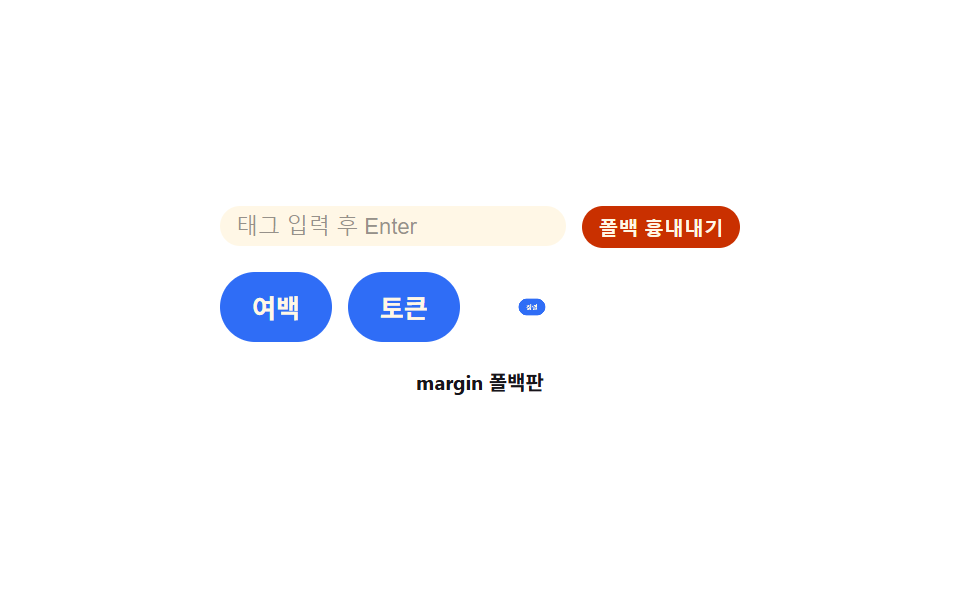 05 compat-gap-flex-old
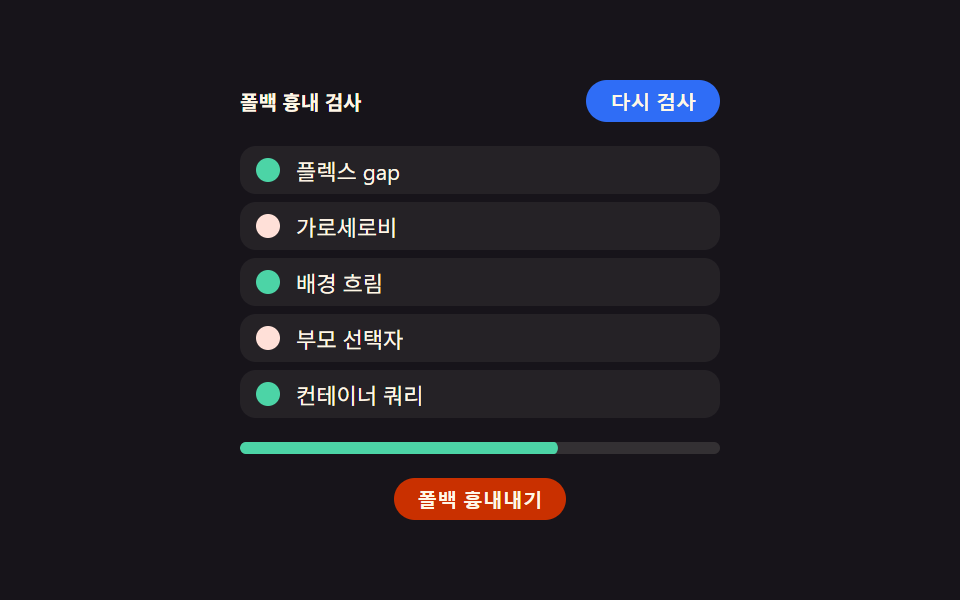 06 compat-supports-query
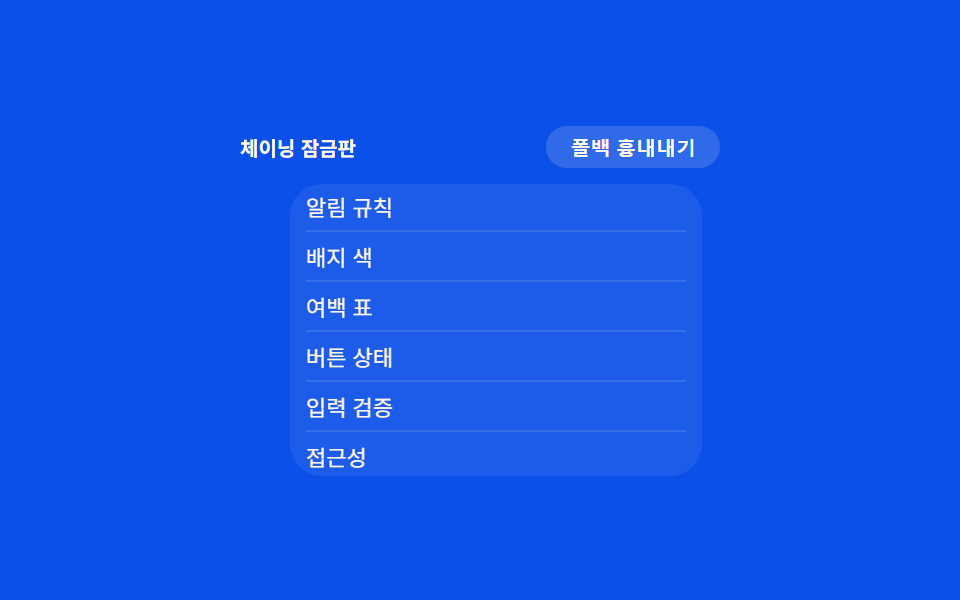 07 compat-overscroll-bounce
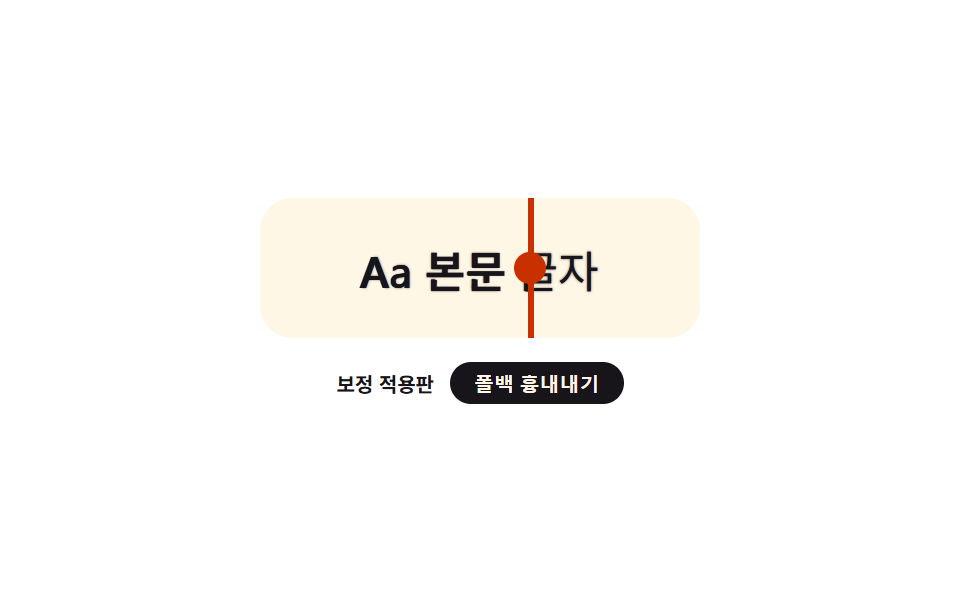 08 compat-font-smoothing-fix
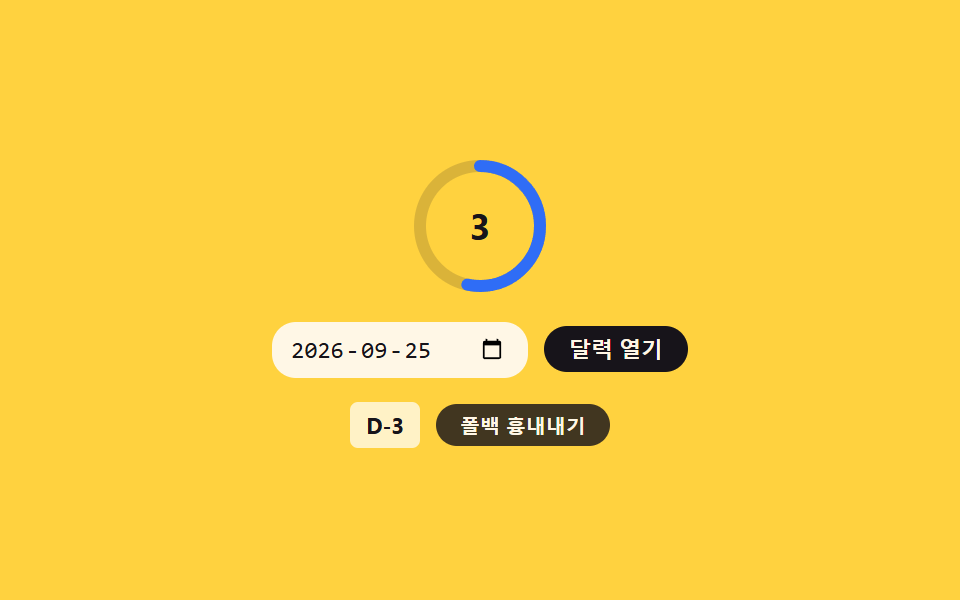 09 compat-date-input-styling
자동 재생 · 눌러서 해당 항목으로 · 전부 한 zip
- 01 커스텀 스크롤바 — 두께·색·모서리를 직접 정하는 스크롤 막대
- 02 배경 흐림 폴백 — 흐림이 안 먹는 환경에서 반투명 배경으로 대신 채우는 카드
- 03 동적 뷰포트 높이 — 주소창 크기에 맞춰 다시 재는 전체 화면 높이
- 04 입력창 확대 잠금 — 포커스를 줘도 화면이 확대되지 않는 입력 필드
- 05 가로 배치 간격 폴백 — 간격 속성이 안 먹으면 여백으로 대신 벌리는 배치
- 06 기능 지원 분기 — 지원 여부를 먼저 물어 다른 규칙을 켜는 조건 배치
- 07 끝단 당김 잠금 — 목록 끝에서 배경까지 같이 튕기지 않게 막는 스크롤
- 08 글자 렌더링 보정 — 환경마다 다르게 보이는 글자 두께를 맞추는 보정
- 09 날짜 입력 커스텀 — 기본 달력 아이콘과 필드 배경을 다시 그린 날짜 선택
아홉 개의 해부 — 어떤 CSS가 환경 차이를 메우는가
아홉 항목은 전부 값 하나가 지원 여부를 가르는 css 호환성 트릭이라, 어떤 CSS 선언이 그 값을 만드는지부터 봅니다.
| 항목 | 누적면적 | 강도 평균 | 움직인 프레임 |
|---|---|---|---|
| 01 커스텀 스크롤바 | 7.6% | 111.3 | 21/23 |
| 02 배경 흐림 폴백 | 7.3% | 46.8 | 8/23 |
| 03 동적 뷰포트 높이 | 6.0% | 167.8 | 14/23 |
| 04 입력창 확대 잠금 | 5.5% | 115.4 | 8/23 |
| 05 가로 배치 간격 폴백 | 2.8% | 145.9 | 20/23 |
| 06 기능 지원 분기 | 21.5% | 79.1 | 10/23 |
| 07 끝단 당김 잠금 | 9.7% | 106.9 | 19/23 |
| 08 글자 렌더링 보정 | 3.6% | 196.5 | 23/23 |
| 09 날짜 입력 커스텀 | 3.5% | 131.6 | 18/23 |
누적면적은 06 기능 지원 분기가 21.5%로 가장 크고, 05 가로 배치 간격 폴백이 2.8%로 가장 작습니다(09 날짜 입력 커스텀도 3.5%로 그다음으로 작습니다). 강도 평균은 08 글자 렌더링 보정이 196.5로 가장 높고 02 배경 흐림 폴백이 46.8로 가장 낮으며, 움직인 프레임도 08 이 23/23으로 매 프레임 움직인 유일한 항목이고 02·04 가 8/23으로 가장 적습니다.
항상 선언해 두고 표준이 덮어쓰는 01·02·05·07·08
01·02·05·07·08 은 폴백 규칙을 조건 없이 먼저 선언해 두고, 표준 기능이 있는지 물어 답이 맞을 때만 같은 선택자에 개선 규칙을 덧씌웁니다. 시뮬레이션 토글은 사용자 에이전트가 아니라 이 표준 선언 자체를 강제로 꺼서, 폴백 경로가 그대로 드러나게 합니다.
실행 시점에 여러 기능을 검사하는 06
06 은 CSS 선언이 아니라 자바스크립트가 실행 중에 여러 기능의 지원 여부를 하나씩 물어, 그 결과를 점검표 화면으로 그립니다.
계산으로 폴백을 대신하는 03·04·09
03 은 주소창 상태를 커스텀 속성으로 다시 재고, 04 는 실제 계산된 글자 크기를 읽어 확대 비율을 구하며, 09 는 표준 함수가 있는지 알아본 뒤 없으면 포커스 잠금으로 대신합니다. 셋 다 CSS 조건문이 아니라 자바스크립트 분기로 지원 여부를 가릅니다.
패턴별 코드
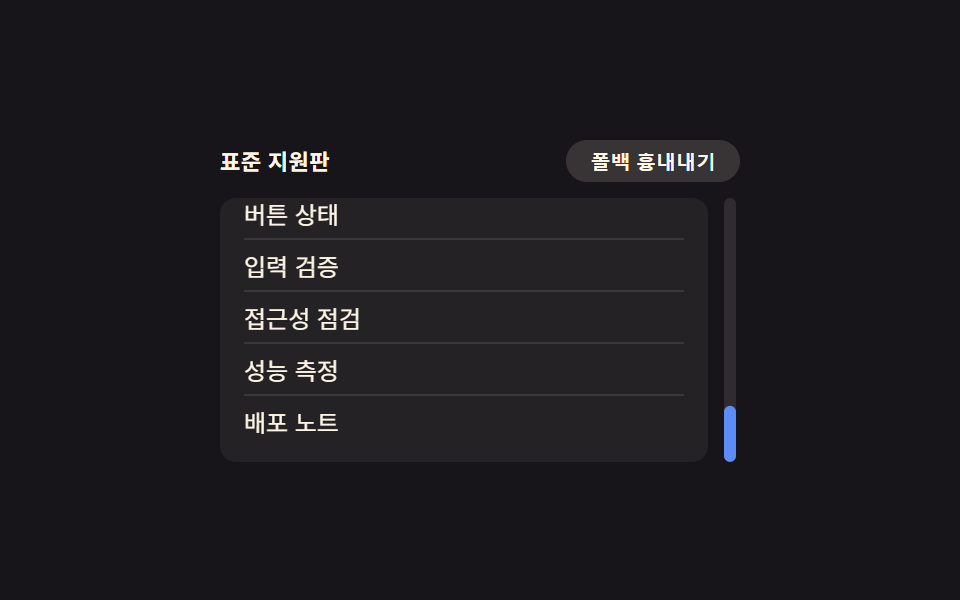
01커스텀 스크롤바 — 두께·색·모서리를 직접 정하는 스크롤 막대
목록이 넘칠 때 나타나는 스크롤 막대의 두께와 색, 모서리 둥근 정도를 배경과 어울리게 직접 지정해 사이드 패널 목록이나 코드 미리보기 창에 씁니다. 두께·색 속성을 표준으로 선언해 두고, 시뮬레이션 토글을 누르면 그 선언만 꺼서 기본 막대로 돌아가는 모습을 비교할 수 있습니다.
@supports (scrollbar-width: thin) {
  .itemList:not(.force-fallback) {
    scrollbar-width: thin;
    scrollbar-color: $subject-blue-light transparent;
  }
}

// 시뮬레이션 토글 — 실제 UA 감지가 아니라 표준 속성을 강제로 꺼서 옛 폴백 경로가 눈에 보이게 한다
.force-fallback .itemList {
  scrollbar-width: auto;
  scrollbar-color: unset;
}
<main class="stage">
<div class="wrap is-demo" id="wrap">
  <div class="head">
    <span class="modeLabel" id="modeLabel">표준 지원판</span>
    <button class="simToggle" id="simToggle" type="button" aria-pressed="false">폴백 흉내내기</button>
  </div>
  <div class="body">
    <ol class="itemList" id="list">
      <li>설계 문서</li>
      <li>색상 토큰</li>
      <li>여백 규칙</li>
      <li>버튼 상태</li>
      <li>입력 검증</li>
      <li>접근성 점검</li>
      <li>성능 측정</li>
      <li>배포 노트</li>
    </ol>
    <div class="track" id="track"><div class="trackDot" id="trackDot"></div></div>
  </div>
</div>
</main>
@use "../../../../site/static/demo-tokens" as *;
// 계산 겹은 index.html 의 target(실제 scrollTop 비율) → shown(lerp 추적) 에 있다 — 여기는 두 스크롤바
// 표기법(표준 속성 · 옛 의사요소)과 트랙 점의 모양만 맡는다.
// 표준: scrollbar-width·scrollbar-color. 옛 폴백: ::-webkit-scrollbar 3형제. 두 선언은 같은 목록에 둬도
// 충돌하지 않는다 — 표준을 아는 환경은 표준을, 모르는 환경은 옛 의사요소만 읽는다.
@include stage($stage-ink);
.wrap {
width: 260px;
display: flex;
flex-direction: column;
gap: $sp-2;
}
.head {
display: flex;
align-items: center;
justify-content: space-between;
gap: $sp-2;
}
.modeLabel {
color: $subject-cream;
font-size: 11px;
font-weight: 600;
letter-spacing: .02em;
}
.simToggle {
appearance: none;
border: none;
border-radius: $r-pill;
background: rgba($subject-cream, .14);
color: $subject-cream;
padding: $sp-1 $sp-3;
font-size: 10px;
font-weight: 600;
cursor: pointer;
transition: background $dur-instant $ease-out, transform $dur-instant $ease-out;
&:hover { background: rgba($subject-cream, .22); }
&:active { transform: scale(.96); }
&[aria-pressed="true"] { background: $subject-orange-deep; }
&:focus-visible { outline: 2px solid $subject-blue-light; outline-offset: 2px; }
}
.body {
display: flex;
align-items: stretch;
gap: $sp-2;
}
.itemList {
margin: 0;
padding: $sp-2 $sp-3;
list-style: none;
width: 220px;
height: 116px;
overflow-y: scroll;
border-radius: $r-sm;
background: rgba($subject-cream, .06);
// 폴백: 옛 브라우저용 의사요소 스크롤바 — 항상 선언돼 있고, 표준 속성을 아는 환경은 아래 @supports 가 덮는다
&::-webkit-scrollbar { width: 10px; }
&::-webkit-scrollbar-track { background: transparent; }
&::-webkit-scrollbar-thumb { background: $subject-blue; border-radius: $r-pill; }
}
@supports (scrollbar-width: thin) {
.itemList:not(.force-fallback) {
scrollbar-width: thin;
scrollbar-color: $subject-blue-light transparent;
}
}
// 시뮬레이션 토글 — 실제 UA 감지가 아니라 표준 속성을 강제로 꺼서 옛 폴백 경로가 눈에 보이게 한다
.force-fallback .itemList {
scrollbar-width: auto;
scrollbar-color: unset;
}
.itemList li {
padding: $sp-1 0;
color: $subject-cream;
font-size: 12px;
border-bottom: 1px solid rgba($subject-cream, .1);
&:last-child { border-bottom: none; }
}
.track {
position: relative;
width: 6px;
border-radius: $r-pill;
background: rgba($subject-cream, .1);
}
.trackDot {
position: absolute;
top: 0;
left: 0;
width: 6px;
height: 28px;
border-radius: $r-pill;
background: $subject-blue-light;
transform: translateY(0);
}
.force-fallback .trackDot { background: $subject-orange-deep; }
@media (max-width: 340px) {
.wrap { width: 210px; }
.itemList { width: 174px; height: 96px; font-size: 11px; }
.modeLabel { font-size: 10px; }
}
@media (prefers-reduced-motion: reduce) {
.trackDot { transition: none; }
.simToggle { transition: none; }
}html, body {
margin: 0;
overflow: hidden;
}
.stage {
box-sizing: border-box;
min-height: 100vh;
display: grid;
place-items: center;
margin: 0;
background: #17141a;
font-family: -apple-system, "Segoe UI", "Noto Sans KR", sans-serif;
padding: clamp(8px, 4vw, 24px);
}
.wrap {
width: 260px;
display: flex;
flex-direction: column;
gap: 8px;
}
.head {
display: flex;
align-items: center;
justify-content: space-between;
gap: 8px;
}
.modeLabel {
color: #fff7e6;
font-size: 11px;
font-weight: 600;
letter-spacing: 0.02em;
}
.simToggle {
appearance: none;
border: none;
border-radius: 999px;
background: rgba(255, 247, 230, 0.14);
color: #fff7e6;
padding: 4px 12px;
font-size: 10px;
font-weight: 600;
cursor: pointer;
transition: background 140ms ease-out, transform 140ms ease-out;
}
.simToggle:hover {
background: rgba(255, 247, 230, 0.22);
}
.simToggle:active {
transform: scale(0.96);
}
.simToggle[aria-pressed=true] {
background: #c93000;
}
.simToggle:focus-visible {
outline: 2px solid #5b8cf8;
outline-offset: 2px;
}
.body {
display: flex;
align-items: stretch;
gap: 8px;
}
.itemList {
margin: 0;
padding: 8px 12px;
list-style: none;
width: 220px;
height: 116px;
overflow-y: scroll;
border-radius: 8px;
background: rgba(255, 247, 230, 0.06);
}
.itemList::-webkit-scrollbar {
width: 10px;
}
.itemList::-webkit-scrollbar-track {
background: transparent;
}
.itemList::-webkit-scrollbar-thumb {
background: #2f6df6;
border-radius: 999px;
}
@supports (scrollbar-width: thin) {
.itemList:not(.force-fallback) {
scrollbar-width: thin;
scrollbar-color: #5b8cf8 transparent;
}
}
.force-fallback .itemList {
scrollbar-width: auto;
scrollbar-color: unset;
}
.itemList li {
padding: 4px 0;
color: #fff7e6;
font-size: 12px;
border-bottom: 1px solid rgba(255, 247, 230, 0.1);
}
.itemList li:last-child {
border-bottom: none;
}
.track {
position: relative;
width: 6px;
border-radius: 999px;
background: rgba(255, 247, 230, 0.1);
}
.trackDot {
position: absolute;
top: 0;
left: 0;
width: 6px;
height: 28px;
border-radius: 999px;
background: #5b8cf8;
transform: translateY(0);
}
.force-fallback .trackDot {
background: #c93000;
}
@media (max-width: 340px) {
.wrap {
width: 210px;
}
.itemList {
width: 174px;
height: 96px;
font-size: 11px;
}
.modeLabel {
font-size: 10px;
}
}
@media (prefers-reduced-motion: reduce) {
.trackDot {
transition: none;
}
.simToggle {
transition: none;
}
}(function () {
var LERP_RATE = 0.22; // 트랙 점이 목표 위치를 따라붙는 비율 — 작을수록 관성이 크게 느껴진다
var reduce = window.matchMedia('(prefers-reduced-motion: reduce)').matches;
var wrap = document.getElementById('wrap');
var list = document.getElementById('list');
var track = document.getElementById('track');
var dot = document.getElementById('trackDot');
var simToggle = document.getElementById('simToggle');
var modeLabel = document.getElementById('modeLabel');
var isDemo = true;
var target = 0; // 목표 스크롤 비율 0~1 — 실제 scrollTop 에서 나온다
var shown = 0; // 화면에 그려지는 비율 — target 을 lerp 로 뒤따른다
function ratio() {
var max = list.scrollHeight - list.clientHeight;
return max > 0 ? list.scrollTop / max : 0;
}
function onScroll() { target = ratio(); }
list.addEventListener('scroll', onScroll);
function human() { if (isDemo) { wrap.classList.remove('is-demo'); isDemo = false; } }
list.addEventListener('pointerdown', human);
list.addEventListener('keydown', human);
function setSim(on) {
wrap.classList.toggle('force-fallback', on);
simToggle.setAttribute('aria-pressed', String(on));
modeLabel.textContent = on ? '폴백 흉내내기' : '표준 지원판';
}
var simOn = false;
simToggle.addEventListener('click', function () {
human();
simOn = !simOn;
setSim(simOn);
});
var dir = 1;
var last = 0;
var STEP_MS = 520;
function autoAdvance(ts) {
if (ts - last < STEP_MS) return;
last = ts;
var max = list.scrollHeight - list.clientHeight;
var next = list.scrollTop + dir * (max * 0.42);
if (next >= max - 1) { next = max; dir = -1; }
else if (next <= 1) { next = 0; dir = 1; }
list.scrollTop = next; // 진짜 스크롤 — 위 scroll 리스너가 target 을 갱신한다
}
function loop(ts) {
if (!last) last = ts;
if (isDemo && !reduce) autoAdvance(ts);
var trackH = track.clientHeight - dot.offsetHeight;
if (reduce) { shown = target; } else { shown += (target - shown) * LERP_RATE; }
dot.style.transform = 'translateY(' + Math.max(0, Math.min(trackH, shown * trackH)) + 'px)';
requestAnimationFrame(loop);
}
requestAnimationFrame(loop);
})();// ScrollbarStyling — vanilla 판(run/375/demo/01-compat-scrollbar-styling/index.html) 의 React 포트.
// 표준 scrollbar-width/scrollbar-color 와 옛 ::-webkit-scrollbar 의사요소를 함께 선언하고,
// 트랙 점은 실제 scroll 이벤트에서 나온 비율(target)을 lerp 로 뒤따른다.
import { useEffect, useRef } from "react";
import styles from "./ScrollbarStyling.module.scss";
type Box<T> = { current: T };
const LERP_RATE = 0.22; // 트랙 점이 목표 위치를 따라붙는 비율 — 작을수록 관성이 크게 느껴진다
const STEP_MS = 520;
const ITEMS = ["설계 문서", "색상 토큰", "여백 규칙", "버튼 상태", "입력 검증", "접근성 점검", "성능 측정", "배포 노트"];
export default function ScrollbarStyling() {
const rootRef = useRef(null) as unknown as Box<HTMLDivElement>;
const listRef = useRef(null) as unknown as Box<HTMLOListElement>;
const trackRef = useRef(null) as unknown as Box<HTMLDivElement>;
const dotRef = useRef(null) as unknown as Box<HTMLDivElement>;
const simToggleRef = useRef(null) as unknown as Box<HTMLButtonElement>;
const modeLabelRef = useRef(null) as unknown as Box<HTMLSpanElement>;
const rafRef = useRef(0) as unknown as Box<number>;
useEffect(() => {
const reduce = window.matchMedia("(prefers-reduced-motion: reduce)").matches;
const wrap = rootRef.current;
const list = listRef.current;
const track = trackRef.current;
const dot = dotRef.current;
const simToggle = simToggleRef.current;
const modeLabel = modeLabelRef.current;
if (!wrap || !list || !track || !dot || !simToggle || !modeLabel) return;
let isDemo = true;
let target = 0;
let shown = 0;
function ratio() {
const max = list!.scrollHeight - list!.clientHeight;
return max > 0 ? list!.scrollTop / max : 0;
}
function onScroll() { target = ratio(); }
list.addEventListener("scroll", onScroll);
function human() { if (isDemo) { wrap!.classList.remove(styles.isDemo); isDemo = false; } }
function onPointerDown() { human(); }
function onKeyDown() { human(); }
list.addEventListener("pointerdown", onPointerDown);
list.addEventListener("keydown", onKeyDown);
let simOn = false;
function setSim(on: boolean) {
simOn = on;
wrap!.classList.toggle(styles.forceFallback, on);
simToggle!.setAttribute("aria-pressed", String(on));
modeLabel!.textContent = on ? "폴백 흉내내기" : "표준 지원판";
}
function onSimClick() { human(); simOn = !simOn; setSim(simOn); }
simToggle.addEventListener("click", onSimClick);
let dir = 1;
let last = 0;
function autoAdvance(ts: number) {
if (ts - last < STEP_MS) return;
last = ts;
const max = list!.scrollHeight - list!.clientHeight;
let next = list!.scrollTop + dir * (max * 0.42);
if (next >= max - 1) { next = max; dir = -1; }
else if (next <= 1) { next = 0; dir = 1; }
list!.scrollTop = next;
}
function loop(ts: number) {
if (!last) last = ts;
if (isDemo && !reduce) autoAdvance(ts);
const trackH = track!.clientHeight - dot!.offsetHeight;
if (reduce) { shown = target; } else { shown += (target - shown) * LERP_RATE; }
dot!.style.transform = "translateY(" + Math.max(0, Math.min(trackH, shown * trackH)) + "px)";
rafRef.current = requestAnimationFrame(loop);
}
rafRef.current = requestAnimationFrame(loop);
return () => {
list!.removeEventListener("scroll", onScroll);
list!.removeEventListener("pointerdown", onPointerDown);
list!.removeEventListener("keydown", onKeyDown);
simToggle!.removeEventListener("click", onSimClick);
cancelAnimationFrame(rafRef.current);
};
}, []);
return (
<main className={styles.stage}>
<div className={styles.wrap + " " + styles.isDemo} ref={rootRef}>
<div className={styles.head}>
<span className={styles.modeLabel} ref={modeLabelRef}>표준 지원판</span>
<button className={styles.simToggle} ref={simToggleRef} type="button" aria-pressed="false">폴백 흉내내기</button>
</div>
<div className={styles.body}>
<ol className={styles.itemList} ref={listRef}>
{ITEMS.map(function (s) { return <li key={s}>{s}</li>; })}
</ol>
<div className={styles.track} ref={trackRef}>
<div className={styles.trackDot} ref={dotRef}></div>
</div>
</div>
</div>
</main>
);
}01 · 커스텀 스크롤바 — 두께·색·모서리를 직접 정하는 스크롤 막대 — 측정 누적면적 7.615% · 움직인 프레임 21/23GODRICH 원작 · zip 에 SCSS·React 포함 · 비밀번호 보기
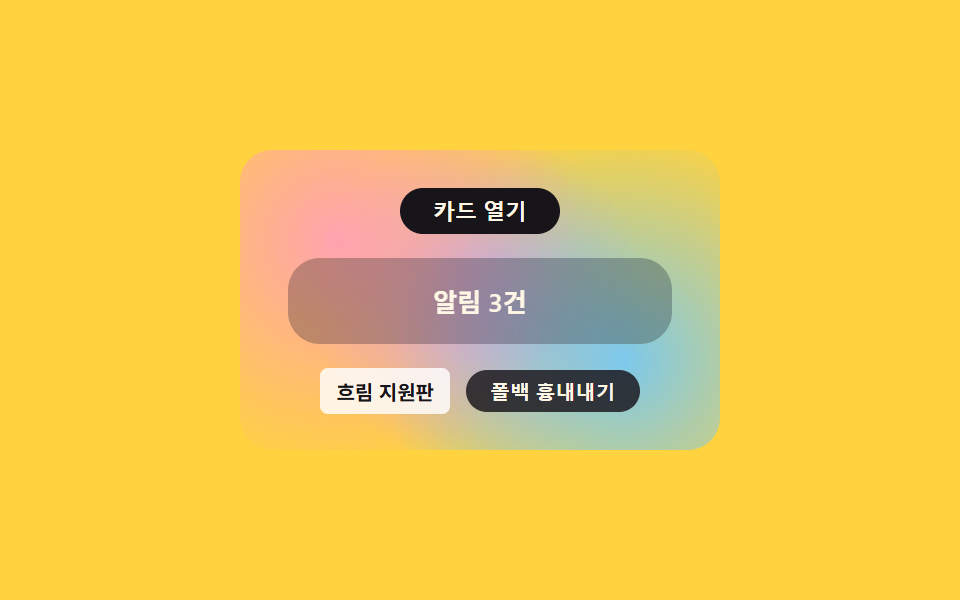
02배경 흐림 폴백 — 흐림이 안 먹는 환경에서 반투명 배경으로 대신 채우는 카드
흐림 필터가 적용되지 않는 환경을 감지하면 카드 배경이 반투명 단색으로 대신 채워져 뒤 내용이 비치지 않으며, 모달 오버레이 카드나 알림 배너 배경에 씁니다. 반투명 배경은 항상 선언해 두고, 흐림 지원 여부를 물어 맞을 때만 흐림 규칙을 덧씌웁니다.
.card {
  position: relative;
  z-index: 2;
  width: 160px;
  padding: $sp-3 $sp-4;
  border-radius: $r-card;
  opacity: 0;
  transform: scale(.86);
  transition: transform $dur-base $ease-elastic, opacity $dur-quick $ease-out;

  // 폴백: 흐림이 없을 때 반투명 단색으로 채운다 — 항상 선언, @supports 가 지원판에서 덮어쓴다
  background: rgba($subject-ink, var(--fallback-alpha, .6));
}

@supports (backdrop-filter: blur(1px)) or (-webkit-backdrop-filter: blur(1px)) {
  .wrap:not(.force-fallback) .card {
    background: rgba($subject-ink, .28);
    backdrop-filter: blur(10px);
    -webkit-backdrop-filter: blur(10px);
  }
}
<main class="stage">
<div class="wrap is-demo" id="wrap">
  <div class="backdrop"></div>
  <button class="openBtn" id="openBtn" type="button" aria-pressed="false">카드 열기</button>
  <div class="card" id="card">
    <p class="cardText">알림 3건</p>
  </div>
  <div class="foot">
    <span class="modeLabel" id="modeLabel">흐림 지원판</span>
    <button class="simToggle" id="simToggle" type="button" aria-pressed="false">폴백 흉내내기</button>
  </div>
</div>
</main>
@use "../../../../site/static/demo-tokens" as *;
// 계산 겹은 카드 열림 애니메이션의 스프링 오버슛(scale 0.86→1.05→1) 에 있다 — index.html 은
// FALLBACK_BG_ALPHA 로 폴백 배경의 진하기만 넘긴다. 여기는 두 배경 표기법(흐림 · 반투명 단색)과
// 오버슛 곡선만 맡는다.
@include stage($stage-yellow);
.wrap {
position: relative;
width: 240px;
height: 150px;
display: flex;
flex-direction: column;
align-items: center;
justify-content: center;
gap: $sp-3;
}
.backdrop {
position: absolute;
inset: 0;
border-radius: $r-card;
background:
radial-gradient(circle at 20% 30%, rgba($subject-pink, .9), transparent 55%),
radial-gradient(circle at 80% 70%, rgba($subject-sky, .9), transparent 55%),
radial-gradient(circle at 50% 50%, rgba($subject-lilac, .85), transparent 60%);
}
.openBtn {
position: relative;
z-index: 2;
appearance: none;
border: none;
border-radius: $r-pill;
background: $subject-ink;
color: $subject-cream;
padding: $sp-1 $sp-4;
font-size: 11px;
font-weight: 600;
cursor: pointer;
transition: transform $dur-instant $ease-out;
&:hover { transform: translateY(-1px); }
&:active { transform: scale(.95); }
&:focus-visible { outline: 2px solid $subject-blue-light; outline-offset: 2px; }
}
.card {
position: relative;
z-index: 2;
width: 160px;
padding: $sp-3 $sp-4;
border-radius: $r-card;
opacity: 0;
transform: scale(.86);
transition: transform $dur-base $ease-elastic, opacity $dur-quick $ease-out;
// 폴백: 흐림이 없을 때 반투명 단색으로 채운다 — 항상 선언, @supports 가 지원판에서 덮어쓴다
background: rgba($subject-ink, var(--fallback-alpha, .6));
}
@supports (backdrop-filter: blur(1px)) or (-webkit-backdrop-filter: blur(1px)) {
.wrap:not(.force-fallback) .card {
background: rgba($subject-ink, .28);
backdrop-filter: blur(10px);
-webkit-backdrop-filter: blur(10px);
}
}
.card.is-open {
opacity: 1;
transform: scale(1);
}
.cardText {
margin: 0;
color: $subject-cream;
font-size: 13px;
font-weight: 600;
text-align: center;
}
.foot {
position: relative;
z-index: 2;
display: flex;
align-items: center;
gap: $sp-2;
}
.modeLabel {
color: $subject-ink;
font-size: 10px;
font-weight: 700;
background: rgba($stage-paper, .82);
padding: $sp-1 $sp-2;
border-radius: $r-xs;
}
.simToggle {
appearance: none;
border: none;
border-radius: $r-pill;
background: rgba($subject-ink, .82);
color: $subject-cream;
padding: $sp-1 $sp-3;
font-size: 10px;
font-weight: 600;
cursor: pointer;
transition: transform $dur-instant $ease-out;
&:active { transform: scale(.96); }
&[aria-pressed="true"] { background: $subject-orange-deep; }
&:focus-visible { outline: 2px solid $subject-blue-light; outline-offset: 2px; }
}
@media (max-width: 340px) {
.wrap { width: 200px; height: 130px; }
.card { width: 140px; }
}
@media (prefers-reduced-motion: reduce) {
.card { transition: none; }
.openBtn, .simToggle { transition: none; }
}html, body {
margin: 0;
overflow: hidden;
}
.stage {
box-sizing: border-box;
min-height: 100vh;
display: grid;
place-items: center;
margin: 0;
background: #ffd23f;
font-family: -apple-system, "Segoe UI", "Noto Sans KR", sans-serif;
padding: clamp(8px, 4vw, 24px);
}
.wrap {
position: relative;
width: 240px;
height: 150px;
display: flex;
flex-direction: column;
align-items: center;
justify-content: center;
gap: 12px;
}
.backdrop {
position: absolute;
inset: 0;
border-radius: 16px;
background: radial-gradient(circle at 20% 30%, rgba(255, 158, 187, 0.9), transparent 55%), radial-gradient(circle at 80% 70%, rgba(110, 200, 255, 0.9), transparent 55%), radial-gradient(circle at 50% 50%, rgba(185, 160, 255, 0.85), transparent 60%);
}
.openBtn {
position: relative;
z-index: 2;
appearance: none;
border: none;
border-radius: 999px;
background: #17141a;
color: #fff7e6;
padding: 4px 16px;
font-size: 11px;
font-weight: 600;
cursor: pointer;
transition: transform 140ms ease-out;
}
.openBtn:hover {
transform: translateY(-1px);
}
.openBtn:active {
transform: scale(0.95);
}
.openBtn:focus-visible {
outline: 2px solid #5b8cf8;
outline-offset: 2px;
}
.card {
position: relative;
z-index: 2;
width: 160px;
padding: 12px 16px;
border-radius: 16px;
opacity: 0;
transform: scale(0.86);
transition: transform 300ms cubic-bezier(0.34, 1.56, 0.64, 1), opacity 220ms ease-out;
background: rgba(23, 20, 26, var(--fallback-alpha, 0.6));
}
@supports (backdrop-filter: blur(1px)) or (-webkit-backdrop-filter: blur(1px)) {
.wrap:not(.force-fallback) .card {
background: rgba(23, 20, 26, 0.28);
backdrop-filter: blur(10px);
-webkit-backdrop-filter: blur(10px);
}
}
.card.is-open {
opacity: 1;
transform: scale(1);
}
.cardText {
margin: 0;
color: #fff7e6;
font-size: 13px;
font-weight: 600;
text-align: center;
}
.foot {
position: relative;
z-index: 2;
display: flex;
align-items: center;
gap: 8px;
}
.modeLabel {
color: #17141a;
font-size: 10px;
font-weight: 700;
background: rgba(255, 255, 255, 0.82);
padding: 4px 8px;
border-radius: 4px;
}
.simToggle {
appearance: none;
border: none;
border-radius: 999px;
background: rgba(23, 20, 26, 0.82);
color: #fff7e6;
padding: 4px 12px;
font-size: 10px;
font-weight: 600;
cursor: pointer;
transition: transform 140ms ease-out;
}
.simToggle:active {
transform: scale(0.96);
}
.simToggle[aria-pressed=true] {
background: #c93000;
}
.simToggle:focus-visible {
outline: 2px solid #5b8cf8;
outline-offset: 2px;
}
@media (max-width: 340px) {
.wrap {
width: 200px;
height: 130px;
}
.card {
width: 140px;
}
}
@media (prefers-reduced-motion: reduce) {
.card {
transition: none;
}
.openBtn, .simToggle {
transition: none;
}
}(function () {
var FALLBACK_BG_ALPHA = 0.6; // 흐림이 없는 환경에서 카드 배경을 채우는 반투명 진하기 — 변형 목표: 0.6 → 0.85
var reduce = window.matchMedia('(prefers-reduced-motion: reduce)').matches;
var wrap = document.getElementById('wrap');
var card = document.getElementById('card');
var openBtn = document.getElementById('openBtn');
var simToggle = document.getElementById('simToggle');
var modeLabel = document.getElementById('modeLabel');
var isDemo = true;
card.style.setProperty('--fallback-alpha', FALLBACK_BG_ALPHA);
function human() { if (isDemo) { wrap.classList.remove('is-demo'); isDemo = false; } }
var open = false;
function setOpen(on) {
open = on;
card.classList.toggle('is-open', on);
openBtn.setAttribute('aria-pressed', String(on));
}
openBtn.addEventListener('click', function () { human(); setOpen(!open); });
var simOn = false;
function setSim(on) {
simOn = on;
wrap.classList.toggle('force-fallback', on);
simToggle.setAttribute('aria-pressed', String(on));
modeLabel.textContent = on ? '흐림 폴백판' : '흐림 지원판';
}
simToggle.addEventListener('click', function () { human(); setSim(!simOn); });
var last = 0;
var STEP_MS = 620;
var phase = 0;
function loop(ts) {
if (!last) last = ts;
if (isDemo && !reduce && ts - last >= STEP_MS) {
last = ts;
phase = (phase + 1) % 4;
setOpen(phase === 1 || phase === 2);
if (phase === 0) setSim(!simOn);
}
requestAnimationFrame(loop);
}
requestAnimationFrame(loop);
})();// BackdropFilterPrefix — vanilla 판(run/375/demo/02-compat-backdrop-filter-prefix/index.html) 의 React 포트.
// 폴백 배경(반투명 단색)을 항상 선언하고 @supports(backdrop-filter) 가 지원판에서 흐림으로 덮는다.
import { useEffect, useRef } from "react";
import styles from "./BackdropFilterPrefix.module.scss";
type Box<T> = { current: T };
const FALLBACK_BG_ALPHA = 0.6; // 흐림이 없는 환경에서 카드 배경을 채우는 반투명 진하기 — 변형 목표: 0.6 → 0.85
const STEP_MS = 620;
export default function BackdropFilterPrefix() {
const rootRef = useRef(null) as unknown as Box<HTMLDivElement>;
const cardRef = useRef(null) as unknown as Box<HTMLDivElement>;
const openBtnRef = useRef(null) as unknown as Box<HTMLButtonElement>;
const simToggleRef = useRef(null) as unknown as Box<HTMLButtonElement>;
const modeLabelRef = useRef(null) as unknown as Box<HTMLSpanElement>;
const rafRef = useRef(0) as unknown as Box<number>;
useEffect(() => {
const reduce = window.matchMedia("(prefers-reduced-motion: reduce)").matches;
const wrap = rootRef.current;
const card = cardRef.current;
const openBtn = openBtnRef.current;
const simToggle = simToggleRef.current;
const modeLabel = modeLabelRef.current;
if (!wrap || !card || !openBtn || !simToggle || !modeLabel) return;
let isDemo = true;
card.style.setProperty("--fallback-alpha", String(FALLBACK_BG_ALPHA));
function human() { if (isDemo) { wrap!.classList.remove(styles.isDemo); isDemo = false; } }
let open = false;
function setOpen(on: boolean) {
open = on;
card!.classList.toggle(styles.isOpen, on);
openBtn!.setAttribute("aria-pressed", String(on));
}
function onOpenClick() { human(); setOpen(!open); }
openBtn.addEventListener("click", onOpenClick);
let simOn = false;
function setSim(on: boolean) {
simOn = on;
wrap!.classList.toggle(styles.forceFallback, on);
simToggle!.setAttribute("aria-pressed", String(on));
modeLabel!.textContent = on ? "흐림 폴백판" : "흐림 지원판";
}
function onSimClick() { human(); setSim(!simOn); }
simToggle.addEventListener("click", onSimClick);
let last = 0;
let phase = 0;
function loop(ts: number) {
if (!last) last = ts;
if (isDemo && !reduce && ts - last >= STEP_MS) {
last = ts;
phase = (phase + 1) % 4;
setOpen(phase === 1 || phase === 2);
if (phase === 0) setSim(!simOn);
}
rafRef.current = requestAnimationFrame(loop);
}
rafRef.current = requestAnimationFrame(loop);
return () => {
openBtn!.removeEventListener("click", onOpenClick);
simToggle!.removeEventListener("click", onSimClick);
cancelAnimationFrame(rafRef.current);
};
}, []);
return (
<main className={styles.stage}>
<div className={styles.wrap + " " + styles.isDemo} ref={rootRef}>
<div className={styles.backdrop}></div>
<button className={styles.openBtn} ref={openBtnRef} type="button" aria-pressed="false">카드 열기</button>
<div className={styles.card} ref={cardRef}>
<p className={styles.cardText}>알림 3건</p>
</div>
<div className={styles.foot}>
<span className={styles.modeLabel} ref={modeLabelRef}>흐림 지원판</span>
<button className={styles.simToggle} ref={simToggleRef} type="button" aria-pressed="false">폴백 흉내내기</button>
</div>
</div>
</main>
);
}02 · 배경 흐림 폴백 — 흐림이 안 먹는 환경에서 반투명 배경으로 대신 채우는 카드 — 측정 누적면적 7.263% · 움직인 프레임 8/23GODRICH 원작 · zip 에 SCSS·React 포함 · 비밀번호 보기
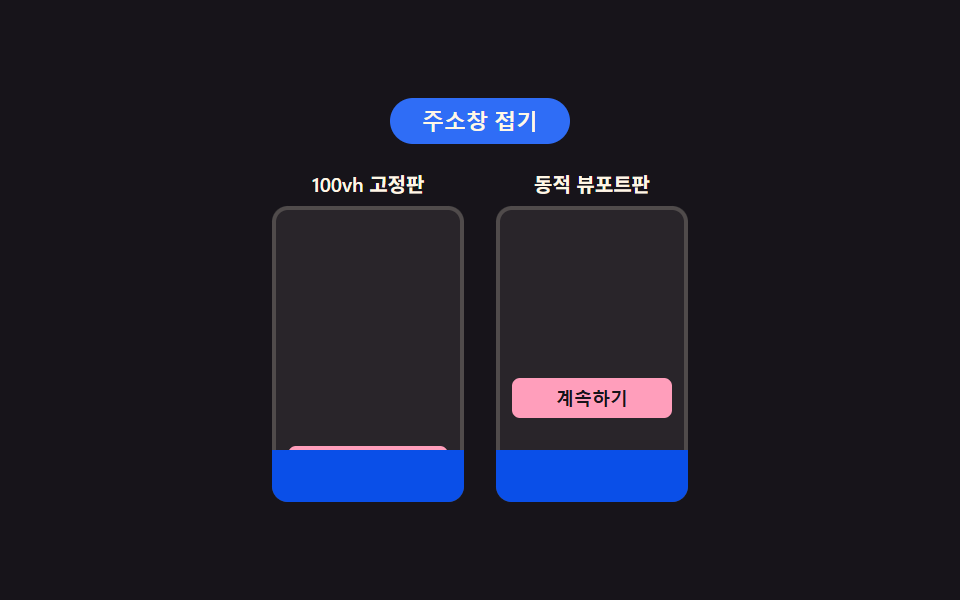
03동적 뷰포트 높이 — 주소창 크기에 맞춰 다시 재는 전체 화면 높이
주소창이 접히고 펼쳐질 때마다 전체 화면 높이 값이 다시 계산되어 하단 버튼이 화면 밖으로 밀려나지 않으며, 전체 화면 랜딩 섹션이나 하단 고정 액션 버튼에 씁니다. 동적 높이판만 주소창 상태를 커스텀 속성으로 다시 재고, 정해진 지연 뒤에 값을 적용해 재계산 지연까지 눈으로 비교할 수 있습니다.
  var BAR_OPEN_PX = 34; // 주소창이 펼쳐졌을 때 화면에서 차지하는 높이
  var timer = null;
  var collapsed = false;

  function human() { if (isDemo) { wrap.classList.remove('is-demo'); isDemo = false; } }

  function recalc() {
    var barH = collapsed ? 0 : BAR_OPEN_PX;
    // 동적 뷰포트판만 다시 잰다 — 100vh 고정판은 실제로 재계산을 안 하는 버그를 그대로 보여준다
    screenDvh.style.setProperty('--bar-h', barH + 'px');
    anchorDvh.classList.add('is-settled');
  }

  function scheduleRecalc() {
    anchorDvh.classList.remove('is-settled');
    if (timer) clearTimeout(timer);
    timer = setTimeout(recalc, VH_RECALC_DEBOUNCE_MS);
  }
<main class="stage">
<div class="wrap is-demo" id="wrap">
  <button class="addrToggle" id="addrToggle" type="button" aria-pressed="false">주소창 접기</button>
  <div class="phones">
    <div class="phone">
      <span class="phoneLabel">100vh 고정판</span>
      <div class="screen" id="screenFixed">
        <div class="addressBar" id="addressBarFixed"></div>
        <button class="anchor is-fixed" id="anchorFixed" type="button">계속하기</button>
      </div>
    </div>
    <div class="phone">
      <span class="phoneLabel">동적 뷰포트판</span>
      <div class="screen" id="screenDvh">
        <div class="addressBar" id="addressBarDvh"></div>
        <button class="anchor is-dvh" id="anchorDvh" type="button">계속하기</button>
      </div>
    </div>
  </div>
</div>
</main>
@use "../../../../site/static/demo-tokens" as *;
// 계산 겹은 index.html 의 recalc()/scheduleRecalc() 에 있다 — 주소창 상태가 바뀌면 VH_RECALC_DEBOUNCE_MS
// 뒤에야 --bar-h 커스텀 속성이 갱신된다(실제 동적 뷰포트 재계산의 지연을 흉내). 여기는 두 판(고정·동적)의
// 프레임 모양과, --bar-h 를 transform 으로 반영하는 규칙만 맡는다.
@include stage($stage-ink);
.wrap {
display: flex;
flex-direction: column;
align-items: center;
gap: $sp-3;
}
.addrToggle {
appearance: none;
border: none;
border-radius: $r-pill;
background: $subject-blue;
color: $subject-cream;
padding: $sp-1 $sp-4;
font-size: 11px;
font-weight: 600;
cursor: pointer;
transition: transform $dur-instant $ease-out;
&:hover { transform: translateY(-1px); }
&:active { transform: scale(.95); }
&:focus-visible { outline: 2px solid $subject-blue-light; outline-offset: 2px; }
}
.phones {
display: flex;
gap: $sp-4;
}
.phone {
display: flex;
flex-direction: column;
align-items: center;
gap: $sp-1;
}
.phoneLabel {
color: $subject-cream;
font-size: 10px;
font-weight: 600;
}
.screen {
position: relative;
width: 96px;
height: 148px;
border-radius: $r-sm;
overflow: hidden;
background: rgba($subject-cream, .08);
box-shadow: inset 0 0 0 2px rgba($subject-cream, .18);
}
.addressBar {
position: absolute;
left: 0;
right: 0;
bottom: 0;
height: 26px;
background: $subject-blue-deep;
transform: translateY(0);
transition: transform $dur-base $ease-out;
z-index: 2;
}
.is-collapsed .addressBar { transform: translateY(100%); }
.anchor {
position: absolute;
left: 8px;
right: 8px;
bottom: 8px;
padding: $sp-1 0;
border: none;
border-radius: $r-xs;
background: $subject-pink;
color: $subject-ink;
font-size: 9px;
font-weight: 700;
cursor: pointer;
}
// 고정판: 100vh 만 아는 환경 — 주소창이 접히고 펼쳐져도 버튼이 다시 계산되지 않는다(버그 그대로 재현)
.anchor.is-fixed {
z-index: 1;
transform: translateY(0);
}
// 동적 뷰포트판: dvh 를 아는 환경 — --bar-h 만큼 위로 밀어 올려 항상 주소창 위에 머문다
.anchor.is-dvh {
z-index: 2;
transform: translateY(calc(-1 * var(--bar-h, 0px)));
transition: transform $dur-base $ease-out;
opacity: .5;
}
.anchor.is-dvh.is-settled { opacity: 1; }
@media (max-width: 340px) {
.wrap { gap: $sp-1; }
.phones { gap: $sp-2; }
.screen { width: 72px; height: 104px; }
.addressBar { height: 20px; }
.anchor { font-size: 8px; }
}
@media (prefers-reduced-motion: reduce) {
.addressBar { transition: none; }
.anchor.is-dvh { transition: none; }
.addrToggle { transition: none; }
}html, body {
margin: 0;
overflow: hidden;
}
.stage {
box-sizing: border-box;
min-height: 100vh;
display: grid;
place-items: center;
margin: 0;
background: #17141a;
font-family: -apple-system, "Segoe UI", "Noto Sans KR", sans-serif;
padding: clamp(8px, 4vw, 24px);
}
.wrap {
display: flex;
flex-direction: column;
align-items: center;
gap: 12px;
}
.addrToggle {
appearance: none;
border: none;
border-radius: 999px;
background: #2f6df6;
color: #fff7e6;
padding: 4px 16px;
font-size: 11px;
font-weight: 600;
cursor: pointer;
transition: transform 140ms ease-out;
}
.addrToggle:hover {
transform: translateY(-1px);
}
.addrToggle:active {
transform: scale(0.95);
}
.addrToggle:focus-visible {
outline: 2px solid #5b8cf8;
outline-offset: 2px;
}
.phones {
display: flex;
gap: 16px;
}
.phone {
display: flex;
flex-direction: column;
align-items: center;
gap: 4px;
}
.phoneLabel {
color: #fff7e6;
font-size: 10px;
font-weight: 600;
}
.screen {
position: relative;
width: 96px;
height: 148px;
border-radius: 8px;
overflow: hidden;
background: rgba(255, 247, 230, 0.08);
box-shadow: inset 0 0 0 2px rgba(255, 247, 230, 0.18);
}
.addressBar {
position: absolute;
left: 0;
right: 0;
bottom: 0;
height: 26px;
background: #0a4fe8;
transform: translateY(0);
transition: transform 300ms ease-out;
z-index: 2;
}
.is-collapsed .addressBar {
transform: translateY(100%);
}
.anchor {
position: absolute;
left: 8px;
right: 8px;
bottom: 8px;
padding: 4px 0;
border: none;
border-radius: 4px;
background: #ff9ebb;
color: #17141a;
font-size: 9px;
font-weight: 700;
cursor: pointer;
}
.anchor.is-fixed {
z-index: 1;
transform: translateY(0);
}
.anchor.is-dvh {
z-index: 2;
transform: translateY(calc(-1 * var(--bar-h, 0px)));
transition: transform 300ms ease-out;
opacity: 0.5;
}
.anchor.is-dvh.is-settled {
opacity: 1;
}
@media (max-width: 340px) {
.wrap {
gap: 4px;
}
.phones {
gap: 8px;
}
.screen {
width: 72px;
height: 104px;
}
.addressBar {
height: 20px;
}
.anchor {
font-size: 8px;
}
}
@media (prefers-reduced-motion: reduce) {
.addressBar {
transition: none;
}
.anchor.is-dvh {
transition: none;
}
.addrToggle {
transition: none;
}
}(function () {
var VH_RECALC_DEBOUNCE_MS = 150; // 주소창이 움직인 뒤 높이를 다시 계산하기까지의 지연 — 변형 목표: 150 → 50
var reduce = window.matchMedia('(prefers-reduced-motion: reduce)').matches;
var wrap = document.getElementById('wrap');
var addrToggle = document.getElementById('addrToggle');
var screenDvh = document.getElementById('screenDvh');
var anchorDvh = document.getElementById('anchorDvh');
var isDemo = true;
var BAR_OPEN_PX = 34; // 주소창이 펼쳐졌을 때 화면에서 차지하는 높이
var timer = null;
var collapsed = false;
function human() { if (isDemo) { wrap.classList.remove('is-demo'); isDemo = false; } }
function recalc() {
var barH = collapsed ? 0 : BAR_OPEN_PX;
// 동적 뷰포트판만 다시 잰다 — 100vh 고정판은 실제로 재계산을 안 하는 버그를 그대로 보여준다
screenDvh.style.setProperty('--bar-h', barH + 'px');
anchorDvh.classList.add('is-settled');
}
function scheduleRecalc() {
anchorDvh.classList.remove('is-settled');
if (timer) clearTimeout(timer);
timer = setTimeout(recalc, VH_RECALC_DEBOUNCE_MS);
}
function setCollapsed(on) {
collapsed = on;
wrap.classList.toggle('is-collapsed', on);
addrToggle.textContent = on ? '주소창 펼치기' : '주소창 접기';
addrToggle.setAttribute('aria-pressed', String(on));
scheduleRecalc();
}
addrToggle.addEventListener('click', function () { human(); setCollapsed(!collapsed); });
addrToggle.addEventListener('keydown', function (e) {
if (e.key === 'Enter' || e.key === ' ') human();
});
recalc();
var last = 0;
var STEP_MS = 780;
function loop(ts) {
if (!last) last = ts;
if (isDemo && !reduce && ts - last >= STEP_MS) {
last = ts;
setCollapsed(!collapsed);
}
requestAnimationFrame(loop);
}
requestAnimationFrame(loop);
})();// DvhMobileViewport — vanilla 판(run/375/demo/03-compat-100vh-mobile-dvh/index.html) 의 React 포트.
// 100vh 고정판은 주소창이 접히고 펼쳐져도 재계산하지 않는 버그를 그대로 보여주고, 동적 뷰포트판은
// VH_RECALC_DEBOUNCE_MS 뒤에 --bar-h 를 다시 놓는다.
import { useEffect, useRef } from "react";
import styles from "./DvhMobileViewport.module.scss";
type Box<T> = { current: T };
const VH_RECALC_DEBOUNCE_MS = 150; // 주소창이 움직인 뒤 높이를 다시 계산하기까지의 지연 — 변형 목표: 150 → 50
const BAR_OPEN_PX = 34; // 주소창이 펼쳐졌을 때 화면에서 차지하는 높이
const STEP_MS = 780;
export default function DvhMobileViewport() {
const rootRef = useRef(null) as unknown as Box<HTMLDivElement>;
const addrToggleRef = useRef(null) as unknown as Box<HTMLButtonElement>;
const screenDvhRef = useRef(null) as unknown as Box<HTMLDivElement>;
const anchorDvhRef = useRef(null) as unknown as Box<HTMLButtonElement>;
const rafRef = useRef(0) as unknown as Box<number>;
const timerRef = useRef(0) as unknown as Box<number>;
useEffect(() => {
const reduce = window.matchMedia("(prefers-reduced-motion: reduce)").matches;
const wrap = rootRef.current;
const addrToggle = addrToggleRef.current;
const screenDvh = screenDvhRef.current;
const anchorDvh = anchorDvhRef.current;
if (!wrap || !addrToggle || !screenDvh || !anchorDvh) return;
let isDemo = true;
let collapsed = false;
function human() { if (isDemo) { wrap!.classList.remove(styles.isDemo); isDemo = false; } }
function recalc() {
const barH = collapsed ? 0 : BAR_OPEN_PX;
screenDvh!.style.setProperty("--bar-h", barH + "px");
anchorDvh!.classList.add(styles.isSettled);
}
function scheduleRecalc() {
anchorDvh!.classList.remove(styles.isSettled);
window.clearTimeout(timerRef.current);
timerRef.current = window.setTimeout(recalc, VH_RECALC_DEBOUNCE_MS);
}
function setCollapsed(on: boolean) {
collapsed = on;
wrap!.classList.toggle(styles.isCollapsed, on);
addrToggle!.textContent = on ? "주소창 펼치기" : "주소창 접기";
addrToggle!.setAttribute("aria-pressed", String(on));
scheduleRecalc();
}
function onClick() { human(); setCollapsed(!collapsed); }
function onKeyDown(e: KeyboardEvent) { if (e.key === "Enter" || e.key === " ") human(); }
addrToggle.addEventListener("click", onClick);
addrToggle.addEventListener("keydown", onKeyDown);
recalc();
let last = 0;
function loop(ts: number) {
if (!last) last = ts;
if (isDemo && !reduce && ts - last >= STEP_MS) {
last = ts;
setCollapsed(!collapsed);
}
rafRef.current = requestAnimationFrame(loop);
}
rafRef.current = requestAnimationFrame(loop);
return () => {
addrToggle!.removeEventListener("click", onClick);
addrToggle!.removeEventListener("keydown", onKeyDown);
window.clearTimeout(timerRef.current);
cancelAnimationFrame(rafRef.current);
};
}, []);
return (
<main className={styles.stage}>
<div className={styles.wrap + " " + styles.isDemo} ref={rootRef}>
<button className={styles.addrToggle} ref={addrToggleRef} type="button" aria-pressed="false">주소창 접기</button>
<div className={styles.phones}>
<div className={styles.phone}>
<span className={styles.phoneLabel}>100vh 고정판</span>
<div className={styles.screen}>
<div className={styles.addressBar}></div>
<button className={styles.anchor + " " + styles.isFixed} type="button">계속하기</button>
</div>
</div>
<div className={styles.phone}>
<span className={styles.phoneLabel}>동적 뷰포트판</span>
<div className={styles.screen} ref={screenDvhRef}>
<div className={styles.addressBar}></div>
<button className={styles.anchor + " " + styles.isDvh} ref={anchorDvhRef} type="button">계속하기</button>
</div>
</div>
</div>
</div>
</main>
);
}03 · 동적 뷰포트 높이 — 주소창 크기에 맞춰 다시 재는 전체 화면 높이 — 측정 누적면적 5.978% · 움직인 프레임 14/23GODRICH 원작 · zip 에 SCSS·React 포함 · 비밀번호 보기
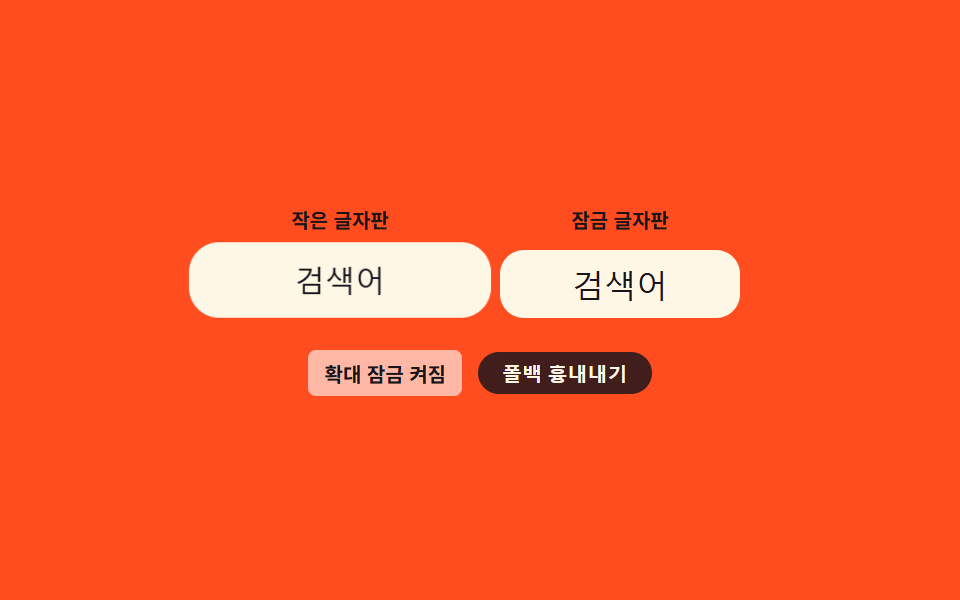
04입력창 확대 잠금 — 포커스를 줘도 화면이 확대되지 않는 입력 필드
입력 필드를 눌러 포커스를 줘도 글자 크기 기준값이 문턱을 넘겨 화면 전체가 확대되지 않고 그대로 유지되며, 모바일 검색창이나 로그인 폼 입력 필드에 씁니다. 실제 계산된 글자 크기를 읽어 기준값과 비교한 비율만큼 되돌려, 확대가 걸리기 전 크기로 맞춥니다.
  function zoomScaleFor(el) {
    var css = getComputedStyle(el);
    var current = parseFloat(css.fontSize) || LOCK_FONT_PX;
    return Math.max(1, LOCK_FONT_PX / current);
  }

  function applyFocusZoom(el, on) {
    if (on) {
      var rect = el.getBoundingClientRect();
      var originX = rect.width / 2;
      var originY = rect.height / 2;
      el.style.transformOrigin = originX + 'px ' + originY + 'px';
      el.style.transform = 'scale(' + zoomScaleFor(el) + ')';
    } else {
      el.style.transform = 'scale(1)';
    }
  }
<main class="stage">
<div class="wrap is-demo" id="wrap">
  <div class="row">
    <label class="field">
      <span class="fieldLabel">작은 글자판</span>
      <input class="input is-small" id="inputSmall" type="text" value="검색어">
    </label>
    <label class="field">
      <span class="fieldLabel">잠금 글자판</span>
      <input class="input is-lock" id="inputLock" type="text" value="검색어">
    </label>
  </div>
  <div class="foot">
    <span class="modeLabel" id="modeLabel">확대 잠금 켜짐</span>
    <button class="simToggle" id="simToggle" type="button" aria-pressed="false">폴백 흉내내기</button>
  </div>
</div>
</main>
@use "../../../../site/static/demo-tokens" as *;
// 계산 겹은 index.html 의 zoomScaleFor() 에 있다 — 실제 computed font-size 에서 배율을 구하고
// getBoundingClientRect() 중심으로 transform-origin 을 놓는다. 여기는 두 입력판의 바탕 크기와
// 전환 곡선만 맡는다.
@include stage($stage-orange);
.wrap {
display: flex;
flex-direction: column;
align-items: center;
gap: $sp-4;
}
.row {
display: flex;
gap: $sp-5;
}
.field {
display: flex;
flex-direction: column;
align-items: center;
gap: $sp-2;
}
.fieldLabel {
color: $subject-ink;
font-size: 10px;
font-weight: 700;
}
.input {
width: 96px;
padding: $sp-2 $sp-3;
border: none;
border-radius: $r-control;
background: $subject-cream;
color: $subject-ink;
text-align: center;
transition: transform $dur-base $ease-spring;
transform: scale(1);
&.is-small { font-size: 12px; }
&.is-lock { font-size: 16px; }
&:focus-visible {
outline: 2px solid $subject-blue-light;
outline-offset: 2px;
}
}
// 시뮬레이션: 표준 잠금 기법을 강제로 무시하고 잠금판도 확대되게 한다(실제 UA 감지가 아니라
// 값을 억지로 12px 로 되돌리는 CSS 오버라이드) — 폴백 없는 환경을 그대로 보여준다
.force-fallback .input.is-lock { font-size: 12px; }
.foot {
display: flex;
align-items: center;
gap: $sp-2;
}
.modeLabel {
color: $subject-ink;
font-size: 10px;
font-weight: 700;
background: rgba($stage-paper, .6);
padding: $sp-1 $sp-2;
border-radius: $r-xs;
}
.simToggle {
appearance: none;
border: none;
border-radius: $r-pill;
background: rgba($subject-ink, .82);
color: $subject-cream;
padding: $sp-1 $sp-3;
font-size: 10px;
font-weight: 600;
cursor: pointer;
transition: transform $dur-instant $ease-out;
&:active { transform: scale(.96); }
&[aria-pressed="true"] { background: $subject-orange-deep; }
&:focus-visible { outline: 2px solid $subject-blue-light; outline-offset: 2px; }
}
@media (max-width: 340px) {
.row { gap: $sp-3; }
.input { width: 80px; }
}
@media (prefers-reduced-motion: reduce) {
.input { transition: none; }
.simToggle { transition: none; }
}html, body {
margin: 0;
overflow: hidden;
}
.stage {
box-sizing: border-box;
min-height: 100vh;
display: grid;
place-items: center;
margin: 0;
background: #ff4d1f;
font-family: -apple-system, "Segoe UI", "Noto Sans KR", sans-serif;
padding: clamp(8px, 4vw, 24px);
}
.wrap {
display: flex;
flex-direction: column;
align-items: center;
gap: 16px;
}
.row {
display: flex;
gap: 20px;
}
.field {
display: flex;
flex-direction: column;
align-items: center;
gap: 8px;
}
.fieldLabel {
color: #17141a;
font-size: 10px;
font-weight: 700;
}
.input {
width: 96px;
padding: 8px 12px;
border: none;
border-radius: 12px;
background: #fff7e6;
color: #17141a;
text-align: center;
transition: transform 300ms cubic-bezier(0.2, 0.8, 0.2, 1);
transform: scale(1);
}
.input.is-small {
font-size: 12px;
}
.input.is-lock {
font-size: 16px;
}
.input:focus-visible {
outline: 2px solid #5b8cf8;
outline-offset: 2px;
}
.force-fallback .input.is-lock {
font-size: 12px;
}
.foot {
display: flex;
align-items: center;
gap: 8px;
}
.modeLabel {
color: #17141a;
font-size: 10px;
font-weight: 700;
background: rgba(255, 255, 255, 0.6);
padding: 4px 8px;
border-radius: 4px;
}
.simToggle {
appearance: none;
border: none;
border-radius: 999px;
background: rgba(23, 20, 26, 0.82);
color: #fff7e6;
padding: 4px 12px;
font-size: 10px;
font-weight: 600;
cursor: pointer;
transition: transform 140ms ease-out;
}
.simToggle:active {
transform: scale(0.96);
}
.simToggle[aria-pressed=true] {
background: #c93000;
}
.simToggle:focus-visible {
outline: 2px solid #5b8cf8;
outline-offset: 2px;
}
@media (max-width: 340px) {
.row {
gap: 12px;
}
.input {
width: 80px;
}
}
@media (prefers-reduced-motion: reduce) {
.input {
transition: none;
}
.simToggle {
transition: none;
}
}(function () {
var LOCK_FONT_PX = 16; // 이 값 이상이면 초점 확대가 걸리지 않는다 — 잠금판의 목표 크기
var reduce = window.matchMedia('(prefers-reduced-motion: reduce)').matches;
var wrap = document.getElementById('wrap');
var inputSmall = document.getElementById('inputSmall');
var inputLock = document.getElementById('inputLock');
var simToggle = document.getElementById('simToggle');
var modeLabel = document.getElementById('modeLabel');
var isDemo = true;
function human() { if (isDemo) { wrap.classList.remove('is-demo'); isDemo = false; } }
// 실제 요소 크기에서 확대 배율을 구한다 — 하드코딩 배율이 아니라 현재 폰트 크기 기준
function zoomScaleFor(el) {
var css = getComputedStyle(el);
var current = parseFloat(css.fontSize) || LOCK_FONT_PX;
return Math.max(1, LOCK_FONT_PX / current);
}
function applyFocusZoom(el, on) {
if (on) {
var rect = el.getBoundingClientRect();
var originX = rect.width / 2;
var originY = rect.height / 2;
el.style.transformOrigin = originX + 'px ' + originY + 'px';
el.style.transform = 'scale(' + zoomScaleFor(el) + ')';
} else {
el.style.transform = 'scale(1)';
}
}
inputSmall.addEventListener('focus', function () { human(); applyFocusZoom(inputSmall, true); });
inputSmall.addEventListener('blur', function () { applyFocusZoom(inputSmall, false); });
// 잠금판: 실제 font-size 가 이미 LOCK_FONT_PX 이므로 zoomScaleFor 가 1을 반환 — 확대가 걸리지 않는다
inputLock.addEventListener('focus', function () { human(); applyFocusZoom(inputLock, true); });
inputLock.addEventListener('blur', function () { applyFocusZoom(inputLock, false); });
var simOn = false;
function setSim(on) {
simOn = on;
wrap.classList.toggle('force-fallback', on);
simToggle.setAttribute('aria-pressed', String(on));
modeLabel.textContent = on ? '확대 잠금 꺼짐' : '확대 잠금 켜짐';
}
simToggle.addEventListener('click', function () { human(); setSim(!simOn); });
var last = 0;
var STEP_MS = 680;
var phase = 0;
function loop(ts) {
if (!last) last = ts;
if (isDemo && !reduce && ts - last >= STEP_MS) {
last = ts;
phase = (phase + 1) % 4;
if (phase === 1) { applyFocusZoom(inputSmall, true); applyFocusZoom(inputLock, true); }
else if (phase === 3) { applyFocusZoom(inputSmall, false); applyFocusZoom(inputLock, false); }
else if (phase === 0) { setSim(!simOn); }
}
requestAnimationFrame(loop);
}
requestAnimationFrame(loop);
})();// InputFocusZoomLock — vanilla 판(run/375/demo/04-compat-input-focus-zoom-lock/index.html) 의 React 포트.
// 작은 글자판은 초점을 얻으면 확대되고, 잠금 글자판은 font-size 16px 기법 때문에 배율이 1로 고정된다.
import { useEffect, useRef } from "react";
import styles from "./InputFocusZoomLock.module.scss";
type Box<T> = { current: T };
const LOCK_FONT_PX = 16; // 이 값 이상이면 초점 확대가 걸리지 않는다 — 잠금판의 목표 크기
const STEP_MS = 680;
export default function InputFocusZoomLock() {
const rootRef = useRef(null) as unknown as Box<HTMLDivElement>;
const inputSmallRef = useRef(null) as unknown as Box<HTMLInputElement>;
const inputLockRef = useRef(null) as unknown as Box<HTMLInputElement>;
const simToggleRef = useRef(null) as unknown as Box<HTMLButtonElement>;
const modeLabelRef = useRef(null) as unknown as Box<HTMLSpanElement>;
const rafRef = useRef(0) as unknown as Box<number>;
useEffect(() => {
const reduce = window.matchMedia("(prefers-reduced-motion: reduce)").matches;
const wrap = rootRef.current;
const inputSmall = inputSmallRef.current;
const inputLock = inputLockRef.current;
const simToggle = simToggleRef.current;
const modeLabel = modeLabelRef.current;
if (!wrap || !inputSmall || !inputLock || !simToggle || !modeLabel) return;
let isDemo = true;
function human() { if (isDemo) { wrap!.classList.remove(styles.isDemo); isDemo = false; } }
// 실제 요소 크기에서 확대 배율을 구한다 — 하드코딩 배율이 아니라 현재 폰트 크기 기준
function zoomScaleFor(el: HTMLInputElement) {
const css = window.getComputedStyle(el);
const current = parseFloat(css.fontSize) || LOCK_FONT_PX;
return Math.max(1, LOCK_FONT_PX / current);
}
function applyFocusZoom(el: HTMLInputElement, on: boolean) {
if (on) {
const rect = el.getBoundingClientRect();
const originX = rect.width / 2;
const originY = rect.height / 2;
el.style.transformOrigin = originX + "px " + originY + "px";
el.style.transform = "scale(" + zoomScaleFor(el) + ")";
} else {
el.style.transform = "scale(1)";
}
}
function onSmallFocus() { human(); applyFocusZoom(inputSmall!, true); }
function onSmallBlur() { applyFocusZoom(inputSmall!, false); }
inputSmall.addEventListener("focus", onSmallFocus);
inputSmall.addEventListener("blur", onSmallBlur);
// 잠금판: 실제 font-size 가 이미 LOCK_FONT_PX 이므로 zoomScaleFor 가 1을 반환 — 확대가 걸리지 않는다
function onLockFocus() { human(); applyFocusZoom(inputLock!, true); }
function onLockBlur() { applyFocusZoom(inputLock!, false); }
inputLock.addEventListener("focus", onLockFocus);
inputLock.addEventListener("blur", onLockBlur);
let simOn = false;
function setSim(on: boolean) {
simOn = on;
wrap!.classList.toggle(styles.forceFallback, on);
simToggle!.setAttribute("aria-pressed", String(on));
modeLabel!.textContent = on ? "확대 잠금 꺼짐" : "확대 잠금 켜짐";
}
function onSimClick() { human(); setSim(!simOn); }
simToggle.addEventListener("click", onSimClick);
let last = 0;
let phase = 0;
function loop(ts: number) {
if (!last) last = ts;
if (isDemo && !reduce && ts - last >= STEP_MS) {
last = ts;
phase = (phase + 1) % 4;
if (phase === 1) { applyFocusZoom(inputSmall!, true); applyFocusZoom(inputLock!, true); }
else if (phase === 3) { applyFocusZoom(inputSmall!, false); applyFocusZoom(inputLock!, false); }
else if (phase === 0) { setSim(!simOn); }
}
rafRef.current = requestAnimationFrame(loop);
}
rafRef.current = requestAnimationFrame(loop);
return () => {
inputSmall!.removeEventListener("focus", onSmallFocus);
inputSmall!.removeEventListener("blur", onSmallBlur);
inputLock!.removeEventListener("focus", onLockFocus);
inputLock!.removeEventListener("blur", onLockBlur);
simToggle!.removeEventListener("click", onSimClick);
cancelAnimationFrame(rafRef.current);
};
}, []);
return (
<main className={styles.stage}>
<div className={styles.wrap + " " + styles.isDemo} ref={rootRef}>
<div className={styles.row}>
<label className={styles.field}>
<span className={styles.fieldLabel}>작은 글자판</span>
<input className={styles.input + " " + styles.isSmall} ref={inputSmallRef} type="text" defaultValue="검색어" />
</label>
<label className={styles.field}>
<span className={styles.fieldLabel}>잠금 글자판</span>
<input className={styles.input + " " + styles.isLock} ref={inputLockRef} type="text" defaultValue="검색어" />
</label>
</div>
<div className={styles.foot}>
<span className={styles.modeLabel} ref={modeLabelRef}>확대 잠금 켜짐</span>
<button className={styles.simToggle} ref={simToggleRef} type="button" aria-pressed="false">폴백 흉내내기</button>
</div>
</div>
</main>
);
}04 · 입력창 확대 잠금 — 포커스를 줘도 화면이 확대되지 않는 입력 필드 — 측정 누적면적 5.458% · 움직인 프레임 8/23GODRICH 원작 · zip 에 SCSS·React 포함 · 비밀번호 보기
05가로 배치 간격 폴백 — 간격 속성이 안 먹으면 여백으로 대신 벌리는 배치
간격 속성을 지원하지 않는 환경을 감지하면 각 항목에 개별 여백을 매겨 같은 간격을 흉내 내며, 태그 목록 배치나 버튼 그룹 정렬에 씁니다. 여백 규칙을 항상 선언해 두고, 간격 속성 지원 여부를 물어 맞을 때만 여백을 지우고 간격 규칙으로 바꿉니다.
.chipRow {
  display: flex;
  flex-wrap: wrap;
  width: 100%;
  min-height: 34px;
  margin: 0;
  padding: 0;
  list-style: none;

  // 폴백: gap 을 모르는 환경 — 마지막 칩만 빼고 오른쪽 여백을 준다. 항상 선언, 아래 @supports 가 지원판에서 덮는다
  > .chip:not(:last-child) { margin-right: $sp-2; }
}

@supports (gap: 1rem) {
  .wrap:not(.force-fallback) .chipRow {
    gap: $sp-2;

    > .chip:not(:last-child) { margin-right: 0; }
  }
}
<main class="stage">
<div class="wrap is-demo" id="wrap">
  <div class="head">
    <input class="addInput" id="addInput" type="text" placeholder="태그 입력 후 Enter" maxlength="8">
    <button class="simToggle" id="simToggle" type="button" aria-pressed="false">폴백 흉내내기</button>
  </div>
  <ul class="chipRow" id="chipRow">
    <li class="chip">여백</li>
    <li class="chip">토큰</li>
    <li class="chip">정렬</li>
  </ul>
  <span class="modeLabel" id="modeLabel">gap 지원판</span>
</div>
</main>
@use "../../../../site/static/demo-tokens" as *;
// 계산 겹은 칩 등장 애니메이션의 --i 기반 시차(stagger)에 있다 — index.html 이 칩마다 순서를
// CSS 변수로 넘긴다. 여기는 두 간격 표기법(margin 폴백 · gap 지원)과 등장 곡선만 맡는다.
@include stage($stage-paper);
.wrap {
width: 260px;
display: flex;
flex-direction: column;
align-items: center;
gap: $sp-3;
}
.head {
display: flex;
align-items: center;
gap: $sp-2;
width: 100%;
}
.addInput {
flex: 1 1 auto;
min-width: 0;
border: none;
border-radius: $r-control;
background: $subject-cream;
color: $subject-ink;
padding: $sp-1 $sp-2;
font-size: 11px;
&::placeholder { color: rgba($subject-ink, .45); }
&:focus-visible { outline: 2px solid $subject-blue-light; outline-offset: 2px; }
}
.simToggle {
flex: 0 0 auto;
appearance: none;
border: none;
border-radius: $r-pill;
background: $subject-ink;
color: $subject-cream;
padding: $sp-1 $sp-2;
font-size: 10px;
font-weight: 600;
cursor: pointer;
transition: transform $dur-instant $ease-out;
&:active { transform: scale(.96); }
&[aria-pressed="true"] { background: $subject-orange-deep; }
&:focus-visible { outline: 2px solid $subject-blue-light; outline-offset: 2px; }
}
.chipRow {
display: flex;
flex-wrap: wrap;
width: 100%;
min-height: 34px;
margin: 0;
padding: 0;
list-style: none;
// 폴백: gap 을 모르는 환경 — 마지막 칩만 빼고 오른쪽 여백을 준다. 항상 선언, 아래 @supports 가 지원판에서 덮는다
> .chip:not(:last-child) { margin-right: $sp-2; }
}
@supports (gap: 1rem) {
.wrap:not(.force-fallback) .chipRow {
gap: $sp-2;
> .chip:not(:last-child) { margin-right: 0; }
}
}
.chip {
appearance: none;
border: none;
border-radius: $r-pill;
background: $subject-blue;
color: $subject-cream;
padding: $sp-2 $sp-4;
font-size: 13px;
font-weight: 600;
cursor: pointer;
transform: scale(1);
transition: transform $dur-enter $ease-elastic;
transition-delay: calc(var(--i, 0) * 40ms);
&:hover { transform: scale(1.08); }
}
.chip.is-entering { transform: scale(0); transition-duration: $dur-base; }
.chip.is-leaving { transform: scale(0); transition-delay: 0ms; }
.modeLabel {
color: $subject-ink;
font-size: 10px;
font-weight: 700;
}
@media (max-width: 340px) {
.wrap { width: 220px; }
.chipRow { min-height: 30px; }
}
@media (prefers-reduced-motion: reduce) {
.chip { transition: none; }
.simToggle { transition: none; }
}html, body {
margin: 0;
overflow: hidden;
}
.stage {
box-sizing: border-box;
min-height: 100vh;
display: grid;
place-items: center;
margin: 0;
background: #ffffff;
font-family: -apple-system, "Segoe UI", "Noto Sans KR", sans-serif;
padding: clamp(8px, 4vw, 24px);
}
.wrap {
width: 260px;
display: flex;
flex-direction: column;
align-items: center;
gap: 12px;
}
.head {
display: flex;
align-items: center;
gap: 8px;
width: 100%;
}
.addInput {
flex: 1 1 auto;
min-width: 0;
border: none;
border-radius: 12px;
background: #fff7e6;
color: #17141a;
padding: 4px 8px;
font-size: 11px;
}
.addInput::placeholder {
color: rgba(23, 20, 26, 0.45);
}
.addInput:focus-visible {
outline: 2px solid #5b8cf8;
outline-offset: 2px;
}
.simToggle {
flex: 0 0 auto;
appearance: none;
border: none;
border-radius: 999px;
background: #17141a;
color: #fff7e6;
padding: 4px 8px;
font-size: 10px;
font-weight: 600;
cursor: pointer;
transition: transform 140ms ease-out;
}
.simToggle:active {
transform: scale(0.96);
}
.simToggle[aria-pressed=true] {
background: #c93000;
}
.simToggle:focus-visible {
outline: 2px solid #5b8cf8;
outline-offset: 2px;
}
.chipRow {
display: flex;
flex-wrap: wrap;
width: 100%;
min-height: 34px;
margin: 0;
padding: 0;
list-style: none;
}
.chipRow > .chip:not(:last-child) {
margin-right: 8px;
}
@supports (gap: 1rem) {
.wrap:not(.force-fallback) .chipRow {
gap: 8px;
}
.wrap:not(.force-fallback) .chipRow > .chip:not(:last-child) {
margin-right: 0;
}
}
.chip {
appearance: none;
border: none;
border-radius: 999px;
background: #2f6df6;
color: #fff7e6;
padding: 8px 16px;
font-size: 13px;
font-weight: 600;
cursor: pointer;
transform: scale(1);
transition: transform 600ms cubic-bezier(0.34, 1.56, 0.64, 1);
transition-delay: calc(var(--i, 0) * 40ms);
}
.chip:hover {
transform: scale(1.08);
}
.chip.is-entering {
transform: scale(0);
transition-duration: 300ms;
}
.chip.is-leaving {
transform: scale(0);
transition-delay: 0ms;
}
.modeLabel {
color: #17141a;
font-size: 10px;
font-weight: 700;
}
@media (max-width: 340px) {
.wrap {
width: 220px;
}
.chipRow {
min-height: 30px;
}
}
@media (prefers-reduced-motion: reduce) {
.chip {
transition: none;
}
.simToggle {
transition: none;
}
}(function () {
var STEP_MS = 380; // 자동 추가/삭제 간격
var reduce = window.matchMedia('(prefers-reduced-motion: reduce)').matches;
var wrap = document.getElementById('wrap');
var chipRow = document.getElementById('chipRow');
var addInput = document.getElementById('addInput');
var simToggle = document.getElementById('simToggle');
var modeLabel = document.getElementById('modeLabel');
var isDemo = true;
function human() { if (isDemo) { wrap.classList.remove('is-demo'); isDemo = false; } }
var seq = 0;
function addChip(text) {
var li = document.createElement('li');
li.className = 'chip is-entering';
li.textContent = text;
li.style.setProperty('--i', String(seq % 6));
seq += 1;
li.addEventListener('click', function () { human(); removeChip(li); });
chipRow.appendChild(li);
requestAnimationFrame(function () {
requestAnimationFrame(function () { li.classList.remove('is-entering'); });
});
}
function removeChip(li) {
if (!li || li.classList.contains('is-leaving')) return;
li.classList.add('is-leaving');
li.addEventListener('transitionend', function () { li.remove(); }, { once: true });
}
addInput.addEventListener('keydown', function (e) {
if (e.key !== 'Enter') return;
human();
var value = addInput.value.trim();
if (value) { addChip(value); addInput.value = ''; }
});
var simOn = false;
function setSim(on) {
simOn = on;
wrap.classList.toggle('force-fallback', on);
simToggle.setAttribute('aria-pressed', String(on));
modeLabel.textContent = on ? 'margin 폴백판' : 'gap 지원판';
}
simToggle.addEventListener('click', function () { human(); setSim(!simOn); });
var WORDS = ['정렬', '간격', '규칙', '토큰', '흐름'];
var wi = 0;
var last = 0;
var phase = 0;
function loop(ts) {
if (!last) last = ts;
if (isDemo && !reduce && ts - last >= STEP_MS) {
last = ts;
phase = (phase + 1) % 3;
if (phase === 0) {
addChip(WORDS[wi % WORDS.length]);
wi += 1;
} else if (phase === 1 && chipRow.children.length > 2) {
removeChip(chipRow.lastElementChild);
} else {
setSim(!simOn);
}
}
requestAnimationFrame(loop);
}
requestAnimationFrame(loop);
})();// GapFlexOld — vanilla 판(run/375/demo/05-compat-gap-flex-old/index.html) 의 React 포트.
// 폴백은 항상 margin-right 로 간격을 주고, @supports(gap) 지원판에서 gap 이 그 역할을 넘겨받는다.
import { useEffect, useRef } from "react";
import styles from "./GapFlexOld.module.scss";
type Box<T> = { current: T };
const STEP_MS = 380; // 자동 추가/삭제 간격
export default function GapFlexOld() {
const rootRef = useRef(null) as unknown as Box<HTMLDivElement>;
const chipRowRef = useRef(null) as unknown as Box<HTMLUListElement>;
const addInputRef = useRef(null) as unknown as Box<HTMLInputElement>;
const simToggleRef = useRef(null) as unknown as Box<HTMLButtonElement>;
const modeLabelRef = useRef(null) as unknown as Box<HTMLSpanElement>;
const rafRef = useRef(0) as unknown as Box<number>;
useEffect(() => {
const reduce = window.matchMedia("(prefers-reduced-motion: reduce)").matches;
const wrap = rootRef.current;
const chipRow = chipRowRef.current;
const addInput = addInputRef.current;
const simToggle = simToggleRef.current;
const modeLabel = modeLabelRef.current;
if (!wrap || !chipRow || !addInput || !simToggle || !modeLabel) return;
let isDemo = true;
function human() { if (isDemo) { wrap!.classList.remove(styles.isDemo); isDemo = false; } }
let seq = 0;
function addChip(text: string) {
const li = document.createElement("li");
li.className = styles.chip + " " + styles.isEntering;
li.textContent = text;
li.style.setProperty("--i", String(seq % 6));
seq += 1;
li.addEventListener("click", function () { human(); removeChip(li); });
chipRow!.appendChild(li);
requestAnimationFrame(function () {
requestAnimationFrame(function () { li.classList.remove(styles.isEntering); });
});
}
function removeChip(li: Element | null) {
if (!li || li.classList.contains(styles.isLeaving)) return;
li.classList.add(styles.isLeaving);
li.addEventListener("transitionend", function () { (li as HTMLElement).remove(); }, { once: true });
}
function onKeydown(e: KeyboardEvent) {
if (e.key !== "Enter") return;
human();
const value = addInput!.value.trim();
if (value) { addChip(value); addInput!.value = ""; }
}
addInput.addEventListener("keydown", onKeydown);
let simOn = false;
function setSim(on: boolean) {
simOn = on;
wrap!.classList.toggle(styles.forceFallback, on);
simToggle!.setAttribute("aria-pressed", String(on));
modeLabel!.textContent = on ? "margin 폴백판" : "gap 지원판";
}
function onSimClick() { human(); setSim(!simOn); }
simToggle.addEventListener("click", onSimClick);
const WORDS = ["정렬", "간격", "규칙", "토큰", "흐름"];
let wi = 0;
let last = 0;
let phase = 0;
function loop(ts: number) {
if (!last) last = ts;
if (isDemo && !reduce && ts - last >= STEP_MS) {
last = ts;
phase = (phase + 1) % 3;
if (phase === 0) {
addChip(WORDS[wi % WORDS.length]);
wi += 1;
} else if (phase === 1 && chipRow!.children.length > 2) {
removeChip(chipRow!.lastElementChild);
} else {
setSim(!simOn);
}
}
rafRef.current = requestAnimationFrame(loop);
}
rafRef.current = requestAnimationFrame(loop);
return () => {
addInput!.removeEventListener("keydown", onKeydown);
simToggle!.removeEventListener("click", onSimClick);
cancelAnimationFrame(rafRef.current);
};
}, []);
return (
<main className={styles.stage}>
<div className={styles.wrap + " " + styles.isDemo} ref={rootRef}>
<div className={styles.head}>
<input className={styles.addInput} ref={addInputRef} type="text" placeholder="태그 입력 후 Enter" maxLength={8} />
<button className={styles.simToggle} ref={simToggleRef} type="button" aria-pressed="false">폴백 흉내내기</button>
</div>
<ul className={styles.chipRow} ref={chipRowRef}>
<li className={styles.chip}>여백</li>
<li className={styles.chip}>토큰</li>
<li className={styles.chip}>정렬</li>
</ul>
<span className={styles.modeLabel} ref={modeLabelRef}>gap 지원판</span>
</div>
</main>
);
}05 · 가로 배치 간격 폴백 — 간격 속성이 안 먹으면 여백으로 대신 벌리는 배치 — 측정 누적면적 2.822% · 움직인 프레임 20/23GODRICH 원작 · zip 에 SCSS·React 포함 · 비밀번호 보기
06기능 지원 분기 — 지원 여부를 먼저 물어 다른 규칙을 켜는 조건 배치
특정 기능의 지원 여부를 먼저 검사해, 지원되면 새 규칙을 켜고 아니면 이전 규칙을 그대로 둔 채 화면이 갈라지며, 그리드 레이아웃을 점진적으로 개선하거나 신규 색 함수를 도입한 카드에 씁니다. 다섯 가지 기능을 하나씩 물어 그 결과를 점검표로 그립니다.
  var FEATURES = [
    { label: '플렉스 gap', test: function () { return CSS.supports('gap', '1px'); } },
    { label: '가로세로비', test: function () { return CSS.supports('aspect-ratio', '1 / 1'); } },
    { label: '배경 흐림', test: function () { return CSS.supports('backdrop-filter', 'blur(1px)'); } },
    { label: '부모 선택자', test: function () { return CSS.supports('selector(:has(a))'); } },
    { label: '컨테이너 쿼리', test: function () { return CSS.supports('container-type', 'inline-size'); } }
  ];
<main class="stage">
<div class="wrap is-demo" id="wrap">
  <div class="head">
    <span class="modeLabel" id="modeLabel">실제 지원 검사</span>
    <button class="rescanBtn" id="rescanBtn" type="button">다시 검사</button>
  </div>
  <ul class="checkList" id="checkList"></ul>
  <div class="bar"><div class="barFill" id="barFill"></div></div>
  <button class="simToggle" id="simToggle" type="button" aria-pressed="false">폴백 흉내내기</button>
</div>
</main>
@use "../../../../site/static/demo-tokens" as *;
// 계산 겹은 index.html 의 scan() 에 있다 — CSS.supports() 로 실제 렌더 환경을 검사해 okCount/전체
// 비율을 구하고 그 비율을 막대 scaleX 에 그대로 반영한다(하드코딩 비율 아님). 여기는 목록 행의
// 등장 시차와 막대·아이콘 표기만 맡는다.
@include stage($stage-ink);
.wrap {
width: 240px;
display: flex;
flex-direction: column;
align-items: center;
gap: $sp-3;
}
.head {
display: flex;
align-items: center;
justify-content: space-between;
width: 100%;
}
.modeLabel {
color: $subject-cream;
font-size: 10px;
font-weight: 700;
}
.rescanBtn {
appearance: none;
border: none;
border-radius: $r-pill;
background: $subject-blue;
color: $subject-cream;
padding: $sp-1 $sp-3;
font-size: 10px;
font-weight: 600;
cursor: pointer;
transition: transform $dur-instant $ease-out;
&:active { transform: scale(.94); }
&:focus-visible { outline: 2px solid $subject-blue-light; outline-offset: 2px; }
}
.checkList {
width: 100%;
margin: 0;
padding: 0;
list-style: none;
display: flex;
flex-direction: column;
gap: $sp-1;
}
.checkRow {
display: flex;
align-items: center;
gap: $sp-2;
padding: $sp-1 $sp-2;
border-radius: $r-sm;
background: rgba($subject-cream, .06);
opacity: 0;
transform: translateY(6px);
transition: opacity $dur-base $ease-out, transform $dur-base $ease-out;
transition-delay: calc(var(--i, 0) * 55ms);
}
.checkRow.is-revealed {
opacity: 1;
transform: translateY(0);
}
.checkRow.is-hidden {
opacity: 0;
transform: translateY(6px);
transition-delay: 0ms;
}
.statusIcon {
flex: 0 0 auto;
width: 12px;
height: 12px;
border-radius: $r-pill;
background: $subject-blue-light;
}
.checkRow.is-ok .statusIcon { background: $subject-mint; }
.checkRow.is-fallback .statusIcon { background: $error-soft; }
.featureName {
color: $subject-cream;
font-size: 11px;
}
.bar {
width: 100%;
height: 6px;
border-radius: $r-pill;
background: rgba($subject-cream, .12);
overflow: hidden;
}
.barFill {
width: 100%;
height: 100%;
border-radius: $r-pill;
background: $subject-mint;
transform-origin: left center;
transform: scaleX(0);
transition: transform $dur-base $ease-out;
}
.simToggle {
appearance: none;
border: none;
border-radius: $r-pill;
background: rgba($subject-cream, .14);
color: $subject-cream;
padding: $sp-1 $sp-3;
font-size: 10px;
font-weight: 600;
cursor: pointer;
transition: transform $dur-instant $ease-out;
&:active { transform: scale(.96); }
&[aria-pressed="true"] { background: $subject-orange-deep; }
&:focus-visible { outline: 2px solid $subject-blue-light; outline-offset: 2px; }
}
@media (max-width: 340px) {
.wrap { width: 192px; gap: $sp-1; }
.head { gap: $sp-1; }
.featureName { font-size: 9px; }
.checkList { gap: 0; }
.checkRow { padding: 0 $sp-1; gap: $sp-1; }
}
@media (prefers-reduced-motion: reduce) {
.checkRow { transition: none; }
.barFill { transition: none; }
.rescanBtn, .simToggle { transition: none; }
}html, body {
margin: 0;
overflow: hidden;
}
.stage {
box-sizing: border-box;
min-height: 100vh;
display: grid;
place-items: center;
margin: 0;
background: #17141a;
font-family: -apple-system, "Segoe UI", "Noto Sans KR", sans-serif;
padding: clamp(8px, 4vw, 24px);
}
.wrap {
width: 240px;
display: flex;
flex-direction: column;
align-items: center;
gap: 12px;
}
.head {
display: flex;
align-items: center;
justify-content: space-between;
width: 100%;
}
.modeLabel {
color: #fff7e6;
font-size: 10px;
font-weight: 700;
}
.rescanBtn {
appearance: none;
border: none;
border-radius: 999px;
background: #2f6df6;
color: #fff7e6;
padding: 4px 12px;
font-size: 10px;
font-weight: 600;
cursor: pointer;
transition: transform 140ms ease-out;
}
.rescanBtn:active {
transform: scale(0.94);
}
.rescanBtn:focus-visible {
outline: 2px solid #5b8cf8;
outline-offset: 2px;
}
.checkList {
width: 100%;
margin: 0;
padding: 0;
list-style: none;
display: flex;
flex-direction: column;
gap: 4px;
}
.checkRow {
display: flex;
align-items: center;
gap: 8px;
padding: 4px 8px;
border-radius: 8px;
background: rgba(255, 247, 230, 0.06);
opacity: 0;
transform: translateY(6px);
transition: opacity 300ms ease-out, transform 300ms ease-out;
transition-delay: calc(var(--i, 0) * 55ms);
}
.checkRow.is-revealed {
opacity: 1;
transform: translateY(0);
}
.checkRow.is-hidden {
opacity: 0;
transform: translateY(6px);
transition-delay: 0ms;
}
.statusIcon {
flex: 0 0 auto;
width: 12px;
height: 12px;
border-radius: 999px;
background: #5b8cf8;
}
.checkRow.is-ok .statusIcon {
background: #4cd4a6;
}
.checkRow.is-fallback .statusIcon {
background: #ffe0d8;
}
.featureName {
color: #fff7e6;
font-size: 11px;
}
.bar {
width: 100%;
height: 6px;
border-radius: 999px;
background: rgba(255, 247, 230, 0.12);
overflow: hidden;
}
.barFill {
width: 100%;
height: 100%;
border-radius: 999px;
background: #4cd4a6;
transform-origin: left center;
transform: scaleX(0);
transition: transform 300ms ease-out;
}
.simToggle {
appearance: none;
border: none;
border-radius: 999px;
background: rgba(255, 247, 230, 0.14);
color: #fff7e6;
padding: 4px 12px;
font-size: 10px;
font-weight: 600;
cursor: pointer;
transition: transform 140ms ease-out;
}
.simToggle:active {
transform: scale(0.96);
}
.simToggle[aria-pressed=true] {
background: #c93000;
}
.simToggle:focus-visible {
outline: 2px solid #5b8cf8;
outline-offset: 2px;
}
@media (max-width: 340px) {
.wrap {
width: 192px;
gap: 4px;
}
.head {
gap: 4px;
}
.featureName {
font-size: 9px;
}
.checkList {
gap: 0;
}
.checkRow {
padding: 0 4px;
gap: 4px;
}
}
@media (prefers-reduced-motion: reduce) {
.checkRow {
transition: none;
}
.barFill {
transition: none;
}
.rescanBtn, .simToggle {
transition: none;
}
}(function () {
var STEP_MS = 620; // 자동 재검사/시뮬레이션 간격
var reduce = window.matchMedia('(prefers-reduced-motion: reduce)').matches;
var wrap = document.getElementById('wrap');
var checkList = document.getElementById('checkList');
var barFill = document.getElementById('barFill');
var rescanBtn = document.getElementById('rescanBtn');
var simToggle = document.getElementById('simToggle');
var modeLabel = document.getElementById('modeLabel');
var isDemo = true;
function human() { if (isDemo) { wrap.classList.remove('is-demo'); isDemo = false; } }
// 실제 @supports 와 같은 판정 근거 — CSS.supports() 로 지금 렌더 환경을 그대로 검사한다
var FEATURES = [
{ label: '플렉스 gap', test: function () { return CSS.supports('gap', '1px'); } },
{ label: '가로세로비', test: function () { return CSS.supports('aspect-ratio', '1 / 1'); } },
{ label: '배경 흐림', test: function () { return CSS.supports('backdrop-filter', 'blur(1px)'); } },
{ label: '부모 선택자', test: function () { return CSS.supports('selector(:has(a))'); } },
{ label: '컨테이너 쿼리', test: function () { return CSS.supports('container-type', 'inline-size'); } }
];
var simOn = false;
var rows = [];
function build() {
checkList.innerHTML = '';
rows = FEATURES.map(function (f, i) {
var li = document.createElement('li');
li.className = 'checkRow is-hidden';
li.style.setProperty('--i', String(i));
var icon = document.createElement('span');
icon.className = 'statusIcon';
var name = document.createElement('span');
name.className = 'featureName';
name.textContent = f.label;
li.appendChild(icon);
li.appendChild(name);
checkList.appendChild(li);
return { el: li, icon: icon, ok: f.test() };
});
}
build();
function scan() {
var okCount = 0;
rows.forEach(function (row, i) {
// 시뮬레이션판: 실제 결과 위에 강제로 미지원을 덧씌워 폴백 문구가 보이게 한다(감지 흉내가 아니라 표시 전용 오버라이드)
var displayOk = simOn ? (row.ok && i % 2 === 0) : row.ok;
row.el.classList.toggle('is-ok', displayOk);
row.el.classList.toggle('is-fallback', !displayOk);
row.el.classList.remove('is-hidden');
row.el.classList.add('is-revealed');
if (displayOk) okCount += 1;
});
var ratio = rows.length ? okCount / rows.length : 0;
barFill.style.transform = 'scaleX(' + ratio + ')';
modeLabel.textContent = simOn ? '폴백 흉내 검사' : '실제 지원 검사';
}
rescanBtn.addEventListener('click', function () {
human();
rows.forEach(function (row) { row.el.classList.add('is-hidden'); row.el.classList.remove('is-revealed'); });
requestAnimationFrame(function () { requestAnimationFrame(scan); });
});
function setSim(on) {
simOn = on;
simToggle.setAttribute('aria-pressed', String(on));
scan();
}
simToggle.addEventListener('click', function () { human(); setSim(!simOn); });
scan();
var last = 0;
var phase = 0;
function loop(ts) {
if (!last) last = ts;
if (isDemo && !reduce && ts - last >= STEP_MS) {
last = ts;
phase = (phase + 1) % 3;
if (phase === 0) {
rows.forEach(function (row) { row.el.classList.add('is-hidden'); row.el.classList.remove('is-revealed'); });
} else if (phase === 1) {
scan();
} else {
setSim(!simOn);
}
}
requestAnimationFrame(loop);
}
requestAnimationFrame(loop);
})();// SupportsQuery — vanilla 판(run/375/demo/06-compat-supports-query/index.html) 의 React 포트.
// CSS.supports() 로 실제 렌더 환경을 검사해 항목별 지원/미지원을 표시하고, 통과 비율을 막대 scaleX 로 잰다.
import { useEffect, useRef } from "react";
import styles from "./SupportsQuery.module.scss";
type Box<T> = { current: T };
const STEP_MS = 620; // 자동 재검사/시뮬레이션 간격
export default function SupportsQuery() {
const rootRef = useRef(null) as unknown as Box<HTMLDivElement>;
const checkListRef = useRef(null) as unknown as Box<HTMLUListElement>;
const barFillRef = useRef(null) as unknown as Box<HTMLDivElement>;
const rescanBtnRef = useRef(null) as unknown as Box<HTMLButtonElement>;
const simToggleRef = useRef(null) as unknown as Box<HTMLButtonElement>;
const modeLabelRef = useRef(null) as unknown as Box<HTMLSpanElement>;
const rafRef = useRef(0) as unknown as Box<number>;
useEffect(() => {
const reduce = window.matchMedia("(prefers-reduced-motion: reduce)").matches;
const wrap = rootRef.current;
const checkList = checkListRef.current;
const barFill = barFillRef.current;
const rescanBtn = rescanBtnRef.current;
const simToggle = simToggleRef.current;
const modeLabel = modeLabelRef.current;
if (!wrap || !checkList || !barFill || !rescanBtn || !simToggle || !modeLabel) return;
let isDemo = true;
function human() { if (isDemo) { wrap!.classList.remove(styles.isDemo); isDemo = false; } }
// 실제 @supports 와 같은 판정 근거 — CSS.supports() 로 지금 렌더 환경을 그대로 검사한다
const FEATURES = [
{ label: "플렉스 gap", test: function () { return CSS.supports("gap", "1px"); } },
{ label: "가로세로비", test: function () { return CSS.supports("aspect-ratio", "1 / 1"); } },
{ label: "배경 흐림", test: function () { return CSS.supports("backdrop-filter", "blur(1px)"); } },
{ label: "부모 선택자", test: function () { return CSS.supports("selector(:has(a))"); } },
{ label: "컨테이너 쿼리", test: function () { return CSS.supports("container-type", "inline-size"); } }
];
let simOn = false;
let rows: { el: HTMLLIElement; icon: HTMLSpanElement; ok: boolean }[] = [];
function build() {
checkList!.innerHTML = "";
rows = FEATURES.map(function (f, i) {
const li = document.createElement("li");
li.className = styles.checkRow + " " + styles.isHidden;
li.style.setProperty("--i", String(i));
const icon = document.createElement("span");
icon.className = styles.statusIcon;
const name = document.createElement("span");
name.className = styles.featureName;
name.textContent = f.label;
li.appendChild(icon);
li.appendChild(name);
checkList!.appendChild(li);
return { el: li, icon: icon, ok: f.test() };
});
}
build();
function hideAll() {
rows.forEach(function (row) { row.el.classList.add(styles.isHidden); row.el.classList.remove(styles.isRevealed); });
}
function scan() {
let okCount = 0;
rows.forEach(function (row, i) {
// 시뮬레이션판: 실제 결과 위에 강제로 미지원을 덧씌워 폴백 문구가 보이게 한다(감지 흉내가 아니라 표시 전용 오버라이드)
const displayOk = simOn ? (row.ok && i % 2 === 0) : row.ok;
row.el.classList.toggle(styles.isOk, displayOk);
row.el.classList.toggle(styles.isFallback, !displayOk);
row.el.classList.remove(styles.isHidden);
row.el.classList.add(styles.isRevealed);
if (displayOk) okCount += 1;
});
const ratio = rows.length ? okCount / rows.length : 0;
barFill!.style.transform = "scaleX(" + ratio + ")";
modeLabel!.textContent = simOn ? "폴백 흉내 검사" : "실제 지원 검사";
}
function onRescan() {
human();
hideAll();
requestAnimationFrame(function () { requestAnimationFrame(scan); });
}
rescanBtn.addEventListener("click", onRescan);
function setSim(on: boolean) {
simOn = on;
simToggle!.setAttribute("aria-pressed", String(on));
scan();
}
function onSimClick() { human(); setSim(!simOn); }
simToggle.addEventListener("click", onSimClick);
scan();
let last = 0;
let phase = 0;
function loop(ts: number) {
if (!last) last = ts;
if (isDemo && !reduce && ts - last >= STEP_MS) {
last = ts;
phase = (phase + 1) % 3;
if (phase === 0) {
hideAll();
} else if (phase === 1) {
scan();
} else {
setSim(!simOn);
}
}
rafRef.current = requestAnimationFrame(loop);
}
rafRef.current = requestAnimationFrame(loop);
return () => {
rescanBtn!.removeEventListener("click", onRescan);
simToggle!.removeEventListener("click", onSimClick);
cancelAnimationFrame(rafRef.current);
};
}, []);
return (
<main className={styles.stage}>
<div className={styles.wrap + " " + styles.isDemo} ref={rootRef}>
<div className={styles.head}>
<span className={styles.modeLabel} ref={modeLabelRef}>실제 지원 검사</span>
<button className={styles.rescanBtn} ref={rescanBtnRef} type="button">다시 검사</button>
</div>
<ul className={styles.checkList} ref={checkListRef}></ul>
<div className={styles.bar}><div className={styles.barFill} ref={barFillRef}></div></div>
<button className={styles.simToggle} ref={simToggleRef} type="button" aria-pressed="false">폴백 흉내내기</button>
</div>
</main>
);
}06 · 기능 지원 분기 — 지원 여부를 먼저 물어 다른 규칙을 켜는 조건 배치 — 측정 누적면적 21.491% · 움직인 프레임 10/23GODRICH 원작 · zip 에 SCSS·React 포함 · 비밀번호 보기
07끝단 당김 잠금 — 목록 끝에서 배경까지 같이 튕기지 않게 막는 스크롤
목록을 끝까지 당겨도 뒤 배경 화면은 같이 흔들리지 않고 당김은 목록 안에서만 멈추며, 무한 스크롤 피드나 모달 안 목록 스크롤에 씁니다. 표준 속성을 항상 켜 두고, 시뮬레이션 토글로 그 속성만 강제로 꺼서 자바스크립트 당김 잠금만으로 버티는 모습도 볼 수 있습니다.
.panel {
  margin: 0;
  padding: $sp-2;
  list-style: none;
  width: 100%;
  height: 130px;
  overflow-y: auto;
  border-radius: $r-card;
  background: rgba($subject-cream, .08);

  // 폴백: 표준 속성을 모르는 환경에서도 JS 당김 잠금이 경계를 막는다 — 항상 동작, 아래 @supports 는 보조일 뿐
  overscroll-behavior: auto;
}

@supports (overscroll-behavior: contain) {
  .wrap:not(.force-fallback) .panel {
    overscroll-behavior: contain;
  }
}

// 시뮬레이션: 표준 속성이 있어도 강제로 꺼서(auto) 체이닝이 새는 환경을 흉내 — JS 당김 잠금만으로 막히는지 보여준다
.force-fallback .panel {
  overscroll-behavior: auto;
}
<main class="stage">
<div class="wrap is-demo" id="wrap">
  <div class="head">
    <span class="modeLabel" id="modeLabel">체이닝 잠금판</span>
    <button class="simToggle" id="simToggle" type="button" aria-pressed="false">폴백 흉내내기</button>
  </div>
  <div class="panelWrap">
    <ul class="panel" id="panel">
      <li>알림 규칙</li>
      <li>배지 색</li>
      <li>여백 표</li>
      <li>버튼 상태</li>
      <li>입력 검증</li>
      <li>접근성</li>
      <li>성능 측정</li>
      <li>배포 노트</li>
    </ul>
    <div class="pullCap" id="pullCap"></div>
  </div>
</div>
</main>
@use "../../../../site/static/demo-tokens" as *;
// 계산 겹은 index.html 의 setPull() 에 있다 — 실제 wheel 델타를 OVERSCROLL_LOCK_PX 안으로 눌러
// 담고 scaleY 로 당김 캡을 늘인다. 여기는 패널 모양과 당김 캡의 원점(아래 변)만 맡는다.
@include stage($subject-blue-deep);
.wrap {
width: 240px;
display: flex;
flex-direction: column;
align-items: center;
gap: $sp-2;
}
.head {
display: flex;
align-items: center;
justify-content: space-between;
width: 100%;
}
.modeLabel {
color: $subject-cream;
font-size: 10px;
font-weight: 700;
}
.simToggle {
appearance: none;
border: none;
border-radius: $r-pill;
background: rgba($subject-cream, .16);
color: $subject-cream;
padding: $sp-1 $sp-3;
font-size: 10px;
font-weight: 600;
cursor: pointer;
transition: transform $dur-instant $ease-out;
&:active { transform: scale(.96); }
&[aria-pressed="true"] { background: $subject-orange-deep; }
&:focus-visible { outline: 2px solid $subject-blue-light; outline-offset: 2px; }
}
.panelWrap {
position: relative;
width: 190px;
}
.panel {
margin: 0;
padding: $sp-2;
list-style: none;
width: 100%;
height: 130px;
overflow-y: auto;
border-radius: $r-card;
background: rgba($subject-cream, .08);
// 폴백: 표준 속성을 모르는 환경에서도 JS 당김 잠금이 경계를 막는다 — 항상 동작, 아래 @supports 는 보조일 뿐
overscroll-behavior: auto;
}
@supports (overscroll-behavior: contain) {
.wrap:not(.force-fallback) .panel {
overscroll-behavior: contain;
}
}
// 시뮬레이션: 표준 속성이 있어도 강제로 꺼서(auto) 체이닝이 새는 환경을 흉내 — JS 당김 잠금만으로 막히는지 보여준다
.force-fallback .panel {
overscroll-behavior: auto;
}
.panel li {
padding: $sp-1 0;
color: $subject-cream;
font-size: 11px;
border-bottom: 1px solid rgba($subject-cream, .12);
&:last-child { border-bottom: none; }
}
.pullCap {
position: absolute;
left: $sp-2;
right: $sp-2;
bottom: 2px;
height: 6px;
border-radius: $r-pill;
background: $subject-orange-deep;
transform-origin: center bottom;
transform: scaleY(0);
transition: transform $dur-instant $ease-out;
}
@media (max-width: 340px) {
.wrap { width: 208px; }
.panelWrap { width: 168px; }
.panel { height: 112px; }
}
@media (prefers-reduced-motion: reduce) {
.pullCap { transition: none; }
.simToggle { transition: none; }
}html, body {
margin: 0;
overflow: hidden;
}
.stage {
box-sizing: border-box;
min-height: 100vh;
display: grid;
place-items: center;
margin: 0;
background: #0a4fe8;
font-family: -apple-system, "Segoe UI", "Noto Sans KR", sans-serif;
padding: clamp(8px, 4vw, 24px);
}
.wrap {
width: 240px;
display: flex;
flex-direction: column;
align-items: center;
gap: 8px;
}
.head {
display: flex;
align-items: center;
justify-content: space-between;
width: 100%;
}
.modeLabel {
color: #fff7e6;
font-size: 10px;
font-weight: 700;
}
.simToggle {
appearance: none;
border: none;
border-radius: 999px;
background: rgba(255, 247, 230, 0.16);
color: #fff7e6;
padding: 4px 12px;
font-size: 10px;
font-weight: 600;
cursor: pointer;
transition: transform 140ms ease-out;
}
.simToggle:active {
transform: scale(0.96);
}
.simToggle[aria-pressed=true] {
background: #c93000;
}
.simToggle:focus-visible {
outline: 2px solid #5b8cf8;
outline-offset: 2px;
}
.panelWrap {
position: relative;
width: 190px;
}
.panel {
margin: 0;
padding: 8px;
list-style: none;
width: 100%;
height: 130px;
overflow-y: auto;
border-radius: 16px;
background: rgba(255, 247, 230, 0.08);
overscroll-behavior: auto;
}
@supports (overscroll-behavior: contain) {
.wrap:not(.force-fallback) .panel {
overscroll-behavior: contain;
}
}
.force-fallback .panel {
overscroll-behavior: auto;
}
.panel li {
padding: 4px 0;
color: #fff7e6;
font-size: 11px;
border-bottom: 1px solid rgba(255, 247, 230, 0.12);
}
.panel li:last-child {
border-bottom: none;
}
.pullCap {
position: absolute;
left: 8px;
right: 8px;
bottom: 2px;
height: 6px;
border-radius: 999px;
background: #c93000;
transform-origin: center bottom;
transform: scaleY(0);
transition: transform 140ms ease-out;
}
@media (max-width: 340px) {
.wrap {
width: 208px;
}
.panelWrap {
width: 168px;
}
.panel {
height: 112px;
}
}
@media (prefers-reduced-motion: reduce) {
.pullCap {
transition: none;
}
.simToggle {
transition: none;
}
}(function () {
var OVERSCROLL_LOCK_PX = 24; // 경계에서 더 당길 수 있는 최대치 — 변형 목표: 24 → 48
var reduce = window.matchMedia('(prefers-reduced-motion: reduce)').matches;
var wrap = document.getElementById('wrap');
var panel = document.getElementById('panel');
var pullCap = document.getElementById('pullCap');
var simToggle = document.getElementById('simToggle');
var modeLabel = document.getElementById('modeLabel');
var isDemo = true;
function human() { if (isDemo) { wrap.classList.remove('is-demo'); isDemo = false; } }
var pull = 0;
var releaseTimer = null;
function atBottom() {
return panel.scrollTop + panel.clientHeight >= panel.scrollHeight - 1;
}
function atTop() { return panel.scrollTop <= 0; }
function setPull(px) {
pull = Math.max(0, Math.min(OVERSCROLL_LOCK_PX, px));
pullCap.style.transform = 'scaleY(' + (pull / OVERSCROLL_LOCK_PX) + ')';
}
function release() {
setPull(0);
}
// 실제 wheel 리스너 — 경계에 닿은 뒤의 남는 델타만 당김으로 흡수하고 스크롤 전파(체이닝)를 막는다
panel.addEventListener('wheel', function (e) {
human();
if (e.deltaY > 0 && atBottom()) {
e.preventDefault();
setPull(pull + e.deltaY * 0.4);
if (releaseTimer) clearTimeout(releaseTimer);
releaseTimer = setTimeout(release, 220);
} else if (e.deltaY < 0 && atTop() && pull > 0) {
e.preventDefault();
setPull(pull + e.deltaY * 0.4);
if (releaseTimer) clearTimeout(releaseTimer);
releaseTimer = setTimeout(release, 220);
}
}, { passive: false });
panel.addEventListener('scroll', function () { if (pull > 0 && !atBottom()) release(); });
var simOn = false;
function setSim(on) {
simOn = on;
wrap.classList.toggle('force-fallback', on);
simToggle.setAttribute('aria-pressed', String(on));
modeLabel.textContent = on ? '체이닝 새는판' : '체이닝 잠금판';
}
simToggle.addEventListener('click', function () { human(); setSim(!simOn); });
var last = 0;
var STEP_MS = 70;
var dir = 1;
var holdUntil = 0;
function autoAdvance(ts) {
if (ts - last < STEP_MS) return;
last = ts;
if (ts < holdUntil) {
// 경계에서 더 당기는 구간 — 실제 wheel 이 하는 것과 같은 setPull 호출
setPull(pull + (dir > 0 ? 6 : -6));
return;
}
var max = panel.scrollHeight - panel.clientHeight;
var next = panel.scrollTop + dir * 10;
if (next >= max) { panel.scrollTop = max; holdUntil = ts + 360; dir = -1; }
else if (next <= 0) { panel.scrollTop = 0; holdUntil = ts + 360; dir = 1; }
else { panel.scrollTop = next; }
}
function loop(ts) {
if (!last) last = ts;
if (isDemo && !reduce) autoAdvance(ts);
if (isDemo && !reduce && pull > 0 && ts > holdUntil + 40) setPull(0);
requestAnimationFrame(loop);
}
requestAnimationFrame(loop);
})();// OverscrollBounce — vanilla 판(run/375/demo/07-compat-overscroll-bounce/index.html) 의 React 포트.
// 경계에 닿은 뒤의 남는 wheel 델타만 OVERSCROLL_LOCK_PX 안으로 눌러 담아 당김 캡을 늘이고, 스크롤 전파를 막는다.
import { useEffect, useRef } from "react";
import styles from "./OverscrollBounce.module.scss";
type Box<T> = { current: T };
const OVERSCROLL_LOCK_PX = 24; // 경계에서 더 당길 수 있는 최대치 — 변형 목표: 24 → 48
const STEP_MS = 70;
export default function OverscrollBounce() {
const rootRef = useRef(null) as unknown as Box<HTMLDivElement>;
const panelRef = useRef(null) as unknown as Box<HTMLUListElement>;
const pullCapRef = useRef(null) as unknown as Box<HTMLDivElement>;
const simToggleRef = useRef(null) as unknown as Box<HTMLButtonElement>;
const modeLabelRef = useRef(null) as unknown as Box<HTMLSpanElement>;
const rafRef = useRef(0) as unknown as Box<number>;
const timerRef = useRef(0) as unknown as Box<number>;
useEffect(() => {
const reduce = window.matchMedia("(prefers-reduced-motion: reduce)").matches;
const wrap = rootRef.current;
const panel = panelRef.current;
const pullCap = pullCapRef.current;
const simToggle = simToggleRef.current;
const modeLabel = modeLabelRef.current;
if (!wrap || !panel || !pullCap || !simToggle || !modeLabel) return;
let isDemo = true;
function human() { if (isDemo) { wrap!.classList.remove(styles.isDemo); isDemo = false; } }
let pull = 0;
let releaseTimer = 0;
function atBottom() {
return panel!.scrollTop + panel!.clientHeight >= panel!.scrollHeight - 1;
}
function atTop() { return panel!.scrollTop <= 0; }
function setPull(px: number) {
pull = Math.max(0, Math.min(OVERSCROLL_LOCK_PX, px));
pullCap!.style.transform = "scaleY(" + (pull / OVERSCROLL_LOCK_PX) + ")";
}
function release() {
setPull(0);
}
// 실제 wheel 리스너 — 경계에 닿은 뒤의 남는 델타만 당김으로 흡수하고 스크롤 전파(체이닝)를 막는다
function onWheel(e: WheelEvent) {
human();
if (e.deltaY > 0 && atBottom()) {
e.preventDefault();
setPull(pull + e.deltaY * 0.4);
window.clearTimeout(releaseTimer);
releaseTimer = window.setTimeout(release, 220);
} else if (e.deltaY < 0 && atTop() && pull > 0) {
e.preventDefault();
setPull(pull + e.deltaY * 0.4);
window.clearTimeout(releaseTimer);
releaseTimer = window.setTimeout(release, 220);
}
}
panel.addEventListener("wheel", onWheel, { passive: false });
function onScroll() { if (pull > 0 && !atBottom()) release(); }
panel.addEventListener("scroll", onScroll);
let simOn = false;
function setSim(on: boolean) {
simOn = on;
wrap!.classList.toggle(styles.forceFallback, on);
simToggle!.setAttribute("aria-pressed", String(on));
modeLabel!.textContent = on ? "체이닝 새는판" : "체이닝 잠금판";
}
function onSimClick() { human(); setSim(!simOn); }
simToggle.addEventListener("click", onSimClick);
let last = 0;
let dir = 1;
let holdUntil = 0;
function autoAdvance(ts: number) {
if (ts - last < STEP_MS) return;
last = ts;
if (ts < holdUntil) {
// 경계에서 더 당기는 구간 — 실제 wheel 이 하는 것과 같은 setPull 호출
setPull(pull + (dir > 0 ? 6 : -6));
return;
}
const max = panel!.scrollHeight - panel!.clientHeight;
const next = panel!.scrollTop + dir * 10;
if (next >= max) { panel!.scrollTop = max; holdUntil = ts + 360; dir = -1; }
else if (next <= 0) { panel!.scrollTop = 0; holdUntil = ts + 360; dir = 1; }
else { panel!.scrollTop = next; }
}
function loop(ts: number) {
if (!last) last = ts;
if (isDemo && !reduce) autoAdvance(ts);
if (isDemo && !reduce && pull > 0 && ts > holdUntil + 40) setPull(0);
rafRef.current = requestAnimationFrame(loop);
}
rafRef.current = requestAnimationFrame(loop);
return () => {
panel!.removeEventListener("wheel", onWheel);
panel!.removeEventListener("scroll", onScroll);
simToggle!.removeEventListener("click", onSimClick);
window.clearTimeout(releaseTimer);
cancelAnimationFrame(rafRef.current);
};
}, []);
return (
<main className={styles.stage}>
<div className={styles.wrap + " " + styles.isDemo} ref={rootRef}>
<div className={styles.head}>
<span className={styles.modeLabel} ref={modeLabelRef}>체이닝 잠금판</span>
<button className={styles.simToggle} ref={simToggleRef} type="button" aria-pressed="false">폴백 흉내내기</button>
</div>
<div className={styles.panelWrap}>
<ul className={styles.panel} ref={panelRef}>
<li>알림 규칙</li>
<li>배지 색</li>
<li>여백 표</li>
<li>버튼 상태</li>
<li>입력 검증</li>
<li>접근성</li>
<li>성능 측정</li>
<li>배포 노트</li>
</ul>
<div className={styles.pullCap} ref={pullCapRef}></div>
</div>
</div>
</main>
);
}07 · 끝단 당김 잠금 — 목록 끝에서 배경까지 같이 튕기지 않게 막는 스크롤 — 측정 누적면적 9.72% · 움직인 프레임 19/23GODRICH 원작 · zip 에 SCSS·React 포함 · 비밀번호 보기
08글자 렌더링 보정 — 환경마다 다르게 보이는 글자 두께를 맞추는 보정
렌더링 방식에 따라 다르게 보일 수 있는 글자 획 두께를 보정 속성으로 가늘고 매끄럽게 맞추며, 얇은 굵기의 본문 타이포나 밝은 배경 위 옅은 글자색에 씁니다. 굵기·자간 보정을 항상 선언해 두고, 벤더 접두 보정 속성을 지원하는 환경에서만 덧씌웁니다.
// 폴백: 벤더 스무딩을 몰라도 굵기·자간만으로 또렷하게 보정한다 — 항상 선언, 아래 @supports 는 보조
.textLayer.is-fixed {
  font-weight: 600;
  letter-spacing: .01em;
  text-shadow: none;
  clip-path: inset(0 calc(100% - var(--split)) 0 0);
  transition: clip-path $dur-instant $ease-out;
}

@supports (-webkit-font-smoothing: antialiased) or (font-smoothing: antialiased) {
  .wrap:not(.force-fallback) .textLayer.is-fixed {
    -webkit-font-smoothing: antialiased;
    -moz-osx-font-smoothing: grayscale;
  }
}
<main class="stage">
<div class="wrap is-demo" id="wrap">
  <div class="compareBox" id="compareBox">
    <div class="textLayer is-raw">Aa 본문 글자</div>
    <div class="textLayer is-fixed" id="fixedLayer">Aa 본문 글자</div>
    <div class="handle" id="handle" tabindex="0" role="slider" aria-valuemin="0" aria-valuemax="100" aria-valuenow="50"></div>
  </div>
  <div class="foot">
    <span class="modeLabel" id="modeLabel">보정 적용판</span>
    <button class="simToggle" id="simToggle" type="button" aria-pressed="false">폴백 흉내내기</button>
  </div>
</div>
</main>
@use "../../../../site/static/demo-tokens" as *;
// 계산 겹은 index.html 의 setSplit() 에 있다 — 실제 포인터 clientX 를 박스 폭 비율로 바꿔 --split
// 커스텀 속성에 넣는다. 여기는 그 비율을 clip-path 로 반영하는 규칙과 두 글자층의 대비만 맡는다.
// 실제 서브픽셀 렌더 차이는 이 크기에서 육안 판별이 어려워, 보정 없는 쪽은 번짐(text-shadow)으로
// 과장해 보여준다 — 진짜 보정(.is-fixed)은 폰트 굵기·자간의 수동 교정이 핵심이다.
@include stage($stage-paper);
.wrap {
display: flex;
flex-direction: column;
align-items: center;
gap: $sp-3;
}
.compareBox {
--split: 50%;
position: relative;
width: 220px;
height: 70px;
border-radius: $r-card;
overflow: hidden;
background: $subject-cream;
}
.textLayer {
position: absolute;
inset: 0;
display: flex;
align-items: center;
justify-content: center;
font-size: 22px;
color: $subject-ink;
}
.textLayer.is-raw {
font-weight: 400;
letter-spacing: 0;
text-shadow: 0 0 1.4px rgba($subject-ink, .55), 0 0 .5px rgba($subject-ink, .4);
}
// 폴백: 벤더 스무딩을 몰라도 굵기·자간만으로 또렷하게 보정한다 — 항상 선언, 아래 @supports 는 보조
.textLayer.is-fixed {
font-weight: 600;
letter-spacing: .01em;
text-shadow: none;
clip-path: inset(0 calc(100% - var(--split)) 0 0);
transition: clip-path $dur-instant $ease-out;
}
@supports (-webkit-font-smoothing: antialiased) or (font-smoothing: antialiased) {
.wrap:not(.force-fallback) .textLayer.is-fixed {
-webkit-font-smoothing: antialiased;
-moz-osx-font-smoothing: grayscale;
}
}
.handle {
position: absolute;
top: 0;
bottom: 0;
left: var(--split);
width: 3px;
margin-left: -1.5px;
background: $subject-orange-deep;
cursor: ew-resize;
transition: left $dur-instant $ease-out;
&::after {
content: '';
position: absolute;
top: 50%;
left: 50%;
width: 16px;
height: 16px;
border-radius: $r-pill;
background: $subject-orange-deep;
transform: translate(-50%, -50%);
}
&:focus-visible { outline: 2px solid $subject-blue-light; outline-offset: 2px; }
}
.foot {
display: flex;
align-items: center;
gap: $sp-2;
}
.modeLabel {
color: $subject-ink;
font-size: 10px;
font-weight: 700;
}
.simToggle {
appearance: none;
border: none;
border-radius: $r-pill;
background: $subject-ink;
color: $subject-cream;
padding: $sp-1 $sp-3;
font-size: 10px;
font-weight: 600;
cursor: pointer;
transition: transform $dur-instant $ease-out;
&:active { transform: scale(.96); }
&[aria-pressed="true"] { background: $subject-orange-deep; }
&:focus-visible { outline: 2px solid $subject-blue-light; outline-offset: 2px; }
}
@media (max-width: 340px) {
.compareBox { width: 190px; height: 62px; }
.textLayer { font-size: 19px; }
}
@media (prefers-reduced-motion: reduce) {
.textLayer.is-fixed { transition: none; }
.handle { transition: none; }
.simToggle { transition: none; }
}html, body {
margin: 0;
overflow: hidden;
}
.stage {
box-sizing: border-box;
min-height: 100vh;
display: grid;
place-items: center;
margin: 0;
background: #ffffff;
font-family: -apple-system, "Segoe UI", "Noto Sans KR", sans-serif;
padding: clamp(8px, 4vw, 24px);
}
.wrap {
display: flex;
flex-direction: column;
align-items: center;
gap: 12px;
}
.compareBox {
--split: 50%;
position: relative;
width: 220px;
height: 70px;
border-radius: 16px;
overflow: hidden;
background: #fff7e6;
}
.textLayer {
position: absolute;
inset: 0;
display: flex;
align-items: center;
justify-content: center;
font-size: 22px;
color: #17141a;
}
.textLayer.is-raw {
font-weight: 400;
letter-spacing: 0;
text-shadow: 0 0 1.4px rgba(23, 20, 26, 0.55), 0 0 0.5px rgba(23, 20, 26, 0.4);
}
.textLayer.is-fixed {
font-weight: 600;
letter-spacing: 0.01em;
text-shadow: none;
clip-path: inset(0 calc(100% - var(--split)) 0 0);
transition: clip-path 140ms ease-out;
}
@supports (-webkit-font-smoothing: antialiased) or (font-smoothing: antialiased) {
.wrap:not(.force-fallback) .textLayer.is-fixed {
-webkit-font-smoothing: antialiased;
-moz-osx-font-smoothing: grayscale;
}
}
.handle {
position: absolute;
top: 0;
bottom: 0;
left: var(--split);
width: 3px;
margin-left: -1.5px;
background: #c93000;
cursor: ew-resize;
transition: left 140ms ease-out;
}
.handle::after {
content: "";
position: absolute;
top: 50%;
left: 50%;
width: 16px;
height: 16px;
border-radius: 999px;
background: #c93000;
transform: translate(-50%, -50%);
}
.handle:focus-visible {
outline: 2px solid #5b8cf8;
outline-offset: 2px;
}
.foot {
display: flex;
align-items: center;
gap: 8px;
}
.modeLabel {
color: #17141a;
font-size: 10px;
font-weight: 700;
}
.simToggle {
appearance: none;
border: none;
border-radius: 999px;
background: #17141a;
color: #fff7e6;
padding: 4px 12px;
font-size: 10px;
font-weight: 600;
cursor: pointer;
transition: transform 140ms ease-out;
}
.simToggle:active {
transform: scale(0.96);
}
.simToggle[aria-pressed=true] {
background: #c93000;
}
.simToggle:focus-visible {
outline: 2px solid #5b8cf8;
outline-offset: 2px;
}
@media (max-width: 340px) {
.compareBox {
width: 190px;
height: 62px;
}
.textLayer {
font-size: 19px;
}
}
@media (prefers-reduced-motion: reduce) {
.textLayer.is-fixed {
transition: none;
}
.handle {
transition: none;
}
.simToggle {
transition: none;
}
}(function () {
var reduce = window.matchMedia('(prefers-reduced-motion: reduce)').matches;
var wrap = document.getElementById('wrap');
var compareBox = document.getElementById('compareBox');
var handle = document.getElementById('handle');
var simToggle = document.getElementById('simToggle');
var modeLabel = document.getElementById('modeLabel');
var isDemo = true;
function human() { if (isDemo) { wrap.classList.remove('is-demo'); isDemo = false; } }
var split = 50;
function setSplit(v) {
split = Math.max(0, Math.min(100, v));
compareBox.style.setProperty('--split', split + '%');
handle.setAttribute('aria-valuenow', String(Math.round(split)));
}
setSplit(split);
var dragging = false;
handle.addEventListener('pointerdown', function (e) {
human();
dragging = true;
handle.setPointerCapture(e.pointerId);
});
handle.addEventListener('pointermove', function (e) {
if (!dragging) return;
var rect = compareBox.getBoundingClientRect();
setSplit(((e.clientX - rect.left) / rect.width) * 100);
});
handle.addEventListener('pointerup', function () { dragging = false; });
handle.addEventListener('keydown', function (e) {
human();
if (e.key === 'ArrowLeft') setSplit(split - 5);
else if (e.key === 'ArrowRight') setSplit(split + 5);
});
var simOn = false;
function setSim(on) {
simOn = on;
wrap.classList.toggle('force-fallback', on);
simToggle.setAttribute('aria-pressed', String(on));
modeLabel.textContent = on ? '보정 없는판' : '보정 적용판';
}
simToggle.addEventListener('click', function () { human(); setSim(!simOn); });
// 자동 재생: 삼각파(사인이 아니라 선형 왕복)로 손잡이를 오간다 — 난수 없이 결정론적
var last = 0;
var STEP_MS = 40;
var dir = 1;
function loop(ts) {
if (!last) last = ts;
if (isDemo && !reduce && ts - last >= STEP_MS) {
last = ts;
var next = split + dir * 3.4;
if (next >= 92) { next = 92; dir = -1; }
else if (next <= 8) { next = 8; dir = 1; }
setSplit(next);
}
requestAnimationFrame(loop);
}
requestAnimationFrame(loop);
})();// FontSmoothingFix — vanilla 판(run/375/demo/08-compat-font-smoothing-fix/index.html) 의 React 포트.
// 벤더 스무딩을 몰라도 폰트 굵기·자간 수동 교정으로 글자를 또렷하게 하고, 슬라이더로 두 판을 오간다.
import { useEffect, useRef } from "react";
import styles from "./FontSmoothingFix.module.scss";
type Box<T> = { current: T };
const STEP_MS = 40;
export default function FontSmoothingFix() {
const rootRef = useRef(null) as unknown as Box<HTMLDivElement>;
const compareBoxRef = useRef(null) as unknown as Box<HTMLDivElement>;
const handleRef = useRef(null) as unknown as Box<HTMLDivElement>;
const simToggleRef = useRef(null) as unknown as Box<HTMLButtonElement>;
const modeLabelRef = useRef(null) as unknown as Box<HTMLSpanElement>;
const rafRef = useRef(0) as unknown as Box<number>;
useEffect(() => {
const reduce = window.matchMedia("(prefers-reduced-motion: reduce)").matches;
const wrap = rootRef.current;
const compareBox = compareBoxRef.current;
const handle = handleRef.current;
const simToggle = simToggleRef.current;
const modeLabel = modeLabelRef.current;
if (!wrap || !compareBox || !handle || !simToggle || !modeLabel) return;
let isDemo = true;
function human() { if (isDemo) { wrap!.classList.remove(styles.isDemo); isDemo = false; } }
let split = 50;
function setSplit(v: number) {
split = Math.max(0, Math.min(100, v));
compareBox!.style.setProperty("--split", split + "%");
handle!.setAttribute("aria-valuenow", String(Math.round(split)));
}
setSplit(split);
let dragging = false;
function onPointerDown(e: PointerEvent) {
human();
dragging = true;
handle!.setPointerCapture(e.pointerId);
}
function onPointerMove(e: PointerEvent) {
if (!dragging) return;
const rect = compareBox!.getBoundingClientRect();
setSplit(((e.clientX - rect.left) / rect.width) * 100);
}
function onPointerUp() { dragging = false; }
function onKeyDown(e: KeyboardEvent) {
human();
if (e.key === "ArrowLeft") setSplit(split - 5);
else if (e.key === "ArrowRight") setSplit(split + 5);
}
handle.addEventListener("pointerdown", onPointerDown);
handle.addEventListener("pointermove", onPointerMove);
handle.addEventListener("pointerup", onPointerUp);
handle.addEventListener("keydown", onKeyDown);
let simOn = false;
function setSim(on: boolean) {
simOn = on;
wrap!.classList.toggle(styles.forceFallback, on);
simToggle!.setAttribute("aria-pressed", String(on));
modeLabel!.textContent = on ? "보정 없는판" : "보정 적용판";
}
function onSimClick() { human(); setSim(!simOn); }
simToggle.addEventListener("click", onSimClick);
// 자동 재생: 삼각파(사인이 아니라 선형 왕복)로 손잡이를 오간다 — 난수 없이 결정론적
let last = 0;
let dir = 1;
function loop(ts: number) {
if (!last) last = ts;
if (isDemo && !reduce && ts - last >= STEP_MS) {
last = ts;
let next = split + dir * 3.4;
if (next >= 92) { next = 92; dir = -1; }
else if (next <= 8) { next = 8; dir = 1; }
setSplit(next);
}
rafRef.current = requestAnimationFrame(loop);
}
rafRef.current = requestAnimationFrame(loop);
return () => {
handle!.removeEventListener("pointerdown", onPointerDown);
handle!.removeEventListener("pointermove", onPointerMove);
handle!.removeEventListener("pointerup", onPointerUp);
handle!.removeEventListener("keydown", onKeyDown);
simToggle!.removeEventListener("click", onSimClick);
cancelAnimationFrame(rafRef.current);
};
}, []);
return (
<main className={styles.stage}>
<div className={styles.wrap + " " + styles.isDemo} ref={rootRef}>
<div className={styles.compareBox} ref={compareBoxRef}>
<div className={styles.textLayer + " " + styles.isRaw}>Aa 본문 글자</div>
<div className={styles.textLayer + " " + styles.isFixed}>Aa 본문 글자</div>
<div className={styles.handle} ref={handleRef} tabIndex={0} role="slider" aria-valuemin={0} aria-valuemax={100} aria-valuenow={50}></div>
</div>
<div className={styles.foot}>
<span className={styles.modeLabel} ref={modeLabelRef}>보정 적용판</span>
<button className={styles.simToggle} ref={simToggleRef} type="button" aria-pressed="false">폴백 흉내내기</button>
</div>
</div>
</main>
);
}08 · 글자 렌더링 보정 — 환경마다 다르게 보이는 글자 두께를 맞추는 보정 — 측정 누적면적 3.592% · 움직인 프레임 23/23GODRICH 원작 · zip 에 SCSS·React 포함 · 비밀번호 보기
09날짜 입력 커스텀 — 기본 달력 아이콘과 필드 배경을 다시 그린 날짜 선택
기본으로 제공되는 달력 아이콘과 필드 배경 색을 다시 그려 다른 입력 필드와 톤을 맞추며, 예약 폼 날짜 선택이나 생년월일 입력 필드에 씁니다. 표준 달력 열기 함수가 있는지 확인한 뒤, 없으면 입력 필드에 초점을 주는 방식으로 대신합니다.
.dateInput {
  border: none;
  border-radius: $r-control;
  background: $subject-cream;
  color: $subject-ink;
  padding: $sp-1 $sp-2;
  font-size: 12px;
  color-scheme: light;

  // 폴백: 표준 픽커 아이콘을 모르는 환경도 입력 자체는 그대로 쓸 수 있다 — 배경만 살짝 맞춘다
  &::-webkit-calendar-picker-indicator {
    border-radius: $r-xs;
    padding: $sp-1;
    cursor: pointer;
  }

  &:focus-visible { outline: 2px solid $subject-blue-light; outline-offset: 2px; }
}
<main class="stage">
<div class="wrap is-demo" id="wrap">
  <div class="ringWrap">
    <svg class="ring" viewBox="0 0 72 72" aria-hidden="true">
      <circle class="ringTrack" cx="36" cy="36" r="30"></circle>
      <circle class="ringFill" id="ringFill" cx="36" cy="36" r="30"></circle>
    </svg>
    <span class="ringNum" id="ringNum">0</span>
  </div>
  <div class="row">
    <input class="dateInput" id="dateInput" type="date" value="2026-10-01">
    <button class="pickBtn" id="pickBtn" type="button">달력 열기</button>
  </div>
  <div class="foot">
    <span class="daysLabel" id="daysLabel">D-9</span>
    <button class="simToggle" id="simToggle" type="button" aria-pressed="false">폴백 흉내내기</button>
  </div>
</div>
</main>
@use "../../../../site/static/demo-tokens" as *;
// 계산 겹은 index.html 의 daysBetween()/CIRC 에 있다 — 실제 원 반지름에서 둘레를 구하고 남은 일수
// 비율을 stroke-dashoffset 에 반영한다(하드코딩 각도 아님). 여기는 링·입력·버튼의 모양만 맡는다.
@include stage($stage-yellow);
.wrap {
display: flex;
flex-direction: column;
align-items: center;
gap: $sp-3;
}
.ringWrap {
position: relative;
width: 72px;
height: 72px;
}
.ring {
width: 100%;
height: 100%;
transform: rotate(-90deg);
}
.ringTrack {
fill: none;
stroke: rgba($subject-ink, .16);
stroke-width: 6;
}
.ringFill {
fill: none;
stroke: $subject-blue;
stroke-width: 6;
stroke-linecap: round;
transition: stroke-dashoffset $dur-enter $ease-out;
}
.ringNum {
position: absolute;
inset: 0;
display: flex;
align-items: center;
justify-content: center;
color: $subject-ink;
font-size: 18px;
font-weight: 700;
}
.row {
display: flex;
align-items: center;
gap: $sp-2;
}
.dateInput {
border: none;
border-radius: $r-control;
background: $subject-cream;
color: $subject-ink;
padding: $sp-1 $sp-2;
font-size: 12px;
color-scheme: light;
// 폴백: 표준 픽커 아이콘을 모르는 환경도 입력 자체는 그대로 쓸 수 있다 — 배경만 살짝 맞춘다
&::-webkit-calendar-picker-indicator {
border-radius: $r-xs;
padding: $sp-1;
cursor: pointer;
}
&:focus-visible { outline: 2px solid $subject-blue-light; outline-offset: 2px; }
}
.pickBtn {
appearance: none;
border: none;
border-radius: $r-pill;
background: $subject-ink;
color: $subject-cream;
padding: $sp-1 $sp-3;
font-size: 11px;
font-weight: 600;
cursor: pointer;
transition: transform $dur-instant $ease-out;
&:active { transform: scale(.95); }
&:focus-visible { outline: 2px solid $subject-blue-light; outline-offset: 2px; }
}
.foot {
display: flex;
align-items: center;
gap: $sp-2;
}
.daysLabel {
color: $subject-ink;
font-size: 11px;
font-weight: 700;
background: rgba($stage-paper, .7);
padding: $sp-1 $sp-2;
border-radius: $r-xs;
}
.simToggle {
appearance: none;
border: none;
border-radius: $r-pill;
background: rgba($subject-ink, .82);
color: $subject-cream;
padding: $sp-1 $sp-3;
font-size: 10px;
font-weight: 600;
cursor: pointer;
transition: transform $dur-instant $ease-out;
&:active { transform: scale(.96); }
&[aria-pressed="true"] { background: $subject-orange-deep; }
&:focus-visible { outline: 2px solid $subject-blue-light; outline-offset: 2px; }
}
@media (max-width: 340px) {
.ringWrap { width: 60px; height: 60px; }
.ringNum { font-size: 15px; }
.dateInput { font-size: 11px; }
}
@media (prefers-reduced-motion: reduce) {
.ringFill { transition: none; }
.pickBtn, .simToggle { transition: none; }
}html, body {
margin: 0;
overflow: hidden;
}
.stage {
box-sizing: border-box;
min-height: 100vh;
display: grid;
place-items: center;
margin: 0;
background: #ffd23f;
font-family: -apple-system, "Segoe UI", "Noto Sans KR", sans-serif;
padding: clamp(8px, 4vw, 24px);
}
.wrap {
display: flex;
flex-direction: column;
align-items: center;
gap: 12px;
}
.ringWrap {
position: relative;
width: 72px;
height: 72px;
}
.ring {
width: 100%;
height: 100%;
transform: rotate(-90deg);
}
.ringTrack {
fill: none;
stroke: rgba(23, 20, 26, 0.16);
stroke-width: 6;
}
.ringFill {
fill: none;
stroke: #2f6df6;
stroke-width: 6;
stroke-linecap: round;
transition: stroke-dashoffset 600ms ease-out;
}
.ringNum {
position: absolute;
inset: 0;
display: flex;
align-items: center;
justify-content: center;
color: #17141a;
font-size: 18px;
font-weight: 700;
}
.row {
display: flex;
align-items: center;
gap: 8px;
}
.dateInput {
border: none;
border-radius: 12px;
background: #fff7e6;
color: #17141a;
padding: 4px 8px;
font-size: 12px;
color-scheme: light;
}
.dateInput::-webkit-calendar-picker-indicator {
border-radius: 4px;
padding: 4px;
cursor: pointer;
}
.dateInput:focus-visible {
outline: 2px solid #5b8cf8;
outline-offset: 2px;
}
.pickBtn {
appearance: none;
border: none;
border-radius: 999px;
background: #17141a;
color: #fff7e6;
padding: 4px 12px;
font-size: 11px;
font-weight: 600;
cursor: pointer;
transition: transform 140ms ease-out;
}
.pickBtn:active {
transform: scale(0.95);
}
.pickBtn:focus-visible {
outline: 2px solid #5b8cf8;
outline-offset: 2px;
}
.foot {
display: flex;
align-items: center;
gap: 8px;
}
.daysLabel {
color: #17141a;
font-size: 11px;
font-weight: 700;
background: rgba(255, 255, 255, 0.7);
padding: 4px 8px;
border-radius: 4px;
}
.simToggle {
appearance: none;
border: none;
border-radius: 999px;
background: rgba(23, 20, 26, 0.82);
color: #fff7e6;
padding: 4px 12px;
font-size: 10px;
font-weight: 600;
cursor: pointer;
transition: transform 140ms ease-out;
}
.simToggle:active {
transform: scale(0.96);
}
.simToggle[aria-pressed=true] {
background: #c93000;
}
.simToggle:focus-visible {
outline: 2px solid #5b8cf8;
outline-offset: 2px;
}
@media (max-width: 340px) {
.ringWrap {
width: 60px;
height: 60px;
}
.ringNum {
font-size: 15px;
}
.dateInput {
font-size: 11px;
}
}
@media (prefers-reduced-motion: reduce) {
.ringFill {
transition: none;
}
.pickBtn, .simToggle {
transition: none;
}
}(function () {
var RANGE_DAYS = 30; // 링이 가득 찰 때 기준이 되는 최대 남은 일수
var REFERENCE_DATE = new Date('2026-09-22T00:00:00');
var reduce = window.matchMedia('(prefers-reduced-motion: reduce)').matches;
var wrap = document.getElementById('wrap');
var dateInput = document.getElementById('dateInput');
var pickBtn = document.getElementById('pickBtn');
var ringFill = document.getElementById('ringFill');
var ringNum = document.getElementById('ringNum');
var daysLabel = document.getElementById('daysLabel');
var isDemo = true;
var CIRC = 2 * Math.PI * 30; // 실제 반지름에서 계산한 둘레 — 하드코딩 아님
ringFill.style.strokeDasharray = String(CIRC);
function human() { if (isDemo) { wrap.classList.remove('is-demo'); isDemo = false; } }
function daysBetween(a, b) {
var ms = b.getTime() - a.getTime();
return Math.round(ms / 86400000);
}
function render() {
var picked = new Date(dateInput.value + 'T00:00:00');
var days = daysBetween(REFERENCE_DATE, picked);
var ratio = Math.max(0, Math.min(1, days / RANGE_DAYS));
ringFill.style.strokeDashoffset = String(CIRC * (1 - ratio));
ringNum.textContent = String(days);
daysLabel.textContent = days >= 0 ? ('D-' + days) : ('D+' + Math.abs(days));
}
render();
dateInput.addEventListener('change', function () { human(); render(); });
// 표준 showPicker() 를 아는 환경이면 버튼이 진짜 달력을 띄우고, 모르는 환경은 입력에 초점만 준다
var hasShowPicker = 'showPicker' in HTMLInputElement.prototype;
pickBtn.addEventListener('click', function () {
human();
if (hasShowPicker && !wrap.classList.contains('force-fallback')) {
try { dateInput.showPicker(); } catch (err) { dateInput.focus({ preventScroll: true }); }
} else {
dateInput.focus({ preventScroll: true });
}
});
var simToggle = document.getElementById('simToggle');
var simOn = false;
function setSim(on) {
simOn = on;
wrap.classList.toggle('force-fallback', on);
simToggle.setAttribute('aria-pressed', String(on));
pickBtn.textContent = on ? '달력 초점만' : '달력 열기';
}
simToggle.addEventListener('click', function () { human(); setSim(!simOn); });
var DATES = ['2026-10-01', '2026-10-08', '2026-09-25', '2026-11-05', '2026-09-23'];
var di = 0;
var last = 0;
var STEP_MS = 320;
var phase = 0;
function loop(ts) {
if (!last) last = ts;
if (isDemo && !reduce && ts - last >= STEP_MS) {
last = ts;
phase = (phase + 1) % 3;
if (phase !== 1) {
dateInput.value = DATES[di % DATES.length];
di += 1;
render();
} else {
setSim(!simOn);
}
}
requestAnimationFrame(loop);
}
requestAnimationFrame(loop);
})();// DateInputStyling — vanilla 판(run/375/demo/09-compat-date-input-styling/index.html) 의 React 포트.
// 진짜 input[type=date] 를 그대로 쓰고, 남은 일수 비율을 원 둘레의 stroke-dashoffset 로 잡아 보여준다.
import { useEffect, useRef } from "react";
import styles from "./DateInputStyling.module.scss";
type Box<T> = { current: T };
const RANGE_DAYS = 30; // 링이 가득 찰 때 기준이 되는 최대 남은 일수
const REFERENCE_DATE = new Date("2026-09-22T00:00:00");
const STEP_MS = 320;
export default function DateInputStyling() {
const rootRef = useRef(null) as unknown as Box<HTMLDivElement>;
const dateInputRef = useRef(null) as unknown as Box<HTMLInputElement>;
const pickBtnRef = useRef(null) as unknown as Box<HTMLButtonElement>;
const ringFillRef = useRef(null) as unknown as Box<SVGCircleElement>;
const ringNumRef = useRef(null) as unknown as Box<HTMLSpanElement>;
const daysLabelRef = useRef(null) as unknown as Box<HTMLSpanElement>;
const simToggleRef = useRef(null) as unknown as Box<HTMLButtonElement>;
const rafRef = useRef(0) as unknown as Box<number>;
useEffect(() => {
const reduce = window.matchMedia("(prefers-reduced-motion: reduce)").matches;
const wrap = rootRef.current;
const dateInput = dateInputRef.current;
const pickBtn = pickBtnRef.current;
const ringFill = ringFillRef.current;
const ringNum = ringNumRef.current;
const daysLabel = daysLabelRef.current;
const simToggle = simToggleRef.current;
if (!wrap || !dateInput || !pickBtn || !ringFill || !ringNum || !daysLabel || !simToggle) return;
let isDemo = true;
const CIRC = 2 * Math.PI * 30; // 실제 반지름에서 계산한 둘레 — 하드코딩 아님
ringFill.style.strokeDasharray = String(CIRC);
function human() { if (isDemo) { wrap!.classList.remove(styles.isDemo); isDemo = false; } }
function daysBetween(a: Date, b: Date) {
const ms = b.getTime() - a.getTime();
return Math.round(ms / 86400000);
}
function render() {
const picked = new Date(dateInput!.value + "T00:00:00");
const days = daysBetween(REFERENCE_DATE, picked);
const ratio = Math.max(0, Math.min(1, days / RANGE_DAYS));
ringFill!.style.strokeDashoffset = String(CIRC * (1 - ratio));
ringNum!.textContent = String(days);
daysLabel!.textContent = days >= 0 ? ("D-" + days) : ("D+" + Math.abs(days));
}
render();
function onChange() { human(); render(); }
dateInput.addEventListener("change", onChange);
// 표준 showPicker() 를 아는 환경이면 버튼이 진짜 달력을 띄우고, 모르는 환경은 입력에 초점만 준다
const hasShowPicker = "showPicker" in HTMLInputElement.prototype;
function onPickClick() {
human();
if (hasShowPicker && !wrap!.classList.contains(styles.forceFallback)) {
try { dateInput!.showPicker(); } catch (err) { dateInput!.focus({ preventScroll: true }); }
} else {
dateInput!.focus({ preventScroll: true });
}
}
pickBtn.addEventListener("click", onPickClick);
let simOn = false;
function setSim(on: boolean) {
simOn = on;
wrap!.classList.toggle(styles.forceFallback, on);
simToggle!.setAttribute("aria-pressed", String(on));
pickBtn!.textContent = on ? "달력 초점만" : "달력 열기";
}
function onSimClick() { human(); setSim(!simOn); }
simToggle.addEventListener("click", onSimClick);
const DATES = ["2026-10-01", "2026-10-08", "2026-09-25", "2026-11-05", "2026-09-23"];
let di = 0;
let last = 0;
let phase = 0;
function loop(ts: number) {
if (!last) last = ts;
if (isDemo && !reduce && ts - last >= STEP_MS) {
last = ts;
phase = (phase + 1) % 3;
if (phase !== 1) {
dateInput!.value = DATES[di % DATES.length];
di += 1;
render();
} else {
setSim(!simOn);
}
}
rafRef.current = requestAnimationFrame(loop);
}
rafRef.current = requestAnimationFrame(loop);
return () => {
dateInput!.removeEventListener("change", onChange);
pickBtn!.removeEventListener("click", onPickClick);
simToggle!.removeEventListener("click", onSimClick);
cancelAnimationFrame(rafRef.current);
};
}, []);
return (
<main className={styles.stage}>
<div className={styles.wrap + " " + styles.isDemo} ref={rootRef}>
<div className={styles.ringWrap}>
<svg className={styles.ring} viewBox="0 0 72 72" aria-hidden="true">
<circle className={styles.ringTrack} cx="36" cy="36" r="30"></circle>
<circle className={styles.ringFill} ref={ringFillRef} cx="36" cy="36" r="30"></circle>
</svg>
<span className={styles.ringNum} ref={ringNumRef}>0</span>
</div>
<div className={styles.row}>
<input className={styles.dateInput} ref={dateInputRef} type="date" defaultValue="2026-10-01" />
<button className={styles.pickBtn} ref={pickBtnRef} type="button">달력 열기</button>
</div>
<div className={styles.foot}>
<span className={styles.daysLabel} ref={daysLabelRef}>D-9</span>
<button className={styles.simToggle} ref={simToggleRef} type="button" aria-pressed="false">폴백 흉내내기</button>
</div>
</div>
</main>
);
}09 · 날짜 입력 커스텀 — 기본 달력 아이콘과 필드 배경을 다시 그린 날짜 선택 — 측정 누적면적 3.485% · 움직인 프레임 18/23GODRICH 원작 · zip 에 SCSS·React 포함 · 비밀번호 보기
값이 폴백을 바꾸는 곳 — 지원 여부·수치·순서 기준
값 하나가 문턱을 넘기면 폴백과 개선판 중 어느 쪽이 화면에 남을지가 갈립니다. 항목마다 그 기준이 되는 자리는 다음과 같습니다.
지원 여부·수치를 쥔 값들
- 02 는 반투명 진하기 값(기본 0.6)이 흐림이 없는 환경에서 카드 배경을 채우는 농도를 정합니다.
- 03 은 재계산 지연 값(기본 150ms)과 주소창이 펼쳐졌을 때 차지하는 높이 값(34px)이 함께 화면 높이를 정합니다.
- 04 는 확대가 걸리지 않는 기준 글자 크기 값(16px)이 문턱입니다.
- 05 는 수치가 아니라 간격 속성 지원 여부 하나가 여백 규칙과 간격 규칙을 가릅니다.
- 06 은 다섯 기능 각각의 지원 여부가 점검표 각 줄을 가릅니다.
- 07 은 경계에서 더 당길 수 있는 최대치 값(24px)이 잠금이 풀리는 지점입니다.
- 08 은 css 벤더 프리픽스의 지원 여부가 굵기 보정 위에 무엇을 덧씌울지를 가릅니다.
- 09 는 표준 달력 열기 함수의 존재 여부가 자동 열기와 포커스 대체를 가릅니다.
순서도 값이다
02·05·07·08 은 폴백 선언을 먼저 조건 없이 적어 두고 지원 판정 규칙을 그 뒤에 이어야, 지원 판정이 나중에 실행돼도 항상 유효한 값 위에 규칙이 덧씌워집니다. 순서를 반대로 적어 지원 판정 규칙이 먼저 오면 폴백 선언이 나중에 덮어써, 지원하는 환경에서도 개선판이 사라집니다. 이 조건 판정 자체의 표준 규격은 CSS 조건부 규칙 명세를 따릅니다.
이웃 가지 — 폴백과 맞닿은 다른 편
흐림 폴백의 반투명 배경 채우기는 CSS 글래스모피즘 리퀴드 글래스 효과 9종의 흐림 표현과 맞닿지만, 이 편의 02 는 그 흐림이 없는 환경만 다룹니다. 날짜 입력의 표준 함수 확인은 날짜 선택 UI 9종 — 팝오버로 열고 접는 아홉 가지 방식의 팝오버 달력과 이어지고, 이 편의 09 는 그 앞단인 기본 입력 커스텀만 다룹니다. 동적 높이 재계산은 스크롤 인디케이터 9종 — 어디까지 읽었는지 보여주는와 계산 축이 같지만, 이 편의 03 은 스크롤 위치가 아니라 뷰포트 높이 값을 다룬다는 점이 갈립니다.
어디서 깨지는가 — 오래된 환경, 순서 실수, reduced-motion
실제로 깨지는 지점은 두 가지입니다. 지원하지 않는 환경에서는 폴백이 그대로 남아야 정상인데, 규칙 순서를 반대로 적으면 지원 판정 규칙이 먼저 실행된 뒤 조건 없는 폴백 선언이 나중에 덮어써 지원하는 환경에서도 개선판이 사라집니다. 또 하나는 시뮬레이션 토글을 사용자 에이전트 감지로 착각하는 경우인데, 아홉 항목 모두 실제 감지가 아니라 표준 선언을 강제로 껐다 켜는 버튼일 뿐이라 지원 여부 자체를 속이지는 못합니다.
아홉 항목의 html·scss·js 전체는 kda6g7zx 압축 비밀번호로 받아 상수를 직접 바꿔 가며 이 순서를 눈으로 확인할 수 있습니다.
reduced-motion 이 남기는 것
reduce 설정이 켜지면 아홉 항목 모두 자동 시연이 멈추고 처음 렌더된 모습 그대로 남으며, 01 은 추가로 목표 값을 즉시 대입해 서서히 따라붙는 보정 없이 한 번에 자리를 잡습니다. 사람이 직접 누르는 조작은 reduce 여부와 무관하게 그대로 동작합니다. CSS 쪽에도 항목마다 reduced-motion 블록이 있어 전환을 끊습니다.
오래된 환경에서 보이는 모습
오래된 환경이라고 해서 기능이 아예 없다는 신호가 따로 오지는 않습니다 — 그저 폴백으로 선언해 둔 규칙이 그대로 남아, 스크롤 막대가 기본 굵기로 보이거나 카드 배경이 흐림 없이 단색으로 채워지는 정도로 그칩니다. 화면이 깨지는 것이 아니라 개선판보다 밋밋한 모습으로 대체되는 것이라, 그 폴백 자체를 항상 쓸 수 있는 상태로 만들어 두는 것이 아홉 항목이 공유하는 원칙입니다. 09 처럼 자바스크립트 분기로 대신하는 항목도 마찬가지로, 표준 함수가 없을 때 대체 동작이 조용히 이어받습니다.
변형 세 가지와 접근성
| 변형 | 값 | 느낌 |
|---|---|---|
| 폴백 배경 진하게 | 02 FALLBACK_BG_ALPHA 0.6 → 0.85 | FALLBACK_BG_ALPHA 를 0.85 로 올리면 흐림 효과가 없는 환경에서 카드 배경이 더 진하게 채워진다 |
| 뷰포트 재계산 더 빠르게 | 03 VH_RECALC_DEBOUNCE_MS 150 → 50 | VH_RECALC_DEBOUNCE_MS 를 50ms 로 낮추면 주소창이 움직인 뒤 높이 값이 더 빨리 다시 계산된다 |
| 당김 잠금 범위 늘리기 | 07 OVERSCROLL_LOCK_PX 24 → 48 | OVERSCROLL_LOCK_PX 를 48px 로 늘리면 목록을 더 세게 당겨야 잠금이 풀린다 |
시뮬레이션 토글은 아홉 항목 모두 눌림 상태를 알리는 실제 button 이라 Enter·Space 로 그대로 조작되고, 08 의 보정 슬라이더는 현재 값을 함께 읽어 주며, 09 의 장식용 링은 스크린 리더에서 숨겨져 있습니다. reduce 환경에서는 앞서 본 대로 자동 시연이 멈추고 처음 모습 그대로 남되, 버튼 조작 자체는 그대로 살아 있습니다.
FAQ
아홉 개의 css 스니펫을 그대로 복사해서 써도 되나요?
네, 각 항목의 코드는 데모 소스에서 그대로 뽑은 것이라 복사해서 바로 써도 됩니다. 다만 폴백 선언을 지원 판정 규칙보다 먼저 적어 두는 순서만 지키면 어떤 프로젝트에 붙여도 같은 우선순위로 동작합니다.
지원하지 않는 환경인지는 어떻게 확인하나요?
이 데모의 시뮬레이션 토글은 실제 환경을 감지하는 것이 아니라 표준 선언을 강제로 껐다 켜는 버튼입니다. 실제 프로젝트에서는 @supports 나 기능 지원 검사 함수로 먼저 물은 뒤, 그 답에 따라 갈라지는 규칙을 그대로 옮기면 됩니다.
아홉 항목 중 어디부터 적용해야 하나요?
값이 CSS 선언 하나를 가르는 01·02·05·07·08 부터 시작하는 편이 수월합니다. 자바스크립트 계산이 필요한 03·04·09, 실행 시점에 여러 기능을 검사하는 06 은 그 다음에 붙여도 늦지 않습니다.
이런 글이랑 어울려요
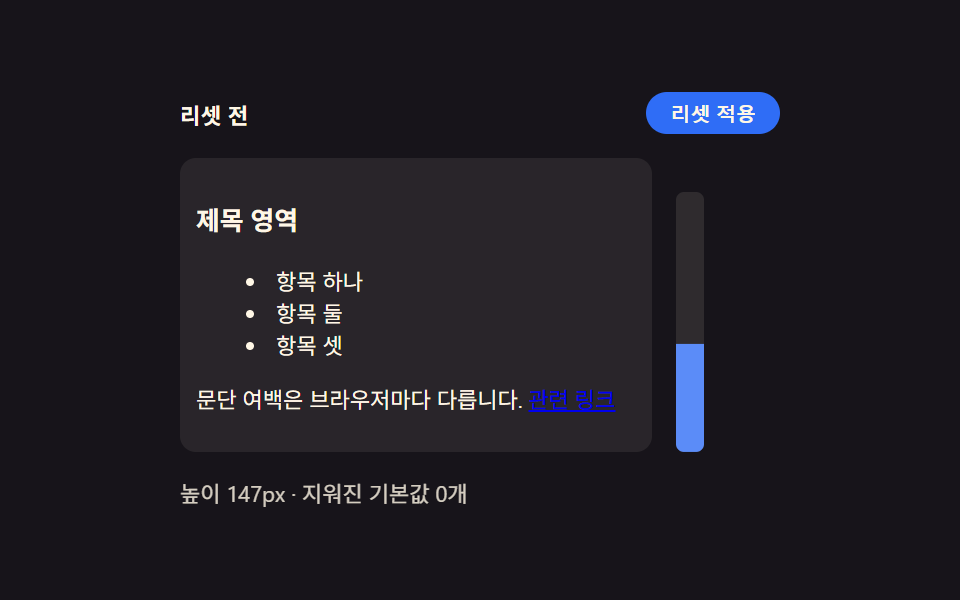 basecss 초기화 9종 — 리셋부터 안전 영역까지 한 번에 정리
 피드백CSS 툴팁 말풍선 9종 — 한 줄 복붙으로
 피드백CSS 입력창 검색창 포커스 애니메이션 9종 — 한 줄 복붙으로
 갤러리포트폴리오 갤러리 UI 9종 — 드래그 정렬부터 모프 전환까지
 랜딩 섹션인용구 디자인 CSS 9종 — 블로그에 바로 붙이는 인용구 박스 코드
 basecss corner-shape 9종 — border-radius 없이 깎는 모서리 모양
 버튼CSS 버튼 애니메이션 9종 — 복붙하면 되는 SCSS + React
 스크롤CSS 스크롤 애니메이션 9종 — AOS·GSAP 없이 JS 0줄로
 피드백CSS 다크모드 토글 애니메이션 9종 — 한 줄 복붙으로
 전환CSS 아코디언 애니메이션 9종 — JS 없이, CSS만으로