CSS Generator: 9 Sliders That Write the Code
A CSS generator is a small panel that turns a CSS value into a control you can move: drag a slider, read the code.
 01 gen-box-shadow-stack
 02 gen-gradient-angle-stops
 03 gen-border-radius-8handles
 04 gen-clip-path-polygon
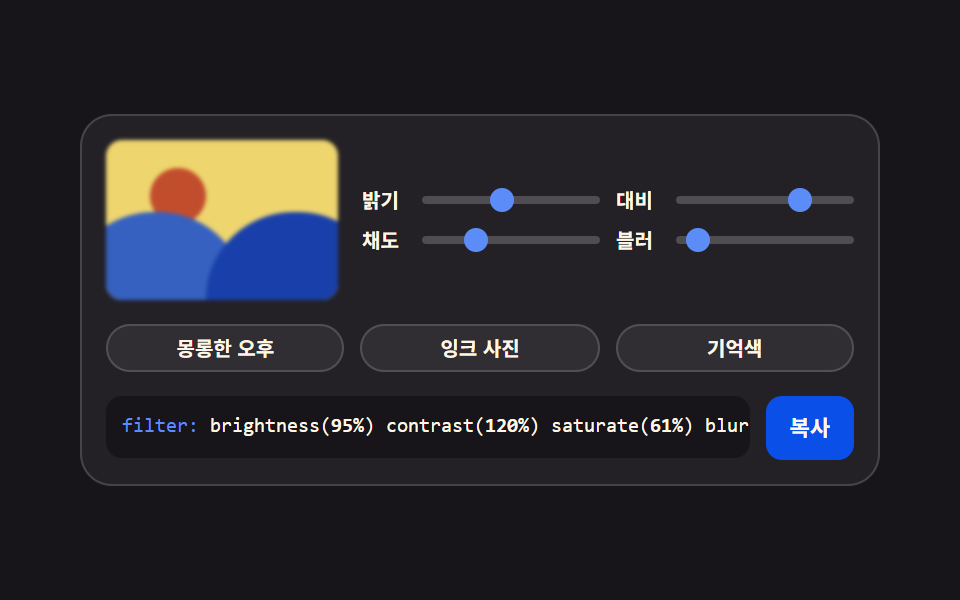 05 gen-filter-chain-presets
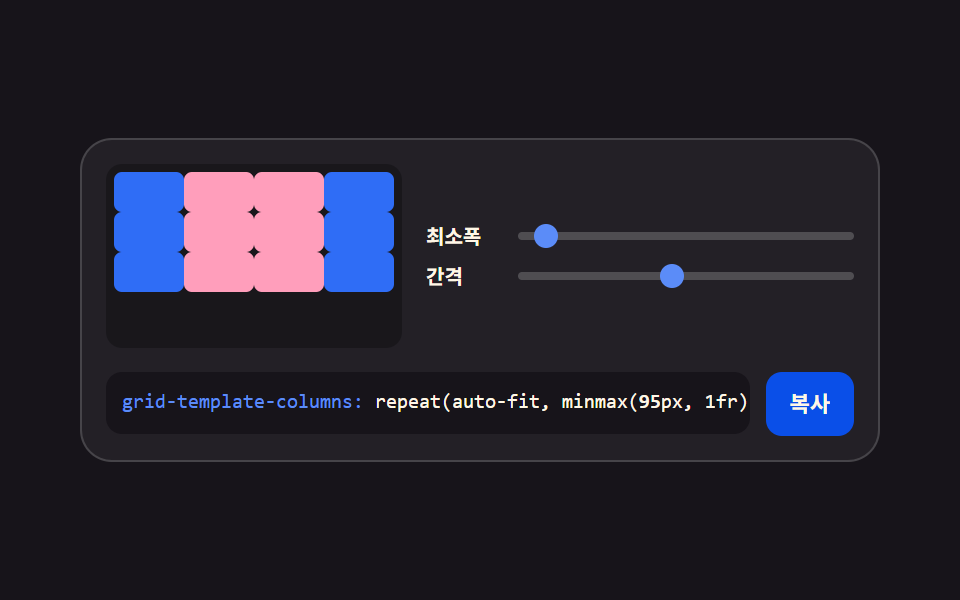 06 gen-grid-columns-gap
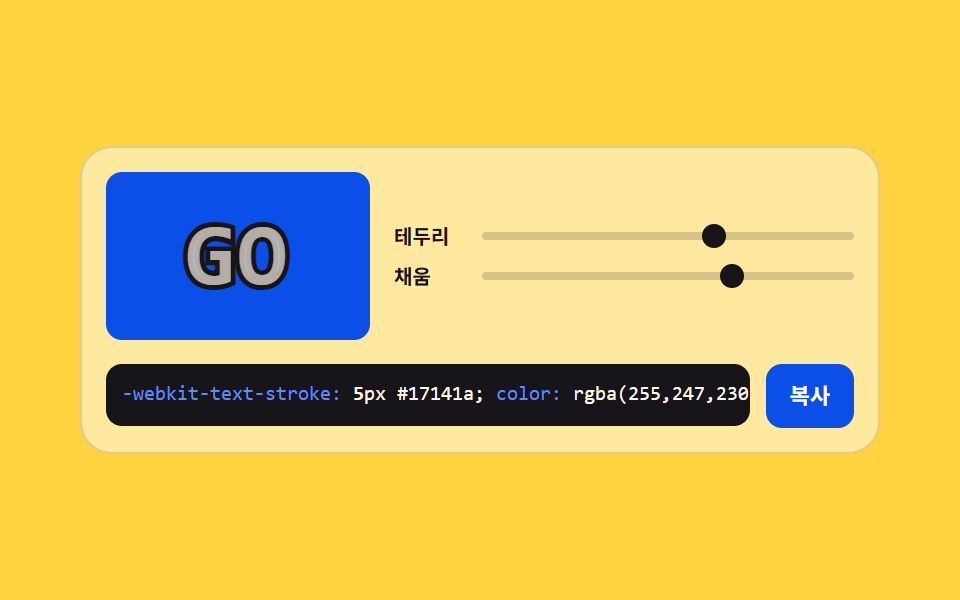 07 gen-text-stroke-outline
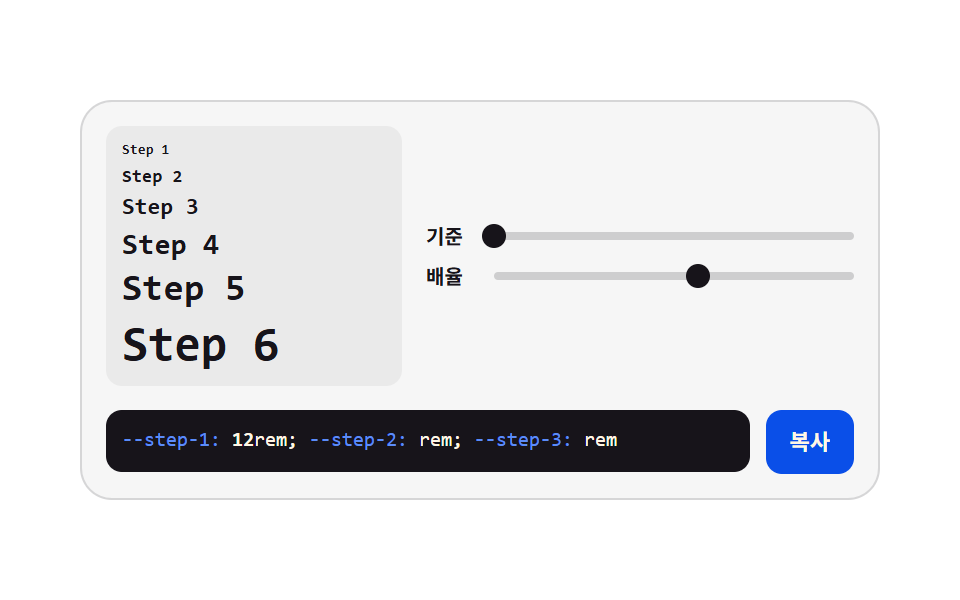 08 gen-type-scale-ratio
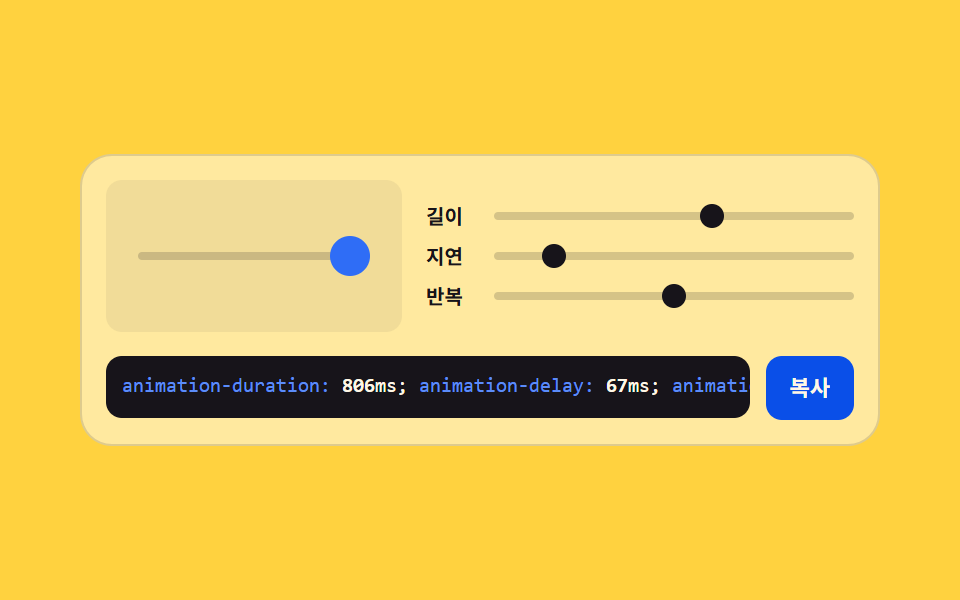 09 gen-animation-timing-preview
Auto-plays · click a tile to jump to its section · all nine in one zip
- 01 Stacked box shadow
- 02 Angle and stop gradient
- 03 Eight-handle corner radius
- 04 Polygon vertex clipping
- 05 Filter chain presets
- 06 Grid columns and gap
- 07 Text outline weight
- 08 Type scale ladder
- 09 Timing value preview
The order is the order in which a screen gets dressed. A shadow lifts the card off the page (01), a gradient fills the ground behind it (02), the corners soften (03), a photo is cut to shape (04), the color is graded (05), the cells spread across the width (06), the headline takes an outline (07), the type sizes lock into a ladder (08), and the motion is timed last (09). The second of the nine panels is a css gradient generator, and the wiring it uses — slider to custom property to code box — is identical in all of them, which is why no panel can show one value and print another. Next door in the same creative pillar sit CSS Background Pattern Generator: 9 Seeded Scenes, where a seed rather than a hand decides the numbers, and JavaScript Physics Simulation: 9 Demos, No Library, where the value you drag is a force.
01Stacked box shadow
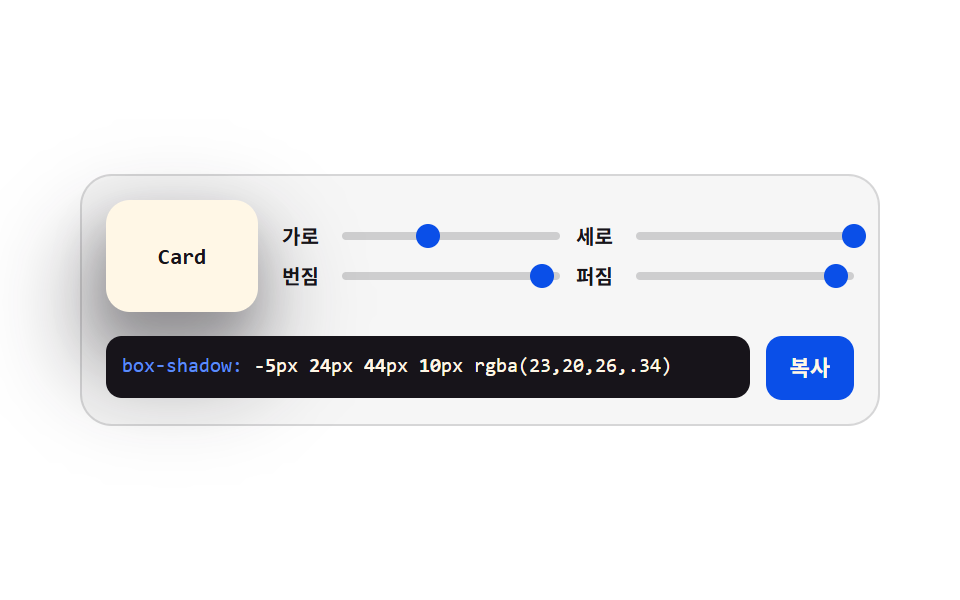
Four sliders hold the x, y, blur, and spread axes while two copies of the same shadow stack up — the panel you open to decide how far a card or a button floats off the page.
<main class="stage">
<div class="gen is-demo" id="gen">
  <div class="gen__top">
    <div class="gen__preview" aria-hidden="true"><span class="gen__chip">Card</span></div>
    <div class="gen__grid">
      <label class="gen__row">
        <span class="gen__lab">X</span>
        <span class="gen__slot">
          <input class="gen__rng" type="range" min="-24" max="24" step="2" value="0" data-var="--shadow-x" aria-label="Horizontal distance">
          <span class="gen__thumb" aria-hidden="true"></span>
        </span>
      </label>
      <label class="gen__row">
        <span class="gen__lab">Y</span>
        <span class="gen__slot">
          <input class="gen__rng" type="range" min="-24" max="24" step="2" value="10" data-var="--shadow-y" aria-label="Vertical distance">
          <span class="gen__thumb" aria-hidden="true"></span>
        </span>
      </label>
      <label class="gen__row">
        <span class="gen__lab">Blur</span>
        <span class="gen__slot">
          <input class="gen__rng" type="range" min="0" max="48" step="2" value="20" data-var="--shadow-blur" aria-label="Blur amount">
          <span class="gen__thumb" aria-hidden="true"></span>
        </span>
      </label>
      <label class="gen__row">
        <span class="gen__lab">Spread</span>
        <span class="gen__slot">
          <input class="gen__rng" type="range" min="-12" max="12" step="2" value="-4" data-var="--shadow-spread" aria-label="Spread amount">
          <span class="gen__thumb" aria-hidden="true"></span>
        </span>
      </label>
    </div>
  </div>
  <div class="gen__out">
    <code class="gen__code"><span class="gen__prop">box-shadow:</span> <span class="gen__v gen__v--x"></span>px <span class="gen__v gen__v--y"></span>px <span class="gen__v gen__v--blur"></span>px <span class="gen__v gen__v--spread"></span>px rgba(23,20,26,.34)</code>
    <button class="gen__copy" type="button" id="copy">Copy</button>
  </div>
</div>
</main>@use "../../../../site/static/demo-tokens" as *;
// 그림자 겹쳐 쌓기 — 네 축을 사용자 지정 속성 네 개에 모으고, 미리보기 카드와 코드 상자가
// **같은 속성**을 읽는다. 슬라이더를 끌면 JS 가 속성을 갱신하고, 격자 미리보기(.is-demo)는
// 같은 속성을 CSS 키프레임으로 움직인다 — 그래서 손으로 만질 때와 자동 재생이 같은 그림이다.
// 네이티브 thumb 은 투명으로 두고 손잡이는 `.gen__thumb` 이 그린다. 값이 속성 하나라
// 자동 재생에서도 손잡이가 같이 움직인다 (input 의 value 는 CSS 로 못 움직인다).
$duration: $dur-loop;
$easing: $ease-spring;
$color: $subject-blue-deep;
$mono: ui-monospace, SFMono-Regular, "SF Mono", Consolas, "Liberation Mono", monospace;
$line: rgba(23, 20, 26, .14);
$track: rgba(23, 20, 26, .18);
$rail: 4px;
$thumb: 12px;
// 네 축을 정수로 등록한다. 등록해야 키프레임에서 보간되고 counter() 로도 읽힌다
@property --shadow-x { syntax: "<integer>"; inherits: true; initial-value: 0; }
@property --shadow-y { syntax: "<integer>"; inherits: true; initial-value: 10; }
@property --shadow-blur { syntax: "<integer>"; inherits: true; initial-value: 20; }
@property --shadow-spread { syntax: "<integer>"; inherits: true; initial-value: -4; }
@include stage($stage-paper);
.gen {
min-width: 0; // stage grid item 의 자동 최소폭(min-content) 을 끊는다 — BD9
--shadow-x: 0;
--shadow-y: 10;
--shadow-blur: 20;
--shadow-spread: -4;
display: flex; flex-direction: column; gap: $sp-3;
box-sizing: border-box; width: min(100%, 400px);
padding: $sp-3; border: 1px solid $line; border-radius: $r-card;
background: rgba(23, 20, 26, .04);
}
.gen__top { display: flex; align-items: center; gap: $sp-3; }
// ── 미리보기 — 네 속성을 그대로 box-shadow 로 읽는다
.gen__preview {
flex: 0 0 auto;
display: grid; place-items: center;
box-sizing: border-box; width: 76px; height: 56px;
border-radius: $r-control;
background: $subject-cream;
box-shadow:
calc(var(--shadow-x) * 1px) calc(var(--shadow-y) * 1px) calc(var(--shadow-blur) * 1px) calc(var(--shadow-spread) * 1px) rgba(23, 20, 26, .34),
calc(var(--shadow-x) * .5px) calc(var(--shadow-y) * .5px) calc(var(--shadow-blur) * .5px) 0 rgba(23, 20, 26, .22);
}
.gen__chip {
color: $subject-ink;
font-family: $mono; font-weight: 700; font-size: 11px; line-height: 1.4;
}
// ── 슬라이더 네 줄 (2열)
.gen__grid { flex: 1 1 auto; min-width: 0; display: grid; grid-template-columns: repeat(2, minmax(0, 1fr)); gap: $sp-1 $sp-2; }
.gen__row { display: flex; align-items: center; gap: $sp-1; cursor: pointer; }
.gen__lab {
flex: 0 0 auto; width: 26px;
color: $subject-ink;
font-weight: 700; font-size: 10px; line-height: 1.4;
}
.gen__slot {
position: relative; flex: 1 1 auto; min-width: 0;
display: grid; align-items: center; height: 16px;
}
.gen__slot::before {
content: ""; grid-area: 1 / 1;
height: $rail; border-radius: $r-pill; background: $track;
}
.gen__rng {
grid-area: 1 / 1; appearance: none; -webkit-appearance: none;
width: 100%; min-width: 0; height: 16px; margin: 0; background: transparent;
cursor: pointer;
}
.gen__rng::-webkit-slider-thumb {
-webkit-appearance: none; appearance: none;
width: $thumb; height: $thumb; border: 0; border-radius: 50%;
background: transparent;
}
.gen__rng::-moz-range-thumb {
width: $thumb; height: $thumb; border: 0; border-radius: 50%;
background: transparent;
}
.gen__rng:focus-visible { outline: 2px solid $color; outline-offset: 2px; border-radius: $r-pill; }
// 손잡이 — 값(사용자 지정 속성)에서 위치를 계산한다. 축마다 최소·최대가 달라 --pct 를 줄마다 준다
.gen__thumb {
position: absolute; top: 50%; left: calc(var(--pct) * 1%);
width: $thumb; height: $thumb; margin-top: -($thumb * .5); margin-left: -($thumb * .5);
border-radius: 50%; background: $color;
pointer-events: none;
}
.gen__row:nth-child(1) .gen__thumb { --pct: calc((var(--shadow-x) + 24) / 48 * 100); }
.gen__row:nth-child(2) .gen__thumb { --pct: calc((var(--shadow-y) + 24) / 48 * 100); }
.gen__row:nth-child(3) .gen__thumb { --pct: calc(var(--shadow-blur) / 48 * 100); }
.gen__row:nth-child(4) .gen__thumb { --pct: calc((var(--shadow-spread) + 12) / 24 * 100); }
// ── 코드 출력
.gen__out { display: flex; align-items: flex-start; gap: $sp-2; }
.gen__code {
flex: 1 1 auto; min-width: 0;
padding: $sp-2; border-radius: $r-sm;
background: $subject-ink; color: $subject-cream;
font-family: $mono; font-weight: 500; font-size: 10px; line-height: 1.5;
white-space: nowrap; overflow: hidden;
}
.gen__prop { color: $subject-blue-light; }
// 코드 숫자는 counter() 로 그린다 — 속성이 곧 글자라 자동 재생에서도 숫자가 같이 바뀐다.
// textContent 로 쓰면 JS 가 도는 순간에만 바뀌어 미리보기 루프와 코드가 갈라진다
.gen__v { font-weight: 700; }
.gen__v--x::after { counter-reset: v var(--shadow-x); content: counter(v); }
.gen__v--y::after { counter-reset: v var(--shadow-y); content: counter(v); }
.gen__v--blur::after { counter-reset: v var(--shadow-blur); content: counter(v); }
.gen__v--spread::after { counter-reset: v var(--shadow-spread); content: counter(v); }
.gen__copy {
flex: 0 0 auto;
padding: $sp-2 $sp-3; border: 0; border-radius: $r-sm;
background: $subject-blue-deep; color: $subject-cream;
font-family: inherit; font-weight: 700; font-size: 11px; line-height: 1.4;
cursor: pointer;
}
.gen__copy:focus-visible { outline: 2px solid $color; outline-offset: 2px; }
// ── 격자 미리보기 — 네 속성을 그대로 움직인다. 미리보기·손잡이·코드 숫자가 한 소스에서 나온다
@keyframes shadowX { 0%, 100% { --shadow-x: 0; } 30% { --shadow-x: -18; } 65% { --shadow-x: 16; } }
@keyframes shadowY { 0%, 100% { --shadow-y: 10; } 40% { --shadow-y: 24; } 80% { --shadow-y: 2; } }
@keyframes shadowBlur { 0%, 100% { --shadow-blur: 20; } 45% { --shadow-blur: 44; } 85% { --shadow-blur: 6; } }
@keyframes shadowSpread { 0%, 100% { --shadow-spread: -4; } 50% { --shadow-spread: 10; } }
.gen.is-demo {
animation-name: shadowX, shadowY, shadowBlur, shadowSpread;
animation-duration: $duration;
animation-timing-function: $easing;
animation-iteration-count: infinite;
}
@media (prefers-reduced-motion: reduce) {
.gen.is-demo { animation: none !important; }
}
@media (max-width: 340px) {
.gen { gap: $sp-2; padding: $sp-2; }
.gen__top { gap: $sp-2; }
.gen__preview { width: 64px; height: 48px; }
.gen__code { font-size: 9px; }
}@property --shadow-x {
syntax: "<integer>";
inherits: true;
initial-value: 0;
}
@property --shadow-y {
syntax: "<integer>";
inherits: true;
initial-value: 10;
}
@property --shadow-blur {
syntax: "<integer>";
inherits: true;
initial-value: 20;
}
@property --shadow-spread {
syntax: "<integer>";
inherits: true;
initial-value: -4;
}
html, body {
margin: 0;
overflow: hidden;
}
.stage {
box-sizing: border-box;
min-height: 100vh;
display: grid;
place-items: center;
margin: 0;
background: #ffffff;
font-family: -apple-system, "Segoe UI", "Noto Sans KR", sans-serif;
padding: clamp(8px, 4vw, 24px);
}
.gen {
min-width: 0;
--shadow-x: 0;
--shadow-y: 10;
--shadow-blur: 20;
--shadow-spread: -4;
display: flex;
flex-direction: column;
gap: 12px;
box-sizing: border-box;
width: min(100%, 400px);
padding: 12px;
border: 1px solid rgba(23, 20, 26, 0.14);
border-radius: 16px;
background: rgba(23, 20, 26, 0.04);
}
.gen__top {
display: flex;
align-items: center;
gap: 12px;
}
.gen__preview {
flex: 0 0 auto;
display: grid;
place-items: center;
box-sizing: border-box;
width: 76px;
height: 56px;
border-radius: 12px;
background: #fff7e6;
box-shadow: calc(var(--shadow-x) * 1px) calc(var(--shadow-y) * 1px) calc(var(--shadow-blur) * 1px) calc(var(--shadow-spread) * 1px) rgba(23, 20, 26, 0.34), calc(var(--shadow-x) * 0.5px) calc(var(--shadow-y) * 0.5px) calc(var(--shadow-blur) * 0.5px) 0 rgba(23, 20, 26, 0.22);
}
.gen__chip {
color: #17141a;
font-family: ui-monospace, SFMono-Regular, "SF Mono", Consolas, "Liberation Mono", monospace;
font-weight: 700;
font-size: 11px;
line-height: 1.4;
}
.gen__grid {
flex: 1 1 auto;
min-width: 0;
display: grid;
grid-template-columns: repeat(2, minmax(0, 1fr));
gap: 4px 8px;
}
.gen__row {
display: flex;
align-items: center;
gap: 4px;
cursor: pointer;
}
.gen__lab {
flex: 0 0 auto;
width: 26px;
color: #17141a;
font-weight: 700;
font-size: 10px;
line-height: 1.4;
}
.gen__slot {
position: relative;
flex: 1 1 auto;
min-width: 0;
display: grid;
align-items: center;
height: 16px;
}
.gen__slot::before {
content: "";
grid-area: 1/1;
height: 4px;
border-radius: 999px;
background: rgba(23, 20, 26, 0.18);
}
.gen__rng {
grid-area: 1/1;
appearance: none;
-webkit-appearance: none;
width: 100%;
min-width: 0;
height: 16px;
margin: 0;
background: transparent;
cursor: pointer;
}
.gen__rng::-webkit-slider-thumb {
-webkit-appearance: none;
appearance: none;
width: 12px;
height: 12px;
border: 0;
border-radius: 50%;
background: transparent;
}
.gen__rng::-moz-range-thumb {
width: 12px;
height: 12px;
border: 0;
border-radius: 50%;
background: transparent;
}
.gen__rng:focus-visible {
outline: 2px solid #0a4fe8;
outline-offset: 2px;
border-radius: 999px;
}
.gen__thumb {
position: absolute;
top: 50%;
left: calc(var(--pct) * 1%);
width: 12px;
height: 12px;
margin-top: -6px;
margin-left: -6px;
border-radius: 50%;
background: #0a4fe8;
pointer-events: none;
}
.gen__row:nth-child(1) .gen__thumb {
--pct: calc((var(--shadow-x) + 24) / 48 * 100);
}
.gen__row:nth-child(2) .gen__thumb {
--pct: calc((var(--shadow-y) + 24) / 48 * 100);
}
.gen__row:nth-child(3) .gen__thumb {
--pct: calc(var(--shadow-blur) / 48 * 100);
}
.gen__row:nth-child(4) .gen__thumb {
--pct: calc((var(--shadow-spread) + 12) / 24 * 100);
}
.gen__out {
display: flex;
align-items: flex-start;
gap: 8px;
}
.gen__code {
flex: 1 1 auto;
min-width: 0;
padding: 8px;
border-radius: 8px;
background: #17141a;
color: #fff7e6;
font-family: ui-monospace, SFMono-Regular, "SF Mono", Consolas, "Liberation Mono", monospace;
font-weight: 500;
font-size: 10px;
line-height: 1.5;
white-space: nowrap;
overflow: hidden;
}
.gen__prop {
color: #5b8cf8;
}
.gen__v {
font-weight: 700;
}
.gen__v--x::after {
counter-reset: v var(--shadow-x);
content: counter(v);
}
.gen__v--y::after {
counter-reset: v var(--shadow-y);
content: counter(v);
}
.gen__v--blur::after {
counter-reset: v var(--shadow-blur);
content: counter(v);
}
.gen__v--spread::after {
counter-reset: v var(--shadow-spread);
content: counter(v);
}
.gen__copy {
flex: 0 0 auto;
padding: 8px 12px;
border: 0;
border-radius: 8px;
background: #0a4fe8;
color: #fff7e6;
font-family: inherit;
font-weight: 700;
font-size: 11px;
line-height: 1.4;
cursor: pointer;
}
.gen__copy:focus-visible {
outline: 2px solid #0a4fe8;
outline-offset: 2px;
}
@keyframes shadowX {
0%, 100% {
--shadow-x: 0;
}
30% {
--shadow-x: -18;
}
65% {
--shadow-x: 16;
}
}
@keyframes shadowY {
0%, 100% {
--shadow-y: 10;
}
40% {
--shadow-y: 24;
}
80% {
--shadow-y: 2;
}
}
@keyframes shadowBlur {
0%, 100% {
--shadow-blur: 20;
}
45% {
--shadow-blur: 44;
}
85% {
--shadow-blur: 6;
}
}
@keyframes shadowSpread {
0%, 100% {
--shadow-spread: -4;
}
50% {
--shadow-spread: 10;
}
}
.gen.is-demo {
animation-name: shadowX, shadowY, shadowBlur, shadowSpread;
animation-duration: 2s;
animation-timing-function: cubic-bezier(0.2, 0.8, 0.2, 1);
animation-iteration-count: infinite;
}
@media (prefers-reduced-motion: reduce) {
.gen.is-demo {
animation: none !important;
}
}
@media (max-width: 340px) {
.gen {
gap: 8px;
padding: 8px;
}
.gen__top {
gap: 8px;
}
.gen__preview {
width: 64px;
height: 48px;
}
.gen__code {
font-size: 9px;
}
}var gen = document.getElementById('gen');
var copyBtn = document.getElementById('copy');
var ranges = Array.prototype.slice.call(gen.querySelectorAll('.gen__rng'));
var COPY_LABEL = 'Copy';
var DONE_LABEL = 'Copied';
// 슬라이더 값은 전부 gen 요소의 사용자 지정 속성 네 개에 모인다. 미리보기 카드의 box-shadow 도,
// 코드 상자의 숫자(counter() 로 그린다)도, 손잡이 위치도 같은 속성을 읽는다 — 그래서 자동 재생
// 루프가 속성만 움직여도 셋이 함께 바뀐다. JS 는 조작할 때 속성을 넣고 복사용 문자열만 만든다.
function readVar(name) {
return parseInt(getComputedStyle(gen).getPropertyValue(name), 10) || 0;
}
function shadowText() {
var x = readVar('--shadow-x'), y = readVar('--shadow-y');
var blur = readVar('--shadow-blur'), spread = readVar('--shadow-spread');
// 두 겹 중 아래 겹은 절반 거리·절반 번짐으로 깔아 깊이를 만든다
return 'box-shadow: ' + x + 'px ' + y + 'px ' + blur + 'px ' + spread + 'px rgba(23,20,26,.34),\n'
+ ' ' + Math.round(x / 2) + 'px ' + Math.round(y / 2) + 'px ' + Math.round(blur / 2) + 'px 0 rgba(23,20,26,.22);';
}
ranges.forEach(function (input) {
input.addEventListener('input', function () {
gen.classList.remove('is-demo');
gen.style.setProperty(input.dataset.var, input.value);
});
input.addEventListener('pointerdown', function () { gen.classList.remove('is-demo'); });
});
// 클립보드는 iframe·http 환경에서 막힐 수 있다. writeText 는 **거부된 프로미스**를 돌려주므로
// try/catch 로는 못 잡는다 — 반드시 catch 를 달아 선택 방식으로 떨어뜨린다 (조작 실측에서 잡았다)
function fallbackCopy(text) {
var area = document.createElement('textarea');
area.value = text;
area.setAttribute('readonly', '');
area.style.position = 'fixed';
area.style.opacity = '0';
document.body.appendChild(area);
area.select();
try { document.execCommand('copy'); } catch (err) { /* 여기까지 막히면 조용히 포기한다 */ }
document.body.removeChild(area);
}
copyBtn.addEventListener('click', function () {
gen.classList.remove('is-demo');
var text = shadowText();
if (navigator.clipboard && navigator.clipboard.writeText) {
navigator.clipboard.writeText(text).catch(function () { fallbackCopy(text); });
} else {
fallbackCopy(text);
}
copyBtn.textContent = DONE_LABEL;
setTimeout(function () { copyBtn.textContent = COPY_LABEL; }, 1200);
});import { useState, useMemo } from 'react';
import styles from './ShadowStack.module.scss';
type Axis = { key: string; cssVar: string; label: string; min: number; max: number };
// ambient 선언에 React 이벤트 제네릭이 없어 로컬 타입으로 받는다 (blog-demo TS7006 항)
type RangeEvt = { target: { value: string } };
// 바닐라 판과 같은 네 축. 값은 사용자 지정 속성으로 내려보내고 미리보기·손잡이·코드가 함께 읽는다
const AXES: Axis[] = [
{ key: 'x', cssVar: '--shadow-x', label: '가로', min: -24, max: 24 },
{ key: 'y', cssVar: '--shadow-y', label: '세로', min: -24, max: 24 },
{ key: 'blur', cssVar: '--shadow-blur', label: '번짐', min: 0, max: 48 },
{ key: 'spread', cssVar: '--shadow-spread', label: '퍼짐', min: -12, max: 12 }
];
export type ShadowStackProps = {
duration?: string;
easing?: string;
color?: string;
};
export default function ShadowStack({ duration = '2s', easing = 'cubic-bezier(.2, .8, .2, 1)', color = '#5b8cf8' }: ShadowStackProps) {
const [values, setValues] = useState<Record<string, number>>({ x: 0, y: 10, blur: 20, spread: -4 });
const [live, setLive] = useState(true);
const codeText = useMemo(() => {
const { x, y, blur, spread } = values;
return `box-shadow: ${x}px ${y}px ${blur}px ${spread}px rgba(23,20,26,.34),\n ${Math.round(x / 2)}px ${Math.round(y / 2)}px ${Math.round(blur / 2)}px 0 rgba(23,20,26,.22);`;
}, [values]);
const style = {
'--dur-loop': duration,
'--ease-spring': easing,
'--accent': color,
'--shadow-x': values.x,
'--shadow-y': values.y,
'--shadow-blur': values.blur,
'--shadow-spread': values.spread
} as Record<string, string | number>;
function copy() {
setLive(false);
try {
navigator.clipboard.writeText(codeText);
} catch (err) {
/* 클립보드가 막힌 환경에서는 조용히 넘어간다 */
}
}
return (
<div className={live ? `${styles.gen} ${styles.isDemo}` : styles.gen} style={style}>
<div className={styles.top}>
<div className={styles.preview} aria-hidden="true"><span className={styles.chip}>Card</span></div>
<div className={styles.grid}>
{AXES.map((axis) => (
<label className={styles.row} key={axis.key}>
<span className={styles.lab}>{axis.label}</span>
<span className={styles.slot}>
<input
className={styles.rng}
type="range"
min={axis.min}
max={axis.max}
step={2}
value={values[axis.key]}
aria-label={axis.label}
onChange={(e: RangeEvt) => {
setLive(false);
setValues((v) => ({ ...v, [axis.key]: Number(e.target.value) }));
}}
/>
<span
className={styles.thumb}
aria-hidden="true"
style={{ left: `${((values[axis.key] - axis.min) / (axis.max - axis.min)) * 100}%` }}
/>
</span>
</label>
))}
</div>
</div>
<div className={styles.out}>
<code className={styles.code}>
<span className={styles.prop}>box-shadow:</span> {values.x}px {values.y}px {values.blur}px {values.spread}px rgba(23,20,26,.34)
</code>
<button className={styles.copy} type="button" onClick={copy}>복사</button>
</div>
</div>
);
}01 · Stacked box shadow — Measured area 10.931% · moving frames 23/23Original by GODRICH · SCSS and React ship in the zip · See the password
Four numbers kept in one place
// Register the four axes as integers — registration is what lets keyframes interpolate them and counter() read them
@property --shadow-x { syntax: "<integer>"; inherits: true; initial-value: 0; }
@property --shadow-y { syntax: "<integer>"; inherits: true; initial-value: 10; }
@property --shadow-blur { syntax: "<integer>"; inherits: true; initial-value: 20; }
@property --shadow-spread { syntax: "<integer>"; inherits: true; initial-value: -4; }

// The digits in the code box read the same properties through a counter — screen and code see one value
.gen__v--x::after { counter-reset: v var(--shadow-x); content: counter(v); }
Because the numbers live only in those four registered properties, the card's box-shadow, the slider thumb position, and the digits in the code box cannot disagree, and the grid preview animates those same properties through keyframes for 10.93% cumulative moved area, 110.3 average intensity, and 23 of 23 frames with motion.
Two layers that make the depth
box-shadow:
  calc(var(--shadow-x) * 1px) calc(var(--shadow-y) * 1px) calc(var(--shadow-blur) * 1px) calc(var(--shadow-spread) * 1px) rgba(23, 20, 26, .34),
  calc(var(--shadow-x) * .5px) calc(var(--shadow-y) * .5px) calc(var(--shadow-blur) * .5px) 0 rgba(23, 20, 26, .22);
The lower layer is the same shadow at half the distance and half the blur, so the edge stays clean as the values grow, and that is what makes the pair usable as the base of a design system's shadow steps.
02Angle and stop gradient
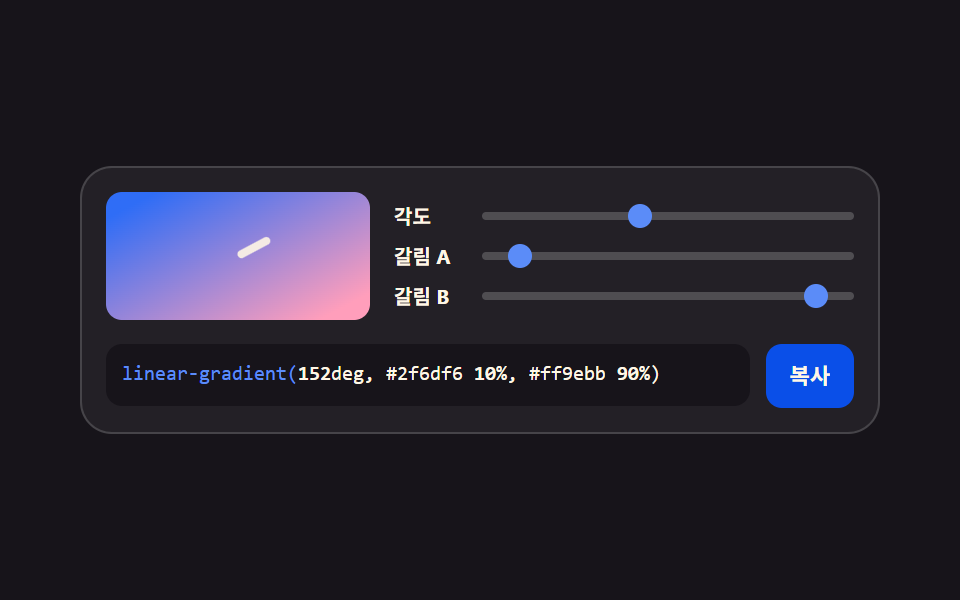
An angle slider rotates the direction of the linear-gradient while two stop sliders push the point where the colors meet — the panel to reach for when a hero background or a button fill has to be settled by eye.
<main class="stage">
<div class="gen is-demo" id="gen">
  <div class="gen__top">
    <div class="gen__preview" aria-hidden="true"><span class="gen__angle-mark"></span></div>
    <div class="gen__grid">
      <label class="gen__row">
        <span class="gen__lab">Angle</span>
        <span class="gen__slot">
          <input class="gen__rng" type="range" min="0" max="360" step="5" value="45" data-var="--grad-angle" aria-label="Gradient angle">
          <span class="gen__thumb" aria-hidden="true"></span>
        </span>
      </label>
      <label class="gen__row">
        <span class="gen__lab">Stop A</span>
        <span class="gen__slot">
          <input class="gen__rng" type="range" min="0" max="100" step="5" value="30" data-var="--grad-stop-a" aria-label="First color stop position">
          <span class="gen__thumb" aria-hidden="true"></span>
        </span>
      </label>
      <label class="gen__row">
        <span class="gen__lab">Stop B</span>
        <span class="gen__slot">
          <input class="gen__rng" type="range" min="0" max="100" step="5" value="75" data-var="--grad-stop-b" aria-label="Second color stop position">
          <span class="gen__thumb" aria-hidden="true"></span>
        </span>
      </label>
    </div>
  </div>
  <div class="gen__out">
    <code class="gen__code"><span class="gen__prop">linear-gradient(</span><span class="gen__v gen__v--angle"></span>deg, #2f6df6 <span class="gen__v gen__v--a"></span>%, #ff9ebb <span class="gen__v gen__v--b"></span>%)</code>
    <button class="gen__copy" type="button" id="copy">Copy</button>
  </div>
</div>
</main>@use "../../../../site/static/demo-tokens" as *;
// 각도와 정지점 그라디언트 — 각도·갈림 두 지점을 사용자 지정 속성 셋에 모은다.
// 미리보기·손잡이·코드 숫자 전부 같은 속성을 읽는다(01 과 같은 체계).
// 각도 눈금 마크가 미리보기 모서리를 따라 돈다 — 값이 방향이라는 걸 눈으로 보여 준다.
$duration: $dur-loop;
$easing: $ease-spring;
$color: $subject-blue-light;
$mono: ui-monospace, SFMono-Regular, "SF Mono", Consolas, "Liberation Mono", monospace;
$line: rgba(255, 255, 255, .16);
$track: rgba(255, 255, 255, .2);
$rail: 4px;
$thumb: 12px;
@property --grad-angle { syntax: "<integer>"; inherits: true; initial-value: 45; }
@property --grad-stop-a { syntax: "<integer>"; inherits: true; initial-value: 30; }
@property --grad-stop-b { syntax: "<integer>"; inherits: true; initial-value: 75; }
@include stage($stage-ink);
.gen {
min-width: 0; // stage grid item 의 자동 최소폭(min-content) 을 끊는다 — BD9
--grad-angle: 45;
--grad-stop-a: 30;
--grad-stop-b: 75;
display: flex; flex-direction: column; gap: $sp-3;
box-sizing: border-box; width: min(100%, 400px);
padding: $sp-3; border: 1px solid $line; border-radius: $r-card;
background: rgba(255, 255, 255, .05);
}
.gen__top { display: flex; align-items: center; gap: $sp-3; }
// ── 미리보기 — 각도가 속성 하나로 방향을 돌린다
.gen__preview {
position: relative; flex: 0 0 auto;
box-sizing: border-box; width: 132px; height: 64px;
border-radius: $r-sm; overflow: hidden;
background: linear-gradient(calc(var(--grad-angle) * 1deg), $subject-blue calc(var(--grad-stop-a) * 1%), $subject-pink calc(var(--grad-stop-b) * 1%));
}
// 각도 눈금 — 미리보기 왼쪽 위 모서리에서 회전하는 짧은 막대
.gen__angle-mark {
position: absolute; left: 50%; top: 50%;
width: 18px; height: 4px; margin: -2px 0 0 -18px;
border-radius: $r-pill; background: $subject-cream;
transform-origin: 18px 2px;
transform: rotate(calc(var(--grad-angle) * 1deg));
opacity: .9;
}
.gen__grid { flex: 1 1 auto; min-width: 0; display: grid; grid-template-columns: minmax(0, 1fr); gap: $sp-1; }
.gen__row { display: flex; align-items: center; gap: $sp-1; cursor: pointer; }
.gen__lab {
flex: 0 0 auto; width: 40px;
color: $subject-cream;
font-weight: 700; font-size: 10px; line-height: 1.4;
}
.gen__slot {
position: relative; flex: 1 1 auto; min-width: 0;
display: grid; align-items: center; height: 16px;
}
.gen__slot::before {
content: ""; grid-area: 1 / 1;
height: $rail; border-radius: $r-pill; background: $track;
}
.gen__rng {
grid-area: 1 / 1; appearance: none; -webkit-appearance: none;
width: 100%; min-width: 0; height: 16px; margin: 0; background: transparent;
cursor: pointer;
}
.gen__rng::-webkit-slider-thumb {
-webkit-appearance: none; appearance: none;
width: $thumb; height: $thumb; border: 0; border-radius: 50%;
background: transparent;
}
.gen__rng::-moz-range-thumb {
width: $thumb; height: $thumb; border: 0; border-radius: 50%;
background: transparent;
}
.gen__rng:focus-visible { outline: 2px solid $color; outline-offset: 2px; border-radius: $r-pill; }
.gen__thumb {
position: absolute; top: 50%; left: calc(var(--pct) * 1%);
width: $thumb; height: $thumb; margin-top: -($thumb * .5); margin-left: -($thumb * .5);
border-radius: 50%; background: $color;
pointer-events: none;
}
.gen__row:nth-child(1) .gen__thumb { --pct: calc(var(--grad-angle) / 360 * 100); }
.gen__row:nth-child(2) .gen__thumb { --pct: var(--grad-stop-a); }
.gen__row:nth-child(3) .gen__thumb { --pct: var(--grad-stop-b); }
.gen__out { display: flex; align-items: flex-start; gap: $sp-2; }
.gen__code {
flex: 1 1 auto; min-width: 0;
padding: $sp-2; border-radius: $r-sm;
background: $subject-ink; color: $subject-cream;
font-family: $mono; font-weight: 500; font-size: 10px; line-height: 1.5;
white-space: nowrap; overflow: hidden;
}
.gen__prop { color: $subject-blue-light; }
.gen__v { font-weight: 700; }
.gen__v--angle::after { counter-reset: v var(--grad-angle); content: counter(v); }
.gen__v--a::after { counter-reset: v var(--grad-stop-a); content: counter(v); }
.gen__v--b::after { counter-reset: v var(--grad-stop-b); content: counter(v); }
.gen__copy {
flex: 0 0 auto;
padding: $sp-2 $sp-3; border: 0; border-radius: $r-sm;
background: $subject-blue-deep; color: $subject-cream;
font-family: inherit; font-weight: 700; font-size: 11px; line-height: 1.4;
cursor: pointer;
}
.gen__copy:focus-visible { outline: 2px solid $color; outline-offset: 2px; }
// ── 격자 미리보기
@keyframes gradAngle { 0%, 100% { --grad-angle: 45; } 35% { --grad-angle: 210; } 70% { --grad-angle: 315; } }
@keyframes gradStopA { 0%, 100% { --grad-stop-a: 30; } 40% { --grad-stop-a: 45; } 80% { --grad-stop-a: 10; } }
@keyframes gradStopB { 0%, 100% { --grad-stop-b: 75; } 50% { --grad-stop-b: 55; } 85% { --grad-stop-b: 90; } }
.gen.is-demo {
animation-name: gradAngle, gradStopA, gradStopB;
animation-duration: $duration;
animation-timing-function: $easing;
animation-iteration-count: infinite;
}
@media (prefers-reduced-motion: reduce) {
.gen.is-demo { animation: none !important; }
}
@media (max-width: 340px) {
.gen { gap: $sp-2; padding: $sp-2; }
.gen__top { gap: $sp-2; }
.gen__preview { width: 104px; height: 56px; }
.gen__code { font-size: 9px; }
}@property --grad-angle {
syntax: "<integer>";
inherits: true;
initial-value: 45;
}
@property --grad-stop-a {
syntax: "<integer>";
inherits: true;
initial-value: 30;
}
@property --grad-stop-b {
syntax: "<integer>";
inherits: true;
initial-value: 75;
}
html, body {
margin: 0;
overflow: hidden;
}
.stage {
box-sizing: border-box;
min-height: 100vh;
display: grid;
place-items: center;
margin: 0;
background: #17141a;
font-family: -apple-system, "Segoe UI", "Noto Sans KR", sans-serif;
padding: clamp(8px, 4vw, 24px);
}
.gen {
min-width: 0;
--grad-angle: 45;
--grad-stop-a: 30;
--grad-stop-b: 75;
display: flex;
flex-direction: column;
gap: 12px;
box-sizing: border-box;
width: min(100%, 400px);
padding: 12px;
border: 1px solid rgba(255, 255, 255, 0.16);
border-radius: 16px;
background: rgba(255, 255, 255, 0.05);
}
.gen__top {
display: flex;
align-items: center;
gap: 12px;
}
.gen__preview {
position: relative;
flex: 0 0 auto;
box-sizing: border-box;
width: 132px;
height: 64px;
border-radius: 8px;
overflow: hidden;
background: linear-gradient(calc(var(--grad-angle) * 1deg), #2f6df6 calc(var(--grad-stop-a) * 1%), #ff9ebb calc(var(--grad-stop-b) * 1%));
}
.gen__angle-mark {
position: absolute;
left: 50%;
top: 50%;
width: 18px;
height: 4px;
margin: -2px 0 0 -18px;
border-radius: 999px;
background: #fff7e6;
transform-origin: 18px 2px;
transform: rotate(calc(var(--grad-angle) * 1deg));
opacity: 0.9;
}
.gen__grid {
flex: 1 1 auto;
min-width: 0;
display: grid;
grid-template-columns: minmax(0, 1fr);
gap: 4px;
}
.gen__row {
display: flex;
align-items: center;
gap: 4px;
cursor: pointer;
}
.gen__lab {
flex: 0 0 auto;
width: 40px;
color: #fff7e6;
font-weight: 700;
font-size: 10px;
line-height: 1.4;
}
.gen__slot {
position: relative;
flex: 1 1 auto;
min-width: 0;
display: grid;
align-items: center;
height: 16px;
}
.gen__slot::before {
content: "";
grid-area: 1/1;
height: 4px;
border-radius: 999px;
background: rgba(255, 255, 255, 0.2);
}
.gen__rng {
grid-area: 1/1;
appearance: none;
-webkit-appearance: none;
width: 100%;
min-width: 0;
height: 16px;
margin: 0;
background: transparent;
cursor: pointer;
}
.gen__rng::-webkit-slider-thumb {
-webkit-appearance: none;
appearance: none;
width: 12px;
height: 12px;
border: 0;
border-radius: 50%;
background: transparent;
}
.gen__rng::-moz-range-thumb {
width: 12px;
height: 12px;
border: 0;
border-radius: 50%;
background: transparent;
}
.gen__rng:focus-visible {
outline: 2px solid #5b8cf8;
outline-offset: 2px;
border-radius: 999px;
}
.gen__thumb {
position: absolute;
top: 50%;
left: calc(var(--pct) * 1%);
width: 12px;
height: 12px;
margin-top: -6px;
margin-left: -6px;
border-radius: 50%;
background: #5b8cf8;
pointer-events: none;
}
.gen__row:nth-child(1) .gen__thumb {
--pct: calc(var(--grad-angle) / 360 * 100);
}
.gen__row:nth-child(2) .gen__thumb {
--pct: var(--grad-stop-a);
}
.gen__row:nth-child(3) .gen__thumb {
--pct: var(--grad-stop-b);
}
.gen__out {
display: flex;
align-items: flex-start;
gap: 8px;
}
.gen__code {
flex: 1 1 auto;
min-width: 0;
padding: 8px;
border-radius: 8px;
background: #17141a;
color: #fff7e6;
font-family: ui-monospace, SFMono-Regular, "SF Mono", Consolas, "Liberation Mono", monospace;
font-weight: 500;
font-size: 10px;
line-height: 1.5;
white-space: nowrap;
overflow: hidden;
}
.gen__prop {
color: #5b8cf8;
}
.gen__v {
font-weight: 700;
}
.gen__v--angle::after {
counter-reset: v var(--grad-angle);
content: counter(v);
}
.gen__v--a::after {
counter-reset: v var(--grad-stop-a);
content: counter(v);
}
.gen__v--b::after {
counter-reset: v var(--grad-stop-b);
content: counter(v);
}
.gen__copy {
flex: 0 0 auto;
padding: 8px 12px;
border: 0;
border-radius: 8px;
background: #0a4fe8;
color: #fff7e6;
font-family: inherit;
font-weight: 700;
font-size: 11px;
line-height: 1.4;
cursor: pointer;
}
.gen__copy:focus-visible {
outline: 2px solid #5b8cf8;
outline-offset: 2px;
}
@keyframes gradAngle {
0%, 100% {
--grad-angle: 45;
}
35% {
--grad-angle: 210;
}
70% {
--grad-angle: 315;
}
}
@keyframes gradStopA {
0%, 100% {
--grad-stop-a: 30;
}
40% {
--grad-stop-a: 45;
}
80% {
--grad-stop-a: 10;
}
}
@keyframes gradStopB {
0%, 100% {
--grad-stop-b: 75;
}
50% {
--grad-stop-b: 55;
}
85% {
--grad-stop-b: 90;
}
}
.gen.is-demo {
animation-name: gradAngle, gradStopA, gradStopB;
animation-duration: 2s;
animation-timing-function: cubic-bezier(0.2, 0.8, 0.2, 1);
animation-iteration-count: infinite;
}
@media (prefers-reduced-motion: reduce) {
.gen.is-demo {
animation: none !important;
}
}
@media (max-width: 340px) {
.gen {
gap: 8px;
padding: 8px;
}
.gen__top {
gap: 8px;
}
.gen__preview {
width: 104px;
height: 56px;
}
.gen__code {
font-size: 9px;
}
}var gen = document.getElementById('gen');
var copyBtn = document.getElementById('copy');
var ranges = Array.prototype.slice.call(gen.querySelectorAll('.gen__rng'));
var COPY_LABEL = 'Copy';
var DONE_LABEL = 'Copied';
// 세 값 모두 gen 의 사용자 지정 속성 — 미리보기·손잡이·코드 숫자가 같은 곳을 읽는다
function readVar(name) {
return parseInt(getComputedStyle(gen).getPropertyValue(name), 10) || 0;
}
function gradientText() {
return 'linear-gradient(' + readVar('--grad-angle') + 'deg, #2f6df6 ' + readVar('--grad-stop-a') + '%, #ff9ebb ' + readVar('--grad-stop-b') + '%);';
}
// 클립보드는 iframe·http 환경에서 막힐 수 있다 — 거부된 프로미스를 반드시 catch 로 받아 선택 방식으로 떨어진다
function fallbackCopy(text) {
var area = document.createElement('textarea');
area.value = text;
area.setAttribute('readonly', '');
area.style.position = 'fixed';
area.style.opacity = '0';
document.body.appendChild(area);
area.select();
try { document.execCommand('copy'); } catch (err) { /* 여기까지 막히면 조용히 포기한다 */ }
document.body.removeChild(area);
}
ranges.forEach(function (input) {
input.addEventListener('input', function () {
gen.classList.remove('is-demo');
gen.style.setProperty(input.dataset.var, input.value);
});
input.addEventListener('pointerdown', function () { gen.classList.remove('is-demo'); });
});
copyBtn.addEventListener('click', function () {
gen.classList.remove('is-demo');
var text = gradientText();
if (navigator.clipboard && navigator.clipboard.writeText) {
navigator.clipboard.writeText(text).catch(function () { fallbackCopy(text); });
} else {
fallbackCopy(text);
}
copyBtn.textContent = DONE_LABEL;
setTimeout(function () { copyBtn.textContent = COPY_LABEL; }, 1200);
});import { useState, useMemo } from 'react';
import styles from './GradientStops.module.scss';
type Axis = { key: string; cssVar: string; label: string; min: number; max: number };
// ambient 선언에 React 이벤트 제네릭이 없어 로컬 타입으로 받는다 (blog-demo TS7006 항)
type RangeEvt = { target: { value: string } };
const AXES: Axis[] = [
{ key: 'angle', cssVar: '--grad-angle', label: '각도', min: 0, max: 360 },
{ key: 'stopA', cssVar: '--grad-stop-a', label: '갈림 A', min: 0, max: 100 },
{ key: 'stopB', cssVar: '--grad-stop-b', label: '갈림 B', min: 0, max: 100 }
];
export type GradientStopsProps = {
duration?: string;
easing?: string;
color?: string;
};
export default function GradientStops({ duration = '2s', easing = 'cubic-bezier(.2, .8, .2, 1)', color = '#5b8cf8' }: GradientStopsProps) {
const [values, setValues] = useState<Record<string, number>>({ angle: 45, stopA: 30, stopB: 75 });
const [live, setLive] = useState(true);
const codeText = useMemo(() => {
return `linear-gradient(${values.angle}deg, #2f6df6 ${values.stopA}%, #ff9ebb ${values.stopB}%);`;
}, [values]);
const style = {
'--dur-loop': duration,
'--ease-spring': easing,
'--accent': color,
'--grad-angle': values.angle,
'--grad-stop-a': values.stopA,
'--grad-stop-b': values.stopB
} as Record<string, string | number>;
function copy() {
setLive(false);
try {
navigator.clipboard.writeText(codeText);
} catch (err) {
/* 클립보드가 막힌 환경에서는 조용히 넘어간다 */
}
}
return (
<div className={live ? `${styles.gen} ${styles.isDemo}` : styles.gen} style={style}>
<div className={styles.top}>
<div className={styles.preview} aria-hidden="true"><span className={styles.angleMark}></span></div>
<div className={styles.grid}>
{AXES.map((axis) => (
<label className={styles.row} key={axis.key}>
<span className={styles.lab}>{axis.label}</span>
<span className={styles.slot}>
<input
className={styles.rng}
type="range"
min={axis.min}
max={axis.max}
step={5}
value={values[axis.key]}
aria-label={axis.label}
onChange={(e: RangeEvt) => {
setLive(false);
setValues((v) => ({ ...v, [axis.key]: Number(e.target.value) }));
}}
/>
<span
className={styles.thumb}
aria-hidden="true"
style={{ left: `${((values[axis.key] - axis.min) / (axis.max - axis.min)) * 100}%` }}
/>
</span>
</label>
))}
</div>
</div>
<div className={styles.out}>
<code className={styles.code}>
<span className={styles.prop}>linear-gradient(</span>{values.angle}deg, #2f6df6 {values.stopA}%, #ff9ebb {values.stopB}%)
</code>
<button className={styles.copy} type="button" onClick={copy}>복사</button>
</div>
</div>
);
}02 · Angle and stop gradient — Measured area 8.818% · moving frames 23/23Original by GODRICH · SCSS and React ship in the zip · See the password
One angle decides the direction
// The angle is a single integer; calc attaches the degree unit and the two stops push the color boundary
.gen__preview {
  background: linear-gradient(
    calc(var(--grad-angle) * 1deg),
    $subject-blue calc(var(--grad-stop-a) * 1%),
    $subject-pink calc(var(--grad-stop-b) * 1%)
  );
}
Turning from 45 degrees to 315 degrees repaints the entire box rather than an edge of it, so the clip comes back with 8.82% cumulative moved area, 70.1 average intensity, and 23 of 23 frames with motion.
Thumbs computed from the same values
.gen__row:nth-child(1) .gen__thumb { --pct: calc(var(--grad-angle) / 360 * 100); }
.gen__row:nth-child(2) .gen__thumb { --pct: var(--grad-stop-a); }
.gen__row:nth-child(3) .gen__thumb { --pct: var(--grad-stop-b); }
The thumb positions are worked out from the same three properties, so pushing stop A toward 0 and stop B toward 100 blends the two colors across the whole box while sliding them together leaves something close to a hard line.
03Eight-handle corner radius
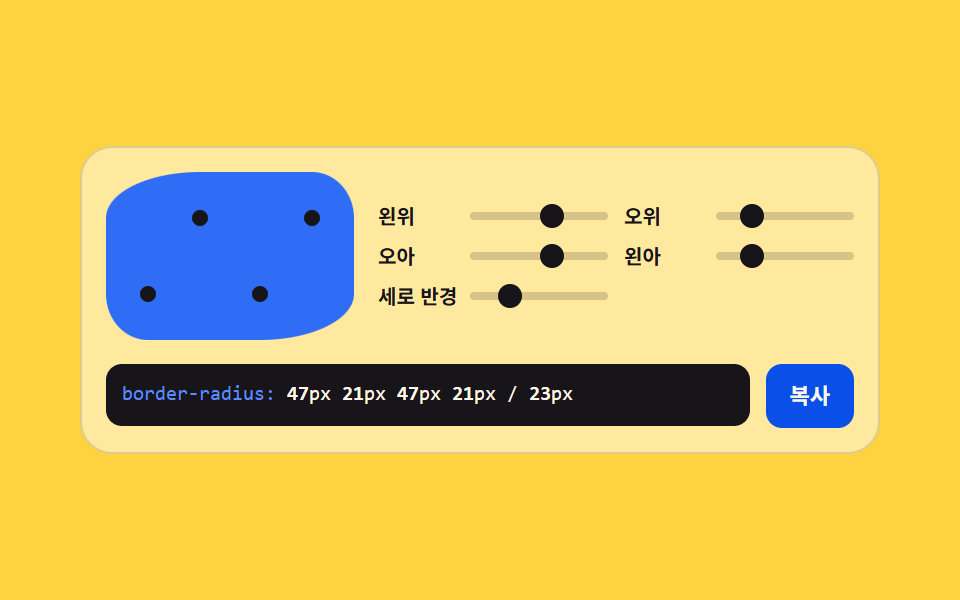
Four corner sliders and one shared vertical radius write the slash syntax between them, which is how a blob that no single border-radius number can produce gets built by hand.
<main class="stage">
<div class="gen is-demo" id="gen">
  <div class="gen__top">
    <div class="gen__preview-wrap" aria-hidden="true">
      <div class="gen__preview"></div>
      <span class="gen__dot gen__dot--tl"></span><span class="gen__dot gen__dot--tr"></span>
      <span class="gen__dot gen__dot--br"></span><span class="gen__dot gen__dot--bl"></span>
    </div>
    <div class="gen__grid">
      <label class="gen__row">
        <span class="gen__lab">Top L</span>
        <span class="gen__slot">
          <input class="gen__rng" type="range" min="0" max="80" step="4" value="12" data-var="--r-tl" aria-label="Top-left corner radius">
          <span class="gen__thumb" aria-hidden="true"></span>
        </span>
      </label>
      <label class="gen__row">
        <span class="gen__lab">Top R</span>
        <span class="gen__slot">
          <input class="gen__rng" type="range" min="0" max="80" step="4" value="48" data-var="--r-tr" aria-label="Top-right corner radius">
          <span class="gen__thumb" aria-hidden="true"></span>
        </span>
      </label>
      <label class="gen__row">
        <span class="gen__lab">Bot R</span>
        <span class="gen__slot">
          <input class="gen__rng" type="range" min="0" max="80" step="4" value="12" data-var="--r-br" aria-label="Bottom-right corner radius">
          <span class="gen__thumb" aria-hidden="true"></span>
        </span>
      </label>
      <label class="gen__row">
        <span class="gen__lab">Bot L</span>
        <span class="gen__slot">
          <input class="gen__rng" type="range" min="0" max="80" step="4" value="48" data-var="--r-bl" aria-label="Bottom-left corner radius">
          <span class="gen__thumb" aria-hidden="true"></span>
        </span>
      </label>
      <label class="gen__row">
        <span class="gen__lab">Vert radius</span>
        <span class="gen__slot">
          <input class="gen__rng" type="range" min="0" max="80" step="4" value="28" data-var="--r-vy" aria-label="Corner vertical radius">
          <span class="gen__thumb" aria-hidden="true"></span>
        </span>
      </label>
    </div>
  </div>
  <div class="gen__out">
    <code class="gen__code"><span class="gen__prop">border-radius:</span> <span class="gen__v gen__v--tl"></span>px <span class="gen__v gen__v--tr"></span>px <span class="gen__v gen__v--br"></span>px <span class="gen__v gen__v--bl"></span>px / <span class="gen__v gen__v--vy"></span>px</code>
    <button class="gen__copy" type="button" id="copy">Copy</button>
  </div>
</div>
</main>@use "../../../../site/static/demo-tokens" as *;
// 여덟 손잡이 모서리 — 네 모서리 가로 반경 + 공통 세로 반경을 사용자 지정 속성에 모은다.
// 슬래시 문법(/ 뒤 세로 반경)이 비대칭 블롭을 만든다. 모서리 점 네 개가 미리보기 위에
// 반경 값을 따라 붙는다 — 어느 모서리가 움직이는지 눈으로 보인다.
$duration: $dur-loop;
$easing: $ease-spring;
$color: $subject-ink;
$mono: ui-monospace, SFMono-Regular, "SF Mono", Consolas, "Liberation Mono", monospace;
$line: rgba(23, 20, 26, .14);
$track: rgba(23, 20, 26, .18);
$rail: 4px;
$thumb: 12px;
@property --r-tl { syntax: "<integer>"; inherits: true; initial-value: 12; }
@property --r-tr { syntax: "<integer>"; inherits: true; initial-value: 48; }
@property --r-br { syntax: "<integer>"; inherits: true; initial-value: 12; }
@property --r-bl { syntax: "<integer>"; inherits: true; initial-value: 48; }
@property --r-vy { syntax: "<integer>"; inherits: true; initial-value: 28; }
@include stage($stage-yellow);
.gen {
min-width: 0; // stage grid item 의 자동 최소폭(min-content) 을 끊는다 — BD9
--r-tl: 12;
--r-tr: 48;
--r-br: 12;
--r-bl: 48;
--r-vy: 28;
display: flex; flex-direction: column; gap: $sp-3;
box-sizing: border-box; width: min(100%, 400px);
padding: $sp-3; border: 1px solid $line; border-radius: $r-card;
background: rgba(255, 255, 255, .5);
}
.gen__top { display: flex; align-items: center; gap: $sp-3; }
// ── 미리보기 — 슬래시 문법 그대로
.gen__preview-wrap { position: relative; flex: 0 0 auto; width: 124px; height: 84px; }
.gen__preview {
box-sizing: border-box; width: 124px; height: 84px;
background: $subject-blue;
// 모서리별 longhand 두 값(가로 세로)은 슬래시 문법과 동치다 — 값이 속성마다 붙어 있어
// 어느 모서리가 움직이는지 읽기도 쉽다
border-top-left-radius: calc(var(--r-tl) * 1px) calc(var(--r-vy) * 1px);
border-top-right-radius: calc(var(--r-tr) * 1px) calc(var(--r-vy) * 1px);
border-bottom-right-radius: calc(var(--r-br) * 1px) calc(var(--r-vy) * 1px);
border-bottom-left-radius: calc(var(--r-bl) * 1px) calc(var(--r-vy) * 1px);
}
// 모서리 점 — 각 모서리 반경만큼 안쪽으로 붙는다
.gen__dot {
position: absolute; width: 8px; height: 8px; margin: -4px;
border-radius: 50%; background: $subject-ink;
}
.gen__dot--tl { left: calc(var(--r-tl) * 1px); top: calc(var(--r-vy) * 1px); }
.gen__dot--tr { right: calc(var(--r-tr) * 1px); top: calc(var(--r-vy) * 1px); }
.gen__dot--br { right: calc(var(--r-br) * 1px); bottom: calc(var(--r-vy) * 1px); }
.gen__dot--bl { left: calc(var(--r-bl) * 1px); bottom: calc(var(--r-vy) * 1px); }
.gen__grid { flex: 1 1 auto; min-width: 0; display: grid; grid-template-columns: repeat(2, minmax(0, 1fr)); gap: $sp-1 $sp-2; }
.gen__row { display: flex; align-items: center; gap: $sp-1; cursor: pointer; }
.gen__lab {
flex: 0 0 auto; width: 42px;
color: $subject-ink;
font-weight: 700; font-size: 10px; line-height: 1.4;
}
.gen__slot {
position: relative; flex: 1 1 auto; min-width: 0;
display: grid; align-items: center; height: 16px;
}
.gen__slot::before {
content: ""; grid-area: 1 / 1;
height: $rail; border-radius: $r-pill; background: $track;
}
.gen__rng {
grid-area: 1 / 1; appearance: none; -webkit-appearance: none;
width: 100%; min-width: 0; height: 16px; margin: 0; background: transparent;
cursor: pointer;
}
.gen__rng::-webkit-slider-thumb {
-webkit-appearance: none; appearance: none;
width: $thumb; height: $thumb; border: 0; border-radius: 50%;
background: transparent;
}
.gen__rng::-moz-range-thumb {
width: $thumb; height: $thumb; border: 0; border-radius: 50%;
background: transparent;
}
.gen__rng:focus-visible { outline: 2px solid $color; outline-offset: 2px; border-radius: $r-pill; }
.gen__thumb {
position: absolute; top: 50%; left: calc(var(--pct) * 1%);
width: $thumb; height: $thumb; margin-top: -($thumb * .5); margin-left: -($thumb * .5);
border-radius: 50%; background: $color;
pointer-events: none;
}
.gen__row:nth-child(1) .gen__thumb { --pct: calc(var(--r-tl) / 80 * 100); }
.gen__row:nth-child(2) .gen__thumb { --pct: calc(var(--r-tr) / 80 * 100); }
.gen__row:nth-child(3) .gen__thumb { --pct: calc(var(--r-br) / 80 * 100); }
.gen__row:nth-child(4) .gen__thumb { --pct: calc(var(--r-bl) / 80 * 100); }
.gen__row:nth-child(5) .gen__thumb { --pct: calc(var(--r-vy) / 80 * 100); }
.gen__out { display: flex; align-items: flex-start; gap: $sp-2; }
.gen__code {
flex: 1 1 auto; min-width: 0;
padding: $sp-2; border-radius: $r-sm;
background: $subject-ink; color: $subject-cream;
font-family: $mono; font-weight: 500; font-size: 10px; line-height: 1.5;
white-space: nowrap; overflow: hidden;
}
.gen__prop { color: $subject-blue-light; }
.gen__v { font-weight: 700; }
.gen__v--tl::after { counter-reset: v var(--r-tl); content: counter(v); }
.gen__v--tr::after { counter-reset: v var(--r-tr); content: counter(v); }
.gen__v--br::after { counter-reset: v var(--r-br); content: counter(v); }
.gen__v--bl::after { counter-reset: v var(--r-bl); content: counter(v); }
.gen__v--vy::after { counter-reset: v var(--r-vy); content: counter(v); }
.gen__copy {
flex: 0 0 auto;
padding: $sp-2 $sp-3; border: 0; border-radius: $r-sm;
background: $subject-blue-deep; color: $subject-cream;
font-family: inherit; font-weight: 700; font-size: 11px; line-height: 1.4;
cursor: pointer;
}
.gen__copy:focus-visible { outline: 2px solid $color; outline-offset: 2px; }
// ── 격자 미리보기 — 왼위/오아 가 한 쌍, 오위/왼아 가 다른 쌍으로 엇갈려 찌그러진다
@keyframes rTL { 0%, 100% { --r-tl: 12; } 50% { --r-tl: 64; } }
@keyframes rTR { 0%, 100% { --r-tr: 48; } 50% { --r-tr: 8; } }
@keyframes rBR { 0%, 100% { --r-br: 12; } 50% { --r-br: 64; } }
@keyframes rBL { 0%, 100% { --r-bl: 48; } 50% { --r-bl: 8; } }
@keyframes rVY { 0%, 100% { --r-vy: 28; } 40% { --r-vy: 68; } 80% { --r-vy: 16; } }
.gen.is-demo {
animation-name: rTL, rTR, rBR, rBL, rVY;
animation-duration: $duration;
animation-timing-function: $easing;
animation-iteration-count: infinite;
}
@media (prefers-reduced-motion: reduce) {
.gen.is-demo { animation: none !important; }
}
@media (max-width: 340px) {
.gen { gap: $sp-2; padding: $sp-2; }
.gen__top { gap: $sp-2; }
.gen__preview-wrap, .gen__preview { width: 100px; height: 72px; }
.gen__code { font-size: 9px; }
}@property --r-tl {
syntax: "<integer>";
inherits: true;
initial-value: 12;
}
@property --r-tr {
syntax: "<integer>";
inherits: true;
initial-value: 48;
}
@property --r-br {
syntax: "<integer>";
inherits: true;
initial-value: 12;
}
@property --r-bl {
syntax: "<integer>";
inherits: true;
initial-value: 48;
}
@property --r-vy {
syntax: "<integer>";
inherits: true;
initial-value: 28;
}
html, body {
margin: 0;
overflow: hidden;
}
.stage {
box-sizing: border-box;
min-height: 100vh;
display: grid;
place-items: center;
margin: 0;
background: #ffd23f;
font-family: -apple-system, "Segoe UI", "Noto Sans KR", sans-serif;
padding: clamp(8px, 4vw, 24px);
}
.gen {
min-width: 0;
--r-tl: 12;
--r-tr: 48;
--r-br: 12;
--r-bl: 48;
--r-vy: 28;
display: flex;
flex-direction: column;
gap: 12px;
box-sizing: border-box;
width: min(100%, 400px);
padding: 12px;
border: 1px solid rgba(23, 20, 26, 0.14);
border-radius: 16px;
background: rgba(255, 255, 255, 0.5);
}
.gen__top {
display: flex;
align-items: center;
gap: 12px;
}
.gen__preview-wrap {
position: relative;
flex: 0 0 auto;
width: 124px;
height: 84px;
}
.gen__preview {
box-sizing: border-box;
width: 124px;
height: 84px;
background: #2f6df6;
border-top-left-radius: calc(var(--r-tl) * 1px) calc(var(--r-vy) * 1px);
border-top-right-radius: calc(var(--r-tr) * 1px) calc(var(--r-vy) * 1px);
border-bottom-right-radius: calc(var(--r-br) * 1px) calc(var(--r-vy) * 1px);
border-bottom-left-radius: calc(var(--r-bl) * 1px) calc(var(--r-vy) * 1px);
}
.gen__dot {
position: absolute;
width: 8px;
height: 8px;
margin: -4px;
border-radius: 50%;
background: #17141a;
}
.gen__dot--tl {
left: calc(var(--r-tl) * 1px);
top: calc(var(--r-vy) * 1px);
}
.gen__dot--tr {
right: calc(var(--r-tr) * 1px);
top: calc(var(--r-vy) * 1px);
}
.gen__dot--br {
right: calc(var(--r-br) * 1px);
bottom: calc(var(--r-vy) * 1px);
}
.gen__dot--bl {
left: calc(var(--r-bl) * 1px);
bottom: calc(var(--r-vy) * 1px);
}
.gen__grid {
flex: 1 1 auto;
min-width: 0;
display: grid;
grid-template-columns: repeat(2, minmax(0, 1fr));
gap: 4px 8px;
}
.gen__row {
display: flex;
align-items: center;
gap: 4px;
cursor: pointer;
}
.gen__lab {
flex: 0 0 auto;
width: 42px;
color: #17141a;
font-weight: 700;
font-size: 10px;
line-height: 1.4;
}
.gen__slot {
position: relative;
flex: 1 1 auto;
min-width: 0;
display: grid;
align-items: center;
height: 16px;
}
.gen__slot::before {
content: "";
grid-area: 1/1;
height: 4px;
border-radius: 999px;
background: rgba(23, 20, 26, 0.18);
}
.gen__rng {
grid-area: 1/1;
appearance: none;
-webkit-appearance: none;
width: 100%;
min-width: 0;
height: 16px;
margin: 0;
background: transparent;
cursor: pointer;
}
.gen__rng::-webkit-slider-thumb {
-webkit-appearance: none;
appearance: none;
width: 12px;
height: 12px;
border: 0;
border-radius: 50%;
background: transparent;
}
.gen__rng::-moz-range-thumb {
width: 12px;
height: 12px;
border: 0;
border-radius: 50%;
background: transparent;
}
.gen__rng:focus-visible {
outline: 2px solid #17141a;
outline-offset: 2px;
border-radius: 999px;
}
.gen__thumb {
position: absolute;
top: 50%;
left: calc(var(--pct) * 1%);
width: 12px;
height: 12px;
margin-top: -6px;
margin-left: -6px;
border-radius: 50%;
background: #17141a;
pointer-events: none;
}
.gen__row:nth-child(1) .gen__thumb {
--pct: calc(var(--r-tl) / 80 * 100);
}
.gen__row:nth-child(2) .gen__thumb {
--pct: calc(var(--r-tr) / 80 * 100);
}
.gen__row:nth-child(3) .gen__thumb {
--pct: calc(var(--r-br) / 80 * 100);
}
.gen__row:nth-child(4) .gen__thumb {
--pct: calc(var(--r-bl) / 80 * 100);
}
.gen__row:nth-child(5) .gen__thumb {
--pct: calc(var(--r-vy) / 80 * 100);
}
.gen__out {
display: flex;
align-items: flex-start;
gap: 8px;
}
.gen__code {
flex: 1 1 auto;
min-width: 0;
padding: 8px;
border-radius: 8px;
background: #17141a;
color: #fff7e6;
font-family: ui-monospace, SFMono-Regular, "SF Mono", Consolas, "Liberation Mono", monospace;
font-weight: 500;
font-size: 10px;
line-height: 1.5;
white-space: nowrap;
overflow: hidden;
}
.gen__prop {
color: #5b8cf8;
}
.gen__v {
font-weight: 700;
}
.gen__v--tl::after {
counter-reset: v var(--r-tl);
content: counter(v);
}
.gen__v--tr::after {
counter-reset: v var(--r-tr);
content: counter(v);
}
.gen__v--br::after {
counter-reset: v var(--r-br);
content: counter(v);
}
.gen__v--bl::after {
counter-reset: v var(--r-bl);
content: counter(v);
}
.gen__v--vy::after {
counter-reset: v var(--r-vy);
content: counter(v);
}
.gen__copy {
flex: 0 0 auto;
padding: 8px 12px;
border: 0;
border-radius: 8px;
background: #0a4fe8;
color: #fff7e6;
font-family: inherit;
font-weight: 700;
font-size: 11px;
line-height: 1.4;
cursor: pointer;
}
.gen__copy:focus-visible {
outline: 2px solid #17141a;
outline-offset: 2px;
}
@keyframes rTL {
0%, 100% {
--r-tl: 12;
}
50% {
--r-tl: 64;
}
}
@keyframes rTR {
0%, 100% {
--r-tr: 48;
}
50% {
--r-tr: 8;
}
}
@keyframes rBR {
0%, 100% {
--r-br: 12;
}
50% {
--r-br: 64;
}
}
@keyframes rBL {
0%, 100% {
--r-bl: 48;
}
50% {
--r-bl: 8;
}
}
@keyframes rVY {
0%, 100% {
--r-vy: 28;
}
40% {
--r-vy: 68;
}
80% {
--r-vy: 16;
}
}
.gen.is-demo {
animation-name: rTL, rTR, rBR, rBL, rVY;
animation-duration: 2s;
animation-timing-function: cubic-bezier(0.2, 0.8, 0.2, 1);
animation-iteration-count: infinite;
}
@media (prefers-reduced-motion: reduce) {
.gen.is-demo {
animation: none !important;
}
}
@media (max-width: 340px) {
.gen {
gap: 8px;
padding: 8px;
}
.gen__top {
gap: 8px;
}
.gen__preview-wrap, .gen__preview {
width: 100px;
height: 72px;
}
.gen__code {
font-size: 9px;
}
}var gen = document.getElementById('gen');
var copyBtn = document.getElementById('copy');
var ranges = Array.prototype.slice.call(gen.querySelectorAll('.gen__rng'));
var COPY_LABEL = 'Copy';
var DONE_LABEL = 'Copied';
// 네 모서리 X 반경 + 공통 Vert radius — 다섯 값이면 슬래시 문법이 성립한다
function readVar(name) {
return parseInt(getComputedStyle(gen).getPropertyValue(name), 10) || 0;
}
function radiusText() {
return 'border-radius: ' + readVar('--r-tl') + 'px ' + readVar('--r-tr') + 'px ' + readVar('--r-br') + 'px ' + readVar('--r-bl') + 'px / ' + readVar('--r-vy') + 'px;';
}
// 클립보드는 iframe·http 환경에서 막힐 수 있다 — 거부된 프로미스를 반드시 catch 로 받아 선택 방식으로 떨어진다
function fallbackCopy(text) {
var area = document.createElement('textarea');
area.value = text;
area.setAttribute('readonly', '');
area.style.position = 'fixed';
area.style.opacity = '0';
document.body.appendChild(area);
area.select();
try { document.execCommand('copy'); } catch (err) { /* 여기까지 막히면 조용히 포기한다 */ }
document.body.removeChild(area);
}
ranges.forEach(function (input) {
input.addEventListener('input', function () {
gen.classList.remove('is-demo');
gen.style.setProperty(input.dataset.var, input.value);
});
input.addEventListener('pointerdown', function () { gen.classList.remove('is-demo'); });
});
copyBtn.addEventListener('click', function () {
gen.classList.remove('is-demo');
var text = radiusText();
if (navigator.clipboard && navigator.clipboard.writeText) {
navigator.clipboard.writeText(text).catch(function () { fallbackCopy(text); });
} else {
fallbackCopy(text);
}
copyBtn.textContent = DONE_LABEL;
setTimeout(function () { copyBtn.textContent = COPY_LABEL; }, 1200);
});import { useState, useMemo } from 'react';
import styles from './RadiusHandles.module.scss';
type Axis = { key: string; label: string; min: number; max: number };
// ambient 선언에 React 이벤트 제네릭이 없어 로컬 타입으로 받는다 (blog-demo TS7006 항)
type RangeEvt = { target: { value: string } };
const AXES: Axis[] = [
{ key: 'tl', label: '왼위', min: 0, max: 80 },
{ key: 'tr', label: '오위', min: 0, max: 80 },
{ key: 'br', label: '오아', min: 0, max: 80 },
{ key: 'bl', label: '왼아', min: 0, max: 80 },
{ key: 'vy', label: '세로 반경', min: 0, max: 80 }
];
export type RadiusHandlesProps = {
duration?: string;
easing?: string;
color?: string;
};
export default function RadiusHandles({ duration = '2s', easing = 'cubic-bezier(.2, .8, .2, 1)', color = '#17141a' }: RadiusHandlesProps) {
const [values, setValues] = useState<Record<string, number>>({ tl: 12, tr: 48, br: 12, bl: 48, vy: 28 });
const [live, setLive] = useState(true);
const codeText = useMemo(() => {
return `border-radius: ${values.tl}px ${values.tr}px ${values.br}px ${values.bl}px / ${values.vy}px;`;
}, [values]);
const style = {
'--dur-loop': duration,
'--ease-spring': easing,
'--accent': color,
'--r-tl': values.tl,
'--r-tr': values.tr,
'--r-br': values.br,
'--r-bl': values.bl,
'--r-vy': values.vy
} as Record<string, string | number>;
function copy() {
setLive(false);
try {
navigator.clipboard.writeText(codeText);
} catch (err) {
/* 클립보드가 막힌 환경에서는 조용히 넘어간다 */
}
}
return (
<div className={live ? `${styles.gen} ${styles.isDemo}` : styles.gen} style={style}>
<div className={styles.top}>
<div className={styles.previewWrap} aria-hidden="true">
<div className={styles.preview}></div>
<span className={styles.dot} style={{ left: values.tl, top: values.vy }}></span>
<span className={styles.dot} style={{ right: values.tr, top: values.vy }}></span>
<span className={styles.dot} style={{ right: values.br, bottom: values.vy }}></span>
<span className={styles.dot} style={{ left: values.bl, bottom: values.vy }}></span>
</div>
<div className={styles.grid}>
{AXES.map((axis) => (
<label className={styles.row} key={axis.key}>
<span className={styles.lab}>{axis.label}</span>
<span className={styles.slot}>
<input
className={styles.rng}
type="range"
min={axis.min}
max={axis.max}
step={4}
value={values[axis.key]}
aria-label={axis.label}
onChange={(e: RangeEvt) => {
setLive(false);
setValues((v) => ({ ...v, [axis.key]: Number(e.target.value) }));
}}
/>
<span
className={styles.thumb}
aria-hidden="true"
style={{ left: `${(values[axis.key] / axis.max) * 100}%` }}
/>
</span>
</label>
))}
</div>
</div>
<div className={styles.out}>
<code className={styles.code}>
<span className={styles.prop}>border-radius:</span> {values.tl}px {values.tr}px {values.br}px {values.bl}px / {values.vy}px
</code>
<button className={styles.copy} type="button" onClick={copy}>복사</button>
</div>
</div>
);
}03 · Eight-handle corner radius — Measured area 5.821% · moving frames 22/23Original by GODRICH · SCSS and React ship in the zip · See the password
Per-corner longhand equals the slash syntax
// The per-corner longhand takes two values (horizontal vertical) and is equivalent to the slash syntax — with the
// value attached to its own property, it is also easier to read which corner is moving
border-top-left-radius: calc(var(--r-tl) * 1px) calc(var(--r-vy) * 1px);
border-top-right-radius: calc(var(--r-tr) * 1px) calc(var(--r-vy) * 1px);
border-bottom-right-radius: calc(var(--r-br) * 1px) calc(var(--r-vy) * 1px);
border-bottom-left-radius: calc(var(--r-bl) * 1px) calc(var(--r-vy) * 1px);
Making the top-right and bottom-left large while the other two stay small tilts the shape like a water drop, and the code box prints the short form border-radius: 12px 48px 12px 48px / 28px while the preview keeps the longhand.
Dots that follow the radius
.gen__dot--tl { left: calc(var(--r-tl) * 1px); top: calc(var(--r-vy) * 1px); }
.gen__dot--tr { right: calc(var(--r-tr) * 1px); top: calc(var(--r-vy) * 1px); }
.gen__dot--br { right: calc(var(--r-br) * 1px); bottom: calc(var(--r-vy) * 1px); }
.gen__dot--bl { left: calc(var(--r-bl) * 1px); bottom: calc(var(--r-vy) * 1px); }
Four dark dots sit exactly one radius in from each corner so it stays obvious which handle is moving, and the clip measures 5.82% cumulative moved area, 133.6 average intensity, and 22 of 23 frames with motion.
04Polygon vertex clipping
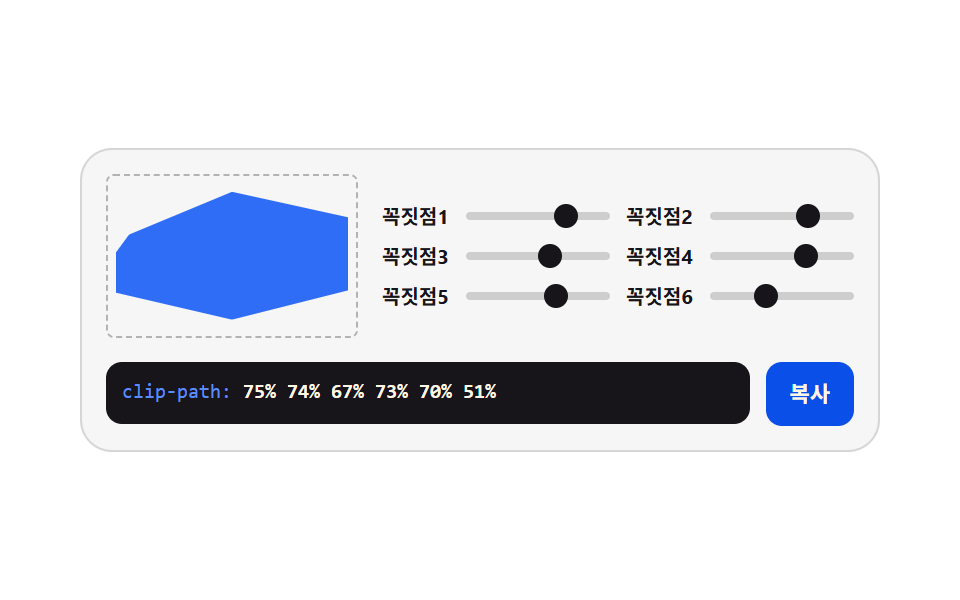
Six vertex sliders stretch a hexagon in percent coordinates and the picture is cut where they land, so the coordinate list in the code box is the clip-path itself.
<main class="stage">
<div class="gen is-demo" id="gen">
  <div class="gen__top">
    <div class="gen__preview-frame" aria-hidden="true"><div class="gen__preview"></div></div>
    <div class="gen__grid">
      <label class="gen__row">
        <span class="gen__lab">Vertex 1</span>
        <span class="gen__slot">
          <input class="gen__rng" type="range" min="20" max="100" step="5" value="90" data-var="--v0" aria-label="First vertex radius">
          <span class="gen__thumb" aria-hidden="true"></span>
        </span>
      </label>
      <label class="gen__row">
        <span class="gen__lab">Vertex 2</span>
        <span class="gen__slot">
          <input class="gen__rng" type="range" min="20" max="100" step="5" value="60" data-var="--v1" aria-label="Second vertex radius">
          <span class="gen__thumb" aria-hidden="true"></span>
        </span>
      </label>
      <label class="gen__row">
        <span class="gen__lab">Vertex 3</span>
        <span class="gen__slot">
          <input class="gen__rng" type="range" min="20" max="100" step="5" value="80" data-var="--v2" aria-label="Third vertex radius">
          <span class="gen__thumb" aria-hidden="true"></span>
        </span>
      </label>
      <label class="gen__row">
        <span class="gen__lab">Vertex 4</span>
        <span class="gen__slot">
          <input class="gen__rng" type="range" min="20" max="100" step="5" value="60" data-var="--v3" aria-label="Fourth vertex radius">
          <span class="gen__thumb" aria-hidden="true"></span>
        </span>
      </label>
      <label class="gen__row">
        <span class="gen__lab">Vertex 5</span>
        <span class="gen__slot">
          <input class="gen__rng" type="range" min="20" max="100" step="5" value="85" data-var="--v4" aria-label="Fifth vertex radius">
          <span class="gen__thumb" aria-hidden="true"></span>
        </span>
      </label>
      <label class="gen__row">
        <span class="gen__lab">Vertex 6</span>
        <span class="gen__slot">
          <input class="gen__rng" type="range" min="20" max="100" step="5" value="65" data-var="--v5" aria-label="Sixth vertex radius">
          <span class="gen__thumb" aria-hidden="true"></span>
        </span>
      </label>
    </div>
  </div>
  <div class="gen__out">
    <code class="gen__code"><span class="gen__prop">clip-path:</span> <span class="gen__v gen__v--c0"></span>% <span class="gen__v gen__v--c1"></span>% <span class="gen__v gen__v--c2"></span>% <span class="gen__v gen__v--c3"></span>% <span class="gen__v gen__v--c4"></span>% <span class="gen__v gen__v--c5"></span>%</code>
    <button class="gen__copy" type="button" id="copy">Copy</button>
  </div>
</div>
</main>@use "../../../../site/static/demo-tokens" as *;
// 다각형 꼭짓점 자르기 — 여섯 꼭짓점이 60도 간격 고정이고 각 꼭짓점의 반경만 속성 여섯 개로 조절된다.
// 미리보기의 clip-path 를 **CSS calc 로 직접** 계산한다(아래 계수표) — JS 의 clipText() 도 같은 계수표로
// 복사용 문자열을 만든다. 두 판이 같은 표를 공유하므로 화면 모양과 복사한 코드가 어긋나지 않는다.
// 세로 계수 0.6 은 미리보기 상자 비율(124×76)로 납작하게 누르는 값이다.
$duration: $dur-loop;
$easing: $ease-spring;
$color: $subject-ink;
$mono: ui-monospace, SFMono-Regular, "SF Mono", Consolas, "Liberation Mono", monospace;
$line: rgba(23, 20, 26, .14);
$track: rgba(23, 20, 26, .18);
$rail: 4px;
$thumb: 12px;
@property --v0 { syntax: "<integer>"; inherits: true; initial-value: 90; }
@property --v1 { syntax: "<integer>"; inherits: true; initial-value: 60; }
@property --v2 { syntax: "<integer>"; inherits: true; initial-value: 80; }
@property --v3 { syntax: "<integer>"; inherits: true; initial-value: 60; }
@property --v4 { syntax: "<integer>"; inherits: true; initial-value: 85; }
@property --v5 { syntax: "<integer>"; inherits: true; initial-value: 65; }
@include stage($stage-paper);
.gen {
min-width: 0; // stage grid item 의 자동 최소폭(min-content) 을 끊는다 — BD9
--v0: 90;
--v1: 60;
--v2: 80;
--v3: 60;
--v4: 85;
--v5: 65;
display: flex; flex-direction: column; gap: $sp-3;
box-sizing: border-box; width: min(100%, 400px);
padding: $sp-3; border: 1px solid $line; border-radius: $r-card;
background: rgba(23, 20, 26, .04);
}
.gen__top { display: flex; align-items: center; gap: $sp-3; }
// ── 미리보기 — 계수표: (dx, dy) = 위(0,-1) · 오위(0.87,-0.5) · 오아(0.87,0.5) · 아래(0,1) · 왼아(-0.87,0.5) · 왼위(-0.87,-0.5)
.gen__preview-frame { flex: 0 0 auto; padding: 4px; border: 1px dashed rgba(23, 20, 26, .3); border-radius: $r-xs; }
.gen__preview {
box-sizing: border-box; width: 116px; height: 72px;
background: $subject-blue;
clip-path: polygon(
calc(50% + 0 * var(--v0) * 1%) calc(50% + -1 * var(--v0) * 0.6 * 1%),
calc(50% + 0.87 * var(--v1) * 1%) calc(50% + -0.5 * var(--v1) * 0.6 * 1%),
calc(50% + 0.87 * var(--v2) * 1%) calc(50% + 0.5 * var(--v2) * 0.6 * 1%),
calc(50% + 0 * var(--v3) * 1%) calc(50% + 1 * var(--v3) * 0.6 * 1%),
calc(50% + -0.87 * var(--v4) * 1%) calc(50% + 0.5 * var(--v4) * 0.6 * 1%),
calc(50% + -0.87 * var(--v5) * 1%) calc(50% + -0.5 * var(--v5) * 0.6 * 1%)
);
}
.gen__grid { flex: 1 1 auto; min-width: 0; display: grid; grid-template-columns: repeat(2, minmax(0, 1fr)); gap: $sp-1 $sp-2; }
.gen__row { display: flex; align-items: center; gap: $sp-1; cursor: pointer; }
.gen__lab {
flex: 0 0 auto; width: 38px;
color: $subject-ink;
font-weight: 700; font-size: 10px; line-height: 1.4;
}
.gen__slot {
position: relative; flex: 1 1 auto; min-width: 0;
display: grid; align-items: center; height: 16px;
}
.gen__slot::before {
content: ""; grid-area: 1 / 1;
height: $rail; border-radius: $r-pill; background: $track;
}
.gen__rng {
grid-area: 1 / 1; appearance: none; -webkit-appearance: none;
width: 100%; min-width: 0; height: 16px; margin: 0; background: transparent;
cursor: pointer;
}
.gen__rng::-webkit-slider-thumb {
-webkit-appearance: none; appearance: none;
width: $thumb; height: $thumb; border: 0; border-radius: 50%;
background: transparent;
}
.gen__rng::-moz-range-thumb {
width: $thumb; height: $thumb; border: 0; border-radius: 50%;
background: transparent;
}
.gen__rng:focus-visible { outline: 2px solid $color; outline-offset: 2px; border-radius: $r-pill; }
.gen__thumb {
position: absolute; top: 50%; left: calc(var(--pct) * 1%);
width: $thumb; height: $thumb; margin-top: -($thumb * .5); margin-left: -($thumb * .5);
border-radius: 50%; background: $color;
pointer-events: none;
}
.gen__row:nth-child(1) .gen__thumb { --pct: calc((var(--v0) - 20) / 80 * 100); }
.gen__row:nth-child(2) .gen__thumb { --pct: calc((var(--v1) - 20) / 80 * 100); }
.gen__row:nth-child(3) .gen__thumb { --pct: calc((var(--v2) - 20) / 80 * 100); }
.gen__row:nth-child(4) .gen__thumb { --pct: calc((var(--v3) - 20) / 80 * 100); }
.gen__row:nth-child(5) .gen__thumb { --pct: calc((var(--v4) - 20) / 80 * 100); }
.gen__row:nth-child(6) .gen__thumb { --pct: calc((var(--v5) - 20) / 80 * 100); }
.gen__out { display: flex; align-items: flex-start; gap: $sp-2; }
.gen__code {
flex: 1 1 auto; min-width: 0;
padding: $sp-2; border-radius: $r-sm;
background: $subject-ink; color: $subject-cream;
font-family: $mono; font-weight: 500; font-size: 10px; line-height: 1.5;
white-space: nowrap; overflow: hidden;
}
.gen__prop { color: $subject-blue-light; }
.gen__v { font-weight: 700; }
.gen__v--c0::after { counter-reset: v var(--v0); content: counter(v); }
.gen__v--c1::after { counter-reset: v var(--v1); content: counter(v); }
.gen__v--c2::after { counter-reset: v var(--v2); content: counter(v); }
.gen__v--c3::after { counter-reset: v var(--v3); content: counter(v); }
.gen__v--c4::after { counter-reset: v var(--v4); content: counter(v); }
.gen__v--c5::after { counter-reset: v var(--v5); content: counter(v); }
.gen__copy {
flex: 0 0 auto;
padding: $sp-2 $sp-3; border: 0; border-radius: $r-sm;
background: $subject-blue-deep; color: $subject-cream;
font-family: inherit; font-weight: 700; font-size: 11px; line-height: 1.4;
cursor: pointer;
}
.gen__copy:focus-visible { outline: 2px solid $color; outline-offset: 2px; }
// ── 격자 미리보기 — 여섯 반경이 엇갈려 오가면 육각형이 별처럼 숨쉰다
@keyframes pv0 { 0%, 100% { --v0: 90; } 50% { --v0: 45; } }
@keyframes pv1 { 0%, 100% { --v1: 60; } 40% { --v1: 95; } 80% { --v1: 35; } }
@keyframes pv2 { 0%, 100% { --v2: 80; } 50% { --v2: 40; } }
@keyframes pv3 { 0%, 100% { --v3: 60; } 45% { --v3: 95; } 85% { --v3: 40; } }
@keyframes pv4 { 0%, 100% { --v4: 85; } 50% { --v4: 40; } }
@keyframes pv5 { 0%, 100% { --v5: 65; } 40% { --v5: 30; } 80% { --v5: 90; } }
.gen.is-demo {
animation-name: pv0, pv1, pv2, pv3, pv4, pv5;
animation-duration: $duration;
animation-timing-function: $easing;
animation-iteration-count: infinite;
}
@media (prefers-reduced-motion: reduce) {
.gen.is-demo { animation: none !important; }
}
@media (max-width: 340px) {
.gen { gap: $sp-2; padding: $sp-2; }
.gen__top { gap: $sp-2; }
.gen__preview { width: 96px; height: 60px; }
.gen__code { font-size: 9px; }
}@property --v0 {
syntax: "<integer>";
inherits: true;
initial-value: 90;
}
@property --v1 {
syntax: "<integer>";
inherits: true;
initial-value: 60;
}
@property --v2 {
syntax: "<integer>";
inherits: true;
initial-value: 80;
}
@property --v3 {
syntax: "<integer>";
inherits: true;
initial-value: 60;
}
@property --v4 {
syntax: "<integer>";
inherits: true;
initial-value: 85;
}
@property --v5 {
syntax: "<integer>";
inherits: true;
initial-value: 65;
}
html, body {
margin: 0;
overflow: hidden;
}
.stage {
box-sizing: border-box;
min-height: 100vh;
display: grid;
place-items: center;
margin: 0;
background: #ffffff;
font-family: -apple-system, "Segoe UI", "Noto Sans KR", sans-serif;
padding: clamp(8px, 4vw, 24px);
}
.gen {
min-width: 0;
--v0: 90;
--v1: 60;
--v2: 80;
--v3: 60;
--v4: 85;
--v5: 65;
display: flex;
flex-direction: column;
gap: 12px;
box-sizing: border-box;
width: min(100%, 400px);
padding: 12px;
border: 1px solid rgba(23, 20, 26, 0.14);
border-radius: 16px;
background: rgba(23, 20, 26, 0.04);
}
.gen__top {
display: flex;
align-items: center;
gap: 12px;
}
.gen__preview-frame {
flex: 0 0 auto;
padding: 4px;
border: 1px dashed rgba(23, 20, 26, 0.3);
border-radius: 4px;
}
.gen__preview {
box-sizing: border-box;
width: 116px;
height: 72px;
background: #2f6df6;
clip-path: polygon(calc(50% + 0 * var(--v0) * 1%) calc(50% + -1 * var(--v0) * 0.6 * 1%), calc(50% + 0.87 * var(--v1) * 1%) calc(50% + -0.5 * var(--v1) * 0.6 * 1%), calc(50% + 0.87 * var(--v2) * 1%) calc(50% + 0.5 * var(--v2) * 0.6 * 1%), calc(50% + 0 * var(--v3) * 1%) calc(50% + 1 * var(--v3) * 0.6 * 1%), calc(50% + -0.87 * var(--v4) * 1%) calc(50% + 0.5 * var(--v4) * 0.6 * 1%), calc(50% + -0.87 * var(--v5) * 1%) calc(50% + -0.5 * var(--v5) * 0.6 * 1%));
}
.gen__grid {
flex: 1 1 auto;
min-width: 0;
display: grid;
grid-template-columns: repeat(2, minmax(0, 1fr));
gap: 4px 8px;
}
.gen__row {
display: flex;
align-items: center;
gap: 4px;
cursor: pointer;
}
.gen__lab {
flex: 0 0 auto;
width: 38px;
color: #17141a;
font-weight: 700;
font-size: 10px;
line-height: 1.4;
}
.gen__slot {
position: relative;
flex: 1 1 auto;
min-width: 0;
display: grid;
align-items: center;
height: 16px;
}
.gen__slot::before {
content: "";
grid-area: 1/1;
height: 4px;
border-radius: 999px;
background: rgba(23, 20, 26, 0.18);
}
.gen__rng {
grid-area: 1/1;
appearance: none;
-webkit-appearance: none;
width: 100%;
min-width: 0;
height: 16px;
margin: 0;
background: transparent;
cursor: pointer;
}
.gen__rng::-webkit-slider-thumb {
-webkit-appearance: none;
appearance: none;
width: 12px;
height: 12px;
border: 0;
border-radius: 50%;
background: transparent;
}
.gen__rng::-moz-range-thumb {
width: 12px;
height: 12px;
border: 0;
border-radius: 50%;
background: transparent;
}
.gen__rng:focus-visible {
outline: 2px solid #17141a;
outline-offset: 2px;
border-radius: 999px;
}
.gen__thumb {
position: absolute;
top: 50%;
left: calc(var(--pct) * 1%);
width: 12px;
height: 12px;
margin-top: -6px;
margin-left: -6px;
border-radius: 50%;
background: #17141a;
pointer-events: none;
}
.gen__row:nth-child(1) .gen__thumb {
--pct: calc((var(--v0) - 20) / 80 * 100);
}
.gen__row:nth-child(2) .gen__thumb {
--pct: calc((var(--v1) - 20) / 80 * 100);
}
.gen__row:nth-child(3) .gen__thumb {
--pct: calc((var(--v2) - 20) / 80 * 100);
}
.gen__row:nth-child(4) .gen__thumb {
--pct: calc((var(--v3) - 20) / 80 * 100);
}
.gen__row:nth-child(5) .gen__thumb {
--pct: calc((var(--v4) - 20) / 80 * 100);
}
.gen__row:nth-child(6) .gen__thumb {
--pct: calc((var(--v5) - 20) / 80 * 100);
}
.gen__out {
display: flex;
align-items: flex-start;
gap: 8px;
}
.gen__code {
flex: 1 1 auto;
min-width: 0;
padding: 8px;
border-radius: 8px;
background: #17141a;
color: #fff7e6;
font-family: ui-monospace, SFMono-Regular, "SF Mono", Consolas, "Liberation Mono", monospace;
font-weight: 500;
font-size: 10px;
line-height: 1.5;
white-space: nowrap;
overflow: hidden;
}
.gen__prop {
color: #5b8cf8;
}
.gen__v {
font-weight: 700;
}
.gen__v--c0::after {
counter-reset: v var(--v0);
content: counter(v);
}
.gen__v--c1::after {
counter-reset: v var(--v1);
content: counter(v);
}
.gen__v--c2::after {
counter-reset: v var(--v2);
content: counter(v);
}
.gen__v--c3::after {
counter-reset: v var(--v3);
content: counter(v);
}
.gen__v--c4::after {
counter-reset: v var(--v4);
content: counter(v);
}
.gen__v--c5::after {
counter-reset: v var(--v5);
content: counter(v);
}
.gen__copy {
flex: 0 0 auto;
padding: 8px 12px;
border: 0;
border-radius: 8px;
background: #0a4fe8;
color: #fff7e6;
font-family: inherit;
font-weight: 700;
font-size: 11px;
line-height: 1.4;
cursor: pointer;
}
.gen__copy:focus-visible {
outline: 2px solid #17141a;
outline-offset: 2px;
}
@keyframes pv0 {
0%, 100% {
--v0: 90;
}
50% {
--v0: 45;
}
}
@keyframes pv1 {
0%, 100% {
--v1: 60;
}
40% {
--v1: 95;
}
80% {
--v1: 35;
}
}
@keyframes pv2 {
0%, 100% {
--v2: 80;
}
50% {
--v2: 40;
}
}
@keyframes pv3 {
0%, 100% {
--v3: 60;
}
45% {
--v3: 95;
}
85% {
--v3: 40;
}
}
@keyframes pv4 {
0%, 100% {
--v4: 85;
}
50% {
--v4: 40;
}
}
@keyframes pv5 {
0%, 100% {
--v5: 65;
}
40% {
--v5: 30;
}
80% {
--v5: 90;
}
}
.gen.is-demo {
animation-name: pv0, pv1, pv2, pv3, pv4, pv5;
animation-duration: 2s;
animation-timing-function: cubic-bezier(0.2, 0.8, 0.2, 1);
animation-iteration-count: infinite;
}
@media (prefers-reduced-motion: reduce) {
.gen.is-demo {
animation: none !important;
}
}
@media (max-width: 340px) {
.gen {
gap: 8px;
padding: 8px;
}
.gen__top {
gap: 8px;
}
.gen__preview {
width: 96px;
height: 60px;
}
.gen__code {
font-size: 9px;
}
}var gen = document.getElementById('gen');
var copyBtn = document.getElementById('copy');
var ranges = Array.prototype.slice.call(gen.querySelectorAll('.gen__rng'));
var COPY_LABEL = 'Copy';
var DONE_LABEL = 'Copied';
// 여섯 꼭짓점은 60도 Gap 고정. 각 꼭짓점의 (dx, dy) 계수표 — CSS 와 JS 가 같은 표를 공유한다
// (60도 Gap 여섯 방향의 단위원 좌표, 소수 셋째에서 반올림). 중심 50% 에서 계수만큼 뻗는다.
var DIRS = [
[0, -1], [0.87, -0.5], [0.87, 0.5], [0, 1], [-0.87, 0.5], [-0.87, -0.5]
];
function readVar(name) {
return parseInt(getComputedStyle(gen).getPropertyValue(name), 10) || 0;
}
// 복사용 문자열 — 실제 polygon 전체 좌표. 미리보기는 CSS 가 같은 계수표로 그린다(주석 참조)
function clipText() {
var pts = DIRS.map(function (d, i) {
var r = readVar('--v' + i);
var x = Math.round(50 + d[0] * r);
var y = Math.round(50 + d[1] * r * 0.6);
return x + '% ' + y + '%';
});
return 'clip-path: polygon(' + pts.join(', ') + ');';
}
// 클립보드는 iframe·http 환경에서 막힐 수 있다 — 거부된 프로미스를 반드시 catch 로 받아 선택 방식으로 떨어진다
function fallbackCopy(text) {
var area = document.createElement('textarea');
area.value = text;
area.setAttribute('readonly', '');
area.style.position = 'fixed';
area.style.opacity = '0';
document.body.appendChild(area);
area.select();
try { document.execCommand('copy'); } catch (err) { /* 여기까지 막히면 조용히 포기한다 */ }
document.body.removeChild(area);
}
ranges.forEach(function (input) {
input.addEventListener('input', function () {
gen.classList.remove('is-demo');
gen.style.setProperty(input.dataset.var, input.value);
});
input.addEventListener('pointerdown', function () { gen.classList.remove('is-demo'); });
});
copyBtn.addEventListener('click', function () {
gen.classList.remove('is-demo');
var text = clipText();
if (navigator.clipboard && navigator.clipboard.writeText) {
navigator.clipboard.writeText(text).catch(function () { fallbackCopy(text); });
} else {
fallbackCopy(text);
}
copyBtn.textContent = DONE_LABEL;
setTimeout(function () { copyBtn.textContent = COPY_LABEL; }, 1200);
});import { useState, useMemo } from 'react';
import styles from './ClipPolygon.module.scss';
// 60도 간격 여섯 방향의 계수표 — vanilla scss 의 clip-path calc 와 같은 표를 공유한다
const DIRS: Array<[number, number]> = [
[0, -1], [0.87, -0.5], [0.87, 0.5], [0, 1], [-0.87, 0.5], [-0.87, -0.5]
];
// ambient 선언에 React 이벤트 제네릭이 없어 로컬 타입으로 받는다 (blog-demo TS7006 항)
type RangeEvt = { target: { value: string } };
export type ClipPolygonProps = {
duration?: string;
easing?: string;
color?: string;
};
export default function ClipPolygon({ duration = '2s', easing = 'cubic-bezier(.2, .8, .2, 1)', color = '#17141a' }: ClipPolygonProps) {
const [values, setValues] = useState<number[]>([90, 60, 80, 60, 85, 65]);
const [live, setLive] = useState(true);
const clipStyle = useMemo(() => {
const pts = DIRS.map((d, i) => {
const x = 50 + d[0] * values[i];
const y = 50 + d[1] * values[i] * 0.6;
return `${x.toFixed(0)}% ${y.toFixed(0)}%`;
});
return `polygon(${pts.join(', ')})`;
}, [values]);
const codeText = useMemo(() => {
const pts = DIRS.map((d, i) => {
const x = Math.round(50 + d[0] * values[i]);
const y = Math.round(50 + d[1] * values[i] * 0.6);
return `${x}% ${y}%`;
});
return `clip-path: ${clipStyle};`;
}, [values, clipStyle]);
const style = {
'--dur-loop': duration,
'--ease-spring': easing,
'--accent': color
} as Record<string, string | number>;
function copy() {
setLive(false);
try {
navigator.clipboard.writeText(codeText);
} catch (err) {
/* 클립보드가 막힌 환경에서는 조용히 넘어간다 */
}
}
return (
<div className={live ? `${styles.gen} ${styles.isDemo}` : styles.gen} style={style}>
<div className={styles.top}>
<div className={styles.previewFrame} aria-hidden="true">
<div className={styles.preview} style={{ clipPath: clipStyle }}></div>
</div>
<div className={styles.grid}>
{DIRS.map((_, i) => (
<label className={styles.row} key={i}>
<span className={styles.lab}>{'꼭짓점' + (i + 1)}</span>
<span className={styles.slot}>
<input
className={styles.rng}
type="range"
min={20}
max={100}
step={5}
value={values[i]}
aria-label={(i + 1) + ' 번째 꼭짓점 반경'}
onChange={(e: RangeEvt) => {
setLive(false);
setValues((v) => v.map((x, j) => (j === i ? Number(e.target.value) : x)));
}}
/>
<span className={styles.thumb} aria-hidden="true" style={{ left: `${((values[i] - 20) / 80) * 100}%` }} />
</span>
</label>
))}
</div>
</div>
<div className={styles.out}>
<code className={styles.code}>
<span className={styles.prop}>clip-path:</span> {values[0]}% {values[1]}% {values[2]}% {values[3]}% {values[4]}% {values[5]}%
</code>
<button className={styles.copy} type="button" onClick={copy}>복사</button>
</div>
</div>
);
}04 · Polygon vertex clipping — Measured area 6.233% · moving frames 23/23Original by GODRICH · SCSS and React ship in the zip · See the password
One coefficient table shared by CSS and JS
// The six vertices are fixed at 60 degree steps. A (dx, dy) coefficient table per vertex — CSS and JS share this one table
// (unit circle coordinates for six directions 60 degrees apart, rounded at the third decimal). Each reaches out from the 50% center by its coefficient
var DIRS = [
  [0, -1], [0.87, -0.5], [0.87, 0.5], [0, 1], [-0.87, 0.5], [-0.87, -0.5]
];
The clipped shape on screen is drawn by calc in the stylesheet while the string you copy is built in JavaScript, and since both read that one table, the picture and the copied code cannot drift apart, and moving the six radii against each other makes the hexagon breathe like a star for 6.23% cumulative moved area, 127.8 average intensity, and 23 of 23 frames with motion.
A vertical coefficient that flattens it
.gen__preview {
  box-sizing: border-box; width: 116px; height: 72px;
  background: $subject-blue;
  clip-path: polygon(
    calc(50% + 0 * var(--v0) * 1%) calc(50% + -1 * var(--v0) * 0.6 * 1%),
    calc(50% + 0.87 * var(--v1) * 1%) calc(50% + -0.5 * var(--v1) * 0.6 * 1%),
    calc(50% + 0.87 * var(--v2) * 1%) calc(50% + 0.5 * var(--v2) * 0.6 * 1%)
  );
}
Every vertical coordinate is multiplied by 0.6 to match the preview box ratio, and the dashed border stays at the uncut size so the part that was taken away is still readable.
05Filter chain presets
Brightness, contrast, saturation, and blur chain up in a single declaration while four preset buttons move all four sliders at once, which is how the tone of a photo gallery gets settled in one sitting.
<main class="stage">
<div class="gen is-demo" id="gen">
  <div class="gen__top">
    <div class="gen__preview" aria-hidden="true">
      <span class="gen__sun"></span>
      <span class="gen__hill gen__hill--a"></span>
      <span class="gen__hill gen__hill--b"></span>
    </div>
    <div class="gen__grid">
      <label class="gen__row">
        <span class="gen__lab">Bright</span>
        <span class="gen__slot">
          <input class="gen__rng" type="range" min="50" max="150" step="5" value="100" data-var="--f-bri" aria-label="Bright">
          <span class="gen__thumb" aria-hidden="true"></span>
        </span>
      </label>
      <label class="gen__row">
        <span class="gen__lab">Contrast</span>
        <span class="gen__slot">
          <input class="gen__rng" type="range" min="50" max="150" step="5" value="110" data-var="--f-con" aria-label="Contrast">
          <span class="gen__thumb" aria-hidden="true"></span>
        </span>
      </label>
      <label class="gen__row">
        <span class="gen__lab">Saturate</span>
        <span class="gen__slot">
          <input class="gen__rng" type="range" min="0" max="200" step="10" value="130" data-var="--f-sat" aria-label="Saturate">
          <span class="gen__thumb" aria-hidden="true"></span>
        </span>
      </label>
      <label class="gen__row">
        <span class="gen__lab">Blur</span>
        <span class="gen__slot">
          <input class="gen__rng" type="range" min="0" max="8" step="1" value="0" data-var="--f-blur" aria-label="Blur">
          <span class="gen__thumb" aria-hidden="true"></span>
        </span>
      </label>
    </div>
  </div>
  <div class="gen__presets">
    <button class="gen__preset" type="button" data-preset="100,110,130,0">Hazy afternoon</button>
    <button class="gen__preset" type="button" data-preset="100,115,0,0">Ink photo</button>
    <button class="gen__preset" type="button" data-preset="85,140,180,2">Memory tone</button>
  </div>
  <div class="gen__out">
    <code class="gen__code"><span class="gen__prop">filter:</span> brightness(<span class="gen__v gen__v--bri"></span>%) contrast(<span class="gen__v gen__v--con"></span>%) saturate(<span class="gen__v gen__v--sat"></span>%) blur(<span class="gen__v gen__v--blur"></span>px)</code>
    <button class="gen__copy" type="button" id="copy">Copy</button>
  </div>
</div>
</main>@use "../../../../site/static/demo-tokens" as *;
// 필터 체인 프리셋 — 밝기·대비·채도·블러 네 값을 사용자 지정 속성에 모으고
// 미리보기 그림(해와 언덕)이 filter 한 줄로 전부 받는다. 프리셋 단추는 네 속성을 한꺼번에 옮긴다.
// 필터는 순서를 바꾸면 결과가 달라진다 — brightness 부터 blur 까지 이 순서가 정석이다(본문 참조).
$duration: $dur-loop;
$easing: $ease-spring;
$color: $subject-blue-light;
$mono: ui-monospace, SFMono-Regular, "SF Mono", Consolas, "Liberation Mono", monospace;
$line: rgba(255, 255, 255, .16);
$track: rgba(255, 255, 255, .2);
$rail: 4px;
$thumb: 12px;
@property --f-bri { syntax: "<integer>"; inherits: true; initial-value: 100; }
@property --f-con { syntax: "<integer>"; inherits: true; initial-value: 110; }
@property --f-sat { syntax: "<integer>"; inherits: true; initial-value: 130; }
@property --f-blur { syntax: "<integer>"; inherits: true; initial-value: 0; }
@include stage($stage-ink);
.gen {
min-width: 0; // stage grid item 의 자동 최소폭(min-content) 을 끊는다 — BD9
--f-bri: 100;
--f-con: 110;
--f-sat: 130;
--f-blur: 0;
display: flex; flex-direction: column; gap: $sp-3;
box-sizing: border-box; width: min(100%, 400px);
padding: $sp-3; border: 1px solid $line; border-radius: $r-card;
background: rgba(255, 255, 255, .05);
}
.gen__top { display: flex; align-items: center; gap: $sp-3; }
// ── 미리보기 — 해와 언덕. 채도가 0 이 되면 회색으로 가라앉고 블러가 번진다
.gen__preview {
position: relative; flex: 0 0 auto; overflow: hidden;
box-sizing: border-box; width: 116px; height: 80px;
border-radius: $r-sm;
background: $stage-yellow;
filter:
  brightness(calc(var(--f-bri) * 1%))
  contrast(calc(var(--f-con) * 1%))
  saturate(calc(var(--f-sat) * 1%))
  blur(calc(var(--f-blur) * 1px));
}
.gen__sun {
position: absolute; left: 22px; top: 14px;
width: 28px; height: 28px; border-radius: 50%;
background: $stage-orange;
}
.gen__hill { position: absolute; bottom: 0; width: 90px; height: 44px; border-radius: $r-pill $r-pill 0 0; }
.gen__hill--a { left: -20px; background: $subject-blue; }
.gen__hill--b { right: -24px; background: $subject-blue-deep; }
.gen__grid { flex: 1 1 auto; min-width: 0; display: grid; grid-template-columns: repeat(2, minmax(0, 1fr)); gap: $sp-1 $sp-2; }
.gen__row { display: flex; align-items: center; gap: $sp-1; cursor: pointer; }
.gen__lab {
flex: 0 0 auto; width: 26px;
color: $subject-cream;
font-weight: 700; font-size: 10px; line-height: 1.4;
}
.gen__slot {
position: relative; flex: 1 1 auto; min-width: 0;
display: grid; align-items: center; height: 16px;
}
.gen__slot::before {
content: ""; grid-area: 1 / 1;
height: $rail; border-radius: $r-pill; background: $track;
}
.gen__rng {
grid-area: 1 / 1; appearance: none; -webkit-appearance: none;
width: 100%; min-width: 0; height: 16px; margin: 0; background: transparent;
cursor: pointer;
}
.gen__rng::-webkit-slider-thumb {
-webkit-appearance: none; appearance: none;
width: $thumb; height: $thumb; border: 0; border-radius: 50%;
background: transparent;
}
.gen__rng::-moz-range-thumb {
width: $thumb; height: $thumb; border: 0; border-radius: 50%;
background: transparent;
}
.gen__rng:focus-visible { outline: 2px solid $color; outline-offset: 2px; border-radius: $r-pill; }
.gen__thumb {
position: absolute; top: 50%; left: calc(var(--pct) * 1%);
width: $thumb; height: $thumb; margin-top: -($thumb * .5); margin-left: -($thumb * .5);
border-radius: 50%; background: $color;
pointer-events: none;
}
.gen__row:nth-child(1) .gen__thumb { --pct: calc((var(--f-bri) - 50) / 100 * 100); }
.gen__row:nth-child(2) .gen__thumb { --pct: calc((var(--f-con) - 50) / 100 * 100); }
.gen__row:nth-child(3) .gen__thumb { --pct: calc(var(--f-sat) / 200 * 100); }
.gen__row:nth-child(4) .gen__thumb { --pct: calc(var(--f-blur) / 8 * 100); }
// ── 프리셋 단추 줄
.gen__presets { display: flex; gap: $sp-2; }
.gen__preset {
flex: 1 1 0;
padding: $sp-1 $sp-2; border: 1px solid $line; border-radius: $r-pill;
background: rgba(255, 255, 255, .06); color: $subject-cream;
font-family: inherit; font-weight: 700; font-size: 10px; line-height: 1.4;
cursor: pointer;
}
.gen__preset:hover { background: rgba(255, 255, 255, .12); }
.gen__preset:focus-visible { outline: 2px solid $color; outline-offset: 2px; }
.gen__out { display: flex; align-items: flex-start; gap: $sp-2; }
.gen__code {
flex: 1 1 auto; min-width: 0;
padding: $sp-2; border-radius: $r-sm;
background: $subject-ink; color: $subject-cream;
font-family: $mono; font-weight: 500; font-size: 10px; line-height: 1.5;
white-space: nowrap; overflow: hidden;
}
.gen__prop { color: $subject-blue-light; }
.gen__v { font-weight: 700; }
.gen__v--bri::after { counter-reset: v var(--f-bri); content: counter(v); }
.gen__v--con::after { counter-reset: v var(--f-con); content: counter(v); }
.gen__v--sat::after { counter-reset: v var(--f-sat); content: counter(v); }
.gen__v--blur::after { counter-reset: v var(--f-blur); content: counter(v); }
.gen__copy {
flex: 0 0 auto;
padding: $sp-2 $sp-3; border: 0; border-radius: $r-sm;
background: $subject-blue-deep; color: $subject-cream;
font-family: inherit; font-weight: 700; font-size: 11px; line-height: 1.4;
cursor: pointer;
}
.gen__copy:focus-visible { outline: 2px solid $color; outline-offset: 2px; }
// ── 격자 미리보기 — 채도가 꺼졌다 켜지고 블러가 번졌다 잡힌다 (프리셋 사이를 오가는 느낌)
@keyframes fBri { 0%, 100% { --f-bri: 100; } 50% { --f-bri: 85; } }
@keyframes fCon { 0%, 100% { --f-con: 110; } 50% { --f-con: 140; } }
@keyframes fSat { 0%, 100% { --f-sat: 130; } 30% { --f-sat: 0; } 70% { --f-sat: 180; } }
@keyframes fBlur { 0%, 100% { --f-blur: 0; } 45% { --f-blur: 2; } 85% { --f-blur: 0; } }
.gen.is-demo {
animation-name: fBri, fCon, fSat, fBlur;
animation-duration: $duration;
animation-timing-function: $easing;
animation-iteration-count: infinite;
}
@media (prefers-reduced-motion: reduce) {
.gen.is-demo { animation: none !important; }
}
@media (max-width: 340px) {
.gen { gap: $sp-2; padding: $sp-2; }
.gen__top { gap: $sp-2; }
.gen__preview { width: 96px; height: 68px; }
.gen__preset { font-size: 9px; }
.gen__code { font-size: 9px; }
}@property --f-bri {
syntax: "<integer>";
inherits: true;
initial-value: 100;
}
@property --f-con {
syntax: "<integer>";
inherits: true;
initial-value: 110;
}
@property --f-sat {
syntax: "<integer>";
inherits: true;
initial-value: 130;
}
@property --f-blur {
syntax: "<integer>";
inherits: true;
initial-value: 0;
}
html, body {
margin: 0;
overflow: hidden;
}
.stage {
box-sizing: border-box;
min-height: 100vh;
display: grid;
place-items: center;
margin: 0;
background: #17141a;
font-family: -apple-system, "Segoe UI", "Noto Sans KR", sans-serif;
padding: clamp(8px, 4vw, 24px);
}
.gen {
min-width: 0;
--f-bri: 100;
--f-con: 110;
--f-sat: 130;
--f-blur: 0;
display: flex;
flex-direction: column;
gap: 12px;
box-sizing: border-box;
width: min(100%, 400px);
padding: 12px;
border: 1px solid rgba(255, 255, 255, 0.16);
border-radius: 16px;
background: rgba(255, 255, 255, 0.05);
}
.gen__top {
display: flex;
align-items: center;
gap: 12px;
}
.gen__preview {
position: relative;
flex: 0 0 auto;
overflow: hidden;
box-sizing: border-box;
width: 116px;
height: 80px;
border-radius: 8px;
background: #ffd23f;
filter: brightness(calc(var(--f-bri) * 1%)) contrast(calc(var(--f-con) * 1%)) saturate(calc(var(--f-sat) * 1%)) blur(calc(var(--f-blur) * 1px));
}
.gen__sun {
position: absolute;
left: 22px;
top: 14px;
width: 28px;
height: 28px;
border-radius: 50%;
background: #ff4d1f;
}
.gen__hill {
position: absolute;
bottom: 0;
width: 90px;
height: 44px;
border-radius: 999px 999px 0 0;
}
.gen__hill--a {
left: -20px;
background: #2f6df6;
}
.gen__hill--b {
right: -24px;
background: #0a4fe8;
}
.gen__grid {
flex: 1 1 auto;
min-width: 0;
display: grid;
grid-template-columns: repeat(2, minmax(0, 1fr));
gap: 4px 8px;
}
.gen__row {
display: flex;
align-items: center;
gap: 4px;
cursor: pointer;
}
.gen__lab {
flex: 0 0 auto;
width: 26px;
color: #fff7e6;
font-weight: 700;
font-size: 10px;
line-height: 1.4;
}
.gen__slot {
position: relative;
flex: 1 1 auto;
min-width: 0;
display: grid;
align-items: center;
height: 16px;
}
.gen__slot::before {
content: "";
grid-area: 1/1;
height: 4px;
border-radius: 999px;
background: rgba(255, 255, 255, 0.2);
}
.gen__rng {
grid-area: 1/1;
appearance: none;
-webkit-appearance: none;
width: 100%;
min-width: 0;
height: 16px;
margin: 0;
background: transparent;
cursor: pointer;
}
.gen__rng::-webkit-slider-thumb {
-webkit-appearance: none;
appearance: none;
width: 12px;
height: 12px;
border: 0;
border-radius: 50%;
background: transparent;
}
.gen__rng::-moz-range-thumb {
width: 12px;
height: 12px;
border: 0;
border-radius: 50%;
background: transparent;
}
.gen__rng:focus-visible {
outline: 2px solid #5b8cf8;
outline-offset: 2px;
border-radius: 999px;
}
.gen__thumb {
position: absolute;
top: 50%;
left: calc(var(--pct) * 1%);
width: 12px;
height: 12px;
margin-top: -6px;
margin-left: -6px;
border-radius: 50%;
background: #5b8cf8;
pointer-events: none;
}
.gen__row:nth-child(1) .gen__thumb {
--pct: calc((var(--f-bri) - 50) / 100 * 100);
}
.gen__row:nth-child(2) .gen__thumb {
--pct: calc((var(--f-con) - 50) / 100 * 100);
}
.gen__row:nth-child(3) .gen__thumb {
--pct: calc(var(--f-sat) / 200 * 100);
}
.gen__row:nth-child(4) .gen__thumb {
--pct: calc(var(--f-blur) / 8 * 100);
}
.gen__presets {
display: flex;
gap: 8px;
}
.gen__preset {
flex: 1 1 0;
padding: 4px 8px;
border: 1px solid rgba(255, 255, 255, 0.16);
border-radius: 999px;
background: rgba(255, 255, 255, 0.06);
color: #fff7e6;
font-family: inherit;
font-weight: 700;
font-size: 10px;
line-height: 1.4;
cursor: pointer;
}
.gen__preset:hover {
background: rgba(255, 255, 255, 0.12);
}
.gen__preset:focus-visible {
outline: 2px solid #5b8cf8;
outline-offset: 2px;
}
.gen__out {
display: flex;
align-items: flex-start;
gap: 8px;
}
.gen__code {
flex: 1 1 auto;
min-width: 0;
padding: 8px;
border-radius: 8px;
background: #17141a;
color: #fff7e6;
font-family: ui-monospace, SFMono-Regular, "SF Mono", Consolas, "Liberation Mono", monospace;
font-weight: 500;
font-size: 10px;
line-height: 1.5;
white-space: nowrap;
overflow: hidden;
}
.gen__prop {
color: #5b8cf8;
}
.gen__v {
font-weight: 700;
}
.gen__v--bri::after {
counter-reset: v var(--f-bri);
content: counter(v);
}
.gen__v--con::after {
counter-reset: v var(--f-con);
content: counter(v);
}
.gen__v--sat::after {
counter-reset: v var(--f-sat);
content: counter(v);
}
.gen__v--blur::after {
counter-reset: v var(--f-blur);
content: counter(v);
}
.gen__copy {
flex: 0 0 auto;
padding: 8px 12px;
border: 0;
border-radius: 8px;
background: #0a4fe8;
color: #fff7e6;
font-family: inherit;
font-weight: 700;
font-size: 11px;
line-height: 1.4;
cursor: pointer;
}
.gen__copy:focus-visible {
outline: 2px solid #5b8cf8;
outline-offset: 2px;
}
@keyframes fBri {
0%, 100% {
--f-bri: 100;
}
50% {
--f-bri: 85;
}
}
@keyframes fCon {
0%, 100% {
--f-con: 110;
}
50% {
--f-con: 140;
}
}
@keyframes fSat {
0%, 100% {
--f-sat: 130;
}
30% {
--f-sat: 0;
}
70% {
--f-sat: 180;
}
}
@keyframes fBlur {
0%, 100% {
--f-blur: 0;
}
45% {
--f-blur: 2;
}
85% {
--f-blur: 0;
}
}
.gen.is-demo {
animation-name: fBri, fCon, fSat, fBlur;
animation-duration: 2s;
animation-timing-function: cubic-bezier(0.2, 0.8, 0.2, 1);
animation-iteration-count: infinite;
}
@media (prefers-reduced-motion: reduce) {
.gen.is-demo {
animation: none !important;
}
}
@media (max-width: 340px) {
.gen {
gap: 8px;
padding: 8px;
}
.gen__top {
gap: 8px;
}
.gen__preview {
width: 96px;
height: 68px;
}
.gen__preset {
font-size: 9px;
}
.gen__code {
font-size: 9px;
}
}var gen = document.getElementById('gen');
var copyBtn = document.getElementById('copy');
var ranges = Array.prototype.slice.call(gen.querySelectorAll('.gen__rng'));
var VARS = ['--f-bri', '--f-con', '--f-sat', '--f-blur'];
var COPY_LABEL = 'Copy';
var DONE_LABEL = 'Copied';
// 네 값은 @property 등록 정수 — 미리보기·손잡이·코드 숫자가 전부 여기에 매달린다
function readVar(name) {
return parseInt(getComputedStyle(gen).getPropertyValue(name), 10) || 0;
}
function filterText() {
return 'filter: brightness(' + readVar('--f-bri') + '%) contrast(' + readVar('--f-con') + '%) saturate(' + readVar('--f-sat') + '%) blur(' + readVar('--f-blur') + 'px);';
}
// 클립보드는 iframe·http 환경에서 막힐 수 있다 — 거부된 프로미스를 반드시 catch 로 받아 선택 방식으로 떨어진다
function fallbackCopy(text) {
var area = document.createElement('textarea');
area.value = text;
area.setAttribute('readonly', '');
area.style.position = 'fixed';
area.style.opacity = '0';
document.body.appendChild(area);
area.select();
try { document.execCommand('copy'); } catch (err) { /* 여기까지 막히면 조용히 포기한다 */ }
document.body.removeChild(area);
}
ranges.forEach(function (input) {
input.addEventListener('input', function () {
gen.classList.remove('is-demo');
gen.style.setProperty(input.dataset.var, input.value);
});
input.addEventListener('pointerdown', function () { gen.classList.remove('is-demo'); });
});
// 프리셋 단추 — 네 값을 한꺼번에 속성에 넣는다. 단추가 값의 출처라는 걸 data-preset 으로 보여 준다
Array.prototype.forEach.call(gen.querySelectorAll('.gen__preset'), function (btn) {
btn.addEventListener('click', function () {
gen.classList.remove('is-demo');
btn.dataset.preset.split(',').forEach(function (val, i) {
gen.style.setProperty(VARS[i], val);
ranges[i].value = val;
});
});
});
copyBtn.addEventListener('click', function () {
gen.classList.remove('is-demo');
var text = filterText();
if (navigator.clipboard && navigator.clipboard.writeText) {
navigator.clipboard.writeText(text).catch(function () { fallbackCopy(text); });
} else {
fallbackCopy(text);
}
copyBtn.textContent = DONE_LABEL;
setTimeout(function () { copyBtn.textContent = COPY_LABEL; }, 1200);
});import { useState, useMemo } from 'react';
import styles from './FilterPresets.module.scss';
type Axis = { key: string; label: string; min: number; max: number; step: number };
// ambient 선언에 React 이벤트 제네릭이 없어 로컬 타입으로 받는다 (blog-demo TS7006 항)
type RangeEvt = { target: { value: string } };
const AXES: Axis[] = [
{ key: 'bri', label: '밝기', min: 50, max: 150, step: 5 },
{ key: 'con', label: '대비', min: 50, max: 150, step: 5 },
{ key: 'sat', label: '채도', min: 0, max: 200, step: 10 },
{ key: 'blur', label: '블러', min: 0, max: 8, step: 1 }
];
const PRESETS: Array<{ name: string; values: Record<string, number> }> = [
{ name: '몽롱한 오후', values: { bri: 100, con: 110, sat: 130, blur: 0 } },
{ name: '잉크 사진', values: { bri: 100, con: 115, sat: 0, blur: 0 } },
{ name: '기억색', values: { bri: 85, con: 140, sat: 180, blur: 2 } }
];
export type FilterPresetsProps = {
duration?: string;
easing?: string;
color?: string;
};
export default function FilterPresets({ duration = '2s', easing = 'cubic-bezier(.2, .8, .2, 1)', color = '#5b8cf8' }: FilterPresetsProps) {
const [values, setValues] = useState<Record<string, number>>({ bri: 100, con: 110, sat: 130, blur: 0 });
const [live, setLive] = useState(true);
const filterStyle = useMemo(() => {
return `brightness(${values.bri}%) contrast(${values.con}%) saturate(${values.sat}%) blur(${values.blur}px)`;
}, [values]);
const style = {
'--dur-loop': duration,
'--ease-spring': easing,
'--accent': color
} as Record<string, string | number>;
function copy() {
setLive(false);
const text = `filter: ${filterStyle};`;
try {
navigator.clipboard.writeText(text);
} catch (err) {
/* 클립보드가 막힌 환경에서는 조용히 넘어간다 */
}
}
return (
<div className={live ? `${styles.gen} ${styles.isDemo}` : styles.gen} style={style}>
<div className={styles.top}>
<div className={styles.preview} aria-hidden="true" style={{ filter: filterStyle }}>
<span className={styles.sun}></span>
<span className={`${styles.hill} ${styles.hillA}`}></span>
<span className={`${styles.hill} ${styles.hillB}`}></span>
</div>
<div className={styles.grid}>
{AXES.map((axis) => (
<label className={styles.row} key={axis.key}>
<span className={styles.lab}>{axis.label}</span>
<span className={styles.slot}>
<input
className={styles.rng}
type="range"
min={axis.min}
max={axis.max}
step={axis.step}
value={values[axis.key]}
aria-label={axis.label}
onChange={(e: RangeEvt) => {
setLive(false);
setValues((v) => ({ ...v, [axis.key]: Number(e.target.value) }));
}}
/>
<span
className={styles.thumb}
aria-hidden="true"
style={{ left: `${((values[axis.key] - axis.min) / (axis.max - axis.min)) * 100}%` }}
/>
</span>
</label>
))}
</div>
</div>
<div className={styles.presets}>
{PRESETS.map((p) => (
<button key={p.name} className={styles.preset} type="button" onClick={() => { setLive(false); setValues(p.values); }}>
{p.name}
</button>
))}
</div>
<div className={styles.out}>
<code className={styles.code}>
<span className={styles.prop}>filter:</span> brightness({values.bri}%) contrast({values.con}%) saturate({values.sat}%) blur({values.blur}px)
</code>
<button className={styles.copy} type="button" onClick={copy}>복사</button>
</div>
</div>
);
}05 · Filter chain presets — Measured area 9.446% · moving frames 23/23Original by GODRICH · SCSS and React ship in the zip · See the password
The order of the chain changes the result
filter:
brightness(calc(var(--f-bri) * 1%))
contrast(calc(var(--f-con) * 1%))
saturate(calc(var(--f-sat) * 1%))
blur(calc(var(--f-blur) * 1px));
Filters apply left to right, so moving blur to the front means contrast lands on an already smeared image, and the clip that catches saturation passing through zero measures 9.45% cumulative moved area, 96.3 average intensity, and 23 of 23 frames with motion.
A preset is four values in one attribute
// Preset buttons — four values go into the properties at once. data-preset shows that the button is where the values come from
Array.prototype.forEach.call(gen.querySelectorAll('.gen__preset'), function (btn) {
  btn.addEventListener('click', function () {
    gen.classList.remove('is-demo');
    btn.dataset.preset.split(',').forEach(function (val, i) {
      gen.style.setProperty(VARS[i], val);
      ranges[i].value = val;
    });
  });
});
Four numbers sit comma-separated inside data-preset, which turns one button into a saved bundle, and the hands-on probe recorded a single click moving all four sliders and the code box in step.
06Grid columns and gap
A minimum-width slider and a gap slider write the repeat() line while auto-fit decides the column count from the width that is actually available.
<main class="stage">
<div class="gen is-demo" id="gen">
  <div class="gen__top">
    <div class="gen__preview" aria-hidden="true">
      <span class="gen__cell gen__cell--a"></span><span class="gen__cell gen__cell--b"></span>
      <span class="gen__cell gen__cell--b"></span><span class="gen__cell gen__cell--a"></span>
      <span class="gen__cell gen__cell--a"></span><span class="gen__cell gen__cell--b"></span>
      <span class="gen__cell gen__cell--b"></span><span class="gen__cell gen__cell--a"></span>
      <span class="gen__cell gen__cell--a"></span><span class="gen__cell gen__cell--b"></span>
      <span class="gen__cell gen__cell--b"></span><span class="gen__cell gen__cell--a"></span>
    </div>
    <div class="gen__grid">
      <label class="gen__row">
        <span class="gen__lab">Min width</span>
        <span class="gen__slot">
          <input class="gen__rng" type="range" min="80" max="260" step="20" value="120" data-var="--g-min" aria-label="Column min width">
          <span class="gen__thumb" aria-hidden="true"></span>
        </span>
      </label>
      <label class="gen__row">
        <span class="gen__lab">Gap</span>
        <span class="gen__slot">
          <input class="gen__rng" type="range" min="0" max="24" step="4" value="8" data-var="--g-gap" aria-label="Column gap">
          <span class="gen__thumb" aria-hidden="true"></span>
        </span>
      </label>
    </div>
  </div>
  <div class="gen__out">
    <code class="gen__code"><span class="gen__prop">grid-template-columns:</span> repeat(auto-fit, minmax(<span class="gen__v gen__v--min"></span>px, 1fr)); <span class="gen__prop">gap:</span> <span class="gen__v gen__v--gap"></span>px</code>
    <button class="gen__copy" type="button" id="copy">Copy</button>
  </div>
</div>
</main>@use "../../../../site/static/demo-tokens" as *;
// 격자 열과 간격 — auto-fit 반응형 격자의 최소 폭과 간격을 사용자 지정 속성 둘로 잡는다.
// 열 개수 슬라이더가 없는 게 핵심이다: minmax 의 최소 폭이 열 개수를 화면 폭에 맞춰 스스로 정한다.
// 미리보기에서 칸들이 최소 폭이 커지면 한 줄로 펴졌다 작아지면 여러 줄로 접힌다.
$duration: $dur-loop;
$easing: $ease-spring;
$color: $subject-blue-light;
$mono: ui-monospace, SFMono-Regular, "SF Mono", Consolas, "Liberation Mono", monospace;
$line: rgba(255, 255, 255, .16);
$track: rgba(255, 255, 255, .2);
$rail: 4px;
$thumb: 12px;
@property --g-min { syntax: "<integer>"; inherits: true; initial-value: 120; }
@property --g-gap { syntax: "<integer>"; inherits: true; initial-value: 8; }
@include stage($stage-ink);
.gen {
min-width: 0; // stage grid item 의 자동 최소폭(min-content) 을 끊는다 — BD9
--g-min: 120;
--g-gap: 8;
display: flex; flex-direction: column; gap: $sp-3;
box-sizing: border-box; width: min(100%, 400px);
padding: $sp-3; border: 1px solid $line; border-radius: $r-card;
background: rgba(255, 255, 255, .05);
}
.gen__top { display: flex; align-items: center; gap: $sp-3; }
// ── 미리보기 — 카드 12장이 auto-fit 으로 접히고 펴진다
.gen__preview {
flex: 0 0 auto; box-sizing: border-box;
width: 148px; height: 92px; padding: 4px;
border-radius: $r-sm;
background: rgba(0, 0, 0, .28);
display: grid; align-content: start;
grid-template-columns: repeat(auto-fit, minmax(calc(var(--g-min) * 0.32px), 1fr));
gap: 0;
overflow: hidden;
}
// 미리보기 상자가 실제 사용 폭보다 작으므로 계수 0.32 로 눈금만 줄인다 — 칸 수 변화는 그대로 보인다
// 칸 간격은 gap 이 아니라 투명 border 로 준다(297 선례) — 칸 자신의 일부라
// 값이 소수 px 이 되어도 격자 눈금 규칙을 어기지 않는다. 좌우 상하 반씩 나눠 붙인다
.gen__cell {
height: 20px; border-radius: $r-xs; box-sizing: border-box;
border: calc(var(--g-gap) * 0.32px / 2) solid transparent;
background-clip: padding-box;
}
.gen__cell--a { background: $subject-blue; }
.gen__cell--b { background: $subject-pink; }
.gen__grid { flex: 1 1 auto; min-width: 0; display: grid; grid-template-columns: minmax(0, 1fr); gap: $sp-1; }
.gen__row { display: flex; align-items: center; gap: $sp-1; cursor: pointer; }
.gen__lab {
flex: 0 0 auto; width: 42px;
color: $subject-cream;
font-weight: 700; font-size: 10px; line-height: 1.4;
}
.gen__slot {
position: relative; flex: 1 1 auto; min-width: 0;
display: grid; align-items: center; height: 16px;
}
.gen__slot::before {
content: ""; grid-area: 1 / 1;
height: $rail; border-radius: $r-pill; background: $track;
}
.gen__rng {
grid-area: 1 / 1; appearance: none; -webkit-appearance: none;
width: 100%; min-width: 0; height: 16px; margin: 0; background: transparent;
cursor: pointer;
}
.gen__rng::-webkit-slider-thumb {
-webkit-appearance: none; appearance: none;
width: $thumb; height: $thumb; border: 0; border-radius: 50%;
background: transparent;
}
.gen__rng::-moz-range-thumb {
width: $thumb; height: $thumb; border: 0; border-radius: 50%;
background: transparent;
}
.gen__rng:focus-visible { outline: 2px solid $color; outline-offset: 2px; border-radius: $r-pill; }
.gen__thumb {
position: absolute; top: 50%; left: calc(var(--pct) * 1%);
width: $thumb; height: $thumb; margin-top: -($thumb * .5); margin-left: -($thumb * .5);
border-radius: 50%; background: $color;
pointer-events: none;
}
.gen__row:nth-child(1) .gen__thumb { --pct: calc((var(--g-min) - 80) / 180 * 100); }
.gen__row:nth-child(2) .gen__thumb { --pct: calc(var(--g-gap) / 24 * 100); }
.gen__out { display: flex; align-items: flex-start; gap: $sp-2; }
.gen__code {
flex: 1 1 auto; min-width: 0;
padding: $sp-2; border-radius: $r-sm;
background: $subject-ink; color: $subject-cream;
font-family: $mono; font-weight: 500; font-size: 10px; line-height: 1.5;
white-space: nowrap; overflow: hidden;
}
.gen__prop { color: $subject-blue-light; }
.gen__v { font-weight: 700; }
.gen__v--min::after { counter-reset: v var(--g-min); content: counter(v); }
.gen__v--gap::after { counter-reset: v var(--g-gap); content: counter(v); }
.gen__copy {
flex: 0 0 auto;
padding: $sp-2 $sp-3; border: 0; border-radius: $r-sm;
background: $subject-blue-deep; color: $subject-cream;
font-family: inherit; font-weight: 700; font-size: 11px; line-height: 1.4;
cursor: pointer;
}
.gen__copy:focus-visible { outline: 2px solid $color; outline-offset: 2px; }
// ── 격자 미리보기 — 최소 폭이 오가면 칸이 여러 줄로 접혔다 한 줄로 펴진다
@keyframes gMin { 0%, 100% { --g-min: 120; } 40% { --g-min: 240; } 75% { --g-min: 80; } }
@keyframes gGap { 0%, 100% { --g-gap: 8; } 50% { --g-gap: 20; } 85% { --g-gap: 0; } }
.gen.is-demo {
animation-name: gMin, gGap;
animation-duration: $duration;
animation-timing-function: $easing;
animation-iteration-count: infinite;
}
@media (prefers-reduced-motion: reduce) {
.gen.is-demo { animation: none !important; }
}
@media (max-width: 340px) {
.gen { gap: $sp-2; padding: $sp-2; }
.gen__top { gap: $sp-2; }
.gen__preview { width: 116px; height: 84px; }
.gen__code { font-size: 9px; }
}@property --g-min {
syntax: "<integer>";
inherits: true;
initial-value: 120;
}
@property --g-gap {
syntax: "<integer>";
inherits: true;
initial-value: 8;
}
html, body {
margin: 0;
overflow: hidden;
}
.stage {
box-sizing: border-box;
min-height: 100vh;
display: grid;
place-items: center;
margin: 0;
background: #17141a;
font-family: -apple-system, "Segoe UI", "Noto Sans KR", sans-serif;
padding: clamp(8px, 4vw, 24px);
}
.gen {
min-width: 0;
--g-min: 120;
--g-gap: 8;
display: flex;
flex-direction: column;
gap: 12px;
box-sizing: border-box;
width: min(100%, 400px);
padding: 12px;
border: 1px solid rgba(255, 255, 255, 0.16);
border-radius: 16px;
background: rgba(255, 255, 255, 0.05);
}
.gen__top {
display: flex;
align-items: center;
gap: 12px;
}
.gen__preview {
flex: 0 0 auto;
box-sizing: border-box;
width: 148px;
height: 92px;
padding: 4px;
border-radius: 8px;
background: rgba(0, 0, 0, 0.28);
display: grid;
align-content: start;
grid-template-columns: repeat(auto-fit, minmax(calc(var(--g-min) * 0.32px), 1fr));
gap: 0;
overflow: hidden;
}
.gen__cell {
height: 20px;
border-radius: 4px;
box-sizing: border-box;
border: calc(var(--g-gap) * 0.32px / 2) solid transparent;
background-clip: padding-box;
}
.gen__cell--a {
background: #2f6df6;
}
.gen__cell--b {
background: #ff9ebb;
}
.gen__grid {
flex: 1 1 auto;
min-width: 0;
display: grid;
grid-template-columns: minmax(0, 1fr);
gap: 4px;
}
.gen__row {
display: flex;
align-items: center;
gap: 4px;
cursor: pointer;
}
.gen__lab {
flex: 0 0 auto;
width: 42px;
color: #fff7e6;
font-weight: 700;
font-size: 10px;
line-height: 1.4;
}
.gen__slot {
position: relative;
flex: 1 1 auto;
min-width: 0;
display: grid;
align-items: center;
height: 16px;
}
.gen__slot::before {
content: "";
grid-area: 1/1;
height: 4px;
border-radius: 999px;
background: rgba(255, 255, 255, 0.2);
}
.gen__rng {
grid-area: 1/1;
appearance: none;
-webkit-appearance: none;
width: 100%;
min-width: 0;
height: 16px;
margin: 0;
background: transparent;
cursor: pointer;
}
.gen__rng::-webkit-slider-thumb {
-webkit-appearance: none;
appearance: none;
width: 12px;
height: 12px;
border: 0;
border-radius: 50%;
background: transparent;
}
.gen__rng::-moz-range-thumb {
width: 12px;
height: 12px;
border: 0;
border-radius: 50%;
background: transparent;
}
.gen__rng:focus-visible {
outline: 2px solid #5b8cf8;
outline-offset: 2px;
border-radius: 999px;
}
.gen__thumb {
position: absolute;
top: 50%;
left: calc(var(--pct) * 1%);
width: 12px;
height: 12px;
margin-top: -6px;
margin-left: -6px;
border-radius: 50%;
background: #5b8cf8;
pointer-events: none;
}
.gen__row:nth-child(1) .gen__thumb {
--pct: calc((var(--g-min) - 80) / 180 * 100);
}
.gen__row:nth-child(2) .gen__thumb {
--pct: calc(var(--g-gap) / 24 * 100);
}
.gen__out {
display: flex;
align-items: flex-start;
gap: 8px;
}
.gen__code {
flex: 1 1 auto;
min-width: 0;
padding: 8px;
border-radius: 8px;
background: #17141a;
color: #fff7e6;
font-family: ui-monospace, SFMono-Regular, "SF Mono", Consolas, "Liberation Mono", monospace;
font-weight: 500;
font-size: 10px;
line-height: 1.5;
white-space: nowrap;
overflow: hidden;
}
.gen__prop {
color: #5b8cf8;
}
.gen__v {
font-weight: 700;
}
.gen__v--min::after {
counter-reset: v var(--g-min);
content: counter(v);
}
.gen__v--gap::after {
counter-reset: v var(--g-gap);
content: counter(v);
}
.gen__copy {
flex: 0 0 auto;
padding: 8px 12px;
border: 0;
border-radius: 8px;
background: #0a4fe8;
color: #fff7e6;
font-family: inherit;
font-weight: 700;
font-size: 11px;
line-height: 1.4;
cursor: pointer;
}
.gen__copy:focus-visible {
outline: 2px solid #5b8cf8;
outline-offset: 2px;
}
@keyframes gMin {
0%, 100% {
--g-min: 120;
}
40% {
--g-min: 240;
}
75% {
--g-min: 80;
}
}
@keyframes gGap {
0%, 100% {
--g-gap: 8;
}
50% {
--g-gap: 20;
}
85% {
--g-gap: 0;
}
}
.gen.is-demo {
animation-name: gMin, gGap;
animation-duration: 2s;
animation-timing-function: cubic-bezier(0.2, 0.8, 0.2, 1);
animation-iteration-count: infinite;
}
@media (prefers-reduced-motion: reduce) {
.gen.is-demo {
animation: none !important;
}
}
@media (max-width: 340px) {
.gen {
gap: 8px;
padding: 8px;
}
.gen__top {
gap: 8px;
}
.gen__preview {
width: 116px;
height: 84px;
}
.gen__code {
font-size: 9px;
}
}var gen = document.getElementById('gen');
var copyBtn = document.getElementById('copy');
var ranges = Array.prototype.slice.call(gen.querySelectorAll('.gen__rng'));
var COPY_LABEL = 'Copy';
var DONE_LABEL = 'Copied';
// auto-fit + minmax 는 칸 수를 직접 세지 않고 최소 폭이 정하도록 두는 반응형 격자다.
// 그래서 슬라이더는 열 개수가 아니라 최소 폭과 간격만 잡는다 — 칸 수는 화면이 결정한다
function readVar(name) {
return parseInt(getComputedStyle(gen).getPropertyValue(name), 10) || 0;
}
function gridText() {
return 'grid-template-columns: repeat(auto-fit, minmax(' + readVar('--g-min') + 'px, 1fr));\ngap: ' + readVar('--g-gap') + 'px;';
}
// 클립보드는 iframe·http 환경에서 막힐 수 있다 — 거부된 프로미스를 반드시 catch 로 받아 선택 방식으로 떨어진다
function fallbackCopy(text) {
var area = document.createElement('textarea');
area.value = text;
area.setAttribute('readonly', '');
area.style.position = 'fixed';
area.style.opacity = '0';
document.body.appendChild(area);
area.select();
try { document.execCommand('copy'); } catch (err) { /* 여기까지 막히면 조용히 포기한다 */ }
document.body.removeChild(area);
}
ranges.forEach(function (input) {
input.addEventListener('input', function () {
gen.classList.remove('is-demo');
gen.style.setProperty(input.dataset.var, input.value);
});
input.addEventListener('pointerdown', function () { gen.classList.remove('is-demo'); });
});
copyBtn.addEventListener('click', function () {
gen.classList.remove('is-demo');
var text = gridText();
if (navigator.clipboard && navigator.clipboard.writeText) {
navigator.clipboard.writeText(text).catch(function () { fallbackCopy(text); });
} else {
fallbackCopy(text);
}
copyBtn.textContent = DONE_LABEL;
setTimeout(function () { copyBtn.textContent = COPY_LABEL; }, 1200);
});import { useState, useMemo } from 'react';
import styles from './GridColumns.module.scss';
type Axis = { key: string; label: string; min: number; max: number; step: number };
// ambient 선언에 React 이벤트 제네릭이 없어 로컬 타입으로 받는다 (blog-demo TS7006 항)
type RangeEvt = { target: { value: string } };
const AXES: Axis[] = [
{ key: 'min', label: '최소폭', min: 80, max: 260, step: 20 },
{ key: 'gap', label: '간격', min: 0, max: 24, step: 4 }
];
export type GridColumnsProps = {
duration?: string;
easing?: string;
color?: string;
};
export default function GridColumns({ duration = '2s', easing = 'cubic-bezier(.2, .8, .2, 1)', color = '#5b8cf8' }: GridColumnsProps) {
const [values, setValues] = useState<Record<string, number>>({ min: 120, gap: 8 });
const [live, setLive] = useState(true);
const codeText = useMemo(() => {
return `grid-template-columns: repeat(auto-fit, minmax(${values.min}px, 1fr));\ngap: ${values.gap}px;`;
}, [values]);
const gridStyle = useMemo(() => {
// 미리보기 상자가 실제 사용 폭보다 작으므로 계수 0.32 로 눈금만 줄인다 — 칸 수 변화는 그대로 보인다
return {
gridTemplateColumns: `repeat(auto-fit, minmax(${values.min * 0.32}px, 1fr))`,
gap: `${values.gap * 0.32}px`
} as Record<string, string>;
}, [values]);
const style = {
'--dur-loop': duration,
'--ease-spring': easing,
'--accent': color
} as Record<string, string | number>;
function copy() {
setLive(false);
try {
navigator.clipboard.writeText(codeText);
} catch (err) {
/* 클립보드가 막힌 환경에서는 조용히 넘어간다 */
}
}
return (
<div className={live ? `${styles.gen} ${styles.isDemo}` : styles.gen} style={style}>
<div className={styles.top}>
<div className={styles.preview} aria-hidden="true" style={gridStyle}>
{[0, 1, 2, 3, 4, 5, 6, 7, 8, 9, 10, 11].map((i) => (
<span key={i} className={i % 2 === 0 ? styles.cellA : styles.cellB}></span>
))}
</div>
<div className={styles.grid}>
{AXES.map((axis) => (
<label className={styles.row} key={axis.key}>
<span className={styles.lab}>{axis.label}</span>
<span className={styles.slot}>
<input
className={styles.rng}
type="range"
min={axis.min}
max={axis.max}
step={axis.step}
value={values[axis.key]}
aria-label={axis.label}
onChange={(e: RangeEvt) => {
setLive(false);
setValues((v) => ({ ...v, [axis.key]: Number(e.target.value) }));
}}
/>
<span
className={styles.thumb}
aria-hidden="true"
style={{ left: `${((values[axis.key] - axis.min) / (axis.max - axis.min)) * 100}%` }}
/>
</span>
</label>
))}
</div>
</div>
<div className={styles.out}>
<code className={styles.code}>
<span className={styles.prop}>grid-template-columns:</span> repeat(auto-fit, minmax({values.min}px, 1fr)); <span className={styles.prop}>gap:</span> {values.gap}px
</code>
<button className={styles.copy} type="button" onClick={copy}>복사</button>
</div>
</div>
);
}06 · Grid columns and gap — Measured area 10.212% · moving frames 22/23Original by GODRICH · SCSS and React ship in the zip · See the password
Why there is no column-count slider
.gen__preview {
  display: grid; align-content: start;
  grid-template-columns: repeat(auto-fit, minmax(calc(var(--g-min) * 0.32px), 1fr));
  gap: 0;
  overflow: hidden;
}
auto-fit with minmax never counts columns itself — it lets the minimum width do the counting, so raising the minimum folds the cells into more rows and lowering it pulls them back into one line, recorded as 10.21% cumulative moved area, 169.7 average intensity, and 22 of 23 frames with motion.
The gap carried by the cell's own border
// The gap is given as a transparent border rather than by gap (following 297) — it is part of the cell itself,
// so a fractional px value never breaks the grid's own rounding. Half goes on each side, top and bottom alike
.gen__cell {
  height: 20px; border-radius: $r-xs; box-sizing: border-box;
  border: calc(var(--g-gap) * 0.32px / 2) solid transparent;
  background-clip: padding-box;
}
Splitting the gap into a transparent border on every cell keeps the rhythm even when the value lands on a fractional pixel, and the 0.32 factor in the preview is there only because the stage box is narrower than a real layout.
07Text outline weight
A weight slider and a fill-opacity slider are enough to turn a headline into a sticker, and the fallback for browsers without stroke support comes out of the copy button along with it.
<main class="stage">
<div class="gen is-demo" id="gen">
  <div class="gen__top">
    <div class="gen__preview" aria-hidden="true"><span class="gen__word">GO</span></div>
    <div class="gen__grid">
      <label class="gen__row">
        <span class="gen__lab">Stroke</span>
        <span class="gen__slot">
          <input class="gen__rng" type="range" min="0" max="8" step="1" value="3" data-var="--t-sw" aria-label="Stroke weight">
          <span class="gen__thumb" aria-hidden="true"></span>
        </span>
      </label>
      <label class="gen__row">
        <span class="gen__lab">Fill</span>
        <span class="gen__slot">
          <input class="gen__rng" type="range" min="0" max="100" step="10" value="100" data-var="--t-fill" aria-label="Fill opacity">
          <span class="gen__thumb" aria-hidden="true"></span>
        </span>
      </label>
    </div>
  </div>
  <div class="gen__out">
    <code class="gen__code"><span class="gen__prop">-webkit-text-stroke:</span> <span class="gen__v gen__v--sw"></span>px #17141a; <span class="gen__prop">color:</span> rgba(255,247,230,<span class="gen__v gen__v--fill"></span>%)</code>
    <button class="gen__copy" type="button" id="copy">Copy</button>
  </div>
</div>
</main>@use "../../../../site/static/demo-tokens" as *;
// 글자 테두리 두께 — -webkit-text-stroke 두께와 채움 불투명도를 속성 둘로 잡는다.
// 채움을 0 으로 내리면 속이 빈 스티커 글자가 된다. paint-order 로 스트로크를 글자 안쪽에
// 그리면 얇은 글자가 뭉개지지 않는다(SVG 관용을 CSS 가 물려받은 속성).
$duration: $dur-loop;
$easing: $ease-spring;
$color: $subject-ink;
$mono: ui-monospace, SFMono-Regular, "SF Mono", Consolas, "Liberation Mono", monospace;
$line: rgba(23, 20, 26, .14);
$track: rgba(23, 20, 26, .18);
$rail: 4px;
$thumb: 12px;
@property --t-sw { syntax: "<integer>"; inherits: true; initial-value: 3; }
@property --t-fill { syntax: "<integer>"; inherits: true; initial-value: 100; }
@include stage($stage-yellow);
.gen {
min-width: 0; // stage grid item 의 자동 최소폭(min-content) 을 끊는다 — BD9
--t-sw: 3;
--t-fill: 100;
display: flex; flex-direction: column; gap: $sp-3;
box-sizing: border-box; width: min(100%, 400px);
padding: $sp-3; border: 1px solid $line; border-radius: $r-card;
background: rgba(255, 255, 255, .5);
}
.gen__top { display: flex; align-items: center; gap: $sp-3; }
// ── 미리보기 — 큰 글자 두 개
.gen__preview {
flex: 0 0 auto;
display: grid; place-items: center;
box-sizing: border-box; width: 132px; height: 84px;
// 크림 채움(4.5:1 미달)을 깔개로 살린다 — 크림 글자 5.98:1, 잉크 테두리도 남색 위에서 보인다 (BD25)
background: $subject-blue-deep; border-radius: $r-sm;
}
.gen__word {
color: rgba(255, 247, 230, calc(var(--t-fill) * 1%));
-webkit-text-stroke: calc(var(--t-sw) * 1px) $subject-ink;
paint-order: stroke fill;
font-family: $mono; font-weight: 900; font-size: 44px; line-height: 1;
letter-spacing: 0.04em;
}
.gen__grid { flex: 1 1 auto; min-width: 0; display: grid; grid-template-columns: minmax(0, 1fr); gap: $sp-1; }
.gen__row { display: flex; align-items: center; gap: $sp-1; cursor: pointer; }
.gen__lab {
flex: 0 0 auto; width: 40px;
color: $subject-ink;
font-weight: 700; font-size: 10px; line-height: 1.4;
}
.gen__slot {
position: relative; flex: 1 1 auto; min-width: 0;
display: grid; align-items: center; height: 16px;
}
.gen__slot::before {
content: ""; grid-area: 1 / 1;
height: $rail; border-radius: $r-pill; background: $track;
}
.gen__rng {
grid-area: 1 / 1; appearance: none; -webkit-appearance: none;
width: 100%; min-width: 0; height: 16px; margin: 0; background: transparent;
cursor: pointer;
}
.gen__rng::-webkit-slider-thumb {
-webkit-appearance: none; appearance: none;
width: $thumb; height: $thumb; border: 0; border-radius: 50%;
background: transparent;
}
.gen__rng::-moz-range-thumb {
width: $thumb; height: $thumb; border: 0; border-radius: 50%;
background: transparent;
}
.gen__rng:focus-visible { outline: 2px solid $color; outline-offset: 2px; border-radius: $r-pill; }
.gen__thumb {
position: absolute; top: 50%; left: calc(var(--pct) * 1%);
width: $thumb; height: $thumb; margin-top: -($thumb * .5); margin-left: -($thumb * .5);
border-radius: 50%; background: $color;
pointer-events: none;
}
.gen__row:nth-child(1) .gen__thumb { --pct: calc(var(--t-sw) / 8 * 100); }
.gen__row:nth-child(2) .gen__thumb { --pct: var(--t-fill); }
.gen__out { display: flex; align-items: flex-start; gap: $sp-2; }
.gen__code {
flex: 1 1 auto; min-width: 0;
padding: $sp-2; border-radius: $r-sm;
background: $subject-ink; color: $subject-cream;
font-family: $mono; font-weight: 500; font-size: 10px; line-height: 1.5;
white-space: nowrap; overflow: hidden;
}
.gen__prop { color: $subject-blue-light; }
.gen__v { font-weight: 700; }
.gen__v--sw::after { counter-reset: v var(--t-sw); content: counter(v); }
.gen__v--fill::after { counter-reset: v var(--t-fill); content: counter(v); }
.gen__copy {
flex: 0 0 auto;
padding: $sp-2 $sp-3; border: 0; border-radius: $r-sm;
background: $subject-blue-deep; color: $subject-cream;
font-family: inherit; font-weight: 700; font-size: 11px; line-height: 1.4;
cursor: pointer;
}
.gen__copy:focus-visible { outline: 2px solid $color; outline-offset: 2px; }
// ── 격자 미리보기 — 테두리가 굵어졌다 얇아지고 채움이 비었다 차오른다
@keyframes tSw { 0%, 100% { --t-sw: 3; } 40% { --t-sw: 7; } 80% { --t-sw: 1; } }
@keyframes tFill { 0%, 100% { --t-fill: 100; } 50% { --t-fill: 0; } }
.gen.is-demo {
animation-name: tSw, tFill;
animation-duration: $duration;
animation-timing-function: $easing;
animation-iteration-count: infinite;
}
@media (prefers-reduced-motion: reduce) {
.gen.is-demo { animation: none !important; }
}
@media (max-width: 340px) {
.gen { gap: $sp-2; padding: $sp-2; }
.gen__top { gap: $sp-2; }
.gen__word { font-size: 36px; }
.gen__code { font-size: 9px; }
}@property --t-sw {
syntax: "<integer>";
inherits: true;
initial-value: 3;
}
@property --t-fill {
syntax: "<integer>";
inherits: true;
initial-value: 100;
}
html, body {
margin: 0;
overflow: hidden;
}
.stage {
box-sizing: border-box;
min-height: 100vh;
display: grid;
place-items: center;
margin: 0;
background: #ffd23f;
font-family: -apple-system, "Segoe UI", "Noto Sans KR", sans-serif;
padding: clamp(8px, 4vw, 24px);
}
.gen {
min-width: 0;
--t-sw: 3;
--t-fill: 100;
display: flex;
flex-direction: column;
gap: 12px;
box-sizing: border-box;
width: min(100%, 400px);
padding: 12px;
border: 1px solid rgba(23, 20, 26, 0.14);
border-radius: 16px;
background: rgba(255, 255, 255, 0.5);
}
.gen__top {
display: flex;
align-items: center;
gap: 12px;
}
.gen__preview {
flex: 0 0 auto;
display: grid;
place-items: center;
box-sizing: border-box;
width: 132px;
height: 84px;
background: #0a4fe8;
border-radius: 8px;
}
.gen__word {
color: rgba(255, 247, 230, calc(var(--t-fill) * 1%));
-webkit-text-stroke: calc(var(--t-sw) * 1px) #17141a;
paint-order: stroke fill;
font-family: ui-monospace, SFMono-Regular, "SF Mono", Consolas, "Liberation Mono", monospace;
font-weight: 900;
font-size: 44px;
line-height: 1;
letter-spacing: 0.04em;
}
.gen__grid {
flex: 1 1 auto;
min-width: 0;
display: grid;
grid-template-columns: minmax(0, 1fr);
gap: 4px;
}
.gen__row {
display: flex;
align-items: center;
gap: 4px;
cursor: pointer;
}
.gen__lab {
flex: 0 0 auto;
width: 40px;
color: #17141a;
font-weight: 700;
font-size: 10px;
line-height: 1.4;
}
.gen__slot {
position: relative;
flex: 1 1 auto;
min-width: 0;
display: grid;
align-items: center;
height: 16px;
}
.gen__slot::before {
content: "";
grid-area: 1/1;
height: 4px;
border-radius: 999px;
background: rgba(23, 20, 26, 0.18);
}
.gen__rng {
grid-area: 1/1;
appearance: none;
-webkit-appearance: none;
width: 100%;
min-width: 0;
height: 16px;
margin: 0;
background: transparent;
cursor: pointer;
}
.gen__rng::-webkit-slider-thumb {
-webkit-appearance: none;
appearance: none;
width: 12px;
height: 12px;
border: 0;
border-radius: 50%;
background: transparent;
}
.gen__rng::-moz-range-thumb {
width: 12px;
height: 12px;
border: 0;
border-radius: 50%;
background: transparent;
}
.gen__rng:focus-visible {
outline: 2px solid #17141a;
outline-offset: 2px;
border-radius: 999px;
}
.gen__thumb {
position: absolute;
top: 50%;
left: calc(var(--pct) * 1%);
width: 12px;
height: 12px;
margin-top: -6px;
margin-left: -6px;
border-radius: 50%;
background: #17141a;
pointer-events: none;
}
.gen__row:nth-child(1) .gen__thumb {
--pct: calc(var(--t-sw) / 8 * 100);
}
.gen__row:nth-child(2) .gen__thumb {
--pct: var(--t-fill);
}
.gen__out {
display: flex;
align-items: flex-start;
gap: 8px;
}
.gen__code {
flex: 1 1 auto;
min-width: 0;
padding: 8px;
border-radius: 8px;
background: #17141a;
color: #fff7e6;
font-family: ui-monospace, SFMono-Regular, "SF Mono", Consolas, "Liberation Mono", monospace;
font-weight: 500;
font-size: 10px;
line-height: 1.5;
white-space: nowrap;
overflow: hidden;
}
.gen__prop {
color: #5b8cf8;
}
.gen__v {
font-weight: 700;
}
.gen__v--sw::after {
counter-reset: v var(--t-sw);
content: counter(v);
}
.gen__v--fill::after {
counter-reset: v var(--t-fill);
content: counter(v);
}
.gen__copy {
flex: 0 0 auto;
padding: 8px 12px;
border: 0;
border-radius: 8px;
background: #0a4fe8;
color: #fff7e6;
font-family: inherit;
font-weight: 700;
font-size: 11px;
line-height: 1.4;
cursor: pointer;
}
.gen__copy:focus-visible {
outline: 2px solid #17141a;
outline-offset: 2px;
}
@keyframes tSw {
0%, 100% {
--t-sw: 3;
}
40% {
--t-sw: 7;
}
80% {
--t-sw: 1;
}
}
@keyframes tFill {
0%, 100% {
--t-fill: 100;
}
50% {
--t-fill: 0;
}
}
.gen.is-demo {
animation-name: tSw, tFill;
animation-duration: 2s;
animation-timing-function: cubic-bezier(0.2, 0.8, 0.2, 1);
animation-iteration-count: infinite;
}
@media (prefers-reduced-motion: reduce) {
.gen.is-demo {
animation: none !important;
}
}
@media (max-width: 340px) {
.gen {
gap: 8px;
padding: 8px;
}
.gen__top {
gap: 8px;
}
.gen__word {
font-size: 36px;
}
.gen__code {
font-size: 9px;
}
}var gen = document.getElementById('gen');
var copyBtn = document.getElementById('copy');
var ranges = Array.prototype.slice.call(gen.querySelectorAll('.gen__rng'));
var COPY_LABEL = 'Copy';
var DONE_LABEL = 'Copied';
// Stroke 두께와 Fill opacity — 속성 둘로 글자 하나를 통째로 다룬다.
// -webkit-text-stroke 는 접두사 그대로 쓰는 게 실무 표준이고, 구형 브라우저 대체는
// 여러 겹의 text-shadow 로 같은 굵기의 테두리를 흉내 낸다(아래 fallbackText)
function readVar(name) {
return parseInt(getComputedStyle(gen).getPropertyValue(name), 10) || 0;
}
function strokeText() {
return '-webkit-text-stroke: ' + readVar('--t-sw') + 'px #17141a;\ncolor: rgba(255,247,230,' + readVar('--t-fill') + '%);';
}
function fallbackText() {
var sw = readVar('--t-sw');
// 네 방향(대각선 포함 여덟 방향) 같은 오프셋의 그림자로 테두리를 흉내 낸다
var shades = [];
for (var dx = -1; dx <= 1; dx++) {
for (var dy = -1; dy <= 1; dy++) {
if (dx === 0 && dy === 0) continue;
shades.push((dx * sw) + 'px ' + (dy * sw) + 'px 0 #17141a');
}
}
return 'text-shadow: ' + shades.join(', ') + ';';
}
// 클립보드는 iframe·http 환경에서 막힐 수 있다 — 거부된 프로미스를 반드시 catch 로 받아 선택 방식으로 떨어진다
function fallbackCopy(text) {
var area = document.createElement('textarea');
area.value = text;
area.setAttribute('readonly', '');
area.style.position = 'fixed';
area.style.opacity = '0';
document.body.appendChild(area);
area.select();
try { document.execCommand('copy'); } catch (err) { /* 여기까지 막히면 조용히 포기한다 */ }
document.body.removeChild(area);
}
ranges.forEach(function (input) {
input.addEventListener('input', function () {
gen.classList.remove('is-demo');
gen.style.setProperty(input.dataset.var, input.value);
});
input.addEventListener('pointerdown', function () { gen.classList.remove('is-demo'); });
});
copyBtn.addEventListener('click', function () {
gen.classList.remove('is-demo');
var text = strokeText() + '\n' + fallbackText();
if (navigator.clipboard && navigator.clipboard.writeText) {
navigator.clipboard.writeText(text).catch(function () { fallbackCopy(text); });
} else {
fallbackCopy(text);
}
copyBtn.textContent = DONE_LABEL;
setTimeout(function () { copyBtn.textContent = COPY_LABEL; }, 1200);
});import { useState, useMemo } from 'react';
import styles from './TextOutline.module.scss';
type Axis = { key: string; label: string; min: number; max: number; step: number };
// ambient 선언에 React 이벤트 제네릭이 없어 로컬 타입으로 받는다 (blog-demo TS7006 항)
type RangeEvt = { target: { value: string } };
const AXES: Axis[] = [
{ key: 'sw', label: '테두리', min: 0, max: 8, step: 1 },
{ key: 'fill', label: '채움', min: 0, max: 100, step: 10 }
];
export type TextOutlineProps = {
duration?: string;
easing?: string;
color?: string;
};
export default function TextOutline({ duration = '2s', easing = 'cubic-bezier(.2, .8, .2, 1)', color = '#17141a' }: TextOutlineProps) {
const [values, setValues] = useState<Record<string, number>>({ sw: 3, fill: 100 });
const [live, setLive] = useState(true);
const codeText = useMemo(() => {
return `-webkit-text-stroke: ${values.sw}px #17141a;\ncolor: rgba(255,247,230,${values.fill}%);`;
}, [values]);
const wordStyle = useMemo(() => {
return {
color: `rgba(255,247,230,${values.fill}%)`,
WebkitTextStroke: `${values.sw}px #17141a`
} as Record<string, string>;
}, [values]);
const style = {
'--dur-loop': duration,
'--ease-spring': easing,
'--accent': color
} as Record<string, string | number>;
function copy() {
setLive(false);
try {
navigator.clipboard.writeText(codeText);
} catch (err) {
/* 클립보드가 막힌 환경에서는 조용히 넘어간다 */
}
}
return (
<div className={live ? `${styles.gen} ${styles.isDemo}` : styles.gen} style={style}>
<div className={styles.top}>
<div className={styles.preview} aria-hidden="true"><span className={styles.word} style={wordStyle}>GO</span></div>
<div className={styles.grid}>
{AXES.map((axis) => (
<label className={styles.row} key={axis.key}>
<span className={styles.lab}>{axis.label}</span>
<span className={styles.slot}>
<input
className={styles.rng}
type="range"
min={axis.min}
max={axis.max}
step={axis.step}
value={values[axis.key]}
aria-label={axis.label}
onChange={(e: RangeEvt) => {
setLive(false);
setValues((v) => ({ ...v, [axis.key]: Number(e.target.value) }));
}}
/>
<span
className={styles.thumb}
aria-hidden="true"
style={{ left: `${((values[axis.key] - axis.min) / (axis.max - axis.min)) * 100}%` }}
/>
</span>
</label>
))}
</div>
</div>
<div className={styles.out}>
<code className={styles.code}>
<span className={styles.prop}>-webkit-text-stroke:</span> {values.sw}px #17141a; <span className={styles.prop}>color:</span> rgba(255,247,230,{values.fill}%)
</code>
<button className={styles.copy} type="button" onClick={copy}>복사</button>
</div>
</div>
);
}07 · Text outline weight — Measured area 2.958% · moving frames 22/23Original by GODRICH · SCSS and React ship in the zip · See the password
paint-order draws the stroke on the inside
.gen__word {
  color: rgba(255, 247, 230, calc(var(--t-fill) * 1%));
  -webkit-text-stroke: calc(var(--t-sw) * 1px) $subject-ink;
  paint-order: stroke fill;
  font-family: $mono; font-weight: 900; font-size: 44px; line-height: 1;
}
paint-order: stroke fill is an SVG habit that CSS inherited — it keeps the stroke inside the glyph so thin letters do not choke, and dropping the fill to zero hollows the word out for 2.96% cumulative moved area, 123.8 average intensity, and 22 of 23 frames with motion.
The shadow fallback for older browsers
// Imitate the outline with shadows at the same offset in all eight directions (diagonals included)
var shades = [];
for (var dx = -1; dx <= 1; dx++) {
  for (var dy = -1; dy <= 1; dy++) {
    if (dx === 0 && dy === 0) continue;
    shades.push((dx * sw) + 'px ' + (dy * sw) + 'px 0 #17141a');
  }
}
return 'text-shadow: ' + shades.join(', ') + ';';
Where -webkit-text-stroke is missing, eight text-shadow copies at one offset imitate the same thickness, and the copy button hands over both blocks so the choice can be made at the other end.
08Type scale ladder
One base size and one ratio compute six steps, the ladder shows all of them at once, and what falls out is a list of custom properties instead of six numbers somebody typed.
<main class="stage">
<div class="gen is-demo" id="gen">
  <div class="gen__top">
    <div class="gen__preview" aria-hidden="true">
      <span class="gen__step gen__step--1">Step 1</span>
      <span class="gen__step gen__step--2">Step 2</span>
      <span class="gen__step gen__step--3">Step 3</span>
      <span class="gen__step gen__step--4">Step 4</span>
      <span class="gen__step gen__step--5">Step 5</span>
      <span class="gen__step gen__step--6">Step 6</span>
    </div>
    <div class="gen__grid">
      <label class="gen__row">
        <span class="gen__lab">Base</span>
        <span class="gen__slot">
          <input class="gen__rng" type="range" min="12" max="16" step="1" value="14" data-var="--s-base" aria-label="Base font size">
          <span class="gen__thumb" aria-hidden="true"></span>
        </span>
      </label>
      <label class="gen__row">
        <span class="gen__lab">Ratio</span>
        <span class="gen__slot">
          <input class="gen__rng" type="range" min="110" max="140" step="5" value="120" data-var="--s-ratio" aria-label="Step ratio">
          <span class="gen__thumb" aria-hidden="true"></span>
        </span>
      </label>
    </div>
  </div>
  <div class="gen__out">
    <code class="gen__code"><span class="gen__prop">--step-1:</span> <span class="gen__v gen__v--s1"></span>rem; <span class="gen__prop">--step-2:</span> <span class="gen__v gen__v--s2"></span>rem; <span class="gen__prop">--step-3:</span> <span class="gen__v gen__v--s3"></span>rem</code>
    <button class="gen__copy" type="button" id="copy">Copy</button>
  </div>
</div>
</main>@use "../../../../site/static/demo-tokens" as *;
// 타이포 배율 사다리 — 기준 크기와 배율 하나로 여섯 단계가 calc 곱으로 저절로 계산된다.
// 배율은 백분율 정수(125 = 1.25 배)로 등록하고 calc 안에서 0.01 을 곱해 쓴다.
// 몇 곱이 되는지만 단계마다 다르지 식은 하나다 — JS 의 scaleText() 도 같은 식으로 rem 값을 만든다.
// 미리보기 계수 0.6 은 사다리 여섯 단계를 무대(480×300) 안에 들어가게 하는 표시 배율이다 —
// 단계 사이 비율은 그대로다(06 미리보기의 0.32 계수와 같은 관례). 복사 코드는 실제 px 값.
$duration: $dur-loop;
$easing: $ease-spring;
$color: $subject-ink;
$mono: ui-monospace, SFMono-Regular, "SF Mono", Consolas, "Liberation Mono", monospace;
$line: rgba(23, 20, 26, .14);
$track: rgba(23, 20, 26, .18);
$rail: 4px;
$thumb: 12px;
@property --s-base { syntax: "<integer>"; inherits: true; initial-value: 14; }
@property --s-ratio { syntax: "<integer>"; inherits: true; initial-value: 120; }
@include stage($stage-paper);
.gen {
min-width: 0; // stage grid item 의 자동 최소폭(min-content) 을 끊는다 — BD9
--s-base: 14;
--s-ratio: 120;
display: flex; flex-direction: column; gap: $sp-3;
box-sizing: border-box; width: min(100%, 400px);
padding: $sp-3; border: 1px solid $line; border-radius: $r-card;
background: rgba(23, 20, 26, .04);
}
.gen__top { display: flex; align-items: center; gap: $sp-3; }
// ── 미리보기 — 여섯 단계 사다리. calc 곱의 개수만 단계마다 다르다
.gen__preview {
flex: 0 0 auto;
display: flex; flex-direction: column; align-items: flex-start; gap: $sp-1;
box-sizing: border-box; width: 148px; padding: $sp-2;
border-radius: $r-sm;
background: rgba(23, 20, 26, .05);
overflow: hidden;
}
.gen__step {
display: block; white-space: nowrap;
color: $subject-ink;
font-family: $mono; font-weight: 700; line-height: 1.1;
}
.gen__step--1 { font-size: calc(var(--s-base) * 0.6px); }
.gen__step--2 { font-size: calc(var(--s-base) * 0.6px * var(--s-ratio) * 0.01); }
.gen__step--3 { font-size: calc(var(--s-base) * 0.6px * var(--s-ratio) * var(--s-ratio) * 0.0001); }
.gen__step--4 { font-size: calc(var(--s-base) * 0.6px * var(--s-ratio) * var(--s-ratio) * var(--s-ratio) * 0.000001); }
.gen__step--5 { font-size: calc(var(--s-base) * 0.6px * var(--s-ratio) * var(--s-ratio) * var(--s-ratio) * var(--s-ratio) * 0.00000001); }
.gen__step--6 { font-size: calc(var(--s-base) * 0.6px * var(--s-ratio) * var(--s-ratio) * var(--s-ratio) * var(--s-ratio) * var(--s-ratio) * 0.0000000001); }
.gen__grid { flex: 1 1 auto; min-width: 0; display: grid; grid-template-columns: minmax(0, 1fr); gap: $sp-1; }
.gen__row { display: flex; align-items: center; gap: $sp-1; cursor: pointer; }
.gen__lab {
flex: 0 0 auto; width: 30px;
color: $subject-ink;
font-weight: 700; font-size: 10px; line-height: 1.4;
}
.gen__slot {
position: relative; flex: 1 1 auto; min-width: 0;
display: grid; align-items: center; height: 16px;
}
.gen__slot::before {
content: ""; grid-area: 1 / 1;
height: $rail; border-radius: $r-pill; background: $track;
}
.gen__rng {
grid-area: 1 / 1; appearance: none; -webkit-appearance: none;
width: 100%; min-width: 0; height: 16px; margin: 0; background: transparent;
cursor: pointer;
}
.gen__rng::-webkit-slider-thumb {
-webkit-appearance: none; appearance: none;
width: $thumb; height: $thumb; border: 0; border-radius: 50%;
background: transparent;
}
.gen__rng::-moz-range-thumb {
width: $thumb; height: $thumb; border: 0; border-radius: 50%;
background: transparent;
}
.gen__rng:focus-visible { outline: 2px solid $color; outline-offset: 2px; border-radius: $r-pill; }
.gen__thumb {
position: absolute; top: 50%; left: calc(var(--pct) * 1%);
width: $thumb; height: $thumb; margin-top: -($thumb * .5); margin-left: -($thumb * .5);
border-radius: 50%; background: $color;
pointer-events: none;
}
.gen__row:nth-child(1) .gen__thumb { --pct: calc((var(--s-base) - 12) / 4 * 100); }
.gen__row:nth-child(2) .gen__thumb { --pct: calc((var(--s-ratio) - 110) / 30 * 100); }
.gen__out { display: flex; align-items: flex-start; gap: $sp-2; }
.gen__code {
flex: 1 1 auto; min-width: 0;
padding: $sp-2; border-radius: $r-sm;
background: $subject-ink; color: $subject-cream;
font-family: $mono; font-weight: 500; font-size: 10px; line-height: 1.5;
white-space: nowrap; overflow: hidden;
}
.gen__prop { color: $subject-blue-light; }
// 코드 숫자는 rem 세 자리 소수라 counter 정수로 못 쓴다 — 첫 단계 px 값만 표시하고
// 나머지는 미리보기 사다리가 그대로 보여 준다(전체 목록은 복사로 얻는다)
.gen__v { font-weight: 700; }
.gen__v--s1::after { counter-reset: v var(--s-base); content: counter(v); }
.gen__copy {
flex: 0 0 auto;
padding: $sp-2 $sp-3; border: 0; border-radius: $r-sm;
background: $subject-blue-deep; color: $subject-cream;
font-family: inherit; font-weight: 700; font-size: 11px; line-height: 1.4;
cursor: pointer;
}
.gen__copy:focus-visible { outline: 2px solid $color; outline-offset: 2px; }
// ── 격자 미리보기 — 기준과 배율이 오가면 사다리 전체가 숨쉰다
@keyframes sBase { 0%, 100% { --s-base: 14; } 40% { --s-base: 16; } 75% { --s-base: 12; } }
@keyframes sRatio { 0%, 100% { --s-ratio: 120; } 50% { --s-ratio: 140; } 85% { --s-ratio: 112; } }
.gen.is-demo {
animation-name: sBase, sRatio;
animation-duration: $duration;
animation-timing-function: $easing;
animation-iteration-count: infinite;
}
@media (prefers-reduced-motion: reduce) {
.gen.is-demo { animation: none !important; }
}
@media (max-width: 340px) {
.gen { gap: $sp-2; padding: $sp-2; }
.gen__top { gap: $sp-2; }
// 폰 높이(200px) 안에 들어가게 사다리 아래쪽을 자른다 — 비율은 그대로다
.gen__preview { width: 116px; height: 92px; }
.gen__code { font-size: 9px; }
}@property --s-base {
syntax: "<integer>";
inherits: true;
initial-value: 14;
}
@property --s-ratio {
syntax: "<integer>";
inherits: true;
initial-value: 120;
}
html, body {
margin: 0;
overflow: hidden;
}
.stage {
box-sizing: border-box;
min-height: 100vh;
display: grid;
place-items: center;
margin: 0;
background: #ffffff;
font-family: -apple-system, "Segoe UI", "Noto Sans KR", sans-serif;
padding: clamp(8px, 4vw, 24px);
}
.gen {
min-width: 0;
--s-base: 14;
--s-ratio: 120;
display: flex;
flex-direction: column;
gap: 12px;
box-sizing: border-box;
width: min(100%, 400px);
padding: 12px;
border: 1px solid rgba(23, 20, 26, 0.14);
border-radius: 16px;
background: rgba(23, 20, 26, 0.04);
}
.gen__top {
display: flex;
align-items: center;
gap: 12px;
}
.gen__preview {
flex: 0 0 auto;
display: flex;
flex-direction: column;
align-items: flex-start;
gap: 4px;
box-sizing: border-box;
width: 148px;
padding: 8px;
border-radius: 8px;
background: rgba(23, 20, 26, 0.05);
overflow: hidden;
}
.gen__step {
display: block;
white-space: nowrap;
color: #17141a;
font-family: ui-monospace, SFMono-Regular, "SF Mono", Consolas, "Liberation Mono", monospace;
font-weight: 700;
line-height: 1.1;
}
.gen__step--1 {
font-size: calc(var(--s-base) * 0.6px);
}
.gen__step--2 {
font-size: calc(var(--s-base) * 0.6px * var(--s-ratio) * 0.01);
}
.gen__step--3 {
font-size: calc(var(--s-base) * 0.6px * var(--s-ratio) * var(--s-ratio) * 0.0001);
}
.gen__step--4 {
font-size: calc(var(--s-base) * 0.6px * var(--s-ratio) * var(--s-ratio) * var(--s-ratio) * 0.000001);
}
.gen__step--5 {
font-size: calc(var(--s-base) * 0.6px * var(--s-ratio) * var(--s-ratio) * var(--s-ratio) * var(--s-ratio) * 0.00000001);
}
.gen__step--6 {
font-size: calc(var(--s-base) * 0.6px * var(--s-ratio) * var(--s-ratio) * var(--s-ratio) * var(--s-ratio) * var(--s-ratio) * 0.0000000001);
}
.gen__grid {
flex: 1 1 auto;
min-width: 0;
display: grid;
grid-template-columns: minmax(0, 1fr);
gap: 4px;
}
.gen__row {
display: flex;
align-items: center;
gap: 4px;
cursor: pointer;
}
.gen__lab {
flex: 0 0 auto;
width: 30px;
color: #17141a;
font-weight: 700;
font-size: 10px;
line-height: 1.4;
}
.gen__slot {
position: relative;
flex: 1 1 auto;
min-width: 0;
display: grid;
align-items: center;
height: 16px;
}
.gen__slot::before {
content: "";
grid-area: 1/1;
height: 4px;
border-radius: 999px;
background: rgba(23, 20, 26, 0.18);
}
.gen__rng {
grid-area: 1/1;
appearance: none;
-webkit-appearance: none;
width: 100%;
min-width: 0;
height: 16px;
margin: 0;
background: transparent;
cursor: pointer;
}
.gen__rng::-webkit-slider-thumb {
-webkit-appearance: none;
appearance: none;
width: 12px;
height: 12px;
border: 0;
border-radius: 50%;
background: transparent;
}
.gen__rng::-moz-range-thumb {
width: 12px;
height: 12px;
border: 0;
border-radius: 50%;
background: transparent;
}
.gen__rng:focus-visible {
outline: 2px solid #17141a;
outline-offset: 2px;
border-radius: 999px;
}
.gen__thumb {
position: absolute;
top: 50%;
left: calc(var(--pct) * 1%);
width: 12px;
height: 12px;
margin-top: -6px;
margin-left: -6px;
border-radius: 50%;
background: #17141a;
pointer-events: none;
}
.gen__row:nth-child(1) .gen__thumb {
--pct: calc((var(--s-base) - 12) / 4 * 100);
}
.gen__row:nth-child(2) .gen__thumb {
--pct: calc((var(--s-ratio) - 110) / 30 * 100);
}
.gen__out {
display: flex;
align-items: flex-start;
gap: 8px;
}
.gen__code {
flex: 1 1 auto;
min-width: 0;
padding: 8px;
border-radius: 8px;
background: #17141a;
color: #fff7e6;
font-family: ui-monospace, SFMono-Regular, "SF Mono", Consolas, "Liberation Mono", monospace;
font-weight: 500;
font-size: 10px;
line-height: 1.5;
white-space: nowrap;
overflow: hidden;
}
.gen__prop {
color: #5b8cf8;
}
.gen__v {
font-weight: 700;
}
.gen__v--s1::after {
counter-reset: v var(--s-base);
content: counter(v);
}
.gen__copy {
flex: 0 0 auto;
padding: 8px 12px;
border: 0;
border-radius: 8px;
background: #0a4fe8;
color: #fff7e6;
font-family: inherit;
font-weight: 700;
font-size: 11px;
line-height: 1.4;
cursor: pointer;
}
.gen__copy:focus-visible {
outline: 2px solid #17141a;
outline-offset: 2px;
}
@keyframes sBase {
0%, 100% {
--s-base: 14;
}
40% {
--s-base: 16;
}
75% {
--s-base: 12;
}
}
@keyframes sRatio {
0%, 100% {
--s-ratio: 120;
}
50% {
--s-ratio: 140;
}
85% {
--s-ratio: 112;
}
}
.gen.is-demo {
animation-name: sBase, sRatio;
animation-duration: 2s;
animation-timing-function: cubic-bezier(0.2, 0.8, 0.2, 1);
animation-iteration-count: infinite;
}
@media (prefers-reduced-motion: reduce) {
.gen.is-demo {
animation: none !important;
}
}
@media (max-width: 340px) {
.gen {
gap: 8px;
padding: 8px;
}
.gen__top {
gap: 8px;
}
.gen__preview {
width: 116px;
height: 92px;
}
.gen__code {
font-size: 9px;
}
}var gen = document.getElementById('gen');
var copyBtn = document.getElementById('copy');
var ranges = Array.prototype.slice.call(gen.querySelectorAll('.gen__rng'));
var COPY_LABEL = 'Copy';
var DONE_LABEL = 'Copied';
// Base 크기와 Ratio — 다섯 단계 사다리가 calc 곱으로 저절로 따라온다(scss 의 calc 랑 같은 식).
// 속성은 --s-base(정수 px) 와 --s-ratio(백분율 정수) 둘뿐이다
function readVar(name) {
return parseInt(getComputedStyle(gen).getPropertyValue(name), 10) || 0;
}
function scaleText() {
var base = readVar('--s-base');
var ratio = readVar('--s-ratio') / 100;
var lines = [];
for (var i = 1; i <= 6; i++) {
lines.push('--step-' + i + ': ' + (Math.round(base * Math.pow(ratio, i - 1) * 100) / 100 / 16).toFixed(3) + 'rem;');
}
return ':root {\n ' + lines.join('\n ') + '\n}';
}
// 클립보드는 iframe·http 환경에서 막힐 수 있다 — 거부된 프로미스를 반드시 catch 로 받아 선택 방식으로 떨어진다
function fallbackCopy(text) {
var area = document.createElement('textarea');
area.value = text;
area.setAttribute('readonly', '');
area.style.position = 'fixed';
area.style.opacity = '0';
document.body.appendChild(area);
area.select();
try { document.execCommand('copy'); } catch (err) { /* 여기까지 막히면 조용히 포기한다 */ }
document.body.removeChild(area);
}
ranges.forEach(function (input) {
input.addEventListener('input', function () {
gen.classList.remove('is-demo');
gen.style.setProperty(input.dataset.var, input.value);
});
input.addEventListener('pointerdown', function () { gen.classList.remove('is-demo'); });
});
copyBtn.addEventListener('click', function () {
gen.classList.remove('is-demo');
var text = scaleText();
if (navigator.clipboard && navigator.clipboard.writeText) {
navigator.clipboard.writeText(text).catch(function () { fallbackCopy(text); });
} else {
fallbackCopy(text);
}
copyBtn.textContent = DONE_LABEL;
setTimeout(function () { copyBtn.textContent = COPY_LABEL; }, 1200);
});import { useState, useMemo } from 'react';
import styles from './TypeScale.module.scss';
type Axis = { key: string; label: string; min: number; max: number; step: number };
// ambient 선언에 React 이벤트 제네릭이 없어 로컬 타입으로 받는다 (blog-demo TS7006 항)
type RangeEvt = { target: { value: string } };
const AXES: Axis[] = [
{ key: 'base', label: '기준', min: 12, max: 16, step: 1 },
{ key: 'ratio', label: '배율', min: 110, max: 140, step: 5 }
];
export type TypeScaleProps = {
duration?: string;
easing?: string;
color?: string;
};
export default function TypeScale({ duration = '2s', easing = 'cubic-bezier(.2, .8, .2, 1)', color = '#17141a' }: TypeScaleProps) {
const [values, setValues] = useState<Record<string, number>>({ base: 14, ratio: 120 });
const [live, setLive] = useState(true);
const codeText = useMemo(() => {
const ratio = values.ratio / 100;
const lines: string[] = [];
for (let i = 1; i <= 6; i++) {
lines.push(`--step-${i}: ${(values.base * Math.pow(ratio, i - 1) / 16).toFixed(3)}rem;`);
}
return `:root {\n ${lines.join('\n ')}\n}`;
}, [values]);
const stepSizes = useMemo(() => {
// 미리보기 계수 0.6 은 사다리를 무대 안에 들어가게 하는 표시 배율이다 — 단계 비율은 그대로다
const sizes: number[] = [];
for (let i = 0; i < 6; i++) {
sizes.push(values.base * Math.pow(values.ratio / 100, i) * 0.6);
}
return sizes;
}, [values]);
const style = {
'--dur-loop': duration,
'--ease-spring': easing,
'--accent': color
} as Record<string, string | number>;
function copy() {
setLive(false);
try {
navigator.clipboard.writeText(codeText);
} catch (err) {
/* 클립보드가 막힌 환경에서는 조용히 넘어간다 */
}
}
return (
<div className={live ? `${styles.gen} ${styles.isDemo}` : styles.gen} style={style}>
<div className={styles.top}>
<div className={styles.preview} aria-hidden="true">
{stepSizes.map((size, i) => (
<span key={i} style={{ fontSize: `${size.toFixed(2)}px` }}>{'Step ' + (i + 1)}</span>
))}
</div>
<div className={styles.grid}>
{AXES.map((axis) => (
<label className={styles.row} key={axis.key}>
<span className={styles.lab}>{axis.label}</span>
<span className={styles.slot}>
<input
className={styles.rng}
type="range"
min={axis.min}
max={axis.max}
step={axis.step}
value={values[axis.key]}
aria-label={axis.label}
onChange={(e: RangeEvt) => {
setLive(false);
setValues((v) => ({ ...v, [axis.key]: Number(e.target.value) }));
}}
/>
<span
className={styles.thumb}
aria-hidden="true"
style={{ left: `${((values[axis.key] - axis.min) / (axis.max - axis.min)) * 100}%` }}
/>
</span>
</label>
))}
</div>
</div>
<div className={styles.out}>
<code className={styles.code}>
<span className={styles.prop}>--step-1:</span> {(values.base / 16).toFixed(3)}rem; <span className={styles.prop}>--step-2:</span> {(values.base * values.ratio / 100 / 16).toFixed(3)}rem; <span className={styles.prop}>--step-3:</span> {(values.base * Math.pow(values.ratio / 100, 2) / 16).toFixed(3)}rem
</code>
<button className={styles.copy} type="button" onClick={copy}>복사</button>
</div>
</div>
);
}08 · Type scale ladder — Measured area 42.674% · moving frames 21/23Original by GODRICH · SCSS and React ship in the zip · See the password
Only the number of multiplications differs
.gen__step--1 { font-size: calc(var(--s-base) * 0.6px); }
.gen__step--2 { font-size: calc(var(--s-base) * 0.6px * var(--s-ratio) * 0.01); }
.gen__step--3 { font-size: calc(var(--s-base) * 0.6px * var(--s-ratio) * var(--s-ratio) * 0.0001); }
.gen__step--4 { font-size: calc(var(--s-base) * 0.6px * var(--s-ratio) * var(--s-ratio) * var(--s-ratio) * 0.000001); }
CSS calc has no exponent, so the ratio is written one more time at each step and one formula with a different count of multiplications lets the whole ladder breathe from a single value, which is why six lines resizing together push this clip to 42.67% cumulative moved area, 153.5 average intensity, and 21 of 23 frames with motion.
What gets copied is a rem list
// Base size and ratio — the five-step ladder follows by itself through calc multiplication (the same formula as in the scss).
// There are only two properties: --s-base (integer px) and --s-ratio (integer percent)
var base = readVar('--s-base');
var ratio = readVar('--s-ratio') / 100;
var lines = [];
for (var i = 1; i <= 6; i++) {
  lines.push('--step-' + i + ': ' + (Math.round(base * Math.pow(ratio, i - 1) * 100) / 100 / 16).toFixed(3) + 'rem;');
}
The copy button hands over --step-1 through --step-6 as one :root block, and the 0.6 factor in the preview is display scaling that keeps six steps inside the stage without touching the ratio between them.
09Timing value preview
Duration, delay, and iteration sit on three sliders and the ball beside them restarts with the new numbers, which is the quickest way to settle how long an entrance should take.
<main class="stage">
<div class="gen is-demo" id="gen">
  <div class="gen__top">
    <div class="gen__preview" aria-hidden="true">
      <span class="gen__track-line"></span>
      <span class="gen__ball"></span>
    </div>
    <div class="gen__grid">
      <label class="gen__row">
        <span class="gen__lab">Length</span>
        <span class="gen__slot">
          <input class="gen__rng" type="range" min="200" max="1200" step="100" value="600" data-var="--a-dur" aria-label="Animation length">
          <span class="gen__thumb" aria-hidden="true"></span>
        </span>
      </label>
      <label class="gen__row">
        <span class="gen__lab">Delay</span>
        <span class="gen__slot">
          <input class="gen__rng" type="range" min="0" max="400" step="50" value="0" data-var="--a-delay" aria-label="Start delay">
          <span class="gen__thumb" aria-hidden="true"></span>
        </span>
      </label>
      <label class="gen__row">
        <span class="gen__lab">Repeat</span>
        <span class="gen__slot">
          <input class="gen__rng" type="range" min="1" max="5" step="1" value="2" data-var="--a-iter" aria-label="Iteration count">
          <span class="gen__thumb" aria-hidden="true"></span>
        </span>
      </label>
    </div>
  </div>
  <div class="gen__out">
    <code class="gen__code"><span class="gen__prop">animation-duration:</span> <span class="gen__v gen__v--dur"></span>ms; <span class="gen__prop">animation-delay:</span> <span class="gen__v gen__v--delay"></span>ms; <span class="gen__prop">animation-iteration-count:</span> <span class="gen__v gen__v--iter"></span></code>
    <button class="gen__copy" type="button" id="copy">Copy</button>
  </div>
</div>
</main>@use "../../../../site/static/demo-tokens" as *;
// 타이밍 값 미리보기 — 길이·지연·반복 세 값이 공의 animation 낱개 속성을 그대로 움직인다.
// animation 단축이 아니라 낱개 속성을 쓰는 게 이 데모의 주제이기도 하다: 단축은 자리에 없는
// 하위 속성을 초기값(0s) 으로 리셋하므로, delay 를 따로 두는 순간 단축이 그걸 지운다.
// 미리보기(.is-demo)는 세 속성을 그대로 오가게 둔다 — 공의 duration 이 매 순간 바뀌는 것도
// 제너레이터가 보여 주려는 값의 효과 그 자체다.
$duration: $dur-loop;
$easing: $ease-pop;
$color: $subject-ink;
$mono: ui-monospace, SFMono-Regular, "SF Mono", Consolas, "Liberation Mono", monospace;
$line: rgba(23, 20, 26, .14);
$track: rgba(23, 20, 26, .18);
$rail: 4px;
$thumb: 12px;
@property --a-dur { syntax: "<integer>"; inherits: true; initial-value: 600; }
@property --a-delay { syntax: "<integer>"; inherits: true; initial-value: 0; }
@property --a-iter { syntax: "<integer>"; inherits: true; initial-value: 2; }
@include stage($stage-yellow);
.gen {
min-width: 0; // stage grid item 의 자동 최소폭(min-content) 을 끊는다 — BD9
--a-dur: 600;
--a-delay: 0;
--a-iter: 2;
display: flex; flex-direction: column; gap: $sp-3;
box-sizing: border-box; width: min(100%, 400px);
padding: $sp-3; border: 1px solid $line; border-radius: $r-card;
background: rgba(255, 255, 255, .5);
}
.gen__top { display: flex; align-items: center; gap: $sp-3; }
// ── 미리보기 — 공이 트랙을 왕복한다. 세 속성이 그대로 반영된다
.gen__preview {
position: relative; flex: 0 0 auto;
box-sizing: border-box; width: 148px; height: 76px;
border-radius: $r-sm;
background: rgba(23, 20, 26, .06);
}
.gen__track-line {
position: absolute; left: 16px; right: 16px; top: 50%;
height: $rail; margin-top: -($rail * .5);
border-radius: $r-pill; background: rgba(23, 20, 26, .18);
}
.gen__ball {
position: absolute; left: 16px; top: 50%;
width: 20px; height: 20px; margin-top: -10px;
border-radius: 50%; background: $subject-blue;
// 낱개 속성 — 단축이 delay 를 리셋하는 함정을 피한다
animation-name: ballRun;
animation-duration: calc(var(--a-dur) * 1ms);
animation-delay: calc(var(--a-delay) * 1ms);
animation-iteration-count: var(--a-iter);
animation-timing-function: $easing;
animation-direction: alternate;
animation-fill-mode: both;
}
@keyframes ballRun { from { transform: translateX(0); } to { transform: translateX(96px); } }
.gen__grid { flex: 1 1 auto; min-width: 0; display: grid; grid-template-columns: minmax(0, 1fr); gap: $sp-1; }
.gen__row { display: flex; align-items: center; gap: $sp-1; cursor: pointer; }
.gen__lab {
flex: 0 0 auto; width: 30px;
color: $subject-ink;
font-weight: 700; font-size: 10px; line-height: 1.4;
}
.gen__slot {
position: relative; flex: 1 1 auto; min-width: 0;
display: grid; align-items: center; height: 16px;
}
.gen__slot::before {
content: ""; grid-area: 1 / 1;
height: $rail; border-radius: $r-pill; background: $track;
}
.gen__rng {
grid-area: 1 / 1; appearance: none; -webkit-appearance: none;
width: 100%; min-width: 0; height: 16px; margin: 0; background: transparent;
cursor: pointer;
}
.gen__rng::-webkit-slider-thumb {
-webkit-appearance: none; appearance: none;
width: $thumb; height: $thumb; border: 0; border-radius: 50%;
background: transparent;
}
.gen__rng::-moz-range-thumb {
width: $thumb; height: $thumb; border: 0; border-radius: 50%;
background: transparent;
}
.gen__rng:focus-visible { outline: 2px solid $color; outline-offset: 2px; border-radius: $r-pill; }
.gen__thumb {
position: absolute; top: 50%; left: calc(var(--pct) * 1%);
width: $thumb; height: $thumb; margin-top: -($thumb * .5); margin-left: -($thumb * .5);
border-radius: 50%; background: $color;
pointer-events: none;
}
.gen__row:nth-child(1) .gen__thumb { --pct: calc((var(--a-dur) - 200) / 1000 * 100); }
.gen__row:nth-child(2) .gen__thumb { --pct: calc(var(--a-delay) / 400 * 100); }
.gen__row:nth-child(3) .gen__thumb { --pct: calc((var(--a-iter) - 1) / 4 * 100); }
.gen__out { display: flex; align-items: flex-start; gap: $sp-2; }
.gen__code {
flex: 1 1 auto; min-width: 0;
padding: $sp-2; border-radius: $r-sm;
background: $subject-ink; color: $subject-cream;
font-family: $mono; font-weight: 500; font-size: 10px; line-height: 1.5;
white-space: nowrap; overflow: hidden;
}
.gen__prop { color: $subject-blue-light; }
.gen__v { font-weight: 700; }
.gen__v--dur::after { counter-reset: v var(--a-dur); content: counter(v); }
.gen__v--delay::after { counter-reset: v var(--a-delay); content: counter(v); }
.gen__v--iter::after { counter-reset: v var(--a-iter); content: counter(v); }
.gen__copy {
flex: 0 0 auto;
padding: $sp-2 $sp-3; border: 0; border-radius: $r-sm;
background: $subject-blue-deep; color: $subject-cream;
font-family: inherit; font-weight: 700; font-size: 11px; line-height: 1.4;
cursor: pointer;
}
.gen__copy:focus-visible { outline: 2px solid $color; outline-offset: 2px; }
// ── 격자 미리보기 — 세 속성이 오가는 동안 공은 계속 값대로 왕복한다
@keyframes aDur { 0%, 100% { --a-dur: 600; } 40% { --a-dur: 1100; } 75% { --a-dur: 300; } }
@keyframes aDelay { 0%, 100% { --a-delay: 0; } 50% { --a-delay: 200; } }
@keyframes aIter { 0%, 100% { --a-iter: 2; } 45% { --a-iter: 4; } 80% { --a-iter: 1; } }
.gen.is-demo {
animation-name: aDur, aDelay, aIter;
animation-duration: $duration;
animation-timing-function: $ease-spring;
animation-iteration-count: infinite;
}
// reduce 에서는 속성 순환과 공 모두 멈춘다 — 공은 시작 위치에 남긴다
@media (prefers-reduced-motion: reduce) {
.gen.is-demo { animation: none !important; }
.gen__ball { animation-name: none; }
}
@media (max-width: 340px) {
.gen { gap: $sp-2; padding: $sp-2; }
.gen__top { gap: $sp-2; }
.gen__preview { width: 116px; }
.gen__code { font-size: 9px; }
}@property --a-dur {
syntax: "<integer>";
inherits: true;
initial-value: 600;
}
@property --a-delay {
syntax: "<integer>";
inherits: true;
initial-value: 0;
}
@property --a-iter {
syntax: "<integer>";
inherits: true;
initial-value: 2;
}
html, body {
margin: 0;
overflow: hidden;
}
.stage {
box-sizing: border-box;
min-height: 100vh;
display: grid;
place-items: center;
margin: 0;
background: #ffd23f;
font-family: -apple-system, "Segoe UI", "Noto Sans KR", sans-serif;
padding: clamp(8px, 4vw, 24px);
}
.gen {
min-width: 0;
--a-dur: 600;
--a-delay: 0;
--a-iter: 2;
display: flex;
flex-direction: column;
gap: 12px;
box-sizing: border-box;
width: min(100%, 400px);
padding: 12px;
border: 1px solid rgba(23, 20, 26, 0.14);
border-radius: 16px;
background: rgba(255, 255, 255, 0.5);
}
.gen__top {
display: flex;
align-items: center;
gap: 12px;
}
.gen__preview {
position: relative;
flex: 0 0 auto;
box-sizing: border-box;
width: 148px;
height: 76px;
border-radius: 8px;
background: rgba(23, 20, 26, 0.06);
}
.gen__track-line {
position: absolute;
left: 16px;
right: 16px;
top: 50%;
height: 4px;
margin-top: -2px;
border-radius: 999px;
background: rgba(23, 20, 26, 0.18);
}
.gen__ball {
position: absolute;
left: 16px;
top: 50%;
width: 20px;
height: 20px;
margin-top: -10px;
border-radius: 50%;
background: #2f6df6;
animation-name: ballRun;
animation-duration: calc(var(--a-dur) * 1ms);
animation-delay: calc(var(--a-delay) * 1ms);
animation-iteration-count: var(--a-iter);
animation-timing-function: cubic-bezier(0.2, 1.4, 0.4, 1);
animation-direction: alternate;
animation-fill-mode: both;
}
@keyframes ballRun {
from {
transform: translateX(0);
}
to {
transform: translateX(96px);
}
}
.gen__grid {
flex: 1 1 auto;
min-width: 0;
display: grid;
grid-template-columns: minmax(0, 1fr);
gap: 4px;
}
.gen__row {
display: flex;
align-items: center;
gap: 4px;
cursor: pointer;
}
.gen__lab {
flex: 0 0 auto;
width: 30px;
color: #17141a;
font-weight: 700;
font-size: 10px;
line-height: 1.4;
}
.gen__slot {
position: relative;
flex: 1 1 auto;
min-width: 0;
display: grid;
align-items: center;
height: 16px;
}
.gen__slot::before {
content: "";
grid-area: 1/1;
height: 4px;
border-radius: 999px;
background: rgba(23, 20, 26, 0.18);
}
.gen__rng {
grid-area: 1/1;
appearance: none;
-webkit-appearance: none;
width: 100%;
min-width: 0;
height: 16px;
margin: 0;
background: transparent;
cursor: pointer;
}
.gen__rng::-webkit-slider-thumb {
-webkit-appearance: none;
appearance: none;
width: 12px;
height: 12px;
border: 0;
border-radius: 50%;
background: transparent;
}
.gen__rng::-moz-range-thumb {
width: 12px;
height: 12px;
border: 0;
border-radius: 50%;
background: transparent;
}
.gen__rng:focus-visible {
outline: 2px solid #17141a;
outline-offset: 2px;
border-radius: 999px;
}
.gen__thumb {
position: absolute;
top: 50%;
left: calc(var(--pct) * 1%);
width: 12px;
height: 12px;
margin-top: -6px;
margin-left: -6px;
border-radius: 50%;
background: #17141a;
pointer-events: none;
}
.gen__row:nth-child(1) .gen__thumb {
--pct: calc((var(--a-dur) - 200) / 1000 * 100);
}
.gen__row:nth-child(2) .gen__thumb {
--pct: calc(var(--a-delay) / 400 * 100);
}
.gen__row:nth-child(3) .gen__thumb {
--pct: calc((var(--a-iter) - 1) / 4 * 100);
}
.gen__out {
display: flex;
align-items: flex-start;
gap: 8px;
}
.gen__code {
flex: 1 1 auto;
min-width: 0;
padding: 8px;
border-radius: 8px;
background: #17141a;
color: #fff7e6;
font-family: ui-monospace, SFMono-Regular, "SF Mono", Consolas, "Liberation Mono", monospace;
font-weight: 500;
font-size: 10px;
line-height: 1.5;
white-space: nowrap;
overflow: hidden;
}
.gen__prop {
color: #5b8cf8;
}
.gen__v {
font-weight: 700;
}
.gen__v--dur::after {
counter-reset: v var(--a-dur);
content: counter(v);
}
.gen__v--delay::after {
counter-reset: v var(--a-delay);
content: counter(v);
}
.gen__v--iter::after {
counter-reset: v var(--a-iter);
content: counter(v);
}
.gen__copy {
flex: 0 0 auto;
padding: 8px 12px;
border: 0;
border-radius: 8px;
background: #0a4fe8;
color: #fff7e6;
font-family: inherit;
font-weight: 700;
font-size: 11px;
line-height: 1.4;
cursor: pointer;
}
.gen__copy:focus-visible {
outline: 2px solid #17141a;
outline-offset: 2px;
}
@keyframes aDur {
0%, 100% {
--a-dur: 600;
}
40% {
--a-dur: 1100;
}
75% {
--a-dur: 300;
}
}
@keyframes aDelay {
0%, 100% {
--a-delay: 0;
}
50% {
--a-delay: 200;
}
}
@keyframes aIter {
0%, 100% {
--a-iter: 2;
}
45% {
--a-iter: 4;
}
80% {
--a-iter: 1;
}
}
.gen.is-demo {
animation-name: aDur, aDelay, aIter;
animation-duration: 2s;
animation-timing-function: cubic-bezier(0.2, 0.8, 0.2, 1);
animation-iteration-count: infinite;
}
@media (prefers-reduced-motion: reduce) {
.gen.is-demo {
animation: none !important;
}
.gen__ball {
animation-name: none;
}
}
@media (max-width: 340px) {
.gen {
gap: 8px;
padding: 8px;
}
.gen__top {
gap: 8px;
}
.gen__preview {
width: 116px;
}
.gen__code {
font-size: 9px;
}
}var gen = document.getElementById('gen');
var copyBtn = document.getElementById('copy');
var ranges = Array.prototype.slice.call(gen.querySelectorAll('.gen__rng'));
var ball = gen.querySelector('.gen__ball');
var COPY_LABEL = 'Copy';
var DONE_LABEL = 'Copied';
// Length·Delay·Repeat 세 값 — 미리보기 공의 animation 낱개 속성이 전부 여기서 나온다.
// 단축(animation:)은 쓰지 않는다: 단축은 delay 를 0 으로 리셋하는 함정이 있다(scss 주석 참조)
function readVar(name) {
return parseInt(getComputedStyle(gen).getPropertyValue(name), 10) || 0;
}
function timingText() {
return 'animation-duration: ' + readVar('--a-dur') + 'ms;\nanimation-delay: ' + readVar('--a-delay') + 'ms;\nanimation-iteration-count: ' + readVar('--a-iter') + ';';
}
// 값이 바뀌면 공의 애니메이션을 새로 띄운다 — getAnimations 으로 잡아 시계를 0 에 되돌린다
function restartBall() {
ball.getAnimations().forEach(function (a) {
a.cancel();
});
// cancel 뒤 같은 이름의 애니메이션이 다시 만들어진다 — CSS 시트가 그대로 있으므로
}
// 클립보드는 iframe·http 환경에서 막힐 수 있다 — 거부된 프로미스를 반드시 catch 로 받아 선택 방식으로 떨어진다
function fallbackCopy(text) {
var area = document.createElement('textarea');
area.value = text;
area.setAttribute('readonly', '');
area.style.position = 'fixed';
area.style.opacity = '0';
document.body.appendChild(area);
area.select();
try { document.execCommand('copy'); } catch (err) { /* 여기까지 막히면 조용히 포기한다 */ }
document.body.removeChild(area);
}
ranges.forEach(function (input) {
input.addEventListener('input', function () {
gen.classList.remove('is-demo');
gen.style.setProperty(input.dataset.var, input.value);
restartBall();
});
input.addEventListener('pointerdown', function () { gen.classList.remove('is-demo'); });
});
copyBtn.addEventListener('click', function () {
gen.classList.remove('is-demo');
var text = timingText();
if (navigator.clipboard && navigator.clipboard.writeText) {
navigator.clipboard.writeText(text).catch(function () { fallbackCopy(text); });
} else {
fallbackCopy(text);
}
copyBtn.textContent = DONE_LABEL;
setTimeout(function () { copyBtn.textContent = COPY_LABEL; }, 1200);
});import { useState, useMemo } from 'react';
import styles from './TimingPreview.module.scss';
type Axis = { key: string; label: string; min: number; max: number; step: number };
// ambient 선언에 React 이벤트 제네릭이 없어 로컬 타입으로 받는다 (blog-demo TS7006 항)
type RangeEvt = { target: { value: string } };
const AXES: Axis[] = [
{ key: 'dur', label: '길이', min: 200, max: 1200, step: 100 },
{ key: 'delay', label: '지연', min: 0, max: 400, step: 50 },
{ key: 'iter', label: '반복', min: 1, max: 5, step: 1 }
];
export type TimingPreviewProps = {
duration?: string;
easing?: string;
color?: string;
};
export default function TimingPreview({ duration = '2s', easing = 'cubic-bezier(.2, 1.4, .4, 1)', color = '#17141a' }: TimingPreviewProps) {
const [values, setValues] = useState<Record<string, number>>({ dur: 600, delay: 0, iter: 2 });
const [live, setLive] = useState(true);
const codeText = useMemo(() => {
return `animation-duration: ${values.dur}ms;\nanimation-delay: ${values.delay}ms;\nanimation-iteration-count: ${values.iter};`;
}, [values]);
// 값이 바뀔 때마다 key 를 바꿔 애니메이션을 새로 띄운다 — CSS cancel 에 해당하는 React 관용
const animKey = useMemo(() => `${values.dur}-${values.delay}-${values.iter}`, [values]);
const style = {
'--dur-loop': duration,
'--ease-spring': easing,
'--accent': color,
'--a-dur': values.dur,
'--a-delay': values.delay,
'--a-iter': values.iter
} as Record<string, string | number>;
function copy() {
setLive(false);
try {
navigator.clipboard.writeText(codeText);
} catch (err) {
/* 클립보드가 막힌 환경에서는 조용히 넘어간다 */
}
}
return (
<div className={live ? `${styles.gen} ${styles.isDemo}` : styles.gen} style={style}>
<div className={styles.top}>
<div className={styles.preview} aria-hidden="true">
<span className={styles.trackLine}></span>
<span key={animKey} className={styles.ball}></span>
</div>
<div className={styles.grid}>
{AXES.map((axis) => (
<label className={styles.row} key={axis.key}>
<span className={styles.lab}>{axis.label}</span>
<span className={styles.slot}>
<input
className={styles.rng}
type="range"
min={axis.min}
max={axis.max}
step={axis.step}
value={values[axis.key]}
aria-label={axis.label}
onChange={(e: RangeEvt) => {
setLive(false);
setValues((v) => ({ ...v, [axis.key]: Number(e.target.value) }));
}}
/>
<span
className={styles.thumb}
aria-hidden="true"
style={{ left: `${((values[axis.key] - axis.min) / (axis.max - axis.min)) * 100}%` }}
/>
</span>
</label>
))}
</div>
</div>
<div className={styles.out}>
<code className={styles.code}>
<span className={styles.prop}>animation-duration:</span> {values.dur}ms; <span className={styles.prop}>animation-delay:</span> {values.delay}ms; <span className={styles.prop}>animation-iteration-count:</span> {values.iter}
</code>
<button className={styles.copy} type="button" onClick={copy}>복사</button>
</div>
</div>
);
}09 · Timing value preview — Measured area 3.245% · moving frames 23/23Original by GODRICH · SCSS and React ship in the zip · See the password
Longhand instead of the shorthand
// Longhand properties — this avoids the trap where the shorthand resets delay
animation-name: ballRun;
animation-duration: calc(var(--a-dur) * 1ms);
animation-delay: calc(var(--a-delay) * 1ms);
animation-iteration-count: var(--a-iter);
animation-timing-function: $easing;
animation-direction: alternate;
animation-fill-mode: both;
The animation shorthand returns every sub-property you leave out to its initial value, which wipes out a delay set elsewhere, so this panel uses longhand from the start and the ball keeps traveling through every change at 3.25% cumulative moved area, 146.0 average intensity, and 23 of 23 frames with motion.
Restarting the ball on every change
// When a value changes, start the ball's animation again — grab it with getAnimations and put the clock back to 0
function restartBall() {
  ball.getAnimations().forEach(function (a) {
    a.cancel();
  });
  // After cancel, an animation of the same name is created again — the CSS sheet is still there
}
Dragging a slider cancels the animation caught by getAnimations(), and because the CSS rule is still in the sheet, it is immediately recreated under the same name, starting from zero with the new duration.
How many sliders does a box shadow generator need?
Five values decide a box shadow — x, y, blur, spread, and color — but the color is usually already fixed by the design system, so this panel starts with four sliders. What matters more is the order of looking and reading: sweeping two pixels at a time to find where the card lifts beats guessing 16px and correcting afterwards. The second layer in the stack is the first one halved, so four adjustable axes really are enough.
Nine panels, their controls, and what they print
| item | controls | code it prints |
|---|---|---|
| 01 shadow | x, y, blur, spread | box-shadow in two layers |
| 02 gradient | angle, stop A, stop B | linear-gradient |
| 03 corners | four corner radii, vertical radius | border-radius with a slash |
| 04 polygon | six vertex radii | clip-path: polygon |
| 05 filter | brightness, contrast, saturation, blur | a filter chain |
| 06 grid | minimum width, gap | grid-template-columns and gap |
| 07 text outline | weight, fill | -webkit-text-stroke and color |
| 08 type | base, ratio | --step-1 through --step-6 |
| 09 timing | duration, delay, iteration | the animation- longhands |
Every number travels as a custom property, which is why a panel's preview, thumb, and code box cannot fall out of step, and the hands-on probe recorded value, preview, and code moving together in all nine (run/073/_조작실측.json).
Where it breaks — the trap
All three breaks below turned up after the panels already looked finished, which is the reason every zip ships the vanilla build and the React build together under the password ycejvu79. The first thing to break was 320px. Seven of the nine sat comfortably at the desktop width of 480px, then pushed their content out to somewhere between 331px and 444px on a phone. The cause was the slider itself: input[type=range] carries an intrinsic minimum size, and it shoved the grid track and the card along with it. The two panels carrying the most sliders — the border radius generator at five and the polygon one at six — concentrated the most pressure in a single card. The fix came in three layers: the track became repeat(2, minmax(0, 1fr)) so its minimum could fall to zero, the slider cell and the input both took min-width: 0, and the card cut its own automatic minimum as a grid item of the stage. All nine now sit inside a 320×200 body.
The second was the digits in the code box. A number painted by a CSS counter is not readable through textContent, and asking for the computed value hands back the string counter(v) instead. The probe ended up proving the change with a pixel hash of the code box — a textbook case of the machine reading something other than what the eye sees. The third was the clipboard: inside an iframe navigator.clipboard.writeText returns a rejected promise that try/catch never sees, so each panel attaches a .catch that falls back to copying from an off-screen textarea, and all nine files carry that same pattern.
Accessibility
With prefers-reduced-motion: reduce in effect, the value cycle in the grid preview stops, the ball in 09 rests at its starting position, and nothing is removed from the screen. The sliders are native input[type=range], so arrow keys move them — the hands-on probe was driven entirely from the keyboard — and every one carries an aria-label, with the focus ring drawn through focus-visible in all nine stylesheets. After a click the copy button swaps its own label for a moment, so the result is something you can see rather than only assume.
FAQ
Do both lines of the copied box shadow have to be used?
No. The first line is the main shadow and the second is the half-value shadow under it. One card is usually fine with the first line alone, and the pair is for when the floating feeling has to be stronger.
Why does the code box show a counter instead of a plain number?
Because the digits are painted by counter() reading the same custom property as the preview — that is what keeps them in sync without a redraw. The copy button does not copy that text — it builds the finished declaration in JavaScript, so what lands in your clipboard is ordinary CSS.
Can the output of the clip path generator sit on a background image?
Yes. clip-path cuts the element itself, background included, so pasting the copied polygon() onto a div that carries the picture as its background works exactly as it does on an <img>. What it cannot do is clip one background layer while leaving another alone.
Sources
You might also like
 Creative UINode Based UI Design: 9 Patterns, No Library
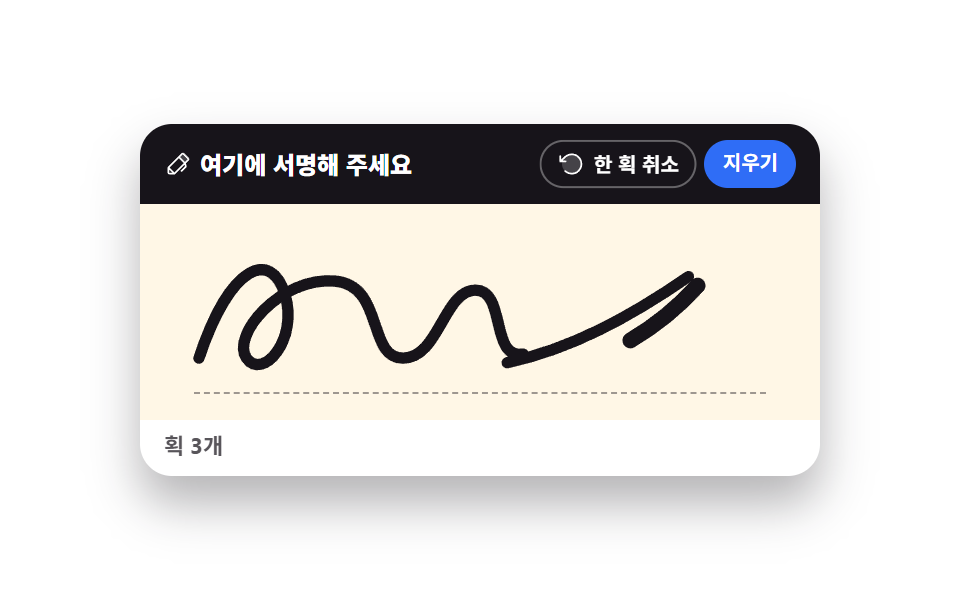 Creative UISignature Pad JavaScript: 9 Canvas Drawing UIs
 Creative UIImage Crop JavaScript: 9 Canvas Editor UIs
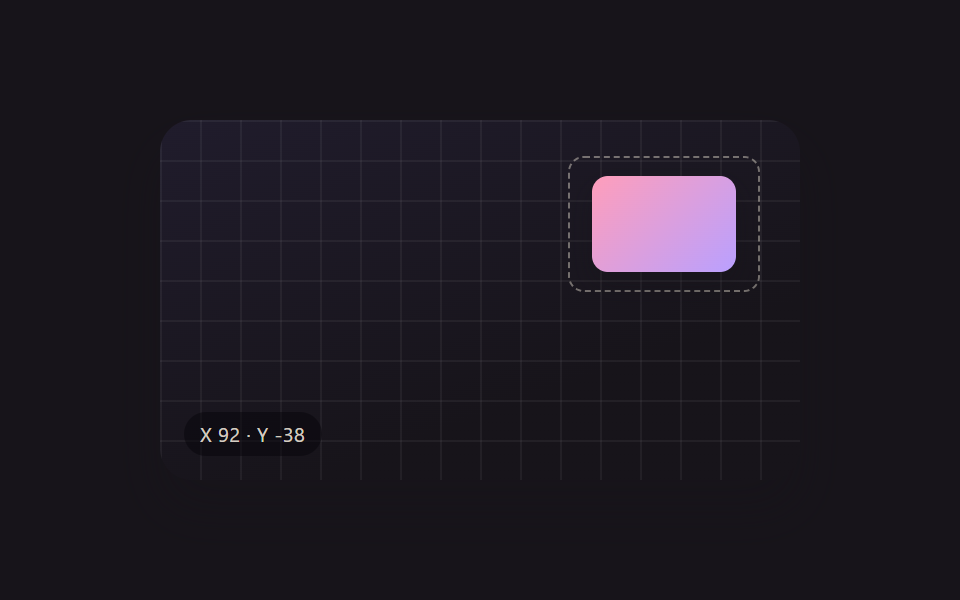 Creative UIResize Handle UI — 9 Free-Transform Patterns
 Creative UICSS Background Pattern Generator: 9 Seeded Scenes
 Creative UIWave Interference Simulation: 9 Canvas Scenes
 Creative UIVerlet Physics 9 Demos: No Library, Just Canvas
 Creative UICanvas Fluid Simulation: 9 Grid Effects
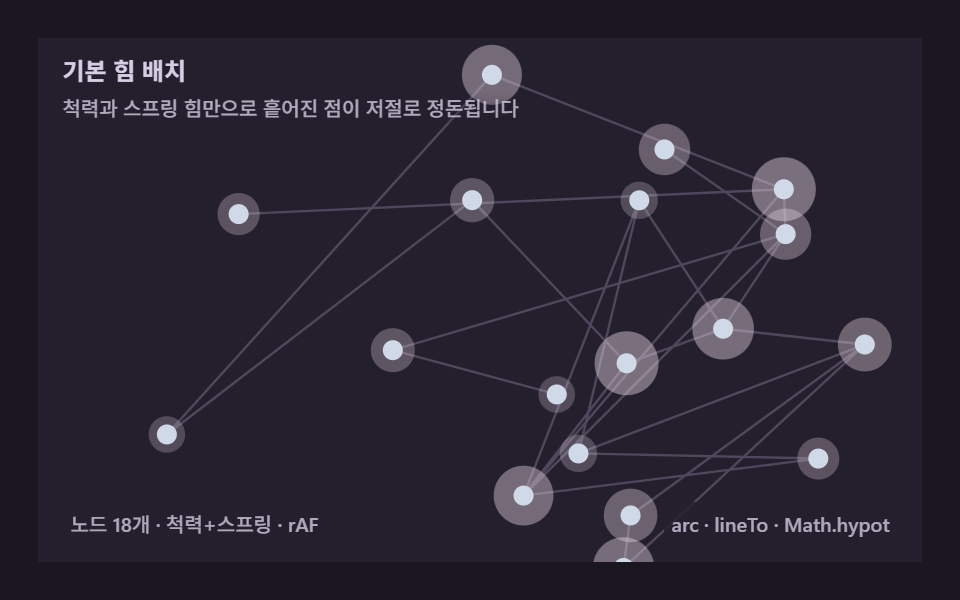 Creative UIForce Directed Graph: 9 Network Layout Demos
 Creative UIKaleidoscope Drawing: 9 Canvas Symmetry Tools