Notification Animation CSS: 9 Panel UI Patterns
Notification animation css: "How many notifications are left?" This panel answers with one unread-count value.
 01 notif-panel-bell-badge-pulse-open
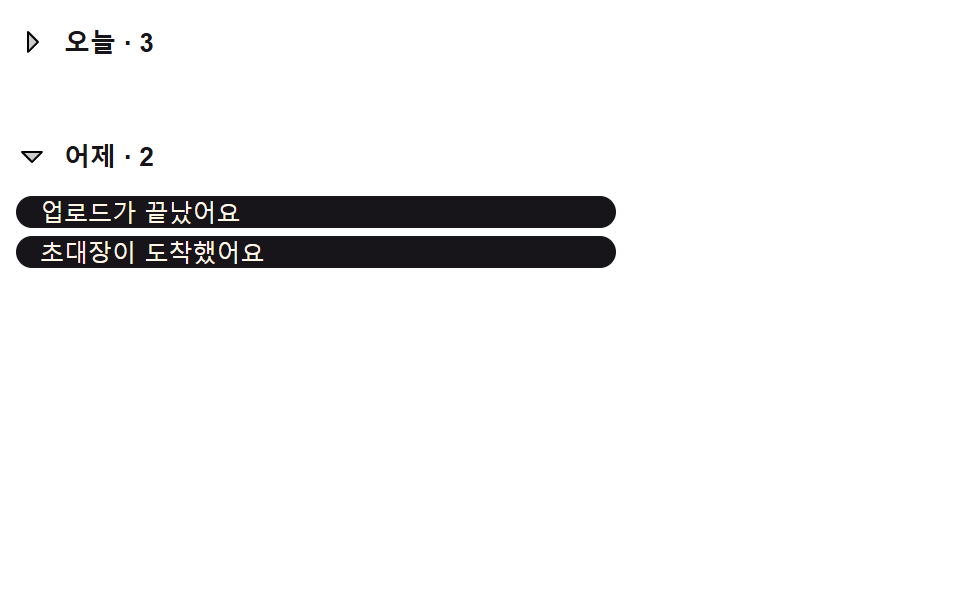 02 notif-panel-group-header-collapse
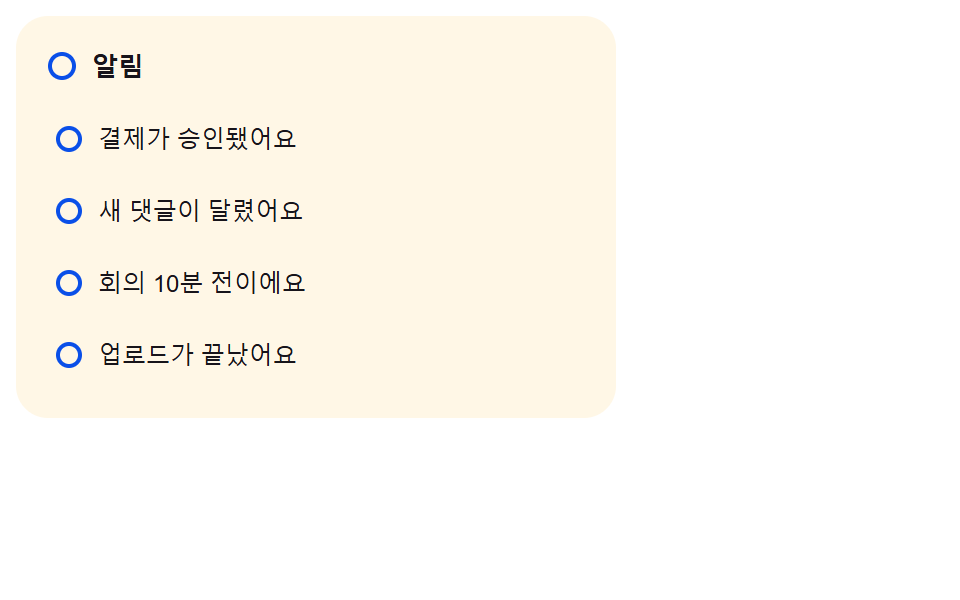 03 notif-panel-unread-dot-to-hollow
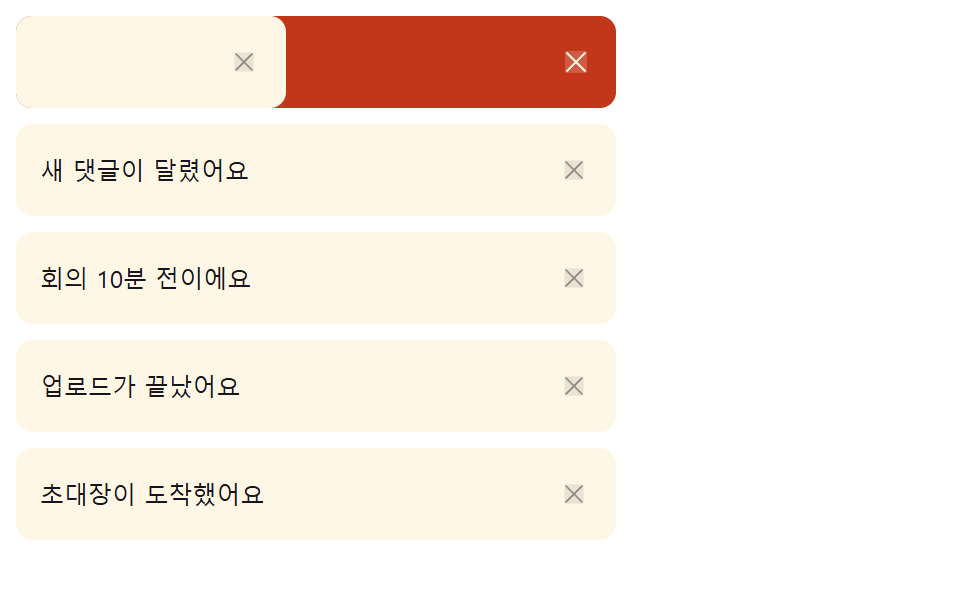 04 notif-panel-swipe-dismiss-item
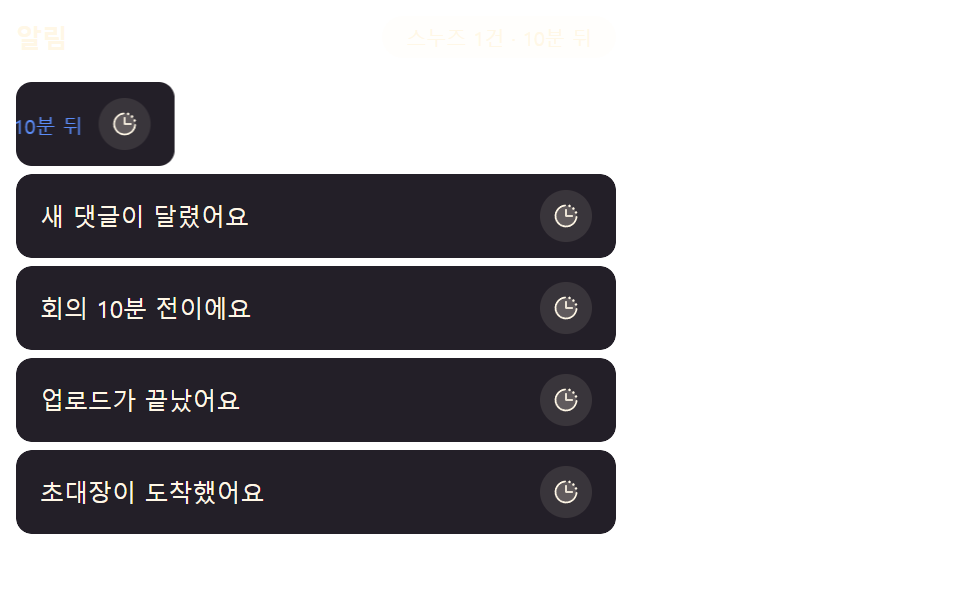 05 notif-panel-snooze-slide-out
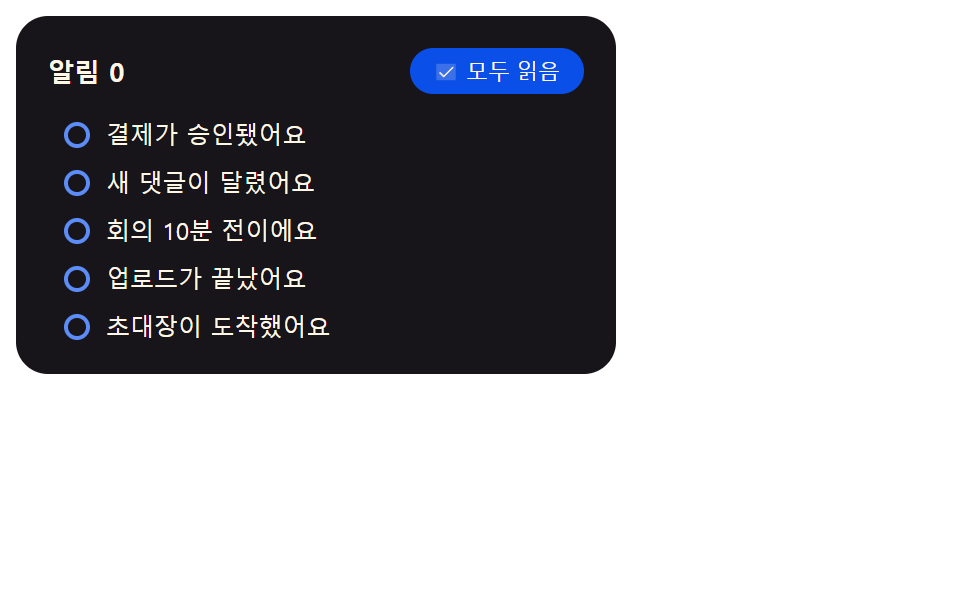 06 notif-panel-mark-all-read-cascade
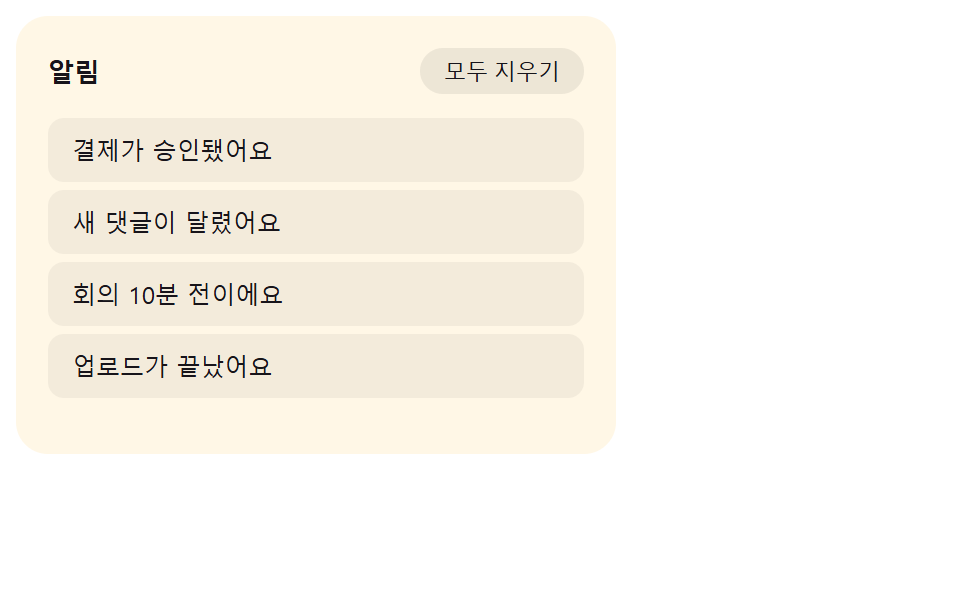 07 notif-panel-empty-state-crossfade
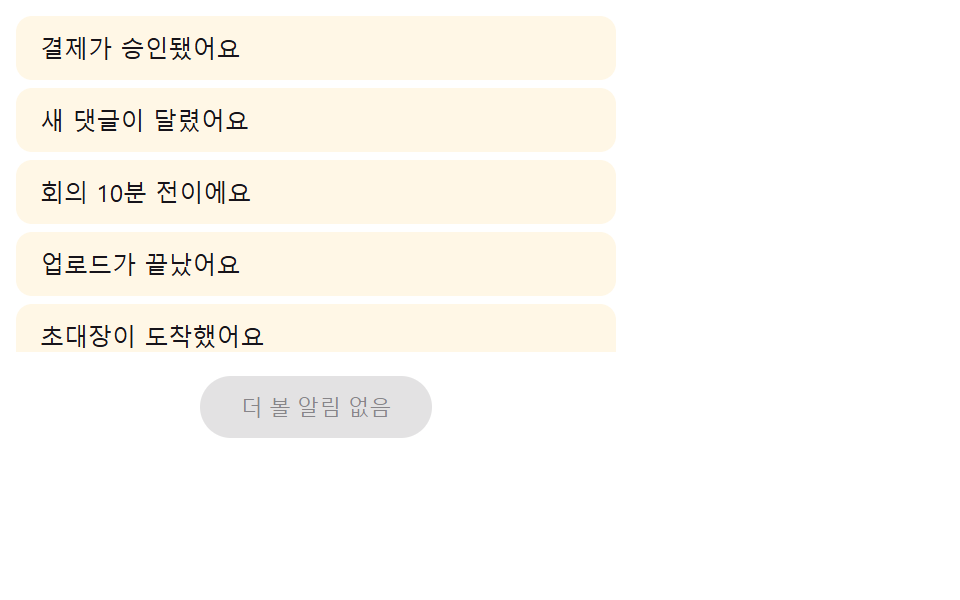 08 notif-panel-load-more-stagger-in
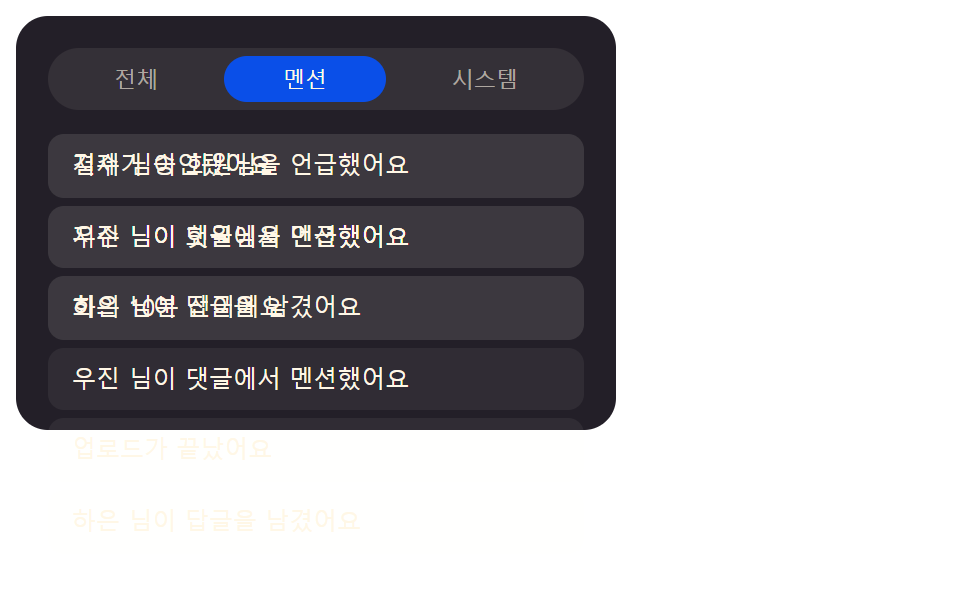 09 notif-panel-tab-filter-crossfade
Auto-plays · click a tile to jump to its section · all nine in one zip
- 01 Notification Panel That Opens After Its Badge Value Pulses
- 02 Header List That Collapses by a Date-group Value
- 03 Dot Indicator That Turns Into a Ring When a Read Value Flips
- 04 Swipe Item That Dismisses Past a Drag-distance Value
- 05 Snooze Item That Steps Aside by a Push-distance Value
- 06 Mark-all-read Wave That Follows an Order-index Value
- 07 Empty-state Message That Swaps In When a Remaining-count Value Hits Zero
- 08 Items That Stagger In When a Load-more Value Is Pressed
- 09 Filter List That Crossfades When a Tab-index Value Changes
The nine are ordered by what the badge value touches first: 01-03 live on the badge and the dot itself, 04-06 move whole rows once a person acts on them, and 07-09 swap the entire list when its count value crosses zero or its tab value changes.
A dashboard bell needs more than a red dot
Pick a product with an inbox-shaped screen -- a support queue, a project board, an admin panel -- and a bell icon sits in the header with a number on it. That number is the only thing a visitor trusts before they click: if it pulses when a new row arrives, holds still while they read, and drops to zero cleanly when the list empties, the panel feels alive without saying so. A notification bell animation css pattern that only swaps the digit reads as broken the moment two rows arrive at once, because nothing marks the change.
01Notification Panel That Opens After Its Badge Value Pulses
Every time the unread-count value grows, the badge pulses larger, then smaller, twice, and pressing the bell unfolds the panel below it from a zero height value.
<main class="stage">
  <div class="nb is-demo" id="nb">
    <button class="nb__bell" id="nbBell" type="button" aria-expanded="false" aria-controls="nbPanel">
      <svg class="nb__ic" viewBox="0 0 256 256" aria-hidden="true" focusable="false">
        <g fill="currentColor">
          <path opacity=".2" d="M208 192H48a8 8 0 0 1-6.88-12C47.71 168.6 56 139.81 56 104a72 72 0 0 1 144 0c0 35.82 8.3 64.6 14.9 76a8 8 0 0 1-6.9 12"/>
          <path d="M221.8 175.94c-5.55-9.56-13.8-36.61-13.8-71.94a80 80 0 1 0-160 0c0 35.34-8.26 62.38-13.81 71.94A16 16 0 0 0 48 200h40.81a40 40 0 0 0 78.38 0H208a16 16 0 0 0 13.8-24.06M128 216a24 24 0 0 1-22.62-16h45.24A24 24 0 0 1 128 216m-80-32c7.7-13.24 16-43.92 16-80a64 64 0 1 1 128 0c0 36.05 8.28 66.73 16 80Z"/>
        </g>
      </svg>
      <span class="nb__badge" id="nbBadge" aria-hidden="true">0</span>
      <span class="nb__pulseRing" id="nbRing" aria-hidden="true"></span>
      <span class="nb__sr" id="nbSr" aria-live="polite">Unread notifications 0</span>
    </button>
    <div class="nb__panel" id="nbPanel" role="region" aria-label="Notification panel">
      <ul class="nb__list" role="list" id="nbList"></ul>
    </div>
  </div>
</main>
@use "../../../../site/static/demo-tokens" as *;
// 계산 겹: index.html measureHeight() 가 패널을 hidden 상태로 실측해 항목 수마다 다른 실제
// 높이 값을 얻고, 그 값으로 0 → 실측치 전환을 건다(고정 높이 아님) — nb__badge--pulse 는
// NOTIF_BADGE_PULSE_MS 로 재생 시간이 정해지는 이중 펄스.
.stage { @include stage($stage-ink); }
.nb {
position: relative;
width: min(100%, 300px);
display: flex;
flex-direction: column;
align-items: center;
gap: $sp-3;
}
.nb__bell {
position: relative;
width: 56px;
height: 56px;
border-radius: $r-pill;
border: none;
background: $subject-blue-deep;
color: $subject-cream;
display: grid;
place-items: center;
cursor: pointer;
padding: 0;
}
.nb__ic { width: 26px; height: 26px; }
.nb__badge {
position: absolute;
top: -2px;
right: -2px;
min-width: 20px;
height: 20px;
padding: 0 $sp-1;
border-radius: $r-pill;
background: $error;
color: $subject-cream;
font-size: 11px;
font-weight: 700;
line-height: 20px;
text-align: center;
transform-origin: center;
}
.nb__badge--pulse { animation-name: nbPulse; animation-timing-function: $ease-spring; }
// 계산 겹: index.html pulseBadge() 가 배지 실측 지름 기준 배율(--ring-scale)을 매번 다시 계산해
// 넣는다 — 이 링은 그 배율만큼 배지 밖으로 퍼지며 사라진다(고정 px 확산이 아니다).
.nb__pulseRing {
position: absolute;
top: -2px;
right: -2px;
min-width: 20px;
height: 20px;
border-radius: $r-pill;
border: 2px solid $error;
opacity: 0;
pointer-events: none;
transform-origin: center;
}
.nb__pulseRing--go { animation: nbRingGo $dur-enter $ease-out; }
@keyframes nbRingGo {
0% { opacity: .6; transform: scale(1); }
100% { opacity: 0; transform: scale(var(--ring-scale, 2.6)); }
}
.nb__sr {
position: absolute; width: 1px; height: 1px; overflow: hidden;
clip: rect(0 0 0 0); margin: -1px; padding: 0; border: 0;
}
.nb__panel {
width: 100%;
height: 0;
overflow: hidden;
border-radius: $r-card;
background: $tick-panel;
transition: height $dur-base $ease-spring;
}
.nb__list {
list-style: none;
margin: 0;
padding: $sp-2;
display: flex;
flex-direction: column;
gap: $sp-1;
}
.nb__item {
display: flex;
justify-content: space-between;
align-items: baseline;
gap: $sp-2;
padding: $sp-2 $sp-3;
border-radius: $r-sm;
background: rgba($subject-cream, .06);
}
.nb__itemName { font-size: 12px; color: $subject-cream; }
.nb__itemTime { font-size: 10px; color: rgba($subject-cream, .55); flex: 0 0 auto; }
@keyframes nbPulse {
0%, 100% { transform: scale(1); }
20% { transform: scale(1.3); }
40% { transform: scale(1); }
60% { transform: scale(1.3); }
80% { transform: scale(1); }
}
@media (max-width: 340px) {
.nb { width: 100%; }
.nb__itemTime { display: none; }
}
@media (prefers-reduced-motion: reduce) {
.nb__panel { transition: none; }
.nb__badge--pulse { animation: none; }
.nb__pulseRing--go { animation: none; }
}.stage html, .stage body {
margin: 0;
overflow: hidden;
}
.stage .stage {
box-sizing: border-box;
min-height: 100vh;
display: grid;
place-items: center;
margin: 0;
background: #17141a;
font-family: -apple-system, "Segoe UI", "Noto Sans KR", sans-serif;
padding: clamp(8px, 4vw, 24px);
}
.nb {
position: relative;
width: min(100%, 300px);
display: flex;
flex-direction: column;
align-items: center;
gap: 12px;
}
.nb__bell {
position: relative;
width: 56px;
height: 56px;
border-radius: 999px;
border: none;
background: #0a4fe8;
color: #fff7e6;
display: grid;
place-items: center;
cursor: pointer;
padding: 0;
}
.nb__ic {
width: 26px;
height: 26px;
}
.nb__badge {
position: absolute;
top: -2px;
right: -2px;
min-width: 20px;
height: 20px;
padding: 0 4px;
border-radius: 999px;
background: #c2361a;
color: #fff7e6;
font-size: 11px;
font-weight: 700;
line-height: 20px;
text-align: center;
transform-origin: center;
}
.nb__badge--pulse {
animation-name: nbPulse;
animation-timing-function: cubic-bezier(0.2, 0.8, 0.2, 1);
}
.nb__pulseRing {
position: absolute;
top: -2px;
right: -2px;
min-width: 20px;
height: 20px;
border-radius: 999px;
border: 2px solid #c2361a;
opacity: 0;
pointer-events: none;
transform-origin: center;
}
.nb__pulseRing--go {
animation: nbRingGo 600ms ease-out;
}
@keyframes nbRingGo {
0% {
opacity: 0.6;
transform: scale(1);
}
100% {
opacity: 0;
transform: scale(var(--ring-scale, 2.6));
}
}
.nb__sr {
position: absolute;
width: 1px;
height: 1px;
overflow: hidden;
clip: rect(0 0 0 0);
margin: -1px;
padding: 0;
border: 0;
}
.nb__panel {
width: 100%;
height: 0;
overflow: hidden;
border-radius: 16px;
background: #231f28;
transition: height 300ms cubic-bezier(0.2, 0.8, 0.2, 1);
}
.nb__list {
list-style: none;
margin: 0;
padding: 8px;
display: flex;
flex-direction: column;
gap: 4px;
}
.nb__item {
display: flex;
justify-content: space-between;
align-items: baseline;
gap: 8px;
padding: 8px 12px;
border-radius: 8px;
background: rgba(255, 247, 230, 0.06);
}
.nb__itemName {
font-size: 12px;
color: #fff7e6;
}
.nb__itemTime {
font-size: 10px;
color: rgba(255, 247, 230, 0.55);
flex: 0 0 auto;
}
@keyframes nbPulse {
0%, 100% {
transform: scale(1);
}
20% {
transform: scale(1.3);
}
40% {
transform: scale(1);
}
60% {
transform: scale(1.3);
}
80% {
transform: scale(1);
}
}
@media (max-width: 340px) {
.nb {
width: 100%;
}
.nb__itemTime {
display: none;
}
}
@media (prefers-reduced-motion: reduce) {
.nb__panel {
transition: none;
}
.nb__badge--pulse {
animation: none;
}
.nb__pulseRing--go {
animation: none;
}
}(function () {
"use strict";
var NOTIF_BADGE_PULSE_MS = 900; // 뱃지가 값이 오를 때 두 번 숨쉬듯 부풀었다 가라앉는 데 걸리는 시간
var NAMES = [
"Payment approved", "New comment added", "Meeting starts in 10 minutes",
"Upload finished", "An invitation arrived"
];
var TIMES = ["just now", "5 min ago", "1 hour ago", "yesterday", "2 days ago"];
var root = document.getElementById("nb");
var bell = document.getElementById("nbBell");
var badge = document.getElementById("nbBadge");
var ring = document.getElementById("nbRing");
var sr = document.getElementById("nbSr");
var panel = document.getElementById("nbPanel");
var list = document.getElementById("nbList");
var reduce = window.matchMedia("(prefers-reduced-motion: reduce)").matches;
badge.style.animationDuration = NOTIF_BADGE_PULSE_MS + "ms";
var synthetic = false;
function human() {
if (synthetic) return;
if (root.classList.contains("is-demo")) root.classList.remove("is-demo");
}
var items = [];
var open = false;
var seq = 0;
function renderList() {
list.innerHTML = "";
items.forEach(function (it) {
var li = document.createElement("li");
li.className = "nb__item";
li.setAttribute("role", "listitem");
li.innerHTML =
'<span class="nb__itemName">' + it.name + "</span>" +
'<span class="nb__itemTime">' + it.time + "</span>";
list.appendChild(li);
});
}
function pulseBadge() {
badge.classList.remove("nb__badge--pulse");
ring.classList.remove("nb__pulseRing--go");
if (!reduce) {
// 계산 겹: 배지의 실측 지름(getBoundingClientRect)에서 링이 퍼져나갈 배율을 구한다 —
// 고정 px 가 아니라 그 순간 배지 크기 비례라 320px 무대에서도 배지 밖으로 정확히 퍼진다
var bw = badge.getBoundingClientRect().width || 20;
var targetD = bw * 2.6;
ring.style.width = bw + "px";
ring.style.height = bw + "px";
ring.style.setProperty("--ring-scale", (targetD / bw).toFixed(2));
// eslint-disable-next-line no-unused-expressions
void badge.offsetWidth;
void ring.offsetWidth;
badge.classList.add("nb__badge--pulse");
ring.classList.add("nb__pulseRing--go");
}
}
// 계산 겹: 패널을 실제로 펼치기 전, 화면 밖(visibility hidden)에서 콘텐츠의 실제 높이를
// getBoundingClientRect 로 미리 재서(항목 수마다 다른 값) 그 값으로 0 → 실측치를 전환한다.
function measureHeight() {
var prevVis = panel.style.visibility;
var prevH = panel.style.height;
panel.style.visibility = "hidden";
panel.style.height = "auto";
var h = panel.getBoundingClientRect().height;
panel.style.visibility = prevVis;
panel.style.height = prevH;
return h;
}
function setOpen(v) {
open = v;
bell.setAttribute("aria-expanded", v ? "true" : "false");
if (v) {
var h = measureHeight();
panel.style.height = "0px";
requestAnimationFrame(function () {
panel.style.height = h + "px";
});
} else {
panel.style.height = measureHeight() + "px";
requestAnimationFrame(function () {
panel.style.height = "0px";
});
}
}
function addNotification() {
var idx = seq % NAMES.length;
items.unshift({ name: NAMES[idx], time: TIMES[seq % TIMES.length] });
seq++;
if (items.length > 5) items.pop();
badge.textContent = String(items.length);
sr.textContent = "Unread notifications " + items.length + " ";
pulseBadge();
renderList();
// 패널이 열려 있는 동안 새 알림이 오면 높이도 새 내용에 맞춰 다시 잰다(고정폭 안 잘림)
if (open) panel.style.height = measureHeight() + "px";
}
function toggle() {
human();
setOpen(!open);
}
bell.addEventListener("click", toggle);
bell.addEventListener("keydown", function (e) {
if (e.key === "Enter" || e.key === " ") {
e.preventDefault();
toggle();
}
});
addNotification();
addNotification();
if (reduce) {
panel.style.transition = "none";
setOpen(true);
addNotification();
} else {
var loopTimer = 0;
var step = 0;
// 시연 주기 간격(펄스→열림→추가→닫힘) — 측정창(2초) 안에 패널 열림이 다 보이도록 조정했다.
// NOTIF_BADGE_PULSE_MS 자체는 그대로, 다음 단계로 넘어가는 대기시간만 다르게 준다.
var STEP_WAIT_MS = [500, 500, 400, 900];
function loop() {
if (!root.classList.contains("is-demo")) return;
synthetic = true;
if (step === 0) {
addNotification();
} else if (step === 1) {
setOpen(true);
} else if (step === 2) {
addNotification();
} else {
setOpen(false);
}
synthetic = false;
loopTimer = window.setTimeout(loop, STEP_WAIT_MS[step]);
step = (step + 1) % 4;
}
loopTimer = window.setTimeout(loop, 200);
}
})();// NotifBellBadgePulseOpen — vanilla 판(run/405/demo/01-.../index.html) 의 React 포트.
// 계산 겹: measureHeight() 가 패널을 hidden 상태로 실측해 항목 수마다 다른 실제 높이 값을 얻고
// 그 값으로 0 → 실측치 전환을 건다(고정 높이 아님) — vanilla 와 동일 동작.
import { useEffect, useRef, useState } from "react";
import styles from "./NotifBellBadgePulseOpen.module.scss";
type Box<T> = { current: T };
type KeyEvt = { key: string; preventDefault(): void };
const NOTIF_BADGE_PULSE_MS = 900; // 뱃지가 값이 오를 때 두 번 숨쉬듯 부풀었다 가라앉는 데 걸리는 시간
const NAMES = [
"결제가 승인됐어요", "새 댓글이 달렸어요", "회의 10분 전이에요",
"업로드가 끝났어요", "초대장이 도착했어요",
];
const TIMES = ["방금 전", "5분 전", "1시간 전", "어제", "2일 전"];
type Item = { name: string; time: string };
export default function NotifBellBadgePulseOpen() {
const [isDemo, setIsDemo] = useState(true);
const isDemoRef = useRef(true) as unknown as Box<boolean>;
const synthRef = useRef(false) as unknown as Box<boolean>;
const rootRef = useRef(null) as unknown as Box<HTMLDivElement>;
const bellRef = useRef(null) as unknown as Box<HTMLButtonElement>;
const badgeRef = useRef(null) as unknown as Box<HTMLSpanElement>;
const ringRef = useRef(null) as unknown as Box<HTMLSpanElement>;
const srRef = useRef(null) as unknown as Box<HTMLSpanElement>;
const panelRef = useRef(null) as unknown as Box<HTMLDivElement>;
const listRef = useRef(null) as unknown as Box<HTMLUListElement>;
const itemsRef = useRef([] as Item[]) as unknown as Box<Item[]>;
const openRef = useRef(false) as unknown as Box<boolean>;
const seqRef = useRef(0) as unknown as Box<number>;
const loopTimerRef = useRef(0) as unknown as Box<number>;
const stepRef = useRef(0) as unknown as Box<number>;
function human() {
if (synthRef.current) return;
if (isDemoRef.current) { isDemoRef.current = false; setIsDemo(false); }
}
function renderList() {
const listEl = listRef.current;
if (!listEl) return;
listEl.innerHTML = "";
itemsRef.current.forEach((it) => {
const li = document.createElement("li");
li.className = styles.item;
li.setAttribute("role", "listitem");
li.innerHTML =
'<span class="' + styles.itemName + '">' + it.name + "</span>" +
'<span class="' + styles.itemTime + '">' + it.time + "</span>";
listEl.appendChild(li);
});
}
function pulseBadge(reduce: boolean) {
const badge = badgeRef.current;
const ring = ringRef.current;
if (!badge || !ring) return;
badge.classList.remove(styles.badgePulse);
ring.classList.remove(styles.pulseRingGo);
if (!reduce) {
// 계산 겹: 배지의 실측 지름(getBoundingClientRect)에서 링이 퍼져나갈 배율을 구한다 —
// 고정 px 가 아니라 그 순간 배지 크기 비례라 320px 무대에서도 배지 밖으로 정확히 퍼진다
const bw = badge.getBoundingClientRect().width || 20;
const targetD = bw * 2.6;
ring.style.width = bw + "px";
ring.style.height = bw + "px";
ring.style.setProperty("--ring-scale", (targetD / bw).toFixed(2));
void badge.offsetWidth;
void ring.offsetWidth;
badge.classList.add(styles.badgePulse);
ring.classList.add(styles.pulseRingGo);
}
}
// 계산 겹: 패널을 실제로 펼치기 전, 화면 밖(visibility hidden)에서 콘텐츠의 실제 높이를
// getBoundingClientRect 로 미리 재서(항목 수마다 다른 값) 그 값으로 0 → 실측치를 전환한다.
function measureHeight(): number {
const panel = panelRef.current;
if (!panel) return 0;
const prevVis = panel.style.visibility;
const prevH = panel.style.height;
panel.style.visibility = "hidden";
panel.style.height = "auto";
const h = panel.getBoundingClientRect().height;
panel.style.visibility = prevVis;
panel.style.height = prevH;
return h;
}
function setOpen(v: boolean) {
openRef.current = v;
const bell = bellRef.current, panel = panelRef.current;
if (bell) bell.setAttribute("aria-expanded", v ? "true" : "false");
if (!panel) return;
if (v) {
const h = measureHeight();
panel.style.height = "0px";
requestAnimationFrame(() => { panel.style.height = h + "px"; });
} else {
panel.style.height = measureHeight() + "px";
requestAnimationFrame(() => { panel.style.height = "0px"; });
}
}
function addNotification(reduce: boolean) {
const idx = seqRef.current % NAMES.length;
itemsRef.current.unshift({ name: NAMES[idx], time: TIMES[seqRef.current % TIMES.length] });
seqRef.current++;
if (itemsRef.current.length > 5) itemsRef.current.pop();
const badge = badgeRef.current, sr = srRef.current;
if (badge) badge.textContent = String(itemsRef.current.length);
if (sr) sr.textContent = "미확인 알림 " + itemsRef.current.length + "개";
pulseBadge(reduce);
renderList();
// 패널이 열려 있는 동안 새 알림이 오면 높이도 새 내용에 맞춰 다시 잰다(고정폭 안 잘림)
if (openRef.current) {
const panel = panelRef.current;
if (panel) panel.style.height = measureHeight() + "px";
}
}
function toggle() {
human();
setOpen(!openRef.current);
}
function onKeyDown(e: KeyEvt) {
if (e.key === "Enter" || e.key === " ") {
e.preventDefault();
toggle();
}
}
useEffect(() => {
const reduce = window.matchMedia("(prefers-reduced-motion: reduce)").matches;
const badge = badgeRef.current;
if (badge) badge.style.animationDuration = NOTIF_BADGE_PULSE_MS + "ms";
addNotification(reduce);
addNotification(reduce);
if (reduce) {
const panel = panelRef.current;
if (panel) panel.style.transition = "none";
setOpen(true);
addNotification(reduce);
} else {
// 시연 주기 간격(펄스→열림→추가→닫힘) — 측정창(2초) 안에 패널 열림이 다 보이도록 조정했다.
// NOTIF_BADGE_PULSE_MS 자체는 그대로, 다음 단계로 넘어가는 대기시간만 다르게 준다.
const STEP_WAIT_MS = [500, 500, 400, 900];
function loop() {
if (!isDemoRef.current) return;
synthRef.current = true;
const step = stepRef.current;
if (step === 0) addNotification(false);
else if (step === 1) setOpen(true);
else if (step === 2) addNotification(false);
else setOpen(false);
synthRef.current = false;
loopTimerRef.current = window.setTimeout(loop, STEP_WAIT_MS[step]);
stepRef.current = (step + 1) % 4;
}
loopTimerRef.current = window.setTimeout(loop, 200);
}
return () => { window.clearTimeout(loopTimerRef.current); };
// eslint-disable-next-line react-hooks/exhaustive-deps
}, []);
return (
<main className={styles.stage}>
<div className={styles.nb + " " + (isDemo ? styles.isDemo : "")} ref={rootRef}>
<button className={styles.bell} type="button" aria-expanded="false" aria-controls="nbPanel"
ref={bellRef} onClick={toggle} onKeyDown={onKeyDown}>
<svg className={styles.ic} viewBox="0 0 256 256" aria-hidden="true" focusable="false">
<g fill="currentColor">
<path opacity=".2" d="M208 192H48a8 8 0 0 1-6.88-12C47.71 168.6 56 139.81 56 104a72 72 0 0 1 144 0c0 35.82 8.3 64.6 14.9 76a8 8 0 0 1-6.9 12" />
<path d="M221.8 175.94c-5.55-9.56-13.8-36.61-13.8-71.94a80 80 0 1 0-160 0c0 35.34-8.26 62.38-13.81 71.94A16 16 0 0 0 48 200h40.81a40 40 0 0 0 78.38 0H208a16 16 0 0 0 13.8-24.06M128 216a24 24 0 0 1-22.62-16h45.24A24 24 0 0 1 128 216m-80-32c7.7-13.24 16-43.92 16-80a64 64 0 1 1 128 0c0 36.05 8.28 66.73 16 80Z" />
</g>
</svg>
<span className={styles.badge} aria-hidden="true" ref={badgeRef}>0</span>
<span className={styles.pulseRing} aria-hidden="true" ref={ringRef} />
<span className={styles.sr} aria-live="polite" ref={srRef}>미확인 알림 0개</span>
</button>
<div className={styles.panel} id="nbPanel" role="region" aria-label="알림 패널" ref={panelRef}>
<ul className={styles.list} role="list" ref={listRef} />
</div>
</div>
</main>
);
}01 · Notification Panel That Opens After Its Badge Value Pulses — Measured area 34.257% · moving frames 10/23Original by GODRICH · SCSS and React ship in the zip · See the password
  function pulseBadge() {
    badge.classList.remove("nb__badge--pulse");
    ring.classList.remove("nb__pulseRing--go");
    if (!reduce) {
      // calc layer: derive the ring spread ratio from the badge's measured diameter
      // (getBoundingClientRect) -- proportional to live badge size, not a fixed px, so it still spreads exactly past the badge edge on a 320px stage
      var bw = badge.getBoundingClientRect().width || 20;
      var targetD = bw * 2.6;
      ring.style.width = bw + "px";
      ring.style.height = bw + "px";
      ring.style.setProperty("--ring-scale", (targetD / bw).toFixed(2));
      // eslint-disable-next-line no-unused-expressions
      void badge.offsetWidth;
      void ring.offsetWidth;
      badge.classList.add("nb__badge--pulse");
      ring.classList.add("nb__pulseRing--go");
    }
  }
Measured: cumulative area 34.3%, 10/23 frames moved.
02Header List That Collapses by a Date-group Value
Notifications are bucketed under a header by a date-group value, and pressing the header shrinks a height value in proportion to that group's item count, folding the child list away.
<main class="stage">
  <div class="gh is-demo" id="gh">
    <section class="gh__group">
      <button class="gh__header" id="ghHeaderToday" type="button" aria-expanded="true" aria-controls="ghListToday">
        <svg class="gh__caret" id="ghCaretToday" viewBox="0 0 256 256" aria-hidden="true" focusable="false">
          <path d="m208 96l-80 80l-80-80Z" opacity=".2"/>
          <path d="M215.39 92.94A8 8 0 0 0 208 88H48a8 8 0 0 0-5.66 13.66l80 80a8 8 0 0 0 11.32 0l80-80a8 8 0 0 0 1.73-8.72M128 164.69L67.31 104h121.38Z"/>
        </svg>
        <span class="gh__headerLabel">Today · <span id="ghCountToday">3</span></span>
      </button>
      <ul class="gh__list" id="ghListToday" role="list"></ul>
    </section>
    <section class="gh__group">
      <button class="gh__header" id="ghHeaderYesterday" type="button" aria-expanded="true" aria-controls="ghListYesterday">
        <svg class="gh__caret" id="ghCaretYesterday" viewBox="0 0 256 256" aria-hidden="true" focusable="false">
          <path d="m208 96l-80 80l-80-80Z" opacity=".2"/>
          <path d="M215.39 92.94A8 8 0 0 0 208 88H48a8 8 0 0 0-5.66 13.66l80 80a8 8 0 0 0 11.32 0l80-80a8 8 0 0 0 1.73-8.72M128 164.69L67.31 104h121.38Z"/>
        </svg>
        <span class="gh__headerLabel">Yesterday · <span id="ghCountYesterday">2</span></span>
      </button>
      <ul class="gh__list" id="ghListYesterday" role="list"></ul>
    </section>
  </div>
</main>
@use "../../../../site/static/demo-tokens" as *;
// 계산 겹: index.html setGroup() 이 항목마다 실제 높이(getBoundingClientRect)를 재서
// dataset 에 저장해두고, 순번 x NOTIF_GROUP_COLLAPSE_DELAY_MS 를 transitionDelay 로 걸어
// 위→아래(펼 때는 아래→위) 순서로 접히는 계단식 흐름을 만든다.
.stage { @include stage($stage-yellow); }
.gh {
width: min(100%, 300px);
display: flex;
flex-direction: column;
gap: $sp-4;
}
.gh__group { display: flex; flex-direction: column; gap: $sp-2; }
.gh__header {
display: flex;
align-items: center;
gap: $sp-2;
border: none;
background: transparent;
padding: $sp-1 0;
cursor: pointer;
color: $subject-ink;
}
.gh__caret {
width: 16px;
height: 16px;
color: $subject-ink;
transition: transform $dur-base $ease-spring;
transform-origin: center;
}
.gh__header[aria-expanded="false"] .gh__caret { transform: rotate(-90deg); }
.gh__headerLabel { font-size: 13px; font-weight: 700; }
.gh__list {
list-style: none;
margin: 0;
padding: 0;
display: flex;
flex-direction: column;
gap: $sp-1;
}
.gh__item {
overflow: hidden;
border-radius: $r-sm;
background: $subject-ink;
color: $subject-cream;
font-size: 12px;
padding: 0 $sp-3;
display: flex;
align-items: center;
box-sizing: border-box;
transition: height $dur-base $ease-spring, opacity $dur-base $ease-spring;
}
@media (max-width: 340px) {
.gh { width: 100%; }
}
@media (prefers-reduced-motion: reduce) {
.gh__item { transition: none; }
.gh__caret { transition: none; }
}.stage html, .stage body {
margin: 0;
overflow: hidden;
}
.stage .stage {
box-sizing: border-box;
min-height: 100vh;
display: grid;
place-items: center;
margin: 0;
background: #ffd23f;
font-family: -apple-system, "Segoe UI", "Noto Sans KR", sans-serif;
padding: clamp(8px, 4vw, 24px);
}
.gh {
width: min(100%, 300px);
display: flex;
flex-direction: column;
gap: 16px;
}
.gh__group {
display: flex;
flex-direction: column;
gap: 8px;
}
.gh__header {
display: flex;
align-items: center;
gap: 8px;
border: none;
background: transparent;
padding: 4px 0;
cursor: pointer;
color: #17141a;
}
.gh__caret {
width: 16px;
height: 16px;
color: #17141a;
transition: transform 300ms cubic-bezier(0.2, 0.8, 0.2, 1);
transform-origin: center;
}
.gh__header[aria-expanded=false] .gh__caret {
transform: rotate(-90deg);
}
.gh__headerLabel {
font-size: 13px;
font-weight: 700;
}
.gh__list {
list-style: none;
margin: 0;
padding: 0;
display: flex;
flex-direction: column;
gap: 4px;
}
.gh__item {
overflow: hidden;
border-radius: 8px;
background: #17141a;
color: #fff7e6;
font-size: 12px;
padding: 0 12px;
display: flex;
align-items: center;
box-sizing: border-box;
transition: height 300ms cubic-bezier(0.2, 0.8, 0.2, 1), opacity 300ms cubic-bezier(0.2, 0.8, 0.2, 1);
}
@media (max-width: 340px) {
.gh {
width: 100%;
}
}
@media (prefers-reduced-motion: reduce) {
.gh__item {
transition: none;
}
.gh__caret {
transition: none;
}
}(function () {
"use strict";
var NOTIF_GROUP_COLLAPSE_DELAY_MS = 80; // 항목마다 접히는 시작 시각이 이 값 x 순번만큼 밀린다
var GROUPS = {
today: ["Payment approved", "New comment added", "Meeting starts in 10 minutes"],
yesterday: ["Upload finished", "An invitation arrived"]
};
var root = document.getElementById("gh");
var reduce = window.matchMedia("(prefers-reduced-motion: reduce)").matches;
var synthetic = false;
function human() {
if (synthetic) return;
if (root.classList.contains("is-demo")) root.classList.remove("is-demo");
}
function buildList(key) {
var ul = document.getElementById("ghList" + (key === "today" ? "Today" : "Yesterday"));
GROUPS[key].forEach(function (name) {
var li = document.createElement("li");
li.className = "gh__item";
li.setAttribute("role", "listitem");
li.textContent = name;
ul.appendChild(li);
});
}
buildList("today");
buildList("yesterday");
var state = { today: true, yesterday: true };
function groupEls(key) {
var suffix = key === "today" ? "Today" : "Yesterday";
return {
header: document.getElementById("ghHeader" + suffix),
caret: document.getElementById("ghCaret" + suffix),
list: document.getElementById("ghList" + suffix)
};
}
// 계산 겹: 항목마다 실제 높이를 getBoundingClientRect 로 재고, 순번(index) x
// NOTIF_GROUP_COLLAPSE_DELAY_MS 를 transitionDelay 로 걸어 위에서 아래로(펼 때는 아래에서
// 위로) 순서대로 접히고 펼쳐지는 계단식 흐름을 만든다.
function setGroup(key, expand) {
state[key] = expand;
var els = groupEls(key);
els.header.setAttribute("aria-expanded", expand ? "true" : "false");
var items = Array.prototype.slice.call(els.list.children);
var n = items.length;
    items.forEach(function (li, i) {
      var order = expand ? (n - 1 - i) : i;
      var delay = reduce ? 0 : order * NOTIF_GROUP_COLLAPSE_DELAY_MS;
      var h = li.dataset.h ? parseFloat(li.dataset.h) : null;
      if (h === null) {
        li.style.height = "auto";
        h = li.getBoundingClientRect().height;
        li.dataset.h = String(h);
      }
      li.style.transitionDelay = delay + "ms";
      if (expand) {
        li.style.height = "0px";
        li.style.opacity = "0";
        requestAnimationFrame(function () {
          li.style.height = h + "px";
          li.style.opacity = "1";
        });
      } else {
        li.style.height = h + "px";
        li.style.opacity = "1";
        requestAnimationFrame(function () {
          li.style.height = "0px";
          li.style.opacity = "0";
        });
      }
});
}
function toggleGroup(key) {
human();
setGroup(key, !state[key]);
}
groupEls("today").header.addEventListener("click", function () { toggleGroup("today"); });
groupEls("yesterday").header.addEventListener("click", function () { toggleGroup("yesterday"); });
[groupEls("today").header, groupEls("yesterday").header].forEach(function (btn, i) {
btn.addEventListener("keydown", function (e) {
if (e.key === "Enter" || e.key === " ") {
e.preventDefault();
toggleGroup(i === 0 ? "today" : "yesterday");
}
});
});
// 화면 폭이 바뀌면 줄바꿈 여부가 달라져 캐시해둔 실측 높이가 더는 맞지 않는다 — 지운다.
window.addEventListener("resize", function () {
Array.prototype.forEach.call(root.querySelectorAll(".gh__item"), function (li) {
delete li.dataset.h;
});
});
if (reduce) {
setGroup("today", false);
} else {
var step = 0;
function loop() {
if (!root.classList.contains("is-demo")) return;
synthetic = true;
if (step === 0) setGroup("today", false);
else if (step === 1) setGroup("today", true);
else if (step === 2) setGroup("yesterday", false);
else setGroup("yesterday", true);
synthetic = false;
step = (step + 1) % 4;
window.setTimeout(loop, 1500);
}
window.setTimeout(loop, 500);
}
})();// NotifGroupHeaderCollapse — vanilla 판(run/405/demo/02-.../index.html) 의 React 포트.
// 계산 겹: 항목마다 실제 높이를 getBoundingClientRect 로 재고, 순번(index) x
// NOTIF_GROUP_COLLAPSE_DELAY_MS 를 transitionDelay 로 걸어 위에서 아래로(펼 때는 아래에서
// 위로) 순서대로 접히고 펼쳐지는 계단식 흐름을 만든다 — vanilla 와 동일 동작.
import { useEffect, useRef, useState } from "react";
import styles from "./NotifGroupHeaderCollapse.module.scss";
type Box<T> = { current: T };
type KeyEvt = { key: string; preventDefault(): void };
type GroupKey = "today" | "yesterday";
const NOTIF_GROUP_COLLAPSE_DELAY_MS = 80; // 항목마다 접히는 시작 시각이 이 값 x 순번만큼 밀린다
const GROUPS: { [k in GroupKey]: string[] } = {
today: ["결제가 승인됐어요", "새 댓글이 달렸어요", "회의 10분 전이에요"],
yesterday: ["업로드가 끝났어요", "초대장이 도착했어요"],
};
export default function NotifGroupHeaderCollapse() {
const [isDemo, setIsDemo] = useState(true);
const [expanded, setExpanded] = useState<{ [k in GroupKey]: boolean }>({ today: true, yesterday: true });
const isDemoRef = useRef(true) as unknown as Box<boolean>;
const synthRef = useRef(false) as unknown as Box<boolean>;
const rootRef = useRef(null) as unknown as Box<HTMLDivElement>;
const headerRef = {
today: useRef(null) as unknown as Box<HTMLButtonElement>,
yesterday: useRef(null) as unknown as Box<HTMLButtonElement>,
};
const listRef = {
today: useRef(null) as unknown as Box<HTMLUListElement>,
yesterday: useRef(null) as unknown as Box<HTMLUListElement>,
};
const stateRef = useRef({ today: true, yesterday: true }) as unknown as Box<{ [k in GroupKey]: boolean }>;
const loopTimerRef = useRef(0) as unknown as Box<number>;
const stepRef = useRef(0) as unknown as Box<number>;
function human() {
if (synthRef.current) return;
if (isDemoRef.current) { isDemoRef.current = false; setIsDemo(false); }
}
function buildList(key: GroupKey) {
const ul = listRef[key].current;
if (!ul) return;
ul.innerHTML = "";
GROUPS[key].forEach((name) => {
const li = document.createElement("li");
li.className = styles.item;
li.setAttribute("role", "listitem");
li.textContent = name;
ul.appendChild(li);
});
}
function setGroup(key: GroupKey, expand: boolean, reduce: boolean) {
stateRef.current[key] = expand;
setExpanded((prev) => ({ ...prev, [key]: expand }));
const list = listRef[key].current;
if (!list) return;
const items = Array.prototype.slice.call(list.children) as HTMLLIElement[];
const n = items.length;
items.forEach((li, i) => {
const order = expand ? n - 1 - i : i;
const delay = reduce ? 0 : order * NOTIF_GROUP_COLLAPSE_DELAY_MS;
let h = li.dataset.h ? parseFloat(li.dataset.h) : null;
if (h === null) {
li.style.height = "auto";
h = li.getBoundingClientRect().height;
li.dataset.h = String(h);
}
li.style.transitionDelay = delay + "ms";
if (expand) {
li.style.height = "0px";
li.style.opacity = "0";
requestAnimationFrame(() => { li.style.height = h + "px"; li.style.opacity = "1"; });
} else {
li.style.height = h + "px";
li.style.opacity = "1";
requestAnimationFrame(() => { li.style.height = "0px"; li.style.opacity = "0"; });
}
});
}
function toggleGroup(key: GroupKey) {
human();
const reduce = window.matchMedia("(prefers-reduced-motion: reduce)").matches;
setGroup(key, !stateRef.current[key], reduce);
}
function onKeyDown(key: GroupKey, e: KeyEvt) {
if (e.key === "Enter" || e.key === " ") {
e.preventDefault();
toggleGroup(key);
}
}
useEffect(() => {
buildList("today");
buildList("yesterday");
const reduce = window.matchMedia("(prefers-reduced-motion: reduce)").matches;
function onResize() {
const root = rootRef.current;
if (!root) return;
Array.prototype.forEach.call(root.querySelectorAll("li"), (li: HTMLLIElement) => { delete li.dataset.h; });
}
window.addEventListener("resize", onResize);
if (reduce) {
setGroup("today", false, true);
} else {
function loop() {
if (!isDemoRef.current) return;
synthRef.current = true;
const step = stepRef.current;
if (step === 0) setGroup("today", false, false);
else if (step === 1) setGroup("today", true, false);
else if (step === 2) setGroup("yesterday", false, false);
else setGroup("yesterday", true, false);
synthRef.current = false;
stepRef.current = (step + 1) % 4;
loopTimerRef.current = window.setTimeout(loop, 1500);
}
loopTimerRef.current = window.setTimeout(loop, 500);
}
return () => {
window.removeEventListener("resize", onResize);
window.clearTimeout(loopTimerRef.current);
};
// eslint-disable-next-line react-hooks/exhaustive-deps
}, []);
return (
<main className={styles.stage}>
<div className={styles.gh + " " + (isDemo ? styles.isDemo : "")} ref={rootRef}>
<section className={styles.group}>
<button className={styles.header} type="button" aria-expanded={expanded.today ? "true" : "false"}
aria-controls="ghListToday" ref={headerRef.today}
onClick={() => toggleGroup("today")} onKeyDown={(e: KeyEvt) => onKeyDown("today", e)}>
<svg className={styles.caret} viewBox="0 0 256 256" aria-hidden="true" focusable="false">
<path d="m208 96l-80 80l-80-80Z" opacity=".2" />
<path d="M215.39 92.94A8 8 0 0 0 208 88H48a8 8 0 0 0-5.66 13.66l80 80a8 8 0 0 0 11.32 0l80-80a8 8 0 0 0 1.73-8.72M128 164.69L67.31 104h121.38Z" />
</svg>
<span className={styles.headerLabel}>오늘 · {GROUPS.today.length}</span>
</button>
<ul className={styles.list} id="ghListToday" role="list" ref={listRef.today} />
</section>
<section className={styles.group}>
<button className={styles.header} type="button" aria-expanded={expanded.yesterday ? "true" : "false"}
aria-controls="ghListYesterday" ref={headerRef.yesterday}
onClick={() => toggleGroup("yesterday")} onKeyDown={(e: KeyEvt) => onKeyDown("yesterday", e)}>
<svg className={styles.caret} viewBox="0 0 256 256" aria-hidden="true" focusable="false">
<path d="m208 96l-80 80l-80-80Z" opacity=".2" />
<path d="M215.39 92.94A8 8 0 0 0 208 88H48a8 8 0 0 0-5.66 13.66l80 80a8 8 0 0 0 11.32 0l80-80a8 8 0 0 0 1.73-8.72M128 164.69L67.31 104h121.38Z" />
</svg>
<span className={styles.headerLabel}>어제 · {GROUPS.yesterday.length}</span>
</button>
<ul className={styles.list} id="ghListYesterday" role="list" ref={listRef.yesterday} />
</section>
</div>
</main>
);
}02 · Header List That Collapses by a Date-group Value — Measured area 29.136% · moving frames 9/23Original by GODRICH · SCSS and React ship in the zip · See the password
items.forEach(function (li, i) {
var order = expand ? (n - 1 - i) : i;
var delay = reduce ? 0 : order * NOTIF_GROUP_COLLAPSE_DELAY_MS;
var h = li.dataset.h ? parseFloat(li.dataset.h) : null;
if (h === null) {
li.style.height = "auto";
h = li.getBoundingClientRect().height;
li.dataset.h = String(h);
}
li.style.transitionDelay = delay + "ms";
if (expand) {
li.style.height = "0px";
li.style.opacity = "0";
requestAnimationFrame(function () {
li.style.height = h + "px";
li.style.opacity = "1";
});
} else {
li.style.height = h + "px";
li.style.opacity = "1";
requestAnimationFrame(function () {
li.style.height = "0px";
li.style.opacity = "0";
});
}
Measured: cumulative area 29.1%, 9/23 frames moved.
03Dot Indicator That Turns Into a Ring When a Read Value Flips
While an item's read value is off, it draws a solid dot, and the moment the value flips on, it redraws the same radius value as a hollow ring with only the outline left.
<main class="stage">
  <div class="ud is-demo" id="ud">
    <div class="ud__head">
      <span class="ud__badge" id="udBadge">
        <span class="ud__dotFill ud__badgeFill" id="udBadgeFill"></span>
        <span class="ud__dotRing ud__badgeRing" id="udBadgeRing"></span>
      </span>
      <span class="ud__headLabel">Notifications</span>
      <span class="ud__sr" id="udSr" aria-live="polite">4 unread</span>
    </div>
    <ul class="ud__list" id="udList" role="list"></ul>
  </div>
</main>
@use "../../../../site/static/demo-tokens" as *;
// 계산 겹: index.html Spring() 이 매 프레임 위치·속도를 직접 적분하는 감쇠 스프링으로
// 채운 점(투명도 1) → 빈 원(테두리 굵기 2.4px) 전환을 만든다. CSS 트랜지션이 아니라
// requestAnimationFrame 루프가 값을 계산한다.
.stage { @include stage($stage-orange); }
.ud {
width: min(100%, 300px);
background: $subject-cream;
border-radius: $r-card;
padding: $sp-4;
box-sizing: border-box;
display: flex;
flex-direction: column;
gap: $sp-3;
}
.ud__head { display: flex; align-items: center; gap: $sp-2; }
.ud__headLabel { font-size: 13px; font-weight: 700; color: $subject-ink; }
.ud__badge { position: relative; width: 14px; height: 14px; display: inline-block; }
.ud__sr {
position: absolute; width: 1px; height: 1px; overflow: hidden;
clip: rect(0 0 0 0); margin: -1px; padding: 0; border: 0;
}
.ud__list { list-style: none; margin: 0; padding: 0; display: flex; flex-direction: column; gap: $sp-1; }
.ud__row {
position: relative;
width: 100%;
display: flex;
align-items: center;
gap: $sp-2;
border: none;
background: transparent;
padding: $sp-2 $sp-1;
border-radius: $r-sm;
cursor: pointer;
text-align: left;
}
.ud__row:hover { background: rgba($subject-ink, .05); }
// 계산 겹: index.html Spring() 이 점을 채우는 같은 c 값으로 이 행 톤의 opacity 도 함께 보간한다
// (안 읽음일수록 진하게) — 점 하나가 아니라 행 전체가 톤으로 안 읽음을 드러낸다.
.ud__rowTint {
position: absolute;
inset: 0;
border-radius: $r-sm;
background: $subject-blue-deep;
opacity: 0;
pointer-events: none;
}
.ud__dot { position: relative; z-index: 1; width: 13px; height: 13px; flex: 0 0 auto; }
.ud__dotFill,
.ud__dotRing {
position: absolute;
inset: 0;
border-radius: 50%;
box-sizing: border-box;
}
.ud__dotFill { background: $subject-blue-deep; opacity: 1; }
.ud__dotRing { border: 0 solid $subject-blue-deep; }
.ud__name { position: relative; z-index: 1; font-size: 12px; color: $subject-ink; }
@media (max-width: 340px) {
.ud { width: 100%; }
.ud__list { max-height: 105px; overflow-y: auto; }
}
@media (prefers-reduced-motion: reduce) {
.ud__row { transition: none; }
}.stage html, .stage body {
margin: 0;
overflow: hidden;
}
.stage .stage {
box-sizing: border-box;
min-height: 100vh;
display: grid;
place-items: center;
margin: 0;
background: #ff4d1f;
font-family: -apple-system, "Segoe UI", "Noto Sans KR", sans-serif;
padding: clamp(8px, 4vw, 24px);
}
.ud {
width: min(100%, 300px);
background: #fff7e6;
border-radius: 16px;
padding: 16px;
box-sizing: border-box;
display: flex;
flex-direction: column;
gap: 12px;
}
.ud__head {
display: flex;
align-items: center;
gap: 8px;
}
.ud__headLabel {
font-size: 13px;
font-weight: 700;
color: #17141a;
}
.ud__badge {
position: relative;
width: 14px;
height: 14px;
display: inline-block;
}
.ud__sr {
position: absolute;
width: 1px;
height: 1px;
overflow: hidden;
clip: rect(0 0 0 0);
margin: -1px;
padding: 0;
border: 0;
}
.ud__list {
list-style: none;
margin: 0;
padding: 0;
display: flex;
flex-direction: column;
gap: 4px;
}
.ud__row {
position: relative;
width: 100%;
display: flex;
align-items: center;
gap: 8px;
border: none;
background: transparent;
padding: 8px 4px;
border-radius: 8px;
cursor: pointer;
text-align: left;
}
.ud__row:hover {
background: rgba(23, 20, 26, 0.05);
}
.ud__rowTint {
position: absolute;
inset: 0;
border-radius: 8px;
background: #0a4fe8;
opacity: 0;
pointer-events: none;
}
.ud__dot {
position: relative;
z-index: 1;
width: 13px;
height: 13px;
flex: 0 0 auto;
}
.ud__dotFill,
.ud__dotRing {
position: absolute;
inset: 0;
border-radius: 50%;
box-sizing: border-box;
}
.ud__dotFill {
background: #0a4fe8;
opacity: 1;
}
.ud__dotRing {
border: 0 solid #0a4fe8;
}
.ud__name {
position: relative;
z-index: 1;
font-size: 12px;
color: #17141a;
}
@media (max-width: 340px) {
.ud {
width: 100%;
}
.ud__list {
max-height: 105px;
overflow-y: auto;
}
}
@media (prefers-reduced-motion: reduce) {
.ud__row {
transition: none;
}
}(function () {
"use strict";
var NAMES = [
"Payment approved", "New comment added", "Meeting starts in 10 minutes", "Upload finished"
];
var root = document.getElementById("ud");
var list = document.getElementById("udList");
var sr = document.getElementById("udSr");
var reduce = window.matchMedia("(prefers-reduced-motion: reduce)").matches;
var synthetic = false;
function human() {
if (synthetic) return;
if (root.classList.contains("is-demo")) root.classList.remove("is-demo");
}
// 계산 겹: CSS 트랜지션이 아니라 매 프레임 위치·속도를 직접 적분하는 감쇠 스프링으로
// 채운 점 → 빈 원 전환을 만든다. target 을 0 또는 1 로 바꾸면 그 순간의 속도를 그대로
// 이어받아 다음 목표로 다시 움직인다(끊기지 않는다).
function Spring(tintEl, fillEl, ringEl, stiffness, damping) {
var pos = 0, vel = 0, target = 0, raf = 0, last = null;
function apply(p) {
var c = Math.max(0, Math.min(1, p));
var over = Math.max(0, p - 1);
fillEl.style.opacity = String(1 - c);
ringEl.style.borderWidth = (c * 2.4).toFixed(2) + "px";
var bump = 1 + over * 0.85;
fillEl.parentNode.style.transform = "scale(" + bump.toFixed(3) + ")";
// 같은 스프링 값(c)으로 행 All 톤도 함께 보간한다 — 안 읽음일수록 진하고, 읽으면 투명해진다
if (tintEl) tintEl.style.opacity = (0.10 * (1 - c)).toFixed(3);
}
    function tick(ts) {
      if (last === null) last = ts;
      var dt = Math.min((ts - last) / 1000, 0.032);
      last = ts;
      var acc = (-stiffness * (pos - target) - damping * vel);
      vel += acc * dt;
      pos += vel * dt;
      apply(pos);
      if (Math.abs(pos - target) > 0.002 || Math.abs(vel) > 0.01) {
        raf = requestAnimationFrame(tick);
      } else {
        pos = target;
        apply(pos);
        raf = 0;
        last = null;
      }
    }
this.to = function (t, immediate) {
target = t;
if (immediate) {
pos = t; vel = 0; apply(pos);
if (raf) { cancelAnimationFrame(raf); raf = 0; }
last = null;
return;
}
if (!raf) { last = null; raf = requestAnimationFrame(tick); }
};
apply(0);
}
var badgeSpring = new Spring(
null,
document.getElementById("udBadgeFill"),
document.getElementById("udBadgeRing"),
reduce ? 999 : 220, reduce ? 999 : 17
);
var rows = [];
var unread = NAMES.length;
function updateSr() {
sr.textContent = unread + " unread";
}
function markRead(row) {
if (row.read) return;
row.read = true;
unread--;
row.spring.to(1);
if (unread <= 0) badgeSpring.to(1);
updateSr();
}
function markUnread(row) {
if (!row.read) return;
row.read = false;
unread++;
row.spring.to(0);
badgeSpring.to(0);
updateSr();
}
NAMES.forEach(function (name, i) {
var li = document.createElement("li");
li.className = "ud__item";
li.setAttribute("role", "listitem");
var btn = document.createElement("button");
btn.type = "button";
btn.className = "ud__row";
btn.setAttribute("aria-pressed", "false");
var tint = document.createElement("span");
tint.className = "ud__rowTint";
tint.setAttribute("aria-hidden", "true");
var dot = document.createElement("span");
dot.className = "ud__dot";
var fill = document.createElement("span");
fill.className = "ud__dotFill";
var ring = document.createElement("span");
ring.className = "ud__dotRing";
dot.appendChild(fill);
dot.appendChild(ring);
var nameEl = document.createElement("span");
nameEl.className = "ud__name";
nameEl.textContent = name;
btn.appendChild(tint);
btn.appendChild(dot);
btn.appendChild(nameEl);
li.appendChild(btn);
list.appendChild(li);
var row = { btn: btn, read: false, spring: new Spring(tint, fill, ring, reduce ? 999 : 220, reduce ? 999 : 17) };
rows.push(row);
btn.addEventListener("click", function () {
human();
if (row.read) markUnread(row); else markRead(row);
btn.setAttribute("aria-pressed", row.read ? "true" : "false");
});
});
if (reduce) {
rows.forEach(function (row) { markRead(row); });
} else {
var idx = 0;
var phase = "read";
function loop() {
if (!root.classList.contains("is-demo")) return;
synthetic = true;
if (phase === "read") {
var row = rows[idx];
markRead(row);
row.btn.setAttribute("aria-pressed", "true");
idx++;
if (idx >= rows.length) { phase = "reset"; }
} else {
rows.forEach(function (r) {
r.read = false;
r.spring.to(0, true);
r.btn.setAttribute("aria-pressed", "false");
});
unread = NAMES.length;
badgeSpring.to(0, true);
updateSr();
idx = 0;
phase = "read";
}
synthetic = false;
window.setTimeout(loop, phase === "reset" ? 900 : 480);
}
window.setTimeout(loop, 250);
}
})();// NotifUnreadDotToHollow — vanilla 판(run/405/demo/03-.../index.html) 의 React 포트.
// 계산 겹: CSS 트랜지션이 아니라 매 프레임 위치·속도를 직접 적분하는 감쇠 스프링으로 채운
// 점 → 빈 원 전환을 만든다. target 을 0 또는 1 로 바꾸면 그 순간의 속도를 그대로 이어받아
// 다음 목표로 다시 움직인다(끊기지 않는다) — vanilla 와 동일 동작.
import { useEffect, useRef, useState } from "react";
import styles from "./NotifUnreadDotToHollow.module.scss";
type Box<T> = { current: T };
const NAMES = ["결제가 승인됐어요", "새 댓글이 달렸어요", "회의 10분 전이에요", "업로드가 끝났어요"];
class Spring {
private pos = 0;
private vel = 0;
private target = 0;
private raf = 0;
private last: number | null = null;
constructor(private tintEl: HTMLElement | null, private fillEl: HTMLElement, private ringEl: HTMLElement, private stiffness: number, private damping: number) {
this.apply(0);
}
private apply(p: number) {
const c = Math.max(0, Math.min(1, p));
const over = Math.max(0, p - 1);
this.fillEl.style.opacity = String(1 - c);
this.ringEl.style.borderWidth = (c * 2.4).toFixed(2) + "px";
const bump = 1 + over * 0.85;
const parent = this.fillEl.parentNode as HTMLElement | null;
if (parent) parent.style.transform = "scale(" + bump.toFixed(3) + ")";
// 같은 스프링 값(c)으로 행 전체 톤도 함께 보간한다 — 안 읽음일수록 진하고, 읽으면 투명해진다
if (this.tintEl) this.tintEl.style.opacity = (0.10 * (1 - c)).toFixed(3);
}
private tick = (ts: number) => {
if (this.last === null) this.last = ts;
const dt = Math.min((ts - this.last) / 1000, 0.032);
this.last = ts;
const acc = -this.stiffness * (this.pos - this.target) - this.damping * this.vel;
this.vel += acc * dt;
this.pos += this.vel * dt;
this.apply(this.pos);
if (Math.abs(this.pos - this.target) > 0.002 || Math.abs(this.vel) > 0.01) {
this.raf = requestAnimationFrame(this.tick);
} else {
this.pos = this.target;
this.apply(this.pos);
this.raf = 0;
this.last = null;
}
};
to(t: number, immediate?: boolean) {
this.target = t;
if (immediate) {
this.pos = t; this.vel = 0; this.apply(this.pos);
if (this.raf) { cancelAnimationFrame(this.raf); this.raf = 0; }
this.last = null;
return;
}
if (!this.raf) { this.last = null; this.raf = requestAnimationFrame(this.tick); }
}
}
type Row = { btn: HTMLButtonElement; read: boolean; spring: Spring };
export default function NotifUnreadDotToHollow() {
const [isDemo, setIsDemo] = useState(true);
const isDemoRef = useRef(true) as unknown as Box<boolean>;
const synthRef = useRef(false) as unknown as Box<boolean>;
const rootRef = useRef(null) as unknown as Box<HTMLDivElement>;
const listRef = useRef(null) as unknown as Box<HTMLUListElement>;
const srRef = useRef(null) as unknown as Box<HTMLParagraphElement>;
const badgeFillRef = useRef(null) as unknown as Box<HTMLSpanElement>;
const badgeRingRef = useRef(null) as unknown as Box<HTMLSpanElement>;
const badgeSpringRef = useRef(null) as unknown as Box<Spring | null>;
const rowsRef = useRef([] as Row[]) as unknown as Box<Row[]>;
const unreadRef = useRef(NAMES.length) as unknown as Box<number>;
const loopTimerRef = useRef(0) as unknown as Box<number>;
function human() {
if (synthRef.current) return;
if (isDemoRef.current) { isDemoRef.current = false; setIsDemo(false); }
}
function updateSr() {
if (srRef.current) srRef.current.textContent = unreadRef.current + "개 안 읽음";
}
function markRead(row: Row) {
if (row.read) return;
row.read = true;
unreadRef.current--;
row.spring.to(1);
if (unreadRef.current <= 0 && badgeSpringRef.current) badgeSpringRef.current.to(1);
updateSr();
}
function markUnread(row: Row) {
if (!row.read) return;
row.read = false;
unreadRef.current++;
row.spring.to(0);
if (badgeSpringRef.current) badgeSpringRef.current.to(0);
updateSr();
}
useEffect(() => {
const reduce = window.matchMedia("(prefers-reduced-motion: reduce)").matches;
const list = listRef.current;
if (!list || !badgeFillRef.current || !badgeRingRef.current) return;
badgeSpringRef.current = new Spring(null, badgeFillRef.current, badgeRingRef.current, reduce ? 999 : 220, reduce ? 999 : 17);
const rows: Row[] = [];
NAMES.forEach((name) => {
const li = document.createElement("li");
li.className = styles.item;
li.setAttribute("role", "listitem");
const btn = document.createElement("button");
btn.type = "button";
btn.className = styles.row;
btn.setAttribute("aria-pressed", "false");
const tint = document.createElement("span");
tint.className = styles.rowTint;
tint.setAttribute("aria-hidden", "true");
const dot = document.createElement("span");
dot.className = styles.dot;
const fill = document.createElement("span");
fill.className = styles.dotFill;
const ring = document.createElement("span");
ring.className = styles.dotRing;
dot.appendChild(fill);
dot.appendChild(ring);
const nameEl = document.createElement("span");
nameEl.className = styles.name;
nameEl.textContent = name;
btn.appendChild(tint);
btn.appendChild(dot);
btn.appendChild(nameEl);
li.appendChild(btn);
list.appendChild(li);
const row: Row = { btn, read: false, spring: new Spring(tint, fill, ring, reduce ? 999 : 220, reduce ? 999 : 17) };
rows.push(row);
btn.addEventListener("click", () => {
human();
if (row.read) markUnread(row); else markRead(row);
btn.setAttribute("aria-pressed", row.read ? "true" : "false");
});
});
rowsRef.current = rows;
if (reduce) {
rows.forEach((row) => markRead(row));
} else {
let idx = 0;
let phase = "read";
function loop() {
if (!isDemoRef.current) return;
synthRef.current = true;
if (phase === "read") {
const row = rowsRef.current[idx];
markRead(row);
row.btn.setAttribute("aria-pressed", "true");
idx++;
if (idx >= rowsRef.current.length) { phase = "reset"; }
} else {
rowsRef.current.forEach((r) => {
r.read = false;
r.spring.to(0, true);
r.btn.setAttribute("aria-pressed", "false");
});
unreadRef.current = NAMES.length;
if (badgeSpringRef.current) badgeSpringRef.current.to(0, true);
updateSr();
idx = 0;
phase = "read";
}
synthRef.current = false;
loopTimerRef.current = window.setTimeout(loop, phase === "reset" ? 900 : 480);
}
loopTimerRef.current = window.setTimeout(loop, 250);
}
return () => { window.clearTimeout(loopTimerRef.current); };
// eslint-disable-next-line react-hooks/exhaustive-deps
}, []);
return (
<main className={styles.stage}>
<div className={styles.ud + " " + (isDemo ? styles.isDemo : "")} ref={rootRef}>
<div className={styles.head}>
<span className={styles.badge}>
<span className={styles.dotFill + " " + styles.badgeFill} ref={badgeFillRef} />
<span className={styles.dotRing + " " + styles.badgeRing} ref={badgeRingRef} />
</span>
<span className={styles.headLabel}>알림</span>
<p className={styles.sr} aria-live="polite" ref={srRef}>4개 안 읽음</p>
</div>
<ul className={styles.list} role="list" ref={listRef} />
</div>
</main>
);
}03 · Dot Indicator That Turns Into a Ring When a Read Value Flips — Measured area 23.068% · moving frames 18/23Original by GODRICH · SCSS and React ship in the zip · See the password
function tick(ts) {
if (last === null) last = ts;
var dt = Math.min((ts - last) / 1000, 0.032);
last = ts;
var acc = (-stiffness * (pos - target) - damping * vel);
vel += acc * dt;
pos += vel * dt;
apply(pos);
if (Math.abs(pos - target) > 0.002 || Math.abs(vel) > 0.01) {
raf = requestAnimationFrame(tick);
} else {
pos = target;
apply(pos);
raf = 0;
last = null;
}
}
Measured: cumulative area 23.1%, 18/23 frames moved.
04Swipe Item That Dismisses Past a Drag-distance Value
Once the sideways drag-distance ratio clears its threshold, or the drag speed clears a separate threshold on its own, the item's opacity value and height value are both driven to zero together, removing it from the list.
<main class="stage">
  <div class="sw is-demo" id="sw">
    <ul class="sw__list" id="swList" role="list"></ul>
    <p class="sw__sr" id="swSr" aria-live="polite"></p>
  </div>
</main>
@use "../../../../site/static/demo-tokens" as *;
// 계산 겹: index.html 이 pointerdown 좌표·시각을 기록해 pointermove 로 실제 이동 거리(dx)를
// 얻고 pointerup 시점에 dx ÷ 경과시간으로 속도(px/ms)를 계산한다 — 거리 비율(threshold)이나
// 속도 중 하나만 넘어도 지워지므로, 톡 치듯 빠르게 밀면 짧게 밀어도 지워진다.
.stage { @include stage($stage-paper); }
.sw { width: min(100%, 300px); position: relative; }
.sw__list { list-style: none; margin: 0; padding: 0; display: flex; flex-direction: column; gap: $sp-2; }
.sw__item {
position: relative;
overflow: hidden;
border-radius: $r-sm;
box-sizing: border-box;
transition: height $dur-base $ease-spring, margin-bottom $dur-base $ease-spring;
}
.sw__reveal {
position: absolute;
inset: 0;
background: $error;
color: $subject-cream;
display: flex;
align-items: center;
justify-content: flex-end;
padding-right: $sp-3;
opacity: 0;
box-sizing: border-box;
}
.sw__row {
position: relative;
background: $subject-cream;
border-radius: $r-sm;
padding: $sp-3;
box-sizing: border-box;
display: flex;
align-items: center;
justify-content: space-between;
gap: $sp-2;
color: $subject-ink;
font-size: 12px;
touch-action: pan-y;
cursor: grab;
user-select: none;
}
.sw__del {
border: none;
background: transparent;
color: rgba($subject-ink, .45);
width: 22px;
height: 22px;
display: grid;
place-items: center;
cursor: pointer;
flex: 0 0 auto;
}
.sw__xic { width: 16px; height: 16px; }
.sw__del .sw__xic { width: 14px; height: 14px; }
.sw__sr {
position: absolute; width: 1px; height: 1px; overflow: hidden;
clip: rect(0 0 0 0); margin: -1px; padding: 0; border: 0;
}
@media (max-width: 340px) {
.sw { width: 100%; }
.sw__list { max-height: 130px; overflow-y: auto; }
}
@media (prefers-reduced-motion: reduce) {
.sw__item { transition: none; }
.sw__row { transition: none; }
}.stage html, .stage body {
margin: 0;
overflow: hidden;
}
.stage .stage {
box-sizing: border-box;
min-height: 100vh;
display: grid;
place-items: center;
margin: 0;
background: #ffffff;
font-family: -apple-system, "Segoe UI", "Noto Sans KR", sans-serif;
padding: clamp(8px, 4vw, 24px);
}
.sw {
width: min(100%, 300px);
position: relative;
}
.sw__list {
list-style: none;
margin: 0;
padding: 0;
display: flex;
flex-direction: column;
gap: 8px;
}
.sw__item {
position: relative;
overflow: hidden;
border-radius: 8px;
box-sizing: border-box;
transition: height 300ms cubic-bezier(0.2, 0.8, 0.2, 1), margin-bottom 300ms cubic-bezier(0.2, 0.8, 0.2, 1);
}
.sw__reveal {
position: absolute;
inset: 0;
background: #c2361a;
color: #fff7e6;
display: flex;
align-items: center;
justify-content: flex-end;
padding-right: 12px;
opacity: 0;
box-sizing: border-box;
}
.sw__row {
position: relative;
background: #fff7e6;
border-radius: 8px;
padding: 12px;
box-sizing: border-box;
display: flex;
align-items: center;
justify-content: space-between;
gap: 8px;
color: #17141a;
font-size: 12px;
touch-action: pan-y;
cursor: grab;
user-select: none;
}
.sw__del {
border: none;
background: transparent;
color: rgba(23, 20, 26, 0.45);
width: 22px;
height: 22px;
display: grid;
place-items: center;
cursor: pointer;
flex: 0 0 auto;
}
.sw__xic {
width: 16px;
height: 16px;
}
.sw__del .sw__xic {
width: 14px;
height: 14px;
}
.sw__sr {
position: absolute;
width: 1px;
height: 1px;
overflow: hidden;
clip: rect(0 0 0 0);
margin: -1px;
padding: 0;
border: 0;
}
@media (max-width: 340px) {
.sw {
width: 100%;
}
.sw__list {
max-height: 130px;
overflow-y: auto;
}
}
@media (prefers-reduced-motion: reduce) {
.sw__item {
transition: none;
}
.sw__row {
transition: none;
}
}(function () {
"use strict";
var SWIPE_DISMISS_RATIO = 0.32; // 카드 폭 대비 이 비율 이상 밀면 손을 떼도 지워진다
var SWIPE_VELOCITY_PX_MS = 0.6; // 이 속도(px/ms) 이상으로 빠르게 밀면 거리가 짧아도 지워진다
var NAMES = [
"Payment approved", "New comment added", "Meeting starts in 10 minutes",
"Upload finished", "An invitation arrived"
];
var root = document.getElementById("sw");
var list = document.getElementById("swList");
var sr = document.getElementById("swSr");
var reduce = window.matchMedia("(prefers-reduced-motion: reduce)").matches;
var synthetic = false;
function human() {
if (synthetic) return;
if (root.classList.contains("is-demo")) root.classList.remove("is-demo");
}
var XIC =
'<svg class="sw__xic" viewBox="0 0 256 256" aria-hidden="true" focusable="false">' +
'<g fill="currentColor"><path opacity=".2" d="M216 56v144a16 16 0 0 1-16 16H56a16 16 0 0 1-16-16V56a16 16 0 0 1 16-16h144a16 16 0 0 1 16 16"/>' +
'<path d="M205.66 194.34a8 8 0 0 1-11.32 11.32L128 139.31l-66.34 66.35a8 8 0 0 1-11.32-11.32L116.69 128L50.34 61.66a8 8 0 0 1 11.32-11.32L128 116.69l66.34-66.35a8 8 0 0 1 11.32 11.32L139.31 128Z"/></g></svg>';
function dismiss(li, name) {
var h = li.getBoundingClientRect().height;
li.style.height = h + "px";
li.classList.add("sw__item--out");
requestAnimationFrame(function () {
li.style.height = "0px";
li.style.marginBottom = "0px";
});
window.setTimeout(function () {
if (li.parentNode) li.parentNode.removeChild(li);
sr.textContent = name + " notification dismissed";
}, reduce ? 0 : 260);
}
function makeRow(name) {
var li = document.createElement("li");
li.className = "sw__item";
li.setAttribute("role", "listitem");
var reveal = document.createElement("div");
reveal.className = "sw__reveal";
reveal.innerHTML = XIC;
var row = document.createElement("div");
row.className = "sw__row";
row.textContent = name;
var delBtn = document.createElement("button");
delBtn.type = "button";
delBtn.className = "sw__del";
delBtn.setAttribute("aria-label", name + " dismiss notification");
delBtn.innerHTML = XIC;
delBtn.addEventListener("click", function () {
human();
dismiss(li, name);
});
row.appendChild(delBtn);
li.appendChild(reveal);
li.appendChild(row);
// 계산 겹: pointerdown 시각·좌표를 기록해두고 pointermove 로 실제 이동 거리(dx)를,
// pointerup 시점에는 총 이동 시간으로 나눈 속도(px/ms)를 계산한다. 거리 비율(threshold)
// 이나 속도 중 하나만 넘어도 지워진다 — 톡 치듯 빠르게 밀면 짧게 밀어도 지워지는 이유.
var dragging = false, startX = 0, startT = 0, dx = 0, width = 0;
row.addEventListener("pointerdown", function (e) {
human();
dragging = true;
startX = e.clientX;
startT = e.timeStamp;
dx = 0;
width = li.getBoundingClientRect().width;
row.style.transition = "none";
row.setPointerCapture(e.pointerId);
});
row.addEventListener("pointermove", function (e) {
if (!dragging) return;
dx = Math.min(0, e.clientX - startX);
row.style.transform = "translateX(" + dx + "px)";
var p = Math.min(1, Math.abs(dx) / width);
reveal.style.opacity = String(p);
});
    function endDrag(e) {
      if (!dragging) return;
      dragging = false;
      row.style.transition = "";
      var dt = Math.max(1, e.timeStamp - startT);
      var velocity = Math.abs(dx) / dt;
      var ratio = Math.abs(dx) / width;
      if (ratio > SWIPE_DISMISS_RATIO || velocity > SWIPE_VELOCITY_PX_MS) {
        row.style.transform = "translateX(-100%)";
        reveal.style.opacity = "1";
        dismiss(li, name);
      } else {
        row.style.transform = "translateX(0px)";
        reveal.style.opacity = "0";
      }
    }
row.addEventListener("pointerup", endDrag);
row.addEventListener("pointercancel", endDrag);
return li;
}
NAMES.forEach(function (name) { list.appendChild(makeRow(name)); });
if (reduce) {
var last = list.querySelector(".sw__item:last-child");
if (last) dismiss(last, NAMES[NAMES.length - 1]);
} else {
function loop() {
if (!root.classList.contains("is-demo")) return;
var first = list.querySelector(".sw__item");
if (!first) {
NAMES.forEach(function (name) { list.appendChild(makeRow(name)); });
window.setTimeout(loop, 900);
return;
}
synthetic = true;
var row = first.querySelector(".sw__row");
var width = first.getBoundingClientRect().width;
row.style.transform = "translateX(" + (-width * 0.55) + "px)";
first.querySelector(".sw__reveal").style.opacity = "1";
window.setTimeout(function () {
dismiss(first, first.textContent.replace(/dismiss notification$/, "").trim());
synthetic = false;
}, 380);
window.setTimeout(loop, 1100);
}
window.setTimeout(loop, 600);
}
})();// NotifSwipeDismissItem — vanilla 판(run/405/demo/04-.../index.html) 의 React 포트.
// 계산 겹: pointerdown 시각·좌표를 기록해두고 pointermove 로 실제 이동 거리(dx)를,
// pointerup 시점에는 총 이동 시간으로 나눈 속도(px/ms)를 계산한다. 거리 비율(threshold)이나
// 속도 중 하나만 넘어도 지워진다 — 톡 치듯 빠르게 밀면 짧게 밀어도 지워지는 이유. 목록은
// React 가 다시 그리지 않고 imperative 하게 행을 만들고 지운다 — vanilla 와 동일 동작.
import { useEffect, useRef, useState } from "react";
import styles from "./NotifSwipeDismissItem.module.scss";
type Box<T> = { current: T };
const SWIPE_DISMISS_RATIO = 0.32; // 카드 폭 대비 이 비율 이상 밀면 손을 떼도 지워진다
const SWIPE_VELOCITY_PX_MS = 0.6; // 이 속도(px/ms) 이상으로 빠르게 밀면 거리가 짧아도 지워진다
const NAMES = [
"결제가 승인됐어요", "새 댓글이 달렸어요", "회의 10분 전이에요",
"업로드가 끝났어요", "초대장이 도착했어요",
];
const XIC =
'<svg class="' + "__XIC__" + '" viewBox="0 0 256 256" aria-hidden="true" focusable="false">' +
'<g fill="currentColor"><path opacity=".2" d="M216 56v144a16 16 0 0 1-16 16H56a16 16 0 0 1-16-16V56a16 16 0 0 1 16-16h144a16 16 0 0 1 16 16"/>' +
'<path d="M205.66 194.34a8 8 0 0 1-11.32 11.32L128 139.31l-66.34 66.35a8 8 0 0 1-11.32-11.32L116.69 128L50.34 61.66a8 8 0 0 1 11.32-11.32L128 116.69l66.34-66.35a8 8 0 0 1 11.32 11.32L139.31 128Z"/></g></svg>';
export default function NotifSwipeDismissItem() {
const [isDemo, setIsDemo] = useState(true);
const isDemoRef = useRef(true) as unknown as Box<boolean>;
const synthRef = useRef(false) as unknown as Box<boolean>;
const rootRef = useRef(null) as unknown as Box<HTMLDivElement>;
const listRef = useRef(null) as unknown as Box<HTMLUListElement>;
const srRef = useRef(null) as unknown as Box<HTMLParagraphElement>;
const reduceRef = useRef(false) as unknown as Box<boolean>;
const loopTimerRef = useRef(0) as unknown as Box<number>;
function human() {
if (synthRef.current) return;
if (isDemoRef.current) { isDemoRef.current = false; setIsDemo(false); }
}
function dismiss(li: HTMLLIElement, name: string) {
const reduce = reduceRef.current;
const h = li.getBoundingClientRect().height;
li.style.height = h + "px";
li.classList.add(styles.itemOut);
requestAnimationFrame(() => {
li.style.height = "0px";
li.style.marginBottom = "0px";
});
window.setTimeout(() => {
if (li.parentNode) li.parentNode.removeChild(li);
if (srRef.current) srRef.current.textContent = name + " 알림을 지웠습니다";
}, reduce ? 0 : 260);
}
function makeRow(name: string): HTMLLIElement {
const li = document.createElement("li");
li.className = styles.item;
li.setAttribute("role", "listitem");
const reveal = document.createElement("div");
reveal.className = styles.reveal;
reveal.innerHTML = XIC.replace("__XIC__", styles.xic);
const row = document.createElement("div");
row.className = styles.row;
row.textContent = name;
const delBtn = document.createElement("button");
delBtn.type = "button";
delBtn.className = styles.del;
delBtn.setAttribute("aria-label", name + " 알림 지우기");
delBtn.innerHTML = XIC.replace("__XIC__", styles.xic);
delBtn.addEventListener("click", () => {
human();
dismiss(li, name);
});
row.appendChild(delBtn);
li.appendChild(reveal);
li.appendChild(row);
let dragging = false, startX = 0, startT = 0, dx = 0, width = 0;
row.addEventListener("pointerdown", (e: PointerEvent) => {
human();
dragging = true;
startX = e.clientX;
startT = e.timeStamp;
dx = 0;
width = li.getBoundingClientRect().width;
row.style.transition = "none";
row.setPointerCapture(e.pointerId);
});
row.addEventListener("pointermove", (e: PointerEvent) => {
if (!dragging) return;
dx = Math.min(0, e.clientX - startX);
row.style.transform = "translateX(" + dx + "px)";
const p = Math.min(1, Math.abs(dx) / width);
reveal.style.opacity = String(p);
});
function endDrag(e: PointerEvent) {
if (!dragging) return;
dragging = false;
row.style.transition = "";
const dt = Math.max(1, e.timeStamp - startT);
const velocity = Math.abs(dx) / dt;
const ratio = Math.abs(dx) / width;
if (ratio > SWIPE_DISMISS_RATIO || velocity > SWIPE_VELOCITY_PX_MS) {
row.style.transform = "translateX(-100%)";
reveal.style.opacity = "1";
dismiss(li, name);
} else {
row.style.transform = "translateX(0px)";
reveal.style.opacity = "0";
}
}
row.addEventListener("pointerup", endDrag);
row.addEventListener("pointercancel", endDrag);
return li;
}
useEffect(() => {
const reduce = window.matchMedia("(prefers-reduced-motion: reduce)").matches;
reduceRef.current = reduce;
const list = listRef.current;
if (!list) return;
NAMES.forEach((name) => { list.appendChild(makeRow(name)); });
if (reduce) {
const last = list.querySelector("li:last-child") as HTMLLIElement | null;
if (last) dismiss(last, NAMES[NAMES.length - 1]);
} else {
function loop() {
if (!isDemoRef.current || !list) return;
const first = list.querySelector("li") as HTMLLIElement | null;
if (!first) {
NAMES.forEach((name) => { list.appendChild(makeRow(name)); });
loopTimerRef.current = window.setTimeout(loop, 900);
return;
}
synthRef.current = true;
const row = first.querySelector("." + styles.row) as HTMLElement | null;
const revealEl = first.querySelector("." + styles.reveal) as HTMLElement | null;
const width = first.getBoundingClientRect().width;
if (row) row.style.transform = "translateX(" + -width * 0.55 + "px)";
if (revealEl) revealEl.style.opacity = "1";
window.setTimeout(() => {
dismiss(first, (first.textContent || "").replace(/알림 지우기$/, "").trim());
synthRef.current = false;
}, 380);
loopTimerRef.current = window.setTimeout(loop, 1100);
}
loopTimerRef.current = window.setTimeout(loop, 600);
}
return () => { window.clearTimeout(loopTimerRef.current); };
// eslint-disable-next-line react-hooks/exhaustive-deps
}, []);
return (
<main className={styles.stage}>
<div className={styles.sw + " " + (isDemo ? styles.isDemo : "")} ref={rootRef}>
<ul className={styles.list} role="list" ref={listRef} />
<p className={styles.sr} aria-live="polite" ref={srRef} />
</div>
</main>
);
}04 · Swipe Item That Dismisses Past a Drag-distance Value — Measured area 38.515% · moving frames 6/23Original by GODRICH · SCSS and React ship in the zip · See the password
function endDrag(e) {
if (!dragging) return;
dragging = false;
row.style.transition = "";
var dt = Math.max(1, e.timeStamp - startT);
var velocity = Math.abs(dx) / dt;
var ratio = Math.abs(dx) / width;
if (ratio > SWIPE_DISMISS_RATIO || velocity > SWIPE_VELOCITY_PX_MS) {
row.style.transform = "translateX(-100%)";
reveal.style.opacity = "1";
dismiss(li, name);
} else {
row.style.transform = "translateX(0px)";
reveal.style.opacity = "0";
}
}
Measured: cumulative area 38.5%, 6/23 frames moved.
05Snooze Item That Steps Aside by a Push-distance Value
Pressing snooze moves just that item aside by a push-distance value, then subtracts one from the remaining-count value and redraws the timer label.
<main class="stage">
  <div class="sn is-demo" id="sn">
    <div class="sn__head">
      <span class="sn__headLabel">Notifications</span>
      <span class="sn__tray" id="snTray">Snoozed 0</span>
    </div>
    <ul class="sn__list" id="snList" role="list"></ul>
  </div>
</main>
@use "../../../../site/static/demo-tokens" as *;
// 계산 겹: index.html snoozeOut() 이 NOTIF_SNOOZE_SLIDE_PX 예비 이동 뒤 li 의 실제 폭을
// getBoundingClientRect 로 재서 그만큼 더 밀어 화면 밖으로 내보낸다 — 남은 스누즈 건수에
// 따라 DURATIONS 배열에서 다음 라벨을 골라 다시 그린다.
.stage { @include stage($stage-ink); }
.sn {
width: min(100%, 300px);
display: flex;
flex-direction: column;
gap: $sp-3;
}
.sn__head {
display: flex;
align-items: center;
justify-content: space-between;
gap: $sp-2;
}
.sn__headLabel { font-size: 13px; font-weight: 700; color: $subject-cream; }
.sn__tray {
font-size: 10px;
color: $subject-cream;
background: rgba($subject-cream, .12);
border-radius: $r-pill;
padding: $sp-1 $sp-3;
}
.sn__list {
list-style: none;
margin: 0;
padding: 0;
display: flex;
flex-direction: column;
gap: $sp-1;
overflow: hidden;
}
.sn__item {
overflow: hidden;
border-radius: $r-sm;
box-sizing: border-box;
transition: height $dur-quick $ease-out, margin-bottom $dur-quick $ease-out;
}
.sn__row {
display: flex;
align-items: center;
gap: $sp-2;
background: $tick-panel;
border-radius: $r-sm;
padding: $sp-2 $sp-3;
box-sizing: border-box;
transition: transform $dur-base $ease-spring;
}
.sn__name { flex: 1 1 auto; font-size: 12px; color: $subject-cream; }
.sn__label {
font-size: 10px;
color: $subject-blue-light;
min-width: 44px;
text-align: right;
}
.sn__btn {
border: none;
background: rgba($subject-cream, .1);
color: $subject-cream;
width: 26px;
height: 26px;
border-radius: $r-pill;
display: grid;
place-items: center;
cursor: pointer;
flex: 0 0 auto;
}
.sn__ic { width: 14px; height: 14px; }
@media (max-width: 340px) {
.sn { width: 100%; }
.sn__label { display: none; }
.sn__list { max-height: 130px; overflow-y: auto; }
}
@media (prefers-reduced-motion: reduce) {
.sn__item { transition: none; }
.sn__row { transition: none; }
}.stage html, .stage body {
margin: 0;
overflow: hidden;
}
.stage .stage {
box-sizing: border-box;
min-height: 100vh;
display: grid;
place-items: center;
margin: 0;
background: #17141a;
font-family: -apple-system, "Segoe UI", "Noto Sans KR", sans-serif;
padding: clamp(8px, 4vw, 24px);
}
.sn {
width: min(100%, 300px);
display: flex;
flex-direction: column;
gap: 12px;
}
.sn__head {
display: flex;
align-items: center;
justify-content: space-between;
gap: 8px;
}
.sn__headLabel {
font-size: 13px;
font-weight: 700;
color: #fff7e6;
}
.sn__tray {
font-size: 10px;
color: #fff7e6;
background: rgba(255, 247, 230, 0.12);
border-radius: 999px;
padding: 4px 12px;
}
.sn__list {
list-style: none;
margin: 0;
padding: 0;
display: flex;
flex-direction: column;
gap: 4px;
overflow: hidden;
}
.sn__item {
overflow: hidden;
border-radius: 8px;
box-sizing: border-box;
transition: height 220ms ease-out, margin-bottom 220ms ease-out;
}
.sn__row {
display: flex;
align-items: center;
gap: 8px;
background: #231f28;
border-radius: 8px;
padding: 8px 12px;
box-sizing: border-box;
transition: transform 300ms cubic-bezier(0.2, 0.8, 0.2, 1);
}
.sn__name {
flex: 1 1 auto;
font-size: 12px;
color: #fff7e6;
}
.sn__label {
font-size: 10px;
color: #5b8cf8;
min-width: 44px;
text-align: right;
}
.sn__btn {
border: none;
background: rgba(255, 247, 230, 0.1);
color: #fff7e6;
width: 26px;
height: 26px;
border-radius: 999px;
display: grid;
place-items: center;
cursor: pointer;
flex: 0 0 auto;
}
.sn__ic {
width: 14px;
height: 14px;
}
@media (max-width: 340px) {
.sn {
width: 100%;
}
.sn__label {
display: none;
}
.sn__list {
max-height: 130px;
overflow-y: auto;
}
}
@media (prefers-reduced-motion: reduce) {
.sn__item {
transition: none;
}
.sn__row {
transition: none;
}
}(function () {
"use strict";
var NOTIF_SNOOZE_SLIDE_PX = 40; // 버튼을 누른 순간 먼저 밀려나는 예비 이동 거리(그 뒤 실측 폭만큼 마저 나간다)
var DURATIONS = ["in 10 min", "in 30 min", "in 1 hour"];
var NAMES = [
"Payment approved", "New comment added", "Meeting starts in 10 minutes",
"Upload finished", "An invitation arrived"
];
var CLOCK_IC =
'<svg class="sn__ic" viewBox="0 0 256 256" aria-hidden="true" focusable="false">' +
'<g fill="currentColor"><path opacity=".2" d="M224 128a96 96 0 1 1-96-96a96 96 0 0 1 96 96"/>' +
'<path d="M232 136.66A104.12 104.12 0 1 1 119.34 24a8 8 0 0 1 1.32 16A88.12 88.12 0 1 0 216 135.34a8 8 0 0 1 16 1.32M120 72v56a8 8 0 0 0 8 8h56a8 8 0 0 0 0-16h-48V72a8 8 0 0 0-16 0m40-24a12 12 0 1 0-12-12a12 12 0 0 0 12 12m36 24a12 12 0 1 0-12-12a12 12 0 0 0 12 12m24 36a12 12 0 1 0-12-12a12 12 0 0 0 12 12"/></g></svg>';
var root = document.getElementById("sn");
var list = document.getElementById("snList");
var tray = document.getElementById("snTray");
var reduce = window.matchMedia("(prefers-reduced-motion: reduce)").matches;
var synthetic = false;
function human() {
if (synthetic) return;
if (root.classList.contains("is-demo")) root.classList.remove("is-demo");
}
var snoozed = 0;
function makeRow(name) {
var li = document.createElement("li");
li.className = "sn__item";
li.setAttribute("role", "listitem");
var row = document.createElement("div");
row.className = "sn__row";
var nameEl = document.createElement("span");
nameEl.className = "sn__name";
nameEl.textContent = name;
var label = document.createElement("span");
label.className = "sn__label";
var btn = document.createElement("button");
btn.type = "button";
btn.className = "sn__btn";
btn.setAttribute("aria-label", name + " snooze");
btn.innerHTML = CLOCK_IC;
row.appendChild(nameEl);
row.appendChild(label);
row.appendChild(btn);
li.appendChild(row);
// 계산 겹: 버튼을 누르면 먼저 NOTIF_SNOOZE_SLIDE_PX 만큼만 밀어 "눌렸다"는 반응을 준 뒤,
// 다음 단계에서 li 의 실제 폭(getBoundingClientRect)을 실측해 그 값만큼 마저 밀어 화면
// 밖으로 내보낸다 — 화면 폭이 얼마든 카드가 완전히 빠져나가는 거리를 그때그때 계산한다.
btn.addEventListener("click", function () {
human();
snoozeOut(li, row, label, name);
});
return li;
}
  function snoozeOut(li, row, label, name) {
    var durIdx = snoozed % DURATIONS.length;
    label.textContent = DURATIONS[durIdx];
    row.style.transform = "translateX(-" + NOTIF_SNOOZE_SLIDE_PX + "px)";
    var width = li.getBoundingClientRect().width;
    window.setTimeout(function () {
      row.style.transform = "translateX(-" + (NOTIF_SNOOZE_SLIDE_PX + width) + "px)";
      var h = li.getBoundingClientRect().height;
      li.style.height = h + "px";
      window.setTimeout(function () {
        li.style.height = "0px";
        li.style.marginBottom = "0px";
      }, reduce ? 0 : 40);
      window.setTimeout(function () {
        if (li.parentNode) li.parentNode.removeChild(li);
      }, reduce ? 0 : 320);
    }, reduce ? 0 : 150);
    snoozed++;
    tray.textContent = "Snoozed " + snoozed + " · " + DURATIONS[durIdx];
  }
var rows = [];
NAMES.forEach(function (name) {
var li = makeRow(name);
rows.push(li);
list.appendChild(li);
});
if (reduce) {
var first = list.querySelector(".sn__item");
if (first) {
var row0 = first.querySelector(".sn__row");
var label0 = first.querySelector(".sn__label");
snoozeOut(first, row0, label0, NAMES[0]);
}
} else {
var idx = 0;
function loop() {
if (!root.classList.contains("is-demo")) return;
var first = list.querySelector(".sn__item");
if (!first) {
NAMES.forEach(function (name) {
var li = makeRow(name);
list.appendChild(li);
});
snoozed = 0;
tray.textContent = "Snoozed 0";
window.setTimeout(loop, 900);
return;
}
synthetic = true;
var row = first.querySelector(".sn__row");
var label = first.querySelector(".sn__label");
var name = first.querySelector(".sn__name").textContent;
snoozeOut(first, row, label, name);
synthetic = false;
window.setTimeout(loop, 1200);
}
window.setTimeout(loop, 600);
}
})();// NotifSnoozeSlideOut — vanilla 판(run/405/demo/05-.../index.html) 의 React 포트.
// 계산 겹: 버튼을 누르면 먼저 NOTIF_SNOOZE_SLIDE_PX 만큼만 밀어 "눌렸다"는 반응을 준 뒤,
// 다음 단계에서 li 의 실제 폭(getBoundingClientRect)을 실측해 그 값만큼 마저 밀어 화면
// 밖으로 내보낸다 — 화면 폭이 얼마든 카드가 완전히 빠져나가는 거리를 그때그때 계산한다.
import { useEffect, useRef, useState } from "react";
import styles from "./NotifSnoozeSlideOut.module.scss";
type Box<T> = { current: T };
const NOTIF_SNOOZE_SLIDE_PX = 40; // 버튼을 누른 순간 먼저 밀려나는 예비 이동 거리(그 뒤 실측 폭만큼 마저 나간다)
const DURATIONS = ["10분 뒤", "30분 뒤", "1시간 뒤"];
const NAMES = [
"결제가 승인됐어요", "새 댓글이 달렸어요", "회의 10분 전이에요",
"업로드가 끝났어요", "초대장이 도착했어요",
];
const CLOCK_IC =
'<svg class="' + "__IC__" + '" viewBox="0 0 256 256" aria-hidden="true" focusable="false">' +
'<g fill="currentColor"><path opacity=".2" d="M224 128a96 96 0 1 1-96-96a96 96 0 0 1 96 96"/>' +
'<path d="M232 136.66A104.12 104.12 0 1 1 119.34 24a8 8 0 0 1 1.32 16A88.12 88.12 0 1 0 216 135.34a8 8 0 0 1 16 1.32M120 72v56a8 8 0 0 0 8 8h56a8 8 0 0 0 0-16h-48V72a8 8 0 0 0-16 0m40-24a12 12 0 1 0-12-12a12 12 0 0 0 12 12m36 24a12 12 0 1 0-12-12a12 12 0 0 0 12 12m24 36a12 12 0 1 0-12-12a12 12 0 0 0 12 12"/></g></svg>';
export default function NotifSnoozeSlideOut() {
const [isDemo, setIsDemo] = useState(true);
const isDemoRef = useRef(true) as unknown as Box<boolean>;
const synthRef = useRef(false) as unknown as Box<boolean>;
const rootRef = useRef(null) as unknown as Box<HTMLDivElement>;
const listRef = useRef(null) as unknown as Box<HTMLUListElement>;
const trayRef = useRef(null) as unknown as Box<HTMLSpanElement>;
const reduceRef = useRef(false) as unknown as Box<boolean>;
const snoozedRef = useRef(0) as unknown as Box<number>;
const loopTimerRef = useRef(0) as unknown as Box<number>;
function human() {
if (synthRef.current) return;
if (isDemoRef.current) { isDemoRef.current = false; setIsDemo(false); }
}
function snoozeOut(li: HTMLLIElement, row: HTMLElement, label: HTMLElement, _name: string) {
const reduce = reduceRef.current;
const durIdx = snoozedRef.current % DURATIONS.length;
label.textContent = DURATIONS[durIdx];
row.style.transform = "translateX(-" + NOTIF_SNOOZE_SLIDE_PX + "px)";
const width = li.getBoundingClientRect().width;
window.setTimeout(() => {
row.style.transform = "translateX(-" + (NOTIF_SNOOZE_SLIDE_PX + width) + "px)";
const h = li.getBoundingClientRect().height;
li.style.height = h + "px";
window.setTimeout(() => {
li.style.height = "0px";
li.style.marginBottom = "0px";
}, reduce ? 0 : 40);
window.setTimeout(() => {
if (li.parentNode) li.parentNode.removeChild(li);
}, reduce ? 0 : 320);
}, reduce ? 0 : 150);
snoozedRef.current++;
if (trayRef.current) trayRef.current.textContent = "스누즈 " + snoozedRef.current + "건 · " + DURATIONS[durIdx];
}
function makeRow(name: string): HTMLLIElement {
const li = document.createElement("li");
li.className = styles.item;
li.setAttribute("role", "listitem");
const row = document.createElement("div");
row.className = styles.row;
const nameEl = document.createElement("span");
nameEl.className = styles.name;
nameEl.textContent = name;
const label = document.createElement("span");
label.className = styles.label;
const btn = document.createElement("button");
btn.type = "button";
btn.className = styles.btn;
btn.setAttribute("aria-label", name + " 스누즈");
btn.innerHTML = CLOCK_IC.replace("__IC__", styles.ic);
row.appendChild(nameEl);
row.appendChild(label);
row.appendChild(btn);
li.appendChild(row);
btn.addEventListener("click", () => {
human();
snoozeOut(li, row, label, name);
});
return li;
}
useEffect(() => {
const reduce = window.matchMedia("(prefers-reduced-motion: reduce)").matches;
reduceRef.current = reduce;
const list = listRef.current;
if (!list) return;
NAMES.forEach((name) => { list.appendChild(makeRow(name)); });
if (reduce) {
const first = list.querySelector("li") as HTMLLIElement | null;
if (first) {
const row0 = first.querySelector("." + styles.row) as HTMLElement;
const label0 = first.querySelector("." + styles.label) as HTMLElement;
snoozeOut(first, row0, label0, NAMES[0]);
}
} else {
function loop() {
if (!isDemoRef.current || !list) return;
const first = list.querySelector("li") as HTMLLIElement | null;
if (!first) {
NAMES.forEach((name) => { list.appendChild(makeRow(name)); });
snoozedRef.current = 0;
if (trayRef.current) trayRef.current.textContent = "스누즈 0건";
loopTimerRef.current = window.setTimeout(loop, 900);
return;
}
synthRef.current = true;
const row = first.querySelector("." + styles.row) as HTMLElement;
const label = first.querySelector("." + styles.label) as HTMLElement;
const nameEl = first.querySelector("." + styles.name) as HTMLElement;
const name = nameEl ? nameEl.textContent || "" : "";
snoozeOut(first, row, label, name);
synthRef.current = false;
loopTimerRef.current = window.setTimeout(loop, 1200);
}
loopTimerRef.current = window.setTimeout(loop, 600);
}
return () => { window.clearTimeout(loopTimerRef.current); };
// eslint-disable-next-line react-hooks/exhaustive-deps
}, []);
return (
<main className={styles.stage}>
<div className={styles.sn + " " + (isDemo ? styles.isDemo : "")} ref={rootRef}>
<div className={styles.head}>
<span className={styles.headLabel}>알림</span>
<span className={styles.tray} ref={trayRef}>스누즈 0건</span>
</div>
<ul className={styles.list} role="list" ref={listRef} />
</div>
</main>
);
}05 · Snooze Item That Steps Aside by a Push-distance Value — Measured area 41.176% · moving frames 11/23Original by GODRICH · SCSS and React ship in the zip · See the password
function snoozeOut(li, row, label, name) {
var durIdx = snoozed % DURATIONS.length;
label.textContent = DURATIONS[durIdx];
row.style.transform = "translateX(-" + NOTIF_SNOOZE_SLIDE_PX + "px)";
var width = li.getBoundingClientRect().width;
window.setTimeout(function () {
row.style.transform = "translateX(-" + (NOTIF_SNOOZE_SLIDE_PX + width) + "px)";
var h = li.getBoundingClientRect().height;
li.style.height = h + "px";
window.setTimeout(function () {
li.style.height = "0px";
li.style.marginBottom = "0px";
}, reduce ? 0 : 40);
window.setTimeout(function () {
if (li.parentNode) li.parentNode.removeChild(li);
}, reduce ? 0 : 320);
}, reduce ? 0 : 150);
snoozed++;
tray.textContent = "Snoozed " + snoozed + " · " + DURATIONS[durIdx];
}
Measured: cumulative area 41.2%, 11/23 frames moved.
06Mark-all-read Wave That Follows an Order-index Value
Pressing mark-all-read walks the list-order value from the top, adding a small delay value to each item so the dots turn into rings one after another instead of all at once.
<main class="stage">
  <div class="ma is-demo" id="ma">
    <div class="ma__head">
      <span class="ma__headLabel">Notifications <span id="maCount">5</span></span>
      <button class="ma__all" id="maAllBtn" type="button">
        <svg class="ma__checkIc" viewBox="0 0 256 256" aria-hidden="true" focusable="false">
          <g fill="currentColor">
            <path opacity=".2" d="M232 56v144a16 16 0 0 1-16 16H40a16 16 0 0 1-16-16V56a16 16 0 0 1 16-16h176a16 16 0 0 1 16 16"/>
            <path d="m205.66 85.66l-96 96a8 8 0 0 1-11.32 0l-40-40a8 8 0 0 1 11.32-11.32L104 164.69l90.34-90.35a8 8 0 0 1 11.32 11.32"/>
          </g>
        </svg>
        Mark all read
      </button>
    </div>
    <ul class="ma__list" id="maList" role="list"></ul>
    <p class="ma__sr" id="maSr" aria-live="polite"></p>
  </div>
</main>
@use "../../../../site/static/demo-tokens" as *;
// 계산 겹: index.html markAllRead() 가 항목 순번(index) x NOTIF_MARK_ALL_STAGGER_MS 를
// 각 점의 transitionDelay 로 걸어두고 한꺼번에 목표 상태(채운 점 → 빈 원)를 바꾼다 —
// 항목 수가 늘어나면 번지는 데 걸리는 전체 시간도 그만큼 늘어난다.
.stage { @include stage($stage-yellow); }
.ma {
width: min(100%, 300px);
background: $subject-ink;
border-radius: $r-card;
padding: $sp-4;
box-sizing: border-box;
display: flex;
flex-direction: column;
gap: $sp-3;
}
.ma__head { display: flex; align-items: center; justify-content: space-between; gap: $sp-2; }
.ma__headLabel { font-size: 13px; font-weight: 700; color: $subject-cream; }
.ma__all {
display: flex;
align-items: center;
gap: $sp-1;
border: none;
background: $subject-blue-deep;
color: $subject-cream;
font-size: 11px;
border-radius: $r-pill;
padding: $sp-1 $sp-3;
cursor: pointer;
}
.ma__checkIc { width: 12px; height: 12px; }
.ma__list { list-style: none; margin: 0; padding: 0; display: flex; flex-direction: column; gap: $sp-2; }
.ma__item {
position: relative;
box-sizing: border-box;
display: flex;
align-items: center;
gap: $sp-2;
padding-left: $sp-2;
border-left: 3px solid $subject-blue-light;
border-radius: $r-sm;
transition: border-left-width $dur-quick $ease-out;
}
// 계산 겹: index.html markAllRead()/resetAll() 이 점(fill·ring)에 거는 것과 같은 순번×간격
// transitionDelay 를 이 톤·좌측 굵기에도 건다 — 캐스케이드가 점 하나가 아니라 행 전체로 보인다.
.ma__itemTint {
position: absolute;
inset: 0;
border-radius: $r-sm;
background: $subject-blue-light;
opacity: .12;
pointer-events: none;
transition: opacity $dur-quick $ease-out;
}
.ma__dot { position: relative; z-index: 1; width: 13px; height: 13px; flex: 0 0 auto; }
.ma__dotFill,
.ma__dotRing {
position: absolute;
inset: 0;
border-radius: 50%;
box-sizing: border-box;
transition: opacity $dur-quick $ease-out, border-width $dur-quick $ease-out;
}
.ma__dotFill { background: $subject-blue-light; opacity: 1; }
.ma__dotRing { border: 0 solid $subject-blue-light; }
.ma__name { position: relative; z-index: 1; font-size: 12px; color: $subject-cream; }
.ma__sr {
position: absolute; width: 1px; height: 1px; overflow: hidden;
clip: rect(0 0 0 0); margin: -1px; padding: 0; border: 0;
}
@media (max-width: 340px) {
.ma { width: 100%; }
}
@media (prefers-reduced-motion: reduce) {
.ma__dotFill,
.ma__dotRing { transition: none; }
.ma__item { transition: none; }
.ma__itemTint { transition: none; }
}.stage html, .stage body {
margin: 0;
overflow: hidden;
}
.stage .stage {
box-sizing: border-box;
min-height: 100vh;
display: grid;
place-items: center;
margin: 0;
background: #ffd23f;
font-family: -apple-system, "Segoe UI", "Noto Sans KR", sans-serif;
padding: clamp(8px, 4vw, 24px);
}
.ma {
width: min(100%, 300px);
background: #17141a;
border-radius: 16px;
padding: 16px;
box-sizing: border-box;
display: flex;
flex-direction: column;
gap: 12px;
}
.ma__head {
display: flex;
align-items: center;
justify-content: space-between;
gap: 8px;
}
.ma__headLabel {
font-size: 13px;
font-weight: 700;
color: #fff7e6;
}
.ma__all {
display: flex;
align-items: center;
gap: 4px;
border: none;
background: #0a4fe8;
color: #fff7e6;
font-size: 11px;
border-radius: 999px;
padding: 4px 12px;
cursor: pointer;
}
.ma__checkIc {
width: 12px;
height: 12px;
}
.ma__list {
list-style: none;
margin: 0;
padding: 0;
display: flex;
flex-direction: column;
gap: 8px;
}
.ma__item {
position: relative;
box-sizing: border-box;
display: flex;
align-items: center;
gap: 8px;
padding-left: 8px;
border-left: 3px solid #5b8cf8;
border-radius: 8px;
transition: border-left-width 220ms ease-out;
}
.ma__itemTint {
position: absolute;
inset: 0;
border-radius: 8px;
background: #5b8cf8;
opacity: 0.12;
pointer-events: none;
transition: opacity 220ms ease-out;
}
.ma__dot {
position: relative;
z-index: 1;
width: 13px;
height: 13px;
flex: 0 0 auto;
}
.ma__dotFill,
.ma__dotRing {
position: absolute;
inset: 0;
border-radius: 50%;
box-sizing: border-box;
transition: opacity 220ms ease-out, border-width 220ms ease-out;
}
.ma__dotFill {
background: #5b8cf8;
opacity: 1;
}
.ma__dotRing {
border: 0 solid #5b8cf8;
}
.ma__name {
position: relative;
z-index: 1;
font-size: 12px;
color: #fff7e6;
}
.ma__sr {
position: absolute;
width: 1px;
height: 1px;
overflow: hidden;
clip: rect(0 0 0 0);
margin: -1px;
padding: 0;
border: 0;
}
@media (max-width: 340px) {
.ma {
width: 100%;
}
}
@media (prefers-reduced-motion: reduce) {
.ma__dotFill,
.ma__dotRing {
transition: none;
}
.ma__item {
transition: none;
}
.ma__itemTint {
transition: none;
}
}(function () {
"use strict";
var NOTIF_MARK_ALL_STAGGER_MS = 70; // 모두 읽음을 눌렀을 때 항목 순번마다 이 값씩 늦게 번진다
var NAMES = [
"Payment approved", "New comment added", "Meeting starts in 10 minutes",
"Upload finished", "An invitation arrived"
];
var root = document.getElementById("ma");
var list = document.getElementById("maList");
var sr = document.getElementById("maSr");
var countEl = document.getElementById("maCount");
var allBtn = document.getElementById("maAllBtn");
var reduce = window.matchMedia("(prefers-reduced-motion: reduce)").matches;
var synthetic = false;
function human() {
if (synthetic) return;
if (root.classList.contains("is-demo")) root.classList.remove("is-demo");
}
var rows = [];
NAMES.forEach(function (name, i) {
var li = document.createElement("li");
li.className = "ma__item";
li.setAttribute("role", "listitem");
var tint = document.createElement("span");
tint.className = "ma__itemTint";
tint.setAttribute("aria-hidden", "true");
var dot = document.createElement("span");
dot.className = "ma__dot";
var fill = document.createElement("span");
fill.className = "ma__dotFill";
var ring = document.createElement("span");
ring.className = "ma__dotRing";
dot.appendChild(fill);
dot.appendChild(ring);
var nameEl = document.createElement("span");
nameEl.className = "ma__name";
nameEl.textContent = name;
li.appendChild(tint);
li.appendChild(dot);
li.appendChild(nameEl);
list.appendChild(li);
rows.push({ li: li, tint: tint, fill: fill, ring: ring, read: false });
});
function updateCount() {
var unread = rows.filter(function (r) { return !r.read; }).length;
countEl.textContent = String(unread);
}
function resetAll() {
rows.forEach(function (r) {
r.read = false;
r.fill.style.transitionDelay = "0ms";
r.ring.style.transitionDelay = "0ms";
r.tint.style.transitionDelay = "0ms";
r.li.style.transitionDelay = "0ms";
r.fill.style.opacity = "1";
r.ring.style.borderWidth = "0px";
r.tint.style.opacity = ".12";
r.li.style.borderLeftWidth = "3px";
});
updateCount();
}
// 계산 겹: 각 항목의 순번(index)에 NOTIF_MARK_ALL_STAGGER_MS 를 곱한 값을 그 항목의
// transitionDelay 로 걸어둔 뒤 한꺼번에 목표 상태를 바꾼다 — 항목 수가 늘면 번지는 시간도
// 그만큼 함께 늘어난다(하드코딩된 총 시간이 아니라 항목 수 x 간격으로 계산한다). 같은 지연값을
// 행 톤(tint)·좌측 굵기(border-left)에도 걸어 점 하나가 아니라 행 전체가 캐스케이드로 보인다.
  function markAllRead() {
    rows.forEach(function (r, i) {
      if (r.read) return;
      var delay = reduce ? 0 : i * NOTIF_MARK_ALL_STAGGER_MS;
      r.fill.style.transitionDelay = delay + "ms";
      r.ring.style.transitionDelay = delay + "ms";
      r.tint.style.transitionDelay = delay + "ms";
      r.li.style.transitionDelay = delay + "ms";
      r.read = true;
      r.fill.style.opacity = "0";
      r.ring.style.borderWidth = "2.4px";
      r.tint.style.opacity = "0";
      r.li.style.borderLeftWidth = "0px";
    });
    updateCount();
    sr.textContent = "Marked all as read";
  }
allBtn.addEventListener("click", function () {
human();
markAllRead();
});
allBtn.addEventListener("keydown", function (e) {
if (e.key === "Enter" || e.key === " ") {
e.preventDefault();
human();
markAllRead();
}
});
if (reduce) {
markAllRead();
} else {
var phase = "mark";
function loop() {
if (!root.classList.contains("is-demo")) return;
synthetic = true;
if (phase === "mark") {
markAllRead();
phase = "reset";
window.setTimeout(loop, rows.length * NOTIF_MARK_ALL_STAGGER_MS + 550);
} else {
resetAll();
phase = "mark";
window.setTimeout(loop, 700);
}
synthetic = false;
}
window.setTimeout(loop, 350);
}
})();// NotifMarkAllReadCascade — vanilla 판(run/405/demo/06-.../index.html) 의 React 포트.
// 계산 겹: 각 항목의 순번(index)에 NOTIF_MARK_ALL_STAGGER_MS 를 곱한 값을 그 항목의
// transitionDelay 로 걸어둔 뒤 한꺼번에 목표 상태를 바꾼다 — 항목 수가 늘면 번지는 시간도
// 그만큼 함께 늘어난다(하드코딩된 총 시간이 아니라 항목 수 x 간격으로 계산한다).
import { useEffect, useRef, useState } from "react";
import styles from "./NotifMarkAllReadCascade.module.scss";
type Box<T> = { current: T };
type KeyEvt = { key: string; preventDefault(): void };
const NOTIF_MARK_ALL_STAGGER_MS = 70; // 모두 읽음을 눌렀을 때 항목 순번마다 이 값씩 늦게 번진다
const NAMES = [
"결제가 승인됐어요", "새 댓글이 달렸어요", "회의 10분 전이에요",
"업로드가 끝났어요", "초대장이 도착했어요",
];
type Row = { li: HTMLLIElement; tint: HTMLElement; fill: HTMLElement; ring: HTMLElement; read: boolean };
export default function NotifMarkAllReadCascade() {
const [isDemo, setIsDemo] = useState(true);
const isDemoRef = useRef(true) as unknown as Box<boolean>;
const synthRef = useRef(false) as unknown as Box<boolean>;
const rootRef = useRef(null) as unknown as Box<HTMLDivElement>;
const listRef = useRef(null) as unknown as Box<HTMLUListElement>;
const srRef = useRef(null) as unknown as Box<HTMLParagraphElement>;
const countRef = useRef(null) as unknown as Box<HTMLSpanElement>;
const rowsRef = useRef([] as Row[]) as unknown as Box<Row[]>;
const reduceRef = useRef(false) as unknown as Box<boolean>;
const loopTimerRef = useRef(0) as unknown as Box<number>;
function human() {
if (synthRef.current) return;
if (isDemoRef.current) { isDemoRef.current = false; setIsDemo(false); }
}
function updateCount() {
const unread = rowsRef.current.filter((r) => !r.read).length;
if (countRef.current) countRef.current.textContent = String(unread);
}
function resetAll() {
rowsRef.current.forEach((r) => {
r.read = false;
r.fill.style.transitionDelay = "0ms";
r.ring.style.transitionDelay = "0ms";
r.tint.style.transitionDelay = "0ms";
r.li.style.transitionDelay = "0ms";
r.fill.style.opacity = "1";
r.ring.style.borderWidth = "0px";
r.tint.style.opacity = ".12";
r.li.style.borderLeftWidth = "3px";
});
updateCount();
}
// 계산 겹: 각 항목의 순번(index)에 NOTIF_MARK_ALL_STAGGER_MS 를 곱한 값을 그 항목의
// transitionDelay 로 걸어둔 뒤 한꺼번에 목표 상태를 바꾼다. 같은 지연값을 행 톤(tint)·좌측
// 굵기(border-left)에도 걸어 점 하나가 아니라 행 전체가 캐스케이드로 보인다.
function markAllRead() {
const reduce = reduceRef.current;
rowsRef.current.forEach((r, i) => {
if (r.read) return;
const delay = reduce ? 0 : i * NOTIF_MARK_ALL_STAGGER_MS;
r.fill.style.transitionDelay = delay + "ms";
r.ring.style.transitionDelay = delay + "ms";
r.tint.style.transitionDelay = delay + "ms";
r.li.style.transitionDelay = delay + "ms";
r.read = true;
r.fill.style.opacity = "0";
r.ring.style.borderWidth = "2.4px";
r.tint.style.opacity = "0";
r.li.style.borderLeftWidth = "0px";
});
updateCount();
if (srRef.current) srRef.current.textContent = "모두 읽음으로 표시했습니다";
}
function onAllClick() {
human();
markAllRead();
}
function onAllKeyDown(e: KeyEvt) {
if (e.key === "Enter" || e.key === " ") {
e.preventDefault();
human();
markAllRead();
}
}
useEffect(() => {
const reduce = window.matchMedia("(prefers-reduced-motion: reduce)").matches;
reduceRef.current = reduce;
const list = listRef.current;
if (!list) return;
const rows: Row[] = [];
NAMES.forEach((name) => {
const li = document.createElement("li");
li.className = styles.item;
li.setAttribute("role", "listitem");
const tint = document.createElement("span");
tint.className = styles.itemTint;
tint.setAttribute("aria-hidden", "true");
const dot = document.createElement("span");
dot.className = styles.dot;
const fill = document.createElement("span");
fill.className = styles.dotFill;
const ring = document.createElement("span");
ring.className = styles.dotRing;
dot.appendChild(fill);
dot.appendChild(ring);
const nameEl = document.createElement("span");
nameEl.className = styles.name;
nameEl.textContent = name;
li.appendChild(tint);
li.appendChild(dot);
li.appendChild(nameEl);
list.appendChild(li);
rows.push({ li, tint, fill, ring, read: false });
});
rowsRef.current = rows;
updateCount();
if (reduce) {
markAllRead();
} else {
let phase = "mark";
function loop() {
if (!isDemoRef.current) return;
synthRef.current = true;
if (phase === "mark") {
markAllRead();
phase = "reset";
loopTimerRef.current = window.setTimeout(loop, rowsRef.current.length * NOTIF_MARK_ALL_STAGGER_MS + 550);
} else {
resetAll();
phase = "mark";
loopTimerRef.current = window.setTimeout(loop, 700);
}
synthRef.current = false;
}
loopTimerRef.current = window.setTimeout(loop, 350);
}
return () => { window.clearTimeout(loopTimerRef.current); };
// eslint-disable-next-line react-hooks/exhaustive-deps
}, []);
return (
<main className={styles.stage}>
<div className={styles.ma + " " + (isDemo ? styles.isDemo : "")} ref={rootRef}>
<div className={styles.head}>
<span className={styles.headLabel}>알림 <span ref={countRef}>5</span></span>
<button className={styles.all} type="button" onClick={onAllClick} onKeyDown={onAllKeyDown}>
<svg className={styles.checkIc} viewBox="0 0 256 256" aria-hidden="true" focusable="false">
<g fill="currentColor">
<path opacity=".2" d="M232 56v144a16 16 0 0 1-16 16H40a16 16 0 0 1-16-16V56a16 16 0 0 1 16-16h176a16 16 0 0 1 16 16" />
<path d="m205.66 85.66l-96 96a8 8 0 0 1-11.32 0l-40-40a8 8 0 0 1 11.32-11.32L104 164.69l90.34-90.35a8 8 0 0 1 11.32 11.32" />
</g>
</svg>
모두 읽음
</button>
</div>
<ul className={styles.list} role="list" ref={listRef} />
<p className={styles.sr} aria-live="polite" ref={srRef} />
</div>
</main>
);
}06 · Mark-all-read Wave That Follows an Order-index Value — Measured area 14.643% · moving frames 14/23Original by GODRICH · SCSS and React ship in the zip · See the password
function markAllRead() {
rows.forEach(function (r, i) {
if (r.read) return;
var delay = reduce ? 0 : i * NOTIF_MARK_ALL_STAGGER_MS;
r.fill.style.transitionDelay = delay + "ms";
r.ring.style.transitionDelay = delay + "ms";
r.tint.style.transitionDelay = delay + "ms";
r.li.style.transitionDelay = delay + "ms";
r.read = true;
r.fill.style.opacity = "0";
r.ring.style.borderWidth = "2.4px";
r.tint.style.opacity = "0";
r.li.style.borderLeftWidth = "0px";
});
updateCount();
sr.textContent = "Marked all as read";
}
Measured: cumulative area 14.6%, 14/23 frames moved.
07Empty-state Message That Swaps In When a Remaining-count Value Hits Zero
The panel watches the remaining-count value, and the instant it reaches zero, the list's opacity value fades down while the empty-state message's opacity value fades up in its place.
<main class="stage">
  <div class="es is-demo" id="es">
    <div class="es__head">
      <span class="es__headLabel">Notifications</span>
      <button class="es__clear" id="esClear" type="button">Clear all</button>
    </div>
    <div class="es__body" id="esBody">
      <ul class="es__list" id="esList" role="list"></ul>
      <div class="es__empty" id="esEmpty" hidden>
        <svg class="es__trayIc" viewBox="0 0 256 256" aria-hidden="true" focusable="false">
          <g fill="currentColor">
            <path opacity=".2" d="M216 48v112h-36.69a8 8 0 0 0-5.66 2.34l-19.31 19.32a8 8 0 0 1-5.66 2.34h-41.37a8 8 0 0 1-5.66-2.34l-19.31-19.32a8 8 0 0 0-5.66-2.34H40V48a8 8 0 0 1 8-8h160a8 8 0 0 1 8 8"/>
            <path d="M208 32H48a16 16 0 0 0-16 16v160a16 16 0 0 0 16 16h160a16 16 0 0 0 16-16V48a16 16 0 0 0-16-16m0 16v104h-28.7a15.86 15.86 0 0 0-11.3 4.69L148.69 176h-41.38L88 156.68A15.9 15.9 0 0 0 76.69 152H48V48Zm0 160H48v-40h28.69L96 187.32a15.9 15.9 0 0 0 11.31 4.68h41.38a15.86 15.86 0 0 0 11.31-4.69L179.31 168H208z"/>
          </g>
        </svg>
        <p class="es__emptyText">No notifications yet</p>
        <button class="es__refill" id="esRefill" type="button">Get a new notification</button>
      </div>
    </div>
    <p class="es__sr" id="esSr" aria-live="polite"></p>
  </div>
</main>
@use "../../../../site/static/demo-tokens" as *;
// 계산 겹: index.html 은 목록 → 빈 상태 전환에서 opacity 만 바꾸지 않는다. 목록은 위로
// 이동하며(translateY(-10px)) 사라지고 빈 상태 그림은 아래(12px)에서 올라오며 나타나
// 두 상태가 겹치는 정지 프레임이 "반쯤 섞인 유령"처럼 보이지 않게 한다.
.stage { @include stage($stage-orange); }
.es {
width: min(100%, 300px);
background: $subject-cream;
border-radius: $r-card;
padding: $sp-4;
box-sizing: border-box;
display: flex;
flex-direction: column;
gap: $sp-3;
}
.es__head { display: flex; align-items: center; justify-content: space-between; gap: $sp-2; }
.es__headLabel { font-size: 13px; font-weight: 700; color: $subject-ink; }
.es__clear {
border: none;
background: rgba($subject-ink, .08);
color: $subject-ink;
font-size: 11px;
border-radius: $r-pill;
padding: $sp-1 $sp-3;
cursor: pointer;
}
.es__clear:disabled { opacity: .4; cursor: default; }
.es__body { position: relative; min-height: 152px; }
.es__list {
position: absolute;
inset: 0;
list-style: none;
margin: 0;
padding: 0;
display: flex;
flex-direction: column;
gap: $sp-1;
opacity: 1;
transform: translateY(0);
transition: opacity $dur-base $ease-out, transform $dur-base $ease-out;
}
.es__list--out { opacity: 0; transform: translateY(-10px); }
.es__item {
border-radius: $r-sm;
background: rgba($subject-ink, .05);
color: $subject-ink;
font-size: 12px;
padding: $sp-2 $sp-3;
box-sizing: border-box;
}
.es__empty {
position: absolute;
inset: 0;
display: flex;
flex-direction: column;
align-items: center;
justify-content: center;
gap: $sp-2;
opacity: 0;
transform: translateY(12px);
transition: opacity $dur-base $ease-out, transform $dur-base $ease-out;
}
.es__empty--in { opacity: 1; transform: translateY(0); }
.es__trayIc { width: 34px; height: 34px; color: rgba($subject-ink, .4); }
.es__emptyText { margin: 0; font-size: 12px; color: rgba($subject-ink, .7); }
.es__refill {
border: none;
background: $subject-blue-deep;
color: $subject-cream;
font-size: 11px;
border-radius: $r-pill;
padding: $sp-1 $sp-4;
cursor: pointer;
}
.es__sr {
position: absolute; width: 1px; height: 1px; overflow: hidden;
clip: rect(0 0 0 0); margin: -1px; padding: 0; border: 0;
}
@media (max-width: 340px) {
.es { width: 100%; }
.es__body { min-height: 110px; }
.es__list { overflow-y: auto; max-height: 110px; }
}
@media (prefers-reduced-motion: reduce) {
.es__list,
.es__empty { transition: none; }
}.stage html, .stage body {
margin: 0;
overflow: hidden;
}
.stage .stage {
box-sizing: border-box;
min-height: 100vh;
display: grid;
place-items: center;
margin: 0;
background: #ff4d1f;
font-family: -apple-system, "Segoe UI", "Noto Sans KR", sans-serif;
padding: clamp(8px, 4vw, 24px);
}
.es {
width: min(100%, 300px);
background: #fff7e6;
border-radius: 16px;
padding: 16px;
box-sizing: border-box;
display: flex;
flex-direction: column;
gap: 12px;
}
.es__head {
display: flex;
align-items: center;
justify-content: space-between;
gap: 8px;
}
.es__headLabel {
font-size: 13px;
font-weight: 700;
color: #17141a;
}
.es__clear {
border: none;
background: rgba(23, 20, 26, 0.08);
color: #17141a;
font-size: 11px;
border-radius: 999px;
padding: 4px 12px;
cursor: pointer;
}
.es__clear:disabled {
opacity: 0.4;
cursor: default;
}
.es__body {
position: relative;
min-height: 152px;
}
.es__list {
position: absolute;
inset: 0;
list-style: none;
margin: 0;
padding: 0;
display: flex;
flex-direction: column;
gap: 4px;
opacity: 1;
transform: translateY(0);
transition: opacity 300ms ease-out, transform 300ms ease-out;
}
.es__list--out {
opacity: 0;
transform: translateY(-10px);
}
.es__item {
border-radius: 8px;
background: rgba(23, 20, 26, 0.05);
color: #17141a;
font-size: 12px;
padding: 8px 12px;
box-sizing: border-box;
}
.es__empty {
position: absolute;
inset: 0;
display: flex;
flex-direction: column;
align-items: center;
justify-content: center;
gap: 8px;
opacity: 0;
transform: translateY(12px);
transition: opacity 300ms ease-out, transform 300ms ease-out;
}
.es__empty--in {
opacity: 1;
transform: translateY(0);
}
.es__trayIc {
width: 34px;
height: 34px;
color: rgba(23, 20, 26, 0.4);
}
.es__emptyText {
margin: 0;
font-size: 12px;
color: rgba(23, 20, 26, 0.7);
}
.es__refill {
border: none;
background: #0a4fe8;
color: #fff7e6;
font-size: 11px;
border-radius: 999px;
padding: 4px 16px;
cursor: pointer;
}
.es__sr {
position: absolute;
width: 1px;
height: 1px;
overflow: hidden;
clip: rect(0 0 0 0);
margin: -1px;
padding: 0;
border: 0;
}
@media (max-width: 340px) {
.es {
width: 100%;
}
.es__body {
min-height: 110px;
}
.es__list {
overflow-y: auto;
max-height: 110px;
}
}
@media (prefers-reduced-motion: reduce) {
.es__list,
.es__empty {
transition: none;
}
}(function () {
"use strict";
var NAMES = [
"Payment approved", "New comment added", "Meeting starts in 10 minutes", "Upload finished"
];
var root = document.getElementById("es");
var list = document.getElementById("esList");
var empty = document.getElementById("esEmpty");
var body = document.getElementById("esBody");
var sr = document.getElementById("esSr");
var clearBtn = document.getElementById("esClear");
var refillBtn = document.getElementById("esRefill");
var reduce = window.matchMedia("(prefers-reduced-motion: reduce)").matches;
var synthetic = false;
function human() {
if (synthetic) return;
if (root.classList.contains("is-demo")) root.classList.remove("is-demo");
}
function makeRow(name) {
var li = document.createElement("li");
li.className = "es__item";
li.setAttribute("role", "listitem");
li.textContent = name;
return li;
}
function fill() {
list.innerHTML = "";
NAMES.forEach(function (name) { list.appendChild(makeRow(name)); });
}
fill();
// 계산 겹: 목록 → 빈 상태 전환은 투명도만 바꾸지 않는다. 목록은 살짝 위로 이동하며
// 사라지고 빈 상태 그림은 아래에서 올라오며 나타나도록 opacity 와 transform(translateY)
// 을 함께 바꿔, 정지 사진 한 장만으로는 두 상태가 섞인 유령 프레임처럼 보이지 않게 한다.
  function showEmpty() {
    empty.removeAttribute("hidden");
    requestAnimationFrame(function () {
      list.classList.add("es__list--out");
      empty.classList.add("es__empty--in");
    });
    window.setTimeout(function () {
      list.setAttribute("hidden", "");
    }, reduce ? 0 : 260);
    clearBtn.disabled = true;
    sr.textContent = "No notifications yet";
  }
function showList() {
fill();
list.removeAttribute("hidden");
requestAnimationFrame(function () {
list.classList.remove("es__list--out");
empty.classList.remove("es__empty--in");
});
window.setTimeout(function () {
empty.setAttribute("hidden", "");
}, reduce ? 0 : 260);
clearBtn.disabled = false;
sr.textContent = NAMES.length + " notifications received";
}
clearBtn.addEventListener("click", function () {
human();
if (clearBtn.disabled) return;
showEmpty();
});
refillBtn.addEventListener("click", function () {
human();
showList();
});
if (reduce) {
showEmpty();
} else {
var phase = "clear";
function loop() {
if (!root.classList.contains("is-demo")) return;
synthetic = true;
if (phase === "clear") { showEmpty(); phase = "fill"; } else { showList(); phase = "clear"; }
synthetic = false;
window.setTimeout(loop, 1600);
}
window.setTimeout(loop, 700);
}
})();// NotifEmptyStateCrossfade — vanilla 판(run/405/demo/07-.../index.html) 의 React 포트.
// 계산 겹: 목록 → 빈 상태 전환은 투명도만 바꾸지 않는다. 목록은 살짝 위로 이동하며 사라지고
// 빈 상태 그림은 아래에서 올라오며 나타나도록 opacity 와 transform(translateY)을 함께 바꿔,
// 정지 사진 한 장만으로는 두 상태가 섞인 유령 프레임처럼 보이지 않게 한다 — vanilla 와 동일.
import { useEffect, useRef, useState } from "react";
import styles from "./NotifEmptyStateCrossfade.module.scss";
type Box<T> = { current: T };
const NAMES = ["결제가 승인됐어요", "새 댓글이 달렸어요", "회의 10분 전이에요", "업로드가 끝났어요"];
export default function NotifEmptyStateCrossfade() {
const [isDemo, setIsDemo] = useState(true);
const [clearDisabled, setClearDisabled] = useState(false);
const isDemoRef = useRef(true) as unknown as Box<boolean>;
const synthRef = useRef(false) as unknown as Box<boolean>;
const rootRef = useRef(null) as unknown as Box<HTMLDivElement>;
const listRef = useRef(null) as unknown as Box<HTMLUListElement>;
const emptyRef = useRef(null) as unknown as Box<HTMLDivElement>;
const srRef = useRef(null) as unknown as Box<HTMLParagraphElement>;
const reduceRef = useRef(false) as unknown as Box<boolean>;
const loopTimerRef = useRef(0) as unknown as Box<number>;
function human() {
if (synthRef.current) return;
if (isDemoRef.current) { isDemoRef.current = false; setIsDemo(false); }
}
function makeRow(name: string): HTMLLIElement {
const li = document.createElement("li");
li.className = styles.item;
li.setAttribute("role", "listitem");
li.textContent = name;
return li;
}
function fill() {
const list = listRef.current;
if (!list) return;
list.innerHTML = "";
NAMES.forEach((name) => { list.appendChild(makeRow(name)); });
}
function showEmpty() {
const reduce = reduceRef.current;
const list = listRef.current, empty = emptyRef.current;
if (!list || !empty) return;
empty.removeAttribute("hidden");
requestAnimationFrame(() => {
list.classList.add(styles.listOut);
empty.classList.add(styles.emptyIn);
});
window.setTimeout(() => { list.setAttribute("hidden", ""); }, reduce ? 0 : 260);
setClearDisabled(true);
if (srRef.current) srRef.current.textContent = "받은 알림이 없어요";
}
function showList() {
const reduce = reduceRef.current;
const list = listRef.current, empty = emptyRef.current;
if (!list || !empty) return;
fill();
list.removeAttribute("hidden");
requestAnimationFrame(() => {
list.classList.remove(styles.listOut);
empty.classList.remove(styles.emptyIn);
});
window.setTimeout(() => { empty.setAttribute("hidden", ""); }, reduce ? 0 : 260);
setClearDisabled(false);
if (srRef.current) srRef.current.textContent = NAMES.length + "개 알림을 받았습니다";
}
function onClear() {
human();
if (clearDisabled) return;
showEmpty();
}
function onRefill() {
human();
showList();
}
useEffect(() => {
const reduce = window.matchMedia("(prefers-reduced-motion: reduce)").matches;
reduceRef.current = reduce;
fill();
if (reduce) {
showEmpty();
} else {
let phase = "clear";
function loop() {
if (!isDemoRef.current) return;
synthRef.current = true;
if (phase === "clear") { showEmpty(); phase = "fill"; } else { showList(); phase = "clear"; }
synthRef.current = false;
loopTimerRef.current = window.setTimeout(loop, 1600);
}
loopTimerRef.current = window.setTimeout(loop, 700);
}
return () => { window.clearTimeout(loopTimerRef.current); };
// eslint-disable-next-line react-hooks/exhaustive-deps
}, []);
return (
<main className={styles.stage}>
<div className={styles.es + " " + (isDemo ? styles.isDemo : "")} ref={rootRef}>
<div className={styles.head}>
<span className={styles.headLabel}>알림</span>
<button className={styles.clear} type="button" disabled={clearDisabled} onClick={onClear}>모두 지우기</button>
</div>
<div className={styles.body}>
<ul className={styles.list} role="list" ref={listRef} />
<div className={styles.empty} ref={emptyRef} hidden>
<svg className={styles.trayIc} viewBox="0 0 256 256" aria-hidden="true" focusable="false">
<g fill="currentColor">
<path opacity=".2" d="M216 48v112h-36.69a8 8 0 0 0-5.66 2.34l-19.31 19.32a8 8 0 0 1-5.66 2.34h-41.37a8 8 0 0 1-5.66-2.34l-19.31-19.32a8 8 0 0 0-5.66-2.34H40V48a8 8 0 0 1 8-8h160a8 8 0 0 1 8 8" />
<path d="M208 32H48a16 16 0 0 0-16 16v160a16 16 0 0 0 16 16h160a16 16 0 0 0 16-16V48a16 16 0 0 0-16-16m0 16v104h-28.7a15.86 15.86 0 0 0-11.3 4.69L148.69 176h-41.38L88 156.68A15.9 15.9 0 0 0 76.69 152H48V48Zm0 160H48v-40h28.69L96 187.32a15.9 15.9 0 0 0 11.31 4.68h41.38a15.86 15.86 0 0 0 11.31-4.69L179.31 168H208z" />
</g>
</svg>
<p className={styles.emptyText}>받은 알림이 없어요</p>
<button className={styles.refill} type="button" onClick={onRefill}>새 알림 받기</button>
</div>
</div>
<p className={styles.sr} aria-live="polite" ref={srRef} />
</div>
</main>
);
}07 · Empty-state Message That Swaps In When a Remaining-count Value Hits Zero — Measured area 6.199% · moving frames 8/23Original by GODRICH · SCSS and React ship in the zip · See the password
function showEmpty() {
empty.removeAttribute("hidden");
requestAnimationFrame(function () {
list.classList.add("es__list--out");
empty.classList.add("es__empty--in");
});
window.setTimeout(function () {
list.setAttribute("hidden", "");
}, reduce ? 0 : 260);
clearBtn.disabled = true;
sr.textContent = "No notifications yet";
}
Measured: cumulative area 6.2%, 8/23 frames moved.
08Items That Stagger In When a Load-more Value Is Pressed
Pressing load-more fetches the next-page value, and each new item multiplies its order value by a short delay value, then rises in as its translate-up distance and opacity value animate together.
<main class="stage">
  <div class="lm is-demo" id="lm">
    <ul class="lm__list" id="lmList" role="list"></ul>
    <button class="lm__more" id="lmMore" type="button">Load more</button>
    <p class="lm__sr" id="lmSr" aria-live="polite"></p>
  </div>
</main>
@use "../../../../site/static/demo-tokens" as *;
// 계산 겹: index.html loadMore() 가 새 배치 안 항목의 순번(order) x NOTIF_LOAD_STAGGER_MS
// 를 transitionDelay 로 걸어 순서대로 떠오르게 한다 — 배치 항목 수만큼 계산으로 늘어난다.
.stage { @include stage($stage-paper); }
.lm {
width: min(100%, 300px);
display: flex;
flex-direction: column;
gap: $sp-3;
}
.lm__list { list-style: none; margin: 0; padding: 0; display: flex; flex-direction: column; gap: $sp-1; max-height: 168px; overflow-y: auto; }
.lm__item {
border-radius: $r-sm;
background: $subject-cream;
color: $subject-ink;
font-size: 12px;
padding: $sp-2 $sp-3;
box-sizing: border-box;
opacity: 1;
transform: translateY(0);
transition: opacity $dur-base $ease-spring, transform $dur-base $ease-spring;
}
.lm__more {
align-self: center;
border: none;
background: $subject-blue-deep;
color: $subject-cream;
font-size: 11px;
border-radius: $r-pill;
padding: $sp-2 $sp-5;
cursor: pointer;
}
.lm__more:disabled { background: rgba($subject-ink, .12); color: rgba($subject-ink, .45); cursor: default; }
.lm__sr {
position: absolute; width: 1px; height: 1px; overflow: hidden;
clip: rect(0 0 0 0); margin: -1px; padding: 0; border: 0;
}
@media (max-width: 340px) {
.lm { width: 100%; }
.lm__list { max-height: 120px; }
}
@media (prefers-reduced-motion: reduce) {
.lm__item { transition: none; }
}.stage html, .stage body {
margin: 0;
overflow: hidden;
}
.stage .stage {
box-sizing: border-box;
min-height: 100vh;
display: grid;
place-items: center;
margin: 0;
background: #ffffff;
font-family: -apple-system, "Segoe UI", "Noto Sans KR", sans-serif;
padding: clamp(8px, 4vw, 24px);
}
.lm {
width: min(100%, 300px);
display: flex;
flex-direction: column;
gap: 12px;
}
.lm__list {
list-style: none;
margin: 0;
padding: 0;
display: flex;
flex-direction: column;
gap: 4px;
max-height: 168px;
overflow-y: auto;
}
.lm__item {
border-radius: 8px;
background: #fff7e6;
color: #17141a;
font-size: 12px;
padding: 8px 12px;
box-sizing: border-box;
opacity: 1;
transform: translateY(0);
transition: opacity 300ms cubic-bezier(0.2, 0.8, 0.2, 1), transform 300ms cubic-bezier(0.2, 0.8, 0.2, 1);
}
.lm__more {
align-self: center;
border: none;
background: #0a4fe8;
color: #fff7e6;
font-size: 11px;
border-radius: 999px;
padding: 8px 20px;
cursor: pointer;
}
.lm__more:disabled {
background: rgba(23, 20, 26, 0.12);
color: rgba(23, 20, 26, 0.45);
cursor: default;
}
.lm__sr {
position: absolute;
width: 1px;
height: 1px;
overflow: hidden;
clip: rect(0 0 0 0);
margin: -1px;
padding: 0;
border: 0;
}
@media (max-width: 340px) {
.lm {
width: 100%;
}
.lm__list {
max-height: 120px;
}
}
@media (prefers-reduced-motion: reduce) {
.lm__item {
transition: none;
}
}(function () {
"use strict";
var NOTIF_LOAD_STAGGER_MS = 60; // 새로 불러온 항목이 순번마다 이 값씩 늦게 떠오른다
var PAGES = [
["Payment approved", "New comment added", "Meeting starts in 10 minutes"],
["Upload finished", "An invitation arrived", "The schedule was changed"],
["You gained a follower", "The report was rejected"]
];
var root = document.getElementById("lm");
var list = document.getElementById("lmList");
var moreBtn = document.getElementById("lmMore");
var sr = document.getElementById("lmSr");
var reduce = window.matchMedia("(prefers-reduced-motion: reduce)").matches;
var synthetic = false;
function human() {
if (synthetic) return;
if (root.classList.contains("is-demo")) root.classList.remove("is-demo");
}
var pageIdx = 0;
function makeRow(name) {
var li = document.createElement("li");
li.className = "lm__item";
li.setAttribute("role", "listitem");
li.textContent = name;
return li;
}
// 계산 겹: 새로 불러오는 배치 안에서 항목의 순번(order)에 NOTIF_LOAD_STAGGER_MS 를 곱해
// transitionDelay 로 건다 — 한 번에 부르는 항목 수가 몇 개든(2개든 3개든) 그 수만큼
// 자연스럽게 늦게까지 이어서 떠오른다(고정된 총 시간이 아니라 항목 수 x 간격으로 계산).
function loadMore() {
if (pageIdx >= PAGES.length) return;
var names = PAGES[pageIdx];
pageIdx++;
var added = [];
names.forEach(function (name, order) {
var li = makeRow(name);
li.style.opacity = "0";
li.style.transform = "translateY(14px)";
list.appendChild(li);
added.push({ li: li, order: order });
});
// 강제 리플로우 뒤 다음 프레임에서 최종 값을 건다 — 같은 틱에서 시작값 0 → 끝값 1 을
// 연달아 주면 브라우저가 시작 프레임을 한 번도 그리지 못하고 바로 끝 값으로 건너뛰어
// 전환이 눈에 안 보인다(실측 2026-09-24: opacity 가 매 프레임 이미 1 로 찍힘). 강제
// 리플로우(offsetHeight 읽기)로 시작 상태를 굳힌 뒤 requestAnimationFrame 두 번으로
// 확실히 다음 그리기 이후에 최종 값을 건다.
void list.offsetHeight;
requestAnimationFrame(function () {
requestAnimationFrame(function () {
added.forEach(function (a) {
var delay = reduce ? 0 : a.order * NOTIF_LOAD_STAGGER_MS;
a.li.style.transitionDelay = delay + "ms";
a.li.style.opacity = "1";
a.li.style.transform = "translateY(0)";
});
});
});
sr.textContent = names.length + " more notifications loaded";
if (pageIdx >= PAGES.length) {
moreBtn.disabled = true;
moreBtn.textContent = "No more notifications";
}
}
// 첫 화면은 애니메이션 없이 조용히 채운다 — 페이지가 열리자마자 전환이 걸려 있으면
// 측정 도구가 "이미 진행 중인 애니메이션"으로 오판해 그 뒤 실제 클릭·자동 시연에서
// 일어나는 움직임을 못 잡는다(실측 2026-09-24). 눈에 보이는 전환은 항상 그 다음부터.
function fillStatic() {
list.innerHTML = "";
pageIdx = 1;
PAGES[0].forEach(function (name) { list.appendChild(makeRow(name)); });
moreBtn.disabled = false;
moreBtn.textContent = "Load more";
}
function reset() {
list.innerHTML = "";
pageIdx = 0;
moreBtn.disabled = false;
moreBtn.textContent = "Load more";
loadMore();
}
moreBtn.addEventListener("click", function () {
human();
loadMore();
});
fillStatic();
if (reduce) {
while (pageIdx < PAGES.length) loadMore();
} else {
function loop() {
if (!root.classList.contains("is-demo")) return;
synthetic = true;
if (pageIdx < PAGES.length) {
loadMore();
} else {
reset();
}
synthetic = false;
window.setTimeout(loop, 900);
}
window.setTimeout(loop, 250);
}
})();// NotifLoadMoreStaggerIn — vanilla 판(run/405/demo/08-.../index.html) 의 React 포트.
// 계산 겹: 새로 불러오는 배치 안에서 항목의 순번(order)에 NOTIF_LOAD_STAGGER_MS 를 곱해
// transitionDelay 로 건다 — 한 번에 부르는 항목 수가 몇 개든 그 수만큼 자연스럽게 늦게까지
// 이어서 떠오른다(고정된 총 시간이 아니라 항목 수 x 간격으로 계산). 강제 리플로우 뒤 이중
// requestAnimationFrame 으로 최종 값을 걸어야 시작 프레임이 실제로 그려진다(실측 2026-09-24).
import { useEffect, useRef, useState } from "react";
import styles from "./NotifLoadMoreStaggerIn.module.scss";
type Box<T> = { current: T };
const NOTIF_LOAD_STAGGER_MS = 60; // 새로 불러온 항목이 순번마다 이 값씩 늦게 떠오른다
const PAGES = [
["결제가 승인됐어요", "새 댓글이 달렸어요", "회의 10분 전이에요"],
["업로드가 끝났어요", "초대장이 도착했어요", "일정이 변경됐어요"],
["팔로워가 늘었어요", "보고서가 반려됐어요"],
];
export default function NotifLoadMoreStaggerIn() {
const [isDemo, setIsDemo] = useState(true);
const [moreDisabled, setMoreDisabled] = useState(false);
const [moreLabel, setMoreLabel] = useState("더 보기");
const isDemoRef = useRef(true) as unknown as Box<boolean>;
const synthRef = useRef(false) as unknown as Box<boolean>;
const rootRef = useRef(null) as unknown as Box<HTMLDivElement>;
const listRef = useRef(null) as unknown as Box<HTMLUListElement>;
const srRef = useRef(null) as unknown as Box<HTMLParagraphElement>;
const reduceRef = useRef(false) as unknown as Box<boolean>;
const pageIdxRef = useRef(0) as unknown as Box<number>;
const loopTimerRef = useRef(0) as unknown as Box<number>;
function human() {
if (synthRef.current) return;
if (isDemoRef.current) { isDemoRef.current = false; setIsDemo(false); }
}
function makeRow(name: string): HTMLLIElement {
const li = document.createElement("li");
li.className = styles.item;
li.setAttribute("role", "listitem");
li.textContent = name;
return li;
}
function loadMore() {
const list = listRef.current;
if (!list || pageIdxRef.current >= PAGES.length) return;
const reduce = reduceRef.current;
const names = PAGES[pageIdxRef.current];
pageIdxRef.current++;
const added: { li: HTMLLIElement; order: number }[] = [];
names.forEach((name, order) => {
const li = makeRow(name);
li.style.opacity = "0";
li.style.transform = "translateY(14px)";
list.appendChild(li);
added.push({ li, order });
});
void list.offsetHeight;
requestAnimationFrame(() => {
requestAnimationFrame(() => {
added.forEach((a) => {
const delay = reduce ? 0 : a.order * NOTIF_LOAD_STAGGER_MS;
a.li.style.transitionDelay = delay + "ms";
a.li.style.opacity = "1";
a.li.style.transform = "translateY(0)";
});
});
});
if (srRef.current) srRef.current.textContent = names.length + "개 알림을 더 불러왔습니다";
if (pageIdxRef.current >= PAGES.length) {
setMoreDisabled(true);
setMoreLabel("더 볼 알림 없음");
}
}
// 첫 화면은 애니메이션 없이 조용히 채운다 — 페이지가 열리자마자 전환이 걸려 있으면
// 측정 도구가 "이미 진행 중인 애니메이션"으로 오판해 그 뒤 실제 클릭·자동 시연에서
// 일어나는 움직임을 못 잡는다. 눈에 보이는 전환은 항상 그 다음부터.
function fillStatic() {
const list = listRef.current;
if (!list) return;
list.innerHTML = "";
pageIdxRef.current = 1;
PAGES[0].forEach((name) => { list.appendChild(makeRow(name)); });
setMoreDisabled(false);
setMoreLabel("더 보기");
}
function reset() {
const list = listRef.current;
if (!list) return;
list.innerHTML = "";
pageIdxRef.current = 0;
setMoreDisabled(false);
setMoreLabel("더 보기");
loadMore();
}
function onMoreClick() {
human();
loadMore();
}
useEffect(() => {
const reduce = window.matchMedia("(prefers-reduced-motion: reduce)").matches;
reduceRef.current = reduce;
fillStatic();
if (reduce) {
while (pageIdxRef.current < PAGES.length) loadMore();
} else {
function loop() {
if (!isDemoRef.current) return;
synthRef.current = true;
if (pageIdxRef.current < PAGES.length) loadMore();
else reset();
synthRef.current = false;
loopTimerRef.current = window.setTimeout(loop, 900);
}
loopTimerRef.current = window.setTimeout(loop, 250);
}
return () => { window.clearTimeout(loopTimerRef.current); };
// eslint-disable-next-line react-hooks/exhaustive-deps
}, []);
return (
<main className={styles.stage}>
<div className={styles.lm + " " + (isDemo ? styles.isDemo : "")} ref={rootRef}>
<ul className={styles.list} role="list" ref={listRef} />
<button className={styles.more} type="button" disabled={moreDisabled} onClick={onMoreClick}>{moreLabel}</button>
<p className={styles.sr} aria-live="polite" ref={srRef} />
</div>
</main>
);
}08 · Items That Stagger In When a Load-more Value Is Pressed — Measured area 29.639% · moving frames 10/23Original by GODRICH · SCSS and React ship in the zip · See the password
    // force a reflow, then set final values next frame -- if start value 0 and end
    // value 1 land in the same tick the browser never paints the start frame and
    // jumps straight to the end value, so the transition stays invisible (measured
    // 2026-09-24: opacity already read 1 every frame). Forcing a reflow (reading
    // offsetHeight) locks the start state before two requestAnimationFrame calls land the final values.
    void list.offsetHeight;
    requestAnimationFrame(function () {
      requestAnimationFrame(function () {
        added.forEach(function (a) {
          var delay = reduce ? 0 : a.order * NOTIF_LOAD_STAGGER_MS;
          a.li.style.transitionDelay = delay + "ms";
          a.li.style.opacity = "1";
          a.li.style.transform = "translateY(0)";
        });
      });
    });
Measured: cumulative area 29.6%, 10/23 frames moved.
09Filter List That Crossfades When a Tab-index Value Changes
When the tab-index value switches between all/mentions/system, the previous list's opacity value and offset value fade down together while the new filtered result's opacity value fades up, crossing over.
<main class="stage">
  <div class="tf is-demo" id="tf">
    <div class="tf__tabs" role="tablist" aria-label="Notification type">
      <button class="tf__tab" id="tfTabAll" role="tab" type="button" aria-selected="true" aria-controls="tfBody" tabindex="0" data-cat="all">All</button>
      <button class="tf__tab" id="tfTabMention" role="tab" type="button" aria-selected="false" aria-controls="tfBody" tabindex="-1" data-cat="mention">Mentions</button>
      <button class="tf__tab" id="tfTabSystem" role="tab" type="button" aria-selected="false" aria-controls="tfBody" tabindex="-1" data-cat="system">System</button>
    </div>
    <div class="tf__body" id="tfBody" role="tabpanel">
      <ul class="tf__list tf__list--a" id="tfListA" role="list"></ul>
      <ul class="tf__list tf__list--b" id="tfListB" role="list" hidden></ul>
    </div>
    <p class="tf__sr" id="tfSr" aria-live="polite"></p>
  </div>
</main>
@use "../../../../site/static/demo-tokens" as *;
// 계산 겹: index.html selectTab() 이 필터 결과(항목 수) 를 새 층에 채운 뒤, 이전 층은
// opacity·translateY 를 함께 줄이고 새 층은 opacity·translateY 를 함께 올리며 겹쳐
// 지나간다 — 두 층(list--a/--b)을 앞뒤로 번갈아 써서 반쯤 섞인 유령 프레임을 피한다.
.stage { @include stage($stage-ink); }
.tf {
width: min(100%, 300px);
background: $tick-panel;
border-radius: $r-card;
padding: $sp-4;
box-sizing: border-box;
display: flex;
flex-direction: column;
gap: $sp-3;
}
.tf__tabs { display: flex; gap: $sp-1; background: rgba($subject-cream, .08); border-radius: $r-pill; padding: $sp-1; }
.tf__tab {
flex: 1 1 auto;
border: none;
background: transparent;
color: rgba($subject-cream, .6);
font-size: 11px;
border-radius: $r-pill;
padding: $sp-1 $sp-2;
cursor: pointer;
}
.tf__tab[aria-selected="true"] { background: $subject-blue-deep; color: $subject-cream; }
.tf__body { position: relative; min-height: 132px; }
.tf__list {
position: absolute;
inset: 0;
list-style: none;
margin: 0;
padding: 0;
display: flex;
flex-direction: column;
gap: $sp-1;
opacity: 1;
transform: translateY(0);
transition: opacity $dur-base $ease-out, transform $dur-base $ease-out;
}
.tf__list--out { opacity: 0; transform: translateY(-10px); }
.tf__item {
border-radius: $r-sm;
background: rgba($subject-cream, .06);
color: $subject-cream;
font-size: 12px;
line-height: 1.3; // 로케일마다 다른 기본 줄높이(ja normal ≈ 1.67)를 한 값으로 고정 — 480×300 언어팩 넘침(BD14) 방지, 실측 2026-09-24
padding: $sp-2 $sp-3;
box-sizing: border-box;
}
.tf__sr {
position: absolute; width: 1px; height: 1px; overflow: hidden;
clip: rect(0 0 0 0); margin: -1px; padding: 0; border: 0;
}
@media (max-width: 340px) {
.tf { width: 100%; }
.tf__body { min-height: 108px; }
.tf__list { max-height: 108px; overflow-y: auto; }
}
@media (prefers-reduced-motion: reduce) {
.tf__list { transition: none; }
}.stage html, .stage body {
margin: 0;
overflow: hidden;
}
.stage .stage {
box-sizing: border-box;
min-height: 100vh;
display: grid;
place-items: center;
margin: 0;
background: #17141a;
font-family: -apple-system, "Segoe UI", "Noto Sans KR", sans-serif;
padding: clamp(8px, 4vw, 24px);
}
.tf {
width: min(100%, 300px);
background: #231f28;
border-radius: 16px;
padding: 16px;
box-sizing: border-box;
display: flex;
flex-direction: column;
gap: 12px;
}
.tf__tabs {
display: flex;
gap: 4px;
background: rgba(255, 247, 230, 0.08);
border-radius: 999px;
padding: 4px;
}
.tf__tab {
flex: 1 1 auto;
border: none;
background: transparent;
color: rgba(255, 247, 230, 0.6);
font-size: 11px;
border-radius: 999px;
padding: 4px 8px;
cursor: pointer;
}
.tf__tab[aria-selected=true] {
background: #0a4fe8;
color: #fff7e6;
}
.tf__body {
position: relative;
min-height: 132px;
}
.tf__list {
position: absolute;
inset: 0;
list-style: none;
margin: 0;
padding: 0;
display: flex;
flex-direction: column;
gap: 4px;
opacity: 1;
transform: translateY(0);
transition: opacity 300ms ease-out, transform 300ms ease-out;
}
.tf__list--out {
opacity: 0;
transform: translateY(-10px);
}
.tf__item {
border-radius: 8px;
background: rgba(255, 247, 230, 0.06);
color: #fff7e6;
font-size: 12px;
line-height: 1.3;
padding: 8px 12px;
box-sizing: border-box;
}
.tf__sr {
position: absolute;
width: 1px;
height: 1px;
overflow: hidden;
clip: rect(0 0 0 0);
margin: -1px;
padding: 0;
border: 0;
}
@media (max-width: 340px) {
.tf {
width: 100%;
}
.tf__body {
min-height: 108px;
}
.tf__list {
max-height: 108px;
overflow-y: auto;
}
}
@media (prefers-reduced-motion: reduce) {
.tf__list {
transition: none;
}
}(function () {
"use strict";
var ITEMS = [
{ name: "Payment approved", cat: "system" },
{ name: "Jisu mentioned you", cat: "mention" },
{ name: "Meeting starts in 10 minutes", cat: "system" },
{ name: "Woojin mentioned you in a comment", cat: "mention" },
{ name: "Upload finished", cat: "system" },
{ name: "Haeun left a reply", cat: "mention" }
];
var CATS = ["all", "mention", "system"];
var LABEL = { all: "All", mention: "Mentions", system: "System" };
var root = document.getElementById("tf");
var tabs = Array.prototype.slice.call(root.querySelectorAll(".tf__tab"));
var body = document.getElementById("tfBody");
var listA = document.getElementById("tfListA");
var listB = document.getElementById("tfListB");
var sr = document.getElementById("tfSr");
var reduce = window.matchMedia("(prefers-reduced-motion: reduce)").matches;
var synthetic = false;
function human() {
if (synthetic) return;
if (root.classList.contains("is-demo")) root.classList.remove("is-demo");
}
function makeRow(name) {
var li = document.createElement("li");
li.className = "tf__item";
li.setAttribute("role", "listitem");
li.textContent = name;
return li;
}
// 계산 겹: 필터 결과 값(항목 수)에 따라 목록을 채운 뒤, 이전 목록은 위로 이동하며(opacity·
// translateY 를 함께) 빠지고 새 목록은 아래에서 올라오며 들어온다 — 두 층(list--a/--b)을
// 번갈아 앞뒤로 써서 정지 사진 한 장이 "반쯤 섞인 유령"처럼 안 보이게 한다(item 07 과 같은
// 원리, 탭 값이 바뀔 때마다 앞/뒤 층을 서로 바꿔 끼운다).
var front = listA, back = listB, active = "all";
  function filterCount(cat) {
    return cat === "all" ? ITEMS.length : ITEMS.filter(function (it) { return it.cat === cat; }).length;
  }

  function fill(el, cat) {
    el.innerHTML = "";
    var rows = cat === "all" ? ITEMS : ITEMS.filter(function (it) { return it.cat === cat; });
    rows.forEach(function (it) { el.appendChild(makeRow(it.name)); });
    return rows.length;
  }
function selectTab(cat, viaKeyboard) {
if (cat === active) return;
var incoming = back;
var outgoing = front;
var n = fill(incoming, cat);
incoming.style.transition = "none";
incoming.style.opacity = "0";
incoming.style.transform = "translateY(12px)";
incoming.removeAttribute("hidden");
// 강제 리플로우 뒤 다음 프레임에서 최종 값을 건다 — 시작 값(0)이 한 번 그려지기 전에
// 끝 값(1)으로 바로 덮으면 전환이 안 보인다(실측 2026-09-24, 항목 08 과 같은 원인).
void incoming.offsetHeight;
incoming.style.transition = "";
requestAnimationFrame(function () {
requestAnimationFrame(function () {
outgoing.classList.add("tf__list--out");
incoming.style.opacity = "1";
incoming.style.transform = "translateY(0)";
});
});
window.setTimeout(function () {
outgoing.setAttribute("hidden", "");
outgoing.classList.remove("tf__list--out");
outgoing.style.opacity = "";
outgoing.style.transform = "";
incoming.style.opacity = "";
incoming.style.transform = "";
front = incoming; back = outgoing;
}, reduce ? 0 : 260);
tabs.forEach(function (t) {
var on = t.dataset.cat === cat;
t.setAttribute("aria-selected", on ? "true" : "false");
t.tabIndex = on ? 0 : -1;
});
active = cat;
sr.textContent = LABEL[cat] + " " + n + " ";
if (viaKeyboard) {
var el = tabs.filter(function (t) { return t.dataset.cat === cat; })[0];
if (el) el.focus({ preventScroll: true });
}
}
tabs.forEach(function (t) {
t.addEventListener("click", function () {
human();
selectTab(t.dataset.cat, false);
});
});
root.querySelector(".tf__tabs").addEventListener("keydown", function (e) {
if (e.key !== "ArrowRight" && e.key !== "ArrowLeft") return;
human();
var idx = CATS.indexOf(active);
var next = e.key === "ArrowRight" ? (idx + 1) % CATS.length : (idx - 1 + CATS.length) % CATS.length;
e.preventDefault();
selectTab(CATS[next], true);
});
fill(front, "all");
sr.textContent = LABEL.all + " " + filterCount("all") + " ";
if (reduce) {
// 정지 상태만 보인다 — 전환 없이 탭 값만 최종으로 확정
} else {
var idx = 0;
function loop() {
if (!root.classList.contains("is-demo")) return;
synthetic = true;
idx = (idx + 1) % CATS.length;
selectTab(CATS[idx], false);
synthetic = false;
window.setTimeout(loop, 1500);
}
window.setTimeout(loop, 800);
}
})();// NotifTabFilterCrossfade — vanilla 판(run/405/demo/09-.../index.html) 의 React 포트.
// 계산 겹: 필터 결과 값(항목 수)에 따라 목록을 채운 뒤, 이전 목록은 위로 이동하며(opacity·
// translateY 를 함께) 빠지고 새 목록은 아래에서 올라오며 들어온다 — 두 층을 번갈아 앞뒤로
// 써서 front/back 역할은 JS 변수로만 바꾸고(정적 CSS 클래스로 고정하지 않는다 — 항목 07 과
// 달리 여기선 두 DOM 노드가 역할을 서로 바꿔 끼우므로 인라인 스타일로 관리해야 한다).
import { useEffect, useRef, useState } from "react";
import styles from "./NotifTabFilterCrossfade.module.scss";
type Box<T> = { current: T };
type KeyEvt = { key: string; preventDefault(): void };
type Cat = "all" | "mention" | "system";
type Item = { name: string; cat: Exclude<Cat, "all"> };
const ITEMS: Item[] = [
{ name: "결제가 승인됐어요", cat: "system" },
{ name: "지수 님이 회원님을 언급했어요", cat: "mention" },
{ name: "회의 10분 전이에요", cat: "system" },
{ name: "우진 님이 댓글에서 멘션했어요", cat: "mention" },
{ name: "업로드가 끝났어요", cat: "system" },
{ name: "하은 님이 답글을 남겼어요", cat: "mention" },
];
const CATS: Cat[] = ["all", "mention", "system"];
const LABEL: { [k in Cat]: string } = { all: "전체", mention: "멘션", system: "시스템" };
export default function NotifTabFilterCrossfade() {
const [isDemo, setIsDemo] = useState(true);
const [active, setActive] = useState<Cat>("all");
const isDemoRef = useRef(true) as unknown as Box<boolean>;
const synthRef = useRef(false) as unknown as Box<boolean>;
const rootRef = useRef(null) as unknown as Box<HTMLDivElement>;
const tabRefs = {
all: useRef(null) as unknown as Box<HTMLButtonElement>,
mention: useRef(null) as unknown as Box<HTMLButtonElement>,
system: useRef(null) as unknown as Box<HTMLButtonElement>,
};
const listARef = useRef(null) as unknown as Box<HTMLUListElement>;
const listBRef = useRef(null) as unknown as Box<HTMLUListElement>;
const srRef = useRef(null) as unknown as Box<HTMLParagraphElement>;
const frontRef = useRef(null) as unknown as Box<HTMLUListElement>;
const backRef = useRef(null) as unknown as Box<HTMLUListElement>;
const activeRef = useRef<Cat>("all") as unknown as Box<Cat>;
const reduceRef = useRef(false) as unknown as Box<boolean>;
const loopTimerRef = useRef(0) as unknown as Box<number>;
const swapTimerRef = useRef(0) as unknown as Box<number>;
function human() {
if (synthRef.current) return;
if (isDemoRef.current) { isDemoRef.current = false; setIsDemo(false); }
}
function makeRow(name: string): HTMLLIElement {
const li = document.createElement("li");
li.className = styles.item;
li.setAttribute("role", "listitem");
li.textContent = name;
return li;
}
function fill(el: HTMLUListElement, cat: Cat): number {
el.innerHTML = "";
const rows = cat === "all" ? ITEMS : ITEMS.filter((it) => it.cat === cat);
rows.forEach((it) => { el.appendChild(makeRow(it.name)); });
return rows.length;
}
function selectTab(cat: Cat, viaKeyboard: boolean) {
if (cat === activeRef.current) return;
const reduce = reduceRef.current;
const incoming = backRef.current, outgoing = frontRef.current;
if (!incoming || !outgoing) return;
const n = fill(incoming, cat);
incoming.style.transition = "none";
incoming.style.opacity = "0";
incoming.style.transform = "translateY(12px)";
incoming.removeAttribute("hidden");
void incoming.offsetHeight;
incoming.style.transition = "";
requestAnimationFrame(() => {
requestAnimationFrame(() => {
outgoing.classList.add(styles.listOut);
incoming.style.opacity = "1";
incoming.style.transform = "translateY(0)";
});
});
window.clearTimeout(swapTimerRef.current);
swapTimerRef.current = window.setTimeout(() => {
outgoing.setAttribute("hidden", "");
outgoing.classList.remove(styles.listOut);
outgoing.style.opacity = "";
outgoing.style.transform = "";
incoming.style.opacity = "";
incoming.style.transform = "";
frontRef.current = incoming;
backRef.current = outgoing;
}, reduce ? 0 : 260);
activeRef.current = cat;
setActive(cat);
if (srRef.current) srRef.current.textContent = LABEL[cat] + " " + n + "건";
if (viaKeyboard) {
const el = tabRefs[cat].current;
if (el) el.focus({ preventScroll: true });
}
}
function onTabClick(cat: Cat) {
human();
selectTab(cat, false);
}
function onTabsKeyDown(e: KeyEvt) {
if (e.key !== "ArrowRight" && e.key !== "ArrowLeft") return;
human();
const idx = CATS.indexOf(activeRef.current);
const next = e.key === "ArrowRight" ? (idx + 1) % CATS.length : (idx - 1 + CATS.length) % CATS.length;
e.preventDefault();
selectTab(CATS[next], true);
}
useEffect(() => {
const reduce = window.matchMedia("(prefers-reduced-motion: reduce)").matches;
reduceRef.current = reduce;
frontRef.current = listARef.current;
backRef.current = listBRef.current;
const front = frontRef.current;
if (!front) return;
fill(front, "all");
if (srRef.current) srRef.current.textContent = LABEL.all + " " + ITEMS.length + "건";
if (reduce) {
// 정지 상태만 보인다 — 전환 없이 탭 값만 최종으로 확정
} else {
let idx = 0;
function loop() {
if (!isDemoRef.current) return;
synthRef.current = true;
idx = (idx + 1) % CATS.length;
selectTab(CATS[idx], false);
synthRef.current = false;
loopTimerRef.current = window.setTimeout(loop, 1500);
}
loopTimerRef.current = window.setTimeout(loop, 800);
}
return () => { window.clearTimeout(loopTimerRef.current); window.clearTimeout(swapTimerRef.current); };
// eslint-disable-next-line react-hooks/exhaustive-deps
}, []);
return (
<main className={styles.stage}>
<div className={styles.tf + " " + (isDemo ? styles.isDemo : "")} ref={rootRef}>
<div className={styles.tabs} role="tablist" aria-label="알림 종류" onKeyDown={onTabsKeyDown}>
<button className={styles.tab} role="tab" type="button" aria-selected={active === "all"}
aria-controls="tfBody" tabIndex={active === "all" ? 0 : -1} ref={tabRefs.all}
onClick={() => onTabClick("all")}>전체</button>
<button className={styles.tab} role="tab" type="button" aria-selected={active === "mention"}
aria-controls="tfBody" tabIndex={active === "mention" ? 0 : -1} ref={tabRefs.mention}
onClick={() => onTabClick("mention")}>멘션</button>
<button className={styles.tab} role="tab" type="button" aria-selected={active === "system"}
aria-controls="tfBody" tabIndex={active === "system" ? 0 : -1} ref={tabRefs.system}
onClick={() => onTabClick("system")}>시스템</button>
</div>
<div className={styles.body} id="tfBody" role="tabpanel">
<ul className={styles.list} role="list" ref={listARef} />
<ul className={styles.list} role="list" ref={listBRef} hidden />
</div>
<p className={styles.sr} aria-live="polite" ref={srRef} />
</div>
</main>
);
}09 · Filter List That Crossfades When a Tab-index Value Changes — Measured area 20.828% · moving frames 11/23Original by GODRICH · SCSS and React ship in the zip · See the password
function filterCount(cat) {
return cat === "all" ? ITEMS.length : ITEMS.filter(function (it) { return it.cat === cat; }).length;
}
function fill(el, cat) {
el.innerHTML = "";
var rows = cat === "all" ? ITEMS : ITEMS.filter(function (it) { return it.cat === cat; });
rows.forEach(function (it) { el.appendChild(makeRow(it.name)); });
return rows.length;
}
Measured: cumulative area 20.8%, 11/23 frames moved.
How the nine compare
| Item | Cumulative area | Average intensity | Frames moved |
|---|---|---|---|
| 01 Notification Panel That Opens After Its Badge Value Pulses | 34.3% | 95.8 | 10/23 |
| 02 Header List That Collapses by a Date-group Value | 29.1% | 179.9 | 9/23 |
| 03 Dot Indicator That Turns Into a Ring When a Read Value Flips | 23.1% | 42.7 | 18/23 |
| 04 Swipe Item That Dismisses Past a Drag-distance Value | 38.5% | 105.1 | 6/23 |
| 05 Snooze Item That Steps Aside by a Push-distance Value | 41.2% | 178.2 | 11/23 |
| 06 Mark-all-read Wave That Follows an Order-index Value | 14.6% | 75.1 | 14/23 |
| 07 Empty-state Message That Swaps In When a Remaining-count Value Hits Zero | 6.2% | 71.1 | 8/23 |
| 08 Items That Stagger In When a Load-more Value Is Pressed | 29.6% | 73.4 | 10/23 |
| 09 Filter List That Crossfades When a Tab-index Value Changes | 20.8% | 64.0 | 11/23 |
Where a panel like this actually sits
None of these nine are a lone widget -- they sit behind one bell icon inside a header that also holds search, a profile menu, and whatever the product's main action is. A support queue uses 06 so an agent can clear forty tickets without forty separate re-renders; a project board leans on 02 so a busy sprint doesn't bury today's items under last week's; a billing panel needs 07 more than the rest, since an empty state that just appears reads as a loading bug rather than good news. Picking one item per panel, not all nine, keeps the header honest about how much just changed.
Accessibility: what reduced motion actually removes
Every item reads the same reduce flag from a media query and branches on it directly in its handler rather than only in CSS, because delay values (NOTIF_GROUP_COLLAPSE_DELAY_MS, NOTIF_MARK_ALL_STAGGER_MS, NOTIF_LOAD_STAGGER_MS) are JS timers, not transition-duration declarations a stylesheet override could catch alone. With reduced motion on, item 01's badge pulse and 03's spring both skip straight to their end state, item 02 and 06 apply every stagger delay as zero so rows change together instead of one after another, and 05's two nested timeouts collapse to zero so a snoozed row is gone on the same frame it slides. The unread-count value itself still updates in every case -- only the timing in between is removed.
A tab-count trap that took two rewrites to see
While building this notification icon animation css set, item 08 shipped once with the opacity value already at 1 on every measured frame -- a load-more stagger that never staggered, because the start value 0 and the end value 1 were both assigned inside the same tick and the browser skipped straight to the end. Item 09 hides a smaller version of the same trap: filtering by tab has to fade two full lists across each other, and if only one list layer exists, the count value briefly shows the wrong total mid-crossfade. Both traps only surfaced once the panel was measured frame by frame -- neither looked wrong in a quick glance at the running demo.
08 multiplies each new item's order value by a delay value so they rise in one after another, and 09 crossfades a previous filtered list against a new one when a tab-index value changes -- both items force a reflow before touching the transitioned values, which is the one line standing between a panel that looks alive and one that silently skips its own animation. The nine source files behind p3z5t2dn keep that reflow line exactly where the measured demo runs it, so pasting the zip in reproduces the same fix rather than the earlier broken pass.
Three variants, one value moved each time
| Name | Value | Feel |
|---|---|---|
| Adjust the badge pulse-interval value | 01 NOTIF_BADGE_PULSE_MS 900 → 1600 | Shortening the value should pulse the badge in quick, tight beats that read as urgent; lengthening it should widen the interval so the badge breathes more slowly instead. |
| Adjust the group-header collapse-delay value | 02 NOTIF_GROUP_COLLAPSE_DELAY_MS 80 → 240 | Shortening the value should collapse the child items almost simultaneously right after the header is pressed; lengthening it should stagger each item's collapse, reading as a cascading fold. |
| Adjust the snooze slide-distance value | 05 NOTIF_SNOOZE_SLIDE_PX 40 → 120 | Shortening the value should nudge the snoozed item aside just enough to make room; lengthening it should push the item far past the edge, reading as fully cleared away. |
Questions People Ask Before Copying These Nine
Is a notification animation css codepen embed the same thing as this zip?
An embed on a codepen-style page only shows the code; it never gives you the file tree with its scss partials or the demo's own measured values. The zip in this post unpacks into the same structure the nine demos above run from, so pasting it in keeps the same badge, panel, and list markup intact.
Why does item 07 fade the list out before showing the empty message?
Crossfading both directions at once -- list opacity down, message opacity up -- keeps one element on screen at every measured frame, so the panel never shows a blank gap between "has rows" and "is empty." A hard swap would read as a flicker instead of a state change.
Can I reuse the spring in item 03 for the badge pulse in item 01?
Item 03's tick() integrates a damped spring every frame to redraw a radius value, while item 01's pulseBadge() only toggles two classes and lets a CSS transition interpolate the scale value once. Swapping them means rewriting item 01 to hold its own animation loop instead of delegating to the stylesheet.
Read next
- CSS Toast Notification -- a single transient message instead of a persistent panel, useful when the count value never needs to be visible.
- Mega Menu Navigation UI -- another header element that has to open and close without shifting the layout around it, the same constraint item 01's panel works under.
- Activity Feed Widget UI -- a longer-running list that shares item 08's stagger-in problem once new rows arrive at the top.
Source: MDN -- prefers-reduced-motion
You might also like
 Transitions9 CSS Modal Animation Patterns, No Library Needed
 Transitions9 mega menu ui patterns, link list to site map
 Transitions9 Filter UI Patterns (Panel Slide to Chip Remove)
 TransitionsCart Drawer UI Patterns: 9 Motion Techniques
 TransitionsContext Menu UI: 9 Right-Click Menu Patterns
 TransitionsCollapsible Table Row: 9 UI Patterns
 TransitionsCSS Bottom Navigation Bar: 9 Transition Patterns
 TransitionsCarousel Slider UI Design — 9 Transitions
 TransitionsImage Reveal Effect CSS — 9 Canvas-computed Wipes
 Transitions9 CSS Glitch Effect Transitions (No Codepen)