css イージング関数 9選 — コピペで使えるスプリング・バウンス
ボタンを押す、カードが現れる——動きの速さが一定だと硬く見え、最初は速く途中からゆっくりだったり最後に少し弾んだりすると自然に見えます。この速度変化を4つの数値で指定するのがcss イージング関数のcubic-bezier、跳ねる動きをばね方程式から作るのがlinear()です。
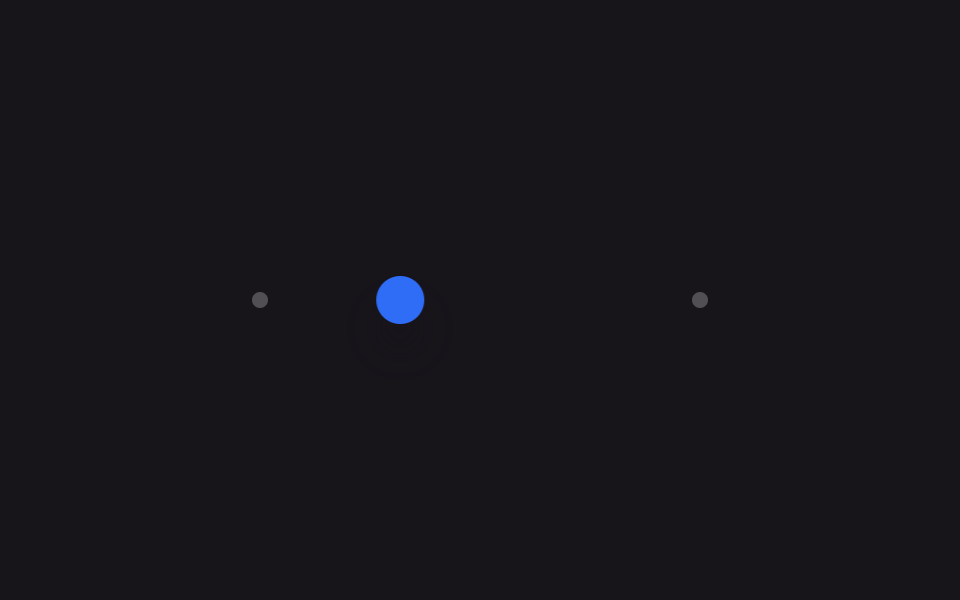 01 easing-curves-springs-ease-out-quart
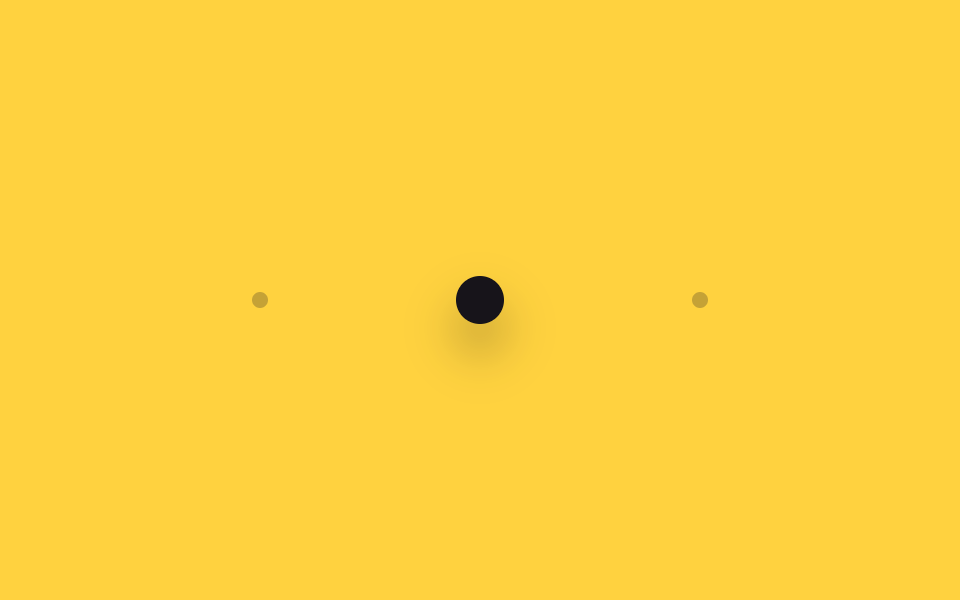 02 easing-curves-springs-ease-in-out-back
 03 easing-curves-springs-ease-out-expo
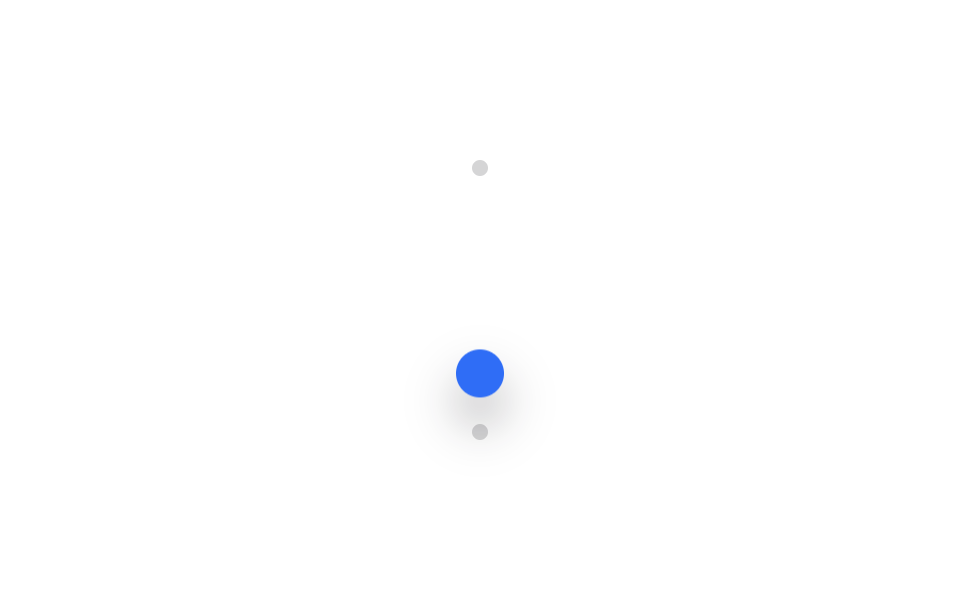 04 easing-curves-springs-bounce-linear
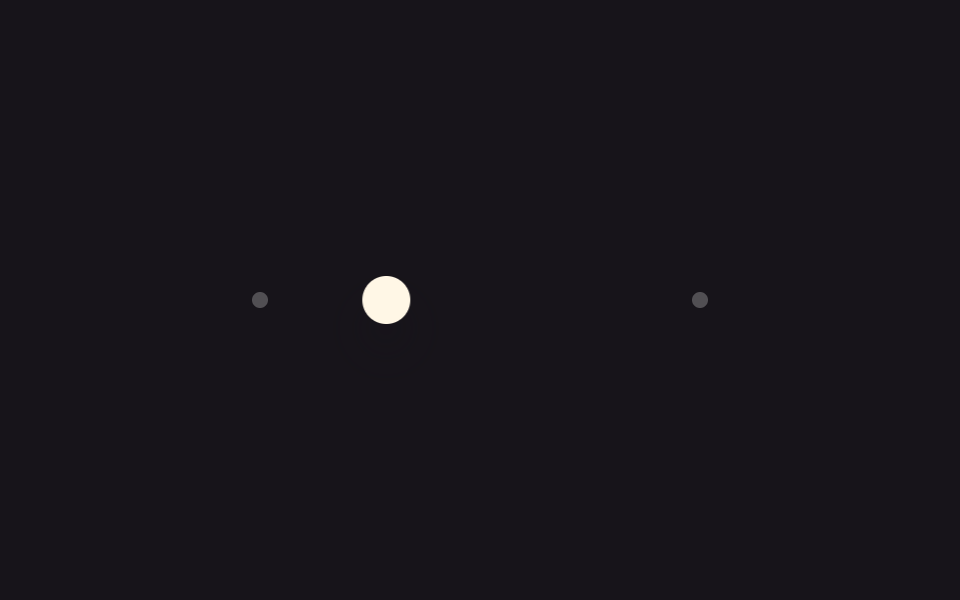 05 easing-curves-springs-spring-gentle
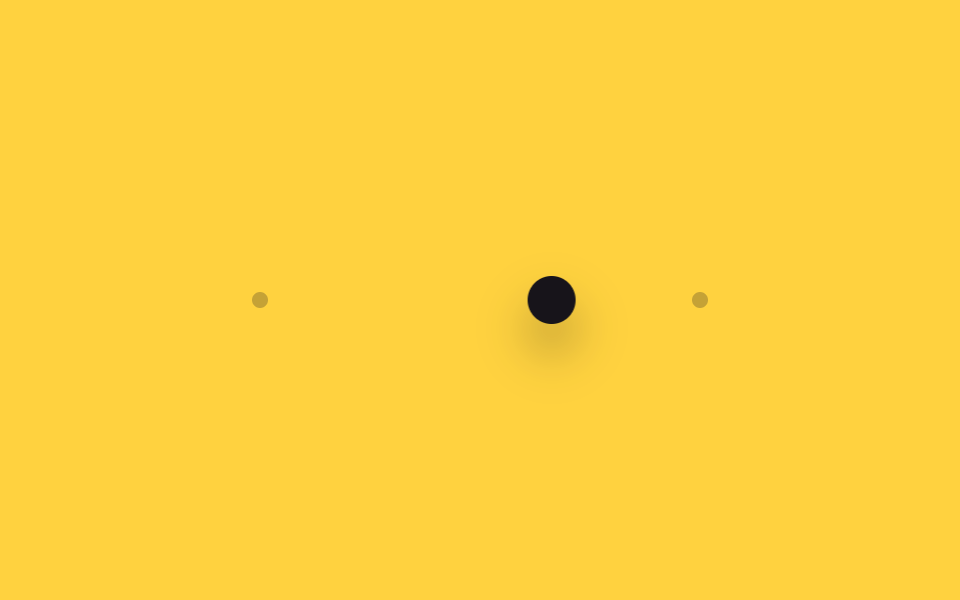 06 easing-curves-springs-spring-snappy
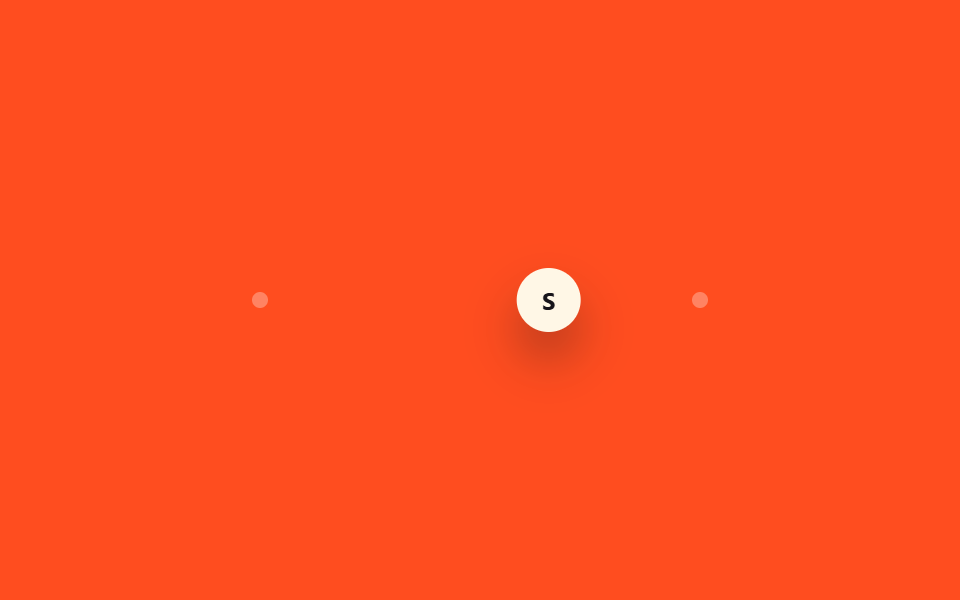 07 easing-curves-springs-scss-easing-map
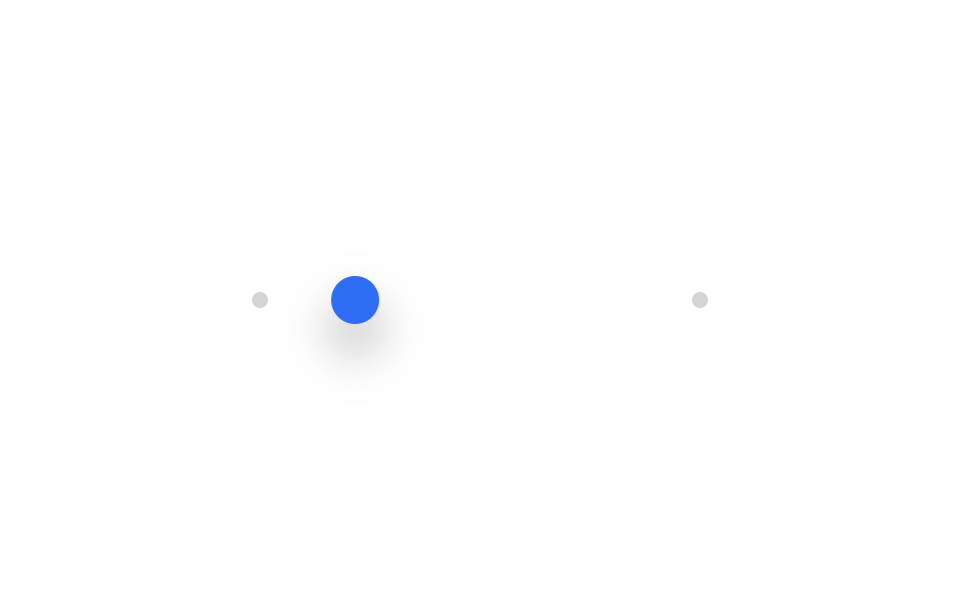 08 easing-curves-springs-tailwind-ease-token
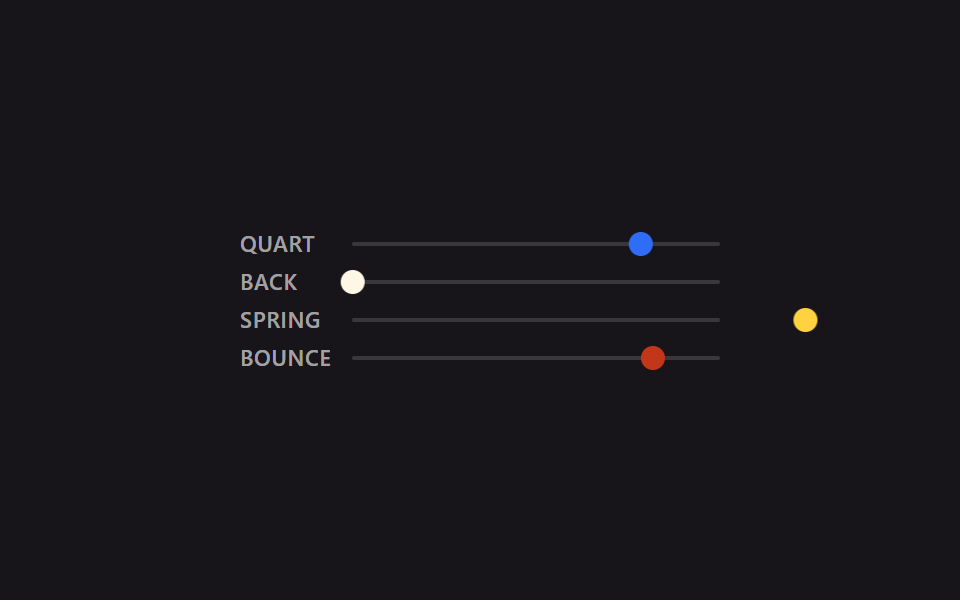 09 easing-curves-springs-compare-side-by-side
自動再生 · タイルを押すとその項目へ · すべて1つのzip
- 01 ease-out-quartカーブ
- 02 ease-in-out-backカーブ
- 03 ease-out-expoカーブ
- 04 linear()でバウンス
- 05 やさしいスプリング
- 06 キビキビしたスプリング
- 07 SCSSイージングmap
- 08 Tailwind v4 --easeトークン
- 09 イージング比較デモ
9つは人気順ではなく、値の扱い方が増えていく順に並べています。画面に現れる要素の減速だけで作れる3つ(01〜03)から始まり、cubic-bezierでは表現できない物理的な弾み3つ(04〜06)へ進み、その値をコードで使い回す2つの方法(07・08)を経て、最後は4つを1画面で見比べるデモ(09)で締めくくります。曲線を実際の画面へ載せた結果が見たいならベントグリッドのホバーアニメーションが同じ値で動き、コンポーネント側で同じ曲線を使い回す方法はライブラリなしのReact CSSアニメーションにあります。08・09のように値を変数へ括る書き方まで進むと、曲線の管理場所がスタイルシートの一か所にまとまります。
01ease-out-quartカーブ
何が動くか
translateXにcubic-bezier(.25, 1, .5, 1)を指定すると、最初から素早く飛び出し、慣性なく目標付近で滑らかに止まります。
<main class="stage is-demo">
  <div class="track">
    <span class="dot dot--start"></span>
    <span class="dot dot--end"></span>
    <div class="puck"></div>
  </div>
</main>
@use "../../../../site/static/demo-tokens" as *;
// ── 변수 3개 ──────────────────────────────────────────
$duration: $dur-loop; // 2s — 왕복 한 주기
$easing: cubic-bezier(.25, 1, .5, 1); // ease-out-quart — 처음부터 빠르게 튀어나가 끝에서 천천히 멈춘다
$color: $subject-blue;
@include stage($stage-ink);
$track-w: 220px;
$puck-w: $sp-6;
$travel: $track-w - $puck-w;
.track {
position: relative;
width: $track-w;
height: $sp-2;
}
.dot {
position: absolute;
top: 50%;
width: $sp-2;
height: $sp-2;
border-radius: $r-pill;
background: rgba(255, 255, 255, .25);
transform: translate(-50%, -50%);
}
.dot--start { left: 0; }
.dot--end { left: $track-w; }
.puck {
position: absolute;
top: 50%;
left: 0;
width: $puck-w;
height: $puck-w;
border-radius: $r-pill;
background: $color;
box-shadow: $shadow-raised;
transform: translate(0, -50%);
}
// transform 만 움직인다 — top/left 는 그대로 두고 puck 만 왕복
.stage.is-demo .puck {
animation: move $duration $easing infinite alternate;
}
@keyframes move {
from { transform: translate(0, -50%); }
to { transform: translate($travel, -50%); }
}
@media (prefers-reduced-motion: reduce) {
.stage.is-demo .puck { animation: none; transform: translate($travel, -50%); }
}html, body {
margin: 0;
overflow: hidden;
}
.stage {
box-sizing: border-box;
min-height: 100vh;
display: grid;
place-items: center;
margin: 0;
background: #17141a;
font-family: -apple-system, "Segoe UI", "Noto Sans KR", sans-serif;
padding: clamp(8px, 4vw, 24px);
}
.track {
position: relative;
width: 220px;
height: 8px;
}
.dot {
position: absolute;
top: 50%;
width: 8px;
height: 8px;
border-radius: 999px;
background: rgba(255, 255, 255, 0.25);
transform: translate(-50%, -50%);
}
.dot--start {
left: 0;
}
.dot--end {
left: 220px;
}
.puck {
position: absolute;
top: 50%;
left: 0;
width: 24px;
height: 24px;
border-radius: 999px;
background: #2f6df6;
box-shadow: 0 14px 24px rgba(23, 20, 26, 0.32);
transform: translate(0, -50%);
}
.stage.is-demo .puck {
animation: move 2s cubic-bezier(0.25, 1, 0.5, 1) infinite alternate;
}
@keyframes move {
from {
transform: translate(0, -50%);
}
to {
transform: translate(196px, -50%);
}
}
@media (prefers-reduced-motion: reduce) {
.stage.is-demo .puck {
animation: none;
transform: translate(196px, -50%);
}
}import type { CSSProperties } from "react";
import styles from "./EaseOutQuart.module.scss";
export type EaseOutQuartProps = {
/** 왕복 한 주기 (기본 2000ms) */
duration?: number;
color?: string;
};
export default function EaseOutQuart({ duration = 2000, color = "#2f6df6" }: EaseOutQuartProps) {
const vars: CSSProperties = { "--duration": `${duration}ms`, "--color": color } as CSSProperties;
return (
<div className={styles.stage} style={vars}>
<div className={styles.track}>
<span className={`${styles.dot} ${styles.dotStart}`} />
<span className={`${styles.dot} ${styles.dotEnd}`} />
<div className={styles.puck} />
</div>
</div>
);
}01 · ease-out-quartカーブ — 計測 累積面積 3.2% · 動いたフレーム 22/23GODRICH オリジナル · SCSS と React は zip に同梱 · パスワードを見る
コードの読み方
モーダルやドロワーが開くとき、カードが画面に登場するときに向きます。
$duration: $dur-loop;                 // 2s
$easing: cubic-bezier(.25, 1, .5, 1); // ease-out-quart

.stage.is-demo .puck {
  animation: move $duration $easing infinite alternate;
}
@keyframes move {
  from { transform: translate(0, -50%); }
  to   { transform: translate($travel, -50%); }
}
02ease-in-out-backカーブ
どこで使うか
cubic-bezier(.68, -.6, .32, 1.6)はy値が0と1の範囲を外れるため、出発前にわずかに後ろへ引き、到着後に目標を超えてから戻る二段の予備動作が生まれます。
<main class="stage is-demo">
  <div class="track">
    <span class="dot dot--start"></span>
    <span class="dot dot--end"></span>
    <div class="puck"></div>
  </div>
</main>
@use "../../../../site/static/demo-tokens" as *;
// ── 변수 3개 ──────────────────────────────────────────
$duration: $dur-loop; // 2s
$easing: cubic-bezier(.68, -.6, .32, 1.6); // ease-in-out-back — 출발 전 살짝 뒤로 당겼다가, 도착 전 목표를 넘었다 되돌아온다
$color: $subject-ink;
@include stage($stage-yellow);
$track-w: 220px;
$puck-w: $sp-6;
$travel: $track-w - $puck-w;
.track {
position: relative;
width: $track-w;
height: $sp-2;
}
.dot {
position: absolute;
top: 50%;
width: $sp-2;
height: $sp-2;
border-radius: $r-pill;
background: rgba(23, 20, 26, .25);
transform: translate(-50%, -50%);
}
.dot--start { left: 0; }
.dot--end { left: $track-w; }
.puck {
position: absolute;
top: 50%;
left: 0;
width: $puck-w;
height: $puck-w;
border-radius: $r-pill;
background: $color;
box-shadow: $shadow-raised;
transform: translate(0, -50%);
}
.stage.is-demo .puck {
animation: move $duration $easing infinite alternate;
}
@keyframes move {
from { transform: translate(0, -50%); }
to { transform: translate($travel, -50%); }
}
@media (prefers-reduced-motion: reduce) {
.stage.is-demo .puck { animation: none; transform: translate($travel, -50%); }
}html, body {
margin: 0;
overflow: hidden;
}
.stage {
box-sizing: border-box;
min-height: 100vh;
display: grid;
place-items: center;
margin: 0;
background: #ffd23f;
font-family: -apple-system, "Segoe UI", "Noto Sans KR", sans-serif;
padding: clamp(8px, 4vw, 24px);
}
.track {
position: relative;
width: 220px;
height: 8px;
}
.dot {
position: absolute;
top: 50%;
width: 8px;
height: 8px;
border-radius: 999px;
background: rgba(23, 20, 26, 0.25);
transform: translate(-50%, -50%);
}
.dot--start {
left: 0;
}
.dot--end {
left: 220px;
}
.puck {
position: absolute;
top: 50%;
left: 0;
width: 24px;
height: 24px;
border-radius: 999px;
background: #17141a;
box-shadow: 0 14px 24px rgba(23, 20, 26, 0.32);
transform: translate(0, -50%);
}
.stage.is-demo .puck {
animation: move 2s cubic-bezier(0.68, -0.6, 0.32, 1.6) infinite alternate;
}
@keyframes move {
from {
transform: translate(0, -50%);
}
to {
transform: translate(196px, -50%);
}
}
@media (prefers-reduced-motion: reduce) {
.stage.is-demo .puck {
animation: none;
transform: translate(196px, -50%);
}
}import type { CSSProperties } from "react";
import styles from "./EaseInOutBack.module.scss";
export type EaseInOutBackProps = {
duration?: number;
color?: string;
};
export default function EaseInOutBack({ duration = 2000, color = "#17141a" }: EaseInOutBackProps) {
const vars: CSSProperties = { "--duration": `${duration}ms`, "--color": color } as CSSProperties;
return (
<div className={styles.stage} style={vars}>
<div className={styles.track}>
<span className={`${styles.dot} ${styles.dotStart}`} />
<span className={`${styles.dot} ${styles.dotEnd}`} />
<div className={styles.puck} />
</div>
</div>
);
}02 · ease-in-out-backカーブ — 計測 累積面積 6.664% · 動いたフレーム 23/23GODRICH オリジナル · SCSS と React は zip に同梱 · パスワードを見る
コードの要点
トーストやバッジが元気よく登場するとき、遊び心のあるボタンの押し込みに向きます。
$easing: cubic-bezier(.68, -.6, .32, 1.6); // ease-in-out-back

.stage.is-demo .puck {
  animation: move $duration $easing infinite alternate;
}
@keyframes move {
  from { transform: translate(0, -50%); }
  to   { transform: translate($travel, -50%); }
}
03ease-out-expoカーブ
見えるもの
cubic-bezier(.16, 1, .3, 1)は最初の数フレームでほとんどの移動を終え、残りは目に見えないほどゆっくり這うように進んで到着を引き延ばします。
<main class="stage is-demo">
  <div class="track">
    <span class="dot dot--start"></span>
    <span class="dot dot--end"></span>
    <div class="puck"></div>
  </div>
</main>
@use "../../../../site/static/demo-tokens" as *;
// ── 변수 3개 ──────────────────────────────────────────
$duration: $dur-loop; // 2s
$easing: cubic-bezier(.16, 1, .3, 1); // ease-out-expo — 첫 프레임부터 거의 다 이동해 있고, 나머지 구간은 아주 천천히 기어간다
$color: $subject-cream;
@include stage($stage-orange);
$track-w: 220px;
$puck-w: $sp-6;
$travel: $track-w - $puck-w;
.track {
position: relative;
width: $track-w;
height: $sp-2;
}
.dot {
position: absolute;
top: 50%;
width: $sp-2;
height: $sp-2;
border-radius: $r-pill;
background: rgba(255, 255, 255, .3);
transform: translate(-50%, -50%);
}
.dot--start { left: 0; }
.dot--end { left: $track-w; }
.puck {
position: absolute;
top: 50%;
left: 0;
width: $puck-w;
height: $puck-w;
border-radius: $r-pill;
background: $color;
box-shadow: $shadow-raised;
transform: translate(0, -50%);
}
.stage.is-demo .puck {
animation: move $duration $easing infinite alternate;
}
@keyframes move {
from { transform: translate(0, -50%); }
to { transform: translate($travel, -50%); }
}
@media (prefers-reduced-motion: reduce) {
.stage.is-demo .puck { animation: none; transform: translate($travel, -50%); }
}html, body {
margin: 0;
overflow: hidden;
}
.stage {
box-sizing: border-box;
min-height: 100vh;
display: grid;
place-items: center;
margin: 0;
background: #ff4d1f;
font-family: -apple-system, "Segoe UI", "Noto Sans KR", sans-serif;
padding: clamp(8px, 4vw, 24px);
}
.track {
position: relative;
width: 220px;
height: 8px;
}
.dot {
position: absolute;
top: 50%;
width: 8px;
height: 8px;
border-radius: 999px;
background: rgba(255, 255, 255, 0.3);
transform: translate(-50%, -50%);
}
.dot--start {
left: 0;
}
.dot--end {
left: 220px;
}
.puck {
position: absolute;
top: 50%;
left: 0;
width: 24px;
height: 24px;
border-radius: 999px;
background: #fff7e6;
box-shadow: 0 14px 24px rgba(23, 20, 26, 0.32);
transform: translate(0, -50%);
}
.stage.is-demo .puck {
animation: move 2s cubic-bezier(0.16, 1, 0.3, 1) infinite alternate;
}
@keyframes move {
from {
transform: translate(0, -50%);
}
to {
transform: translate(196px, -50%);
}
}
@media (prefers-reduced-motion: reduce) {
.stage.is-demo .puck {
animation: none;
transform: translate(196px, -50%);
}
}import type { CSSProperties } from "react";
import styles from "./EaseOutExpo.module.scss";
export type EaseOutExpoProps = {
duration?: number;
color?: string;
};
export default function EaseOutExpo({ duration = 2000, color = "#fff7e6" }: EaseOutExpoProps) {
const vars: CSSProperties = { "--duration": `${duration}ms`, "--color": color } as CSSProperties;
return (
<div className={styles.stage} style={vars}>
<div className={styles.track}>
<span className={`${styles.dot} ${styles.dotStart}`} />
<span className={`${styles.dot} ${styles.dotEnd}`} />
<div className={styles.puck} />
</div>
</div>
);
}03 · ease-out-expoカーブ — 計測 累積面積 5.573% · 動いたフレーム 21/23GODRICH オリジナル · SCSS と React は zip に同梱 · パスワードを見る
動く仕組み
サイドバーやドロップダウンが勢いよく開くとき、速さを強調したいCTAのホバーに向きます。
$easing: cubic-bezier(.16, 1, .3, 1); // ease-out-expo

.stage.is-demo .puck {
  animation: move $duration $easing infinite alternate;
}
@keyframes move {
  from { transform: translate(0, -50%); }
  to   { transform: translate($travel, -50%); }
}
04linear()でバウンス
css アニメーション バウンス をどこで使うか
cubic-bezier()は一度しか上下しない曲線なので、ボールが着地後に何度か弾むような動きは表現できません。Robert PennerのeaseOutBounce公式を25点で標本化してlinear()に渡すと、値が上下を繰り返す本物の弾む曲線になります。
<main class="stage is-demo">
  <div class="track track--v">
    <span class="dot dot--start"></span>
    <span class="dot dot--end"></span>
    <div class="puck"></div>
  </div>
</main>
@use "../../../../site/static/demo-tokens" as *;
// ── 변수 3개 ──────────────────────────────────────────
$duration: $dur-loop; // 2s
// linear() — Penner easeOutBounce 공식을 25개 점으로 표본화한 값. cubic-bezier 로는 못 만드는,
// 방향이 꺾이는(제자리로 되튀는) 곡선이라 CSS Easing Functions Level 2 의 linear() 가 필요하다
$easing: linear(0, .013, .053, .118, .21, .328, .473, .643, .84, .97, .875, .807, .766, .75, .761, .798, .861, .951, .973, .943, .939, .962, .995, .984, 1);
$color: $subject-blue;
@include stage($stage-paper);
$track-h: 132px; // 320×200 모바일 체크에서 세로 여백을 남겨야 한다 (BD9 실측: 180px 는 넘쳤다)
$puck-w: $sp-6;
$drop: $track-h - $puck-w;
.track--v {
position: relative;
width: $sp-2;
height: $track-h;
}
.dot {
position: absolute;
left: 50%;
width: $sp-2;
height: $sp-2;
border-radius: $r-pill;
background: rgba(23, 20, 26, .18);
transform: translate(-50%, -50%);
}
.dot--start { top: 0; }
.dot--end { top: $track-h; }
.puck {
position: absolute;
top: 0;
left: 50%;
width: $puck-w;
height: $puck-w;
border-radius: $r-pill;
background: $color;
box-shadow: $shadow-raised;
transform: translate(-50%, 0);
}
// 공이 떨어져 튀어오르는 방향이라 alternate 를 안 쓴다 — 한 번 떨어지고 나면 다음 루프에서 제자리로 순간 복귀한다
.stage.is-demo .puck {
animation: drop $duration $easing infinite;
}
@keyframes drop {
from { transform: translate(-50%, 0); }
to { transform: translate(-50%, $drop); }
}
@media (prefers-reduced-motion: reduce) {
.stage.is-demo .puck { animation: none; transform: translate(-50%, $drop); }
}html, body {
margin: 0;
overflow: hidden;
}
.stage {
box-sizing: border-box;
min-height: 100vh;
display: grid;
place-items: center;
margin: 0;
background: #ffffff;
font-family: -apple-system, "Segoe UI", "Noto Sans KR", sans-serif;
padding: clamp(8px, 4vw, 24px);
}
.track--v {
position: relative;
width: 8px;
height: 132px;
}
.dot {
position: absolute;
left: 50%;
width: 8px;
height: 8px;
border-radius: 999px;
background: rgba(23, 20, 26, 0.18);
transform: translate(-50%, -50%);
}
.dot--start {
top: 0;
}
.dot--end {
top: 132px;
}
.puck {
position: absolute;
top: 0;
left: 50%;
width: 24px;
height: 24px;
border-radius: 999px;
background: #2f6df6;
box-shadow: 0 14px 24px rgba(23, 20, 26, 0.32);
transform: translate(-50%, 0);
}
.stage.is-demo .puck {
animation: drop 2s linear(0, 0.013, 0.053, 0.118, 0.21, 0.328, 0.473, 0.643, 0.84, 0.97, 0.875, 0.807, 0.766, 0.75, 0.761, 0.798, 0.861, 0.951, 0.973, 0.943, 0.939, 0.962, 0.995, 0.984, 1) infinite;
}
@keyframes drop {
from {
transform: translate(-50%, 0);
}
to {
transform: translate(-50%, 108px);
}
}
@media (prefers-reduced-motion: reduce) {
.stage.is-demo .puck {
animation: none;
transform: translate(-50%, 108px);
}
}import type { CSSProperties } from "react";
import styles from "./BounceLinear.module.scss";
export type BounceLinearProps = {
duration?: number;
color?: string;
};
export default function BounceLinear({ duration = 2000, color = "#2f6df6" }: BounceLinearProps) {
const vars: CSSProperties = { "--duration": `${duration}ms`, "--color": color } as CSSProperties;
return (
<div className={styles.stage} style={vars}>
<div className={styles.track}>
<span className={`${styles.dot} ${styles.dotStart}`} />
<span className={`${styles.dot} ${styles.dotEnd}`} />
<div className={styles.puck} />
</div>
</div>
);
}04 · linear()でバウンス — 計測 累積面積 3.203% · 動いたフレーム 23/23GODRICH オリジナル · SCSS と React は zip に同梱 · パスワードを見る
組み立て方
カートに入るアイコンや、新着の通知バッジが現れる場面に向きます。
$easing: linear(0, .013, .053, .118, .21, .328, .473, .643, .84, .97, .875, .807, .766, .75, .761, .798, .861, .951, .973, .943, .939, .962, .995, .984, 1);

.stage.is-demo .puck {
  animation: drop $duration $easing infinite;
}
@keyframes drop {
  from { transform: translate(-50%, 0); }
  to   { transform: translate(-50%, $drop); }
}
05やさしいスプリング
何が起きるか
減衰比.62・角振動数7.0の減衰ばね方程式を23点で標本化したlinear()の値で、目標を8%ほど超えてからすぐに収まります。減衰比が1に近いほどオーバーシュートは小さくなります。
<main class="stage is-demo">
  <div class="track">
    <span class="dot dot--start"></span>
    <span class="dot dot--end"></span>
    <div class="puck"></div>
  </div>
</main>
@use "../../../../site/static/demo-tokens" as *;
// ── 변수 3개 ──────────────────────────────────────────
$duration: $dur-loop; // 2s
// linear() — 감쇠비(zeta) .62 · 각진동수(w) 7.0 인 스프링 방정식을 23개 점으로 표본화했다.
// 목표를 8% 정도만 넘겼다가 금방 가라앉는다 — 감쇠비가 1에 가까울수록 오버슈트가 줄어든다
$easing: linear(0, .044, .153, .297, .452, .602, .736, .849, .937, 1.002, 1.045, 1.071, 1.082, 1.083, 1.077, 1.066, 1.053, 1.04, 1.028, 1.018, 1.009, 1.003, 1);
$color: $subject-cream;
@include stage($stage-ink);
$track-w: 220px;
$puck-w: $sp-6;
$travel: $track-w - $puck-w;
.track {
position: relative;
width: $track-w;
height: $sp-2;
}
.dot {
position: absolute;
top: 50%;
width: $sp-2;
height: $sp-2;
border-radius: $r-pill;
background: rgba(255, 255, 255, .25);
transform: translate(-50%, -50%);
}
.dot--start { left: 0; }
.dot--end { left: $track-w; }
.puck {
position: absolute;
top: 50%;
left: 0;
width: $puck-w;
height: $puck-w;
border-radius: $r-pill;
background: $color;
box-shadow: $shadow-raised;
transform: translate(0, -50%);
}
.stage.is-demo .puck {
animation: move $duration $easing infinite alternate;
}
@keyframes move {
from { transform: translate(0, -50%); }
to { transform: translate($travel, -50%); }
}
@media (prefers-reduced-motion: reduce) {
.stage.is-demo .puck { animation: none; transform: translate($travel, -50%); }
}html, body {
margin: 0;
overflow: hidden;
}
.stage {
box-sizing: border-box;
min-height: 100vh;
display: grid;
place-items: center;
margin: 0;
background: #17141a;
font-family: -apple-system, "Segoe UI", "Noto Sans KR", sans-serif;
padding: clamp(8px, 4vw, 24px);
}
.track {
position: relative;
width: 220px;
height: 8px;
}
.dot {
position: absolute;
top: 50%;
width: 8px;
height: 8px;
border-radius: 999px;
background: rgba(255, 255, 255, 0.25);
transform: translate(-50%, -50%);
}
.dot--start {
left: 0;
}
.dot--end {
left: 220px;
}
.puck {
position: absolute;
top: 50%;
left: 0;
width: 24px;
height: 24px;
border-radius: 999px;
background: #fff7e6;
box-shadow: 0 14px 24px rgba(23, 20, 26, 0.32);
transform: translate(0, -50%);
}
.stage.is-demo .puck {
animation: move 2s linear(0, 0.044, 0.153, 0.297, 0.452, 0.602, 0.736, 0.849, 0.937, 1.002, 1.045, 1.071, 1.082, 1.083, 1.077, 1.066, 1.053, 1.04, 1.028, 1.018, 1.009, 1.003, 1) infinite alternate;
}
@keyframes move {
from {
transform: translate(0, -50%);
}
to {
transform: translate(196px, -50%);
}
}
@media (prefers-reduced-motion: reduce) {
.stage.is-demo .puck {
animation: none;
transform: translate(196px, -50%);
}
}import type { CSSProperties } from "react";
import styles from "./SpringGentle.module.scss";
export type SpringGentleProps = {
duration?: number;
color?: string;
};
export default function SpringGentle({ duration = 2000, color = "#fff7e6" }: SpringGentleProps) {
const vars: CSSProperties = { "--duration": `${duration}ms`, "--color": color } as CSSProperties;
return (
<div className={styles.stage} style={vars}>
<div className={styles.track}>
<span className={`${styles.dot} ${styles.dotStart}`} />
<span className={`${styles.dot} ${styles.dotEnd}`} />
<div className={styles.puck} />
</div>
</div>
);
}05 · やさしいスプリング — 計測 累積面積 3.44% · 動いたフレーム 23/23GODRICH オリジナル · SCSS と React は zip に同梱 · パスワードを見る
なぜこう書くか
設定パネルのスライドインなど、普段使いのUI遷移全般に向きます。
$easing: linear(0, .044, .153, .297, .452, .602, .736, .849, .937, 1.002, 1.045, 1.071, 1.082, 1.083, 1.077, 1.066, 1.053, 1.04, 1.028, 1.018, 1.009, 1.003, 1);

.stage.is-demo .puck {
  animation: move $duration $easing infinite alternate;
}
@keyframes move {
  from { transform: translate(0, -50%); }
  to   { transform: translate($travel, -50%); }
}
06キビキビしたスプリング
画面で起きること
同じ方程式で減衰比を.35に下げ角振動数を9.0に上げると、目標を30%以上(1.307)超えてから何度か行き来する、弾力のはっきりした値になります。
<main class="stage is-demo">
  <div class="track">
    <span class="dot dot--start"></span>
    <span class="dot dot--end"></span>
    <div class="puck"></div>
  </div>
</main>
@use "../../../../site/static/demo-tokens" as *;
// ── 변수 3개 ──────────────────────────────────────────
$duration: $dur-loop; // 2s
// linear() — 감쇠비(zeta) .35 · 각진동수(w) 9.0 인 스프링 방정식을 27개 점으로 표본화했다.
// 감쇠비를 낮추고 각진동수를 올리면 목표를 30% 넘게 지나쳤다가 몇 번을 더 오간다 — 탄력이 셀수록 오버슈트가 크다
$easing: linear(0, .055, .197, .394, .612, .824, 1.009, 1.153, 1.25, 1.3, 1.307, 1.281, 1.231, 1.167, 1.099, 1.035, .982, .942, .916, .905, .907, .917, .935, .955, .976, .995, 1);
$color: $subject-ink;
@include stage($stage-yellow);
$track-w: 220px;
$puck-w: $sp-6;
$travel: $track-w - $puck-w;
.track {
position: relative;
width: $track-w;
height: $sp-2;
}
.dot {
position: absolute;
top: 50%;
width: $sp-2;
height: $sp-2;
border-radius: $r-pill;
background: rgba(23, 20, 26, .25);
transform: translate(-50%, -50%);
}
.dot--start { left: 0; }
.dot--end { left: $track-w; }
.puck {
position: absolute;
top: 50%;
left: 0;
width: $puck-w;
height: $puck-w;
border-radius: $r-pill;
background: $color;
box-shadow: $shadow-raised;
transform: translate(0, -50%);
}
.stage.is-demo .puck {
animation: move $duration $easing infinite alternate;
}
@keyframes move {
from { transform: translate(0, -50%); }
to { transform: translate($travel, -50%); }
}
@media (prefers-reduced-motion: reduce) {
.stage.is-demo .puck { animation: none; transform: translate($travel, -50%); }
}html, body {
margin: 0;
overflow: hidden;
}
.stage {
box-sizing: border-box;
min-height: 100vh;
display: grid;
place-items: center;
margin: 0;
background: #ffd23f;
font-family: -apple-system, "Segoe UI", "Noto Sans KR", sans-serif;
padding: clamp(8px, 4vw, 24px);
}
.track {
position: relative;
width: 220px;
height: 8px;
}
.dot {
position: absolute;
top: 50%;
width: 8px;
height: 8px;
border-radius: 999px;
background: rgba(23, 20, 26, 0.25);
transform: translate(-50%, -50%);
}
.dot--start {
left: 0;
}
.dot--end {
left: 220px;
}
.puck {
position: absolute;
top: 50%;
left: 0;
width: 24px;
height: 24px;
border-radius: 999px;
background: #17141a;
box-shadow: 0 14px 24px rgba(23, 20, 26, 0.32);
transform: translate(0, -50%);
}
.stage.is-demo .puck {
animation: move 2s linear(0, 0.055, 0.197, 0.394, 0.612, 0.824, 1.009, 1.153, 1.25, 1.3, 1.307, 1.281, 1.231, 1.167, 1.099, 1.035, 0.982, 0.942, 0.916, 0.905, 0.907, 0.917, 0.935, 0.955, 0.976, 0.995, 1) infinite alternate;
}
@keyframes move {
from {
transform: translate(0, -50%);
}
to {
transform: translate(196px, -50%);
}
}
@media (prefers-reduced-motion: reduce) {
.stage.is-demo .puck {
animation: none;
transform: translate(196px, -50%);
}
}import type { CSSProperties } from "react";
import styles from "./SpringSnappy.module.scss";
export type SpringSnappyProps = {
duration?: number;
color?: string;
};
export default function SpringSnappy({ duration = 2000, color = "#17141a" }: SpringSnappyProps) {
const vars: CSSProperties = { "--duration": `${duration}ms`, "--color": color } as CSSProperties;
return (
<div className={styles.stage} style={vars}>
<div className={styles.track}>
<span className={`${styles.dot} ${styles.dotStart}`} />
<span className={`${styles.dot} ${styles.dotEnd}`} />
<div className={styles.puck} />
</div>
</div>
);
}06 · キビキビしたスプリング — 計測 累積面積 6.622% · 動いたフレーム 23/23GODRICH オリジナル · SCSS と React は zip に同梱 · パスワードを見る
実装の核
いいねボタンを押したときや、ドラッグ後に手を離して跳ねるカードに向きます。
$easing: linear(0, .055, .197, .394, .612, .824, 1.009, 1.153, 1.25, 1.3, 1.307, 1.281, 1.231, 1.167, 1.099, 1.035, .982, .942, .916, .905, .907, .917, .935, .955, .976, .995, 1);

.stage.is-demo .puck {
  animation: move $duration $easing infinite alternate;
}
@keyframes move {
  from { transform: translate(0, -50%); }
  to   { transform: translate($travel, -50%); }
}
07SCSSイージングmap
見え方
この記事の曲線値を$easingsというSassマップ1つに名前でまとめ、@mixin ease($name)がmap.getで該当する値を取り出してanimation-timing-functionに差し込みます。
<main class="stage is-demo">
  <div class="track">
    <span class="dot dot--start"></span>
    <span class="dot dot--end"></span>
    <div class="puck">S</div>
  </div>
</main>
@use "sass:map";
@use "../../../../site/static/demo-tokens" as *;
// ── 변수 3개 ──────────────────────────────────────────
$duration: $dur-loop; // 2s
$easing: spring-snappy; // 아래 $easings 맵의 키 — 값 자체가 아니라 "이름"을 변수로 넘긴다
$color: $subject-cream;
// 이 편 9종에 쓴 곡선을 이름으로 묶어두면, 편마다 값을 복붙하지 않고 이름만 불러 쓴다
$easings: (
"ease-out-quart": cubic-bezier(.25, 1, .5, 1),
"ease-in-out-back": cubic-bezier(.68, -.6, .32, 1.6),
"spring-gentle": linear(0, .044, .153, .297, .452, .602, .736, .849, .937, 1.002, 1.045, 1.071, 1.082, 1.083, 1.077, 1.066, 1.053, 1.04, 1.028, 1.018, 1.009, 1.003, 1),
"spring-snappy": linear(0, .055, .197, .394, .612, .824, 1.009, 1.153, 1.25, 1.3, 1.307, 1.281, 1.231, 1.167, 1.099, 1.035, .982, .942, .916, .905, .907, .917, .935, .955, .976, .995, 1),
);
@mixin ease($name, $prop: animation-timing-function) {
#{$prop}: map.get($easings, $name);
}
@include stage($stage-orange);
$track-w: 220px;
$puck-w: $sp-8;
$travel: $track-w - $puck-w;
.track {
position: relative;
width: $track-w;
height: $sp-2;
}
.dot {
position: absolute;
top: 50%;
width: $sp-2;
height: $sp-2;
border-radius: $r-pill;
background: rgba(255, 255, 255, .3);
transform: translate(-50%, -50%);
}
.dot--start { left: 0; }
.dot--end { left: $track-w; }
.puck {
position: absolute;
top: 50%;
left: 0;
width: $puck-w;
height: $puck-w;
border-radius: $r-pill;
background: $color;
color: $stage-ink;
font: 700 12px/1 -apple-system, "Segoe UI", "Noto Sans KR", sans-serif;
display: grid;
place-items: center;
box-shadow: $shadow-raised;
transform: translate(0, -50%);
}
.stage.is-demo .puck {
animation-name: move;
animation-duration: $duration;
animation-iteration-count: infinite;
animation-direction: alternate;
@include ease($easing); // ← 맵에서 spring-snappy 값을 꺼내 animation-timing-function 에 꽂는다
}
@keyframes move {
from { transform: translate(0, -50%); }
to { transform: translate($travel, -50%); }
}
@media (prefers-reduced-motion: reduce) {
.stage.is-demo .puck { animation: none; transform: translate($travel, -50%); }
}html, body {
margin: 0;
overflow: hidden;
}
.stage {
box-sizing: border-box;
min-height: 100vh;
display: grid;
place-items: center;
margin: 0;
background: #ff4d1f;
font-family: -apple-system, "Segoe UI", "Noto Sans KR", sans-serif;
padding: clamp(8px, 4vw, 24px);
}
.track {
position: relative;
width: 220px;
height: 8px;
}
.dot {
position: absolute;
top: 50%;
width: 8px;
height: 8px;
border-radius: 999px;
background: rgba(255, 255, 255, 0.3);
transform: translate(-50%, -50%);
}
.dot--start {
left: 0;
}
.dot--end {
left: 220px;
}
.puck {
position: absolute;
top: 50%;
left: 0;
width: 32px;
height: 32px;
border-radius: 999px;
background: #fff7e6;
color: #17141a;
font: 700 12px/1 -apple-system, "Segoe UI", "Noto Sans KR", sans-serif;
display: grid;
place-items: center;
box-shadow: 0 14px 24px rgba(23, 20, 26, 0.32);
transform: translate(0, -50%);
}
.stage.is-demo .puck {
animation-name: move;
animation-duration: 2s;
animation-iteration-count: infinite;
animation-direction: alternate;
animation-timing-function: linear(0, 0.055, 0.197, 0.394, 0.612, 0.824, 1.009, 1.153, 1.25, 1.3, 1.307, 1.281, 1.231, 1.167, 1.099, 1.035, 0.982, 0.942, 0.916, 0.905, 0.907, 0.917, 0.935, 0.955, 0.976, 0.995, 1);
}
@keyframes move {
from {
transform: translate(0, -50%);
}
to {
transform: translate(188px, -50%);
}
}
@media (prefers-reduced-motion: reduce) {
.stage.is-demo .puck {
animation: none;
transform: translate(188px, -50%);
}
}import type { CSSProperties } from "react";
import styles from "./EasingMap.module.scss";
// SCSS $easings 맵과 같은 값을 JS 객체로 옮겼다 — 이름으로 곡선을 찾는 패턴은 언어가 달라도 같다
const EASINGS = {
"ease-out-quart": "cubic-bezier(.25, 1, .5, 1)",
"ease-in-out-back": "cubic-bezier(.68, -.6, .32, 1.6)",
"spring-gentle": "linear(0, .044, .153, .297, .452, .602, .736, .849, .937, 1.002, 1.045, 1.071, 1.082, 1.083, 1.077, 1.066, 1.053, 1.04, 1.028, 1.018, 1.009, 1.003, 1)",
"spring-snappy": "linear(0, .055, .197, .394, .612, .824, 1.009, 1.153, 1.25, 1.3, 1.307, 1.281, 1.231, 1.167, 1.099, 1.035, .982, .942, .916, .905, .907, .917, .935, .955, .976, .995, 1)",
} as const;
export type EasingMapProps = {
duration?: number;
color?: string;
/** 위 EASINGS 의 키. 기본은 SCSS 판과 같은 spring-snappy */
easing?: keyof typeof EASINGS;
};
export default function EasingMap({ duration = 2000, color = "#fff7e6", easing = "spring-snappy" }: EasingMapProps) {
const vars: CSSProperties = {
"--duration": `${duration}ms`,
"--color": color,
"--ease": EASINGS[easing],
} as CSSProperties;
return (
<div className={styles.stage} style={vars}>
<div className={styles.track}>
<span className={`${styles.dot} ${styles.dotStart}`} />
<span className={`${styles.dot} ${styles.dotEnd}`} />
<div className={styles.puck}>S</div>
</div>
</div>
);
}07 · SCSSイージングmap — 計測 累積面積 9.358% · 動いたフレーム 23/23GODRICH オリジナル · SCSS と React は zip に同梱 · パスワードを見る
何が肝心か
編ごとに生の曲線値をコピペし直さずに済み、複数のコンポーネントが同じブランドイージングを共有するデザインシステムに向きます。
@use "sass:map";

$easings: (
  "ease-out-quart":   cubic-bezier(.25, 1, .5, 1),
  "ease-in-out-back": cubic-bezier(.68, -.6, .32, 1.6),
  "spring-snappy":    linear(0, .055, .197, .394, .612, .824, 1.009, 1.153, 1.25, 1.3, 1.307, 1.281, 1.231, 1.167, 1.099, 1.035, .982, .942, .916, .905, .907, .917, .935, .955, .976, .995, 1),
);

@mixin ease($name, $prop: animation-timing-function) {
  #{$prop}: map.get($easings, $name);
}

.stage.is-demo .puck {
  @include ease("spring-snappy"); // マップから06番と同じ値を取り出す
}
08Tailwind v4 --easeトークン
いつ使うか
:rootに--ease-springというカスタムプロパティを置き、animation 単一指定のイージング位置にvar(--ease-spring)を差します。このzipはTailwindそのものは読み込んでおらず、@theme --ease-*の名前で呼び出すパターンだけを素のCSSカスタムプロパティで再現しています。
<main class="stage is-demo">
  <div class="track">
    <span class="dot dot--start"></span>
    <span class="dot dot--end"></span>
    <div class="puck"></div>
  </div>
</main>
@use "../../../../site/static/demo-tokens" as *;
// ── 변수 3개 ──────────────────────────────────────────
$duration: $dur-loop; // 2s
$easing: var(--ease-spring); // 실제로 움직이는 값은 :root 커스텀 프로퍼티에 있다
$color: $subject-blue;
// Tailwind v4 는 @theme 블록에 --ease-* 를 등록하면 ease-(--ease-spring) 유틸이 생긴다.
// 이 zip 은 Tailwind 를 불러오지 않으므로(외부 의존 0), 같은 패턴을 순수 CSS 커스텀 프로퍼티로만 재현했다
:root {
--ease-spring: cubic-bezier(.34, 1.56, .64, 1);
}
@include stage($stage-paper);
$track-w: 220px;
$puck-w: $sp-6;
$travel: $track-w - $puck-w;
.track {
position: relative;
width: $track-w;
height: $sp-2;
}
.dot {
position: absolute;
top: 50%;
width: $sp-2;
height: $sp-2;
border-radius: $r-pill;
background: rgba(23, 20, 26, .18);
transform: translate(-50%, -50%);
}
.dot--start { left: 0; }
.dot--end { left: $track-w; }
.puck {
position: absolute;
top: 50%;
left: 0;
width: $puck-w;
height: $puck-w;
border-radius: $r-pill;
background: $color;
box-shadow: $shadow-raised;
transform: translate(0, -50%);
}
.stage.is-demo .puck {
animation: move $duration $easing infinite alternate;
}
@keyframes move {
from { transform: translate(0, -50%); }
to { transform: translate($travel, -50%); }
}
@media (prefers-reduced-motion: reduce) {
.stage.is-demo .puck { animation: none; transform: translate($travel, -50%); }
}:root {
--ease-spring: cubic-bezier(.34, 1.56, .64, 1);
}
html, body {
margin: 0;
overflow: hidden;
}
.stage {
box-sizing: border-box;
min-height: 100vh;
display: grid;
place-items: center;
margin: 0;
background: #ffffff;
font-family: -apple-system, "Segoe UI", "Noto Sans KR", sans-serif;
padding: clamp(8px, 4vw, 24px);
}
.track {
position: relative;
width: 220px;
height: 8px;
}
.dot {
position: absolute;
top: 50%;
width: 8px;
height: 8px;
border-radius: 999px;
background: rgba(23, 20, 26, 0.18);
transform: translate(-50%, -50%);
}
.dot--start {
left: 0;
}
.dot--end {
left: 220px;
}
.puck {
position: absolute;
top: 50%;
left: 0;
width: 24px;
height: 24px;
border-radius: 999px;
background: #2f6df6;
box-shadow: 0 14px 24px rgba(23, 20, 26, 0.32);
transform: translate(0, -50%);
}
.stage.is-demo .puck {
animation: move 2s var(--ease-spring) infinite alternate;
}
@keyframes move {
from {
transform: translate(0, -50%);
}
to {
transform: translate(196px, -50%);
}
}
@media (prefers-reduced-motion: reduce) {
.stage.is-demo .puck {
animation: none;
transform: translate(196px, -50%);
}
}import type { CSSProperties } from "react";
import styles from "./TailwindEaseToken.module.scss";
export type TailwindEaseTokenProps = {
duration?: number;
color?: string;
};
// Tailwind v4 는 @theme 에 --ease-spring 을 등록하면 ease-(--ease-spring) 유틸이 생긴다.
// 이 컴포넌트는 Tailwind 를 불러오지 않고(외부 의존 0) 같은 --ease-* 커스텀 프로퍼티 패턴만 재현한다
export default function TailwindEaseToken({ duration = 2000, color = "#2f6df6" }: TailwindEaseTokenProps) {
const vars: CSSProperties = {
"--duration": `${duration}ms`,
"--color": color,
"--ease-spring": "cubic-bezier(.34, 1.56, .64, 1)",
} as CSSProperties;
return (
<div className={styles.stage} style={vars}>
<div className={styles.track}>
<span className={`${styles.dot} ${styles.dotStart}`} />
<span className={`${styles.dot} ${styles.dotEnd}`} />
<div className={styles.puck} />
</div>
</div>
);
}08 · Tailwind v4 --easeトークン — 計測 累積面積 6.524% · 動いたフレーム 23/23GODRICH オリジナル · SCSS と React は zip に同梱 · パスワードを見る
押さえておく点
イージングをユーティリティクラスのように名前で管理したいTailwindプロジェクトの参考になります。
$easing: var(--ease-spring); // 実際に動く値は :root のカスタムプロパティにある

:root {
  --ease-spring: cubic-bezier(.34, 1.56, .64, 1);
}
.stage.is-demo .puck {
  animation: move $duration $easing infinite alternate;
}
@keyframes move {
  from { transform: translate(0, -50%); }
  to   { transform: translate($travel, -50%); }
}
09イージング比較デモ
どの画面か
quart(01)・back(02)・キビキビしたスプリング(06)・バウンス(04)の4曲線を同じ2秒・同じ距離で並べて動かすと、減速の形の違いが一目で分かります。
<main class="stage is-demo">
  <div class="compare">
    <div class="lane">
      <span class="label">quart</span>
      <div class="track"><div class="puck puck--quart"></div></div>
    </div>
    <div class="lane">
      <span class="label">back</span>
      <div class="track"><div class="puck puck--back"></div></div>
    </div>
    <div class="lane">
      <span class="label">spring</span>
      <div class="track"><div class="puck puck--spring"></div></div>
    </div>
    <div class="lane">
      <span class="label">bounce</span>
      <div class="track"><div class="puck puck--bounce"></div></div>
    </div>
  </div>
</main>
@use "../../../../site/static/demo-tokens" as *;
// ── 변수 3개 ──────────────────────────────────────────
$duration: $dur-loop; // 2s — 네 레인 전부 같은 길이라야 곡선 모양만으로 비교가 된다
$easing: cubic-bezier(.25, 1, .5, 1); // 대표값(quart). 레인마다 실제 값은 아래 참고
$color: $subject-blue;
@include stage($stage-ink);
$track-w: 184px;
$puck-w: $sp-3;
$travel: $track-w - $puck-w;
.compare {
display: flex;
flex-direction: column;
gap: $sp-2;
width: $track-w + $sp-12 + $sp-2; // 라벨 폭 + 간격 + 트랙 폭
}
.lane {
display: flex;
align-items: center;
gap: $sp-2;
}
.label {
width: $sp-12;
flex: 0 0 auto;
font: 600 11px/1 -apple-system, "Segoe UI", "Noto Sans KR", sans-serif;
color: rgba(255, 255, 255, .6);
text-transform: uppercase;
letter-spacing: .03em;
}
.track {
position: relative;
flex: 1 1 auto;
width: $track-w;
height: 2px;
background: rgba(255, 255, 255, .15);
border-radius: $r-xs;
}
.puck {
position: absolute;
top: 50%;
left: 0;
width: $puck-w;
height: $puck-w;
border-radius: $r-pill;
transform: translate(0, -50%);
}
.puck--quart { background: $subject-blue; }
.puck--back { background: $subject-cream; }
.puck--spring { background: $stage-yellow; }
.puck--bounce { background: $error; }
.stage.is-demo .puck--quart {
// ease-out-quart — 01번과 같은 값
animation: move $duration cubic-bezier(.25, 1, .5, 1) infinite alternate;
}
.stage.is-demo .puck--back {
// ease-in-out-back — 02번과 같은 값. 출발 전 뒤로 당겼다가 도착 뒤 넘어간다
animation: move $duration cubic-bezier(.68, -.6, .32, 1.6) infinite alternate;
}
.stage.is-demo .puck--spring {
// spring-snappy — 06번과 같은 값. 오버슈트 뒤 여러 번 오간다
animation: move $duration linear(0, .055, .197, .394, .612, .824, 1.009, 1.153, 1.25, 1.3, 1.307, 1.281, 1.231, 1.167, 1.099, 1.035, .982, .942, .916, .905, .907, .917, .935, .955, .976, .995, 1) infinite alternate;
}
.stage.is-demo .puck--bounce {
// bounce-linear — 04번과 같은 값. 방향을 안 바꾸고 매 루프 제자리로 순간 복귀한다
animation: move-once $duration linear(0, .013, .053, .118, .21, .328, .473, .643, .84, .97, .875, .807, .766, .75, .761, .798, .861, .951, .973, .943, .939, .962, .995, .984, 1) infinite;
}
@keyframes move {
from { transform: translate(0, -50%); }
to { transform: translate($travel, -50%); }
}
@keyframes move-once {
from { transform: translate(0, -50%); }
to { transform: translate($travel, -50%); }
}
@media (prefers-reduced-motion: reduce) {
.stage.is-demo .puck { animation: none; transform: translate($travel, -50%); }
}html, body {
margin: 0;
overflow: hidden;
}
.stage {
box-sizing: border-box;
min-height: 100vh;
display: grid;
place-items: center;
margin: 0;
background: #17141a;
font-family: -apple-system, "Segoe UI", "Noto Sans KR", sans-serif;
padding: clamp(8px, 4vw, 24px);
}
.compare {
display: flex;
flex-direction: column;
gap: 8px;
width: 240px;
}
.lane {
display: flex;
align-items: center;
gap: 8px;
}
.label {
width: 48px;
flex: 0 0 auto;
font: 600 11px/1 -apple-system, "Segoe UI", "Noto Sans KR", sans-serif;
color: rgba(255, 255, 255, 0.6);
text-transform: uppercase;
letter-spacing: 0.03em;
}
.track {
position: relative;
flex: 1 1 auto;
width: 184px;
height: 2px;
background: rgba(255, 255, 255, 0.15);
border-radius: 4px;
}
.puck {
position: absolute;
top: 50%;
left: 0;
width: 12px;
height: 12px;
border-radius: 999px;
transform: translate(0, -50%);
}
.puck--quart {
background: #2f6df6;
}
.puck--back {
background: #fff7e6;
}
.puck--spring {
background: #ffd23f;
}
.puck--bounce {
background: #c2361a;
}
.stage.is-demo .puck--quart {
animation: move 2s cubic-bezier(0.25, 1, 0.5, 1) infinite alternate;
}
.stage.is-demo .puck--back {
animation: move 2s cubic-bezier(0.68, -0.6, 0.32, 1.6) infinite alternate;
}
.stage.is-demo .puck--spring {
animation: move 2s linear(0, 0.055, 0.197, 0.394, 0.612, 0.824, 1.009, 1.153, 1.25, 1.3, 1.307, 1.281, 1.231, 1.167, 1.099, 1.035, 0.982, 0.942, 0.916, 0.905, 0.907, 0.917, 0.935, 0.955, 0.976, 0.995, 1) infinite alternate;
}
.stage.is-demo .puck--bounce {
animation: move-once 2s linear(0, 0.013, 0.053, 0.118, 0.21, 0.328, 0.473, 0.643, 0.84, 0.97, 0.875, 0.807, 0.766, 0.75, 0.761, 0.798, 0.861, 0.951, 0.973, 0.943, 0.939, 0.962, 0.995, 0.984, 1) infinite;
}
@keyframes move {
from {
transform: translate(0, -50%);
}
to {
transform: translate(172px, -50%);
}
}
@keyframes move-once {
from {
transform: translate(0, -50%);
}
to {
transform: translate(172px, -50%);
}
}
@media (prefers-reduced-motion: reduce) {
.stage.is-demo .puck {
animation: none;
transform: translate(172px, -50%);
}
}import type { CSSProperties } from "react";
import styles from "./EasingCompare.module.scss";
export type EasingCompareProps = {
/** 네 레인 공통 주기 (기본 2000ms) — 같은 길이라야 곡선 모양만으로 비교가 된다 */
duration?: number;
};
const LANES = [
{ key: "quart", label: "QUART", cls: styles.puckQuart },
{ key: "back", label: "BACK", cls: styles.puckBack },
{ key: "spring", label: "SPRING", cls: styles.puckSpring },
{ key: "bounce", label: "BOUNCE", cls: styles.puckBounce },
] as const;
export default function EasingCompare({ duration = 2000 }: EasingCompareProps) {
return (
<div className={styles.stage} style={{ "--duration": `${duration}ms` } as CSSProperties}>
<div className={styles.compare}>
{LANES.map((lane) => (
<div className={styles.lane} key={lane.key}>
<span className={styles.label}>{lane.label}</span>
<div className={styles.track}>
<div className={`${styles.puck} ${lane.cls}`} />
</div>
</div>
))}
</div>
</div>
);
}09 · イージング比較デモ — 計測 累積面積 4.24% · 動いたフレーム 23/23GODRICH オリジナル · SCSS と React は zip に同梱 · パスワードを見る
どう作るか
新しい値は作らず、前の4項目の値をそのまま再利用しています。
.puck--quart  { animation: move $duration cubic-bezier(.25, 1, .5, 1) infinite alternate; }
.puck--back   { animation: move $duration cubic-bezier(.68, -.6, .32, 1.6) infinite alternate; }
.puck--spring { animation: move $duration linear(0, .055, .197, .394, .612, .824, 1.009, 1.153, 1.25, 1.3, 1.307, 1.281, 1.231, 1.167, 1.099, 1.035, .982, .942, .916, .905, .907, .917, .935, .955, .976, .995, 1) infinite alternate; }
.puck--bounce {
  // バウンスだけalternateを使わず、ループのたびに元の位置へ瞬時に戻る
  animation: move-once $duration linear(0, .013, .053, .118, .21, .328, .473, .643, .84, .97, .875, .807, .766, .75, .761, .798, .861, .951, .973, .943, .939, .962, .995, .984, 1) infinite;
}
どこで壊れるか — 縦トラックは横より先に溢れる
何が問題か
css イージング ジェネレーター では出てこない04番(linear()でバウンス)の落下トラックは、最初132pxではなく180pxで作っていました。480×300のデスクトップ画面ではそれで何の問題もありません。ところがこのサイトのモバイル確認は、幅を320pxまで縮めるとき高さも同じ比率(320×300÷480)で200pxまで一緒に縮めます。縦に積むトラック180pxに上下の余白を足すと200pxを超え、実際にレンダリングして測定すると値が動いたフレームが検出できないほど崩れていました。横に寝かせたトラックは幅320pxの中でまだ余裕がありましたが、縦向きのトラックは高さ200pxという、より狭い予算にすぐ突き当たります。
どう避けるか
ひとつの曲線を製品全体で共有したときに生じるずれは、値をトークンとして束ねるダークSaaSのリニアなデザインシステムでシステム単位として扱います。
トラックを132pxまで縮めてから、この溢れは消えました。zipを解凍するときに聞かれるパスワードはwnxge56eで、案内された通りに入力すれば開きます。縦方向のアニメーションを組むときは横幅基準のレスポンシブ確認だけで済ませがちですが、今回のように狭いモバイル高さも別枠で測っておく必要があります。同じ理由でタブの切り替え幅を固定値で計算する例はCSS タブ切り替えアニメーション9選にもまとめてあります。
アクセシビリティ
reduced-motion で残るもの
9つともprefers-reduced-motion: reduceではanimation: noneに切り替わり、transformをアニメーションの到着位置の値に固定します。01・02・03・05・06・07・08番はトラックの端(196pxまたは188px)に、04番は落下先(108px)に、09番は4レーンそれぞれの終着点に止まります。動きを止めても、静止画面が移動の途中で引っかかったように見えることはありません。
そのほかに気をつけること
この記事自体は曲線の形の違いを見せるのが目的なので、reduced-motionではその違い自体は伝わりませんが、最終位置の情報は残るのでレイアウトが崩れる心配はありません。他に配布しているCSS作例はカテゴリー一覧にまとめてあり、この配布物の作り方は紹介ページに書いています。
FAQ
cubic-bezier()とlinear()は何が違うのですか?
cubic-bezier()は数値4つで定義される1本の滑らかな曲線で、値が何度も上下する動き(ボールが着地後に何度か弾むような動き)は表現できません。linear()は任意の点をいくつでも並べて曲線を描けるため、この記事の04〜06番のように物理方程式を直接標本化した値もそのまま渡せます。
css transition イージング にスプリング専用のキーワードはありますか?
ありません。spring()のような専用のイージング関数はまだ標準として実装されていません。今スプリングのように見える動きをCSSで作るには、この記事の05・06番のように減衰ばね方程式を自分で計算し、linear()に標本化して渡す方法が現実的です。
linear()やvar()はどのブラウザで使えますか?
linear()はChrome 113・Firefox 112・Safari 16.4以降に実装されていて、2023年12月にはBaseline「主要ブラウザで広く使える」機能になりました。それより古いブラウザではanimation-timing-functionの値として認識されず、その宣言全体が無視されてアニメーションが動かなくなります。一方、var()によるカスタムプロパティの参照はずっと前からほぼ全てのモダンブラウザで使えるため、08番の--ease-springのような書き方自体が壊れる心配はほとんどありません。詳しい対応状況はMDNのlinear()のドキュメントで確認できます。ばねの感触だけを手早く借りたい場合は、CSSバウンスアニメーションがこの曲線をすでに当てた例になります。
こんな記事もどうぞ
 フィードバックCSS 画像 ホバー エフェクト 9選 — 一行でコピペOK
 フィードバック一行でコピペOK ― CSS カード ホバー アニメーション9選
 フィードバックTailwind アニメーション9選(v4) 一行でコピペOK
 フィードバックCSS 下線 アニメーション9選 — 一行でコピペOK
 フィードバック一行でコピペOK CSS アニメーション ギャラリー 9選
 フィードバックCSS グラスモーフィズム効果9選【コピペOK】
 フィードバック【コピペOK】CSS カード ホバー 効果9選
 フィードバック【一行でコピペOK】CSS ダークモード 切り替え アニメーション9選
 フィードバックマイクロインタラクション CSS 9選 — 一行でコピペOK
 フィードバックCSS ツールチップ 吹き出しアニメーション9選 一行でコピペOK