Slide to Unlock Button: 9 Slider Scenes
In a slide to unlock button the release decides everything: 02 adds speed to a short release, 03 springs back when it falls short, and 08 measures progress by
Slide to Unlock Is Measuring a Position, Not Pressing a Button: a Slide to Unlock Button Starts by Turning the Handle Position Into a Progress Between 0 and 1
 01 sul-rubber-track-resist
 02 sul-flick-velocity-verdict
 03 sul-spring-return-overshoot
 04 sul-threshold-auto-finish
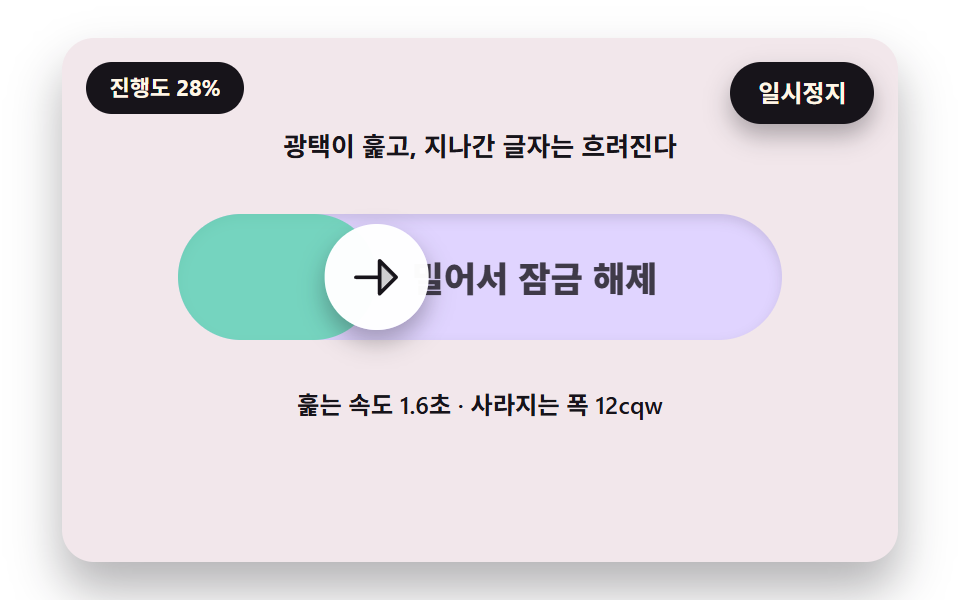 05 sul-shimmer-label-mask
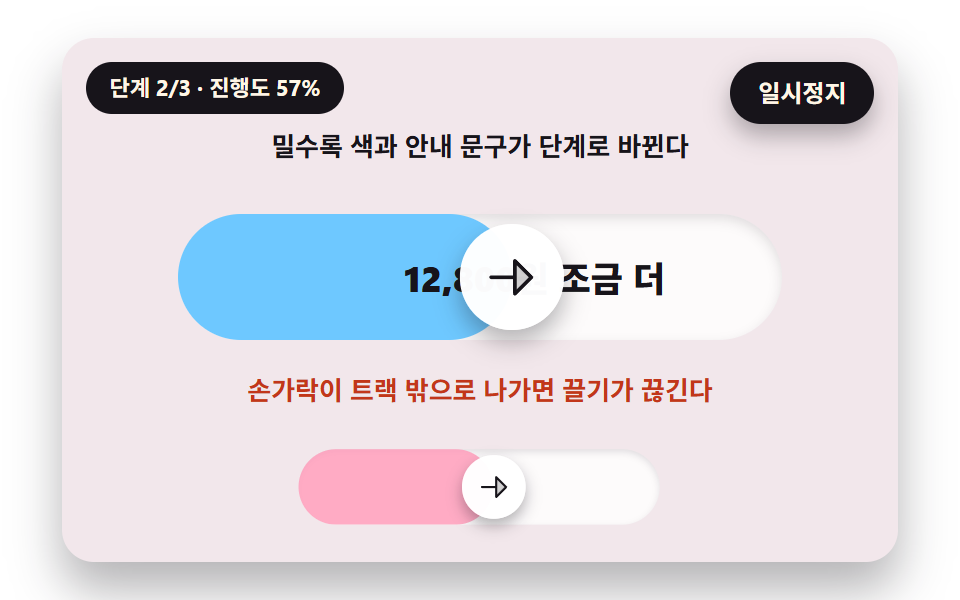 06 sul-confirm-payment-stages
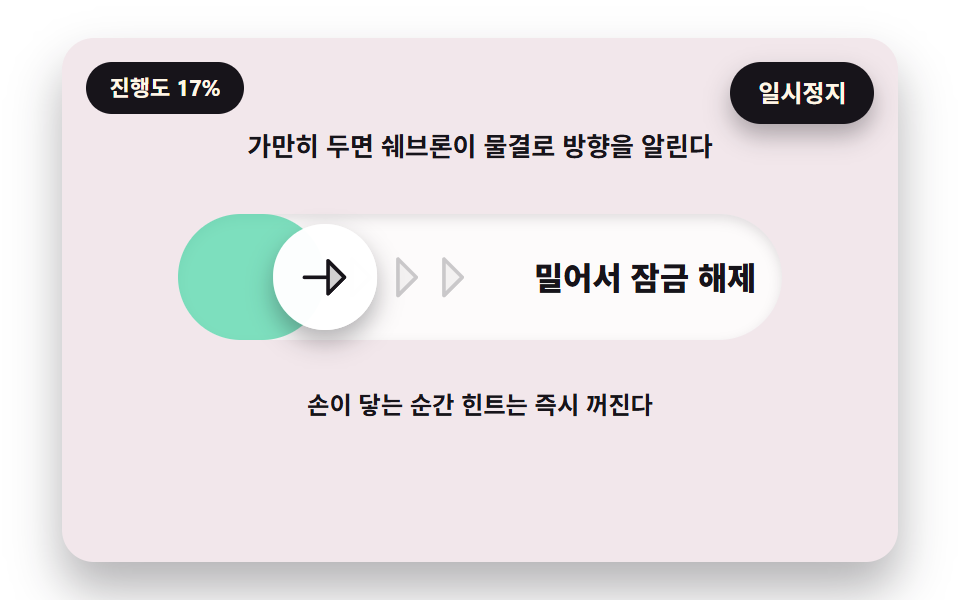 07 sul-hint-chevron-wave
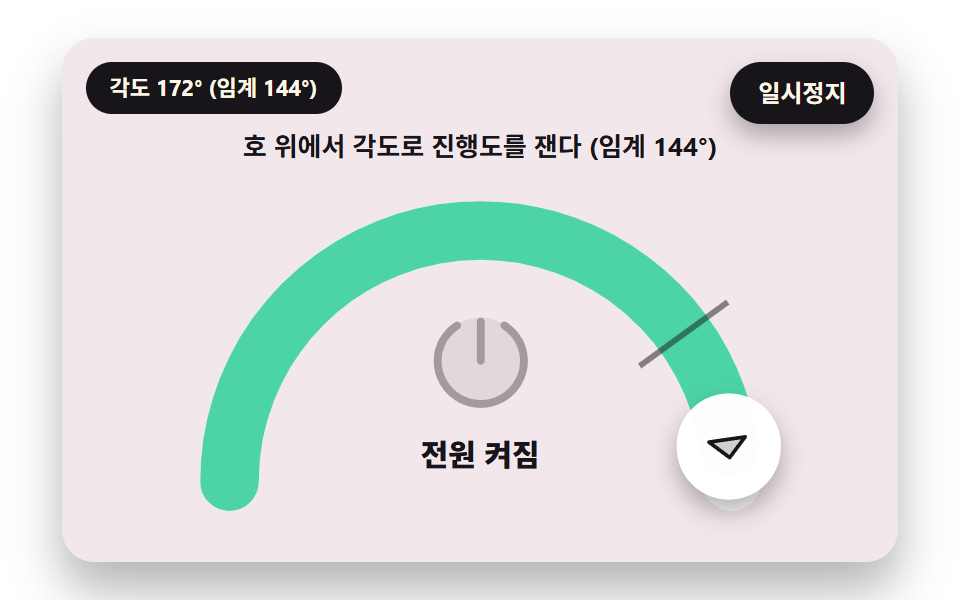 08 sul-arc-power-slider
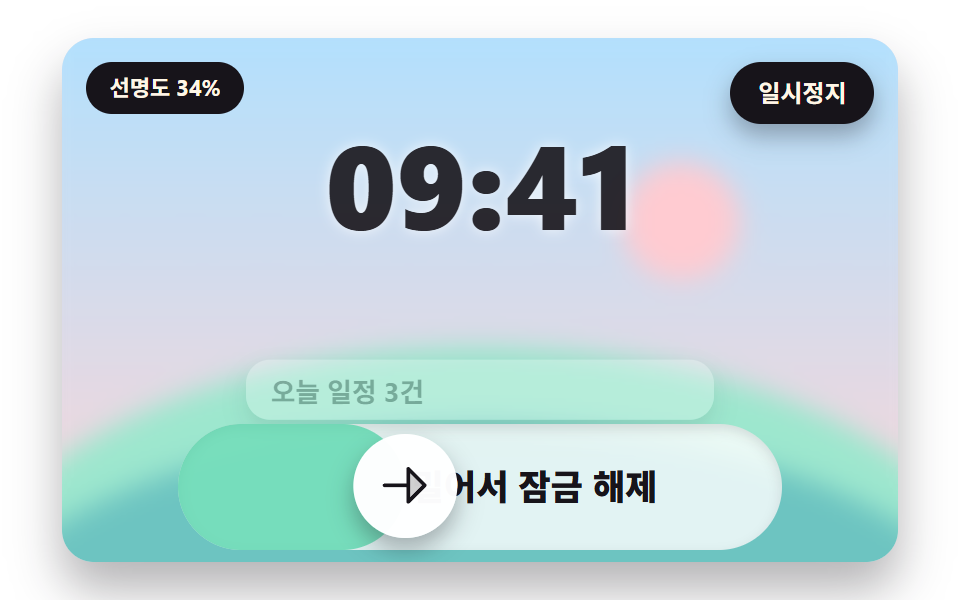 09 sul-hero-lock-screen-sharpen
Auto-plays · click a tile to jump to its section · all nine in one zip
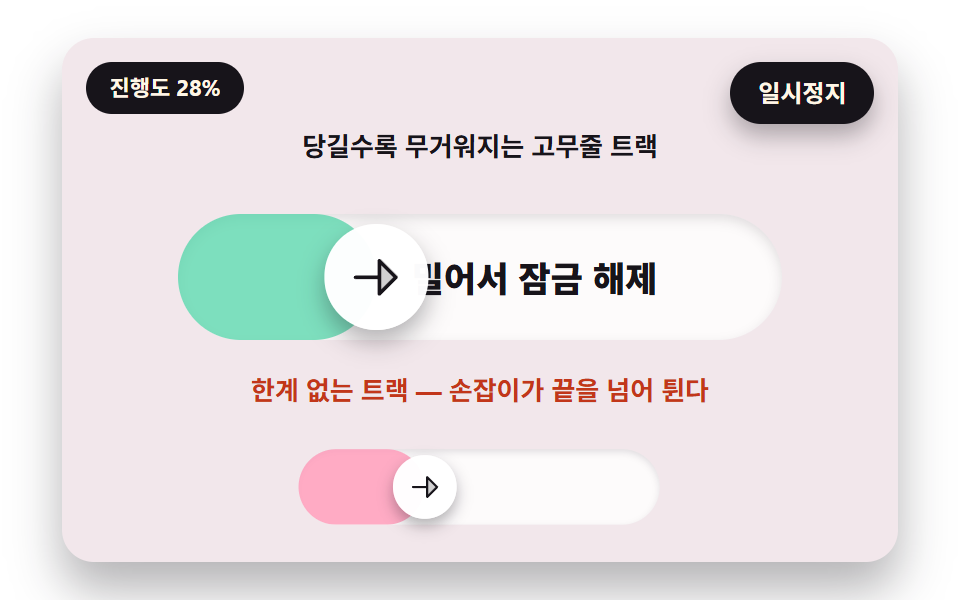
- 01 A Rubber Track That Gets Heavier to Pull Near the End
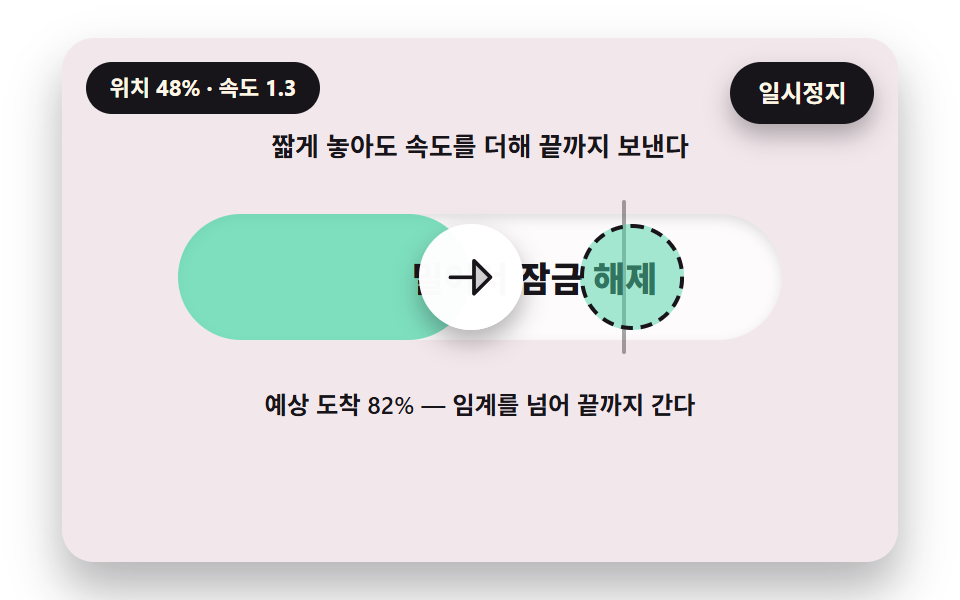
- 02 A Flick Verdict That Adds Speed So a Short Release Still Finishes
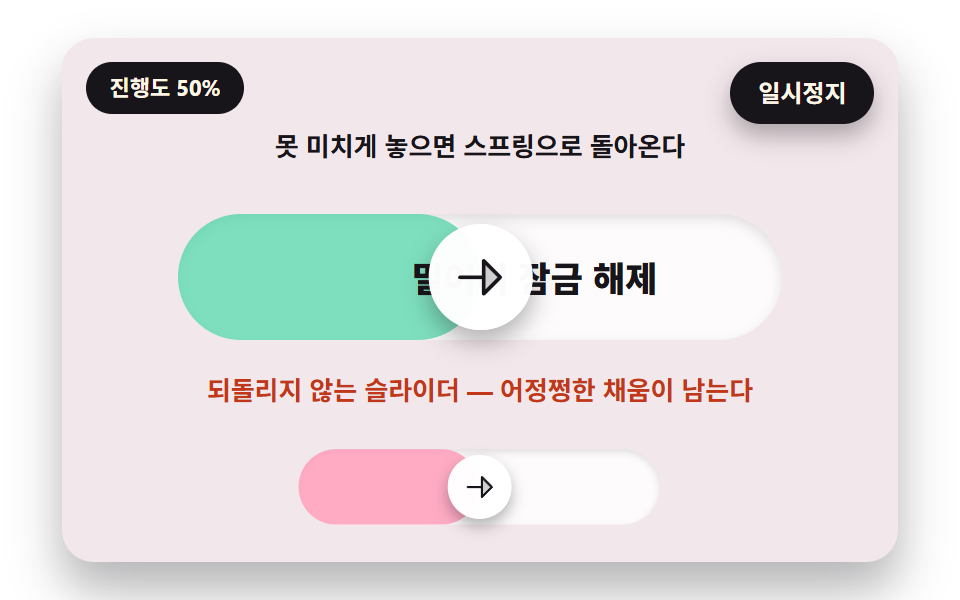
- 03 A Spring Return That Overshoots Back When the Slide Falls Short
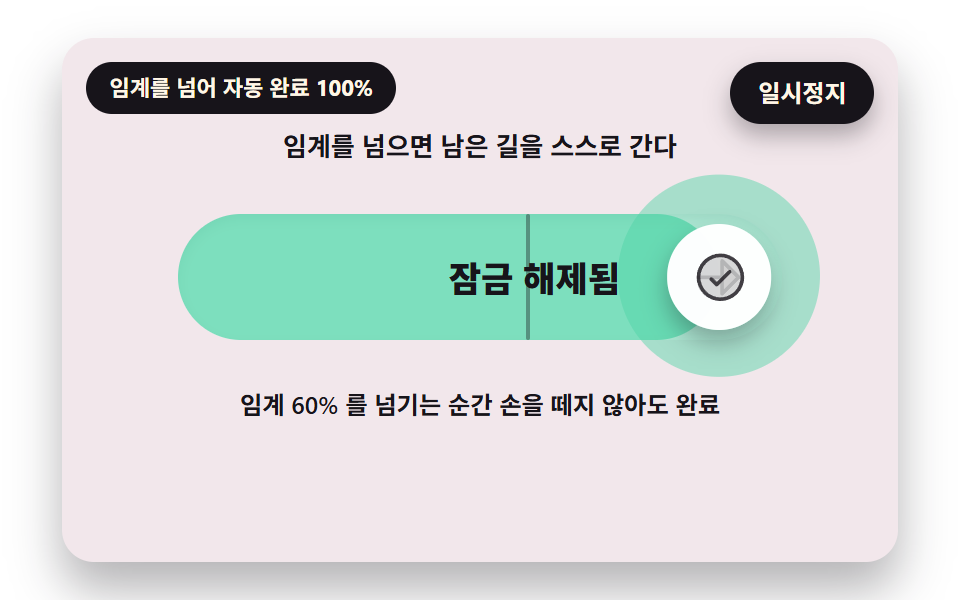
- 04 A Threshold Auto Finish That Carries the Rest and Turns Into a Check
- 05 A Guide Label That Fades Where the Handle Passes While a Shimmer Sweeps It
- 06 A Payment Confirm Slider Whose Color and Amount Copy Change in Stages as You Slide
- 07 A Hint Where Chevrons Ripple in a Wave to Show the Direction When Left Alone
- 08 A Power Slider That Turns Along an Arc and Measures Progress by Angle
- 09 A Lock Screen Hero Where the Background Sharpens and the Clock Retreats as You Slide
One handle position drives every other value
Each of the nine handles has role="slider", and its position is one number, sl.p, that starts at 0 and ends at 1. Fill, label, color and shadow are all computed from that number, the handle and the fill end move with translateX(), and the label, cards and ring move with opacity and transform. Only 08 draws an SVG arc, and the rest are plain DOM.
The verdict is taken only at release
While the handle is held, nothing decides whether the slide counts. At release release() calls verdict(p, vEma) once, then hangs a spring toward the end if it passed or toward the start if not. 04 is the one exception, because it hands over to completion the moment the threshold is crossed even while held.
How this differs from the neighboring posts
The button press physics post covers how a press value returns, and the card swipe post covers dragging a card away. This post differs in that the handle has to travel to the end before one result is chosen, and reading the hand through arithmetic puts it next to the virtual joystick post. A swipe to unlock button that only fires on a full push also has a cousin in the send button post, where the press itself is the gesture.
Slide to Unlock Button: 9 Scenes — a Rubber Track That Gets Heavier as You Pull, a Shimmer Label That Sweeps the Text, a Spring Return When You Fall Short, a Threshold Auto Finish, a Flick Verdict That Adds Speed, a Slide to Confirm Payment Step, Hint Chevrons That Ripple, an Arc Power Slider and a Lock Screen Hero That Sharpens
01 puts resistance on a finger that pulls past the end, and 02 to 04 split the release verdict into speed, spring and threshold. 05 to 07 fill the space around the handle with a label, color and a hint, 08 drops the straight line for an arc, and 09 moves a whole background from the same single value.
What the nine scenes measured
The 2-second stage of every slider was captured as 24 frames, so 23 differences between neighbors are counted per scene.
| Scene | Area covered | Frames that moved | Mean intensity |
|---|---|---|---|
| 01 Rubber track | 19.1% | 14/23 | 83.1 |
| 02 Flick verdict | 14.5% | 14/23 | 61.2 |
| 03 Spring return | 12.3% | 18/23 | 99.0 |
| 04 Threshold auto finish | 18.6% | 23/23 | 70.4 |
| 05 Shimmer label | 13.6% | 17/23 | 78.4 |
| 06 Payment stages | 15.7% | 21/23 | 109.5 |
| 07 Hint chevrons | 12.7% | 18/23 | 83.3 |
| 08 Arc slider | 19.8% | 16/23 | 69.8 |
| 09 Lock screen | 40.1% | 15/23 | 92.5 |
The widest change is 40.1% in 09, where scenery, clock and cards all move from one value, and the narrowest is 12.3% in 03. 04 moved in all 23 frames because the ring, check and track keep changing after completion, while 01 and 02 moved in 14 of 23. Mean intensity is highest in 06 at 109.5 and lowest in 02 at 61.2.
01A Rubber Track That Gets Heavier to Pull Near the End
Pull the finger to 1.3 near the end and mapDrag sends the handle only to 1.078, while the overflow stretches a rubber band that thins by 1/(1+over·BAND_THIN). Up to 0.78 (KNEE) the handle follows the finger one to one, and past it a decaying exponential gives less and less, so the hand feels weight near the end. Use it as the base screen of a payment or delete confirmation, where a finger that overshoots must not throw the handle off the track.
<main class="stage">
<div class="vj is-demo" id="vj">
  <div class="vj__scene" data-role="scene" role="group" aria-label="On a slide to unlock track the handle follows less and less near the end while a rubber band stretches past the track end, then it returns to the end position on release; the small track below shows the wrong way, with no limit, where the handle flies past the end"></div>
  <p class="vj__status" data-role="status" aria-hidden="true">Progress 0%</p>
  <p class="vj__live" data-role="live" role="status" aria-live="off"></p>
  <button class="vj__pause" data-role="pause" type="button" aria-pressed="false">Pause</button>
</div>
</main>
@use "../../../../site/static/demo-tokens" as *;
@include stage($stage-paper);
// 밀어서 잠금해제 — 트랙·손잡이·채움은 무대 폭(cqw)에 비례한다. 손잡이 위치와 채움 끝은 JS 가 transform 으로 준다
$ink-soft: rgba($subject-ink, .6);
$card-bg: mix($subject-cream, $subject-lilac, 82%);
.vj {
position: relative;
width: min(92vw, calc(160vh - 12.8vw));
aspect-ratio: 480 / 300;
margin: 0 auto;
border-radius: $r-card;
overflow: hidden;
box-shadow: $shadow-raised;
background: $card-bg;
container-type: inline-size;
}
.vj__scene {
position: absolute;
inset: 0;
}
.cap {
position: absolute;
left: 0;
right: 0;
padding: 0 4cqw;
font-size: max(10px, 3.1cqw);
font-weight: 700;
line-height: 1.3;
color: $subject-ink;
text-align: center;
}
.cap--bad { color: $error; }
.cap--note { font-size: max(10px, 2.9cqw); font-weight: 600; }
// 트랙 — 폭·왼쪽·위는 JS 가 cqw 로 준다
.sl {
position: absolute;
height: 15cqw;
}
.sl--mini { pointer-events: none; }
.sl__bg {
position: absolute;
inset: 0;
overflow: hidden;
border-radius: $r-pill;
background: rgba(255, 255, 255, .82);
box-shadow: inset 0 .6cqw 1.4cqw rgba($subject-ink, .12);
}
// 채움 — 트랙 폭 그대로 두고 JS 가 translateX 로 끝 위치를 민다
.sl__fill {
position: absolute;
inset: 0;
border-radius: $r-pill;
background: rgba($subject-mint, .72);
transform: translateX(-100%);
}
.sl--bad .sl__fill { background: rgba($subject-pink, .85); }
.sl__label {
position: absolute;
left: 15cqw;
right: 2cqw;
top: 0;
bottom: 0;
display: flex;
align-items: center;
justify-content: center;
font-size: 4.2cqw;
font-weight: 800;
line-height: 1;
white-space: nowrap;
color: $subject-ink;
}
.sl__handle {
position: absolute;
display: grid;
place-items: center;
border-radius: 50%;
background: rgba(255, 255, 255, .98);
box-shadow: $shadow-press;
color: $subject-ink;
font-size: 7cqw;
cursor: grab;
touch-action: none;
}
.sl__handle:active { cursor: grabbing; }
.sl__handle:focus-visible {
outline: 3px solid $subject-ink;
outline-offset: 3px;
}
.sl__handle--arc {
left: 0;
top: 0;
}
.ico {
display: grid;
place-items: center;
line-height: 0;
}
.ico svg {
display: block;
width: 1em;
height: 1em;
}
.sl__handle .ico--check-circle {
position: absolute;
inset: 0;
opacity: 0;
}
// 문턱 표시 선 — 트랙 위로 살짝 튀어나온다
.sl__mark {
position: absolute;
top: 0;
bottom: 0;
width: .5cqw;
margin-left: -.25cqw;
border-radius: $r-xs;
background: rgba($subject-ink, .38);
}
.sl > .sl__mark {
top: -1.6cqw;
bottom: -1.6cqw;
}
// 01 — 트랙 끝 바깥으로 늘어나는 고무줄 띠. 늘어날수록 가늘어진다
.rub {
position: absolute;
top: 1.25cqw;
height: 12.5cqw;
border-radius: $r-pill;
background: linear-gradient(90deg, rgba($subject-pink, .95), rgba($subject-pink, .55));
transform-origin: 0 50%;
transform: scaleX(0);
opacity: 0;
}
// 손가락이 실제로 있는 자리 — 손잡이와 떨어진 거리가 저항의 크기
.fing {
position: absolute;
left: 0;
top: 4.5cqw;
width: 6cqw;
height: 6cqw;
box-sizing: border-box;
border: .6cqw dashed $subject-ink;
border-radius: 50%;
opacity: 0;
pointer-events: none;
}
// 02 — 예상 도착점 점선 잔상
.ghost {
position: absolute;
box-sizing: border-box;
border: .6cqw dashed $subject-ink;
border-radius: 50%;
background: rgba($subject-pink, .4);
opacity: 0;
pointer-events: none;
}
.ghost.is-hit { background: rgba($subject-mint, .5); }
// 04 — 완료 때 손잡이 둘레로 한 번 퍼지는 링
.pulse {
position: absolute;
border-radius: 50%;
background: $subject-mint;
opacity: 0;
pointer-events: none;
}
// 05 — 글자 하나하나가 광택과 손잡이 위치에 따라 따로 투명해진다
.sl--shimmer .sl__bg { background: mix(#ffffff, $subject-lilac, 55%); }
.sl--shimmer .sl__label { white-space: pre; }
.ch {
display: inline-block;
}
.sheen {
position: absolute;
top: 0;
bottom: 0;
left: 0;
width: 20cqw;
background: linear-gradient(90deg, rgba(255, 255, 255, 0), rgba(255, 255, 255, .9), rgba(255, 255, 255, 0));
opacity: 0;
pointer-events: none;
}
// 06 — 완료 뒤 도는 로딩 링
.spin {
position: absolute;
inset: 20%;
box-sizing: border-box;
border: .9cqw solid rgba($subject-ink, .15);
border-top-color: $subject-ink;
border-radius: 50%;
opacity: 0;
}
// 07 — 쉐브론 세 개. 위치는 JS 가 왼쪽(cqw)으로 준다
.sl--hint .ico--caret-right {
position: absolute;
top: 50%;
margin-top: -3.5cqw;
font-size: 7cqw;
color: $subject-ink;
}
.sl--hint .sl__label {
justify-content: flex-end;
padding-right: 1cqw;
font-size: 3.8cqw;
}
// 08 — 반원 호. 선 굵기는 viewBox 단위
.arc {
position: absolute;
inset: 0;
width: 100%;
height: 100%;
overflow: visible;
}
.arc__track,
.arc__fill,
.arc__flash {
fill: none;
stroke-linecap: round;
}
.arc__track { stroke: rgba(255, 255, 255, .88); stroke-width: 7; }
.arc__fill { stroke: $subject-mint; stroke-width: 7; stroke-dasharray: 0 95; }
.arc__fill.is-off { stroke: $subject-pink; }
.arc__flash { stroke: #ffffff; stroke-width: 11; opacity: 0; }
.arc__mark { stroke: $subject-ink; stroke-width: .7; opacity: .5; }
.pw {
position: absolute;
left: 50%;
top: 31cqw;
margin-left: -7.5cqw;
font-size: 15cqw;
line-height: 0;
color: $subject-ink;
}
.pw__label {
position: absolute;
left: 0;
right: 0;
top: 47cqw;
text-align: center;
font-size: 3.6cqw;
font-weight: 800;
color: $subject-ink;
}
// 09 — 잠금 화면. 풍경은 JS 가 진행도로 흐림을 준다
.lock {
position: absolute;
inset: 0;
overflow: hidden;
}
.lock__img {
position: absolute;
inset: -3cqw;
background: linear-gradient(180deg, mix($subject-sky, #ffffff, 55%), mix($subject-cream, $subject-pink, 62%));
}
.lock__sun {
position: absolute;
left: 66%;
top: 26%;
width: 14cqw;
height: 14cqw;
border-radius: 50%;
background: mix($subject-cream, $subject-pink, 50%);
}
.lock__hill {
position: absolute;
left: -10%;
right: -10%;
border-radius: 50%;
}
.lock__hill--far { top: 58%; bottom: -60%; background: mix($subject-mint, #ffffff, 55%); }
.lock__hill--near { top: 72%; bottom: -60%; background: mix($subject-mint, $subject-lilac, 70%); }
.lock__clock {
position: absolute;
left: 0;
right: 0;
top: 13cqw;
text-align: center;
font-size: 17cqw;
font-weight: 800;
line-height: 1;
color: $subject-ink;
text-shadow: 0 0 2cqw rgba(255, 255, 255, .85);
transform-origin: 50% 0;
}
.lock__card {
position: absolute;
left: 22cqw;
right: 22cqw;
height: 7cqw;
display: flex;
align-items: center;
padding: 0 3cqw;
border-radius: $r-control;
background: rgba(255, 255, 255, .88);
box-shadow: $shadow-press;
color: $subject-ink;
font-size: 3.2cqw;
font-weight: 700;
}
.sl--lock .sl__bg { background: rgba(255, 255, 255, .8); }
.vj__pause {
position: absolute;
right: $sp-3;
top: $sp-3;
z-index: 2;
padding: $sp-1 $sp-3;
border: 2px solid $subject-ink;
border-radius: $r-pill;
background: $subject-ink;
color: $subject-cream;
font-family: inherit;
font-weight: 700;
font-size: 12px;
line-height: 1.6;
cursor: pointer;
box-shadow: $shadow-press;
transition: transform $dur-quick $ease-spring;
}
// 눌린 상태(멈춤) — 바탕과 글자색을 뒤집어 aria-pressed 가 눈에도 보이게
.vj__pause[aria-pressed="true"] {
background: $subject-cream;
color: $subject-ink;
}
.vj__pause:hover { transform: translateY(-2px); }
.vj__pause:active { transform: translateY(1px); }
.vj__pause:focus-visible {
outline: 3px solid $subject-ink;
outline-offset: 3px;
}
// 상태 줄 — 지금 장면의 수치를 글자로. 화면 읽기 프로그램에는 넘기지 않는다(aria-hidden), 값은 손잡이의 aria-valuetext 가 읽어 준다
.vj__status {
position: absolute;
left: $sp-3;
top: $sp-3;
z-index: 2;
max-width: calc(100% - 120px);
margin: 0;
padding: $sp-1 $sp-3;
border-radius: $r-pill;
background: $subject-ink;
color: $subject-cream;
font-weight: 700;
font-size: 11px;
line-height: 1.6;
white-space: nowrap;
overflow: hidden;
text-overflow: ellipsis;
pointer-events: none;
}
// 완료한 최종 문장을 읽어 주는 숨은 알림 영역
.vj__live {
position: absolute;
width: 1px;
height: 1px;
margin: -1px;
padding: 0;
overflow: hidden;
clip: rect(0 0 0 0);
white-space: nowrap;
}
@media (max-width: 340px) {
.vj__pause,
.vj__status { font-size: 10px; padding: 0 $sp-2; }
}
// 움직임 줄이기 — 스크립트가 트윈 없이 잠금이 풀린 한 장으로 멈춘다. 버튼도 떠오르지 않게
@media (prefers-reduced-motion: reduce) {
.vj__pause { transition: none !important; }
.vj__pause:hover,
.vj__pause:active { transform: none !important; }
}html, body {
margin: 0;
overflow: hidden;
}
.stage {
box-sizing: border-box;
min-height: 100vh;
display: grid;
place-items: center;
margin: 0;
background: #ffffff;
font-family: -apple-system, "Segoe UI", "Noto Sans KR", sans-serif;
padding: clamp(8px, 4vw, 24px);
}
.vj {
position: relative;
width: min(92vw, 160vh - 12.8vw);
aspect-ratio: 480/300;
margin: 0 auto;
border-radius: 16px;
overflow: hidden;
box-shadow: 0 14px 24px rgba(23, 20, 26, 0.32);
background: rgb(95.0588235294%, 90.7215686275%, 91.9607843137%);
container-type: inline-size;
}
.vj__scene {
position: absolute;
inset: 0;
}
.cap {
position: absolute;
left: 0;
right: 0;
padding: 0 4cqw;
font-size: max(10px, 3.1cqw);
font-weight: 700;
line-height: 1.3;
color: #17141a;
text-align: center;
}
.cap--bad {
color: #c2361a;
}
.cap--note {
font-size: max(10px, 2.9cqw);
font-weight: 600;
}
.sl {
position: absolute;
height: 15cqw;
}
.sl--mini {
pointer-events: none;
}
.sl__bg {
position: absolute;
inset: 0;
overflow: hidden;
border-radius: 999px;
background: rgba(255, 255, 255, 0.82);
box-shadow: inset 0 0.6cqw 1.4cqw rgba(23, 20, 26, 0.12);
}
.sl__fill {
position: absolute;
inset: 0;
border-radius: 999px;
background: rgba(76, 212, 166, 0.72);
transform: translateX(-100%);
}
.sl--bad .sl__fill {
background: rgba(255, 158, 187, 0.85);
}
.sl__label {
position: absolute;
left: 15cqw;
right: 2cqw;
top: 0;
bottom: 0;
display: flex;
align-items: center;
justify-content: center;
font-size: 4.2cqw;
font-weight: 800;
line-height: 1;
white-space: nowrap;
color: #17141a;
}
.sl__handle {
position: absolute;
display: grid;
place-items: center;
border-radius: 50%;
background: rgba(255, 255, 255, 0.98);
box-shadow: 0 6px 12px rgba(23, 20, 26, 0.32);
color: #17141a;
font-size: 7cqw;
cursor: grab;
touch-action: none;
}
.sl__handle:active {
cursor: grabbing;
}
.sl__handle:focus-visible {
outline: 3px solid #17141a;
outline-offset: 3px;
}
.sl__handle--arc {
left: 0;
top: 0;
}
.ico {
display: grid;
place-items: center;
line-height: 0;
}
.ico svg {
display: block;
width: 1em;
height: 1em;
}
.sl__handle .ico--check-circle {
position: absolute;
inset: 0;
opacity: 0;
}
.sl__mark {
position: absolute;
top: 0;
bottom: 0;
width: 0.5cqw;
margin-left: -0.25cqw;
border-radius: 4px;
background: rgba(23, 20, 26, 0.38);
}
.sl > .sl__mark {
top: -1.6cqw;
bottom: -1.6cqw;
}
.rub {
position: absolute;
top: 1.25cqw;
height: 12.5cqw;
border-radius: 999px;
background: linear-gradient(90deg, rgba(255, 158, 187, 0.95), rgba(255, 158, 187, 0.55));
transform-origin: 0 50%;
transform: scaleX(0);
opacity: 0;
}
.fing {
position: absolute;
left: 0;
top: 4.5cqw;
width: 6cqw;
height: 6cqw;
box-sizing: border-box;
border: 0.6cqw dashed #17141a;
border-radius: 50%;
opacity: 0;
pointer-events: none;
}
.ghost {
position: absolute;
box-sizing: border-box;
border: 0.6cqw dashed #17141a;
border-radius: 50%;
background: rgba(255, 158, 187, 0.4);
opacity: 0;
pointer-events: none;
}
.ghost.is-hit {
background: rgba(76, 212, 166, 0.5);
}
.pulse {
position: absolute;
border-radius: 50%;
background: #4cd4a6;
opacity: 0;
pointer-events: none;
}
.sl--shimmer .sl__bg {
background: rgb(87.6470588235%, 83.2352941176%, 100%);
}
.sl--shimmer .sl__label {
white-space: pre;
}
.ch {
display: inline-block;
}
.sheen {
position: absolute;
top: 0;
bottom: 0;
left: 0;
width: 20cqw;
background: linear-gradient(90deg, rgba(255, 255, 255, 0), rgba(255, 255, 255, 0.9), rgba(255, 255, 255, 0));
opacity: 0;
pointer-events: none;
}
.spin {
position: absolute;
inset: 20%;
box-sizing: border-box;
border: 0.9cqw solid rgba(23, 20, 26, 0.15);
border-top-color: #17141a;
border-radius: 50%;
opacity: 0;
}
.sl--hint .ico--caret-right {
position: absolute;
top: 50%;
margin-top: -3.5cqw;
font-size: 7cqw;
color: #17141a;
}
.sl--hint .sl__label {
justify-content: flex-end;
padding-right: 1cqw;
font-size: 3.8cqw;
}
.arc {
position: absolute;
inset: 0;
width: 100%;
height: 100%;
overflow: visible;
}
.arc__track,
.arc__fill,
.arc__flash {
fill: none;
stroke-linecap: round;
}
.arc__track {
stroke: rgba(255, 255, 255, 0.88);
stroke-width: 7;
}
.arc__fill {
stroke: #4cd4a6;
stroke-width: 7;
stroke-dasharray: 0 95;
}
.arc__fill.is-off {
stroke: #ff9ebb;
}
.arc__flash {
stroke: #ffffff;
stroke-width: 11;
opacity: 0;
}
.arc__mark {
stroke: #17141a;
stroke-width: 0.7;
opacity: 0.5;
}
.pw {
position: absolute;
left: 50%;
top: 31cqw;
margin-left: -7.5cqw;
font-size: 15cqw;
line-height: 0;
color: #17141a;
}
.pw__label {
position: absolute;
left: 0;
right: 0;
top: 47cqw;
text-align: center;
font-size: 3.6cqw;
font-weight: 800;
color: #17141a;
}
.lock {
position: absolute;
inset: 0;
overflow: hidden;
}
.lock__img {
position: absolute;
inset: -3cqw;
background: linear-gradient(180deg, rgb(68.7254901961%, 88.137254902%, 100%), rgb(100%, 83.6%, 83.7882352941%));
}
.lock__sun {
position: absolute;
left: 66%;
top: 26%;
width: 14cqw;
height: 14cqw;
border-radius: 50%;
background: rgb(100%, 79.4117647059%, 81.7647058824%);
}
.lock__hill {
position: absolute;
left: -10%;
right: -10%;
border-radius: 50%;
}
.lock__hill--far {
top: 58%;
bottom: -60%;
background: rgb(61.3921568627%, 90.7254901961%, 80.8039215686%);
}
.lock__hill--near {
top: 72%;
bottom: -60%;
background: rgb(42.6274509804%, 77.0196078431%, 75.568627451%);
}
.lock__clock {
position: absolute;
left: 0;
right: 0;
top: 13cqw;
text-align: center;
font-size: 17cqw;
font-weight: 800;
line-height: 1;
color: #17141a;
text-shadow: 0 0 2cqw rgba(255, 255, 255, 0.85);
transform-origin: 50% 0;
}
.lock__card {
position: absolute;
left: 22cqw;
right: 22cqw;
height: 7cqw;
display: flex;
align-items: center;
padding: 0 3cqw;
border-radius: 12px;
background: rgba(255, 255, 255, 0.88);
box-shadow: 0 6px 12px rgba(23, 20, 26, 0.32);
color: #17141a;
font-size: 3.2cqw;
font-weight: 700;
}
.sl--lock .sl__bg {
background: rgba(255, 255, 255, 0.8);
}
.vj__pause {
position: absolute;
right: 12px;
top: 12px;
z-index: 2;
padding: 4px 12px;
border: 2px solid #17141a;
border-radius: 999px;
background: #17141a;
color: #fff7e6;
font-family: inherit;
font-weight: 700;
font-size: 12px;
line-height: 1.6;
cursor: pointer;
box-shadow: 0 6px 12px rgba(23, 20, 26, 0.32);
transition: transform 220ms cubic-bezier(0.2, 0.8, 0.2, 1);
}
.vj__pause[aria-pressed=true] {
background: #fff7e6;
color: #17141a;
}
.vj__pause:hover {
transform: translateY(-2px);
}
.vj__pause:active {
transform: translateY(1px);
}
.vj__pause:focus-visible {
outline: 3px solid #17141a;
outline-offset: 3px;
}
.vj__status {
position: absolute;
left: 12px;
top: 12px;
z-index: 2;
max-width: calc(100% - 120px);
margin: 0;
padding: 4px 12px;
border-radius: 999px;
background: #17141a;
color: #fff7e6;
font-weight: 700;
font-size: 11px;
line-height: 1.6;
white-space: nowrap;
overflow: hidden;
text-overflow: ellipsis;
pointer-events: none;
}
.vj__live {
position: absolute;
width: 1px;
height: 1px;
margin: -1px;
padding: 0;
overflow: hidden;
clip: rect(0 0 0 0);
white-space: nowrap;
}
@media (max-width: 340px) {
.vj__pause,
.vj__status {
font-size: 10px;
padding: 0 8px;
}
}
@media (prefers-reduced-motion: reduce) {
.vj__pause {
transition: none !important;
}
.vj__pause:hover,
.vj__pause:active {
transform: none !important;
}
}(function () {
const root = document.getElementById("vj");
if (!root) return;
const cls = (s) => s;
const ICON = {
'arrow-right': '<svg xmlns="http://www.w3.org/2000/svg" width="1em" height="1em" viewBox="0 0 256 256"><g fill="currentColor"><path d="m216 128l-72 72V56Z" opacity=".2"/><path d="m221.66 122.34l-72-72A8 8 0 0 0 136 56v64H40a8 8 0 0 0 0 16h96v64a8 8 0 0 0 13.66 5.66l72-72a8 8 0 0 0 0-11.32M152 180.69V75.31L204.69 128Z"/></g></svg>',
'caret-right': '<svg xmlns="http://www.w3.org/2000/svg" width="1em" height="1em" viewBox="0 0 256 256"><g fill="currentColor"><path d="m176 128l-80 80V48Z" opacity=".2"/><path d="m181.66 122.34l-80-80A8 8 0 0 0 88 48v160a8 8 0 0 0 13.66 5.66l80-80a8 8 0 0 0 0-11.32M104 188.69V67.31L164.69 128Z"/></g></svg>',
'check-circle': '<svg xmlns="http://www.w3.org/2000/svg" width="1em" height="1em" viewBox="0 0 256 256"><g fill="currentColor"><path d="M224 128a96 96 0 1 1-96-96a96 96 0 0 1 96 96" opacity=".2"/><path d="M173.66 98.34a8 8 0 0 1 0 11.32l-56 56a8 8 0 0 1-11.32 0l-24-24a8 8 0 0 1 11.32-11.32L112 148.69l50.34-50.35a8 8 0 0 1 11.32 0M232 128A104 104 0 1 1 128 24a104.11 104.11 0 0 1 104 104m-16 0a88 88 0 1 0-88 88a88.1 88.1 0 0 0 88-88"/></g></svg>',
'lock-simple-open': '<svg xmlns="http://www.w3.org/2000/svg" width="1em" height="1em" viewBox="0 0 256 256"><g fill="currentColor"><path d="M216 96v112a8 8 0 0 1-8 8H48a8 8 0 0 1-8-8V96a8 8 0 0 1 8-8h160a8 8 0 0 1 8 8" opacity=".2"/><path d="M208 80H96V56a32 32 0 0 1 32-32c15.37 0 29.2 11 32.16 25.59a8 8 0 0 0 15.68-3.18C171.32 24.15 151.2 8 128 8a48.05 48.05 0 0 0-48 48v24H48a16 16 0 0 0-16 16v112a16 16 0 0 0 16 16h160a16 16 0 0 0 16-16V96a16 16 0 0 0-16-16m0 128H48V96h160z"/></g></svg>',
'lock-simple': '<svg xmlns="http://www.w3.org/2000/svg" width="1em" height="1em" viewBox="0 0 256 256"><g fill="currentColor"><path d="M216 96v112a8 8 0 0 1-8 8H48a8 8 0 0 1-8-8V96a8 8 0 0 1 8-8h160a8 8 0 0 1 8 8" opacity=".2"/><path d="M208 80h-32V56a48 48 0 0 0-96 0v24H48a16 16 0 0 0-16 16v112a16 16 0 0 0 16 16h160a16 16 0 0 0 16-16V96a16 16 0 0 0-16-16M96 56a32 32 0 0 1 64 0v24H96Zm112 152H48V96h160z"/></g></svg>',
'power': '<svg xmlns="http://www.w3.org/2000/svg" width="1em" height="1em" viewBox="0 0 256 256"><g fill="currentColor"><path d="M216 128a88 88 0 1 1-88-88a88 88 0 0 1 88 88" opacity=".2"/><path d="M120 128V48a8 8 0 0 1 16 0v80a8 8 0 0 1-16 0m60.37-78.7a8 8 0 0 0-8.74 13.4C194.74 77.77 208 101.57 208 128a80 80 0 0 1-160 0c0-26.43 13.26-50.23 36.37-65.3a8 8 0 0 0-8.74-13.4C47.9 67.38 32 96.06 32 128a96 96 0 0 0 192 0c0-31.94-15.9-60.62-43.63-78.7"/></g></svg>'
};
function clamp(v, lo, hi) { return v < lo ? lo : (v > hi ? hi : v); }
function lerp(a, b, k) { return a + (b - a) * k; }
function easeOut3(x) { const u = 1 - clamp(x, 0, 1); return 1 - u * u * u; }
function easeInOut(x) { const c = clamp(x, 0, 1); return c * c * (3 - 2 * c); }
// 꺾은선 — [시각, 값] 쌍 사이를 직선으로 잇고 양끝 바깥은 끝 값을 그대로 쓴다
function ramp(t, pts) {
if (t <= pts[0][0]) {
return pts[0][1];
}
for (let i = 1; i < pts.length; i += 1) {
if (t <= pts[i][0]) {
return lerp(pts[i - 1][1], pts[i][1], (t - pts[i - 1][0]) / (pts[i][0] - pts[i - 1][0]));
}
}
return pts[pts.length - 1][1];
}
// 장면 시계(초)와 몇 번째 바퀴인가 — 바퀴마다 시연 손가락의 움직임이 달라져 완료와 되돌림이 번갈아 나온다
let sceneT = 0;
let cycle = 0;
function mk(tag, name, parent) {
const e = document.createElement(tag);
e.className = cls(name);
if (parent) {
parent.appendChild(e);
}
return e;
}
function capAt(parent, text, topCqw, extra) {
const c = mk('div', 'cap ' + extra, parent);
c.textContent = text;
c.style.top = topCqw + 'cqw';
return c;
}
function icon(name, parent) {
const s = mk('span', 'ico ico--' + name, parent);
s.innerHTML = ICON[name];
return s;
}
function q(role) {
const e = root.querySelector('[data-role="' + role + '"]');
if (!(e instanceof HTMLElement)) {
throw new Error('missing ' + role);
}
return e;
}
const scene = q('scene');
const pauseBtn = q('pause');
const statusEl = q('status');
const liveEl = q('live');
// 손잡이 상태 — p 는 진행도(0 시작, 1 끝. 고무줄 늘어남은 1 초과, 스프링 오버슈트는 0 미만), v 는 진행도/초
const M_IDLE = 0;
const M_DRAG = 1;
const M_BACK = 2;
const M_FIN = 3;
const M_DONE = 4;
const sl = {
p: 0, v: 0, mode: M_IDLE, down: false, fx: 0, vEma: 0, doneT: 0,
ok: false, relP: 0, relV: 0, relT: -1,
ptrDown: false, ptrX: 0, ptrStart: 0, ptrP0: 0
};
// 손가락 값을 손잡이가 따라가는 빠르기(1/초)와 속도 추정의 평활 빠르기(1/초)
const FOLLOW = 40;
const VEL_SMOOTH = 20;
// 사람이 만진 장면이 완료된 뒤 처음으로 되돌리기까지(초)
const DONE_HOLD_S = 1.8;
// 방향키 한 번의 진행도 간격
const KEY_STEP = 0.1;
// 임계를 넘는 순간 놓지 않아도 자동 완료하는 장면만 켠다
let autoCross = false;
// 포인터 원시값(직선 트랙은 clientX, 호 슬라이더는 각도)과 진행도 환산 배율
let rawFn = function (e) { return e.clientX; };
let scaleFn = function () { return 0.01; };
let handleEl = null;
let shownStatus = '';
function pushStatus(s) {
if (s === shownStatus) {
return;
}
shownStatus = s;
statusEl.textContent = s;
}
let wasSettled = false;
function isSettled() { return sl.mode === M_DONE; }
function checkSettled() {
const s = isSettled();
if (s && !wasSettled) {
liveEl.textContent = finalText();
}
wasSettled = s;
}
let paused = false;
const reduceQuery = window.matchMedia('(prefers-reduced-motion: reduce)');
// 페이지를 연 채 움직임 줄이기 설정을 바꿔도 change 리스너가 다시 읽는다
let still = reduceQuery.matches;
// 자동 시연 표시 — 사람이 처음 손대면 떼고 알림 영역을 polite 로 켠다
let demo = root.classList.contains('is-demo');
const off = new AbortController();
function fullReset() {
sl.p = 0;
sl.v = 0;
sl.mode = M_IDLE;
sl.down = false;
sl.fx = 0;
sl.vEma = 0;
sl.doneT = 0;
sl.ok = false;
sl.relP = 0;
sl.relV = 0;
sl.relT = -1;
sl.ptrDown = false;
wasSettled = false;
liveEl.textContent = '';
reset();
}
function release() {
sl.relP = sl.p;
sl.relV = sl.vEma;
sl.relT = sceneT;
sl.ok = verdict(sl.p, sl.vEma);
sl.v = sl.vEma;
sl.mode = sl.ok ? M_FIN : M_BACK;
}
function stepPhysics(h) {
const f = demo ? fingerAt(sceneT, cycle) : { down: sl.ptrDown, x: sl.ptrX };
sl.fx = f.x;
if (f.down && !sl.down && sl.mode < M_FIN) {
sl.down = true;
sl.mode = M_DRAG;
sl.vEma = 0;
sl.v = 0;
}
if (!f.down && sl.down) {
sl.down = false;
release();
}
if (sl.mode === M_DRAG) {
const old = sl.p;
sl.p += (mapDrag(f.x) - sl.p) * (1 - Math.exp(-h * FOLLOW));
sl.vEma += ((sl.p - old) / h - sl.vEma) * (1 - Math.exp(-h * VEL_SMOOTH));
if (autoCross && sl.p >= THRESH) {
sl.down = false;
sl.relP = sl.p;
sl.relV = sl.vEma;
sl.relT = sceneT;
sl.ok = true;
sl.v = sl.vEma;
sl.mode = M_FIN;
}
}
else if (sl.mode === M_BACK) {
sl.v += (-SPR_K * sl.p - SPR_C * sl.v) * h;
sl.p += sl.v * h;
if (Math.abs(sl.p) < 0.002 && Math.abs(sl.v) < 0.03) {
sl.p = 0;
sl.v = 0;
sl.mode = M_IDLE;
}
}
else if (sl.mode === M_FIN) {
sl.v += (FIN_K * (1 - sl.p) - FIN_C * sl.v) * h;
sl.p += sl.v * h;
if (Math.abs(1 - sl.p) < 0.002 && Math.abs(sl.v) < 0.05) {
sl.p = 1;
sl.v = 0;
sl.mode = M_DONE;
sl.doneT = 0;
}
}
else if (sl.mode === M_DONE) {
sl.doneT += h;
if (!demo && sl.doneT > DONE_HOLD_S) {
fullReset();
}
}
}
// 한 프레임을 1/240초 이하 조각으로 쪼개 쌓는다 — 프레임 간격이 달라도 스프링이 같은 곡선을 그린다
function update(dt) {
const n = Math.max(1, Math.ceil(dt * 240));
const h = dt / n;
for (let i = 0; i < n; i += 1) {
stepPhysics(h);
tick(h);
}
}
// 한 프레임에 넘기는 시간 상한(초) — 오래 숨었다 돌아온 첫 프레임도 50ms 까지만 계산에 넣는다
const DT_MAX = 0.05;
function advance(dt) {
sceneT += dt;
if (demo && sceneT >= LOOP_S) {
sceneT -= LOOP_S;
cycle += 1;
fullReset();
}
update(dt);
}
let shownText = '';
let shownPc = -1;
function paint() {
draw();
const txt = statusText();
const pc = Math.round(clamp(sl.p, 0, 1) * 100);
if (handleEl) {
if (pc !== shownPc) {
handleEl.setAttribute('aria-valuenow', String(pc));
shownPc = pc;
}
if (txt !== shownText) {
handleEl.setAttribute('aria-valuetext', txt);
shownText = txt;
}
}
pushStatus(txt);
checkSettled();
}
let rafId = 0;
let lastTs = -1;
function frame(ts) {
if (still || paused) {
rafId = 0;
return;
}
if (lastTs < 0) {
lastTs = ts;
}
const dt = Math.min((ts - lastTs) / 1000, DT_MAX);
lastTs = ts;
if (dt > 0) {
advance(dt);
}
paint();
rafId = window.requestAnimationFrame(frame);
}
function startLoop() {
if (rafId) {
return;
}
// 멈췄던 사이의 시간을 첫 프레임 dt 로 넘기지 않는다
lastTs = -1;
rafId = window.requestAnimationFrame(frame);
}
function stopLoop() {
if (rafId) {
window.cancelAnimationFrame(rafId);
rafId = 0;
}
}
// 움직임 줄이기 — 트윈 없이 잠금이 풀린 한 장
function showRest() {
stopLoop();
sceneT = REST_T;
fullReset();
sl.p = 1;
sl.mode = M_DONE;
sl.doneT = 9;
sl.ok = true;
paint();
}
function play() {
sceneT = 0;
fullReset();
paint();
if (!paused) {
startLoop();
}
}
// 사람이 처음 손대면 시연을 끄고 알림 영역을 켠다. 멈춰 있었다면 다시 돌린다
function wake() {
if (paused) {
paused = false;
pauseBtn.setAttribute('aria-pressed', 'false');
}
if (demo) {
demo = false;
root.classList.remove('is-demo');
liveEl.setAttribute('aria-live', 'polite');
// 시연 손가락이 누르고 있었다면 떼고, 손잡이는 있던 자리에서 이어받는다
if (sl.down) {
sl.down = false;
sl.mode = M_IDLE;
sl.v = 0;
}
}
if (!still) {
startLoop();
}
}
// 움직임 줄이기에서의 최종 상태 — 임계 판정에 따라 풀린 한 장 또는 처음 자리
function settleNow() {
if (sl.ok) {
sl.p = 1;
sl.mode = M_DONE;
sl.doneT = 9;
}
else {
sl.p = 0;
sl.mode = M_IDLE;
}
sl.v = 0;
sl.down = false;
paint();
}
// 키보드 — 방향키로 한 칸씩, Home 은 처음으로, End·Enter·Space 는 끝까지(완료 뒤에 누르면 처음으로)
function nudge(d) {
if (sl.mode >= M_FIN) {
return;
}
sl.down = false;
sl.ptrDown = false;
sl.v = 0;
sl.mode = M_IDLE;
sl.p = clamp(sl.p + d, 0, 1);
if (sl.p >= THRESH) {
sl.ok = true;
sl.relT = sceneT;
if (still) {
settleNow();
}
else {
sl.mode = M_FIN;
}
}
else {
paint();
}
}
function toStart() {
if (still || sl.mode === M_DONE) {
fullReset();
paint();
return;
}
sl.down = false;
sl.ptrDown = false;
sl.mode = sl.p > 0.002 ? M_BACK : M_IDLE;
}
function completeNow() {
if (sl.mode === M_DONE) {
fullReset();
paint();
return;
}
if (sl.mode === M_FIN) {
return;
}
sl.down = false;
sl.ptrDown = false;
sl.ok = true;
sl.relT = sceneT;
if (still) {
settleNow();
}
else {
sl.mode = M_FIN;
sl.v = 0;
}
}
function wireHandle(h, label) {
handleEl = h;
h.setAttribute('role', 'slider');
h.setAttribute('tabindex', '0');
h.setAttribute('aria-label', label);
h.setAttribute('aria-valuemin', '0');
h.setAttribute('aria-valuemax', '100');
h.setAttribute('aria-valuenow', '0');
h.addEventListener('pointerdown', function (e) {
if (e.pointerType === 'mouse' && e.button !== 0) {
return;
}
wake();
if (still && sl.mode === M_DONE) {
fullReset();
}
if (sl.mode >= M_FIN) {
return;
}
e.preventDefault();
h.setPointerCapture(e.pointerId);
h.focus({ preventScroll: true });
sl.ptrDown = true;
sl.ptrStart = rawFn(e);
sl.ptrP0 = clamp(sl.p, 0, 1);
sl.ptrX = sl.ptrP0;
sl.down = false;
if (still) {
sl.mode = M_DRAG;
paint();
}
}, { signal: off.signal });
h.addEventListener('pointermove', function (e) {
if (!sl.ptrDown) {
return;
}
sl.ptrX = sl.ptrP0 + (rawFn(e) - sl.ptrStart) * scaleFn();
if (still) {
sl.p = clamp(mapDrag(sl.ptrX), 0, 1);
sl.mode = M_DRAG;
paint();
}
}, { signal: off.signal });
const up = function () {
if (!sl.ptrDown) {
return;
}
sl.ptrDown = false;
if (still) {
sl.ok = verdict(sl.p, 0);
settleNow();
}
};
h.addEventListener('pointerup', up, { signal: off.signal });
h.addEventListener('pointercancel', up, { signal: off.signal });
h.addEventListener('keydown', function (e) {
if (e.altKey || e.ctrlKey || e.metaKey) {
return;
}
let hit = true;
if (e.key === 'ArrowRight' || e.key === 'ArrowUp') {
wake();
nudge(KEY_STEP);
}
else if (e.key === 'ArrowLeft' || e.key === 'ArrowDown') {
wake();
nudge(-KEY_STEP);
}
else if (e.key === 'Home') {
wake();
toStart();
}
else if (e.key === 'End' || e.key === 'Enter' || e.key === ' ') {
wake();
completeNow();
}
else {
hit = false;
}
if (hit) {
e.preventDefault();
}
}, { signal: off.signal });
}
function togglePause() {
paused = !paused;
pauseBtn.setAttribute('aria-pressed', paused ? 'true' : 'false');
if (paused) {
stopLoop();
}
else if (!still) {
startLoop();
}
}
pauseBtn.addEventListener('click', togglePause, { signal: off.signal });
// 탭이 숨으면 멈추고, 돌아오면 시계를 다시 맞춰 시작 — 숨은 동안의 몇 초가 한 프레임에 몰리지 않게
document.addEventListener('visibilitychange', function () {
if (document.hidden) {
stopLoop();
}
else if (!paused && !still) {
startLoop();
}
}, { signal: off.signal });
// 설정이 바뀌면 — 켜지면 풀린 한 장, 꺼지면 다시 움직인다
reduceQuery.addEventListener('change', function () {
still = reduceQuery.matches;
if (still) {
showRest();
}
else {
play();
}
}, { signal: off.signal });
// 직선 트랙 — 손잡이가 움직이는 거리(cqw)는 트랙 폭에서 손잡이 폭과 양쪽 여백을 뺀 값
function travelCqw() { return TRACK_CQW - HANDLE_CQW - 2 * PAD_CQW; }
function rootW() { return root.clientWidth || 480; }
// 포인터 이동 px 를 진행도로 — 1 이 트랙 끝
function linearScale() { return 100 / (travelCqw() * rootW()); }
scaleFn = linearScale;
// 무대 안에서 가로 가운데, 위에서 topCqw 에 트랙을 놓는다. scale 이 1 보다 작으면 같은 좌표계를 줄여 아래에 작게 깐다
function makeLin(parent, extra, labelText, topCqw, scale) {
const track = mk('div', 'sl ' + extra, parent);
track.style.width = TRACK_CQW + 'cqw';
track.style.left = ((100 - TRACK_CQW) / 2).toFixed(2) + 'cqw';
track.style.top = topCqw + 'cqw';
if (scale !== 1) {
track.style.transform = 'scale(' + scale + ')';
track.setAttribute('aria-hidden', 'true');
}
const bg = mk('div', 'sl__bg', track);
const fill = mk('div', 'sl__fill', bg);
const label = mk('div', 'sl__label', bg);
label.textContent = labelText;
const handle = mk('div', 'sl__handle', track);
handle.style.left = PAD_CQW + 'cqw';
handle.style.top = PAD_CQW + 'cqw';
handle.style.width = HANDLE_CQW + 'cqw';
handle.style.height = HANDLE_CQW + 'cqw';
const ico = icon('arrow-right', handle);
return { track: track, bg: bg, fill: fill, label: label, handle: handle, ico: ico };
}
function placeHandle(l, p) {
l.handle.style.transform = 'translateX(' + (p * travelCqw()).toFixed(3) + 'cqw)';
const end = PAD_CQW + p * travelCqw() + HANDLE_CQW / 2;
l.fill.style.transform = 'translateX(' + (Math.max(end, 0) - TRACK_CQW).toFixed(3) + 'cqw)';
}
// 트랙 안 x(진행도) 의 가운데 가로 위치(cqw, 트랙 왼쪽 끝 기준)
function xOf(p) { return PAD_CQW + p * travelCqw() + HANDLE_CQW / 2; }
// 한 바퀴 길이(초)와 움직임 줄이기에서 몇 초 뒤의 장면을 그릴지
const LOOP_S = 3.6;
const REST_T = 3.0;
const TRACK_CQW = 72;
const HANDLE_CQW = 12.5;
const PAD_CQW = 1.25;
// 이 진행도 이상으로 놓으면 끝까지 가고, 못 미치면 처음으로 돌아간다
const THRESH = 0.8;
// 고무줄 — 진행도 KNEE 부터 저항이 시작되고 늘어남은 1 + STRETCH 에 점근한다
const KNEE = 0.78;
const STRETCH = 0.2;
// 임계에 못 미쳐 놓았을 때 처음으로 돌아가는 스프링(SPR)과 끝으로 가는 스프링(FIN)의 세기
const SPR_K = 120;
const SPR_C = 14;
const FIN_K = 200;
const FIN_C = 16;
// 트랙 끝 바깥으로 늘어나는 띠의 기본 폭(cqw)과 늘어날수록 가늘어지는 정도
const BAND_W = 20;
const BAND_THIN = 6;
const HANDLE_LABEL = 'Unlock handle: slide it right, and pulling past the end stretches it like a rubber band';
let main;
let mini;
let band;
let ring;
let badX = 0;
// 손가락 값 x 를 손잡이 진행도로 — KNEE 까지는 그대로, 그 뒤는 끝에 다가갈수록 점점 덜 따라간다
function mapDrag(x) {
if (x <= KNEE) {
return Math.max(x, 0);
}
const span = 1 + STRETCH - KNEE;
return KNEE + span * (1 - Math.exp(-(x - KNEE) / span));
}
function verdict(p, v) { void v; return p >= THRESH; }
// 시연 손가락 — 짝수 바퀴는 끝을 넘겨 당겼다 놓고, 홀수 바퀴는 반쯤에서 놓는다
function fingerAt(t, c) {
if (c % 2 === 0) {
return { down: t >= 0.2 && t < 1.45, x: ramp(t, [[0.2, 0], [0.75, 0.85], [1.15, 1.3], [1.45, 1.3]]) };
}
return { down: t >= 0.2 && t < 1.3, x: ramp(t, [[0.2, 0], [0.9, 0.55], [1.3, 0.6]]) };
}
function build() {
scene.textContent = '';
capAt(scene, 'A rubber track that gets heavier the more you pull', 11, '');
main = makeLin(scene, 'sl--rubber', 'Slide to unlock', 21, 1);
band = mk('div', 'rub', main.track);
band.style.left = (TRACK_CQW - 4) + 'cqw';
band.style.width = BAND_W + 'cqw';
main.track.insertBefore(band, main.handle);
ring = mk('div', 'fing', main.track);
wireHandle(main.handle, HANDLE_LABEL);
capAt(scene, 'A track with no limit: the handle flies past the end', 40, 'cap--bad');
mini = makeLin(scene, 'sl--mini sl--bad', '', 46, 0.6);
}
function reset() { badX = 0; }
function tick(h) {
void h;
if (sl.down) {
badX = clamp(sl.fx, 0, 1.3);
}
}
function draw() {
placeHandle(main, sl.p);
const over = Math.max(0, sl.p - 1);
const w = over > 0 ? 4 - PAD_CQW + over * travelCqw() : 0;
band.style.transform = 'scaleX(' + (w / BAND_W).toFixed(3) + ') scaleY(' + (1 / (1 + over * BAND_THIN)).toFixed(3) + ')';
band.style.opacity = over > 0 ? '1' : '0';
// 손가락이 실제로 있는 자리 — 손잡이와의 거리가 곧 저항이다
ring.style.transform = 'translateX(' + (xOf(sl.fx) - 3).toFixed(2) + 'cqw)';
ring.style.opacity = sl.down ? clamp((sl.fx - sl.p - 0.06) / 0.06, 0, 1).toFixed(3) : '0';
placeHandle(mini, badX);
}
function statusText() {
return 'Progress {n}%'.replace('{n}', String(Math.round(sl.p * 100)));
}
function finalText() { return 'Unlocked'; }
build();
if (still) {
showRest();
}
else {
play();
}
return function () {
stopLoop();
off.abort();
};
})();// RubberTrackResist - 같은 항목 vanilla index.html 의 React 판. 같은 계산을 useEffect 안에서 돌린다
import { useEffect, useRef } from "react";
import styles from "./RubberTrackResist.module.scss";
const cx = (s: string): string => s.split(" ").map((n) => styles[n] ?? n).join(" ");
export default function RubberTrackResist() {
const rootRef = useRef<HTMLDivElement | null>(null);
useEffect(() => {
const rootEl = rootRef.current;
if (!rootEl) return;
const root: HTMLElement = rootEl;
const cls = cx;
const ICON: { [k: string]: string } = {
'arrow-right': '<svg xmlns="http://www.w3.org/2000/svg" width="1em" height="1em" viewBox="0 0 256 256"><g fill="currentColor"><path d="m216 128l-72 72V56Z" opacity=".2"/><path d="m221.66 122.34l-72-72A8 8 0 0 0 136 56v64H40a8 8 0 0 0 0 16h96v64a8 8 0 0 0 13.66 5.66l72-72a8 8 0 0 0 0-11.32M152 180.69V75.31L204.69 128Z"/></g></svg>',
'caret-right': '<svg xmlns="http://www.w3.org/2000/svg" width="1em" height="1em" viewBox="0 0 256 256"><g fill="currentColor"><path d="m176 128l-80 80V48Z" opacity=".2"/><path d="m181.66 122.34l-80-80A8 8 0 0 0 88 48v160a8 8 0 0 0 13.66 5.66l80-80a8 8 0 0 0 0-11.32M104 188.69V67.31L164.69 128Z"/></g></svg>',
'check-circle': '<svg xmlns="http://www.w3.org/2000/svg" width="1em" height="1em" viewBox="0 0 256 256"><g fill="currentColor"><path d="M224 128a96 96 0 1 1-96-96a96 96 0 0 1 96 96" opacity=".2"/><path d="M173.66 98.34a8 8 0 0 1 0 11.32l-56 56a8 8 0 0 1-11.32 0l-24-24a8 8 0 0 1 11.32-11.32L112 148.69l50.34-50.35a8 8 0 0 1 11.32 0M232 128A104 104 0 1 1 128 24a104.11 104.11 0 0 1 104 104m-16 0a88 88 0 1 0-88 88a88.1 88.1 0 0 0 88-88"/></g></svg>',
'lock-simple-open': '<svg xmlns="http://www.w3.org/2000/svg" width="1em" height="1em" viewBox="0 0 256 256"><g fill="currentColor"><path d="M216 96v112a8 8 0 0 1-8 8H48a8 8 0 0 1-8-8V96a8 8 0 0 1 8-8h160a8 8 0 0 1 8 8" opacity=".2"/><path d="M208 80H96V56a32 32 0 0 1 32-32c15.37 0 29.2 11 32.16 25.59a8 8 0 0 0 15.68-3.18C171.32 24.15 151.2 8 128 8a48.05 48.05 0 0 0-48 48v24H48a16 16 0 0 0-16 16v112a16 16 0 0 0 16 16h160a16 16 0 0 0 16-16V96a16 16 0 0 0-16-16m0 128H48V96h160z"/></g></svg>',
'lock-simple': '<svg xmlns="http://www.w3.org/2000/svg" width="1em" height="1em" viewBox="0 0 256 256"><g fill="currentColor"><path d="M216 96v112a8 8 0 0 1-8 8H48a8 8 0 0 1-8-8V96a8 8 0 0 1 8-8h160a8 8 0 0 1 8 8" opacity=".2"/><path d="M208 80h-32V56a48 48 0 0 0-96 0v24H48a16 16 0 0 0-16 16v112a16 16 0 0 0 16 16h160a16 16 0 0 0 16-16V96a16 16 0 0 0-16-16M96 56a32 32 0 0 1 64 0v24H96Zm112 152H48V96h160z"/></g></svg>',
'power': '<svg xmlns="http://www.w3.org/2000/svg" width="1em" height="1em" viewBox="0 0 256 256"><g fill="currentColor"><path d="M216 128a88 88 0 1 1-88-88a88 88 0 0 1 88 88" opacity=".2"/><path d="M120 128V48a8 8 0 0 1 16 0v80a8 8 0 0 1-16 0m60.37-78.7a8 8 0 0 0-8.74 13.4C194.74 77.77 208 101.57 208 128a80 80 0 0 1-160 0c0-26.43 13.26-50.23 36.37-65.3a8 8 0 0 0-8.74-13.4C47.9 67.38 32 96.06 32 128a96 96 0 0 0 192 0c0-31.94-15.9-60.62-43.63-78.7"/></g></svg>'
};
function clamp(v: number, lo: number, hi: number): number { return v < lo ? lo : (v > hi ? hi : v); }
function lerp(a: number, b: number, k: number): number { return a + (b - a) * k; }
function easeOut3(x: number): number { const u = 1 - clamp(x, 0, 1); return 1 - u * u * u; }
function easeInOut(x: number): number { const c = clamp(x, 0, 1); return c * c * (3 - 2 * c); }
// 꺾은선 — [시각, 값] 쌍 사이를 직선으로 잇고 양끝 바깥은 끝 값을 그대로 쓴다
function ramp(t: number, pts: number[][]): number {
if (t <= pts[0][0]) { return pts[0][1]; }
for (let i = 1; i < pts.length; i += 1) {
if (t <= pts[i][0]) { return lerp(pts[i - 1][1], pts[i][1], (t - pts[i - 1][0]) / (pts[i][0] - pts[i - 1][0])); }
}
return pts[pts.length - 1][1];
}
// 장면 시계(초)와 몇 번째 바퀴인가 — 바퀴마다 시연 손가락의 움직임이 달라져 완료와 되돌림이 번갈아 나온다
let sceneT = 0;
let cycle = 0;
function mk(tag: string, name: string, parent: HTMLElement | null): HTMLElement {
const e = document.createElement(tag);
e.className = cls(name);
if (parent) { parent.appendChild(e); }
return e;
}
function capAt(parent: HTMLElement, text: string, topCqw: number, extra: string): HTMLElement {
const c = mk('div', 'cap ' + extra, parent);
c.textContent = text;
c.style.top = topCqw + 'cqw';
return c;
}
function icon(name: string, parent: HTMLElement): HTMLElement {
const s = mk('span', 'ico ico--' + name, parent);
s.innerHTML = ICON[name];
return s;
}
function q(role: string): HTMLElement {
const e = root.querySelector('[data-role="' + role + '"]');
if (!(e instanceof HTMLElement)) { throw new Error('missing ' + role); }
return e;
}
const scene: HTMLElement = q('scene');
const pauseBtn: HTMLElement = q('pause');
const statusEl: HTMLElement = q('status');
const liveEl: HTMLElement = q('live');
// 손잡이 상태 — p 는 진행도(0 시작, 1 끝. 고무줄 늘어남은 1 초과, 스프링 오버슈트는 0 미만), v 는 진행도/초
const M_IDLE = 0;
const M_DRAG = 1;
const M_BACK = 2;
const M_FIN = 3;
const M_DONE = 4;
interface Finger { down: boolean; x: number; }
interface Slide {
p: number; v: number; mode: number; down: boolean; fx: number; vEma: number; doneT: number;
ok: boolean; relP: number; relV: number; relT: number;
ptrDown: boolean; ptrX: number; ptrStart: number; ptrP0: number;
}
const sl: Slide = {
p: 0, v: 0, mode: M_IDLE, down: false, fx: 0, vEma: 0, doneT: 0,
ok: false, relP: 0, relV: 0, relT: -1,
ptrDown: false, ptrX: 0, ptrStart: 0, ptrP0: 0
};
// 손가락 값을 손잡이가 따라가는 빠르기(1/초)와 속도 추정의 평활 빠르기(1/초)
const FOLLOW = 40;
const VEL_SMOOTH = 20;
// 사람이 만진 장면이 완료된 뒤 처음으로 되돌리기까지(초)
const DONE_HOLD_S = 1.8;
// 방향키 한 번의 진행도 간격
const KEY_STEP = 0.1;
// 임계를 넘는 순간 놓지 않아도 자동 완료하는 장면만 켠다
let autoCross = false;
// 포인터 원시값(직선 트랙은 clientX, 호 슬라이더는 각도)과 진행도 환산 배율
let rawFn: (e: PointerEvent) => number = function (e: PointerEvent): number { return e.clientX; };
let scaleFn: () => number = function (): number { return 0.01; };
let handleEl: HTMLElement | null = null;
let shownStatus = '';
function pushStatus(s: string): void {
if (s === shownStatus) { return; }
shownStatus = s;
statusEl.textContent = s;
}
let wasSettled = false;
function isSettled(): boolean { return sl.mode === M_DONE; }
function checkSettled(): void {
const s = isSettled();
if (s && !wasSettled) { liveEl.textContent = finalText(); }
wasSettled = s;
}
let paused = false;
const reduceQuery = window.matchMedia('(prefers-reduced-motion: reduce)');
// 페이지를 연 채 움직임 줄이기 설정을 바꿔도 change 리스너가 다시 읽는다
let still = reduceQuery.matches;
// 자동 시연 표시 — 사람이 처음 손대면 떼고 알림 영역을 polite 로 켠다
let demo = root.classList.contains('is-demo');
const off = new AbortController();
function fullReset(): void {
sl.p = 0; sl.v = 0; sl.mode = M_IDLE; sl.down = false; sl.fx = 0; sl.vEma = 0; sl.doneT = 0;
sl.ok = false; sl.relP = 0; sl.relV = 0; sl.relT = -1; sl.ptrDown = false;
wasSettled = false;
liveEl.textContent = '';
reset();
}
function release(): void {
sl.relP = sl.p;
sl.relV = sl.vEma;
sl.relT = sceneT;
sl.ok = verdict(sl.p, sl.vEma);
sl.v = sl.vEma;
sl.mode = sl.ok ? M_FIN : M_BACK;
}
function stepPhysics(h: number): void {
const f: Finger = demo ? fingerAt(sceneT, cycle) : { down: sl.ptrDown, x: sl.ptrX };
sl.fx = f.x;
if (f.down && !sl.down && sl.mode < M_FIN) {
sl.down = true; sl.mode = M_DRAG; sl.vEma = 0; sl.v = 0;
}
if (!f.down && sl.down) {
sl.down = false;
release();
}
if (sl.mode === M_DRAG) {
const old = sl.p;
sl.p += (mapDrag(f.x) - sl.p) * (1 - Math.exp(-h * FOLLOW));
sl.vEma += ((sl.p - old) / h - sl.vEma) * (1 - Math.exp(-h * VEL_SMOOTH));
if (autoCross && sl.p >= THRESH) {
sl.down = false;
sl.relP = sl.p; sl.relV = sl.vEma; sl.relT = sceneT;
sl.ok = true; sl.v = sl.vEma; sl.mode = M_FIN;
}
} else if (sl.mode === M_BACK) {
sl.v += (-SPR_K * sl.p - SPR_C * sl.v) * h;
sl.p += sl.v * h;
if (Math.abs(sl.p) < 0.002 && Math.abs(sl.v) < 0.03) { sl.p = 0; sl.v = 0; sl.mode = M_IDLE; }
} else if (sl.mode === M_FIN) {
sl.v += (FIN_K * (1 - sl.p) - FIN_C * sl.v) * h;
sl.p += sl.v * h;
if (Math.abs(1 - sl.p) < 0.002 && Math.abs(sl.v) < 0.05) { sl.p = 1; sl.v = 0; sl.mode = M_DONE; sl.doneT = 0; }
} else if (sl.mode === M_DONE) {
sl.doneT += h;
if (!demo && sl.doneT > DONE_HOLD_S) { fullReset(); }
}
}
// 한 프레임을 1/240초 이하 조각으로 쪼개 쌓는다 — 프레임 간격이 달라도 스프링이 같은 곡선을 그린다
function update(dt: number): void {
const n = Math.max(1, Math.ceil(dt * 240));
const h = dt / n;
for (let i = 0; i < n; i += 1) {
stepPhysics(h);
tick(h);
}
}
// 한 프레임에 넘기는 시간 상한(초) — 오래 숨었다 돌아온 첫 프레임도 50ms 까지만 계산에 넣는다
const DT_MAX = 0.05;
function advance(dt: number): void {
sceneT += dt;
if (demo && sceneT >= LOOP_S) {
sceneT -= LOOP_S;
cycle += 1;
fullReset();
}
update(dt);
}
let shownText = '';
let shownPc = -1;
function paint(): void {
draw();
const txt = statusText();
const pc = Math.round(clamp(sl.p, 0, 1) * 100);
if (handleEl) {
if (pc !== shownPc) { handleEl.setAttribute('aria-valuenow', String(pc)); shownPc = pc; }
if (txt !== shownText) { handleEl.setAttribute('aria-valuetext', txt); shownText = txt; }
}
pushStatus(txt);
checkSettled();
}
let rafId = 0;
let lastTs = -1;
function frame(ts: number): void {
if (still || paused) { rafId = 0; return; }
if (lastTs < 0) { lastTs = ts; }
const dt = Math.min((ts - lastTs) / 1000, DT_MAX);
lastTs = ts;
if (dt > 0) { advance(dt); }
paint();
rafId = window.requestAnimationFrame(frame);
}
function startLoop(): void {
if (rafId) { return; }
// 멈췄던 사이의 시간을 첫 프레임 dt 로 넘기지 않는다
lastTs = -1;
rafId = window.requestAnimationFrame(frame);
}
function stopLoop(): void {
if (rafId) { window.cancelAnimationFrame(rafId); rafId = 0; }
}
// 움직임 줄이기 — 트윈 없이 잠금이 풀린 한 장
function showRest(): void {
stopLoop();
sceneT = REST_T;
fullReset();
sl.p = 1; sl.mode = M_DONE; sl.doneT = 9; sl.ok = true;
paint();
}
function play(): void {
sceneT = 0;
fullReset();
paint();
if (!paused) { startLoop(); }
}
// 사람이 처음 손대면 시연을 끄고 알림 영역을 켠다. 멈춰 있었다면 다시 돌린다
function wake(): void {
if (paused) {
paused = false;
pauseBtn.setAttribute('aria-pressed', 'false');
}
if (demo) {
demo = false;
root.classList.remove('is-demo');
liveEl.setAttribute('aria-live', 'polite');
// 시연 손가락이 누르고 있었다면 떼고, 손잡이는 있던 자리에서 이어받는다
if (sl.down) { sl.down = false; sl.mode = M_IDLE; sl.v = 0; }
}
if (!still) { startLoop(); }
}
// 움직임 줄이기에서의 최종 상태 — 임계 판정에 따라 풀린 한 장 또는 처음 자리
function settleNow(): void {
if (sl.ok) { sl.p = 1; sl.mode = M_DONE; sl.doneT = 9; } else { sl.p = 0; sl.mode = M_IDLE; }
sl.v = 0;
sl.down = false;
paint();
}
// 키보드 — 방향키로 한 칸씩, Home 은 처음으로, End·Enter·Space 는 끝까지(완료 뒤에 누르면 처음으로)
function nudge(d: number): void {
if (sl.mode >= M_FIN) { return; }
sl.down = false; sl.ptrDown = false; sl.v = 0; sl.mode = M_IDLE;
sl.p = clamp(sl.p + d, 0, 1);
if (sl.p >= THRESH) {
sl.ok = true; sl.relT = sceneT;
if (still) { settleNow(); } else { sl.mode = M_FIN; }
} else { paint(); }
}
function toStart(): void {
if (still || sl.mode === M_DONE) { fullReset(); paint(); return; }
sl.down = false; sl.ptrDown = false;
sl.mode = sl.p > 0.002 ? M_BACK : M_IDLE;
}
function completeNow(): void {
if (sl.mode === M_DONE) { fullReset(); paint(); return; }
if (sl.mode === M_FIN) { return; }
sl.down = false; sl.ptrDown = false; sl.ok = true; sl.relT = sceneT;
if (still) { settleNow(); } else { sl.mode = M_FIN; sl.v = 0; }
}
function wireHandle(h: HTMLElement, label: string): void {
handleEl = h;
h.setAttribute('role', 'slider');
h.setAttribute('tabindex', '0');
h.setAttribute('aria-label', label);
h.setAttribute('aria-valuemin', '0');
h.setAttribute('aria-valuemax', '100');
h.setAttribute('aria-valuenow', '0');
h.addEventListener('pointerdown', function (e: PointerEvent): void {
if (e.pointerType === 'mouse' && e.button !== 0) { return; }
wake();
if (still && sl.mode === M_DONE) { fullReset(); }
if (sl.mode >= M_FIN) { return; }
e.preventDefault();
h.setPointerCapture(e.pointerId);
h.focus({ preventScroll: true });
sl.ptrDown = true;
sl.ptrStart = rawFn(e);
sl.ptrP0 = clamp(sl.p, 0, 1);
sl.ptrX = sl.ptrP0;
sl.down = false;
if (still) { sl.mode = M_DRAG; paint(); }
}, { signal: off.signal });
h.addEventListener('pointermove', function (e: PointerEvent): void {
if (!sl.ptrDown) { return; }
sl.ptrX = sl.ptrP0 + (rawFn(e) - sl.ptrStart) * scaleFn();
if (still) { sl.p = clamp(mapDrag(sl.ptrX), 0, 1); sl.mode = M_DRAG; paint(); }
}, { signal: off.signal });
const up = function (): void {
if (!sl.ptrDown) { return; }
sl.ptrDown = false;
if (still) { sl.ok = verdict(sl.p, 0); settleNow(); }
};
h.addEventListener('pointerup', up, { signal: off.signal });
h.addEventListener('pointercancel', up, { signal: off.signal });
h.addEventListener('keydown', function (e: KeyboardEvent): void {
if (e.altKey || e.ctrlKey || e.metaKey) { return; }
let hit = true;
if (e.key === 'ArrowRight' || e.key === 'ArrowUp') { wake(); nudge(KEY_STEP); }
else if (e.key === 'ArrowLeft' || e.key === 'ArrowDown') { wake(); nudge(-KEY_STEP); }
else if (e.key === 'Home') { wake(); toStart(); }
else if (e.key === 'End' || e.key === 'Enter' || e.key === ' ') { wake(); completeNow(); }
else { hit = false; }
if (hit) { e.preventDefault(); }
}, { signal: off.signal });
}
function togglePause(): void {
paused = !paused;
pauseBtn.setAttribute('aria-pressed', paused ? 'true' : 'false');
if (paused) { stopLoop(); } else if (!still) { startLoop(); }
}
pauseBtn.addEventListener('click', togglePause, { signal: off.signal });
// 탭이 숨으면 멈추고, 돌아오면 시계를 다시 맞춰 시작 — 숨은 동안의 몇 초가 한 프레임에 몰리지 않게
document.addEventListener('visibilitychange', function (): void {
if (document.hidden) { stopLoop(); } else if (!paused && !still) { startLoop(); }
}, { signal: off.signal });
// 설정이 바뀌면 — 켜지면 풀린 한 장, 꺼지면 다시 움직인다
reduceQuery.addEventListener('change', function (): void {
still = reduceQuery.matches;
if (still) { showRest(); } else { play(); }
}, { signal: off.signal });
// 직선 트랙 — 손잡이가 움직이는 거리(cqw)는 트랙 폭에서 손잡이 폭과 양쪽 여백을 뺀 값
function travelCqw(): number { return TRACK_CQW - HANDLE_CQW - 2 * PAD_CQW; }
function rootW(): number { return root.clientWidth || 480; }
// 포인터 이동 px 를 진행도로 — 1 이 트랙 끝
function linearScale(): number { return 100 / (travelCqw() * rootW()); }
scaleFn = linearScale;
interface Lin { track: HTMLElement; bg: HTMLElement; fill: HTMLElement; label: HTMLElement; handle: HTMLElement; ico: HTMLElement; }
// 무대 안에서 가로 가운데, 위에서 topCqw 에 트랙을 놓는다. scale 이 1 보다 작으면 같은 좌표계를 줄여 아래에 작게 깐다
function makeLin(parent: HTMLElement, extra: string, labelText: string, topCqw: number, scale: number): Lin {
const track = mk('div', 'sl ' + extra, parent);
track.style.width = TRACK_CQW + 'cqw';
track.style.left = ((100 - TRACK_CQW) / 2).toFixed(2) + 'cqw';
track.style.top = topCqw + 'cqw';
if (scale !== 1) {
track.style.transform = 'scale(' + scale + ')';
track.setAttribute('aria-hidden', 'true');
}
const bg = mk('div', 'sl__bg', track);
const fill = mk('div', 'sl__fill', bg);
const label = mk('div', 'sl__label', bg);
label.textContent = labelText;
const handle = mk('div', 'sl__handle', track);
handle.style.left = PAD_CQW + 'cqw';
handle.style.top = PAD_CQW + 'cqw';
handle.style.width = HANDLE_CQW + 'cqw';
handle.style.height = HANDLE_CQW + 'cqw';
const ico = icon('arrow-right', handle);
return { track: track, bg: bg, fill: fill, label: label, handle: handle, ico: ico };
}
function placeHandle(l: Lin, p: number): void {
l.handle.style.transform = 'translateX(' + (p * travelCqw()).toFixed(3) + 'cqw)';
const end = PAD_CQW + p * travelCqw() + HANDLE_CQW / 2;
l.fill.style.transform = 'translateX(' + (Math.max(end, 0) - TRACK_CQW).toFixed(3) + 'cqw)';
}
// 트랙 안 x(진행도) 의 가운데 가로 위치(cqw, 트랙 왼쪽 끝 기준)
function xOf(p: number): number { return PAD_CQW + p * travelCqw() + HANDLE_CQW / 2; }
// 한 바퀴 길이(초)와 움직임 줄이기에서 몇 초 뒤의 장면을 그릴지
const LOOP_S = 3.6;
const REST_T = 3.0;
const TRACK_CQW = 72;
const HANDLE_CQW = 12.5;
const PAD_CQW = 1.25;
// 이 진행도 이상으로 놓으면 끝까지 가고, 못 미치면 처음으로 돌아간다
const THRESH = 0.8;
// 고무줄 — 진행도 KNEE 부터 저항이 시작되고 늘어남은 1 + STRETCH 에 점근한다
const KNEE = 0.78;
const STRETCH = 0.2;
// 임계에 못 미쳐 놓았을 때 처음으로 돌아가는 스프링(SPR)과 끝으로 가는 스프링(FIN)의 세기
const SPR_K = 120;
const SPR_C = 14;
const FIN_K = 200;
const FIN_C = 16;
// 트랙 끝 바깥으로 늘어나는 띠의 기본 폭(cqw)과 늘어날수록 가늘어지는 정도
const BAND_W = 20;
const BAND_THIN = 6;
const HANDLE_LABEL = '잠금 해제 손잡이 — 오른쪽으로 밀기, 끝을 넘겨 당기면 고무줄처럼 늘어남';
let main: Lin;
let mini: Lin;
let band: HTMLElement;
let ring: HTMLElement;
let badX = 0;
// 손가락 값 x 를 손잡이 진행도로 — KNEE 까지는 그대로, 그 뒤는 끝에 다가갈수록 점점 덜 따라간다
function mapDrag(x: number): number {
if (x <= KNEE) { return Math.max(x, 0); }
const span = 1 + STRETCH - KNEE;
return KNEE + span * (1 - Math.exp(-(x - KNEE) / span));
}
function verdict(p: number, v: number): boolean { void v; return p >= THRESH; }
// 시연 손가락 — 짝수 바퀴는 끝을 넘겨 당겼다 놓고, 홀수 바퀴는 반쯤에서 놓는다
function fingerAt(t: number, c: number): Finger {
if (c % 2 === 0) {
return { down: t >= 0.2 && t < 1.45, x: ramp(t, [[0.2, 0], [0.75, 0.85], [1.15, 1.3], [1.45, 1.3]]) };
}
return { down: t >= 0.2 && t < 1.3, x: ramp(t, [[0.2, 0], [0.9, 0.55], [1.3, 0.6]]) };
}
function build(): void {
scene.textContent = '';
capAt(scene, '당길수록 무거워지는 고무줄 트랙', 11, '');
main = makeLin(scene, 'sl--rubber', '밀어서 잠금 해제', 21, 1);
band = mk('div', 'rub', main.track);
band.style.left = (TRACK_CQW - 4) + 'cqw';
band.style.width = BAND_W + 'cqw';
main.track.insertBefore(band, main.handle);
ring = mk('div', 'fing', main.track);
wireHandle(main.handle, HANDLE_LABEL);
capAt(scene, '한계 없는 트랙 — 손잡이가 끝을 넘어 튄다', 40, 'cap--bad');
mini = makeLin(scene, 'sl--mini sl--bad', '', 46, 0.6);
}
function reset(): void { badX = 0; }
function tick(h: number): void {
void h;
if (sl.down) { badX = clamp(sl.fx, 0, 1.3); }
}
function draw(): void {
placeHandle(main, sl.p);
const over = Math.max(0, sl.p - 1);
const w = over > 0 ? 4 - PAD_CQW + over * travelCqw() : 0;
band.style.transform = 'scaleX(' + (w / BAND_W).toFixed(3) + ') scaleY(' + (1 / (1 + over * BAND_THIN)).toFixed(3) + ')';
band.style.opacity = over > 0 ? '1' : '0';
// 손가락이 실제로 있는 자리 — 손잡이와의 거리가 곧 저항이다
ring.style.transform = 'translateX(' + (xOf(sl.fx) - 3).toFixed(2) + 'cqw)';
ring.style.opacity = sl.down ? clamp((sl.fx - sl.p - 0.06) / 0.06, 0, 1).toFixed(3) : '0';
placeHandle(mini, badX);
}
function statusText(): string {
return '진행도 {n}%'.replace('{n}', String(Math.round(sl.p * 100)));
}
function finalText(): string { return '잠금이 해제되었습니다'; }
build();
if (still) { showRest(); } else { play(); }
return function (): void {
stopLoop();
off.abort();
};
}, []);
return (
<div className={cx("vj") + " is-demo"} ref={rootRef}>
<div className={cx("vj__scene")} data-role="scene" role="group" aria-label={'밀어서 잠금해제 트랙이 끝에 다가갈수록 손잡이가 덜 따라가고 트랙 끝 바깥으로 고무줄 띠가 늘어났다 놓으면 끝 위치로 돌아와 멈추며, 아래 작은 트랙은 한계가 없어 손잡이가 끝을 넘어 튀는 잘못된 방식을 보여 준다'}></div>
<p className={cx("vj__status")} data-role="status" aria-hidden="true">{'진행도 0%'}</p>
<p className={cx("vj__live")} data-role="live" role="status" aria-live="off" />
<button className={cx("vj__pause")} data-role="pause" type="button" aria-pressed="false">{'일시정지'}</button>
</div>
);
}01 · A Rubber Track That Gets Heavier to Pull Near the End — Measured area 19.147% · moving frames 14/23Original by GODRICH · SCSS and React ship in the zip · See the password
    // finger value x to handle progress: one to one up to KNEE, then less and less as it nears the end
    function mapDrag(x) {
        if (x <= KNEE) {
            return Math.max(x, 0);
        }
        const span = 1 + STRETCH - KNEE;
        return KNEE + span * (1 - Math.exp(-(x - KNEE) / span));
    }
    function draw() {
        placeHandle(main, sl.p);
        const over = Math.max(0, sl.p - 1);
        const w = over > 0 ? 4 - PAD_CQW + over * travelCqw() : 0;
        band.style.transform = 'scaleX(' + (w / BAND_W).toFixed(3) + ') scaleY(' + (1 / (1 + over * BAND_THIN)).toFixed(3) + ')';
        band.style.opacity = over > 0 ? '1' : '0';
        // where the finger really is: its distance from the handle is the resistance
        ring.style.transform = 'translateX(' + (xOf(sl.fx) - 3).toFixed(2) + 'cqw)';
        ring.style.opacity = sl.down ? clamp((sl.fx - sl.p - 0.06) / 0.06, 0, 1).toFixed(3) : '0';
        placeHandle(mini, badX);
    }
02A Flick Verdict That Adds Speed So a Short Release Still Finishes
At release landing(p, v) = p + max(v, 0)·FLICK_T projects a landing point, and a projection of 0.80 or more glides the remaining distance to finish. In the demo the fast hand lets go at position 0.503 and speed 1.35, projects 0.84 and finishes at 1.18 s, while the slow hand reaches 0.543 at speed 0.39, projects 0.64 and goes back. It suits an unlock that has to accept a light flick, and the dotted ghost shows the projected landing before the finger lifts.
<main class="stage">
<div class="vj is-demo" id="vj">
  <div class="vj__scene" data-role="scene" role="group" aria-label="On a slide to unlock track the landing projected from the release point plus speed shows as a dotted ghost; past the threshold the handle glides the remaining distance to finish, and a slow release from the same spot goes back"></div>
  <p class="vj__status" data-role="status" aria-hidden="true">Progress 0%</p>
  <p class="vj__live" data-role="live" role="status" aria-live="off"></p>
  <button class="vj__pause" data-role="pause" type="button" aria-pressed="false">Pause</button>
</div>
</main>
@use "../../../../site/static/demo-tokens" as *;
@include stage($stage-paper);
// 밀어서 잠금해제 — 트랙·손잡이·채움은 무대 폭(cqw)에 비례한다. 손잡이 위치와 채움 끝은 JS 가 transform 으로 준다
$ink-soft: rgba($subject-ink, .6);
$card-bg: mix($subject-cream, $subject-lilac, 82%);
.vj {
position: relative;
width: min(92vw, calc(160vh - 12.8vw));
aspect-ratio: 480 / 300;
margin: 0 auto;
border-radius: $r-card;
overflow: hidden;
box-shadow: $shadow-raised;
background: $card-bg;
container-type: inline-size;
}
.vj__scene {
position: absolute;
inset: 0;
}
.cap {
position: absolute;
left: 0;
right: 0;
padding: 0 4cqw;
font-size: max(10px, 3.1cqw);
font-weight: 700;
line-height: 1.3;
color: $subject-ink;
text-align: center;
}
.cap--bad { color: $error; }
.cap--note { font-size: max(10px, 2.9cqw); font-weight: 600; }
// 트랙 — 폭·왼쪽·위는 JS 가 cqw 로 준다
.sl {
position: absolute;
height: 15cqw;
}
.sl--mini { pointer-events: none; }
.sl__bg {
position: absolute;
inset: 0;
overflow: hidden;
border-radius: $r-pill;
background: rgba(255, 255, 255, .82);
box-shadow: inset 0 .6cqw 1.4cqw rgba($subject-ink, .12);
}
// 채움 — 트랙 폭 그대로 두고 JS 가 translateX 로 끝 위치를 민다
.sl__fill {
position: absolute;
inset: 0;
border-radius: $r-pill;
background: rgba($subject-mint, .72);
transform: translateX(-100%);
}
.sl--bad .sl__fill { background: rgba($subject-pink, .85); }
.sl__label {
position: absolute;
left: 15cqw;
right: 2cqw;
top: 0;
bottom: 0;
display: flex;
align-items: center;
justify-content: center;
font-size: 4.2cqw;
font-weight: 800;
line-height: 1;
white-space: nowrap;
color: $subject-ink;
}
.sl__handle {
position: absolute;
display: grid;
place-items: center;
border-radius: 50%;
background: rgba(255, 255, 255, .98);
box-shadow: $shadow-press;
color: $subject-ink;
font-size: 7cqw;
cursor: grab;
touch-action: none;
}
.sl__handle:active { cursor: grabbing; }
.sl__handle:focus-visible {
outline: 3px solid $subject-ink;
outline-offset: 3px;
}
.sl__handle--arc {
left: 0;
top: 0;
}
.ico {
display: grid;
place-items: center;
line-height: 0;
}
.ico svg {
display: block;
width: 1em;
height: 1em;
}
.sl__handle .ico--check-circle {
position: absolute;
inset: 0;
opacity: 0;
}
// 문턱 표시 선 — 트랙 위로 살짝 튀어나온다
.sl__mark {
position: absolute;
top: 0;
bottom: 0;
width: .5cqw;
margin-left: -.25cqw;
border-radius: $r-xs;
background: rgba($subject-ink, .38);
}
.sl > .sl__mark {
top: -1.6cqw;
bottom: -1.6cqw;
}
// 01 — 트랙 끝 바깥으로 늘어나는 고무줄 띠. 늘어날수록 가늘어진다
.rub {
position: absolute;
top: 1.25cqw;
height: 12.5cqw;
border-radius: $r-pill;
background: linear-gradient(90deg, rgba($subject-pink, .95), rgba($subject-pink, .55));
transform-origin: 0 50%;
transform: scaleX(0);
opacity: 0;
}
// 손가락이 실제로 있는 자리 — 손잡이와 떨어진 거리가 저항의 크기
.fing {
position: absolute;
left: 0;
top: 4.5cqw;
width: 6cqw;
height: 6cqw;
box-sizing: border-box;
border: .6cqw dashed $subject-ink;
border-radius: 50%;
opacity: 0;
pointer-events: none;
}
// 02 — 예상 도착점 점선 잔상
.ghost {
position: absolute;
box-sizing: border-box;
border: .6cqw dashed $subject-ink;
border-radius: 50%;
background: rgba($subject-pink, .4);
opacity: 0;
pointer-events: none;
}
.ghost.is-hit { background: rgba($subject-mint, .5); }
// 04 — 완료 때 손잡이 둘레로 한 번 퍼지는 링
.pulse {
position: absolute;
border-radius: 50%;
background: $subject-mint;
opacity: 0;
pointer-events: none;
}
// 05 — 글자 하나하나가 광택과 손잡이 위치에 따라 따로 투명해진다
.sl--shimmer .sl__bg { background: mix(#ffffff, $subject-lilac, 55%); }
.sl--shimmer .sl__label { white-space: pre; }
.ch {
display: inline-block;
}
.sheen {
position: absolute;
top: 0;
bottom: 0;
left: 0;
width: 20cqw;
background: linear-gradient(90deg, rgba(255, 255, 255, 0), rgba(255, 255, 255, .9), rgba(255, 255, 255, 0));
opacity: 0;
pointer-events: none;
}
// 06 — 완료 뒤 도는 로딩 링
.spin {
position: absolute;
inset: 20%;
box-sizing: border-box;
border: .9cqw solid rgba($subject-ink, .15);
border-top-color: $subject-ink;
border-radius: 50%;
opacity: 0;
}
// 07 — 쉐브론 세 개. 위치는 JS 가 왼쪽(cqw)으로 준다
.sl--hint .ico--caret-right {
position: absolute;
top: 50%;
margin-top: -3.5cqw;
font-size: 7cqw;
color: $subject-ink;
}
.sl--hint .sl__label {
justify-content: flex-end;
padding-right: 1cqw;
font-size: 3.8cqw;
}
// 08 — 반원 호. 선 굵기는 viewBox 단위
.arc {
position: absolute;
inset: 0;
width: 100%;
height: 100%;
overflow: visible;
}
.arc__track,
.arc__fill,
.arc__flash {
fill: none;
stroke-linecap: round;
}
.arc__track { stroke: rgba(255, 255, 255, .88); stroke-width: 7; }
.arc__fill { stroke: $subject-mint; stroke-width: 7; stroke-dasharray: 0 95; }
.arc__fill.is-off { stroke: $subject-pink; }
.arc__flash { stroke: #ffffff; stroke-width: 11; opacity: 0; }
.arc__mark { stroke: $subject-ink; stroke-width: .7; opacity: .5; }
.pw {
position: absolute;
left: 50%;
top: 31cqw;
margin-left: -7.5cqw;
font-size: 15cqw;
line-height: 0;
color: $subject-ink;
}
.pw__label {
position: absolute;
left: 0;
right: 0;
top: 47cqw;
text-align: center;
font-size: 3.6cqw;
font-weight: 800;
color: $subject-ink;
}
// 09 — 잠금 화면. 풍경은 JS 가 진행도로 흐림을 준다
.lock {
position: absolute;
inset: 0;
overflow: hidden;
}
.lock__img {
position: absolute;
inset: -3cqw;
background: linear-gradient(180deg, mix($subject-sky, #ffffff, 55%), mix($subject-cream, $subject-pink, 62%));
}
.lock__sun {
position: absolute;
left: 66%;
top: 26%;
width: 14cqw;
height: 14cqw;
border-radius: 50%;
background: mix($subject-cream, $subject-pink, 50%);
}
.lock__hill {
position: absolute;
left: -10%;
right: -10%;
border-radius: 50%;
}
.lock__hill--far { top: 58%; bottom: -60%; background: mix($subject-mint, #ffffff, 55%); }
.lock__hill--near { top: 72%; bottom: -60%; background: mix($subject-mint, $subject-lilac, 70%); }
.lock__clock {
position: absolute;
left: 0;
right: 0;
top: 13cqw;
text-align: center;
font-size: 17cqw;
font-weight: 800;
line-height: 1;
color: $subject-ink;
text-shadow: 0 0 2cqw rgba(255, 255, 255, .85);
transform-origin: 50% 0;
}
.lock__card {
position: absolute;
left: 22cqw;
right: 22cqw;
height: 7cqw;
display: flex;
align-items: center;
padding: 0 3cqw;
border-radius: $r-control;
background: rgba(255, 255, 255, .88);
box-shadow: $shadow-press;
color: $subject-ink;
font-size: 3.2cqw;
font-weight: 700;
}
.sl--lock .sl__bg { background: rgba(255, 255, 255, .8); }
.vj__pause {
position: absolute;
right: $sp-3;
top: $sp-3;
z-index: 2;
padding: $sp-1 $sp-3;
border: 2px solid $subject-ink;
border-radius: $r-pill;
background: $subject-ink;
color: $subject-cream;
font-family: inherit;
font-weight: 700;
font-size: 12px;
line-height: 1.6;
cursor: pointer;
box-shadow: $shadow-press;
transition: transform $dur-quick $ease-spring;
}
// 눌린 상태(멈춤) — 바탕과 글자색을 뒤집어 aria-pressed 가 눈에도 보이게
.vj__pause[aria-pressed="true"] {
background: $subject-cream;
color: $subject-ink;
}
.vj__pause:hover { transform: translateY(-2px); }
.vj__pause:active { transform: translateY(1px); }
.vj__pause:focus-visible {
outline: 3px solid $subject-ink;
outline-offset: 3px;
}
// 상태 줄 — 지금 장면의 수치를 글자로. 화면 읽기 프로그램에는 넘기지 않는다(aria-hidden), 값은 손잡이의 aria-valuetext 가 읽어 준다
.vj__status {
position: absolute;
left: $sp-3;
top: $sp-3;
z-index: 2;
max-width: calc(100% - 120px);
margin: 0;
padding: $sp-1 $sp-3;
border-radius: $r-pill;
background: $subject-ink;
color: $subject-cream;
font-weight: 700;
font-size: 11px;
line-height: 1.6;
white-space: nowrap;
overflow: hidden;
text-overflow: ellipsis;
pointer-events: none;
}
// 완료한 최종 문장을 읽어 주는 숨은 알림 영역
.vj__live {
position: absolute;
width: 1px;
height: 1px;
margin: -1px;
padding: 0;
overflow: hidden;
clip: rect(0 0 0 0);
white-space: nowrap;
}
@media (max-width: 340px) {
.vj__pause,
.vj__status { font-size: 10px; padding: 0 $sp-2; }
}
// 움직임 줄이기 — 스크립트가 트윈 없이 잠금이 풀린 한 장으로 멈춘다. 버튼도 떠오르지 않게
@media (prefers-reduced-motion: reduce) {
.vj__pause { transition: none !important; }
.vj__pause:hover,
.vj__pause:active { transform: none !important; }
}html, body {
margin: 0;
overflow: hidden;
}
.stage {
box-sizing: border-box;
min-height: 100vh;
display: grid;
place-items: center;
margin: 0;
background: #ffffff;
font-family: -apple-system, "Segoe UI", "Noto Sans KR", sans-serif;
padding: clamp(8px, 4vw, 24px);
}
.vj {
position: relative;
width: min(92vw, 160vh - 12.8vw);
aspect-ratio: 480/300;
margin: 0 auto;
border-radius: 16px;
overflow: hidden;
box-shadow: 0 14px 24px rgba(23, 20, 26, 0.32);
background: rgb(95.0588235294%, 90.7215686275%, 91.9607843137%);
container-type: inline-size;
}
.vj__scene {
position: absolute;
inset: 0;
}
.cap {
position: absolute;
left: 0;
right: 0;
padding: 0 4cqw;
font-size: max(10px, 3.1cqw);
font-weight: 700;
line-height: 1.3;
color: #17141a;
text-align: center;
}
.cap--bad {
color: #c2361a;
}
.cap--note {
font-size: max(10px, 2.9cqw);
font-weight: 600;
}
.sl {
position: absolute;
height: 15cqw;
}
.sl--mini {
pointer-events: none;
}
.sl__bg {
position: absolute;
inset: 0;
overflow: hidden;
border-radius: 999px;
background: rgba(255, 255, 255, 0.82);
box-shadow: inset 0 0.6cqw 1.4cqw rgba(23, 20, 26, 0.12);
}
.sl__fill {
position: absolute;
inset: 0;
border-radius: 999px;
background: rgba(76, 212, 166, 0.72);
transform: translateX(-100%);
}
.sl--bad .sl__fill {
background: rgba(255, 158, 187, 0.85);
}
.sl__label {
position: absolute;
left: 15cqw;
right: 2cqw;
top: 0;
bottom: 0;
display: flex;
align-items: center;
justify-content: center;
font-size: 4.2cqw;
font-weight: 800;
line-height: 1;
white-space: nowrap;
color: #17141a;
}
.sl__handle {
position: absolute;
display: grid;
place-items: center;
border-radius: 50%;
background: rgba(255, 255, 255, 0.98);
box-shadow: 0 6px 12px rgba(23, 20, 26, 0.32);
color: #17141a;
font-size: 7cqw;
cursor: grab;
touch-action: none;
}
.sl__handle:active {
cursor: grabbing;
}
.sl__handle:focus-visible {
outline: 3px solid #17141a;
outline-offset: 3px;
}
.sl__handle--arc {
left: 0;
top: 0;
}
.ico {
display: grid;
place-items: center;
line-height: 0;
}
.ico svg {
display: block;
width: 1em;
height: 1em;
}
.sl__handle .ico--check-circle {
position: absolute;
inset: 0;
opacity: 0;
}
.sl__mark {
position: absolute;
top: 0;
bottom: 0;
width: 0.5cqw;
margin-left: -0.25cqw;
border-radius: 4px;
background: rgba(23, 20, 26, 0.38);
}
.sl > .sl__mark {
top: -1.6cqw;
bottom: -1.6cqw;
}
.rub {
position: absolute;
top: 1.25cqw;
height: 12.5cqw;
border-radius: 999px;
background: linear-gradient(90deg, rgba(255, 158, 187, 0.95), rgba(255, 158, 187, 0.55));
transform-origin: 0 50%;
transform: scaleX(0);
opacity: 0;
}
.fing {
position: absolute;
left: 0;
top: 4.5cqw;
width: 6cqw;
height: 6cqw;
box-sizing: border-box;
border: 0.6cqw dashed #17141a;
border-radius: 50%;
opacity: 0;
pointer-events: none;
}
.ghost {
position: absolute;
box-sizing: border-box;
border: 0.6cqw dashed #17141a;
border-radius: 50%;
background: rgba(255, 158, 187, 0.4);
opacity: 0;
pointer-events: none;
}
.ghost.is-hit {
background: rgba(76, 212, 166, 0.5);
}
.pulse {
position: absolute;
border-radius: 50%;
background: #4cd4a6;
opacity: 0;
pointer-events: none;
}
.sl--shimmer .sl__bg {
background: rgb(87.6470588235%, 83.2352941176%, 100%);
}
.sl--shimmer .sl__label {
white-space: pre;
}
.ch {
display: inline-block;
}
.sheen {
position: absolute;
top: 0;
bottom: 0;
left: 0;
width: 20cqw;
background: linear-gradient(90deg, rgba(255, 255, 255, 0), rgba(255, 255, 255, 0.9), rgba(255, 255, 255, 0));
opacity: 0;
pointer-events: none;
}
.spin {
position: absolute;
inset: 20%;
box-sizing: border-box;
border: 0.9cqw solid rgba(23, 20, 26, 0.15);
border-top-color: #17141a;
border-radius: 50%;
opacity: 0;
}
.sl--hint .ico--caret-right {
position: absolute;
top: 50%;
margin-top: -3.5cqw;
font-size: 7cqw;
color: #17141a;
}
.sl--hint .sl__label {
justify-content: flex-end;
padding-right: 1cqw;
font-size: 3.8cqw;
}
.arc {
position: absolute;
inset: 0;
width: 100%;
height: 100%;
overflow: visible;
}
.arc__track,
.arc__fill,
.arc__flash {
fill: none;
stroke-linecap: round;
}
.arc__track {
stroke: rgba(255, 255, 255, 0.88);
stroke-width: 7;
}
.arc__fill {
stroke: #4cd4a6;
stroke-width: 7;
stroke-dasharray: 0 95;
}
.arc__fill.is-off {
stroke: #ff9ebb;
}
.arc__flash {
stroke: #ffffff;
stroke-width: 11;
opacity: 0;
}
.arc__mark {
stroke: #17141a;
stroke-width: 0.7;
opacity: 0.5;
}
.pw {
position: absolute;
left: 50%;
top: 31cqw;
margin-left: -7.5cqw;
font-size: 15cqw;
line-height: 0;
color: #17141a;
}
.pw__label {
position: absolute;
left: 0;
right: 0;
top: 47cqw;
text-align: center;
font-size: 3.6cqw;
font-weight: 800;
color: #17141a;
}
.lock {
position: absolute;
inset: 0;
overflow: hidden;
}
.lock__img {
position: absolute;
inset: -3cqw;
background: linear-gradient(180deg, rgb(68.7254901961%, 88.137254902%, 100%), rgb(100%, 83.6%, 83.7882352941%));
}
.lock__sun {
position: absolute;
left: 66%;
top: 26%;
width: 14cqw;
height: 14cqw;
border-radius: 50%;
background: rgb(100%, 79.4117647059%, 81.7647058824%);
}
.lock__hill {
position: absolute;
left: -10%;
right: -10%;
border-radius: 50%;
}
.lock__hill--far {
top: 58%;
bottom: -60%;
background: rgb(61.3921568627%, 90.7254901961%, 80.8039215686%);
}
.lock__hill--near {
top: 72%;
bottom: -60%;
background: rgb(42.6274509804%, 77.0196078431%, 75.568627451%);
}
.lock__clock {
position: absolute;
left: 0;
right: 0;
top: 13cqw;
text-align: center;
font-size: 17cqw;
font-weight: 800;
line-height: 1;
color: #17141a;
text-shadow: 0 0 2cqw rgba(255, 255, 255, 0.85);
transform-origin: 50% 0;
}
.lock__card {
position: absolute;
left: 22cqw;
right: 22cqw;
height: 7cqw;
display: flex;
align-items: center;
padding: 0 3cqw;
border-radius: 12px;
background: rgba(255, 255, 255, 0.88);
box-shadow: 0 6px 12px rgba(23, 20, 26, 0.32);
color: #17141a;
font-size: 3.2cqw;
font-weight: 700;
}
.sl--lock .sl__bg {
background: rgba(255, 255, 255, 0.8);
}
.vj__pause {
position: absolute;
right: 12px;
top: 12px;
z-index: 2;
padding: 4px 12px;
border: 2px solid #17141a;
border-radius: 999px;
background: #17141a;
color: #fff7e6;
font-family: inherit;
font-weight: 700;
font-size: 12px;
line-height: 1.6;
cursor: pointer;
box-shadow: 0 6px 12px rgba(23, 20, 26, 0.32);
transition: transform 220ms cubic-bezier(0.2, 0.8, 0.2, 1);
}
.vj__pause[aria-pressed=true] {
background: #fff7e6;
color: #17141a;
}
.vj__pause:hover {
transform: translateY(-2px);
}
.vj__pause:active {
transform: translateY(1px);
}
.vj__pause:focus-visible {
outline: 3px solid #17141a;
outline-offset: 3px;
}
.vj__status {
position: absolute;
left: 12px;
top: 12px;
z-index: 2;
max-width: calc(100% - 120px);
margin: 0;
padding: 4px 12px;
border-radius: 999px;
background: #17141a;
color: #fff7e6;
font-weight: 700;
font-size: 11px;
line-height: 1.6;
white-space: nowrap;
overflow: hidden;
text-overflow: ellipsis;
pointer-events: none;
}
.vj__live {
position: absolute;
width: 1px;
height: 1px;
margin: -1px;
padding: 0;
overflow: hidden;
clip: rect(0 0 0 0);
white-space: nowrap;
}
@media (max-width: 340px) {
.vj__pause,
.vj__status {
font-size: 10px;
padding: 0 8px;
}
}
@media (prefers-reduced-motion: reduce) {
.vj__pause {
transition: none !important;
}
.vj__pause:hover,
.vj__pause:active {
transform: none !important;
}
}(function () {
const root = document.getElementById("vj");
if (!root) return;
const cls = (s) => s;
const ICON = {
'arrow-right': '<svg xmlns="http://www.w3.org/2000/svg" width="1em" height="1em" viewBox="0 0 256 256"><g fill="currentColor"><path d="m216 128l-72 72V56Z" opacity=".2"/><path d="m221.66 122.34l-72-72A8 8 0 0 0 136 56v64H40a8 8 0 0 0 0 16h96v64a8 8 0 0 0 13.66 5.66l72-72a8 8 0 0 0 0-11.32M152 180.69V75.31L204.69 128Z"/></g></svg>',
'caret-right': '<svg xmlns="http://www.w3.org/2000/svg" width="1em" height="1em" viewBox="0 0 256 256"><g fill="currentColor"><path d="m176 128l-80 80V48Z" opacity=".2"/><path d="m181.66 122.34l-80-80A8 8 0 0 0 88 48v160a8 8 0 0 0 13.66 5.66l80-80a8 8 0 0 0 0-11.32M104 188.69V67.31L164.69 128Z"/></g></svg>',
'check-circle': '<svg xmlns="http://www.w3.org/2000/svg" width="1em" height="1em" viewBox="0 0 256 256"><g fill="currentColor"><path d="M224 128a96 96 0 1 1-96-96a96 96 0 0 1 96 96" opacity=".2"/><path d="M173.66 98.34a8 8 0 0 1 0 11.32l-56 56a8 8 0 0 1-11.32 0l-24-24a8 8 0 0 1 11.32-11.32L112 148.69l50.34-50.35a8 8 0 0 1 11.32 0M232 128A104 104 0 1 1 128 24a104.11 104.11 0 0 1 104 104m-16 0a88 88 0 1 0-88 88a88.1 88.1 0 0 0 88-88"/></g></svg>',
'lock-simple-open': '<svg xmlns="http://www.w3.org/2000/svg" width="1em" height="1em" viewBox="0 0 256 256"><g fill="currentColor"><path d="M216 96v112a8 8 0 0 1-8 8H48a8 8 0 0 1-8-8V96a8 8 0 0 1 8-8h160a8 8 0 0 1 8 8" opacity=".2"/><path d="M208 80H96V56a32 32 0 0 1 32-32c15.37 0 29.2 11 32.16 25.59a8 8 0 0 0 15.68-3.18C171.32 24.15 151.2 8 128 8a48.05 48.05 0 0 0-48 48v24H48a16 16 0 0 0-16 16v112a16 16 0 0 0 16 16h160a16 16 0 0 0 16-16V96a16 16 0 0 0-16-16m0 128H48V96h160z"/></g></svg>',
'lock-simple': '<svg xmlns="http://www.w3.org/2000/svg" width="1em" height="1em" viewBox="0 0 256 256"><g fill="currentColor"><path d="M216 96v112a8 8 0 0 1-8 8H48a8 8 0 0 1-8-8V96a8 8 0 0 1 8-8h160a8 8 0 0 1 8 8" opacity=".2"/><path d="M208 80h-32V56a48 48 0 0 0-96 0v24H48a16 16 0 0 0-16 16v112a16 16 0 0 0 16 16h160a16 16 0 0 0 16-16V96a16 16 0 0 0-16-16M96 56a32 32 0 0 1 64 0v24H96Zm112 152H48V96h160z"/></g></svg>',
'power': '<svg xmlns="http://www.w3.org/2000/svg" width="1em" height="1em" viewBox="0 0 256 256"><g fill="currentColor"><path d="M216 128a88 88 0 1 1-88-88a88 88 0 0 1 88 88" opacity=".2"/><path d="M120 128V48a8 8 0 0 1 16 0v80a8 8 0 0 1-16 0m60.37-78.7a8 8 0 0 0-8.74 13.4C194.74 77.77 208 101.57 208 128a80 80 0 0 1-160 0c0-26.43 13.26-50.23 36.37-65.3a8 8 0 0 0-8.74-13.4C47.9 67.38 32 96.06 32 128a96 96 0 0 0 192 0c0-31.94-15.9-60.62-43.63-78.7"/></g></svg>'
};
function clamp(v, lo, hi) { return v < lo ? lo : (v > hi ? hi : v); }
function lerp(a, b, k) { return a + (b - a) * k; }
function easeOut3(x) { const u = 1 - clamp(x, 0, 1); return 1 - u * u * u; }
function easeInOut(x) { const c = clamp(x, 0, 1); return c * c * (3 - 2 * c); }
// 꺾은선 — [시각, 값] 쌍 사이를 직선으로 잇고 양끝 바깥은 끝 값을 그대로 쓴다
function ramp(t, pts) {
if (t <= pts[0][0]) {
return pts[0][1];
}
for (let i = 1; i < pts.length; i += 1) {
if (t <= pts[i][0]) {
return lerp(pts[i - 1][1], pts[i][1], (t - pts[i - 1][0]) / (pts[i][0] - pts[i - 1][0]));
}
}
return pts[pts.length - 1][1];
}
// 장면 시계(초)와 몇 번째 바퀴인가 — 바퀴마다 시연 손가락의 움직임이 달라져 완료와 되돌림이 번갈아 나온다
let sceneT = 0;
let cycle = 0;
function mk(tag, name, parent) {
const e = document.createElement(tag);
e.className = cls(name);
if (parent) {
parent.appendChild(e);
}
return e;
}
function capAt(parent, text, topCqw, extra) {
const c = mk('div', 'cap ' + extra, parent);
c.textContent = text;
c.style.top = topCqw + 'cqw';
return c;
}
function icon(name, parent) {
const s = mk('span', 'ico ico--' + name, parent);
s.innerHTML = ICON[name];
return s;
}
function q(role) {
const e = root.querySelector('[data-role="' + role + '"]');
if (!(e instanceof HTMLElement)) {
throw new Error('missing ' + role);
}
return e;
}
const scene = q('scene');
const pauseBtn = q('pause');
const statusEl = q('status');
const liveEl = q('live');
// 손잡이 상태 — p 는 진행도(0 시작, 1 끝. 고무줄 늘어남은 1 초과, 스프링 오버슈트는 0 미만), v 는 진행도/초
const M_IDLE = 0;
const M_DRAG = 1;
const M_BACK = 2;
const M_FIN = 3;
const M_DONE = 4;
const sl = {
p: 0, v: 0, mode: M_IDLE, down: false, fx: 0, vEma: 0, doneT: 0,
ok: false, relP: 0, relV: 0, relT: -1,
ptrDown: false, ptrX: 0, ptrStart: 0, ptrP0: 0
};
// 손가락 값을 손잡이가 따라가는 빠르기(1/초)와 속도 추정의 평활 빠르기(1/초)
const FOLLOW = 40;
const VEL_SMOOTH = 20;
// 사람이 만진 장면이 완료된 뒤 처음으로 되돌리기까지(초)
const DONE_HOLD_S = 1.8;
// 방향키 한 번의 진행도 간격
const KEY_STEP = 0.1;
// 임계를 넘는 순간 놓지 않아도 자동 완료하는 장면만 켠다
let autoCross = false;
// 포인터 원시값(직선 트랙은 clientX, 호 슬라이더는 각도)과 진행도 환산 배율
let rawFn = function (e) { return e.clientX; };
let scaleFn = function () { return 0.01; };
let handleEl = null;
let shownStatus = '';
function pushStatus(s) {
if (s === shownStatus) {
return;
}
shownStatus = s;
statusEl.textContent = s;
}
let wasSettled = false;
function isSettled() { return sl.mode === M_DONE; }
function checkSettled() {
const s = isSettled();
if (s && !wasSettled) {
liveEl.textContent = finalText();
}
wasSettled = s;
}
let paused = false;
const reduceQuery = window.matchMedia('(prefers-reduced-motion: reduce)');
// 페이지를 연 채 움직임 줄이기 설정을 바꿔도 change 리스너가 다시 읽는다
let still = reduceQuery.matches;
// 자동 시연 표시 — 사람이 처음 손대면 떼고 알림 영역을 polite 로 켠다
let demo = root.classList.contains('is-demo');
const off = new AbortController();
function fullReset() {
sl.p = 0;
sl.v = 0;
sl.mode = M_IDLE;
sl.down = false;
sl.fx = 0;
sl.vEma = 0;
sl.doneT = 0;
sl.ok = false;
sl.relP = 0;
sl.relV = 0;
sl.relT = -1;
sl.ptrDown = false;
wasSettled = false;
liveEl.textContent = '';
reset();
}
function release() {
sl.relP = sl.p;
sl.relV = sl.vEma;
sl.relT = sceneT;
sl.ok = verdict(sl.p, sl.vEma);
sl.v = sl.vEma;
sl.mode = sl.ok ? M_FIN : M_BACK;
}
function stepPhysics(h) {
const f = demo ? fingerAt(sceneT, cycle) : { down: sl.ptrDown, x: sl.ptrX };
sl.fx = f.x;
if (f.down && !sl.down && sl.mode < M_FIN) {
sl.down = true;
sl.mode = M_DRAG;
sl.vEma = 0;
sl.v = 0;
}
if (!f.down && sl.down) {
sl.down = false;
release();
}
if (sl.mode === M_DRAG) {
const old = sl.p;
sl.p += (mapDrag(f.x) - sl.p) * (1 - Math.exp(-h * FOLLOW));
sl.vEma += ((sl.p - old) / h - sl.vEma) * (1 - Math.exp(-h * VEL_SMOOTH));
if (autoCross && sl.p >= THRESH) {
sl.down = false;
sl.relP = sl.p;
sl.relV = sl.vEma;
sl.relT = sceneT;
sl.ok = true;
sl.v = sl.vEma;
sl.mode = M_FIN;
}
}
else if (sl.mode === M_BACK) {
sl.v += (-SPR_K * sl.p - SPR_C * sl.v) * h;
sl.p += sl.v * h;
if (Math.abs(sl.p) < 0.002 && Math.abs(sl.v) < 0.03) {
sl.p = 0;
sl.v = 0;
sl.mode = M_IDLE;
}
}
else if (sl.mode === M_FIN) {
sl.v += (FIN_K * (1 - sl.p) - FIN_C * sl.v) * h;
sl.p += sl.v * h;
if (Math.abs(1 - sl.p) < 0.002 && Math.abs(sl.v) < 0.05) {
sl.p = 1;
sl.v = 0;
sl.mode = M_DONE;
sl.doneT = 0;
}
}
else if (sl.mode === M_DONE) {
sl.doneT += h;
if (!demo && sl.doneT > DONE_HOLD_S) {
fullReset();
}
}
}
// 한 프레임을 1/240초 이하 조각으로 쪼개 쌓는다 — 프레임 간격이 달라도 스프링이 같은 곡선을 그린다
function update(dt) {
const n = Math.max(1, Math.ceil(dt * 240));
const h = dt / n;
for (let i = 0; i < n; i += 1) {
stepPhysics(h);
tick(h);
}
}
// 한 프레임에 넘기는 시간 상한(초) — 오래 숨었다 돌아온 첫 프레임도 50ms 까지만 계산에 넣는다
const DT_MAX = 0.05;
function advance(dt) {
sceneT += dt;
if (demo && sceneT >= LOOP_S) {
sceneT -= LOOP_S;
cycle += 1;
fullReset();
}
update(dt);
}
let shownText = '';
let shownPc = -1;
function paint() {
draw();
const txt = statusText();
const pc = Math.round(clamp(sl.p, 0, 1) * 100);
if (handleEl) {
if (pc !== shownPc) {
handleEl.setAttribute('aria-valuenow', String(pc));
shownPc = pc;
}
if (txt !== shownText) {
handleEl.setAttribute('aria-valuetext', txt);
shownText = txt;
}
}
pushStatus(txt);
checkSettled();
}
let rafId = 0;
let lastTs = -1;
function frame(ts) {
if (still || paused) {
rafId = 0;
return;
}
if (lastTs < 0) {
lastTs = ts;
}
const dt = Math.min((ts - lastTs) / 1000, DT_MAX);
lastTs = ts;
if (dt > 0) {
advance(dt);
}
paint();
rafId = window.requestAnimationFrame(frame);
}
function startLoop() {
if (rafId) {
return;
}
// 멈췄던 사이의 시간을 첫 프레임 dt 로 넘기지 않는다
lastTs = -1;
rafId = window.requestAnimationFrame(frame);
}
function stopLoop() {
if (rafId) {
window.cancelAnimationFrame(rafId);
rafId = 0;
}
}
// 움직임 줄이기 — 트윈 없이 잠금이 풀린 한 장
function showRest() {
stopLoop();
sceneT = REST_T;
fullReset();
sl.p = 1;
sl.mode = M_DONE;
sl.doneT = 9;
sl.ok = true;
paint();
}
function play() {
sceneT = 0;
fullReset();
paint();
if (!paused) {
startLoop();
}
}
// 사람이 처음 손대면 시연을 끄고 알림 영역을 켠다. 멈춰 있었다면 다시 돌린다
function wake() {
if (paused) {
paused = false;
pauseBtn.setAttribute('aria-pressed', 'false');
}
if (demo) {
demo = false;
root.classList.remove('is-demo');
liveEl.setAttribute('aria-live', 'polite');
// 시연 손가락이 누르고 있었다면 떼고, 손잡이는 있던 자리에서 이어받는다
if (sl.down) {
sl.down = false;
sl.mode = M_IDLE;
sl.v = 0;
}
}
if (!still) {
startLoop();
}
}
// 움직임 줄이기에서의 최종 상태 — 임계 판정에 따라 풀린 한 장 또는 처음 자리
function settleNow() {
if (sl.ok) {
sl.p = 1;
sl.mode = M_DONE;
sl.doneT = 9;
}
else {
sl.p = 0;
sl.mode = M_IDLE;
}
sl.v = 0;
sl.down = false;
paint();
}
// 키보드 — 방향키로 한 칸씩, Home 은 처음으로, End·Enter·Space 는 끝까지(완료 뒤에 누르면 처음으로)
function nudge(d) {
if (sl.mode >= M_FIN) {
return;
}
sl.down = false;
sl.ptrDown = false;
sl.v = 0;
sl.mode = M_IDLE;
sl.p = clamp(sl.p + d, 0, 1);
if (sl.p >= THRESH) {
sl.ok = true;
sl.relT = sceneT;
if (still) {
settleNow();
}
else {
sl.mode = M_FIN;
}
}
else {
paint();
}
}
function toStart() {
if (still || sl.mode === M_DONE) {
fullReset();
paint();
return;
}
sl.down = false;
sl.ptrDown = false;
sl.mode = sl.p > 0.002 ? M_BACK : M_IDLE;
}
function completeNow() {
if (sl.mode === M_DONE) {
fullReset();
paint();
return;
}
if (sl.mode === M_FIN) {
return;
}
sl.down = false;
sl.ptrDown = false;
sl.ok = true;
sl.relT = sceneT;
if (still) {
settleNow();
}
else {
sl.mode = M_FIN;
sl.v = 0;
}
}
function wireHandle(h, label) {
handleEl = h;
h.setAttribute('role', 'slider');
h.setAttribute('tabindex', '0');
h.setAttribute('aria-label', label);
h.setAttribute('aria-valuemin', '0');
h.setAttribute('aria-valuemax', '100');
h.setAttribute('aria-valuenow', '0');
h.addEventListener('pointerdown', function (e) {
if (e.pointerType === 'mouse' && e.button !== 0) {
return;
}
wake();
if (still && sl.mode === M_DONE) {
fullReset();
}
if (sl.mode >= M_FIN) {
return;
}
e.preventDefault();
h.setPointerCapture(e.pointerId);
h.focus({ preventScroll: true });
sl.ptrDown = true;
sl.ptrStart = rawFn(e);
sl.ptrP0 = clamp(sl.p, 0, 1);
sl.ptrX = sl.ptrP0;
sl.down = false;
if (still) {
sl.mode = M_DRAG;
paint();
}
}, { signal: off.signal });
h.addEventListener('pointermove', function (e) {
if (!sl.ptrDown) {
return;
}
sl.ptrX = sl.ptrP0 + (rawFn(e) - sl.ptrStart) * scaleFn();
if (still) {
sl.p = clamp(mapDrag(sl.ptrX), 0, 1);
sl.mode = M_DRAG;
paint();
}
}, { signal: off.signal });
const up = function () {
if (!sl.ptrDown) {
return;
}
sl.ptrDown = false;
if (still) {
sl.ok = verdict(sl.p, 0);
settleNow();
}
};
h.addEventListener('pointerup', up, { signal: off.signal });
h.addEventListener('pointercancel', up, { signal: off.signal });
h.addEventListener('keydown', function (e) {
if (e.altKey || e.ctrlKey || e.metaKey) {
return;
}
let hit = true;
if (e.key === 'ArrowRight' || e.key === 'ArrowUp') {
wake();
nudge(KEY_STEP);
}
else if (e.key === 'ArrowLeft' || e.key === 'ArrowDown') {
wake();
nudge(-KEY_STEP);
}
else if (e.key === 'Home') {
wake();
toStart();
}
else if (e.key === 'End' || e.key === 'Enter' || e.key === ' ') {
wake();
completeNow();
}
else {
hit = false;
}
if (hit) {
e.preventDefault();
}
}, { signal: off.signal });
}
function togglePause() {
paused = !paused;
pauseBtn.setAttribute('aria-pressed', paused ? 'true' : 'false');
if (paused) {
stopLoop();
}
else if (!still) {
startLoop();
}
}
pauseBtn.addEventListener('click', togglePause, { signal: off.signal });
// 탭이 숨으면 멈추고, 돌아오면 시계를 다시 맞춰 시작 — 숨은 동안의 몇 초가 한 프레임에 몰리지 않게
document.addEventListener('visibilitychange', function () {
if (document.hidden) {
stopLoop();
}
else if (!paused && !still) {
startLoop();
}
}, { signal: off.signal });
// 설정이 바뀌면 — 켜지면 풀린 한 장, 꺼지면 다시 움직인다
reduceQuery.addEventListener('change', function () {
still = reduceQuery.matches;
if (still) {
showRest();
}
else {
play();
}
}, { signal: off.signal });
// 직선 트랙 — 손잡이가 움직이는 거리(cqw)는 트랙 폭에서 손잡이 폭과 양쪽 여백을 뺀 값
function travelCqw() { return TRACK_CQW - HANDLE_CQW - 2 * PAD_CQW; }
function rootW() { return root.clientWidth || 480; }
// 포인터 이동 px 를 진행도로 — 1 이 트랙 끝
function linearScale() { return 100 / (travelCqw() * rootW()); }
scaleFn = linearScale;
// 무대 안에서 가로 가운데, 위에서 topCqw 에 트랙을 놓는다. scale 이 1 보다 작으면 같은 좌표계를 줄여 아래에 작게 깐다
function makeLin(parent, extra, labelText, topCqw, scale) {
const track = mk('div', 'sl ' + extra, parent);
track.style.width = TRACK_CQW + 'cqw';
track.style.left = ((100 - TRACK_CQW) / 2).toFixed(2) + 'cqw';
track.style.top = topCqw + 'cqw';
if (scale !== 1) {
track.style.transform = 'scale(' + scale + ')';
track.setAttribute('aria-hidden', 'true');
}
const bg = mk('div', 'sl__bg', track);
const fill = mk('div', 'sl__fill', bg);
const label = mk('div', 'sl__label', bg);
label.textContent = labelText;
const handle = mk('div', 'sl__handle', track);
handle.style.left = PAD_CQW + 'cqw';
handle.style.top = PAD_CQW + 'cqw';
handle.style.width = HANDLE_CQW + 'cqw';
handle.style.height = HANDLE_CQW + 'cqw';
const ico = icon('arrow-right', handle);
return { track: track, bg: bg, fill: fill, label: label, handle: handle, ico: ico };
}
function placeHandle(l, p) {
l.handle.style.transform = 'translateX(' + (p * travelCqw()).toFixed(3) + 'cqw)';
const end = PAD_CQW + p * travelCqw() + HANDLE_CQW / 2;
l.fill.style.transform = 'translateX(' + (Math.max(end, 0) - TRACK_CQW).toFixed(3) + 'cqw)';
}
// 트랙 안 x(진행도) 의 가운데 가로 위치(cqw, 트랙 왼쪽 끝 기준)
function xOf(p) { return PAD_CQW + p * travelCqw() + HANDLE_CQW / 2; }
const LOOP_S = 3.8;
const REST_T = 3.0;
const TRACK_CQW = 72;
const HANDLE_CQW = 12.5;
const PAD_CQW = 1.25;
// 임계 — 놓은 위치에 속도를 더한 예상 도착점이 이 값 이상이면 완료
const THRESH = 0.8;
// 속도를 얼마 앞(초)까지 내다보는가 — 예상 도착점 = 위치 + 속도 × FLICK_T
const FLICK_T = 0.25;
const SPR_K = 120;
const SPR_C = 14;
// 완료 때 남은 길을 미끄러져 가는 스프링(거의 임계감쇠)
const FIN_K = 150;
const FIN_C = 24;
const HANDLE_LABEL = 'Unlock handle: a slider that judges with speed added';
let main;
let ghost;
let rule;
let note;
let land = 0;
// 장면 02 는 고무줄이 없다 — 손가락 값을 0 과 1 사이로만 자른다
function mapDrag(x) { return clamp(x, 0, 1); }
// 예상 도착점 — 위치 + 속도 × FLICK_T. 뒤로 가는 속도는 보태지 않는다
function landing(p, v) { return p + Math.max(v, 0) * FLICK_T; }
function verdict(p, v) { return landing(p, v) >= THRESH; }
// 시연 손가락 — 짝수 바퀴는 빠르게 훑다 짧게 놓고, 홀수 바퀴는 같은 자리까지 천천히 끌고 가 놓는다
function fingerAt(t, c) {
if (c % 2 === 0) {
return { down: t >= 0.2 && t < 0.6, x: ramp(t, [[0.2, 0], [0.6, 0.55]]) };
}
return { down: t >= 0.2 && t < 1.6, x: ramp(t, [[0.2, 0], [1.6, 0.55]]) };
}
function build() {
scene.textContent = '';
capAt(scene, 'Even a short release finishes because speed is added', 11, '');
main = makeLin(scene, 'sl--flick', 'Slide to unlock', 21, 1);
rule = mk('div', 'sl__mark', main.track);
rule.style.left = xOf(THRESH).toFixed(2) + 'cqw';
ghost = mk('div', 'ghost', main.track);
ghost.style.left = PAD_CQW + 'cqw';
ghost.style.top = PAD_CQW + 'cqw';
ghost.style.width = HANDLE_CQW + 'cqw';
ghost.style.height = HANDLE_CQW + 'cqw';
wireHandle(main.handle, HANDLE_LABEL);
note = capAt(scene, '', 42, 'cap--note');
}
function reset() { land = 0; }
function tick(h) {
void h;
if (sl.down) {
land = landing(sl.p, sl.vEma);
}
}
function draw() {
placeHandle(main, sl.p);
// 점선 잔상 — 누르는 동안은 지금 속도로 잰 예상 도착점, 놓은 뒤에는 그 자리에 남았다가 1.2초에 걸쳐 옅어진다
const since = sl.relT < 0 ? 0 : sceneT - sl.relT;
const keep = sl.down ? 1 : (sl.relT < 0 ? 0 : clamp(1 - since / 1.2, 0, 1));
const shown = land;
const hit = shown >= THRESH;
ghost.style.transform = 'translateX(' + (clamp(shown, 0, 1.05) * travelCqw()).toFixed(3) + 'cqw)';
ghost.style.opacity = (keep * (shown > 0.05 ? 1 : 0)).toFixed(3);
ghost.classList.toggle(cls('is-hit'), hit);
const txt = shown <= 0.05 ? '' : (hit ? 'Projected landing {n}%: past the threshold, so it finishes' : 'Projected landing {n}%: short of the threshold, so it goes back');
note.textContent = txt.replace('{n}', String(Math.round(shown * 100)));
note.style.opacity = txt ? '1' : '0';
}
function statusText() {
return 'Position {n}% · speed {v}'.replace('{n}', String(Math.round(sl.p * 100))).replace('{v}', (Math.max(sl.vEma, 0)).toFixed(1));
}
function finalText() { return 'Unlocked'; }
build();
if (still) {
showRest();
}
else {
play();
}
return function () {
stopLoop();
off.abort();
};
})();// FlickVelocityVerdict - 같은 항목 vanilla index.html 의 React 판. 같은 계산을 useEffect 안에서 돌린다
import { useEffect, useRef } from "react";
import styles from "./FlickVelocityVerdict.module.scss";
const cx = (s: string): string => s.split(" ").map((n) => styles[n] ?? n).join(" ");
export default function FlickVelocityVerdict() {
const rootRef = useRef<HTMLDivElement | null>(null);
useEffect(() => {
const rootEl = rootRef.current;
if (!rootEl) return;
const root: HTMLElement = rootEl;
const cls = cx;
const ICON: { [k: string]: string } = {
'arrow-right': '<svg xmlns="http://www.w3.org/2000/svg" width="1em" height="1em" viewBox="0 0 256 256"><g fill="currentColor"><path d="m216 128l-72 72V56Z" opacity=".2"/><path d="m221.66 122.34l-72-72A8 8 0 0 0 136 56v64H40a8 8 0 0 0 0 16h96v64a8 8 0 0 0 13.66 5.66l72-72a8 8 0 0 0 0-11.32M152 180.69V75.31L204.69 128Z"/></g></svg>',
'caret-right': '<svg xmlns="http://www.w3.org/2000/svg" width="1em" height="1em" viewBox="0 0 256 256"><g fill="currentColor"><path d="m176 128l-80 80V48Z" opacity=".2"/><path d="m181.66 122.34l-80-80A8 8 0 0 0 88 48v160a8 8 0 0 0 13.66 5.66l80-80a8 8 0 0 0 0-11.32M104 188.69V67.31L164.69 128Z"/></g></svg>',
'check-circle': '<svg xmlns="http://www.w3.org/2000/svg" width="1em" height="1em" viewBox="0 0 256 256"><g fill="currentColor"><path d="M224 128a96 96 0 1 1-96-96a96 96 0 0 1 96 96" opacity=".2"/><path d="M173.66 98.34a8 8 0 0 1 0 11.32l-56 56a8 8 0 0 1-11.32 0l-24-24a8 8 0 0 1 11.32-11.32L112 148.69l50.34-50.35a8 8 0 0 1 11.32 0M232 128A104 104 0 1 1 128 24a104.11 104.11 0 0 1 104 104m-16 0a88 88 0 1 0-88 88a88.1 88.1 0 0 0 88-88"/></g></svg>',
'lock-simple-open': '<svg xmlns="http://www.w3.org/2000/svg" width="1em" height="1em" viewBox="0 0 256 256"><g fill="currentColor"><path d="M216 96v112a8 8 0 0 1-8 8H48a8 8 0 0 1-8-8V96a8 8 0 0 1 8-8h160a8 8 0 0 1 8 8" opacity=".2"/><path d="M208 80H96V56a32 32 0 0 1 32-32c15.37 0 29.2 11 32.16 25.59a8 8 0 0 0 15.68-3.18C171.32 24.15 151.2 8 128 8a48.05 48.05 0 0 0-48 48v24H48a16 16 0 0 0-16 16v112a16 16 0 0 0 16 16h160a16 16 0 0 0 16-16V96a16 16 0 0 0-16-16m0 128H48V96h160z"/></g></svg>',
'lock-simple': '<svg xmlns="http://www.w3.org/2000/svg" width="1em" height="1em" viewBox="0 0 256 256"><g fill="currentColor"><path d="M216 96v112a8 8 0 0 1-8 8H48a8 8 0 0 1-8-8V96a8 8 0 0 1 8-8h160a8 8 0 0 1 8 8" opacity=".2"/><path d="M208 80h-32V56a48 48 0 0 0-96 0v24H48a16 16 0 0 0-16 16v112a16 16 0 0 0 16 16h160a16 16 0 0 0 16-16V96a16 16 0 0 0-16-16M96 56a32 32 0 0 1 64 0v24H96Zm112 152H48V96h160z"/></g></svg>',
'power': '<svg xmlns="http://www.w3.org/2000/svg" width="1em" height="1em" viewBox="0 0 256 256"><g fill="currentColor"><path d="M216 128a88 88 0 1 1-88-88a88 88 0 0 1 88 88" opacity=".2"/><path d="M120 128V48a8 8 0 0 1 16 0v80a8 8 0 0 1-16 0m60.37-78.7a8 8 0 0 0-8.74 13.4C194.74 77.77 208 101.57 208 128a80 80 0 0 1-160 0c0-26.43 13.26-50.23 36.37-65.3a8 8 0 0 0-8.74-13.4C47.9 67.38 32 96.06 32 128a96 96 0 0 0 192 0c0-31.94-15.9-60.62-43.63-78.7"/></g></svg>'
};
function clamp(v: number, lo: number, hi: number): number { return v < lo ? lo : (v > hi ? hi : v); }
function lerp(a: number, b: number, k: number): number { return a + (b - a) * k; }
function easeOut3(x: number): number { const u = 1 - clamp(x, 0, 1); return 1 - u * u * u; }
function easeInOut(x: number): number { const c = clamp(x, 0, 1); return c * c * (3 - 2 * c); }
// 꺾은선 — [시각, 값] 쌍 사이를 직선으로 잇고 양끝 바깥은 끝 값을 그대로 쓴다
function ramp(t: number, pts: number[][]): number {
if (t <= pts[0][0]) { return pts[0][1]; }
for (let i = 1; i < pts.length; i += 1) {
if (t <= pts[i][0]) { return lerp(pts[i - 1][1], pts[i][1], (t - pts[i - 1][0]) / (pts[i][0] - pts[i - 1][0])); }
}
return pts[pts.length - 1][1];
}
// 장면 시계(초)와 몇 번째 바퀴인가 — 바퀴마다 시연 손가락의 움직임이 달라져 완료와 되돌림이 번갈아 나온다
let sceneT = 0;
let cycle = 0;
function mk(tag: string, name: string, parent: HTMLElement | null): HTMLElement {
const e = document.createElement(tag);
e.className = cls(name);
if (parent) { parent.appendChild(e); }
return e;
}
function capAt(parent: HTMLElement, text: string, topCqw: number, extra: string): HTMLElement {
const c = mk('div', 'cap ' + extra, parent);
c.textContent = text;
c.style.top = topCqw + 'cqw';
return c;
}
function icon(name: string, parent: HTMLElement): HTMLElement {
const s = mk('span', 'ico ico--' + name, parent);
s.innerHTML = ICON[name];
return s;
}
function q(role: string): HTMLElement {
const e = root.querySelector('[data-role="' + role + '"]');
if (!(e instanceof HTMLElement)) { throw new Error('missing ' + role); }
return e;
}
const scene: HTMLElement = q('scene');
const pauseBtn: HTMLElement = q('pause');
const statusEl: HTMLElement = q('status');
const liveEl: HTMLElement = q('live');
// 손잡이 상태 — p 는 진행도(0 시작, 1 끝. 고무줄 늘어남은 1 초과, 스프링 오버슈트는 0 미만), v 는 진행도/초
const M_IDLE = 0;
const M_DRAG = 1;
const M_BACK = 2;
const M_FIN = 3;
const M_DONE = 4;
interface Finger { down: boolean; x: number; }
interface Slide {
p: number; v: number; mode: number; down: boolean; fx: number; vEma: number; doneT: number;
ok: boolean; relP: number; relV: number; relT: number;
ptrDown: boolean; ptrX: number; ptrStart: number; ptrP0: number;
}
const sl: Slide = {
p: 0, v: 0, mode: M_IDLE, down: false, fx: 0, vEma: 0, doneT: 0,
ok: false, relP: 0, relV: 0, relT: -1,
ptrDown: false, ptrX: 0, ptrStart: 0, ptrP0: 0
};
// 손가락 값을 손잡이가 따라가는 빠르기(1/초)와 속도 추정의 평활 빠르기(1/초)
const FOLLOW = 40;
const VEL_SMOOTH = 20;
// 사람이 만진 장면이 완료된 뒤 처음으로 되돌리기까지(초)
const DONE_HOLD_S = 1.8;
// 방향키 한 번의 진행도 간격
const KEY_STEP = 0.1;
// 임계를 넘는 순간 놓지 않아도 자동 완료하는 장면만 켠다
let autoCross = false;
// 포인터 원시값(직선 트랙은 clientX, 호 슬라이더는 각도)과 진행도 환산 배율
let rawFn: (e: PointerEvent) => number = function (e: PointerEvent): number { return e.clientX; };
let scaleFn: () => number = function (): number { return 0.01; };
let handleEl: HTMLElement | null = null;
let shownStatus = '';
function pushStatus(s: string): void {
if (s === shownStatus) { return; }
shownStatus = s;
statusEl.textContent = s;
}
let wasSettled = false;
function isSettled(): boolean { return sl.mode === M_DONE; }
function checkSettled(): void {
const s = isSettled();
if (s && !wasSettled) { liveEl.textContent = finalText(); }
wasSettled = s;
}
let paused = false;
const reduceQuery = window.matchMedia('(prefers-reduced-motion: reduce)');
// 페이지를 연 채 움직임 줄이기 설정을 바꿔도 change 리스너가 다시 읽는다
let still = reduceQuery.matches;
// 자동 시연 표시 — 사람이 처음 손대면 떼고 알림 영역을 polite 로 켠다
let demo = root.classList.contains('is-demo');
const off = new AbortController();
function fullReset(): void {
sl.p = 0; sl.v = 0; sl.mode = M_IDLE; sl.down = false; sl.fx = 0; sl.vEma = 0; sl.doneT = 0;
sl.ok = false; sl.relP = 0; sl.relV = 0; sl.relT = -1; sl.ptrDown = false;
wasSettled = false;
liveEl.textContent = '';
reset();
}
function release(): void {
sl.relP = sl.p;
sl.relV = sl.vEma;
sl.relT = sceneT;
sl.ok = verdict(sl.p, sl.vEma);
sl.v = sl.vEma;
sl.mode = sl.ok ? M_FIN : M_BACK;
}
function stepPhysics(h: number): void {
const f: Finger = demo ? fingerAt(sceneT, cycle) : { down: sl.ptrDown, x: sl.ptrX };
sl.fx = f.x;
if (f.down && !sl.down && sl.mode < M_FIN) {
sl.down = true; sl.mode = M_DRAG; sl.vEma = 0; sl.v = 0;
}
if (!f.down && sl.down) {
sl.down = false;
release();
}
if (sl.mode === M_DRAG) {
const old = sl.p;
sl.p += (mapDrag(f.x) - sl.p) * (1 - Math.exp(-h * FOLLOW));
sl.vEma += ((sl.p - old) / h - sl.vEma) * (1 - Math.exp(-h * VEL_SMOOTH));
if (autoCross && sl.p >= THRESH) {
sl.down = false;
sl.relP = sl.p; sl.relV = sl.vEma; sl.relT = sceneT;
sl.ok = true; sl.v = sl.vEma; sl.mode = M_FIN;
}
} else if (sl.mode === M_BACK) {
sl.v += (-SPR_K * sl.p - SPR_C * sl.v) * h;
sl.p += sl.v * h;
if (Math.abs(sl.p) < 0.002 && Math.abs(sl.v) < 0.03) { sl.p = 0; sl.v = 0; sl.mode = M_IDLE; }
} else if (sl.mode === M_FIN) {
sl.v += (FIN_K * (1 - sl.p) - FIN_C * sl.v) * h;
sl.p += sl.v * h;
if (Math.abs(1 - sl.p) < 0.002 && Math.abs(sl.v) < 0.05) { sl.p = 1; sl.v = 0; sl.mode = M_DONE; sl.doneT = 0; }
} else if (sl.mode === M_DONE) {
sl.doneT += h;
if (!demo && sl.doneT > DONE_HOLD_S) { fullReset(); }
}
}
// 한 프레임을 1/240초 이하 조각으로 쪼개 쌓는다 — 프레임 간격이 달라도 스프링이 같은 곡선을 그린다
function update(dt: number): void {
const n = Math.max(1, Math.ceil(dt * 240));
const h = dt / n;
for (let i = 0; i < n; i += 1) {
stepPhysics(h);
tick(h);
}
}
// 한 프레임에 넘기는 시간 상한(초) — 오래 숨었다 돌아온 첫 프레임도 50ms 까지만 계산에 넣는다
const DT_MAX = 0.05;
function advance(dt: number): void {
sceneT += dt;
if (demo && sceneT >= LOOP_S) {
sceneT -= LOOP_S;
cycle += 1;
fullReset();
}
update(dt);
}
let shownText = '';
let shownPc = -1;
function paint(): void {
draw();
const txt = statusText();
const pc = Math.round(clamp(sl.p, 0, 1) * 100);
if (handleEl) {
if (pc !== shownPc) { handleEl.setAttribute('aria-valuenow', String(pc)); shownPc = pc; }
if (txt !== shownText) { handleEl.setAttribute('aria-valuetext', txt); shownText = txt; }
}
pushStatus(txt);
checkSettled();
}
let rafId = 0;
let lastTs = -1;
function frame(ts: number): void {
if (still || paused) { rafId = 0; return; }
if (lastTs < 0) { lastTs = ts; }
const dt = Math.min((ts - lastTs) / 1000, DT_MAX);
lastTs = ts;
if (dt > 0) { advance(dt); }
paint();
rafId = window.requestAnimationFrame(frame);
}
function startLoop(): void {
if (rafId) { return; }
// 멈췄던 사이의 시간을 첫 프레임 dt 로 넘기지 않는다
lastTs = -1;
rafId = window.requestAnimationFrame(frame);
}
function stopLoop(): void {
if (rafId) { window.cancelAnimationFrame(rafId); rafId = 0; }
}
// 움직임 줄이기 — 트윈 없이 잠금이 풀린 한 장
function showRest(): void {
stopLoop();
sceneT = REST_T;
fullReset();
sl.p = 1; sl.mode = M_DONE; sl.doneT = 9; sl.ok = true;
paint();
}
function play(): void {
sceneT = 0;
fullReset();
paint();
if (!paused) { startLoop(); }
}
// 사람이 처음 손대면 시연을 끄고 알림 영역을 켠다. 멈춰 있었다면 다시 돌린다
function wake(): void {
if (paused) {
paused = false;
pauseBtn.setAttribute('aria-pressed', 'false');
}
if (demo) {
demo = false;
root.classList.remove('is-demo');
liveEl.setAttribute('aria-live', 'polite');
// 시연 손가락이 누르고 있었다면 떼고, 손잡이는 있던 자리에서 이어받는다
if (sl.down) { sl.down = false; sl.mode = M_IDLE; sl.v = 0; }
}
if (!still) { startLoop(); }
}
// 움직임 줄이기에서의 최종 상태 — 임계 판정에 따라 풀린 한 장 또는 처음 자리
function settleNow(): void {
if (sl.ok) { sl.p = 1; sl.mode = M_DONE; sl.doneT = 9; } else { sl.p = 0; sl.mode = M_IDLE; }
sl.v = 0;
sl.down = false;
paint();
}
// 키보드 — 방향키로 한 칸씩, Home 은 처음으로, End·Enter·Space 는 끝까지(완료 뒤에 누르면 처음으로)
function nudge(d: number): void {
if (sl.mode >= M_FIN) { return; }
sl.down = false; sl.ptrDown = false; sl.v = 0; sl.mode = M_IDLE;
sl.p = clamp(sl.p + d, 0, 1);
if (sl.p >= THRESH) {
sl.ok = true; sl.relT = sceneT;
if (still) { settleNow(); } else { sl.mode = M_FIN; }
} else { paint(); }
}
function toStart(): void {
if (still || sl.mode === M_DONE) { fullReset(); paint(); return; }
sl.down = false; sl.ptrDown = false;
sl.mode = sl.p > 0.002 ? M_BACK : M_IDLE;
}
function completeNow(): void {
if (sl.mode === M_DONE) { fullReset(); paint(); return; }
if (sl.mode === M_FIN) { return; }
sl.down = false; sl.ptrDown = false; sl.ok = true; sl.relT = sceneT;
if (still) { settleNow(); } else { sl.mode = M_FIN; sl.v = 0; }
}
function wireHandle(h: HTMLElement, label: string): void {
handleEl = h;
h.setAttribute('role', 'slider');
h.setAttribute('tabindex', '0');
h.setAttribute('aria-label', label);
h.setAttribute('aria-valuemin', '0');
h.setAttribute('aria-valuemax', '100');
h.setAttribute('aria-valuenow', '0');
h.addEventListener('pointerdown', function (e: PointerEvent): void {
if (e.pointerType === 'mouse' && e.button !== 0) { return; }
wake();
if (still && sl.mode === M_DONE) { fullReset(); }
if (sl.mode >= M_FIN) { return; }
e.preventDefault();
h.setPointerCapture(e.pointerId);
h.focus({ preventScroll: true });
sl.ptrDown = true;
sl.ptrStart = rawFn(e);
sl.ptrP0 = clamp(sl.p, 0, 1);
sl.ptrX = sl.ptrP0;
sl.down = false;
if (still) { sl.mode = M_DRAG; paint(); }
}, { signal: off.signal });
h.addEventListener('pointermove', function (e: PointerEvent): void {
if (!sl.ptrDown) { return; }
sl.ptrX = sl.ptrP0 + (rawFn(e) - sl.ptrStart) * scaleFn();
if (still) { sl.p = clamp(mapDrag(sl.ptrX), 0, 1); sl.mode = M_DRAG; paint(); }
}, { signal: off.signal });
const up = function (): void {
if (!sl.ptrDown) { return; }
sl.ptrDown = false;
if (still) { sl.ok = verdict(sl.p, 0); settleNow(); }
};
h.addEventListener('pointerup', up, { signal: off.signal });
h.addEventListener('pointercancel', up, { signal: off.signal });
h.addEventListener('keydown', function (e: KeyboardEvent): void {
if (e.altKey || e.ctrlKey || e.metaKey) { return; }
let hit = true;
if (e.key === 'ArrowRight' || e.key === 'ArrowUp') { wake(); nudge(KEY_STEP); }
else if (e.key === 'ArrowLeft' || e.key === 'ArrowDown') { wake(); nudge(-KEY_STEP); }
else if (e.key === 'Home') { wake(); toStart(); }
else if (e.key === 'End' || e.key === 'Enter' || e.key === ' ') { wake(); completeNow(); }
else { hit = false; }
if (hit) { e.preventDefault(); }
}, { signal: off.signal });
}
function togglePause(): void {
paused = !paused;
pauseBtn.setAttribute('aria-pressed', paused ? 'true' : 'false');
if (paused) { stopLoop(); } else if (!still) { startLoop(); }
}
pauseBtn.addEventListener('click', togglePause, { signal: off.signal });
// 탭이 숨으면 멈추고, 돌아오면 시계를 다시 맞춰 시작 — 숨은 동안의 몇 초가 한 프레임에 몰리지 않게
document.addEventListener('visibilitychange', function (): void {
if (document.hidden) { stopLoop(); } else if (!paused && !still) { startLoop(); }
}, { signal: off.signal });
// 설정이 바뀌면 — 켜지면 풀린 한 장, 꺼지면 다시 움직인다
reduceQuery.addEventListener('change', function (): void {
still = reduceQuery.matches;
if (still) { showRest(); } else { play(); }
}, { signal: off.signal });
// 직선 트랙 — 손잡이가 움직이는 거리(cqw)는 트랙 폭에서 손잡이 폭과 양쪽 여백을 뺀 값
function travelCqw(): number { return TRACK_CQW - HANDLE_CQW - 2 * PAD_CQW; }
function rootW(): number { return root.clientWidth || 480; }
// 포인터 이동 px 를 진행도로 — 1 이 트랙 끝
function linearScale(): number { return 100 / (travelCqw() * rootW()); }
scaleFn = linearScale;
interface Lin { track: HTMLElement; bg: HTMLElement; fill: HTMLElement; label: HTMLElement; handle: HTMLElement; ico: HTMLElement; }
// 무대 안에서 가로 가운데, 위에서 topCqw 에 트랙을 놓는다. scale 이 1 보다 작으면 같은 좌표계를 줄여 아래에 작게 깐다
function makeLin(parent: HTMLElement, extra: string, labelText: string, topCqw: number, scale: number): Lin {
const track = mk('div', 'sl ' + extra, parent);
track.style.width = TRACK_CQW + 'cqw';
track.style.left = ((100 - TRACK_CQW) / 2).toFixed(2) + 'cqw';
track.style.top = topCqw + 'cqw';
if (scale !== 1) {
track.style.transform = 'scale(' + scale + ')';
track.setAttribute('aria-hidden', 'true');
}
const bg = mk('div', 'sl__bg', track);
const fill = mk('div', 'sl__fill', bg);
const label = mk('div', 'sl__label', bg);
label.textContent = labelText;
const handle = mk('div', 'sl__handle', track);
handle.style.left = PAD_CQW + 'cqw';
handle.style.top = PAD_CQW + 'cqw';
handle.style.width = HANDLE_CQW + 'cqw';
handle.style.height = HANDLE_CQW + 'cqw';
const ico = icon('arrow-right', handle);
return { track: track, bg: bg, fill: fill, label: label, handle: handle, ico: ico };
}
function placeHandle(l: Lin, p: number): void {
l.handle.style.transform = 'translateX(' + (p * travelCqw()).toFixed(3) + 'cqw)';
const end = PAD_CQW + p * travelCqw() + HANDLE_CQW / 2;
l.fill.style.transform = 'translateX(' + (Math.max(end, 0) - TRACK_CQW).toFixed(3) + 'cqw)';
}
// 트랙 안 x(진행도) 의 가운데 가로 위치(cqw, 트랙 왼쪽 끝 기준)
function xOf(p: number): number { return PAD_CQW + p * travelCqw() + HANDLE_CQW / 2; }
const LOOP_S = 3.8;
const REST_T = 3.0;
const TRACK_CQW = 72;
const HANDLE_CQW = 12.5;
const PAD_CQW = 1.25;
// 임계 — 놓은 위치에 속도를 더한 예상 도착점이 이 값 이상이면 완료
const THRESH = 0.8;
// 속도를 얼마 앞(초)까지 내다보는가 — 예상 도착점 = 위치 + 속도 × FLICK_T
const FLICK_T = 0.25;
const SPR_K = 120;
const SPR_C = 14;
// 완료 때 남은 길을 미끄러져 가는 스프링(거의 임계감쇠)
const FIN_K = 150;
const FIN_C = 24;
const HANDLE_LABEL = '잠금 해제 손잡이 — 속도를 더해 판정하는 슬라이더';
let main: Lin;
let ghost: HTMLElement;
let rule: HTMLElement;
let note: HTMLElement;
let land = 0;
// 장면 02 는 고무줄이 없다 — 손가락 값을 0 과 1 사이로만 자른다
function mapDrag(x: number): number { return clamp(x, 0, 1); }
// 예상 도착점 — 위치 + 속도 × FLICK_T. 뒤로 가는 속도는 보태지 않는다
function landing(p: number, v: number): number { return p + Math.max(v, 0) * FLICK_T; }
function verdict(p: number, v: number): boolean { return landing(p, v) >= THRESH; }
// 시연 손가락 — 짝수 바퀴는 빠르게 훑다 짧게 놓고, 홀수 바퀴는 같은 자리까지 천천히 끌고 가 놓는다
function fingerAt(t: number, c: number): Finger {
if (c % 2 === 0) {
return { down: t >= 0.2 && t < 0.6, x: ramp(t, [[0.2, 0], [0.6, 0.55]]) };
}
return { down: t >= 0.2 && t < 1.6, x: ramp(t, [[0.2, 0], [1.6, 0.55]]) };
}
function build(): void {
scene.textContent = '';
capAt(scene, '짧게 놓아도 속도를 더해 끝까지 보낸다', 11, '');
main = makeLin(scene, 'sl--flick', '밀어서 잠금 해제', 21, 1);
rule = mk('div', 'sl__mark', main.track);
rule.style.left = xOf(THRESH).toFixed(2) + 'cqw';
ghost = mk('div', 'ghost', main.track);
ghost.style.left = PAD_CQW + 'cqw';
ghost.style.top = PAD_CQW + 'cqw';
ghost.style.width = HANDLE_CQW + 'cqw';
ghost.style.height = HANDLE_CQW + 'cqw';
wireHandle(main.handle, HANDLE_LABEL);
note = capAt(scene, '', 42, 'cap--note');
}
function reset(): void { land = 0; }
function tick(h: number): void {
void h;
if (sl.down) { land = landing(sl.p, sl.vEma); }
}
function draw(): void {
placeHandle(main, sl.p);
// 점선 잔상 — 누르는 동안은 지금 속도로 잰 예상 도착점, 놓은 뒤에는 그 자리에 남았다가 1.2초에 걸쳐 옅어진다
const since = sl.relT < 0 ? 0 : sceneT - sl.relT;
const keep = sl.down ? 1 : (sl.relT < 0 ? 0 : clamp(1 - since / 1.2, 0, 1));
const shown = land;
const hit = shown >= THRESH;
ghost.style.transform = 'translateX(' + (clamp(shown, 0, 1.05) * travelCqw()).toFixed(3) + 'cqw)';
ghost.style.opacity = (keep * (shown > 0.05 ? 1 : 0)).toFixed(3);
ghost.classList.toggle(cls('is-hit'), hit);
const txt = shown <= 0.05 ? '' : (hit ? '예상 도착 {n}% — 임계를 넘어 끝까지 간다' : '예상 도착 {n}% — 임계에 못 미쳐 되돌아간다');
note.textContent = txt.replace('{n}', String(Math.round(shown * 100)));
note.style.opacity = txt ? '1' : '0';
}
function statusText(): string {
return '위치 {n}% · 속도 {v}'.replace('{n}', String(Math.round(sl.p * 100))).replace('{v}', (Math.max(sl.vEma, 0)).toFixed(1));
}
function finalText(): string { return '잠금이 해제되었습니다'; }
build();
if (still) { showRest(); } else { play(); }
return function (): void {
stopLoop();
off.abort();
};
}, []);
return (
<div className={cx("vj") + " is-demo"} ref={rootRef}>
<div className={cx("vj__scene")} data-role="scene" role="group" aria-label={'밀어서 잠금해제 트랙에서 놓은 위치에 속도를 더한 예상 도착점이 점선 잔상으로 보이고 임계를 넘으면 남은 거리를 미끄러져 완료되며 느리게 놓으면 같은 자리에서도 되돌아간다'}></div>
<p className={cx("vj__status")} data-role="status" aria-hidden="true">{'진행도 0%'}</p>
<p className={cx("vj__live")} data-role="live" role="status" aria-live="off" />
<button className={cx("vj__pause")} data-role="pause" type="button" aria-pressed="false">{'일시정지'}</button>
</div>
);
}02 · A Flick Verdict That Adds Speed So a Short Release Still Finishes — Measured area 14.492% · moving frames 14/23Original by GODRICH · SCSS and React ship in the zip · See the password
    // scene 02 has no rubber band: the finger value is only clipped between 0 and 1
    function mapDrag(x) { return clamp(x, 0, 1); }
    // projected landing: position + speed × FLICK_T, and backward speed is not added
    function landing(p, v) { return p + Math.max(v, 0) * FLICK_T; }
    function verdict(p, v) { return landing(p, v) >= THRESH; }
    // demo finger: even cycles sweep fast and let go short, odd cycles drag slowly to the same spot and let go
    function fingerAt(t, c) {
        if (c % 2 === 0) {
            return { down: t >= 0.2 && t < 0.6, x: ramp(t, [[0.2, 0], [0.6, 0.55]]) };
        }
        return { down: t >= 0.2 && t < 1.6, x: ramp(t, [[0.2, 0], [1.6, 0.55]]) };
    }
    function tick(h) {
        void h;
        if (sl.down) {
            land = landing(sl.p, sl.vEma);
        }
    }
    function draw() {
        placeHandle(main, sl.p);
        // dotted ghost: while held it is the landing projected from the current speed, after release it stays and fades over 1.2 s
        const since = sl.relT < 0 ? 0 : sceneT - sl.relT;
        const keep = sl.down ? 1 : (sl.relT < 0 ? 0 : clamp(1 - since / 1.2, 0, 1));
        const shown = land;
        const hit = shown >= THRESH;
        ghost.style.transform = 'translateX(' + (clamp(shown, 0, 1.05) * travelCqw()).toFixed(3) + 'cqw)';
        ghost.style.opacity = (keep * (shown > 0.05 ? 1 : 0)).toFixed(3);
        ghost.classList.toggle(cls('is-hit'), hit);
        const txt = shown <= 0.05 ? '' : (hit ? 'Projected landing {n}%: past the threshold, so it finishes' : 'Projected landing {n}%: short of the threshold, so it goes back');
        note.textContent = txt.replace('{n}', String(Math.round(shown * 100)));
        note.style.opacity = txt ? '1' : '0';
    }
03A Spring Return That Overshoots Back When the Slide Falls Short
Let go short of the 0.80 threshold and v += (−SPR_K·p − SPR_C·v)·h sends the handle home on a damped spring, past the start and back. In the demo a release at 0.525 crosses the start twice, dips to −0.117 at the lowest and settles at the start 1.17 s after release. Use it on a lock screen that must recover safely from an accidental touch, and watch the contrast version below it, where the fill stays half full.
<main class="stage">
<div class="vj is-demo" id="vj">
  <div class="vj__scene" data-role="scene" role="group" aria-label="On a slide to unlock track, releasing short of the threshold sends the handle back on a damped spring, crossing the start once or twice, and the fill bar shrinks with it; the small track below shows the wrong way, with no return, where a half stuck fill stays"></div>
  <p class="vj__status" data-role="status" aria-hidden="true">Progress 0%</p>
  <p class="vj__live" data-role="live" role="status" aria-live="off"></p>
  <button class="vj__pause" data-role="pause" type="button" aria-pressed="false">Pause</button>
</div>
</main>
@use "../../../../site/static/demo-tokens" as *;
@include stage($stage-paper);
// 밀어서 잠금해제 — 트랙·손잡이·채움은 무대 폭(cqw)에 비례한다. 손잡이 위치와 채움 끝은 JS 가 transform 으로 준다
$ink-soft: rgba($subject-ink, .6);
$card-bg: mix($subject-cream, $subject-lilac, 82%);
.vj {
position: relative;
width: min(92vw, calc(160vh - 12.8vw));
aspect-ratio: 480 / 300;
margin: 0 auto;
border-radius: $r-card;
overflow: hidden;
box-shadow: $shadow-raised;
background: $card-bg;
container-type: inline-size;
}
.vj__scene {
position: absolute;
inset: 0;
}
.cap {
position: absolute;
left: 0;
right: 0;
padding: 0 4cqw;
font-size: max(10px, 3.1cqw);
font-weight: 700;
line-height: 1.3;
color: $subject-ink;
text-align: center;
}
.cap--bad { color: $error; }
.cap--note { font-size: max(10px, 2.9cqw); font-weight: 600; }
// 트랙 — 폭·왼쪽·위는 JS 가 cqw 로 준다
.sl {
position: absolute;
height: 15cqw;
}
.sl--mini { pointer-events: none; }
.sl__bg {
position: absolute;
inset: 0;
overflow: hidden;
border-radius: $r-pill;
background: rgba(255, 255, 255, .82);
box-shadow: inset 0 .6cqw 1.4cqw rgba($subject-ink, .12);
}
// 채움 — 트랙 폭 그대로 두고 JS 가 translateX 로 끝 위치를 민다
.sl__fill {
position: absolute;
inset: 0;
border-radius: $r-pill;
background: rgba($subject-mint, .72);
transform: translateX(-100%);
}
.sl--bad .sl__fill { background: rgba($subject-pink, .85); }
.sl__label {
position: absolute;
left: 15cqw;
right: 2cqw;
top: 0;
bottom: 0;
display: flex;
align-items: center;
justify-content: center;
font-size: 4.2cqw;
font-weight: 800;
line-height: 1;
white-space: nowrap;
color: $subject-ink;
}
.sl__handle {
position: absolute;
display: grid;
place-items: center;
border-radius: 50%;
background: rgba(255, 255, 255, .98);
box-shadow: $shadow-press;
color: $subject-ink;
font-size: 7cqw;
cursor: grab;
touch-action: none;
}
.sl__handle:active { cursor: grabbing; }
.sl__handle:focus-visible {
outline: 3px solid $subject-ink;
outline-offset: 3px;
}
.sl__handle--arc {
left: 0;
top: 0;
}
.ico {
display: grid;
place-items: center;
line-height: 0;
}
.ico svg {
display: block;
width: 1em;
height: 1em;
}
.sl__handle .ico--check-circle {
position: absolute;
inset: 0;
opacity: 0;
}
// 문턱 표시 선 — 트랙 위로 살짝 튀어나온다
.sl__mark {
position: absolute;
top: 0;
bottom: 0;
width: .5cqw;
margin-left: -.25cqw;
border-radius: $r-xs;
background: rgba($subject-ink, .38);
}
.sl > .sl__mark {
top: -1.6cqw;
bottom: -1.6cqw;
}
// 01 — 트랙 끝 바깥으로 늘어나는 고무줄 띠. 늘어날수록 가늘어진다
.rub {
position: absolute;
top: 1.25cqw;
height: 12.5cqw;
border-radius: $r-pill;
background: linear-gradient(90deg, rgba($subject-pink, .95), rgba($subject-pink, .55));
transform-origin: 0 50%;
transform: scaleX(0);
opacity: 0;
}
// 손가락이 실제로 있는 자리 — 손잡이와 떨어진 거리가 저항의 크기
.fing {
position: absolute;
left: 0;
top: 4.5cqw;
width: 6cqw;
height: 6cqw;
box-sizing: border-box;
border: .6cqw dashed $subject-ink;
border-radius: 50%;
opacity: 0;
pointer-events: none;
}
// 02 — 예상 도착점 점선 잔상
.ghost {
position: absolute;
box-sizing: border-box;
border: .6cqw dashed $subject-ink;
border-radius: 50%;
background: rgba($subject-pink, .4);
opacity: 0;
pointer-events: none;
}
.ghost.is-hit { background: rgba($subject-mint, .5); }
// 04 — 완료 때 손잡이 둘레로 한 번 퍼지는 링
.pulse {
position: absolute;
border-radius: 50%;
background: $subject-mint;
opacity: 0;
pointer-events: none;
}
// 05 — 글자 하나하나가 광택과 손잡이 위치에 따라 따로 투명해진다
.sl--shimmer .sl__bg { background: mix(#ffffff, $subject-lilac, 55%); }
.sl--shimmer .sl__label { white-space: pre; }
.ch {
display: inline-block;
}
.sheen {
position: absolute;
top: 0;
bottom: 0;
left: 0;
width: 20cqw;
background: linear-gradient(90deg, rgba(255, 255, 255, 0), rgba(255, 255, 255, .9), rgba(255, 255, 255, 0));
opacity: 0;
pointer-events: none;
}
// 06 — 완료 뒤 도는 로딩 링
.spin {
position: absolute;
inset: 20%;
box-sizing: border-box;
border: .9cqw solid rgba($subject-ink, .15);
border-top-color: $subject-ink;
border-radius: 50%;
opacity: 0;
}
// 07 — 쉐브론 세 개. 위치는 JS 가 왼쪽(cqw)으로 준다
.sl--hint .ico--caret-right {
position: absolute;
top: 50%;
margin-top: -3.5cqw;
font-size: 7cqw;
color: $subject-ink;
}
.sl--hint .sl__label {
justify-content: flex-end;
padding-right: 1cqw;
font-size: 3.8cqw;
}
// 08 — 반원 호. 선 굵기는 viewBox 단위
.arc {
position: absolute;
inset: 0;
width: 100%;
height: 100%;
overflow: visible;
}
.arc__track,
.arc__fill,
.arc__flash {
fill: none;
stroke-linecap: round;
}
.arc__track { stroke: rgba(255, 255, 255, .88); stroke-width: 7; }
.arc__fill { stroke: $subject-mint; stroke-width: 7; stroke-dasharray: 0 95; }
.arc__fill.is-off { stroke: $subject-pink; }
.arc__flash { stroke: #ffffff; stroke-width: 11; opacity: 0; }
.arc__mark { stroke: $subject-ink; stroke-width: .7; opacity: .5; }
.pw {
position: absolute;
left: 50%;
top: 31cqw;
margin-left: -7.5cqw;
font-size: 15cqw;
line-height: 0;
color: $subject-ink;
}
.pw__label {
position: absolute;
left: 0;
right: 0;
top: 47cqw;
text-align: center;
font-size: 3.6cqw;
font-weight: 800;
color: $subject-ink;
}
// 09 — 잠금 화면. 풍경은 JS 가 진행도로 흐림을 준다
.lock {
position: absolute;
inset: 0;
overflow: hidden;
}
.lock__img {
position: absolute;
inset: -3cqw;
background: linear-gradient(180deg, mix($subject-sky, #ffffff, 55%), mix($subject-cream, $subject-pink, 62%));
}
.lock__sun {
position: absolute;
left: 66%;
top: 26%;
width: 14cqw;
height: 14cqw;
border-radius: 50%;
background: mix($subject-cream, $subject-pink, 50%);
}
.lock__hill {
position: absolute;
left: -10%;
right: -10%;
border-radius: 50%;
}
.lock__hill--far { top: 58%; bottom: -60%; background: mix($subject-mint, #ffffff, 55%); }
.lock__hill--near { top: 72%; bottom: -60%; background: mix($subject-mint, $subject-lilac, 70%); }
.lock__clock {
position: absolute;
left: 0;
right: 0;
top: 13cqw;
text-align: center;
font-size: 17cqw;
font-weight: 800;
line-height: 1;
color: $subject-ink;
text-shadow: 0 0 2cqw rgba(255, 255, 255, .85);
transform-origin: 50% 0;
}
.lock__card {
position: absolute;
left: 22cqw;
right: 22cqw;
height: 7cqw;
display: flex;
align-items: center;
padding: 0 3cqw;
border-radius: $r-control;
background: rgba(255, 255, 255, .88);
box-shadow: $shadow-press;
color: $subject-ink;
font-size: 3.2cqw;
font-weight: 700;
}
.sl--lock .sl__bg { background: rgba(255, 255, 255, .8); }
.vj__pause {
position: absolute;
right: $sp-3;
top: $sp-3;
z-index: 2;
padding: $sp-1 $sp-3;
border: 2px solid $subject-ink;
border-radius: $r-pill;
background: $subject-ink;
color: $subject-cream;
font-family: inherit;
font-weight: 700;
font-size: 12px;
line-height: 1.6;
cursor: pointer;
box-shadow: $shadow-press;
transition: transform $dur-quick $ease-spring;
}
// 눌린 상태(멈춤) — 바탕과 글자색을 뒤집어 aria-pressed 가 눈에도 보이게
.vj__pause[aria-pressed="true"] {
background: $subject-cream;
color: $subject-ink;
}
.vj__pause:hover { transform: translateY(-2px); }
.vj__pause:active { transform: translateY(1px); }
.vj__pause:focus-visible {
outline: 3px solid $subject-ink;
outline-offset: 3px;
}
// 상태 줄 — 지금 장면의 수치를 글자로. 화면 읽기 프로그램에는 넘기지 않는다(aria-hidden), 값은 손잡이의 aria-valuetext 가 읽어 준다
.vj__status {
position: absolute;
left: $sp-3;
top: $sp-3;
z-index: 2;
max-width: calc(100% - 120px);
margin: 0;
padding: $sp-1 $sp-3;
border-radius: $r-pill;
background: $subject-ink;
color: $subject-cream;
font-weight: 700;
font-size: 11px;
line-height: 1.6;
white-space: nowrap;
overflow: hidden;
text-overflow: ellipsis;
pointer-events: none;
}
// 완료한 최종 문장을 읽어 주는 숨은 알림 영역
.vj__live {
position: absolute;
width: 1px;
height: 1px;
margin: -1px;
padding: 0;
overflow: hidden;
clip: rect(0 0 0 0);
white-space: nowrap;
}
@media (max-width: 340px) {
.vj__pause,
.vj__status { font-size: 10px; padding: 0 $sp-2; }
}
// 움직임 줄이기 — 스크립트가 트윈 없이 잠금이 풀린 한 장으로 멈춘다. 버튼도 떠오르지 않게
@media (prefers-reduced-motion: reduce) {
.vj__pause { transition: none !important; }
.vj__pause:hover,
.vj__pause:active { transform: none !important; }
}html, body {
margin: 0;
overflow: hidden;
}
.stage {
box-sizing: border-box;
min-height: 100vh;
display: grid;
place-items: center;
margin: 0;
background: #ffffff;
font-family: -apple-system, "Segoe UI", "Noto Sans KR", sans-serif;
padding: clamp(8px, 4vw, 24px);
}
.vj {
position: relative;
width: min(92vw, 160vh - 12.8vw);
aspect-ratio: 480/300;
margin: 0 auto;
border-radius: 16px;
overflow: hidden;
box-shadow: 0 14px 24px rgba(23, 20, 26, 0.32);
background: rgb(95.0588235294%, 90.7215686275%, 91.9607843137%);
container-type: inline-size;
}
.vj__scene {
position: absolute;
inset: 0;
}
.cap {
position: absolute;
left: 0;
right: 0;
padding: 0 4cqw;
font-size: max(10px, 3.1cqw);
font-weight: 700;
line-height: 1.3;
color: #17141a;
text-align: center;
}
.cap--bad {
color: #c2361a;
}
.cap--note {
font-size: max(10px, 2.9cqw);
font-weight: 600;
}
.sl {
position: absolute;
height: 15cqw;
}
.sl--mini {
pointer-events: none;
}
.sl__bg {
position: absolute;
inset: 0;
overflow: hidden;
border-radius: 999px;
background: rgba(255, 255, 255, 0.82);
box-shadow: inset 0 0.6cqw 1.4cqw rgba(23, 20, 26, 0.12);
}
.sl__fill {
position: absolute;
inset: 0;
border-radius: 999px;
background: rgba(76, 212, 166, 0.72);
transform: translateX(-100%);
}
.sl--bad .sl__fill {
background: rgba(255, 158, 187, 0.85);
}
.sl__label {
position: absolute;
left: 15cqw;
right: 2cqw;
top: 0;
bottom: 0;
display: flex;
align-items: center;
justify-content: center;
font-size: 4.2cqw;
font-weight: 800;
line-height: 1;
white-space: nowrap;
color: #17141a;
}
.sl__handle {
position: absolute;
display: grid;
place-items: center;
border-radius: 50%;
background: rgba(255, 255, 255, 0.98);
box-shadow: 0 6px 12px rgba(23, 20, 26, 0.32);
color: #17141a;
font-size: 7cqw;
cursor: grab;
touch-action: none;
}
.sl__handle:active {
cursor: grabbing;
}
.sl__handle:focus-visible {
outline: 3px solid #17141a;
outline-offset: 3px;
}
.sl__handle--arc {
left: 0;
top: 0;
}
.ico {
display: grid;
place-items: center;
line-height: 0;
}
.ico svg {
display: block;
width: 1em;
height: 1em;
}
.sl__handle .ico--check-circle {
position: absolute;
inset: 0;
opacity: 0;
}
.sl__mark {
position: absolute;
top: 0;
bottom: 0;
width: 0.5cqw;
margin-left: -0.25cqw;
border-radius: 4px;
background: rgba(23, 20, 26, 0.38);
}
.sl > .sl__mark {
top: -1.6cqw;
bottom: -1.6cqw;
}
.rub {
position: absolute;
top: 1.25cqw;
height: 12.5cqw;
border-radius: 999px;
background: linear-gradient(90deg, rgba(255, 158, 187, 0.95), rgba(255, 158, 187, 0.55));
transform-origin: 0 50%;
transform: scaleX(0);
opacity: 0;
}
.fing {
position: absolute;
left: 0;
top: 4.5cqw;
width: 6cqw;
height: 6cqw;
box-sizing: border-box;
border: 0.6cqw dashed #17141a;
border-radius: 50%;
opacity: 0;
pointer-events: none;
}
.ghost {
position: absolute;
box-sizing: border-box;
border: 0.6cqw dashed #17141a;
border-radius: 50%;
background: rgba(255, 158, 187, 0.4);
opacity: 0;
pointer-events: none;
}
.ghost.is-hit {
background: rgba(76, 212, 166, 0.5);
}
.pulse {
position: absolute;
border-radius: 50%;
background: #4cd4a6;
opacity: 0;
pointer-events: none;
}
.sl--shimmer .sl__bg {
background: rgb(87.6470588235%, 83.2352941176%, 100%);
}
.sl--shimmer .sl__label {
white-space: pre;
}
.ch {
display: inline-block;
}
.sheen {
position: absolute;
top: 0;
bottom: 0;
left: 0;
width: 20cqw;
background: linear-gradient(90deg, rgba(255, 255, 255, 0), rgba(255, 255, 255, 0.9), rgba(255, 255, 255, 0));
opacity: 0;
pointer-events: none;
}
.spin {
position: absolute;
inset: 20%;
box-sizing: border-box;
border: 0.9cqw solid rgba(23, 20, 26, 0.15);
border-top-color: #17141a;
border-radius: 50%;
opacity: 0;
}
.sl--hint .ico--caret-right {
position: absolute;
top: 50%;
margin-top: -3.5cqw;
font-size: 7cqw;
color: #17141a;
}
.sl--hint .sl__label {
justify-content: flex-end;
padding-right: 1cqw;
font-size: 3.8cqw;
}
.arc {
position: absolute;
inset: 0;
width: 100%;
height: 100%;
overflow: visible;
}
.arc__track,
.arc__fill,
.arc__flash {
fill: none;
stroke-linecap: round;
}
.arc__track {
stroke: rgba(255, 255, 255, 0.88);
stroke-width: 7;
}
.arc__fill {
stroke: #4cd4a6;
stroke-width: 7;
stroke-dasharray: 0 95;
}
.arc__fill.is-off {
stroke: #ff9ebb;
}
.arc__flash {
stroke: #ffffff;
stroke-width: 11;
opacity: 0;
}
.arc__mark {
stroke: #17141a;
stroke-width: 0.7;
opacity: 0.5;
}
.pw {
position: absolute;
left: 50%;
top: 31cqw;
margin-left: -7.5cqw;
font-size: 15cqw;
line-height: 0;
color: #17141a;
}
.pw__label {
position: absolute;
left: 0;
right: 0;
top: 47cqw;
text-align: center;
font-size: 3.6cqw;
font-weight: 800;
color: #17141a;
}
.lock {
position: absolute;
inset: 0;
overflow: hidden;
}
.lock__img {
position: absolute;
inset: -3cqw;
background: linear-gradient(180deg, rgb(68.7254901961%, 88.137254902%, 100%), rgb(100%, 83.6%, 83.7882352941%));
}
.lock__sun {
position: absolute;
left: 66%;
top: 26%;
width: 14cqw;
height: 14cqw;
border-radius: 50%;
background: rgb(100%, 79.4117647059%, 81.7647058824%);
}
.lock__hill {
position: absolute;
left: -10%;
right: -10%;
border-radius: 50%;
}
.lock__hill--far {
top: 58%;
bottom: -60%;
background: rgb(61.3921568627%, 90.7254901961%, 80.8039215686%);
}
.lock__hill--near {
top: 72%;
bottom: -60%;
background: rgb(42.6274509804%, 77.0196078431%, 75.568627451%);
}
.lock__clock {
position: absolute;
left: 0;
right: 0;
top: 13cqw;
text-align: center;
font-size: 17cqw;
font-weight: 800;
line-height: 1;
color: #17141a;
text-shadow: 0 0 2cqw rgba(255, 255, 255, 0.85);
transform-origin: 50% 0;
}
.lock__card {
position: absolute;
left: 22cqw;
right: 22cqw;
height: 7cqw;
display: flex;
align-items: center;
padding: 0 3cqw;
border-radius: 12px;
background: rgba(255, 255, 255, 0.88);
box-shadow: 0 6px 12px rgba(23, 20, 26, 0.32);
color: #17141a;
font-size: 3.2cqw;
font-weight: 700;
}
.sl--lock .sl__bg {
background: rgba(255, 255, 255, 0.8);
}
.vj__pause {
position: absolute;
right: 12px;
top: 12px;
z-index: 2;
padding: 4px 12px;
border: 2px solid #17141a;
border-radius: 999px;
background: #17141a;
color: #fff7e6;
font-family: inherit;
font-weight: 700;
font-size: 12px;
line-height: 1.6;
cursor: pointer;
box-shadow: 0 6px 12px rgba(23, 20, 26, 0.32);
transition: transform 220ms cubic-bezier(0.2, 0.8, 0.2, 1);
}
.vj__pause[aria-pressed=true] {
background: #fff7e6;
color: #17141a;
}
.vj__pause:hover {
transform: translateY(-2px);
}
.vj__pause:active {
transform: translateY(1px);
}
.vj__pause:focus-visible {
outline: 3px solid #17141a;
outline-offset: 3px;
}
.vj__status {
position: absolute;
left: 12px;
top: 12px;
z-index: 2;
max-width: calc(100% - 120px);
margin: 0;
padding: 4px 12px;
border-radius: 999px;
background: #17141a;
color: #fff7e6;
font-weight: 700;
font-size: 11px;
line-height: 1.6;
white-space: nowrap;
overflow: hidden;
text-overflow: ellipsis;
pointer-events: none;
}
.vj__live {
position: absolute;
width: 1px;
height: 1px;
margin: -1px;
padding: 0;
overflow: hidden;
clip: rect(0 0 0 0);
white-space: nowrap;
}
@media (max-width: 340px) {
.vj__pause,
.vj__status {
font-size: 10px;
padding: 0 8px;
}
}
@media (prefers-reduced-motion: reduce) {
.vj__pause {
transition: none !important;
}
.vj__pause:hover,
.vj__pause:active {
transform: none !important;
}
}(function () {
const root = document.getElementById("vj");
if (!root) return;
const cls = (s) => s;
const ICON = {
'arrow-right': '<svg xmlns="http://www.w3.org/2000/svg" width="1em" height="1em" viewBox="0 0 256 256"><g fill="currentColor"><path d="m216 128l-72 72V56Z" opacity=".2"/><path d="m221.66 122.34l-72-72A8 8 0 0 0 136 56v64H40a8 8 0 0 0 0 16h96v64a8 8 0 0 0 13.66 5.66l72-72a8 8 0 0 0 0-11.32M152 180.69V75.31L204.69 128Z"/></g></svg>',
'caret-right': '<svg xmlns="http://www.w3.org/2000/svg" width="1em" height="1em" viewBox="0 0 256 256"><g fill="currentColor"><path d="m176 128l-80 80V48Z" opacity=".2"/><path d="m181.66 122.34l-80-80A8 8 0 0 0 88 48v160a8 8 0 0 0 13.66 5.66l80-80a8 8 0 0 0 0-11.32M104 188.69V67.31L164.69 128Z"/></g></svg>',
'check-circle': '<svg xmlns="http://www.w3.org/2000/svg" width="1em" height="1em" viewBox="0 0 256 256"><g fill="currentColor"><path d="M224 128a96 96 0 1 1-96-96a96 96 0 0 1 96 96" opacity=".2"/><path d="M173.66 98.34a8 8 0 0 1 0 11.32l-56 56a8 8 0 0 1-11.32 0l-24-24a8 8 0 0 1 11.32-11.32L112 148.69l50.34-50.35a8 8 0 0 1 11.32 0M232 128A104 104 0 1 1 128 24a104.11 104.11 0 0 1 104 104m-16 0a88 88 0 1 0-88 88a88.1 88.1 0 0 0 88-88"/></g></svg>',
'lock-simple-open': '<svg xmlns="http://www.w3.org/2000/svg" width="1em" height="1em" viewBox="0 0 256 256"><g fill="currentColor"><path d="M216 96v112a8 8 0 0 1-8 8H48a8 8 0 0 1-8-8V96a8 8 0 0 1 8-8h160a8 8 0 0 1 8 8" opacity=".2"/><path d="M208 80H96V56a32 32 0 0 1 32-32c15.37 0 29.2 11 32.16 25.59a8 8 0 0 0 15.68-3.18C171.32 24.15 151.2 8 128 8a48.05 48.05 0 0 0-48 48v24H48a16 16 0 0 0-16 16v112a16 16 0 0 0 16 16h160a16 16 0 0 0 16-16V96a16 16 0 0 0-16-16m0 128H48V96h160z"/></g></svg>',
'lock-simple': '<svg xmlns="http://www.w3.org/2000/svg" width="1em" height="1em" viewBox="0 0 256 256"><g fill="currentColor"><path d="M216 96v112a8 8 0 0 1-8 8H48a8 8 0 0 1-8-8V96a8 8 0 0 1 8-8h160a8 8 0 0 1 8 8" opacity=".2"/><path d="M208 80h-32V56a48 48 0 0 0-96 0v24H48a16 16 0 0 0-16 16v112a16 16 0 0 0 16 16h160a16 16 0 0 0 16-16V96a16 16 0 0 0-16-16M96 56a32 32 0 0 1 64 0v24H96Zm112 152H48V96h160z"/></g></svg>',
'power': '<svg xmlns="http://www.w3.org/2000/svg" width="1em" height="1em" viewBox="0 0 256 256"><g fill="currentColor"><path d="M216 128a88 88 0 1 1-88-88a88 88 0 0 1 88 88" opacity=".2"/><path d="M120 128V48a8 8 0 0 1 16 0v80a8 8 0 0 1-16 0m60.37-78.7a8 8 0 0 0-8.74 13.4C194.74 77.77 208 101.57 208 128a80 80 0 0 1-160 0c0-26.43 13.26-50.23 36.37-65.3a8 8 0 0 0-8.74-13.4C47.9 67.38 32 96.06 32 128a96 96 0 0 0 192 0c0-31.94-15.9-60.62-43.63-78.7"/></g></svg>'
};
function clamp(v, lo, hi) { return v < lo ? lo : (v > hi ? hi : v); }
function lerp(a, b, k) { return a + (b - a) * k; }
function easeOut3(x) { const u = 1 - clamp(x, 0, 1); return 1 - u * u * u; }
function easeInOut(x) { const c = clamp(x, 0, 1); return c * c * (3 - 2 * c); }
// 꺾은선 — [시각, 값] 쌍 사이를 직선으로 잇고 양끝 바깥은 끝 값을 그대로 쓴다
function ramp(t, pts) {
if (t <= pts[0][0]) {
return pts[0][1];
}
for (let i = 1; i < pts.length; i += 1) {
if (t <= pts[i][0]) {
return lerp(pts[i - 1][1], pts[i][1], (t - pts[i - 1][0]) / (pts[i][0] - pts[i - 1][0]));
}
}
return pts[pts.length - 1][1];
}
// 장면 시계(초)와 몇 번째 바퀴인가 — 바퀴마다 시연 손가락의 움직임이 달라져 완료와 되돌림이 번갈아 나온다
let sceneT = 0;
let cycle = 0;
function mk(tag, name, parent) {
const e = document.createElement(tag);
e.className = cls(name);
if (parent) {
parent.appendChild(e);
}
return e;
}
function capAt(parent, text, topCqw, extra) {
const c = mk('div', 'cap ' + extra, parent);
c.textContent = text;
c.style.top = topCqw + 'cqw';
return c;
}
function icon(name, parent) {
const s = mk('span', 'ico ico--' + name, parent);
s.innerHTML = ICON[name];
return s;
}
function q(role) {
const e = root.querySelector('[data-role="' + role + '"]');
if (!(e instanceof HTMLElement)) {
throw new Error('missing ' + role);
}
return e;
}
const scene = q('scene');
const pauseBtn = q('pause');
const statusEl = q('status');
const liveEl = q('live');
// 손잡이 상태 — p 는 진행도(0 시작, 1 끝. 고무줄 늘어남은 1 초과, 스프링 오버슈트는 0 미만), v 는 진행도/초
const M_IDLE = 0;
const M_DRAG = 1;
const M_BACK = 2;
const M_FIN = 3;
const M_DONE = 4;
const sl = {
p: 0, v: 0, mode: M_IDLE, down: false, fx: 0, vEma: 0, doneT: 0,
ok: false, relP: 0, relV: 0, relT: -1,
ptrDown: false, ptrX: 0, ptrStart: 0, ptrP0: 0
};
// 손가락 값을 손잡이가 따라가는 빠르기(1/초)와 속도 추정의 평활 빠르기(1/초)
const FOLLOW = 40;
const VEL_SMOOTH = 20;
// 사람이 만진 장면이 완료된 뒤 처음으로 되돌리기까지(초)
const DONE_HOLD_S = 1.8;
// 방향키 한 번의 진행도 간격
const KEY_STEP = 0.1;
// 임계를 넘는 순간 놓지 않아도 자동 완료하는 장면만 켠다
let autoCross = false;
// 포인터 원시값(직선 트랙은 clientX, 호 슬라이더는 각도)과 진행도 환산 배율
let rawFn = function (e) { return e.clientX; };
let scaleFn = function () { return 0.01; };
let handleEl = null;
let shownStatus = '';
function pushStatus(s) {
if (s === shownStatus) {
return;
}
shownStatus = s;
statusEl.textContent = s;
}
let wasSettled = false;
function isSettled() { return sl.mode === M_DONE; }
function checkSettled() {
const s = isSettled();
if (s && !wasSettled) {
liveEl.textContent = finalText();
}
wasSettled = s;
}
let paused = false;
const reduceQuery = window.matchMedia('(prefers-reduced-motion: reduce)');
// 페이지를 연 채 움직임 줄이기 설정을 바꿔도 change 리스너가 다시 읽는다
let still = reduceQuery.matches;
// 자동 시연 표시 — 사람이 처음 손대면 떼고 알림 영역을 polite 로 켠다
let demo = root.classList.contains('is-demo');
const off = new AbortController();
function fullReset() {
sl.p = 0;
sl.v = 0;
sl.mode = M_IDLE;
sl.down = false;
sl.fx = 0;
sl.vEma = 0;
sl.doneT = 0;
sl.ok = false;
sl.relP = 0;
sl.relV = 0;
sl.relT = -1;
sl.ptrDown = false;
wasSettled = false;
liveEl.textContent = '';
reset();
}
function release() {
sl.relP = sl.p;
sl.relV = sl.vEma;
sl.relT = sceneT;
sl.ok = verdict(sl.p, sl.vEma);
sl.v = sl.vEma;
sl.mode = sl.ok ? M_FIN : M_BACK;
}
function stepPhysics(h) {
const f = demo ? fingerAt(sceneT, cycle) : { down: sl.ptrDown, x: sl.ptrX };
sl.fx = f.x;
if (f.down && !sl.down && sl.mode < M_FIN) {
sl.down = true;
sl.mode = M_DRAG;
sl.vEma = 0;
sl.v = 0;
}
if (!f.down && sl.down) {
sl.down = false;
release();
}
if (sl.mode === M_DRAG) {
const old = sl.p;
sl.p += (mapDrag(f.x) - sl.p) * (1 - Math.exp(-h * FOLLOW));
sl.vEma += ((sl.p - old) / h - sl.vEma) * (1 - Math.exp(-h * VEL_SMOOTH));
if (autoCross && sl.p >= THRESH) {
sl.down = false;
sl.relP = sl.p;
sl.relV = sl.vEma;
sl.relT = sceneT;
sl.ok = true;
sl.v = sl.vEma;
sl.mode = M_FIN;
}
}
        else if (sl.mode === M_BACK) {
            sl.v += (-SPR_K * sl.p - SPR_C * sl.v) * h;
            sl.p += sl.v * h;
            if (Math.abs(sl.p) < 0.002 && Math.abs(sl.v) < 0.03) {
                sl.p = 0;
                sl.v = 0;
                sl.mode = M_IDLE;
            }
        }
        else if (sl.mode === M_FIN) {
            sl.v += (FIN_K * (1 - sl.p) - FIN_C * sl.v) * h;
            sl.p += sl.v * h;
            if (Math.abs(1 - sl.p) < 0.002 && Math.abs(sl.v) < 0.05) {
                sl.p = 1;
                sl.v = 0;
                sl.mode = M_DONE;
                sl.doneT = 0;
            }
        }
else if (sl.mode === M_DONE) {
sl.doneT += h;
if (!demo && sl.doneT > DONE_HOLD_S) {
fullReset();
}
}
}
// 한 프레임을 1/240초 이하 조각으로 쪼개 쌓는다 — 프레임 간격이 달라도 스프링이 같은 곡선을 그린다
function update(dt) {
const n = Math.max(1, Math.ceil(dt * 240));
const h = dt / n;
for (let i = 0; i < n; i += 1) {
stepPhysics(h);
tick(h);
}
}
// 한 프레임에 넘기는 시간 상한(초) — 오래 숨었다 돌아온 첫 프레임도 50ms 까지만 계산에 넣는다
const DT_MAX = 0.05;
function advance(dt) {
sceneT += dt;
if (demo && sceneT >= LOOP_S) {
sceneT -= LOOP_S;
cycle += 1;
fullReset();
}
update(dt);
}
let shownText = '';
let shownPc = -1;
function paint() {
draw();
const txt = statusText();
const pc = Math.round(clamp(sl.p, 0, 1) * 100);
if (handleEl) {
if (pc !== shownPc) {
handleEl.setAttribute('aria-valuenow', String(pc));
shownPc = pc;
}
if (txt !== shownText) {
handleEl.setAttribute('aria-valuetext', txt);
shownText = txt;
}
}
pushStatus(txt);
checkSettled();
}
let rafId = 0;
let lastTs = -1;
function frame(ts) {
if (still || paused) {
rafId = 0;
return;
}
if (lastTs < 0) {
lastTs = ts;
}
const dt = Math.min((ts - lastTs) / 1000, DT_MAX);
lastTs = ts;
if (dt > 0) {
advance(dt);
}
paint();
rafId = window.requestAnimationFrame(frame);
}
function startLoop() {
if (rafId) {
return;
}
// 멈췄던 사이의 시간을 첫 프레임 dt 로 넘기지 않는다
lastTs = -1;
rafId = window.requestAnimationFrame(frame);
}
function stopLoop() {
if (rafId) {
window.cancelAnimationFrame(rafId);
rafId = 0;
}
}
// 움직임 줄이기 — 트윈 없이 잠금이 풀린 한 장
function showRest() {
stopLoop();
sceneT = REST_T;
fullReset();
sl.p = 1;
sl.mode = M_DONE;
sl.doneT = 9;
sl.ok = true;
paint();
}
function play() {
sceneT = 0;
fullReset();
paint();
if (!paused) {
startLoop();
}
}
// 사람이 처음 손대면 시연을 끄고 알림 영역을 켠다. 멈춰 있었다면 다시 돌린다
function wake() {
if (paused) {
paused = false;
pauseBtn.setAttribute('aria-pressed', 'false');
}
if (demo) {
demo = false;
root.classList.remove('is-demo');
liveEl.setAttribute('aria-live', 'polite');
// 시연 손가락이 누르고 있었다면 떼고, 손잡이는 있던 자리에서 이어받는다
if (sl.down) {
sl.down = false;
sl.mode = M_IDLE;
sl.v = 0;
}
}
if (!still) {
startLoop();
}
}
// 움직임 줄이기에서의 최종 상태 — 임계 판정에 따라 풀린 한 장 또는 처음 자리
function settleNow() {
if (sl.ok) {
sl.p = 1;
sl.mode = M_DONE;
sl.doneT = 9;
}
else {
sl.p = 0;
sl.mode = M_IDLE;
}
sl.v = 0;
sl.down = false;
paint();
}
// 키보드 — 방향키로 한 칸씩, Home 은 처음으로, End·Enter·Space 는 끝까지(완료 뒤에 누르면 처음으로)
function nudge(d) {
if (sl.mode >= M_FIN) {
return;
}
sl.down = false;
sl.ptrDown = false;
sl.v = 0;
sl.mode = M_IDLE;
sl.p = clamp(sl.p + d, 0, 1);
if (sl.p >= THRESH) {
sl.ok = true;
sl.relT = sceneT;
if (still) {
settleNow();
}
else {
sl.mode = M_FIN;
}
}
else {
paint();
}
}
function toStart() {
if (still || sl.mode === M_DONE) {
fullReset();
paint();
return;
}
sl.down = false;
sl.ptrDown = false;
sl.mode = sl.p > 0.002 ? M_BACK : M_IDLE;
}
function completeNow() {
if (sl.mode === M_DONE) {
fullReset();
paint();
return;
}
if (sl.mode === M_FIN) {
return;
}
sl.down = false;
sl.ptrDown = false;
sl.ok = true;
sl.relT = sceneT;
if (still) {
settleNow();
}
else {
sl.mode = M_FIN;
sl.v = 0;
}
}
function wireHandle(h, label) {
handleEl = h;
h.setAttribute('role', 'slider');
h.setAttribute('tabindex', '0');
h.setAttribute('aria-label', label);
h.setAttribute('aria-valuemin', '0');
h.setAttribute('aria-valuemax', '100');
h.setAttribute('aria-valuenow', '0');
h.addEventListener('pointerdown', function (e) {
if (e.pointerType === 'mouse' && e.button !== 0) {
return;
}
wake();
if (still && sl.mode === M_DONE) {
fullReset();
}
if (sl.mode >= M_FIN) {
return;
}
e.preventDefault();
h.setPointerCapture(e.pointerId);
h.focus({ preventScroll: true });
sl.ptrDown = true;
sl.ptrStart = rawFn(e);
sl.ptrP0 = clamp(sl.p, 0, 1);
sl.ptrX = sl.ptrP0;
sl.down = false;
if (still) {
sl.mode = M_DRAG;
paint();
}
}, { signal: off.signal });
h.addEventListener('pointermove', function (e) {
if (!sl.ptrDown) {
return;
}
sl.ptrX = sl.ptrP0 + (rawFn(e) - sl.ptrStart) * scaleFn();
if (still) {
sl.p = clamp(mapDrag(sl.ptrX), 0, 1);
sl.mode = M_DRAG;
paint();
}
}, { signal: off.signal });
const up = function () {
if (!sl.ptrDown) {
return;
}
sl.ptrDown = false;
if (still) {
sl.ok = verdict(sl.p, 0);
settleNow();
}
};
h.addEventListener('pointerup', up, { signal: off.signal });
h.addEventListener('pointercancel', up, { signal: off.signal });
h.addEventListener('keydown', function (e) {
if (e.altKey || e.ctrlKey || e.metaKey) {
return;
}
let hit = true;
if (e.key === 'ArrowRight' || e.key === 'ArrowUp') {
wake();
nudge(KEY_STEP);
}
else if (e.key === 'ArrowLeft' || e.key === 'ArrowDown') {
wake();
nudge(-KEY_STEP);
}
else if (e.key === 'Home') {
wake();
toStart();
}
else if (e.key === 'End' || e.key === 'Enter' || e.key === ' ') {
wake();
completeNow();
}
else {
hit = false;
}
if (hit) {
e.preventDefault();
}
}, { signal: off.signal });
}
function togglePause() {
paused = !paused;
pauseBtn.setAttribute('aria-pressed', paused ? 'true' : 'false');
if (paused) {
stopLoop();
}
else if (!still) {
startLoop();
}
}
pauseBtn.addEventListener('click', togglePause, { signal: off.signal });
// 탭이 숨으면 멈추고, 돌아오면 시계를 다시 맞춰 시작 — 숨은 동안의 몇 초가 한 프레임에 몰리지 않게
document.addEventListener('visibilitychange', function () {
if (document.hidden) {
stopLoop();
}
else if (!paused && !still) {
startLoop();
}
}, { signal: off.signal });
// 설정이 바뀌면 — 켜지면 풀린 한 장, 꺼지면 다시 움직인다
reduceQuery.addEventListener('change', function () {
still = reduceQuery.matches;
if (still) {
showRest();
}
else {
play();
}
}, { signal: off.signal });
// 직선 트랙 — 손잡이가 움직이는 거리(cqw)는 트랙 폭에서 손잡이 폭과 양쪽 여백을 뺀 값
function travelCqw() { return TRACK_CQW - HANDLE_CQW - 2 * PAD_CQW; }
function rootW() { return root.clientWidth || 480; }
// 포인터 이동 px 를 진행도로 — 1 이 트랙 끝
function linearScale() { return 100 / (travelCqw() * rootW()); }
scaleFn = linearScale;
// 무대 안에서 가로 가운데, 위에서 topCqw 에 트랙을 놓는다. scale 이 1 보다 작으면 같은 좌표계를 줄여 아래에 작게 깐다
function makeLin(parent, extra, labelText, topCqw, scale) {
const track = mk('div', 'sl ' + extra, parent);
track.style.width = TRACK_CQW + 'cqw';
track.style.left = ((100 - TRACK_CQW) / 2).toFixed(2) + 'cqw';
track.style.top = topCqw + 'cqw';
if (scale !== 1) {
track.style.transform = 'scale(' + scale + ')';
track.setAttribute('aria-hidden', 'true');
}
const bg = mk('div', 'sl__bg', track);
const fill = mk('div', 'sl__fill', bg);
const label = mk('div', 'sl__label', bg);
label.textContent = labelText;
const handle = mk('div', 'sl__handle', track);
handle.style.left = PAD_CQW + 'cqw';
handle.style.top = PAD_CQW + 'cqw';
handle.style.width = HANDLE_CQW + 'cqw';
handle.style.height = HANDLE_CQW + 'cqw';
const ico = icon('arrow-right', handle);
return { track: track, bg: bg, fill: fill, label: label, handle: handle, ico: ico };
}
function placeHandle(l, p) {
l.handle.style.transform = 'translateX(' + (p * travelCqw()).toFixed(3) + 'cqw)';
const end = PAD_CQW + p * travelCqw() + HANDLE_CQW / 2;
l.fill.style.transform = 'translateX(' + (Math.max(end, 0) - TRACK_CQW).toFixed(3) + 'cqw)';
}
// 트랙 안 x(진행도) 의 가운데 가로 위치(cqw, 트랙 왼쪽 끝 기준)
function xOf(p) { return PAD_CQW + p * travelCqw() + HANDLE_CQW / 2; }
const LOOP_S = 3.8;
const REST_T = 3.0;
const TRACK_CQW = 72;
const HANDLE_CQW = 12.5;
const PAD_CQW = 1.25;
const THRESH = 0.8;
// 못 미치게 놓았을 때 시작 위치로 돌아오는 감쇠 스프링 — 세기(K)와 감쇠(C)
const SPR_K = 110;
const SPR_C = 9;
const FIN_K = 160;
const FIN_C = 20;
const HANDLE_LABEL = 'Unlock handle: a slider that springs back when released before the threshold';
let main;
let mini;
let note;
let badP = 0;
function mapDrag(x) { return clamp(x, 0, 1); }
function verdict(p, v) { void v; return p >= THRESH; }
// 시연 손가락 — 짝수 바퀴는 반쯤에서 놓아 스프링으로 돌아오게 하고, 홀수 바퀴는 임계를 넘겨 놓는다
function fingerAt(t, c) {
if (c % 2 === 0) {
return { down: t >= 0.2 && t < 0.95, x: ramp(t, [[0.2, 0], [0.95, 0.55]]) };
}
return { down: t >= 0.2 && t < 1.2, x: ramp(t, [[0.2, 0], [1.2, 0.92]]) };
}
function build() {
scene.textContent = '';
capAt(scene, 'Release short of the threshold and it springs back', 11, '');
main = makeLin(scene, 'sl--spring', 'Slide to unlock', 21, 1);
wireHandle(main.handle, HANDLE_LABEL);
capAt(scene, 'A slider that does not return: a half stuck fill stays', 40, 'cap--bad');
mini = makeLin(scene, 'sl--mini sl--bad', '', 46, 0.6);
note = capAt(scene, '', 56, 'cap--note');
}
function reset() { badP = 0; }
function tick(h) {
void h;
// 나쁜 쪽은 누르는 동안만 따라가고 놓으면 그 자리에 그대로 선다
if (sl.down) {
badP = clamp(sl.p, 0, 1);
}
}
function draw() {
placeHandle(main, sl.p);
placeHandle(mini, badP);
// 스프링이 출발점을 넘어 간 만큼(진행도 0 미만)을 글자로 보여 준다
const under = Math.max(0, -sl.p);
const txt = under > 0.004 ? 'Passed the start by {n}% and coming back' : '';
note.textContent = txt.replace('{n}', String(Math.round(under * 100)));
note.style.opacity = txt ? '1' : '0';
}
function statusText() {
if (sl.mode === M_BACK) {
return 'Returning {n}%'.replace('{n}', String(Math.round(sl.p * 100)));
}
return 'Progress {n}%'.replace('{n}', String(Math.round(sl.p * 100)));
}
function finalText() { return 'Unlocked'; }
build();
if (still) {
showRest();
}
else {
play();
}
return function () {
stopLoop();
off.abort();
};
})();// SpringReturnOvershoot - 같은 항목 vanilla index.html 의 React 판. 같은 계산을 useEffect 안에서 돌린다
import { useEffect, useRef } from "react";
import styles from "./SpringReturnOvershoot.module.scss";
const cx = (s: string): string => s.split(" ").map((n) => styles[n] ?? n).join(" ");
export default function SpringReturnOvershoot() {
const rootRef = useRef<HTMLDivElement | null>(null);
useEffect(() => {
const rootEl = rootRef.current;
if (!rootEl) return;
const root: HTMLElement = rootEl;
const cls = cx;
const ICON: { [k: string]: string } = {
'arrow-right': '<svg xmlns="http://www.w3.org/2000/svg" width="1em" height="1em" viewBox="0 0 256 256"><g fill="currentColor"><path d="m216 128l-72 72V56Z" opacity=".2"/><path d="m221.66 122.34l-72-72A8 8 0 0 0 136 56v64H40a8 8 0 0 0 0 16h96v64a8 8 0 0 0 13.66 5.66l72-72a8 8 0 0 0 0-11.32M152 180.69V75.31L204.69 128Z"/></g></svg>',
'caret-right': '<svg xmlns="http://www.w3.org/2000/svg" width="1em" height="1em" viewBox="0 0 256 256"><g fill="currentColor"><path d="m176 128l-80 80V48Z" opacity=".2"/><path d="m181.66 122.34l-80-80A8 8 0 0 0 88 48v160a8 8 0 0 0 13.66 5.66l80-80a8 8 0 0 0 0-11.32M104 188.69V67.31L164.69 128Z"/></g></svg>',
'check-circle': '<svg xmlns="http://www.w3.org/2000/svg" width="1em" height="1em" viewBox="0 0 256 256"><g fill="currentColor"><path d="M224 128a96 96 0 1 1-96-96a96 96 0 0 1 96 96" opacity=".2"/><path d="M173.66 98.34a8 8 0 0 1 0 11.32l-56 56a8 8 0 0 1-11.32 0l-24-24a8 8 0 0 1 11.32-11.32L112 148.69l50.34-50.35a8 8 0 0 1 11.32 0M232 128A104 104 0 1 1 128 24a104.11 104.11 0 0 1 104 104m-16 0a88 88 0 1 0-88 88a88.1 88.1 0 0 0 88-88"/></g></svg>',
'lock-simple-open': '<svg xmlns="http://www.w3.org/2000/svg" width="1em" height="1em" viewBox="0 0 256 256"><g fill="currentColor"><path d="M216 96v112a8 8 0 0 1-8 8H48a8 8 0 0 1-8-8V96a8 8 0 0 1 8-8h160a8 8 0 0 1 8 8" opacity=".2"/><path d="M208 80H96V56a32 32 0 0 1 32-32c15.37 0 29.2 11 32.16 25.59a8 8 0 0 0 15.68-3.18C171.32 24.15 151.2 8 128 8a48.05 48.05 0 0 0-48 48v24H48a16 16 0 0 0-16 16v112a16 16 0 0 0 16 16h160a16 16 0 0 0 16-16V96a16 16 0 0 0-16-16m0 128H48V96h160z"/></g></svg>',
'lock-simple': '<svg xmlns="http://www.w3.org/2000/svg" width="1em" height="1em" viewBox="0 0 256 256"><g fill="currentColor"><path d="M216 96v112a8 8 0 0 1-8 8H48a8 8 0 0 1-8-8V96a8 8 0 0 1 8-8h160a8 8 0 0 1 8 8" opacity=".2"/><path d="M208 80h-32V56a48 48 0 0 0-96 0v24H48a16 16 0 0 0-16 16v112a16 16 0 0 0 16 16h160a16 16 0 0 0 16-16V96a16 16 0 0 0-16-16M96 56a32 32 0 0 1 64 0v24H96Zm112 152H48V96h160z"/></g></svg>',
'power': '<svg xmlns="http://www.w3.org/2000/svg" width="1em" height="1em" viewBox="0 0 256 256"><g fill="currentColor"><path d="M216 128a88 88 0 1 1-88-88a88 88 0 0 1 88 88" opacity=".2"/><path d="M120 128V48a8 8 0 0 1 16 0v80a8 8 0 0 1-16 0m60.37-78.7a8 8 0 0 0-8.74 13.4C194.74 77.77 208 101.57 208 128a80 80 0 0 1-160 0c0-26.43 13.26-50.23 36.37-65.3a8 8 0 0 0-8.74-13.4C47.9 67.38 32 96.06 32 128a96 96 0 0 0 192 0c0-31.94-15.9-60.62-43.63-78.7"/></g></svg>'
};
function clamp(v: number, lo: number, hi: number): number { return v < lo ? lo : (v > hi ? hi : v); }
function lerp(a: number, b: number, k: number): number { return a + (b - a) * k; }
function easeOut3(x: number): number { const u = 1 - clamp(x, 0, 1); return 1 - u * u * u; }
function easeInOut(x: number): number { const c = clamp(x, 0, 1); return c * c * (3 - 2 * c); }
// 꺾은선 — [시각, 값] 쌍 사이를 직선으로 잇고 양끝 바깥은 끝 값을 그대로 쓴다
function ramp(t: number, pts: number[][]): number {
if (t <= pts[0][0]) { return pts[0][1]; }
for (let i = 1; i < pts.length; i += 1) {
if (t <= pts[i][0]) { return lerp(pts[i - 1][1], pts[i][1], (t - pts[i - 1][0]) / (pts[i][0] - pts[i - 1][0])); }
}
return pts[pts.length - 1][1];
}
// 장면 시계(초)와 몇 번째 바퀴인가 — 바퀴마다 시연 손가락의 움직임이 달라져 완료와 되돌림이 번갈아 나온다
let sceneT = 0;
let cycle = 0;
function mk(tag: string, name: string, parent: HTMLElement | null): HTMLElement {
const e = document.createElement(tag);
e.className = cls(name);
if (parent) { parent.appendChild(e); }
return e;
}
function capAt(parent: HTMLElement, text: string, topCqw: number, extra: string): HTMLElement {
const c = mk('div', 'cap ' + extra, parent);
c.textContent = text;
c.style.top = topCqw + 'cqw';
return c;
}
function icon(name: string, parent: HTMLElement): HTMLElement {
const s = mk('span', 'ico ico--' + name, parent);
s.innerHTML = ICON[name];
return s;
}
function q(role: string): HTMLElement {
const e = root.querySelector('[data-role="' + role + '"]');
if (!(e instanceof HTMLElement)) { throw new Error('missing ' + role); }
return e;
}
const scene: HTMLElement = q('scene');
const pauseBtn: HTMLElement = q('pause');
const statusEl: HTMLElement = q('status');
const liveEl: HTMLElement = q('live');
// 손잡이 상태 — p 는 진행도(0 시작, 1 끝. 고무줄 늘어남은 1 초과, 스프링 오버슈트는 0 미만), v 는 진행도/초
const M_IDLE = 0;
const M_DRAG = 1;
const M_BACK = 2;
const M_FIN = 3;
const M_DONE = 4;
interface Finger { down: boolean; x: number; }
interface Slide {
p: number; v: number; mode: number; down: boolean; fx: number; vEma: number; doneT: number;
ok: boolean; relP: number; relV: number; relT: number;
ptrDown: boolean; ptrX: number; ptrStart: number; ptrP0: number;
}
const sl: Slide = {
p: 0, v: 0, mode: M_IDLE, down: false, fx: 0, vEma: 0, doneT: 0,
ok: false, relP: 0, relV: 0, relT: -1,
ptrDown: false, ptrX: 0, ptrStart: 0, ptrP0: 0
};
// 손가락 값을 손잡이가 따라가는 빠르기(1/초)와 속도 추정의 평활 빠르기(1/초)
const FOLLOW = 40;
const VEL_SMOOTH = 20;
// 사람이 만진 장면이 완료된 뒤 처음으로 되돌리기까지(초)
const DONE_HOLD_S = 1.8;
// 방향키 한 번의 진행도 간격
const KEY_STEP = 0.1;
// 임계를 넘는 순간 놓지 않아도 자동 완료하는 장면만 켠다
let autoCross = false;
// 포인터 원시값(직선 트랙은 clientX, 호 슬라이더는 각도)과 진행도 환산 배율
let rawFn: (e: PointerEvent) => number = function (e: PointerEvent): number { return e.clientX; };
let scaleFn: () => number = function (): number { return 0.01; };
let handleEl: HTMLElement | null = null;
let shownStatus = '';
function pushStatus(s: string): void {
if (s === shownStatus) { return; }
shownStatus = s;
statusEl.textContent = s;
}
let wasSettled = false;
function isSettled(): boolean { return sl.mode === M_DONE; }
function checkSettled(): void {
const s = isSettled();
if (s && !wasSettled) { liveEl.textContent = finalText(); }
wasSettled = s;
}
let paused = false;
const reduceQuery = window.matchMedia('(prefers-reduced-motion: reduce)');
// 페이지를 연 채 움직임 줄이기 설정을 바꿔도 change 리스너가 다시 읽는다
let still = reduceQuery.matches;
// 자동 시연 표시 — 사람이 처음 손대면 떼고 알림 영역을 polite 로 켠다
let demo = root.classList.contains('is-demo');
const off = new AbortController();
function fullReset(): void {
sl.p = 0; sl.v = 0; sl.mode = M_IDLE; sl.down = false; sl.fx = 0; sl.vEma = 0; sl.doneT = 0;
sl.ok = false; sl.relP = 0; sl.relV = 0; sl.relT = -1; sl.ptrDown = false;
wasSettled = false;
liveEl.textContent = '';
reset();
}
function release(): void {
sl.relP = sl.p;
sl.relV = sl.vEma;
sl.relT = sceneT;
sl.ok = verdict(sl.p, sl.vEma);
sl.v = sl.vEma;
sl.mode = sl.ok ? M_FIN : M_BACK;
}
function stepPhysics(h: number): void {
const f: Finger = demo ? fingerAt(sceneT, cycle) : { down: sl.ptrDown, x: sl.ptrX };
sl.fx = f.x;
if (f.down && !sl.down && sl.mode < M_FIN) {
sl.down = true; sl.mode = M_DRAG; sl.vEma = 0; sl.v = 0;
}
if (!f.down && sl.down) {
sl.down = false;
release();
}
if (sl.mode === M_DRAG) {
const old = sl.p;
sl.p += (mapDrag(f.x) - sl.p) * (1 - Math.exp(-h * FOLLOW));
sl.vEma += ((sl.p - old) / h - sl.vEma) * (1 - Math.exp(-h * VEL_SMOOTH));
if (autoCross && sl.p >= THRESH) {
sl.down = false;
sl.relP = sl.p; sl.relV = sl.vEma; sl.relT = sceneT;
sl.ok = true; sl.v = sl.vEma; sl.mode = M_FIN;
}
} else if (sl.mode === M_BACK) {
sl.v += (-SPR_K * sl.p - SPR_C * sl.v) * h;
sl.p += sl.v * h;
if (Math.abs(sl.p) < 0.002 && Math.abs(sl.v) < 0.03) { sl.p = 0; sl.v = 0; sl.mode = M_IDLE; }
} else if (sl.mode === M_FIN) {
sl.v += (FIN_K * (1 - sl.p) - FIN_C * sl.v) * h;
sl.p += sl.v * h;
if (Math.abs(1 - sl.p) < 0.002 && Math.abs(sl.v) < 0.05) { sl.p = 1; sl.v = 0; sl.mode = M_DONE; sl.doneT = 0; }
} else if (sl.mode === M_DONE) {
sl.doneT += h;
if (!demo && sl.doneT > DONE_HOLD_S) { fullReset(); }
}
}
// 한 프레임을 1/240초 이하 조각으로 쪼개 쌓는다 — 프레임 간격이 달라도 스프링이 같은 곡선을 그린다
function update(dt: number): void {
const n = Math.max(1, Math.ceil(dt * 240));
const h = dt / n;
for (let i = 0; i < n; i += 1) {
stepPhysics(h);
tick(h);
}
}
// 한 프레임에 넘기는 시간 상한(초) — 오래 숨었다 돌아온 첫 프레임도 50ms 까지만 계산에 넣는다
const DT_MAX = 0.05;
function advance(dt: number): void {
sceneT += dt;
if (demo && sceneT >= LOOP_S) {
sceneT -= LOOP_S;
cycle += 1;
fullReset();
}
update(dt);
}
let shownText = '';
let shownPc = -1;
function paint(): void {
draw();
const txt = statusText();
const pc = Math.round(clamp(sl.p, 0, 1) * 100);
if (handleEl) {
if (pc !== shownPc) { handleEl.setAttribute('aria-valuenow', String(pc)); shownPc = pc; }
if (txt !== shownText) { handleEl.setAttribute('aria-valuetext', txt); shownText = txt; }
}
pushStatus(txt);
checkSettled();
}
let rafId = 0;
let lastTs = -1;
function frame(ts: number): void {
if (still || paused) { rafId = 0; return; }
if (lastTs < 0) { lastTs = ts; }
const dt = Math.min((ts - lastTs) / 1000, DT_MAX);
lastTs = ts;
if (dt > 0) { advance(dt); }
paint();
rafId = window.requestAnimationFrame(frame);
}
function startLoop(): void {
if (rafId) { return; }
// 멈췄던 사이의 시간을 첫 프레임 dt 로 넘기지 않는다
lastTs = -1;
rafId = window.requestAnimationFrame(frame);
}
function stopLoop(): void {
if (rafId) { window.cancelAnimationFrame(rafId); rafId = 0; }
}
// 움직임 줄이기 — 트윈 없이 잠금이 풀린 한 장
function showRest(): void {
stopLoop();
sceneT = REST_T;
fullReset();
sl.p = 1; sl.mode = M_DONE; sl.doneT = 9; sl.ok = true;
paint();
}
function play(): void {
sceneT = 0;
fullReset();
paint();
if (!paused) { startLoop(); }
}
// 사람이 처음 손대면 시연을 끄고 알림 영역을 켠다. 멈춰 있었다면 다시 돌린다
function wake(): void {
if (paused) {
paused = false;
pauseBtn.setAttribute('aria-pressed', 'false');
}
if (demo) {
demo = false;
root.classList.remove('is-demo');
liveEl.setAttribute('aria-live', 'polite');
// 시연 손가락이 누르고 있었다면 떼고, 손잡이는 있던 자리에서 이어받는다
if (sl.down) { sl.down = false; sl.mode = M_IDLE; sl.v = 0; }
}
if (!still) { startLoop(); }
}
// 움직임 줄이기에서의 최종 상태 — 임계 판정에 따라 풀린 한 장 또는 처음 자리
function settleNow(): void {
if (sl.ok) { sl.p = 1; sl.mode = M_DONE; sl.doneT = 9; } else { sl.p = 0; sl.mode = M_IDLE; }
sl.v = 0;
sl.down = false;
paint();
}
// 키보드 — 방향키로 한 칸씩, Home 은 처음으로, End·Enter·Space 는 끝까지(완료 뒤에 누르면 처음으로)
function nudge(d: number): void {
if (sl.mode >= M_FIN) { return; }
sl.down = false; sl.ptrDown = false; sl.v = 0; sl.mode = M_IDLE;
sl.p = clamp(sl.p + d, 0, 1);
if (sl.p >= THRESH) {
sl.ok = true; sl.relT = sceneT;
if (still) { settleNow(); } else { sl.mode = M_FIN; }
} else { paint(); }
}
function toStart(): void {
if (still || sl.mode === M_DONE) { fullReset(); paint(); return; }
sl.down = false; sl.ptrDown = false;
sl.mode = sl.p > 0.002 ? M_BACK : M_IDLE;
}
function completeNow(): void {
if (sl.mode === M_DONE) { fullReset(); paint(); return; }
if (sl.mode === M_FIN) { return; }
sl.down = false; sl.ptrDown = false; sl.ok = true; sl.relT = sceneT;
if (still) { settleNow(); } else { sl.mode = M_FIN; sl.v = 0; }
}
function wireHandle(h: HTMLElement, label: string): void {
handleEl = h;
h.setAttribute('role', 'slider');
h.setAttribute('tabindex', '0');
h.setAttribute('aria-label', label);
h.setAttribute('aria-valuemin', '0');
h.setAttribute('aria-valuemax', '100');
h.setAttribute('aria-valuenow', '0');
h.addEventListener('pointerdown', function (e: PointerEvent): void {
if (e.pointerType === 'mouse' && e.button !== 0) { return; }
wake();
if (still && sl.mode === M_DONE) { fullReset(); }
if (sl.mode >= M_FIN) { return; }
e.preventDefault();
h.setPointerCapture(e.pointerId);
h.focus({ preventScroll: true });
sl.ptrDown = true;
sl.ptrStart = rawFn(e);
sl.ptrP0 = clamp(sl.p, 0, 1);
sl.ptrX = sl.ptrP0;
sl.down = false;
if (still) { sl.mode = M_DRAG; paint(); }
}, { signal: off.signal });
h.addEventListener('pointermove', function (e: PointerEvent): void {
if (!sl.ptrDown) { return; }
sl.ptrX = sl.ptrP0 + (rawFn(e) - sl.ptrStart) * scaleFn();
if (still) { sl.p = clamp(mapDrag(sl.ptrX), 0, 1); sl.mode = M_DRAG; paint(); }
}, { signal: off.signal });
const up = function (): void {
if (!sl.ptrDown) { return; }
sl.ptrDown = false;
if (still) { sl.ok = verdict(sl.p, 0); settleNow(); }
};
h.addEventListener('pointerup', up, { signal: off.signal });
h.addEventListener('pointercancel', up, { signal: off.signal });
h.addEventListener('keydown', function (e: KeyboardEvent): void {
if (e.altKey || e.ctrlKey || e.metaKey) { return; }
let hit = true;
if (e.key === 'ArrowRight' || e.key === 'ArrowUp') { wake(); nudge(KEY_STEP); }
else if (e.key === 'ArrowLeft' || e.key === 'ArrowDown') { wake(); nudge(-KEY_STEP); }
else if (e.key === 'Home') { wake(); toStart(); }
else if (e.key === 'End' || e.key === 'Enter' || e.key === ' ') { wake(); completeNow(); }
else { hit = false; }
if (hit) { e.preventDefault(); }
}, { signal: off.signal });
}
function togglePause(): void {
paused = !paused;
pauseBtn.setAttribute('aria-pressed', paused ? 'true' : 'false');
if (paused) { stopLoop(); } else if (!still) { startLoop(); }
}
pauseBtn.addEventListener('click', togglePause, { signal: off.signal });
// 탭이 숨으면 멈추고, 돌아오면 시계를 다시 맞춰 시작 — 숨은 동안의 몇 초가 한 프레임에 몰리지 않게
document.addEventListener('visibilitychange', function (): void {
if (document.hidden) { stopLoop(); } else if (!paused && !still) { startLoop(); }
}, { signal: off.signal });
// 설정이 바뀌면 — 켜지면 풀린 한 장, 꺼지면 다시 움직인다
reduceQuery.addEventListener('change', function (): void {
still = reduceQuery.matches;
if (still) { showRest(); } else { play(); }
}, { signal: off.signal });
// 직선 트랙 — 손잡이가 움직이는 거리(cqw)는 트랙 폭에서 손잡이 폭과 양쪽 여백을 뺀 값
function travelCqw(): number { return TRACK_CQW - HANDLE_CQW - 2 * PAD_CQW; }
function rootW(): number { return root.clientWidth || 480; }
// 포인터 이동 px 를 진행도로 — 1 이 트랙 끝
function linearScale(): number { return 100 / (travelCqw() * rootW()); }
scaleFn = linearScale;
interface Lin { track: HTMLElement; bg: HTMLElement; fill: HTMLElement; label: HTMLElement; handle: HTMLElement; ico: HTMLElement; }
// 무대 안에서 가로 가운데, 위에서 topCqw 에 트랙을 놓는다. scale 이 1 보다 작으면 같은 좌표계를 줄여 아래에 작게 깐다
function makeLin(parent: HTMLElement, extra: string, labelText: string, topCqw: number, scale: number): Lin {
const track = mk('div', 'sl ' + extra, parent);
track.style.width = TRACK_CQW + 'cqw';
track.style.left = ((100 - TRACK_CQW) / 2).toFixed(2) + 'cqw';
track.style.top = topCqw + 'cqw';
if (scale !== 1) {
track.style.transform = 'scale(' + scale + ')';
track.setAttribute('aria-hidden', 'true');
}
const bg = mk('div', 'sl__bg', track);
const fill = mk('div', 'sl__fill', bg);
const label = mk('div', 'sl__label', bg);
label.textContent = labelText;
const handle = mk('div', 'sl__handle', track);
handle.style.left = PAD_CQW + 'cqw';
handle.style.top = PAD_CQW + 'cqw';
handle.style.width = HANDLE_CQW + 'cqw';
handle.style.height = HANDLE_CQW + 'cqw';
const ico = icon('arrow-right', handle);
return { track: track, bg: bg, fill: fill, label: label, handle: handle, ico: ico };
}
function placeHandle(l: Lin, p: number): void {
l.handle.style.transform = 'translateX(' + (p * travelCqw()).toFixed(3) + 'cqw)';
const end = PAD_CQW + p * travelCqw() + HANDLE_CQW / 2;
l.fill.style.transform = 'translateX(' + (Math.max(end, 0) - TRACK_CQW).toFixed(3) + 'cqw)';
}
// 트랙 안 x(진행도) 의 가운데 가로 위치(cqw, 트랙 왼쪽 끝 기준)
function xOf(p: number): number { return PAD_CQW + p * travelCqw() + HANDLE_CQW / 2; }
const LOOP_S = 3.8;
const REST_T = 3.0;
const TRACK_CQW = 72;
const HANDLE_CQW = 12.5;
const PAD_CQW = 1.25;
const THRESH = 0.8;
// 못 미치게 놓았을 때 시작 위치로 돌아오는 감쇠 스프링 — 세기(K)와 감쇠(C)
const SPR_K = 110;
const SPR_C = 9;
const FIN_K = 160;
const FIN_C = 20;
const HANDLE_LABEL = '잠금 해제 손잡이 — 임계 전에 놓으면 스프링으로 돌아오는 슬라이더';
let main: Lin;
let mini: Lin;
let note: HTMLElement;
let badP = 0;
function mapDrag(x: number): number { return clamp(x, 0, 1); }
function verdict(p: number, v: number): boolean { void v; return p >= THRESH; }
// 시연 손가락 — 짝수 바퀴는 반쯤에서 놓아 스프링으로 돌아오게 하고, 홀수 바퀴는 임계를 넘겨 놓는다
function fingerAt(t: number, c: number): Finger {
if (c % 2 === 0) {
return { down: t >= 0.2 && t < 0.95, x: ramp(t, [[0.2, 0], [0.95, 0.55]]) };
}
return { down: t >= 0.2 && t < 1.2, x: ramp(t, [[0.2, 0], [1.2, 0.92]]) };
}
function build(): void {
scene.textContent = '';
capAt(scene, '못 미치게 놓으면 스프링으로 돌아온다', 11, '');
main = makeLin(scene, 'sl--spring', '밀어서 잠금 해제', 21, 1);
wireHandle(main.handle, HANDLE_LABEL);
capAt(scene, '되돌리지 않는 슬라이더 — 어정쩡한 채움이 남는다', 40, 'cap--bad');
mini = makeLin(scene, 'sl--mini sl--bad', '', 46, 0.6);
note = capAt(scene, '', 56, 'cap--note');
}
function reset(): void { badP = 0; }
function tick(h: number): void {
void h;
// 나쁜 쪽은 누르는 동안만 따라가고 놓으면 그 자리에 그대로 선다
if (sl.down) { badP = clamp(sl.p, 0, 1); }
}
function draw(): void {
placeHandle(main, sl.p);
placeHandle(mini, badP);
// 스프링이 출발점을 넘어 간 만큼(진행도 0 미만)을 글자로 보여 준다
const under = Math.max(0, -sl.p);
const txt = under > 0.004 ? '출발점을 {n}% 넘어갔다 돌아온다' : '';
note.textContent = txt.replace('{n}', String(Math.round(under * 100)));
note.style.opacity = txt ? '1' : '0';
}
function statusText(): string {
if (sl.mode === M_BACK) { return '돌아오는 중 {n}%'.replace('{n}', String(Math.round(sl.p * 100))); }
return '진행도 {n}%'.replace('{n}', String(Math.round(sl.p * 100)));
}
function finalText(): string { return '잠금이 해제되었습니다'; }
build();
if (still) { showRest(); } else { play(); }
return function (): void {
stopLoop();
off.abort();
};
}, []);
return (
<div className={cx("vj") + " is-demo"} ref={rootRef}>
<div className={cx("vj__scene")} data-role="scene" role="group" aria-label={'밀어서 잠금해제 트랙에서 임계에 못 미치게 놓으면 손잡이가 감쇠 스프링으로 시작 위치를 한두 번 넘었다 돌아오고 채움 막대도 따라 줄며, 아래 작은 트랙은 되돌리지 않아 어정쩡한 채움이 남는 잘못된 방식을 보여 준다'}></div>
<p className={cx("vj__status")} data-role="status" aria-hidden="true">{'진행도 0%'}</p>
<p className={cx("vj__live")} data-role="live" role="status" aria-live="off" />
<button className={cx("vj__pause")} data-role="pause" type="button" aria-pressed="false">{'일시정지'}</button>
</div>
);
}03 · A Spring Return That Overshoots Back When the Slide Falls Short — Measured area 12.287% · moving frames 18/23Original by GODRICH · SCSS and React ship in the zip · See the password
else if (sl.mode === M_BACK) {
sl.v += (-SPR_K * sl.p - SPR_C * sl.v) * h;
sl.p += sl.v * h;
if (Math.abs(sl.p) < 0.002 && Math.abs(sl.v) < 0.03) {
sl.p = 0;
sl.v = 0;
sl.mode = M_IDLE;
}
}
else if (sl.mode === M_FIN) {
sl.v += (FIN_K * (1 - sl.p) - FIN_C * sl.v) * h;
sl.p += sl.v * h;
if (Math.abs(1 - sl.p) < 0.002 && Math.abs(sl.v) < 0.05) {
sl.p = 1;
sl.v = 0;
sl.mode = M_DONE;
sl.doneT = 0;
}
}
    function draw() {
        placeHandle(main, sl.p);
        placeHandle(mini, badP);
        // show how far the spring went past the start (progress below 0) as text
        const under = Math.max(0, -sl.p);
        const txt = under > 0.004 ? 'Passed the start by {n}% and coming back' : '';
        note.textContent = txt.replace('{n}', String(Math.round(under * 100)));
        note.style.opacity = txt ? '1' : '0';
    }
04A Threshold Auto Finish That Carries the Rest and Turns Into a Check
When progress touches THRESH 0.6 even while the finger is down, autoCross hands over to M_FIN and the handle carries the rest of the way by itself. In the demo it reaches 0.60 at 1.03 s, shows the done state at 1.82 s, and from there the arrow turns into a check, one ring spreads and the track fades. It fits a confirm step that should not make the user hold to the end.
<main class="stage">
<div class="vj is-demo" id="vj">
  <div class="vj__scene" data-role="scene" role="group" aria-label="On a slide to unlock track, the moment progress crosses the threshold ratio the handle runs to the end even without letting go, the arrow turns into a check, a ring spreads once around it and the track fades"></div>
  <p class="vj__status" data-role="status" aria-hidden="true">Progress 0%</p>
  <p class="vj__live" data-role="live" role="status" aria-live="off"></p>
  <button class="vj__pause" data-role="pause" type="button" aria-pressed="false">Pause</button>
</div>
</main>
@use "../../../../site/static/demo-tokens" as *;
@include stage($stage-paper);
// 밀어서 잠금해제 — 트랙·손잡이·채움은 무대 폭(cqw)에 비례한다. 손잡이 위치와 채움 끝은 JS 가 transform 으로 준다
$ink-soft: rgba($subject-ink, .6);
$card-bg: mix($subject-cream, $subject-lilac, 82%);
.vj {
position: relative;
width: min(92vw, calc(160vh - 12.8vw));
aspect-ratio: 480 / 300;
margin: 0 auto;
border-radius: $r-card;
overflow: hidden;
box-shadow: $shadow-raised;
background: $card-bg;
container-type: inline-size;
}
.vj__scene {
position: absolute;
inset: 0;
}
.cap {
position: absolute;
left: 0;
right: 0;
padding: 0 4cqw;
font-size: max(10px, 3.1cqw);
font-weight: 700;
line-height: 1.3;
color: $subject-ink;
text-align: center;
}
.cap--bad { color: $error; }
.cap--note { font-size: max(10px, 2.9cqw); font-weight: 600; }
// 트랙 — 폭·왼쪽·위는 JS 가 cqw 로 준다
.sl {
position: absolute;
height: 15cqw;
}
.sl--mini { pointer-events: none; }
.sl__bg {
position: absolute;
inset: 0;
overflow: hidden;
border-radius: $r-pill;
background: rgba(255, 255, 255, .82);
box-shadow: inset 0 .6cqw 1.4cqw rgba($subject-ink, .12);
}
// 채움 — 트랙 폭 그대로 두고 JS 가 translateX 로 끝 위치를 민다
.sl__fill {
position: absolute;
inset: 0;
border-radius: $r-pill;
background: rgba($subject-mint, .72);
transform: translateX(-100%);
}
.sl--bad .sl__fill { background: rgba($subject-pink, .85); }
.sl__label {
position: absolute;
left: 15cqw;
right: 2cqw;
top: 0;
bottom: 0;
display: flex;
align-items: center;
justify-content: center;
font-size: 4.2cqw;
font-weight: 800;
line-height: 1;
white-space: nowrap;
color: $subject-ink;
}
.sl__handle {
position: absolute;
display: grid;
place-items: center;
border-radius: 50%;
background: rgba(255, 255, 255, .98);
box-shadow: $shadow-press;
color: $subject-ink;
font-size: 7cqw;
cursor: grab;
touch-action: none;
}
.sl__handle:active { cursor: grabbing; }
.sl__handle:focus-visible {
outline: 3px solid $subject-ink;
outline-offset: 3px;
}
.sl__handle--arc {
left: 0;
top: 0;
}
.ico {
display: grid;
place-items: center;
line-height: 0;
}
.ico svg {
display: block;
width: 1em;
height: 1em;
}
.sl__handle .ico--check-circle {
position: absolute;
inset: 0;
opacity: 0;
}
// 문턱 표시 선 — 트랙 위로 살짝 튀어나온다
.sl__mark {
position: absolute;
top: 0;
bottom: 0;
width: .5cqw;
margin-left: -.25cqw;
border-radius: $r-xs;
background: rgba($subject-ink, .38);
}
.sl > .sl__mark {
top: -1.6cqw;
bottom: -1.6cqw;
}
// 01 — 트랙 끝 바깥으로 늘어나는 고무줄 띠. 늘어날수록 가늘어진다
.rub {
position: absolute;
top: 1.25cqw;
height: 12.5cqw;
border-radius: $r-pill;
background: linear-gradient(90deg, rgba($subject-pink, .95), rgba($subject-pink, .55));
transform-origin: 0 50%;
transform: scaleX(0);
opacity: 0;
}
// 손가락이 실제로 있는 자리 — 손잡이와 떨어진 거리가 저항의 크기
.fing {
position: absolute;
left: 0;
top: 4.5cqw;
width: 6cqw;
height: 6cqw;
box-sizing: border-box;
border: .6cqw dashed $subject-ink;
border-radius: 50%;
opacity: 0;
pointer-events: none;
}
// 02 — 예상 도착점 점선 잔상
.ghost {
position: absolute;
box-sizing: border-box;
border: .6cqw dashed $subject-ink;
border-radius: 50%;
background: rgba($subject-pink, .4);
opacity: 0;
pointer-events: none;
}
.ghost.is-hit { background: rgba($subject-mint, .5); }
// 04 — 완료 때 손잡이 둘레로 한 번 퍼지는 링
.pulse {
position: absolute;
border-radius: 50%;
background: $subject-mint;
opacity: 0;
pointer-events: none;
}
// 05 — 글자 하나하나가 광택과 손잡이 위치에 따라 따로 투명해진다
.sl--shimmer .sl__bg { background: mix(#ffffff, $subject-lilac, 55%); }
.sl--shimmer .sl__label { white-space: pre; }
.ch {
display: inline-block;
}
.sheen {
position: absolute;
top: 0;
bottom: 0;
left: 0;
width: 20cqw;
background: linear-gradient(90deg, rgba(255, 255, 255, 0), rgba(255, 255, 255, .9), rgba(255, 255, 255, 0));
opacity: 0;
pointer-events: none;
}
// 06 — 완료 뒤 도는 로딩 링
.spin {
position: absolute;
inset: 20%;
box-sizing: border-box;
border: .9cqw solid rgba($subject-ink, .15);
border-top-color: $subject-ink;
border-radius: 50%;
opacity: 0;
}
// 07 — 쉐브론 세 개. 위치는 JS 가 왼쪽(cqw)으로 준다
.sl--hint .ico--caret-right {
position: absolute;
top: 50%;
margin-top: -3.5cqw;
font-size: 7cqw;
color: $subject-ink;
}
.sl--hint .sl__label {
justify-content: flex-end;
padding-right: 1cqw;
font-size: 3.8cqw;
}
// 08 — 반원 호. 선 굵기는 viewBox 단위
.arc {
position: absolute;
inset: 0;
width: 100%;
height: 100%;
overflow: visible;
}
.arc__track,
.arc__fill,
.arc__flash {
fill: none;
stroke-linecap: round;
}
.arc__track { stroke: rgba(255, 255, 255, .88); stroke-width: 7; }
.arc__fill { stroke: $subject-mint; stroke-width: 7; stroke-dasharray: 0 95; }
.arc__fill.is-off { stroke: $subject-pink; }
.arc__flash { stroke: #ffffff; stroke-width: 11; opacity: 0; }
.arc__mark { stroke: $subject-ink; stroke-width: .7; opacity: .5; }
.pw {
position: absolute;
left: 50%;
top: 31cqw;
margin-left: -7.5cqw;
font-size: 15cqw;
line-height: 0;
color: $subject-ink;
}
.pw__label {
position: absolute;
left: 0;
right: 0;
top: 47cqw;
text-align: center;
font-size: 3.6cqw;
font-weight: 800;
color: $subject-ink;
}
// 09 — 잠금 화면. 풍경은 JS 가 진행도로 흐림을 준다
.lock {
position: absolute;
inset: 0;
overflow: hidden;
}
.lock__img {
position: absolute;
inset: -3cqw;
background: linear-gradient(180deg, mix($subject-sky, #ffffff, 55%), mix($subject-cream, $subject-pink, 62%));
}
.lock__sun {
position: absolute;
left: 66%;
top: 26%;
width: 14cqw;
height: 14cqw;
border-radius: 50%;
background: mix($subject-cream, $subject-pink, 50%);
}
.lock__hill {
position: absolute;
left: -10%;
right: -10%;
border-radius: 50%;
}
.lock__hill--far { top: 58%; bottom: -60%; background: mix($subject-mint, #ffffff, 55%); }
.lock__hill--near { top: 72%; bottom: -60%; background: mix($subject-mint, $subject-lilac, 70%); }
.lock__clock {
position: absolute;
left: 0;
right: 0;
top: 13cqw;
text-align: center;
font-size: 17cqw;
font-weight: 800;
line-height: 1;
color: $subject-ink;
text-shadow: 0 0 2cqw rgba(255, 255, 255, .85);
transform-origin: 50% 0;
}
.lock__card {
position: absolute;
left: 22cqw;
right: 22cqw;
height: 7cqw;
display: flex;
align-items: center;
padding: 0 3cqw;
border-radius: $r-control;
background: rgba(255, 255, 255, .88);
box-shadow: $shadow-press;
color: $subject-ink;
font-size: 3.2cqw;
font-weight: 700;
}
.sl--lock .sl__bg { background: rgba(255, 255, 255, .8); }
.vj__pause {
position: absolute;
right: $sp-3;
top: $sp-3;
z-index: 2;
padding: $sp-1 $sp-3;
border: 2px solid $subject-ink;
border-radius: $r-pill;
background: $subject-ink;
color: $subject-cream;
font-family: inherit;
font-weight: 700;
font-size: 12px;
line-height: 1.6;
cursor: pointer;
box-shadow: $shadow-press;
transition: transform $dur-quick $ease-spring;
}
// 눌린 상태(멈춤) — 바탕과 글자색을 뒤집어 aria-pressed 가 눈에도 보이게
.vj__pause[aria-pressed="true"] {
background: $subject-cream;
color: $subject-ink;
}
.vj__pause:hover { transform: translateY(-2px); }
.vj__pause:active { transform: translateY(1px); }
.vj__pause:focus-visible {
outline: 3px solid $subject-ink;
outline-offset: 3px;
}
// 상태 줄 — 지금 장면의 수치를 글자로. 화면 읽기 프로그램에는 넘기지 않는다(aria-hidden), 값은 손잡이의 aria-valuetext 가 읽어 준다
.vj__status {
position: absolute;
left: $sp-3;
top: $sp-3;
z-index: 2;
max-width: calc(100% - 120px);
margin: 0;
padding: $sp-1 $sp-3;
border-radius: $r-pill;
background: $subject-ink;
color: $subject-cream;
font-weight: 700;
font-size: 11px;
line-height: 1.6;
white-space: nowrap;
overflow: hidden;
text-overflow: ellipsis;
pointer-events: none;
}
// 완료한 최종 문장을 읽어 주는 숨은 알림 영역
.vj__live {
position: absolute;
width: 1px;
height: 1px;
margin: -1px;
padding: 0;
overflow: hidden;
clip: rect(0 0 0 0);
white-space: nowrap;
}
@media (max-width: 340px) {
.vj__pause,
.vj__status { font-size: 10px; padding: 0 $sp-2; }
}
// 움직임 줄이기 — 스크립트가 트윈 없이 잠금이 풀린 한 장으로 멈춘다. 버튼도 떠오르지 않게
@media (prefers-reduced-motion: reduce) {
.vj__pause { transition: none !important; }
.vj__pause:hover,
.vj__pause:active { transform: none !important; }
}html, body {
margin: 0;
overflow: hidden;
}
.stage {
box-sizing: border-box;
min-height: 100vh;
display: grid;
place-items: center;
margin: 0;
background: #ffffff;
font-family: -apple-system, "Segoe UI", "Noto Sans KR", sans-serif;
padding: clamp(8px, 4vw, 24px);
}
.vj {
position: relative;
width: min(92vw, 160vh - 12.8vw);
aspect-ratio: 480/300;
margin: 0 auto;
border-radius: 16px;
overflow: hidden;
box-shadow: 0 14px 24px rgba(23, 20, 26, 0.32);
background: rgb(95.0588235294%, 90.7215686275%, 91.9607843137%);
container-type: inline-size;
}
.vj__scene {
position: absolute;
inset: 0;
}
.cap {
position: absolute;
left: 0;
right: 0;
padding: 0 4cqw;
font-size: max(10px, 3.1cqw);
font-weight: 700;
line-height: 1.3;
color: #17141a;
text-align: center;
}
.cap--bad {
color: #c2361a;
}
.cap--note {
font-size: max(10px, 2.9cqw);
font-weight: 600;
}
.sl {
position: absolute;
height: 15cqw;
}
.sl--mini {
pointer-events: none;
}
.sl__bg {
position: absolute;
inset: 0;
overflow: hidden;
border-radius: 999px;
background: rgba(255, 255, 255, 0.82);
box-shadow: inset 0 0.6cqw 1.4cqw rgba(23, 20, 26, 0.12);
}
.sl__fill {
position: absolute;
inset: 0;
border-radius: 999px;
background: rgba(76, 212, 166, 0.72);
transform: translateX(-100%);
}
.sl--bad .sl__fill {
background: rgba(255, 158, 187, 0.85);
}
.sl__label {
position: absolute;
left: 15cqw;
right: 2cqw;
top: 0;
bottom: 0;
display: flex;
align-items: center;
justify-content: center;
font-size: 4.2cqw;
font-weight: 800;
line-height: 1;
white-space: nowrap;
color: #17141a;
}
.sl__handle {
position: absolute;
display: grid;
place-items: center;
border-radius: 50%;
background: rgba(255, 255, 255, 0.98);
box-shadow: 0 6px 12px rgba(23, 20, 26, 0.32);
color: #17141a;
font-size: 7cqw;
cursor: grab;
touch-action: none;
}
.sl__handle:active {
cursor: grabbing;
}
.sl__handle:focus-visible {
outline: 3px solid #17141a;
outline-offset: 3px;
}
.sl__handle--arc {
left: 0;
top: 0;
}
.ico {
display: grid;
place-items: center;
line-height: 0;
}
.ico svg {
display: block;
width: 1em;
height: 1em;
}
.sl__handle .ico--check-circle {
position: absolute;
inset: 0;
opacity: 0;
}
.sl__mark {
position: absolute;
top: 0;
bottom: 0;
width: 0.5cqw;
margin-left: -0.25cqw;
border-radius: 4px;
background: rgba(23, 20, 26, 0.38);
}
.sl > .sl__mark {
top: -1.6cqw;
bottom: -1.6cqw;
}
.rub {
position: absolute;
top: 1.25cqw;
height: 12.5cqw;
border-radius: 999px;
background: linear-gradient(90deg, rgba(255, 158, 187, 0.95), rgba(255, 158, 187, 0.55));
transform-origin: 0 50%;
transform: scaleX(0);
opacity: 0;
}
.fing {
position: absolute;
left: 0;
top: 4.5cqw;
width: 6cqw;
height: 6cqw;
box-sizing: border-box;
border: 0.6cqw dashed #17141a;
border-radius: 50%;
opacity: 0;
pointer-events: none;
}
.ghost {
position: absolute;
box-sizing: border-box;
border: 0.6cqw dashed #17141a;
border-radius: 50%;
background: rgba(255, 158, 187, 0.4);
opacity: 0;
pointer-events: none;
}
.ghost.is-hit {
background: rgba(76, 212, 166, 0.5);
}
.pulse {
position: absolute;
border-radius: 50%;
background: #4cd4a6;
opacity: 0;
pointer-events: none;
}
.sl--shimmer .sl__bg {
background: rgb(87.6470588235%, 83.2352941176%, 100%);
}
.sl--shimmer .sl__label {
white-space: pre;
}
.ch {
display: inline-block;
}
.sheen {
position: absolute;
top: 0;
bottom: 0;
left: 0;
width: 20cqw;
background: linear-gradient(90deg, rgba(255, 255, 255, 0), rgba(255, 255, 255, 0.9), rgba(255, 255, 255, 0));
opacity: 0;
pointer-events: none;
}
.spin {
position: absolute;
inset: 20%;
box-sizing: border-box;
border: 0.9cqw solid rgba(23, 20, 26, 0.15);
border-top-color: #17141a;
border-radius: 50%;
opacity: 0;
}
.sl--hint .ico--caret-right {
position: absolute;
top: 50%;
margin-top: -3.5cqw;
font-size: 7cqw;
color: #17141a;
}
.sl--hint .sl__label {
justify-content: flex-end;
padding-right: 1cqw;
font-size: 3.8cqw;
}
.arc {
position: absolute;
inset: 0;
width: 100%;
height: 100%;
overflow: visible;
}
.arc__track,
.arc__fill,
.arc__flash {
fill: none;
stroke-linecap: round;
}
.arc__track {
stroke: rgba(255, 255, 255, 0.88);
stroke-width: 7;
}
.arc__fill {
stroke: #4cd4a6;
stroke-width: 7;
stroke-dasharray: 0 95;
}
.arc__fill.is-off {
stroke: #ff9ebb;
}
.arc__flash {
stroke: #ffffff;
stroke-width: 11;
opacity: 0;
}
.arc__mark {
stroke: #17141a;
stroke-width: 0.7;
opacity: 0.5;
}
.pw {
position: absolute;
left: 50%;
top: 31cqw;
margin-left: -7.5cqw;
font-size: 15cqw;
line-height: 0;
color: #17141a;
}
.pw__label {
position: absolute;
left: 0;
right: 0;
top: 47cqw;
text-align: center;
font-size: 3.6cqw;
font-weight: 800;
color: #17141a;
}
.lock {
position: absolute;
inset: 0;
overflow: hidden;
}
.lock__img {
position: absolute;
inset: -3cqw;
background: linear-gradient(180deg, rgb(68.7254901961%, 88.137254902%, 100%), rgb(100%, 83.6%, 83.7882352941%));
}
.lock__sun {
position: absolute;
left: 66%;
top: 26%;
width: 14cqw;
height: 14cqw;
border-radius: 50%;
background: rgb(100%, 79.4117647059%, 81.7647058824%);
}
.lock__hill {
position: absolute;
left: -10%;
right: -10%;
border-radius: 50%;
}
.lock__hill--far {
top: 58%;
bottom: -60%;
background: rgb(61.3921568627%, 90.7254901961%, 80.8039215686%);
}
.lock__hill--near {
top: 72%;
bottom: -60%;
background: rgb(42.6274509804%, 77.0196078431%, 75.568627451%);
}
.lock__clock {
position: absolute;
left: 0;
right: 0;
top: 13cqw;
text-align: center;
font-size: 17cqw;
font-weight: 800;
line-height: 1;
color: #17141a;
text-shadow: 0 0 2cqw rgba(255, 255, 255, 0.85);
transform-origin: 50% 0;
}
.lock__card {
position: absolute;
left: 22cqw;
right: 22cqw;
height: 7cqw;
display: flex;
align-items: center;
padding: 0 3cqw;
border-radius: 12px;
background: rgba(255, 255, 255, 0.88);
box-shadow: 0 6px 12px rgba(23, 20, 26, 0.32);
color: #17141a;
font-size: 3.2cqw;
font-weight: 700;
}
.sl--lock .sl__bg {
background: rgba(255, 255, 255, 0.8);
}
.vj__pause {
position: absolute;
right: 12px;
top: 12px;
z-index: 2;
padding: 4px 12px;
border: 2px solid #17141a;
border-radius: 999px;
background: #17141a;
color: #fff7e6;
font-family: inherit;
font-weight: 700;
font-size: 12px;
line-height: 1.6;
cursor: pointer;
box-shadow: 0 6px 12px rgba(23, 20, 26, 0.32);
transition: transform 220ms cubic-bezier(0.2, 0.8, 0.2, 1);
}
.vj__pause[aria-pressed=true] {
background: #fff7e6;
color: #17141a;
}
.vj__pause:hover {
transform: translateY(-2px);
}
.vj__pause:active {
transform: translateY(1px);
}
.vj__pause:focus-visible {
outline: 3px solid #17141a;
outline-offset: 3px;
}
.vj__status {
position: absolute;
left: 12px;
top: 12px;
z-index: 2;
max-width: calc(100% - 120px);
margin: 0;
padding: 4px 12px;
border-radius: 999px;
background: #17141a;
color: #fff7e6;
font-weight: 700;
font-size: 11px;
line-height: 1.6;
white-space: nowrap;
overflow: hidden;
text-overflow: ellipsis;
pointer-events: none;
}
.vj__live {
position: absolute;
width: 1px;
height: 1px;
margin: -1px;
padding: 0;
overflow: hidden;
clip: rect(0 0 0 0);
white-space: nowrap;
}
@media (max-width: 340px) {
.vj__pause,
.vj__status {
font-size: 10px;
padding: 0 8px;
}
}
@media (prefers-reduced-motion: reduce) {
.vj__pause {
transition: none !important;
}
.vj__pause:hover,
.vj__pause:active {
transform: none !important;
}
}(function () {
const root = document.getElementById("vj");
if (!root) return;
const cls = (s) => s;
const ICON = {
'arrow-right': '<svg xmlns="http://www.w3.org/2000/svg" width="1em" height="1em" viewBox="0 0 256 256"><g fill="currentColor"><path d="m216 128l-72 72V56Z" opacity=".2"/><path d="m221.66 122.34l-72-72A8 8 0 0 0 136 56v64H40a8 8 0 0 0 0 16h96v64a8 8 0 0 0 13.66 5.66l72-72a8 8 0 0 0 0-11.32M152 180.69V75.31L204.69 128Z"/></g></svg>',
'caret-right': '<svg xmlns="http://www.w3.org/2000/svg" width="1em" height="1em" viewBox="0 0 256 256"><g fill="currentColor"><path d="m176 128l-80 80V48Z" opacity=".2"/><path d="m181.66 122.34l-80-80A8 8 0 0 0 88 48v160a8 8 0 0 0 13.66 5.66l80-80a8 8 0 0 0 0-11.32M104 188.69V67.31L164.69 128Z"/></g></svg>',
'check-circle': '<svg xmlns="http://www.w3.org/2000/svg" width="1em" height="1em" viewBox="0 0 256 256"><g fill="currentColor"><path d="M224 128a96 96 0 1 1-96-96a96 96 0 0 1 96 96" opacity=".2"/><path d="M173.66 98.34a8 8 0 0 1 0 11.32l-56 56a8 8 0 0 1-11.32 0l-24-24a8 8 0 0 1 11.32-11.32L112 148.69l50.34-50.35a8 8 0 0 1 11.32 0M232 128A104 104 0 1 1 128 24a104.11 104.11 0 0 1 104 104m-16 0a88 88 0 1 0-88 88a88.1 88.1 0 0 0 88-88"/></g></svg>',
'lock-simple-open': '<svg xmlns="http://www.w3.org/2000/svg" width="1em" height="1em" viewBox="0 0 256 256"><g fill="currentColor"><path d="M216 96v112a8 8 0 0 1-8 8H48a8 8 0 0 1-8-8V96a8 8 0 0 1 8-8h160a8 8 0 0 1 8 8" opacity=".2"/><path d="M208 80H96V56a32 32 0 0 1 32-32c15.37 0 29.2 11 32.16 25.59a8 8 0 0 0 15.68-3.18C171.32 24.15 151.2 8 128 8a48.05 48.05 0 0 0-48 48v24H48a16 16 0 0 0-16 16v112a16 16 0 0 0 16 16h160a16 16 0 0 0 16-16V96a16 16 0 0 0-16-16m0 128H48V96h160z"/></g></svg>',
'lock-simple': '<svg xmlns="http://www.w3.org/2000/svg" width="1em" height="1em" viewBox="0 0 256 256"><g fill="currentColor"><path d="M216 96v112a8 8 0 0 1-8 8H48a8 8 0 0 1-8-8V96a8 8 0 0 1 8-8h160a8 8 0 0 1 8 8" opacity=".2"/><path d="M208 80h-32V56a48 48 0 0 0-96 0v24H48a16 16 0 0 0-16 16v112a16 16 0 0 0 16 16h160a16 16 0 0 0 16-16V96a16 16 0 0 0-16-16M96 56a32 32 0 0 1 64 0v24H96Zm112 152H48V96h160z"/></g></svg>',
'power': '<svg xmlns="http://www.w3.org/2000/svg" width="1em" height="1em" viewBox="0 0 256 256"><g fill="currentColor"><path d="M216 128a88 88 0 1 1-88-88a88 88 0 0 1 88 88" opacity=".2"/><path d="M120 128V48a8 8 0 0 1 16 0v80a8 8 0 0 1-16 0m60.37-78.7a8 8 0 0 0-8.74 13.4C194.74 77.77 208 101.57 208 128a80 80 0 0 1-160 0c0-26.43 13.26-50.23 36.37-65.3a8 8 0 0 0-8.74-13.4C47.9 67.38 32 96.06 32 128a96 96 0 0 0 192 0c0-31.94-15.9-60.62-43.63-78.7"/></g></svg>'
};
function clamp(v, lo, hi) { return v < lo ? lo : (v > hi ? hi : v); }
function lerp(a, b, k) { return a + (b - a) * k; }
function easeOut3(x) { const u = 1 - clamp(x, 0, 1); return 1 - u * u * u; }
function easeInOut(x) { const c = clamp(x, 0, 1); return c * c * (3 - 2 * c); }
// 꺾은선 — [시각, 값] 쌍 사이를 직선으로 잇고 양끝 바깥은 끝 값을 그대로 쓴다
function ramp(t, pts) {
if (t <= pts[0][0]) {
return pts[0][1];
}
for (let i = 1; i < pts.length; i += 1) {
if (t <= pts[i][0]) {
return lerp(pts[i - 1][1], pts[i][1], (t - pts[i - 1][0]) / (pts[i][0] - pts[i - 1][0]));
}
}
return pts[pts.length - 1][1];
}
// 장면 시계(초)와 몇 번째 바퀴인가 — 바퀴마다 시연 손가락의 움직임이 달라져 완료와 되돌림이 번갈아 나온다
let sceneT = 0;
let cycle = 0;
function mk(tag, name, parent) {
const e = document.createElement(tag);
e.className = cls(name);
if (parent) {
parent.appendChild(e);
}
return e;
}
function capAt(parent, text, topCqw, extra) {
const c = mk('div', 'cap ' + extra, parent);
c.textContent = text;
c.style.top = topCqw + 'cqw';
return c;
}
function icon(name, parent) {
const s = mk('span', 'ico ico--' + name, parent);
s.innerHTML = ICON[name];
return s;
}
function q(role) {
const e = root.querySelector('[data-role="' + role + '"]');
if (!(e instanceof HTMLElement)) {
throw new Error('missing ' + role);
}
return e;
}
const scene = q('scene');
const pauseBtn = q('pause');
const statusEl = q('status');
const liveEl = q('live');
// 손잡이 상태 — p 는 진행도(0 시작, 1 끝. 고무줄 늘어남은 1 초과, 스프링 오버슈트는 0 미만), v 는 진행도/초
const M_IDLE = 0;
const M_DRAG = 1;
const M_BACK = 2;
const M_FIN = 3;
const M_DONE = 4;
const sl = {
p: 0, v: 0, mode: M_IDLE, down: false, fx: 0, vEma: 0, doneT: 0,
ok: false, relP: 0, relV: 0, relT: -1,
ptrDown: false, ptrX: 0, ptrStart: 0, ptrP0: 0
};
// 손가락 값을 손잡이가 따라가는 빠르기(1/초)와 속도 추정의 평활 빠르기(1/초)
const FOLLOW = 40;
const VEL_SMOOTH = 20;
// 사람이 만진 장면이 완료된 뒤 처음으로 되돌리기까지(초)
const DONE_HOLD_S = 1.8;
// 방향키 한 번의 진행도 간격
const KEY_STEP = 0.1;
// 임계를 넘는 순간 놓지 않아도 자동 완료하는 장면만 켠다
let autoCross = false;
// 포인터 원시값(직선 트랙은 clientX, 호 슬라이더는 각도)과 진행도 환산 배율
let rawFn = function (e) { return e.clientX; };
let scaleFn = function () { return 0.01; };
let handleEl = null;
let shownStatus = '';
function pushStatus(s) {
if (s === shownStatus) {
return;
}
shownStatus = s;
statusEl.textContent = s;
}
let wasSettled = false;
function isSettled() { return sl.mode === M_DONE; }
function checkSettled() {
const s = isSettled();
if (s && !wasSettled) {
liveEl.textContent = finalText();
}
wasSettled = s;
}
let paused = false;
const reduceQuery = window.matchMedia('(prefers-reduced-motion: reduce)');
// 페이지를 연 채 움직임 줄이기 설정을 바꿔도 change 리스너가 다시 읽는다
let still = reduceQuery.matches;
// 자동 시연 표시 — 사람이 처음 손대면 떼고 알림 영역을 polite 로 켠다
let demo = root.classList.contains('is-demo');
const off = new AbortController();
function fullReset() {
sl.p = 0;
sl.v = 0;
sl.mode = M_IDLE;
sl.down = false;
sl.fx = 0;
sl.vEma = 0;
sl.doneT = 0;
sl.ok = false;
sl.relP = 0;
sl.relV = 0;
sl.relT = -1;
sl.ptrDown = false;
wasSettled = false;
liveEl.textContent = '';
reset();
}
function release() {
sl.relP = sl.p;
sl.relV = sl.vEma;
sl.relT = sceneT;
sl.ok = verdict(sl.p, sl.vEma);
sl.v = sl.vEma;
sl.mode = sl.ok ? M_FIN : M_BACK;
}
function stepPhysics(h) {
const f = demo ? fingerAt(sceneT, cycle) : { down: sl.ptrDown, x: sl.ptrX };
sl.fx = f.x;
if (f.down && !sl.down && sl.mode < M_FIN) {
sl.down = true;
sl.mode = M_DRAG;
sl.vEma = 0;
sl.v = 0;
}
if (!f.down && sl.down) {
sl.down = false;
release();
}
        if (sl.mode === M_DRAG) {
            const old = sl.p;
            sl.p += (mapDrag(f.x) - sl.p) * (1 - Math.exp(-h * FOLLOW));
            sl.vEma += ((sl.p - old) / h - sl.vEma) * (1 - Math.exp(-h * VEL_SMOOTH));
            if (autoCross && sl.p >= THRESH) {
                sl.down = false;
                sl.relP = sl.p;
                sl.relV = sl.vEma;
                sl.relT = sceneT;
                sl.ok = true;
                sl.v = sl.vEma;
                sl.mode = M_FIN;
            }
        }
else if (sl.mode === M_BACK) {
sl.v += (-SPR_K * sl.p - SPR_C * sl.v) * h;
sl.p += sl.v * h;
if (Math.abs(sl.p) < 0.002 && Math.abs(sl.v) < 0.03) {
sl.p = 0;
sl.v = 0;
sl.mode = M_IDLE;
}
}
else if (sl.mode === M_FIN) {
sl.v += (FIN_K * (1 - sl.p) - FIN_C * sl.v) * h;
sl.p += sl.v * h;
if (Math.abs(1 - sl.p) < 0.002 && Math.abs(sl.v) < 0.05) {
sl.p = 1;
sl.v = 0;
sl.mode = M_DONE;
sl.doneT = 0;
}
}
else if (sl.mode === M_DONE) {
sl.doneT += h;
if (!demo && sl.doneT > DONE_HOLD_S) {
fullReset();
}
}
}
// 한 프레임을 1/240초 이하 조각으로 쪼개 쌓는다 — 프레임 간격이 달라도 스프링이 같은 곡선을 그린다
function update(dt) {
const n = Math.max(1, Math.ceil(dt * 240));
const h = dt / n;
for (let i = 0; i < n; i += 1) {
stepPhysics(h);
tick(h);
}
}
// 한 프레임에 넘기는 시간 상한(초) — 오래 숨었다 돌아온 첫 프레임도 50ms 까지만 계산에 넣는다
const DT_MAX = 0.05;
function advance(dt) {
sceneT += dt;
if (demo && sceneT >= LOOP_S) {
sceneT -= LOOP_S;
cycle += 1;
fullReset();
}
update(dt);
}
let shownText = '';
let shownPc = -1;
function paint() {
draw();
const txt = statusText();
const pc = Math.round(clamp(sl.p, 0, 1) * 100);
if (handleEl) {
if (pc !== shownPc) {
handleEl.setAttribute('aria-valuenow', String(pc));
shownPc = pc;
}
if (txt !== shownText) {
handleEl.setAttribute('aria-valuetext', txt);
shownText = txt;
}
}
pushStatus(txt);
checkSettled();
}
let rafId = 0;
let lastTs = -1;
function frame(ts) {
if (still || paused) {
rafId = 0;
return;
}
if (lastTs < 0) {
lastTs = ts;
}
const dt = Math.min((ts - lastTs) / 1000, DT_MAX);
lastTs = ts;
if (dt > 0) {
advance(dt);
}
paint();
rafId = window.requestAnimationFrame(frame);
}
function startLoop() {
if (rafId) {
return;
}
// 멈췄던 사이의 시간을 첫 프레임 dt 로 넘기지 않는다
lastTs = -1;
rafId = window.requestAnimationFrame(frame);
}
function stopLoop() {
if (rafId) {
window.cancelAnimationFrame(rafId);
rafId = 0;
}
}
// 움직임 줄이기 — 트윈 없이 잠금이 풀린 한 장
function showRest() {
stopLoop();
sceneT = REST_T;
fullReset();
sl.p = 1;
sl.mode = M_DONE;
sl.doneT = 9;
sl.ok = true;
paint();
}
function play() {
sceneT = 0;
fullReset();
paint();
if (!paused) {
startLoop();
}
}
// 사람이 처음 손대면 시연을 끄고 알림 영역을 켠다. 멈춰 있었다면 다시 돌린다
function wake() {
if (paused) {
paused = false;
pauseBtn.setAttribute('aria-pressed', 'false');
}
if (demo) {
demo = false;
root.classList.remove('is-demo');
liveEl.setAttribute('aria-live', 'polite');
// 시연 손가락이 누르고 있었다면 떼고, 손잡이는 있던 자리에서 이어받는다
if (sl.down) {
sl.down = false;
sl.mode = M_IDLE;
sl.v = 0;
}
}
if (!still) {
startLoop();
}
}
// 움직임 줄이기에서의 최종 상태 — 임계 판정에 따라 풀린 한 장 또는 처음 자리
function settleNow() {
if (sl.ok) {
sl.p = 1;
sl.mode = M_DONE;
sl.doneT = 9;
}
else {
sl.p = 0;
sl.mode = M_IDLE;
}
sl.v = 0;
sl.down = false;
paint();
}
// 키보드 — 방향키로 한 칸씩, Home 은 처음으로, End·Enter·Space 는 끝까지(완료 뒤에 누르면 처음으로)
function nudge(d) {
if (sl.mode >= M_FIN) {
return;
}
sl.down = false;
sl.ptrDown = false;
sl.v = 0;
sl.mode = M_IDLE;
sl.p = clamp(sl.p + d, 0, 1);
if (sl.p >= THRESH) {
sl.ok = true;
sl.relT = sceneT;
if (still) {
settleNow();
}
else {
sl.mode = M_FIN;
}
}
else {
paint();
}
}
function toStart() {
if (still || sl.mode === M_DONE) {
fullReset();
paint();
return;
}
sl.down = false;
sl.ptrDown = false;
sl.mode = sl.p > 0.002 ? M_BACK : M_IDLE;
}
function completeNow() {
if (sl.mode === M_DONE) {
fullReset();
paint();
return;
}
if (sl.mode === M_FIN) {
return;
}
sl.down = false;
sl.ptrDown = false;
sl.ok = true;
sl.relT = sceneT;
if (still) {
settleNow();
}
else {
sl.mode = M_FIN;
sl.v = 0;
}
}
function wireHandle(h, label) {
handleEl = h;
h.setAttribute('role', 'slider');
h.setAttribute('tabindex', '0');
h.setAttribute('aria-label', label);
h.setAttribute('aria-valuemin', '0');
h.setAttribute('aria-valuemax', '100');
h.setAttribute('aria-valuenow', '0');
h.addEventListener('pointerdown', function (e) {
if (e.pointerType === 'mouse' && e.button !== 0) {
return;
}
wake();
if (still && sl.mode === M_DONE) {
fullReset();
}
if (sl.mode >= M_FIN) {
return;
}
e.preventDefault();
h.setPointerCapture(e.pointerId);
h.focus({ preventScroll: true });
sl.ptrDown = true;
sl.ptrStart = rawFn(e);
sl.ptrP0 = clamp(sl.p, 0, 1);
sl.ptrX = sl.ptrP0;
sl.down = false;
if (still) {
sl.mode = M_DRAG;
paint();
}
}, { signal: off.signal });
h.addEventListener('pointermove', function (e) {
if (!sl.ptrDown) {
return;
}
sl.ptrX = sl.ptrP0 + (rawFn(e) - sl.ptrStart) * scaleFn();
if (still) {
sl.p = clamp(mapDrag(sl.ptrX), 0, 1);
sl.mode = M_DRAG;
paint();
}
}, { signal: off.signal });
const up = function () {
if (!sl.ptrDown) {
return;
}
sl.ptrDown = false;
if (still) {
sl.ok = verdict(sl.p, 0);
settleNow();
}
};
h.addEventListener('pointerup', up, { signal: off.signal });
h.addEventListener('pointercancel', up, { signal: off.signal });
h.addEventListener('keydown', function (e) {
if (e.altKey || e.ctrlKey || e.metaKey) {
return;
}
let hit = true;
if (e.key === 'ArrowRight' || e.key === 'ArrowUp') {
wake();
nudge(KEY_STEP);
}
else if (e.key === 'ArrowLeft' || e.key === 'ArrowDown') {
wake();
nudge(-KEY_STEP);
}
else if (e.key === 'Home') {
wake();
toStart();
}
else if (e.key === 'End' || e.key === 'Enter' || e.key === ' ') {
wake();
completeNow();
}
else {
hit = false;
}
if (hit) {
e.preventDefault();
}
}, { signal: off.signal });
}
function togglePause() {
paused = !paused;
pauseBtn.setAttribute('aria-pressed', paused ? 'true' : 'false');
if (paused) {
stopLoop();
}
else if (!still) {
startLoop();
}
}
pauseBtn.addEventListener('click', togglePause, { signal: off.signal });
// 탭이 숨으면 멈추고, 돌아오면 시계를 다시 맞춰 시작 — 숨은 동안의 몇 초가 한 프레임에 몰리지 않게
document.addEventListener('visibilitychange', function () {
if (document.hidden) {
stopLoop();
}
else if (!paused && !still) {
startLoop();
}
}, { signal: off.signal });
// 설정이 바뀌면 — 켜지면 풀린 한 장, 꺼지면 다시 움직인다
reduceQuery.addEventListener('change', function () {
still = reduceQuery.matches;
if (still) {
showRest();
}
else {
play();
}
}, { signal: off.signal });
// 직선 트랙 — 손잡이가 움직이는 거리(cqw)는 트랙 폭에서 손잡이 폭과 양쪽 여백을 뺀 값
function travelCqw() { return TRACK_CQW - HANDLE_CQW - 2 * PAD_CQW; }
function rootW() { return root.clientWidth || 480; }
// 포인터 이동 px 를 진행도로 — 1 이 트랙 끝
function linearScale() { return 100 / (travelCqw() * rootW()); }
scaleFn = linearScale;
// 무대 안에서 가로 가운데, 위에서 topCqw 에 트랙을 놓는다. scale 이 1 보다 작으면 같은 좌표계를 줄여 아래에 작게 깐다
function makeLin(parent, extra, labelText, topCqw, scale) {
const track = mk('div', 'sl ' + extra, parent);
track.style.width = TRACK_CQW + 'cqw';
track.style.left = ((100 - TRACK_CQW) / 2).toFixed(2) + 'cqw';
track.style.top = topCqw + 'cqw';
if (scale !== 1) {
track.style.transform = 'scale(' + scale + ')';
track.setAttribute('aria-hidden', 'true');
}
const bg = mk('div', 'sl__bg', track);
const fill = mk('div', 'sl__fill', bg);
const label = mk('div', 'sl__label', bg);
label.textContent = labelText;
const handle = mk('div', 'sl__handle', track);
handle.style.left = PAD_CQW + 'cqw';
handle.style.top = PAD_CQW + 'cqw';
handle.style.width = HANDLE_CQW + 'cqw';
handle.style.height = HANDLE_CQW + 'cqw';
const ico = icon('arrow-right', handle);
return { track: track, bg: bg, fill: fill, label: label, handle: handle, ico: ico };
}
function placeHandle(l, p) {
l.handle.style.transform = 'translateX(' + (p * travelCqw()).toFixed(3) + 'cqw)';
const end = PAD_CQW + p * travelCqw() + HANDLE_CQW / 2;
l.fill.style.transform = 'translateX(' + (Math.max(end, 0) - TRACK_CQW).toFixed(3) + 'cqw)';
}
// 트랙 안 x(진행도) 의 가운데 가로 위치(cqw, 트랙 왼쪽 끝 기준)
function xOf(p) { return PAD_CQW + p * travelCqw() + HANDLE_CQW / 2; }
const LOOP_S = 3.8;
const REST_T = 3.0;
const TRACK_CQW = 72;
const HANDLE_CQW = 12.5;
const PAD_CQW = 1.25;
// 임계 — 누르고 있는 중에도 진행도가 이 값에 닿으면 놓지 않아도 끝까지 간다
const THRESH = 0.6;
const SPR_K = 120;
const SPR_C = 14;
// 자동 완료 이징 — 감쇠비 1 에 가까운 스프링이라 넘치지 않고 끝에 닿는다
const FIN_K = 90;
const FIN_C = 19;
// 완료 뒤 체크가 켜지는 시간, 둘레 링이 퍼지는 시간, 트랙이 옅어지기 시작하는 시각(모두 초)
const CHECK_S = 0.3;
const RING_S = 0.7;
const FADE_AT_S = 0.5;
const HANDLE_LABEL = 'Unlock handle: a slider that runs to the end by itself past the threshold';
let main;
let check;
let pulse;
let rule;
function mapDrag(x) { return clamp(x, 0, 1); }
function verdict(p, v) { void v; return p >= THRESH; }
// 시연 손가락 — 짝수 바퀴는 임계를 지나 계속 끌고(임계에서 자동 완료), 홀수 바퀴는 반쯤에서 놓는다
function fingerAt(t, c) {
if (c % 2 === 0) {
return { down: t >= 0.2 && t < 1.6, x: ramp(t, [[0.2, 0], [1.2, 0.75]]) };
}
return { down: t >= 0.2 && t < 1.3, x: ramp(t, [[0.2, 0], [1.2, 0.5]]) };
}
function build() {
autoCross = true;
scene.textContent = '';
capAt(scene, 'Past the threshold it takes the remaining road by itself', 11, '');
main = makeLin(scene, 'sl--auto', 'Slide to unlock', 21, 1);
rule = mk('div', 'sl__mark', main.bg);
rule.style.left = xOf(THRESH).toFixed(2) + 'cqw';
pulse = mk('div', 'pulse', main.track);
pulse.style.left = PAD_CQW + 'cqw';
pulse.style.top = PAD_CQW + 'cqw';
pulse.style.width = HANDLE_CQW + 'cqw';
pulse.style.height = HANDLE_CQW + 'cqw';
main.track.insertBefore(pulse, main.handle);
check = icon('check-circle', main.handle);
wireHandle(main.handle, HANDLE_LABEL);
capAt(scene, 'The moment it passes {n}% it completes without letting go'.replace('{n}', String(Math.round(THRESH * 100))), 42, 'cap--note');
}
function reset() { main.label.textContent = 'Slide to unlock'; }
function tick(h) { void h; }
function draw() {
placeHandle(main, sl.p);
const t = sl.mode === M_DONE ? sl.doneT : -1;
const u = t < 0 ? 0 : clamp(t / CHECK_S, 0, 1);
const arrow = main.ico;
arrow.style.opacity = (1 - u).toFixed(3);
check.style.opacity = u.toFixed(3);
check.style.transform = 'scale(' + (0.6 + 0.4 * easeOut3(u)).toFixed(3) + ')';
// 둘레 링 — 손잡이 뒤에서 한 번 커지며 옅어진다
const r = t < 0 ? 0 : clamp(t / RING_S, 0, 1);
pulse.style.transform = 'translateX(' + (travelCqw()).toFixed(3) + 'cqw) scale(' + (1 + 1.3 * easeOut3(r)).toFixed(3) + ')';
pulse.style.opacity = t < 0 ? '0' : (0.7 * (1 - r)).toFixed(3);
// 완료 뒤에는 트랙 전체가 옅어진다
const f = t < 0 ? 0 : easeInOut((t - FADE_AT_S) / 0.6);
main.bg.style.opacity = (1 - 0.45 * f).toFixed(3);
const txt = t >= 0 ? 'Unlocked' : 'Slide to unlock';
if (main.label.textContent !== txt) {
main.label.textContent = txt;
}
}
function statusText() {
if (sl.mode === M_FIN || sl.mode === M_DONE) {
return 'Past the threshold, auto finishing {n}%'.replace('{n}', String(Math.round(sl.p * 100)));
}
return 'Progress {n}%'.replace('{n}', String(Math.round(sl.p * 100)));
}
function finalText() { return 'Unlocked'; }
build();
if (still) {
showRest();
}
else {
play();
}
return function () {
stopLoop();
off.abort();
};
})();// ThresholdAutoFinish - 같은 항목 vanilla index.html 의 React 판. 같은 계산을 useEffect 안에서 돌린다
import { useEffect, useRef } from "react";
import styles from "./ThresholdAutoFinish.module.scss";
const cx = (s: string): string => s.split(" ").map((n) => styles[n] ?? n).join(" ");
export default function ThresholdAutoFinish() {
const rootRef = useRef<HTMLDivElement | null>(null);
useEffect(() => {
const rootEl = rootRef.current;
if (!rootEl) return;
const root: HTMLElement = rootEl;
const cls = cx;
const ICON: { [k: string]: string } = {
'arrow-right': '<svg xmlns="http://www.w3.org/2000/svg" width="1em" height="1em" viewBox="0 0 256 256"><g fill="currentColor"><path d="m216 128l-72 72V56Z" opacity=".2"/><path d="m221.66 122.34l-72-72A8 8 0 0 0 136 56v64H40a8 8 0 0 0 0 16h96v64a8 8 0 0 0 13.66 5.66l72-72a8 8 0 0 0 0-11.32M152 180.69V75.31L204.69 128Z"/></g></svg>',
'caret-right': '<svg xmlns="http://www.w3.org/2000/svg" width="1em" height="1em" viewBox="0 0 256 256"><g fill="currentColor"><path d="m176 128l-80 80V48Z" opacity=".2"/><path d="m181.66 122.34l-80-80A8 8 0 0 0 88 48v160a8 8 0 0 0 13.66 5.66l80-80a8 8 0 0 0 0-11.32M104 188.69V67.31L164.69 128Z"/></g></svg>',
'check-circle': '<svg xmlns="http://www.w3.org/2000/svg" width="1em" height="1em" viewBox="0 0 256 256"><g fill="currentColor"><path d="M224 128a96 96 0 1 1-96-96a96 96 0 0 1 96 96" opacity=".2"/><path d="M173.66 98.34a8 8 0 0 1 0 11.32l-56 56a8 8 0 0 1-11.32 0l-24-24a8 8 0 0 1 11.32-11.32L112 148.69l50.34-50.35a8 8 0 0 1 11.32 0M232 128A104 104 0 1 1 128 24a104.11 104.11 0 0 1 104 104m-16 0a88 88 0 1 0-88 88a88.1 88.1 0 0 0 88-88"/></g></svg>',
'lock-simple-open': '<svg xmlns="http://www.w3.org/2000/svg" width="1em" height="1em" viewBox="0 0 256 256"><g fill="currentColor"><path d="M216 96v112a8 8 0 0 1-8 8H48a8 8 0 0 1-8-8V96a8 8 0 0 1 8-8h160a8 8 0 0 1 8 8" opacity=".2"/><path d="M208 80H96V56a32 32 0 0 1 32-32c15.37 0 29.2 11 32.16 25.59a8 8 0 0 0 15.68-3.18C171.32 24.15 151.2 8 128 8a48.05 48.05 0 0 0-48 48v24H48a16 16 0 0 0-16 16v112a16 16 0 0 0 16 16h160a16 16 0 0 0 16-16V96a16 16 0 0 0-16-16m0 128H48V96h160z"/></g></svg>',
'lock-simple': '<svg xmlns="http://www.w3.org/2000/svg" width="1em" height="1em" viewBox="0 0 256 256"><g fill="currentColor"><path d="M216 96v112a8 8 0 0 1-8 8H48a8 8 0 0 1-8-8V96a8 8 0 0 1 8-8h160a8 8 0 0 1 8 8" opacity=".2"/><path d="M208 80h-32V56a48 48 0 0 0-96 0v24H48a16 16 0 0 0-16 16v112a16 16 0 0 0 16 16h160a16 16 0 0 0 16-16V96a16 16 0 0 0-16-16M96 56a32 32 0 0 1 64 0v24H96Zm112 152H48V96h160z"/></g></svg>',
'power': '<svg xmlns="http://www.w3.org/2000/svg" width="1em" height="1em" viewBox="0 0 256 256"><g fill="currentColor"><path d="M216 128a88 88 0 1 1-88-88a88 88 0 0 1 88 88" opacity=".2"/><path d="M120 128V48a8 8 0 0 1 16 0v80a8 8 0 0 1-16 0m60.37-78.7a8 8 0 0 0-8.74 13.4C194.74 77.77 208 101.57 208 128a80 80 0 0 1-160 0c0-26.43 13.26-50.23 36.37-65.3a8 8 0 0 0-8.74-13.4C47.9 67.38 32 96.06 32 128a96 96 0 0 0 192 0c0-31.94-15.9-60.62-43.63-78.7"/></g></svg>'
};
function clamp(v: number, lo: number, hi: number): number { return v < lo ? lo : (v > hi ? hi : v); }
function lerp(a: number, b: number, k: number): number { return a + (b - a) * k; }
function easeOut3(x: number): number { const u = 1 - clamp(x, 0, 1); return 1 - u * u * u; }
function easeInOut(x: number): number { const c = clamp(x, 0, 1); return c * c * (3 - 2 * c); }
// 꺾은선 — [시각, 값] 쌍 사이를 직선으로 잇고 양끝 바깥은 끝 값을 그대로 쓴다
function ramp(t: number, pts: number[][]): number {
if (t <= pts[0][0]) { return pts[0][1]; }
for (let i = 1; i < pts.length; i += 1) {
if (t <= pts[i][0]) { return lerp(pts[i - 1][1], pts[i][1], (t - pts[i - 1][0]) / (pts[i][0] - pts[i - 1][0])); }
}
return pts[pts.length - 1][1];
}
// 장면 시계(초)와 몇 번째 바퀴인가 — 바퀴마다 시연 손가락의 움직임이 달라져 완료와 되돌림이 번갈아 나온다
let sceneT = 0;
let cycle = 0;
function mk(tag: string, name: string, parent: HTMLElement | null): HTMLElement {
const e = document.createElement(tag);
e.className = cls(name);
if (parent) { parent.appendChild(e); }
return e;
}
function capAt(parent: HTMLElement, text: string, topCqw: number, extra: string): HTMLElement {
const c = mk('div', 'cap ' + extra, parent);
c.textContent = text;
c.style.top = topCqw + 'cqw';
return c;
}
function icon(name: string, parent: HTMLElement): HTMLElement {
const s = mk('span', 'ico ico--' + name, parent);
s.innerHTML = ICON[name];
return s;
}
function q(role: string): HTMLElement {
const e = root.querySelector('[data-role="' + role + '"]');
if (!(e instanceof HTMLElement)) { throw new Error('missing ' + role); }
return e;
}
const scene: HTMLElement = q('scene');
const pauseBtn: HTMLElement = q('pause');
const statusEl: HTMLElement = q('status');
const liveEl: HTMLElement = q('live');
// 손잡이 상태 — p 는 진행도(0 시작, 1 끝. 고무줄 늘어남은 1 초과, 스프링 오버슈트는 0 미만), v 는 진행도/초
const M_IDLE = 0;
const M_DRAG = 1;
const M_BACK = 2;
const M_FIN = 3;
const M_DONE = 4;
interface Finger { down: boolean; x: number; }
interface Slide {
p: number; v: number; mode: number; down: boolean; fx: number; vEma: number; doneT: number;
ok: boolean; relP: number; relV: number; relT: number;
ptrDown: boolean; ptrX: number; ptrStart: number; ptrP0: number;
}
const sl: Slide = {
p: 0, v: 0, mode: M_IDLE, down: false, fx: 0, vEma: 0, doneT: 0,
ok: false, relP: 0, relV: 0, relT: -1,
ptrDown: false, ptrX: 0, ptrStart: 0, ptrP0: 0
};
// 손가락 값을 손잡이가 따라가는 빠르기(1/초)와 속도 추정의 평활 빠르기(1/초)
const FOLLOW = 40;
const VEL_SMOOTH = 20;
// 사람이 만진 장면이 완료된 뒤 처음으로 되돌리기까지(초)
const DONE_HOLD_S = 1.8;
// 방향키 한 번의 진행도 간격
const KEY_STEP = 0.1;
// 임계를 넘는 순간 놓지 않아도 자동 완료하는 장면만 켠다
let autoCross = false;
// 포인터 원시값(직선 트랙은 clientX, 호 슬라이더는 각도)과 진행도 환산 배율
let rawFn: (e: PointerEvent) => number = function (e: PointerEvent): number { return e.clientX; };
let scaleFn: () => number = function (): number { return 0.01; };
let handleEl: HTMLElement | null = null;
let shownStatus = '';
function pushStatus(s: string): void {
if (s === shownStatus) { return; }
shownStatus = s;
statusEl.textContent = s;
}
let wasSettled = false;
function isSettled(): boolean { return sl.mode === M_DONE; }
function checkSettled(): void {
const s = isSettled();
if (s && !wasSettled) { liveEl.textContent = finalText(); }
wasSettled = s;
}
let paused = false;
const reduceQuery = window.matchMedia('(prefers-reduced-motion: reduce)');
// 페이지를 연 채 움직임 줄이기 설정을 바꿔도 change 리스너가 다시 읽는다
let still = reduceQuery.matches;
// 자동 시연 표시 — 사람이 처음 손대면 떼고 알림 영역을 polite 로 켠다
let demo = root.classList.contains('is-demo');
const off = new AbortController();
function fullReset(): void {
sl.p = 0; sl.v = 0; sl.mode = M_IDLE; sl.down = false; sl.fx = 0; sl.vEma = 0; sl.doneT = 0;
sl.ok = false; sl.relP = 0; sl.relV = 0; sl.relT = -1; sl.ptrDown = false;
wasSettled = false;
liveEl.textContent = '';
reset();
}
function release(): void {
sl.relP = sl.p;
sl.relV = sl.vEma;
sl.relT = sceneT;
sl.ok = verdict(sl.p, sl.vEma);
sl.v = sl.vEma;
sl.mode = sl.ok ? M_FIN : M_BACK;
}
function stepPhysics(h: number): void {
const f: Finger = demo ? fingerAt(sceneT, cycle) : { down: sl.ptrDown, x: sl.ptrX };
sl.fx = f.x;
if (f.down && !sl.down && sl.mode < M_FIN) {
sl.down = true; sl.mode = M_DRAG; sl.vEma = 0; sl.v = 0;
}
if (!f.down && sl.down) {
sl.down = false;
release();
}
if (sl.mode === M_DRAG) {
const old = sl.p;
sl.p += (mapDrag(f.x) - sl.p) * (1 - Math.exp(-h * FOLLOW));
sl.vEma += ((sl.p - old) / h - sl.vEma) * (1 - Math.exp(-h * VEL_SMOOTH));
if (autoCross && sl.p >= THRESH) {
sl.down = false;
sl.relP = sl.p; sl.relV = sl.vEma; sl.relT = sceneT;
sl.ok = true; sl.v = sl.vEma; sl.mode = M_FIN;
}
} else if (sl.mode === M_BACK) {
sl.v += (-SPR_K * sl.p - SPR_C * sl.v) * h;
sl.p += sl.v * h;
if (Math.abs(sl.p) < 0.002 && Math.abs(sl.v) < 0.03) { sl.p = 0; sl.v = 0; sl.mode = M_IDLE; }
} else if (sl.mode === M_FIN) {
sl.v += (FIN_K * (1 - sl.p) - FIN_C * sl.v) * h;
sl.p += sl.v * h;
if (Math.abs(1 - sl.p) < 0.002 && Math.abs(sl.v) < 0.05) { sl.p = 1; sl.v = 0; sl.mode = M_DONE; sl.doneT = 0; }
} else if (sl.mode === M_DONE) {
sl.doneT += h;
if (!demo && sl.doneT > DONE_HOLD_S) { fullReset(); }
}
}
// 한 프레임을 1/240초 이하 조각으로 쪼개 쌓는다 — 프레임 간격이 달라도 스프링이 같은 곡선을 그린다
function update(dt: number): void {
const n = Math.max(1, Math.ceil(dt * 240));
const h = dt / n;
for (let i = 0; i < n; i += 1) {
stepPhysics(h);
tick(h);
}
}
// 한 프레임에 넘기는 시간 상한(초) — 오래 숨었다 돌아온 첫 프레임도 50ms 까지만 계산에 넣는다
const DT_MAX = 0.05;
function advance(dt: number): void {
sceneT += dt;
if (demo && sceneT >= LOOP_S) {
sceneT -= LOOP_S;
cycle += 1;
fullReset();
}
update(dt);
}
let shownText = '';
let shownPc = -1;
function paint(): void {
draw();
const txt = statusText();
const pc = Math.round(clamp(sl.p, 0, 1) * 100);
if (handleEl) {
if (pc !== shownPc) { handleEl.setAttribute('aria-valuenow', String(pc)); shownPc = pc; }
if (txt !== shownText) { handleEl.setAttribute('aria-valuetext', txt); shownText = txt; }
}
pushStatus(txt);
checkSettled();
}
let rafId = 0;
let lastTs = -1;
function frame(ts: number): void {
if (still || paused) { rafId = 0; return; }
if (lastTs < 0) { lastTs = ts; }
const dt = Math.min((ts - lastTs) / 1000, DT_MAX);
lastTs = ts;
if (dt > 0) { advance(dt); }
paint();
rafId = window.requestAnimationFrame(frame);
}
function startLoop(): void {
if (rafId) { return; }
// 멈췄던 사이의 시간을 첫 프레임 dt 로 넘기지 않는다
lastTs = -1;
rafId = window.requestAnimationFrame(frame);
}
function stopLoop(): void {
if (rafId) { window.cancelAnimationFrame(rafId); rafId = 0; }
}
// 움직임 줄이기 — 트윈 없이 잠금이 풀린 한 장
function showRest(): void {
stopLoop();
sceneT = REST_T;
fullReset();
sl.p = 1; sl.mode = M_DONE; sl.doneT = 9; sl.ok = true;
paint();
}
function play(): void {
sceneT = 0;
fullReset();
paint();
if (!paused) { startLoop(); }
}
// 사람이 처음 손대면 시연을 끄고 알림 영역을 켠다. 멈춰 있었다면 다시 돌린다
function wake(): void {
if (paused) {
paused = false;
pauseBtn.setAttribute('aria-pressed', 'false');
}
if (demo) {
demo = false;
root.classList.remove('is-demo');
liveEl.setAttribute('aria-live', 'polite');
// 시연 손가락이 누르고 있었다면 떼고, 손잡이는 있던 자리에서 이어받는다
if (sl.down) { sl.down = false; sl.mode = M_IDLE; sl.v = 0; }
}
if (!still) { startLoop(); }
}
// 움직임 줄이기에서의 최종 상태 — 임계 판정에 따라 풀린 한 장 또는 처음 자리
function settleNow(): void {
if (sl.ok) { sl.p = 1; sl.mode = M_DONE; sl.doneT = 9; } else { sl.p = 0; sl.mode = M_IDLE; }
sl.v = 0;
sl.down = false;
paint();
}
// 키보드 — 방향키로 한 칸씩, Home 은 처음으로, End·Enter·Space 는 끝까지(완료 뒤에 누르면 처음으로)
function nudge(d: number): void {
if (sl.mode >= M_FIN) { return; }
sl.down = false; sl.ptrDown = false; sl.v = 0; sl.mode = M_IDLE;
sl.p = clamp(sl.p + d, 0, 1);
if (sl.p >= THRESH) {
sl.ok = true; sl.relT = sceneT;
if (still) { settleNow(); } else { sl.mode = M_FIN; }
} else { paint(); }
}
function toStart(): void {
if (still || sl.mode === M_DONE) { fullReset(); paint(); return; }
sl.down = false; sl.ptrDown = false;
sl.mode = sl.p > 0.002 ? M_BACK : M_IDLE;
}
function completeNow(): void {
if (sl.mode === M_DONE) { fullReset(); paint(); return; }
if (sl.mode === M_FIN) { return; }
sl.down = false; sl.ptrDown = false; sl.ok = true; sl.relT = sceneT;
if (still) { settleNow(); } else { sl.mode = M_FIN; sl.v = 0; }
}
function wireHandle(h: HTMLElement, label: string): void {
handleEl = h;
h.setAttribute('role', 'slider');
h.setAttribute('tabindex', '0');
h.setAttribute('aria-label', label);
h.setAttribute('aria-valuemin', '0');
h.setAttribute('aria-valuemax', '100');
h.setAttribute('aria-valuenow', '0');
h.addEventListener('pointerdown', function (e: PointerEvent): void {
if (e.pointerType === 'mouse' && e.button !== 0) { return; }
wake();
if (still && sl.mode === M_DONE) { fullReset(); }
if (sl.mode >= M_FIN) { return; }
e.preventDefault();
h.setPointerCapture(e.pointerId);
h.focus({ preventScroll: true });
sl.ptrDown = true;
sl.ptrStart = rawFn(e);
sl.ptrP0 = clamp(sl.p, 0, 1);
sl.ptrX = sl.ptrP0;
sl.down = false;
if (still) { sl.mode = M_DRAG; paint(); }
}, { signal: off.signal });
h.addEventListener('pointermove', function (e: PointerEvent): void {
if (!sl.ptrDown) { return; }
sl.ptrX = sl.ptrP0 + (rawFn(e) - sl.ptrStart) * scaleFn();
if (still) { sl.p = clamp(mapDrag(sl.ptrX), 0, 1); sl.mode = M_DRAG; paint(); }
}, { signal: off.signal });
const up = function (): void {
if (!sl.ptrDown) { return; }
sl.ptrDown = false;
if (still) { sl.ok = verdict(sl.p, 0); settleNow(); }
};
h.addEventListener('pointerup', up, { signal: off.signal });
h.addEventListener('pointercancel', up, { signal: off.signal });
h.addEventListener('keydown', function (e: KeyboardEvent): void {
if (e.altKey || e.ctrlKey || e.metaKey) { return; }
let hit = true;
if (e.key === 'ArrowRight' || e.key === 'ArrowUp') { wake(); nudge(KEY_STEP); }
else if (e.key === 'ArrowLeft' || e.key === 'ArrowDown') { wake(); nudge(-KEY_STEP); }
else if (e.key === 'Home') { wake(); toStart(); }
else if (e.key === 'End' || e.key === 'Enter' || e.key === ' ') { wake(); completeNow(); }
else { hit = false; }
if (hit) { e.preventDefault(); }
}, { signal: off.signal });
}
function togglePause(): void {
paused = !paused;
pauseBtn.setAttribute('aria-pressed', paused ? 'true' : 'false');
if (paused) { stopLoop(); } else if (!still) { startLoop(); }
}
pauseBtn.addEventListener('click', togglePause, { signal: off.signal });
// 탭이 숨으면 멈추고, 돌아오면 시계를 다시 맞춰 시작 — 숨은 동안의 몇 초가 한 프레임에 몰리지 않게
document.addEventListener('visibilitychange', function (): void {
if (document.hidden) { stopLoop(); } else if (!paused && !still) { startLoop(); }
}, { signal: off.signal });
// 설정이 바뀌면 — 켜지면 풀린 한 장, 꺼지면 다시 움직인다
reduceQuery.addEventListener('change', function (): void {
still = reduceQuery.matches;
if (still) { showRest(); } else { play(); }
}, { signal: off.signal });
// 직선 트랙 — 손잡이가 움직이는 거리(cqw)는 트랙 폭에서 손잡이 폭과 양쪽 여백을 뺀 값
function travelCqw(): number { return TRACK_CQW - HANDLE_CQW - 2 * PAD_CQW; }
function rootW(): number { return root.clientWidth || 480; }
// 포인터 이동 px 를 진행도로 — 1 이 트랙 끝
function linearScale(): number { return 100 / (travelCqw() * rootW()); }
scaleFn = linearScale;
interface Lin { track: HTMLElement; bg: HTMLElement; fill: HTMLElement; label: HTMLElement; handle: HTMLElement; ico: HTMLElement; }
// 무대 안에서 가로 가운데, 위에서 topCqw 에 트랙을 놓는다. scale 이 1 보다 작으면 같은 좌표계를 줄여 아래에 작게 깐다
function makeLin(parent: HTMLElement, extra: string, labelText: string, topCqw: number, scale: number): Lin {
const track = mk('div', 'sl ' + extra, parent);
track.style.width = TRACK_CQW + 'cqw';
track.style.left = ((100 - TRACK_CQW) / 2).toFixed(2) + 'cqw';
track.style.top = topCqw + 'cqw';
if (scale !== 1) {
track.style.transform = 'scale(' + scale + ')';
track.setAttribute('aria-hidden', 'true');
}
const bg = mk('div', 'sl__bg', track);
const fill = mk('div', 'sl__fill', bg);
const label = mk('div', 'sl__label', bg);
label.textContent = labelText;
const handle = mk('div', 'sl__handle', track);
handle.style.left = PAD_CQW + 'cqw';
handle.style.top = PAD_CQW + 'cqw';
handle.style.width = HANDLE_CQW + 'cqw';
handle.style.height = HANDLE_CQW + 'cqw';
const ico = icon('arrow-right', handle);
return { track: track, bg: bg, fill: fill, label: label, handle: handle, ico: ico };
}
function placeHandle(l: Lin, p: number): void {
l.handle.style.transform = 'translateX(' + (p * travelCqw()).toFixed(3) + 'cqw)';
const end = PAD_CQW + p * travelCqw() + HANDLE_CQW / 2;
l.fill.style.transform = 'translateX(' + (Math.max(end, 0) - TRACK_CQW).toFixed(3) + 'cqw)';
}
// 트랙 안 x(진행도) 의 가운데 가로 위치(cqw, 트랙 왼쪽 끝 기준)
function xOf(p: number): number { return PAD_CQW + p * travelCqw() + HANDLE_CQW / 2; }
const LOOP_S = 3.8;
const REST_T = 3.0;
const TRACK_CQW = 72;
const HANDLE_CQW = 12.5;
const PAD_CQW = 1.25;
// 임계 — 누르고 있는 중에도 진행도가 이 값에 닿으면 놓지 않아도 끝까지 간다
const THRESH = 0.6;
const SPR_K = 120;
const SPR_C = 14;
// 자동 완료 이징 — 감쇠비 1 에 가까운 스프링이라 넘치지 않고 끝에 닿는다
const FIN_K = 90;
const FIN_C = 19;
// 완료 뒤 체크가 켜지는 시간, 둘레 링이 퍼지는 시간, 트랙이 옅어지기 시작하는 시각(모두 초)
const CHECK_S = 0.3;
const RING_S = 0.7;
const FADE_AT_S = 0.5;
const HANDLE_LABEL = '잠금 해제 손잡이 — 임계를 넘으면 스스로 끝까지 가는 슬라이더';
let main: Lin;
let check: HTMLElement;
let pulse: HTMLElement;
let rule: HTMLElement;
function mapDrag(x: number): number { return clamp(x, 0, 1); }
function verdict(p: number, v: number): boolean { void v; return p >= THRESH; }
// 시연 손가락 — 짝수 바퀴는 임계를 지나 계속 끌고(임계에서 자동 완료), 홀수 바퀴는 반쯤에서 놓는다
function fingerAt(t: number, c: number): Finger {
if (c % 2 === 0) {
return { down: t >= 0.2 && t < 1.6, x: ramp(t, [[0.2, 0], [1.2, 0.75]]) };
}
return { down: t >= 0.2 && t < 1.3, x: ramp(t, [[0.2, 0], [1.2, 0.5]]) };
}
function build(): void {
autoCross = true;
scene.textContent = '';
capAt(scene, '임계를 넘으면 남은 길을 스스로 간다', 11, '');
main = makeLin(scene, 'sl--auto', '밀어서 잠금 해제', 21, 1);
rule = mk('div', 'sl__mark', main.bg);
rule.style.left = xOf(THRESH).toFixed(2) + 'cqw';
pulse = mk('div', 'pulse', main.track);
pulse.style.left = PAD_CQW + 'cqw';
pulse.style.top = PAD_CQW + 'cqw';
pulse.style.width = HANDLE_CQW + 'cqw';
pulse.style.height = HANDLE_CQW + 'cqw';
main.track.insertBefore(pulse, main.handle);
check = icon('check-circle', main.handle);
wireHandle(main.handle, HANDLE_LABEL);
capAt(scene, '임계 {n}% 를 넘기는 순간 손을 떼지 않아도 완료'.replace('{n}', String(Math.round(THRESH * 100))), 42, 'cap--note');
}
function reset(): void { main.label.textContent = '밀어서 잠금 해제'; }
function tick(h: number): void { void h; }
function draw(): void {
placeHandle(main, sl.p);
const t = sl.mode === M_DONE ? sl.doneT : -1;
const u = t < 0 ? 0 : clamp(t / CHECK_S, 0, 1);
const arrow = main.ico;
arrow.style.opacity = (1 - u).toFixed(3);
check.style.opacity = u.toFixed(3);
check.style.transform = 'scale(' + (0.6 + 0.4 * easeOut3(u)).toFixed(3) + ')';
// 둘레 링 — 손잡이 뒤에서 한 번 커지며 옅어진다
const r = t < 0 ? 0 : clamp(t / RING_S, 0, 1);
pulse.style.transform = 'translateX(' + (travelCqw()).toFixed(3) + 'cqw) scale(' + (1 + 1.3 * easeOut3(r)).toFixed(3) + ')';
pulse.style.opacity = t < 0 ? '0' : (0.7 * (1 - r)).toFixed(3);
// 완료 뒤에는 트랙 전체가 옅어진다
const f = t < 0 ? 0 : easeInOut((t - FADE_AT_S) / 0.6);
main.bg.style.opacity = (1 - 0.45 * f).toFixed(3);
const txt = t >= 0 ? '잠금 해제됨' : '밀어서 잠금 해제';
if (main.label.textContent !== txt) { main.label.textContent = txt; }
}
function statusText(): string {
if (sl.mode === M_FIN || sl.mode === M_DONE) { return '임계를 넘어 자동 완료 {n}%'.replace('{n}', String(Math.round(sl.p * 100))); }
return '진행도 {n}%'.replace('{n}', String(Math.round(sl.p * 100)));
}
function finalText(): string { return '잠금이 해제되었습니다'; }
build();
if (still) { showRest(); } else { play(); }
return function (): void {
stopLoop();
off.abort();
};
}, []);
return (
<div className={cx("vj") + " is-demo"} ref={rootRef}>
<div className={cx("vj__scene")} data-role="scene" role="group" aria-label={'밀어서 잠금해제 트랙에서 진행도가 임계 비율을 넘는 순간 손을 떼지 않아도 손잡이가 끝까지 가고 화살표가 체크로 바뀌며 둘레로 링이 한 번 퍼지고 트랙이 옅어진다'}></div>
<p className={cx("vj__status")} data-role="status" aria-hidden="true">{'진행도 0%'}</p>
<p className={cx("vj__live")} data-role="live" role="status" aria-live="off" />
<button className={cx("vj__pause")} data-role="pause" type="button" aria-pressed="false">{'일시정지'}</button>
</div>
);
}04 · A Threshold Auto Finish That Carries the Rest and Turns Into a Check — Measured area 18.602% · moving frames 23/23Original by GODRICH · SCSS and React ship in the zip · See the password
if (sl.mode === M_DRAG) {
const old = sl.p;
sl.p += (mapDrag(f.x) - sl.p) * (1 - Math.exp(-h * FOLLOW));
sl.vEma += ((sl.p - old) / h - sl.vEma) * (1 - Math.exp(-h * VEL_SMOOTH));
if (autoCross && sl.p >= THRESH) {
sl.down = false;
sl.relP = sl.p;
sl.relV = sl.vEma;
sl.relT = sceneT;
sl.ok = true;
sl.v = sl.vEma;
sl.mode = M_FIN;
}
}
    function draw() {
        placeHandle(main, sl.p);
        const t = sl.mode === M_DONE ? sl.doneT : -1;
        const u = t < 0 ? 0 : clamp(t / CHECK_S, 0, 1);
        const arrow = main.ico;
        arrow.style.opacity = (1 - u).toFixed(3);
        check.style.opacity = u.toFixed(3);
        check.style.transform = 'scale(' + (0.6 + 0.4 * easeOut3(u)).toFixed(3) + ')';
        // ring: grows once behind the handle and fades
        const r = t < 0 ? 0 : clamp(t / RING_S, 0, 1);
        pulse.style.transform = 'translateX(' + (travelCqw()).toFixed(3) + 'cqw) scale(' + (1 + 1.3 * easeOut3(r)).toFixed(3) + ')';
        pulse.style.opacity = t < 0 ? '0' : (0.7 * (1 - r)).toFixed(3);
        // after completion the whole track fades
        const f = t < 0 ? 0 : easeInOut((t - FADE_AT_S) / 0.6);
        main.bg.style.opacity = (1 - 0.45 * f).toFixed(3);
        const txt = t >= 0 ? 'Unlocked' : 'Slide to unlock';
        if (main.label.textContent !== txt) {
            main.label.textContent = txt;
        }
    }
05A Guide Label That Fades Where the Handle Passes While a Shimmer Sweeps It
When idle a bright band crosses the letters from left to right every SHIM_PERIOD 1.6 s, and a letter the handle has passed turns transparent by (handle right edge − letter center)/FADE_W. measure() reads the centers of the nine letters once with getBoundingClientRect and again only when the width changes, and a touch switches the shimmer off through idle = 1 − p/0.12. Use it to make a button hint stand out while erasing the words already passed.
<main class="stage">
<div class="vj is-demo" id="vj">
  <div class="vj__scene" data-role="scene" role="group" aria-label="A bright band sweeps the guide text of a slide to unlock track from left to right, and once the handle moves the letters it has passed turn transparent in proportion to progress"></div>
  <p class="vj__status" data-role="status" aria-hidden="true">Progress 0%</p>
  <p class="vj__live" data-role="live" role="status" aria-live="off"></p>
  <button class="vj__pause" data-role="pause" type="button" aria-pressed="false">Pause</button>
</div>
</main>
@use "../../../../site/static/demo-tokens" as *;
@include stage($stage-paper);
// 밀어서 잠금해제 — 트랙·손잡이·채움은 무대 폭(cqw)에 비례한다. 손잡이 위치와 채움 끝은 JS 가 transform 으로 준다
$ink-soft: rgba($subject-ink, .6);
$card-bg: mix($subject-cream, $subject-lilac, 82%);
.vj {
position: relative;
width: min(92vw, calc(160vh - 12.8vw));
aspect-ratio: 480 / 300;
margin: 0 auto;
border-radius: $r-card;
overflow: hidden;
box-shadow: $shadow-raised;
background: $card-bg;
container-type: inline-size;
}
.vj__scene {
position: absolute;
inset: 0;
}
.cap {
position: absolute;
left: 0;
right: 0;
padding: 0 4cqw;
font-size: max(10px, 3.1cqw);
font-weight: 700;
line-height: 1.3;
color: $subject-ink;
text-align: center;
}
.cap--bad { color: $error; }
.cap--note { font-size: max(10px, 2.9cqw); font-weight: 600; }
// 트랙 — 폭·왼쪽·위는 JS 가 cqw 로 준다
.sl {
position: absolute;
height: 15cqw;
}
.sl--mini { pointer-events: none; }
.sl__bg {
position: absolute;
inset: 0;
overflow: hidden;
border-radius: $r-pill;
background: rgba(255, 255, 255, .82);
box-shadow: inset 0 .6cqw 1.4cqw rgba($subject-ink, .12);
}
// 채움 — 트랙 폭 그대로 두고 JS 가 translateX 로 끝 위치를 민다
.sl__fill {
position: absolute;
inset: 0;
border-radius: $r-pill;
background: rgba($subject-mint, .72);
transform: translateX(-100%);
}
.sl--bad .sl__fill { background: rgba($subject-pink, .85); }
.sl__label {
position: absolute;
left: 15cqw;
right: 2cqw;
top: 0;
bottom: 0;
display: flex;
align-items: center;
justify-content: center;
font-size: 4.2cqw;
font-weight: 800;
line-height: 1;
white-space: nowrap;
color: $subject-ink;
}
.sl__handle {
position: absolute;
display: grid;
place-items: center;
border-radius: 50%;
background: rgba(255, 255, 255, .98);
box-shadow: $shadow-press;
color: $subject-ink;
font-size: 7cqw;
cursor: grab;
touch-action: none;
}
.sl__handle:active { cursor: grabbing; }
.sl__handle:focus-visible {
outline: 3px solid $subject-ink;
outline-offset: 3px;
}
.sl__handle--arc {
left: 0;
top: 0;
}
.ico {
display: grid;
place-items: center;
line-height: 0;
}
.ico svg {
display: block;
width: 1em;
height: 1em;
}
.sl__handle .ico--check-circle {
position: absolute;
inset: 0;
opacity: 0;
}
// 문턱 표시 선 — 트랙 위로 살짝 튀어나온다
.sl__mark {
position: absolute;
top: 0;
bottom: 0;
width: .5cqw;
margin-left: -.25cqw;
border-radius: $r-xs;
background: rgba($subject-ink, .38);
}
.sl > .sl__mark {
top: -1.6cqw;
bottom: -1.6cqw;
}
// 01 — 트랙 끝 바깥으로 늘어나는 고무줄 띠. 늘어날수록 가늘어진다
.rub {
position: absolute;
top: 1.25cqw;
height: 12.5cqw;
border-radius: $r-pill;
background: linear-gradient(90deg, rgba($subject-pink, .95), rgba($subject-pink, .55));
transform-origin: 0 50%;
transform: scaleX(0);
opacity: 0;
}
// 손가락이 실제로 있는 자리 — 손잡이와 떨어진 거리가 저항의 크기
.fing {
position: absolute;
left: 0;
top: 4.5cqw;
width: 6cqw;
height: 6cqw;
box-sizing: border-box;
border: .6cqw dashed $subject-ink;
border-radius: 50%;
opacity: 0;
pointer-events: none;
}
// 02 — 예상 도착점 점선 잔상
.ghost {
position: absolute;
box-sizing: border-box;
border: .6cqw dashed $subject-ink;
border-radius: 50%;
background: rgba($subject-pink, .4);
opacity: 0;
pointer-events: none;
}
.ghost.is-hit { background: rgba($subject-mint, .5); }
// 04 — 완료 때 손잡이 둘레로 한 번 퍼지는 링
.pulse {
position: absolute;
border-radius: 50%;
background: $subject-mint;
opacity: 0;
pointer-events: none;
}
// 05 — 글자 하나하나가 광택과 손잡이 위치에 따라 따로 투명해진다
.sl--shimmer .sl__bg { background: mix(#ffffff, $subject-lilac, 55%); }
.sl--shimmer .sl__label { white-space: pre; }
.ch {
display: inline-block;
}
.sheen {
position: absolute;
top: 0;
bottom: 0;
left: 0;
width: 20cqw;
background: linear-gradient(90deg, rgba(255, 255, 255, 0), rgba(255, 255, 255, .9), rgba(255, 255, 255, 0));
opacity: 0;
pointer-events: none;
}
// 06 — 완료 뒤 도는 로딩 링
.spin {
position: absolute;
inset: 20%;
box-sizing: border-box;
border: .9cqw solid rgba($subject-ink, .15);
border-top-color: $subject-ink;
border-radius: 50%;
opacity: 0;
}
// 07 — 쉐브론 세 개. 위치는 JS 가 왼쪽(cqw)으로 준다
.sl--hint .ico--caret-right {
position: absolute;
top: 50%;
margin-top: -3.5cqw;
font-size: 7cqw;
color: $subject-ink;
}
.sl--hint .sl__label {
justify-content: flex-end;
padding-right: 1cqw;
font-size: 3.8cqw;
}
// 08 — 반원 호. 선 굵기는 viewBox 단위
.arc {
position: absolute;
inset: 0;
width: 100%;
height: 100%;
overflow: visible;
}
.arc__track,
.arc__fill,
.arc__flash {
fill: none;
stroke-linecap: round;
}
.arc__track { stroke: rgba(255, 255, 255, .88); stroke-width: 7; }
.arc__fill { stroke: $subject-mint; stroke-width: 7; stroke-dasharray: 0 95; }
.arc__fill.is-off { stroke: $subject-pink; }
.arc__flash { stroke: #ffffff; stroke-width: 11; opacity: 0; }
.arc__mark { stroke: $subject-ink; stroke-width: .7; opacity: .5; }
.pw {
position: absolute;
left: 50%;
top: 31cqw;
margin-left: -7.5cqw;
font-size: 15cqw;
line-height: 0;
color: $subject-ink;
}
.pw__label {
position: absolute;
left: 0;
right: 0;
top: 47cqw;
text-align: center;
font-size: 3.6cqw;
font-weight: 800;
color: $subject-ink;
}
// 09 — 잠금 화면. 풍경은 JS 가 진행도로 흐림을 준다
.lock {
position: absolute;
inset: 0;
overflow: hidden;
}
.lock__img {
position: absolute;
inset: -3cqw;
background: linear-gradient(180deg, mix($subject-sky, #ffffff, 55%), mix($subject-cream, $subject-pink, 62%));
}
.lock__sun {
position: absolute;
left: 66%;
top: 26%;
width: 14cqw;
height: 14cqw;
border-radius: 50%;
background: mix($subject-cream, $subject-pink, 50%);
}
.lock__hill {
position: absolute;
left: -10%;
right: -10%;
border-radius: 50%;
}
.lock__hill--far { top: 58%; bottom: -60%; background: mix($subject-mint, #ffffff, 55%); }
.lock__hill--near { top: 72%; bottom: -60%; background: mix($subject-mint, $subject-lilac, 70%); }
.lock__clock {
position: absolute;
left: 0;
right: 0;
top: 13cqw;
text-align: center;
font-size: 17cqw;
font-weight: 800;
line-height: 1;
color: $subject-ink;
text-shadow: 0 0 2cqw rgba(255, 255, 255, .85);
transform-origin: 50% 0;
}
.lock__card {
position: absolute;
left: 22cqw;
right: 22cqw;
height: 7cqw;
display: flex;
align-items: center;
padding: 0 3cqw;
border-radius: $r-control;
background: rgba(255, 255, 255, .88);
box-shadow: $shadow-press;
color: $subject-ink;
font-size: 3.2cqw;
font-weight: 700;
}
.sl--lock .sl__bg { background: rgba(255, 255, 255, .8); }
.vj__pause {
position: absolute;
right: $sp-3;
top: $sp-3;
z-index: 2;
padding: $sp-1 $sp-3;
border: 2px solid $subject-ink;
border-radius: $r-pill;
background: $subject-ink;
color: $subject-cream;
font-family: inherit;
font-weight: 700;
font-size: 12px;
line-height: 1.6;
cursor: pointer;
box-shadow: $shadow-press;
transition: transform $dur-quick $ease-spring;
}
// 눌린 상태(멈춤) — 바탕과 글자색을 뒤집어 aria-pressed 가 눈에도 보이게
.vj__pause[aria-pressed="true"] {
background: $subject-cream;
color: $subject-ink;
}
.vj__pause:hover { transform: translateY(-2px); }
.vj__pause:active { transform: translateY(1px); }
.vj__pause:focus-visible {
outline: 3px solid $subject-ink;
outline-offset: 3px;
}
// 상태 줄 — 지금 장면의 수치를 글자로. 화면 읽기 프로그램에는 넘기지 않는다(aria-hidden), 값은 손잡이의 aria-valuetext 가 읽어 준다
.vj__status {
position: absolute;
left: $sp-3;
top: $sp-3;
z-index: 2;
max-width: calc(100% - 120px);
margin: 0;
padding: $sp-1 $sp-3;
border-radius: $r-pill;
background: $subject-ink;
color: $subject-cream;
font-weight: 700;
font-size: 11px;
line-height: 1.6;
white-space: nowrap;
overflow: hidden;
text-overflow: ellipsis;
pointer-events: none;
}
// 완료한 최종 문장을 읽어 주는 숨은 알림 영역
.vj__live {
position: absolute;
width: 1px;
height: 1px;
margin: -1px;
padding: 0;
overflow: hidden;
clip: rect(0 0 0 0);
white-space: nowrap;
}
@media (max-width: 340px) {
.vj__pause,
.vj__status { font-size: 10px; padding: 0 $sp-2; }
}
// 움직임 줄이기 — 스크립트가 트윈 없이 잠금이 풀린 한 장으로 멈춘다. 버튼도 떠오르지 않게
@media (prefers-reduced-motion: reduce) {
.vj__pause { transition: none !important; }
.vj__pause:hover,
.vj__pause:active { transform: none !important; }
}html, body {
margin: 0;
overflow: hidden;
}
.stage {
box-sizing: border-box;
min-height: 100vh;
display: grid;
place-items: center;
margin: 0;
background: #ffffff;
font-family: -apple-system, "Segoe UI", "Noto Sans KR", sans-serif;
padding: clamp(8px, 4vw, 24px);
}
.vj {
position: relative;
width: min(92vw, 160vh - 12.8vw);
aspect-ratio: 480/300;
margin: 0 auto;
border-radius: 16px;
overflow: hidden;
box-shadow: 0 14px 24px rgba(23, 20, 26, 0.32);
background: rgb(95.0588235294%, 90.7215686275%, 91.9607843137%);
container-type: inline-size;
}
.vj__scene {
position: absolute;
inset: 0;
}
.cap {
position: absolute;
left: 0;
right: 0;
padding: 0 4cqw;
font-size: max(10px, 3.1cqw);
font-weight: 700;
line-height: 1.3;
color: #17141a;
text-align: center;
}
.cap--bad {
color: #c2361a;
}
.cap--note {
font-size: max(10px, 2.9cqw);
font-weight: 600;
}
.sl {
position: absolute;
height: 15cqw;
}
.sl--mini {
pointer-events: none;
}
.sl__bg {
position: absolute;
inset: 0;
overflow: hidden;
border-radius: 999px;
background: rgba(255, 255, 255, 0.82);
box-shadow: inset 0 0.6cqw 1.4cqw rgba(23, 20, 26, 0.12);
}
.sl__fill {
position: absolute;
inset: 0;
border-radius: 999px;
background: rgba(76, 212, 166, 0.72);
transform: translateX(-100%);
}
.sl--bad .sl__fill {
background: rgba(255, 158, 187, 0.85);
}
.sl__label {
position: absolute;
left: 15cqw;
right: 2cqw;
top: 0;
bottom: 0;
display: flex;
align-items: center;
justify-content: center;
font-size: 4.2cqw;
font-weight: 800;
line-height: 1;
white-space: nowrap;
color: #17141a;
}
.sl__handle {
position: absolute;
display: grid;
place-items: center;
border-radius: 50%;
background: rgba(255, 255, 255, 0.98);
box-shadow: 0 6px 12px rgba(23, 20, 26, 0.32);
color: #17141a;
font-size: 7cqw;
cursor: grab;
touch-action: none;
}
.sl__handle:active {
cursor: grabbing;
}
.sl__handle:focus-visible {
outline: 3px solid #17141a;
outline-offset: 3px;
}
.sl__handle--arc {
left: 0;
top: 0;
}
.ico {
display: grid;
place-items: center;
line-height: 0;
}
.ico svg {
display: block;
width: 1em;
height: 1em;
}
.sl__handle .ico--check-circle {
position: absolute;
inset: 0;
opacity: 0;
}
.sl__mark {
position: absolute;
top: 0;
bottom: 0;
width: 0.5cqw;
margin-left: -0.25cqw;
border-radius: 4px;
background: rgba(23, 20, 26, 0.38);
}
.sl > .sl__mark {
top: -1.6cqw;
bottom: -1.6cqw;
}
.rub {
position: absolute;
top: 1.25cqw;
height: 12.5cqw;
border-radius: 999px;
background: linear-gradient(90deg, rgba(255, 158, 187, 0.95), rgba(255, 158, 187, 0.55));
transform-origin: 0 50%;
transform: scaleX(0);
opacity: 0;
}
.fing {
position: absolute;
left: 0;
top: 4.5cqw;
width: 6cqw;
height: 6cqw;
box-sizing: border-box;
border: 0.6cqw dashed #17141a;
border-radius: 50%;
opacity: 0;
pointer-events: none;
}
.ghost {
position: absolute;
box-sizing: border-box;
border: 0.6cqw dashed #17141a;
border-radius: 50%;
background: rgba(255, 158, 187, 0.4);
opacity: 0;
pointer-events: none;
}
.ghost.is-hit {
background: rgba(76, 212, 166, 0.5);
}
.pulse {
position: absolute;
border-radius: 50%;
background: #4cd4a6;
opacity: 0;
pointer-events: none;
}
.sl--shimmer .sl__bg {
background: rgb(87.6470588235%, 83.2352941176%, 100%);
}
.sl--shimmer .sl__label {
white-space: pre;
}
.ch {
display: inline-block;
}
.sheen {
position: absolute;
top: 0;
bottom: 0;
left: 0;
width: 20cqw;
background: linear-gradient(90deg, rgba(255, 255, 255, 0), rgba(255, 255, 255, 0.9), rgba(255, 255, 255, 0));
opacity: 0;
pointer-events: none;
}
.spin {
position: absolute;
inset: 20%;
box-sizing: border-box;
border: 0.9cqw solid rgba(23, 20, 26, 0.15);
border-top-color: #17141a;
border-radius: 50%;
opacity: 0;
}
.sl--hint .ico--caret-right {
position: absolute;
top: 50%;
margin-top: -3.5cqw;
font-size: 7cqw;
color: #17141a;
}
.sl--hint .sl__label {
justify-content: flex-end;
padding-right: 1cqw;
font-size: 3.8cqw;
}
.arc {
position: absolute;
inset: 0;
width: 100%;
height: 100%;
overflow: visible;
}
.arc__track,
.arc__fill,
.arc__flash {
fill: none;
stroke-linecap: round;
}
.arc__track {
stroke: rgba(255, 255, 255, 0.88);
stroke-width: 7;
}
.arc__fill {
stroke: #4cd4a6;
stroke-width: 7;
stroke-dasharray: 0 95;
}
.arc__fill.is-off {
stroke: #ff9ebb;
}
.arc__flash {
stroke: #ffffff;
stroke-width: 11;
opacity: 0;
}
.arc__mark {
stroke: #17141a;
stroke-width: 0.7;
opacity: 0.5;
}
.pw {
position: absolute;
left: 50%;
top: 31cqw;
margin-left: -7.5cqw;
font-size: 15cqw;
line-height: 0;
color: #17141a;
}
.pw__label {
position: absolute;
left: 0;
right: 0;
top: 47cqw;
text-align: center;
font-size: 3.6cqw;
font-weight: 800;
color: #17141a;
}
.lock {
position: absolute;
inset: 0;
overflow: hidden;
}
.lock__img {
position: absolute;
inset: -3cqw;
background: linear-gradient(180deg, rgb(68.7254901961%, 88.137254902%, 100%), rgb(100%, 83.6%, 83.7882352941%));
}
.lock__sun {
position: absolute;
left: 66%;
top: 26%;
width: 14cqw;
height: 14cqw;
border-radius: 50%;
background: rgb(100%, 79.4117647059%, 81.7647058824%);
}
.lock__hill {
position: absolute;
left: -10%;
right: -10%;
border-radius: 50%;
}
.lock__hill--far {
top: 58%;
bottom: -60%;
background: rgb(61.3921568627%, 90.7254901961%, 80.8039215686%);
}
.lock__hill--near {
top: 72%;
bottom: -60%;
background: rgb(42.6274509804%, 77.0196078431%, 75.568627451%);
}
.lock__clock {
position: absolute;
left: 0;
right: 0;
top: 13cqw;
text-align: center;
font-size: 17cqw;
font-weight: 800;
line-height: 1;
color: #17141a;
text-shadow: 0 0 2cqw rgba(255, 255, 255, 0.85);
transform-origin: 50% 0;
}
.lock__card {
position: absolute;
left: 22cqw;
right: 22cqw;
height: 7cqw;
display: flex;
align-items: center;
padding: 0 3cqw;
border-radius: 12px;
background: rgba(255, 255, 255, 0.88);
box-shadow: 0 6px 12px rgba(23, 20, 26, 0.32);
color: #17141a;
font-size: 3.2cqw;
font-weight: 700;
}
.sl--lock .sl__bg {
background: rgba(255, 255, 255, 0.8);
}
.vj__pause {
position: absolute;
right: 12px;
top: 12px;
z-index: 2;
padding: 4px 12px;
border: 2px solid #17141a;
border-radius: 999px;
background: #17141a;
color: #fff7e6;
font-family: inherit;
font-weight: 700;
font-size: 12px;
line-height: 1.6;
cursor: pointer;
box-shadow: 0 6px 12px rgba(23, 20, 26, 0.32);
transition: transform 220ms cubic-bezier(0.2, 0.8, 0.2, 1);
}
.vj__pause[aria-pressed=true] {
background: #fff7e6;
color: #17141a;
}
.vj__pause:hover {
transform: translateY(-2px);
}
.vj__pause:active {
transform: translateY(1px);
}
.vj__pause:focus-visible {
outline: 3px solid #17141a;
outline-offset: 3px;
}
.vj__status {
position: absolute;
left: 12px;
top: 12px;
z-index: 2;
max-width: calc(100% - 120px);
margin: 0;
padding: 4px 12px;
border-radius: 999px;
background: #17141a;
color: #fff7e6;
font-weight: 700;
font-size: 11px;
line-height: 1.6;
white-space: nowrap;
overflow: hidden;
text-overflow: ellipsis;
pointer-events: none;
}
.vj__live {
position: absolute;
width: 1px;
height: 1px;
margin: -1px;
padding: 0;
overflow: hidden;
clip: rect(0 0 0 0);
white-space: nowrap;
}
@media (max-width: 340px) {
.vj__pause,
.vj__status {
font-size: 10px;
padding: 0 8px;
}
}
@media (prefers-reduced-motion: reduce) {
.vj__pause {
transition: none !important;
}
.vj__pause:hover,
.vj__pause:active {
transform: none !important;
}
}(function () {
const root = document.getElementById("vj");
if (!root) return;
const cls = (s) => s;
const ICON = {
'arrow-right': '<svg xmlns="http://www.w3.org/2000/svg" width="1em" height="1em" viewBox="0 0 256 256"><g fill="currentColor"><path d="m216 128l-72 72V56Z" opacity=".2"/><path d="m221.66 122.34l-72-72A8 8 0 0 0 136 56v64H40a8 8 0 0 0 0 16h96v64a8 8 0 0 0 13.66 5.66l72-72a8 8 0 0 0 0-11.32M152 180.69V75.31L204.69 128Z"/></g></svg>',
'caret-right': '<svg xmlns="http://www.w3.org/2000/svg" width="1em" height="1em" viewBox="0 0 256 256"><g fill="currentColor"><path d="m176 128l-80 80V48Z" opacity=".2"/><path d="m181.66 122.34l-80-80A8 8 0 0 0 88 48v160a8 8 0 0 0 13.66 5.66l80-80a8 8 0 0 0 0-11.32M104 188.69V67.31L164.69 128Z"/></g></svg>',
'check-circle': '<svg xmlns="http://www.w3.org/2000/svg" width="1em" height="1em" viewBox="0 0 256 256"><g fill="currentColor"><path d="M224 128a96 96 0 1 1-96-96a96 96 0 0 1 96 96" opacity=".2"/><path d="M173.66 98.34a8 8 0 0 1 0 11.32l-56 56a8 8 0 0 1-11.32 0l-24-24a8 8 0 0 1 11.32-11.32L112 148.69l50.34-50.35a8 8 0 0 1 11.32 0M232 128A104 104 0 1 1 128 24a104.11 104.11 0 0 1 104 104m-16 0a88 88 0 1 0-88 88a88.1 88.1 0 0 0 88-88"/></g></svg>',
'lock-simple-open': '<svg xmlns="http://www.w3.org/2000/svg" width="1em" height="1em" viewBox="0 0 256 256"><g fill="currentColor"><path d="M216 96v112a8 8 0 0 1-8 8H48a8 8 0 0 1-8-8V96a8 8 0 0 1 8-8h160a8 8 0 0 1 8 8" opacity=".2"/><path d="M208 80H96V56a32 32 0 0 1 32-32c15.37 0 29.2 11 32.16 25.59a8 8 0 0 0 15.68-3.18C171.32 24.15 151.2 8 128 8a48.05 48.05 0 0 0-48 48v24H48a16 16 0 0 0-16 16v112a16 16 0 0 0 16 16h160a16 16 0 0 0 16-16V96a16 16 0 0 0-16-16m0 128H48V96h160z"/></g></svg>',
'lock-simple': '<svg xmlns="http://www.w3.org/2000/svg" width="1em" height="1em" viewBox="0 0 256 256"><g fill="currentColor"><path d="M216 96v112a8 8 0 0 1-8 8H48a8 8 0 0 1-8-8V96a8 8 0 0 1 8-8h160a8 8 0 0 1 8 8" opacity=".2"/><path d="M208 80h-32V56a48 48 0 0 0-96 0v24H48a16 16 0 0 0-16 16v112a16 16 0 0 0 16 16h160a16 16 0 0 0 16-16V96a16 16 0 0 0-16-16M96 56a32 32 0 0 1 64 0v24H96Zm112 152H48V96h160z"/></g></svg>',
'power': '<svg xmlns="http://www.w3.org/2000/svg" width="1em" height="1em" viewBox="0 0 256 256"><g fill="currentColor"><path d="M216 128a88 88 0 1 1-88-88a88 88 0 0 1 88 88" opacity=".2"/><path d="M120 128V48a8 8 0 0 1 16 0v80a8 8 0 0 1-16 0m60.37-78.7a8 8 0 0 0-8.74 13.4C194.74 77.77 208 101.57 208 128a80 80 0 0 1-160 0c0-26.43 13.26-50.23 36.37-65.3a8 8 0 0 0-8.74-13.4C47.9 67.38 32 96.06 32 128a96 96 0 0 0 192 0c0-31.94-15.9-60.62-43.63-78.7"/></g></svg>'
};
function clamp(v, lo, hi) { return v < lo ? lo : (v > hi ? hi : v); }
function lerp(a, b, k) { return a + (b - a) * k; }
function easeOut3(x) { const u = 1 - clamp(x, 0, 1); return 1 - u * u * u; }
function easeInOut(x) { const c = clamp(x, 0, 1); return c * c * (3 - 2 * c); }
// 꺾은선 — [시각, 값] 쌍 사이를 직선으로 잇고 양끝 바깥은 끝 값을 그대로 쓴다
function ramp(t, pts) {
if (t <= pts[0][0]) {
return pts[0][1];
}
for (let i = 1; i < pts.length; i += 1) {
if (t <= pts[i][0]) {
return lerp(pts[i - 1][1], pts[i][1], (t - pts[i - 1][0]) / (pts[i][0] - pts[i - 1][0]));
}
}
return pts[pts.length - 1][1];
}
// 장면 시계(초)와 몇 번째 바퀴인가 — 바퀴마다 시연 손가락의 움직임이 달라져 완료와 되돌림이 번갈아 나온다
let sceneT = 0;
let cycle = 0;
function mk(tag, name, parent) {
const e = document.createElement(tag);
e.className = cls(name);
if (parent) {
parent.appendChild(e);
}
return e;
}
function capAt(parent, text, topCqw, extra) {
const c = mk('div', 'cap ' + extra, parent);
c.textContent = text;
c.style.top = topCqw + 'cqw';
return c;
}
function icon(name, parent) {
const s = mk('span', 'ico ico--' + name, parent);
s.innerHTML = ICON[name];
return s;
}
function q(role) {
const e = root.querySelector('[data-role="' + role + '"]');
if (!(e instanceof HTMLElement)) {
throw new Error('missing ' + role);
}
return e;
}
const scene = q('scene');
const pauseBtn = q('pause');
const statusEl = q('status');
const liveEl = q('live');
// 손잡이 상태 — p 는 진행도(0 시작, 1 끝. 고무줄 늘어남은 1 초과, 스프링 오버슈트는 0 미만), v 는 진행도/초
const M_IDLE = 0;
const M_DRAG = 1;
const M_BACK = 2;
const M_FIN = 3;
const M_DONE = 4;
const sl = {
p: 0, v: 0, mode: M_IDLE, down: false, fx: 0, vEma: 0, doneT: 0,
ok: false, relP: 0, relV: 0, relT: -1,
ptrDown: false, ptrX: 0, ptrStart: 0, ptrP0: 0
};
// 손가락 값을 손잡이가 따라가는 빠르기(1/초)와 속도 추정의 평활 빠르기(1/초)
const FOLLOW = 40;
const VEL_SMOOTH = 20;
// 사람이 만진 장면이 완료된 뒤 처음으로 되돌리기까지(초)
const DONE_HOLD_S = 1.8;
// 방향키 한 번의 진행도 간격
const KEY_STEP = 0.1;
// 임계를 넘는 순간 놓지 않아도 자동 완료하는 장면만 켠다
let autoCross = false;
// 포인터 원시값(직선 트랙은 clientX, 호 슬라이더는 각도)과 진행도 환산 배율
let rawFn = function (e) { return e.clientX; };
let scaleFn = function () { return 0.01; };
let handleEl = null;
let shownStatus = '';
function pushStatus(s) {
if (s === shownStatus) {
return;
}
shownStatus = s;
statusEl.textContent = s;
}
let wasSettled = false;
function isSettled() { return sl.mode === M_DONE; }
function checkSettled() {
const s = isSettled();
if (s && !wasSettled) {
liveEl.textContent = finalText();
}
wasSettled = s;
}
let paused = false;
const reduceQuery = window.matchMedia('(prefers-reduced-motion: reduce)');
// 페이지를 연 채 움직임 줄이기 설정을 바꿔도 change 리스너가 다시 읽는다
let still = reduceQuery.matches;
// 자동 시연 표시 — 사람이 처음 손대면 떼고 알림 영역을 polite 로 켠다
let demo = root.classList.contains('is-demo');
const off = new AbortController();
function fullReset() {
sl.p = 0;
sl.v = 0;
sl.mode = M_IDLE;
sl.down = false;
sl.fx = 0;
sl.vEma = 0;
sl.doneT = 0;
sl.ok = false;
sl.relP = 0;
sl.relV = 0;
sl.relT = -1;
sl.ptrDown = false;
wasSettled = false;
liveEl.textContent = '';
reset();
}
function release() {
sl.relP = sl.p;
sl.relV = sl.vEma;
sl.relT = sceneT;
sl.ok = verdict(sl.p, sl.vEma);
sl.v = sl.vEma;
sl.mode = sl.ok ? M_FIN : M_BACK;
}
function stepPhysics(h) {
const f = demo ? fingerAt(sceneT, cycle) : { down: sl.ptrDown, x: sl.ptrX };
sl.fx = f.x;
if (f.down && !sl.down && sl.mode < M_FIN) {
sl.down = true;
sl.mode = M_DRAG;
sl.vEma = 0;
sl.v = 0;
}
if (!f.down && sl.down) {
sl.down = false;
release();
}
if (sl.mode === M_DRAG) {
const old = sl.p;
sl.p += (mapDrag(f.x) - sl.p) * (1 - Math.exp(-h * FOLLOW));
sl.vEma += ((sl.p - old) / h - sl.vEma) * (1 - Math.exp(-h * VEL_SMOOTH));
if (autoCross && sl.p >= THRESH) {
sl.down = false;
sl.relP = sl.p;
sl.relV = sl.vEma;
sl.relT = sceneT;
sl.ok = true;
sl.v = sl.vEma;
sl.mode = M_FIN;
}
}
else if (sl.mode === M_BACK) {
sl.v += (-SPR_K * sl.p - SPR_C * sl.v) * h;
sl.p += sl.v * h;
if (Math.abs(sl.p) < 0.002 && Math.abs(sl.v) < 0.03) {
sl.p = 0;
sl.v = 0;
sl.mode = M_IDLE;
}
}
else if (sl.mode === M_FIN) {
sl.v += (FIN_K * (1 - sl.p) - FIN_C * sl.v) * h;
sl.p += sl.v * h;
if (Math.abs(1 - sl.p) < 0.002 && Math.abs(sl.v) < 0.05) {
sl.p = 1;
sl.v = 0;
sl.mode = M_DONE;
sl.doneT = 0;
}
}
else if (sl.mode === M_DONE) {
sl.doneT += h;
if (!demo && sl.doneT > DONE_HOLD_S) {
fullReset();
}
}
}
// 한 프레임을 1/240초 이하 조각으로 쪼개 쌓는다 — 프레임 간격이 달라도 스프링이 같은 곡선을 그린다
function update(dt) {
const n = Math.max(1, Math.ceil(dt * 240));
const h = dt / n;
for (let i = 0; i < n; i += 1) {
stepPhysics(h);
tick(h);
}
}
// 한 프레임에 넘기는 시간 상한(초) — 오래 숨었다 돌아온 첫 프레임도 50ms 까지만 계산에 넣는다
const DT_MAX = 0.05;
function advance(dt) {
sceneT += dt;
if (demo && sceneT >= LOOP_S) {
sceneT -= LOOP_S;
cycle += 1;
fullReset();
}
update(dt);
}
let shownText = '';
let shownPc = -1;
function paint() {
draw();
const txt = statusText();
const pc = Math.round(clamp(sl.p, 0, 1) * 100);
if (handleEl) {
if (pc !== shownPc) {
handleEl.setAttribute('aria-valuenow', String(pc));
shownPc = pc;
}
if (txt !== shownText) {
handleEl.setAttribute('aria-valuetext', txt);
shownText = txt;
}
}
pushStatus(txt);
checkSettled();
}
let rafId = 0;
let lastTs = -1;
function frame(ts) {
if (still || paused) {
rafId = 0;
return;
}
if (lastTs < 0) {
lastTs = ts;
}
const dt = Math.min((ts - lastTs) / 1000, DT_MAX);
lastTs = ts;
if (dt > 0) {
advance(dt);
}
paint();
rafId = window.requestAnimationFrame(frame);
}
function startLoop() {
if (rafId) {
return;
}
// 멈췄던 사이의 시간을 첫 프레임 dt 로 넘기지 않는다
lastTs = -1;
rafId = window.requestAnimationFrame(frame);
}
function stopLoop() {
if (rafId) {
window.cancelAnimationFrame(rafId);
rafId = 0;
}
}
// 움직임 줄이기 — 트윈 없이 잠금이 풀린 한 장
function showRest() {
stopLoop();
sceneT = REST_T;
fullReset();
sl.p = 1;
sl.mode = M_DONE;
sl.doneT = 9;
sl.ok = true;
paint();
}
function play() {
sceneT = 0;
fullReset();
paint();
if (!paused) {
startLoop();
}
}
// 사람이 처음 손대면 시연을 끄고 알림 영역을 켠다. 멈춰 있었다면 다시 돌린다
function wake() {
if (paused) {
paused = false;
pauseBtn.setAttribute('aria-pressed', 'false');
}
if (demo) {
demo = false;
root.classList.remove('is-demo');
liveEl.setAttribute('aria-live', 'polite');
// 시연 손가락이 누르고 있었다면 떼고, 손잡이는 있던 자리에서 이어받는다
if (sl.down) {
sl.down = false;
sl.mode = M_IDLE;
sl.v = 0;
}
}
if (!still) {
startLoop();
}
}
// 움직임 줄이기에서의 최종 상태 — 임계 판정에 따라 풀린 한 장 또는 처음 자리
function settleNow() {
if (sl.ok) {
sl.p = 1;
sl.mode = M_DONE;
sl.doneT = 9;
}
else {
sl.p = 0;
sl.mode = M_IDLE;
}
sl.v = 0;
sl.down = false;
paint();
}
// 키보드 — 방향키로 한 칸씩, Home 은 처음으로, End·Enter·Space 는 끝까지(완료 뒤에 누르면 처음으로)
function nudge(d) {
if (sl.mode >= M_FIN) {
return;
}
sl.down = false;
sl.ptrDown = false;
sl.v = 0;
sl.mode = M_IDLE;
sl.p = clamp(sl.p + d, 0, 1);
if (sl.p >= THRESH) {
sl.ok = true;
sl.relT = sceneT;
if (still) {
settleNow();
}
else {
sl.mode = M_FIN;
}
}
else {
paint();
}
}
function toStart() {
if (still || sl.mode === M_DONE) {
fullReset();
paint();
return;
}
sl.down = false;
sl.ptrDown = false;
sl.mode = sl.p > 0.002 ? M_BACK : M_IDLE;
}
function completeNow() {
if (sl.mode === M_DONE) {
fullReset();
paint();
return;
}
if (sl.mode === M_FIN) {
return;
}
sl.down = false;
sl.ptrDown = false;
sl.ok = true;
sl.relT = sceneT;
if (still) {
settleNow();
}
else {
sl.mode = M_FIN;
sl.v = 0;
}
}
function wireHandle(h, label) {
handleEl = h;
h.setAttribute('role', 'slider');
h.setAttribute('tabindex', '0');
h.setAttribute('aria-label', label);
h.setAttribute('aria-valuemin', '0');
h.setAttribute('aria-valuemax', '100');
h.setAttribute('aria-valuenow', '0');
h.addEventListener('pointerdown', function (e) {
if (e.pointerType === 'mouse' && e.button !== 0) {
return;
}
wake();
if (still && sl.mode === M_DONE) {
fullReset();
}
if (sl.mode >= M_FIN) {
return;
}
e.preventDefault();
h.setPointerCapture(e.pointerId);
h.focus({ preventScroll: true });
sl.ptrDown = true;
sl.ptrStart = rawFn(e);
sl.ptrP0 = clamp(sl.p, 0, 1);
sl.ptrX = sl.ptrP0;
sl.down = false;
if (still) {
sl.mode = M_DRAG;
paint();
}
}, { signal: off.signal });
h.addEventListener('pointermove', function (e) {
if (!sl.ptrDown) {
return;
}
sl.ptrX = sl.ptrP0 + (rawFn(e) - sl.ptrStart) * scaleFn();
if (still) {
sl.p = clamp(mapDrag(sl.ptrX), 0, 1);
sl.mode = M_DRAG;
paint();
}
}, { signal: off.signal });
const up = function () {
if (!sl.ptrDown) {
return;
}
sl.ptrDown = false;
if (still) {
sl.ok = verdict(sl.p, 0);
settleNow();
}
};
h.addEventListener('pointerup', up, { signal: off.signal });
h.addEventListener('pointercancel', up, { signal: off.signal });
h.addEventListener('keydown', function (e) {
if (e.altKey || e.ctrlKey || e.metaKey) {
return;
}
let hit = true;
if (e.key === 'ArrowRight' || e.key === 'ArrowUp') {
wake();
nudge(KEY_STEP);
}
else if (e.key === 'ArrowLeft' || e.key === 'ArrowDown') {
wake();
nudge(-KEY_STEP);
}
else if (e.key === 'Home') {
wake();
toStart();
}
else if (e.key === 'End' || e.key === 'Enter' || e.key === ' ') {
wake();
completeNow();
}
else {
hit = false;
}
if (hit) {
e.preventDefault();
}
}, { signal: off.signal });
}
function togglePause() {
paused = !paused;
pauseBtn.setAttribute('aria-pressed', paused ? 'true' : 'false');
if (paused) {
stopLoop();
}
else if (!still) {
startLoop();
}
}
pauseBtn.addEventListener('click', togglePause, { signal: off.signal });
// 탭이 숨으면 멈추고, 돌아오면 시계를 다시 맞춰 시작 — 숨은 동안의 몇 초가 한 프레임에 몰리지 않게
document.addEventListener('visibilitychange', function () {
if (document.hidden) {
stopLoop();
}
else if (!paused && !still) {
startLoop();
}
}, { signal: off.signal });
// 설정이 바뀌면 — 켜지면 풀린 한 장, 꺼지면 다시 움직인다
reduceQuery.addEventListener('change', function () {
still = reduceQuery.matches;
if (still) {
showRest();
}
else {
play();
}
}, { signal: off.signal });
// 직선 트랙 — 손잡이가 움직이는 거리(cqw)는 트랙 폭에서 손잡이 폭과 양쪽 여백을 뺀 값
function travelCqw() { return TRACK_CQW - HANDLE_CQW - 2 * PAD_CQW; }
function rootW() { return root.clientWidth || 480; }
// 포인터 이동 px 를 진행도로 — 1 이 트랙 끝
function linearScale() { return 100 / (travelCqw() * rootW()); }
scaleFn = linearScale;
// 무대 안에서 가로 가운데, 위에서 topCqw 에 트랙을 놓는다. scale 이 1 보다 작으면 같은 좌표계를 줄여 아래에 작게 깐다
function makeLin(parent, extra, labelText, topCqw, scale) {
const track = mk('div', 'sl ' + extra, parent);
track.style.width = TRACK_CQW + 'cqw';
track.style.left = ((100 - TRACK_CQW) / 2).toFixed(2) + 'cqw';
track.style.top = topCqw + 'cqw';
if (scale !== 1) {
track.style.transform = 'scale(' + scale + ')';
track.setAttribute('aria-hidden', 'true');
}
const bg = mk('div', 'sl__bg', track);
const fill = mk('div', 'sl__fill', bg);
const label = mk('div', 'sl__label', bg);
label.textContent = labelText;
const handle = mk('div', 'sl__handle', track);
handle.style.left = PAD_CQW + 'cqw';
handle.style.top = PAD_CQW + 'cqw';
handle.style.width = HANDLE_CQW + 'cqw';
handle.style.height = HANDLE_CQW + 'cqw';
const ico = icon('arrow-right', handle);
return { track: track, bg: bg, fill: fill, label: label, handle: handle, ico: ico };
}
function placeHandle(l, p) {
l.handle.style.transform = 'translateX(' + (p * travelCqw()).toFixed(3) + 'cqw)';
const end = PAD_CQW + p * travelCqw() + HANDLE_CQW / 2;
l.fill.style.transform = 'translateX(' + (Math.max(end, 0) - TRACK_CQW).toFixed(3) + 'cqw)';
}
// 트랙 안 x(진행도) 의 가운데 가로 위치(cqw, 트랙 왼쪽 끝 기준)
function xOf(p) { return PAD_CQW + p * travelCqw() + HANDLE_CQW / 2; }
const LOOP_S = 3.8;
const REST_T = 3.0;
const TRACK_CQW = 72;
const HANDLE_CQW = 12.5;
const PAD_CQW = 1.25;
const THRESH = 0.8;
const SPR_K = 120;
const SPR_C = 14;
const FIN_K = 150;
const FIN_C = 24;
// 광택 띠 — 한 번 훑는 시간(초), 띠의 폭(글줄 길이에 대한 비율), 지나간 글자가 투명해지는 폭(cqw)
const SHIM_PERIOD = 1.6;
const SHIM_W = 0.3;
const FADE_W = 12;
// 글자가 가만히 있을 때의 불투명도 — 광택이 닿으면 1 까지 올라간다
const BASE_ALPHA = 0.8;
const LABEL_TEXT = 'Slide to unlock';
const HANDLE_LABEL = 'Unlock handle: a slider whose passed letters fade out';
let main;
let sheen;
let chars = [];
// 글자마다 트랙 안 가운데 위치(cqw)와 글줄의 왼쪽 끝·길이(cqw) — 처음 그릴 때 한 번, 폭이 바뀌면 다시 잰다
let charX = [];
let lineL = 0;
let lineW = 1;
let measuredW = 0;
function mapDrag(x) { return clamp(x, 0, 1); }
function verdict(p, v) { void v; return p >= THRESH; }
// 시연 손가락 — 광택 띠가 훑는 모습을 보여 준 뒤 0.35초에 누르고, 짝수 바퀴는 끝까지, 홀수 바퀴는 반쯤에서 놓는다
function fingerAt(t, c) {
if (c % 2 === 0) {
return { down: t >= 0.35 && t < 1.6, x: ramp(t, [[0.35, 0], [0.75, 0.12], [1.2, 0.75], [1.45, 0.9]]) };
}
return { down: t >= 0.35 && t < 1.4, x: ramp(t, [[0.35, 0], [1.4, 0.5]]) };
}
function build() {
scene.textContent = '';
capAt(scene, 'A shimmer sweeps, and the passed letters fade', 11, '');
main = makeLin(scene, 'sl--shimmer', '', 21, 1);
chars = [];
for (const ch of LABEL_TEXT) {
const s = mk('span', 'ch', main.label);
s.textContent = ch;
chars.push(s);
}
sheen = mk('div', 'sheen', main.bg);
wireHandle(main.handle, HANDLE_LABEL);
capAt(scene, 'Sweep time {s} s · fade width {w} cqw'.replace('{s}', String(SHIM_PERIOD)).replace('{w}', String(FADE_W)), 42, 'cap--note');
}
    function measure() {
        const w = rootW();
        if (w === measuredW) {
            return;
        }
        measuredW = w;
        const tr = main.track.getBoundingClientRect();
        const k = 100 / w;
        charX = [];
        for (let i = 0; i < chars.length; i += 1) {
            const r = chars[i].getBoundingClientRect();
            charX.push((r.left + r.width / 2 - tr.left) * k);
        }
        const first = chars[0].getBoundingClientRect();
        const last = chars[chars.length - 1].getBoundingClientRect();
        lineL = (first.left - tr.left) * k;
        lineW = Math.max(1, (last.right - first.left) * k);
    }
function reset() { measuredW = 0; }
function tick(h) { void h; }
function draw() {
measure();
placeHandle(main, sl.p);
const xr = PAD_CQW + sl.p * travelCqw() + HANDLE_CQW;
// 광택 띠의 중심(글줄 길이에 대한 비율) — 한 번 훑고 쉬지 않고 이어진다. 손을 대면 서서히 꺼진다
const idle = 1 - clamp(sl.p / 0.12, 0, 1);
const s = ((sceneT / SHIM_PERIOD) % 1) * (1 + 2 * SHIM_W) - SHIM_W;
for (let i = 0; i < chars.length; i += 1) {
const f = (charX[i] - lineL) / lineW;
const gain = Math.max(0, 1 - Math.abs(f - s) / SHIM_W) * idle;
const gone = clamp((xr - charX[i]) / FADE_W, 0, 1);
chars[i].style.opacity = ((BASE_ALPHA + (1 - BASE_ALPHA) * gain) * (1 - gone)).toFixed(3);
chars[i].style.transform = 'scale(' + (1 + 0.1 * gain).toFixed(3) + ')';
}
const sx = lineL + s * lineW - 10;
sheen.style.transform = 'translateX(' + sx.toFixed(2) + 'cqw) skewX(-20deg)';
sheen.style.opacity = (0.6 * idle).toFixed(3);
}
function statusText() {
return 'Progress {n}%'.replace('{n}', String(Math.round(sl.p * 100)));
}
function finalText() { return 'Unlocked'; }
build();
if (still) {
showRest();
}
else {
play();
}
return function () {
stopLoop();
off.abort();
};
})();// ShimmerLabelMask - 같은 항목 vanilla index.html 의 React 판. 같은 계산을 useEffect 안에서 돌린다
import { useEffect, useRef } from "react";
import styles from "./ShimmerLabelMask.module.scss";
const cx = (s: string): string => s.split(" ").map((n) => styles[n] ?? n).join(" ");
export default function ShimmerLabelMask() {
const rootRef = useRef<HTMLDivElement | null>(null);
useEffect(() => {
const rootEl = rootRef.current;
if (!rootEl) return;
const root: HTMLElement = rootEl;
const cls = cx;
const ICON: { [k: string]: string } = {
'arrow-right': '<svg xmlns="http://www.w3.org/2000/svg" width="1em" height="1em" viewBox="0 0 256 256"><g fill="currentColor"><path d="m216 128l-72 72V56Z" opacity=".2"/><path d="m221.66 122.34l-72-72A8 8 0 0 0 136 56v64H40a8 8 0 0 0 0 16h96v64a8 8 0 0 0 13.66 5.66l72-72a8 8 0 0 0 0-11.32M152 180.69V75.31L204.69 128Z"/></g></svg>',
'caret-right': '<svg xmlns="http://www.w3.org/2000/svg" width="1em" height="1em" viewBox="0 0 256 256"><g fill="currentColor"><path d="m176 128l-80 80V48Z" opacity=".2"/><path d="m181.66 122.34l-80-80A8 8 0 0 0 88 48v160a8 8 0 0 0 13.66 5.66l80-80a8 8 0 0 0 0-11.32M104 188.69V67.31L164.69 128Z"/></g></svg>',
'check-circle': '<svg xmlns="http://www.w3.org/2000/svg" width="1em" height="1em" viewBox="0 0 256 256"><g fill="currentColor"><path d="M224 128a96 96 0 1 1-96-96a96 96 0 0 1 96 96" opacity=".2"/><path d="M173.66 98.34a8 8 0 0 1 0 11.32l-56 56a8 8 0 0 1-11.32 0l-24-24a8 8 0 0 1 11.32-11.32L112 148.69l50.34-50.35a8 8 0 0 1 11.32 0M232 128A104 104 0 1 1 128 24a104.11 104.11 0 0 1 104 104m-16 0a88 88 0 1 0-88 88a88.1 88.1 0 0 0 88-88"/></g></svg>',
'lock-simple-open': '<svg xmlns="http://www.w3.org/2000/svg" width="1em" height="1em" viewBox="0 0 256 256"><g fill="currentColor"><path d="M216 96v112a8 8 0 0 1-8 8H48a8 8 0 0 1-8-8V96a8 8 0 0 1 8-8h160a8 8 0 0 1 8 8" opacity=".2"/><path d="M208 80H96V56a32 32 0 0 1 32-32c15.37 0 29.2 11 32.16 25.59a8 8 0 0 0 15.68-3.18C171.32 24.15 151.2 8 128 8a48.05 48.05 0 0 0-48 48v24H48a16 16 0 0 0-16 16v112a16 16 0 0 0 16 16h160a16 16 0 0 0 16-16V96a16 16 0 0 0-16-16m0 128H48V96h160z"/></g></svg>',
'lock-simple': '<svg xmlns="http://www.w3.org/2000/svg" width="1em" height="1em" viewBox="0 0 256 256"><g fill="currentColor"><path d="M216 96v112a8 8 0 0 1-8 8H48a8 8 0 0 1-8-8V96a8 8 0 0 1 8-8h160a8 8 0 0 1 8 8" opacity=".2"/><path d="M208 80h-32V56a48 48 0 0 0-96 0v24H48a16 16 0 0 0-16 16v112a16 16 0 0 0 16 16h160a16 16 0 0 0 16-16V96a16 16 0 0 0-16-16M96 56a32 32 0 0 1 64 0v24H96Zm112 152H48V96h160z"/></g></svg>',
'power': '<svg xmlns="http://www.w3.org/2000/svg" width="1em" height="1em" viewBox="0 0 256 256"><g fill="currentColor"><path d="M216 128a88 88 0 1 1-88-88a88 88 0 0 1 88 88" opacity=".2"/><path d="M120 128V48a8 8 0 0 1 16 0v80a8 8 0 0 1-16 0m60.37-78.7a8 8 0 0 0-8.74 13.4C194.74 77.77 208 101.57 208 128a80 80 0 0 1-160 0c0-26.43 13.26-50.23 36.37-65.3a8 8 0 0 0-8.74-13.4C47.9 67.38 32 96.06 32 128a96 96 0 0 0 192 0c0-31.94-15.9-60.62-43.63-78.7"/></g></svg>'
};
function clamp(v: number, lo: number, hi: number): number { return v < lo ? lo : (v > hi ? hi : v); }
function lerp(a: number, b: number, k: number): number { return a + (b - a) * k; }
function easeOut3(x: number): number { const u = 1 - clamp(x, 0, 1); return 1 - u * u * u; }
function easeInOut(x: number): number { const c = clamp(x, 0, 1); return c * c * (3 - 2 * c); }
// 꺾은선 — [시각, 값] 쌍 사이를 직선으로 잇고 양끝 바깥은 끝 값을 그대로 쓴다
function ramp(t: number, pts: number[][]): number {
if (t <= pts[0][0]) { return pts[0][1]; }
for (let i = 1; i < pts.length; i += 1) {
if (t <= pts[i][0]) { return lerp(pts[i - 1][1], pts[i][1], (t - pts[i - 1][0]) / (pts[i][0] - pts[i - 1][0])); }
}
return pts[pts.length - 1][1];
}
// 장면 시계(초)와 몇 번째 바퀴인가 — 바퀴마다 시연 손가락의 움직임이 달라져 완료와 되돌림이 번갈아 나온다
let sceneT = 0;
let cycle = 0;
function mk(tag: string, name: string, parent: HTMLElement | null): HTMLElement {
const e = document.createElement(tag);
e.className = cls(name);
if (parent) { parent.appendChild(e); }
return e;
}
function capAt(parent: HTMLElement, text: string, topCqw: number, extra: string): HTMLElement {
const c = mk('div', 'cap ' + extra, parent);
c.textContent = text;
c.style.top = topCqw + 'cqw';
return c;
}
function icon(name: string, parent: HTMLElement): HTMLElement {
const s = mk('span', 'ico ico--' + name, parent);
s.innerHTML = ICON[name];
return s;
}
function q(role: string): HTMLElement {
const e = root.querySelector('[data-role="' + role + '"]');
if (!(e instanceof HTMLElement)) { throw new Error('missing ' + role); }
return e;
}
const scene: HTMLElement = q('scene');
const pauseBtn: HTMLElement = q('pause');
const statusEl: HTMLElement = q('status');
const liveEl: HTMLElement = q('live');
// 손잡이 상태 — p 는 진행도(0 시작, 1 끝. 고무줄 늘어남은 1 초과, 스프링 오버슈트는 0 미만), v 는 진행도/초
const M_IDLE = 0;
const M_DRAG = 1;
const M_BACK = 2;
const M_FIN = 3;
const M_DONE = 4;
interface Finger { down: boolean; x: number; }
interface Slide {
p: number; v: number; mode: number; down: boolean; fx: number; vEma: number; doneT: number;
ok: boolean; relP: number; relV: number; relT: number;
ptrDown: boolean; ptrX: number; ptrStart: number; ptrP0: number;
}
const sl: Slide = {
p: 0, v: 0, mode: M_IDLE, down: false, fx: 0, vEma: 0, doneT: 0,
ok: false, relP: 0, relV: 0, relT: -1,
ptrDown: false, ptrX: 0, ptrStart: 0, ptrP0: 0
};
// 손가락 값을 손잡이가 따라가는 빠르기(1/초)와 속도 추정의 평활 빠르기(1/초)
const FOLLOW = 40;
const VEL_SMOOTH = 20;
// 사람이 만진 장면이 완료된 뒤 처음으로 되돌리기까지(초)
const DONE_HOLD_S = 1.8;
// 방향키 한 번의 진행도 간격
const KEY_STEP = 0.1;
// 임계를 넘는 순간 놓지 않아도 자동 완료하는 장면만 켠다
let autoCross = false;
// 포인터 원시값(직선 트랙은 clientX, 호 슬라이더는 각도)과 진행도 환산 배율
let rawFn: (e: PointerEvent) => number = function (e: PointerEvent): number { return e.clientX; };
let scaleFn: () => number = function (): number { return 0.01; };
let handleEl: HTMLElement | null = null;
let shownStatus = '';
function pushStatus(s: string): void {
if (s === shownStatus) { return; }
shownStatus = s;
statusEl.textContent = s;
}
let wasSettled = false;
function isSettled(): boolean { return sl.mode === M_DONE; }
function checkSettled(): void {
const s = isSettled();
if (s && !wasSettled) { liveEl.textContent = finalText(); }
wasSettled = s;
}
let paused = false;
const reduceQuery = window.matchMedia('(prefers-reduced-motion: reduce)');
// 페이지를 연 채 움직임 줄이기 설정을 바꿔도 change 리스너가 다시 읽는다
let still = reduceQuery.matches;
// 자동 시연 표시 — 사람이 처음 손대면 떼고 알림 영역을 polite 로 켠다
let demo = root.classList.contains('is-demo');
const off = new AbortController();
function fullReset(): void {
sl.p = 0; sl.v = 0; sl.mode = M_IDLE; sl.down = false; sl.fx = 0; sl.vEma = 0; sl.doneT = 0;
sl.ok = false; sl.relP = 0; sl.relV = 0; sl.relT = -1; sl.ptrDown = false;
wasSettled = false;
liveEl.textContent = '';
reset();
}
function release(): void {
sl.relP = sl.p;
sl.relV = sl.vEma;
sl.relT = sceneT;
sl.ok = verdict(sl.p, sl.vEma);
sl.v = sl.vEma;
sl.mode = sl.ok ? M_FIN : M_BACK;
}
function stepPhysics(h: number): void {
const f: Finger = demo ? fingerAt(sceneT, cycle) : { down: sl.ptrDown, x: sl.ptrX };
sl.fx = f.x;
if (f.down && !sl.down && sl.mode < M_FIN) {
sl.down = true; sl.mode = M_DRAG; sl.vEma = 0; sl.v = 0;
}
if (!f.down && sl.down) {
sl.down = false;
release();
}
if (sl.mode === M_DRAG) {
const old = sl.p;
sl.p += (mapDrag(f.x) - sl.p) * (1 - Math.exp(-h * FOLLOW));
sl.vEma += ((sl.p - old) / h - sl.vEma) * (1 - Math.exp(-h * VEL_SMOOTH));
if (autoCross && sl.p >= THRESH) {
sl.down = false;
sl.relP = sl.p; sl.relV = sl.vEma; sl.relT = sceneT;
sl.ok = true; sl.v = sl.vEma; sl.mode = M_FIN;
}
} else if (sl.mode === M_BACK) {
sl.v += (-SPR_K * sl.p - SPR_C * sl.v) * h;
sl.p += sl.v * h;
if (Math.abs(sl.p) < 0.002 && Math.abs(sl.v) < 0.03) { sl.p = 0; sl.v = 0; sl.mode = M_IDLE; }
} else if (sl.mode === M_FIN) {
sl.v += (FIN_K * (1 - sl.p) - FIN_C * sl.v) * h;
sl.p += sl.v * h;
if (Math.abs(1 - sl.p) < 0.002 && Math.abs(sl.v) < 0.05) { sl.p = 1; sl.v = 0; sl.mode = M_DONE; sl.doneT = 0; }
} else if (sl.mode === M_DONE) {
sl.doneT += h;
if (!demo && sl.doneT > DONE_HOLD_S) { fullReset(); }
}
}
// 한 프레임을 1/240초 이하 조각으로 쪼개 쌓는다 — 프레임 간격이 달라도 스프링이 같은 곡선을 그린다
function update(dt: number): void {
const n = Math.max(1, Math.ceil(dt * 240));
const h = dt / n;
for (let i = 0; i < n; i += 1) {
stepPhysics(h);
tick(h);
}
}
// 한 프레임에 넘기는 시간 상한(초) — 오래 숨었다 돌아온 첫 프레임도 50ms 까지만 계산에 넣는다
const DT_MAX = 0.05;
function advance(dt: number): void {
sceneT += dt;
if (demo && sceneT >= LOOP_S) {
sceneT -= LOOP_S;
cycle += 1;
fullReset();
}
update(dt);
}
let shownText = '';
let shownPc = -1;
function paint(): void {
draw();
const txt = statusText();
const pc = Math.round(clamp(sl.p, 0, 1) * 100);
if (handleEl) {
if (pc !== shownPc) { handleEl.setAttribute('aria-valuenow', String(pc)); shownPc = pc; }
if (txt !== shownText) { handleEl.setAttribute('aria-valuetext', txt); shownText = txt; }
}
pushStatus(txt);
checkSettled();
}
let rafId = 0;
let lastTs = -1;
function frame(ts: number): void {
if (still || paused) { rafId = 0; return; }
if (lastTs < 0) { lastTs = ts; }
const dt = Math.min((ts - lastTs) / 1000, DT_MAX);
lastTs = ts;
if (dt > 0) { advance(dt); }
paint();
rafId = window.requestAnimationFrame(frame);
}
function startLoop(): void {
if (rafId) { return; }
// 멈췄던 사이의 시간을 첫 프레임 dt 로 넘기지 않는다
lastTs = -1;
rafId = window.requestAnimationFrame(frame);
}
function stopLoop(): void {
if (rafId) { window.cancelAnimationFrame(rafId); rafId = 0; }
}
// 움직임 줄이기 — 트윈 없이 잠금이 풀린 한 장
function showRest(): void {
stopLoop();
sceneT = REST_T;
fullReset();
sl.p = 1; sl.mode = M_DONE; sl.doneT = 9; sl.ok = true;
paint();
}
function play(): void {
sceneT = 0;
fullReset();
paint();
if (!paused) { startLoop(); }
}
// 사람이 처음 손대면 시연을 끄고 알림 영역을 켠다. 멈춰 있었다면 다시 돌린다
function wake(): void {
if (paused) {
paused = false;
pauseBtn.setAttribute('aria-pressed', 'false');
}
if (demo) {
demo = false;
root.classList.remove('is-demo');
liveEl.setAttribute('aria-live', 'polite');
// 시연 손가락이 누르고 있었다면 떼고, 손잡이는 있던 자리에서 이어받는다
if (sl.down) { sl.down = false; sl.mode = M_IDLE; sl.v = 0; }
}
if (!still) { startLoop(); }
}
// 움직임 줄이기에서의 최종 상태 — 임계 판정에 따라 풀린 한 장 또는 처음 자리
function settleNow(): void {
if (sl.ok) { sl.p = 1; sl.mode = M_DONE; sl.doneT = 9; } else { sl.p = 0; sl.mode = M_IDLE; }
sl.v = 0;
sl.down = false;
paint();
}
// 키보드 — 방향키로 한 칸씩, Home 은 처음으로, End·Enter·Space 는 끝까지(완료 뒤에 누르면 처음으로)
function nudge(d: number): void {
if (sl.mode >= M_FIN) { return; }
sl.down = false; sl.ptrDown = false; sl.v = 0; sl.mode = M_IDLE;
sl.p = clamp(sl.p + d, 0, 1);
if (sl.p >= THRESH) {
sl.ok = true; sl.relT = sceneT;
if (still) { settleNow(); } else { sl.mode = M_FIN; }
} else { paint(); }
}
function toStart(): void {
if (still || sl.mode === M_DONE) { fullReset(); paint(); return; }
sl.down = false; sl.ptrDown = false;
sl.mode = sl.p > 0.002 ? M_BACK : M_IDLE;
}
function completeNow(): void {
if (sl.mode === M_DONE) { fullReset(); paint(); return; }
if (sl.mode === M_FIN) { return; }
sl.down = false; sl.ptrDown = false; sl.ok = true; sl.relT = sceneT;
if (still) { settleNow(); } else { sl.mode = M_FIN; sl.v = 0; }
}
function wireHandle(h: HTMLElement, label: string): void {
handleEl = h;
h.setAttribute('role', 'slider');
h.setAttribute('tabindex', '0');
h.setAttribute('aria-label', label);
h.setAttribute('aria-valuemin', '0');
h.setAttribute('aria-valuemax', '100');
h.setAttribute('aria-valuenow', '0');
h.addEventListener('pointerdown', function (e: PointerEvent): void {
if (e.pointerType === 'mouse' && e.button !== 0) { return; }
wake();
if (still && sl.mode === M_DONE) { fullReset(); }
if (sl.mode >= M_FIN) { return; }
e.preventDefault();
h.setPointerCapture(e.pointerId);
h.focus({ preventScroll: true });
sl.ptrDown = true;
sl.ptrStart = rawFn(e);
sl.ptrP0 = clamp(sl.p, 0, 1);
sl.ptrX = sl.ptrP0;
sl.down = false;
if (still) { sl.mode = M_DRAG; paint(); }
}, { signal: off.signal });
h.addEventListener('pointermove', function (e: PointerEvent): void {
if (!sl.ptrDown) { return; }
sl.ptrX = sl.ptrP0 + (rawFn(e) - sl.ptrStart) * scaleFn();
if (still) { sl.p = clamp(mapDrag(sl.ptrX), 0, 1); sl.mode = M_DRAG; paint(); }
}, { signal: off.signal });
const up = function (): void {
if (!sl.ptrDown) { return; }
sl.ptrDown = false;
if (still) { sl.ok = verdict(sl.p, 0); settleNow(); }
};
h.addEventListener('pointerup', up, { signal: off.signal });
h.addEventListener('pointercancel', up, { signal: off.signal });
h.addEventListener('keydown', function (e: KeyboardEvent): void {
if (e.altKey || e.ctrlKey || e.metaKey) { return; }
let hit = true;
if (e.key === 'ArrowRight' || e.key === 'ArrowUp') { wake(); nudge(KEY_STEP); }
else if (e.key === 'ArrowLeft' || e.key === 'ArrowDown') { wake(); nudge(-KEY_STEP); }
else if (e.key === 'Home') { wake(); toStart(); }
else if (e.key === 'End' || e.key === 'Enter' || e.key === ' ') { wake(); completeNow(); }
else { hit = false; }
if (hit) { e.preventDefault(); }
}, { signal: off.signal });
}
function togglePause(): void {
paused = !paused;
pauseBtn.setAttribute('aria-pressed', paused ? 'true' : 'false');
if (paused) { stopLoop(); } else if (!still) { startLoop(); }
}
pauseBtn.addEventListener('click', togglePause, { signal: off.signal });
// 탭이 숨으면 멈추고, 돌아오면 시계를 다시 맞춰 시작 — 숨은 동안의 몇 초가 한 프레임에 몰리지 않게
document.addEventListener('visibilitychange', function (): void {
if (document.hidden) { stopLoop(); } else if (!paused && !still) { startLoop(); }
}, { signal: off.signal });
// 설정이 바뀌면 — 켜지면 풀린 한 장, 꺼지면 다시 움직인다
reduceQuery.addEventListener('change', function (): void {
still = reduceQuery.matches;
if (still) { showRest(); } else { play(); }
}, { signal: off.signal });
// 직선 트랙 — 손잡이가 움직이는 거리(cqw)는 트랙 폭에서 손잡이 폭과 양쪽 여백을 뺀 값
function travelCqw(): number { return TRACK_CQW - HANDLE_CQW - 2 * PAD_CQW; }
function rootW(): number { return root.clientWidth || 480; }
// 포인터 이동 px 를 진행도로 — 1 이 트랙 끝
function linearScale(): number { return 100 / (travelCqw() * rootW()); }
scaleFn = linearScale;
interface Lin { track: HTMLElement; bg: HTMLElement; fill: HTMLElement; label: HTMLElement; handle: HTMLElement; ico: HTMLElement; }
// 무대 안에서 가로 가운데, 위에서 topCqw 에 트랙을 놓는다. scale 이 1 보다 작으면 같은 좌표계를 줄여 아래에 작게 깐다
function makeLin(parent: HTMLElement, extra: string, labelText: string, topCqw: number, scale: number): Lin {
const track = mk('div', 'sl ' + extra, parent);
track.style.width = TRACK_CQW + 'cqw';
track.style.left = ((100 - TRACK_CQW) / 2).toFixed(2) + 'cqw';
track.style.top = topCqw + 'cqw';
if (scale !== 1) {
track.style.transform = 'scale(' + scale + ')';
track.setAttribute('aria-hidden', 'true');
}
const bg = mk('div', 'sl__bg', track);
const fill = mk('div', 'sl__fill', bg);
const label = mk('div', 'sl__label', bg);
label.textContent = labelText;
const handle = mk('div', 'sl__handle', track);
handle.style.left = PAD_CQW + 'cqw';
handle.style.top = PAD_CQW + 'cqw';
handle.style.width = HANDLE_CQW + 'cqw';
handle.style.height = HANDLE_CQW + 'cqw';
const ico = icon('arrow-right', handle);
return { track: track, bg: bg, fill: fill, label: label, handle: handle, ico: ico };
}
function placeHandle(l: Lin, p: number): void {
l.handle.style.transform = 'translateX(' + (p * travelCqw()).toFixed(3) + 'cqw)';
const end = PAD_CQW + p * travelCqw() + HANDLE_CQW / 2;
l.fill.style.transform = 'translateX(' + (Math.max(end, 0) - TRACK_CQW).toFixed(3) + 'cqw)';
}
// 트랙 안 x(진행도) 의 가운데 가로 위치(cqw, 트랙 왼쪽 끝 기준)
function xOf(p: number): number { return PAD_CQW + p * travelCqw() + HANDLE_CQW / 2; }
const LOOP_S = 3.8;
const REST_T = 3.0;
const TRACK_CQW = 72;
const HANDLE_CQW = 12.5;
const PAD_CQW = 1.25;
const THRESH = 0.8;
const SPR_K = 120;
const SPR_C = 14;
const FIN_K = 150;
const FIN_C = 24;
// 광택 띠 — 한 번 훑는 시간(초), 띠의 폭(글줄 길이에 대한 비율), 지나간 글자가 투명해지는 폭(cqw)
const SHIM_PERIOD = 1.6;
const SHIM_W = 0.3;
const FADE_W = 12;
// 글자가 가만히 있을 때의 불투명도 — 광택이 닿으면 1 까지 올라간다
const BASE_ALPHA = 0.8;
const LABEL_TEXT = '밀어서 잠금 해제';
const HANDLE_LABEL = '잠금 해제 손잡이 — 지나간 글자가 흐려지는 슬라이더';
let main: Lin;
let sheen: HTMLElement;
let chars: HTMLElement[] = [];
// 글자마다 트랙 안 가운데 위치(cqw)와 글줄의 왼쪽 끝·길이(cqw) — 처음 그릴 때 한 번, 폭이 바뀌면 다시 잰다
let charX: number[] = [];
let lineL = 0;
let lineW = 1;
let measuredW = 0;
function mapDrag(x: number): number { return clamp(x, 0, 1); }
function verdict(p: number, v: number): boolean { void v; return p >= THRESH; }
// 시연 손가락 — 광택 띠가 훑는 모습을 보여 준 뒤 0.35초에 누르고, 짝수 바퀴는 끝까지, 홀수 바퀴는 반쯤에서 놓는다
function fingerAt(t: number, c: number): Finger {
if (c % 2 === 0) {
return { down: t >= 0.35 && t < 1.6, x: ramp(t, [[0.35, 0], [0.75, 0.12], [1.2, 0.75], [1.45, 0.9]]) };
}
return { down: t >= 0.35 && t < 1.4, x: ramp(t, [[0.35, 0], [1.4, 0.5]]) };
}
function build(): void {
scene.textContent = '';
capAt(scene, '광택이 훑고, 지나간 글자는 흐려진다', 11, '');
main = makeLin(scene, 'sl--shimmer', '', 21, 1);
chars = [];
for (const ch of LABEL_TEXT) {
const s = mk('span', 'ch', main.label);
s.textContent = ch;
chars.push(s);
}
sheen = mk('div', 'sheen', main.bg);
wireHandle(main.handle, HANDLE_LABEL);
capAt(scene, '훑는 속도 {s}초 · 사라지는 폭 {w}cqw'.replace('{s}', String(SHIM_PERIOD)).replace('{w}', String(FADE_W)), 42, 'cap--note');
}
function measure(): void {
const w = rootW();
if (w === measuredW) { return; }
measuredW = w;
const tr = main.track.getBoundingClientRect();
const k = 100 / w;
charX = [];
for (let i = 0; i < chars.length; i += 1) {
const r = chars[i].getBoundingClientRect();
charX.push((r.left + r.width / 2 - tr.left) * k);
}
const first = chars[0].getBoundingClientRect();
const last = chars[chars.length - 1].getBoundingClientRect();
lineL = (first.left - tr.left) * k;
lineW = Math.max(1, (last.right - first.left) * k);
}
function reset(): void { measuredW = 0; }
function tick(h: number): void { void h; }
function draw(): void {
measure();
placeHandle(main, sl.p);
const xr = PAD_CQW + sl.p * travelCqw() + HANDLE_CQW;
// 광택 띠의 중심(글줄 길이에 대한 비율) — 한 번 훑고 쉬지 않고 이어진다. 손을 대면 서서히 꺼진다
const idle = 1 - clamp(sl.p / 0.12, 0, 1);
const s = ((sceneT / SHIM_PERIOD) % 1) * (1 + 2 * SHIM_W) - SHIM_W;
for (let i = 0; i < chars.length; i += 1) {
const f = (charX[i] - lineL) / lineW;
const gain = Math.max(0, 1 - Math.abs(f - s) / SHIM_W) * idle;
const gone = clamp((xr - charX[i]) / FADE_W, 0, 1);
chars[i].style.opacity = ((BASE_ALPHA + (1 - BASE_ALPHA) * gain) * (1 - gone)).toFixed(3);
chars[i].style.transform = 'scale(' + (1 + 0.1 * gain).toFixed(3) + ')';
}
const sx = lineL + s * lineW - 10;
sheen.style.transform = 'translateX(' + sx.toFixed(2) + 'cqw) skewX(-20deg)';
sheen.style.opacity = (0.6 * idle).toFixed(3);
}
function statusText(): string {
return '진행도 {n}%'.replace('{n}', String(Math.round(sl.p * 100)));
}
function finalText(): string { return '잠금이 해제되었습니다'; }
build();
if (still) { showRest(); } else { play(); }
return function (): void {
stopLoop();
off.abort();
};
}, []);
return (
<div className={cx("vj") + " is-demo"} ref={rootRef}>
<div className={cx("vj__scene")} data-role="scene" role="group" aria-label={'밀어서 잠금해제 트랙의 안내 글자를 밝은 띠가 왼쪽에서 오른쪽으로 훑고 손잡이가 움직이면 지나간 글자부터 진행도에 비례해 투명해진다'}></div>
<p className={cx("vj__status")} data-role="status" aria-hidden="true">{'진행도 0%'}</p>
<p className={cx("vj__live")} data-role="live" role="status" aria-live="off" />
<button className={cx("vj__pause")} data-role="pause" type="button" aria-pressed="false">{'일시정지'}</button>
</div>
);
}05 · A Guide Label That Fades Where the Handle Passes While a Shimmer Sweeps It — Measured area 13.636% · moving frames 17/23Original by GODRICH · SCSS and React ship in the zip · See the password
function measure() {
const w = rootW();
if (w === measuredW) {
return;
}
measuredW = w;
const tr = main.track.getBoundingClientRect();
const k = 100 / w;
charX = [];
for (let i = 0; i < chars.length; i += 1) {
const r = chars[i].getBoundingClientRect();
charX.push((r.left + r.width / 2 - tr.left) * k);
}
const first = chars[0].getBoundingClientRect();
const last = chars[chars.length - 1].getBoundingClientRect();
lineL = (first.left - tr.left) * k;
lineW = Math.max(1, (last.right - first.left) * k);
}
    function draw() {
        measure();
        placeHandle(main, sl.p);
        const xr = PAD_CQW + sl.p * travelCqw() + HANDLE_CQW;
        // center of the shimmer band (ratio of the line length): one sweep follows another without a rest, and a touch fades it out
        const idle = 1 - clamp(sl.p / 0.12, 0, 1);
        const s = ((sceneT / SHIM_PERIOD) % 1) * (1 + 2 * SHIM_W) - SHIM_W;
        for (let i = 0; i < chars.length; i += 1) {
            const f = (charX[i] - lineL) / lineW;
            const gain = Math.max(0, 1 - Math.abs(f - s) / SHIM_W) * idle;
            const gone = clamp((xr - charX[i]) / FADE_W, 0, 1);
            chars[i].style.opacity = ((BASE_ALPHA + (1 - BASE_ALPHA) * gain) * (1 - gone)).toFixed(3);
            chars[i].style.transform = 'scale(' + (1 + 0.1 * gain).toFixed(3) + ')';
        }
        const sx = lineL + s * lineW - 10;
        sheen.style.transform = 'translateX(' + sx.toFixed(2) + 'cqw) skewX(-20deg)';
        sheen.style.opacity = (0.6 * idle).toFixed(3);
    }
06A Payment Confirm Slider Whose Color and Amount Copy Change in Stages as You Slide
As progress crosses STAGE_1 0.33 and STAGE_2 0.7 the fill goes from lilac to sky to mint and the amount copy changes in three steps, with colors blending only across a BLEND_W 0.12 band at each border. After completion a loading ring spins for SPIN_S 0.9 s with a processing line and then closes into a check with a done line. Use it for transfer or order steps that must prevent an accidental payment.
<main class="stage">
<div class="vj is-demo" id="vj">
  <div class="vj__scene" data-role="scene" role="group" aria-label="As a payment confirm slider is pushed, the fill color changes from pale lilac to sky and mint, the amount text changes from slide to confirm to a bit more to release to pay, and after completion a loading ring spins and closes into a check; the small track below shows the wrong way, where the finger leaves the track and the drag cuts off"></div>
  <p class="vj__status" data-role="status" aria-hidden="true">Stage 1/3 · progress 0%</p>
  <p class="vj__live" data-role="live" role="status" aria-live="off"></p>
  <button class="vj__pause" data-role="pause" type="button" aria-pressed="false">Pause</button>
</div>
</main>
@use "../../../../site/static/demo-tokens" as *;
@include stage($stage-paper);
// 밀어서 잠금해제 — 트랙·손잡이·채움은 무대 폭(cqw)에 비례한다. 손잡이 위치와 채움 끝은 JS 가 transform 으로 준다
$ink-soft: rgba($subject-ink, .6);
$card-bg: mix($subject-cream, $subject-lilac, 82%);
.vj {
position: relative;
width: min(92vw, calc(160vh - 12.8vw));
aspect-ratio: 480 / 300;
margin: 0 auto;
border-radius: $r-card;
overflow: hidden;
box-shadow: $shadow-raised;
background: $card-bg;
container-type: inline-size;
}
.vj__scene {
position: absolute;
inset: 0;
}
.cap {
position: absolute;
left: 0;
right: 0;
padding: 0 4cqw;
font-size: max(10px, 3.1cqw);
font-weight: 700;
line-height: 1.3;
color: $subject-ink;
text-align: center;
}
.cap--bad { color: $error; }
.cap--note { font-size: max(10px, 2.9cqw); font-weight: 600; }
// 트랙 — 폭·왼쪽·위는 JS 가 cqw 로 준다
.sl {
position: absolute;
height: 15cqw;
}
.sl--mini { pointer-events: none; }
.sl__bg {
position: absolute;
inset: 0;
overflow: hidden;
border-radius: $r-pill;
background: rgba(255, 255, 255, .82);
box-shadow: inset 0 .6cqw 1.4cqw rgba($subject-ink, .12);
}
// 채움 — 트랙 폭 그대로 두고 JS 가 translateX 로 끝 위치를 민다
.sl__fill {
position: absolute;
inset: 0;
border-radius: $r-pill;
background: rgba($subject-mint, .72);
transform: translateX(-100%);
}
.sl--bad .sl__fill { background: rgba($subject-pink, .85); }
.sl__label {
position: absolute;
left: 15cqw;
right: 2cqw;
top: 0;
bottom: 0;
display: flex;
align-items: center;
justify-content: center;
font-size: 4.2cqw;
font-weight: 800;
line-height: 1;
white-space: nowrap;
color: $subject-ink;
}
.sl__handle {
position: absolute;
display: grid;
place-items: center;
border-radius: 50%;
background: rgba(255, 255, 255, .98);
box-shadow: $shadow-press;
color: $subject-ink;
font-size: 7cqw;
cursor: grab;
touch-action: none;
}
.sl__handle:active { cursor: grabbing; }
.sl__handle:focus-visible {
outline: 3px solid $subject-ink;
outline-offset: 3px;
}
.sl__handle--arc {
left: 0;
top: 0;
}
.ico {
display: grid;
place-items: center;
line-height: 0;
}
.ico svg {
display: block;
width: 1em;
height: 1em;
}
.sl__handle .ico--check-circle {
position: absolute;
inset: 0;
opacity: 0;
}
// 문턱 표시 선 — 트랙 위로 살짝 튀어나온다
.sl__mark {
position: absolute;
top: 0;
bottom: 0;
width: .5cqw;
margin-left: -.25cqw;
border-radius: $r-xs;
background: rgba($subject-ink, .38);
}
.sl > .sl__mark {
top: -1.6cqw;
bottom: -1.6cqw;
}
// 01 — 트랙 끝 바깥으로 늘어나는 고무줄 띠. 늘어날수록 가늘어진다
.rub {
position: absolute;
top: 1.25cqw;
height: 12.5cqw;
border-radius: $r-pill;
background: linear-gradient(90deg, rgba($subject-pink, .95), rgba($subject-pink, .55));
transform-origin: 0 50%;
transform: scaleX(0);
opacity: 0;
}
// 손가락이 실제로 있는 자리 — 손잡이와 떨어진 거리가 저항의 크기
.fing {
position: absolute;
left: 0;
top: 4.5cqw;
width: 6cqw;
height: 6cqw;
box-sizing: border-box;
border: .6cqw dashed $subject-ink;
border-radius: 50%;
opacity: 0;
pointer-events: none;
}
// 02 — 예상 도착점 점선 잔상
.ghost {
position: absolute;
box-sizing: border-box;
border: .6cqw dashed $subject-ink;
border-radius: 50%;
background: rgba($subject-pink, .4);
opacity: 0;
pointer-events: none;
}
.ghost.is-hit { background: rgba($subject-mint, .5); }
// 04 — 완료 때 손잡이 둘레로 한 번 퍼지는 링
.pulse {
position: absolute;
border-radius: 50%;
background: $subject-mint;
opacity: 0;
pointer-events: none;
}
// 05 — 글자 하나하나가 광택과 손잡이 위치에 따라 따로 투명해진다
.sl--shimmer .sl__bg { background: mix(#ffffff, $subject-lilac, 55%); }
.sl--shimmer .sl__label { white-space: pre; }
.ch {
display: inline-block;
}
.sheen {
position: absolute;
top: 0;
bottom: 0;
left: 0;
width: 20cqw;
background: linear-gradient(90deg, rgba(255, 255, 255, 0), rgba(255, 255, 255, .9), rgba(255, 255, 255, 0));
opacity: 0;
pointer-events: none;
}
// 06 — 완료 뒤 도는 로딩 링
.spin {
position: absolute;
inset: 20%;
box-sizing: border-box;
border: .9cqw solid rgba($subject-ink, .15);
border-top-color: $subject-ink;
border-radius: 50%;
opacity: 0;
}
// 07 — 쉐브론 세 개. 위치는 JS 가 왼쪽(cqw)으로 준다
.sl--hint .ico--caret-right {
position: absolute;
top: 50%;
margin-top: -3.5cqw;
font-size: 7cqw;
color: $subject-ink;
}
.sl--hint .sl__label {
justify-content: flex-end;
padding-right: 1cqw;
font-size: 3.8cqw;
}
// 08 — 반원 호. 선 굵기는 viewBox 단위
.arc {
position: absolute;
inset: 0;
width: 100%;
height: 100%;
overflow: visible;
}
.arc__track,
.arc__fill,
.arc__flash {
fill: none;
stroke-linecap: round;
}
.arc__track { stroke: rgba(255, 255, 255, .88); stroke-width: 7; }
.arc__fill { stroke: $subject-mint; stroke-width: 7; stroke-dasharray: 0 95; }
.arc__fill.is-off { stroke: $subject-pink; }
.arc__flash { stroke: #ffffff; stroke-width: 11; opacity: 0; }
.arc__mark { stroke: $subject-ink; stroke-width: .7; opacity: .5; }
.pw {
position: absolute;
left: 50%;
top: 31cqw;
margin-left: -7.5cqw;
font-size: 15cqw;
line-height: 0;
color: $subject-ink;
}
.pw__label {
position: absolute;
left: 0;
right: 0;
top: 47cqw;
text-align: center;
font-size: 3.6cqw;
font-weight: 800;
color: $subject-ink;
}
// 09 — 잠금 화면. 풍경은 JS 가 진행도로 흐림을 준다
.lock {
position: absolute;
inset: 0;
overflow: hidden;
}
.lock__img {
position: absolute;
inset: -3cqw;
background: linear-gradient(180deg, mix($subject-sky, #ffffff, 55%), mix($subject-cream, $subject-pink, 62%));
}
.lock__sun {
position: absolute;
left: 66%;
top: 26%;
width: 14cqw;
height: 14cqw;
border-radius: 50%;
background: mix($subject-cream, $subject-pink, 50%);
}
.lock__hill {
position: absolute;
left: -10%;
right: -10%;
border-radius: 50%;
}
.lock__hill--far { top: 58%; bottom: -60%; background: mix($subject-mint, #ffffff, 55%); }
.lock__hill--near { top: 72%; bottom: -60%; background: mix($subject-mint, $subject-lilac, 70%); }
.lock__clock {
position: absolute;
left: 0;
right: 0;
top: 13cqw;
text-align: center;
font-size: 17cqw;
font-weight: 800;
line-height: 1;
color: $subject-ink;
text-shadow: 0 0 2cqw rgba(255, 255, 255, .85);
transform-origin: 50% 0;
}
.lock__card {
position: absolute;
left: 22cqw;
right: 22cqw;
height: 7cqw;
display: flex;
align-items: center;
padding: 0 3cqw;
border-radius: $r-control;
background: rgba(255, 255, 255, .88);
box-shadow: $shadow-press;
color: $subject-ink;
font-size: 3.2cqw;
font-weight: 700;
}
.sl--lock .sl__bg { background: rgba(255, 255, 255, .8); }
.vj__pause {
position: absolute;
right: $sp-3;
top: $sp-3;
z-index: 2;
padding: $sp-1 $sp-3;
border: 2px solid $subject-ink;
border-radius: $r-pill;
background: $subject-ink;
color: $subject-cream;
font-family: inherit;
font-weight: 700;
font-size: 12px;
line-height: 1.6;
cursor: pointer;
box-shadow: $shadow-press;
transition: transform $dur-quick $ease-spring;
}
// 눌린 상태(멈춤) — 바탕과 글자색을 뒤집어 aria-pressed 가 눈에도 보이게
.vj__pause[aria-pressed="true"] {
background: $subject-cream;
color: $subject-ink;
}
.vj__pause:hover { transform: translateY(-2px); }
.vj__pause:active { transform: translateY(1px); }
.vj__pause:focus-visible {
outline: 3px solid $subject-ink;
outline-offset: 3px;
}
// 상태 줄 — 지금 장면의 수치를 글자로. 화면 읽기 프로그램에는 넘기지 않는다(aria-hidden), 값은 손잡이의 aria-valuetext 가 읽어 준다
.vj__status {
position: absolute;
left: $sp-3;
top: $sp-3;
z-index: 2;
max-width: calc(100% - 120px);
margin: 0;
padding: $sp-1 $sp-3;
border-radius: $r-pill;
background: $subject-ink;
color: $subject-cream;
font-weight: 700;
font-size: 11px;
line-height: 1.6;
white-space: nowrap;
overflow: hidden;
text-overflow: ellipsis;
pointer-events: none;
}
// 완료한 최종 문장을 읽어 주는 숨은 알림 영역
.vj__live {
position: absolute;
width: 1px;
height: 1px;
margin: -1px;
padding: 0;
overflow: hidden;
clip: rect(0 0 0 0);
white-space: nowrap;
}
@media (max-width: 340px) {
.vj__pause,
.vj__status { font-size: 10px; padding: 0 $sp-2; }
}
// 움직임 줄이기 — 스크립트가 트윈 없이 잠금이 풀린 한 장으로 멈춘다. 버튼도 떠오르지 않게
@media (prefers-reduced-motion: reduce) {
.vj__pause { transition: none !important; }
.vj__pause:hover,
.vj__pause:active { transform: none !important; }
}html, body {
margin: 0;
overflow: hidden;
}
.stage {
box-sizing: border-box;
min-height: 100vh;
display: grid;
place-items: center;
margin: 0;
background: #ffffff;
font-family: -apple-system, "Segoe UI", "Noto Sans KR", sans-serif;
padding: clamp(8px, 4vw, 24px);
}
.vj {
position: relative;
width: min(92vw, 160vh - 12.8vw);
aspect-ratio: 480/300;
margin: 0 auto;
border-radius: 16px;
overflow: hidden;
box-shadow: 0 14px 24px rgba(23, 20, 26, 0.32);
background: rgb(95.0588235294%, 90.7215686275%, 91.9607843137%);
container-type: inline-size;
}
.vj__scene {
position: absolute;
inset: 0;
}
.cap {
position: absolute;
left: 0;
right: 0;
padding: 0 4cqw;
font-size: max(10px, 3.1cqw);
font-weight: 700;
line-height: 1.3;
color: #17141a;
text-align: center;
}
.cap--bad {
color: #c2361a;
}
.cap--note {
font-size: max(10px, 2.9cqw);
font-weight: 600;
}
.sl {
position: absolute;
height: 15cqw;
}
.sl--mini {
pointer-events: none;
}
.sl__bg {
position: absolute;
inset: 0;
overflow: hidden;
border-radius: 999px;
background: rgba(255, 255, 255, 0.82);
box-shadow: inset 0 0.6cqw 1.4cqw rgba(23, 20, 26, 0.12);
}
.sl__fill {
position: absolute;
inset: 0;
border-radius: 999px;
background: rgba(76, 212, 166, 0.72);
transform: translateX(-100%);
}
.sl--bad .sl__fill {
background: rgba(255, 158, 187, 0.85);
}
.sl__label {
position: absolute;
left: 15cqw;
right: 2cqw;
top: 0;
bottom: 0;
display: flex;
align-items: center;
justify-content: center;
font-size: 4.2cqw;
font-weight: 800;
line-height: 1;
white-space: nowrap;
color: #17141a;
}
.sl__handle {
position: absolute;
display: grid;
place-items: center;
border-radius: 50%;
background: rgba(255, 255, 255, 0.98);
box-shadow: 0 6px 12px rgba(23, 20, 26, 0.32);
color: #17141a;
font-size: 7cqw;
cursor: grab;
touch-action: none;
}
.sl__handle:active {
cursor: grabbing;
}
.sl__handle:focus-visible {
outline: 3px solid #17141a;
outline-offset: 3px;
}
.sl__handle--arc {
left: 0;
top: 0;
}
.ico {
display: grid;
place-items: center;
line-height: 0;
}
.ico svg {
display: block;
width: 1em;
height: 1em;
}
.sl__handle .ico--check-circle {
position: absolute;
inset: 0;
opacity: 0;
}
.sl__mark {
position: absolute;
top: 0;
bottom: 0;
width: 0.5cqw;
margin-left: -0.25cqw;
border-radius: 4px;
background: rgba(23, 20, 26, 0.38);
}
.sl > .sl__mark {
top: -1.6cqw;
bottom: -1.6cqw;
}
.rub {
position: absolute;
top: 1.25cqw;
height: 12.5cqw;
border-radius: 999px;
background: linear-gradient(90deg, rgba(255, 158, 187, 0.95), rgba(255, 158, 187, 0.55));
transform-origin: 0 50%;
transform: scaleX(0);
opacity: 0;
}
.fing {
position: absolute;
left: 0;
top: 4.5cqw;
width: 6cqw;
height: 6cqw;
box-sizing: border-box;
border: 0.6cqw dashed #17141a;
border-radius: 50%;
opacity: 0;
pointer-events: none;
}
.ghost {
position: absolute;
box-sizing: border-box;
border: 0.6cqw dashed #17141a;
border-radius: 50%;
background: rgba(255, 158, 187, 0.4);
opacity: 0;
pointer-events: none;
}
.ghost.is-hit {
background: rgba(76, 212, 166, 0.5);
}
.pulse {
position: absolute;
border-radius: 50%;
background: #4cd4a6;
opacity: 0;
pointer-events: none;
}
.sl--shimmer .sl__bg {
background: rgb(87.6470588235%, 83.2352941176%, 100%);
}
.sl--shimmer .sl__label {
white-space: pre;
}
.ch {
display: inline-block;
}
.sheen {
position: absolute;
top: 0;
bottom: 0;
left: 0;
width: 20cqw;
background: linear-gradient(90deg, rgba(255, 255, 255, 0), rgba(255, 255, 255, 0.9), rgba(255, 255, 255, 0));
opacity: 0;
pointer-events: none;
}
.spin {
position: absolute;
inset: 20%;
box-sizing: border-box;
border: 0.9cqw solid rgba(23, 20, 26, 0.15);
border-top-color: #17141a;
border-radius: 50%;
opacity: 0;
}
.sl--hint .ico--caret-right {
position: absolute;
top: 50%;
margin-top: -3.5cqw;
font-size: 7cqw;
color: #17141a;
}
.sl--hint .sl__label {
justify-content: flex-end;
padding-right: 1cqw;
font-size: 3.8cqw;
}
.arc {
position: absolute;
inset: 0;
width: 100%;
height: 100%;
overflow: visible;
}
.arc__track,
.arc__fill,
.arc__flash {
fill: none;
stroke-linecap: round;
}
.arc__track {
stroke: rgba(255, 255, 255, 0.88);
stroke-width: 7;
}
.arc__fill {
stroke: #4cd4a6;
stroke-width: 7;
stroke-dasharray: 0 95;
}
.arc__fill.is-off {
stroke: #ff9ebb;
}
.arc__flash {
stroke: #ffffff;
stroke-width: 11;
opacity: 0;
}
.arc__mark {
stroke: #17141a;
stroke-width: 0.7;
opacity: 0.5;
}
.pw {
position: absolute;
left: 50%;
top: 31cqw;
margin-left: -7.5cqw;
font-size: 15cqw;
line-height: 0;
color: #17141a;
}
.pw__label {
position: absolute;
left: 0;
right: 0;
top: 47cqw;
text-align: center;
font-size: 3.6cqw;
font-weight: 800;
color: #17141a;
}
.lock {
position: absolute;
inset: 0;
overflow: hidden;
}
.lock__img {
position: absolute;
inset: -3cqw;
background: linear-gradient(180deg, rgb(68.7254901961%, 88.137254902%, 100%), rgb(100%, 83.6%, 83.7882352941%));
}
.lock__sun {
position: absolute;
left: 66%;
top: 26%;
width: 14cqw;
height: 14cqw;
border-radius: 50%;
background: rgb(100%, 79.4117647059%, 81.7647058824%);
}
.lock__hill {
position: absolute;
left: -10%;
right: -10%;
border-radius: 50%;
}
.lock__hill--far {
top: 58%;
bottom: -60%;
background: rgb(61.3921568627%, 90.7254901961%, 80.8039215686%);
}
.lock__hill--near {
top: 72%;
bottom: -60%;
background: rgb(42.6274509804%, 77.0196078431%, 75.568627451%);
}
.lock__clock {
position: absolute;
left: 0;
right: 0;
top: 13cqw;
text-align: center;
font-size: 17cqw;
font-weight: 800;
line-height: 1;
color: #17141a;
text-shadow: 0 0 2cqw rgba(255, 255, 255, 0.85);
transform-origin: 50% 0;
}
.lock__card {
position: absolute;
left: 22cqw;
right: 22cqw;
height: 7cqw;
display: flex;
align-items: center;
padding: 0 3cqw;
border-radius: 12px;
background: rgba(255, 255, 255, 0.88);
box-shadow: 0 6px 12px rgba(23, 20, 26, 0.32);
color: #17141a;
font-size: 3.2cqw;
font-weight: 700;
}
.sl--lock .sl__bg {
background: rgba(255, 255, 255, 0.8);
}
.vj__pause {
position: absolute;
right: 12px;
top: 12px;
z-index: 2;
padding: 4px 12px;
border: 2px solid #17141a;
border-radius: 999px;
background: #17141a;
color: #fff7e6;
font-family: inherit;
font-weight: 700;
font-size: 12px;
line-height: 1.6;
cursor: pointer;
box-shadow: 0 6px 12px rgba(23, 20, 26, 0.32);
transition: transform 220ms cubic-bezier(0.2, 0.8, 0.2, 1);
}
.vj__pause[aria-pressed=true] {
background: #fff7e6;
color: #17141a;
}
.vj__pause:hover {
transform: translateY(-2px);
}
.vj__pause:active {
transform: translateY(1px);
}
.vj__pause:focus-visible {
outline: 3px solid #17141a;
outline-offset: 3px;
}
.vj__status {
position: absolute;
left: 12px;
top: 12px;
z-index: 2;
max-width: calc(100% - 120px);
margin: 0;
padding: 4px 12px;
border-radius: 999px;
background: #17141a;
color: #fff7e6;
font-weight: 700;
font-size: 11px;
line-height: 1.6;
white-space: nowrap;
overflow: hidden;
text-overflow: ellipsis;
pointer-events: none;
}
.vj__live {
position: absolute;
width: 1px;
height: 1px;
margin: -1px;
padding: 0;
overflow: hidden;
clip: rect(0 0 0 0);
white-space: nowrap;
}
@media (max-width: 340px) {
.vj__pause,
.vj__status {
font-size: 10px;
padding: 0 8px;
}
}
@media (prefers-reduced-motion: reduce) {
.vj__pause {
transition: none !important;
}
.vj__pause:hover,
.vj__pause:active {
transform: none !important;
}
}(function () {
const root = document.getElementById("vj");
if (!root) return;
const cls = (s) => s;
const ICON = {
'arrow-right': '<svg xmlns="http://www.w3.org/2000/svg" width="1em" height="1em" viewBox="0 0 256 256"><g fill="currentColor"><path d="m216 128l-72 72V56Z" opacity=".2"/><path d="m221.66 122.34l-72-72A8 8 0 0 0 136 56v64H40a8 8 0 0 0 0 16h96v64a8 8 0 0 0 13.66 5.66l72-72a8 8 0 0 0 0-11.32M152 180.69V75.31L204.69 128Z"/></g></svg>',
'caret-right': '<svg xmlns="http://www.w3.org/2000/svg" width="1em" height="1em" viewBox="0 0 256 256"><g fill="currentColor"><path d="m176 128l-80 80V48Z" opacity=".2"/><path d="m181.66 122.34l-80-80A8 8 0 0 0 88 48v160a8 8 0 0 0 13.66 5.66l80-80a8 8 0 0 0 0-11.32M104 188.69V67.31L164.69 128Z"/></g></svg>',
'check-circle': '<svg xmlns="http://www.w3.org/2000/svg" width="1em" height="1em" viewBox="0 0 256 256"><g fill="currentColor"><path d="M224 128a96 96 0 1 1-96-96a96 96 0 0 1 96 96" opacity=".2"/><path d="M173.66 98.34a8 8 0 0 1 0 11.32l-56 56a8 8 0 0 1-11.32 0l-24-24a8 8 0 0 1 11.32-11.32L112 148.69l50.34-50.35a8 8 0 0 1 11.32 0M232 128A104 104 0 1 1 128 24a104.11 104.11 0 0 1 104 104m-16 0a88 88 0 1 0-88 88a88.1 88.1 0 0 0 88-88"/></g></svg>',
'lock-simple-open': '<svg xmlns="http://www.w3.org/2000/svg" width="1em" height="1em" viewBox="0 0 256 256"><g fill="currentColor"><path d="M216 96v112a8 8 0 0 1-8 8H48a8 8 0 0 1-8-8V96a8 8 0 0 1 8-8h160a8 8 0 0 1 8 8" opacity=".2"/><path d="M208 80H96V56a32 32 0 0 1 32-32c15.37 0 29.2 11 32.16 25.59a8 8 0 0 0 15.68-3.18C171.32 24.15 151.2 8 128 8a48.05 48.05 0 0 0-48 48v24H48a16 16 0 0 0-16 16v112a16 16 0 0 0 16 16h160a16 16 0 0 0 16-16V96a16 16 0 0 0-16-16m0 128H48V96h160z"/></g></svg>',
'lock-simple': '<svg xmlns="http://www.w3.org/2000/svg" width="1em" height="1em" viewBox="0 0 256 256"><g fill="currentColor"><path d="M216 96v112a8 8 0 0 1-8 8H48a8 8 0 0 1-8-8V96a8 8 0 0 1 8-8h160a8 8 0 0 1 8 8" opacity=".2"/><path d="M208 80h-32V56a48 48 0 0 0-96 0v24H48a16 16 0 0 0-16 16v112a16 16 0 0 0 16 16h160a16 16 0 0 0 16-16V96a16 16 0 0 0-16-16M96 56a32 32 0 0 1 64 0v24H96Zm112 152H48V96h160z"/></g></svg>',
'power': '<svg xmlns="http://www.w3.org/2000/svg" width="1em" height="1em" viewBox="0 0 256 256"><g fill="currentColor"><path d="M216 128a88 88 0 1 1-88-88a88 88 0 0 1 88 88" opacity=".2"/><path d="M120 128V48a8 8 0 0 1 16 0v80a8 8 0 0 1-16 0m60.37-78.7a8 8 0 0 0-8.74 13.4C194.74 77.77 208 101.57 208 128a80 80 0 0 1-160 0c0-26.43 13.26-50.23 36.37-65.3a8 8 0 0 0-8.74-13.4C47.9 67.38 32 96.06 32 128a96 96 0 0 0 192 0c0-31.94-15.9-60.62-43.63-78.7"/></g></svg>'
};
function clamp(v, lo, hi) { return v < lo ? lo : (v > hi ? hi : v); }
function lerp(a, b, k) { return a + (b - a) * k; }
function easeOut3(x) { const u = 1 - clamp(x, 0, 1); return 1 - u * u * u; }
function easeInOut(x) { const c = clamp(x, 0, 1); return c * c * (3 - 2 * c); }
// 꺾은선 — [시각, 값] 쌍 사이를 직선으로 잇고 양끝 바깥은 끝 값을 그대로 쓴다
function ramp(t, pts) {
if (t <= pts[0][0]) {
return pts[0][1];
}
for (let i = 1; i < pts.length; i += 1) {
if (t <= pts[i][0]) {
return lerp(pts[i - 1][1], pts[i][1], (t - pts[i - 1][0]) / (pts[i][0] - pts[i - 1][0]));
}
}
return pts[pts.length - 1][1];
}
// 장면 시계(초)와 몇 번째 바퀴인가 — 바퀴마다 시연 손가락의 움직임이 달라져 완료와 되돌림이 번갈아 나온다
let sceneT = 0;
let cycle = 0;
function mk(tag, name, parent) {
const e = document.createElement(tag);
e.className = cls(name);
if (parent) {
parent.appendChild(e);
}
return e;
}
function capAt(parent, text, topCqw, extra) {
const c = mk('div', 'cap ' + extra, parent);
c.textContent = text;
c.style.top = topCqw + 'cqw';
return c;
}
function icon(name, parent) {
const s = mk('span', 'ico ico--' + name, parent);
s.innerHTML = ICON[name];
return s;
}
function q(role) {
const e = root.querySelector('[data-role="' + role + '"]');
if (!(e instanceof HTMLElement)) {
throw new Error('missing ' + role);
}
return e;
}
const scene = q('scene');
const pauseBtn = q('pause');
const statusEl = q('status');
const liveEl = q('live');
// 손잡이 상태 — p 는 진행도(0 시작, 1 끝. 고무줄 늘어남은 1 초과, 스프링 오버슈트는 0 미만), v 는 진행도/초
const M_IDLE = 0;
const M_DRAG = 1;
const M_BACK = 2;
const M_FIN = 3;
const M_DONE = 4;
const sl = {
p: 0, v: 0, mode: M_IDLE, down: false, fx: 0, vEma: 0, doneT: 0,
ok: false, relP: 0, relV: 0, relT: -1,
ptrDown: false, ptrX: 0, ptrStart: 0, ptrP0: 0
};
// 손가락 값을 손잡이가 따라가는 빠르기(1/초)와 속도 추정의 평활 빠르기(1/초)
const FOLLOW = 40;
const VEL_SMOOTH = 20;
// 사람이 만진 장면이 완료된 뒤 처음으로 되돌리기까지(초)
const DONE_HOLD_S = 1.8;
// 방향키 한 번의 진행도 간격
const KEY_STEP = 0.1;
// 임계를 넘는 순간 놓지 않아도 자동 완료하는 장면만 켠다
let autoCross = false;
// 포인터 원시값(직선 트랙은 clientX, 호 슬라이더는 각도)과 진행도 환산 배율
let rawFn = function (e) { return e.clientX; };
let scaleFn = function () { return 0.01; };
let handleEl = null;
let shownStatus = '';
function pushStatus(s) {
if (s === shownStatus) {
return;
}
shownStatus = s;
statusEl.textContent = s;
}
let wasSettled = false;
function isSettled() { return sl.mode === M_DONE; }
function checkSettled() {
const s = isSettled();
if (s && !wasSettled) {
liveEl.textContent = finalText();
}
wasSettled = s;
}
let paused = false;
const reduceQuery = window.matchMedia('(prefers-reduced-motion: reduce)');
// 페이지를 연 채 움직임 줄이기 설정을 바꿔도 change 리스너가 다시 읽는다
let still = reduceQuery.matches;
// 자동 시연 표시 — 사람이 처음 손대면 떼고 알림 영역을 polite 로 켠다
let demo = root.classList.contains('is-demo');
const off = new AbortController();
function fullReset() {
sl.p = 0;
sl.v = 0;
sl.mode = M_IDLE;
sl.down = false;
sl.fx = 0;
sl.vEma = 0;
sl.doneT = 0;
sl.ok = false;
sl.relP = 0;
sl.relV = 0;
sl.relT = -1;
sl.ptrDown = false;
wasSettled = false;
liveEl.textContent = '';
reset();
}
function release() {
sl.relP = sl.p;
sl.relV = sl.vEma;
sl.relT = sceneT;
sl.ok = verdict(sl.p, sl.vEma);
sl.v = sl.vEma;
sl.mode = sl.ok ? M_FIN : M_BACK;
}
function stepPhysics(h) {
const f = demo ? fingerAt(sceneT, cycle) : { down: sl.ptrDown, x: sl.ptrX };
sl.fx = f.x;
if (f.down && !sl.down && sl.mode < M_FIN) {
sl.down = true;
sl.mode = M_DRAG;
sl.vEma = 0;
sl.v = 0;
}
if (!f.down && sl.down) {
sl.down = false;
release();
}
if (sl.mode === M_DRAG) {
const old = sl.p;
sl.p += (mapDrag(f.x) - sl.p) * (1 - Math.exp(-h * FOLLOW));
sl.vEma += ((sl.p - old) / h - sl.vEma) * (1 - Math.exp(-h * VEL_SMOOTH));
if (autoCross && sl.p >= THRESH) {
sl.down = false;
sl.relP = sl.p;
sl.relV = sl.vEma;
sl.relT = sceneT;
sl.ok = true;
sl.v = sl.vEma;
sl.mode = M_FIN;
}
}
else if (sl.mode === M_BACK) {
sl.v += (-SPR_K * sl.p - SPR_C * sl.v) * h;
sl.p += sl.v * h;
if (Math.abs(sl.p) < 0.002 && Math.abs(sl.v) < 0.03) {
sl.p = 0;
sl.v = 0;
sl.mode = M_IDLE;
}
}
else if (sl.mode === M_FIN) {
sl.v += (FIN_K * (1 - sl.p) - FIN_C * sl.v) * h;
sl.p += sl.v * h;
if (Math.abs(1 - sl.p) < 0.002 && Math.abs(sl.v) < 0.05) {
sl.p = 1;
sl.v = 0;
sl.mode = M_DONE;
sl.doneT = 0;
}
}
else if (sl.mode === M_DONE) {
sl.doneT += h;
if (!demo && sl.doneT > DONE_HOLD_S) {
fullReset();
}
}
}
// 한 프레임을 1/240초 이하 조각으로 쪼개 쌓는다 — 프레임 간격이 달라도 스프링이 같은 곡선을 그린다
function update(dt) {
const n = Math.max(1, Math.ceil(dt * 240));
const h = dt / n;
for (let i = 0; i < n; i += 1) {
stepPhysics(h);
tick(h);
}
}
// 한 프레임에 넘기는 시간 상한(초) — 오래 숨었다 돌아온 첫 프레임도 50ms 까지만 계산에 넣는다
const DT_MAX = 0.05;
function advance(dt) {
sceneT += dt;
if (demo && sceneT >= LOOP_S) {
sceneT -= LOOP_S;
cycle += 1;
fullReset();
}
update(dt);
}
let shownText = '';
let shownPc = -1;
function paint() {
draw();
const txt = statusText();
const pc = Math.round(clamp(sl.p, 0, 1) * 100);
if (handleEl) {
if (pc !== shownPc) {
handleEl.setAttribute('aria-valuenow', String(pc));
shownPc = pc;
}
if (txt !== shownText) {
handleEl.setAttribute('aria-valuetext', txt);
shownText = txt;
}
}
pushStatus(txt);
checkSettled();
}
let rafId = 0;
let lastTs = -1;
function frame(ts) {
if (still || paused) {
rafId = 0;
return;
}
if (lastTs < 0) {
lastTs = ts;
}
const dt = Math.min((ts - lastTs) / 1000, DT_MAX);
lastTs = ts;
if (dt > 0) {
advance(dt);
}
paint();
rafId = window.requestAnimationFrame(frame);
}
function startLoop() {
if (rafId) {
return;
}
// 멈췄던 사이의 시간을 첫 프레임 dt 로 넘기지 않는다
lastTs = -1;
rafId = window.requestAnimationFrame(frame);
}
function stopLoop() {
if (rafId) {
window.cancelAnimationFrame(rafId);
rafId = 0;
}
}
// 움직임 줄이기 — 트윈 없이 잠금이 풀린 한 장
function showRest() {
stopLoop();
sceneT = REST_T;
fullReset();
sl.p = 1;
sl.mode = M_DONE;
sl.doneT = 9;
sl.ok = true;
paint();
}
function play() {
sceneT = 0;
fullReset();
paint();
if (!paused) {
startLoop();
}
}
// 사람이 처음 손대면 시연을 끄고 알림 영역을 켠다. 멈춰 있었다면 다시 돌린다
function wake() {
if (paused) {
paused = false;
pauseBtn.setAttribute('aria-pressed', 'false');
}
if (demo) {
demo = false;
root.classList.remove('is-demo');
liveEl.setAttribute('aria-live', 'polite');
// 시연 손가락이 누르고 있었다면 떼고, 손잡이는 있던 자리에서 이어받는다
if (sl.down) {
sl.down = false;
sl.mode = M_IDLE;
sl.v = 0;
}
}
if (!still) {
startLoop();
}
}
// 움직임 줄이기에서의 최종 상태 — 임계 판정에 따라 풀린 한 장 또는 처음 자리
function settleNow() {
if (sl.ok) {
sl.p = 1;
sl.mode = M_DONE;
sl.doneT = 9;
}
else {
sl.p = 0;
sl.mode = M_IDLE;
}
sl.v = 0;
sl.down = false;
paint();
}
// 키보드 — 방향키로 한 칸씩, Home 은 처음으로, End·Enter·Space 는 끝까지(완료 뒤에 누르면 처음으로)
function nudge(d) {
if (sl.mode >= M_FIN) {
return;
}
sl.down = false;
sl.ptrDown = false;
sl.v = 0;
sl.mode = M_IDLE;
sl.p = clamp(sl.p + d, 0, 1);
if (sl.p >= THRESH) {
sl.ok = true;
sl.relT = sceneT;
if (still) {
settleNow();
}
else {
sl.mode = M_FIN;
}
}
else {
paint();
}
}
function toStart() {
if (still || sl.mode === M_DONE) {
fullReset();
paint();
return;
}
sl.down = false;
sl.ptrDown = false;
sl.mode = sl.p > 0.002 ? M_BACK : M_IDLE;
}
function completeNow() {
if (sl.mode === M_DONE) {
fullReset();
paint();
return;
}
if (sl.mode === M_FIN) {
return;
}
sl.down = false;
sl.ptrDown = false;
sl.ok = true;
sl.relT = sceneT;
if (still) {
settleNow();
}
else {
sl.mode = M_FIN;
sl.v = 0;
}
}
function wireHandle(h, label) {
handleEl = h;
h.setAttribute('role', 'slider');
h.setAttribute('tabindex', '0');
h.setAttribute('aria-label', label);
h.setAttribute('aria-valuemin', '0');
h.setAttribute('aria-valuemax', '100');
h.setAttribute('aria-valuenow', '0');
h.addEventListener('pointerdown', function (e) {
if (e.pointerType === 'mouse' && e.button !== 0) {
return;
}
wake();
if (still && sl.mode === M_DONE) {
fullReset();
}
if (sl.mode >= M_FIN) {
return;
}
e.preventDefault();
h.setPointerCapture(e.pointerId);
h.focus({ preventScroll: true });
sl.ptrDown = true;
sl.ptrStart = rawFn(e);
sl.ptrP0 = clamp(sl.p, 0, 1);
sl.ptrX = sl.ptrP0;
sl.down = false;
if (still) {
sl.mode = M_DRAG;
paint();
}
}, { signal: off.signal });
h.addEventListener('pointermove', function (e) {
if (!sl.ptrDown) {
return;
}
sl.ptrX = sl.ptrP0 + (rawFn(e) - sl.ptrStart) * scaleFn();
if (still) {
sl.p = clamp(mapDrag(sl.ptrX), 0, 1);
sl.mode = M_DRAG;
paint();
}
}, { signal: off.signal });
const up = function () {
if (!sl.ptrDown) {
return;
}
sl.ptrDown = false;
if (still) {
sl.ok = verdict(sl.p, 0);
settleNow();
}
};
h.addEventListener('pointerup', up, { signal: off.signal });
h.addEventListener('pointercancel', up, { signal: off.signal });
h.addEventListener('keydown', function (e) {
if (e.altKey || e.ctrlKey || e.metaKey) {
return;
}
let hit = true;
if (e.key === 'ArrowRight' || e.key === 'ArrowUp') {
wake();
nudge(KEY_STEP);
}
else if (e.key === 'ArrowLeft' || e.key === 'ArrowDown') {
wake();
nudge(-KEY_STEP);
}
else if (e.key === 'Home') {
wake();
toStart();
}
else if (e.key === 'End' || e.key === 'Enter' || e.key === ' ') {
wake();
completeNow();
}
else {
hit = false;
}
if (hit) {
e.preventDefault();
}
}, { signal: off.signal });
}
function togglePause() {
paused = !paused;
pauseBtn.setAttribute('aria-pressed', paused ? 'true' : 'false');
if (paused) {
stopLoop();
}
else if (!still) {
startLoop();
}
}
pauseBtn.addEventListener('click', togglePause, { signal: off.signal });
// 탭이 숨으면 멈추고, 돌아오면 시계를 다시 맞춰 시작 — 숨은 동안의 몇 초가 한 프레임에 몰리지 않게
document.addEventListener('visibilitychange', function () {
if (document.hidden) {
stopLoop();
}
else if (!paused && !still) {
startLoop();
}
}, { signal: off.signal });
// 설정이 바뀌면 — 켜지면 풀린 한 장, 꺼지면 다시 움직인다
reduceQuery.addEventListener('change', function () {
still = reduceQuery.matches;
if (still) {
showRest();
}
else {
play();
}
}, { signal: off.signal });
// 직선 트랙 — 손잡이가 움직이는 거리(cqw)는 트랙 폭에서 손잡이 폭과 양쪽 여백을 뺀 값
function travelCqw() { return TRACK_CQW - HANDLE_CQW - 2 * PAD_CQW; }
function rootW() { return root.clientWidth || 480; }
// 포인터 이동 px 를 진행도로 — 1 이 트랙 끝
function linearScale() { return 100 / (travelCqw() * rootW()); }
scaleFn = linearScale;
// 무대 안에서 가로 가운데, 위에서 topCqw 에 트랙을 놓는다. scale 이 1 보다 작으면 같은 좌표계를 줄여 아래에 작게 깐다
function makeLin(parent, extra, labelText, topCqw, scale) {
const track = mk('div', 'sl ' + extra, parent);
track.style.width = TRACK_CQW + 'cqw';
track.style.left = ((100 - TRACK_CQW) / 2).toFixed(2) + 'cqw';
track.style.top = topCqw + 'cqw';
if (scale !== 1) {
track.style.transform = 'scale(' + scale + ')';
track.setAttribute('aria-hidden', 'true');
}
const bg = mk('div', 'sl__bg', track);
const fill = mk('div', 'sl__fill', bg);
const label = mk('div', 'sl__label', bg);
label.textContent = labelText;
const handle = mk('div', 'sl__handle', track);
handle.style.left = PAD_CQW + 'cqw';
handle.style.top = PAD_CQW + 'cqw';
handle.style.width = HANDLE_CQW + 'cqw';
handle.style.height = HANDLE_CQW + 'cqw';
const ico = icon('arrow-right', handle);
return { track: track, bg: bg, fill: fill, label: label, handle: handle, ico: ico };
}
function placeHandle(l, p) {
l.handle.style.transform = 'translateX(' + (p * travelCqw()).toFixed(3) + 'cqw)';
const end = PAD_CQW + p * travelCqw() + HANDLE_CQW / 2;
l.fill.style.transform = 'translateX(' + (Math.max(end, 0) - TRACK_CQW).toFixed(3) + 'cqw)';
}
// 트랙 안 x(진행도) 의 가운데 가로 위치(cqw, 트랙 왼쪽 끝 기준)
function xOf(p) { return PAD_CQW + p * travelCqw() + HANDLE_CQW / 2; }
const LOOP_S = 4.0;
const REST_T = 3.5;
const TRACK_CQW = 72;
const HANDLE_CQW = 12.5;
const PAD_CQW = 1.25;
const THRESH = 0.8;
const SPR_K = 120;
const SPR_C = 14;
const FIN_K = 150;
const FIN_C = 22;
// 단계 경계 — 진행도가 이 값을 지나면 채움 색과 안내 문구가 바뀐다
const STAGE_1 = 0.33;
const STAGE_2 = 0.7;
// 단계 사이 색이 섞이는 폭(진행도)
const BLEND_W = 0.12;
// 완료 뒤 로딩 링이 도는 시간(초), 링이 한 바퀴 도는 시간(초)
const SPIN_S = 0.9;
const SPIN_TURN_S = 0.8;
// 나쁜 쪽 — 손가락이 이 위치를 지나면 트랙 밖으로 나간 것으로 보고 끌기가 끊긴다
const LEAVE_X = 0.55;
const COLORS = [[185, 160, 255], [110, 200, 255], [76, 212, 166]];
const AMOUNT = '$12.80';
const HANDLE_LABEL = 'Payment confirm handle: slide it right to confirm';
let main;
let mini;
let spinner;
let check;
let badP = 0;
let lost = false;
function mapDrag(x) { return clamp(x, 0, 1); }
function verdict(p, v) { void v; return p >= THRESH; }
// 시연 손가락 — 짝수 바퀴는 끝까지 밀어 결제 확인, 홀수 바퀴는 반쯤에서 놓는다
function fingerAt(t, c) {
if (c % 2 === 0) {
return { down: t >= 0.2 && t < 1.35, x: ramp(t, [[0.2, 0], [1.2, 1]]) };
}
return { down: t >= 0.2 && t < 1.3, x: ramp(t, [[0.2, 0], [1.2, 0.5]]) };
}
// 진행도 → 채움 색 — 세 단계 색을 경계 BLEND_W 폭에서만 섞는다
function stageColor(p) {
const a = easeInOut((p - STAGE_1 + BLEND_W / 2) / BLEND_W);
const b = easeInOut((p - STAGE_2 + BLEND_W / 2) / BLEND_W);
const c = [0, 0, 0];
for (let i = 0; i < 3; i += 1) {
const m1 = lerp(COLORS[0][i], COLORS[1][i], a);
c[i] = Math.round(lerp(m1, COLORS[2][i], b));
}
return 'rgb(' + c[0] + ',' + c[1] + ',' + c[2] + ')';
}
function stageText(p) {
if (p >= STAGE_2) {
return '{a} release to pay'.replace('{a}', AMOUNT);
}
if (p >= STAGE_1) {
return '{a} a bit more'.replace('{a}', AMOUNT);
}
return '{a} slide to confirm'.replace('{a}', AMOUNT);
}
function build() {
scene.textContent = '';
capAt(scene, 'The color and the guide text change in stages as you push', 11, '');
main = makeLin(scene, 'sl--stages', stageText(0), 21, 1);
spinner = mk('div', 'spin', main.handle);
check = icon('check-circle', main.handle);
wireHandle(main.handle, HANDLE_LABEL);
capAt(scene, 'The drag cuts off once the finger leaves the track', 40, 'cap--bad');
mini = makeLin(scene, 'sl--mini sl--bad', '', 46, 0.6);
}
function reset() { badP = 0; lost = false; }
function tick(h) {
void h;
if (sl.down && !lost) {
if (sl.fx >= LEAVE_X) {
lost = true;
}
else {
badP = clamp(sl.fx, 0, 1);
}
}
}
function draw() {
placeHandle(main, sl.p);
placeHandle(mini, badP);
const p = clamp(sl.p, 0, 1);
const t = sl.mode === M_DONE ? sl.doneT : -1;
main.fill.style.background = stageColor(p);
// 완료 직후에는 로딩 링이 돌고, 다 돌면 체크로 닫힌다
const spin = t >= 0 && t < SPIN_S;
const ok = t >= SPIN_S;
spinner.style.opacity = spin ? '1' : '0';
spinner.style.transform = 'rotate(' + ((t / SPIN_TURN_S) * 360).toFixed(1) + 'deg)';
main.ico.style.opacity = t >= 0 ? '0' : '1';
check.style.opacity = ok ? '1' : '0';
check.style.transform = 'scale(' + (ok ? 0.6 + 0.4 * easeOut3((t - SPIN_S) / 0.25) : 0.6).toFixed(3) + ')';
const txt = ok ? 'Payment done' : (spin ? 'Paying' : stageText(p));
if (main.label.textContent !== txt) {
main.label.textContent = txt;
}
}
function statusText() {
const p = clamp(sl.p, 0, 1);
const st = p >= STAGE_2 ? 3 : (p >= STAGE_1 ? 2 : 1);
return 'Stage {s}/3 · progress {n}%'.replace('{s}', String(st)).replace('{n}', String(Math.round(p * 100)));
}
function finalText() { return 'Payment confirmed'; }
build();
if (still) {
showRest();
}
else {
play();
}
return function () {
stopLoop();
off.abort();
};
})();// ConfirmPaymentStages - 같은 항목 vanilla index.html 의 React 판. 같은 계산을 useEffect 안에서 돌린다
import { useEffect, useRef } from "react";
import styles from "./ConfirmPaymentStages.module.scss";
const cx = (s: string): string => s.split(" ").map((n) => styles[n] ?? n).join(" ");
export default function ConfirmPaymentStages() {
const rootRef = useRef<HTMLDivElement | null>(null);
useEffect(() => {
const rootEl = rootRef.current;
if (!rootEl) return;
const root: HTMLElement = rootEl;
const cls = cx;
const ICON: { [k: string]: string } = {
'arrow-right': '<svg xmlns="http://www.w3.org/2000/svg" width="1em" height="1em" viewBox="0 0 256 256"><g fill="currentColor"><path d="m216 128l-72 72V56Z" opacity=".2"/><path d="m221.66 122.34l-72-72A8 8 0 0 0 136 56v64H40a8 8 0 0 0 0 16h96v64a8 8 0 0 0 13.66 5.66l72-72a8 8 0 0 0 0-11.32M152 180.69V75.31L204.69 128Z"/></g></svg>',
'caret-right': '<svg xmlns="http://www.w3.org/2000/svg" width="1em" height="1em" viewBox="0 0 256 256"><g fill="currentColor"><path d="m176 128l-80 80V48Z" opacity=".2"/><path d="m181.66 122.34l-80-80A8 8 0 0 0 88 48v160a8 8 0 0 0 13.66 5.66l80-80a8 8 0 0 0 0-11.32M104 188.69V67.31L164.69 128Z"/></g></svg>',
'check-circle': '<svg xmlns="http://www.w3.org/2000/svg" width="1em" height="1em" viewBox="0 0 256 256"><g fill="currentColor"><path d="M224 128a96 96 0 1 1-96-96a96 96 0 0 1 96 96" opacity=".2"/><path d="M173.66 98.34a8 8 0 0 1 0 11.32l-56 56a8 8 0 0 1-11.32 0l-24-24a8 8 0 0 1 11.32-11.32L112 148.69l50.34-50.35a8 8 0 0 1 11.32 0M232 128A104 104 0 1 1 128 24a104.11 104.11 0 0 1 104 104m-16 0a88 88 0 1 0-88 88a88.1 88.1 0 0 0 88-88"/></g></svg>',
'lock-simple-open': '<svg xmlns="http://www.w3.org/2000/svg" width="1em" height="1em" viewBox="0 0 256 256"><g fill="currentColor"><path d="M216 96v112a8 8 0 0 1-8 8H48a8 8 0 0 1-8-8V96a8 8 0 0 1 8-8h160a8 8 0 0 1 8 8" opacity=".2"/><path d="M208 80H96V56a32 32 0 0 1 32-32c15.37 0 29.2 11 32.16 25.59a8 8 0 0 0 15.68-3.18C171.32 24.15 151.2 8 128 8a48.05 48.05 0 0 0-48 48v24H48a16 16 0 0 0-16 16v112a16 16 0 0 0 16 16h160a16 16 0 0 0 16-16V96a16 16 0 0 0-16-16m0 128H48V96h160z"/></g></svg>',
'lock-simple': '<svg xmlns="http://www.w3.org/2000/svg" width="1em" height="1em" viewBox="0 0 256 256"><g fill="currentColor"><path d="M216 96v112a8 8 0 0 1-8 8H48a8 8 0 0 1-8-8V96a8 8 0 0 1 8-8h160a8 8 0 0 1 8 8" opacity=".2"/><path d="M208 80h-32V56a48 48 0 0 0-96 0v24H48a16 16 0 0 0-16 16v112a16 16 0 0 0 16 16h160a16 16 0 0 0 16-16V96a16 16 0 0 0-16-16M96 56a32 32 0 0 1 64 0v24H96Zm112 152H48V96h160z"/></g></svg>',
'power': '<svg xmlns="http://www.w3.org/2000/svg" width="1em" height="1em" viewBox="0 0 256 256"><g fill="currentColor"><path d="M216 128a88 88 0 1 1-88-88a88 88 0 0 1 88 88" opacity=".2"/><path d="M120 128V48a8 8 0 0 1 16 0v80a8 8 0 0 1-16 0m60.37-78.7a8 8 0 0 0-8.74 13.4C194.74 77.77 208 101.57 208 128a80 80 0 0 1-160 0c0-26.43 13.26-50.23 36.37-65.3a8 8 0 0 0-8.74-13.4C47.9 67.38 32 96.06 32 128a96 96 0 0 0 192 0c0-31.94-15.9-60.62-43.63-78.7"/></g></svg>'
};
function clamp(v: number, lo: number, hi: number): number { return v < lo ? lo : (v > hi ? hi : v); }
function lerp(a: number, b: number, k: number): number { return a + (b - a) * k; }
function easeOut3(x: number): number { const u = 1 - clamp(x, 0, 1); return 1 - u * u * u; }
function easeInOut(x: number): number { const c = clamp(x, 0, 1); return c * c * (3 - 2 * c); }
// 꺾은선 — [시각, 값] 쌍 사이를 직선으로 잇고 양끝 바깥은 끝 값을 그대로 쓴다
function ramp(t: number, pts: number[][]): number {
if (t <= pts[0][0]) { return pts[0][1]; }
for (let i = 1; i < pts.length; i += 1) {
if (t <= pts[i][0]) { return lerp(pts[i - 1][1], pts[i][1], (t - pts[i - 1][0]) / (pts[i][0] - pts[i - 1][0])); }
}
return pts[pts.length - 1][1];
}
// 장면 시계(초)와 몇 번째 바퀴인가 — 바퀴마다 시연 손가락의 움직임이 달라져 완료와 되돌림이 번갈아 나온다
let sceneT = 0;
let cycle = 0;
function mk(tag: string, name: string, parent: HTMLElement | null): HTMLElement {
const e = document.createElement(tag);
e.className = cls(name);
if (parent) { parent.appendChild(e); }
return e;
}
function capAt(parent: HTMLElement, text: string, topCqw: number, extra: string): HTMLElement {
const c = mk('div', 'cap ' + extra, parent);
c.textContent = text;
c.style.top = topCqw + 'cqw';
return c;
}
function icon(name: string, parent: HTMLElement): HTMLElement {
const s = mk('span', 'ico ico--' + name, parent);
s.innerHTML = ICON[name];
return s;
}
function q(role: string): HTMLElement {
const e = root.querySelector('[data-role="' + role + '"]');
if (!(e instanceof HTMLElement)) { throw new Error('missing ' + role); }
return e;
}
const scene: HTMLElement = q('scene');
const pauseBtn: HTMLElement = q('pause');
const statusEl: HTMLElement = q('status');
const liveEl: HTMLElement = q('live');
// 손잡이 상태 — p 는 진행도(0 시작, 1 끝. 고무줄 늘어남은 1 초과, 스프링 오버슈트는 0 미만), v 는 진행도/초
const M_IDLE = 0;
const M_DRAG = 1;
const M_BACK = 2;
const M_FIN = 3;
const M_DONE = 4;
interface Finger { down: boolean; x: number; }
interface Slide {
p: number; v: number; mode: number; down: boolean; fx: number; vEma: number; doneT: number;
ok: boolean; relP: number; relV: number; relT: number;
ptrDown: boolean; ptrX: number; ptrStart: number; ptrP0: number;
}
const sl: Slide = {
p: 0, v: 0, mode: M_IDLE, down: false, fx: 0, vEma: 0, doneT: 0,
ok: false, relP: 0, relV: 0, relT: -1,
ptrDown: false, ptrX: 0, ptrStart: 0, ptrP0: 0
};
// 손가락 값을 손잡이가 따라가는 빠르기(1/초)와 속도 추정의 평활 빠르기(1/초)
const FOLLOW = 40;
const VEL_SMOOTH = 20;
// 사람이 만진 장면이 완료된 뒤 처음으로 되돌리기까지(초)
const DONE_HOLD_S = 1.8;
// 방향키 한 번의 진행도 간격
const KEY_STEP = 0.1;
// 임계를 넘는 순간 놓지 않아도 자동 완료하는 장면만 켠다
let autoCross = false;
// 포인터 원시값(직선 트랙은 clientX, 호 슬라이더는 각도)과 진행도 환산 배율
let rawFn: (e: PointerEvent) => number = function (e: PointerEvent): number { return e.clientX; };
let scaleFn: () => number = function (): number { return 0.01; };
let handleEl: HTMLElement | null = null;
let shownStatus = '';
function pushStatus(s: string): void {
if (s === shownStatus) { return; }
shownStatus = s;
statusEl.textContent = s;
}
let wasSettled = false;
function isSettled(): boolean { return sl.mode === M_DONE; }
function checkSettled(): void {
const s = isSettled();
if (s && !wasSettled) { liveEl.textContent = finalText(); }
wasSettled = s;
}
let paused = false;
const reduceQuery = window.matchMedia('(prefers-reduced-motion: reduce)');
// 페이지를 연 채 움직임 줄이기 설정을 바꿔도 change 리스너가 다시 읽는다
let still = reduceQuery.matches;
// 자동 시연 표시 — 사람이 처음 손대면 떼고 알림 영역을 polite 로 켠다
let demo = root.classList.contains('is-demo');
const off = new AbortController();
function fullReset(): void {
sl.p = 0; sl.v = 0; sl.mode = M_IDLE; sl.down = false; sl.fx = 0; sl.vEma = 0; sl.doneT = 0;
sl.ok = false; sl.relP = 0; sl.relV = 0; sl.relT = -1; sl.ptrDown = false;
wasSettled = false;
liveEl.textContent = '';
reset();
}
function release(): void {
sl.relP = sl.p;
sl.relV = sl.vEma;
sl.relT = sceneT;
sl.ok = verdict(sl.p, sl.vEma);
sl.v = sl.vEma;
sl.mode = sl.ok ? M_FIN : M_BACK;
}
function stepPhysics(h: number): void {
const f: Finger = demo ? fingerAt(sceneT, cycle) : { down: sl.ptrDown, x: sl.ptrX };
sl.fx = f.x;
if (f.down && !sl.down && sl.mode < M_FIN) {
sl.down = true; sl.mode = M_DRAG; sl.vEma = 0; sl.v = 0;
}
if (!f.down && sl.down) {
sl.down = false;
release();
}
if (sl.mode === M_DRAG) {
const old = sl.p;
sl.p += (mapDrag(f.x) - sl.p) * (1 - Math.exp(-h * FOLLOW));
sl.vEma += ((sl.p - old) / h - sl.vEma) * (1 - Math.exp(-h * VEL_SMOOTH));
if (autoCross && sl.p >= THRESH) {
sl.down = false;
sl.relP = sl.p; sl.relV = sl.vEma; sl.relT = sceneT;
sl.ok = true; sl.v = sl.vEma; sl.mode = M_FIN;
}
} else if (sl.mode === M_BACK) {
sl.v += (-SPR_K * sl.p - SPR_C * sl.v) * h;
sl.p += sl.v * h;
if (Math.abs(sl.p) < 0.002 && Math.abs(sl.v) < 0.03) { sl.p = 0; sl.v = 0; sl.mode = M_IDLE; }
} else if (sl.mode === M_FIN) {
sl.v += (FIN_K * (1 - sl.p) - FIN_C * sl.v) * h;
sl.p += sl.v * h;
if (Math.abs(1 - sl.p) < 0.002 && Math.abs(sl.v) < 0.05) { sl.p = 1; sl.v = 0; sl.mode = M_DONE; sl.doneT = 0; }
} else if (sl.mode === M_DONE) {
sl.doneT += h;
if (!demo && sl.doneT > DONE_HOLD_S) { fullReset(); }
}
}
// 한 프레임을 1/240초 이하 조각으로 쪼개 쌓는다 — 프레임 간격이 달라도 스프링이 같은 곡선을 그린다
function update(dt: number): void {
const n = Math.max(1, Math.ceil(dt * 240));
const h = dt / n;
for (let i = 0; i < n; i += 1) {
stepPhysics(h);
tick(h);
}
}
// 한 프레임에 넘기는 시간 상한(초) — 오래 숨었다 돌아온 첫 프레임도 50ms 까지만 계산에 넣는다
const DT_MAX = 0.05;
function advance(dt: number): void {
sceneT += dt;
if (demo && sceneT >= LOOP_S) {
sceneT -= LOOP_S;
cycle += 1;
fullReset();
}
update(dt);
}
let shownText = '';
let shownPc = -1;
function paint(): void {
draw();
const txt = statusText();
const pc = Math.round(clamp(sl.p, 0, 1) * 100);
if (handleEl) {
if (pc !== shownPc) { handleEl.setAttribute('aria-valuenow', String(pc)); shownPc = pc; }
if (txt !== shownText) { handleEl.setAttribute('aria-valuetext', txt); shownText = txt; }
}
pushStatus(txt);
checkSettled();
}
let rafId = 0;
let lastTs = -1;
function frame(ts: number): void {
if (still || paused) { rafId = 0; return; }
if (lastTs < 0) { lastTs = ts; }
const dt = Math.min((ts - lastTs) / 1000, DT_MAX);
lastTs = ts;
if (dt > 0) { advance(dt); }
paint();
rafId = window.requestAnimationFrame(frame);
}
function startLoop(): void {
if (rafId) { return; }
// 멈췄던 사이의 시간을 첫 프레임 dt 로 넘기지 않는다
lastTs = -1;
rafId = window.requestAnimationFrame(frame);
}
function stopLoop(): void {
if (rafId) { window.cancelAnimationFrame(rafId); rafId = 0; }
}
// 움직임 줄이기 — 트윈 없이 잠금이 풀린 한 장
function showRest(): void {
stopLoop();
sceneT = REST_T;
fullReset();
sl.p = 1; sl.mode = M_DONE; sl.doneT = 9; sl.ok = true;
paint();
}
function play(): void {
sceneT = 0;
fullReset();
paint();
if (!paused) { startLoop(); }
}
// 사람이 처음 손대면 시연을 끄고 알림 영역을 켠다. 멈춰 있었다면 다시 돌린다
function wake(): void {
if (paused) {
paused = false;
pauseBtn.setAttribute('aria-pressed', 'false');
}
if (demo) {
demo = false;
root.classList.remove('is-demo');
liveEl.setAttribute('aria-live', 'polite');
// 시연 손가락이 누르고 있었다면 떼고, 손잡이는 있던 자리에서 이어받는다
if (sl.down) { sl.down = false; sl.mode = M_IDLE; sl.v = 0; }
}
if (!still) { startLoop(); }
}
// 움직임 줄이기에서의 최종 상태 — 임계 판정에 따라 풀린 한 장 또는 처음 자리
function settleNow(): void {
if (sl.ok) { sl.p = 1; sl.mode = M_DONE; sl.doneT = 9; } else { sl.p = 0; sl.mode = M_IDLE; }
sl.v = 0;
sl.down = false;
paint();
}
// 키보드 — 방향키로 한 칸씩, Home 은 처음으로, End·Enter·Space 는 끝까지(완료 뒤에 누르면 처음으로)
function nudge(d: number): void {
if (sl.mode >= M_FIN) { return; }
sl.down = false; sl.ptrDown = false; sl.v = 0; sl.mode = M_IDLE;
sl.p = clamp(sl.p + d, 0, 1);
if (sl.p >= THRESH) {
sl.ok = true; sl.relT = sceneT;
if (still) { settleNow(); } else { sl.mode = M_FIN; }
} else { paint(); }
}
function toStart(): void {
if (still || sl.mode === M_DONE) { fullReset(); paint(); return; }
sl.down = false; sl.ptrDown = false;
sl.mode = sl.p > 0.002 ? M_BACK : M_IDLE;
}
function completeNow(): void {
if (sl.mode === M_DONE) { fullReset(); paint(); return; }
if (sl.mode === M_FIN) { return; }
sl.down = false; sl.ptrDown = false; sl.ok = true; sl.relT = sceneT;
if (still) { settleNow(); } else { sl.mode = M_FIN; sl.v = 0; }
}
function wireHandle(h: HTMLElement, label: string): void {
handleEl = h;
h.setAttribute('role', 'slider');
h.setAttribute('tabindex', '0');
h.setAttribute('aria-label', label);
h.setAttribute('aria-valuemin', '0');
h.setAttribute('aria-valuemax', '100');
h.setAttribute('aria-valuenow', '0');
h.addEventListener('pointerdown', function (e: PointerEvent): void {
if (e.pointerType === 'mouse' && e.button !== 0) { return; }
wake();
if (still && sl.mode === M_DONE) { fullReset(); }
if (sl.mode >= M_FIN) { return; }
e.preventDefault();
h.setPointerCapture(e.pointerId);
h.focus({ preventScroll: true });
sl.ptrDown = true;
sl.ptrStart = rawFn(e);
sl.ptrP0 = clamp(sl.p, 0, 1);
sl.ptrX = sl.ptrP0;
sl.down = false;
if (still) { sl.mode = M_DRAG; paint(); }
}, { signal: off.signal });
h.addEventListener('pointermove', function (e: PointerEvent): void {
if (!sl.ptrDown) { return; }
sl.ptrX = sl.ptrP0 + (rawFn(e) - sl.ptrStart) * scaleFn();
if (still) { sl.p = clamp(mapDrag(sl.ptrX), 0, 1); sl.mode = M_DRAG; paint(); }
}, { signal: off.signal });
const up = function (): void {
if (!sl.ptrDown) { return; }
sl.ptrDown = false;
if (still) { sl.ok = verdict(sl.p, 0); settleNow(); }
};
h.addEventListener('pointerup', up, { signal: off.signal });
h.addEventListener('pointercancel', up, { signal: off.signal });
h.addEventListener('keydown', function (e: KeyboardEvent): void {
if (e.altKey || e.ctrlKey || e.metaKey) { return; }
let hit = true;
if (e.key === 'ArrowRight' || e.key === 'ArrowUp') { wake(); nudge(KEY_STEP); }
else if (e.key === 'ArrowLeft' || e.key === 'ArrowDown') { wake(); nudge(-KEY_STEP); }
else if (e.key === 'Home') { wake(); toStart(); }
else if (e.key === 'End' || e.key === 'Enter' || e.key === ' ') { wake(); completeNow(); }
else { hit = false; }
if (hit) { e.preventDefault(); }
}, { signal: off.signal });
}
function togglePause(): void {
paused = !paused;
pauseBtn.setAttribute('aria-pressed', paused ? 'true' : 'false');
if (paused) { stopLoop(); } else if (!still) { startLoop(); }
}
pauseBtn.addEventListener('click', togglePause, { signal: off.signal });
// 탭이 숨으면 멈추고, 돌아오면 시계를 다시 맞춰 시작 — 숨은 동안의 몇 초가 한 프레임에 몰리지 않게
document.addEventListener('visibilitychange', function (): void {
if (document.hidden) { stopLoop(); } else if (!paused && !still) { startLoop(); }
}, { signal: off.signal });
// 설정이 바뀌면 — 켜지면 풀린 한 장, 꺼지면 다시 움직인다
reduceQuery.addEventListener('change', function (): void {
still = reduceQuery.matches;
if (still) { showRest(); } else { play(); }
}, { signal: off.signal });
// 직선 트랙 — 손잡이가 움직이는 거리(cqw)는 트랙 폭에서 손잡이 폭과 양쪽 여백을 뺀 값
function travelCqw(): number { return TRACK_CQW - HANDLE_CQW - 2 * PAD_CQW; }
function rootW(): number { return root.clientWidth || 480; }
// 포인터 이동 px 를 진행도로 — 1 이 트랙 끝
function linearScale(): number { return 100 / (travelCqw() * rootW()); }
scaleFn = linearScale;
interface Lin { track: HTMLElement; bg: HTMLElement; fill: HTMLElement; label: HTMLElement; handle: HTMLElement; ico: HTMLElement; }
// 무대 안에서 가로 가운데, 위에서 topCqw 에 트랙을 놓는다. scale 이 1 보다 작으면 같은 좌표계를 줄여 아래에 작게 깐다
function makeLin(parent: HTMLElement, extra: string, labelText: string, topCqw: number, scale: number): Lin {
const track = mk('div', 'sl ' + extra, parent);
track.style.width = TRACK_CQW + 'cqw';
track.style.left = ((100 - TRACK_CQW) / 2).toFixed(2) + 'cqw';
track.style.top = topCqw + 'cqw';
if (scale !== 1) {
track.style.transform = 'scale(' + scale + ')';
track.setAttribute('aria-hidden', 'true');
}
const bg = mk('div', 'sl__bg', track);
const fill = mk('div', 'sl__fill', bg);
const label = mk('div', 'sl__label', bg);
label.textContent = labelText;
const handle = mk('div', 'sl__handle', track);
handle.style.left = PAD_CQW + 'cqw';
handle.style.top = PAD_CQW + 'cqw';
handle.style.width = HANDLE_CQW + 'cqw';
handle.style.height = HANDLE_CQW + 'cqw';
const ico = icon('arrow-right', handle);
return { track: track, bg: bg, fill: fill, label: label, handle: handle, ico: ico };
}
function placeHandle(l: Lin, p: number): void {
l.handle.style.transform = 'translateX(' + (p * travelCqw()).toFixed(3) + 'cqw)';
const end = PAD_CQW + p * travelCqw() + HANDLE_CQW / 2;
l.fill.style.transform = 'translateX(' + (Math.max(end, 0) - TRACK_CQW).toFixed(3) + 'cqw)';
}
// 트랙 안 x(진행도) 의 가운데 가로 위치(cqw, 트랙 왼쪽 끝 기준)
function xOf(p: number): number { return PAD_CQW + p * travelCqw() + HANDLE_CQW / 2; }
const LOOP_S = 4.0;
const REST_T = 3.5;
const TRACK_CQW = 72;
const HANDLE_CQW = 12.5;
const PAD_CQW = 1.25;
const THRESH = 0.8;
const SPR_K = 120;
const SPR_C = 14;
const FIN_K = 150;
const FIN_C = 22;
// 단계 경계 — 진행도가 이 값을 지나면 채움 색과 안내 문구가 바뀐다
const STAGE_1 = 0.33;
const STAGE_2 = 0.7;
// 단계 사이 색이 섞이는 폭(진행도)
const BLEND_W = 0.12;
// 완료 뒤 로딩 링이 도는 시간(초), 링이 한 바퀴 도는 시간(초)
const SPIN_S = 0.9;
const SPIN_TURN_S = 0.8;
// 나쁜 쪽 — 손가락이 이 위치를 지나면 트랙 밖으로 나간 것으로 보고 끌기가 끊긴다
const LEAVE_X = 0.55;
const COLORS: number[][] = [[185, 160, 255], [110, 200, 255], [76, 212, 166]];
const AMOUNT = '12,800원';
const HANDLE_LABEL = '결제 확인 손잡이 — 오른쪽으로 밀어 확인';
let main: Lin;
let mini: Lin;
let spinner: HTMLElement;
let check: HTMLElement;
let badP = 0;
let lost = false;
function mapDrag(x: number): number { return clamp(x, 0, 1); }
function verdict(p: number, v: number): boolean { void v; return p >= THRESH; }
// 시연 손가락 — 짝수 바퀴는 끝까지 밀어 결제 확인, 홀수 바퀴는 반쯤에서 놓는다
function fingerAt(t: number, c: number): Finger {
if (c % 2 === 0) {
return { down: t >= 0.2 && t < 1.35, x: ramp(t, [[0.2, 0], [1.2, 1]]) };
}
return { down: t >= 0.2 && t < 1.3, x: ramp(t, [[0.2, 0], [1.2, 0.5]]) };
}
// 진행도 → 채움 색 — 세 단계 색을 경계 BLEND_W 폭에서만 섞는다
function stageColor(p: number): string {
const a = easeInOut((p - STAGE_1 + BLEND_W / 2) / BLEND_W);
const b = easeInOut((p - STAGE_2 + BLEND_W / 2) / BLEND_W);
const c: number[] = [0, 0, 0];
for (let i = 0; i < 3; i += 1) {
const m1 = lerp(COLORS[0][i], COLORS[1][i], a);
c[i] = Math.round(lerp(m1, COLORS[2][i], b));
}
return 'rgb(' + c[0] + ',' + c[1] + ',' + c[2] + ')';
}
function stageText(p: number): string {
if (p >= STAGE_2) { return '{a} 놓으면 결제'.replace('{a}', AMOUNT); }
if (p >= STAGE_1) { return '{a} 조금 더'.replace('{a}', AMOUNT); }
return '{a} 밀어서 확인'.replace('{a}', AMOUNT);
}
function build(): void {
scene.textContent = '';
capAt(scene, '밀수록 색과 안내 문구가 단계로 바뀐다', 11, '');
main = makeLin(scene, 'sl--stages', stageText(0), 21, 1);
spinner = mk('div', 'spin', main.handle);
check = icon('check-circle', main.handle);
wireHandle(main.handle, HANDLE_LABEL);
capAt(scene, '손가락이 트랙 밖으로 나가면 끌기가 끊긴다', 40, 'cap--bad');
mini = makeLin(scene, 'sl--mini sl--bad', '', 46, 0.6);
}
function reset(): void { badP = 0; lost = false; }
function tick(h: number): void {
void h;
if (sl.down && !lost) {
if (sl.fx >= LEAVE_X) { lost = true; } else { badP = clamp(sl.fx, 0, 1); }
}
}
function draw(): void {
placeHandle(main, sl.p);
placeHandle(mini, badP);
const p = clamp(sl.p, 0, 1);
const t = sl.mode === M_DONE ? sl.doneT : -1;
main.fill.style.background = stageColor(p);
// 완료 직후에는 로딩 링이 돌고, 다 돌면 체크로 닫힌다
const spin = t >= 0 && t < SPIN_S;
const ok = t >= SPIN_S;
spinner.style.opacity = spin ? '1' : '0';
spinner.style.transform = 'rotate(' + ((t / SPIN_TURN_S) * 360).toFixed(1) + 'deg)';
main.ico.style.opacity = t >= 0 ? '0' : '1';
check.style.opacity = ok ? '1' : '0';
check.style.transform = 'scale(' + (ok ? 0.6 + 0.4 * easeOut3((t - SPIN_S) / 0.25) : 0.6).toFixed(3) + ')';
const txt = ok ? '결제 완료' : (spin ? '결제 중' : stageText(p));
if (main.label.textContent !== txt) { main.label.textContent = txt; }
}
function statusText(): string {
const p = clamp(sl.p, 0, 1);
const st = p >= STAGE_2 ? 3 : (p >= STAGE_1 ? 2 : 1);
return '단계 {s}/3 · 진행도 {n}%'.replace('{s}', String(st)).replace('{n}', String(Math.round(p * 100)));
}
function finalText(): string { return '결제가 확인되었습니다'; }
build();
if (still) { showRest(); } else { play(); }
return function (): void {
stopLoop();
off.abort();
};
}, []);
return (
<div className={cx("vj") + " is-demo"} ref={rootRef}>
<div className={cx("vj__scene")} data-role="scene" role="group" aria-label={'결제 확인 슬라이더가 밀수록 채움 색이 옅은 라일락에서 하늘색과 박하색으로 바뀌고 금액 문구가 밀어서 확인과 조금 더와 놓으면 결제로 바뀌며 완료 뒤 로딩 링이 돌다 체크로 닫히고, 아래 작은 트랙은 손가락이 트랙 밖으로 나가 끌기가 끊기는 잘못된 방식을 보여 준다'}></div>
<p className={cx("vj__status")} data-role="status" aria-hidden="true">{'단계 1/3 · 진행도 0%'}</p>
<p className={cx("vj__live")} data-role="live" role="status" aria-live="off" />
<button className={cx("vj__pause")} data-role="pause" type="button" aria-pressed="false">{'일시정지'}</button>
</div>
);
}06 · A Payment Confirm Slider Whose Color and Amount Copy Change in Stages as You Slide — Measured area 15.686% · moving frames 21/23Original by GODRICH · SCSS and React ship in the zip · See the password
    // progress to fill color: the three stage colors blend only across a BLEND_W band at each border
    function stageColor(p) {
        const a = easeInOut((p - STAGE_1 + BLEND_W / 2) / BLEND_W);
        const b = easeInOut((p - STAGE_2 + BLEND_W / 2) / BLEND_W);
        const c = [0, 0, 0];
        for (let i = 0; i < 3; i += 1) {
            const m1 = lerp(COLORS[0][i], COLORS[1][i], a);
            c[i] = Math.round(lerp(m1, COLORS[2][i], b));
        }
        return 'rgb(' + c[0] + ',' + c[1] + ',' + c[2] + ')';
    }
    function stageText(p) {
        if (p >= STAGE_2) {
            return '{a} release to pay'.replace('{a}', AMOUNT);
        }
        if (p >= STAGE_1) {
            return '{a} a bit more'.replace('{a}', AMOUNT);
        }
        return '{a} slide to confirm'.replace('{a}', AMOUNT);
    }
    function draw() {
        placeHandle(main, sl.p);
        placeHandle(mini, badP);
        const p = clamp(sl.p, 0, 1);
        const t = sl.mode === M_DONE ? sl.doneT : -1;
        main.fill.style.background = stageColor(p);
        // right after completion a loading ring spins, and when it ends it closes into a check
        const spin = t >= 0 && t < SPIN_S;
        const ok = t >= SPIN_S;
        spinner.style.opacity = spin ? '1' : '0';
        spinner.style.transform = 'rotate(' + ((t / SPIN_TURN_S) * 360).toFixed(1) + 'deg)';
        main.ico.style.opacity = t >= 0 ? '0' : '1';
        check.style.opacity = ok ? '1' : '0';
        check.style.transform = 'scale(' + (ok ? 0.6 + 0.4 * easeOut3((t - SPIN_S) / 0.25) : 0.6).toFixed(3) + ')';
        const txt = ok ? 'Payment done' : (spin ? 'Paying' : stageText(p));
        if (main.label.textContent !== txt) {
            main.label.textContent = txt;
        }
    }
07A Hint Where Chevrons Ripple in a Wave to Show the Direction When Left Alone
While untouched, three chevrons brighten in turn with a HINT_PHASE 0.16 offset, and the handle nudges forward by HINT_AMP·sin² of 0.14 and back every HINT_P 1.2 s. A touch changes mode and the hint goes out at once, and after a release it waits HINT_RESUME_S 0.6 s before coming back. It belongs in onboarding that must tell a first-time user which way to push, without words.
<main class="stage">
<div class="vj is-demo" id="vj">
  <div class="vj__scene" data-role="scene" role="group" aria-label="When a slide to unlock track is left alone, three chevrons brighten in turn like a ripple and the handle moves a little forward and back to show the direction, and the hint switches off the moment a hand touches it"></div>
  <p class="vj__status" data-role="status" aria-hidden="true">Progress 0%</p>
  <p class="vj__live" data-role="live" role="status" aria-live="off"></p>
  <button class="vj__pause" data-role="pause" type="button" aria-pressed="false">Pause</button>
</div>
</main>
@use "../../../../site/static/demo-tokens" as *;
@include stage($stage-paper);
// 밀어서 잠금해제 — 트랙·손잡이·채움은 무대 폭(cqw)에 비례한다. 손잡이 위치와 채움 끝은 JS 가 transform 으로 준다
$ink-soft: rgba($subject-ink, .6);
$card-bg: mix($subject-cream, $subject-lilac, 82%);
.vj {
position: relative;
width: min(92vw, calc(160vh - 12.8vw));
aspect-ratio: 480 / 300;
margin: 0 auto;
border-radius: $r-card;
overflow: hidden;
box-shadow: $shadow-raised;
background: $card-bg;
container-type: inline-size;
}
.vj__scene {
position: absolute;
inset: 0;
}
.cap {
position: absolute;
left: 0;
right: 0;
padding: 0 4cqw;
font-size: max(10px, 3.1cqw);
font-weight: 700;
line-height: 1.3;
color: $subject-ink;
text-align: center;
}
.cap--bad { color: $error; }
.cap--note { font-size: max(10px, 2.9cqw); font-weight: 600; }
// 트랙 — 폭·왼쪽·위는 JS 가 cqw 로 준다
.sl {
position: absolute;
height: 15cqw;
}
.sl--mini { pointer-events: none; }
.sl__bg {
position: absolute;
inset: 0;
overflow: hidden;
border-radius: $r-pill;
background: rgba(255, 255, 255, .82);
box-shadow: inset 0 .6cqw 1.4cqw rgba($subject-ink, .12);
}
// 채움 — 트랙 폭 그대로 두고 JS 가 translateX 로 끝 위치를 민다
.sl__fill {
position: absolute;
inset: 0;
border-radius: $r-pill;
background: rgba($subject-mint, .72);
transform: translateX(-100%);
}
.sl--bad .sl__fill { background: rgba($subject-pink, .85); }
.sl__label {
position: absolute;
left: 15cqw;
right: 2cqw;
top: 0;
bottom: 0;
display: flex;
align-items: center;
justify-content: center;
font-size: 4.2cqw;
font-weight: 800;
line-height: 1;
white-space: nowrap;
color: $subject-ink;
}
.sl__handle {
position: absolute;
display: grid;
place-items: center;
border-radius: 50%;
background: rgba(255, 255, 255, .98);
box-shadow: $shadow-press;
color: $subject-ink;
font-size: 7cqw;
cursor: grab;
touch-action: none;
}
.sl__handle:active { cursor: grabbing; }
.sl__handle:focus-visible {
outline: 3px solid $subject-ink;
outline-offset: 3px;
}
.sl__handle--arc {
left: 0;
top: 0;
}
.ico {
display: grid;
place-items: center;
line-height: 0;
}
.ico svg {
display: block;
width: 1em;
height: 1em;
}
.sl__handle .ico--check-circle {
position: absolute;
inset: 0;
opacity: 0;
}
// 문턱 표시 선 — 트랙 위로 살짝 튀어나온다
.sl__mark {
position: absolute;
top: 0;
bottom: 0;
width: .5cqw;
margin-left: -.25cqw;
border-radius: $r-xs;
background: rgba($subject-ink, .38);
}
.sl > .sl__mark {
top: -1.6cqw;
bottom: -1.6cqw;
}
// 01 — 트랙 끝 바깥으로 늘어나는 고무줄 띠. 늘어날수록 가늘어진다
.rub {
position: absolute;
top: 1.25cqw;
height: 12.5cqw;
border-radius: $r-pill;
background: linear-gradient(90deg, rgba($subject-pink, .95), rgba($subject-pink, .55));
transform-origin: 0 50%;
transform: scaleX(0);
opacity: 0;
}
// 손가락이 실제로 있는 자리 — 손잡이와 떨어진 거리가 저항의 크기
.fing {
position: absolute;
left: 0;
top: 4.5cqw;
width: 6cqw;
height: 6cqw;
box-sizing: border-box;
border: .6cqw dashed $subject-ink;
border-radius: 50%;
opacity: 0;
pointer-events: none;
}
// 02 — 예상 도착점 점선 잔상
.ghost {
position: absolute;
box-sizing: border-box;
border: .6cqw dashed $subject-ink;
border-radius: 50%;
background: rgba($subject-pink, .4);
opacity: 0;
pointer-events: none;
}
.ghost.is-hit { background: rgba($subject-mint, .5); }
// 04 — 완료 때 손잡이 둘레로 한 번 퍼지는 링
.pulse {
position: absolute;
border-radius: 50%;
background: $subject-mint;
opacity: 0;
pointer-events: none;
}
// 05 — 글자 하나하나가 광택과 손잡이 위치에 따라 따로 투명해진다
.sl--shimmer .sl__bg { background: mix(#ffffff, $subject-lilac, 55%); }
.sl--shimmer .sl__label { white-space: pre; }
.ch {
display: inline-block;
}
.sheen {
position: absolute;
top: 0;
bottom: 0;
left: 0;
width: 20cqw;
background: linear-gradient(90deg, rgba(255, 255, 255, 0), rgba(255, 255, 255, .9), rgba(255, 255, 255, 0));
opacity: 0;
pointer-events: none;
}
// 06 — 완료 뒤 도는 로딩 링
.spin {
position: absolute;
inset: 20%;
box-sizing: border-box;
border: .9cqw solid rgba($subject-ink, .15);
border-top-color: $subject-ink;
border-radius: 50%;
opacity: 0;
}
// 07 — 쉐브론 세 개. 위치는 JS 가 왼쪽(cqw)으로 준다
.sl--hint .ico--caret-right {
position: absolute;
top: 50%;
margin-top: -3.5cqw;
font-size: 7cqw;
color: $subject-ink;
}
.sl--hint .sl__label {
justify-content: flex-end;
padding-right: 1cqw;
font-size: 3.8cqw;
}
// 08 — 반원 호. 선 굵기는 viewBox 단위
.arc {
position: absolute;
inset: 0;
width: 100%;
height: 100%;
overflow: visible;
}
.arc__track,
.arc__fill,
.arc__flash {
fill: none;
stroke-linecap: round;
}
.arc__track { stroke: rgba(255, 255, 255, .88); stroke-width: 7; }
.arc__fill { stroke: $subject-mint; stroke-width: 7; stroke-dasharray: 0 95; }
.arc__fill.is-off { stroke: $subject-pink; }
.arc__flash { stroke: #ffffff; stroke-width: 11; opacity: 0; }
.arc__mark { stroke: $subject-ink; stroke-width: .7; opacity: .5; }
.pw {
position: absolute;
left: 50%;
top: 31cqw;
margin-left: -7.5cqw;
font-size: 15cqw;
line-height: 0;
color: $subject-ink;
}
.pw__label {
position: absolute;
left: 0;
right: 0;
top: 47cqw;
text-align: center;
font-size: 3.6cqw;
font-weight: 800;
color: $subject-ink;
}
// 09 — 잠금 화면. 풍경은 JS 가 진행도로 흐림을 준다
.lock {
position: absolute;
inset: 0;
overflow: hidden;
}
.lock__img {
position: absolute;
inset: -3cqw;
background: linear-gradient(180deg, mix($subject-sky, #ffffff, 55%), mix($subject-cream, $subject-pink, 62%));
}
.lock__sun {
position: absolute;
left: 66%;
top: 26%;
width: 14cqw;
height: 14cqw;
border-radius: 50%;
background: mix($subject-cream, $subject-pink, 50%);
}
.lock__hill {
position: absolute;
left: -10%;
right: -10%;
border-radius: 50%;
}
.lock__hill--far { top: 58%; bottom: -60%; background: mix($subject-mint, #ffffff, 55%); }
.lock__hill--near { top: 72%; bottom: -60%; background: mix($subject-mint, $subject-lilac, 70%); }
.lock__clock {
position: absolute;
left: 0;
right: 0;
top: 13cqw;
text-align: center;
font-size: 17cqw;
font-weight: 800;
line-height: 1;
color: $subject-ink;
text-shadow: 0 0 2cqw rgba(255, 255, 255, .85);
transform-origin: 50% 0;
}
.lock__card {
position: absolute;
left: 22cqw;
right: 22cqw;
height: 7cqw;
display: flex;
align-items: center;
padding: 0 3cqw;
border-radius: $r-control;
background: rgba(255, 255, 255, .88);
box-shadow: $shadow-press;
color: $subject-ink;
font-size: 3.2cqw;
font-weight: 700;
}
.sl--lock .sl__bg { background: rgba(255, 255, 255, .8); }
.vj__pause {
position: absolute;
right: $sp-3;
top: $sp-3;
z-index: 2;
padding: $sp-1 $sp-3;
border: 2px solid $subject-ink;
border-radius: $r-pill;
background: $subject-ink;
color: $subject-cream;
font-family: inherit;
font-weight: 700;
font-size: 12px;
line-height: 1.6;
cursor: pointer;
box-shadow: $shadow-press;
transition: transform $dur-quick $ease-spring;
}
// 눌린 상태(멈춤) — 바탕과 글자색을 뒤집어 aria-pressed 가 눈에도 보이게
.vj__pause[aria-pressed="true"] {
background: $subject-cream;
color: $subject-ink;
}
.vj__pause:hover { transform: translateY(-2px); }
.vj__pause:active { transform: translateY(1px); }
.vj__pause:focus-visible {
outline: 3px solid $subject-ink;
outline-offset: 3px;
}
// 상태 줄 — 지금 장면의 수치를 글자로. 화면 읽기 프로그램에는 넘기지 않는다(aria-hidden), 값은 손잡이의 aria-valuetext 가 읽어 준다
.vj__status {
position: absolute;
left: $sp-3;
top: $sp-3;
z-index: 2;
max-width: calc(100% - 120px);
margin: 0;
padding: $sp-1 $sp-3;
border-radius: $r-pill;
background: $subject-ink;
color: $subject-cream;
font-weight: 700;
font-size: 11px;
line-height: 1.6;
white-space: nowrap;
overflow: hidden;
text-overflow: ellipsis;
pointer-events: none;
}
// 완료한 최종 문장을 읽어 주는 숨은 알림 영역
.vj__live {
position: absolute;
width: 1px;
height: 1px;
margin: -1px;
padding: 0;
overflow: hidden;
clip: rect(0 0 0 0);
white-space: nowrap;
}
@media (max-width: 340px) {
.vj__pause,
.vj__status { font-size: 10px; padding: 0 $sp-2; }
}
// 움직임 줄이기 — 스크립트가 트윈 없이 잠금이 풀린 한 장으로 멈춘다. 버튼도 떠오르지 않게
@media (prefers-reduced-motion: reduce) {
.vj__pause { transition: none !important; }
.vj__pause:hover,
.vj__pause:active { transform: none !important; }
}html, body {
margin: 0;
overflow: hidden;
}
.stage {
box-sizing: border-box;
min-height: 100vh;
display: grid;
place-items: center;
margin: 0;
background: #ffffff;
font-family: -apple-system, "Segoe UI", "Noto Sans KR", sans-serif;
padding: clamp(8px, 4vw, 24px);
}
.vj {
position: relative;
width: min(92vw, 160vh - 12.8vw);
aspect-ratio: 480/300;
margin: 0 auto;
border-radius: 16px;
overflow: hidden;
box-shadow: 0 14px 24px rgba(23, 20, 26, 0.32);
background: rgb(95.0588235294%, 90.7215686275%, 91.9607843137%);
container-type: inline-size;
}
.vj__scene {
position: absolute;
inset: 0;
}
.cap {
position: absolute;
left: 0;
right: 0;
padding: 0 4cqw;
font-size: max(10px, 3.1cqw);
font-weight: 700;
line-height: 1.3;
color: #17141a;
text-align: center;
}
.cap--bad {
color: #c2361a;
}
.cap--note {
font-size: max(10px, 2.9cqw);
font-weight: 600;
}
.sl {
position: absolute;
height: 15cqw;
}
.sl--mini {
pointer-events: none;
}
.sl__bg {
position: absolute;
inset: 0;
overflow: hidden;
border-radius: 999px;
background: rgba(255, 255, 255, 0.82);
box-shadow: inset 0 0.6cqw 1.4cqw rgba(23, 20, 26, 0.12);
}
.sl__fill {
position: absolute;
inset: 0;
border-radius: 999px;
background: rgba(76, 212, 166, 0.72);
transform: translateX(-100%);
}
.sl--bad .sl__fill {
background: rgba(255, 158, 187, 0.85);
}
.sl__label {
position: absolute;
left: 15cqw;
right: 2cqw;
top: 0;
bottom: 0;
display: flex;
align-items: center;
justify-content: center;
font-size: 4.2cqw;
font-weight: 800;
line-height: 1;
white-space: nowrap;
color: #17141a;
}
.sl__handle {
position: absolute;
display: grid;
place-items: center;
border-radius: 50%;
background: rgba(255, 255, 255, 0.98);
box-shadow: 0 6px 12px rgba(23, 20, 26, 0.32);
color: #17141a;
font-size: 7cqw;
cursor: grab;
touch-action: none;
}
.sl__handle:active {
cursor: grabbing;
}
.sl__handle:focus-visible {
outline: 3px solid #17141a;
outline-offset: 3px;
}
.sl__handle--arc {
left: 0;
top: 0;
}
.ico {
display: grid;
place-items: center;
line-height: 0;
}
.ico svg {
display: block;
width: 1em;
height: 1em;
}
.sl__handle .ico--check-circle {
position: absolute;
inset: 0;
opacity: 0;
}
.sl__mark {
position: absolute;
top: 0;
bottom: 0;
width: 0.5cqw;
margin-left: -0.25cqw;
border-radius: 4px;
background: rgba(23, 20, 26, 0.38);
}
.sl > .sl__mark {
top: -1.6cqw;
bottom: -1.6cqw;
}
.rub {
position: absolute;
top: 1.25cqw;
height: 12.5cqw;
border-radius: 999px;
background: linear-gradient(90deg, rgba(255, 158, 187, 0.95), rgba(255, 158, 187, 0.55));
transform-origin: 0 50%;
transform: scaleX(0);
opacity: 0;
}
.fing {
position: absolute;
left: 0;
top: 4.5cqw;
width: 6cqw;
height: 6cqw;
box-sizing: border-box;
border: 0.6cqw dashed #17141a;
border-radius: 50%;
opacity: 0;
pointer-events: none;
}
.ghost {
position: absolute;
box-sizing: border-box;
border: 0.6cqw dashed #17141a;
border-radius: 50%;
background: rgba(255, 158, 187, 0.4);
opacity: 0;
pointer-events: none;
}
.ghost.is-hit {
background: rgba(76, 212, 166, 0.5);
}
.pulse {
position: absolute;
border-radius: 50%;
background: #4cd4a6;
opacity: 0;
pointer-events: none;
}
.sl--shimmer .sl__bg {
background: rgb(87.6470588235%, 83.2352941176%, 100%);
}
.sl--shimmer .sl__label {
white-space: pre;
}
.ch {
display: inline-block;
}
.sheen {
position: absolute;
top: 0;
bottom: 0;
left: 0;
width: 20cqw;
background: linear-gradient(90deg, rgba(255, 255, 255, 0), rgba(255, 255, 255, 0.9), rgba(255, 255, 255, 0));
opacity: 0;
pointer-events: none;
}
.spin {
position: absolute;
inset: 20%;
box-sizing: border-box;
border: 0.9cqw solid rgba(23, 20, 26, 0.15);
border-top-color: #17141a;
border-radius: 50%;
opacity: 0;
}
.sl--hint .ico--caret-right {
position: absolute;
top: 50%;
margin-top: -3.5cqw;
font-size: 7cqw;
color: #17141a;
}
.sl--hint .sl__label {
justify-content: flex-end;
padding-right: 1cqw;
font-size: 3.8cqw;
}
.arc {
position: absolute;
inset: 0;
width: 100%;
height: 100%;
overflow: visible;
}
.arc__track,
.arc__fill,
.arc__flash {
fill: none;
stroke-linecap: round;
}
.arc__track {
stroke: rgba(255, 255, 255, 0.88);
stroke-width: 7;
}
.arc__fill {
stroke: #4cd4a6;
stroke-width: 7;
stroke-dasharray: 0 95;
}
.arc__fill.is-off {
stroke: #ff9ebb;
}
.arc__flash {
stroke: #ffffff;
stroke-width: 11;
opacity: 0;
}
.arc__mark {
stroke: #17141a;
stroke-width: 0.7;
opacity: 0.5;
}
.pw {
position: absolute;
left: 50%;
top: 31cqw;
margin-left: -7.5cqw;
font-size: 15cqw;
line-height: 0;
color: #17141a;
}
.pw__label {
position: absolute;
left: 0;
right: 0;
top: 47cqw;
text-align: center;
font-size: 3.6cqw;
font-weight: 800;
color: #17141a;
}
.lock {
position: absolute;
inset: 0;
overflow: hidden;
}
.lock__img {
position: absolute;
inset: -3cqw;
background: linear-gradient(180deg, rgb(68.7254901961%, 88.137254902%, 100%), rgb(100%, 83.6%, 83.7882352941%));
}
.lock__sun {
position: absolute;
left: 66%;
top: 26%;
width: 14cqw;
height: 14cqw;
border-radius: 50%;
background: rgb(100%, 79.4117647059%, 81.7647058824%);
}
.lock__hill {
position: absolute;
left: -10%;
right: -10%;
border-radius: 50%;
}
.lock__hill--far {
top: 58%;
bottom: -60%;
background: rgb(61.3921568627%, 90.7254901961%, 80.8039215686%);
}
.lock__hill--near {
top: 72%;
bottom: -60%;
background: rgb(42.6274509804%, 77.0196078431%, 75.568627451%);
}
.lock__clock {
position: absolute;
left: 0;
right: 0;
top: 13cqw;
text-align: center;
font-size: 17cqw;
font-weight: 800;
line-height: 1;
color: #17141a;
text-shadow: 0 0 2cqw rgba(255, 255, 255, 0.85);
transform-origin: 50% 0;
}
.lock__card {
position: absolute;
left: 22cqw;
right: 22cqw;
height: 7cqw;
display: flex;
align-items: center;
padding: 0 3cqw;
border-radius: 12px;
background: rgba(255, 255, 255, 0.88);
box-shadow: 0 6px 12px rgba(23, 20, 26, 0.32);
color: #17141a;
font-size: 3.2cqw;
font-weight: 700;
}
.sl--lock .sl__bg {
background: rgba(255, 255, 255, 0.8);
}
.vj__pause {
position: absolute;
right: 12px;
top: 12px;
z-index: 2;
padding: 4px 12px;
border: 2px solid #17141a;
border-radius: 999px;
background: #17141a;
color: #fff7e6;
font-family: inherit;
font-weight: 700;
font-size: 12px;
line-height: 1.6;
cursor: pointer;
box-shadow: 0 6px 12px rgba(23, 20, 26, 0.32);
transition: transform 220ms cubic-bezier(0.2, 0.8, 0.2, 1);
}
.vj__pause[aria-pressed=true] {
background: #fff7e6;
color: #17141a;
}
.vj__pause:hover {
transform: translateY(-2px);
}
.vj__pause:active {
transform: translateY(1px);
}
.vj__pause:focus-visible {
outline: 3px solid #17141a;
outline-offset: 3px;
}
.vj__status {
position: absolute;
left: 12px;
top: 12px;
z-index: 2;
max-width: calc(100% - 120px);
margin: 0;
padding: 4px 12px;
border-radius: 999px;
background: #17141a;
color: #fff7e6;
font-weight: 700;
font-size: 11px;
line-height: 1.6;
white-space: nowrap;
overflow: hidden;
text-overflow: ellipsis;
pointer-events: none;
}
.vj__live {
position: absolute;
width: 1px;
height: 1px;
margin: -1px;
padding: 0;
overflow: hidden;
clip: rect(0 0 0 0);
white-space: nowrap;
}
@media (max-width: 340px) {
.vj__pause,
.vj__status {
font-size: 10px;
padding: 0 8px;
}
}
@media (prefers-reduced-motion: reduce) {
.vj__pause {
transition: none !important;
}
.vj__pause:hover,
.vj__pause:active {
transform: none !important;
}
}(function () {
const root = document.getElementById("vj");
if (!root) return;
const cls = (s) => s;
const ICON = {
'arrow-right': '<svg xmlns="http://www.w3.org/2000/svg" width="1em" height="1em" viewBox="0 0 256 256"><g fill="currentColor"><path d="m216 128l-72 72V56Z" opacity=".2"/><path d="m221.66 122.34l-72-72A8 8 0 0 0 136 56v64H40a8 8 0 0 0 0 16h96v64a8 8 0 0 0 13.66 5.66l72-72a8 8 0 0 0 0-11.32M152 180.69V75.31L204.69 128Z"/></g></svg>',
'caret-right': '<svg xmlns="http://www.w3.org/2000/svg" width="1em" height="1em" viewBox="0 0 256 256"><g fill="currentColor"><path d="m176 128l-80 80V48Z" opacity=".2"/><path d="m181.66 122.34l-80-80A8 8 0 0 0 88 48v160a8 8 0 0 0 13.66 5.66l80-80a8 8 0 0 0 0-11.32M104 188.69V67.31L164.69 128Z"/></g></svg>',
'check-circle': '<svg xmlns="http://www.w3.org/2000/svg" width="1em" height="1em" viewBox="0 0 256 256"><g fill="currentColor"><path d="M224 128a96 96 0 1 1-96-96a96 96 0 0 1 96 96" opacity=".2"/><path d="M173.66 98.34a8 8 0 0 1 0 11.32l-56 56a8 8 0 0 1-11.32 0l-24-24a8 8 0 0 1 11.32-11.32L112 148.69l50.34-50.35a8 8 0 0 1 11.32 0M232 128A104 104 0 1 1 128 24a104.11 104.11 0 0 1 104 104m-16 0a88 88 0 1 0-88 88a88.1 88.1 0 0 0 88-88"/></g></svg>',
'lock-simple-open': '<svg xmlns="http://www.w3.org/2000/svg" width="1em" height="1em" viewBox="0 0 256 256"><g fill="currentColor"><path d="M216 96v112a8 8 0 0 1-8 8H48a8 8 0 0 1-8-8V96a8 8 0 0 1 8-8h160a8 8 0 0 1 8 8" opacity=".2"/><path d="M208 80H96V56a32 32 0 0 1 32-32c15.37 0 29.2 11 32.16 25.59a8 8 0 0 0 15.68-3.18C171.32 24.15 151.2 8 128 8a48.05 48.05 0 0 0-48 48v24H48a16 16 0 0 0-16 16v112a16 16 0 0 0 16 16h160a16 16 0 0 0 16-16V96a16 16 0 0 0-16-16m0 128H48V96h160z"/></g></svg>',
'lock-simple': '<svg xmlns="http://www.w3.org/2000/svg" width="1em" height="1em" viewBox="0 0 256 256"><g fill="currentColor"><path d="M216 96v112a8 8 0 0 1-8 8H48a8 8 0 0 1-8-8V96a8 8 0 0 1 8-8h160a8 8 0 0 1 8 8" opacity=".2"/><path d="M208 80h-32V56a48 48 0 0 0-96 0v24H48a16 16 0 0 0-16 16v112a16 16 0 0 0 16 16h160a16 16 0 0 0 16-16V96a16 16 0 0 0-16-16M96 56a32 32 0 0 1 64 0v24H96Zm112 152H48V96h160z"/></g></svg>',
'power': '<svg xmlns="http://www.w3.org/2000/svg" width="1em" height="1em" viewBox="0 0 256 256"><g fill="currentColor"><path d="M216 128a88 88 0 1 1-88-88a88 88 0 0 1 88 88" opacity=".2"/><path d="M120 128V48a8 8 0 0 1 16 0v80a8 8 0 0 1-16 0m60.37-78.7a8 8 0 0 0-8.74 13.4C194.74 77.77 208 101.57 208 128a80 80 0 0 1-160 0c0-26.43 13.26-50.23 36.37-65.3a8 8 0 0 0-8.74-13.4C47.9 67.38 32 96.06 32 128a96 96 0 0 0 192 0c0-31.94-15.9-60.62-43.63-78.7"/></g></svg>'
};
function clamp(v, lo, hi) { return v < lo ? lo : (v > hi ? hi : v); }
function lerp(a, b, k) { return a + (b - a) * k; }
function easeOut3(x) { const u = 1 - clamp(x, 0, 1); return 1 - u * u * u; }
function easeInOut(x) { const c = clamp(x, 0, 1); return c * c * (3 - 2 * c); }
// 꺾은선 — [시각, 값] 쌍 사이를 직선으로 잇고 양끝 바깥은 끝 값을 그대로 쓴다
function ramp(t, pts) {
if (t <= pts[0][0]) {
return pts[0][1];
}
for (let i = 1; i < pts.length; i += 1) {
if (t <= pts[i][0]) {
return lerp(pts[i - 1][1], pts[i][1], (t - pts[i - 1][0]) / (pts[i][0] - pts[i - 1][0]));
}
}
return pts[pts.length - 1][1];
}
// 장면 시계(초)와 몇 번째 바퀴인가 — 바퀴마다 시연 손가락의 움직임이 달라져 완료와 되돌림이 번갈아 나온다
let sceneT = 0;
let cycle = 0;
function mk(tag, name, parent) {
const e = document.createElement(tag);
e.className = cls(name);
if (parent) {
parent.appendChild(e);
}
return e;
}
function capAt(parent, text, topCqw, extra) {
const c = mk('div', 'cap ' + extra, parent);
c.textContent = text;
c.style.top = topCqw + 'cqw';
return c;
}
function icon(name, parent) {
const s = mk('span', 'ico ico--' + name, parent);
s.innerHTML = ICON[name];
return s;
}
function q(role) {
const e = root.querySelector('[data-role="' + role + '"]');
if (!(e instanceof HTMLElement)) {
throw new Error('missing ' + role);
}
return e;
}
const scene = q('scene');
const pauseBtn = q('pause');
const statusEl = q('status');
const liveEl = q('live');
// 손잡이 상태 — p 는 진행도(0 시작, 1 끝. 고무줄 늘어남은 1 초과, 스프링 오버슈트는 0 미만), v 는 진행도/초
const M_IDLE = 0;
const M_DRAG = 1;
const M_BACK = 2;
const M_FIN = 3;
const M_DONE = 4;
const sl = {
p: 0, v: 0, mode: M_IDLE, down: false, fx: 0, vEma: 0, doneT: 0,
ok: false, relP: 0, relV: 0, relT: -1,
ptrDown: false, ptrX: 0, ptrStart: 0, ptrP0: 0
};
// 손가락 값을 손잡이가 따라가는 빠르기(1/초)와 속도 추정의 평활 빠르기(1/초)
const FOLLOW = 40;
const VEL_SMOOTH = 20;
// 사람이 만진 장면이 완료된 뒤 처음으로 되돌리기까지(초)
const DONE_HOLD_S = 1.8;
// 방향키 한 번의 진행도 간격
const KEY_STEP = 0.1;
// 임계를 넘는 순간 놓지 않아도 자동 완료하는 장면만 켠다
let autoCross = false;
// 포인터 원시값(직선 트랙은 clientX, 호 슬라이더는 각도)과 진행도 환산 배율
let rawFn = function (e) { return e.clientX; };
let scaleFn = function () { return 0.01; };
let handleEl = null;
let shownStatus = '';
function pushStatus(s) {
if (s === shownStatus) {
return;
}
shownStatus = s;
statusEl.textContent = s;
}
let wasSettled = false;
function isSettled() { return sl.mode === M_DONE; }
function checkSettled() {
const s = isSettled();
if (s && !wasSettled) {
liveEl.textContent = finalText();
}
wasSettled = s;
}
let paused = false;
const reduceQuery = window.matchMedia('(prefers-reduced-motion: reduce)');
// 페이지를 연 채 움직임 줄이기 설정을 바꿔도 change 리스너가 다시 읽는다
let still = reduceQuery.matches;
// 자동 시연 표시 — 사람이 처음 손대면 떼고 알림 영역을 polite 로 켠다
let demo = root.classList.contains('is-demo');
const off = new AbortController();
function fullReset() {
sl.p = 0;
sl.v = 0;
sl.mode = M_IDLE;
sl.down = false;
sl.fx = 0;
sl.vEma = 0;
sl.doneT = 0;
sl.ok = false;
sl.relP = 0;
sl.relV = 0;
sl.relT = -1;
sl.ptrDown = false;
wasSettled = false;
liveEl.textContent = '';
reset();
}
function release() {
sl.relP = sl.p;
sl.relV = sl.vEma;
sl.relT = sceneT;
sl.ok = verdict(sl.p, sl.vEma);
sl.v = sl.vEma;
sl.mode = sl.ok ? M_FIN : M_BACK;
}
function stepPhysics(h) {
const f = demo ? fingerAt(sceneT, cycle) : { down: sl.ptrDown, x: sl.ptrX };
sl.fx = f.x;
if (f.down && !sl.down && sl.mode < M_FIN) {
sl.down = true;
sl.mode = M_DRAG;
sl.vEma = 0;
sl.v = 0;
}
if (!f.down && sl.down) {
sl.down = false;
release();
}
if (sl.mode === M_DRAG) {
const old = sl.p;
sl.p += (mapDrag(f.x) - sl.p) * (1 - Math.exp(-h * FOLLOW));
sl.vEma += ((sl.p - old) / h - sl.vEma) * (1 - Math.exp(-h * VEL_SMOOTH));
if (autoCross && sl.p >= THRESH) {
sl.down = false;
sl.relP = sl.p;
sl.relV = sl.vEma;
sl.relT = sceneT;
sl.ok = true;
sl.v = sl.vEma;
sl.mode = M_FIN;
}
}
else if (sl.mode === M_BACK) {
sl.v += (-SPR_K * sl.p - SPR_C * sl.v) * h;
sl.p += sl.v * h;
if (Math.abs(sl.p) < 0.002 && Math.abs(sl.v) < 0.03) {
sl.p = 0;
sl.v = 0;
sl.mode = M_IDLE;
}
}
else if (sl.mode === M_FIN) {
sl.v += (FIN_K * (1 - sl.p) - FIN_C * sl.v) * h;
sl.p += sl.v * h;
if (Math.abs(1 - sl.p) < 0.002 && Math.abs(sl.v) < 0.05) {
sl.p = 1;
sl.v = 0;
sl.mode = M_DONE;
sl.doneT = 0;
}
}
else if (sl.mode === M_DONE) {
sl.doneT += h;
if (!demo && sl.doneT > DONE_HOLD_S) {
fullReset();
}
}
}
// 한 프레임을 1/240초 이하 조각으로 쪼개 쌓는다 — 프레임 간격이 달라도 스프링이 같은 곡선을 그린다
function update(dt) {
const n = Math.max(1, Math.ceil(dt * 240));
const h = dt / n;
for (let i = 0; i < n; i += 1) {
stepPhysics(h);
tick(h);
}
}
// 한 프레임에 넘기는 시간 상한(초) — 오래 숨었다 돌아온 첫 프레임도 50ms 까지만 계산에 넣는다
const DT_MAX = 0.05;
function advance(dt) {
sceneT += dt;
if (demo && sceneT >= LOOP_S) {
sceneT -= LOOP_S;
cycle += 1;
fullReset();
}
update(dt);
}
let shownText = '';
let shownPc = -1;
function paint() {
draw();
const txt = statusText();
const pc = Math.round(clamp(sl.p, 0, 1) * 100);
if (handleEl) {
if (pc !== shownPc) {
handleEl.setAttribute('aria-valuenow', String(pc));
shownPc = pc;
}
if (txt !== shownText) {
handleEl.setAttribute('aria-valuetext', txt);
shownText = txt;
}
}
pushStatus(txt);
checkSettled();
}
let rafId = 0;
let lastTs = -1;
function frame(ts) {
if (still || paused) {
rafId = 0;
return;
}
if (lastTs < 0) {
lastTs = ts;
}
const dt = Math.min((ts - lastTs) / 1000, DT_MAX);
lastTs = ts;
if (dt > 0) {
advance(dt);
}
paint();
rafId = window.requestAnimationFrame(frame);
}
function startLoop() {
if (rafId) {
return;
}
// 멈췄던 사이의 시간을 첫 프레임 dt 로 넘기지 않는다
lastTs = -1;
rafId = window.requestAnimationFrame(frame);
}
function stopLoop() {
if (rafId) {
window.cancelAnimationFrame(rafId);
rafId = 0;
}
}
// 움직임 줄이기 — 트윈 없이 잠금이 풀린 한 장
function showRest() {
stopLoop();
sceneT = REST_T;
fullReset();
sl.p = 1;
sl.mode = M_DONE;
sl.doneT = 9;
sl.ok = true;
paint();
}
function play() {
sceneT = 0;
fullReset();
paint();
if (!paused) {
startLoop();
}
}
// 사람이 처음 손대면 시연을 끄고 알림 영역을 켠다. 멈춰 있었다면 다시 돌린다
function wake() {
if (paused) {
paused = false;
pauseBtn.setAttribute('aria-pressed', 'false');
}
if (demo) {
demo = false;
root.classList.remove('is-demo');
liveEl.setAttribute('aria-live', 'polite');
// 시연 손가락이 누르고 있었다면 떼고, 손잡이는 있던 자리에서 이어받는다
if (sl.down) {
sl.down = false;
sl.mode = M_IDLE;
sl.v = 0;
}
}
if (!still) {
startLoop();
}
}
// 움직임 줄이기에서의 최종 상태 — 임계 판정에 따라 풀린 한 장 또는 처음 자리
function settleNow() {
if (sl.ok) {
sl.p = 1;
sl.mode = M_DONE;
sl.doneT = 9;
}
else {
sl.p = 0;
sl.mode = M_IDLE;
}
sl.v = 0;
sl.down = false;
paint();
}
// 키보드 — 방향키로 한 칸씩, Home 은 처음으로, End·Enter·Space 는 끝까지(완료 뒤에 누르면 처음으로)
function nudge(d) {
if (sl.mode >= M_FIN) {
return;
}
sl.down = false;
sl.ptrDown = false;
sl.v = 0;
sl.mode = M_IDLE;
sl.p = clamp(sl.p + d, 0, 1);
if (sl.p >= THRESH) {
sl.ok = true;
sl.relT = sceneT;
if (still) {
settleNow();
}
else {
sl.mode = M_FIN;
}
}
else {
paint();
}
}
function toStart() {
if (still || sl.mode === M_DONE) {
fullReset();
paint();
return;
}
sl.down = false;
sl.ptrDown = false;
sl.mode = sl.p > 0.002 ? M_BACK : M_IDLE;
}
function completeNow() {
if (sl.mode === M_DONE) {
fullReset();
paint();
return;
}
if (sl.mode === M_FIN) {
return;
}
sl.down = false;
sl.ptrDown = false;
sl.ok = true;
sl.relT = sceneT;
if (still) {
settleNow();
}
else {
sl.mode = M_FIN;
sl.v = 0;
}
}
function wireHandle(h, label) {
handleEl = h;
h.setAttribute('role', 'slider');
h.setAttribute('tabindex', '0');
h.setAttribute('aria-label', label);
h.setAttribute('aria-valuemin', '0');
h.setAttribute('aria-valuemax', '100');
h.setAttribute('aria-valuenow', '0');
h.addEventListener('pointerdown', function (e) {
if (e.pointerType === 'mouse' && e.button !== 0) {
return;
}
wake();
if (still && sl.mode === M_DONE) {
fullReset();
}
if (sl.mode >= M_FIN) {
return;
}
e.preventDefault();
h.setPointerCapture(e.pointerId);
h.focus({ preventScroll: true });
sl.ptrDown = true;
sl.ptrStart = rawFn(e);
sl.ptrP0 = clamp(sl.p, 0, 1);
sl.ptrX = sl.ptrP0;
sl.down = false;
if (still) {
sl.mode = M_DRAG;
paint();
}
}, { signal: off.signal });
h.addEventListener('pointermove', function (e) {
if (!sl.ptrDown) {
return;
}
sl.ptrX = sl.ptrP0 + (rawFn(e) - sl.ptrStart) * scaleFn();
if (still) {
sl.p = clamp(mapDrag(sl.ptrX), 0, 1);
sl.mode = M_DRAG;
paint();
}
}, { signal: off.signal });
const up = function () {
if (!sl.ptrDown) {
return;
}
sl.ptrDown = false;
if (still) {
sl.ok = verdict(sl.p, 0);
settleNow();
}
};
h.addEventListener('pointerup', up, { signal: off.signal });
h.addEventListener('pointercancel', up, { signal: off.signal });
h.addEventListener('keydown', function (e) {
if (e.altKey || e.ctrlKey || e.metaKey) {
return;
}
let hit = true;
if (e.key === 'ArrowRight' || e.key === 'ArrowUp') {
wake();
nudge(KEY_STEP);
}
else if (e.key === 'ArrowLeft' || e.key === 'ArrowDown') {
wake();
nudge(-KEY_STEP);
}
else if (e.key === 'Home') {
wake();
toStart();
}
else if (e.key === 'End' || e.key === 'Enter' || e.key === ' ') {
wake();
completeNow();
}
else {
hit = false;
}
if (hit) {
e.preventDefault();
}
}, { signal: off.signal });
}
function togglePause() {
paused = !paused;
pauseBtn.setAttribute('aria-pressed', paused ? 'true' : 'false');
if (paused) {
stopLoop();
}
else if (!still) {
startLoop();
}
}
pauseBtn.addEventListener('click', togglePause, { signal: off.signal });
// 탭이 숨으면 멈추고, 돌아오면 시계를 다시 맞춰 시작 — 숨은 동안의 몇 초가 한 프레임에 몰리지 않게
document.addEventListener('visibilitychange', function () {
if (document.hidden) {
stopLoop();
}
else if (!paused && !still) {
startLoop();
}
}, { signal: off.signal });
// 설정이 바뀌면 — 켜지면 풀린 한 장, 꺼지면 다시 움직인다
reduceQuery.addEventListener('change', function () {
still = reduceQuery.matches;
if (still) {
showRest();
}
else {
play();
}
}, { signal: off.signal });
// 직선 트랙 — 손잡이가 움직이는 거리(cqw)는 트랙 폭에서 손잡이 폭과 양쪽 여백을 뺀 값
function travelCqw() { return TRACK_CQW - HANDLE_CQW - 2 * PAD_CQW; }
function rootW() { return root.clientWidth || 480; }
// 포인터 이동 px 를 진행도로 — 1 이 트랙 끝
function linearScale() { return 100 / (travelCqw() * rootW()); }
scaleFn = linearScale;
// 무대 안에서 가로 가운데, 위에서 topCqw 에 트랙을 놓는다. scale 이 1 보다 작으면 같은 좌표계를 줄여 아래에 작게 깐다
function makeLin(parent, extra, labelText, topCqw, scale) {
const track = mk('div', 'sl ' + extra, parent);
track.style.width = TRACK_CQW + 'cqw';
track.style.left = ((100 - TRACK_CQW) / 2).toFixed(2) + 'cqw';
track.style.top = topCqw + 'cqw';
if (scale !== 1) {
track.style.transform = 'scale(' + scale + ')';
track.setAttribute('aria-hidden', 'true');
}
const bg = mk('div', 'sl__bg', track);
const fill = mk('div', 'sl__fill', bg);
const label = mk('div', 'sl__label', bg);
label.textContent = labelText;
const handle = mk('div', 'sl__handle', track);
handle.style.left = PAD_CQW + 'cqw';
handle.style.top = PAD_CQW + 'cqw';
handle.style.width = HANDLE_CQW + 'cqw';
handle.style.height = HANDLE_CQW + 'cqw';
const ico = icon('arrow-right', handle);
return { track: track, bg: bg, fill: fill, label: label, handle: handle, ico: ico };
}
function placeHandle(l, p) {
l.handle.style.transform = 'translateX(' + (p * travelCqw()).toFixed(3) + 'cqw)';
const end = PAD_CQW + p * travelCqw() + HANDLE_CQW / 2;
l.fill.style.transform = 'translateX(' + (Math.max(end, 0) - TRACK_CQW).toFixed(3) + 'cqw)';
}
// 트랙 안 x(진행도) 의 가운데 가로 위치(cqw, 트랙 왼쪽 끝 기준)
function xOf(p) { return PAD_CQW + p * travelCqw() + HANDLE_CQW / 2; }
const LOOP_S = 4.0;
const REST_T = 3.0;
const TRACK_CQW = 72;
const HANDLE_CQW = 12.5;
const PAD_CQW = 1.25;
const THRESH = 0.8;
const SPR_K = 120;
const SPR_C = 14;
const FIN_K = 150;
const FIN_C = 24;
// 힌트 — 한 번 일렁이는 시간(초), 쉐브론 사이 위상 차(주기에 대한 비율), 손잡이가 앞으로 나갔다 오는 최대 진행도
const HINT_P = 1.2;
const HINT_PHASE = 0.16;
const HINT_AMP = 0.14;
// 손을 뗀 뒤 힌트가 다시 켜지기까지(초)
const HINT_RESUME_S = 0.6;
const CHEV_N = 3;
const HANDLE_LABEL = 'Unlock handle: a slider that shows the direction when left alone';
let main;
let chevs = [];
function mapDrag(x) { return clamp(x, 0, 1); }
function verdict(p, v) { void v; return p >= THRESH; }
// 시연 손가락 — 힌트가 일렁이는 모습을 보여 준 뒤 1초에 누르고, 짝수 바퀴는 끝까지, 홀수 바퀴는 반쯤에서 놓는다
function fingerAt(t, c) {
if (c % 2 === 0) {
return { down: t >= 1.0 && t < 1.8, x: ramp(t, [[1.0, 0], [1.7, 0.92]]) };
}
return { down: t >= 1.0 && t < 1.7, x: ramp(t, [[1.0, 0], [1.7, 0.5]]) };
}
function build() {
scene.textContent = '';
capAt(scene, 'Left alone, the chevrons ripple to show the direction', 11, '');
main = makeLin(scene, 'sl--hint', 'Slide to unlock', 21, 1);
chevs = [];
for (let i = 0; i < CHEV_N; i += 1) {
const c = icon('caret-right', main.bg);
c.style.left = (HANDLE_CQW + 2 * PAD_CQW + 3 + i * 5.5) + 'cqw';
chevs.push(c);
}
wireHandle(main.handle, HANDLE_LABEL);
capAt(scene, 'The hint switches off the moment a hand touches', 42, 'cap--note');
}
function reset() { void 0; }
function tick(h) { void h; }
// 힌트가 켜진 상태 — 손잡이가 처음 자리에 있고 누르지도 놓은 직후도 아닐 때
function hintOn() {
return sl.mode === M_IDLE && sl.p < 0.001 && (sl.relT < 0 || sceneT - sl.relT > HINT_RESUME_S);
}
function draw() {
const on = hintOn();
const ph = (sceneT / HINT_P) % 1;
// 손잡이는 사인 곡선(sin 제곱)으로 조금 앞으로 나갔다 돌아온다
const hint = on ? HINT_AMP * Math.pow(Math.sin(Math.PI * ph), 2) : 0;
placeHandle(main, sl.p + hint);
for (let i = 0; i < chevs.length; i += 1) {
const w = Math.sin(2 * Math.PI * (sceneT / HINT_P - i * HINT_PHASE));
const a = on ? 0.22 + 0.78 * Math.pow(Math.max(0, w), 2) : 0.22;
chevs[i].style.opacity = a.toFixed(3);
}
}
function statusText() {
return 'Progress {n}%'.replace('{n}', String(Math.round(sl.p * 100)));
}
function finalText() { return 'Unlocked'; }
build();
if (still) {
showRest();
}
else {
play();
}
return function () {
stopLoop();
off.abort();
};
})();// HintChevronWave - 같은 항목 vanilla index.html 의 React 판. 같은 계산을 useEffect 안에서 돌린다
import { useEffect, useRef } from "react";
import styles from "./HintChevronWave.module.scss";
const cx = (s: string): string => s.split(" ").map((n) => styles[n] ?? n).join(" ");
export default function HintChevronWave() {
const rootRef = useRef<HTMLDivElement | null>(null);
useEffect(() => {
const rootEl = rootRef.current;
if (!rootEl) return;
const root: HTMLElement = rootEl;
const cls = cx;
const ICON: { [k: string]: string } = {
'arrow-right': '<svg xmlns="http://www.w3.org/2000/svg" width="1em" height="1em" viewBox="0 0 256 256"><g fill="currentColor"><path d="m216 128l-72 72V56Z" opacity=".2"/><path d="m221.66 122.34l-72-72A8 8 0 0 0 136 56v64H40a8 8 0 0 0 0 16h96v64a8 8 0 0 0 13.66 5.66l72-72a8 8 0 0 0 0-11.32M152 180.69V75.31L204.69 128Z"/></g></svg>',
'caret-right': '<svg xmlns="http://www.w3.org/2000/svg" width="1em" height="1em" viewBox="0 0 256 256"><g fill="currentColor"><path d="m176 128l-80 80V48Z" opacity=".2"/><path d="m181.66 122.34l-80-80A8 8 0 0 0 88 48v160a8 8 0 0 0 13.66 5.66l80-80a8 8 0 0 0 0-11.32M104 188.69V67.31L164.69 128Z"/></g></svg>',
'check-circle': '<svg xmlns="http://www.w3.org/2000/svg" width="1em" height="1em" viewBox="0 0 256 256"><g fill="currentColor"><path d="M224 128a96 96 0 1 1-96-96a96 96 0 0 1 96 96" opacity=".2"/><path d="M173.66 98.34a8 8 0 0 1 0 11.32l-56 56a8 8 0 0 1-11.32 0l-24-24a8 8 0 0 1 11.32-11.32L112 148.69l50.34-50.35a8 8 0 0 1 11.32 0M232 128A104 104 0 1 1 128 24a104.11 104.11 0 0 1 104 104m-16 0a88 88 0 1 0-88 88a88.1 88.1 0 0 0 88-88"/></g></svg>',
'lock-simple-open': '<svg xmlns="http://www.w3.org/2000/svg" width="1em" height="1em" viewBox="0 0 256 256"><g fill="currentColor"><path d="M216 96v112a8 8 0 0 1-8 8H48a8 8 0 0 1-8-8V96a8 8 0 0 1 8-8h160a8 8 0 0 1 8 8" opacity=".2"/><path d="M208 80H96V56a32 32 0 0 1 32-32c15.37 0 29.2 11 32.16 25.59a8 8 0 0 0 15.68-3.18C171.32 24.15 151.2 8 128 8a48.05 48.05 0 0 0-48 48v24H48a16 16 0 0 0-16 16v112a16 16 0 0 0 16 16h160a16 16 0 0 0 16-16V96a16 16 0 0 0-16-16m0 128H48V96h160z"/></g></svg>',
'lock-simple': '<svg xmlns="http://www.w3.org/2000/svg" width="1em" height="1em" viewBox="0 0 256 256"><g fill="currentColor"><path d="M216 96v112a8 8 0 0 1-8 8H48a8 8 0 0 1-8-8V96a8 8 0 0 1 8-8h160a8 8 0 0 1 8 8" opacity=".2"/><path d="M208 80h-32V56a48 48 0 0 0-96 0v24H48a16 16 0 0 0-16 16v112a16 16 0 0 0 16 16h160a16 16 0 0 0 16-16V96a16 16 0 0 0-16-16M96 56a32 32 0 0 1 64 0v24H96Zm112 152H48V96h160z"/></g></svg>',
'power': '<svg xmlns="http://www.w3.org/2000/svg" width="1em" height="1em" viewBox="0 0 256 256"><g fill="currentColor"><path d="M216 128a88 88 0 1 1-88-88a88 88 0 0 1 88 88" opacity=".2"/><path d="M120 128V48a8 8 0 0 1 16 0v80a8 8 0 0 1-16 0m60.37-78.7a8 8 0 0 0-8.74 13.4C194.74 77.77 208 101.57 208 128a80 80 0 0 1-160 0c0-26.43 13.26-50.23 36.37-65.3a8 8 0 0 0-8.74-13.4C47.9 67.38 32 96.06 32 128a96 96 0 0 0 192 0c0-31.94-15.9-60.62-43.63-78.7"/></g></svg>'
};
function clamp(v: number, lo: number, hi: number): number { return v < lo ? lo : (v > hi ? hi : v); }
function lerp(a: number, b: number, k: number): number { return a + (b - a) * k; }
function easeOut3(x: number): number { const u = 1 - clamp(x, 0, 1); return 1 - u * u * u; }
function easeInOut(x: number): number { const c = clamp(x, 0, 1); return c * c * (3 - 2 * c); }
// 꺾은선 — [시각, 값] 쌍 사이를 직선으로 잇고 양끝 바깥은 끝 값을 그대로 쓴다
function ramp(t: number, pts: number[][]): number {
if (t <= pts[0][0]) { return pts[0][1]; }
for (let i = 1; i < pts.length; i += 1) {
if (t <= pts[i][0]) { return lerp(pts[i - 1][1], pts[i][1], (t - pts[i - 1][0]) / (pts[i][0] - pts[i - 1][0])); }
}
return pts[pts.length - 1][1];
}
// 장면 시계(초)와 몇 번째 바퀴인가 — 바퀴마다 시연 손가락의 움직임이 달라져 완료와 되돌림이 번갈아 나온다
let sceneT = 0;
let cycle = 0;
function mk(tag: string, name: string, parent: HTMLElement | null): HTMLElement {
const e = document.createElement(tag);
e.className = cls(name);
if (parent) { parent.appendChild(e); }
return e;
}
function capAt(parent: HTMLElement, text: string, topCqw: number, extra: string): HTMLElement {
const c = mk('div', 'cap ' + extra, parent);
c.textContent = text;
c.style.top = topCqw + 'cqw';
return c;
}
function icon(name: string, parent: HTMLElement): HTMLElement {
const s = mk('span', 'ico ico--' + name, parent);
s.innerHTML = ICON[name];
return s;
}
function q(role: string): HTMLElement {
const e = root.querySelector('[data-role="' + role + '"]');
if (!(e instanceof HTMLElement)) { throw new Error('missing ' + role); }
return e;
}
const scene: HTMLElement = q('scene');
const pauseBtn: HTMLElement = q('pause');
const statusEl: HTMLElement = q('status');
const liveEl: HTMLElement = q('live');
// 손잡이 상태 — p 는 진행도(0 시작, 1 끝. 고무줄 늘어남은 1 초과, 스프링 오버슈트는 0 미만), v 는 진행도/초
const M_IDLE = 0;
const M_DRAG = 1;
const M_BACK = 2;
const M_FIN = 3;
const M_DONE = 4;
interface Finger { down: boolean; x: number; }
interface Slide {
p: number; v: number; mode: number; down: boolean; fx: number; vEma: number; doneT: number;
ok: boolean; relP: number; relV: number; relT: number;
ptrDown: boolean; ptrX: number; ptrStart: number; ptrP0: number;
}
const sl: Slide = {
p: 0, v: 0, mode: M_IDLE, down: false, fx: 0, vEma: 0, doneT: 0,
ok: false, relP: 0, relV: 0, relT: -1,
ptrDown: false, ptrX: 0, ptrStart: 0, ptrP0: 0
};
// 손가락 값을 손잡이가 따라가는 빠르기(1/초)와 속도 추정의 평활 빠르기(1/초)
const FOLLOW = 40;
const VEL_SMOOTH = 20;
// 사람이 만진 장면이 완료된 뒤 처음으로 되돌리기까지(초)
const DONE_HOLD_S = 1.8;
// 방향키 한 번의 진행도 간격
const KEY_STEP = 0.1;
// 임계를 넘는 순간 놓지 않아도 자동 완료하는 장면만 켠다
let autoCross = false;
// 포인터 원시값(직선 트랙은 clientX, 호 슬라이더는 각도)과 진행도 환산 배율
let rawFn: (e: PointerEvent) => number = function (e: PointerEvent): number { return e.clientX; };
let scaleFn: () => number = function (): number { return 0.01; };
let handleEl: HTMLElement | null = null;
let shownStatus = '';
function pushStatus(s: string): void {
if (s === shownStatus) { return; }
shownStatus = s;
statusEl.textContent = s;
}
let wasSettled = false;
function isSettled(): boolean { return sl.mode === M_DONE; }
function checkSettled(): void {
const s = isSettled();
if (s && !wasSettled) { liveEl.textContent = finalText(); }
wasSettled = s;
}
let paused = false;
const reduceQuery = window.matchMedia('(prefers-reduced-motion: reduce)');
// 페이지를 연 채 움직임 줄이기 설정을 바꿔도 change 리스너가 다시 읽는다
let still = reduceQuery.matches;
// 자동 시연 표시 — 사람이 처음 손대면 떼고 알림 영역을 polite 로 켠다
let demo = root.classList.contains('is-demo');
const off = new AbortController();
function fullReset(): void {
sl.p = 0; sl.v = 0; sl.mode = M_IDLE; sl.down = false; sl.fx = 0; sl.vEma = 0; sl.doneT = 0;
sl.ok = false; sl.relP = 0; sl.relV = 0; sl.relT = -1; sl.ptrDown = false;
wasSettled = false;
liveEl.textContent = '';
reset();
}
function release(): void {
sl.relP = sl.p;
sl.relV = sl.vEma;
sl.relT = sceneT;
sl.ok = verdict(sl.p, sl.vEma);
sl.v = sl.vEma;
sl.mode = sl.ok ? M_FIN : M_BACK;
}
function stepPhysics(h: number): void {
const f: Finger = demo ? fingerAt(sceneT, cycle) : { down: sl.ptrDown, x: sl.ptrX };
sl.fx = f.x;
if (f.down && !sl.down && sl.mode < M_FIN) {
sl.down = true; sl.mode = M_DRAG; sl.vEma = 0; sl.v = 0;
}
if (!f.down && sl.down) {
sl.down = false;
release();
}
if (sl.mode === M_DRAG) {
const old = sl.p;
sl.p += (mapDrag(f.x) - sl.p) * (1 - Math.exp(-h * FOLLOW));
sl.vEma += ((sl.p - old) / h - sl.vEma) * (1 - Math.exp(-h * VEL_SMOOTH));
if (autoCross && sl.p >= THRESH) {
sl.down = false;
sl.relP = sl.p; sl.relV = sl.vEma; sl.relT = sceneT;
sl.ok = true; sl.v = sl.vEma; sl.mode = M_FIN;
}
} else if (sl.mode === M_BACK) {
sl.v += (-SPR_K * sl.p - SPR_C * sl.v) * h;
sl.p += sl.v * h;
if (Math.abs(sl.p) < 0.002 && Math.abs(sl.v) < 0.03) { sl.p = 0; sl.v = 0; sl.mode = M_IDLE; }
} else if (sl.mode === M_FIN) {
sl.v += (FIN_K * (1 - sl.p) - FIN_C * sl.v) * h;
sl.p += sl.v * h;
if (Math.abs(1 - sl.p) < 0.002 && Math.abs(sl.v) < 0.05) { sl.p = 1; sl.v = 0; sl.mode = M_DONE; sl.doneT = 0; }
} else if (sl.mode === M_DONE) {
sl.doneT += h;
if (!demo && sl.doneT > DONE_HOLD_S) { fullReset(); }
}
}
// 한 프레임을 1/240초 이하 조각으로 쪼개 쌓는다 — 프레임 간격이 달라도 스프링이 같은 곡선을 그린다
function update(dt: number): void {
const n = Math.max(1, Math.ceil(dt * 240));
const h = dt / n;
for (let i = 0; i < n; i += 1) {
stepPhysics(h);
tick(h);
}
}
// 한 프레임에 넘기는 시간 상한(초) — 오래 숨었다 돌아온 첫 프레임도 50ms 까지만 계산에 넣는다
const DT_MAX = 0.05;
function advance(dt: number): void {
sceneT += dt;
if (demo && sceneT >= LOOP_S) {
sceneT -= LOOP_S;
cycle += 1;
fullReset();
}
update(dt);
}
let shownText = '';
let shownPc = -1;
function paint(): void {
draw();
const txt = statusText();
const pc = Math.round(clamp(sl.p, 0, 1) * 100);
if (handleEl) {
if (pc !== shownPc) { handleEl.setAttribute('aria-valuenow', String(pc)); shownPc = pc; }
if (txt !== shownText) { handleEl.setAttribute('aria-valuetext', txt); shownText = txt; }
}
pushStatus(txt);
checkSettled();
}
let rafId = 0;
let lastTs = -1;
function frame(ts: number): void {
if (still || paused) { rafId = 0; return; }
if (lastTs < 0) { lastTs = ts; }
const dt = Math.min((ts - lastTs) / 1000, DT_MAX);
lastTs = ts;
if (dt > 0) { advance(dt); }
paint();
rafId = window.requestAnimationFrame(frame);
}
function startLoop(): void {
if (rafId) { return; }
// 멈췄던 사이의 시간을 첫 프레임 dt 로 넘기지 않는다
lastTs = -1;
rafId = window.requestAnimationFrame(frame);
}
function stopLoop(): void {
if (rafId) { window.cancelAnimationFrame(rafId); rafId = 0; }
}
// 움직임 줄이기 — 트윈 없이 잠금이 풀린 한 장
function showRest(): void {
stopLoop();
sceneT = REST_T;
fullReset();
sl.p = 1; sl.mode = M_DONE; sl.doneT = 9; sl.ok = true;
paint();
}
function play(): void {
sceneT = 0;
fullReset();
paint();
if (!paused) { startLoop(); }
}
// 사람이 처음 손대면 시연을 끄고 알림 영역을 켠다. 멈춰 있었다면 다시 돌린다
function wake(): void {
if (paused) {
paused = false;
pauseBtn.setAttribute('aria-pressed', 'false');
}
if (demo) {
demo = false;
root.classList.remove('is-demo');
liveEl.setAttribute('aria-live', 'polite');
// 시연 손가락이 누르고 있었다면 떼고, 손잡이는 있던 자리에서 이어받는다
if (sl.down) { sl.down = false; sl.mode = M_IDLE; sl.v = 0; }
}
if (!still) { startLoop(); }
}
// 움직임 줄이기에서의 최종 상태 — 임계 판정에 따라 풀린 한 장 또는 처음 자리
function settleNow(): void {
if (sl.ok) { sl.p = 1; sl.mode = M_DONE; sl.doneT = 9; } else { sl.p = 0; sl.mode = M_IDLE; }
sl.v = 0;
sl.down = false;
paint();
}
// 키보드 — 방향키로 한 칸씩, Home 은 처음으로, End·Enter·Space 는 끝까지(완료 뒤에 누르면 처음으로)
function nudge(d: number): void {
if (sl.mode >= M_FIN) { return; }
sl.down = false; sl.ptrDown = false; sl.v = 0; sl.mode = M_IDLE;
sl.p = clamp(sl.p + d, 0, 1);
if (sl.p >= THRESH) {
sl.ok = true; sl.relT = sceneT;
if (still) { settleNow(); } else { sl.mode = M_FIN; }
} else { paint(); }
}
function toStart(): void {
if (still || sl.mode === M_DONE) { fullReset(); paint(); return; }
sl.down = false; sl.ptrDown = false;
sl.mode = sl.p > 0.002 ? M_BACK : M_IDLE;
}
function completeNow(): void {
if (sl.mode === M_DONE) { fullReset(); paint(); return; }
if (sl.mode === M_FIN) { return; }
sl.down = false; sl.ptrDown = false; sl.ok = true; sl.relT = sceneT;
if (still) { settleNow(); } else { sl.mode = M_FIN; sl.v = 0; }
}
function wireHandle(h: HTMLElement, label: string): void {
handleEl = h;
h.setAttribute('role', 'slider');
h.setAttribute('tabindex', '0');
h.setAttribute('aria-label', label);
h.setAttribute('aria-valuemin', '0');
h.setAttribute('aria-valuemax', '100');
h.setAttribute('aria-valuenow', '0');
h.addEventListener('pointerdown', function (e: PointerEvent): void {
if (e.pointerType === 'mouse' && e.button !== 0) { return; }
wake();
if (still && sl.mode === M_DONE) { fullReset(); }
if (sl.mode >= M_FIN) { return; }
e.preventDefault();
h.setPointerCapture(e.pointerId);
h.focus({ preventScroll: true });
sl.ptrDown = true;
sl.ptrStart = rawFn(e);
sl.ptrP0 = clamp(sl.p, 0, 1);
sl.ptrX = sl.ptrP0;
sl.down = false;
if (still) { sl.mode = M_DRAG; paint(); }
}, { signal: off.signal });
h.addEventListener('pointermove', function (e: PointerEvent): void {
if (!sl.ptrDown) { return; }
sl.ptrX = sl.ptrP0 + (rawFn(e) - sl.ptrStart) * scaleFn();
if (still) { sl.p = clamp(mapDrag(sl.ptrX), 0, 1); sl.mode = M_DRAG; paint(); }
}, { signal: off.signal });
const up = function (): void {
if (!sl.ptrDown) { return; }
sl.ptrDown = false;
if (still) { sl.ok = verdict(sl.p, 0); settleNow(); }
};
h.addEventListener('pointerup', up, { signal: off.signal });
h.addEventListener('pointercancel', up, { signal: off.signal });
h.addEventListener('keydown', function (e: KeyboardEvent): void {
if (e.altKey || e.ctrlKey || e.metaKey) { return; }
let hit = true;
if (e.key === 'ArrowRight' || e.key === 'ArrowUp') { wake(); nudge(KEY_STEP); }
else if (e.key === 'ArrowLeft' || e.key === 'ArrowDown') { wake(); nudge(-KEY_STEP); }
else if (e.key === 'Home') { wake(); toStart(); }
else if (e.key === 'End' || e.key === 'Enter' || e.key === ' ') { wake(); completeNow(); }
else { hit = false; }
if (hit) { e.preventDefault(); }
}, { signal: off.signal });
}
function togglePause(): void {
paused = !paused;
pauseBtn.setAttribute('aria-pressed', paused ? 'true' : 'false');
if (paused) { stopLoop(); } else if (!still) { startLoop(); }
}
pauseBtn.addEventListener('click', togglePause, { signal: off.signal });
// 탭이 숨으면 멈추고, 돌아오면 시계를 다시 맞춰 시작 — 숨은 동안의 몇 초가 한 프레임에 몰리지 않게
document.addEventListener('visibilitychange', function (): void {
if (document.hidden) { stopLoop(); } else if (!paused && !still) { startLoop(); }
}, { signal: off.signal });
// 설정이 바뀌면 — 켜지면 풀린 한 장, 꺼지면 다시 움직인다
reduceQuery.addEventListener('change', function (): void {
still = reduceQuery.matches;
if (still) { showRest(); } else { play(); }
}, { signal: off.signal });
// 직선 트랙 — 손잡이가 움직이는 거리(cqw)는 트랙 폭에서 손잡이 폭과 양쪽 여백을 뺀 값
function travelCqw(): number { return TRACK_CQW - HANDLE_CQW - 2 * PAD_CQW; }
function rootW(): number { return root.clientWidth || 480; }
// 포인터 이동 px 를 진행도로 — 1 이 트랙 끝
function linearScale(): number { return 100 / (travelCqw() * rootW()); }
scaleFn = linearScale;
interface Lin { track: HTMLElement; bg: HTMLElement; fill: HTMLElement; label: HTMLElement; handle: HTMLElement; ico: HTMLElement; }
// 무대 안에서 가로 가운데, 위에서 topCqw 에 트랙을 놓는다. scale 이 1 보다 작으면 같은 좌표계를 줄여 아래에 작게 깐다
function makeLin(parent: HTMLElement, extra: string, labelText: string, topCqw: number, scale: number): Lin {
const track = mk('div', 'sl ' + extra, parent);
track.style.width = TRACK_CQW + 'cqw';
track.style.left = ((100 - TRACK_CQW) / 2).toFixed(2) + 'cqw';
track.style.top = topCqw + 'cqw';
if (scale !== 1) {
track.style.transform = 'scale(' + scale + ')';
track.setAttribute('aria-hidden', 'true');
}
const bg = mk('div', 'sl__bg', track);
const fill = mk('div', 'sl__fill', bg);
const label = mk('div', 'sl__label', bg);
label.textContent = labelText;
const handle = mk('div', 'sl__handle', track);
handle.style.left = PAD_CQW + 'cqw';
handle.style.top = PAD_CQW + 'cqw';
handle.style.width = HANDLE_CQW + 'cqw';
handle.style.height = HANDLE_CQW + 'cqw';
const ico = icon('arrow-right', handle);
return { track: track, bg: bg, fill: fill, label: label, handle: handle, ico: ico };
}
function placeHandle(l: Lin, p: number): void {
l.handle.style.transform = 'translateX(' + (p * travelCqw()).toFixed(3) + 'cqw)';
const end = PAD_CQW + p * travelCqw() + HANDLE_CQW / 2;
l.fill.style.transform = 'translateX(' + (Math.max(end, 0) - TRACK_CQW).toFixed(3) + 'cqw)';
}
// 트랙 안 x(진행도) 의 가운데 가로 위치(cqw, 트랙 왼쪽 끝 기준)
function xOf(p: number): number { return PAD_CQW + p * travelCqw() + HANDLE_CQW / 2; }
const LOOP_S = 4.0;
const REST_T = 3.0;
const TRACK_CQW = 72;
const HANDLE_CQW = 12.5;
const PAD_CQW = 1.25;
const THRESH = 0.8;
const SPR_K = 120;
const SPR_C = 14;
const FIN_K = 150;
const FIN_C = 24;
// 힌트 — 한 번 일렁이는 시간(초), 쉐브론 사이 위상 차(주기에 대한 비율), 손잡이가 앞으로 나갔다 오는 최대 진행도
const HINT_P = 1.2;
const HINT_PHASE = 0.16;
const HINT_AMP = 0.14;
// 손을 뗀 뒤 힌트가 다시 켜지기까지(초)
const HINT_RESUME_S = 0.6;
const CHEV_N = 3;
const HANDLE_LABEL = '잠금 해제 손잡이 — 가만히 두면 방향을 알려 주는 슬라이더';
let main: Lin;
let chevs: HTMLElement[] = [];
function mapDrag(x: number): number { return clamp(x, 0, 1); }
function verdict(p: number, v: number): boolean { void v; return p >= THRESH; }
// 시연 손가락 — 힌트가 일렁이는 모습을 보여 준 뒤 1초에 누르고, 짝수 바퀴는 끝까지, 홀수 바퀴는 반쯤에서 놓는다
function fingerAt(t: number, c: number): Finger {
if (c % 2 === 0) {
return { down: t >= 1.0 && t < 1.8, x: ramp(t, [[1.0, 0], [1.7, 0.92]]) };
}
return { down: t >= 1.0 && t < 1.7, x: ramp(t, [[1.0, 0], [1.7, 0.5]]) };
}
function build(): void {
scene.textContent = '';
capAt(scene, '가만히 두면 쉐브론이 물결로 방향을 알린다', 11, '');
main = makeLin(scene, 'sl--hint', '밀어서 잠금 해제', 21, 1);
chevs = [];
for (let i = 0; i < CHEV_N; i += 1) {
const c = icon('caret-right', main.bg);
c.style.left = (HANDLE_CQW + 2 * PAD_CQW + 3 + i * 5.5) + 'cqw';
chevs.push(c);
}
wireHandle(main.handle, HANDLE_LABEL);
capAt(scene, '손이 닿는 순간 힌트는 즉시 꺼진다', 42, 'cap--note');
}
function reset(): void { void 0; }
function tick(h: number): void { void h; }
// 힌트가 켜진 상태 — 손잡이가 처음 자리에 있고 누르지도 놓은 직후도 아닐 때
function hintOn(): boolean {
return sl.mode === M_IDLE && sl.p < 0.001 && (sl.relT < 0 || sceneT - sl.relT > HINT_RESUME_S);
}
function draw(): void {
const on = hintOn();
const ph = (sceneT / HINT_P) % 1;
// 손잡이는 사인 곡선(sin 제곱)으로 조금 앞으로 나갔다 돌아온다
const hint = on ? HINT_AMP * Math.pow(Math.sin(Math.PI * ph), 2) : 0;
placeHandle(main, sl.p + hint);
for (let i = 0; i < chevs.length; i += 1) {
const w = Math.sin(2 * Math.PI * (sceneT / HINT_P - i * HINT_PHASE));
const a = on ? 0.22 + 0.78 * Math.pow(Math.max(0, w), 2) : 0.22;
chevs[i].style.opacity = a.toFixed(3);
}
}
function statusText(): string {
return '진행도 {n}%'.replace('{n}', String(Math.round(sl.p * 100)));
}
function finalText(): string { return '잠금이 해제되었습니다'; }
build();
if (still) { showRest(); } else { play(); }
return function (): void {
stopLoop();
off.abort();
};
}, []);
return (
<div className={cx("vj") + " is-demo"} ref={rootRef}>
<div className={cx("vj__scene")} data-role="scene" role="group" aria-label={'밀어서 잠금해제 트랙을 가만히 두면 쉐브론 세 개가 차례로 밝아지며 물결치고 손잡이가 조금 앞으로 나갔다 돌아오며 방향을 알리다가 손이 닿으면 힌트가 바로 꺼진다'}></div>
<p className={cx("vj__status")} data-role="status" aria-hidden="true">{'진행도 0%'}</p>
<p className={cx("vj__live")} data-role="live" role="status" aria-live="off" />
<button className={cx("vj__pause")} data-role="pause" type="button" aria-pressed="false">{'일시정지'}</button>
</div>
);
}07 · A Hint Where Chevrons Ripple in a Wave to Show the Direction When Left Alone — Measured area 12.687% · moving frames 18/23Original by GODRICH · SCSS and React ship in the zip · See the password
    // hint is on: the handle sits at the start and is neither held nor just released
    function hintOn() {
        return sl.mode === M_IDLE && sl.p < 0.001 && (sl.relT < 0 || sceneT - sl.relT > HINT_RESUME_S);
    }
    function draw() {
        const on = hintOn();
        const ph = (sceneT / HINT_P) % 1;
        // the handle nudges forward and back along a sine curve (sin squared)
        const hint = on ? HINT_AMP * Math.pow(Math.sin(Math.PI * ph), 2) : 0;
        placeHandle(main, sl.p + hint);
        for (let i = 0; i < chevs.length; i += 1) {
            const w = Math.sin(2 * Math.PI * (sceneT / HINT_P - i * HINT_PHASE));
            const a = on ? 0.22 + 0.78 * Math.pow(Math.max(0, w), 2) : 0.22;
            chevs[i].style.opacity = a.toFixed(3);
        }
    }
08A Power Slider That Turns Along an Arc and Measures Progress by Angle
The handle rides a half circle through arcX and arcY, and angleP reads the angle from the center with atan2 and turns it into progress as 1 − angle/π. The threshold is THRESH_DEG 144°, and a release past it makes the whole arc flash once with a FLASH_TAU 0.18 s decay while the power icon dims and the copy changes to the powered-off line. Use it for risky actions such as power off or an emergency stop.
<main class="stage">
<div class="vj is-demo" id="vj">
  <div class="vj__scene" data-role="scene" role="group" aria-label="The handle of a power off slider moves along a half circle arc and measures progress by its angle from the center, the arc fill rises by the same angle, and past the threshold angle the whole arc flashes once and the power icon in the middle goes off"></div>
  <p class="vj__status" data-role="status" aria-hidden="true">Angle 0° (threshold 144°)</p>
  <p class="vj__live" data-role="live" role="status" aria-live="off"></p>
  <button class="vj__pause" data-role="pause" type="button" aria-pressed="false">Pause</button>
</div>
</main>
@use "../../../../site/static/demo-tokens" as *;
@include stage($stage-paper);
// 밀어서 잠금해제 — 트랙·손잡이·채움은 무대 폭(cqw)에 비례한다. 손잡이 위치와 채움 끝은 JS 가 transform 으로 준다
$ink-soft: rgba($subject-ink, .6);
$card-bg: mix($subject-cream, $subject-lilac, 82%);
.vj {
position: relative;
width: min(92vw, calc(160vh - 12.8vw));
aspect-ratio: 480 / 300;
margin: 0 auto;
border-radius: $r-card;
overflow: hidden;
box-shadow: $shadow-raised;
background: $card-bg;
container-type: inline-size;
}
.vj__scene {
position: absolute;
inset: 0;
}
.cap {
position: absolute;
left: 0;
right: 0;
padding: 0 4cqw;
font-size: max(10px, 3.1cqw);
font-weight: 700;
line-height: 1.3;
color: $subject-ink;
text-align: center;
}
.cap--bad { color: $error; }
.cap--note { font-size: max(10px, 2.9cqw); font-weight: 600; }
// 트랙 — 폭·왼쪽·위는 JS 가 cqw 로 준다
.sl {
position: absolute;
height: 15cqw;
}
.sl--mini { pointer-events: none; }
.sl__bg {
position: absolute;
inset: 0;
overflow: hidden;
border-radius: $r-pill;
background: rgba(255, 255, 255, .82);
box-shadow: inset 0 .6cqw 1.4cqw rgba($subject-ink, .12);
}
// 채움 — 트랙 폭 그대로 두고 JS 가 translateX 로 끝 위치를 민다
.sl__fill {
position: absolute;
inset: 0;
border-radius: $r-pill;
background: rgba($subject-mint, .72);
transform: translateX(-100%);
}
.sl--bad .sl__fill { background: rgba($subject-pink, .85); }
.sl__label {
position: absolute;
left: 15cqw;
right: 2cqw;
top: 0;
bottom: 0;
display: flex;
align-items: center;
justify-content: center;
font-size: 4.2cqw;
font-weight: 800;
line-height: 1;
white-space: nowrap;
color: $subject-ink;
}
.sl__handle {
position: absolute;
display: grid;
place-items: center;
border-radius: 50%;
background: rgba(255, 255, 255, .98);
box-shadow: $shadow-press;
color: $subject-ink;
font-size: 7cqw;
cursor: grab;
touch-action: none;
}
.sl__handle:active { cursor: grabbing; }
.sl__handle:focus-visible {
outline: 3px solid $subject-ink;
outline-offset: 3px;
}
.sl__handle--arc {
left: 0;
top: 0;
}
.ico {
display: grid;
place-items: center;
line-height: 0;
}
.ico svg {
display: block;
width: 1em;
height: 1em;
}
.sl__handle .ico--check-circle {
position: absolute;
inset: 0;
opacity: 0;
}
// 문턱 표시 선 — 트랙 위로 살짝 튀어나온다
.sl__mark {
position: absolute;
top: 0;
bottom: 0;
width: .5cqw;
margin-left: -.25cqw;
border-radius: $r-xs;
background: rgba($subject-ink, .38);
}
.sl > .sl__mark {
top: -1.6cqw;
bottom: -1.6cqw;
}
// 01 — 트랙 끝 바깥으로 늘어나는 고무줄 띠. 늘어날수록 가늘어진다
.rub {
position: absolute;
top: 1.25cqw;
height: 12.5cqw;
border-radius: $r-pill;
background: linear-gradient(90deg, rgba($subject-pink, .95), rgba($subject-pink, .55));
transform-origin: 0 50%;
transform: scaleX(0);
opacity: 0;
}
// 손가락이 실제로 있는 자리 — 손잡이와 떨어진 거리가 저항의 크기
.fing {
position: absolute;
left: 0;
top: 4.5cqw;
width: 6cqw;
height: 6cqw;
box-sizing: border-box;
border: .6cqw dashed $subject-ink;
border-radius: 50%;
opacity: 0;
pointer-events: none;
}
// 02 — 예상 도착점 점선 잔상
.ghost {
position: absolute;
box-sizing: border-box;
border: .6cqw dashed $subject-ink;
border-radius: 50%;
background: rgba($subject-pink, .4);
opacity: 0;
pointer-events: none;
}
.ghost.is-hit { background: rgba($subject-mint, .5); }
// 04 — 완료 때 손잡이 둘레로 한 번 퍼지는 링
.pulse {
position: absolute;
border-radius: 50%;
background: $subject-mint;
opacity: 0;
pointer-events: none;
}
// 05 — 글자 하나하나가 광택과 손잡이 위치에 따라 따로 투명해진다
.sl--shimmer .sl__bg { background: mix(#ffffff, $subject-lilac, 55%); }
.sl--shimmer .sl__label { white-space: pre; }
.ch {
display: inline-block;
}
.sheen {
position: absolute;
top: 0;
bottom: 0;
left: 0;
width: 20cqw;
background: linear-gradient(90deg, rgba(255, 255, 255, 0), rgba(255, 255, 255, .9), rgba(255, 255, 255, 0));
opacity: 0;
pointer-events: none;
}
// 06 — 완료 뒤 도는 로딩 링
.spin {
position: absolute;
inset: 20%;
box-sizing: border-box;
border: .9cqw solid rgba($subject-ink, .15);
border-top-color: $subject-ink;
border-radius: 50%;
opacity: 0;
}
// 07 — 쉐브론 세 개. 위치는 JS 가 왼쪽(cqw)으로 준다
.sl--hint .ico--caret-right {
position: absolute;
top: 50%;
margin-top: -3.5cqw;
font-size: 7cqw;
color: $subject-ink;
}
.sl--hint .sl__label {
justify-content: flex-end;
padding-right: 1cqw;
font-size: 3.8cqw;
}
// 08 — 반원 호. 선 굵기는 viewBox 단위
.arc {
position: absolute;
inset: 0;
width: 100%;
height: 100%;
overflow: visible;
}
.arc__track,
.arc__fill,
.arc__flash {
fill: none;
stroke-linecap: round;
}
.arc__track { stroke: rgba(255, 255, 255, .88); stroke-width: 7; }
.arc__fill { stroke: $subject-mint; stroke-width: 7; stroke-dasharray: 0 95; }
.arc__fill.is-off { stroke: $subject-pink; }
.arc__flash { stroke: #ffffff; stroke-width: 11; opacity: 0; }
.arc__mark { stroke: $subject-ink; stroke-width: .7; opacity: .5; }
.pw {
position: absolute;
left: 50%;
top: 31cqw;
margin-left: -7.5cqw;
font-size: 15cqw;
line-height: 0;
color: $subject-ink;
}
.pw__label {
position: absolute;
left: 0;
right: 0;
top: 47cqw;
text-align: center;
font-size: 3.6cqw;
font-weight: 800;
color: $subject-ink;
}
// 09 — 잠금 화면. 풍경은 JS 가 진행도로 흐림을 준다
.lock {
position: absolute;
inset: 0;
overflow: hidden;
}
.lock__img {
position: absolute;
inset: -3cqw;
background: linear-gradient(180deg, mix($subject-sky, #ffffff, 55%), mix($subject-cream, $subject-pink, 62%));
}
.lock__sun {
position: absolute;
left: 66%;
top: 26%;
width: 14cqw;
height: 14cqw;
border-radius: 50%;
background: mix($subject-cream, $subject-pink, 50%);
}
.lock__hill {
position: absolute;
left: -10%;
right: -10%;
border-radius: 50%;
}
.lock__hill--far { top: 58%; bottom: -60%; background: mix($subject-mint, #ffffff, 55%); }
.lock__hill--near { top: 72%; bottom: -60%; background: mix($subject-mint, $subject-lilac, 70%); }
.lock__clock {
position: absolute;
left: 0;
right: 0;
top: 13cqw;
text-align: center;
font-size: 17cqw;
font-weight: 800;
line-height: 1;
color: $subject-ink;
text-shadow: 0 0 2cqw rgba(255, 255, 255, .85);
transform-origin: 50% 0;
}
.lock__card {
position: absolute;
left: 22cqw;
right: 22cqw;
height: 7cqw;
display: flex;
align-items: center;
padding: 0 3cqw;
border-radius: $r-control;
background: rgba(255, 255, 255, .88);
box-shadow: $shadow-press;
color: $subject-ink;
font-size: 3.2cqw;
font-weight: 700;
}
.sl--lock .sl__bg { background: rgba(255, 255, 255, .8); }
.vj__pause {
position: absolute;
right: $sp-3;
top: $sp-3;
z-index: 2;
padding: $sp-1 $sp-3;
border: 2px solid $subject-ink;
border-radius: $r-pill;
background: $subject-ink;
color: $subject-cream;
font-family: inherit;
font-weight: 700;
font-size: 12px;
line-height: 1.6;
cursor: pointer;
box-shadow: $shadow-press;
transition: transform $dur-quick $ease-spring;
}
// 눌린 상태(멈춤) — 바탕과 글자색을 뒤집어 aria-pressed 가 눈에도 보이게
.vj__pause[aria-pressed="true"] {
background: $subject-cream;
color: $subject-ink;
}
.vj__pause:hover { transform: translateY(-2px); }
.vj__pause:active { transform: translateY(1px); }
.vj__pause:focus-visible {
outline: 3px solid $subject-ink;
outline-offset: 3px;
}
// 상태 줄 — 지금 장면의 수치를 글자로. 화면 읽기 프로그램에는 넘기지 않는다(aria-hidden), 값은 손잡이의 aria-valuetext 가 읽어 준다
.vj__status {
position: absolute;
left: $sp-3;
top: $sp-3;
z-index: 2;
max-width: calc(100% - 120px);
margin: 0;
padding: $sp-1 $sp-3;
border-radius: $r-pill;
background: $subject-ink;
color: $subject-cream;
font-weight: 700;
font-size: 11px;
line-height: 1.6;
white-space: nowrap;
overflow: hidden;
text-overflow: ellipsis;
pointer-events: none;
}
// 완료한 최종 문장을 읽어 주는 숨은 알림 영역
.vj__live {
position: absolute;
width: 1px;
height: 1px;
margin: -1px;
padding: 0;
overflow: hidden;
clip: rect(0 0 0 0);
white-space: nowrap;
}
@media (max-width: 340px) {
.vj__pause,
.vj__status { font-size: 10px; padding: 0 $sp-2; }
}
// 움직임 줄이기 — 스크립트가 트윈 없이 잠금이 풀린 한 장으로 멈춘다. 버튼도 떠오르지 않게
@media (prefers-reduced-motion: reduce) {
.vj__pause { transition: none !important; }
.vj__pause:hover,
.vj__pause:active { transform: none !important; }
}html, body {
margin: 0;
overflow: hidden;
}
.stage {
box-sizing: border-box;
min-height: 100vh;
display: grid;
place-items: center;
margin: 0;
background: #ffffff;
font-family: -apple-system, "Segoe UI", "Noto Sans KR", sans-serif;
padding: clamp(8px, 4vw, 24px);
}
.vj {
position: relative;
width: min(92vw, 160vh - 12.8vw);
aspect-ratio: 480/300;
margin: 0 auto;
border-radius: 16px;
overflow: hidden;
box-shadow: 0 14px 24px rgba(23, 20, 26, 0.32);
background: rgb(95.0588235294%, 90.7215686275%, 91.9607843137%);
container-type: inline-size;
}
.vj__scene {
position: absolute;
inset: 0;
}
.cap {
position: absolute;
left: 0;
right: 0;
padding: 0 4cqw;
font-size: max(10px, 3.1cqw);
font-weight: 700;
line-height: 1.3;
color: #17141a;
text-align: center;
}
.cap--bad {
color: #c2361a;
}
.cap--note {
font-size: max(10px, 2.9cqw);
font-weight: 600;
}
.sl {
position: absolute;
height: 15cqw;
}
.sl--mini {
pointer-events: none;
}
.sl__bg {
position: absolute;
inset: 0;
overflow: hidden;
border-radius: 999px;
background: rgba(255, 255, 255, 0.82);
box-shadow: inset 0 0.6cqw 1.4cqw rgba(23, 20, 26, 0.12);
}
.sl__fill {
position: absolute;
inset: 0;
border-radius: 999px;
background: rgba(76, 212, 166, 0.72);
transform: translateX(-100%);
}
.sl--bad .sl__fill {
background: rgba(255, 158, 187, 0.85);
}
.sl__label {
position: absolute;
left: 15cqw;
right: 2cqw;
top: 0;
bottom: 0;
display: flex;
align-items: center;
justify-content: center;
font-size: 4.2cqw;
font-weight: 800;
line-height: 1;
white-space: nowrap;
color: #17141a;
}
.sl__handle {
position: absolute;
display: grid;
place-items: center;
border-radius: 50%;
background: rgba(255, 255, 255, 0.98);
box-shadow: 0 6px 12px rgba(23, 20, 26, 0.32);
color: #17141a;
font-size: 7cqw;
cursor: grab;
touch-action: none;
}
.sl__handle:active {
cursor: grabbing;
}
.sl__handle:focus-visible {
outline: 3px solid #17141a;
outline-offset: 3px;
}
.sl__handle--arc {
left: 0;
top: 0;
}
.ico {
display: grid;
place-items: center;
line-height: 0;
}
.ico svg {
display: block;
width: 1em;
height: 1em;
}
.sl__handle .ico--check-circle {
position: absolute;
inset: 0;
opacity: 0;
}
.sl__mark {
position: absolute;
top: 0;
bottom: 0;
width: 0.5cqw;
margin-left: -0.25cqw;
border-radius: 4px;
background: rgba(23, 20, 26, 0.38);
}
.sl > .sl__mark {
top: -1.6cqw;
bottom: -1.6cqw;
}
.rub {
position: absolute;
top: 1.25cqw;
height: 12.5cqw;
border-radius: 999px;
background: linear-gradient(90deg, rgba(255, 158, 187, 0.95), rgba(255, 158, 187, 0.55));
transform-origin: 0 50%;
transform: scaleX(0);
opacity: 0;
}
.fing {
position: absolute;
left: 0;
top: 4.5cqw;
width: 6cqw;
height: 6cqw;
box-sizing: border-box;
border: 0.6cqw dashed #17141a;
border-radius: 50%;
opacity: 0;
pointer-events: none;
}
.ghost {
position: absolute;
box-sizing: border-box;
border: 0.6cqw dashed #17141a;
border-radius: 50%;
background: rgba(255, 158, 187, 0.4);
opacity: 0;
pointer-events: none;
}
.ghost.is-hit {
background: rgba(76, 212, 166, 0.5);
}
.pulse {
position: absolute;
border-radius: 50%;
background: #4cd4a6;
opacity: 0;
pointer-events: none;
}
.sl--shimmer .sl__bg {
background: rgb(87.6470588235%, 83.2352941176%, 100%);
}
.sl--shimmer .sl__label {
white-space: pre;
}
.ch {
display: inline-block;
}
.sheen {
position: absolute;
top: 0;
bottom: 0;
left: 0;
width: 20cqw;
background: linear-gradient(90deg, rgba(255, 255, 255, 0), rgba(255, 255, 255, 0.9), rgba(255, 255, 255, 0));
opacity: 0;
pointer-events: none;
}
.spin {
position: absolute;
inset: 20%;
box-sizing: border-box;
border: 0.9cqw solid rgba(23, 20, 26, 0.15);
border-top-color: #17141a;
border-radius: 50%;
opacity: 0;
}
.sl--hint .ico--caret-right {
position: absolute;
top: 50%;
margin-top: -3.5cqw;
font-size: 7cqw;
color: #17141a;
}
.sl--hint .sl__label {
justify-content: flex-end;
padding-right: 1cqw;
font-size: 3.8cqw;
}
.arc {
position: absolute;
inset: 0;
width: 100%;
height: 100%;
overflow: visible;
}
.arc__track,
.arc__fill,
.arc__flash {
fill: none;
stroke-linecap: round;
}
.arc__track {
stroke: rgba(255, 255, 255, 0.88);
stroke-width: 7;
}
.arc__fill {
stroke: #4cd4a6;
stroke-width: 7;
stroke-dasharray: 0 95;
}
.arc__fill.is-off {
stroke: #ff9ebb;
}
.arc__flash {
stroke: #ffffff;
stroke-width: 11;
opacity: 0;
}
.arc__mark {
stroke: #17141a;
stroke-width: 0.7;
opacity: 0.5;
}
.pw {
position: absolute;
left: 50%;
top: 31cqw;
margin-left: -7.5cqw;
font-size: 15cqw;
line-height: 0;
color: #17141a;
}
.pw__label {
position: absolute;
left: 0;
right: 0;
top: 47cqw;
text-align: center;
font-size: 3.6cqw;
font-weight: 800;
color: #17141a;
}
.lock {
position: absolute;
inset: 0;
overflow: hidden;
}
.lock__img {
position: absolute;
inset: -3cqw;
background: linear-gradient(180deg, rgb(68.7254901961%, 88.137254902%, 100%), rgb(100%, 83.6%, 83.7882352941%));
}
.lock__sun {
position: absolute;
left: 66%;
top: 26%;
width: 14cqw;
height: 14cqw;
border-radius: 50%;
background: rgb(100%, 79.4117647059%, 81.7647058824%);
}
.lock__hill {
position: absolute;
left: -10%;
right: -10%;
border-radius: 50%;
}
.lock__hill--far {
top: 58%;
bottom: -60%;
background: rgb(61.3921568627%, 90.7254901961%, 80.8039215686%);
}
.lock__hill--near {
top: 72%;
bottom: -60%;
background: rgb(42.6274509804%, 77.0196078431%, 75.568627451%);
}
.lock__clock {
position: absolute;
left: 0;
right: 0;
top: 13cqw;
text-align: center;
font-size: 17cqw;
font-weight: 800;
line-height: 1;
color: #17141a;
text-shadow: 0 0 2cqw rgba(255, 255, 255, 0.85);
transform-origin: 50% 0;
}
.lock__card {
position: absolute;
left: 22cqw;
right: 22cqw;
height: 7cqw;
display: flex;
align-items: center;
padding: 0 3cqw;
border-radius: 12px;
background: rgba(255, 255, 255, 0.88);
box-shadow: 0 6px 12px rgba(23, 20, 26, 0.32);
color: #17141a;
font-size: 3.2cqw;
font-weight: 700;
}
.sl--lock .sl__bg {
background: rgba(255, 255, 255, 0.8);
}
.vj__pause {
position: absolute;
right: 12px;
top: 12px;
z-index: 2;
padding: 4px 12px;
border: 2px solid #17141a;
border-radius: 999px;
background: #17141a;
color: #fff7e6;
font-family: inherit;
font-weight: 700;
font-size: 12px;
line-height: 1.6;
cursor: pointer;
box-shadow: 0 6px 12px rgba(23, 20, 26, 0.32);
transition: transform 220ms cubic-bezier(0.2, 0.8, 0.2, 1);
}
.vj__pause[aria-pressed=true] {
background: #fff7e6;
color: #17141a;
}
.vj__pause:hover {
transform: translateY(-2px);
}
.vj__pause:active {
transform: translateY(1px);
}
.vj__pause:focus-visible {
outline: 3px solid #17141a;
outline-offset: 3px;
}
.vj__status {
position: absolute;
left: 12px;
top: 12px;
z-index: 2;
max-width: calc(100% - 120px);
margin: 0;
padding: 4px 12px;
border-radius: 999px;
background: #17141a;
color: #fff7e6;
font-weight: 700;
font-size: 11px;
line-height: 1.6;
white-space: nowrap;
overflow: hidden;
text-overflow: ellipsis;
pointer-events: none;
}
.vj__live {
position: absolute;
width: 1px;
height: 1px;
margin: -1px;
padding: 0;
overflow: hidden;
clip: rect(0 0 0 0);
white-space: nowrap;
}
@media (max-width: 340px) {
.vj__pause,
.vj__status {
font-size: 10px;
padding: 0 8px;
}
}
@media (prefers-reduced-motion: reduce) {
.vj__pause {
transition: none !important;
}
.vj__pause:hover,
.vj__pause:active {
transform: none !important;
}
}(function () {
const root = document.getElementById("vj");
if (!root) return;
const cls = (s) => s;
const ICON = {
'arrow-right': '<svg xmlns="http://www.w3.org/2000/svg" width="1em" height="1em" viewBox="0 0 256 256"><g fill="currentColor"><path d="m216 128l-72 72V56Z" opacity=".2"/><path d="m221.66 122.34l-72-72A8 8 0 0 0 136 56v64H40a8 8 0 0 0 0 16h96v64a8 8 0 0 0 13.66 5.66l72-72a8 8 0 0 0 0-11.32M152 180.69V75.31L204.69 128Z"/></g></svg>',
'caret-right': '<svg xmlns="http://www.w3.org/2000/svg" width="1em" height="1em" viewBox="0 0 256 256"><g fill="currentColor"><path d="m176 128l-80 80V48Z" opacity=".2"/><path d="m181.66 122.34l-80-80A8 8 0 0 0 88 48v160a8 8 0 0 0 13.66 5.66l80-80a8 8 0 0 0 0-11.32M104 188.69V67.31L164.69 128Z"/></g></svg>',
'check-circle': '<svg xmlns="http://www.w3.org/2000/svg" width="1em" height="1em" viewBox="0 0 256 256"><g fill="currentColor"><path d="M224 128a96 96 0 1 1-96-96a96 96 0 0 1 96 96" opacity=".2"/><path d="M173.66 98.34a8 8 0 0 1 0 11.32l-56 56a8 8 0 0 1-11.32 0l-24-24a8 8 0 0 1 11.32-11.32L112 148.69l50.34-50.35a8 8 0 0 1 11.32 0M232 128A104 104 0 1 1 128 24a104.11 104.11 0 0 1 104 104m-16 0a88 88 0 1 0-88 88a88.1 88.1 0 0 0 88-88"/></g></svg>',
'lock-simple-open': '<svg xmlns="http://www.w3.org/2000/svg" width="1em" height="1em" viewBox="0 0 256 256"><g fill="currentColor"><path d="M216 96v112a8 8 0 0 1-8 8H48a8 8 0 0 1-8-8V96a8 8 0 0 1 8-8h160a8 8 0 0 1 8 8" opacity=".2"/><path d="M208 80H96V56a32 32 0 0 1 32-32c15.37 0 29.2 11 32.16 25.59a8 8 0 0 0 15.68-3.18C171.32 24.15 151.2 8 128 8a48.05 48.05 0 0 0-48 48v24H48a16 16 0 0 0-16 16v112a16 16 0 0 0 16 16h160a16 16 0 0 0 16-16V96a16 16 0 0 0-16-16m0 128H48V96h160z"/></g></svg>',
'lock-simple': '<svg xmlns="http://www.w3.org/2000/svg" width="1em" height="1em" viewBox="0 0 256 256"><g fill="currentColor"><path d="M216 96v112a8 8 0 0 1-8 8H48a8 8 0 0 1-8-8V96a8 8 0 0 1 8-8h160a8 8 0 0 1 8 8" opacity=".2"/><path d="M208 80h-32V56a48 48 0 0 0-96 0v24H48a16 16 0 0 0-16 16v112a16 16 0 0 0 16 16h160a16 16 0 0 0 16-16V96a16 16 0 0 0-16-16M96 56a32 32 0 0 1 64 0v24H96Zm112 152H48V96h160z"/></g></svg>',
'power': '<svg xmlns="http://www.w3.org/2000/svg" width="1em" height="1em" viewBox="0 0 256 256"><g fill="currentColor"><path d="M216 128a88 88 0 1 1-88-88a88 88 0 0 1 88 88" opacity=".2"/><path d="M120 128V48a8 8 0 0 1 16 0v80a8 8 0 0 1-16 0m60.37-78.7a8 8 0 0 0-8.74 13.4C194.74 77.77 208 101.57 208 128a80 80 0 0 1-160 0c0-26.43 13.26-50.23 36.37-65.3a8 8 0 0 0-8.74-13.4C47.9 67.38 32 96.06 32 128a96 96 0 0 0 192 0c0-31.94-15.9-60.62-43.63-78.7"/></g></svg>'
};
function clamp(v, lo, hi) { return v < lo ? lo : (v > hi ? hi : v); }
function lerp(a, b, k) { return a + (b - a) * k; }
function easeOut3(x) { const u = 1 - clamp(x, 0, 1); return 1 - u * u * u; }
function easeInOut(x) { const c = clamp(x, 0, 1); return c * c * (3 - 2 * c); }
// 꺾은선 — [시각, 값] 쌍 사이를 직선으로 잇고 양끝 바깥은 끝 값을 그대로 쓴다
function ramp(t, pts) {
if (t <= pts[0][0]) {
return pts[0][1];
}
for (let i = 1; i < pts.length; i += 1) {
if (t <= pts[i][0]) {
return lerp(pts[i - 1][1], pts[i][1], (t - pts[i - 1][0]) / (pts[i][0] - pts[i - 1][0]));
}
}
return pts[pts.length - 1][1];
}
// 장면 시계(초)와 몇 번째 바퀴인가 — 바퀴마다 시연 손가락의 움직임이 달라져 완료와 되돌림이 번갈아 나온다
let sceneT = 0;
let cycle = 0;
function mk(tag, name, parent) {
const e = document.createElement(tag);
e.className = cls(name);
if (parent) {
parent.appendChild(e);
}
return e;
}
function capAt(parent, text, topCqw, extra) {
const c = mk('div', 'cap ' + extra, parent);
c.textContent = text;
c.style.top = topCqw + 'cqw';
return c;
}
function icon(name, parent) {
const s = mk('span', 'ico ico--' + name, parent);
s.innerHTML = ICON[name];
return s;
}
function q(role) {
const e = root.querySelector('[data-role="' + role + '"]');
if (!(e instanceof HTMLElement)) {
throw new Error('missing ' + role);
}
return e;
}
const scene = q('scene');
const pauseBtn = q('pause');
const statusEl = q('status');
const liveEl = q('live');
// 손잡이 상태 — p 는 진행도(0 시작, 1 끝. 고무줄 늘어남은 1 초과, 스프링 오버슈트는 0 미만), v 는 진행도/초
const M_IDLE = 0;
const M_DRAG = 1;
const M_BACK = 2;
const M_FIN = 3;
const M_DONE = 4;
const sl = {
p: 0, v: 0, mode: M_IDLE, down: false, fx: 0, vEma: 0, doneT: 0,
ok: false, relP: 0, relV: 0, relT: -1,
ptrDown: false, ptrX: 0, ptrStart: 0, ptrP0: 0
};
// 손가락 값을 손잡이가 따라가는 빠르기(1/초)와 속도 추정의 평활 빠르기(1/초)
const FOLLOW = 40;
const VEL_SMOOTH = 20;
// 사람이 만진 장면이 완료된 뒤 처음으로 되돌리기까지(초)
const DONE_HOLD_S = 1.8;
// 방향키 한 번의 진행도 간격
const KEY_STEP = 0.1;
// 임계를 넘는 순간 놓지 않아도 자동 완료하는 장면만 켠다
let autoCross = false;
// 포인터 원시값(직선 트랙은 clientX, 호 슬라이더는 각도)과 진행도 환산 배율
let rawFn = function (e) { return e.clientX; };
let scaleFn = function () { return 0.01; };
let handleEl = null;
let shownStatus = '';
function pushStatus(s) {
if (s === shownStatus) {
return;
}
shownStatus = s;
statusEl.textContent = s;
}
let wasSettled = false;
function isSettled() { return sl.mode === M_DONE; }
function checkSettled() {
const s = isSettled();
if (s && !wasSettled) {
liveEl.textContent = finalText();
}
wasSettled = s;
}
let paused = false;
const reduceQuery = window.matchMedia('(prefers-reduced-motion: reduce)');
// 페이지를 연 채 움직임 줄이기 설정을 바꿔도 change 리스너가 다시 읽는다
let still = reduceQuery.matches;
// 자동 시연 표시 — 사람이 처음 손대면 떼고 알림 영역을 polite 로 켠다
let demo = root.classList.contains('is-demo');
const off = new AbortController();
function fullReset() {
sl.p = 0;
sl.v = 0;
sl.mode = M_IDLE;
sl.down = false;
sl.fx = 0;
sl.vEma = 0;
sl.doneT = 0;
sl.ok = false;
sl.relP = 0;
sl.relV = 0;
sl.relT = -1;
sl.ptrDown = false;
wasSettled = false;
liveEl.textContent = '';
reset();
}
function release() {
sl.relP = sl.p;
sl.relV = sl.vEma;
sl.relT = sceneT;
sl.ok = verdict(sl.p, sl.vEma);
sl.v = sl.vEma;
sl.mode = sl.ok ? M_FIN : M_BACK;
}
function stepPhysics(h) {
const f = demo ? fingerAt(sceneT, cycle) : { down: sl.ptrDown, x: sl.ptrX };
sl.fx = f.x;
if (f.down && !sl.down && sl.mode < M_FIN) {
sl.down = true;
sl.mode = M_DRAG;
sl.vEma = 0;
sl.v = 0;
}
if (!f.down && sl.down) {
sl.down = false;
release();
}
if (sl.mode === M_DRAG) {
const old = sl.p;
sl.p += (mapDrag(f.x) - sl.p) * (1 - Math.exp(-h * FOLLOW));
sl.vEma += ((sl.p - old) / h - sl.vEma) * (1 - Math.exp(-h * VEL_SMOOTH));
if (autoCross && sl.p >= THRESH) {
sl.down = false;
sl.relP = sl.p;
sl.relV = sl.vEma;
sl.relT = sceneT;
sl.ok = true;
sl.v = sl.vEma;
sl.mode = M_FIN;
}
}
else if (sl.mode === M_BACK) {
sl.v += (-SPR_K * sl.p - SPR_C * sl.v) * h;
sl.p += sl.v * h;
if (Math.abs(sl.p) < 0.002 && Math.abs(sl.v) < 0.03) {
sl.p = 0;
sl.v = 0;
sl.mode = M_IDLE;
}
}
else if (sl.mode === M_FIN) {
sl.v += (FIN_K * (1 - sl.p) - FIN_C * sl.v) * h;
sl.p += sl.v * h;
if (Math.abs(1 - sl.p) < 0.002 && Math.abs(sl.v) < 0.05) {
sl.p = 1;
sl.v = 0;
sl.mode = M_DONE;
sl.doneT = 0;
}
}
else if (sl.mode === M_DONE) {
sl.doneT += h;
if (!demo && sl.doneT > DONE_HOLD_S) {
fullReset();
}
}
}
// 한 프레임을 1/240초 이하 조각으로 쪼개 쌓는다 — 프레임 간격이 달라도 스프링이 같은 곡선을 그린다
function update(dt) {
const n = Math.max(1, Math.ceil(dt * 240));
const h = dt / n;
for (let i = 0; i < n; i += 1) {
stepPhysics(h);
tick(h);
}
}
// 한 프레임에 넘기는 시간 상한(초) — 오래 숨었다 돌아온 첫 프레임도 50ms 까지만 계산에 넣는다
const DT_MAX = 0.05;
function advance(dt) {
sceneT += dt;
if (demo && sceneT >= LOOP_S) {
sceneT -= LOOP_S;
cycle += 1;
fullReset();
}
update(dt);
}
let shownText = '';
let shownPc = -1;
function paint() {
draw();
const txt = statusText();
const pc = Math.round(clamp(sl.p, 0, 1) * 100);
if (handleEl) {
if (pc !== shownPc) {
handleEl.setAttribute('aria-valuenow', String(pc));
shownPc = pc;
}
if (txt !== shownText) {
handleEl.setAttribute('aria-valuetext', txt);
shownText = txt;
}
}
pushStatus(txt);
checkSettled();
}
let rafId = 0;
let lastTs = -1;
function frame(ts) {
if (still || paused) {
rafId = 0;
return;
}
if (lastTs < 0) {
lastTs = ts;
}
const dt = Math.min((ts - lastTs) / 1000, DT_MAX);
lastTs = ts;
if (dt > 0) {
advance(dt);
}
paint();
rafId = window.requestAnimationFrame(frame);
}
function startLoop() {
if (rafId) {
return;
}
// 멈췄던 사이의 시간을 첫 프레임 dt 로 넘기지 않는다
lastTs = -1;
rafId = window.requestAnimationFrame(frame);
}
function stopLoop() {
if (rafId) {
window.cancelAnimationFrame(rafId);
rafId = 0;
}
}
// 움직임 줄이기 — 트윈 없이 잠금이 풀린 한 장
function showRest() {
stopLoop();
sceneT = REST_T;
fullReset();
sl.p = 1;
sl.mode = M_DONE;
sl.doneT = 9;
sl.ok = true;
paint();
}
function play() {
sceneT = 0;
fullReset();
paint();
if (!paused) {
startLoop();
}
}
// 사람이 처음 손대면 시연을 끄고 알림 영역을 켠다. 멈춰 있었다면 다시 돌린다
function wake() {
if (paused) {
paused = false;
pauseBtn.setAttribute('aria-pressed', 'false');
}
if (demo) {
demo = false;
root.classList.remove('is-demo');
liveEl.setAttribute('aria-live', 'polite');
// 시연 손가락이 누르고 있었다면 떼고, 손잡이는 있던 자리에서 이어받는다
if (sl.down) {
sl.down = false;
sl.mode = M_IDLE;
sl.v = 0;
}
}
if (!still) {
startLoop();
}
}
// 움직임 줄이기에서의 최종 상태 — 임계 판정에 따라 풀린 한 장 또는 처음 자리
function settleNow() {
if (sl.ok) {
sl.p = 1;
sl.mode = M_DONE;
sl.doneT = 9;
}
else {
sl.p = 0;
sl.mode = M_IDLE;
}
sl.v = 0;
sl.down = false;
paint();
}
// 키보드 — 방향키로 한 칸씩, Home 은 처음으로, End·Enter·Space 는 끝까지(완료 뒤에 누르면 처음으로)
function nudge(d) {
if (sl.mode >= M_FIN) {
return;
}
sl.down = false;
sl.ptrDown = false;
sl.v = 0;
sl.mode = M_IDLE;
sl.p = clamp(sl.p + d, 0, 1);
if (sl.p >= THRESH) {
sl.ok = true;
sl.relT = sceneT;
if (still) {
settleNow();
}
else {
sl.mode = M_FIN;
}
}
else {
paint();
}
}
function toStart() {
if (still || sl.mode === M_DONE) {
fullReset();
paint();
return;
}
sl.down = false;
sl.ptrDown = false;
sl.mode = sl.p > 0.002 ? M_BACK : M_IDLE;
}
function completeNow() {
if (sl.mode === M_DONE) {
fullReset();
paint();
return;
}
if (sl.mode === M_FIN) {
return;
}
sl.down = false;
sl.ptrDown = false;
sl.ok = true;
sl.relT = sceneT;
if (still) {
settleNow();
}
else {
sl.mode = M_FIN;
sl.v = 0;
}
}
function wireHandle(h, label) {
handleEl = h;
h.setAttribute('role', 'slider');
h.setAttribute('tabindex', '0');
h.setAttribute('aria-label', label);
h.setAttribute('aria-valuemin', '0');
h.setAttribute('aria-valuemax', '100');
h.setAttribute('aria-valuenow', '0');
h.addEventListener('pointerdown', function (e) {
if (e.pointerType === 'mouse' && e.button !== 0) {
return;
}
wake();
if (still && sl.mode === M_DONE) {
fullReset();
}
if (sl.mode >= M_FIN) {
return;
}
e.preventDefault();
h.setPointerCapture(e.pointerId);
h.focus({ preventScroll: true });
sl.ptrDown = true;
sl.ptrStart = rawFn(e);
sl.ptrP0 = clamp(sl.p, 0, 1);
sl.ptrX = sl.ptrP0;
sl.down = false;
if (still) {
sl.mode = M_DRAG;
paint();
}
}, { signal: off.signal });
h.addEventListener('pointermove', function (e) {
if (!sl.ptrDown) {
return;
}
sl.ptrX = sl.ptrP0 + (rawFn(e) - sl.ptrStart) * scaleFn();
if (still) {
sl.p = clamp(mapDrag(sl.ptrX), 0, 1);
sl.mode = M_DRAG;
paint();
}
}, { signal: off.signal });
const up = function () {
if (!sl.ptrDown) {
return;
}
sl.ptrDown = false;
if (still) {
sl.ok = verdict(sl.p, 0);
settleNow();
}
};
h.addEventListener('pointerup', up, { signal: off.signal });
h.addEventListener('pointercancel', up, { signal: off.signal });
h.addEventListener('keydown', function (e) {
if (e.altKey || e.ctrlKey || e.metaKey) {
return;
}
let hit = true;
if (e.key === 'ArrowRight' || e.key === 'ArrowUp') {
wake();
nudge(KEY_STEP);
}
else if (e.key === 'ArrowLeft' || e.key === 'ArrowDown') {
wake();
nudge(-KEY_STEP);
}
else if (e.key === 'Home') {
wake();
toStart();
}
else if (e.key === 'End' || e.key === 'Enter' || e.key === ' ') {
wake();
completeNow();
}
else {
hit = false;
}
if (hit) {
e.preventDefault();
}
}, { signal: off.signal });
}
function togglePause() {
paused = !paused;
pauseBtn.setAttribute('aria-pressed', paused ? 'true' : 'false');
if (paused) {
stopLoop();
}
else if (!still) {
startLoop();
}
}
pauseBtn.addEventListener('click', togglePause, { signal: off.signal });
// 탭이 숨으면 멈추고, 돌아오면 시계를 다시 맞춰 시작 — 숨은 동안의 몇 초가 한 프레임에 몰리지 않게
document.addEventListener('visibilitychange', function () {
if (document.hidden) {
stopLoop();
}
else if (!paused && !still) {
startLoop();
}
}, { signal: off.signal });
// 설정이 바뀌면 — 켜지면 풀린 한 장, 꺼지면 다시 움직인다
reduceQuery.addEventListener('change', function () {
still = reduceQuery.matches;
if (still) {
showRest();
}
else {
play();
}
}, { signal: off.signal });
const LOOP_S = 3.8;
const REST_T = 3.0;
// 호 — 무대 100 x 62.5 단위(cqw) 기준 중심, 반지름, 손잡이 지름
const CX = 50;
const CY = 53;
const R = 30;
const HANDLE_CQW = 12.5;
// 임계 각도 — 시작(왼쪽 끝)에서 이만큼 돌아가면 완료. 호는 반원(180도)
const THRESH_DEG = 144;
const THRESH = THRESH_DEG / 180;
const SPR_K = 120;
const SPR_C = 14;
const FIN_K = 150;
const FIN_C = 24;
// 완료 순간 호 전체가 번쩍이는 시간 상수(초)
const FLASH_TAU = 0.18;
const HANDLE_LABEL = 'Power off handle: turn it right along the arc to switch off';
const SVG_NS = 'http://www.w3.org/2000/svg';
const ARC_LEN = Math.PI * R;
let handle;
let power;
let powerLabel;
let fillArc;
let flashArc;
let arrow;
function mapDrag(x) { return clamp(x, 0, 1); }
function verdict(p, v) { void v; return p >= THRESH; }
// 호 위 한 점 — 진행도 p 는 왼쪽 끝(180도)에서 오른쪽 끝(0도)까지, 중심에서의 각도 θ = π(1 − p)
function arcX(p) { return CX + R * Math.cos(Math.PI * (1 - p)); }
function arcY(p) { return CY - R * Math.sin(Math.PI * (1 - p)); }
// 포인터 위치 → 진행도 — 중심에서 본 각도를 재서 극좌표로 바꾼다. 호 아래쪽은 가까운 끝으로 붙인다
function angleP(e) {
const r = scene.getBoundingClientRect();
const ctrX = r.left + r.width * CX / 100;
const ctrY = r.top + r.height * CY / 62.5;
let a = Math.atan2(ctrY - e.clientY, e.clientX - ctrX);
if (a < -Math.PI / 2) {
a = Math.PI;
}
else if (a < 0) {
a = 0;
}
return 1 - a / Math.PI;
}
// 시연 손가락 — 짝수 바퀴는 임계 각도를 넘겨 놓아 끄고, 홀수 바퀴는 반쯤에서 놓는다
function fingerAt(t, c) {
if (c % 2 === 0) {
return { down: t >= 0.2 && t < 1.3, x: ramp(t, [[0.2, 0], [1.2, 0.92]]) };
}
return { down: t >= 0.2 && t < 1.3, x: ramp(t, [[0.2, 0], [1.2, 0.5]]) };
}
function svgPath(parent, name) {
const e = document.createElementNS(SVG_NS, 'path');
e.setAttribute('class', cls(name));
e.setAttribute('d', 'M ' + (CX - R) + ' ' + CY + ' A ' + R + ' ' + R + ' 0 0 1 ' + (CX + R) + ' ' + CY);
parent.appendChild(e);
return e;
}
function build() {
scene.textContent = '';
rawFn = angleP;
scaleFn = function () { return 1; };
capAt(scene, 'Progress is measured by angle on an arc (threshold {a} degrees)'.replace('{a}', String(THRESH_DEG)), 11, '');
const svg = document.createElementNS(SVG_NS, 'svg');
svg.setAttribute('class', cls('arc'));
svg.setAttribute('viewBox', '0 0 100 62.5');
svg.setAttribute('aria-hidden', 'true');
scene.appendChild(svg);
svgPath(svg, 'arc__track');
fillArc = svgPath(svg, 'arc__fill');
flashArc = svgPath(svg, 'arc__flash');
const mark = document.createElementNS(SVG_NS, 'line');
const tx = Math.cos(Math.PI * (1 - THRESH));
const ty = Math.sin(Math.PI * (1 - THRESH));
mark.setAttribute('class', cls('arc__mark'));
mark.setAttribute('x1', String(CX + (R - 6.5) * tx));
mark.setAttribute('y1', String(CY - (R - 6.5) * ty));
mark.setAttribute('x2', String(CX + (R + 6.5) * tx));
mark.setAttribute('y2', String(CY - (R + 6.5) * ty));
svg.appendChild(mark);
power = mk('div', 'pw', scene);
icon('power', power);
powerLabel = mk('div', 'pw__label', scene);
handle = mk('div', 'sl__handle sl__handle--arc', scene);
handle.style.width = HANDLE_CQW + 'cqw';
handle.style.height = HANDLE_CQW + 'cqw';
arrow = icon('caret-right', handle);
wireHandle(handle, HANDLE_LABEL);
}
function reset() { void 0; }
function tick(h) { void h; }
function draw() {
const p = sl.p;
handle.style.transform = 'translate(' + (arcX(p) - HANDLE_CQW / 2).toFixed(3) + 'cqw,' + (arcY(p) - HANDLE_CQW / 2).toFixed(3) + 'cqw)';
// 손잡이 안 화살표는 호의 접선 방향을 본다 — 왼쪽 끝에서는 위, 꼭대기에서는 오른쪽, 오른쪽 끝에서는 아래
arrow.style.transform = 'rotate(' + ((p - 0.5) * 180).toFixed(1) + 'deg)';
const shown = clamp(p, 0, 1);
fillArc.style.strokeDasharray = (ARC_LEN * shown).toFixed(2) + ' ' + ARC_LEN.toFixed(2);
const off = sl.mode === M_DONE;
const t = off ? sl.doneT : 0;
flashArc.style.opacity = off ? (0.9 * Math.exp(-t / FLASH_TAU)).toFixed(3) : '0';
fillArc.classList.toggle(cls('is-off'), off);
// 가운데 전원 아이콘은 진행도가 반을 넘기면서 옅어지고, 꺼진 뒤에는 가장 옅다
const dim = easeInOut((shown - 0.5) / 0.5);
power.style.opacity = (1 - 0.65 * dim).toFixed(3);
const txt = off ? 'Power off' : 'Power on';
if (powerLabel.textContent !== txt) {
powerLabel.textContent = txt;
}
}
function statusText() {
return 'Angle {a}° (threshold {t}°)'.replace('{a}', String(Math.round(clamp(sl.p, 0, 1) * 180))).replace('{t}', String(THRESH_DEG));
}
function finalText() { return 'Power is off'; }
build();
if (still) {
showRest();
}
else {
play();
}
return function () {
stopLoop();
off.abort();
};
})();// ArcPowerSlider - 같은 항목 vanilla index.html 의 React 판. 같은 계산을 useEffect 안에서 돌린다
import { useEffect, useRef } from "react";
import styles from "./ArcPowerSlider.module.scss";
const cx = (s: string): string => s.split(" ").map((n) => styles[n] ?? n).join(" ");
export default function ArcPowerSlider() {
const rootRef = useRef<HTMLDivElement | null>(null);
useEffect(() => {
const rootEl = rootRef.current;
if (!rootEl) return;
const root: HTMLElement = rootEl;
const cls = cx;
const ICON: { [k: string]: string } = {
'arrow-right': '<svg xmlns="http://www.w3.org/2000/svg" width="1em" height="1em" viewBox="0 0 256 256"><g fill="currentColor"><path d="m216 128l-72 72V56Z" opacity=".2"/><path d="m221.66 122.34l-72-72A8 8 0 0 0 136 56v64H40a8 8 0 0 0 0 16h96v64a8 8 0 0 0 13.66 5.66l72-72a8 8 0 0 0 0-11.32M152 180.69V75.31L204.69 128Z"/></g></svg>',
'caret-right': '<svg xmlns="http://www.w3.org/2000/svg" width="1em" height="1em" viewBox="0 0 256 256"><g fill="currentColor"><path d="m176 128l-80 80V48Z" opacity=".2"/><path d="m181.66 122.34l-80-80A8 8 0 0 0 88 48v160a8 8 0 0 0 13.66 5.66l80-80a8 8 0 0 0 0-11.32M104 188.69V67.31L164.69 128Z"/></g></svg>',
'check-circle': '<svg xmlns="http://www.w3.org/2000/svg" width="1em" height="1em" viewBox="0 0 256 256"><g fill="currentColor"><path d="M224 128a96 96 0 1 1-96-96a96 96 0 0 1 96 96" opacity=".2"/><path d="M173.66 98.34a8 8 0 0 1 0 11.32l-56 56a8 8 0 0 1-11.32 0l-24-24a8 8 0 0 1 11.32-11.32L112 148.69l50.34-50.35a8 8 0 0 1 11.32 0M232 128A104 104 0 1 1 128 24a104.11 104.11 0 0 1 104 104m-16 0a88 88 0 1 0-88 88a88.1 88.1 0 0 0 88-88"/></g></svg>',
'lock-simple-open': '<svg xmlns="http://www.w3.org/2000/svg" width="1em" height="1em" viewBox="0 0 256 256"><g fill="currentColor"><path d="M216 96v112a8 8 0 0 1-8 8H48a8 8 0 0 1-8-8V96a8 8 0 0 1 8-8h160a8 8 0 0 1 8 8" opacity=".2"/><path d="M208 80H96V56a32 32 0 0 1 32-32c15.37 0 29.2 11 32.16 25.59a8 8 0 0 0 15.68-3.18C171.32 24.15 151.2 8 128 8a48.05 48.05 0 0 0-48 48v24H48a16 16 0 0 0-16 16v112a16 16 0 0 0 16 16h160a16 16 0 0 0 16-16V96a16 16 0 0 0-16-16m0 128H48V96h160z"/></g></svg>',
'lock-simple': '<svg xmlns="http://www.w3.org/2000/svg" width="1em" height="1em" viewBox="0 0 256 256"><g fill="currentColor"><path d="M216 96v112a8 8 0 0 1-8 8H48a8 8 0 0 1-8-8V96a8 8 0 0 1 8-8h160a8 8 0 0 1 8 8" opacity=".2"/><path d="M208 80h-32V56a48 48 0 0 0-96 0v24H48a16 16 0 0 0-16 16v112a16 16 0 0 0 16 16h160a16 16 0 0 0 16-16V96a16 16 0 0 0-16-16M96 56a32 32 0 0 1 64 0v24H96Zm112 152H48V96h160z"/></g></svg>',
'power': '<svg xmlns="http://www.w3.org/2000/svg" width="1em" height="1em" viewBox="0 0 256 256"><g fill="currentColor"><path d="M216 128a88 88 0 1 1-88-88a88 88 0 0 1 88 88" opacity=".2"/><path d="M120 128V48a8 8 0 0 1 16 0v80a8 8 0 0 1-16 0m60.37-78.7a8 8 0 0 0-8.74 13.4C194.74 77.77 208 101.57 208 128a80 80 0 0 1-160 0c0-26.43 13.26-50.23 36.37-65.3a8 8 0 0 0-8.74-13.4C47.9 67.38 32 96.06 32 128a96 96 0 0 0 192 0c0-31.94-15.9-60.62-43.63-78.7"/></g></svg>'
};
function clamp(v: number, lo: number, hi: number): number { return v < lo ? lo : (v > hi ? hi : v); }
function lerp(a: number, b: number, k: number): number { return a + (b - a) * k; }
function easeOut3(x: number): number { const u = 1 - clamp(x, 0, 1); return 1 - u * u * u; }
function easeInOut(x: number): number { const c = clamp(x, 0, 1); return c * c * (3 - 2 * c); }
// 꺾은선 — [시각, 값] 쌍 사이를 직선으로 잇고 양끝 바깥은 끝 값을 그대로 쓴다
function ramp(t: number, pts: number[][]): number {
if (t <= pts[0][0]) { return pts[0][1]; }
for (let i = 1; i < pts.length; i += 1) {
if (t <= pts[i][0]) { return lerp(pts[i - 1][1], pts[i][1], (t - pts[i - 1][0]) / (pts[i][0] - pts[i - 1][0])); }
}
return pts[pts.length - 1][1];
}
// 장면 시계(초)와 몇 번째 바퀴인가 — 바퀴마다 시연 손가락의 움직임이 달라져 완료와 되돌림이 번갈아 나온다
let sceneT = 0;
let cycle = 0;
function mk(tag: string, name: string, parent: HTMLElement | null): HTMLElement {
const e = document.createElement(tag);
e.className = cls(name);
if (parent) { parent.appendChild(e); }
return e;
}
function capAt(parent: HTMLElement, text: string, topCqw: number, extra: string): HTMLElement {
const c = mk('div', 'cap ' + extra, parent);
c.textContent = text;
c.style.top = topCqw + 'cqw';
return c;
}
function icon(name: string, parent: HTMLElement): HTMLElement {
const s = mk('span', 'ico ico--' + name, parent);
s.innerHTML = ICON[name];
return s;
}
function q(role: string): HTMLElement {
const e = root.querySelector('[data-role="' + role + '"]');
if (!(e instanceof HTMLElement)) { throw new Error('missing ' + role); }
return e;
}
const scene: HTMLElement = q('scene');
const pauseBtn: HTMLElement = q('pause');
const statusEl: HTMLElement = q('status');
const liveEl: HTMLElement = q('live');
// 손잡이 상태 — p 는 진행도(0 시작, 1 끝. 고무줄 늘어남은 1 초과, 스프링 오버슈트는 0 미만), v 는 진행도/초
const M_IDLE = 0;
const M_DRAG = 1;
const M_BACK = 2;
const M_FIN = 3;
const M_DONE = 4;
interface Finger { down: boolean; x: number; }
interface Slide {
p: number; v: number; mode: number; down: boolean; fx: number; vEma: number; doneT: number;
ok: boolean; relP: number; relV: number; relT: number;
ptrDown: boolean; ptrX: number; ptrStart: number; ptrP0: number;
}
const sl: Slide = {
p: 0, v: 0, mode: M_IDLE, down: false, fx: 0, vEma: 0, doneT: 0,
ok: false, relP: 0, relV: 0, relT: -1,
ptrDown: false, ptrX: 0, ptrStart: 0, ptrP0: 0
};
// 손가락 값을 손잡이가 따라가는 빠르기(1/초)와 속도 추정의 평활 빠르기(1/초)
const FOLLOW = 40;
const VEL_SMOOTH = 20;
// 사람이 만진 장면이 완료된 뒤 처음으로 되돌리기까지(초)
const DONE_HOLD_S = 1.8;
// 방향키 한 번의 진행도 간격
const KEY_STEP = 0.1;
// 임계를 넘는 순간 놓지 않아도 자동 완료하는 장면만 켠다
let autoCross = false;
// 포인터 원시값(직선 트랙은 clientX, 호 슬라이더는 각도)과 진행도 환산 배율
let rawFn: (e: PointerEvent) => number = function (e: PointerEvent): number { return e.clientX; };
let scaleFn: () => number = function (): number { return 0.01; };
let handleEl: HTMLElement | null = null;
let shownStatus = '';
function pushStatus(s: string): void {
if (s === shownStatus) { return; }
shownStatus = s;
statusEl.textContent = s;
}
let wasSettled = false;
function isSettled(): boolean { return sl.mode === M_DONE; }
function checkSettled(): void {
const s = isSettled();
if (s && !wasSettled) { liveEl.textContent = finalText(); }
wasSettled = s;
}
let paused = false;
const reduceQuery = window.matchMedia('(prefers-reduced-motion: reduce)');
// 페이지를 연 채 움직임 줄이기 설정을 바꿔도 change 리스너가 다시 읽는다
let still = reduceQuery.matches;
// 자동 시연 표시 — 사람이 처음 손대면 떼고 알림 영역을 polite 로 켠다
let demo = root.classList.contains('is-demo');
const off = new AbortController();
function fullReset(): void {
sl.p = 0; sl.v = 0; sl.mode = M_IDLE; sl.down = false; sl.fx = 0; sl.vEma = 0; sl.doneT = 0;
sl.ok = false; sl.relP = 0; sl.relV = 0; sl.relT = -1; sl.ptrDown = false;
wasSettled = false;
liveEl.textContent = '';
reset();
}
function release(): void {
sl.relP = sl.p;
sl.relV = sl.vEma;
sl.relT = sceneT;
sl.ok = verdict(sl.p, sl.vEma);
sl.v = sl.vEma;
sl.mode = sl.ok ? M_FIN : M_BACK;
}
function stepPhysics(h: number): void {
const f: Finger = demo ? fingerAt(sceneT, cycle) : { down: sl.ptrDown, x: sl.ptrX };
sl.fx = f.x;
if (f.down && !sl.down && sl.mode < M_FIN) {
sl.down = true; sl.mode = M_DRAG; sl.vEma = 0; sl.v = 0;
}
if (!f.down && sl.down) {
sl.down = false;
release();
}
if (sl.mode === M_DRAG) {
const old = sl.p;
sl.p += (mapDrag(f.x) - sl.p) * (1 - Math.exp(-h * FOLLOW));
sl.vEma += ((sl.p - old) / h - sl.vEma) * (1 - Math.exp(-h * VEL_SMOOTH));
if (autoCross && sl.p >= THRESH) {
sl.down = false;
sl.relP = sl.p; sl.relV = sl.vEma; sl.relT = sceneT;
sl.ok = true; sl.v = sl.vEma; sl.mode = M_FIN;
}
} else if (sl.mode === M_BACK) {
sl.v += (-SPR_K * sl.p - SPR_C * sl.v) * h;
sl.p += sl.v * h;
if (Math.abs(sl.p) < 0.002 && Math.abs(sl.v) < 0.03) { sl.p = 0; sl.v = 0; sl.mode = M_IDLE; }
} else if (sl.mode === M_FIN) {
sl.v += (FIN_K * (1 - sl.p) - FIN_C * sl.v) * h;
sl.p += sl.v * h;
if (Math.abs(1 - sl.p) < 0.002 && Math.abs(sl.v) < 0.05) { sl.p = 1; sl.v = 0; sl.mode = M_DONE; sl.doneT = 0; }
} else if (sl.mode === M_DONE) {
sl.doneT += h;
if (!demo && sl.doneT > DONE_HOLD_S) { fullReset(); }
}
}
// 한 프레임을 1/240초 이하 조각으로 쪼개 쌓는다 — 프레임 간격이 달라도 스프링이 같은 곡선을 그린다
function update(dt: number): void {
const n = Math.max(1, Math.ceil(dt * 240));
const h = dt / n;
for (let i = 0; i < n; i += 1) {
stepPhysics(h);
tick(h);
}
}
// 한 프레임에 넘기는 시간 상한(초) — 오래 숨었다 돌아온 첫 프레임도 50ms 까지만 계산에 넣는다
const DT_MAX = 0.05;
function advance(dt: number): void {
sceneT += dt;
if (demo && sceneT >= LOOP_S) {
sceneT -= LOOP_S;
cycle += 1;
fullReset();
}
update(dt);
}
let shownText = '';
let shownPc = -1;
function paint(): void {
draw();
const txt = statusText();
const pc = Math.round(clamp(sl.p, 0, 1) * 100);
if (handleEl) {
if (pc !== shownPc) { handleEl.setAttribute('aria-valuenow', String(pc)); shownPc = pc; }
if (txt !== shownText) { handleEl.setAttribute('aria-valuetext', txt); shownText = txt; }
}
pushStatus(txt);
checkSettled();
}
let rafId = 0;
let lastTs = -1;
function frame(ts: number): void {
if (still || paused) { rafId = 0; return; }
if (lastTs < 0) { lastTs = ts; }
const dt = Math.min((ts - lastTs) / 1000, DT_MAX);
lastTs = ts;
if (dt > 0) { advance(dt); }
paint();
rafId = window.requestAnimationFrame(frame);
}
function startLoop(): void {
if (rafId) { return; }
// 멈췄던 사이의 시간을 첫 프레임 dt 로 넘기지 않는다
lastTs = -1;
rafId = window.requestAnimationFrame(frame);
}
function stopLoop(): void {
if (rafId) { window.cancelAnimationFrame(rafId); rafId = 0; }
}
// 움직임 줄이기 — 트윈 없이 잠금이 풀린 한 장
function showRest(): void {
stopLoop();
sceneT = REST_T;
fullReset();
sl.p = 1; sl.mode = M_DONE; sl.doneT = 9; sl.ok = true;
paint();
}
function play(): void {
sceneT = 0;
fullReset();
paint();
if (!paused) { startLoop(); }
}
// 사람이 처음 손대면 시연을 끄고 알림 영역을 켠다. 멈춰 있었다면 다시 돌린다
function wake(): void {
if (paused) {
paused = false;
pauseBtn.setAttribute('aria-pressed', 'false');
}
if (demo) {
demo = false;
root.classList.remove('is-demo');
liveEl.setAttribute('aria-live', 'polite');
// 시연 손가락이 누르고 있었다면 떼고, 손잡이는 있던 자리에서 이어받는다
if (sl.down) { sl.down = false; sl.mode = M_IDLE; sl.v = 0; }
}
if (!still) { startLoop(); }
}
// 움직임 줄이기에서의 최종 상태 — 임계 판정에 따라 풀린 한 장 또는 처음 자리
function settleNow(): void {
if (sl.ok) { sl.p = 1; sl.mode = M_DONE; sl.doneT = 9; } else { sl.p = 0; sl.mode = M_IDLE; }
sl.v = 0;
sl.down = false;
paint();
}
// 키보드 — 방향키로 한 칸씩, Home 은 처음으로, End·Enter·Space 는 끝까지(완료 뒤에 누르면 처음으로)
function nudge(d: number): void {
if (sl.mode >= M_FIN) { return; }
sl.down = false; sl.ptrDown = false; sl.v = 0; sl.mode = M_IDLE;
sl.p = clamp(sl.p + d, 0, 1);
if (sl.p >= THRESH) {
sl.ok = true; sl.relT = sceneT;
if (still) { settleNow(); } else { sl.mode = M_FIN; }
} else { paint(); }
}
function toStart(): void {
if (still || sl.mode === M_DONE) { fullReset(); paint(); return; }
sl.down = false; sl.ptrDown = false;
sl.mode = sl.p > 0.002 ? M_BACK : M_IDLE;
}
function completeNow(): void {
if (sl.mode === M_DONE) { fullReset(); paint(); return; }
if (sl.mode === M_FIN) { return; }
sl.down = false; sl.ptrDown = false; sl.ok = true; sl.relT = sceneT;
if (still) { settleNow(); } else { sl.mode = M_FIN; sl.v = 0; }
}
function wireHandle(h: HTMLElement, label: string): void {
handleEl = h;
h.setAttribute('role', 'slider');
h.setAttribute('tabindex', '0');
h.setAttribute('aria-label', label);
h.setAttribute('aria-valuemin', '0');
h.setAttribute('aria-valuemax', '100');
h.setAttribute('aria-valuenow', '0');
h.addEventListener('pointerdown', function (e: PointerEvent): void {
if (e.pointerType === 'mouse' && e.button !== 0) { return; }
wake();
if (still && sl.mode === M_DONE) { fullReset(); }
if (sl.mode >= M_FIN) { return; }
e.preventDefault();
h.setPointerCapture(e.pointerId);
h.focus({ preventScroll: true });
sl.ptrDown = true;
sl.ptrStart = rawFn(e);
sl.ptrP0 = clamp(sl.p, 0, 1);
sl.ptrX = sl.ptrP0;
sl.down = false;
if (still) { sl.mode = M_DRAG; paint(); }
}, { signal: off.signal });
h.addEventListener('pointermove', function (e: PointerEvent): void {
if (!sl.ptrDown) { return; }
sl.ptrX = sl.ptrP0 + (rawFn(e) - sl.ptrStart) * scaleFn();
if (still) { sl.p = clamp(mapDrag(sl.ptrX), 0, 1); sl.mode = M_DRAG; paint(); }
}, { signal: off.signal });
const up = function (): void {
if (!sl.ptrDown) { return; }
sl.ptrDown = false;
if (still) { sl.ok = verdict(sl.p, 0); settleNow(); }
};
h.addEventListener('pointerup', up, { signal: off.signal });
h.addEventListener('pointercancel', up, { signal: off.signal });
h.addEventListener('keydown', function (e: KeyboardEvent): void {
if (e.altKey || e.ctrlKey || e.metaKey) { return; }
let hit = true;
if (e.key === 'ArrowRight' || e.key === 'ArrowUp') { wake(); nudge(KEY_STEP); }
else if (e.key === 'ArrowLeft' || e.key === 'ArrowDown') { wake(); nudge(-KEY_STEP); }
else if (e.key === 'Home') { wake(); toStart(); }
else if (e.key === 'End' || e.key === 'Enter' || e.key === ' ') { wake(); completeNow(); }
else { hit = false; }
if (hit) { e.preventDefault(); }
}, { signal: off.signal });
}
function togglePause(): void {
paused = !paused;
pauseBtn.setAttribute('aria-pressed', paused ? 'true' : 'false');
if (paused) { stopLoop(); } else if (!still) { startLoop(); }
}
pauseBtn.addEventListener('click', togglePause, { signal: off.signal });
// 탭이 숨으면 멈추고, 돌아오면 시계를 다시 맞춰 시작 — 숨은 동안의 몇 초가 한 프레임에 몰리지 않게
document.addEventListener('visibilitychange', function (): void {
if (document.hidden) { stopLoop(); } else if (!paused && !still) { startLoop(); }
}, { signal: off.signal });
// 설정이 바뀌면 — 켜지면 풀린 한 장, 꺼지면 다시 움직인다
reduceQuery.addEventListener('change', function (): void {
still = reduceQuery.matches;
if (still) { showRest(); } else { play(); }
}, { signal: off.signal });
const LOOP_S = 3.8;
const REST_T = 3.0;
// 호 — 무대 100 x 62.5 단위(cqw) 기준 중심, 반지름, 손잡이 지름
const CX = 50;
const CY = 53;
const R = 30;
const HANDLE_CQW = 12.5;
// 임계 각도 — 시작(왼쪽 끝)에서 이만큼 돌아가면 완료. 호는 반원(180도)
const THRESH_DEG = 144;
const THRESH = THRESH_DEG / 180;
const SPR_K = 120;
const SPR_C = 14;
const FIN_K = 150;
const FIN_C = 24;
// 완료 순간 호 전체가 번쩍이는 시간 상수(초)
const FLASH_TAU = 0.18;
const HANDLE_LABEL = '전원 끄기 손잡이 — 호를 따라 오른쪽으로 돌려 끄기';
const SVG_NS = 'http://www.w3.org/2000/svg';
const ARC_LEN = Math.PI * R;
let handle: HTMLElement;
let power: HTMLElement;
let powerLabel: HTMLElement;
let fillArc: SVGPathElement;
let flashArc: SVGPathElement;
let arrow: HTMLElement;
function mapDrag(x: number): number { return clamp(x, 0, 1); }
function verdict(p: number, v: number): boolean { void v; return p >= THRESH; }
// 호 위 한 점 — 진행도 p 는 왼쪽 끝(180도)에서 오른쪽 끝(0도)까지, 중심에서의 각도 θ = π(1 − p)
function arcX(p: number): number { return CX + R * Math.cos(Math.PI * (1 - p)); }
function arcY(p: number): number { return CY - R * Math.sin(Math.PI * (1 - p)); }
// 포인터 위치 → 진행도 — 중심에서 본 각도를 재서 극좌표로 바꾼다. 호 아래쪽은 가까운 끝으로 붙인다
function angleP(e: PointerEvent): number {
const r = scene.getBoundingClientRect();
const ctrX = r.left + r.width * CX / 100;
const ctrY = r.top + r.height * CY / 62.5;
let a = Math.atan2(ctrY - e.clientY, e.clientX - ctrX);
if (a < -Math.PI / 2) { a = Math.PI; } else if (a < 0) { a = 0; }
return 1 - a / Math.PI;
}
// 시연 손가락 — 짝수 바퀴는 임계 각도를 넘겨 놓아 끄고, 홀수 바퀴는 반쯤에서 놓는다
function fingerAt(t: number, c: number): Finger {
if (c % 2 === 0) {
return { down: t >= 0.2 && t < 1.3, x: ramp(t, [[0.2, 0], [1.2, 0.92]]) };
}
return { down: t >= 0.2 && t < 1.3, x: ramp(t, [[0.2, 0], [1.2, 0.5]]) };
}
function svgPath(parent: Element, name: string): SVGPathElement {
const e = document.createElementNS(SVG_NS, 'path');
e.setAttribute('class', cls(name));
e.setAttribute('d', 'M ' + (CX - R) + ' ' + CY + ' A ' + R + ' ' + R + ' 0 0 1 ' + (CX + R) + ' ' + CY);
parent.appendChild(e);
return e;
}
function build(): void {
scene.textContent = '';
rawFn = angleP;
scaleFn = function (): number { return 1; };
capAt(scene, '호 위에서 각도로 진행도를 잰다 (임계 {a}°)'.replace('{a}', String(THRESH_DEG)), 11, '');
const svg = document.createElementNS(SVG_NS, 'svg');
svg.setAttribute('class', cls('arc'));
svg.setAttribute('viewBox', '0 0 100 62.5');
svg.setAttribute('aria-hidden', 'true');
scene.appendChild(svg);
svgPath(svg, 'arc__track');
fillArc = svgPath(svg, 'arc__fill');
flashArc = svgPath(svg, 'arc__flash');
const mark = document.createElementNS(SVG_NS, 'line');
const tx = Math.cos(Math.PI * (1 - THRESH));
const ty = Math.sin(Math.PI * (1 - THRESH));
mark.setAttribute('class', cls('arc__mark'));
mark.setAttribute('x1', String(CX + (R - 6.5) * tx));
mark.setAttribute('y1', String(CY - (R - 6.5) * ty));
mark.setAttribute('x2', String(CX + (R + 6.5) * tx));
mark.setAttribute('y2', String(CY - (R + 6.5) * ty));
svg.appendChild(mark);
power = mk('div', 'pw', scene);
icon('power', power);
powerLabel = mk('div', 'pw__label', scene);
handle = mk('div', 'sl__handle sl__handle--arc', scene);
handle.style.width = HANDLE_CQW + 'cqw';
handle.style.height = HANDLE_CQW + 'cqw';
arrow = icon('caret-right', handle);
wireHandle(handle, HANDLE_LABEL);
}
function reset(): void { void 0; }
function tick(h: number): void { void h; }
function draw(): void {
const p = sl.p;
handle.style.transform = 'translate(' + (arcX(p) - HANDLE_CQW / 2).toFixed(3) + 'cqw,' + (arcY(p) - HANDLE_CQW / 2).toFixed(3) + 'cqw)';
// 손잡이 안 화살표는 호의 접선 방향을 본다 — 왼쪽 끝에서는 위, 꼭대기에서는 오른쪽, 오른쪽 끝에서는 아래
arrow.style.transform = 'rotate(' + ((p - 0.5) * 180).toFixed(1) + 'deg)';
const shown = clamp(p, 0, 1);
fillArc.style.strokeDasharray = (ARC_LEN * shown).toFixed(2) + ' ' + ARC_LEN.toFixed(2);
const off = sl.mode === M_DONE;
const t = off ? sl.doneT : 0;
flashArc.style.opacity = off ? (0.9 * Math.exp(-t / FLASH_TAU)).toFixed(3) : '0';
fillArc.classList.toggle(cls('is-off'), off);
// 가운데 전원 아이콘은 진행도가 반을 넘기면서 옅어지고, 꺼진 뒤에는 가장 옅다
const dim = easeInOut((shown - 0.5) / 0.5);
power.style.opacity = (1 - 0.65 * dim).toFixed(3);
const txt = off ? '전원 꺼짐' : '전원 켜짐';
if (powerLabel.textContent !== txt) { powerLabel.textContent = txt; }
}
function statusText(): string {
return '각도 {a}° (임계 {t}°)'.replace('{a}', String(Math.round(clamp(sl.p, 0, 1) * 180))).replace('{t}', String(THRESH_DEG));
}
function finalText(): string { return '전원이 꺼졌습니다'; }
build();
if (still) { showRest(); } else { play(); }
return function (): void {
stopLoop();
off.abort();
};
}, []);
return (
<div className={cx("vj") + " is-demo"} ref={rootRef}>
<div className={cx("vj__scene")} data-role="scene" role="group" aria-label={'전원 끄기 슬라이더의 손잡이가 반원 호를 따라 움직이며 중심에서의 각도로 진행도를 재고 호 안쪽 채움이 같은 각도만큼 차오르며 임계 각도를 넘기면 호 전체가 한 번 번쩍이고 가운데 전원 아이콘이 꺼진다'}></div>
<p className={cx("vj__status")} data-role="status" aria-hidden="true">{'각도 0° (임계 144°)'}</p>
<p className={cx("vj__live")} data-role="live" role="status" aria-live="off" />
<button className={cx("vj__pause")} data-role="pause" type="button" aria-pressed="false">{'일시정지'}</button>
</div>
);
}08 · A Power Slider That Turns Along an Arc and Measures Progress by Angle — Measured area 19.829% · moving frames 16/23Original by GODRICH · SCSS and React ship in the zip · See the password
    // a point on the arc: progress p runs from the left end (180 degrees) to the right end (0 degrees), angle from the center θ = π(1 − p)
    function arcX(p) { return CX + R * Math.cos(Math.PI * (1 - p)); }
    function arcY(p) { return CY - R * Math.sin(Math.PI * (1 - p)); }
    // pointer position to progress: measure the angle from the center as polar coordinates, and snap anything below the arc to the nearer end
    function angleP(e) {
        const r = scene.getBoundingClientRect();
        const ctrX = r.left + r.width * CX / 100;
        const ctrY = r.top + r.height * CY / 62.5;
        let a = Math.atan2(ctrY - e.clientY, e.clientX - ctrX);
        if (a < -Math.PI / 2) {
            a = Math.PI;
        }
        else if (a < 0) {
            a = 0;
        }
        return 1 - a / Math.PI;
    }
    function draw() {
        const p = sl.p;
        handle.style.transform = 'translate(' + (arcX(p) - HANDLE_CQW / 2).toFixed(3) + 'cqw,' + (arcY(p) - HANDLE_CQW / 2).toFixed(3) + 'cqw)';
        // the arrow in the handle faces the arc tangent: up at the left end, right at the top, down at the right end
        arrow.style.transform = 'rotate(' + ((p - 0.5) * 180).toFixed(1) + 'deg)';
        const shown = clamp(p, 0, 1);
        fillArc.style.strokeDasharray = (ARC_LEN * shown).toFixed(2) + ' ' + ARC_LEN.toFixed(2);
        const off = sl.mode === M_DONE;
        const t = off ? sl.doneT : 0;
        flashArc.style.opacity = off ? (0.9 * Math.exp(-t / FLASH_TAU)).toFixed(3) : '0';
        fillArc.classList.toggle(cls('is-off'), off);
        // the center power icon dims once progress passes half and is faintest after power off
        const dim = easeInOut((shown - 0.5) / 0.5);
        power.style.opacity = (1 - 0.65 * dim).toFixed(3);
        const txt = off ? 'Power off' : 'Power on';
        if (powerLabel.textContent !== txt) {
            powerLabel.textContent = txt;
        }
    }
09A Lock Screen Hero Where the Background Sharpens and the Clock Retreats as You Slide
From one value p, blur(BLUR_MAX·(1−p)) clears the scenery, the clock rises CLOCK_RISE 9 cqw and shrinks down to CLOCK_MIN 0.5, and two notification cards climb in from CARD_FROM 0.3 with a CARD_GAP 0.15 step. Releasing back runs the same formulas in reverse, so every value returns along the path it came. Use it as the hero of an app or kiosk first screen or a service landing page.
<main class="stage">
<div class="vj is-demo" id="vj">
  <div class="vj__scene" data-role="scene" role="group" aria-label="As a lock screen slider is pushed, the blurred landscape background sharpens, the big clock rises and shrinks, two notification cards come up from below, and releasing it sends every value back along the same road"></div>
  <p class="vj__status" data-role="status" aria-hidden="true">Sharpness 0%</p>
  <p class="vj__live" data-role="live" role="status" aria-live="off"></p>
  <button class="vj__pause" data-role="pause" type="button" aria-pressed="false">Pause</button>
</div>
</main>
@use "../../../../site/static/demo-tokens" as *;
@include stage($stage-paper);
// 밀어서 잠금해제 — 트랙·손잡이·채움은 무대 폭(cqw)에 비례한다. 손잡이 위치와 채움 끝은 JS 가 transform 으로 준다
$ink-soft: rgba($subject-ink, .6);
$card-bg: mix($subject-cream, $subject-lilac, 82%);
.vj {
position: relative;
width: min(92vw, calc(160vh - 12.8vw));
aspect-ratio: 480 / 300;
margin: 0 auto;
border-radius: $r-card;
overflow: hidden;
box-shadow: $shadow-raised;
background: $card-bg;
container-type: inline-size;
}
.vj__scene {
position: absolute;
inset: 0;
}
.cap {
position: absolute;
left: 0;
right: 0;
padding: 0 4cqw;
font-size: max(10px, 3.1cqw);
font-weight: 700;
line-height: 1.3;
color: $subject-ink;
text-align: center;
}
.cap--bad { color: $error; }
.cap--note { font-size: max(10px, 2.9cqw); font-weight: 600; }
// 트랙 — 폭·왼쪽·위는 JS 가 cqw 로 준다
.sl {
position: absolute;
height: 15cqw;
}
.sl--mini { pointer-events: none; }
.sl__bg {
position: absolute;
inset: 0;
overflow: hidden;
border-radius: $r-pill;
background: rgba(255, 255, 255, .82);
box-shadow: inset 0 .6cqw 1.4cqw rgba($subject-ink, .12);
}
// 채움 — 트랙 폭 그대로 두고 JS 가 translateX 로 끝 위치를 민다
.sl__fill {
position: absolute;
inset: 0;
border-radius: $r-pill;
background: rgba($subject-mint, .72);
transform: translateX(-100%);
}
.sl--bad .sl__fill { background: rgba($subject-pink, .85); }
.sl__label {
position: absolute;
left: 15cqw;
right: 2cqw;
top: 0;
bottom: 0;
display: flex;
align-items: center;
justify-content: center;
font-size: 4.2cqw;
font-weight: 800;
line-height: 1;
white-space: nowrap;
color: $subject-ink;
}
.sl__handle {
position: absolute;
display: grid;
place-items: center;
border-radius: 50%;
background: rgba(255, 255, 255, .98);
box-shadow: $shadow-press;
color: $subject-ink;
font-size: 7cqw;
cursor: grab;
touch-action: none;
}
.sl__handle:active { cursor: grabbing; }
.sl__handle:focus-visible {
outline: 3px solid $subject-ink;
outline-offset: 3px;
}
.sl__handle--arc {
left: 0;
top: 0;
}
.ico {
display: grid;
place-items: center;
line-height: 0;
}
.ico svg {
display: block;
width: 1em;
height: 1em;
}
.sl__handle .ico--check-circle {
position: absolute;
inset: 0;
opacity: 0;
}
// 문턱 표시 선 — 트랙 위로 살짝 튀어나온다
.sl__mark {
position: absolute;
top: 0;
bottom: 0;
width: .5cqw;
margin-left: -.25cqw;
border-radius: $r-xs;
background: rgba($subject-ink, .38);
}
.sl > .sl__mark {
top: -1.6cqw;
bottom: -1.6cqw;
}
// 01 — 트랙 끝 바깥으로 늘어나는 고무줄 띠. 늘어날수록 가늘어진다
.rub {
position: absolute;
top: 1.25cqw;
height: 12.5cqw;
border-radius: $r-pill;
background: linear-gradient(90deg, rgba($subject-pink, .95), rgba($subject-pink, .55));
transform-origin: 0 50%;
transform: scaleX(0);
opacity: 0;
}
// 손가락이 실제로 있는 자리 — 손잡이와 떨어진 거리가 저항의 크기
.fing {
position: absolute;
left: 0;
top: 4.5cqw;
width: 6cqw;
height: 6cqw;
box-sizing: border-box;
border: .6cqw dashed $subject-ink;
border-radius: 50%;
opacity: 0;
pointer-events: none;
}
// 02 — 예상 도착점 점선 잔상
.ghost {
position: absolute;
box-sizing: border-box;
border: .6cqw dashed $subject-ink;
border-radius: 50%;
background: rgba($subject-pink, .4);
opacity: 0;
pointer-events: none;
}
.ghost.is-hit { background: rgba($subject-mint, .5); }
// 04 — 완료 때 손잡이 둘레로 한 번 퍼지는 링
.pulse {
position: absolute;
border-radius: 50%;
background: $subject-mint;
opacity: 0;
pointer-events: none;
}
// 05 — 글자 하나하나가 광택과 손잡이 위치에 따라 따로 투명해진다
.sl--shimmer .sl__bg { background: mix(#ffffff, $subject-lilac, 55%); }
.sl--shimmer .sl__label { white-space: pre; }
.ch {
display: inline-block;
}
.sheen {
position: absolute;
top: 0;
bottom: 0;
left: 0;
width: 20cqw;
background: linear-gradient(90deg, rgba(255, 255, 255, 0), rgba(255, 255, 255, .9), rgba(255, 255, 255, 0));
opacity: 0;
pointer-events: none;
}
// 06 — 완료 뒤 도는 로딩 링
.spin {
position: absolute;
inset: 20%;
box-sizing: border-box;
border: .9cqw solid rgba($subject-ink, .15);
border-top-color: $subject-ink;
border-radius: 50%;
opacity: 0;
}
// 07 — 쉐브론 세 개. 위치는 JS 가 왼쪽(cqw)으로 준다
.sl--hint .ico--caret-right {
position: absolute;
top: 50%;
margin-top: -3.5cqw;
font-size: 7cqw;
color: $subject-ink;
}
.sl--hint .sl__label {
justify-content: flex-end;
padding-right: 1cqw;
font-size: 3.8cqw;
}
// 08 — 반원 호. 선 굵기는 viewBox 단위
.arc {
position: absolute;
inset: 0;
width: 100%;
height: 100%;
overflow: visible;
}
.arc__track,
.arc__fill,
.arc__flash {
fill: none;
stroke-linecap: round;
}
.arc__track { stroke: rgba(255, 255, 255, .88); stroke-width: 7; }
.arc__fill { stroke: $subject-mint; stroke-width: 7; stroke-dasharray: 0 95; }
.arc__fill.is-off { stroke: $subject-pink; }
.arc__flash { stroke: #ffffff; stroke-width: 11; opacity: 0; }
.arc__mark { stroke: $subject-ink; stroke-width: .7; opacity: .5; }
.pw {
position: absolute;
left: 50%;
top: 31cqw;
margin-left: -7.5cqw;
font-size: 15cqw;
line-height: 0;
color: $subject-ink;
}
.pw__label {
position: absolute;
left: 0;
right: 0;
top: 47cqw;
text-align: center;
font-size: 3.6cqw;
font-weight: 800;
color: $subject-ink;
}
// 09 — 잠금 화면. 풍경은 JS 가 진행도로 흐림을 준다
.lock {
position: absolute;
inset: 0;
overflow: hidden;
}
.lock__img {
position: absolute;
inset: -3cqw;
background: linear-gradient(180deg, mix($subject-sky, #ffffff, 55%), mix($subject-cream, $subject-pink, 62%));
}
.lock__sun {
position: absolute;
left: 66%;
top: 26%;
width: 14cqw;
height: 14cqw;
border-radius: 50%;
background: mix($subject-cream, $subject-pink, 50%);
}
.lock__hill {
position: absolute;
left: -10%;
right: -10%;
border-radius: 50%;
}
.lock__hill--far { top: 58%; bottom: -60%; background: mix($subject-mint, #ffffff, 55%); }
.lock__hill--near { top: 72%; bottom: -60%; background: mix($subject-mint, $subject-lilac, 70%); }
.lock__clock {
position: absolute;
left: 0;
right: 0;
top: 13cqw;
text-align: center;
font-size: 17cqw;
font-weight: 800;
line-height: 1;
color: $subject-ink;
text-shadow: 0 0 2cqw rgba(255, 255, 255, .85);
transform-origin: 50% 0;
}
.lock__card {
position: absolute;
left: 22cqw;
right: 22cqw;
height: 7cqw;
display: flex;
align-items: center;
padding: 0 3cqw;
border-radius: $r-control;
background: rgba(255, 255, 255, .88);
box-shadow: $shadow-press;
color: $subject-ink;
font-size: 3.2cqw;
font-weight: 700;
}
.sl--lock .sl__bg { background: rgba(255, 255, 255, .8); }
.vj__pause {
position: absolute;
right: $sp-3;
top: $sp-3;
z-index: 2;
padding: $sp-1 $sp-3;
border: 2px solid $subject-ink;
border-radius: $r-pill;
background: $subject-ink;
color: $subject-cream;
font-family: inherit;
font-weight: 700;
font-size: 12px;
line-height: 1.6;
cursor: pointer;
box-shadow: $shadow-press;
transition: transform $dur-quick $ease-spring;
}
// 눌린 상태(멈춤) — 바탕과 글자색을 뒤집어 aria-pressed 가 눈에도 보이게
.vj__pause[aria-pressed="true"] {
background: $subject-cream;
color: $subject-ink;
}
.vj__pause:hover { transform: translateY(-2px); }
.vj__pause:active { transform: translateY(1px); }
.vj__pause:focus-visible {
outline: 3px solid $subject-ink;
outline-offset: 3px;
}
// 상태 줄 — 지금 장면의 수치를 글자로. 화면 읽기 프로그램에는 넘기지 않는다(aria-hidden), 값은 손잡이의 aria-valuetext 가 읽어 준다
.vj__status {
position: absolute;
left: $sp-3;
top: $sp-3;
z-index: 2;
max-width: calc(100% - 120px);
margin: 0;
padding: $sp-1 $sp-3;
border-radius: $r-pill;
background: $subject-ink;
color: $subject-cream;
font-weight: 700;
font-size: 11px;
line-height: 1.6;
white-space: nowrap;
overflow: hidden;
text-overflow: ellipsis;
pointer-events: none;
}
// 완료한 최종 문장을 읽어 주는 숨은 알림 영역
.vj__live {
position: absolute;
width: 1px;
height: 1px;
margin: -1px;
padding: 0;
overflow: hidden;
clip: rect(0 0 0 0);
white-space: nowrap;
}
@media (max-width: 340px) {
.vj__pause,
.vj__status { font-size: 10px; padding: 0 $sp-2; }
}
// 움직임 줄이기 — 스크립트가 트윈 없이 잠금이 풀린 한 장으로 멈춘다. 버튼도 떠오르지 않게
@media (prefers-reduced-motion: reduce) {
.vj__pause { transition: none !important; }
.vj__pause:hover,
.vj__pause:active { transform: none !important; }
}html, body {
margin: 0;
overflow: hidden;
}
.stage {
box-sizing: border-box;
min-height: 100vh;
display: grid;
place-items: center;
margin: 0;
background: #ffffff;
font-family: -apple-system, "Segoe UI", "Noto Sans KR", sans-serif;
padding: clamp(8px, 4vw, 24px);
}
.vj {
position: relative;
width: min(92vw, 160vh - 12.8vw);
aspect-ratio: 480/300;
margin: 0 auto;
border-radius: 16px;
overflow: hidden;
box-shadow: 0 14px 24px rgba(23, 20, 26, 0.32);
background: rgb(95.0588235294%, 90.7215686275%, 91.9607843137%);
container-type: inline-size;
}
.vj__scene {
position: absolute;
inset: 0;
}
.cap {
position: absolute;
left: 0;
right: 0;
padding: 0 4cqw;
font-size: max(10px, 3.1cqw);
font-weight: 700;
line-height: 1.3;
color: #17141a;
text-align: center;
}
.cap--bad {
color: #c2361a;
}
.cap--note {
font-size: max(10px, 2.9cqw);
font-weight: 600;
}
.sl {
position: absolute;
height: 15cqw;
}
.sl--mini {
pointer-events: none;
}
.sl__bg {
position: absolute;
inset: 0;
overflow: hidden;
border-radius: 999px;
background: rgba(255, 255, 255, 0.82);
box-shadow: inset 0 0.6cqw 1.4cqw rgba(23, 20, 26, 0.12);
}
.sl__fill {
position: absolute;
inset: 0;
border-radius: 999px;
background: rgba(76, 212, 166, 0.72);
transform: translateX(-100%);
}
.sl--bad .sl__fill {
background: rgba(255, 158, 187, 0.85);
}
.sl__label {
position: absolute;
left: 15cqw;
right: 2cqw;
top: 0;
bottom: 0;
display: flex;
align-items: center;
justify-content: center;
font-size: 4.2cqw;
font-weight: 800;
line-height: 1;
white-space: nowrap;
color: #17141a;
}
.sl__handle {
position: absolute;
display: grid;
place-items: center;
border-radius: 50%;
background: rgba(255, 255, 255, 0.98);
box-shadow: 0 6px 12px rgba(23, 20, 26, 0.32);
color: #17141a;
font-size: 7cqw;
cursor: grab;
touch-action: none;
}
.sl__handle:active {
cursor: grabbing;
}
.sl__handle:focus-visible {
outline: 3px solid #17141a;
outline-offset: 3px;
}
.sl__handle--arc {
left: 0;
top: 0;
}
.ico {
display: grid;
place-items: center;
line-height: 0;
}
.ico svg {
display: block;
width: 1em;
height: 1em;
}
.sl__handle .ico--check-circle {
position: absolute;
inset: 0;
opacity: 0;
}
.sl__mark {
position: absolute;
top: 0;
bottom: 0;
width: 0.5cqw;
margin-left: -0.25cqw;
border-radius: 4px;
background: rgba(23, 20, 26, 0.38);
}
.sl > .sl__mark {
top: -1.6cqw;
bottom: -1.6cqw;
}
.rub {
position: absolute;
top: 1.25cqw;
height: 12.5cqw;
border-radius: 999px;
background: linear-gradient(90deg, rgba(255, 158, 187, 0.95), rgba(255, 158, 187, 0.55));
transform-origin: 0 50%;
transform: scaleX(0);
opacity: 0;
}
.fing {
position: absolute;
left: 0;
top: 4.5cqw;
width: 6cqw;
height: 6cqw;
box-sizing: border-box;
border: 0.6cqw dashed #17141a;
border-radius: 50%;
opacity: 0;
pointer-events: none;
}
.ghost {
position: absolute;
box-sizing: border-box;
border: 0.6cqw dashed #17141a;
border-radius: 50%;
background: rgba(255, 158, 187, 0.4);
opacity: 0;
pointer-events: none;
}
.ghost.is-hit {
background: rgba(76, 212, 166, 0.5);
}
.pulse {
position: absolute;
border-radius: 50%;
background: #4cd4a6;
opacity: 0;
pointer-events: none;
}
.sl--shimmer .sl__bg {
background: rgb(87.6470588235%, 83.2352941176%, 100%);
}
.sl--shimmer .sl__label {
white-space: pre;
}
.ch {
display: inline-block;
}
.sheen {
position: absolute;
top: 0;
bottom: 0;
left: 0;
width: 20cqw;
background: linear-gradient(90deg, rgba(255, 255, 255, 0), rgba(255, 255, 255, 0.9), rgba(255, 255, 255, 0));
opacity: 0;
pointer-events: none;
}
.spin {
position: absolute;
inset: 20%;
box-sizing: border-box;
border: 0.9cqw solid rgba(23, 20, 26, 0.15);
border-top-color: #17141a;
border-radius: 50%;
opacity: 0;
}
.sl--hint .ico--caret-right {
position: absolute;
top: 50%;
margin-top: -3.5cqw;
font-size: 7cqw;
color: #17141a;
}
.sl--hint .sl__label {
justify-content: flex-end;
padding-right: 1cqw;
font-size: 3.8cqw;
}
.arc {
position: absolute;
inset: 0;
width: 100%;
height: 100%;
overflow: visible;
}
.arc__track,
.arc__fill,
.arc__flash {
fill: none;
stroke-linecap: round;
}
.arc__track {
stroke: rgba(255, 255, 255, 0.88);
stroke-width: 7;
}
.arc__fill {
stroke: #4cd4a6;
stroke-width: 7;
stroke-dasharray: 0 95;
}
.arc__fill.is-off {
stroke: #ff9ebb;
}
.arc__flash {
stroke: #ffffff;
stroke-width: 11;
opacity: 0;
}
.arc__mark {
stroke: #17141a;
stroke-width: 0.7;
opacity: 0.5;
}
.pw {
position: absolute;
left: 50%;
top: 31cqw;
margin-left: -7.5cqw;
font-size: 15cqw;
line-height: 0;
color: #17141a;
}
.pw__label {
position: absolute;
left: 0;
right: 0;
top: 47cqw;
text-align: center;
font-size: 3.6cqw;
font-weight: 800;
color: #17141a;
}
.lock {
position: absolute;
inset: 0;
overflow: hidden;
}
.lock__img {
position: absolute;
inset: -3cqw;
background: linear-gradient(180deg, rgb(68.7254901961%, 88.137254902%, 100%), rgb(100%, 83.6%, 83.7882352941%));
}
.lock__sun {
position: absolute;
left: 66%;
top: 26%;
width: 14cqw;
height: 14cqw;
border-radius: 50%;
background: rgb(100%, 79.4117647059%, 81.7647058824%);
}
.lock__hill {
position: absolute;
left: -10%;
right: -10%;
border-radius: 50%;
}
.lock__hill--far {
top: 58%;
bottom: -60%;
background: rgb(61.3921568627%, 90.7254901961%, 80.8039215686%);
}
.lock__hill--near {
top: 72%;
bottom: -60%;
background: rgb(42.6274509804%, 77.0196078431%, 75.568627451%);
}
.lock__clock {
position: absolute;
left: 0;
right: 0;
top: 13cqw;
text-align: center;
font-size: 17cqw;
font-weight: 800;
line-height: 1;
color: #17141a;
text-shadow: 0 0 2cqw rgba(255, 255, 255, 0.85);
transform-origin: 50% 0;
}
.lock__card {
position: absolute;
left: 22cqw;
right: 22cqw;
height: 7cqw;
display: flex;
align-items: center;
padding: 0 3cqw;
border-radius: 12px;
background: rgba(255, 255, 255, 0.88);
box-shadow: 0 6px 12px rgba(23, 20, 26, 0.32);
color: #17141a;
font-size: 3.2cqw;
font-weight: 700;
}
.sl--lock .sl__bg {
background: rgba(255, 255, 255, 0.8);
}
.vj__pause {
position: absolute;
right: 12px;
top: 12px;
z-index: 2;
padding: 4px 12px;
border: 2px solid #17141a;
border-radius: 999px;
background: #17141a;
color: #fff7e6;
font-family: inherit;
font-weight: 700;
font-size: 12px;
line-height: 1.6;
cursor: pointer;
box-shadow: 0 6px 12px rgba(23, 20, 26, 0.32);
transition: transform 220ms cubic-bezier(0.2, 0.8, 0.2, 1);
}
.vj__pause[aria-pressed=true] {
background: #fff7e6;
color: #17141a;
}
.vj__pause:hover {
transform: translateY(-2px);
}
.vj__pause:active {
transform: translateY(1px);
}
.vj__pause:focus-visible {
outline: 3px solid #17141a;
outline-offset: 3px;
}
.vj__status {
position: absolute;
left: 12px;
top: 12px;
z-index: 2;
max-width: calc(100% - 120px);
margin: 0;
padding: 4px 12px;
border-radius: 999px;
background: #17141a;
color: #fff7e6;
font-weight: 700;
font-size: 11px;
line-height: 1.6;
white-space: nowrap;
overflow: hidden;
text-overflow: ellipsis;
pointer-events: none;
}
.vj__live {
position: absolute;
width: 1px;
height: 1px;
margin: -1px;
padding: 0;
overflow: hidden;
clip: rect(0 0 0 0);
white-space: nowrap;
}
@media (max-width: 340px) {
.vj__pause,
.vj__status {
font-size: 10px;
padding: 0 8px;
}
}
@media (prefers-reduced-motion: reduce) {
.vj__pause {
transition: none !important;
}
.vj__pause:hover,
.vj__pause:active {
transform: none !important;
}
}(function () {
const root = document.getElementById("vj");
if (!root) return;
const cls = (s) => s;
const ICON = {
'arrow-right': '<svg xmlns="http://www.w3.org/2000/svg" width="1em" height="1em" viewBox="0 0 256 256"><g fill="currentColor"><path d="m216 128l-72 72V56Z" opacity=".2"/><path d="m221.66 122.34l-72-72A8 8 0 0 0 136 56v64H40a8 8 0 0 0 0 16h96v64a8 8 0 0 0 13.66 5.66l72-72a8 8 0 0 0 0-11.32M152 180.69V75.31L204.69 128Z"/></g></svg>',
'caret-right': '<svg xmlns="http://www.w3.org/2000/svg" width="1em" height="1em" viewBox="0 0 256 256"><g fill="currentColor"><path d="m176 128l-80 80V48Z" opacity=".2"/><path d="m181.66 122.34l-80-80A8 8 0 0 0 88 48v160a8 8 0 0 0 13.66 5.66l80-80a8 8 0 0 0 0-11.32M104 188.69V67.31L164.69 128Z"/></g></svg>',
'check-circle': '<svg xmlns="http://www.w3.org/2000/svg" width="1em" height="1em" viewBox="0 0 256 256"><g fill="currentColor"><path d="M224 128a96 96 0 1 1-96-96a96 96 0 0 1 96 96" opacity=".2"/><path d="M173.66 98.34a8 8 0 0 1 0 11.32l-56 56a8 8 0 0 1-11.32 0l-24-24a8 8 0 0 1 11.32-11.32L112 148.69l50.34-50.35a8 8 0 0 1 11.32 0M232 128A104 104 0 1 1 128 24a104.11 104.11 0 0 1 104 104m-16 0a88 88 0 1 0-88 88a88.1 88.1 0 0 0 88-88"/></g></svg>',
'lock-simple-open': '<svg xmlns="http://www.w3.org/2000/svg" width="1em" height="1em" viewBox="0 0 256 256"><g fill="currentColor"><path d="M216 96v112a8 8 0 0 1-8 8H48a8 8 0 0 1-8-8V96a8 8 0 0 1 8-8h160a8 8 0 0 1 8 8" opacity=".2"/><path d="M208 80H96V56a32 32 0 0 1 32-32c15.37 0 29.2 11 32.16 25.59a8 8 0 0 0 15.68-3.18C171.32 24.15 151.2 8 128 8a48.05 48.05 0 0 0-48 48v24H48a16 16 0 0 0-16 16v112a16 16 0 0 0 16 16h160a16 16 0 0 0 16-16V96a16 16 0 0 0-16-16m0 128H48V96h160z"/></g></svg>',
'lock-simple': '<svg xmlns="http://www.w3.org/2000/svg" width="1em" height="1em" viewBox="0 0 256 256"><g fill="currentColor"><path d="M216 96v112a8 8 0 0 1-8 8H48a8 8 0 0 1-8-8V96a8 8 0 0 1 8-8h160a8 8 0 0 1 8 8" opacity=".2"/><path d="M208 80h-32V56a48 48 0 0 0-96 0v24H48a16 16 0 0 0-16 16v112a16 16 0 0 0 16 16h160a16 16 0 0 0 16-16V96a16 16 0 0 0-16-16M96 56a32 32 0 0 1 64 0v24H96Zm112 152H48V96h160z"/></g></svg>',
'power': '<svg xmlns="http://www.w3.org/2000/svg" width="1em" height="1em" viewBox="0 0 256 256"><g fill="currentColor"><path d="M216 128a88 88 0 1 1-88-88a88 88 0 0 1 88 88" opacity=".2"/><path d="M120 128V48a8 8 0 0 1 16 0v80a8 8 0 0 1-16 0m60.37-78.7a8 8 0 0 0-8.74 13.4C194.74 77.77 208 101.57 208 128a80 80 0 0 1-160 0c0-26.43 13.26-50.23 36.37-65.3a8 8 0 0 0-8.74-13.4C47.9 67.38 32 96.06 32 128a96 96 0 0 0 192 0c0-31.94-15.9-60.62-43.63-78.7"/></g></svg>'
};
function clamp(v, lo, hi) { return v < lo ? lo : (v > hi ? hi : v); }
function lerp(a, b, k) { return a + (b - a) * k; }
function easeOut3(x) { const u = 1 - clamp(x, 0, 1); return 1 - u * u * u; }
function easeInOut(x) { const c = clamp(x, 0, 1); return c * c * (3 - 2 * c); }
// 꺾은선 — [시각, 값] 쌍 사이를 직선으로 잇고 양끝 바깥은 끝 값을 그대로 쓴다
function ramp(t, pts) {
if (t <= pts[0][0]) {
return pts[0][1];
}
for (let i = 1; i < pts.length; i += 1) {
if (t <= pts[i][0]) {
return lerp(pts[i - 1][1], pts[i][1], (t - pts[i - 1][0]) / (pts[i][0] - pts[i - 1][0]));
}
}
return pts[pts.length - 1][1];
}
// 장면 시계(초)와 몇 번째 바퀴인가 — 바퀴마다 시연 손가락의 움직임이 달라져 완료와 되돌림이 번갈아 나온다
let sceneT = 0;
let cycle = 0;
function mk(tag, name, parent) {
const e = document.createElement(tag);
e.className = cls(name);
if (parent) {
parent.appendChild(e);
}
return e;
}
function capAt(parent, text, topCqw, extra) {
const c = mk('div', 'cap ' + extra, parent);
c.textContent = text;
c.style.top = topCqw + 'cqw';
return c;
}
function icon(name, parent) {
const s = mk('span', 'ico ico--' + name, parent);
s.innerHTML = ICON[name];
return s;
}
function q(role) {
const e = root.querySelector('[data-role="' + role + '"]');
if (!(e instanceof HTMLElement)) {
throw new Error('missing ' + role);
}
return e;
}
const scene = q('scene');
const pauseBtn = q('pause');
const statusEl = q('status');
const liveEl = q('live');
// 손잡이 상태 — p 는 진행도(0 시작, 1 끝. 고무줄 늘어남은 1 초과, 스프링 오버슈트는 0 미만), v 는 진행도/초
const M_IDLE = 0;
const M_DRAG = 1;
const M_BACK = 2;
const M_FIN = 3;
const M_DONE = 4;
const sl = {
p: 0, v: 0, mode: M_IDLE, down: false, fx: 0, vEma: 0, doneT: 0,
ok: false, relP: 0, relV: 0, relT: -1,
ptrDown: false, ptrX: 0, ptrStart: 0, ptrP0: 0
};
// 손가락 값을 손잡이가 따라가는 빠르기(1/초)와 속도 추정의 평활 빠르기(1/초)
const FOLLOW = 40;
const VEL_SMOOTH = 20;
// 사람이 만진 장면이 완료된 뒤 처음으로 되돌리기까지(초)
const DONE_HOLD_S = 1.8;
// 방향키 한 번의 진행도 간격
const KEY_STEP = 0.1;
// 임계를 넘는 순간 놓지 않아도 자동 완료하는 장면만 켠다
let autoCross = false;
// 포인터 원시값(직선 트랙은 clientX, 호 슬라이더는 각도)과 진행도 환산 배율
let rawFn = function (e) { return e.clientX; };
let scaleFn = function () { return 0.01; };
let handleEl = null;
let shownStatus = '';
function pushStatus(s) {
if (s === shownStatus) {
return;
}
shownStatus = s;
statusEl.textContent = s;
}
let wasSettled = false;
function isSettled() { return sl.mode === M_DONE; }
function checkSettled() {
const s = isSettled();
if (s && !wasSettled) {
liveEl.textContent = finalText();
}
wasSettled = s;
}
let paused = false;
const reduceQuery = window.matchMedia('(prefers-reduced-motion: reduce)');
// 페이지를 연 채 움직임 줄이기 설정을 바꿔도 change 리스너가 다시 읽는다
let still = reduceQuery.matches;
// 자동 시연 표시 — 사람이 처음 손대면 떼고 알림 영역을 polite 로 켠다
let demo = root.classList.contains('is-demo');
const off = new AbortController();
function fullReset() {
sl.p = 0;
sl.v = 0;
sl.mode = M_IDLE;
sl.down = false;
sl.fx = 0;
sl.vEma = 0;
sl.doneT = 0;
sl.ok = false;
sl.relP = 0;
sl.relV = 0;
sl.relT = -1;
sl.ptrDown = false;
wasSettled = false;
liveEl.textContent = '';
reset();
}
function release() {
sl.relP = sl.p;
sl.relV = sl.vEma;
sl.relT = sceneT;
sl.ok = verdict(sl.p, sl.vEma);
sl.v = sl.vEma;
sl.mode = sl.ok ? M_FIN : M_BACK;
}
function stepPhysics(h) {
const f = demo ? fingerAt(sceneT, cycle) : { down: sl.ptrDown, x: sl.ptrX };
sl.fx = f.x;
if (f.down && !sl.down && sl.mode < M_FIN) {
sl.down = true;
sl.mode = M_DRAG;
sl.vEma = 0;
sl.v = 0;
}
if (!f.down && sl.down) {
sl.down = false;
release();
}
if (sl.mode === M_DRAG) {
const old = sl.p;
sl.p += (mapDrag(f.x) - sl.p) * (1 - Math.exp(-h * FOLLOW));
sl.vEma += ((sl.p - old) / h - sl.vEma) * (1 - Math.exp(-h * VEL_SMOOTH));
if (autoCross && sl.p >= THRESH) {
sl.down = false;
sl.relP = sl.p;
sl.relV = sl.vEma;
sl.relT = sceneT;
sl.ok = true;
sl.v = sl.vEma;
sl.mode = M_FIN;
}
}
else if (sl.mode === M_BACK) {
sl.v += (-SPR_K * sl.p - SPR_C * sl.v) * h;
sl.p += sl.v * h;
if (Math.abs(sl.p) < 0.002 && Math.abs(sl.v) < 0.03) {
sl.p = 0;
sl.v = 0;
sl.mode = M_IDLE;
}
}
else if (sl.mode === M_FIN) {
sl.v += (FIN_K * (1 - sl.p) - FIN_C * sl.v) * h;
sl.p += sl.v * h;
if (Math.abs(1 - sl.p) < 0.002 && Math.abs(sl.v) < 0.05) {
sl.p = 1;
sl.v = 0;
sl.mode = M_DONE;
sl.doneT = 0;
}
}
else if (sl.mode === M_DONE) {
sl.doneT += h;
if (!demo && sl.doneT > DONE_HOLD_S) {
fullReset();
}
}
}
// 한 프레임을 1/240초 이하 조각으로 쪼개 쌓는다 — 프레임 간격이 달라도 스프링이 같은 곡선을 그린다
function update(dt) {
const n = Math.max(1, Math.ceil(dt * 240));
const h = dt / n;
for (let i = 0; i < n; i += 1) {
stepPhysics(h);
tick(h);
}
}
// 한 프레임에 넘기는 시간 상한(초) — 오래 숨었다 돌아온 첫 프레임도 50ms 까지만 계산에 넣는다
const DT_MAX = 0.05;
function advance(dt) {
sceneT += dt;
if (demo && sceneT >= LOOP_S) {
sceneT -= LOOP_S;
cycle += 1;
fullReset();
}
update(dt);
}
let shownText = '';
let shownPc = -1;
function paint() {
draw();
const txt = statusText();
const pc = Math.round(clamp(sl.p, 0, 1) * 100);
if (handleEl) {
if (pc !== shownPc) {
handleEl.setAttribute('aria-valuenow', String(pc));
shownPc = pc;
}
if (txt !== shownText) {
handleEl.setAttribute('aria-valuetext', txt);
shownText = txt;
}
}
pushStatus(txt);
checkSettled();
}
let rafId = 0;
let lastTs = -1;
function frame(ts) {
if (still || paused) {
rafId = 0;
return;
}
if (lastTs < 0) {
lastTs = ts;
}
const dt = Math.min((ts - lastTs) / 1000, DT_MAX);
lastTs = ts;
if (dt > 0) {
advance(dt);
}
paint();
rafId = window.requestAnimationFrame(frame);
}
function startLoop() {
if (rafId) {
return;
}
// 멈췄던 사이의 시간을 첫 프레임 dt 로 넘기지 않는다
lastTs = -1;
rafId = window.requestAnimationFrame(frame);
}
function stopLoop() {
if (rafId) {
window.cancelAnimationFrame(rafId);
rafId = 0;
}
}
// 움직임 줄이기 — 트윈 없이 잠금이 풀린 한 장
function showRest() {
stopLoop();
sceneT = REST_T;
fullReset();
sl.p = 1;
sl.mode = M_DONE;
sl.doneT = 9;
sl.ok = true;
paint();
}
function play() {
sceneT = 0;
fullReset();
paint();
if (!paused) {
startLoop();
}
}
// 사람이 처음 손대면 시연을 끄고 알림 영역을 켠다. 멈춰 있었다면 다시 돌린다
function wake() {
if (paused) {
paused = false;
pauseBtn.setAttribute('aria-pressed', 'false');
}
if (demo) {
demo = false;
root.classList.remove('is-demo');
liveEl.setAttribute('aria-live', 'polite');
// 시연 손가락이 누르고 있었다면 떼고, 손잡이는 있던 자리에서 이어받는다
if (sl.down) {
sl.down = false;
sl.mode = M_IDLE;
sl.v = 0;
}
}
if (!still) {
startLoop();
}
}
// 움직임 줄이기에서의 최종 상태 — 임계 판정에 따라 풀린 한 장 또는 처음 자리
function settleNow() {
if (sl.ok) {
sl.p = 1;
sl.mode = M_DONE;
sl.doneT = 9;
}
else {
sl.p = 0;
sl.mode = M_IDLE;
}
sl.v = 0;
sl.down = false;
paint();
}
// 키보드 — 방향키로 한 칸씩, Home 은 처음으로, End·Enter·Space 는 끝까지(완료 뒤에 누르면 처음으로)
function nudge(d) {
if (sl.mode >= M_FIN) {
return;
}
sl.down = false;
sl.ptrDown = false;
sl.v = 0;
sl.mode = M_IDLE;
sl.p = clamp(sl.p + d, 0, 1);
if (sl.p >= THRESH) {
sl.ok = true;
sl.relT = sceneT;
if (still) {
settleNow();
}
else {
sl.mode = M_FIN;
}
}
else {
paint();
}
}
function toStart() {
if (still || sl.mode === M_DONE) {
fullReset();
paint();
return;
}
sl.down = false;
sl.ptrDown = false;
sl.mode = sl.p > 0.002 ? M_BACK : M_IDLE;
}
function completeNow() {
if (sl.mode === M_DONE) {
fullReset();
paint();
return;
}
if (sl.mode === M_FIN) {
return;
}
sl.down = false;
sl.ptrDown = false;
sl.ok = true;
sl.relT = sceneT;
if (still) {
settleNow();
}
else {
sl.mode = M_FIN;
sl.v = 0;
}
}
function wireHandle(h, label) {
handleEl = h;
h.setAttribute('role', 'slider');
h.setAttribute('tabindex', '0');
h.setAttribute('aria-label', label);
h.setAttribute('aria-valuemin', '0');
h.setAttribute('aria-valuemax', '100');
h.setAttribute('aria-valuenow', '0');
h.addEventListener('pointerdown', function (e) {
if (e.pointerType === 'mouse' && e.button !== 0) {
return;
}
wake();
if (still && sl.mode === M_DONE) {
fullReset();
}
if (sl.mode >= M_FIN) {
return;
}
e.preventDefault();
h.setPointerCapture(e.pointerId);
h.focus({ preventScroll: true });
sl.ptrDown = true;
sl.ptrStart = rawFn(e);
sl.ptrP0 = clamp(sl.p, 0, 1);
sl.ptrX = sl.ptrP0;
sl.down = false;
if (still) {
sl.mode = M_DRAG;
paint();
}
}, { signal: off.signal });
h.addEventListener('pointermove', function (e) {
if (!sl.ptrDown) {
return;
}
sl.ptrX = sl.ptrP0 + (rawFn(e) - sl.ptrStart) * scaleFn();
if (still) {
sl.p = clamp(mapDrag(sl.ptrX), 0, 1);
sl.mode = M_DRAG;
paint();
}
}, { signal: off.signal });
const up = function () {
if (!sl.ptrDown) {
return;
}
sl.ptrDown = false;
if (still) {
sl.ok = verdict(sl.p, 0);
settleNow();
}
};
h.addEventListener('pointerup', up, { signal: off.signal });
h.addEventListener('pointercancel', up, { signal: off.signal });
h.addEventListener('keydown', function (e) {
if (e.altKey || e.ctrlKey || e.metaKey) {
return;
}
let hit = true;
if (e.key === 'ArrowRight' || e.key === 'ArrowUp') {
wake();
nudge(KEY_STEP);
}
else if (e.key === 'ArrowLeft' || e.key === 'ArrowDown') {
wake();
nudge(-KEY_STEP);
}
else if (e.key === 'Home') {
wake();
toStart();
}
else if (e.key === 'End' || e.key === 'Enter' || e.key === ' ') {
wake();
completeNow();
}
else {
hit = false;
}
if (hit) {
e.preventDefault();
}
}, { signal: off.signal });
}
function togglePause() {
paused = !paused;
pauseBtn.setAttribute('aria-pressed', paused ? 'true' : 'false');
if (paused) {
stopLoop();
}
else if (!still) {
startLoop();
}
}
pauseBtn.addEventListener('click', togglePause, { signal: off.signal });
// 탭이 숨으면 멈추고, 돌아오면 시계를 다시 맞춰 시작 — 숨은 동안의 몇 초가 한 프레임에 몰리지 않게
document.addEventListener('visibilitychange', function () {
if (document.hidden) {
stopLoop();
}
else if (!paused && !still) {
startLoop();
}
}, { signal: off.signal });
// 설정이 바뀌면 — 켜지면 풀린 한 장, 꺼지면 다시 움직인다
reduceQuery.addEventListener('change', function () {
still = reduceQuery.matches;
if (still) {
showRest();
}
else {
play();
}
}, { signal: off.signal });
// 직선 트랙 — 손잡이가 움직이는 거리(cqw)는 트랙 폭에서 손잡이 폭과 양쪽 여백을 뺀 값
function travelCqw() { return TRACK_CQW - HANDLE_CQW - 2 * PAD_CQW; }
function rootW() { return root.clientWidth || 480; }
// 포인터 이동 px 를 진행도로 — 1 이 트랙 끝
function linearScale() { return 100 / (travelCqw() * rootW()); }
scaleFn = linearScale;
// 무대 안에서 가로 가운데, 위에서 topCqw 에 트랙을 놓는다. scale 이 1 보다 작으면 같은 좌표계를 줄여 아래에 작게 깐다
function makeLin(parent, extra, labelText, topCqw, scale) {
const track = mk('div', 'sl ' + extra, parent);
track.style.width = TRACK_CQW + 'cqw';
track.style.left = ((100 - TRACK_CQW) / 2).toFixed(2) + 'cqw';
track.style.top = topCqw + 'cqw';
if (scale !== 1) {
track.style.transform = 'scale(' + scale + ')';
track.setAttribute('aria-hidden', 'true');
}
const bg = mk('div', 'sl__bg', track);
const fill = mk('div', 'sl__fill', bg);
const label = mk('div', 'sl__label', bg);
label.textContent = labelText;
const handle = mk('div', 'sl__handle', track);
handle.style.left = PAD_CQW + 'cqw';
handle.style.top = PAD_CQW + 'cqw';
handle.style.width = HANDLE_CQW + 'cqw';
handle.style.height = HANDLE_CQW + 'cqw';
const ico = icon('arrow-right', handle);
return { track: track, bg: bg, fill: fill, label: label, handle: handle, ico: ico };
}
function placeHandle(l, p) {
l.handle.style.transform = 'translateX(' + (p * travelCqw()).toFixed(3) + 'cqw)';
const end = PAD_CQW + p * travelCqw() + HANDLE_CQW / 2;
l.fill.style.transform = 'translateX(' + (Math.max(end, 0) - TRACK_CQW).toFixed(3) + 'cqw)';
}
// 트랙 안 x(진행도) 의 가운데 가로 위치(cqw, 트랙 왼쪽 끝 기준)
function xOf(p) { return PAD_CQW + p * travelCqw() + HANDLE_CQW / 2; }
const LOOP_S = 4.0;
const REST_T = 3.0;
const TRACK_CQW = 72;
const HANDLE_CQW = 12.5;
const PAD_CQW = 1.25;
const THRESH = 0.8;
const SPR_K = 120;
const SPR_C = 14;
const FIN_K = 150;
const FIN_C = 24;
// 배경 흐림 — 잠긴 상태의 최대 흐림(무대 폭 cqw), 시계가 작아지는 최소 배율, 시계가 올라가는 거리(cqw)
const BLUR_MAX = 2.4;
const CLOCK_MIN = 0.5;
const CLOCK_RISE = 9;
// 알림 카드 — 진행도가 이 값을 넘으면 첫 카드가 오르기 시작하고 카드마다 CARD_GAP 만큼 늦게 오른다
const CARD_FROM = 0.3;
const CARD_GAP = 0.15;
const CARD_SPAN = 0.4;
const CARD_N = 2;
const HANDLE_LABEL = 'Unlock handle: a slider that sharpens the background as you push';
let main;
let img;
let clock;
let cards = [];
function mapDrag(x) { return clamp(x, 0, 1); }
function verdict(p, v) { void v; return p >= THRESH; }
// 시연 손가락 — 짝수 바퀴는 끝까지 밀고, 홀수 바퀴는 반쯤 밀다 놓아 모든 값이 같은 길로 돌아오게 한다
function fingerAt(t, c) {
if (c % 2 === 0) {
return { down: t >= 0.2 && t < 1.5, x: ramp(t, [[0.2, 0], [1.4, 0.95]]) };
}
return { down: t >= 0.2 && t < 1.3, x: ramp(t, [[0.2, 0], [1.2, 0.55]]) };
}
function build() {
scene.textContent = '';
const bg = mk('div', 'lock', scene);
img = mk('div', 'lock__img', bg);
mk('div', 'lock__sun', img);
mk('div', 'lock__hill lock__hill--far', img);
mk('div', 'lock__hill lock__hill--near', img);
clock = mk('div', 'lock__clock', scene);
clock.textContent = '09:41';
cards = [];
const msgs = ['3 events today', '2 new alerts'];
for (let i = 0; i < CARD_N; i += 1) {
const c = mk('div', 'lock__card', scene);
c.textContent = msgs[i];
c.style.top = (27 + i * 9) + 'cqw';
cards.push(c);
}
main = makeLin(scene, 'sl--lock', 'Slide to unlock', 46, 1);
wireHandle(main.handle, HANDLE_LABEL);
}
function reset() { void 0; }
function tick(h) { void h; }
function draw() {
placeHandle(main, sl.p);
const p = clamp(sl.p, 0, 1);
// 풍경은 진행도에 반비례해 흐려지고, 시계는 위로 올라가며 작아지고 옅어진다 — 값 하나(p)에서 모두 나온다
img.style.filter = 'blur(' + (BLUR_MAX * (1 - p)).toFixed(3) + 'cqw)';
clock.style.transform = 'translateY(' + (-CLOCK_RISE * p).toFixed(3) + 'cqw) scale(' + lerp(1, CLOCK_MIN, p).toFixed(3) + ')';
clock.style.opacity = (1 - 0.3 * p).toFixed(3);
for (let i = 0; i < cards.length; i += 1) {
const u = easeOut3((p - CARD_FROM - i * CARD_GAP) / CARD_SPAN);
cards[i].style.transform = 'translateY(' + (16 * (1 - u)).toFixed(3) + 'cqw)';
cards[i].style.opacity = u.toFixed(3);
}
const txt = sl.mode === M_DONE ? 'Unlocked' : 'Slide to unlock';
if (main.label.textContent !== txt) {
main.label.textContent = txt;
}
}
function statusText() {
return 'Sharpness {n}%'.replace('{n}', String(Math.round(clamp(sl.p, 0, 1) * 100)));
}
function finalText() { return 'Unlocked'; }
build();
if (still) {
showRest();
}
else {
play();
}
return function () {
stopLoop();
off.abort();
};
})();// HeroLockScreenSharpen - 같은 항목 vanilla index.html 의 React 판. 같은 계산을 useEffect 안에서 돌린다
import { useEffect, useRef } from "react";
import styles from "./HeroLockScreenSharpen.module.scss";
const cx = (s: string): string => s.split(" ").map((n) => styles[n] ?? n).join(" ");
export default function HeroLockScreenSharpen() {
const rootRef = useRef<HTMLDivElement | null>(null);
useEffect(() => {
const rootEl = rootRef.current;
if (!rootEl) return;
const root: HTMLElement = rootEl;
const cls = cx;
const ICON: { [k: string]: string } = {
'arrow-right': '<svg xmlns="http://www.w3.org/2000/svg" width="1em" height="1em" viewBox="0 0 256 256"><g fill="currentColor"><path d="m216 128l-72 72V56Z" opacity=".2"/><path d="m221.66 122.34l-72-72A8 8 0 0 0 136 56v64H40a8 8 0 0 0 0 16h96v64a8 8 0 0 0 13.66 5.66l72-72a8 8 0 0 0 0-11.32M152 180.69V75.31L204.69 128Z"/></g></svg>',
'caret-right': '<svg xmlns="http://www.w3.org/2000/svg" width="1em" height="1em" viewBox="0 0 256 256"><g fill="currentColor"><path d="m176 128l-80 80V48Z" opacity=".2"/><path d="m181.66 122.34l-80-80A8 8 0 0 0 88 48v160a8 8 0 0 0 13.66 5.66l80-80a8 8 0 0 0 0-11.32M104 188.69V67.31L164.69 128Z"/></g></svg>',
'check-circle': '<svg xmlns="http://www.w3.org/2000/svg" width="1em" height="1em" viewBox="0 0 256 256"><g fill="currentColor"><path d="M224 128a96 96 0 1 1-96-96a96 96 0 0 1 96 96" opacity=".2"/><path d="M173.66 98.34a8 8 0 0 1 0 11.32l-56 56a8 8 0 0 1-11.32 0l-24-24a8 8 0 0 1 11.32-11.32L112 148.69l50.34-50.35a8 8 0 0 1 11.32 0M232 128A104 104 0 1 1 128 24a104.11 104.11 0 0 1 104 104m-16 0a88 88 0 1 0-88 88a88.1 88.1 0 0 0 88-88"/></g></svg>',
'lock-simple-open': '<svg xmlns="http://www.w3.org/2000/svg" width="1em" height="1em" viewBox="0 0 256 256"><g fill="currentColor"><path d="M216 96v112a8 8 0 0 1-8 8H48a8 8 0 0 1-8-8V96a8 8 0 0 1 8-8h160a8 8 0 0 1 8 8" opacity=".2"/><path d="M208 80H96V56a32 32 0 0 1 32-32c15.37 0 29.2 11 32.16 25.59a8 8 0 0 0 15.68-3.18C171.32 24.15 151.2 8 128 8a48.05 48.05 0 0 0-48 48v24H48a16 16 0 0 0-16 16v112a16 16 0 0 0 16 16h160a16 16 0 0 0 16-16V96a16 16 0 0 0-16-16m0 128H48V96h160z"/></g></svg>',
'lock-simple': '<svg xmlns="http://www.w3.org/2000/svg" width="1em" height="1em" viewBox="0 0 256 256"><g fill="currentColor"><path d="M216 96v112a8 8 0 0 1-8 8H48a8 8 0 0 1-8-8V96a8 8 0 0 1 8-8h160a8 8 0 0 1 8 8" opacity=".2"/><path d="M208 80h-32V56a48 48 0 0 0-96 0v24H48a16 16 0 0 0-16 16v112a16 16 0 0 0 16 16h160a16 16 0 0 0 16-16V96a16 16 0 0 0-16-16M96 56a32 32 0 0 1 64 0v24H96Zm112 152H48V96h160z"/></g></svg>',
'power': '<svg xmlns="http://www.w3.org/2000/svg" width="1em" height="1em" viewBox="0 0 256 256"><g fill="currentColor"><path d="M216 128a88 88 0 1 1-88-88a88 88 0 0 1 88 88" opacity=".2"/><path d="M120 128V48a8 8 0 0 1 16 0v80a8 8 0 0 1-16 0m60.37-78.7a8 8 0 0 0-8.74 13.4C194.74 77.77 208 101.57 208 128a80 80 0 0 1-160 0c0-26.43 13.26-50.23 36.37-65.3a8 8 0 0 0-8.74-13.4C47.9 67.38 32 96.06 32 128a96 96 0 0 0 192 0c0-31.94-15.9-60.62-43.63-78.7"/></g></svg>'
};
function clamp(v: number, lo: number, hi: number): number { return v < lo ? lo : (v > hi ? hi : v); }
function lerp(a: number, b: number, k: number): number { return a + (b - a) * k; }
function easeOut3(x: number): number { const u = 1 - clamp(x, 0, 1); return 1 - u * u * u; }
function easeInOut(x: number): number { const c = clamp(x, 0, 1); return c * c * (3 - 2 * c); }
// 꺾은선 — [시각, 값] 쌍 사이를 직선으로 잇고 양끝 바깥은 끝 값을 그대로 쓴다
function ramp(t: number, pts: number[][]): number {
if (t <= pts[0][0]) { return pts[0][1]; }
for (let i = 1; i < pts.length; i += 1) {
if (t <= pts[i][0]) { return lerp(pts[i - 1][1], pts[i][1], (t - pts[i - 1][0]) / (pts[i][0] - pts[i - 1][0])); }
}
return pts[pts.length - 1][1];
}
// 장면 시계(초)와 몇 번째 바퀴인가 — 바퀴마다 시연 손가락의 움직임이 달라져 완료와 되돌림이 번갈아 나온다
let sceneT = 0;
let cycle = 0;
function mk(tag: string, name: string, parent: HTMLElement | null): HTMLElement {
const e = document.createElement(tag);
e.className = cls(name);
if (parent) { parent.appendChild(e); }
return e;
}
function capAt(parent: HTMLElement, text: string, topCqw: number, extra: string): HTMLElement {
const c = mk('div', 'cap ' + extra, parent);
c.textContent = text;
c.style.top = topCqw + 'cqw';
return c;
}
function icon(name: string, parent: HTMLElement): HTMLElement {
const s = mk('span', 'ico ico--' + name, parent);
s.innerHTML = ICON[name];
return s;
}
function q(role: string): HTMLElement {
const e = root.querySelector('[data-role="' + role + '"]');
if (!(e instanceof HTMLElement)) { throw new Error('missing ' + role); }
return e;
}
const scene: HTMLElement = q('scene');
const pauseBtn: HTMLElement = q('pause');
const statusEl: HTMLElement = q('status');
const liveEl: HTMLElement = q('live');
// 손잡이 상태 — p 는 진행도(0 시작, 1 끝. 고무줄 늘어남은 1 초과, 스프링 오버슈트는 0 미만), v 는 진행도/초
const M_IDLE = 0;
const M_DRAG = 1;
const M_BACK = 2;
const M_FIN = 3;
const M_DONE = 4;
interface Finger { down: boolean; x: number; }
interface Slide {
p: number; v: number; mode: number; down: boolean; fx: number; vEma: number; doneT: number;
ok: boolean; relP: number; relV: number; relT: number;
ptrDown: boolean; ptrX: number; ptrStart: number; ptrP0: number;
}
const sl: Slide = {
p: 0, v: 0, mode: M_IDLE, down: false, fx: 0, vEma: 0, doneT: 0,
ok: false, relP: 0, relV: 0, relT: -1,
ptrDown: false, ptrX: 0, ptrStart: 0, ptrP0: 0
};
// 손가락 값을 손잡이가 따라가는 빠르기(1/초)와 속도 추정의 평활 빠르기(1/초)
const FOLLOW = 40;
const VEL_SMOOTH = 20;
// 사람이 만진 장면이 완료된 뒤 처음으로 되돌리기까지(초)
const DONE_HOLD_S = 1.8;
// 방향키 한 번의 진행도 간격
const KEY_STEP = 0.1;
// 임계를 넘는 순간 놓지 않아도 자동 완료하는 장면만 켠다
let autoCross = false;
// 포인터 원시값(직선 트랙은 clientX, 호 슬라이더는 각도)과 진행도 환산 배율
let rawFn: (e: PointerEvent) => number = function (e: PointerEvent): number { return e.clientX; };
let scaleFn: () => number = function (): number { return 0.01; };
let handleEl: HTMLElement | null = null;
let shownStatus = '';
function pushStatus(s: string): void {
if (s === shownStatus) { return; }
shownStatus = s;
statusEl.textContent = s;
}
let wasSettled = false;
function isSettled(): boolean { return sl.mode === M_DONE; }
function checkSettled(): void {
const s = isSettled();
if (s && !wasSettled) { liveEl.textContent = finalText(); }
wasSettled = s;
}
let paused = false;
const reduceQuery = window.matchMedia('(prefers-reduced-motion: reduce)');
// 페이지를 연 채 움직임 줄이기 설정을 바꿔도 change 리스너가 다시 읽는다
let still = reduceQuery.matches;
// 자동 시연 표시 — 사람이 처음 손대면 떼고 알림 영역을 polite 로 켠다
let demo = root.classList.contains('is-demo');
const off = new AbortController();
function fullReset(): void {
sl.p = 0; sl.v = 0; sl.mode = M_IDLE; sl.down = false; sl.fx = 0; sl.vEma = 0; sl.doneT = 0;
sl.ok = false; sl.relP = 0; sl.relV = 0; sl.relT = -1; sl.ptrDown = false;
wasSettled = false;
liveEl.textContent = '';
reset();
}
function release(): void {
sl.relP = sl.p;
sl.relV = sl.vEma;
sl.relT = sceneT;
sl.ok = verdict(sl.p, sl.vEma);
sl.v = sl.vEma;
sl.mode = sl.ok ? M_FIN : M_BACK;
}
function stepPhysics(h: number): void {
const f: Finger = demo ? fingerAt(sceneT, cycle) : { down: sl.ptrDown, x: sl.ptrX };
sl.fx = f.x;
if (f.down && !sl.down && sl.mode < M_FIN) {
sl.down = true; sl.mode = M_DRAG; sl.vEma = 0; sl.v = 0;
}
if (!f.down && sl.down) {
sl.down = false;
release();
}
if (sl.mode === M_DRAG) {
const old = sl.p;
sl.p += (mapDrag(f.x) - sl.p) * (1 - Math.exp(-h * FOLLOW));
sl.vEma += ((sl.p - old) / h - sl.vEma) * (1 - Math.exp(-h * VEL_SMOOTH));
if (autoCross && sl.p >= THRESH) {
sl.down = false;
sl.relP = sl.p; sl.relV = sl.vEma; sl.relT = sceneT;
sl.ok = true; sl.v = sl.vEma; sl.mode = M_FIN;
}
} else if (sl.mode === M_BACK) {
sl.v += (-SPR_K * sl.p - SPR_C * sl.v) * h;
sl.p += sl.v * h;
if (Math.abs(sl.p) < 0.002 && Math.abs(sl.v) < 0.03) { sl.p = 0; sl.v = 0; sl.mode = M_IDLE; }
} else if (sl.mode === M_FIN) {
sl.v += (FIN_K * (1 - sl.p) - FIN_C * sl.v) * h;
sl.p += sl.v * h;
if (Math.abs(1 - sl.p) < 0.002 && Math.abs(sl.v) < 0.05) { sl.p = 1; sl.v = 0; sl.mode = M_DONE; sl.doneT = 0; }
} else if (sl.mode === M_DONE) {
sl.doneT += h;
if (!demo && sl.doneT > DONE_HOLD_S) { fullReset(); }
}
}
// 한 프레임을 1/240초 이하 조각으로 쪼개 쌓는다 — 프레임 간격이 달라도 스프링이 같은 곡선을 그린다
function update(dt: number): void {
const n = Math.max(1, Math.ceil(dt * 240));
const h = dt / n;
for (let i = 0; i < n; i += 1) {
stepPhysics(h);
tick(h);
}
}
// 한 프레임에 넘기는 시간 상한(초) — 오래 숨었다 돌아온 첫 프레임도 50ms 까지만 계산에 넣는다
const DT_MAX = 0.05;
function advance(dt: number): void {
sceneT += dt;
if (demo && sceneT >= LOOP_S) {
sceneT -= LOOP_S;
cycle += 1;
fullReset();
}
update(dt);
}
let shownText = '';
let shownPc = -1;
function paint(): void {
draw();
const txt = statusText();
const pc = Math.round(clamp(sl.p, 0, 1) * 100);
if (handleEl) {
if (pc !== shownPc) { handleEl.setAttribute('aria-valuenow', String(pc)); shownPc = pc; }
if (txt !== shownText) { handleEl.setAttribute('aria-valuetext', txt); shownText = txt; }
}
pushStatus(txt);
checkSettled();
}
let rafId = 0;
let lastTs = -1;
function frame(ts: number): void {
if (still || paused) { rafId = 0; return; }
if (lastTs < 0) { lastTs = ts; }
const dt = Math.min((ts - lastTs) / 1000, DT_MAX);
lastTs = ts;
if (dt > 0) { advance(dt); }
paint();
rafId = window.requestAnimationFrame(frame);
}
function startLoop(): void {
if (rafId) { return; }
// 멈췄던 사이의 시간을 첫 프레임 dt 로 넘기지 않는다
lastTs = -1;
rafId = window.requestAnimationFrame(frame);
}
function stopLoop(): void {
if (rafId) { window.cancelAnimationFrame(rafId); rafId = 0; }
}
// 움직임 줄이기 — 트윈 없이 잠금이 풀린 한 장
function showRest(): void {
stopLoop();
sceneT = REST_T;
fullReset();
sl.p = 1; sl.mode = M_DONE; sl.doneT = 9; sl.ok = true;
paint();
}
function play(): void {
sceneT = 0;
fullReset();
paint();
if (!paused) { startLoop(); }
}
// 사람이 처음 손대면 시연을 끄고 알림 영역을 켠다. 멈춰 있었다면 다시 돌린다
function wake(): void {
if (paused) {
paused = false;
pauseBtn.setAttribute('aria-pressed', 'false');
}
if (demo) {
demo = false;
root.classList.remove('is-demo');
liveEl.setAttribute('aria-live', 'polite');
// 시연 손가락이 누르고 있었다면 떼고, 손잡이는 있던 자리에서 이어받는다
if (sl.down) { sl.down = false; sl.mode = M_IDLE; sl.v = 0; }
}
if (!still) { startLoop(); }
}
// 움직임 줄이기에서의 최종 상태 — 임계 판정에 따라 풀린 한 장 또는 처음 자리
function settleNow(): void {
if (sl.ok) { sl.p = 1; sl.mode = M_DONE; sl.doneT = 9; } else { sl.p = 0; sl.mode = M_IDLE; }
sl.v = 0;
sl.down = false;
paint();
}
// 키보드 — 방향키로 한 칸씩, Home 은 처음으로, End·Enter·Space 는 끝까지(완료 뒤에 누르면 처음으로)
function nudge(d: number): void {
if (sl.mode >= M_FIN) { return; }
sl.down = false; sl.ptrDown = false; sl.v = 0; sl.mode = M_IDLE;
sl.p = clamp(sl.p + d, 0, 1);
if (sl.p >= THRESH) {
sl.ok = true; sl.relT = sceneT;
if (still) { settleNow(); } else { sl.mode = M_FIN; }
} else { paint(); }
}
function toStart(): void {
if (still || sl.mode === M_DONE) { fullReset(); paint(); return; }
sl.down = false; sl.ptrDown = false;
sl.mode = sl.p > 0.002 ? M_BACK : M_IDLE;
}
function completeNow(): void {
if (sl.mode === M_DONE) { fullReset(); paint(); return; }
if (sl.mode === M_FIN) { return; }
sl.down = false; sl.ptrDown = false; sl.ok = true; sl.relT = sceneT;
if (still) { settleNow(); } else { sl.mode = M_FIN; sl.v = 0; }
}
function wireHandle(h: HTMLElement, label: string): void {
handleEl = h;
h.setAttribute('role', 'slider');
h.setAttribute('tabindex', '0');
h.setAttribute('aria-label', label);
h.setAttribute('aria-valuemin', '0');
h.setAttribute('aria-valuemax', '100');
h.setAttribute('aria-valuenow', '0');
h.addEventListener('pointerdown', function (e: PointerEvent): void {
if (e.pointerType === 'mouse' && e.button !== 0) { return; }
wake();
if (still && sl.mode === M_DONE) { fullReset(); }
if (sl.mode >= M_FIN) { return; }
e.preventDefault();
h.setPointerCapture(e.pointerId);
h.focus({ preventScroll: true });
sl.ptrDown = true;
sl.ptrStart = rawFn(e);
sl.ptrP0 = clamp(sl.p, 0, 1);
sl.ptrX = sl.ptrP0;
sl.down = false;
if (still) { sl.mode = M_DRAG; paint(); }
}, { signal: off.signal });
h.addEventListener('pointermove', function (e: PointerEvent): void {
if (!sl.ptrDown) { return; }
sl.ptrX = sl.ptrP0 + (rawFn(e) - sl.ptrStart) * scaleFn();
if (still) { sl.p = clamp(mapDrag(sl.ptrX), 0, 1); sl.mode = M_DRAG; paint(); }
}, { signal: off.signal });
const up = function (): void {
if (!sl.ptrDown) { return; }
sl.ptrDown = false;
if (still) { sl.ok = verdict(sl.p, 0); settleNow(); }
};
h.addEventListener('pointerup', up, { signal: off.signal });
h.addEventListener('pointercancel', up, { signal: off.signal });
h.addEventListener('keydown', function (e: KeyboardEvent): void {
if (e.altKey || e.ctrlKey || e.metaKey) { return; }
let hit = true;
if (e.key === 'ArrowRight' || e.key === 'ArrowUp') { wake(); nudge(KEY_STEP); }
else if (e.key === 'ArrowLeft' || e.key === 'ArrowDown') { wake(); nudge(-KEY_STEP); }
else if (e.key === 'Home') { wake(); toStart(); }
else if (e.key === 'End' || e.key === 'Enter' || e.key === ' ') { wake(); completeNow(); }
else { hit = false; }
if (hit) { e.preventDefault(); }
}, { signal: off.signal });
}
function togglePause(): void {
paused = !paused;
pauseBtn.setAttribute('aria-pressed', paused ? 'true' : 'false');
if (paused) { stopLoop(); } else if (!still) { startLoop(); }
}
pauseBtn.addEventListener('click', togglePause, { signal: off.signal });
// 탭이 숨으면 멈추고, 돌아오면 시계를 다시 맞춰 시작 — 숨은 동안의 몇 초가 한 프레임에 몰리지 않게
document.addEventListener('visibilitychange', function (): void {
if (document.hidden) { stopLoop(); } else if (!paused && !still) { startLoop(); }
}, { signal: off.signal });
// 설정이 바뀌면 — 켜지면 풀린 한 장, 꺼지면 다시 움직인다
reduceQuery.addEventListener('change', function (): void {
still = reduceQuery.matches;
if (still) { showRest(); } else { play(); }
}, { signal: off.signal });
// 직선 트랙 — 손잡이가 움직이는 거리(cqw)는 트랙 폭에서 손잡이 폭과 양쪽 여백을 뺀 값
function travelCqw(): number { return TRACK_CQW - HANDLE_CQW - 2 * PAD_CQW; }
function rootW(): number { return root.clientWidth || 480; }
// 포인터 이동 px 를 진행도로 — 1 이 트랙 끝
function linearScale(): number { return 100 / (travelCqw() * rootW()); }
scaleFn = linearScale;
interface Lin { track: HTMLElement; bg: HTMLElement; fill: HTMLElement; label: HTMLElement; handle: HTMLElement; ico: HTMLElement; }
// 무대 안에서 가로 가운데, 위에서 topCqw 에 트랙을 놓는다. scale 이 1 보다 작으면 같은 좌표계를 줄여 아래에 작게 깐다
function makeLin(parent: HTMLElement, extra: string, labelText: string, topCqw: number, scale: number): Lin {
const track = mk('div', 'sl ' + extra, parent);
track.style.width = TRACK_CQW + 'cqw';
track.style.left = ((100 - TRACK_CQW) / 2).toFixed(2) + 'cqw';
track.style.top = topCqw + 'cqw';
if (scale !== 1) {
track.style.transform = 'scale(' + scale + ')';
track.setAttribute('aria-hidden', 'true');
}
const bg = mk('div', 'sl__bg', track);
const fill = mk('div', 'sl__fill', bg);
const label = mk('div', 'sl__label', bg);
label.textContent = labelText;
const handle = mk('div', 'sl__handle', track);
handle.style.left = PAD_CQW + 'cqw';
handle.style.top = PAD_CQW + 'cqw';
handle.style.width = HANDLE_CQW + 'cqw';
handle.style.height = HANDLE_CQW + 'cqw';
const ico = icon('arrow-right', handle);
return { track: track, bg: bg, fill: fill, label: label, handle: handle, ico: ico };
}
function placeHandle(l: Lin, p: number): void {
l.handle.style.transform = 'translateX(' + (p * travelCqw()).toFixed(3) + 'cqw)';
const end = PAD_CQW + p * travelCqw() + HANDLE_CQW / 2;
l.fill.style.transform = 'translateX(' + (Math.max(end, 0) - TRACK_CQW).toFixed(3) + 'cqw)';
}
// 트랙 안 x(진행도) 의 가운데 가로 위치(cqw, 트랙 왼쪽 끝 기준)
function xOf(p: number): number { return PAD_CQW + p * travelCqw() + HANDLE_CQW / 2; }
const LOOP_S = 4.0;
const REST_T = 3.0;
const TRACK_CQW = 72;
const HANDLE_CQW = 12.5;
const PAD_CQW = 1.25;
const THRESH = 0.8;
const SPR_K = 120;
const SPR_C = 14;
const FIN_K = 150;
const FIN_C = 24;
// 배경 흐림 — 잠긴 상태의 최대 흐림(무대 폭 cqw), 시계가 작아지는 최소 배율, 시계가 올라가는 거리(cqw)
const BLUR_MAX = 2.4;
const CLOCK_MIN = 0.5;
const CLOCK_RISE = 9;
// 알림 카드 — 진행도가 이 값을 넘으면 첫 카드가 오르기 시작하고 카드마다 CARD_GAP 만큼 늦게 오른다
const CARD_FROM = 0.3;
const CARD_GAP = 0.15;
const CARD_SPAN = 0.4;
const CARD_N = 2;
const HANDLE_LABEL = '잠금 해제 손잡이 — 밀수록 배경이 선명해지는 슬라이더';
let main: Lin;
let img: HTMLElement;
let clock: HTMLElement;
let cards: HTMLElement[] = [];
function mapDrag(x: number): number { return clamp(x, 0, 1); }
function verdict(p: number, v: number): boolean { void v; return p >= THRESH; }
// 시연 손가락 — 짝수 바퀴는 끝까지 밀고, 홀수 바퀴는 반쯤 밀다 놓아 모든 값이 같은 길로 돌아오게 한다
function fingerAt(t: number, c: number): Finger {
if (c % 2 === 0) {
return { down: t >= 0.2 && t < 1.5, x: ramp(t, [[0.2, 0], [1.4, 0.95]]) };
}
return { down: t >= 0.2 && t < 1.3, x: ramp(t, [[0.2, 0], [1.2, 0.55]]) };
}
function build(): void {
scene.textContent = '';
const bg = mk('div', 'lock', scene);
img = mk('div', 'lock__img', bg);
mk('div', 'lock__sun', img);
mk('div', 'lock__hill lock__hill--far', img);
mk('div', 'lock__hill lock__hill--near', img);
clock = mk('div', 'lock__clock', scene);
clock.textContent = '09:41';
cards = [];
const msgs = ['오늘 일정 3건', '새 알림 2건'];
for (let i = 0; i < CARD_N; i += 1) {
const c = mk('div', 'lock__card', scene);
c.textContent = msgs[i];
c.style.top = (27 + i * 9) + 'cqw';
cards.push(c);
}
main = makeLin(scene, 'sl--lock', '밀어서 잠금 해제', 46, 1);
wireHandle(main.handle, HANDLE_LABEL);
}
function reset(): void { void 0; }
function tick(h: number): void { void h; }
function draw(): void {
placeHandle(main, sl.p);
const p = clamp(sl.p, 0, 1);
// 풍경은 진행도에 반비례해 흐려지고, 시계는 위로 올라가며 작아지고 옅어진다 — 값 하나(p)에서 모두 나온다
img.style.filter = 'blur(' + (BLUR_MAX * (1 - p)).toFixed(3) + 'cqw)';
clock.style.transform = 'translateY(' + (-CLOCK_RISE * p).toFixed(3) + 'cqw) scale(' + lerp(1, CLOCK_MIN, p).toFixed(3) + ')';
clock.style.opacity = (1 - 0.3 * p).toFixed(3);
for (let i = 0; i < cards.length; i += 1) {
const u = easeOut3((p - CARD_FROM - i * CARD_GAP) / CARD_SPAN);
cards[i].style.transform = 'translateY(' + (16 * (1 - u)).toFixed(3) + 'cqw)';
cards[i].style.opacity = u.toFixed(3);
}
const txt = sl.mode === M_DONE ? '해제됨' : '밀어서 잠금 해제';
if (main.label.textContent !== txt) { main.label.textContent = txt; }
}
function statusText(): string {
return '선명도 {n}%'.replace('{n}', String(Math.round(clamp(sl.p, 0, 1) * 100)));
}
function finalText(): string { return '잠금이 해제되었습니다'; }
build();
if (still) { showRest(); } else { play(); }
return function (): void {
stopLoop();
off.abort();
};
}, []);
return (
<div className={cx("vj") + " is-demo"} ref={rootRef}>
<div className={cx("vj__scene")} data-role="scene" role="group" aria-label={'잠금 화면 슬라이더를 밀수록 흐린 풍경 배경이 선명해지고 큰 시계가 위로 올라가며 작아지고 알림 카드 두 장이 아래에서 올라오며 놓아 되돌리면 모든 값이 같은 길로 돌아간다'}></div>
<p className={cx("vj__status")} data-role="status" aria-hidden="true">{'선명도 0%'}</p>
<p className={cx("vj__live")} data-role="live" role="status" aria-live="off" />
<button className={cx("vj__pause")} data-role="pause" type="button" aria-pressed="false">{'일시정지'}</button>
</div>
);
}09 · A Lock Screen Hero Where the Background Sharpens and the Clock Retreats as You Slide — Measured area 40.138% · moving frames 15/23Original by GODRICH · SCSS and React ship in the zip · See the password
    function draw() {
        placeHandle(main, sl.p);
        const p = clamp(sl.p, 0, 1);
        // scenery blurs in inverse proportion to progress, and the clock rises, shrinks and fades: all from one value (p)
        img.style.filter = 'blur(' + (BLUR_MAX * (1 - p)).toFixed(3) + 'cqw)';
        clock.style.transform = 'translateY(' + (-CLOCK_RISE * p).toFixed(3) + 'cqw) scale(' + lerp(1, CLOCK_MIN, p).toFixed(3) + ')';
        clock.style.opacity = (1 - 0.3 * p).toFixed(3);
        for (let i = 0; i < cards.length; i += 1) {
            const u = easeOut3((p - CARD_FROM - i * CARD_GAP) / CARD_SPAN);
            cards[i].style.transform = 'translateY(' + (16 * (1 - u)).toFixed(3) + 'cqw)';
            cards[i].style.opacity = u.toFixed(3);
        }
        const txt = sl.mode === M_DONE ? 'Unlocked' : 'Slide to unlock';
        if (main.label.textContent !== txt) {
            main.label.textContent = txt;
        }
    }
When You Turn a Slide to Unlock Button Into Code, How Many States Does the Handle Need?
Five states are enough
M_IDLE (resting), M_DRAG (held), M_BACK (spring to the start), M_FIN (spring to the end) and M_DONE (finished) are the whole list. A press enters M_DRAG, a release goes to M_BACK or M_FIN by the verdict result, and when the spring stops the handle lands in M_IDLE or M_DONE.
Leave one way back after completion
A scene a person has touched returns to the start DONE_HOLD_S 1.8 s after completion, and on the keyboard Enter, Space or Home brings it back. The auto demo raises cycle by one every LOOP_S, so a hand that finishes and a hand that falls back take turns.
Where to attach it: payment, power and first screens
Take the stage colors of 06 for transfer and order confirmation, the arc of 08 for power off and emergency stop, and 09 for the first screen of an app or kiosk. A slide to unlock css file can draw the track and fill, but reading release speed and spring return takes script, so the two values worth exposing to settings are the threshold ratio and the spring strength.
Measure the Track, Turn the Handle Position Into Progress, Decide Completion From the Release Point and Speed, Then Spring Back When It Falls Short: the Order in Which One Slide to Unlock Gets Handled
The track is measured in cqw so it scales with the stage
Handle travel is TRACK_CQW − HANDLE_CQW − 2·PAD_CQW, which is 57 cqw for 72 and 273.6 px on a 480 px stage. The unit is cqw, not px, so a narrower stage shrinks everything by the same ratio.
The handle trails the finger and the speed is smoothed
While held, position follows p += (mapDrag(x) − p)·(1 − e^(−h·FOLLOW)) and speed follows vEma += (dp/h − vEma)·(1 − e^(−h·VEL_SMOOTH)), with FOLLOW at 40 and VEL_SMOOTH at 20. Because the handle trails the finger by a beat, the speed read at release does not jitter from frame to frame.
One frame is cut into 1/240 s slices
update splits the frame into ceil(dt·240) slices and runs stepPhysics on each, and one frame is allowed at most DT_MAX 0.05 s. A different frame rate therefore draws the same spring curve.
    function update(dt) {
        const n = Math.max(1, Math.ceil(dt * 240));
        const h = dt / n;
        for (let i = 0; i < n; i += 1) {
            stepPhysics(h);
            tick(h);
        }
    }
    // upper limit on time per frame (seconds): even the first frame after a long hide counts only up to 50 ms
    const DT_MAX = 0.05;
    function advance(dt) {
        sceneT += dt;
        if (demo && sceneT >= LOOP_S) {
            sceneT -= LOOP_S;
            cycle += 1;
            fullReset();
        }
        update(dt);
    }
Where Slide to Unlock Breaks: a Handle That Slides Past the End, a Fill That Stays Stuck Halfway After Release and a Drag That Cuts Off When the Touch Leaves the Track
No limit and the handle flies past the end
The small track under 01 follows the finger with badX = clamp(fx, 0, 1.3), so its handle flies past the end. The big track above stops at 1.078 for the same hand, which lets you compare both ways on one screen.
No return and the fill stays halfway
The contrast version in 03 simply stops where it is let go, because badP follows clamp(p, 0, 1) only while held. A release at 0.525 leaves a half full fill standing there.
The pointer leaves the track and the drag cuts off
The contrast version in 06 sets lost = true once the finger passes LEAVE_X 0.55, and the handle freezes in place and stops following the finger. The real handle calls setPointerCapture and carries touch-action: none, so the drag keeps going even when the finger leaves the track. Open the zip with the password smsvvdkv and drag the handle past 0.55 in the 06 folder's index.html to watch the small line below cut off on the spot.
Change the Track Length, the Threshold Ratio and the Spring Strength and How Much Does the Verdict Shift? Width, Threshold and Stiffness Compared
Each of the three values was changed alone and run against the same demo hand. The numbers are not render measurements but a simulation of stepPhysics at 60 Hz frames in 1/240 s slices.
| Name | Changed value | Feel |
|---|---|---|
| Longer track | 02 TRACK_CQW 72 → 84 |
Handle travel grows from 57 cqw to 69 cqw (274 px to 331 px on a 480 px stage). The same hand, releasing at the 138 px point at 369 px per second, reads as progress 0.50 and speed 1.35 on the short track but 0.42 and 1.12 on the long one, so the projected landing falls from 0.84 to 0.69, under the 0.80 threshold, and a finish flips into a return |
| Higher threshold | 04 THRESH 0.6 → 0.85 |
The hand that drags to 0.75 and lets go auto finishes at 1.03 s while held at 0.6 (done state at 1.82 s), but at 0.85 it is still short of the threshold at the release at 1.62 s. It passes the start by about 5% and settles there at 2.47 s |
| Stiffer spring | 03 SPR_K 110 → 240 |
Damping ratio drops from 0.43 to 0.29, so the overshoot past the start grows from 22.5% to 38.5% of the release distance (a release at 0.525 reaches −0.12 versus −0.20), and the first arrival at the start moves from 0.20 s to 0.10 s. Ringing speeds up from 1.51 Hz to 2.36 Hz, and with SPR_C still 9 the time to stop is about 1.2 s either way |
What to check before changing a value
The three variants use a fixed demo hand, so each only shows where one value flips a verdict, and a real hand differs every time. A lower THRESH finishes lighter and a higher one asks for a full push, so a costly screen such as payment should lean high and a casual lock can lean low.
One Unlocked Frame Under Reduced Motion: Accessibility Through Progress Read as a Sentence and Arrow Keys That Move the Handle
Reduced motion and the unlocked frame
Under prefers-reduced-motion: reduce, reduceQuery reads the media query and stops the loop, and showRest() draws one unlocked frame with p = 1 and M_DONE and no tweens. The handle can still be dragged, so pointermove changes p directly, and a release is judged at speed zero, which means the speed projection of 02 does not apply there. Letting go calls settleNow() to pick the final state at once, and a change listener reads the setting again if it flips while the page is open.
Slider role and progress read as a sentence
The handle has the slider role with aria-valuemin, aria-valuemax (0 to 100) and aria-valuenow, and aria-valuetext carries a sentence for that moment. The visible status line is aria-hidden, and completion writes one sentence from finalText() into .vj__live once. During the auto demo it is aria-live="off", and the first human touch turns it to polite.
Keyboard and pause
Right and up arrows raise progress by KEY_STEP 0.1 and left and down arrows lower it, Home goes to the start, and End, Enter and Space send it to the end. Crossing the threshold with arrows completes it as usual, and after completion Enter, Space or Home returns it to the start. The pause button reports its state with aria-pressed, and the loop stops when the tab is hidden (visibilitychange).
Slide to Unlock FAQ: Building Without a Library, Taking Touch and Mouse Together and a Confirm Button to Use Instead of Swipe to Unlock
Can slide to unlock javascript work without a library?
Yes, none of the nine scenes uses a library, WebGL or a CDN, and none calls Math.random, Date or fetch. Read the one handle with pointerdown, pointermove and pointerup, and let requestAnimationFrame draw the position.
How do I take touch and mouse together?
Pointer events receive mouse, touch and pen through one set of handlers. Call setPointerCapture in pointerdown, ignore the mouse when e.button !== 0, and treat pointercancel like a release.
What does a confirm button look like if I drop the swipe?
A single <button> can take the same confirmation without the slider. Enter and Space in these sliders already call completeNow() and jump to the end, so a keyboard user is using a button anyway, and if the goal is only to avoid mistakes, asking for a second press does the same job.
You might also like
 Buttons9 CSS 3D Button Effects — Copy-paste Ready
 Buttons9 CSS Button Animations (SCSS + React, copy-paste)
 Buttons9 button hover effects css that award sites reuse
 Buttons9 button state css patterns, loading to done
 ButtonsCTA Button Design: 9 Interaction Patterns
 ButtonsButton Press Animation UI: 9 Calculation Patterns
 ButtonsButton Click Effect CSS: 9 Canvas Pixel Patterns
 ButtonsCSS Button Hover Effects — 9 Proximity Patterns
 ButtonsCSS Button Color Transition: 9 Hover Demos
 ButtonsCSS Download Button: 9 Demos With Springs and Arcs